12 posts tagged with "sdr-playbook"

View All Tags

From Signal to Closed-Won: The Complete B2B Sales Cycle Playbook [2026]

· 21 min read
sunder
Founder, marketbetter.ai

Most B2B sales teams in 2026 are running a sales process that was designed for 2018. SDRs cold-call lists, AEs run generic demos, deals stall in pipeline for weeks, and nobody can articulate why a closed-won deal closed. The reps who win do it through hustle, not process. The reps who do not win, do not win for the same reason — there is no process, so there is nothing to coach.

The teams that are pulling ahead this year have done one thing differently. They stopped thinking about sales as a list of activities (calls, emails, demos, follow-ups) and started thinking about it as a sequence of handoffs. Signal to SDR. SDR to AE. AE to demo. Demo to multi-thread. Multi-thread to close. Every handoff is a place where deals die. Every handoff is also a place where operational discipline can save them.

This is the pillar guide to that sequence. It is not a generic "B2B sales tips" article. It is the map of the modern sales cycle — every handoff, the workflow that runs it, and the playbook posts that go deep on each stage. If you run an SDR or AE team, read this end-to-end once, then send it to your reps as the spine of your team's playbook. If you are an individual contributor, this is the framework your top performers are already running, whether or not they have written it down.
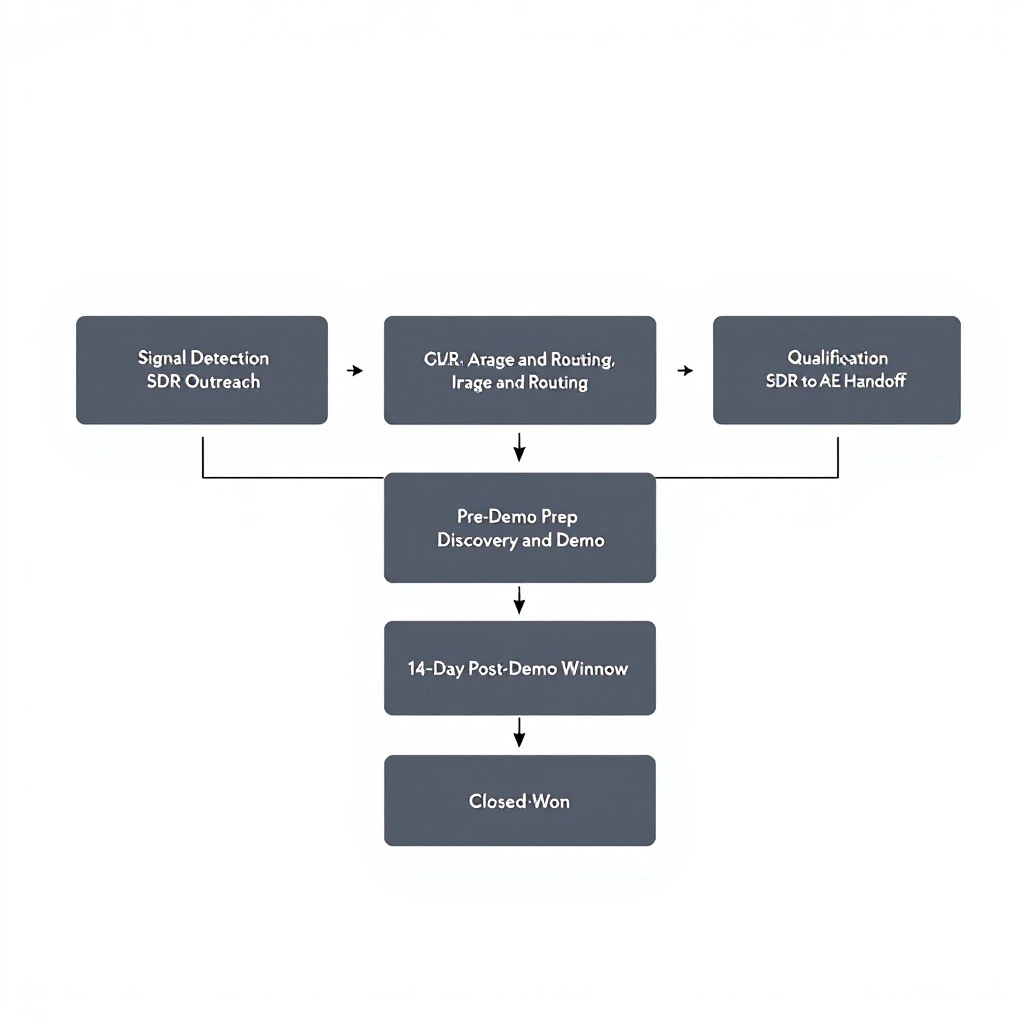
A horizontal flow diagram showing the modern B2B sales cycle in nine stages: signal detection, triage and routing, SDR outreach, qualification, SDR-to-AE handoff, pre-demo prep, discovery and demo, 14-day post-demo window, and closed-won. Each stage is a labeled box connected by arrows, with handoff points highlighted, clean minimalist style on a white background

The shift: from activity-based to signal-based selling

Before getting into the cycle, it is worth being honest about what has changed in B2B sales in the last two years. If you do not believe the shift is real, the rest of this guide will feel like overkill.

For most of B2B sales history, the constraint was identifying who to sell to. You bought a list, dialed it, and hoped 1 percent of the people on the list had a need. The role of the SDR was largely to manufacture interest where none existed.

That model is collapsing for two reasons. First, buyers will not answer cold calls or read cold emails at the rates they used to. Connect rates on cold dials have dropped to roughly 1 in 200. Reply rates on cold email have dropped below 1 percent in most categories. Second, the data to identify buyers who are already in-market has become cheap and abundant. Website visitor identification, third-party intent data, job change signals, technographic shifts, and content engagement are all available in real time. The new constraint is not finding buyers. It is acting on the signals fast enough to matter.

This is what "signal-based selling" actually means. Not buying an intent data tool. The full operational reorientation of the sales team around the idea that buyers reveal themselves through behavior, and the team's job is to convert that behavior into pipeline before the signal decays. If you want the deeper case for why this matters, we wrote it up here, and the meta-analysis of what is actually working in B2B sales in 2026 sits here.

The rest of this guide is the playbook for running that model.

Stage 1: Signal detection

The cycle starts with a signal. Without it, you are dialing lists.

A signal is any observable behavior that suggests a buyer is in-market. The strongest signals are first-party: a visitor identification hit on your pricing page, a champion who left a competitor and just started at a target account, a returning visitor with three sessions in seven days. Weaker but still useful signals include third-party intent data, content engagement, social comments on competitor posts, and technographic changes.

Not all signals are equal. A pricing page visit from a known account is worth ten newsletter signups. A buying committee with three people on your site this week is worth a hundred random clicks on a LinkedIn ad. Top sales teams understand the relative weight of each signal type and route their SDR time accordingly.

The mechanics of signal detection itself are increasingly commoditized — visitor ID tools, intent data providers, and social listening platforms all exist. The differentiation is in how you stack the signals. Read the three-layer signal stack for the framework on what signals to layer together, and the buying signal hierarchy for which signals actually predict closed-won outcomes versus which ones are just noise.

If you are building this layer from scratch, start with website visitor identification. Our guide to B2B visitor ID walks through the categories, the trade-offs, and how to integrate it. You can pile on intent data and other layers later. Most teams that try to start with everything at once never get anything working.

Stage 2: Triage and routing

Detection is the easy part. Triage is where most teams fail.

The problem: signals come in faster than SDRs can act on them. A mid-sized B2B team can easily generate 200 to 500 signals per week across visitor ID, intent data, content engagement, and inbound demos. If every signal hits every SDR with equal weight, the team drowns. They work the loudest signal of the day, ignore the rest, and the signal half-life problem (covered below) kicks in.

The fix is a tiered triage system. Tier the signals by predicted intent, route the highest tiers to your best SDRs with the tightest SLA, and let the lower tiers go to nurture. The inbound triage tier system walks through the tier definitions and the 5-minute response standard for top-tier inbound. Signal-based SDR routing covers how to route by signal type and territory. Together they are the operating system for everything downstream.

One nuance: triage is only as good as the rubric SDRs use to decide which tier a signal belongs in. If reps disagree about what a tier-1 signal is, you will get inconsistent routing and lose deals to randomness. The signal triage rubric is the artifact that fixes this — a written rubric the SDR team adopts and managers enforce in deal review.

Stage 3: SDR outreach — speed to lead

Once a signal is triaged, the clock starts. This is the speed-to-lead stage, and it is where most teams quietly leak the majority of their pipeline.

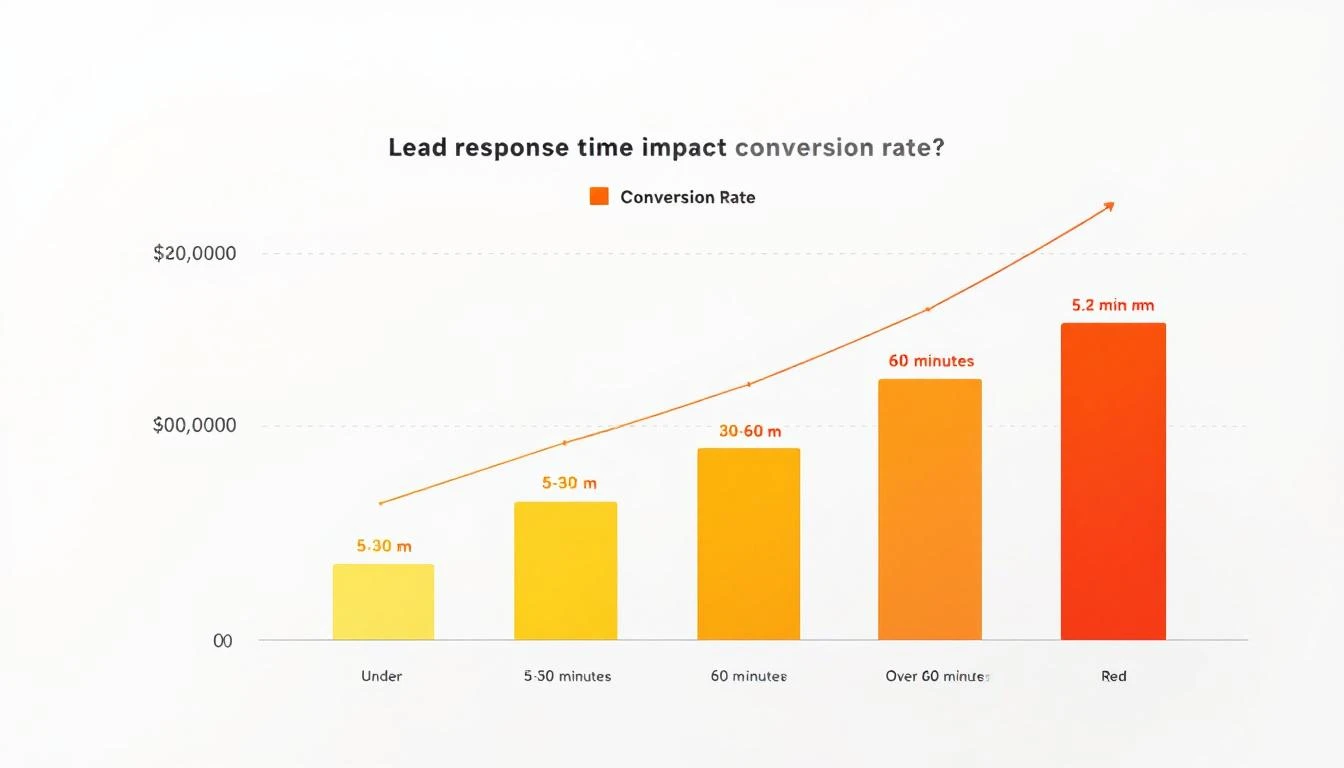
Tier-1 signals — pricing page visits, demo form fills, return visits to high-intent pages — should be responded to in under five minutes. This is not a stretch goal. It is a hard requirement. Buyers who fill out a demo form and get a response within five minutes convert at roughly 4x the rate of buyers who get a response within an hour, and 21x the rate of buyers who get a response within a day. The math is brutal and well-documented.

Our complete speed-to-lead guide covers the data, the operational requirements, and the workflow for hitting 5-minute response without staffing a 24/7 team. The short version: route by tier, alert by channel, automate the first touch, and reserve human SDR time for the calls that actually move pipeline.

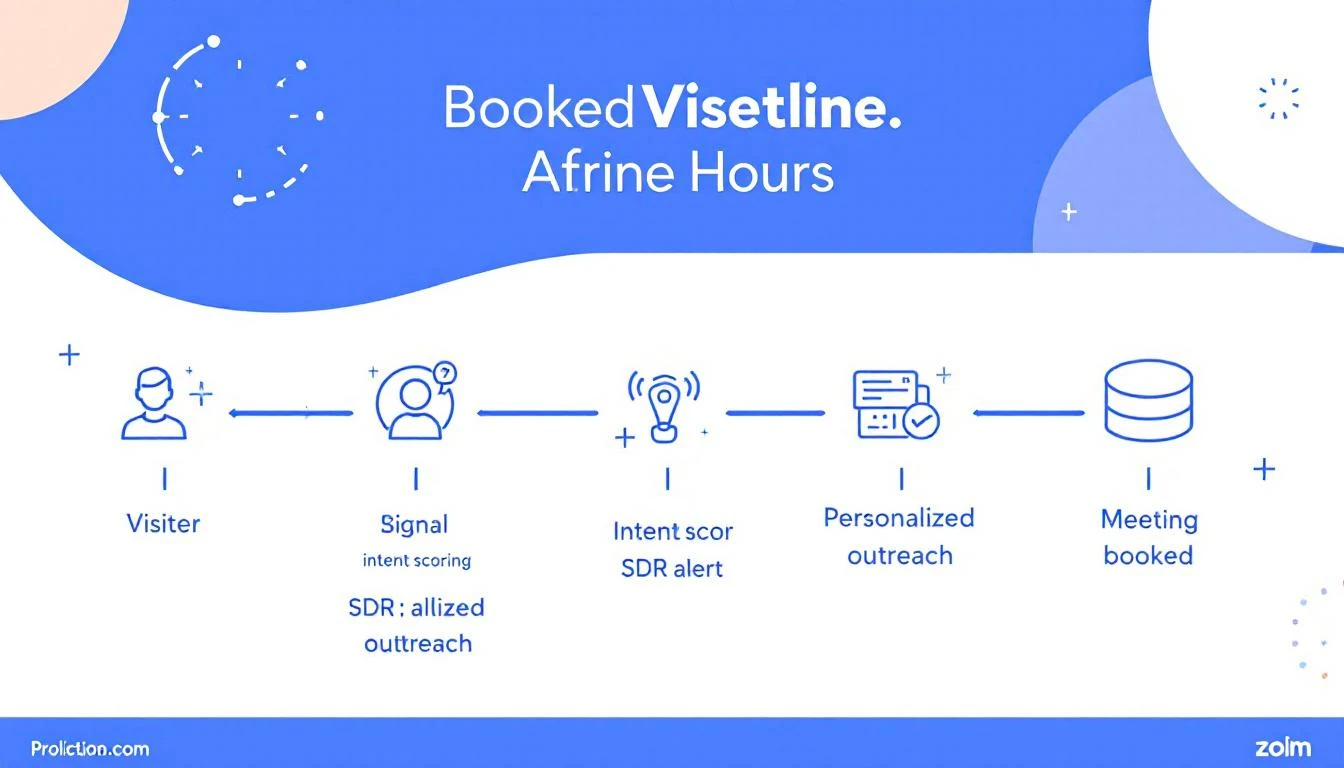
The other half of SDR outreach is what happens when the signal is hot but the buyer has not raised their hand yet. A buying committee that has visited your site three times this week is in-market, but they have not asked to talk. The SDR's job is to reach out in a way that maps to what they were doing on the site — not generic cold outreach. The signal-to-meeting workflow is the 24-hour playbook for converting that kind of warm signal into a booked meeting before competitors get there.

This is also the stage where the visitor ID to first outreach setup playbook lives. If you cannot get a new visitor ID hit into an SDR's outbound queue in 30 minutes, your entire signal stack is just an expensive dashboard.

Stage 4: Qualification before the handoff

Every signal-driven meeting goes through one more gate before the AE: qualification.

This is the step every team thinks they are doing well and almost no team actually does well. SDR managers know what good qualification looks like — budget, timeline, authority, pain, current tooling, evaluation criteria. The issue is that under pressure to book meetings, SDRs skip qualification, book the meeting anyway, and dump a thin lead on the AE.

Two things prevent this. First, a written rubric that defines what qualified means at your company, used consistently across the SDR team. Second, manager review of the SDR's notes before the handoff fires. If the notes are thin, the handoff does not happen — the SDR re-engages the buyer for clarifying questions first.

If your inbound is high-volume and your SDRs are being told to book everything that moves, the morning workflow that high-performing SDRs run is the discipline that prevents the dump-and-run pattern. The goal is not maximum meetings booked. It is maximum qualified meetings that convert to opportunities.

Stage 5: SDR-to-AE handoff

This is the highest-variance handoff in the entire cycle, and it is the one most teams ignore.

A bad SDR-to-AE handoff looks like this: SDR sends a one-line Slack message ("good lead, on the calendar for Thursday") and a calendar invite. The AE shows up cold, runs generic discovery, and the buyer feels like they are starting over. Half the time the deal dies in discovery for no reason other than the buyer is tired of repeating themselves.

A good handoff looks like this: the SDR writes a structured handoff note in the CRM that includes the buyer's stated problem in their own words, what was already qualified, what is still unclear, the signal context that triggered the outreach, and the proposed demo flow. The AE reads it before the call. The buyer feels like the team is coordinated.

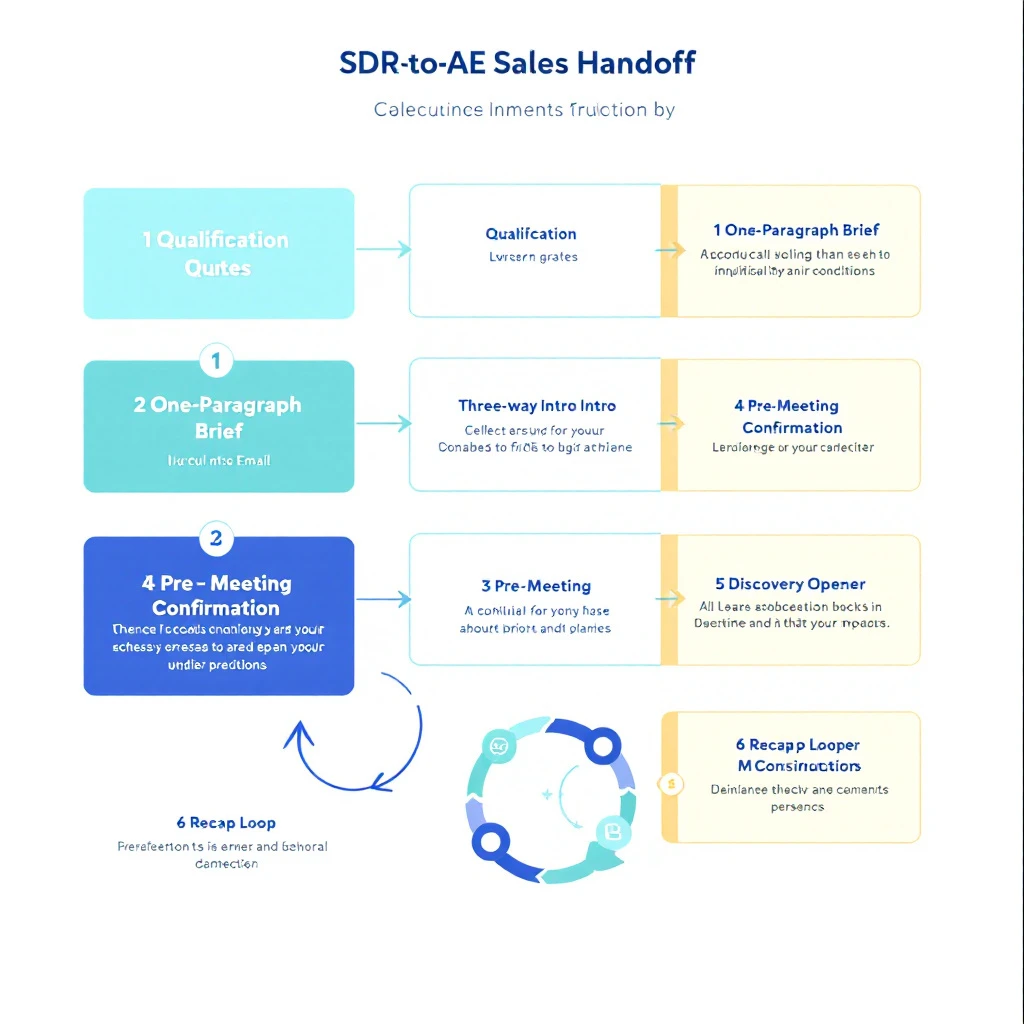
The SDR-to-AE handoff playbook is the 6-step workflow for getting this right. It includes the exact handoff note template, the AE-side checklist before accepting the meeting, and the manager review pattern for catching weak handoffs before they reach the AE's calendar.

If you fix one thing in your sales cycle this quarter, fix this. The leverage is enormous and almost no teams are doing it well.

Stage 6: Pre-demo prep

The 15 minutes before a discovery call are the highest-leverage 15 minutes in the entire deal. Most AEs spend them in traffic.

The reps who consistently close 25 percent of their demos run a structured prep workflow before every call. The reps who close 8 percent of their demos do not. This variance shows up in pipeline math more than any other single factor.

The 15-minute pre-demo prep playbook is the framework: five three-minute blocks covering handoff review, signal context, buying committee mapping, demo customization, and the next-meeting ask. Run it before every discovery call. The discipline matters more than the framework — pick any reasonable structure and use it consistently.

Two things this stage produces that the rest of the cycle depends on. First, a customized demo flow that maps to the specific buyer's stated problem, not the generic demo deck. Second, a written multi-thread plan — who you will ask the buyer to introduce you to, when, and how. Without the second one, you walk out of every demo with a single point of failure.

Stage 7: Discovery and demo

A good discovery call is a controlled diagnostic, not a presentation. The reps who win this stage spend two-thirds of the call asking questions and one-third demoing the three specific moments that map to the buyer's problem.

The mechanics of running discovery well are covered in too many places to re-cover here. The key shift in 2026 is that the bar for personalization has gone up sharply. Buyers expect you to know their stack, their team, their recent funding, and their stated initiatives before the call. Generic discovery questions ("what are your biggest challenges?") signal that you have not done the prep, and buyers check out.

The discovery call should also produce the inputs to multi-threading. By the end of the call you should know: who else is involved in the decision, what their evaluation process looks like, what their timeline is, what budget exists, and what the next step is. If you cannot articulate all five at the end of the call, the call was not discovery — it was a generic demo dressed up as discovery.

Stage 8: The 14-day post-demo window

This is where pipeline goes to die. A buyer comes off a great discovery call, says "send me pricing and we will get back to you," and then disappears. Two weeks later the deal is in best-case purgatory. Six weeks later it is no-decision closed-lost.

The 14 days after a discovery call are the most predictive window in the entire deal. What the AE does in those 14 days determines whether the deal closes at all. Most AEs spend those 14 days on the deals that responded fastest to the previous demo and forget the new one. The buyer takes that as a signal that the AE was not serious, and quietly moves to the vendor who kept the energy up.

The 14-day post-demo AE playbook is the day-by-day workflow for the critical window. It covers what to send on day 1, day 3, day 7, and day 14, when to push for the next meeting, and how to read the buyer's silence as either disinterest or normal procurement-cycle latency.

Running this playbook is the single biggest pipeline conversion lever available to most AE teams. It is also operationally trivial — it is a sequence of seven well-timed actions over two weeks. The reason most teams do not run it is that nobody has written it down.

Stage 9: Multi-threading the buying committee

If you walk out of every demo with one contact, you do not have a deal. You have a single point of failure who can disappear, change roles, or get overruled. Modern B2B deals have three to seven stakeholders involved in the decision. Cover them all or do not be surprised when the deal stalls.

The multi-threading deal team playbook is the 5-stakeholder framework: economic buyer, end user, technical evaluator, executive sponsor, and one or two influencers. It covers when to introduce each one, how to ask the champion to make the introduction without bypassing them, and the language to use in the request.

This is the AE skill that separates 30 percent close rates from 12 percent close rates. It is also the skill most AEs are weakest at, because it feels uncomfortable. The champion seems to be moving the deal forward, so why bother the other stakeholders? Because the champion is not authorized to sign. Because the champion is going to get pulled into another fire next week. Because the technical evaluator you have not met is the one who will quietly veto the deal in the procurement review.

Multi-threading is not a nice-to-have. It is the operational discipline that converts late-stage pipeline.

Stage 10: When the champion goes quiet

Even with great multi-threading, deals stall. The champion stops responding. The email thread goes cold. The AE pings twice and then gives up.

This is the stage at which most teams write off deals that were actually still alive. A champion going quiet rarely means "the deal is dead." It usually means: the champion got pulled into another fire, the company changed priorities, the champion is waiting on internal sign-off they cannot get, or the deal needs to be re-energized through a different stakeholder.

The champion-went-quiet re-engagement playbook is the 5-play workflow for stalled-deal recovery: how to read the silence, when to escalate to the executive sponsor, when to bring in your own exec, when to send the "are you still interested" email correctly, and when to genuinely close-lost and move on.

The teams that run this playbook close roughly 18 to 22 percent of deals they would otherwise have written off as no-decision. The math on that is too good to ignore.

Stage 11: Reopening closed-lost

A no-decision deal from six months ago is one of the highest-quality pipeline sources in your CRM. You already qualified the buyer. You already understand their problem. You already built rapport. The only thing that changed is the buyer's circumstances.

Most teams treat closed-lost deals as dead. They are not. They are dormant. The signal-based selling motion makes them findable again — when a champion job changes, when a competitor announces price increases, when a funding round closes, when a new initiative shows up in 10-K filings.

The reopen closed-lost AE playbook is the framework for systematically working these accounts back into active pipeline. It covers the signal triggers that justify re-engagement, the messaging that does not feel like rehashing, and the timing rules for how often to retry an account that was closed-lost.

If your team is struggling to hit pipeline coverage, this stage alone is usually worth 15 to 25 percent more pipeline within a quarter.

The pacing problem: signal decay

One concept ties this entire cycle together: signal decay.

Buying intent has a half-life. A pricing page visit ten days ago is worth roughly a quarter of what it was worth the day it happened. A job change signal three months stale is barely a signal at all. The whole point of the operational discipline above — 5-minute response, structured handoffs, day-3 follow-ups — is that signals decay fast, and a sales motion that takes 12 days to convert a signal into a meeting is just slow enough to miss every deal.

The signal decay curve walks through the actual decay rates by signal type, and how to set your operational SLAs around them. If you take nothing else from this guide, take this: every step in the cycle above has a clock on it. The team that runs the clock wins. The team that does not, loses to whoever runs it faster.

How the playbook holds together

Every stage above is a piece of a single motion. You cannot run great pre-demo prep on a thin SDR handoff. You cannot run a great 14-day post-demo window if the discovery call was generic. You cannot multi-thread if your champion already went quiet. The cycle is end-to-end or it is not real.

This is why teams who try to fix one stage in isolation rarely see results. SDR speed-to-lead without triage is just more noise. AE prep discipline without good SDR notes is the AE working in the dark. Multi-threading without an executive sponsor relationship is the AE cold-emailing strangers.

The teams that pull ahead are the ones that fix the cycle as a system. They write down each stage. They train the team on each stage. They review each stage in deal review. They coach the handoffs as carefully as they coach the calls. And they instrument the signal decay clock so they can see where deals are dying.

This is what good operational sales discipline looks like in 2026. It is not a single trick. It is the entire cycle, running consistently, every week.

The role of the platform

A reasonable question after reading all this: who is supposed to run all of these workflows?

The honest answer is that without the right platform layer, nobody is. The math does not work. A 25-person SDR-AE team cannot manually run signal triage, 5-minute SLAs, structured handoffs, 15-minute pre-demo prep, day-by-day post-demo workflows, and multi-thread tracking across 200 active deals. The cognitive load is the problem, not the workflow.

This is the gap MarketBetter is built for. The platform watches the signals, runs the triage, surfaces the handoff context the AE needs before the call, prompts the day-3 and day-7 follow-ups in the post-demo window, tracks the buying committee, and flags champions who have gone quiet. The reps still run the calls and write the notes. The platform handles the operational discipline that makes the cycle work.

The shorthand we use: competitors tell you who. MarketBetter tells you who and what to do next. The playbook above is the "what to do next" part. The platform is the layer that makes it operationally feasible to run it.

If you are reading this and recognizing places where your cycle is leaking — weak handoffs, slow speed-to-lead, no post-demo workflow, no multi-thread plan — that gap is the value. Book a demo and we will run the playbook on one of your real accounts so you can see how much pipeline you are leaving on the floor.

Where to go from here

If you are a rep, the highest-leverage move is to run one stage of this cycle well for 30 days. Pick the stage where you know your discipline is weakest — handoffs, prep, post-demo, multi-thread. Run it religiously for a month. The pipeline impact will be visible.

If you are a manager, the highest-leverage move is to build one stage into your weekly deal review. Pick the handoff that is leaking the most pipeline. Make every AE walk through it for every deal, every week. Coach the handoff like you coach calls.

If you are a leader, the highest-leverage move is to treat the cycle as a system. Audit every handoff. Write down the workflow at each one. Measure where deals die. Fix the handoffs, not the calls.

The reps who win in 2026 are not better closers. They are better operators. The cycle above is the operating manual.


Read deeper on each stage:

The SDR-to-AE Handoff Playbook: Stop Losing Deals Between the Booking and the Discovery Call [2026]

· 10 min read
sunder
Founder, marketbetter.ai

Look at any SDR team's funnel and you will find the same leak. The SDR books a meeting. The AE shows up to discovery. Somewhere in the 72 hours between those two events, a third of the deals quietly die.

Show rate dips. The buyer cools. The AE walks in cold and re-qualifies from scratch. The buyer thinks: "I just told the other person all of this." Trust drops. Discovery becomes a vendor pitch instead of a working session. Pipeline conversion sags by 20-40 percent and nobody can point to a single bad call.

This is the SDR-to-AE handoff gap. It is the most under-engineered handoff in B2B sales, and it is the single highest-leverage thing most teams can fix this quarter.

Below is the 6-step handoff playbook we run with customers. It assumes one thing: that the SDR did real qualification before booking. If you are booking on "interested in learning more," fix that first. Start with the inbound triage tier system and come back here when your bookings have substance.

Why the handoff window matters more than the meeting itself

Most sales orgs treat the handoff as a calendar event: SDR clicks "book," Salesforce updates the opportunity owner, AE gets a notification. Done.

That is not a handoff. That is a baton drop.

A real handoff transfers three things between two humans:

  1. Context — what the buyer cares about, in their words, with their priorities ranked
  2. Continuity — the buyer should feel like one team is talking to them, not two separate vendors
  3. Conviction — the AE should walk in knowing why this is a real opportunity, not "another discovery"

When you nail those three, you stop losing 20-40 percent of booked meetings. Show rates climb. Discovery converts to second meetings at a higher clip. And buyers stop ghosting between the demo and the proposal because they trusted you from minute one.

The 6-step handoff playbook

Step 1: Capture the qualification in the buyer's words, not your CRM fields

The most common handoff failure happens in the SDR's notes. The SDR fills in seven Salesforce fields — pain, timeline, budget, decision process, current solution, team size, urgency — and calls it done.

The AE reads those fields ten minutes before discovery and walks in blind. Why? Because the CRM strips the language. The buyer said "our SDRs are spending three hours a day on garbage leads and we're hiring two more in Q3 to keep up." Salesforce stored "Pain: SDR efficiency. Timeline: Q3."

The AE then asks "so tell me about your pain" and the buyer thinks they are starting over.

The fix: SDRs capture three verbatim quotes from every qualification call:

  • The pain quote — what the buyer said about why they are looking
  • The urgency quote — what is forcing them to act now versus in six months
  • The skepticism quote — what they pushed back on or seemed unsure about

These three quotes go in the meeting brief, untouched. The AE reads them five minutes before the call. They walk in with the buyer's exact words in their head and the buyer feels seen from the first sentence.

Step 2: Write a one-paragraph meeting brief, not a 12-field form

CRM forms are for reporting. Briefs are for selling. They are different artifacts and they should look different.

A handoff brief is one paragraph, written by the SDR, that an AE can read in 60 seconds. Format:

"[Buyer name] at [company] runs [team / function]. They came in via [channel] after [trigger event]. Their pain: [verbatim quote]. Their urgency: [verbatim quote — why now]. Their decision process: [who's involved, timeline, what they've already evaluated]. Their pushback: [verbatim skepticism]. The opening I'd take: [SDR's read on what to lead with]."

That last sentence — "the opening I'd take" — is the single most undervalued line in the brief. The SDR talked to this human for 15-30 minutes. They have a read. AEs who ignore that read consistently underperform AEs who use it as a starting hypothesis.

Step 3: Make the introduction a three-way email, not a calendar invite

The calendar invite is the laziest handoff in B2B sales. It tells the buyer: "we use a tool that auto-routes you to whoever has open availability."

The introduction email tells the buyer: "we organized this internally and prepared for you."

Within two hours of booking, the SDR sends a three-way email:

  • To: the buyer
  • CC: the AE
  • Subject: "Intro to [AE first name] for [day]'s call"
  • Body: "[Buyer first name], great talking earlier. Connecting you with [AE first name], who'll dig into [the specific topic the buyer cared about] with you on [day]. [AE first name] — [buyer first name] is wrestling with [the one-sentence version of their pain]. I shared the full context but you two should compare notes. Talk [day]."

This email does four things at once. It transfers ownership cleanly. It primes the buyer to expect a real conversation, not a demo. It gives the AE air cover to reach out directly before the meeting. And it builds trust through visible organization.

Step 4: Have the AE send a pre-meeting confirmation 24 hours before

Show rates on cold-booked meetings hover around 60-70 percent. Show rates on meetings where the AE personally sent a pre-meeting confirmation hover around 85-92 percent. The math is simple.

The pre-meeting note is not a calendar reminder. It is a sentence that says "I read your context, I'm prepared, here's what I'd like to cover, push back if I'm off."

"Hey [first name] — [SDR first name] caught me up on [the specific thing they care about]. For tomorrow I'd planned to dig into [topic A] and [topic B], and I want to leave 10 minutes to talk through [the skepticism the buyer raised]. If there's anything you'd add or want to skip, just reply and let me know. Talk tomorrow."

That note does the work of three things: it confirms attendance, it shows preparation, and it gives the buyer a way to redirect the meeting before it starts. Buyers love it because it makes them feel like the meeting is for them, not for you.

Step 5: Start the discovery call by saying what you already know

The single fastest way to lose a deal in the first five minutes is to ask "so tell me what brings you here today" to a buyer who already told the SDR exactly that.

The buyer will repeat themselves. Politely. But the trust you needed is gone. The buyer is now thinking: "do these people actually talk to each other?"

The fix is one of the simplest behavioral changes you can make and almost nobody does it:

"Before I ask anything, let me make sure I have this right. From the conversation with [SDR first name], my understanding is you're [pain in their words], and the thing that's making this urgent right now is [urgency in their words]. What you pushed back on was [skepticism]. Did I get that right, and what's changed since you two talked?"

You just did four things in 30 seconds. You proved your team communicates. You proved you prepared. You gave the buyer permission to correct you. And you opened the door to ask "what's changed since" — which is the single best discovery question in B2B sales because it surfaces new information without making the buyer restart.

Step 6: Close the loop with a written recap the SDR can see

The handoff doesn't end when discovery ends. The SDR needs to know what happened, both to learn and to keep the buyer relationship warm for any future opportunities.

Within 24 hours of discovery, the AE sends a recap email to the buyer and CCs the SDR. The recap names the three things the buyer said they cared about, the proposed next step, and the date by which the AE will follow up. The SDR reading along learns two things: whether their qualification held up, and what the AE heard that they missed. Both make them better at the next handoff.

This is also where you catch handoff failures early. If the AE's recap says "the buyer is now exploring three vendors and wants to see ROI proof," and the SDR brief said "the buyer is committed to switching this quarter," somebody misread the qualification. You want to know that within 24 hours, not in a forecast review six weeks later.

What goes wrong when teams skip these steps

Pattern matching from teams who run a broken handoff:

  • Show rates below 70 percent. Buyers cool because nothing happens between the booking and the meeting. The fix is steps 3 and 4 — an intro email and a pre-meeting confirmation.
  • AEs complaining that "SDR leads are unqualified." Usually the qualification was fine but the context didn't transfer. The fix is steps 1 and 2 — verbatim quotes in a one-paragraph brief.
  • Buyers re-pitching themselves on discovery. Almost always step 5. The AE didn't open by reflecting back what they already knew.
  • Deals that stall in the 14 days after demo. Often the buyer never trusted the team. See the 14-day post-demo window playbook for what to do once the deal is already cooling.
  • Champions who go quiet two weeks in. Sometimes the handoff was fine but the multi-thread wasn't. See multi-threading the deal team and champion went quiet.

The handoff scorecard

Once you adopt the playbook, score every handoff weekly. Five questions, one point each:

  1. Did the SDR capture three verbatim quotes in the brief?
  2. Did the SDR send the three-way intro email within two hours of booking?
  3. Did the AE send the 24-hour pre-meeting confirmation?
  4. Did the AE open discovery by reflecting back what they already knew?
  5. Did the AE send a 24-hour recap CCing the SDR?

A 5/5 handoff converts to second meeting at almost double the rate of a 1/5 handoff. The behaviors are tiny. The compounding effect on pipeline is not.

Where most teams should start

Pick step 5 — the discovery opener that reflects back what the SDR already qualified. It costs nothing, it changes behavior immediately, and it produces visible buyer reactions the AE can feel in the first 30 seconds of the call. Once the AEs feel that, they will pull the rest of the playbook in themselves.

The SDR-to-AE handoff is the cheapest, highest-ROI behavioral change in B2B sales. It does not require new software, new headcount, or a six-month process redesign. It requires three quotes, a paragraph, two emails, one sentence, and a recap. Five minutes of work per deal. Twenty to forty percent more pipeline conversion.

That is the trade.


Want to see how MarketBetter automates the signal-to-handoff workflow so your SDRs and AEs are always working from the same context? Book a demo →

SDR-to-AE handoff playbook diagram showing the six-step process from qualification capture through discovery recap

Signal to Meeting in 24 Hours: The SDR Playbook [2026]

· 9 min read
sunder
Founder, marketbetter.ai

Here's the uncomfortable truth about intent data in 2026: most teams that buy it don't use it well.

They have visitor identification. They have intent signals. They have enrichment tools. And they still take 48+ hours to follow up—if they follow up at all.

Meanwhile, the teams booking 3-5x more meetings from the same traffic aren't using better data. They're using better workflows. Specifically, they've built a system that moves from signal detection to a booked meeting in under 24 hours.

This post breaks down exactly how they do it.

Signal to meeting pipeline showing the 24-hour journey from visitor identification to booked meeting


Why Speed Kills (Your Competition)

The data on speed-to-lead is brutal and well-documented:

  • Responding within 5 minutes makes you 21x more likely to qualify a lead than responding after 30 minutes (InsideSales/XANT research)
  • 78% of B2B buyers purchase from the vendor that responds first (Drift/Salesloft)
  • After 1 hour, your odds of meaningful contact drop by 10x
  • After 24 hours, most buying intent has cooled significantly—the prospect has moved on, talked to a competitor, or deprioritized the evaluation

Yet the average B2B company takes 42 hours to respond to an inbound lead. For anonymous visitor signals (which aren't even "leads" in the traditional sense), most companies never respond at all.

That's the gap. And it's where pipeline lives.

Speed to lead conversion curve showing dramatic drop-off after 5 minutes


The 24-Hour Signal-to-Meeting Framework

The best SDR teams we've studied follow a remarkably similar pattern. Here's the framework broken into four phases:

Phase 1: Signal Detection (0-1 Hours)

This is where most teams already have the tools but lack the filtering logic. You don't need to act on every visitor—you need to act on the right visitors immediately.

What "right" looks like:

Signal TypePriorityResponse Window
Pricing page visit + ICP match🔴 CriticalUnder 1 hour
Multiple page visits in one session🟠 HighUnder 4 hours
Return visitor (2nd+ visit this week)🟠 HighUnder 4 hours
Blog/resource visit + ICP match🟡 MediumSame day
Single page bounce⚪ LowNurture sequence

The mistake most teams make: treating all signals equally. A pricing page visit from a VP of Sales at a 200-person SaaS company is not the same as a blog reader from a university. Your system needs to know the difference instantly.

How to set this up:

  1. Configure visitor identification with firmographic filtering—company size, industry, and job title should be immediately visible
  2. Set up real-time alerts for critical signals (pricing page + ICP match should trigger a Slack/Teams notification within minutes)
  3. Auto-enrich identified visitors with company data, recent news, tech stack, and funding info before the SDR even sees the alert

The goal: when your SDR gets the notification, they should have everything they need to personalize outreach in the alert itself. Zero research required.


Phase 2: Prioritized Outreach (1-4 Hours)

This is where workflows beat willpower.

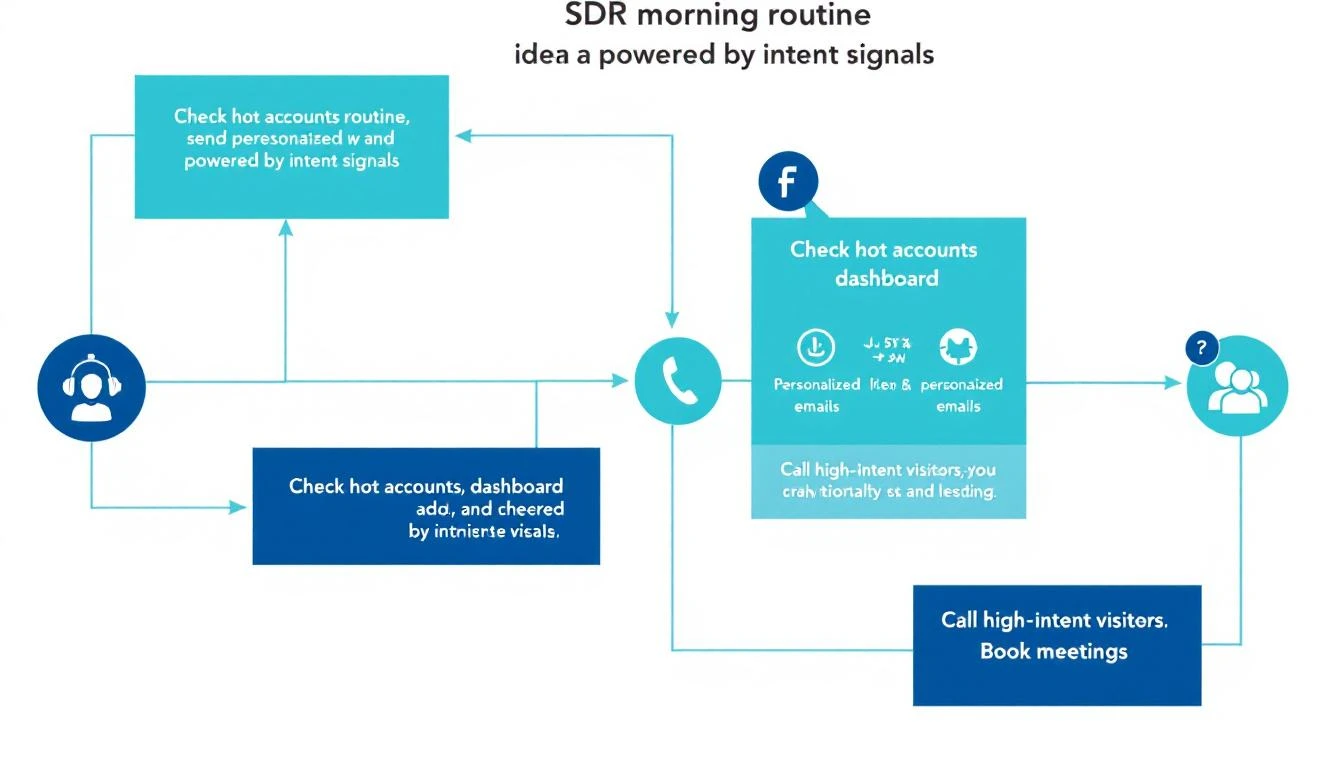
The SDR who "checks the dashboard when they get around to it" will always lose to the SDR who has a structured morning routine built around intent signals.

SDR morning workflow powered by intent signals

The SDR's First 30 Minutes (Daily Routine):

  1. Open your prioritized queue — not a raw dashboard, but a filtered, ranked list of yesterday's and overnight's high-intent visitors
  2. Review the top 5 accounts — each should show: company name, visitor pages viewed, time on site, firmographic match score, and a suggested talk track
  3. Send personalized outreach to the top 3 — email or LinkedIn, referencing what they were researching (without being creepy about it)
  4. Queue calls for the top 2 — phone is still the fastest path to a meeting for hot signals
  5. Move remaining accounts to automated sequences based on their signal tier

The personalization formula that works:

"Hi {first_name}, I noticed {company_name} has been evaluating {category} solutions. A lot of {industry} teams we work with were dealing with {common pain point}—is that on your radar too?"

Notice what this doesn't say: "I saw you visited our pricing page at 2:47 PM." That's surveillance, not sales. Reference the category and pain point, not the specific behavior.


Phase 3: Multi-Touch Acceleration (4-12 Hours)

One email isn't a strategy. The teams converting at the highest rates run a multi-touch sequence within the first 12 hours for critical signals:

Hour 0-1: Personalized email (referencing their research area)

Hour 2-3: LinkedIn connection request with a note (keep it short—compliment something specific about their work)

Hour 4-6: Phone call attempt #1 (leave a voicemail that references the email)

Hour 8-12: Follow-up email with a specific resource relevant to what they were researching

Why multi-touch matters:

  • Email alone has a 2-5% reply rate
  • Email + LinkedIn bumps it to 8-12%
  • Email + LinkedIn + phone pushes it to 15-25% for ICP-matched, high-intent signals

The key insight: each additional channel doesn't just add impressions—it signals seriousness and competence. When a prospect sees your name in their inbox, on LinkedIn, and hears your voice on a voicemail within the same day, you're establishing that you're responsive, professional, and everywhere they need you to be.


Phase 4: Meeting Conversion (12-24 Hours)

By hour 12, you should know which prospects are engaging (opened emails, accepted LinkedIn, visited again) and which went cold.

For engaged prospects:

  • Send a calendar link with 2-3 specific time slots (not an open calendar—too much friction)
  • Reference their engagement: "Saw you checked out our case study on {topic}—happy to walk you through how {similar company} got {specific result}. Does Thursday at 2 PM CT work?"
  • If they visited again after your outreach, call immediately—they're actively evaluating

For cold prospects (no engagement after 12 hours):

  • Move to a 7-day nurture sequence with value-first content
  • Set a reminder to re-engage if they visit again (this is where automation earns its keep)
  • Don't force it—not every signal converts, and that's fine

The math that makes this work:

Let's say your site gets 1,000 B2B visitors per month. With visitor identification at a 20% match rate, that's 200 identified companies. Of those, maybe 40 match your ICP. With the 24-hour framework:

  • 40 ICP-matched signals per month
  • 60% outreach rate (24 contacted per month)
  • 15% meeting conversion rate
  • = 3-4 new meetings per month from existing traffic alone

That's pipeline from visitors who would have otherwise bounced forever. No ad spend. No cold lists. Just faster execution on signals you're already generating.


The 5 Mistakes That Kill Signal-to-Meeting Velocity

1. Treating Your Dashboard Like a To-Do List

Dashboards are for reporting, not for action. If your SDRs start their day by opening a dashboard and scrolling, you've already lost. They need a prioritized queue that tells them exactly who to contact and in what order.

2. Requiring Manual Research

Every minute an SDR spends researching a prospect is a minute they're not reaching out. Auto-enrichment should deliver company info, recent news, tech stack, funding status, and a suggested talk track before the SDR sees the lead.

3. Waiting for "Marketing Qualified" Status

MQL gates kill speed. If a VP of Sales at a 300-person SaaS company visits your pricing page, that's a signal worth acting on now—not after marketing scores it, nurtures it, and eventually passes it over in next week's pipeline meeting.

4. One-Channel Outreach

Email-only follow-up is leaving meetings on the table. The data consistently shows that multi-channel sequences (email + LinkedIn + phone) convert 3-5x better than single-channel approaches.

5. No Feedback Loop

If your SDRs don't report back which signals converted and which didn't, your system never improves. Build a simple closed-loop: signal → outreach → outcome → adjust scoring. Over time, your system gets smarter about which signals actually predict meetings.


How to Measure Your Signal-to-Meeting Pipeline

Track these four metrics weekly:

1. Signal-to-First-Touch Time How long between a high-intent signal firing and the SDR's first outreach? Target: under 4 hours for critical signals.

2. Multi-Touch Completion Rate What percentage of high-priority signals receive the full multi-touch sequence (email + LinkedIn + phone)? Target: 80%+.

3. Signal-to-Meeting Conversion Rate Of all high-intent signals, how many result in a booked meeting within 7 days? Target: 10-15% for ICP-matched visitors.

4. Pipeline from Signals (Attribution) How much pipeline can you directly attribute to visitor signals vs. cold outbound vs. inbound forms? This is your ROI metric.


The Bottom Line

The gap between teams that struggle with intent data and teams that print pipeline from it isn't the data quality or the tools—it's the workflow.

Speed, prioritization, multi-channel execution, and a closed feedback loop. That's the formula.

The companies winning in 2026 don't have more data. They have faster systems for turning that data into conversations.

Your website visitors are already telling you who's interested. The question is whether your team can get to them before your competitor does.


Ready to turn your anonymous visitors into booked meetings? See how MarketBetter's signal-to-action playbook works →


Related reading:

How Global IoT Platforms Coordinate Multi-Language SDR Teams Across 3 Continents With Signal-Based Territory Playbooks

· 10 min read
MarketBetter Team
Content Team, marketbetter.ai

How Global IoT Platforms Coordinate Multi-Language SDR Teams

If you sell IoT connectivity into enterprises across multiple continents, you already know the coordination nightmare.

Your EMEA SDR is working a prospect in Germany while your US rep has a contact at the same company's North American headquarters. Meanwhile, your Latin American rep — the one who speaks fluent Spanish and has relationships across Mexico and Colombia — is nurturing leads at the same enterprise's regional offices.

Three reps. Three languages. Three time zones. One account. And none of them know what the others are doing.

This is the reality for every IoT and telecom platform that's scaled past a single-region sales motion. The technology scales globally. The sales coordination doesn't.

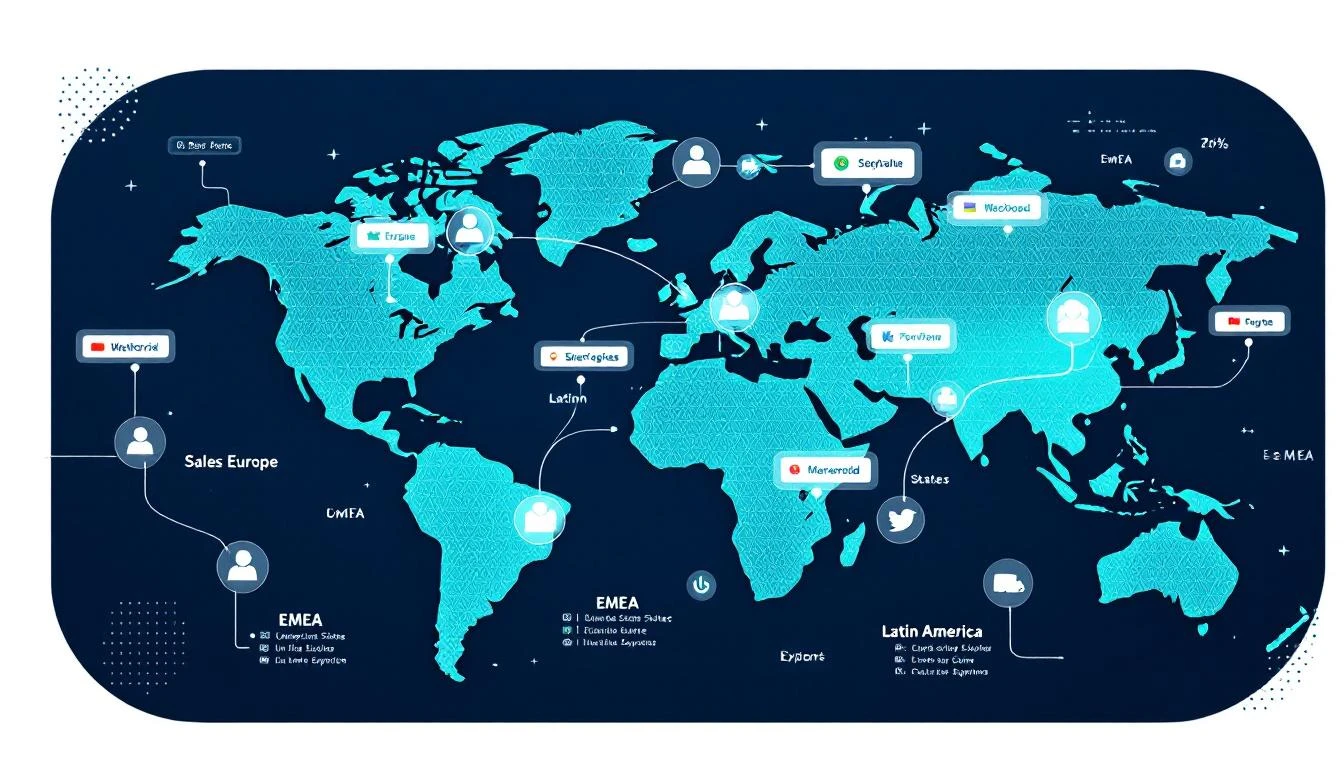
Here's how one enterprise IoT connectivity platform with SDRs spanning EMEA, the United States, and Latin America built a signal-based territory system that eliminated handoff chaos and turned their multi-language team from a coordination liability into a compounding advantage.

The Problem: Global Coverage, Local Chaos

This particular platform provides cellular connectivity infrastructure to enterprises — the kind of product that naturally attracts multinational buyers. A logistics company in Dallas might need IoT SIMs across warehouses in Mexico, fulfillment centers in Poland, and headquarters in Chicago.

Before implementing signal-based territory playbooks, their sales process looked like this:

Duplicate outreach everywhere. The EMEA rep would cold-email the CTO of a European subsidiary while the US rep was already in conversations with the same company's VP of Operations. Neither knew. The prospect received nearly identical pitches from two different people at the same vendor within 48 hours.

Language mismatches killing deals. Their Latin American pipeline required Spanish-language communication — not just translation, but culturally appropriate messaging for enterprise buyers in Mexico City, Bogotá, and São Paulo. When English-language sequences accidentally fired to LatAm contacts, response rates dropped to near zero.

No signal attribution across regions. When a company's German office visited the pricing page and their US office requested a whitepaper, those signals went to different reps with no connection. The buying committee spanned continents, but the intent picture was fragmented.

Territory disputes consuming manager time. Roughly 30% of their sales manager's week was spent arbitrating "who owns this account" conversations. With global enterprises, the answer was never simple.

The Shift: Territory-Based Signal Routing

The transformation started with a deceptively simple principle: signals should route to the right rep automatically, based on territory rules — not manual assignment.

Here's what they built:

1. Geographic Signal Routing by Territory

Every intent signal — website visit, content download, champion job change, email engagement — now routes through territory logic before hitting any rep's queue.

The rules aren't complicated:

  • IP geolocation determines initial territory assignment
  • Company HQ location acts as the tiebreaker for global accounts
  • Language preference (browser language, form submissions) overrides geography for LatAm contacts
  • Named account lists lock strategic accounts to specific reps regardless of signal origin

When a prospect from a German subsidiary visits the platform's pricing page, the signal routes to the EMEA SDR. When that same company's US headquarters downloads a case study, it routes to the US SDR — but both signals appear on a shared account timeline.

2. Multi-Language Playbook Architecture

This is where most global sales teams fall apart. They build one English playbook and "translate" it. That doesn't work.

This IoT platform built three native playbooks — not translations, but culturally distinct sequences:

US Playbook: Direct, ROI-focused, shorter sequences (4 touches over 12 days). American enterprise buyers expect specificity early: deployment timelines, integration compatibility, pricing ranges by the second email.

EMEA Playbook: Relationship-first, compliance-conscious, longer nurture (6 touches over 21 days). European buyers — especially in Germany, the Nordics, and the UK — want to understand data residency, GDPR compliance, and existing customer references in their region before engaging in a pricing conversation.

LatAm Playbook (Spanish): Relationship-driven with higher emphasis on personal connection, WhatsApp integration for follow-ups, and references to regional deployments. Their Spanish-speaking SDR wrote these sequences natively — not translated from English — with idioms, cultural references, and business etiquette that resonated in Mexico, Colombia, and Chile.

The results were immediate:

RegionResponse Rate (Before)Response Rate (After)Change
US4.2%7.8%+86%
EMEA3.1%6.4%+106%
LatAm1.8%9.2%+411%

The LatAm improvement was staggering — but predictable. Sending English-language cold emails to Spanish-speaking enterprise buyers in Mexico City was never going to work. The previous "strategy" wasn't a strategy; it was negligence disguised as global coverage.

3. Unified Account Intelligence Across Regions

The real unlock wasn't routing or language — it was the shared account view.

When their visitor identification system detects activity from a global account, every SDR who touches that account sees the full picture:

  • The German office visited the IoT security documentation three times this week
  • The US headquarters downloaded the enterprise pricing guide
  • A director-level contact at the Colombian subsidiary opened every email in the LatAm sequence

Instead of three isolated SDRs working three isolated leads, the team sees one account with buying signals across three regions. The US SDR can reference the European team's interest in security when positioning to the American buyer. The LatAm rep knows the US office is already evaluating pricing, so they can align their timing.

This is signal orchestration at its most practical. Not a buzzword — a necessary coordination layer for any team selling globally.

4. Handoff Protocols That Actually Work

Before signal routing, handoffs between regions happened via Slack messages that got lost, forwarded emails that lacked context, and "hey, can you take this?" conversations in team meetings.

Now, territory transfers follow a structured protocol:

  1. Signal triggers handoff suggestion. When a EMEA-routed account shows US-based buying signals (US IP visiting pricing, US phone number on a form), the system flags it for potential territory reassignment.

  2. Context transfers automatically. The receiving SDR gets the full signal history, engagement timeline, and any notes from the originating rep — not a vague "this might be a lead."

  3. Dual ownership for strategic accounts. For enterprises with genuine multi-region buying committees, both reps stay involved. The primary owner is whoever has the strongest champion relationship, and territory designation reflects coordination responsibility rather than credit assignment.

  4. Revenue attribution is shared. This eliminated 90% of territory disputes overnight. When a deal closes with contacts across two regions, both reps get credit. The incentive shifted from "protect my territory" to "help this account advance."

The Numbers: What Changed

After six months running territory-based signal playbooks across all three regions:

Pipeline velocity increased 2.4x. Deals moved faster because the right rep engaged the right contact in the right language from the first touch. No more "let me transfer you to my colleague who handles your region."

Average deal size grew 35%. Multi-region visibility meant SDRs could identify and sell into the full global footprint of an account, not just the single office that happened to raise their hand first. A deal that would have been a single-region deployment became a three-continent rollout.

SDR productivity jumped measurably. With automatic signal routing, reps spent zero time figuring out if a lead was "theirs." Signals arrived pre-qualified by territory, pre-assigned by language, and pre-enriched with account context.

LatAm became their fastest-growing region. Having a native Spanish-speaking SDR with culturally appropriate sequences turned Latin America from an afterthought into a primary pipeline source. Within four months, LatAm represented 28% of new pipeline — up from 8%.

What This Means for Your IoT or Telecom Sales Team

If you're selling IoT connectivity, telecom infrastructure, or any technology product across multiple regions, here's the playbook:

Start With Territory Rules, Not More Reps

Most global sales teams try to solve coordination problems by hiring more people. That compounds the problem. Before adding headcount, implement signal routing that automatically assigns leads based on geography, language, and named account lists.

Territory planning automation isn't a luxury for global teams — it's table stakes.

Build Native Playbooks, Not Translations

If you have a Spanish-speaking SDR covering Latin America, let them write the LatAm playbook from scratch. Same for EMEA — let your European rep build sequences that reflect how European buyers actually purchase technology.

The performance difference between a translated playbook and a native one is 3-4x in response rates. That's not marginal. That's the difference between a region that generates pipeline and a region you're subsidizing.

Invest in Account-Level Signal Visibility

Individual lead-level signals are useful. Account-level signal aggregation across regions is transformational. When your US SDR can see that the European office is deep in evaluation, they can time their outreach to create a coordinated buying moment instead of a confused one.

This is where visitor identification tools pay for themselves many times over in a global context.

Make Territory Disputes Impossible, Not Adjudicated

If your sales manager spends any meaningful time deciding "who gets credit for this deal," your territory system is broken. Implement shared attribution for multi-region accounts. When both reps benefit from the deal closing, they stop fighting over ownership and start collaborating on advancement.

Don't Underestimate Language as a Pipeline Lever

For IoT and telecom companies, Latin America represents massive growth potential. But you can't capture it with English-only outreach. A single fluent Spanish-speaking SDR with proper signal routing and native sequences can outperform a team of three running translated content.

Language isn't a nice-to-have in global sales. It's the single biggest lever most teams haven't pulled.

The Bigger Picture

The IoT connectivity market is inherently global. Your customers deploy across borders. Your competitors sell across continents. The question isn't whether you need multi-region sales capability — it's whether your sales infrastructure can coordinate it without drowning in handoff chaos.

Signal-based territory playbooks aren't about technology. They're about giving every rep — whether they're in Dallas, London, or Mexico City — the same quality of intent data, the same account context, and the same ability to engage the right buyer in the right language at the right time.

The companies that figure this out don't just grow faster. They win the accounts that span continents — the largest, most strategic deals in IoT — because they're the only vendor who shows up coordinated when everyone else shows up fragmented.

That's not a marginal improvement. That's a structural advantage that compounds with every global account you land.


Want to see how signal-based territory routing works for global sales teams? Start a free trial or book a demo to see MarketBetter in action.

The Daily SDR Playbook: Why Your Reps Should Never Decide Who to Call Next

· 11 min read
MarketBetter Team
Content Team, marketbetter.ai

Sit behind an SDR for an hour. Not on a call — before the calls. Watch what they actually do in the first 60 minutes of their day.

Here's what you'll see:

Tab 1: CRM, checking assigned leads. Tab 2: Email, scanning for replies and bounces. Tab 3: LinkedIn, searching for triggers and connections. Tab 4: Intent data platform, reviewing new signals. Tab 5: Enrichment tool, looking up company details. Tab 6: Sequence tool, checking who's due for a follow-up. Tab 7: Slack, reading team updates. Tab 8: Calendar, reviewing the day's meetings. Tab 9: Sales navigator, building new lists. Tab 10: Another CRM tab, because the first one timed out.

And that's just the first ten. Most SDRs I've worked with have 15-20 tabs open before they make their first call.

This isn't selling. This is deciding who to sell to. And it's consuming 60% of your SDRs' working day.

I've built SDR teams at three different startups. The pattern is always the same: you hire great reps, give them great tools, build great sequences — and then watch them spend most of their time navigating between those tools instead of using them.

The tools aren't the problem. The fragmentation is.

Unified SDR dashboard consolidating signals into one prioritized playbook

The 60% Tax on Selling Time

Let me put a number on this because the data on SDR productivity is damning.

The average SDR spends roughly 60% of their day on non-selling activities. Not admin. Not CRM data entry. Decision-making. Specifically, deciding:

  • Who should I contact next?
  • What channel should I use?
  • What should I say?
  • Is this person worth my time right now?
  • Did something change since I last checked?

These are important questions. But they shouldn't require toggling between a dozen tools to piece together an answer.

Think about what this means economically. If you're paying an SDR $75,000 per year, and 60% goes to non-selling activities, you're paying $45,000 per rep for them to decide what to do. On a team of eight, that's $360,000 per year in decision-making overhead.

That's not a productivity problem. That's a strategy problem.

The Core Issue: Signals Are Everywhere, Synthesis Is Nowhere

B2B sales teams have never had more signal data available to them. Website visits. Email engagement. Social interactions. Intent data from third-party providers. Job changes. Company news. Funding announcements. Technology adoptions. Conference attendance.

The problem isn't data scarcity. The problem is that every signal lives in a different tool, and no tool synthesizes them into a single prioritized view.

Your website visitor identification tool tells you someone from Acme Corp visited your pricing page yesterday. To act on that, your SDR checks the CRM for account status, checks the sequence tool for active cadences, checks LinkedIn for contacts, checks enrichment for email and phone, then checks intent data for broader signals.

That's five tool switches to act on one signal. Your SDR has 50 signals today.

Multiply the number of tools by the number of signals, and you understand why SDRs are paralyzed by choice before they even pick up the phone.

What If Your SDRs Opened One Tab?

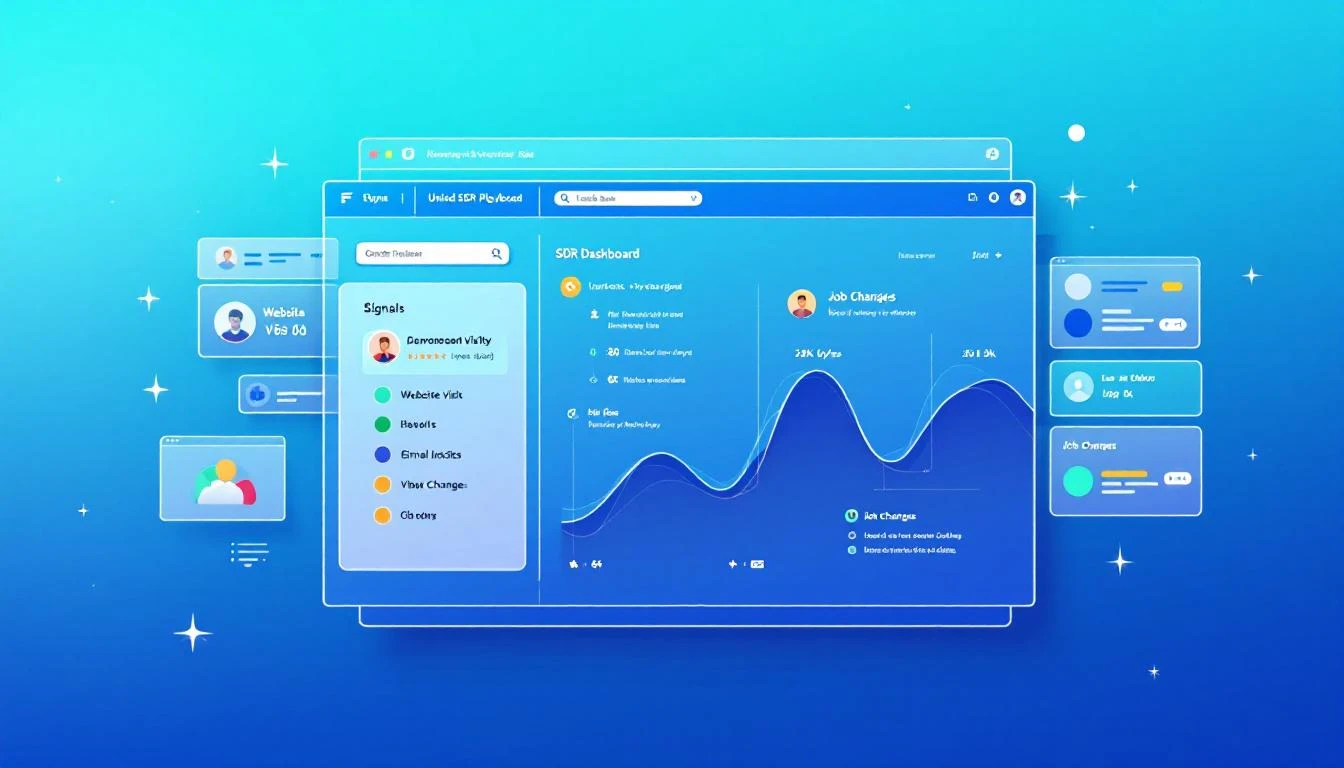
MarketBetter's Daily Playbook takes every signal from every source and collapses them into one thing: a prioritized task list for each rep.

When your SDR starts their day, they don't open 20 tabs. They open one. And in that tab, they see:

  1. Their top tasks for today, ranked by signal strength and likelihood of conversion
  2. Why each task is there — what triggered it, what's the signal
  3. The recommended channel — call, email, LinkedIn, or multi-touch
  4. A suggested message or talking points based on the prospect's context
  5. Everything they need to execute — contact info, company background, engagement history

That's it. No hunting. No synthesizing. No deciding. Just executing.

The Daily Playbook doesn't replace your SDR's judgment. It focuses it. Instead of spending an hour deciding who deserves attention, the rep spends that hour giving attention to the people most likely to convert.

The Signals That Feed the Playbook

Here's what flows into each rep's daily playbook:

Website Visitor Intelligence

When someone from a target company visits your website — especially high-intent pages like pricing, demo request, or product comparison — that visit becomes a task in the playbook.

But not just "someone from Acme Corp visited your site." The playbook tells the rep:

  • Which pages they viewed
  • Whether the company is an existing account or net-new
  • If it's existing, who owns it and what's the current status
  • If it's net-new, whether it matches your ICP
  • Recommended next action based on intent strength

Identifying anonymous website visitors is only valuable if someone acts on it. The playbook makes sure they do, and that the right rep does it at the right time.

Email Engagement Signals

Your SDRs are running sequences with dozens or hundreds of active contacts. The playbook tracks every engagement signal:

  • Opens: Who opened your email three or more times? That's interest. Call them now.
  • Replies: Obviously high priority — but the playbook also flags negative replies for suppression so reps don't waste time on dead leads.
  • Link clicks: What did they click? A case study link signals different intent than a pricing page link. The playbook adjusts the recommended next step accordingly.
  • Sequence position: Is this prospect about to exit your sequence without a reply? That might warrant a different approach — phone call, LinkedIn touch, or a breakup email.

These signals exist in your sequence tool today. But they're buried in dashboards that your SDR has to proactively check. The playbook surfaces them as prioritized tasks.

Champion Job Changes

This is one of the most underutilized signals in B2B sales, and it's one of the most powerful.

Here's the scenario: six months ago, your SDR had great conversations with Sarah at Company A. Sarah loved your product, was pushing for a deal internally, but ultimately the timing wasn't right — they had a contract locked in with a competitor.

Now Sarah moves to Company B. She's still a believer. She knows your product. She has relationship equity with your team. And she's starting fresh at a new company where the existing contract doesn't apply.

That job change is worth more than 100 cold leads. It's a warm introduction to a new company through someone who already trusts you.

The Daily Playbook tracks champion job changes automatically. When a previous contact moves to a new company, it shows up as a high-priority task:

"Sarah Johnson moved from Company A (closed-lost, Q3 2025) to Company B (VP Sales Ops). ICP match. Recommended: warm outreach referencing previous relationship."

Your SDR doesn't need to monitor LinkedIn or set up Google alerts. The playbook remembers, connects the dots, and tells the rep what to do.

Intent Data Signals

Third-party intent data — topics being researched, content being consumed, technology evaluation signals — flows into the playbook as prioritized tasks.

But here's the key: intent data alone is noisy. Most intent data platforms generate far more signals than any SDR team can act on. The playbook doesn't just surface intent signals — it stacks them.

A company researching your category? Low priority on its own. The same company researching your category and visiting your website and opening your emails? That's stacked intent. Top of the list. Call them today.

The playbook's ranking algorithm considers signal strength, signal recency, and signal stacking to ensure that the tasks at the top of each rep's list represent the highest likelihood of conversion.

The "Here's Why" Factor

Every task in the Daily Playbook comes with context. Not just "call this person" but why.

This matters more than most people realize. When an SDR picks up the phone with zero context, they're starting cold. When they pick up the phone knowing that this prospect's company visited the pricing page twice this week, opened the last three emails, and matches the ICP on company size, vertical, and tech stack — they start warm.

The "here's why" context transforms cold calls into warm calls. It gives the SDR a reason to call that they can articulate to the prospect: "I noticed your team has been evaluating solutions in our space — wanted to see if I could answer any questions." That's not a lie. It's genuine signal intelligence, delivered naturally.

The difference in connect-to-meeting conversion between a contextless cold call and a signal-informed warm call is typically 3-5x. Same SDR, same phone skills. Different hit rate because the rep has information instead of a script.

From 20 Tools to One Task List

The promise of the Daily Playbook is fundamentally simple: your SDRs go from 20 tabs to one.

One tab. One list. Every signal consolidated. Every task prioritized. Every next action recommended.

Here's what a typical day looks like:

8:00 AM — Open the Playbook Today's list: 12 high-priority tasks, 8 medium, 15 low. Start at the top.

8:05 AM — Task 1: Call Dave at TechCorp Why: Pricing page 3x this week. Opened last 2 emails. Former champion (lost deal Q2). Stacked signal. SDR calls Dave. Gets voicemail. Leaves a message referencing pricing research. Sends follow-up email. Next.

8:15 AM — Task 2: Email Sarah at FinServ Inc. Why: New website visitor, ICP match, first visit to case study page. SDR sends contextual email referencing FinServ's industry challenges. Next.

8:20 AM — Task 3: LinkedIn touch with Mike at HealthCo Why: Changed jobs last week. Previously engaged at MedTech (3 meetings, no close). New role: VP Sales at HealthCo. ICP match. SDR sends LinkedIn connection with warm message referencing previous conversations. Next.

8:25 AM — Task 4...

By 10:00 AM, the SDR has completed 12 high-priority outreach tasks across phone, email, and LinkedIn. Zero research time. Zero tab switching. Zero decision paralysis.

Compare this to the traditional workflow: by 10:00 AM under the old model, the SDR is still in tabs 6-12, trying to figure out who to call first.

The Compound Effect of Daily Execution

The Daily Playbook doesn't just make individual days more productive. It creates a compound effect over time.

When reps consistently execute on the highest-value signals every day, three things happen:

1. Response rates climb. Because the playbook surfaces the warmest prospects — the ones with stacked signals, recent engagement, and ICP fit — reps are reaching out to people who are more likely to respond. Over weeks, this compounds into significantly higher reply and connect rates compared to reps who self-select their outbound targets.

2. No signals fall through the cracks. Without the playbook, an intent signal from last Tuesday gets buried under today's new leads. With the playbook, every unactioned signal persists until it's addressed or deprioritized.

3. Coaching gets easier. When every rep works from a standardized, signal-driven playbook, managers can see exactly what's happening. Instead of asking "what did you work on today?" managers review playbook completion and conversion metrics in real time.

What About Rep Autonomy?

I get this question every time I talk about the playbook model. Experienced SDRs push back: "I know my territory. I know who to call. I don't need a system telling me what to do."

Fair. And wrong.

Fair, because great reps do develop intuition about their territory.

Wrong, because intuition can't process the volume and velocity of signals that a modern B2B sales motion generates. Your best rep might intuitively know that Acme Corp is a good target. But they don't know that someone from Acme Corp visited the pricing page at 11 PM last night, that their former champion just moved to a competitor, and that intent data shows Acme Corp is researching your category at 3x the normal rate.

The playbook doesn't override rep autonomy. It informs it. Reps can still reprioritize, skip tasks, or add their own outreach. But they start from a foundation of complete signal intelligence rather than partial intuition.

The One-Tab Promise

Here's what I want every VP of Sales to hear: your SDRs should never be deciding who to call next. That decision should be made for them by a system that sees more signals, processes more data, and updates more frequently than any human could.

The Daily Playbook is that system. Every signal in one place. Every task prioritized. Every rep starting their day with clarity instead of chaos.

It's the simplest upgrade you can make to your SDR org — because you're not adding a new tool. You're replacing the 20 tools your reps are drowning in.

One tab. That's the promise. And it changes everything.


Adam Grant leads GTM at MarketBetter, where he helps SDR teams stop drowning in tabs and start selling — one prioritized task at a time.

The Complete Guide to Selling Into School Districts: How Signal-Driven Outreach Replaces the RFP Grind

· 13 min read
MarketBetter Team
Content Team, marketbetter.ai

Selling to school districts is a different beast from selling to enterprise tech companies. And most B2B sales advice — built for SaaS-to-SaaS, startup-to-enterprise motions — is borderline useless for education technology companies navigating the realities of public sector procurement.

Consider what you're dealing with:

  • 13,000+ school districts in the United States, each with its own budget cycle, technology director, and procurement rules
  • Buying windows measured in fiscal years, not quarters — miss the budget planning season and you're waiting 12 months
  • Committee decisions where the technology director likes your product but the superintendent controls the budget and the school board has final approval
  • Geographic territory complexity where your 3 SDRs each own 4,000+ districts across multi-state regions
  • RFP-driven purchasing that rewards lowest-bid compliance over product-market fit

And yet, despite these unique challenges, most edtech companies still try to sell with the same playbook they'd use for selling CRM software to mid-market companies: cold email blasts, LinkedIn connection requests, and conference booth scanning.

This is the story of how one education technology company — an IoT connectivity platform serving over 1,400 school districts nationwide — rebuilt their entire sales motion around buying signals instead of cold outreach. The result: 3x demo volume without adding a single SDR.

Signal-driven selling to school districts with technology overlay

How to Turn Website Visitors Into Pipeline in 24 Hours: A Step-by-Step Workflow [2026]

· 12 min read
MarketBetter Team
Content Team, marketbetter.ai

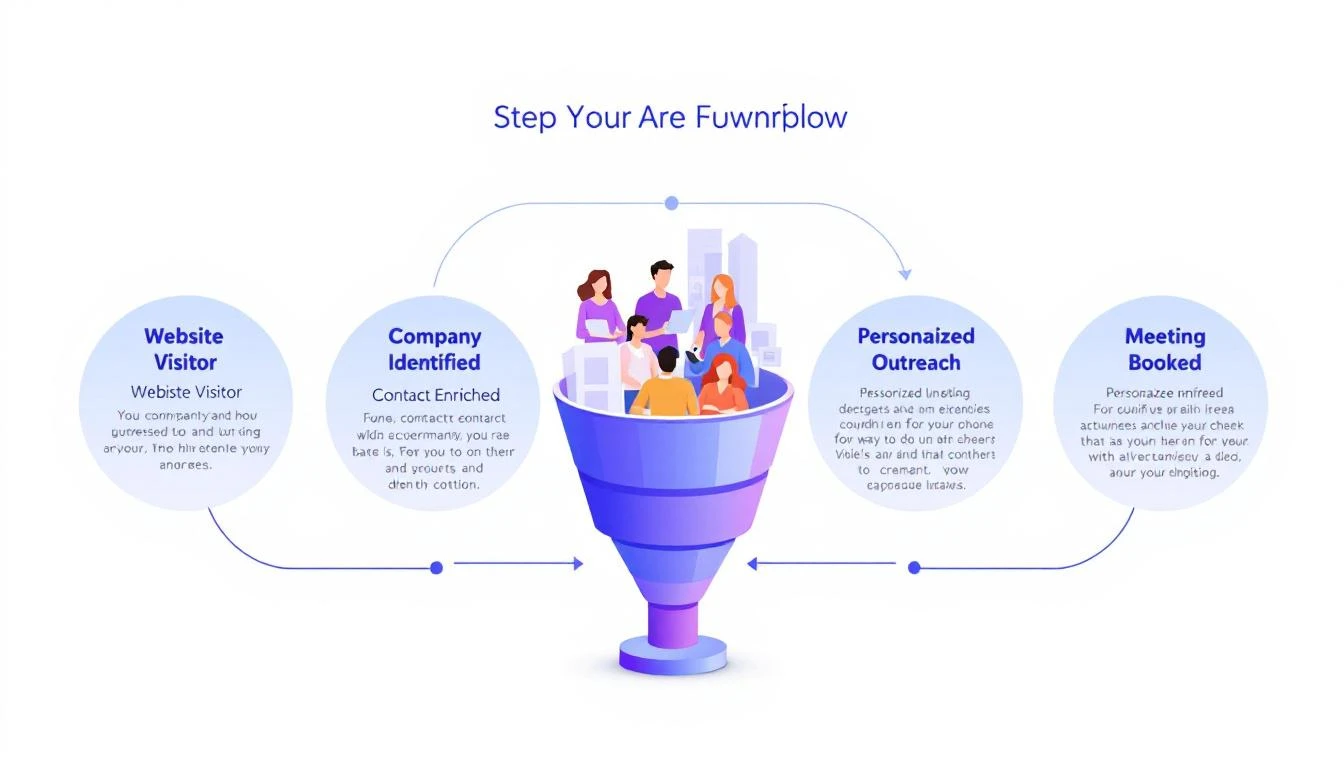
5-step workflow: Website Visitor to Meeting Booked

Here's a stat that should make every sales leader uncomfortable: 90% of website visitor identification data sits unused in dashboards. Companies pay $500–$2,000 per month for visitor ID tools, identify hundreds of companies visiting their site, and then... do nothing with it.

The problem isn't identification. The technology for website visitor identification works. Companies show up. Names get matched. Firmographic data populates.

The problem is what happens next.

Your sales team sees a notification that "Company X visited your pricing page." Great. Now what? Who at Company X should they contact? What should they say? How do they personalize outreach when they know nothing about the visitor's specific pain?

Most teams either ignore the data entirely or blast generic "I noticed you visited our website" emails that get deleted on sight.

This guide walks you through a repeatable 5-step workflow that takes you from anonymous website traffic to a booked meeting — consistently, in under 24 hours.

Why Most Visitor ID Programs Fail

Before we fix the workflow, let's understand why it breaks.

The typical visitor ID program looks like this:

  1. Install a pixel on your website
  2. Wait for data to populate a dashboard
  3. Check the dashboard (maybe once a day, maybe once a week)
  4. See a list of companies — some recognizable, most not
  5. Feel overwhelmed by the volume and close the tab

The gap between "identified" and "contacted" is where pipeline goes to die. According to research from Opensend, IP-to-company matching delivers 70–80% accuracy for B2B identification. That means the identification layer works. But identification without action is just expensive analytics.

Three structural problems kill most visitor ID programs:

1. No prioritization framework. Not every visitor is equal. Someone who spent 12 minutes on your pricing page and came back twice is a completely different signal than a bot crawler hitting your homepage for 3 seconds. Without scoring, every lead looks the same.

2. No enrichment workflow. Visitor ID gives you the company. You need the person. That means enrichment — finding the right contacts, their roles, their email addresses, their LinkedIn profiles. Doing this manually for 50+ identified companies per day isn't realistic.

3. No speed. The data that speed-to-lead research has proven for years applies here: 78% of buyers choose the vendor that responds first. If you're checking your visitor dashboard on Monday morning and reaching out Tuesday afternoon, your competitor who automated the response already booked the meeting.

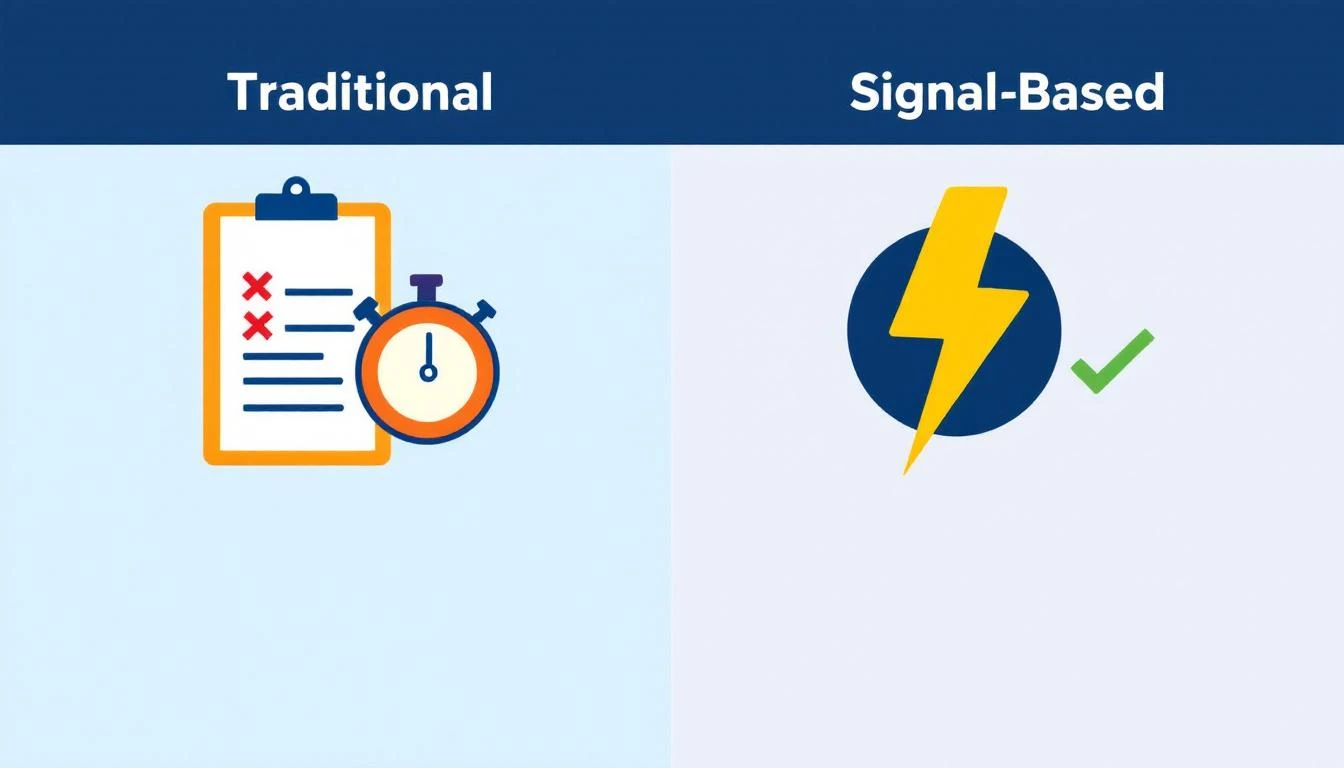
Traditional vs. Signal-Based Approaches

The 5-Step Visitor-to-Pipeline Workflow

Here's the workflow that actually converts. Each step builds on the previous one, and the entire process should take less than 24 hours from first visit to first outreach.

Step 1: Identify and Filter (Automated — 0 Minutes)

Your visitor identification tool captures company-level data: company name, industry, size, pages visited, time on site, and session frequency.

But raw visitor data is noise. You need a filter.

Set up qualification criteria before you start outreach:

SignalWeightWhy It Matters
Visited pricing pageHighActive buying signal
Returned 2+ times in 7 daysHighPersistent interest
Spent 5+ minutes on siteMediumEngaged, not bouncing
Company size matches ICP (50–500 employees)HighRight fit
Viewed product/feature pagesMediumEvaluating capabilities
Homepage only, single visitLowCould be anything
Blog post only, single visitLowContent consumer, not buyer

The rule: Only pass visitors that hit at least two "High" signals or one "High" plus two "Medium" signals to the enrichment step. Everything else goes into a nurture bucket.

This filter alone eliminates 60–70% of noise and lets your team focus on the visitors who are actually evaluating solutions.

If you're using a platform with a daily SDR playbook, this filtering happens automatically. The playbook surfaces the visitors worth contacting, ranked by intent strength, so your reps don't waste time sorting through raw lists.

Step 2: Enrich to Contact Level (5–10 Minutes per Account)

Company-level identification is necessary but insufficient. You need names.

The enrichment workflow:

  1. Identify the buying committee. For a B2B SaaS sale, this typically includes:

    • The end user (SDR Manager, Demand Gen Manager)
    • The economic buyer (VP Sales, VP Marketing, CRO)
    • The technical evaluator (RevOps, Sales Ops)
  2. Find 2–3 contacts per identified company. Don't email one person and hope for the best. Multi-thread from the start.

  3. Gather enrichment data for each contact:

    • Work email (verified, not guessed)
    • LinkedIn profile URL
    • Current role and tenure
    • Recent activity (job change, promotion, company news)

The best lead enrichment tools can do this in seconds. Manual research on LinkedIn Sales Navigator takes 5–10 minutes per account. At scale, you need automation — researching 20 accounts manually every day burns 2+ hours that your SDR should spend on actual conversations.

Pro tip: Prioritize contacts who recently changed jobs. Job change signals are one of the strongest buying indicators — someone new in a role is 5x more likely to purchase new tools in their first 90 days. If your visitor ID catches a company where the VP Sales just started 2 months ago, that's a red-hot lead.

Step 3: Build Hyper-Personalized Context (10 Minutes per Account)

This is where most teams fail. They skip this step entirely and send generic outreach. Don't.

Here's the context you need to build for each qualified, enriched account:

From your visitor data:

  • What specific pages did they visit? (This tells you their pain)
  • How long did they spend? (This tells you their urgency)
  • Did they return multiple times? (This tells you they're evaluating)
  • What content did they engage with? (This tells you their knowledge level)

From enrichment data:

  • What does this person's LinkedIn say about their priorities?
  • Has their company raised funding, made acquisitions, or announced growth?
  • Are they hiring for roles that indicate the problem you solve?

Combine into a "context brief":

"Sarah, VP Sales at Acme Corp (150 employees, SaaS). Visited pricing page + visitor ID feature page 3 times in 5 days. Company just raised Series B. Currently hiring 4 SDRs. Sarah joined 3 months ago from Gong."

That brief takes 10 minutes to build. But it gives your SDR everything they need to write outreach that feels personal — because it is personal.

This is fundamentally different from the "I noticed your company visited our website" approach. You're not leading with surveillance. You're leading with relevance.

Step 4: Execute Multi-Channel Outreach (15–20 Minutes per Account)

Single-channel outreach is dead. Email-only response rates hover around 1–2% for cold outreach. But research from SalesHive shows that multi-channel sequences — layering email, phone, and LinkedIn — can drive up to 287% more engagement and 300% more conversions compared to email alone.

Here's a 5-touch sequence framework for visitor-sourced leads:

Day 1 (within 4 hours of identification):

  • LinkedIn: Connect with a personalized note referencing their role, not your product
  • Email #1: Reference the specific problem your visitor data suggests, share a relevant insight

Day 2:

  • Phone call: Direct dial. Reference the email. Keep it to 30 seconds — the goal is a conversation, not a pitch

Day 4:

  • Email #2: Share a customer story from a similar company/industry. Include a specific metric

Day 7:

  • LinkedIn: Engage with their content (comment, like). Send a follow-up message referencing something they posted

Day 10:

  • Email #3: "Break-up" email. Direct ask: "Is this a priority for your team right now, or should I check back in Q3?"

Critical rules:

  • Never mention you saw them on your website. It feels invasive. Instead, reference the problem their behavior suggests
  • Lead with value, not features. "Companies your size typically lose 35% of leads to slow response time" beats "We have an AI chatbot"
  • Personalize every touch. If your email could be sent to 100 people without changing a word, it's not personalized enough
  • Email deliverability matters more than email volume. A 95% delivery rate beats a 70% delivery rate with 3x the sends

For teams running this at scale, multi-channel orchestration platforms automate the timing and channel switching. The SDR's job shifts from "manage the sequence" to "have the conversation when someone responds."

Lead Response Time Impact on Conversion Rates

Step 5: Measure, Learn, Iterate (Weekly — 30 Minutes)

The workflow doesn't end when outreach goes out. You need a feedback loop.

Track these metrics weekly:

MetricBenchmarkWhat It Tells You
Visitors identified → outreach sent>80%Is the workflow running?
Outreach sent within 24 hours>90%Is speed-to-lead fast enough?
Email reply rate>5%Is personalization working?
Meeting booked rate (from visitor leads)>3%Is the full funnel converting?
Visitor-sourced pipeline as % of total>25%Is this channel material?

For more on the metrics that matter, see our complete SDR metrics and KPIs guide.

Weekly iteration questions:

  1. Which page-visit patterns most often lead to meetings? Double down on driving traffic there
  2. Which outreach templates get the highest reply rates? Replicate the structure
  3. Which companies visit but don't convert? Analyze why — wrong ICP? Wrong messaging? Wrong timing?
  4. What's the average time from first visit to meeting booked? Target under 72 hours

Real Numbers: What This Workflow Actually Produces

Let's run the math on a realistic scenario.

Assumptions:

  • 200 unique companies identified per month (common for B2B SaaS with 10K+ monthly visitors)
  • 30% pass the qualification filter from Step 1 = 60 qualified visitors
  • Each enriched to 2.5 contacts = 150 contacts in outreach
  • Multi-channel sequence gets 8% reply rate = 12 conversations
  • 25% of conversations convert to meetings = 3 meetings per month

Three meetings per month from a channel that didn't exist before. At a $30K ACV with a 25% close rate, that's $22,500 in new annual revenue per month — from website traffic you were already getting.

Scale the inputs (more traffic, better content driving ideal visitors to high-intent pages) and the math compounds. Companies running this workflow consistently report visitor-sourced pipeline becoming 15–30% of total pipeline within 6 months.

Compare this to the industry average: SDRs book 15 meetings per month across all channels. Adding 3 high-quality, warm meetings from visitor data is a 20% lift — from prospects who already showed buying intent by visiting your site.

The Two Approaches: DIY Stack vs. All-in-One

You can build this workflow two ways.

The DIY stack approach:

  • Visitor ID: Leadfeeder, RB2B, or Clearbit Reveal ($200–$1,000/mo)
  • Enrichment: Apollo, ZoomInfo, or Cognism ($500–$2,500/mo)
  • Sequencing: Outreach, SalesLoft, or Instantly ($100–$500/mo per seat)
  • CRM: HubSpot or Salesforce ($50–$300/mo per seat)
  • LinkedIn: Sales Navigator ($100/mo per seat)
  • Total: $1,000–$5,000/mo + significant integration and workflow management time

The DIY approach works, but you're stitching together 5 tools, managing data flow between them, and relying on your SDR to manually connect signals to actions. The real cost of a B2B sales tech stack often exceeds what teams budget.

The all-in-one approach: Platforms like MarketBetter consolidate visitor identification, enrichment, outreach, and a daily SDR playbook into one workspace. The visitor shows up, gets scored, contacts get enriched, and a prioritized task with personalization context lands in the SDR's daily playbook — automatically.

The difference isn't just cost. It's time-to-action. In the DIY stack, the handoff between identification and outreach takes hours or days. In a consolidated platform, it takes minutes.

For teams evaluating options, our best AI SDR tools guide and website visitor tracking software comparison break down the options in detail.

Common Mistakes (and How to Avoid Them)

Mistake 1: Treating every visitor equally. Fix: Implement the scoring framework from Step 1. Your pricing page visitor and your blog reader are not the same lead.

Mistake 2: Leading with "I saw you on our website." Fix: Never reference the visit directly. Lead with the problem your data suggests they have. "Companies scaling their SDR team often struggle with..." is better than "I noticed your team was on our site."

Mistake 3: Single-threaded outreach. Fix: Always contact 2–3 people per company. If the VP ignores you, the Director might not. Multi-threading increases deal velocity by 25-40% across industries.

Mistake 4: Waiting too long. Fix: First outreach within 4 hours of identification. The speed-to-lead data is unambiguous — response in the first 5 minutes is 21x more effective than responding after 30 minutes.

Mistake 5: No feedback loop. Fix: Review metrics weekly. If reply rates drop below 3%, your personalization needs work. If meetings drop off, your qualification criteria are too loose.

The Bottom Line

Website visitor identification isn't a strategy. It's an ingredient. The strategy is the workflow that turns that ingredient into pipeline.

The 5-step workflow — Identify → Enrich → Contextualize → Execute → Iterate — gives you a repeatable process for converting anonymous interest into booked meetings. The teams that do this well don't just have better tools. They have better systems.

Most of your competitors have visitor ID installed. Almost none of them have a systematic workflow for acting on the data. That's your advantage — if you actually build the workflow.

Ready to see how MarketBetter automates this entire workflow? Book a demo and see your visitor data turned into a prioritized SDR playbook — automatically.

How to Build a Complete GTM Machine — Without 15 Tools

· 10 min read
sunder
Founder, marketbetter.ai

How to build a GTM machine without 15 tools — sales tech stack consolidation

A post by Christian (@coldemailchris) recently went viral on LinkedIn. He laid out a detailed five-step system for building a "GTM machine" — the complete go-to-market engine that turns content into pipeline into revenue.

It's a genuinely great playbook. Thoughtful. Detailed. Battle-tested.

There's just one problem: it requires 15+ separate tools to run.

Clay. Trigify. Apollo. TweetHunter. Taplio. EmailBison. ScaledMail. HeyReach. Readymode. MasterInbox. OutboundSync. Fireflies. And more.

That's 15+ subscriptions. 15+ logins. 15+ points of failure. And as Christian himself admits:

"What makes it hard is getting all five running simultaneously without any of them breaking down."

Exactly. The strategy is sound. The execution is a nightmare — because you're orchestrating a Frankenstein stack held together by Zapier glue and prayer.

What if you could build the same GTM machine with one platform?

That's not hypothetical. That's what MarketBetter was built for.

Let's walk through Christian's five-step framework and show how each one maps to a single, integrated platform — no duct tape required.


The 5-Step GTM Machine: One Platform Edition

Step 1: Content Engine

Christian's approach: Use TweetHunter and Taplio for social content. Build a content flywheel that drives inbound traffic and positions you as a thought leader.

The tools he needs: TweetHunter ($49/mo), Taplio ($49/mo), a blog platform, SEO tools.

What this costs: ~$150-200/mo minimum, plus the time to manage multiple content workflows.

How MarketBetter handles it:

MarketBetter's AI SEO engine generates blog content that actually ranks — not fluffy AI slop, but targeted, keyword-optimized posts built around your ICP's search intent. Your blog becomes a 24/7 inbound lead magnet.

But here's what makes it different from bolting together separate tools: the content engine is connected to everything else. When a blog post drives traffic, MarketBetter's Website Visitor Identification captures who visited. That visitor flows directly into your prospecting pipeline. No export. No import. No CSV gymnastics.

Content → visitors → identified leads → outreach. One flow. One platform.


Step 2: Intent Signals

Christian's approach: Use Trigify to capture LinkedIn engagement signals. Use Clay to enrich those signals into actionable prospect data. Monitor who's engaging with competitor content, hiring for relevant roles, or showing buying intent.

The tools he needs: Trigify ($300/mo), Clay ($300-500/mo), additional data providers.

What this costs: ~$600-800/mo for basic signal capture and enrichment.

How MarketBetter handles it:

This is where the consolidation story gets powerful.

Website Visitor Identification reveals the actual people visiting your site — not just companies, but individual contacts with name, title, email, and company data. These are high-intent signals. Someone reading your pricing page or case studies is telling you they're in-market.

The MarketBetter Chrome Extension takes it further. When you're on LinkedIn, it captures profile data, enriches contacts in real-time, and lets you add prospects directly to your outreach sequences. See someone engaging with a competitor's post? One click. They're enriched and in your pipeline.

No Trigify. No Clay. No building waterfall enrichment workflows with 6 data providers and hoping the API credits don't run out.

The key difference: In Christian's stack, intent signal capture and enrichment are separate systems that need to be wired together. In MarketBetter, they're the same system. The signal is the enrichment is the action.


Step 3: List Building

Christian's approach: Use Apollo for prospecting database access. Use Clay for enrichment and data waterfall. Use niche scrapers for specific verticals. Build lists, clean them, enrich them, and push them to outbound tools.

The tools he needs: Apollo ($100-400/mo), Clay ($300-500/mo), niche scrapers ($50-200/mo), email verification tools ($50/mo).

What this costs: ~$500-1,100/mo, plus significant manual time for list hygiene.

How MarketBetter handles it:

MarketBetter's prospecting and enrichment engine combines database access, contact enrichment, and email verification in one workflow.

Search by industry, company size, job title, technology stack, funding stage, and more. Enrich with verified emails, phone numbers, LinkedIn URLs, and firmographic data. Build lookalike audiences from your best customers to find more prospects who match your ideal profile.

No exporting from Apollo, importing into Clay, running enrichment waterfalls, exporting again, and importing into your email tool. That game of data hot potato is over.

Everything stays in one system. Your list is built, enriched, verified, and ready for outreach — without leaving the platform.

Pro tip: MarketBetter's lookalike feature analyzes your closed-won deals and finds companies with matching characteristics. It's like Apollo's search but starting from what actually converts, not just what looks good on paper.


Step 4: Outbound Channels

Christian's approach: Multi-channel outbound using EmailBison or ScaledMail for cold email infrastructure, HeyReach for LinkedIn outreach, Readymode for cold calling, and MasterInbox for deliverability management.

The tools he needs: EmailBison/ScaledMail ($100-300/mo), HeyReach ($200-400/mo), Readymode ($200-400/mo), MasterInbox ($50-100/mo).

What this costs: ~$550-1,200/mo for multi-channel outbound infrastructure.

How MarketBetter handles it:

This is where most GTM stacks become genuinely painful. You're managing cold email sending infrastructure in one tool, LinkedIn sequences in another, phone outreach in a third, and deliverability monitoring in a fourth. Every channel is a separate tab, separate login, separate reporting system.

MarketBetter consolidates all three channels:

  • Email Automation: Multi-step email sequences with AI personalization. Warmup, rotation, and deliverability management built in. Not bolted on — built in.

  • Smart Dialer: Power dialing with AI call analysis and automatic CRM logging. Your SDRs click a button and start calling their prioritized list. No switching to Readymode. No copying prospect data between systems.

  • LinkedIn Outreach via Chrome Extension: Connection requests, follow-ups, and profile engagement — managed from the same sequence as your emails and calls.

One sequence. Three channels. One dashboard. Your SDR sees a unified task list, not 20 open tabs.

Christian mentions the importance of speed-to-lead — responding within 5 minutes of a buying signal. That's nearly impossible when your signal detection (Trigify) is disconnected from your outreach tools (EmailBison, HeyReach, Readymode). By the time the data flows through Zapier automations and webhook relays, the moment is gone.

In MarketBetter, a website visit or LinkedIn engagement triggers an instant task in the SDR's Daily Playbook. Signal → action in seconds, not minutes.


Step 5: RevOps & Follow-Up

Christian's approach: Use OutboundSync for CRM syncing. Use Fireflies or similar for call transcription. Manual follow-up workflows. Pipeline management across disconnected systems.

The tools he needs: OutboundSync ($100-200/mo), Fireflies ($50-100/mo), CRM integration middleware (~$50-100/mo).

What this costs: ~$200-400/mo, plus the hidden cost of data silos and broken workflows.

How MarketBetter handles it:

  • Daily SDR Playbook: Every morning, your SDR opens one screen and sees exactly what to do. Follow-up calls. Email replies to handle. New intent signals to act on. Overdue tasks. It's a prioritized, AI-driven task list that replaces the chaos of checking 5 different tools to figure out what needs attention.

  • AI Chatbot: When prospects engage with your site outside business hours, the AI chatbot qualifies them, answers questions, and books meetings — automatically. That 5-minute speed-to-lead standard? The chatbot handles it at 3 AM on a Sunday.

  • CRM Integrations: Native connections to HubSpot, Salesforce, and Pipedrive. Activities sync automatically. No OutboundSync. No middleware. No "why isn't this showing up in the CRM?" debugging sessions.

  • Conversation Analytics: Call recordings are automatically transcribed and analyzed. Key moments, objections, and next steps are extracted. No separate Fireflies subscription needed.


The Real Cost Comparison

Let's be honest about what Christian's 15-tool stack actually costs:

CategoryChristian's StackMonthly Cost
ContentTweetHunter + Taplio + SEO tools$150-250
Intent SignalsTrigify + Clay$600-800
List BuildingApollo + Clay + scrapers + verification$500-1,100
Outbound ChannelsEmailBison + HeyReach + Readymode + MasterInbox$550-1,200
RevOpsOutboundSync + Fireflies + CRM middleware$200-400
Total15+ tools$2,000-3,750/mo

And that's just the subscription cost. Factor in:

  • Setup time: 40-80 hours to configure and connect everything
  • Maintenance: 5-10 hours/week keeping integrations running
  • Training: Onboarding SDRs on 15 different tools
  • Failure cost: When one integration breaks, the whole machine stops

MarketBetter: $99/seat/month. All five steps. One login. One vendor. One invoice.

For a team of 3 SDRs, that's $297/mo vs. $2,000-3,750/mo. That's 85-92% cost savings before you even account for the productivity gains of not context-switching between 15 tools.


The Hidden Tax of a Frankenstack

Cost isn't even the biggest issue. The biggest tax is cognitive load.

When an SDR has to check Trigify for signals, Apollo for data, EmailBison for email performance, HeyReach for LinkedIn responses, and Readymode for call tasks — all before 9 AM — they're spending their best energy on finding work, not doing work.

Christian's playbook is brilliant strategy. But the execution model — 15 tools running simultaneously without breaking down — is a full-time ops job. You don't need a RevOps person to manage your GTM machine. You need a GTM machine that manages itself.

Go from 20 tabs to one SDR task list.

That's the MarketBetter promise. Not fewer features. The same features — content, signals, lists, outbound, revops — minus the integration tax, the vendor management, and the 3 AM "Zapier broke and no emails went out" panic attacks.


When the Multi-Tool Approach Makes Sense

Let's be fair: the 15-tool approach has advantages for certain teams.

If you're a large enterprise with a dedicated RevOps team, budget for best-of-breed tools, and the engineering resources to maintain custom integrations — building a curated stack might make sense. You can optimize each layer independently and hire specialists for each tool.

But if you're a startup, SMB, or growth-stage company where SDRs need to move fast, budgets are real, and nobody has time to debug why Clay isn't syncing with EmailBison — consolidation isn't a compromise. It's a competitive advantage.

The companies closing deals fastest in 2026 aren't the ones with the most tools. They're the ones with the fewest tabs open.


The Takeaway

Christian's five-step GTM framework is spot-on:

  1. ✅ Build a content engine
  2. ✅ Capture intent signals
  3. ✅ Build targeted lists
  4. ✅ Run multi-channel outbound
  5. ✅ Operationalize everything with RevOps

The framework is correct. The question is: do you need 15 tools to execute it, or one?

If you're tired of being a software integration engineer when you should be closing deals, see how MarketBetter consolidates the entire GTM stack into one platform.


Ready to Simplify Your GTM Machine?

Book a demo and see the entire 5-step GTM system running in one platform. We'll map your current stack, show you what you can consolidate, and calculate your real TCO savings.

No 15 tools. No Zapier glue. No broken integrations at 3 AM.

Just pipeline.


B2B Outbound Sales Strategy 2026: The Multi-Channel Playbook That Actually Books Meetings

· 12 min read
sunder
Founder, marketbetter.ai

B2B outbound sales strategy for 2026 — the complete guide

Outbound sales isn't dying. Bad outbound is dying.

The spray-and-pray era is officially over. In 2026, sending 500 generic emails per day and hoping for 2 replies isn't a strategy — it's spam. Cold calling from a random list without context isn't prospecting — it's harassment.

But signal-driven, multi-channel outbound? It's generating more pipeline than ever for teams who do it right.

This guide is the playbook we've seen work across hundreds of B2B SDR teams. Not theory — execution.

Why Most Outbound Strategies Fail in 2026

Before we build the playbook, let's autopsy the ones that don't work:

Failure mode 1: Volume over relevance

The old way: Buy a list of 10,000 contacts. Blast a 5-email sequence. Celebrate 0.3% reply rate.

Why it fails now: Email deliverability algorithms have evolved. ESPs like Google and Microsoft now use engagement signals (opens, replies, complaints) to determine inbox placement. High-volume, low-engagement sending tanks your domain reputation. Your emails land in spam. Your domain gets blacklisted. Game over.

Failure mode 2: Single-channel dependence

The old way: Email-only outbound. Maybe LinkedIn InMail as a "multi-channel" afterthought.

Why it fails now: Decision-makers average 300+ emails per day. Your cold email competes with 50 other vendors, 100 internal emails, and an AI assistant that's pre-filtering their inbox. Email alone can't cut through.

Failure mode 3: No signal, all spray

The old way: Target anyone who matches your ICP. Company size, industry, title — that's the targeting.

Why it fails now: ICP fit is necessary but not sufficient. You need timing signals — is this person actually in-market right now? Reaching the right person at the wrong time is the same as reaching the wrong person.

Failure mode 4: Manual everything

The old way: SDRs manually research each prospect, write each email, log each activity, update the CRM, and figure out who to call next.

Why it fails now: An SDR who spends 70% of their time on non-selling activities can't compete with one who spends 70% selling. AI has made the manual approach a competitive disadvantage, not just an inefficiency.


The 2026 Outbound Sales Playbook: 7 Steps

Step 1: Define Your ICP With Signal Layers

Your Ideal Customer Profile needs three layers, not one:

Layer 1: Firmographic fit (table stakes)

  • Industry, company size, revenue range, geography
  • Technology stack (what tools do they already use?)
  • Growth stage (funding, hiring velocity, expansion signals)

Layer 2: Behavioral signals (timing)

  • Visiting your website (website visitor identification)
  • Engaging with competitor content
  • Searching for solutions you provide (intent data)
  • Job postings for roles your product supports
  • Champion movement (former customer changed companies)

Layer 3: Contextual triggers (relevance)

  • Recent funding round
  • New executive hire (especially VP Sales, CRO, CMO)
  • Merger/acquisition
  • Conference attendance
  • Product launch or expansion into new markets

Most teams stop at Layer 1. The best teams combine all three to create a dynamic ICP that surfaces prospects who are ready to buy right now — not just companies that could theoretically buy someday.

How to implement this:

  • Use a website visitor identification tool (like MarketBetter) to capture Layer 2 signals automatically
  • Set up Google Alerts and LinkedIn Sales Navigator alerts for Layer 3 triggers
  • Score leads based on signal density: firmographic fit + behavioral signal + contextual trigger = highest priority

Step 2: Build a Multi-Channel Sequence Architecture

The days of "5-email cadence" are over. Modern outbound requires coordinated touches across 3-4 channels:

The Channel Stack:

ChannelStrengthBest For
EmailScale, async, trackableFirst touch, follow-ups, content sharing
PhoneImmediacy, rapportHigh-priority prospects, post-engagement follow-up
LinkedInProfessional context, social proofWarm-up, relationship building, research
Direct mail/giftingMemorability, pattern interruptEnterprise prospects, exec-level outreach

Sequence architecture that works:

Day 1: LinkedIn connection request (personalized note)
Day 2: Email #1 (problem-focused, not product-focused)
Day 3: Phone call #1 (reference the email)
Day 5: LinkedIn comment on their recent post
Day 7: Email #2 (case study or relevant data point)
Day 10: Phone call #2 (voicemail if no answer)
Day 12: Email #3 (direct ask for 15 minutes)
Day 15: LinkedIn message (different angle)
Day 20: Email #4 (breakup email)
Day 25: Phone call #3 (final attempt)

Key principles:

  • Never lead with product. Lead with a problem you've seen in their industry.
  • Each touch adds new information. Don't repeat yourself across channels.
  • Phone follows email. "Hey, I sent you something yesterday about [topic]" is 3x more effective than a cold call with no context.
  • LinkedIn warms up email. Prospects who've seen your LinkedIn activity are 5x more likely to reply to your email.

Step 3: Personalize at Scale (Without Spending 30 Minutes Per Email)

Personalization at scale is the holy grail of outbound. Here's the framework:

The 3-Layer Personalization Model:

Layer 1: Segment-level (60% of emails)

  • Customized by industry + role + company size
  • Template-based with dynamic variables
  • Takes 0 minutes per email (automated)

Layer 2: Account-level (30% of emails)

  • References specific company news, technology, or pain points
  • Semi-automated with AI research assistance
  • Takes 2-3 minutes per email

Layer 3: Person-level (10% of emails)

  • References individual posts, career moves, mutual connections
  • Fully manual, reserved for highest-value prospects
  • Takes 5-10 minutes per email

The mistake most teams make: Trying to do Layer 3 for every email. That's unsustainable. Instead, batch your prospects:

  • Tier 1 (top 10%): Full Layer 3 personalization — these are your dream accounts
  • Tier 2 (middle 30%): Layer 2 personalization — good fit, worth the extra effort
  • Tier 3 (bottom 60%): Layer 1 personalization — ICP fit but no strong signals yet

This tiered approach lets a single SDR effectively work 200-300 prospects per month while maintaining quality for the highest-value targets.

Step 4: Use AI to Eliminate Non-Selling Activities

The average SDR spends their day like this:

  • 30% researching prospects
  • 20% writing and personalizing emails
  • 15% logging activities in CRM
  • 10% figuring out who to call next
  • 5% scheduling meetings
  • 20% actually selling (calls, emails, conversations)

That's 80% non-selling activity. AI in 2026 can compress most of that:

AI for research: Tools like MarketBetter's Daily Playbook automatically research prospects and surface relevant talking points. What used to take 15 minutes per prospect now takes 15 seconds.

AI for email personalization: AI drafts personalized emails based on prospect data, company news, and engagement history. SDRs review and send, not write from scratch.

AI for activity logging: Modern platforms auto-log emails, calls, and LinkedIn touches. Zero manual CRM updates.

AI for prioritization: Instead of SDRs deciding who to call, AI scores and ranks prospects based on intent signals, engagement, and fit. The rep opens their dashboard and sees a prioritized task list.

AI for call coaching: Real-time coaching during calls — suggest responses, flag competitor mentions, surface relevant case studies.

The result: SDRs flip from 20% selling time to 60%+ selling time. Same headcount, 3x output.

Step 5: Nail Your Messaging Framework

Most outbound emails fail because they talk about the product instead of the problem. Use the PAS framework:

Problem → Agitation → Solution

Bad email (product-focused):

Hi Sarah, I'm reaching out from [Company]. We offer an AI-powered sales platform with visitor identification, email automation, and a smart dialer. Would you like to see a demo?

Good email (problem-focused):

Hi Sarah, I noticed [Company] has 8 open SDR positions. Scaling from 5 to 13 reps usually means one thing: your current process breaks. The playbooks that worked with 5 reps — manual research, gut-feel prioritization, ad-hoc follow-ups — fall apart at 13.

We helped [Similar Company] go through the same transition. They went from 20 tabs per rep to a single daily task list. Reply rates went up 40% while the team doubled.

Worth 15 minutes to see how they did it?

The difference: The first email tells Sarah about you. The second email tells Sarah about Sarah. Prospects don't care about your features — they care about their problems.

Messaging frameworks by buyer persona:

PersonaPrimary PainMessage Angle
VP SalesSDR productivity, pipeline coverage"Your SDRs spend 70% of their time NOT selling"
SDR ManagerRep ramp time, activity quality"New reps at full productivity in 2 weeks, not 2 months"
RevOpsData quality, tool sprawl"Replace 5 tools with one platform"
CROPipeline predictability, CAC"Cut cost-per-meeting by 40%"

Step 6: Measure What Matters (Not What's Easy)

Most SDR teams measure the wrong things:

Vanity metrics (stop tracking these):

  • Emails sent per day
  • Calls made per day
  • LinkedIn connections per week
  • Activities logged

Leading indicators (track these daily):

  • Positive reply rate (not just reply rate — a "no thanks" isn't a win)
  • Conversations started (two-way exchanges, not one-way sends)
  • Meetings booked per rep per week
  • Meeting show rate
  • Pipeline created from outbound ($)

Efficiency metrics (track these weekly):

  • Activities per meeting booked (lower is better)
  • Time from first touch to meeting (shorter is better)
  • Sequence completion rate (are reps actually running the full cadence?)
  • Channel conversion rates (which channels drive meetings for YOUR ICP?)

The north star metric: Cost per qualified meeting

This single number captures everything — rep efficiency, targeting accuracy, messaging effectiveness, and tool investment. Calculate it:

(SDR salary + tool costs + data costs) / meetings booked per month = cost per meeting

If you're spending $10,000/mo (loaded SDR cost) and booking 15 qualified meetings, your cost per meeting is $667. The best teams get this under $300.

Step 7: Build Feedback Loops That Compound

The difference between good and great outbound teams is their speed of iteration:

Weekly sequence reviews:

  • Which sequences have the highest positive reply rates?
  • Which email in the sequence gets the most engagement?
  • Where do prospects drop off?
  • What objections keep coming up?

Monthly ICP validation:

  • Are the meetings we're booking converting to pipeline?
  • Which segments have the highest conversion rates?
  • Should we expand or narrow our targeting?

Quarterly strategy reviews:

  • Is our cost per meeting trending down?
  • Are new channels worth testing?
  • How has the competitive landscape shifted?
  • Do we need to adjust our messaging framework?

The compounding effect: Teams that run weekly sequence reviews for 6 months typically see 2-3x improvement in reply rates. Each iteration makes the next one more effective.


The Outbound Tech Stack for 2026

The minimum viable outbound tech stack:

CategoryToolPurpose
SDR PlatformMarketBetterDaily playbook, visitor ID, email, dialer
CRMHubSpot or SalesforceSystem of record
DataApollo or ZoomInfoContact enrichment when needed
LinkedInSales NavigatorAccount research, social selling

The ideal stack eliminates category overlap. If your SDR platform includes a dialer, don't buy a separate dialer. If it includes email sequences, don't layer on Outreach. Tool sprawl is the enemy of SDR productivity.

For a deeper comparison of SDR tools, see our guide to the best AI SDR tools for 2026.


Common Outbound Mistakes (And How to Fix Them)

Mistake 1: Giving up too early

The data: 80% of deals require 5+ touches before a prospect engages. Most SDR teams give up after 3.

The fix: Build sequences with 10+ touches across multiple channels. The breakup email (touch 8-10) often gets the highest reply rate because it creates urgency.

Mistake 2: Same sequence for everyone

The data: Segmented sequences outperform generic ones by 38% in reply rates.

The fix: Build at least 3 sequence variants — one per tier/persona. A VP Sales doesn't respond to the same message as an SDR Manager.

Mistake 3: Ignoring warm signals

The data: Prospects who visited your website are 7x more likely to take a meeting than cold prospects.

The fix: Build a separate, accelerated sequence for warm prospects (website visitors, content engagers, event attendees). These should get touches within hours, not days.

Mistake 4: Not aligning outbound with marketing

The data: Companies with aligned sales and marketing teams see 38% higher win rates.

The fix: Share marketing's content calendar with the SDR team. When marketing runs a campaign about [topic], SDRs should be reaching out to prospects interested in that topic.

Mistake 5: Hiring more SDRs instead of enabling existing ones

The data: Improving SDR efficiency by 30% is equivalent to adding 3 reps to a team of 10 — without the salary, ramp time, or management overhead.

The fix: Before hiring, maximize the output of your current team with better tools, better data, and better processes. Often, 5 enabled SDRs outperform 10 unsupported ones.


The Bottom Line

Outbound sales in 2026 rewards precision over volume, signals over spray, and AI-augmented reps over brute-force headcount. The playbook is:

  1. Layer your ICP with firmographic fit + behavioral signals + contextual triggers
  2. Coordinate across channels — email, phone, LinkedIn, gifting
  3. Personalize in tiers — deep for dream accounts, efficient for the rest
  4. Deploy AI for the 80% that isn't selling
  5. Lead with problems, not products
  6. Measure cost per meeting, not activities
  7. Iterate weekly on sequences, messaging, and targeting

The teams that win at outbound in 2026 aren't sending more emails. They're sending better emails to the right people at the right time.


Ready to see how AI-powered outbound actually works? Book a demo with MarketBetter and see how the Daily SDR Playbook turns intent signals into booked meetings — automatically.

A Guide to Overcoming Sales Objections and Closing More Deals

· 23 min read

Overcoming sales objections isn't about having the perfect comeback for everything. It’s the art of turning a prospect’s hesitation into a real conversation. The difference between average and elite performers is that the latter treats an objection not as a rejection, but as a request for more information.

The whole game is about diagnosing the true concern—is this really about need, urgency, trust, or budget?—and addressing that with genuine understanding. Forget the scripted rebuttals. An actionable approach means listening first, then guiding the conversation based on what you hear.

How to Diagnose the Real Sales Objection

This is where most reps get it wrong. They treat objections like roadblocks to bulldoze through. They hear "it's too expensive" and immediately launch into a defense of the price. That reactive approach just creates friction and misses the entire point. In contrast, an actionable, diagnostic approach builds trust.

A sales objection isn't a "no." It's an invitation to dig deeper. When a prospect raises a concern, they're handing you a clue about what’s holding them back. Your first job isn't to talk—it's to listen and diagnose.

From Generic Scripts to Accurate Diagnosis

Think about the difference between a generic, scripted response and a tailored, diagnostic one. A generic script is like a one-size-fits-all prescription; it rarely addresses the specific ailment. Top-performing reps act more like a doctor; they ask questions to understand the root cause before recommending a solution.

This diagnostic mindset is everything in modern objection handling.

Instead of trying to memorize dozens of canned responses, focus on categorizing pushback into four fundamental types. This actionable step makes your life way simpler and helps you get to the heart of the issue fast.

You’ll find nearly every objection falls into one of these buckets:

  • Need: The prospect just doesn't see how your solution solves a problem they actually care about.
  • Urgency: They might see the problem, but don’t think it’s pressing enough to solve right now.
  • Trust: The prospect is skeptical of you, your company, or the results you're promising.
  • Budget: They believe the financial investment is bigger than the value they'll get in return.

This decision tree gives you a simple flow for slotting objections into these four core types.

A sales objection diagnosis flowchart illustrating steps to address customer concerns about need, urgency, trust, and budget.

When you can visualize the path from hearing an objection to pinpointing its true nature, you train yourself to pause and think strategically instead of just reacting. This is a practical, actionable skill that improves with every call.

Diagnosing the Four Core Types of Sales Objections

Here’s a quick cheat sheet to help you categorize pushback on the fly and figure out what’s really going on under the surface. This turns diagnosis into a repeatable action.

Objection TypeCommon Phrases You'll HearWhat It Really MeansYour Actionable Goal
Need"We don't need this."
"We're happy with what we have."
"I don't see a problem big enough to solve."
"You haven't connected to my pain."
Uncover a hidden or undervalued business pain. Connect your solution to their goals.
Urgency"Call me next quarter."
"Now isn't a good time."
"This isn't a top priority."
"I have bigger fires to put out right now."
Attach a real cost to their inaction. Show them why waiting is more painful than acting.
Trust"I've never heard of you."
"Send me some info."
"I'm not sure if you're credible."
"Can your solution actually deliver?"
Build credibility with social proof, relevant case studies, or a low-risk next step.
Budget"It costs too much."
"It's not in the budget."
"I don't see enough value to justify the price."
"The ROI isn't clear to me."
Reframe the conversation around value and return on investment, not just price.

Once you get good at this, you'll stop hearing objections and start seeing opportunities to clarify your value.

Why Pausing Before You Pounce Is a Superpower

The data backs this up: the best reps diagnose, they don't just react. An analysis by Gong found that just five common sales objections account for a massive 74% of all objections. The biggest one? Situational issues like timing, which make up 42.6% of the total.

For B2B tools like marketbetter.ai's AI-powered SDR engine, which plugs right into Salesforce and HubSpot, those "not right now" objections are best handled with a bit of patience.

High-performing reps pause an average of 2.5 seconds longer after an objection before they say a word. In contrast, low-performers often jump in immediately. That pause gives them just enough time to process the real concern. You can find more insights on this at Leads at Scale.

The goal isn't to win an argument; it's to understand the hesitation. An objection is just a signal that there's a gap—in understanding, value, or trust. Your job is to find that gap and help the prospect cross it.

Actionable Frameworks That Actually Work

Once you’ve figured out what kind of objection you're dealing with, you need a reliable, actionable framework to frame your response. This isn't about memorizing a magic phrase. It's about having a process that turns a defensive moment into a productive conversation.

If you just react with a counterpoint, you almost always lose. Why? Because it immediately puts you and the prospect on opposite sides of the table. A confrontational approach versus a collaborative one yields drastically different results.

A diagram illustrating Need, Urgency, Trust, and Budget, key factors for sales objection analysis.

The goal is to shift from a monologue to a dialogue. Instead of just pushing back, the best frameworks help you unpack the prospect's real concern with them. That's how you build trust and get to the heart of the issue.

The LAER Model Explained

One of the most effective and easy-to-remember frameworks I’ve seen is LAER: Listen, Acknowledge, Explore, Respond. It's a simple, four-part process that forces you to understand before you try to be understood.

Let's break it down into actionable steps:

  • Listen: This is more than just staying quiet while the prospect talks. It’s actively processing what they’re saying—and what they aren't saying. Don't plan your rebuttal. Just listen until they are completely finished. Action: Mute yourself to resist interrupting.
  • Acknowledge: Verbally confirm you heard their concern. You're not agreeing with them; you're just showing them you were paying attention. Action: Use phrases like, "That's a fair point," or "I can see why you'd feel that way." This simple step works wonders to disarm tension.
  • Explore: This is the most important step, and it's the one most reps skip. Before you jump in with a solution, ask a few clarifying questions to dig deeper. Action: Ask an open-ended question like, "Could you tell me more about that?" This is where you find the root cause hiding behind that initial objection.
  • Respond: Only after you’ve listened, acknowledged, and explored should you offer a concise, relevant response. This response should address the real issue you just uncovered, not the smoke screen they threw up first.

This structure stops you from making the classic mistake: responding to the surface-level objection instead of the problem underneath.

LAER in Action: A Real-World Comparison

Theory is one thing; seeing it in action is another. Let’s compare a typical, weak response with a strong, actionable one built on the LAER model.

The Objection: "We're already working with one of your competitors, and we're pretty happy with them."

Here’s how two different reps might handle this common pushback.

The Weak Response (Reactive)

A knee-jerk reaction almost always sounds defensive. It immediately tries to discredit the competitor or force a feature-by-feature comparison, which just creates friction and shuts the conversation down.

SDR: "Actually, we're a lot different. Our AI engine is built directly into Salesforce, which means your reps never have to leave their workflow. We also provide much better task prioritization."

This response fails because it assumes the prospect cares about your features without first understanding their world. It’s a monologue, not a dialogue. It completely blows past the Listen, Acknowledge, and Explore steps.

The Strong Response (LAER Framework)

A strong response uses LAER to open up the conversation and re-center it around the prospect's problems, not your product's bells and whistles.

SDR:

  • (Listen): [Pauses, lets the prospect finish their thought.]
  • (Acknowledge): "That’s great to hear you have a solution in place that you're happy with. Makes total sense to stick with what's working."
  • (Explore): "Just so I understand a bit better, how is your team currently handling the handoff from identifying an account to a rep actually making the first call or sending the first email? How do they decide what to do next?"
  • (Respond): "Got it. The reason I ask is that many teams we work with also use a sales engagement tool, but they use MarketBetter as the 'brain' inside Salesforce that tells reps which tasks to execute and when, ensuring they act on the most important signals without manual work."

The difference is night and day. The LAER response validates the prospect, asks an intelligent, actionable question that gets them thinking, and then gently pivots to a unique value prop that complements, rather than attacks, their current setup.

This is how you transform overcoming sales objections from a battle into a collaborative discovery process.

Handling Price Objections and Competitor Mentions

Alright, let's talk about the two objections that make even seasoned SDRs break a sweat: price and the competitor card. These aren't just simple brush-offs; they feel like a direct shot at your product's value. But here’s the secret: the best reps don't get defensive. They get curious.

When a prospect says, "it's too expensive," your gut reaction is probably to jump in and justify the cost. Don't do it. That objection is almost never about the number itself. It’s a huge flashing sign that you haven't connected that number to a big enough problem.

Deconstructing the "Too Expensive" Objection

Your job is to pivot the entire conversation away from cost and toward the cost of doing nothing. Stop defending your price tag and start getting them to calculate the price they’re already paying by ignoring the problem. This single, actionable move reframes the whole discussion from an expense into an investment.

Here's how you make that happen:

  • Find the Value Gap: Ask questions that put a number on their current pain. "What's the real cost of an SDR spending five hours a week just logging activities in the CRM instead of actually calling prospects?"
  • Turn Time into Dollars: Connect that operational drag to a real financial outcome. A great follow-up is, "If each of your SDRs could make 50 more calls every week, what would that realistically do to your pipeline?"
  • Focus on ROI, Not Price: Position your solution as the bridge from their current, expensive reality to a much more profitable one.

Price objections pop up all the time, but they're usually just a smokescreen for a value gap. The data is clear: reps who successfully reframe these moments around ROI close deals 2.3x more effectively. A Harte Hanks study analyzing thousands of sales calls found that pricing came up in over 30% of conversations. This is especially true in crowded markets where prospects are quick to say, "We already have Outreach or Salesloft."

For a tool like MarketBetter.ai, the response has to be grounded in hard numbers. We know our AI-driven workflows slash manual prep time by hours every day, freeing reps up for 20-30% more outbound actions.

This one feels like hitting a brick wall, but it’s actually a huge opportunity. The prospect just confirmed they have the problem your product solves. Your mission isn't to tear down their current tool; it's to find a specific, painful gap it doesn't fill.

The absolute worst thing you can do is get into a feature-by-feature battle. Instead, position your solution as a critical "execution layer" that makes their existing tools smarter and more effective.

For example, if a prospect says they use a traditional sales engagement platform, you can respond with: "That's great, they're a solid platform for sequencing. Where we come in is as the 'brain' inside Salesforce that tells your reps exactly which tasks to execute and when, so they stop being just busy and start being truly effective."

Hand-drawn diagram illustrating a four-step communication process: Listen, Acknowledge, Explore, and Respond.

This is the key. When a rep can see exactly what to do next without ever leaving the CRM, you eliminate the friction and tab-switching that kills productivity.

Comparing Traditional Tools to a Native Task Engine

To really land this point, it helps to show prospects a side-by-side comparison. It instantly clarifies your unique value instead of letting them lump you in with every other tool they've seen.

This table breaks down the core difference between the old way of doing things and an execution-first workflow built directly inside the CRM.

FeatureTraditional Sales EngagementMarketBetter.ai (SDR Task Engine)
Primary WorkflowReps live in a separate platform, syncing data back to the CRM.Reps work directly from a prioritized task list inside Salesforce.
Task CreationManual sequence building and tedious prospect importing.Automated task creation from real-time buyer signals.
Rep FocusManaging sequences and toggling between platforms.Executing the next best action (call or email) with full context.
CRM HygieneOften creates duplicate records and requires manual clean-up.Automatic logging and clean data, since all actions are native.

The table makes it obvious: you're not just another platform creating more work; you're the engine that makes their primary system of record—the CRM—actually work for them.

The goal isn't to prove your competitor is bad; it's to show that your solution solves a different, more fundamental problem. When you shift from replacement to enhancement, you change the entire dynamic of the conversation.

This approach is a game-changer, especially when a prospect is generally happy with their current tool but still feels the pain of low productivity and messy data. You're not asking them to rip everything out. You're offering to make their entire stack more powerful.

If you want to go deeper on competitive positioning, our guide on AI pricing intelligence and competitor tracking is a great next step.

Building a Modern Objection Handling Playbook

Individual tactics are great for winning a single conversation, but a scalable strategy is what wins the quarter. For sales leaders, the goal isn't just to teach reps how to sidestep a one-off objection; it's to build a living, breathing system that gets smarter with every single call.

A modern playbook isn't a static document collecting dust in a shared drive. It’s a dynamic feedback loop that completely transforms how your team handles pushback.

The entire system is built on your CRM. It has to be more than a digital rolodex. Your CRM needs to become the single source of truth for what's actually happening on the front lines. This starts with a simple—but crucial—discipline: logging and categorizing every objection your team runs into.

From Manual Logging to Intelligent Insights

Let's be honest, the traditional way is a grind. Reps hang up, manually log call outcomes, and pick an objection type from a dropdown in Salesforce or HubSpot. It's tedious, but that discipline is the first step toward seeing the bigger picture.

Are "no budget" objections suddenly spiking at the end of the quarter? Is one competitor's name popping up way more often in a specific industry? Without this data, you're flying blind, just going off of anecdotes in your one-on-ones. With it, you can finally start making decisions backed by real numbers.

But the real breakthrough happens when you layer in AI to automate this whole process. This is what shifts your playbook from a historical record into a real-time intelligence engine.

Think about the difference in workflow:

  • The Old Way: A rep finishes a call, spends five minutes trying to remember the prospect's exact phrasing, picks a generic "Disposition," and types out a quick, often incomplete, note.
  • The Modern Way: An AI tool hooked into your dialer automatically records, transcribes, and summarizes the call. It instantly pinpoints the key objection, categorizes it (like "Competitor Mention - Outreach"), and pushes the summary right into the correct CRM field. The rep doesn't have to lift a finger.

This isn't just about saving time. It creates a dataset that is exponentially more accurate and detailed than any manual process could ever hope to be. You can see how to build a system like this with an AI objection handling battlecard generator.

Creating a Powerful Feedback Loop

Once you have clean, structured objection data flowing into your CRM, you can build an incredibly powerful feedback loop. This system continuously refines your team's talk tracks and tactics based on what's working in the real world, turning reactive skills into a proactive strategy.

Here’s how all the pieces connect in an actionable cycle:

  1. Capture and Analyze: Your AI automatically grabs and tags objections from every call, feeding a dashboard of real-time trends. You can see in a glance which objections are most common, listen to how your top performers handle them, and identify which talk tracks are falling flat.
  2. Refine and Distribute: Use those insights to update your team’s battlecards and scripts. The AI can even help generate new talking points or email templates based on the specific language that’s proven to work. These aren't generic scripts from a blog post; they're battle-tested responses crafted from your own team's wins.
  3. Execute and Measure: Reps take these updated assets into their next calls. Since everything is tracked in the CRM, you can measure the impact directly. Did the new response to the "no budget" objection actually increase your meeting booking rate by 15%? Now you know for sure.

This cycle transforms coaching from subjective advice to data-backed guidance. As you're building out your playbook, it's also smart to pull in outside perspectives on developing effective sales strategies to make sure your approach is well-rounded.

A modern objection handling playbook is a closed-loop system. It uses real call data to find what works, AI to scale those learnings across the team, and CRM tracking to measure the results. This is how you stop guessing and start engineering better outcomes.

How to Coach Your Team for Better Results

Great objection handling isn’t a talent someone is born with. It’s a skill, and like any other, it’s sharpened and perfected through consistent, high-quality coaching. For sales leaders and enablement managers, the real work starts after the playbook is written. The mission? To shift your coaching from gut-feel feedback to a data-backed system for getting better.

This is how you scale excellence across the entire team. It’s how new reps ramp faster and seasoned reps stay on top of their game. It’s about building a culture where objections aren’t confrontations; they’re just part of the craft.

A diagram illustrates CRM data processed by an AI summary to generate a sales playbook, streamlining workflows.

Beyond Script Reading to Real-World Simulation

Let's be honest: the classic role-playing session usually falls flat. Reps read scripts to each other in a safe, low-stakes room, which does almost nothing to prep them for a real call with a skeptical prospect. To actually work, coaching needs to feel like the real world.

Forget just reading lines. Run sessions that mimic the chaos and unpredictability of an actual sales call.

  • Pressure-Test Scenarios: Make one rep the "prospect" but give them a secret, underlying objection they aren't supposed to reveal easily. This forces the SDR to use real discovery skills to dig for the truth, not just spit back a canned response.
  • Rapid-Fire Rounds: Hit a rep with five minutes of non-stop, common objections. The goal isn't a perfect answer every time. It’s to train their mental reflexes so they can pull the right framework from memory without panicking.

This moves the focus from memorization to application—a much, much more valuable skill in the trenches.

Comparing Coaching Methods: Old vs. New

The way we coach has to evolve. Leaning on memory and what you think you heard on a call isn't good enough anymore, not when technology can give you objective, detailed insights on every single conversation.

Coaching AspectTraditional ApproachModern Data-Backed Approach
Feedback SourceManager's subjective memory of a few live calls.AI-powered analysis of all recorded calls.
Role-Play RealismScripted and predictable scenarios.Scenarios built from real, recent objections logged in the CRM.
Performance MetricsBased on lagging indicators like meetings booked.Tracks leading indicators like Patience Score and objection types.
ScalabilityLimited to one-on-one time and manager availability.AI summaries and trend reports allow for targeted group coaching.

The modern approach doesn’t replace the manager. It just gives them the data to be a much more effective coach.

Using Call Recordings for Actionable Feedback

Call recordings are a coaching goldmine, but only if you know what you’re looking for. Nobody has time to listen to a 30-minute call just to find one coachable moment. This is exactly where AI summaries become a manager’s best friend.

A good AI tool can transcribe calls and flag key moments, like when an objection popped up and how the rep handled it. Instead of giving vague feedback like, "You need to sound more confident," you can get incredibly specific.

For example, you can point to the exact moment a rep fumbled on price and say, "Right here, you immediately started defending the price. Next time, try acknowledging their concern first. Then, pivot to a question that explores the value gap, like, 'What's the cost of your team spending five hours a week on manual logging?'" Now that is feedback a rep can actually use.

Key Metrics to Track Improvement

To know if your coaching is actually making a difference, you need to track the right metrics. Moving beyond just "meetings booked" gives you a far clearer picture of how your team's skills are developing.

Here are a few critical metrics to keep an eye on:

  • Conversation-to-Meeting Rate: This shows how good your reps are at turning a real conversation into a concrete next step, especially after navigating objections.
  • Objection Handling Success Rate: Start tracking which objections are consistently shut down versus those that kill the conversation. This tells you exactly where to focus your next team training.
  • Patience Score: A metric highlighted in Gong studies, this measures the pause a rep takes after hearing an objection. Top performers wait longer, giving them time to diagnose the real issue instead of just reacting.

Sales performance data shows that successfully handling multiple objections boosts success rates to 64%. That's a huge jump from the 37% success rate when only one objection is addressed. Prospects rarely have just one concern. Using a CRM-integrated tracker, you can spot these trends and train your team to dig deeper with questions like, "What specifically concerns you about that?" to uncover everything that’s holding them back.

Coaching isn’t about fixing every mistake. It’s about finding the one or two key behaviors that, if improved, will have the biggest impact on a rep's performance and giving them the tools and data to get there.

For managers looking to help their team not just handle objections but also bring in more business, exploring proven strategies to get coaching clients can offer valuable insights. And remember, a strong coaching program is a core piece of any successful sales enablement strategy.

Frequently Asked Questions

Even with the best frameworks, the real world always throws a curveball. Here are some of the most common questions that pop up in the trenches when you're turning tough conversations into real opportunities.

What Is the Single Biggest Mistake Reps Make?

Easy. Responding too quickly. It's a gut reaction. The moment a prospect raises an issue, the impulse is to jump in with a perfectly crafted rebuttal.

But that almost always backfires. It tells the prospect you weren't really listening; you were just waiting for your turn to talk. Instead of digging into the real problem, you end up shadowboxing with a surface-level comment, which just makes them dig their heels in.

Just pausing for two seconds before you speak can completely change the tone of the entire conversation.

How Do I Handle an Objection I’ve Never Heard Before?

When you get hit with something totally new, your goal isn't to have the perfect answer—it's to understand the question.

This is where you lean hard into the "Explore" step of the LAER framework. Get curious. A simple, honest response works wonders: "That's a really good question. So I can make sure I understand, could you tell me a bit more about what's driving that concern?"

This does three things at once: it buys you time, it shows you're actually engaged, and it helps you uncover the real issue before you even try to solve it.

An objection you've never heard before isn't a test of your knowledge; it's an opportunity for discovery. Treat it as a chance to learn something new about your prospect's world and what they truly value.

Can You Over-Prepare for Objections?

Absolutely, especially if you prepare the wrong way. The biggest trap is trying to memorize dozens of word-for-word scripts for every possible objection. It’s a fast track to sounding robotic and completely inauthentic.

Think of it like this:

AspectIneffective Preparation (Memorizing)Effective Preparation (Internalizing)
FocusKnowing the exact words to say.Understanding the why behind the objection.
OutcomeSounds scripted and disconnected.Sounds natural, curious, and confident.
GoalTo win the point.To open a productive dialogue.

The key is to internalize the frameworks, not memorize the lines. When you truly grasp the principles of Listen, Acknowledge, Explore, and Respond, you can adapt to anything on the fly, in your own words. The goal is confident agility, not robotic recitation.


Ready to stop letting objections derail your pipeline? The marketbetter.ai SDR Task Engine turns buyer signals into prioritized tasks and helps your team execute flawlessly with AI-powered emails and a dialer that lives directly inside Salesforce and HubSpot. See how it works at https://www.marketbetter.ai.