2 posts tagged with "pillar"

View All Tags

From Signal to Closed-Won: The Complete B2B Sales Cycle Playbook [2026]

ยท 21 min read
sunder
Founder, marketbetter.ai

Most B2B sales teams in 2026 are running a sales process that was designed for 2018. SDRs cold-call lists, AEs run generic demos, deals stall in pipeline for weeks, and nobody can articulate why a closed-won deal closed. The reps who win do it through hustle, not process. The reps who do not win, do not win for the same reason โ€” there is no process, so there is nothing to coach.

The teams that are pulling ahead this year have done one thing differently. They stopped thinking about sales as a list of activities (calls, emails, demos, follow-ups) and started thinking about it as a sequence of handoffs. Signal to SDR. SDR to AE. AE to demo. Demo to multi-thread. Multi-thread to close. Every handoff is a place where deals die. Every handoff is also a place where operational discipline can save them.

This is the pillar guide to that sequence. It is not a generic "B2B sales tips" article. It is the map of the modern sales cycle โ€” every handoff, the workflow that runs it, and the playbook posts that go deep on each stage. If you run an SDR or AE team, read this end-to-end once, then send it to your reps as the spine of your team's playbook. If you are an individual contributor, this is the framework your top performers are already running, whether or not they have written it down.
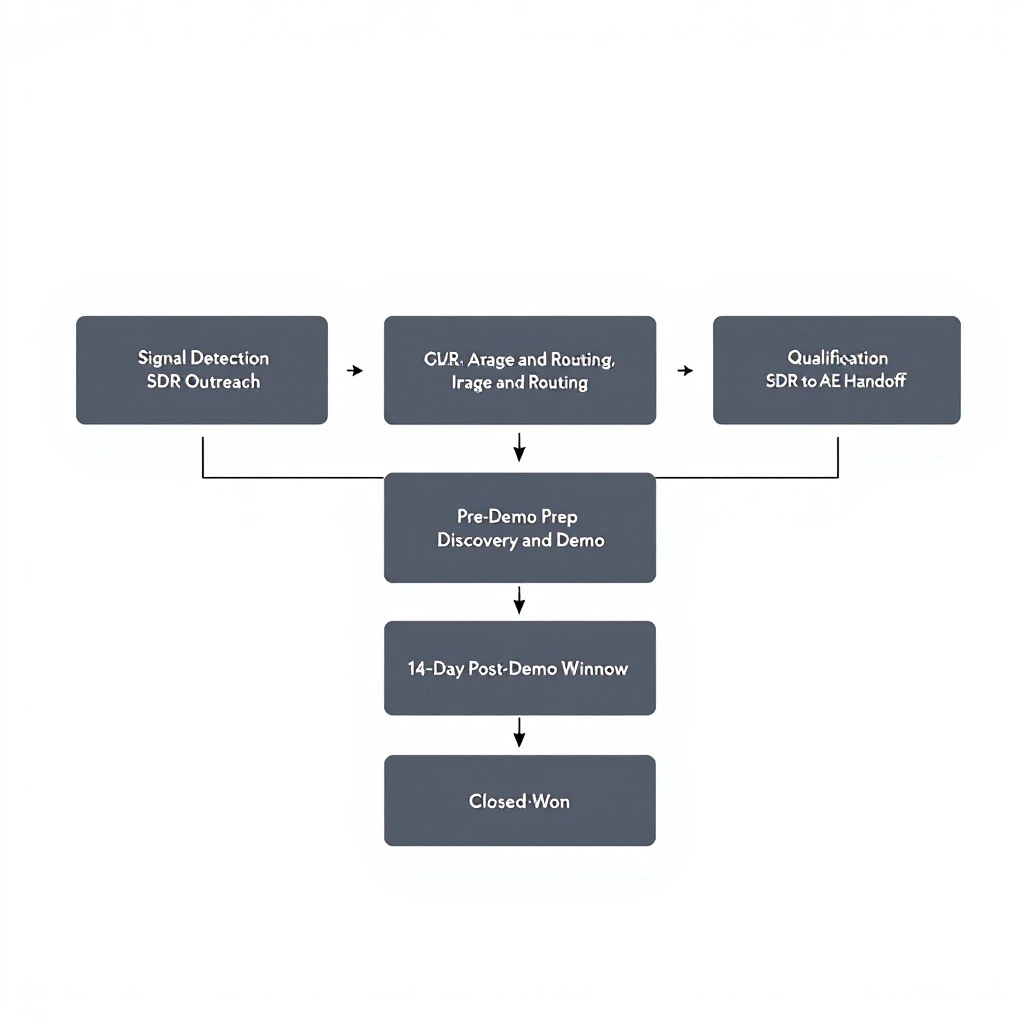
A horizontal flow diagram showing the modern B2B sales cycle in nine stages: signal detection, triage and routing, SDR outreach, qualification, SDR-to-AE handoff, pre-demo prep, discovery and demo, 14-day post-demo window, and closed-won. Each stage is a labeled box connected by arrows, with handoff points highlighted, clean minimalist style on a white background

The shift: from activity-based to signal-based sellingโ€‹

Before getting into the cycle, it is worth being honest about what has changed in B2B sales in the last two years. If you do not believe the shift is real, the rest of this guide will feel like overkill.

For most of B2B sales history, the constraint was identifying who to sell to. You bought a list, dialed it, and hoped 1 percent of the people on the list had a need. The role of the SDR was largely to manufacture interest where none existed.

That model is collapsing for two reasons. First, buyers will not answer cold calls or read cold emails at the rates they used to. Connect rates on cold dials have dropped to roughly 1 in 200. Reply rates on cold email have dropped below 1 percent in most categories. Second, the data to identify buyers who are already in-market has become cheap and abundant. Website visitor identification, third-party intent data, job change signals, technographic shifts, and content engagement are all available in real time. The new constraint is not finding buyers. It is acting on the signals fast enough to matter.

This is what "signal-based selling" actually means. Not buying an intent data tool. The full operational reorientation of the sales team around the idea that buyers reveal themselves through behavior, and the team's job is to convert that behavior into pipeline before the signal decays. If you want the deeper case for why this matters, we wrote it up here, and the meta-analysis of what is actually working in B2B sales in 2026 sits here.

The rest of this guide is the playbook for running that model.

Stage 1: Signal detectionโ€‹

The cycle starts with a signal. Without it, you are dialing lists.

A signal is any observable behavior that suggests a buyer is in-market. The strongest signals are first-party: a visitor identification hit on your pricing page, a champion who left a competitor and just started at a target account, a returning visitor with three sessions in seven days. Weaker but still useful signals include third-party intent data, content engagement, social comments on competitor posts, and technographic changes.

Not all signals are equal. A pricing page visit from a known account is worth ten newsletter signups. A buying committee with three people on your site this week is worth a hundred random clicks on a LinkedIn ad. Top sales teams understand the relative weight of each signal type and route their SDR time accordingly.

The mechanics of signal detection itself are increasingly commoditized โ€” visitor ID tools, intent data providers, and social listening platforms all exist. The differentiation is in how you stack the signals. Read the three-layer signal stack for the framework on what signals to layer together, and the buying signal hierarchy for which signals actually predict closed-won outcomes versus which ones are just noise.

If you are building this layer from scratch, start with website visitor identification. Our guide to B2B visitor ID walks through the categories, the trade-offs, and how to integrate it. You can pile on intent data and other layers later. Most teams that try to start with everything at once never get anything working.

Stage 2: Triage and routingโ€‹

Detection is the easy part. Triage is where most teams fail.

The problem: signals come in faster than SDRs can act on them. A mid-sized B2B team can easily generate 200 to 500 signals per week across visitor ID, intent data, content engagement, and inbound demos. If every signal hits every SDR with equal weight, the team drowns. They work the loudest signal of the day, ignore the rest, and the signal half-life problem (covered below) kicks in.

The fix is a tiered triage system. Tier the signals by predicted intent, route the highest tiers to your best SDRs with the tightest SLA, and let the lower tiers go to nurture. The inbound triage tier system walks through the tier definitions and the 5-minute response standard for top-tier inbound. Signal-based SDR routing covers how to route by signal type and territory. Together they are the operating system for everything downstream.

One nuance: triage is only as good as the rubric SDRs use to decide which tier a signal belongs in. If reps disagree about what a tier-1 signal is, you will get inconsistent routing and lose deals to randomness. The signal triage rubric is the artifact that fixes this โ€” a written rubric the SDR team adopts and managers enforce in deal review.

Stage 3: SDR outreach โ€” speed to leadโ€‹

Once a signal is triaged, the clock starts. This is the speed-to-lead stage, and it is where most teams quietly leak the majority of their pipeline.

Tier-1 signals โ€” pricing page visits, demo form fills, return visits to high-intent pages โ€” should be responded to in under five minutes. This is not a stretch goal. It is a hard requirement. Buyers who fill out a demo form and get a response within five minutes convert at roughly 4x the rate of buyers who get a response within an hour, and 21x the rate of buyers who get a response within a day. The math is brutal and well-documented.

Our complete speed-to-lead guide covers the data, the operational requirements, and the workflow for hitting 5-minute response without staffing a 24/7 team. The short version: route by tier, alert by channel, automate the first touch, and reserve human SDR time for the calls that actually move pipeline.

The other half of SDR outreach is what happens when the signal is hot but the buyer has not raised their hand yet. A buying committee that has visited your site three times this week is in-market, but they have not asked to talk. The SDR's job is to reach out in a way that maps to what they were doing on the site โ€” not generic cold outreach. The signal-to-meeting workflow is the 24-hour playbook for converting that kind of warm signal into a booked meeting before competitors get there.

This is also the stage where the visitor ID to first outreach setup playbook lives. If you cannot get a new visitor ID hit into an SDR's outbound queue in 30 minutes, your entire signal stack is just an expensive dashboard.

Stage 4: Qualification before the handoffโ€‹

Every signal-driven meeting goes through one more gate before the AE: qualification.

This is the step every team thinks they are doing well and almost no team actually does well. SDR managers know what good qualification looks like โ€” budget, timeline, authority, pain, current tooling, evaluation criteria. The issue is that under pressure to book meetings, SDRs skip qualification, book the meeting anyway, and dump a thin lead on the AE.

Two things prevent this. First, a written rubric that defines what qualified means at your company, used consistently across the SDR team. Second, manager review of the SDR's notes before the handoff fires. If the notes are thin, the handoff does not happen โ€” the SDR re-engages the buyer for clarifying questions first.

If your inbound is high-volume and your SDRs are being told to book everything that moves, the morning workflow that high-performing SDRs run is the discipline that prevents the dump-and-run pattern. The goal is not maximum meetings booked. It is maximum qualified meetings that convert to opportunities.

Stage 5: SDR-to-AE handoffโ€‹

This is the highest-variance handoff in the entire cycle, and it is the one most teams ignore.

A bad SDR-to-AE handoff looks like this: SDR sends a one-line Slack message ("good lead, on the calendar for Thursday") and a calendar invite. The AE shows up cold, runs generic discovery, and the buyer feels like they are starting over. Half the time the deal dies in discovery for no reason other than the buyer is tired of repeating themselves.

A good handoff looks like this: the SDR writes a structured handoff note in the CRM that includes the buyer's stated problem in their own words, what was already qualified, what is still unclear, the signal context that triggered the outreach, and the proposed demo flow. The AE reads it before the call. The buyer feels like the team is coordinated.

The SDR-to-AE handoff playbook is the 6-step workflow for getting this right. It includes the exact handoff note template, the AE-side checklist before accepting the meeting, and the manager review pattern for catching weak handoffs before they reach the AE's calendar.

If you fix one thing in your sales cycle this quarter, fix this. The leverage is enormous and almost no teams are doing it well.

Stage 6: Pre-demo prepโ€‹

The 15 minutes before a discovery call are the highest-leverage 15 minutes in the entire deal. Most AEs spend them in traffic.

The reps who consistently close 25 percent of their demos run a structured prep workflow before every call. The reps who close 8 percent of their demos do not. This variance shows up in pipeline math more than any other single factor.

The 15-minute pre-demo prep playbook is the framework: five three-minute blocks covering handoff review, signal context, buying committee mapping, demo customization, and the next-meeting ask. Run it before every discovery call. The discipline matters more than the framework โ€” pick any reasonable structure and use it consistently.

Two things this stage produces that the rest of the cycle depends on. First, a customized demo flow that maps to the specific buyer's stated problem, not the generic demo deck. Second, a written multi-thread plan โ€” who you will ask the buyer to introduce you to, when, and how. Without the second one, you walk out of every demo with a single point of failure.

Stage 7: Discovery and demoโ€‹

A good discovery call is a controlled diagnostic, not a presentation. The reps who win this stage spend two-thirds of the call asking questions and one-third demoing the three specific moments that map to the buyer's problem.

The mechanics of running discovery well are covered in too many places to re-cover here. The key shift in 2026 is that the bar for personalization has gone up sharply. Buyers expect you to know their stack, their team, their recent funding, and their stated initiatives before the call. Generic discovery questions ("what are your biggest challenges?") signal that you have not done the prep, and buyers check out.

The discovery call should also produce the inputs to multi-threading. By the end of the call you should know: who else is involved in the decision, what their evaluation process looks like, what their timeline is, what budget exists, and what the next step is. If you cannot articulate all five at the end of the call, the call was not discovery โ€” it was a generic demo dressed up as discovery.

Stage 8: The 14-day post-demo windowโ€‹

This is where pipeline goes to die. A buyer comes off a great discovery call, says "send me pricing and we will get back to you," and then disappears. Two weeks later the deal is in best-case purgatory. Six weeks later it is no-decision closed-lost.

The 14 days after a discovery call are the most predictive window in the entire deal. What the AE does in those 14 days determines whether the deal closes at all. Most AEs spend those 14 days on the deals that responded fastest to the previous demo and forget the new one. The buyer takes that as a signal that the AE was not serious, and quietly moves to the vendor who kept the energy up.

The 14-day post-demo AE playbook is the day-by-day workflow for the critical window. It covers what to send on day 1, day 3, day 7, and day 14, when to push for the next meeting, and how to read the buyer's silence as either disinterest or normal procurement-cycle latency.

Running this playbook is the single biggest pipeline conversion lever available to most AE teams. It is also operationally trivial โ€” it is a sequence of seven well-timed actions over two weeks. The reason most teams do not run it is that nobody has written it down.

Stage 9: Multi-threading the buying committeeโ€‹

If you walk out of every demo with one contact, you do not have a deal. You have a single point of failure who can disappear, change roles, or get overruled. Modern B2B deals have three to seven stakeholders involved in the decision. Cover them all or do not be surprised when the deal stalls.

The multi-threading deal team playbook is the 5-stakeholder framework: economic buyer, end user, technical evaluator, executive sponsor, and one or two influencers. It covers when to introduce each one, how to ask the champion to make the introduction without bypassing them, and the language to use in the request.

This is the AE skill that separates 30 percent close rates from 12 percent close rates. It is also the skill most AEs are weakest at, because it feels uncomfortable. The champion seems to be moving the deal forward, so why bother the other stakeholders? Because the champion is not authorized to sign. Because the champion is going to get pulled into another fire next week. Because the technical evaluator you have not met is the one who will quietly veto the deal in the procurement review.

Multi-threading is not a nice-to-have. It is the operational discipline that converts late-stage pipeline.

Stage 10: When the champion goes quietโ€‹

Even with great multi-threading, deals stall. The champion stops responding. The email thread goes cold. The AE pings twice and then gives up.

This is the stage at which most teams write off deals that were actually still alive. A champion going quiet rarely means "the deal is dead." It usually means: the champion got pulled into another fire, the company changed priorities, the champion is waiting on internal sign-off they cannot get, or the deal needs to be re-energized through a different stakeholder.

The champion-went-quiet re-engagement playbook is the 5-play workflow for stalled-deal recovery: how to read the silence, when to escalate to the executive sponsor, when to bring in your own exec, when to send the "are you still interested" email correctly, and when to genuinely close-lost and move on.

The teams that run this playbook close roughly 18 to 22 percent of deals they would otherwise have written off as no-decision. The math on that is too good to ignore.

Stage 11: Reopening closed-lostโ€‹

A no-decision deal from six months ago is one of the highest-quality pipeline sources in your CRM. You already qualified the buyer. You already understand their problem. You already built rapport. The only thing that changed is the buyer's circumstances.

Most teams treat closed-lost deals as dead. They are not. They are dormant. The signal-based selling motion makes them findable again โ€” when a champion job changes, when a competitor announces price increases, when a funding round closes, when a new initiative shows up in 10-K filings.

The reopen closed-lost AE playbook is the framework for systematically working these accounts back into active pipeline. It covers the signal triggers that justify re-engagement, the messaging that does not feel like rehashing, and the timing rules for how often to retry an account that was closed-lost.

If your team is struggling to hit pipeline coverage, this stage alone is usually worth 15 to 25 percent more pipeline within a quarter.

The pacing problem: signal decayโ€‹

One concept ties this entire cycle together: signal decay.

Buying intent has a half-life. A pricing page visit ten days ago is worth roughly a quarter of what it was worth the day it happened. A job change signal three months stale is barely a signal at all. The whole point of the operational discipline above โ€” 5-minute response, structured handoffs, day-3 follow-ups โ€” is that signals decay fast, and a sales motion that takes 12 days to convert a signal into a meeting is just slow enough to miss every deal.

The signal decay curve walks through the actual decay rates by signal type, and how to set your operational SLAs around them. If you take nothing else from this guide, take this: every step in the cycle above has a clock on it. The team that runs the clock wins. The team that does not, loses to whoever runs it faster.

How the playbook holds togetherโ€‹

Every stage above is a piece of a single motion. You cannot run great pre-demo prep on a thin SDR handoff. You cannot run a great 14-day post-demo window if the discovery call was generic. You cannot multi-thread if your champion already went quiet. The cycle is end-to-end or it is not real.

This is why teams who try to fix one stage in isolation rarely see results. SDR speed-to-lead without triage is just more noise. AE prep discipline without good SDR notes is the AE working in the dark. Multi-threading without an executive sponsor relationship is the AE cold-emailing strangers.

The teams that pull ahead are the ones that fix the cycle as a system. They write down each stage. They train the team on each stage. They review each stage in deal review. They coach the handoffs as carefully as they coach the calls. And they instrument the signal decay clock so they can see where deals are dying.

This is what good operational sales discipline looks like in 2026. It is not a single trick. It is the entire cycle, running consistently, every week.

The role of the platformโ€‹

A reasonable question after reading all this: who is supposed to run all of these workflows?

The honest answer is that without the right platform layer, nobody is. The math does not work. A 25-person SDR-AE team cannot manually run signal triage, 5-minute SLAs, structured handoffs, 15-minute pre-demo prep, day-by-day post-demo workflows, and multi-thread tracking across 200 active deals. The cognitive load is the problem, not the workflow.

This is the gap MarketBetter is built for. The platform watches the signals, runs the triage, surfaces the handoff context the AE needs before the call, prompts the day-3 and day-7 follow-ups in the post-demo window, tracks the buying committee, and flags champions who have gone quiet. The reps still run the calls and write the notes. The platform handles the operational discipline that makes the cycle work.

The shorthand we use: competitors tell you who. MarketBetter tells you who and what to do next. The playbook above is the "what to do next" part. The platform is the layer that makes it operationally feasible to run it.

If you are reading this and recognizing places where your cycle is leaking โ€” weak handoffs, slow speed-to-lead, no post-demo workflow, no multi-thread plan โ€” that gap is the value. Book a demo and we will run the playbook on one of your real accounts so you can see how much pipeline you are leaving on the floor.

Where to go from hereโ€‹

If you are a rep, the highest-leverage move is to run one stage of this cycle well for 30 days. Pick the stage where you know your discipline is weakest โ€” handoffs, prep, post-demo, multi-thread. Run it religiously for a month. The pipeline impact will be visible.

If you are a manager, the highest-leverage move is to build one stage into your weekly deal review. Pick the handoff that is leaking the most pipeline. Make every AE walk through it for every deal, every week. Coach the handoff like you coach calls.

If you are a leader, the highest-leverage move is to treat the cycle as a system. Audit every handoff. Write down the workflow at each one. Measure where deals die. Fix the handoffs, not the calls.

The reps who win in 2026 are not better closers. They are better operators. The cycle above is the operating manual.


Read deeper on each stage:

AI Sales Platform Comparison 2026: 10 Platforms Ranked by Features, Pricing & Real-World Results

ยท 22 min read
MarketBetter Team
Content Team, marketbetter.ai

AI Sales Platform Comparison 2026 โ€” 10 platforms evaluated across 8 capabilities

The average B2B sales team juggles 7-12 different tools. CRM. Email sequencer. Dialer. Data provider. Intent signals. Chatbot. Meeting recorder. Calendar scheduler. LinkedIn automation.

It's a mess. Data doesn't sync. Context gets lost between tabs. Reps spend more time navigating their stack than actually selling.

AI sales platforms promise to fix this. But there are now dozens of them โ€” and they're all claiming to be the "AI-native" solution that replaces everything else.

We evaluated 10 of the most prominent AI sales platforms across 8 capability areas that matter for B2B sales teams. No vendor sponsorships. No paid placements. Just honest analysis based on published pricing, G2 reviews, and feature comparisons.

Here's what we found.


How We Evaluated: The 8-Pillar Frameworkโ€‹

A truly complete AI sales platform should cover the entire revenue motion โ€” from identifying who to sell to, all the way through closing. We scored each platform on these 8 capabilities:

#CapabilityWhat It Means
1IdentificationCan it identify who's visiting your website? Person-level or company-level?
2Data & EnrichmentContact database, firmographics, technographics, enrichment quality
3OutreachEmail, phone, LinkedIn, chat โ€” how many channels? AI-personalized?
4Inbound EngagementChatbot, forms, live chat โ€” captures leads when you're not looking
5PrioritizationDaily playbook, lead scoring, next-best-action recommendations
6Pipeline ManagementCRM functionality, deal tracking, forecasting
7IntelligencePre-meeting briefs, call analysis, competitive intel, analytics
8IntegrationCRM sync, tech stack compatibility, API access

Why these 8? Because most platforms excel at 2-3 of these and completely ignore the rest. The gap is where deals fall through the cracks. When your visitor ID tool doesn't talk to your dialer, and your dialer doesn't know what the chatbot learned, your SDRs are flying blind.


The Master Comparison Tableโ€‹

Before we dive deep, here's how all 10 platforms stack up at a glance:

PlatformVisitor IDDataOutreachInboundPrioritizationPipelineIntelligenceIntegrationScore
MarketBetterโœ… Person+Coโœ… Fullโœ… Email+Phone+Chatโœ… AI Chatbotโœ… Daily Playbookโœ… Via CRMโœ… Fullโœ… Full8/8
ZoomInfoโš ๏ธ Companyโœ… 300M+ DBโœ… Email+PhoneโŒ Noneโš ๏ธ Intent scoresโš ๏ธ Basicโœ… Fullโœ… Full5.5/8
Warmlyโœ… Person+Coโš ๏ธ 3rd partyโš ๏ธ Email onlyโœ… Live chatโš ๏ธ Alerts onlyโŒ Noneโš ๏ธ Basicโœ… Good5/8
6senseโš ๏ธ Companyโœ… Fullโš ๏ธ Via partnersโŒ Noneโœ… AI scoringโš ๏ธ ABM focusโœ… Fullโœ… Full5/8
ApolloโŒ Noneโœ… 270M+ DBโœ… Email+LinkedInโŒ Noneโš ๏ธ Lead scoringโš ๏ธ Basic CRMโš ๏ธ Basicโœ… Full4.5/8
Unify GTMโš ๏ธ Companyโœ… Multi-sourceโœ… Email+LinkedInโŒ Noneโš ๏ธ Signal-basedโŒ Noneโš ๏ธ Basicโœ… Good4.5/8
Common Roomโš ๏ธ Companyโœ… Signal dataโš ๏ธ Via integrationsโŒ Noneโœ… Signal scoringโŒ Noneโœ… Goodโœ… Good4.5/8
MonacoโŒ Noneโœ… Built-in DBโš ๏ธ Email onlyโŒ Noneโš ๏ธ Campaignsโœ… AI-native CRMโœ… Meeting notesโŒ Limited4/8
11xโŒ Noneโœ… Built-in DBโœ… Email+LinkedIn+PhoneโŒ NoneโŒ AutonomousโŒ Noneโš ๏ธ Campaign statsโš ๏ธ Basic3.5/8
ArtisanโŒ Noneโœ… 300M+ DBโš ๏ธ Email+LinkedInโŒ NoneโŒ AutonomousโŒ Noneโš ๏ธ Basicโš ๏ธ Basic3/8

The takeaway: Most AI sales platforms are really just AI outbound tools. Only a handful cover the full revenue motion.


Platform Deep Divesโ€‹

1. MarketBetter โ€” The Complete AI Sales Operating Systemโ€‹

Best for: B2B teams (startup to mid-market) who want one platform for the entire sales motion

G2 Rating: 4.97/5 โญ | Starting Price: Transparent pricing on website

MarketBetter is the only platform in this comparison that covers all 8 capability areas without requiring bolt-on tools or third-party integrations to fill gaps.

What sets it apart:

  • Daily SDR Playbook โ€” Every morning, your SDRs open one screen and see exactly who to contact, in what order, through which channel, and what to say. No other platform does this. Apollo gives you data. ZoomInfo gives you contacts. MarketBetter tells you what to do with them.

  • Person + company-level visitor identification โ€” Reveals both the company AND the individual visiting your website. Most competitors (6sense, ZoomInfo) stop at company-level. Warmly does person-level but lacks the outreach tools to act on it.

  • Smart Dialer built in โ€” Not a third-party integration. Not a "coming soon." A parallel dialer that's part of the same platform where your leads and playbook live. The SDR sees the visitor data, reads the context, and dials โ€” all in one tab.

  • AI Chatbot (FloBot) โ€” Engages every website visitor 24/7 with intelligent, context-aware conversations. This means your inbound pipeline doesn't stop when your team goes home.

  • Multichannel sequences โ€” Email, phone, LinkedIn, and chat orchestrated together. AI personalizes messaging based on visitor behavior, intent signals, and CRM data.

What it lacks: No built-in CRM โ€” integrates deeply with HubSpot and Salesforce instead. If you specifically need an AI-native CRM replacement, see Monaco.

Real talk: MarketBetter's strength is being the operational layer that tells SDRs what to do โ€” not just giving them data and hoping they figure it out. The daily playbook is genuinely unique in this space.

Who should choose MarketBetter: Teams with website traffic they're not converting, SDRs drowning in tabs, or anyone who wants visitor identification + outreach + chatbot in one platform.

Book a demo โ†’

Related: Best AI SDR Tools 2026 | MarketBetter vs Warmly | MarketBetter vs Apollo


2. Apollo.io โ€” The Data-First Outbound Engineโ€‹

Best for: Teams that prioritize contact database size and cold outbound volume

G2 Rating: 4.8/5 โญ | Starting Price: Free tier available, paid from ~$49/user/mo | Enterprise: Custom pricing

Apollo built its reputation on having one of the largest B2B contact databases (270M+ contacts) and making it accessible at a fraction of ZoomInfo's cost.

Capabilities breakdown:

CapabilityRatingDetails
Visitor IDโŒNo website visitor identification
Dataโœ…270M+ contacts, email verification, enrichment
Outreachโœ…Email sequences + LinkedIn; no native dialer
InboundโŒNo chatbot or live chat
Prioritizationโš ๏ธLead scoring available, but no daily playbook
Pipelineโš ๏ธBasic CRM โ€” most teams still use Salesforce/HubSpot alongside
Intelligenceโš ๏ธIntent signals, basic analytics
Integrationโœ…Strong CRM integrations, API

Strengths: Massive database at accessible pricing. The free tier is genuinely useful for startups. Email sequencing is solid.

Weaknesses: No visitor identification means you can't see who's already on your website. No dialer (you'll need a separate tool). No chatbot. The platform tells you WHO to contact but not WHAT TO DO โ€” prioritization is manual.

Pricing reality: The free tier gets you 10,000 credits. But once you need AI-powered features, unlimited sequences, and better data, you're looking at $79-$149/user/month. Enterprise deals get expensive fast.

Related: Apollo Review 2026 | Apollo Pricing Breakdown | Best Apollo Alternatives


3. ZoomInfo โ€” The Enterprise Data Giantโ€‹

Best for: Large enterprises with big budgets and dedicated ops teams

G2 Rating: 4.4/5 โญ | Starting Price: ~$15,000/year | Mid-market: $25,000-$40,000/year | Enterprise: $60,000-$130,000+/year

ZoomInfo is the 800-pound gorilla of B2B data. 300M+ business profiles, comprehensive firmographics, technographics, and intent data. If data quality and coverage are your #1 priority and budget isn't a constraint, ZoomInfo delivers.

Capabilities breakdown:

CapabilityRatingDetails
Visitor IDโš ๏ธCompany-level only (WebSights) โ€” no person-level
Dataโœ…300M+ contacts, best-in-class enrichment
Outreachโœ…Engage platform for email + dialer
InboundโŒNo chatbot or live engagement
Prioritizationโš ๏ธIntent scores, but no daily playbook
Pipelineโš ๏ธBasic โ€” most teams use Salesforce alongside
Intelligenceโœ…Comprehensive intent data, company news, technographics
Integrationโœ…Industry-leading integration ecosystem

Strengths: Unmatched database size and quality for US/EU markets. Intent data from Bombora partnership is strong. The Engage platform added outreach capabilities.

Weaknesses: Expensive โ€” and prices have been rising. Contracts are typically annual with aggressive renewal pricing. Company-level visitor ID only (no person-level identification). No chatbot. The platform requires ops resources to configure and maintain. Credit-based pricing means you're always watching your balance.

The pricing problem: ZoomInfo's opaque pricing is a recurring complaint. The median buyer pays ~$55,000/year according to Vendr data, but costs can exceed $130,000/year with add-ons. And the renewal conversation is notoriously aggressive.

Related: ZoomInfo Review 2026 | ZoomInfo Pricing Breakdown | Best ZoomInfo Alternatives


4. 6sense โ€” The ABM Intelligence Platformโ€‹

Best for: Mid-market to enterprise ABM teams with marketing and sales alignment

G2 Rating: 4.3/5 โญ | Starting Price: ~$25,000/year | Median: ~$55,000/year | Enterprise: $100,000+/year

6sense pioneered the "dark funnel" concept โ€” the idea that most buying activity happens before buyers ever fill out a form. Their AI predicts which accounts are in-market based on intent signals, web research patterns, and third-party data.

Capabilities breakdown:

CapabilityRatingDetails
Visitor IDโš ๏ธCompany-level only
Dataโœ…Contact database, intent data, predictive analytics
Outreachโš ๏ธLimited native outreach โ€” relies on Outreach/Salesloft integrations
InboundโŒNo chatbot (acquired Qualified for conversational marketing, now a separate product)
Prioritizationโœ…AI-powered account scoring and buying stage prediction
Pipelineโš ๏ธABM campaign management, not full CRM
Intelligenceโœ…Best-in-class intent data and predictive analytics
Integrationโœ…Strong ecosystem โ€” Salesforce, HubSpot, Outreach, Marketo

Strengths: Predictive account scoring is genuinely impressive. The buying stage model (awareness โ†’ decision โ†’ purchase) helps marketing and sales align on which accounts to prioritize. Intent data coverage is deep.

Weaknesses: This is an intelligence and ABM orchestration platform, not an execution platform. You still need separate tools for email, calling, and chat. Implementation is complex โ€” expect 2-3 months to see value. Pricing is enterprise-level.

Who it's NOT for: SMB teams or SDR-led organizations. 6sense assumes you have a dedicated ABM program with marketing and sales operating together. If you just need your SDRs to prospect more effectively, this is overkill.

Related: 6sense Review 2026 | 6sense Pricing Breakdown | Best 6sense Alternatives


5. Warmly โ€” The Visitor-First Signal Platformโ€‹

Best for: Teams with significant website traffic who want real-time visitor identification and engagement

G2 Rating: 4.7/5 โญ | Starting Price: Free tier (500 visitors/mo) | Paid: from ~$700/month

Warmly focuses on one thing and does it well: identifying who's on your website and helping you engage them in real time. They combine person + company-level identification with real-time Slack alerts and live chat/video capabilities.

Capabilities breakdown:

CapabilityRatingDetails
Visitor IDโœ…Person + company-level, real-time
Dataโš ๏ธEnrichment via 3rd-party partners (Clearbit, 6sense, Bombora)
Outreachโš ๏ธAI-triggered emails โ€” no dialer, no LinkedIn
Inboundโœ…Live chat, video chat on high-intent pages
Prioritizationโš ๏ธReal-time alerts, but no structured daily playbook
PipelineโŒNo CRM functionality โ€” relies on integrations
Intelligenceโš ๏ธPage-level intent (pricing page visits, repeat visits)
Integrationโœ…Good CRM and Slack integrations

Strengths: Real-time alerts when high-value accounts land on your website. The free tier is generous for testing. The live video chat feature lets reps engage visitors while they're actively browsing.

Weaknesses: Limited outreach capabilities โ€” email only, no dialer, no LinkedIn. No daily playbook to structure the SDR's day. Enrichment data quality varies since it relies on third-party providers. Some G2 reviewers report match rates well below vendor claims.

The match rate question: Warmly claims high match rates, but real-world results vary significantly by industry and traffic profile. One G2 reviewer noted identification accuracy issues for "90% of the time." Your mileage will depend on your traffic.

Related: Warmly Review 2026 | Warmly Pricing Breakdown | Best Warmly Alternatives


6. Unify GTM โ€” The Signal-Based Outbound Orchestratorโ€‹

Best for: Growth teams that want signal-triggered outbound across email and LinkedIn

G2 Rating: 4.7/5 โญ | Starting Price: Not publicly listed | Business: from ~$22,000/year

Unify aggregates intent signals from multiple sources (website visits, job changes, product usage, LinkedIn activity) and triggers AI-personalized outreach when buying signals fire. It's designed for "warm outbound" โ€” reaching out only when there's a reason.

Capabilities breakdown:

CapabilityRatingDetails
Visitor IDโš ๏ธCompany-level website identification
Dataโœ…Multi-source signal aggregation
Outreachโœ…AI-personalized email + LinkedIn sequences
InboundโŒNo chatbot or inbound engagement
Prioritizationโš ๏ธSignal-based triggering, not daily playbook
PipelineโŒNo CRM โ€” integrates with existing
Intelligenceโš ๏ธSignal dashboards, campaign analytics
Integrationโœ…CRM integrations, data source connections

Strengths: The signal aggregation is powerful โ€” pulling from website visits, product usage, job changes, and more. The credit system gives flexibility. AI-personalized sequences are solid.

Weaknesses: Company-level identification only (no person-level). No dialer. No chatbot. No daily playbook. The credit-based pricing model can get expensive at scale โ€” G2 reviewers have flagged credits running out faster than expected.

Related: Unify GTM Review 2026 | Unify GTM Pricing Breakdown | Best Unify GTM Alternatives


7. Common Room โ€” The Community Signal Intelligence Platformโ€‹

Best for: Product-led growth companies with active community/open-source ecosystems

G2 Rating: 4.7/5 โญ | Starting Price: Free tier available | Paid: Custom pricing

Common Room aggregates signals from community channels (Slack, Discord, GitHub, Stack Overflow) and combines them with product usage and intent data to identify buying signals. It's uniquely powerful for PLG companies where buying signals live in community activity, not just website visits.

Capabilities breakdown:

CapabilityRatingDetails
Visitor IDโš ๏ธCompany-level, limited person-level
Dataโœ…Community + product + intent signals
Outreachโš ๏ธVia integrations (Outreach, HubSpot sequences)
InboundโŒNo chatbot or live engagement
Prioritizationโœ…Strong signal scoring and alerting
PipelineโŒNo CRM โ€” relies on integrations
Intelligenceโœ…Deep community intelligence, champion identification
Integrationโœ…Extensive โ€” Slack, GitHub, CRM, Outreach

Strengths: If your buyers show intent through community activity (GitHub stars, Slack questions, Stack Overflow mentions), Common Room surfaces signals nobody else can see. Person/account unification across community identities is impressive.

Weaknesses: If your buyers don't participate in communities (most traditional B2B), Common Room's unique value diminishes significantly. No native outreach. No dialer. No chatbot. You need a separate execution layer.

Related: Common Room Pricing Breakdown | Common Room Review 2026 | Best Common Room Alternatives


8. Monaco โ€” The AI-Native CRM for Early-Stage Startupsโ€‹

Best for: Seed-stage startups building their sales motion from scratch

G2 Rating: New (limited reviews) | Starting Price: Flat-fee (not publicly disclosed) | Funding: $35M (Founders Fund)

Monaco launched in February 2026 with a bold vision: replace the entire sales stack with one AI-native platform. Built by Sam Blond (former CRO of Brex) and team members from Apollo and Clari, it combines CRM, prospect database, AI outbound, and meeting notetaker.

Capabilities breakdown:

CapabilityRatingDetails
Visitor IDโŒNo website visitor identification
Dataโœ…Built-in prospect database
Outreachโš ๏ธEmail outbound + human-in-the-loop AI; no dialer, no chatbot
InboundโŒNo chatbot or inbound engagement tools
Prioritizationโš ๏ธAI campaign management, no daily playbook
Pipelineโœ…AI-native CRM โ€” strongest feature
Intelligenceโœ…Meeting notetaker, pipeline insights
IntegrationโŒLimited โ€” designed to replace tools, not integrate

Strengths: The all-in-one pitch is compelling if you're starting from zero. No Salesforce needed. The team pedigree is exceptional (Brex, Apollo, Clari backgrounds). Meeting notetaker is built in.

Weaknesses: No visitor identification โ€” if you have website traffic, you're missing a major signal source. Email only for outreach (no dialer, no LinkedIn automation). Limited integration story โ€” if you already have tools you like, Monaco wants to replace them, not play nice. Very new โ€” limited customer proof points.

The big question: Can Monaco deliver on the "replace everything" promise? History suggests all-in-one platforms struggle against best-of-breed tools in each category. Time will tell.

Related: Monaco Review 2026 | Is Monaco Worth It? | Best Monaco Alternatives


9. 11x โ€” The Fully Autonomous AI SDRโ€‹

Best for: Enterprise teams with budget for autonomous outbound who don't need human oversight

G2 Rating: 3.9/5 โญ | Starting Price: ~$50,000/year | Enterprise: Custom

11x takes the most aggressive approach to AI sales: fully autonomous AI agents (Alice for outbound, Jordan for inbound calls) that prospect, research, write, and send outreach without human involvement.

Capabilities breakdown:

CapabilityRatingDetails
Visitor IDโŒNo website visitor identification
Dataโœ…Built-in prospect database
Outreachโœ…Email + LinkedIn + AI phone agent
InboundโŒNo chatbot (Jordan handles inbound calls only)
PrioritizationโŒAI runs autonomously โ€” no human-facing playbook
PipelineโŒNo CRM functionality
Intelligenceโš ๏ธCampaign performance analytics
Integrationโš ๏ธBasic CRM integrations

Strengths: If autonomous outbound is your goal, 11x has the broadest channel coverage (email + LinkedIn + phone). The AI phone agent is unique in this space.

Weaknesses: At ~$50K/year, it's priced like a human SDR but can't handle complex conversations, objections, or relationship building. G2 reviews and Reddit discussions frequently mention disappointing results โ€” high volume, low conversion. No visitor identification. No daily playbook. No chatbot.

The autonomy debate: Fully autonomous AI SDRs sound appealing, but most B2B buyers can tell when they're talking to a bot. The "augment humans vs. replace humans" debate is central here. MarketBetter chose augmentation (daily playbook tells humans what to do). 11x chose replacement (AI does everything). The market is voting: G2 ratings suggest buyers prefer the augmentation approach.

Related: 11x Review 2026 | 11x Pricing | Best 11x Alternatives


10. Artisan AI โ€” The AI Employee Approachโ€‹

Best for: Teams looking for AI-driven cold email at a lower price point than 11x

G2 Rating: 4.0/5 โญ | Starting Price: ~$2,000/month (for 1 AI agent)

Artisan markets "Ava," an AI BDR that handles prospecting, research, and multichannel outreach. Similar to 11x's approach but at a lower price point and with more emphasis on the "AI employee" branding.

Capabilities breakdown:

CapabilityRatingDetails
Visitor IDโŒNo website visitor identification
Dataโœ…300M+ contact database
Outreachโš ๏ธEmail + LinkedIn; no dialer
InboundโŒNo chatbot or live engagement
PrioritizationโŒAI-driven, no human-facing playbook
PipelineโŒNo CRM
Intelligenceโš ๏ธBasic campaign analytics
Integrationโš ๏ธBasic CRM integrations

Strengths: More affordable than 11x. Large contact database included. The email personalization using prospect research is solid in demos.

Weaknesses: No dialer. No visitor identification. No chatbot. Limited integration depth. Some G2 reviewers report the AI output quality doesn't match demo expectations in production. The "AI employee" framing sets expectations that the product can't always meet.

Related: Artisan AI Review 2026 | Artisan AI Pricing | Best Artisan Alternatives


Pricing Comparison at a Glanceโ€‹

PlatformStarting PriceMid-MarketEnterprisePricing Model
MarketBetterTransparent (see website)$$$CustomSubscription
ApolloFree tier / $49/user/mo$79-149/user/moCustomPer-seat + credits
WarmlyFree (500 visitors/mo)~$700/moCustomUsage-based
ZoomInfo~$15,000/year$25,000-40,000/yr$60,000-130,000+/yrPer-seat + credits
6sense~$25,000/year~$55,000/yr$100,000+/yrPlatform fee + usage
Unify GTMNot disclosed~$22,000/yr+CustomCredit-based
Common RoomFree tierCustomCustomPlatform + seats
MonacoFlat fee (not disclosed)Not disclosedNot disclosedFlat fee
11x~$50,000/yearCustomCustomPer-agent
Artisan~$2,000/monthCustomCustomPer-agent

Key insight: The cheapest tools (Apollo free, Warmly free, Common Room free) give you data or signals but no execution. The expensive tools (6sense, ZoomInfo) give you intelligence but require separate execution tools that add to total cost. The "autonomous AI" tools (11x, Artisan) cost as much as a human SDR without delivering human-level results.


How to Choose: Decision Frameworkโ€‹

Choose MarketBetter if:โ€‹

  • You have website traffic you're not converting
  • Your SDRs are overwhelmed with tabs and manual work
  • You want visitor identification + outreach + chatbot in one platform
  • You need a daily playbook that tells reps what to do
  • You're a startup to mid-market team (50-500 employees)

Choose Apollo if:โ€‹

  • Your priority is cold outbound at scale
  • You need a large contact database at an affordable price
  • You don't have significant website traffic yet
  • You're okay assembling a multi-tool stack

Choose ZoomInfo if:โ€‹

  • You're enterprise with a $50K+ annual budget for data
  • You need the most comprehensive B2B database
  • You have ops resources to configure and maintain the platform
  • Compliance and data governance are top priorities

Choose 6sense if:โ€‹

  • You run a mature ABM program with marketing-sales alignment
  • You need predictive analytics and buying stage intelligence
  • You have budget for both 6sense AND execution tools (Outreach, Salesloft)
  • Long implementation timelines are acceptable

Choose Warmly if:โ€‹

  • Website visitor identification is your only priority
  • You want real-time engagement (live chat/video on site)
  • You're willing to build outreach and pipeline tools separately
  • You want to start with a free tier and grow

Choose Unify GTM if:โ€‹

  • You want signal-triggered outbound across email and LinkedIn
  • You have multiple data sources you want to unify
  • You're focused on "warm outbound" methodology
  • Your budget supports ~$22K+/year

Choose Common Room if:โ€‹

  • You have active community channels (Slack, Discord, GitHub)
  • Your buyers show intent through community activity
  • You already have execution tools (Outreach, email platform)
  • You're a PLG company

Choose Monaco if:โ€‹

  • You're a seed-stage startup starting from zero
  • You want to avoid Salesforce entirely
  • Email-only outbound is acceptable for now
  • You're willing to bet on a brand-new platform

Choose 11x if:โ€‹

  • You want fully autonomous outbound and budget isn't a concern
  • You don't need visitor identification or daily playbooks
  • You're comfortable with AI handling customer conversations
  • Enterprise procurement is involved (justifies the price)

Choose Artisan if:โ€‹

  • Similar to 11x use case, but at a lower price point
  • You want AI-driven cold email and LinkedIn automation
  • You're testing autonomous AI SDR concepts before committing to 11x pricing

The Bigger Picture: Augmentation vs. Replacementโ€‹

The AI sales platform market is splitting into two philosophies:

Augmentation platforms (MarketBetter, Warmly, Common Room, Unify GTM) give human SDRs superpowers. They surface the right signals, automate the tedious work, and tell reps what to do โ€” but humans make the final call, build the relationships, and close the deals.

Replacement platforms (11x, Artisan, partially Monaco) try to eliminate the human SDR entirely. AI does the prospecting, writing, and sending. Humans just watch the results.

Where the market is heading: In 2026, the augmentation approach is winning. G2 ratings, customer reviews, and real-world results consistently favor platforms that make humans better over platforms that replace humans. B2B buyers โ€” especially in mid-market and enterprise โ€” can tell when they're getting an AI-generated email or an AI phone call. Trust and relationships still close deals.

The best AI sales platform doesn't replace your team. It gives your team an unfair advantage.


Frequently Asked Questionsโ€‹

What's the best AI sales platform for small teams?โ€‹

MarketBetter and Apollo both serve small teams well. MarketBetter covers the full workflow. Apollo excels at data access and cold email. If budget is the primary constraint, Apollo's free tier is a solid starting point for data, while MarketBetter delivers more complete functionality for teams ready to invest.

Do I need visitor identification?โ€‹

If you have website traffic (even modest), yes. 98% of visitors leave without filling out a form. Without visitor identification, you're ignoring the warmest leads in your pipeline. Only MarketBetter, Warmly, and (partially) Unify GTM offer this.

Should I go with an all-in-one platform or best-of-breed tools?โ€‹

All-in-one means less integration headache and unified data. Best-of-breed means best-in-class for each function. The answer depends on your team size and ops capacity. Small teams (under 10 reps) benefit from all-in-one. Large teams with dedicated ops can manage a best-of-breed stack.

How much should I budget for an AI sales platform?โ€‹

  • Startup (1-3 reps): $500-2,000/month
  • Growth (4-10 reps): $2,000-5,000/month
  • Mid-market (10-25 reps): $5,000-15,000/month
  • Enterprise (25+ reps): $15,000-50,000+/month

What's the difference between an AI SDR tool and an AI sales platform?โ€‹

An AI SDR tool automates one part of the SDR job (usually cold email). An AI sales platform covers the entire sales motion โ€” from identifying who to sell to, through engagement, prioritization, and pipeline management. Most tools in this comparison are SDR tools calling themselves platforms.


Start Hereโ€‹

If you've read this far, you're serious about fixing your sales stack.

Here's our recommendation: Before evaluating any platform, answer three questions:

  1. Do you have website traffic you're not converting? โ†’ You need visitor identification.
  2. Are your SDRs drowning in manual work? โ†’ You need a daily playbook.
  3. How many tools are you paying for today? โ†’ Count them. Then calculate the total cost.

Most teams discover they're spending $3,000-10,000/month on a frankenstack of 5-7 tools that don't talk to each other. A single platform that covers the full motion is often cheaper AND more effective.

See the Difference

MarketBetter covers 8/8 sales capabilities in one platform โ€” visitor identification, smart dialer, AI chatbot, daily playbook, and more. See why teams are consolidating from 7 tools to 1. Book a demo โ†’


Free Tool

Try our AI Lead Generator โ€” find verified LinkedIn leads for any company instantly. No signup required.

Dive deeper into specific matchups: