The wire clears. The round is announced. For about a week it feels like the hard part is behind you.
Then the first board meeting lands and the ask is simple to say and brutal to deliver: a repeatable, predictable revenue motion. Not a few founder-led deals. A machine that turns strangers into pipeline into closed revenue, every month, without you personally in every thread.
We know the feeling because we live it. MarketBetter is a seed-stage company too. We went from 700K to millions in revenue building exactly this motion for ourselves before we sold it to anyone else. So this isn't a vendor pitch dressed up as advice — it's the actual list of everything hiding behind the phrase "build a GTM engine," and how we run all of it as one system.
When someone says "we need to build go-to-market," here is what that sentence actually contains. Read it slowly, because every line is a job:
Map the entire ICP and TAM so you know exactly who is worth your time
Build signal-based lists, not static exports that rot in a week
Build lookalike lists off your closed-won accounts so you clone what already works
Track every champion who changes jobs and route them in as a fresh account
Watch for any buying signal — tech stack changes, funding, layoffs, headcount swings on named accounts — and react in real time
Set up the mail infrastructure so you can send at volume without torching your domain
Run outbound and auto-route qualified leads to the right rep
Build automated multi-touch sequences across email and LinkedIn
Build the inbound system end to end: create content, filter it for your ICP, distribute it across a creator network on LinkedIn
Score every inbound lead against your past closed-won so reps chase the right ones
De-anonymize website traffic, push it into pipeline, and add it to a sequence
Run focused AEO so the AI answer engines recommend you
Re-engage closed-lost when the timing finally turns
Watch product usage for expansion signals and add those accounts to a play automatically
Analyze sales calls and build feedback loops for every rep
Auto-build a pre-call brief for every meeting on the calendar
Generate the one-pager, ROI model, and proposal per deal
Build the expansion play per account
Own the CRM architecture and reporting so the numbers actually mean something
And the list goes on.
That is not a role. That is an entire revenue org compressed into a to-do list — and most seed-stage teams try to cover it by buying a different point tool for each line. Fifteen logins, fifteen bills, fifteen dashboards that don't talk to each other, and a founder acting as the integration layer at midnight. That is the real tax on a fresh raise, and it is the thing that quietly kills momentum in the first year.
There is a better shape. Instead of one tool per problem, one system that runs the motion end to end. Here is how the whole list actually gets handled.
1. Know exactly who to sell to — and keep the list alive
TAM and ICP are not a one-time slide. The version that matters is a living, signal-based list: the accounts that match your best customers, refreshed continuously, ranked by how likely they are to buy right now.
MarketBetter maps your ICP and TAM, then builds lists that update themselves. The highest-leverage move is lookalikes off closed-won — you point at the deals you already closed and get back the accounts that look just like them. You stop guessing who your market is and start cloning the customers who already paid you.
Timing beats targeting. The same email lands very differently the week a company raises a round, swaps a core tool, cuts a team, or doubles a department.
So the system watches for all of it on your named accounts — funding events, tech-stack changes, layoffs, headcount swings — and reacts in real time instead of a month later in a manual review. The strongest version of this is champion tracking: when someone who loved your product changes jobs, they don't disappear. They get routed straight back in as a brand-new account with warm context attached. Your best pipeline is often the people who already trust you, quietly changing logos.
3. Reach out at scale without lighting your domain on fire
Outbound at volume is where most first attempts die. Send too aggressively off a cold domain and you spend month two in the spam folder with a burned reputation.
MarketBetter handles the mail infrastructure so deliverability is a solved problem, then runs multi-touch sequences across email and LinkedIn — not one channel bolted onto another, but a coordinated motion. When a lead qualifies, it auto-routes to the right rep instead of sitting in a queue. Signal in, sequence out, meeting booked, all without a human copy-pasting between four tabs.
Most of the people evaluating you never fill out a form. They read three pages and leave, and you never know they were there.
De-anonymizing that traffic turns your website from a brochure into a pipeline source. MarketBetter identifies the companies behind the visits, pushes them into pipeline, and drops the right ones straight into a sequence — so intent you were already earning stops evaporating on exit.
Outbound is rented attention. Inbound is owned. The problem is that inbound is its own end-to-end machine: create the content, filter it hard for your ICP, distribute it across a creator network on LinkedIn, and — critically — run focused AEO so the AI answer engines start recommending you when a buyer asks them who to use.
Then close the loop: score every inbound lead against your closed-won history so your reps spend their hours on the ones that actually look like buyers, not the tire-kickers who happen to fill out a form fastest.
Reps lose deals in the twenty minutes before the call, not during it. The prep either doesn't happen or eats the day.
The system auto-builds a pre-call brief for every meeting on the calendar, then generates the deal artifacts that usually stall in a Google Doc backlog: the one-pager, the ROI model, the proposal — tailored per deal. Your reps show up sharp on every call instead of skimming a LinkedIn profile in the elevator.
The cheapest pipeline you have is your current customers. Expansion signals hide in product usage — the account that suddenly ramps seats or hits a usage ceiling is telling you it's ready to grow.
MarketBetter watches product usage for those expansion signals and drops the account into the right play automatically, builds the expansion motion per account, and re-engages closed-lost deals when the timing finally turns — because "no" almost always means "not yet," and most teams never circle back.
8. Make every rep better, and make the numbers mean something
Finally, the layer that ties it together: analyze every sales call and feed the insights back to each rep as a real coaching loop, and own the CRM architecture and reporting so your board deck reflects reality instead of whatever got typed in by hand.
The instinct after a raise is to go buy the category leader for each line above. You end up with a stack that looks impressive and works terribly — a signal tool that doesn't talk to your sequencer, a visitor-ID tool that doesn't talk to your CRM, and you as the human glue holding it together at 1am.
Most competitors are still shaped like that stack. They tell you WHO. They hand you a dashboard of signals and accounts and leave the hardest part — deciding what to actually do and then doing it — entirely to you.
MarketBetter is shaped differently on purpose. It tells you WHO and WHAT TO DO, then does it. Every line on that list runs as one connected motion: signal to list to sequence to meeting to expansion, with the reporting closing the loop. One system instead of fifteen. That's the difference between owning a revenue machine and babysitting a tool sprawl.
You raised the round to build a company, not to become a full-time systems integrator. Let the machine run the motion so you can go build the thing you actually raised for.
Want to see the whole motion run on your accounts?Book a demo →
Every GTM leader in my feed is sharing the same story: Cursor built an internal sales AI called ChatGTM, and it booked 3x more qualified meetings while cutting AE ramp time by more than half. The takeaway everyone is drawing is seductive and simple — "stop buying sales tools, build your own."
I want to be the person who says the quiet part out loud: that's survivorship bias, and copying it will burn most teams that try.
Let me be clear up front — I'm not here to trash Cursor. What they built is genuinely impressive, and the results are real. But the lesson people are extracting from it is wrong, and it's wrong in a way that will cost you two quarters and a lot of goodwill with your sales team.
ChatGTM is a legitimately good piece of engineering. From what's been shared publicly, it queries Salesforce, Gong, and other systems live via tool calls instead of pre-loading a static repository someone has to babysit. That's the right architecture — no staleness, no sync jobs rotting in the background. It surfaces morning account briefs, drafts personalized outbound, and answers rep questions during live calls. Their SDRs report 3x qualified meetings; AEs ramp in half the time. Across a 400-plus person sales org, that's a serious outcome.
So why am I telling you not to copy it?
Because the reasons it worked at Cursor are the exact reasons it won't work at your company.
When a story goes viral, you only hear about the one build that worked. You don't hear about the hundred sales teams that spun up an internal "sales copilot," burned a quarter of engineering time, and quietly killed it when the SDRs stopped opening it. Those stories don't get LinkedIn posts. They get buried in a Notion doc labeled "learnings."
ChatGTM is the visible rocket that launched. The grounded, broken ones you never see are the actual base rate — and the actual base rate is brutal.
The five preconditions Cursor had that you probably don't
ChatGTM didn't succeed because "internal builds are better." It succeeded because Cursor sat at the intersection of five conditions that almost no other company has all at once:
Precondition
Cursor
Your company
World-class AI engineers to spare
Building AI dev tools is literally their business
Your engineers are heads-down on your actual product roadmap
A sales team that is technically fluent
They sell to developers and often are developers
Your reps want fewer tabs, not a plain-English automation IDE
Clean, structured data in Salesforce and Gong
Well-instrumented, disciplined CRM hygiene
Half your opportunities are missing a stage or a next step
AI is core differentiation, not overhead
Every hour on internal AI compounds their core expertise
Every hour you spend on this is an hour off your roadmap
Appetite to fund maintenance forever
Building and maintaining models is their normal
The moment your builder gets promoted, the tool rots
If you can't honestly check all five, you are not Cursor — you are the base rate. And the base rate has data behind it.
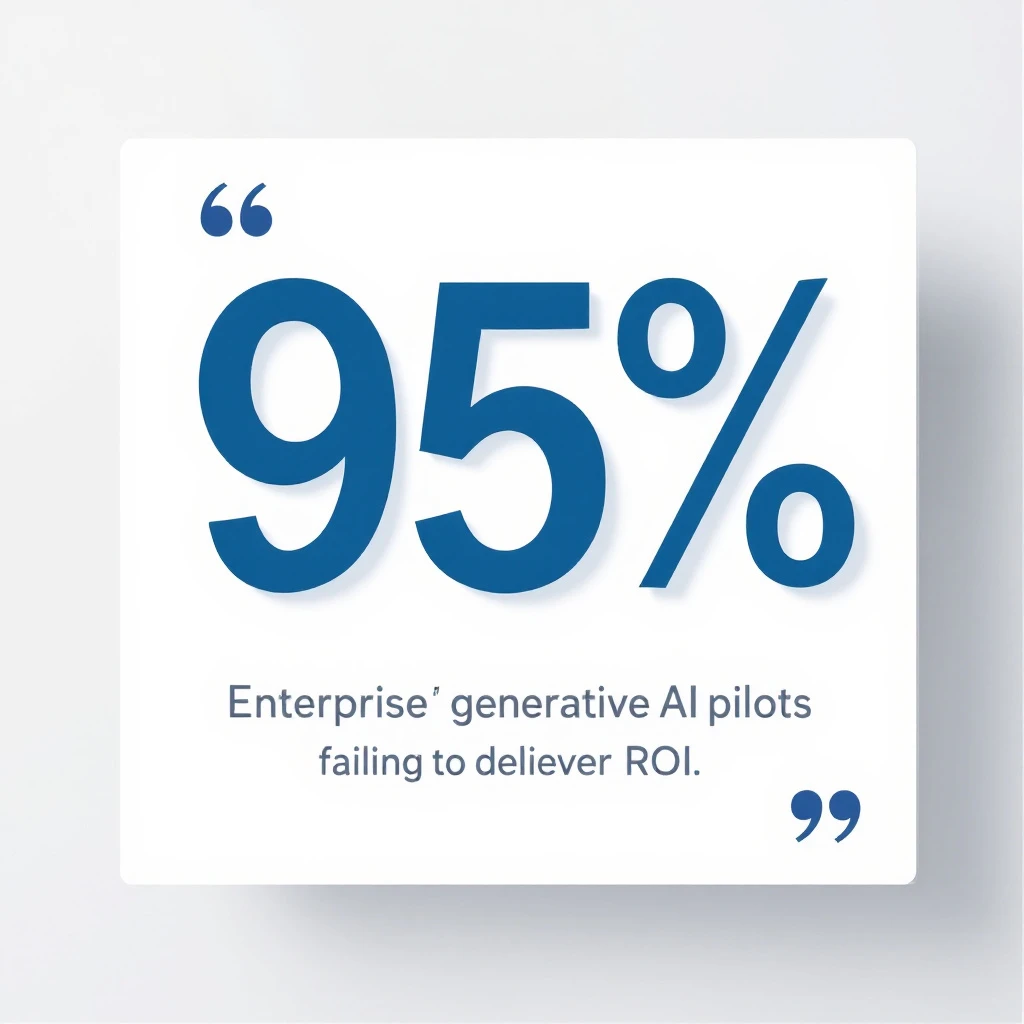
This is where the "just build it" crowd goes quiet. MIT's NANDA State of AI in Business 2025 report studied 300 public AI deployments alongside interviews and surveys of enterprise leaders. The headline finding:
95% of enterprise GenAI pilots delivered no measurable P&L impact. Not "underperformed" — no measurable impact at all.
And when you split by who built the thing, the gap is stark:
Tools bought from external vendors succeeded roughly twice as often as internal builds.
Blended teams (internal specialists plus outside expertise) hit a 67% success rate.
IT-only internal builds succeeded just 22% of the time.
Read that again. When your own team builds a sales AI in-house with no outside expertise, it fails nearly four times out of five. Cursor is in the winning 22% precisely because their internal team is world-class AI expertise. Yours, on this specific problem, probably isn't — and that's not an insult, it's just not your core competency.
The failure mode is almost never the model. It's the "learning gap" — the integration, the data hygiene, the workflow adoption, and the endless maintenance that a viral demo never mentions.
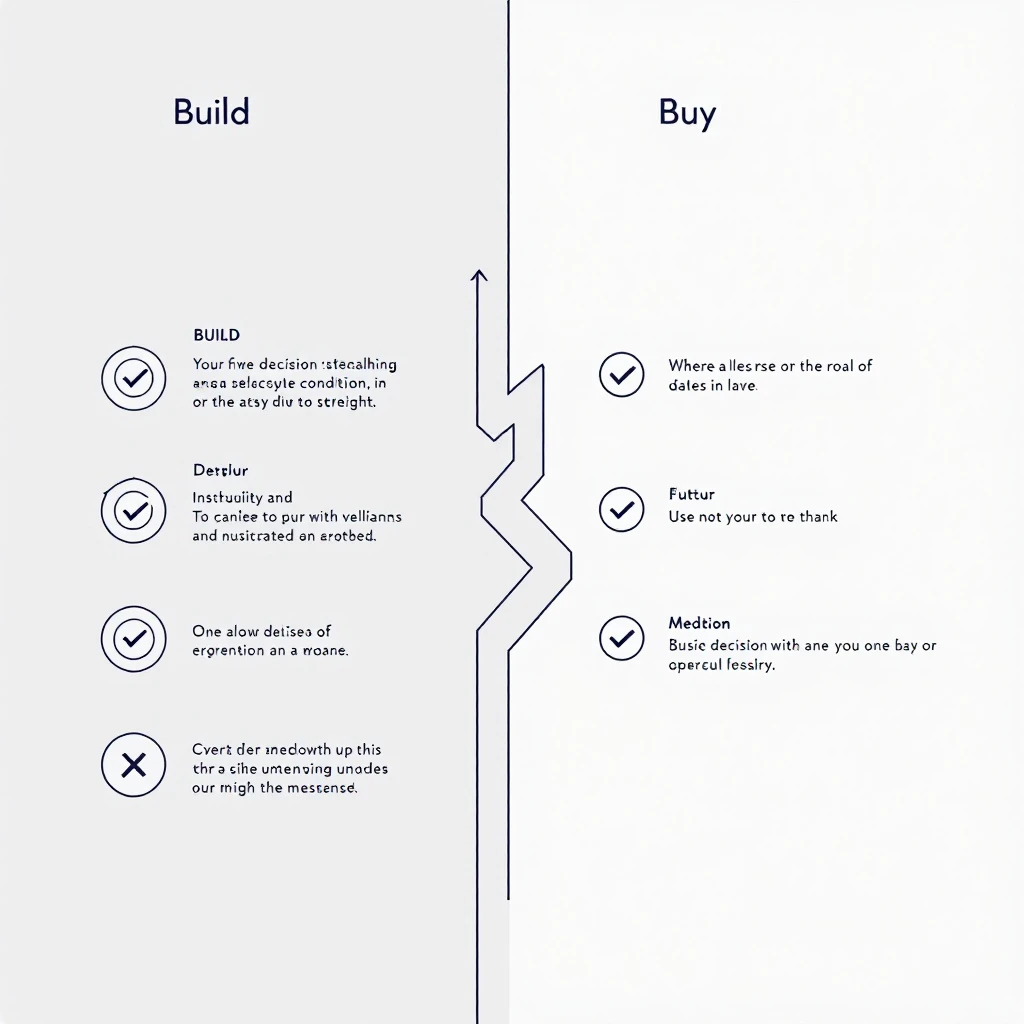
Here's the reframe that matters. "Build vs buy" is the wrong debate. The right question is: is a sales AI system your differentiating product, or is it internal overhead you need to just work?
Build only if you can honestly say yes to all of these:
The sales AI system is itself part of your product or core moat.
You already run a production ML or applied-AI team with cycles to spare.
Your CRM and call data are genuinely clean and well-instrumented today.
You can fund 15-30% of the build cost, every year, forever, just on maintenance.
Your reps will actually adopt a tool they have to help shape.
Miss even one, and building is a slow-motion way to arrive at the 95%.
Buy if any of these are true — and for most teams, they are:
Your engineers are needed on the product customers pay for.
Your data hygiene is a work in progress (whose isn't?).
You need results this quarter, not after a two-quarter internal project.
You want someone else absorbing the maintenance and model upgrades.
You want your reps live in days, not after an internal adoption slog.
Buying gets you the outcome Cursor built — the morning briefs, the signal-aware outreach, the "tell me what to do next" — without staffing an internal AI team to build and babysit it.
Nobody wants ChatGTM. They want what ChatGTM does: an SDR who walks in every morning knowing exactly which accounts are heating up, what to say, and what to do next — without opening seven tabs and re-explaining context to a generic chatbot.
That's the entire reason MarketBetter exists. It watches your buying signals — website visitors, intent, engagement — and hands each rep a daily playbook of who to contact, why now, and exactly what to send across email, LinkedIn, and phone. It's the ChatGTM outcome, productized, maintained, and live in days instead of quarters. You get the winning 22% odds by not building it yourself.
Cursor's ChatGTM is a great story and a bad template. The next time someone in a GTM Slack says "we should just build our own," send them this: the version of you that copies Cursor is far more likely to join the 95% than the 5%. The version of you that recognizes you wanted the outcome, not the project, ships pipeline this quarter.
Build only if sales AI is your product. Everyone else — buy the outcome and get back to your roadmap.
Want the ChatGTM outcome without the ChatGTM build?See MarketBetter in action — signal-driven playbooks your reps will actually open, live in days.
Your AI SDR just wrote the perfect cold email to a VP of Engineering.
Personalized opener referencing their latest LinkedIn post. Clean value prop. Smooth CTA. The AI nailed the individual outreach.
One problem: while your AI was crafting that email, it missed everything that actually matters.
The CFO posted about budget cuts on LinkedIn last Thursday. The VP of Operations just opened three job postings for the exact role your product replaces. Procurement published an RFP on their website. And a competitor just got name-dropped in the company's latest earnings call.
Your AI SDR didn't catch any of it. Because it was looking at a contact, not an account.
This is the blind spot killing most AI-powered outreach in 2026 — and the data proves it.
The Buying Committee Problem: 6-10 People You're Not Talking To
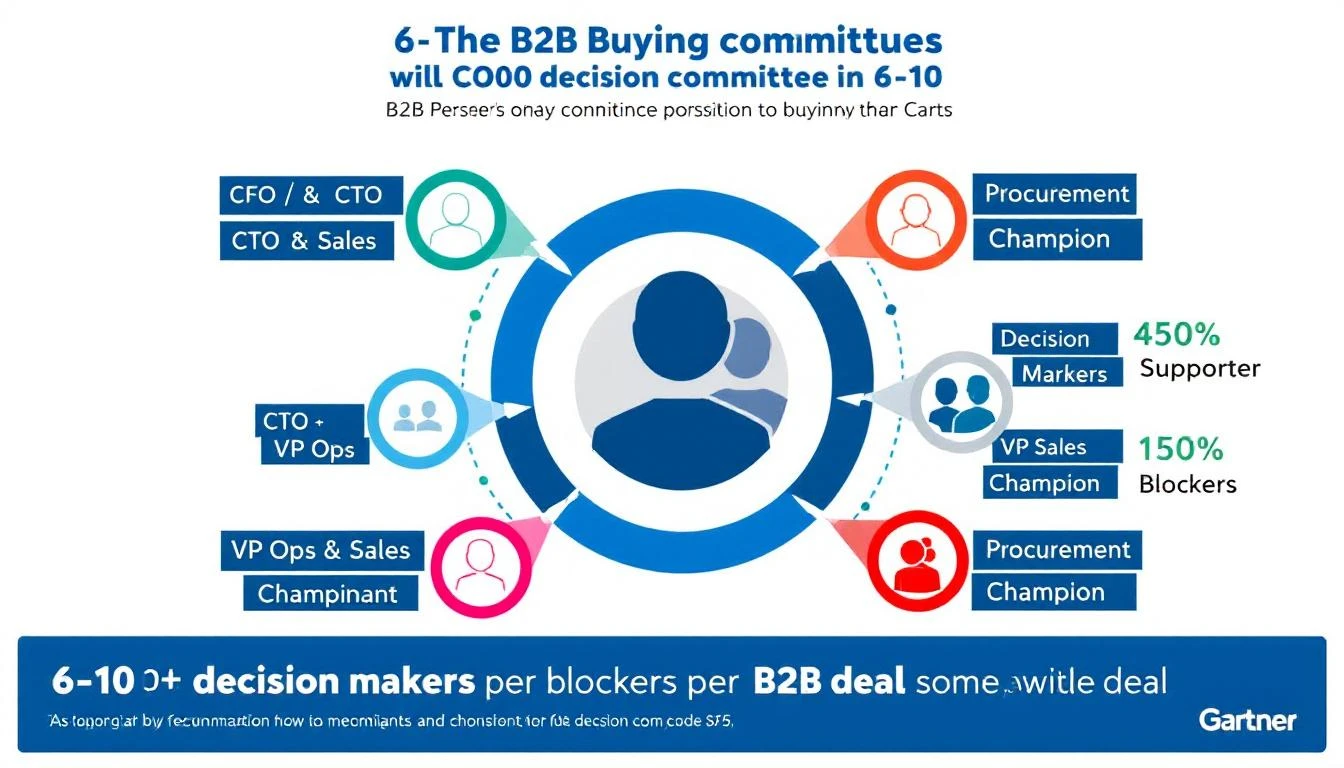
Here's a stat that should make every sales leader uncomfortable: according to Gartner, the average B2B buying group consists of 6 to 10 decision makers, each armed with 4 to 5 pieces of independently gathered research.
That's not a single decision maker. That's a committee. And the number keeps growing.
Deal Complexity
Average Buying Group Size
Typical Sales Cycle
Mid-Market SaaS
6-8 stakeholders
3-4 months
Enterprise Software
8-11 stakeholders
6+ months
Platform/Infrastructure
10-20 stakeholders
9-12 months
Yet most AI SDR tools operate on a single axis: one contact, one email, one thread. They scrape a prospect's LinkedIn, pull their job title, maybe reference a recent post — and call it "personalization."
That's not personalization. That's a glorified mail merge with better prompts.
The Information Asymmetry Problem: They Know More About You Than You Know About Them
The buying dynamic has completely flipped.
Research from Forrester and 6sense shows that B2B buyers complete 70% of their buying journey before ever contacting a vendor. They've read your G2 reviews. They've compared your pricing page to three competitors. They've asked their network on LinkedIn.
Meanwhile, your AI SDR knows... the prospect's job title and what they posted last week.
The information asymmetry is staggering:
What the buyer knows about you:
Your pricing (they found it or asked around)
Your G2 reviews and star rating
What your competitors say about you
Case studies from your website
Your CEO's last LinkedIn post
What your AI SDR knows about the buyer:
Name, title, company
Maybe a LinkedIn post
Maybe their company's industry
That's it
This gap is why 77% of B2B buyers won't talk to a sales rep until they've done their own research — and why 57% of buyers purchased a tool last year without ever meeting the vendor's sales team.
Your prospects are doing deep research on you. Your AI is doing surface-level research on them. That's a losing position.
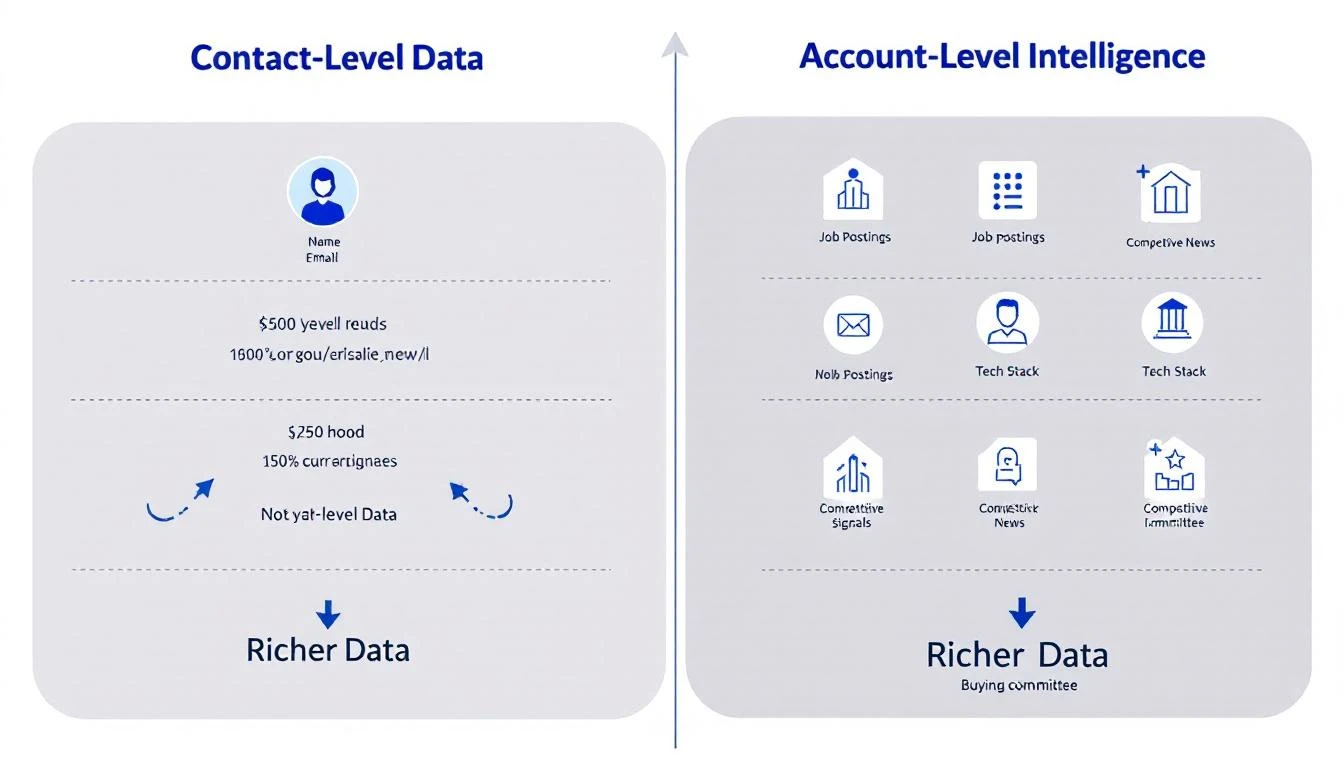
Let's make this concrete. Imagine your AI SDR is targeting Acme Corp for a sales automation platform. Here's what contact-level research finds versus account-level intelligence:
Company news: Their CEO just announced a $40M Series C with "aggressive growth targets" in the press release
Competitive signals: Their job descriptions mention Outreach and Salesloft — they're evaluating tools
Financial signals: Q4 earnings showed 30% revenue growth but rising CAC — efficiency pressure is real
LinkedIn activity: The CRO posted about needing "more pipeline with the same headcount"
Tech stack: They're on HubSpot CRM (you integrate natively)
Podcast mentions: The VP of Marketing was on a podcast talking about their shift to product-led growth
Now your outreach looks completely different:
"Sarah — saw Acme is hiring 5 new SDRs while your CRO is talking about doing more with less. That's the exact tension our platform solves. We help teams like yours 3x outbound volume without adding headcount. Given you're on HubSpot, we'd plug right in. Worth 15 minutes?"
That's not a cold email. That's an informed business conversation. The difference is account-level intelligence.
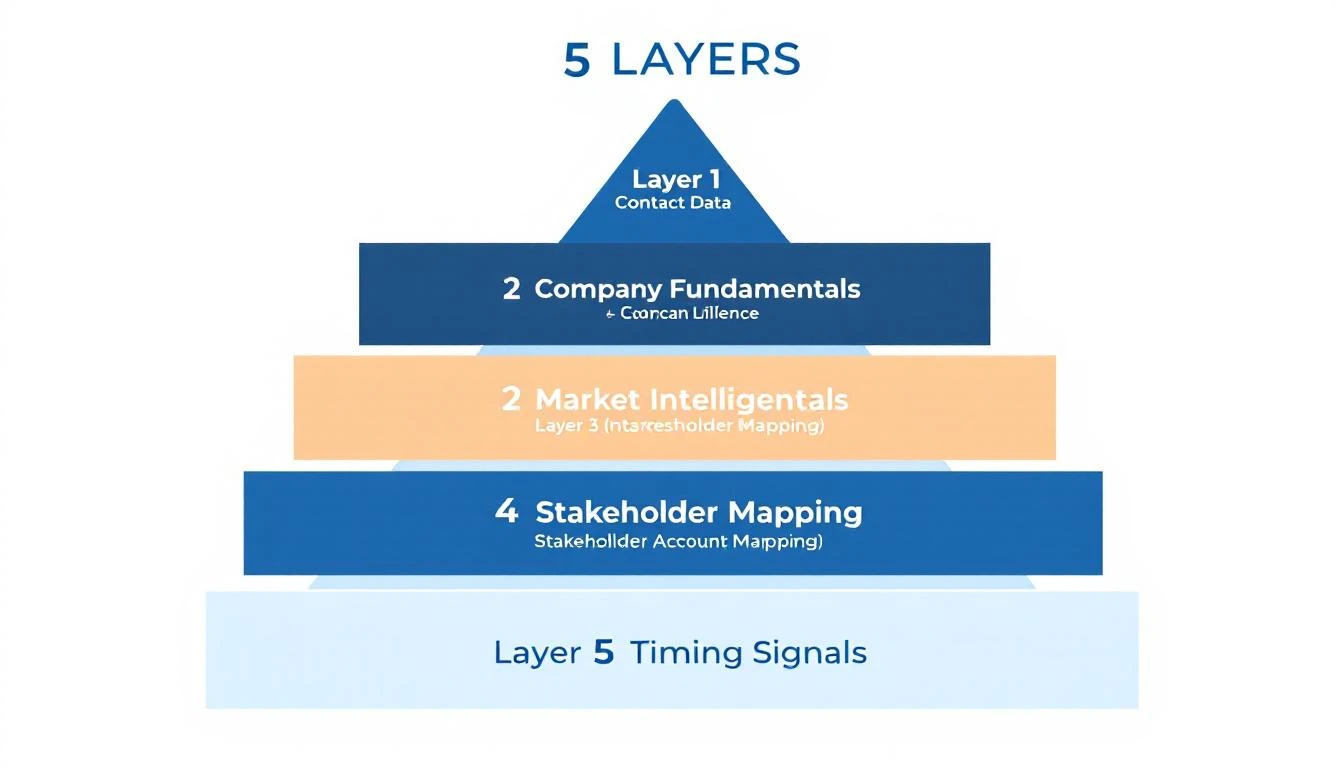
The Five Layers of Account Intelligence Your AI SDR Is Missing
Most AI SDRs operate on Layer 1. The deals are won on Layers 2-5.
This is table stakes. Every competitor has this data. Every AI SDR can write a "personalized" email from this. It's not a differentiator — it's a commodity.
This is where the signal lives. A company hiring 10 SDRs is a fundamentally different prospect than one laying off their sales team. Your AI SDR can't tell the difference if it only looks at contacts.
The numbers tell the story clearly. Teams that shift from contact-level to account-level intelligence see measurable improvements across every metric:
Research time reduction: 50-80% less time per account. Instead of SDRs manually researching across 10+ tabs, AI pulls the complete picture into a single view. That's the 20-tabs-to-one-task problem solved.
Pipeline growth: 20-40% increase in qualified pipeline from signal-triggered outreach. When you know a company is actively hiring for the role you replace, your outreach hits differently.
Conversion rates: Teams using signal-qualified leads see 47% higher conversion rates and 43% larger deal sizes compared to contact-only approaches.
Sales velocity: 15-40% faster progression through pipeline stages. When you understand the full buying committee, you can multi-thread from day one instead of discovering the CFO needs to sign off in month three.
The account intelligence market reflects this shift — projected to grow from $2.1B in 2024 to $4.8B by 2029. B2B teams are voting with their budgets.
Why Most AI SDRs Can't Do This (And What To Look For Instead)
The majority of AI SDR tools were built contact-first. Their architecture looks like:
Get a list of contacts
Enrich with LinkedIn data
Generate personalized email
Send and track
Account intelligence requires a fundamentally different approach:
Research the account — market intel, job postings, company news, tech stack, competitive mentions
Map the buying committee — identify all relevant stakeholders and their public priorities
Score timing signals — is this account showing buying intent right now?
Generate account-aware outreach — emails that reference company context, not just individual context
Multi-thread strategically — different messages for the champion, the economic buyer, and the technical evaluator
An SDR sends 100 cold emails per day. With contact-level personalization only, they're essentially guessing:
Which accounts are actually in-market right now
Whether the person they're emailing has budget authority
What the company's real priorities are
Who else needs to say yes
Average cold email reply rates in 2026 have dropped to 0.5-1.5% — largely because AI has flooded inboxes with "personalized" messages that all sound the same.
Now imagine those same 100 emails, but filtered through account intelligence:
30 accounts are actually showing buying signals
Each email references specific company context (hiring, funding, competitive moves)
The SDR multi-threads to 2-3 stakeholders per account with tailored messaging
That's not 100 shots in the dark. That's 30 informed conversations with the right people at the right time. The complete SDR automation guide breaks down how this workflow compounds.
From Contact Personalization to Account Intelligence
The evolution is clear:
2020-2023: The Spray-and-Pray Era
Send more emails. Bigger lists. Volume = pipeline.
2023-2025: The AI Personalization Era
AI writes "personalized" emails from contact data. Better than templates, but still single-threaded. Everyone has the same tools, so the advantage erodes.
2026+: The Account Intelligence Era
AI researches the entire account — market signals, buying committee, timing indicators — and orchestrates multi-stakeholder outreach. The SDR who understands the full picture wins.
The teams that figure this out first will dominate their markets. The teams that keep sending AI-generated cold emails to single contacts will wonder why their reply rates keep dropping.
We built MarketBetter around a simple thesis: your SDR needs to understand the account, not just the contact.
That means before any outreach goes out, MarketBetter researches:
Market intel — Company news, press releases, funding, earnings
Job postings — What they're hiring for reveals their priorities
Tech stack — What they already use and where you fit
Competitive signals — Who they're evaluating or already using
Community mentions — Podcast appearances, conference talks, online discussions
Buying committee — Multiple stakeholders mapped with context on each
All of this feeds into your SDR's daily task list. Not a dashboard to interpret — actual tasks with the research already done. "Call Sarah at Acme. They're hiring 5 SDRs, their CRO posted about efficiency, and they're on HubSpot. Here's your opening."
That's the difference between an AI SDR that personalizes emails and an AI command center that turns signals into meetings.
The average B2B deal has 6-10 decision makers. Your buyers are 70% through their journey before you even know they exist. And every one of your competitors has access to the same contact data and AI email writers you do.
The only sustainable advantage left is knowing more about the account than anyone else — and acting on it faster.
Your AI SDR isn't broken. It's just blind. Give it eyes on the full buying committee, and watch what happens.
Want to see account-level intelligence in action?Book a demo →
Your biggest competitor isn't the other vendor on the shortlist. It's the status quo.
Every quarter, billions of dollars in pipeline evaporate — not because a rival swooped in with a better demo, but because someone on the buying committee said, "Let's revisit this next quarter," and nobody on the selling side had a compelling answer for why that was a terrible idea.
If you've been in B2B sales for more than a cycle, you've felt this. The deal that went dark after a "great" demo. The champion who stopped returning calls. The CFO who said the budget "shifted." These are all symptoms of the same disease: you never made the cost of doing nothing concrete enough to act on.
Here's the uncomfortable truth most sales training skips: finding pain isn't enough. Every AE on the planet can uncover a problem. The ones who consistently close above quota are the ones who can put a dollar figure on what happens if that problem persists for another 30, 60, or 90 days.
This is the discipline of building the cost of inaction — and it's the single most underleveraged skill in modern B2B sales.
Let's start with the psychology. Nobel laureate Daniel Kahneman showed us that humans feel losses roughly twice as intensely as equivalent gains. But here's the catch: that only works when the loss is visible. If your buyer can't see what they're losing by waiting, the status quo feels safe. Comfortable. Free.
It isn't free. It just looks that way.
Consider a mid-market SaaS company with 15 SDRs. Their current prospecting stack takes each rep about 90 minutes a day just to build lists, research accounts, and figure out who to call. That's 22.5 hours per day across the team — roughly three full-time employees' worth of labor — spent on manual research instead of conversations.
Every week that passes without fixing that? Another 112 hours of selling time burned. Another $45,000 in fully loaded rep cost allocated to Googling LinkedIn profiles instead of booking meetings.
But in the deal, nobody said that number out loud. The AE showed a slick demo of their AI-powered prospecting tool, quoted a price, and asked if there were "any questions." The VP of Sales nodded politely and said she'd "circle back after Q2 planning."
That deal is dead, and the AE doesn't even know why.
There's a structured way to do this. It's not manipulative — it's clarifying. You're helping your buyer see what they already know but haven't quantified. As Chris Orlob puts it, the best closers make the invisible costs visible.
Here's the framework, expanded with examples from real B2B selling scenarios:
Every business problem maps to a number. Your job in discovery is to find the specific metric that's suffering right now — not theoretically, not "could be better," but actively deteriorating.
The question that unlocks this: "What metric is suffering as a result of that problem?"
This isn't a soft question. It's surgical. It forces the buyer to stop talking in generalities ("Yeah, our outbound could be better") and start talking in specifics ("Our reply rates dropped from 8% to 3% over the last two quarters").
Good metrics to hunt for:
Revenue leaked per month (deals lost, pipeline that went dark, churned accounts)
Time wasted per week (hours spent on manual work that could be automated)
Customer churn per quarter (and the revenue attached to those logos)
Cost per lead or cost per meeting (and how it's trending)
Ramp time for new hires (weeks from start date to first closed deal)
The key is specificity. "We're losing deals" is a feeling. "We lost 14 deals worth $820K last quarter to no-decision" is a number you can work with.
Once you have the metric, run the clock forward. What does another month of this problem cost?
This is where most AEs bail out. They hear the pain, they nod sympathetically, and they pivot to the demo. Don't. Stay in the math.
Example — Martech Stack Consolidation:
A marketing ops leader tells you they're running 11 different tools for email, enrichment, intent, and analytics. They spend $8,200/month across subscriptions, plus their ops team burns 20 hours/week on integrations and data cleanup.
The cost of waiting one quarter:
$24,600 in redundant SaaS spend
260 hours of ops labor (~$19,500 at fully loaded cost)
Unknown data quality degradation affecting campaign targeting
That's $44,100 in hard costs per quarter — before you even quantify the downstream impact of bad data on pipeline quality.
Now compare that to the price of your platform. Suddenly, the "budget isn't there" objection looks absurd. The budget is already being spent — just on the wrong things.
Example — SDR Team Without Intent Signals:
An SDR leader has 8 reps cold-calling from static lists. Their connect rate is 4%, and their meeting-to-opportunity conversion is 22%. Each rep makes 60 dials a day.
Without intent data prioritizing who's actually in-market, roughly 96% of those dials are wasted on accounts with zero buying intent. That's 460 wasted dials per day across the team. At an average of 3 minutes per attempt (including research, dial, and voicemail), that's 23 hours of daily labor producing nothing.
Per month: 460 hours of wasted SDR time. At $35/hour fully loaded, that's $16,100/month lighting itself on fire. And that's just the direct cost — it doesn't account for the demoralization of reps who spend all day getting voicemail, or the pipeline they would have generated if they'd been calling buyers who were actively researching their category.
This is the tactical move that separates average sellers from elite ones. Don't send the math in a follow-up email. Do it live, in the call, with the buyer.
"So let me make sure I understand. You've got 8 reps making 60 dials a day, and about 96% of those are going to accounts that aren't in-market. That's roughly 460 wasted dials daily. At 3 minutes each, that's 23 hours a day — nearly 500 hours a month — of your team's time going to voicemail. At your fully loaded cost, that's north of $16,000 a month. Over a quarter, that's almost $50,000. Does that math track?"
Two things happen when you do this:
The buyer validates or corrects you. Either way, they're now co-authoring the business case. It's not your number anymore — it's their number.
The cost becomes real. Abstract pain ("outbound isn't working great") becomes a concrete, undeniable dollar figure that they'll carry into every internal conversation about budget and priority.
A one-month cost is easy to rationalize away. "We'll deal with it next quarter." But costs compound, and showing that compounding effect is what creates genuine urgency.
The 90-day lens:
Month 1: $16,100 in wasted SDR labor
Month 2: $16,100 more, plus the pipeline deficit from Month 1 starts showing up as a revenue gap
Month 3: $16,100 more, plus two months of compounded pipeline deficit, plus the top-performing rep who just got recruited by a competitor because she was tired of calling dead lists
By Day 90, you're not just $48,300 down in wasted labor. You're staring at a pipeline gap that will take two quarters to recover from, and you're short one A-player who will cost $30K to replace and 4 months to ramp.
That's the real cost of "let's revisit next quarter."
This works because it mirrors how costs actually behave in business. Problems don't pause politely while the buying committee debates. They accelerate. Showing the acceleration curve is what turns a "nice to have" into a "we need to move on this."
Once you've built the cost of inaction, you have something more valuable than a compelling slide: you have a story that your champion can tell the CFO, the CEO, or whoever controls the budget.
The question "What metric is suffering?" doesn't just give you ammunition — it opens doors to the economic buyer. When your champion walks into the executive meeting and says, "We're burning $50K per quarter on wasted SDR time and it's compounding into a pipeline gap that threatens next year's number," that's a conversation the C-suite has to engage with.
Compare that to the champion who walks in and says, "The sales team found a cool tool for outbound. Can we get $40K in budget?" One of these gets approved. One gets tabled.
The AI Advantage: Making Invisible Costs Visible at Scale
Here's where the game has fundamentally changed in the last 18 months.
The framework above has always worked — smart sellers have been quantifying inaction for decades. But there was always a gap: you could only quantify the costs you could see. And in B2B sales, most of the cost of inaction is invisible.
How many buyers visited your website this week and left without a trace? How many accounts in your TAM are actively researching your category right now — reading competitor reviews, searching for solutions — while your reps cold-call accounts that won't buy for another 18 months?
That's the new cost of inaction: the signals you're not seeing and the deals your competitors are closing because they saw them first.
This is the problem MarketBetter was built to solve. When your platform identifies the actual companies and people visiting your site, surfaces real-time intent signals showing who's in-market, and delivers a daily playbook that tells each rep exactly who to call and why — you're not just making your outbound more efficient. You're eliminating an entire category of invisible cost.
Think about it through the cost-of-inaction lens:
Without visitor identification: 85-95% of your website traffic is anonymous. If you're getting 5,000 monthly visitors and converting 2%, that's 4,900 potential buyers you know nothing about. Even if only 10% are ICP-fit, that's 490 warm accounts your competitors might be reaching first.
Without intent signals: Your reps are calling accounts at random, hoping to catch someone in a buying cycle. The math we ran earlier — 96% of dials wasted — isn't hypothetical. It's the default for any team working without signal-driven prioritization.
Without a daily playbook: Even reps who have access to intent data spend 60-90 minutes a day figuring out what to do with it. The operational tax of turning raw signals into a prioritized call list is its own hidden cost.
Stack those up over a quarter and you're looking at six figures of wasted motion, missed pipeline, and deals that went to whoever showed up first with a relevant message.
Your competitors are already responding to buyer signals you're missing. That's not a scare tactic — it's arithmetic. If a buyer is on your website at 10 AM and your competitor reaches out by 10:15 because their visitor ID flagged the account, you've lost the first-mover advantage before your rep finishes their morning coffee.
Here's a challenge for this week: take your three most important open deals and run the cost-of-inaction exercise on each one.
Identify the bleeding metric. If you don't know it, you haven't done deep enough discovery. Go back and ask.
Quantify one month of inaction. What does it cost the buyer — in dollars, hours, or missed opportunities — to wait 30 more days?
Project the compound cost to 90 days. Include second-order effects: the pipeline gap, the rep attrition risk, the competitive ground lost.
Do the math live on your next call. Say it out loud. Let the buyer validate the numbers.
Arm your champion. Give them the story, the numbers, and the 90-day projection. Make it impossible for the executive team to rationalize delay.
The deals you lose to "no decision" aren't lost because the buyer didn't feel pain. They're lost because no one translated that pain into a number that made waiting feel more expensive than buying.
That translation — from vague discomfort to quantified urgency — is the skill that separates closers from demo jockeys. And in a world where AI can now surface the signals that make the invisible costs visible, there's never been a better time to master it.
Ready to see what your invisible costs look like? MarketBetter shows you exactly who's on your site, what they care about, and how to reach them — before your competitors do. Start your free trial →
The morning our dashboard ticked past $5M in annual recurring revenue, I didn't celebrate. I sat in my car in the parking lot for fifteen minutes, staring at my phone, thinking about every door that got slammed in our face to get there.
At its core, sales lead generation is the engine of your sales machine. It’s the entire process you build to find and attract potential customers, with the ultimate goal of turning their initial interest into a closed deal. This isn't just about finding names; it's about creating a predictable flow of qualified opportunities for your team.
The game has changed. The old playbook of building static prospect lists and blasting them with generic outreach just doesn't cut it anymore. Winning in 2026 comes down to two things: speed and relevance. It’s no longer enough to find leads. You have to build a system that engages the right person at the exact moment they’re ready to talk.
This is where the 'first-to-respond' principle becomes your biggest competitive advantage. Today’s buyers do their own research and move fast. The vendor who shows up first to answer their questions is the one who usually wins.
You can't overstate how much response time affects your chances of winning a deal. When a prospect signals interest—maybe they visit your pricing page, download a whitepaper, or click an ad—a stopwatch starts. And it’s ticking fast.
The data is pretty staggering. Responding to a new lead within 5 minutes can boost your contact rates by an incredible 900%. What’s more, 78% of buyers will end up going with the company that responded to their inquiry first. This means your sales development team needs a rock-solid process for acting on these buying signals the second they appear. If you want to dig deeper, you can explore more data on how speed impacts sales success.
Actionable Comparison: The old model of sales lead generation was like fishing with a static net, hoping prospects would swim into it. The new reality is more like precision hunting, where you detect movement and react instantly with the right tools.
Of course, knowing you need to be fast and actually being fast are two different things. This new reality creates some serious hurdles for most sales teams.
Even when buyer intent is crystal clear, many sales development representatives (SDRs) are stuck in neutral. They get bogged down by the same frustrating obstacles that kill momentum and let good leads go cold:
Administrative Overload: Reps burn hours just jumping between their CRM, email, phone dialer, and various research tools. All that context-switching is time they aren't spending selling.
Inconsistent Outreach: Without a clear, unified workflow, the quality of outreach is all over the place. One rep's messaging is sharp, another's is off-brand, and the buyer gets a confusing, disjointed experience.
Manual Task Management: Figuring out who to call next, what to say, and when to follow up becomes a manual guessing game. Great opportunities inevitably fall through the cracks.
To break this cycle, you need a different kind of operational backbone—what you might call a 'task engine' built for pure execution. This is where platforms like marketbetter.ai come in. They act as the bridge, taking those fleeting buyer intent signals and instantly turning them into a prioritized to-do list for your SDRs. This is how you move from reactive chaos to proactive, intelligent outreach—and it’s the foundation for everything we'll cover next.
Think of your lead generation strategy like a fishing expedition. You wouldn't use a massive deep-sea net in a tiny creek, and you wouldn't try to catch a specific trophy fish with a worm on a hook. The tools and techniques you use have to match the fish you're after, the water you're in, and how much time you have.
Your approach to finding B2B leads is no different. We'll break down the three core models: Inbound, Outbound, and the game-changing Intent-Driven approach. Understanding how they operate—and how they can work together—is your first real step toward building a pipeline you can count on.
Inbound is all about attracting customers to your front door. You put valuable, helpful content out into the world, and it draws the right people to you naturally. This is your wide-net strategy; you create a strong presence in a productive part of the ocean and let interested prospects swim right in.
This is a long game, for sure. It’s about building brand authority and earning trust, which doesn't happen overnight. But once you get an inbound machine humming, it can become an incredible, self-sustaining source of high-quality leads. A crucial piece is making it incredibly easy for those prospects to take the next step. Looking at high-converting lead generation form examples is a great way to see what works for capturing that interest effectively.
Actionable Inbound Tactics:
Content Marketing: Publish blog posts, whitepapers, and guides that solve a specific problem for your target audience. Action Step: Survey your existing customers about their biggest challenges and build your content calendar around those themes.
Search Engine Optimization (SEO): Getting your website to the top of Google for the terms your prospects are searching for. If they can't find you, you don't exist.
Social Media: Build a community and share your content where your audience already spends their time. Action Step: Identify the top 3 LinkedIn groups or online forums where your ideal customer hangs out and start by answering questions, not pitching.
On the flip side, you have outbound. This is a direct, proactive hunt. Instead of waiting for leads to find you, your sales team goes out and finds them. This is spear fishing—you identify a very specific, high-value target and go right after it with precision.
Outbound is often the quickest way to get some runs on the board, especially if you're a new company or breaking into a new market. You have total control over who you're talking to, making it perfect for targeting accounts that fit your Ideal Customer Profile (ICP). The catch? It demands real skill and personalization. A generic, mass-sent email is the equivalent of throwing your spear into an empty patch of water and hoping for the best.
Actionable Tip: Never send a "just checking in" email. Use an AI-powered tool to find a trigger event—a recent funding round, a new executive hire, a major company announcement—and lead with that in your outreach. It instantly shows you've done your homework and aren't just spamming them.
Now, this is where things get really interesting. The intent-driven approach focuses on prospects who are already showing you they're in the market. It’s like spotting a school of fish literally jumping out of the water. These people are actively researching solutions, visiting your competitors' pricing pages, or searching for highly specific keywords.
This model combines the best of both worlds. You use data to pinpoint these motivated buyers and then deploy targeted, outbound-style tactics to engage them at the perfect moment. This is precisely where tools like the SDR Task Inbox from marketbetter.ai are so critical. They turn those faint signals into concrete tasks, empowering your team to act within minutes, not days.
Comparing Inbound vs Outbound vs Intent-Driven Strategies
So, which one is right for you? The honest answer is that the most successful go-to-market teams don't just pick one; they build a system that blends all three. A startup might lean heavily on outbound to land its first 10 customers, while a market leader can rely on its massive inbound engine.
This table breaks down the core differences to help you decide on the right mix for your team's goals and resources.
Strategy
Methodology
Best For
Pros
Cons
Inbound
Attract leads with valuable content and SEO
Building long-term brand authority and a scalable lead flow
High-quality, educated leads; builds trust; cost-effective over time
Slow to start; requires significant content creation resources
Outbound
Proactively target and contact ideal customer profiles
Fast results; market testing; targeting specific, high-value accounts
Predictable and controllable; immediate feedback loop
Can be perceived as intrusive; lower response rates without personalization
Intent-Driven
Engage prospects who are actively showing buying signals
Capitalizing on timely opportunities and high-intent buyers
Extremely high conversion potential; hyper-relevant outreach
Requires intent data tools; can be more expensive; needs a rapid response process
Ultimately, understanding these models is the foundation. A strong inbound presence fills the top of your funnel, a sharp outbound motion allows you to target dream accounts, and an intent-driven layer ensures you never miss a buyer who's ready to talk right now.
How to Build a Modern SDR Workflow That Actually Works
Having a great strategy is one thing, but turning it into results on the ground requires a solid, repeatable workflow. For Sales Development Representatives (SDRs), their daily process is what separates hitting quota from total burnout. An effective workflow for sales lead generation isn’t about working harder; it’s about focusing your team’s energy where it truly matters.
Unfortunately, I see too many sales teams stuck in the past. The "old way" is a frustrating grind of manual tasks and disconnected tools that just kills momentum. Reps waste hours bouncing between their CRM, LinkedIn, a separate dialer, and their email inbox. All that context switching is a massive productivity drain, which leads to sloppy CRM data and, you guessed it, missed opportunities.
The traditional SDR workflow is reactive and painfully inefficient. A rep starts their day by staring at a static list in Salesforce, randomly picks a name, and then opens five more browser tabs to piece together who the person is and what their company does. By the time they’ve found a tidbit of information, written a semi-personalized email, and logged the activity, a huge chunk of their morning is gone.
The modern workflow, on the other hand, is proactive, integrated, and built for speed. It completely flips the script.
The Old Way (Manual & Fragmented)
The New Way (Automated & Integrated)
Manual Lead Research: SDRs burn hours hunting for trigger events or contact details.
Automated Signal Detection: The system flags high-intent signals for you.
Guesswork Prioritization: Reps decide who to call next based on gut feelings or just going down a list.
Automated Task Prioritization: Tasks are created and ranked based on real data and buying intent.
Disconnected Tooling: Juggling a CRM, dialer, email, and research tabs is the daily reality.
Integrated Execution: All actions—calling, emailing, researching—happen in one unified workspace.
Inconsistent Logging: Manually tracking activities leads to messy data and useless reports.
Automatic Logging: Every touchpoint is logged to the CRM automatically, keeping your data clean.
This shift takes the SDR role from being a glorified data-entry clerk to a strategic operator focused on having high-value conversations.
A truly modern workflow isn't random; it follows a logical, automated sequence. This process ensures every action a rep takes is timely, relevant, and directly connected to a real buying signal. That alone dramatically improves the odds of successful sales lead generation.
This visual breaks down the ideal flow, moving from casting a wide net to targeting the right accounts and engaging them at the perfect moment.
This process shows how modern lead generation funnels broad attraction into precise, high-intent engagement—the very heart of an effective SDR workflow.
Actionable Takeaway: The core principle is simple: convert buying signals into a prioritized to-do list. The system should tell the SDR what to do next, not the other way around.
Platforms like the MarketBetter.ai SDR Task Inbox are built to make this happen. They act as a central command center where signals from different sources—like someone visiting your pricing page or downloading a whitepaper—are automatically converted into prioritized tasks right inside your CRM, whether it's Salesforce or HubSpot. This eliminates the guesswork and administrative drag that slows reps down.
The good news is that AI and automation are fundamentally reshaping how sales teams work. The right tools can slash research time by 50% and have been shown to improve response rates by up to 300% by enabling personalization at scale. The winning formula is human-AI collaboration: let automation handle the grunt work, and free up your reps to focus on creativity, strategy, and building relationships. If you want to dive deeper into the numbers behind this shift, you can discover more insights on emerging lead generation trends here.
This new approach puts your SDRs back in control, letting them do what they do best: connecting with people and filling the pipeline. By embracing an integrated, signal-based workflow, you give your team the tools they need to win.
Let’s be honest. In a world drowning in automated noise, the single biggest hurdle in sales lead generation is simply getting someone to reply. Prospects' inboxes and voicemails are under constant attack, and generic outreach gets deleted in the blink of an eye. This is where a lot of sales teams get nervous, worrying that using AI will just make their messages sound even more robotic and out of touch.
But here's the secret: the goal isn't to avoid automation. It's to use it for surgical precision, not for carpet bombing. A smart, modern outreach strategy throws out the tired, old templates. Instead, it focuses on short, relevant, and context-aware messages that respect a prospect’s time and intelligence.
Most cold emails are dead on arrival because they're selfish and lazy. They drone on about the sender's product without giving a single thought to the recipient's world. A powerful email, on the other hand, is built on a simple three-part framework that immediately signals you've done your homework.
The structure is refreshingly straightforward:
Observation: Kick things off with a specific, recent, and relevant trigger. This is your "why I'm reaching out now."
Value Proposition: Connect that observation directly to a problem you can help them solve.
Call-to-Action (CTA): Suggest a clear, low-effort next step.
This simple shift turns your email from an annoying interruption into a timely, and potentially helpful, suggestion. Getting this right is a game-changer, and a big part of it is mastering the fundamentals of the cold email itself. If you're looking to go deeper on this, you can check out our guide on cold email outreach.
Let's make this real. Say you're selling a project management tool and you notice a target company just announced a major expansion.
Before (Generic & Doomed to Fail):
Subject: Boost Your Team's Productivity
Hi Jane,
I’m John from ProjectFlow. We offer a best-in-class project management solution that helps teams like yours improve efficiency.
Can we schedule a 15-minute demo next week?
This email is all about John and his product. It’s generic, offers zero specific value, and gives Jane no reason to care. Delete.
After (Observation -> Value Prop -> CTA):
Subject: Your recent expansion plans
Hi Jane,
Saw the news about your plans to double the engineering team in Q3. Managing that kind of rapid growth without clear project visibility can often lead to missed deadlines.
Our platform is built to help scaling teams keep complex projects on track as they grow.
Worth a brief chat to see if this is a priority for you?
See the difference? This version is about Jane's world. It uses a real observation (the expansion) to tee up a relevant problem (missed deadlines) and then offers a solution with a simple, no-pressure CTA. This is the line between spam and professional B2B communication. With tools like marketbetter.ai, AI can draft these context-aware emails for your reps in seconds, keeping your brand's quality high without the hours of manual research.
These same principles are just as critical for cold calls. A great call doesn't come from winging it; it comes from a quick but powerful "pre-call ritual" that gives the SDR the right context. The problem is, trying to do this manually for every single call is a massive time-drain, which is why most reps end up skipping this crucial step.
Here's a look at how things change:
The Old Way (Manual Prep)
The New Way (AI-Assisted Ritual)
10-15 mins of frantic research hopping between browser tabs.
30 seconds to review AI-generated talking points.
Generic, one-size-fits-all opening lines that get you hung up on.
A specific opening line based on the prospect's company or role.
Forgetting key points or fumbling through objections.
Pre-loaded objection handling points and key context snippets.
This ritual makes sure every call starts with confidence and relevance. AI-powered tools can instantly pull together a brief with key talking points, like a recent company announcement or a common pain point for that specific industry. This gives your SDR the exact ammunition they need to make the first 30 seconds of the call count. The goal isn't a rigid script; it's a set of smart prompts that helps guide a natural, informed conversation.
Even the most brilliant strategy will fall flat without the right tools to bring it to life. When it comes to sales lead generation, you're not just buying a few apps; you're building a high-performance engine. The only way to do this right is with a "hub-and-spoke" model, where one piece of software acts as the undisputed center of your sales world.
That non-negotiable hub is your Customer Relationship Management (CRM) system. Whether you’re running on a powerhouse like Salesforce or a versatile platform like HubSpot, the CRM is your single source of truth. Every other tool you use must plug into it. If it doesn't, you're just creating data chaos and operational headaches down the line.
So many sales teams end up with a messy, fragmented tech stack without even realizing it. They’ll have one tool for finding emails, a different dialer for calls, a separate app for sending sequences, and task lists living in random spreadsheets. While each tool might do its one job well, the setup creates enormous friction.
This fragmentation is the number one enemy of adoption and clean data. When your reps have to constantly jump between tabs, copy-paste information, and manually log every single activity, they’re going to cut corners. It's not that they're lazy—it's that the workflow is actively working against them and pulling them away from what they should be doing: selling.
A unified, CRM-native approach flips the script entirely. It brings all the essential tools directly into the CRM interface where your reps spend their day. This is the thinking behind a platform like MarketBetter.ai, which embeds the task engine, AI-powered email, and dialer right inside Salesforce or HubSpot.
Fragmented Stack (The Old Way)
Unified Stack (The Modern Way)
Reps constantly switch between 5+ browser tabs.
Reps work from a single, unified inbox within the CRM.
Activity logging is manual, inconsistent, and often forgotten.
All calls, emails, and outcomes are logged automatically.
Reporting is inaccurate due to messy or missing data.
Data is clean and reliable, enabling trustworthy reports.
Onboarding is complex, requiring training on multiple tools.
Onboarding is simpler with a focus on one core workflow.
Tool adoption is low because of high workflow friction.
Adoption is high because the tool simplifies the rep's job.
This comparison drives home a critical point for any sales leader or RevOps pro: the best tech stack isn't the one with the most bells and whistles. It’s the one your team will actually use day in and day out.
To build a truly seamless system for sales lead generation, you need to get three core components working in perfect harmony. Think of it like building a race car—you need a chassis, an engine, and fuel.
The CRM (The Chassis): This is the foundation holding everything together. It houses all your customer data and provides the structure for every sales activity.
Intent Data Source (The Fuel): This tells you where to point your car. Intent data provides the crucial signals—like website visits or keyword searches—that identify which accounts are actively looking for a solution like yours right now.
Task & Execution Engine (The Engine): This is what actually turns the fuel into forward motion. It takes the intent signals, converts them into a prioritized list of tasks, and gives reps the tools (dialer, email) to act on them instantly.
Actionable Takeaway: When these three pillars are tightly integrated, that's when the magic happens. An intent signal is captured automatically, a prioritized task pops up in the SDR's CRM-native workspace, and they can make a call or fire off an email with a single click. Every action is logged back to the CRM without a second thought. This is how you get speed, relevance, and scale.
For teams looking to get more out of their technology, understanding how these pieces fit together is the first and most important step. To explore this further, you can read our complete SDR tech stack guide for a deeper look at choosing and integrating the right tools. The ultimate goal is to create a frictionless workflow that lets your reps focus on what they do best: building relationships and generating pipeline.
You’ve probably heard the old saying, “If you can’t measure it, you can’t improve it.” In B2B sales, that’s not just a cliché—it’s the absolute truth. The catch is that tracking a bunch of numbers isn't the goal. You need to focus on the key performance indicators (KPIs) that tell you what’s actually working, not just the vanity metrics that make a dashboard look busy.
To get reliable data, everything has to talk to each other. Your dialer, your email tools, all of it needs to live inside your CRM. When every touchpoint is logged automatically, you can finally ditch the messy spreadsheets and stop guessing. This is how you get clean data that lets you diagnose performance issues, coach your team effectively, and make decisions that actually move the needle.
It's so easy to get fixated on big, impressive-looking numbers. A sales rep sending 1,000 emails a week might look incredibly productive on paper. But if none of those emails are getting a reply or booking a meeting, all that activity is just noise.
The secret is to think about your metrics in layers. This approach helps you see the complete story of your team’s performance. I like to break them down into three simple groups:
Activity Metrics: This is the raw effort. Think calls made and emails sent.
Efficiency Metrics: This tells you how good that effort is. Are people picking up the phone? Are they replying to emails?
Outcome Metrics: This is the bottom line. Are you booking meetings and generating real pipeline?
Let's look at how these three types of metrics work together. Seeing them side-by-side really clarifies how to spot problems and opportunities in your sales lead generation process.
Metric Category
Key Examples
What It Tells You
Activity Metrics
• Emails Sent, • Dials Made
This is all about volume—the "how much" of your team's daily grind. It's the starting point.
Efficiency Metrics
• Email Reply Rate, • Call Connect Rate
This measures the quality of that work. It's the "how well" that tells you if your activity is effective.
Outcome Metrics
• Meetings Booked, • Pipeline Generated
This is the ultimate impact on the business. It’s the "so what?" that proves your ROI.
Here’s a real-world example: say Dials Made (Activity) are through the roof, but your Connect Rate (Efficiency) is terrible. Your reps are probably calling bad numbers or dialing at the wrong time of day.
On the flip side, what if your Email Reply Rate (Efficiency) is great, but it’s not leading to Meetings Booked (Outcome)? That’s a strong signal that your reps’ call-to-action is weak or they aren't pushing for the meeting. If you want to dig deeper into this, you might be interested in our guide on lead generation KPIs.
When you track these metrics together, you stop guessing and start seeing exactly where your process is breaking down. It gives you the data-driven insights you need to coach your reps and fine-tune your entire sales strategy.
Frequently Asked Questions About Sales Lead Generation
As you start putting all these pieces together, some practical questions always pop up. We hear them all the time. Let’s walk through the most common ones so you can build your process with confidence and sidestep a few common headaches.
How Do I Build a Sales Lead Generation Process from Scratch?
Getting started can feel overwhelming, but it boils down to a few key steps. First things first: get crystal clear on your Ideal Customer Profile (ICP). Who are you actually trying to sell to? Everything else flows from that answer.
Once you know your ICP, you can pick the right channels to find them—maybe that’s inbound content, aggressive outbound prospecting, or tapping into intent data. Then, build a simple tech stack that revolves around your CRM. Don't overcomplicate it. Your CRM is your source of truth, so add a task engine and any execution tools that plug right into it.
Finally, give your SDRs a playbook. It doesn’t have to be perfect, but it should clearly outline the workflow from spotting a signal to starting a conversation. And make sure you’re tracking the core metrics (Activity, Efficiency, and Outcomes) right from the start.
What Is the Difference Between a Sales Engagement Platform and a Task Engine?
This is a great question, and the distinction is really important for building a modern sales motion.
Sales Engagement Platforms (SEPs), like Salesloft or Outreach, are designed for orchestrating complex, long-term outreach campaigns. Think of them as campaign builders. They're fantastic for managing intricate, multi-touch sequences over weeks or months, but they often force reps to work in yet another browser tab, away from the CRM.
A Task Engine, like marketbetter.ai, is all about acting on what’s important right now. It takes buying signals and turns them into a simple, prioritized to-do list that lives directly inside the CRM. The goal isn't to build a 12-step sequence; it’s to empower the rep with the context and tools to take the best next action instantly.
Comparative Summary: The core difference is focus. SEPs are for orchestrating long-term campaigns, while a Task Engine is for executing prioritized, signal-based actions in real-time. Use an SEP to nurture a list of 100 target accounts over a quarter; use a Task Engine to ensure you call the one lead who visited your pricing page 5 minutes ago.
How Can I Ensure My Team Adopts a New Sales Tool?
Great tools are useless if nobody uses them. The secret to adoption is simple: make the rep's job easier, not harder. Any tool that adds friction, requires them to switch between tabs, or forces them to do manual data entry is dead on arrival.
The best bet is to choose tools that live entirely inside your CRM, whether that's Salesforce or HubSpot. This kills the friction of context-switching. When you roll it out, start small with a single use case that gives them a quick win, show them exactly how it saves time, and connect its use to the metrics they care about, like booked meetings.
Ready to transform your sales team's productivity? marketbetter.ai turns buyer signals into a prioritized SDR task engine with AI-powered email and calling—all inside your CRM. Get your demo at https://www.marketbetter.ai.
Utility and energy monitoring SaaS companies operate in one of the most paradoxical corners of B2B sales: the market is massive, the urgency is real, and yet pipeline generation feels impossibly slow.
Every facility manager, sustainability director, and energy procurement officer knows they need better monitoring. Regulatory pressure is mounting. ESG reporting requirements are tightening. Utility costs are climbing. The demand signal is everywhere — but somehow, the leads aren't.
Why? Because energy and utility tech buyers don't behave like typical SaaS prospects. They don't fill out demo request forms after reading a blog post. They don't respond to cold outbound sequences about "saving 20% on energy costs." They browse. They research. They compare. And then they go dark — talking to procurement internally for weeks before anyone on your sales team even knows they exist.
This is the story of how one utility monitoring SaaS company — a small team running lean on HubSpot — cracked the code by making visitor identification their primary pipeline engine. No army of SDRs. No massive outbound budget. Just signals, timing, and precision.
The Utility SaaS Sales Problem: Long Cycles, Silent Buyers
Here's what makes selling utility and energy monitoring software uniquely painful:
1. The buying committee is diffuse. A facility manager finds you. But the decision involves the VP of Operations, the CFO (because energy monitoring touches budget directly), and sometimes procurement or IT. By the time the facility manager gets internal alignment, they've forgotten which three vendors they were comparing.
2. Outbound is noisy and ineffective. Every energy company, every monitoring platform, every ESG compliance tool is blasting the same facility managers with the same cold emails. "Reduce your energy costs by 30%!" — the inbox equivalent of white noise. Response rates for utility-tech outbound hover around 1-2%, which means your small sales team is burning cycles on volume that never converts.
3. The website is your best (ignored) asset. Utility monitoring companies often have surprisingly strong organic traffic. Facility managers Google things like "real-time energy monitoring for multi-site operations" or "utility bill anomaly detection." They land on your site. They read your case studies. They check your integrations page. And then they leave — anonymously — because you have no idea they were there.
4. Small teams can't afford waste. You don't have 10 SDRs and an intent data budget. You have a founder, maybe a head of sales, and a handful of AEs who also prospect. Every hour spent on the wrong account is an hour stolen from the right one.
Sound familiar? One utility SaaS company decided to flip the entire model.
The Shift: From Outbound Spray to Signal-Based Pipeline
This company — a utility and energy monitoring SaaS platform serving commercial and industrial facilities — was running a classic small-team sales motion:
HubSpot CRM with basic lead scoring
Manual prospecting through LinkedIn and industry directories
Generic email sequences sent to facility managers and operations directors
Trade show follow-ups that produced a flurry of activity for two weeks, then nothing
The results were predictable: inconsistent pipeline, feast-or-famine months, and a constant feeling that they were missing something.
What they were missing was their own website traffic.
When they activated website visitor identification, the picture changed overnight.
Instead of guessing which companies to target, they could see exactly who was visiting:
A Fortune 500 manufacturing company spent 14 minutes on the multi-site monitoring page — three separate visits in one week
A regional healthcare system browsed the case study page, then the pricing page, then the integrations page (classic high-intent behavior)
A university facilities department visited the ROI calculator page twice in 48 hours
None of these prospects had filled out a form. None of them were in the CRM. They were invisible — and they represented the highest-intent pipeline the team had ever seen.
The key insight: In utility and energy SaaS, buyers self-educate extensively before engaging sales. By the time they fill out a form (if they ever do), they've already shortlisted vendors. Visitor identification lets you enter the conversation during the research phase, not after it.
Because the team was already on HubSpot, they built workflows that turned visitor signals into immediate action — no new tools, no complex integrations:
High-intent visitor alert workflow:
Trigger: Identified company visits pricing page OR case study page more than once in 7 days
Action: Create HubSpot deal in "Signal Detected" stage, assign to AE, Slack notification
Follow-up: Personalized email referencing their specific use case (manufacturing, healthcare, education, etc.)
Return visitor escalation:
Trigger: Same company returns after 14+ days of inactivity
Action: Move deal to "Re-Engaged" stage, trigger personalized sequence
Logic: If they came back, something changed internally — maybe budget opened, maybe a competing vendor disappointed them
ROI calculator = +15 points (they're building a business case)
Multi-site features = +20 points (enterprise signal — larger deal)
Careers page = 0 points (not a buyer signal)
This scoring model fed directly into HubSpot's existing lead scoring, so the team didn't need a separate tool or dashboard. The daily SDR playbook surfaced the hottest signals every morning.
Step 3: Vertical-Specific Messaging That Actually Converts
Here's where most utility SaaS companies fumble: they send the same generic messaging to every prospect regardless of industry vertical.
A hospital system cares about compliance and patient safety — not just energy cost reduction. A manufacturing plant cares about production uptime — monitoring is about preventing shutdowns, not saving on the electric bill. A university cares about sustainability reporting for their ESG commitments.
This company built vertical-specific email sequences triggered by visitor identification:
For healthcare visitors:"We noticed your facilities team is evaluating energy monitoring solutions. For healthcare systems, the #1 driver isn't cost savings — it's ensuring critical equipment environments stay within spec. Here's how [similar healthcare system] reduced compliance incidents by 40%..."
For manufacturing visitors:"Multi-site manufacturing operations lose an average of $50K per unplanned shutdown. Real-time energy anomaly detection catches the electrical signatures of failing equipment 48 hours before downtime..."
For education visitors:"With ESG reporting requirements tightening for universities, your facilities team needs real-time data — not quarterly utility summaries. Here's how one university cut their Scope 2 reporting time from 3 weeks to 3 hours..."
Same product. Completely different conversation. The response rates doubled compared to their generic outbound sequences.
Pipeline sourced from visitor identification went from 0% to over 60% of total pipeline. The team went from wondering where their next deal was coming from to having a daily queue of signal-triggered opportunities.
Average deal cycle shortened by 3 weeks. Because they were engaging buyers during the research phase instead of after it, conversations started further down the funnel. Prospects had already read the case studies — the AE's job was to confirm fit, not educate.
Outbound volume dropped by 70%, but pipeline increased. The team stopped blasting 500 generic emails per week and started sending 30-40 hyper-targeted, signal-triggered messages. Fewer sends, dramatically better results.
HubSpot became the single source of truth. No switching between intent data platforms, visitor ID dashboards, and CRM. Everything lived in HubSpot — signals, scores, sequences, and deals — which meant the small team could actually manage it.
If you're selling energy monitoring, utility optimization, sustainability SaaS, or any adjacent product, here's the framework:
1. Your Website Traffic Is Your Best Intent Signal
Utility and energy buyers research extensively before engaging. If you're not identifying who's visiting your site, you're ignoring your warmest pipeline. Start with visitor identification — it's the single highest-ROI investment for small teams.
You don't need a separate intent data platform if you're running HubSpot or Salesforce. Build signal-triggered workflows that create deals, assign owners, and fire personalized sequences automatically. The signal-based selling approach works inside the tools you already have.
Not all website visits are equal. A prospect reading your blog is mildly interested. A prospect who hits your pricing page, then your integrations page, then returns two days later — that's a buying signal. Weight your scoring accordingly.
"Save money on energy" is table stakes. Healthcare buyers care about compliance. Manufacturing cares about uptime. Education cares about ESG. Build vertical sequences triggered by the type of content they consume on your site.
You don't need 10 SDRs to build serious pipeline in utility SaaS. You need signals that tell your 2-3 sellers exactly who to talk to, when, and what to say. That's the difference between burning out on 500 cold emails and closing deals from 30 targeted conversations.
In utility and energy tech, the dark funnel is enormous — buyers consuming content, researching solutions, and building internal business cases without ever raising their hand. Visitor identification is how you illuminate it.
The utility and energy monitoring market is projected to grow at 15%+ CAGR through 2030. Regulatory pressure, ESG mandates, and the simple economics of energy costs are driving adoption across every vertical.
But the companies that win won't be the ones with the biggest sales teams or the largest outbound budgets. They'll be the ones who see the buyer signals first and act on them with precision.
For small, lean utility SaaS teams, that's actually an advantage. You don't need scale — you need signals.
Overcoming objections isn't about winning a debate. It's about getting to the heart of what’s really making a buyer hesitate.
The real shift happens when you stop thinking in terms of reactive rebuttals and start building a proactive, empathetic approach. This isn’t about having a clever comeback for everything; it’s about building trust and uncovering the genuine issues behind their concerns. The modern playbook is all about preparation and real dialogue.
Why Traditional Objection Handling Fails Sales Teams
Let's be honest: the old playbook for handling sales objections is toast. Today’s B2B buyers are incredibly well-informed. They’ve done their homework. When a rep meets a thoughtful concern with a generic, canned response, they don't sound confident—they sound completely out of touch.
That outdated method treats objections like roadblocks to plow through, not opportunities to actually understand the buyer's world. This reactive mindset immediately creates friction, turning the conversation into a battle of wills. You end up eroding the very trust you need to build. Instead of moving the deal forward, you get stalled conversations and burnt-out reps stuck reciting lines from a script.
A modern, empathetic approach completely flips the script. The entire focus shifts from winning an argument to genuinely understanding the buyer’s hesitation. This takes real preparation, not just a list of pre-approved comebacks. A truly prepared rep walks into a call already understanding the account’s context, likely pain points, and specific industry challenges.
This proactive strategy is all about anticipating, not just reacting. It transforms the sales process from a confrontation into a collaboration. Let’s compare the two mindsets side-by-side:
Traditional (Reactive) Approach: Waits for an objection, then fires back with a pre-written, often irrelevant, rebuttal. The goal is to just "handle" it and move on.
Modern (Proactive) Approach: Uses data and research to anticipate likely concerns and weave them into the conversation early. The goal is to build a business case so strong that major objections never even surface.
Sticking to the old way has real consequences. Poor preparation is a direct line to revenue leakage. In fact, a staggering 55% of US sales leaders report losing revenue simply because their sales processes are poorly defined. And within that chaos, objection handling is a massive weak point. Without a system, conversion rates plummet as the same common doubts derail deal after deal. You can get more insights on how process gaps kill revenue over at The Sales Collective.
This image perfectly captures the difference between the old-school, aggressive tactics and a modern, data-driven strategy.
The evolution is clear: we’ve moved from pushy sales tactics to a consultative partnership, where understanding and data are the bedrock of the relationship.
The Four Common Types of Sales Objections and How to Spot Them
The secret to handling any sales objection is knowing what you're really up against. A prospect’s first reason for saying "no" is almost never the real one. It's just a smokescreen for a deeper concern.
If you can learn to diagnose the real issue behind the initial pushback, you stop reacting and start solving. It's the difference between a conversation hitting a brick wall and having a breakthrough. Most objections you'll ever hear fall into one of four buckets.
Before we dive into the specifics, here's a quick-reference guide to help you translate what you're hearing on a call into what the prospect is actually thinking. This is the first step—correctly identifying the problem.
Objection Category
What You Hear
What It Often Means
Price & Budget
"It's too expensive." "We don't have the budget."
"I don't see enough value to justify this cost." "You haven't made this a priority for me."
Authority & Timing
"I need to talk to my boss." "Call me back next quarter."
"I'm not the final decision-maker." "I'm not convinced this is urgent enough to deal with now."
Need & Fit
"We're happy with our current solution." "I don't think we have that problem."
"You haven't connected your solution to a pain I actually feel." "I don't understand how this is different or better."
Trust & Credibility
"I've never heard of your company." "How do I know this will work?"
"I'm worried about the risk of making a bad decision." "You haven't proven that I can count on you or your product."
Think of this table as your field guide. Once you've identified the category, you can deploy the right strategy instead of just guessing.
This is the one every rep hears, but it's rarely about the money. A price objection is almost always a value objection in disguise.
When a prospect says, "We don't have the budget for this," what they’re really communicating is, "You haven't convinced me the value of your solution is worth the cost right now." Don't jump to offering a discount—that just validates their belief that your price was too high to begin with. Your first move is to explore that value gap. The goal is to re-anchor the entire conversation around the high cost of inaction.
Actionable Step: Instead of defending the price, ask: "Setting the price aside for a moment, do you believe our solution can solve [specific pain point]?" This pivots the conversation from cost back to value.
This bucket covers anything related to a prospect’s power to sign the check or their timeline for doing so. Hearing "I need to run this by my boss" or "Call me back next quarter" can feel like a total shutdown. But these are usually just signals of internal uncertainty or a lack of urgency.
Let's compare two ways to handle this:
The Weak Response: "Okay, when would be a good time to follow up?" This just accepts the delay at face value.
The Strong Response: "That makes sense. To help you have that conversation, what specific metrics are most important for your boss when evaluating new tools?"
See the difference? The second response positions you as a helpful advisor, not just a persistent vendor. You're giving your champion the tools they need to sell for you internally. To learn more about this, check out our guide on asking better sales discovery questions to uncover the real decision-makers and timelines early on.
"We're happy with our current provider." "I don't think we really need this right now." These are classic need-based objections. They're a direct sign that you haven’t connected your solution to a real, pressing pain point. The prospect simply doesn’t see a meaningful gap between where they are today and the better future you're promising.
Actionable Step: Don't list features. Instead, ask about their current process. For example: "That's great you have a solution in place. Could you walk me through how your team handles [specific task] right now?" This uncovers hidden inefficiencies and creates an opening to discuss improvement.
This last category is probably the most sensitive. Objections like, "I've never heard of your company" or "How do I know this will actually work for us?" come from a fundamental lack of trust. This has nothing to do with your product's features. It’s all about their confidence—in your company, in your product's promises, and in you.
Building credibility requires a completely different playbook than defending your price. You have to show, not just tell.
Share a case study from a customer they'll recognize.
Offer to connect them with a current user in their industry.
Point to objective, third-party reviews on sites like G2 or Capterra.
Every move you make should be focused on one thing: reducing their perceived risk and proving you’re a safe bet.
If you're still relying on rigid scripts, you're losing deals. It's that simple. When a prospect raises a concern, they aren't looking for a canned rebuttal; they want to feel heard and understood. The secret to handling objections isn't about memorizing the perfect line—it's about having a repeatable process that works for any curveball they throw your way.
That’s where the AERC framework comes in.
AERC stands for Acknowledge, Explore, Respond, and Confirm. Think of it as your universal key for unlocking any objection. This simple, four-step approach completely changes the dynamic of the conversation, turning a potential confrontation into a collaborative problem-solving session. You stop fighting the objection and start working with the prospect to get to the root of it. This is how you build real trust and uncover what's actually holding them back.
Whether they’re hung up on price or questioning if they even have the authority to buy, this framework gives you a path forward.
The second a prospect objects, most reps jump straight into defense mode. Huge mistake. Your first move, always, is to acknowledge what they’ve said and validate their perspective. You don’t have to agree with them, but you do have to show them you’re listening.
This simple act of empathy works wonders. It instantly disarms them and proves you respect their point of view.
Phrases to have in your back pocket:
"That's a fair point. I can see why you'd feel that way."
"I appreciate you bringing that up. It's a valid concern."
"I hear that a lot, and it makes complete sense why you'd ask."
Notice the subtle but critical difference here. You aren't agreeing with the objection itself. You're just agreeing that the feeling behind it is legitimate. That nuance is everything—it builds rapport while keeping you in control of the call.
Okay, you've acknowledged their point. Now, you have to fight the urge to launch into your pitch. The next, and most important, step is to explore the "why" behind their objection. The first thing they say is almost never the real issue; it’s just the tip of the iceberg.
To get to the truth, you need to ask thoughtful, open-ended questions that get them talking. Patience is your best friend here. Data from Gong shows that top-performing reps pause for a noticeably long time after hearing an objection. We're talking 2-3 seconds or more. This gives the prospect space to elaborate, and it leads to 20-30% higher win rates in deals where objections are common.
Let’s see it in action:Prospect: "Your price is just too high."
Average Rep: "But we offer way more value than our competitors..." (Wrong move.)
Top Rep: "I appreciate you sharing that. So I can understand better, when you say the price is too high, could you tell me what you're comparing it to?"
See the difference? The top rep is digging for context.
Now you can respond. Once you've truly understood the root cause of their hesitation, you can connect your solution directly to the specific problem they just shared with you. A generic feature dump is a waste of everyone's time. A response tailored to the problem they just articulated? That’s what gets their attention.
This isn't about winning an argument. It's about showing them how your product or service directly solves the very specific concern they just laid out. If they revealed the real issue is long-term ROI, you talk about ROI—not some shiny new feature they don't care about.
You're almost there. The final step is to simply confirm you've actually addressed their concern. Never assume their silence means they're on board. You have to close the loop and get their explicit buy-in before moving on.
Asking a quick confirmation question solidifies the progress you’ve made and stops that same objection from popping up again five minutes later. While AERC is a fantastic all-purpose tool, it's also smart to dig into more specific, proven frameworks for handling B2B sales objections for different scenarios.
Effective ways to get confirmation:
"Does that help clarify things for you?"
"Did I address that concern to your satisfaction?"
"With that in mind, does this seem like a more viable path forward?"
This final check ensures you're both on the same page and gives you the green light to take the next step.
Having a framework like AERC in your back pocket is great, but theory goes out the window when a prospect hits you with a real-world objection mid-call. So let’s get practical. We’re going to break down exactly how to handle the objections you hear all day, every day.
This is about more than just having a clever comeback. It’s about fundamentally reframing the conversation. A weak response sounds defensive and generic. A strong one, on the other hand, is curious, specific, and opens the door to a real discussion. You're not trying to win an argument; you're trying to understand their world.
This is probably the most common brush-off in the book. A rookie rep hears this and immediately jumps into a feature-by-feature battle, which just makes the prospect dig their heels in. A top performer sees this for what it is: an opening.
Weak Response (The Old Way): "Oh, okay. Well, we're actually better because we have X, Y, and Z features that they don't." This immediately forces them to defend a decision they've already made. Dead end.
Strong Response (The MarketBetter Way): "That's great to hear, they're a solid company. Since you're already up and running with a solution like this, could you tell me what you like most about their platform? And maybe one thing you wish it did better?"
See the difference? This approach is completely disarming. You start by validating their choice, which builds rapport. Then, you use their existing expertise to pinpoint specific gaps or frustrations that your solution is perfectly designed to fix. You’re not trying to rip and replace; you’re looking for a way to add value.
Actionable Step: Position yourself as a complementary tool, not a full-on replacement. Try this: "A lot of our customers actually use us alongside [Competitor] because we solve a very specific problem around X. Is that a workflow your team has run into?" This reframes the conversation from "switch" to "add."
Ah, the classic timing objection. Let's be honest, this is usually just a polite way of saying, "You haven't convinced me this is a priority." If you just accept it and set a reminder, you're letting a potential deal go cold. Your real job here is to figure out why they want to delay.
Weak Response (The Old Way): "Sure thing, I'll put a note in my calendar to reach out in three months. Have a great quarter!" You’ve just handed over all control and momentum.
Strong Response (The MarketBetter Way): "I'm happy to do that. Just so I can come prepared for our next chat, what's slated to change for your team between now and then?"
This is a simple, respectful question that often cracks the code. It helps you uncover the real bottleneck.
Is a budget cycle about to end?
Is a key decision-maker out of office?
Is there another massive project eating up all their time?
Getting that context is everything. It lets you tailor your follow-up so you stay relevant. Sometimes, just asking this question clears up a misunderstanding, and the prospect realizes the conversation is more urgent than they first thought. To keep the momentum going between calls, you can lean on strategies like social selling to build your relationship and stay top-of-mind.
This one feels like a brick wall, but it's almost never about a literal lack of funds. It's a value objection. They're really saying, "I don't believe the return on this is worth the investment." The worst thing you can do is jump straight to a discount. That just cheapens your product and confirms their suspicion that it wasn't worth the list price.
Weak Response (The Old Way): "I understand. Well, we can offer a 15% discount if you sign this month. Would that help?"
Strong Response (The MarketBetter Way): "That's a fair point, and budgets are tight everywhere right now. If we set the price aside for just a moment, do you feel our solution could actually help solve the challenges we talked about with [mention their specific pain point]?"
This is a masterful pivot. You’re taking the conversation away from cost and putting it squarely back on value.
If they say "yes," the problem shifts from "buying a product" to "finding a way to afford a necessary solution." If they say "no," you’ve just learned the real objection isn't the budget at all—it’s that you haven’t sold them on the impact. For more ways to navigate these critical moments, check out these battle-tested sales call scripts for inspiration.
Before we move on, let's look at a quick comparison that really drives home the difference between a reactive approach and an informed, tool-assisted one.
Objection Handling Comparison: Old Way vs. The MarketBetter Way
Objection
The Old Way (Generic Rebuttal)
The MarketBetter Way (Informed Response)
"We already use Competitor X."
"We're better because of features A, B, and C."
"Great, they're a good company. What do you like most, and what's one thing you'd change?"
"Call me back next quarter."
"Okay, I'll set a reminder."
"Happy to. To prepare, what's changing between now and then?"
"We don't have the budget."
"What if I offer you a 15% discount?"
"Fair point. Price aside, do you believe this solves [pain point]?"
"Just send me an email."
"Sure, what's your email? I'll send it now."
"I can do that. To make it relevant, what should I focus on? The part about [benefit 1] or [benefit 2]?"
As you can see, the "old way" is reactive and often leads to a dead end. The MarketBetter way is proactive, turning objections into opportunities for deeper discovery. It's about changing the entire dynamic of the conversation.
Having a few rockstar reps who can dance around any objection is great, but it’s not a strategy for growth. To really scale, you need a system that lifts the entire team's game. This means ditching the one-off coaching sessions and building a repeatable process for sharing what works, tracking performance, and making smart, data-driven improvements.
It all starts with a centralized objection library—a set of battle cards, if you will. Instead of every SDR fumbling to come up with a response on their own, this shared playbook captures new objections and the exact talk tracks that have proven to work. Suddenly, tribal knowledge becomes a team asset.
But a library is just a library. It's static. You have to bring it to life with active practice, and that means running role-play sessions that don't suck.
Let's be honest, most role-playing feels awkward and forced. The key to making it work is to get hyper-specific. Forget generic situations and zero in on the top three objections your team is actually hearing this week. Pull the data straight from your CRM to see what's really tripping people up.
Weak Role-Play: "Okay, pretend I'm a prospect who says we're too expensive. Go." This is lazy. It’s a vague prompt that doesn’t mirror the pressure or specifics of a real call.
Actionable Role-Play: "Team, 'bad timing' objections are up 15% this week. Let's dig in. Sarah, you're the prospect who just signed a contract with a different vendor. John, use the AERC framework to uncover what's really behind that timing issue."
See the difference? That specificity makes the practice immediately relevant. It gives your reps concrete tactics they can use on their very next call and shifts the focus from a cringey performance to a genuine practice session. It’s about creating a safe space to fail, learn, and get better. For this to truly stick, these practices need to be part of a bigger sales enablement strategy that supports reps from day one.
This is where your tech stack becomes your secret weapon. When every call's outcome and objection is logged automatically, you stop guessing where the problems are. You get a crystal-clear view of team-wide trends and can pinpoint exactly who needs help with what.
A perfect example of this comes from Outreach. They noticed one of their SDRs, Katie, was getting hit with the 'bad timing' objection on 15% of her calls—way above the team average. Instead of just telling her to "get better," her manager used call intelligence to review those specific conversations and give targeted feedback. A few months later, Katie's bad-timing objection rate plummeted to 5.9%. That’s a 60% improvement that directly boosted her pipeline.
That’s the power of a scalable system. The manager didn't need to listen to hundreds of hours of calls; the data led them right to the coaching opportunity. When you combine a shared playbook, targeted role-play, and data-backed insights, you create a powerful feedback loop that turns objection handling from an art into a science.
Your Burning Questions About Handling Objections, Answered
Even with the best frameworks in your pocket, the real world always throws curveballs. Let's tackle some of the most common questions and "what-if" scenarios that pop up when teams start getting serious about objection handling.
The moment a prospect raises a concern, so many reps go into full-on debate mode, trying to prove the prospect wrong. It's a natural instinct, but it’s a deal-killer. They jump straight to a defensive rebuttal without ever stopping to figure out why the prospect feels that way.
This immediately puts the buyer on the defensive and makes them feel like you aren't listening. The best reps I've seen make a simple but profound mindset shift:
Losing Approach: Tries to "convince" the prospect their objection is invalid. This creates an adversarial dynamic.
Winning Approach: Seeks to "collaborate" with the prospect. It's all about understanding their world and figuring out if there's a path forward together.
It's the difference between a battle and a partnership.
How Do You Prepare for Objections You Can't Predict?
You can't have a script for everything, and you shouldn't try. The goal isn't to memorize a million responses; it's to internalize a single, flexible process so deeply that it becomes muscle memory.
When a truly unexpected objection comes out of left field, your framework is your safety net. Don't panic—just fall back on your process.
Actionable Step: Acknowledge their point immediately. Say, "That's a fair question, I hadn't thought about it from that angle." This buys you time. Then, pivot to exploration: "To make sure I understand, can you walk me through what's driving that concern for you?"
This simple one-two punch does two critical things: It buys you a few precious seconds to think, and more importantly, it ensures you’re responding to the real issue, not just the one on the surface.
How Do We Get Better at This Across the Whole Team?
Scaling this skill means moving away from relying on a few star performers and building a system that elevates everyone. If you want to see team-wide improvement, focus your energy on three key areas.
Build a Living "Battle Card" Library: Create a shared, central document where reps can drop new objections they hear and, crucially, the responses that actually worked. This turns every individual learning moment into a resource for the entire team.
Run Targeted Role-Play Sessions: Don't just "do role-play." Get specific. Dedicate 15-20 minutes in your weekly team meeting to practice the top one or two objections the team is actually struggling with this week. Keep it focused and relevant.
Use Your CRM as a Coaching Tool: This is where the magic happens. By having reps log call dispositions and objection types, you suddenly have real data. Managers can see exactly which objections are killing the most deals and deliver targeted coaching that solves actual pipeline problems.
Ready to turn objections from roadblocks into opportunities? MarketBetter.ai gives your SDRs the AI-powered task engine they need to master every part of their outreach, from AI-driven call prep to instant CRM logging, all inside Salesforce or HubSpot. See how we help you build a consistent, high-performing outbound motion at https://www.marketbetter.ai.
Forget everything you think you know about cold email. Blasting out thousands of generic emails and hoping for a reply is a recipe for a full spam folder and zero meetings. It's a strategy from 2010, and it just doesn't work anymore.
While you might hear that the average response rate is around 5%, the best B2B sales teams I've worked with are consistently hitting double digits. The secret? They've stopped playing the volume game and started playing the precision game.
Let's get right to it. The "spray and pray" approach is dead. Decision-makers are drowning in emails and have developed a sixth sense for spotting a lazy, impersonal template from a mile away. To break through, your cold email engine needs a complete overhaul. It's less about raw numbers and more about building a strategic, predictable pipeline.
This modern approach stands on three actionable pillars:
Smart Targeting & Intent Signals: You go after accounts actively signaling they're in-market, not just anyone who fits your ICP on paper.
AI-Driven Personalization: You use smart tools to make every email feel like it was written just for them, but without spending hours on each one.
Seamless CRM Integration: Every touchpoint is tracked, every follow-up is on schedule, and your entire process is a well-oiled, measurable machine.
The real gap between average and elite performance is this mindset shift. A team that sends 100 hyper-relevant, well-timed emails to prospects showing real buying intent will run circles around a team blasting 1,000 generic templates. It’s a comparison of effectiveness versus busyness.
It all comes down to respecting the prospect’s time and showing them—in the very first sentence—that you've actually done your homework.
The goal isn't just to get a reply. It's to start a real conversation. That requires you to understand their world and craft a message that proves you get it.
To really nail this, you need to see how cold email fits into the bigger picture. Understanding the nuances of Outbound Marketing vs. Inbound Marketing will help you build a much smarter, more integrated growth strategy.
So, what do good numbers actually look like? Knowing the benchmarks is the only way to know if you're winning or just spinning your wheels. The table below breaks down what separates the average teams from the top-tier players.
A/B test highly personalized, non-generic subject lines.
Response Rate
1% - 5%
8% - 12%+
Reference a specific buying signal in your opening line.
Meeting Booked Rate
0.5% - 2%
3% - 5%+
End with a low-friction, interest-based CTA.
Bounces & Unsubscribes
under 3%
under 1%
Use a verified email data provider and clean your lists quarterly.
While most teams hover in that "Average" column, this playbook is designed to get you firmly into the "Top-Tier" zone. Focusing on the right inputs—targeting, messaging, and timing—is how you turn cold outreach from a frustrating grind into your most predictable source of revenue.
Building Your Targeting and Intent Signal Machine
Great cold outreach doesn't start with a clever subject line. It starts way before that, by figuring out exactly who you should be emailing in the first place.
If you're just blasting emails to anyone who fits a static Ideal Customer Profile (ICP), you’re basically fishing with a giant net in the open ocean. Sure, you might snag something eventually, but you'll burn a ton of time and energy doing it. The game has changed. The best teams build a "machine" that surfaces prospects who aren't just a good fit, but are actively waving their hands, showing they're ready to talk.
This means looking beyond basic firmographics like company size or industry. You need to zero in on dynamic buying signals—real-time triggers that tell you a prospect is in-market right now. These are the little breadcrumbs that separate a "maybe later" lead from a "let's book a call this week" opportunity.
Imagine the difference this makes for your sales reps. Instead of spending an hour digging through LinkedIn, trying to find a reason to reach out, a smart workflow can hand-deliver a prioritized list of high-intent accounts. It gives them all the context they need to jump on the opportunity instantly.
Think of it like this: your ICP tells you who to target, but intent signals tell you when. This comparison is the key to modern outreach.
A static profile might point you to a 500-person tech company. That's a good start. But a dynamic signal points you to the specific 500-person tech company that just hired a new VP of Sales, downloaded your latest whitepaper, and had three engineers poking around your integrations page this week. Which one do you think is going to hit "reply"?
Here’s a quick comparison of the old way versus the new way:
Approach
Traditional Targeting (Static)
Intent-Driven Targeting (Dynamic)
Foundation
Ideal Customer Profile (ICP)
ICP + Real-Time Buying Signals
Timing
When you get around to it
Based on specific prospect actions
Relevance
Broadly relevant (e.g., industry match)
Hyper-relevant (e.g., pricing page visit)
Efficiency
Low; plays the numbers game
High; focuses on quality over quantity
Rep Workflow
"Who should I email next?"
"Here are your 5 best accounts to email now."
This isn't just theory; it's a massive shift. We've seen that companies using well-segmented campaigns, often fueled by intent data, report a 760% increase in revenue compared to teams still sending generic blasts. It just proves that timing and relevance are the whole ballgame. You can dive deeper into what these actions mean by checking out our guide on the top indicators of interest to watch for.
Key Intent Signals to Monitor (And How to Act on Them)
To get your own signal machine humming, you need to know what to listen for. Not all signals are created equal. Some are just early whispers of interest, while others are screaming "I'm ready to buy!"
Here are the signals your team absolutely should be tracking and turning into outreach tasks:
High-Value Website Visits: A visit to your homepage is nice. A visit to your pricing, demo, or comparison page? That's a five-alarm fire.
Action Step: Set up an automated alert that creates a high-priority task in your CRM for the account owner the moment a target account hits these pages.
Content Engagement: When someone from a target account downloads a case study or sits through your webinar, they’re not just browsing. They're actively researching a problem you claim to solve.
Action Step: Create a follow-up sequence specifically referencing the content they engaged with. Example: "Saw you downloaded our guide on X. What did you think of the section about Y?"
Key Hires or Promotions: A new executive, like a VP of Sales or CMO, usually shows up with a budget and a mandate to shake things up in their first 90 days.
Action Step: Use LinkedIn Sales Navigator or other tools to set up alerts for role changes at your target accounts. Reach out within their first month to be part of their new strategy.
Company Growth Triggers: Keep an eye out for news like a fresh funding round, a new office opening, or a sudden spike in job postings for a specific department.
Action Step: Subscribe to industry news alerts and follow target companies. Reference the news directly in your outreach to show you're paying attention.
Third-Party Intent Data: Tools out there can actually show you which of your target accounts are Googling keywords related to your product or checking out your competitors.
Action Step: Integrate this data into your CRM to score accounts. An account showing intent for "sales automation software" should jump to the top of your team's call list.
Crafting Personalized Emails That Actually Get Replies
Alright, you’ve pinpointed your high-intent targets. Now for the hard part: how do you actually start a conversation? The answer isn’t some magic template. It’s genuine, one-to-one personalization that makes your prospect feel like you've actually done your homework.
This is exactly where most cold email outreach strategies completely fall flat. Reps get stuck between two bad options: spending hours digging up research for a single email or just blasting out generic templates that get ignored. The modern playbook uses AI not as a robot writer, but as a hyper-efficient research assistant, letting you personalize at scale.
Think about every email you send as having three simple jobs: grab attention, prove you're relevant, and make it easy to say yes. Most emails bomb on that second point. A great cold email is almost always short, easy to read on a phone, and respects the prospect's time.
Here’s an actionable structure that consistently works:
A Compelling Subject Line: Keep it short and specific. Compare: "Quick Question" (generic) vs. "Question about Acme's recent funding" (specific and intriguing).
A Hyper-Relevant Opening Line: This is your "why you, why now" moment. Reference a specific trigger event—a new hire, a funding announcement, a piece of content they shared.
A Clear Value Proposition: In one sentence, connect their situation to a problem you solve. Frame it as a tangible outcome for them, not a list of your features.
A Low-Friction Call-to-Action (CTA): End with a simple, interest-based question. Compare: "Are you free for a 30-min demo?" (high-friction) vs. "Open to learning how we do this?" (low-friction).
This whole thing should clock in under 100 words. Anything longer and you've lost them.
Generic Template vs AI-Powered Personalization: A Direct Comparison
Let's make this real. Imagine you're reaching out to a VP of Sales. Their company just announced a big Series B funding round and they're hiring a bunch of new sales reps. Here's a look at how AI can turn a generic, low-impact message into something that actually starts a conversation.
.png)
This table really breaks down the difference between the old way and the new, AI-assisted approach.
A side-by-side look shows just how much more impactful a personalized message is. One feels like a mass email, the other feels like a conversation.
Email Component
Generic Template (Low Impact)
AI-Personalized Example (High Impact)
Subject Line
Quick question
Congrats on the Series B
Opening Line
"Hi Jane, I help sales leaders like you..."
"Jane, saw the news on your $40M Series B—congrats. Scaling the SDR team post-funding is a huge undertaking."
Value Prop
"...drive more pipeline with our software."
"We help VPs of Sales at companies like yours ramp new SDRs in under 30 days by automating their call prep and email workflows."
CTA
"Do you have 15 minutes to connect next week?"
"With your hiring plans, is improving new SDR ramp time a priority for Q4?"
The AI-personalized version just feels human. It’s timely, specific, and frames the value around something the prospect is dealing with right now. To really stand out and get replies, you have to master cold email personalization.
The results from this shift aren't small. We've seen advanced personalization double response rates, and even just tailoring a subject line can boost replies by a whopping 140%. One study of 2026 campaigns found that while a typical reply rate hovers around 5.1%, top performers using AI-assisted customization can hit 40-50%.
Actionable Tip: Think of AI as your relevance engine, not your author. The AI finds the "why now" and drafts the first 80%. The SDR’s job is to come in and add that final 20%—the human touch, the strategic angle, the authentic tone.
That combination of machine-powered relevance and human oversight is what separates a mediocre outreach effort from a true pipeline-generation machine.
That first email you send? It’s just the opening line. The real money is made in the follow-up.
It’s shocking how many reps fire off one email and call it a day, but the pipeline is built on persistence. Your prospect is busy. Your first message probably landed at the worst possible time. A single email is a whisper; a smart follow-up sequence is a conversation. This is exactly why you have to ditch the manual, error-prone spreadsheets for tracking follow-ups.
Manual Spreadsheets vs. Automated Workflows: A Stark Comparison
Let's get real about the two ways to manage follow-ups. One is a masterclass in dropping the ball, and the other is a system for predictable engagement.
Approach
Manual Tracking (Spreadsheets)
Automated Workflow (CRM/Sales Tool)
Process
Reps try to remember to log activity, set janky calendar reminders, and guess which step is next.
The system automatically tees up the next email, call, or social touch. No thinking required.
Consistency
All over the place. A busy Tuesday morning means follow-ups are the first thing to get skipped.
100% consistent. Every prospect gets the exact same designed experience, ensuring no one ever falls through the cracks.
Visibility
A black hole. Managers have no clue what’s actually happening or where leads are in the process.
Crystal clear. Every touchpoint is logged in your CRM, giving you a perfect view of rep activity and sequence performance.
Efficiency
Abysmal. Reps spend more time on admin grunt work than actually talking to people and selling.
Through the roof. Automation handles the boring stuff, freeing up your team to focus on having valuable conversations.
Picture this: an SDR sends their first email on Day 1. With an automated workflow, the system automatically creates a call task for them on Day 3 and fires off the next email on Day 5 if there's no reply. All of that gets logged in Salesforce or HubSpot without anyone lifting a finger. That's the difference between hoping for follow-ups and guaranteeing them.
Blueprinting Your Multi-Touch Sequence: An Actionable Template
A killer sequence is more than just a chain of "just checking in" emails. It’s a strategic mix of touchpoints across different channels that shows you’re persistent, not just annoying.
Here’s a simple but brutally effective sequence you can steal and implement today:
Day 1 (Email): The personalized, high-value opener we've been talking about.
Day 3 (Call + Email): Make the call. No answer? Leave a quick voicemail and immediately follow up with an email saying, "Hey, just left you a voicemail..." It doubles the impact.
Day 5 (Social Touch): Pop up on their LinkedIn. This could be a connection request with a brief, non-salesy note or a smart comment on something they shared. It puts your name in front of them in a completely different context.
Day 8 (Email): Send another email, but this time, bring a different piece of value to the table. Maybe it’s a link to a relevant case study or a blog post you know they'd find interesting.
Day 12 (Call): One last call. Keep it quick, professional, and focused on them.
This entire flow hinges on a simple, repeatable process: Research, Personalize, Send.
When you follow up is just as critical as what you say. You need to stay top-of-mind without becoming a nuisance.
Action Step: Space your touches 2-4 days apart as a starting point. Test different cadences to see what works for your audience. For example, try a 1, 3, 7, 14 day sequence and compare its performance to a 1, 2, 4, 8 day sequence.
The data here doesn't lie. One recent analysis found that follow-up emails are responsible for 42% of all replies from cold campaigns. Walking away from that is like leaving two out of every five potential deals on the table. The same report also showed that a sequence of 4-7 emails seems to be the sweet spot for getting the most replies without torching your prospect list. For a deeper dive, check out our guide on effective email follow-ups.
Getting Your Workflow Dialed In with Salesforce and HubSpot
Let’s be honest. You can have the most brilliant cold email strategy on the planet, but it's completely worthless if your reps don't—or can't—actually follow it. A perfect sequence and a killer template mean nothing if emails aren't logged and follow-ups are dropped. This is where your tech stack becomes either your team's greatest asset or their biggest enemy.
The brutal reality for too many sales teams is a messy, disjointed workflow. A rep kicks off their day by juggling a spreadsheet of leads, a separate email tool, a dialer in another tab, and their CRM. This constant context switching isn't just a minor annoyance; it's a silent killer of pipeline and morale.
The real cost of a clunky, fragmented workflow is so much more than a few wasted minutes. When your outreach tools don't talk directly to your CRM, you’re operating with a system that's fundamentally broken. It’s actively working against you.
Think about the two ways this can go: the old, disconnected way versus a modern, CRM-native system.
Bounces between 3-4 tabs to send an email, make a call, and log the activity.
Lives entirely inside Salesforce or HubSpot. Clicks a button to get the next task done.
Data Logging
Manual, inconsistent, and often flat-out forgotten. "If it's not in Salesforce, it didn't happen."
100% automatic. Every email, call, and outcome is logged instantly to the right contact record.
Manager Visibility
A total black box. Reporting is a shot in the dark based on incomplete, messy data.
Crystal clear. Managers see real-time activity and can coach based on what’s actually happening.
Lead Management
Leads constantly fall through the cracks. Follow-ups get missed the second a rep gets busy.
Every lead is tracked. Automated sequences ensure no opportunity is ever left behind.
The difference is night and day. A unified system makes the right way to work the easiest way to work. It takes the administrative burden off your reps' shoulders, which is always the biggest roadblock to consistent execution.
A rep's job is to build pipeline, not to be a data entry clerk. The best sales tools get out of the way and let them focus on high-value conversations, automating the low-value tasks that drain their time and energy.
When you're looking at any tool to power your cold email outreach, don't get distracted by shiny features. Your focus should be on one thing: how deeply and seamlessly it plugs into your team's single source of truth—your CRM. For a deeper dive, check out our in-depth HubSpot Sales Hub review.
Here’s a simple checklist to guide you. Treat these as absolute deal-breakers.
[ ] Native CRM Integration: Does the tool run insideSalesforce or HubSpot, or does it force reps into yet another platform? If it's not native, adoption is doomed.
[ ] Automatic Data Logging: Are calls, emails, and outcomes logged automatically and in real-time? If you have to ask your reps to log things, it won't get done.
[ ] Workflow Automation: Can it turn buyer intent signals into a prioritized to-do list for your reps? The tool should tell them exactly what to do next.
[ ] Single-Pane-of-Glass View: Can a rep see everything they need—contact details, past activity, intent data—and take action from one single screen?
By embedding your entire outreach process directly into the CRM, you solve the biggest headaches sales leaders face. You kill the manual work, give yourself true visibility, and build a system that lets your reps focus 100% of their energy on what they were hired to do: sell.
Even with the best playbook in hand, the daily grind of outreach always surfaces new questions. Let's tackle some of the most common hurdles that trip up even seasoned sales leaders and their teams.
What’s a “Good” Cold Email Response Rate, Really?
Everyone loves to throw around the industry benchmark of a 5.1% reply rate, but honestly, that number is mostly noise. A "good" rate is all about context. A 2% positive reply rate on a six-figure deal is fantastic; a 10% rate on a low-ACV product might be underperforming.
Instead of getting hung up on some universal number, focus on your own baseline and constant improvement.
Actionable Tip: The real win isn't hitting an arbitrary percentage. It's about consistent, incremental improvement. A/B test one thing at a time—your subject line, your CTA, your opening line—and see what actually moves the needle for your audience. A 1% lift this month, another 1% next month... that's how you build a world-class outreach machine.
How Can We Use AI Without Sounding Like a Robot Wrote It?
This is the million-dollar question, and the answer lies in understanding AI's proper role. You don't want AI to be the salesperson; you want it to be their ridiculously efficient research assistant.
A generic AI will always spit out robotic copy. A purpose-built sales AI acts as a relevance engine, scanning for intent signals—a new exec hire, a funding announcement, a visit to your pricing page—and uses that specific detail to craft a compelling opening line.
Here’s a practical comparison:
Generic AI: "Hi John, I help VPs of Sales like you improve team performance..." (Delete.)
Sales-Context AI: "John, saw you're hiring five new SDRs in Austin. Ramping new reps quickly must be a Q3 priority." (Now we're talking.)
The AI does the first 80% of the work by finding the "why you, why now" and structuring a solid draft. The rep’s job is to come in and add that final 20%—the human touch, the personal nuance, the strategic insight that makes the email feel authentic.
How Do I Get My Team to Actually Log Their Activity?
You don't. Simple as that.
Any process that depends on reps manually entering data is doomed from the start. It’s not a question of if it will fail, but when. The only way to guarantee 100% compliance is to make logging completely automatic.
This means using tools that live and breathe inside your CRM. When the entire workflow—managing tasks, sending emails, making calls—happens right within Salesforce or HubSpot, activity logging just becomes a natural byproduct of doing the job.
Here's a comparison of the two different worlds this creates for a sales manager:
Manual Hell: Your one-on-ones are spent nagging reps to update the CRM, and then you’re forced to coach them based on spotty, unreliable data.
Automated Heaven: You have a clean, real-time dashboard of every single touchpoint. You can coach with confidence, pinpointing exactly where reps are struggling and what’s actually working.
You get the clean data you need for accurate forecasting, and your team gets to focus on selling. Win-win.
Let's be blunt: open rates are a vanity metric. Even a basic reply rate doesn't tell you much. They say nothing about generating pipeline or closing deals. To measure the actual business impact of your cold email outreach, you have to look further down the funnel.
These are the four actionable metrics that truly matter:
Positive Reply Rate: This cuts through the noise of "no thanks" and "unsubscribe" to show you how many prospects are genuinely interested.
Meetings Booked: This is your first real conversion. It tells you if your reps can successfully turn that initial interest into a scheduled conversation.
Sales Qualified Opportunities (SQOs): How many of those meetings convert into legitimate, qualified pipeline for your account executives? This is where you separate activity from progress.
Pipeline Influenced: The big one. This tracks the total dollar value of opportunities that your cold outreach has either sourced directly or played a key role in creating.
When you focus on these downstream metrics, you ensure your team is optimizing for the only thing that really counts: revenue.
Ready to stop the busywork and start building real pipeline? marketbetter.ai turns buyer signals into prioritized tasks and helps your SDRs execute faster with an AI-powered email and call engine that lives directly inside Salesforce and HubSpot. See how it works at marketbetter.ai.
Bombora pioneered consent-based B2B intent data with their Data Co-op of 5,000+ publisher websites. But at $30,000+ per year for company-level data only — with no email, dialer, or execution tools included — many teams are looking for alternatives that deliver more value per dollar.
Whether you need cheaper intent data, person-level identification, or a complete SDR platform that includes signals AND execution, here are the 9 best Bombora alternatives for 2026. (If you're building a broader account-based stack, our best ABM tools ranking covers where intent data fits among 14 platforms.)
MarketBetter isn't just an intent data tool — it's a complete SDR operating system that replaces Bombora plus the 3-4 tools you need to act on intent data.
What you get:
Website visitor identification (company and person-level)
Behavioral intent signals from your own traffic
Hyper-personalized email automation
Built-in smart dialer with call recording
AI chatbot that engages visitors in real-time
Daily SDR playbook — prioritized tasks, not raw data
Why it beats Bombora: MarketBetter costs $5,940/year for a 5-person SDR team. Bombora's intent data alone starts at $30,000/year — and you still need email, dialer, and enrichment tools on top. MarketBetter eliminates the gap between "this company is interested" and "here's exactly what your SDR should do."
Best for: Growing B2B teams (2-20 SDRs) that need signals AND execution in one platform.
6sense combines intent data from multiple sources (including Bombora's Data Co-op) with predictive analytics and ABM orchestration. Their Revenue AI platform identifies accounts across the entire buying journey.
Pros:
Multi-source intent data (broader coverage than Bombora alone)
Predictive models that identify buying stage
Account-based advertising built in
Contact-level identification available
Cons:
Extremely expensive ($60K-$200K+/year)
Complex implementation (months, not days)
Heavy product — most teams use 20% of features
Still limited execution tools (no built-in dialer)
Best for: Enterprise marketing teams with dedicated ABM programs and $100K+ budgets.
Demandbase combines intent data with account-based advertising and website personalization. Their platform excels at targeting surging accounts with display and LinkedIn ads.
Pros:
Strong intent data combined with advertising
Website personalization for target accounts
Good account identification accuracy
Comprehensive ABM analytics
Cons:
Enterprise pricing ($50K-$200K+/year)
Complex to set up and maintain
Advertising ROI can be hard to measure
No built-in dialer or email sequencing
Best for: Enterprise marketing teams running account-based advertising campaigns alongside sales.
4. ZoomInfo — Best for Contact Data + Basic Intent
Starting Price: ~$15,000/year | G2 Rating: 4.4/5
ZoomInfo is primarily a contact database but has added intent data through their acquisition of companies like EverString and their partnership with Bombora. You get contacts AND signals in one platform.
Pros:
Massive contact database (300M+ profiles)
Intent data included (powered by their network + Bombora partnership)
Built-in email sequencing (Engage product)
Chrome extension for prospecting
Cons:
Pricing is opaque and aggressive ($15K-$50K+/year)
Data quality varies by segment
Intent data is less granular than Bombora's native offering
Annual contracts with difficult cancellation
No smart dialer or AI chatbot
Best for: Teams that need contact data first and intent data second — the reverse of Bombora's approach.
5. G2 Buyer Intent — Best for Software/SaaS Companies
Starting Price: ~$10,000/year | G2 Rating: N/A (it IS G2)
G2's intent data comes from their review platform — the world's largest software marketplace. When buyers read reviews, compare products, and research categories on G2, that activity becomes intent data for sellers.
Pros:
Extremely high-quality intent signals (people reading reviews are actively buying)
87% precision in independent testing (vs Bombora's 81%)
Category-level and product-level intent
Direct integration with Salesforce, HubSpot, and most CRMs
Cons:
Only works for software/SaaS — not applicable to non-software B2B
Limited to G2 platform activity (not the broader web)
Expensive for small teams
Company-level only (similar to Bombora)
Best for: SaaS companies selling to buyers who actively use G2 for vendor research.
6. Common Room — Best for Community-Driven Intent
Common Room aggregates signals from community platforms — GitHub, Discord, Slack, Stack Overflow, Twitter — to identify companies engaging with your brand ecosystem. It's intent data from a completely different angle than Bombora.
Pros:
Free tier available
Signals from developer/community activity
Person-level identification (not just company)
Real-time signals (not weekly)
Good Slack and Salesforce integrations
Cons:
Only useful if you have community presence
Limited for traditional B2B without developer audiences
No built-in email or dialer
Signal quality depends on your community size
Best for: Developer-focused companies and PLG businesses with active communities.
Apollo combines a large contact database with basic intent signals and built-in email sequencing. It's the closest thing to an affordable all-in-one alternative to the Bombora + enrichment + sequencing stack.
Pros:
Free tier with 60 monthly credits
Contact database + email sequencing in one tool
Basic intent data included at paid tiers
Chrome extension for LinkedIn prospecting
Affordable ($49-$119/user/month)
Cons:
Intent data is basic compared to Bombora's topic-level depth
Email deliverability concerns (shared IPs)
No built-in dialer (phone add-on costs extra)
Data accuracy varies for niche industries
Best for: Small teams and startups that need basic signals + outreach on a budget under $5K/year.
8. Clearbit (HubSpot) — Best for HubSpot Ecosystem
Starting Price: Included with HubSpot Marketing Hub | G2 Rating: 4.4/5
Clearbit was acquired by HubSpot and now provides intent data, enrichment, and visitor identification natively within the HubSpot ecosystem. If you're already on HubSpot, you may already have access.
Pros:
Native HubSpot integration (no separate tool)
Real-time enrichment and visitor identification
Company and person-level data
Included with HubSpot Marketing Hub plans
Cons:
Only available through HubSpot (vendor lock-in)
Intent data is less comprehensive than Bombora's co-op model
HubSpot Marketing Hub itself can be expensive ($800-$3,600/mo)
Limited topic-level granularity
Best for: Companies already invested in the HubSpot ecosystem.
Warmly identifies anonymous website visitors in real-time and can trigger automated outreach (chat, email, LinkedIn) the moment a high-value visitor lands on your site. It's the anti-Bombora — real-time instead of weekly, execution-focused instead of data-focused.
Pros:
Real-time visitor identification
Automated chat and email triggers
Person-level identification (LinkedIn matching)
Salesforce and HubSpot integrations
Cons:
Limited to your own website traffic (not the broader web)
Pricing scales with traffic volume
No built-in dialer
Smaller dataset than Bombora's co-op
Best for: Companies with significant website traffic that want instant engagement with high-intent visitors.
If you want signals + execution in one platform: MarketBetter. The daily SDR playbook replaces the entire Bombora + ZoomInfo + Outreach + dialer stack at a fraction of the cost.
If you have an enterprise ABM budget ($100K+): 6sense or Demandbase. They're expensive, but they provide intent data + advertising orchestration for complex ABM programs.
If you need contacts first, intent second: ZoomInfo. The database is the product; intent data is the bonus.
If you're on a startup budget: Apollo (free tier) or Common Room (free tier). Neither matches Bombora's intent depth, but they cost $0 to start.