35 posts tagged with "lead generation"

View All Tags

How to Use Claude for Lead Generation: A Step-by-Step Playbook [2026]

ยท 10 min read
MarketBetter Team
Content Team, marketbetter.ai

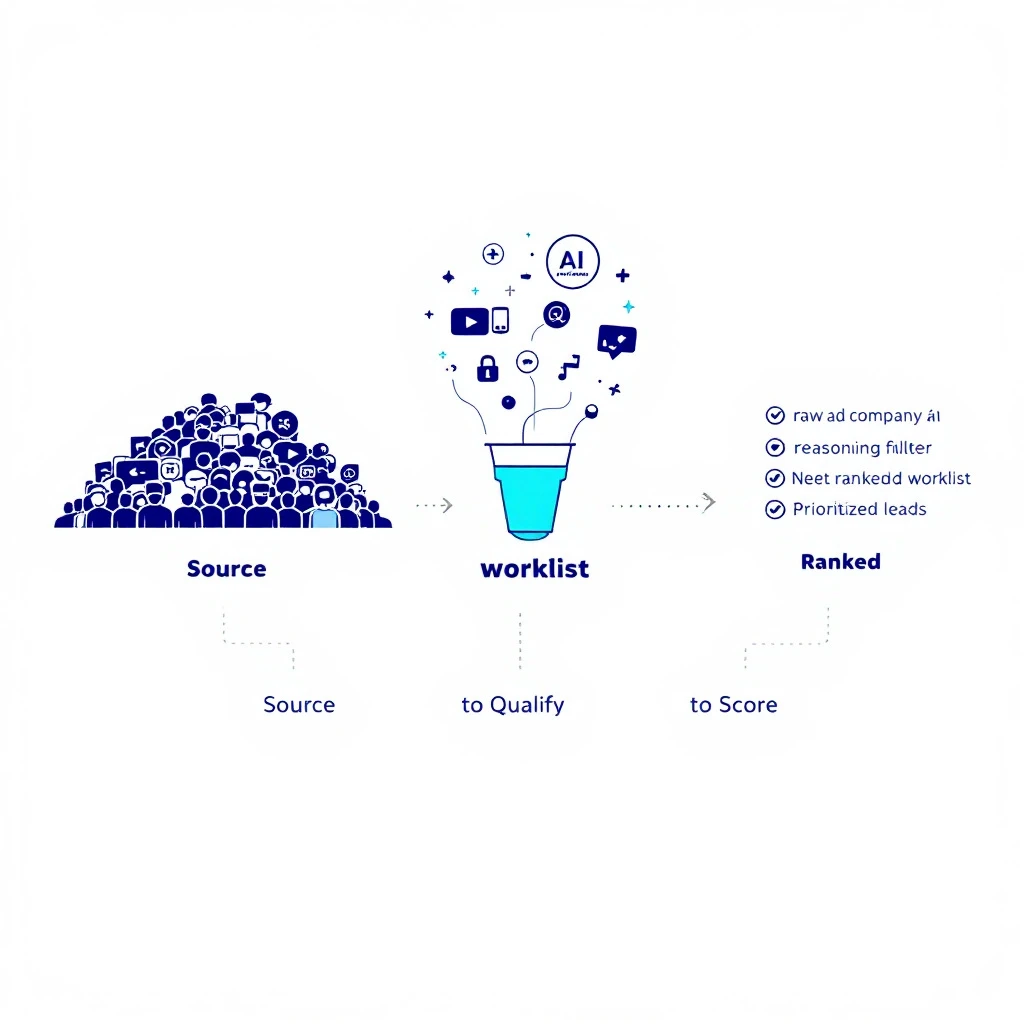
How to use Claude for lead generation - the sourcing-to-scored-list workflow

Let's start with the honest answer, because most articles on this topic won't give it to you: Claude cannot generate leads by itself. It has no built-in contact database, it can't scrape LinkedIn at scale, and if you ask it for "50 CMOs at Series B fintechs," it will happily hallucinate 50 names, half of which don't exist.

So why is "how to use Claude for lead generation" one of the fastest-growing searches in B2B sales? Because the people asking it have figured out something real: Claude isn't the source of leads โ€” it's the reasoning layer that turns raw, messy, low-quality lists into a prioritized worklist of accounts actually worth your time. That's where 80% of a lead-gen team's hours disappear, and it's exactly the part Claude is world-class at.

This is the step-by-step playbook for doing it right. Five stages, the exact prompts, and a clear line on what Claude can and can't do โ€” so you don't waste a week discovering the limits the hard way.

If you want the broader role-level picture, the complete Claude-for-SDRs pillar guide covers the full SDR job. This post is narrower and deeper: it's specifically about generating and qualifying net-new leads.


Can Claude generate leads? What it actually can and can't doโ€‹

Set expectations first. This one table saves you the most common mistake.

TaskCan Claude do it alone?What you need
Invent a list of companies/contactsNo โ€” it hallucinatesA real data source
Define and encode your ICP as a filterYesA clear ICP
Qualify 500 raw companies against that ICPYes, extremely wellThe raw list
Score and rank leads by fit and intentYesFit + signal data
Find the right contact and title at a companyPartlyAn enrichment tool or source
Write the first-touch messageYesResearch + positioning
Pull verified emails at scaleNoAn enrichment provider

The pattern: Claude is the judgment and synthesis engine. You still need a source of raw leads and, usually, an enrichment step for verified contact data. Get those two things feeding Claude and the middle of the funnel โ€” the qualification grind that eats your reps' mornings โ€” collapses from hours to minutes.

For a head-to-head on which model handles this best, see Claude vs ChatGPT for sales teams. Short version: Claude's long context and consistent reasoning across a 2,000-row list is the deciding factor for lead gen specifically.


The 5-stage Claude lead generation workflowโ€‹

Here's the full pipeline. Each stage feeds the next.

  1. Encode your ICP โ€” turn "our best customers" into a machine-readable rubric
  2. Source raw leads โ€” get companies and contacts from a real source
  3. Qualify at scale โ€” score the raw list against the rubric
  4. Enrich the winners โ€” find the right person and their context
  5. Prioritize into a worklist โ€” a ranked queue your reps actually work

Skip stage 1 and everything downstream is garbage. Let's build it.


Stage 1 โ€” Encode your ICP as a machine-readable filterโ€‹

Most teams "know" their ICP but have never written it down in a way a machine can apply consistently. That's the highest-leverage 20 minutes in this entire process.

Prompt:

You are helping me build a lead qualification rubric.

Here are 8 of our best current customers and why they're great fits:
[paste 8 accounts + one line each on why they closed and stuck]

Here are 4 accounts that looked good but churned or never closed:
[paste 4 + why they failed]

Produce a scoring rubric with:
- 5-7 firmographic criteria (industry, size, tech, funding stage, etc.)
- 2-3 disqualifiers (auto-reject signals)
- A 0-100 scoring formula weighting each criterion
Output it as something I can reuse to score new companies.

The output is a reusable rubric grounded in your real wins and losses โ€” not a generic "50-500 employees, B2B SaaS" guess. Save it. You'll paste it into every qualification run from now on.

For a deeper treatment of turning fit into a repeatable score, see Claude Code SDR Part 6: Lead Scoring.


Stage 2 โ€” Source your raw leads (this is the part Claude can't fake)โ€‹

Claude needs raw material. You have three honest options for where it comes from:

Option A โ€” LinkedIn Sales Navigator. Build a search that roughly matches your ICP, export or copy the results, and hand them to Claude to qualify. The Sales Navigator + Claude workflow walks through this end to end. Sales Nav gives you breadth; Claude gives you the filtering Sales Nav can't.

Option B โ€” Website visitor identification. This is the highest-intent source that most teams ignore. The companies already researching you are worth ten cold ICP matches. Tools that de-anonymize your traffic turn "someone from a mid-market logistics firm read your pricing page twice" into a named account you can act on today. That's the source we care most about โ€” more on it below.

Option C โ€” Free and low-cost tools. If you're bootstrapping, there's a real stack of free options. We break them down in the best free AI lead generation tools for B2B and the best B2B lead generation tools.

Whatever the source, the output of this stage is a raw list โ€” messy, unqualified, full of noise. That's fine. Stage 3 is where Claude earns its keep.


Stage 3 โ€” Qualify the raw list at scaleโ€‹

This is the magic step. You have 300 raw companies and a rubric from Stage 1. Feed both to Claude.

Prompt:

Here is my ICP scoring rubric:
[paste rubric from Stage 1]

Here is a raw list of 300 companies with the fields I have
(name, industry, employee count, website, any notes):
[paste CSV/list]

For each company:
1. Score it 0-100 against the rubric.
2. Give a one-line reason for the score.
3. Flag any auto-disqualifiers.
Return the top 40 by score as a table, sorted high to low.
Be conservative โ€” if you lack evidence a company fits, score it lower,
don't guess.

That last line matters. Telling Claude to penalize missing evidence instead of inventing it is the single most important instruction for keeping lead-gen output trustworthy. A rep who can trust the top-40 list works it; a rep who's been burned by hallucinated fits ignores the whole thing.

Two minutes of Claude replaces an afternoon of a rep eyeballing a spreadsheet โ€” and it's more consistent, because Claude applies the same rubric to row 300 as it did to row 1. For the underlying research mechanics, see automate lead research with Claude Code and Claude Code SDR Part 2: Prospect Research.


Stage 4 โ€” Enrich the winnersโ€‹

Now you have 40 qualified companies. You need the right person at each and enough context to open a real conversation. Claude can't pull verified emails on its own, but once you feed it enrichment data (from your provider) plus public signals, it synthesizes a briefing no rep has time to write by hand.

Prompt:

For each of these 40 companies, I've pasted the LinkedIn profile of the
most likely buyer plus their company's recent news:
[paste enrichment data]

For each, produce:
- Confirmed best-fit contact + title + why them
- A one-paragraph "why now" briefing (trigger event, pain, angle)
- One specific, non-generic opening line I could actually send
Keep each under 80 words. No filler, no "I hope this finds you well."

You now have 40 fully-briefed, ready-to-work leads. The full breakdown of turning research into first-touch lives in AI for sales prospecting and, for the outreach itself, LinkedIn outreach automation with Claude Code.


Stage 5 โ€” Prioritize into a daily worklistโ€‹

Forty leads is still too many to work well at once. The last step is ranking them into the order a rep should actually attack โ€” fit plus intent, not fit alone.

Prompt:

Here are my 40 enriched leads with fit scores.
I'm also pasting intent signals where I have them
(site visits, content downloads, job changes, funding):
[paste]

Re-rank all 40 into a single prioritized worklist. Weight recent,
high-intent signals heavily โ€” a medium-fit account that just visited
our pricing page outranks a perfect-fit account that's gone quiet.
Group into: Call today / Sequence this week / Nurture.

That's a lead-generation pipeline that runs in an afternoon and outputs a worklist your reps trust. To wire this into a daily cadence, the Claude SDR daily routine shows the exact 90-minute block. And if deliverability is a concern as you scale outreach, read how to build a prospecting engine without burning your domain first.


The honest limits (and how to work around them)โ€‹

Because no one else will say it plainly:

  • Claude will confidently invent contacts. Never let it be the source. Always give it a real list to work on, never ask it to produce one from nothing.
  • It doesn't have live data. "Recent funding" or "current headcount" needs to come from your source or enrichment tool. Claude reasons over data; it doesn't fetch it.
  • Verified emails require a real provider. Claude can guess an email pattern; it can't confirm one is deliverable.
  • Scoring is only as good as your rubric. Garbage ICP in, garbage worklist out. Stage 1 is not optional.

Work within those lines and Claude is the best qualification-and-synthesis engine your team has ever had. Ignore them and you'll generate a list of ghosts.


Where the leads should really come fromโ€‹

Here's the strategic point most "Claude for lead gen" advice misses. The best raw source isn't a bigger cold list โ€” it's the people already showing intent. Companies visiting your site are further down the buying journey than any cold ICP match, and they've told you what they care about by which pages they read.

That's the gap MarketBetter fills. We de-anonymize your website traffic into named accounts, layer on the buying signals, and โ€” this is the part that matters โ€” tell your reps what to do next, not just who visited. Claude is brilliant at reasoning over a list. MarketBetter makes sure the list is made of real, high-intent companies instead of cold guesses.

Claude tells your SDRs what to do. MarketBetter tells them who to do it for โ€” with the intent data that makes every message land.

Pair the two and the five stages above stop being a manual afternoon and become a system: high-intent leads in, prioritized worklist out, every day.


Start generating better leadsโ€‹

Claude is a force multiplier, not a lead database. Give it a real source, a sharp ICP rubric, and clear instructions, and it will do the qualification work of a small team โ€” consistently, in minutes.

The one thing it can't manufacture is a good source of leads. That's worth solving first.

Want to see high-intent leads flow straight into a Claude-ready worklist? Book a demo โ†’

From Buying Signal to Booked Meeting in 24 Hours: The SDR Workflow That Beats Competitors to the Buyer

ยท 15 min read
MarketBetter Team
Content Team, marketbetter.ai

A buying signal has a half-life. Most SDR teams behave as if it does not.

The signal fires on Tuesday โ€” a target account starts pricing pages on your competitor's site, a champion changes jobs into your ICP, a job posting goes up for the role that buys your category. Somewhere in the stack, that event gets written to a row in a database. By Thursday it shows up in a weekly digest. Friday afternoon someone exports a list. The following Monday, an SDR opens it, picks a few, and sends an email referencing "your recent activity" without any idea what the activity actually was. By then the buyer has had three calls with the vendor that responded the same day.

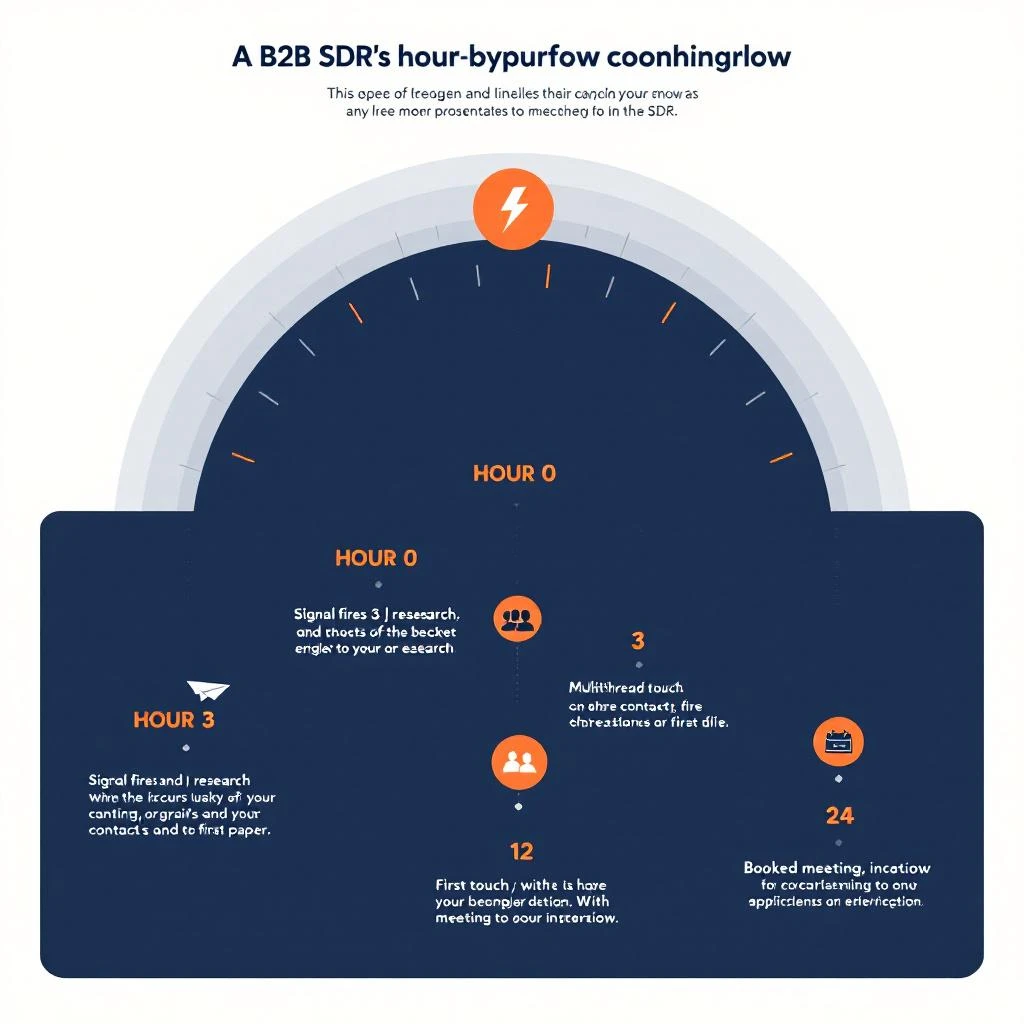
This is not a tooling problem. It is a workflow problem. The teams winning signal-driven pipeline in 2026 have collapsed the time between signal fires and human shows up in front of buyer to under twenty-four hours โ€” sometimes under two. They are not faster because they have better tools. They are faster because they have an actual hour-by-hour workflow, with named owners, named decisions, and a hard stop at the end of every interval where someone has to act or escalate.

This is that workflow. It assumes you have a working signal source โ€” visitor identification, intent data, job-change alerts, hiring signals, technographic shifts, or some combination. If you do not, start with the complete guide to buying signal tools for 2026 before reading further.

A B2B SDR working through a 24-hour signal-to-meeting workflow, with timeline markers showing signal trigger, qualification, research, first touch, and booked meeting

Reopening Closed-Lost: An AE Playbook for Turning Dead Deals Into Pipeline With Buyer Signals

ยท 15 min read
MarketBetter Team
Content Team, marketbetter.ai

Closed-lost is the most misread field in your CRM.

Most teams treat it as a verdict โ€” a final state, a tombstone, the thing you stop checking after the QBR slide where someone says "we'll revisit next year" and nobody does. The deal goes into a folder. The Slack channel goes quiet. The AE moves on. Three quarters later, the buyer signs with a competitor and somebody on your team finds out from LinkedIn.

This is a category error. Closed-lost is not a verdict. It is a date stamp on a deferred decision. Roughly seven out of ten enterprise B2B losses are not actually losses โ€” they are postponements. The buyer ran out of budget, lost a champion, deprioritized the project, picked the safer incumbent, or simply ran out of cycles. None of those are permanent. All of them are observable, in real time, if you are watching the right signals.

This is the playbook AEs are quietly using to mine their closed-lost pipeline and turn it back into the cleanest, fastest-closing source of new revenue they have. Seven steps. No nurture sequences. No automated win-back emails that read like a hostage note. Just timing, signal, and the specific muscle memory of an AE who has stopped treating losses as final.

An account executive reviewing a closed-lost dashboard with buyer signal alerts lighting up old opportunities across multiple monitors

The First 30 Minutes: A Morning Workflow For SDRs Who Hit Quota Before Lunch

ยท 13 min read
MarketBetter Team
Content Team, marketbetter.ai

Most SDRs lose their best two hours of the day before their second sip of coffee.

They open Salesforce. Then Outreach. Then Slack. They scroll the lead queue, half-skim a Slack thread, click into LinkedIn to "see if anything came in overnight," and emerge forty minutes later with no calls booked, no emails sent, and a vague sense that the day has already gotten away from them.

Meanwhile, somewhere in the same org, the top rep on the team is on their second discovery call by 9:30. That rep is not smarter. They are not working from a different lead list. They are running a different morning. A specific one. And it is almost embarrassingly repeatable.

This is what that first thirty minutes actually looks like โ€” and the workflow you can copy, today, to stop wasting the only block of time in your day where buyers reliably pick up the phone.

An SDR at their desk in early morning light, working through a clean prioritized queue of overnight buying signals before the rest of the office arrives

Your Fragmented B2B Lead Stack Is Killing Pipeline (And Hiding It From You)

ยท 18 min read
MarketBetter Team
Content Team, marketbetter.ai

A revenue leader I read about this week described a Tuesday morning where, by 11 a.m., his marketing ROI had silently dropped to zero.

Nothing was on fire. No outage, no broken integration, no Slack alert. The dashboards were green. Inbound demo requests were still arriving. The chat widget was still chatting. The AI SDR was still sending. HubSpot was still humming. Salesforce was still syncing. Chili Piper was still booking meetings.

And yet, when sales pulled their pipeline at the end of the week, qualified opportunities had vanished. Booked meetings had been reassigned to the wrong reps. Two enterprise deals had been silently routed to the SMB queue and sat untouched for forty-eight hours. A handful of leads were duplicated across three accounts because a Clearbit refresh had rewritten the company domain on a record that another tool was using as the join key.

The forensics took a week. The root cause was almost embarrassing: a small change to one automation โ€” a routing rule in a single tool, made by a single person, on a single Friday afternoon โ€” that cascaded silently across seven systems before anyone noticed.

This is not an edge case. This is the modal failure mode of the modern inbound stack.

A tangled web of B2B sales tools fragmenting into broken handoffs, illustrating how fragmented lead stacks silently kill pipeline

How to Run a Competitive Displacement Campaign: The Complete Playbook for Winning Deals From Incumbent Vendors

ยท 14 min read
MarketBetter Team
Content Team, marketbetter.ai

Every B2B company has a list of competitors whose customers they want. Most do nothing systematic about it. They wait for inbound leads who happen to mention a competitor, or they spray generic cold emails at accounts that may or may not be evaluating alternatives.

That is not a displacement campaign. That is hope.

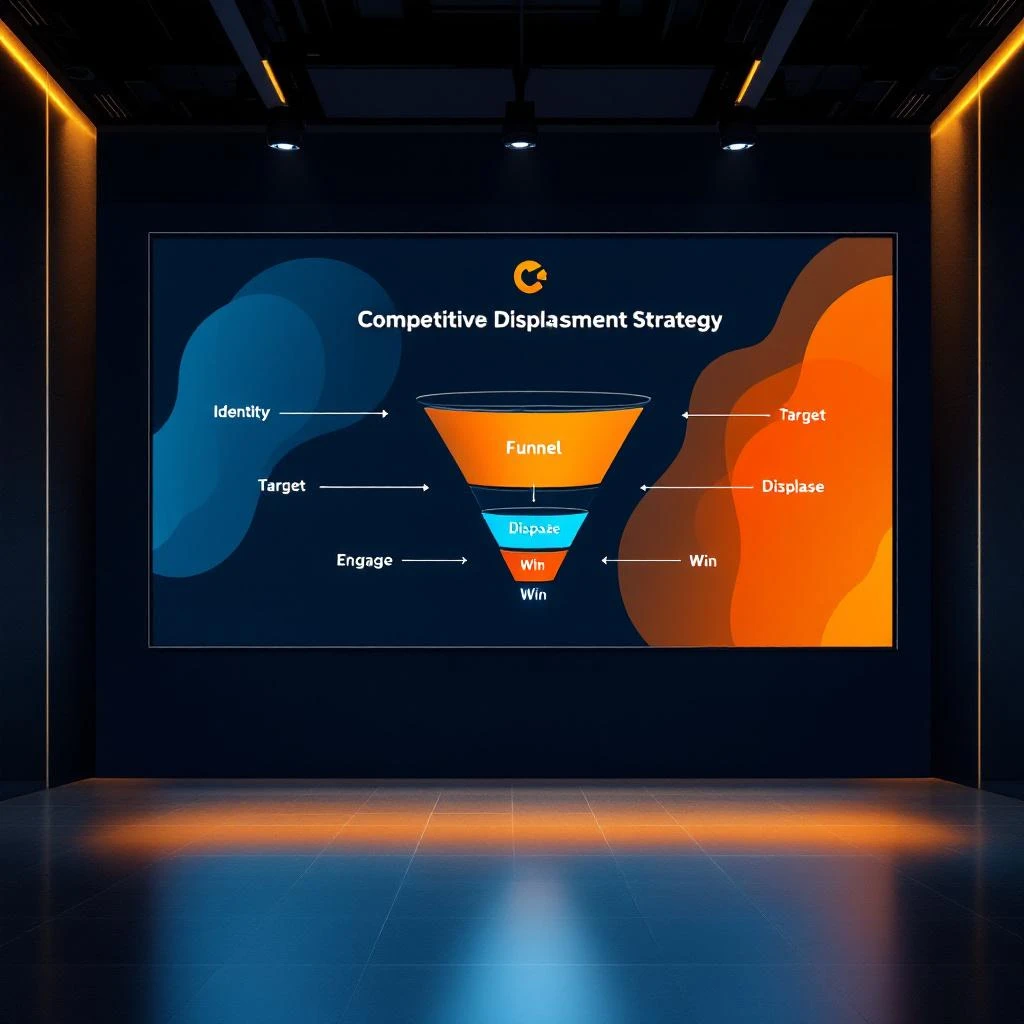
A real competitive displacement campaign is a coordinated, multi-channel effort to identify accounts using a specific competitor, time your outreach to natural evaluation windows, and deliver messaging that creates enough dissatisfaction to trigger a switch. Done well, these campaigns convert at 3x the rate of net-new prospecting and produce customers with higher lifetime value โ€” because they already understand the category and know exactly what they need.

This playbook walks through every step, from selecting your target competitor to closing the deal.

Competitive displacement campaign strategy showing the five stages: identify, target, engage, displace, win

MarketBetter vs Apollo/ZoomInfo: Building Audiences in 30 Seconds With AI Chat

ยท 9 min read
MarketBetter Team
Content Team, marketbetter.ai

There is a moment every SDR knows. You have a meeting in 40 minutes. Your AE just pinged you about a new vertical they want to test. You need a list of 50 qualified prospects โ€” now.

So you open Apollo. Or ZoomInfo. And you start clicking.

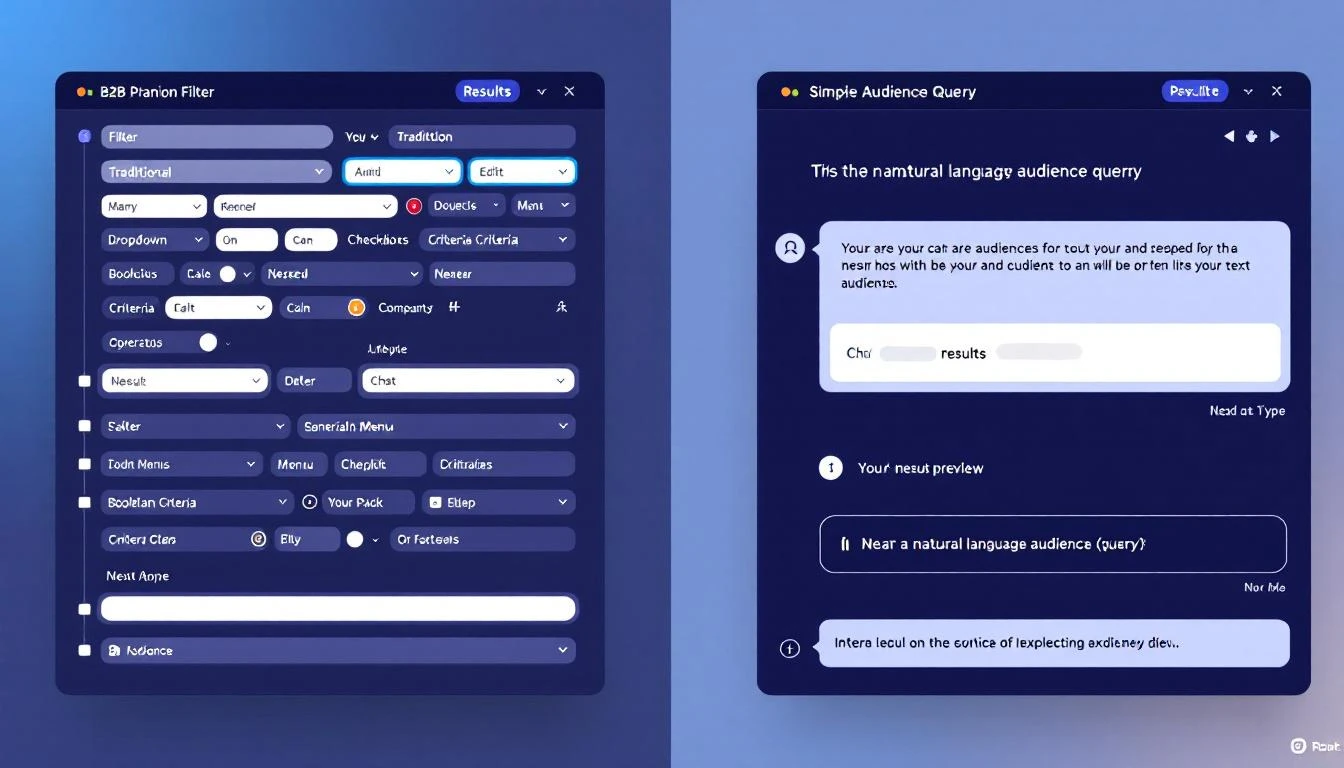
Industry dropdown. Employee count slider. Revenue range. Job title keywords. Geography filter. Technology filter. Funding stage. Then you run the search, scroll through 2,000 results that are half wrong, start excluding the garbage, re-filter, export to CSV, deduplicate against your CRM, and realize 30 minutes have evaporated.

MarketBetter takes a different approach entirely. You type one sentence into an AI chat โ€” "Series B fintech companies in the US that recently hired a VP of Sales and use HubSpot" โ€” and get a verified, enriched audience list in under 30 seconds.

This is not a marginal improvement. It is a fundamentally different way to build audiences.

AI chat audience builder vs traditional filter-based prospecting

MarketBetter vs Clay: Enrichment Without the Spreadsheet Tax

ยท 6 min read
MarketBetter Team
Content Team, marketbetter.ai

Clay is a powerful tool. Nobody disputes that. If you enjoy building enrichment workflows inside a spreadsheet, chaining together dozens of columns, managing credit budgets across two separate credit types, and then exporting everything into yet another platform to actually do something with the data โ€” Clay is your playground.

But here is the question nobody at Clay wants you to ask: why are you building enrichment workflows at all?

Enrichment data flowing directly into contact profiles

How MarketBetter Uses Exa Websets to Build Audiences with Natural Language

ยท 8 min read
MarketBetter Team
Content Team, marketbetter.ai

Every B2B sales team has experienced the same frustration: you know exactly who you want to sell to, but translating that knowledge into a prospect list takes forever.

You open your data tool. You set filters โ€” industry, employee count, revenue range, job title keywords. You run the search. Half the results are wrong. The CFO you wanted is actually a "Chief Fun Officer" at a 3-person startup. The healthcare companies include veterinary clinics. The 50-200 employee filter caught a company that had 200 employees three years ago but now has 12.

Traditional B2B search forces you to describe your ideal customer through rigid filters that were never designed to capture nuance. MarketBetter's integration with Exa changes that entirely. You describe who you want in plain English, and the system finds them.

Natural language audience search flowing into verified contact lists

How MarketBetter Integrates Lusha for Verified Contact Enrichment

ยท 8 min read
MarketBetter Team
Content Team, marketbetter.ai

You found the right person. Right company, right title, right timing. Then you go to reach out and realize you have no email, no phone number, and a LinkedIn connection request that will sit in limbo for two weeks.

Contact enrichment should not be a separate workflow. It should happen where you already work โ€” inside the same platform where you build audiences, run sequences, and track signals. That is exactly how MarketBetter's Lusha integration works.

Lusha enrichment flowing through MarketBetter's pipeline