
From Buying Signal to Booked Meeting in 24 Hours: The SDR Workflow That Beats Competitors to the Buyer

A buying signal has a half-life. Most SDR teams behave as if it does not.
The signal fires on Tuesday — a target account starts pricing pages on your competitor's site, a champion changes jobs into your ICP, a job posting goes up for the role that buys your category. Somewhere in the stack, that event gets written to a row in a database. By Thursday it shows up in a weekly digest. Friday afternoon someone exports a list. The following Monday, an SDR opens it, picks a few, and sends an email referencing "your recent activity" without any idea what the activity actually was. By then the buyer has had three calls with the vendor that responded the same day.
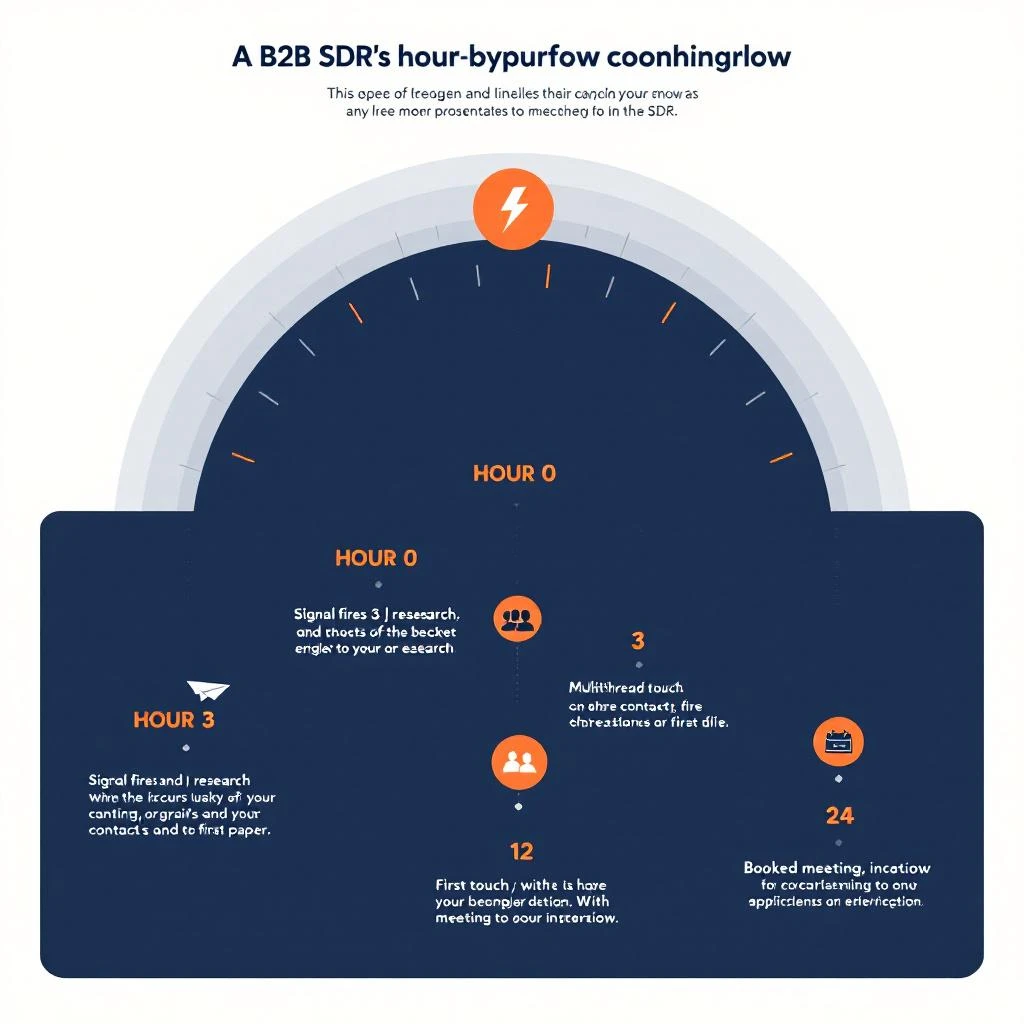
This is not a tooling problem. It is a workflow problem. The teams winning signal-driven pipeline in 2026 have collapsed the time between signal fires and human shows up in front of buyer to under twenty-four hours — sometimes under two. They are not faster because they have better tools. They are faster because they have an actual hour-by-hour workflow, with named owners, named decisions, and a hard stop at the end of every interval where someone has to act or escalate.
This is that workflow. It assumes you have a working signal source — visitor identification, intent data, job-change alerts, hiring signals, technographic shifts, or some combination. If you do not, start with the complete guide to buying signal tools for 2026 before reading further.
Why 24 Hours Is the Magic Window
Three numbers explain the urgency.
The first is response-time decay. Inbound lead response data has been studied to death — conversion drops roughly 8x between a one-minute response and a one-hour response, and another 4x between one hour and one day. Buying signals are a noisier version of the same curve. The buyer's mental state when they trigger the signal — actively researching, comparing, irritated by the status quo — is the highest-intent state they will be in for weeks. Every hour you wait, that state decays.
The second is the competitor convergence problem. If a signal is observable to you, it is observable to your competitors. Pricing-page visits are tracked by every modern visitor identification platform. Job changes are syndicated through three or four data providers. Intent surges show up in 6sense, Bombora, and a dozen smaller tools. By Wednesday morning, every vendor in the category is staring at the same prospect. Whoever shows up first owns the framing.
The third is the calendar math. Most enterprise buying decisions move in two-week cycles — internal alignment meetings, vendor calls, procurement, security review. If you book a meeting in week one, you are in the evaluation. If you book in week three, you are competing against a vendor who is already drafting the contract. Twenty-four hours is not arbitrary. It is the door before the calendar closes.
Now the workflow.
Hour 0: The Signal Fires — Define What Counts
Not every event in your signal stack deserves a 24-hour response. The first job is to filter.
Tier-A signals — the ones that trigger this workflow — are events that indicate active in-market behavior or a structural change in buying authority. Examples:
- Multiple sessions on your pricing or comparison pages within seven days from a known target account.
- A champion (mapped contact who has previously evaluated or championed your product) changing jobs into a new account in your ICP.
- A net-new job posting at a target account for the role that owns your category (a "Director of RevOps" requisition is gold for a RevOps tool).
- A fundraising or M&A event at a target account combined with a hiring spike.
- Triple-digit-percent intent surge from a third-party data provider on a topic cluster aligned to your product.
Tier-B signals — newsletter subscribes, generic web visits without page depth, unfiltered intent dips, broad funding announcements — go into a separate queue with a longer SLA. Mixing them is the most common reason SDR teams drown in "signals" and respond to none of them well.
The decision rule: if the signal does not pass a sniff test for active buying behavior or structural buying authority change in the last 14 days, it is not Tier-A. Do not let it into the 24-hour workflow or the workflow breaks. For more on building this filter, the guide to signal-based selling walks through the qualification rubric.
Hours 0–1: Triage and Owner Routing
The signal fires. Within sixty minutes, three things have to happen.
One: it has to land in front of a named human. Not a Slack channel everyone ignores, not a queue, not a "leads to review" view. A specific SDR or AE who owns the account or the territory. Round-robin assignment is fine; group ownership is not. The single most expensive failure mode in signal-driven outbound is the diffusion of responsibility — six people see the alert, all assume someone else has it, no one acts.
Two: the rep's pipeline has to surface their owned accounts first. If your CRM defaults to showing the entire territory or the whole prospect database, the rep has to filter manually before they can find the signal — and most won't. This is why teams that have implemented SDR owner filtering as the default in Prospects and Audiences views book more meetings off signals: less hunting, more acting.
Three: the rep has to acknowledge the signal in writing. A one-line note in the CRM or signal tool — "saw it, qualifying" — within the hour. This is not bureaucracy. It is the only mechanism that keeps the loop closed when the rep gets pulled into a demo or a fire drill mid-shift.
If hour one ends without acknowledgement, the signal escalates to the manager queue. Do not skip this rule. Escalation is the only thing that separates a working signal workflow from a dashboard nobody opens.
Hours 1–3: Research the Trigger, Not the Account
Most SDR research is account-shaped. Pull a 10-K, scan LinkedIn, list the leadership team, look up the funding round. That's AI meeting prep territory — useful once the meeting is booked, but the wrong mode for signal-driven outbound. The buyer did not just become a buyer — they became a buyer because of a specific event. Your research has to surface that event, because the event is what you are going to lead with in the first touch.
Spend forty-five minutes answering three questions:
What changed at the account in the last 30 days? Funding, leadership change, hiring spike, layoff, product launch, customer announcement, lawsuit, executive op-ed. Use a real-time news source and the company's own press page, not a generic enrichment tool that aggregates stale data. If nothing changed externally, the change is internal — a budget cycle starting, a new team forming, a quarterly OKR shifting — and you will need a contact who can confirm.
Who is the actual buyer right now? Not the persona, the human. Cross-reference the signal — the page they visited, the search they ran, the role posted — with the org chart. The person who triggered the signal is not always the person you want to talk to first. A pricing-page visit from a marketing manager often means a director two levels up has asked them to "look into options." Reach the director, not the manager.
What is the buyer's most likely current pain? Phrase it as a sentence the buyer would actually say. Not "they need better lead intelligence" but "I'm tired of paying ZoomInfo for a database when half the contacts have left." Specificity here is the entire game. Your first touch will live or die on whether you sound like you understand their week.
Hours 3–6: Multithread the Account
A first touch to a single contact is the second-most-common failure mode in signal workflows. The signal indicates buying activity at the account, not the contact. If the contact is on PTO, the signal dies. If the contact is junior, the signal stalls. If the contact is the champion who just left, the signal is misread entirely.
Multithread three contacts before you send anything:
- The likely economic buyer (VP, head-of, the budget owner).
- The likely user/champion (the person who will actually open your tool).
- A peer or adjacent stakeholder (the person who will get pulled into the eval — security, ops, finance).
Verify each contact's current role and tenure. Contact data goes stale at roughly 30 percent per year, and signal workflows are uniquely sensitive to stale data because the buyer's job change is itself often the signal. Use an enrichment source that refreshes weekly at minimum, not a static list. For a comparison of how the major sources handle freshness, the alternatives to ZoomInfo and Apollo breakdown walks through the data hygiene tradeoffs.
The output of this hour is three names, three emails, three phone numbers (or LinkedIn URLs), and a one-paragraph hypothesis about why each of them is in the buying motion right now.
Hours 6–12: First Touch — Channel and Message
This is the hour the workflow either lands or doesn't.
Channel choice is dictated by the signal. A pricing-page visit means the buyer is in research mode and will open an email — lead with email, follow with LinkedIn. A job posting means the hiring manager is in the seat and will accept a relevant LinkedIn message faster than email. A champion job change means the champion is in their first 30 days at the new company and is most reachable by phone, second by LinkedIn, third by email — they have not built up a triage filter yet. Match the channel to the trigger.
The first line is the entire message. It must reference the specific event, in concrete terms, in fewer than fifteen words. "Saw the Director of RevOps req posted Tuesday — typically means the new hire is going to inherit a stack audit." That is a first line. "I noticed your company has been growing rapidly" is not. The buyer reads the first line, decides whether the sender is a real human who has done five minutes of work, and either keeps reading or archives. Everything else in the message is downstream of that decision.
Ask for the meeting; do not ask for permission to ask for the meeting. "Worth a 15-minute call Thursday at 2 or Friday at 10?" beats "Open to learning more?" by 3–4x reply rate. The buyer's calendar is the bottleneck, not their interest — make the lowest-friction ask possible.
For the underlying mechanics of writing first touches that actually convert, the SDR playbook template guide has the message frameworks broken out by signal type.
Hours 12–24: Multi-Touch, Multi-Channel Follow-Through
A single touch, even a perfect one, books at single-digit reply rates. The 24-hour workflow assumes three to five touches across at least two channels in the first day.
A standard sequence:
- Hour 6–8: Personalized email to economic buyer.
- Hour 8–10: LinkedIn connect with note to the same person, referencing a different angle than the email.
- Hour 12–14: Personalized email to the likely user/champion, with a softer ask (a relevant resource or a peer reference).
- Hour 16–18: A second email to the economic buyer if no reply — short, two sentences, surfaces a peer customer story.
- Hour 22–24: A phone call. To both contacts if budget allows. Voicemail counts, and a voicemail that references the same trigger event as the email gets returned at 4–6 percent in the right ICP.
The cadence is not rigid. The principle is: every touch gets the same trigger context, framed differently, across channels the buyer actually checks. Reps who run the same email sequence twice book half as many meetings as reps who vary the angle.
Day 2 and Beyond: When 24 Hours Doesn't Book
Most signals will not produce a booked meeting in the first 24 hours. That is fine. The point of the 24-hour window is to get in front of the buyer before the competitor does — not to close them. If the buyer has registered that you exist, that you saw the signal, and that you understood what was changing in their world, you have done the work that the next two weeks will compound on.
Day 2 through 14 is a slower cadence — a touch every two to three days, with new content angles, new contacts, and new triggers as they fire. The mistake here is reverting to a generic nurture sequence. Every follow-up should still tie back to the original signal or a fresh one. If a second signal fires during this window — a second pricing page visit, a second job posting, a second intent surge — reset to hour zero and run the workflow again. Stacked signals are the strongest predictors of an in-quarter close.
For accounts that do not respond at all in 14 days, demote them out of the 24-hour workflow and into a longer monitoring cadence. Do not delete them. Most "no replies" are timing failures, not interest failures, and many of them will resurface in the next quarter — at which point the closed-lost re-engagement playbook becomes the right framework.
The Stack That Makes This Possible
A 24-hour workflow is impossible if the rep's day is structured around switching between eight tools to do one thing. The teams running this well have collapsed the stack to three layers:
- One signal layer. A single source of truth for the events that fire the workflow — visitor identification, intent, job changes, hiring, technographic. If the rep has to log into three dashboards to see "what fired today," the workflow breaks. The point of consolidation is reaction time, not feature parity.
- One workspace layer. Where the rep actually works — sees their owned accounts, sees today's signals, sees the contact data, drafts the touch, logs the activity. Switching between a CRM, a sales engagement tool, an enrichment tool, and a signal dashboard is where 30–40 percent of an SDR's day disappears. The fragmented B2B lead stack post has the full breakdown of where the time goes.
- One execution layer. Email, LinkedIn, phone — instrumented, logged, and visible in the workspace layer. Not a separate tool with a separate inbox.
The stack does not have to be one vendor. It has to behave like one workflow. If the rep can see the signal, the contact, and the activity history in the same screen, the 24-hour workflow becomes routine. If they cannot, it is heroic — and heroic workflows do not survive Q3.
What to Track
Three metrics tell you whether the workflow is working:
Signal-to-touch latency. Median time between the signal firing and the first outbound touch. Target: under six hours for Tier-A signals. If the median is more than twelve, your bottleneck is routing, not effort.
Signal-to-meeting conversion. Percent of Tier-A signals that produce a booked meeting within 14 days. Target: 8–15 percent for cold accounts, 20–30 percent for warm or named accounts. If you are below 5 percent, the issue is signal quality, not message quality — re-tier.
Multi-touch per signal. Average touches per signal in the first 24 hours. Target: 3–5. If it is 1, your reps are sending and praying. If it is more than 7, they are noising the buyer and burning the channel.
Do not track open rates, click rates, or reply rates as workflow health metrics. They are message-quality metrics, downstream of whether the workflow even ran. Track the workflow first.
The Real Constraint
The reason most teams do not run this workflow is not that it is hard. It is that it requires the rep to be inside the work for the day, not switching contexts every fifteen minutes. The companies winning here have done the unsexy work of cleaning up their morning — defaulting their views to owned accounts, killing the seven-Slack-channel signal sprawl, putting the signals where the work happens. The first 30 minutes of the SDR's morning is the leading indicator. If the rep cannot start their day in the right place, they will not finish a 24-hour signal sprint.
Twenty-four hours from signal to meeting is not a stretch goal. It is a workflow. Stop treating it like an aspiration, build the routing, kill the friction, and make the rep's day look like the workflow you actually want them to run. The buyers were going to choose someone this quarter regardless. The only question is whether your team was the first one in the room.