Every AI SDR vendor leads with a friendly number. "$49 a month." "Starts at $99." "Book a demo to see pricing." Then you get the contract and the math looks nothing like the pricing page.
We pulled the real numbers on 30+ AI SDR, sales engagement, intent data, and sales intelligence platforms — the tiers, the credit systems, the minimum seats, the annual lock-ins, and the add-ons that don't show up until you're in the room with a sales rep. This is the consolidated view: what these tools actually cost a B2B sales team in 2026, and how to budget without getting surprised.
Every price below links to our full breakdown of that specific tool, so you can verify the details yourself.
The headline price is almost never the real price
Here is the single most important thing we found: across the entire category, the gap between the advertised entry price and what teams actually pay is enormous — often 3x to 10x.
The reasons are consistent:
Credit systems.Apollo and Clay look cheap per seat, then meter you on enrichment credits. Clay teams routinely pay roughly 3x the headline once real prospecting volume kicks in.
Minimum seats and annual lock-in.Amplemarket starts around $600/mo but bills annually. Most "monthly" AI SDR tools are annual contracts wearing a monthly sticker.
Add-on modules.Outreach and Salesloft publish a per-seat number, then charge separately for conversation intelligence, dialer, and analytics.
Auto-renewal traps.Seamless.AI buyers repeatedly report auto-renewals and cancellation friction that lock in a full extra year.
If you budget off the pricing page, you will be wrong. Budget off the real cost below.
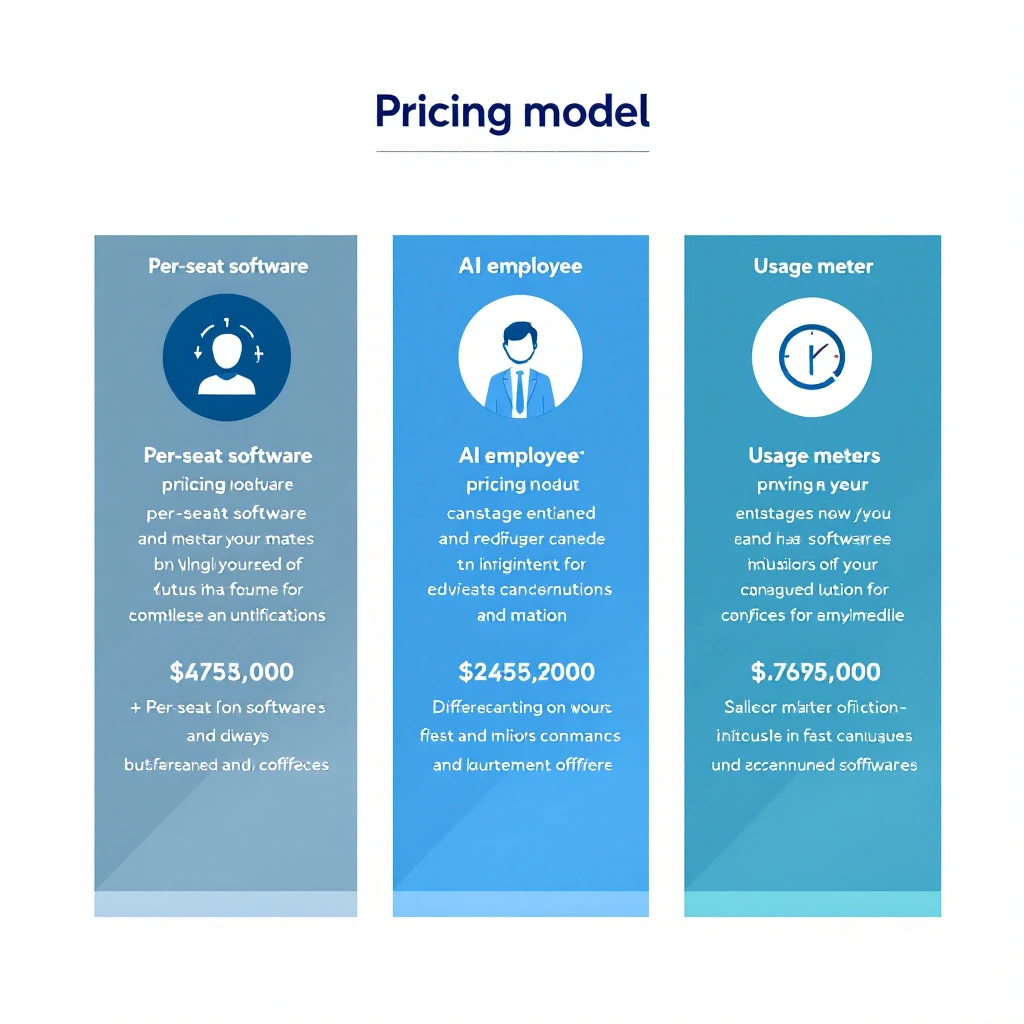
Before comparing individual tools, understand which of three models a vendor uses. It tells you far more about your real cost than the entry price does.
1. Per-seat SaaS (cheap headline, scales with seats and credits)
The classic model. You pay per user per month, plus data credits. Cheap to start, expensive at team scale because every rep is another seat and every list pull burns credits.
2. Autonomous "AI employee" (priced like headcount)
The newer autonomous AI SDR category — tools that claim to research, write, and send on their own. These are priced like a person, not software: roughly $900 to $5,000+ per month, usually on an annual contract. You're buying an outcome, not seats.
If you're weighing this category, read our AI SDR vs AI BDR breakdown first — the labels are used loosely and the pricing follows the label.
3. Usage / credit-based (cost balloons with volume)
You pay for what you consume — enrichment, messages, or AI actions. Predictable at low volume, unpredictable at scale, and the vendor's incentive is for you to consume more.
Here's the consolidated table. "Headline" is what the pricing page implies. "Real cost" is what teams actually pay once credits, seats, and add-ons are included, based on our per-tool research.
Stack the categories and the picture gets honest. A typical mid-market team that wants "an AI SDR setup" is rarely buying one tool. They're buying:
A data/intelligence layer (Apollo, ZoomInfo, or Cognism): roughly $15K/year and up at team scale.
Optionally an intent/ABM layer (6sense or Demandbase): another ~$25K/year and up if you want in-market account signals.
A sequencing/engagement layer (Salesloft, Outreach, or a lighter tool like Smartlead): roughly $2K to $30K/year depending on seats.
Optionally an autonomous AI SDR (11x, Artisan, AiSDR): roughly $10K to $60K/year.
Add it up and the "$49/month" fantasy becomes a $30K to $100K+ annual GTM stack. That's before anyone measures whether the autonomous layer actually books meetings.
Here's what none of these price tags tell you: what does your team actually do with the output?
A $15K/year intent-data tool gives you a dashboard of accounts showing signals. A $60K/year autonomous AI SDR sends emails you can't fully see or steer. In both cases the expensive part isn't the software — it's the interpretation gap. Someone still has to decide who to contact, what to say, and when. Most tools hand you data and walk away.
This is where the buying decision should actually be made. Cheaper tools that dump raw signals cost less on the invoice and more in wasted rep hours. Autonomous tools that act on their own cost more and remove the human judgment that closes B2B deals.
That gap is exactly what MarketBetter is built to close. Instead of another dashboard to interpret or a black box you can't control, MarketBetter tells your reps who to contact and what to do next — the specific action, on the specific account, at the specific moment the signal fires. You keep human oversight; you lose the busywork. Compare the approaches in our best AI SDR tools and best AI BDR tools roundups.
How to evaluate AI SDR pricing without getting burned
Five questions to ask every vendor before you sign:
Is this monthly or annually billed? Almost every "monthly" AI SDR price is a 12-month commitment. Confirm the term.
What's metered? Credits, messages, enrichments, seats — find the meter and model your real volume against it.
What's an add-on vs included? Dialer, conversation intelligence, and analytics are frequently separate line items.
What's the renewal behavior? Ask directly about auto-renewal windows and cancellation notice periods.
What does a rep do with the output? If the answer is "interpret a dashboard," factor in the rep hours. That's the hidden cost bigger than any add-on.
The AI SDR market's pricing is deliberately hard to compare, and the entry prices are the least useful number on the page. Budget off real cost: expect a serious team stack to land between $30K and $100K+ per year once data, engagement, and any autonomous layer are combined.
And before you pay for either a data dump or a black box, decide which problem you're actually solving. If it's "my reps have data but don't know what to do with it," more data won't fix it — direction will.
See what direction-first looks like.Book a demo and we'll show you exactly how MarketBetter turns signals into the next action for your reps — no dashboard interpretation required.
Most "AI prompt" lists are the same ten generic prompts rewritten a hundred times. This isn't that.
Below are 30 Codex prompts organized by the actual job you're trying to do — research a prospect, write the email, prep the meeting, clean the pipeline, win the deal. Each one is copy-paste ready and built for GPT-5.3-Codex. At the end, you'll get the reusable prompt template that lets you write your own from scratch, so you're never dependent on someone else's list again.
If you want the shorter starter set first, our 10 Codex prompts that 10x SDR productivity is the fastest place to begin. This library goes deeper and covers the full GTM motion.
Use case: A full account brief before you touch the phone.
Build a research brief on [COMPANY]. Structure it as:

1. One-line description of what they sell and to whom
2. Company stage (headcount, funding, growth signals)
3. Top 3 strategic priorities you can infer from recent news, job posts, and their site
4. The single team most likely to feel the pain [YOUR PRODUCT] solves
5. One specific, non-generic opener referencing something real from the last 90 days

Only include facts you can support. Mark anything speculative as "inferred."
Use case: Know who to multithread before you send a single email.
For [COMPANY] evaluating [PRODUCT CATEGORY], map the likely buying committee:

- Economic buyer (title + why they care)
- Champion (title + the win that makes them look good)
- Technical evaluator (title + their top concern)
- Likely blocker (title + their objection)

For each, give me one message angle that resonates with that specific role.
Given these recent signals about [COMPANY]:
[PASTE NEWS / JOB POSTS / FUNDING / PRODUCT LAUNCHES]

Rank the top 3 as outreach triggers. For each, tell me:
- Why it creates urgency for [YOUR PRODUCT]
- The exact first sentence of an email that references it
- What NOT to say so it doesn't feel like I'm just name-dropping the news
Use case: Turn your best customer into a target list definition.
My best customer is [CUSTOMER + why they're ideal]. Reverse-engineer the
firmographic and technographic profile that made them a great fit:

- Industry, size band, and growth stage
- Tech stack signals that indicate readiness
- Org signals (roles hiring, team structure) that predict need
- 3 disqualifiers that mean "don't bother"

Output as a checklist I can score prospects against.
Use case: Compress five sources into one scannable card.
Turn the raw notes below into a 5-bullet pre-call card an SDR can read in
20 seconds. No fluff, no restating the company name. Lead with the most
useful fact for booking a meeting.

[PASTE RAW RESEARCH]
Write a cold email to [TITLE] at [COMPANY] about [PROBLEM YOU SOLVE].

Constraints:
- Under 90 words
- Subject line under 40 characters, no clickbait
- One specific observation about their business (use: [TRIGGER])
- One clear, low-friction CTA (not "hop on a 30-min call")
- No "hope this finds you well," no "just reaching out," no "circling back"

Tone: peer-to-peer, direct, mildly curious. Not salesy.
Here's an email getting a [X]% reply rate:
[PASTE EMAIL]

Diagnose why it's underperforming, then rewrite it. Show:
1. The 3 biggest problems (be blunt)
2. A rewritten version
3. One A/B variation with a different angle

Keep it human. If it reads like AI wrote it, you failed.
Use case: A sequence where every email earns the next.
Build a 5-touch sequence for [ICP] selling [PRODUCT]. Each touch must
introduce a NEW idea, not repeat the last one:

- Touch 1: Provocative observation about their world
- Touch 2: Proof (customer story or stat)
- Touch 3: Reframe the problem they think they have
- Touch 4: Direct, specific ask
- Touch 5: Honest breakup

Under 90 words each. Mark personalization with [BRACKETS]. One CTA per email.
Use case: Convert a LinkedIn interaction into a real conversation.
I [connected with / got a like from / commented alongside] [NAME], [TITLE]
at [COMPANY]. Context: [WHAT HAPPENED].

Write a short follow-up that references the interaction naturally, adds value,
and earns a reply — without pitching in the first message.
If LinkedIn is your primary channel, there's a full workflow for this — personalized connection notes and DMs at volume, without the automation patterns that get accounts restricted — in Claude LinkedIn Outreach Without Getting Banned.
Use case: Neutralize the obvious objection before they raise it.
For an email to [TITLE] about [PRODUCT], the most likely brush-off is
"[OBJECTION]." Write 3 one-line P.S. options that quietly defuse it without
sounding defensive.
Use case: Questions that surface real pain, not surface-level nods.
Generate a discovery guide for a [MEETING TYPE] with [TITLE] at [COMPANY].

Give me:
- 3 situation questions (fast, build rapport)
- 4 problem questions (surface pain)
- 3 implication questions (make the cost of inaction real)
- 2 vision questions (paint the after-state)

For each, add a one-line note on what a good answer tells me.
Meeting with [NAME] at [COMPANY] about [TOPIC]. Build a one-pager:

- 3 key facts about them
- 2 likely objections + my response
- Top 3 discovery questions
- Who else they might be evaluating
- 3 next-step options if it goes well

Keep every section to bullets. Prioritize what helps me advance the deal.
Use case: A comeback sheet you can glance at mid-call.
For [PRODUCT] sold to [ICP], generate a comeback sheet for the 6 most common
objections. For each: a 1-line acknowledgment, a reframe, a proof point, and
a question that moves the conversation forward. Conversational, not scripted.
Use case: Send the recap while the call is still warm.
Turn these call notes into a follow-up email:
[PASTE NOTES]

Include: a one-line recap of their goal, the 2-3 points that mattered most
to them, the agreed next step with a date, and nothing they didn't actually
say. Under 120 words. Founder-to-buyer tone.
Use case: Arm your champion to sell internally without you.
My champion [NAME] needs to pitch [PRODUCT] to their [BOSS/COMMITTEE].
Write a short internal-forward doc they can paste into Slack or email:

- The problem in their words
- The 3 outcomes that matter to leadership
- The cost of doing nothing
- The simple next step

Make my champion look smart. Zero jargon.
Given this pipeline export:
[PASTE DEALS: name, stage, amount, last activity, close date]

Flag every deal that is: stalled (no activity in 14+ days), slipping (close
date pushed twice), or mis-staged (stage doesn't match activity). For each,
give me the one action that unsticks it. Output as a prioritized list.
Use case: Fix messy data without hand-editing rows.
Write a Node.js script that reads a CRM contact export (CSV) and:
- Standardizes phone numbers to E.164
- Title-cases names and job titles
- Flags (does not auto-change) email domains that don't match company domain
- Outputs a change-preview report before writing anything

Include error handling and a dry-run flag.
Use case: Turn a spreadsheet into a narrative your manager reads.
From this deal list [PASTE], write a 6-line forecast summary:
- Committed vs best-case number
- The 2 deals most likely to close this period and why
- The 2 biggest risks
- The one thing I need help with

No hedging. If the number is soft, say so.
Use case: Route inbound to the right rep instantly.
Design routing logic for inbound leads. Inputs available: [LIST FIELDS].
Rules I care about: [e.g., enterprise by headcount to AE tier 1, SMB to SDR
pod, existing customers to CSM]. Output a decision tree plus edge-case
handling for missing data.
Use case: Turn raw activity logs into coaching signal.
Here are my last 2 weeks of activity [PASTE: calls, emails, meetings].
Tell me: where I'm spending time vs where deals actually move, my highest
and lowest ROI activity, and the one habit to change next week. Be direct.
Use case: A tactical card for a competitor you hit weekly.
Build a battle card for competing against [COMPETITOR] when selling [PRODUCT]:

1. How they position vs how we should
2. Their real strengths (be honest)
3. Their weaknesses with specific examples
4. 4 discovery questions that expose the gaps
5. 3 traps to set early that hurt them later
6. Quick comebacks to their 5 most common claims

Tactical and specific. This is for reps, not marketing.
Use case: Get an honest second opinion on a stuck deal.
Here's a deal: [CONTEXT — stage, stakeholders, timeline, what's happened].
Play skeptical sales manager. Tell me: the 3 biggest risks, the question I'm
avoiding, whether this is real or happy ears, and the single next move with
the highest leverage.
Use case: A shared close plan that keeps the deal on rails.
Create a mutual action plan to get [COMPANY] from [CURRENT STAGE] to signed
by [DATE]. List every step, owner (us or them), and date working backward
from close. Flag the 2 steps most likely to slip.
Use case: Present price as value, not sticker shock.
For [PRODUCT] priced at [PRICE MODEL], and a prospect who cares most about
[THEIR PRIORITY], write 3 ways to frame the investment around ROI and cost
of inaction. Include the exact language for the "why this is worth it" moment.
No discounting.
Use case: Extract a lesson from every closed-lost.
We lost [DEAL] to [COMPETITOR / no-decision] because [WHAT HAPPENED].
Diagnose the real root cause (not the stated one), the earliest point I could
have changed the outcome, and the one process change that prevents a repeat.
My rep [NAME] has this pipeline and activity [PASTE]. Prep my 1:1:
- 2 genuine wins to open with
- The single metric holding them back
- 3 coaching questions (not lectures)
- One deal to inspect together and why

Coach, don't manage.
Turn these notes on our top performer's process [PASTE] into a repeatable
playbook: the motion stage by stage, the "if this, then that" plays, and the
3 habits that separate them from the median rep. Written so a new hire can run it.
Design a 30-60-90 ramp for a new [ROLE] selling [PRODUCT] to [ICP]. For each
phase: the outcome, the skills to build, the certifications to pass, and the
leading indicator that predicts they'll hit quota.
Given this team's metrics [PASTE], benchmark each rep on activity, conversion,
and deal velocity. Identify the top pattern among winners, the common failure
mode among laggards, and the one team-wide change with the biggest upside.
Use case: A talk track that doesn't sound like a robot.
Write a cold call framework for calling [TITLE] at [COMPANY TYPE]:
opening (5 sec), permission ask, 15-second hook on [PAIN], 2 qualifying
questions, bridge to meeting, top 3 objection handlers, graceful exit.
Give exact language, not concepts. Make it sound like a human, not a script.
The Anatomy of a Great Codex Prompt (Steal This Template)
The prompts above work because they share a structure. Once you internalize it, you'll stop hunting for lists and start writing better prompts than any list gives you.
Here's the reusable template:
[ROLE / CONTEXT]      -> Who you are and the situation
[TASK]                -> The one job, stated plainly
[INPUTS]              -> The real data, marked with [BRACKETS]
[CONSTRAINTS]         -> Length, tone, format, and what to avoid
[OUTPUT FORMAT]       -> Exactly how you want it back
[EXCLUSIONS]          -> What NOT to do (the secret weapon)
Filled in, it looks like this:
You're an SDR selling [PRODUCT] to [ICP].
Task: write a first-touch cold email.
Inputs: prospect is [TITLE] at [COMPANY]; trigger is [EVENT].
Constraints: under 90 words, one CTA, peer tone.
Output: subject line + body.
Don't: use "hope this finds you well," buzzwords, or a hard ask.
Five rules that separate good prompts from great ones:
State the exclusions. Telling Codex what to avoid improves output more than piling on requirements. "No buzzwords, no generic openers" does more than three extra instructions.
Give real inputs, not placeholders. The prompt is a template; your data makes it useful. Paste the actual trigger, the real notes, the true numbers.
Specify the output format. "Return a 5-bullet card" beats "summarize this" every time.
Constrain length up front. Unbounded prompts produce unbounded fluff. Set the word count.
Iterate, don't restart. Codex keeps context in a session. "Tighten this" and "make it more specific" refine faster than a fresh prompt.
Even the best prompt is only as good as the input you feed it. "Research this company" gets you public info anyone can find. The reps who win know who's actually on their site right now and what those buyers care about — then feed that into prompts like the ones above.
That's the gap MarketBetter closes. We tell you who's showing intent and what to do next, so your Codex prompts run on real buying signals instead of guesses.
Want to feed your prompts real buyer intent?Book a demo →
An AI sales email generator is a smart tool that writes personalized sales emails for you. It’s not just about filling in blanks on a template. Instead, it digs into prospect data, what’s happening at their company, and even real-time buying signals to write messages that actually feel relevant and get a response.
The quick verdict (2026): We put 8 AI sales email generators against one simple bar — can it produce a better first-touch than a good SDR writing manually with 10 minutes of research? By that bar, only three cleared the line: MarketBetter (signal-triggered, CRM-native execution), Clay (deep per-prospect research via its Claygent agent), and Lavender (real-time coaching that makes a human's own email measurably better). The other five draft fast but produce output a sharp SDR still beats on relevance. The full scorecard, pricing, and where each tool fits are below. Prefer to build your own generator instead of buying one? See our walkthrough on building an AI sales email engine with Claude Code.
Think of it like the difference between an old paper map and the GPS on your phone. The paper map shows one static route. It can’t tell you about a sudden traffic jam or a new, faster shortcut. That’s exactly how old-school cold emailing works—you blast the same generic message to a huge list and just hope someone, somewhere, bites.
An AI sales email generator is your sales team’s GPS. It’s an intelligent co-pilot for your Sales Development Reps (SDRs), constantly analyzing data to find the quickest, most effective path to a real conversation.
Let’s be honest: SDRs spend way too much of their day on manual tasks. They’re jumping between LinkedIn profiles, company news feeds, and their email drafts, trying to find one little nugget of information to make their message stand out. It’s slow, it’s draining, and it’s nearly impossible to do at scale.
The real issue is that the time they put in doesn't match the results they get out. Reps get stuck doing low-impact work, which leads to a few common problems:
Wasted Time: Hours get eaten up by research and writing instead of actually talking to potential customers.
Low Engagement: Generic-sounding emails land with a thud, leading to dismal open and reply rates that crush team morale.
Mixed Messaging: Without a consistent process, every SDR ends up with their own style, and your company’s voice gets lost in the noise.
Making the Shift from Generic Blasts to Smart Conversations
A good AI sales email generator does more than just spit out words. It connects the dots between different pieces of information to create relevance, and it does it for every single prospect. It’s not just giving you a route; it’s analyzing real-time signals—like a prospect checking out your pricing page or their company landing a new round of funding—to suggest the perfect message for that specific moment.
The market for these tools is growing fast because businesses are seeing real results. Outreach that’s personalized with these kinds of signals is getting 15–25% reply rates. Compare that to the typical 3–5% for standard cold emails, and you’re looking at a potential 5x jump in engagement. You can dig into the numbers behind this shift in the 2026 State of AI Sales Prospecting report.
This table shows the practical difference in how teams operate with and without this technology.
Automated, deep personalization based on real-time data
Productivity
Low; hours spent on research and writing
High; reps focus on engaging warm leads, not drafting
Reply Rates
Typically 3-5%
Often 15-25% with signal-based outreach
Messaging
Inconsistent across the team
Consistent, on-brand, and optimized for performance
Scalability
Extremely difficult to scale personalization
Easily scales relevant messaging across thousands of contacts
The difference is clear. While traditional outreach often feels like shouting into a void, AI-powered outreach is about starting targeted, intelligent conversations. This is why these generators have become an essential piece of the modern sales toolkit, directly solving the long-standing frustrations of outbound sales.
To see the bigger picture, it helps to understand how these tools are evolving into a complete AI sales agent. These systems are fundamentally changing how top-performing sales teams work, turning what was once a manual art form into a science that scales.
There are dozens of tools that will write you an email. Far fewer produce a first-touch that actually beats what a good SDR writes by hand. We looked at eight of the most-used AI sales email generators in 2026 and held each to the same bar: does the output beat a strong SDR spending 10 minutes on manual research? Anything that just reformats a template or hallucinates a "personalized" line doesn't clear it.
Tool
Best for
Starting price
What it actually does
Beats a manual SDR?
MarketBetter
SDR teams that want signal-to-send inside the CRM
$99/user/mo
Turns a live buying signal into a prioritized task and a context-aware draft, logged automatically
✅ Yes
Clay
RevOps who want deep per-prospect research
Free (100 credits), $149/mo
Claygent researches each prospect in real time, then writes an opener anchored to what it found
✅ Yes
Lavender
Individual reps improving their own writing
$29/mo
Scores your email 1-100 and coaches length, tone, and hooks as you type
✅ Yes (human + Lavender)
Autobound
Fast first drafts on top of an existing stack
$59/mo
Pulls 400+ signals to draft outbound copy at volume
⚠️ Often not without edits
Regie.ai
Enterprises wanting an all-in-one agent + dialer
~$35K/yr
Autonomous prospecting agents, enrichment, and a parallel dialer in one platform
⚠️ Fast, but generic
Apollo.io
Reps who want data plus basic AI in one place
Free, $49/user/mo
270M+ contact database with a basic AI suggestion for the first line
❌ Not on copy alone
Instantly.ai
High-volume senders focused on deliverability
$37/mo headline (often $200-400 real)
Unlimited inboxes, warmup, and credit-based AI writing built for scale
❌ Volume, not relevance
AiSDR
Teams wanting a hands-off autonomous SDR
~$900/mo
Full autonomous SDR that sources, writes, and sends across channels
1. MarketBetter — signal-triggered execution, not just text. The reason a good SDR still out-writes most AI tools is context: they know why now. MarketBetter closes that gap by starting from the buying signal itself — a pricing-page visit, a funding round, a key hire — and turning it into a prioritized task with a draft already anchored to that event, right inside Salesforce or HubSpot. The rep isn't editing a generic paragraph; they're approving a message that already knows the "why now." That's the difference between drafting and executing, and it's why it clears the bar. See how it stacks up in our MarketBetter vs Autobound and MarketBetter vs Clay breakdowns.
2. Clay — the deepest research per prospect. Clay's Claygent agent will visit a prospect's site, read recent LinkedIn activity, pull funding and hiring data, and write an opener referencing all of it. When the data is there, that opener is genuinely better than what a rushed SDR would surface. The catch is a steep learning curve and credits that burn fast once you stack enrichments — read the full Clay review and Clay pricing breakdown before committing.
3. Lavender — it makes the human better, not obsolete. Lavender doesn't replace the SDR; it grades their draft 1-100 and coaches length, reading level, and hook placement in real time. A rep writing with Lavender reliably beats the same rep writing alone, which is why it clears the bar as a human-in-the-loop tool. Details in our Lavender AI review.
Autobound drafts fast from 400+ signals, but users report generic output without manual edits and data-accuracy issues — some cite 50%+ invalid emails. Great for a first draft, not a send-as-is. Full Autobound review.
Regie.ai bundles autonomous agents and a dialer, but at roughly $35K/year the content is fast rather than sharp. Our Regie.ai review covers who it actually fits.
Apollo.io is a data powerhouse (270M+ contacts) with an AI first-line suggestion bolted on — fine for variables, not for relevance. See the Apollo.io review.
Instantly.ai wins on deliverability and unlimited inboxes, but its AI writing is built for volume, not per-prospect relevance. The Instantly review has the real numbers.
AiSDR runs a fully autonomous motion, which is exactly why the copy trends generic — autonomy trades away the human judgment that makes a message land. Full AiSDR review.
The pattern is clear: the tools that clear the bar don't just write better — they either bring better context to the message (MarketBetter, Clay) or make a human's own writing measurably better (Lavender). Everything else is a faster first draft, which is useful, but not the same thing. If cold email is your primary channel, pair your pick with a deliverability-first sender from our best cold email software roundup, and read why most AI email tools fail SDR teams so you sidestep the common traps.
The market is flooded with tools that can write an email. It’s a solved problem. From general-purpose AI assistants to features tacked onto marketing platforms, generating text is no longer the bottleneck. But this has created a new kind of confusion where sales leaders mistake content creation for actual sales execution.
A basic AI writer is like a calculator. You give it an input—a prompt—and it spits out a function—a block of text. While that's helpful, it doesn't solve the core operational headaches that drag down sales development teams.
True sales execution is about closing the loop. It’s not just about what an email says, but whether it’s the right message for the right person at the right time. And just as important, making sure every single action is tracked flawlessly. An elite ai sales email generator isn’t just a writer; it’s an execution engine. This engine is built on three core pillars that set it miles apart from simple content tools.
Most AI writers churn out emails that sound plausible but feel completely hollow. They might pull a company name and job title, but they almost always miss the "why now?"—the one thing that actually grabs a prospect's attention. This is where deep contextual personalization changes the entire game.
A real execution engine doesn't just wait for a prompt. It actively pulls in data from multiple sources to understand the complete picture:
Account Context: It knows the prospect’s industry, company size, and the specific business challenges tied to them.
Persona Context: It understands you're emailing a VP of Engineering, not a Marketing Manager, and adjusts the language, pain points, and value props on the fly.
Real-Time Signals: Most critically, it connects outreach to timely buying signals, like a recent funding round, a visit to your pricing page, or a key executive hire.
This multi-layered context is the difference between an email that says, "I see you work at Company X," and one that says, "I saw your team is hiring five new account executives, which often puts a major strain on data hygiene in Salesforce." The first is noise; the second starts a real conversation.
Another huge pitfall of basic AI writers is that they produce long, rambling emails that are totally wrong for modern outbound. Sales is a multi-touch process. Your initial outreach needs to be short, direct, and built to fit into a broader sequence.
A true execution-focused ai sales email generator is designed for this reality. It doesn’t just write one email; it crafts sequence-ready components.
Generating the perfect email draft is only 10% of the battle. The other 90% involves delivering the right message at the right moment and ensuring every action is perfectly logged in your system of record. Without execution, content is just a document.
This means the tool should generate concise, punchy messages and subject lines built for a multi-step cadence. The output isn't a one-off email blast but the first building block in a planned series of interactions. The goal is to get a quick response or move the prospect to the next touchpoint, not to send them a novel they’ll never read.
This last pillar is completely non-negotiable for any serious sales team. If your AI tool operates in a separate browser tab, outside of your CRM, it’s doomed to fail. Why? Because it shatters the workflow your reps live in all day and creates a data black hole.
A top-tier tool is built with native CRM integration, usually for platforms like Salesforce or HubSpot. This isn't just about a simple API connection; it means the entire workflow happens inside the CRM.
Feature Comparison
Basic AI Writer
Execution Engine (CRM-Native)
Workflow Location
Separate tab or application
Directly within Salesforce/HubSpot records
Activity Logging
Manual copy-pasting required
Automatic logging of emails, calls, and outcomes
Data Hygiene
Poor; creates data silos
Excellent; maintains a clean, single source of truth
User Adoption
Low; reps hate switching tabs
High; works within existing rep habits
When a sales rep can click a contact in Salesforce, generate a contextual email, send it, and have the activity logged automatically without ever leaving the page, you’ve hit peak workflow efficiency. This is the ultimate litmus test: does the tool make a rep's job easier inside their primary system, or does it add another tedious step? An execution engine removes steps, making it an indispensable part of the sales process.
Let's move this conversation from theory to reality. Bringing an AI sales email generator into your team’s daily routine isn't about just adding another tool to the pile. It’s about embedding real intelligence directly into the processes they already use. The goal is to create a seamless flow from a buyer "Signal" straight to "Execution," finally solving that nagging "what do I do next?" problem that stalls out so many sales reps.
A truly effective setup automates the grunt work and steers reps toward the actions that actually matter. It all starts with a critical buyer signal—maybe a prospect just visited your pricing page, or their company posted a job for a new marketing director. That signal shouldn't just get buried in a report. It should instantly trigger a prioritized task for an SDR.
And here’s the key: the best systems drop this task right into the SDR’s main workspace, which for most teams is their CRM. Instead of a vague "follow up" reminder, the task is loaded with context. It tells the rep exactly why this specific prospect is a priority right now. This is how you start turning random activity into a smart, structured outbound strategy.
Okay, so the task shows up. What happens next? This is where a powerful, CRM-native AI sales email generator really proves its worth. The SDR clicks the task right inside of Salesforce or HubSpot, and the AI immediately goes to work. It doesn't just pop open a blank email draft; it crafts a highly relevant message on the spot.
Because the AI is already connected to both your CRM and the specific signal that created the task, it understands the full story. The email it generates isn't some generic template. It’s a sharp, relevant message that directly references the signal that caught your attention.
For that pricing page visit: "Saw you were exploring our advanced features—teams often dig into that tier when they're hitting a wall with [common pain point]."
For that new executive hire: "Congrats on bringing on a new VP of Sales. When companies make that move, they're usually laser-focused on scaling their outbound team quickly."
Think about how different this is from the old way. Without an integrated AI, the SDR would have to hunt down the prospect's info, try to find a hook, and then stare at a blank screen while drafting an email. That's a 15-20 minute process for a single lead. With an execution engine, it’s done in seconds.
This screenshot shows what a prioritized task list can look like right inside the CRM. It gives reps a clear roadmap for their day.
The big idea here is that the workflow starts with a clear, prioritized action. We’re taking the guesswork and cognitive load off the SDR’s shoulders so they can just focus on what they do best: executing.
The same click-to-execute principle applies to making calls. The AI can instantly generate a prep sheet with key talking points, recent company news, and likely objections. This arms the rep to have a much smarter conversation, whether they choose to email or dial first.
The final—and arguably most critical—piece is closing the loop. After an SDR sends that AI-generated email or makes a call, the system must automatically log the activity and its outcome right back into the CRM. This is a massive point of failure for tools that live in a separate browser tab.
Manual activity logging is the enemy of good CRM data and accurate reporting. One study found that sales reps spend an average of 4.5 hours per week on manual data entry. That's time they could be using to actually sell. An integrated system gives them that time back.
When an AI sales email generator is truly baked into the workflow, every single action is tracked without the rep lifting a finger. This creates a perfect, unblemished data trail.
A Tale of Two Logging Methods
Logging Method
Manual (Separate Tools)
Automated (CRM-Native)
SDR Action
Rep has to copy-paste email text and manually log call notes. It’s a pain.
Email and call activities are logged automatically the second they happen.
Data Accuracy
Riddled with errors, skipped entries, and inconsistent notes.
Consistently accurate, with standardized dispositions and outcomes.
Adoption
Low. Reps inevitably skip this step when busy, creating huge data gaps.
100% adoption. It’s part of the job, not an extra task.
Manager Visibility
Incomplete. Managers are flying blind, guessing what reps are doing.
Complete. Leaders get a real-time, accurate view of what’s working.
This kind of seamless integration completely changes the SDR role. Reps stop being administrative workers drowning in research and data entry and become strategic operators executing informed plays. And for sales leaders? You finally get the clean, reliable data you need to measure what’s actually driving your pipeline.
Picking the right AI sales email generator is a make-or-break decision. It will directly affect everything from your reps’ daily productivity to the health of your sales pipeline. The market is flooded with tools that look great in a demo but fail to solve the real-world problems your team faces. To see past the slick marketing, you need a practical way to evaluate what really matters.
The single most important distinction is this: are you looking at a tool that just creates content, or one that actually drives your team to execute tasks within their existing workflow? This isn't a small feature difference—it’s a fundamental split in philosophy that will determine whether the tool gets used or gathers dust.
First things first, where does the tool live? Many AI writers operate as standalone apps in a separate browser tab. This is a workflow killer, plain and simple. It forces reps to constantly jump back and forth, pulling them out of their CRM—like Salesforce or HubSpot—just to generate an email, then copy and paste the text back in.
This friction is the #1 reason for low user adoption. Your reps are measured on their activity and results, so any tool that adds clicks and slows them down will get ignored. In contrast, a CRM-native ai sales email generator is built to live right inside your CRM. Reps can generate and send emails, log calls, and complete tasks without ever leaving the contact or lead record they're working on.
A critical question for any vendor should be: “Can my reps execute their entire outreach motion—from task to email to call—without leaving their CRM screen?” If the answer is no, you are setting yourself up for a failed implementation.
Next, you have to understand the tool’s core purpose. Is it just a content generator, or is it a true execution engine? A content generator is pretty straightforward: you give it a prompt, and it spits out text. It's a neat trick, but its usefulness is limited. The real work of figuring out who to email, why now, and what to do next still falls squarely on the sales rep's shoulders.
An execution engine is a different beast entirely. It connects buyer signals (like a job change or a website visit) to prioritized tasks, turning raw data into a clear "to-do" list for your team. It doesn't just write an email; it helps the SDR decide which prospect is worth their attention in the first place.
This is what that process looks like in practice. It's about turning a signal into a completed action.
The key takeaway is that an execution-focused tool doesn't start with a blank text box. It starts with a prioritized action, streamlining the entire sales motion from the initial signal all the way to the final outreach.
Finally, think about whether you need another massive, all-in-one platform or a focused solution that does one job incredibly well. Many large sales engagement platforms are adding AI writing as a feature, but it's often a bolt-on. It rarely has the deep, CRM-native workflow needed to drive real efficiency gains.
A dedicated ai sales email generator that’s built as an execution engine actually complements these larger platforms. It solves the "first-mile" problem: creating a hyper-relevant, personalized message based on a timely signal. That perfectly crafted message can then be pushed into your sequencing tool, making the entire cadence more effective from the very first touch.
To help you cut through the vendor claims, here's a simple checklist to guide your evaluation. Use it to ask the right questions and figure out what a tool can really do for you.
CRM-Native: Operates entirely inside Salesforce or HubSpot.
High user adoption; reps stay in their primary workspace.
Activity Logging
Automatic: Every email, call, and outcome is logged instantly.
Eliminates manual data entry and provides accurate reporting.
Core Function
Execution Engine: Turns signals into prioritized tasks and actions.
Solves the "what to do next" problem for reps.
Output Quality
Sequence-Ready: Creates short, relevant emails for multi-touch cadences.
Matches modern outbound best practices and improves reply rates.
By focusing your evaluation on these practical differentiators, you can cut through the noise. You’ll be much better equipped to choose an ai sales email generator that actually empowers your reps, keeps your CRM data clean, and ultimately helps you build more pipeline.
The real magic of an AI sales email generator comes alive in your prompts. Think of it like this: if you give a world-class chef vague directions, you'll get a decent but generic meal. But if you tell them exactly what ingredients to use and the feeling you want the dish to evoke, you get a masterpiece. The same goes for AI—the quality of your input directly dictates the quality of your output.
While some basic AI tools can feel like a guessing game, a true execution-first platform is built to understand sales context. The point isn’t to spend all your time writing the perfect prompt from scratch. Instead, you just need to feed the AI the key variables, and it will handle the heavy lifting of crafting a relevant, human-sounding message. This is how you generate emails that actually feel personal.
Let’s get practical. Imagine a prospect just spent time on your pricing page. That's a huge buying signal, and your first email needs to be both fast and smart. Forget the generic "just checking in" message; a focused prompt can generate something far better.
The Context:
Prospect: Sarah Jones, Head of Sales Ops at FinCorp
Company: FinCorp, a 500-employee fintech company
Signal: Visited the "Enterprise Plan" pricing page for 3 minutes.
Pain Point: Mid-size fintech firms often struggle with CRM data hygiene as they scale.
The Prompt:
"Write a short, direct email to a Head of Sales Ops who just viewed our Enterprise pricing page. Acknowledge her role and company (FinCorp). Connect the pricing page visit to the common challenge of maintaining CRM data hygiene for scaling fintech teams. CTA is to ask for 15 minutes to discuss their current process."
See how that works? This specific prompt gives the AI all the puzzle pieces it needs to build a message that is timely, relevant, and shows you've done your homework.
Now, what about a lead who went cold? Let's say a few weeks go by, and you see on LinkedIn that their company just announced a big funding round. That's the perfect trigger to re-engage.
Prospect: David Chen, VP of Marketing at Innovate Inc.
Signal: Innovate Inc. just announced a $20M Series B funding round.
Pain Point: After a funding round, marketing teams are under immense pressure to show ROI and grow the pipeline.
The Prompt:
"Draft a concise follow-up email to a VP of Marketing. Congratulate him on Innovate Inc.'s recent Series B funding. Connect the new funding to the increased pressure on marketing to generate measurable pipeline. Offer to share a case study on how a similar company doubled their MQLs. CTA is a soft 'worth a look?'"
This prompt turns a cold follow-up into a timely, strategic touchpoint that speaks directly to a new and urgent business pressure.
Sometimes, you need to send one last, value-packed email before marking a lead as closed-lost. The "break-up" email should be polite but also create a little urgency. When choosing an AI sales email generator, it helps to understand the full landscape of the best cold email software so you know what's possible.
Prospect: Maria Garcia, Director of Demand Gen
History: Engaged with two previous emails but has been unresponsive for 3 weeks.
Value Prop: Your tool saves demand gen teams ~10 hours per week on manual reporting.
The Prompt:
"Write a polite and professional break-up email for a Director of Demand Gen who has gone silent. Reference our previous conversations. Reiterate the core value prop: saving her team 10+ hours a week. State that this will be the last email and ask if closing their file is the right move. Keep it under 75 words."
These examples show that effective prompting isn't about becoming a prompt engineer. It’s about giving the AI specific business context so it can do what it does best. Getting this right will have a direct impact on your outreach quality and, most importantly, your reply rates. For more on this, check out our guide on creating compelling subject lines for sales emails.
Bringing an AI sales email generator into your tech stack isn't just another software expense. It's a strategic investment in the very heart of your revenue engine. For any VP of Sales or RevOps leader, the real question is simple: how do we measure the return?
Sure, higher reply rates are a great starting point, but they don't paint the whole picture. The true value of these tools shows up in core business outcomes—the kind that directly build your pipeline and sharpen your team's efficiency. To see the real impact, you have to look past surface-level engagement and focus on the numbers that matter.
The best metrics are the ones that connect the dots between the tool's function and your bottom line. Here’s what successful sales organizations track to prove the value of their AI sales email generator:
Meetings Booked Per SDR: This is the ultimate output for any outbound team. A great AI tool should directly lift the number of qualified meetings each rep sets, plain and simple. It helps them send better emails, faster.
Pipeline Generated from AI-Assisted Outreach: How much pipeline value can you trace back to emails created with the AI tool? This ties the software directly to revenue and makes its contribution to the sales funnel undeniable.
Reduced SDR Ramp Time: New hires often struggle to find their footing. An AI tool that guides them on what to say and who to reach out to can dramatically shorten that learning curve. Measure the time it takes a new rep to hit their first quota—you should see that window shrink.
Improved CRM Data Hygiene: Automatic activity logging means no more manual data entry errors or missing information. This gives you far more reliable reporting and a cleaner CRM, an operational win that pays dividends for years.
There’s a world of difference between a standalone AI writer and a CRM-native execution engine, especially when it comes to measuring ROI. A separate tool creates a data black hole. Reps copy and paste text, and activities are logged inconsistently, if at all, making it nearly impossible to attribute what's actually working.
A natively integrated system, on the other hand, gives you perfect visibility. Every email sent, every call made, and every outcome is automatically logged right inside your CRM. This creates a crystal-clear picture of your sales process. You can finally answer questions like, "Which email variants are booking the most meetings?" or "Which buyer signals lead to the highest conversion rates?" This is how you turn your outbound efforts into a measurable, scalable machine.
Automation in email-driven sales has become a dominant force for efficiency. Automated outreach now delivers an 18.5x efficiency multiplier compared to one-off campaigns. Despite representing only 2% of total email volume, automated emails are responsible for driving a remarkable 37% of all email-generated sales. You can explore more data on how automation impacts email-driven sales on GenesysGrowth.com.
Ultimately, measuring the return on your AI investment is about connecting those dots. When you focus on metrics like pipeline generated and SDR productivity, you reframe the tool not as a cost, but as a core driver of growth. For a deeper dive into this topic, check out our guide on how to calculate marketing ROI to apply similar principles to your sales tech stack.
Got questions about putting an AI sales email generator to work? You're not alone. Here are the honest answers to the questions we hear most often from sales leaders, RevOps, and the reps on the front lines.
Will an AI Sales Email Generator Replace My SDRs?
Not a chance. In fact, it does the exact opposite—it makes them more effective. A good AI sales email generator takes on the most mind-numbing parts of the job, like digging through data for personalization hooks and drafting the same basic emails over and over.
This doesn't make your reps obsolete; it gives them back their most valuable asset: time. Instead of getting bogged down in repetitive work, they can focus on the activities that actually drive revenue. We're talking about deep personalization, navigating tricky objections, and having real, strategic conversations with high-value prospects. It helps your best people do what they do best, but better.
How Does This Work With Our Sales Engagement Platform?
Think of a modern AI tool as the "brains" that feeds your existing sales engagement platform. It works before your sequence even starts, solving the "what do I even say?" problem that stalls so many reps. It perfectly complements tools like Outreach or Salesloft.
The AI spots a key buying signal, flags it as a priority task for a rep, and then drafts the initial, highly relevant message. That perfectly crafted email can then be dropped right into your team's existing sequences. This way, you know your outreach is hitting the mark from the very first touchpoint.
Our Team Lives and Breathes Salesforce. How Hard Is This to Set Up?
This is exactly what a true CRM-native tool is designed for. Implementation should be surprisingly simple. You can often start with a single, focused workflow, like connecting a specific buyer signal to a task that generates a ready-to-send email with one click.
The real magic is that this all happens inside the interface your reps already use all day, every day.
The goal of a native tool is to work with your team's existing habits, not force them to learn new ones. This approach slashes training time, reduces friction, and boosts the user adoption you need to get a real return on your investment.
Ready to turn your sales team into an execution powerhouse? See how MarketBetter builds an AI-powered task and email generator right into Salesforce and HubSpot to drive consistent, high-impact outreach — starting from the buying signal, not a blank text box.
A post by Christian (@coldemailchris) recently went viral on LinkedIn. He laid out a detailed five-step system for building a "GTM machine" — the complete go-to-market engine that turns content into pipeline into revenue.
It's a genuinely great playbook. Thoughtful. Detailed. Battle-tested.
There's just one problem: it requires 15+ separate tools to run.
Clay. Trigify. Apollo. TweetHunter. Taplio. EmailBison. ScaledMail. HeyReach. Readymode. MasterInbox. OutboundSync. Fireflies. And more.
That's 15+ subscriptions. 15+ logins. 15+ points of failure. And as Christian himself admits:
"What makes it hard is getting all five running simultaneously without any of them breaking down."
Exactly. The strategy is sound. The execution is a nightmare — because you're orchestrating a Frankenstein stack held together by Zapier glue and prayer.
What if you could build the same GTM machine with one platform?
That's not hypothetical. That's what MarketBetter was built for.
Let's walk through Christian's five-step framework and show how each one maps to a single, integrated platform — no duct tape required.
Christian's approach: Use TweetHunter and Taplio for social content. Build a content flywheel that drives inbound traffic and positions you as a thought leader.
The tools he needs: TweetHunter ($49/mo), Taplio ($49/mo), a blog platform, SEO tools.
What this costs: ~$150-200/mo minimum, plus the time to manage multiple content workflows.
MarketBetter's AI SEO engine generates blog content that actually ranks — not fluffy AI slop, but targeted, keyword-optimized posts built around your ICP's search intent. Your blog becomes a 24/7 inbound lead magnet.
But here's what makes it different from bolting together separate tools: the content engine is connected to everything else. When a blog post drives traffic, MarketBetter's Website Visitor Identification captures who visited. That visitor flows directly into your prospecting pipeline. No export. No import. No CSV gymnastics.
Content → visitors → identified leads → outreach. One flow. One platform.
Christian's approach: Use Trigify to capture LinkedIn engagement signals. Use Clay to enrich those signals into actionable prospect data. Monitor who's engaging with competitor content, hiring for relevant roles, or showing buying intent.
The tools he needs: Trigify ($300/mo), Clay ($300-500/mo), additional data providers.
What this costs: ~$600-800/mo for basic signal capture and enrichment.
This is where the consolidation story gets powerful.
Website Visitor Identification reveals the actual people visiting your site — not just companies, but individual contacts with name, title, email, and company data. These are high-intent signals. Someone reading your pricing page or case studies is telling you they're in-market.
The MarketBetter Chrome Extension takes it further. When you're on LinkedIn, it captures profile data, enriches contacts in real-time, and lets you add prospects directly to your outreach sequences. See someone engaging with a competitor's post? One click. They're enriched and in your pipeline.
No Trigify. No Clay. No building waterfall enrichment workflows with 6 data providers and hoping the API credits don't run out.
The key difference: In Christian's stack, intent signal capture and enrichment are separate systems that need to be wired together. In MarketBetter, they're the same system. The signal is the enrichment is the action.
Christian's approach: Use Apollo for prospecting database access. Use Clay for enrichment and data waterfall. Use niche scrapers for specific verticals. Build lists, clean them, enrich them, and push them to outbound tools.
The tools he needs: Apollo ($100-400/mo), Clay ($300-500/mo), niche scrapers ($50-200/mo), email verification tools ($50/mo).
What this costs: ~$500-1,100/mo, plus significant manual time for list hygiene.
MarketBetter's prospecting and enrichment engine combines database access, contact enrichment, and email verification in one workflow.
Search by industry, company size, job title, technology stack, funding stage, and more. Enrich with verified emails, phone numbers, LinkedIn URLs, and firmographic data. Build lookalike audiences from your best customers to find more prospects who match your ideal profile.
No exporting from Apollo, importing into Clay, running enrichment waterfalls, exporting again, and importing into your email tool. That game of data hot potato is over.
Everything stays in one system. Your list is built, enriched, verified, and ready for outreach — without leaving the platform.
Pro tip: MarketBetter's lookalike feature analyzes your closed-won deals and finds companies with matching characteristics. It's like Apollo's search but starting from what actually converts, not just what looks good on paper.
Christian's approach: Multi-channel outbound using EmailBison or ScaledMail for cold email infrastructure, HeyReach for LinkedIn outreach, Readymode for cold calling, and MasterInbox for deliverability management.
The tools he needs: EmailBison/ScaledMail ($100-300/mo), HeyReach ($200-400/mo), Readymode ($200-400/mo), MasterInbox ($50-100/mo).
What this costs: ~$550-1,200/mo for multi-channel outbound infrastructure.
This is where most GTM stacks become genuinely painful. You're managing cold email sending infrastructure in one tool, LinkedIn sequences in another, phone outreach in a third, and deliverability monitoring in a fourth. Every channel is a separate tab, separate login, separate reporting system.
MarketBetter consolidates all three channels:
Email Automation: Multi-step email sequences with AI personalization. Warmup, rotation, and deliverability management built in. Not bolted on — built in.
Smart Dialer: Power dialing with AI call analysis and automatic CRM logging. Your SDRs click a button and start calling their prioritized list. No switching to Readymode. No copying prospect data between systems.
LinkedIn Outreach via Chrome Extension: Connection requests, follow-ups, and profile engagement — managed from the same sequence as your emails and calls.
One sequence. Three channels. One dashboard. Your SDR sees a unified task list, not 20 open tabs.
Christian mentions the importance of speed-to-lead — responding within 5 minutes of a buying signal. That's nearly impossible when your signal detection (Trigify) is disconnected from your outreach tools (EmailBison, HeyReach, Readymode). By the time the data flows through Zapier automations and webhook relays, the moment is gone.
In MarketBetter, a website visit or LinkedIn engagement triggers an instant task in the SDR's Daily Playbook. Signal → action in seconds, not minutes.
Christian's approach: Use OutboundSync for CRM syncing. Use Fireflies or similar for call transcription. Manual follow-up workflows. Pipeline management across disconnected systems.
The tools he needs: OutboundSync ($100-200/mo), Fireflies ($50-100/mo), CRM integration middleware (~$50-100/mo).
What this costs: ~$200-400/mo, plus the hidden cost of data silos and broken workflows.
Daily SDR Playbook: Every morning, your SDR opens one screen and sees exactly what to do. Follow-up calls. Email replies to handle. New intent signals to act on. Overdue tasks. It's a prioritized, AI-driven task list that replaces the chaos of checking 5 different tools to figure out what needs attention.
AI Chatbot: When prospects engage with your site outside business hours, the AI chatbot qualifies them, answers questions, and books meetings — automatically. That 5-minute speed-to-lead standard? The chatbot handles it at 3 AM on a Sunday.
CRM Integrations: Native connections to HubSpot, Salesforce, and Pipedrive. Activities sync automatically. No OutboundSync. No middleware. No "why isn't this showing up in the CRM?" debugging sessions.
Conversation Analytics: Call recordings are automatically transcribed and analyzed. Key moments, objections, and next steps are extracted. No separate Fireflies subscription needed.
Failure cost: When one integration breaks, the whole machine stops
MarketBetter: $99/seat/month. All five steps. One login. One vendor. One invoice.
For a team of 3 SDRs, that's $297/mo vs. $2,000-3,750/mo. That's 85-92% cost savings before you even account for the productivity gains of not context-switching between 15 tools.
Cost isn't even the biggest issue. The biggest tax is cognitive load.
When an SDR has to check Trigify for signals, Apollo for data, EmailBison for email performance, HeyReach for LinkedIn responses, and Readymode for call tasks — all before 9 AM — they're spending their best energy on finding work, not doing work.
Christian's playbook is brilliant strategy. But the execution model — 15 tools running simultaneously without breaking down — is a full-time ops job. You don't need a RevOps person to manage your GTM machine. You need a GTM machine that manages itself.
Go from 20 tabs to one SDR task list.
That's the MarketBetter promise. Not fewer features. The same features — content, signals, lists, outbound, revops — minus the integration tax, the vendor management, and the 3 AM "Zapier broke and no emails went out" panic attacks.
Let's be fair: the 15-tool approach has advantages for certain teams.
If you're a large enterprise with a dedicated RevOps team, budget for best-of-breed tools, and the engineering resources to maintain custom integrations — building a curated stack might make sense. You can optimize each layer independently and hire specialists for each tool.
But if you're a startup, SMB, or growth-stage company where SDRs need to move fast, budgets are real, and nobody has time to debug why Clay isn't syncing with EmailBison — consolidation isn't a compromise. It's a competitive advantage.
The companies closing deals fastest in 2026 aren't the ones with the most tools. They're the ones with the fewest tabs open.
Book a demo and see the entire 5-step GTM system running in one platform. We'll map your current stack, show you what you can consolidate, and calculate your real TCO savings.
No 15 tools. No Zapier glue. No broken integrations at 3 AM.
Outbound sales automation uses technology to eliminate the repetitive tasks that drain your sales team's energy. Think of all the manual work—prospecting, data entry, initial outreach—that consumes an SDR's day. Automation assigns these tasks to software, freeing your reps to concentrate on what humans excel at: building relationships and closing deals.
This isn't about replacing salespeople; it’s about making them more effective. This shift transforms your reps from data entry clerks into strategic revenue drivers.
Imagine hiring a world-class chef. In a manual sales world, that chef must first grow the vegetables, forge their own knives, and build an oven before they can even start cooking. This is what most SDRs do—spend the majority of their time on prep work instead of the main event.
Outbound sales automation provides that chef with a fully stocked, professional kitchen. The ingredients are sourced and prepped, the knives are sharp, and the oven is preheated. Now, the chef can apply their true talent. That's the power automation gives your sales team.
The core problem automation solves is the overwhelming volume of non-selling tasks that bog down modern sales teams. SDRs are constantly swamped with administrative work that has little to do with selling.
This manual grind leads to several critical issues:
Wasted Talent: You've hired skilled communicators and turned them into glorified data entry clerks. Actionable Tip: Audit a rep's calendar for one week. If more than 40% of their time is spent on research, logging, and list building, you have a manual work problem that automation can solve.
Inconsistent Output: Prospecting quality varies based on a rep’s mood, energy, and daily focus. Comparison: A manual rep's output might spike on a high-energy day but plummet on others. An automated system ensures a consistent, high-quality baseline of activity every single day.
Slow Pipeline Growth: Your pipeline can only grow as fast as a human can click, copy, and paste. It’s an inherent bottleneck.
Automation is the force multiplier that turns a good sales team into a great one. It eliminates the manual friction that slows down revenue growth, allowing reps to dedicate their skills where they matter most—in conversations with potential customers.
The objective isn't just to do more things; it's to enable more meaningful conversations.
The daily reality for a manual versus an automated outbound team is starkly different. We're not talking about a minor improvement. Studies indicate automation tools can reclaim up to 60% of a rep's time previously lost to manual research and lead enrichment. That's time they can now invest in actual selling conversations.
If you're curious about the nuts and bolts, you can dig deeper into how to effectively automate sales processes and see the real-world impact.
A great automation platform transforms a flood of data into a simple, prioritized action list. It tells the rep exactly who to contact next, why they're a priority, and what to say.
This kind of dashboard turns guesswork into a clear, actionable game plan for every single day.
To get a feel for how this really works, let's compare the two approaches side-by-side.
Manual Outbound vs Automated Outbound At a Glance
The table below breaks down the daily reality for an SDR in both a traditional, manual environment and a modern, automated one. It highlights the stark differences in where they focus their time and what they can achieve.
Activity
Manual SDR Approach (The Old Way)
Automated SDR Approach (The New Way)
Morning Kickoff
Spends 1-2 hours sifting through CRM views, spreadsheets, and emails to build a daily call list.
Logs in to see a pre-prioritized task list based on real-time buying signals and ideal customer profiles.
Research
Manually Googles prospects, scours LinkedIn profiles, and tries to find relevant company news before each call.
Key insights (job changes, tech installs, funding news) are automatically surfaced and attached to the contact record.
Outreach
Juggles copy-pasting email templates, manually dialing numbers, and logging every single activity.
Executes multi-step, multi-channel sequences with a single click. One-click dialing and auto-logging are standard.
Lead Quality
Relies on stale, static lists. Contact data is often outdated or incomplete.
Works with an enriched, verified list of contacts who are actively showing intent.
Focus
"Who should I contact next?" and "Did I log that call?"
"How can I best connect with this person?" and "What's the right message for this prospect?"
Daily Output
40-60 activities (calls/emails).
150-200+ high-quality, targeted activities.
As you can see, the shift is profound. It's not just about doing more; it's about doing the right things with incredible efficiency.
This strategic shift is happening across all channels, with teams adopting advanced LinkedIn automation strategies and other channel-specific tools. It's a fundamental change from being busy to being productive, focusing your team's energy squarely on activities that build pipeline and drive revenue.
The Four Pillars of a Modern Outbound Automation Engine
Real outbound sales automation isn't just a magic button you press. It’s more like a high-performance engine, built on four interconnected pillars that work together to turn raw data into actual sales conversations. Once you understand how these pieces fit, the whole process becomes a lot less mysterious.
Think of it like a modern logistics warehouse. Raw materials (signals) come in, get sorted by importance (prioritized), are assembled into a final product (personalized outreach), and then shipped out with perfect tracking (logged in your CRM). This is the system that separates the top-performing teams from everyone else still stuck doing things the hard way.
Everything starts with signal ingestion. This is how your system pulls in all the crucial buying intent data from different places online. This is the fuel for the engine—it provides the raw material you need to figure out which prospects are actually worth a rep’s time. Instead of just hammering a cold, static list, your team engages with accounts that are actively showing they're interested.
Actionable Tip: Start by identifying your top 3 buying signals. Is it a key hire at a target account? A competitor's customer expressing frustration on social media? A visit to your pricing page? Focus your automation on these high-impact triggers first.
We're talking about capturing triggers like:
A target account checking out your pricing page.
A key decision-maker at one of your dream accounts changing jobs.
A company in your territory landing a new round of funding.
A prospect liking or commenting on your company's latest LinkedIn post.
Without solid signal ingestion, any automation you set up is just a faster way to blast generic messages to the wrong people. Powerful tools plug these different data streams right into your CRM, creating a live, dynamic picture of who's ready to talk. This foundation ensures every single action that follows is built on relevance, not just random activity.
2. Intelligent Task Prioritization: The Air Traffic Controller
Okay, so you've collected a ton of signals. Now what? A flood of raw data is just noise. The next pillar is intelligent task prioritization, which is where AI steps in to act like an air traffic controller for your sales team. It sifts through thousands of signals to surface the "next best action" for each rep.
This turns the daily chaos of "who do I call next?" into a clean, ordered to-do list packed with high-priority activities. The AI is constantly weighing different factors—the strength of the buying signal, how well the prospect fits your ideal customer profile, and any past interactions they've had with your company.
Comparison: A manual rep might prioritize their list alphabetically or by gut feeling. An AI-driven system prioritizes based on data, ensuring that the prospect who just downloaded a case study is contacted before someone who only opened an email last week. This data-driven approach consistently yields better results.
By stacking the deck like this, the system guarantees reps are spending their precious time on the opportunities most likely to close.
With a prioritized list of tasks ready to go, reps move to the third pillar: AI-assisted execution. This is where the system helps the salesperson act on all that insight, quickly and effectively. It’s not about replacing the rep with a robot; it’s about giving them a smart co-pilot to handle all the tedious prep work.
This is what that shift looks like—moving reps away from manual grunt work and toward what they do best: selling.
When a rep clicks a task, the AI can instantly generate a draft email or call script that’s already packed with context. It pulls in the specific signal—like that case study download—and suggests talking points that are directly relevant. This slashes the time spent on manual research and writing messages from a blank page. The rep is still in the driver's seat, free to tweak and personalize the AI’s draft to make sure every interaction has a genuine human touch.
4. Seamless CRM Integration: The System of Record
The final pillar—and honestly, the one that makes or breaks the whole thing—is seamless CRM integration. If your team's activities aren't logged accurately and automatically, the system falls apart. This pillar ensures that every call, email, and social touchpoint is recorded right in your CRM (like Salesforce or HubSpot) without anyone lifting a finger.
A sales tool that lives outside your CRM is destined for failure. Reps will avoid using it, leading to messy data, inaccurate reporting, and a complete lack of visibility for leadership.
Actionable Tip: When evaluating tools, ask one critical question: "Does this tool operate natively within our CRM, or does it rely on a separate tab and API syncs?" Native tools drastically improve adoption and data accuracy.
Automatic logging is the key to clean data. It gives sales leaders a clear, honest picture of what's working so they can coach more effectively and forecast with confidence. For RevOps, it means attribution is correct and the data driving big-picture strategy is actually reliable. This creates a powerful feedback loop where the data from today's activities makes the entire system smarter for tomorrow.
Execution vs. Engagement: Are You Using the Right Tool for the Job?
When you're building out your sales stack, you'll run into two very different kinds of tools: Sales Engagement Platforms (SEPs) and what we call Execution-First Engines. Getting this choice right is absolutely critical. Picking the wrong one doesn't just waste budget—it burns out your reps and turns your CRM into a mess.
A lot of teams think they've got automation handled because they use an SEP like Outreach or Salesloft. And don't get me wrong, those platforms are powerful for what they do. They’re built to manage complex, long-term sequences and act as a library for all your outreach content. They're great for mapping out the "what" and "when" of your strategy.
But here’s the problem in the real world: they often end up as just another browser tab reps have to juggle. This constant back-and-forth between the CRM and the SEP creates friction, slows down the actual work, and makes logging every activity a painful chore.
A traditional Sales Engagement Platform is like a massive, beautifully organized library of recipes. It has thousands of incredible recipes (your email templates, call scripts, sequence steps) and tells you the perfect order to prepare them. But you still have to find all the ingredients, do the prep work, and follow every step yourself. It's a system for planning, not doing.
An Execution-First Engine, on the other hand, is like having an AI-powered chef working right beside you. It doesn't just hand you a recipe. It looks at the ingredients you have on hand, tells you the best dish to make right now, preps everything for you, and guides you through the cooking process step-by-step.
That's the fundamental difference. An execution engine like MarketBetter.ai lives inside your CRM, turning buying signals directly into a prioritized to-do list. It then gives your reps the tools—like an AI email assistant and a native dialer—to act on that task instantly, without ever leaving their main screen.
The single most common objection I hear is, "But we already have a sales engagement platform." This misses the entire point. An execution engine isn't a replacement for your SEP; it's the action layer that makes sure your brilliant strategies are actually carried out with speed and precision.
Here's what that looks like in practice. An execution engine gives your reps a clean, prioritized task list right inside the CRM they already know and use.
There’s no more guesswork and no more toggling between ten different windows just to figure out what to do next.
The philosophy behind each tool creates a wildly different daily reality for your SDRs. One is focused on managing campaigns from a distance, while the other is obsessed with completing the next high-value action as efficiently as humanly possible.
For sales leaders on the hunt for the right solution, it’s vital to understand which problem you’re actually trying to solve. You can dive deeper in our guide to the best sales engagement software.
To really drive the point home, let's look at a side-by-side comparison.
To plan and manage multi-step, multi-channel outreach sequences.
To drive immediate, efficient action on prioritized tasks.
Core Workflow
Reps switch between the CRM and the SEP tab to manage cadences and find tasks.
Reps live inside the CRM and work from a native task list that guides their next action.
Main Function
Acts as a system of record for outreach strategy and content.
Acts as a system of action, turning signals into executed tasks.
Data Logging
Often relies on API syncs that can be delayed or incomplete, risking data gaps.
Natively logs every call and email to the CRM in real-time, ensuring perfect data hygiene.
Rep Experience
"Where do I click next?"—navigating between systems to find information and execute.
"What do I do next?"—following a clear, prioritized list of actions in one place.
At the end of the day, it comes down to this: engagement platforms help you design a better playbook. Execution engines make sure your team can run those plays perfectly, every single time, without the friction that kills momentum and pollutes your CRM.
Your Actionable Roadmap for Implementing Outbound Automation
Jumping into outbound sales automation can feel like a huge, all-or-nothing project. It really doesn't have to be. The teams I've seen succeed don't try to boil the ocean on day one. They take it in phases, delivering value right away to build confidence and momentum.
This "crawl, walk, run" method is all about breaking the process into manageable chunks. It’s designed to get you quick wins, prove the ROI at each step, and make sure your team actually wants to use the new tools instead of fighting them.
This kind of roadmap directly tackles the biggest fear most managers have: that a new system will be a painful, disruptive nightmare. Instead, it's a logical, low-risk path to building a truly optimized outbound engine.
The goal here is simple: solve one big problem with one focused workflow. Forget about complex AI or multi-channel sequences for now. The best place to start is usually with the most broken part of your current process—activity logging.
Think about it. When reps are using dialers and email clients that live outside your CRM, your data is a mess. Calls go unlogged, activities get misattributed, and you have zero visibility into what's actually happening on the ground.
Your first move is to implement a native CRM dialer. This instantly fixes the data problem. Every call, every outcome, every note gets auto-logged to the right record in Salesforce or HubSpot. Automatically.
Actionable Step: Roll out a dialer that works directly inside your CRM. Train your team on just this one feature.
Immediate Win: You get 100% accurate activity logging overnight. This gives you clean data for better coaching and forecasting, which is a massive win in itself.
Comparison: A non-native dialer forces reps to manually log calls, which we all know leads to spotty data and terrible adoption. A native tool makes logging effortless and automatic, guaranteeing data integrity from the start.
This quick win shows immediate value and builds the rock-solid data foundation you need for the next phase.
Once your activity logging is pristine, you can start getting smarter. The "Walk" stage is all about layering in some intelligence to guide your reps' day. This is where you introduce AI-driven task prioritization based on a few key buyer signals.
Don't try to track a dozen signals at once. Just pick one or two that really matter for your business.
A fantastic starting point is tracking past customers who change jobs and land at one of your target accounts. That’s an incredibly warm lead with built-in familiarity.
The "Walk" phase moves your team from reactive outreach to proactive, signal-based selling. It’s the shift from asking "Who should I call?" to being told "Here is exactly who you need to call next, and why."
Another powerful signal is a key prospect from a target account hitting your website’s pricing page. An execution engine can see these signals happen in real-time and automatically create a high-priority task for the right SDR.
Actionable Step: Set up your system to create high-priority tasks based on one or two high-intent signals (like job changers or pricing page visits).
Immediate Win: Your reps' daily activity becomes laser-focused. They spend way less time hunting for people to call and more time engaging prospects who have clearly shown they're interested.
Okay, you’ve got a solid foundation of clean data and prioritized tasks. Now you're ready for the "Run" stage. This is where you bring in the full power of AI-assisted execution to help reps act on their tasks with both speed and quality.
At this point, your system doesn't just tell a rep who to contact—it helps them with what to say. When an SDR clicks on a task, an AI assistant can instantly generate a context-aware email draft or a set of talking points for a call.
The AI pulls in the specific signal (e.g., "Jane Doe just started as VP of Marketing at Acme Corp") and crafts relevant outreach on the spot. But the rep is still in the driver's seat, personalizing the draft before hitting send. This combination of AI efficiency and human oversight is the secret to scaling high-quality outreach without it sounding robotic.
So, you've set up your outbound sales automation. Great. But how do you know if it's actually working? Firing off a ton of emails and feeling busy is one thing; driving real results is another entirely. Flying blind is a recipe for disaster.
To truly understand the impact, you need to ditch the vanity metrics like "emails sent" and focus on what’s really moving the needle. It boils down to two core areas: Rep Efficiency and Pipeline Impact. One tells you if your team is working smarter, and the other tells you if that smart work is turning into money.
These are your leading indicators. They tell you if your reps are spending their time on the right stuff, not just administrative busywork. Think of it as measuring the quality of their hustle.
Daily High-Value Actions per Rep: Don't just count activities. Track the number of truly personalized emails and actual live conversations. If this number is climbing, it means automation is successfully clearing the junk off their plates so they can focus on what they do best: selling.
Time-to-First-Action on New Signals: When a hot signal comes in—someone hits your pricing page or a key contact changes jobs—how fast does your team pounce? This should be measured in minutes, not days. Automation should take this from a sluggish "I'll get to it tomorrow" to an immediate, intelligent action.
New SDR Ramp Time: We've all seen new hires struggle for months to get up to speed. Good automation provides a prioritized workflow and AI-powered messaging that acts like a seasoned coach. Tracking how quickly a new SDR starts consistently hitting their numbers is a powerful way to prove your system's value.
Let’s be clear: the goal isn’t just for reps to do more. It's for them to do more of what matters. These efficiency metrics are your early warning system, showing you whether your automation is empowering your team or just adding to the noise.
Efficiency is great, but it doesn't pay the bills. This is where you connect all that smart activity directly to business outcomes. This is how you prove your ROI.
And the proof is in the pudding. When done right, AI-driven outbound automation delivers a serious punch. We’re talking about 75% of users crediting it for direct growth and companies seeing 13-15% higher revenues after getting it dialed in. This isn't just theory; A/B tests run through automation have been shown to boost email ROI from 23:1 to an incredible 42:1—that's an 82% jump without a single human lifting a finger. You can dig into the research behind these numbers on Artisan's blog about outbound automation's impact.
Here are the bottom-line metrics you need to live and die by:
Connect-to-Meeting Rate: Of all the live conversations your team is having, how many are converting into qualified meetings? This is a crucial measure of interaction quality. A rising rate proves your reps aren't just calling more people; they're having better, more informed conversations thanks to the context provided by your system.
Pipeline Generated from Automated Workflows: This is the big one. You need to be able to point to a specific dollar amount of new pipeline and say, "This came directly from leads sourced, prioritized, and engaged by our automation engine." It’s the kind of hard number that makes leadership sit up and take notice.
CRM Data Accuracy Score: Often ignored, but absolutely critical. Manual data entry is a mess of typos, forgotten logs, and inconsistent notes. A solid automation tool logs every single call, email, and touchpoint perfectly. Run an audit. Compare what’s in your CRM to what actually happened. Your accuracy score should be pushing 100%. Clean data is the foundation of every smart sales decision you'll make from here on out.
Common Pitfalls in Sales Automation and How to Avoid Them
Bringing outbound sales automation into your workflow can feel like giving your sales team a secret weapon. But like any powerful tool, it comes with a few traps for the unwary. Stumbling into these common pitfalls can quickly turn a brilliant investment into a mess of bad data, frustrated reps, and disappointing results.
The key is knowing what to watch out for before you get started.
Getting this right is what separates the teams that crush their numbers from those who just end up creating more noise in the market.
This is easily the most dangerous mistake I see teams make. They treat their automation platform like a slow cooker—set it up once and assume it’ll just keep churning out perfect results forever.
Real outbound automation is a living, breathing system. It needs constant care, feeding, and tweaking. Without that regular attention, your messaging gets stale, your targeting goes sideways, and you completely miss the signals the market is sending back to you.
How to Avoid It:
A/B Test Relentlessly: Always be testing your subject lines, call-to-action, and the core value prop in your messaging. Find out what people actually respond to.
Hold Weekly Performance Reviews: Make it a non-negotiable weekly ritual to dive into the data. Which sequences are booking meetings? Which ones are dead in the water?
Refine Your Signals: As you learn what makes buyers tick, feed that intelligence back into your automation engine. Your system should get smarter over time, not dumber.
The second pitfall is letting the "automation" part of the equation completely overshadow the "human" part. When your AI starts cranking out generic, robotic emails, you’re not just getting ignored—you’re actively hurting your brand.
The goal isn't to replace your reps; it's to give them superpowers. The AI is the co-pilot, not the pilot. It’s also crucial to remember that how you gather your data matters. Always stick to legal web scraping and ethical data practices to keep your outreach compliant and your reputation intact.
A winning automation strategy lets AI do 80% of the grunt work, freeing up your reps to nail the final 20% of personalization that actually builds a connection. This is the secret to preventing burnout and driving real performance.
Finally, we have the most common operational headache: picking a sales tool that lives on a separate island from your CRM. When reps have to constantly jump between Salesforce and some other platform, adoption plummets. It’s clunky, it’s slow, and it guarantees your data will become a disaster as reps stop logging their activities.
This creates a massive black hole. You lose all visibility into what your team is actually doing and what’s driving results.
This is exactly why an execution-first tool like MarketBetter.ai is built to live inside your CRM. By embedding the dialer, task list, and AI assistant directly into the rep's existing workflow, you solve the adoption and data problems from day one. Reps use it because it makes their lives easier, and every single action is logged perfectly.
Even with the clearest plan, you're bound to have a few questions. That's a good thing—it means you're thinking through the details. Here are some of the most common ones we hear from sales leaders.
Absolutely not. At least, not if you're doing it right. The whole point of good automation is to make your reps more human, not less.
Think about it: instead of spending hours digging for data, the AI surfaces the key talking points and drafts a solid, personalized email. This frees up your SDRs to do what they do best—refine the message, nail the tone, and have a genuinely compelling conversation. The AI handles the "what" and "why," so the rep can focus on the "how."
Wait, Isn't This Just a Sales Engagement Platform?
Not quite. While they work together, they solve different problems. A Sales Engagement Platform (SEP) is your system of planning. It's where you build your grand multi-step sequences and map out the customer journey.
An execution-first tool is your system of action. It’s what happens in the moment.
An execution engine is the "do" layer. It sits right in your CRM, sifts through all the buyer signals to tell your reps what to do right now, and gives them the tools—like an AI email writer or a native dialer—to get it done instantly. No context switching, no tab-hopping.
It ensures the brilliant plans you made in your SEP actually get done, and that every single action is logged perfectly.
You'll see a return faster than you might think, especially if you start small. Just by switching to a native CRM dialer that logs calls automatically, you can see a massive improvement in data quality and activity tracking in the first 30 days.
Once you start layering in the AI-powered task lists and messaging assists, you'll see your reps' productivity climb and your meeting-set rates improve within the first quarter. The trick is to tackle your biggest bottleneck first. Get a quick win, then build from there.
Ready to stop planning and start doing? marketbetter.ai turns buyer signals into a perfectly prioritized task list for your SDRs. We give them an AI-powered email writer and a native dialer that lives right inside Salesforce and HubSpot, so they can execute faster than ever.
Conversica pioneered AI-powered sales conversations back in 2007. For years, it was the only real option for autonomous email follow-up. But at $2,999/month with email-only coverage, the market has caught up — and in many ways, passed it.
Today's alternatives offer multi-channel outreach (email + calls + chat + LinkedIn), built-in visitor identification, and AI-generated daily playbooks. Most cost significantly less than Conversica's floor price.
Here are 7 Conversica alternatives worth evaluating, ranked by how well they solve the problems that bring teams to Conversica in the first place.
Best for: Teams that want full SDR capabilities, not just email automation
Detail
Info
Pricing
$99/user/month with everything included
Channels
Email, phone (smart dialer), AI chatbot, LinkedIn
G2 Rating
4.97/5
Key difference
Complete SDR operating system vs. email-only AI
What it does that Conversica doesn't:
MarketBetter approaches the problem completely differently. Instead of replacing SDRs with an email bot, it makes human SDRs dramatically more productive with:
Website visitor identification — Know who's on your site before they fill out a form
Daily SDR playbook — AI-prioritized task list telling each SDR exactly who to call, email, and message
Smart dialer — Built-in power dialer with call intelligence
AI chatbot — Engages every website visitor in real-time
When to choose over Conversica: You want SDR productivity across all channels, not just autonomous email. Your team is 3-10 SDRs. You need visitor identification included. Budget is under $3K/month and you want everything in one platform.
Best for: Enterprise teams that want a fully autonomous AI SDR
Detail
Info
Pricing
~$50,000/year (custom)
Channels
Email (primary), some LinkedIn capability
G2 Rating
4.5/5 (limited reviews)
Key difference
Fully autonomous — no human SDR required
11x's "Alice" is the closest philosophical match to Conversica — a fully autonomous AI that researches prospects, crafts personalized emails, and follows up without human intervention. The difference is that 11x uses modern LLMs (GPT-4 era) while Conversica's NLP was built pre-transformer.
Pros over Conversica: More natural email writing, better personalization, LinkedIn touchpoints, prospect research capabilities.
Cons: Even more expensive ($50K/year vs. $36K), limited to outbound email, newer with less enterprise validation.
Best for: Teams that need a prospect database + email sequences on a budget
Detail
Info
Pricing
$49-$119/user/month
Channels
Email, basic dialer, LinkedIn extension
G2 Rating
4.7/5 (7,800+ reviews)
Key difference
275M+ contact database included
Apollo is the budget-friendly alternative for teams whose main problem is finding and reaching prospects. Unlike Conversica, it doesn't autonomously run conversations — but it gives SDRs a massive contact database, email sequencing, and a basic dialer at a fraction of the cost.
Pros over Conversica: 10-20x cheaper per user, massive B2B database, multi-channel sequences, Chrome extension for LinkedIn prospecting.
Cons: No autonomous AI conversations — SDRs still write and manage emails. No visitor identification. Data quality varies.
Best for: Teams that want a modern AI SDR at potentially lower cost than 11x
Detail
Info
Pricing
Custom (generally lower than 11x)
Channels
Email, LinkedIn
G2 Rating
Limited reviews
Key difference
Autonomous AI with built-in B2B database
Artisan's "Ava" is a newer autonomous AI SDR that handles prospect research, email outreach, and follow-up. It includes access to a 300M+ contact database, which Conversica doesn't offer.
Pros over Conversica: Includes prospecting data, LinkedIn capabilities, modern LLM-powered writing, potentially lower cost.
Cons: Early-stage company, limited track record, email-focused (no calling).
Best for: Teams that need AI chat as their primary lead engagement channel
Detail
Info
Pricing
~$2,500/month (custom)
Channels
Website chat (primary), email
G2 Rating
4.4/5 (1,200+ reviews)
Key difference
Chat-first vs. Conversica's email-first approach
Drift (acquired by Salesloft in 2024) focuses on conversational marketing through website chat. If your primary lead capture happens on your website — not through inbound email responses — Drift's chat AI is more relevant than Conversica's email AI.
Pros over Conversica: Real-time website engagement, meeting acceleration (Fastlane), integrated with Salesloft's sales engagement platform.
Cons: Chat-focused (limited email), acquired company means uncertain roadmap, pricing comparable to Conversica.
Best for: Teams that want high-volume cold email at minimal cost
Detail
Info
Pricing
$30-$78/month
Channels
Email only
G2 Rating
4.8/5
Key difference
Volume-focused cold email vs. AI conversations
Instantly is the opposite end of the spectrum from Conversica. No AI conversations — just infrastructure to send thousands of cold emails with deliverability optimization. At $30/month, it's roughly 100x cheaper.
Pros over Conversica: 95-99% cheaper, unlimited email accounts, built-in warmup, simple to set up.
Cons: No AI conversations — you write the emails. No personalization beyond templates. No CRM integration depth. Pure email cannon.
Best for: Teams migrating from Outreach/Apollo that want built-in AI
Detail
Info
Pricing
Starting ~$600/user/month
Channels
Email, phone, LinkedIn
G2 Rating
4.6/5
Key difference
Multi-channel sequencing with AI assistance
Amplemarket combines prospect data, multi-channel sequences, and AI-assisted outreach in one platform. It's closer to a "modern sales engagement platform with AI" than Conversica's "autonomous email bot" approach.
Pros over Conversica: Multi-channel (email + phone + LinkedIn), built-in prospect data, AI assists but human SDRs control the process.
Cons: Expensive per-seat ($600+/user), newer company (less enterprise validation), smaller database than Apollo or ZoomInfo.
If you want the closest Conversica replacement (autonomous AI email): 11x — similar philosophy, modern AI, but more expensive.
If you want multi-channel at lower cost: MarketBetter — email + calling + chatbot + visitor ID + daily playbook, all included from $99/user/month.
If budget is the top concern: Apollo ($49/user) or Instantly ($30/mo) — dramatically cheaper, but no autonomous AI conversations.
If chat matters more than email: Drift — best-in-class conversational marketing for websites.
If you need full autonomy + prospect data: Artisan — autonomous AI SDR with built-in database.
The AI sales landscape has fragmented since Conversica dominated the category. The right choice depends on whether you need autonomous email AI (11x, Artisan), full SDR productivity (MarketBetter), or just cheaper outreach tools (Apollo, Instantly).
Conversica charges $2,999/month minimum for an AI-powered email assistant that autonomously follows up with leads. No per-seat pricing. No free tier (though they offer a trial). Just a flat monthly rate that scales based on functionality and volume.
For enterprise companies drowning in unworked leads, that price can pay for itself in a week. For growing teams with tight budgets, it's a serious commitment — especially when newer platforms offer multi-channel capabilities for half the cost.
Here's exactly what Conversica charges, what you get at each level, and how the total cost compares to alternatives.
Autonomous email follow-up. This is Conversica's bread and butter. The AI sends personalized emails, interprets replies using NLP, and continues the conversation — escalating to a human only when a lead is qualified. For teams with thousands of unworked leads, this is genuinely valuable.
Lead reactivation. Conversica excels at re-engaging cold leads sitting in your CRM. It can work through a database of 10,000+ stale contacts and surface the ones still interested — work no human SDR would want to do manually.
Always on. Unlike human SDRs, Conversica responds within minutes, 24/7, including weekends and holidays. For speed-to-lead metrics, this matters.
Full SDR OS: visitor ID + playbook + email + dialer + chatbot
Apollo.io
$49/user/mo
Prospect database + sequences (no autonomous AI)
AiSDR
$900/mo
AI email assistant (newer, less proven)
11x
~$50K/year
Fully autonomous AI SDR (email-focused, expensive)
Artisan AI
Custom pricing
Autonomous AI SDR (early stage)
Instantly.ai
$30/mo
Cold email at scale (no AI conversations)
The market has shifted significantly since Conversica launched in 2007. Newer platforms bundle AI email with calling, visitor ID, and enrichment at lower price points. Conversica's advantage — mature NLP for email conversations — is narrowing as LLMs improve across the board.
Conversica is a premium, single-channel AI solution built for enterprise teams with massive lead volumes. At $2,999/month, it's not cheap — but for the right use case (thousands of unworked leads, email-centric sales), the ROI math works.
For teams that need more than email automation — visitor identification, calling, daily SDR playbooks, multi-channel orchestration — newer all-in-one platforms deliver more capabilities at lower total cost.
Conversica has been in the AI sales assistant space longer than almost anyone — since 2007. Their "Revenue Digital Assistants" (RDAs) autonomously email and text your leads, qualify them through AI-driven conversations, and hand off hot prospects to your sales team.
With 187 reviews on G2 (4.5/5), verified ratings on Capterra and SoftwareFinder, and a claimed 1.5 billion conversations powered to date, Conversica has the track record. But at $2,999/month minimum with annual contracts, is it worth the investment in 2026?
I dug through verified user reviews, tested the positioning, and compared the experience against modern alternatives. Here's what I found.
🟡 Series Difficulty: MEDIUM (Part 4 of 10) — Combines research (Part 2) and email writing (Part 3) into a multi-step workflow.
LinkedIn Sales Navigator is the most valuable prospecting tool an SDR has — and also the most underutilized.
Most SDRs use Sales Nav like a phone book. They search for a title + industry, scroll through results, click a few profiles, send a generic connection request, and move on. Maybe they save a lead. Maybe they don't. The process is manual, repetitive, and produces results that rarely justify the subscription cost.
But what if you could take a Sales Nav search, instantly analyze every lead for fit and priority, draft personalized outreach for the top prospects, and import them all into an automated sequence — in less time than it takes to manually research a single lead?
That's the LinkedIn-to-Pipeline workflow. And in Part 4 of our Claude Code + MarketBetter series, we're breaking it down step by step.
What's different about the Medium-level posts: In the Basic posts (Parts 1-3), you learned individual skills — researching a prospect, writing an email. Now we're combining those skills into multi-step workflows. In Part 2, you learned to research one company. In Part 3, you learned to write one email. Here, you'll chain those together: research 20 prospects at once, score them, write outreach for the best ones, and import them into MarketBetter — all in one sitting.
Start with your Sales Nav search. But instead of manually browsing each result, you're going to extract the list and feed it to Claude Code for analysis.
Step 1: Build your Sales Nav search with the right filters:
Title: VP of Sales, CRO, Head of Sales Development
Company size: 50-500 employees
Industry: SaaS, Technology
Geography: United States
Posted on LinkedIn in past 30 days (this is key — active users are more likely to respond)
Step 2: Export or copy the key information from your search results. Most SDRs will have 25-100 results. You need: name, title, company, and company size.
Step 3: Feed this into Claude Code:
"I have a Sales Navigator list of 50 prospects. I sell [your product] to [your ICP]. Analyze this list and:
Score each prospect 1-10 based on likely fit (consider title seniority, company size, industry relevance)
Identify the top 15 I should prioritize
For the top 15, research each company and give me: one key fact about the company, one likely pain point, and a suggested outreach angle
Flag any prospects I should skip and why
Here's the list:
[paste your list]"
Claude Code returns a prioritized, analyzed list in 1-2 minutes. What would have taken hours of manual profile browsing is now done.
This is where MarketBetter's Chrome Extension comes in. Instead of manually adding each prospect to your CRM or sequence tool:
Use the MarketBetter Chrome Extension to import your prioritized leads directly into the platform
MarketBetter enriches the contacts — email addresses, phone numbers, company data
Cross-reference with website visitor data — if any of these LinkedIn prospects have also visited your website, MarketBetter flags them as high-priority warm leads
That cross-reference is gold. Imagine discovering that 3 of your Sales Nav prospects actually visited your pricing page last week. Those aren't cold leads — they're warm leads hiding in plain sight.
Load the emails into MarketBetter sequences. Set up your multi-touch cadence:
Day 1: Personalized first email (Claude Code-written)
Day 1: LinkedIn connection request (sent manually but pre-written)
Day 3: LinkedIn message or comment on their recent post
Day 5: Follow-up email (AI-generated based on first email context)
Day 8: Final touch (different angle or value prop)
MarketBetter handles the email sequence timing and delivery. You handle the LinkedIn touches with pre-written messages. The whole thing runs on autopilot while you focus on conversations.
Total time from Sales Nav search to live, multi-channel sequence: about 20 minutes. For 15 personalized prospects. That's under 90 seconds per prospect.
Got a deal that closed? Use Claude Code to find more prospects just like them:
"I just closed a deal with [Company]. They're a [size] [industry] company. Their VP of Sales, [Name], was the buyer. The pain point was [pain point] and the trigger was [trigger].
Build me a Sales Navigator search criteria that would find 20 more companies like this. Include:
Recommended title filters
Company size range
Industry keywords
Any Boolean search strings I should use
Signals to look for that indicate they have the same pain point"
This turns every closed deal into a prospecting strategy.
Sales Nav shows you who's posting actively on LinkedIn. Use Claude Code to turn their content into outreach angles:
"Here are the 5 most recent LinkedIn posts from [Name], [Title] at [Company]:
Post 1: [topic/summary]
Post 2: [topic/summary]
...
Based on their content themes, write me:
A thoughtful comment I can leave on their next post (not salesy, genuinely adding value)
A LinkedIn DM that references their content and opens a conversation about [your solution area]
A cold email that connects their publicly shared interests to our solution"
This is Level 3 personalization (as we discussed in Part 3) — and it works incredibly well because prospects can verify you actually read their content.
Here's where the workflow gets really powerful. Most SDRs treat LinkedIn and website activity as separate channels. They shouldn't be.
The intelligence loop:
MarketBetter identifies that someone from Acme Corp visited your website
You search Sales Nav for contacts at Acme Corp with the right titles
Claude Code researches each contact and recommends who to reach out to first
You connect on LinkedIn and send a personalized email via MarketBetter
MarketBetter tracks if they return to your website after receiving your outreach
If they do, you know your message landed — time for a call
This multi-signal approach — combining website behavior with LinkedIn outreach — gives you a much clearer picture of prospect intent than either channel alone. For more on signal-based selling, see our comprehensive guide.
InMail vs. Email vs. Connection Request: When to Use What
Claude Code can help you decide which channel to use for each prospect:
"I have 15 prospects to reach out to. Help me decide the best first touch for each one:
LinkedIn connection request: if we share mutual connections or they're active on LinkedIn
LinkedIn InMail: if they're a senior executive and a connection request might feel too casual
Cold email: if I have their email address and they don't seem very active on LinkedIn
Here are the prospects with their LinkedIn activity level and available contact info:
[paste details]"
Claude Code will recommend the optimal channel for each prospect, so you're not wasting InMail credits on someone who'd respond to a connection request, or sending emails to someone who lives on LinkedIn.
Here's a proven weekly rhythm that combines Claude Code research with MarketBetter execution:
Monday — Search and Prioritize:
Run your Sales Nav saved searches for new leads
Feed new results into Claude Code for scoring and analysis
Import top prospects into MarketBetter via Chrome Extension
Tuesday-Wednesday — Connect and Reach Out:
Send LinkedIn connection requests (pre-written by Claude Code)
Launch email sequences in MarketBetter
Engage with prospect content (comments pre-drafted by Claude Code)
Thursday — Follow Up:
Review who accepted connection requests — send personalized DMs
Check MarketBetter for website visit activity from your LinkedIn prospects
Prioritize callbacks for engaged prospects
Friday — Analyze and Iterate:
Review the week's LinkedIn outreach metrics
Ask Claude Code to analyze what worked:
"Here are my outreach results this week. [X] connection requests sent, [Y] accepted, [Z] resulted in conversations. [A] emails sent, [B] opened, [C] replied. What patterns do you see? What should I change next week?"
Open Sales Navigator and run your best saved search
Copy the top 20 results (name, title, company)
Feed them to Claude Code with the analysis prompt from Phase 1 above
Use the prioritized list to draft 5 connection requests or emails
Import the prospects into MarketBetter via the Chrome Extension
Launch your first AI-assisted LinkedIn-to-Pipeline sequence
By Friday, you'll have 20 prospects in a structured, multi-channel outreach cadence — something that would normally take an entire day to set up manually.
When most people hear "sales automation," they immediately think of email sequences. And for a long time, that's pretty much all it was. But that definition is way too small for what's possible today.
Truly automating your sales process isn't just about sending more emails, faster. It's about building an intelligent system that frees your sales development representatives (SDRs) from the grunt work—the manual research, the data entry, the "who should I call next?" guesswork.
It's about letting them do what they do best: actually talking to qualified prospects.
The old way of doing things is broken. SDRs spend hours sifting through accounts, manually deciding who to call, and then wasting even more time logging every little activity in the CRM.
The new way is to build an SDR Task Engine—a system that does the thinking for them. It takes all those buyer intent signals and automatically turns them into prioritized, ready-to-execute tasks.
This whole process boils down to a simple, three-part flow: a signal triggers a task, which is then executed by the rep. No more guesswork, just a clear "next best action" every single time.
This is about turning raw data into a clear directive, so your reps can focus purely on execution.
The gap between basic and strategic automation is massive. One is about isolated tools; the other is about a connected, intelligent system. Let's compare the two approaches.
The Old Way (Traditional Automation): You've got a patchwork of tools. An auto-dialer over here, an email sequencing platform over there, and reps are still stuck manually logging everything. Each tool might save a little time, but the workflow is clunky and disconnected. Reps are constantly jumping between tabs, and the process relies on their memory to connect the dots.
The New Way (Modern Automation): Everything is integrated. A buyer visits your pricing page (the signal), and a high-priority task instantly appears in the rep's queue. That task comes loaded with a pre-written, AI-generated email and a click-to-dial button, all inside the CRM. The system connects the dots for them.
The real shift is moving from automating individual actions to automating the entire decision-making process for your SDRs. Every outreach becomes purposeful and perfectly timed with real buyer intent.
This isn't just some passing trend. It's where the market is headed. The Sales Force Automation (SFA) market was valued at $13.87 billion in 2025 and is on track to hit $23.73 billion by 2031. A huge piece of that growth is AI integration that automates complex things like lead scoring.
And the results speak for themselves. Teams using AI are seeing real-world gains, with 83% reporting revenue growth compared to just 66% of teams that aren't. You can dig into the full research on the growth of sales force automation to see the full picture.
In outbound, timing and relevance are everything. A rep who calls a prospect minutes after they showed intent is in a completely different league than one who follows up a day later.
Automating the signal-to-task workflow closes that critical time gap.
It completely eliminates the "what should I do next?" paralysis that kills productivity on so many sales floors. Instead of feeling like they're drowning in leads, your SDRs get a clean, prioritized to-do list based on who is most likely to engage right now. That kind of strategic focus is exactly how you build a predictable pipeline.
Let's Talk Buyer Signals: The Fuel for Your Automation Engine
If you want to build a truly effective outbound automation system, you can’t start with the tools. You have to start with the data. Before a single workflow gets built, you need to know exactly what’s going to trigger it.
These triggers are what we call high-intent buyer signals—the digital breadcrumbs prospects leave behind that scream, "I'm not just browsing anymore, I'm seriously looking."
This simple shift in thinking changes everything. Instead of asking, "Who should I call next?", your SDRs work from a prioritized task list where every single action is backed by a specific, recent buyer signal. It’s the critical difference between a blind cold call and a perfectly timed, intelligent touchpoint.
Every business is different, but the best signals usually fall into two buckets: what people do on your website, and what happens out in the wild. The trick is to obsess over the actions that have a real, measurable correlation with purchase intent—not just casual curiosity.
A blog visit is nice, but a visit to your pricing page? That's a direct signal of commercial interest. Someone downloading a top-of-funnel ebook is one thing, but registering for a deep-dive product demo is a much stronger indicator.
Here are a few of the high-value signals we see driving real results:
Pricing or Demo Page Visits: This is the big one. It's the most direct sign that a prospect is actively evaluating solutions and needs to be on your team’s radar now.
High-Value Content Downloads: I’m not talking about fluffy checklists. Think case studies, ROI calculators, or implementation guides. This is content someone deep in a buying cycle needs.
Webinar and Event Sign-ups: When a prospect commits their time to attend a product-focused webinar, they're actively investing in learning about you.
Key Job Changes: A past champion moving to a new company or a target account hiring a new VP of Sales? That’s a massive window of opportunity.
A smart way to catch these signals is with a lead generation chatbot on your site. It can work 24/7 to engage visitors, ask qualifying questions in real-time, and instantly flag the hottest prospects for follow-up.
Once you’ve nailed down your key signals, you have to connect them to concrete, automated tasks inside your CRM. This is the bridge that turns raw data into a clear directive for your reps. We’re not just creating a task; we’re defining its priority, the exact action required, and why it matters.
A generic "Follow up with lead" task is worse than useless—it’s just noise. A great task is specific and prioritized, telling the SDR exactly what to do. (If you want to go deeper, we've broken down all sorts of these triggers in our complete guide to the different indicators of interest buyers show.)
Your goal here is to build a system where different signals trigger entirely different plays. A high-urgency signal should demand an immediate phone call, while a lower-intent signal might just kick off an automated nurture sequence.
This mapping process is where your sales strategy truly comes to life. It’s the playbook your team runs every single day.
Let's look at how this plays out. The table below shows a few common triggers and the specific, high-impact tasks they should kick off for your SDRs.
Buyer Signal (The Trigger)
Automated SDR Task
Why It Works
Pricing page visit from an ICP account
Create High Priority: First Touch Call task. Assign immediately to the account owner.
This is a five-alarm fire. The prospect is actively evaluating cost and fits your ideal profile. It requires an immediate, personal phone call to capitalize on peak interest.
New director-level hire at a target account
Create Medium Priority: Account Intel & Welcome task. Include a link to the new hire's LinkedIn profile.
This is an opportunity, not an urgent buying signal. The task prompts the SDR to do light research and send a relevant, relationship-building welcome message.
Webinar sign-up
Create Low Priority: Nurture with AI-Assisted Email task. Add to a "Post-Webinar Follow-Up" sequence.
The prospect has shown interest but isn't necessarily ready for a call. This task automates a relevant, contextual email follow-up without consuming valuable SDR call time.
By building these direct connections between what a buyer does and what your team does next, you create a proactive, signal-driven workflow. This is how you automate sales processes the right way—by focusing your team’s precious time and energy on the opportunities most likely to close.
Okay, so you’ve got your highest-priority tasks lined up. Now comes the fun part: execution. This is where AI stops being a buzzword and starts being a genuine force multiplier for your team. When you automate sales processes the right way, you’re not just making reps faster—you’re making them smarter and more consistent with every single touchpoint.
The goal here isn't to grab some generic AI email writer that spits out robotic, template-like messages. It's about finding tools that actually understand the context of why your SDR is reaching out in the first place—the account, the persona, and the specific buying signal that triggered the task.
This contextual approach is exactly why AI in sales is exploding. The market hit $1,727.9 million and is expected to rocket to $9,491.2 million by 2030. For outbound teams, this tech is a game-changer, turning raw signals like website visits into a prioritized daily to-do list, complete with talk tracks and automated summaries. You can dig into the numbers behind the booming AI in marketing market on grandviewresearch.com.
Here’s a quick look at how a smart SDR task engine can turn those signals into outreach content that's ready to go.
The best part? It surfaces key insights like recent company news or potential talking points right inside the SDR's workflow. No more jumping between ten different tabs just to find something relevant to say.
Let’s be real: most AI-generated emails are terrible. They're often way too long, sound stuffy, and lack the punch needed to cut through the noise. The difference between a good AI tool and a bad one is simple: context.
A powerful AI email assistant doesn’t just write an email; it writes the right email for that exact moment. It pulls data from your CRM—the company, the contact's title, the recent buyer signal—to generate a short, relevant, and actionable message.
Picture this: a prospect from a target account lands on your pricing page, triggering a high-priority task. Instead of staring at a blank screen, the SDR sees a draft already waiting for them.
Subject: Question about [Prospect's Company Name] + [Your Company Name]
Body: "Noticed you were checking out our pricing page. Teams like yours in the [Industry] space often find they can [solve X pain point] with our platform. Worth a quick 15-min chat next week to see if we can help you do the same?"
This isn't the final, unedited version—it's an 80% solution. The SDR’s job is simply to review it, add a quick personal touch, and hit send. Those saved minutes on every single email add up to hours of productive selling time each week.
The other black hole for SDR productivity? Call prep. Manually digging through an account's website, finding recent news, and brainstorming talking points can easily eat up 10-15 minutes per call. That’s time they aren't spending on the phone.
AI completely flips this script by automating the entire research process.
The best AI tools act like a personal research assistant for every single call. They scan news articles, press releases, and social media to pull out the most relevant intel, then package it into a quick, scannable brief.
This lets an SDR get up to speed on any account in less than 30 seconds. This pre-call brief might include things like:
Recent Company News: "Just announced a Series B funding round to expand into Europe."
Key Talking Points: "Mention how your solution helps with international scaling."
Potential Objections: "They use a competitor, so be ready to discuss your key differentiators."
Manual vs. AI-Assisted Outreach: A Quick Comparison
The efficiency gains you get from AI aren't just small improvements; they fundamentally change how an SDR spends their day. Let's stack up a manual workflow against an AI-assisted one to make it crystal clear.
Task
Manual Workflow
AI-Assisted Workflow
Email Writing
Rep researches account, writes email from scratch, logs in CRM. (Est. Time: 10 mins)
AI drafts contextual email. Rep personalizes and sends. (Est. Time: 2 mins)
Call Prep
Rep manually searches for news, company info, and talking points. (Est. Time: 15 mins)
AI generates a pre-call brief with key insights and talking points. (Est. Time: <1 min)
Post-Call Logging
Rep manually types up call notes, next steps, and logs the outcome. (Est. Time: 5 mins)
AI generates a call summary and suggested next steps, which the rep confirms. (Est. Time: 1 min)
The difference is night and day. AI strips away the administrative grunt work, freeing up reps to focus on what they do best: having meaningful conversations with prospects. For a deeper look, check out our guide on how dedicated AI sales assistants are reshaping modern sales teams.
By automating the prep and follow-up, you’re not just boosting activity volume—you’re improving the quality and consistency of every single interaction.
We've all heard it a thousand times: if it’s not in the CRM, it didn’t happen. It's the golden rule for any high-performing sales team, yet it’s also the exact spot where most attempts to automate sales processes completely fall apart. You can set up the slickest AI email writers and the most intelligent task queues, but if the activity data isn't logged cleanly, your reporting is fiction and your leadership is flying blind.
Think of this section as your tactical guide to creating a zero-admin logging environment. The entire goal is to make sure every automated action—every call, every email, every task—lands as a clean, reliable data point in your CRM without your reps having to lift a finger.
The backbone of this whole operation is a deep, native integration between your sales tools and your CRM, whether that's Salesforce or HubSpot. Without it, you’re just creating more work for everyone involved.
So many teams try to bolt on an external tool, like a standalone auto-dialer, to their CRM. On paper, it looks like a quick productivity boost. In reality, it creates a clunky, multi-tab nightmare for reps and a data black hole for managers.
Reps get stuck toggling between their CRM and the dialer, trying to manually log call outcomes and notes after they've already moved on to the next prospect. This friction is a killer. It guarantees missed entries, inconsistent data, and seriously frustrated reps. It's a textbook case of a tool adding more admin work than it actually removes.
A disconnected dialer is a recipe for dirty data. It breaks the workflow, kills adoption, and makes it impossible to get a clear picture of what your team is actually doing all day.
This isn't just an annoying inconvenience; it's a direct hit to your bottom line. When activity isn't logged, you can't report on what’s working, you can't coach effectively, and figuring out attribution becomes a complete guessing game.
A genuinely seamless logging workflow is all about native integration. This means your core sales tools, especially your dialer, have to live inside the CRM. This isn't just about making things easier; it fundamentally transforms a rep's day from an administrative grind to a fluid, focused selling process.
Here’s what that actually looks like in practice:
Click-to-Dial Functionality: Reps never have to leave the contact or lead record. They see their prioritized task, click a button, and the call starts instantly. No switching tabs, no copy-pasting numbers.
Automatic Call Logging: The moment a call ends, the activity is automatically logged to the right record. This should include the call duration, timestamp, and a link to the recording.
Accurate Outcome Dispositioning: A simple, non-intrusive pop-up lets the rep select the call outcome—like "Connected," "Left Voicemail," or "Meeting Booked"—with a single click.
This is how you create a "zero-admin" environment where reps can live entirely within their CRM. They just move from one task to the next while the system captures everything in the background. If you want to go deeper, our guide on how to properly log phone calls in your CRM is a great resource.
Native vs. Third-Party Integration: A Quick Comparison
Choosing the right integration model is absolutely critical. A native integration is built to work flawlessly inside your CRM's environment, while a third-party integration often leans on connectors or APIs that can be far less reliable.
Aspect
Native Integration (Inside CRM)
Third-Party Integration (External Tool)
User Workflow
Reps stay on one screen (Salesforce/HubSpot). All actions are in context.
Reps must switch between the CRM and the external tool, breaking their focus.
Data Logging
Instant and automatic. Call outcomes, notes, and recordings are logged to the correct record in real-time.
Often manual or delayed. Relies on reps to sync data, leading to errors and incomplete records.
Adoption Rate
High. The tool becomes a natural part of the existing workflow, making it easy to use.
Low. The extra steps and tab-switching create friction that discourages consistent use.
Data Accuracy
Very High. Automation removes the chance for human error in data entry.
Inconsistent. Manual logging leads to typos, missed entries, and messy data.
By building this seamless logging foundation first, you solve one of the biggest headaches for sales leadership: a total lack of visibility. When you have clean, automatically captured data, you can finally trust your reports and make strategic decisions based on what’s actually happening on the ground.
Alright, you've built your shiny new automated workflow. Pop the champagne, right?
Not so fast.
Launching the system is just the first step. The real work begins now: making sure your team actually uses it and, more importantly, that it's driving real results. This is where the rubber meets the road—connecting your automation strategy to bottom-line business impact.
Without a clear way to measure what’s happening, you’re flying blind. You might feel like reps are more productive, but you won't know if that activity is leading to more pipeline. And without a smart rollout plan, even the most powerful tool can quickly become expensive shelfware.
First things first, we need to track what actually matters. It's so easy to get mesmerized by "vanity metrics" like the total number of dials or emails blasted out. While those numbers might look impressive on a dashboard, they don't tell you a thing about quality or efficiency.
Instead, you need to zero in on the KPIs that directly show the impact of your new, automated system. These are the numbers that prove your reps aren't just busier—they're better.
Here are the three metrics you should be obsessed with:
Daily Outbound Actions per Rep: This isn't just about raw volume. We're talking about the number of meaningful, prioritized tasks a rep clears each day. A solid automation engine should send this number soaring by cutting out all the prep time and guesswork.
Connect-to-Conversation Rate: This is where quality smacks into quantity. It tells you how many of your connected calls actually turn into real conversations. If your AI-powered call prep is doing its job, reps should sound more confident and relevant, leading to much better engagement when they get a prospect on the line.
CRM Activity Logging Rate: This number should be pushing 100%. No excuses. With a native Salesforce or HubSpot integration, every single call and its outcome should be logged automatically. This is non-negotiable; it's the foundation for clean data, accurate reporting, and effective coaching.
One of the biggest blunders I see teams make is trying to boil the ocean. They push a complex, multi-layered automation system out to everyone at once, and it just creates chaos and pushback.
A much smarter path is a phased, strategic rollout that builds momentum and creates internal champions along the way.
Start small. Prove the value with a dedicated pilot group.
Find Your Champions: Hand-pick a small crew of 3-5 reps. Look for the ones who are tech-savvy, open to change, and respected by their peers. This pilot team will be your beta testers and, ultimately, your biggest advocates.
Focus on One Core Workflow: Don't try to automate everything from day one. Start with the single biggest pain point you identified. For most teams, this is simply implementing a native CRM dialer to automate call logging. It's a quick win that delivers immediate value by killing a ton of manual admin work.
Measure and Refine: Huddle with your pilot group constantly. Get their feedback, watch those core KPIs like a hawk, and tweak the process. Once you have hard data showing a jump in daily actions and perfect CRM logging, you've got a success story to tell.
Expand and Scale: Armed with a proven win and a group of internal evangelists, now you can roll the workflow out to the wider team. Your champions can help with training and field questions, making the transition way smoother for everyone else.
This phased approach takes the pressure off. You get to prove the concept and work out the kinks with a small, focused group before the big show. By the time you go team-wide, you’ve got the data and the social proof to back up the change.
That clean, automatically logged data does more than just clean up your reports—it completely transforms your coaching sessions. When you automate sales processes the right way, you get to stop guessing and start coaching based on hard facts.
The difference is night and day.
Coaching Aspect
Traditional Manual Coaching
Coaching with Automated Data
Focus
Based on a manager's gut feeling and anecdotes from a few cherry-picked call recordings.
Focused on objective data—connect rates, call outcomes, and activity volume for specific task types.
Preparation
The manager spends hours digging through a messy CRM just to find a few examples.
The manager pulls up a clean dashboard showing exactly where a rep is crushing it or struggling.
Conversation
"I feel like you're not making enough calls."
"I can see your connect rate on 'Pricing Page Visit' tasks is 15% higher than the team average. Let's break down what you're doing right."
This data-driven approach makes your coaching specific, actionable, and a hell of a lot more impactful. It's a massive piece of the automation puzzle. Companies that get this right often see stunning results, with average revenue jumping by 34%. The data shows that automation can deliver a mind-boggling 544% ROI on average, along with major lifts in leads and conversions. If you want to dive deeper, you can discover more insights about these marketing automation stats on emarsys.com.
Look, stepping into a more automated workflow is going to bring up some good questions. It always does. Sales leaders and SDRs want to know how new systems will play with the tools they already use, whether it’ll mess with their brand voice, and what it means for their day-to-day.
Let’s tackle some of the most common hurdles that come up when teams start thinking about how to automate their sales process. These aren't just hypotheticals; they're the real-world concerns we hear all the time.
How Does This Fit with Our Existing Sales Engagement Platform?
This is a fantastic question because it gets right to the heart of building a modern sales tech stack. You've probably already invested in a Sales Engagement Platform (SEP) like Outreach or Salesloft, and those tools are absolute powerhouses for managing and running your sequences.
The kind of automation we’re talking about doesn't replace your SEP; it makes it smarter.
Here’s the best way I’ve found to explain it:
A Sales Engagement Platform is the library where all your outreach sequences live. It’s perfect for managing those long-term, multi-step campaigns.
An SDR Task Engine is the air traffic controller. It’s the thing that tells your reps which plane needs to land right now.
Your SEP is great for teeing up a "Day 5" email. But it was never built to tell an SDR, "Hey, stop everything—a VP at one of your ICP accounts just hit the pricing page. Call them in the next five minutes." That’s the critical gap an execution-focused task engine fills. It makes sure the most urgent, high-intent actions always jump to the front of the line, which in turn makes your SEP's sequences that much more effective.
Will AI-Generated Emails Sound Robotic and Hurt Our Brand?
It's a totally valid concern. We’ve all gotten those generic, buzzword-stuffed AI emails that you can spot a mile away. You delete them without a second thought.
The secret to avoiding that trap is understanding the massive difference between generic AI and context-aware AI.
Generic AI writing tools are like a dictionary—they know a lot of words, but they have zero idea what you're actually trying to say. Good sales AI, on the other hand, is grounded in specific data straight from your CRM. It knows the account's industry, the contact’s job title, and the exact signal that triggered the outreach in the first place.
The output from a good AI assistant isn't meant to be a finished novel; think of it as a powerful first draft. It handles 90% of the heavy lifting, giving reps a concise, relevant starting point they can personalize in seconds.
Here’s how the two approaches really stack up:
AI Approach
How It Works
The Result
Generic AI Writer
Uses a broad, public language model with no specific context about your prospect.
A long, vague email that sounds like it could be for anyone. It usually fails to connect.
Context-Aware Sales AI
Pulls from CRM data: industry, company size, persona, and the recent buying signal.
A short, punchy, and relevant message that's actually optimized for an outbound touchpoint.
The whole point is to kill the research time and the "blank page" anxiety, not to take the human out of the equation.
How Do We Avoid a Painful and Lengthy Implementation?
The fastest way to kill an automation project? Try to do way too much, way too soon. A "big bang" rollout where you flip a switch on a dozen new workflows at once is a recipe for chaos, low adoption, and seriously frustrated reps.
The key is a phased approach. Seriously. Don't try to automate your entire sales process on day one. Start with one single, high-impact workflow that solves an immediate and obvious pain point for your team.
For a lot of teams, the biggest headache is just getting clean activity data into the CRM.
So, a perfect starting point is a native CRM dialer that automatically logs calls and their outcomes. This is a quick win that delivers instant value:
It saves every single rep a ton of admin time, every day.
It gives leadership clean data and real visibility, right away.
It introduces the team to a new tool in a simple, low-friction way.
Once that foundational piece is running smoothly and reps are actually seeing the benefits, then you can start layering in more advanced automation. This step-by-step method builds confidence and momentum, making sure the new process sticks without disrupting your team's rhythm.
Ready to stop the busywork and give your SDRs a clear, prioritized workflow? marketbetter.ai transforms buyer signals into an actionable task engine—with AI-powered email and call tools built directly inside Salesforce and HubSpot.