14 posts tagged with "MarketBetter"

View All Tags

How to Use Claude for Lead Generation: A Step-by-Step Playbook [2026]

ยท 10 min read
MarketBetter Team
Content Team, marketbetter.ai

How to use Claude for lead generation - the sourcing-to-scored-list workflow

Let's start with the honest answer, because most articles on this topic won't give it to you: Claude cannot generate leads by itself. It has no built-in contact database, it can't scrape LinkedIn at scale, and if you ask it for "50 CMOs at Series B fintechs," it will happily hallucinate 50 names, half of which don't exist.

So why is "how to use Claude for lead generation" one of the fastest-growing searches in B2B sales? Because the people asking it have figured out something real: Claude isn't the source of leads โ€” it's the reasoning layer that turns raw, messy, low-quality lists into a prioritized worklist of accounts actually worth your time. That's where 80% of a lead-gen team's hours disappear, and it's exactly the part Claude is world-class at.

This is the step-by-step playbook for doing it right. Five stages, the exact prompts, and a clear line on what Claude can and can't do โ€” so you don't waste a week discovering the limits the hard way.

If you want the broader role-level picture, the complete Claude-for-SDRs pillar guide covers the full SDR job. This post is narrower and deeper: it's specifically about generating and qualifying net-new leads.


Can Claude generate leads? What it actually can and can't doโ€‹

Set expectations first. This one table saves you the most common mistake.

TaskCan Claude do it alone?What you need
Invent a list of companies/contactsNo โ€” it hallucinatesA real data source
Define and encode your ICP as a filterYesA clear ICP
Qualify 500 raw companies against that ICPYes, extremely wellThe raw list
Score and rank leads by fit and intentYesFit + signal data
Find the right contact and title at a companyPartlyAn enrichment tool or source
Write the first-touch messageYesResearch + positioning
Pull verified emails at scaleNoAn enrichment provider

The pattern: Claude is the judgment and synthesis engine. You still need a source of raw leads and, usually, an enrichment step for verified contact data. Get those two things feeding Claude and the middle of the funnel โ€” the qualification grind that eats your reps' mornings โ€” collapses from hours to minutes.

For a head-to-head on which model handles this best, see Claude vs ChatGPT for sales teams. Short version: Claude's long context and consistent reasoning across a 2,000-row list is the deciding factor for lead gen specifically.


The 5-stage Claude lead generation workflowโ€‹

Here's the full pipeline. Each stage feeds the next.

  1. Encode your ICP โ€” turn "our best customers" into a machine-readable rubric
  2. Source raw leads โ€” get companies and contacts from a real source
  3. Qualify at scale โ€” score the raw list against the rubric
  4. Enrich the winners โ€” find the right person and their context
  5. Prioritize into a worklist โ€” a ranked queue your reps actually work

Skip stage 1 and everything downstream is garbage. Let's build it.


Stage 1 โ€” Encode your ICP as a machine-readable filterโ€‹

Most teams "know" their ICP but have never written it down in a way a machine can apply consistently. That's the highest-leverage 20 minutes in this entire process.

Prompt:

You are helping me build a lead qualification rubric.

Here are 8 of our best current customers and why they're great fits:
[paste 8 accounts + one line each on why they closed and stuck]

Here are 4 accounts that looked good but churned or never closed:
[paste 4 + why they failed]

Produce a scoring rubric with:
- 5-7 firmographic criteria (industry, size, tech, funding stage, etc.)
- 2-3 disqualifiers (auto-reject signals)
- A 0-100 scoring formula weighting each criterion
Output it as something I can reuse to score new companies.

The output is a reusable rubric grounded in your real wins and losses โ€” not a generic "50-500 employees, B2B SaaS" guess. Save it. You'll paste it into every qualification run from now on.

For a deeper treatment of turning fit into a repeatable score, see Claude Code SDR Part 6: Lead Scoring.


Stage 2 โ€” Source your raw leads (this is the part Claude can't fake)โ€‹

Claude needs raw material. You have three honest options for where it comes from:

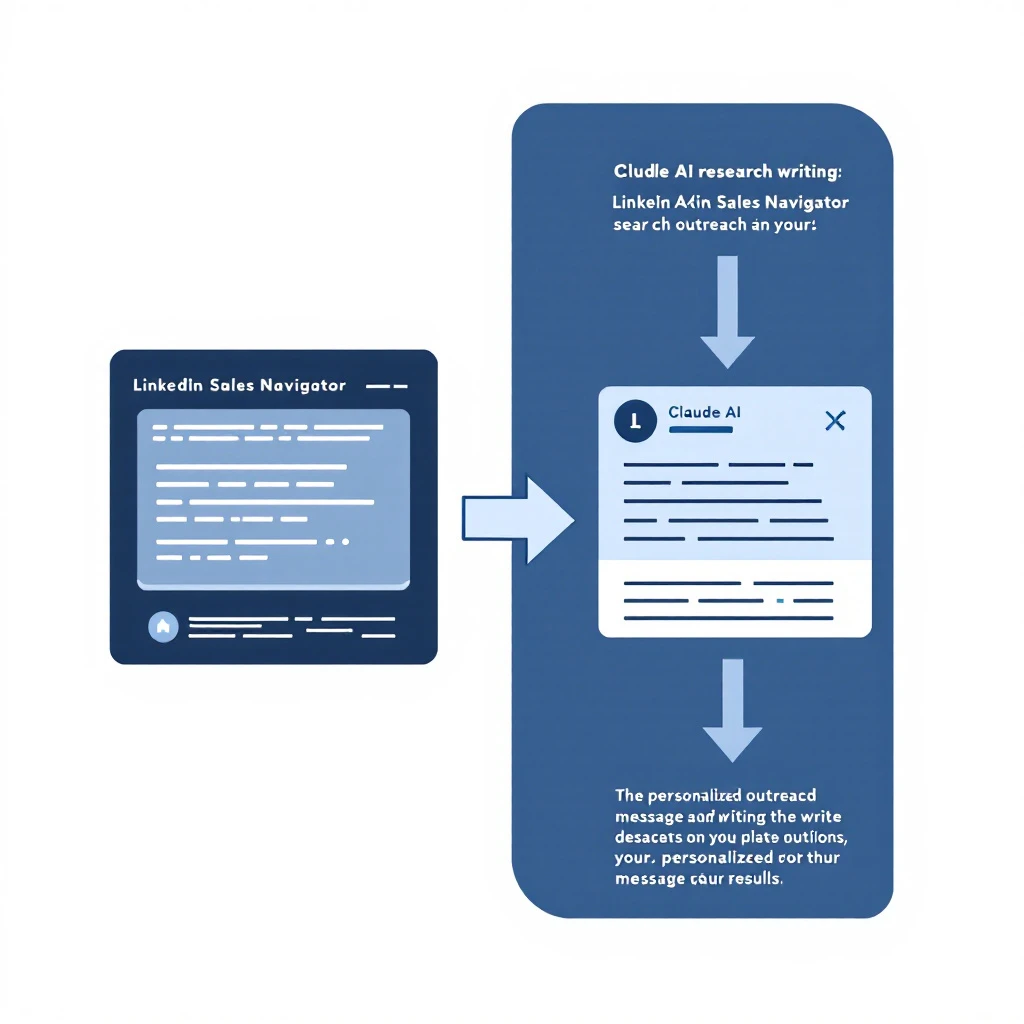
Option A โ€” LinkedIn Sales Navigator. Build a search that roughly matches your ICP, export or copy the results, and hand them to Claude to qualify. The Sales Navigator + Claude workflow walks through this end to end. Sales Nav gives you breadth; Claude gives you the filtering Sales Nav can't.

Option B โ€” Website visitor identification. This is the highest-intent source that most teams ignore. The companies already researching you are worth ten cold ICP matches. Tools that de-anonymize your traffic turn "someone from a mid-market logistics firm read your pricing page twice" into a named account you can act on today. That's the source we care most about โ€” more on it below.

Option C โ€” Free and low-cost tools. If you're bootstrapping, there's a real stack of free options. We break them down in the best free AI lead generation tools for B2B and the best B2B lead generation tools.

Whatever the source, the output of this stage is a raw list โ€” messy, unqualified, full of noise. That's fine. Stage 3 is where Claude earns its keep.


Stage 3 โ€” Qualify the raw list at scaleโ€‹

This is the magic step. You have 300 raw companies and a rubric from Stage 1. Feed both to Claude.

Prompt:

Here is my ICP scoring rubric:
[paste rubric from Stage 1]

Here is a raw list of 300 companies with the fields I have
(name, industry, employee count, website, any notes):
[paste CSV/list]

For each company:
1. Score it 0-100 against the rubric.
2. Give a one-line reason for the score.
3. Flag any auto-disqualifiers.
Return the top 40 by score as a table, sorted high to low.
Be conservative โ€” if you lack evidence a company fits, score it lower,
don't guess.

That last line matters. Telling Claude to penalize missing evidence instead of inventing it is the single most important instruction for keeping lead-gen output trustworthy. A rep who can trust the top-40 list works it; a rep who's been burned by hallucinated fits ignores the whole thing.

Two minutes of Claude replaces an afternoon of a rep eyeballing a spreadsheet โ€” and it's more consistent, because Claude applies the same rubric to row 300 as it did to row 1. For the underlying research mechanics, see automate lead research with Claude Code and Claude Code SDR Part 2: Prospect Research.


Stage 4 โ€” Enrich the winnersโ€‹

Now you have 40 qualified companies. You need the right person at each and enough context to open a real conversation. Claude can't pull verified emails on its own, but once you feed it enrichment data (from your provider) plus public signals, it synthesizes a briefing no rep has time to write by hand.

Prompt:

For each of these 40 companies, I've pasted the LinkedIn profile of the
most likely buyer plus their company's recent news:
[paste enrichment data]

For each, produce:
- Confirmed best-fit contact + title + why them
- A one-paragraph "why now" briefing (trigger event, pain, angle)
- One specific, non-generic opening line I could actually send
Keep each under 80 words. No filler, no "I hope this finds you well."

You now have 40 fully-briefed, ready-to-work leads. The full breakdown of turning research into first-touch lives in AI for sales prospecting and, for the outreach itself, LinkedIn outreach automation with Claude Code.


Stage 5 โ€” Prioritize into a daily worklistโ€‹

Forty leads is still too many to work well at once. The last step is ranking them into the order a rep should actually attack โ€” fit plus intent, not fit alone.

Prompt:

Here are my 40 enriched leads with fit scores.
I'm also pasting intent signals where I have them
(site visits, content downloads, job changes, funding):
[paste]

Re-rank all 40 into a single prioritized worklist. Weight recent,
high-intent signals heavily โ€” a medium-fit account that just visited
our pricing page outranks a perfect-fit account that's gone quiet.
Group into: Call today / Sequence this week / Nurture.

That's a lead-generation pipeline that runs in an afternoon and outputs a worklist your reps trust. To wire this into a daily cadence, the Claude SDR daily routine shows the exact 90-minute block. And if deliverability is a concern as you scale outreach, read how to build a prospecting engine without burning your domain first.


The honest limits (and how to work around them)โ€‹

Because no one else will say it plainly:

  • Claude will confidently invent contacts. Never let it be the source. Always give it a real list to work on, never ask it to produce one from nothing.
  • It doesn't have live data. "Recent funding" or "current headcount" needs to come from your source or enrichment tool. Claude reasons over data; it doesn't fetch it.
  • Verified emails require a real provider. Claude can guess an email pattern; it can't confirm one is deliverable.
  • Scoring is only as good as your rubric. Garbage ICP in, garbage worklist out. Stage 1 is not optional.

Work within those lines and Claude is the best qualification-and-synthesis engine your team has ever had. Ignore them and you'll generate a list of ghosts.


Where the leads should really come fromโ€‹

Here's the strategic point most "Claude for lead gen" advice misses. The best raw source isn't a bigger cold list โ€” it's the people already showing intent. Companies visiting your site are further down the buying journey than any cold ICP match, and they've told you what they care about by which pages they read.

That's the gap MarketBetter fills. We de-anonymize your website traffic into named accounts, layer on the buying signals, and โ€” this is the part that matters โ€” tell your reps what to do next, not just who visited. Claude is brilliant at reasoning over a list. MarketBetter makes sure the list is made of real, high-intent companies instead of cold guesses.

Claude tells your SDRs what to do. MarketBetter tells them who to do it for โ€” with the intent data that makes every message land.

Pair the two and the five stages above stop being a manual afternoon and become a system: high-intent leads in, prioritized worklist out, every day.


Start generating better leadsโ€‹

Claude is a force multiplier, not a lead database. Give it a real source, a sharp ICP rubric, and clear instructions, and it will do the qualification work of a small team โ€” consistently, in minutes.

The one thing it can't manufacture is a good source of leads. That's worth solving first.

Want to see high-intent leads flow straight into a Claude-ready worklist? Book a demo โ†’

The Discovery Call Diagnostic: 8 In-Call Signals That Predict If a Deal Will Close [2026]

ยท 12 min read
MarketBetter Team
Content Team, marketbetter.ai

Discovery call diagnostic - 8 in-call signals that predict deal close

Most AEs walk out of a discovery call and write the same recap in CRM: "Good convo. Strong interest. Sending follow-up." Two weeks later half of those deals are in slow-fade limbo, and nobody can explain what changed. Nothing changed. The deal was already dead at minute eight โ€” the AE just didn't notice.

The hard truth: discovery call outcome is mostly decided by what the buyer brings to the table, not what the AE asks. Budget, authority, timing โ€” the classic BANT โ€” are answers buyers give you because you forced the question. Real intent is something you have to listen for, and it shows up fast. If you know what to listen for, you can call the deal in the first 10-15 minutes with surprising accuracy.

This is the diagnostic. Eight signals. Where they show up. What they actually mean. And what to do when you don't see them.

If you want the wider context, this fits between the 15-minute pre-demo prep playbook and the 14-day post-demo AE daily playbook โ€” discovery is the inflection point between the two.

Why "discovery questions" frameworks miss the pointโ€‹

Every sales methodology โ€” MEDDPICC, SPIN, Sandler, GAP โ€” gives you a list of questions to ask. They're fine. The problem is that the AE who's reading off a question list is, by definition, leading the conversation. Leading a discovery call is the opposite of discovery. You're shaping their answers instead of letting them reveal themselves.

The diagnostic flips the model. Instead of asking better questions, you create the conditions for the buyer to talk for 60-70% of the call, and then you score what you hear. The questions matter less. The patterns inside their answers matter enormously.

Eight patterns. If a deal shows 5 or more, it's real. If it shows 2 or fewer, your follow-up is mostly nurture โ€” don't burn AE cycles. The middle is where coaching and multi-threading make the difference.

Signal 1 โ€” They name the trigger before you askโ€‹

The strongest qualifier in any discovery call is a compelling event volunteered without prompting. When a buyer opens with "we just lost our biggest rep and need to ramp two new ones in 60 days" or "our contract with the current vendor is up in November and renewal pricing went up 40%," they are telling you the deal already has a forcing function.

What to listen for: a specific event, a date attached to it, and a cost of doing nothing. Generic statements like "we're always looking to improve" or "we want to grow faster" are not triggers. Triggers have edges. They hurt.

If you don't hear one in the first 10 minutes, ask once: "What made now the right time to take this call?" If the answer is hand-wavy, mark this signal as absent. Don't pretend it's there.

Signal 2 โ€” They say "we" not "I"โ€‹

Pay attention to pronouns. Buyers who frame the problem in first-person singular ("I'm trying to figure outโ€ฆ", "I want to see ifโ€ฆ", "I've been thinking aboutโ€ฆ") are usually exploring on their own. Deals with one-person curiosity at the top of funnel close at a fraction of the rate of deals where the buyer has already framed the project as a team need.

"We" language signals that the conversation has already happened internally. They've talked about this with their VP. The pain has been named in a leadership meeting. The exploration call is one step of a process, not a personal hobby.

Listen for: "we're evaluating," "our team decided," "my CRO asked me to look at," "we agreed we'd shortlist." Each one is a deal-team artifact you didn't have to build yourself. Compare to multi-threading from the discovery stage โ€” if they're already using "we," the deal team is partially formed before you ever pitched.

Signal 3 โ€” They cite specific numbers unpromptedโ€‹

When buyers volunteer numbers without you fishing for them, the deal is already real in their head. "We have 47 SDRs and roughly 8,000 target accounts" is different from "we have a pretty big sales team." The first one means they've measured the problem. The second one means they're guessing.

Numbers to listen for: team headcount, current tool spend, conversion rates, quota attainment, deal sizes, pipeline coverage, churn rate. The specific metric matters less than the act of volunteering it. Buyers who have measured their problem have, almost by definition, already decided it's a problem worth solving.

The inverse signal is just as useful: if a buyer can't (or won't) give you a number for anything quantitative, they haven't done the internal work. The deal is at "interesting topic," not "active project."

Signal 4 โ€” They reference a deadline that isn't yoursโ€‹

Self-imposed deadlines are different from sales-imposed deadlines. "We need to make a decision by end of quarter" said in response to your "what's your timeline?" is a polite answer. "Board meeting in August, I need to have a recommendation by July 15" is a deadline that exists whether or not you're in the picture.

The best deadline signals are tied to events you can verify: a board meeting, a fiscal year cutover, a hiring plan that needs tooling, a vendor contract expiration, a product launch that needs sales infrastructure, a fundraise that requires GTM hardening. Each one creates signal decay on a known curve โ€” the deal has gravity pulling it toward a date.

If you don't hear a deadline, ask: "What happens if this isn't solved in the next 90 days?" If the honest answer is "not much," the deal will drift. Note it.

Signal 5 โ€” They ask about implementationโ€‹

This is the single most underrated signal in B2B sales. Buyers who ask "what does onboarding look like?" or "how long does it take to get a team trained?" or "who would we work with after the contract signs?" are not asking out of curiosity. They are mentally rehearsing what life is like after they buy.

The brain only does that rehearsal when the buying decision has tipped past 50%. You can almost feel it happen on a call โ€” the conversation shifts from "tell me what you do" to "tell me what we'd do." That pivot is everything.

When you hear an implementation question, your job is to answer it precisely and then ask "is the implementation timeline a factor in your decision?" Their answer tells you whether they're sequencing toward a real go-live or just collecting reassurance for a hypothetical purchase. Either way, lean in. This is the highest-leverage signal on this list.

Signal 6 โ€” They name competitors they're also evaluatingโ€‹

It feels counterintuitive โ€” competitors should be a threat, right? In discovery, the opposite is true. A buyer who names two or three competitors they're also looking at is a buyer who has built a shortlist, which means they have budget, authority, and intent. They are buying. The only question is from whom.

A buyer who insists they're "just exploring" and "not really comparing anyone right now" is in a much weaker position. They haven't done the work to scope the market. They're educational. Education calls close at maybe 5-10%. Shortlist calls close at 30-50%.

When you hear competitor names, do three things: (1) ask what they liked about each one โ€” this tells you their evaluation criteria, (2) ask where they are in each conversation โ€” this tells you the order of decision, (3) note the names, because your follow-up content needs to address those specific comparisons. This is where feature-to-feature competitor knowledge earns its keep.

Signal 7 โ€” They mention internal work they've already doneโ€‹

Strong deals have history. By the time they reach you, the buyer has usually built some artifact โ€” a one-pager for their VP, a spreadsheet comparing two or three vendors, a doc summarizing the current tool's gaps, a Slack thread with their team about the project. When they reference these in passing ("I put together a deck for our CRO last week" or "I have a spreadsheet I've been filling out"), they are showing you that the buying process is already running inside their org.

The artifact itself isn't the signal. The fact that they made one is. Internal work means an internal champion is forming, which is the single biggest predictor of whether the deal will survive the champion-goes-quiet moment later in the cycle.

Ask, gently: "Would it help if I sent you a one-pager you can share internally?" or "Want me to put together a version of the comparison for your team?" If they say yes enthusiastically, you have a champion in the making. If they deflect ("oh, I'll handle that myself"), the deal is more single-threaded than it looked.

Signal 8 โ€” They self-propose the next call participantsโ€‹

The cleanest tell of all: at some point in the back half of discovery, the buyer says some version of "I think it would make sense to get our [VP / RevOps lead / IT person / finance partner] on the next call." Not because you asked. Because they're already imagining the next step.

A buyer who is sequencing toward a multi-stakeholder conversation has decided this is a real evaluation. They're showing you who they need to align internally. You should help them. Offer a specific agenda for the next call ("I can prepare a 20-minute demo focused on what your VP will care about, plus 10 minutes for Q&A"). Get the calendar invite while you're still on Zoom.

If the buyer doesn't self-propose, you do it โ€” but treat it as a softer signal. "Who else internally would want to be on the next conversation?" is a fine question. Their willingness to name people is the signal. A vague "let me think about who else should weigh in" is a deferred answer, which means weak coalition. Mark it as half-credit.

Scoring the callโ€‹

After the call, score 0-8. Don't fudge.

ScoreReadAction
6-8 signals presentReal dealMove to multi-threaded demo, prep next call within 5 business days
4-5 signals presentReal but needs workChampion-building plays โ€” share a custom one-pager, line up a peer customer reference
2-3 signals presentEducational / nurtureLong-cycle drip, re-engage on trigger events, do not invest AE hours
0-1 signals presentWrong-fit or wrong-timeMove on. Politely. Open the AE calendar for a real deal

The mistake most AEs make is treating the 2-3 signal calls like the 6-8 signal calls โ€” same follow-up energy, same calendar time, same hope. That's how pipeline math breaks. Most reps don't have a fit problem; they have a discipline problem about where to spend hours.

What to do when you don't see the signalsโ€‹

Two paths. The first is honest disqualification โ€” most AEs are too generous with their own time, and a clean "this isn't the right moment for us, here's what we'd recommend instead" preserves both your hours and your reputation.

The second is to flip the call. If you're at minute 12 and you haven't heard any of the eight, change the conversation: "I want to make sure I'm being useful โ€” can I share what we typically see at companies that look like yours, and you tell me if any of it resonates?" This forces the buyer to either react (which is itself diagnostic) or stay flat (which confirms the call was a research call, not a buying call).

Either way, write the right CRM note. "No compelling event, no deadline, single-threaded, no internal work done โ€” nurture only" is more valuable than "good convo, sending follow-up" โ€” both to you, and to your manager forecasting the quarter.

How signal-driven selling changes discoveryโ€‹

This whole diagnostic gets easier when the AE walks into the call already knowing the buyer's trigger events and signal stack. When you've seen the company hire two new sales leaders, fundraise, and visit your pricing page three times in a week, you don't need to ask "what made now the right time?" โ€” you already know. You can spend the discovery call confirming and deepening instead of starting from zero.

That's the entire premise of signal-based selling: by the time the meeting happens, the AE has a sharpened hypothesis, and the discovery call is about confirming the diagnosis, not running blood tests. Discovery without signals is forensic work. Discovery with signals is consultative work. The outcomes are wildly different.

The bigger arcโ€‹

Discovery is one stage in the signal-to-closed-won sales cycle. The signals you score on the discovery call become the inputs for the 14-day post-demo plan, the SDR-to-AE handoff quality check, and ultimately the forecast call your VP runs every Friday. Sharpening the discovery diagnostic improves every downstream stage. There is no other single hour in the sales process where small changes in skill produce larger changes in outcome.

The teams that win the next two years won't be the ones with the most discovery calls. They'll be the ones who can call the deal at minute 12 and act accordingly โ€” invest where signals are loud, disqualify where they're absent, and stop pretending the middle 40% of pipeline is real.


Want to see what an AE pipeline looks like when discovery is signal-driven from day one? Book a demo โ†’

The Claude SDR Daily Routine: A 90-Minute Morning Block That Replaces 4 Tools [2026]

ยท 10 min read
MarketBetter Team
Content Team, marketbetter.ai

Claude SDR Daily Routine - 90-minute morning block

Most SDRs we talk to use Claude the same way they use ChatGPT โ€” open a tab, paste a question, copy the answer, repeat. That works, but it leaves most of Claude's value on the floor.

The SDRs who get a real multiplier out of Claude don't treat it as a faster Google. They treat it as a morning copilot โ€” a fixed 90-minute block, the same five sub-tasks every day, with prompts they've sharpened over months. The output isn't "AI content." It's a stack of ready-to-send messages, a triaged signal queue, a clean account plan, and an inbox at zero.

This post is the exact routine. Five blocks. The prompts. What they're actually replacing.

If you want the broader strategic case, the complete Claude-for-SDRs pillar guide walks through why Claude wins for SDR work. This post is the operating manual.

The 4 tools this routine replacesโ€‹

Before the breakdown, what the 90 minutes is actually compressing:

Replaced workflowOld timeNew time inside Claude
Prospect research (LinkedIn + company site + news)20-30 min per account4-6 min per account
Sales Navigator list triage30-45 min daily10-15 min
Account plan write-up45-60 min per account8-10 min
Inbox triage + reply drafting45-60 min daily15-20 min

Total replaced: roughly 3 hours of common SDR busywork compressed into a 90-minute block, before your first dial.

The catch: every minute saved comes from prompt structure, not from Claude being magic. The prompts below assume you've fed Claude your ICP, your product positioning, and three or four "good email" examples in a saved project. If you haven't, start here on prospect research and here on cold email personalization.

Block 1 โ€” Signal triage (15 minutes)โ€‹

What you're doing: sorting overnight signals โ€” visitor ID hits, intent topic spikes, job change alerts, replies โ€” into three buckets: call-now, sequence-today, snooze.

Why Claude is good at this: it's pattern recognition over noisy fields, exactly the kind of thing a human gets bored doing by 9:05 AM.

Prompt:

You are my SDR signal triage copilot. I will paste a CSV/list of overnight signals.
For each row, classify into one of: CALL_NOW, SEQUENCE_TODAY, SNOOZE_7D.

Rules:
- CALL_NOW: returning visitor on /pricing or /book-demo, OR open champion at a target account who just changed roles, OR an intent spike on a top-3 use case at an account already in pipeline.
- SEQUENCE_TODAY: first-touch ICP fit signals โ€” new visitor on a product page, fresh intent spike, persona-fit job change at a fit account.
- SNOOZE_7D: weak signals โ€” single page view on /blog, off-ICP firmographics, signals at accounts already in late-stage with another seller.

Return a table with: account, contact, signal, classification, 1-line "why this bucket".
At the bottom, list the CALL_NOW accounts with the strongest "first 90 seconds" opener I should use, referencing the specific signal.

What replaces this otherwise: a 30-minute scroll through Sales Navigator + your visitor ID tool + your intent platform, trying to remember which accounts are already in flight. If you're doing this manually every morning, you're paying the same cost twice โ€” the platform fee and the SDR's morning.

For the deeper case on why signal-first SDRs out-book signal-blind ones, see From Buying Signal to Booked Meeting in 24 Hours.

Block 2 โ€” Targeted prospect research (20 minutes)โ€‹

What you're doing: taking your 3-5 CALL_NOW or top-priority accounts from Block 1 and turning each into a one-screen account brief.

Why batch: a single research session with context loaded once is faster than five context switches.

Prompt (one per account):

Research brief for [ACCOUNT NAME]. I'm an SDR selling [your product, 1 line].
Contact I'm reaching is [NAME, TITLE].

Pull from the company site, recent press, their LinkedIn page posts, and the contact's
LinkedIn activity in the last 90 days. Return:

1. Company snapshot โ€” 2 lines max. What they actually do, not their tagline.
2. Recent "why now" โ€” top 3 events in the last 90 days that justify outreach today.
3. Strategic priorities โ€” what leadership is publicly talking about.
4. Personal hook for [NAME] โ€” something they personally posted, said, or shipped that
I can reference without being weird about it.
5. Three opener angles, ranked by likely reply rate, with the explicit pitch each implies.

If a section has nothing solid, say "no clean signal" โ€” do not invent.

That last instruction matters. Hallucinations are 90% prompt-permission errors. If you give Claude an explicit out, it takes it. If you don't, it fills the gap. (More on that pattern in our writeup on Claude vs ChatGPT for sales teams.)

Block 3 โ€” Account plan drafting (15 minutes)โ€‹

What you're doing: for the 2-3 hottest accounts, converting the research brief into a one-page plan you can drop in your CRM or hand to an AE.

Prompt:

Convert the research brief above into a one-page account plan in this structure:

- Account: name, segment, size, deal-trigger event
- Buying committee โ€” likely roles, who I have, who I'm missing
- Use-case fit โ€” which 1-2 of our use cases match their stated priorities
- Risks โ€” what kills this deal at each stage (no demo, no champion, no budget cycle)
- 14-day plan โ€” day-by-day, what I do, what I expect back, when to escalate to AE
- Discovery questions โ€” 5 I would actually ask on a first call, ranked by signal value

Be specific. No platitudes. If a section is weak, write "needs more research" โ€” do not pad.

This is the step that makes the AE conversation different. Most SDRs hand over a contact and a paragraph. The AEs who book repeat business get a 14-day plan with a discovery agenda. For more on what that handoff actually looks like, see the SDR-to-AE handoff playbook and the 15-minute pre-demo prep playbook.

Block 4 โ€” Inbox at zero (20 minutes)โ€‹

What you're doing: processing replies, scheduling pings, and "soft no" responses. Every reply gets one of four actions: book, nurture, re-engage, archive.

Prompt:

I will paste replies from overnight. For each reply, return:

- Intent classification: HOT, WARM, COLD, NEGATIVE, OUT_OF_OFFICE, REFERRAL
- Suggested action: book meeting / send Loom / soft re-engage in 30d / mark closed-lost / forward to AE
- A 3-sentence draft reply in my voice (matching the examples I gave you in the project), ready to paste.
- A "do not send if" line โ€” the 1-2 conditions that should make me NOT send the draft.

Group output by intent. Put HOT and REFERRAL at the top.

The "do not send if" line is the only reason this block stays at 20 minutes instead of 45. It tells you which drafts to skim past versus which to actually review. Without it, every Claude-drafted reply gets the same level of scrutiny โ€” and you end up reading 30 drafts to decide on 8.

For replies where the prospect went quiet mid-cycle, the Champion Goes Quiet playbook has the specific re-engagement sequences worth pasting in as Claude context.

Block 5 โ€” Personalized first-touch drafts (20 minutes)โ€‹

What you're doing: drafting first-touch sequences for the 8-12 accounts you'll add to your active list today. Three-touch sequence per account: cold email, LinkedIn note, follow-up email.

Prompt:

For each account in the list below, draft a 3-touch personalized outbound sequence:

Touch 1: Cold email, max 90 words. Open with the specific "why now" from the research
brief โ€” not a flattery line. CTA is a soft ask (book 15 min OR a specific question).
Touch 2: LinkedIn note, max 280 chars. Reference touch 1 obliquely, not directly.
Touch 3: 4 days later, plain-text follow-up. New angle, not "just bumping this up."
Reference a different "why now" if one exists.

Voice: match the examples in the project. No "I hope this finds you well." No "saw you
guys are doing great things." Concrete or skip the line.

For each account, also output the 1-line subject line you'd actually open with.

Two non-obvious things matter here:

  1. Voice examples in the project beat any prompt instruction. Telling Claude "write in my voice" without 3-5 saved examples produces marketing copy. With examples, it produces something you'd actually send. We dig into this in the Claude 200K context for sales workflows post.
  2. The "new angle on touch 3" rule is what stops the sequence from feeling like a follow-up. Most AI-generated sequences fail at touch 3 because they reuse the touch-1 hook. Force a different angle and reply rates climb.

What this routine doesn't doโ€‹

It doesn't replace dials. It doesn't replace your call recording review. It doesn't replace 1:1 coaching from your manager. And it doesn't make a bad ICP fit into a good account.

It compresses the administrative and research overhead that's traditionally eaten 60% of an SDR's day, so you can spend more of the remaining day on the things only a human does well: phone, video, and judgment.

The teams getting outsized returns from Claude pair this routine with a platform that surfaces the right signals into the morning queue in the first place. That's the gap MarketBetter fills โ€” every account in your CALL_NOW bucket came from visitor ID, intent, or champion-tracking signals the platform pushed to you, not a list you remembered to check. Claude turns those signals into ready-to-send work in 90 minutes. The rest of your day is selling.

Where to go nextโ€‹

If you want to keep going deeper into Claude-for-SDR specifically:


Want a signal queue that actually fills your CALL_NOW bucket every morning? That's what MarketBetter does for the SDRs running this routine. Book a demo and we'll show you what your morning queue would look like with real visitor ID, intent, and champion-tracking signals running into it.

Claude for SDRs: The Complete Guide to AI-Powered Sales Development [2026]

ยท 14 min read
MarketBetter Team
Content Team, marketbetter.ai

If you're an SDR in 2026 and you're not using Claude for at least a third of your daily workflow, you're getting outworked by people who are.

This isn't speculative. It's the consistent pattern we see across the GTM teams using MarketBetter: the SDRs who pair Claude with their existing tools (Sales Navigator, CRM, sequencer, enrichment) are booking 2โ€“3x more qualified meetings โ€” not because they grind harder, but because Claude eats the parts of the job that used to eat their day.

This pillar is the single page that pulls it all together. It's a map. Each section links into a deeper, hands-on guide so you can go as shallow or as deep as you want.

Use this guide if you want to:

  • Understand which sales tasks Claude is actually good at (and which still need a human)
  • See concrete workflows for prospect research, Sales Navigator, email personalization, and CRM hygiene
  • Compare Claude vs. ChatGPT vs. Codex for SDR work
  • Get a daily routine you can copy and run starting tomorrow

Let's get into it.


What Claude actually is (and why SDRs care)โ€‹

Claude is Anthropic's family of large language models โ€” the same kind of underlying technology behind ChatGPT, but built with a different design philosophy. For sales work, three things matter:

  1. Long context. Claude can hold the equivalent of a 500-page document in working memory. You can drop in a whole company's 10-K, a quarter of call transcripts, or a CSV with 2,000 leads, and ask questions across all of it. Most sales workflows benefit from this more than from raw "intelligence."
  2. Reasoning that holds together. When you ask Claude to compare 30 prospects against your ICP and prioritize them, it doesn't lose the thread halfway through. That matters when the output is a worklist you're about to grind through.
  3. Claude Code. The CLI version of Claude can read files, run scripts, hit APIs, and do real work in a terminal โ€” not just chat. That's what unlocks the workflows in this guide.

If you've never opened Claude Code, start with The AI-Powered SDR: How Claude Code + MarketBetter Changes Everything. It's the on-ramp.

For a deeper head-to-head on which model to use when, see Claude vs ChatGPT for Sales Teams and Codex vs Claude Code for Outbound Sequences.


The five things Claude is genuinely good at for SDRsโ€‹

Most SDR teams trying AI fail because they pick the wrong tasks. AI is not magic โ€” it's a very specific kind of leverage. After watching dozens of GTM teams roll this out, five jobs consistently produce a return.

1. Prospect research at scaleโ€‹

The before: an SDR opens a LinkedIn profile, copies the bio into a doc, hunts for the company's last funding round, reads the latest blog post, then attempts a "personalized" opener. Twenty minutes per prospect, fifteen prospects a day.

The after: Claude reads the LinkedIn profile, the company about page, the last three blog posts, and a Crunchbase entry, then drafts a one-paragraph "what to actually open with" briefing. Two minutes per prospect, sixty prospects a day, and the openers are sharper because Claude can hold all four sources in working memory at once.

Hands-on walkthrough: Claude Code SDR Part 2: Prospect Research and Automate Lead Research with Claude Code.

2. Personalized cold email at volumeโ€‹

There's a chasm between "generic AI-written email" and "actually personalized email." The difference is the inputs. If you hand Claude a job title and a company name, you get generic slop. If you hand it the prospect's last LinkedIn post, a snippet from their company's earnings call, and your ICP framing, you get something a human couldn't tell from a hand-written email โ€” at 30x the speed.

We've broken the workflow down step by step in Claude Code SDR Part 3: Personalized Cold Emails and AI Email Personalization at Scale. Templates that have produced real opens: AI Sales Email Templates with Claude Code.

3. Sales Navigator โ†’ enriched list pipelineโ€‹

Sales Navigator is a goldmine, but it's also a UI nightmare. Most SDRs end up exporting CSVs and gluing tools together. Claude Code can sit in the middle of that pipeline โ€” taking a raw export, hitting enrichment APIs, scoring against ICP, and dropping a ready-to-sequence list into your CRM or MarketBetter campaign.

Full walkthrough: Automate LinkedIn Sales Navigator with Claude Code and Claude Code SDR Part 4: LinkedIn to Pipeline.

4. CRM cleanup and duplicate huntingโ€‹

This is the boring, underrated win. Every SDR org we look at has tens of thousands of dirty records โ€” duplicate companies, inconsistent job titles, missing fields, accounts owned by reps who left two years ago. Claude is unreasonably good at this kind of pattern work because it can hold the whole CSV in context and make consistent, explainable decisions.

For a real example of what dirty data costs you and how to fix it: When CRM Has 3 Records for the Same Company and Claude Code SDR Part 7: CRM Cleanup.

5. Pipeline analysis and reportingโ€‹

The other underrated win. Once a week, drop your CRM export into Claude and ask: "What changed in pipeline this week? Which deals look at risk? Which reps are leaning on a single mega-deal?" In ten minutes you get a weekly business review most ops teams take two days to produce.

Deep dive: AI Pipeline Velocity Optimization with Claude Code and Claude Code SDR Part 6: Lead Scoring.


What Claude is NOT good at (don't waste time here)โ€‹

This is the part most "AI for sales" content skips. The list of things Claude shouldn't be doing in your workflow:

  • Actually sending the email. Claude drafts; your sequencer sends. Mixing the two is how you end up with deliverability problems and brand damage.
  • Live discovery calls. Claude is a research and prep tool, not a replacement for the conversation. The SDRs who try to use it on live calls sound exactly like what they are.
  • Anything that needs a relationship. Referral asks, expansion conversations, exec sponsorship โ€” these are still 100% human. Claude can help you prep, but a Claude-written DM to a CFO will read as Claude-written, and they will clock it instantly.
  • Hard objections you don't understand yet. If you can't articulate why a prospect might say no, Claude can't either. It can help you brainstorm, but it can't shortcut the muscle of actually understanding your market.

We wrote a longer take on this: Why General AI Won't Replace the SDR Stack and Why Open-Source GTM Agents Won't Replace the SDR Platform.


Claude vs. ChatGPT vs. Codex: which one when?โ€‹

Short version of a long argument:

  • ChatGPT โ€” Best for one-off brainstorms and quick rewrites in a browser. The product layer is more mature for non-technical users.
  • Claude (web) โ€” Best when you need to drop in a long document (an RFP, a deck, a transcript) and ask deep questions. The long-context advantage is real.
  • Claude Code โ€” Best when the work is repeatable and touches files, APIs, or your terminal. This is where the 10x leverage lives.
  • Codex / OpenAI CLI โ€” Best when the work leans heavier on code generation than on reading/reasoning over content. Decent for sequencer integrations.

Full comparison matrices: Codex, Claude, ChatGPT for GTM Comparison, Claude vs ChatGPT for Sales Teams, Codex vs Claude Code for Outbound Sequences, and the practical OpenAI Codex CLI GTM Guide.

If your team is debating whether to build something custom or buy a platform, read Build vs Buy: The AI SDR Stack Decision before the next meeting.


The 10-part Claude Code SDR series, in orderโ€‹

If you want the hands-on path, work through the series in order. Each part is ~10 minutes to read and another 15โ€“30 to set up:

  1. Part 1 โ€” The AI-Powered SDR: How Claude Code + MarketBetter Changes Everything
  2. Part 2 โ€” Prospect Research with Claude Code
  3. Part 3 โ€” Personalized Cold Emails at Scale
  4. Part 4 โ€” LinkedIn to Pipeline
  5. Part 5 โ€” Competitive Intelligence
  6. Part 6 โ€” Lead Scoring with AI
  7. Part 7 โ€” CRM Cleanup
  8. Part 8 โ€” Meeting Prep
  9. Part 9 โ€” Follow-up Sequences
  10. Part 10 โ€” The Complete Playbook

Tangential but useful: AI Buyer Persona Research Automation with Claude Code, AI Objection Handler with Claude Code, Multi-language Cold Outreach with AI, and AI Sales Onboarding Automation.


A realistic Claude-powered SDR dayโ€‹

Here's what a 9-to-5 actually looks like for an SDR who has internalized this workflow. Adjust to taste.

9:00 โ€” Triage and target list (30 min)โ€‹

Open Claude Code. Hand it last night's MarketBetter signal feed plus your CRM export. Ask: "Which 25 prospects should I prioritize today, ranked by signal strength and ICP fit, with one sentence each on why?" Paste the output into your day list.

Underlying mechanics covered in: From Buying Signal to Booked Meeting in 24 Hours and Visitor ID to First Outreach in 30 Minutes.

9:30 โ€” Research sprint (45 min)โ€‹

For the top 10 prospects, run a research macro. Claude reads LinkedIn, the company about page, last earnings call (if public), and last 3 blog posts. Produces a one-paragraph "what to open with" briefing per prospect. Total time: ~4 minutes per prospect, parallelized.

10:15 โ€” Personalized outbound block (75 min)โ€‹

For each researched prospect, Claude drafts an email + LinkedIn DM + voicemail script using your templates and the research briefing. You read, edit (always edit), and queue in the sequencer. Expected output: 20โ€“25 outbound touches that don't read as templated.

11:30 โ€” Live calls (90 min)โ€‹

This is human time. Claude shouldn't be on the call. But before each call, give Claude 30 seconds: "Pull the meeting prep brief for [prospect name]." It hands you the angles, the questions you should ask, and the likely objections.

Covered in Claude Code SDR Part 8: Meeting Prep.

1:00 โ€” Lunch (you, not Claude)โ€‹

2:00 โ€” Follow-ups and replies (60 min)โ€‹

For replies that came in overnight, paste them into Claude and ask for a draft response in your voice. Same for follow-ups on cold opens. The model gets better at "your voice" the more you correct it โ€” keep a one-page style doc and feed it in every time.

Workflow: Claude Code SDR Part 9: Follow-up Sequences.

3:00 โ€” Round 2 outbound block (90 min)โ€‹

A second outbound sprint, weighted toward prospects from this morning's research that you didn't get to yet. Same flow as 10:15.

4:30 โ€” Pipeline hygiene + end-of-day reporting (30 min)โ€‹

Claude runs the daily CRM cleanup macro โ€” flags duplicates, missing fields, stale opportunities, and accounts assigned to nobody. You spend ten minutes resolving the top five issues. Then Claude drafts your end-of-day update for your manager from your activity log.

The longer template version of this day: Claude Code SDR Part 10: The Complete Playbook.


Common questionsโ€‹

Do I need to know how to code to use Claude Code?

No. Claude Code is a command-line tool, not a programming language. You type instructions in English. The reason it's powerful for SDRs is that it can read your CSVs and hit web pages โ€” not that you're writing software.

Will my SDR manager freak out about prospects being touched by AI?

If they're paying attention, the question they'll actually care about is the output, not the tool. SDRs using Claude well are not the ones sending mass-templated AI slop โ€” they're the ones sending sharper, more researched messages than the rest of the team. That conversation tends to land on "show me your workflow," not "stop using it."

What about deliverability? Doesn't AI content get flagged?

Email providers don't flag content because "AI wrote it" โ€” they flag patterns: same body across thousands of sends, links to suspicious domains, low engagement, sudden volume spikes. Claude-drafted but human-edited emails sent at SDR cadence don't trigger any of that. If you want to go deep, we wrote about it in the context of why most signal-based selling rollouts fail in 90 days.

How does Claude compare to a purpose-built AI SDR tool like 11x, Regie, or Nooks?

Different categories. Claude is a general-purpose model you wire into your existing tools. Purpose-built AI SDR platforms are end-to-end products that try to replace the SDR seat. We have a strong opinion on this โ€” Why General AI Won't Replace the SDR Stack โ€” and you can see the head-to-heads in our reviews like Landbase Review 2026.

Where does MarketBetter fit?

MarketBetter is the signal and orchestration layer underneath the workflows in this guide. Claude is the research and writing engine; MarketBetter is the system that surfaces which accounts are in-market right now, routes them, and tracks what happens. The 10-part series is named "Claude Code + MarketBetter" for a reason โ€” they're complements, not competitors. See the AI SDR tech stack for the full picture, or how to build an AI SDR with MarketBetter.


Where to start tomorrowโ€‹

If you read nothing else from the links above, do these three things this week:

  1. Read Part 1 and install Claude Code. Twenty minutes.
  2. Pick one workflow from the five above โ€” most teams start with prospect research because the time savings are immediate and obvious.
  3. Run it on your real worklist for one week. Don't try to automate the whole stack at once.

The SDRs who win at this don't move fastest. They move first on the workflow they understand best and then expand from there.

If you want the signal layer that decides which prospects belong in your Claude pipeline in the first place โ€” that's what we built MarketBetter for. Book a demo or keep reading the SDR automation pillar and the B2B intent data pillar for adjacent territory.

The AI-Powered SDR: How Claude Code + MarketBetter Changes Everything

ยท 12 min read
MarketBetter Team
Content Team, marketbetter.ai

๐ŸŸข Series Difficulty: BASIC (Part 1 of 10) โ€” No AI experience needed. Start here.

There's a quiet revolution happening in sales development, and most SDRs are about to get left behind.

While everyone's talking about AI replacing salespeople, the real story is different: the SDRs who learn to work with AI tools are outperforming their peers by 5-10x. Not because they're better sellers. Because they've eliminated the busywork that eats 70% of their day.

This is the first post in our 10-part series on how SDRs can use Claude Code together with MarketBetter to become radically more effective. No coding background needed. No engineering degree required. Just practical workflows that any sales professional can start using today.

What Is Claude Code (and Why Should You Care)?โ€‹

Let's start simple. Claude Code is an AI assistant built by Anthropic that lives in your terminal โ€” think of it like having a super-smart research analyst sitting next to you, ready to do whatever you ask.

But here's what makes it different from ChatGPT or other AI chatbots: Claude Code can actually do things. It doesn't just generate text. It can:

  • Read and analyze files โ€” drop in a CSV of 500 leads and ask it to prioritize them
  • Search and research โ€” pull together company intel from multiple sources in seconds
  • Write and edit โ€” craft personalized emails, call scripts, and LinkedIn messages
  • Process data โ€” clean up your CRM exports, find duplicates, standardize job titles
  • Build simple tools โ€” create lead scoring models, competitive tracking sheets, and more

Think of it this way: if your current AI tool is a calculator, Claude Code is a full spreadsheet. Same category, completely different capability.

"But I'm Not a Developer..."โ€‹

Good. You don't need to be. The way you interact with Claude Code is by typing plain English. You tell it what you want, and it figures out how to do it.

Here's a real example:

"I have a meeting with the VP of Sales at Acme Corp tomorrow. Pull together everything you can find about them โ€” recent news, their tech stack, any recent job postings, and what their LinkedIn presence looks like. Give me a one-page brief I can review in 5 minutes."

That's it. That's the "prompt." No code. No special syntax. Just tell it what you need like you'd tell a colleague.

The Current SDR Reality (It's Not Pretty)โ€‹

Let's be honest about what most SDRs' days actually look like:

ActivityTime SpentRevenue Impact
Researching prospects2-3 hoursIndirect
Updating CRM1-2 hoursZero
Writing/personalizing emails1-2 hoursModerate
Actual selling (calls, meetings)1-2 hoursHigh
Admin tasks1 hourZero

The math is brutal. Out of an 8-hour day, the average SDR spends less than 2 hours on activities that directly generate revenue. The rest? Research, data entry, email drafting, and the soul-crushing ritual of tabbing between 12 different browser tabs trying to figure out if a prospect is worth calling.

This isn't a "work harder" problem. It's a leverage problem. And AI is the lever.

Enter Claude Code + MarketBetter: The 10x SDR Stackโ€‹

Here's our thesis: when you combine Claude Code's analytical power with MarketBetter's signal-driven platform, you create a workflow that turns an average SDR into a top performer.

Not by making them faster at bad activities. By fundamentally changing which activities they spend time on.

How the Stack Works Togetherโ€‹

MarketBetter is your signal engine. It tells you:

  • Which companies are visiting your website right now
  • Who the actual people are behind those visits (person-level identification)
  • What pages they looked at and how many times they came back
  • When a cold lead suddenly re-engages
  • Which accounts are showing buying intent

Claude Code is your research and execution engine. It:

  • Takes those signals and instantly builds detailed prospect briefs
  • Crafts hyper-personalized outreach based on real research
  • Cleans and enriches your contact data
  • Analyzes patterns in your pipeline
  • Builds custom workflows for your specific sales process

Together, they create a loop:

  1. MarketBetter surfaces the signal โ†’ "Company X visited your pricing page 3 times this week"
  2. Claude Code does the research โ†’ "Here's everything about Company X: they're a 200-person SaaS company, just raised Series B, hiring 5 SDRs, their VP of Sales just posted about outbound challenges on LinkedIn..."
  3. You make the call โ†’ Armed with context that would have taken 30 minutes to gather manually, in 30 seconds
  4. MarketBetter delivers the sequence โ†’ AI-written follow-up sequences triggered by behavior

That's the loop. Signal โ†’ Research โ†’ Action โ†’ Follow-up. And it happens in minutes, not hours.

What This Series Will Coverโ€‹

Over the next nine posts, we're going deep into every part of this workflow. The series is structured as a progression โ€” Basic โ†’ Medium โ†’ Advanced โ€” so you build skills step by step. Each post builds on what you learned in the previous ones, and by the end, you'll have a complete AI-powered SDR workflow.

Here's what's coming:

๐ŸŸข BASIC (Posts 1-3) โ€” Getting Startedโ€‹

These posts assume zero AI experience. If you've never used Claude Code, start here.

Part 2: Prospect Research in 30 Seconds โ€” Your first real use case. Learn how to use Claude Code to build complete account dossiers instantly. Pair with MarketBetter's visitor identification to know exactly who to research and when.

Part 3: Writing Hyper-Personalized Cold Emails at Scale โ€” Build on your research skills to craft emails that genuinely feel personal. Then deploy them through MarketBetter's AI sequences.

๐ŸŸก MEDIUM (Posts 4-6) โ€” Building Your Systemโ€‹

Now that you're comfortable with basic prompts, these posts show you how to build repeatable workflows.

Part 4: LinkedIn-to-Pipeline โ€” Automate your Sales Navigator workflow. Combines the research skills from Part 2 with the email writing from Part 3, plus MarketBetter's Chrome Extension for importing leads.

Part 5: Competitive Intelligence on Autopilot โ€” Monitor what your competitors' customers are saying. Turn insights into targeted outreach using the techniques from earlier posts.

Part 6: Building a Lead Scoring Model โ€” Create simple but effective scoring logic without a data team. Use MarketBetter's daily playbook to act on the scores.

๐Ÿ”ด ADVANCED (Posts 7-9) โ€” Mastering AI-Powered Salesโ€‹

These posts tackle more complex workflows that combine multiple skills. Best tackled after you're comfortable with Parts 1-6.

Part 7: CRM Cleanup in Minutes โ€” Process large datasets, fix dirty data, and build maintenance systems. Clean data powers everything else in this series.

Part 8: Meeting Prep That Doesn't Suck โ€” Build an automated meeting prep system that combines Claude Code research with MarketBetter behavioral data. Multi-step workflows for every meeting on your calendar.

Part 9: Never Let a Lead Go Cold โ€” AI-powered follow-up sequences that combine signal detection, research, and personalized re-engagement. The most sophisticated workflow in the series.

๐Ÿ† CAPSTONE (Post 10) โ€” The Full Playbookโ€‹

Part 10: The Complete AI SDR Playbook โ€” Everything from Posts 1-9, assembled into a complete daily routine. Your minute-by-minute schedule as an AI-powered SDR.

The 5 Principles of the AI-Powered SDRโ€‹

Before we dive into tactics, let's establish the mindset. These five principles guide everything in this series:

1. Signals Over Spray-and-Prayโ€‹

Traditional outbound is a numbers game. AI-powered outbound is an intelligence game. Instead of emailing 200 people and hoping 5 respond, you identify the 20 who are most likely to buy and reach out with perfect context. The result? Higher response rates with less effort.

For a deep dive on this approach, check out our guide to signal-based selling.

2. Research Speed = Revenue Speedโ€‹

The faster you can go from "who is this prospect?" to "here's exactly what to say to them," the more conversations you have. Claude Code compresses research from 20 minutes to 20 seconds. Over a day, that's hours reclaimed for actual selling.

3. Personalization Is a Competitive Moatโ€‹

Generic outreach is dead. When every SDR is using the same templates, the reps who win are the ones who make every touchpoint feel custom. AI lets you achieve true personalization at volume โ€” not "Hi {first_name}, I see you work at {company}" personalization, but "I noticed you just posted about scaling your outbound team, and your company is hiring 3 new SDRs โ€” here's how others in that situation have approached it" personalization.

Learn more in our post on how to write cold emails that actually get replies.

4. Clean Data Is Non-Negotiableโ€‹

AI tools are only as good as the data you feed them. Garbage in, garbage out. That's why Part 7 of this series focuses entirely on using Claude Code to clean your CRM data. It's not sexy, but it's the foundation everything else is built on.

5. The Human Makes the Decisionโ€‹

AI doesn't close deals. People do. The role of AI in this stack is to give you better information faster so you can make better decisions about who to call, what to say, and when to follow up. You're still the one building relationships, reading rooms, and closing business. AI just makes sure you're spending your time on the right prospects.

A Day in the Life: AI-Powered SDR vs. Traditional SDRโ€‹

Let's make this concrete. Here's how the same morning looks for two SDRs:

Traditional SDR: Sarah's Morningโ€‹

  • 8:00 AM โ€” Opens CRM, scrolls through her list of 200 accounts. No idea which ones to prioritize.
  • 8:15 AM โ€” Picks 10 accounts alphabetically (she left off at "M" yesterday). Opens LinkedIn to research the first one.
  • 8:30 AM โ€” Spends 15 minutes on the first account. Finds the VP of Sales on LinkedIn, reads their last 3 posts, checks the company news page, looks up their tech stack on BuiltWith.
  • 8:45 AM โ€” Writes a personalized email. Revises it twice. Sends it.
  • 8:50 AM โ€” Starts researching the second account...
  • 10:00 AM โ€” Has sent 4 personalized emails. Feeling productive but exhausted.

AI-Powered SDR: Marcus's Morningโ€‹

  • 8:00 AM โ€” Opens MarketBetter's daily playbook. Sees that 12 accounts visited the website overnight, 3 of them hit the pricing page, and 1 is a return visitor from a cold lead that went dark 2 months ago.
  • 8:05 AM โ€” Asks Claude Code to research all 12 accounts. Gets back complete dossiers โ€” company overview, key contacts, recent news, tech stack, LinkedIn activity โ€” for all 12 in under 2 minutes.
  • 8:10 AM โ€” Reviews the briefs for the 3 pricing page visitors. Asks Claude Code to draft personalized emails for each based on the research.
  • 8:15 AM โ€” Reviews and tweaks the emails. Sends all 3 through MarketBetter with AI-powered follow-up sequences attached.
  • 8:20 AM โ€” Calls the return visitor. Already knows their website visit history (MarketBetter), their recent LinkedIn activity (Claude Code research), and that they just posted a job opening for a demand gen role (Claude Code found it). Opens with: "Hey, I noticed you're building out your demand gen team โ€” we've been helping companies in your space solve exactly that challenge..."
  • 8:30 AM โ€” Books a meeting. Moves to the next batch.
  • 10:00 AM โ€” Has sent 15 personalized emails, made 8 calls, and booked 2 meetings.

Same two hours. Wildly different outcomes.

Getting Started: What You Needโ€‹

Ready to try this yourself? Here's what you'll need:

  1. Claude Code โ€” Available from Anthropic. You can use it through the terminal or through tools that integrate it. If you're not sure where to start, your team's RevOps or sales ops lead can set it up for you in minutes.

  2. MarketBetter โ€” Sign up to start identifying anonymous website visitors and running AI-powered sequences. Book a demo to see how it works with your existing workflow.

  3. Your existing tools โ€” Claude Code works with the data you already have. CRM exports, lead lists, Sales Navigator searches โ€” it all feeds into the workflow.

That's it. No complex integrations. No months-long implementation. You can start using Claude Code for prospect research today and layer in MarketBetter's signals as you go.

What About Other AI Tools?โ€‹

Fair question. We've written about the differences between Claude Code, ChatGPT, and Codex for sales teams. The short version: Claude Code's ability to handle large amounts of context (up to 200K tokens โ€” think of it as being able to read an entire book at once) and its agentic capabilities make it particularly powerful for sales research and analysis.

That said, the principles in this series apply to any capable AI tool. We focus on Claude Code because it currently offers the best combination of research depth, context handling, and practical utility for SDRs.

Free Tool

Try our AI Lead Generator โ€” find verified LinkedIn leads for any company instantly. No signup required.

Try This Todayโ€‹

Here's your homework before the next post:

Open Claude Code and give it this prompt:

"I'm an SDR at [your company]. We sell [your product] to [your target market]. My biggest time wasters are [list 2-3 things]. Suggest 5 specific ways I could use AI to reclaim that time and spend more of my day on actual selling."

Take the response and highlight the one suggestion that would save you the most time. That's your starting point.

Then read Part 2: Prospect Research in 30 Seconds to learn how to turn Claude Code into your personal research analyst.


This is Part 1 (๐ŸŸข Basic) of our 10-part series on using Claude Code + MarketBetter to become a more effective SDR. Start with Part 2: Prospect Research โ†’

Want to see how MarketBetter's signal-driven platform fits into your sales workflow? Book a demo and we'll show you exactly how it works with your existing tools.

The Complete AI SDR Playbook: Putting It All Together

ยท 16 min read
MarketBetter Team
Content Team, marketbetter.ai

๐Ÿ† Series Difficulty: CAPSTONE (Part 10 of 10) โ€” Everything from Parts 1-9, assembled into your complete daily workflow.

You've made it. Parts 1 through 9 of this series gave you the individual tools and techniques. Now it's time to assemble them into a complete daily system.

This is the capstone of our Claude Code + MarketBetter series โ€” a minute-by-minute playbook for the AI-powered SDR. Not theory. Not "you could do this someday." This is what your actual day looks like when you put everything together.

Here's how every skill from the series maps to your daily routine:

Time BlockSeries SkillWhere You Learned It
Morning intelligenceProspect research๐ŸŸข Part 2
Outreach draftingPersonalized emails๐ŸŸข Part 3
LinkedIn power hourSales Nav workflow๐ŸŸก Part 4
Competitive checksCompetitor monitoring๐ŸŸก Part 5
Lead prioritizationLead scoring๐ŸŸก Part 6
Data maintenanceCRM cleanup๐Ÿ”ด Part 7
Pre-call prepMeeting briefs๐Ÿ”ด Part 8
Re-engagementFollow-up sequences๐Ÿ”ด Part 9

If you've been following the series from the beginning โ€” starting with the Basic skills, building through the Medium workflows, and mastering the Advanced techniques โ€” this playbook will feel natural. You've already practiced each piece. Now we're just putting them in the right order.

If you're jumping straight to this post, it'll still work โ€” but you'll get more value from each section if you've read the relevant earlier post. I'll link to them throughout so you can go deeper on any technique.

The AI-Powered SDR's Daily Scheduleโ€‹

7:45 AM โ€” Pre-Work Intelligence Gathering (15 minutes)โ€‹

Before you even sit down at your desk, spend 15 minutes on intelligence gathering. This is your competitive advantage โ€” most SDRs don't start thinking until 9 AM.

Open MarketBetter's dashboard and check:

  • Overnight website visitors โ€” who came to your site while you slept?
  • Return visitors โ€” any cold leads that came back to life? (This is your highest-priority signal. See Part 9.)
  • High-intent page visits โ€” anyone on pricing, case studies, or comparison pages?
  • Multi-person visits โ€” any companies with multiple visitors? (Buying committee forming)

Quick Claude Code prompt:

"Here are today's MarketBetter signals โ€” 14 companies visited our site overnight. 3 hit the pricing page, 1 is a return visitor from 3 months ago, and 2 companies had multiple visitors.

Prioritize these for me based on buying intent. Research the top 5 and give me a 3-sentence brief for each: what they do, what's notable, and the best outreach angle."

By 8:00 AM, you have a prioritized hit list for the day. Most SDRs are still making coffee.

8:00 AM โ€” The Morning Sprint (45 minutes)โ€‹

This is your most productive window. No meetings, no Slack distractions, pure execution.

8:00โ€“8:15: Batch Research

Take your top 10-15 accounts from the intelligence gathering and batch-research them:

"Research these 10 accounts in detail. For each, give me:

  • Company overview (one paragraph)
  • Key decision maker with LinkedIn profile
  • One personalization hook
  • Recommended first-touch channel (email, LinkedIn, or phone)

[list your 10 accounts]"

8:15โ€“8:35: Draft Outreach

Feed the research back to Claude Code for outreach generation:

"Write personalized cold emails for the top 5 accounts. Use the research you just provided. Rules: under 100 words, personal opening, one CTA, conversational tone. Also write LinkedIn connection request notes (under 300 characters) for the other 5."

Review the drafts. Fix anything that doesn't sound like you. This should take 5-10 minutes for 10 personalized touchpoints.

8:35โ€“8:45: Load and Launch

  • Load the email drafts into MarketBetter sequences
  • Set up multi-touch follow-up cadences for each prospect
  • Send LinkedIn connection requests
  • Queue any phone calls for the Call Block (coming up next)

Morning Sprint Results: 10 personalized outreach touches, researched and deployed. In 45 minutes. A traditional SDR would need 3-4 hours for this.

8:45 AM โ€” Call Block 1 (60 minutes)โ€‹

Now it's time to pick up the phone. This is where humans shine and AI can't replace you.

Pre-call prep (2 minutes per call):

Before each call, pull up your Claude Code research brief. But also check MarketBetter for any last-minute signals:

"Quick prep for my call with [Name] at [Company]. Give me:

  1. Their most recent LinkedIn post (topic)
  2. One personalized opening line
  3. The key pain point to explore
  4. A fallback question if the conversation stalls"

During the call:

Be human. Listen. Ask questions. Use the research as context, not a script. The AI prepared you; now it's your turn to build a relationship.

Post-call logging (1 minute per call):

After each call, quickly dictate or type your notes. At the end of the call block, batch-process them:

"Here are my raw notes from 8 calls this morning:

Call 1: Sarah at Acme โ€” interested, wants to loop in CRO, follow up Thursday Call 2: James at Beta โ€” not a fit, too small Call 3: David at Gamma โ€” no answer, left voicemail [etc.]

For each call, write:

  1. A structured CRM update (2-3 sentences)
  2. For interested prospects: a follow-up email to send today
  3. For no-answers: a follow-up email referencing the voicemail"

Your call block produced conversations. Claude Code handles the admin that follows.

10:00 AM โ€” LinkedIn Power Hour (30 minutes)โ€‹

Dedicated LinkedIn time, executed efficiently:

10:00โ€“10:10: Engage with Prospects' Content

Check which prospects posted on LinkedIn today. Use Claude Code to draft thoughtful comments:

"Here are 5 LinkedIn posts from my prospects today. Draft a genuine, non-salesy comment for each that adds value to the conversation. Keep each under 2 sentences."

Leave the comments. This warms up prospects before your outreach arrives.

10:10โ€“10:20: Sales Nav Search

Run your saved Sales Navigator searches for new leads. Feed new results into Claude Code for quick analysis:

"5 new leads from my Sales Nav search. Quick assessment: which 2-3 are worth pursuing? Why?"

Import the best ones into MarketBetter via the Chrome Extension. (Full workflow in Part 4.)

10:20โ€“10:30: Connection Request Follow-Ups

Check who accepted your connection requests. Draft personalized DMs:

"These 3 people accepted my LinkedIn connection requests this week:

  1. [Name, Title, Company]
  2. [Name, Title, Company]
  3. [Name, Title, Company]

Write a follow-up DM for each that:

  • Thanks them for connecting (briefly)
  • Offers a specific piece of value (insight, resource, introduction)
  • Ends with a soft conversation opener, NOT a meeting ask"

10:30 AM โ€” Meeting Prep (15 minutes)โ€‹

Check your afternoon calendar. If you have meetings, prep now while your brain is fresh:

"I have 2 meetings this afternoon:

  1. [Name], [Title] at [Company] โ€” 1:00 PM, discovery call
  2. [Name], [Title] at [Company] โ€” 3:00 PM, second meeting (follow-up from last week)

Generate one-page meeting briefs for each. [Full meeting prep prompt from Part 8]"

Layer in MarketBetter website visit data and you're set. (Complete meeting prep system in Part 8.)

11:00 AM โ€” Email and Sequence Management (20 minutes)โ€‹

Review responses:

  • Check for replies to your outreach from the past few days
  • Positive replies โ†’ Schedule the meeting immediately
  • Objections โ†’ Feed the objection to Claude Code for a thoughtful response
  • "Not interested" โ†’ Mark and move on (or add to long-term nurture)

Check sequence performance:

  • In MarketBetter, review your active sequences' open rates, click rates, and reply rates
  • Identify sequences that are underperforming
  • Ask Claude Code to analyze:

"My email sequence for [campaign] has a 45% open rate but only a 2% reply rate. The emails are about [topic] targeting [persona]. The subject lines are getting opens but the body isn't converting. Review my emails and suggest 3 specific changes to improve reply rate."

Manage follow-ups:

  • Check which prospects need manual follow-up today
  • Use Claude Code to draft personalized follow-ups based on the last interaction

11:30 AM โ€” Competitive Intel Check (10 minutes, twice per week)โ€‹

Twice a week (say, Monday and Thursday), do a quick competitive scan:

"Quick competitive update: what's new with [Competitor A], [Competitor B], and [Competitor C] this week? Check for product announcements, G2 reviews, leadership changes, funding, or social media discussions."

Update your competitive notes. Use any new intel to refine your outreach messaging. (Full competitive intel system in Part 5.)

12:00 PM โ€” Lunch Breakโ€‹

Step away. Seriously. The AI-powered SDR is more efficient, not more burned out. Eat food. Touch grass. Come back refreshed.

1:00 PM โ€” Afternoon Meetingsโ€‹

Execute your meetings with the briefs you prepped this morning. You're prepared. You're confident. You know things about this prospect that will surprise them.

Between meetings:

  • Quick post-meeting note capture
  • Claude Code processes notes into structured CRM updates and follow-up drafts

2:30 PM โ€” Call Block 2 (45 minutes)โ€‹

Second phone session of the day. Different prospects, same prep process.

Focus this call block on:

  • Warm follow-ups โ€” Prospects who engaged with your morning emails
  • Return visitors โ€” Cold leads that MarketBetter flagged as re-engaging
  • Time zone coverage โ€” West Coast prospects (if you're East Coast) or international leads

3:15 PM โ€” Cold Lead Reactivation (20 minutes, twice per week)โ€‹

Twice a week, work your cold pipeline:

"Review these 10 cold leads. Research what's changed since they went cold. Give me reactivation angles for the top 5 and draft reactivation emails."

Load the emails into MarketBetter reactivation sequences. (Complete reactivation system in Part 9.)

3:45 PM โ€” Admin and Data Hygiene (15 minutes)โ€‹

The unsexy but essential stuff:

  • Update CRM with today's activities (use Claude Code to process your raw notes)
  • Quick data quality check on new contacts added today
  • Verify email addresses before adding to sequences

Once a week, do a deeper cleanup session. (Full CRM cleanup workflow in Part 7.)

4:00 PM โ€” Tomorrow's Prep (15 minutes)โ€‹

End your day by setting up tomorrow:

"Based on what I learned today, here are the prospects I should prioritize tomorrow:

  1. [Prospect who replied positively โ€” need to schedule meeting]
  2. [Prospect from MarketBetter who showed high intent but I didn't get to today]
  3. [Follow-up from today's meeting]

Research each and give me a quick brief so I can hit the ground running at 8 AM."

Also queue any emails for early-morning delivery through MarketBetter. Your outreach is working before you wake up.

4:15 PM โ€” End of Day Reporting (15 minutes)โ€‹

Track your numbers. Use Claude Code to make it painless:

"Here are today's raw activity numbers:

  • Emails sent: 35
  • Calls made: 22
  • LinkedIn touches: 15
  • Meetings booked: 3
  • Meetings held: 2
  • Replies received: 7
  • Positive replies: 4

Calculate my:

  • Email reply rate
  • Call-to-meeting conversion rate
  • Total pipeline touches
  • Comparison to last week's averages

Any patterns you notice? What should I do differently tomorrow?"

This daily review takes 5 minutes but keeps you on track and continuously improving.

The Weekly Rhythmโ€‹

Beyond the daily routine, here's your weekly structure:

Monday:

  • Weekly planning โ€” set goals for meetings booked, emails sent, new accounts researched
  • Competitive intel update
  • Sales Nav search refresh

Tuesday-Thursday:

  • Full daily routine as outlined above
  • Focus on execution and pipeline movement

Friday:

  • CRM cleanup session (30 minutes) โ€” using Part 7 workflows
  • Weekly performance analysis with Claude Code
  • Cold lead reactivation batch
  • Plan next week's priority accounts
  • Update your lead scoring model with this week's conversion data (Part 6)

The Numbers: AI-Powered SDR vs. Traditional SDRโ€‹

Here's how the same day looks, quantified:

MetricTraditional SDRAI-Powered SDR
Accounts researched10-1540-50
Personalized emails sent15-2050-80
Calls with research context5-815-22
Meetings booked (avg/day)1-23-5
Time on research3-4 hours30-45 minutes
Time on admin1-2 hours15-30 minutes
Time actually selling2-3 hours5-6 hours

The AI-powered SDR doesn't work longer hours. They work better hours. The AI eliminates the time sinks so you can spend your day on what actually moves the needle: conversations with prospects.

Your AI SDR Toolkit Summaryโ€‹

Here's everything you need, in one place:

Claude Code โ€” Your research and writing engine

  • ๐ŸŸข Prospect research (Part 2)
  • ๐ŸŸข Email personalization (Part 3)
  • ๐ŸŸก LinkedIn outreach (Part 4)
  • ๐ŸŸก Competitive intelligence (Part 5)
  • ๐ŸŸก Lead scoring (Part 6)
  • ๐Ÿ”ด CRM cleanup (Part 7)
  • ๐Ÿ”ด Meeting prep (Part 8)
  • ๐Ÿ”ด Follow-up sequences (Part 9)

MarketBetter โ€” Your signal and execution engine

  • Website visitor identification (who's on your site right now?)
  • Person-level identification (not just companies โ€” actual people)
  • Return visitor alerts (cold leads coming back to life)
  • AI-powered email sequences (delivery, timing, follow-ups)
  • Chrome Extension (LinkedIn-to-pipeline imports)
  • Daily playbook (your prioritized hit list every morning)
  • Engagement tracking (who's opening, clicking, returning?)

Your Brain โ€” The irreplaceable element

  • Building relationships
  • Reading the room on calls
  • Making judgment calls on timing and approach
  • Asking the right questions
  • Closing

AI handles the preparation. You handle the performance.

Common Mistakes When Adopting This Playbookโ€‹

1. Trying to Do Everything on Day Oneโ€‹

Don't try to implement all 10 parts simultaneously. Follow the progression:

  • Week 1 โ€” Start with ๐ŸŸข Basic skills: Research (Part 2) and email writing (Part 3). Get comfortable with simple prompts.
  • Week 2 โ€” Move to ๐ŸŸก Medium workflows: LinkedIn pipeline (Part 4), competitive intel (Part 5), lead scoring (Part 6). Chain basic skills into multi-step processes.
  • Week 3 โ€” Tackle ๐Ÿ”ด Advanced systems: CRM cleanup (Part 7), meeting prep (Part 8), follow-up sequences (Part 9). Build automated routines.
  • Week 4 โ€” Run the ๐Ÿ† Full Playbook: This post. The complete daily routine.

The series was designed this way for a reason. Each tier builds on the skills from the previous one.

2. Over-Automatingโ€‹

AI should augment your work, not replace your judgment. Always review outreach before sending. Always add your own voice. Always verify key facts. The goal is to be more efficient, not to become a robot.

3. Ignoring the Dataโ€‹

The playbook improves over time โ€” but only if you track results and iterate. Your daily reporting isn't optional. It's how you learn what's working and what isn't.

4. Neglecting the Human Elementโ€‹

AI can research, write, and analyze. It can't build trust, read emotions, or navigate complex organizational dynamics. Never let AI efficiency replace human empathy. The best SDRs are the ones who use AI to free up time for more human connection, not less.

5. Skipping CRM Hygieneโ€‹

It's tempting to skip the "boring" stuff like data cleanup. Don't. Everything in this playbook depends on clean data. Garbage in, garbage out. Fifteen minutes a day keeps your data clean and your entire system functioning.

The 30-Day Implementation Planโ€‹

This plan follows the same Basic โ†’ Medium โ†’ Advanced progression as the series itself:

Week 1: ๐ŸŸข Foundation (Basic Skills)

  • Day 1-2: Set up Claude Code. Practice with basic research prompts from Part 2.
  • Day 3-4: Start writing personalized emails using the techniques from Part 3. Compare results to your templates.
  • Day 5: Do a CRM cleanup sprint using Part 7 โ€” yes, this is an Advanced skill, but clean data is foundational.

Week 2: ๐ŸŸก Workflows (Medium Skills)

  • Day 6-8: Implement the LinkedIn-to-Pipeline workflow from Part 4. This combines research + email writing into a multi-step process.
  • Day 9-10: Set up competitive intelligence monitoring from Part 5. Run your first competitor analysis.

Week 3: ๐ŸŸกโ†’๐Ÿ”ด Systems (Medium to Advanced)

  • Day 11-12: Build your lead scoring model from Part 6. Start prioritizing your daily list with scores.
  • Day 13-14: Implement the meeting prep system from Part 8. Prep for every meeting with one-page briefs.
  • Day 15: Run your first cold lead reactivation batch from Part 9.

Week 4: ๐Ÿ† Full System (Capstone)

  • Day 16-20: Run the complete daily routine from this playbook. Every technique, every time block. Track every metric.
  • End of week: Review results. What's working? What needs adjustment? Iterate.
Free Tool

Try our AI Lead Generator โ€” find verified LinkedIn leads for any company instantly. No signup required.

Try This Todayโ€‹

Here's your final action item for the series:

Tomorrow morning, run the complete Morning Sprint (7:45-8:45 AM):

  1. 7:45 AM โ€” Check MarketBetter for overnight signals
  2. 8:00 AM โ€” Batch-research top 10 accounts with Claude Code
  3. 8:15 AM โ€” Draft personalized emails for top 5
  4. 8:35 AM โ€” Load into MarketBetter sequences and send LinkedIn requests
  5. 8:45 AM โ€” Start your call block with full research context

One morning. One sprint. Compare your output to a typical morning. If you touch more accounts with better personalization in less time โ€” and you will โ€” you'll never go back.


This is Part 10 (๐Ÿ† Capstone), the final post in our 10-part series on Claude Code + MarketBetter for SDRs. If you haven't read the earlier posts, start with Part 1: The AI-Powered SDR (๐ŸŸข Basic) โ†’

Ready to build your AI-powered SDR workflow? Book a MarketBetter demo and see how signal-driven outreach, visitor identification, and AI sequences fit into your daily routine.

Prospect Research in 30 Seconds: Using Claude Code to Build Account Dossiers

ยท 13 min read
MarketBetter Team
Content Team, marketbetter.ai

๐ŸŸข Series Difficulty: BASIC (Part 2 of 10) โ€” No AI experience needed. This is your first hands-on use case.

Every SDR knows the drill. You get a name and a company. Maybe a job title if you're lucky. And then the clock starts: LinkedIn profile, company website, recent news, Crunchbase, BuiltWith, G2 reviews, LinkedIn posts... fifteen tabs later, you've spent 20 minutes and you're still not sure if this person is worth calling.

Now multiply that by 50 accounts a day.

This is the research bottleneck, and it's the single biggest destroyer of SDR productivity. Not because the research isn't valuable โ€” it absolutely is. Personalized outreach based on real intel dramatically outperforms generic messaging. The problem is that the time investment doesn't scale.

Until now.

In this post โ€” Part 2 of our 10-part Claude Code + MarketBetter series โ€” we'll show you exactly how to use Claude Code to build complete account dossiers in 30 seconds or less. And how to pair that with MarketBetter's visitor identification signals so you're never wasting research time on the wrong accounts.

If you haven't read Part 1 yet, start there โ€” it explains what Claude Code is, why SDRs should care, and the overall thesis behind this series. But if you're ready to get your hands dirty with your first real AI workflow, this is where it starts.

What You'll Needโ€‹

Before we dive in, make sure you have:

  • Claude Code installed and ready to use (your team's sales ops or RevOps lead can help with setup โ€” it takes about 5 minutes)
  • MarketBetter account with visitor identification enabled (book a demo if you don't have one yet)
  • A list of accounts you want to research (even 3-5 will do for your first try)

That's it. No coding skills. No special training. If you can type a sentence, you can use Claude Code.

The Old Way vs. The New Wayโ€‹

The Old Way: Manual Research (15-25 Minutes Per Account)โ€‹

Here's the typical SDR research workflow:

  1. LinkedIn Profile (3-5 min) โ€” Find the contact, read their bio, check recent posts, look at career history
  2. Company Website (3-5 min) โ€” About page, product pages, recent blog posts, press releases
  3. News & PR (2-3 min) โ€” Google the company name, check for recent funding, acquisitions, partnerships
  4. Tech Stack (2-3 min) โ€” BuiltWith or Wappalyzer to see what tools they use
  5. Hiring Signals (2-3 min) โ€” Check their careers page or LinkedIn jobs for relevant openings
  6. Social Presence (2-3 min) โ€” Twitter/X activity, any podcast appearances, speaking engagements
  7. Compile Notes (2-3 min) โ€” Write it all up in your CRM or a doc

Total: 15-25 minutes for a single account.

At 50 accounts per day (a typical SDR target), that's 12-20 hours of research. More hours than exist in a workday. So what actually happens? SDRs skip the research and send generic outreach. Response rates drop. Pipeline suffers. It's a vicious cycle.

The New Way: Claude Code + MarketBetter (30 Seconds Per Account)โ€‹

Here's the same workflow, reimagined:

  1. MarketBetter alerts you that Acme Corp visited your pricing page twice this morning
  2. You paste one prompt into Claude Code:

"Research Acme Corp (acmecorp.com). I need: company overview, recent news (last 90 days), their tech stack, current job openings (especially in sales/marketing), key decision makers with LinkedIn profiles, and any personalization hooks I can use for cold outreach. Format it as a one-page brief."

  1. Claude Code delivers a complete dossier in 20-30 seconds
  2. You scan the brief, pick your angle, and reach out โ€” with the same quality of personalization that used to take 20 minutes

That's not hypothetical. That's the actual workflow. Let's break down exactly how to do it.

Step-by-Step: Building Your First Account Dossierโ€‹

Step 1: Start With a Signal (Not a Cold List)โ€‹

The biggest mistake SDRs make with AI research tools is researching the wrong accounts. If you research 50 accounts but only 3 of them were actually in-market, you wasted time on 47 accounts.

This is where MarketBetter comes in. Instead of guessing who to research, you start with confirmed intent signals:

  • Website visitors โ€” Companies visiting your site, especially pricing or product pages
  • Return visitors โ€” Someone who came back after going dark (a huge signal โ€” see Part 9: Never Let a Lead Go Cold)
  • Person-level identification โ€” Not just "someone from Acme Corp" but "Sarah Chen, VP of Sales at Acme Corp" visited your site

When you know who's looking at your site right now, your research has immediate, actionable value. You're not building a dossier for "someday." You're building a dossier for a call you're about to make.

For more on how intent signals work, read our guide to intent data.

Step 2: Craft Your Research Promptโ€‹

The quality of your dossier depends on the quality of your prompt. Here's a template that works consistently:

The Basic Dossier Prompt:

"Research [Company Name] ([domain]). Give me:

  1. Company overview โ€” what they do, size, funding stage, HQ location
  2. Recent news from the last 90 days โ€” funding, product launches, partnerships, executive changes
  3. Their tech stack โ€” what tools/platforms they use, especially [your category]
  4. Current job openings โ€” focus on [relevant departments]
  5. Key decision makers โ€” [target titles like VP Sales, CRO, Head of Marketing] with LinkedIn profile URLs
  6. 3 personalization hooks I can use for cold outreach

Format this as a scannable one-page brief. Keep it concise."

The Deep-Dive Prompt (for high-value accounts):

"Deep research on [Company Name]. I sell [your product/solution] to [your ICP].

I need:

  1. Full company profile โ€” founding year, employee count, revenue range, funding history, key investors
  2. Their current go-to-market approach โ€” how do they sell? Do they have an SDR team? What does their outbound look like?
  3. Pain points they're likely facing based on their size, growth stage, and recent activity
  4. Competitive landscape โ€” who else are they likely evaluating?
  5. Recent content from their executives โ€” LinkedIn posts, blog articles, podcast appearances, conference talks
  6. Tech stack analysis โ€” current tools, potential gaps where [your solution] fits
  7. Champion mapping โ€” who would be the buyer, influencer, and end user for [your product]?
  8. 5 personalized outreach angles ranked by likely effectiveness

Be specific. Use real data. Flag anything you're uncertain about."

Step 3: Review and Refineโ€‹

Claude Code will return a structured brief. Here's what a typical output looks like:


ACCOUNT DOSSIER: Acme Corp

Company Overview

  • B2B SaaS, marketing automation platform
  • ~350 employees (LinkedIn), HQ in Austin, TX
  • Series C ($45M, led by Sequoia, June 2025)
  • Growing ~40% YoY based on job posting volume

Recent News (Last 90 Days)

  • Launched new AI features for email personalization (Jan 2026)
  • Named in G2's "Best Marketing Automation" for mid-market (Feb 2026)
  • VP of Engineering departed (LinkedIn activity suggests Dec 2025)

Tech Stack

  • Salesforce CRM, HubSpot Marketing, Outreach for sequences
  • No visitor identification tool detected
  • Using Clearbit for enrichment

Job Openings (Relevant)

  • 3 SDR roles (posted last 2 weeks) โ€” scaling outbound
  • 1 Demand Gen Manager โ€” suggests inbound isn't enough
  • 1 RevOps Analyst โ€” building out operations

Key Decision Makers

  • James Wilson, CRO (LinkedIn: linkedin.com/in/jwilson)
  • Maria Garcia, VP of Sales (LinkedIn: linkedin.com/in/mgarcia)
  • David Park, Head of Growth (LinkedIn: linkedin.com/in/dpark)

Personalization Hooks

  1. They're hiring 3 SDRs โ€” they're clearly investing in outbound. Your solution helps SDR teams perform at scale.
  2. The VP of Engineering departure may signal internal shifts. Tread carefully but it's a potential change catalyst.
  3. Their recent AI email features suggest they value automation โ€” they're already bought into the AI thesis.

Review this in 60 seconds. Highlight the hooks you want to use. Move to outreach.

Step 4: Connect the Signalsโ€‹

Here's where the magic happens. You're not just looking at Claude Code's research in isolation โ€” you're layering it with MarketBetter's behavioral data.

MarketBetter tells you: Maria Garcia from Acme Corp visited your pricing page twice yesterday and your case studies page this morning.

Claude Code tells you: Acme Corp is hiring 3 SDRs, just raised Series C, and their CRO recently posted about scaling outbound.

Your outreach writes itself: "Maria, I see Acme is building out the SDR team โ€” congrats on the growth. When companies hit your stage, the biggest question is usually 'how do we maintain personalization at scale?' That's exactly what we help with..."

That's not a cold email. That's a warm, relevant, perfectly-timed message. And it took you 2 minutes total.

Batch Research: The Power Moveโ€‹

Once you're comfortable with individual dossiers, level up to batch research. This is where Claude Code really shines.

The Batch Research Workflowโ€‹

  1. Export your MarketBetter daily signal list (the companies showing intent today)
  2. Feed Claude Code the entire list:

"I have a list of 15 companies that visited our website today. Research each one and give me a brief for each with: company size, what they do, one key recent development, and the best personalization angle. Rank them by likely fit for [your ICP]. Here's the list:

  1. Acme Corp (acmecorp.com)
  2. Beta Industries (betaindustries.io)
  3. Gamma Solutions (gammasolutions.com) ..."
  1. Claude Code returns 15 mini-briefs, ranked by fit
  2. You focus your morning on the top 5

Instead of spending your entire morning researching, you spend 5 minutes reviewing Claude Code's output and then the rest of your morning selling.

Advanced Prompt Patterns for SDRsโ€‹

Here are some specialized prompts for common research scenarios:

The "Pre-Meeting" Deep Diveโ€‹

"I have a meeting with [Name], [Title] at [Company] in 2 hours. Research them like my career depends on it. I need: their career history, recent LinkedIn activity, anything they've published or said publicly, mutual connections, their company's recent news, and 3 talking points that will make me sound like I've known their business for years."

(For a complete meeting prep workflow, see Part 8: Meeting Prep That Doesn't Suck.)

The "Competitor Customer" Researchโ€‹

"I need to research [Company] as a potential customer. They currently use [Competitor]. Research what they might be frustrated with based on [Competitor] reviews on G2 and Reddit. Find their most likely pain points and suggest an angle for approaching them about switching."

(More on competitive intelligence in Part 5.)

The "Trigger Event" Researchโ€‹

"I just saw that [Company] announced [trigger event โ€” new funding, executive hire, product launch]. Research everything about this event and how it creates an opportunity for us to reach out with [our solution]. Give me the angle and draft an email opening."

The "Reactivation" Researchโ€‹

"[Company] was a prospect 6 months ago but went cold. Research what's changed since then โ€” new leadership, new funding, new challenges, shifts in their tech stack. Help me find an angle to re-engage them."

Common Mistakes to Avoidโ€‹

1. Researching Without Intentโ€‹

Don't just research random accounts because you can. Start with a signal โ€” a website visit, a LinkedIn engagement, a trigger event. Research is only valuable when it leads to action.

2. Over-Researchingโ€‹

Claude Code can give you pages of information. You don't need pages. You need 3 things: who to contact, what to say, and why now. Everything else is noise.

3. Not Verifying Key Claimsโ€‹

Claude Code is incredibly capable, but it can occasionally get details wrong. If your outreach hinges on a specific fact โ€” "I saw you just raised Series B" โ€” verify it before you reference it. Nothing kills credibility faster than getting a basic fact wrong.

4. Copy-Pasting Without Personalizationโ€‹

Claude Code gives you raw material, not finished outreach. Always add your own voice, adjust for tone, and make it feel like something a real human would write. (More on this in Part 3: Writing Hyper-Personalized Cold Emails.)

Making It a Daily Habitโ€‹

The SDRs who get the most value from Claude Code don't use it sporadically. They build it into their daily routine:

Morning Sprint (15 minutes):

  1. Check MarketBetter for overnight website visitors and intent signals
  2. Feed the top 10-15 accounts into Claude Code for batch research
  3. Review the dossiers, pick your top 5, and plan your outreach

Before Every Call (2 minutes):

  1. Quick Claude Code research on the specific person you're about to call
  2. Scan for recent LinkedIn posts, company news, or mutual connections
  3. Walk into the call with context

End of Day (5 minutes):

  1. Research tomorrow's follow-up targets
  2. Use Claude Code to draft follow-up messages for today's conversations
  3. Queue them in MarketBetter for morning delivery

For the full daily routine, check out Part 10: The Complete AI SDR Playbook.

The ROI of AI-Powered Researchโ€‹

Let's put real numbers on this:

  • Time saved per account: ~18 minutes (from 20 minutes to 2 minutes)
  • Accounts researched per day: 50 (up from 10-15)
  • Hours reclaimed per day: ~3 hours (redirected to selling)
  • Expected impact on pipeline: 2-3x more conversations with researched, personalized outreach

That's not incremental improvement. That's a fundamentally different job.

Free Tool

Try our Tech Stack Detector โ€” instantly detect any company's tech stack from their website. No signup required.

Try This Todayโ€‹

Here's your action item:

  1. Pick 3 accounts that you're planning to reach out to this week
  2. Open Claude Code and use the Basic Dossier Prompt from above for each one
  3. Compare the output to what you'd have found doing manual research
  4. Time yourself โ€” how long did Claude Code take vs. how long you'd normally spend?

Most SDRs who try this have a reaction somewhere between "wait, that's it?" and "I've been doing this manually like a fool." Either way, you'll never go back.


This is Part 2 (๐ŸŸข Basic) of our 10-part series on Claude Code + MarketBetter for SDRs. Next up: Part 3: Writing Hyper-Personalized Cold Emails at Scale โ†’

Ready to pair AI research with real-time buyer intent signals? Book a MarketBetter demo to see visitor identification in action.

Claude Cold Email: How SDRs Send 100+ Hyper-Personalized Emails a Day [2026]

ยท 12 min read
MarketBetter Team
Content Team, marketbetter.ai

๐ŸŸข Series Difficulty: BASIC (Part 3 of 10) โ€” Builds on the research skills from Part 2. Still beginner-friendly.

Here's the paradox every SDR faces: personalization works, but it doesn't scale. And scale works, but it isn't personal.

You know from experience that a truly personalized email โ€” one that references a prospect's recent LinkedIn post, connects it to a business challenge, and offers a relevant insight โ€” gets replies. Maybe 15-25% of the time. But writing those emails takes 10-15 minutes each. At that rate, you can send maybe 20 personalized emails per day.

On the other hand, you could send 200 templated emails per day. But everyone can smell a template from a mile away. Open rates drop. Reply rates hover near zero. Your domain reputation takes hits. And you feel like a spammer.

What if you could write 100+ genuinely personalized emails per day? Not "Hi {first_name}, I see you work at {company}" personalization. Real personalization โ€” the kind that makes a prospect think "this person actually did their homework."

That's what we're covering in Part 3 of our Claude Code + MarketBetter series. And it starts with understanding why most "personalized" emails still feel fake.

In Part 2, we learned how to use Claude Code to build prospect dossiers in 30 seconds. Now we're taking that research and turning it into emails that actually get replies. Same simple prompting approach โ€” we're just adding a new skill on top of what you already know.

Why "Personalized" Emails Still Feel Genericโ€‹

Most SDR sequences use what we'll call Level 1 personalization: name, company, and maybe industry. Here's what that looks like:

"Hi Sarah, I noticed Acme Corp is growing fast in the SaaS space. Companies like yours often struggle with outbound pipeline. Would you be open to a quick chat about how we can help?"

That email technically has personalization tokens. But it says nothing that couldn't apply to 10,000 other companies. Sarah reads it and thinks: "Template. Delete."

Level 2 personalization adds a company-specific reference:

"Hi Sarah, congrats on Acme Corp's Series B! As you scale your sales team, pipeline generation usually becomes a bottleneck..."

Better. But Sarah got 15 other emails that mentioned her Series B. Every SDR with a trigger event tool sends the same email.

Level 3 personalization โ€” the kind that actually gets replies โ€” connects multiple data points into a genuine insight:

"Hi Sarah, I saw your LinkedIn post about the challenge of maintaining email quality while scaling your SDR team from 5 to 15. That resonated โ€” we've seen that exact inflection point at companies like yours where deliverability tanks because reps start blasting templates. We built something specifically for this: AI sequences that write personalized emails for each prospect based on their actual website behavior, not just firmographics. Would it be worth 15 minutes to see how it works?"

That email demonstrates real research, connects it to a genuine pain point, and offers a specific solution. The prospect can tell a human put thought into it. That's the bar. And Claude Code helps you hit it at scale.

The 3-Step Personalization Frameworkโ€‹

Here's the workflow:

Step 1: Research (30 seconds)โ€‹

Use Claude Code to gather personalization ingredients. If you followed Part 2, you already have your dossier. Now you need to extract the personalization hooks โ€” specific data points you can reference in your email.

Prompt:

"I'm writing a cold email to [Name], [Title] at [Company]. I sell [your product]. Research this person and give me:

  1. Their 2-3 most recent LinkedIn posts or shared content (topics, not URLs)
  2. Something notable about their company in the last 60 days
  3. A likely pain point someone in their role at their company size faces
  4. Any connection between what they've publicly discussed and what I sell

Keep it concise โ€” bullet points only."

Claude Code returns something like:

  • Recent LinkedIn activity: Posted about challenges hiring experienced SDRs in a competitive market. Shared an article about AI in sales with the comment "interested but skeptical."
  • Company news: Expanded into the European market last quarter. Hiring 8 roles across sales and marketing.
  • Likely pain point: Scaling outbound into new markets without established brand recognition. New SDR hires take 3-4 months to ramp.
  • Connection to your product: Your solution reduces ramp time and enables personalized outreach in new markets.

Step 2: Draft (15 seconds)โ€‹

Now feed those hooks back into Claude Code with your email prompt:

"Write a cold email from me ([your name], [your title] at [your company]) to [Name], [Title] at [Company]. Use these personalization hooks:

[Paste the hooks from Step 1]

Rules:

  • Under 120 words
  • No more than 4 short paragraphs
  • Opening line references something specific about THEM (not about us)
  • One clear, low-friction CTA
  • Tone: confident, casual, helpful โ€” not salesy
  • Don't use the words 'innovative,' 'cutting-edge,' 'game-changing,' or 'synergy'
  • Don't start with 'I hope this email finds you well'"

Claude Code generates something like:

Subject: quick thought on your EU expansion

Hi Sarah,

Saw your post about the SDR hiring challenge โ€” scaling into Europe without established brand recognition is a different beast. Most teams we talk to find that what worked domestically doesn't translate 1:1.

The biggest lever we've seen: letting AI handle the initial personalization research so each rep can send thoughtful outreach from day one instead of month three. Cuts ramp time dramatically.

We help teams like yours run hyper-personalized outbound at scale without sounding like robots. Worth 15 minutes to see how it might help with the EU push?

Best, [Your name]

Step 3: Review and Send (30 seconds)โ€‹

Read it. Adjust anything that doesn't sound like you. Then drop it into MarketBetter as the first touch of an AI-powered sequence.

Total time: under 2 minutes for an email that would have taken 10-15 minutes to write manually. And the quality is as good or better than what most SDRs produce by hand.

Scaling This to 50-100 Emails Per Dayโ€‹

Individual emails are great. But the real power of this workflow is batch processing. Here's how to scale it:

The Batch Email Workflowโ€‹

  1. Export your MarketBetter signal list โ€” the accounts showing intent today
  2. Feed them to Claude Code in batches of 10:

"I need to write personalized cold emails to 10 prospects. For each one, research their LinkedIn and company, find a personalization hook, and write a cold email under 120 words. My product is [description]. My ICP is [description].

Here are the 10 prospects:

  1. Sarah Chen, VP Sales at Acme Corp
  2. James Miller, CRO at Beta Labs
  3. [etc.]

Give me the emails in order, each with the subject line, personalization hook used, and the email body."

  1. Review the batch โ€” Claude Code returns 10 drafted emails in 2-3 minutes
  2. Edit the ones that need tweaking โ€” usually 2-3 out of 10
  3. Load them into MarketBetter sequences โ€” each prospect gets a multi-touch sequence starting with this personalized first email

At this pace, you can produce 50-100 personalized emails in under an hour. That leaves you 6+ hours for calls, follow-ups, and meetings.

The MarketBetter Delivery Engineโ€‹

Writing the email is only half the battle. You also need:

  • Smart send timing โ€” MarketBetter optimizes delivery times based on when prospects are most likely to engage
  • Multi-touch sequences โ€” Your personalized first email is followed by AI-generated follow-ups that maintain context
  • Signal-triggered sends โ€” If a prospect visits your site after receiving an email, MarketBetter can trigger the next touch immediately
  • Deliverability management โ€” Email warmup, rotation, and reputation monitoring to make sure your messages land in inboxes

This is why the Claude Code + MarketBetter combo is so powerful. Claude Code creates the content. MarketBetter handles the delivery, timing, and behavioral triggers. You handle the conversations that result.

For more on optimizing deliverability, check out our post on how to improve email open rates.

Email Templates That Work (Starter Prompts)โ€‹

Here are proven prompt templates for common SDR scenarios:

The Trigger Event Emailโ€‹

"Write a cold email to [Name] at [Company]. The trigger: [trigger event]. Connect this event to a likely need for [your solution]. Keep it under 100 words, conversational, with a question as the CTA."

The Competitor Displacement Emailโ€‹

"Write a cold email to [Name] at [Company]. They currently use [Competitor]. Based on common [Competitor] complaints (reference G2 reviews), highlight 1-2 pain points they might have and position [your solution] as the alternative. Don't bash the competitor โ€” be respectful but clear about the difference."

The Social Proof Emailโ€‹

"Write a cold email to [Name] at [Company]. They're in [industry] with ~[size] employees. Reference a similar company in their industry (without naming them specifically) who saw [specific result] using our solution. Make it credible and specific without sounding like a case study."

The Re-Engagement Emailโ€‹

"Write a re-engagement email to [Name] at [Company]. They were interested 3 months ago but went silent. Research what's changed at their company since then and use a new angle. Don't reference the old conversation directly โ€” make it feel like a fresh, value-led touchpoint."

For more on cold email best practices, see our comprehensive guide on how to write cold emails that get replies.

The Anatomy of Emails That Get Repliesโ€‹

Based on thousands of outbound emails, here's what Claude Code should always include (and avoid):

Always Include:โ€‹

  • A specific reference to the prospect (not their company โ€” them personally)
  • A clear "why now" signal โ€” why you're reaching out at this moment
  • One concrete value proposition โ€” what's in it for them
  • A low-friction CTA โ€” "worth 15 minutes?" beats "can we schedule a 30-minute demo?"

Always Avoid:โ€‹

  • Company-centric language โ€” "We're the leading..." Nobody cares
  • Multiple CTAs โ€” Pick one ask, not three
  • Long paragraphs โ€” 2-3 lines max per paragraph
  • Buzzwords โ€” "AI-powered solution" "cutting-edge platform" "innovative approach"
  • Fake urgency โ€” "Limited spots available" on a demo calendar

Optimal Structure:โ€‹

  1. Line 1: Something about THEM (proves you did research)
  2. Line 2-3: Connect their situation to a common challenge
  3. Line 4-5: How you help (one sentence, specific)
  4. Line 6: CTA (question format, low commitment)

Tell Claude Code these rules upfront and it'll follow them consistently.

Quality Control: The Human Filterโ€‹

Even with great AI-generated emails, you are the quality filter. Here's what to check before hitting send:

The 30-Second Review Checklist:โ€‹

  1. Does it sound like me? If not, adjust the tone
  2. Is the personalization accurate? If Claude Code referenced a LinkedIn post, verify it exists
  3. Would I respond to this email? If not, it needs work
  4. Is the CTA clear and reasonable? One ask, low friction
  5. Is it under 120 words? If it's longer, cut it

Most emails pass this check on the first try. When they don't, it takes 30 seconds to fix. That's still way faster than writing from scratch.

Advanced: Building Your Email Style Guideโ€‹

Over time, you'll develop preferences. Maybe you always open with a question. Maybe you like shorter emails. Maybe you have specific phrases you love or hate.

Create a personal style guide and include it in every Claude Code prompt:

"My email style guide:

  • Always under 100 words
  • Never use exclamation marks
  • Open with an observation, not a question
  • Sign off with 'Best,' not 'Thanks,'
  • Write at a 7th-grade reading level
  • Use short sentences. Like this one.
  • CTA format: 'Worth [X] minutes to [benefit]?'"

Claude Code will adapt to your style immediately. After a few emails, it feels like your voice, not a robot's.

Measuring What Worksโ€‹

The beauty of running AI-personalized emails through MarketBetter is that you get data back:

  • Which personalization angles get the highest reply rates? (Trigger events? LinkedIn posts? Hiring signals?)
  • What email length performs best? (Usually shorter wins)
  • Which CTAs convert? ("15-minute call" vs. "quick question" vs. "worth a look?")
  • What send times work? (MarketBetter optimizes this automatically)

Feed these insights back into your Claude Code prompts to continuously improve. This creates a flywheel: better data โ†’ better prompts โ†’ better emails โ†’ more replies โ†’ more data.

Free Tool

Try our AI Lead Generator โ€” find verified LinkedIn leads for any company instantly. No signup required.

Try This Todayโ€‹

Here's your concrete action item:

  1. Pick 5 prospects you need to email this week
  2. Use the 3-step framework above: Research โ†’ Draft โ†’ Review
  3. Time yourself โ€” how long does it take per email with Claude Code vs. without?
  4. Track the results โ€” note your reply rate on Claude Code-assisted emails vs. your usual templates

Most SDRs see 2-3x higher reply rates on AI-personalized emails vs. templates. And they produce them 5x faster. That's the whole ball game.


This is Part 3 (๐ŸŸข Basic) of our 10-part series. You've completed the Basic tier! Next up: Part 4: LinkedIn-to-Pipeline โ†’ โ€” your first Medium-level workflow.

Want AI-powered sequences that deliver hyper-personalized emails at the perfect moment? Book a MarketBetter demo to see it in action.

Competitive Intelligence on Autopilot: Tracking What Your Competitors' Customers Say

ยท 10 min read
MarketBetter Team
Content Team, marketbetter.ai

๐ŸŸก Series Difficulty: MEDIUM (Part 5 of 10) โ€” Builds on research skills from Part 2 and outreach techniques from Part 3.

Every SDR has had this experience: you're on a call with a promising prospect, and they drop the bomb โ€” "We're actually already using [Competitor]. We're pretty happy with them."

And you freeze. Because you don't really know what [Competitor]'s customers love, what they hate, or why they might consider switching. You mumble something about being "different" and the call goes nowhere.

Now imagine a different scenario. The prospect says the same thing, and you respond:

"Makes sense โ€” [Competitor] does some good things, especially with [specific feature]. What I hear from a lot of teams who've been on it for 12+ months is that [specific pain point from G2 reviews] starts to become a real issue as they scale. Have you run into that?"

The prospect pauses. "Actually... yeah. That's been a headache."

That's competitive intelligence in action. And in Part 5 of our Claude Code + MarketBetter series, we'll show you how to build a competitive intel system that runs on autopilot โ€” so you always know exactly what your competitors' customers are saying.

By now, you're comfortable with the basics. In Part 2, you learned to research individual prospects. In Part 3, you turned that research into personalized emails. Here, we're applying those same research skills to a different target: your competitors and their customers. The prompting patterns are similar โ€” you're just asking Claude Code different questions.

Why SDRs Need Competitive Intelligenceโ€‹

Most SDRs think competitive intel is the sales manager's job. Or product marketing's. And sure, those teams should build battlecards and positioning docs. But here's the reality:

  1. Those battlecards are usually 6 months out of date โ€” The competitive landscape moves fast. What was true last quarter isn't necessarily true today.

  2. Generic battlecards don't help with specific objections โ€” When a prospect mentions a specific competitor feature or complaint, you need specific answers. Not bullet points.

  3. The best competitive intel comes from customers, not marketers โ€” Reviews on G2, Reddit comments, LinkedIn posts, and Twitter/X threads from actual users tell you what the sales deck never will.

  4. Competitive intel is a prospecting goldmine โ€” If you know that [Competitor]'s customers are complaining about [specific issue], you can proactively target those customers with messaging that addresses that exact pain.

Claude Code turns competitive monitoring from a "nice to have" into an automated part of your daily workflow.

Building Your Competitive Intelligence Systemโ€‹

Step 1: Map Your Competitive Landscapeโ€‹

Start by telling Claude Code who you're watching:

"I sell [your product] in the [your category] space. My main competitors are:

  1. [Competitor A] โ€” [brief description]
  2. [Competitor B] โ€” [brief description]
  3. [Competitor C] โ€” [brief description]

For each competitor, give me:

  1. A summary of their current positioning and key differentiators
  2. Their ideal customer profile (based on their website and case studies)
  3. Where their customers are most likely to leave reviews or discuss the product (G2, Capterra, Reddit, etc.)
  4. Known weaknesses based on public reviews and discussions
  5. Recent product changes or announcements that affect our competitive positioning"

This gives you your baseline. Save this output โ€” you'll reference it regularly.

Step 2: Review Miningโ€‹

Online reviews are the most honest source of competitive intelligence. Customers don't pull punches on G2 or Capterra.

The G2 Review Analysis Prompt:

"Analyze the most recent G2 reviews for [Competitor]. I need:

  1. Top 5 things customers love โ€” What keeps them on the platform?
  2. Top 5 complaints or pain points โ€” What frustrates them most?
  3. Common switching triggers โ€” What would make them consider alternatives?
  4. Feature gaps mentioned โ€” What do customers wish the product did?
  5. Customer profiles โ€” What type of company (size, industry) seems happiest vs. unhappiest?

Organize this so I can use it in sales conversations. Give me specific, quotable insights, not generic summaries."

The output becomes your competitive playbook. When a prospect says "we use [Competitor]," you already know:

  • What they probably like (so you don't trash-talk those features)
  • What frustrates them (so you can empathize)
  • When they'd consider switching (so you can test those triggers)

Step 3: Job Posting Intelligenceโ€‹

Competitors' job postings reveal more about their strategy than any press release. Here's how to mine them:

"Research the current job openings at [Competitor]. Based on their hiring patterns, tell me:

  1. Are they growing or restructuring? (Lots of new roles = growth. Lots of leadership roles = restructuring.)
  2. What teams are they building? (Hiring enterprise sales = moving upmarket. Hiring customer success = retention issues.)
  3. What technology are they investing in? (Job requirements reveal their tech stack and priorities.)
  4. Any signals about product direction? (Hiring ML engineers = building AI features. Hiring integration engineers = expanding platform.)
  5. How does this affect our competitive positioning?"

This intelligence helps you anticipate competitor moves before they announce them.

Step 4: Social Listeningโ€‹

LinkedIn, Twitter/X, and Reddit are where unfiltered opinions live. Claude Code can help you process what people are saying:

"Research what people are saying about [Competitor] on LinkedIn, Twitter, and Reddit in the last 30 days. Look for:

  1. Customer complaints or frustrations
  2. Praise for specific features
  3. Comparisons to other tools (including ours)
  4. Posts from [Competitor]'s employees that reveal company direction
  5. Discussions about switching from or to [Competitor]

Summarize the sentiment and give me 3 actionable takeaways I can use in prospecting."

Turning Intel Into Outreachโ€‹

Here's where it gets tactical. Competitive intelligence isn't just for handling objections โ€” it's for creating opportunities.

Play 1: The "Pain Point Poach"โ€‹

When you know a competitor's customers are frustrated about something specific, you can proactively target those customers:

"Based on the G2 review analysis of [Competitor], their customers' biggest pain point is [specific pain]. Write me 3 different cold email angles targeting [Competitor]'s customers that:

  1. Don't mention [Competitor] by name
  2. Address the pain point as a general industry challenge
  3. Position our solution as solving it specifically
  4. Are under 100 words each"

Claude Code might produce something like:

Subject: scaling outbound without the deliverability hit

Hi [Name], I've been talking to a lot of sales teams in the [industry] space this month, and there's a pattern: once you hit 10+ SDRs, email deliverability tanks. Warmup tools help, but they don't solve the root cause โ€” which is usually template volume overwhelming domain reputation.

We take a different approach: AI-personalized emails that look handwritten, sent at volumes that keep your domain healthy. Worth 15 minutes to see how?

Notice: no competitor name mentioned. Just addressing a known pain point. The prospect self-selects because the pain is relevant to them.

Play 2: The "Review Response" Outreachโ€‹

When someone posts a negative review of a competitor on G2, it's an invitation:

"Write me a LinkedIn message to reach out to someone who posted a 3-star review of [Competitor] on G2. They mentioned [specific complaint]. Don't reference their review directly (that's creepy). Instead, engage them around the topic of [pain point] and offer a relevant insight or resource. Keep it helpful, not salesy."

Play 3: The "Job Change" Competitor Intelโ€‹

When a competitor's employee leaves (especially in customer-facing roles), their customers may be affected:

"A senior Customer Success Manager at [Competitor] just left the company (per LinkedIn). Research:

  1. How many accounts they likely managed
  2. How this might impact those customers
  3. Draft an outreach message to [Competitor]'s customers that addresses potential service gaps without being opportunistic"

Play 4: The "Feature Gap" Positioningโ€‹

When reviews consistently mention a missing feature that you offer, use it:

"G2 reviews of [Competitor] frequently mention that they lack [specific feature/capability]. We have this. Write me a cold email to [Competitor]'s customers that naturally highlights this capability as part of how modern teams solve [related challenge]. Don't position it as 'we have what they don't' โ€” position it as 'here's how leading teams are approaching this.'"

Building Your Competitive Dashboardโ€‹

Create a running document that Claude Code helps you maintain. Here's the structure:

Competitor: [Name]

CategoryWhat We KnowLast UpdatedSource
Key strengths[list][date]G2, website
Key weaknesses[list][date]G2, Reddit
Recent product changes[list][date]Blog, LinkedIn
Hiring signals[list][date]LinkedIn Jobs
Customer sentiment trend[up/down/stable][date]Social listening
Best outreach angle[angle][date]Review analysis

Update this monthly. It takes 15 minutes with Claude Code โ€” a task that would take a full day without it.

Feeding Intel Into MarketBetterโ€‹

Your competitive intelligence should directly inform your MarketBetter targeting:

  1. Build competitor-specific lead lists โ€” Export [Competitor]'s customers from your CRM or Sales Nav and import them into MarketBetter via the Chrome Extension (see Part 4)

  2. Create competitor-specific sequences โ€” Use Claude Code to write email sequences tailored to each competitor's known pain points. Load these into MarketBetter.

  3. Set up website monitoring โ€” MarketBetter's visitor identification tells you when a competitor's customer visits your site. That's a hot signal โ€” if they're browsing your pricing page, they're actively evaluating alternatives.

  4. Track engagement patterns โ€” When a competitive prospect opens your emails multiple times or visits your site repeatedly, MarketBetter flags them for immediate follow-up.

The Ethics of Competitive Intelligenceโ€‹

A quick but important note: competitive intelligence should be ethical and professional.

Do:

  • Use publicly available information (reviews, social posts, job listings, press releases)
  • Focus on understanding market dynamics, not personal attacks
  • Be respectful of competitors in conversations with prospects
  • Let your product's strengths speak for themselves

Don't:

  • Misrepresent competitor capabilities
  • Use deceptive tactics to gather information
  • Trash-talk competitors in outreach
  • Pose as a customer to get competitor pricing or demos

The best competitive sellers win by being better informed, not by tearing down the competition.

A Weekly Competitive Intel Routineโ€‹

Here's how to make competitive monitoring a sustainable habit:

Every Monday (15 minutes):

  1. Ask Claude Code to check for new developments at each competitor (news, announcements, product changes)
  2. Review the summary and update your competitive dashboard
  3. Flag anything that changes your outreach messaging

Every Month (30 minutes):

  1. Do a full review mining refresh โ€” G2, Capterra, Reddit
  2. Update your competitor battlecard with new insights
  3. Ask Claude Code to suggest updated email angles based on new competitive intel
  4. Share key findings with your sales team

Quarterly (1 hour):

  1. Full competitive landscape review
  2. Update positioning and messaging
  3. Create or refresh competitor-specific outreach sequences in MarketBetter
Free Tool

Try our Tech Stack Detector โ€” instantly detect any company's tech stack from their website. No signup required.

Try This Todayโ€‹

Here's your action item:

  1. Pick your #1 competitor โ€” the one you lose deals to most often
  2. Ask Claude Code to analyze their recent reviews on G2 using the Review Analysis prompt above
  3. Identify the top 3 pain points their customers mention
  4. Draft one cold email targeting a competitor customer, addressing one of those pain points (without naming the competitor)
  5. Save the competitive analysis somewhere you can reference before your next call

You'll walk into your next competitive deal armed with specific, customer-validated insights instead of generic talking points. That's the difference between "we're different" and "I've heard from teams in your situation that X is a real challenge โ€” have you experienced that?"


This is Part 5 (๐ŸŸก Medium) of our 10-part series. Next up: Part 6: Building a Lead Scoring Model Without a Data Team โ†’

Want to know when your competitors' customers start visiting your website? Book a MarketBetter demo to see real-time visitor identification in action.

Building a Lead Scoring Model Without a Data Team

ยท 11 min read
MarketBetter Team
Content Team, marketbetter.ai

๐ŸŸก Series Difficulty: MEDIUM (Part 6 of 10) โ€” Uses research skills from Part 2 and connects to MarketBetter's signal data. The most analytical post so far.

Every SDR knows the frustration: you've got 200 leads in your queue, and they all look the same. Same priority level. Same generic tags. No clear signal about who to call first.

So you do what every SDR does โ€” you start at the top of the list and work your way down. Or you sort alphabetically. Or you go with gut instinct. None of these are strategies. They're survival mechanisms.

Meanwhile, the enterprise sales teams down the hall have sophisticated lead scoring models built by data teams, powered by Marketo or HubSpot, with algorithms that predict which leads are most likely to convert. You don't have that. You don't have a data team. You don't have a marketing ops person who can build predictive models. You have a CRM, a list of leads, and a quota.

Here's the good news: you can build a lead scoring model in 30 minutes using Claude Code. It won't be as sophisticated as a machine-learning-powered enterprise system. But it'll be 10x better than alphabetical sorting. And when you pair it with MarketBetter's daily playbook, you'll have a complete system for knowing exactly who to call first, every morning.

This is Part 6 of our Claude Code + MarketBetter series โ€” the last of the Medium-level posts. In the Basic posts (Parts 1-3), you learned to research and write. In Parts 4 and 5, you built multi-step workflows for LinkedIn and competitive intel. Now you're going to do something more analytical: use Claude Code to build a system that makes decisions for you. You'll define scoring rules, apply them to data, and create a repeatable process that gets smarter over time.

If that sounds complex, don't worry. The Claude Code prompts are just as straightforward as the ones you've been using. You're just asking slightly more structured questions.

Let's build your scoring model.

What Is Lead Scoring (and Why Do You Need It)?โ€‹

Lead scoring assigns a numerical value to each lead based on how likely they are to buy. Higher score = more likely to convert = call them first.

Simple concept. But most scoring models fail because they're either:

  • Too complex โ€” Built by data teams with 47 variables that nobody understands
  • Too simple โ€” "Enterprise = high priority" doesn't tell you anything useful
  • Too static โ€” Set once and never updated, even as your market changes
  • Disconnected from action โ€” Great model, but nobody uses it in their daily workflow

The model we're going to build avoids all of these traps. It uses three categories of signals, is easy to understand, and plugs directly into your MarketBetter daily playbook.

For a deeper dive on scoring best practices, check out our lead scoring best practices guide.

The Three Pillars of SDR Lead Scoringโ€‹

Your scoring model is built on three pillars:

Pillar 1: Firmographic Fit (Does this company match our ICP?)โ€‹

This is the "who are they?" question. It includes:

  • Company size (employee count or revenue)
  • Industry
  • Geography
  • Technology used
  • Funding stage

Pillar 2: Behavioral Signals (Are they actively interested?)โ€‹

This is the "what are they doing?" question:

  • Website visits (especially high-intent pages like pricing)
  • Email engagement (opens, clicks, replies)
  • Content downloads
  • Social media interactions
  • Event attendance

Pillar 3: Timing Signals (Is now the right moment?)โ€‹

This is the "when is the right time?" question:

  • Recent funding rounds
  • Leadership changes
  • Job postings in relevant departments
  • Competitor contract renewals
  • Seasonal buying patterns

Each pillar contributes to a total score. The leads with the highest combined score get your attention first.

Step-by-Step: Building Your Model with Claude Codeโ€‹

Step 1: Define Your Ideal Customer Profileโ€‹

Before you can score leads, you need to know what a great lead looks like. Ask Claude Code:

"Help me define my Ideal Customer Profile (ICP). I sell [your product] to [your market]. My best customers tend to be:

  • Company size: [range]
  • Industry: [industries]
  • Typical buyer title: [titles]
  • Common pain points: [pains]

Based on this, create a firmographic scoring rubric with a 0-30 point scale. Give me the exact criteria for each score level."

Claude Code returns something like:

Firmographic Scoring (0-30 points)

CriteriaPointsDetails
Company Size0-101-49 employees: 2pts, 50-200: 7pts, 201-500: 10pts, 500-1000: 8pts, 1000+: 5pts
Industry0-10SaaS/Tech: 10pts, Financial Services: 8pts, Healthcare: 6pts, Manufacturing: 3pts, Other: 1pt
Geography0-5US: 5pts, UK/Canada: 4pts, Western EU: 3pts, Other: 1pt
Funding Stage0-5Series A-C: 5pts, Seed: 3pts, Bootstrapped: 2pts, Public: 2pts

Notice how the scoring reflects YOUR specific ICP. A 200-person SaaS company in the US scores higher than a 5,000-person manufacturer in Asia โ€” because that's who buys from you.

Step 2: Build the Behavioral Scoring Componentโ€‹

Now add the engagement signals. This is where MarketBetter's data becomes critical:

"Now create a behavioral scoring rubric (0-40 points) based on these engagement signals I can track:

  • Website visits (from MarketBetter visitor identification)
  • Pages visited (pricing page, case studies, product pages)
  • Visit frequency (one-time vs. return visitor)
  • Email engagement (opens, clicks, replies)
  • LinkedIn engagement (profile views, connection accepts, post interactions)

Weight the signals by purchase intent. A pricing page visit is more valuable than a blog page visit."

Claude Code returns:

Behavioral Scoring (0-40 points)

SignalPointsDetails
Pricing page visit10Single strongest buying signal
Case study/testimonial page7Evaluating social proof
Product/feature pages5Active research phase
Blog/content visit2Awareness stage
Return visitor (2+ sessions)8Sustained interest
Multi-page session (3+ pages)5Deep engagement
Email opened (2+ times)3Interest but not action
Email link clicked5Active engagement
Email replied8Direct interest
LinkedIn connection accepted3Openness to conversation

Step 3: Build the Timing Scoring Componentโ€‹

Finally, add signals that indicate the timing is right:

"Create a timing/trigger scoring rubric (0-30 points) based on these signals:

  • Recent funding announcement
  • Executive leadership changes
  • Job postings in relevant departments
  • Company expansion/new office
  • Technology changes or migrations
  • Contract renewal season (if known)

Weight by urgency of the buying window."

Claude Code returns:

Timing Scoring (0-30 points)

SignalPointsDetails
New funding (last 60 days)8Budget available, growth mandate
New CRO/VP Sales (last 90 days)7New leaders bring new tools
Hiring SDRs/AEs (active postings)6Scaling sales = needs tools
Hiring demand gen/marketing5Building pipeline infrastructure
Technology migration announced6Open to new vendors
Competitor contract likely up for renewal5Evaluation window
Expansion/new market entry4Growing pains = new needs

Step 4: Score Your Existing Leadsโ€‹

Now apply the model. Export your lead list from your CRM and feed it to Claude Code:

"I have a list of 100 leads. Apply this scoring model to each one:

[paste your scoring rubrics]

For each lead, I have:

  • Company name, size, industry, geography
  • Website visit data from MarketBetter (pages visited, frequency)
  • Email engagement data (opens, clicks, replies)
  • Any known trigger events

Score each lead across all three pillars, calculate the total, and rank them from highest to lowest. Group them into tiers:

  • Hot (70-100): Call immediately
  • Warm (40-69): Prioritize this week
  • Cool (20-39): Nurture sequence
  • Cold (0-19): Low priority

Here's the data: [paste your lead list with available data]"

In 2-3 minutes, you have a fully scored, prioritized lead list. No data team required.

Using MarketBetter's Daily Playbook as the Execution Layerโ€‹

A scoring model is useless if it doesn't change your daily behavior. Here's how to connect your Claude Code scoring model to your MarketBetter workflow:

The Morning Ritual (10 minutes)โ€‹

  1. Check MarketBetter's daily playbook โ€” New website visitors, return visitors, engaged prospects
  2. Apply your scoring model โ€” New behavioral signals from overnight activity change scores
  3. Identify your Hot tier โ€” These are your first calls of the day
  4. Identify new entrants to Warm tier โ€” Prospects who were Cool but just visited your pricing page. They jumped tiers overnight.
  5. Execute โ€” Start with the highest-scored leads and work down

Signal-Triggered Score Updatesโ€‹

MarketBetter sends you real-time signals throughout the day. Each signal should update your mental scoring:

  • Prospect visited pricing page โ†’ +10 points. If they were Warm, they're now Hot. Call them.
  • Prospect opened your email 3 times โ†’ +5 points. They're interested. Send a follow-up.
  • Prospect visited your site from a new device โ†’ +3 points. They might be sharing your site with colleagues. Multi-stakeholder interest.
  • Cold lead returned to your site โ†’ Re-score them entirely. They might have jumped from Cold to Warm in one visit. (More on re-engagement in Part 9.)

Automated Scoring with MarketBetterโ€‹

MarketBetter's built-in engagement tracking does much of the behavioral scoring automatically. Your Claude Code model handles the firmographic and timing scoring that MarketBetter doesn't cover. Together, they give you a complete picture.

For more on how intent data drives this process, read our guide to what intent data is and how it drives growth.

Refining Your Model Over Timeโ€‹

Your first scoring model won't be perfect. That's fine. Here's how to improve it:

Monthly Review (15 minutes)โ€‹

"Here are my last month's results:

  • 15 leads scored Hot โ†’ 8 converted to meetings (53%)
  • 30 leads scored Warm โ†’ 6 converted to meetings (20%)
  • 45 leads scored Cool โ†’ 2 converted to meetings (4%)
  • 10 leads scored Cold โ†’ 0 converted to meetings (0%)

Also, 3 meetings came from leads scored Cool or Cold. Here's what those leads had in common: [details]

Based on this data, what adjustments should I make to my scoring model? Are any signals over- or under-weighted?"

Claude Code will analyze the conversion data and suggest specific adjustments. Maybe pricing page visits should be worth 15 points instead of 10. Maybe industry scoring needs recalibration. Make the adjustments and run the updated model.

The Feedback Loopโ€‹

Over 3-6 months, your scoring model gets increasingly accurate because you're refining it based on actual conversion data. This is essentially what data teams do with machine learning โ€” just simpler and driven by your domain expertise instead of algorithms.

Advanced: Multi-Persona Scoringโ€‹

If you sell to multiple buyer personas, you might need different scoring models for each:

"I sell to two different personas:

Persona 1: VP of Sales (cares about pipeline and team productivity) Persona 2: RevOps Leader (cares about data quality and tech stack efficiency)

Create separate behavioral scoring rubrics for each persona. A VP of Sales visiting a case study page is different from a RevOps leader visiting an integration page โ€” weight them differently."

This gives you nuanced prioritization. A RevOps leader on your integrations page might score higher than a VP of Sales on your blog โ€” even though the VP is the more senior title โ€” because the RevOps behavior signals active evaluation.

Common Scoring Mistakes to Avoidโ€‹

  1. Over-weighting title/seniority โ€” A Director who's actively researching is more valuable than a VP who isn't
  2. Ignoring negative signals โ€” Unsubscribes, bounced emails, and "not interested" replies should decrease scores
  3. Scoring once and forgetting โ€” Scores should be dynamic, updated with every new signal
  4. Too many tiers โ€” Hot/Warm/Cool/Cold is enough. Don't create 10 tiers that nobody can remember
  5. Ignoring the denominator โ€” If your Hot leads aren't converting at a higher rate than Warm leads, your model isn't working
Free Tool

Try our AI Lead Generator โ€” find verified LinkedIn leads for any company instantly. No signup required.

Try This Todayโ€‹

Here's your concrete action item:

  1. Open Claude Code and use the prompts from Steps 1-3 above to build your scoring rubrics
  2. Pick 20 leads from your current queue
  3. Score them manually using your new model (estimate where you can)
  4. Sort them by score and compare the order to how you would have prioritized them with gut instinct
  5. Work the list in score order for one week and track your results

Most SDRs find that their intuition was right about 60-70% of the time. A scoring model gets you to 80-90%. That 20-30% improvement in prioritization translates directly to more meetings with less effort.


This is Part 6 (๐ŸŸก Medium) of our 10-part series. You've completed the Medium tier! Next up: Part 7: CRM Cleanup in Minutes โ†’ โ€” your first Advanced-level post.

MarketBetter's daily playbook surfaces the behavioral signals that power your lead scores. Book a demo to see how it works.