3 posts tagged with "ai tools"

View All Tags

Jev for GTM: What a $0.04 Decision Model Does to Your Sales Stack [2026]

ยท 12 min read
Sunder Iyer
Founder, marketbetter.ai

Quick answer: Jev is TypeSafe AI's new "System One" decision model (launched September 15, 2026). It doesn't chat โ€” it answers structured questions (choice, score, yes/no) over JSON input at $0.042 per million input tokens with free output, in 70โ€“500ms. For GTM teams, that means the classification work you currently route through a frontier LLM โ€” lead scoring, intent triage, reply routing, social listening โ€” gets 200โ€“400x cheaper and comes back before a human could read the input. Early testers report it cutting total AI spend 50โ€“60%.

Best AI Tools for Content Creation and Social Media Management [2026]

ยท 10 min read
MarketBetter Team
Content Team, marketbetter.ai

Short answer: the best tools for content creation and social media management in 2026 are HeyGen or Synthesia for avatar-led video generation, Opus Clip for turning long-form recordings into short clips, Descript for AI-assisted editing, Canva Magic Studio for brand-kit-enforced templates at volume, Frame.io for review and approval, and Make or n8n to wire the stages together. No single tool runs the whole pipeline โ€” the teams shipping 30+ brand videos a month are chaining 4 to 6 of these, not searching for one platform that does everything.

That is the answer to the question. The rest of this post is the part most listicles skip: how the stages fit together, what each one actually costs, and where the pipeline breaks if you automate the wrong step.

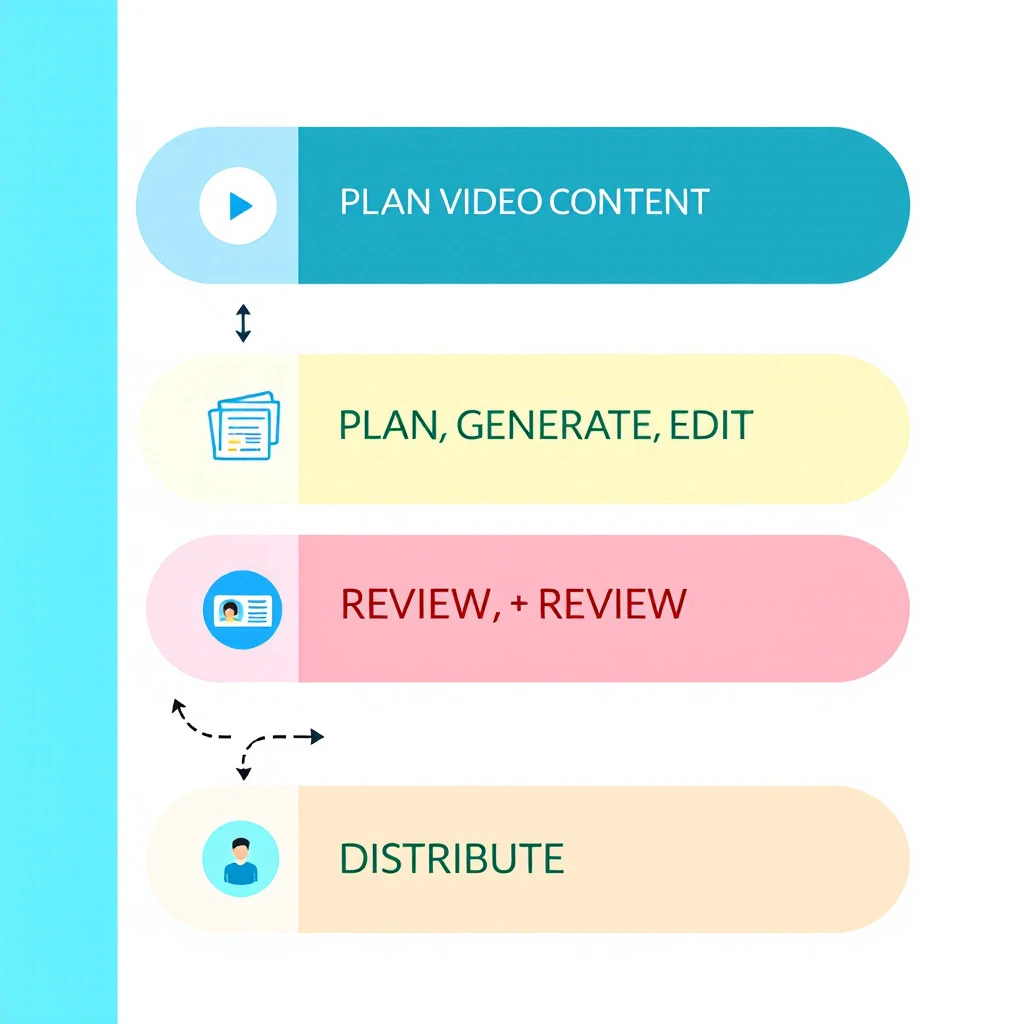
Diagram of an AI video content pipeline: plan, generate, edit, review, and distribute stages connected in a flow with brand guardrails around them

Why Video Pipelines Need Automation Nowโ€‹

The volume expectation changed faster than team sizes did. Short-form video is the top ROI-driving content format for 49% of marketers, videos under 60 seconds generate roughly 2.5x more engagement per impression than other content types, and businesses now put an average of 31% of their marketing budget into video. On the B2B side, 87% of buyers say video influenced a purchase decision.

A brand that posted one produced video a month in 2023 is now expected to ship clips weekly across LinkedIn, YouTube Shorts, TikTok, and Instagram โ€” each with its own aspect ratio, caption style, and hook structure. Doing that manually means a production bottleneck or a burned-out designer. Doing it with disconnected AI tools means brand drift: five tools, five slightly different versions of your look.

A pipeline solves both. Not "more AI tools" โ€” a defined sequence where content moves from brief to published clip with automation handling the repetitive stages and humans reviewing the ones that carry risk.

The Five Stages of an AI Video Content Pipelineโ€‹

Every functioning pipeline we have seen โ€” in-house or agency โ€” reduces to the same five stages:

  1. Plan โ€” decide what gets made, for which channel, tied to which campaign
  2. Generate โ€” produce the raw video: avatar presenter, screen recording, text-to-video, or repurposed long-form
  3. Edit โ€” cut, caption, resize, and polish
  4. Review โ€” brand, legal, and quality approval before anything goes public
  5. Distribute and measure โ€” publish per channel and feed performance back into planning

Automation belongs in stages 2, 3, and 5. Stages 1 and 4 are where humans earn their keep โ€” we will come back to that.

Best Tools by Pipeline Stageโ€‹

Stage 2: Video Generationโ€‹

HeyGen โ€” best for avatar-led brand video. Creator at $29/month, Pro at $49, Business at $149 with collaboration and 4K export. Over 100 avatars and 175+ languages, and the avatar naturalness is currently the strongest in the category. If your brand content includes explainer or spokesperson-style video without booking a studio, this is the default pick.

Synthesia โ€” best for scale and localization. Free tier covers 10 minutes of video per month; the Starter plan runs $14/month billed annually. With 240+ avatars and 160+ languages, it is the common enterprise choice for training and product content localized into many markets.

Canva Magic Studio โ€” best for template-driven volume. Canva Pro (roughly $15โ€“18/month in 2026) unlocks Brand Kit, Video 2.0, and Bulk Create. Bulk Create is the sleeper feature: upload a CSV of product names or stats, map columns to a video template, and generate every variant in one pass. For brand consistency at volume, brand-kit enforcement matters more than generation quality โ€” Canva applies your logos, colors, and fonts automatically so the intern's output matches the design lead's.

We compared the broader generation category in our best AI content creation tools breakdown if you want the full field beyond video.

Stage 2b: Repurposing Long-Form into Clipsโ€‹

Opus Clip โ€” best clip extractor. Free plan with watermark, Starter at $15/month, Pro at $29. Point it at a webinar, podcast, or demo recording and its ClipAnything model scores moments by visual, audio, and sentiment cues, then outputs captioned vertical clips. For B2B brands sitting on hours of webinar footage, this is the highest-leverage $15 in the stack.

Descript โ€” best full editing environment. From $24/month. Edit video by editing the transcript, remove filler words in one click, and overdub corrections. Opus Clip and Descript are complements, not competitors: Opus finds the moments, Descript is where you fix them.

Stage 3: Editing and Brand QAโ€‹

Beyond Descript, this stage is mostly about copy and voice. Grammarly Business handles style-guide enforcement and tone settings for captions and descriptions; Writer goes deeper for enterprises โ€” upload your style guide, approved terminology, and banned words, and it flags deviations in real time across every writer. If your video captions, titles, and descriptions are drifting off-brand, the fix lives here, not in the video tool. Our content optimization tools guide covers this category in depth.

Stage 4: Review and Approvalโ€‹

Frame.io โ€” the standard for video review. Free for 2 members, Pro at $15/member/month, Team at $25. Time-coded comments, frame-level annotations, version control, and โ€” critically โ€” unlimited free reviewers on shared links, so stakeholders can approve without paid seats. The Adobe Premiere integration pulls comments straight into the editing timeline.

Filestage โ€” better for mixed-asset approval. If your review flow covers video plus images, PDFs, and copy in one place, Filestage's structured approval steps fit marketing teams better than Frame.io's video-first design.

Do not automate this stage. AI-generated video fails in ways that are obvious to humans and invisible to the pipeline โ€” wrong pronunciation of your own product name, an avatar gesture that reads wrong, a stat that got garbled. Every public asset gets human eyes. The automation win is routing (asset lands in the review queue automatically), not judgment.

Stage 5: Orchestration and Distributionโ€‹

This is what makes it a pipeline instead of a pile of tools:

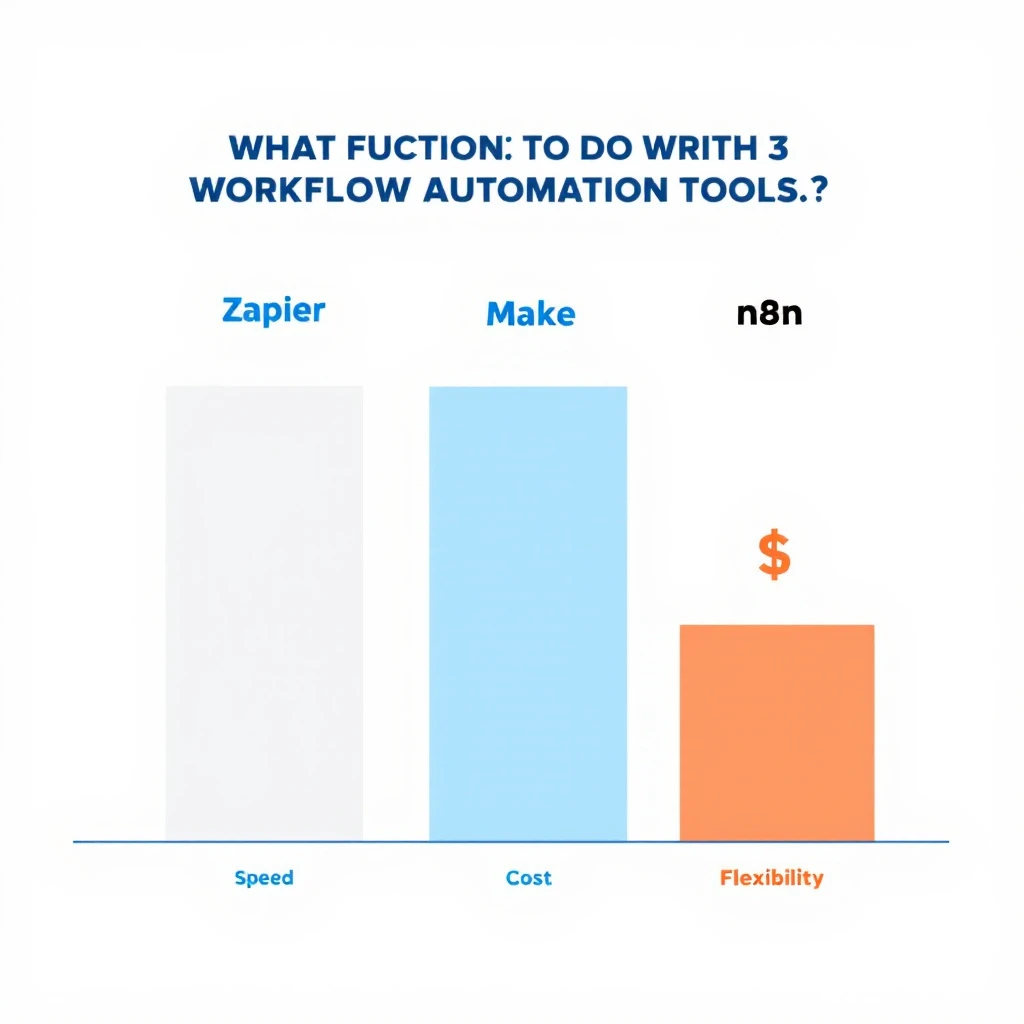
Comparison of Zapier, Make, and n8n for content pipeline orchestration across speed of setup, cost, and flexibility

ToolBest forPricing signalTrade-off
ZapierFastest setup, 8,000+ integrations~$20/month for 750 tasksCosts climb fast at video-pipeline volume
MakeVisual branching logic at mid-market priceRoughly 60% cheaper than Zapier per operationSteeper learning curve
n8nSelf-hosted, unlimited executions, AI-agent nodesFree self-hostedYou own the maintenance

A typical wiring: new webinar recording lands in Drive โ†’ Make sends it to Opus Clip โ†’ finished clips post to a Frame.io review queue โ†’ approval triggers scheduling to LinkedIn and YouTube โ†’ performance data writes back to a Sheet that feeds next month's planning. Every arrow in that sentence is an automation; every node a human could touch is optional except review.

Enterprise AI Content Pipelines: What Changes at Scaleโ€‹

The second question buyers ask โ€” usually phrased as "enterprise AI content pipeline automation solutions for brand videos" โ€” is really a governance question. At enterprise scale the hard problems are not generation quality. They are:

  • Brand control: hundreds of people producing content means brand kits enforced in the tool (Canva Business, Frame.io Enterprise workspaces), not in a PDF nobody reads
  • Voice governance: Writer-style terminology enforcement across every caption and script, with banned-word lists that legal actually maintains
  • Approval trails: who signed off on which version, retrievable when compliance asks
  • Localization: Synthesia-class translation across 100+ languages without re-shooting

Enterprise stacks therefore look like: Synthesia or HeyGen Business for generation, Writer for language governance, Frame.io Enterprise for approval, and n8n self-hosted (data residency) for orchestration. The per-seat math matters less than the risk math โ€” one off-brand video in a regulated industry costs more than the entire annual stack.

The Review-and-Editing Question, Answered Directlyโ€‹

The third question in this cluster: "what is the best AI content pipeline tool for content review and editing?" The honest answer is a pair, not a single tool: Descript for editing, Frame.io for review. Descript because transcript-based editing is the fastest way for a non-editor to make real changes; Frame.io because approval needs time-coded comments and version history, which editing tools do not provide. If your review problem is copy rather than video โ€” captions, scripts, descriptions โ€” the answer is Writer for enterprises and Grammarly Business for everyone else.

A 30-Day Pipeline Build Planโ€‹

  • Week 1: Pick one channel and one format (e.g., LinkedIn vertical clips from webinars). Set up Opus Clip + a Frame.io review project. Ship 3 clips manually to learn the friction points.
  • Week 2: Add generation. Stand up HeyGen or Canva with your brand kit loaded. Template the two formats you repeat most.
  • Week 3: Wire orchestration. Make or n8n scenario: recording in โ†’ clips out โ†’ review queue โ†’ scheduled post. Keep a human approval gate.
  • Week 4: Add measurement. Pipe post performance into a sheet; kill the format that underperforms, double the one that works.

That sequencing matters. Teams that start by buying an "all-in-one AI content platform" spend week one in onboarding calls; teams that start with one automated format have shipped a dozen assets by day 30. It is the same crawl-then-automate logic we recommend in our AI tools for content marketing guide and our marketing tech stack breakdown.

Where the Pipeline Meets Pipeline (the Revenue Kind)โ€‹

A brand video pipeline that ends at "published" is only half wired. The other half is knowing who watched and what to do about it.

This is where MarketBetter fits. Video drives buyers to your site โ€” and MarketBetter identifies the companies those visitors work for, scores the buying signal, and tells your SDR team exactly who to contact and what to say. Content teams measure views; revenue teams need the next step. If your videos are generating traffic that nobody follows up on, you have a distribution pipeline feeding a hole.

Sales teams also flip this pipeline around: personalized video in cold outreach uses the same generation tools to make one-to-one assets โ€” see our guides to AI video tools for sales teams and personalizing sales video at scale. Same stack, opposite direction: brand video is one-to-many, sales video is one-to-one, and the winners run both off shared templates.

FAQโ€‹

What are the top AI content pipeline automation tools for video-based brand content? HeyGen or Synthesia (generation), Opus Clip (repurposing), Descript (editing), Canva Magic Studio (brand-templated volume), Frame.io (review), and Make or n8n (orchestration). Chain 4 to 6 of them; no single tool covers the full pipeline well.

What are enterprise AI content pipeline automation solutions for brand videos on social media? Enterprise stacks prioritize governance: Synthesia or HeyGen Business for generation with localization, Writer for brand-voice enforcement, Frame.io Enterprise for auditable approvals, and self-hosted n8n for orchestration with data residency.

What is the best AI content pipeline and automation tool for content review and editing? Descript for editing (transcript-based, fast for non-editors) plus Frame.io for review (time-coded comments, versioning, free reviewers). For copy review at scale, Writer (enterprise) or Grammarly Business.

Can one platform automate the entire video content pipeline? Not well. All-in-one platforms trade quality at every stage for convenience. The practical approach is best-of-breed tools per stage connected by an orchestrator, with a human approval gate before publishing.


Turning video viewers into pipeline? MarketBetter identifies the companies visiting your site from your content, scores their intent, and hands your SDRs a specific next action โ€” not just a dashboard. Book a demo โ†’

DataforSEO + KeywordsEverywhere + Claude Code: The SEO Power Stack That Actually Works

ยท 12 min read
MarketBetter Team
Content Team, marketbetter.ai

If you spend time in SEO communities โ€” Reddit's r/SEO, Twitter/X SEO circles, Slack groups like Traffic Think Tank โ€” you've probably noticed a pattern emerging in 2025 and into 2026. People keep talking about the same three-tool combination. Not Ahrefs. Not Semrush. Not some $500/month enterprise platform.

They're talking about DataforSEO, KeywordsEverywhere, and Claude Code.

The combo sounds almost too simple. An API for bulk SERP data. A browser extension for search metrics. An AI coding agent. But together, they form what many B2B marketers are calling the most powerful SEO stack available โ€” at a fraction of what you'd pay for traditional tools.

Here's why this stack works, what each tool brings to the table, and how you can use all three together to dominate B2B search.


The Problem with Traditional SEO Toolsโ€‹

Before we get into the stack, let's talk about why people are moving away from the incumbents.

Tools like Ahrefs and Semrush are excellent. Nobody's arguing that. But they have three major problems for B2B teams:

  1. They're expensive. Ahrefs starts at $99/month for a hobbyist plan. The plan most B2B teams need (Site Explorer with decent limits) runs $199โ€“$449/month. Semrush is similar. For a startup doing $500K ARR, that's a real line item.

  2. They're built for browsing, not building. You can look up keywords one at a time. You can export CSVs. But if you want to do something programmatic โ€” like analyze 10,000 keywords across 50 competitors and cluster them by intent โ€” you're stuck copy-pasting between tabs.

  3. They don't integrate with your workflow. The data lives inside their platform. Getting it into your content calendar, your CMS, your team's Notion โ€” that's manual work.

The DataforSEO + KeywordsEverywhere + Claude Code stack solves all three.


What Each Tool Doesโ€‹

DataforSEO: The Data Engineโ€‹

DataforSEO is an API-first SEO data provider. Instead of giving you a dashboard to click around in, it gives you raw API endpoints that return SERP data, keyword data, backlink data, and more.

What you get:

  • SERP API โ€” Pull the top 100 results for any keyword, in any location, in any language. Get titles, URLs, snippets, featured snippets, People Also Ask, and more.
  • Keywords Data API โ€” Search volume, CPC, competition score, keyword difficulty, and historical trends for any keyword.
  • Backlinks API โ€” Full backlink profiles for any domain. Referring domains, anchor text distribution, new/lost links.
  • On-Page API โ€” Crawl any page and get technical SEO data (page speed, meta tags, schema, etc.).
  • Competitor Discovery โ€” Find which domains rank for overlapping keywords.

Why B2B marketers love it: DataforSEO charges per API call, not per seat. You might spend $50โ€“$200/month depending on volume โ€” way less than Ahrefs. And because it's an API, you can pull exactly the data you need and process it however you want.

Pricing reality: SERP API calls run about $0.002 each. Keyword data is roughly $0.05 per 1,000 keywords. For most B2B use cases, you're spending a fraction of what you'd pay for a traditional tool.

KeywordsEverywhere: The Scoutโ€‹

KeywordsEverywhere is a browser extension that overlays search metrics directly into Google's search results, YouTube, Amazon, and other platforms.

What you get:

  • Search volume โ€” Monthly search volume for any keyword, right in the search bar.
  • CPC data โ€” What advertisers are paying per click (a strong proxy for commercial intent).
  • Competition score โ€” How competitive the organic results are.
  • Trend data โ€” 12-month search volume trends so you can spot rising and falling topics.
  • Related keywords โ€” "People also search for" and long-tail variations.
  • SERP analysis widget โ€” Word count, links, and DA for the top 10 results.

Why B2B marketers love it: It's the fastest way to validate keyword ideas. You don't need to leave Google. You search for something, and instantly see whether it's worth pursuing. Credits cost about $1 per 1,000 keywords โ€” absurdly cheap.

The real value: KeywordsEverywhere is your reconnaissance tool. It's where you generate hypotheses. "Is this keyword worth targeting? What's the intent? Is search volume growing?" You answer those questions in seconds, right inside your browser.

Claude Code: The Operatorโ€‹

Claude Code is Anthropic's AI coding agent. It runs in your terminal and can write, execute, and iterate on code autonomously.

What you get:

  • Script generation โ€” Describe what you want in plain English, and Claude Code writes the Python/Node.js/whatever script to do it.
  • API integration โ€” It can write scripts that call the DataforSEO API, process the results, and output structured data.
  • Data analysis โ€” Feed it a CSV of keywords and it'll cluster them by intent, calculate opportunity scores, and generate content briefs.
  • Automation โ€” It can build entire workflows: pull data โ†’ analyze โ†’ output reports โ†’ save to files.

Why B2B marketers love it: You don't need to be a developer. You describe what you want โ€” "Pull the top 20 results for these 500 keywords, extract the word count of each ranking page, and cluster the keywords by topic" โ€” and Claude Code writes and runs the script.

The paradigm shift: Before Claude Code, using DataforSEO's API required a developer. Now, any marketer who can describe what they want in English has access to the same programmatic SEO capabilities that enterprise teams pay six figures for.


How the Three Tools Work Togetherโ€‹

Here's where it gets powerful. Each tool has a role in the workflow:

  1. KeywordsEverywhere โ†’ Scout and generate keyword hypotheses
  2. DataforSEO โ†’ Pull bulk data to validate and expand those hypotheses
  3. Claude Code โ†’ Automate the analysis and generate actionable output

Let's walk through three real workflows.

Workflow 1: High-Intent Keyword Discoveryโ€‹

Goal: Find keywords that indicate someone is ready to buy a B2B solution.

Step 1: Scout with KeywordsEverywhere

Search Google for your core terms โ€” "visitor identification software," "AI sales dialer," "B2B intent data." KeywordsEverywhere shows you search volume, CPC, and related keywords right in the SERP.

Look for keywords with:

  • CPC above $5 (high commercial intent)
  • Search volume between 100โ€“2,000/month (realistic to rank for)
  • Growing trend (not declining)

Export the related keywords and "People Also Ask" data. You'll typically generate 200โ€“500 keyword ideas in 30 minutes.

Step 2: Bulk validate with DataforSEO

Take your keyword list and use Claude Code to write a script that:

  • Calls the DataforSEO Keywords Data API for all 500 keywords
  • Pulls search volume, CPC, competition, and keyword difficulty
  • Filters for high-intent signals (CPC > $5, competition < 0.6)
  • Groups keywords by semantic similarity

Here's what you'd tell Claude Code:

Write a Python script that:
1. Reads keywords from keywords.csv
2. Calls DataforSEO Keywords Data API for each keyword
3. Returns search volume, CPC, competition, and keyword difficulty
4. Filters for CPC > $5 and keyword difficulty < 40
5. Outputs a ranked list sorted by opportunity score (volume ร— CPC / difficulty)
6. Saves to high_intent_keywords.csv

Claude Code writes the script, runs it, and you have a prioritized list of high-intent keywords in minutes.

Step 3: Analyze the SERP landscape

For your top 50 keywords, use Claude Code to pull SERP data via DataforSEO:

For each keyword in high_intent_keywords.csv (top 50):
1. Call DataforSEO SERP API
2. Extract the top 10 results: URL, title, word count
3. Identify which domains appear most frequently
4. Flag keywords where no result has > 2000 words (content gap)
5. Output a competitor frequency matrix

Now you know which keywords are underserved, which competitors dominate, and where the content gaps are.

Workflow 2: Competitor Content Analysisโ€‹

Goal: Understand what content your competitors are ranking for and find gaps.

Step 1: Identify competitors with KeywordsEverywhere

Search your core keywords and note which domains keep appearing. KeywordsEverywhere's SERP analysis widget shows you the top domains instantly.

Step 2: Pull competitor keyword profiles with DataforSEO

Use Claude Code to write a script that calls DataforSEO's Competitor Discovery and Ranked Keywords APIs:

For each competitor domain in competitors.txt:
1. Pull all keywords they rank for (top 100 positions)
2. Get search volume and current ranking position
3. Find keywords where they rank #1-3 that we don't rank for at all
4. Find keywords where we both rank but they outrank us
5. Output a gap analysis with opportunity scores

Step 3: Build content briefs from the gaps

Take the gap analysis and have Claude Code generate content briefs:

For each keyword gap with opportunity score > 70:
1. Pull DataforSEO SERP data for the keyword
2. Analyze the top 5 ranking pages (word count, headings, topics covered)
3. Generate a content brief with:
- Recommended title (with keyword)
- Target word count
- H2/H3 outline based on competitor content
- Unique angles not covered by competitors
- Internal linking suggestions

You go from "I wonder what our competitors are doing" to "here are 20 content briefs prioritized by opportunity" in a single afternoon.

Workflow 3: Content Strategy Automationโ€‹

Goal: Build a quarterly content calendar based on data, not guesses.

Step 1: Trend spotting with KeywordsEverywhere

Browse industry topics and track which keywords are trending up. KeywordsEverywhere's trend sparklines make this visual and fast.

Step 2: Validate with DataforSEO bulk data

Pull historical search volume data for your trending keywords to confirm they're actually growing, not just seasonal:

For each trending keyword:
1. Pull 24-month search volume history from DataforSEO
2. Calculate month-over-month growth rate
3. Flag keywords with consistent upward trend (not seasonal spikes)
4. Cross-reference with CPC trends (rising CPC = rising commercial value)

Step 3: Generate the calendar with Claude Code

Using the validated keyword list:
1. Cluster keywords by topic (semantic grouping)
2. Assign one pillar page per cluster
3. Identify 3-5 supporting articles per pillar
4. Prioritize by: opportunity score, trend momentum, content gaps
5. Output a 12-week content calendar with titles, target keywords, and briefs
6. Format as a CSV importable to Notion/Asana

You now have a data-driven content calendar that would take a traditional SEO agency weeks to produce.


Why This Stack Wins for B2Bโ€‹

Cost Efficiencyโ€‹

  • DataforSEO: $50โ€“200/month (API usage)
  • KeywordsEverywhere: $10โ€“30/month (credits)
  • Claude Code: ~$20/month (Anthropic API)
  • Total: $80โ€“250/month vs. $99/user/month for enterprise SEO tools

Speedโ€‹

What takes a week with traditional tools takes an afternoon with this stack. The automation layer (Claude Code) eliminates the manual data wrangling that eats up SEO analysts' time.

Customizationโ€‹

You're not limited to pre-built reports. Need a custom scoring model? Tell Claude Code. Want to weight keywords by your ICP's industry? Write a filter. The stack adapts to your specific B2B context.

Scalabilityโ€‹

Analyzing 100 keywords or 100,000 keywords costs the same in effort โ€” you just adjust the API calls. Traditional tools gate this behind pricing tiers.


The Catch: You Still Need Strategyโ€‹

Here's the honest truth: this stack is incredibly powerful, but it requires SEO knowledge to use well. You need to know:

  • What makes a keyword "high intent" for your business
  • How to evaluate SERP difficulty beyond just a number
  • When to go after a keyword vs. when to skip it
  • How to structure content for topical authority

The tools give you data and automation. Strategy still comes from experience.


What If You Want This Without the DIY?โ€‹

Not every B2B team has the time or inclination to build their own SEO automation stack. That's exactly why platforms like MarketBetter exist.

MarketBetter's AI-powered platform does much of what this stack does โ€” automatically. It identifies high-intent visitors on your website, analyzes buying signals, and helps your team act on them through AI chatbot, smart dialer, email automation, and a daily sales playbook.

The SEO insight layer โ€” understanding which prospects are actively researching solutions, which keywords are driving qualified traffic, and which content is converting โ€” is built into the platform. No API scripts required.

If you're a B2B team that wants the intelligence without building the infrastructure, book a demo with MarketBetter and see how AI-driven sales intelligence can power your pipeline.


Free Tool

Try our AI SEO Checker โ€” see how AI models like ChatGPT and Claude talk about your brand. No signup required.

Getting Startedโ€‹

If you want to build this stack yourself, here's the quickest path:

  1. Sign up for DataforSEO โ€” Start with their sandbox environment (free) to test API calls.
  2. Install KeywordsEverywhere โ€” Buy 100,000 credits ($10) to start scouting.
  3. Set up Claude Code โ€” Install via Anthropic's docs, connect it to your terminal.
  4. Start with one workflow โ€” Pick the high-intent keyword discovery workflow above and run it for your top 10 seed keywords.
  5. Iterate โ€” Refine your scoring model, add more competitors, expand your keyword universe.

The SEO community isn't wrong about this stack. It works. The combination of raw data access, real-time browser intelligence, and AI-powered automation gives B2B marketers capabilities that were previously locked behind enterprise budgets.

The question isn't whether you should adopt AI-powered SEO tooling. It's whether you build it yourself or use a platform that's already built it for you.

Related reading: