Last updated: August 28, 2026 — refreshed pricing for all 13 tools, added Smartlead, and rewrote the guidance around Google's 2026 DMARC enforcement, Microsoft's Outlook sender requirements, and the warmup-network fingerprinting problem.
Your cold emails are going to spam. You spent hours crafting the perfect sequence, building a targeted list, personalizing every line — and 40% of your messages never reach the inbox.
The culprit isn't your copy. It's your sender reputation.
Email warmup tools fix this by simulating real email activity — sending, receiving, opening, replying, and marking emails as important — to build your domain's reputation with email providers like Google and Microsoft. Without warmup, new outbound domains get flagged almost immediately: in 2026, both Gmail and Outlook apply strict scrutiny to any domain with no sending history, regardless of volume.
But here's the problem: most "best email warmup tools" lists are written by the tools themselves. They rank their own product #1, hide the pricing, and skip the hard questions — like how long warmup actually takes, what happens when you stop, whether Gmail can now detect warmup networks (it increasingly can), and whether the tool actually moves the needle on deliverability.
We tested 13 tools and re-verified every price in August 2026. Here's what we found.
What Changed in 2026 (Read This Before Buying Anything)
If you last researched warmup tools in 2024 or 2025, the landscape has shifted in three important ways.
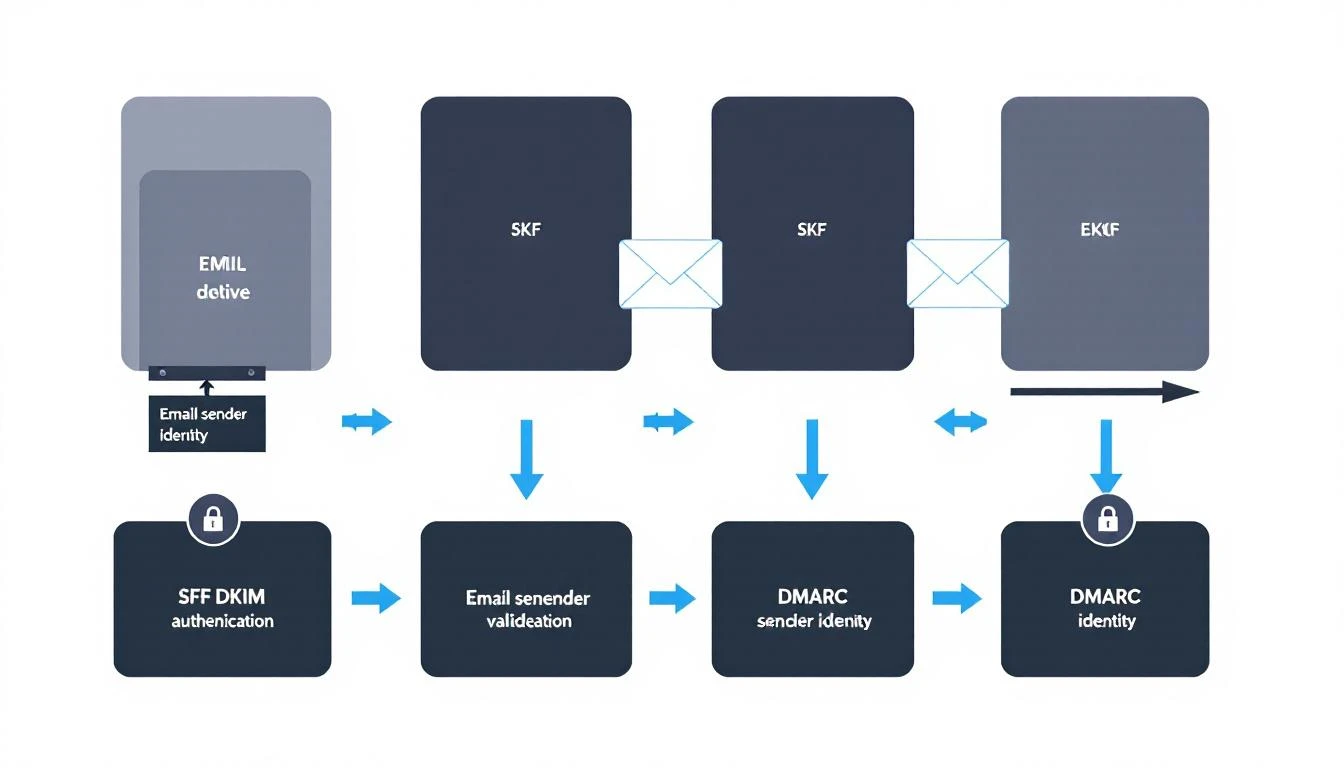
1. DMARC enforcement got real. Google and Yahoo's 2024 bulk-sender rules (SPF + DKIM + DMARC, one-click unsubscribe, sub-0.3% spam complaint rate) are now hard-enforced at the SMTP level. Through most of 2025, a DMARC record set to p=none (monitor only) was enough. In 2026 it isn't: domains sending meaningful daily volume with p=none see a measurable deliverability penalty at Gmail. Bulk senders need p=quarantine or p=reject with proper SPF or DKIM alignment. No warmup tool can compensate for failing authentication — you'll be rejected before reputation is even evaluated.
2. Microsoft joined the enforcement party. Since May 5, 2025, Microsoft requires SPF, DKIM, and DMARC for anyone sending 5,000+ emails per day to consumer Outlook addresses (outlook.com, hotmail.com, live.com). Non-compliant mail was first junked, then rejected outright. That requirement is still active and unchanged in 2026. If your ICP skews toward smaller businesses using consumer Microsoft addresses, this directly affects you.
3. Warmup networks are being fingerprinted. This is the uncomfortable one. Gmail and Outlook can now detect when thousands of accounts all interact with the same small pool of inboxes using similar timing and content patterns — and when they detect it, they discount or ignore those engagement signals. Reciprocal warmup pools still help, but their signal value is lower than it was in 2022-2024. The practical consequence: network quality now matters more than any other feature. Tools with large, diverse, real-inbox networks (Smartlead's 35,000+, Mailreach's high-reputation pool) keep producing measurable placement gains. Cheap tools with small, recycled networks produce engagement that providers increasingly identify as synthetic — which at best does nothing and at worst gets accounts flagged.
Also worth knowing: the "5,000 emails/day" volume threshold Google publishes is largely gone in practice. Gmail's filters now apply bulk-sender-grade scrutiny to low-volume senders that exhibit outbound prospecting patterns. Sending 200 cold emails a day from a poorly authenticated domain triggers the same machinery as a 50,000-a-day newsletter. And the spam-complaint math is tighter than the published numbers suggest: the official threshold is "stay below 0.1%, never touch 0.3%," but practitioners consistently find the safe operating band is closer to 0.08% — roughly one complaint per 1,250 sends.
With that context, here are the tools.
1. Instantly (Best for Teams Already Using Instantly for Outreach)
Pricing: Included with Instantly outreach plans — Growth at $47/month ($37.60/month billed annually), Hypergrowth at $97/month
Instantly bundles unlimited email warmup into its outreach platform, which makes it the path of least resistance for teams already using Instantly for cold email. Warmup connects your inboxes to a large network of real accounts that interact with your emails automatically, and there's no per-inbox warmup charge on any plan — at 40 inboxes, that's $800-$2,000/month in avoided line items versus per-inbox competitors.
Note the price change: Instantly's Growth plan is now $47/month (it was $30-$37 in earlier years). Still cheap for what's included, but budget accordingly.
What works:
- Unlimited warmup accounts on all Outreach plans — no per-inbox charges
- Built into your outreach workflow, so there's no separate tool to manage
- Dashboard shows inbox placement rate (primary vs. spam vs. promotions)
- Gradually ramps sending volume automatically
What doesn't:
- Warmup "heat scores" have been disagreeing with real inbox placement in 2026 — several practitioner tests found accounts with high heat scores still landing in spam, so verify with independent seed testing
- Warmup quality depends on Instantly's network, and its popularity is a double-edged sword: a heavily used shared pool is exactly the pattern Gmail fingerprints
- Can't use the warmup standalone — you need the full outreach platform
- Limited control over warmup behavior (reply rate, open rate targets)
Best for: Teams already on Instantly who want warmup baked into their outreach stack without paying extra.
2. Smartlead (Best Unlimited Warmup at Scale)
Pricing: Base at $39/month, Pro at $94/month, Unlimited Smart at $174/month, Unlimited Prime at $379/month (annual billing saves ~17%)
Smartlead didn't make our original list, and that was a mistake — in 2026 it's the tool practitioners most consistently cite for strong Gmail placement. Every plan includes unlimited mailboxes and unlimited warmup with no per-inbox surcharge, backed by a 35,000+ inbox network that's large and diverse enough to keep producing engagement signals Gmail actually counts.
Plans are differentiated by lead credits, monthly sends, and API/white-label access rather than mailbox count, which makes the economics excellent for agencies and teams running big inbox fleets.
What works:
- Unlimited mailboxes and warmup on every tier — best per-inbox economics in the category at scale
- 35,000+ inbox warmup network with strong measured Gmail placement
- Per-account (not per-seat) pricing; white-label options for agencies on higher tiers
- Full outreach platform included, so it can replace Instantly or Saleshandy entirely
What doesn't:
- Total cost of ownership surprises people: mailboxes, domains, verification, and add-ons commonly match or exceed the subscription itself — budget 3-5x the sticker price for a real sending operation
- Warmup is part of an outreach platform, not standalone
- Interface has a learning curve compared to simpler tools
Best for: Agencies and SDR teams running 10+ inboxes who want the strongest warmup network without per-inbox pricing.
3. Lemwarm (Best Standalone Warmup with Smart Customization)
Pricing: Essential at $29/month per inbox ($24 annually), Smart at $49/month per inbox ($40 annually); free with a Lemlist subscription
Lemwarm is Lemlist's dedicated warmup tool, and it's one of the more sophisticated options. It customizes warmup behavior based on your industry, email provider, and sending goals — so a SaaS SDR warming up a Google Workspace account gets different treatment than an agency warming up Outlook.
Know the tier limits before buying: the Essential plan caps you at 40 warmup emails per day, which is fine for maintaining a warm inbox but slow for warming a cold one. The Smart tier unlocks the intelligent ramping that's the actual reason to pick Lemwarm.
What works:
- Industry-specific warmup templates that match your typical email patterns
- Detailed deliverability dashboard with DNS health checks (SPF, DKIM, DMARC)
- Smart ramping that adjusts based on your inbox placement scores
- Free with Lemlist, which changes the math entirely if you're already a customer
What doesn't:
- Per-inbox pricing adds up fast — 10 inboxes on Smart = $490/month just for warmup
- Essential's 40 emails/day cap makes the cheaper tier less useful than it looks
- Locked into the Lemlist ecosystem for best results
Best for: Lemlist customers (free) and teams with a handful of inboxes that want customizable, intelligent warmup.
4. Warmy.io (Best for Enterprise-Grade Deliverability)
Pricing: No longer published — as of May 2026 Warmy restructured its pricing page into B2B/B2C/Custom categories with no listed prices. Based on G2 and Capterra data, expect roughly $49/mailbox/month (Starter) up through $129 (Business), $189, $279, and $429 (Platinum) tiers.
Warmy.io positions itself as the premium option, and the move to quote-based pricing in May 2026 confirms where it's headed: upmarket. What you get for the premium: the Adeline AI engine that adapts warmup patterns in real time, plus a Placement Checker that seeds unique tracking addresses into your actual campaign sends and monitors placement across providers with up to 7-day windows and 50 test emails per provider.
What works:
- Adeline AI engine optimizes warmup patterns dynamically, and now powers template A/B optimization inside the warmup environment
- Placement Checker tests your real campaigns, not just synthetic warmup mail
- Email template checker scans your actual copy for spam triggers
- Detailed analytics with historical reputation tracking
What doesn't:
- Opaque pricing — you now have to talk to sales to get a number, and entry pricing is ~3x budget competitors
- Placement and DNS tests are metered by plan (1 per period on entry tier, 3 on Business), which feels stingy at these prices
- Overkill for small teams with a few outbound inboxes
Best for: Enterprise sales teams with large mailbox fleets that need granular deliverability analytics and can absorb quote-based pricing.
5. Mailreach (Best for Deliverability Testing + Warmup Combo)
Pricing: $25/month per inbox ($20/month billed annually, dropping to $19.50 for 6+ inboxes)
Mailreach combines warmup with ongoing deliverability testing — which is what most teams actually need. You don't just want to warm up once; you want to continuously monitor whether your emails are still hitting the inbox after you start sending campaigns. Everything is one plan: 100 warmup emails/day, 50%+ warmup reply rates, spam testing, inbox placement testing across 35+ real addresses, and AI diagnostics.
In 2026's fingerprinting era, Mailreach's high-reputation network is a genuine differentiator — it's one of the tools that consistently shows strong Gmail placement in independent practitioner tests.
What works:
- Continuous inbox placement monitoring (not just during warmup)
- Blacklist monitoring with instant alerts
- Large warmup network with high-reputation inboxes that Gmail still credits
- Three free spam checks / placement tests every 24 hours, even without a subscription
What doesn't:
- No outreach features — it's purely warmup and deliverability
- Per-inbox pricing without an unlimited tier (10 inboxes ≈ $184/month with test credits)
- No free trial for the warmup feature itself
Best for: Teams that want reliable warmup plus ongoing deliverability monitoring without the complexity.
6. Warmbox (Best Budget Option for a Single Inbox)
Pricing: Solo at $15/month billed annually (1 inbox), Pro at $49/month (3 inboxes), Growth at $99/month (up to 6 inboxes, capped at 500 warmup emails/day total)
Warmbox remains the cheapest standalone warmup that actually works — for exactly one inbox. At $15/month for a solo sender warming a new domain, it's defensible. The math degrades as you scale: warming 6 inboxes runs about $159/month (~$26.50/inbox), at which point Mailreach gives you more for less and Smartlead or TrulyInbox demolish it on price.
What works:
- Lowest entry price in the market for a single inbox
- Clean interface with warmup progress tracking
- Multiple warmup "recipes" (aggressive, moderate, conservative)
What doesn't:
- Smaller warmup network than premium tools — a real liability now that Gmail discounts small recycled pools
- Volume caps shared across inboxes on multi-inbox plans
- No deliverability testing or seed list features
Best for: Solopreneurs warming one new domain on a tight budget.
7. TrulyInbox (Best Flat-Rate Unlimited Inboxes)
Pricing: Free forever plan (1 inbox, limited volume); Starter at $29/month; Growth at $79/month — both with unlimited inboxes
TrulyInbox's killer feature is still flat-rate unlimited inboxes, but understand how the model actually works: pricing is flat by total daily warmup volume, not by inbox count. Connect 30 inboxes on Starter and they share the plan's daily warmup budget. The Growth tier ($79) unlocks the controls that matter — custom reply rates and per-inbox volume settings — which are locked on Starter.
There's also now a genuinely free plan for one inbox, which is the easiest zero-cost way to keep a single backup domain warm.
What works:
- Unlimited mailboxes from $29/month — unbeatable sticker price for big fleets
- Free forever tier for a single inbox
- 30,000+ inbox warmup network with human-like sending patterns
- Shared team dashboard
What doesn't:
- Flat "unlimited" pricing is really a shared volume pool — heavy fleets need Growth
- Key customization locked behind the $79 tier
- Limited integrations with outreach platforms
Best for: Agencies and SDR teams managing 10+ outbound mailboxes who want predictable flat-rate pricing and don't need an outreach platform attached.
8. Saleshandy (Best All-in-One with Built-in Warmup)
Pricing: Outreach plans from $25/month, warmup included for connected accounts
Like Instantly and Smartlead, Saleshandy bundles warmup into its outreach platform. Its warmup runs on the TrulyInbox network (same company), so you get that 30,000+ inbox pool baked into your sequencer.
What works:
- Warmup included with outreach plans at no separate cost
- A/B testing for email sequences alongside warmup
- Unified inbox for managing replies across warmed-up accounts
- Good Gmail and Outlook compatibility
What doesn't:
- Warmup is secondary to the outreach platform — can't use standalone
- Warmup customization is limited compared to dedicated tools
- Higher plans get expensive ($66-$166/month)
Best for: Teams that want a single outreach + warmup platform at the lowest entry price.
9. Snov.io (Best for Lead Gen + Warmup in One Stack)
Pricing: Starter at $39/month, includes warmup + email finder + verification + sequences
Snov.io combines email finding, verification, warmup, and outreach in one platform. If you're building lists AND sending cold email, it eliminates the need for 3-4 separate tools — and the built-in verification matters more in 2026, when a high bounce rate does more reputation damage than slow warmup ever will.
What works:
- Full stack: find emails → verify → warm up → send sequences
- Built-in verification catches bad addresses before they hurt your reputation
- Chrome extension for LinkedIn prospecting
What doesn't:
- Jack of all trades — warmup isn't as sophisticated as dedicated tools
- Smaller warmup network than Smartlead or Instantly
- Can feel overwhelming with so many features
Best for: Small teams that want an all-in-one prospecting and outreach stack with warmup included.
10. Mailivery (Best AI-Simulated Conversations)
Pricing: Starts around $37/month per inbox, agency plans available
Mailivery uses AI to simulate realistic email conversations rather than generic warmup message loops. That approach aged well: as providers fingerprint templated warmup chatter, varied AI-generated conversation content is harder to flag as synthetic.
What works:
- AI-generated realistic email conversations (not "Hi, how are you?" loops)
- Agency dashboard for managing multiple client inboxes
- Detailed sender score tracking over time
What doesn't:
- Per-inbox pricing with lower daily volume than flat-rate rivals — TrulyInbox delivers roughly 400 more warmup emails/day for the same money
- AI conversations can occasionally look oddly formatted
- Smaller company with less community support
Best for: Agencies managing warmup across multiple client accounts who want realistic interaction patterns.
11. Folderly (Best for Deliverability Audits)
Pricing: $96-$120 per mailbox per month, one-year minimum commitment
Folderly goes beyond warmup — it's a full deliverability platform that diagnoses WHY your emails go to spam and fixes it: seed-based placement testing, domain reputation audits, DNS/SPF/DKIM/DMARC fixes, spam trigger analysis. Think of it as a deliverability consultant in software form, priced like one: 10 mailboxes runs roughly $960/month, and the annual commitment means you're in for five figures before you know if it worked.
What works:
- Deep DNS/SPF/DKIM/DMARC auditing with fix recommendations — exactly what 2026's authentication enforcement punishes you for lacking
- Content analysis identifying specific spam triggers in your templates
- White-glove onboarding for enterprise teams
What doesn't:
- $96+/mailbox/month with a one-year minimum is by far the most expensive option here
- Overkill for teams that just need warmup
- Enterprise sales process means slow setup
Best for: Enterprise teams with persistent, expensive deliverability problems that need diagnosis, not just warmup.
12. Warmup Inbox (Best Simple, No-Frills Option)
Pricing: Basic at $15/inbox/month (billed yearly); Pro at $59/inbox/month; Max at $99/inbox/month
Warmup Inbox does exactly what the name says. No outreach features, no lead finding — just warmup that works, on a 30,000+ inbox network, with a daily inbox health score. The 2026 pricing reality: the $15 Basic tier has meaningful volume caps, and the jump to Pro at $59/inbox is steep — at that price Mailreach or Smartlead are simply better buys.
What works:
- Simple setup (connect inbox, turn on warmup, done)
- 30,000+ inbox network for realistic interactions
- Affordable Basic tier for low-volume senders
What doesn't:
- Very basic — no advanced analytics or deliverability testing
- Big price cliff between Basic and Pro tiers
- Per-inbox pricing adds up for larger teams
Best for: Solo SDRs or small teams that want dead-simple warmup without complexity.
Pricing: Starts at $24/month per seat, warmup included
SmartReach combines email, LinkedIn, WhatsApp, and calling into one multichannel outreach platform — with email warmup included. If your SDR team needs more than just email, it's worth considering.
What works:
- Multichannel sequences (email + LinkedIn + calls) with built-in warmup
- Shared inbox for team collaboration
- Good CRM integrations (HubSpot, Salesforce, Pipedrive)
What doesn't:
- Warmup is a feature, not the focus — less sophisticated than dedicated tools
- Interface can feel cluttered with so many channel options
- Limited warmup analytics
Best for: SDR teams running multichannel outbound who want warmup bundled into their sequence tool.
| Tool | Price/Month | Unlimited Inboxes | Standalone | Deliverability Testing | Best For |
|---|
| Instantly | From $47 | ✅ | ❌ | Basic | Teams on Instantly |
| Smartlead | From $39 | ✅ | ❌ | ✅ | Warmup at scale |
| Lemwarm | $29-49/inbox | ❌ | ✅ | ✅ | Customizable warmup |
| Warmy.io | Quote (~$49+/inbox) | ❌ | ✅ | ✅ Advanced | Enterprise teams |
| Mailreach | $25/inbox ($20 annual) | ❌ | ✅ | ✅ | Monitoring + warmup |
| Warmbox | From $15 | ❌ | ✅ | ❌ | Single-inbox budget |
| TrulyInbox | Free / $29 / $79 flat | ✅ | ✅ | ❌ | Bulk inbox warmup |
| Saleshandy | From $25 | ✅ | ❌ | Basic | Outreach + warmup |
| Snov.io | From $39 | ❌ | ❌ | ❌ | All-in-one stack |
| Mailivery | From $37/inbox | ❌ | ✅ | ❌ | Agencies |
| Folderly | $96+/inbox, annual | ❌ | ✅ | ✅ Deep | Deliverability audits |
| Warmup Inbox | $15-99/inbox | ❌ | ✅ | ❌ | Simple warmup |
| SmartReach | From $24/seat | ❌ | ❌ | Basic | Multichannel teams |
Before any warmup tool can help, your domain has to clear the enforcement bar Google, Yahoo, and Microsoft now apply. This table is the checklist:
| Requirement | Google/Yahoo (enforced) | Microsoft consumer Outlook (enforced since May 2025) |
|---|
| SPF | Required, must align | Required |
| DKIM | Required, must align | Required |
| DMARC | Required; p=none now penalized for bulk senders — use p=quarantine/p=reject | Required, minimum p=none, SPF or DKIM must align |
| One-click unsubscribe | Required (list-unsubscribe header) | Recommended |
| Spam complaint rate | Below 0.1% published; ~0.08% safe in practice; 0.3% = filtered | Monitored |
| Consequence of failure | SMTP-level rejection / spam foldering | Junk first, then outright rejection |
If any row fails, fix it before spending a dollar on warmup. Authentication failures block you before reputation is even evaluated.
The right tool depends on three factors:
1. How Many Inboxes Are You Warming?
- 1-3 inboxes: Warmbox ($15/inbox) or Warmup Inbox Basic ($15/inbox) — keep costs low; TrulyInbox's free tier covers a single inbox at $0
- 5-10 inboxes: Mailreach ($20/inbox annual) or Lemwarm — better analytics, networks Gmail still credits
- 10+ inboxes: Smartlead (unlimited from $39), TrulyInbox ($29-79 flat), or Instantly (included) — unlimited pricing saves hundreds per month
2. Do You Need Standalone Warmup or All-in-One?
- Already have an outreach tool: Get standalone warmup (Mailreach, Lemwarm, Warmy.io, TrulyInbox)
- Building your outreach stack: Get all-in-one (Smartlead, Instantly, Saleshandy, SmartReach)
- Need everything: Snov.io (find + verify + warm + send)
3. How Serious Are Your Deliverability Problems?
- New domain, just need warmup: TrulyInbox or Warmbox
- Existing domain with spam issues: Mailreach or Warmy.io (diagnostics + warmup)
- Enterprise with persistent issues: Folderly or Warmy.io's upper tiers (deep auditing) — but audit your DMARC policy first; in 2026 that's the most common root cause
Tools alone don't fix deliverability. Here's what actually matters in 2026:
1. Set up DNS properly BEFORE warming up. SPF, DKIM, and DMARC must be configured correctly — and DMARC needs to be at p=quarantine or p=reject if you're sending real volume, because p=none now carries a Gmail penalty. This is free and takes an hour — do it first. No warmup tool can overcome failed authentication.
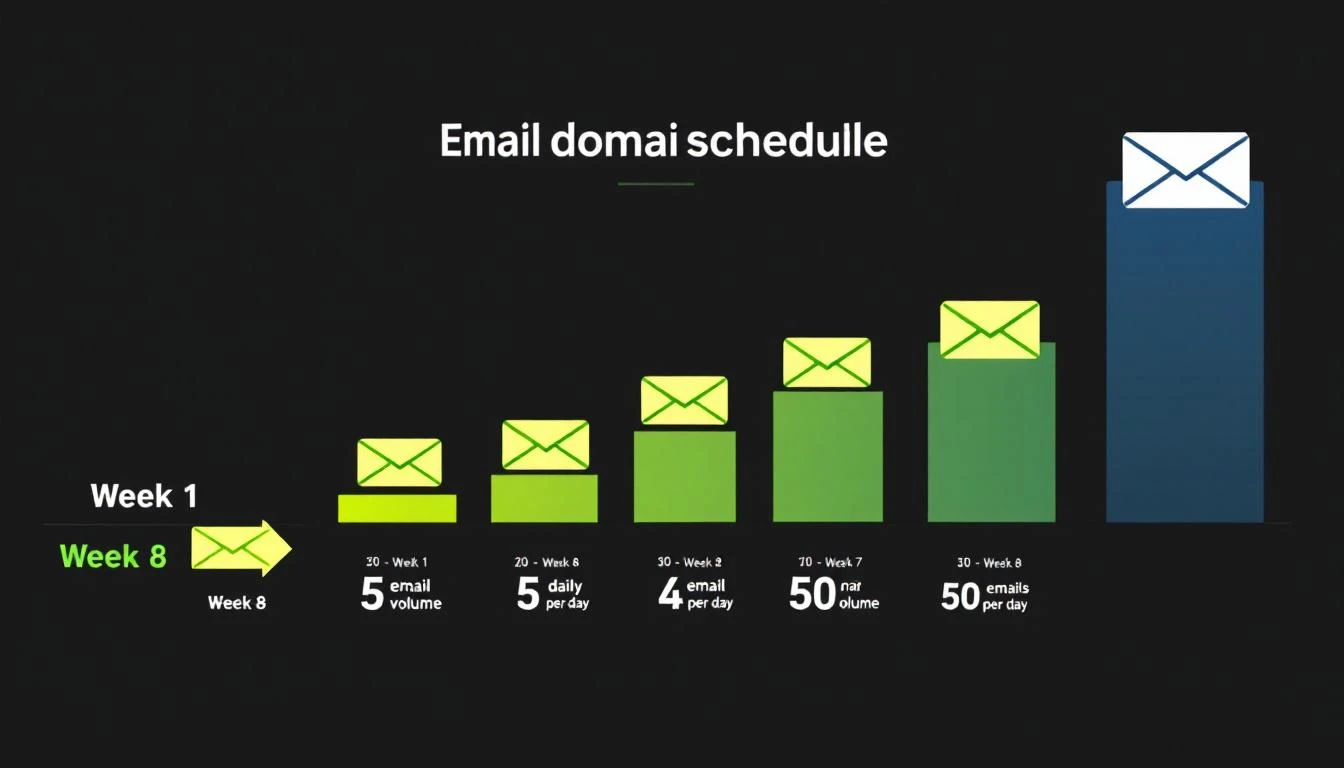
2. Don't rush the ramp. Start with 5-10 warmup emails per day and increase by 3-5 per day. Most tools handle this automatically, but if you override to "aggressive" mode, you'll trigger spam filters. Sudden volume spikes after warmup are also fingerprinted — 90 days of artificial engagement followed by real sending at 10x the volume fools nobody in 2026.
3. Keep warmup running even after you start sending. Many teams turn off warmup once they begin campaigns. Don't. Keep warmup active at 20-30% of your daily volume to maintain sender reputation.
4. Use separate domains for outbound. Never warm up and send cold email from your primary business domain. Use a separate domain (e.g., getmarketbetter.com instead of marketbetter.ai) to protect your main domain's reputation.
5. Monitor inbox placement, not just open rates or heat scores. Open rates are unreliable (Apple MPP inflates them), and 2026 practitioner testing shows warmup dashboards' own "heat scores" frequently disagree with real placement. Use independent seed list testing — Mailreach gives you three free placement tests per day.
6. Rotate your inboxes. Don't blast 500 emails from one inbox. Spread volume across 5-10 warmed inboxes to keep per-inbox sending volume low.
7. Watch your complaint rate like a hawk. The practical Gmail ceiling is ~0.08% — one complaint per 1,250 sends. A single bad list upload can blow through that. Verification (built into Snov.io and Smartlead, or standalone) is cheaper than rebuilding a burned domain.
Does Email Warmup Still Work in 2026?
Honest answer: yes, but less than it used to, and only if the network is good.
Google and Microsoft have identified common warmup-pool patterns and discount engagement they recognize as synthetic. Neither company officially bans warmup tools — no policy document names them — but the signal value of small reciprocal pools has clearly degraded. What still works: large, diverse networks of real inboxes with varied, human-looking content, where the engagement is indistinguishable from organic behavior at the provider level.
Meanwhile, the relative importance of the boring stuff went up. In 2026, authentication and list hygiene move inbox placement more than warmup duration does. The correct mental model: warmup is one input into sender reputation, not a magic switch. Get DNS right, keep bounces and complaints near zero, ramp volume sanely — and warmup provides a real, measurable boost on top. Skip the fundamentals, and no warmup network can save you.
How long does email warmup take?
Plan on 2-4 weeks for a new domain before real campaign volume, and keep warmup running at reduced volume afterward. Tools claiming meaningful warmup in under a week are ramping aggressively enough to trigger the exact filters you're trying to avoid.
Can Gmail detect email warmup tools?
Increasingly, yes. Gmail and Outlook fingerprint small reciprocal warmup pools and discount their engagement signals. They don't officially prohibit warmup, but the practical effect is that only tools with large, diverse, real-inbox networks still deliver full value. This is the single biggest change since 2024.
Is email warmup against Google's terms of service?
Google's sender guidelines don't name warmup tools, and no official policy bans them. That said, warmup traffic is unmistakably artificial engagement, and Google reserves broad discretion over Workspace accounts. The realistic risk isn't a ban — it's that the engagement simply stops counting.
Do I still need warmup if my SPF/DKIM/DMARC are perfect?
For a brand-new domain, yes — authentication proves you're legitimate, but reputation is built from engagement history, and a new domain has none. For an established domain with good sending history, warmup matters much less than keeping complaint rates low and lists clean.
What DMARC policy do I need for cold email in 2026?
p=quarantine or p=reject. Through 2025, p=none was tolerated; in 2026, Gmail penalizes bulk senders still monitoring-only. Microsoft's consumer Outlook requirements accept p=none as a minimum but require SPF or DKIM alignment.
How many warmup emails per day should I send?
Start at 5-10/day and add 3-5/day until you plateau around 30-50 warmup emails per inbox. After campaigns start, hold warmup at 20-30% of daily send volume. Per-inbox campaign volume should stay conservative — most practitioners cap cold sends at 20-50/day per inbox and scale horizontally with more inboxes instead.
What's the cheapest way to warm up multiple inboxes?
Flat-rate or bundled tools: TrulyInbox ($29/month, unlimited inboxes), Smartlead (from $39/month, unlimited inboxes + full outreach platform), or Instantly (unlimited warmup bundled from $47/month). Per-inbox tools like Lemwarm or Mailreach are better products per inbox but cost 5-10x at fleet scale.
Should I buy warmup or a deliverability audit?
If your domain is new: warmup. If an established domain suddenly lost placement: audit first (DMARC policy, blacklists, complaint rate, list quality) — in 2026 the root cause is usually a failed authentication requirement or a dirty list, and warmup won't fix either. Folderly and Warmy.io sell diagnosis; Mailreach's free daily spam checks are the budget starting point.
The Bigger Problem: Warmup Alone Doesn't Fix Outbound
Here's what most email warmup guides won't tell you: warmup is necessary but not sufficient.
Getting into the inbox is step one. But if your message isn't relevant — if you're emailing the wrong person with a generic pitch — deliverability doesn't matter. You'll get ignored, marked as spam by recipients, and with Gmail's ~0.08% practical complaint threshold, a few annoyed recipients per thousand sends undoes all your warmup work.
The teams that actually book meetings from cold email combine:
- Deliverability infrastructure — warmed domains, proper DNS, inbox rotation
- Signal-based targeting — knowing WHO to email based on intent signals, not just job title
- Personalization at scale — messages that reference specific company context, not merge tags
- Multi-channel sequences — email + LinkedIn + phone, not just email
This is why platforms like MarketBetter combine email deliverability tools with visitor identification and a daily SDR playbook. Instead of warming up inboxes and hoping your list is good, you start with buyers who are already showing intent — visiting your website, engaging with competitors, hiring for relevant roles — and reach them across every channel.
The best email warmup tool is the one you pair with the right targeting. Warmup gets you into the inbox. Intent signals get you a reply.
For more on building an effective outbound engine, check out our guides to best cold email software, email deliverability tools, best outbound sales tools, outbound sales strategy for 2026, B2B lead generation tools, speed to lead, our Outreach review, and SDR metrics and KPIs every team should track.
Try our AI Lead Generator — find verified LinkedIn leads for any company instantly. No signup required.
Bottom Line
For most SDR teams in August 2026:
- Best overall standalone: Mailreach ($20/inbox annual) — reliable warmup on a network Gmail still credits, plus continuous deliverability monitoring
- Best at scale: Smartlead (from $39, unlimited inboxes + warmup) — the strongest network economics in the category
- Best flat-rate dedicated: TrulyInbox (free-$79, unlimited inboxes)
- Best budget: Warmbox ($15/inbox) — for a single inbox only
- Best bundled: Instantly ($47/month) — warmup included with your outreach platform
- Best enterprise: Warmy.io (quote-based) or Folderly ($96+/inbox) — when you need diagnosis, not just warmup
Don't overpay for warmup. It's infrastructure, not a competitive advantage — and in 2026 it's the third most important deliverability input behind authentication and list hygiene. The advantage comes from who you email and what you say — not how you warmed up the inbox.
Ready to move beyond warmup and start with buyers who are already interested? MarketBetter identifies companies visiting your website, enriches contacts, and builds your daily SDR playbook — so you email warm prospects, not cold lists.
Book a demo →