4 posts tagged with "marketing automation"

View All Tags

How to Build Marketing Automation Workflows: Triggers, Conditions, Actions [2026]

Β· 9 min read
Sunder Iyer
Founder, marketbetter.ai

Marketing automation workflow anatomy β€” triggers, conditions, actions, delays, and exit criteria

Quick answer: A marketing automation workflow is built from five components: a trigger (form fill, page visit, score change) that starts it, conditions (if/then branches) that route each contact, actions (send email, create task, update CRM), delays (wait steps between actions), and exit criteria (reply, meeting booked, unsubscribe) that stop it. Triggered emails earn roughly 4x the click-through rate of bulk sends, and automated emails generate about 320% more revenue than one-off blasts β€” but only if the exit logic is right. The full anatomy, a 7-step build process, and 5 proven B2B workflow templates are below.

Most B2B teams buy a marketing automation platform, build two workflows in the first month, and never touch the builder again. The tool isn't the problem. The problem is that nobody taught them the grammar: what should trigger a workflow, when to branch, and β€” most neglected of all β€” when a contact should leave.

This guide covers the mechanics that apply in any platform, whether you're on HubSpot, Marketo, Brevo, or one of the 14 B2B marketing automation platforms we ranked for 2026.


The Anatomy of a Workflow: 5 Building Blocks​

Every automation platform uses different labels, but under the hood there are exactly five parts.

ComponentWhat it doesExamples
TriggerStarts the workflow for a contactForm submission, pricing-page visit, lead score crosses threshold, list membership, webinar registration
ConditionBranches the path with if/then logicJob title contains "sales", opened previous email, company size over 50, visited docs vs. pricing
ActionDoes somethingSend email, notify rep in Slack, create CRM task, update a property, add to ad audience
DelayWaits before the next stepWait 3 days, wait until Tuesday 9 AM, wait until property changes
Exit criteriaRemoves the contact from the workflowReplied, booked a meeting, became a customer, unsubscribed, no longer matches entry conditions

The single most common failure mode we see in B2B audits: workflows with rich triggers and clever branches but no exit criteria. The result is the prospect who books a demo on Tuesday and still gets the "any interest in a demo?" email on Thursday. Define exits before you write a single email.

Triggers: behavioral beats demographic​

Demographic triggers ("added to newsletter list") start weak workflows. Behavioral triggers start strong ones, because behavior encodes intent:

  • High intent: pricing-page visit, demo-page abandon, free-tool usage, proposal viewed
  • Medium intent: case-study read, webinar attended, third blog visit in a week
  • Low intent: ebook download, newsletter signup, event badge scan

The strongest trigger most B2B teams ignore is anonymous-visitor identification. If you can resolve who is on your pricing page before they fill a form, your workflow starts days earlier than your competitor's. That's the core of our website visitor identification comparison β€” match rates vary wildly (8-41% person-level in our testing), but even the low end feeds workflows that bulk email can't touch.

Conditions: branch on engagement, not just attributes​

A drip campaign sends email #4 to everyone. A workflow checks what happened to emails #1-3 first:

  • Opened but didn't click β†’ change the angle, not the offer
  • Clicked the feature link β†’ send a case study about that feature
  • No opens across 3 sends β†’ drop to a re-engagement track, or suppress entirely
  • Replied β†’ exit immediately and hand to a human

That last one is not optional. Per triggered-campaign benchmarks, behavior-triggered follow-ups shorten lead-to-close journeys by roughly a quarter β€” but a bot that keeps emailing after a human replied burns the relationship permanently.

B2B nurture sequence timing β€” front-load value, back-load asks, exit on reply

Delays: the most underrated block​

Two rules of thumb:

  1. Front-load value, back-load asks. Day 0 deliver the thing they asked for. Day 3 context. Day 7 proof. Day 12 the meeting request.
  2. Wait on state, not just time. "Wait until lead score is above 50" beats "wait 5 days" β€” it adapts to fast movers and slow movers automatically.

Exit criteria: decide them first​

Before building content, write down the three ways a contact leaves:

  1. Converted β€” booked the meeting, started the trial. Exit and move to the next lifecycle workflow.
  2. Raised a hand differently β€” replied, even with "not now." Exit to human follow-up or a long-term nurture with a re-entry rule.
  3. Disqualified β€” unsubscribed, bounced, wrong ICP. Suppress.

Add re-entry logic deliberately: someone who exits with "not now" in March should be allowed to re-trigger the workflow if they hit the pricing page in September.


Building Your First Workflow: 7 Steps​

  1. Pick one conversion goal. One workflow, one job: "book a demo from pricing-page visitors." Not "nurture all leads."
  2. Define exit criteria first. Converted, replied, disqualified β€” write all three down.
  3. Choose the trigger. The highest-intent behavior you can reliably detect for that goal.
  4. Map the happy path. 3-5 touches: deliver value β†’ build proof β†’ make the ask. This mirrors the structure in our signal-to-meeting SDR workflow, compressed for marketing.
  5. Add 2-3 branches, no more. Branch on reply, on click-vs-no-open, and on ICP fit. Ten-branch workflows are unmaintainable and untestable.
  6. Set delays. Start conservative (2-4 business days between touches), then tighten based on data.
  7. Launch to 20% of the eligible audience. Compare against the untouched 80% for two weeks before rolling out. Automation compounds mistakes as efficiently as it compounds wins.

5 B2B Workflow Templates That Earn Their Keep​

1. Pricing-page abandon​

  • Trigger: identified visitor hits pricing, no demo booked within 24h
  • Path: day 1 β€” short email addressing the top pricing objection; day 3 β€” customer story with hard numbers; day 6 β€” direct meeting ask with calendar link
  • Exit: demo booked, reply, or 3 sends completed
  • Why it works: you're catching evaluated intent, not manufacturing it. Pair it with the website-visitors-to-pipeline workflow to feed it.

2. Free-tool / lead-magnet follow-up​

  • Trigger: used a free tool (calculator, grader, free lead generation tool)
  • Path: day 0 β€” deliver results + one insight they didn't expect; day 2 β€” "here's what teams like yours do with this"; day 5 β€” soft ask
  • Exit: trial started or reply
  • Why it works: welcome-stage automations post the highest click-to-conversion rates of any workflow type (Omnisend's 2026 data puts welcome flows near 58%).

3. Webinar / event no-show recovery​

  • Trigger: registered, didn't attend
  • Path: day 0 β€” recording + 3 timestamped highlights; day 2 β€” the single best takeaway as text; day 5 β€” offer a 15-minute walkthrough
  • Exit: meeting booked or recording watched + subsequent site visit (route those to sales instead)

4. Lead-score threshold handoff​

  • Trigger: score crosses your MQL line
  • Path: instant β€” create CRM task and Slack-notify the owning rep; hour 1 β€” if no rep action, escalate; day 1 β€” if still untouched, send the "book directly" email
  • Exit: rep logs activity or meeting booked
  • Why it works: this is a marketing workflow babysitting a sales SLA β€” the highest-ROI use of conditions we know. Wire its output into a pipeline dashboard measured in dollars and the SLA argument ends.

5. Closed-lost re-engagement​

  • Trigger: deal marked closed-lost 90 days ago, loss reason is "timing" or "budget"
  • Path: day 90 β€” what's changed since we talked; day 104 β€” relevant new proof; day 120 β€” direct re-open ask
  • Exit: reply of any kind
  • Why it works: the list is small, the context is rich, and nobody else is running it.

Where Workflows Are Heading: Agents, Not Flowcharts​

The five building blocks aren't going anywhere, but who assembles them is changing. AI agents now sit on both sides of the workflow: on your side, composing branches and drafting the emails; on the buyer's side, researching your product on Google before any human visits. We've watched machine-generated queries hit our own site at a third of total impressions β€” which changes what "trigger" even means, and is why we wrote a GEO playbook for getting cited by AI buying agents.

The practical takeaway for 2026: keep workflows short, legible, and exit-heavy. Long flowcharts were already hard for humans to maintain; they're also exactly what agent-assisted platforms will refactor first. If you're automating the sales side too, start with our complete guide to SDR automation and the best sales automation software ranking.


The Numbers That Justify the Build​

  • Marketing automation returns an average of $5.44 per $1 spent over the first three years, and 76% of companies see positive ROI within year one
  • Triggered emails drive about 4x the CTR of batch-and-blast
  • Automated emails generate roughly 320% more revenue than non-automated sends
  • Behavior-triggered follow-up shortens lead-to-close by about 26%

None of those numbers come from adding more workflows. They come from a few workflows with sharp triggers, honest exits, and content that respects the reader.


Want the workflow without building it? MarketBetter identifies who's on your site, scores the intent, and tells your team exactly what to do next β€” trigger to booked meeting. Book a demo β†’

Best AI Tools for Content Creation and Social Media Management [2026]

Β· 10 min read
MarketBetter Team
Content Team, marketbetter.ai

Short answer: the best tools for content creation and social media management in 2026 are HeyGen or Synthesia for avatar-led video generation, Opus Clip for turning long-form recordings into short clips, Descript for AI-assisted editing, Canva Magic Studio for brand-kit-enforced templates at volume, Frame.io for review and approval, and Make or n8n to wire the stages together. No single tool runs the whole pipeline β€” the teams shipping 30+ brand videos a month are chaining 4 to 6 of these, not searching for one platform that does everything.

That is the answer to the question. The rest of this post is the part most listicles skip: how the stages fit together, what each one actually costs, and where the pipeline breaks if you automate the wrong step.

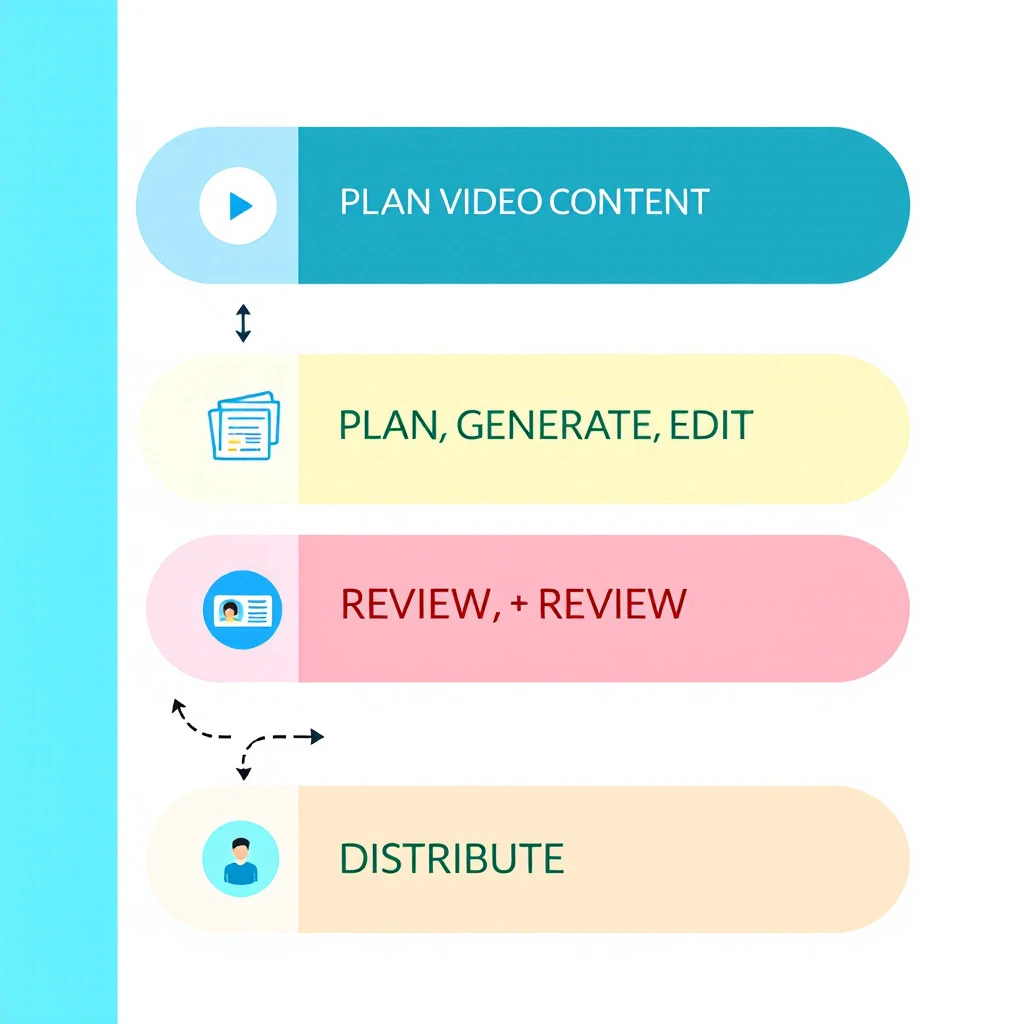
Diagram of an AI video content pipeline: plan, generate, edit, review, and distribute stages connected in a flow with brand guardrails around them

Why Video Pipelines Need Automation Now​

The volume expectation changed faster than team sizes did. Short-form video is the top ROI-driving content format for 49% of marketers, videos under 60 seconds generate roughly 2.5x more engagement per impression than other content types, and businesses now put an average of 31% of their marketing budget into video. On the B2B side, 87% of buyers say video influenced a purchase decision.

A brand that posted one produced video a month in 2023 is now expected to ship clips weekly across LinkedIn, YouTube Shorts, TikTok, and Instagram β€” each with its own aspect ratio, caption style, and hook structure. Doing that manually means a production bottleneck or a burned-out designer. Doing it with disconnected AI tools means brand drift: five tools, five slightly different versions of your look.

A pipeline solves both. Not "more AI tools" β€” a defined sequence where content moves from brief to published clip with automation handling the repetitive stages and humans reviewing the ones that carry risk.

The Five Stages of an AI Video Content Pipeline​

Every functioning pipeline we have seen β€” in-house or agency β€” reduces to the same five stages:

  1. Plan β€” decide what gets made, for which channel, tied to which campaign
  2. Generate β€” produce the raw video: avatar presenter, screen recording, text-to-video, or repurposed long-form
  3. Edit β€” cut, caption, resize, and polish
  4. Review β€” brand, legal, and quality approval before anything goes public
  5. Distribute and measure β€” publish per channel and feed performance back into planning

Automation belongs in stages 2, 3, and 5. Stages 1 and 4 are where humans earn their keep β€” we will come back to that.

Best Tools by Pipeline Stage​

Stage 2: Video Generation​

HeyGen β€” best for avatar-led brand video. Creator at $29/month, Pro at $49, Business at $149 with collaboration and 4K export. Over 100 avatars and 175+ languages, and the avatar naturalness is currently the strongest in the category. If your brand content includes explainer or spokesperson-style video without booking a studio, this is the default pick.

Synthesia β€” best for scale and localization. Free tier covers 10 minutes of video per month; the Starter plan runs $14/month billed annually. With 240+ avatars and 160+ languages, it is the common enterprise choice for training and product content localized into many markets.

Canva Magic Studio β€” best for template-driven volume. Canva Pro (roughly $15–18/month in 2026) unlocks Brand Kit, Video 2.0, and Bulk Create. Bulk Create is the sleeper feature: upload a CSV of product names or stats, map columns to a video template, and generate every variant in one pass. For brand consistency at volume, brand-kit enforcement matters more than generation quality β€” Canva applies your logos, colors, and fonts automatically so the intern's output matches the design lead's.

We compared the broader generation category in our best AI content creation tools breakdown if you want the full field beyond video.

Stage 2b: Repurposing Long-Form into Clips​

Opus Clip β€” best clip extractor. Free plan with watermark, Starter at $15/month, Pro at $29. Point it at a webinar, podcast, or demo recording and its ClipAnything model scores moments by visual, audio, and sentiment cues, then outputs captioned vertical clips. For B2B brands sitting on hours of webinar footage, this is the highest-leverage $15 in the stack.

Descript β€” best full editing environment. From $24/month. Edit video by editing the transcript, remove filler words in one click, and overdub corrections. Opus Clip and Descript are complements, not competitors: Opus finds the moments, Descript is where you fix them.

Stage 3: Editing and Brand QA​

Beyond Descript, this stage is mostly about copy and voice. Grammarly Business handles style-guide enforcement and tone settings for captions and descriptions; Writer goes deeper for enterprises β€” upload your style guide, approved terminology, and banned words, and it flags deviations in real time across every writer. If your video captions, titles, and descriptions are drifting off-brand, the fix lives here, not in the video tool. Our content optimization tools guide covers this category in depth.

Stage 4: Review and Approval​

Frame.io β€” the standard for video review. Free for 2 members, Pro at $15/member/month, Team at $25. Time-coded comments, frame-level annotations, version control, and β€” critically β€” unlimited free reviewers on shared links, so stakeholders can approve without paid seats. The Adobe Premiere integration pulls comments straight into the editing timeline.

Filestage β€” better for mixed-asset approval. If your review flow covers video plus images, PDFs, and copy in one place, Filestage's structured approval steps fit marketing teams better than Frame.io's video-first design.

Do not automate this stage. AI-generated video fails in ways that are obvious to humans and invisible to the pipeline β€” wrong pronunciation of your own product name, an avatar gesture that reads wrong, a stat that got garbled. Every public asset gets human eyes. The automation win is routing (asset lands in the review queue automatically), not judgment.

Stage 5: Orchestration and Distribution​

This is what makes it a pipeline instead of a pile of tools:

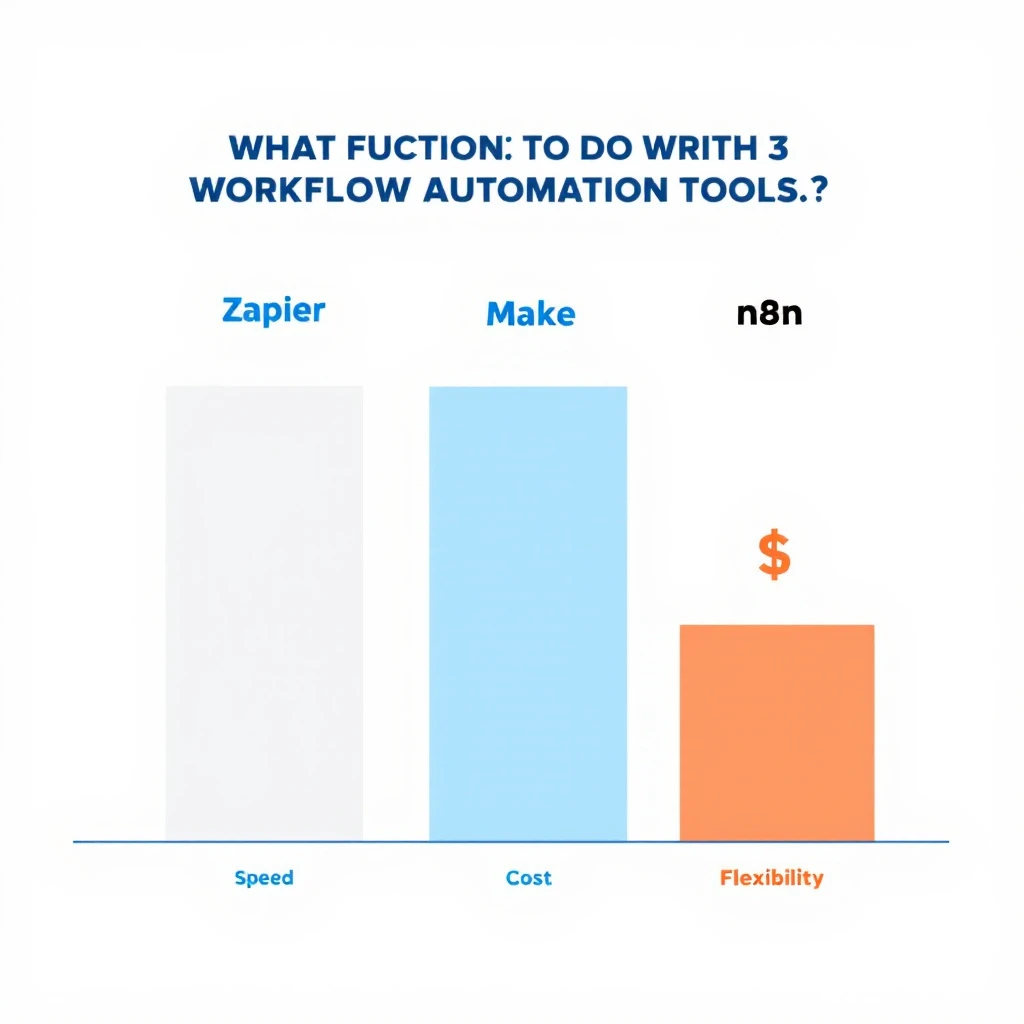
Comparison of Zapier, Make, and n8n for content pipeline orchestration across speed of setup, cost, and flexibility

ToolBest forPricing signalTrade-off
ZapierFastest setup, 8,000+ integrations~$20/month for 750 tasksCosts climb fast at video-pipeline volume
MakeVisual branching logic at mid-market priceRoughly 60% cheaper than Zapier per operationSteeper learning curve
n8nSelf-hosted, unlimited executions, AI-agent nodesFree self-hostedYou own the maintenance

A typical wiring: new webinar recording lands in Drive β†’ Make sends it to Opus Clip β†’ finished clips post to a Frame.io review queue β†’ approval triggers scheduling to LinkedIn and YouTube β†’ performance data writes back to a Sheet that feeds next month's planning. Every arrow in that sentence is an automation; every node a human could touch is optional except review.

Enterprise AI Content Pipelines: What Changes at Scale​

The second question buyers ask β€” usually phrased as "enterprise AI content pipeline automation solutions for brand videos" β€” is really a governance question. At enterprise scale the hard problems are not generation quality. They are:

  • Brand control: hundreds of people producing content means brand kits enforced in the tool (Canva Business, Frame.io Enterprise workspaces), not in a PDF nobody reads
  • Voice governance: Writer-style terminology enforcement across every caption and script, with banned-word lists that legal actually maintains
  • Approval trails: who signed off on which version, retrievable when compliance asks
  • Localization: Synthesia-class translation across 100+ languages without re-shooting

Enterprise stacks therefore look like: Synthesia or HeyGen Business for generation, Writer for language governance, Frame.io Enterprise for approval, and n8n self-hosted (data residency) for orchestration. The per-seat math matters less than the risk math β€” one off-brand video in a regulated industry costs more than the entire annual stack.

The Review-and-Editing Question, Answered Directly​

The third question in this cluster: "what is the best AI content pipeline tool for content review and editing?" The honest answer is a pair, not a single tool: Descript for editing, Frame.io for review. Descript because transcript-based editing is the fastest way for a non-editor to make real changes; Frame.io because approval needs time-coded comments and version history, which editing tools do not provide. If your review problem is copy rather than video β€” captions, scripts, descriptions β€” the answer is Writer for enterprises and Grammarly Business for everyone else.

A 30-Day Pipeline Build Plan​

  • Week 1: Pick one channel and one format (e.g., LinkedIn vertical clips from webinars). Set up Opus Clip + a Frame.io review project. Ship 3 clips manually to learn the friction points.
  • Week 2: Add generation. Stand up HeyGen or Canva with your brand kit loaded. Template the two formats you repeat most.
  • Week 3: Wire orchestration. Make or n8n scenario: recording in β†’ clips out β†’ review queue β†’ scheduled post. Keep a human approval gate.
  • Week 4: Add measurement. Pipe post performance into a sheet; kill the format that underperforms, double the one that works.

That sequencing matters. Teams that start by buying an "all-in-one AI content platform" spend week one in onboarding calls; teams that start with one automated format have shipped a dozen assets by day 30. It is the same crawl-then-automate logic we recommend in our AI tools for content marketing guide and our marketing tech stack breakdown.

Where the Pipeline Meets Pipeline (the Revenue Kind)​

A brand video pipeline that ends at "published" is only half wired. The other half is knowing who watched and what to do about it.

This is where MarketBetter fits. Video drives buyers to your site β€” and MarketBetter identifies the companies those visitors work for, scores the buying signal, and tells your SDR team exactly who to contact and what to say. Content teams measure views; revenue teams need the next step. If your videos are generating traffic that nobody follows up on, you have a distribution pipeline feeding a hole.

Sales teams also flip this pipeline around: personalized video in cold outreach uses the same generation tools to make one-to-one assets β€” see our guides to AI video tools for sales teams and personalizing sales video at scale. Same stack, opposite direction: brand video is one-to-many, sales video is one-to-one, and the winners run both off shared templates.

FAQ​

What are the top AI content pipeline automation tools for video-based brand content? HeyGen or Synthesia (generation), Opus Clip (repurposing), Descript (editing), Canva Magic Studio (brand-templated volume), Frame.io (review), and Make or n8n (orchestration). Chain 4 to 6 of them; no single tool covers the full pipeline well.

What are enterprise AI content pipeline automation solutions for brand videos on social media? Enterprise stacks prioritize governance: Synthesia or HeyGen Business for generation with localization, Writer for brand-voice enforcement, Frame.io Enterprise for auditable approvals, and self-hosted n8n for orchestration with data residency.

What is the best AI content pipeline and automation tool for content review and editing? Descript for editing (transcript-based, fast for non-editors) plus Frame.io for review (time-coded comments, versioning, free reviewers). For copy review at scale, Writer (enterprise) or Grammarly Business.

Can one platform automate the entire video content pipeline? Not well. All-in-one platforms trade quality at every stage for convenience. The practical approach is best-of-breed tools per stage connected by an orchestrator, with a human approval gate before publishing.


Turning video viewers into pipeline? MarketBetter identifies the companies visiting your site from your content, scores their intent, and hands your SDRs a specific next action β€” not just a dashboard. Book a demo β†’

Relay.app Is Shutting Down: The Alternative for Marketing Teams [2026]

Β· 9 min read
Sunder Iyer
Founder, marketbetter.ai

On July 16, Relay.app told its customers it's winding down. Free accounts and their data get deleted after August 15. Paid accounts run through September 14, with prorated refunds and a 60-day credit bump to help people move. You can export your workflows, sequences, and MCP servers as JSON and prompts, then rebuild them somewhere else.

I want to say the honest thing first: this one stings. Relay.app was the kind of product people genuinely loved. AI-native from the ground up, a chat-based builder that non-technical teams could actually use, and human-in-the-loop controls that made AI outputs something you could trust instead of something you had to babysit. That's hard to build and rare to get right.

I never used it in production, so I won't pretend to know exactly why the plug got pulled. But the shape of it is familiar. Great product, real users, and the runway ran out before profitability did. That's the VC game. You win or you lose, and patience usually isn't on the menu. It's a shame, because with a lower burn rate a team like that probably turns it around. Good companies disappear that shouldn't.

None of that helps you if you've got live workflows to move before your data gets deleted. So let's be useful.

Relay.app to MarketBetter migration path for marketing teams

First, answer one question: what were you actually using Relay for?​

Relay.app was a horizontal automation platform. It connected to 200-plus apps and let you wire together more or less anything: internal ops, approvals, data cleanup, notifications, plus marketing and sales. Because it did everything, "what's the replacement?" doesn't have one answer. It has two.

If you used Relay for general operations β€” routing internal requests, syncing tools, approval chains, back-office glue β€” your replacement is another horizontal automation tool. Zapier, Make, n8n, or Gumloop will map closest to what you built. Export your JSON, rebuild the workflows, done. MarketBetter is not the right tool for automating your HR approval flow, and I'm not going to pretend it is.

If you used Relay to run marketing and outbound β€” enriching leads, building audiences, personalizing outreach, sending sequences, chasing follow-ups, reacting to buyer signals β€” then rebuilding all of that as a pile of workflow blocks in the next generic automation tool is the wrong move. That's where MarketBetter comes in, and it's a genuinely better answer than a like-for-like swap.

The rest of this guide is for that second group.

The difference between a workflow builder and a purpose-built system​

Here's the core distinction, and it's the whole reason to consider MarketBetter instead of just moving your blocks to the next canvas.

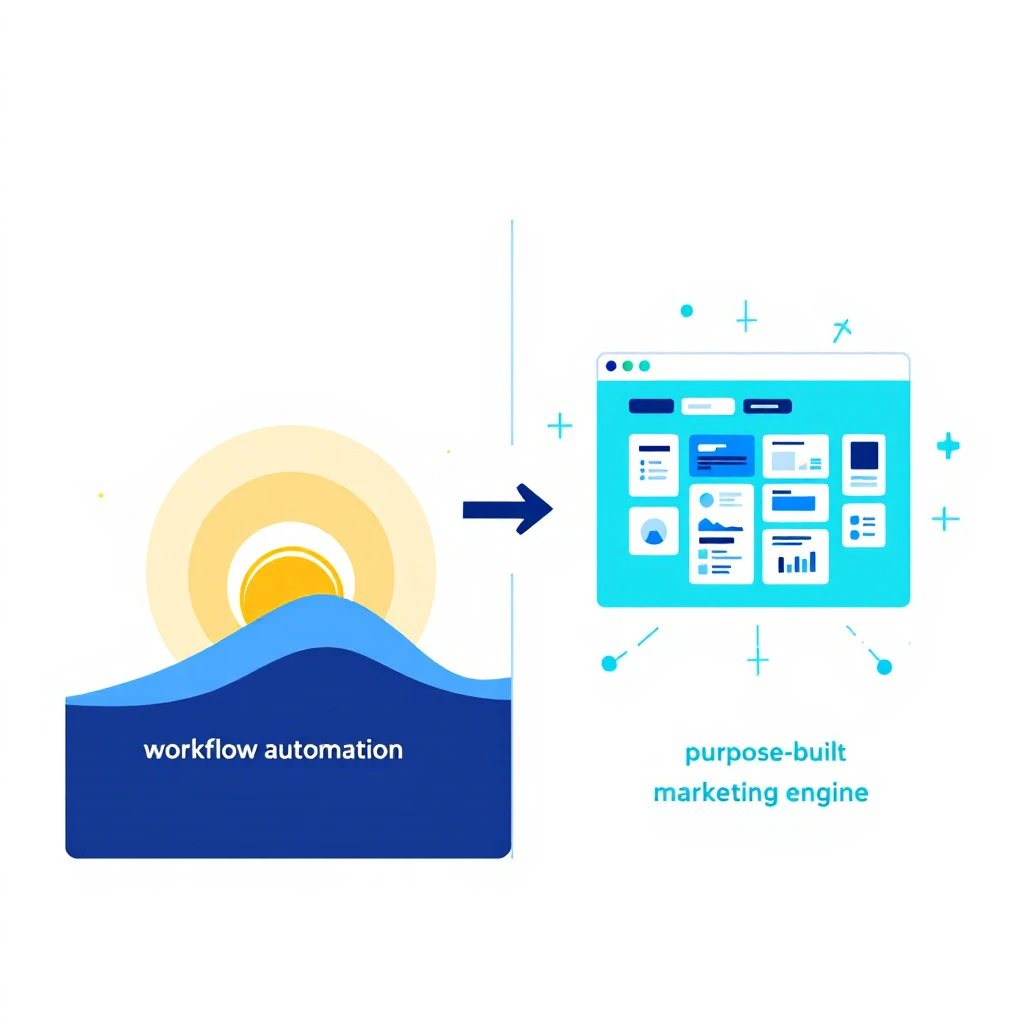
A workflow builder gives you an empty canvas and a box of connectors. You are the architect. You decide what a good outbound motion looks like, you wire every step, you maintain it when an API changes, and you own every gap between the blocks. That flexibility is the point, and for a lot of jobs it's exactly right.

But marketing and outbound aren't a blank canvas problem. They're a solved-shape problem. Almost every B2B team is trying to do the same core thing: figure out who is worth reaching, and what to do about them. A workflow builder hands you a canvas and wishes you luck. A purpose-built system already knows the shape of the job and does the assembly for you.

That's the one line I'd tattoo on this whole category:

MarketBetter tells you WHO and WHAT TO DO. A generic workflow tool just runs the steps you already figured out yourself.

When you rebuild your Relay marketing workflows as raw automation blocks somewhere else, you're re-solving a problem that's already been solved β€” and you're signing up to maintain that solution forever. When you move to a purpose-built platform, the who-and-what-to-do engine comes standard.

What you rebuild by hand vs. what comes standard​

If you're mapping your old Relay marketing automations to their replacements, here's the honest side-by-side.

What you built in RelayRebuild in a generic automation toolIn MarketBetter
"Find companies that fit our ICP"Chain enrichment APIs, dedupe, filterDescribe your ICP in chat, get an audience
"Identify who's visiting our site"Wire a visitor-ID vendor + resolution logicBuilt-in visitor identification
"Personalize the first-touch message"Prompt an LLM step per contact, manage contextPersonalization tied to the actual signal
"Send across email and LinkedIn"Separate connectors, separate logic, separate limitsOne multi-channel outreach engine
"Follow up when someone replies or goes quiet"Build branching logic and timers by handSignal-driven follow-ups and next-best-action
"Keep humans in the loop on approvals"Add manual approval stepsReview and approval where it matters

Notice the pattern. The thing Relay users loved β€” human-in-the-loop, AI that assists instead of running wild β€” isn't something you have to give up. It's how MarketBetter is designed to work too. The difference is you're not hand-assembling the marketing motion around it. The motion is the product.

Relay workflow blocks versus a purpose-built GTM engine

What "purpose-built for marketing" actually buys you​

Concretely, here's what you stop maintaining the day you move a marketing use case off a workflow canvas and onto MarketBetter.

Audience building without the plumbing. In Relay you'd chain enrichment and filtering steps to assemble a target list. In MarketBetter you describe who you want in plain language and get a real audience back β€” the same chat-first ease Relay was praised for, pointed at the marketing job specifically. If you liked building Relay workflows by describing them, this will feel familiar.

Signals, not just triggers. A workflow trigger fires when an event happens. A buying signal tells you something changed in the market and what it means for outreach. MarketBetter is built around real-time signals β€” including website visitor identification β€” so the system reacts to intent, not just to a webhook you set up.

Multi-channel out of the box. Running email and LinkedIn as two hand-wired branches in a workflow tool is a maintenance tax. MarketBetter treats outbound as one motion across channels, with the personalization and sequencing built in rather than bolted on.

Personalization anchored to why you're reaching out. Dropping an LLM step into a workflow gives you generated text. Tying the message to the actual signal that surfaced the lead gives you relevance β€” the difference between "an AI wrote this" and "this is clearly about me."

The next action, decided for you. This is the part generic tools never solve, because it isn't a connector problem. When a prospect replies, goes cold, or shows new intent, MarketBetter surfaces what to do next. A workflow tool can only do what you pre-scripted. If you want the deeper version of this idea, our take on using AI for lead generation and AI marketing automation walks through it.

Being fair to Relay β€” and to the alternatives​

I'm not going to trash a product on its way out, and I'm not going to oversell mine. So, straight:

Relay.app was better than MarketBetter at being a general-purpose automation platform, because that's what it was. If your Relay account was mostly internal ops and integrations, MarketBetter is the wrong replacement β€” go look at general marketing automation tooling or a horizontal builder. I'd rather tell you that than win a customer who churns in a month.

But if your Relay account was where your marketing and outbound lived, moving to another blank canvas just re-creates the maintenance burden you had. MarketBetter is purpose-built for exactly that job, which means less to wire, less to babysit, and a system that already knows the shape of good B2B outreach. That's a better trade for a marketing team than "same DIY work, new logo." For the fuller landscape, we keep an updated view of the best AI marketing tools and where each one fits.

There's also a quieter reason to prefer a focused tool right now. The last year has been consolidation season β€” HubSpot absorbed Warmly, Clearbit became a suite feature, and now a beloved independent is shutting down. Betting your GTM motion on a tool whose whole company is aimed at your problem is a different kind of bet than betting on a feature inside someone else's roadmap.

How to migrate before your data is deleted​

You've got a hard deadline, so move in this order:

  1. Export everything from Relay now. Pull your workflows, sequences, and MCP configs as JSON and prompts while you still have access. Do this today β€” free accounts are gone after August 15.
  2. Sort your exports into two buckets: general ops vs. marketing/outbound. Ops goes to a horizontal tool. Marketing/outbound is your MarketBetter candidate list.
  3. Map each marketing workflow to a job, not a set of steps. "Enrich and message net-new ICP accounts" is a job. Don't rebuild your ten Relay steps β€” hand the job to a system built to do it.
  4. Bring a human-in-the-loop mindset with you. The thing you liked about Relay β€” reviewing AI output before it goes out β€” is a first-class idea in MarketBetter too. You don't have to trade trust for automation.
  5. Run one motion end to end before you cut over. Pick your highest-value marketing use case, stand it up in MarketBetter, and prove it before the September 14 paid deadline.

The bottom line​

Relay.app shutting down is a real loss, and if you built on it, you have my genuine sympathy and a real deadline. For general automation, grab a horizontal tool and rebuild your JSON. But for the marketing and outbound work β€” the who-to-reach and what-to-say engine at the center of your GTM β€” don't rebuild blocks on a new canvas. Move to something that already knows the job.

That's what MarketBetter is for: it tells your team who's worth reaching and exactly what to do next, instead of handing you an empty workflow and wishing you luck.

Moving off Relay.app before the deadline? Book a demo and we'll help you map your marketing use cases across in one session.

14 Best B2B Marketing Automation Platforms (2026): Mid-Market, Ranked

Β· 18 min read
Sunder Iyer
Founder, marketbetter.ai

B2B Marketing Automation Platforms Compared

Updated August 2026 with refreshed pricing, a mid-market buyer's shortlist, and a new FAQ.

Choosing the right marketing automation software in 2026 isn't about picking the tool with the longest feature list β€” it's about picking the one that actually moves pipeline for your team. This guide compares the 14 marketing automation software platforms B2B teams are using now, with real pricing, honest tradeoffs, and where each tool fits.

Marketing automation used to mean email drip campaigns and lead scoring. For mid-market B2B teams in 2026, it means something entirely different.

The best B2B marketing automation platforms now combine intent signals, visitor identification, AI-powered outreach, and sales-marketing alignment into unified workflows. The old guard β€” Marketo, Pardot, Eloqua β€” still handles enterprise email at scale. But a new wave of platforms built for modern go-to-market teams is closing the gap between marketing automation and actual revenue.

This guide compares 14 B2B marketing automation platforms across features, pricing, ideal use cases, and the one metric that matters: do they help you book more meetings? If you're deciding how much of your budget to put behind these tools in the first place, start with our marketing budget allocation frameworks. And if your evaluation is leaning toward AI-driven prospecting specifically, our roundup of the best AI BDR platforms goes deeper on that category.

What Makes a B2B Marketing Automation Platform Great in 2026?​

Before diving into tools, here's what separates the best from the rest:

  • Signal detection: Can it identify who's in-market before they fill out a form?
  • Sales-marketing alignment: Does the platform create action items for sales, or just dashboards for marketing?
  • Multi-channel execution: Email, LinkedIn, phone, chat β€” all from one workflow?
  • AI personalization: Can it generate genuinely personalized messages at scale, not just merge-field templates?
  • Time-to-value: How fast can a 5-person team get real results?

With that framework, let's compare. (Picking a platform is half the job β€” once you've chosen, our guide to building marketing automation workflows covers the triggers, conditions, and exit criteria that make any of these tools actually convert.)

Quick Comparison: 14 B2B Marketing Automation Platforms​

PlatformBest ForStarting PriceKey Strength
MarketBetterSDR teams (50-500 employees)$99/user/monthSignals β†’ SDR playbook in one platform
HubSpot Marketing HubSMB to mid-market$800/mo (Professional)All-in-one CRM + marketing
Adobe Marketo EngageEnterprise marketing ops~$895/mo (est.)Complex multi-touch campaigns
Salesforce Marketing Cloud (Pardot)Salesforce shops$1,250/moNative Salesforce integration
6senseEnterprise ABM$60K+/yr (est.)Intent data + account identification
DemandbaseABM orchestrationCustom pricingAccount-level advertising + intent
ActiveCampaignSMBs on a budget$49/moEmail + basic automation
Brevo (Sendinblue)Startups and small teamsFree–$18/moAffordable multi-channel
Oracle EloquaLarge enterprise$2,000+/mo (est.)Complex campaign orchestration
Metadata.ioPaid campaign automation$3,950/moAI-powered ad campaigns
Apollo.ioSales-led outbound teamsFree–$79/moProspecting database + sequences
Instantly.aiCold email at scale$30/moEmail deliverability + volume
ClayData enrichment workflows$149/moWaterfall enrichment + AI
WarmlyWebsite visitor reveal$700/mo (est.)Real-time visitor identification

1. MarketBetter​

Best for: B2B sales teams that need marketing automation AND sales execution in one platform

MarketBetter bridges the gap between marketing automation and SDR workflow β€” the space where most platforms create a handoff problem. Instead of marketing passing leads to sales via a CRM field change, MarketBetter's Daily SDR Playbook turns intent signals directly into prioritized action items.

What sets it apart:

  • Website visitor identification reveals which companies are on your site right now
  • AI-powered email sequences generate hyper-personalized outreach based on prospect behavior
  • Smart Dialer built for warm outbound β€” not cold calling, but signal-triggered conversations
  • AI Chatbot engages visitors in real-time and routes qualified conversations to the right rep
  • Daily Playbook tells each SDR exactly who to contact, what channel to use, and what to say

Pricing:

  • Standard: $99/user/month β€” All products included (Daily SDR Playbook, Website Visitor ID, AI Chatbot, Email Automation, Smart Dialer add-on). 5M AI credits + 500 enrichment credits per seat.
  • Enterprise: Custom pricing β€” Everything in Standard + custom integrations and volume discounts.

Best for teams that want to: Stop juggling 20 tabs and start every morning knowing exactly what to do.

Limitations: Not designed for enterprise marketing ops with complex multi-BU campaigns. Built for sales-led growth, not marketing-led nurture.

Book a demo β†’

2. HubSpot Marketing Hub​

Best for: SMB and mid-market companies wanting CRM + marketing in one ecosystem

HubSpot remains the default choice for companies under 200 employees that want everything in one place. The marketing automation is solid β€” workflows, lead scoring, email sequences, landing pages, and reporting all work well together.

What's genuinely good:

  • Intuitive workflow builder with branching logic
  • Native CRM integration (no sync issues)
  • Content management + SEO tools built in
  • Excellent onboarding and education resources

What's not:

  • Pricing escalates fast. Professional starts at $800/mo, but contact-based pricing means you're paying $3K+/mo once you hit 10K contacts
  • Limited visitor identification. HubSpot identifies form-fillers and tracked contacts, but can't reveal anonymous companies the way dedicated visitor ID tools can
  • Sales-marketing handoff is still manual. Lead scoring triggers a lifecycle stage change, then sales has to figure out what to do

Pricing: Free tools available. Professional at $800/mo. Enterprise at $3,600/mo. Add contacts and the bill climbs.

Verdict: Great all-in-one for growing companies. Starts to pinch at scale both on price and capability.

3. Adobe Marketo Engage​

Best for: Enterprise marketing operations teams running complex campaigns across regions and business units

Marketo is the Ferrari of marketing automation β€” powerful, expensive, and requires a skilled driver. If you have a dedicated marketing ops team and run sophisticated multi-touch, multi-channel campaigns across global business units, Marketo delivers.

What's genuinely good:

  • Sophisticated lead scoring with behavioral and demographic models
  • Revenue attribution and multi-touch reporting
  • Advanced segmentation and dynamic content
  • Robust API and integration ecosystem

What's not:

  • Steep learning curve. Most companies need a Marketo-certified admin
  • Pricing is opaque. Estimated at $895+/mo for the base tier, but enterprise deals are custom and typically $50K-$150K/yr
  • The UI feels dated. Despite Adobe's acquisition, the interface hasn't modernized much
  • Sales alignment is weak. Marketo tells marketing what happened. It doesn't tell sales what to do next

Verdict: The enterprise standard for a reason, but overkill for teams under 50 people. The gap between "signals detected" and "sales action taken" is wide.

4. Salesforce Marketing Cloud Account Engagement (Pardot)​

Best for: Companies already deep in the Salesforce ecosystem

If your CRM is Salesforce and you're not switching, Pardot (now rebranded as Marketing Cloud Account Engagement) is the path of least resistance. The native integration means lead data flows seamlessly between marketing campaigns and sales pipeline.

What's genuinely good:

  • True native Salesforce integration β€” no middleware, no sync delays
  • Einstein AI for lead scoring and send-time optimization
  • B2B marketing analytics with pipeline attribution
  • Engagement Studio for visual campaign building

What's not:

  • Expensive. Growth tier at $1,250/mo, Plus at $2,500/mo, Advanced at $4,000/mo
  • Requires Salesforce. This isn't standalone software
  • Innovation is slow. Salesforce's B2B marketing updates lag behind the core CRM
  • Visitor tracking is basic. Cookie-based, only works for known contacts

Verdict: The safe enterprise choice if you're already on Salesforce. Not where innovation happens.

5. 6sense​

Best for: Enterprise ABM teams with budget for intent data

6sense's Revenue AI platform identifies in-market accounts using intent data from across the web. It's powerful β€” their data network detects research activity before prospects ever visit your site.

What's genuinely good:

  • Industry-leading intent data network (Bombora partnership + proprietary signals)
  • Account identification and buying stage prediction
  • Orchestration across ads, email, and sales outreach
  • Predictive analytics for pipeline forecasting

What's not:

  • Eye-watering pricing. Most contracts start at $60K-$120K/yr. Not for startups or SMBs
  • Data without action. 6sense shows you which accounts are in-market but doesn't tell individual SDRs what to do each morning
  • Long implementation. Expect 2-3 months before you see value
  • Accuracy debates. Third-party intent data is probabilistic β€” some teams report high noise-to-signal ratios

Verdict: If you have the budget and the team to act on the data, 6sense is powerful. But it's an intelligence layer, not an execution layer.

6. Demandbase​

Best for: ABM-focused enterprises running account-based advertising alongside outbound

Demandbase combines account identification, intent data, and B2B advertising into one ABM platform. Their Demandbase One platform merges what used to be separate products (Engagio, InsideView, DemandMatrix).

What's genuinely good:

  • Account-based advertising at scale (display, LinkedIn, connected TV)
  • Technographic and intent data combined
  • Journey analytics show account progression
  • Sales intelligence feeds context to reps

What's not:

  • Custom pricing only β€” typically $48K-$150K+/yr depending on modules
  • Complex platform. Multiple products stitched together means onboarding takes time
  • Advertising focus means it's less useful for teams that don't run paid campaigns
  • Sales execution is limited. Better at showing who's in-market than helping SDRs act

Verdict: The ABM leader for enterprise teams running multi-channel campaigns with advertising budgets. Overkill for SDR-led motions.

7. ActiveCampaign​

Best for: SMBs that need solid email automation without the enterprise price tag

ActiveCampaign punches above its weight for small teams. The automation builder is surprisingly powerful, and the CRM (while basic) covers the essentials.

What's genuinely good:

  • Visual automation builder with 900+ integrations
  • Predictive sending and content optimization
  • Site tracking and event-based triggers
  • Affordable for small teams

What's not:

  • CRM is basic. Don't expect Salesforce-level pipeline management
  • No visitor identification. Can't reveal anonymous companies
  • Limited B2B features. No ABM, no intent data, no multi-channel outreach
  • Scales awkwardly. Contact-based pricing means costs grow with your list

Pricing: Lite from $49/mo, Plus from $49/mo (with CRM), Professional from $149/mo.

Verdict: Best value for small teams that primarily need email automation. Outgrown quickly by scaling sales teams.

8. Brevo (formerly Sendinblue)​

Best for: Startups and small businesses wanting affordable multi-channel marketing

Brevo offers email, SMS, WhatsApp, and chat marketing at prices that won't break a startup budget. The free tier is genuinely usable.

What's genuinely good:

  • Free tier with 300 emails/day
  • Multi-channel (email, SMS, WhatsApp, push)
  • Transaction email infrastructure included
  • Simple automation workflows

What's not:

  • Not built for B2B. Limited lead scoring, no account-level tracking
  • No sales execution features. No dialer, no LinkedIn integration, no playbook
  • Basic analytics. No pipeline attribution or revenue reporting
  • Automation is simple. No complex branching or conditional logic at scale

Pricing: Free plan available. Starter at $8.08/mo. Business at $16.17/mo. Enterprise custom.

Verdict: Excellent for startups sending transactional and marketing emails. Not a B2B sales platform.

9. Oracle Eloqua​

Best for: Large enterprises with complex, global marketing operations

Eloqua is the other enterprise heavyweight alongside Marketo. It excels at managing large-scale campaigns across multiple business units, regions, and languages.

What's genuinely good:

  • Campaign canvas for complex multi-step programs
  • Advanced segmentation with CRM and third-party data
  • Multi-language, multi-currency, multi-BU support
  • Robust security and compliance features

What's not:

  • Extremely expensive. Estimated $2,000-$4,000+/mo, with enterprise deals much higher
  • Requires dedicated admin. Not self-serve
  • Slow innovation. Oracle's marketing cloud updates lag competitors
  • Sales alignment is manual. Marketing and sales still operate in silos

Verdict: For Fortune 500 companies with dedicated marketing ops teams. Everyone else β€” look elsewhere.

10. Metadata.io​

Best for: B2B marketing teams running paid campaigns who want AI-driven optimization

Metadata automates paid campaign management across LinkedIn, Facebook, and display. Their AI experiments with audiences, creative, and budget allocation to find what converts.

What's genuinely good:

  • AI-powered audience building and campaign optimization
  • Automatic A/B testing across platforms
  • Lead enrichment to filter out junk leads
  • Revenue attribution for paid spend

What's not:

  • Requires ad budget. Platform cost ($3,950/mo) plus you need meaningful ad spend
  • Paid-only. No organic, no outbound, no sales execution
  • Niche use case. Only valuable if paid campaigns are a major pipeline source

Pricing: $3,950/mo base. Custom enterprise pricing available.

Verdict: Powerful for teams spending $20K+/mo on B2B ads. Not a general marketing automation platform.

11. Apollo.io​

Best for: Sales-led teams that need a prospecting database AND email sequences

Apollo combines a 275M+ contact database with email sequences, a dialer, and basic CRM β€” all at remarkably low prices. It's the budget-friendly choice for outbound-heavy teams.

What's genuinely good:

  • Massive contact database with email and phone numbers
  • Built-in email sequences with personalization
  • Dialer for cold calling
  • Free tier is genuinely usable

What's not:

  • Data quality varies. Bounce rates of 10-15% are common on older records
  • Email deliverability issues. High-volume sending from shared infrastructure hurts inbox rates
  • Limited visitor identification. Not a dedicated website reveal tool
  • Everyone uses it. Your prospects are getting Apollo-sent emails from your 10 competitors too

Pricing: Free plan available. Basic at $49/mo. Professional at $79/mo. Organization at $119/mo.

Verdict: Hard to beat on price-to-features ratio. Best for teams that prioritize volume over signal quality.

12. Instantly.ai​

Best for: Teams that need to send high volumes of cold email with good deliverability

Instantly focuses on one thing: sending cold emails at scale without landing in spam. Their warmup network and inbox rotation make volume outreach actually deliverable.

What's genuinely good:

  • Email warmup network (200K+ accounts)
  • Unlimited email accounts
  • Inbox rotation for deliverability
  • Campaign analytics and A/B testing

What's not:

  • Email cannon, not intelligence. No visitor ID, no intent signals, no prioritization
  • No sales execution. No dialer, no LinkedIn, no daily playbook
  • You need your own data. Instantly doesn't provide contacts
  • One-dimensional. If email alone worked, every SDR team would be crushing quota

Pricing: Growth at $30/mo. Hypergrowth at $77.60/mo. Light Speed at $286.30/mo.

Verdict: Best-in-class cold email infrastructure. But cold email alone is a race to the bottom β€” and response rates are declining industry-wide.

13. Clay​

Best for: Data-savvy RevOps teams building custom enrichment and outreach workflows

Clay is a data orchestration platform that connects 100+ enrichment providers through waterfall logic. Think of it as a spreadsheet on steroids for building personalized outreach lists.

What's genuinely good:

  • Waterfall enrichment across multiple data providers
  • AI message generation based on enriched data
  • Flexible workflow builder
  • Growing integration ecosystem

What's not:

  • Credits add up fast. Starter at $149/mo gets 2,400 credits. Enterprise teams easily spend $2K-4K/mo
  • Enrichment, not execution. Clay enriches and personalizes β€” you still need a separate tool to send
  • Complex setup. Powerful but requires technical configuration
  • Not a sales platform. No dialer, no visitor ID, no playbook

Pricing: Free plan (100 credits/mo). Starter $149/mo. Explorer $349/mo. Pro $800/mo.

Verdict: Powerful for teams that know exactly what data workflow they need. Not a standalone automation platform.

14. Warmly​

Best for: Teams that want website visitor identification with real-time engagement

Warmly identifies companies and individuals visiting your website and enables real-time engagement through chat and video. Their focus is narrower than full marketing automation but deeper in the visitor reveal space.

What's genuinely good:

  • Company and individual-level visitor identification
  • Real-time chat and video engagement
  • CRM and Slack alerts for high-intent visitors
  • Orchestration across outbound channels

What's not:

  • Pricing is steep for the feature set. Estimated $700-2,000+/mo
  • No daily playbook. Shows you who visited but doesn't prioritize actions for SDRs
  • Limited outbound execution. No built-in email sequences or smart dialer
  • Narrow focus. Website visitors are one signal β€” what about intent data, social engagement, email opens?

Verdict: Strong visitor identification. But identifying visitors is step one β€” the hard part is knowing what to do about it.

How to Choose the Right Platform​

By Team Size​

Solo founder or team of 1-5:

  • ActiveCampaign or Brevo for basic email automation
  • Apollo for prospecting + sequences on a budget

SDR team of 5-15:

  • MarketBetter for signal-driven sales execution
  • HubSpot Marketing Hub for all-in-one simplicity

Marketing ops team of 15+:

  • Marketo or Pardot for complex campaigns
  • 6sense or Demandbase for enterprise ABM

By Go-to-Market Motion​

Outbound-first: MarketBetter (signals β†’ playbook) or Apollo (database β†’ sequences)

ABM-first: 6sense or Demandbase for account identification and orchestration

Inbound-first: HubSpot for content + nurture + CRM

Paid-first: Metadata.io for AI-powered campaign optimization

By Budget​

Under $500/mo: Apollo, ActiveCampaign, Instantly, Brevo

$500-$2,000/mo: MarketBetter, HubSpot Professional, Warmly

$2,000-$5,000/mo: Marketo, Pardot, Metadata.io

$5,000+/mo: 6sense, Demandbase, Oracle Eloqua

The Shift: From Marketing Automation to Revenue Automation​

Here's the uncomfortable truth about traditional marketing automation: it automates the wrong part of the funnel.

Marketo, Pardot, and HubSpot are excellent at nurturing leads through email sequences. But the gap between "marketing qualified lead" and "booked meeting" is where most pipeline dies. A lead scores high enough, gets passed to sales, and then... sits in a queue. The SDR has to figure out who to call, what to say, and when to reach out.

The next generation of platforms β€” MarketBetter included β€” closes that gap by automating the actions, not just the awareness.

Instead of: Signal detected β†’ Lead scored β†’ MQL created β†’ Sales notified β†’ SDR figures it out

The new model is: Signal detected β†’ Playbook updated β†’ SDR knows exactly what to do, right now

That's the difference between marketing automation and revenue automation.

Free Tool

Try our Marketing Plan Generator β€” generate a complete AI-powered marketing plan in minutes. No signup required.

Frequently Asked Questions​

What is the best marketing automation platform for mid-market B2B?​

For mid-market B2B teams (50-500 employees), the answer depends on your go-to-market motion. If you're sales-led and want signals to turn directly into SDR actions, MarketBetter is built for exactly that at $99/user/month. If you want an all-in-one CRM plus marketing suite, HubSpot Marketing Hub Professional ($800/mo) is the safe default. Marketo and Pardot are usually overkill β€” and overpriced β€” until you have a dedicated marketing ops team running multi-BU campaigns.

HubSpot vs Marketo vs Pardot β€” which should mid-market teams pick?​

HubSpot wins on ease of use, time-to-value, and all-in-one simplicity, making it the best fit for most mid-market teams. Marketo (Adobe) is more powerful for complex, multi-touch enterprise campaigns but needs a certified admin and typically runs $50K-$150K/yr. Pardot (Salesforce Marketing Cloud Account Engagement) only makes sense if you're already committed to Salesforce, since it's not standalone and starts at $1,250/mo. For teams under 50 people, both Marketo and Pardot are usually more platform than you need.

What is the best all-in-one marketing automation platform in 2026?​

HubSpot Marketing Hub is the most complete all-in-one option β€” CRM, email, workflows, landing pages, and reporting in one ecosystem. But "all-in-one marketing" still leaves the sales-execution gap: it identifies and scores leads, then hands off to sales who have to figure out the next step. Platforms like MarketBetter close that gap by pairing marketing automation with a Daily SDR Playbook that tells reps exactly who to contact and what to say.

How much does B2B marketing automation software cost?​

Pricing spans a wide range in 2026: budget tools like ActiveCampaign, Brevo, and Apollo start under $80/mo; mid-market platforms like MarketBetter ($99/user/mo) and HubSpot Professional ($800/mo) sit in the middle; and enterprise ABM platforms like 6sense, Demandbase, and Oracle Eloqua run $48K-$150K+/yr. The real question isn't the sticker price β€” it's cost per meeting booked.

Which marketing automation platform actually books more meetings?​

Traditional platforms (Marketo, Pardot, Eloqua) automate awareness and nurture but leave the "who do I call today?" decision to your SDRs β€” which is where most pipeline stalls. Platforms that automate the action layer, not just the awareness layer, convert more signals into booked meetings. That's the core reason MarketBetter ranks first in this list for sales-led mid-market teams.

Bottom Line​

If you're evaluating B2B marketing automation platforms in 2026, start by asking: what happens after a lead is identified?

If the answer is "it goes into a nurture sequence and eventually maybe sales calls them" β€” you have a marketing automation problem.

If the answer is "the SDR sees it in their daily playbook with a recommended action and personalized talk track" β€” you have a revenue engine.

See how MarketBetter turns signals into pipeline β†’


Related reading: