9 posts tagged with "free tools"

View All Tags

Free B2B Database: 10 Legit Sources for Company & Contact Data [2026]

ยท 9 min read
MarketBetter Team
Content Team, marketbetter.ai

Illustration of an open data vault with company and contact records flowing out, minimalist style

Let's start with the answer nobody selling you a list will give: there is no legitimate "download the entire B2B database free" button. Anyone offering 100,000 contacts in a CSV for $99 (or free) is selling scraped, stale data seeded with spam traps that will torch your sender reputation.

But that doesn't mean you need a $15,000 ZoomInfo contract to prospect. In 2026, a surprising amount of real, current B2B data is available at exactly $0 โ€” if you know where it lives and what the free tiers actually cap you at.

We maintain pricing breakdowns for 70+ sales tools (here's what that dataset revealed), so we checked every free tier below against current 2026 limits. Here's what actually exists.

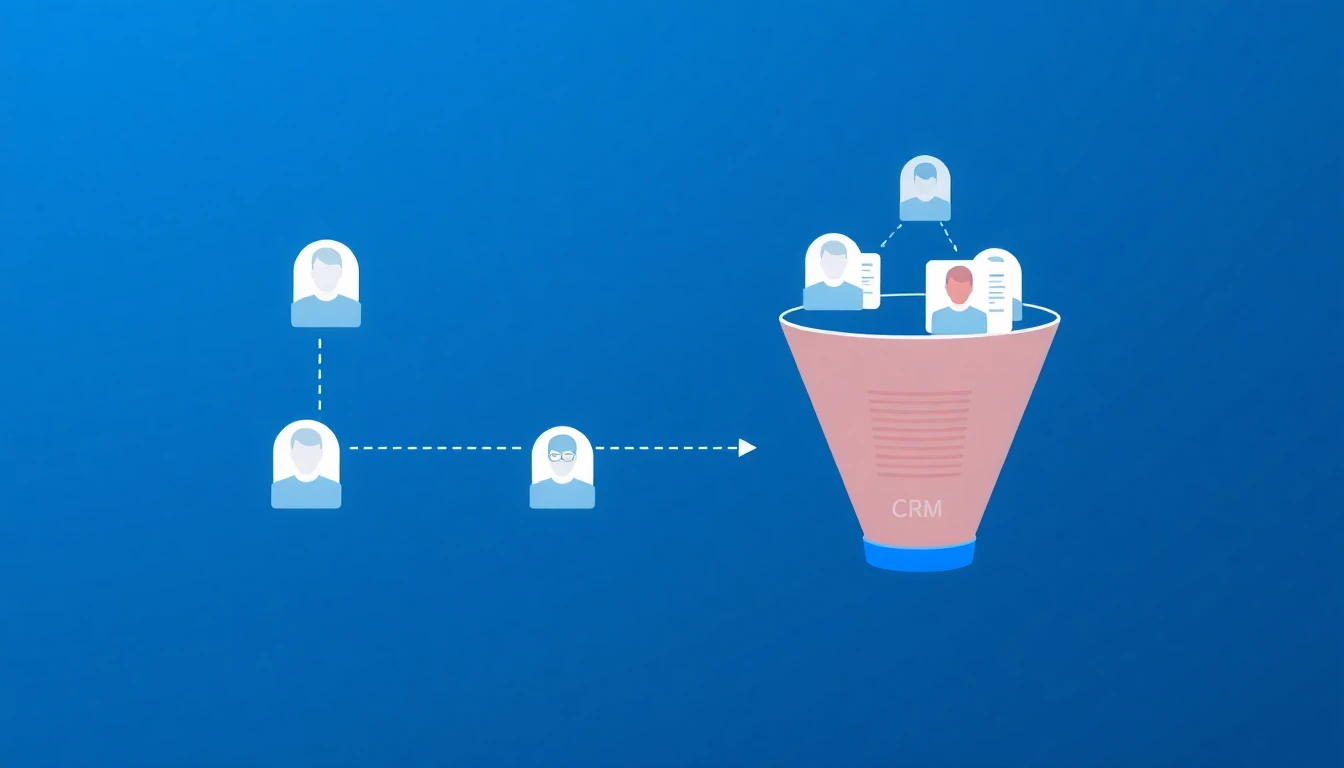
How to Build a B2B Lead List for Free in 2026 (Step-by-Step, No Credit Card)

ยท 11 min read
MarketBetter Team
Content Team, marketbetter.ai

Most "free lead list" advice falls into two buckets: download a stale CSV someone scraped in 2023, or sign up for a "free" tool that locks everything useful behind an upgrade wall within 72 hours. Neither builds pipeline.

Here is what actually works: no single free tool gives you a usable lead list, but a stack of free tiers โ€” used in the right order โ€” gets you 200 to 400 verified, ICP-matched contacts per month at exactly zero dollars. This guide walks through the exact workflow: defining your ICP, sourcing accounts, finding contacts, verifying emails, and turning your own website traffic into the highest-intent free lead source you have.

Free Lead Lists: 12 B2B Lead Generation Tools Tested [2026]

ยท 18 min read
Sunder Iyer
Founder, marketbetter.ai

Best free AI lead generation tools for B2B sales teams 2026

Updated August 2026 โ€” re-verified every free tier, refreshed credit limits and signup requirements, and expanded the guidance on where to get free B2B leads and database access without paying.

Quick answer: The best genuinely free B2B lead generation tools in 2026 are MarketBetter's AI Lead Generator (no signup, no credit limits, AI-ranked buyer contacts), Apollo.io (unlimited email lookups, 250 sends/day), and Kaspr (unlimited B2B company emails). Clay is the most powerful for AI enrichment, and Hunter.io is best for pure email finding. Most other "free" tiers โ€” Seamless, RocketReach, Cognism โ€” are one-time credit trials that force an upgrade within days. The full breakdown, free-tier limits, and a zero-cost prospecting stack are below.

The average B2B sales rep spends 64% of their time on non-selling activities โ€” and a huge chunk of that is hunting for leads (Salesforce State of Sales, 2025).

Searching LinkedIn. Guessing email addresses. Cross-referencing company websites with database tools. Building lists manually in spreadsheets. It's the most time-consuming part of the job, and AI is finally making it optional.

In 2026, there are genuinely good free AI lead generation tools that can find contacts, verify emails, enrich profiles, and even draft personalized outreach โ€” without requiring a $10K/year contract with ZoomInfo or a $99/month Apollo subscription.

We tested the free tiers of 12 AI lead generation tools and ranked them by what you can actually accomplish without paying. Here's the honest breakdown.

If you're comparing B2B lead generation tools free vs paid, the short version is this: a handful of these free tiers are genuinely usable long-term, while most are 3-day trials dressed up as "free." We flag which is which. Looking for paid options with bigger databases? See our companion guide to the best B2B lead generation tools of 2026. And if what you actually need is raw company and contact data rather than tools, we ranked every legitimate free B2B database source โ€” including two with genuinely unlimited access.

What Makes a Good AI Lead Generation Tool?โ€‹

Before comparing tools, here's what matters:

  1. Data quality โ€” Accurate emails and phone numbers that don't bounce
  2. AI capabilities โ€” Smart filtering, lead scoring, or personalization beyond basic database queries
  3. Free tier generosity โ€” How much can you actually do before hitting a paywall?
  4. LinkedIn integration โ€” Since LinkedIn is the primary B2B prospecting channel, how well does the tool work with it?
  5. Enrichment depth โ€” Beyond email/phone, does it provide company data, tech stack, recent activity?
  6. Ease of use โ€” Can a rep start finding leads in 5 minutes, or does setup take a week?

The 12 Best Free AI Lead Generation Toolsโ€‹

1. MarketBetter AI Lead Generator (Best Free LinkedIn Prospecting)โ€‹

Website: tools.marketbetter.ai/lead-generator

What it does: Analyze any company and find buyer contacts on LinkedIn โ€” with AI-powered matching to identify the most relevant decision-makers.

How it works:

  1. Enter a company name or URL
  2. AI analyzes the company's size, industry, and org structure
  3. Get a list of buyer contacts with LinkedIn profiles, titles, and relevance scores
  4. Use the results to build targeted outreach lists

Free tier: Completely free. No signup, no credit card, no usage limits for individual company lookups.

Why it's #1 for free:

  • No gates โ€” every other tool on this list either limits free credits, requires signup, or locks key features behind paid plans. MarketBetter's tool is genuinely free.
  • AI-powered buyer identification โ€” doesn't just list employees, it identifies the people most likely to be decision-makers for your product
  • LinkedIn-native โ€” results link directly to LinkedIn profiles for immediate outreach
  • Company context โ€” provides company analysis alongside contact data so you understand the prospect's business before reaching out

Best for: SDRs and AEs who prospect on LinkedIn and need to quickly find the right contacts at target accounts.


2. Apollo.ioโ€‹

Website: apollo.io

What it does: All-in-one sales intelligence and engagement platform with a large contact database.

Free tier highlights:

  • Unlimited email credits (250 emails/day sending limit)
  • 5 mobile number credits/month
  • Basic sequencing (2 active sequences)
  • LinkedIn extension for profile enrichment
  • 275M+ contact database access

Pros:

  • The most generous free tier among established platforms
  • Good data quality with verification
  • Integrated email sequencing
  • LinkedIn Chrome extension works well
  • Buying intent data available

Cons:

  • 5 mobile credits/month is extremely limiting
  • Free plan sequences are basic (no A/B testing, limited steps)
  • Export limits on the free tier
  • Email deliverability can suffer with shared sending infrastructure

Pricing: Free โ†’ $49/user/month (Basic) โ†’ $79/user/month (Professional)

Best for: Individual reps who primarily need email addresses and basic sequencing.


3. Seamless.AIโ€‹

Website: seamless.ai

What it does: AI-powered sales lead search engine with real-time contact verification.

Free tier highlights:

  • 50 credits (one credit = one contact lookup)
  • Real-time email and phone verification
  • Chrome extension for LinkedIn
  • Basic list building

Pros:

  • Real-time verification means higher accuracy than static databases
  • Chrome extension is well-designed
  • Good at finding direct dial phone numbers
  • AI-powered company and contact recommendations

Cons:

  • 50 free credits is very limiting โ€” burns through in a single session
  • Aggressive upsell experience
  • Data accuracy can be inconsistent (some users report 70-80% email accuracy)
  • Premium features (buyer intent, data enrichment) locked behind expensive plans

Pricing: Free (50 credits) โ†’ $147/month (Basic) โ†’ Custom (Pro/Enterprise)

Best for: Reps who need direct dial phone numbers and are willing to pay after the trial.


4. Hunter.ioโ€‹

Website: hunter.io

What it does: Email finding and verification tool. Enter a company domain, get associated email addresses and the email pattern used.

Free tier highlights:

  • 25 searches/month
  • 50 verifications/month
  • Chrome extension
  • Domain search (find all emails at a domain)
  • Email pattern detection

Pros:

  • Simple and focused โ€” does email finding extremely well
  • High accuracy email verification
  • Shows email pattern (e.g., firstname.lastname@company.com) so you can extrapolate
  • API available on free tier (limited)

Cons:

  • 25 searches/month is very limited
  • Email-only โ€” no phone numbers, no LinkedIn enrichment
  • Doesn't provide AI-powered lead recommendations
  • No contact titles or role information on the free tier

Pricing: Free (25 searches) โ†’ $34/month (Starter, 500 searches) โ†’ $104/month (Growth)

Best for: Marketers and reps who know exactly who they want to email and just need the address.


5. Lushaโ€‹

Website: lusha.com

What it does: B2B contact and company data platform with LinkedIn integration.

Free tier highlights:

  • 50 email credits/month
  • 5 phone credits/month
  • Chrome extension for LinkedIn
  • Basic prospecting

Pros:

  • Good phone number accuracy (direct dials)
  • Clean Chrome extension for LinkedIn prospecting
  • Intent data available on paid plans
  • GDPR/CCPA compliant data sourcing

Cons:

  • 5 phone credits/month is barely enough to test
  • Free tier doesn't include bulk enrichment
  • Company data is limited on the free plan
  • Smaller database than Apollo or ZoomInfo

Pricing: Free โ†’ $36/user/month (Pro) โ†’ $59/user/month (Premium)

Best for: European teams who need GDPR-compliant contact data.


6. Snov.ioโ€‹

Website: snov.io

What it does: Email finding, verification, and cold email outreach platform.

Free tier highlights:

  • 50 credits/month
  • Email finder and verifier
  • 100 email recipients in drip campaigns
  • LinkedIn email finder extension

Pros:

  • Combined prospecting and outreach in one tool
  • Technology checker included (identify a company's tech stack)
  • Email warmup on paid plans
  • Good for small teams running complete outbound workflows

Cons:

  • 50 credits/month split across finding and verifying (you burn through quickly)
  • Email accuracy is good but not best-in-class
  • UI can be overwhelming with many features
  • Drip campaign limits on free tier are very tight

Pricing: Free (50 credits) โ†’ $30/month (Starter) โ†’ $75/month (Pro)

Best for: Solopreneurs and small teams who want prospecting + outreach in one tool.


7. RocketReachโ€‹

Website: rocketreach.co

What it does: Contact info lookup tool with a database of 700M+ professionals.

Free tier highlights:

  • 5 free lookups
  • Email and phone data
  • Chrome extension
  • Company search

Pros:

  • Large database (700M+ contacts)
  • Good accuracy for senior-level contacts
  • Integrates with many CRMs and tools
  • Straightforward lookup interface

Cons:

  • 5 free lookups is essentially a trial, not a real free tier
  • Pricing jumps steeply ($53/month for Essentials)
  • No AI-powered recommendations
  • Limited enrichment depth

Pricing: Free (5 lookups) โ†’ $53/month (Essentials) โ†’ $179/month (Pro)

Best for: Occasional lookups for specific, hard-to-find contacts.


8. Kasprโ€‹

Website: kaspr.io

What it does: LinkedIn-focused lead generation tool with a Chrome extension that reveals contact data on LinkedIn profiles.

Free tier highlights:

  • 5 phone credits/month
  • 5 direct email credits/month
  • Unlimited B2B email credits
  • LinkedIn Chrome extension
  • Lead list management

Pros:

  • Excellent LinkedIn integration
  • Unlimited B2B emails on the free tier (company emails, not personal)
  • Good European data coverage
  • Simple, focused interface

Cons:

  • B2B emails (company addresses) are less valuable than personal/direct emails
  • Very limited phone and direct email credits on free tier
  • Smaller database than Apollo or ZoomInfo
  • Limited enrichment beyond contact data

Pricing: Free โ†’ $49/user/month (Starter) โ†’ $79/user/month (Business)

Best for: SDRs who live on LinkedIn and need a quick-access contact finder.


9. Cognismโ€‹

Website: cognism.com

What it does: Premium B2B sales intelligence with phone-verified mobile numbers (Diamond Data).

Free tier highlights:

  • 25 free leads (one-time, not recurring)
  • Chrome extension trial
  • Limited data access

Pros:

  • Best-in-class phone number accuracy (manually verified "Diamond" data)
  • Strong European and APAC coverage
  • Intent data powered by Bombora
  • GDPR-compliant with do-not-call list checking

Cons:

  • 25 free leads is basically just a trial
  • Expensive paid plans (reportedly $15K-$30K/year)
  • No self-serve pricing โ€” must talk to sales
  • Limited free functionality

Pricing: Free trial (25 leads) โ†’ Contact sales (enterprise pricing)

Best for: Enterprise teams with budget who need verified phone numbers for cold calling.


10. Clayโ€‹

Website: clay.com

What it does: AI-native data enrichment and prospecting platform that pulls from 100+ data providers in a single spreadsheet-style interface.

Free tier highlights:

  • 100 credits/month (recurring)
  • Access to 50+ enrichment sources
  • AI research agent ("Claygent") for custom lookups
  • Waterfall email enrichment (tries multiple providers until it finds a hit)

Pros:

  • Genuinely AI-first โ€” Claygent can answer custom research questions per lead (e.g., "Do they use HubSpot?")
  • Waterfall enrichment beats single-source tools on match rate
  • Templates for common workflows get you started fast
  • Integrates with virtually every CRM and outreach tool

Cons:

  • Steep learning curve โ€” Clay is powerful but not beginner-friendly
  • 100 credits/month burns fast once you enable multiple enrichments per row
  • Costs scale quickly on paid plans as you add providers
  • Overkill if you just need a few emails

Pricing: Free (100 credits) โ†’ $149/month (Starter) โ†’ $349/month (Explorer)

Best for: RevOps and growth teams who want programmatic, AI-driven enrichment rather than manual lookups.


11. Wizaโ€‹

Website: wiza.co

What it does: LinkedIn-first email and phone finder that works directly on Sales Navigator searches and individual profiles.

Free tier highlights:

  • 20 credits/month (recurring)
  • Email and phone lookups from LinkedIn profiles
  • Sales Navigator list export
  • Chrome extension

Pros:

  • Exports entire Sales Navigator searches to a verified contact list
  • Real-time verification keeps bounce rates low
  • Clean, focused interface built around LinkedIn
  • Credits refresh monthly rather than one-time

Cons:

  • 20 credits/month is enough to test, not to scale
  • LinkedIn-dependent โ€” less useful if you prospect outside LinkedIn
  • Phone number coverage is thinner than Cognism or Lusha
  • No AI-powered buyer identification

Pricing: Free (20 credits) โ†’ $83/month (Email, 100 credits) โ†’ $166/month (Email + Phone)

Best for: SDRs running Sales Navigator searches who want to turn a list into verified emails in one click.


12. LinkedIn Sales Navigator (Free Alternatives)โ€‹

Website: linkedin.com/sales

While Sales Navigator itself isn't free ($99/month), LinkedIn's free features still offer significant prospecting capability:

Free LinkedIn prospecting capabilities:

  • Advanced People Search (limited filters)
  • Company pages with employee lists
  • Boolean search operators
  • InMail credits (limited)
  • Profile viewing with partial data

Pros:

  • First-party data โ€” the most up-to-date professional information available
  • Everyone is on LinkedIn
  • Rich profile data (experience, education, endorsements)
  • Group membership and activity visible

Cons:

  • Commercial use limits โ€” LinkedIn restricts how many profiles you can view
  • No email addresses or phone numbers
  • Free search filters are limited
  • Can't export data natively

Tip: Pair free LinkedIn search with MarketBetter's AI Lead Generator to identify the right contacts at target companies, then connect directly on LinkedIn.

Free Tier Comparisonโ€‹

ToolFree Email CreditsFree Phone CreditsSignup RequiredAI FeaturesLinkedIn Integration
MarketBetterUnlimited lookupsโ€”Noโœ… AI buyer identificationโœ… Links to profiles
Apollo.ioUnlimited (250/day)5/monthYesBasicโœ… Chrome extension
Seamless.AI50 total50 totalYesโœ… Recommendationsโœ… Chrome extension
Hunter.io25/monthโ€”YesNoโœ… Chrome extension
Lusha50/month5/monthYesNoโœ… Chrome extension
Snov.io50/monthโ€”YesNoโœ… Chrome extension
RocketReach5 total5 totalYesNoโœ… Chrome extension
KasprUnlimited (B2B)5/monthYesNoโœ… Chrome extension
Cognism25 total25 totalYesโœ… Intent dataโœ… Chrome extension
Clay100 credits/mo100 credits/moYesโœ… AI research agentโœ… Via enrichment
Wiza20 credits/mo20 credits/moYesNoโœ… Sales Nav export

The Smart Free Prospecting Stackโ€‹

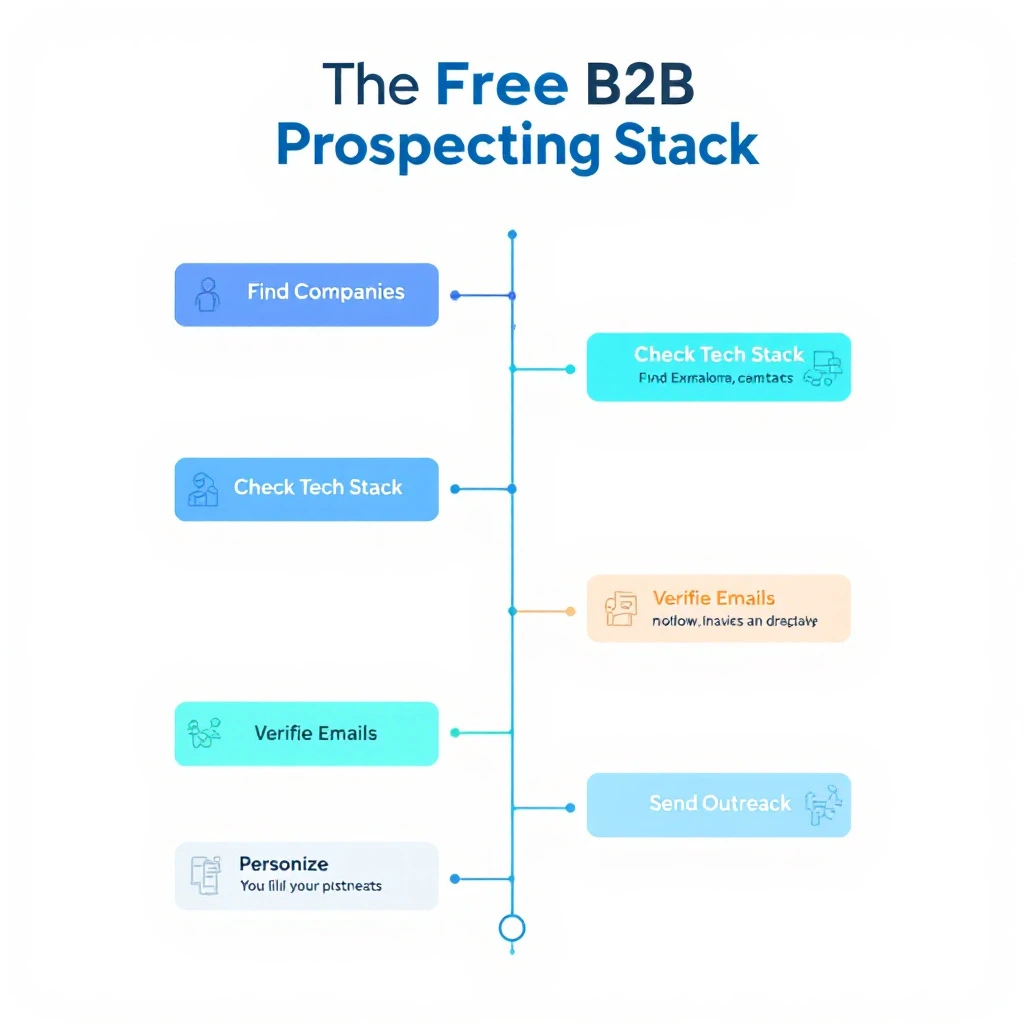
The free B2B prospecting stack: find companies, find contacts, check tech stack, verify emails, personalize, send outreach

You don't need to spend $500/month on sales tools to prospect effectively. Here's a free stack that covers the entire workflow:

1. Find Target Companiesโ€‹

MarketBetter Lookalike Company Finder โ€” enter your best customer, find 50+ similar companies. Free.

2. Find Buyer Contactsโ€‹

MarketBetter AI Lead Generator โ€” analyze each company, get buyer contacts with LinkedIn profiles. Free.

3. Research Their Tech Stackโ€‹

Free website technology checkers (our full comparison) โ€” check what tools they use to qualify fit and personalize outreach. Free.

4. Verify Email Addressesโ€‹

Hunter.io (25 free verifications/month) โ€” confirm email deliverability before sending.

5. Personalize Outreachโ€‹

AI-written first-touch copy (our free sales email templates) โ€” adapt proven openers per prospect using the tech stack and company research above. Free.

6. Send Outreachโ€‹

Apollo.io free tier (250 emails/day) or LinkedIn free (connection requests + messages).

Total cost: $0/month. Not "free trial" โ€” actually free, ongoing.

For a deeper walkthrough of the research half of this workflow, see how to automate lead research with Claude Code and our complete guide to Claude for SDRs.

Tips for AI-Powered Lead Generationโ€‹

1. Quality Over Quantityโ€‹

AI makes it easy to generate hundreds of leads. Resist the temptation. 50 highly-targeted leads will outperform 500 poorly-targeted ones every time.

2. Layer Multiple Data Sourcesโ€‹

No single tool has perfect data. Use 2-3 tools to cross-reference and verify contacts. If Apollo and Hunter both show the same email for a contact, you can be confident it's accurate.

3. Personalize Based on AI Insightsโ€‹

The AI in these tools isn't just for finding contacts โ€” it's for understanding them. Use company analysis, tech stack data, and recent activity to craft relevant, personalized messages. If you want a repeatable system for this, our guide on how to use Claude for lead generation walks through the exact prompts, and our AI sales email templates give you first-touch copy to adapt.

4. Respect Privacy and Complianceโ€‹

GDPR, CCPA, and CAN-SPAM regulations apply regardless of how you source leads. Always include opt-out options, honor unsubscribes, and don't scrape personal data from platforms that prohibit it.

5. Measure What Mattersโ€‹

Track these metrics:

  • Lead-to-reply rate (aim for 5-15%)
  • Reply-to-meeting rate (aim for 30-50% of replies)
  • Data accuracy (bounce rate below 5%)
  • Time to first touch (how fast from lead identification to first outreach)

Frequently Asked Questionsโ€‹

What are the best free B2B lead generation tools in 2026?โ€‹

For genuinely free, ongoing use (not a 3-day trial), the standouts are MarketBetter's AI Lead Generator (no signup, no credit limits), Apollo.io (unlimited email lookups with a 250/day send cap), and Kaspr (unlimited B2B company emails). Most other free tiers โ€” Seamless, RocketReach, Cognism โ€” are one-time credit trials that force an upgrade within days.

Are there free AI tools for LinkedIn lead generation?โ€‹

Yes. MarketBetter's AI Lead Generator identifies buyer contacts at any company and links straight to their LinkedIn profiles, Wiza exports Sales Navigator searches into verified email lists, and Kaspr reveals contact data on LinkedIn profiles via its Chrome extension. Pair any of these with LinkedIn's free People Search for a zero-cost LinkedIn prospecting workflow.

What's the best free AI B2B lead generation tool overall?โ€‹

If "AI" means the tool actually helps you decide who to contact rather than just dumping a database export, MarketBetter's AI Lead Generator leads because it scores and ranks decision-makers by relevance. For AI-driven enrichment across many data sources, Clay is the most powerful, though it has a steeper learning curve.

Where can I get free B2B sales leads?โ€‹

Start with the free prospecting stack above: find lookalike companies to your best customers, pull buyer contacts for each, verify the emails with Hunter's free tier, then reach out via Apollo's free sending or LinkedIn. That covers sourcing, verification, and outreach for $0/month. For the numbers behind why teams do this, see our breakdown of the true cost of an SDR tech stack and what AI SDR tools actually cost in 2026.

Is there a free B2B leads database?โ€‹

Not in the way most people picture it โ€” there's no legitimate, unlimited "download the whole B2B database for free" button, and any tool promising one is either a scraped list or a trial in disguise. What actually works is treating free tiers as an on-demand database you query per account: MarketBetter's AI Lead Generator pulls buyer contacts for any company with no signup or credit limit, Apollo gives unlimited email lookups against its database (capped at 250 sends/day), and Kaspr surfaces unlimited B2B company emails. Combine those and you get database-grade coverage for free, sourced account-by-account instead of as one giant export.

Can you get free B2B leads without signing up?โ€‹

Yes โ€” MarketBetter's AI Lead Generator is the only tool on this list that returns buyer contacts with zero signup, no credit card, and no per-lookup limit. Every other free tier (Apollo, Hunter, Kaspr, Clay, Wiza) requires an account before it shows you any data. If "no signup" is a hard requirement, start there, then layer in an account-gated tool only when you need email verification or bulk export.

Is free AI lead generation good enough, or do you need a paid tool?โ€‹

For a solo rep or an early-stage team doing under a few hundred touches a month, a well-assembled free stack is genuinely enough. You'll outgrow free tiers when you need bulk exports, verified mobile numbers at scale, or team seats โ€” at which point compare the paid B2B lead generation tools before committing.

Start Finding Leads for Freeโ€‹

The best AI lead generation tool is the one that gets you talking to the right people with the least friction.

Try MarketBetter's free AI Lead Generator โ†’

Enter any company, get AI-identified buyer contacts with LinkedIn profiles. No signup, no credits, no catch.


Build your full prospecting workflow: find similar companies to your best customers, then use the Conference Scraper to source leads from upcoming trade shows.


Website Technology Checker: 9 Best Free Tools Compared [2026]

ยท 13 min read
Sunder Iyer
Founder, marketbetter.ai

Best free website technology checker tools comparison 2026

Quick answer: The fastest free way to see what technology a website uses is a web-based checker โ€” no signup, no extension. Stackcrawler gives free no-signup web lookups; WhatRuns is the best free browser extension; BuiltWith has the deepest database but hides most results behind a $295/mo paywall; and Wappalyzer caps its free tier at 50 lookups a month. Full comparison, free-tier limits, and manual detection methods below.

You're about to hop on a sales call. You pull up the prospect's website and wonder: What CMS are they using? Do they have a chatbot? What analytics platform? Are they running HubSpot or Salesforce?

Or maybe you're a developer scoping a competitor's site, a marketer evaluating a potential partner, or a founder doing due diligence.

Whatever the reason, knowing what technology a website uses is incredibly valuable โ€” and there are free tools that can tell you in seconds.

We compared 9 of the most popular website technology checker tools in 2026 on detection depth, speed, verified pricing, and actual free-tier usability. Here's what we found.

Why Check a Website's Technology Stack?โ€‹

Before diving into tools, here's why this matters:

  • Sales prospecting: If you sell a Shopify app and a prospect runs WooCommerce, you're wasting your time. Tech stack data lets you qualify leads instantly.
  • Competitive intelligence: See what tools your competitors use for analytics, A/B testing, live chat, and marketing automation.
  • Development scoping: Evaluate what frameworks, CDNs, and hosting providers a site relies on before building an integration.
  • M&A due diligence: Understand technical debt and infrastructure before acquiring a company.
  • Partnership evaluation: Check if a potential partner uses compatible technology before proposing an integration.

According to a 2025 Gartner report, the average mid-market company uses 120+ SaaS tools. That's a lot of technology surface area to analyze โ€” and manual inspection won't cut it.

How Website Technology Checkers Workโ€‹

Most tech stack detection tools use a combination of these methods:

  1. HTTP header analysis โ€” Server headers reveal web servers (Nginx, Apache), frameworks, and caching layers.
  2. JavaScript library detection โ€” Scanning the DOM for known JavaScript frameworks, analytics scripts, and tracking pixels.
  3. DNS and SSL analysis โ€” DNS records and SSL certificates can reveal hosting providers and CDN usage.
  4. HTML meta tag scanning โ€” CMS platforms often leave fingerprints in meta tags, generator tags, and structured data.
  5. Cookie analysis โ€” Different platforms set distinctive cookies that can be identified.
  6. Pattern matching โ€” Comparing page source code against databases of thousands of known technology signatures.

The best tools combine multiple methods to maximize detection accuracy.

The 9 Best Free Website Technology Checker Toolsโ€‹

1. BuiltWithโ€‹

Website: builtwith.com

What it does: One of the original technology profiling tools. Enter a URL and get a detailed breakdown organized by category (analytics, frameworks, CDN, hosting, CMS, etc.).

Pricing:

  • Free: Individual URL lookups with basic results
  • Basic: $295/month (full technology lists, lead generation features)
  • Pro: $495/month (extended historical data)
  • Enterprise: $995/month (API access, bulk lookups)

Pros:

  • Massive technology database (tracks 100,000+ technologies)
  • Historical data showing when technologies were added or removed
  • Market share data for each technology category
  • Lead lists filtered by technology (paid feature)

Cons:

  • Free tier shows limited results โ€” many technologies are hidden behind the paywall
  • Interface feels dated compared to newer tools
  • Expensive if you need full data access
  • Can be slow on complex sites

Best for: Enterprise teams with budget for deep technographic data and lead list building.


2. Wappalyzerโ€‹

Website: wappalyzer.com

What it does: Browser extension and web-based tool that identifies technologies on websites. Originally open-source, now a commercial product owned by Dun & Bradstreet.

Pricing (verified September 2026):

  • Free: Browser extension with basic detection (50 lookups/month)
  • Pro: $250/month (1 user, 2 lead-list technologies, 20,000 API credits)
  • Business: $450/month (5 users, unlimited lead-list technologies, CRM integration)
  • Enterprise: from $850/month

Wappalyzer has moved sharply upmarket โ€” the old $99 Starter tier is gone, and the cheapest paid plan now costs $250/month. For occasional lookups, the free extension's 50/month cap is the practical limit.

Pros:

  • Browser extension works passively as you browse โ€” see tech stacks without leaving the page
  • Well-organized categories (67+ technology categories)
  • API available for programmatic access
  • Company and contact data bundled in paid plans

Cons:

  • Free tier is very limited (50 lookups/month)
  • Was open-source, now fully commercial โ€” some community resentment
  • Browser extension can slow page loading
  • Accuracy has declined according to some users after the acquisition

Best for: Users who want passive tech detection while browsing and are willing to pay for API access.


3. WhatRunsโ€‹

Website: whatruns.com

What it does: Browser extension that shows the technologies used by any website you visit. Focuses on simplicity.

Pricing: Free (with optional paid plans for teams)

Pros:

  • Genuinely free browser extension
  • Simple, clean interface
  • Detects WordPress themes and plugins specifically
  • Works on any page you visit

Cons:

  • Chrome extension only โ€” no web-based lookup
  • Detection accuracy is lower than BuiltWith or Wappalyzer for less common technologies
  • Limited to what can be detected client-side
  • No API or bulk scanning capabilities

Best for: Casual users who want a free browser extension for quick checks.


4. Stackcrawlerโ€‹

Website: stackcrawler.com

What it does: Web-based technology checker with a focus on CMS and e-commerce platform detection (particularly strong at identifying Shopify stores).

Pricing: Free for individual lookups

Pros:

  • Good at e-commerce platform detection (Shopify, WooCommerce, Magento)
  • Clean, modern interface
  • No signup required
  • Includes some hosting and CDN detection

Cons:

  • Narrower technology coverage than BuiltWith or Wappalyzer
  • E-commerce focus means it may miss SaaS tools, marketing tech, and analytics
  • No bulk scanning
  • Limited to major technology categories

Best for: E-commerce professionals who primarily need CMS and platform detection.


5. W3Techsโ€‹

Website: w3techs.com/sites

What it does: Academic-grade technology survey tool. Enter a URL to check specific technology categories, or browse their extensive market share reports.

Pricing: Free for site lookups; premium reports available

Pros:

  • Extremely accurate for server-side technologies (web servers, programming languages, CMS)
  • Trusted by researchers โ€” their methodology is transparent and well-documented
  • Market share data updated daily
  • No account required

Cons:

  • Doesn't detect client-side technologies well (JavaScript frameworks, analytics, marketing tools)
  • Interface is functional but not pretty
  • Focused on top-level technologies, not granular MarTech detection
  • No API for programmatic access

Best for: Developers and researchers who need reliable server-side technology data.


6. Hexomatic Tech Stack Analyzerโ€‹

Website: hexomatic.com/tools/tech-stack-analyzer

What it does: Free tool that detects technologies used on any website, with results organized by category.

Pricing: Free tool (part of Hexomatic's automation platform; paid plans start at $20/month)

Pros:

  • Detects 1,000+ technologies
  • Free to use without signup
  • Can be combined with Hexomatic's automation workflows for bulk scanning
  • Decent accuracy for common technologies

Cons:

  • Free tool shows basic results; advanced features require a Hexomatic subscription
  • Slower than dedicated tech stack tools
  • Part of a broader platform โ€” not a focused tech detection product
  • Detection database isn't as comprehensive as BuiltWith

Best for: Users already on Hexomatic's platform who want to add tech detection to their automation workflows.


7. Seomator Website Technology Checkerโ€‹

Website: seomator.com/website-technology-checker

What it does: Free technology lookup as part of Seomator's SEO audit platform.

Pricing: Free for individual lookups

Pros:

  • No signup required
  • Combines tech stack data with SEO audit information
  • Decent at detecting CMS, JavaScript libraries, and analytics tools

Cons:

  • Limited technology database
  • Primarily an SEO tool โ€” tech detection is a secondary feature
  • Results can be incomplete for non-web-standard technologies
  • No bulk or API access

Best for: SEO professionals who want tech stack data as part of a broader site audit.


8. WhatCMSโ€‹

Website: whatcms.org

What it does: Focused tool for detecting Content Management Systems. Also identifies hosting providers and some web technologies.

Pricing: Free for individual lookups; API plans from $10/month

Pros:

  • Best-in-class CMS detection (identifies 800+ CMS platforms)
  • Also detects WordPress themes and plugins
  • API available at reasonable prices
  • Fast and accurate for its focus area

Cons:

  • CMS-focused โ€” doesn't detect most MarTech, analytics, or development frameworks
  • Not useful if you need a full technology profile
  • Limited free API calls (10/day)

Best for: Agencies and developers who primarily need to identify CMS platforms.


9. Ful.ioโ€‹

Website: ful.io

What it does: Technology detection with a Chrome extension and web-based lookup. Includes contact information discovery.

Pricing: Free tier available; paid plans for team features

Pros:

  • Combines tech detection with contact info discovery
  • Chrome extension for passive detection
  • Includes e-commerce platform identification

Cons:

  • Newer tool with smaller technology database
  • Free tier has usage limits
  • Accuracy varies depending on the technology category
  • Less established reputation

Best for: Users who want tech detection and contact data in one tool.

Quick Comparison Tableโ€‹

ToolFree TierTechnologies DetectedSignup RequiredBulk ScanAPI
BuiltWithโœ… Limited results100,000+NoPaidPaid ($295+/mo)
Wappalyzerโœ… 50/month3,000+YesPaidPaid ($250+/mo)
WhatRunsโœ… Free extension1,000+NoNoNo
Stackcrawlerโœ… Unlimited500+NoNoNo
W3Techsโœ… FreeServer-side focusedNoNoNo
Hexomaticโœ… Free tool1,000+NoPaidPaid
Seomatorโœ… Free300+NoNoNo
WhatCMSโœ… LimitedCMS-focused (800+)NoAPI only$10/mo
Ful.ioโœ… Limited1,000+YesNoNo

How to Check What Technology a Website Uses โ€” Without Any Toolโ€‹

Sometimes you can't (or don't want to) paste a URL into a third-party checker. Every technology checker on this list is automating the same handful of inspection techniques, and you can do them manually in your browser in under two minutes:

  1. View the page source (Ctrl+U / Cmd+Option+U). Search for wp-content (WordPress), cdn.shopify.com (Shopify), _next/static (Next.js), wix.com (Wix), or squarespace โ€” the CMS almost always fingerprints itself. A <meta name="generator"> tag frequently names the platform and version outright.
  2. Open DevTools โ†’ Network tab and reload. The request list shows every third-party script loading: js.hs-scripts.com means HubSpot, www.googletagmanager.com means Google Tag Manager, cdn.segment.com means Segment, js.intercomcdn.com means Intercom.
  3. Check response headers (Network tab โ†’ click the main document โ†’ Headers). Server, X-Powered-By, and Via headers reveal the web server, framework, and CDN โ€” cf-ray means Cloudflare, x-vercel-id means Vercel, x-served-by: cache-* usually means Fastly.
  4. Inspect cookies (DevTools โ†’ Application โ†’ Cookies). _shopify_* cookies mean Shopify, hubspotutk means HubSpot, _ga means Google Analytics, intercom-* means Intercom.
  5. Probe common paths. /wp-json/ returning JSON confirms WordPress; /robots.txt and /sitemap.xml often reference platform-specific paths.

This is exactly what the automated checkers do at scale โ€” pattern-matching against thousands of known signatures. Manual inspection is free and educational; the tools are just faster and catch technologies you wouldn't think to look for.

The Best Free BuiltWith Alternatives in 2026โ€‹

BuiltWith is the household name in technology profiling, but its free tier hides most results and full access starts at $295/month (billed annually โ€” monthly costs more). If that's the paywall you just hit, here's the short version of your free options:

If you need...Free BuiltWith alternative
Unlimited one-off URL lookups, no signupStackcrawler
Passive detection while browsingWhatRuns (free Chrome extension)
Occasional lookups with category depthWappalyzer free tier (50/month)
CMS identification specificallyWhatCMS
Server-side tech and market-share researchW3Techs

The honest trade-off: nothing free matches BuiltWith's 100,000+ technology database or its historical "when did they add Marketo" data. But for the core question โ€” what is this website built with? โ€” the free tools above answer it in seconds without a $3,540/year commitment. If your real goal is building lead lists filtered by technology, see our guide to the best B2B lead generation tools โ€” several include technographic filters at a fraction of BuiltWith's price.

How to Use Tech Stack Data for Sales Prospectingโ€‹

Knowing what tools a website uses is only valuable if you act on it. Here's the playbook:

1. Qualify Leads by Technology Fitโ€‹

If you sell a Salesforce integration, check if prospects actually use Salesforce before reaching out. This alone can double your reply rates by eliminating bad-fit prospects. Tech fit is one of the strongest buying signals in signal-based selling.

2. Personalize Your Outreachโ€‹

"I noticed you're running HubSpot with a WordPress site" is a dramatically better opening line than "Hi, I'd like to tell you about our product." Tech stack data makes personalization effortless.

3. Identify Competitive Displacement Opportunitiesโ€‹

If a prospect uses a competitor's product, you know exactly what to position against. "I see you're on Marketo โ€” here's how teams like yours have saved 40% by switching" hits harder than a generic pitch.

4. Build Targeted Account Listsโ€‹

Filter your total addressable market by technology to create hyper-focused lists. Companies using Shopify + Klaviyo + Google Analytics represent a very different buyer than those using Magento + Salesforce + Adobe Analytics. Pair technographic filters with a lookalike company finder to expand from your best customers, then fill in contacts with free lead generation tools or data enrichment tools.

5. Trigger Event-Based Outreachโ€‹

If you can detect when a company adds or removes a technology, that's a buying signal. Company just added Drift? They're investing in conversational marketing and might be open to related tools. The same logic applies in reverse: website visitor identification tools tell you which companies are researching you, so you can check their stack before the first touch.

When to Use Which Toolโ€‹

  • Quick individual lookups (no signup): Stackcrawler โ€” paste a URL, get results instantly
  • Passive browsing detection: WhatRuns (free Chrome extension)
  • Enterprise technographic data: BuiltWith (if you have the budget)
  • Programmatic/API access: Wappalyzer or WhatCMS
  • CMS-specific detection: WhatCMS
  • E-commerce platform focus: Stackcrawler
  • Server-side technology research: W3Techs

The Bottom Lineโ€‹

For most users โ€” especially sales reps, marketers, and founders โ€” the best website technology checker is the one that gives you accurate results without friction. You shouldn't need to create an account, install an extension, or pay $295/month just to see what CMS a website uses.

For one-off lookups, Stackcrawler answers the question in seconds with no signup. For passive detection while you browse, install WhatRuns. And if you only need the CMS, WhatCMS nails it.

If the reason you're checking tech stacks is sales prospecting, the tech data is just step one โ€” the real work is turning qualified accounts into meetings. That's what MarketBetter does: it combines signals like technology fit and website visitor activity into a daily playbook that tells your SDRs exactly who to contact and what to say.


Looking for more free tools? Check out our AI Lead Generator to find buyer contacts at any company, or use the Lookalike Company Finder to discover companies similar to your best customers.

How to Create an AI Marketing Plan in 5 Minutes (Free Tool)

ยท 11 min read
Sunder Iyer
Founder, marketbetter.ai

How to create an AI marketing plan in 5 minutes โ€” free tool

Creating a marketing plan has traditionally been a weeks-long ordeal. You gather data, research competitors, define personas, map channels, set budgets, build timelines, and create a 30-page document that โ€” let's be honest โ€” nobody reads after the first meeting.

What if you could generate a solid first draft in 5 minutes?

AI marketing plan generators have gone from gimmicky to genuinely useful in 2026. The best ones don't just fill in a template โ€” they research your company, analyze your market, and produce strategic recommendations that are surprisingly on-target.

This guide walks through how to create an AI marketing plan, compares the tools available, and shows you how to get a complete plan in minutes using MarketBetter's free Marketing Plan Generator.

What Is an AI Marketing Plan Generator?โ€‹

An AI marketing plan generator takes basic inputs about your business โ€” company name, industry, target audience, goals โ€” and produces a structured marketing plan with strategy, channels, tactics, and timelines.

The best tools do more than fill in a template. They:

  1. Research your company โ€” pulling data from your website, social media, and public sources
  2. Analyze your market โ€” identifying competitors, market trends, and opportunities
  3. Recommend channels โ€” suggesting the most effective marketing channels for your specific business
  4. Propose tactics โ€” offering concrete, actionable steps, not vague strategic platitudes
  5. Suggest budgets โ€” providing realistic budget allocations based on your company size and goals
  6. Set timelines โ€” creating a phased roadmap with milestones

Why Use AI to Generate a Marketing Plan?โ€‹

Speedโ€‹

A traditional marketing plan takes 2-4 weeks to research, write, and refine. An AI-generated first draft takes 5 minutes. Even if you spend 2-3 hours refining and customizing the AI output, you've saved 80%+ of the time.

Comprehensive Coverageโ€‹

Marketing plans often have blind spots. You focus on the channels you know and ignore ones you don't. AI tools consider all viable channels and tactics, reducing the risk of missing opportunities.

Data-Driven Recommendationsโ€‹

AI generators can pull from vast amounts of data about what works for similar businesses. A human marketer might have experience with 5-10 companies in your space. An AI has been trained on thousands.

Starting Point, Not Finished Productโ€‹

The best use of AI marketing plans isn't to replace human thinking โ€” it's to accelerate it. Having a structured first draft to react to is dramatically faster than starting from a blank page. You can agree, disagree, modify, and add your unique insights to an existing framework.

Accessibilityโ€‹

Not every company has a marketing team. Founders, solopreneurs, and small teams often skip marketing plans entirely because they're intimidating to create. AI generators make strategic marketing accessible to everyone.

How to Create an AI Marketing Plan (Step by Step)โ€‹

Step 1: Choose Your Toolโ€‹

Here's a quick comparison of the major options:

MarketBetter Marketing Plan Generator โ€” Free, no signup, AI-researched plan based on your company

  • Input: Company name or URL
  • Output: Full marketing plan with strategy, channels, tactics, and timelines
  • Unique value: AI researches your company, competitors, and market automatically
  • Cost: Free

Venngage AI Marketing Plan Generator โ€” Free, template-focused

  • Input: Business description, goals, audience
  • Output: Visual marketing plan using templates
  • Unique value: Beautiful visual output with editable templates
  • Cost: Free (limited), Pro from $10/month

Visme AI Marketing Plan Generator โ€” Free, design-centric

  • Input: Text prompts about your business
  • Output: Designed marketing plan presentation
  • Unique value: Polished presentation-ready output
  • Cost: Free (limited), Starter from $12.25/month

FounderPal Marketing Strategy Generator โ€” Free, solopreneur-focused

  • Input: Product description, target audience, goals
  • Output: Marketing strategy with positioning, channels, and tactics
  • Unique value: Built specifically for solopreneurs and indie founders
  • Cost: Free (basic), Pro from $49 one-time

Piktochart AI Marketing Plan Generator โ€” Free, infographic-style

  • Input: Content about your business
  • Output: Visual marketing plan
  • Unique value: Infographic-style output
  • Cost: Free (limited), Pro from $14/month

Easy-Peasy.AI Marketing Plan Generator โ€” Free, text-based

  • Input: Business name, industry, goals, audience
  • Output: Text-based marketing plan
  • Unique value: Simple, fast text output
  • Cost: Free (limited), Plus from $9.99/month

Taskade AI Marketing Plan โ€” Free, collaborative

  • Input: Prompts about your marketing needs
  • Output: Structured marketing plan in workspace format
  • Unique value: Team collaboration features
  • Cost: Free (limited), Pro from $8/user/month

Step 2: Provide Your Business Informationโ€‹

The quality of your AI marketing plan directly correlates with the quality of your inputs. Here's what to prepare:

Essential inputs:

  • Company name and website URL
  • Industry and sub-industry
  • Target audience (who are you trying to reach?)
  • Main product/service and key differentiators
  • Primary marketing goals (awareness, leads, sales, retention)
  • Current stage (startup, growth, established)

Optional but helpful:

  • Current marketing budget (even a rough range)
  • Existing channels that work
  • Main competitors
  • Specific challenges or constraints
  • Timeline (next quarter, next year)

Pro tip: With MarketBetter's Marketing Plan Generator, you only need your company name or URL. The AI researches everything else automatically from your website and public data.

Step 3: Generate and Reviewโ€‹

Once you submit your inputs, the AI generates a plan. Here's what a good AI marketing plan should include:

1. Executive Summary

  • Business overview
  • Key goals and objectives
  • Target market summary

2. Market Analysis

  • Industry overview and trends
  • Competitive landscape
  • Target audience personas
  • SWOT analysis

3. Marketing Strategy

  • Positioning statement
  • Key messages and value proposition
  • Brand voice and tone guidelines

4. Channel Strategy

  • Recommended channels (content marketing, paid ads, social media, email, SEO, events, partnerships)
  • Why each channel is recommended for your specific business
  • Effort/impact analysis for channel prioritization

5. Tactical Plan

  • Specific activities per channel
  • Content calendar outline
  • Campaign concepts
  • Key milestones

6. Budget Allocation

  • Recommended spend per channel
  • Tool and resource costs
  • Expected ROI by channel

7. Metrics and KPIs

  • Key metrics to track per channel
  • Reporting cadence
  • Success benchmarks

Step 4: Customize and Refineโ€‹

The AI output is your starting point. Here's how to refine it:

Add your institutional knowledge. AI doesn't know that your CEO hates TikTok, that your best customer came from a podcast appearance, or that you tried Google Ads last year and lost money. Layer in what you know.

Prioritize ruthlessly. An AI plan might recommend 8 channels. If you're a 3-person team, pick 2-3 and do them well. Add the others to a "future consideration" list.

Set realistic budgets. AI budget recommendations are based on industry averages. Adjust based on your actual resources. A $5K/month marketing budget requires different tactics than a $50K/month one.

Add timelines and owners. AI plans are often light on who-does-what-by-when. Assign specific team members and deadlines to each tactic.

Validate channel recommendations. If the AI recommends LinkedIn as your top channel, does that match where your audience actually spends time? Cross-reference with your sales team's experience and your analytics data.

What Makes MarketBetter's Generator Differentโ€‹

Most AI marketing plan generators are essentially prompt wrappers around ChatGPT. You fill in a form, it sends your inputs to an LLM with a template prompt, and you get generic output.

MarketBetter's Marketing Plan Generator works differently:

1. Automatic Company Researchโ€‹

Enter just your company name or URL. The AI scrapes and analyzes your website, identifies your products, understands your positioning, and pulls relevant market data โ€” before generating the plan. You don't have to describe your business; it figures it out.

2. Competitor-Aware Strategyโ€‹

The generator identifies your likely competitors and incorporates competitive positioning into its recommendations. Instead of generic channel suggestions, you get tactics that account for what your competitors are already doing.

3. Industry-Specific Recommendationsโ€‹

A SaaS company's marketing plan should look nothing like a local restaurant's. MarketBetter's generator tailors channel mix, tactics, content types, and budget allocation to your specific industry and business model.

4. Actionable Specificityโ€‹

Instead of "do content marketing," you get recommendations like "publish 2 long-form comparison articles per month targeting [specific keywords] and promote via LinkedIn organic posts." Specific enough to act on immediately.

5. Free, No Signupโ€‹

No account creation. No credit card. No "freemium" with the good parts locked behind a paywall. Generate as many plans as you want.

Real-World Example: Creating a Marketing Plan for a SaaS Startupโ€‹

Let's walk through a real example. Imagine you're the marketing lead at a Series A B2B SaaS company that sells project management software to construction companies.

Input: Company URL (let's say constructionpm.io)

AI-generated plan highlights:

Target Audience: Construction project managers, general contractors, and operations directors at mid-size construction firms (50-500 employees)

Positioning: "The only project management tool built specifically for construction workflows โ€” with field reporting, subcontractor tracking, and compliance documentation built in."

Recommended Channel Mix:

  1. SEO/Content Marketing (40% of budget) โ€” Target keywords like "construction project management software," "field reporting app for contractors," and "construction scheduling tool"
  2. LinkedIn (25% of budget) โ€” Sponsored content targeting construction industry titles + organic thought leadership
  3. Industry Events (20% of budget) โ€” Booth at ConExpo, World of Concrete, and regional construction tech events
  4. Google Ads (15% of budget) โ€” High-intent search campaigns for comparison keywords

Specific Tactics:

  • Publish weekly blog content on construction management best practices
  • Create comparison pages: "[Brand] vs Procore," "[Brand] vs Buildertrend"
  • Launch a "Construction PM of the Month" spotlight series on LinkedIn
  • Build a free construction project template library for lead generation
  • Partner with construction industry associations for co-branded webinars

Metrics:

  • Website traffic from organic search (target: 2x in 6 months)
  • Demo requests per month (target: 50/month by month 6)
  • Marketing-qualified leads (target: 150/month)
  • Customer acquisition cost (target: <$500)

Total time to generate: ~3 minutes

This plan isn't perfect out of the box โ€” you'd adjust based on your actual budget, team size, and what you know about your market. But it's a dramatically better starting point than a blank Google Doc.

When AI Marketing Plans Work Bestโ€‹

1. Early-Stage Companiesโ€‹

Startups and early-stage companies benefit most because they often lack marketing expertise on the team. An AI plan provides structure and direction when you're figuring things out.

2. Annual Planning Seasonโ€‹

When it's time to create next year's marketing plan, AI generates a solid first draft that your team can refine โ€” saving weeks of planning meetings.

3. New Market Entryโ€‹

Launching in a new vertical or geography? AI can quickly analyze the new market and suggest an initial marketing approach.

4. Board Presentationsโ€‹

Need to put together a marketing strategy slide for your board meeting by Friday? Generate a plan, pull the key points, and present with confidence.

5. Freelancer/Agency Onboardingโ€‹

If you're hiring a marketing agency or freelancer, generating an AI plan first ensures you have clear direction to share. It prevents the "we'll figure out strategy in month one" delay.

Limitations of AI Marketing Plansโ€‹

Be honest about what AI can't do:

  • No proprietary insights โ€” AI doesn't know your customer conversations, your sales team's feedback, or your unique competitive advantages that aren't public
  • Generic benchmarks โ€” Budget and KPI recommendations are industry averages, not tailored to your specific situation
  • No brand personality โ€” AI can suggest tone guidelines but can't capture your unique brand voice
  • Snapshot, not dynamic โ€” A plan generated today doesn't update as conditions change
  • Execution gap โ€” Even the best plan is worthless without execution. AI creates the plan; you still have to do the work

The best approach: AI generates the framework. Your team adds the insight, judgment, and execution.

Start Your Marketing Plan Nowโ€‹

Stop staring at a blank page. Stop scheduling "strategy brainstorm" meetings. Stop paying agencies $5K to tell you what an AI can tell you for free.

Generate your free AI marketing plan โ†’

Enter your company name or URL. Get a comprehensive, AI-researched marketing plan in minutes. No signup, no credit card, completely free.


Once your plan is ready, use our other free tools to execute: check your AI Brand Visibility to understand your current position, find Lookalike Companies for your target accounts, or use the AI Lead Generator to find buyer contacts at your target companies.

How to Check What AI Says About Your Brand: Free 60-Second Audit [2026]

ยท 10 min read
Sunder Iyer
Founder, marketbetter.ai

How to check what AI says about your brand โ€” free AI brand visibility tool

Quick answer: There are two ways to check what AI says about your brand. The fast way: run your company name through MarketBetter's free AI Brand Visibility checker โ€” it queries multiple AI models and shows you how each one describes and positions you, no signup required. The thorough way: manually audit ChatGPT, Gemini, Perplexity, and Claude with the 10 buyer prompts in this guide, score the results in a spreadsheet, and repeat monthly. This post walks through both, plus what to do when AI gets your brand wrong.

Here's why this matters more than it did even six months ago: ChatGPT passed 900 million weekly active users in early 2026 and is closing in on a billion. Google's AI Overviews now appear on roughly 48% of searches, up from 31% a year earlier. When a buyer asks an AI "what's the best tool for X?" โ€” your brand either shows up in that answer, or it doesn't.

And unlike Google rankings, you can't see this by searching yourself once. AI answers shift with model updates, conversation context, and fresh source content. Most companies are flying blind.

Why AI Brand Visibility Matters in 2026โ€‹

Three numbers tell the story:

  1. AI referrals convert at roughly 2x organic search. Across global ecommerce data, visitors arriving from AI assistants convert at ~11.4% versus ~5.3% for classic organic โ€” with Claude (~16.8%) and ChatGPT (~14.2%) traffic converting highest. Small volume today, but the highest-intent traffic you can get.

  2. Being cited is the new ranking. On queries where an AI Overview appears, average organic CTR drops by ~61% โ€” but brands cited inside the AI answer earn roughly 120% more clicks per impression than uncited brands on the same queries. The click didn't die; it moved to whoever the AI names.

  3. It's not just humans asking. A growing share of "searches" about your product are made by AI agents researching on a buyer's behalf. We measured this on our own site โ€” see our study of AI agents googling B2B products. If AI models describe you wrong, they describe you wrong to the agent and the human it reports back to.

What this means practically:

  • Lost discovery โ€” if AI models recommend competitors for your category queries, you're invisible to that buyer before your SDR ever gets a chance. This is dark funnel territory: the evaluation happens where you can't see it.
  • Reputation drift โ€” models cite outdated pricing, dead features, or old positioning, and nobody on your team knows.
  • Competitive blind spots โ€” traditional rank trackers won't tell you that Gemini recommends your competitor by name for your best keyword.

How AI Models Decide What to Say About Youโ€‹

Understanding the inputs helps you influence the outputs:

  • Training data โ€” brands that appear frequently in authoritative web content (industry publications, review sites, comparison articles) get mentioned more confidently.
  • Live retrieval โ€” ChatGPT with browsing, Perplexity, Gemini, and AI Overviews pull current sources at answer time. Fresh, crawlable, definitive content wins citations.
  • Semantic association โ€” LLMs link concepts, not keywords. Consistent "[brand] is a [category] that does [job]" statements across many sources build the association that surfaces you for category queries.
  • Third-party validation โ€” G2, Capterra, TrustRadius, Reddit threads, and analyst mentions weigh heavily. First-party content alone is not enough.
  • Structure โ€” clear headings, schema markup, and quotable definitive sentences make your content easy to extract and cite.

Method 1: The Free Automated Check (60 Seconds)โ€‹

MarketBetter's AI Brand Visibility tool checks what AI models say about your brand โ€” free, no signup, no credit card.

  1. Enter your company name
  2. The tool queries multiple AI models with the kinds of questions your buyers ask
  3. You get a report showing whether models mention you, how they describe and position you, which competitors appear alongside you, and specific recommendations to improve

Use this first. It tells you in a minute whether you have a visibility problem worth working on.

Method 2: The Manual AI Brand Audit (30 Minutes, More Thorough)โ€‹

If you want the full picture โ€” or you need evidence for an exec deck โ€” run this audit yourself. Open fresh sessions (no chat history, logged out where possible) in ChatGPT, Gemini, Perplexity, and Claude, plus a Google search for AI Overviews.

Step 1: Ask these 10 prompts in each modelโ€‹

Replace the brackets with your own category, brand, and top competitor:

  1. "What is [your brand]?"
  2. "What are the best [your category] tools in 2026?"
  3. "Best [your category] for [your ICP, e.g. B2B sales teams]?"
  4. "[Your brand] vs [top competitor] โ€” which should I choose?"
  5. "[Your brand] pricing"
  6. "Is [your brand] legit / any good?"
  7. "[Top competitor] alternatives"
  8. "What are the downsides of [your brand]?"
  9. "How do I [core job your product does]?"
  10. "Which [your category] tool would you recommend for a company with [your ICP's size/constraint]?"

Step 2: Score each answerโ€‹

Track five things in a simple spreadsheet (one row per prompt per model):

ColumnWhat to record
Mentioned?Yes / No โ€” were you named at all?
PositionFirst recommendation, mid-list, or afterthought
AccuracyIs the description, pricing, and feature set current?
SentimentRecommended, neutral, or cautioned against
Competitors namedWho appears when you don't?

Step 3: Flag the gapsโ€‹

Three patterns matter most:

  • Absent on category queries (prompts 2, 3, 9, 10) โ€” you have an authority problem. Competitors have more third-party coverage than you.
  • Present but wrong (prompts 1, 5) โ€” you have a content problem. The sources models cite are stale. See the fix playbook below.
  • Cautioned against (prompts 6, 8) โ€” you have a review problem. Models are echoing negative G2/Reddit threads.

Step 4: Repeat monthlyโ€‹

Answers drift with every model release. Put a 30-minute recurring block on the calendar, re-run the same 10 prompts, and track mention rate over time. If you'd rather automate the whole loop alongside your outreach, this is the kind of repetitive research task worth building into your marketing automation workflows.

What Paid AI Visibility Tools Cost in 2026โ€‹

If you outgrow the manual audit, a paid monitoring category has matured fast. Current published pricing (September 2026):

ToolEntry priceWhat you get
Otterly.ai$29/mo (Lite, 15 prompts)ChatGPT, AI Overviews, Perplexity, Copilot tracking; $189-$489 for 100-400 prompts
Peec AI$95/mo (50 prompts)Multi-model tracking, unlimited users; $245-$495 for bigger prompt sets
Profound$99/mo (Starter, ChatGPT only)Enterprise depth from ~$499/mo; custom enterprise pricing
SE Ranking (AI toolkit)from ~$65/moAI visibility bundled with a full SEO platform
Ahrefs Brand Radar~$828/mo minimumRequires an Ahrefs base plan; strongest if you already live in Ahrefs

Most are built for SEO teams with dedicated budget. If you just need to know where you stand, the free checker plus a monthly manual audit covers 80% of the value at $0.

What to Do When AI Gets Your Brand Wrongโ€‹

Finding wrong answers is common โ€” fixing them is a source-correction exercise, not a support ticket to OpenAI:

  1. Trace the citation. Perplexity, AI Overviews, and browsing-enabled ChatGPT show sources. The wrong fact almost always comes from a specific stale page โ€” an old pricing article, an outdated G2 profile, a 2023 listicle.
  2. Fix the sources you control. Update your pricing page, your G2/Capterra profiles, your docs. Add a definitive, dated statement of the correct fact ("As of 2026, [brand] pricing starts at...").
  3. Refresh or outreach the sources you don't. Ask publishers of outdated comparisons for a correction โ€” most say yes for accuracy. Where they won't, publish your own current, well-structured page targeting the same query; retrieval-based engines prefer fresher sources.
  4. Prune contradictions. If your own site says three different things about what you do, models will pick one at random. We saw meaningful visibility gains after deleting 161 stale posts that diluted our positioning.
  5. Re-check in 2-4 weeks. Retrieval engines update quickly once sources change; training-data-only answers take longer.

How to Improve Your AI Brand Visibilityโ€‹

Once you know where you stand:

  1. Publish definitive, quotable statements. "MarketBetter is a B2B sales intelligence platform that identifies website visitors and turns signals into SDR playbooks" beats "we help companies grow." Models cite sentences, not vibes.
  2. Get to 10+ reviews on G2/Capterra/TrustRadius. These platforms are heavily cited. Under 10 reviews is usually the single biggest gap.
  3. Earn third-party mentions. Industry publications, comparison posts on other blogs, podcasts, Reddit. Models trust what others say about you more than what you say about yourself.
  4. Use schema markup. Organization schema on the homepage, Product and FAQ schema on key pages.
  5. Optimize for the agents, not just the humans. AI buying agents phrase queries differently and read pages differently than people do. We wrote a full evidence-based workflow for this: the B2B GEO playbook for AI buying agents.
  6. Monitor and iterate monthly. This is a flywheel, not a one-time fix.

What Queries Should You Monitor?โ€‹

Focus on what buyers actually ask:

  • Category: "best [category] tools 2026", "top [category] platforms", "best free [category] tools"
  • Comparison: "[you] vs [competitor]", "[competitor] alternatives", "is [you] good?"
  • Solution: "how to [problem you solve]", "tools for [use case]"
  • Brand: "what is [you]?", "[you] pricing", "[you] reviews"

If you're in a category with free-tool demand, category queries are disproportionately valuable โ€” they're the same queries driving our free AI lead generation tools guide traffic.

Where This Is Headingโ€‹

  • Paid placement is coming. OpenAI and Google are both experimenting with sponsored slots in AI answers. Organic AI visibility you build now is the cheap version of what you'll otherwise rent later.
  • Citations become currency. As models cite more aggressively, the number and quality of sources naming your brand compounds.
  • AI SEO becomes a discipline. GEO/LLM-optimization roles and budgets are already appearing in 2026 org charts, the way "SEO manager" did fifteen years ago.

Check Your AI Brand Visibility Nowโ€‹

Most companies have never checked what AI models say about them โ€” and many are unpleasantly surprised when they do.

Run the free AI Brand Visibility check โ†’

Then, if the answers reveal buyers you're losing before they ever hit your site, that's exactly the invisible pipeline MarketBetter was built to capture โ€” visitor identification, signal intelligence, and SDR playbooks that tell your team who to contact and what to do next. Book a demo โ†’


Related reading: AI agents are googling your product (our original research), the B2B GEO playbook, and how to identify anonymous website visitors.

How to Find Lookalike Companies for Sales Targeting

ยท 10 min read
Sunder Iyer
Founder, marketbetter.ai

How to find lookalike companies for sales targeting

Your best customer โ€” the one that closed fast, expanded twice, and has never complained โ€” is not unique. There are hundreds, maybe thousands of companies that look just like them: same industry, similar size, comparable tech stack, facing the same problems.

If you could find those companies systematically, you'd have the most productive prospect list in your entire pipeline.

That's the idea behind lookalike company finding: start with your best customers, identify what makes them great, and find more companies that match. It's how Facebook Ads (now Meta) revolutionized advertising โ€” and it works just as well for B2B sales prospecting.

Yet most B2B sales teams still build prospect lists the old way: filtering by industry and company size in a database, then hoping for the best. It's a blunt instrument. You end up with thousands of "technically-fit" companies, most of which will never buy.

This guide explains how lookalike modeling works for B2B sales, compares the tools available, and shows you how to find companies similar to your best customers โ€” starting for free.

What Is Lookalike Company Finding?โ€‹

Lookalike company finding is the process of identifying companies that share key characteristics with your existing customers โ€” particularly your best customers.

Instead of defining your ideal customer profile (ICP) from scratch using industry, size, and location filters, you let the data tell you what your best customers have in common. Then you find more companies that match those patterns.

How It Differs from Traditional Prospectingโ€‹

Traditional approach:

  1. Define ICP manually (e.g., "SaaS companies, 50-500 employees, US-based")
  2. Search a database with those filters
  3. Get 10,000+ results
  4. Manually sort through to find the good ones
  5. Discover that most don't respond because the targeting was too broad

Lookalike approach:

  1. Start with 10-20 of your best customers
  2. AI analyzes what they have in common (beyond obvious firmographics)
  3. Get a ranked list of companies that match, sorted by similarity score
  4. Focus outreach on the highest-similarity matches
  5. Get dramatically higher response and close rates

The difference is signal density. Traditional filters are binary (yes/no on each criteria). Lookalike models consider dozens of weighted attributes simultaneously, producing a similarity score that tells you exactly how closely a prospect resembles your best customers.

What Makes a Good Lookalike Model?โ€‹

Not all lookalike tools are created equal. The best ones consider these dimensions:

1. Firmographics (The Basics)โ€‹

  • Industry and sub-industry (NAICS/SIC codes)
  • Company size (employees, revenue)
  • Location (HQ, offices)
  • Founding year and growth stage

2. Technographics (What They Use)โ€‹

  • Technology stack (CRM, marketing automation, analytics)
  • Development frameworks and infrastructure
  • SaaS tools and integrations

3. Business Model Similarityโ€‹

  • Revenue model (SaaS, marketplace, services)
  • Customer type (B2B, B2C, B2B2C)
  • Sales motion (PLG, enterprise sales, channel)

4. Growth Signalsโ€‹

  • Hiring velocity (especially in relevant departments)
  • Funding history and stage
  • Recent news and expansions

5. Digital Presenceโ€‹

  • Website traffic and engagement
  • Content marketing activity
  • Social media presence

6. Buying Behavior Indicatorsโ€‹

  • Previous technology purchases
  • Conference attendance
  • Content consumption patterns

The more dimensions a tool considers, the more accurate the lookalike matches will be.

Tools for Finding Lookalike Companiesโ€‹

MarketBetter Lookalike Company Finder (Best Free Option)โ€‹

Website: tools.marketbetter.ai/lookalike-finder

How it works:

  1. Enter the name or URL of your best customer
  2. AI analyzes the company across multiple dimensions (industry, size, tech stack, business model, growth signals)
  3. Get a ranked list of similar companies with similarity scores
  4. Export results for outreach

Pricing: Completely free. No signup required.

Why it stands out:

  • Zero friction โ€” paste a company name or URL, get results instantly
  • AI-powered matching โ€” considers more than just industry and size
  • Similarity scoring โ€” ranked results so you know which prospects are closest to your ICP
  • Free and unlimited for individual lookups
  • Actionable output โ€” results you can immediately use for prospecting

Best for: Sales reps, founders, and small teams who want to quickly find companies similar to their best customers without paying for expensive data platforms.


Instantly (SuperSearch)โ€‹

Website: instantly.ai

Instantly's SuperSearch feature includes lookalike company discovery as part of their outreach platform.

How it works: Upload your best customer domains, set filters (industry, size, location), and get similar companies ranked by fit.

Pricing: Free trial available; paid plans from $30/month (outreach), data add-ons extra

Pros: Integrated with email outreach platform, verified contacts included, good UI Cons: Lookalike is part of a larger platform โ€” can't use it standalone, data credits have limits


La Growth Machineโ€‹

Website: lagrowthmachine.com

LGM's Lookalike Search lets you enter a company URL and get companies ranked by similarity score.

How it works: Enter a company URL, apply filters (industry, company size, location), browse results ranked by similarity.

Pricing: Plans from โ‚ฌ50/month (includes outreach features)

Pros: Similarity scoring, integrated with LinkedIn outreach, good European coverage Cons: Can't use lookalike search without the full platform, limited free usage


Surfeโ€‹

Website: surfe.com

Surfe offers company search with smart lookalikes, integrated into their CRM-LinkedIn bridge.

How it works: Search from a database of 350M+ companies, with lookalike matching based on firmographic attributes.

Pricing: Free tier available; paid plans from $39/month

Pros: Large database, LinkedIn integration, CRM sync Cons: Lookalike is one feature among many, limited free tier


Coresignalโ€‹

Website: coresignal.com

Data provider offering a "Find Similar Companies" tool based on multiple firmographic and growth attributes.

How it works: Enter a company, get similar companies based on employee data, growth patterns, and firmographic matching.

Pricing: Enterprise/API pricing (contact for quotes)

Pros: Deep data (based on 700M+ professional profiles), growth signals, investor-grade data Cons: Enterprise-focused and expensive, not designed for individual sales reps


Clayโ€‹

Website: clay.com

Clay's enrichment platform can build lookalike lists using multiple data sources.

How it works: Import your customer list, use Clay's 75+ enrichment sources to find patterns, then search for similar companies.

Pricing: Free tier (100 credits/month); paid plans from $134/month

Pros: Extremely flexible, combines multiple data sources, customizable scoring Cons: Requires setup and configuration, not a one-click solution, credits-based pricing adds up fast


Apollo.ioโ€‹

Website: apollo.io

Apollo's database of 275M+ contacts includes company search with advanced filters.

How it works: Search companies by industry, size, technology, and other attributes. No native "lookalike" feature, but you can replicate it by analyzing best customers and applying similar filters.

Pricing: Free tier (unlimited emails, limited features); paid from $49/user/month

Pros: Large database, includes contact data, integrated outreach Cons: No true lookalike search โ€” you're manually building equivalent filter sets

How to Build Your Lookalike Prospect List (Step by Step)โ€‹

Step 1: Identify Your Seed Companiesโ€‹

Start with 10-20 of your best customers. "Best" should mean:

  • Fastest time to close โ€” they bought without a long sales cycle
  • Highest lifetime value โ€” they expanded or renewed
  • Lowest churn risk โ€” they're actively using your product
  • Best advocacy โ€” they refer others or leave positive reviews

Don't include one-off wins or customers acquired through unusual channels (e.g., a personal connection). You want customers who bought because of genuine fit.

Step 2: Analyze What They Have in Commonโ€‹

Look beyond the obvious. Yes, they might all be "mid-market SaaS companies," but dig deeper:

  • What specific sub-industry? (e.g., not just "SaaS" but "vertical SaaS for healthcare")
  • What growth stage? (Series A? Series C? Bootstrapped?)
  • What tech stack? Run their domain through a free website technology checker
  • What departments are growing? (Hiring SDRs? Building a marketing team?)
  • How do they sell? (PLG? Enterprise? Channel?)

Document the 5-10 attributes that your best customers share. This is your real ICP โ€” not the one your VP of Sales wrote on a whiteboard, but the one validated by actual buying behavior.

Enter your seed companies into MarketBetter's Lookalike Company Finder. Review the results, paying attention to:

  • Similarity scores โ€” higher is better, but don't ignore medium-similarity companies entirely
  • Companies you recognize โ€” if the tool surfaces companies you already know are good fits but haven't prospected, that's validation the model is working
  • Surprises โ€” companies you wouldn't have found through traditional filtering are where the real value lives

Step 4: Enrich and Qualifyโ€‹

For your top lookalike matches, add additional qualifying data:

  • Contacts: Use the AI Lead Generator to find buyer contacts
  • Tech stack: Verify technology fit with a free technology checker
  • Recent signals: Check for hiring, funding, product launches, or conference attendance

Step 5: Prioritize and Sequenceโ€‹

Rank your final list by:

  1. Similarity score (highest first)
  2. Timing signals (recently raised funding, hiring relevant roles)
  3. Accessibility (do you have a warm connection? Are they in your territory?)

Then build your outreach sequences โ€” starting with the highest-priority accounts.

Why Lookalike Prospecting Outperforms Traditional Targetingโ€‹

The numbers speak for themselves:

  • 2-3x higher response rates compared to broadly-filtered cold outreach (Instantly customer data, 2025)
  • 40% shorter sales cycles when prospects closely match your ICP (Gong Labs research)
  • 30% higher win rates on ICP-matched deals (TOPO/Gartner research)

This makes intuitive sense: if your best customer is a Series B vertical SaaS company with 100-300 employees using HubSpot and Intercom, and you find another company with those exact characteristics, your pitch is already battle-tested. You know the pain points, the objections, and the value proposition that works.

Common Mistakes in Lookalike Prospectingโ€‹

1. Using Too Few Seed Companiesโ€‹

With only 2-3 seeds, the model can't identify meaningful patterns. Use 10-20 for reliable results.

2. Including Bad Customers as Seedsโ€‹

That enterprise customer who churned after 3 months? Don't use them as a seed. You want to find more companies like your best customers, not your worst ones.

3. Ignoring the Similarity Scoresโ€‹

Not all lookalikes are equal. A company with 95% similarity is fundamentally different from one with 60% similarity. Prioritize accordingly.

4. Skipping Enrichmentโ€‹

Lookalike data tells you which companies to target. You still need to find the right people at those companies, understand their current situation, and personalize your outreach.

5. Set-and-Forget Mentalityโ€‹

Your ICP evolves as you close more deals and learn what works. Re-run your lookalike analysis quarterly with updated seed lists.

Get Started: Find Your Lookalike Companiesโ€‹

The fastest way to build a high-quality prospect list is to start with what's already working and find more of it.

Try MarketBetter's free Lookalike Company Finder โ†’

Enter your best customer's name or URL, and get a ranked list of similar companies in seconds. No signup required, completely free.


Found companies you want to prospect? Use our AI Lead Generator to find buyer contacts, then book a demo to see how MarketBetter turns those lists into booked meetings.

How to Scrape Exhibitor Lists from MapYourShow or Any Conference Site (Free Tool)

ยท 11 min read
Sunder Iyer
Founder, marketbetter.ai

How to scrape conference exhibitor lists for sales prospecting

It's Tuesday morning. Your sales team is prepping for the biggest trade show of the year. You need a list of every exhibitor, speaker, and sponsor โ€” with company names, booth numbers, descriptions, and ideally contact info โ€” so you can prioritize who to visit and who to prospect before the event.

You go to the conference website. The exhibitor list is there: 400+ companies spread across an interactive floor plan with infinite scroll, lazy-loaded cards, and no export button.

So you start copying and pasting.

Company name. Tab. Description. Tab. Website. Tab. Next company. Repeat 400 times.

This is the reality for thousands of SDRs, AEs, and marketing teams every year. Conference and trade show websites are designed for attendees to browse โ€” not for sales teams to extract. The data is right there, but getting it into a usable format (a spreadsheet, a CSV, your CRM) is absurdly painful.

There's a better way.

Why Conference Lists Are Gold for Sales Teamsโ€‹

Conference exhibitor, speaker, and sponsor lists are among the highest-quality prospecting sources available:

1. Pre-Qualified by Budgetโ€‹

Companies that pay $5,000-$50,000+ for a booth at a trade show have budget. They're investing in growth. That's a buying signal you can't get from a cold database.

2. Industry-Specific Targetingโ€‹

A cybersecurity conference exhibitor list is a curated list of cybersecurity companies. A SaaS conference speaker list is a roster of SaaS leaders. No filtering required โ€” the conference organizer already did it for you.

3. Timely and Relevantโ€‹

Conference lists are current. These companies are actively participating in industry events right now, which means they're engaged, investing, and accessible.

4. Multi-Stakeholder Dataโ€‹

Speaker lists give you names of decision-makers. Exhibitor lists give you company profiles. Sponsor lists tell you who has the biggest budgets. Combined, it's a complete prospecting package.

5. Pre-Event Outreach Advantageโ€‹

The most successful conference prospecting happens before the event. If you can email or LinkedIn-message an exhibitor before the show with "I saw you're exhibiting at [event] โ€” I'll be at Booth 342, would love to connect," your meeting rate goes through the roof.

The Pain of Manual Conference Data Extractionโ€‹

Let's be honest about what manual extraction looks like:

Time cost: A typical conference with 300 exhibitors takes 4-6 hours to manually copy into a spreadsheet. That's nearly a full working day.

Error rate: Copy-paste errors are inevitable. Company names get truncated, URLs get mangled, descriptions get partially captured.

Format inconsistency: Different conferences structure their data differently. Some have separate pages per exhibitor. Others use interactive maps. Others use accordion-style lists. Each requires a different manual approach.

Dynamic content problems: Many conference sites use JavaScript-heavy frameworks (React, Angular) that render exhibitor data dynamically. You can't even "View Source" to find the data โ€” it's loaded asynchronously.

Repetitive across events: If your team attends 10+ events per year, you're burning 40-60 hours annually just copying exhibitor data. That's a full work week of pure drudgery.

Methods for Extracting Conference Dataโ€‹

Method 1: Manual Copy-Paste (The Hard Way)โ€‹

Process: Open the conference website, manually select each exhibitor's name, description, and details, paste into a spreadsheet.

Pros: No tools required, works on any site Cons: Extremely time-consuming, error-prone, soul-crushing

Time per event: 4-8 hours for 300 exhibitors

Method 2: Browser Extensions (Semi-Automated)โ€‹

Tools like Instant Data Scraper (Chrome extension) can detect tables on web pages and export them.

Process: Install the extension, navigate to the exhibitor page, click the extension, hope it detects the right data, export to CSV.

Pros: Free, fast when it works Cons: Only works on simple HTML tables. Fails completely on dynamically-loaded content, interactive maps, and paginated lists. Captures lots of irrelevant data. Requires manual cleanup.

Success rate: Works on maybe 20% of conference websites. Most modern event sites use dynamic rendering that breaks these extensions.

Method 3: Custom Python Scripts (Technical)โ€‹

For developers, writing a custom scraper using libraries like Scrapy, BeautifulSoup, or Playwright is an option.

Process: Inspect the conference website's HTML structure, write a Python script to extract the relevant elements, handle pagination and dynamic loading, export to CSV.

# Example: Scraping a simple exhibitor list with BeautifulSoup
import requests
from bs4 import BeautifulSoup

url = "https://example-conference.com/exhibitors"
response = requests.get(url)
soup = BeautifulSoup(response.text, 'html.parser')

exhibitors = []
for card in soup.find_all('div', class_='exhibitor-card'):
name = card.find('h3').text.strip()
desc = card.find('p', class_='description').text.strip()
exhibitors.append({'name': name, 'description': desc})

Pros: Highly customizable, handles complex sites, can be reused Cons: Requires programming skills, breaks when site structure changes, needs to be rebuilt for each conference site, can take hours to debug JavaScript-rendered content

Time investment: 2-4 hours to write and debug per conference site

Method 4: Apify Actors (Platform-Dependent)โ€‹

Apify offers pre-built scrapers ("Actors") for specific conference platforms like Map Your Show, 10times, and Xporience.

Process: Find the right Actor for your conference platform, input the URL, run the scraper, download results.

Pros: Pre-built for specific platforms, handles dynamic content, outputs structured data Cons: Only works for supported platforms (many conference sites aren't covered), requires an Apify account, costs credits for large runs, doesn't work for custom-built conference websites

Pricing: Free tier includes some usage; paid plans from $49/month

Method 5: Web Scraping Services (Expensive)โ€‹

Companies like WebScrapingExpert and ScrapeHero offer custom scraping as a service.

Process: Submit the conference URL, they build a custom scraper, deliver results in 24-48 hours.

Pros: Hands-off, handles any site Cons: Expensive ($50-$500+ per project), slow turnaround, not practical for frequent use

Method 6: MarketBetter Conference Scraper (Free, Any Site)โ€‹

MarketBetter's Conference Scraper takes a completely different approach: paste any conference URL and get structured CSVs of speakers, exhibitors, and sponsors.

How it works:

  1. Paste the conference website URL
  2. The AI-powered scraper analyzes the site structure, navigates through exhibitor directories, speaker pages, and sponsor lists
  3. You get downloadable CSVs with structured data: company names, descriptions, booth numbers, speaker names, titles, and topics

Why it's different:

  • Works on any conference website โ€” not limited to specific platforms like Map Your Show or Eventbrite
  • AI-powered navigation โ€” handles dynamic content, infinite scroll, paginated lists, and JavaScript-rendered pages
  • Multiple data types โ€” extracts speakers, exhibitors, AND sponsors in one pass
  • Structured output โ€” clean CSVs ready for import into your CRM or outreach tool
  • Completely free โ€” no account, no credits, no per-use charges

Time per event: 2-5 minutes (versus 4-8 hours manually)

How to Scrape Exhibitor Details from a MapYourShow Site (Step by Step)โ€‹

MapYourShow powers the exhibitor directories for hundreds of major trade shows โ€” URLs like tbse26.mapyourshow.com (The Big Show Experience), ces26.mapyourshow.com, or nra26.mapyourshow.com all run on the same platform. Because every MapYourShow site shares the same structure, the extraction approach is identical regardless of which show you're targeting.

What makes MapYourShow tricky to scrape manually:

  • The exhibitor list loads dynamically via JavaScript โ€” "View Source" shows you nothing useful
  • Listings are paginated or infinite-scrolled, often across hundreds of pages
  • Company details (description, booth number, categories, website) live on individual exhibitor pages, not the list view
  • Simple table-scraper browser extensions fail on it almost every time

The fastest way โ€” structured extraction in one pass:

  1. Find the exhibitor directory URL โ€” it's usually [showname].mapyourshow.com/8_0/explore/exhibitor-gallery.cfm or linked as "Exhibitor List" from the show homepage
  2. Paste that URL into the free MarketBetter Conference Scraper
  3. The scraper navigates the paginated gallery, opens each exhibitor's detail page, and pulls company name, description, booth number, product categories, and website
  4. Download the structured CSV โ€” ready for enrichment and CRM import

The DIY alternative: MapYourShow pages render exhibitor data client-side, so a custom script needs a headless browser (Playwright or Puppeteer) rather than simple HTTP requests โ€” budget 2-4 hours to build and debug, and expect to fix it when the show updates its site version. An Apify Actor for Map Your Show also exists (see Method 4 above) if you have an account and credits.

Once you have the exhibitor CSV, the real work starts: enriching companies with decision-maker contacts and turning the list into outreach โ€” covered in the workflow below.

The Conference Prospecting Workflowโ€‹

Here's the complete workflow for turning conference data into booked meetings. For the full outreach sequencing โ€” timing, templates, and meeting-booking cadence โ€” see our conference prospecting playbook.

Step 1: Extract the Dataโ€‹

Use MarketBetter's Conference Scraper to pull exhibitor, speaker, and sponsor lists from your target conference.

Step 2: Enrich with Contact Dataโ€‹

Conference lists give you company names, but you need individual contacts. Use tools like:

  • MarketBetter AI Lead Generator โ€” find buyer contacts at each company on LinkedIn
  • Apollo.io โ€” search for contacts by company and title
  • LinkedIn Sales Navigator โ€” find decision-makers at target companies

Step 3: Prioritize by Fitโ€‹

Not every exhibitor is a good prospect. Score your list by:

  • Company size โ€” do they fit your ICP?
  • Industry fit โ€” are they in your target vertical?
  • Technology fit โ€” run their site through a website technology checker to see if they use compatible/competitive technology
  • Sponsor level โ€” Platinum sponsors have bigger budgets than basic exhibitors

Step 4: Pre-Event Outreachโ€‹

Reach out 2-4 weeks before the event:

Email template:

Hi [Name],

I noticed [Company] is exhibiting at [Conference] โ€” we'll be there too.

[One sentence about what you do and why it's relevant to them]

Would love to grab 15 minutes at the event. Are you available on [day]?

LinkedIn message template:

Hey [Name], saw you're speaking at [Conference] on [topic]. Really looking forward to your session.

We work with companies like [similar company] on [relevant problem]. Would be great to connect while we're both there.

Step 5: At-Event Meetingsโ€‹

With pre-scheduled meetings, your conference ROI multiplies. Instead of wandering the floor hoping for productive conversations, you arrive with a full calendar.

Step 6: Post-Event Follow-Upโ€‹

Within 48 hours of the event, follow up with everyone you met and everyone who didn't respond to pre-event outreach:

Great connecting at [Conference], [Name]. As discussed, [reference specific conversation point].

Here's [the resource/demo/proposal] I mentioned. Would [date] work for a follow-up call?

Real-World Example: SaaStr Annualโ€‹

Let's say your team is attending SaaStr Annual, one of the largest SaaS conferences with 300+ exhibitors and 200+ speakers.

Manual approach:

  • Time to extract exhibitor list: ~6 hours
  • Time to extract speaker list: ~3 hours
  • Total data extraction: 9+ hours
  • Result: One messy spreadsheet with inconsistent formatting

MarketBetter Conference Scraper approach:

  • Paste the SaaStr exhibitor page URL
  • Wait 3-5 minutes
  • Download clean CSVs of exhibitors, speakers, and sponsors
  • Total data extraction: 5 minutes
  • Result: Three clean, structured CSVs ready for CRM import

Time saved: 8+ hours per event. Multiply that by 10 events per year, and you've reclaimed 80+ hours of productive selling time.

Tips for Effective Conference Prospectingโ€‹

Start Earlyโ€‹

The best conference prospecting starts 4-6 weeks before the event. Exhibitor lists are usually published 2-3 months in advance. Don't wait until the week before.

Focus on Speakersโ€‹

Conference speakers are typically senior leaders (VP+) who are active in the industry and open to networking. They're often higher-quality prospects than random booth visitors.

Layer Multiple Data Sourcesโ€‹

Combine conference data with:

Track Your Metricsโ€‹

Measure conference prospecting ROI:

  • Pre-event emails sent
  • Meetings booked before the event
  • Meetings held at the event
  • Deals generated from conference contacts
  • Revenue attributed to conference prospecting

Get Startedโ€‹

Stop manually copying exhibitor data from conference websites. Paste any conference URL into MarketBetter's free Conference Scraper and get structured CSVs of speakers, exhibitors, and sponsors in minutes.

Try the Conference Scraper free โ†’


Once you have your conference list, use our AI Lead Generator to find buyer contacts at each company, then book a demo to see how MarketBetter automates the outreach.

How to Personalize Sales Gifts That Actually Book Meetings

ยท 10 min read
Sunder Iyer
Founder, marketbetter.ai

How to personalize sales gifts that actually book meetings

Your prospect's inbox has 127 unread emails. Your cold call went to voicemail. Your LinkedIn connection request is sitting in a queue of 40+ pending invitations.

Then a package arrives at their desk. A book they've been meaning to read โ€” one that's eerily relevant to a challenge they mentioned in a recent LinkedIn post. With a handwritten note that references their keynote at last month's conference.

They respond within the hour.

This is the power of personalized sales gifting. Not swag. Not branded mugs with your logo. Not generic gift cards sent to a list of 500 people. Genuinely personalized gifts that demonstrate you've done your homework and care about the person, not just the deal.

It works because of a principle as old as human psychology: reciprocity.

The Psychology of Why Gifting Works in Salesโ€‹

The Reciprocity Principleโ€‹

Robert Cialdini's research on influence identified reciprocity as one of the six fundamental principles of persuasion. When someone gives us something โ€” especially something thoughtful and unexpected โ€” we feel a deep, almost unconscious obligation to reciprocate.

In sales, this translates directly:

  • Reachdesk data shows that personalized gifts like champagne or cupcakes can boost close rates by 19% and generate up to 447% more opportunities
  • eGifts (coffee cards, lunch vouchers) increase booked meetings and can boost response rates by 212% (Reachdesk, 2025)
  • Sendoso reports that corporate gifts can accelerate the sales cycle by 50%

The key word is personalized. A $10 Starbucks gift card sent to 500 people triggers no meaningful reciprocity. A $15 book that directly relates to something the prospect cares about creates a genuine connection.

The Endowment Effectโ€‹

Once someone receives a physical gift, they own it. The endowment effect means people value things they possess more than identical things they don't. A prospect who has your thoughtful gift on their desk feels a connection to you that a 100-word email can never create.

Pattern Interruptionโ€‹

In a world of digital-only outreach, a physical gift breaks the pattern. It's unexpected. It demands attention in a way that email #47 from another sales rep doesn't. Your prospect has to physically interact with it โ€” open the package, read the note, decide what to do with the gift.

That moment of attention is worth more than 50 cold emails.

When to Send Gifts in the Sales Cycleโ€‹

Timing matters more than budget. Here's when gifting creates the most leverage:

1. Pre-Meeting (Highest ROI)โ€‹

Goal: Get the meeting booked.

Send a small, personalized gift before asking for time. This is the highest-ROI use of gifting because it transforms a cold outreach into a warm one.

What works:

  • $10-$25 value range
  • eGift cards (coffee, lunch) tied to a personal message
  • A relevant book with a note explaining why you chose it
  • Something related to their hobby or interest (visible from LinkedIn)

Example:

Hi Sarah, I noticed from your LinkedIn that you're a runner training for the Austin Marathon โ€” that's awesome. Sent you a $15 credit for [running nutrition brand]. Thought of you when I saw it.

Separately โ€” I work with VPs of Marketing at companies like [similar company] who are struggling with [specific problem]. Would love to share what we're seeing. 15 minutes this week?

2. Post-Demo Follow-Upโ€‹

Goal: Stay top-of-mind during the evaluation period.

After a good demo or discovery call, a gift reinforces the positive experience and keeps you memorable during the decision process.

What works:

  • $25-$50 value range
  • Something tied to a personal detail from the conversation
  • A "thank you for your time" framing (not transactional)

3. Re-Engagement (Stalled Deals)โ€‹

Goal: Restart a conversation that's gone quiet.

When a prospect ghosts after seeming interested, a gift provides a natural reason to re-engage without being pushy.

What works:

  • $15-$30 value range
  • Light, no-pressure framing
  • "Thought of you when I saw this" positioning

4. Celebration Momentsโ€‹

Goal: Build relationship equity.

Job promotions, company milestones, work anniversaries, and birthdays are natural gifting moments that build goodwill without any sales pressure.

What works:

  • $20-$50 value range
  • Congratulatory framing
  • No sales ask โ€” pure relationship building

How to Personalize Gifts That Resonateโ€‹

Generic gifts fail. Personalized gifts work. Here's how to personalize at scale:

Step 1: Research the Prospectโ€‹

Before choosing a gift, spend 5-10 minutes on research:

LinkedIn profile:

  • Recent posts and articles (what topics do they care about?)
  • Activity (what have they liked or commented on?)
  • About section (personal interests, values)
  • Volunteer experience (causes they care about)
  • Education (alma mater, continuing education)

Twitter/X:

  • Tweets and retweets (interests, opinions, humor style)
  • Bio (hobbies, roles, identities)

Company news:

  • Recent funding, product launches, awards
  • Blog posts they've written
  • Podcast appearances

Step 2: Match Gift to Personโ€‹

Based on your research, choose a gift that connects to something personal:

SignalGift IdeaCost
Posts about running/fitnessRunning nutrition, race entry, fitness book$15-$40
Coffee enthusiast (mentions, photos)Specialty coffee subscription (1 month)$15-$25
Recent book recommendationThe book they mentioned wanting to read$15-$30
Dog owner (photos on social)Premium dog treats or toy$15-$25
Foodie (restaurant posts)Gift card to a highly-rated local restaurant$25-$50
Tech/gadget enthusiastInteresting tech accessory$20-$40
Parent (mentions kids)Fun family experience gift card$25-$50
Sustainability advocateEco-friendly brand gift card$15-$30
Just got promotedCongratulatory book on leadership$15-$25
Mentioned a specific challengeBook that addresses that challenge$15-$20

Step 3: Write the Noteโ€‹

The note matters more than the gift. It should:

  1. Reference something specific (not "I saw your LinkedIn" but "your post about the challenges of scaling a content team really resonated")
  2. Explain why you chose this gift ("thought of you when I saw this because...")
  3. Be genuinely warm (not corporate, not transactional)
  4. Include a soft CTA (not "let's schedule a demo" but "would love to hear your perspective on [topic]")

Good note example:

Sarah โ€” Loved your post about the challenges of building a marketing attribution model from scratch. Reminded me of this book (Chris Mercer's "Digital Marketing Measurement") that completely changed how we think about attribution. Hope you enjoy it as much as I did. Would love to pick your brain on how you're approaching it at [Company]. โ€” [Your name]

Bad note example:

Hi Sarah, I'm reaching out from [Company]. We help businesses like yours improve marketing performance. I'd love to schedule a demo. Enjoy this gift card. โ€” [Your name]

How to Scale Personalized Giftingโ€‹

"This sounds great, but I can't research every prospect for 10 minutes and hand-pick a gift."

Fair. Here's how to scale:

Tier Your Accountsโ€‹

Not every prospect gets the same treatment:

  • Tier 1 (Top 10-20 accounts): Fully personalized research + custom gift + handwritten note. Spend 15-20 minutes per prospect.
  • Tier 2 (Next 50-100 accounts): Personalized from LinkedIn data + curated gift options + personalized digital note. Spend 5 minutes per prospect.
  • Tier 3 (100+ accounts): AI-personalized recommendations + eGift + templated-but-customized message. Spend 2 minutes per prospect.

Use AI to Speed Up Researchโ€‹

This is where an AI assistant transforms the workflow. Give it a prospect's name, company, and LinkedIn URL, and ask it to:

  1. Research the prospect โ€” LinkedIn activity, company context, public interviews, and posts
  2. Suggest 3-5 gift ideas personalized to that specific person, with reasoning
  3. Draft a LinkedIn DM tailored to their interests and role that references the gift naturally

What would take 15 minutes of manual research takes under a minute with AI. We've published the exact prompts for this kind of prospect research in our Claude for SDRs guide.

Gift Fulfillment Platformsโ€‹

Once you know what to send, you need a way to send it:

  • Sendoso โ€” Largest gifting platform with warehouse fulfillment. Integrates with Salesforce, HubSpot, Outreach. Enterprise pricing ($$$).
  • Reachdesk โ€” European-focused gifting with good personalization features. From ~$3/gift.
  • Postal.io โ€” Direct mail and gifting platform with marketplace. Plans from $49/month.
  • Tremendous โ€” Digital rewards and gift cards at scale. Low per-gift costs.
  • Amazon directly โ€” For books and specific items, send directly via Amazon wish list or gift shipment. No platform cost.

For most SDR teams, starting with Amazon + a handwritten note or digital gift cards + a personalized LinkedIn DM is enough. You don't need a $10K/year gifting platform to get started.

Gift Ideas That Work (Organized by Budget)โ€‹

Under $15โ€‹

  • Coffee gift card ($10 Starbucks/local shop) โ€” universal, safe
  • eBook โ€” Kindle gift of a relevant book
  • DoorDash/UberEats credit ($10-$15) โ€” "lunch is on me"
  • Charity donation in their name (for prospects who value social impact)

$15-$30โ€‹

  • Physical book โ€” always wins when well-chosen
  • Specialty coffee/tea โ€” a step up from Starbucks
  • Desk plant (small succulent) โ€” memorable and lasting
  • Quality notebook (Moleskine, Leuchtturm) โ€” practical and appreciated

$30-$50โ€‹

  • Experience gift โ€” cooking class, wine tasting (via platforms like Tinggly)
  • Premium food gift โ€” artisanal chocolate, local bakery delivery
  • Personalized item โ€” custom bookmark, engraved pen
  • Restaurant gift card to a place near their office

$50+ (Executive/Tier 1 only)โ€‹

  • Premium wine or spirits โ€” for celebrating milestones
  • Masterclass subscription โ€” educational and personal
  • High-quality tech accessory โ€” noise-canceling earbuds, wireless charger
  • Curated gift box โ€” themed around their interests

Measuring Gifting ROIโ€‹

Track these metrics to prove gifting works:

Response Rate Liftโ€‹

Compare response rates on gifted vs. non-gifted outreach sequences. Expect a 2-5x improvement.

Meeting Booking Rateโ€‹

Track meetings booked per gift sent. Good targets:

  • eGifts ($10-$15): 10-20% meeting rate
  • Physical gifts ($25-$50): 20-35% meeting rate
  • Premium gifts ($50+): 30-50% meeting rate

Pipeline Attributionโ€‹

Tag deals in your CRM that started with a gift touchpoint. Track:

  • Pipeline generated from gifting
  • Win rate on gift-sourced deals vs. non-gift deals
  • Average deal size comparison
  • Sales cycle length comparison

Cost Per Meetingโ€‹

Calculate: Total gifting spend รท meetings booked. If you spend $500 on 25 gifts at $20 each and book 5 meetings, your cost per meeting is $100 โ€” likely cheaper than most paid channels.

Common Mistakes to Avoidโ€‹

1. Leading with the Gift, Not the Personโ€‹

The gift should feel like a natural extension of a genuine interest in the person. If it feels transactional ("here's a gift card, now take my meeting"), it backfires.

2. Over-Spendingโ€‹

A $100 gift to a stranger can feel uncomfortable or even ethically questionable. Keep initial gifts in the $10-$30 range. Save bigger gifts for established relationships.

3. Generic Swagโ€‹

Company-branded merchandise is fine for customers and event attendees. For cold prospects, it screams "I'm trying to sell you something" and goes straight in the trash.

4. No Follow-Upโ€‹

A gift without a conversation is wasted. Always follow up within 2-3 days of delivery with a low-pressure message referencing the gift.

5. Ignoring Company Gifting Policiesโ€‹

Many enterprises have policies about accepting gifts from vendors. Keep values modest and position gifts as "a book recommendation" or "coffee on us" rather than formal corporate gifts to avoid policy friction.

Get Started: Personalize Your First Gift in 60 Secondsโ€‹

Pick your most important prospect right now. The one you've been trying to reach for weeks.

Spend 10 minutes on their LinkedIn profile and recent posts (or hand that research to an AI assistant), pick a gift from the budget tiers above that connects to something specific about them, and send it with a two-line note that proves a human paid attention.

Then, if you want the who to gift question answered for you โ€” which accounts are visiting your site, which champions just changed jobs, which prospects are showing buying signals โ€” that's what MarketBetter does every morning. Book a demo โ†’


Build your complete prospecting workflow: find target companies with our Lookalike Finder, identify buyer contacts with the AI Lead Generator, then personalize your outreach with the gifting playbook above. All free.