4 posts tagged with "AI agents"

View All Tags

AI Agents for ABM: How to Map Stakeholders, Prioritize Accounts, and Automate Outreach [2026]

Β· 9 min read
MarketBetter Team
Content Team, marketbetter.ai

Account-based marketing has a math problem. The median buying group on deals over $50K is now 11.2 people, up from 9.7 in 2024, according to Forrester and 6sense. Gartner puts enterprise buying groups at 11 to 20 stakeholders β€” roughly four times what they were a decade ago. Meanwhile your SDR team is the same size it was last year.

You cannot manually research, map, and message a dozen stakeholders across 200 target accounts. That is not a discipline problem. It is an arithmetic problem β€” and it is exactly the kind of problem AI agents were built for.

This post is a practical workflow: what AI agents actually do in an ABM motion, how to set up each stage, and where humans still need to stay in the loop. If you are evaluating platforms instead, start with our best ABM tools comparison and come back.

Illustration of an AI agent orchestrating ABM: a central hub connecting target accounts and buying committee stakeholders through signal streams

What an AI Agent Means in an ABM Context​

The term gets abused, so let's define it. An AI agent in ABM is software that connects to your data sources, makes decisions against defined rules, and executes actions β€” researching accounts, scoring them, drafting outreach β€” without a human driving every step.

That is different from two things it gets confused with:

  • A chatbot with your CRM open. Asking an assistant "which accounts look hot?" is a query, not an agent. An agent watches signals continuously and acts on them.
  • A static sequence tool. A traditional cadence fires email 3 on day 7 no matter what. It has no idea the account visited your pricing page yesterday or went silent two weeks ago. An agent recalculates daily and changes course.

The distinction matters because the failure mode of ABM is not lack of data β€” it is data nobody acts on. We have written before about why intent data without action is noise. Agents close that gap by converting signals into specific next actions.

The 5-Stage AI Agent ABM Workflow​

Stage 1: Build the Account List from Signals, Not Spreadsheets​

Most ABM lists are built once a quarter from firmographics and then go stale. An agent-driven list is built from live signals:

  • First-party intent: who is on your website right now. Visitor identification turns anonymous traffic into named accounts β€” typically 20 to 30 percent of B2B traffic is identifiable at the company level.
  • Third-party intent: research activity across the web, from intent data providers.
  • Relationship signals: champions changing jobs, new executive hires, funding events.

The agent's job at this stage is triage. It watches all three streams, matches them against your ICP, and promotes accounts onto the active list when signal density crosses a threshold. Demotion matters just as much β€” accounts that go quiet get benched automatically instead of clogging SDR queues.

Stage 2: Score and Tier Accounts Daily​

Static tiering (Tier 1 gets the steak dinner, Tier 3 gets the newsletter) assumes account interest is constant. It is not. An agent re-scores accounts every day based on recency, frequency, and depth of engagement, then moves accounts between tiers automatically.

Practical rule set to start with:

SignalScore ImpactWhy
Pricing or comparison page visitHighBottom-funnel research intent
3+ visitors from same account in a weekHighBuying committee is forming
Third-party intent spike on your categoryMediumActive evaluation, possibly with competitors
Champion job change into a target accountHighWarm relationship, new budget
14 days of silenceNegativeDeprioritize, do not delete

The output is a ranked queue, refreshed daily. Your SDRs open their day knowing which ten accounts matter most right now β€” the core idea behind optimizing ABM for meetings booked, not vanity engagement metrics.

Stage 3: Map the Buying Committee​

This is the stage where AI agents earn their keep, because it is the stage humans skip. With 11+ people on the median committee, single-threading is fatal: multi-threaded deals reaching five or more stakeholders close at roughly 30 percent, versus about 5 percent for single-threaded deals. A 6x difference in win rate, and most teams still bet everything on one contact.

Illustration of multi-threaded outreach reaching an entire buying committee around a conference table instead of a single contact

An agent maps committees by:

  1. Starting from observed people β€” identified visitors, form fills, existing CRM contacts at the account.
  2. Inferring missing roles β€” if you sell RevOps software and have engaged a Director of Sales Ops, the agent knows a VP of Sales, a finance approver, and an IT/security reviewer are probably in the deal and finds likely candidates.
  3. Assigning personas β€” economic buyer, champion, technical evaluator, blocker β€” so outreach can be role-specific instead of one-size-fits-none.

We cover the manual version of this in our multi-threading stakeholder playbook. The agent version does the same mapping in minutes per account instead of an hour, and refreshes it as new people engage.

One warning: most of the buying committee will never reply to you, and many will never even see your email. That is normal β€” the buying committee never sees your email and buys anyway. The goal of mapping is coverage and awareness, not twelve replies.

Stage 4: Generate Role-Specific Outreach β€” With Review Gates​

Now the agent drafts. For each mapped stakeholder, it produces messaging angled to their role: ROI framing for the finance approver, workflow specifics for the hands-on evaluator, strategic outcomes for the executive. Grounded in the actual signals β€” "your team has been researching X" β€” not generic personalization tokens.

Where teams get this wrong is full autopilot. Our position, argued at length in our AI BDR tools breakdown, is that drafting should be automated and sending should be gated β€” at least until you have weeks of evidence the agent's output holds up. The teams getting burned in 2026 are the ones who let agents send thousands of unreviewed emails and torched their domain reputation for a quarter.

A sane gate structure:

  • Auto-send: re-engagement touches to known contacts, follow-ups within an active thread.
  • One-click review: first-touch emails to newly mapped stakeholders. SDR reads, edits or approves, sends.
  • Human-only: executive outreach at Tier 1 accounts, anything referencing a sensitive trigger like layoffs or leadership changes.

Stage 5: Orchestrate Plays, Not Just Emails​

The final stage is where "agent" stops meaning "email robot." A real ABM play coordinates channels: the agent detects a signal cluster, alerts the account owner, drafts email for three stakeholders, queues a LinkedIn touch for the champion, and schedules a call task for the SDR β€” one play, five actions, assembled automatically.

This is the difference we keep coming back to across every tool category: dashboards tell you WHO is interested. A playbook tells you WHO plus WHAT TO DO next. The first is information. The second is pipeline. Our signal-based selling guide goes deep on this philosophy, and the full-funnel ABM playbook shows what the complete engine looks like end to end.

What to Automate First (If You're Starting From Zero)​

Do not try to stand up all five stages in a week. Sequence it:

  1. Week 1–2: Visitor identification + account alerts. Cheapest signal, fastest time-to-value. You will book meetings from this alone.
  2. Week 3–4: Daily account scoring. Replace the quarterly tier spreadsheet with a living queue.
  3. Month 2: Committee mapping on Tier 1 accounts. Start with your top 25 accounts, verify the agent's inferred stakeholders before trusting it broadly.
  4. Month 2–3: Gated outreach drafting. Agent drafts, humans approve, measure reply rates against your manual baseline.
  5. Month 3+: Multi-channel plays. Only after the pieces work individually.

Teams that invert this β€” outreach automation first, signal infrastructure never β€” end up spraying better-worded emails at the same cold lists. The SDR playbook template is a useful companion for defining what your reps do with each alert the agent raises.

Common Questions​

Do AI agents replace the ABM manager or SDR? No. They replace the research and triage hours. Someone still owns strategy, account selection criteria, message quality, and every high-stakes conversation. See our ABM FAQ on what actually works for more on team structure.

How is this different from marketing automation? Marketing automation executes predefined branches ("if opened, wait 3 days"). Agents evaluate fresh data and choose actions β€” including the action of doing nothing, which no drip sequence has ever managed.

What does it cost? Ranges wildly: point tools start around a few hundred dollars a month, enterprise ABM platforms run $30K to $100K+ per year. Full pricing breakdown in our ABM tools guide.

Can I build this myself? Partially. We documented an open-source approach in AI ABM orchestration with OpenClaw β€” good for technical teams that want control, but expect to own the plumbing.

The Bottom Line​

Buying committees grew 4x; your team didn't. AI agents are how mid-sized B2B teams run true multi-stakeholder ABM without enterprise headcount: signals in, scored accounts out, committees mapped, outreach drafted, humans approving what matters.

MarketBetter was built on exactly this model β€” visitor identification, daily signal scoring, and playbooks that tell your SDRs who to contact and what to say next, not just another dashboard to interpret.

Want to see an agent-driven ABM workflow on your own website traffic? Book a demo β†’

Automate Lead Research with Claude Code: 6 Hours of SDR Work in 4 Minutes [Tutorial]

Β· 6 min read
MarketBetter Team
Content Team, marketbetter.ai

The average SDR spends 6 hours per week researching prospects. That's 6 hours of:

  • Googling company names
  • Scanning LinkedIn profiles
  • Reading news articles
  • Looking for pain points to reference

What if you could do all that in 30 seconds?

Claude Codeβ€”Anthropic's AI with tool use and code executionβ€”can turn a prospect name into a complete research brief automatically. Here's exactly how to set it up. Lead research is stage one of the bigger workflow in our guide to using Claude for lead generation.

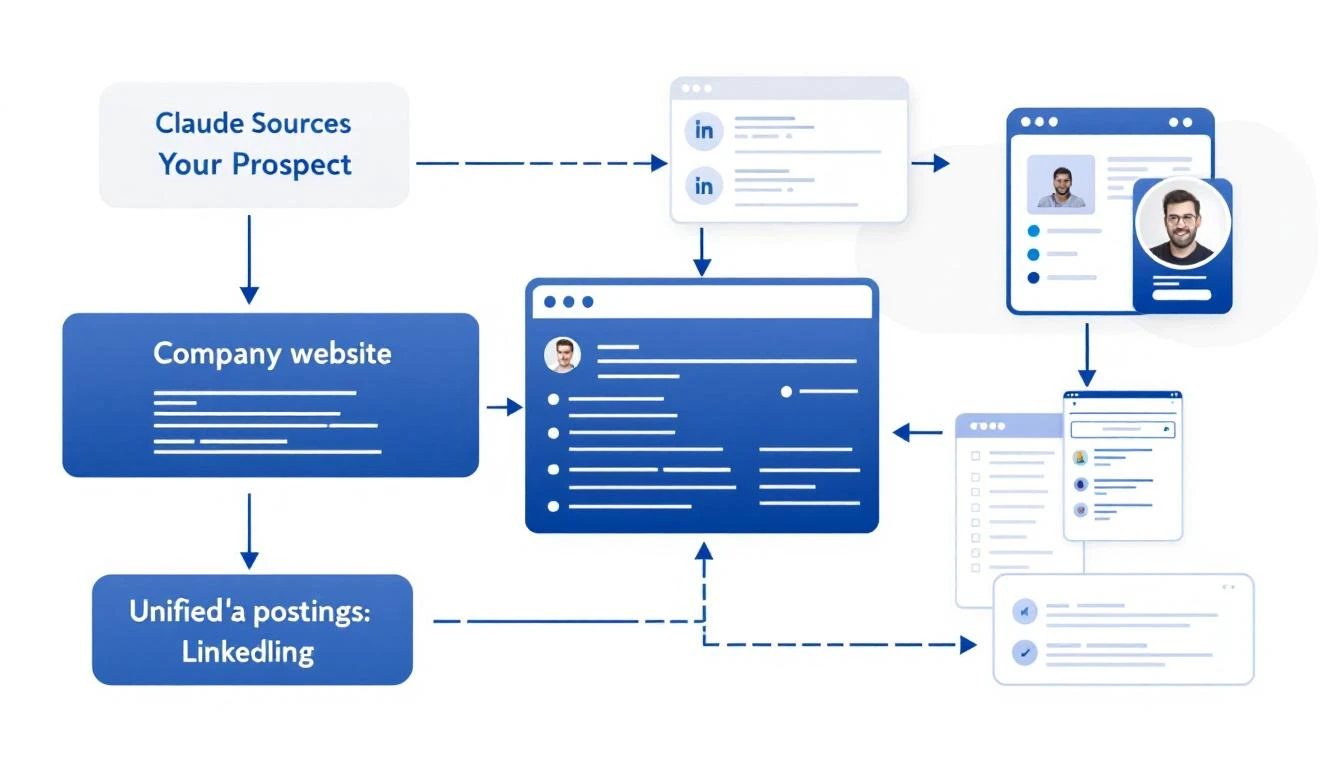
Claude Code researching prospects from multiple data sources

What Good Lead Research Actually Looks Like​

Before we automate, let's define what we're building. A great prospect brief includes:

  1. Company Overview: What they do, company size, industry
  2. Recent News: Funding, product launches, leadership changes
  3. Tech Stack: What tools they already use (if visible)
  4. Pain Point Signals: Job postings, complaints, market trends
  5. Personalization Hooks: Specific details for your outreach

This used to take 10-15 minutes per prospect. Now it takes seconds.

The Claude Code Approach​

Claude Code can:

  • Execute searches and aggregate results
  • Read web pages and extract key information
  • Structure unstructured data into useful formats
  • Reason about what matters for your use case

Here's a prompt template that generates complete prospect briefs:

Research this company for a B2B sales outreach:

**Company:** {\{company_name\}}
**Our Product:** AI-powered SDR platform that turns intent signals into pipeline

**Create a prospect brief with:**

1. **Company Overview**
- What they do (one sentence)
- Employee count and headquarters
- Industry and target market

2. **Recent Activity (Last 6 Months)**
- Funding or acquisitions
- Product launches
- Leadership changes
- Press coverage

3. **Sales-Relevant Signals**
- Are they hiring for SDRs, sales ops, or demand gen?
- Any complaints about lead quality or outbound efficiency?
- What CRM/sales stack do they use? (check job postings)

4. **Personalization Hooks**
- 3 specific details I can reference in an email
- Potential pain points based on their situation
- Suggested angle for outreach

5. **Recommended Next Step**
- Best channel to reach them (email, LinkedIn, phone)
- Suggested first message angle

Be specific. Use actual data, not generic statements.

Setting Up Automated Research​

Option 1: OpenClaw + Claude (Always-On)​

If you want research to run automatically when new leads come in:

# OpenClaw config
cron:
jobs:
- name: "New Lead Research"
schedule:
kind: every
everyMs: 900000 # Every 15 minutes
payload:
kind: agentTurn
message: |
Check HubSpot for contacts added in the last 15 minutes.
For each new contact, create a prospect brief and add it
to the contact notes field.

This runs in the background, enriching leads as they arrive.

Option 2: Claude Code CLI (On-Demand)​

For manual research when you need it:

# Install Claude Code
npm install -g @anthropic-ai/claude-code

# Run research
claude-code research "Acme Corp"

Option 3: VS Code Extension​

If you work in VS Code, Claude Code integrates directly:

  1. Highlight a company name
  2. Cmd+Shift+P β†’ "Claude: Research Prospect"
  3. Get a brief in your sidebar

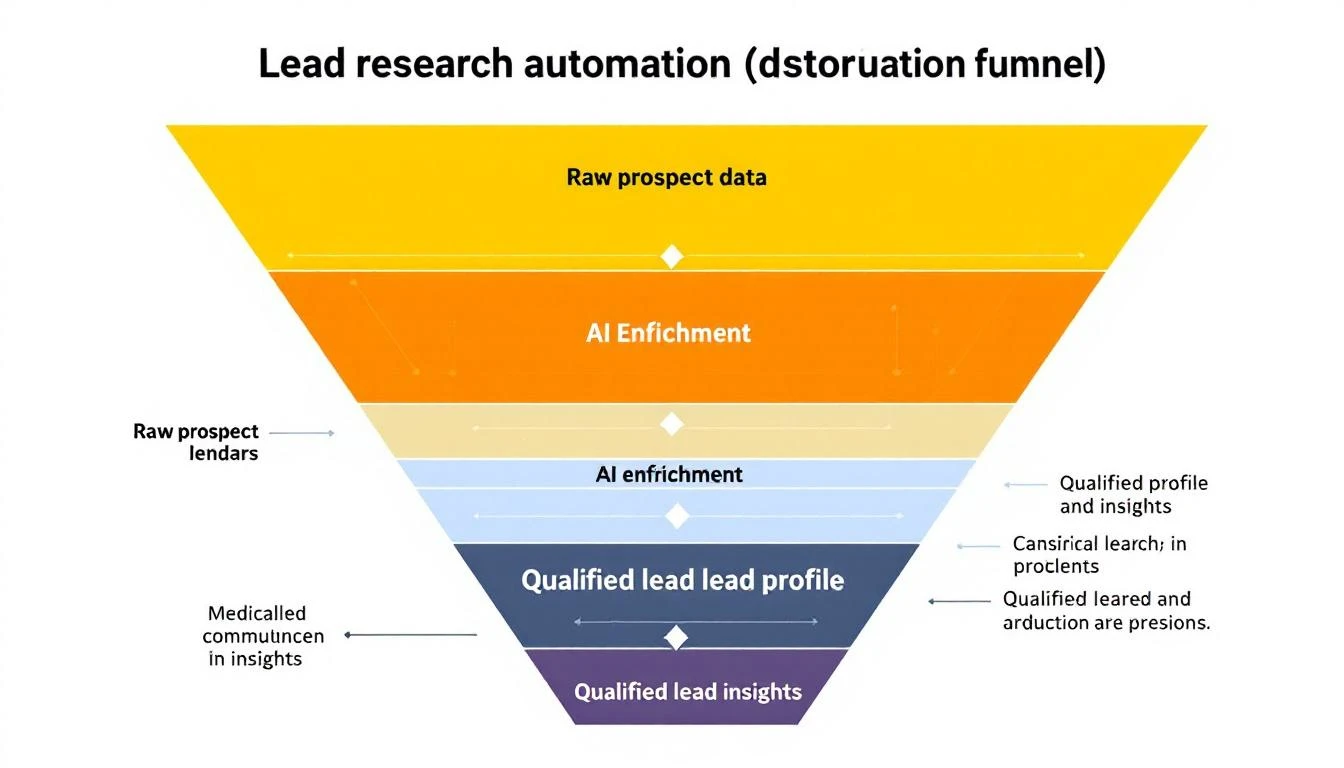
Lead research funnel: Raw data to enriched profile

Real Research Output Example​

Here's what Claude Code actually produces for a real company:


Company: Hologram (hologram.io)

Overview: IoT connectivity platform providing global cellular for devices. ~150 employees, HQ in Chicago. Series B ($65M from Battery Ventures).

Recent Activity:

  • Feb 2026: Launched Hyper network for low-latency IoT
  • Jan 2026: Partnership with AWS IoT Core announced
  • Hiring: 3 open SDR roles, 2 demand gen positions

Sales Signals:

  • Job posting mentions "scaling outbound motion" and "improving lead quality"
  • Uses HubSpot (seen in job req), Outreach for sequences
  • Active on G2 responding to reviews (cares about buyer perception)

Personalization Hooks:

  1. Reference the Hyper launch: "Saw the Hyper network announcementβ€”congrats"
  2. Note the hiring push: "Looks like you're scaling the SDR team"
  3. Connect to IoT/connectivity angle: "We work with several IoT companies..."

Recommended Approach: LinkedIn β†’ Email sequence. Their team is active on LinkedIn. Reference specific content they've posted.


This took 15 seconds to generate. A human would need 10-15 minutes minimum.

Enrichment Sources Claude Code Can Access​

When you give Claude Code research tasks, it can pull from:

SourceWhat It Finds
Company websiteProducts, pricing, team page
LinkedInEmployee count, org structure, recent posts
Job boardsHiring signals, tech stack clues
News sitesFunding, partnerships, launches
G2/CapterraReviews, complaints, competitor comparisons
CrunchbaseFunding history, investors, competitors

The key is structuring your prompt to tell Claude what matters for your specific outreach.

Advanced: Building a Research Pipeline​

For high-volume prospecting, build a full pipeline:

[New Lead] 
↓
[Basic Enrichment]
- Company size, industry
- Contact title, seniority
↓
[ICP Scoring]
- Match against ideal customer profile
- Score 1-100
↓
[Deep Research] (if score > 70)
- Full prospect brief
- Personalization hooks
↓
[Routing]
- Hot leads β†’ Slack alert + call queue
- Warm leads β†’ Automated sequence
- Cold leads β†’ Nurture list

Each step can be automated with Claude Code + OpenClaw.

Common Mistakes to Avoid​

1. Researching Every Lead Equally

Not every lead deserves 10 minutes of research. Use basic enrichment to score first, then deep-dive on high-potential prospects only.

2. Ignoring Negative Signals

Good research includes disqualifying information. If a company just laid off their sales team, that's important context.

3. Stale Data

Information decays. Set up refresh cycles for long-nurture prospects.

4. Over-Personalizing

Mentioning 5 specific details in an email feels creepy. Pick the ONE most relevant hook.

Measuring Research Quality​

Track these metrics:

  • Time per lead: Should drop from 10-15 min to under 1 min
  • Reply rates: Better research β†’ better personalization β†’ higher replies
  • Qualification accuracy: Are AI-scored leads actually converting?
  • Rep adoption: Is your team actually using the briefs?

The MarketBetter Advantage​

MarketBetter does this automatically for every website visitor:

  1. Identify: Know which companies visit your site
  2. Enrich: Pull firmographic and technographic data
  3. Research: AI generates prospect briefs
  4. Prioritize: Score and route to the right rep
  5. Act: Get a daily playbook of exactly who to contact

No manual research required. No copy-pasting between tools.


Ready to automate your lead research? See how MarketBetter turns visitor identification into actionable prospect intelligence. Book a demo.

Codex Steer: What It Does & How to Redirect AI Mid-Task [2026]

Β· 6 min read
MarketBetter Team
Content Team, marketbetter.ai

When GPT-5.3-Codex dropped on February 5, 2026, everyone focused on the "25% faster" headline. But the real game-changer? Mid-turn steering.

This feature lets you redirect an AI agent while it's workingβ€”not after it finishes. In short, the "steer" command in Codex sends new instructions to the agent mid-task, so you can course-correct in real time instead of waiting for it to finish (or fail). For GTM teams running complex automation, this changes everything.

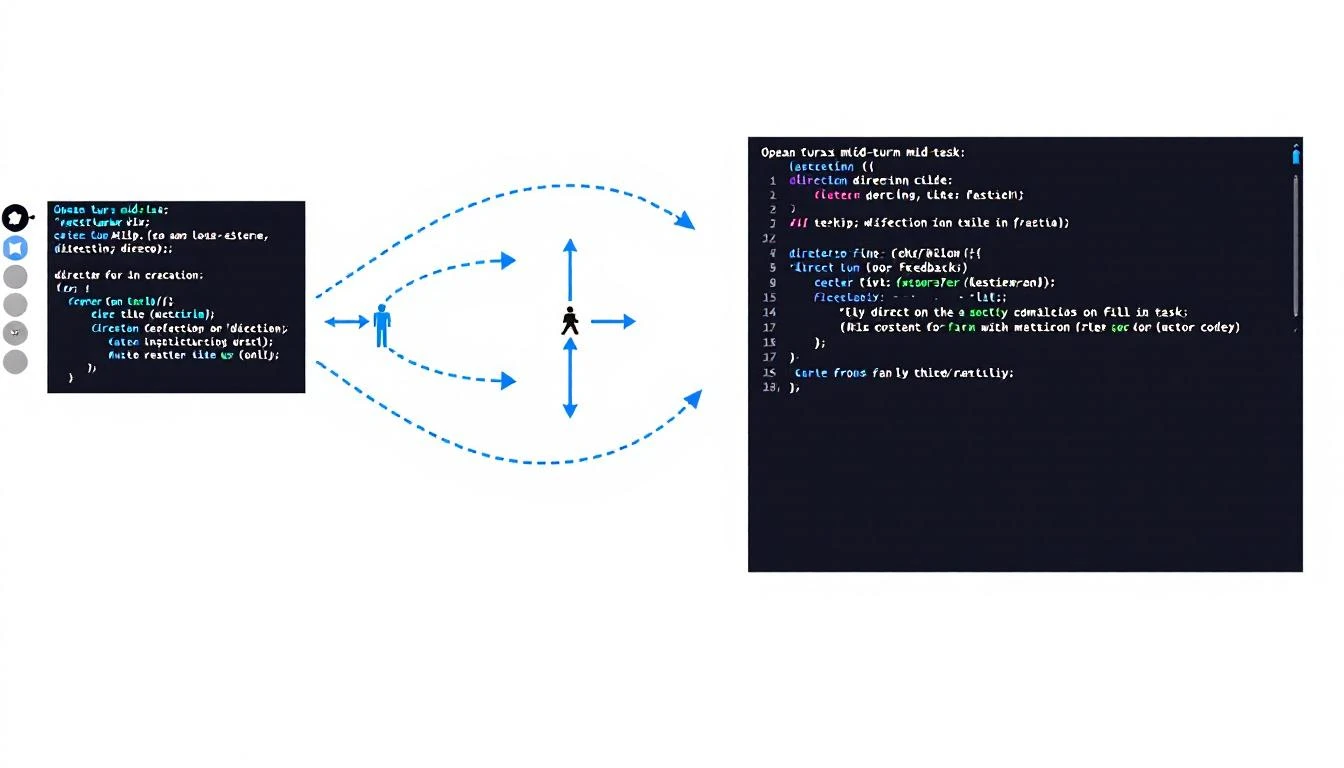
Codex mid-turn steering: Human directing AI mid-task

What is Mid-Turn Steering?​

Traditionally, when you ask an AI to do something, you wait until it's done to give feedback. If it goes off track, you:

  1. Wait for completion
  2. Read the output
  3. Write a correction prompt
  4. Start over

Mid-turn steering breaks this pattern. You can intervene during execution:

You: Build a lead scoring model based on our HubSpot data

Codex: [starts working]
- Pulling contact fields...
- Analyzing conversion patterns...
- Building scoring criteria...

You: Actually, weight company size more heavily than title

Codex: [adjusts mid-task]
- Updating weight for company_size field...
- Recalculating score thresholds...
[continues with adjustment]

No restart. No lost work. Just a course correction.

Why This Matters for GTM​

1. Complex Automation Doesn't Fail Silently​

When building sales automation, you often don't know exactly what you want until you see the first attempt. Mid-turn steering lets you:

  • Watch the agent's approach in real-time
  • Correct misunderstandings immediately
  • Guide toward edge cases as they appear

Without this, a 20-minute automation task might need 3-4 full restarts to get right.

2. Better Collaboration with AI​

Mid-turn steering makes AI feel less like a black box and more like a collaborator. You're not just prompting and prayingβ€”you're actively directing.

For sales leaders building complex workflows, this means:

  • Faster iteration cycles
  • More precise outputs
  • Higher confidence in automation

3. Reduced Token Waste​

Every restart burns tokens. Mid-turn steering reduces:

  • Repeated context loading
  • Duplicate work
  • Prompt engineering overhead

For teams running Codex at scale, this adds up.

Human giving mid-task feedback with course correction

GTM Use Cases for Mid-Turn Steering​

Building Custom Lead Scoring​

Traditional approach:

  1. Ask Codex to build a lead score
  2. Wait 10 minutes
  3. Realize it weighted "email opened" too heavily
  4. Start over with clarification
  5. Wait another 10 minutes

With mid-turn steering:

  1. Ask Codex to build a lead score
  2. Watch it start weighting criteria
  3. "Waitβ€”de-emphasize email opens, focus on website visits"
  4. Codex adjusts in real-time
  5. Get the right model in one pass

Generating Email Sequences​

Traditional approach:

  1. "Write a 5-email nurture sequence"
  2. Wait for all 5 emails
  3. Email 3 is too salesy
  4. Restart or write complex follow-up prompt

With mid-turn steering:

  1. "Write a 5-email nurture sequence"
  2. After email 2: "Make these more educational, less pitch-focused"
  3. Codex adjusts emails 3-5 accordingly
  4. Done

Building Pipeline Dashboards​

Traditional approach:

  1. "Build a pipeline dashboard showing X, Y, Z"
  2. Wait for completion
  3. Visualizations aren't quite right
  4. Describe changes in detail
  5. Hope it understands

With mid-turn steering:

  1. "Build a pipeline dashboard"
  2. See the chart types being chosen
  3. "Actually, use bar charts for that, not pie"
  4. Watch it switch mid-build
  5. "Add a filter for deal size"
  6. Done with all adjustments in one session

How to Use Mid-Turn Steering​

In Codex CLI​

# Start a task
codex run "Build a HubSpot integration that syncs new contacts"

# While it's running, type to intervene
> Also add error handling for rate limits
> Skip the logging for now, we'll add that later

In Codex Cloud (Web UI)​

The Codex dashboard shows real-time execution. A sidebar lets you:

  • See what the agent is currently doing
  • Type interventions
  • Pause/resume execution
  • Save partial progress

Via API​

const session = await codex.createSession({
task: "Build lead enrichment pipeline",
onProgress: (state) => console.log(state),
allowSteering: true
});

// Intervene mid-task
await session.steer("Use Apollo for enrichment instead of Clearbit");

Best Practices for Mid-Turn Steering​

1. Let It Start Before Steering​

Don't intervene in the first 10 seconds. Let Codex show its approach firstβ€”you might learn something.

2. Be Specific with Corrections​

❌ "That's not quite right"
βœ… "Use percentage instead of raw numbers for the conversion column"

3. Steer Early, Not Late​

If you see it going the wrong direction, intervene immediately. Don't wait until it's 80% done.

4. Save Checkpoints​

For complex tasks, tell Codex to checkpoint progress: "After each major step, commit and show me the current state"

This lets you roll back if steering doesn't work.

5. Don't Over-Steer​

Every intervention has overhead. If you're steering every 30 seconds, your initial prompt probably wasn't clear enough.

Mid-Turn Steering vs. Other Approaches​

ApproachProCon
Single promptFast for simple tasksNo correction possible
Chain of promptsMore controlContext lost between prompts
Agent loopsAutonomousHard to intervene
Mid-turn steeringBest of both worldsRequires Codex

Mid-turn steering gives you the autonomy of agents with the control of manual prompting.

Real Example: Building a Competitor Alert System​

Here's a real session transcript (abbreviated):

Me: Build a system that alerts me when competitors publish new content

Codex: Starting. I'll:
1. Set up RSS feeds for competitor blogs
2. Create a daily digest
3. Send via email

Setting up RSS parser...

Me: Actually, send via Slack not email

Codex: Switching to Slack webhook...
Setting up #competitor-intel channel post...

Me: Also check their Twitter, not just blogs

Codex: Adding Twitter API integration...
Will monitor @Warmly_AI, @CommonRoom...

Me: Add @6sense too

Codex: Added. Continuing with alert formatting...

[5 minutes later]

Codex: Done. System checks hourly, posts to #competitor-intel
when new content detected.

That would have been 3-4 restarts without mid-turn steering.

Limitations to Know​

1. Not All Tasks Support Steering​

Some operations (like API calls mid-flight) can't be interrupted. Codex will tell you when steering isn't possible.

2. Token Cost Still Applies​

Steering doesn't reduce total tokensβ€”it just uses them more efficiently.

3. Requires Real-Time Attention​

If you're not watching, you can't steer. For hands-off automation, traditional approaches might be better.

The Bottom Line​

Mid-turn steering is Codex's competitive moat for complex GTM automation. It transforms AI from "prompt and pray" to "collaborative building."

For teams building:

  • Custom integrations
  • Complex workflows
  • Multi-step automation

This feature alone justifies using Codex over alternatives.


Want AI that works out of the box? MarketBetter combines visitor identification, automated playbooks, and AI-driven outreachβ€”no prompting required. Book a demo.

Free Tool

Try our AI Lead Generator β€” find verified LinkedIn leads for any company instantly. No signup required.

OpenClaw + HubSpot: A Self-Updating CRM No SDR Has to Touch [2026]

Β· 6 min read
MarketBetter Team
Content Team, marketbetter.ai

Your CRM is only as good as the data inside it. And let's be honestβ€”most CRMs are graveyards of stale contacts, forgotten deals, and "I'll update it later" promises that never happen.

What if your CRM updated itself?

That's exactly what happens when you connect OpenClawβ€”the open-source AI agent gatewayβ€”to HubSpot. You get an always-on AI assistant that monitors your pipeline, enriches contacts automatically, and alerts you before deals go cold.

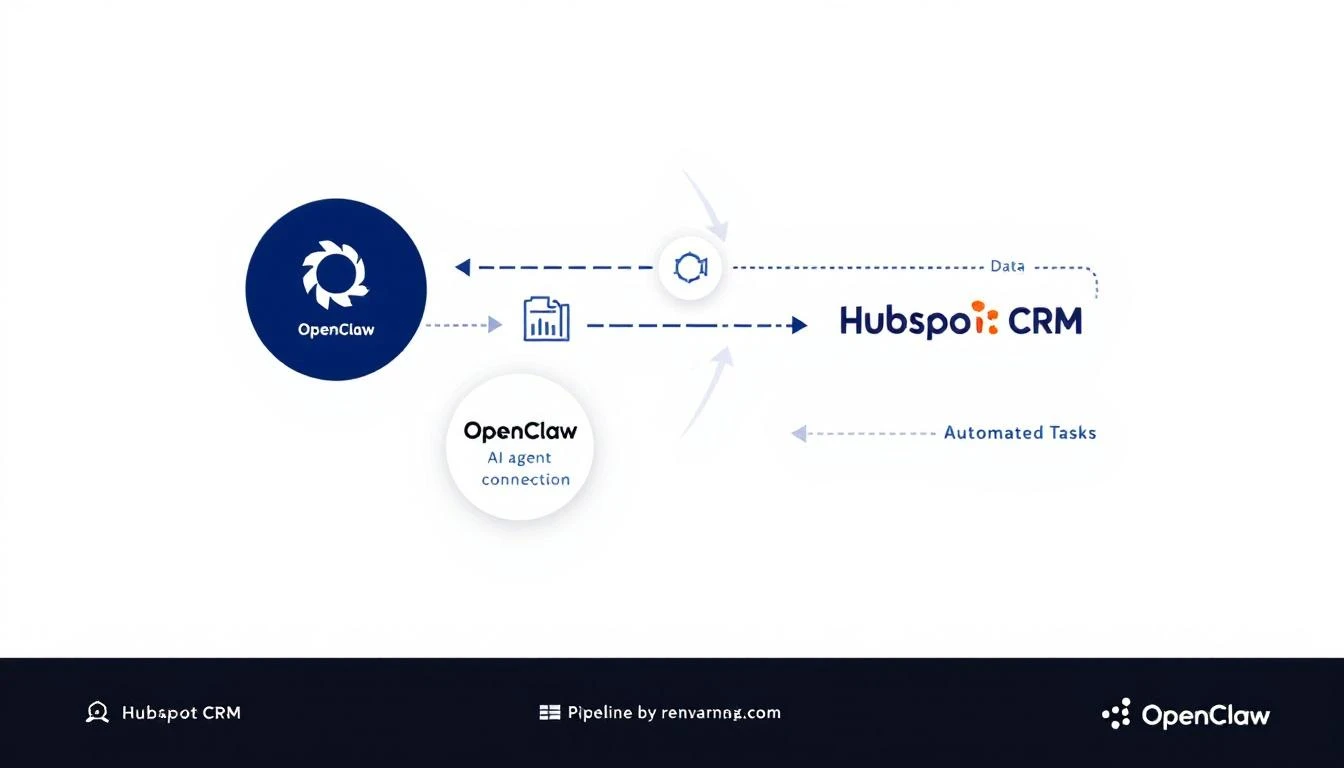
OpenClaw connecting to HubSpot CRM with automated data flows

Why Manual CRM Updates Are Killing Your Pipeline​

The average SDR spends 28% of their week on administrative tasks. Most of that is CRM data entry:

  • Logging call notes
  • Updating deal stages
  • Adding contact information
  • Setting follow-up reminders

That's 11+ hours per week not selling.

Worse, when reps get busy (which is always), CRM hygiene drops. Deals sit in the wrong stages. Contact info goes stale. Follow-ups get missed.

The result? Pipeline visibility becomes a lie. Your forecast is based on outdated data, and winnable deals slip through the cracks.

What OpenClaw + HubSpot Actually Does​

OpenClaw acts as a bridge between AI models (Claude, GPT-4, etc.) and your business tools. When connected to HubSpot, it can:

1. Auto-Enrich New Contacts​

When a new contact hits HubSpot, OpenClaw can:

  • Research the contact's company
  • Find their LinkedIn profile
  • Pull recent news about their company
  • Add firmographic data (company size, industry, tech stack)

All without you touching the keyboard.

2. Monitor Deal Health​

Set up cron jobs to check your pipeline daily:

  • Flag deals that haven't been updated in 7+ days
  • Alert you when a high-value deal goes silent
  • Summarize weekly pipeline changes

3. Auto-Log Meeting Notes​

Connect your calendar and let OpenClaw:

  • Join meetings via transcript (Zoom, Gong, etc.)
  • Summarize key points
  • Update the HubSpot contact/deal record
  • Create follow-up tasks

4. Proactive Outreach Suggestions​

Based on deal activity (or lack thereof), OpenClaw can:

  • Draft re-engagement emails
  • Suggest call scripts based on deal history
  • Recommend next best actions

Before and after: Manual CRM entry vs AI-automated updates

Setting Up OpenClaw with HubSpot​

Here's how to connect them (no code required for basic setups):

Step 1: Install OpenClaw​

npx openclaw@latest init

Follow the prompts to configure your AI provider (Claude recommended for CRM tasks).

Step 2: Get Your HubSpot Private App Token​

  1. Go to HubSpot β†’ Settings β†’ Integrations β†’ Private Apps
  2. Create a new app with these scopes:
    • crm.objects.contacts.read
    • crm.objects.contacts.write
    • crm.objects.deals.read
    • crm.objects.deals.write
    • crm.objects.companies.read
  3. Copy the access token

Step 3: Configure OpenClaw​

Add to your OpenClaw config:

# In your openclaw config
agents:
defaults:
model: claude-sonnet-4-20250514

plugins:
hubspot:
enabled: true
token: ${HUBSPOT_TOKEN}

Step 4: Create Your First Automation​

Example: Daily pipeline health check that messages you via WhatsApp:

cron:
jobs:
- name: "Pipeline Health Check"
schedule:
kind: cron
expr: "0 9 * * 1-5" # 9am weekdays
payload:
kind: agentTurn
message: |
Check HubSpot for:
1. Deals stuck in same stage for 7+ days
2. Deals over $10K with no activity this week
3. Contacts added yesterday that need enrichment

Summarize findings and alert me if anything needs attention.

Real-World Use Cases​

Use Case 1: Automatic Lead Scoring​

When a new contact comes in, have OpenClaw:

  1. Research the company
  2. Check if they match your ICP
  3. Update the lead score field in HubSpot
  4. Route hot leads to your Slack channel

Use Case 2: Stale Deal Recovery​

Set up a weekly scan for deals that have gone quiet:

  • If no activity in 14 days, draft a re-engagement email
  • If no response after outreach, suggest moving to "Nurture"
  • If closed-lost, add to a win-back sequence after 90 days

Use Case 3: Meeting Prep Automation​

Before any call, have OpenClaw:

  • Pull the contact's full history from HubSpot
  • Research recent company news
  • Summarize previous touchpoints
  • Suggest talking points

OpenClaw vs. Native HubSpot AI​

HubSpot has its own AI features now. Here's how they compare:

FeatureHubSpot AIOpenClaw + HubSpot
PriceIncluded in paid plansFree (open source)
CustomizationLimited to HubSpot's featuresUnlimited (any AI model)
Cross-platformHubSpot onlyWorks with any CRM, messaging, calendar
Proactive alertsBasicFully customizable
Model choiceHubSpot's modelsClaude, GPT-4, Llama, etc.

The key difference: OpenClaw lets you build exactly what you need, while HubSpot AI gives you what HubSpot thinks you need.

Best Practices for CRM Automation​

1. Start Small Don't automate everything at once. Start with one pain point (e.g., stale deal alerts) and expand from there.

2. Keep Humans in the Loop AI should suggest, not decide. Have agents create draft emails for your approval, not send them automatically.

3. Audit Regularly Review AI-updated fields monthly. Catch errors before they compound.

4. Document Your Automations Future you (or your replacement) will thank you. Keep a log of what agents do and why.

The Compound Effect of CRM Automation​

One automated task saves 5 minutes. Multiply by 50 contacts per week, and you've saved 4 hours.

Now add:

  • Auto-enrichment (saves research time)
  • Deal monitoring (catches slipping deals early)
  • Meeting prep (better conversations)
  • Follow-up automation (nothing falls through cracks)

That's not 4 hours savedβ€”that's a fundamentally different relationship with your CRM. It goes from a chore to a superpower.

Free Tool

Try our AI Lead Generator β€” find verified LinkedIn leads for any company instantly. No signup required.

Getting Started Today​

  1. Install OpenClaw: docs.openclaw.ai
  2. Connect HubSpot: Use a Private App token
  3. Start with one automation: Stale deal alerts are the easiest win
  4. Iterate: Add more automations as you see what works

The best part? OpenClaw is free and open source. You're not adding another $500/month tool to your stackβ€”you're building on infrastructure you control.


Want to see AI-powered SDR workflows in action? MarketBetter combines visitor identification, automated playbooks, and AI-driven outreach in one platform. Book a demo to see how it works.