
Can Claude Connect to LinkedIn? What Works, What's Risky, What Gets You Banned [2026]

The short answer: not natively. Anthropic's connector directory lists over 400 integrations as of August 2026 — Gmail, Notion, Canva, Figma, HubSpot — and LinkedIn is not one of them. There is no official "Connect LinkedIn" button in Claude, and LinkedIn has not partnered with Anthropic to build one.
But "no native connector" is not the same as "no." There are three real ways sales teams pair Claude with LinkedIn today, and they sit at very different points on the risk curve. One is completely safe. One works but rides on unofficial access that LinkedIn actively hunts. One is officially sanctioned but effectively closed to you.
This post walks through all three so you can pick deliberately instead of finding out the hard way — because in 2026, the hard way increasingly means a restricted account and a passport upload to get it back.
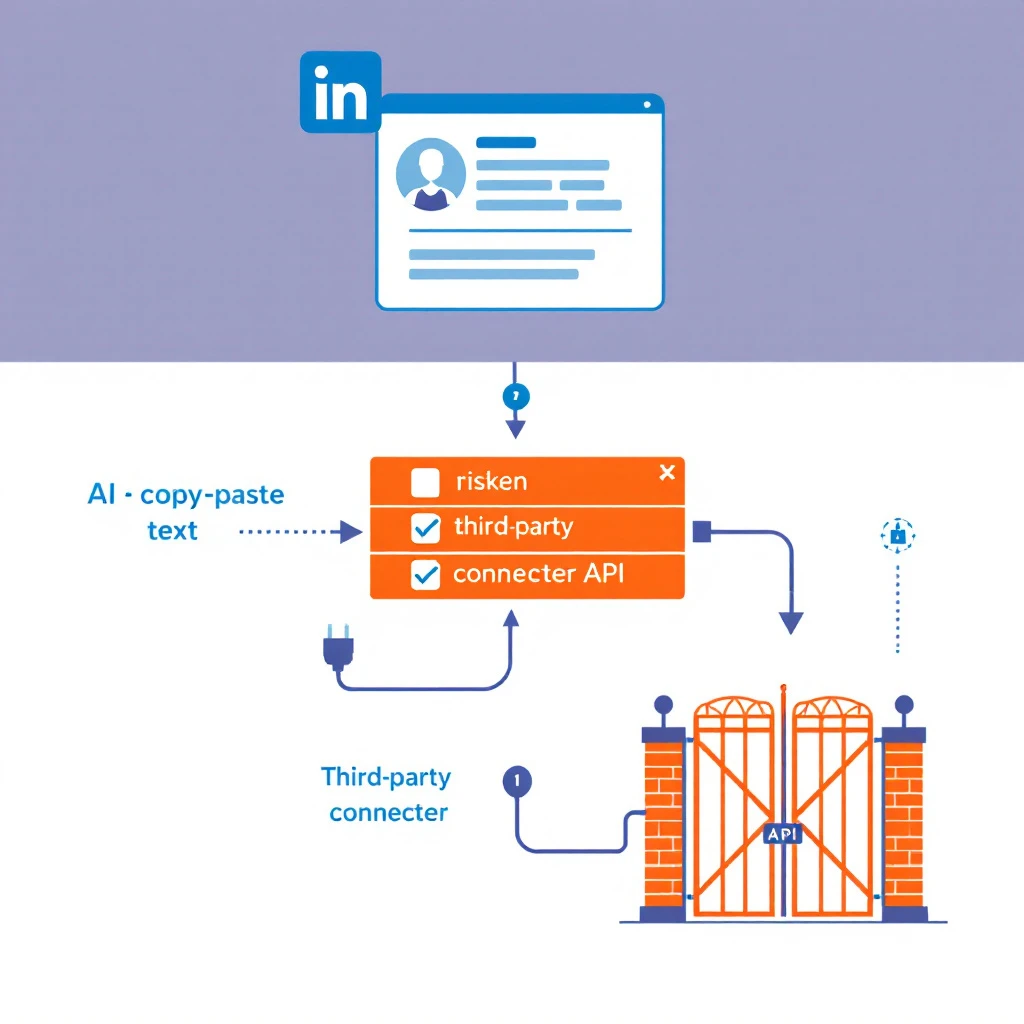
Why there's no official Claude–LinkedIn connector
LinkedIn's data is its business. The company has spent years locking down programmatic access: its User Agreement (Section 8.2) explicitly prohibits third-party crawlers, bots, browser plug-ins, and extensions that scrape or automate activity on the site. Meanwhile the official APIs are carved into narrow partner tiers, and the Sales Navigator Application Platform stopped accepting new partner applications — only existing partners retain access.
So when Anthropic built its connectors program on the Model Context Protocol (MCP), LinkedIn was never going to show up in it. Every "Claude + LinkedIn integration" you see advertised is a third party bridging that gap — with or without LinkedIn's blessing. Usually without.
That context matters, because the question most SDRs are really asking isn't "can Claude connect to LinkedIn" — it's "can I use Claude on my LinkedIn pipeline without losing my account." Here are your three options.
Path 1: The copy-paste workflow (safe, works today)
Claude never touches LinkedIn. You browse Sales Navigator or LinkedIn like a normal human, copy the text that matters — search results, profiles, About sections, recent posts — and paste it into Claude for prioritization, research briefings, and message drafts.
This sounds low-tech. It is. It's also the workflow we recommend for most reps, because:
- Zero ToS exposure. There is no bot. LinkedIn sees a human browsing at human speed.
- It kills the actual time sink. Research and first-draft writing eat half an SDR's day. Claude handles both from pasted text; the browsing was never the bottleneck.
- It works with the LinkedIn you already pay for. No middleware subscription, no OAuth handoff to a third party holding your session.
We published the full prompt-by-prompt version in How to Use Claude With LinkedIn Sales Navigator, and the broader operating rhythm in the Claude SDR daily routine. If you're newer to this, start with the complete guide to Claude for SDRs.
Who it's for: individual reps and small teams doing tens of touches a day, not hundreds.
Path 2: Third-party MCP servers (works, but know what you're plugging in)
MCP is the open standard that lets Claude call external tools, and a cottage industry of third-party MCP servers now offers LinkedIn capabilities — posting, profile lookups, feed reading, even connection requests — that you can add to Claude as a custom connector.
Here's the part the landing pages soft-pedal: LinkedIn has no public API that grants this access. Any MCP server that can read arbitrary profiles or send messages on your behalf is doing it through your logged-in session, a headless browser, or scraped infrastructure — exactly the category of tooling Section 8.2 prohibits. The polish of an MCP wrapper doesn't change what's underneath.
And 2026 is a bad year to bet against LinkedIn's enforcement:
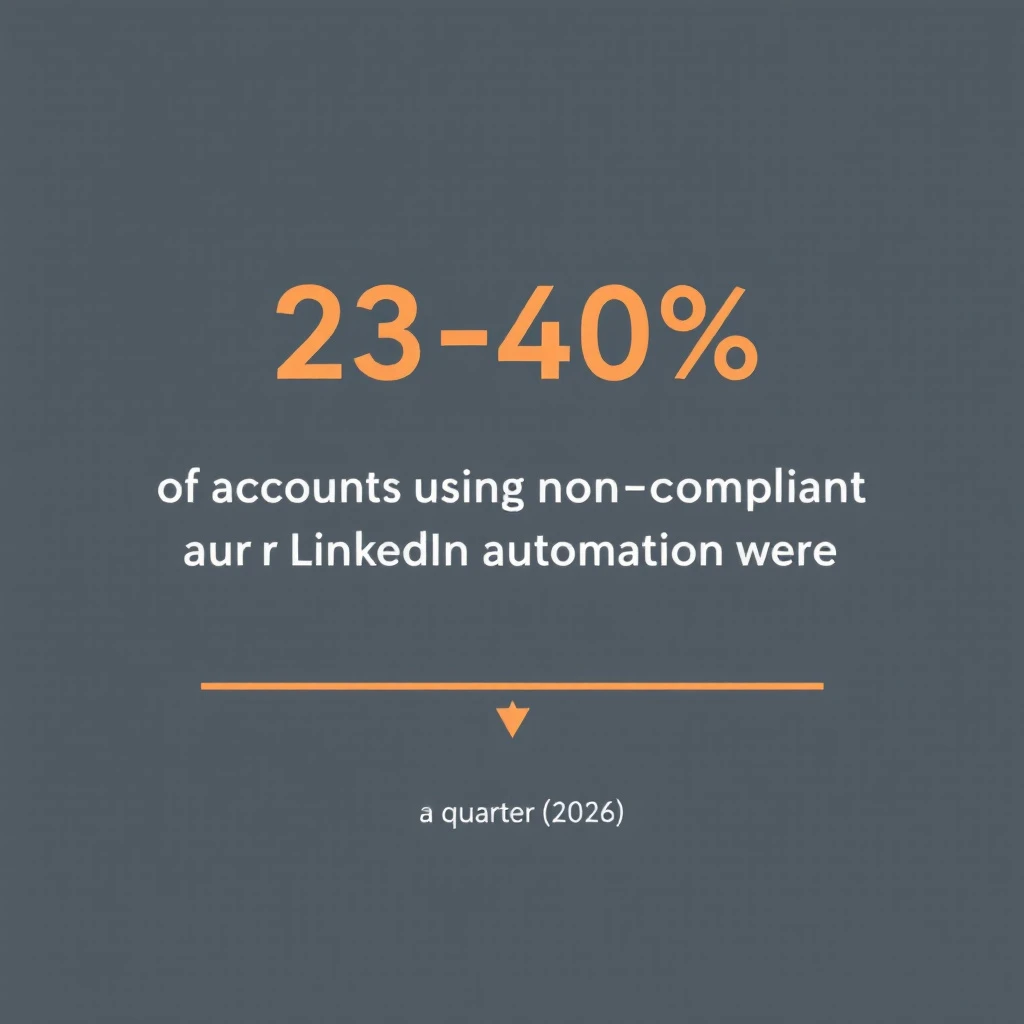
- Industry analyses this year put restriction rates for accounts using non-compliant automation at roughly 23–40% within a quarter.
- In March 2026, LinkedIn moved against HeyReach — one of the most widely used cloud automation platforms — removing its company page and its founders' profiles. Not the users' accounts. The vendor itself.
- Restricted accounts increasingly require government ID verification to unlock. Your book of business, hostage to a passport scan.
That doesn't make every MCP integration reckless. Posting your own content to your own profile through a tool that uses official publish APIs is a very different risk than mass-viewing profiles or auto-sending DMs. If you go this route: understand exactly which LinkedIn access the server uses, keep write actions (connects, messages) manual, and never run volume through your personal account. We maintain a ranked breakdown in Best LinkedIn Automation Tools 2026, and the engineering-heavy version of this path — building your own automation with Claude Code — is covered honestly, risks included, in Automate LinkedIn Sales Navigator with Claude Code. The outreach-focused companion — how to use Claude for personalized messages while keeping sends manual and your account safe — is Claude LinkedIn Outreach Without Getting Banned.
Who it's for: technical teams who understand the risk, use burner or dedicated accounts, and keep automation read-mostly.
Path 3: The official LinkedIn API (sanctioned, and mostly closed)
The officially blessed route exists — LinkedIn maintains developer APIs and a partner program. It's also a dead end for almost everyone reading this:
- The consumer tier exposes roughly your own name, photo, and headline. No prospect search, no profile browsing, no messaging.
- Sales Navigator data is walled off in a partner-only platform that is not accepting new applications.
- Partner approval, where it's open at all, is built for established software vendors — not for a rep who wants Claude to read profiles.
If a vendor claims "official LinkedIn API access" for prospecting features, ask which partner tier they hold. Most can't answer.
Who it's for: software companies with an existing LinkedIn partnership. Not individuals, not SDR teams.
The three paths, side by side
| Copy-paste + Claude | Third-party MCP server | Official API | |
|---|---|---|---|
| ToS-compliant | Yes | Mostly no | Yes |
| Account risk | None | Real (23–40% restriction rates for automation in 2026 studies) | None |
| Can read any profile | Yes (you browse, Claude reads pasted text) | Often, via unofficial access | No |
| Can send messages | You send, Claude drafts | Some tools, high risk | No |
| Setup time | Minutes | An hour, plus a subscription | Months, if ever |
| Scales to | Tens of quality touches/day | Hundreds (until restricted) | N/A |
The uncomfortable truth: LinkedIn is the bottleneck, not Claude
Step back from the plumbing question and the pattern is obvious. Every path that gives Claude direct LinkedIn access is either prohibited, closed, or fragile — because LinkedIn's walled garden is the constraint. Claude is a spectacular research and writing engine being asked to work through a keyhole.
That's why our actual recommendation isn't "find a cleverer connector." It's to stop making LinkedIn your system of record for buyer signals. Use LinkedIn for what only LinkedIn does — the social graph, the conversation — and get your signals from sources you're allowed to automate:
- Your own website traffic. Visitor identification tells you which companies are evaluating you right now — data you own outright, no ToS in sight.
- Intent and hiring signals from open sources, which Claude can process all day without anyone's user agreement getting involved — see how to use Claude for lead generation.
- A playbook that turns signals into actions. This is where MarketBetter lives: it watches signals like visitor ID and champion job changes, then tells your SDRs exactly who to touch and what to say — including LinkedIn touches your reps execute by hand, safely. The LinkedIn-to-pipeline workflow shows what that division of labor looks like in practice.
Reps who structure it this way get the leverage everyone's chasing with MCP hacks — without wagering their account on LinkedIn's detection systems having a slow week. For the tool-stack version of that argument, see Best AI BDR Tools 2026.
FAQ
Can Claude access LinkedIn profiles directly? No. Claude has no built-in LinkedIn access and its web browsing does not log in to LinkedIn, so profiles behind the login wall are invisible to it. It can only work with profile text you paste in or that a third-party connector fetches on your behalf.
Can Claude post to LinkedIn for me? Not natively. Some third-party MCP connectors offer posting; the safer ones use official publish APIs and only touch your own content. Auto-posting is far lower risk than auto-messaging or profile scraping — but review everything before it ships in your name.
Is connecting Claude to LinkedIn against LinkedIn's terms? The copy-paste workflow is fully compliant — there's no automation. Third-party tools that browse, scrape, or message through your account violate the User Agreement's automation clause and carry genuine restriction risk in 2026.
Will Anthropic and LinkedIn ship an official connector? Nothing announced as of August 2026, and LinkedIn's API posture — closed Sales Navigator platform, narrow consumer tier — points the other way. Plan around it, don't wait for it.
Want the signal-to-action workflow without the account risk? MarketBetter identifies your website visitors, tracks buying signals, and hands your SDRs a daily playbook — who to contact, what to say, which channel. Book a demo →