33 posts tagged with "ai-sales"

View All Tags

Salesforce Piper and Hunter: The New AI SDR Agents Explained

· 9 min read
Sunder Iyer
Founder, marketbetter.ai

Salesforce now employs SDRs with first names. On September 11, 2026 — four days before Dreamforce — Salesforce announced seven "job-ready" Agentforce agents, each with a name and a job description. Two of them sit directly on the B2B pipeline: Piper, the inbound pipeline agent, and Hunter, the outbound sales agent.

This is the moment the AI SDR category stopped being a startup niche. The largest CRM vendor on the planet is now shipping named, pre-built AI sales reps as products. If you run a sales team, here's what Piper and Hunter actually do, what they cost, where they're genuinely strong, and where the fine print bites.

Salesforce Koa and AIforce: What Sales Teams Need to Know

· 8 min read
Sunder Iyer
Founder, marketbetter.ai

Salesforce announced Koa — its first CRM-specific reasoning model — at Dreamforce on September 15, and the part that matters is happening now: customer pilots are running inside Agentforce this October, with US general availability targeted for this winter. Alongside it, Salesforce unveiled AIforce, a new interface layer that pushes your CRM's data, permissions, and workflows out to the tools your reps already live in — Claude, Slack, and the Lightning search bar.

Most Dreamforce coverage treated these as two more logos in a crowded keynote. For sales teams, they're actually one bet: Salesforce is wagering that a smaller model trained exclusively on CRM work will beat frontier models at CRM work, and that the interface to your CRM should follow your reps around instead of making them log in.

Here's what shipped, what it costs, and whether a purpose-built CRM model changes anything for your pipeline.

Gemini Skills for Sales Teams: Gems Are Dead, Here's What's Next

· 8 min read
Sunder Iyer
Founder, marketbetter.ai

Google officially launched Gemini Skills on October 1, and the rollout is already underway: Skills started landing in Google Workspace on October 5 and hit the Gemini app on October 13, with both rollouts completing by mid-November. Gems — the custom chatbot feature your team may have spent the last year building on — are being retired.

If your sales team runs on Google Workspace, this is worth fifteen minutes of your attention. Not because Skills are revolutionary on their own, but because of two things: they finally work inside Gmail, Docs, and Sheets instead of a separate chat window, and Google built them on the same open SKILL.md standard that Claude, Codex, and 30+ other AI tools already use. Write a skill once, run it everywhere your reps work.

Here's what shipped, what dies, and what a sales team should actually do with it.

HubSpot Fall 2026 Spotlight: What Sales Teams Actually Get

· 8 min read
Sunder Iyer
Founder, marketbetter.ai

HubSpot dropped its Fall 2026 Spotlight at UNBOUND in Boston on September 16 — 134 updates, and most of them are rolling into public beta or general availability through October. The company is calling it its "most foundational product release," and for once the marketing label is close to accurate: this release restructures how the platform works, not just what it does.

The headlines: a rebuilt Breeze Assistant that executes work instead of suggesting it, a self-updating Smart CRM that logs calls, emails, and meetings without rep input, Agent Hub as the single control plane for every AI agent, and a new Revenue Hub that takes over quoting, contracts, and collections.

Gemini 4 Argon for Sales Teams: Pricing, Benchmarks & Access

· 8 min read
Sunder Iyer
Founder, marketbetter.ai

On September 30, 2026 — the same 48-hour window in which Gong, Apollo, and ZoomInfo all shipped agent builders — Google quietly dropped the most important model release of the quarter: Gemini 4 Argon.

Here's the twist: you can't use it. Not on the API, not in the Gemini app, not even with a Google AI Ultra subscription. Argon launched exclusively to vetted cybersecurity teams through Google's Fairwind Program, with everyone else waiting on an unannounced date.

So why should a sales leader care about a model they can't touch? Two numbers: Argon leads the benchmark built from real sales, marketing, and ops workflows by roughly 10 points — and it hallucinates at about a third the rate of OpenAI's frontier models. Both matter enormously for revenue teams. Here's the full picture.

Gong, Apollo & ZoomInfo All Shipped AI Agents in 48 Hours

· 9 min read
Sunder Iyer
Founder, marketbetter.ai

Between September 30 and October 1, 2026, three of the biggest names in sales tech — Gong, Apollo, and ZoomInfo — each announced an AI agent platform. Not a copilot. Not a chat sidebar. Agents that are supposed to watch signals, make decisions, and execute multi-step GTM plays on their own.

Three near-identical announcements in 48 hours is not a coincidence. It's the whole category pivoting at once — and it tells you exactly where the sales stack is going in 2027. Here's what each vendor actually shipped, what's real today versus waitlisted, and how to evaluate any of them without getting burned by a keynote demo.

OpenAI Dots for Sales Teams: Pricing, Limits & First Workflows

· 8 min read
Sunder Iyer
Founder, marketbetter.ai

OpenAI's DevDay 2026 (September 29) packed more than 20 announcements, but one matters far more than the rest for revenue teams: Dots — always-on ChatGPT agents that run on their own cloud computers, connect to 4,000+ apps, and keep working after you close the tab.

If the last two years were about chatting with AI, Dots are OpenAI's bet that the next two are about delegating to it. Here's what actually shipped, what it costs, where it breaks for sales use cases, and five workflows worth testing this month.

607 Outreaches, 3 Replies, 1 Meeting: What Devon Hennig's Monaco Experiment Reveals About AI-Native Outbound [2026]

· 12 min read
MarketBetter Team
Content Team, marketbetter.ai

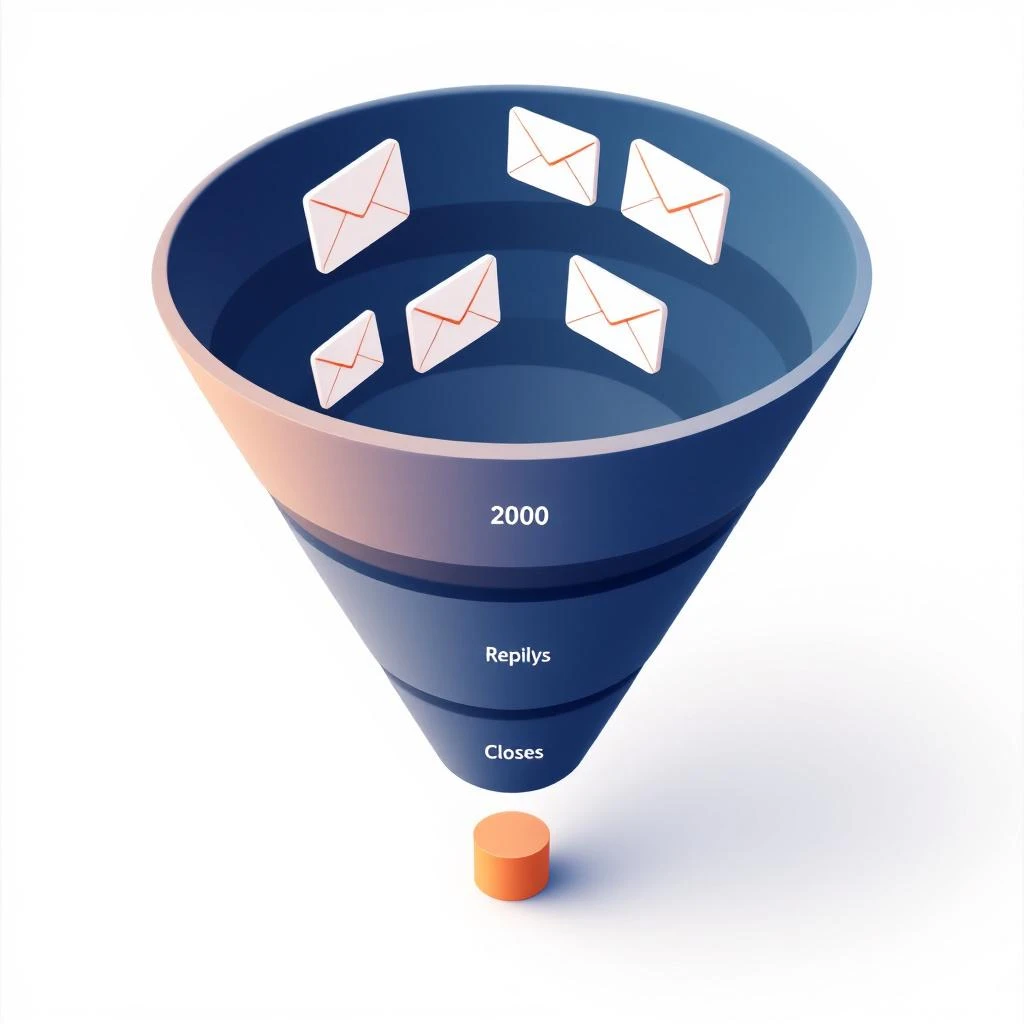
The AI-native outbound funnel: 2,000 emails per month, 1 meeting, and the math that breaks

Most AI-sales-platform reviews are theater. A founder gets a free seat, posts a screenshot, calls it "magic," and disappears. So when Devon Hennig — captain of Ship Rats and incurable side hustler (Writhm.io, Grammar Ghosts, and a long list of prototypes) — announced he was going to document his Monaco rollout in public, week by week, with the actual numbers, that was already a more honest piece of content than anything Monaco's own marketing will produce this year.

Two episodes in, the experiment is doing something even better than promised. It's putting hard numbers on a question every VP of Sales is quietly trying to answer in 2026:

If you hand outbound to an AI-native, managed go-to-market platform — does the funnel math actually work?

Devon's documented numbers say: not yet, and not at this volume tier. That's not a takedown of Monaco. It's the most important data point AI-native outbound has produced this year, and it has direct implications for how teams should think about the SDR stack they're building in 2026.

This post is our take. We're not Monaco's competitor in the way the headlines want to frame it. We sit at a different layer of the stack. More on that at the end — first, the math.

The Setup: A Real Founder Stress-Testing a Real Product​

Here's what Devon has published on Monaco Corner so far.

Week 1: kickoff. Monaco's "forward-deployed AEs" — Shira and Hannah — onboarded him white-glove. They wrote the campaigns. They scoped the total addressable market (TAM) and came back with about 5,500 accounts that fit his ICP. They mapped signals to chase (SEO traffic decline, GEO/AIO hiring spikes — both excellent proxies for "this account just realized AI broke their content engine"). They hooked up five inboxes, each sending 20-30 emails per day, for roughly 100 emails/day or ~2,000/month total send volume.

Devon then did something almost no founder does on camera: he opened a calculator and walked the funnel math live.

He assumed roughly:

  • 40% open rate (high but possible with new, warm domains and tight targeting)
  • 2-5% reply rate (right at the edge of the 2026 benchmark band of ~3.4% average)
  • 50% of replies positive
  • 50% of positives book a meeting
  • 80% show rate
  • 20% close rate

Multiply that through and you need approximately 3,300 emails to produce one closed-won deal. At ~2,000 emails per month, that's roughly one customer every seven weeks — before you adjust for the fact that most of those numbers are aspirational, not earned.

Devon said the quiet part out loud: at this volume, the math is tight. Not impossible. Tight.

Week 2: the check-in. After 11 completed sequences and 607 outreaches across the five inboxes, the result was 3 replies and 1 booked meeting. And the one meeting only happened because someone replied "did you get hacked?" to a sequence — and Hannah turned that thread into a real conversation. Praise where it's due: Hannah and Shira rewrote campaigns the same day, responded over the weekend, and clearly worked their asses off. The managed-service half of Monaco is performing.

Devon then announced phase two: pitting Monaco against a traditional human lead-gen agency, "Leads That Show," whose pitch is 20 booked calls in 60 days or money back. Robots vs. humans. He calls it "Biggest Closer." It's the most useful AI-sales experiment running on the internet right now.

The Funnel Math, Honestly​

Let's sit with the math instead of explaining it away.
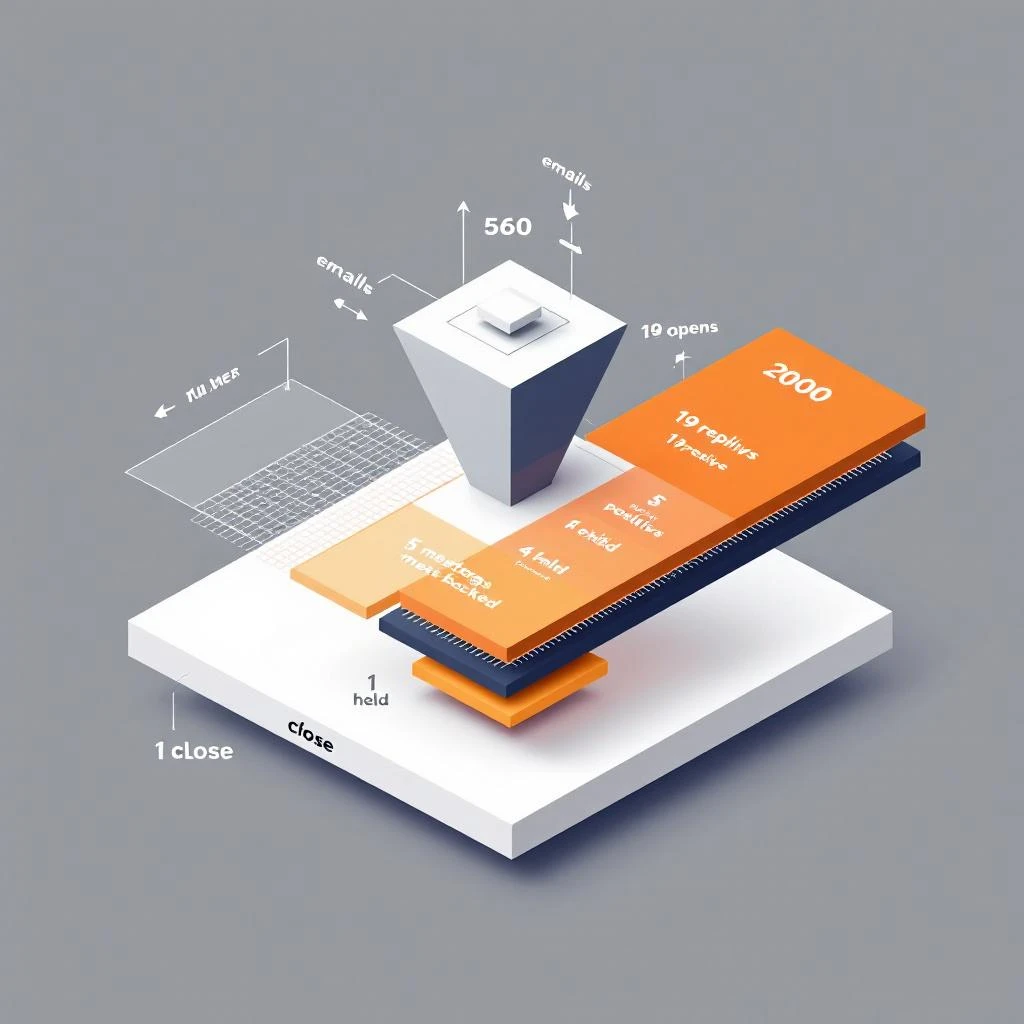
Cold email funnel math 2026: why 2,000 emails per month is the wrong volume tier for closing on a 5,500-account TAM

At 2026 benchmarks — 27.7% average open rate, 3.4% average reply rate, 5-8% reply considered strong, 10-18% elite — the gap between Devon's modeled funnel and the actual public benchmark is bigger than it looks. He assumed 40% open. Industry average is 28%. He assumed 2-5% reply. Industry average is 3.4%.

If you re-run the math at industry average instead of optimistic targets:

  • 2,000 emails × 28% open = 560 opens
  • 560 opens × 3.4% reply = ~19 replies
  • 19 replies × 50% positive = ~9 positive
  • 9 positives × 50% book = ~5 meetings booked
  • 5 × 80% show = ~4 meetings held
  • 4 × 20% close = less than 1 close per month

You need roughly double the volume to clear a customer per month at industry-average performance. And here's the structural problem: doubling volume isn't free. Each additional inbox needs a warmed domain, a real persona, and clean deliverability hygiene — or your reply rate craters and you're worse off than you started.

Now layer on TAM. Devon's TAM is ~5,500 accounts. At 2,000 emails per month per his current setup, he'll cycle the entire TAM in about 11 weeks. After that, the funnel doesn't scale by sending more — it scales by sending better to the same accounts, which is an entirely different problem than the one Monaco is solving on day 1.

This is the bind every managed-service AI-CRM model is about to discover, and it's not unique to Monaco. It would be the same with 11x or Artisan if they ran the same experiment publicly:

  1. The inbox ceiling is real. Five inboxes at 20-30/day is roughly the responsible ceiling on a single brand before deliverability degrades. Going to 10 or 20 inboxes requires domain diversification, which means more brands, more provisioning, more babysitting. Volume doesn't scale linearly with the platform — it scales with operational overhead.
  2. Narrow TAMs starve volume models. A 5,500-account TAM is sharp targeting (good) but small (challenging for a volume-based send model). The platform's economics work better at TAMs of 50,000+. Devon's TAM is 10x smaller than the model wants.
  3. Reply quality is more sensitive to message than to send volume. When 1 of your 3 replies in two weeks comes from someone asking if you got hacked, the system isn't broken — it just hasn't found the angle yet. That's a campaign problem, not a volume problem. Pouring more emails through the same angle doesn't fix it.

The honest verdict on Devon's first two weeks: the managed-service team is doing the work, the platform is sending, the math is just hard. He could absolutely turn the corner — Hannah and Shira are clearly competent and the iteration speed is real. But the funnel math is telling you something about the shape of this category that nobody who's selling AI outbound platforms wants to say out loud.

What This Tells Us About the Shape of the 2026 Outbound Stack​

The Monaco Corner experiment is forcing a useful question: when you buy an AI-native sales platform, what are you actually buying?

You're buying three different things bundled together:

  1. A database + signals layer. TAM building, account scoring, intent overlays, signal capture.
  2. An execution layer. Inboxes, sequences, send orchestration, reply handling.
  3. A managed-service layer. Humans who write the campaigns, iterate, and handle the messy edges.

The bundle is appealing for founders without sales backgrounds — Monaco's stated ICP — because it removes every lever they don't know how to pull. But the bundle is a problem for teams that already have SDRs, already have inboxes, already have an opinion about messaging, and already have a CRM they're not going to rip out.

For those teams, you don't want layers 2 and 3 from a vendor. You want layer 1, sharper and faster than you can build it yourself, and you want layer 2 to fire when layer 1 sees something, not on a generic cadence.

That's where signal-based selling actually wins — and where most rollouts also quietly fail when the platform doesn't translate signals into a specific SDR action within the same day.

Where MarketBetter Sits (And Where We Don't)​

We are not "a better Monaco." We're not a managed-service AI sales platform. We don't run your campaigns for you and we don't hire forward-deployed AEs to sit inside your team. If that's what you want — and there are real reasons a founder might want exactly that — Monaco is a serious option and Devon's experiment is the best public data you can find on whether it lands for your shape of company.

MarketBetter is the signal-to-action workflow layer for teams running their own outbound. Concretely:

  • You bring your own inboxes. Whatever you're already sending from, however many domains you've already warmed, MarketBetter doesn't replace that fleet. We orchestrate on top of it.
  • You bring your own CRM. Salesforce, HubSpot, Attio — we plug in, we don't ask you to migrate.
  • We surface the WHO + WHAT TO DO in real time. Visitor identification, intent signals across third-party data, hiring signals, technographic shifts — layered into a single signal stack — then turned into a daily playbook each rep can actually work.
  • We tell your SDRs which 3% of your TAM is in-market today, so they spend their day on the accounts where reply math actually pencils out, instead of cycling 2,000 cold emails through a 5,500-account list and hoping.

Said differently: Devon's experiment is showing you what AI looks like when it owns the whole funnel. MarketBetter is what AI looks like when it owns the decision layer and leaves the execution layer to the humans who already have it set up.

Honest takes on managed AI-CRM models like Monaco, while we're being honest:

  • Where managed works: founders with no sales infrastructure, no SDRs yet, no inbox fleet, and a willingness to outsource the entire GTM motion. The white-glove activation Devon is getting from Hannah and Shira is genuinely valuable for that buyer.
  • Where managed hits a wall: narrow TAMs (under ~20K accounts), teams with existing SDRs and CRM investments, and any company that wants to A/B their own messaging and own their own pipeline reporting end-to-end.

That second buyer is who MarketBetter is built for. Different shape, different sale, different best customer. Both can exist.

The Watch-List for Devon's Next Episodes​

Things we'll be watching as Monaco Corner unfolds:

  1. Does volume increase? If Monaco pushes Devon past 5 inboxes, watch deliverability and reply rate together. Going to 10 inboxes without a reply-rate drop is the real proof point.
  2. Does the message iterate? The "did you get hacked?" reply is a gift — it's telling Hannah exactly what's off. Week 3-4 messaging changes will reveal how fast the managed-service iteration loop actually closes.
  3. Does the agency beat the AI? Liam at Leads That Show is offering 20 calls in 60 days, money-back. If a traditional human agency wins this head-to-head, it's not a death sentence for AI outbound — it's a signal that AI-native still needs human iteration to close the funnel-math gap, which is also our thesis.
  4. What does week 8 look like? TAM cycle time matters. Once Monaco has touched the full 5,500 accounts, the question stops being "how do we send more" and starts being "what do we do with the accounts that already saw us." That's the signal-loop problem, and it's the harder problem.

We'll write that follow-up when the data is in.

The One-Line Take​

AI-native outbound platforms aren't broken. The funnel math just doesn't bend the way the pitch decks suggest, and the first honest public experiment is making that visible. The teams who win in 2026 will be the ones who treat AI as a signal-to-action layer on top of their existing motion — not a managed service that replaces the motion entirely.

Devon Hennig deserves the credit here. He's the rare operator running the experiment in public, with real numbers, on a real budget. If you're a VP of Sales evaluating any AI sales platform in 2026 — Monaco, 11x, Artisan, Apollo, Common Room, Warmly, or any of the rest — watch Monaco Corner. The data is doing the talking.

For the deeper read on how we think about this, see our earlier honest write-up: MarketBetter vs Monaco for B2B Sales Teams and the longer Monaco Sales Platform Review 2026.


Running your own outbound on your own inboxes, but tired of cycling cold accounts and hoping? That's the gap we close. We tell your reps which accounts are in-market today and what to do about it — without taking over your campaigns. Book a demo →

Your Reps Are Winging Sales Calls — Here's What Happens When AI Writes the Script [2026]

· 11 min read
Sunder Iyer
Founder, marketbetter.ai

Your SDR opens the dialer. The prospect is a VP of Sales at a mid-market SaaS company. Your rep glances at a generic script:

"Hi {Name}, this is {Rep} from {Company}. We help companies like yours improve their sales process. Do you have a few minutes?"

The VP hangs up in 8 seconds. Your rep moves to the next call. Rinse, repeat, 80 times a day.

Here's what your rep didn't know:

  • That VP just evaluated a competitor last week
  • Their company posted a Director of Sales Enablement job 3 days ago — they're scaling
  • They have 3 stalled deals in HubSpot that haven't moved in 45 days
  • They visited your pricing page twice yesterday

All of that context was sitting in your CRM, your website analytics, and publicly available signals. Nobody connected the dots. Nobody put it in the script.

That's the gap AI closes.

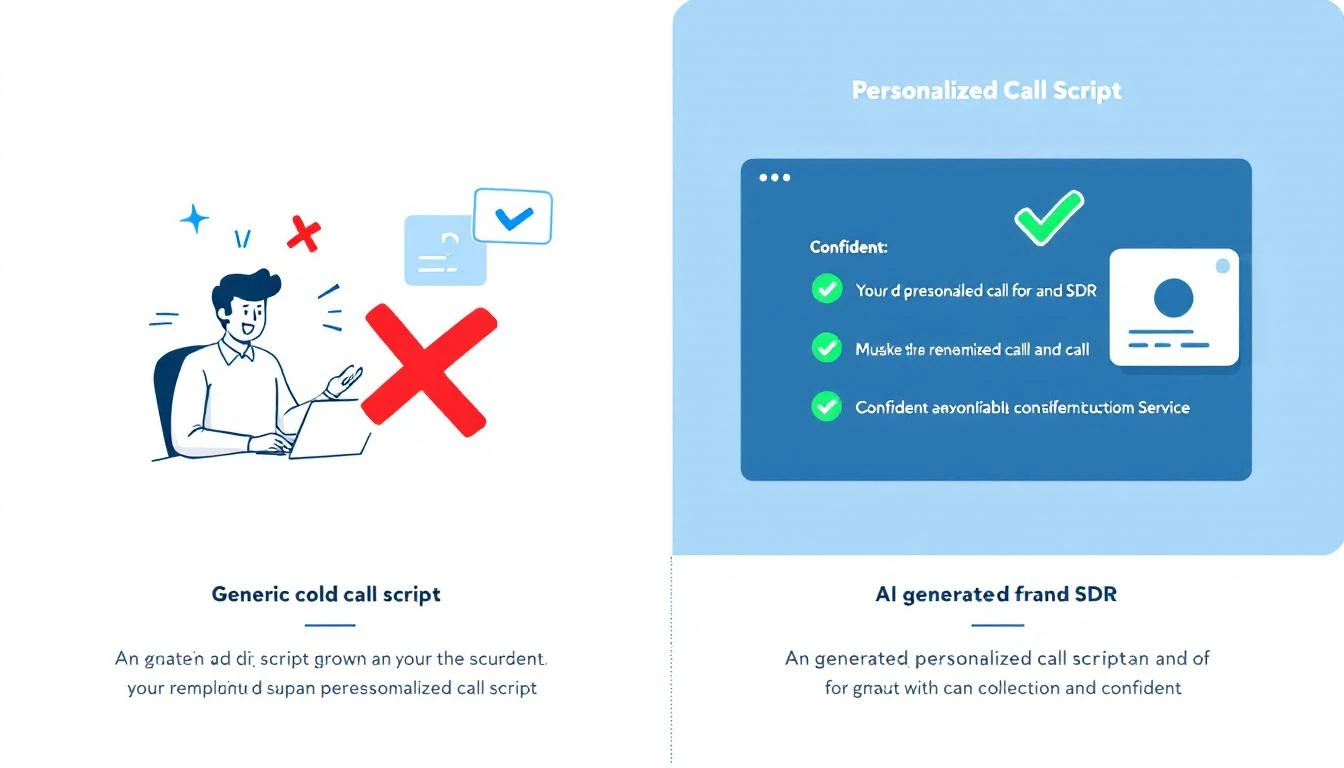
Before and after: generic script vs. AI-generated personalized call script

The Cold Call Success Rate Problem​

Let's start with the brutal numbers.

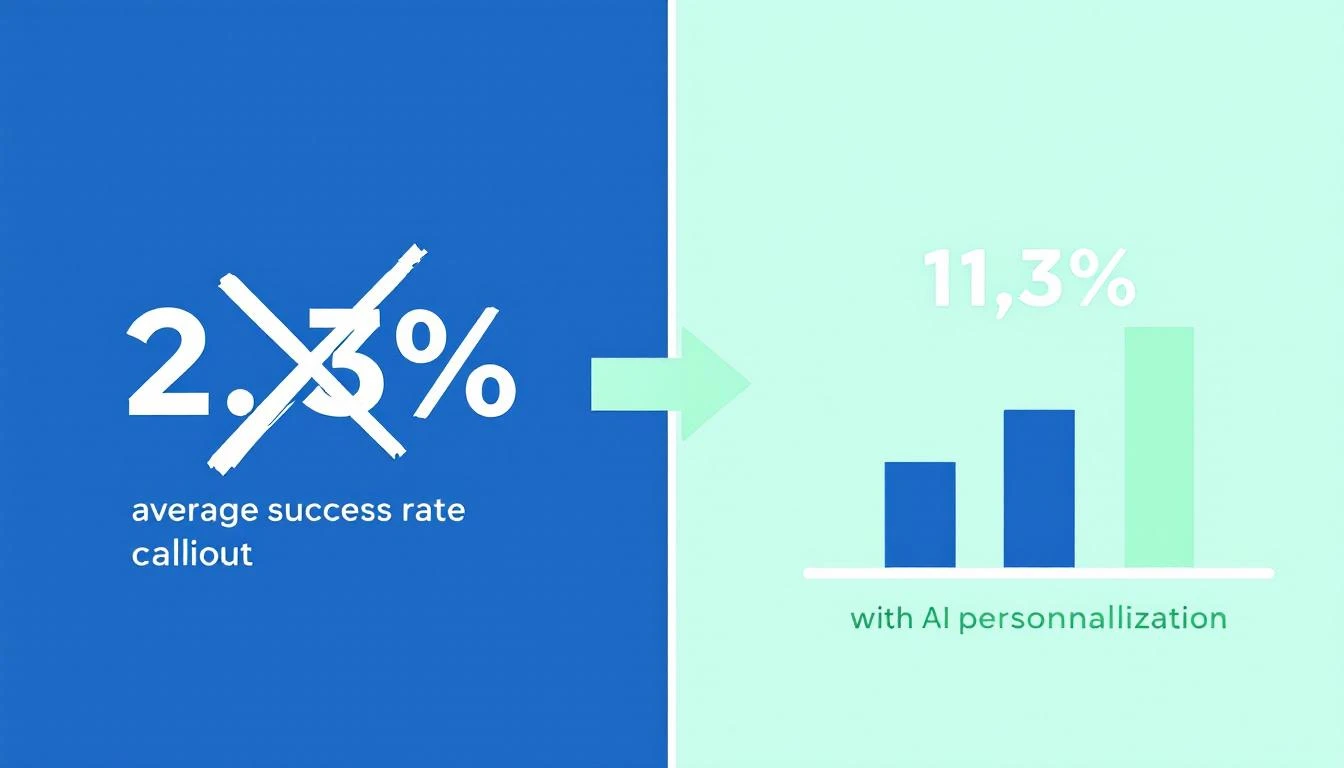
The average cold calling success rate in 2026 is 2.7%. That means for every 100 calls your SDR makes, fewer than 3 turn into anything. Cognism's 2026 report — which analyzed over 200,000 calls — found that teams using generic scripts and spray-and-pray tactics sit at or below that average.

But here's the number that matters: teams using AI-powered personalization and real-time context are hitting 6.7% to 11.3% success rates. That's 3-4x the industry average.

Outreach's 2025 dataset showed it plainly: personalized cold calls with AI-generated context had a 36% higher meeting conversion rate than generic calls.

The difference isn't talent. It's context.

Cold calling success rates: generic scripts vs. AI-personalized approaches

What a Generic Script Actually Looks Like​

Here's what most SDR teams are working with today. If this looks familiar, that's the problem.

The "Standard" Cold Call Script:

"Hi Sarah, this is Mike from Acme Software. We're an AI-powered sales platform that helps companies improve their outbound efficiency. I was wondering if you had a few minutes to learn how we've helped companies like yours increase their pipeline by 40%?"

What's wrong with this:

  • No research signal. Nothing tells Sarah you know anything about her company
  • Generic value prop. "Improve outbound efficiency" could be any of 200 vendors
  • No trigger. Why are you calling TODAY? What changed?
  • Permission-based opener. "Do you have a few minutes?" is an invitation to say no
  • Zero personalization. Swap the name and this works for literally anyone

Your rep might as well be reading from a cereal box. The prospect can tell — and they hang up.

This is what we mean by "winging it." Even teams that HAVE scripts are winging it if the script doesn't reflect what you already know about the prospect.

What an AI-Generated Call Script Looks Like​

Now here's the same call — but the script was generated 30 seconds before the dial, using everything the system knows about this specific prospect.

AI-Generated Script (Anonymized):

"Hi Sarah — quick question. I noticed Datastream just posted a Director of Sales Enablement role, and your team's been evaluating outbound tools. We work with a few mid-market SaaS companies that were in a similar spot — scaling their SDR team while deals were stalling in pipeline. Curious if that resonates, or if I'm off base?"

What changed:

  • Hiring signal → "posted a Director of Sales Enablement role" (from job board data)
  • Competitor evaluation → "evaluating outbound tools" (from intent data)
  • Company context → "mid-market SaaS" (from CRM enrichment)
  • Pipeline awareness → "deals stalling in pipeline" (from CRM sync)
  • Pattern interrupt → "Curious if that resonates, or if I'm off base?" (earns the conversation instead of asking permission)

The prospect doesn't hear a script. They hear someone who did their homework. That's the difference between a hang-up and a 4-minute conversation.

Where the Data Comes From​

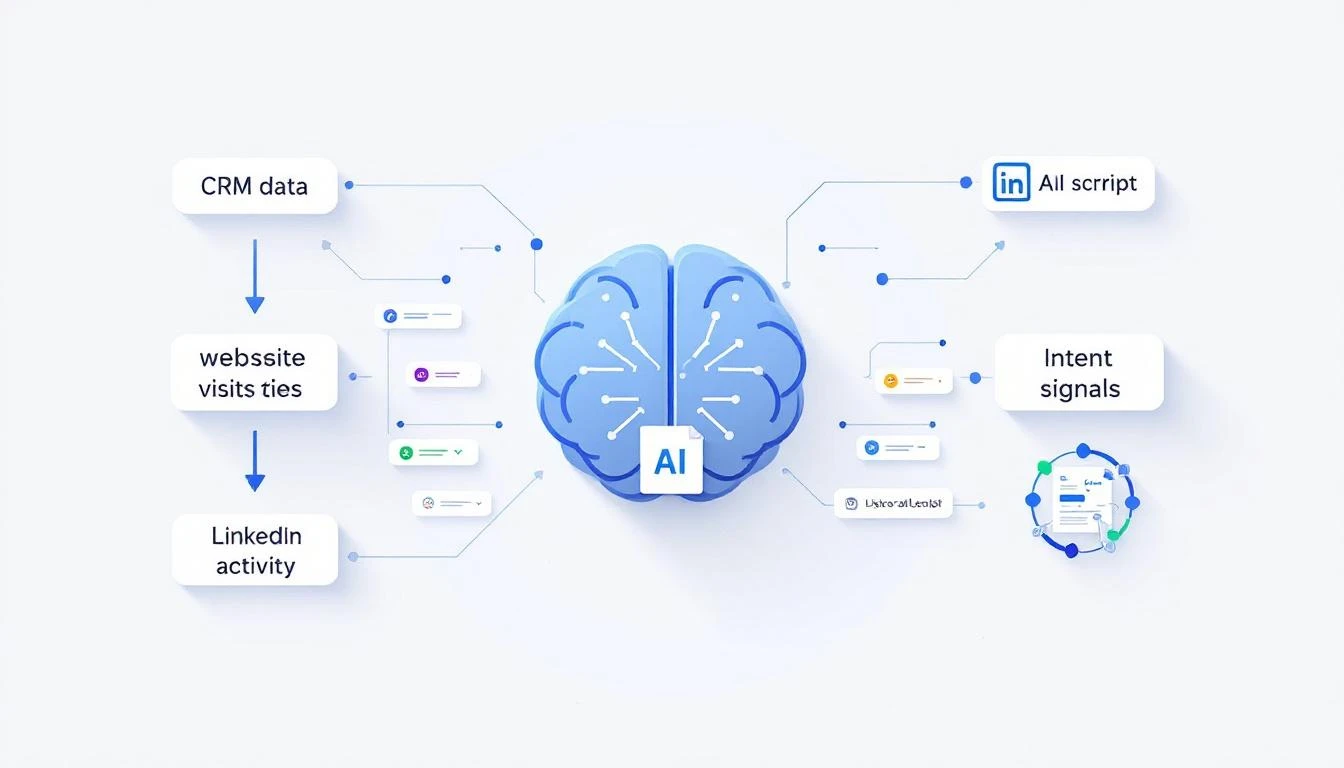
AI-generated scripts aren't magic. They're the result of connecting data sources your team already has — but nobody's stitching together manually.

How data flows into an AI-generated call script

Here's what feeds into a good AI call script:

1. CRM Data (HubSpot, Salesforce)​

  • Deal stage and velocity (are deals stalling?)
  • Last activity date (when did someone last engage?)
  • Contact role and title
  • Previous conversation notes
  • How your reps spend their time matters — if they're manually pulling this context, they're losing hours per day

2. Website Visitor Intelligence​

  • Which pages did this prospect visit? (Pricing = high intent)
  • How many visits in the last 7 days?
  • Identifying anonymous visitors turns nameless traffic into call-ready context

3. Intent Signals​

  • Are they researching your category on third-party review sites?
  • Did they engage with competitor content?
  • Intent data reveals who's in-market before they raise their hand

4. Public Signals​

  • Recent job postings (hiring = budget, scaling, change)
  • Funding announcements
  • Leadership changes
  • Company news and press releases

5. Conversation History​

  • Past email threads (what objections came up?)
  • Previous call notes
  • LinkedIn engagement (did they view your profile?)

When all five data sources feed into a single script generator, every call opens with context the prospect didn't expect you to have.

Before and After: A Real SDR's Day​

Let's make this concrete. Here's what changes when you move from static scripts to AI-generated ones.

BEFORE: Static Scripts​

MetricResult
Calls per day80
Connect rate4%
Conversations3.2
Meetings booked0.3
Time spent on pre-call research0 min (no time)
Script personalizationNone — same script for every call

The rep blasts through a list. They don't research because there's no time. Every call sounds the same. Prospects hear it. Connect rates stay low.

AFTER: AI-Generated Scripts​

MetricResult
Calls per day60 (fewer, but targeted)
Connect rate8%
Conversations4.8
Meetings booked1.2
Time spent on pre-call research0 min (AI does it)
Script personalizationUnique per prospect

Fewer calls, more conversations, 4x the meetings. The math works because every call is a quality at-bat, not a coin flip.

This is the same pattern we see across SDR workflow optimization — less tool-switching, more selling.

How to Build AI-Generated Call Scripts (Step by Step)​

You don't need to build this from scratch. But you do need to understand the components.

Step 1: Connect Your Data Sources​

Your AI script generator is only as good as the data it can access. At minimum, you need:

  • CRM integration (bidirectional sync with HubSpot or Salesforce)
  • Website visitor tracking (who's on your site right now)
  • Intent data feed (who's researching your category)

Most teams already have these tools. The problem is they're siloed. Your CRM doesn't talk to your visitor ID tool, which doesn't talk to your intent data provider. The best SDR tools in 2026 solve this by consolidating signals into one place.

Step 2: Define Your Script Framework​

AI needs guardrails. You're not replacing the script — you're making it dynamic. Define:

  • Opening structure: Pattern interrupt + signal reference + relevance check
  • Value prop library: 3-5 core value props matched to different buyer personas
  • Objection responses: Pre-loaded but contextual
  • Call-to-action: Meeting request calibrated to deal stage

A good framework follows the same principles as a proven cold call script template — but with dynamic slots that AI fills per prospect.

Step 3: Generate Scripts in Real-Time​

The script should be ready before the rep clicks "dial." That means:

  1. AI pulls the latest data on the prospect (CRM, signals, research)
  2. It identifies the strongest hook (what's the most relevant signal?)
  3. It generates a personalized opener, talking points, and objection prep
  4. The rep sees the script in their dialer view — no tab-switching, no research time

This is the difference between an AI approach to prospecting and the old way. The AI does the prep work. The rep does the human work — building rapport and listening.

Step 4: Feed Outcomes Back Into the System​

After each call, the outcome feeds back:

  • Connected, booked meeting → What signals correlated with success?
  • Connected, no interest → What objections came up? Update the script library
  • No answer → Adjust optimal call times
  • Voicemail → Generate a personalized voicemail script for next attempt

This creates a feedback loop. Scripts get better over time because they learn from what actually works for YOUR prospects, not generic best practices.

The Multi-Channel Advantage​

Call scripts are just the start. Once you have AI generating personalized context, the same engine powers every channel:

  • Voicemail drops — personalized to the signal that triggered the call
  • Follow-up emails — reference the call attempt with the same context (cold email best practices)
  • LinkedIn messages — short, signal-driven connection requests
  • Pre-meeting briefs — when the meeting is booked, AI generates a full brief with company background, stakeholder map, and pricing guidance

The key insight: all-channel personalization from a single context engine. Your rep doesn't re-research for every touchpoint. The AI carries the context across every interaction.

This is what separates real cold calling best practices in 2026 from the playbooks that worked in 2020.

What "Good" Looks Like: 3 AI-Generated Script Examples​

Here are three anonymized examples of what AI-generated scripts look like in practice — each pulling from different signal types.

Example 1: Hiring Signal​

"Hey Chris — saw that TechFlow is hiring two SDR managers. Usually when teams are scaling outbound, the biggest bottleneck isn't headcount — it's ramping new reps fast enough. We've helped a few teams cut SDR ramp time from 3 months to 3 weeks using AI-generated playbooks. Worth a 15-minute look?"

Signals used: Job posting data, company size, SDR ramp benchmarks

Example 2: Competitor Evaluation Signal​

"Hi Dana — I'll be direct. I know your team's been looking at {Competitor}. A few of our customers switched from them because they got the data but not the 'what to do next' part. If you're still evaluating, might be worth seeing how we handle that differently. Open to a quick comparison?"

Signals used: Intent data (competitor research), CRM stage, product differentiation

Example 3: Website Visitor + Stalled Deal​

"Jessica — we noticed someone from CloudBase has been on our pricing page a few times this week. I also see we've been in conversation for a while but things went quiet around January. Wanted to check in — has anything changed on your end, or can I send over something more specific to where you are now?"

Signals used: Visitor ID, CRM deal stage, last activity date, page visits

Each script took zero prep time from the rep. The AI had the context. The rep just had to be human.

Why Static Scripts Are Costing You Pipeline​

Let's quantify the cost of winging it.

Assume a team of 5 SDRs, each making 80 calls/day:

With static scripts (2.7% success rate):

  • 400 calls/day × 2.7% = 10.8 meetings/week
  • At $500 average deal value per meeting: $5,400/week in pipeline

With AI-generated scripts (8% success rate):

  • 300 calls/day (fewer, targeted) × 8% = 24 meetings/week
  • At $500 average: $12,000/week in pipeline

That's an extra $6,600 per week — over $340K annually — from the same team. No new hires. No new tools (assuming your tools are already connected). Just better scripts.

The SDR productivity crisis isn't about effort. It's about context. Your reps are working hard. They're just working blind.

Getting Started: What to Do This Week​

You don't need to overhaul your entire stack. Here's a practical starting point:

  1. Audit your current scripts. When was the last time they were updated? Do they reference any prospect-specific data? If the answer is "never" and "no," you know the problem.

  2. Inventory your data sources. What signals do you already collect that never make it into a call script? CRM notes, website visits, intent data — most teams have more context than they use.

  3. Pick your highest-value call list. Start with your top 20 target accounts. Manually build AI-assisted scripts for those calls using the framework above. Measure the difference.

  4. Evaluate tools that automate this. The right platform connects your data sources and generates scripts automatically. Look for CRM sync, visitor intelligence, intent signals, and AI content generation in one system.

  5. Measure what matters. Track connect rate, conversation rate, and meetings-per-call — not just dial volume. The goal isn't more calls. It's more conversations that convert.

The Bottom Line​

Your SDRs aren't bad at cold calling. They're under-equipped.

A generic script is a guess. An AI-generated script is an informed conversation starter. The data shows the difference: 36% more meetings, 3-4x higher success rates, and reps who actually look forward to picking up the phone because they know something about the person on the other end.

The question isn't whether AI will write your call scripts. It's whether your competitors are already doing it.


Ready to see AI-generated call scripts in action? Book a demo →

SDR Automation in 2026: What to Automate and What to Keep Human

· 19 min read
Sunder Iyer
Founder, marketbetter.ai

Your SDRs are drowning. Not in leads—in busywork.

According to HubSpot's 2024 Sales Trends Report, the average sales rep spends just 2 hours per day actually selling. The rest? Data entry. Tab-switching. CRM updates. Research rabbit holes. Meeting scheduling. Admin that never ends.

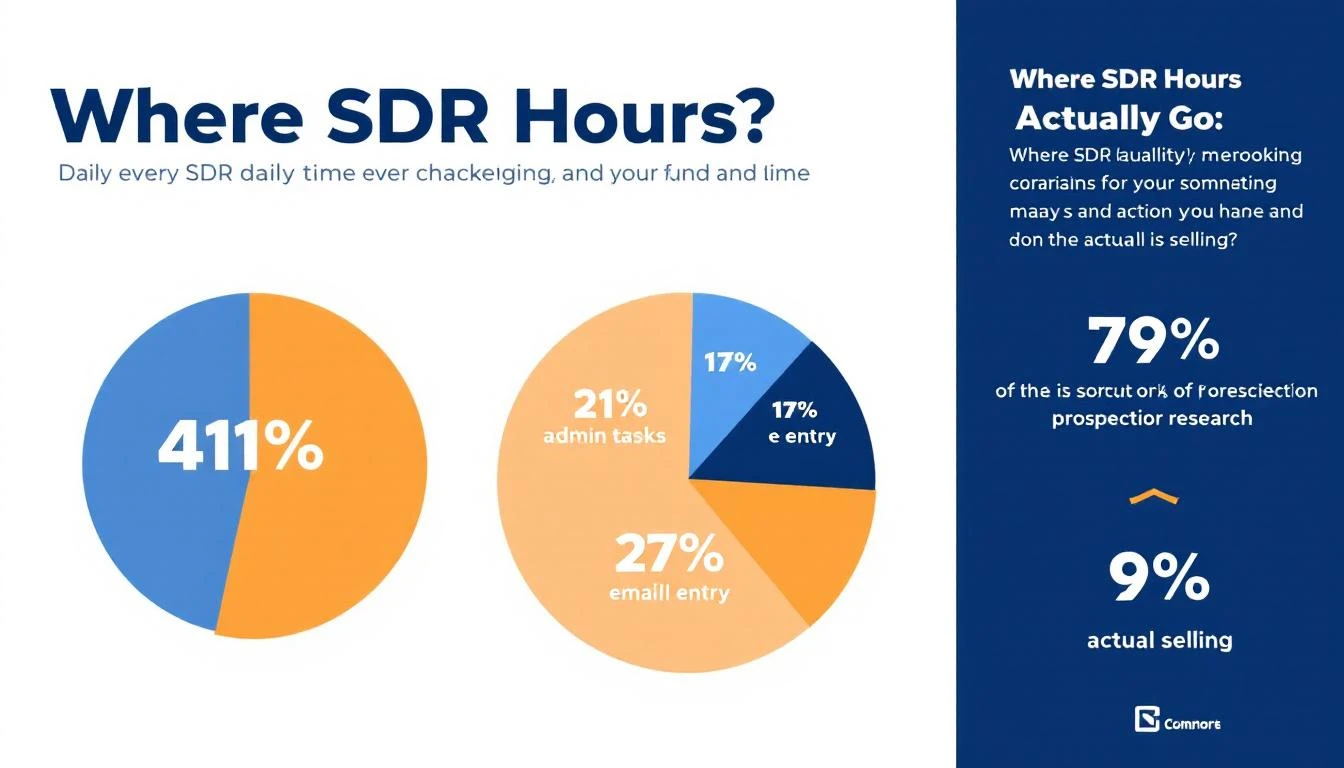
And the numbers get worse when you zoom out: research from SalesSo shows reps spend only 18-30% of their workday on revenue-generating activities, while administrative tasks consume 41% of their time. The result? 83.4% of SDRs fail to consistently hit quota.

That's not a people problem. That's a workflow problem.

This guide breaks down everything you need to know about SDR automation in 2026: what to automate, what to keep human, how to build the right stack, and how to measure whether it's actually working.

SDR daily time breakdown showing most hours go to admin, not selling


How to Reduce Sales Admin Time With Automation (Quick Answer for Team Leads)​

If you run an SDR team and want the shortest path to reclaiming admin hours, automate these five things in this order:

  1. CRM data entry (saves ~1.5 hrs/rep/day). Auto-log calls, emails, and meeting notes. This is fully automatable and the single biggest win — no rep should type activity data by hand in 2026.
  2. Prospect research and enrichment (saves ~1.5-2 hrs/rep/day). Use enrichment and intent tools to pre-build account briefs instead of letting reps fall into research rabbit holes.
  3. Lead prioritization. Replace morning "who do I call?" triage with a system that hands each rep a ranked daily task list based on buying signals.
  4. Meeting scheduling and follow-up reminders. Scheduling links and automated sequences remove the back-and-forth entirely.
  5. First-draft personalization. AI drafts the email from real signals; the rep spends 30 seconds editing instead of 10 minutes writing.

Keep discovery calls, objection handling, and relationship-building human. Measured against the 41% of rep time lost to admin, teams that do the above typically recover 2-3 selling hours per rep per day. The rest of this guide covers each step in depth.


The SDR Productivity Crisis (By the Numbers)​

Before we talk solutions, let's quantify the problem.

For an SDR earning $60,000 annually, approximately $22,200 is spent on research time alone, according to MarketsandMarkets research. That's 37% of their salary going toward activities that could be automated or dramatically accelerated.

Here's where a typical SDR's 8-hour day actually goes:

ActivityTimeAutomatable?
Prospecting research2.5 hrs✅ Mostly
Email/message drafting1.5 hrs✅ Partially
CRM data entry1.5 hrs✅ Fully
Internal meetings1 hr❌ Not really
Actual selling (calls, demos, conversations)1.5 hrs❌ Keep human

That means roughly 5.5 hours per day are spent on tasks that automation can either eliminate or dramatically reduce. And yet most SDR teams are still running the same manual playbook they used in 2020.

The teams that figure this out first don't just save time—they fundamentally change their unit economics. When your SDRs spend 5 hours selling instead of 1.5, you don't need to hire 3x more reps. You need better workflows.

The Real Cost of Manual SDR Work​

Let's do the math on a 5-person SDR team:

  • 5 SDRs × $60K salary = $300K/year
  • 41% on admin = $123K wasted on non-selling activities
  • At 83.4% missing quota, you're likely generating pipeline from only 1-2 of those reps consistently

Now compare that to a team running proper automation:

  • Same 5 SDRs, but reclaiming even half of that admin time
  • That's the equivalent of adding 2.5 more full-time sellers without a single new hire
  • At average SDR pipeline generation of $3M/year per rep, that's $7.5M in additional pipeline capacity

The ROI case for SDR automation isn't theoretical. It's mathematical.


What Should (and Shouldn't) Be Automated​

Here's where most teams get it wrong: they try to automate everything, including the parts that require human judgment. Or they automate the easy stuff (like email sends) while ignoring the high-leverage bottlenecks (like lead prioritization).

✅ Automate These (High ROI, Low Risk)​

1. Lead identification and enrichment Stop having SDRs manually research companies. Website visitor identification can tell you exactly which companies are on your site. Enrichment tools fill in the contacts, tech stack, and firmographics automatically.

2. Lead scoring and prioritization Your SDRs shouldn't decide who to call first. A scoring model that weighs intent signals, fit score, and engagement should surface the hottest leads automatically every morning.

3. CRM updates and activity logging Every minute spent updating Salesforce is a minute not spent selling. Auto-log emails, calls, and meeting notes. Period.

4. Email sequencing and follow-ups The first touch, the follow-up cadence, the "checking in" emails—these should run on autopilot with well-built sequences. Human reps step in when someone replies.

5. Meeting scheduling Calendar links, round-robin routing, timezone detection, confirmation emails. All automatable. All still done manually at most companies.

6. Data hygiene Bounced emails, job changes, company updates. Champion tracking and data validation should run in the background, not eat into selling time.

❌ Keep These Human (For Now)​

1. Discovery calls and demos AI can book the meeting. A human should run it. Buyers still want to talk to someone who understands their problem, asks good follow-up questions, and adapts in real-time.

2. Objection handling on live calls Nuance matters. A prospect saying "we're not ready" vs. "we're evaluating competitors" requires completely different responses that AI still struggles with in real-time conversation.

3. Strategic account research for enterprise deals For your top 20 target accounts, you want a human doing deep research—reading 10-Ks, understanding org charts, finding the real pain. Don't automate your most important deals.

4. Relationship building A personalized LinkedIn message referencing someone's recent podcast appearance can't be templated. The best SDRs earn trust through genuine connection.

⚠️ The Gray Zone (Automate Carefully)​

Personalized first-touch emails: AI can draft them, but a human should review before sending to high-value prospects. For mid-market and below, AI personalization at scale is increasingly viable.

Call preparation: Automate the research summary, but the rep should actually read it and form their own point of view before dialing.

LinkedIn outreach: Automate connection requests at your peril. Thoughtful, automated follow-up messages after a connection? That works.


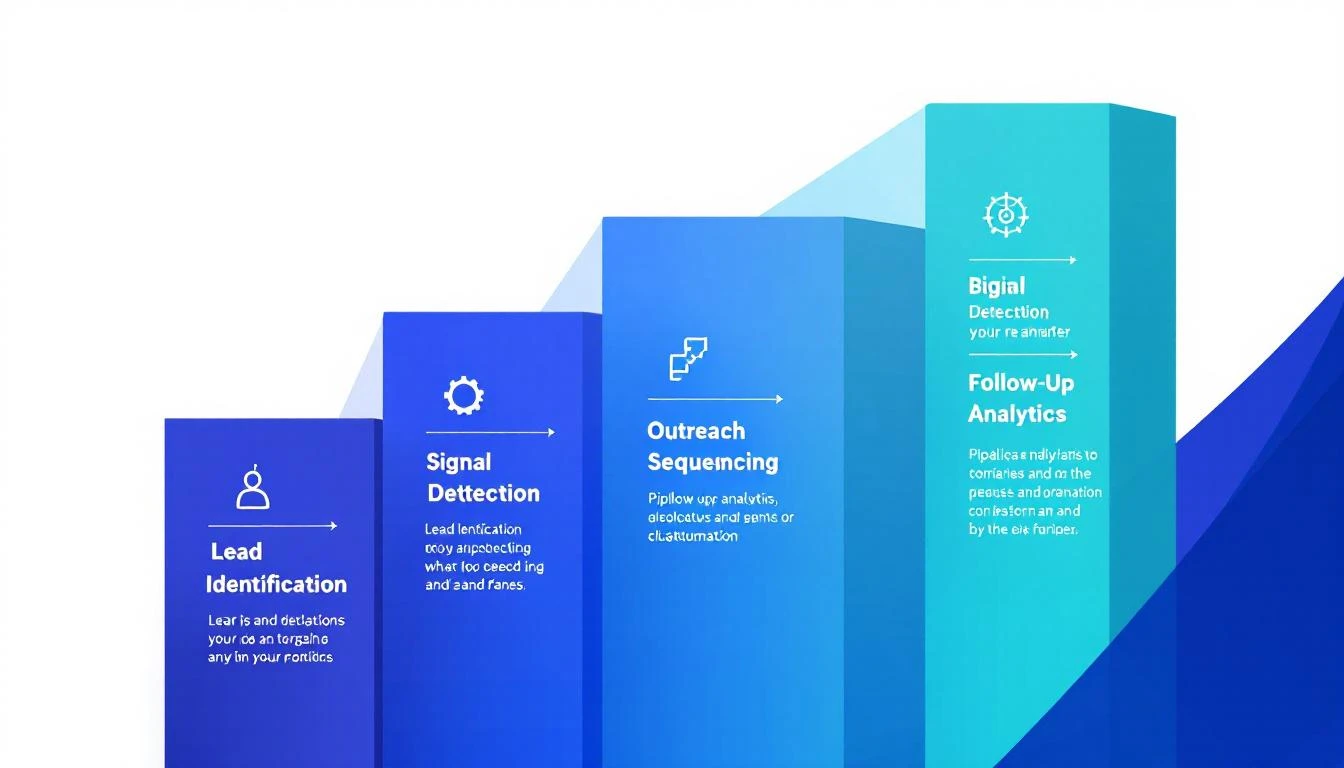
The 5 Pillars of SDR Automation​

Think of SDR automation not as a single tool, but as five interconnected systems. Miss one, and the whole thing underperforms.

The five pillars of SDR automation: identification, signals, outreach, follow-up, and analytics

Pillar 1: Lead Identification​

The question: Who should we be talking to?

This is the foundation. If you're still waiting for form fills to know who's interested, you're seeing maybe 2% of your actual demand. The other 98% visit your site, read your content, and leave without ever raising their hand.

Website visitor identification changes the game by revealing which companies are actively researching you. Combined with enrichment data—contacts, tech stack, revenue, headcount—your SDRs start each day knowing exactly who showed up.

What good looks like:

  • You know which companies visited your site in the last 24 hours
  • Each company is automatically matched to contacts in your ICP
  • Contact data (email, phone, LinkedIn, title) is pre-enriched
  • Everything flows into your CRM without manual entry

Key metrics: Match rate, enrichment accuracy, time from visit to SDR notification.

Read more: Best Website Visitor Identification Tools in 2026

Pillar 2: Signal Detection and Scoring​

The question: Who should we talk to first?

Not all leads are equal. A VP of Sales who visited your pricing page three times this week is a fundamentally different prospect than a marketing intern who clicked a blog post once.

Intent signals come in layers:

  • First-party signals: Website visits, content downloads, email opens, chatbot conversations
  • Third-party signals: G2 category research, review site comparisons, competitor keyword searches
  • Behavioral signals: Pricing page visits, demo page bounces, repeat visits within 48 hours

The best SDR automation stacks don't just collect these signals—they score and prioritize them into a daily action list that tells reps: call this person first, email this person second, skip this one until next week.

This is where most tools stop. They show you a dashboard of signals and say "figure it out." The playbook approach is different: it turns signals into specific actions. Not "Company X visited your site" but "Call Jane Smith, VP Sales at Company X. She visited the pricing page twice. Here's what to say."

Key metrics: Signal-to-meeting conversion rate, time from signal to first touch, speed to lead.

Pillar 3: Outreach Sequencing​

The question: What do we say, and when?

Once you know who to contact and why, the outreach needs to be multi-channel, well-timed, and personalized enough to not feel automated.

A solid sales cadence in 2026 typically looks like:

  • Day 1: Personalized email referencing their specific signal (site visit, G2 research, etc.)
  • Day 2: LinkedIn connection request with a brief note
  • Day 3: Phone call with voicemail drop
  • Day 5: Follow-up email with relevant case study
  • Day 8: LinkedIn message referencing the email
  • Day 12: Final breakup email

The key insight: the sequence should adapt based on engagement. If someone opens email #1 three times but doesn't reply, the system should automatically escalate—move up the call, adjust the messaging angle, maybe trigger a different sequence entirely.

Cold email templates that worked in 2023 are largely dead. Modern outreach needs to reference real context: what the prospect's company is doing, what they researched on your site, what's happening in their industry. That's where AI-powered personalization becomes essential—not to replace the human touch, but to make it scalable.

Key metrics: Reply rate by channel, positive reply rate, meetings booked per sequence.

Pillar 4: Follow-Up Automation​

The question: How do we make sure nothing falls through the cracks?

This is the silent killer of SDR teams. A prospect says "reach out next quarter" and it goes into a mental note that never gets acted on. A demo gets booked but the follow-up email with the case study never sends. A champion changes jobs and nobody notices for three months.

Automated follow-up handles:

  • Post-meeting sequences: Recap email, case study, ROI calculator—all triggered automatically after a completed call
  • Re-engagement sequences: Prospects who went dark get a fresh touch after 30, 60, 90 days
  • Job change alerts: When a champion moves to a new company, your system flags it and creates a new opportunity
  • Renewal and expansion signals: Existing customers showing research behavior get routed to the right team

The difference between a good SDR and a great one often comes down to follow-up discipline. Automation doesn't make SDRs lazy—it makes the disciplined ones superhuman.

Key metrics: Follow-up compliance rate, re-engagement reply rate, pipeline recovered from dormant leads.

Pillar 5: Pipeline Analytics​

The question: Is any of this actually working?

You can't optimize what you don't measure, and most SDR teams measure the wrong things. Activity metrics like "emails sent" and "calls made" are vanity metrics that tell you nothing about pipeline quality.

What matters:

  • Cost per qualified meeting: Total SDR cost (salary + tools + overhead) divided by qualified meetings booked
  • Signal-to-meeting conversion: What percentage of identified signals turn into booked meetings?
  • Speed to lead: How fast does your team respond to high-intent signals? (Under 5 minutes is the target)
  • Pipeline velocity: How quickly do SDR-sourced opportunities move through your funnel?
  • Channel attribution: Which outreach channel (email, phone, LinkedIn, chat) drives the most pipeline?

Good automation platforms track all of this natively. If yours requires you to build dashboards in a separate BI tool, that's a red flag.


Building Your SDR Automation Stack: Step by Step​

Before and after SDR automation: from 20 tabs to one task list

Here's the practical implementation path, ordered by impact and difficulty.

Phase 1: Foundation (Week 1-2)​

Goal: Know who's on your site and get them into your CRM automatically.

  1. Deploy website visitor identification. This is the single highest-ROI automation move you can make. Overnight, you go from guessing who's interested to knowing exactly which companies visited and what they looked at.

  2. Set up enrichment. Every identified company should automatically resolve to specific contacts with verified email and phone. Your SDRs should never manually look up a prospect's contact info again.

  3. Connect to your CRM. New leads flow in automatically. No CSV exports. No manual entry. Real-time sync.

Expected impact: 10-20 new qualified leads per week that you were previously missing entirely.

Phase 2: Prioritization (Week 3-4)​

Goal: Stop letting SDRs decide who to call. Let data decide.

  1. Implement lead scoring based on fit (ICP match) and intent (behavioral signals). Weight pricing page visits and repeat visits heavily.

  2. Build a daily SDR playbook that surfaces the top 20-30 actions each rep should take, ranked by likelihood to convert.

  3. Set up speed-to-lead alerts. When a high-intent prospect hits your site, the assigned SDR should know within minutes—not hours.

Expected impact: 2-3x improvement in meetings booked per rep, because they're calling the right people at the right time.

Phase 3: Outreach (Week 5-8)​

Goal: Multi-channel sequences that run themselves until a prospect engages.

  1. Build 3-5 core cadences for different scenarios: warm inbound, cold outbound, re-engagement, event follow-up, champion job change.

  2. Set up email automation with personalization tokens that pull from your enrichment data—not just {First Name}, but references to their industry, tech stack, and recent signals.

  3. Integrate your dialer. Calls should be one-click from the playbook. Call recordings and notes should auto-log to the CRM. Smart dialers with AI-powered voicemail drop save 30+ minutes per day per rep.

Expected impact: 50-70% reduction in time spent on manual outreach setup. Consistent multi-channel coverage for every lead.

Phase 4: Intelligence (Week 9-12)​

Goal: The system gets smarter over time.

  1. Layer in third-party intent data. G2 research, review site activity, competitor keyword searches—these signals tell you who's in-market before they ever visit your site.

  2. Implement signal orchestration to combine first-party and third-party signals into unified priority scores.

  3. Set up A/B testing on email templates, call scripts, and sequence timing. Let the data tell you what works, not gut feel.

Expected impact: Pipeline predictability. You can start forecasting how many meetings next month based on current signal volume and conversion rates.


The Playbook Approach vs. The Dashboard Approach​

This is the most important strategic decision you'll make in SDR automation, and it's one most buyers don't even think about.

The Dashboard Approach (most tools): Here's a dashboard with all your signals, leads, and data. Your SDRs log in, interpret the data, decide who to contact, figure out what channel to use, craft the message, and execute. The tool provides information. The SDR provides the judgment.

The Playbook Approach (where the industry is heading): Here's your task list for today, ranked by priority. Call this person—here's why and what to say. Email this person—here's the draft, customized to their signal. Skip this one, they're not ready yet. The tool provides the action. The SDR provides the execution.

The difference sounds subtle but it's massive:

  • Dashboard approach: SDR opens 6 tabs, spends 20 minutes deciding who to call
  • Playbook approach: SDR opens one screen, starts calling immediately

Teams using the playbook approach consistently report going from 20 tabs to one task list, with dramatic improvements in both productivity and rep satisfaction.

When you're evaluating SDR automation tools, ask this question: "Does this tool tell my SDRs what to do, or just show them data?" The answer reveals everything.


Measuring SDR Automation ROI​

Don't trust vendors who only show "emails sent" or "contacts enriched." Those are input metrics. Here's how to actually measure ROI:

The Formula​

Monthly ROI = (Pipeline Generated - Total Cost) / Total Cost × 100

Where:

  • Pipeline Generated = Meetings booked × average opportunity value × close rate
  • Total Cost = SDR salaries + tool costs + management overhead

Benchmarks Worth Tracking​

MetricBefore AutomationAfter Automation (Target)
Meetings booked per SDR/month8-1220-30
Time to first touch4-24 hoursUnder 5 minutes
Emails personalized per day15-2575-100
CRM data entry time1.5 hrs/dayNear zero
Quota attainment16.6%40%+

Red Flags Your Automation Isn't Working​

  • More emails sent, same reply rate: You automated volume, not quality
  • SDRs still spending 1+ hour on research daily: Your enrichment isn't working
  • No improvement in speed-to-lead: Your routing and alerts are broken
  • Reps don't trust the lead scores: Your scoring model needs recalibration
  • Tool adoption under 60%: Your workflow doesn't match how reps actually work

The 7 Most Common SDR Automation Mistakes​

1. Automating bad processes If your manual outreach gets 0 replies, automating it just sends 0-reply emails faster. Fix the strategy first.

2. Over-automating personalization "Hi {First_Name}, I noticed {Company_Name} is in the {Industry} space" is not personalization. It's mail merge with extra steps. Real personalization references specific signals and context.

3. Ignoring data quality Automation amplifies whatever you feed it. Bad email data = bounced sequences = domain reputation damage = all your emails go to spam. Invest in data hygiene before scale.

4. Building a Frankenstein stack 8 different tools that barely integrate is worse than 1 tool that does 80% of what you need. The trend toward consolidated platforms exists for a reason.

5. Not measuring what matters If you're celebrating "10,000 emails sent this month" instead of "40 qualified meetings booked," your metrics are broken. Read our SDR metrics guide.

6. Forgetting the human element The best automation makes your SDRs better, not redundant. If your reps feel like button-pushers, you've automated wrong. The goal is to eliminate busywork so they can focus on what humans do best: build relationships and solve problems.

7. Set-and-forget deployment SDR automation needs continuous tuning. Sequences that worked last quarter might underperform now. Scoring models drift as your market evolves. Budget time for monthly optimization.


What's Next: SDR Automation in 2026 and Beyond​

The landscape is shifting fast. Here's what's coming:

AI SDR agents are getting real. Not the "send 10,000 cold emails" kind—the ones that can hold a genuine conversation, qualify in real-time, and book meetings without human intervention. Salesforce, Qualified, and several startups are making progress here. But we're still early. For most teams in 2026, AI augments SDRs rather than replacing them.

Signal quality matters more than signal volume. As more companies deploy intent data, the competitive advantage shifts from "having signals" to "acting on the right signals, faster than anyone else." Signal quality vs. speed is the new battleground.

Consolidation is accelerating. The days of stitching together 10 point solutions are ending. Buyers want one platform that handles identification → scoring → outreach → analytics. The GTM agent stack is replacing the GTM tool stack.

Outbound isn't dead—it's evolving. The teams claiming outbound is dead are the ones still doing spray-and-pray. Signal-based, relevant, well-timed outbound is working better than ever. The bar is just higher.


Getting Started Today​

You don't need to automate everything at once. Start here:

  1. Audit your SDRs' time. Have each rep track their activities for one week. The results will shock you (and justify the investment).

  2. Deploy visitor identification. This is the single biggest unlock. You'll immediately see 10-20x more demand than your forms capture.

  3. Build your first automated cadence. Start with your most common scenario—probably warm outbound to identified visitors.

  4. Measure ruthlessly. Meetings booked, speed to lead, pipeline generated. Everything else is noise.

The math is simple: SDRs who spend more time selling book more meetings. Automation is how you get there.


Ready to see what SDR automation looks like in practice? Book a demo → and we'll show you how MarketBetter turns visitor signals into a daily action plan your SDRs will actually use.


Related reading: