6 posts tagged with "OpenAI Codex"

View All Tags

30 Best Codex Prompts for Sales & GTM Teams [2026]: The Complete Library

Β· 16 min read
MarketBetter Team
Content Team, marketbetter.ai

Most "AI prompt" lists are the same ten generic prompts rewritten a hundred times. This isn't that.

Below are 30 Codex prompts organized by the actual job you're trying to do β€” research a prospect, write the email, prep the meeting, clean the pipeline, win the deal. Each one is copy-paste ready and built for GPT-5.3-Codex. At the end, you'll get the reusable prompt template that lets you write your own from scratch, so you're never dependent on someone else's list again.

If you want the shorter starter set first, our 10 Codex prompts that 10x SDR productivity is the fastest place to begin. This library goes deeper and covers the full GTM motion.

Codex prompt library for sales and GTM teams

Before You Start: 60-Second Setup​

Install the Codex CLI:

npm install -g @openai/codex

Or run Codex in the browser at codex.openai.com. New to the tool? Our OpenAI Codex CLI GTM guide walks through the full setup, and if you're deciding between models, read Codex vs Claude vs ChatGPT for GTM before you commit.

Three rules that make every prompt below work better:

  1. Fill in every [BRACKET]. The prompts are templates. Vague inputs get vague outputs.
  2. Steer mid-generation. When Codex drifts, interrupt and correct it β€” don't restart. See mid-turn steering for GTM.
  3. Iterate in one session. Codex holds context. Follow up with "tighten this" or "add a data point" instead of starting over.

Category 1: Research & Prospecting​

The prep work that eats your morning. These four prompts turn an hour of tab-switching into a few minutes.

Prompt 1: Account Deep-Dive Brief​

Use case: A full account brief before you touch the phone.

Build a research brief on [COMPANY]. Structure it as:

1. One-line description of what they sell and to whom
2. Company stage (headcount, funding, growth signals)
3. Top 3 strategic priorities you can infer from recent news, job posts, and their site
4. The single team most likely to feel the pain [YOUR PRODUCT] solves
5. One specific, non-generic opener referencing something real from the last 90 days

Only include facts you can support. Mark anything speculative as "inferred."

Prompt 2: Buying-Committee Map​

Use case: Know who to multithread before you send a single email.

For [COMPANY] evaluating [PRODUCT CATEGORY], map the likely buying committee:

- Economic buyer (title + why they care)
- Champion (title + the win that makes them look good)
- Technical evaluator (title + their top concern)
- Likely blocker (title + their objection)

For each, give me one message angle that resonates with that specific role.

Pair this with our multithreading stakeholder playbook to turn the map into a sequence.

Prompt 3: Trigger-Event Scanner​

Use case: Find a real reason to reach out today.

Given these recent signals about [COMPANY]:
[PASTE NEWS / JOB POSTS / FUNDING / PRODUCT LAUNCHES]

Rank the top 3 as outreach triggers. For each, tell me:
- Why it creates urgency for [YOUR PRODUCT]
- The exact first sentence of an email that references it
- What NOT to say so it doesn't feel like I'm just name-dropping the news

Prompt 4: ICP Look-Alike Builder​

Use case: Turn your best customer into a target list definition.

My best customer is [CUSTOMER + why they're ideal]. Reverse-engineer the
firmographic and technographic profile that made them a great fit:

- Industry, size band, and growth stage
- Tech stack signals that indicate readiness
- Org signals (roles hiring, team structure) that predict need
- 3 disqualifiers that mean "don't bother"

Output as a checklist I can score prospects against.

For scoring the list you build, see AI lead scoring with Codex.

Prompt 5: Rep-Ready Research Digest​

Use case: Compress five sources into one scannable card.

Turn the raw notes below into a 5-bullet pre-call card an SDR can read in
20 seconds. No fluff, no restating the company name. Lead with the most
useful fact for booking a meeting.

[PASTE RAW RESEARCH]

Category 2: Personalized Outreach & Email​

Volume is easy. Relevance is hard. These prompts optimize for reply rate, not send count.
Codex outreach prompt workflow

Prompt 6: First-Touch Cold Email​

Use case: One email, one idea, one ask.

Write a cold email to [TITLE] at [COMPANY] about [PROBLEM YOU SOLVE].

Constraints:
- Under 90 words
- Subject line under 40 characters, no clickbait
- One specific observation about their business (use: [TRIGGER])
- One clear, low-friction CTA (not "hop on a 30-min call")
- No "hope this finds you well," no "just reaching out," no "circling back"

Tone: peer-to-peer, direct, mildly curious. Not salesy.

Prompt 7: Reply-Rate Rewrite​

Use case: Fix an email that isn't landing.

Here's an email getting a [X]% reply rate:
[PASTE EMAIL]

Diagnose why it's underperforming, then rewrite it. Show:
1. The 3 biggest problems (be blunt)
2. A rewritten version
3. One A/B variation with a different angle

Keep it human. If it reads like AI wrote it, you failed.

Prompt 8: Multi-Touch Sequence with a Thesis​

Use case: A sequence where every email earns the next.

Build a 5-touch sequence for [ICP] selling [PRODUCT]. Each touch must
introduce a NEW idea, not repeat the last one:

- Touch 1: Provocative observation about their world
- Touch 2: Proof (customer story or stat)
- Touch 3: Reframe the problem they think they have
- Touch 4: Direct, specific ask
- Touch 5: Honest breakup

Under 90 words each. Mark personalization with [BRACKETS]. One CTA per email.

Prompt 9: LinkedIn-to-Email Bridge​

Use case: Convert a LinkedIn interaction into a real conversation.

I [connected with / got a like from / commented alongside] [NAME], [TITLE]
at [COMPANY]. Context: [WHAT HAPPENED].

Write a short follow-up that references the interaction naturally, adds value,
and earns a reply β€” without pitching in the first message.

Prompt 10: Objection-Preempting P.S.​

Use case: Neutralize the obvious objection before they raise it.

For an email to [TITLE] about [PRODUCT], the most likely brush-off is
"[OBJECTION]." Write 3 one-line P.S. options that quietly defuse it without
sounding defensive.

Category 3: Discovery & Meetings​

Walk in prepared, run a tighter call, follow up faster.

Prompt 11: Discovery Question Set​

Use case: Questions that surface real pain, not surface-level nods.

Generate a discovery guide for a [MEETING TYPE] with [TITLE] at [COMPANY].

Give me:
- 3 situation questions (fast, build rapport)
- 4 problem questions (surface pain)
- 3 implication questions (make the cost of inaction real)
- 2 vision questions (paint the after-state)

For each, add a one-line note on what a good answer tells me.

Prompt 12: Live Meeting Prep One-Pager​

Use case: Everything you need on a single screen.

Meeting with [NAME] at [COMPANY] about [TOPIC]. Build a one-pager:

- 3 key facts about them
- 2 likely objections + my response
- Top 3 discovery questions
- Who else they might be evaluating
- 3 next-step options if it goes well

Keep every section to bullets. Prioritize what helps me advance the deal.

Selling the demo itself? Pair this with demo personalization with Codex.

Prompt 13: Real-Time Objection Handler​

Use case: A comeback sheet you can glance at mid-call.

For [PRODUCT] sold to [ICP], generate a comeback sheet for the 6 most common
objections. For each: a 1-line acknowledgment, a reframe, a proof point, and
a question that moves the conversation forward. Conversational, not scripted.

Want a repeatable in-call diagnostic? See our discovery call diagnostic: 8 signals that predict close.

Prompt 14: Post-Call Follow-Up in 60 Seconds​

Use case: Send the recap while the call is still warm.

Turn these call notes into a follow-up email:
[PASTE NOTES]

Include: a one-line recap of their goal, the 2-3 points that mattered most
to them, the agreed next step with a date, and nothing they didn't actually
say. Under 120 words. Founder-to-buyer tone.

Prompt 15: Deal Recap for the Champion​

Use case: Arm your champion to sell internally without you.

My champion [NAME] needs to pitch [PRODUCT] to their [BOSS/COMMITTEE].
Write a short internal-forward doc they can paste into Slack or email:

- The problem in their words
- The 3 outcomes that matter to leadership
- The cost of doing nothing
- The simple next step

Make my champion look smart. Zero jargon.

Category 4: Pipeline, CRM & Ops​

The unglamorous work that quietly kills quota. Automate it.
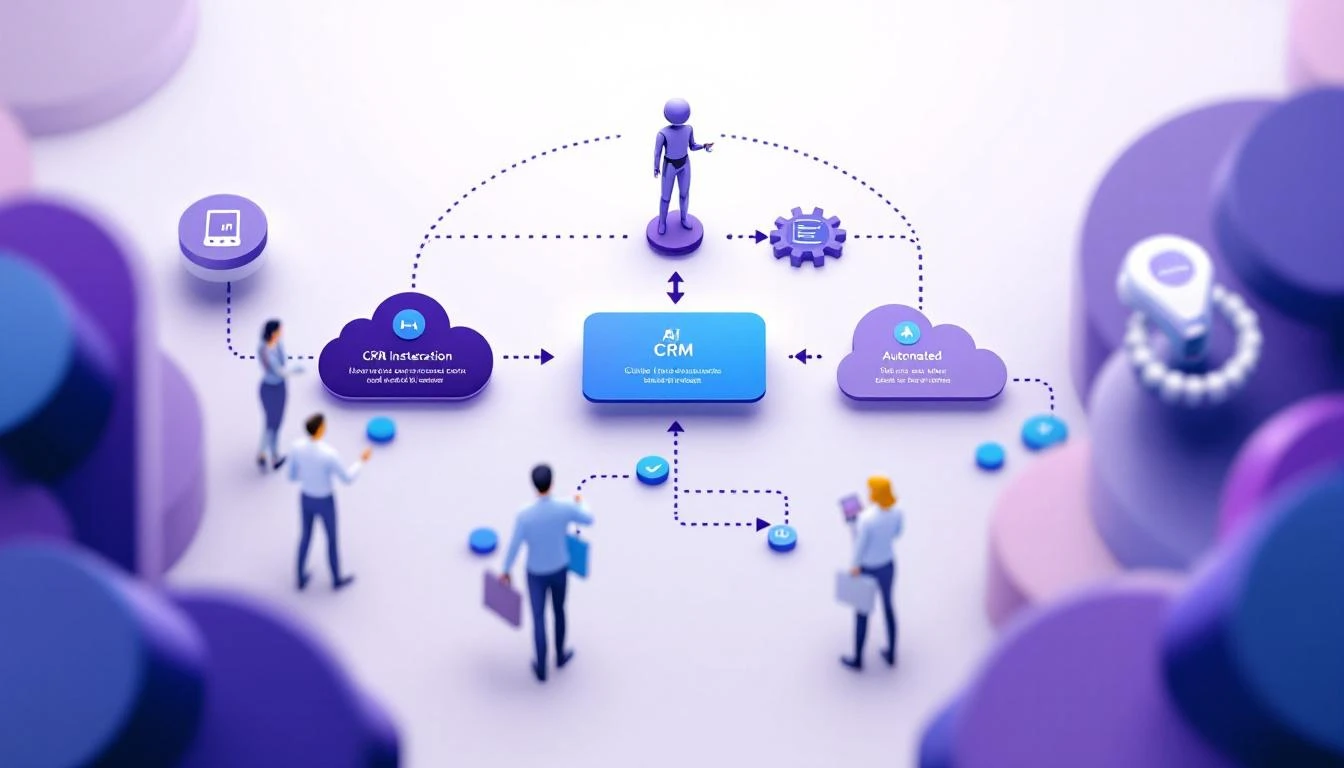
Codex CRM and pipeline automation

Prompt 16: Pipeline Hygiene Audit​

Use case: Find the deals lying to your forecast.

Given this pipeline export:
[PASTE DEALS: name, stage, amount, last activity, close date]

Flag every deal that is: stalled (no activity in 14+ days), slipping (close
date pushed twice), or mis-staged (stage doesn't match activity). For each,
give me the one action that unsticks it. Output as a prioritized list.

More on this in Codex CRM pipeline cleanup and CRM hygiene automation with Codex.

Prompt 17: CRM Field Standardizer​

Use case: Fix messy data without hand-editing rows.

Write a Node.js script that reads a CRM contact export (CSV) and:
- Standardizes phone numbers to E.164
- Title-cases names and job titles
- Flags (does not auto-change) email domains that don't match company domain
- Outputs a change-preview report before writing anything

Include error handling and a dry-run flag.

Prompt 18: Weekly Forecast Summary​

Use case: Turn a spreadsheet into a narrative your manager reads.

From this deal list [PASTE], write a 6-line forecast summary:
- Committed vs best-case number
- The 2 deals most likely to close this period and why
- The 2 biggest risks
- The one thing I need help with

No hedging. If the number is soft, say so.

For accuracy tuning, see AI sales forecasting accuracy with Codex.

Prompt 19: Lead Router​

Use case: Route inbound to the right rep instantly.

Design routing logic for inbound leads. Inputs available: [LIST FIELDS].
Rules I care about: [e.g., enterprise by headcount to AE tier 1, SMB to SDR
pod, existing customers to CSM]. Output a decision tree plus edge-case
handling for missing data.

Deeper build in AI lead routing system with Codex.

Prompt 20: Activity-to-Insight Rollup​

Use case: Turn raw activity logs into coaching signal.

Here are my last 2 weeks of activity [PASTE: calls, emails, meetings].
Tell me: where I'm spending time vs where deals actually move, my highest
and lowest ROI activity, and the one habit to change next week. Be direct.

Category 5: Competitive & Deal Strategy​

Win the deals that are genuinely up for grabs.

Prompt 21: Battle Card Generator​

Use case: A tactical card for a competitor you hit weekly.

Build a battle card for competing against [COMPETITOR] when selling [PRODUCT]:

1. How they position vs how we should
2. Their real strengths (be honest)
3. Their weaknesses with specific examples
4. 4 discovery questions that expose the gaps
5. 3 traps to set early that hurt them later
6. Quick comebacks to their 5 most common claims

Tactical and specific. This is for reps, not marketing.

Automate the whole thing with AI sales battle card automation.

Prompt 22: Deal Risk Diagnosis​

Use case: Get an honest second opinion on a stuck deal.

Here's a deal: [CONTEXT β€” stage, stakeholders, timeline, what's happened].
Play skeptical sales manager. Tell me: the 3 biggest risks, the question I'm
avoiding, whether this is real or happy ears, and the single next move with
the highest leverage.

Prompt 23: Mutual Action Plan​

Use case: A shared close plan that keeps the deal on rails.

Create a mutual action plan to get [COMPANY] from [CURRENT STAGE] to signed
by [DATE]. List every step, owner (us or them), and date working backward
from close. Flag the 2 steps most likely to slip.

Prompt 24: Pricing & Packaging Framer​

Use case: Present price as value, not sticker shock.

For [PRODUCT] priced at [PRICE MODEL], and a prospect who cares most about
[THEIR PRIORITY], write 3 ways to frame the investment around ROI and cost
of inaction. Include the exact language for the "why this is worth it" moment.
No discounting.

Prompt 25: Loss Post-Mortem​

Use case: Extract a lesson from every closed-lost.

We lost [DEAL] to [COMPETITOR / no-decision] because [WHAT HAPPENED].
Diagnose the real root cause (not the stated one), the earliest point I could
have changed the outcome, and the one process change that prevents a repeat.

Category 6: Manager & Team Enablement​

For the people who carry a number and a team.

Prompt 26: 1:1 Coaching Prep​

Use case: Walk into every 1:1 with a plan.

My rep [NAME] has this pipeline and activity [PASTE]. Prep my 1:1:
- 2 genuine wins to open with
- The single metric holding them back
- 3 coaching questions (not lectures)
- One deal to inspect together and why

Coach, don't manage.

Prompt 27: Playbook Builder​

Use case: Codify what your best rep does.

Turn these notes on our top performer's process [PASTE] into a repeatable
playbook: the motion stage by stage, the "if this, then that" plays, and the
3 habits that separate them from the median rep. Written so a new hire can run it.

Full walkthrough in AI sales playbook generator with Codex.

Prompt 28: Onboarding Ramp Plan​

Use case: Get new reps productive faster.

Design a 30-60-90 ramp for a new [ROLE] selling [PRODUCT] to [ICP]. For each
phase: the outcome, the skills to build, the certifications to pass, and the
leading indicator that predicts they'll hit quota.

Prompt 29: Team Performance Benchmark​

Use case: See where the team really stands.

Given this team's metrics [PASTE], benchmark each rep on activity, conversion,
and deal velocity. Identify the top pattern among winners, the common failure
mode among laggards, and the one team-wide change with the biggest upside.

See SDR performance benchmarking with Codex for the full method.

Prompt 30: Cold Call Script Optimizer​

Use case: A talk track that doesn't sound like a robot.

Write a cold call framework for calling [TITLE] at [COMPANY TYPE]:
opening (5 sec), permission ask, 15-second hook on [PAIN], 2 qualifying
questions, bridge to meeting, top 3 objection handlers, graceful exit.
Give exact language, not concepts. Make it sound like a human, not a script.

More at AI cold call script optimizer with Codex.


The Anatomy of a Great Codex Prompt (Steal This Template)​

The prompts above work because they share a structure. Once you internalize it, you'll stop hunting for lists and start writing better prompts than any list gives you.

Here's the reusable template:

[ROLE / CONTEXT]      -> Who you are and the situation
[TASK] -> The one job, stated plainly
[INPUTS] -> The real data, marked with [BRACKETS]
[CONSTRAINTS] -> Length, tone, format, and what to avoid
[OUTPUT FORMAT] -> Exactly how you want it back
[EXCLUSIONS] -> What NOT to do (the secret weapon)

Filled in, it looks like this:

You're an SDR selling [PRODUCT] to [ICP].
Task: write a first-touch cold email.
Inputs: prospect is [TITLE] at [COMPANY]; trigger is [EVENT].
Constraints: under 90 words, one CTA, peer tone.
Output: subject line + body.
Don't: use "hope this finds you well," buzzwords, or a hard ask.

Five rules that separate good prompts from great ones:

  1. State the exclusions. Telling Codex what to avoid improves output more than piling on requirements. "No buzzwords, no generic openers" does more than three extra instructions.
  2. Give real inputs, not placeholders. The prompt is a template; your data makes it useful. Paste the actual trigger, the real notes, the true numbers.
  3. Specify the output format. "Return a 5-bullet card" beats "summarize this" every time.
  4. Constrain length up front. Unbounded prompts produce unbounded fluff. Set the word count.
  5. Iterate, don't restart. Codex keeps context in a session. "Tighten this" and "make it more specific" refine faster than a fresh prompt.

For choosing the right tool for these prompts, compare Codex vs Claude Code for sales automation. If you lean Claude, our Claude SDR daily routine and how to use Claude for lead generation cover the same motion.


From Prompts to Autopilot​

Prompts save you minutes. Automation saves you the job entirely.

Each prompt above can become a trigger:

  • New lead lands in the CRM β†’ run the Account Deep-Dive Brief (Prompt 1) automatically
  • Meeting booked β†’ generate the Live Meeting Prep One-Pager (Prompt 12)
  • Every Friday β†’ run the Pipeline Hygiene Audit (Prompt 16)

Chain them and the prompts stop being things you run and start being work that runs itself.

Free Tool

Try our AI Lead Generator β€” find verified LinkedIn leads for any company instantly. No signup required.

The Real Unlock​

Even the best prompt is only as good as the input you feed it. "Research this company" gets you public info anyone can find. The reps who win know who's actually on their site right now and what those buyers care about β€” then feed that into prompts like the ones above.

That's the gap MarketBetter closes. We tell you who's showing intent and what to do next, so your Codex prompts run on real buying signals instead of guesses.

Want to feed your prompts real buyer intent? Book a demo β†’

GPT-5.3 Codex Mid-Turn Steering: The Game-Changer for Sales Ops Automation [2026]

Β· 8 min read
MarketBetter Team
Content Team, marketbetter.ai

Released February 5, 2026. This changes everything.

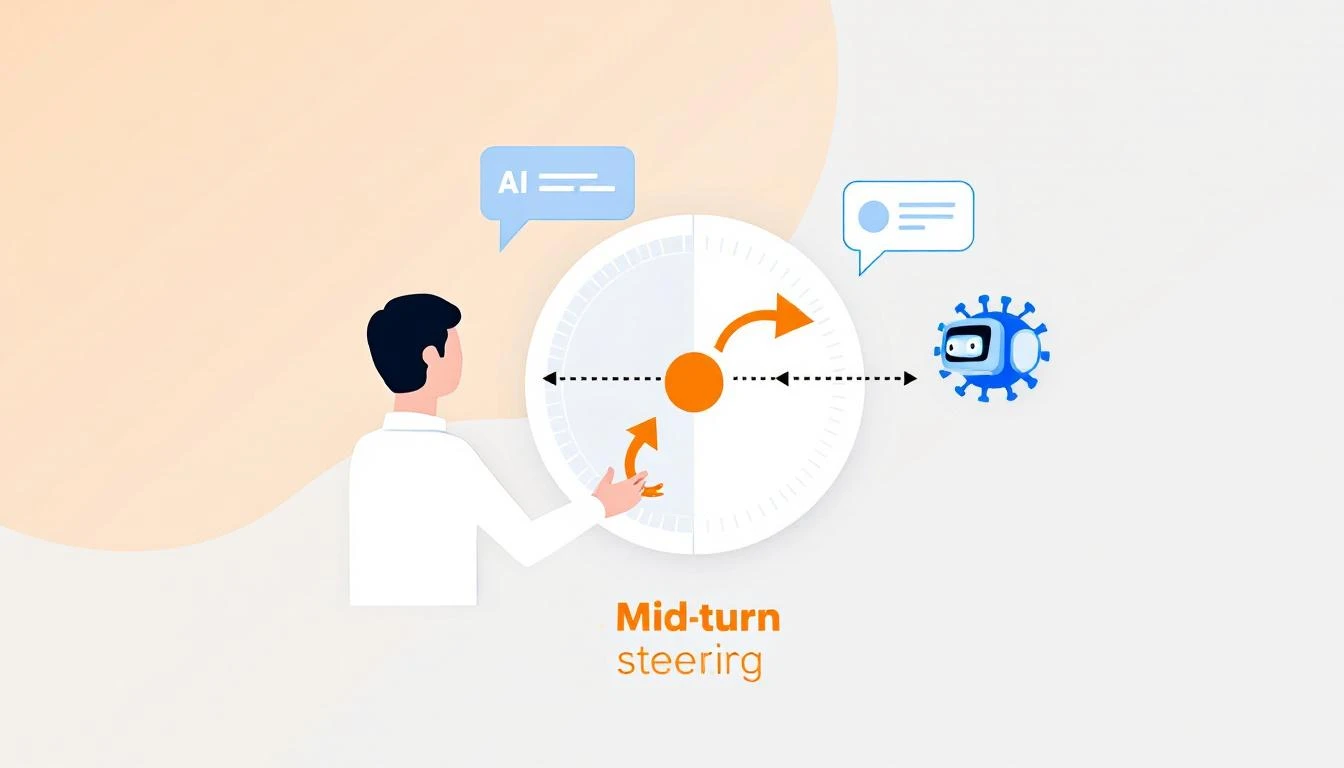
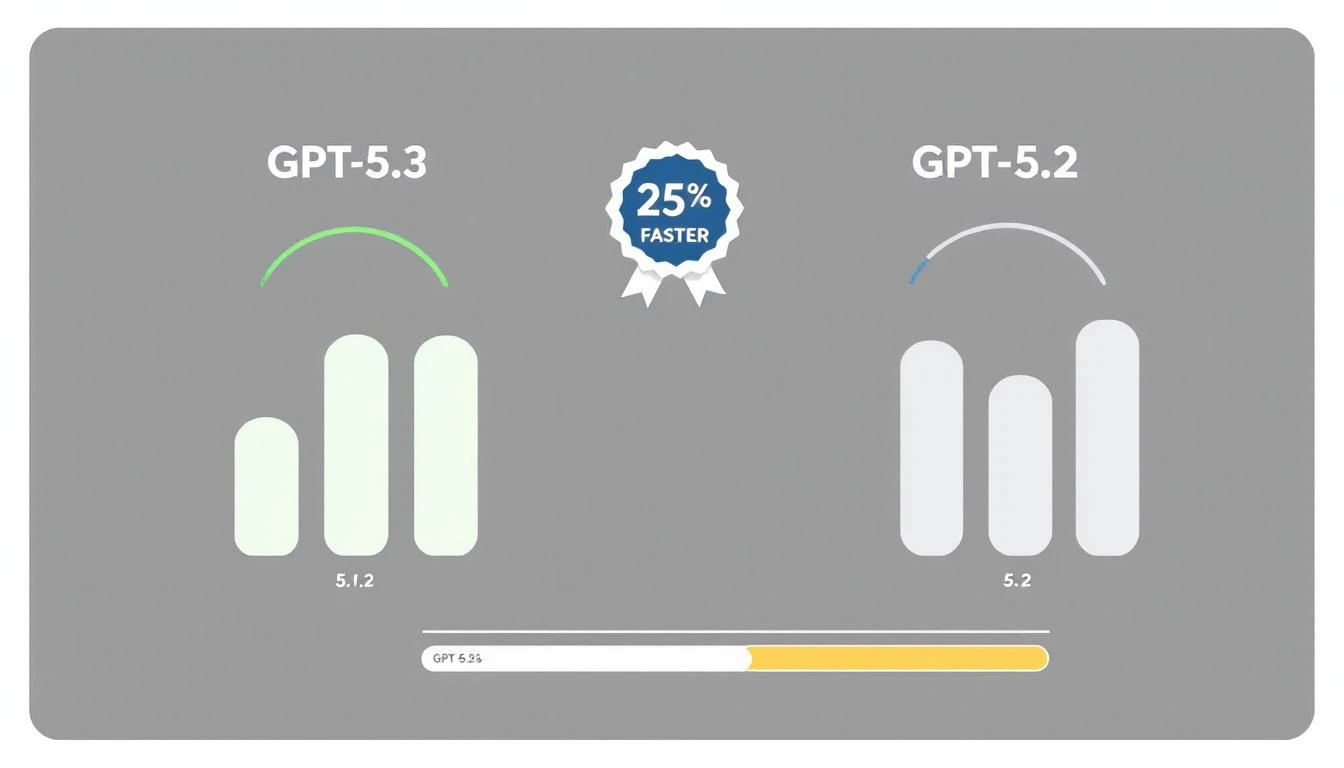
OpenAI's GPT-5.3-Codex isn't just 25% faster than its predecessor. It introduces a capability that fundamentally changes how we think about AI automation: mid-turn steering.

For the first time, you can redirect an AI agent while it's workingβ€”without starting over, without losing context, without waiting for it to finish a wrong approach.

For sales ops teams, this means AI that adapts in real-time to changing requirements. Let me show you why this matters.

Mid-turn steering concept showing human directing AI agent mid-task with course correction arrows

What Is Mid-Turn Steering?​

Traditional AI workflows look like this:

Prompt β†’ AI Works β†’ Output β†’ Human Reviews β†’ New Prompt β†’ AI Works Again

Every time you want to adjust direction, you restart the process. For complex tasksβ€”like building a report, analyzing a pipeline, or generating personalized outreachβ€”this creates a painful loop of:

  1. Wait for AI to finish
  2. Realize it went the wrong direction
  3. Craft a new prompt
  4. Wait again
  5. Repeat

Mid-turn steering breaks this pattern:

Prompt β†’ AI Works β†’ Human Steers β†’ AI Adapts β†’ Human Steers β†’ Final Output
↑ ↑
"Focus more on enterprise" "Skip the APAC region"

You're co-piloting instead of backseat driving.

Why This Matters for Sales Ops​

Sales operations is full of tasks that require judgment calls mid-stream:

Pipeline Analysis​

Without mid-turn steering:

"Analyze our pipeline and identify at-risk deals"

[AI analyzes for 3 minutes]

Output: Lists 47 deals, mostly based on stage duration

You: "No, I meant deals where the champion went dark"

[Start over]

With mid-turn steering:

"Analyze our pipeline and identify at-risk deals"

[AI starts analyzing]

You (mid-turn): "Weight communication gaps heavily"

[AI adjusts, continues]

You (mid-turn): "Actually, focus on deals over $50K only"

[AI filters, continues]

Output: Exactly what you needed, first try

Lead List Building​

Without mid-turn steering:

"Build a list of 50 target accounts in fintech"

[AI builds list]

Output: Includes crypto companies, payment processors, neobanks

You: "I meant traditional banks adopting fintech, not fintech startups"

[Start over with clearer prompt]

With mid-turn steering:

"Build a list of 50 target accounts in fintech"

[AI starts building]

You (mid-turn): "Traditional banks only, not startups"

[AI adjusts filters]

You (mid-turn): "Prioritize ones with recent digital transformation announcements"

[AI adds signal filter]

Output: Perfectly targeted list, one pass

Competitive Intelligence​

Without mid-turn steering:

"Research what Competitor X announced this quarter"

[AI researches]

Output: Product updates, funding news, executive hires

You: "I need their pricing changes and new integrations specifically"

[Start over]

With mid-turn steering:

"Research what Competitor X announced this quarter"

[AI starts researching]

You (mid-turn): "Focus on pricing and integrations only"

[AI narrows scope]

You (mid-turn): "Compare their new HubSpot integration to ours"

[AI adds competitive angle]

Output: Actionable competitive intel

GPT-5.3 vs previous versions showing 25% speed improvement with benchmark visualization

Practical Applications for GTM Teams​

1. Real-Time Report Building​

Instead of specifying every detail upfront, collaborate:

// Start the report
const session = await codex.startTask(`
Generate a weekly pipeline report for the executive team.
Include: stage progression, new opportunities, closed deals.
`);

// Steer as it works
await session.steer("Add win/loss reasons for closed deals");
await session.steer("Break down new opps by source");
await session.steer("Highlight any deals that skipped stages");

// Get final output
const report = await session.complete();

2. Dynamic Territory Planning​

const session = await codex.startTask(`
Rebalance sales territories based on Q1 performance data.
`);

// Adjust criteria in real-time
await session.steer("Account for the new Austin rep starting Monday");
await session.steer("Keep enterprise accounts with existing reps");
await session.steer("Show me the impact on each rep's quota");

const territories = await session.complete();

3. Personalized Outreach at Scale​

const session = await codex.startTask(`
Generate personalized emails for 50 conference attendees.
`);

// Refine the approach
await session.steer("Make them shorter - 3 sentences max");
await session.steer("Reference specific sessions they attended");
await session.steer("Skip anyone who's already a customer");

const emails = await session.complete();

4. Live Deal Analysis​

const session = await codex.startTask(`
Analyze the Acme Corp opportunity and recommend next steps.
`);

// Add context as you think of it
await session.steer("They mentioned budget concerns in the last call");
await session.steer("Their competitor just signed with us");
await session.steer("The CFO is the real decision maker, not the VP");

const analysis = await session.complete();

The Technical Advantage​

How Mid-Turn Steering Works​

GPT-5.3-Codex maintains a live working context that you can modify:

β”Œβ”€β”€β”€β”€β”€β”€β”€β”€β”€β”€β”€β”€β”€β”€β”€β”€β”€β”€β”€β”€β”€β”€β”€β”€β”€β”€β”€β”€β”€β”€β”€β”€β”€β”€β”€β”€β”€β”
β”‚ WORKING CONTEXT β”‚
β”œβ”€β”€β”€β”€β”€β”€β”€β”€β”€β”€β”€β”€β”€β”€β”€β”€β”€β”€β”€β”€β”€β”€β”€β”€β”€β”€β”€β”€β”€β”€β”€β”€β”€β”€β”€β”€β”€β”€
β”‚ Original prompt β”‚
β”‚ + Steering input 1 β”‚
β”‚ + Steering input 2 β”‚
β”‚ + Current progress state β”‚
β”‚ + Intermediate results β”‚
β””β”€β”€β”€β”€β”€β”€β”€β”€β”€β”€β”€β”€β”€β”€β”€β”€β”€β”€β”€β”€β”€β”€β”€β”€β”€β”€β”€β”€β”€β”€β”€β”€β”€β”€β”€β”€β”€β”˜
↓
[Continues work with
full accumulated context]

Previous models would lose intermediate work when you interrupted. GPT-5.3 preserves everything and integrates your steering naturally.

Speed Improvements​

The 25% speed improvement compounds with steering:

TaskGPT-5.2 (No Steering)GPT-5.3 (With Steering)Total Improvement
Pipeline report180s + 120s redo140s (steered)53% faster
Lead list (50)90s + 60s redo70s (steered)46% faster
Competitive brief120s + 90s redo95s (steered)55% faster
Territory rebalance240s + 180s redo180s (steered)57% faster

The real win isn't raw speedβ€”it's eliminating the redo cycle.

Implementation Patterns​

Pattern 1: Progressive Refinement​

Start broad, narrow down:

async function buildTargetList(criteria) {
const session = await codex.startTask(`
Build a target account list matching: ${criteria.initial}
`);

// Watch progress and refine
session.onProgress(async (progress) => {
if (progress.accounts > 100) {
await session.steer("Limit to top 50 by revenue");
}
if (progress.includesCompetitorCustomers) {
await session.steer("Exclude known competitor customers");
}
});

return session.complete();
}

Pattern 2: Exception Handling​

Catch issues before they compound:

async function analyzeDeals(pipeline) {
const session = await codex.startTask(`
Analyze pipeline health for Q1 forecast.
`);

// Handle edge cases as they appear
session.onAnomaly(async (anomaly) => {
if (anomaly.type === 'missing_data') {
await session.steer(`Skip ${anomaly.deal} - incomplete record`);
}
if (anomaly.type === 'outlier') {
await session.steer(`Flag ${anomaly.deal} for manual review`);
}
});

return session.complete();
}

Pattern 3: Collaborative Building​

Multiple stakeholders contribute:

async function buildForecast() {
const session = await codex.startTask(`
Generate Q2 revenue forecast based on current pipeline.
`);

// Sales leader input
await session.steer("Use 60% close rate for enterprise, not 40%");

// Finance input
await session.steer("Apply 10% churn assumption to renewals");

// CEO input
await session.steer("Add scenario for if the big deal slips");

return session.complete();
}

Pattern 4: Learning Loop​

Capture steering patterns for future automation:

async function buildWithLearning(task, userId) {
const session = await codex.startTask(task);
const steerings = [];

session.onSteer((input) => {
steerings.push({
trigger: session.currentState(),
steering: input,
userId: userId
});
});

const result = await session.complete();

// Store patterns for future prompts
await saveSteerings(task.type, steerings);

return result;
}

Getting Started with Codex​

Installation​

npm install -g @openai/codex
codex auth login

Basic Steering Example​

const { Codex } = require('@openai/codex');

const codex = new Codex({ model: 'gpt-5.3-codex' });

async function steerableTask() {
const session = await codex.createSession();

// Start task
await session.send(`
Analyze our CRM data and identify upsell opportunities.
Data source: HubSpot
`);

// Wait for initial processing
await session.waitForProgress(0.3); // 30% complete

// Steer based on early results
const preliminary = await session.getProgress();
if (preliminary.includesSmallAccounts) {
await session.steer("Focus on accounts with ARR > $50K only");
}

// Wait for more progress
await session.waitForProgress(0.7); // 70% complete

// Final refinement
await session.steer("Rank by expansion likelihood, not just ARR");

// Get final output
return session.complete();
}

Common Steering Scenarios​

Scenario: Report Is Too Long​

Steer: "Summarize to one page, keep only top 5 items per section"

Scenario: Missing Context​

Steer: "The deal values are in EUR, convert to USD using 1.08"

Scenario: Wrong Focus​

Steer: "This is for the board, focus on strategic metrics not operational"

Scenario: Data Quality Issue​

Steer: "Ignore any records from before January 2025, data is unreliable"

Scenario: Stakeholder Request​

Steer: "CFO wants to see margin impact, add that column"
Free Tool

Try our AI Lead Generator β€” find verified LinkedIn leads for any company instantly. No signup required.

The Competitive Edge​

Mid-turn steering gives you a compounding advantage:

  1. Faster iteration - No restart penalty for course corrections
  2. Better outputs - Human judgment applied at the right moments
  3. Lower frustration - No more "that's not what I meant" loops
  4. Captured knowledge - Steering patterns become future automation

Your competitors are still in prompt β†’ wait β†’ redo β†’ wait cycles. You're collaborating with AI in real-time.

That efficiency gap compounds across every task, every day, every deal.


Ready to see AI-powered sales ops in action? Book a demo to see how MarketBetter leverages the latest AI capabilities for GTM teams.

Related reading:

Building a Sales Territory Bot with OpenAI Codex: Automated Lead Routing That Actually Works [2026]

Β· 8 min read
MarketBetter Team
Content Team, marketbetter.ai

The average lead sits unassigned for 2.5 hours after hitting your CRM.

In that time, your competitor has already responded, built rapport, and scheduled a demo. And 78% of buyers go with the vendor who responds first.

Territory management is the unglamorous backbone of sales operationsβ€”and it's broken at most companies. Manual assignment, outdated territory maps, capacity blindness, and constant rep complaints about "unfair" distribution.

GPT-5.3 Codex, released just last week, changes what's possible. Here's how to build an intelligent territory bot that routes leads instantly, balances workload automatically, and adapts to your business in real-time.

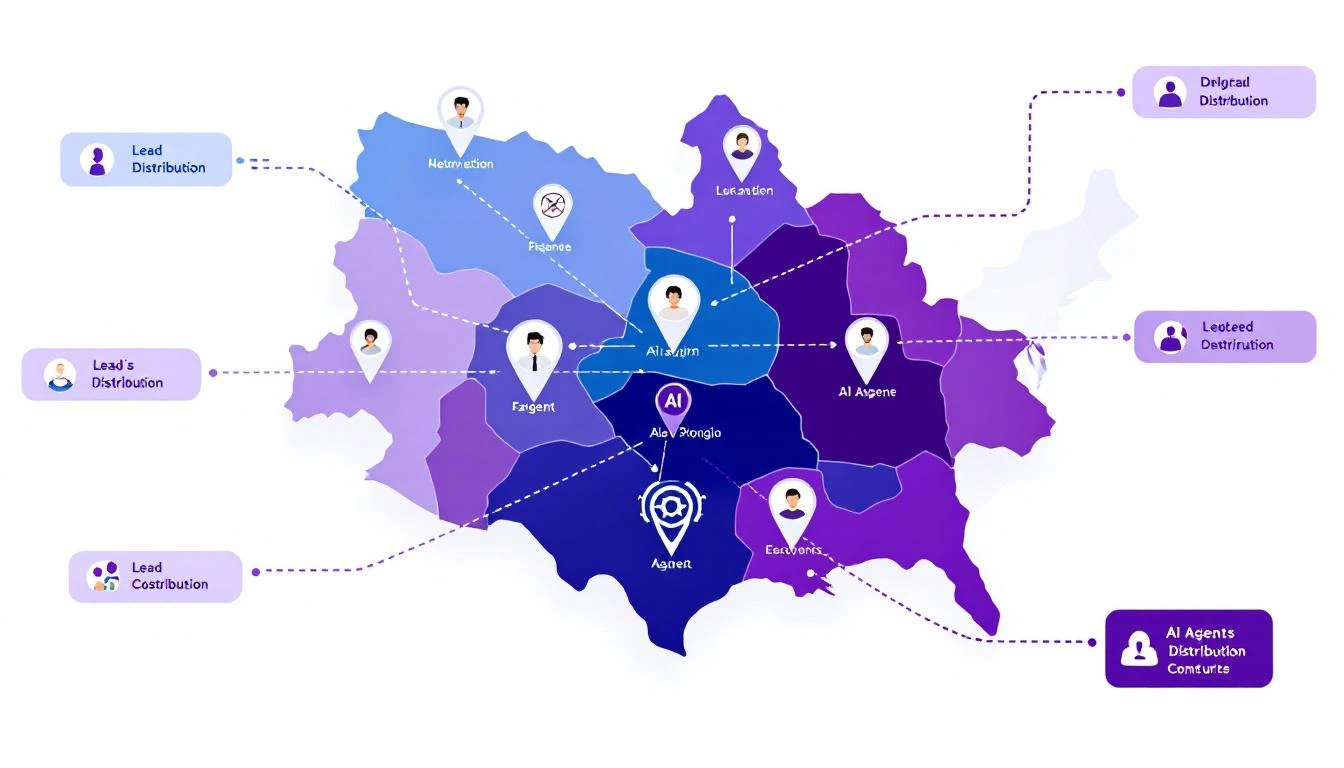
Sales territory architecture with AI agent icons, territory boundaries, and lead distribution arrows

Why Traditional Territory Management Fails​

Before building the solution, let's diagnose the problem:

The Manual Assignment Trap​

Most companies assign territories once a year, then spend the rest of the year fighting fires:

  • Rep leaves β†’ territory chaos for 2-4 weeks
  • New product launch β†’ existing territories don't match buyer profile
  • Geographic expansion β†’ manual carve-outs and reassignments
  • Lead volume spikes β†’ some reps drowning, others starving

The "Fair" Distribution Myth​

Equal territory size β‰  equal opportunity:

  • 1,000 accounts in enterprise segment β‰  1,000 accounts in SMB
  • West Coast tech hub β‰  Midwest manufacturing
  • Fortune 500 HQ territory β‰  field office territory

Your top performers end up subsidizing poor territory design.

The Response Time Problem​

When a hot lead comes in at 4:55 PM on a Friday:

  1. Round-robin assigns to rep who's OOO
  2. Lead sits until Monday
  3. Competitor responded Friday at 5:01 PM
  4. Deal lost before it started

The AI Territory Bot Architecture​

Here's what we're building:

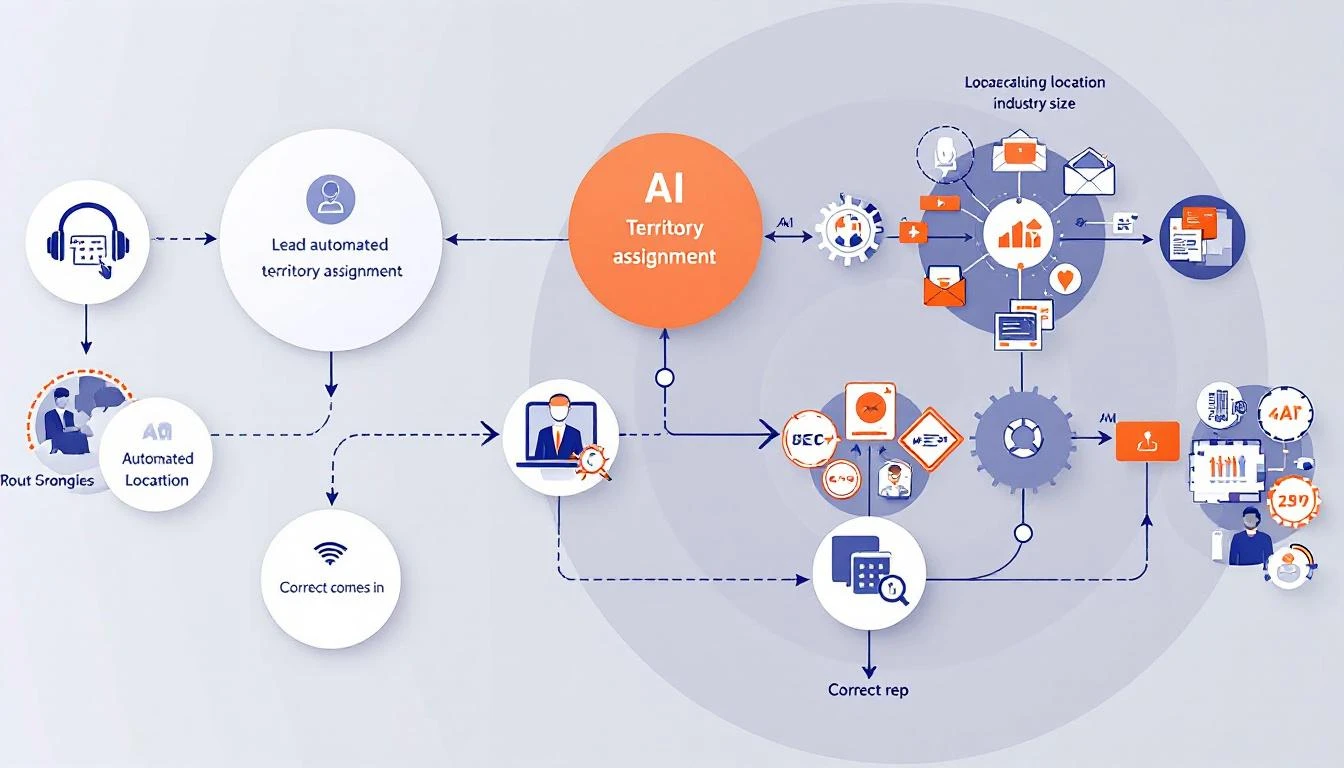
Inbound Lead β†’ Territory Bot β†’ Intelligent Assignment β†’ Instant Response
↓
[Considers:]
- Territory rules
- Rep capacity
- Lead quality score
- Time zone/availability
- Historical performance
- Current workload

Automated territory assignment workflow showing lead intake, AI analysis, and routing to correct rep

Building with GPT-5.3 Codex​

The new Codex model brings three capabilities that make this project practical:

  1. 25% faster execution - Real-time routing at scale
  2. Mid-turn steering - Adjust logic while processing
  3. Multi-file context - Understands your entire territory structure

Step 1: Define Your Territory Logic​

First, codify your territory rules in a format Codex can understand:

const territoryRules = {
// Geographic territories
regions: {
west: {
states: ['CA', 'WA', 'OR', 'NV', 'AZ'],
reps: ['sarah.west@company.com', 'mike.pacific@company.com'],
capacity: { sarah: 50, mike: 45 } // max active opportunities
},
midwest: {
states: ['IL', 'OH', 'MI', 'IN', 'WI'],
reps: ['john.midwest@company.com'],
capacity: { john: 60 }
}
// ... more regions
},

// Segment overrides
segments: {
enterprise: {
minEmployees: 1000,
reps: ['enterprise.team@company.com'],
override: true // takes precedence over geography
},
strategic: {
accounts: ['ACME Corp', 'Globex Inc', 'Initech'],
reps: ['vp.sales@company.com'],
override: true
}
},

// Industry specializations
industries: {
healthcare: {
reps: ['healthcare.specialist@company.com'],
override: false // falls back to geography if at capacity
}
}
};

Step 2: Build the Assignment Logic​

Using Codex, generate the routing engine:

Build a lead routing function that:

1. Accepts a lead object with: company, state, employee_count, industry, source
2. Checks segment overrides first (enterprise, strategic accounts)
3. Falls back to industry specialization if applicable
4. Falls back to geographic territory
5. Within each territory, selects rep with:
- Lowest current workload (% of capacity)
- Best historical conversion rate for this lead type
- Availability (not OOO, within working hours)
6. If all reps at capacity, route to overflow queue with alert
7. Returns assigned rep + reasoning for the assignment

Handle edge cases:
- Lead matches multiple territories (use priority order)
- No reps available (queue + alert)
- Unknown state/region (default territory)

Codex generates production-ready code:

async function assignLead(lead) {
// Check strategic accounts first
if (territoryRules.segments.strategic.accounts
.includes(lead.company)) {
return assignToRep(
territoryRules.segments.strategic.reps[0],
lead,
'Strategic account override'
);
}

// Check enterprise segment
if (lead.employee_count >=
territoryRules.segments.enterprise.minEmployees) {
const rep = await findAvailableRep(
territoryRules.segments.enterprise.reps,
lead
);
if (rep) {
return assignToRep(rep, lead, 'Enterprise segment');
}
}

// Check industry specialization
if (lead.industry &&
territoryRules.industries[lead.industry]) {
const industryConfig = territoryRules.industries[lead.industry];
const rep = await findAvailableRep(industryConfig.reps, lead);
if (rep || industryConfig.override) {
return rep
? assignToRep(rep, lead, `${lead.industry} specialist`)
: queueLead(lead, 'Industry specialist at capacity');
}
}

// Geographic fallback
const region = findRegion(lead.state);
if (region) {
const rep = await findBestRep(region.reps, lead, region.capacity);
if (rep) {
return assignToRep(rep, lead, `Geographic: ${region.name}`);
}
}

// Overflow handling
return queueLead(lead, 'No available reps in territory');
}

Step 3: Add Intelligence Layer​

Here's where Codex shinesβ€”adding context-aware decisions:

Enhance the routing function to consider:

1. Lead quality signals:
- Visited pricing page β†’ higher priority
- Downloaded case study β†’ match to relevant industry rep
- Requested demo β†’ fastest responder

2. Rep performance matching:
- Small company leads β†’ reps with high SMB close rates
- Technical buyers β†’ reps with engineering backgrounds
- Fast-moving deals β†’ reps with shortest sales cycles

3. Timing optimization:
- Route to rep whose working hours start soonest
- Consider rep's meeting schedule from calendar
- Factor in typical response time by rep

4. Fair distribution:
- Track assignments over rolling 7-day window
- Balance quality scores, not just quantity
- Flag if any rep consistently gets lower-quality leads

Step 4: Implement Mid-Turn Steering​

GPT-5.3's killer featureβ€”adjust the bot while it's working:

// During lead processing, you can steer the decision
async function assignWithSteering(lead, steeringInput = null) {
const initialAssignment = await assignLead(lead);

if (steeringInput) {
// Manager can override mid-process
// "Actually, give this to Sarah - she has context"
return applySteeringOverride(initialAssignment, steeringInput);
}

return initialAssignment;
}

In practice, this means your sales ops team can:

  • Watch assignments in real-time
  • Inject context the bot doesn't have
  • Correct routing without stopping the system

Real-World Implementation​

Integration Points​

Connect your territory bot to:

CRM (HubSpot/Salesforce):

// Webhook triggered on new lead
app.post('/webhooks/new-lead', async (req, res) => {
const lead = req.body;
const assignment = await assignLead(lead);

// Update CRM
await crm.updateLead(lead.id, {
owner: assignment.rep,
assignment_reason: assignment.reason,
assigned_at: new Date()
});

// Notify rep
await slack.sendMessage(assignment.rep,
`New lead assigned: ${lead.company} - ${assignment.reason}`
);

res.json({ success: true, assignment });
});

Slack Notifications:

// Real-time assignment alerts
const formatAssignmentAlert = (assignment) => ({
blocks: [
{
type: 'header',
text: { type: 'plain_text', text: '🎯 New Lead Assigned' }
},
{
type: 'section',
fields: [
{ type: 'mrkdwn', text: `*Company:* ${assignment.lead.company}` },
{ type: 'mrkdwn', text: `*Assigned To:* ${assignment.rep}` },
{ type: 'mrkdwn', text: `*Reason:* ${assignment.reason}` },
{ type: 'mrkdwn', text: `*Quality Score:* ${assignment.lead.score}/100` }
]
},
{
type: 'actions',
elements: [
{ type: 'button', text: { type: 'plain_text', text: 'View in CRM' }, url: assignment.crmUrl },
{ type: 'button', text: { type: 'plain_text', text: 'Reassign' }, action_id: 'reassign_lead' }
]
}
]
});

Monitoring Dashboard​

Track your territory bot's performance:

MetricTargetAlert Threshold
Assignment time< 30 seconds> 2 minutes
Rep capacity utilization70-85%< 50% or > 95%
Lead distribution fairness< 10% variance> 20% variance
Overflow queue size0> 5 leads
First response time< 5 minutes> 30 minutes

Advanced Patterns​

Dynamic Territory Rebalancing​

Build a weekly territory rebalancing report that:

1. Analyzes lead distribution over past 30 days
2. Compares conversion rates by territory
3. Identifies reps consistently at capacity
4. Identifies reps consistently underutilized
5. Suggests boundary adjustments
6. Calculates impact of proposed changes

Output as executive summary + detailed recommendations.

Predictive Capacity Planning​

Using historical lead flow data, predict:

1. Expected leads per territory next week
2. Which reps will hit capacity and when
3. Recommended proactive reassignments
4. Hiring needs by territory

Factor in seasonality, marketing campaigns, and
industry trends.

Self-Healing Territories​

Build a system that automatically adjusts when:

1. Rep goes OOO β†’ redistribute to backup
2. Lead volume spikes β†’ activate overflow handling
3. New rep onboards β†’ gradual ramp-up schedule
4. Rep leaves β†’ immediate territory redistribution

Log all automatic adjustments and alert management.

Results to Expect​

Teams implementing AI territory bots typically see:

MetricBeforeAfterImpact
Lead response time2.5 hours4 minutes97% faster
Assignment errors15%2%87% reduction
Rep utilization variance40%12%70% fairer
Leads lost to slow response12%3%75% saved
Territory disputes/month8187% fewer

The biggest win isn't efficiencyβ€”it's predictability. When every lead routes correctly, your forecasting improves, your reps trust the system, and you stop firefighting.

Getting Started​

  1. Document your current territory rules - Even if they're in someone's head
  2. Identify the edge cases - What causes routing errors today?
  3. Define fair distribution - What does balanced actually mean?
  4. Start with manual review - Run the bot in shadow mode first
  5. Iterate on the logic - Use mid-turn steering to refine

Ready to build intelligent territory management? Book a demo to see how MarketBetter handles lead routing and territory optimization out of the box.

Related reading:

GPT-5.3-Codex: What GTM Teams Need to Know [2026]

Β· 8 min read
MarketBetter Team
Content Team, marketbetter.ai

OpenAI dropped GPT-5.3-Codex on February 5, 2026. Three days later, the GTM world is still figuring out what it means.

Here's the short version: This is the most capable AI coding agent ever released, and it's going to change how sales and marketing teams build automation.

GPT-5.3 Codex Overview

If you're a VP of Sales, SDR Manager, or RevOps leader wondering whether this matters to youβ€”it absolutely does. Not because you need to become a developer, but because the barrier to building custom sales tools just dropped to near-zero.

Let me explain.

What Is GPT-5.3-Codex?​

GPT-5.3-Codex is OpenAI's cloud-based AI agent designed specifically for software engineering tasks. Think of it as having a senior developer on call 24/7 who can:

  • Write complete applications from scratch
  • Refactor existing code
  • Build integrations between your tools
  • Create custom automations

But here's what makes 5.3 different from previous versions:

Mid-Turn Steering​

This is the killer feature. Previous AI coding tools worked like this: you give a prompt, wait for the output, then correct mistakes and try again.

With mid-turn steering, you can redirect the agent while it's working. See it going down the wrong path? Tell it to change direction. Want to add a requirement halfway through? Just say so.

For GTM teams, this means:

  • You can describe what you want in plain English
  • Watch as the agent builds it
  • Course-correct in real-time
  • Get exactly what you need, faster

25% Faster Than GPT-5.2-Codex​

Speed matters when you're iterating on sales tools. The new model generates code significantly faster, which means:

  • Quicker prototypes of new automation ideas
  • Faster debugging when something breaks
  • More experiments per sprint

Multi-File Projects​

Codex can now handle complex, multi-file projects natively. This means it can build real applicationsβ€”not just scriptsβ€”including:

  • Full CRM integrations
  • Multi-step email sequences
  • Dashboard applications
  • API connectors

Why This Matters for GTM Teams​

GTM Workflow with AI

Here's the uncomfortable truth about sales technology in 2026: The best tools are the ones you build yourself.

Generic AI SDR platforms cost $35,000-50,000 per year. They're built for the average use case, which means they're perfect for nobody.

Meanwhile, the teams winning right now are:

  1. Identifying their specific bottlenecks
  2. Building custom automations to solve them
  3. Iterating weekly based on results

GPT-5.3-Codex makes this accessible to teams without dedicated developers.

Real Example: Custom Lead Research Agent​

Let's say your SDRs spend 20 minutes researching each prospect before outreach. You could:

Option A: Pay for a generic "AI research" tool ($15-25K/year) Option B: Build exactly what you need with Codex

Here's what Option B looks like:

"Build me a lead research agent that:
1. Takes a company name and prospect name as input
2. Finds their recent LinkedIn posts (last 30 days)
3. Checks if they've raised funding recently
4. Identifies any job changes in their department
5. Outputs a 3-sentence research summary I can paste into my email"

With GPT-5.3-Codex, you can build this in an afternoon. Total cost: Your time + ~$20/month in API calls.

Real Example: Pipeline Alert System​

Your VP of Sales wants to know immediately when:

  • A deal over $50K stalls for more than 7 days
  • An enterprise prospect opens a proposal 3+ times
  • A competitor is mentioned in meeting notes

Building this with traditional development: 2-4 weeks and $5-10K

Building this with Codex + OpenClaw: A weekend

"Create a HubSpot integration that monitors our pipeline and sends
Slack alerts when:
1. Any deal over $50K hasn't had activity in 7+ days
2. Proposal tracking shows 3+ opens
3. Meeting notes (from Gong or Fireflies) mention competitor names

Run this check every 4 hours."

The OpenClaw Advantage​

Here's where it gets interesting. Codex is powerful, but it's a toolβ€”it doesn't run 24/7 on its own.

OpenClaw is an open-source gateway that lets you:

  • Deploy AI agents that run continuously
  • Connect to your messaging platforms (Slack, WhatsApp, Telegram)
  • Schedule cron jobs for recurring tasks
  • Give agents memory across sessions
  • Access browser automation for web tasks

The combination of Codex + OpenClaw = DIY AI SDR infrastructure.

Build the automations with Codex. Deploy them on OpenClaw. Run them 24/7 for free (you're self-hosting).

Comparison: GPT-5.3 vs Previous

Getting Started: A Practical Roadmap​

Week 1: Install and Experiment​

  1. Install the Codex CLI:
npm install -g @openai/codex
  1. Start with a simple projectβ€”maybe a script that enriches a CSV of leads with company data.

  2. Practice mid-turn steering. Give vague instructions, then refine as you watch it work.

Week 2: Build Your First Sales Tool​

Pick your biggest time-waster. Common candidates:

  • Manual CRM updates
  • Lead research
  • Follow-up scheduling
  • Meeting prep

Build a tool that automates 50% of it. Don't aim for perfectionβ€”aim for "better than manual."

Week 3: Deploy with OpenClaw​

Set up OpenClaw on a $5/month VPS (DigitalOcean, Vultr, etc.). Deploy your automation. Connect it to Slack so you can interact with it.

Week 4: Iterate Based on Results​

Your first version will be wrong. That's fine. The advantage of building your own tools is that you can change them weekly.

What Codex Can and Can't Do​

Codex Excels At:​

  • Building integrations between SaaS tools
  • Creating data processing pipelines
  • Writing API connectors
  • Automating repetitive code tasks
  • Generating boilerplate for common patterns

Codex Struggles With:​

  • Tasks requiring deep domain expertise
  • Anything that needs real-time human judgment
  • Complex UI design (it can build functional UIs, not beautiful ones)
  • Tasks that require browsing the live web (use OpenClaw's browser tools for this)

Combine With Claude for Best Results​

For GTM automation specifically, Claude Code tends to be better at:

  • Writing persuasive copy
  • Analyzing unstructured data (emails, call transcripts)
  • Making judgment calls about prospect intent

The winning stack for most teams:

  • Codex: Build the infrastructure
  • Claude: Handle the nuanced tasks
  • OpenClaw: Orchestrate everything

Cost Comparison: Build vs. Buy​

SolutionAnnual CostCustomizationTime to Value
Enterprise AI SDR Platform$35-50KLimited2-4 weeks
Mid-Market AI SDR Tool$12-25KSome1-2 weeks
Codex + OpenClaw (DIY)~$500*Unlimited2-4 weeks

*Assuming $20-40/month in API costs + minimal hosting

The catch: DIY requires someone on your team who's comfortable with technical projects. But you don't need a developerβ€”you need someone curious enough to experiment.

The Build vs. Buy Decision​

Build your own when:

  • Your workflow is unique
  • You need rapid iteration
  • Budget is constrained
  • You have someone technical-adjacent on the team

Buy off-the-shelf when:

  • You need enterprise support/SLAs
  • Nobody on the team wants to maintain tools
  • Your use case is generic
  • Speed-to-value is critical

For most SMB and mid-market GTM teams in 2026, the math now favors building.

What This Means for the AI SDR Market​

GPT-5.3-Codex is going to put pressure on every AI sales tool that isn't providing genuine differentiation.

If your value proposition is "we connect to your CRM and do basic automation"β€”teams can now build that themselves in a weekend.

The winners will be tools that provide:

  • Proprietary data (intent signals, company graphs)
  • Deep workflow expertise (not just tools, but playbooks)
  • Outcomes, not features

At MarketBetter, we've always believed in the "build your own" approach for teams that can handle it. That's why we focus on providing the intelligence layerβ€”visitor identification, buying signals, and playbooksβ€”rather than trying to own your entire workflow.

Free Tool

Try our AI Lead Generator β€” find verified LinkedIn leads for any company instantly. No signup required.

Getting Started Today​

  1. Try Codex: Even if you're not technical, spend an hour with it. Ask it to build something simple for your sales process.

  2. Audit Your Workflow: Where do your SDRs lose time? Make a list of the 5 most repetitive tasks.

  3. Pick One to Automate: Start small. One successful automation builds confidence for the next.

  4. Consider OpenClaw: If you want your automations to run 24/7, OpenClaw is the easiest path.


The release of GPT-5.3-Codex isn't just a technical milestone. It's a shift in what's possible for GTM teams without dedicated engineering resources.

The question isn't whether AI will change how you sell. The question is whether you'll build your own advantageβ€”or rent someone else's.

Ready to see how MarketBetter's intelligence layer works with your custom automations? Book a demo β†’

OpenAI Codex vs Claude Code for Sales Automation [2026]

Β· 7 min read
MarketBetter Team
Content Team, marketbetter.ai

GPT-5.3-Codex dropped three days ago. Claude Code has been the go-to for AI-powered development. If you're building sales automation, which one should you use?

The honest answer: Both. For different things.

Codex vs Claude Comparison

This isn't a "which is better" post. It's a practical guide to when each tool excelsβ€”specifically for GTM use cases.

The Core Difference​

Here's the fundamental distinction:

OpenAI Codex is optimized for building software. It excels at:

  • Writing code from scratch
  • Multi-file refactoring
  • Creating integrations
  • Building applications

Claude Code is optimized for reasoning and judgment. It excels at:

  • Analyzing unstructured data
  • Writing persuasive copy
  • Making nuanced decisions
  • Understanding context

For sales automation, you need both capabilities.

Head-to-Head: Sales Automation Tasks​

Let's get specific. Here's how each performs on common GTM automation tasks:

Task 1: Build a CRM Integration​

Goal: Create a script that syncs data between HubSpot and your custom database.

CriteriaCodexClaude Code
Code quality⭐⭐⭐⭐⭐⭐⭐⭐⭐
Speed⭐⭐⭐⭐⭐⭐⭐⭐
Error handling⭐⭐⭐⭐⭐⭐⭐⭐
Documentation⭐⭐⭐⭐⭐⭐⭐⭐

Winner: Codex

Codex was literally built for this. It understands API patterns, handles edge cases well, and the new mid-turn steering lets you course-correct as it builds.

Task 2: Analyze Sales Call Transcripts​

Goal: Extract action items, objections, and next steps from call recordings.

CriteriaCodexClaude Code
Comprehension⭐⭐⭐⭐⭐⭐⭐⭐
Nuance detection⭐⭐⭐⭐⭐⭐⭐⭐
Context retention⭐⭐⭐⭐⭐⭐⭐⭐
Output quality⭐⭐⭐⭐⭐⭐⭐⭐

Winner: Claude Code

Claude's 200K context window and superior reasoning make it far better at understanding long, nuanced conversations. It catches subtleties that Codex misses.

Task 3: Write Personalized Cold Emails​

Goal: Generate custom outreach based on prospect research.

CriteriaCodexClaude Code
Personalization quality⭐⭐⭐⭐⭐⭐⭐⭐
Tone consistency⭐⭐⭐⭐⭐⭐⭐⭐
Creativity⭐⭐⭐⭐⭐⭐⭐
Template variation⭐⭐⭐⭐⭐⭐⭐⭐

Winner: Claude Code

Writing persuasive copy requires understanding human psychology. Claude consistently produces more natural, compelling emails.

Task 4: Build a Lead Scoring Model​

Goal: Create a system that scores leads based on behavioral data.

CriteriaCodexClaude Code
Algorithm design⭐⭐⭐⭐⭐⭐⭐⭐⭐
Implementation⭐⭐⭐⭐⭐⭐⭐⭐
Data pipeline⭐⭐⭐⭐⭐⭐⭐⭐
Iteration speed⭐⭐⭐⭐⭐⭐⭐⭐

Winner: Codex

Building a scoring model means writing code, connecting data sources, and iterating on logic. Codex handles this better.

Task 5: Prioritize Accounts for SDRs​

Goal: Analyze a list of accounts and rank them by likelihood to convert.

CriteriaCodexClaude Code
Data processing⭐⭐⭐⭐⭐⭐⭐⭐
Qualitative assessment⭐⭐⭐⭐⭐⭐⭐⭐
Reasoning explanation⭐⭐⭐⭐⭐⭐⭐⭐
Pattern recognition⭐⭐⭐⭐⭐⭐⭐⭐⭐

Winner: Claude Code

Account prioritization requires judgmentβ€”understanding market signals, company trajectory, buying patterns. Claude's reasoning shines here.

The Winning Stack: Use Both​

Sales Automation Workflow

Here's the pattern that works best for most GTM teams:

Data Processing / Infrastructure β†’ Codex
Analysis / Judgment / Writing β†’ Claude
Orchestration / 24/7 Operation β†’ OpenClaw

Real Example: Automated Competitive Intel​

Let's say you want to monitor competitors and alert sales when relevant changes happen.

Step 1: Build the monitoring system (Codex)

  • Create web scrapers for competitor pricing pages
  • Set up alerts for their job postings
  • Build RSS feed aggregation for their blogs
  • Store everything in a database

Step 2: Analyze and prioritize (Claude)

  • Read new competitor content and extract key messages
  • Identify changes that affect specific deals
  • Generate briefings for sales team
  • Write custom battle card updates

Step 3: Orchestrate everything (OpenClaw)

  • Run scrapers on schedule
  • Route data to Claude for analysis
  • Send alerts to appropriate channels
  • Maintain state across sessions

Real Example: SDR Research Assistant​

Step 1: Build data pipelines (Codex)

  • LinkedIn profile scraper
  • Company database enrichment
  • News aggregation system
  • CRM integration layer

Step 2: Generate insights (Claude)

  • Analyze prospect's recent activity for conversation hooks
  • Identify likely pain points based on company signals
  • Write personalized research summaries
  • Suggest specific talking points

Step 3: Deploy as always-on agent (OpenClaw)

  • Trigger research when new lead enters pipeline
  • Deliver summary to rep via Slack
  • Update research weekly for active deals

Speed vs. Quality Trade-offs​

When Speed Matters Most​

Use Codex when:

  • You need working code fast
  • You're iterating on infrastructure
  • The task is well-defined
  • You'll review the output anyway

Codex's 25% speed improvement over the previous version makes it noticeably faster for rapid prototyping.

When Quality Matters Most​

Use Claude when:

  • The output goes directly to prospects
  • You need nuanced judgment
  • Context is complex or ambiguous
  • Mistakes would be embarrassing

Claude's longer context window (200K tokens) means it can hold entire conversation histories, deal contexts, and company profiles in memory.

Cost Comparison​

Both tools charge by token usage. Here's a rough comparison for typical sales automation tasks:

TaskCodex CostClaude Cost
Build CRM integration~$0.50~$0.80
Analyze 10 call transcripts~$2.00~$1.50
Generate 50 personalized emails~$1.00~$0.75
Weekly competitive analysis~$0.30~$0.50

Monthly estimate for active GTM automation: $30-80 (using both tools for their strengths)

Compare this to enterprise sales automation platforms at $35-50K/year.

Integration Considerations​

Codex Strengths for Integration​

  • Native support for most programming languages
  • Better at handling API authentication flows
  • Superior error handling for production code
  • Mid-turn steering allows real-time debugging

Claude Strengths for Integration​

  • Better at explaining what it's doing (self-documenting)
  • More reliable for structured output (JSON formatting)
  • Superior at following complex, multi-step instructions
  • Better at handling ambiguous requirements

The OpenClaw Layer​

Both Codex and Claude are powerful, but they're toolsβ€”not agents.

OpenClaw turns them into always-on systems that:

  • Run on schedules
  • Respond to events
  • Maintain memory
  • Connect to your channels

The architecture:

Your Sales Process
↓
OpenClaw
↓
Routes to:
β”œβ”€β”€ Codex (for building/coding tasks)
└── Claude (for analysis/writing tasks)
↓
Delivers via:
β”œβ”€β”€ Slack
β”œβ”€β”€ Email
└── CRM updates

Practical Recommendations​

If You're Just Starting​

Pick one tool first. Claude is more forgiving for beginners because it explains its reasoning. Once you're comfortable, add Codex for infrastructure work.

If You're Building Production Systems​

Use both from the start. Design your architecture to route tasks to the appropriate model. The cost difference is negligible compared to the quality improvement.

If You're Budget-Constrained​

Start with Claude. It's more versatile for sales tasks specifically. Add Codex when you need to build more complex integrations.

If You Need Maximum Speed​

Lead with Codex. The 25% speed improvement in GPT-5.3-Codex makes it noticeably faster for iteration. Use Claude for final review of customer-facing content.

Common Mistakes to Avoid​

1. Using Codex for Copywriting​

Codex can write functional copy, but Claude writes persuasive copy. For anything customer-facing, use Claude.

2. Using Claude for Complex Infrastructure​

Claude can write code, but Codex handles multi-file projects and API integrations more reliably.

3. Not Combining Them​

The tools complement each other. Building with one while ignoring the other limits what you can achieve.

4. Manual Orchestration​

Without OpenClaw (or similar), you're manually running prompts. Automation requires an agent layer.

Future-Proofing Your Stack​

Both OpenAI and Anthropic are shipping improvements constantly. The pattern that will survive:

  1. Keep your prompts modular. You should be able to swap models without rewriting your entire system.

  2. Abstract the orchestration layer. OpenClaw (or your own framework) should handle routing, not your application code.

  3. Store your context externally. Don't rely on model memory. Keep prospect data, conversation history, and preferences in your own database.

Free Tool

Try our AI Lead Generator β€” find verified LinkedIn leads for any company instantly. No signup required.

The Bottom Line​

Use CaseBest Tool
Build integrations and pipelinesCodex
Analyze conversations and dataClaude
Write customer-facing contentClaude
Create automation infrastructureCodex
Make judgment callsClaude
Rapid prototypingCodex
Always-on operationOpenClaw (orchestrating both)

Don't pick a side. The teams winning with AI automation in 2026 are using the right tool for each job.


Want to see how MarketBetter combines visitor intelligence with AI automation? We identify who's on your site and what they care aboutβ€”then help you act on it. Book a demo β†’

Codex Prompts for SDRs: 10 Templates + Best Practices [2026]

Β· 13 min read
MarketBetter Team
Content Team, marketbetter.ai

Last updated: July 2026.

Codex isn't just for developers. It's one of the most capable AI assistants for anyone willing to describe what they want in plain English β€” which makes it a quietly powerful tool for sales development.

This is a working library of Codex prompt templates for SDRs: copy them, swap in the bracketed placeholders, and start reclaiming hours every week. Below the templates you'll also find the anatomy of a great Codex prompt, a set of 2026 best practices, and a short FAQ β€” so you can go from copying prompts to writing your own. Want more depth? See our full library of the 30 best Codex prompts for sales and GTM.

SDR Productivity Prompts

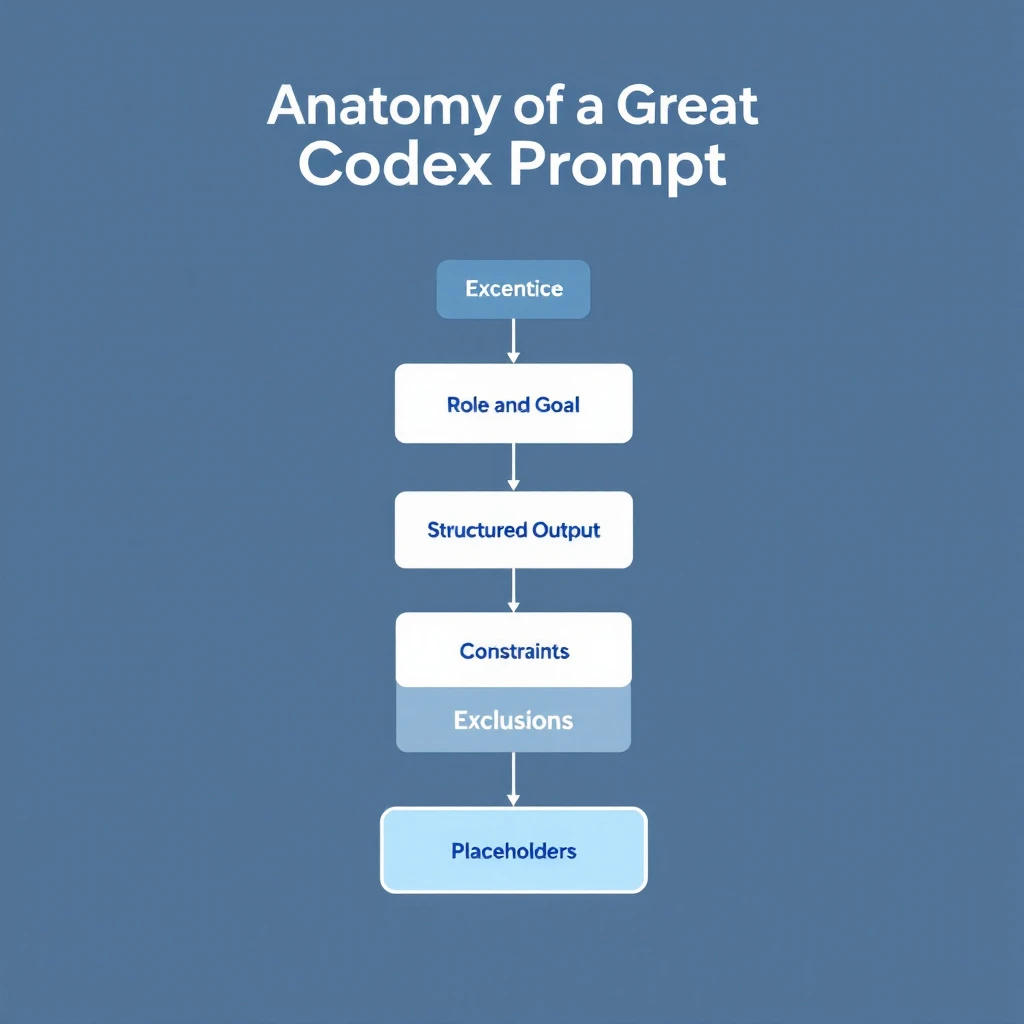
Anatomy of a Great Codex Prompt​

Anatomy of a great Codex prompt: role and goal, structured output, constraints, exclusions, placeholders

Every high-performing prompt in this library shares the same five-part structure. Learn it once and you can write your own instead of hunting for templates:

  1. Role and goal β€” Tell Codex what job it's doing and what "done" looks like ("Create a sales briefing," not "tell me about this company").
  2. Structured output β€” Ask for numbered sections, bullets, or a table. Vague prompts get vague answers; specifying the format is the single biggest quality lever.
  3. Constraints β€” Word limits, tone, and hard rules ("under 100 words," "no corporate buzzwords") force quality more than adding requirements.
  4. Exclusions β€” Listing what you don't want ("skip anything you can't verify," "don't use 'just following up'") reliably beats listing more things you do want.
  5. Placeholders β€” Mark the variables with [BRACKETS] so the same template works across every prospect, deal, and industry.

Keep that skeleton in mind as you read β€” every template below is just these five parts, filled in for a specific SDR task.

Before You Start: Quick Setup​

Install the Codex CLI:

npm install -g @openai/codex

Or use Codex directly in the OpenAI dashboard at codex.openai.com.

Pro tip: Use mid-turn steering. When Codex starts going in the wrong direction, just interrupt with corrections.


Prompt 1: Instant Company Research Summary​

Use case: Before reaching out, get a 60-second briefing on any company.

Research [COMPANY NAME] and create a sales briefing. Include:

1. What they do (2 sentences max)
2. Recent news (funding, acquisitions, product launches, leadership changes)
3. Their likely tech stack (based on job postings)
4. Pain points companies like them typically face
5. Potential conversation starters based on recent events

Format as bullet points. Be specific. Skip anything you can't verify.

Output example:

Acme Corp Briefing

  • B2B logistics software for mid-market freight companies (Series B, 200 employees)
  • Recent: Raised $45M in January, expanding to European markets
  • Tech stack: Salesforce, Snowflake, AWS (based on job postings)
  • Likely pains: Scaling customer support, data integration complexity, international compliance
  • Conversation starter: "Congrats on the European expansionβ€”how's the team handling GDPR compliance for your customer data?"

Time saved: ~15 minutes per prospect

Want this to run automatically instead of copy-pasting each time? See our full walkthrough on how to automate lead research with Claude Code β€” it turns a company name into a complete prospect brief in minutes.


Prompt 2: LinkedIn Profile Analyzer​

Use case: Understand your prospect's priorities and communication style.

Analyze this LinkedIn profile and tell me:

[PASTE LINKEDIN PROFILE TEXT]

1. What they care about (based on posts, interests, experience)
2. Their communication style (formal/casual, technical/business)
3. Best topics to lead with
4. What NOT to mention (based on their apparent values)
5. Suggested subject line for a cold email

Be specific. Don't guessβ€”only include what's supported by the profile.

Why it works: Codex picks up on subtle signals in how people present themselves. The "what NOT to mention" is often the most valuable insight.

Prospecting mostly out of LinkedIn? Pair this with our guide to automating LinkedIn Sales Navigator to build lists and research profiles at scale.

Time saved: ~10 minutes per prospect


Prompt 3: CRM Data Cleanup Script​

Use case: Fix inconsistent data in your CRM without manual editing.

Write a script that:
1. Connects to HubSpot using their API (I'll provide API key later)
2. Finds all contacts where:
- Job title is blank but company is filled
- Phone number format is inconsistent
- Email domain doesn't match company domain
3. For job titles: Enriches using the company's LinkedIn page
4. For phone numbers: Standardizes to E.164 format
5. For mismatched emails: Flags for review (don't auto-change)

Output a report of what would change before actually making changes.

Use Node.js with proper error handling.

Why it works: Codex handles the tedious API work. You get a working script instead of spending hours in the HubSpot UI.

Time saved: 5+ hours of manual cleanup


Prompt 4: Meeting Prep One-Pager​

Use case: Walk into every meeting prepared without the prep work.

I have a meeting with [PROSPECT NAME] at [COMPANY] about [TOPIC/PRODUCT].

Create a one-page meeting prep doc:

1. **Key Facts** β€” Company size, industry, recent news (3-5 bullets)
2. **Likely Objections** β€” What will they push back on?
3. **Discovery Questions** β€” 5 questions that uncover real pain
4. **Competitive Position** β€” Who else might they be talking to?
5. **Success Metrics** β€” What would make this a "win" for them?
6. **Next Step Options** β€” 3 logical next steps if the meeting goes well

Keep each section to 3-5 bullets. Prioritize actionable info.

Time saved: ~20 minutes per meeting


Prompt 5: Objection Response Generator​

Use case: Never get caught off-guard by common objections.

Generate responses for these sales objections in [INDUSTRY].

For each objection, provide:
1. A brief acknowledgment (show you understand)
2. A reframe (shift the perspective)
3. A proof point (specific example or stat)
4. A question to continue the conversation

Objections:
- "We're already using [COMPETITOR]"
- "We don't have budget this quarter"
- "We need to talk to [OTHER STAKEHOLDERS] first"
- "Can you just send me some info?"
- "The timing isn't right"

Keep responses conversational, not scripted. SDRs need to sound human.

Why it works: You get battle-tested frameworks, not generic scripts. The "question to continue" keeps the conversation moving.


Prompt 6: Email Sequence Builder​

Use case: Create a multi-touch sequence in minutes.

SDR Prompts Checklist

Build a 5-email sequence for [ICP DESCRIPTION] selling [PRODUCT/SERVICE].

Sequence structure:
- Email 1: Pattern interrupt (day 1)
- Email 2: Social proof (day 3)
- Email 3: Pain agitation (day 6)
- Email 4: Different angle/use case (day 10)
- Email 5: Breakup email (day 14)

Requirements:
- Subject lines under 40 characters
- Body under 100 words each
- One clear CTA per email
- Personalization placeholders marked with [BRACKETS]
- Tone: professional but not corporate, direct but not pushy

Don't use: "Hope this email finds you well," "Just following up," or "Checking in"

Why it works: The constraints force quality. Specifying what NOT to include prevents generic AI-speak.

For ready-to-adapt copy, grab our library of AI sales email templates built with Claude Code.

Time saved: 1-2 hours per sequence


Prompt 7: Call Script Framework​

Use case: Structure your cold calls without sounding robotic.

Create a cold call framework for calling [ICP TITLE] at [COMPANY TYPE].

Structure:
1. **Opening** (5 seconds) β€” Pattern interrupt, state name/company
2. **Permission** (5 seconds) β€” Brief reason for call + ask for 30 seconds
3. **Hook** (15 seconds) β€” Specific pain point or insight
4. **Qualify** (30 seconds) β€” 2-3 questions to confirm fit
5. **Bridge to meeting** β€” How to transition if qualified
6. **Objection handlers** β€” Top 3 objections and responses
7. **Exit** β€” Graceful close if not interested

Include exact language options, not just concepts. Make it sound natural.

Time saved: 30+ minutes crafting talk tracks


Prompt 8: Lead Prioritization Logic​

Use case: Build a scoring system for your specific pipeline.

Create a lead scoring model for my sales process.

Context:
- We sell [PRODUCT] to [ICP]
- Average deal size: [AMOUNT]
- Average sales cycle: [LENGTH]
- Our best customers tend to have: [CHARACTERISTICS]

Build a scoring system (1-100) that weighs:
- Company fit signals (industry, size, tech stack)
- Behavioral signals (website visits, content downloads, email opens)
- Timing signals (funding, hiring, tech changes)

Output as a decision matrix with specific thresholds:
- 80+ β†’ Hot lead, prioritize
- 60-79 β†’ Warm lead, nurture
- 40-59 β†’ Potential, needs more info
- Below 40 β†’ Low priority

Include the logic so I can implement it in my CRM.

Why it works: Codex creates a customized scoring model based on YOUR sales process, not a generic template.


Prompt 9: Competitive Battle Card​

Use case: Win more deals against specific competitors.

Create a battle card for competing against [COMPETITOR NAME].

Include:

1. **Positioning Summary** β€” How they describe themselves vs. how we do
2. **Their Strengths** β€” What they're actually good at (be honest)
3. **Their Weaknesses** β€” Where they fall short (with specific examples)
4. **Common Objections** β€” What prospects say when evaluating them
5. **Discovery Questions** β€” Questions that expose their weaknesses
6. **Landmines to Plant** β€” Things to mention early that hurt them later
7. **Proof Points** β€” Specific wins/case studies against them
8. **Quick Comeback Sheet** β€” 5 common competitor claims and how to respond

Be specific and tactical. This is for reps who encounter them weekly.

Time saved: 2-3 hours of competitive research


Prompt 10: Proposal Customization Engine​

Use case: Customize templates instantly for each prospect.

I have a proposal template for [PRODUCT]. Customize it for [COMPANY NAME].

Original template sections to customize:
- Executive summary (make it about THEIR goals)
- Problem statement (reference THEIR specific challenges)
- Solution overview (connect features to THEIR use case)
- Timeline (adjust for THEIR urgency)
- Investment section (frame ROI for THEIR situation)

Context about this deal:
- [DEAL CONTEXT]

Maintain my company's voice and formatting. Only change the content to reflect this specific prospect's situation.

Output the full customized proposal with changes highlighted.

Why it works: You keep your proven template structure but personalize the substance. Prospects feel like it was written for themβ€”because it was.

Time saved: 45+ minutes per proposal


Bonus: Combining Prompts with OpenClaw​

These prompts are powerful on their own. They're unstoppable when automated.

With OpenClaw, you can:

Trigger prompt 1 automatically when a new lead enters your CRM

Run prompt 3 on a weekly schedule to keep data clean

Chain prompts together:

  1. New deal created β†’ Run company research (Prompt 1)
  2. Meeting scheduled β†’ Generate prep doc (Prompt 4)
  3. Proposal requested β†’ Customize template (Prompt 10)

The prompts become agents that work while you sleep. If you want to see this end to end, follow our tutorial on building your first AI sales agent in 30 minutes β€” free and open source.

Prefer Claude over Codex? We break down the trade-offs in Claude vs ChatGPT for sales teams.


Codex Prompt Best Practices for 2026​

The templates get you started. These practices are what separate SDRs who get generic AI output from the ones who get usable, first-draft-final results.

1. Be Specific About What You Don't Want​

Listing exclusions ("don't use buzzwords," "no generic openers") improves output more than adding requirements. Codex is better at avoiding a named pattern than inferring good taste.

2. Include Examples​

When asking for a specific format or style, paste an example of what good looks like. One strong example beats three paragraphs of description.

3. Use Mid-Turn Steering​

Codex lets you redirect while it's generating. If you see it going off-track, interrupt and correct instead of waiting for a bad answer and starting over.

4. Iterate in the Same Session​

Codex maintains context within a session. Follow up with "make it more concise" or "add more specific data points" rather than re-pasting the whole prompt.

5. Front-Load the Constraints​

Put word limits, tone, and hard rules near the top of the prompt, not buried at the end. The model weights early instructions more heavily.

6. Save and Version Your Best Prompts​

Build a library of prompts that work for YOUR sales process, and keep the winning versions. A refined prompt you reuse 50 times a week compounds far more than a clever one-off.


Free Tool

Try our AI Lead Generator β€” find verified LinkedIn leads for any company instantly. No signup required.

The Productivity Math​

TaskManual TimeWith CodexWeekly OccurrencesWeekly Time Saved
Company research15 min2 min204.3 hours
Meeting prep20 min3 min82.3 hours
Email sequences90 min15 min22.5 hours
CRM cleanup3 hours30 min12.5 hours
Proposal customization45 min10 min31.75 hours

Total weekly time saved: ~13 hours

That's 13 hours back for actual sellingβ€”calls, meetings, relationship building.


Codex Prompts FAQ​

What is a Codex prompt?​

A Codex prompt is the plain-English instruction you give OpenAI's Codex to get a specific result β€” a research brief, an email sequence, a data-cleanup script. A good one names the task, specifies the output format, and sets constraints, so you get a usable first draft instead of a vague answer.

What makes a good Codex prompt for sales?​

The best sales prompts follow the five-part structure above: a clear role and goal, structured output (numbered sections or a table), constraints (word limits, tone), explicit exclusions, and [BRACKET] placeholders so one template works across every prospect.

Are these Codex prompts free to use?​

Yes β€” every template on this page is free to copy, edit, and adapt to your own sales process. You only need access to Codex itself.

Can I turn these prompts into an automated workflow?​

Yes. Each prompt runs manually today, but you can chain and schedule them so they fire on CRM triggers β€” new lead, meeting booked, proposal requested. See the OpenClaw automation section above and our guide to building your first AI sales agent in 30 minutes.

Codex or Claude for sales prompts?​

Both work well; the right choice depends on your stack and workflow. We compare them head-to-head in Claude vs ChatGPT for sales teams and lay out the full Claude workflow in Claude for SDRs: The Complete Guide.


Want to supercharge these prompts with real buyer intent data? MarketBetter shows you who's on your site and what they care about, so your AI-powered outreach hits even harder. Book a demo β†’