29 posts tagged with "lead generation"

View All Tags

MarketBetter vs LeadLoft: AI SDR Platform Comparison [2026]

Β· 7 min read
MarketBetter Team
Content Team, marketbetter.ai

MarketBetter vs LeadLoft comparison

LeadLoft bundles AI prospecting, sequencing, and a lightweight CRM into a single workspace. MarketBetter combines website visitor identification, a daily SDR playbook, smart dialer, and AI chatbot into an all-in-one SDR operating system.

Both promise to replace the multi-tool juggle. But they solve different problems β€” and understanding those differences saves you months of wasted onboarding.

This guide breaks down features, pricing, and real user feedback so you can pick the right platform for your team.

Quick Comparison​

CategoryMarketBetterLeadLoft
Starting Price$99/user/month$99/mo (1 user)
AI Tier PriceIncluded in all plans$400/mo (Scale AI)
Per-Seat Cost$150/seat (Growth+)$149/seat (Scale AI)
Website Visitor IDβœ… Built-in❌ Not available
Smart Dialerβœ… Built-in (Scale plan)❌ Call tasks only
AI Chatbotβœ… Engages every visitor❌ Not available
Daily SDR Playbookβœ… Prioritized task list❌ Manual pipeline
LinkedIn AutomationVia integrationsβœ… Built-in
Built-in CRMIntegrates with HubSpot/Salesforceβœ… Native CRM
Email Sequencesβœ… Hyper-personalizedβœ… Multi-channel playbooks
Investor DatabaseβŒβœ… 100K+ VCs/angels
G2 Rating4.97 β˜…Limited reviews
Free TrialDemo available14-day free trial

What LeadLoft Does Well​

LeadLoft deserves credit for consolidation. Instead of paying separately for prospecting, sequencing, and CRM, you get them in one tab.

Key strengths:

  • Price-to-feature ratio at the base tier. At $99/month for unlimited prospecting, email finder, and LinkedIn automation, LeadLoft undercuts most competitors significantly. For a solo founder or early-stage startup doing cold outreach, it's hard to beat on price.

  • Built-in LinkedIn automation. LeadLoft handles LinkedIn connection requests, messages, and profile visits natively. No need for a separate tool like Dux-Soup or Phantombuster.

  • AI Playbook Builder. Describe your campaign in natural language and the AI generates a multi-step, multi-channel sequence. Useful for teams that don't want to build playbooks from scratch.

  • AI Deal Router. Automatically updates deal stages based on response sentiment. This keeps your pipeline accurate without manual CRM hygiene β€” a real time-saver.

  • Investor database. Access to 100K+ VCs, family offices, and angel investors. If you're fundraising alongside selling, this is a unique bonus.

Where users flag issues:

According to Toksta's analysis and G2 feedback, LeadLoft has limited split testing and reporting capabilities, which can frustrate teams trying to optimize campaigns at scale. The platform also has relatively few public user reviews, making it harder to assess long-term reliability. G2 reviewers noted minor limitations like inability to add linked images in email signatures β€” small but annoying for brand-conscious SDR teams.

What MarketBetter Does Differently​

MarketBetter isn't just an outreach tool. It's a signal-to-action platform that tells SDRs what to do, not just who to contact.

The core difference: LeadLoft helps you find and email prospects. MarketBetter identifies who's already interested (website visitors, intent signals) and tells your SDRs exactly what action to take next β€” call, email, or follow up β€” with full context.

Key advantages over LeadLoft:

1. Website Visitor Identification​

MarketBetter identifies companies visiting your website in real time. LeadLoft doesn't offer visitor identification at all. This means MarketBetter SDRs are reaching out to prospects who've already shown intent β€” not cold contacts from a database.

Why this matters: A warm lead who visited your pricing page yesterday converts 5-7x better than a cold email to a scraped list.

2. Daily SDR Playbook​

Every morning, each SDR gets a prioritized task list: who to call, who to email, what to say, and why now. This isn't a static CRM view β€” it's a dynamic, AI-generated action plan based on real-time signals.

LeadLoft has AI playbook templates, but no daily, signal-driven task prioritization.

3. Smart Dialer​

MarketBetter includes a built-in smart dialer (Enterprise plan) that prioritizes calls based on buyer intent signals. LeadLoft offers "call tasks" β€” essentially reminders to pick up the phone β€” but no actual dialing infrastructure.

4. AI Chatbot​

MarketBetter's AI chatbot engages every website visitor in real time, qualifies them, and books meetings. LeadLoft has a website integration for creating leads, but no conversational AI that engages visitors.

5. Champion Tracking​

MarketBetter tracks when your champions change jobs and alerts your team. This turns churned contacts into warm re-engagement opportunities. LeadLoft doesn't offer job change tracking.

Pricing Deep Dive​

LeadLoft Pricing​

PlanPriceWhat You Get
Starter$5/mo2 users, basic features (very limited)
Unlimited$99/mo1 user, unlimited prospecting, LinkedIn automation, database access, Zapier
Scale AI$400/mo1 user, AI Writer, AI Prospector, AI Playbook Builder, AI Deal Router, website integration
Managed ServiceCustomFully managed outreach, 30-60 meetings/quarter
Extra users$99-$149/userDepends on plan

The catch: LeadLoft's AI features β€” the ones that actually differentiate it from basic email tools β€” only unlock at $400/month. At the $99/month tier, you're getting a solid but fairly standard prospecting + sequencing tool.

For a 5-person SDR team on Scale AI:

  • Base: $400/mo
  • 4 additional users Γ— $149: $596/mo
  • Total: ~$996/mo

MarketBetter Pricing​

PlanPriceWhat You Get
Standard$99/user/monthAll features included: Daily SDR Playbook, Website Visitor ID, AI Chatbot, Email Automation, Smart Dialer ($50/seat add-on), 5M AI credits + 500 enrichment credits per seat
EnterpriseCustomEverything in Standard + custom integrations, dedicated support, volume discounts

For a 5-person SDR team on Growth:

  • $99/user/month β€” includes SDR dashboard, daily playbook, visitor ID, chatbot, champion tracking

The Real Cost Comparison​

At first glance, LeadLoft looks cheaper. But consider what you're actually getting:

LeadLoft Scale AI (5 users): ~$996/mo

  • AI prospecting and sequencing βœ…
  • LinkedIn automation βœ…
  • Basic CRM βœ…
  • No visitor ID ❌ (need Clearbit/ZoomInfo: $500-2,000+/mo)
  • No dialer ❌ (need Nooks/Orum: $300-500/user/mo)
  • No chatbot ❌ (need Drift/Intercom: $500+/mo)
  • No champion tracking ❌

Realistic LeadLoft stack cost: $2,500-4,500/mo

MarketBetter (5 users): $495/mo ($99/user/month)

  • All of the above included βœ…

Related: Best AI SDR Tools 2026 | AI Sales Platform Comparison

Who Should Choose LeadLoft?​

LeadLoft is the better fit if:

  • You're a solo founder or 1-2 person team doing cold outbound on a tight budget
  • LinkedIn is your primary channel and you need native automation
  • You're fundraising and want the investor database
  • You don't have a website generating significant traffic (visitor ID wouldn't help)
  • You already have a separate dialer, chatbot, and intent data provider

Who Should Choose MarketBetter?​

MarketBetter is the better fit if:

  • You have 3+ SDRs who need daily prioritized actions, not just a sequence builder
  • Your website gets traffic and you want to know exactly who's visiting
  • You want one platform instead of stitching together 4-5 tools
  • Speed-to-lead matters β€” you want AI chatbot engaging visitors the second they land
  • You're scaling outbound and need built-in calling, not just email
  • Champion tracking is important for re-engaging churned contacts

The Bottom Line​

LeadLoft is a strong, affordable prospecting and sequencing tool β€” especially at the $99/month tier for early-stage teams. The AI features at $400/month add genuine value with playbook generation and deal routing.

But LeadLoft is fundamentally an outreach tool. It helps you send messages. MarketBetter is an SDR operating system that identifies who to contact, when, and why β€” then gives you the tools to execute across every channel.

If you're past the "spray and pray" stage and want signal-driven selling, MarketBetter closes the gap between data and action that LeadLoft leaves open.

Ready to see the difference? Book a demo and see your daily SDR playbook in action.


Related reading:

14 Best B2B Marketing Automation Platforms (2026): Mid-Market, Ranked

Β· 18 min read
Sunder Iyer
Founder, marketbetter.ai

B2B Marketing Automation Platforms Compared

Updated August 2026 with refreshed pricing, a mid-market buyer's shortlist, and a new FAQ.

Choosing the right marketing automation software in 2026 isn't about picking the tool with the longest feature list β€” it's about picking the one that actually moves pipeline for your team. This guide compares the 14 marketing automation software platforms B2B teams are using now, with real pricing, honest tradeoffs, and where each tool fits.

Marketing automation used to mean email drip campaigns and lead scoring. For mid-market B2B teams in 2026, it means something entirely different.

The best B2B marketing automation platforms now combine intent signals, visitor identification, AI-powered outreach, and sales-marketing alignment into unified workflows. The old guard β€” Marketo, Pardot, Eloqua β€” still handles enterprise email at scale. But a new wave of platforms built for modern go-to-market teams is closing the gap between marketing automation and actual revenue.

This guide compares 14 B2B marketing automation platforms across features, pricing, ideal use cases, and the one metric that matters: do they help you book more meetings? If you're deciding how much of your budget to put behind these tools in the first place, start with our marketing budget allocation frameworks. And if your evaluation is leaning toward AI-driven prospecting specifically, our roundup of the best AI BDR platforms goes deeper on that category.

What Makes a B2B Marketing Automation Platform Great in 2026?​

Before diving into tools, here's what separates the best from the rest:

  • Signal detection: Can it identify who's in-market before they fill out a form?
  • Sales-marketing alignment: Does the platform create action items for sales, or just dashboards for marketing?
  • Multi-channel execution: Email, LinkedIn, phone, chat β€” all from one workflow?
  • AI personalization: Can it generate genuinely personalized messages at scale, not just merge-field templates?
  • Time-to-value: How fast can a 5-person team get real results?

With that framework, let's compare. (Picking a platform is half the job β€” once you've chosen, our guide to building marketing automation workflows covers the triggers, conditions, and exit criteria that make any of these tools actually convert.)

Quick Comparison: 14 B2B Marketing Automation Platforms​

PlatformBest ForStarting PriceKey Strength
MarketBetterSDR teams (50-500 employees)$99/user/monthSignals β†’ SDR playbook in one platform
HubSpot Marketing HubSMB to mid-market$800/mo (Professional)All-in-one CRM + marketing
Adobe Marketo EngageEnterprise marketing ops~$895/mo (est.)Complex multi-touch campaigns
Salesforce Marketing Cloud (Pardot)Salesforce shops$1,250/moNative Salesforce integration
6senseEnterprise ABM$60K+/yr (est.)Intent data + account identification
DemandbaseABM orchestrationCustom pricingAccount-level advertising + intent
ActiveCampaignSMBs on a budget$49/moEmail + basic automation
Brevo (Sendinblue)Startups and small teamsFree–$18/moAffordable multi-channel
Oracle EloquaLarge enterprise$2,000+/mo (est.)Complex campaign orchestration
Metadata.ioPaid campaign automation$3,950/moAI-powered ad campaigns
Apollo.ioSales-led outbound teamsFree–$79/moProspecting database + sequences
Instantly.aiCold email at scale$30/moEmail deliverability + volume
ClayData enrichment workflows$149/moWaterfall enrichment + AI
WarmlyWebsite visitor reveal$700/mo (est.)Real-time visitor identification

1. MarketBetter​

Best for: B2B sales teams that need marketing automation AND sales execution in one platform

MarketBetter bridges the gap between marketing automation and SDR workflow β€” the space where most platforms create a handoff problem. Instead of marketing passing leads to sales via a CRM field change, MarketBetter's Daily SDR Playbook turns intent signals directly into prioritized action items.

What sets it apart:

  • Website visitor identification reveals which companies are on your site right now
  • AI-powered email sequences generate hyper-personalized outreach based on prospect behavior
  • Smart Dialer built for warm outbound β€” not cold calling, but signal-triggered conversations
  • AI Chatbot engages visitors in real-time and routes qualified conversations to the right rep
  • Daily Playbook tells each SDR exactly who to contact, what channel to use, and what to say

Pricing:

  • Standard: $99/user/month β€” All products included (Daily SDR Playbook, Website Visitor ID, AI Chatbot, Email Automation, Smart Dialer add-on). 5M AI credits + 500 enrichment credits per seat.
  • Enterprise: Custom pricing β€” Everything in Standard + custom integrations and volume discounts.

Best for teams that want to: Stop juggling 20 tabs and start every morning knowing exactly what to do.

Limitations: Not designed for enterprise marketing ops with complex multi-BU campaigns. Built for sales-led growth, not marketing-led nurture.

Book a demo β†’

2. HubSpot Marketing Hub​

Best for: SMB and mid-market companies wanting CRM + marketing in one ecosystem

HubSpot remains the default choice for companies under 200 employees that want everything in one place. The marketing automation is solid β€” workflows, lead scoring, email sequences, landing pages, and reporting all work well together.

What's genuinely good:

  • Intuitive workflow builder with branching logic
  • Native CRM integration (no sync issues)
  • Content management + SEO tools built in
  • Excellent onboarding and education resources

What's not:

  • Pricing escalates fast. Professional starts at $800/mo, but contact-based pricing means you're paying $3K+/mo once you hit 10K contacts
  • Limited visitor identification. HubSpot identifies form-fillers and tracked contacts, but can't reveal anonymous companies the way dedicated visitor ID tools can
  • Sales-marketing handoff is still manual. Lead scoring triggers a lifecycle stage change, then sales has to figure out what to do

Pricing: Free tools available. Professional at $800/mo. Enterprise at $3,600/mo. Add contacts and the bill climbs.

Verdict: Great all-in-one for growing companies. Starts to pinch at scale both on price and capability.

3. Adobe Marketo Engage​

Best for: Enterprise marketing operations teams running complex campaigns across regions and business units

Marketo is the Ferrari of marketing automation β€” powerful, expensive, and requires a skilled driver. If you have a dedicated marketing ops team and run sophisticated multi-touch, multi-channel campaigns across global business units, Marketo delivers.

What's genuinely good:

  • Sophisticated lead scoring with behavioral and demographic models
  • Revenue attribution and multi-touch reporting
  • Advanced segmentation and dynamic content
  • Robust API and integration ecosystem

What's not:

  • Steep learning curve. Most companies need a Marketo-certified admin
  • Pricing is opaque. Estimated at $895+/mo for the base tier, but enterprise deals are custom and typically $50K-$150K/yr
  • The UI feels dated. Despite Adobe's acquisition, the interface hasn't modernized much
  • Sales alignment is weak. Marketo tells marketing what happened. It doesn't tell sales what to do next

Verdict: The enterprise standard for a reason, but overkill for teams under 50 people. The gap between "signals detected" and "sales action taken" is wide.

4. Salesforce Marketing Cloud Account Engagement (Pardot)​

Best for: Companies already deep in the Salesforce ecosystem

If your CRM is Salesforce and you're not switching, Pardot (now rebranded as Marketing Cloud Account Engagement) is the path of least resistance. The native integration means lead data flows seamlessly between marketing campaigns and sales pipeline.

What's genuinely good:

  • True native Salesforce integration β€” no middleware, no sync delays
  • Einstein AI for lead scoring and send-time optimization
  • B2B marketing analytics with pipeline attribution
  • Engagement Studio for visual campaign building

What's not:

  • Expensive. Growth tier at $1,250/mo, Plus at $2,500/mo, Advanced at $4,000/mo
  • Requires Salesforce. This isn't standalone software
  • Innovation is slow. Salesforce's B2B marketing updates lag behind the core CRM
  • Visitor tracking is basic. Cookie-based, only works for known contacts

Verdict: The safe enterprise choice if you're already on Salesforce. Not where innovation happens.

5. 6sense​

Best for: Enterprise ABM teams with budget for intent data

6sense's Revenue AI platform identifies in-market accounts using intent data from across the web. It's powerful β€” their data network detects research activity before prospects ever visit your site.

What's genuinely good:

  • Industry-leading intent data network (Bombora partnership + proprietary signals)
  • Account identification and buying stage prediction
  • Orchestration across ads, email, and sales outreach
  • Predictive analytics for pipeline forecasting

What's not:

  • Eye-watering pricing. Most contracts start at $60K-$120K/yr. Not for startups or SMBs
  • Data without action. 6sense shows you which accounts are in-market but doesn't tell individual SDRs what to do each morning
  • Long implementation. Expect 2-3 months before you see value
  • Accuracy debates. Third-party intent data is probabilistic β€” some teams report high noise-to-signal ratios

Verdict: If you have the budget and the team to act on the data, 6sense is powerful. But it's an intelligence layer, not an execution layer.

6. Demandbase​

Best for: ABM-focused enterprises running account-based advertising alongside outbound

Demandbase combines account identification, intent data, and B2B advertising into one ABM platform. Their Demandbase One platform merges what used to be separate products (Engagio, InsideView, DemandMatrix).

What's genuinely good:

  • Account-based advertising at scale (display, LinkedIn, connected TV)
  • Technographic and intent data combined
  • Journey analytics show account progression
  • Sales intelligence feeds context to reps

What's not:

  • Custom pricing only β€” typically $48K-$150K+/yr depending on modules
  • Complex platform. Multiple products stitched together means onboarding takes time
  • Advertising focus means it's less useful for teams that don't run paid campaigns
  • Sales execution is limited. Better at showing who's in-market than helping SDRs act

Verdict: The ABM leader for enterprise teams running multi-channel campaigns with advertising budgets. Overkill for SDR-led motions.

7. ActiveCampaign​

Best for: SMBs that need solid email automation without the enterprise price tag

ActiveCampaign punches above its weight for small teams. The automation builder is surprisingly powerful, and the CRM (while basic) covers the essentials.

What's genuinely good:

  • Visual automation builder with 900+ integrations
  • Predictive sending and content optimization
  • Site tracking and event-based triggers
  • Affordable for small teams

What's not:

  • CRM is basic. Don't expect Salesforce-level pipeline management
  • No visitor identification. Can't reveal anonymous companies
  • Limited B2B features. No ABM, no intent data, no multi-channel outreach
  • Scales awkwardly. Contact-based pricing means costs grow with your list

Pricing: Lite from $49/mo, Plus from $49/mo (with CRM), Professional from $149/mo.

Verdict: Best value for small teams that primarily need email automation. Outgrown quickly by scaling sales teams.

8. Brevo (formerly Sendinblue)​

Best for: Startups and small businesses wanting affordable multi-channel marketing

Brevo offers email, SMS, WhatsApp, and chat marketing at prices that won't break a startup budget. The free tier is genuinely usable.

What's genuinely good:

  • Free tier with 300 emails/day
  • Multi-channel (email, SMS, WhatsApp, push)
  • Transaction email infrastructure included
  • Simple automation workflows

What's not:

  • Not built for B2B. Limited lead scoring, no account-level tracking
  • No sales execution features. No dialer, no LinkedIn integration, no playbook
  • Basic analytics. No pipeline attribution or revenue reporting
  • Automation is simple. No complex branching or conditional logic at scale

Pricing: Free plan available. Starter at $8.08/mo. Business at $16.17/mo. Enterprise custom.

Verdict: Excellent for startups sending transactional and marketing emails. Not a B2B sales platform.

9. Oracle Eloqua​

Best for: Large enterprises with complex, global marketing operations

Eloqua is the other enterprise heavyweight alongside Marketo. It excels at managing large-scale campaigns across multiple business units, regions, and languages.

What's genuinely good:

  • Campaign canvas for complex multi-step programs
  • Advanced segmentation with CRM and third-party data
  • Multi-language, multi-currency, multi-BU support
  • Robust security and compliance features

What's not:

  • Extremely expensive. Estimated $2,000-$4,000+/mo, with enterprise deals much higher
  • Requires dedicated admin. Not self-serve
  • Slow innovation. Oracle's marketing cloud updates lag competitors
  • Sales alignment is manual. Marketing and sales still operate in silos

Verdict: For Fortune 500 companies with dedicated marketing ops teams. Everyone else β€” look elsewhere.

10. Metadata.io​

Best for: B2B marketing teams running paid campaigns who want AI-driven optimization

Metadata automates paid campaign management across LinkedIn, Facebook, and display. Their AI experiments with audiences, creative, and budget allocation to find what converts.

What's genuinely good:

  • AI-powered audience building and campaign optimization
  • Automatic A/B testing across platforms
  • Lead enrichment to filter out junk leads
  • Revenue attribution for paid spend

What's not:

  • Requires ad budget. Platform cost ($3,950/mo) plus you need meaningful ad spend
  • Paid-only. No organic, no outbound, no sales execution
  • Niche use case. Only valuable if paid campaigns are a major pipeline source

Pricing: $3,950/mo base. Custom enterprise pricing available.

Verdict: Powerful for teams spending $20K+/mo on B2B ads. Not a general marketing automation platform.

11. Apollo.io​

Best for: Sales-led teams that need a prospecting database AND email sequences

Apollo combines a 275M+ contact database with email sequences, a dialer, and basic CRM β€” all at remarkably low prices. It's the budget-friendly choice for outbound-heavy teams.

What's genuinely good:

  • Massive contact database with email and phone numbers
  • Built-in email sequences with personalization
  • Dialer for cold calling
  • Free tier is genuinely usable

What's not:

  • Data quality varies. Bounce rates of 10-15% are common on older records
  • Email deliverability issues. High-volume sending from shared infrastructure hurts inbox rates
  • Limited visitor identification. Not a dedicated website reveal tool
  • Everyone uses it. Your prospects are getting Apollo-sent emails from your 10 competitors too

Pricing: Free plan available. Basic at $49/mo. Professional at $79/mo. Organization at $119/mo.

Verdict: Hard to beat on price-to-features ratio. Best for teams that prioritize volume over signal quality.

12. Instantly.ai​

Best for: Teams that need to send high volumes of cold email with good deliverability

Instantly focuses on one thing: sending cold emails at scale without landing in spam. Their warmup network and inbox rotation make volume outreach actually deliverable.

What's genuinely good:

  • Email warmup network (200K+ accounts)
  • Unlimited email accounts
  • Inbox rotation for deliverability
  • Campaign analytics and A/B testing

What's not:

  • Email cannon, not intelligence. No visitor ID, no intent signals, no prioritization
  • No sales execution. No dialer, no LinkedIn, no daily playbook
  • You need your own data. Instantly doesn't provide contacts
  • One-dimensional. If email alone worked, every SDR team would be crushing quota

Pricing: Growth at $30/mo. Hypergrowth at $77.60/mo. Light Speed at $286.30/mo.

Verdict: Best-in-class cold email infrastructure. But cold email alone is a race to the bottom β€” and response rates are declining industry-wide.

13. Clay​

Best for: Data-savvy RevOps teams building custom enrichment and outreach workflows

Clay is a data orchestration platform that connects 100+ enrichment providers through waterfall logic. Think of it as a spreadsheet on steroids for building personalized outreach lists.

What's genuinely good:

  • Waterfall enrichment across multiple data providers
  • AI message generation based on enriched data
  • Flexible workflow builder
  • Growing integration ecosystem

What's not:

  • Credits add up fast. Starter at $149/mo gets 2,400 credits. Enterprise teams easily spend $2K-4K/mo
  • Enrichment, not execution. Clay enriches and personalizes β€” you still need a separate tool to send
  • Complex setup. Powerful but requires technical configuration
  • Not a sales platform. No dialer, no visitor ID, no playbook

Pricing: Free plan (100 credits/mo). Starter $149/mo. Explorer $349/mo. Pro $800/mo.

Verdict: Powerful for teams that know exactly what data workflow they need. Not a standalone automation platform.

14. Warmly​

Best for: Teams that want website visitor identification with real-time engagement

Warmly identifies companies and individuals visiting your website and enables real-time engagement through chat and video. Their focus is narrower than full marketing automation but deeper in the visitor reveal space.

What's genuinely good:

  • Company and individual-level visitor identification
  • Real-time chat and video engagement
  • CRM and Slack alerts for high-intent visitors
  • Orchestration across outbound channels

What's not:

  • Pricing is steep for the feature set. Estimated $700-2,000+/mo
  • No daily playbook. Shows you who visited but doesn't prioritize actions for SDRs
  • Limited outbound execution. No built-in email sequences or smart dialer
  • Narrow focus. Website visitors are one signal β€” what about intent data, social engagement, email opens?

Verdict: Strong visitor identification. But identifying visitors is step one β€” the hard part is knowing what to do about it.

How to Choose the Right Platform​

By Team Size​

Solo founder or team of 1-5:

  • ActiveCampaign or Brevo for basic email automation
  • Apollo for prospecting + sequences on a budget

SDR team of 5-15:

  • MarketBetter for signal-driven sales execution
  • HubSpot Marketing Hub for all-in-one simplicity

Marketing ops team of 15+:

  • Marketo or Pardot for complex campaigns
  • 6sense or Demandbase for enterprise ABM

By Go-to-Market Motion​

Outbound-first: MarketBetter (signals β†’ playbook) or Apollo (database β†’ sequences)

ABM-first: 6sense or Demandbase for account identification and orchestration

Inbound-first: HubSpot for content + nurture + CRM

Paid-first: Metadata.io for AI-powered campaign optimization

By Budget​

Under $500/mo: Apollo, ActiveCampaign, Instantly, Brevo

$500-$2,000/mo: MarketBetter, HubSpot Professional, Warmly

$2,000-$5,000/mo: Marketo, Pardot, Metadata.io

$5,000+/mo: 6sense, Demandbase, Oracle Eloqua

The Shift: From Marketing Automation to Revenue Automation​

Here's the uncomfortable truth about traditional marketing automation: it automates the wrong part of the funnel.

Marketo, Pardot, and HubSpot are excellent at nurturing leads through email sequences. But the gap between "marketing qualified lead" and "booked meeting" is where most pipeline dies. A lead scores high enough, gets passed to sales, and then... sits in a queue. The SDR has to figure out who to call, what to say, and when to reach out.

The next generation of platforms β€” MarketBetter included β€” closes that gap by automating the actions, not just the awareness.

Instead of: Signal detected β†’ Lead scored β†’ MQL created β†’ Sales notified β†’ SDR figures it out

The new model is: Signal detected β†’ Playbook updated β†’ SDR knows exactly what to do, right now

That's the difference between marketing automation and revenue automation.

Free Tool

Try our Marketing Plan Generator β€” generate a complete AI-powered marketing plan in minutes. No signup required.

Frequently Asked Questions​

What is the best marketing automation platform for mid-market B2B?​

For mid-market B2B teams (50-500 employees), the answer depends on your go-to-market motion. If you're sales-led and want signals to turn directly into SDR actions, MarketBetter is built for exactly that at $99/user/month. If you want an all-in-one CRM plus marketing suite, HubSpot Marketing Hub Professional ($800/mo) is the safe default. Marketo and Pardot are usually overkill β€” and overpriced β€” until you have a dedicated marketing ops team running multi-BU campaigns.

HubSpot vs Marketo vs Pardot β€” which should mid-market teams pick?​

HubSpot wins on ease of use, time-to-value, and all-in-one simplicity, making it the best fit for most mid-market teams. Marketo (Adobe) is more powerful for complex, multi-touch enterprise campaigns but needs a certified admin and typically runs $50K-$150K/yr. Pardot (Salesforce Marketing Cloud Account Engagement) only makes sense if you're already committed to Salesforce, since it's not standalone and starts at $1,250/mo. For teams under 50 people, both Marketo and Pardot are usually more platform than you need.

What is the best all-in-one marketing automation platform in 2026?​

HubSpot Marketing Hub is the most complete all-in-one option β€” CRM, email, workflows, landing pages, and reporting in one ecosystem. But "all-in-one marketing" still leaves the sales-execution gap: it identifies and scores leads, then hands off to sales who have to figure out the next step. Platforms like MarketBetter close that gap by pairing marketing automation with a Daily SDR Playbook that tells reps exactly who to contact and what to say.

How much does B2B marketing automation software cost?​

Pricing spans a wide range in 2026: budget tools like ActiveCampaign, Brevo, and Apollo start under $80/mo; mid-market platforms like MarketBetter ($99/user/mo) and HubSpot Professional ($800/mo) sit in the middle; and enterprise ABM platforms like 6sense, Demandbase, and Oracle Eloqua run $48K-$150K+/yr. The real question isn't the sticker price β€” it's cost per meeting booked.

Which marketing automation platform actually books more meetings?​

Traditional platforms (Marketo, Pardot, Eloqua) automate awareness and nurture but leave the "who do I call today?" decision to your SDRs β€” which is where most pipeline stalls. Platforms that automate the action layer, not just the awareness layer, convert more signals into booked meetings. That's the core reason MarketBetter ranks first in this list for sales-led mid-market teams.

Bottom Line​

If you're evaluating B2B marketing automation platforms in 2026, start by asking: what happens after a lead is identified?

If the answer is "it goes into a nurture sequence and eventually maybe sales calls them" β€” you have a marketing automation problem.

If the answer is "the SDR sees it in their daily playbook with a recommended action and personalized talk track" β€” you have a revenue engine.

See how MarketBetter turns signals into pipeline β†’


Related reading:

Best B2B Demand Generation Tools in 2026 [15 Platforms for Pipeline Growth]

Β· 20 min read
MarketBetter Team
Content Team, marketbetter.ai

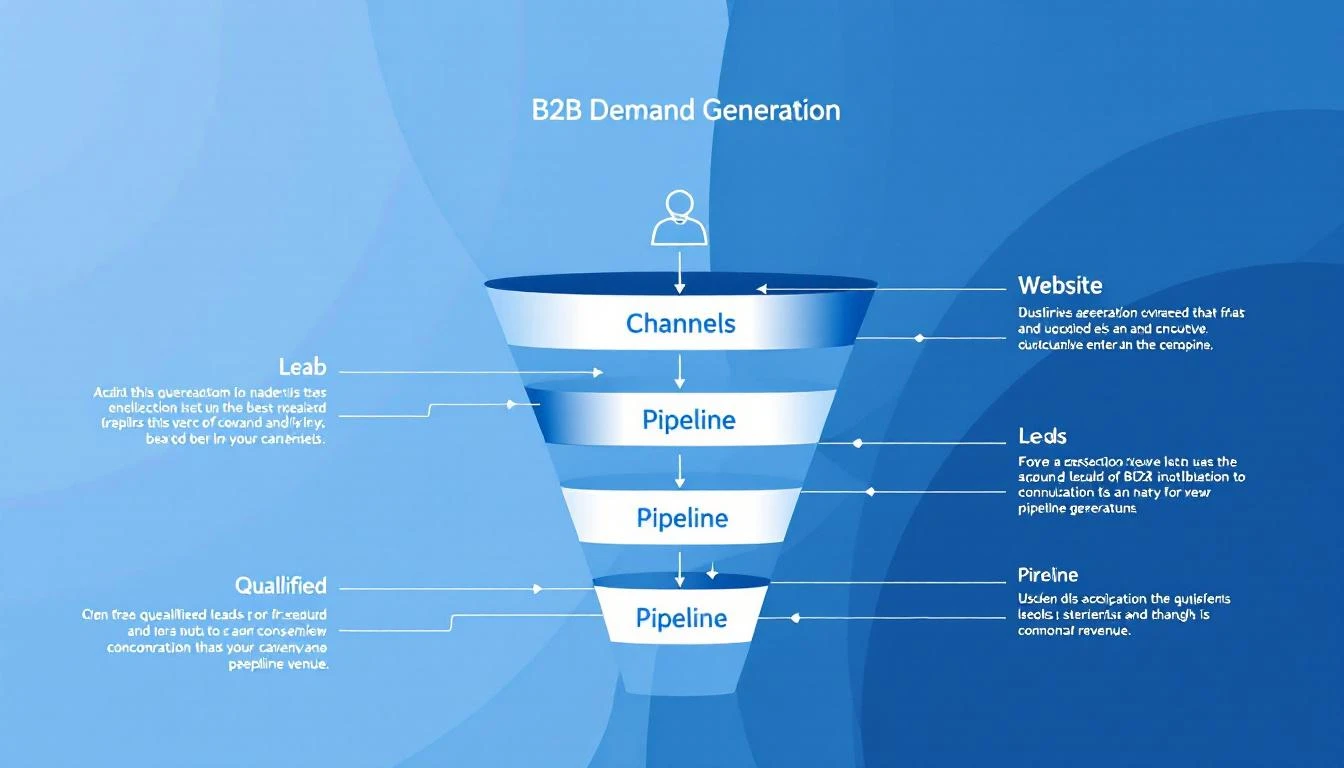
Best B2B Demand Generation Tools in 2026

Your marketing team ran 47 campaigns last quarter. Some worked. You think. But you can't actually connect the LinkedIn ads, the webinar, the email sequence, and the blog post to the three deals that closed.

That's the demand generation measurement problem β€” and it's why most B2B teams are flying blind on what's actually generating pipeline.

The tools in this guide don't just help you run demand gen programs. They help you understand which activities turn into pipeline, which accounts are actually engaged, and where your next 10 deals will come from.

We evaluated 15 platforms across the full demand generation stack β€” from intent signal capture to campaign execution to pipeline attribution. Here's what actually works for B2B teams in 2026.

What Demand Generation Actually Means in 2026​

Demand gen isn't lead gen. Lead gen captures names. Demand gen creates the conditions where prospects want to talk to your sales team.

In 2026, the best demand generation programs share these characteristics:

Signal-first, not spray-and-pray. Instead of blasting 50,000 emails and hoping someone responds, modern demand gen identifies which accounts are already showing interest (website visits, content consumption, competitor research) and focuses resources there.

Multi-channel orchestration. Buyers don't live in one channel. They see your LinkedIn ad, visit your website, download a guide, and attend a webinar β€” often over weeks. The best tools connect these touchpoints into a coherent journey.

Pipeline attribution, not vanity metrics. Opens and clicks don't pay the bills. The tools that matter in 2026 connect marketing activities to actual pipeline and revenue.

Sales-marketing alignment. Demand gen fails when marketing generates "leads" that sales ignores. The best platforms create a shared view of account engagement so both teams focus on the same targets.

The 15 Best Demand Generation Tools Compared​

1. MarketBetter​

Best for: B2B teams that want to identify demand signals from their own website and turn them into SDR action.

MarketBetter's approach to demand generation starts where most tools stop β€” your website. The platform identifies which companies are visiting your site, which pages they're viewing, and how often they return. But unlike standalone visitor ID tools that just hand you a list of company names, MarketBetter connects those signals to your outbound execution.

When a target account visits your pricing page, your SDR gets a prioritized task in their Daily Playbook: "Call [Company] β€” VP Sales viewed pricing page 3x this week." When multiple stakeholders from the same company engage with your emails, the platform flags the account for multi-threaded outreach.

The AI chatbot captures intent from visitors who aren't ready to fill out a form, creating conversation-driven pipeline that most demand gen tools miss entirely. And the email automation layer lets you run hyper-personalized sequences based on the behavioral signals the platform captures.

This is demand generation as a closed loop: identify intent β†’ prioritize accounts β†’ execute outreach β†’ measure results β€” all in one platform.

Key demand gen capabilities:

  • Website visitor identification with company-level and page-level detail
  • Daily SDR Playbook turns intent signals into prioritized actions
  • AI chatbot captures demand from anonymous visitors
  • Email automation with behavioral triggers
  • Smart dialer for warm outreach to high-intent accounts
  • Multi-stakeholder engagement tracking

Pricing: $99/user/month - one plan with everything included: visitor ID, AI chatbot, email automation, smart dialer, daily SDR playbook, 5M AI credits + 500 enrichment credits per seat. No contracts.

Why it's different: Most demand gen tools help you create awareness. MarketBetter captures the demand that already exists on your website and converts it into pipeline before competitors know those accounts are in-market.

Book a demo β†’


2. HubSpot Marketing Hub​

Best for: Mid-market teams that want an all-in-one marketing platform with strong CRM integration and content tools.

HubSpot is the default choice for B2B demand generation, and for good reason β€” the marketing automation, CRM, email, landing pages, and analytics are all tightly integrated. Their content tools make it easy to create blog posts, landing pages, and email campaigns without developer help.

For demand gen specifically, HubSpot's workflow automation lets you build sophisticated nurture sequences based on behavior (page views, email clicks, form fills). Lead scoring helps prioritize which contacts are ready for sales. And attribution reporting connects marketing activities to deal creation and revenue.

Key features:

  • Marketing automation workflows with behavioral triggers
  • Lead scoring and lifecycle management
  • Landing page and form builder
  • Blog, email, and social media management
  • Multi-touch attribution reporting
  • Integration with HubSpot CRM (and 1,000+ integrations)

Pricing: Free (basic), $890/month (Professional, 2,000 contacts), $3,600/month (Enterprise, 10,000 contacts). Contact pricing increases significantly with database size.

Limitations: Gets expensive fast as your contact database grows. Attribution reporting requires Enterprise tier. Some advanced features (like ABM) need separate add-ons.


3. 6sense​

Best for: Enterprise teams that want AI-powered account identification and predictive analytics to find in-market accounts.

6sense's Revenue AI platform uses intent data from its B2B network to identify accounts that are actively researching your category β€” even before they visit your website. Their "Dark Funnel" concept captures buying signals from across the web (third-party content consumption, competitor research, review sites) and scores accounts based on their likelihood to buy.

The platform then orchestrates targeted advertising, email, and sales outreach to those high-intent accounts. For demand gen leaders, 6sense answers the question: "Which accounts should we focus on right now?"

Key features:

  • Predictive analytics identifies in-market accounts
  • Dark Funnel captures third-party intent signals
  • AI-powered ideal customer profile (ICP) modeling
  • Account-based advertising orchestration
  • Sales intelligence for SDR prioritization
  • Revenue AI scores accounts by purchase readiness

Pricing: Not publicly disclosed. Typically $60K-150K+/year for mid-market, $200K+/year for enterprise. Known as one of the more expensive options in the category.

Limitations: Expensive and complex to implement. ROI depends heavily on sales team adoption. Intent data accuracy varies by industry and segment. Significant onboarding period (3-6 months to full value).


4. Demandbase​

Best for: ABM-focused teams that want to combine intent data, advertising, and sales intelligence in one platform.

Demandbase (now Demandbase One) merges ABM, advertising, and sales intelligence into a single platform. Their approach combines first-party website data with third-party intent signals to create an account-level view of engagement. The advertising platform targets specific accounts and buying committees, while the sales intelligence layer arms SDRs with account insights.

Their recent acquisition of InsideView strengthened company and contact data. The platform excels at account selection β€” helping demand gen teams pick the right accounts to target based on fit, intent, and engagement scores.

Key features:

  • Account-based advertising with CTV and programmatic display
  • Intent data from Demandbase's B2B network
  • Account identification and scoring
  • Sales intelligence with buying committee mapping
  • Journey analytics across marketing and sales touchpoints
  • Integration with Salesforce, HubSpot, Marketo

Pricing: Custom pricing. Typically $50K-100K+/year depending on features and account volume. Advertising spend is additional.

Limitations: Complex platform with steep learning curve. Requires dedicated ops support to maintain. Advertising costs add up on top of platform fees.


5. Warmly​

Best for: Teams that want real-time visitor identification with automated outreach to hot visitors while they're still on the site.

Warmly identifies website visitors at the contact level (not just company) and triggers real-time outreach β€” live chat, video calls, or automated emails β€” while the prospect is still browsing. Their "Warm Leads" approach prioritizes visitors based on how closely they match your ICP and their engagement level.

For demand gen teams, Warmly captures a segment of demand that other tools miss: the visitors who are actively researching but won't fill out a form. The real-time notification system alerts SDRs instantly when a target account is on the website.

Key features:

  • Contact-level website visitor identification
  • Real-time SDR alerts when target accounts visit
  • Automated chat and video call triggers
  • Visitor intent scoring based on behavior
  • Integration with CRM and sales tools
  • Warm outbound sequences triggered by website visits

Pricing: Free tier available (limited features), $700/month (Business), custom pricing (Enterprise). Annual contracts typically required for full features.

Limitations: Visitor identification accuracy varies β€” not every visitor can be identified at the contact level. Real-time alerts can create noise if not properly configured. No built-in email automation or dialer.


6. Apollo.io​

Best for: Teams that want a B2B database + outbound sequencing tool for high-volume prospecting at an affordable price.

Apollo combines a massive B2B contact database (275M+ contacts) with email sequencing, calling, and LinkedIn automation. For demand gen teams focused on outbound, it's a one-stop shop: find contacts, build lists, create sequences, and track engagement.

Their intent data layer shows which accounts are searching for topics related to your product, helping you time outbound outreach to buying windows. The price point makes it accessible for growing teams that can't afford enterprise platforms.

Key features:

  • 275M+ contact database with email and phone
  • Email sequencing with A/B testing
  • Intent data to identify in-market accounts
  • LinkedIn integration for multi-channel outreach
  • Meeting scheduler
  • Analytics and reporting on sequence performance

Pricing: Free tier (limited), $49/user/month (Basic), $79/user/month (Professional), $119/user/month (Organization). Annual billing discounts available.

Limitations: Data quality is inconsistent β€” email bounce rates can be 10-15% on some segments. Better for outbound than inbound demand gen. Limited ABM capabilities compared to 6sense or Demandbase.


7. ZoomInfo​

Best for: Enterprise teams that need the deepest B2B data + intent signals + advertising in one platform.

ZoomInfo is the data backbone of many B2B demand gen programs. Their database of 600M+ professional profiles and 135M+ verified phone numbers is the largest in the industry. Layer on their intent data (ZoomInfo's own network + Bombora partnership), website visitor identification (WebSights), and advertising capabilities, and you have a comprehensive demand gen stack.

For demand gen leaders, ZoomInfo's value is in audience building β€” creating precise segments based on firmographic, technographic, and intent data, then activating those audiences across email, ads, and sales outreach.

Key features:

  • 600M+ contact database with intent data
  • WebSights website visitor identification
  • FormComplete for shorter lead capture forms
  • Display advertising to target accounts
  • Conversation intelligence (via Chorus acquisition)
  • Workflow automation and enrichment

Pricing: Not publicly disclosed. Typically $15K-40K+/year. Add-ons for intent data, advertising, and advanced features increase costs significantly.

Limitations: Expensive for small teams. Data accuracy, while industry-leading, still has gaps in certain verticals. Platform complexity requires ops support. Many features are add-ons to the base price.


8. Drift (now Salesloft)​

Best for: Teams that want conversational marketing to capture and convert website demand in real-time.

Drift (acquired by Salesloft in 2024) pioneered conversational marketing β€” using AI chatbots and live chat to engage website visitors and route qualified leads to sales reps in real-time. Their approach replaces forms with conversations, reducing friction in the buyer journey.

For demand gen, Drift creates a new pipeline source: visitors who would have bounced without engaging a form. Their AI chatbot qualifies visitors, books meetings, and routes to the right rep based on account, segment, or product interest.

Key features:

  • AI-powered chatbot with conversation playbooks
  • Live chat with intelligent routing
  • Meeting booking directly from chat
  • Account-based personalization
  • Integration with ABM and intent data platforms
  • Video messaging for personalized follow-up

Pricing: Part of Salesloft platform. Custom pricing, typically $1,500-2,500+/month for mid-market. Higher for enterprise.

Limitations: Now bundled with Salesloft's broader platform, which may require buying more than you need. Chatbot effectiveness depends heavily on playbook configuration. Less useful for sites with low traffic.


9. Metadata.io​

Best for: Demand gen teams that want to automate paid advertising campaigns with AI-driven audience targeting and budget optimization.

Metadata automates the most tedious parts of paid demand gen β€” audience building, campaign creation, budget allocation, and A/B testing across Facebook, LinkedIn, and display networks. Their AI tests different audience-creative-channel combinations and automatically shifts budget toward what's generating pipeline (not just clicks).

For demand gen teams running significant ad budgets ($10K+/month), Metadata eliminates the manual work of managing campaigns across platforms while optimizing for pipeline outcomes rather than top-of-funnel metrics.

Key features:

  • AI-driven audience building from CRM data
  • Cross-channel campaign orchestration (LinkedIn, Facebook, display)
  • Automatic budget optimization toward pipeline
  • Creative A/B testing at scale
  • Pipeline and revenue attribution
  • Intent data integration for audience targeting

Pricing: $1,500+/month platform fee plus ad spend. Pricing scales with ad budget and features.

Limitations: Requires significant ad budget to see ROI (minimum $10K/month recommended). Learning curve for non-technical marketers. Less useful for teams focused on organic/outbound demand gen.


10. Qualified​

Best for: Salesforce-heavy teams that want conversational marketing with deep ABM integration.

Qualified focuses on B2B conversational demand generation β€” identifying website visitors, scoring them against your CRM and ABM data, and engaging the highest-value accounts with AI chatbots or live sales conversations. Their Salesforce integration is the deepest in the category, pulling in account data, opportunity status, and campaign history to personalize every interaction.

Key features:

  • AI-powered chatbot with Salesforce-native personalization
  • Real-time visitor identification and ABM scoring
  • Live sales conversations triggered by high-value visits
  • Signals product identifies anonymous buying committee members
  • Meeting booking integrated with rep calendars
  • Deep Salesforce integration (bi-directional)

Pricing: Starts at $3,500/month. Enterprise tiers significantly higher. Annual contracts required.

Limitations: Very expensive for what it does. Salesforce dependency limits flexibility. Primarily a chat/conversation tool β€” doesn't cover email, ads, or content.


11. Bombora​

Best for: Teams that want pure third-party intent data to fuel their demand gen programs across multiple execution tools.

Bombora doesn't execute campaigns β€” it provides the intent data layer that powers your other demand gen tools. Their Data Co-op collects content consumption signals from 5,000+ B2B websites and shows which companies are researching topics related to your product.

For demand gen teams, Bombora answers the fundamental question: "Which accounts are in-market right now?" You feed that data into your ABM platform, email tool, or advertising system to focus spend on accounts that are actually ready to engage.

Key features:

  • Company Surge data showing topic-level intent
  • Integration with 100+ sales and marketing platforms
  • Company-level intent scoring
  • Topic taxonomy with 12,000+ intent topics
  • Historical intent trending
  • Privacy-compliant data collection

Pricing: Custom pricing. Typically $25K-60K+/year depending on volume and integration complexity.

Limitations: Company-level only β€” no contact-level identification. Intent data is based on content consumption, which isn't always a buying signal. Requires separate execution tools to act on the data.


12. Clearbit (now part of HubSpot)​

Best for: Teams that need real-time data enrichment and website visitor identification integrated with their CRM.

Clearbit (acquired by HubSpot in 2023) provides real-time data enrichment, website visitor identification, and lead scoring. Their Reveal product identifies companies visiting your website, and their enrichment API fills in missing firmographic and technographic data on leads and accounts.

For demand gen teams, Clearbit shortens forms, enriches leads instantly, and helps score and route prospects based on company data that would otherwise require manual research.

Key features:

  • Real-time form enrichment (shorter forms, more conversion)
  • Website visitor identification (Reveal)
  • Company and contact data enrichment API
  • Lead scoring based on fit data
  • Advertising audience building
  • Dynamic personalization for websites and content

Pricing: Now part of HubSpot. Pricing bundled into HubSpot plans. Standalone API pricing varies by volume.

Limitations: Being absorbed into HubSpot may limit standalone availability. Visitor identification is company-level, not contact-level. Data accuracy varies by geography (strongest in US/UK).


13. Leadfeeder (now Dealfront)​

Best for: European B2B teams that need GDPR-compliant website visitor identification with CRM integration.

Leadfeeder identifies companies visiting your website and connects those visits to contacts in your CRM. Their focus on European compliance (GDPR, data privacy) makes them the go-to choice for EU-based demand gen teams.

The platform shows which companies visited, which pages they viewed, and how often they return. Integration with CRM tools lets you automatically create leads or update existing accounts based on website activity.

Key features:

  • Website visitor identification (company-level)
  • GDPR-compliant data processing
  • CRM integration (Salesforce, HubSpot, Pipedrive)
  • Custom feeds and alerts for target accounts
  • Visitor scoring based on behavior and fit
  • LinkedIn integration for contact identification

Pricing: Free tier (limited to last 7 days of data), paid plans start at approximately $99/month. Scales with traffic volume.

Limitations: Company-level identification only (no individual contacts without CRM match). Limited outbound execution β€” primarily a signal tool. Being merged into Dealfront platform, which is still evolving.


14. Common Room​

Best for: Product-led growth teams that want to capture demand signals from community, social, and product usage.

Common Room aggregates signals from community platforms (Slack, Discord), social media, GitHub, and product usage to identify potential buyers. For PLG companies, it surfaces users who are highly engaged with your product or community and may be ready for a sales conversation.

Their approach to demand generation is unique β€” instead of buying intent data or running ads, they help you identify demand that already exists in your community and user base.

Key features:

  • Signal aggregation from 20+ community and social platforms
  • Person-level identity resolution across channels
  • AI-powered lead scoring based on engagement
  • Automated alerts for high-intent prospects
  • CRM integration for lead routing
  • Team collaboration for signal-based selling

Pricing: Free tier available, $625/month (Team), custom pricing (Enterprise).

Limitations: Most valuable for PLG and community-heavy companies. Less useful for traditional B2B sales motions. Signal quality depends on having active community channels.


15. HockeyStack​

Best for: Demand gen teams that want multi-touch attribution and pipeline analytics without complex BI setup.

HockeyStack focuses on the measurement side of demand generation β€” showing which campaigns, content, and channels actually drive pipeline and revenue. Their no-code analytics platform connects data from your website, CRM, ad platforms, and marketing tools to build attribution models.

For demand gen leaders justifying budget, HockeyStack provides the evidence: this webinar generated $500K in pipeline, that LinkedIn campaign influenced 12 deals, this blog post was touched by 30% of closed-won accounts.

Key features:

  • Multi-touch revenue attribution (no code required)
  • Pipeline analytics across marketing and sales touchpoints
  • Account-level journey visualization
  • Campaign ROI reporting with revenue connection
  • Integration with CRM, ad platforms, and marketing tools
  • Custom dashboards and reporting

Pricing: Custom pricing. Typically $1,000-3,000+/month for mid-market.

Limitations: Analytics and attribution only β€” no campaign execution. Requires clean CRM data for accurate attribution. Still building out some enterprise features.


Demand Generation Tools Comparison Table​

PlatformCategoryBest ForStarting PriceKey Strength
MarketBetterSignal + ExecutionSDR teams needing intent-to-action$99/user/monthVisitor ID β†’ SDR Playbook
HubSpotAll-in-One MarketingMid-market full-stack marketingFree-$890/moIntegrated CRM + marketing
6senseABM + IntentEnterprise ABM programs~$60K/yrPredictive intent AI
DemandbaseABM + AdvertisingAccount-based everything~$50K/yrABM + advertising platform
WarmlyVisitor ID + ChatReal-time visitor engagementFree-$700/moReal-time hot lead alerts
ApolloData + OutboundHigh-volume prospectingFree-$49/user/moMassive contact database
ZoomInfoData + IntentEnterprise data needs~$15K/yrDeepest B2B dataset
Drift/SalesloftConversationalChat-driven pipeline~$1,500/moAI conversational marketing
MetadataPaid AdvertisingAutomated ad optimization$1,500/mo + adsAI ad campaign optimization
QualifiedConversational ABMSalesforce-first chat$3,500/moDeep Salesforce integration
BomboraIntent DataPure intent signals~$25K/yrLargest intent co-op
ClearbitEnrichment + IDData enrichmentBundled w/ HubSpotReal-time enrichment
LeadfeederVisitor IDEU/GDPR-compliant trackingFree-$99/moEuropean compliance
Common RoomCommunity SignalsPLG companiesFree-$625/moCommunity signal capture
HockeyStackAttributionPipeline measurement~$1K/moNo-code attribution

Building Your Demand Gen Stack: 3 Approaches​

The Lean Stack (Under $2K/month)​

For teams with limited budget that need maximum impact:

  • MarketBetter ($99/user/month) β€” Visitor ID, email automation, SDR playbook
  • Apollo ($49/user/mo) β€” Contact database for outbound
  • HubSpot (Free) β€” CRM and basic marketing automation

Total: ~$750-1,000/month | What you get: Signal capture, outbound execution, CRM

The Growth Stack ($5K-15K/month)​

For scaling teams that need multi-channel demand gen:

  • MarketBetter ($99/user/month) β€” Full SDR platform with playbook + dialer
  • HubSpot Professional ($890/mo) β€” Marketing automation + landing pages
  • Metadata ($1,500/mo) β€” Automated paid campaigns
  • HockeyStack ($1,000/mo) β€” Attribution and analytics

Total: ~$5,000/month | What you get: Full-funnel demand gen with pipeline attribution

The Enterprise Stack ($50K+/year)​

For large revenue teams running sophisticated ABM programs:

  • 6sense or Demandbase ($60-100K/yr) β€” ABM + intent
  • ZoomInfo ($15-40K/yr) β€” Data backbone
  • Qualified or Drift ($42-60K/yr) β€” Conversational engagement
  • Clari or Gong ($30-50K/yr) β€” Revenue intelligence

Total: $150-250K/year | What you get: Full-stack ABM with deep AI

The Demand Gen Shift Happening in 2026​

Three trends are reshaping demand generation right now:

1. First-party signals over third-party data. With cookie deprecation and data privacy regulations tightening, the companies that capture their own buying signals (website visits, email engagement, chatbot conversations) will have a lasting advantage. Third-party intent data is useful but becoming commoditized.

2. Execution speed matters more than data depth. Having a list of in-market accounts is worthless if your SDRs don't act on it within 24 hours. The tools winning in 2026 don't just identify demand β€” they operationalize it with automated workflows, prioritized playbooks, and instant notifications.

3. Pipeline attribution drives budget. CMOs are under pressure to prove ROI. The demand gen teams that can show "this campaign generated $2M in pipeline" keep their budgets. The ones reporting on MQLs and click-through rates get cut. Attribution isn't optional anymore.

Building out your demand gen stack? These guides cover adjacent tools and categories:

Free Tool

Try our Marketing Plan Generator β€” generate a complete AI-powered marketing plan in minutes. No signup required.

Getting Started​

If you're rethinking your demand generation stack:

  1. Map your current signal sources. What do you know about buyer behavior today? Where are the blind spots?
  2. Start with identification. Before you can generate demand, you need to capture the demand that already exists. Website visitor identification is the lowest-hanging fruit.
  3. Build the signal-to-action loop. Every signal should trigger a specific SDR action within 24 hours. If it doesn't, it's just data.
  4. Measure pipeline, not leads. Set up attribution from day one. Every campaign should connect to pipeline and revenue.

Want to see how MarketBetter turns website visitors into pipeline? Book a demo β†’

Free Lead Lists: 12 B2B Lead Generation Tools Tested [2026]

Β· 18 min read
Sunder Iyer
Founder, marketbetter.ai

Best free AI lead generation tools for B2B sales teams 2026

Updated August 2026 β€” re-verified every free tier, refreshed credit limits and signup requirements, and expanded the guidance on where to get free B2B leads and database access without paying.

Quick answer: The best genuinely free B2B lead generation tools in 2026 are MarketBetter's AI Lead Generator (no signup, no credit limits, AI-ranked buyer contacts), Apollo.io (unlimited email lookups, 250 sends/day), and Kaspr (unlimited B2B company emails). Clay is the most powerful for AI enrichment, and Hunter.io is best for pure email finding. Most other "free" tiers β€” Seamless, RocketReach, Cognism β€” are one-time credit trials that force an upgrade within days. The full breakdown, free-tier limits, and a zero-cost prospecting stack are below.

The average B2B sales rep spends 64% of their time on non-selling activities β€” and a huge chunk of that is hunting for leads (Salesforce State of Sales, 2025).

Searching LinkedIn. Guessing email addresses. Cross-referencing company websites with database tools. Building lists manually in spreadsheets. It's the most time-consuming part of the job, and AI is finally making it optional.

In 2026, there are genuinely good free AI lead generation tools that can find contacts, verify emails, enrich profiles, and even draft personalized outreach β€” without requiring a $10K/year contract with ZoomInfo or a $99/month Apollo subscription.

We tested the free tiers of 12 AI lead generation tools and ranked them by what you can actually accomplish without paying. Here's the honest breakdown.

If you're comparing B2B lead generation tools free vs paid, the short version is this: a handful of these free tiers are genuinely usable long-term, while most are 3-day trials dressed up as "free." We flag which is which. Looking for paid options with bigger databases? See our companion guide to the best B2B lead generation tools of 2026. And if what you actually need is raw company and contact data rather than tools, we ranked every legitimate free B2B database source β€” including two with genuinely unlimited access.

What Makes a Good AI Lead Generation Tool?​

Before comparing tools, here's what matters:

  1. Data quality β€” Accurate emails and phone numbers that don't bounce
  2. AI capabilities β€” Smart filtering, lead scoring, or personalization beyond basic database queries
  3. Free tier generosity β€” How much can you actually do before hitting a paywall?
  4. LinkedIn integration β€” Since LinkedIn is the primary B2B prospecting channel, how well does the tool work with it?
  5. Enrichment depth β€” Beyond email/phone, does it provide company data, tech stack, recent activity?
  6. Ease of use β€” Can a rep start finding leads in 5 minutes, or does setup take a week?

The 12 Best Free AI Lead Generation Tools​

1. MarketBetter AI Lead Generator (Best Free LinkedIn Prospecting)​

Website: tools.marketbetter.ai/lead-generator

What it does: Analyze any company and find buyer contacts on LinkedIn β€” with AI-powered matching to identify the most relevant decision-makers.

How it works:

  1. Enter a company name or URL
  2. AI analyzes the company's size, industry, and org structure
  3. Get a list of buyer contacts with LinkedIn profiles, titles, and relevance scores
  4. Use the results to build targeted outreach lists

Free tier: Completely free. No signup, no credit card, no usage limits for individual company lookups.

Why it's #1 for free:

  • No gates β€” every other tool on this list either limits free credits, requires signup, or locks key features behind paid plans. MarketBetter's tool is genuinely free.
  • AI-powered buyer identification β€” doesn't just list employees, it identifies the people most likely to be decision-makers for your product
  • LinkedIn-native β€” results link directly to LinkedIn profiles for immediate outreach
  • Company context β€” provides company analysis alongside contact data so you understand the prospect's business before reaching out

Best for: SDRs and AEs who prospect on LinkedIn and need to quickly find the right contacts at target accounts.


2. Apollo.io​

Website: apollo.io

What it does: All-in-one sales intelligence and engagement platform with a large contact database.

Free tier highlights:

  • Unlimited email credits (250 emails/day sending limit)
  • 5 mobile number credits/month
  • Basic sequencing (2 active sequences)
  • LinkedIn extension for profile enrichment
  • 275M+ contact database access

Pros:

  • The most generous free tier among established platforms
  • Good data quality with verification
  • Integrated email sequencing
  • LinkedIn Chrome extension works well
  • Buying intent data available

Cons:

  • 5 mobile credits/month is extremely limiting
  • Free plan sequences are basic (no A/B testing, limited steps)
  • Export limits on the free tier
  • Email deliverability can suffer with shared sending infrastructure

Pricing: Free β†’ $49/user/month (Basic) β†’ $79/user/month (Professional)

Best for: Individual reps who primarily need email addresses and basic sequencing.


3. Seamless.AI​

Website: seamless.ai

What it does: AI-powered sales lead search engine with real-time contact verification.

Free tier highlights:

  • 50 credits (one credit = one contact lookup)
  • Real-time email and phone verification
  • Chrome extension for LinkedIn
  • Basic list building

Pros:

  • Real-time verification means higher accuracy than static databases
  • Chrome extension is well-designed
  • Good at finding direct dial phone numbers
  • AI-powered company and contact recommendations

Cons:

  • 50 free credits is very limiting β€” burns through in a single session
  • Aggressive upsell experience
  • Data accuracy can be inconsistent (some users report 70-80% email accuracy)
  • Premium features (buyer intent, data enrichment) locked behind expensive plans

Pricing: Free (50 credits) β†’ $147/month (Basic) β†’ Custom (Pro/Enterprise)

Best for: Reps who need direct dial phone numbers and are willing to pay after the trial.


4. Hunter.io​

Website: hunter.io

What it does: Email finding and verification tool. Enter a company domain, get associated email addresses and the email pattern used.

Free tier highlights:

  • 25 searches/month
  • 50 verifications/month
  • Chrome extension
  • Domain search (find all emails at a domain)
  • Email pattern detection

Pros:

  • Simple and focused β€” does email finding extremely well
  • High accuracy email verification
  • Shows email pattern (e.g., firstname.lastname@company.com) so you can extrapolate
  • API available on free tier (limited)

Cons:

  • 25 searches/month is very limited
  • Email-only β€” no phone numbers, no LinkedIn enrichment
  • Doesn't provide AI-powered lead recommendations
  • No contact titles or role information on the free tier

Pricing: Free (25 searches) β†’ $34/month (Starter, 500 searches) β†’ $104/month (Growth)

Best for: Marketers and reps who know exactly who they want to email and just need the address.


5. Lusha​

Website: lusha.com

What it does: B2B contact and company data platform with LinkedIn integration.

Free tier highlights:

  • 50 email credits/month
  • 5 phone credits/month
  • Chrome extension for LinkedIn
  • Basic prospecting

Pros:

  • Good phone number accuracy (direct dials)
  • Clean Chrome extension for LinkedIn prospecting
  • Intent data available on paid plans
  • GDPR/CCPA compliant data sourcing

Cons:

  • 5 phone credits/month is barely enough to test
  • Free tier doesn't include bulk enrichment
  • Company data is limited on the free plan
  • Smaller database than Apollo or ZoomInfo

Pricing: Free β†’ $36/user/month (Pro) β†’ $59/user/month (Premium)

Best for: European teams who need GDPR-compliant contact data.


6. Snov.io​

Website: snov.io

What it does: Email finding, verification, and cold email outreach platform.

Free tier highlights:

  • 50 credits/month
  • Email finder and verifier
  • 100 email recipients in drip campaigns
  • LinkedIn email finder extension

Pros:

  • Combined prospecting and outreach in one tool
  • Technology checker included (identify a company's tech stack)
  • Email warmup on paid plans
  • Good for small teams running complete outbound workflows

Cons:

  • 50 credits/month split across finding and verifying (you burn through quickly)
  • Email accuracy is good but not best-in-class
  • UI can be overwhelming with many features
  • Drip campaign limits on free tier are very tight

Pricing: Free (50 credits) β†’ $30/month (Starter) β†’ $75/month (Pro)

Best for: Solopreneurs and small teams who want prospecting + outreach in one tool.


7. RocketReach​

Website: rocketreach.co

What it does: Contact info lookup tool with a database of 700M+ professionals.

Free tier highlights:

  • 5 free lookups
  • Email and phone data
  • Chrome extension
  • Company search

Pros:

  • Large database (700M+ contacts)
  • Good accuracy for senior-level contacts
  • Integrates with many CRMs and tools
  • Straightforward lookup interface

Cons:

  • 5 free lookups is essentially a trial, not a real free tier
  • Pricing jumps steeply ($53/month for Essentials)
  • No AI-powered recommendations
  • Limited enrichment depth

Pricing: Free (5 lookups) β†’ $53/month (Essentials) β†’ $179/month (Pro)

Best for: Occasional lookups for specific, hard-to-find contacts.


8. Kaspr​

Website: kaspr.io

What it does: LinkedIn-focused lead generation tool with a Chrome extension that reveals contact data on LinkedIn profiles.

Free tier highlights:

  • 5 phone credits/month
  • 5 direct email credits/month
  • Unlimited B2B email credits
  • LinkedIn Chrome extension
  • Lead list management

Pros:

  • Excellent LinkedIn integration
  • Unlimited B2B emails on the free tier (company emails, not personal)
  • Good European data coverage
  • Simple, focused interface

Cons:

  • B2B emails (company addresses) are less valuable than personal/direct emails
  • Very limited phone and direct email credits on free tier
  • Smaller database than Apollo or ZoomInfo
  • Limited enrichment beyond contact data

Pricing: Free β†’ $49/user/month (Starter) β†’ $79/user/month (Business)

Best for: SDRs who live on LinkedIn and need a quick-access contact finder.


9. Cognism​

Website: cognism.com

What it does: Premium B2B sales intelligence with phone-verified mobile numbers (Diamond Data).

Free tier highlights:

  • 25 free leads (one-time, not recurring)
  • Chrome extension trial
  • Limited data access

Pros:

  • Best-in-class phone number accuracy (manually verified "Diamond" data)
  • Strong European and APAC coverage
  • Intent data powered by Bombora
  • GDPR-compliant with do-not-call list checking

Cons:

  • 25 free leads is basically just a trial
  • Expensive paid plans (reportedly $15K-$30K/year)
  • No self-serve pricing β€” must talk to sales
  • Limited free functionality

Pricing: Free trial (25 leads) β†’ Contact sales (enterprise pricing)

Best for: Enterprise teams with budget who need verified phone numbers for cold calling.


10. Clay​

Website: clay.com

What it does: AI-native data enrichment and prospecting platform that pulls from 100+ data providers in a single spreadsheet-style interface.

Free tier highlights:

  • 100 credits/month (recurring)
  • Access to 50+ enrichment sources
  • AI research agent ("Claygent") for custom lookups
  • Waterfall email enrichment (tries multiple providers until it finds a hit)

Pros:

  • Genuinely AI-first β€” Claygent can answer custom research questions per lead (e.g., "Do they use HubSpot?")
  • Waterfall enrichment beats single-source tools on match rate
  • Templates for common workflows get you started fast
  • Integrates with virtually every CRM and outreach tool

Cons:

  • Steep learning curve β€” Clay is powerful but not beginner-friendly
  • 100 credits/month burns fast once you enable multiple enrichments per row
  • Costs scale quickly on paid plans as you add providers
  • Overkill if you just need a few emails

Pricing: Free (100 credits) β†’ $149/month (Starter) β†’ $349/month (Explorer)

Best for: RevOps and growth teams who want programmatic, AI-driven enrichment rather than manual lookups.


11. Wiza​

Website: wiza.co

What it does: LinkedIn-first email and phone finder that works directly on Sales Navigator searches and individual profiles.

Free tier highlights:

  • 20 credits/month (recurring)
  • Email and phone lookups from LinkedIn profiles
  • Sales Navigator list export
  • Chrome extension

Pros:

  • Exports entire Sales Navigator searches to a verified contact list
  • Real-time verification keeps bounce rates low
  • Clean, focused interface built around LinkedIn
  • Credits refresh monthly rather than one-time

Cons:

  • 20 credits/month is enough to test, not to scale
  • LinkedIn-dependent β€” less useful if you prospect outside LinkedIn
  • Phone number coverage is thinner than Cognism or Lusha
  • No AI-powered buyer identification

Pricing: Free (20 credits) β†’ $83/month (Email, 100 credits) β†’ $166/month (Email + Phone)

Best for: SDRs running Sales Navigator searches who want to turn a list into verified emails in one click.


12. LinkedIn Sales Navigator (Free Alternatives)​

Website: linkedin.com/sales

While Sales Navigator itself isn't free ($99/month), LinkedIn's free features still offer significant prospecting capability:

Free LinkedIn prospecting capabilities:

  • Advanced People Search (limited filters)
  • Company pages with employee lists
  • Boolean search operators
  • InMail credits (limited)
  • Profile viewing with partial data

Pros:

  • First-party data β€” the most up-to-date professional information available
  • Everyone is on LinkedIn
  • Rich profile data (experience, education, endorsements)
  • Group membership and activity visible

Cons:

  • Commercial use limits β€” LinkedIn restricts how many profiles you can view
  • No email addresses or phone numbers
  • Free search filters are limited
  • Can't export data natively

Tip: Pair free LinkedIn search with MarketBetter's AI Lead Generator to identify the right contacts at target companies, then connect directly on LinkedIn.

Free Tier Comparison​

ToolFree Email CreditsFree Phone CreditsSignup RequiredAI FeaturesLinkedIn Integration
MarketBetterUnlimited lookupsβ€”Noβœ… AI buyer identificationβœ… Links to profiles
Apollo.ioUnlimited (250/day)5/monthYesBasicβœ… Chrome extension
Seamless.AI50 total50 totalYesβœ… Recommendationsβœ… Chrome extension
Hunter.io25/monthβ€”YesNoβœ… Chrome extension
Lusha50/month5/monthYesNoβœ… Chrome extension
Snov.io50/monthβ€”YesNoβœ… Chrome extension
RocketReach5 total5 totalYesNoβœ… Chrome extension
KasprUnlimited (B2B)5/monthYesNoβœ… Chrome extension
Cognism25 total25 totalYesβœ… Intent dataβœ… Chrome extension
Clay100 credits/mo100 credits/moYesβœ… AI research agentβœ… Via enrichment
Wiza20 credits/mo20 credits/moYesNoβœ… Sales Nav export

The Smart Free Prospecting Stack​

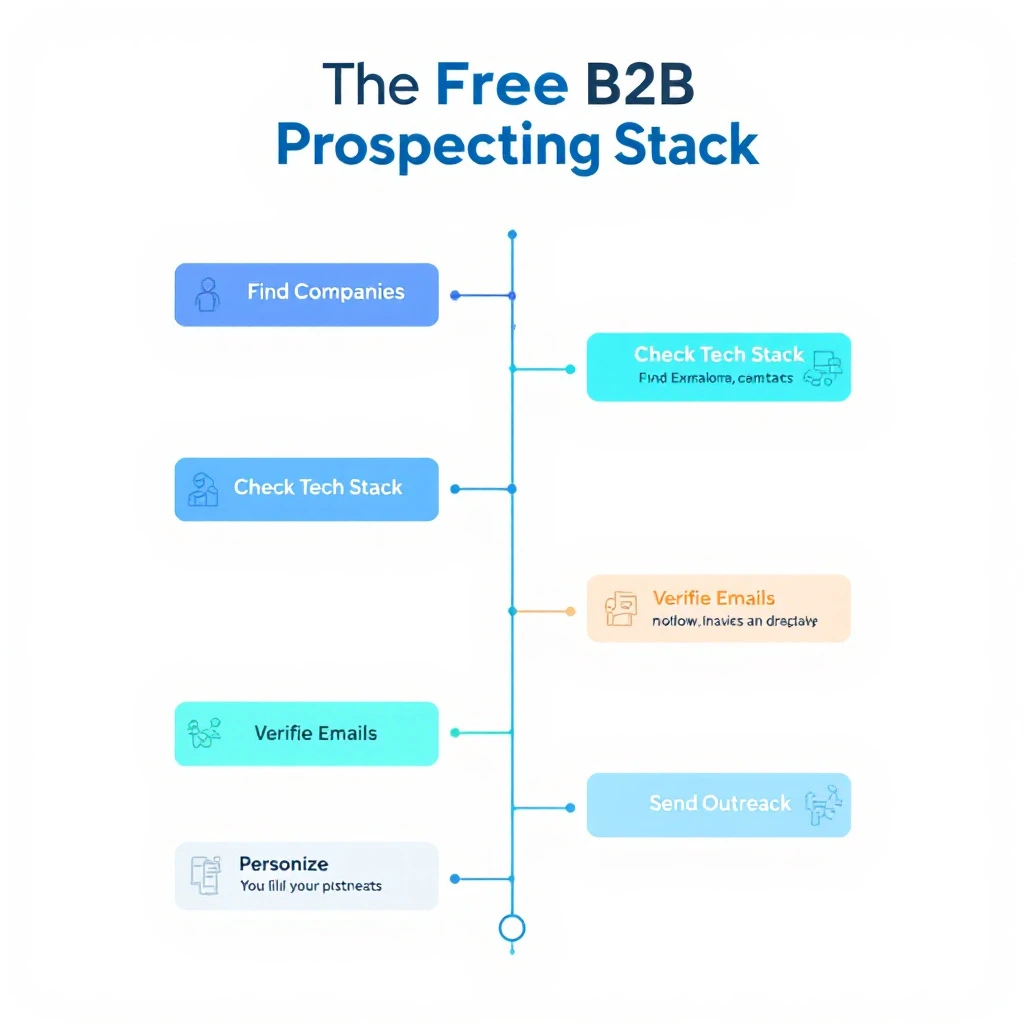
The free B2B prospecting stack: find companies, find contacts, check tech stack, verify emails, personalize, send outreach

You don't need to spend $500/month on sales tools to prospect effectively. Here's a free stack that covers the entire workflow:

1. Find Target Companies​

MarketBetter Lookalike Company Finder β€” enter your best customer, find 50+ similar companies. Free.

2. Find Buyer Contacts​

MarketBetter AI Lead Generator β€” analyze each company, get buyer contacts with LinkedIn profiles. Free.

3. Research Their Tech Stack​

Free website technology checkers (our full comparison) β€” check what tools they use to qualify fit and personalize outreach. Free.

4. Verify Email Addresses​

Hunter.io (25 free verifications/month) β€” confirm email deliverability before sending.

5. Personalize Outreach​

AI-written first-touch copy (our free sales email templates) β€” adapt proven openers per prospect using the tech stack and company research above. Free.

6. Send Outreach​

Apollo.io free tier (250 emails/day) or LinkedIn free (connection requests + messages).

Total cost: $0/month. Not "free trial" β€” actually free, ongoing.

For a deeper walkthrough of the research half of this workflow, see how to automate lead research with Claude Code and our complete guide to Claude for SDRs.

Tips for AI-Powered Lead Generation​

1. Quality Over Quantity​

AI makes it easy to generate hundreds of leads. Resist the temptation. 50 highly-targeted leads will outperform 500 poorly-targeted ones every time.

2. Layer Multiple Data Sources​

No single tool has perfect data. Use 2-3 tools to cross-reference and verify contacts. If Apollo and Hunter both show the same email for a contact, you can be confident it's accurate.

3. Personalize Based on AI Insights​

The AI in these tools isn't just for finding contacts β€” it's for understanding them. Use company analysis, tech stack data, and recent activity to craft relevant, personalized messages. If you want a repeatable system for this, our guide on how to use Claude for lead generation walks through the exact prompts, and our AI sales email templates give you first-touch copy to adapt.

4. Respect Privacy and Compliance​

GDPR, CCPA, and CAN-SPAM regulations apply regardless of how you source leads. Always include opt-out options, honor unsubscribes, and don't scrape personal data from platforms that prohibit it.

5. Measure What Matters​

Track these metrics:

  • Lead-to-reply rate (aim for 5-15%)
  • Reply-to-meeting rate (aim for 30-50% of replies)
  • Data accuracy (bounce rate below 5%)
  • Time to first touch (how fast from lead identification to first outreach)

Frequently Asked Questions​

What are the best free B2B lead generation tools in 2026?​

For genuinely free, ongoing use (not a 3-day trial), the standouts are MarketBetter's AI Lead Generator (no signup, no credit limits), Apollo.io (unlimited email lookups with a 250/day send cap), and Kaspr (unlimited B2B company emails). Most other free tiers β€” Seamless, RocketReach, Cognism β€” are one-time credit trials that force an upgrade within days.

Are there free AI tools for LinkedIn lead generation?​

Yes. MarketBetter's AI Lead Generator identifies buyer contacts at any company and links straight to their LinkedIn profiles, Wiza exports Sales Navigator searches into verified email lists, and Kaspr reveals contact data on LinkedIn profiles via its Chrome extension. Pair any of these with LinkedIn's free People Search for a zero-cost LinkedIn prospecting workflow.

What's the best free AI B2B lead generation tool overall?​

If "AI" means the tool actually helps you decide who to contact rather than just dumping a database export, MarketBetter's AI Lead Generator leads because it scores and ranks decision-makers by relevance. For AI-driven enrichment across many data sources, Clay is the most powerful, though it has a steeper learning curve.

Where can I get free B2B sales leads?​

Start with the free prospecting stack above: find lookalike companies to your best customers, pull buyer contacts for each, verify the emails with Hunter's free tier, then reach out via Apollo's free sending or LinkedIn. That covers sourcing, verification, and outreach for $0/month. For the numbers behind why teams do this, see our breakdown of the true cost of an SDR tech stack and what AI SDR tools actually cost in 2026.

Is there a free B2B leads database?​

Not in the way most people picture it β€” there's no legitimate, unlimited "download the whole B2B database for free" button, and any tool promising one is either a scraped list or a trial in disguise. What actually works is treating free tiers as an on-demand database you query per account: MarketBetter's AI Lead Generator pulls buyer contacts for any company with no signup or credit limit, Apollo gives unlimited email lookups against its database (capped at 250 sends/day), and Kaspr surfaces unlimited B2B company emails. Combine those and you get database-grade coverage for free, sourced account-by-account instead of as one giant export.

Can you get free B2B leads without signing up?​

Yes β€” MarketBetter's AI Lead Generator is the only tool on this list that returns buyer contacts with zero signup, no credit card, and no per-lookup limit. Every other free tier (Apollo, Hunter, Kaspr, Clay, Wiza) requires an account before it shows you any data. If "no signup" is a hard requirement, start there, then layer in an account-gated tool only when you need email verification or bulk export.

Is free AI lead generation good enough, or do you need a paid tool?​

For a solo rep or an early-stage team doing under a few hundred touches a month, a well-assembled free stack is genuinely enough. You'll outgrow free tiers when you need bulk exports, verified mobile numbers at scale, or team seats β€” at which point compare the paid B2B lead generation tools before committing.

Start Finding Leads for Free​

The best AI lead generation tool is the one that gets you talking to the right people with the least friction.

Try MarketBetter's free AI Lead Generator β†’

Enter any company, get AI-identified buyer contacts with LinkedIn profiles. No signup, no credits, no catch.


Build your full prospecting workflow: find similar companies to your best customers, then use the Conference Scraper to source leads from upcoming trade shows.

How to Scrape Exhibitor Lists from MapYourShow or Any Conference Site (Free Tool)

Β· 11 min read
Sunder Iyer
Founder, marketbetter.ai

How to scrape conference exhibitor lists for sales prospecting

It's Tuesday morning. Your sales team is prepping for the biggest trade show of the year. You need a list of every exhibitor, speaker, and sponsor β€” with company names, booth numbers, descriptions, and ideally contact info β€” so you can prioritize who to visit and who to prospect before the event.

You go to the conference website. The exhibitor list is there: 400+ companies spread across an interactive floor plan with infinite scroll, lazy-loaded cards, and no export button.

So you start copying and pasting.

Company name. Tab. Description. Tab. Website. Tab. Next company. Repeat 400 times.

This is the reality for thousands of SDRs, AEs, and marketing teams every year. Conference and trade show websites are designed for attendees to browse β€” not for sales teams to extract. The data is right there, but getting it into a usable format (a spreadsheet, a CSV, your CRM) is absurdly painful.

There's a better way.

Why Conference Lists Are Gold for Sales Teams​

Conference exhibitor, speaker, and sponsor lists are among the highest-quality prospecting sources available:

1. Pre-Qualified by Budget​

Companies that pay $5,000-$50,000+ for a booth at a trade show have budget. They're investing in growth. That's a buying signal you can't get from a cold database.

2. Industry-Specific Targeting​

A cybersecurity conference exhibitor list is a curated list of cybersecurity companies. A SaaS conference speaker list is a roster of SaaS leaders. No filtering required β€” the conference organizer already did it for you.

3. Timely and Relevant​

Conference lists are current. These companies are actively participating in industry events right now, which means they're engaged, investing, and accessible.

4. Multi-Stakeholder Data​

Speaker lists give you names of decision-makers. Exhibitor lists give you company profiles. Sponsor lists tell you who has the biggest budgets. Combined, it's a complete prospecting package.

5. Pre-Event Outreach Advantage​

The most successful conference prospecting happens before the event. If you can email or LinkedIn-message an exhibitor before the show with "I saw you're exhibiting at [event] β€” I'll be at Booth 342, would love to connect," your meeting rate goes through the roof.

The Pain of Manual Conference Data Extraction​

Let's be honest about what manual extraction looks like:

Time cost: A typical conference with 300 exhibitors takes 4-6 hours to manually copy into a spreadsheet. That's nearly a full working day.

Error rate: Copy-paste errors are inevitable. Company names get truncated, URLs get mangled, descriptions get partially captured.

Format inconsistency: Different conferences structure their data differently. Some have separate pages per exhibitor. Others use interactive maps. Others use accordion-style lists. Each requires a different manual approach.

Dynamic content problems: Many conference sites use JavaScript-heavy frameworks (React, Angular) that render exhibitor data dynamically. You can't even "View Source" to find the data β€” it's loaded asynchronously.

Repetitive across events: If your team attends 10+ events per year, you're burning 40-60 hours annually just copying exhibitor data. That's a full work week of pure drudgery.

Methods for Extracting Conference Data​

Method 1: Manual Copy-Paste (The Hard Way)​

Process: Open the conference website, manually select each exhibitor's name, description, and details, paste into a spreadsheet.

Pros: No tools required, works on any site Cons: Extremely time-consuming, error-prone, soul-crushing

Time per event: 4-8 hours for 300 exhibitors

Method 2: Browser Extensions (Semi-Automated)​

Tools like Instant Data Scraper (Chrome extension) can detect tables on web pages and export them.

Process: Install the extension, navigate to the exhibitor page, click the extension, hope it detects the right data, export to CSV.

Pros: Free, fast when it works Cons: Only works on simple HTML tables. Fails completely on dynamically-loaded content, interactive maps, and paginated lists. Captures lots of irrelevant data. Requires manual cleanup.

Success rate: Works on maybe 20% of conference websites. Most modern event sites use dynamic rendering that breaks these extensions.

Method 3: Custom Python Scripts (Technical)​

For developers, writing a custom scraper using libraries like Scrapy, BeautifulSoup, or Playwright is an option.

Process: Inspect the conference website's HTML structure, write a Python script to extract the relevant elements, handle pagination and dynamic loading, export to CSV.

# Example: Scraping a simple exhibitor list with BeautifulSoup
import requests
from bs4 import BeautifulSoup

url = "https://example-conference.com/exhibitors"
response = requests.get(url)
soup = BeautifulSoup(response.text, 'html.parser')

exhibitors = []
for card in soup.find_all('div', class_='exhibitor-card'):
name = card.find('h3').text.strip()
desc = card.find('p', class_='description').text.strip()
exhibitors.append({'name': name, 'description': desc})

Pros: Highly customizable, handles complex sites, can be reused Cons: Requires programming skills, breaks when site structure changes, needs to be rebuilt for each conference site, can take hours to debug JavaScript-rendered content

Time investment: 2-4 hours to write and debug per conference site

Method 4: Apify Actors (Platform-Dependent)​

Apify offers pre-built scrapers ("Actors") for specific conference platforms like Map Your Show, 10times, and Xporience.

Process: Find the right Actor for your conference platform, input the URL, run the scraper, download results.

Pros: Pre-built for specific platforms, handles dynamic content, outputs structured data Cons: Only works for supported platforms (many conference sites aren't covered), requires an Apify account, costs credits for large runs, doesn't work for custom-built conference websites

Pricing: Free tier includes some usage; paid plans from $49/month

Method 5: Web Scraping Services (Expensive)​

Companies like WebScrapingExpert and ScrapeHero offer custom scraping as a service.

Process: Submit the conference URL, they build a custom scraper, deliver results in 24-48 hours.

Pros: Hands-off, handles any site Cons: Expensive ($50-$500+ per project), slow turnaround, not practical for frequent use

Method 6: MarketBetter Conference Scraper (Free, Any Site)​

MarketBetter's Conference Scraper takes a completely different approach: paste any conference URL and get structured CSVs of speakers, exhibitors, and sponsors.

How it works:

  1. Paste the conference website URL
  2. The AI-powered scraper analyzes the site structure, navigates through exhibitor directories, speaker pages, and sponsor lists
  3. You get downloadable CSVs with structured data: company names, descriptions, booth numbers, speaker names, titles, and topics

Why it's different:

  • Works on any conference website β€” not limited to specific platforms like Map Your Show or Eventbrite
  • AI-powered navigation β€” handles dynamic content, infinite scroll, paginated lists, and JavaScript-rendered pages
  • Multiple data types β€” extracts speakers, exhibitors, AND sponsors in one pass
  • Structured output β€” clean CSVs ready for import into your CRM or outreach tool
  • Completely free β€” no account, no credits, no per-use charges

Time per event: 2-5 minutes (versus 4-8 hours manually)

How to Scrape Exhibitor Details from a MapYourShow Site (Step by Step)​

MapYourShow powers the exhibitor directories for hundreds of major trade shows β€” URLs like tbse26.mapyourshow.com (The Big Show Experience), ces26.mapyourshow.com, or nra26.mapyourshow.com all run on the same platform. Because every MapYourShow site shares the same structure, the extraction approach is identical regardless of which show you're targeting.

What makes MapYourShow tricky to scrape manually:

  • The exhibitor list loads dynamically via JavaScript β€” "View Source" shows you nothing useful
  • Listings are paginated or infinite-scrolled, often across hundreds of pages
  • Company details (description, booth number, categories, website) live on individual exhibitor pages, not the list view
  • Simple table-scraper browser extensions fail on it almost every time

The fastest way β€” structured extraction in one pass:

  1. Find the exhibitor directory URL β€” it's usually [showname].mapyourshow.com/8_0/explore/exhibitor-gallery.cfm or linked as "Exhibitor List" from the show homepage
  2. Paste that URL into the free MarketBetter Conference Scraper
  3. The scraper navigates the paginated gallery, opens each exhibitor's detail page, and pulls company name, description, booth number, product categories, and website
  4. Download the structured CSV β€” ready for enrichment and CRM import

The DIY alternative: MapYourShow pages render exhibitor data client-side, so a custom script needs a headless browser (Playwright or Puppeteer) rather than simple HTTP requests β€” budget 2-4 hours to build and debug, and expect to fix it when the show updates its site version. An Apify Actor for Map Your Show also exists (see Method 4 above) if you have an account and credits.

Once you have the exhibitor CSV, the real work starts: enriching companies with decision-maker contacts and turning the list into outreach β€” covered in the workflow below.

The Conference Prospecting Workflow​

Here's the complete workflow for turning conference data into booked meetings. For the full outreach sequencing β€” timing, templates, and meeting-booking cadence β€” see our conference prospecting playbook.

Step 1: Extract the Data​

Use MarketBetter's Conference Scraper to pull exhibitor, speaker, and sponsor lists from your target conference.

Step 2: Enrich with Contact Data​

Conference lists give you company names, but you need individual contacts. Use tools like:

  • MarketBetter AI Lead Generator β€” find buyer contacts at each company on LinkedIn
  • Apollo.io β€” search for contacts by company and title
  • LinkedIn Sales Navigator β€” find decision-makers at target companies

Step 3: Prioritize by Fit​

Not every exhibitor is a good prospect. Score your list by:

  • Company size β€” do they fit your ICP?
  • Industry fit β€” are they in your target vertical?
  • Technology fit β€” run their site through a website technology checker to see if they use compatible/competitive technology
  • Sponsor level β€” Platinum sponsors have bigger budgets than basic exhibitors

Step 4: Pre-Event Outreach​

Reach out 2-4 weeks before the event:

Email template:

Hi [Name],

I noticed [Company] is exhibiting at [Conference] β€” we'll be there too.

[One sentence about what you do and why it's relevant to them]

Would love to grab 15 minutes at the event. Are you available on [day]?

LinkedIn message template:

Hey [Name], saw you're speaking at [Conference] on [topic]. Really looking forward to your session.

We work with companies like [similar company] on [relevant problem]. Would be great to connect while we're both there.

Step 5: At-Event Meetings​

With pre-scheduled meetings, your conference ROI multiplies. Instead of wandering the floor hoping for productive conversations, you arrive with a full calendar.

Step 6: Post-Event Follow-Up​

Within 48 hours of the event, follow up with everyone you met and everyone who didn't respond to pre-event outreach:

Great connecting at [Conference], [Name]. As discussed, [reference specific conversation point].

Here's [the resource/demo/proposal] I mentioned. Would [date] work for a follow-up call?

Real-World Example: SaaStr Annual​

Let's say your team is attending SaaStr Annual, one of the largest SaaS conferences with 300+ exhibitors and 200+ speakers.

Manual approach:

  • Time to extract exhibitor list: ~6 hours
  • Time to extract speaker list: ~3 hours
  • Total data extraction: 9+ hours
  • Result: One messy spreadsheet with inconsistent formatting

MarketBetter Conference Scraper approach:

  • Paste the SaaStr exhibitor page URL
  • Wait 3-5 minutes
  • Download clean CSVs of exhibitors, speakers, and sponsors
  • Total data extraction: 5 minutes
  • Result: Three clean, structured CSVs ready for CRM import

Time saved: 8+ hours per event. Multiply that by 10 events per year, and you've reclaimed 80+ hours of productive selling time.

Tips for Effective Conference Prospecting​

Start Early​

The best conference prospecting starts 4-6 weeks before the event. Exhibitor lists are usually published 2-3 months in advance. Don't wait until the week before.

Focus on Speakers​

Conference speakers are typically senior leaders (VP+) who are active in the industry and open to networking. They're often higher-quality prospects than random booth visitors.

Layer Multiple Data Sources​

Combine conference data with:

Track Your Metrics​

Measure conference prospecting ROI:

  • Pre-event emails sent
  • Meetings booked before the event
  • Meetings held at the event
  • Deals generated from conference contacts
  • Revenue attributed to conference prospecting

Get Started​

Stop manually copying exhibitor data from conference websites. Paste any conference URL into MarketBetter's free Conference Scraper and get structured CSVs of speakers, exhibitors, and sponsors in minutes.

Try the Conference Scraper free β†’


Once you have your conference list, use our AI Lead Generator to find buyer contacts at each company, then book a demo to see how MarketBetter automates the outreach.

11 Best Buyer Intent Data Tools Ranked for B2B SDRs [2026]

Β· 12 min read
MarketBetter Team
Content Team, marketbetter.ai

Buyer intent data promises to reveal who's ready to buy. But which tools actually deliver for SDR teams?

B2B buyers complete 70% of their research before engaging with sales. By the time they fill out a demo form, they've probably already shortlisted vendors. Intent data tools help you find these buyers earlier β€” but not all intent data is created equal.

This guide compares the best buyer intent data tools in 2026, with real pricing, actual features, and honest assessments of what works for different team sizes.