130 posts tagged with "sales tools"

View All Tags

12 Best AI BDR Platforms & Tools 2026: Tested for Meetings Booked

ยท 17 min read
sunder
Founder, marketbetter.ai

12 Best AI BDR Tools Compared for 2026

Last updated: July 2026.

The AI BDR market exploded in 2025. Every outbound sales tool now claims to "replace your BDR team" or "automate outbound prospecting with AI" โ€” and most of them are squarely focused on one job: top-of-funnel pipeline generation through cold outreach.

Here's the reality: most AI BDR tools only automate one slice of the outbound prospecting workflow โ€” usually cold email sequencing. They find contacts, write templated emails, and blast them at scale. That's not a BDR. That's a mail merge with a ChatGPT wrapper.

A real BDR does much more for outbound pipeline gen: they identify the right target accounts, research them, time their outreach to buying signals, personalize across multiple channels, qualify cold responses, and hand sourced opportunities to AEs. The best AI BDR tools in 2026 handle most of this outbound workflow โ€” not just the email part.

Looking for inbound qualification too? This guide covers tools built specifically for outbound prospecting and pipeline generation. If you also need to handle inbound leads, website visitors, and full-funnel SDR workflows, see Best AI SDR Tools for 2026 โ€” most teams ultimately want one platform that covers both.

We evaluated 12 platforms across five criteria that actually matter:

  1. Prospecting depth โ€” Does it find the right people, or just any people?
  2. Signal awareness โ€” Can it detect intent and buying signals before outreach?
  3. Multi-channel reach โ€” Email only, or email + LinkedIn + phone?
  4. Personalization quality โ€” Generic AI copy, or genuinely relevant messages?
  5. Pipeline impact โ€” Does it book meetings, or just send emails?

What Is an AI BDR?โ€‹

An AI BDR (AI Business Development Representative) is software that automates the top-of-funnel work a human BDR does: finding target accounts, researching prospects, timing outreach to buying signals, and running personalized email, LinkedIn, and phone sequences to book qualified meetings. Unlike a basic email tool, a real AI BDR platform decides who to contact and when based on intent โ€” not just how many messages to blast.

The best AI BDR platforms in 2026 go well beyond cold email. They combine prospecting data, buying-signal detection, and multi-channel execution so your reps spend their time on conversations, not list-building. That distinction โ€” intelligence versus volume โ€” is what separates the tools that actually book meetings from the ones that just fill inboxes. The rest of this guide compares the 12 leading AI BDR platforms on exactly that.

AI BDR vs AI SDR: What's the Difference?โ€‹

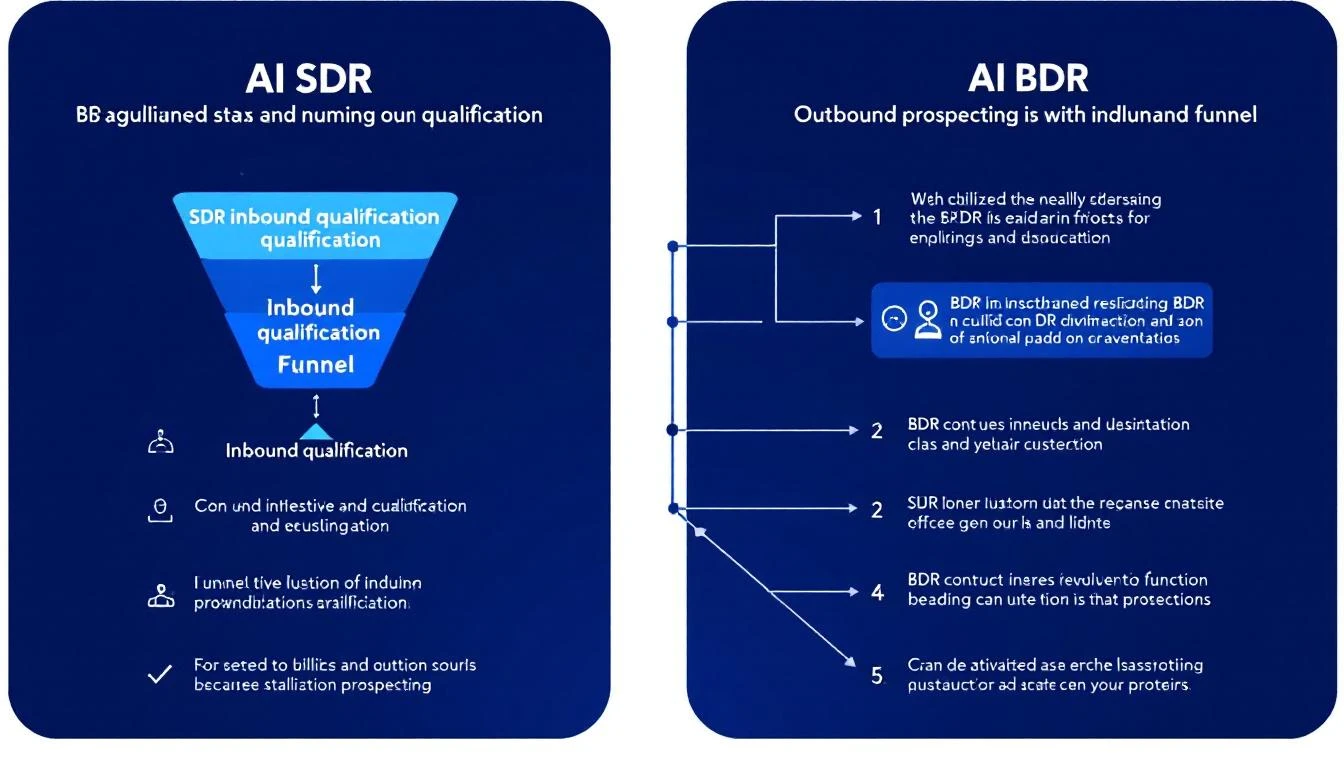
AI SDR vs AI BDR: Understanding the Difference

Before we dive into the tools, let's clear up the most common confusion in this category.

AI BDR (Business Development Representative): Focuses on the top of the funnel โ€” outbound prospecting, cold outreach, initial contact, and first-touch engagement. The BDR's job is to open doors.

AI SDR (Sales Development Representative): Handles both inbound and outbound โ€” qualifying inbound leads, responding to website visitors, nurturing prospects through the middle of the funnel, and booking meetings for AEs.

In practice, the terms overlap heavily. Most AI tools in this space handle both functions. But if you're specifically looking for outbound prospecting automation and pipeline generation, you're searching for an AI BDR โ€” and that's what this guide covers. If you need inbound qualification + outbound, you need an AI SDR platform โ€” see our Best AI SDR Tools for 2026 guide for the full breakdown.

The smartest approach in 2026: get a platform that handles both, so your reps aren't juggling separate tools for inbound vs. outbound.

Key insight: The real differentiator isn't whether a tool calls itself an AI BDR or AI SDR. It's whether the tool tells your reps what to do next or just dumps data on them and expects them to figure it out.

AI BDR Platform Comparison: Top Tools at a Glanceโ€‹

ToolBest ForStarting PriceMulti-ChannelSignal Detection
MarketBetterFull SDR/BDR workflow with daily playbook$99/user/monthEmail + LinkedIn + Phoneโœ… Website visitors + intent
Artisan (Ava)Autonomous outbound email~$2,000/moEmail + LinkedInLimited
11x (Alice)Enterprise autonomous SDR~$5,000/moEmail + LinkedInโœ… Intent data
Apollo.ioBudget-friendly prospecting + outreach$49/moEmail + LinkedIn + PhoneBasic
ClayLead enrichment + data workflows$149/moEmail (via integrations)Via waterfall enrichment
AmplemarketAI-powered multichannel sequences~$600/moEmail + LinkedIn + Phoneโœ… Buying signals
AiSDRMid-market AI email agent~$750/moEmail + LinkedInโœ… Intent + HubSpot signals
InstantlyHigh-volume cold email at scale$30/moEmail onlyNone
SmartleadEmail deliverability + volume$39/moEmail onlyNone
OutreachEnterprise sales engagement~$100/user/moEmail + LinkedIn + Phoneโœ… (add-on)
SalesLoftEnterprise cadence management~$125/user/moEmail + LinkedIn + Phoneโœ… (add-on)
Snov.ioSMB prospecting + email outreach$39/moEmail + LinkedInBasic

1. MarketBetterโ€‹

Best for: Teams that want one platform for prospecting, signals, AND execution

Most AI BDR tools solve one problem: they automate cold outreach. MarketBetter takes a fundamentally different approach โ€” it combines website visitor identification, buying signal detection, and a daily SDR playbook into a single workflow.

Instead of your BDRs starting each morning wondering "who should I reach out to today?", MarketBetter generates a prioritized task list based on real-time signals: who visited your pricing page, which target accounts are showing intent, and what specific actions to take for each prospect.

What makes it different as an AI BDR:

  • Visitor identification catches inbound interest that pure outbound tools miss entirely
  • Daily playbook tells BDRs exactly who to contact, when, and what to say
  • Smart dialer built in โ€” most AI BDR tools don't touch phone outreach
  • AI chatbot captures and qualifies website visitors 24/7
  • Email automation with hyper-personalized sequences based on actual prospect behavior

Pricing: $99/user/month with everything included - visitor ID, daily SDR playbook, AI chatbot, email automation, smart dialer, 5M AI credits + 500 enrichment credits per seat.

Best for: B2B teams (50-500 employees) that want to consolidate their BDR tech stack into one platform. Especially strong for teams that get some website traffic but aren't capturing it.

Limitations: Not the cheapest option for teams that only need cold email blasting. If you just want to send 10,000 cold emails per month, Instantly is cheaper. But if you want your BDRs to actually book meetings from warm signals โ€” not just spray and pray โ€” MarketBetter pays for itself.

Book a demo โ†’

2. Artisan (Ava)โ€‹

Best for: Autonomous outbound email with minimal human involvement

Artisan's AI BDR agent "Ava" is designed to run outbound prospecting almost entirely on autopilot. You define your ICP, set guardrails, and Ava handles prospect research, email writing, and follow-up sequences. (For a closer look, read our full Artisan AI review.)

Key features:

  • Access to 300M+ contact database for prospecting
  • AI-written outbound emails with personalization
  • Multi-step follow-up sequences
  • LinkedIn connection requests (newer feature)
  • B2B lead scoring and prioritization

Pricing: Custom pricing, typically starting around $2,000/mo. They don't publish rates on their website โ€” you'll need a demo to get a quote.

What users say (from G2 and Reddit):

  • Strong at generating volume โ€” Ava can create hundreds of personalized emails
  • Quality of personalization varies โ€” sometimes feels templated despite claiming AI personalization
  • Some users report issues with email deliverability when volume ramps up
  • Setup can be complex, and the AI needs significant training on your ICP

Best for: Teams that want to remove humans from the cold outbound loop almost entirely. If your philosophy is "replace the BDR," Artisan is built for that vision.

Limitations: No phone dialer, no inbound lead capture, no website visitor identification. It's purely an outbound email engine with AI.

3. 11x (Alice)โ€‹

Best for: Enterprise teams with budget for autonomous AI SDR/BDR

11x positions "Alice" as a fully autonomous digital worker who handles the entire outbound workflow. They've raised significant funding and target enterprise companies willing to invest $50K+/year in AI-powered prospecting.

Key features:

  • Autonomous prospecting with AI agent "Alice"
  • Access to large contact databases
  • AI-powered email personalization
  • LinkedIn outreach automation
  • Intent data integration

Pricing: Enterprise pricing, typically $5,000/mo+ ($50K-$100K/year). No self-serve option.

What users say (from G2 and Reddit):

  • Mixed results โ€” some teams see strong pipeline generation, others report low response rates
  • Reddit threads frequently mention that Alice's emails can feel generic despite AI personalization claims
  • High price point makes ROI scrutiny intense
  • Support and onboarding are generally praised

Best for: Enterprise teams (500+ employees) with dedicated RevOps support to configure and monitor the AI agent. Not for SMBs.

Limitations: The "replace your BDR entirely" approach doesn't work for every sales motion. Complex deals with long sales cycles still need human touch. No website visitor identification or inbound workflow.

4. Apollo.ioโ€‹

Best for: Budget-friendly prospecting with built-in outreach

Apollo combines a massive contact database (275M+ contacts), email sequencing, and basic AI features into one affordable platform. It's not a pure AI BDR โ€” it's a prospecting database with automation features bolted on.

Key features:

  • 275M+ contact database with email and phone numbers
  • Email sequences with basic AI writing assistance
  • LinkedIn integration
  • Built-in dialer
  • Lead scoring
  • Intent signals (newer feature)

Pricing: Free tier available. Professional at $49/user/mo, Organization at $79/user/mo. Very transparent pricing compared to AI BDR startups โ€” see our full Apollo.io pricing breakdown for the real cost after credit limits and add-ons.

What users say:

  • Excellent database coverage, especially for US companies
  • Email data accuracy around 85-90% (some bounces expected)
  • AI writing assistance is basic compared to dedicated AI BDR tools
  • Dialer works but isn't as sophisticated as dedicated calling platforms
  • Best value-for-money in the category

Best for: Teams that need prospecting data AND basic outreach in one tool at a reasonable price. If you're spending $200+/mo on ZoomInfo for data and another $100+/mo on an email tool, Apollo consolidates both.

Limitations: AI features are an add-on to a database product โ€” it's not AI-first. Sequences are rule-based, not signal-driven. No website visitor identification.

5. Clayโ€‹

Best for: Data enrichment workflows and technical BDR teams

Clay isn't an AI BDR in the traditional sense โ€” it's a data enrichment and workflow platform that lets you build custom prospecting pipelines. Think of it as a spreadsheet on steroids with 100+ data providers.

Key features:

  • Waterfall enrichment across 100+ data providers
  • AI research agent for prospect enrichment
  • Custom workflow builder (like Zapier for sales data)
  • AI-powered lead scoring
  • Integration with any outreach tool

Pricing: Free tier with 100 credits/mo. Starter at $149/mo (3,000 credits), Explorer at $349/mo, Pro at $800/mo. Credits get consumed fast โ€” enriching one lead can use 5-15 credits depending on the providers you stack.

Real cost analysis: A team enriching 500 leads/month with 3-4 data points each could easily spend $349-$800/mo on Clay alone โ€” and that's before you pay for the outreach tool to actually send emails.

What users say:

  • Incredibly powerful for technical users who can build custom workflows
  • Credit system can get expensive fast at scale
  • Steep learning curve โ€” not plug-and-play
  • Best-in-class data quality when you stack multiple providers
  • Not a standalone BDR solution โ€” you need Clay + an outreach tool + a CRM

Best for: RevOps teams and technical BDRs who want granular control over their data enrichment pipeline. If your team can build in Clay, the data quality is unmatched.

Limitations: Not an outreach tool. You still need Instantly, Apollo, or Outreach to actually send emails. Total stack cost (Clay + outreach + CRM) often exceeds $1,000/mo.

6. Amplemarketโ€‹

Best for: AI-powered multichannel sequences with buying signals

Amplemarket has quietly built one of the more complete AI BDR platforms. It combines prospecting, multichannel outreach (email + LinkedIn + phone), and buying signal detection in one tool.

Key features:

  • AI-powered email and LinkedIn sequences
  • Buying signal detection (job changes, funding, tech adoption)
  • Built-in dialer
  • Lead scoring based on ICP fit + intent
  • Deliverability optimization
  • CRM sync (Salesforce, HubSpot)

Pricing: Starting around $600/user/mo. Custom pricing based on team size and volume.

What users say:

  • Strong multichannel capabilities โ€” email + LinkedIn + phone in one workflow
  • Signal detection helps prioritize outreach timing
  • Some users note that AI personalization quality depends heavily on initial setup
  • Higher price point than Apollo but more AI-native

Best for: Mid-market teams (100-500 employees) that want multichannel AI BDR capabilities with signal-based prioritization.

Limitations: Pricing is opaque and relatively high. Less known than Apollo or Outreach, so finding peer reviews can be difficult.

7. AiSDRโ€‹

Best for: Mid-market teams wanting a dedicated AI email agent

AiSDR is a focused AI BDR platform that integrates with HubSpot and uses intent data to personalize outbound emails. It positions itself as a dedicated AI-powered email agent โ€” see our hands-on AiSDR review for a deeper look at its strengths and gaps.

Key features:

  • AI-generated personalized emails
  • HubSpot integration for CRM-based triggers
  • Intent data from Bombora
  • LinkedIn outreach
  • Multi-step sequences with AI follow-ups

Pricing: Starting around $750/mo for 1,000 prospects. Scales with volume.

Best for: HubSpot-heavy teams that want an AI layer on top of their existing CRM data. The tight HubSpot integration is a genuine differentiator.

Limitations: Email-focused โ€” no dialer, no visitor identification. Effectiveness depends heavily on your HubSpot data quality.

8. Instantlyโ€‹

Best for: High-volume cold email at the lowest cost

Instantly is the go-to tool for teams that want to send thousands of cold emails per month at rock-bottom prices. It's not an AI BDR โ€” it's an email sending infrastructure with basic AI writing.

Key features:

  • Unlimited email sending accounts
  • Email warmup built in
  • AI email writer (basic)
  • Lead database (30M+ contacts)
  • Campaign analytics

Pricing: Growth at $30/mo (1,000 leads), Hypergrowth at $77.6/mo (25,000 leads). Extremely affordable.

What users say:

  • Unbeatable for pure email volume
  • Warmup feature genuinely helps deliverability
  • AI writing is basic โ€” you'll want to edit the output
  • No LinkedIn, no phone, no multi-channel
  • Database quality is inconsistent compared to Apollo or ZoomInfo

Best for: Solo founders, freelancers, and small teams that need to send high volumes of cold email on a tight budget.

Limitations: Email only. No signal detection. No buyer intent. If everyone on your list gets the same cold sequence regardless of whether they just visited your website or raised funding, you're leaving pipeline on the table.

9. Smartleadโ€‹

Best for: Email deliverability optimization at scale

Smartlead competes directly with Instantly on price and features, with a stronger focus on deliverability infrastructure.

Key features:

  • Unlimited email accounts and warmup
  • AI email personalization
  • Custom inbox rotation
  • Sub-sequence automation
  • Unified inbox for managing replies

Pricing: Basic at $39/mo (2,000 leads), Pro at $94/mo (30,000 leads). Comparable to Instantly.

Best for: Teams that have had deliverability issues with other tools and want more control over sending infrastructure.

Limitations: Same as Instantly โ€” email only, no signals, no multi-channel. Pure volume play.

10. Outreachโ€‹

Best for: Enterprise sales engagement with BDR workflows

Outreach is the incumbent in sales engagement. While not an "AI BDR" in the startup sense, their platform handles BDR workflows at scale with AI features layered on top.

Key features:

  • Multi-channel sequences (email + LinkedIn + phone)
  • AI email assist and optimization
  • Revenue intelligence and deal tracking
  • Sentiment analysis on replies
  • Robust analytics and A/B testing

Pricing: Typically $100-130/user/mo. Enterprise pricing with annual contracts. Known for expensive add-ons โ€” intent data, conversation intelligence, and analytics often cost extra.

What users say:

  • Extremely capable platform with deep customization
  • Expensive when you add all the features you actually need
  • Can feel bloated for small teams
  • Best-in-class reporting and analytics
  • Steep learning curve

Best for: Enterprise teams (500+) with dedicated RevOps support who need a mature, full-featured sales engagement platform.

Limitations: Not AI-native. AI features feel bolted on rather than central to the product. No website visitor identification.

11. SalesLoftโ€‹

Best for: Structured cadence management for BDR teams

SalesLoft (now owned by Vista Equity) is Outreach's main competitor in the sales engagement space. Strong cadence management with growing AI capabilities.

Key features:

  • Cadence automation (email + phone + social)
  • AI email writing and optimization
  • Conversation intelligence (call recording + analysis)
  • Deal intelligence
  • CRM integration

Pricing: Typically $125-150/user/mo. Enterprise contracts with annual commitments. Total cost for a 10-person BDR team can reach $20K-$70K/year when you factor in add-ons.

Best for: Mid-market to enterprise teams that want structured cadence management with coaching insights.

Limitations: Legacy platform adding AI features. Not built AI-first. Expensive for what you get compared to newer AI BDR tools.

12. Snov.ioโ€‹

Best for: SMB prospecting with built-in email sequences

Snov.io offers email finding, verification, and outreach in one affordable package. Their recent AI features add ICP generation and email writing.

Key features:

  • Email finder and verifier
  • AI email writer with personalization
  • Multi-channel sequences (email + LinkedIn)
  • CRM with pipeline management
  • Chrome extension for LinkedIn prospecting

Pricing: Free tier available. Starter at $39/mo (1,000 credits), Pro at $99/mo (5,000 credits).

Best for: Small teams and solo reps who need prospecting + outreach without a large budget.

Limitations: Database is smaller than Apollo or ZoomInfo. AI features are basic compared to dedicated AI BDR platforms. Better as a starter tool than an enterprise solution.

How to Choose the Right AI BDR Toolโ€‹

The right choice depends on three things:

1. What's your actual problem?โ€‹

  • "We need more contacts to reach out to" โ†’ Apollo or Clay for data
  • "We need to send more cold emails" โ†’ Instantly or Smartlead for volume
  • "We need our BDRs to be more efficient" โ†’ MarketBetter or Amplemarket for workflow
  • "We want to replace human BDRs entirely" โ†’ Artisan or 11x for autonomous agents

2. What's your budget?โ€‹

  • Under $100/mo: Instantly, Smartlead, or Apollo free tier
  • $100-500/mo: Apollo Pro, Clay Starter, Snov.io
  • $500-2,000/mo: MarketBetter, Amplemarket, AiSDR
  • $2,000-5,000/mo: Artisan, Outreach, SalesLoft
  • $5,000+/mo: 11x, enterprise Outreach/SalesLoft bundles

3. Do you need signals or just sending?โ€‹

This is the most important question. If your BDRs are blasting cold lists with no signal data, you're leaving 80% of your pipeline potential on the table. Tools that detect buying signals โ€” website visits, job changes, funding events, content engagement โ€” help your BDRs reach the right people at the right time.

The volume trap: Sending more cold emails doesn't linearly increase meetings. Response rates on generic cold outbound hover around 1-2%. Signal-based outreach typically achieves 5-15% response rates because you're reaching people who are already interested.

The Bottom Lineโ€‹

The AI BDR category in 2026 is split into two camps:

Camp 1: Volume tools (Instantly, Smartlead) โ€” Send more emails for less money. Works for commoditized products where you need pure reach.

Camp 2: Intelligence tools (MarketBetter, Amplemarket, Clay) โ€” Send fewer, smarter messages to the right people at the right time. Works for considered purchases where timing and relevance matter.

Most B2B teams should start with Camp 2. Your total addressable market isn't 10 million companies โ€” it's maybe 5,000. Blasting all of them with generic emails hurts your brand and tanks your domain reputation. Finding the 50 who are actively in-market and reaching them with relevant, timely outreach is how modern BDR teams win.

Ready to see how signal-based prospecting works? Book a MarketBetter demo โ†’


Related reading:

B2B Website Visitor Identification Software: The Complete 2026 Guide

ยท 22 min read

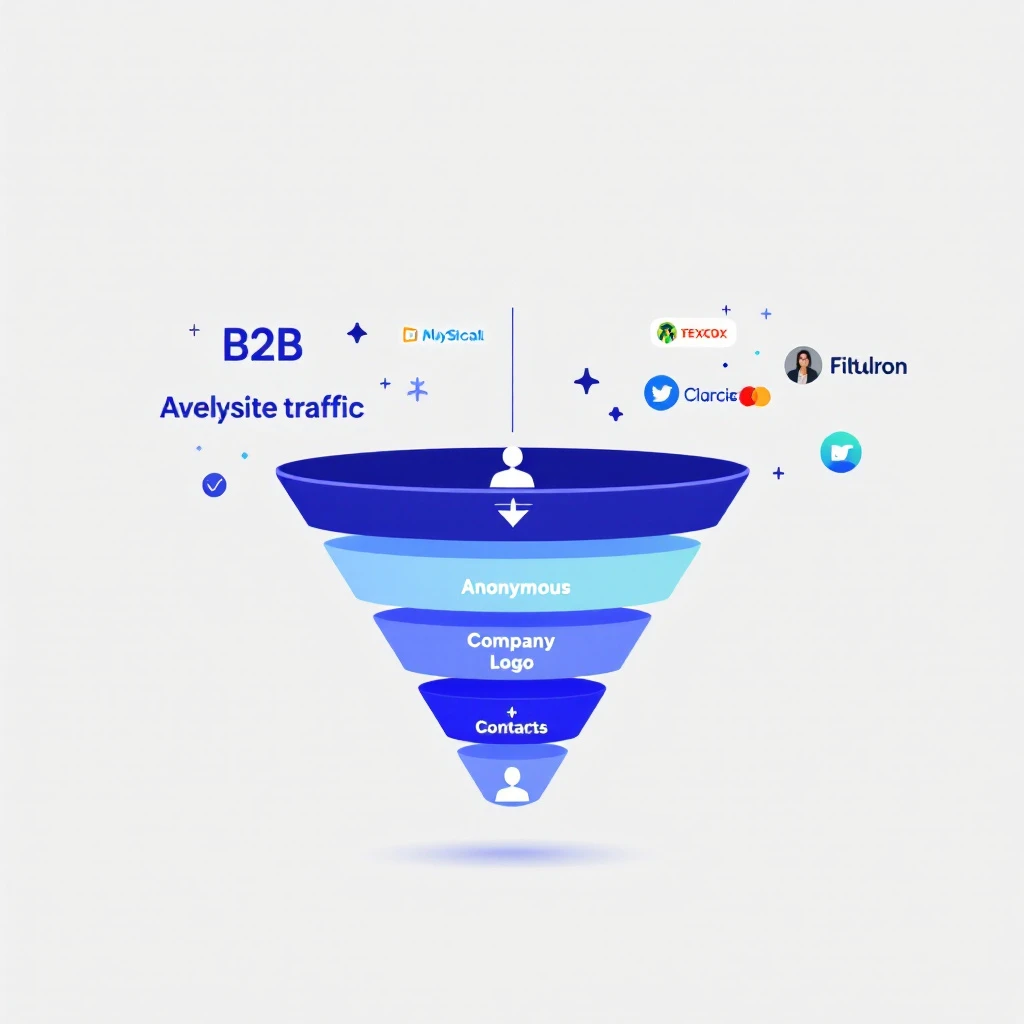
B2B website visitor identification process โ€” from anonymous traffic to identified accounts

98% of B2B website visitors leave without filling out a form. They read your pricing page, compare you to competitors, check your case studies โ€” then vanish.

You're spending thousands on Google Ads, SEO, and content to drive this traffic. And 98 out of every 100 visitors give you nothing in return. No name, no email, no company. Just another anonymous session in Google Analytics.

Website visitor identification changes that. It reveals which companies are visiting your site, what pages they're viewing, and in many cases, who the actual people are โ€” so your sales team can reach out while the buying intent is hot.

This guide covers everything: how the technology works, what match rates you can actually expect (hint: most vendors lie), the 2026 software landscape, how to evaluate tools, and how to turn identified visitors into pipeline. No fluff. No vendor spin.

Updated for 2026. This is the pillar guide in our visitor-intelligence series. Jump to the deep dives when you need them: the 12 best visitor ID tools compared, visitor tracking software reviews, how to identify anonymous website visitors, and turning identified visitors into pipeline.


What Is B2B Website Visitor Identification?โ€‹

B2B website visitor identification is the process of revealing the companies and individuals behind your anonymous website traffic. Instead of seeing "500 sessions from Austin, TX" in your analytics, you see "Hologram's VP of Sales visited your pricing page 3 times this week."

There are two levels of identification:

Company-Level Identificationโ€‹

The most common approach. When someone visits your website, their browser sends an IP address. Visitor identification tools match that IP against databases of known corporate IP ranges to identify which company the visitor works for.

How it works:

  1. A JavaScript snippet on your website captures the visitor's IP address
  2. The tool performs a reverse IP lookup (rDNS) against a database of millions of company IP ranges
  3. If there's a match, you see the company name, industry, size, and location
  4. You also see which pages they visited and for how long

Typical match rates: 20-40% of total traffic. This sounds low, but remember โ€” most consumer traffic (personal devices, mobile networks, VPNs) will never match. The 20-40% that does match is almost entirely B2B traffic, which is exactly what you want.

The catch: Company-level ID tells you which company is looking, but not who at the company. You know Salesforce visited your pricing page โ€” but was it an intern doing research or the VP of Revenue Operations evaluating tools?

Person-Level Identificationโ€‹

The newer, more powerful approach. Person-level identification goes beyond the company and attempts to identify the specific individual visiting your site.

How it works:

  1. Beyond IP matching, tools use a combination of first-party cookies, device fingerprinting, and cross-referencing identity graphs
  2. Some tools match against databases of known professional identities (built from opt-in data, public profiles, etc.)
  3. The result: you get a name, title, email, and LinkedIn profile โ€” not just a company name

Typical match rates: 5-15% of B2B traffic. Person-level is significantly harder than company-level. Any vendor claiming 40%+ person-level match rates is either misleading you or conflating company-level and person-level stats.

The privacy question: Person-level ID raises legitimate GDPR/CCPA concerns. The best tools build their identity graphs from opt-in sources and comply with privacy regulations. The worst ones scrape data without consent. Always ask your vendor where their data comes from.


How Does Website Visitor Identification Actually Work?โ€‹

Under the hood, visitor identification combines multiple data signals. Here's the technical reality without the marketing buzzwords.

1. Reverse IP Lookup (Foundation Layer)โ€‹

Every device connected to the internet has an IP address. Companies with office networks have static IP ranges registered to their organization. When an employee visits your website from the office, their request comes from one of these known IPs.

Reverse IP lookup (rDNS) cross-references the visitor's IP against databases of corporate IP ranges. These databases are maintained by data providers like:

  • Demandbase โ€” proprietary IP intelligence network
  • Clearbit (now Hubspot) โ€” company identification API
  • 6sense โ€” predictive intelligence platform
  • Bombora โ€” intent data + IP matching

Limitation: Remote work has eroded IP-based identification. When your target buyer works from home on a Comcast connection, their IP doesn't map to their employer. This is why pure IP-based tools have seen match rates decline since 2020.

2. First-Party Cookies + Device Fingerprinting (Enhancement Layer)โ€‹

To compensate for remote work, modern tools layer additional signals:

  • First-party cookies track returning visitors across sessions, building a behavioral profile even before identity resolution
  • Device fingerprinting uses browser attributes (screen resolution, timezone, installed fonts, WebGL renderer) to create a semi-unique identifier
  • Email pixel matching โ€” when a prospect clicks a link in your marketing email, the tool can link their known email to their website session

3. Identity Graphs (Resolution Layer)โ€‹

The most sophisticated tools maintain identity graphs โ€” massive databases that connect professional identities across multiple touchpoints. When a visitor arrives on your site, the tool checks:

  • Does this device/cookie match a known identity?
  • Has this IP been associated with previous known visitors?
  • Does the behavioral pattern (pages visited, time on site) match a known account?

The larger and more accurate the identity graph, the higher the match rate. This is why tools backed by large data networks (Demandbase, 6sense, ZoomInfo) often outperform standalone startups on raw identification volume.


Anonymous, Company-Level, or Person-Level: What You Actually Getโ€‹

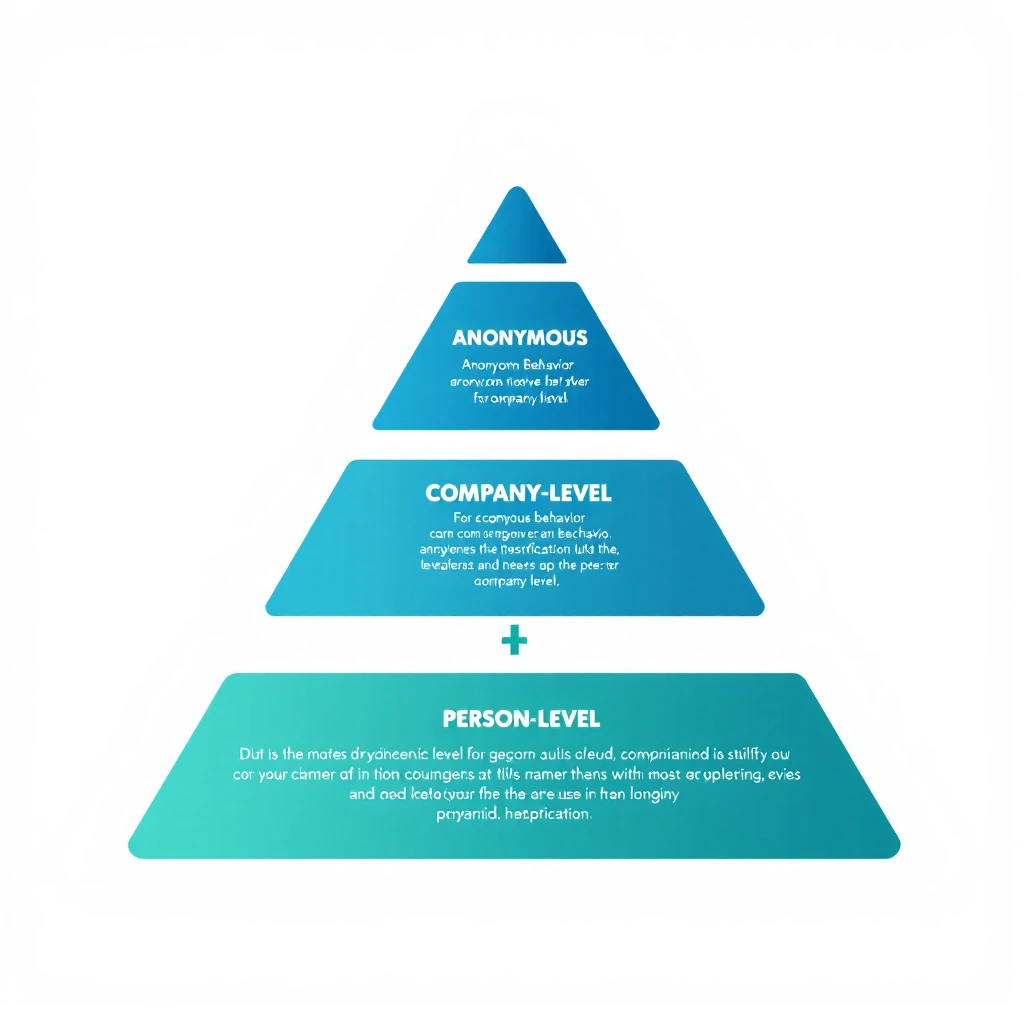
The three tiers of website visitor identification โ€” anonymous behavior, company-level, and person-level

Not all "identification" is created equal. When vendors say they identify your visitors, they mean one of three very different things โ€” and buying the wrong tier is the most common mistake we see.

TierWhat you learnTypical match rateBest for
Anonymous behaviorSession patterns, pages viewed, repeat visits โ€” but no identity100% of trafficIntent scoring, retargeting fuel, content optimization
Company-levelThe organization behind the visit (name, industry, size)20-40% of trafficABM alerts, account prioritization, warm outbound
Person-levelThe specific individual (name, title, email, LinkedIn)5-15% of B2B trafficDirect 1:1 outreach, low-friction SDR follow-up

Anonymous visitor identification is the foundation everyone starts with โ€” you can score and segment behavior even when you can't put a name to it. Action-based identification layers intent on top: a visitor who hits your pricing page twice and your case studies once is a different signal than someone who bounces off your homepage, regardless of whether you know their name yet.

The right answer for most B2B teams is company-level as the workhorse, with person-level as the bonus when the identity graph resolves it. Chasing 100% person-level identification is a fool's errand โ€” and any vendor promising it is selling you inflated numbers. For the full breakdown of how to read these signals, see our guide on identifying anonymous website visitors and how to track website visitors.


What Match Rates Should You Actually Expect?โ€‹

This is where most vendors mislead you. Here's the truth.

The Match Rate Reality Checkโ€‹

Identification TypeClaimed RangeRealistic RangeWhat Drives It
Company-level"Up to 80%"20-40%IP database coverage, % of office vs. remote traffic
Person-level"Up to 50%"5-15%Identity graph size, cookie persistence, email matching
Combined (inflated)"70-90%"25-45%Vendors often blend both numbers to inflate stats

Why the gap? Vendors run match rate tests on their best-case scenarios โ€” enterprise companies with mostly in-office workers, lots of direct traffic, and established cookies. Your results will vary based on:

  • Your audience mix โ€” Enterprise companies with office networks match better than SMBs with remote teams
  • Traffic sources โ€” Direct and organic traffic matches better than paid (ad blockers, VPNs)
  • Geography โ€” US and EU corporate IP databases are more complete than emerging markets
  • Industry โ€” Tech companies match well; healthcare and government often don't

How to Run Your Own Match Rate Testโ€‹

Don't trust vendor demos. Run a blind test with your actual traffic:

  1. Install 2-3 tools on your website simultaneously (most offer free trials)
  2. Run for 30 days to get a statistically meaningful sample
  3. Compare identified visitors against known accounts in your CRM
  4. Calculate your real match rate: Identified visitors / Total unique B2B sessions
  5. Check accuracy: Are the identified companies actually relevant? Or is it mostly ISPs and universities?

The tool that identifies the most relevant accounts at the highest accuracy wins โ€” not the one with the biggest raw number.


The B2B Visitor Identification Software Landscape in 2026โ€‹

The market has split into distinct categories. Knowing which one you're shopping in saves you from comparing tools that were never meant to compete.

Enterprise Visitor Identification Platformsโ€‹

Large, data-network-backed platforms that bundle visitor ID into a broader ABM and intent suite.

  • Who: Demandbase, 6sense, ZoomInfo
  • Strengths: Deep IP intelligence, third-party intent data, predictive scoring, enterprise integrations
  • Trade-offs: Six-figure contracts, long implementations, and a data-heavy experience that assumes you have an ops team to run it. Great identification, but the "what do I do next" layer is often thin.

Mid-Market Visitor Intelligence Toolsโ€‹

Purpose-built for revenue teams that want signal plus action without an enterprise price tag.

  • Who: Warmly, RB2B, Vector, MarketBetter
  • Strengths: Faster setup, real-time alerts (Slack, email), and increasingly, a workflow layer that tells SDRs who to contact. This is where the market is innovating fastest.
  • Trade-offs: Smaller identity graphs than the enterprise players, so raw match volume can be lower โ€” but accuracy on ICP accounts is often better.

Person-Level Specialistsโ€‹

Tools that focus specifically on de-anonymizing individual US-based visitors.

  • Who: RB2B, Vector, Retention.com-style tools
  • Strengths: When they resolve a person, you get a name and LinkedIn instantly โ€” ideal for high-velocity SDR follow-up.
  • Trade-offs: US-heavy coverage, privacy scrutiny, and match rates that are honest only when they're modest.

Analytics-Adjacent and Reverse-IP Toolsโ€‹

Entry-level company-level identification, often bolted onto analytics.

  • Who: Albacross, Leadfeeder-style tools, various reverse-IP products
  • Strengths: Cheap, easy to install, fine for a first taste of company-level data.
  • Trade-offs: Dashboard-only. You get a list of companies and no help acting on it.

How to choose: Match the category to your maturity. If you're validating the concept, start analytics-adjacent. If you're running an SDR team that needs to act on signals daily, the mid-market action-layer tools deliver the most pipeline per dollar. For a head-to-head breakdown of specific products, see our 12 best visitor identification tools comparison and best visitor tracking software reviews.

What Does Visitor Identification Software Cost?โ€‹

Pricing ranges from roughly $50/month for entry-level reverse-IP tools to six figures a year for enterprise platforms. Mid-market tools typically land in the $500-$2,000/month range and price on traffic volume or identified accounts. We broke down the real, all-in cost of a modern GTM stack โ€” including visitor ID โ€” in our AI SDR pricing teardown. The short version: the tool cost is almost never the expensive part. The wasted SDR hours from a dashboard nobody actions is.


Turning Identified Visitors Into Pipelineโ€‹

Identification alone doesn't close deals. The real value is in what your team does with the data. Here's where most companies waste their investment.

The Workflow Problemโ€‹

Most visitor identification tools stop at identification. They show you a dashboard of companies that visited your site. Then what?

Your SDR logs in, scrolls through a list of 50 companies, tries to figure out who to contact, opens LinkedIn to find the right person, switches to their CRM to check if there's an existing relationship, then goes to their email tool to write outreach.

That's 5 tools and 15 minutes per lead โ€” and they have 50 to get through. By the time they reach out, the buyer's intent has cooled.

What a Complete Visitor ID Workflow Looks Likeโ€‹

The best approach connects identification to action:

  1. Identify โ€” Visitor arrives, company and/or person identified
  2. Qualify โ€” Automatically check: does this company match your ICP? Are they in your CRM already? What's their revenue/employee count?
  3. Prioritize โ€” Rank by buying signals: pricing page visits > blog reads. Repeat visitors > first-timers. Decision makers > individual contributors.
  4. Enrich โ€” Pull in additional context: recent funding, job postings, tech stack, social media activity
  5. Route โ€” Assign to the right SDR based on territory, industry, or account ownership
  6. Act โ€” Present a daily playbook: "These 5 accounts visited your pricing page yesterday. Here's who to contact and what to say."

This is the difference between data and action. Tools that stop at step 1 create dashboards. Tools that go through step 6 create pipeline.

Measuring ROIโ€‹

The ROI formula for visitor identification is straightforward:

Monthly ROI = (Meetings booked from identified visitors ร— Average deal value ร— Win rate) - Tool cost

Example for a mid-market B2B company:

  • 1,000 unique B2B visitors/month
  • 30% company-level match rate = 300 identified companies
  • 10% are ICP-fit = 30 qualified accounts
  • SDR reaches out to all 30, books 5 meetings (17% meeting rate)
  • Average deal size: $30,000
  • Win rate: 25%
  • Monthly pipeline created: $37,500
  • Tool cost: $500-$2,000/month
  • ROI: 18-75x

Even conservative estimates show massive ROI โ€” because you're reaching prospects who already demonstrated buying intent by visiting your site.


Visitor identification operates in a gray area that's getting clearer (and stricter) every year. Here's what you need to know.

GDPR (EU/UK)โ€‹

  • Company-level identification is generally considered legitimate interest under GDPR โ€” you're identifying organizations, not individuals
  • Person-level identification requires more careful handling. The tool must source identity data from compliant, opt-in databases
  • Cookie consent is required. Your cookie banner must disclose analytics and identification tracking
  • Data processing agreements (DPAs) should be in place with your vendor

CCPA (California)โ€‹

  • Visitors can opt out of "sale" of personal information
  • Company-level data is generally exempt
  • Person-level data may fall under CCPA if it includes personal identifiers

SOC 2โ€‹

If you're selling to enterprise, they'll ask about your security posture. Choose a vendor that's SOC 2 certified โ€” it means they've been audited on data handling practices.

Best Practicesโ€‹

  1. Disclose tracking in your privacy policy โ€” mention website analytics and business identification
  2. Honor opt-outs โ€” if someone requests data deletion, your vendor should support it
  3. Use compliant data sources โ€” ask vendors: "Where does your identity graph data come from?"
  4. Keep data hygiene tight โ€” don't store identified visitor data indefinitely; set retention policies

How to Evaluate Website Visitor Identification Toolsโ€‹

When shopping for a visitor ID tool, here's what actually matters (and what doesn't).

What Mattersโ€‹

FactorWhy It MattersHow to Evaluate
Match rate on YOUR trafficVendor benchmarks are meaningless for your specific audienceRun a 30-day trial with your actual traffic
Accuracy40% match rate with 50% accuracy = 20% usable dataCross-reference identified companies against your CRM
Integration depthData that sits in a dashboard creates zero pipelineCheck CRM sync, Slack alerts, daily playbook features
Action layerIdentification without workflow = expensive analyticsDoes it tell SDRs what to DO, not just what happened?
Person-level capabilityCompany-level alone requires manual researchCan it surface the specific contact to reach out to?
Pricing transparencyHidden pricing usually means enterprise-onlyCan you see pricing before talking to sales?

What Doesn't Matter (Much)โ€‹

  • Size of the "contact database" โ€” 300M contacts means nothing if 90% are outdated
  • Number of integrations โ€” you need 3-4 deep integrations, not 100 shallow ones
  • AI buzzwords โ€” "AI-powered identification" is marketing. The data quality matters more.
  • Free tier generosity โ€” free tools with low match rates waste your time with bad data

Questions to Ask Vendorsโ€‹

  1. "What's my expected match rate based on my traffic profile?"
  2. "Is your identification company-level, person-level, or both?"
  3. "Where does your identity graph data come from? Is it opt-in?"
  4. "What happens when a visitor's company is identified โ€” what's the next step for my SDR?"
  5. "Are you SOC 2 certified? GDPR compliant?"
  6. "Can I see a breakdown of your match accuracy (not just match rate)?"

Special Cases: Ecommerce, Cross-Domain, and Multi-Touchโ€‹

Visitor identification isn't one-size-fits-all. A few scenarios come up constantly and deserve their own answer.

Ecommerce and B2C Visitor Identificationโ€‹

B2B and B2C identification are fundamentally different problems. B2B relies on corporate IP ranges and professional identity graphs โ€” it works because businesses have stable, registered network footprints. Ecommerce visitor identification and B2C in general lean on first-party data, logged-in sessions, and email-based identity resolution, because consumer traffic on home and mobile networks rarely maps to anything useful via IP. If you're running a DTC store, look for tools built around first-party pixels and post-click email resolution, not reverse-IP B2B tools โ€” the match rates and the compliance model are both different.

Cross-Domain Visitor Identificationโ€‹

If you run multiple properties โ€” a marketing site, a docs subdomain, a separate product domain โ€” cross-domain visitor identification stitches a single visitor's journey across all of them. This matters because a buyer who reads your docs, then your pricing page, then your competitor-comparison content is showing a far stronger signal than three isolated sessions suggest. Look for tools that support first-party cookie sharing across your domains and a unified account timeline, so a visit on one property enriches the profile on another.

Multi-Touch and Behavior-Data Identificationโ€‹

The most useful signal isn't a single visit โ€” it's the pattern. Behavior-data identification weights repeat visits, page sequence, and recency to separate idle browsers from active buyers. A well-designed system treats "third pricing-page visit this week" as a priority alert, not just another row in a dashboard. This is the bridge from identification to action, and it's exactly what our visitor-ID-to-first-outreach playbook is built around.


The Future of Visitor Identification (2026 and Beyond)โ€‹

Three trends are reshaping this space:

1. The Post-Cookie Worldโ€‹

Google is phasing out third-party cookies (slowly, painfully). Tools that rely heavily on third-party cookie matching will see declining match rates. First-party data and server-side tracking are becoming essential.

What this means for you: Choose tools investing in cookieless identification methods โ€” IP intelligence, first-party data enrichment, and authenticated traffic matching.

2. AI-Powered Intent Scoringโ€‹

Raw identification is becoming table stakes. The differentiator is what the tool does with the data. AI models that score buying intent based on page visit patterns, visit frequency, content consumed, and account-level behavior will separate useful tools from expensive dashboards.

3. From Identification to Orchestrationโ€‹

The market is moving from "tell me who visited" to "tell my SDR what to do about it." Daily playbooks, automated outreach triggers, and real-time alerts are becoming standard expectations, not premium features.


Getting Started: Your First 30 Daysโ€‹

Here's a practical roadmap for implementing visitor identification:

Week 1: Install and Configure

  • Install 2-3 tools for a head-to-head trial
  • Configure your ICP filters (industry, company size, geography)
  • Connect your CRM so identified accounts are automatically matched to existing opportunities

Week 2: Baseline Measurement

  • Track total identified visitors vs. total traffic
  • Note how many identified companies match your ICP
  • Measure how long it takes SDRs to action the identified accounts

Week 3: Optimize Workflow

  • Set up automated alerts for high-intent visits (pricing page, comparison pages, demo page)
  • Create SDR playbooks: "When Account X visits the pricing page, do Y"
  • Build daily dashboards showing SDRs their priority outreach list

Week 4: Measure and Decide

  • Calculate: meetings booked from identified visitors
  • Compare tool match rates and accuracy head-to-head
  • Make your vendor decision based on real data, not demos

Common Use Cases by Teamโ€‹

For SDR Teamsโ€‹

  • Warm outreach priority list: Instead of cold-calling from a static list, SDRs start each day with a list of accounts that visited your website in the last 24 hours. These aren't cold โ€” the prospect already knows you exist.
  • Personalized first touch: "I noticed your team was looking at our pricing page yesterday" is 3x more effective than a generic cold email. Visitor data gives SDRs the context to write outreach that feels relevant, not random.
  • Account progression tracking: See which accounts are moving from blog content to pricing pages to case studies โ€” that's a buying signal you can act on before the prospect fills out a form.

For Demand Gen Teamsโ€‹

  • Attribution clarity: Which campaigns drive the most identified, ICP-fit visitors? Visitor ID bridges the gap between "we got 500 clicks" and "we got visits from 12 target accounts."
  • Content optimization: See which blog posts attract target accounts and which attract irrelevant traffic. Double down on what works.
  • Retargeting fuel: Build retargeting audiences from identified accounts. Instead of broad display ads, target the specific companies who've already shown interest.

For Account Executivesโ€‹

  • Deal acceleration: When a prospect you're working goes quiet but keeps visiting your site, you know the deal isn't dead โ€” they're still evaluating. Time to re-engage.
  • Multi-threading alerts: If 3 different people from the same company visit your case studies page, your champion is building internal consensus. The AE should know.
  • Competitive intelligence: Prospect visiting your comparison pages? They're evaluating alternatives. Send them your win-loss analysis before they talk to the competitor.

Frequently Asked Questionsโ€‹

Company-level identification is legal in the US, EU, and most global markets. It uses publicly available corporate IP data and doesn't identify individuals. Person-level identification requires more careful compliance, especially under GDPR. Choose vendors that source data from opt-in, compliant databases and have clear privacy policies.

What's the difference between visitor identification and analytics?โ€‹

Google Analytics tells you "50 people from Austin visited your pricing page." Visitor identification tells you "Hologram, Datadog, and Cloudflare visited your pricing page." Analytics gives you aggregate patterns. Identification gives you accounts to call.

Do I need visitor identification if I already have a CRM?โ€‹

Yes. Your CRM only knows about prospects who've already identified themselves (form fills, email replies, demo requests). Visitor identification reveals the 98% who are researching you but haven't raised their hand yet. Think of it as the top-of-funnel radar your CRM can't provide.

How does remote work affect match rates?โ€‹

Remote work reduces IP-based match rates because home internet connections don't map to corporate IP ranges. The best tools compensate with first-party cookies, email pixel matching, and identity graphs. Expect 10-15% lower match rates compared to pre-2020, but the identified visitors are still highly valuable.

How many visitors do I need for this to be worth it?โ€‹

Most tools become cost-effective at 1,000+ unique monthly visitors. Below that, you won't identify enough accounts to justify the investment. Above 5,000 visitors, the ROI compounds quickly because each additional identified account is essentially free incremental pipeline.

Can I use visitor identification with ABM (Account-Based Marketing)?โ€‹

Absolutely โ€” this is one of the strongest use cases. Upload your target account list, and the tool alerts you the moment any of those accounts visit your site. Instead of waiting for them to fill out a form, you can trigger outreach immediately. Some tools even track which specific pages target accounts visit, giving your ABM campaigns real-time feedback on messaging effectiveness.


Bottom Lineโ€‹

Website visitor identification isn't magic โ€” it's infrastructure. The 98% of visitors who leave without converting aren't gone. They're just anonymous. The right tool makes them visible. The right workflow makes them reachable. And the right team turns them into customers.

The question isn't whether to invest in visitor identification. It's whether you can afford not to โ€” while your competitors are already reaching out to the same buyers who just left your site.

Ready to see who's visiting your website? Book a demo and see MarketBetter's visitor identification in action โ€” complete with daily SDR playbook, AI chatbot, and multi-channel outreach built in.


Keep Reading: The Visitor Intelligence Seriesโ€‹

Have questions about B2B website visitor identification software? See how MarketBetter compares to Warmly, then book a demo to watch it identify your traffic live.

Most Sales Tools Get Harder to Use Over Time. Yours Should Get Easier. [2026]

ยท 10 min read
sunder
Founder, marketbetter.ai

You sign the contract. You sit through the kickoff call. You watch the 45-minute "getting started" webinar while checking Slack in a split window.

Week 1, you use maybe 10% of the features. The dialer, the basic email sequences, the contact list. The stuff that was obvious in the demo.

Week 12, you're still using 10% โ€” but now you're paying for 100%.

The analytics dashboard that would prove ROI to your VP? Three clicks deep in a settings page you've never visited. The auto-CC rule that would save your team 20 minutes a day? Buried under "Advanced Workflow Configuration." The integration that would pipe intent signals directly into your CRM? It's been available since day one. Nobody told your team it existed.

This isn't a training problem. It's a design problem. And it's costing B2B sales teams far more than they realize.

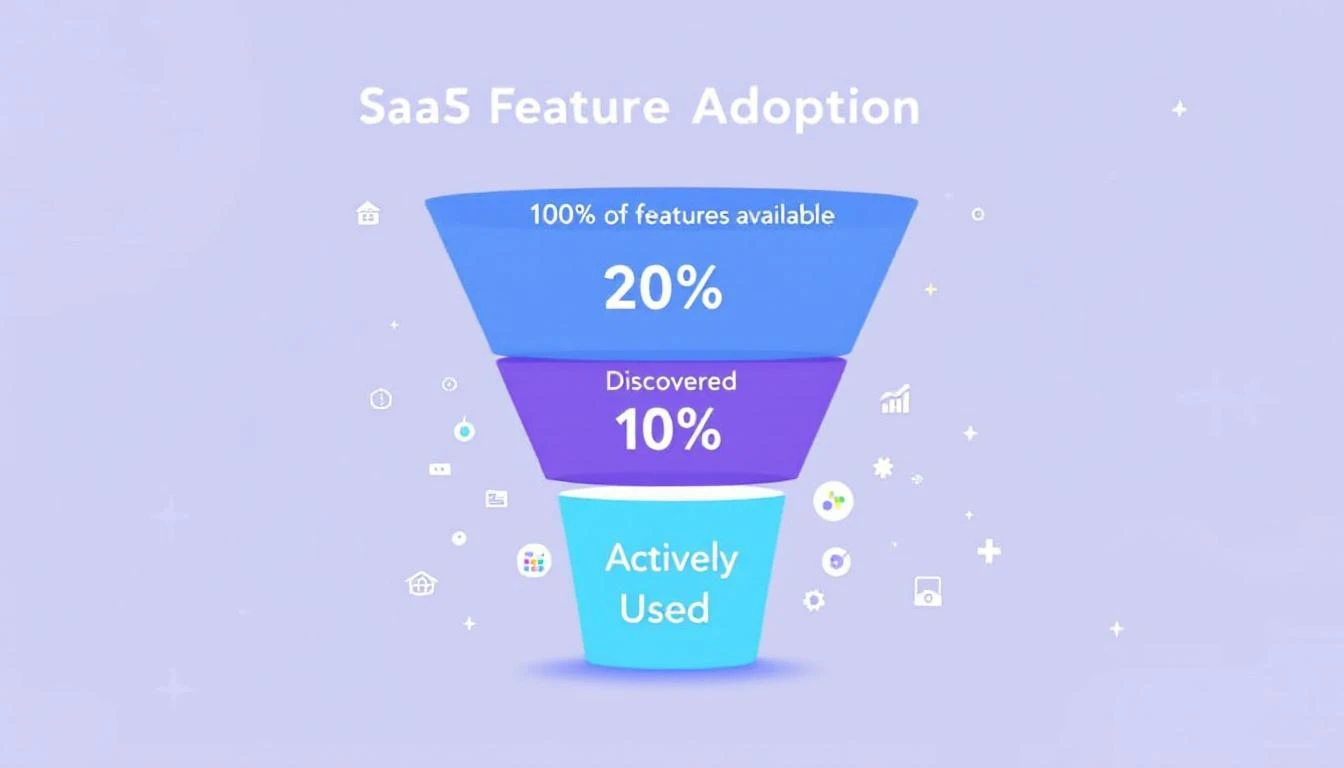
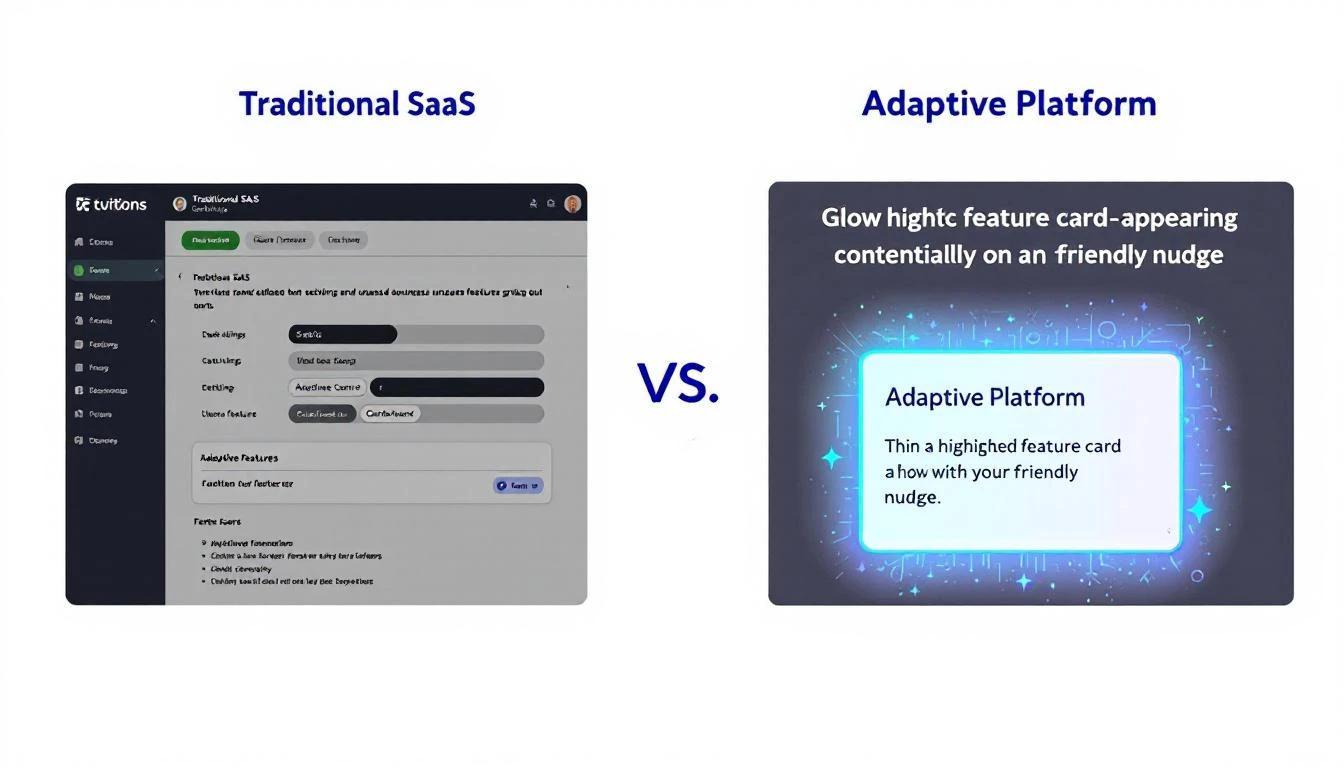
The SaaS feature adoption gap โ€” most teams use a fraction of what they pay for

The $21 Million Problem Nobody Talks Aboutโ€‹

Here's a stat that should make every VP of Sales uncomfortable: 80% of features in the average SaaS product are rarely or never used, according to Pendo's product benchmarks. Even more striking โ€” just 6% of features drive 80% of all user engagement.

That's not a rounding error. That's a systemic failure of product design.

The financial impact is staggering. Zylo's 2025 SaaS Management Index found that enterprises waste $21 million per year on unused SaaS licenses. Gartner estimates organizations lose 25% of their entire SaaS budget to unused entitlements and overlapping tools. And that waste grew 12% year-over-year.

For sales teams specifically, the numbers are even worse. The average CRM adoption rate across sectors is only 26%. That means nearly three-quarters of the sales reps you're paying to use a tool... aren't using it. Or they're using it so superficially that the data is useless.

83% of senior executives report meeting active resistance when trying to get their teams to adopt CRM tools. Not passive indifference โ€” resistance.

Meanwhile, your reps are spending only 28-30% of their time actually selling. The rest disappears into admin work, context-switching between an average of 8 different tools, and manual data entry that a well-configured platform should handle automatically.

Why Sales Tools Get Harder, Not Easierโ€‹

Most SaaS products follow a predictable trajectory:

Month 1: Clean, focused. You use the core features. Things feel fast.

Month 6: New features ship. The nav bar grows. Settings pages multiply. You get emails about "exciting new capabilities" that you delete without reading.

Month 12: The product is objectively more powerful than when you bought it. But subjectively, it feels more complex. Your team uses the same 10% they always did โ€” just with more menus to click through to get there.

Month 18: Renewal comes up. Finance asks for ROI justification. You can't prove it because the analytics features that would show impact are the exact features nobody adopted.

This isn't unique to any one vendor. It's the default trajectory of every sales platform built on the assumption that "more features = more value." Features only create value when people actually use them.

Traditional SaaS buries features in menus. Adaptive platforms surface them in context.

The real question isn't "does your platform have feature X?" It's "will your team actually discover and use feature X before the renewal conversation?"

The Onboarding Cliffโ€‹

Here's where most platforms fail first: onboarding.

The average SaaS onboarding completion rate sits between 40-60%. That means up to 60% of your users never finish the basic setup โ€” let alone discover advanced features.

But the stakes are high. Research shows that users who complete onboarding are 5x more likely to remain customers after 90 days. Properly onboarded customers show 3x higher lifetime value. And 63% of buyers say they consider the onboarding experience when deciding whether to purchase in the first place.

The problem is that most onboarding is designed as a one-time checklist. Here's how to import contacts. Here's how to send an email. Here's how to make a call. Done. Go sell.

But your team's needs on day 1 are completely different from day 30 or day 90. A static checklist can't account for the fact that:

  • Your SDR who joined last week needs the basics
  • Your senior rep needs the advanced sequencing features she hasn't discovered yet
  • Your manager needs the analytics dashboard he doesn't know exists
  • Your RevOps lead needs the integration that would automate what they're doing manually in spreadsheets

One-size-fits-all onboarding treats all of these people the same. And then we're surprised when 71% of app users churn within 90 days.

What Proactive Product Design Actually Looks Likeโ€‹

The best platforms don't wait for users to discover features. They surface the right capability at the right moment.

This isn't a new concept. Jakob Nielsen introduced progressive disclosure as an interaction design principle back in 1995 โ€” the idea that you show users only what they need right now, and reveal complexity as they're ready for it. But most B2B sales tools still dump the entire feature set on you from day one and hope you figure it out.

Here's what it looks like when a platform actually gets this right:

1. Contextual Feature Discoveryโ€‹

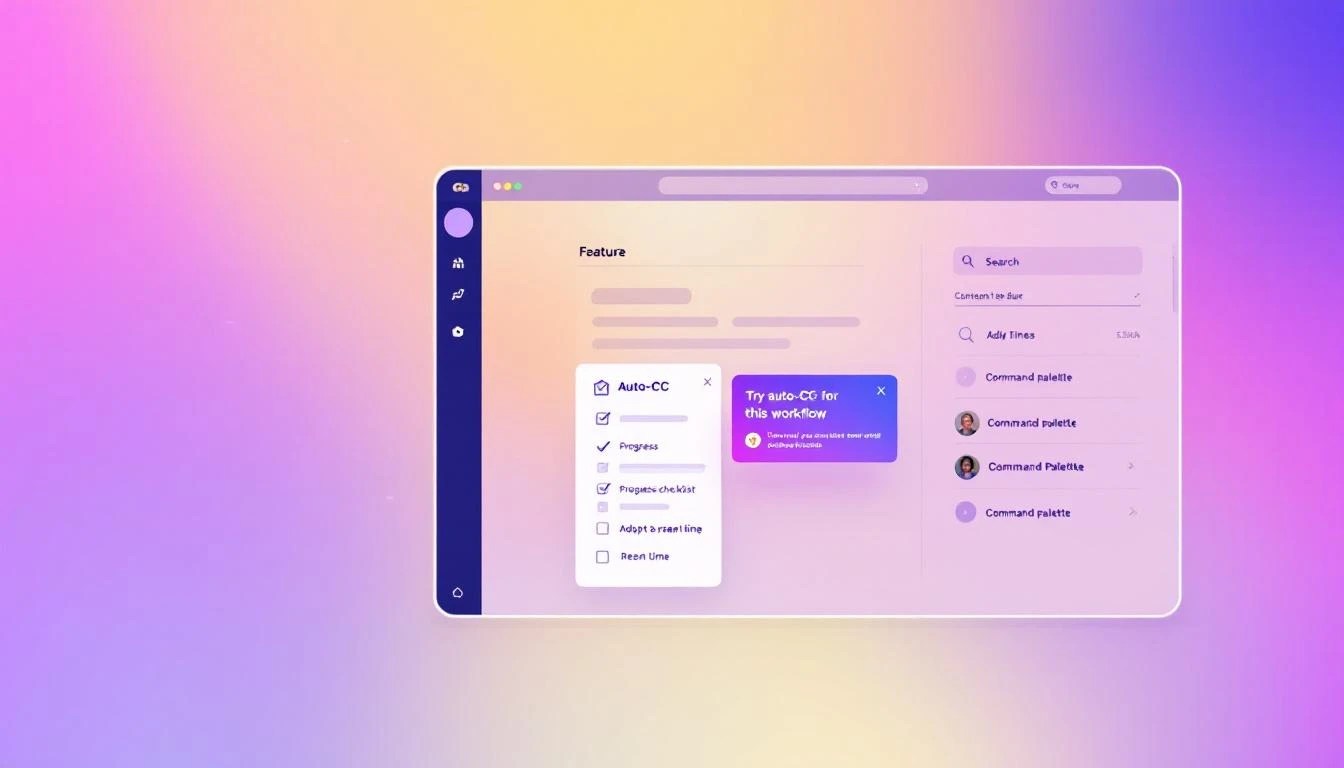
You're manually CC'ing your manager on every outbound email. The platform notices the pattern and nudges: "You're CC'ing the same person on every sequence. Want to set up auto-CC for this workflow?"

You're checking your pipeline every morning by scrolling through a list. The platform suggests: "Your workflow has 14 tasks due today. Want to see them organized by priority in the task tab?"

This isn't annoying onboarding pop-ups. It's the platform paying attention to how you work and offering a shortcut exactly when you'd benefit from it. Like a daily SDR playbook that adapts to your actual workflow โ€” not a generic template.

2. Adaptive Onboardingโ€‹

Instead of a static "getting started" checklist, imagine one that updates based on what you've actually done:

  • Skipped the CRM integration step? It resurfaces when you manually enter your third contact
  • Already set up sequences? The checklist advances to show you A/B testing, which you haven't tried yet
  • Haven't used the dialer after two weeks? A brief tutorial appears in context, right when you're about to manually dial a number

The checklist isn't checking boxes. It's tracking behavior gaps and filling them proactively.

3. Command Palette Search That Teachesโ€‹

When you can't find something, you search for it. The best platforms turn that search into a teaching moment.

Type "how do I track opens" and instead of just linking to a docs page, the platform takes you directly to the feature โ€” with a 30-second inline tutorial that shows you how it works in your current context, with your actual data.

A command palette that surfaces tutorials alongside features turns every search into an adoption opportunity.

Contextual feature discovery: the right capability surfaces at the right moment

4. Integration Awarenessโ€‹

Your CRM isn't connected. Instead of a buried settings page, the platform shows a banner when you're doing something that would be dramatically better with the integration:

"You're manually logging this call. Connect Salesforce and it happens automatically."

That's not nagging. That's showing value at the exact moment the user can feel the pain of not having the integration.

5. Visibility Through Badges and Statusโ€‹

You have 7 tasks due today, 3 contacts in a "waiting for reply" state, and 2 sequences that need follow-up. But you'd never know it without digging into three different tabs.

A well-designed platform puts count badges on workflow tabs โ€” so you see at a glance where attention is needed. No hunting. No mental math. Just clear signals about where to focus.

The Compound Effect of Progressive Adoptionโ€‹

When a platform gets adoption right, something interesting happens: usage compounds.

A rep discovers auto-CC in week 2. That saves 5 minutes per day. In week 4, they discover the task prioritization view. Now they're not just saving time on emails โ€” they're working the right accounts first. By week 8, they've found the analytics dashboard and can actually see which sequences convert. They start optimizing.

Each feature discovered makes the next one more likely to be used. And each one makes the platform stickier, more valuable, and harder to replace.

This is the opposite of the shelfware spiral where you're paying for a GTM stack you barely touch.

Userpilot's 2024 benchmarks show that the average core feature adoption rate across SaaS is just 24.5%, with a median of 16.5%. Companies that hit 28%+ are considered strong performers. Imagine what happens when you double that number through better product design โ€” not more features, but better discovery of existing ones.

What to Look For in Your Next Sales Platformโ€‹

If you're evaluating sales tools (or re-evaluating the one you have), stop asking "what features does it have?" Start asking:

1. "How will my team discover features they don't know about yet?" If the answer is "documentation" or "training webinars," that's a red flag. You need in-product discovery.

2. "Does the onboarding adapt to different roles and experience levels?" A brand-new SDR and a 10-year sales veteran should not get the same onboarding flow.

3. "How does the platform handle complexity as my team grows?" More users should mean more value, not more confusion. Progressive disclosure should scale.

4. "Can my team find what they need without leaving their workflow?" If using a feature requires navigating away from what you're doing, most people won't use it.

5. "Does the platform show me what's important, or make me go find it?" Badges, priority views, contextual nudges โ€” these aren't nice-to-haves. They're the difference between a tool that gets used and a tool that gets resented.

The Bottom Lineโ€‹

40% of SaaS revenue now comes from renewals and expansion. That means the vendors who survive aren't the ones with the longest feature list โ€” they're the ones whose customers actually use what they've built.

For sales teams, the cost of unused features isn't just wasted budget. It's the SDR who could be booking 30% more meetings if they knew the priority queue existed. It's the manager who can't prove ROI because the dashboard is three clicks too deep. It's the entire team stuck on 8 disconnected tools when one well-designed platform could replace them all.

The platforms that win in 2026 won't be the ones that ship the most features. They'll be the ones that make sure every feature ships directly to the user who needs it, at the moment they need it.

Your sales tool should get easier every week you use it โ€” not harder.


Ready to see what a sales platform designed for real adoption looks like? Book a demo โ†’

9 Best Bombora Alternatives 2026: From $99/mo Intent Data to Enterprise ABM

ยท 8 min read
sunder
Founder, marketbetter.ai

Bombora pioneered consent-based B2B intent data with their Data Co-op of 5,000+ publisher websites. But at $30,000+ per year for company-level data only โ€” with no email, dialer, or execution tools included โ€” many teams are looking for alternatives that deliver more value per dollar.

Whether you need cheaper intent data, person-level identification, or a complete SDR platform that includes signals AND execution, here are the 9 best Bombora alternatives for 2026.

Why Teams Leave Bomboraโ€‹

Before diving into alternatives, here's what drives the search:

  1. Price: $30K-$100K/year for intent data alone, before you buy execution tools
  2. Company-level only: No individual contact identification
  3. Weekly refresh: Not real-time โ€” competitors can engage before you
  4. Stack complexity: Need 3-5 additional tools to act on the data
  5. ROI pressure: Hard to justify $30K+ for a weekly report when cheaper alternatives exist

1. MarketBetter โ€” Best All-in-One Alternative (Signals + Execution)โ€‹

Starting Price: $99/user/month | G2 Rating: 4.97/5

MarketBetter isn't just an intent data tool โ€” it's a complete SDR operating system that replaces Bombora plus the 3-4 tools you need to act on intent data.

What you get:

  • Website visitor identification (company and person-level)
  • Behavioral intent signals from your own traffic
  • Hyper-personalized email automation
  • Built-in smart dialer with call recording
  • AI chatbot that engages visitors in real-time
  • Daily SDR playbook โ€” prioritized tasks, not raw data

Why it beats Bombora: MarketBetter costs $5,940/year for a 5-person SDR team. Bombora's intent data alone starts at $30,000/year โ€” and you still need email, dialer, and enrichment tools on top. MarketBetter eliminates the gap between "this company is interested" and "here's exactly what your SDR should do."

Best for: Growing B2B teams (2-20 SDRs) that need signals AND execution in one platform.

See the daily SDR playbook โ†’


2. 6sense โ€” Best Enterprise ABM Alternativeโ€‹

Starting Price: ~$60,000/year | G2 Rating: 4.1/5

6sense combines intent data from multiple sources (including Bombora's Data Co-op) with predictive analytics and ABM orchestration. Their Revenue AI platform identifies accounts across the entire buying journey.

Pros:

  • Multi-source intent data (broader coverage than Bombora alone)
  • Predictive models that identify buying stage
  • Account-based advertising built in
  • Contact-level identification available

Cons:

  • Extremely expensive ($60K-$200K+/year)
  • Complex implementation (months, not days)
  • Heavy product โ€” most teams use 20% of features
  • Still limited execution tools (no built-in dialer)

Best for: Enterprise marketing teams with dedicated ABM programs and $100K+ budgets.


3. Demandbase โ€” Best for ABM Advertisingโ€‹

Starting Price: ~$50,000/year | G2 Rating: 4.3/5

Demandbase combines intent data with account-based advertising and website personalization. Their platform excels at targeting surging accounts with display and LinkedIn ads.

Pros:

  • Strong intent data combined with advertising
  • Website personalization for target accounts
  • Good account identification accuracy
  • Comprehensive ABM analytics

Cons:

  • Enterprise pricing ($50K-$200K+/year)
  • Complex to set up and maintain
  • Advertising ROI can be hard to measure
  • No built-in dialer or email sequencing

Best for: Enterprise marketing teams running account-based advertising campaigns alongside sales.


4. ZoomInfo โ€” Best for Contact Data + Basic Intentโ€‹

Starting Price: ~$15,000/year | G2 Rating: 4.4/5

ZoomInfo is primarily a contact database but has added intent data through their acquisition of companies like EverString and their partnership with Bombora. You get contacts AND signals in one platform.

Pros:

  • Massive contact database (300M+ profiles)
  • Intent data included (powered by their network + Bombora partnership)
  • Built-in email sequencing (Engage product)
  • Chrome extension for prospecting

Cons:

  • Pricing is opaque and aggressive ($15K-$50K+/year)
  • Data quality varies by segment
  • Intent data is less granular than Bombora's native offering
  • Annual contracts with difficult cancellation
  • No smart dialer or AI chatbot

Best for: Teams that need contact data first and intent data second โ€” the reverse of Bombora's approach.


5. G2 Buyer Intent โ€” Best for Software/SaaS Companiesโ€‹

Starting Price: ~$10,000/year | G2 Rating: N/A (it IS G2)

G2's intent data comes from their review platform โ€” the world's largest software marketplace. When buyers read reviews, compare products, and research categories on G2, that activity becomes intent data for sellers.

Pros:

  • Extremely high-quality intent signals (people reading reviews are actively buying)
  • 87% precision in independent testing (vs Bombora's 81%)
  • Category-level and product-level intent
  • Direct integration with Salesforce, HubSpot, and most CRMs

Cons:

  • Only works for software/SaaS โ€” not applicable to non-software B2B
  • Limited to G2 platform activity (not the broader web)
  • Expensive for small teams
  • Company-level only (similar to Bombora)

Best for: SaaS companies selling to buyers who actively use G2 for vendor research.


6. Common Room โ€” Best for Community-Driven Intentโ€‹

Starting Price: Free (limited) / $99/user/month | G2 Rating: 4.8/5

Common Room aggregates signals from community platforms โ€” GitHub, Discord, Slack, Stack Overflow, Twitter โ€” to identify companies engaging with your brand ecosystem. It's intent data from a completely different angle than Bombora.

Pros:

  • Free tier available
  • Signals from developer/community activity
  • Person-level identification (not just company)
  • Real-time signals (not weekly)
  • Good Slack and Salesforce integrations

Cons:

  • Only useful if you have community presence
  • Limited for traditional B2B without developer audiences
  • No built-in email or dialer
  • Signal quality depends on your community size

Best for: Developer-focused companies and PLG businesses with active communities.


7. Apollo.io โ€” Best Budget Alternativeโ€‹

Starting Price: Free / $49/user/month | G2 Rating: 4.8/5

Apollo combines a large contact database with basic intent signals and built-in email sequencing. It's the closest thing to an affordable all-in-one alternative to the Bombora + enrichment + sequencing stack.

Pros:

  • Free tier with 60 monthly credits
  • Contact database + email sequencing in one tool
  • Basic intent data included at paid tiers
  • Chrome extension for LinkedIn prospecting
  • Affordable ($49-$119/user/month)

Cons:

  • Intent data is basic compared to Bombora's topic-level depth
  • Email deliverability concerns (shared IPs)
  • No built-in dialer (phone add-on costs extra)
  • Data accuracy varies for niche industries

Best for: Small teams and startups that need basic signals + outreach on a budget under $5K/year.


8. Clearbit (HubSpot) โ€” Best for HubSpot Ecosystemโ€‹

Starting Price: Included with HubSpot Marketing Hub | G2 Rating: 4.4/5

Clearbit was acquired by HubSpot and now provides intent data, enrichment, and visitor identification natively within the HubSpot ecosystem. If you're already on HubSpot, you may already have access.

Pros:

  • Native HubSpot integration (no separate tool)
  • Real-time enrichment and visitor identification
  • Company and person-level data
  • Included with HubSpot Marketing Hub plans

Cons:

  • Only available through HubSpot (vendor lock-in)
  • Intent data is less comprehensive than Bombora's co-op model
  • HubSpot Marketing Hub itself can be expensive ($800-$3,600/mo)
  • Limited topic-level granularity

Best for: Companies already invested in the HubSpot ecosystem.


9. Warmly โ€” Best for Real-Time Website Intentโ€‹

Starting Price: ~$700/month | G2 Rating: 4.7/5

Warmly identifies anonymous website visitors in real-time and can trigger automated outreach (chat, email, LinkedIn) the moment a high-value visitor lands on your site. It's the anti-Bombora โ€” real-time instead of weekly, execution-focused instead of data-focused.

Pros:

  • Real-time visitor identification
  • Automated chat and email triggers
  • Person-level identification (LinkedIn matching)
  • Salesforce and HubSpot integrations

Cons:

  • Limited to your own website traffic (not the broader web)
  • Pricing scales with traffic volume
  • No built-in dialer
  • Smaller dataset than Bombora's co-op

Best for: Companies with significant website traffic that want instant engagement with high-intent visitors.


Quick Comparison Tableโ€‹

ToolStarting PriceIntent LevelExecution ToolsBest For
MarketBetter$99/user/monthCompany + personEmail, dialer, chat, playbookGrowing SDR teams
6sense~$60K/yrCompanyABM orchestration, adsEnterprise ABM
Demandbase~$50K/yrCompanyABM ads, web personalizationEnterprise advertising
ZoomInfo~$15K/yrCompanyEmail sequencingContact data + intent
G2 Buyer Intent~$10K/yrCompanyCRM alertsSaaS companies
Common RoomFree / $500/moPersonCommunity signalsDeveloper/PLG companies
ApolloFree / $49/moBasicEmail sequencingBudget teams
ClearbitWith HubSpotCompany + personHubSpot workflowsHubSpot users
Warmly~$700/moPersonChat, email triggersHigh-traffic websites

Which Alternative Should You Choose?โ€‹

If you want signals + execution in one platform: MarketBetter. The daily SDR playbook replaces the entire Bombora + ZoomInfo + Outreach + dialer stack at a fraction of the cost.

If you have an enterprise ABM budget ($100K+): 6sense or Demandbase. They're expensive, but they provide intent data + advertising orchestration for complex ABM programs.

If you need contacts first, intent second: ZoomInfo. The database is the product; intent data is the bonus.

If you're on a startup budget: Apollo (free tier) or Common Room (free tier). Neither matches Bombora's intent depth, but they cost $0 to start.


Ready to replace your entire intent-to-execution stack with one platform? Book a MarketBetter demo โ†’

7 Best Overloop Alternatives for B2B Sales Teams in 2026

ยท 7 min read

Best Overloop alternatives โ€” 7 AI prospecting tools compared for B2B sales teams

Overloop AI is a solid LinkedIn + email prospecting tool. But between the credit limits, weak email features, and missing channels (no dialer, no visitor ID, no chatbot), plenty of teams are looking for alternatives that do more.

We evaluated 7 tools that compete with Overloop across AI prospecting, multichannel outreach, and sales engagement. Here is what each does best โ€” and who it is built for.

Why Teams Switch From Overloopโ€‹

The most common reasons we see teams evaluate Overloop alternatives:

  • Credit caps limit prospecting volume โ€” 250-500 credits per user per month does not scale for high-volume teams
  • Email functionality is weak โ€” multiple reviewers call it Overloop's biggest gap
  • No phone channel โ€” SDR teams that call prospects need a separate dialer
  • No visitor identification โ€” cannot see which companies are browsing your website
  • 3-campaign limit on Starter โ€” restricts A/B testing and multi-segment outreach

See our full Overloop review for detailed analysis of these limitations.


1. MarketBetter โ€” Best for Complete SDR Workflowโ€‹

Starting Price: $99/user/month Best For: SDR teams that need every channel in one platform

MarketBetter is the opposite of a point solution. Instead of automating one channel, it gives SDR teams a daily AI-generated playbook that prioritizes leads across every signal source โ€” website visits, email engagement, intent data, and more.

What you get that Overloop does not:

  • Website visitor identification โ€” know which companies are browsing your site before you reach out
  • Built-in smart dialer โ€” make calls from the same platform
  • AI chatbot โ€” engage website visitors in real time
  • Daily SDR playbook โ€” AI tells your reps exactly who to contact and how
  • No credit limits on core functionality

Why teams switch from Overloop: They want one platform instead of 4-5 tools stitched together. The total cost of an Overloop-centered stack (plus dialer, visitor ID, chatbot) typically exceeds MarketBetter's all-in pricing.

G2 Rating: 4.97/5

Book a MarketBetter demo โ†’


2. Apollo.io โ€” Best for Data + Email Volumeโ€‹

Starting Price: $49/user/month Best For: Teams that need a massive contact database with email sequencing

Apollo gives you access to 270M+ contacts with built-in email sequencing, a basic dialer, and intent data. It is the most popular Overloop alternative for teams that prioritize database size and email volume.

Pros over Overloop:

  • Larger feature set including a built-in dialer
  • Intent data and buyer signals
  • Free tier with 10K credits/month
  • More generous email sending limits

Cons:

  • Data quality varies โ€” users report outdated contacts
  • Interface can feel overwhelming
  • No website visitor identification
  • No AI chatbot

Best for: Teams that want prospecting + email + basic calling in one tool at a lower price point than Overloop.


3. Instantly.ai โ€” Best for Pure Cold Email Volumeโ€‹

Starting Price: $30/month Best For: Teams that send high-volume cold email campaigns

Instantly focuses exclusively on cold email with unlimited mailbox connections, AI warmup, and campaign analytics. It does not have a contact database โ€” you bring your own lists.

Pros over Overloop:

  • Unlimited email accounts and warmup
  • Lower cost for high-volume sending
  • Strong deliverability tools
  • No per-credit charges

Cons:

  • No contact database (you need a data provider)
  • No LinkedIn automation
  • No dialer, visitor ID, or chatbot
  • BYOL (bring your own lists) model

Best for: Teams that already have prospect data and just need the best cold email sending infrastructure.


4. Lemlist โ€” Best for Creative Cold Emailโ€‹

Starting Price: $59/user/month Best For: Teams that want personalized email with images, videos, and landing pages

Lemlist differentiates on email personalization โ€” AI-generated text plus dynamic images, videos, and personalized landing pages embedded in outreach sequences.

Pros over Overloop:

  • Superior email personalization (images, video, custom landing pages)
  • LinkedIn automation included on higher plans
  • Warming and deliverability features
  • Built-in meeting scheduler

Cons:

  • Gets expensive quickly on higher tiers ($99-159/user/month)
  • No visitor identification or chatbot
  • No phone dialer
  • Contact database is limited compared to Apollo

Best for: B2B teams where creative, personalized outreach is the primary differentiator in competitive markets.


5. Outreach.io โ€” Best for Enterprise Sales Engagementโ€‹

Starting Price: ~$100/user/month (custom pricing) Best For: Large SDR teams (20+ reps) that need enterprise-grade sequencing and analytics

Outreach is the legacy leader in sales engagement โ€” multichannel sequences, AI-powered recommendations, conversation intelligence, and deep CRM integration. It is Overloop at enterprise scale.

Pros over Overloop:

  • Enterprise-grade analytics and reporting
  • Conversation intelligence (call recording + analysis)
  • Multi-channel sequences with conditional logic
  • Deep Salesforce integration

Cons:

  • Expensive and opaque pricing
  • Long implementation timeline
  • No website visitor identification
  • Overkill for teams under 10 reps

Best for: Enterprise SDR teams that need sophisticated sequencing, analytics, and CRM integration.


6. Clay โ€” Best for Data Enrichment Workflowsโ€‹

Starting Price: $149/month Best For: RevOps teams that want to build custom data enrichment pipelines

Clay is not a direct Overloop competitor โ€” it is a data enrichment and workflow tool that lets you pull prospect data from 75+ sources, enrich it through multiple providers, and build custom outbound workflows.

Pros over Overloop:

  • 75+ data providers in one platform
  • Custom enrichment workflows (waterfall logic)
  • More flexible than any rigid prospecting tool
  • Great for building hyper-targeted lists

Cons:

  • Steep learning curve
  • Credit-based pricing that gets expensive at scale
  • No outreach execution (you still need a sending tool)
  • Not built for SDRs โ€” designed for RevOps

Best for: RevOps teams that want maximum control over data sourcing and enrichment before handing lists to SDRs.

See our full Clay comparison for more detail.


7. Snov.io โ€” Best Budget LinkedIn + Email Toolโ€‹

Starting Price: $30/month Best For: Small teams that want LinkedIn + email at the lowest possible price

Snov.io is the closest direct competitor to Overloop at a lower price point. It offers email finding, verification, drip campaigns, and LinkedIn automation through a Chrome extension.

Pros over Overloop:

  • Lower starting price ($30 vs $69)
  • More generous email finder credits
  • Built-in email verification
  • LinkedIn automation via extension

Cons:

  • Chrome extension has LinkedIn ban risk (same as Overloop)
  • Data quality is inconsistent
  • No dialer, visitor ID, or chatbot
  • Limited campaign analytics

Best for: Solo SDRs and freelancers who want Overloop's core functionality at a lower price.


Quick Comparison Tableโ€‹

ToolStarting PriceContact DBLinkedInEmailDialerVisitor IDChatbotPlaybook
MarketBetter$99/user/monthYesNoYesYesYesYesYes
Apollo$49/user/mo270M+LimitedYesBasicNoNoNo
Instantly$30/moNoNoYesNoNoNoNo
Lemlist$59/user/moLimitedYesYesNoNoNoNo
Outreach~$100/user/moNoYesYesYesNoNoNo
Clay$149/mo75+ sourcesNoNoNoNoNoNo
Snov.io$30/moYesYesYesNoNoNoNo
Overloop$69/user/mo450M+YesYesNoNoNoNo

How to Choose Your Overloop Alternativeโ€‹

If you want everything in one platform: MarketBetter gives you visitor ID + dialer + chatbot + playbook + email in a single tool.

If you want the biggest contact database: Apollo's 270M+ contacts with built-in sequencing is the most direct upgrade.

If you just need cheaper cold email: Instantly at $30/month with unlimited mailboxes beats Overloop on email volume and cost.

If you want creative email personalization: Lemlist's dynamic images and video emails are best-in-class.

If you need enterprise scale: Outreach handles 20+ rep teams with enterprise analytics and CRM integration.

If you want data enrichment flexibility: Clay's 75+ source waterfall gives you maximum data quality control.

If you want Overloop features for less money: Snov.io covers LinkedIn + email at roughly half the cost.


Ready to see how a complete SDR platform replaces your Overloop stack? Book a MarketBetter demo โ†’

Pricing data sourced from vendor websites in February 2026. Verify directly for current rates.

7 Best SalesHandy Alternatives in 2026 (For Teams That Need More Than Cold Email)

ยท 7 min read

Best SalesHandy alternatives compared for 2026

SalesHandy is a competent cold email platform. It does high-volume sending well, offers unlimited mailbox connections, and its credit-based pricing is straightforward.

But if you're reading this, you've probably hit one of SalesHandy's limits:

  • No visitor identification โ€” You can't see who's visiting your website
  • No phone dialer โ€” No way to call prospects directly from the platform
  • No daily playbook โ€” No AI telling your SDRs what to prioritize each morning
  • Email only โ€” No LinkedIn automation, no multi-channel sequencing
  • Credit system โ€” Lead finding and verification credits run out fast

Here are 7 alternatives that fill those gaps โ€” each solving a different pain point.

1. MarketBetter โ€” Best for Full SDR Workflow (Not Just Email)โ€‹

Why switch: MarketBetter replaces SalesHandy AND 3-4 other tools. It's a complete SDR operating system โ€” visitor identification, email automation, smart dialer, and an AI-powered daily playbook that tells reps exactly who to contact, how, and why.

Key differences from SalesHandy:

FeatureSalesHandyMarketBetter
Cold email automationโœ…โœ…
Website visitor identificationโŒโœ…
Smart dialerโŒโœ…
AI daily playbookโŒโœ…
LinkedIn outreachโŒโœ…
Intent signalsโŒ (email engagement only)โœ… (multi-signal)
AI chatbotโŒโœ…
CRM integrationsโœ… (Pro+ only)โœ… (all plans)

Pricing: Custom โ€” book a demo for a quote. Typically replaces $400-800/mo in stacked tools.

Best for: SDR teams that want one platform instead of managing 4 separate tools. If you're paying for SalesHandy + a lead database + a dialer + intent data, MarketBetter consolidates all of it.

What you lose: SalesHandy's $25/mo entry point is hard to beat for pure cold email volume. MarketBetter is more expensive but replaces your entire stack.

2. Instantly โ€” Best Budget Alternative for Cold Email Volumeโ€‹

Why consider: Instantly is SalesHandy's closest competitor โ€” same cold email cannon approach, similar pricing, with some users preferring its UI and warmup engine.

Key differences:

  • Warmup: Instantly's warmup network is generally considered more robust than SalesHandy's TrulyInbox partnership
  • Lead database: Instantly has a built-in B2B contact database (160M+ contacts claimed)
  • CRM: Instantly recently added a built-in CRM, while SalesHandy relies on integrations
  • Pricing: Growth plan at $30/mo for 5,000 emails/mo (comparable to SalesHandy's $25/mo for 6,000)

Pricing: $30/mo (Growth) to $77.60/mo (Hypergrowth) annually.

Best for: Solo founders and small teams who want a slightly more polished UI and better built-in warmup. If you're on SalesHandy Starter and finding it limiting, Instantly's Growth plan is worth testing.

Honest cons: Same limitations as SalesHandy โ€” email only, no dialer, no visitor ID, no multi-channel.

3. Lemlist โ€” Best for Multi-Channel (Email + LinkedIn)โ€‹

Why consider: Lemlist goes beyond email with native LinkedIn automation โ€” profile visits, connection requests, and InMails โ€” all in the same sequence as your emails.

Key differences:

  • LinkedIn steps: Native LinkedIn automation in sequences (SalesHandy has zero LinkedIn capability)
  • Personalization: Dynamic image and video personalization in emails
  • Landing pages: Create personalized landing pages for each prospect
  • Lead database: 450M+ contacts with verified emails and phone numbers

Pricing: $39/mo (Email Starter) to $159/mo (Multichannel Expert) per user, annually.

Best for: Teams running multi-channel sequences where LinkedIn is a key touchpoint. If your prospects are active on LinkedIn and you're only reaching them via email through SalesHandy, Lemlist fills that gap.

Honest cons: Per-user pricing gets expensive for larger teams. LinkedIn automation carries account risk if overused. No visitor ID or dialer.

4. Apollo โ€” Best for Prospecting + Outreach in One Toolโ€‹

Why consider: Apollo combines a massive contact database (270M+ contacts claimed) with outreach automation. Instead of buying lead credits separately from SalesHandy, Apollo includes prospecting and emailing in one platform.

Key differences:

  • Contact database: 270M+ contacts with emails and phone numbers (vs SalesHandy's limited Lead Finder)
  • Intent data: Buying intent signals from Bombora
  • Dialer: Built-in click-to-call dialer on Professional plan
  • Sequences: Multi-channel sequences (email, phone, LinkedIn tasks)

Pricing: Free (limited), $49/mo (Basic), $79/mo (Professional), $119/mo (Organization) per user.

Best for: Teams that spend significant money on SalesHandy credits for lead finding. Apollo bundles prospecting and outreach together, eliminating the separate credit cost.

Honest cons: Data quality varies by industry and region. Dialer is basic compared to dedicated platforms. Can feel overwhelming โ€” tries to do everything, doesn't always do everything well.

5. Woodpecker โ€” Best for Email Deliverability Focusโ€‹

Why consider: Woodpecker takes a quality-over-quantity approach to cold email. While SalesHandy emphasizes volume (up to 360K emails/mo), Woodpecker focuses on landing every email in the primary inbox.

Key differences:

  • Deliverability: More aggressive inbox-first approach with real-time bounce detection and auto-pause
  • Agency features: White-label and client management built into lower tiers
  • Sending limits: More conservative โ€” designed around 50-100 emails/day per account
  • A/B testing: Native A/B testing on email variants

Pricing: $29/mo for 500 contacted prospects, scaling up with volume.

Best for: Teams that prioritize reply rates over send volume. If your SalesHandy campaigns have high bounce rates or land in spam, Woodpecker's deliverability focus might improve results even at lower volume.

Honest cons: Much lower volume limits than SalesHandy. No lead database. Still email-only (no dialer, no visitor ID).

6. Mailshake โ€” Best for Teams That Also Need a Dialerโ€‹

Why consider: Mailshake combines email outreach with a built-in phone dialer on its higher-tier plan. If you're currently using SalesHandy for email plus a separate dialer, Mailshake consolidates those two tools.

Key differences:

  • Built-in dialer: Power dialer with voicemail drop on Sales Engagement plan
  • LinkedIn tasks: LinkedIn automation steps in sequences
  • Simpler interface: Less feature-dense than SalesHandy, faster to set up
  • Data Finder: Built-in prospect search (limited compared to Apollo)

Pricing: $29/mo (Starter, 1,500 emails/mo) to $99/mo (Sales Engagement, unlimited emails).

Best for: Small teams that need email + phone in one tool without enterprise complexity. If you're supplementing SalesHandy with a separate dialer, Mailshake eliminates that second subscription.

Honest cons: Lower email volume limits. Dialer quality doesn't match dedicated platforms like Orum or Nooks. Limited integrations on lower plans.

7. Reply.io โ€” Best for AI-Powered Multi-Channel Sequencesโ€‹

Why consider: Reply.io combines email, LinkedIn, calls, and SMS in AI-powered sequences with strong automation. Their Jason AI assistant can draft personalized emails and handle initial prospect responses autonomously.

Key differences:

  • Jason AI: AI assistant that writes emails, handles objections, and books meetings
  • Multi-channel: Email, LinkedIn, calls, SMS, WhatsApp in unified sequences
  • Cloud calls: Built-in VoIP dialer with recording
  • Meeting booking: Native calendar integration for AI-booked meetings

Pricing: $49/mo (Email Volume, 1,000 active contacts) to $89/mo (Multichannel, unlimited contacts) per user.

Best for: Teams that want AI-driven outreach beyond what SalesHandy's basic AI credits offer. If you want an AI assistant that handles follow-ups and meeting booking, Reply.io is more advanced than SalesHandy on the AI front.

Honest cons: Per-user pricing adds up quickly. Jason AI works well for simple conversations but struggles with complex sales cycles. Setup and learning curve is higher than SalesHandy.

Quick Comparison Tableโ€‹

ToolStarting PriceEmailPhoneLinkedInVisitor IDAI PlaybookLead DB
SalesHandy$25/moโœ…โŒโŒโŒโŒCredits
MarketBetterCustomโœ…โœ…โœ…โœ…โœ…โœ…
Instantly$30/moโœ…โŒโŒโŒโŒโœ…
Lemlist$39/mo/userโœ…โŒโœ…โŒโŒโœ…
Apollo$49/mo/userโœ…โœ…TasksโŒโŒโœ…
Woodpecker$29/moโœ…โŒโŒโŒโŒโŒ
Mailshake$29/moโœ…โœ…โœ…โŒโŒLimited
Reply.io$49/mo/userโœ…โœ…โœ…โŒโŒโœ…

The Bottom Lineโ€‹

SalesHandy is a strong cold email tool. If all you need is to send large volumes of personalized cold emails at a low price, it does that well.

But most SDR teams in 2026 need more than email. They need to know who's visiting their website, they need a phone dialer for warm calls, and they need an AI playbook that prioritizes the day's actions based on real buying signals.

If you're stacking 3-4 tools on top of SalesHandy to fill those gaps, it's worth evaluating whether a unified platform saves you money and complexity.

See how MarketBetter replaces your entire SDR tool stack โ†’

7 Best Waalaxy Alternatives for LinkedIn Outreach in 2026

ยท 7 min read

Best Waalaxy alternatives โ€” 7 LinkedIn automation and outreach tools compared

Waalaxy has 100,000+ users and a 4.6 G2 rating. But between the price hikes, Chrome extension risk, constant bugs, and inability to create custom campaign workflows, plenty of teams are searching for alternatives.

We evaluated 7 tools that compete with Waalaxy across LinkedIn automation, multichannel outreach, and B2B prospecting. Here is who should use what.

Why Teams Leave Waalaxyโ€‹

The most common reasons from review sites and our analysis:

  • Price hikes without new features โ€” doubled pricing while core functionality stayed similar
  • Chrome extension = LinkedIn ban risk โ€” browser-based automation violates LinkedIn ToS
  • Frequent bugs and reliability issues โ€” campaigns pause unexpectedly, connections fail
  • No custom campaign workflows โ€” forced into pre-built templates
  • Single channel limitation โ€” LinkedIn only (email on Business plan), no phone or chat

See our full Waalaxy review and pricing breakdown for detailed analysis.


1. MarketBetter โ€” Best for Full SDR Platform (Beyond Just LinkedIn)โ€‹

Starting Price: $99/user/month Best For: SDR teams that need LinkedIn + email + phone + visitor ID in one platform

If you are leaving Waalaxy because LinkedIn-only is not enough, MarketBetter is the most complete alternative. Instead of automating a single channel, it gives your SDRs a daily AI-generated playbook that prioritizes leads across every signal.

What you get that Waalaxy does not:

  • Website visitor identification โ€” know who is browsing before you reach out
  • Built-in smart dialer โ€” call prospects from the same platform
  • AI chatbot โ€” engage website visitors in real time
  • Daily SDR playbook โ€” AI prioritizes your entire day
  • No Chrome extension dependency
  • No credit limits on core outreach

Why teams switch: They realize LinkedIn is just one channel. The teams booking the most meetings use LinkedIn + email + phone together. MarketBetter gives you all three (plus visitor ID and chatbot) without stitching 4-5 tools together.

G2 Rating: 4.97/5

Book a MarketBetter demo โ†’


2. Expandi โ€” Best Cloud-Based LinkedIn Alternativeโ€‹

Starting Price: $99/seat/month Best For: Teams that want Waalaxy's features without the Chrome extension risk

Expandi is the most direct Waalaxy competitor โ€” cloud-based LinkedIn automation with smart sequences, auto-warmup, and safety limits. The key difference: it runs on the cloud, not in your browser.

Pros over Waalaxy:

  • Cloud-based โ€” no Chrome extension needed, lower LinkedIn ban risk
  • Smart sequences with conditional logic (not just templates)
  • Dynamic placeholders and personalization
  • Auto-warmup for new LinkedIn profiles
  • Dedicated IP per account

Cons:

  • More expensive ($99/seat vs โ‚ฌ19-69/user)
  • Steeper learning curve
  • No email integration on lower tiers
  • Still LinkedIn-focused (no dialer, visitor ID, chatbot)

Best for: Teams that want serious LinkedIn automation without risking their LinkedIn accounts on a Chrome extension.


3. Dux-Soup โ€” Best Budget LinkedIn Automationโ€‹

Starting Price: $14.99/month Best For: Solo prospectors who want the cheapest LinkedIn automation available

Dux-Soup is the budget king of LinkedIn automation. At $14.99/month, it handles profile visits, connection requests, and basic messaging automation.

Pros over Waalaxy:

  • Significantly cheaper ($14.99 vs โ‚ฌ19+)
  • Simple, focused feature set
  • Good for LinkedIn profile viewing and connection automation
  • Integrates with CRMs via Zapier

Cons:

  • Chrome extension (same ban risk as Waalaxy)
  • Very basic features compared to modern tools
  • No email integration
  • Limited campaign logic
  • Dated interface

Best for: Budget-conscious solo SDRs who want basic LinkedIn automation and nothing more.


4. HeyReach โ€” Best for Agency Multi-Account Managementโ€‹

Starting Price: $79/month per sender Best For: Agencies managing LinkedIn outreach across multiple client accounts

HeyReach is built for agencies and teams running LinkedIn outreach at scale. It supports unlimited LinkedIn accounts per workspace, cloud-based automation, and team analytics.

Pros over Waalaxy:

  • Unlimited LinkedIn accounts per workspace
  • Cloud-based (no Chrome extension needed for automation)
  • Built for agency workflows with client management
  • A/B testing on LinkedIn messages
  • Unified inbox across accounts

Cons:

  • More expensive than Waalaxy for single users
  • Relatively new product (smaller user base)
  • No email outreach built in
  • No dialer, visitor ID, or chatbot

Best for: Agencies managing 5+ LinkedIn accounts who need a purpose-built multi-account tool.


5. Lemlist โ€” Best for Multichannel Personalizationโ€‹

Starting Price: $59/user/month Best For: Teams that want LinkedIn + creative email personalization in one tool

Lemlist combines LinkedIn automation with its signature personalized emails โ€” dynamic images, custom videos, and personalized landing pages embedded in sequences.

Pros over Waalaxy:

  • LinkedIn + email in one tool (without paying for Business tier)
  • Superior email personalization (dynamic images, videos, landing pages)
  • Built-in email warmup
  • Cloud-based sending
  • Meeting scheduler included

Cons:

  • Higher price for equivalent LinkedIn features ($59 vs โ‚ฌ19)
  • Gets expensive on higher tiers ($99-159/user/month)
  • No phone dialer or visitor ID
  • LinkedIn automation is newer than Waalaxy's

Best for: Teams that want both LinkedIn and creative email outreach without buying two separate tools.


6. Overloop โ€” Best for LinkedIn + AI Prospecting Databaseโ€‹

Starting Price: $69/user/month Best For: Teams that want AI-sourced prospects alongside LinkedIn automation

Overloop combines LinkedIn automation with a 450M+ contact database and AI-powered email writing. The AI engine analyzes prospects' websites and LinkedIn profiles to generate personalized messages.

Pros over Waalaxy:

  • 450M+ built-in contact database (Waalaxy has limited email finder credits)
  • AI-powered email personalization
  • Better CRM pipeline management
  • HubSpot and Pipedrive integration on Growth plan

Cons:

  • Credit limits constrain prospecting volume
  • Email features are weak according to reviewers
  • No dialer, visitor ID, or chatbot
  • Campaign limits on lower tiers

Best for: Teams that need prospect sourcing and LinkedIn automation together.

See our full Overloop review and comparison.


7. LinkedIn Sales Navigator โ€” Best for Native LinkedIn Researchโ€‹

Starting Price: $99.99/month Best For: Sales professionals who want better LinkedIn search and InMail without automation

Sales Navigator is not an automation tool โ€” it is LinkedIn's own premium search and prospecting platform. Advanced filters, lead recommendations, InMail credits, and CRM integration.

Pros over Waalaxy:

  • Zero ban risk (it is LinkedIn's own product)
  • Advanced search filters and saved searches
  • Lead recommendations based on your selling patterns
  • InMail credits for direct messaging
  • Real-time alerts on lead activity

Cons:

  • No automation whatsoever
  • Expensive compared to Waalaxy ($99.99/mo vs โ‚ฌ19/mo)
  • InMail response rates are notoriously low
  • Still just LinkedIn (no email, phone, or visitor ID)

Best for: Enterprise sellers who need advanced LinkedIn research and are prohibited from using automation tools.


Quick Comparison Tableโ€‹

ToolStarting PriceCloud-BasedLinkedIn AutoEmailCustom SequencesMulti-AccountDialerVisitor ID
MarketBetter$99/user/monthYesNoYesYesN/AYesYes
Expandi$99/seat/moYesYesLimitedYesNoNoNo
Dux-Soup$14.99/moNo (Extension)YesNoLimitedNoNoNo
HeyReach$79/sender/moYesYesNoYesYesNoNo
Lemlist$59/user/moYesYesYesYesNoNoNo
Overloop$69/user/moPartialYesYesLimitedNoNoNo
Sales Nav$99.99/moYesNoNoNoNoNoNo
Waalaxyโ‚ฌ19/user/moNo (Extension)YesBusiness onlyNo (templates)EnterpriseNoNo

How to Choose Your Waalaxy Alternativeโ€‹

If LinkedIn-only is not enough and you need a full SDR platform: MarketBetter replaces Waalaxy + your dialer + visitor ID + chatbot in one tool.

If you want Waalaxy's features without the Chrome extension risk: Expandi is the most direct cloud-based upgrade.

If you just want the cheapest LinkedIn automation: Dux-Soup at $14.99/month is the budget option.

If you manage multiple LinkedIn accounts for clients: HeyReach is purpose-built for agencies.

If you want LinkedIn + creative email in one tool: Lemlist combines both with dynamic personalization.

If you want a prospect database built in: Overloop's 450M+ contacts with LinkedIn automation.

If you cannot use automation tools: LinkedIn Sales Navigator is the zero-risk native option.


Done juggling LinkedIn tools? See how MarketBetter gives SDR teams every channel in one platform โ†’

Pricing sourced from vendor websites in February 2026. Verify directly for current rates.

Bombora Pricing 2026: Real Quotes โ€” $30K Entry, $100K Mid-Market, $300K Enterprise

ยท 5 min read
sunder
Founder, marketbetter.ai

Bombora doesn't publish pricing on their website. You have to "contact sales" and sit through a discovery call before they'll tell you what their intent data costs. That's by design โ€” it lets them price based on your company size and perceived budget.

We analyzed public contract data, G2 reviews, and verified user reports to build the most complete Bombora pricing guide available. Here's what companies actually pay in 2026.

Bombora Pricing Overviewโ€‹

Bombora operates on annual contracts with custom pricing. No monthly plans exist. Here's the realistic range:

Company SizeTypical Annual CostMonthly Equivalent
Startup/Small Business (10-50 employees)$30,000+~$2,500/mo
Mid-Market (50-500 employees)$50,000-$100,000$4,200-$8,300/mo
Enterprise (500+ employees)$100,000-$300,000+$8,300-$25,000/mo

These are for Bombora's intent data alone. Not email. Not enrichment. Not dialing. Just the signal layer.

What Drives Bombora's Price Upโ€‹

Bombora's pricing is based on several variables, each of which can significantly increase your total cost:

1. Number of Intent Topicsโ€‹

Bombora tracks 13,000+ B2B topics. But you don't get all of them. Each topic (or topic cluster) you want to monitor affects your pricing.

  • Basic topics: $500-$2,000 each annually
  • Premium topics with unlimited signals: $5,000-$25,000 per topic annually

Most teams need 20-50 topics to cover their ICP's buying signals. At even the low end, that's $10,000-$100,000 just for topic access.

2. Data Volume and Refresh Frequencyโ€‹

  • Standard: Weekly Company Surge reports
  • Enhanced: More frequent updates, larger account lists
  • Enterprise: Custom refresh cadence, API access, unlimited accounts

Weekly is the default. If you want faster updates, you pay more.

3. Audience Solutions Add-Onsโ€‹

Bombora offers audience targeting for advertising platforms (LinkedIn, programmatic). These are separate line items:

  • LinkedIn audience targeting: Additional fee on top of base intent data
  • Programmatic ad audiences: Priced per campaign or CPM
  • Custom audience segments: Enterprise pricing

4. Implementation and Supportโ€‹

  • Standard onboarding: Included (limited)
  • Premium implementation: $5,000-$15,000 (dedicated success manager, custom integrations)
  • API access: Enterprise tier only, additional cost

The Hidden Costs Bombora Doesn't Mentionโ€‹

This is the part that catches buyers off guard. Bombora is an intelligence layer โ€” it requires additional tools to actually use the data:

Tool You Still NeedPurposeTypical Annual Cost
Contact enrichment (ZoomInfo, Lusha)Find WHO to contact at surging accounts$10,000-$50,000
Email sequencing (Outreach, SalesLoft)Actually send emails to those contacts$12,000-$36,000
Dialer (Nooks, Orum, Aircall)Make calls to high-intent accounts$6,000-$18,000
Chat/conversational (Drift, Qualified)Engage visitors from intent data ads$12,000-$60,000
CRM (Salesforce, HubSpot)Track all activity and pipeline$3,600-$36,000

Total realistic stack cost with Bombora: $73,600-$200,000+ per year.

Even at Bombora's cheapest tier ($30K), your total cost of acting on that data easily reaches $75K-$100K annually.

What G2 Users Say About Bombora Pricingโ€‹

Bombora has a 4.4/5 rating on G2, but pricing complaints are consistent:

"I think it is costly for a small firm to implement." โ€” G2 Verified Review

"The intent data is EXTREMELY pricey." โ€” G2 Verified Review

"Lack of high-quality company data makes Bombora almost useless. If you are trying to focus on specific industries and company sizes the Bombora database is really bad." โ€” G2 Verified Review

The precision concern is worth noting โ€” an independent test by Brixon Group found Bombora achieved 81% precision in correctly identifying actual purchase interests, compared to 92% for Echobot and 87% for G2 Buyer Intent.

Bombora vs Alternatives: Price Comparisonโ€‹

PlatformAnnual Cost (5-Person SDR Team)What's Included
Bombora$30,000-$100,000Intent data only. No enrichment, email, dialer, or chat
6sense$60,000-$150,000+Intent + ABM orchestration. No dialer, limited email
Demandbase$50,000-$200,000+Intent + ABM + ads. No dialer
ZoomInfo$15,000-$40,000Contact data + basic intent. No dialer, limited playbook
MarketBetter$5,940Visitor ID + intent signals + email + dialer + chatbot + daily playbook

MarketBetter includes visitor identification, behavioral intent signals, email automation, smart dialer, AI chatbot, and a daily SDR playbook โ€” all for $99/user/month. That's roughly 5x less than Bombora's intent data alone, and it includes the execution tools Bombora makes you buy separately.

Is Bombora Worth It?โ€‹

For enterprise teams with $100K+ budgets: Possibly yes. If you already have Salesforce, Outreach, ZoomInfo, and a dialer, Bombora's consent-based intent data adds a genuine signal layer on top of your existing stack. The Data Co-op is the largest of its kind, and topic-level granularity across 13,000+ categories is unmatched.

For teams spending under $50K on sales tools: Almost certainly no. At $30K minimum โ€” before you buy any execution tools โ€” Bombora consumes most of your budget for a weekly report that still requires 3-4 other platforms to act on.

For growing teams (2-15 SDRs): No. You need signals AND execution in one place. Bombora gives you half the equation at enterprise prices.

The Smarter Alternativeโ€‹

MarketBetter combines visitor identification, intent signals, email automation, a smart dialer, and an AI chatbot into one platform with a daily SDR playbook. Instead of buying intent data and figuring out what to do with it, your SDRs get a prioritized task list every morning.

$99/user/month. No annual contracts required. Free trial available.

See what your SDRs would do on day one โ†’

Bombora Company Surge Review 2026: Intent Data Cost, Precision, and the Gaps Nobody Mentions

ยท 6 min read
sunder
Founder, marketbetter.ai

Bombora is the company most B2B teams quietly rely on for third-party intent data. Founded in 2014, they built the largest consent-based Data Co-op in B2B โ€” over 5,000 publisher websites sharing anonymized browsing signals. Their Company Surge product detects when companies research topics more than usual, surfacing accounts that are heating up before they fill out a form.

The pitch is clean. The reality has tradeoffs. At $30,000+/year for a data feed that includes zero execution tools, is Bombora still the right choice in 2026 โ€” or do you get more leverage routing the same budget into a signal-based SDR routing system layered on a smaller intent stack? We pulled the G2 reviews, the independent precision tests, the Bombora pricing math, and compared it against the best B2B intent data tools.

Bombora at a Glanceโ€‹

DetailInfo
Founded2014
HeadquartersNew York, NY
G2 Rating4.4/5 (150+ reviews)
Primary ProductCompany Surge (intent data)
Starting Price~$30,000/year
Data Source5,000+ B2B publisher co-op (consent-based)
Intent Topics13,000+ B2B categories
Data LevelCompany-level only (no individual contacts)
ContractAnnual minimum

What Bombora Does Bestโ€‹

Bombora's biggest differentiator is their data collection model. Unlike competitors who buy bidstream data or scrape websites, Bombora's publisher network explicitly shares anonymized reader behavior. This makes their data GDPR and CCPA-compliant by design โ€” a genuine advantage for regulated industries.

2. Company Surge Scoringโ€‹

The Surge Score compares a company's current topic research against its historical baseline. A spike from "normal" to "significantly above average" generates a high Surge Score. This methodology catches genuine interest shifts, not just routine browsing.

3. Topic Granularityโ€‹

With 13,000+ B2B topic categories, Bombora offers the most granular intent categorization in the market. You can track everything from "cloud migration" to "GDPR compliance software" to "SDR hiring." This granularity helps ABM teams build highly targeted account lists.

4. Integration Ecosystemโ€‹

Native integrations with Salesforce, HubSpot, Marketo, Eloqua, LinkedIn Ads, and most major CRMs and marketing automation platforms. Bombora intent data can flow directly into your existing workflows without custom development.

Where Bombora Falls Shortโ€‹

1. Company-Level Only โ€” No Contact Dataโ€‹

This is Bombora's most cited limitation. You learn that "Acme Corp is surging on cloud security" โ€” but you don't know if it's the CTO, the VP of Engineering, or an intern doing research for a class project.

G2 review: "Lack of high-quality company data makes Bombora almost useless. If you are trying to focus on specific industries and company sizes, the Bombora database is really bad."

To act on Bombora's signals, you need a separate contact enrichment tool (ZoomInfo, Apollo, Lusha) to identify the right person. That's an additional $10K-$50K/year.

2. Intent Precision Is Not Perfectโ€‹

An independent test by Brixon Group compared intent data accuracy across providers:

  • Echobot: 92% precision
  • G2 Buyer Intent: 87% precision
  • Bombora: 81% precision

81% is decent โ€” but it means roughly 1 in 5 "surging" accounts may not actually have genuine purchase intent. At $30K+/year, that's a meaningful accuracy gap.

3. Weekly Refresh Is Slowโ€‹

Company Surge reports update weekly by default. In a market where competitors are identifying website visitors in real-time and engaging them within minutes, waiting 7 days to learn about intent is a significant disadvantage.

By the time your SDR gets the weekly Surge report, the buying committee may have already shortlisted vendors.

4. No Execution Layerโ€‹

Bombora is purely an intelligence tool. It tells you who's interested. It doesn't help you:

  • Send personalized email sequences
  • Make phone calls
  • Engage visitors on your website
  • Build an SDR task list

Every one of those requires a separate tool, a separate contract, and a separate integration. The total stack cost with Bombora at the center easily reaches $75K-$200K/year.

5. Pricing Opacityโ€‹

No pricing on the website. No self-serve trial. Annual contracts only. Multiple G2 reviewers flagged this:

"The intent data is EXTREMELY pricey."

"I think it is costly for a small firm to implement."

For a product that starts at $30K/year and scales to $300K+, the lack of pricing transparency creates friction in the buying process โ€” ironic for a company that sells tools to reduce friction in the selling process.

Who Bombora Is Actually Forโ€‹

Best fit:

  • Enterprise sales and marketing teams (500+ employees) with mature ABM strategies
  • Companies that already have Salesforce + Outreach + ZoomInfo and need to add an intent signal layer
  • Teams with $100K+ annual budgets for sales intelligence tools
  • Heavily regulated industries (healthcare, finance) where consent-based data is a requirement
  • Marketing teams running account-based advertising campaigns on LinkedIn/programmatic

Not a good fit:

  • Growing teams with budgets under $50K/year for sales tools
  • Companies that need contact-level identification, not just company-level
  • Teams that need real-time engagement (chat, instant email triggers)
  • SDR teams that need a daily playbook, not a weekly data dump

Bombora vs the New Category: SDR Operating Systemsโ€‹

Bombora launched in 2014, when "intent data" was the innovation. In 2026, the market has evolved. The new category is SDR operating systems โ€” platforms that combine signals with execution:

CapabilityBomboraModern SDR OS (e.g., MarketBetter)
Intent signalsโœ… Best-in-class co-op dataโœ… Website visitor ID + behavioral
Contact identificationโŒ Company onlyโœ… Person-level with enrichment
Email automationโŒโœ… Built-in
Smart dialerโŒโœ… Built-in
AI chatbotโŒโœ… Built-in
Daily SDR playbookโŒโœ… Prioritized task list
Starting price$30,000/yr$1,188/yr (per user)

The market is moving from "buy data, build your own workflow" to "get signals and execution in one platform."

The Verdictโ€‹

Bombora is a legitimate intent data platform with the best consent-based data collection model in B2B. If you're an enterprise with a mature tech stack and $100K+ budget, their Company Surge data adds real value to your ABM strategy.

But for the majority of B2B sales teams โ€” especially growing companies with 2-20 SDRs โ€” Bombora is an expensive signal layer that still requires $40K-$170K in additional tools before your reps can actually act on the data.

The question isn't whether Bombora's intent data is good (it is). The question is whether a weekly report of surging companies is worth $30K+ when alternatives give you signals AND execution for a fraction of the cost.

Rating: 3.5/5 โ€” Excellent intent data, but the company-level limitation, weekly refresh, and pricing model show their age in a market that's moved to real-time, full-stack SDR platforms.


Looking for intent signals with built-in execution? See how MarketBetter's daily SDR playbook works โ†’

MarketBetter vs Bombora: Intent Data That Tells You What to DO [2026]

ยท 6 min read
sunder
Founder, marketbetter.ai

MarketBetter vs Bombora comparison for B2B sales teams

Bombora pioneered B2B intent data. Their Data Co-op tracks topic-level research activity across 5,000+ business websites and delivers weekly "Company Surge" reports showing which accounts are spiking on topics relevant to your business.

The problem? Intent data alone doesn't close deals. It tells you a company is researching "cloud security" โ€” but it doesn't tell your SDR which person to call, what to say, or when to follow up. That gap between "this company is interested" and "here's exactly what your SDR should do right now" is where deals die.

MarketBetter bridges that gap. It combines visitor identification, intent signals, email automation, a smart dialer, and an AI chatbot into a single daily SDR playbook that tells reps exactly who to contact and how.

Here's how the two platforms actually compare โ€” with real pricing, honest pros and cons, and a clear verdict on which one fits your team.

What Bombora Does Well (Credit Where It's Due)โ€‹

Bombora is the gold standard in consent-based B2B intent data. Their strengths are real:

  • Massive Data Co-op: 5,000+ B2B publisher websites sharing anonymized browsing data โ€” the largest consent-based intent data network in B2B.
  • Company Surge scoring: Compares a company's current research activity against its historical baseline to detect genuine spikes in interest, not just normal browsing.
  • 13,000+ topic categories: Granular topic-level tracking from "ABM platforms" to "cloud migration" โ€” far more specific than most intent data providers.
  • Privacy-first approach: No cookies, no personal data collection, built on explicit publisher consent.
  • Deep CRM integrations: Native connectors for Salesforce, HubSpot, Marketo, Eloqua, and most major platforms.

If all you need is "which companies are researching topics relevant to us," Bombora is excellent at that.

Where Bombora Falls Shortโ€‹

Bombora's limitations are well-documented in G2 and TrustRadius reviews:

1. Company-level only โ€” no contact data. Bombora tells you "Acme Corp is researching cloud security." It doesn't tell you WHO at Acme Corp to contact. You still need a separate enrichment tool (ZoomInfo, Apollo, Lusha) to find the right person. That's an additional $10K-50K/year.

2. No execution layer. Bombora is pure intelligence โ€” it generates a list. Your SDRs still need separate tools for email sequences, phone calls, LinkedIn outreach, and follow-up tracking. Every handoff between tools creates friction and data loss.

3. Expensive for what you get. Bombora starts at $30,000/year for basic intent data. Mid-market teams typically pay $50,000-$100,000 annually. Enterprise deployments run $100,000-$300,000. And that's BEFORE you buy the tools to actually act on the data.

4. Weekly data refresh. Company Surge reports update weekly, not in real-time. By the time your SDR sees that a company was "surging" on a topic, the buying committee may have already spoken to your competitor.

5. Quality varies by vertical. G2 reviewers note: "Lack of high-quality company data makes Bombora almost useless. If you are trying to focus on specific industries and company sizes, the Bombora database is really bad." Another user called the intent data "EXTREMELY pricey."

Feature-by-Feature Comparisonโ€‹

FeatureMarketBetterBombora
Intent dataโœ… Website visitor identification + behavioral signalsโœ… Topic-level intent via Data Co-op (5,000+ sites)
Contact-level identificationโœ… Identifies individual visitors with enrichmentโŒ Company-level only
Daily SDR playbookโœ… Prioritized task list with specific actionsโŒ Weekly Surge report (raw list)
Email automationโœ… Hyper-personalized sequences built inโŒ Requires separate tool
Smart dialerโœ… Built-in with call recordingโŒ Not available
AI chatbotโœ… Engages visitors in real-timeโŒ Not available
LinkedIn outreachโœ… Multi-channel orchestrationโŒ Audience Solutions add-on (extra cost)
CRM integrationโœ… Salesforce, HubSpotโœ… Salesforce, HubSpot, Marketo, Eloqua
Data freshnessโœ… Real-time visitor identificationโš ๏ธ Weekly batch updates
Starting price$99/user/month$30,000/year ($2,500/month)
Free trialโœ… AvailableโŒ Contact sales only
G2 rating4.97/54.4/5

The Real Cost Comparisonโ€‹

This is where the math gets brutal for Bombora.

Bombora Total Cost of Ownershipโ€‹

ComponentAnnual Cost
Bombora intent data (basic)$30,000-$50,000
Contact enrichment (ZoomInfo/Apollo)$10,000-$50,000
Email sequencing tool (Outreach/SalesLoft)$12,000-$36,000
Dialer software (Nooks/Orum)$6,000-$18,000
Chat tool (Drift/Qualified)$12,000-$60,000
Total stack$70,000-$214,000/year

MarketBetter Total Cost of Ownershipโ€‹

ComponentAnnual Cost
MarketBetter (5 SDR seats)$5,940
Everything above included$0
Total$5,940/year

That's not a typo. Bombora's intent data alone costs 5x more than MarketBetter's entire platform including intent signals, email, dialer, chatbot, and daily playbook.

When to Choose Bomboraโ€‹

Be honest โ€” Bombora is the better fit if:

  • You're an enterprise with 50+ SDRs and already have Salesforce, Outreach, ZoomInfo, and a dialer. Bombora layers intent data on top of your existing stack.
  • You need ABM advertising audience targeting. Bombora's Audience Solutions for LinkedIn and programmatic ads are best-in-class.
  • You have a $100K+ sales tech budget. Bombora assumes you already own the execution tools. If you do, their intent data adds real value.
  • You operate in heavily-regulated industries where consent-based data collection is a hard requirement.

When to Choose MarketBetterโ€‹

MarketBetter is the better fit if:

  • You're a growing team (2-20 SDRs) that needs everything in one platform โ€” signals AND execution.
  • You can't afford a $70K+ tool stack. MarketBetter replaces 4-5 separate tools at a fraction of the cost.
  • Your SDRs waste time deciding who to call. The daily playbook eliminates the guesswork between signal and action.
  • Speed matters. Real-time visitor identification beats weekly batch reports when you're competing for deals.
  • You want to actually try it first. MarketBetter offers a free trial. Bombora requires a sales call and annual contract.

The Bottom Lineโ€‹

Bombora built the category of B2B intent data. Their Data Co-op is genuinely impressive, and for enterprise teams with mature tech stacks, it adds real intelligence.

But for most B2B sales teams, intent data without execution is just a more expensive way to build a list nobody calls. You need the signal AND the workflow โ€” the "who's interested" AND the "here's exactly what to do about it."

MarketBetter tells your SDRs who to contact, what to say, and when to follow up โ€” every morning. Bombora tells you which companies were interested last week and leaves the rest to you.

See the daily SDR playbook in action โ†’