32 posts tagged with "Lead Generation"

Visitor identification, intent signals, lead scoring, and pipeline building

View All Tags

How to Build a Lead Scoring Model Without a Data Scientist

ยท 12 min read
MarketBetter Team
Content Team, marketbetter.ai

Most B2B teams know they should be scoring their leads. Few actually do it well. According to Gartner, only 25-30% of B2B companies have a functioning lead scoring model โ€” even though the data consistently shows that teams with scoring see 30% higher close rates and significantly shorter sales cycles.

The reason is not that scoring is conceptually hard. It is that most guides on the topic assume you have a data science team, a mature data warehouse, and six months to build a predictive model. The reality for most growing B2B teams: you have a CRM, some intent data, and you need something working by Friday.

This guide gives you exactly that. A practical scoring framework you can build in a spreadsheet, validate against your own pipeline data, and deploy into your daily SDR workflow โ€” all without writing a single line of Python.

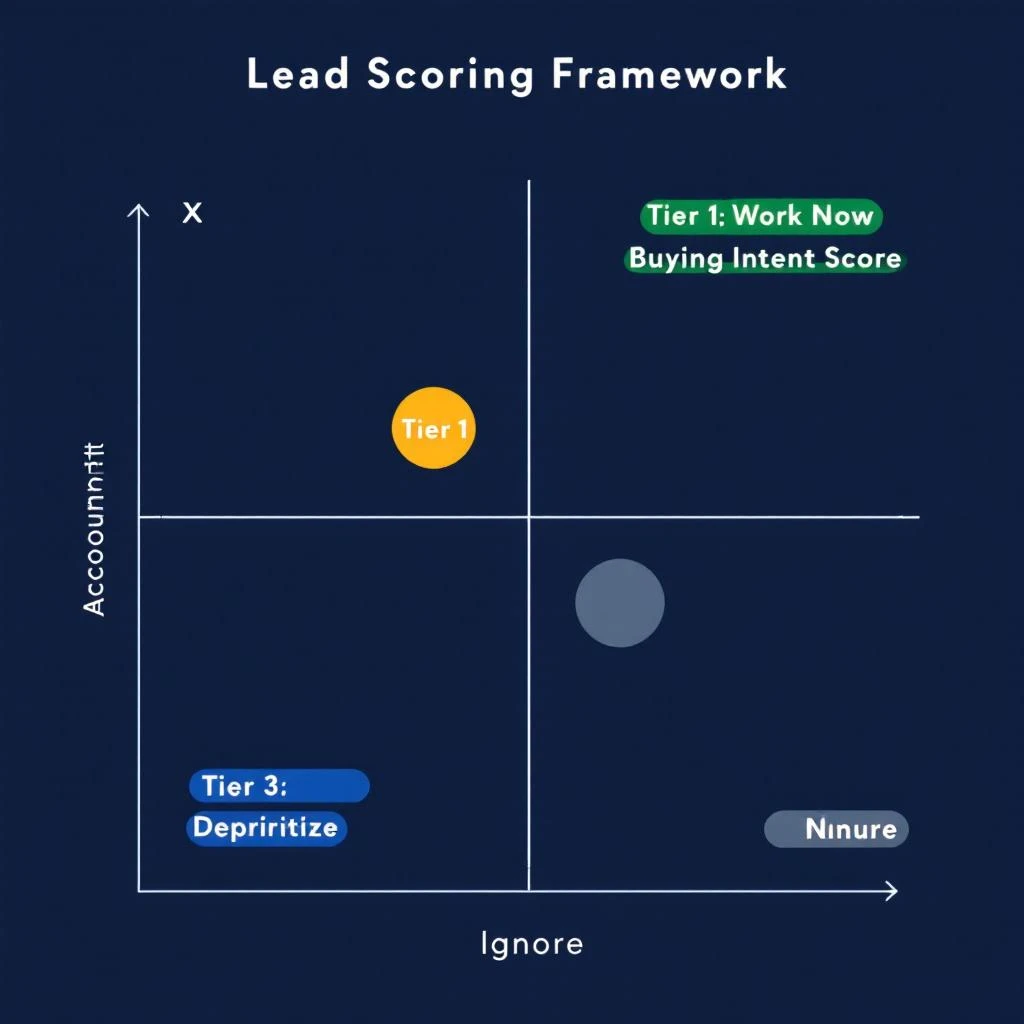
Two-axis lead scoring framework mapping account fit against buying intent

Build Audiences Your Way โ€” Multi-Provider Enrichment with Fiber, Lusha & Exa

ยท 9 min read
MarketBetter Team
Content Team, marketbetter.ai

The best go-to-market teams have a dirty secret: they never rely on a single data source.

They know that no single provider covers every company, every contact, every industry vertical with equal depth. One provider nails tech company firmographics. Another has stronger coverage in healthcare. A third catches the long-tail companies that everyone else misses.

The problem has always been the workflow. You run a search in one tool, export the CSV, run another search somewhere else, export that CSV, then spend an afternoon in Google Sheets deduplicating, cross-referencing, and trying to merge records that use slightly different company name formats. By the time you have a clean list, your signals are stale and your SDRs have moved on.

MarketBetter just eliminated that entire workflow. You can now build audiences from Fiber, Lusha, and Exa Websets โ€” all from one platform, all in one step.

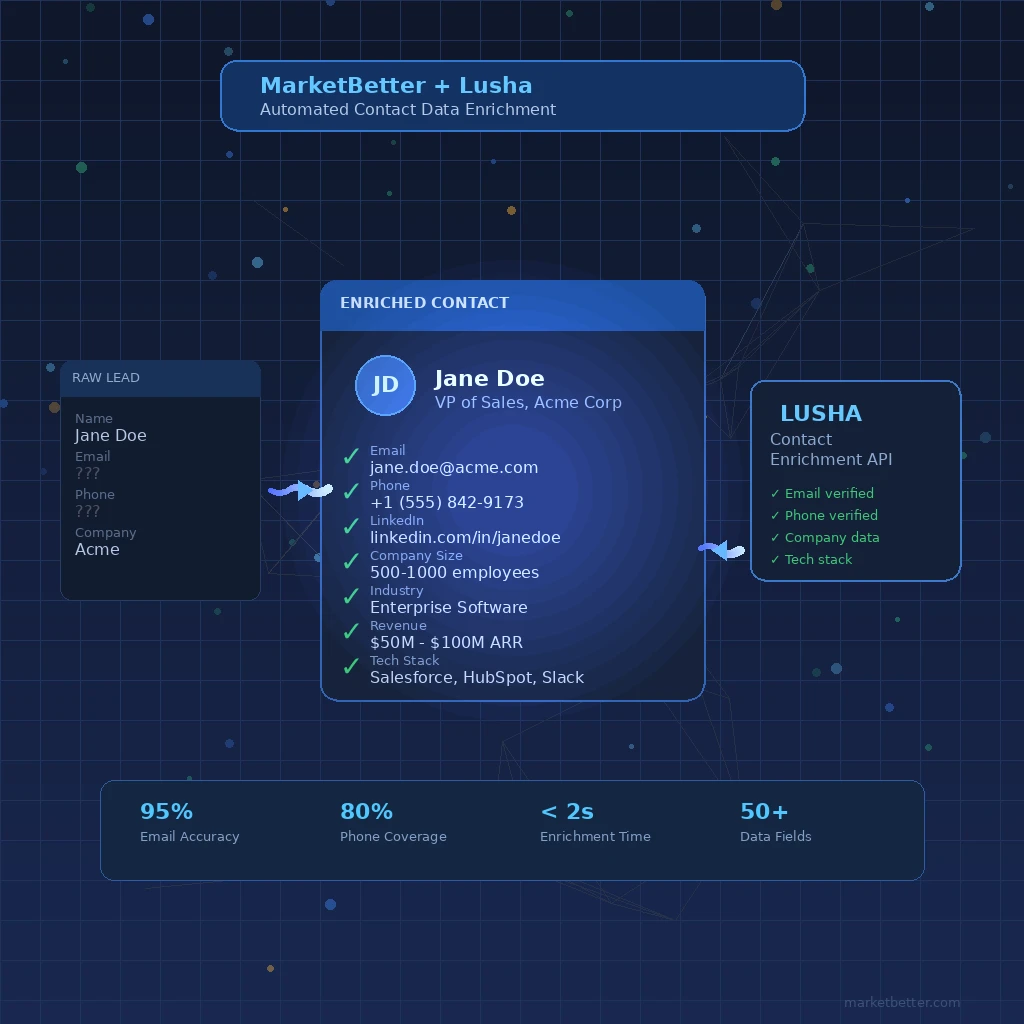
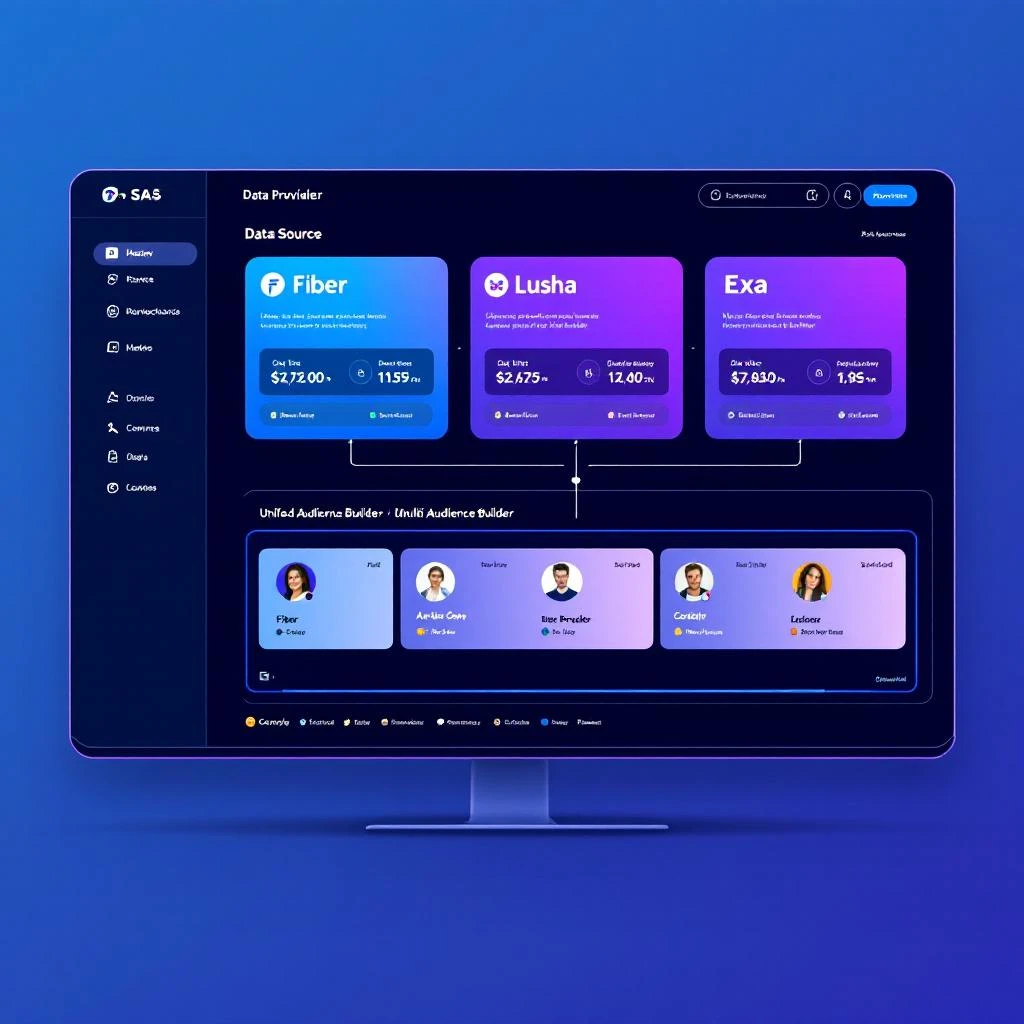
Multi-provider data enrichment flowing into a unified audience builder

Your Website Visitors Are Having Conversations โ€” With Nobody [2026]

ยท 13 min read
sunder
Founder, marketbetter.ai

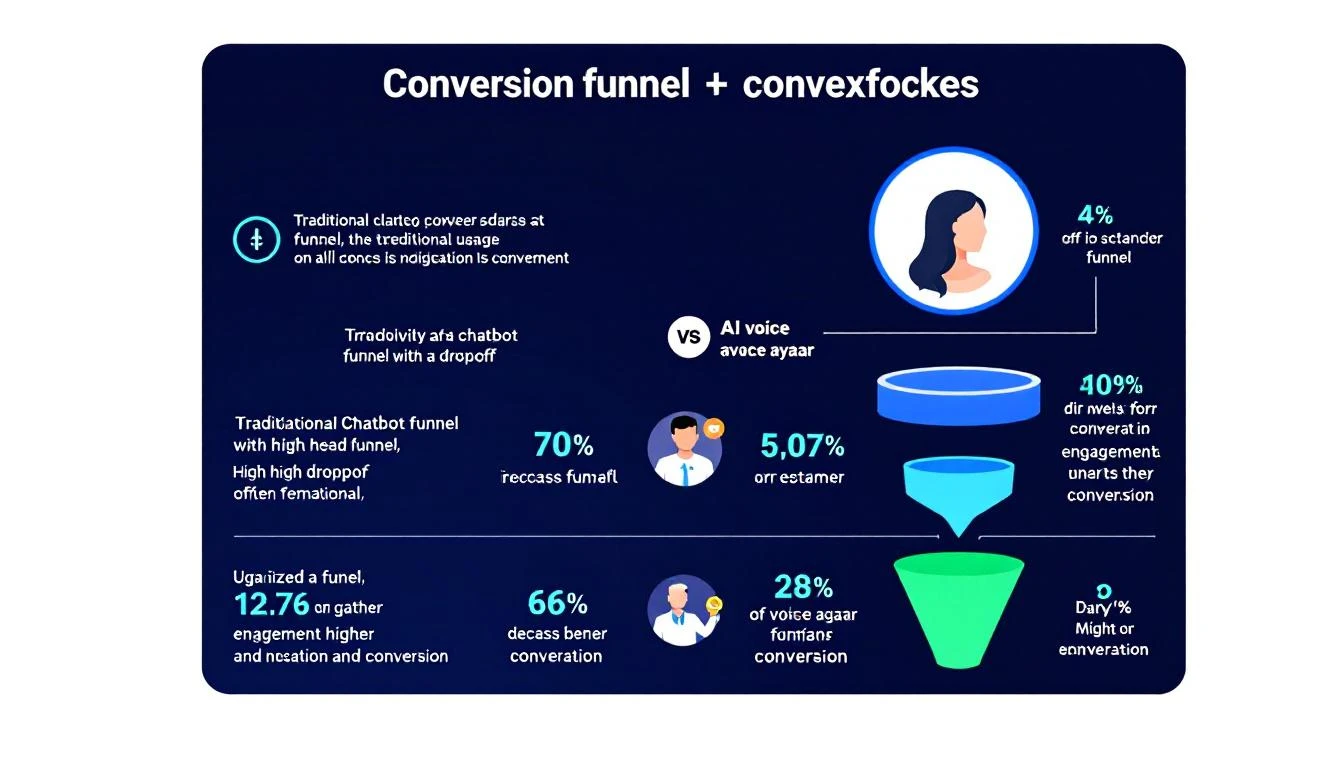
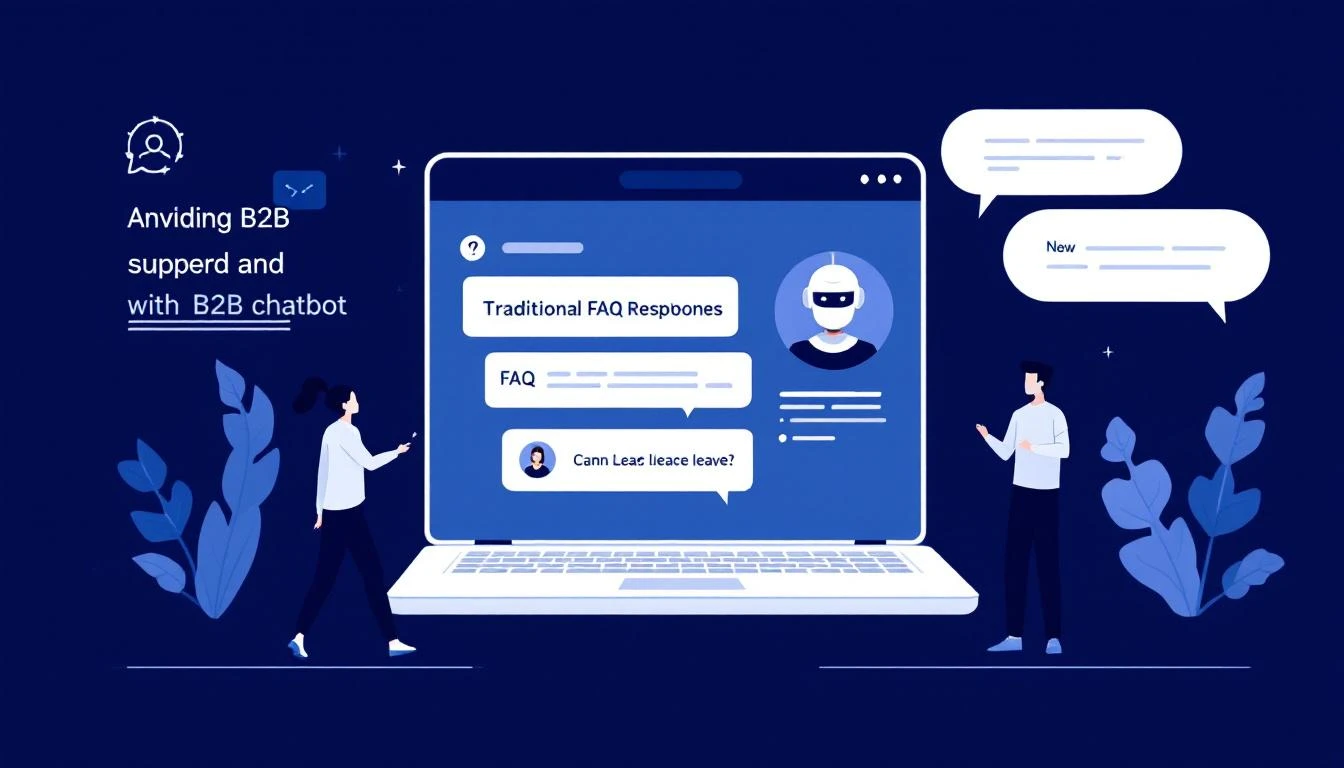
Traditional chatbot vs AI voice avatar engaging website visitors

It's 11:47 PM on a Tuesday. A VP of Sales at a 200-person SaaS company lands on your website. She's been researching solutions for three weeks. She's read your case studies, compared you against two competitors, and she's ready to talk pricing.

She clicks the chat widget in the bottom-right corner.

"Hi! How can I help you today?"

She types: "I have a team of 12 SDRs. What does pricing look like for annual plans with CRM integration?"

The chatbot responds: "Thanks for reaching out! Here are some helpful resources about our pricing..." followed by three links she's already read.

She closes the tab. Your competitor had a real conversation with her the next morning. You lost the deal before your sales team even knew she existed.

This is happening on your website right now. And it's costing you more than you think.

The Chatbot Graveyard: $9.5 Billion Spent, Most of It Wastedโ€‹

Here's the uncomfortable truth about B2B chatbots in 2026:

  • 70% of B2B website visitors leave without converting โ€” and most never come back
  • The average B2B website converts at just 1.8% of visitors
  • B2B bounce rates sit between 30% and 55%, meaning half your paid traffic disappears instantly
  • Chatbot conversations that hit a dead end โ€” where the visitor reaches a point with no clear next step โ€” are the number one reason for abandonment

The chatbot market is worth $9.57 billion in 2025 and is projected to hit $11.8 billion by 2026. Companies are spending more than ever on conversational tools. But most B2B chatbots are doing what they've always done: serving up canned responses, routing people to knowledge base articles, and calling it "engagement."

It's like hiring a receptionist who can only read from a script. Sure, they're sitting at the front desk. But they're not actually helping anyone.

Why Traditional Chatbots Fail B2B Buyersโ€‹

The problem isn't that chatbots exist. It's that most chatbots are built for deflection, not conversion.

Traditional B2B chatbots are designed to reduce support tickets. They match keywords to pre-written answers. They follow rigid decision trees. They can tell someone your office hours but can't explain why your product is different from the competitor they just evaluated.

Here's what that looks like in practice:

Visitor: "How does your visitor identification compare to Warmly?" Chatbot: "Great question! Here's a link to our features page."

Visitor: "I downloaded your whitepaper last week. Can someone walk me through implementation for a team our size?" Chatbot: "Would you like to book a demo? Here's our calendar link."

Visitor: "What's the ROI look like for a 10-person SDR team?" Chatbot: "Thanks for your interest! A team member will get back to you during business hours."

Every one of these is a missed conversion. The visitor had buying intent. They asked a real question. And they got a vending machine response.

Research backs this up: businesses using AI chatbots see conversion rates 3x higher than those using basic web forms. But that stat only applies to chatbots that can actually hold a conversation. The gap between a smart conversational AI and a keyword-matching FAQ bot is the difference between a 2% conversion rate and a 6%+ conversion rate.

The Voice Avatar Difference: From FAQ Bot to AI Sales Repโ€‹

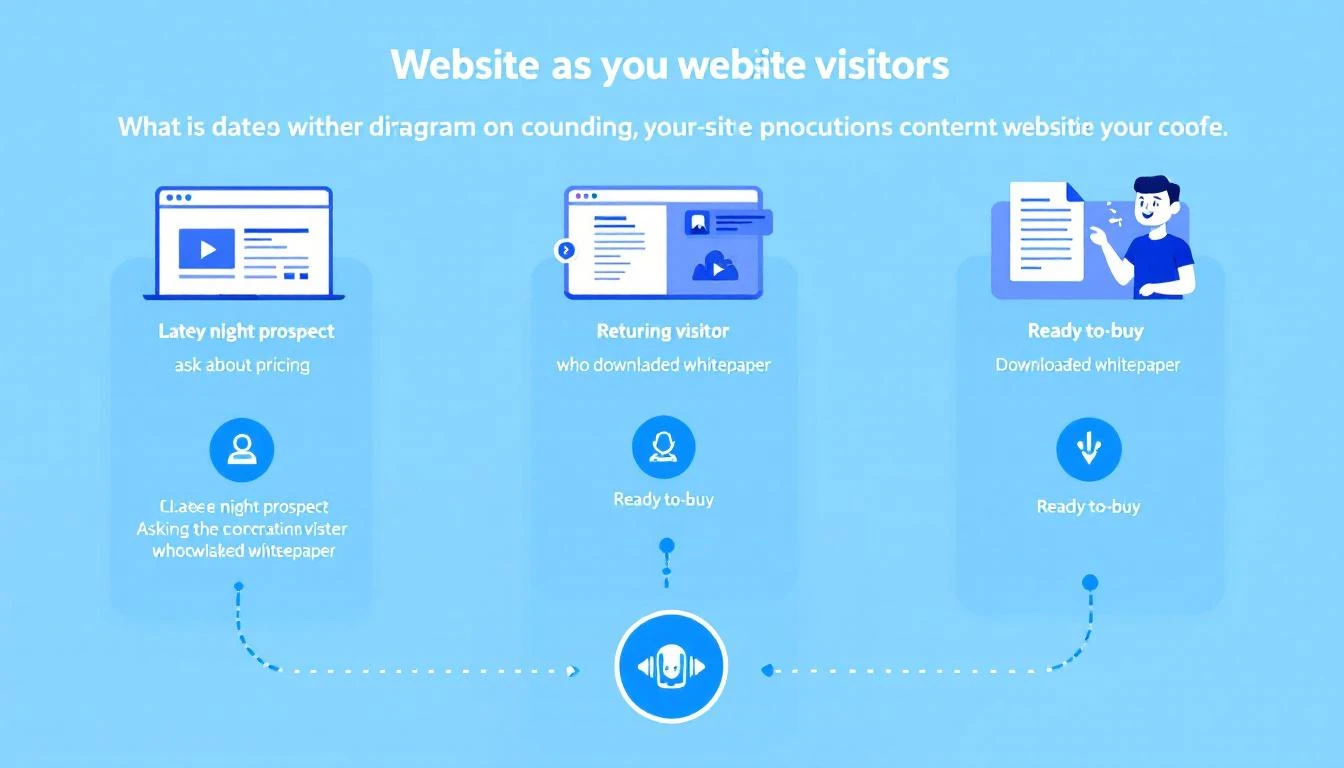
Three visitor scenarios handled by an AI voice avatar

What if your website could actually talk to visitors?

Not just display text responses. Not just route people through a decision tree. But actually speak โ€” with a voice avatar that understands context, remembers previous interactions, answers nuanced questions, and takes action?

This is where voice-enabled AI changes the game for B2B websites. Instead of a text widget that visitors ignore after one disappointing interaction, you get an AI-powered sales rep that:

  • Speaks naturally in real-time, creating the feel of a real conversation
  • Understands context โ€” what page they're on, what they've already looked at, and what stage of the buying journey they're in
  • Answers real questions about pricing, features, competitive differences, and implementation
  • Books meetings directly on your team's calendar without the "someone will get back to you" runaround
  • Hands off to humans when the conversation needs a real person, with full context preserved
  • Works 24/7 โ€” including at 11:47 PM on a Tuesday when your best prospect is finally ready to engage

The difference isn't incremental. Organizations implementing voice AI in their sales process report 43% higher win rates and 37% faster sales cycles compared to those relying on traditional engagement tools.

Three Scenarios Where Voice Beats Text (Every Time)โ€‹

Let's walk through the exact scenarios where a voice-enabled AI avatar outperforms a traditional chatbot โ€” and what the revenue impact looks like.

Scenario 1: The Late-Night Decision Makerโ€‹

The situation: It's 11 PM Central Time. A Director of Revenue Operations at a mid-market SaaS company is on your pricing page. She's been evaluating three vendors this week. Her shortlist presentation to the VP of Sales is tomorrow at 9 AM.

What a traditional chatbot does: Shows an "away" message or offers to collect her email for follow-up. She fills out the form. Your SDR sees it at 9 AM the next morning โ€” by which time she's already presented her shortlist. You weren't on it.

What a voice avatar does: Engages immediately. "Hey, I can see you're looking at our Enterprise plan. Happy to walk you through pricing for your team size โ€” what's your SDR headcount?" She says "twelve." The avatar explains pricing tiers, compares relevant features against the competitors she mentioned, and books a 15-minute call with your AE for 8:30 AM โ€” before her presentation. You make the shortlist.

Revenue impact: The difference between being on a shortlist and being forgotten. For a $40K ACV deal, that's a conversion worth protecting.

Scenario 2: The Returning Whitepaper Readerโ€‹

The situation: Someone downloaded your "Complete Guide to B2B Intent Data" two weeks ago. Now they're back on your site, browsing the integrations page and checking out your visitor identification tools comparison.

What a traditional chatbot does: Treats them like a first-time visitor. "Hi! Welcome to our site. How can I help?" No memory. No context. The visitor has to re-explain everything from scratch โ€” if they bother engaging at all.

What a voice avatar does: Recognizes the returning session. "Welcome back โ€” last time you grabbed our intent data guide. Looks like you're checking out integrations now. Are you evaluating how this would fit into your current stack?" The conversation picks up where intent left off. The avatar can reference the content they've consumed and connect the dots between what they've researched and what they actually need.

Revenue impact: Returning visitors convert at 5x the rate of first-time visitors โ€” but only if you treat them like returning visitors. Context-aware engagement is the difference.

Scenario 3: Tire-Kicker vs. Ready Buyerโ€‹

The situation: Two visitors are on your site at the same time. Visitor A is a marketing intern researching tools for a blog post. Visitor B is a VP of Sales who just got budget approved and needs to make a decision this quarter.

What a traditional chatbot does: Gives both of them the same experience. Same generic welcome. Same canned responses. Same "book a demo" CTA. Your SDR team wastes 20 minutes on a discovery call with the intern before realizing it's not a real opportunity.

What a voice avatar does: Within 30 seconds of conversation, the AI classifies intent. The intern gets helpful responses and relevant content links โ€” a good brand experience, but no calendar push. The VP gets the red carpet: pricing specifics, ROI calculations for their team size, competitive positioning, and a meeting booked directly with a senior AE. The avatar uses real-time intent classification, not keyword matching, to route each conversation appropriately.

Revenue impact: Your SDR team spends zero time on unqualified conversations. Every meeting booked is with a real buyer.

The Conversion Math: Why This Matters at Scaleโ€‹

Conversion funnel comparison: traditional chatbot vs AI voice avatar

Let's run the numbers on a typical B2B website:

MetricTraditional ChatbotVoice-Enabled AI Avatar
Monthly website visitors10,00010,000
Chat/voice engagement rate2-3%8-12%
Conversation completion rate25%70%+
Meeting booking rate5% of conversations20%+ of conversations
Qualified meetings/month1-414-24
After-hours coverageโŒ Form onlyโœ… Full AI voice

That's the difference between 1-4 qualified meetings per month and 14-24. At a $30K average deal size and a 25% close rate, that's the difference between $7.5K-$30K in pipeline and $105K-$180K in pipeline โ€” from the same traffic you're already paying for.

The traffic isn't the problem. The conversation is the problem.

Companies that use AI-powered chatbots already see 2.5x higher conversion into sales compared to traditional approaches. Add voice โ€” with natural conversation, real-time context, and instant action โ€” and that multiplier goes even higher.

What a Voice-Enabled Website Actually Looks Likeโ€‹

Here's what the experience looks like when it's done right:

Step 1: Visitor arrives on your site. The AI avatar appears โ€” not as a jarring popup, but as a subtle, friendly presence. On high-intent pages (pricing, comparisons, case studies), it proactively offers to help.

Step 2: The conversation starts. The visitor can type or speak. The avatar responds in natural voice, creating an experience that feels like talking to a knowledgeable team member rather than navigating a phone tree.

Step 3: Context drives the conversation. The avatar knows what page they're on, what content they've consumed, whether they've visited before, and what their likely buying stage is. It asks smart follow-up questions, not generic qualifiers.

Step 4: Action happens in real-time. Need pricing? The avatar pulls relevant tier information and walks through it. Want to compare features? It presents a tailored comparison based on the specific competitor the visitor mentioned. Ready to talk to a human? The avatar checks your team's calendar and books a meeting โ€” right then and there.

Step 5: Handoff is seamless. When a live rep takes over, they get the full conversation context: what the visitor asked, what they care about, what objections came up, and what stage they're in. No "so tell me about your business" restart.

Step 6: Even text interactions stay smart. Some visitors prefer typing over speaking. The avatar adapts โ€” maintaining the same intelligence, context awareness, and ability to take action whether the visitor is using voice or text. It can even trigger interactive forms mid-conversation for things like team size, tech stack, or use case qualification.

Five Signs Your Website Needs a Voice Upgradeโ€‹

If any of these sound familiar, your chatbot is leaving revenue on the table:

  1. Your after-hours form submissions go cold. By the time your SDR follows up, the buyer has moved on. Speed-to-lead matters โ€” response time directly correlates with conversion.

  2. Visitors engage with chat once, get a canned answer, and never return. This is the classic chatbot graveyard. One bad experience kills future engagement.

  3. Your SDR team wastes hours on unqualified discovery calls. Without intent classification, every meeting request looks the same. Your top reps spend time on conversations that were never going to close.

  4. You can't differentiate returning visitors from first-timers. If your chatbot says "Hi! How can I help?" to someone who's visited 6 times and downloaded 3 pieces of content, you're actively degrading their experience. Visitor identification should inform every interaction.

  5. Your website conversion rate is under 2%. The B2B average is 1.8%. If you're at or below average with decent traffic, the problem isn't your product or your content โ€” it's that visitors can't get answers when they need them.

The Bigger Picture: Your Website as a Revenue Engineโ€‹

The shift from text chatbot to voice-enabled AI avatar isn't just a UX upgrade. It's a fundamental change in how your website participates in the sales process.

Today, most B2B websites are passive. They display information and hope visitors self-serve their way to a demo form. The website is a brochure, not a team member.

A voice-enabled AI turns your website into an active participant in the sales process. It qualifies. It educates. It overcomes objections. It books meetings. It remembers. It works while your team sleeps.

This is where the AI SDR stack is heading. Not just automating outbound emails and LinkedIn messages, but creating intelligent, always-on engagement at every touchpoint โ€” starting with the one place where buyers are already raising their hand: your website.

The companies that figure this out first will have a structural advantage. While competitors are still emailing "just checking in" follow-ups to cold form fills, you'll be having real conversations with ready buyers โ€” at 2 AM, at 2 PM, whenever they show up.

How to Get Startedโ€‹

You don't need to rip and replace your entire tech stack. Start here:

  1. Audit your current chatbot conversations. Pull the transcripts from the last 30 days. How many conversations ended with a canned response? How many visitors asked a real question and got a link dump? That's your baseline.

  2. Identify your highest-intent pages. Pricing, comparisons, case studies, and integration pages are where buyers go when they're close to a decision. These are your priority pages for voice-enabled engagement.

  3. Map your visitor segments. First-time vs. returning. Content consumer vs. pricing researcher. SMB vs. enterprise. Each segment should get a different conversation experience โ€” just like they would if they called your office and talked to a real person.

  4. Start with after-hours coverage. The fastest ROI comes from engaging visitors who currently hit an "away" message or a dead form. If 40% of your traffic comes outside business hours, that's 40% of potential conversations you're missing entirely.

  5. Measure conversations, not just clicks. Traditional chatbot metrics โ€” "chat initiated," "messages sent" โ€” are vanity metrics. Track conversation completion rate, meeting booking rate, and speed-to-qualified-meeting. Those are the numbers that connect to revenue.

The AI sales chatbot landscape is evolving fast. The gap between FAQ bots and genuine conversational AI is widening every quarter. The question isn't whether voice-enabled AI will become the standard for B2B websites. It's whether you'll be early enough to capture the advantage.


Your website visitors are already trying to have conversations. The only question is whether anyone's listening.

See how MarketBetter turns website visitors into booked meetings โ†’

Why Your Sales Team Still Calls Leads 3 Days Late โ€” And How to Fix It Today [2026]

ยท 10 min read
sunder
Founder, marketbetter.ai

A prospect visits your pricing page. Downloads your whitepaper. Fills out a demo request form. They're hot. They're interested. They're ready to talk.

Your SDR calls them back three days later.

By then? The prospect already had two demos with competitors, forgot why they filled out your form, and moved on. You lost the deal before your rep even picked up the phone.

This isn't a hypothetical. It's the reality for the majority of B2B sales teams โ€” and the data behind it is brutal.

The Speed-to-Lead Crisis: What the Data Actually Saysโ€‹

Let's start with the number that should keep every VP of Sales up at night:

The average B2B lead response time is 47 hours.

That's not a typo. Nearly two full business days pass between a prospect raising their hand and a rep making contact. And it gets worse from there.

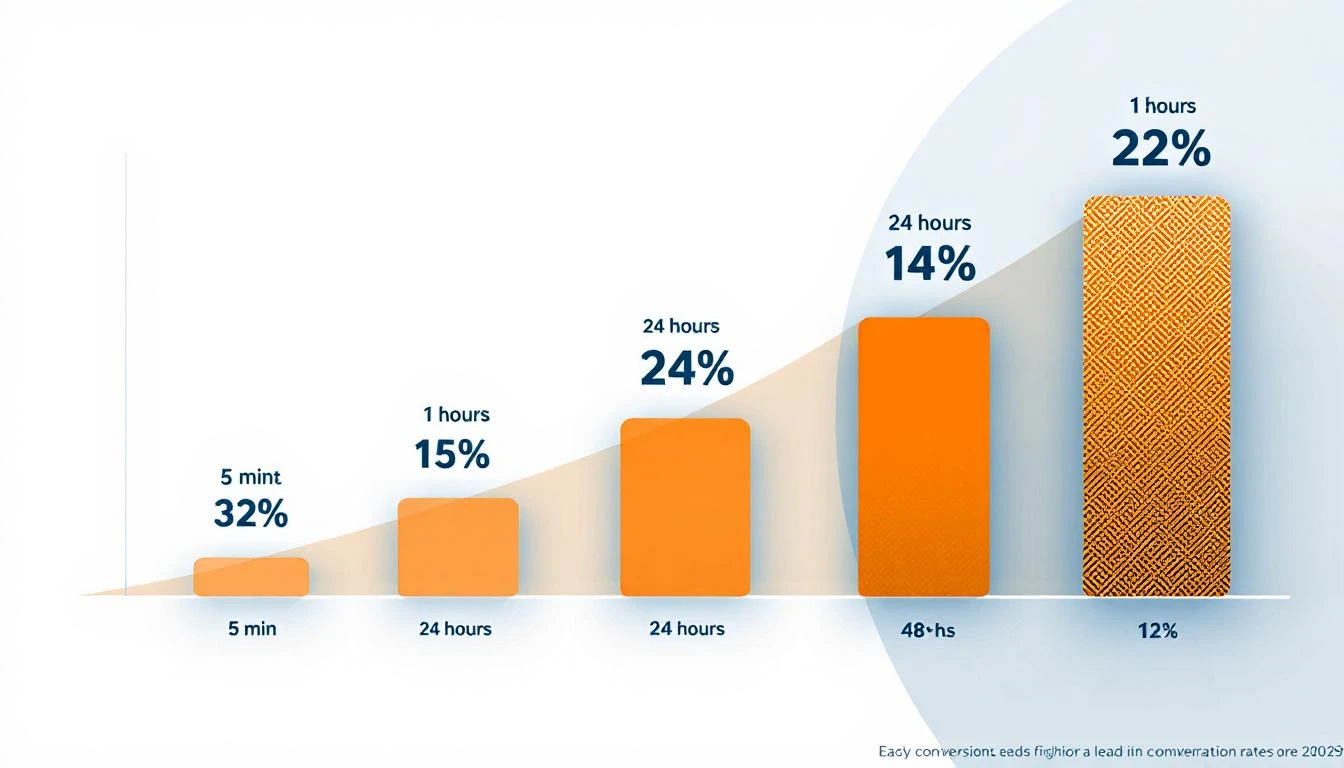
Lead conversion rates decay sharply as response time increases โ€” responding in under 5 minutes yields a 32% close rate vs. 12% after 24 hours

The Harvard Business Review Studyโ€‹

The most cited research on this topic comes from a Harvard Business Review study that analyzed 2.24 million sales leads across hundreds of companies. The findings:

  • Companies that responded within 1 hour were 7x more likely to qualify the lead than those that waited even 60 minutes longer
  • Companies that waited 24+ hours were 60x less likely to qualify the lead compared to first-hour responders
  • The odds of qualifying a lead drop 400% when response time goes from 5 to 10 minutes

Read that last one again. Five extra minutes. Four hundred percent worse odds.

The MIT/InsideSales.com Studyโ€‹

A joint study from MIT and InsideSales.com went even deeper, analyzing over 15,000 leads and 100,000 call attempts:

  • Leads contacted within 5 minutes are 21x more likely to qualify than those contacted after 30 minutes
  • The odds of even making contact with a lead drop 100x between 5 minutes and 30 minutes
  • After 20 hours, every additional dial actually hurts your ability to make contact

The conversion decay curve isn't gradual โ€” it's a cliff. You either catch the lead in the first five minutes, or you're fighting an uphill battle that gets steeper by the minute.

The Close Rate Numbersโ€‹

When you look at actual close rates by response time, the picture is even clearer:

Response TimeClose RateMultiplier
Under 5 minutes32%Baseline
Under 1 hour24%0.75x
Under 24 hours15%0.47x
Over 24 hours12%0.38x

Responding in under 5 minutes gives you a 2.6x higher close rate than waiting a day. And most teams are waiting two days.

The Real Cost: What 47-Hour Response Times Are Costing Youโ€‹

Let's do some math that will make your CFO flinch.

78% of buyers purchase from the company that responds first โ€” not the one with the best product, the lowest price, or the strongest brand. The first responder wins.

If your team generates 100 inbound leads per month and your average deal size is $25,000:

  • At 5-minute response: 32% close rate = 32 deals = $800,000/month
  • At 47-hour response (industry average): ~12% close rate = 12 deals = $300,000/month

That's $500,000 per month left on the table. Not because your product is wrong. Not because your pricing is off. Because your reps called three days late.

And the compounding effects go further:

  • 73% of leads are never contacted at all โ€” they fall through the cracks entirely
  • 44% of salespeople give up after one follow-up, when 80% of deals require 5-12 touchpoints
  • Deals that drag past 6 months have a 60% failure rate, per SiriusDecisions research โ€” and slow initial response extends every subsequent stage

The follow-up gap isn't just a conversion problem. It's a pipeline problem, a revenue problem, and an efficiency problem rolled into one.

Why It Happens: The Anatomy of a 3-Day Delayโ€‹

If the data is this clear, why do teams still respond in 47 hours? Because the problem isn't awareness โ€” it's workflow.

Here's what actually happens when a lead comes in at most B2B companies:

Stage 1: The Signal Gets Lost (0-2 hours)โ€‹

A prospect fills out a form, visits the pricing page, or replies to a cold email. The notification goes to a shared inbox, a Slack channel, or a CRM queue. Nobody owns it yet.

Meanwhile, the intent signal that triggered the action โ€” the pricing page visit, the email open, the LinkedIn profile view โ€” goes completely unnoticed because it's trapped in a separate tool.

Stage 2: Manual Routing Burns Time (2-12 hours)โ€‹

A manager sees the lead in the morning standup. They assign it to an SDR based on territory, round-robin, or whoever seems least busy. The SDR gets a task in their CRM.

But the SDR already has 47 other tasks. They're mid-call-block. They'll get to it after lunch. Or tomorrow.

Stage 3: Research and Scripting (12-48 hours)โ€‹

The SDR finally picks up the lead. Now they need to:

  • Look up the company on LinkedIn
  • Check the CRM for prior engagement
  • Figure out what the prospect actually did (which form? which page?)
  • Write a personalized email
  • Find the right phone number
  • Decide whether to call, email, or send a LinkedIn message

Each step requires switching between 3-5 different tools. We've written about this before โ€” the average SDR juggles 20+ tabs just to work a single lead.

Stage 4: The Attempt (48-72 hours)โ€‹

The SDR finally calls. The prospect doesn't pick up. The SDR sends a generic email. No response. They move on to the next lead.

Total elapsed time: 3 days. Total meaningful touches: 1-2. Result: Lost deal.

The problem isn't lazy reps. It's a broken workflow that forces humans to do things machines should handle โ€” routing, research, scripting, multi-channel coordination โ€” before any actual selling happens.

The Fix: Automated Follow-Up Workflows That Fire in Minutes, Not Daysโ€‹

The solution isn't "tell your SDRs to be faster." They're already buried. The solution is removing the manual steps between signal detection and follow-up action.

Here's what a modern automated follow-up workflow looks like:

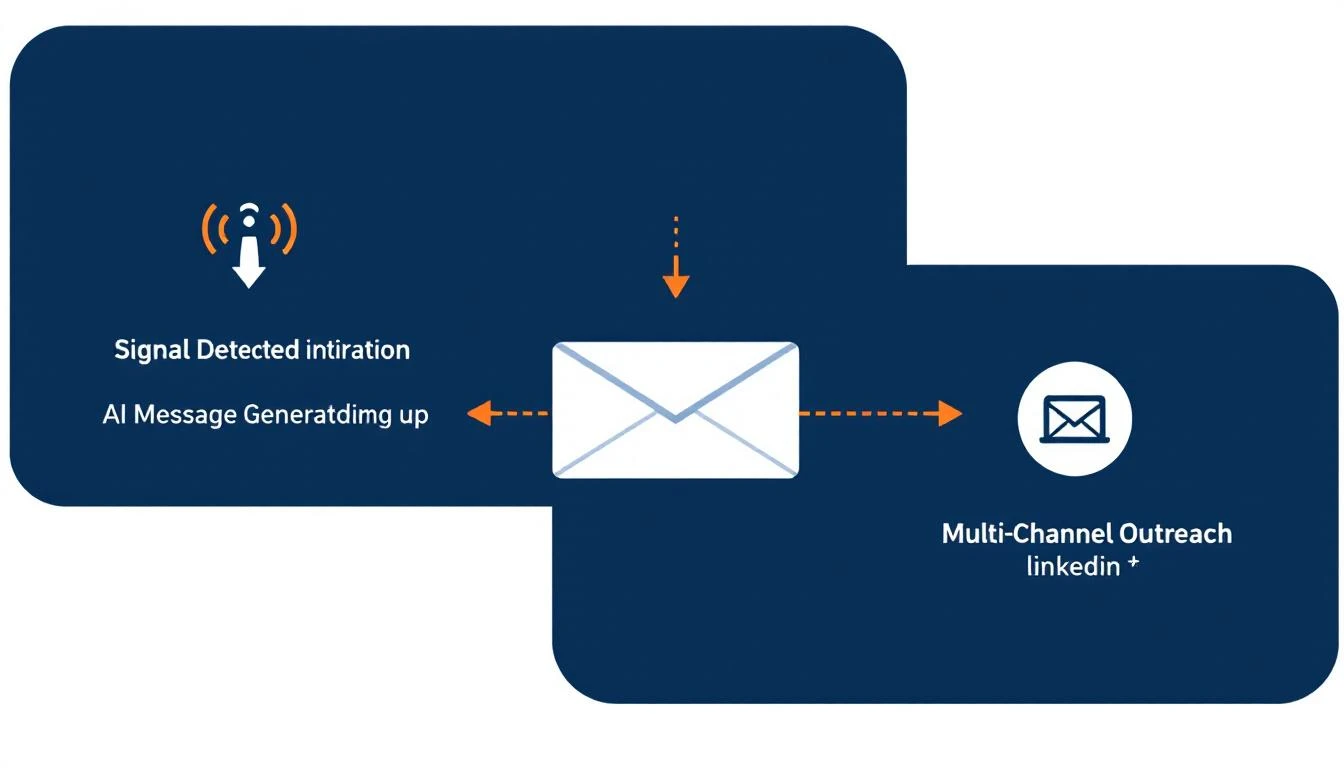
Automated follow-up workflow: detect signal, generate personalized message with AI, fire across email, phone, and LinkedIn simultaneously

1. Detect the Signal Automaticallyโ€‹

Instead of waiting for a human to notice a form fill, the system continuously monitors for buyer signals:

  • Website visits (especially high-intent pages like pricing, case studies, integrations)
  • Email opens, clicks, and replies
  • LinkedIn profile views and engagement
  • Form submissions and content downloads
  • Return visits from previously identified accounts

The system scans for these signals on a rolling window โ€” catching everything from a form fill five minutes ago to a pricing page visit from three days ago that nobody followed up on.

2. Generate the Right Message Instantlyโ€‹

This is where most "automation" tools fail. They send a canned template that screams "you're getting a robot email." Nobody responds.

Modern workflow automation uses AI to generate contextual follow-up messages based on:

  • What the prospect did โ€” "I noticed you were looking at our enterprise pricing" hits different than "Hope this email finds you well"
  • Who they are โ€” Role, company size, industry, prior engagement history
  • What matters to them โ€” Mapping their activity to relevant case studies, features, or ROI data

The result is a personalized message that reads like a human wrote it โ€” because an AI understood the context and generated it in seconds, not the 30 minutes it takes an SDR to manually research and draft.

3. Fire Across Every Channel Simultaneouslyโ€‹

A single-channel follow-up is a coinflip. Multi-channel follow-up is a strategy.

When a signal triggers a workflow, the best systems coordinate across:

  • Email โ€” Personalized message referencing their specific activity
  • Phone โ€” Immediate dial with an AI-generated call script tailored to the prospect's context
  • LinkedIn โ€” Connection request or InMail through integrated campaign tools

All three fire within minutes of the signal, not days. The SDR doesn't have to think about channel strategy โ€” the workflow handles it.

4. Track Everything, Learn, Repeatโ€‹

Every follow-up attempt, every response, every outcome gets logged automatically. No more "did anyone call this lead?" conversations in Slack. No more leads falling through cracks between tools.

The execution history gives managers visibility into:

  • Which signals convert best
  • Which message types get responses
  • Where in the workflow leads stall
  • Which reps need coaching vs. which workflows need tuning

This closes the feedback loop that most sales teams never build โ€” because they're too busy manually logging activities in Salesforce.

What Changes When You Fix Speed-to-Leadโ€‹

The impact isn't theoretical. Here's what the shift looks like in practice:

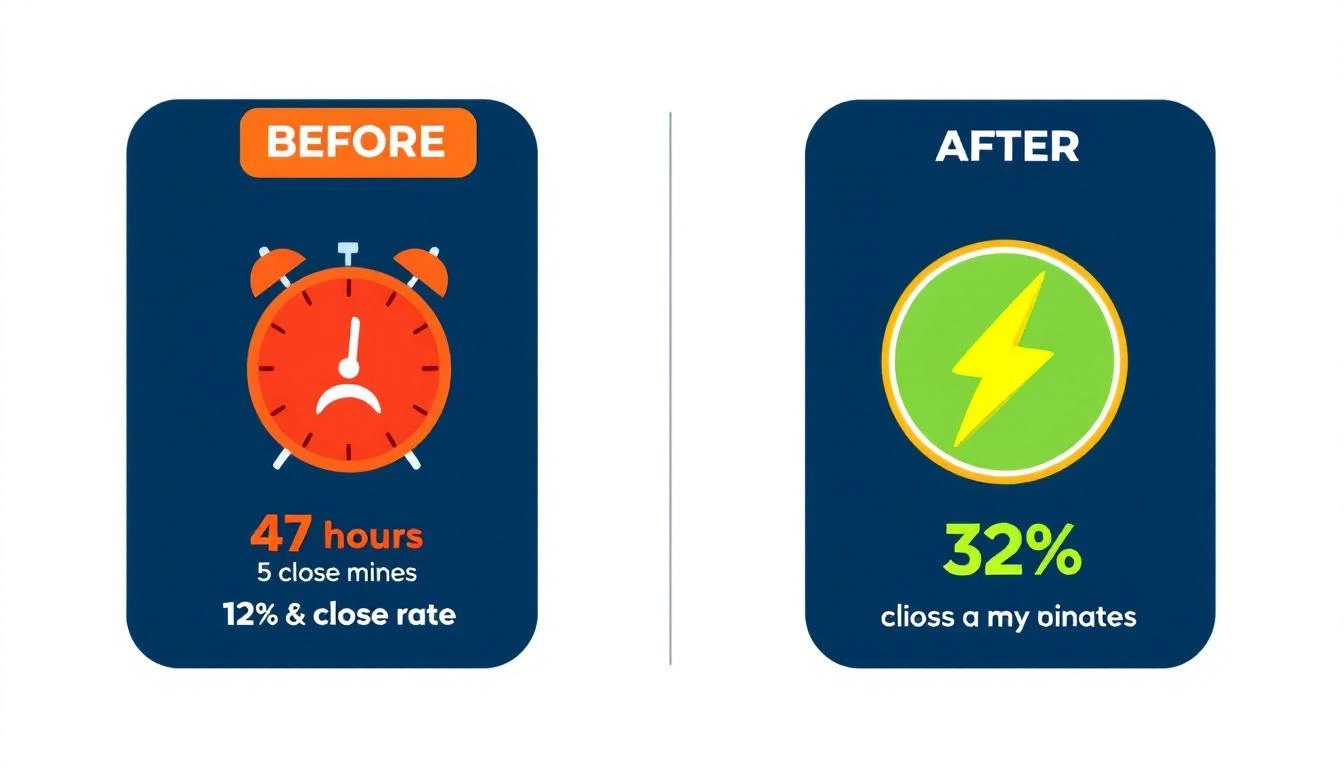
Before and after: 47-hour response time with 12% close rate vs. 5-minute response time with 32% close rate

Before (manual workflow):

  • Average response time: 47 hours
  • Lead contact rate: 27%
  • Close rate: 12%
  • SDR spends 65% of time on non-selling activities

After (automated follow-up workflows):

  • Average response time: Under 5 minutes
  • Lead contact rate: 90%+
  • Close rate: 32%
  • SDR focuses on conversations, not research and routing

The math works because you're not asking humans to be faster. You're removing the bottlenecks that made them slow:

  • No more manual routing โ€” leads go to the right rep automatically
  • No more research lag โ€” AI generates context and scripts instantly
  • No more channel switching โ€” email, phone, and LinkedIn fire from one workflow
  • No more forgotten leads โ€” the system catches every signal, even ones from days ago that slipped through

The 5-Minute Window Is Non-Negotiableโ€‹

Here's the bottom line: you have 5 minutes.

Not 5 hours. Not "by end of day." Not "we'll get to it in tomorrow's standup." Five minutes.

Every minute after that, your conversion rate decays. After 30 minutes, you've lost 21x your qualifying potential. After an hour, you're 7x behind the first responder. After 24 hours, you're competing against companies that already had discovery calls with your prospect.

The companies winning right now aren't winning because they have better products or bigger teams. They're winning because they built systems that turn signals into action in minutes instead of days.

Your sales cadence shouldn't start when an SDR gets around to it. It should start the moment a buyer raises their hand.

The technology exists today. The data has been clear for over a decade. The only question is whether you'll fix it before your competitors do.


Tired of watching leads go cold? MarketBetter detects buyer signals, generates personalized follow-up, and fires multi-channel outreach โ€” all before your competitor's SDR finishes their coffee. See it in action โ†’

Best LeadLoft Alternatives 2026: 7 Platforms Compared

ยท 7 min read

LeadLoft packs prospecting, sequencing, and CRM into a $99-400/month package. For solo founders and small teams doing LinkedIn + email outbound, it's a solid choice.

But as teams scale past 3-5 SDRs, LeadLoft's gaps start showing: no website visitor identification, no smart dialer, no AI chatbot, and limited reporting. If you're hitting those walls, here are 7 alternatives worth evaluating.

Quick Comparisonโ€‹

PlatformStarting PriceBest ForVisitor IDDialerAI Chatbot
MarketBetter$99/user/monthAll-in-one SDR OSโœ…โœ…โœ…
ApolloFree/$49/moBudget prospectingโŒBasicโŒ
Outreach~$100/user/moEnterprise sequencingโŒโœ…โŒ
SalesLoft~$125/user/moEnterprise sales engagementโŒโœ…โŒ
Instantly$30/moHigh-volume cold emailโŒโŒโŒ
Clay$149/moData enrichment workflowsโŒโŒโŒ
Amplemarket~$600/moAI-native multichannelโŒโŒโŒ

1. MarketBetter โ€” Best All-in-One Alternativeโ€‹

Pricing: $99/user/month with everything included. Enterprise custom pricing available

MarketBetter is the most complete LeadLoft alternative because it covers the three biggest gaps: visitor identification, smart dialer, and AI chatbot โ€” in a single platform.

Why switch from LeadLoft:

  • Daily SDR Playbook โ€” Instead of SDRs deciding what to do, MarketBetter tells them. Prioritized actions based on real-time intent signals.
  • Website Visitor ID โ€” Know which companies visit your site and what pages they viewed. LeadLoft doesn't touch inbound signals.
  • Smart Dialer โ€” Built-in calling with intent-based prioritization. LeadLoft only has "call tasks."
  • AI Chatbot โ€” Engages every visitor, qualifies leads, books meetings 24/7.
  • Champion Tracking โ€” Alerts when contacts change jobs. LeadLoft doesn't offer this.

Who it's for: B2B teams with 3+ SDRs who want signal-driven selling, not just outreach automation.

G2 Rating: 4.97 โ˜…

Book a demo โ†’

Related: MarketBetter vs LeadLoft | LeadLoft Pricing Breakdown

2. Apollo โ€” Best Budget Alternativeโ€‹

Pricing: Free tier / $49/user/mo (Basic) / $79/user/mo (Professional) / $119/user/mo (Organization)

Apollo is the most popular alternative for teams that want a massive prospect database (275M+ contacts) without breaking the bank.

Why choose over LeadLoft:

  • Larger database โ€” 275M+ contacts vs LeadLoft's undisclosed database size
  • Free tier โ€” 10K email credits/month for free. LeadLoft's cheapest plan is $5/month.
  • Buying intent data โ€” Basic intent signals on Professional+ plans
  • Wider integrations โ€” HubSpot, Salesforce, Outreach, and more

Where it falls short:

  • No visitor identification
  • Basic dialer (not smart/parallel)
  • No AI chatbot
  • Data accuracy can be hit-or-miss (common G2 complaint)

Who it's for: Budget-conscious teams that need a big prospect database with basic sequencing.

3. Outreach โ€” Best Enterprise Sequencingโ€‹

Pricing: ~$100-130/user/month (custom quotes only)

Outreach is the category leader in sales engagement for enterprise teams. If you need battle-tested sequencing at scale with deep CRM integration, Outreach is the safe choice.

Why choose over LeadLoft:

  • Enterprise-grade sequencing โ€” More sophisticated workflows, branching, and A/B testing
  • Revenue intelligence โ€” Deal forecasting and pipeline analytics
  • Built-in dialer โ€” Real calling infrastructure, not just task reminders
  • Massive ecosystem โ€” 90+ integrations

Where it falls short:

  • Expensive โ€” 5-person team costs $6,000-8,000/year minimum
  • No visitor ID โ€” Still need a separate tool
  • Complex setup โ€” Enterprise tool = enterprise onboarding timeline
  • Add-on pricing โ€” Many features cost extra

Who it's for: Enterprise teams (50+ SDRs) with budget and IT resources for proper implementation.

Related: MarketBetter vs Outreach | Outreach Pricing 2026

4. SalesLoft โ€” Best Legacy Sales Engagementโ€‹

Pricing: ~$125-165/user/month (custom quotes)

SalesLoft (now part of Vista Equity Partners) competes directly with Outreach for enterprise sales engagement. Strong sequencing, decent dialer, extensive analytics.

Why choose over LeadLoft:

  • Cadence automation โ€” Multi-step, multi-channel sequences with proven playbooks
  • Conversation intelligence โ€” Call recording and AI analysis
  • Coaching tools โ€” Manager dashboards and rep performance tracking
  • Deal intelligence โ€” Pipeline management and forecasting

Where it falls short:

  • Very expensive โ€” TCO reaches $20,000-70,000/year for a 10-person team (per Vendr data)
  • Add-on taxes โ€” Dialer, intelligence, and analytics are separate modules
  • No visitor ID or chatbot
  • Archaic UI โ€” Multiple G2 reviewers mention dated interface

Who it's for: Mid-to-large enterprises already in the SalesLoft/Outreach ecosystem.

Related: MarketBetter vs SalesLoft | SalesLoft Pricing 2026

5. Instantly โ€” Best for High-Volume Cold Emailโ€‹

Pricing: $30/mo (Growth) / $77.6/mo (Hypergrowth) / $286.3/mo (Light Speed)

Instantly is a pure cold email tool built for volume. If your playbook is "send 10,000 emails and see what sticks," Instantly does it cheaper than anyone.

Why choose over LeadLoft:

  • Unlimited email accounts โ€” LeadLoft charges per user; Instantly lets you connect unlimited sending accounts
  • Email warmup โ€” Built-in warmup pool to protect deliverability
  • Much cheaper โ€” $30/month vs LeadLoft's $99-400
  • Lead database โ€” 160M+ contacts (on higher plans)

Where it falls short:

  • Email only โ€” No LinkedIn, no calling, no multi-channel
  • No CRM โ€” Basic campaign management only
  • No AI chatbot or visitor ID
  • Deliverability risk โ€” High volume = higher risk if not managed carefully

Who it's for: Teams running high-volume cold email campaigns where cost-per-send matters most.

Related: MarketBetter vs Instantly | Instantly Pricing 2026

6. Clay โ€” Best for Data Enrichment Workflowsโ€‹

Pricing: $149/mo (Explorer) / $349/mo (Pro) / $800/mo (Enterprise)

Clay isn't a direct LeadLoft competitor โ€” it's a data enrichment and workflow platform. But teams often evaluate both when building a prospecting stack.

Why choose over LeadLoft:

  • 75+ data providers โ€” Enrich prospects from dozens of sources in one workflow
  • Waterfall enrichment โ€” Automatically tries multiple providers to maximize match rates
  • Custom workflows โ€” Build any prospecting logic with a spreadsheet-like interface
  • AI writing โ€” Generate personalized messages based on enriched data

Where it falls short:

  • No execution layer โ€” Clay enriches data but doesn't send emails or make calls. You need a separate tool.
  • Credit-based pricing โ€” Heavy usage can push costs to $2,000-4,000/month
  • Steep learning curve โ€” Powerful but complex; not plug-and-play
  • No visitor ID, dialer, or chatbot

Who it's for: Data-obsessed teams that want maximum enrichment flexibility and are okay building their own stack.

Related: MarketBetter vs Clay | Clay Pricing 2026

7. Amplemarket โ€” Best AI-Native Multichannelโ€‹

Pricing: ~$600+/month (custom quotes)

Amplemarket is a newer AI-native sales platform that combines prospecting, sequencing, and multichannel execution. It's the closest competitor to LeadLoft's vision of an all-in-one AI SDR tool.

Why choose over LeadLoft:

  • Deeper AI โ€” More sophisticated AI-generated messages and sequencing
  • Multichannel native โ€” Email, LinkedIn, and phone in one workflow
  • Better analytics โ€” More robust reporting and campaign optimization
  • Larger team backing โ€” 1,000+ customers migrated from Outreach/Apollo/ZoomInfo

Where it falls short:

  • Much more expensive โ€” Starting at $600+/month vs LeadLoft's $99
  • Opaque pricing โ€” No public pricing page; requires sales call
  • No visitor ID โ€” Still a gap
  • Smaller community โ€” Fewer integrations and resources than established platforms

Who it's for: Mid-market teams that want AI-native outreach with better reporting than LeadLoft.

Related: MarketBetter vs Amplemarket | Amplemarket Pricing 2026

Which Alternative is Right for You?โ€‹

Choose MarketBetter if: You want one platform that does everything โ€” visitor ID, playbook, dialer, chatbot, sequencing. Best value for teams with 3+ SDRs.

Choose Apollo if: You need a massive database on a small budget and can live without visitor ID and advanced AI.

Choose Outreach/SalesLoft if: You're enterprise-scale with budget for a premium solution and existing CRM workflows.

Choose Instantly if: Cold email volume is your strategy and you want the cheapest per-email cost.

Choose Clay if: You want maximum data enrichment and are technical enough to build custom workflows.

Choose Amplemarket if: You want AI-native multichannel but LeadLoft's reporting and analytics aren't cutting it.

The Bottom Lineโ€‹

LeadLoft is a solid starting point for solo founders and tiny teams. But when your team grows past 3 SDRs, the missing pieces โ€” visitor ID, smart dialer, AI chatbot, champion tracking โ€” start costing more than switching platforms would.

Evaluate based on total stack cost, not just the base subscription.

See how MarketBetter compares firsthand โ†’ Book a demo


Related reading:

MarketBetter vs LeadLoft: AI SDR Platform Comparison [2026]

ยท 7 min read

MarketBetter vs LeadLoft comparison

LeadLoft bundles AI prospecting, sequencing, and a lightweight CRM into a single workspace. MarketBetter combines website visitor identification, a daily SDR playbook, smart dialer, and AI chatbot into an all-in-one SDR operating system.

Both promise to replace the multi-tool juggle. But they solve different problems โ€” and understanding those differences saves you months of wasted onboarding.

This guide breaks down features, pricing, and real user feedback so you can pick the right platform for your team.

Quick Comparisonโ€‹

CategoryMarketBetterLeadLoft
Starting Price$99/user/month$99/mo (1 user)
AI Tier PriceIncluded in all plans$400/mo (Scale AI)
Per-Seat Cost$150/seat (Growth+)$149/seat (Scale AI)
Website Visitor IDโœ… Built-inโŒ Not available
Smart Dialerโœ… Built-in (Scale plan)โŒ Call tasks only
AI Chatbotโœ… Engages every visitorโŒ Not available
Daily SDR Playbookโœ… Prioritized task listโŒ Manual pipeline
LinkedIn AutomationVia integrationsโœ… Built-in
Built-in CRMIntegrates with HubSpot/Salesforceโœ… Native CRM
Email Sequencesโœ… Hyper-personalizedโœ… Multi-channel playbooks
Investor DatabaseโŒโœ… 100K+ VCs/angels
G2 Rating4.97 โ˜…Limited reviews
Free TrialDemo available14-day free trial

What LeadLoft Does Wellโ€‹

LeadLoft deserves credit for consolidation. Instead of paying separately for prospecting, sequencing, and CRM, you get them in one tab.

Key strengths:

  • Price-to-feature ratio at the base tier. At $99/month for unlimited prospecting, email finder, and LinkedIn automation, LeadLoft undercuts most competitors significantly. For a solo founder or early-stage startup doing cold outreach, it's hard to beat on price.

  • Built-in LinkedIn automation. LeadLoft handles LinkedIn connection requests, messages, and profile visits natively. No need for a separate tool like Dux-Soup or Phantombuster.

  • AI Playbook Builder. Describe your campaign in natural language and the AI generates a multi-step, multi-channel sequence. Useful for teams that don't want to build playbooks from scratch.

  • AI Deal Router. Automatically updates deal stages based on response sentiment. This keeps your pipeline accurate without manual CRM hygiene โ€” a real time-saver.

  • Investor database. Access to 100K+ VCs, family offices, and angel investors. If you're fundraising alongside selling, this is a unique bonus.

Where users flag issues:

According to Toksta's analysis and G2 feedback, LeadLoft has limited split testing and reporting capabilities, which can frustrate teams trying to optimize campaigns at scale. The platform also has relatively few public user reviews, making it harder to assess long-term reliability. G2 reviewers noted minor limitations like inability to add linked images in email signatures โ€” small but annoying for brand-conscious SDR teams.

What MarketBetter Does Differentlyโ€‹

MarketBetter isn't just an outreach tool. It's a signal-to-action platform that tells SDRs what to do, not just who to contact.

The core difference: LeadLoft helps you find and email prospects. MarketBetter identifies who's already interested (website visitors, intent signals) and tells your SDRs exactly what action to take next โ€” call, email, or follow up โ€” with full context.

Key advantages over LeadLoft:

1. Website Visitor Identificationโ€‹

MarketBetter identifies companies visiting your website in real time. LeadLoft doesn't offer visitor identification at all. This means MarketBetter SDRs are reaching out to prospects who've already shown intent โ€” not cold contacts from a database.

Why this matters: A warm lead who visited your pricing page yesterday converts 5-7x better than a cold email to a scraped list.

2. Daily SDR Playbookโ€‹

Every morning, each SDR gets a prioritized task list: who to call, who to email, what to say, and why now. This isn't a static CRM view โ€” it's a dynamic, AI-generated action plan based on real-time signals.

LeadLoft has AI playbook templates, but no daily, signal-driven task prioritization.

3. Smart Dialerโ€‹

MarketBetter includes a built-in smart dialer (Enterprise plan) that prioritizes calls based on buyer intent signals. LeadLoft offers "call tasks" โ€” essentially reminders to pick up the phone โ€” but no actual dialing infrastructure.

4. AI Chatbotโ€‹

MarketBetter's AI chatbot engages every website visitor in real time, qualifies them, and books meetings. LeadLoft has a website integration for creating leads, but no conversational AI that engages visitors.

5. Champion Trackingโ€‹

MarketBetter tracks when your champions change jobs and alerts your team. This turns churned contacts into warm re-engagement opportunities. LeadLoft doesn't offer job change tracking.

Pricing Deep Diveโ€‹

LeadLoft Pricingโ€‹

PlanPriceWhat You Get
Starter$5/mo2 users, basic features (very limited)
Unlimited$99/mo1 user, unlimited prospecting, LinkedIn automation, database access, Zapier
Scale AI$400/mo1 user, AI Writer, AI Prospector, AI Playbook Builder, AI Deal Router, website integration
Managed ServiceCustomFully managed outreach, 30-60 meetings/quarter
Extra users$99-$149/userDepends on plan

The catch: LeadLoft's AI features โ€” the ones that actually differentiate it from basic email tools โ€” only unlock at $400/month. At the $99/month tier, you're getting a solid but fairly standard prospecting + sequencing tool.

For a 5-person SDR team on Scale AI:

  • Base: $400/mo
  • 4 additional users ร— $149: $596/mo
  • Total: ~$996/mo

MarketBetter Pricingโ€‹

PlanPriceWhat You Get
Standard$99/user/monthAll features included: Daily SDR Playbook, Website Visitor ID, AI Chatbot, Email Automation, Smart Dialer ($50/seat add-on), 5M AI credits + 500 enrichment credits per seat
EnterpriseCustomEverything in Standard + custom integrations, dedicated support, volume discounts

For a 5-person SDR team on Growth:

  • $99/user/month โ€” includes SDR dashboard, daily playbook, visitor ID, chatbot, champion tracking

The Real Cost Comparisonโ€‹

At first glance, LeadLoft looks cheaper. But consider what you're actually getting:

LeadLoft Scale AI (5 users): ~$996/mo

  • AI prospecting and sequencing โœ…
  • LinkedIn automation โœ…
  • Basic CRM โœ…
  • No visitor ID โŒ (need Clearbit/ZoomInfo: $500-2,000+/mo)
  • No dialer โŒ (need Nooks/Orum: $300-500/user/mo)
  • No chatbot โŒ (need Drift/Intercom: $500+/mo)
  • No champion tracking โŒ

Realistic LeadLoft stack cost: $2,500-4,500/mo

MarketBetter (5 users): $495/mo ($99/user/month)

  • All of the above included โœ…

Related: Best AI SDR Tools 2026 | AI Sales Platform Comparison

Who Should Choose LeadLoft?โ€‹

LeadLoft is the better fit if:

  • You're a solo founder or 1-2 person team doing cold outbound on a tight budget
  • LinkedIn is your primary channel and you need native automation
  • You're fundraising and want the investor database
  • You don't have a website generating significant traffic (visitor ID wouldn't help)
  • You already have a separate dialer, chatbot, and intent data provider

Who Should Choose MarketBetter?โ€‹

MarketBetter is the better fit if:

  • You have 3+ SDRs who need daily prioritized actions, not just a sequence builder
  • Your website gets traffic and you want to know exactly who's visiting
  • You want one platform instead of stitching together 4-5 tools
  • Speed-to-lead matters โ€” you want AI chatbot engaging visitors the second they land
  • You're scaling outbound and need built-in calling, not just email
  • Champion tracking is important for re-engaging churned contacts

The Bottom Lineโ€‹

LeadLoft is a strong, affordable prospecting and sequencing tool โ€” especially at the $99/month tier for early-stage teams. The AI features at $400/month add genuine value with playbook generation and deal routing.

But LeadLoft is fundamentally an outreach tool. It helps you send messages. MarketBetter is an SDR operating system that identifies who to contact, when, and why โ€” then gives you the tools to execute across every channel.

If you're past the "spray and pray" stage and want signal-driven selling, MarketBetter closes the gap between data and action that LeadLoft leaves open.

Ready to see the difference? Book a demo and see your daily SDR playbook in action.


Related reading:

14 Best B2B Marketing Automation Platforms for 2026

ยท 15 min read
sunder
Founder, marketbetter.ai

B2B Marketing Automation Platforms Compared

Marketing automation used to mean email drip campaigns and lead scoring. In 2026, it means something entirely different.

The best B2B marketing automation platforms now combine intent signals, visitor identification, AI-powered outreach, and sales-marketing alignment into unified workflows. The old guard โ€” Marketo, Pardot, Eloqua โ€” still handles enterprise email at scale. But a new wave of platforms built for modern go-to-market teams is closing the gap between marketing automation and actual revenue.

This guide compares 14 B2B marketing automation platforms across features, pricing, ideal use cases, and the one metric that matters: do they help you book more meetings?

What Makes a B2B Marketing Automation Platform Great in 2026?โ€‹

Before diving into tools, here's what separates the best from the rest:

  • Signal detection: Can it identify who's in-market before they fill out a form?
  • Sales-marketing alignment: Does the platform create action items for sales, or just dashboards for marketing?
  • Multi-channel execution: Email, LinkedIn, phone, chat โ€” all from one workflow?
  • AI personalization: Can it generate genuinely personalized messages at scale, not just merge-field templates?
  • Time-to-value: How fast can a 5-person team get real results?

With that framework, let's compare.

Quick Comparison: 14 B2B Marketing Automation Platformsโ€‹

PlatformBest ForStarting PriceKey Strength
MarketBetterSDR teams (50-500 employees)$99/user/monthSignals โ†’ SDR playbook in one platform
HubSpot Marketing HubSMB to mid-market$800/mo (Professional)All-in-one CRM + marketing
Adobe Marketo EngageEnterprise marketing ops~$895/mo (est.)Complex multi-touch campaigns
Salesforce Marketing Cloud (Pardot)Salesforce shops$1,250/moNative Salesforce integration
6senseEnterprise ABM$60K+/yr (est.)Intent data + account identification
DemandbaseABM orchestrationCustom pricingAccount-level advertising + intent
ActiveCampaignSMBs on a budget$49/moEmail + basic automation
Brevo (Sendinblue)Startups and small teamsFreeโ€“$18/moAffordable multi-channel
Oracle EloquaLarge enterprise$2,000+/mo (est.)Complex campaign orchestration
Metadata.ioPaid campaign automation$3,950/moAI-powered ad campaigns
Apollo.ioSales-led outbound teamsFreeโ€“$79/moProspecting database + sequences
Instantly.aiCold email at scale$30/moEmail deliverability + volume
ClayData enrichment workflows$149/moWaterfall enrichment + AI
WarmlyWebsite visitor reveal$700/mo (est.)Real-time visitor identification

1. MarketBetterโ€‹

Best for: B2B sales teams that need marketing automation AND sales execution in one platform

MarketBetter bridges the gap between marketing automation and SDR workflow โ€” the space where most platforms create a handoff problem. Instead of marketing passing leads to sales via a CRM field change, MarketBetter's Daily SDR Playbook turns intent signals directly into prioritized action items.

What sets it apart:

  • Website visitor identification reveals which companies are on your site right now
  • AI-powered email sequences generate hyper-personalized outreach based on prospect behavior
  • Smart Dialer built for warm outbound โ€” not cold calling, but signal-triggered conversations
  • AI Chatbot engages visitors in real-time and routes qualified conversations to the right rep
  • Daily Playbook tells each SDR exactly who to contact, what channel to use, and what to say

Pricing:

  • Standard: $99/user/month โ€” All products included (Daily SDR Playbook, Website Visitor ID, AI Chatbot, Email Automation, Smart Dialer add-on). 5M AI credits + 500 enrichment credits per seat.
  • Enterprise: Custom pricing โ€” Everything in Standard + custom integrations and volume discounts.

Best for teams that want to: Stop juggling 20 tabs and start every morning knowing exactly what to do.

Limitations: Not designed for enterprise marketing ops with complex multi-BU campaigns. Built for sales-led growth, not marketing-led nurture.

Book a demo โ†’

2. HubSpot Marketing Hubโ€‹

Best for: SMB and mid-market companies wanting CRM + marketing in one ecosystem

HubSpot remains the default choice for companies under 200 employees that want everything in one place. The marketing automation is solid โ€” workflows, lead scoring, email sequences, landing pages, and reporting all work well together.

What's genuinely good:

  • Intuitive workflow builder with branching logic
  • Native CRM integration (no sync issues)
  • Content management + SEO tools built in
  • Excellent onboarding and education resources

What's not:

  • Pricing escalates fast. Professional starts at $800/mo, but contact-based pricing means you're paying $3K+/mo once you hit 10K contacts
  • Limited visitor identification. HubSpot identifies form-fillers and tracked contacts, but can't reveal anonymous companies the way dedicated visitor ID tools can
  • Sales-marketing handoff is still manual. Lead scoring triggers a lifecycle stage change, then sales has to figure out what to do

Pricing: Free tools available. Professional at $800/mo. Enterprise at $3,600/mo. Add contacts and the bill climbs.

Verdict: Great all-in-one for growing companies. Starts to pinch at scale both on price and capability.

3. Adobe Marketo Engageโ€‹

Best for: Enterprise marketing operations teams running complex campaigns across regions and business units

Marketo is the Ferrari of marketing automation โ€” powerful, expensive, and requires a skilled driver. If you have a dedicated marketing ops team and run sophisticated multi-touch, multi-channel campaigns across global business units, Marketo delivers.

What's genuinely good:

  • Sophisticated lead scoring with behavioral and demographic models
  • Revenue attribution and multi-touch reporting
  • Advanced segmentation and dynamic content
  • Robust API and integration ecosystem

What's not:

  • Steep learning curve. Most companies need a Marketo-certified admin
  • Pricing is opaque. Estimated at $895+/mo for the base tier, but enterprise deals are custom and typically $50K-$150K/yr
  • The UI feels dated. Despite Adobe's acquisition, the interface hasn't modernized much
  • Sales alignment is weak. Marketo tells marketing what happened. It doesn't tell sales what to do next

Verdict: The enterprise standard for a reason, but overkill for teams under 50 people. The gap between "signals detected" and "sales action taken" is wide.

4. Salesforce Marketing Cloud Account Engagement (Pardot)โ€‹

Best for: Companies already deep in the Salesforce ecosystem

If your CRM is Salesforce and you're not switching, Pardot (now rebranded as Marketing Cloud Account Engagement) is the path of least resistance. The native integration means lead data flows seamlessly between marketing campaigns and sales pipeline.

What's genuinely good:

  • True native Salesforce integration โ€” no middleware, no sync delays
  • Einstein AI for lead scoring and send-time optimization
  • B2B marketing analytics with pipeline attribution
  • Engagement Studio for visual campaign building

What's not:

  • Expensive. Growth tier at $1,250/mo, Plus at $2,500/mo, Advanced at $4,000/mo
  • Requires Salesforce. This isn't standalone software
  • Innovation is slow. Salesforce's B2B marketing updates lag behind the core CRM
  • Visitor tracking is basic. Cookie-based, only works for known contacts

Verdict: The safe enterprise choice if you're already on Salesforce. Not where innovation happens.

5. 6senseโ€‹

Best for: Enterprise ABM teams with budget for intent data

6sense's Revenue AI platform identifies in-market accounts using intent data from across the web. It's powerful โ€” their data network detects research activity before prospects ever visit your site.

What's genuinely good:

  • Industry-leading intent data network (Bombora partnership + proprietary signals)
  • Account identification and buying stage prediction
  • Orchestration across ads, email, and sales outreach
  • Predictive analytics for pipeline forecasting

What's not:

  • Eye-watering pricing. Most contracts start at $60K-$120K/yr. Not for startups or SMBs
  • Data without action. 6sense shows you which accounts are in-market but doesn't tell individual SDRs what to do each morning
  • Long implementation. Expect 2-3 months before you see value
  • Accuracy debates. Third-party intent data is probabilistic โ€” some teams report high noise-to-signal ratios

Verdict: If you have the budget and the team to act on the data, 6sense is powerful. But it's an intelligence layer, not an execution layer.

6. Demandbaseโ€‹

Best for: ABM-focused enterprises running account-based advertising alongside outbound

Demandbase combines account identification, intent data, and B2B advertising into one ABM platform. Their Demandbase One platform merges what used to be separate products (Engagio, InsideView, DemandMatrix).

What's genuinely good:

  • Account-based advertising at scale (display, LinkedIn, connected TV)
  • Technographic and intent data combined
  • Journey analytics show account progression
  • Sales intelligence feeds context to reps

What's not:

  • Custom pricing only โ€” typically $48K-$150K+/yr depending on modules
  • Complex platform. Multiple products stitched together means onboarding takes time
  • Advertising focus means it's less useful for teams that don't run paid campaigns
  • Sales execution is limited. Better at showing who's in-market than helping SDRs act

Verdict: The ABM leader for enterprise teams running multi-channel campaigns with advertising budgets. Overkill for SDR-led motions.

7. ActiveCampaignโ€‹

Best for: SMBs that need solid email automation without the enterprise price tag

ActiveCampaign punches above its weight for small teams. The automation builder is surprisingly powerful, and the CRM (while basic) covers the essentials.

What's genuinely good:

  • Visual automation builder with 900+ integrations
  • Predictive sending and content optimization
  • Site tracking and event-based triggers
  • Affordable for small teams

What's not:

  • CRM is basic. Don't expect Salesforce-level pipeline management
  • No visitor identification. Can't reveal anonymous companies
  • Limited B2B features. No ABM, no intent data, no multi-channel outreach
  • Scales awkwardly. Contact-based pricing means costs grow with your list

Pricing: Lite from $49/mo, Plus from $49/mo (with CRM), Professional from $149/mo.

Verdict: Best value for small teams that primarily need email automation. Outgrown quickly by scaling sales teams.

8. Brevo (formerly Sendinblue)โ€‹

Best for: Startups and small businesses wanting affordable multi-channel marketing

Brevo offers email, SMS, WhatsApp, and chat marketing at prices that won't break a startup budget. The free tier is genuinely usable.

What's genuinely good:

  • Free tier with 300 emails/day
  • Multi-channel (email, SMS, WhatsApp, push)
  • Transaction email infrastructure included
  • Simple automation workflows

What's not:

  • Not built for B2B. Limited lead scoring, no account-level tracking
  • No sales execution features. No dialer, no LinkedIn integration, no playbook
  • Basic analytics. No pipeline attribution or revenue reporting
  • Automation is simple. No complex branching or conditional logic at scale

Pricing: Free plan available. Starter at $8.08/mo. Business at $16.17/mo. Enterprise custom.

Verdict: Excellent for startups sending transactional and marketing emails. Not a B2B sales platform.

9. Oracle Eloquaโ€‹

Best for: Large enterprises with complex, global marketing operations

Eloqua is the other enterprise heavyweight alongside Marketo. It excels at managing large-scale campaigns across multiple business units, regions, and languages.

What's genuinely good:

  • Campaign canvas for complex multi-step programs
  • Advanced segmentation with CRM and third-party data
  • Multi-language, multi-currency, multi-BU support
  • Robust security and compliance features

What's not:

  • Extremely expensive. Estimated $2,000-$4,000+/mo, with enterprise deals much higher
  • Requires dedicated admin. Not self-serve
  • Slow innovation. Oracle's marketing cloud updates lag competitors
  • Sales alignment is manual. Marketing and sales still operate in silos

Verdict: For Fortune 500 companies with dedicated marketing ops teams. Everyone else โ€” look elsewhere.

10. Metadata.ioโ€‹

Best for: B2B marketing teams running paid campaigns who want AI-driven optimization

Metadata automates paid campaign management across LinkedIn, Facebook, and display. Their AI experiments with audiences, creative, and budget allocation to find what converts.

What's genuinely good:

  • AI-powered audience building and campaign optimization
  • Automatic A/B testing across platforms
  • Lead enrichment to filter out junk leads
  • Revenue attribution for paid spend

What's not:

  • Requires ad budget. Platform cost ($3,950/mo) plus you need meaningful ad spend
  • Paid-only. No organic, no outbound, no sales execution
  • Niche use case. Only valuable if paid campaigns are a major pipeline source

Pricing: $3,950/mo base. Custom enterprise pricing available.

Verdict: Powerful for teams spending $20K+/mo on B2B ads. Not a general marketing automation platform.

11. Apollo.ioโ€‹

Best for: Sales-led teams that need a prospecting database AND email sequences

Apollo combines a 275M+ contact database with email sequences, a dialer, and basic CRM โ€” all at remarkably low prices. It's the budget-friendly choice for outbound-heavy teams.

What's genuinely good:

  • Massive contact database with email and phone numbers
  • Built-in email sequences with personalization
  • Dialer for cold calling
  • Free tier is genuinely usable

What's not:

  • Data quality varies. Bounce rates of 10-15% are common on older records
  • Email deliverability issues. High-volume sending from shared infrastructure hurts inbox rates
  • Limited visitor identification. Not a dedicated website reveal tool
  • Everyone uses it. Your prospects are getting Apollo-sent emails from your 10 competitors too

Pricing: Free plan available. Basic at $49/mo. Professional at $79/mo. Organization at $119/mo.

Verdict: Hard to beat on price-to-features ratio. Best for teams that prioritize volume over signal quality.

12. Instantly.aiโ€‹

Best for: Teams that need to send high volumes of cold email with good deliverability

Instantly focuses on one thing: sending cold emails at scale without landing in spam. Their warmup network and inbox rotation make volume outreach actually deliverable.

What's genuinely good:

  • Email warmup network (200K+ accounts)
  • Unlimited email accounts
  • Inbox rotation for deliverability
  • Campaign analytics and A/B testing

What's not:

  • Email cannon, not intelligence. No visitor ID, no intent signals, no prioritization
  • No sales execution. No dialer, no LinkedIn, no daily playbook
  • You need your own data. Instantly doesn't provide contacts
  • One-dimensional. If email alone worked, every SDR team would be crushing quota

Pricing: Growth at $30/mo. Hypergrowth at $77.60/mo. Light Speed at $286.30/mo.

Verdict: Best-in-class cold email infrastructure. But cold email alone is a race to the bottom โ€” and response rates are declining industry-wide.

13. Clayโ€‹

Best for: Data-savvy RevOps teams building custom enrichment and outreach workflows

Clay is a data orchestration platform that connects 100+ enrichment providers through waterfall logic. Think of it as a spreadsheet on steroids for building personalized outreach lists.

What's genuinely good:

  • Waterfall enrichment across multiple data providers
  • AI message generation based on enriched data
  • Flexible workflow builder
  • Growing integration ecosystem

What's not:

  • Credits add up fast. Starter at $149/mo gets 2,400 credits. Enterprise teams easily spend $2K-4K/mo
  • Enrichment, not execution. Clay enriches and personalizes โ€” you still need a separate tool to send
  • Complex setup. Powerful but requires technical configuration
  • Not a sales platform. No dialer, no visitor ID, no playbook

Pricing: Free plan (100 credits/mo). Starter $149/mo. Explorer $349/mo. Pro $800/mo.

Verdict: Powerful for teams that know exactly what data workflow they need. Not a standalone automation platform.

14. Warmlyโ€‹

Best for: Teams that want website visitor identification with real-time engagement

Warmly identifies companies and individuals visiting your website and enables real-time engagement through chat and video. Their focus is narrower than full marketing automation but deeper in the visitor reveal space.

What's genuinely good:

  • Company and individual-level visitor identification
  • Real-time chat and video engagement
  • CRM and Slack alerts for high-intent visitors
  • Orchestration across outbound channels

What's not:

  • Pricing is steep for the feature set. Estimated $700-2,000+/mo
  • No daily playbook. Shows you who visited but doesn't prioritize actions for SDRs
  • Limited outbound execution. No built-in email sequences or smart dialer
  • Narrow focus. Website visitors are one signal โ€” what about intent data, social engagement, email opens?

Verdict: Strong visitor identification. But identifying visitors is step one โ€” the hard part is knowing what to do about it.

How to Choose the Right Platformโ€‹

By Team Sizeโ€‹

Solo founder or team of 1-5:

  • ActiveCampaign or Brevo for basic email automation
  • Apollo for prospecting + sequences on a budget

SDR team of 5-15:

  • MarketBetter for signal-driven sales execution
  • HubSpot Marketing Hub for all-in-one simplicity

Marketing ops team of 15+:

  • Marketo or Pardot for complex campaigns
  • 6sense or Demandbase for enterprise ABM

By Go-to-Market Motionโ€‹

Outbound-first: MarketBetter (signals โ†’ playbook) or Apollo (database โ†’ sequences)

ABM-first: 6sense or Demandbase for account identification and orchestration

Inbound-first: HubSpot for content + nurture + CRM

Paid-first: Metadata.io for AI-powered campaign optimization

By Budgetโ€‹

Under $500/mo: Apollo, ActiveCampaign, Instantly, Brevo

$500-$2,000/mo: MarketBetter, HubSpot Professional, Warmly

$2,000-$5,000/mo: Marketo, Pardot, Metadata.io

$5,000+/mo: 6sense, Demandbase, Oracle Eloqua

The Shift: From Marketing Automation to Revenue Automationโ€‹

Here's the uncomfortable truth about traditional marketing automation: it automates the wrong part of the funnel.

Marketo, Pardot, and HubSpot are excellent at nurturing leads through email sequences. But the gap between "marketing qualified lead" and "booked meeting" is where most pipeline dies. A lead scores high enough, gets passed to sales, and then... sits in a queue. The SDR has to figure out who to call, what to say, and when to reach out.

The next generation of platforms โ€” MarketBetter included โ€” closes that gap by automating the actions, not just the awareness.

Instead of: Signal detected โ†’ Lead scored โ†’ MQL created โ†’ Sales notified โ†’ SDR figures it out

The new model is: Signal detected โ†’ Playbook updated โ†’ SDR knows exactly what to do, right now

That's the difference between marketing automation and revenue automation.

Free Tool

Try our Marketing Plan Generator โ€” generate a complete AI-powered marketing plan in minutes. No signup required.

Bottom Lineโ€‹

If you're evaluating B2B marketing automation platforms in 2026, start by asking: what happens after a lead is identified?

If the answer is "it goes into a nurture sequence and eventually maybe sales calls them" โ€” you have a marketing automation problem.

If the answer is "the SDR sees it in their daily playbook with a recommended action and personalized talk track" โ€” you have a revenue engine.

See how MarketBetter turns signals into pipeline โ†’


Related reading:

Best B2B Demand Generation Tools in 2026 [15 Platforms for Pipeline Growth]

ยท 20 min read
MarketBetter Team
Content Team, marketbetter.ai

Best B2B Demand Generation Tools in 2026

Your marketing team ran 47 campaigns last quarter. Some worked. You think. But you can't actually connect the LinkedIn ads, the webinar, the email sequence, and the blog post to the three deals that closed.

That's the demand generation measurement problem โ€” and it's why most B2B teams are flying blind on what's actually generating pipeline.

The tools in this guide don't just help you run demand gen programs. They help you understand which activities turn into pipeline, which accounts are actually engaged, and where your next 10 deals will come from.

We evaluated 15 platforms across the full demand generation stack โ€” from intent signal capture to campaign execution to pipeline attribution. Here's what actually works for B2B teams in 2026.

What Demand Generation Actually Means in 2026โ€‹

Demand gen isn't lead gen. Lead gen captures names. Demand gen creates the conditions where prospects want to talk to your sales team.

In 2026, the best demand generation programs share these characteristics:

Signal-first, not spray-and-pray. Instead of blasting 50,000 emails and hoping someone responds, modern demand gen identifies which accounts are already showing interest (website visits, content consumption, competitor research) and focuses resources there.

Multi-channel orchestration. Buyers don't live in one channel. They see your LinkedIn ad, visit your website, download a guide, and attend a webinar โ€” often over weeks. The best tools connect these touchpoints into a coherent journey.

Pipeline attribution, not vanity metrics. Opens and clicks don't pay the bills. The tools that matter in 2026 connect marketing activities to actual pipeline and revenue.

Sales-marketing alignment. Demand gen fails when marketing generates "leads" that sales ignores. The best platforms create a shared view of account engagement so both teams focus on the same targets.

The 15 Best Demand Generation Tools Comparedโ€‹

1. MarketBetterโ€‹

Best for: B2B teams that want to identify demand signals from their own website and turn them into SDR action.

MarketBetter's approach to demand generation starts where most tools stop โ€” your website. The platform identifies which companies are visiting your site, which pages they're viewing, and how often they return. But unlike standalone visitor ID tools that just hand you a list of company names, MarketBetter connects those signals to your outbound execution.

When a target account visits your pricing page, your SDR gets a prioritized task in their Daily Playbook: "Call [Company] โ€” VP Sales viewed pricing page 3x this week." When multiple stakeholders from the same company engage with your emails, the platform flags the account for multi-threaded outreach.

The AI chatbot captures intent from visitors who aren't ready to fill out a form, creating conversation-driven pipeline that most demand gen tools miss entirely. And the email automation layer lets you run hyper-personalized sequences based on the behavioral signals the platform captures.

This is demand generation as a closed loop: identify intent โ†’ prioritize accounts โ†’ execute outreach โ†’ measure results โ€” all in one platform.

Key demand gen capabilities:

  • Website visitor identification with company-level and page-level detail
  • Daily SDR Playbook turns intent signals into prioritized actions
  • AI chatbot captures demand from anonymous visitors
  • Email automation with behavioral triggers
  • Smart dialer for warm outreach to high-intent accounts
  • Multi-stakeholder engagement tracking

Pricing: $99/user/month - one plan with everything included: visitor ID, AI chatbot, email automation, smart dialer, daily SDR playbook, 5M AI credits + 500 enrichment credits per seat. No contracts.

Why it's different: Most demand gen tools help you create awareness. MarketBetter captures the demand that already exists on your website and converts it into pipeline before competitors know those accounts are in-market.

Book a demo โ†’


2. HubSpot Marketing Hubโ€‹

Best for: Mid-market teams that want an all-in-one marketing platform with strong CRM integration and content tools.

HubSpot is the default choice for B2B demand generation, and for good reason โ€” the marketing automation, CRM, email, landing pages, and analytics are all tightly integrated. Their content tools make it easy to create blog posts, landing pages, and email campaigns without developer help.

For demand gen specifically, HubSpot's workflow automation lets you build sophisticated nurture sequences based on behavior (page views, email clicks, form fills). Lead scoring helps prioritize which contacts are ready for sales. And attribution reporting connects marketing activities to deal creation and revenue.

Key features:

  • Marketing automation workflows with behavioral triggers
  • Lead scoring and lifecycle management
  • Landing page and form builder
  • Blog, email, and social media management
  • Multi-touch attribution reporting
  • Integration with HubSpot CRM (and 1,000+ integrations)

Pricing: Free (basic), $890/month (Professional, 2,000 contacts), $3,600/month (Enterprise, 10,000 contacts). Contact pricing increases significantly with database size.

Limitations: Gets expensive fast as your contact database grows. Attribution reporting requires Enterprise tier. Some advanced features (like ABM) need separate add-ons.


3. 6senseโ€‹

Best for: Enterprise teams that want AI-powered account identification and predictive analytics to find in-market accounts.

6sense's Revenue AI platform uses intent data from its B2B network to identify accounts that are actively researching your category โ€” even before they visit your website. Their "Dark Funnel" concept captures buying signals from across the web (third-party content consumption, competitor research, review sites) and scores accounts based on their likelihood to buy.

The platform then orchestrates targeted advertising, email, and sales outreach to those high-intent accounts. For demand gen leaders, 6sense answers the question: "Which accounts should we focus on right now?"

Key features:

  • Predictive analytics identifies in-market accounts
  • Dark Funnel captures third-party intent signals
  • AI-powered ideal customer profile (ICP) modeling
  • Account-based advertising orchestration
  • Sales intelligence for SDR prioritization
  • Revenue AI scores accounts by purchase readiness

Pricing: Not publicly disclosed. Typically $60K-150K+/year for mid-market, $200K+/year for enterprise. Known as one of the more expensive options in the category.

Limitations: Expensive and complex to implement. ROI depends heavily on sales team adoption. Intent data accuracy varies by industry and segment. Significant onboarding period (3-6 months to full value).


4. Demandbaseโ€‹

Best for: ABM-focused teams that want to combine intent data, advertising, and sales intelligence in one platform.

Demandbase (now Demandbase One) merges ABM, advertising, and sales intelligence into a single platform. Their approach combines first-party website data with third-party intent signals to create an account-level view of engagement. The advertising platform targets specific accounts and buying committees, while the sales intelligence layer arms SDRs with account insights.

Their recent acquisition of InsideView strengthened company and contact data. The platform excels at account selection โ€” helping demand gen teams pick the right accounts to target based on fit, intent, and engagement scores.

Key features:

  • Account-based advertising with CTV and programmatic display
  • Intent data from Demandbase's B2B network
  • Account identification and scoring
  • Sales intelligence with buying committee mapping
  • Journey analytics across marketing and sales touchpoints
  • Integration with Salesforce, HubSpot, Marketo

Pricing: Custom pricing. Typically $50K-100K+/year depending on features and account volume. Advertising spend is additional.

Limitations: Complex platform with steep learning curve. Requires dedicated ops support to maintain. Advertising costs add up on top of platform fees.


5. Warmlyโ€‹

Best for: Teams that want real-time visitor identification with automated outreach to hot visitors while they're still on the site.

Warmly identifies website visitors at the contact level (not just company) and triggers real-time outreach โ€” live chat, video calls, or automated emails โ€” while the prospect is still browsing. Their "Warm Leads" approach prioritizes visitors based on how closely they match your ICP and their engagement level.

For demand gen teams, Warmly captures a segment of demand that other tools miss: the visitors who are actively researching but won't fill out a form. The real-time notification system alerts SDRs instantly when a target account is on the website.

Key features:

  • Contact-level website visitor identification
  • Real-time SDR alerts when target accounts visit
  • Automated chat and video call triggers
  • Visitor intent scoring based on behavior
  • Integration with CRM and sales tools
  • Warm outbound sequences triggered by website visits

Pricing: Free tier available (limited features), $700/month (Business), custom pricing (Enterprise). Annual contracts typically required for full features.

Limitations: Visitor identification accuracy varies โ€” not every visitor can be identified at the contact level. Real-time alerts can create noise if not properly configured. No built-in email automation or dialer.


6. Apollo.ioโ€‹

Best for: Teams that want a B2B database + outbound sequencing tool for high-volume prospecting at an affordable price.

Apollo combines a massive B2B contact database (275M+ contacts) with email sequencing, calling, and LinkedIn automation. For demand gen teams focused on outbound, it's a one-stop shop: find contacts, build lists, create sequences, and track engagement.

Their intent data layer shows which accounts are searching for topics related to your product, helping you time outbound outreach to buying windows. The price point makes it accessible for growing teams that can't afford enterprise platforms.

Key features:

  • 275M+ contact database with email and phone
  • Email sequencing with A/B testing
  • Intent data to identify in-market accounts
  • LinkedIn integration for multi-channel outreach
  • Meeting scheduler
  • Analytics and reporting on sequence performance

Pricing: Free tier (limited), $49/user/month (Basic), $79/user/month (Professional), $119/user/month (Organization). Annual billing discounts available.

Limitations: Data quality is inconsistent โ€” email bounce rates can be 10-15% on some segments. Better for outbound than inbound demand gen. Limited ABM capabilities compared to 6sense or Demandbase.


7. ZoomInfoโ€‹

Best for: Enterprise teams that need the deepest B2B data + intent signals + advertising in one platform.

ZoomInfo is the data backbone of many B2B demand gen programs. Their database of 600M+ professional profiles and 135M+ verified phone numbers is the largest in the industry. Layer on their intent data (ZoomInfo's own network + Bombora partnership), website visitor identification (WebSights), and advertising capabilities, and you have a comprehensive demand gen stack.

For demand gen leaders, ZoomInfo's value is in audience building โ€” creating precise segments based on firmographic, technographic, and intent data, then activating those audiences across email, ads, and sales outreach.

Key features:

  • 600M+ contact database with intent data
  • WebSights website visitor identification
  • FormComplete for shorter lead capture forms
  • Display advertising to target accounts
  • Conversation intelligence (via Chorus acquisition)
  • Workflow automation and enrichment

Pricing: Not publicly disclosed. Typically $15K-40K+/year. Add-ons for intent data, advertising, and advanced features increase costs significantly.

Limitations: Expensive for small teams. Data accuracy, while industry-leading, still has gaps in certain verticals. Platform complexity requires ops support. Many features are add-ons to the base price.


8. Drift (now Salesloft)โ€‹

Best for: Teams that want conversational marketing to capture and convert website demand in real-time.

Drift (acquired by Salesloft in 2024) pioneered conversational marketing โ€” using AI chatbots and live chat to engage website visitors and route qualified leads to sales reps in real-time. Their approach replaces forms with conversations, reducing friction in the buyer journey.

For demand gen, Drift creates a new pipeline source: visitors who would have bounced without engaging a form. Their AI chatbot qualifies visitors, books meetings, and routes to the right rep based on account, segment, or product interest.

Key features:

  • AI-powered chatbot with conversation playbooks
  • Live chat with intelligent routing
  • Meeting booking directly from chat
  • Account-based personalization
  • Integration with ABM and intent data platforms
  • Video messaging for personalized follow-up

Pricing: Part of Salesloft platform. Custom pricing, typically $1,500-2,500+/month for mid-market. Higher for enterprise.

Limitations: Now bundled with Salesloft's broader platform, which may require buying more than you need. Chatbot effectiveness depends heavily on playbook configuration. Less useful for sites with low traffic.


9. Metadata.ioโ€‹

Best for: Demand gen teams that want to automate paid advertising campaigns with AI-driven audience targeting and budget optimization.

Metadata automates the most tedious parts of paid demand gen โ€” audience building, campaign creation, budget allocation, and A/B testing across Facebook, LinkedIn, and display networks. Their AI tests different audience-creative-channel combinations and automatically shifts budget toward what's generating pipeline (not just clicks).

For demand gen teams running significant ad budgets ($10K+/month), Metadata eliminates the manual work of managing campaigns across platforms while optimizing for pipeline outcomes rather than top-of-funnel metrics.

Key features:

  • AI-driven audience building from CRM data
  • Cross-channel campaign orchestration (LinkedIn, Facebook, display)
  • Automatic budget optimization toward pipeline
  • Creative A/B testing at scale
  • Pipeline and revenue attribution
  • Intent data integration for audience targeting

Pricing: $1,500+/month platform fee plus ad spend. Pricing scales with ad budget and features.

Limitations: Requires significant ad budget to see ROI (minimum $10K/month recommended). Learning curve for non-technical marketers. Less useful for teams focused on organic/outbound demand gen.


10. Qualifiedโ€‹

Best for: Salesforce-heavy teams that want conversational marketing with deep ABM integration.

Qualified focuses on B2B conversational demand generation โ€” identifying website visitors, scoring them against your CRM and ABM data, and engaging the highest-value accounts with AI chatbots or live sales conversations. Their Salesforce integration is the deepest in the category, pulling in account data, opportunity status, and campaign history to personalize every interaction.

Key features:

  • AI-powered chatbot with Salesforce-native personalization
  • Real-time visitor identification and ABM scoring
  • Live sales conversations triggered by high-value visits
  • Signals product identifies anonymous buying committee members
  • Meeting booking integrated with rep calendars
  • Deep Salesforce integration (bi-directional)

Pricing: Starts at $3,500/month. Enterprise tiers significantly higher. Annual contracts required.

Limitations: Very expensive for what it does. Salesforce dependency limits flexibility. Primarily a chat/conversation tool โ€” doesn't cover email, ads, or content.


11. Bomboraโ€‹

Best for: Teams that want pure third-party intent data to fuel their demand gen programs across multiple execution tools.

Bombora doesn't execute campaigns โ€” it provides the intent data layer that powers your other demand gen tools. Their Data Co-op collects content consumption signals from 5,000+ B2B websites and shows which companies are researching topics related to your product.

For demand gen teams, Bombora answers the fundamental question: "Which accounts are in-market right now?" You feed that data into your ABM platform, email tool, or advertising system to focus spend on accounts that are actually ready to engage.

Key features:

  • Company Surge data showing topic-level intent
  • Integration with 100+ sales and marketing platforms
  • Company-level intent scoring
  • Topic taxonomy with 12,000+ intent topics
  • Historical intent trending
  • Privacy-compliant data collection

Pricing: Custom pricing. Typically $25K-60K+/year depending on volume and integration complexity.

Limitations: Company-level only โ€” no contact-level identification. Intent data is based on content consumption, which isn't always a buying signal. Requires separate execution tools to act on the data.


12. Clearbit (now part of HubSpot)โ€‹

Best for: Teams that need real-time data enrichment and website visitor identification integrated with their CRM.

Clearbit (acquired by HubSpot in 2023) provides real-time data enrichment, website visitor identification, and lead scoring. Their Reveal product identifies companies visiting your website, and their enrichment API fills in missing firmographic and technographic data on leads and accounts.

For demand gen teams, Clearbit shortens forms, enriches leads instantly, and helps score and route prospects based on company data that would otherwise require manual research.

Key features:

  • Real-time form enrichment (shorter forms, more conversion)
  • Website visitor identification (Reveal)
  • Company and contact data enrichment API
  • Lead scoring based on fit data
  • Advertising audience building
  • Dynamic personalization for websites and content

Pricing: Now part of HubSpot. Pricing bundled into HubSpot plans. Standalone API pricing varies by volume.

Limitations: Being absorbed into HubSpot may limit standalone availability. Visitor identification is company-level, not contact-level. Data accuracy varies by geography (strongest in US/UK).


13. Leadfeeder (now Dealfront)โ€‹

Best for: European B2B teams that need GDPR-compliant website visitor identification with CRM integration.

Leadfeeder identifies companies visiting your website and connects those visits to contacts in your CRM. Their focus on European compliance (GDPR, data privacy) makes them the go-to choice for EU-based demand gen teams.

The platform shows which companies visited, which pages they viewed, and how often they return. Integration with CRM tools lets you automatically create leads or update existing accounts based on website activity.

Key features:

  • Website visitor identification (company-level)
  • GDPR-compliant data processing
  • CRM integration (Salesforce, HubSpot, Pipedrive)
  • Custom feeds and alerts for target accounts
  • Visitor scoring based on behavior and fit
  • LinkedIn integration for contact identification

Pricing: Free tier (limited to last 7 days of data), paid plans start at approximately $99/month. Scales with traffic volume.

Limitations: Company-level identification only (no individual contacts without CRM match). Limited outbound execution โ€” primarily a signal tool. Being merged into Dealfront platform, which is still evolving.


14. Common Roomโ€‹

Best for: Product-led growth teams that want to capture demand signals from community, social, and product usage.

Common Room aggregates signals from community platforms (Slack, Discord), social media, GitHub, and product usage to identify potential buyers. For PLG companies, it surfaces users who are highly engaged with your product or community and may be ready for a sales conversation.

Their approach to demand generation is unique โ€” instead of buying intent data or running ads, they help you identify demand that already exists in your community and user base.

Key features:

  • Signal aggregation from 20+ community and social platforms
  • Person-level identity resolution across channels
  • AI-powered lead scoring based on engagement
  • Automated alerts for high-intent prospects
  • CRM integration for lead routing
  • Team collaboration for signal-based selling

Pricing: Free tier available, $625/month (Team), custom pricing (Enterprise).

Limitations: Most valuable for PLG and community-heavy companies. Less useful for traditional B2B sales motions. Signal quality depends on having active community channels.


15. HockeyStackโ€‹

Best for: Demand gen teams that want multi-touch attribution and pipeline analytics without complex BI setup.

HockeyStack focuses on the measurement side of demand generation โ€” showing which campaigns, content, and channels actually drive pipeline and revenue. Their no-code analytics platform connects data from your website, CRM, ad platforms, and marketing tools to build attribution models.

For demand gen leaders justifying budget, HockeyStack provides the evidence: this webinar generated $500K in pipeline, that LinkedIn campaign influenced 12 deals, this blog post was touched by 30% of closed-won accounts.

Key features:

  • Multi-touch revenue attribution (no code required)
  • Pipeline analytics across marketing and sales touchpoints
  • Account-level journey visualization
  • Campaign ROI reporting with revenue connection
  • Integration with CRM, ad platforms, and marketing tools
  • Custom dashboards and reporting

Pricing: Custom pricing. Typically $1,000-3,000+/month for mid-market.

Limitations: Analytics and attribution only โ€” no campaign execution. Requires clean CRM data for accurate attribution. Still building out some enterprise features.


Demand Generation Tools Comparison Tableโ€‹

PlatformCategoryBest ForStarting PriceKey Strength
MarketBetterSignal + ExecutionSDR teams needing intent-to-action$99/user/monthVisitor ID โ†’ SDR Playbook
HubSpotAll-in-One MarketingMid-market full-stack marketingFree-$890/moIntegrated CRM + marketing
6senseABM + IntentEnterprise ABM programs~$60K/yrPredictive intent AI
DemandbaseABM + AdvertisingAccount-based everything~$50K/yrABM + advertising platform
WarmlyVisitor ID + ChatReal-time visitor engagementFree-$700/moReal-time hot lead alerts
ApolloData + OutboundHigh-volume prospectingFree-$49/user/moMassive contact database
ZoomInfoData + IntentEnterprise data needs~$15K/yrDeepest B2B dataset
Drift/SalesloftConversationalChat-driven pipeline~$1,500/moAI conversational marketing
MetadataPaid AdvertisingAutomated ad optimization$1,500/mo + adsAI ad campaign optimization
QualifiedConversational ABMSalesforce-first chat$3,500/moDeep Salesforce integration
BomboraIntent DataPure intent signals~$25K/yrLargest intent co-op
ClearbitEnrichment + IDData enrichmentBundled w/ HubSpotReal-time enrichment
LeadfeederVisitor IDEU/GDPR-compliant trackingFree-$99/moEuropean compliance
Common RoomCommunity SignalsPLG companiesFree-$625/moCommunity signal capture
HockeyStackAttributionPipeline measurement~$1K/moNo-code attribution

Building Your Demand Gen Stack: 3 Approachesโ€‹

The Lean Stack (Under $2K/month)โ€‹

For teams with limited budget that need maximum impact:

  • MarketBetter ($99/user/month) โ€” Visitor ID, email automation, SDR playbook
  • Apollo ($49/user/mo) โ€” Contact database for outbound
  • HubSpot (Free) โ€” CRM and basic marketing automation

Total: ~$750-1,000/month | What you get: Signal capture, outbound execution, CRM

The Growth Stack ($5K-15K/month)โ€‹

For scaling teams that need multi-channel demand gen:

  • MarketBetter ($99/user/month) โ€” Full SDR platform with playbook + dialer
  • HubSpot Professional ($890/mo) โ€” Marketing automation + landing pages
  • Metadata ($1,500/mo) โ€” Automated paid campaigns
  • HockeyStack ($1,000/mo) โ€” Attribution and analytics

Total: ~$5,000/month | What you get: Full-funnel demand gen with pipeline attribution

The Enterprise Stack ($50K+/year)โ€‹

For large revenue teams running sophisticated ABM programs:

  • 6sense or Demandbase ($60-100K/yr) โ€” ABM + intent
  • ZoomInfo ($15-40K/yr) โ€” Data backbone
  • Qualified or Drift ($42-60K/yr) โ€” Conversational engagement
  • Clari or Gong ($30-50K/yr) โ€” Revenue intelligence

Total: $150-250K/year | What you get: Full-stack ABM with deep AI

The Demand Gen Shift Happening in 2026โ€‹

Three trends are reshaping demand generation right now:

1. First-party signals over third-party data. With cookie deprecation and data privacy regulations tightening, the companies that capture their own buying signals (website visits, email engagement, chatbot conversations) will have a lasting advantage. Third-party intent data is useful but becoming commoditized.

2. Execution speed matters more than data depth. Having a list of in-market accounts is worthless if your SDRs don't act on it within 24 hours. The tools winning in 2026 don't just identify demand โ€” they operationalize it with automated workflows, prioritized playbooks, and instant notifications.

3. Pipeline attribution drives budget. CMOs are under pressure to prove ROI. The demand gen teams that can show "this campaign generated $2M in pipeline" keep their budgets. The ones reporting on MQLs and click-through rates get cut. Attribution isn't optional anymore.

Building out your demand gen stack? These guides cover adjacent tools and categories:

Free Tool

Try our Marketing Plan Generator โ€” generate a complete AI-powered marketing plan in minutes. No signup required.

Getting Startedโ€‹

If you're rethinking your demand generation stack:

  1. Map your current signal sources. What do you know about buyer behavior today? Where are the blind spots?
  2. Start with identification. Before you can generate demand, you need to capture the demand that already exists. Website visitor identification is the lowest-hanging fruit.
  3. Build the signal-to-action loop. Every signal should trigger a specific SDR action within 24 hours. If it doesn't, it's just data.
  4. Measure pipeline, not leads. Set up attribution from day one. Every campaign should connect to pipeline and revenue.

Want to see how MarketBetter turns website visitors into pipeline? Book a demo โ†’

Best Free AI Lead Generation Tools for B2B Sales Teams in 2026

ยท 11 min read
sunder
Founder, marketbetter.ai

Best free AI lead generation tools for B2B sales teams 2026

The average B2B sales rep spends 64% of their time on non-selling activities โ€” and a huge chunk of that is hunting for leads (Salesforce State of Sales, 2025).

Searching LinkedIn. Guessing email addresses. Cross-referencing company websites with database tools. Building lists manually in spreadsheets. It's the most time-consuming part of the job, and AI is finally making it optional.

In 2026, there are genuinely good free AI lead generation tools that can find contacts, verify emails, enrich profiles, and even draft personalized outreach โ€” without requiring a $10K/year contract with ZoomInfo or a $99/month Apollo subscription.

We tested the free tiers of 12 AI lead generation tools and ranked them by what you can actually accomplish without paying. Here's the honest breakdown.

What Makes a Good AI Lead Generation Tool?โ€‹

Before comparing tools, here's what matters:

  1. Data quality โ€” Accurate emails and phone numbers that don't bounce
  2. AI capabilities โ€” Smart filtering, lead scoring, or personalization beyond basic database queries
  3. Free tier generosity โ€” How much can you actually do before hitting a paywall?
  4. LinkedIn integration โ€” Since LinkedIn is the primary B2B prospecting channel, how well does the tool work with it?
  5. Enrichment depth โ€” Beyond email/phone, does it provide company data, tech stack, recent activity?
  6. Ease of use โ€” Can a rep start finding leads in 5 minutes, or does setup take a week?

The 10 Best Free AI Lead Generation Toolsโ€‹

1. MarketBetter AI Lead Generator (Best Free LinkedIn Prospecting)โ€‹

Website: tools.marketbetter.ai/lead-generator

What it does: Analyze any company and find buyer contacts on LinkedIn โ€” with AI-powered matching to identify the most relevant decision-makers.

How it works:

  1. Enter a company name or URL
  2. AI analyzes the company's size, industry, and org structure
  3. Get a list of buyer contacts with LinkedIn profiles, titles, and relevance scores
  4. Use the results to build targeted outreach lists

Free tier: Completely free. No signup, no credit card, no usage limits for individual company lookups.

Why it's #1 for free:

  • No gates โ€” every other tool on this list either limits free credits, requires signup, or locks key features behind paid plans. MarketBetter's tool is genuinely free.
  • AI-powered buyer identification โ€” doesn't just list employees, it identifies the people most likely to be decision-makers for your product
  • LinkedIn-native โ€” results link directly to LinkedIn profiles for immediate outreach
  • Company context โ€” provides company analysis alongside contact data so you understand the prospect's business before reaching out

Best for: SDRs and AEs who prospect on LinkedIn and need to quickly find the right contacts at target accounts.


2. Apollo.ioโ€‹

Website: apollo.io

What it does: All-in-one sales intelligence and engagement platform with a large contact database.

Free tier highlights:

  • Unlimited email credits (250 emails/day sending limit)
  • 5 mobile number credits/month
  • Basic sequencing (2 active sequences)
  • LinkedIn extension for profile enrichment
  • 275M+ contact database access

Pros:

  • The most generous free tier among established platforms
  • Good data quality with verification
  • Integrated email sequencing
  • LinkedIn Chrome extension works well
  • Buying intent data available

Cons:

  • 5 mobile credits/month is extremely limiting
  • Free plan sequences are basic (no A/B testing, limited steps)
  • Export limits on the free tier
  • Email deliverability can suffer with shared sending infrastructure

Pricing: Free โ†’ $49/user/month (Basic) โ†’ $79/user/month (Professional)

Best for: Individual reps who primarily need email addresses and basic sequencing.


3. Seamless.AIโ€‹

Website: seamless.ai

What it does: AI-powered sales lead search engine with real-time contact verification.

Free tier highlights:

  • 50 credits (one credit = one contact lookup)
  • Real-time email and phone verification
  • Chrome extension for LinkedIn
  • Basic list building

Pros:

  • Real-time verification means higher accuracy than static databases
  • Chrome extension is well-designed
  • Good at finding direct dial phone numbers
  • AI-powered company and contact recommendations

Cons:

  • 50 free credits is very limiting โ€” burns through in a single session
  • Aggressive upsell experience
  • Data accuracy can be inconsistent (some users report 70-80% email accuracy)
  • Premium features (buyer intent, data enrichment) locked behind expensive plans

Pricing: Free (50 credits) โ†’ $147/month (Basic) โ†’ Custom (Pro/Enterprise)

Best for: Reps who need direct dial phone numbers and are willing to pay after the trial.


4. Hunter.ioโ€‹

Website: hunter.io

What it does: Email finding and verification tool. Enter a company domain, get associated email addresses and the email pattern used.

Free tier highlights:

  • 25 searches/month
  • 50 verifications/month
  • Chrome extension
  • Domain search (find all emails at a domain)
  • Email pattern detection

Pros:

  • Simple and focused โ€” does email finding extremely well
  • High accuracy email verification
  • Shows email pattern (e.g., firstname.lastname@company.com) so you can extrapolate
  • API available on free tier (limited)

Cons:

  • 25 searches/month is very limited
  • Email-only โ€” no phone numbers, no LinkedIn enrichment
  • Doesn't provide AI-powered lead recommendations
  • No contact titles or role information on the free tier

Pricing: Free (25 searches) โ†’ $34/month (Starter, 500 searches) โ†’ $104/month (Growth)

Best for: Marketers and reps who know exactly who they want to email and just need the address.


5. Lushaโ€‹

Website: lusha.com

What it does: B2B contact and company data platform with LinkedIn integration.

Free tier highlights:

  • 50 email credits/month
  • 5 phone credits/month
  • Chrome extension for LinkedIn
  • Basic prospecting

Pros:

  • Good phone number accuracy (direct dials)
  • Clean Chrome extension for LinkedIn prospecting
  • Intent data available on paid plans
  • GDPR/CCPA compliant data sourcing

Cons:

  • 5 phone credits/month is barely enough to test
  • Free tier doesn't include bulk enrichment
  • Company data is limited on the free plan
  • Smaller database than Apollo or ZoomInfo

Pricing: Free โ†’ $36/user/month (Pro) โ†’ $59/user/month (Premium)

Best for: European teams who need GDPR-compliant contact data.


6. Snov.ioโ€‹

Website: snov.io

What it does: Email finding, verification, and cold email outreach platform.

Free tier highlights:

  • 50 credits/month
  • Email finder and verifier
  • 100 email recipients in drip campaigns
  • LinkedIn email finder extension

Pros:

  • Combined prospecting and outreach in one tool
  • Technology checker included (identify a company's tech stack)
  • Email warmup on paid plans
  • Good for small teams running complete outbound workflows

Cons:

  • 50 credits/month split across finding and verifying (you burn through quickly)
  • Email accuracy is good but not best-in-class
  • UI can be overwhelming with many features
  • Drip campaign limits on free tier are very tight

Pricing: Free (50 credits) โ†’ $30/month (Starter) โ†’ $75/month (Pro)

Best for: Solopreneurs and small teams who want prospecting + outreach in one tool.


7. RocketReachโ€‹

Website: rocketreach.co

What it does: Contact info lookup tool with a database of 700M+ professionals.

Free tier highlights:

  • 5 free lookups
  • Email and phone data
  • Chrome extension
  • Company search

Pros:

  • Large database (700M+ contacts)
  • Good accuracy for senior-level contacts
  • Integrates with many CRMs and tools
  • Straightforward lookup interface

Cons:

  • 5 free lookups is essentially a trial, not a real free tier
  • Pricing jumps steeply ($53/month for Essentials)
  • No AI-powered recommendations
  • Limited enrichment depth

Pricing: Free (5 lookups) โ†’ $53/month (Essentials) โ†’ $179/month (Pro)

Best for: Occasional lookups for specific, hard-to-find contacts.


8. Kasprโ€‹

Website: kaspr.io

What it does: LinkedIn-focused lead generation tool with a Chrome extension that reveals contact data on LinkedIn profiles.

Free tier highlights:

  • 5 phone credits/month
  • 5 direct email credits/month
  • Unlimited B2B email credits
  • LinkedIn Chrome extension
  • Lead list management

Pros:

  • Excellent LinkedIn integration
  • Unlimited B2B emails on the free tier (company emails, not personal)
  • Good European data coverage
  • Simple, focused interface

Cons:

  • B2B emails (company addresses) are less valuable than personal/direct emails
  • Very limited phone and direct email credits on free tier
  • Smaller database than Apollo or ZoomInfo
  • Limited enrichment beyond contact data

Pricing: Free โ†’ $49/user/month (Starter) โ†’ $79/user/month (Business)

Best for: SDRs who live on LinkedIn and need a quick-access contact finder.


9. Cognismโ€‹

Website: cognism.com

What it does: Premium B2B sales intelligence with phone-verified mobile numbers (Diamond Data).

Free tier highlights:

  • 25 free leads (one-time, not recurring)
  • Chrome extension trial
  • Limited data access

Pros:

  • Best-in-class phone number accuracy (manually verified "Diamond" data)
  • Strong European and APAC coverage
  • Intent data powered by Bombora
  • GDPR-compliant with do-not-call list checking

Cons:

  • 25 free leads is basically just a trial
  • Expensive paid plans (reportedly $15K-$30K/year)
  • No self-serve pricing โ€” must talk to sales
  • Limited free functionality

Pricing: Free trial (25 leads) โ†’ Contact sales (enterprise pricing)

Best for: Enterprise teams with budget who need verified phone numbers for cold calling.


10. LinkedIn Sales Navigator (Free Alternatives)โ€‹

Website: linkedin.com/sales

While Sales Navigator itself isn't free ($99/month), LinkedIn's free features still offer significant prospecting capability:

Free LinkedIn prospecting capabilities:

  • Advanced People Search (limited filters)
  • Company pages with employee lists
  • Boolean search operators
  • InMail credits (limited)
  • Profile viewing with partial data

Pros:

  • First-party data โ€” the most up-to-date professional information available
  • Everyone is on LinkedIn
  • Rich profile data (experience, education, endorsements)
  • Group membership and activity visible

Cons:

  • Commercial use limits โ€” LinkedIn restricts how many profiles you can view
  • No email addresses or phone numbers
  • Free search filters are limited
  • Can't export data natively

Tip: Pair free LinkedIn search with MarketBetter's AI Lead Generator to identify the right contacts at target companies, then connect directly on LinkedIn.

Free Tier Comparisonโ€‹

ToolFree Email CreditsFree Phone CreditsSignup RequiredAI FeaturesLinkedIn Integration
MarketBetterUnlimited lookupsโ€”Noโœ… AI buyer identificationโœ… Links to profiles
Apollo.ioUnlimited (250/day)5/monthYesBasicโœ… Chrome extension
Seamless.AI50 total50 totalYesโœ… Recommendationsโœ… Chrome extension
Hunter.io25/monthโ€”YesNoโœ… Chrome extension
Lusha50/month5/monthYesNoโœ… Chrome extension
Snov.io50/monthโ€”YesNoโœ… Chrome extension
RocketReach5 total5 totalYesNoโœ… Chrome extension
KasprUnlimited (B2B)5/monthYesNoโœ… Chrome extension
Cognism25 total25 totalYesโœ… Intent dataโœ… Chrome extension

The Smart Free Prospecting Stackโ€‹

You don't need to spend $500/month on sales tools to prospect effectively. Here's a free stack that covers the entire workflow:

1. Find Target Companiesโ€‹

MarketBetter Lookalike Company Finder โ€” enter your best customer, find 50+ similar companies. Free.

2. Find Buyer Contactsโ€‹

MarketBetter AI Lead Generator โ€” analyze each company, get buyer contacts with LinkedIn profiles. Free.

3. Research Their Tech Stackโ€‹

MarketBetter Tech Stack Detector โ€” check what tools they use to qualify fit and personalize outreach. Free.

4. Verify Email Addressesโ€‹

Hunter.io (25 free verifications/month) โ€” confirm email deliverability before sending.

5. Personalize Outreachโ€‹

MarketBetter GiftDM Copilot โ€” AI-personalized gifts and LinkedIn DMs for top prospects. Free.

6. Send Outreachโ€‹

Apollo.io free tier (250 emails/day) or LinkedIn free (connection requests + messages).

Total cost: $0/month. Not "free trial" โ€” actually free, ongoing.

Tips for AI-Powered Lead Generationโ€‹

1. Quality Over Quantityโ€‹

AI makes it easy to generate hundreds of leads. Resist the temptation. 50 highly-targeted leads will outperform 500 poorly-targeted ones every time.

2. Layer Multiple Data Sourcesโ€‹

No single tool has perfect data. Use 2-3 tools to cross-reference and verify contacts. If Apollo and Hunter both show the same email for a contact, you can be confident it's accurate.

3. Personalize Based on AI Insightsโ€‹

The AI in these tools isn't just for finding contacts โ€” it's for understanding them. Use company analysis, tech stack data, and recent activity to craft relevant, personalized messages.

4. Respect Privacy and Complianceโ€‹

GDPR, CCPA, and CAN-SPAM regulations apply regardless of how you source leads. Always include opt-out options, honor unsubscribes, and don't scrape personal data from platforms that prohibit it.

5. Measure What Mattersโ€‹

Track these metrics:

  • Lead-to-reply rate (aim for 5-15%)
  • Reply-to-meeting rate (aim for 30-50% of replies)
  • Data accuracy (bounce rate below 5%)
  • Time to first touch (how fast from lead identification to first outreach)

Start Finding Leads for Freeโ€‹

The best AI lead generation tool is the one that gets you talking to the right people with the least friction.

Try MarketBetter's free AI Lead Generator โ†’

Enter any company, get AI-identified buyer contacts with LinkedIn profiles. No signup, no credits, no catch.


Build your full prospecting workflow: find similar companies to your best customers, check their tech stack for fit, then use the Conference Scraper to source leads from upcoming trade shows.

How to Scrape Conference Exhibitor Lists for Sales Prospecting

ยท 9 min read
sunder
Founder, marketbetter.ai

How to scrape conference exhibitor lists for sales prospecting

It's Tuesday morning. Your sales team is prepping for the biggest trade show of the year. You need a list of every exhibitor, speaker, and sponsor โ€” with company names, booth numbers, descriptions, and ideally contact info โ€” so you can prioritize who to visit and who to prospect before the event.

You go to the conference website. The exhibitor list is there: 400+ companies spread across an interactive floor plan with infinite scroll, lazy-loaded cards, and no export button.

So you start copying and pasting.

Company name. Tab. Description. Tab. Website. Tab. Next company. Repeat 400 times.

This is the reality for thousands of SDRs, AEs, and marketing teams every year. Conference and trade show websites are designed for attendees to browse โ€” not for sales teams to extract. The data is right there, but getting it into a usable format (a spreadsheet, a CSV, your CRM) is absurdly painful.

There's a better way.

Why Conference Lists Are Gold for Sales Teamsโ€‹

Conference exhibitor, speaker, and sponsor lists are among the highest-quality prospecting sources available:

1. Pre-Qualified by Budgetโ€‹

Companies that pay $5,000-$50,000+ for a booth at a trade show have budget. They're investing in growth. That's a buying signal you can't get from a cold database.

2. Industry-Specific Targetingโ€‹

A cybersecurity conference exhibitor list is a curated list of cybersecurity companies. A SaaS conference speaker list is a roster of SaaS leaders. No filtering required โ€” the conference organizer already did it for you.

3. Timely and Relevantโ€‹

Conference lists are current. These companies are actively participating in industry events right now, which means they're engaged, investing, and accessible.

4. Multi-Stakeholder Dataโ€‹

Speaker lists give you names of decision-makers. Exhibitor lists give you company profiles. Sponsor lists tell you who has the biggest budgets. Combined, it's a complete prospecting package.

5. Pre-Event Outreach Advantageโ€‹

The most successful conference prospecting happens before the event. If you can email or LinkedIn-message an exhibitor before the show with "I saw you're exhibiting at [event] โ€” I'll be at Booth 342, would love to connect," your meeting rate goes through the roof.

The Pain of Manual Conference Data Extractionโ€‹

Let's be honest about what manual extraction looks like:

Time cost: A typical conference with 300 exhibitors takes 4-6 hours to manually copy into a spreadsheet. That's nearly a full working day.

Error rate: Copy-paste errors are inevitable. Company names get truncated, URLs get mangled, descriptions get partially captured.

Format inconsistency: Different conferences structure their data differently. Some have separate pages per exhibitor. Others use interactive maps. Others use accordion-style lists. Each requires a different manual approach.

Dynamic content problems: Many conference sites use JavaScript-heavy frameworks (React, Angular) that render exhibitor data dynamically. You can't even "View Source" to find the data โ€” it's loaded asynchronously.

Repetitive across events: If your team attends 10+ events per year, you're burning 40-60 hours annually just copying exhibitor data. That's a full work week of pure drudgery.

Methods for Extracting Conference Dataโ€‹

Method 1: Manual Copy-Paste (The Hard Way)โ€‹

Process: Open the conference website, manually select each exhibitor's name, description, and details, paste into a spreadsheet.

Pros: No tools required, works on any site Cons: Extremely time-consuming, error-prone, soul-crushing

Time per event: 4-8 hours for 300 exhibitors

Method 2: Browser Extensions (Semi-Automated)โ€‹

Tools like Instant Data Scraper (Chrome extension) can detect tables on web pages and export them.

Process: Install the extension, navigate to the exhibitor page, click the extension, hope it detects the right data, export to CSV.

Pros: Free, fast when it works Cons: Only works on simple HTML tables. Fails completely on dynamically-loaded content, interactive maps, and paginated lists. Captures lots of irrelevant data. Requires manual cleanup.

Success rate: Works on maybe 20% of conference websites. Most modern event sites use dynamic rendering that breaks these extensions.

Method 3: Custom Python Scripts (Technical)โ€‹

For developers, writing a custom scraper using libraries like Scrapy, BeautifulSoup, or Playwright is an option.

Process: Inspect the conference website's HTML structure, write a Python script to extract the relevant elements, handle pagination and dynamic loading, export to CSV.

# Example: Scraping a simple exhibitor list with BeautifulSoup
import requests
from bs4 import BeautifulSoup

url = "https://example-conference.com/exhibitors"
response = requests.get(url)
soup = BeautifulSoup(response.text, 'html.parser')

exhibitors = []
for card in soup.find_all('div', class_='exhibitor-card'):
name = card.find('h3').text.strip()
desc = card.find('p', class_='description').text.strip()
exhibitors.append({'name': name, 'description': desc})

Pros: Highly customizable, handles complex sites, can be reused Cons: Requires programming skills, breaks when site structure changes, needs to be rebuilt for each conference site, can take hours to debug JavaScript-rendered content

Time investment: 2-4 hours to write and debug per conference site

Method 4: Apify Actors (Platform-Dependent)โ€‹

Apify offers pre-built scrapers ("Actors") for specific conference platforms like Map Your Show, 10times, and Xporience.

Process: Find the right Actor for your conference platform, input the URL, run the scraper, download results.

Pros: Pre-built for specific platforms, handles dynamic content, outputs structured data Cons: Only works for supported platforms (many conference sites aren't covered), requires an Apify account, costs credits for large runs, doesn't work for custom-built conference websites

Pricing: Free tier includes some usage; paid plans from $49/month

Method 5: Web Scraping Services (Expensive)โ€‹

Companies like WebScrapingExpert and ScrapeHero offer custom scraping as a service.

Process: Submit the conference URL, they build a custom scraper, deliver results in 24-48 hours.

Pros: Hands-off, handles any site Cons: Expensive ($50-$500+ per project), slow turnaround, not practical for frequent use

Method 6: MarketBetter Conference Scraper (Free, Any Site)โ€‹

MarketBetter's Conference Scraper takes a completely different approach: paste any conference URL and get structured CSVs of speakers, exhibitors, and sponsors.

How it works:

  1. Paste the conference website URL
  2. The AI-powered scraper analyzes the site structure, navigates through exhibitor directories, speaker pages, and sponsor lists
  3. You get downloadable CSVs with structured data: company names, descriptions, booth numbers, speaker names, titles, and topics

Why it's different:

  • Works on any conference website โ€” not limited to specific platforms like Map Your Show or Eventbrite
  • AI-powered navigation โ€” handles dynamic content, infinite scroll, paginated lists, and JavaScript-rendered pages
  • Multiple data types โ€” extracts speakers, exhibitors, AND sponsors in one pass
  • Structured output โ€” clean CSVs ready for import into your CRM or outreach tool
  • Completely free โ€” no account, no credits, no per-use charges

Time per event: 2-5 minutes (versus 4-8 hours manually)

The Conference Prospecting Workflowโ€‹

Here's the complete workflow for turning conference data into booked meetings:

Step 1: Extract the Dataโ€‹

Use MarketBetter's Conference Scraper to pull exhibitor, speaker, and sponsor lists from your target conference.

Step 2: Enrich with Contact Dataโ€‹

Conference lists give you company names, but you need individual contacts. Use tools like:

  • MarketBetter AI Lead Generator โ€” find buyer contacts at each company on LinkedIn
  • Apollo.io โ€” search for contacts by company and title
  • LinkedIn Sales Navigator โ€” find decision-makers at target companies

Step 3: Prioritize by Fitโ€‹

Not every exhibitor is a good prospect. Score your list by:

  • Company size โ€” do they fit your ICP?
  • Industry fit โ€” are they in your target vertical?
  • Technology fit โ€” use our Tech Stack Detector to check if they use compatible/competitive technology
  • Sponsor level โ€” Platinum sponsors have bigger budgets than basic exhibitors

Step 4: Pre-Event Outreachโ€‹

Reach out 2-4 weeks before the event:

Email template:

Hi [Name],

I noticed [Company] is exhibiting at [Conference] โ€” we'll be there too.

[One sentence about what you do and why it's relevant to them]

Would love to grab 15 minutes at the event. Are you available on [day]?

LinkedIn message template:

Hey [Name], saw you're speaking at [Conference] on [topic]. Really looking forward to your session.

We work with companies like [similar company] on [relevant problem]. Would be great to connect while we're both there.

Step 5: At-Event Meetingsโ€‹

With pre-scheduled meetings, your conference ROI multiplies. Instead of wandering the floor hoping for productive conversations, you arrive with a full calendar.

Step 6: Post-Event Follow-Upโ€‹

Within 48 hours of the event, follow up with everyone you met and everyone who didn't respond to pre-event outreach:

Great connecting at [Conference], [Name]. As discussed, [reference specific conversation point].

Here's [the resource/demo/proposal] I mentioned. Would [date] work for a follow-up call?

Real-World Example: SaaStr Annualโ€‹

Let's say your team is attending SaaStr Annual, one of the largest SaaS conferences with 300+ exhibitors and 200+ speakers.

Manual approach:

  • Time to extract exhibitor list: ~6 hours
  • Time to extract speaker list: ~3 hours
  • Total data extraction: 9+ hours
  • Result: One messy spreadsheet with inconsistent formatting

MarketBetter Conference Scraper approach:

  • Paste the SaaStr exhibitor page URL
  • Wait 3-5 minutes
  • Download clean CSVs of exhibitors, speakers, and sponsors
  • Total data extraction: 5 minutes
  • Result: Three clean, structured CSVs ready for CRM import

Time saved: 8+ hours per event. Multiply that by 10 events per year, and you've reclaimed 80+ hours of productive selling time.

Tips for Effective Conference Prospectingโ€‹

Start Earlyโ€‹

The best conference prospecting starts 4-6 weeks before the event. Exhibitor lists are usually published 2-3 months in advance. Don't wait until the week before.

Focus on Speakersโ€‹

Conference speakers are typically senior leaders (VP+) who are active in the industry and open to networking. They're often higher-quality prospects than random booth visitors.

Layer Multiple Data Sourcesโ€‹

Combine conference data with:

Track Your Metricsโ€‹

Measure conference prospecting ROI:

  • Pre-event emails sent
  • Meetings booked before the event
  • Meetings held at the event
  • Deals generated from conference contacts
  • Revenue attributed to conference prospecting

Get Startedโ€‹

Stop manually copying exhibitor data from conference websites. Paste any conference URL into MarketBetter's free Conference Scraper and get structured CSVs of speakers, exhibitors, and sponsors in minutes.

Try the Conference Scraper free โ†’


Once you have your conference list, use our AI Lead Generator to find buyer contacts at each company, or try the GiftDM Copilot to personalize outreach gifts for your top prospects.