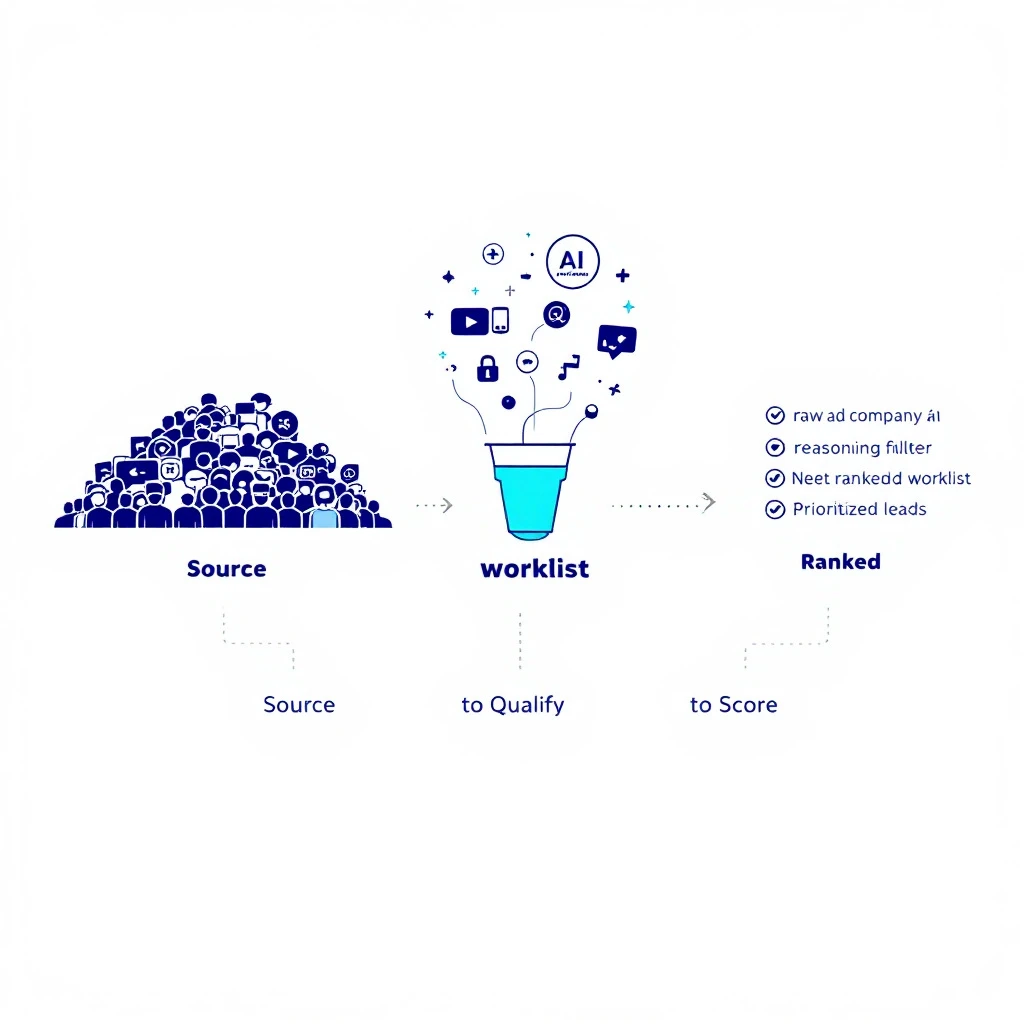
Prospecting has become a numbers game of diminishing returns. Sales reps spend countless hours on manual research, data entry, and crafting outreach that often gets ignored. This inefficiency doesn't just hurt quotas; it leads to burnout and a stagnant pipeline. The core problem is clear: too much time is spent on low-value tasks instead of high-impact selling conversations. Artificial intelligence offers a powerful solution, but simply adopting any AI platform can introduce more complexity than it resolves, forcing teams to juggle disconnected systems.
This guide cuts through the noise. We provide an actionable, in-depth analysis of the top AI tools for sales prospecting designed to solve this very problem. Our goal is to help you find the right platform that integrates directly into your existing sales process, automates the tedious work, and delivers measurable results. We will move beyond generic feature lists to give you a real-world perspective on how these tools function day-to-day.
Inside this comprehensive resource, you will discover:
- Honest pros and cons for each tool based on practical usage.
- Specific use-case scenarios for Sales Development Representatives (SDRs), Sales Leaders, and Revenue Operations (RevOps) teams.
- A detailed feature comparison matrix to quickly identify which platform best suits your needs, highlighting CRM-native advantages.
- Actionable insights on pricing, implementation, and how each tool stacks up against the competition.
Each review includes screenshots and direct links to help you evaluate the options efficiently. For teams looking to expand their outreach channels, it’s also useful to know how different platforms can work together. For instance, to efficiently scale prospecting efforts, businesses can explore various types of LinkedIn automation tools for lead generation. Our focus here, however, is on the core AI-powered sales platforms that form the foundation of a modern, high-performing sales engine. Let's find the right tool to fill your pipeline.
1. marketbetter.ai
For sales teams seeking a direct path from buyer intent to meaningful outreach, marketbetter.ai stands out as a powerful execution engine. It's built to operate directly within Salesforce and HubSpot, transforming disparate buyer signals like website visits and ICP triggers into a prioritized, actionable task list for SDRs. This CRM-native approach eliminates the common friction of switching between separate engagement tools and the core system of record.

MarketBetter excels by providing a clear “next best action” with all the necessary context, ensuring reps engage the right leads at the right time. Its AI-generated outbound copy is a key differentiator, producing concise, account-specific first-touch emails and subject lines that are ready for immediate use. This isn't generic content; it's designed for high-relevance warm outbound. The platform's built-in dialer, which also lives natively in Salesforce, further accelerates this workflow. It provides talk tracks for call prep and automatically summarizes outcomes back to the CRM, maintaining clean data and clear attribution for RevOps. For a deeper dive into how this compares to other platforms, our guide on the best sales prospecting tools offers additional context.
Why It's Our Top Pick
MarketBetter directly addresses two of the biggest challenges in modern outbound: signal noise and poor CRM adoption. Instead of just identifying intent, it makes that intent actionable within the systems reps already use. The combination of an AI-driven task inbox and a native Salesforce dialer is a potent formula for increasing daily outreach activities while improving connection rates.
Key Advantages:
- CRM-Native Execution: Turns intent signals into prioritized tasks inside Salesforce/HubSpot, reducing context switching.
- Actionable AI Copywriting: Generates sequence-ready, persona-specific emails and subject lines for high-relevance outreach.
- Integrated Dialer & Auto-Logging: Features a click-to-dial function within Salesforce with automatic call disposition and note syncing.
- Fast Implementation: Setup is quick via a tracking code and CRM connection, with templates available to speed up SDR onboarding.
Potential Considerations:
- Demo-Required Pricing: The lack of public pricing requires a sales conversation, which may not suit teams in early-stage evaluation.
- Overlap with Existing Tools: Teams with established engagement platforms like Outreach or Salesloft must carefully evaluate how MarketBetter’s CRM-native layer integrates with or replaces their current stack.
Website: https://www.marketbetter.ai
2. Outreach
Outreach is a powerful enterprise-grade sales engagement platform that uses AI to guide revenue teams through the entire sales cycle, from prospecting to closing. It excels at helping large, distributed teams standardize their outbound activities, ensuring every Sales Development Representative (SDR) and Account Executive (AE) follows a proven playbook. The platform surfaces high-intent prospects, automates time-consuming research, and recommends the next-best action, so reps know exactly what to do and when.

Unlike point solutions that only address one part of the prospecting puzzle, Outreach provides an end-to-end workflow. Where a tool like MarketBetter focuses on executing tasks within the CRM, Outreach acts as a comprehensive command center living outside of it. This is a key advantage for organizations looking to reduce their tech stack and unify their sales process. Its AI conversation intelligence tool, Kaia, transcribes and analyzes sales calls to provide real-time coaching and post-call insights, helping managers improve team performance at scale. This comprehensive approach to sales automation software makes it a top choice for mature sales organizations.
Key Considerations
Pricing: Outreach uses a custom, quote-based model typical for enterprise software. Expect premium pricing, as it’s designed for larger teams needing extensive functionality and support.
Implementation: The setup can be complex and lengthy, especially for organizations with intricate sales processes and multiple team roles. This is not a plug-and-play tool but a strategic platform investment.
Actionable Use Case: A VP of Sales at an enterprise company wants to standardize the outbound prospecting motion for a 100-person SDR team.
- Build Playbooks: Create and enforce multi-step, multi-channel sequences to ensure consistent messaging.
- Track Engagement: Use Outreach's analytics to monitor which sequences have the highest reply rates and adjust accordingly.
- Coach at Scale: Leverage Kaia for remote coaching sessions to identify talk tracks that lead to booked meetings and ramp new hires faster.
3. Salesloft
Salesloft is a complete revenue orchestration platform that provides sales teams with a structured framework for every stage of the customer lifecycle. It excels in helping sellers execute multi-channel outreach, understand buyer engagement, and manage their pipeline from first contact to renewal. The platform’s core strength lies in its Cadence feature, which guides Sales Development Representatives (SDRs) and Account Executives (AEs) through a prescribed series of email, phone, and social selling tasks, ensuring consistent execution across the team.

Compared to other enterprise tools, Salesloft offers a highly connected workflow that bridges the gap between prospecting and deal management. Its AI-powered engine, Rhythm, prioritizes a seller’s daily tasks by analyzing buyer signals, while the Conversations module provides call intelligence for coaching. While Outreach and Salesloft are direct competitors, Salesloft often differentiates with a user interface praised for its ease of use and strong analytics for forecasting. The recent integration with Drift allows teams to capture website intent directly, making it a powerful choice for organizations looking to connect their top-of-funnel activities with their core sales process. This makes it one of the leading ai tools for sales prospecting for teams needing a single pane of glass.
Key Considerations
Pricing: Salesloft does not offer public per-seat pricing. Access to the platform requires engaging with their sales team for a custom quote, which is typical for enterprise-grade solutions of this scope.
Implementation: While supported by extensive customer education resources, the setup can be a significant project. It’s best suited for organizations ready to invest time in configuring workflows and integrating them with their existing CRM and marketing automation tools.
Actionable Use Case: A Director of Sales Enablement aims to align SDR and AE activities.
- Define Cadences: Create distinct Cadences for SDR prospecting and separate ones for AE deal-cycle follow-up.
- Identify Best Practices: Use the Conversations module to analyze top performers' calls and codify their talk tracks into templates.
- Monitor Pipeline Health: Track deal progression and identify at-risk opportunities using the integrated forecasting tools to proactively intervene.
4. Apollo.io
Apollo.io stands out as an all-in-one sales intelligence and engagement platform, effectively bundling a massive B2B contact database with the tools needed to act on that data. It combines data enrichment, sequencing, and deal execution into a single, cohesive workflow. This unification is a major advantage for sales teams, especially startups and SMBs, looking to minimize their tech stack and get new reps productive quickly.
Unlike platforms that specialize only in engagement (like Salesloft) or data (like ZoomInfo), Apollo’s strength lies in its integration of both. Its native AI Assistant aids in prospect research and generates personalized messages directly within the platform, making it a fast and efficient option among ai tools for sales prospecting. This ability to move from finding a contact to engaging them in a sequenced campaign without switching tools is a significant workflow improvement. For teams that need both a data source and an outbound engine, Apollo presents a compelling, cost-effective solution.
Key Considerations
Pricing: Apollo offers a free-forever starter plan, which is excellent for trial and very small teams. Paid plans are published and are more accessible than enterprise-grade tools, but the credit-based model for contacts and emails requires careful management as you scale.
Implementation: Getting started is relatively fast, particularly for users familiar with prospecting tools. The Chrome extension makes it easy to integrate into daily browsing and LinkedIn activities, allowing for a swift ramp-up.
Actionable Use Case: A demand generation manager at a growing startup needs to equip a new 5-person SDR team.
- Build Lists: Use Apollo's database to create targeted contact lists based on company size, industry, and technology used.
- Launch Campaigns: Deploy multi-channel outbound sequences using the built-in engagement tools.
- Personalize at Scale: Instruct the SDRs to use the AI Assistant to generate personalized opening lines for their top-tier prospects, improving reply rates.
5. ZoomInfo SalesOS
ZoomInfo’s SalesOS is an enterprise-grade B2B intelligence platform that functions as a foundational data layer for go-to-market teams. While not an engagement tool itself, its AI-driven database provides the critical contact data, firmographics, technographics, and buying signals that power other prospecting tools. Its primary function is to help sales teams identify and prioritize high-potential accounts and contacts with unparalleled scale, feeding this rich data directly into CRMs and sales engagement platforms.

The platform distinguishes itself with its deep data coverage and "Scoops," which are timely intent signals indicating leadership changes, funding events, or technology purchases. These signals are crucial for crafting relevant and timely outreach. Unlike an all-in-one like Apollo.io, ZoomInfo specializes solely in providing best-in-class data. It supplies the necessary intelligence for sales teams to build targeted account lists and ensures that downstream engagement tools like Outreach or Salesloft are populated with accurate, actionable information, making it one of the most important ai tools for sales prospecting for data-driven organizations.
Key Considerations
Pricing: ZoomInfo does not publish its pricing. Contracts are customized, typically requiring annual commitments and multi-seat licenses. It represents a significant investment geared toward organizations prioritizing data accuracy and breadth.
Implementation: Integrating ZoomInfo requires careful planning, especially when connecting it to a CRM and other sales tools. Setup involves configuring data mapping, user permissions, and credit allowances to ensure teams use the data effectively and within budget.
Actionable Use Case: A Demand Generation Manager needs to build a target account list for a new campaign.
- Define Your ICP: Filter companies by industry, size, and specific technologies used (e.g., "companies using Marketo").
- Identify Contacts: Find contacts with relevant job titles within those accounts (e.g., "VP of Marketing").
- Prioritize with Intent: Layer on intent data to find accounts actively researching your solution category and export these high-value leads directly into Salesforce for immediate SDR follow-up.
6. 6sense Revenue AI
6sense operates as a Revenue AI and Account-Based Marketing (ABM) platform that excels at identifying which accounts are actively in-market for a solution like yours. It moves beyond simple firmographics by analyzing anonymous web traffic and third-party intent data to predict which companies are showing buying signals right now. This makes it a critical tool for sales teams looking to prioritize their outreach efforts and focus only on accounts with the highest propensity to buy, feeding SDRs a qualified list of targets.

The platform’s core strength is its ability to create a tight alignment between sales and marketing. While ZoomInfo tells you who to target based on firmographics, 6sense tells you when to target them based on behavioral intent. While marketing uses 6sense to run targeted ad campaigns and content syndication, sales teams receive alerts and prioritized task queues directly in their CRM. This coordinated approach ensures that when an SDR reaches out, the prospect has already been warmed up by marketing activities, making for a much more effective conversation. Among the various AI tools for sales prospecting, 6sense is particularly strong for organizations that have adopted a full-funnel ABM strategy.
Key Considerations
Pricing: 6sense follows a quote-based, enterprise-focused pricing model. You will need to engage with their sales team to get a quote, as pricing is not publicly available and depends on the scope of implementation.
Implementation: Setting up 6sense requires a strategic partnership with their team. It involves integrating with your CRM, marketing automation platform, and ad networks, which demands significant technical and operational resources.
Actionable Use Case: A Demand Generation Manager at a B2B tech company wants to run a coordinated campaign.
- Identify Intent: Use 6sense to generate a list of 500 target accounts showing intent signals for their product category.
- Run Air Cover: Launch a marketing play where display ads are served to key personas at these accounts.
- Activate Sales: Simultaneously, have the BDR team receive automated tasks in their CRM to begin personalized outreach, referencing the specific topics the account is researching.
7. Cognism
Cognism is a B2B data provider that carves out its niche with a strong emphasis on data compliance and accuracy, particularly for mobile and direct-dial phone numbers. For sales teams building outbound programs in regions with strict privacy regulations like the EU and California, Cognism provides a layer of assurance with its GDPR and CCPA-aligned data collection practices. Its "Diamond Data" feature, which signifies a phone-verified mobile number, is a key asset for call-heavy prospecting teams looking to improve connect rates and bypass traditional gatekeepers.

Unlike competitors who may mix various data sources without clear verification, Cognism’s focus on governance and verification makes it a strategic choice for regulated industries or those targeting senior-level decision-makers. Compared to ZoomInfo, Cognism's database might be smaller in scale, but its value proposition is higher data quality and compliance, especially for European markets. The platform’s Chrome extension allows reps to access this compliant contact data directly on LinkedIn or company websites, integrating into their existing workflow. This focus on providing high-quality, verified mobile numbers makes it a standout among the AI tools for sales prospecting when the primary outreach channel is the phone.
Key Considerations
Pricing: Cognism does not offer public pricing and operates on a quote-based subscription model. Contracts are typically sold on an annual basis, which can be a significant upfront investment.
Implementation: Onboarding is generally straightforward, focusing on integrating the platform and training the team to use the Chrome extension and web application. The main effort is aligning data usage with internal compliance protocols.
Actionable Use Case: A demand generation manager for a FinTech company is launching a campaign targeting C-level executives in both the US and the UK.
- Build a Compliant List: Use Cognism to build a highly targeted list of prospects, filtering for C-level titles in the financial sector.
- Prioritize Mobile Dials: Instruct SDRs to prioritize contacts with the "Diamond Data" tag for their call blocks to maximize connect rates.
- Ensure Compliance: Rest easy knowing the data collection methods meet GDPR and CCPA standards, reducing risk for the campaign.
8. Seamless.AI
Seamless.AI is a real-time search engine for B2B contact and company data, positioning itself as a direct line to accurate emails and, notably, mobile numbers. Its AI-powered platform and Chrome extension help sales teams find prospect information across websites and social platforms, making it a go-to for reps who need to build targeted lists quickly. The core strength of Seamless.AI lies in its accessibility, offering a generous free tier that provides annual credits, lowering the barrier to entry for small teams or individual contributors.

Unlike all-in-one engagement platforms, Seamless.AI focuses squarely on the top of the funnel: data acquisition. It’s one of the few ai tools for sales prospecting that emphasizes direct-dial mobile numbers, which is a significant advantage for call-heavy sales motions. While Apollo.io offers a similar "data + engagement" model, Seamless.AI is often seen as a more direct competitor to pure-play data providers like ZoomInfo, but with a more accessible price point and a "real-time search" positioning. The platform's AI Pitch Intelligence feature analyzes company and contact data to suggest talking points, helping reps personalize their outreach. This makes it a practical tool for SDRs who need to quickly gather intel and start dialing without a lengthy research process.
Key Considerations
Pricing: A free plan is available with a limited number of annual credits. Paid plans are required for higher volume needs, CRM integrations, and advanced features, with pricing based on credit and user counts.
Implementation: Getting started is simple, especially with the Chrome extension. Users can begin finding contacts in minutes. However, integrating it into a CRM and establishing a data verification process is necessary to maintain database hygiene.
Actionable Use Case: A small, scrappy SDR team at a startup needs to build a pipeline from scratch with a limited budget.
- Start for Free: Have each rep sign up for Seamless.AI’s free plan to start building lists of key decision-makers at target accounts.
- Find Direct Dials: Use the Chrome Extension on LinkedIn profiles to find direct mobile numbers.
- Craft Opening Lines: Leverage the Pitch Intelligence feature to get quick talking points for cold calls, increasing relevance.
9. Clay
Clay is a GTM engineering platform that gives teams surgical control over their list-building and data enrichment processes. Instead of providing a static database, Clay acts as a central hub where you can connect over 100 data sources, build cascading enrichment workflows, and use AI to automate web research and craft hyper-personalized messaging. This makes it one of the most powerful and flexible ai tools for sales prospecting for technical sales operations teams.

The platform’s core strength is its "waterfall" enrichment model, where you can query multiple providers sequentially until you find the data point you need, minimizing costs. You can bring your own provider keys, giving you direct control over your data budget and coverage. Unlike any other tool on this list, Clay doesn't provide data itself; it orchestrates data from other sources like Apollo, ZoomInfo, or Clearbit. Clay’s AI agent, Claygent, can be instructed to perform research tasks like visiting a prospect's LinkedIn profile to find a recent post or checking their company’s careers page for open roles relevant to your solution, then drafting personalized first lines based on that research. This approach allows teams to build highly targeted and qualified prospect lists that are then passed to a separate sales engagement tool for execution.
Key Considerations
Pricing: Clay uses a credit-based pricing model, with plans starting around $149/month. Actions like enriching data or running AI agents consume credits, so costs can be variable and require careful management to avoid unexpected expenses.
Implementation: This is not a simple plug-and-play tool. Clay requires a strong understanding of data operations and process design. The learning curve is steep, and it functions more like an engineering canvas than a one-click database.
Actionable Use Case: A demand generation manager wants to build a hyper-personalized GTM motion for a new market segment.
- Build a Base List: Pull a list of companies from a source like Apollo into a Clay table.
- Enrich with a Waterfall: Run a waterfall enrichment to find marketing contacts, trying three different data providers in sequence to maximize fill rate.
- Automate Research: Use Claygent to visit each contact's LinkedIn profile, find a recent post, and write a personalized email intro referencing that post before exporting the final list to an outbound tool.
10. Amplemarket
Amplemarket is an AI-native sales engagement platform that combines a B2B contact database with multichannel outreach capabilities. Its core advantage lies in unifying data, intent signals, and execution into a single workflow, which helps sales development teams bypass the need to toggle between separate prospecting and engagement tools. The platform uses AI to identify ideal customer profile (ICP) accounts based on real-time signals and generates highly personalized, multithreaded sequences for email, phone, and social channels.

Unlike platforms that require you to bring your own data, Amplemarket provides it, creating a more cohesive process from discovery to outreach. This makes it a direct competitor to Apollo.io, but it often targets a more mid-market audience with a stronger emphasis on AI-driven personalization and email deliverability. This makes it one of the better ai tools for sales prospecting for teams that want to consolidate their tech stack. A key differentiator is its serious focus on email deliverability, offering robust tools and onboarding support, including its "Amplemarket University," to ensure outbound campaigns don't damage a company's domain reputation. The AI copywriter also allows reps to control the tone and voice, ensuring messages align with brand guidelines.
Key Considerations
Pricing: Amplemarket does not list pricing publicly. Interested teams must contact the sales department for a custom quote, which suggests it is geared toward teams with a dedicated budget rather than individual users.
Implementation: The platform's unified nature can simplify setup compared to integrating multiple disparate systems. However, teams will need to invest time in the initial configuration and learn how to best use the integrated data and sequencing features.
Actionable Use Case: A Demand Generation Manager at a mid-market SaaS company wants to scale outbound without hiring more reps.
- Identify New Accounts: Use Amplemarket’s database and signal intelligence to find net-new accounts fitting their ICP.
- Deploy AI Sequences: Launch AI-generated, multi-channel sequences to book meetings, letting the platform handle the personalization.
- Monitor Domain Health: Use the built-in deliverability dashboard to ensure a high volume of outreach doesn't harm their sending reputation.
11. Gong Engage
Gong Engage is Gong's AI-powered sales engagement module, designed to turn conversational insights into effective outreach. It connects the data from Gong's core revenue intelligence platform directly to the top-of-funnel activities of SDRs and AEs. By analyzing real customer calls and meetings, Engage recommends what to say, who to target next, and which talk tracks are converting, creating a direct feedback loop between conversations and prospecting actions.

Unlike standalone sales engagement tools, Engage’s primary advantage is its native integration with Gong's massive repository of conversation data. Where Outreach and Salesloft use AI to optimize generic sales processes, Gong Engage uses AI to optimize your specific sales process based on your team's calls. This allows its AI to provide contextually rich personalization suggestions and guided workflows based on what actually works with your buyers. Reps can execute multi-channel sequences with an integrated dialer and email, all while the system provides AI-generated recommendations. This model is very different from generic AI sales assistants because its guidance is derived from your team’s unique customer interactions, not broad-market data.
Key Considerations
Pricing: Gong Engage is sold via a custom, quote-based model. It delivers the most value when bundled with the broader Gong Revenue Intelligence platform, so pricing will reflect a more strategic, platform-level investment.
Implementation: If you are already a Gong customer, adding Engage is relatively straightforward. For new customers, implementation involves setting up the core revenue intelligence platform first, which can require significant time to integrate with your CRM, dialer, and web conferencing tools.
Actionable Use Case: A sales manager for a team already using Gong for call recording wants to arm their BDRs.
- Identify Winning Language: Use Gong to analyze the last quarter's successful discovery calls.
- Create a Sequence: Build a new outreach sequence in Engage for a product launch.
- Arm the Reps: Let Engage's AI recommend specific phrases and value props for emails and calls, pulled directly from the winning language identified in step one.
12. HubSpot Sales Hub
HubSpot Sales Hub is a widely adopted platform that combines a full-featured CRM with integrated sales engagement tools. Its strength lies in providing an all-in-one environment where prospecting activities are native to the core contact record. AI assistance is woven into the workflow, helping reps draft personalized emails, automate follow-up tasks, and generate reports without toggling between different applications. This native integration is a significant advantage for teams already using HubSpot's ecosystem, as it eliminates data sync issues and reduces administrative overhead.

Unlike standalone prospecting tools that require complex integration projects, HubSpot offers a more direct path to unifying sales and marketing data. The platform's clear, public pricing tiers make procurement straightforward, a notable contrast to the custom quote models of many enterprise competitors. Its primary differentiator is its existence as part of a complete GTM platform (Marketing Hub, Service Hub), making it the default choice for companies committed to the HubSpot ecosystem. Features like built-in sequences, call logging, and email templates are available directly within the CRM, providing a cohesive experience. This makes it a strong contender for organizations looking for transparent packaging and a single source of truth for their entire revenue operation.
Key Considerations
Pricing: HubSpot provides clear, public pricing with Starter, Professional, and Enterprise tiers. While transparent, the seat-based model means costs can increase substantially as teams grow, so it is important to model the total cost of ownership carefully.
Implementation: Getting started is relatively simple, especially for teams already familiar with the HubSpot interface. The all-in-one nature simplifies the tech stack, but migrating from an existing CRM can require significant planning and data management.
Actionable Use Case: A demand generation manager for a mid-market company wants to align sales and marketing efforts within HubSpot.
- Automate Inbound: Create automated lead nurturing sequences in Sales Hub that trigger when a prospect downloads an e-book from a Marketing Hub landing page.
- Track Engagement: Monitor the prospect's entire journey from first touch to close within a single contact record.
- Ensure Consistency: Use the AI content assistant to help SDRs draft consistent, high-quality follow-up emails for MQLs.
| Product | Core features ✨ | UX / Quality ★ | Pricing & Value 💰 | Target & USP 👥 |
|---|
| marketbetter.ai 🏆 | SDR Task Inbox, AI cold emails, native Salesforce dialer, auto‑logged CRM ✨ | ★ 4.97 (G2); fast adoption, low rep friction | 💰 Demo/quote; fast time‑to‑value, strong ROI claims | 👥 Mid‑market→Enterprise SDRs & RevOps; USP: CRM‑native execution (tasks → send/call) |
| Outreach | Enterprise engagement, AI next‑best‑actions, convo intelligence ✨ | ★ Enterprise‑grade governance & scale | 💰 Premium, quote‑based | 👥 Large SDR/AE orgs; USP: end‑to‑end workflow & controls |
| Salesloft | Multichannel cadences, conversation AI, Rhythm tasking ✨ | ★ Mature cadence UX, good analytics | 💰 Quote/enterprise pricing | 👥 SDR→AE pipelines; USP: cadence + analytics for handoffs |
| Apollo.io | B2B contact DB + enrichment + native AI assistant ✨ | ★ Accessible; fast ramp for reps | 💰 Free tier + paid plans; credit limits | 👥 SMBs & scaling SDR teams; USP: data + engagement in one |
| ZoomInfo SalesOS | Deep contact + technographics + intent (Scoops) ✨ | ★ Data‑rich; enterprise standard | 💰 Annual contracts; quote | 👥 Demand gen/RevOps; USP: breadth/depth of buyer data & signals |
| 6sense Revenue AI | Predictive intent, account timing, ABM orchestration ✨ | ★ Strong prioritization accuracy | 💰 Enterprise, quote‑based | 👥 ABM/mid‑enterprise GTM; USP: timing + account prediction |
| Cognism | GDPR/CCPA‑aligned data, verified mobile numbers ✨ | ★ Compliance‑focused accuracy | 💰 Quote/annual contracts | 👥 EU/reg‑sensitive outreach; USP: compliance + mobile accuracy |
| Seamless.AI | Contact search, mobile numbers, AI prospector + extension ✨ | ★ Good for quick prospecting & trials | 💰 Free starter; credit model | 👥 Small/scrappy SDRs; USP: low barrier to trial and mobile data |
| Clay | Multi‑source enrichment, web research, AI personalization canvas ✨ | ★ Extremely flexible but ops‑heavy | 💰 Credit‑based; variable | 👥 GTM ops/engineering; USP: unify many data sources & BYO keys |
| Amplemarket | AI‑native engagement + built‑in B2B data & deliverability ✨ | ★ Focused on deliverability & personalization | 💰 Quote‑based | 👥 Outbound teams; USP: unified data + deliverability tooling |
| Gong Engage | Conversation‑driven outreach, AI tasks from call intelligence ✨ | ★ High visibility when paired with Gong RI | 💰 Quote; best value with Gong stack | 👥 Gong customers & enablement; USP: direct convo→outreach feedback loop |
| HubSpot Sales Hub | CRM + sequences, AI email drafting, built‑in calling ✨ | ★ Integrated CRM UX; transparent tiers | 💰 Published plans (Starter→Enterprise) | 👥 HubSpot‑centric teams; USP: all‑in‑one CRM + engagement |
We've explored a dozen powerful AI tools for sales prospecting, from comprehensive platforms like Outreach and Salesloft to specialized data providers like ZoomInfo and Seamless.AI. The sheer volume of options can feel overwhelming, but making the right choice isn't about finding a single "best" tool. It's about diagnosing your sales team's most significant bottleneck and selecting the software that directly solves it.
Your next step is to move from reviewing features to defining your strategic needs. A powerful tool implemented against the wrong problem will only add complexity, not revenue. It's time to conduct a frank audit of your team's day-to-day operations.
Diagnosing Your Core Prospecting Challenge
Before you book a single demo, gather your sales leaders, SDRs, and BDRs. Ask them to identify the single biggest time-waster in their prospecting workflow. The answers will likely fall into one of these three critical areas. Use this framework to narrow your focus and pinpoint the right category of solution.
1. Is your primary problem CRM data integrity and hygiene?
If your reps complain about "logging my calls," "updating Salesforce," or "finding the right contact record," your core issue is data friction. Manual data entry is not just a time sink; it leads to incomplete records, poor follow-up, and inaccurate forecasting.
- Your focus should be: Tools with deep, native CRM integration and automatic activity logging. A solution that lives inside your CRM, rather than a separate tab, drastically reduces this friction. Look for features like automatic call logging, email tracking, and disposition capture directly within the contact record. Solutions like MarketBetter, Gong Engage, and HubSpot Sales Hub are built with this CRM-centric philosophy in mind, making data capture a background process, not a manual chore.
2. Are your reps drowning in manual research and guesswork?
Do your sellers spend more time searching for who to contact and why than actually making contact? If so, you have an intelligence and prioritization problem. Without clear signals, reps resort to spray-and-pray tactics, wasting effort on low-intent leads.
- Your focus should be: Platforms that serve up prioritized, intent-driven tasks. You need a system that analyzes market signals, identifies buying committees, and tells your reps, "Contact Jane at Acme Corp today about their recent funding round." Account-based intelligence platforms like 6sense and intent data specialists like ZoomInfo excel here. For execution, look at how tools like MarketBetter can translate these signals into a prioritized task queue directly within your CRM, guiding reps to their next best action.
3. Is your dialer adoption failing due to workflow disruption?
You've invested in a dialer, but reps aren't using it. Why? It often comes down to usability. If a dialer forces reps to leave their primary workspace (the CRM), toggle between tabs, and manually log outcomes, they will inevitably revert to using their phones.
- Your focus should be: A truly CRM-native dialer. This is more than just an "integration." It means the click-to-call button, the call script, and the disposition fields are all embedded directly within the Salesforce or HubSpot interface. This unified workflow makes dialing seamless and efficient. MarketBetter’s core design as a CRM-native task and dialer system directly addresses this common failure point, driving adoption by making the right way to work the easiest way to work. While Salesloft and Outreach offer robust dialers, their operation outside the primary CRM window can still create the friction you're trying to eliminate.
Final Thoughts: From Implementation to Adoption
Choosing from the best AI tools for sales prospecting is just the first step. True success is measured by adoption. The most feature-rich platform is useless if your team finds it too complicated or disruptive.
As you evaluate your options, ask vendors not just what their tool does, but how it fits into a rep's existing day. Prioritize the solution that removes the most clicks, automates the most tedious tasks, and makes it easiest for your sellers to do what they do best: sell. Your goal is to find a partner that simplifies, not complicates, their path to quota.
Ready to eliminate CRM busywork and give your sales team a clear, prioritized path to their next customer? marketbetter.ai is the CRM-native task management and dialing platform that guides reps to their next best action without ever leaving their CRM. See how you can increase sales activity and improve data hygiene by booking a demo at marketbetter.ai today.