8 posts tagged with "buyer intent"

View All Tags

We Analyzed 82,000 B2B Sales-Tech Searches: Why 'Best Tool' Lists Don't Convert [2026]

ยท 10 min read
Sunder Iyer
Founder, marketbetter.ai

Everyone building B2B content in 2026 is chasing the same keywords: "best [category] tools," "[competitor] alternatives," "[competitor] pricing." The logic feels airtight โ€” high search volume, clear commercial intent, buyers comparing options. So you publish the listicle, you rank on page one, and then you check the numbers a quarter later and the clicks never showed up.

We had a hunch that most of this traffic was a mirage. So we pulled the data on our own search footprint and looked hard at what buyers actually click versus what they merely see.

The answer surprised us enough to change our content roadmap. If you run demand gen, RevOps, or an SDR team that's investing in content, it should change yours too.

B2B sales-tech search intent study โ€” how buyers actually research tools in 2026

What we measuredโ€‹

We analyzed our 1,200 highest-volume search queries over a 90-day window (May 6 to August 4, 2026): 82,220 impressions and 1,236 clicks from Google Search. Every query was bucketed by its dominant intent โ€” is this person comparing vendors, checking a price, reading reviews, browsing a "best of" list, or trying to figure out how to actually do a job?

Then we compared click-through rate (CTR) across those intent types. Same site, same domain authority, same 90 days. The only variable is what the searcher was trying to accomplish.

One note on honesty: our blended CTR across all 1,200 queries was 1.50%. That's the baseline. Anything materially above it is intent that punches above its weight; anything below it is intent that looks busy but does nothing.

Finding 1: Intent beats volume, and it isn't closeโ€‹

Here's the full breakdown by intent type, ranked the way most teams would rank it โ€” by impressions, the vanity metric everyone optimizes for:

Search intentQueriesImpressionsClicksCTR
Generic / broad51330,5191960.64%
Pricing ("X pricing," "how much")13717,3061390.80%
AI-assistant ("how to use Claude/GPT for X")24011,2174323.85%
"Best of" listicle437,760520.67%
Reviews1066,662721.08%
Alternatives ("X alternatives")315,255120.23%
Comparison ("X vs Y")1082,118110.52%
How-to / tutorial19665182.71%

Look at the top three rows by impressions โ€” generic, pricing, and "best of" lists. Together they represent over 55,000 impressions, roughly two-thirds of everything we showed up for. Their combined CTR? Around 0.70%. Below our site average. That is the content most B2B teams pour their budget into, and it is quietly the worst-performing intent on the page.

Now look at the AI-assistant row: 11,217 impressions, 432 clicks, 3.85% CTR. That single intent category was 14% of our impressions but drove nearly half of every non-brand click we earned (432 of 932). It out-clicked pricing content that had 54% more impressions.

The takeaway isn't subtle. Impressions are what you rank for. Clicks are what buyers choose. Those are not the same thing, and optimizing for the first at the expense of the second is how content teams stay busy while pipeline stays flat.

Finding 2: "Alternatives" pages are the deadest intent in B2Bโ€‹

The single worst-converting intent in our entire dataset was "[competitor] alternatives" โ€” 0.23% CTR across 5,255 impressions. That's one-sixth of our site average and roughly one-seventeenth of AI-assistant intent.

This one stings, because "alternatives" content is a cottage industry. Every SaaS blog cranks out "10 alternatives to [popular tool]" because it ranks. And it does rank โ€” our alternatives pages sat at an average position of 7.7, comfortably on page one.

But think about the person typing "Warmly alternatives." They've already decided to leave a tool they know. They are not looking to read a vendor's blog post; they're looking for a name to go evaluate, and they'll grab it from whatever list Google puts in front of them and bounce. The click that a listicle earns from that search is worth almost nothing, and increasingly they don't even click โ€” they read the names off the SERP and move on.

Comparison ("X vs Y") intent wasn't much healthier at 0.52%. High effort to produce, low reward to publish. We wrote a lot of these. We're mostly done writing them, and this data is a big part of why.

Finding 3: The hand-raiser is "how do I actually do this"โ€‹

Here's where it gets useful. The two best-converting intents in the entire study were both about doing a job, not buying a tool:

  • AI-assistant intent ("how to use Claude for SDR work," "codex prompts for sales," "Claude with Sales Navigator") โ€” 3.85% CTR
  • How-to / tutorial intent โ€” 2.71% CTR

These are people mid-task. They have a job to get done today and they're looking for a way to do it. When your content shows up for that search, it isn't competing for a shortlist slot โ€” it's answering the exact question in the searcher's head. So they click.

How strong is this effect? Strong enough to override brand recognition. Our best AI-assistant queries โ€” "claude sales navigator," "claude vs chatgpt for sales," "claude sdr" โ€” pulled CTRs of 15% to 19% at the top of page one. For context, our site-wide CTR for positions 1 through 3 was 6.48%. These queries converted at two to three times the positional norm.

That is the signature of true buyer intent. A generic listicle at position 2 gets skipped because the searcher is scanning ten brands they half-recognize. A "how do I use Claude to research accounts" result at position 2 gets clicked because it's the answer, and the person searching it is trying to solve a real workflow problem right now. One of those people is a tire-kicker. The other is your next demo.

We leaned all the way into this intent, which is why we have depth on it โ€” from a full Claude for SDRs guide to a library of the best Codex prompts for sales, a walkthrough on using Claude for lead generation, and the Claude plus Sales Navigator workflow that turns lists into pipeline. The data says that's where the clicks live, so that's where we build.

Finding 4: Ranking on page one is not the finish lineโ€‹

Most SEO scorecards stop at "we rank on page one." Our data says that's roughly the halfway point. Here's CTR by position band across all 1,200 queries:

Position bandImpressionsClicksCTR
1 to 310,6906936.48%
4 to 619,2592241.16%
7 to 1029,1102190.75%
11 to 2014,305750.52%
21 and beyond8,853250.28%

The cliff between positions 1 to 3 and 4 to 6 is brutal: CTR drops from 6.48% to 1.16%, a 5.6x fall for moving down just a few slots. Nearly a third of all our impressions sat in the 7-to-10 band โ€” technically page one โ€” and converted at 0.75%. Being "on page one" at position 8 is, for click purposes, barely different from being on page two.

But notice how this interacts with Finding 3. Our AI-assistant queries beat the 6.48% top-of-page benchmark by 2 to 3x. Intent doesn't just help you at the margin โ€” it changes the entire CTR curve. High-intent content at position 2 can out-earn low-intent content at position 1.

So the real scorecard has two axes, not one: rank high, and rank high for the intent that clicks. Nailing only the first is how teams end up "ranking well" with nothing to show for it.

What this means for your 2026 content strategyโ€‹

If you own B2B content, demand gen, or an SDR team's inbound engine, here's what we're taking from this data โ€” and what we'd suggest you pressure-test against your own Search Console:

1. Stop measuring content by impressions. Impressions reward broad, generic, high-volume intent โ€” which is exactly the intent that doesn't convert. Grade every page on clicks and click-through rate against your site baseline. Any page below baseline is a candidate for a rewrite or a redirect, no matter how many impressions it pulls.

2. Ration your "best of" and "alternatives" output. They rank, they feel productive, and they barely convert. We're not saying zero โ€” a small number of well-built comparison assets earn their keep for bottom-funnel buyers. But if that's the bulk of your calendar, you're farming vanity impressions.

3. Build for the job, not the purchase. The searches that convert are the ones where a real person is trying to complete a real task. "How do I use [AI tool] to do [sales job]" is the strongest signal we found. Map your product to the jobs your buyers are trying to do this week, and write the how-to for each one.

4. Chase the position-1-to-3 band relentlessly for high-intent terms. Given the 5.6x cliff after position 3, a term you own at position 2 is worth more than five terms you hold at position 8. Consolidate thin pages into deeper ones, add internal links, and concentrate authority on the handful of high-intent queries you can actually win.

There's a deeper pattern under all of this, and it's the same one that separates good sales tools from noisy ones. A "best tools" list tells a buyer who exists. A how-to guide tells them what to do. The second is the one people act on โ€” in search, and in the sales process.

That's the whole thesis behind how we built MarketBetter: most sales platforms surface a signal and leave your SDR to figure out the next move. We tell your team who's in-market and exactly what to do about it โ€” the same "job, not just data" principle this search study kept surfacing. If you want to see more on where buyer intent actually lives, our guides on buyer intent data and why sales engagement platforms fail SDR teams go deeper, and our roundups of the best AI BDR tools and B2B marketing automation for mid-market put the landscape in context.

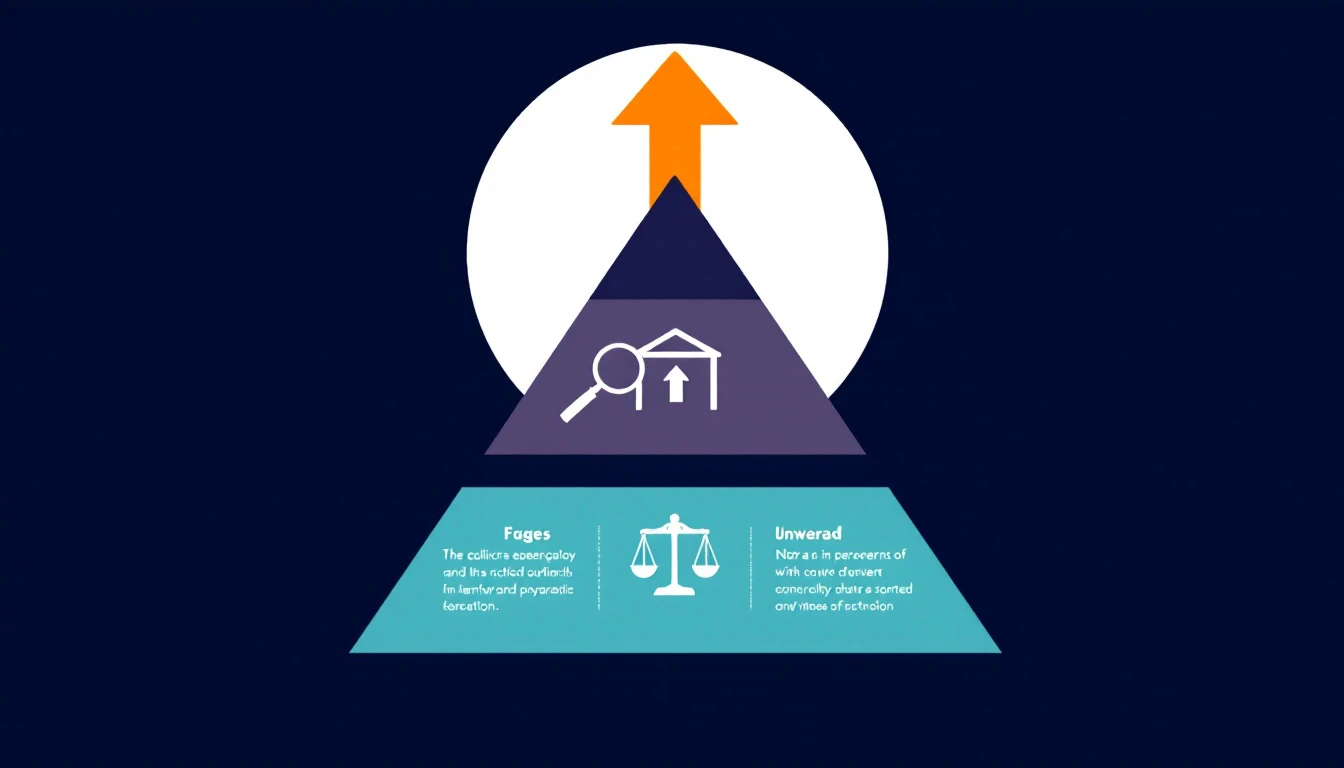
The intent hierarchy: how B2B buyers move from browsing to doing

The one-sentence versionโ€‹

Impressions measure what you rank for; clicks measure what buyers choose โ€” and in 2026, buyers choose the content that helps them do the job, not the content that lists their options.

We rebuilt our roadmap around that. Deep how-to and AI-workflow content, ruthless consolidation on high-intent terms, and a lot less "10 alternatives to X." The data made the call for us.


Want to see what "tells you what to do, not just who" looks like in a live sales workflow? Book a demo of MarketBetter and we'll show you how signal-to-action works on your accounts.

B2B Website Visitor Identification Software: The Complete 2026 Guide

ยท 22 min read
MarketBetter Team
Content Team, marketbetter.ai

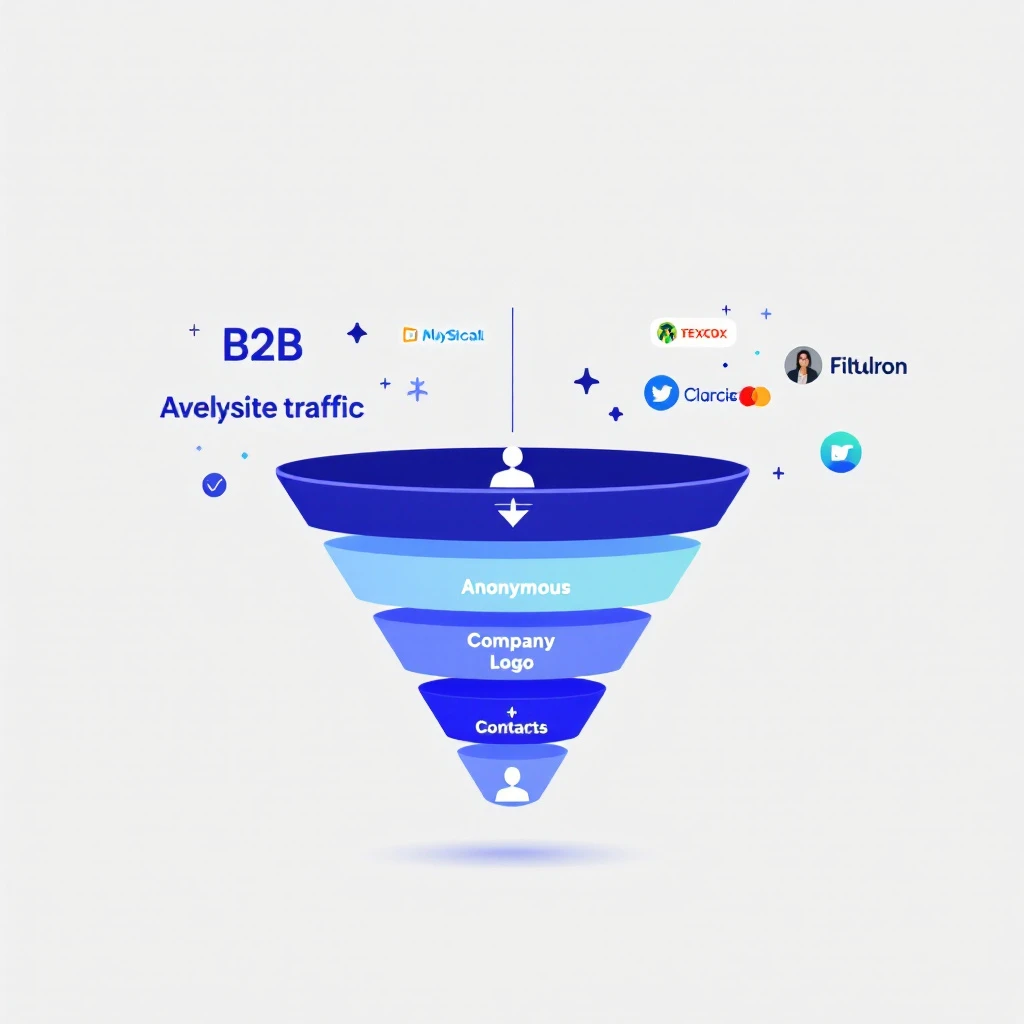
B2B website visitor identification process โ€” from anonymous traffic to identified accounts

98% of B2B website visitors leave without filling out a form. They read your pricing page, compare you to competitors, check your case studies โ€” then vanish.

You're spending thousands on Google Ads, SEO, and content to drive this traffic. And 98 out of every 100 visitors give you nothing in return. No name, no email, no company. Just another anonymous session in Google Analytics.

Website visitor identification changes that. It reveals which companies are visiting your site, what pages they're viewing, and in many cases, who the actual people are โ€” so your sales team can reach out while the buying intent is hot.

This guide covers everything: how the technology works, what match rates you can actually expect (hint: most vendors lie), the 2026 software landscape, how to evaluate tools, and how to turn identified visitors into pipeline. No fluff. No vendor spin.

Updated for 2026. This is the pillar guide in our visitor-intelligence series. Jump to the deep dives when you need them: the 12 best visitor ID tools compared, visitor tracking software reviews, how to identify anonymous website visitors, and turning identified visitors into pipeline.


What Is B2B Website Visitor Identification?โ€‹

B2B website visitor identification is the process of revealing the companies and individuals behind your anonymous website traffic. Instead of seeing "500 sessions from Austin, TX" in your analytics, you see "Hologram's VP of Sales visited your pricing page 3 times this week."

There are two levels of identification:

Company-Level Identificationโ€‹

The most common approach. When someone visits your website, their browser sends an IP address. Visitor identification tools match that IP against databases of known corporate IP ranges to identify which company the visitor works for.

How it works:

  1. A JavaScript snippet on your website captures the visitor's IP address
  2. The tool performs a reverse IP lookup (rDNS) against a database of millions of company IP ranges
  3. If there's a match, you see the company name, industry, size, and location
  4. You also see which pages they visited and for how long

Typical match rates: 20-40% of total traffic. This sounds low, but remember โ€” most consumer traffic (personal devices, mobile networks, VPNs) will never match. The 20-40% that does match is almost entirely B2B traffic, which is exactly what you want.

The catch: Company-level ID tells you which company is looking, but not who at the company. You know Salesforce visited your pricing page โ€” but was it an intern doing research or the VP of Revenue Operations evaluating tools?

Person-Level Identificationโ€‹

The newer, more powerful approach. Person-level identification goes beyond the company and attempts to identify the specific individual visiting your site.

How it works:

  1. Beyond IP matching, tools use a combination of first-party cookies, device fingerprinting, and cross-referencing identity graphs
  2. Some tools match against databases of known professional identities (built from opt-in data, public profiles, etc.)
  3. The result: you get a name, title, email, and LinkedIn profile โ€” not just a company name

Typical match rates: 5-15% of B2B traffic. Person-level is significantly harder than company-level. Any vendor claiming 40%+ person-level match rates is either misleading you or conflating company-level and person-level stats.

The privacy question: Person-level ID raises legitimate GDPR/CCPA concerns. The best tools build their identity graphs from opt-in sources and comply with privacy regulations. The worst ones scrape data without consent. Always ask your vendor where their data comes from.


How Does Website Visitor Identification Actually Work?โ€‹

Under the hood, visitor identification combines multiple data signals. Here's the technical reality without the marketing buzzwords.

1. Reverse IP Lookup (Foundation Layer)โ€‹

Every device connected to the internet has an IP address. Companies with office networks have static IP ranges registered to their organization. When an employee visits your website from the office, their request comes from one of these known IPs.

Reverse IP lookup (rDNS) cross-references the visitor's IP against databases of corporate IP ranges. These databases are maintained by data providers like:

  • Demandbase โ€” proprietary IP intelligence network
  • Clearbit (now Hubspot) โ€” company identification API
  • 6sense โ€” predictive intelligence platform
  • Bombora โ€” intent data + IP matching

Limitation: Remote work has eroded IP-based identification. When your target buyer works from home on a Comcast connection, their IP doesn't map to their employer. This is why pure IP-based tools have seen match rates decline since 2020.

2. First-Party Cookies + Device Fingerprinting (Enhancement Layer)โ€‹

To compensate for remote work, modern tools layer additional signals:

  • First-party cookies track returning visitors across sessions, building a behavioral profile even before identity resolution
  • Device fingerprinting uses browser attributes (screen resolution, timezone, installed fonts, WebGL renderer) to create a semi-unique identifier
  • Email pixel matching โ€” when a prospect clicks a link in your marketing email, the tool can link their known email to their website session

3. Identity Graphs (Resolution Layer)โ€‹

The most sophisticated tools maintain identity graphs โ€” massive databases that connect professional identities across multiple touchpoints. When a visitor arrives on your site, the tool checks:

  • Does this device/cookie match a known identity?
  • Has this IP been associated with previous known visitors?
  • Does the behavioral pattern (pages visited, time on site) match a known account?

The larger and more accurate the identity graph, the higher the match rate. This is why tools backed by large data networks (Demandbase, 6sense, ZoomInfo) often outperform standalone startups on raw identification volume.


Anonymous, Company-Level, or Person-Level: What You Actually Getโ€‹

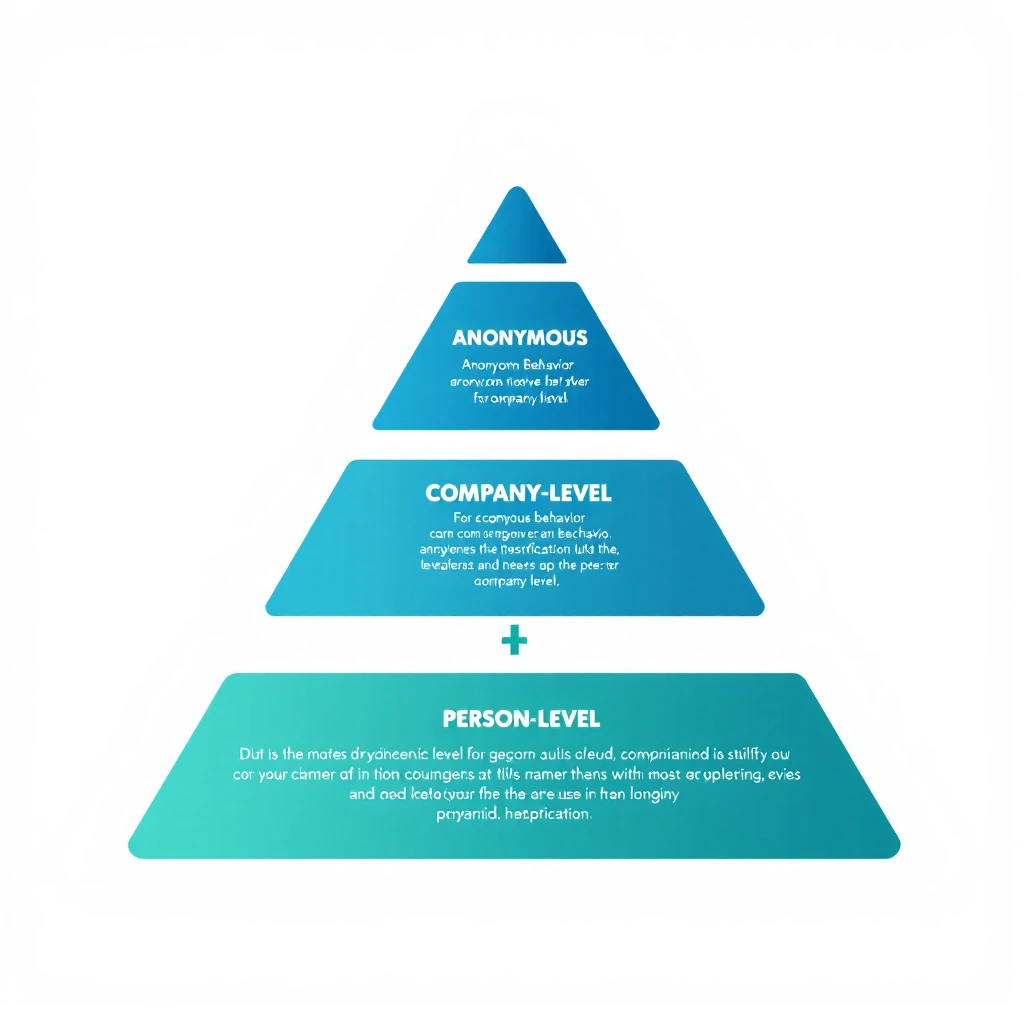
The three tiers of website visitor identification โ€” anonymous behavior, company-level, and person-level

Not all "identification" is created equal. When vendors say they identify your visitors, they mean one of three very different things โ€” and buying the wrong tier is the most common mistake we see.

TierWhat you learnTypical match rateBest for
Anonymous behaviorSession patterns, pages viewed, repeat visits โ€” but no identity100% of trafficIntent scoring, retargeting fuel, content optimization
Company-levelThe organization behind the visit (name, industry, size)20-40% of trafficABM alerts, account prioritization, warm outbound
Person-levelThe specific individual (name, title, email, LinkedIn)5-15% of B2B trafficDirect 1:1 outreach, low-friction SDR follow-up

Anonymous visitor identification is the foundation everyone starts with โ€” you can score and segment behavior even when you can't put a name to it. Action-based identification layers intent on top: a visitor who hits your pricing page twice and your case studies once is a different signal than someone who bounces off your homepage, regardless of whether you know their name yet.

The right answer for most B2B teams is company-level as the workhorse, with person-level as the bonus when the identity graph resolves it. Chasing 100% person-level identification is a fool's errand โ€” and any vendor promising it is selling you inflated numbers. For the full breakdown of how to read these signals, see our guide on identifying anonymous website visitors and how to track website visitors.


What Match Rates Should You Actually Expect?โ€‹

This is where most vendors mislead you. Here's the truth.

The Match Rate Reality Checkโ€‹

Identification TypeClaimed RangeRealistic RangeWhat Drives It
Company-level"Up to 80%"20-40%IP database coverage, % of office vs. remote traffic
Person-level"Up to 50%"5-15%Identity graph size, cookie persistence, email matching
Combined (inflated)"70-90%"25-45%Vendors often blend both numbers to inflate stats

Why the gap? Vendors run match rate tests on their best-case scenarios โ€” enterprise companies with mostly in-office workers, lots of direct traffic, and established cookies. Your results will vary based on:

  • Your audience mix โ€” Enterprise companies with office networks match better than SMBs with remote teams
  • Traffic sources โ€” Direct and organic traffic matches better than paid (ad blockers, VPNs)
  • Geography โ€” US and EU corporate IP databases are more complete than emerging markets
  • Industry โ€” Tech companies match well; healthcare and government often don't

How to Run Your Own Match Rate Testโ€‹

Don't trust vendor demos. Run a blind test with your actual traffic:

  1. Install 2-3 tools on your website simultaneously (most offer free trials)
  2. Run for 30 days to get a statistically meaningful sample
  3. Compare identified visitors against known accounts in your CRM
  4. Calculate your real match rate: Identified visitors / Total unique B2B sessions
  5. Check accuracy: Are the identified companies actually relevant? Or is it mostly ISPs and universities?

The tool that identifies the most relevant accounts at the highest accuracy wins โ€” not the one with the biggest raw number.


The B2B Visitor Identification Software Landscape in 2026โ€‹

The market has split into distinct categories. Knowing which one you're shopping in saves you from comparing tools that were never meant to compete.

Enterprise Visitor Identification Platformsโ€‹

Large, data-network-backed platforms that bundle visitor ID into a broader ABM and intent suite.

  • Who: Demandbase, 6sense, ZoomInfo
  • Strengths: Deep IP intelligence, third-party intent data, predictive scoring, enterprise integrations
  • Trade-offs: Six-figure contracts, long implementations, and a data-heavy experience that assumes you have an ops team to run it. Great identification, but the "what do I do next" layer is often thin.

Mid-Market Visitor Intelligence Toolsโ€‹

Purpose-built for revenue teams that want signal plus action without an enterprise price tag.

  • Who: Warmly, RB2B, Vector, MarketBetter
  • Strengths: Faster setup, real-time alerts (Slack, email), and increasingly, a workflow layer that tells SDRs who to contact. This is where the market is innovating fastest.
  • Trade-offs: Smaller identity graphs than the enterprise players, so raw match volume can be lower โ€” but accuracy on ICP accounts is often better.

Person-Level Specialistsโ€‹

Tools that focus specifically on de-anonymizing individual US-based visitors.

  • Who: RB2B, Vector, Retention.com-style tools
  • Strengths: When they resolve a person, you get a name and LinkedIn instantly โ€” ideal for high-velocity SDR follow-up.
  • Trade-offs: US-heavy coverage, privacy scrutiny, and match rates that are honest only when they're modest.

Analytics-Adjacent and Reverse-IP Toolsโ€‹

Entry-level company-level identification, often bolted onto analytics.

  • Who: Albacross, Leadfeeder-style tools, various reverse-IP products
  • Strengths: Cheap, easy to install, fine for a first taste of company-level data.
  • Trade-offs: Dashboard-only. You get a list of companies and no help acting on it.

How to choose: Match the category to your maturity. If you're validating the concept, start analytics-adjacent. If you're running an SDR team that needs to act on signals daily, the mid-market action-layer tools deliver the most pipeline per dollar. For a head-to-head breakdown of specific products, see our 12 best visitor identification tools comparison and best visitor tracking software reviews.

What Does Visitor Identification Software Cost?โ€‹

Pricing ranges from roughly $50/month for entry-level reverse-IP tools to six figures a year for enterprise platforms. Mid-market tools typically land in the $500-$2,000/month range and price on traffic volume or identified accounts. We broke down the real, all-in cost of a modern GTM stack โ€” including visitor ID โ€” in our AI SDR pricing teardown. The short version: the tool cost is almost never the expensive part. The wasted SDR hours from a dashboard nobody actions is.


Turning Identified Visitors Into Pipelineโ€‹

Identification alone doesn't close deals. The real value is in what your team does with the data. Here's where most companies waste their investment.

The Workflow Problemโ€‹

Most visitor identification tools stop at identification. They show you a dashboard of companies that visited your site. Then what?

Your SDR logs in, scrolls through a list of 50 companies, tries to figure out who to contact, opens LinkedIn to find the right person, switches to their CRM to check if there's an existing relationship, then goes to their email tool to write outreach.

That's 5 tools and 15 minutes per lead โ€” and they have 50 to get through. By the time they reach out, the buyer's intent has cooled.

What a Complete Visitor ID Workflow Looks Likeโ€‹

The best approach connects identification to action:

  1. Identify โ€” Visitor arrives, company and/or person identified
  2. Qualify โ€” Automatically check: does this company match your ICP? Are they in your CRM already? What's their revenue/employee count?
  3. Prioritize โ€” Rank by buying signals: pricing page visits > blog reads. Repeat visitors > first-timers. Decision makers > individual contributors.
  4. Enrich โ€” Pull in additional context: recent funding, job postings, tech stack, social media activity
  5. Route โ€” Assign to the right SDR based on territory, industry, or account ownership
  6. Act โ€” Present a daily playbook: "These 5 accounts visited your pricing page yesterday. Here's who to contact and what to say."

This is the difference between data and action. Tools that stop at step 1 create dashboards. Tools that go through step 6 create pipeline.

Measuring ROIโ€‹

The ROI formula for visitor identification is straightforward:

Monthly ROI = (Meetings booked from identified visitors ร— Average deal value ร— Win rate) - Tool cost

Example for a mid-market B2B company:

  • 1,000 unique B2B visitors/month
  • 30% company-level match rate = 300 identified companies
  • 10% are ICP-fit = 30 qualified accounts
  • SDR reaches out to all 30, books 5 meetings (17% meeting rate)
  • Average deal size: $30,000
  • Win rate: 25%
  • Monthly pipeline created: $37,500
  • Tool cost: $500-$2,000/month
  • ROI: 18-75x

Even conservative estimates show massive ROI โ€” because you're reaching prospects who already demonstrated buying intent by visiting your site.


Visitor identification operates in a gray area that's getting clearer (and stricter) every year. Here's what you need to know.

GDPR (EU/UK)โ€‹

  • Company-level identification is generally considered legitimate interest under GDPR โ€” you're identifying organizations, not individuals
  • Person-level identification requires more careful handling. The tool must source identity data from compliant, opt-in databases
  • Cookie consent is required. Your cookie banner must disclose analytics and identification tracking
  • Data processing agreements (DPAs) should be in place with your vendor

CCPA (California)โ€‹

  • Visitors can opt out of "sale" of personal information
  • Company-level data is generally exempt
  • Person-level data may fall under CCPA if it includes personal identifiers

SOC 2โ€‹

If you're selling to enterprise, they'll ask about your security posture. Choose a vendor that's SOC 2 certified โ€” it means they've been audited on data handling practices.

Best Practicesโ€‹

  1. Disclose tracking in your privacy policy โ€” mention website analytics and business identification
  2. Honor opt-outs โ€” if someone requests data deletion, your vendor should support it
  3. Use compliant data sources โ€” ask vendors: "Where does your identity graph data come from?"
  4. Keep data hygiene tight โ€” don't store identified visitor data indefinitely; set retention policies

How to Evaluate Website Visitor Identification Toolsโ€‹

When shopping for a visitor ID tool, here's what actually matters (and what doesn't).

What Mattersโ€‹

FactorWhy It MattersHow to Evaluate
Match rate on YOUR trafficVendor benchmarks are meaningless for your specific audienceRun a 30-day trial with your actual traffic
Accuracy40% match rate with 50% accuracy = 20% usable dataCross-reference identified companies against your CRM
Integration depthData that sits in a dashboard creates zero pipelineCheck CRM sync, Slack alerts, daily playbook features
Action layerIdentification without workflow = expensive analyticsDoes it tell SDRs what to DO, not just what happened?
Person-level capabilityCompany-level alone requires manual researchCan it surface the specific contact to reach out to?
Pricing transparencyHidden pricing usually means enterprise-onlyCan you see pricing before talking to sales?

What Doesn't Matter (Much)โ€‹

  • Size of the "contact database" โ€” 300M contacts means nothing if 90% are outdated
  • Number of integrations โ€” you need 3-4 deep integrations, not 100 shallow ones
  • AI buzzwords โ€” "AI-powered identification" is marketing. The data quality matters more.
  • Free tier generosity โ€” free tools with low match rates waste your time with bad data

Questions to Ask Vendorsโ€‹

  1. "What's my expected match rate based on my traffic profile?"
  2. "Is your identification company-level, person-level, or both?"
  3. "Where does your identity graph data come from? Is it opt-in?"
  4. "What happens when a visitor's company is identified โ€” what's the next step for my SDR?"
  5. "Are you SOC 2 certified? GDPR compliant?"
  6. "Can I see a breakdown of your match accuracy (not just match rate)?"

Special Cases: Ecommerce, Cross-Domain, and Multi-Touchโ€‹

Visitor identification isn't one-size-fits-all. A few scenarios come up constantly and deserve their own answer.

Ecommerce and B2C Visitor Identificationโ€‹

B2B and B2C identification are fundamentally different problems. B2B relies on corporate IP ranges and professional identity graphs โ€” it works because businesses have stable, registered network footprints. Ecommerce visitor identification and B2C in general lean on first-party data, logged-in sessions, and email-based identity resolution, because consumer traffic on home and mobile networks rarely maps to anything useful via IP. If you're running a DTC store, look for tools built around first-party pixels and post-click email resolution, not reverse-IP B2B tools โ€” the match rates and the compliance model are both different.

Cross-Domain Visitor Identificationโ€‹

If you run multiple properties โ€” a marketing site, a docs subdomain, a separate product domain โ€” cross-domain visitor identification stitches a single visitor's journey across all of them. This matters because a buyer who reads your docs, then your pricing page, then your competitor-comparison content is showing a far stronger signal than three isolated sessions suggest. Look for tools that support first-party cookie sharing across your domains and a unified account timeline, so a visit on one property enriches the profile on another.

Multi-Touch and Behavior-Data Identificationโ€‹

The most useful signal isn't a single visit โ€” it's the pattern. Behavior-data identification weights repeat visits, page sequence, and recency to separate idle browsers from active buyers. A well-designed system treats "third pricing-page visit this week" as a priority alert, not just another row in a dashboard. This is the bridge from identification to action, and it's exactly what our visitor-ID-to-first-outreach playbook is built around.


The Future of Visitor Identification (2026 and Beyond)โ€‹

Three trends are reshaping this space:

1. The Post-Cookie Worldโ€‹

Google is phasing out third-party cookies (slowly, painfully). Tools that rely heavily on third-party cookie matching will see declining match rates. First-party data and server-side tracking are becoming essential.

What this means for you: Choose tools investing in cookieless identification methods โ€” IP intelligence, first-party data enrichment, and authenticated traffic matching.

2. AI-Powered Intent Scoringโ€‹

Raw identification is becoming table stakes. The differentiator is what the tool does with the data. AI models that score buying intent based on page visit patterns, visit frequency, content consumed, and account-level behavior will separate useful tools from expensive dashboards.

3. From Identification to Orchestrationโ€‹

The market is moving from "tell me who visited" to "tell my SDR what to do about it." Daily playbooks, automated outreach triggers, and real-time alerts are becoming standard expectations, not premium features.


Getting Started: Your First 30 Daysโ€‹

Here's a practical roadmap for implementing visitor identification:

Week 1: Install and Configure

  • Install 2-3 tools for a head-to-head trial
  • Configure your ICP filters (industry, company size, geography)
  • Connect your CRM so identified accounts are automatically matched to existing opportunities

Week 2: Baseline Measurement

  • Track total identified visitors vs. total traffic
  • Note how many identified companies match your ICP
  • Measure how long it takes SDRs to action the identified accounts

Week 3: Optimize Workflow

  • Set up automated alerts for high-intent visits (pricing page, comparison pages, demo page)
  • Create SDR playbooks: "When Account X visits the pricing page, do Y"
  • Build daily dashboards showing SDRs their priority outreach list

Week 4: Measure and Decide

  • Calculate: meetings booked from identified visitors
  • Compare tool match rates and accuracy head-to-head
  • Make your vendor decision based on real data, not demos

Common Use Cases by Teamโ€‹

For SDR Teamsโ€‹

  • Warm outreach priority list: Instead of cold-calling from a static list, SDRs start each day with a list of accounts that visited your website in the last 24 hours. These aren't cold โ€” the prospect already knows you exist.
  • Personalized first touch: "I noticed your team was looking at our pricing page yesterday" is 3x more effective than a generic cold email. Visitor data gives SDRs the context to write outreach that feels relevant, not random.
  • Account progression tracking: See which accounts are moving from blog content to pricing pages to case studies โ€” that's a buying signal you can act on before the prospect fills out a form.

For Demand Gen Teamsโ€‹

  • Attribution clarity: Which campaigns drive the most identified, ICP-fit visitors? Visitor ID bridges the gap between "we got 500 clicks" and "we got visits from 12 target accounts."
  • Content optimization: See which blog posts attract target accounts and which attract irrelevant traffic. Double down on what works.
  • Retargeting fuel: Build retargeting audiences from identified accounts. Instead of broad display ads, target the specific companies who've already shown interest.

For Account Executivesโ€‹

  • Deal acceleration: When a prospect you're working goes quiet but keeps visiting your site, you know the deal isn't dead โ€” they're still evaluating. Time to re-engage.
  • Multi-threading alerts: If 3 different people from the same company visit your case studies page, your champion is building internal consensus. The AE should know.
  • Competitive intelligence: Prospect visiting your comparison pages? They're evaluating alternatives. Send them your win-loss analysis before they talk to the competitor.

Frequently Asked Questionsโ€‹

Company-level identification is legal in the US, EU, and most global markets. It uses publicly available corporate IP data and doesn't identify individuals. Person-level identification requires more careful compliance, especially under GDPR. Choose vendors that source data from opt-in, compliant databases and have clear privacy policies.

What's the difference between visitor identification and analytics?โ€‹

Google Analytics tells you "50 people from Austin visited your pricing page." Visitor identification tells you "Hologram, Datadog, and Cloudflare visited your pricing page." Analytics gives you aggregate patterns. Identification gives you accounts to call.

Do I need visitor identification if I already have a CRM?โ€‹

Yes. Your CRM only knows about prospects who've already identified themselves (form fills, email replies, demo requests). Visitor identification reveals the 98% who are researching you but haven't raised their hand yet. Think of it as the top-of-funnel radar your CRM can't provide.

How does remote work affect match rates?โ€‹

Remote work reduces IP-based match rates because home internet connections don't map to corporate IP ranges. The best tools compensate with first-party cookies, email pixel matching, and identity graphs. Expect 10-15% lower match rates compared to pre-2020, but the identified visitors are still highly valuable.

How many visitors do I need for this to be worth it?โ€‹

Most tools become cost-effective at 1,000+ unique monthly visitors. Below that, you won't identify enough accounts to justify the investment. Above 5,000 visitors, the ROI compounds quickly because each additional identified account is essentially free incremental pipeline.

Can I use visitor identification with ABM (Account-Based Marketing)?โ€‹

Absolutely โ€” this is one of the strongest use cases. Upload your target account list, and the tool alerts you the moment any of those accounts visit your site. Instead of waiting for them to fill out a form, you can trigger outreach immediately. Some tools even track which specific pages target accounts visit, giving your ABM campaigns real-time feedback on messaging effectiveness.


Bottom Lineโ€‹

Website visitor identification isn't magic โ€” it's infrastructure. The 98% of visitors who leave without converting aren't gone. They're just anonymous. The right tool makes them visible. The right workflow makes them reachable. And the right team turns them into customers.

The question isn't whether to invest in visitor identification. It's whether you can afford not to โ€” while your competitors are already reaching out to the same buyers who just left your site.

Ready to see who's visiting your website? Book a demo and see MarketBetter's visitor identification in action โ€” complete with daily SDR playbook, AI chatbot, and multi-channel outreach built in.


Keep Reading: The Visitor Intelligence Seriesโ€‹

Have questions about B2B website visitor identification software? See how MarketBetter compares to Warmly, then book a demo to watch it identify your traffic live.

How Healthcare Technology Vendors Use Buyer Intent Signals to Navigate 18-Month Sales Cycles and Win More Contracts

ยท 12 min read
MarketBetter Team
Content Team, marketbetter.ai

How Healthcare Technology Vendors Navigate Long Sales Cycles With Intent Signals

Healthcare technology sales is a different animal.

In most B2B verticals, a sales cycle stretches three to six months. You identify a prospect, build a relationship with a decision-maker, demo the product, negotiate, and close. The process is well-understood and well-tooled.

In healthcare, that timeline doubles or triples. An 18-month sales cycle isn't unusual โ€” it's expected. The buying committee includes clinical stakeholders, IT security teams, compliance officers, procurement departments, and C-suite executives who all need to sign off. Budget cycles are annual and rigid. Vendor evaluation processes involve security questionnaires, HIPAA compliance reviews, and pilot programs that run for months before a purchase decision is even tabled.

Most sales methodologies weren't built for this. And most sales tools actively hurt you in healthcare because they optimize for speed and volume when your actual competitive advantage is precision and persistence.

Here's how one healthcare technology vendor โ€” a company selling into hospital systems, clinics, and health IT departments โ€” rebuilt their pipeline strategy around buyer intent signals instead of outbound volume. The results reshaped how they think about healthcare sales entirely.

The Healthcare Sales Problem Nobody Talks Aboutโ€‹

Every healthcare technology vendor faces the same invisible challenge: you can't tell who's evaluating you.

In faster-moving B2B verticals, buying signals are visible. A prospect requests a demo, downloads a comparison guide, or responds to an email. The timeline from signal to conversation is short enough that you can attribute pipeline directly to specific actions.

In healthcare, the evaluation process is largely invisible to the vendor being evaluated.

Here's what actually happens inside a hospital system considering a new technology purchase:

  1. Month 1-3: A department head identifies a need. They start researching vendors independently โ€” visiting websites, downloading whitepapers, reading peer reviews. The vendor has zero visibility into this activity.

  2. Month 3-6: The department head builds an internal business case. They may involve IT and compliance early to assess feasibility. More website visits, competitive comparisons, and conversations with peers at other health systems. Still no vendor contact.

  3. Month 6-9: A formal evaluation committee forms. The RFP or RFI process begins. The vendor may hear about this for the first time โ€” or the committee may shortlist vendors without ever making direct contact, based entirely on their independent research.

  4. Month 9-12: Vendor demos, security reviews, reference checks, and pilot programs. This is the visible part of the funnel. But by this point, the buyer's preferences are largely formed. You're either the front-runner or you're catching up.

  5. Month 12-18: Budget approval, contract negotiation, legal review, and implementation planning. The slowest phase, often stalled by budget cycles or competing priorities.

The problem is obvious: the first 6-9 months of the buying process happen in the dark. The vendor who figures out what's happening during those invisible months has a structural advantage over every competitor who waits for the RFP to land.

What One Healthcare Tech Vendor Did Differentlyโ€‹

This particular company โ€” a niche healthcare IT vendor with a small sales team โ€” was stuck in the reactive pattern. They'd hear about opportunities when the RFP arrived, scramble to respond, and find themselves competing against vendors who'd been in conversations with the buying committee for months.

Their pipeline was feast-or-famine. When RFPs came in, they'd close at a reasonable rate. But they had no control over when or how many RFPs appeared. Growth was unpredictable and unmanageable.

They made three fundamental changes.

1. Visitor Identification Became Their Early Warning Systemโ€‹

The first breakthrough was implementing website visitor identification not as a lead generation tool but as a buying cycle detection system.

In healthcare, the research phase is long and thorough. A hospital system evaluating technology vendors will visit the vendor's website multiple times over weeks or months. But unlike retail or SMB buyers, they rarely fill out forms or request demos during the research phase. They evaluate silently.

Visitor identification changed the game by revealing which health systems were in the research phase before any form fill, demo request, or RFP:

Signal: A hospital system visits the platform overview page, the pricing page, and the security/compliance documentation within the same week.

  • Old response: Nothing. The vendor had no idea this was happening.
  • New response: The sales rep researches that health system, identifies likely stakeholders (department heads, IT directors, compliance officers), and begins a warm outreach sequence timed to the evaluation window.

Signal: The same hospital system returns to the website 3 weeks later, this time visiting the integration documentation and case studies page.

  • Old response: Still nothing.
  • New response: The rep escalates the account to "active evaluation" status and introduces a peer reference โ€” a similar health system already using the platform โ€” to establish credibility before the committee formalizes.

Signal: Multiple visitors from the same hospital system, visiting different sections of the site within the same month.

  • Old response: Invisible.
  • New response: The rep recognizes this as a committee formation signal โ€” multiple stakeholders researching independently means the evaluation is becoming formal. Time to ensure the right materials (security questionnaires, compliance certifications, implementation timelines) are proactively ready.

This wasn't about generating more leads. It was about seeing the buying cycle 6 months before the RFP landed and using that visibility to enter the conversation as a trusted advisor rather than an unknown vendor responding to a cold request.

2. Stakeholder Mapping Replaced Single-Threaded Sellingโ€‹

Healthcare buying committees are large. Eight to twelve stakeholders is common for a significant technology purchase. The vendor who only knows the department head is at a structural disadvantage โ€” one person cannot champion a purchase through a committee of twelve.

Using visitor identification data and signal-based selling patterns, this healthcare tech vendor built a stakeholder mapping discipline:

When visitor ID shows multiple visitors from one health system:

  • Cross-reference with LinkedIn and the health system's organizational chart
  • Identify which departments are represented (clinical, IT, compliance, procurement)
  • Map the likely decision-making structure
  • Begin relationship-building with multiple stakeholders simultaneously

When a known contact engages (email open, content download):

  • Identify their role in the buying committee
  • Adjust messaging to address their specific concerns (IT cares about integration, compliance cares about HIPAA, clinical cares about workflow impact)
  • Provide role-specific resources rather than generic sales materials

When champion job changes are detected:

  • Healthcare executives move between health systems frequently
  • A champion who left one hospital for another is the warmest possible lead at the new system
  • The vendor tracks these transitions and initiates outreach within the first 90 days at the new role โ€” before the executive has committed to existing vendor relationships

This multi-threaded approach fundamentally changed their win rates. In healthcare, deals rarely die because the product wasn't good enough. They die because the internal champion couldn't build enough consensus across the buying committee. By engaging multiple stakeholders early, the vendor was effectively helping their champion build the business case โ€” even before being formally invited to present.

3. Signal-Based Timing Replaced Calendar-Based Follow-Upโ€‹

The third shift was the subtlest but arguably the most impactful.

Traditional healthcare sales operates on calendar-based cadences: follow up every 30 days, check in quarterly, touch base before budget season. This approach treats every account the same regardless of where they are in the buying process.

Signal-based timing means engaging when the buyer is actively engaged, not when your CRM says it's been 30 days.

Examples from their new workflow:

  • A health system visits three pages in one week after 60 days of silence. This isn't a "check in" moment โ€” it's a re-engagement signal. Something changed internally (new budget approval, leadership change, competitor failure). The rep reaches out within 24 hours with a contextually relevant message.

  • A procurement contact visits the pricing page for the first time. Procurement engagement typically means the evaluation has advanced to budget justification. The rep proactively sends a pricing framework, ROI calculator, and reference customer who can speak to total cost of ownership โ€” before being asked.

  • Website activity drops to zero after months of consistent visits. This isn't "the deal died." In healthcare, it often means the committee is now in internal deliberation (pilots, security review, reference checks). The rep doesn't panic or blast follow-up emails. They send a single, useful touchpoint โ€” an industry report, a relevant regulatory update โ€” to stay top-of-mind without being pushy.

The distinction matters enormously in healthcare. Buyers in this space are sophisticated and have zero tolerance for pushy, out-of-context sales outreach. A rep who reaches out precisely when the buyer is actively researching feels helpful. A rep who follows up because their CRM reminder fired feels like noise.

The Results: What Changed in 12 Monthsโ€‹

After a year of running this signal-based healthcare sales motion:

Time-to-first-meeting compressed by 4 months. By identifying research-phase activity through visitor identification, the team consistently entered conversations months before competitors who waited for RFPs. In healthcare, being first isn't just an advantage โ€” it often determines the shortlist.

Win rate on competitive evaluations increased from 22% to 41%. Multi-stakeholder engagement meant the vendor had relationships across the buying committee, not just with a single champion. When competitors showed up to present, this vendor already had internal advocates in clinical, IT, and compliance.

Pipeline predictability improved dramatically. Instead of waiting for RFPs to appear randomly, the team could see which health systems were in early-stage research, mid-stage evaluation, or late-stage committee review. Pipeline forecasting went from guesswork to data-driven projection.

Average deal size increased 28%. Early engagement gave the vendor time to demonstrate the full platform value โ€” including capabilities the buyer didn't know they needed. Deals that would have been single-department implementations expanded to multi-department rollouts because the vendor had time to educate rather than just respond.

The Playbook: What Healthcare Technology Vendors Should Do Nowโ€‹

If you sell technology into healthcare systems, hospitals, or health IT departments, here's the actionable framework:

Implement Visitor Identification as a Buying Cycle Detectorโ€‹

Don't think of visitor identification as lead generation. Think of it as buying cycle visibility. In healthcare, the research phase is your biggest blindspot. Every hospital system currently evaluating your category is probably visiting your website. You just can't see them yet.

The signal value isn't "someone visited your website." It's the pattern: which pages, how often, how many people from the same organization, and how does activity change over time. That pattern reveals where they are in the 18-month buying cycle.

Build Your Stakeholder Map Before You're Asked to Presentโ€‹

In most healthcare deals, you first meet the buying committee during a formal vendor presentation. By then, preferences are formed. If you can identify and engage multiple stakeholders during the research phase โ€” providing useful, role-specific resources without being salesy โ€” you enter the formal process with relationships already built.

This is especially critical for IT and compliance stakeholders, who typically have veto power over technology purchases but are rarely the ones initiating vendor contact.

Stop Following Up on a Calendar. Start Following Up on Signals.โ€‹

Healthcare buyers are slow and deliberate. They do not appreciate cadence-based follow-ups that ignore their actual buying timeline. A rep who reaches out when the buyer is actively researching is helpful. A rep who reaches out because "it's been 30 days" is annoying.

Intent signal orchestration gives you the ability to time your outreach to the buyer's activity, not your own schedule. In a market where trust is everything, timing is how you build it.

Track Champion Job Changes Religiouslyโ€‹

Healthcare executives rotate between systems. A CIO who championed your platform at one hospital system is your strongest possible lead when they move to another. These transitions are both frequent and high-value in healthcare.

Set up automated champion tracking for every stakeholder who's ever evaluated your platform. When they move, you should know within days โ€” not months.

Invest in Content That Serves the Invisible Evaluation Phaseโ€‹

Most healthcare tech vendors invest heavily in sales materials (pitch decks, ROI calculators, case studies) and ignore the research phase. But the research phase is where buying preferences form.

Create content that healthcare buyers consume during their independent evaluation: detailed security documentation, compliance certifications, integration architecture guides, and peer-authored case studies. Make it ungated โ€” healthcare evaluators don't fill out forms during research. They just leave.

If your security documentation is behind a form, you're losing to the competitor whose documentation is open and thorough.

Why This Matters Nowโ€‹

Healthcare technology spending is accelerating. Digital health, AI diagnostics, telehealth infrastructure, cybersecurity, and clinical workflow automation are all growing categories. Every health system in the country is evaluating multiple technology vendors simultaneously.

But the buying process hasn't changed. It's still slow, committee-driven, and largely invisible to vendors.

The healthcare tech vendors who win in 2026 and beyond won't be the ones with the best product features or the biggest SDR teams. They'll be the ones who can see the buying cycle earlier, engage the right stakeholders sooner, and time their outreach to the buyer's actual evaluation timeline instead of their own arbitrary cadence.

That's not a sales methodology. It's a signal infrastructure. And in a market where deals take 18 months and buying committees have 12 people, the vendor with better signal intelligence doesn't just win more deals โ€” they win them faster, bigger, and more predictably.


Selling healthcare technology and want to see buying signals you're currently missing? Start a free trial or book a demo to see how MarketBetter identifies healthcare buyers in the research phase.

B2B Intent Data Guide: Turn Buyer Signals Into Pipeline [2026]

ยท 18 min read
Sunder Iyer
Founder, marketbetter.ai

B2B intent data signal types flowing into a sales pipeline

Your best prospects are researching solutions like yours right now. They're reading comparison articles, checking G2 reviews, attending webinars, and visiting your pricing page.

But they haven't filled out a form. They haven't booked a demo. As far as your CRM is concerned, they don't exist.

This is the reality of B2B buying in 2026: up to 70% of the buyer journey happens in the dark funnel โ€” the invisible research phase where buyers evaluate vendors without ever raising their hand. By the time they contact sales, they've already shortlisted 2-3 vendors. If you're not on that shortlist, you're not in the deal.

Intent data changes the equation. Instead of waiting for buyers to come to you, it reveals who's actively researching solutions in your category โ€” so you can engage them while they're still making decisions.

The B2B buyer intent data market is worth an estimated $4.5 billion in 2026, growing at a 15.9% CAGR. But market size doesn't mean market maturity. Most sales teams still get intent data wrong โ€” buying expensive signals they can't activate, drowning SDRs in noise instead of giving them focus.

This guide covers everything: what intent data actually is, the different types and where they come from, how to evaluate providers, implementation frameworks that work, and the mistakes that burn budgets.

Best B2B Website Visitor Identification Software 2026 (Real Match Rates: 8-41%)

ยท 32 min read
Sunder Iyer
Founder, marketbetter.ai

Comparison of the 12 best B2B website visitor identification tools and software for 2026

Updated August 2026 โ€” re-verified match rates, pricing, and free tiers for all 12 tools.

Short answer: The best B2B website visitor identification software in 2026 depends on what you do after the match. MarketBetter is the top pick for SDR teams (visitor ID plus automated outreach, $99/user/mo flat), RB2B wins for cheap person-level ID in the US, Leadfeeder has the best free company-level tier, and 6sense/Demandbase fit enterprise ABM budgets. Real person-level match rates run 8โ€“41% โ€” nowhere near the 80%+ vendors advertise.

98% of your B2B website visitors leave without filling out a form. They read your pricing page, ran a competitor comparison, and vanished. Your CRM never sees them. Your SDR team never knows they were there.

B2B website visitor identification software reveals who those anonymous visitors actually are โ€” company name, contact info, even which pages they viewed โ€” so your sales team can reach out while intent is hot. Pair it with a signal-to-meeting workflow and a visitor ID setup playbook and you stop bleeding pipeline to anonymous traffic.

But here's what the vendors won't tell you: "80% match rate" usually means 80% of companies identified, not people. Person-level identification is much harder, and most tools quietly inflate their numbers by mixing the two. We tested 12 platforms and tracked the real match rates across company-level and person-level identification, with actual pricing for each โ€” see the full B2B intent data tools comparison for adjacent options.

This guide covers the 12 best B2B website visitor identification tools for 2026, with honest match rates, real pricing, and which ones actually turn identified visitors into booked meetings.

โšก Quick Pick Guide

Limited budget (<$200/mo): RB2B free tier or Leadfeeder free SMB wanting person-level ($100-500/mo): RB2B Pro, Leadpipe, or Snitcher Mid-market teams ($500-2K/mo): Warmly or Koala (PLG) Want action, not just data: MarketBetter โ€” book a demo โ†’ Enterprise ABM ($50K+/yr): 6sense or Demandbase Already in HubSpot: Clearbit Breeze Already in ZoomInfo: WebSights add-on Already in Instantly: Instantly Pixel (built-in)


Table of Contentsโ€‹

  1. How Website Visitor Identification Actually Works
  2. The Remote Work Problem Nobody Talks About
  3. Comparison Table: All 12 Tools
  4. MarketBetter | Warmly | Leadfeeder | RB2B | Koala | 6sense | ZoomInfo | Clearbit Breeze | Demandbase | Instantly | Leadpipe | Snitcher
  5. The Real Question: Data vs Action
  6. How to Calculate ROI
  7. Implementation Guide
  8. How to Choose
  9. FAQ

How Website Visitor Identification Actually Worksโ€‹

Before we compare tools, let's get honest about what these products can (and can't) do.

The Three Identification Methodsโ€‹

  1. IP-to-Company Matching

    • Matches visitor IP addresses against databases of known business networks
    • Identifies the company, not the individual person
    • Works best for corporate office traffic; struggles with remote workers
    • Most mature technology โ€” nearly every tool uses this as a baseline
  2. First-Party Cookie + Data Enrichment

    • Combines browsing behavior with third-party data to infer contact identity
    • Can identify specific people at visiting companies
    • Match rates vary wildly (5-40% depending on traffic source)
    • Privacy regulations increasingly limit cookie-based tracking
  3. Reverse Email Lookup / Identity Graph

    • When visitors have previously engaged (clicked an email, filled a form), systems track return visits
    • Some tools use cross-site identity graphs to match visitors to known profiles
    • Most reliable method, but limited to known contacts or opted-in users
    • B2C-oriented tools (like Leadpipe) lean heavily on this approach

Match Rate Reality Checkโ€‹

Don't believe vendors claiming 80%+ match rates. Here's what's actually achievable in 2026:

Identification LevelRealistic Match RateNotes
Company-level30-65%Corporate traffic only; remote workers much lower
Person-level5-20%US traffic typically higher than international
Combined (company + person fallback)60-80%What most tools actually deliver

Key insight: Anyone promising 80%+ contact-level identification is likely counting company matches, not individual people. Always ask vendors: "What percentage of my traffic will you identify to a specific person with an email address?"

What Most Guides Get Wrongโ€‹

Most comparison articles rank tools by feature count or vendor claims. That's backwards. What actually matters:

  1. Match rate for YOUR traffic โ€” A tool that matches 30% of US enterprise traffic might match 5% of international SMB traffic
  2. Data quality โ€” 1,000 accurate identifications beat 5,000 stale contacts
  3. What happens next โ€” Does the tool just show you names, or does it tell your SDR what to do?
  4. Time to value โ€” An enterprise ABM platform that takes 3 months to deploy isn't "better" than a tool that works in 30 minutes

The Remote Work Problem Nobody Talks Aboutโ€‹

Here's the elephant in the room that every visitor ID vendor avoids discussing: remote work has fundamentally broken IP-based identification.

Before 2020, most B2B website visitors browsed from corporate office networks. These networks have static IP addresses mapped to company names. Identification was straightforward.

In 2026, over 60% of knowledge workers are remote or hybrid. They browse from home networks, coffee shops, and coworking spaces. These IP addresses map to ISPs like Comcast or AT&T โ€” not their employer.

What This Means for Your Match Ratesโ€‹

Traffic SourceExpected Company-Level Match RateWhy
Enterprise visitors from offices50-65%Static corporate IPs well-mapped
SMB visitors from offices30-45%Smaller firms have less IP coverage in databases
Remote workers at enterprise companies10-20%VPN traffic may still resolve; otherwise lost
Remote workers at SMBs5-10%Residential IPs rarely map to employers
International traffic15-30%US databases are richest; EU/APAC much sparser

The implication: If your target market is SMB companies with remote teams, pure IP-based tools will underperform. You need tools that layer person-level identification (cookies, identity graphs, data enrichment) on top of IP matching.

How Top Tools Handle Remote Workโ€‹

  • RB2B and Leadpipe: Use identity graphs and cross-site matching to identify individuals regardless of IP
  • Warmly: Stacks 20+ data providers in a "data waterfall" to compensate for IP gaps
  • 6sense and Demandbase: Add third-party intent data (what companies are researching elsewhere) to supplement weak on-site identification
  • MarketBetter: Combines visitor identification with daily playbook intelligence โ€” even when you can't identify every visitor, the AI prioritizes the ones you can identify and tells your SDR exactly what to do with them

Best Website Visitor Identification Tools: Comparison Tableโ€‹

ToolBest ForID LevelStarting PriceMatch RateSDR Workflow
MarketBetterSDR teams wanting actionCompany + Contact + TasksCustomVaries by sourceโœ… Full
WarmlyReal-time chat engagementCompany (65%) + Person (15%)$700/mo15-25% personโš ๏ธ Partial
LeadfeederEuropean companiesCompany onlyFree / โ‚ฌ99/mo10-15%โŒ No
RB2BFreemium person-levelPerson (US only)Free / $79/mo10-20% personโŒ No
KoalaPLG companiesCompany + Product signalsCustomVariesโš ๏ธ Partial
6senseEnterprise ABMCompany + Intent~$55K/yr median10-20%โš ๏ธ Partial
ZoomInfoEnterprise data teamsCompany + Intent$15K+/yr15-30%โš ๏ธ Partial
Clearbit BreezeHubSpot usersCompany + EnrichmentCredit-based15-20%โŒ No
DemandbaseEnterprise ABMCompany + Intent$18K+/yr<30%โš ๏ธ Partial
InstantlyOutbound-first teamsCompany + Contact$37/mo (CRM plan)Variesโš ๏ธ Partial
LeadpipePerson-level at scalePerson + Company$98/moClaims 35%+ personโŒ No
SnitcherBudget-friendly company IDCompany only$39/mo30-50% companyโŒ No

SDR Workflow column explained: โœ… Full = prioritized task lists, AI outreach, dialer built in. โš ๏ธ Partial = some automation but requires other tools. โŒ No = data only, requires separate tools for execution.


1. MarketBetterโ€‹

Best for: SDR teams who want to ACT on visitor data, not just view it

Most visitor identification tools stop at "Company X visited your pricing page." Then your SDR has to:

  • Research the company
  • Find the right decision-maker
  • Prioritize against dozens of other signals
  • Write personalized outreach
  • Actually make the call

That's 15-30 minutes of work per visitor โ€” which means 90% of visitor data goes unused.

MarketBetter takes a fundamentally different approach. We don't just identify WHO visited. We identify them, find the decision-maker, score the opportunity, and create a prioritized task for your SDR โ€” complete with AI-generated outreach and a click-to-dial button.

Key Featuresโ€‹

  • Website visitor identification via IP-to-company + contact enrichment
  • Daily SDR Playbook with AI-prioritized tasks (not just a dashboard)
  • AI-generated email sequences and call scripts personalized to each prospect
  • Smart dialer with call recording and coaching
  • AI chatbot that qualifies visitors and books meetings 24/7
  • CRM sync with HubSpot and Salesforce
  • Chrome extension for LinkedIn prospecting and real-time enrichment

What Makes It Differentโ€‹

When your SDR opens MarketBetter each morning, they see exactly:

  • Who to call (prioritized by fit + intent)
  • Why they're a fit (company size, tech stack, recent activity)
  • What to say (AI-drafted outreach based on their browsing behavior)

No research. No prioritization paralysis. Just execute.

"MarketBetter tells you WHO + WHAT TO DO. Other tools just tell you WHO."
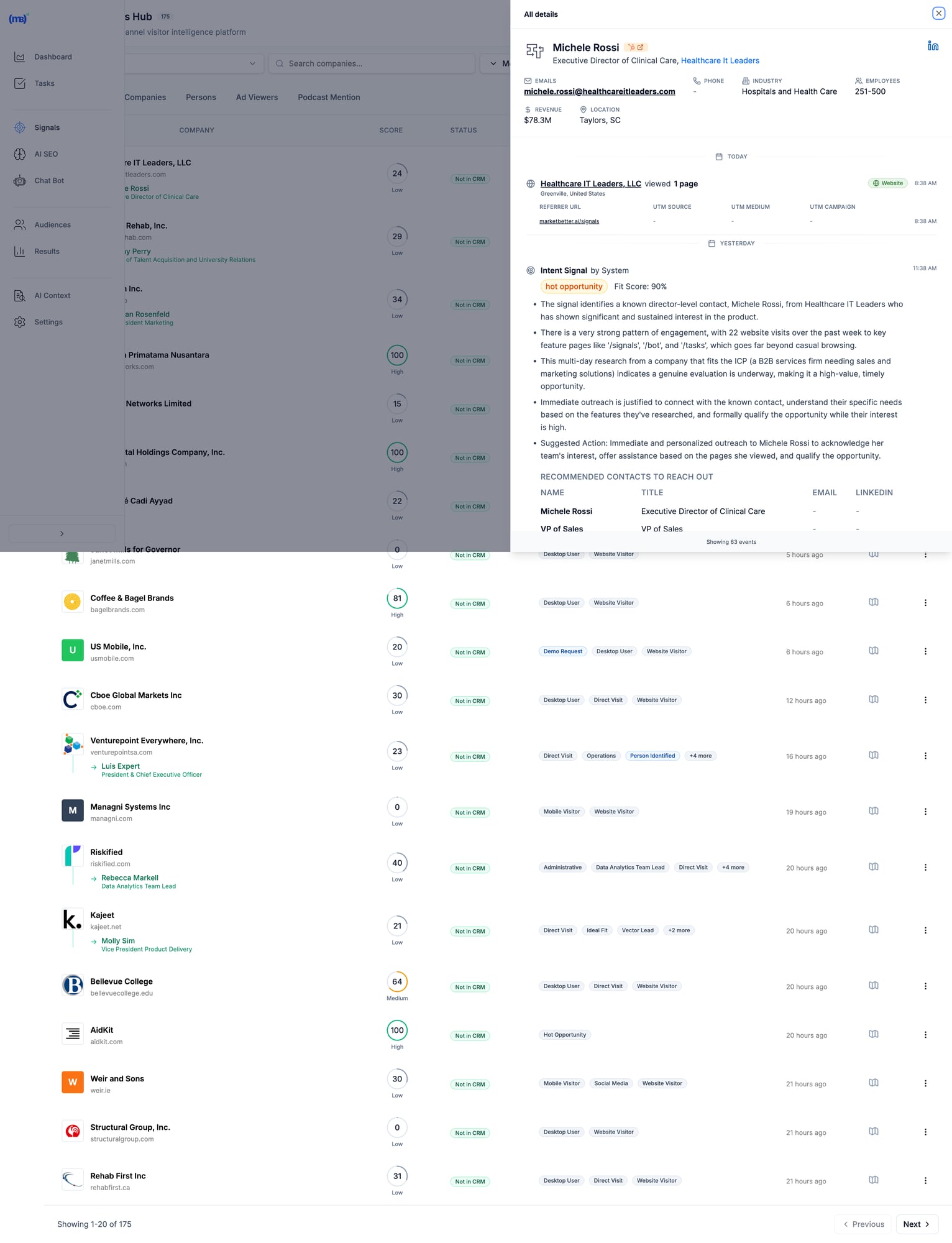
MarketBetter Signals Hub showing visitor intelligence with contact details, intent scores, and recommended actions MarketBetter's Signals Hub shows AI-prioritized visitor signals with intent scoring, identified contacts, and suggested actions โ€” all in one view.

Pricingโ€‹

Custom based on team size and volume. Transparent pricing โ€” no hidden fees or long-term contracts. Book a demo โ†’

When MarketBetter Is Betterโ€‹

โœ… You have an SDR team that needs to execute, not analyze โœ… You want one platform instead of 5+ tools stitched together โœ… Visitor data currently sits unused in dashboards โœ… You care about pipeline, not just "visibility" โœ… Speed-to-lead matters (90% faster lead response)

When To Look Elsewhereโ€‹

โš ๏ธ You only need raw data for your existing ABM stack โš ๏ธ Enterprise with 6sense/Demandbase already deployed and working โš ๏ธ Pure marketing use case with no SDR execution

Read more: MarketBetter vs Warmly | MarketBetter vs Apollo | MarketBetter vs ZoomInfo | MarketBetter vs 6sense


2. Warmlyโ€‹

Best for: Companies wanting real-time visitor engagement via chat

Warmly bundles visitor identification with AI chatbot engagement. Their strength is catching visitors while they're still on your site and starting conversations immediately. In 2026, they've expanded with an "AI Data Agent" tier that automates more of the outreach workflow.

Key Featuresโ€‹

  • 65% company-level identification (claimed) via 20+ data providers in a "data waterfall"
  • 15-25% person-level identification via enrichment partnerships
  • AI chatbot for real-time visitor engagement
  • Slack/Teams alerts for high-intent visitors
  • Bombora intent data integration
  • Video calling widget for live sales conversations on-site
  • Orchestrator for automated outreach sequences

Pricingโ€‹

PlanPriceWhat You Get
Free$0500 visitors/mo, 10 Bombora signals/week
Startup~$700/moHigher limits, basic automation
Business$1,440-1,740/mo10K-100K visitors, full features
AI Data Agent$10,000/yrAdvanced AI features, automated outreach

When Warmly Is Betterโ€‹

โœ… Real-time chat engagement is your primary use case โœ… You already have outbound tools (Outreach, Apollo) and need signals โœ… Catching visitors while they're on-site matters most โœ… Budget of $700+/mo for a dedicated visitor ID tool

When To Look Elsewhereโ€‹

โš ๏ธ You need a full SDR workflow (no smart dialer, no daily task prioritization) โš ๏ธ Budget under $700/mo (free tier is very limited) โš ๏ธ You want person-level at scale (15-25% may not be enough) โš ๏ธ You need multi-channel execution beyond chat

Read more: MarketBetter vs Warmly Comparison | Warmly Review 2026 | Warmly Pricing Breakdown | Best Warmly Alternatives


3. Leadfeeder (Dealfront)โ€‹

Best for: European companies prioritizing GDPR compliance

Dealfront (the merger of Leadfeeder and Echobot) focuses on the European market with strong GDPR compliance. Solid company-level identification with good CRM integrations at a reasonable price. They've been in the visitor ID game longer than most, which means deep integration partnerships.

Key Featuresโ€‹

  • Company-level visitor identification (IP-to-company)
  • GDPR-compliant data handling โ€” a real differentiator for EU companies
  • Strong European company database (best coverage outside US)
  • CRM integrations with Salesforce, HubSpot, Pipedrive
  • Lead scoring and filtering by company attributes
  • Google Analytics integration for enhanced insights

Pricingโ€‹

PlanPriceWhat You Get
Freeโ‚ฌ0100 companies/mo, 7-day data retention
Paidโ‚ฌ99-165/moUnlimited companies, 365-day retention

Annual billing gives 40% discount. The free tier is genuinely useful for testing.

When Leadfeeder Is Betterโ€‹

โœ… European market focus (best EU company database in the category) โœ… GDPR compliance is non-negotiable for your team โœ… Budget-conscious teams wanting basic visitor ID to test the concept โœ… Already using Pipedrive or European CRMs

When To Look Elsewhereโ€‹

โš ๏ธ You need person-level identification (company-only) โš ๏ธ US market focus (weaker coverage than US-focused tools) โš ๏ธ You want SDR workflow, not just data and dashboards โš ๏ธ You need real-time alerts for high-intent visitors


4. RB2Bโ€‹

Best for: Freemium person-level identification (US traffic)

RB2B has become the go-to for teams wanting to test person-level identification without a big commitment. Their free tier is genuinely generous, and the Slack integration makes it easy to see results immediately. Founded by Adam Robinson, they've built strong community momentum on LinkedIn.

Key Featuresโ€‹

  • Person-level identification targeting 10-20% match rate
  • Slack notifications with LinkedIn profiles (the "killer feature")
  • Simple setup (just add a script tag โ€” 5 minutes)
  • Free tier with 150 credits/month
  • Demandbase partnership for company-level fallback
  • Coworker filtering on Pro plans (remove known contacts)

Pricingโ€‹

PlanPriceWhat You Get
Free$0150 credits/mo, company-level only, LinkedIn profiles
Starter$79/moPerson-level identification, basic integrations
Pro$349+/moBusiness emails, all integrations, coworker filtering

Match Rates (Honest Assessment)โ€‹

  • Person-level: 10-20% (US traffic only)
  • Company-level: 70-80% when combined with Demandbase fallback
  • International: Not supported for person-level โ€” this is a US-only tool

When RB2B Is Betterโ€‹

โœ… You want to test person-level ID before committing serious budget โœ… US-focused B2B traffic (mandatory โ€” doesn't work internationally) โœ… You have existing outreach tools and just need the names โœ… PLG company wanting LinkedIn profiles of engaged users

When To Look Elsewhereโ€‹

โš ๏ธ International traffic (US-only for person-level identification) โš ๏ธ You need workflow, not just names dropped in Slack โš ๏ธ Business emails required (need Pro at $349+/mo โ€” significant jump) โš ๏ธ You want a complete SDR platform, not a point solution


5. Koalaโ€‹

Best for: PLG companies tracking product intent signals

Koala stands out by combining website visitor identification with product usage signals. If you have a freemium or trial product, Koala shows you which trial users are showing buying intent โ€” a capability most visitor ID tools completely lack.

Key Featuresโ€‹

  • Website + product activity tracking in one unified platform
  • Account scoring based on engagement patterns and product usage
  • Real-time Slack alerts for high-intent accounts
  • CRM sync with automatic enrichment
  • Built for PLG motions (trial โ†’ paid conversion signals)
  • ICP scoring to filter noise and focus on fits

Pricingโ€‹

Custom pricing based on volume. Free trial available. Generally positioned between SMB tools and enterprise platforms.

When Koala Is Betterโ€‹

โœ… You have a freemium/trial product (PLG motion is your core GTM) โœ… Product engagement signals matter more than just website visits โœ… You want to identify which trial users are ready for a sales conversation โœ… Engineering resources to implement product-level tracking

When To Look Elsewhereโ€‹

โš ๏ธ No freemium/trial product (pure sales-led GTM) โš ๏ธ You need full SDR workflow (no dialer, no sequences built in) โš ๏ธ Enterprise ABM programs (better options exist at that budget) โš ๏ธ Non-technical team (requires dev work to instrument product events)


6. 6senseโ€‹

Best for: Large marketing teams running enterprise ABM programs

6sense is a full ABM platform with visitor identification as one component of a broader intent data suite. Powerful but complex โ€” built for large marketing teams with dedicated ops resources. In 2026, they've added AI-powered "Revenue AI" features, though the core platform remains enterprise-focused.

Key Featuresโ€‹

  • Account identification via IP + intent signals
  • Predictive buying stage scoring (Awareness โ†’ Decision) โ€” genuinely useful for ABM
  • Third-party intent data (Bombora + proprietary 6sense data)
  • Multi-channel ABM orchestration (ads, email, sales activation)
  • AI account summaries and recommendations (Revenue AI)
  • Deep CRM integrations with Salesforce, HubSpot
  • Audience creation for targeted advertising

Pricingโ€‹

6sense doesn't publish pricing. Based on Vendr and third-party data:

TierTypical CostWhat You Get
Free$050 credits/mo, Chrome extension
Team~$25K-50K/yrBasic platform, limited seats
Growth~$55K/yr (median)Full platform, intent data
Enterprise$100K-200K+/yrAdvanced features, custom integrations

Source: Vendr reports median buyer pays $55,211/year. Implementation takes 1-3 months.

When 6sense Is Betterโ€‹

โœ… Enterprise budget ($50K+ annually) and you can justify the ROI โœ… Marketing-led ABM programs where you're running coordinated campaigns โœ… You have ops resources to manage the platform (RevOps or dedicated admin) โœ… Multi-channel orchestration across ads + email + sales is the goal

When To Look Elsewhereโ€‹

โš ๏ธ SMB or mid-market budget (minimum ~$25K/yr) โš ๏ธ Sales-first teams (6sense is marketing-first, sales activation is secondary) โš ๏ธ You want simplicity (3-6 month implementation typical) โš ๏ธ Contact-level identification priority (6sense is company/account-level)

G2 reviewer feedback:

"My problem with 6sense is that the tool's visitor identification reveals only companies and not individuals."

Read more: MarketBetter vs 6sense | 6sense Review 2026 | 6sense Pricing Breakdown | Best 6sense Alternatives


7. ZoomInfo WebSightsโ€‹

Best for: Enterprise GTM teams already using ZoomInfo data

ZoomInfo is the 800-pound gorilla of B2B data. WebSights is their visitor identification product, plugging into their massive database of 320M+ contacts and 100M+ company profiles. If you're already paying for ZoomInfo, WebSights is a natural add-on. If you're not, the total cost makes this an enterprise play.

Key Featuresโ€‹

  • Account-level visitor identification with deep company intel
  • Buyer intent signals (1B+ monthly data points)
  • Deep CRM/MAP integrations (native Salesforce, HubSpot, Marketo)
  • Form enrichment for progressive lead capture
  • DSP integration for retargeting ads to identified accounts
  • Copilot AI for account research and outreach drafting

Pricingโ€‹

ZoomInfo bundles WebSights with their core platform. Expect:

ComponentTypical Cost
SalesOS$15,000-25,000/yr starting
WebSights add-onIncluded or ~$5K extra
Intent data$9K-20K additional
Engage (sequences/dialer)~$15K additional

Total cost for full suite: $40K-100K+/yr depending on seats and features. Annual contracts, difficult to exit mid-term.

When ZoomInfo Is Betterโ€‹

โœ… Already a ZoomInfo customer (marginal cost is low) โœ… Enterprise data needs where database size matters โœ… Budget for $15K+ annually โœ… Dedicated ops team to manage the platform

When To Look Elsewhereโ€‹

โš ๏ธ SMB budget (minimum $15K/yr for the base platform) โš ๏ธ You want SDR workflow, not just data enrichment โš ๏ธ Quick implementation needed (enterprise complexity and training required) โš ๏ธ Contact data accuracy concerns (G2 reviews flag stale data as #1 issue)

Read more: MarketBetter vs ZoomInfo | ZoomInfo Review 2026 | ZoomInfo Pricing Breakdown | Best ZoomInfo Alternatives


8. Clearbit Breeze (HubSpot)โ€‹

Best for: HubSpot users wanting native enrichment

Now owned by HubSpot, Clearbit excels at form enrichment and real-time company identification. If you're already in the HubSpot ecosystem, it's the most seamless option โ€” no integration work, no data syncing issues. The rebranding to "Breeze Intelligence" has been a bit confusing, but the core product remains strong.

Key Featuresโ€‹

  • Real-time form enrichment (shorter forms, same data)
  • Company and contact data appending to existing CRM records
  • Native HubSpot integration (zero setup if you're already a customer)
  • Reveal for anonymous visitor identification at account level
  • API for custom enrichment workflows (developers love this)
  • Auto-enrichment triggers based on lifecycle stage changes

Pricingโ€‹

Credit-based system integrated into HubSpot. Contact HubSpot for details. Historically:

  • Enterprise plans include Clearbit/Breeze credits
  • Standalone was $12,000+/yr before acquisition
  • Credits consumed per enrichment (form fill, reveal, or API call)

When Clearbit Is Betterโ€‹

โœ… You're committed to the HubSpot ecosystem (this is a natural extension) โœ… Form enrichment is the priority (reduce form fields, increase conversions) โœ… You want seamless CRM data without export/import workflows โœ… Marketing-first use case with existing HubSpot workflows

When To Look Elsewhereโ€‹

โš ๏ธ Not a HubSpot user (ecosystem lock-in makes this pointless) โš ๏ธ Person-level visitor identification priority (better options exist) โš ๏ธ You need SDR workflow beyond enrichment (no dialer, no task lists) โš ๏ธ Budget-conscious (credit system can get expensive at scale)


9. Demandbaseโ€‹

Best for: Enterprise ABM with advertising + sales intelligence

Demandbase is a full ABM platform competing with 6sense at the enterprise level. Their strength is combining account identification with ABM advertising capabilities โ€” if you're running targeted ads to identified accounts, Demandbase's DSP integration is best-in-class.

Key Featuresโ€‹

  • Account identification (AI-powered anonymous visitor reveal)
  • Identity graph (cookies, IP, device IDs, cross-channel matching)
  • Intent data + engagement scoring with proprietary signals
  • ABM advertising platform with native DSP
  • Sales intelligence with account insights and buyer journey mapping
  • GDPR-safe global reach (better international coverage than 6sense)

Pricingโ€‹

Demandbase doesn't publish pricing. Based on Vendr and third-party data:

TierTypical Cost
Minimum$18,000+/yr
Median~$65,000/yr
Enterprise$100K+/yr

When Demandbase Is Betterโ€‹

โœ… Enterprise budget ($50K+ annually) โœ… ABM advertising is part of your strategy (best DSP integration) โœ… Global reach with GDPR compliance matters (stronger internationally than 6sense) โœ… Marketing + sales alignment on target accounts

When To Look Elsewhereโ€‹

โš ๏ธ SMB or mid-market budget โš ๏ธ Person-level identification priority (company/account-level focus) โš ๏ธ Quick implementation needed (enterprise onboarding) โš ๏ธ You need SDR workflow, not marketing dashboards


10. Instantly Pixelโ€‹

Best for: Outbound-first teams already using Instantly for cold email

Instantly โ€” best known as a cold email platform โ€” has added website visitor identification via their "Instantly Pixel." If you're already using Instantly for outbound sequences, adding visitor ID data into the same workflow is seamless. It's not the deepest visitor ID tool, but the workflow integration is hard to beat for existing customers.

Key Featuresโ€‹

  • Website visitor identification via pixel tracking
  • Built into Instantly CRM โ€” visitor data flows directly into your outreach workflows
  • Custom views for filtered visitor segments (e.g., pricing page visitors only)
  • Contact enrichment from Instantly's B2B database
  • Automated sequence enrollment โ€” identified visitors auto-added to campaigns
  • Multi-channel (email + call + SMS from one platform)

Pricingโ€‹

Visitor identification is included in Instantly's CRM plans:

PlanPriceWhat You Get
Growth CRM$37/moBasic CRM + visitor tracking
Hyper Growth CRM$97/moAI features + advanced sequences

Note: You may also need a sending plan ($30-78/mo) for the outreach side. Total cost: $67-175/mo for the full stack.

When Instantly Is Betterโ€‹

โœ… Already using Instantly for cold email (natural extension, no new tools) โœ… Outbound-first GTM where visitor ID supplements cold outreach โœ… Budget-conscious (cheapest "all-in-one" option at $67-175/mo total) โœ… Want email + calling + visitor ID in one platform

When To Look Elsewhereโ€‹

โš ๏ธ Visitor ID is your primary need (Instantly's pixel is secondary to their email product) โš ๏ธ You need deep visitor analytics and segmentation (basic compared to Warmly or 6sense) โš ๏ธ Enterprise-grade identification with intent data (not their strength) โš ๏ธ Inbound-first GTM (Instantly is built for outbound)


11. Leadpipeโ€‹

Best for: Person-level identification at scale with aggressive pricing

Leadpipe is a newer entrant focused on high-volume person-level identification. They claim 35%+ person-level match rates โ€” aggressive but worth testing. Their pricing model is credit-based and straightforward, making it easy to forecast costs.

Key Featuresโ€‹

  • Person-level identification โ€” names, emails, phone numbers, LinkedIn profiles
  • Company + contact enrichment in one view
  • Real-time visitor tracking with page-level behavior data
  • Automated list building โ€” identified visitors auto-exported to your email tool
  • Simple pixel installation (similar to RB2B)
  • No contract โ€” month-to-month pricing

Pricingโ€‹

PlanPriceCredits
Starter$98/mo100 identified visitors
Growth$147/mo500 identified visitors
Scale$248/mo1,000 identified visitors
Pro$398/mo2,000 identified visitors
Business$819/mo5,000 identified visitors
Enterprise$1,579/mo10,000 identified visitors

Per-credit cost: $0.16-0.98 depending on volume. 200 free credits to test.

When Leadpipe Is Betterโ€‹

โœ… Person-level identification is the priority (not just company names) โœ… You want transparent, predictable pricing per identified visitor โœ… High-traffic site where per-credit pricing scales well โœ… Need email addresses + phone numbers for outreach (not just LinkedIn profiles)

When To Look Elsewhereโ€‹

โš ๏ธ You need SDR workflow (data-only, no task management or dialer) โš ๏ธ International traffic (US-focused, like most person-level tools) โš ๏ธ Enterprise security requirements (newer vendor, less established) โš ๏ธ You want intent data beyond just page visits


12. Snitcherโ€‹

Best for: Budget-friendly company-level identification

Snitcher is a straightforward, no-frills company identification tool starting at just $39/month. No person-level ID, no intent data, no AI โ€” just solid IP-to-company matching with clean reporting. Sometimes simple is exactly what you need.

Key Featuresโ€‹

  • Company-level visitor identification via IP matching
  • Google Analytics integration (enhances existing GA data)
  • CRM integrations (Salesforce, HubSpot, Pipedrive)
  • Custom alerts based on company attributes or page visits
  • Clean dashboard with session-level detail
  • GDPR-compliant (EU-based, privacy-first approach)

Pricingโ€‹

Usage-based starting at $39/month, scaling with identified companies. Affordable option for teams testing the visitor ID concept before committing to larger platforms.

When Snitcher Is Betterโ€‹

โœ… Budget under $200/mo and you want to test visitor identification โœ… Company-level is sufficient (you have separate tools for contact finding) โœ… European company wanting GDPR-compliant solution (EU-based) โœ… Clean, simple tool without enterprise complexity

When To Look Elsewhereโ€‹

โš ๏ธ You need person-level identification (company-only) โš ๏ธ You want SDR workflow or outreach automation โš ๏ธ US-focused team (US-centric tools have better North American coverage) โš ๏ธ Need intent data or buying stage signals


The Real Question: What Happens AFTER Identification?โ€‹

Here's what most comparison guides won't tell you:

Identifying visitors is the easy part.

The hard part is turning that data into action. Most SDRs don't have time to:

  • Research every identified company
  • Find the right decision-maker
  • Write personalized outreach
  • Prioritize who to contact first
  • Actually make the call

That's why 90% of visitor ID data goes unused. It sits in a dashboard. Nobody acts on it. And the tool becomes shelfware within 3 months.

The "Data vs Action" Gapโ€‹

Data-First ToolsAction-First Tools
Show you WHO visitedShow you WHO + WHAT TO DO
Require manual researchAuto-enrich with decision-makers
Leave prioritization to youAI-prioritize by fit + intent
Integrate with your sequence toolsInclude sequences + dialer
Dashboards for analysisTasks for execution
Value depends on SDR disciplineValue is built into the workflow

Most tools on this list are data-first. They give you visibility. What happens next is your problem.

MarketBetter is action-first. We turn every visitor into a prioritized task with AI-drafted outreach and click-to-dial. Your SDR opens a list and executes. No research required, no prioritization paralysis.

The Multi-Tool Problemโ€‹

Here's how most teams cobble together a visitor ID workflow today:

  1. Visitor identification (RB2B or Warmly) โ†’ $79-700/mo
  2. Contact enrichment (Apollo or ZoomInfo) โ†’ $49-$15,000/yr
  3. Email sequences (Outreach or Salesloft) โ†’ $100-150/seat/mo
  4. Dialer (Orum or Nooks) โ†’ $150-200/seat/mo
  5. CRM (HubSpot or Salesforce) โ†’ $50-150/seat/mo

Total: $500-2,000+/mo per SDR across 5 different tools, with manual data transfer between each one.

MarketBetter replaces tools 1-4 in one platform. Visitor identification, enrichment, sequences, and dialer โ€” with AI connecting them so data flows into action automatically.

See how it works โ†’


How to Calculate Visitor Identification ROIโ€‹

Before investing in any visitor ID tool, run these numbers:

Step 1: Estimate Your Identifiable Trafficโ€‹

MetricYour Number
Monthly website visitors_______
ร— Realistic match rate (use 15% for company-level)ร— 0.15
= Identified companies per month_______

Step 2: Estimate Pipeline Impactโ€‹

MetricYour Number
Identified companies per month_______
ร— % that fit your ICP (use 20%)ร— 0.20
= ICP-fit leads_______
ร— Outreach-to-meeting rate (use 5%)ร— 0.05
= Meetings booked per month_______

Step 3: Calculate Revenueโ€‹

MetricYour Number
Meetings per month_______
ร— Demo-to-close rate (use 20%)ร— 0.20
= New customers per month_______
ร— Average deal sizeร— $_______
= Monthly revenue from visitor ID$_______

Example Scenarioโ€‹

MetricExample
10,000 monthly visitors
ร— 15% company match rate= 1,500 identified
ร— 20% ICP fit= 300 ICP leads
ร— 5% meeting rate= 15 meetings/month
ร— 20% close rate= 3 new customers
ร— $15,000 ACV= $45,000/month revenue

Even at conservative rates, a tool costing $500-2,000/month that generates $45,000 in monthly revenue is a 20-90x return. The math almost always works โ€” the question is whether your team will actually act on the data.


Implementation Guide: Getting Started in Under 30 Minutesโ€‹

No matter which tool you choose, here's how to get maximum value fast:

Week 1: Install and Baselineโ€‹

  1. Add the tracking pixel/script โ€” Every tool on this list requires adding a JavaScript snippet to your site. Most take under 5 minutes.
  2. Connect your CRM โ€” Sync identified visitors with your existing pipeline. HubSpot and Salesforce integrations are standard.
  3. Set up alerts โ€” Configure Slack or email notifications for high-intent page visits (pricing page, demo page, comparison pages).
  4. Establish your baseline โ€” How many visitors does the tool identify in the first week? What's your actual match rate?

Week 2: Prioritize and Filterโ€‹

  1. Define your ICP filter โ€” Set company size, industry, and geography filters so you only see relevant visitors. Without filters, your SDR drowns in noise.
  2. Set up lead scoring โ€” Prioritize visitors by behavior: pricing page > blog > homepage. Multiple visits > single visit.
  3. Test outreach on 20 leads โ€” Manually reach out to the first batch. Measure response rates. Refine your messaging.

Week 3-4: Automate and Scaleโ€‹

  1. Build sequences โ€” Create automated email sequences triggered by visitor identification events.
  2. Assign territory rules โ€” If you have multiple SDRs, set up round-robin or territory-based lead routing.
  3. Measure pipeline โ€” Track how many identified visitors become meetings, opportunities, and closed deals.

Common Mistakes to Avoidโ€‹

โŒ Contacting every identified visitor โ€” Most are researchers, not buyers. Filter by ICP and intent signals. โŒ Mentioning you tracked them โ€” "I saw you visited our pricing page" is creepy. Frame outreach around their company's challenges. โŒ Setting and forgetting โ€” Review match rates and outreach results monthly. Adjust ICP filters as you learn. โŒ Buying enterprise tools for SMB problems โ€” A $55K/yr platform won't help if your team has 2 SDRs and 5,000 monthly visitors. โŒ Expecting person-level magic โ€” Realistic person-level match rates are 5-20%. If your traffic is low, the absolute number of identified individuals will be small. Supplement with company-level identification + manual prospecting.


How to Choose the Right Visitor ID Toolโ€‹

After evaluating all 12 tools, here are the three questions that matter:

1. Do You Need Data or Action?โ€‹

If you have a mature ops team that can turn visitor data into SDR workflows (research, enrich, prioritize, sequence, call), tools like ZoomInfo, 6sense, or Warmly give you rich data to feed those workflows.

If you want visitors to become prioritized SDR tasks automatically โ€” no manual research, no tool-switching โ€” look at MarketBetter.

2. Company-Level or Person-Level?โ€‹

  • Company-level (30-65% match rate) = table stakes, every tool on this list does this
  • Person-level (5-20% match rate) = harder, consider RB2B, Leadpipe, Warmly, or MarketBetter

If person-level is critical, verify the vendor's methodology. Many claim high rates by counting company matches in their headline number.

3. What's Your Budget?โ€‹

BudgetBest Options
Free/$0RB2B free, Leadfeeder free
Under $200/moSnitcher ($39), RB2B Starter ($79), Leadpipe Starter ($98)
$200-500/moRB2B Pro ($349), Leadpipe Growth ($147-248)
$500-2,000/moWarmly ($700+), MarketBetter, Instantly stack ($67-175)
$2,000+/moMarketBetter, Warmly Business
$25K+/yr6sense, ZoomInfo
$50K+/yr6sense Enterprise, Demandbase, ZoomInfo Enterprise

Decision Frameworkโ€‹

Choose MarketBetter if your SDRs need a daily playbook that tells them who to call, why, and what to say โ€” not another dashboard to monitor.

Choose Warmly if real-time chat engagement while visitors are on-site is your highest priority.

Choose RB2B or Leadpipe if you just need person-level data piped into Slack and you'll handle outreach separately.

Choose 6sense or Demandbase if you're running enterprise ABM programs with $50K+ budgets and dedicated RevOps.

Choose ZoomInfo if you already have their data platform and want to add visitor ID as an incremental capability.

Choose Snitcher or Leadfeeder if you want affordable company-level identification to test the concept before scaling up.

Choose Instantly if you're already running cold email campaigns and want to layer in visitor identification without adding another vendor.


Frequently Asked Questionsโ€‹

What is the best free website visitor identification tool?โ€‹

RB2B offers the best free tier for person-level identification (US traffic only, 150 credits/month with LinkedIn profiles). Leadfeeder offers free company-level identification (100 companies/month, 7-day retention). Both are limited but useful for testing the concept before committing budget.

What is a realistic match rate for visitor identification?โ€‹

Expect 30-65% for company-level identification and 5-20% for person-level. Rates are higher for corporate office traffic and lower for remote workers. Any vendor claiming 80%+ contact-level match rates is likely counting company matches. Always ask: "What percentage of my traffic will you identify to a specific person with a verified email?"

Do I need visitor identification if I have Google Analytics?โ€‹

Google Analytics shows you anonymous traffic patterns โ€” pages visited, time on site, traffic sources, conversion funnels. Visitor identification reveals who those visitors are (company names, sometimes individual contacts with emails). They serve completely different purposes. Most teams use both: GA4 for marketing analytics, visitor ID for sales activation.

Is website visitor identification GDPR compliant?โ€‹

It depends on the method. IP-to-company matching is generally compliant as it identifies organizations, not individuals. Person-level identification tools must ensure proper consent mechanisms and legal basis for processing. European-focused tools like Leadfeeder (Dealfront) and Snitcher prioritize GDPR compliance. If you operate in the EU, consult your legal team and look for tools with explicit GDPR documentation.

What's the difference between visitor identification and intent data?โ€‹

Visitor identification tells you WHO visited your website specifically โ€” first-party data. Intent data tells you WHO is researching your category across the web โ€” third-party signals from publishers, review sites, etc.

Some tools (6sense, Demandbase, Warmly) combine both. Others focus on one or the other. Intent data is broader but noisier; visitor identification is narrower but higher-signal (they're on YOUR site, not just reading about the category).

How long does implementation take?โ€‹

  • Simple tools (RB2B, Leadpipe, Snitcher): 5-30 minutes (add a script tag)
  • Mid-market tools (Warmly, Koala, MarketBetter): 1-2 weeks (includes CRM setup and workflow configuration)
  • Enterprise tools (6sense, Demandbase, ZoomInfo): 1-3 months (training, custom integrations, change management)

Can I use multiple visitor ID tools together?โ€‹

Yes, and many teams do. A common stack: RB2B for person-level identification (free tier) + Leadfeeder for company-level (free tier) to test both approaches. Then consolidate into one paid tool once you know which data type (person vs company) drives more pipeline for your specific business.

What's the biggest mistake teams make with visitor identification?โ€‹

Buying the tool without a plan for what happens after identification. 90% of visitor ID data goes unused because there's no workflow to turn "Company X visited" into "SDR calls Jane at Company X with this pitch." Before choosing a tool, define your process: Who reviews the data? How fast do they act? What do they say? If you can't answer those questions, the tool won't help โ€” you need a workflow-first platform like MarketBetter that handles this automatically.

Should I care about AI features in visitor ID tools?โ€‹

In 2026, every tool has slapped "AI" on their marketing. What actually matters: AI for prioritization (which visitors to contact first), AI for personalization (writing outreach based on visitor behavior), and AI for automation (auto-enrolling high-intent visitors into sequences). Skip tools where "AI" just means a chatbot that answers FAQ. Look for AI that saves your SDRs 15-30 minutes per lead.


Free Tool

Try our AI Lead Generator โ€” find verified LinkedIn leads for any company instantly. No signup required.

The Bottom Lineโ€‹

Website visitor identification is only valuable if someone acts on it.

The best tools don't just show you dashboards of anonymous visitors turned into company names. They turn those visitors into prioritized tasks your SDRs execute every day.

Ask yourself: Do you need another dashboard? Or do you need more booked meetings?

If the answer is booked meetings, you need a tool that bridges the gap between "identified visitor" and "SDR picks up the phone." That's what separates a data product from a revenue product.


Ready to turn anonymous visitors into pipeline?

Book a demo with MarketBetter โ†’

We'll show you how visitor identification becomes SDR execution โ€” not just another data source collecting dust.

Related reading:

Lead Scoring in 2026: Why Traditional Models Are Failing (And What to Do Instead)

ยท 9 min read
MarketBetter Team
Content Team, marketbetter.ai

Your lead scoring model is lying to you.

That VP of Sales with a score of 85? Turns out they were researching for a competitor. The contact who scored 12? Just booked a demo after visiting your pricing page yesterday.

Traditional lead scoring was built for a buying journey that no longer exists. And yet, most sales teams are still using models from 2015 to prioritize 2026 leads.

Here's why it's broken โ€” and what actually works.

11 Best Buyer Intent Data Tools Ranked for B2B SDRs [2026]

ยท 12 min read
MarketBetter Team
Content Team, marketbetter.ai

Buyer intent data promises to reveal who's ready to buy. But which tools actually deliver for SDR teams?

B2B buyers complete 70% of their research before engaging with sales. By the time they fill out a demo form, they've probably already shortlisted vendors. Intent data tools help you find these buyers earlier โ€” but not all intent data is created equal.

This guide compares the best buyer intent data tools in 2026, with real pricing, actual features, and honest assessments of what works for different team sizes.

Why Intent Data Fails Sales Teams (And What Works Instead)

ยท 6 min read
MarketBetter Team
Content Team, marketbetter.ai

SDRs don't need more signals. They need to know who to call today.

Intent data has become the golden child of B2B sales intelligence. Vendors promise to reveal which accounts are "in-market" before they fill out a form. Marketing teams love the targeting capabilities. Executives love the ABM metrics.

But ask your SDR team what they think of intent data, and you'll hear a different story.