8 posts tagged with "b2b marketing"

View All Tags

How to Build Marketing Automation Workflows: Triggers, Conditions, Actions [2026]

Β· 9 min read
Sunder Iyer
Founder, marketbetter.ai

Marketing automation workflow anatomy β€” triggers, conditions, actions, delays, and exit criteria

Quick answer: A marketing automation workflow is built from five components: a trigger (form fill, page visit, score change) that starts it, conditions (if/then branches) that route each contact, actions (send email, create task, update CRM), delays (wait steps between actions), and exit criteria (reply, meeting booked, unsubscribe) that stop it. Triggered emails earn roughly 4x the click-through rate of bulk sends, and automated emails generate about 320% more revenue than one-off blasts β€” but only if the exit logic is right. The full anatomy, a 7-step build process, and 5 proven B2B workflow templates are below.

Most B2B teams buy a marketing automation platform, build two workflows in the first month, and never touch the builder again. The tool isn't the problem. The problem is that nobody taught them the grammar: what should trigger a workflow, when to branch, and β€” most neglected of all β€” when a contact should leave.

This guide covers the mechanics that apply in any platform, whether you're on HubSpot, Marketo, Brevo, or one of the 14 B2B marketing automation platforms we ranked for 2026.


The Anatomy of a Workflow: 5 Building Blocks​

Every automation platform uses different labels, but under the hood there are exactly five parts.

ComponentWhat it doesExamples
TriggerStarts the workflow for a contactForm submission, pricing-page visit, lead score crosses threshold, list membership, webinar registration
ConditionBranches the path with if/then logicJob title contains "sales", opened previous email, company size over 50, visited docs vs. pricing
ActionDoes somethingSend email, notify rep in Slack, create CRM task, update a property, add to ad audience
DelayWaits before the next stepWait 3 days, wait until Tuesday 9 AM, wait until property changes
Exit criteriaRemoves the contact from the workflowReplied, booked a meeting, became a customer, unsubscribed, no longer matches entry conditions

The single most common failure mode we see in B2B audits: workflows with rich triggers and clever branches but no exit criteria. The result is the prospect who books a demo on Tuesday and still gets the "any interest in a demo?" email on Thursday. Define exits before you write a single email.

Triggers: behavioral beats demographic​

Demographic triggers ("added to newsletter list") start weak workflows. Behavioral triggers start strong ones, because behavior encodes intent:

  • High intent: pricing-page visit, demo-page abandon, free-tool usage, proposal viewed
  • Medium intent: case-study read, webinar attended, third blog visit in a week
  • Low intent: ebook download, newsletter signup, event badge scan

The strongest trigger most B2B teams ignore is anonymous-visitor identification. If you can resolve who is on your pricing page before they fill a form, your workflow starts days earlier than your competitor's. That's the core of our website visitor identification comparison β€” match rates vary wildly (8-41% person-level in our testing), but even the low end feeds workflows that bulk email can't touch.

Conditions: branch on engagement, not just attributes​

A drip campaign sends email #4 to everyone. A workflow checks what happened to emails #1-3 first:

  • Opened but didn't click β†’ change the angle, not the offer
  • Clicked the feature link β†’ send a case study about that feature
  • No opens across 3 sends β†’ drop to a re-engagement track, or suppress entirely
  • Replied β†’ exit immediately and hand to a human

That last one is not optional. Per triggered-campaign benchmarks, behavior-triggered follow-ups shorten lead-to-close journeys by roughly a quarter β€” but a bot that keeps emailing after a human replied burns the relationship permanently.

B2B nurture sequence timing β€” front-load value, back-load asks, exit on reply

Delays: the most underrated block​

Two rules of thumb:

  1. Front-load value, back-load asks. Day 0 deliver the thing they asked for. Day 3 context. Day 7 proof. Day 12 the meeting request.
  2. Wait on state, not just time. "Wait until lead score is above 50" beats "wait 5 days" β€” it adapts to fast movers and slow movers automatically.

Exit criteria: decide them first​

Before building content, write down the three ways a contact leaves:

  1. Converted β€” booked the meeting, started the trial. Exit and move to the next lifecycle workflow.
  2. Raised a hand differently β€” replied, even with "not now." Exit to human follow-up or a long-term nurture with a re-entry rule.
  3. Disqualified β€” unsubscribed, bounced, wrong ICP. Suppress.

Add re-entry logic deliberately: someone who exits with "not now" in March should be allowed to re-trigger the workflow if they hit the pricing page in September.


Building Your First Workflow: 7 Steps​

  1. Pick one conversion goal. One workflow, one job: "book a demo from pricing-page visitors." Not "nurture all leads."
  2. Define exit criteria first. Converted, replied, disqualified β€” write all three down.
  3. Choose the trigger. The highest-intent behavior you can reliably detect for that goal.
  4. Map the happy path. 3-5 touches: deliver value β†’ build proof β†’ make the ask. This mirrors the structure in our signal-to-meeting SDR workflow, compressed for marketing.
  5. Add 2-3 branches, no more. Branch on reply, on click-vs-no-open, and on ICP fit. Ten-branch workflows are unmaintainable and untestable.
  6. Set delays. Start conservative (2-4 business days between touches), then tighten based on data.
  7. Launch to 20% of the eligible audience. Compare against the untouched 80% for two weeks before rolling out. Automation compounds mistakes as efficiently as it compounds wins.

5 B2B Workflow Templates That Earn Their Keep​

1. Pricing-page abandon​

  • Trigger: identified visitor hits pricing, no demo booked within 24h
  • Path: day 1 β€” short email addressing the top pricing objection; day 3 β€” customer story with hard numbers; day 6 β€” direct meeting ask with calendar link
  • Exit: demo booked, reply, or 3 sends completed
  • Why it works: you're catching evaluated intent, not manufacturing it. Pair it with the website-visitors-to-pipeline workflow to feed it.

2. Free-tool / lead-magnet follow-up​

  • Trigger: used a free tool (calculator, grader, free lead generation tool)
  • Path: day 0 β€” deliver results + one insight they didn't expect; day 2 β€” "here's what teams like yours do with this"; day 5 β€” soft ask
  • Exit: trial started or reply
  • Why it works: welcome-stage automations post the highest click-to-conversion rates of any workflow type (Omnisend's 2026 data puts welcome flows near 58%).

3. Webinar / event no-show recovery​

  • Trigger: registered, didn't attend
  • Path: day 0 β€” recording + 3 timestamped highlights; day 2 β€” the single best takeaway as text; day 5 β€” offer a 15-minute walkthrough
  • Exit: meeting booked or recording watched + subsequent site visit (route those to sales instead)

4. Lead-score threshold handoff​

  • Trigger: score crosses your MQL line
  • Path: instant β€” create CRM task and Slack-notify the owning rep; hour 1 β€” if no rep action, escalate; day 1 β€” if still untouched, send the "book directly" email
  • Exit: rep logs activity or meeting booked
  • Why it works: this is a marketing workflow babysitting a sales SLA β€” the highest-ROI use of conditions we know. Wire its output into a pipeline dashboard measured in dollars and the SLA argument ends.

5. Closed-lost re-engagement​

  • Trigger: deal marked closed-lost 90 days ago, loss reason is "timing" or "budget"
  • Path: day 90 β€” what's changed since we talked; day 104 β€” relevant new proof; day 120 β€” direct re-open ask
  • Exit: reply of any kind
  • Why it works: the list is small, the context is rich, and nobody else is running it.

Where Workflows Are Heading: Agents, Not Flowcharts​

The five building blocks aren't going anywhere, but who assembles them is changing. AI agents now sit on both sides of the workflow: on your side, composing branches and drafting the emails; on the buyer's side, researching your product on Google before any human visits. We've watched machine-generated queries hit our own site at a third of total impressions β€” which changes what "trigger" even means, and is why we wrote a GEO playbook for getting cited by AI buying agents.

The practical takeaway for 2026: keep workflows short, legible, and exit-heavy. Long flowcharts were already hard for humans to maintain; they're also exactly what agent-assisted platforms will refactor first. If you're automating the sales side too, start with our complete guide to SDR automation and the best sales automation software ranking.


The Numbers That Justify the Build​

  • Marketing automation returns an average of $5.44 per $1 spent over the first three years, and 76% of companies see positive ROI within year one
  • Triggered emails drive about 4x the CTR of batch-and-blast
  • Automated emails generate roughly 320% more revenue than non-automated sends
  • Behavior-triggered follow-up shortens lead-to-close by about 26%

None of those numbers come from adding more workflows. They come from a few workflows with sharp triggers, honest exits, and content that respects the reader.


Want the workflow without building it? MarketBetter identifies who's on your site, scores the intent, and tells your team exactly what to do next β€” trigger to booked meeting. Book a demo β†’

The B2B GEO Playbook: What Actually Gets You Cited by AI Buying Agents [2026]

Β· 10 min read
Sunder Iyer
Founder, marketbetter.ai

Quick answer: To get cited by AI engines, measure your machine-query footprint in Search Console, lead every page with a direct 40-60 word answer containing a concrete number, publish verifiable pricing and stats (worth up to 40% more AI visibility per Princeton's GEO study), keep ranking top-3 (position 1 gets cited 43% of the time, position 7 gets 5%), and skip llms.txt β€” 97% of those files never get fetched.

Three weeks ago we published 28 days of data showing AI agents googling our product β€” a third of our search impressions came from queries no human typed, and they produced exactly zero clicks. The most common question we got back was: fine, so what do we actually do about it?

This is that post. A working GEO (generative engine optimization) playbook for B2B teams β€” except every step is backed by published evidence or our own Search Console data, because the GEO advice industry is currently about 80% vibes. Some of what vendors are selling demonstrably does nothing. Some boring things work extremely well. Here's how to tell them apart.

The B2B GEO playbook: from machine queries to AI citations

Why this is worth your time now​

Two numbers from G2's March 2026 survey of 1,076 B2B software buyers ("The Answer Economy"):

  • 51% of B2B software buyers now start their research in an AI chatbot, not a search engine.
  • 69% chose a different vendor than they originally planned based on what the chatbot told them β€” and a third bought from a vendor they'd never heard of before the AI suggested it.

Meanwhile, Brandlight's tracking found the overlap between top Google results and AI-cited sources has collapsed from roughly 70% to under 20%. Ranking well on Google no longer guarantees you exist in the answer your buyer actually reads.

Our own data says the machine readers are already here: in our latest 28-day Search Console window (Aug 10 – Sep 6), queries of 8+ words β€” overwhelmingly assistant-generated β€” accounted for 32.9% of our 294,750 impressions and produced zero clicks. The evaluation is happening. You're just not seeing the visit.

Step 1: Measure your machine-query footprint (15 minutes)​

Before optimizing anything, find out how much of your search footprint is already machine-read. In Search Console, open Performance, add a query filter with Custom (regex), and use:

^(what|which|how|where|why|can|is|are|does|do|should)\b

That catches question-form queries β€” the signature of AI assistants running query fan-out. Then compare CTR against your overall average.

Ours, for the last 28 days:

Query typeShare of impressionsCTR
All queries100%0.13%
Question-form queries24.5%0.02%
Queries of 8+ words32.9%0.00%

If your question-form bucket is piling up impressions with near-zero CTR, AI engines are reading you. That's not a problem to fix β€” it's the channel you're about to optimize. (You'll also find oddities in there: we get queries prefixed with "is it" grafted onto complete other questions, and queries carrying % and + operator artifacts. Those are other people's AI tools malfunctioning in public. Enjoy them.)

Step 2: Put a quotable answer in the first 100 words​

The single highest-leverage change, and it costs nothing. When an AI engine fans a prompt out into sub-queries, it reads the top results and extracts whatever answers the question directly. A page that opens with context-setting throat-clearing gives the model nothing to extract.

The evidence: Princeton's GEO study (published at KDD, tested across 10,000 queries) found that the tactics that most improved visibility in generative engine answers were adding statistics, quotations, and explicit citations β€” each worth roughly 25-40% more visibility. Fluent, keyword-stuffed prose did nothing. Machine-extractable specifics did everything.

In practice, every high-intent page should open with a 40-60 word block that states the answer with at least one concrete number. We rebuilt our Close CRM pricing breakdown this way β€” it opens with the exact verified per-seat range and the date we verified it. That page now earns over 33,000 impressions a month on pricing queries, and when an AI engine answers "what does Close actually cost per rep," the extractable math is ours.

Step 3: Publish numbers competitors won't​

AI engines cross-reference sources before citing them. Generic claims ("flexible pricing," "industry-leading accuracy") are unverifiable, so they're skipped. Specific claims get pulled into answers because they're what makes an answer worth synthesizing.

This is uncomfortable for B2B teams raised on "contact sales." But the SSRN cross-platform citation study found pages with concrete populated attributes β€” real pricing, real ratings, real specifications β€” were cited at substantially higher rates than pages with vague equivalents. It's also why our AI BDR tools comparison names actual prices and actual feature gaps for every vendor including ourselves, and why our visitor identification guide publishes tested match-rate ranges instead of "high accuracy."

The rule: if a claim can't be verified by a model reading five other sources, don't lead with it. If your real numbers are good, publishing them is now a distribution strategy, not a leak.

Step 4: Skip llms.txt β€” the evidence says it's theater​

Half the GEO consultants on LinkedIn will sell you an llms.txt file this week. Here's what the data shows:

  • Ahrefs analyzed server logs across 137,000 domains: 97% of llms.txt files received zero requests in the measured month. GPTBot, ClaudeBot, PerplexityBot, and Google-Extended crawl your HTML directly and don't even probe for the file.
  • No major AI company β€” OpenAI, Google, Anthropic, Meta β€” has committed to reading it in production.
  • Google's search team has said outright they don't support it and compared it to the keywords meta tag.
  • One research team found that removing llms.txt as a variable from their AI-citation prediction model improved the model's accuracy.

It takes ten minutes and does no harm, so ship one if it makes a stakeholder happy. But if a vendor's GEO pitch leads with llms.txt, that tells you what the rest of the engagement will be worth.

Schema markup deserves similar skepticism in moderation: Ahrefs tracked 1,885 pages that added JSON-LD and found AI citations barely moved. Schema with real populated data (pricing, ratings, authorship, dateModified) helps engines trust and attribute your content; schema as an empty ritual does nothing. Fill the fields or skip the exercise.

Step 5: Keep winning at boring old SEO β€” position still decides citations​

The most underreported finding in the AI-citation research: pages at position 1 got cited in 43% of the AI answers where they appeared; by position 7, that dropped to 5%. Each rank position costs you roughly a quarter of your citation odds.

Citation odds by rank: position 1 gets cited in 43% of AI answers, position 7 in 5%

GEO is not a replacement channel. The engines mostly read the same index Google ranks, which means the retrieval layer still runs on classic SEO: crawlability, internal links, topical authority, freshness. All the unglamorous work in our search intent study β€” matching page format to query intent β€” matters more now, because you're competing for a handful of citation slots instead of ten blue links.

Rank first. Get extracted second. There is no step where you skip ranking.

Step 6: Consolidate β€” thin content fails with machine readers too​

AI engines synthesize across sources. A page that adds no unique data to the synthesis gets read and discarded. If you spent 2024-2025 shipping templated comparison pages (we did β€” about 680 of them), the machine reader is even less forgiving than Google's core updates were.

We deleted 161 posts in one day and consolidated the survivors into pillars like our signal-based selling guide and B2B intent data guide. Traffic went up. Fewer, denser pages concentrate your citable claims instead of scattering them across near-duplicates that dilute each other in retrieval.

Consolidation heuristic: if two of your pages could cite each other as sources, they should probably be one page.

Step 7: Change what you measure​

If you grade AI-era content on clicks, you will kill exactly the pages doing the invisible work. Our question-form pages look like failures by CTR β€” 0.02% β€” while feeding answers to the agents building our buyers' shortlists. G2's data says AI now assembles the majority of B2B shortlists before a human ever visits a vendor site.

What we track instead:

  1. Citation spot-checks β€” monthly, we run our 20 highest-value buyer questions through ChatGPT, Perplexity, and Google's AI Mode and log who gets cited. Manual, 45 minutes, brutally clarifying.
  2. Branded search volume β€” the buyer who reads an AI answer and later googles your name is the click you earned but never attributed.
  3. Machine-query share (the Step 1 regex) β€” trending up means growing machine readership.
  4. Demo requests with "AI told me about you" β€” we ask on the booking form. It's no longer a rare answer, which matches G2's finding that a third of buyers purchase from vendors an AI introduced.

And remember the impression isn't the end of the funnel you control. The buyers an AI sends you arrive anonymous β€” identifying who's on your site and acting on it is how the invisible channel becomes pipeline. That part is literally our product.

The checklist​

StepActionEvidence
1Measure machine-query share with the GSC regexOur data: 32.9% of impressions, zero clicks
240-60 word answer with a number in the first 100 wordsPrinceton GEO: up to +40% visibility from stats/citations
3Publish verifiable pricing, rates, and limitsSSRN: concrete attributes cited at substantially higher rates
4Skip llms.txt; only ship schema with real dataAhrefs: 97% of llms.txt never fetched; schema barely moved citations
5Keep ranking top 3Position 1 cited 43% vs 5% at position 7
6Consolidate thin pages into pillarsOur pruning case study: traffic up after deleting 161 posts
7Track citations, branded search, and machine-query shareG2: 51% of buyers start in AI chat

None of this is exotic. That's the point β€” the effective version of GEO is mostly disciplined content work aimed at a new reader, and the exotic version being sold as a service mostly doesn't survive contact with server logs.


The buyers your AI-era content wins arrive on your site anonymous. MarketBetter identifies them and tells your SDRs exactly what to do next β€” book a demo β†’

AI Agents Are Googling Your Product: 28 Days of Data on Machine-Generated B2B Search [2026]

Β· 12 min read
Sunder Iyer
Founder, marketbetter.ai

Last month, a search query hit our site that no human being has ever typed:

"as a sales manager at a [icp_company_size] company in united_states, operating in the [icp_vertical] sector, what is the pricing comparison for zoho, salesloft, hubspot sales hub..."

Look closely. Those bracketed variables aren't ours β€” they're someone else's. An AI prospecting or brand-monitoring tool ran a Google search with its prompt template unfilled. The merge fields leaked straight into Google's index, and Google dutifully served our pricing page as a result.

That query was the loose thread. We pulled it, and what unraveled was this: over a 28-day window, more than a third of the distinct search queries reaching our site were generated by machines β€” AI assistants researching on behalf of users, and AI tools probing Google with synthetic persona prompts. Those queries produced 75,112 impressions and exactly zero clicks.

If you run B2B marketing, this is already happening to your site. Here's the full dataset.

AI agents searching Google on behalf of B2B buyers β€” 28 days of Search Console data

What we measured​

We pulled every search query from Google Search Console for marketbetter.ai over 28 days (July 26 – August 22, 2026):

  • 20,892 distinct queries
  • 268,417 impressions
  • 357 clicks

Then we classified each query. Three buckets emerged:

  1. Human queries β€” short, keyword-style searches a person types: "close crm pricing", "drift alternatives", "ai bdr software"
  2. Assistant queries β€” long, fully-formed natural-language questions: "what platforms offer the best sales coaching and call recording tools for training junior reps?"
  3. Prompt-template queries β€” persona-prefixed instructions that are unmistakably machine-written: "as a sdr team lead, what's the best sales engagement platform for high-volume prospecting?" or the truly wild "compare hubspot with salesloft, outreach, and apollo for sales engagement capabilities. you must provide a forced ranking from best to worst."

No human tells Google "you must provide a forced ranking." That's a system prompt talking to a search box.

Finding 1: There's a click cliff at 60 characters​

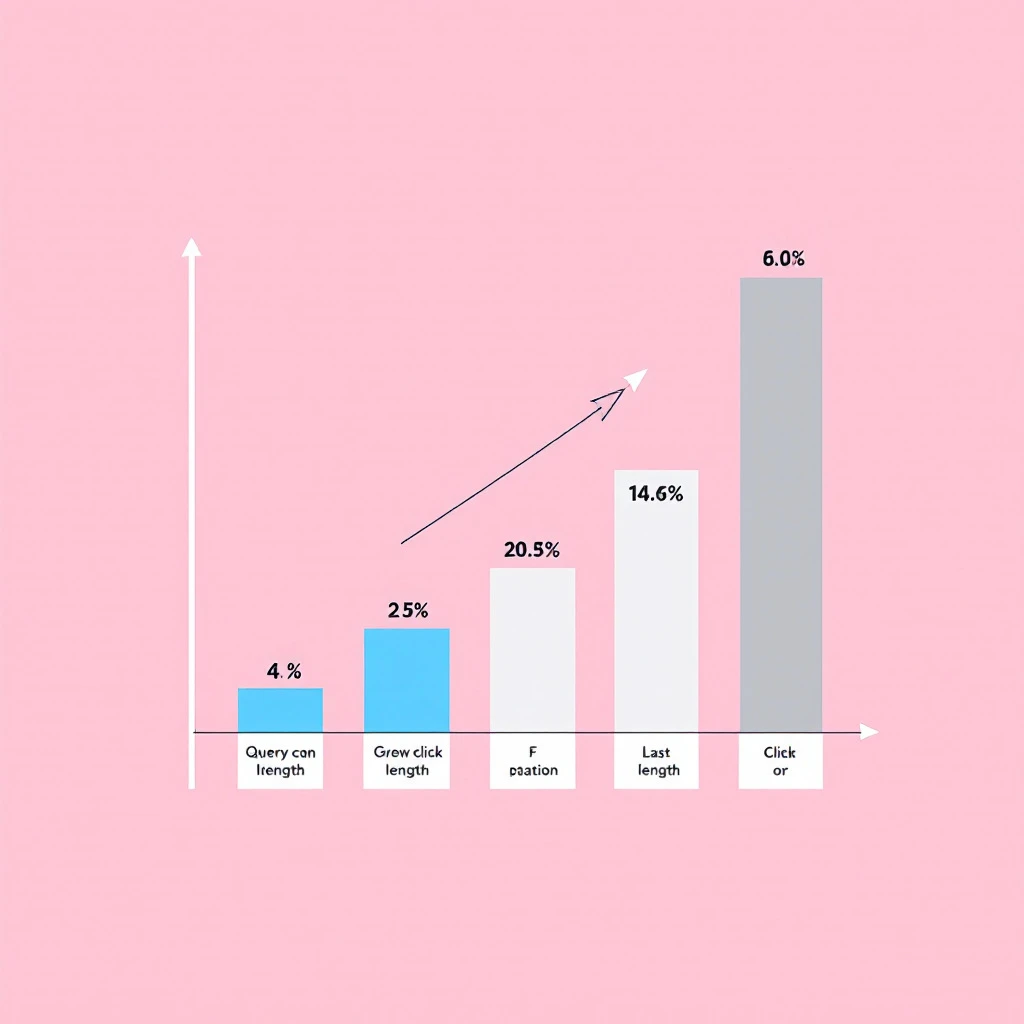
This is the cleanest result in the dataset. We bucketed all 20,892 queries by character length:

Query lengthDistinct queriesImpressionsClicks
Under 30 chars6,236119,630259
30–60 chars6,45473,22998
60–100 chars4,85146,6030
100–200 chars2,36625,0230
200+ chars7663,4860

The click cliff: queries over 60 characters earn impressions but zero clicks

Every single one of our 357 clicks came from queries under 60 characters. Above that line: 7,983 distinct queries, 75,112 impressions, zero clicks. Not "low CTR." Zero.

The explanation is query fan-out. When someone asks ChatGPT, Perplexity, Gemini, or Google's AI Mode a question, the engine decomposes the prompt into 8–16 synthetic sub-queries, runs them against the index in parallel, reads the results, and synthesizes an answer. The human never sees a search results page. There is nothing to click. The impression registers in Search Console; the visit never happens.

Our highest-impression question query β€” 5,306 impressions at average position 3.3 β€” earned zero clicks in 28 days. Position 3 used to be a river of traffic. For machine-generated queries, it's a citation opportunity and nothing more.

Finding 2: 38% of distinct queries are machine-generated​

Long question-form queries (60+ characters starting with what/which/how/where/is/can) accounted for 3,684 distinct queries and 47,258 impressions β€” 17.6% of ALL impressions on our site. Add the rest of the 60+ character bucket and machine-shaped queries make up 38% of everything Search Console recorded for us.

The question-word distribution tells you these are conversational prompts, not keywords:

  • "what..." β€” 32,404 impressions
  • "which..." β€” 7,005 impressions
  • "how..." β€” 3,084 impressions
  • "where..." / "is..." / "can..." β€” ~3,300 combined

Nobody types "what are some enterprise ai content pipeline automation solutions that can assist in creating brand videos for social media?" into Google. But an AI assistant expanding a user's lazy prompt into thorough sub-queries does β€” constantly.

Finding 3: The prompt-template queries expose the tools behind them​

278 queries were explicitly persona-prefixed prompts β€” 4,491 impressions, zero clicks, average position 5.7. They follow a rigid structure that reveals slot-filling automation:

  • "as a sdr team lead, how to reduce sales admin time with automation" (1,132 impressions)
  • "as a founder at a seed company in united_states..."
  • "as a founder at a series a company in united_kingdom..."
  • "as a demand generation manager, i'm comparing hubspot marketing hub vs activecampaign vs mailchimp..."

Same personas, same funding-stage slots (seed / series a), same geography slots (united_states / united_kingdom, underscores included). This is a generative-engine-optimization or AI-SDR tool cycling through a persona matrix and firing the outputs at Google β€” almost certainly to test which brands AI engines recommend to which buyer personas.

Two more details from this bucket:

The German variants. 58 queries repeated the same pattern in German β€” "du musst ein erzwungenes ranking vom besten zum schlechtesten erstellen" ("you must create a forced ranking from best to worst") β€” 948 impressions. Someone is running localized prompt batteries across markets.

The template leaks. Four queries contained unfilled merge fields like [icp_company_size] and [icp_vertical]. The tool's templating failed, and its raw prompt scaffolding went to Google anyway. We are watching other companies' AI infrastructure malfunction in our Search Console.

Finding 4 (added September 8): the machines type short keywords too​

When we published this study, we drew the line at 60 characters: short keyword queries were "human," long question queries were "machine." Two weeks of new data broke that assumption.

The single biggest machine footprint in our Search Console is now a 13-character keyword: "close pricing". Over the 28 days ending September 6, it generated roughly 28,500 impressions and zero clicks against our Close CRM pricing breakdown β€” much of it at average position 3.6. A human query at position 3-4 for a pricing keyword converts at 5-10% CTR. Zero clicks across 28,500 impressions is not a title problem. It's not a human.

The giveaway isn't the query text β€” it's the shape of the daily curve:

PeriodDaily impressionsPattern
Aug 10-121-3Real human baseline
Aug 13-18~354, nearly identical every dayFlat line β€” scheduler signature
Aug 19-23~1,100-1,400Volume step-up
Aug 24-30~0-43Someone turned the tool off
Aug 31 - Sep 6~2,700-3,400Back on, at 10x the original scale

Human search demand is noisy β€” weekday peaks, weekend dips, news spikes. This curve is dead flat at each level, steps up in discrete jumps, and has a week-long off switch in the middle. That's a cron job, not a market.

It's not an isolated case. "lead lists free" β€” another innocent-looking keyword β€” ramped from ~15 impressions/day to a perfectly flat 273/day over the same window. Same fingerprint: zero clicks, frozen position, no daily variance.

Then in early September we found the cleanest specimen yet: "drift alternatives." For roughly a week our Drift alternatives page surged on this keyword β€” on the peak day it averaged position 1.05 across 58 impressions and took zero clicks. Not position 8. Position one, essentially every serve, on a commercial "alternatives" keyword β€” the kind of ranking SEO teams celebrate β€” and not a single human clicked, because no human was searching. The burst ran about a week (steady 15-70 impressions/day), touched position 1, then collapsed back to 2-6 impressions a day. A rank check or retrieval job finished its run and moved on.

That's the finding in one line: position 1 with 0% CTR is now a real, recurring pattern in B2B Search Console data. If your reporting treats a #1 ranking as a win by definition, machine traffic will quietly inflate your scorecard on exactly the keywords that look most valuable.

We can't say for certain what's running these β€” a rank tracker, a GEO monitoring tool checking who Google serves for pricing queries, or AI agents doing retrieval grounding at scale. What we can say: short-query volume is no longer proof of human demand.

The practical trap: every SEO "quick wins" report flags exactly these pages β€” huge impressions, great position, terrible CTR, "just fix the title!" We nearly spent this week rewriting titles to win clicks from software that will never click anything. Before you optimize a high-impression zero-click page, pull the query's daily impression curve. If it's a flat line with step changes, the demand is synthetic β€” spend your effort somewhere real.

What this means: your rankings are being read, not clicked​

The classic SEO contract β€” rank well, get traffic β€” is quietly being renegotiated. For a growing share of B2B research, the "searcher" is a model that reads five results, synthesizes an answer, and maybe cites you. The human sees the answer, not your site.

Three implications for B2B teams:

1. CTR is now a misleading metric for a chunk of your footprint. If we judged our question-form pages by CTR, we'd conclude they're failing. They're not β€” they're being consumed by a different reader. When we ran our search intent study earlier this month, we found "best tool" listicles barely convert even with human readers; for machine readers, the click was never on the table. Judge these pages by whether AI engines cite and recommend you β€” and by branded search and direct demo requests downstream.

2. Being the quotable source beats being the ranked source. Query fan-out means an AI engine runs a dozen sub-queries and fuses the results. Content that answers a specific question directly, in the first paragraph, with a concrete number, gets pulled into answers. Vague thought-leadership doesn't. This is why we lead posts with quick-answer blocks and real figures β€” like the actual all-in cost math in our AI SDR pricing breakdown or the tested match rates in our visitor identification guide.

3. Thin templated content is worthless to machine readers too. AI engines cross-reference. A page with no unique data adds nothing to a synthesized answer and gets skipped. This is the same logic that led us to delete 161 blog posts in one day β€” content that exists only to occupy a keyword has no audience left, human or machine.

The uncomfortable part: buyers are outsourcing evaluation​

Look again at what those persona prompts ask: "which scales better for demand programs?", "how do customer testimonials rate the impact on sales and marketing alignment?", "according to user reviews on capterra, which is best?" β€” followed by a demand for a forced ranking.

B2B software evaluation β€” reading reviews, comparing pricing, building the shortlist β€” is being delegated to AI agents. The agent does the search, weighs the reviews, and hands its human a ranked list. If your product isn't legible to that agent β€” clear pricing, specific capabilities, verifiable claims β€” you're not on the shortlist and you'll never know an evaluation happened.

We've written before about what AI agents can and can't do for GTM work and how teams use Claude for lead generation and ABM workflows. The mirror image is now true: the same class of agents is evaluating you.

What we're doing about it (and what you should do)​

Publish real numbers. Actual pricing math, tested match rates, honest limitations. Machine readers reward specificity because it's what makes an answer synthesizable. Our AI BDR tools comparison names real prices and real gaps for every vendor β€” that's the content that gets cited.

Answer the question in the first 100 words. Every high-intent page should open with a direct, quotable answer. The fan-out sub-query that matches your page gives you one shot to be extracted.

Keep your comparison claims verifiable. AI engines cross-check against reviews and other sources. Inflated claims don't just fail with skeptical humans β€” they get you dropped from synthesized answers when the cross-reference disagrees.

Watch your own Search Console for this pattern. Filter queries by length or question words. If 60+ character queries are piling up impressions with zero clicks, AI engines are already reading you. That's not a problem to fix β€” it's a channel to win.

Stop grading every page on clicks. Track citations in AI answers, branded search growth, and pipeline. The impression-with-no-click is the new top of funnel.

We've since turned these findings into a step-by-step B2B GEO playbook for winning AI buying agents β€” how to structure pages, pricing, and comparison claims so machine readers cite you.


Methodology notes​

Data: full Google Search Console query export for marketbetter.ai, July 26 – August 22, 2026 (28 days). 20,892 distinct queries, 268,417 impressions, 357 clicks. Finding 4 added September 8, 2026 from a second window (August 10 – September 6): daily impression curves pulled per-query via the Search Console API; "close pricing" totals aggregated across all ranking URLs on the property. The "drift alternatives" example added September 10, 2026 (window August 11 – September 8) uses per-day query data on the same property. Classification: queries of 60+ characters beginning with interrogatives were classed as assistant-generated; queries matching persona-prefix or explicit instruction patterns ("as a [persona], ...", "you must provide a forced ranking", German equivalents) were classed as prompt-template queries. Classification was conservative β€” short conversational queries were left in the human bucket, so machine-generated share is likely understated. Query text shown verbatim from Search Console; these are public search strings, not user data.


MarketBetter identifies the buyers already researching you β€” human or otherwise β€” and tells your SDRs exactly what to do next. See how it works: book a demo β†’

We Deleted 161 Blog Posts in One Night: A Content Pruning Case Study [2026]

Β· 8 min read
Sunder Iyer
Founder, marketbetter.ai

On August 18, 2026, Google started rolling out its August spam update β€” an explicit crackdown on scaled content abuse. On August 19, we deleted 161 blog posts from this site. About 47,000 lines of content, gone in a single commit.

This wasn't panic. We had been staring at the data for months, and the update was simply the deadline that forced the decision. The numbers below are our real Google Search Console data β€” the kind most companies quietly bury. We're publishing them because almost every B2B team that scaled content with AI in the last two years is sitting on the same problem, and very few are willing to show what it actually looks like.

Content pruning case study: deleting 161 blog posts

The short version​

  • We imported 161 templated, AI-scaled posts in late 2025 to build topical coverage fast.
  • Over their final 90 days, those posts earned 570,020 impressions and 521 clicks β€” a 0.091% CTR.
  • 112 of the 161 posts (70%) earned zero clicks in those 90 days. Thirteen of them never appeared in search results at all.
  • Our surviving, hand-built content earned a 0.280% CTR over the same window β€” more than 3x the scaled content.
  • One deleted post ranked at position 5.3 for a query with 5,195 impressions and got zero clicks.
  • We deleted all 161, removed 226 internal links pointing at them from 91 surviving posts, and let the URLs return 404.

If you want the strategic backdrop, our earlier study of 82,000 B2B sales-tech searches explains why this class of content fails: why "best tool" lists don't convert. This post is the operational sequel β€” what we did about it.

How we got 161 spammy posts in the first place​

Honesty time. In late 2025, we did what half of B2B SaaS did: we used an AI content service to generate broad topical coverage. Generic marketing-education posts β€” "content marketing best practices," "how to conduct A/B testing," "marketing dashboard examples," "cold calling best practices." Dozens of them, all following the same template: intro, listicle body, generic conclusion.

The theory was standard programmatic SEO: coverage builds topical authority, topical authority lifts the pages that matter. The posts even "worked" by vanity metrics β€” impressions climbed steadily and several posts reached page one.

Then we looked at what those impressions were actually worth.

The data that made the decision​

We pulled 90 days of Search Console data (May 22 – August 19, 2026) and split every blog URL into two buckets: the 161 imported posts, and everything we had written ourselves.

Pruned AI-scaled content vs. original content: CTR and click data

Metric (90 days)161 AI-scaled postsOriginal content
Impressions570,0201,563,122
Clicks5214,384
CTR0.091%0.280%
Posts with zero clicks112 of 161 (70%)β€”

Three things in this table ended the debate for us.

1. Page-one rankings with zero clicks. The most damning single data point: one post held position 5.3 for a query with 5,195 impressions and earned not one click. Another sat at position 5.1 on a 1,121-impression query β€” also zero clicks. Searchers saw these pages on page one, over and over, and collectively decided they weren't worth visiting. Google can see that too. That's not an SEO problem; that's a verdict.

2. The traffic was an illusion of one post. Of the 521 total clicks, a single post β€” a social media tools listicle β€” took 234. The other 160 posts shared 287 clicks over 90 days. That's fewer than two clicks per post per month. We were maintaining, internally linking, and staking our domain's reputation on content producing statistically nothing.

3. Our own content outperformed it 3-to-1. Same domain, same authority, same period: hand-built content earned 3.1x the CTR. The scaled posts weren't just failing on their own β€” they were the weakest 40% of our search footprint by volume, dragging down the sitewide quality signals that Google's systems now aggressively evaluate.

Why the August 2026 spam update forced the timeline​

Google's August 2026 spam update, rolling out globally from August 18, explicitly targets scaled content abuse β€” "large volumes of pages produced primarily to rank, not to help anyone, regardless of whether AI, humans, or a mix produced them." Notably, this update does not touch link spam or site reputation abuse; it's aimed squarely at content like ours.

Read that definition against our data. 161 templated pages. 570K impressions. A 0.09% CTR proving nobody wanted them. If a classifier were built to find scaled content abuse, our imported posts were a textbook training example.

We had already watched this movie: the December 2025 core update hammered sites known for high-volume templated output. Waiting to see whether we'd get caught this time was a bet with terrible odds β€” keep ~500 clicks a quarter, risk the domain that drives our actual pipeline. We deleted the posts the day after the rollout began.

Exactly what we did (the pruning playbook)​

If you're facing the same call, here's our process β€” it took one evening.

Step 1: Segment ruthlessly. Tag every URL by origin: scaled/imported vs. hand-built. Don't audit post-by-post looking for keepers; audit the cohort. If the cohort's CTR is a fraction of your site average, individual exceptions are noise.

Step 2: Check for anything actually earning. We found exactly one post with meaningful clicks (234 in 90 days) β€” and its queries ("content creation tools") were so far from our buyer that the traffic converted to nothing. B2B teams should weigh clicks by ICP relevance, not volume. We covered how to think about this in our search intent study: impressions from the wrong audience are worth zero.

Step 3: Delete, don't redirect. We let all 161 URLs return 404. Redirecting spam-cohort pages to unrelated surviving pages just teaches Google your good URLs inherit a bad neighborhood. A 404/410 is the honest signal: this content no longer exists. Reserve redirects for pages with genuine backlinks or a true one-to-one replacement β€” we had neither.

Step 4: Clean your internal link graph. This is the step everyone forgets. We removed 226 internal references across 91 surviving posts. Broken internal links waste crawl budget and keep dead URLs in Google's discovery path. Your surviving pages should link to each other β€” ours now form deliberate clusters around visitor identification, AI BDR tooling, and AI SDR economics.

Step 5: Resubmit and wait. Updated sitemap, requested recrawl, and β€” per Google's own guidance β€” we'll give it at least a week after the rollout completes before reading anything into Search Console.

What we expect to happen (and the follow-up)​

Being honest about the forecast, since we'll publish the results either way:

  • Impressions will crater. We're voluntarily giving up ~190K impressions a month. Impressions were never the goal; they were the vanity metric that let this problem hide for three quarters.
  • Clicks should barely move. The deleted cohort produced ~174 clicks a month, mostly from one off-ICP listicle.
  • The bet: sitewide quality signals improve, crawl budget concentrates on the 90-ish posts that actually convert, and our money pages β€” the ones driving demo bookings β€” hold or gain through the spam update.

We'll publish the 60-day before/after from Search Console as a follow-up. If pruning backfires, we'll show that too.

What this means for your content program​

If you scaled content with AI in 2024–2026, run this exact analysis this week. Pull 90 days of GSC data, segment scaled vs. original, and look at cohort CTR. If your scaled cohort is under 0.1% CTR, you don't have a content library β€” you have a liability with a fresh classifier hunting for it.

The uncomfortable rule we've adopted: volume is not a strategy, and coverage is not authority. What survived our purge is content with a real point of view β€” original research, honest build-it-yourself guides, opinionated takes like why one-size-fits-all GTM tooling fails, and practical workflow content like running ABM with AI agents. That's the stuff earning a 3x CTR β€” and it's the only content strategy left that compounds instead of accumulating risk.

MarketBetter is a GTM platform, not an SEO tool β€” but this is exactly how we think about signal versus noise in sales too. A thousand impressions from the wrong audience are worth less than one visit from a buyer. If you want to see how we apply that logic to identifying and converting the buyers already on your site, book a demo.


Data source: Google Search Console, sc-domain property, May 22 – August 19, 2026. Cohorts: 161 imported posts (148 appeared in search during the window, 13 never did) vs. all remaining blog and site URLs. CTR computed on aggregate impressions/clicks per cohort, anchor-fragment rows excluded.

We Analyzed 82,000 B2B Sales-Tech Searches: Why 'Best Tool' Lists Don't Convert [2026]

Β· 10 min read
Sunder Iyer
Founder, marketbetter.ai

Everyone building B2B content in 2026 is chasing the same keywords: "best [category] tools," "[competitor] alternatives," "[competitor] pricing." The logic feels airtight β€” high search volume, clear commercial intent, buyers comparing options. So you publish the listicle, you rank on page one, and then you check the numbers a quarter later and the clicks never showed up.

We had a hunch that most of this traffic was a mirage. So we pulled the data on our own search footprint and looked hard at what buyers actually click versus what they merely see.

The answer surprised us enough to change our content roadmap. If you run demand gen, RevOps, or an SDR team that's investing in content, it should change yours too.

B2B sales-tech search intent study β€” how buyers actually research tools in 2026

What we measured​

We analyzed our 1,200 highest-volume search queries over a 90-day window (May 6 to August 4, 2026): 82,220 impressions and 1,236 clicks from Google Search. Every query was bucketed by its dominant intent β€” is this person comparing vendors, checking a price, reading reviews, browsing a "best of" list, or trying to figure out how to actually do a job?

Then we compared click-through rate (CTR) across those intent types. Same site, same domain authority, same 90 days. The only variable is what the searcher was trying to accomplish.

One note on honesty: our blended CTR across all 1,200 queries was 1.50%. That's the baseline. Anything materially above it is intent that punches above its weight; anything below it is intent that looks busy but does nothing.

Finding 1: Intent beats volume, and it isn't close​

Here's the full breakdown by intent type, ranked the way most teams would rank it β€” by impressions, the vanity metric everyone optimizes for:

Search intentQueriesImpressionsClicksCTR
Generic / broad51330,5191960.64%
Pricing ("X pricing," "how much")13717,3061390.80%
AI-assistant ("how to use Claude/GPT for X")24011,2174323.85%
"Best of" listicle437,760520.67%
Reviews1066,662721.08%
Alternatives ("X alternatives")315,255120.23%
Comparison ("X vs Y")1082,118110.52%
How-to / tutorial19665182.71%

Look at the top three rows by impressions β€” generic, pricing, and "best of" lists. Together they represent over 55,000 impressions, roughly two-thirds of everything we showed up for. Their combined CTR? Around 0.70%. Below our site average. That is the content most B2B teams pour their budget into, and it is quietly the worst-performing intent on the page.

Now look at the AI-assistant row: 11,217 impressions, 432 clicks, 3.85% CTR. That single intent category was 14% of our impressions but drove nearly half of every non-brand click we earned (432 of 932). It out-clicked pricing content that had 54% more impressions.

The takeaway isn't subtle. Impressions are what you rank for. Clicks are what buyers choose. Those are not the same thing, and optimizing for the first at the expense of the second is how content teams stay busy while pipeline stays flat.

Finding 2: "Alternatives" pages are the deadest intent in B2B​

The single worst-converting intent in our entire dataset was "[competitor] alternatives" β€” 0.23% CTR across 5,255 impressions. That's one-sixth of our site average and roughly one-seventeenth of AI-assistant intent.

This one stings, because "alternatives" content is a cottage industry. Every SaaS blog cranks out "10 alternatives to [popular tool]" because it ranks. And it does rank β€” our alternatives pages sat at an average position of 7.7, comfortably on page one.

But think about the person typing "Warmly alternatives." They've already decided to leave a tool they know. They are not looking to read a vendor's blog post; they're looking for a name to go evaluate, and they'll grab it from whatever list Google puts in front of them and bounce. The click that a listicle earns from that search is worth almost nothing, and increasingly they don't even click β€” they read the names off the SERP and move on.

Comparison ("X vs Y") intent wasn't much healthier at 0.52%. High effort to produce, low reward to publish. We wrote a lot of these. We're mostly done writing them, and this data is a big part of why.

Finding 3: The hand-raiser is "how do I actually do this"​

Here's where it gets useful. The two best-converting intents in the entire study were both about doing a job, not buying a tool:

  • AI-assistant intent ("how to use Claude for SDR work," "codex prompts for sales," "Claude with Sales Navigator") β€” 3.85% CTR
  • How-to / tutorial intent β€” 2.71% CTR

These are people mid-task. They have a job to get done today and they're looking for a way to do it. When your content shows up for that search, it isn't competing for a shortlist slot β€” it's answering the exact question in the searcher's head. So they click.

How strong is this effect? Strong enough to override brand recognition. Our best AI-assistant queries β€” "claude sales navigator," "claude vs chatgpt for sales," "claude sdr" β€” pulled CTRs of 15% to 19% at the top of page one. For context, our site-wide CTR for positions 1 through 3 was 6.48%. These queries converted at two to three times the positional norm.

That is the signature of true buyer intent. A generic listicle at position 2 gets skipped because the searcher is scanning ten brands they half-recognize. A "how do I use Claude to research accounts" result at position 2 gets clicked because it's the answer, and the person searching it is trying to solve a real workflow problem right now. One of those people is a tire-kicker. The other is your next demo.

We leaned all the way into this intent, which is why we have depth on it β€” from a full Claude for SDRs guide to a library of the best Codex prompts for sales, a walkthrough on using Claude for lead generation, and the Claude plus Sales Navigator workflow that turns lists into pipeline. The data says that's where the clicks live, so that's where we build.

Finding 4: Ranking on page one is not the finish line​

Most SEO scorecards stop at "we rank on page one." Our data says that's roughly the halfway point. Here's CTR by position band across all 1,200 queries:

Position bandImpressionsClicksCTR
1 to 310,6906936.48%
4 to 619,2592241.16%
7 to 1029,1102190.75%
11 to 2014,305750.52%
21 and beyond8,853250.28%

The cliff between positions 1 to 3 and 4 to 6 is brutal: CTR drops from 6.48% to 1.16%, a 5.6x fall for moving down just a few slots. Nearly a third of all our impressions sat in the 7-to-10 band β€” technically page one β€” and converted at 0.75%. Being "on page one" at position 8 is, for click purposes, barely different from being on page two.

But notice how this interacts with Finding 3. Our AI-assistant queries beat the 6.48% top-of-page benchmark by 2 to 3x. Intent doesn't just help you at the margin β€” it changes the entire CTR curve. High-intent content at position 2 can out-earn low-intent content at position 1.

So the real scorecard has two axes, not one: rank high, and rank high for the intent that clicks. Nailing only the first is how teams end up "ranking well" with nothing to show for it.

What this means for your 2026 content strategy​

If you own B2B content, demand gen, or an SDR team's inbound engine, here's what we're taking from this data β€” and what we'd suggest you pressure-test against your own Search Console:

1. Stop measuring content by impressions. Impressions reward broad, generic, high-volume intent β€” which is exactly the intent that doesn't convert. Grade every page on clicks and click-through rate against your site baseline. Any page below baseline is a candidate for a rewrite or a redirect, no matter how many impressions it pulls.

2. Ration your "best of" and "alternatives" output. They rank, they feel productive, and they barely convert. We're not saying zero β€” a small number of well-built comparison assets earn their keep for bottom-funnel buyers. But if that's the bulk of your calendar, you're farming vanity impressions.

3. Build for the job, not the purchase. The searches that convert are the ones where a real person is trying to complete a real task. "How do I use [AI tool] to do [sales job]" is the strongest signal we found. Map your product to the jobs your buyers are trying to do this week, and write the how-to for each one.

4. Chase the position-1-to-3 band relentlessly for high-intent terms. Given the 5.6x cliff after position 3, a term you own at position 2 is worth more than five terms you hold at position 8. Consolidate thin pages into deeper ones, add internal links, and concentrate authority on the handful of high-intent queries you can actually win.

There's a deeper pattern under all of this, and it's the same one that separates good sales tools from noisy ones. A "best tools" list tells a buyer who exists. A how-to guide tells them what to do. The second is the one people act on β€” in search, and in the sales process.

That's the whole thesis behind how we built MarketBetter: most sales platforms surface a signal and leave your SDR to figure out the next move. We tell your team who's in-market and exactly what to do about it β€” the same "job, not just data" principle this search study kept surfacing. If you want to see more on where buyer intent actually lives, our guides on buyer intent data and why sales engagement platforms fail SDR teams go deeper, and our roundups of the best AI BDR tools and B2B marketing automation for mid-market put the landscape in context.

The intent hierarchy: how B2B buyers move from browsing to doing

The one-sentence version​

Impressions measure what you rank for; clicks measure what buyers choose β€” and in 2026, buyers choose the content that helps them do the job, not the content that lists their options.

We rebuilt our roadmap around that. Deep how-to and AI-workflow content, ruthless consolidation on high-intent terms, and a lot less "10 alternatives to X." The data made the call for us.


Want to see what "tells you what to do, not just who" looks like in a live sales workflow? Book a demo of MarketBetter and we'll show you how signal-to-action works on your accounts.

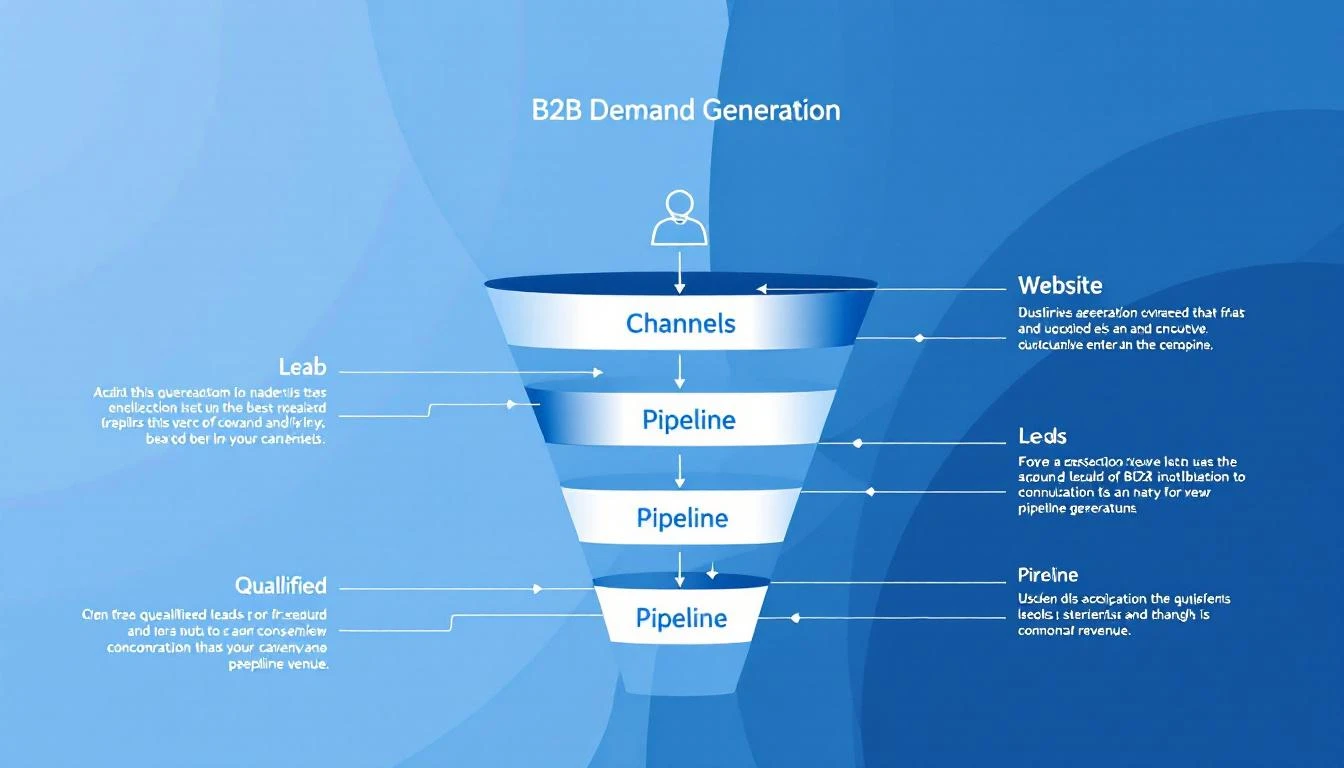
Best B2B Demand Generation Tools in 2026 [15 Platforms for Pipeline Growth]

Β· 20 min read
MarketBetter Team
Content Team, marketbetter.ai

Best B2B Demand Generation Tools in 2026

Your marketing team ran 47 campaigns last quarter. Some worked. You think. But you can't actually connect the LinkedIn ads, the webinar, the email sequence, and the blog post to the three deals that closed.

That's the demand generation measurement problem β€” and it's why most B2B teams are flying blind on what's actually generating pipeline.

The tools in this guide don't just help you run demand gen programs. They help you understand which activities turn into pipeline, which accounts are actually engaged, and where your next 10 deals will come from.

We evaluated 15 platforms across the full demand generation stack β€” from intent signal capture to campaign execution to pipeline attribution. Here's what actually works for B2B teams in 2026.

What Demand Generation Actually Means in 2026​

Demand gen isn't lead gen. Lead gen captures names. Demand gen creates the conditions where prospects want to talk to your sales team.

In 2026, the best demand generation programs share these characteristics:

Signal-first, not spray-and-pray. Instead of blasting 50,000 emails and hoping someone responds, modern demand gen identifies which accounts are already showing interest (website visits, content consumption, competitor research) and focuses resources there.

Multi-channel orchestration. Buyers don't live in one channel. They see your LinkedIn ad, visit your website, download a guide, and attend a webinar β€” often over weeks. The best tools connect these touchpoints into a coherent journey.

Pipeline attribution, not vanity metrics. Opens and clicks don't pay the bills. The tools that matter in 2026 connect marketing activities to actual pipeline and revenue.

Sales-marketing alignment. Demand gen fails when marketing generates "leads" that sales ignores. The best platforms create a shared view of account engagement so both teams focus on the same targets.

The 15 Best Demand Generation Tools Compared​

1. MarketBetter​

Best for: B2B teams that want to identify demand signals from their own website and turn them into SDR action.

MarketBetter's approach to demand generation starts where most tools stop β€” your website. The platform identifies which companies are visiting your site, which pages they're viewing, and how often they return. But unlike standalone visitor ID tools that just hand you a list of company names, MarketBetter connects those signals to your outbound execution.

When a target account visits your pricing page, your SDR gets a prioritized task in their Daily Playbook: "Call [Company] β€” VP Sales viewed pricing page 3x this week." When multiple stakeholders from the same company engage with your emails, the platform flags the account for multi-threaded outreach.

The AI chatbot captures intent from visitors who aren't ready to fill out a form, creating conversation-driven pipeline that most demand gen tools miss entirely. And the email automation layer lets you run hyper-personalized sequences based on the behavioral signals the platform captures.

This is demand generation as a closed loop: identify intent β†’ prioritize accounts β†’ execute outreach β†’ measure results β€” all in one platform.

Key demand gen capabilities:

  • Website visitor identification with company-level and page-level detail
  • Daily SDR Playbook turns intent signals into prioritized actions
  • AI chatbot captures demand from anonymous visitors
  • Email automation with behavioral triggers
  • Smart dialer for warm outreach to high-intent accounts
  • Multi-stakeholder engagement tracking

Pricing: $99/user/month - one plan with everything included: visitor ID, AI chatbot, email automation, smart dialer, daily SDR playbook, 5M AI credits + 500 enrichment credits per seat. No contracts.

Why it's different: Most demand gen tools help you create awareness. MarketBetter captures the demand that already exists on your website and converts it into pipeline before competitors know those accounts are in-market.

Book a demo β†’


2. HubSpot Marketing Hub​

Best for: Mid-market teams that want an all-in-one marketing platform with strong CRM integration and content tools.

HubSpot is the default choice for B2B demand generation, and for good reason β€” the marketing automation, CRM, email, landing pages, and analytics are all tightly integrated. Their content tools make it easy to create blog posts, landing pages, and email campaigns without developer help.

For demand gen specifically, HubSpot's workflow automation lets you build sophisticated nurture sequences based on behavior (page views, email clicks, form fills). Lead scoring helps prioritize which contacts are ready for sales. And attribution reporting connects marketing activities to deal creation and revenue.

Key features:

  • Marketing automation workflows with behavioral triggers
  • Lead scoring and lifecycle management
  • Landing page and form builder
  • Blog, email, and social media management
  • Multi-touch attribution reporting
  • Integration with HubSpot CRM (and 1,000+ integrations)

Pricing: Free (basic), $890/month (Professional, 2,000 contacts), $3,600/month (Enterprise, 10,000 contacts). Contact pricing increases significantly with database size.

Limitations: Gets expensive fast as your contact database grows. Attribution reporting requires Enterprise tier. Some advanced features (like ABM) need separate add-ons.


3. 6sense​

Best for: Enterprise teams that want AI-powered account identification and predictive analytics to find in-market accounts.

6sense's Revenue AI platform uses intent data from its B2B network to identify accounts that are actively researching your category β€” even before they visit your website. Their "Dark Funnel" concept captures buying signals from across the web (third-party content consumption, competitor research, review sites) and scores accounts based on their likelihood to buy.

The platform then orchestrates targeted advertising, email, and sales outreach to those high-intent accounts. For demand gen leaders, 6sense answers the question: "Which accounts should we focus on right now?"

Key features:

  • Predictive analytics identifies in-market accounts
  • Dark Funnel captures third-party intent signals
  • AI-powered ideal customer profile (ICP) modeling
  • Account-based advertising orchestration
  • Sales intelligence for SDR prioritization
  • Revenue AI scores accounts by purchase readiness

Pricing: Not publicly disclosed. Typically $60K-150K+/year for mid-market, $200K+/year for enterprise. Known as one of the more expensive options in the category.

Limitations: Expensive and complex to implement. ROI depends heavily on sales team adoption. Intent data accuracy varies by industry and segment. Significant onboarding period (3-6 months to full value).


4. Demandbase​

Best for: ABM-focused teams that want to combine intent data, advertising, and sales intelligence in one platform.

Demandbase (now Demandbase One) merges ABM, advertising, and sales intelligence into a single platform. Their approach combines first-party website data with third-party intent signals to create an account-level view of engagement. The advertising platform targets specific accounts and buying committees, while the sales intelligence layer arms SDRs with account insights.

Their recent acquisition of InsideView strengthened company and contact data. The platform excels at account selection β€” helping demand gen teams pick the right accounts to target based on fit, intent, and engagement scores.

Key features:

  • Account-based advertising with CTV and programmatic display
  • Intent data from Demandbase's B2B network
  • Account identification and scoring
  • Sales intelligence with buying committee mapping
  • Journey analytics across marketing and sales touchpoints
  • Integration with Salesforce, HubSpot, Marketo

Pricing: Custom pricing. Typically $50K-100K+/year depending on features and account volume. Advertising spend is additional.

Limitations: Complex platform with steep learning curve. Requires dedicated ops support to maintain. Advertising costs add up on top of platform fees.


5. Warmly​

Best for: Teams that want real-time visitor identification with automated outreach to hot visitors while they're still on the site.

Warmly identifies website visitors at the contact level (not just company) and triggers real-time outreach β€” live chat, video calls, or automated emails β€” while the prospect is still browsing. Their "Warm Leads" approach prioritizes visitors based on how closely they match your ICP and their engagement level.

For demand gen teams, Warmly captures a segment of demand that other tools miss: the visitors who are actively researching but won't fill out a form. The real-time notification system alerts SDRs instantly when a target account is on the website.

Key features:

  • Contact-level website visitor identification
  • Real-time SDR alerts when target accounts visit
  • Automated chat and video call triggers
  • Visitor intent scoring based on behavior
  • Integration with CRM and sales tools
  • Warm outbound sequences triggered by website visits

Pricing: Free tier available (limited features), $700/month (Business), custom pricing (Enterprise). Annual contracts typically required for full features.

Limitations: Visitor identification accuracy varies β€” not every visitor can be identified at the contact level. Real-time alerts can create noise if not properly configured. No built-in email automation or dialer.


6. Apollo.io​

Best for: Teams that want a B2B database + outbound sequencing tool for high-volume prospecting at an affordable price.

Apollo combines a massive B2B contact database (275M+ contacts) with email sequencing, calling, and LinkedIn automation. For demand gen teams focused on outbound, it's a one-stop shop: find contacts, build lists, create sequences, and track engagement.

Their intent data layer shows which accounts are searching for topics related to your product, helping you time outbound outreach to buying windows. The price point makes it accessible for growing teams that can't afford enterprise platforms.

Key features:

  • 275M+ contact database with email and phone
  • Email sequencing with A/B testing
  • Intent data to identify in-market accounts
  • LinkedIn integration for multi-channel outreach
  • Meeting scheduler
  • Analytics and reporting on sequence performance

Pricing: Free tier (limited), $49/user/month (Basic), $79/user/month (Professional), $119/user/month (Organization). Annual billing discounts available.

Limitations: Data quality is inconsistent β€” email bounce rates can be 10-15% on some segments. Better for outbound than inbound demand gen. Limited ABM capabilities compared to 6sense or Demandbase.


7. ZoomInfo​

Best for: Enterprise teams that need the deepest B2B data + intent signals + advertising in one platform.

ZoomInfo is the data backbone of many B2B demand gen programs. Their database of 600M+ professional profiles and 135M+ verified phone numbers is the largest in the industry. Layer on their intent data (ZoomInfo's own network + Bombora partnership), website visitor identification (WebSights), and advertising capabilities, and you have a comprehensive demand gen stack.

For demand gen leaders, ZoomInfo's value is in audience building β€” creating precise segments based on firmographic, technographic, and intent data, then activating those audiences across email, ads, and sales outreach.

Key features:

  • 600M+ contact database with intent data
  • WebSights website visitor identification
  • FormComplete for shorter lead capture forms
  • Display advertising to target accounts
  • Conversation intelligence (via Chorus acquisition)
  • Workflow automation and enrichment

Pricing: Not publicly disclosed. Typically $15K-40K+/year. Add-ons for intent data, advertising, and advanced features increase costs significantly.

Limitations: Expensive for small teams. Data accuracy, while industry-leading, still has gaps in certain verticals. Platform complexity requires ops support. Many features are add-ons to the base price.


8. Drift (now Salesloft)​

Best for: Teams that want conversational marketing to capture and convert website demand in real-time.

Drift (acquired by Salesloft in 2024) pioneered conversational marketing β€” using AI chatbots and live chat to engage website visitors and route qualified leads to sales reps in real-time. Their approach replaces forms with conversations, reducing friction in the buyer journey.

For demand gen, Drift creates a new pipeline source: visitors who would have bounced without engaging a form. Their AI chatbot qualifies visitors, books meetings, and routes to the right rep based on account, segment, or product interest.

Key features:

  • AI-powered chatbot with conversation playbooks
  • Live chat with intelligent routing
  • Meeting booking directly from chat
  • Account-based personalization
  • Integration with ABM and intent data platforms
  • Video messaging for personalized follow-up

Pricing: Part of Salesloft platform. Custom pricing, typically $1,500-2,500+/month for mid-market. Higher for enterprise.

Limitations: Now bundled with Salesloft's broader platform, which may require buying more than you need. Chatbot effectiveness depends heavily on playbook configuration. Less useful for sites with low traffic.


9. Metadata.io​

Best for: Demand gen teams that want to automate paid advertising campaigns with AI-driven audience targeting and budget optimization.

Metadata automates the most tedious parts of paid demand gen β€” audience building, campaign creation, budget allocation, and A/B testing across Facebook, LinkedIn, and display networks. Their AI tests different audience-creative-channel combinations and automatically shifts budget toward what's generating pipeline (not just clicks).

For demand gen teams running significant ad budgets ($10K+/month), Metadata eliminates the manual work of managing campaigns across platforms while optimizing for pipeline outcomes rather than top-of-funnel metrics.

Key features:

  • AI-driven audience building from CRM data
  • Cross-channel campaign orchestration (LinkedIn, Facebook, display)
  • Automatic budget optimization toward pipeline
  • Creative A/B testing at scale
  • Pipeline and revenue attribution
  • Intent data integration for audience targeting

Pricing: $1,500+/month platform fee plus ad spend. Pricing scales with ad budget and features.

Limitations: Requires significant ad budget to see ROI (minimum $10K/month recommended). Learning curve for non-technical marketers. Less useful for teams focused on organic/outbound demand gen.


10. Qualified​

Best for: Salesforce-heavy teams that want conversational marketing with deep ABM integration.

Qualified focuses on B2B conversational demand generation β€” identifying website visitors, scoring them against your CRM and ABM data, and engaging the highest-value accounts with AI chatbots or live sales conversations. Their Salesforce integration is the deepest in the category, pulling in account data, opportunity status, and campaign history to personalize every interaction.

Key features:

  • AI-powered chatbot with Salesforce-native personalization
  • Real-time visitor identification and ABM scoring
  • Live sales conversations triggered by high-value visits
  • Signals product identifies anonymous buying committee members
  • Meeting booking integrated with rep calendars
  • Deep Salesforce integration (bi-directional)

Pricing: Starts at $3,500/month. Enterprise tiers significantly higher. Annual contracts required.

Limitations: Very expensive for what it does. Salesforce dependency limits flexibility. Primarily a chat/conversation tool β€” doesn't cover email, ads, or content.


11. Bombora​

Best for: Teams that want pure third-party intent data to fuel their demand gen programs across multiple execution tools.

Bombora doesn't execute campaigns β€” it provides the intent data layer that powers your other demand gen tools. Their Data Co-op collects content consumption signals from 5,000+ B2B websites and shows which companies are researching topics related to your product.

For demand gen teams, Bombora answers the fundamental question: "Which accounts are in-market right now?" You feed that data into your ABM platform, email tool, or advertising system to focus spend on accounts that are actually ready to engage.

Key features:

  • Company Surge data showing topic-level intent
  • Integration with 100+ sales and marketing platforms
  • Company-level intent scoring
  • Topic taxonomy with 12,000+ intent topics
  • Historical intent trending
  • Privacy-compliant data collection

Pricing: Custom pricing. Typically $25K-60K+/year depending on volume and integration complexity.

Limitations: Company-level only β€” no contact-level identification. Intent data is based on content consumption, which isn't always a buying signal. Requires separate execution tools to act on the data.


12. Clearbit (now part of HubSpot)​

Best for: Teams that need real-time data enrichment and website visitor identification integrated with their CRM.

Clearbit (acquired by HubSpot in 2023) provides real-time data enrichment, website visitor identification, and lead scoring. Their Reveal product identifies companies visiting your website, and their enrichment API fills in missing firmographic and technographic data on leads and accounts.

For demand gen teams, Clearbit shortens forms, enriches leads instantly, and helps score and route prospects based on company data that would otherwise require manual research.

Key features:

  • Real-time form enrichment (shorter forms, more conversion)
  • Website visitor identification (Reveal)
  • Company and contact data enrichment API
  • Lead scoring based on fit data
  • Advertising audience building
  • Dynamic personalization for websites and content

Pricing: Now part of HubSpot. Pricing bundled into HubSpot plans. Standalone API pricing varies by volume.

Limitations: Being absorbed into HubSpot may limit standalone availability. Visitor identification is company-level, not contact-level. Data accuracy varies by geography (strongest in US/UK).


13. Leadfeeder (now Dealfront)​

Best for: European B2B teams that need GDPR-compliant website visitor identification with CRM integration.

Leadfeeder identifies companies visiting your website and connects those visits to contacts in your CRM. Their focus on European compliance (GDPR, data privacy) makes them the go-to choice for EU-based demand gen teams.

The platform shows which companies visited, which pages they viewed, and how often they return. Integration with CRM tools lets you automatically create leads or update existing accounts based on website activity.

Key features:

  • Website visitor identification (company-level)
  • GDPR-compliant data processing
  • CRM integration (Salesforce, HubSpot, Pipedrive)
  • Custom feeds and alerts for target accounts
  • Visitor scoring based on behavior and fit
  • LinkedIn integration for contact identification

Pricing: Free tier (limited to last 7 days of data), paid plans start at approximately $99/month. Scales with traffic volume.

Limitations: Company-level identification only (no individual contacts without CRM match). Limited outbound execution β€” primarily a signal tool. Being merged into Dealfront platform, which is still evolving.


14. Common Room​

Best for: Product-led growth teams that want to capture demand signals from community, social, and product usage.

Common Room aggregates signals from community platforms (Slack, Discord), social media, GitHub, and product usage to identify potential buyers. For PLG companies, it surfaces users who are highly engaged with your product or community and may be ready for a sales conversation.

Their approach to demand generation is unique β€” instead of buying intent data or running ads, they help you identify demand that already exists in your community and user base.

Key features:

  • Signal aggregation from 20+ community and social platforms
  • Person-level identity resolution across channels
  • AI-powered lead scoring based on engagement
  • Automated alerts for high-intent prospects
  • CRM integration for lead routing
  • Team collaboration for signal-based selling

Pricing: Free tier available, $625/month (Team), custom pricing (Enterprise).

Limitations: Most valuable for PLG and community-heavy companies. Less useful for traditional B2B sales motions. Signal quality depends on having active community channels.


15. HockeyStack​

Best for: Demand gen teams that want multi-touch attribution and pipeline analytics without complex BI setup.

HockeyStack focuses on the measurement side of demand generation β€” showing which campaigns, content, and channels actually drive pipeline and revenue. Their no-code analytics platform connects data from your website, CRM, ad platforms, and marketing tools to build attribution models.

For demand gen leaders justifying budget, HockeyStack provides the evidence: this webinar generated $500K in pipeline, that LinkedIn campaign influenced 12 deals, this blog post was touched by 30% of closed-won accounts.

Key features:

  • Multi-touch revenue attribution (no code required)
  • Pipeline analytics across marketing and sales touchpoints
  • Account-level journey visualization
  • Campaign ROI reporting with revenue connection
  • Integration with CRM, ad platforms, and marketing tools
  • Custom dashboards and reporting

Pricing: Custom pricing. Typically $1,000-3,000+/month for mid-market.

Limitations: Analytics and attribution only β€” no campaign execution. Requires clean CRM data for accurate attribution. Still building out some enterprise features.


Demand Generation Tools Comparison Table​

PlatformCategoryBest ForStarting PriceKey Strength
MarketBetterSignal + ExecutionSDR teams needing intent-to-action$99/user/monthVisitor ID β†’ SDR Playbook
HubSpotAll-in-One MarketingMid-market full-stack marketingFree-$890/moIntegrated CRM + marketing
6senseABM + IntentEnterprise ABM programs~$60K/yrPredictive intent AI
DemandbaseABM + AdvertisingAccount-based everything~$50K/yrABM + advertising platform
WarmlyVisitor ID + ChatReal-time visitor engagementFree-$700/moReal-time hot lead alerts
ApolloData + OutboundHigh-volume prospectingFree-$49/user/moMassive contact database
ZoomInfoData + IntentEnterprise data needs~$15K/yrDeepest B2B dataset
Drift/SalesloftConversationalChat-driven pipeline~$1,500/moAI conversational marketing
MetadataPaid AdvertisingAutomated ad optimization$1,500/mo + adsAI ad campaign optimization
QualifiedConversational ABMSalesforce-first chat$3,500/moDeep Salesforce integration
BomboraIntent DataPure intent signals~$25K/yrLargest intent co-op
ClearbitEnrichment + IDData enrichmentBundled w/ HubSpotReal-time enrichment
LeadfeederVisitor IDEU/GDPR-compliant trackingFree-$99/moEuropean compliance
Common RoomCommunity SignalsPLG companiesFree-$625/moCommunity signal capture
HockeyStackAttributionPipeline measurement~$1K/moNo-code attribution

Building Your Demand Gen Stack: 3 Approaches​

The Lean Stack (Under $2K/month)​

For teams with limited budget that need maximum impact:

  • MarketBetter ($99/user/month) β€” Visitor ID, email automation, SDR playbook
  • Apollo ($49/user/mo) β€” Contact database for outbound
  • HubSpot (Free) β€” CRM and basic marketing automation

Total: ~$750-1,000/month | What you get: Signal capture, outbound execution, CRM

The Growth Stack ($5K-15K/month)​

For scaling teams that need multi-channel demand gen:

  • MarketBetter ($99/user/month) β€” Full SDR platform with playbook + dialer
  • HubSpot Professional ($890/mo) β€” Marketing automation + landing pages
  • Metadata ($1,500/mo) β€” Automated paid campaigns
  • HockeyStack ($1,000/mo) β€” Attribution and analytics

Total: ~$5,000/month | What you get: Full-funnel demand gen with pipeline attribution

The Enterprise Stack ($50K+/year)​

For large revenue teams running sophisticated ABM programs:

  • 6sense or Demandbase ($60-100K/yr) β€” ABM + intent
  • ZoomInfo ($15-40K/yr) β€” Data backbone
  • Qualified or Drift ($42-60K/yr) β€” Conversational engagement
  • Clari or Gong ($30-50K/yr) β€” Revenue intelligence

Total: $150-250K/year | What you get: Full-stack ABM with deep AI

The Demand Gen Shift Happening in 2026​

Three trends are reshaping demand generation right now:

1. First-party signals over third-party data. With cookie deprecation and data privacy regulations tightening, the companies that capture their own buying signals (website visits, email engagement, chatbot conversations) will have a lasting advantage. Third-party intent data is useful but becoming commoditized.

2. Execution speed matters more than data depth. Having a list of in-market accounts is worthless if your SDRs don't act on it within 24 hours. The tools winning in 2026 don't just identify demand β€” they operationalize it with automated workflows, prioritized playbooks, and instant notifications.

3. Pipeline attribution drives budget. CMOs are under pressure to prove ROI. The demand gen teams that can show "this campaign generated $2M in pipeline" keep their budgets. The ones reporting on MQLs and click-through rates get cut. Attribution isn't optional anymore.

Building out your demand gen stack? These guides cover adjacent tools and categories:

Free Tool

Try our Marketing Plan Generator β€” generate a complete AI-powered marketing plan in minutes. No signup required.

Getting Started​

If you're rethinking your demand generation stack:

  1. Map your current signal sources. What do you know about buyer behavior today? Where are the blind spots?
  2. Start with identification. Before you can generate demand, you need to capture the demand that already exists. Website visitor identification is the lowest-hanging fruit.
  3. Build the signal-to-action loop. Every signal should trigger a specific SDR action within 24 hours. If it doesn't, it's just data.
  4. Measure pipeline, not leads. Set up attribution from day one. Every campaign should connect to pipeline and revenue.

Want to see how MarketBetter turns website visitors into pipeline? Book a demo β†’

DataforSEO + KeywordsEverywhere + Claude Code: The SEO Power Stack That Actually Works

Β· 12 min read
MarketBetter Team
Content Team, marketbetter.ai

If you spend time in SEO communities β€” Reddit's r/SEO, Twitter/X SEO circles, Slack groups like Traffic Think Tank β€” you've probably noticed a pattern emerging in 2025 and into 2026. People keep talking about the same three-tool combination. Not Ahrefs. Not Semrush. Not some $500/month enterprise platform.

They're talking about DataforSEO, KeywordsEverywhere, and Claude Code.

The combo sounds almost too simple. An API for bulk SERP data. A browser extension for search metrics. An AI coding agent. But together, they form what many B2B marketers are calling the most powerful SEO stack available β€” at a fraction of what you'd pay for traditional tools.

Here's why this stack works, what each tool brings to the table, and how you can use all three together to dominate B2B search.


The Problem with Traditional SEO Tools​

Before we get into the stack, let's talk about why people are moving away from the incumbents.

Tools like Ahrefs and Semrush are excellent. Nobody's arguing that. But they have three major problems for B2B teams:

  1. They're expensive. Ahrefs starts at $99/month for a hobbyist plan. The plan most B2B teams need (Site Explorer with decent limits) runs $199–$449/month. Semrush is similar. For a startup doing $500K ARR, that's a real line item.

  2. They're built for browsing, not building. You can look up keywords one at a time. You can export CSVs. But if you want to do something programmatic β€” like analyze 10,000 keywords across 50 competitors and cluster them by intent β€” you're stuck copy-pasting between tabs.

  3. They don't integrate with your workflow. The data lives inside their platform. Getting it into your content calendar, your CMS, your team's Notion β€” that's manual work.

The DataforSEO + KeywordsEverywhere + Claude Code stack solves all three.


What Each Tool Does​

DataforSEO: The Data Engine​

DataforSEO is an API-first SEO data provider. Instead of giving you a dashboard to click around in, it gives you raw API endpoints that return SERP data, keyword data, backlink data, and more.

What you get:

  • SERP API β€” Pull the top 100 results for any keyword, in any location, in any language. Get titles, URLs, snippets, featured snippets, People Also Ask, and more.
  • Keywords Data API β€” Search volume, CPC, competition score, keyword difficulty, and historical trends for any keyword.
  • Backlinks API β€” Full backlink profiles for any domain. Referring domains, anchor text distribution, new/lost links.
  • On-Page API β€” Crawl any page and get technical SEO data (page speed, meta tags, schema, etc.).
  • Competitor Discovery β€” Find which domains rank for overlapping keywords.

Why B2B marketers love it: DataforSEO charges per API call, not per seat. You might spend $50–$200/month depending on volume β€” way less than Ahrefs. And because it's an API, you can pull exactly the data you need and process it however you want.

Pricing reality: SERP API calls run about $0.002 each. Keyword data is roughly $0.05 per 1,000 keywords. For most B2B use cases, you're spending a fraction of what you'd pay for a traditional tool.

KeywordsEverywhere: The Scout​

KeywordsEverywhere is a browser extension that overlays search metrics directly into Google's search results, YouTube, Amazon, and other platforms.

What you get:

  • Search volume β€” Monthly search volume for any keyword, right in the search bar.
  • CPC data β€” What advertisers are paying per click (a strong proxy for commercial intent).
  • Competition score β€” How competitive the organic results are.
  • Trend data β€” 12-month search volume trends so you can spot rising and falling topics.
  • Related keywords β€” "People also search for" and long-tail variations.
  • SERP analysis widget β€” Word count, links, and DA for the top 10 results.

Why B2B marketers love it: It's the fastest way to validate keyword ideas. You don't need to leave Google. You search for something, and instantly see whether it's worth pursuing. Credits cost about $1 per 1,000 keywords β€” absurdly cheap.

The real value: KeywordsEverywhere is your reconnaissance tool. It's where you generate hypotheses. "Is this keyword worth targeting? What's the intent? Is search volume growing?" You answer those questions in seconds, right inside your browser.

Claude Code: The Operator​

Claude Code is Anthropic's AI coding agent. It runs in your terminal and can write, execute, and iterate on code autonomously.

What you get:

  • Script generation β€” Describe what you want in plain English, and Claude Code writes the Python/Node.js/whatever script to do it.
  • API integration β€” It can write scripts that call the DataforSEO API, process the results, and output structured data.
  • Data analysis β€” Feed it a CSV of keywords and it'll cluster them by intent, calculate opportunity scores, and generate content briefs.
  • Automation β€” It can build entire workflows: pull data β†’ analyze β†’ output reports β†’ save to files.

Why B2B marketers love it: You don't need to be a developer. You describe what you want β€” "Pull the top 20 results for these 500 keywords, extract the word count of each ranking page, and cluster the keywords by topic" β€” and Claude Code writes and runs the script.

The paradigm shift: Before Claude Code, using DataforSEO's API required a developer. Now, any marketer who can describe what they want in English has access to the same programmatic SEO capabilities that enterprise teams pay six figures for.


How the Three Tools Work Together​

Here's where it gets powerful. Each tool has a role in the workflow:

  1. KeywordsEverywhere β†’ Scout and generate keyword hypotheses
  2. DataforSEO β†’ Pull bulk data to validate and expand those hypotheses
  3. Claude Code β†’ Automate the analysis and generate actionable output

Let's walk through three real workflows.

Workflow 1: High-Intent Keyword Discovery​

Goal: Find keywords that indicate someone is ready to buy a B2B solution.

Step 1: Scout with KeywordsEverywhere

Search Google for your core terms β€” "visitor identification software," "AI sales dialer," "B2B intent data." KeywordsEverywhere shows you search volume, CPC, and related keywords right in the SERP.

Look for keywords with:

  • CPC above $5 (high commercial intent)
  • Search volume between 100–2,000/month (realistic to rank for)
  • Growing trend (not declining)

Export the related keywords and "People Also Ask" data. You'll typically generate 200–500 keyword ideas in 30 minutes.

Step 2: Bulk validate with DataforSEO

Take your keyword list and use Claude Code to write a script that:

  • Calls the DataforSEO Keywords Data API for all 500 keywords
  • Pulls search volume, CPC, competition, and keyword difficulty
  • Filters for high-intent signals (CPC > $5, competition < 0.6)
  • Groups keywords by semantic similarity

Here's what you'd tell Claude Code:

Write a Python script that:
1. Reads keywords from keywords.csv
2. Calls DataforSEO Keywords Data API for each keyword
3. Returns search volume, CPC, competition, and keyword difficulty
4. Filters for CPC > $5 and keyword difficulty < 40
5. Outputs a ranked list sorted by opportunity score (volume Γ— CPC / difficulty)
6. Saves to high_intent_keywords.csv

Claude Code writes the script, runs it, and you have a prioritized list of high-intent keywords in minutes.

Step 3: Analyze the SERP landscape

For your top 50 keywords, use Claude Code to pull SERP data via DataforSEO:

For each keyword in high_intent_keywords.csv (top 50):
1. Call DataforSEO SERP API
2. Extract the top 10 results: URL, title, word count
3. Identify which domains appear most frequently
4. Flag keywords where no result has > 2000 words (content gap)
5. Output a competitor frequency matrix

Now you know which keywords are underserved, which competitors dominate, and where the content gaps are.

Workflow 2: Competitor Content Analysis​

Goal: Understand what content your competitors are ranking for and find gaps.

Step 1: Identify competitors with KeywordsEverywhere

Search your core keywords and note which domains keep appearing. KeywordsEverywhere's SERP analysis widget shows you the top domains instantly.

Step 2: Pull competitor keyword profiles with DataforSEO

Use Claude Code to write a script that calls DataforSEO's Competitor Discovery and Ranked Keywords APIs:

For each competitor domain in competitors.txt:
1. Pull all keywords they rank for (top 100 positions)
2. Get search volume and current ranking position
3. Find keywords where they rank #1-3 that we don't rank for at all
4. Find keywords where we both rank but they outrank us
5. Output a gap analysis with opportunity scores

Step 3: Build content briefs from the gaps

Take the gap analysis and have Claude Code generate content briefs:

For each keyword gap with opportunity score > 70:
1. Pull DataforSEO SERP data for the keyword
2. Analyze the top 5 ranking pages (word count, headings, topics covered)
3. Generate a content brief with:
- Recommended title (with keyword)
- Target word count
- H2/H3 outline based on competitor content
- Unique angles not covered by competitors
- Internal linking suggestions

You go from "I wonder what our competitors are doing" to "here are 20 content briefs prioritized by opportunity" in a single afternoon.

Workflow 3: Content Strategy Automation​

Goal: Build a quarterly content calendar based on data, not guesses.

Step 1: Trend spotting with KeywordsEverywhere

Browse industry topics and track which keywords are trending up. KeywordsEverywhere's trend sparklines make this visual and fast.

Step 2: Validate with DataforSEO bulk data

Pull historical search volume data for your trending keywords to confirm they're actually growing, not just seasonal:

For each trending keyword:
1. Pull 24-month search volume history from DataforSEO
2. Calculate month-over-month growth rate
3. Flag keywords with consistent upward trend (not seasonal spikes)
4. Cross-reference with CPC trends (rising CPC = rising commercial value)

Step 3: Generate the calendar with Claude Code

Using the validated keyword list:
1. Cluster keywords by topic (semantic grouping)
2. Assign one pillar page per cluster
3. Identify 3-5 supporting articles per pillar
4. Prioritize by: opportunity score, trend momentum, content gaps
5. Output a 12-week content calendar with titles, target keywords, and briefs
6. Format as a CSV importable to Notion/Asana

You now have a data-driven content calendar that would take a traditional SEO agency weeks to produce.


Why This Stack Wins for B2B​

Cost Efficiency​

  • DataforSEO: $50–200/month (API usage)
  • KeywordsEverywhere: $10–30/month (credits)
  • Claude Code: ~$20/month (Anthropic API)
  • Total: $80–250/month vs. $99/user/month for enterprise SEO tools

Speed​

What takes a week with traditional tools takes an afternoon with this stack. The automation layer (Claude Code) eliminates the manual data wrangling that eats up SEO analysts' time.

Customization​

You're not limited to pre-built reports. Need a custom scoring model? Tell Claude Code. Want to weight keywords by your ICP's industry? Write a filter. The stack adapts to your specific B2B context.

Scalability​

Analyzing 100 keywords or 100,000 keywords costs the same in effort β€” you just adjust the API calls. Traditional tools gate this behind pricing tiers.


The Catch: You Still Need Strategy​

Here's the honest truth: this stack is incredibly powerful, but it requires SEO knowledge to use well. You need to know:

  • What makes a keyword "high intent" for your business
  • How to evaluate SERP difficulty beyond just a number
  • When to go after a keyword vs. when to skip it
  • How to structure content for topical authority

The tools give you data and automation. Strategy still comes from experience.


What If You Want This Without the DIY?​

Not every B2B team has the time or inclination to build their own SEO automation stack. That's exactly why platforms like MarketBetter exist.

MarketBetter's AI-powered platform does much of what this stack does β€” automatically. It identifies high-intent visitors on your website, analyzes buying signals, and helps your team act on them through AI chatbot, smart dialer, email automation, and a daily sales playbook.

The SEO insight layer β€” understanding which prospects are actively researching solutions, which keywords are driving qualified traffic, and which content is converting β€” is built into the platform. No API scripts required.

If you're a B2B team that wants the intelligence without building the infrastructure, book a demo with MarketBetter and see how AI-driven sales intelligence can power your pipeline.


Free Tool

Try our AI SEO Checker β€” see how AI models like ChatGPT and Claude talk about your brand. No signup required.

Getting Started​

If you want to build this stack yourself, here's the quickest path:

  1. Sign up for DataforSEO β€” Start with their sandbox environment (free) to test API calls.
  2. Install KeywordsEverywhere β€” Buy 100,000 credits ($10) to start scouting.
  3. Set up Claude Code β€” Install via Anthropic's docs, connect it to your terminal.
  4. Start with one workflow β€” Pick the high-intent keyword discovery workflow above and run it for your top 10 seed keywords.
  5. Iterate β€” Refine your scoring model, add more competitors, expand your keyword universe.

The SEO community isn't wrong about this stack. It works. The combination of raw data access, real-time browser intelligence, and AI-powered automation gives B2B marketers capabilities that were previously locked behind enterprise budgets.

The question isn't whether you should adopt AI-powered SEO tooling. It's whether you build it yourself or use a platform that's already built it for you.

Related reading:

ABM FAQ: What Actually Works in Account-Based Marketing (From Practitioners, Not Textbooks)

Β· 11 min read
MarketBetter Team
Content Team, marketbetter.ai

Most ABM content reads like it was written by someone who's never run an ABM program. "Select your target accounts. Personalize your messaging. Align sales and marketing." Thanks, very helpful.

This FAQ is different. Every answer comes from practitioners who've actually built and run ABM programs at scale β€” the people who know that your biggest enemy isn't bad strategy, it's sales leadership asking you to add 50 more accounts to the list.

If you're running ABM (or thinking about it), these are the questions you're actually asking behind closed doors.


How many accounts should each ABM team member own?​

This is the single most important question in ABM, and almost everyone gets it wrong.

The traditional trap: sales appetite increases, they want more accounts added, and suddenly your ABM team member is "covering" 200 accounts. At that point, you're not doing ABM anymore β€” you're doing slightly more targeted demand gen with a fancier name.

Here's what actually works:

  • Major/strategic accounts (think Disney, Capital One-sized): 20 accounts max per person. These are accounts where your rep knows the CEO's golf handicap. That level of intimacy requires a hard cap.
  • Prospect team (non-customers you're trying to land): 2–3 ABM accounts per rep, in addition to their broader book.
  • Total ABM coverage: 120–150 accounts per ABMer when you add up the pods.

The hard rule: maximum 20 accounts per AE regardless of account size. Can you switch accounts? Yes, but only with decision-chain approval. No random "Hey, can you add Acme Corp to my list?" swaps. That discipline is what separates real ABM from a rebranded target account list.

Where MarketBetter fits: Visitor identification helps you spot which of your 20 accounts are actually on your site right now, so your reps focus energy on accounts showing real activity β€” not just the ones they happen to remember.


How do you pick which accounts to target?​

It's a partnership between data science and sales leadership β€” not a marketing committee with a spreadsheet.

The best programs work like this:

  1. Data science builds the model. It identifies accounts that are both a good fit (firmographic, technographic) and showing high intent (behavioral signals, content consumption, site visits).
  2. Sales leadership whittles down the list. Data science might surface 300 candidates; sales picks the 150 they actually want to pursue and parcels them across reps.
  3. The list changes throughout the year. This is a dynamic process. Based on sales feedback, accounts rotate in and out. A "set it and forget it" target account list is a dead ABM program.

The critical thing most teams miss: intent data isn't just a marketing signal β€” it's the tiebreaker when sales is debating which 20 accounts to focus on. If two accounts look equally promising but one is surging on your site, that's your answer.


How do you actually measure ABM? (Because MTA looks terrible.)​

If you measure ABM the same way you measure demand gen campaigns, you'll kill the program in two quarters.

Here's the measurement framework that works:

Control groups are non-negotiable.​

Split your universe into ABM accounts and non-ABM accounts (the control group). Measure the lift between them across down-funnel metrics:

  • Qualified opportunity creation rate
  • Conversion rates through pipeline stages
  • Average deal values
  • Win rates

This is the only honest way to show ABM impact. Traditional multi-touch attribution models will make ABM look terrible because ABM influence is diffuse, long-cycle, and relationship-driven. MTA was built for campaigns with clear start/end dates β€” that's not ABM.

Pre-opportunity awareness stages matter.​

The best ABM programs define 6 awareness micro-stages before an opportunity even exists:

  1. Completely unaware β€” they don't know you exist
  2. Lightly aware β€” someone's visited your site, maybe once
  3. Early engagement β€” downloading content, attending a webinar
  4. Medium engagement β€” multiple stakeholders interacting
  5. Quite engaged β€” active conversations, demo requests
  6. Opportunity ready β€” sales has a path to proposal

Each stage gets different treatments. And critically, each stage is verifiable through data queries β€” not gut feel.

Pro tip: Prime your finance team early. Tell them: "MTA is going to look terrible for ABM. Here's why that's expected, and here's how we're measuring real impact instead." If you don't have this conversation before budget reviews, you'll spend those reviews defending your program instead of growing it.


Do paid social ads work for ABM?​

They work for about three weeks. Then they become wallpaper.

Here's the uncomfortable truth: paid social for ABM brand awareness morphs into targeted demand gen faster than you think. And for small ABM audiences, digital saturation makes it dramatically less effective.

The math is brutal. When you're targeting 20 accounts, even a modest ad spend means those people are seeing your creative 300+ times per day. At that point, you're not building awareness β€” you're creating creative fatigue and potentially negative brand impact.

If you're going to run paid social for ABM, here's the rule:

  • Refresh creative every 2–3 weeks minimum for small audiences
  • Accept that supersaturation is inevitable and plan for it
  • Don't measure it like a demand gen campaign β€” it's air cover, not a conversion engine

Better use of that budget? Read on.


What ABM tactics actually move the needle?​

The most effective plays are sales-led ideas, not marketing-led campaigns.

This is the part that makes marketers uncomfortable: the best ABM activations come from reps who know their accounts intimately. Marketing's job is to operationalize and fund those ideas, not to come up with them in a conference room.

High-touch, in-person activations that actually work:​

Hyper-specific dinners around pain points or industries. Not "thought leadership dinners" with a generic panel. We're talking about booking a table at a place like Cezanne β€” an expensive SF restaurant β€” for 8 people from mid-funnel accounts who all share a specific operational challenge. The conversation IS the value. The deal acceleration is the ROI.

Coffee truck activation. Park a branded coffee truck in NYC's Financial Services district. Your target accounts' employees walk past every morning. It's not scalable and it's not measurable in your MAP. It works anyway.

Super Bowl suites for top-tier accounts. Yes, it's expensive. Yes, it's worth it when the account is worth $5M+ in ARR. The relationship acceleration in one evening beats six months of email sequences.

BeyoncΓ© concert for women CFOs β€” bring the family. This is real. One team identified that their target buyer persona was senior women finance leaders. They bought a block of BeyoncΓ© tickets and invited targets to bring their families. It's memorable, it's personal, and it shows you see them as humans β€” not just a logo on your target account list.

The key success factors nobody talks about:​

  1. Only do these for accounts you already know somewhat. Cold invites to expensive dinners feel desperate, not impressive. These are mid-to-late funnel plays for accounts already in motion.
  2. Immediate follow-up is mandatory. The AE calls the next morning β€” not 8 days later. The half-life of event goodwill is measured in hours.
  3. Field marketer + AE pod structure. One field marketer paired with a small group of AEs. The marketer handles logistics and accountability; the AE owns the relationship. Without this structure, events happen and nothing comes after.

Where MarketBetter fits: The daily playbook keeps AEs accountable for those next-morning follow-ups. When a dinner guest hits your site the next day, your rep sees it immediately β€” no chance of the lead going cold because someone forgot to check Salesforce.


What tech stack do you actually need for ABM?​

You probably don't need 6sense or Demandbase. There, we said it.

The conventional wisdom says you need a $100K+/year ABM platform. We compared 14 of them in our best ABM tools guide, and the practitioners we've talked to prefer something leaner:

The preferred stack:​

  • Snowflake + HighTouch β€” More flexible and dramatically more cost-effective than 6sense or Demandbase. Snowflake gives you native account grouping capabilities. HighTouch lets you pipe that data to any downstream platform.
  • Gifting vendor β€” ReachDesk or Sendoso for scaled gifting. Bespoke partners for Fortune 100 accounts (generic gift boxes don't cut it when you're sending to a Disney VP).
  • Visitor identification β€” You need to know when target accounts are on your site. MarketBetter's person-level identification gives you individual visitors, not just anonymous company-level pings.
  • CRM + a way to track account progression β€” Whatever you're using now, plus the 6-stage awareness model we discussed above.

The point: your ABM stack should be modular and data-first, not a monolithic platform that locks you into one vendor's view of intent.


How do you budget for ABM when finance doesn't "get it"?​

Start small. Test with existing digital spend. Don't ask for a massive new budget on day one.

The budget approach that works:

  1. Redirect existing digital spend. You're probably wasting money on broad display ads anyway. Take that budget and focus it on your target accounts.
  2. Don't measure it like traditional campaigns. This is worth repeating: if you run ABM through your standard campaign reporting, it will look like a failure. ABM deals take longer to close but close at higher values. Your quarterly campaign dashboard can't capture that.
  3. Focus on holistic account progression. Show finance that accounts in the ABM program move through stages faster, convert at higher rates, and close at larger deal sizes. That's the story β€” not cost-per-lead.

The single most important conversation: tell finance upfront that MTA attribution will look terrible. If they're expecting to see "ABM campaign β†’ $500K pipeline" in HubSpot, you've already lost. Set expectations before the first dollar is spent.


When should you stop an ABM tactic?​

When it starts feeling like demand gen, it's already too late.

The clearest signal: you're refreshing creative for the same paid social audience for the fourth time in two months and engagement is flat. At that point, you've crossed from ABM into targeted demand gen β€” and not even good targeted demand gen, because your audience is supersaturated.

Rules of thumb for killing tactics:

  • Paid social ads: If engagement drops after 2–3 weeks despite creative refreshes, stop. Reallocate to in-person activations.
  • Generic email sequences: If open rates are declining on your target account list, your "personalized" emails aren't personalized enough. Go back to the drawing board or switch to truly personalized outreach.
  • Any tactic where marketing is driving and sales isn't engaged: ABM without active sales participation is just marketing. If your AEs aren't contributing ideas and following up, the tactic is dead regardless of the metrics.

How do I know if my program is real ABM or just targeted demand gen?​

Ask yourself three questions:

  1. Can your ABM team member name every key stakeholder at their accounts? If the answer is "they can look it up in the CRM," that's demand gen.
  2. Are your activations things a sales rep suggested? If every play was designed in a marketing brainstorm, that's demand gen.
  3. Is your account list stable enough that reps build real relationships? If accounts rotate every quarter based on marketing's scoring model, that's demand gen.

Real ABM is intimate. It's 20 accounts that your rep knows cold β€” the org chart, the politics, the pain points, the CEO's kids' names. If you can't get to that level of knowledge because you're spread across 200 accounts, you're doing something else. That "something else" might still be valuable, but call it what it is.


Free Tool

Try our Lookalike Company Finder β€” find companies similar to your best customers in seconds. No signup required.

Ready to add intent signals to your ABM program?​

The best ABM programs combine relationship intelligence (what your reps know) with behavioral signals (what your data shows). MarketBetter bridges that gap β€” identifying the specific people from your target accounts visiting your site, surfacing them in a daily playbook your reps actually use, and tracking engagement through every stage of the buying journey.

No $100K platform contract. No 6-month implementation. Just the signals your ABM team needs to focus on the right accounts at the right time.

Book a demo β†’