Breakout (getbreakout.ai) has carved out a niche as an "inbound AI SDR" β a chatbot that engages website visitors, qualifies them, and books meetings. It's clean, fast to set up, and has solid reviews.
But at $1,500β$2,500/month starting prices with no public pricing details, Breakout isn't the right fit for every team. And if you need more than just a chatbot β outbound, dialer, email sequences, or a full SDR workflow β Breakout's focused approach leaves gaps you'll need to fill with additional tools.
Here are 7 alternatives worth evaluating, depending on what you actually need.
Best for: Teams that want a complete SDR platform, not just a chatbot
Why it's the #1 Breakout alternative:
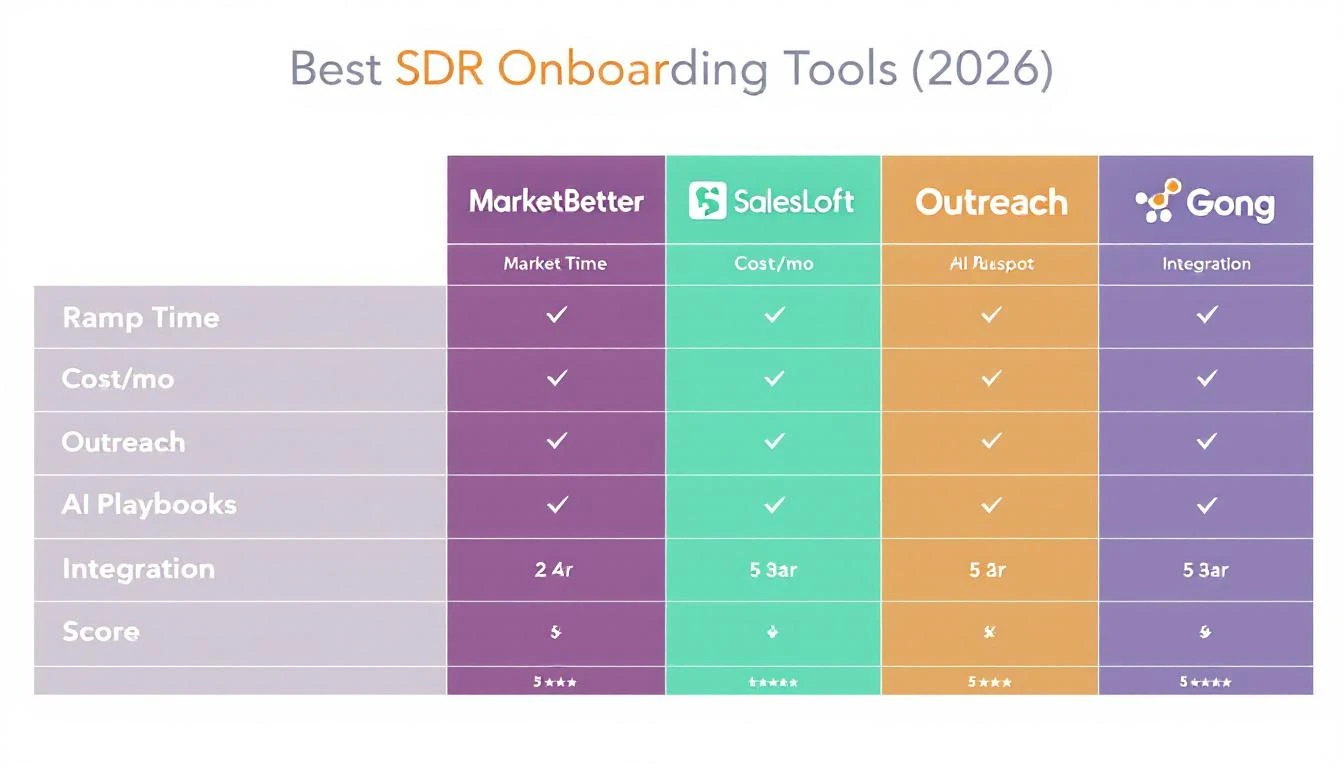
MarketBetter doesn't just replicate what Breakout does β it replaces your entire SDR tool stack. Where Breakout handles inbound chat, MarketBetter handles chat + email + phone + LinkedIn + visitor intelligence, all orchestrated by AI into a daily SDR playbook.
Built-in smart dialer β Breakout has no calling capability. Your SDRs still need Orum, Nooks, or similar ($150+/seat/mo). MarketBetter includes a full dialer with call recording and AI coaching.
Email automation β AI-generated, hyper-personalized sequences. Not just "warm email outbound" as an add-on.
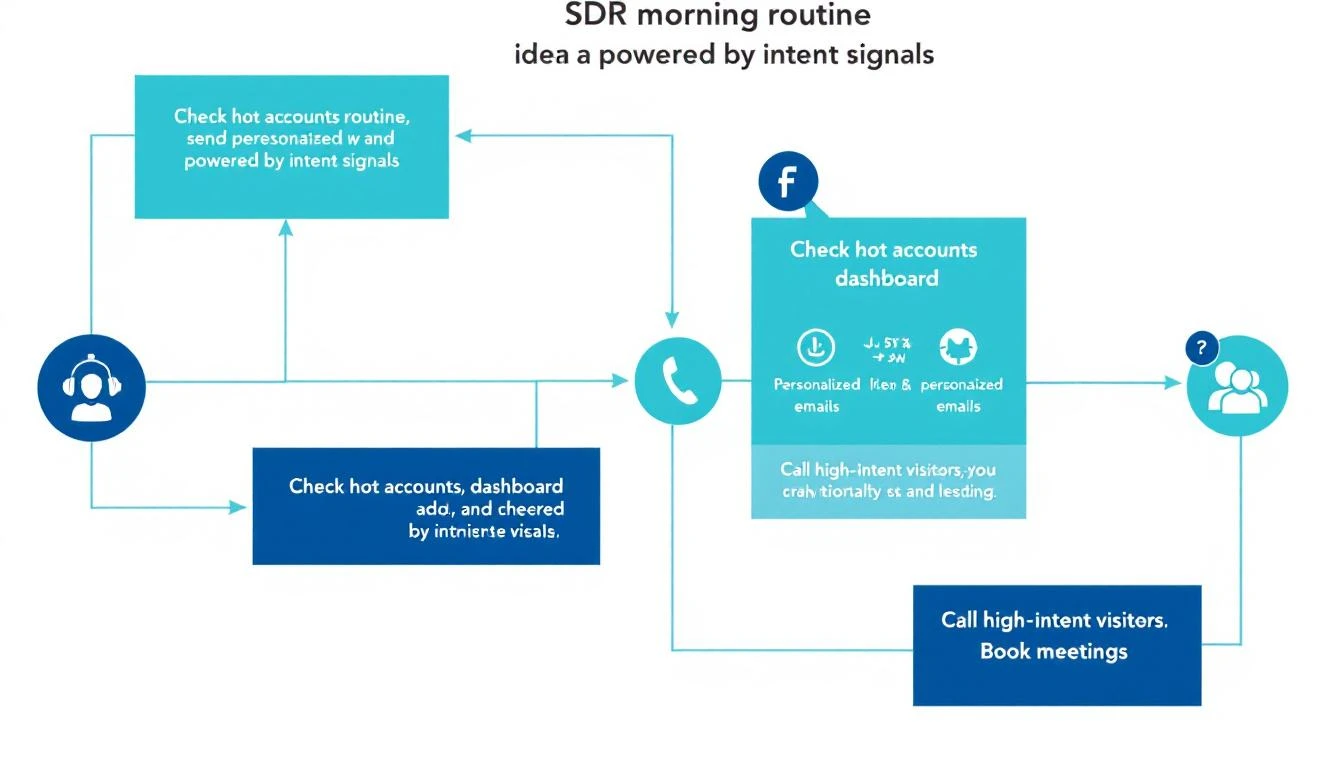
Daily SDR playbook β Every morning, your reps see exactly who to call, email, and follow up with β prioritized by AI. Breakout just shows chat conversations.
Qualified is Breakout's most direct competitor β an AI-powered conversational platform that engages website visitors and routes qualified leads to sales reps. They're more enterprise-focused, with deep Salesforce integration and account-based routing.
Best for: Current Drift customers weighing their options
Drift pioneered conversational marketing but is now being sunset by Clari + Salesloft after a series of acquisitions. It's still functional, but no longer receiving active development. Existing customers should plan their migration now.
Many teams searching for "Breakout alternatives" are also evaluating what to do about Drift. If you're currently on Drift, you should migrate β not to Breakout, but to a platform that replaces everything Drift did plus more.
Best for: Real-time visitor engagement via chat + enrichment
Warmly sits between Breakout and enterprise tools like Qualified β offering visitor identification, AI chatbot engagement, and orchestration at mid-market pricing. Their "data waterfall" approach (20+ enrichment providers) delivers strong company-level identification.
Best for: Teams needing sales + support chat in one tool
Intercom's Fin AI agent handles both customer support and sales conversations. If you already use Intercom for support, adding the sales layer is seamless. Not as sales-focused as Breakout, but the combined support + sales value is compelling.
Best for: Fast form-to-meeting conversion (not really a chatbot)
Chili Piper isn't a chatbot, but it's often compared because it solves the same core problem: converting inbound interest into booked meetings. Instead of chat, Chili Piper focuses on form submission routing β showing calendar slots immediately after a form fill.
Best for: HubSpot customers who want "good enough" chat built in
If you're already paying for HubSpot Sales Hub or Service Hub, you get a chatbot included. It's not as sophisticated as Breakout's AI, but it costs $0 extra, integrates perfectly with your CRM, and handles basic qualification and meeting booking.
Try our AI Lead Generator β find verified LinkedIn leads for any company instantly. No signup required.
Ready to Replace Your Chatbot With a Complete Platform?β
MarketBetter handles everything Breakout does β plus email, dialer, LinkedIn, visitor intelligence, and a daily SDR playbook. One platform. One price.
Forget everything you think you know about cold email. Blasting out thousands of generic emails and hoping for a reply is a recipe for a full spam folder and zero meetings. It's a strategy from 2010, and it just doesn't work anymore.
While you might hear that the average response rate is around 5%, the best B2B sales teams I've worked with are consistently hitting double digits. The secret? They've stopped playing the volume game and started playing the precision game.
Let's get right to it. The "spray and pray" approach is dead. Decision-makers are drowning in emails and have developed a sixth sense for spotting a lazy, impersonal template from a mile away. To break through, your cold email engine needs a complete overhaul. It's less about raw numbers and more about building a strategic, predictable pipeline.
This modern approach stands on three actionable pillars:
Smart Targeting & Intent Signals: You go after accounts actively signaling they're in-market, not just anyone who fits your ICP on paper.
AI-Driven Personalization: You use smart tools to make every email feel like it was written just for them, but without spending hours on each one.
Seamless CRM Integration: Every touchpoint is tracked, every follow-up is on schedule, and your entire process is a well-oiled, measurable machine.
The real gap between average and elite performance is this mindset shift. A team that sends 100 hyper-relevant, well-timed emails to prospects showing real buying intent will run circles around a team blasting 1,000 generic templates. Itβs a comparison of effectiveness versus busyness.
It all comes down to respecting the prospectβs time and showing themβin the very first sentenceβthat you've actually done your homework.
The goal isn't just to get a reply. It's to start a real conversation. That requires you to understand their world and craft a message that proves you get it.
To really nail this, you need to see how cold email fits into the bigger picture. Understanding the nuances of Outbound Marketing vs. Inbound Marketing will help you build a much smarter, more integrated growth strategy.
So, what do good numbers actually look like? Knowing the benchmarks is the only way to know if you're winning or just spinning your wheels. The table below breaks down what separates the average teams from the top-tier players.
A/B test highly personalized, non-generic subject lines.
Response Rate
1% - 5%
8% - 12%+
Reference a specific buying signal in your opening line.
Meeting Booked Rate
0.5% - 2%
3% - 5%+
End with a low-friction, interest-based CTA.
Bounces & Unsubscribes
< 3%
< 1%
Use a verified email data provider and clean your lists quarterly.
While most teams hover in that "Average" column, this playbook is designed to get you firmly into the "Top-Tier" zone. Focusing on the right inputsβtargeting, messaging, and timingβis how you turn cold outreach from a frustrating grind into your most predictable source of revenue.
Building Your Targeting and Intent Signal Machineβ
Great cold outreach doesn't start with a clever subject line. It starts way before that, by figuring out exactly who you should be emailing in the first place.
If you're just blasting emails to anyone who fits a static Ideal Customer Profile (ICP), youβre basically fishing with a giant net in the open ocean. Sure, you might snag something eventually, but you'll burn a ton of time and energy doing it. The game has changed. The best teams build a "machine" that surfaces prospects who aren't just a good fit, but are actively waving their hands, showing they're ready to talk.
This means looking beyond basic firmographics like company size or industry. You need to zero in on dynamic buying signalsβreal-time triggers that tell you a prospect is in-market right now. These are the little breadcrumbs that separate a "maybe later" lead from a "let's book a call this week" opportunity.
Imagine the difference this makes for your sales reps. Instead of spending an hour digging through LinkedIn, trying to find a reason to reach out, a smart workflow can hand-deliver a prioritized list of high-intent accounts. It gives them all the context they need to jump on the opportunity instantly.
Think of it like this: your ICP tells you who to target, but intent signals tell you when. This comparison is the key to modern outreach.
A static profile might point you to a 500-person tech company. That's a good start. But a dynamic signal points you to the specific 500-person tech company that just hired a new VP of Sales, downloaded your latest whitepaper, and had three engineers poking around your integrations page this week. Which one do you think is going to hit "reply"?
Hereβs a quick comparison of the old way versus the new way:
Approach
Traditional Targeting (Static)
Intent-Driven Targeting (Dynamic)
Foundation
Ideal Customer Profile (ICP)
ICP + Real-Time Buying Signals
Timing
When you get around to it
Based on specific prospect actions
Relevance
Broadly relevant (e.g., industry match)
Hyper-relevant (e.g., pricing page visit)
Efficiency
Low; plays the numbers game
High; focuses on quality over quantity
Rep Workflow
"Who should I email next?"
"Here are your 5 best accounts to email now."
This isn't just theory; it's a massive shift. We've seen that companies using well-segmented campaigns, often fueled by intent data, report a 760% increase in revenue compared to teams still sending generic blasts. It just proves that timing and relevance are the whole ballgame. You can dive deeper into what these actions mean by checking out our guide on the top indicators of interest to watch for.
Key Intent Signals to Monitor (And How to Act on Them)β
To get your own signal machine humming, you need to know what to listen for. Not all signals are created equal. Some are just early whispers of interest, while others are screaming "I'm ready to buy!"
Here are the signals your team absolutely should be tracking and turning into outreach tasks:
High-Value Website Visits: A visit to your homepage is nice. A visit to your pricing, demo, or comparison page? That's a five-alarm fire.
Action Step: Set up an automated alert that creates a high-priority task in your CRM for the account owner the moment a target account hits these pages.
Content Engagement: When someone from a target account downloads a case study or sits through your webinar, theyβre not just browsing. They're actively researching a problem you claim to solve.
Action Step: Create a follow-up sequence specifically referencing the content they engaged with. Example: "Saw you downloaded our guide on X. What did you think of the section about Y?"
Key Hires or Promotions: A new executive, like a VP of Sales or CMO, usually shows up with a budget and a mandate to shake things up in their first 90 days.
Action Step: Use LinkedIn Sales Navigator or other tools to set up alerts for role changes at your target accounts. Reach out within their first month to be part of their new strategy.
Company Growth Triggers: Keep an eye out for news like a fresh funding round, a new office opening, or a sudden spike in job postings for a specific department.
Action Step: Subscribe to industry news alerts and follow target companies. Reference the news directly in your outreach to show you're paying attention.
Third-Party Intent Data: Tools out there can actually show you which of your target accounts are Googling keywords related to your product or checking out your competitors.
Action Step: Integrate this data into your CRM to score accounts. An account showing intent for "sales automation software" should jump to the top of your team's call list.
Crafting Personalized Emails That Actually Get Repliesβ
Alright, youβve pinpointed your high-intent targets. Now for the hard part: how do you actually start a conversation? The answer isnβt some magic template. Itβs genuine, one-to-one personalization that makes your prospect feel like you've actually done your homework.
This is exactly where most cold email outreach strategies completely fall flat. Reps get stuck between two bad options: spending hours digging up research for a single email or just blasting out generic templates that get ignored. The modern playbook uses AI not as a robot writer, but as a hyper-efficient research assistant, letting you personalize at scale.
Think about every email you send as having three simple jobs: grab attention, prove you're relevant, and make it easy to say yes. Most emails bomb on that second point. A great cold email is almost always short, easy to read on a phone, and respects the prospect's time.
Hereβs an actionable structure that consistently works:
A Compelling Subject Line: Keep it short and specific. Compare: "Quick Question" (generic) vs. "Question about Acme's recent funding" (specific and intriguing).
A Hyper-Relevant Opening Line: This is your "why you, why now" moment. Reference a specific trigger eventβa new hire, a funding announcement, a piece of content they shared.
A Clear Value Proposition: In one sentence, connect their situation to a problem you solve. Frame it as a tangible outcome for them, not a list of your features.
A Low-Friction Call-to-Action (CTA): End with a simple, interest-based question. Compare: "Are you free for a 30-min demo?" (high-friction) vs. "Open to learning how we do this?" (low-friction).
This whole thing should clock in under 100 words. Anything longer and you've lost them.
Generic Template vs AI-Powered Personalization: A Direct Comparisonβ
Let's make this real. Imagine you're reaching out to a VP of Sales. Their company just announced a big Series B funding round and they're hiring a bunch of new sales reps. Here's a look at how AI can turn a generic, low-impact message into something that actually starts a conversation.
.png)
This table really breaks down the difference between the old way and the new, AI-assisted approach.
Generic vs AI-Personalized Cold Email Breakdownβ
A side-by-side look shows just how much more impactful a personalized message is. One feels like a mass email, the other feels like a conversation.
Email Component
Generic Template (Low Impact)
AI-Personalized Example (High Impact)
Subject Line
Quick question
Congrats on the Series B
Opening Line
"Hi Jane, I help sales leaders like you..."
"Jane, saw the news on your $40M Series Bβcongrats. Scaling the SDR team post-funding is a huge undertaking."
Value Prop
"...drive more pipeline with our software."
"We help VPs of Sales at companies like yours ramp new SDRs in under 30 days by automating their call prep and email workflows."
CTA
"Do you have 15 minutes to connect next week?"
"With your hiring plans, is improving new SDR ramp time a priority for Q4?"
The AI-personalized version just feels human. Itβs timely, specific, and frames the value around something the prospect is dealing with right now. To really stand out and get replies, you have to master cold email personalization.
The results from this shift aren't small. We've seen advanced personalization double response rates, and even just tailoring a subject line can boost replies by a whopping 140%. One study of 2026 campaigns found that while a typical reply rate hovers around 5.1%, top performers using AI-assisted customization can hit 40-50%.
Actionable Tip: Think of AI as your relevance engine, not your author. The AI finds the "why now" and drafts the first 80%. The SDRβs job is to come in and add that final 20%βthe human touch, the strategic angle, the authentic tone.
That combination of machine-powered relevance and human oversight is what separates a mediocre outreach effort from a true pipeline-generation machine.
That first email you send? Itβs just the opening line. The real money is made in the follow-up.
Itβs shocking how many reps fire off one email and call it a day, but the pipeline is built on persistence. Your prospect is busy. Your first message probably landed at the worst possible time. A single email is a whisper; a smart follow-up sequence is a conversation. This is exactly why you have to ditch the manual, error-prone spreadsheets for tracking follow-ups.
Manual Spreadsheets vs. Automated Workflows: A Stark Comparisonβ
Let's get real about the two ways to manage follow-ups. One is a masterclass in dropping the ball, and the other is a system for predictable engagement.
Approach
Manual Tracking (Spreadsheets)
Automated Workflow (CRM/Sales Tool)
Process
Reps try to remember to log activity, set janky calendar reminders, and guess which step is next.
The system automatically tees up the next email, call, or social touch. No thinking required.
Consistency
All over the place. A busy Tuesday morning means follow-ups are the first thing to get skipped.
100% consistent. Every prospect gets the exact same designed experience, ensuring no one ever falls through the cracks.
Visibility
A black hole. Managers have no clue whatβs actually happening or where leads are in the process.
Crystal clear. Every touchpoint is logged in your CRM, giving you a perfect view of rep activity and sequence performance.
Efficiency
Abysmal. Reps spend more time on admin grunt work than actually talking to people and selling.
Through the roof. Automation handles the boring stuff, freeing up your team to focus on having valuable conversations.
Picture this: an SDR sends their first email on Day 1. With an automated workflow, the system automatically creates a call task for them on Day 3 and fires off the next email on Day 5 if there's no reply. All of that gets logged in Salesforce or HubSpot without anyone lifting a finger. That's the difference between hoping for follow-ups and guaranteeing them.
Blueprinting Your Multi-Touch Sequence: An Actionable Templateβ
A killer sequence is more than just a chain of "just checking in" emails. Itβs a strategic mix of touchpoints across different channels that shows youβre persistent, not just annoying.
Hereβs a simple but brutally effective sequence you can steal and implement today:
Day 1 (Email): The personalized, high-value opener we've been talking about.
Day 3 (Call + Email): Make the call. No answer? Leave a quick voicemail and immediately follow up with an email saying, "Hey, just left you a voicemail..." It doubles the impact.
Day 5 (Social Touch): Pop up on their LinkedIn. This could be a connection request with a brief, non-salesy note or a smart comment on something they shared. It puts your name in front of them in a completely different context.
Day 8 (Email): Send another email, but this time, bring a different piece of value to the table. Maybe itβs a link to a relevant case study or a blog post you know they'd find interesting.
Day 12 (Call): One last call. Keep it quick, professional, and focused on them.
This entire flow hinges on a simple, repeatable process: Research, Personalize, Send.
When you follow up is just as critical as what you say. You need to stay top-of-mind without becoming a nuisance.
Action Step: Space your touches 2-4 days apart as a starting point. Test different cadences to see what works for your audience. For example, try a 1, 3, 7, 14 day sequence and compare its performance to a 1, 2, 4, 8 day sequence.
The data here doesn't lie. One recent analysis found that follow-up emails are responsible for 42% of all replies from cold campaigns. Walking away from that is like leaving two out of every five potential deals on the table. The same report also showed that a sequence of 4-7 emails seems to be the sweet spot for getting the most replies without torching your prospect list. For a deeper dive, check out our guide on effective email follow-ups.
Getting Your Workflow Dialed In with Salesforce and HubSpotβ
Letβs be honest. You can have the most brilliant cold email strategy on the planet, but it's completely worthless if your reps don'tβor can'tβactually follow it. A perfect sequence and a killer template mean nothing if emails aren't logged and follow-ups are dropped. This is where your tech stack becomes either your team's greatest asset or their biggest enemy.
The brutal reality for too many sales teams is a messy, disjointed workflow. A rep kicks off their day by juggling a spreadsheet of leads, a separate email tool, a dialer in another tab, and their CRM. This constant context switching isn't just a minor annoyance; it's a silent killer of pipeline and morale.
The real cost of a clunky, fragmented workflow is so much more than a few wasted minutes. When your outreach tools don't talk directly to your CRM, youβre operating with a system that's fundamentally broken. Itβs actively working against you.
Think about the two ways this can go: the old, disconnected way versus a modern, CRM-native system.
Bounces between 3-4 tabs to send an email, make a call, and log the activity.
Lives entirely inside Salesforce or HubSpot. Clicks a button to get the next task done.
Data Logging
Manual, inconsistent, and often flat-out forgotten. "If it's not in Salesforce, it didn't happen."
100% automatic. Every email, call, and outcome is logged instantly to the right contact record.
Manager Visibility
A total black box. Reporting is a shot in the dark based on incomplete, messy data.
Crystal clear. Managers see real-time activity and can coach based on whatβs actually happening.
Lead Management
Leads constantly fall through the cracks. Follow-ups get missed the second a rep gets busy.
Every lead is tracked. Automated sequences ensure no opportunity is ever left behind.
The difference is night and day. A unified system makes the right way to work the easiest way to work. It takes the administrative burden off your reps' shoulders, which is always the biggest roadblock to consistent execution.
A rep's job is to build pipeline, not to be a data entry clerk. The best sales tools get out of the way and let them focus on high-value conversations, automating the low-value tasks that drain their time and energy.
When you're looking at any tool to power your cold email outreach, don't get distracted by shiny features. Your focus should be on one thing: how deeply and seamlessly it plugs into your team's single source of truthβyour CRM. For a deeper dive, check out our complete HubSpot and Salesforce integration guide.
Hereβs a simple checklist to guide you. Treat these as absolute deal-breakers.
[ ] Native CRM Integration: Does the tool run insideSalesforce or HubSpot, or does it force reps into yet another platform? If it's not native, adoption is doomed.
[ ] Automatic Data Logging: Are calls, emails, and outcomes logged automatically and in real-time? If you have to ask your reps to log things, it won't get done.
[ ] Workflow Automation: Can it turn buyer intent signals into a prioritized to-do list for your reps? The tool should tell them exactly what to do next.
[ ] Single-Pane-of-Glass View: Can a rep see everything they needβcontact details, past activity, intent dataβand take action from one single screen?
By embedding your entire outreach process directly into the CRM, you solve the biggest headaches sales leaders face. You kill the manual work, give yourself true visibility, and build a system that lets your reps focus 100% of their energy on what they were hired to do: sell.
Even with the best playbook in hand, the daily grind of outreach always surfaces new questions. Let's tackle some of the most common hurdles that trip up even seasoned sales leaders and their teams.
Whatβs a βGoodβ Cold Email Response Rate, Really?β
Everyone loves to throw around the industry benchmark of a 5.1% reply rate, but honestly, that number is mostly noise. A "good" rate is all about context. A 2% positive reply rate on a six-figure deal is fantastic; a 10% rate on a low-ACV product might be underperforming.
Instead of getting hung up on some universal number, focus on your own baseline and constant improvement.
Actionable Tip: The real win isn't hitting an arbitrary percentage. It's about consistent, incremental improvement. A/B test one thing at a timeβyour subject line, your CTA, your opening lineβand see what actually moves the needle for your audience. A 1% lift this month, another 1% next month... that's how you build a world-class outreach machine.
How Can We Use AI Without Sounding Like a Robot Wrote It?β
This is the million-dollar question, and the answer lies in understanding AI's proper role. You don't want AI to be the salesperson; you want it to be their ridiculously efficient research assistant.
A generic AI will always spit out robotic copy. A purpose-built sales AI acts as a relevance engine, scanning for intent signalsβa new exec hire, a funding announcement, a visit to your pricing pageβand uses that specific detail to craft a compelling opening line.
Hereβs a practical comparison:
Generic AI: "Hi John, I help VPs of Sales like you improve team performance..." (Delete.)
Sales-Context AI: "John, saw you're hiring five new SDRs in Austin. Ramping new reps quickly must be a Q3 priority." (Now we're talking.)
The AI does the first 80% of the work by finding the "why you, why now" and structuring a solid draft. The repβs job is to come in and add that final 20%βthe human touch, the personal nuance, the strategic insight that makes the email feel authentic.
How Do I Get My Team to Actually Log Their Activity?β
You don't. Simple as that.
Any process that depends on reps manually entering data is doomed from the start. Itβs not a question of if it will fail, but when. The only way to guarantee 100% compliance is to make logging completely automatic.
This means using tools that live and breathe inside your CRM. When the entire workflowβmanaging tasks, sending emails, making callsβhappens right within Salesforce or HubSpot, activity logging just becomes a natural byproduct of doing the job.
Here's a comparison of the two different worlds this creates for a sales manager:
Manual Hell: Your one-on-ones are spent nagging reps to update the CRM, and then youβre forced to coach them based on spotty, unreliable data.
Automated Heaven: You have a clean, real-time dashboard of every single touchpoint. You can coach with confidence, pinpointing exactly where reps are struggling and whatβs actually working.
You get the clean data you need for accurate forecasting, and your team gets to focus on selling. Win-win.
Let's be blunt: open rates are a vanity metric. Even a basic reply rate doesn't tell you much. They say nothing about generating pipeline or closing deals. To measure the actual business impact of your cold email outreach, you have to look further down the funnel.
These are the four actionable metrics that truly matter:
Positive Reply Rate: This cuts through the noise of "no thanks" and "unsubscribe" to show you how many prospects are genuinely interested.
Meetings Booked: This is your first real conversion. It tells you if your reps can successfully turn that initial interest into a scheduled conversation.
Sales Qualified Opportunities (SQOs): How many of those meetings convert into legitimate, qualified pipeline for your account executives? This is where you separate activity from progress.
Pipeline Influenced: The big one. This tracks the total dollar value of opportunities that your cold outreach has either sourced directly or played a key role in creating.
When you focus on these downstream metrics, you ensure your team is optimizing for the only thing that really counts: revenue.
Ready to stop the busywork and start building real pipeline? marketbetter.ai turns buyer signals into prioritized tasks and helps your SDRs execute faster with an AI-powered email and call engine that lives directly inside Salesforce and HubSpot. See how it works at marketbetter.ai.
Here's the number that should alarm every sales leader: 83.4% of SDRs fail to consistently hit quota. Not occasionally miss β consistently fail.
That's not a talent problem. It's a systems problem.
We pulled data from seven major studies published in 2024β2026 β covering 170,000+ leads, 114 B2B companies, and millions of sales activities β to understand why SDR productivity has gotten worse despite a decade of increasingly sophisticated sales technology. The findings reveal a structural crisis hiding in plain sight.
The average SDR sells for roughly two hours a day. The rest disappears into CRM entry, lead research, tool switching, internal meetings, and manual tasks that technology was supposed to eliminate. Meanwhile, the leads they do work sit unanswered for an average of 29 hours β and 63% never get a response at all.
This isn't a collection of disconnected statistics. It's a picture of an industry-wide failure to solve the core SDR problem: too many tools, not enough direction.
Salesforce's 2026 State of Sales report dropped the most sobering stat of the year: sales reps spend 60% of their time on non-selling tasks. That means in an 8-hour workday, your SDRs are actively selling for just over 3 hours.
But the reality may be worse. When you break down what "selling" means in practice β and remove time spent on call prep, pre-call research, and post-call logging that most teams still count as "selling" β the actual time spent in live conversations with prospects drops below 2 hours.
Here's how the average SDR day breaks down according to aggregated data from Salesforce, InsideSales, and Bridge Group reports:
Activity
% of Day
Hours (8hr day)
Active selling (calls, emails, demos)
40%
3.2 hrs
CRM data entry and admin
21%
1.7 hrs
Lead research and preparation
17%
1.4 hrs
Internal meetings
12%
1.0 hrs
Tool switching and context changes
10%
0.8 hrs
The 10% lost to tool switching is particularly insidious because it's invisible. Nobody tracks how many times an SDR alt-tabs between their CRM, email tool, dialer, LinkedIn, enrichment platform, and sales engagement software. But research on context-switching costs suggests each switch carries a cognitive penalty of 15β25 minutes to fully refocus.
If your SDRs use 7+ tools (the B2B average), they're paying that penalty dozens of times daily.
Responding within 1 minute = 391% higher conversion
InsideSales
2021
Only 0.1% of companies respond within 5 minutes
RevenueHero
2024
63% of companies never respond; 29+ hour average
Workato
2025
99%+ fail the 5-minute test; 11h 54m average email
Read that timeline again. In 2011, the average response time was 42 hours. In 2024, it's 29 hours for the companies that respond at all β but 63% don't respond at all. The non-response rate nearly tripled from 23% in 2011 to 63% in 2024.
The conversion impact is not linear. It's a cliff.
Within 1 minute: 391% higher conversion (Velocify)
Within 5 minutes: 9x more likely to convert (InsideSales)
Within 1 hour: 7x higher qualification rate vs. waiting longer (HBR)
After 24 hours: You're cold-calling someone who's already moved on
And here's the stat that should end every debate about speed to lead: 78% of buyers purchase from the first company that responds. Not the best product. Not the cheapest option. The first one to show up.
When your average response time is 29 hours, you're not competing for the deal. You're already out of it.
Here's what most teams miss. The Workato study broke response time into two components:
Lead Response Time = Lead Processing Time + Rep Response Time
Most companies blame slow reps. The data shows the opposite. The average SDR responds within minutes of seeing a lead in their queue. But the lead takes hours to get routed to them.
The processing pipeline β enrichment, lead-to-account matching, territory assignment, routing rules, round-robin logic β is where deals go to die. The average personalized email response takes 11 hours and 54 minutes (Workato), and most of that delay is processing, not rep laziness.
You can't coach your way out of a broken routing system.
The headline number β 83.4% of SDRs miss quota β becomes less surprising when you see the underlying metrics:
Average meetings booked per month: 15 (Bridge Group)
Dials to connect: 18+ attempts per connection
Call-back rate: Under 1%
Cold email response rate: 1β2%
Quality conversations per day: 3.6
That means your average SDR has fewer than 4 real conversations per day. To book 15 meetings from ~72 monthly connects, they need a 21% connect-to-meeting conversion rate. That's achievable for veterans. It's brutal for the 60% of SDRs in their first 12 months.
And tenure compounds the problem. Average SDR tenure is 6β23 months. Just as someone becomes proficient, they promote out or leave. The team is perpetually in ramp mode.
The data reveals a clear pattern separating the 16.6% who consistently hit quota:
1. They qualify ruthlessly. Companies with thorough qualification processes saw closing ratios jump from 11% to 40% (InsideSales). Top SDRs don't work more leads β they work the right leads.
2. They use signal-based prioritization. Instead of working leads alphabetically or by age, elite SDRs prioritize by intent signals β who's on the website right now, who just changed jobs, who's researching competitors.
3. They batch their day. The "Golden Hours / Platinum Hours" framework separates prime prospecting time (calls and outreach) from admin work. Top reps protect their selling time aggressively.
4. They hit 14.5% meaningful conversation rates with decision-makers β nearly 4x the average β through better targeting and personalization, not more volume.
B2B marketers spend over $4.6 billion annually on advertising to generate leads. An estimated $2.7 billion of that is wasted due to slow or nonexistent follow-up (Credofy). You're paying to generate demand and then letting it rot.
At the individual company level, the math is just as ugly. Consider a mid-market B2B company:
Metric
Value
Monthly inbound leads
200
Average deal value
$15,000
Conversion rate (fast response)
3%
Conversion rate (slow response)
0.15%
Revenue lost monthly
$8,550
Revenue lost annually
$102,600
That's $100K+ per year lost β not to bad marketing, not to a weak product, but to slow response. For most B2B companies, that's 1β2 SDR salaries that could be funded by simply responding faster.
The good news: the industry is finally addressing this structurally, not just incrementally.
AI adoption in sales has exploded from 39% to 81% in just two years (Salesforce). And the results are significant:
46% productivity increase for teams using AI-powered sales tools
20% increase in pipeline volume with AI implementation
30% improvement in lead conversion rates
AI-powered personalization delivers 9.25% appointment rate β better than most manual outreach
Salesforce reported that their own AI SDR agent created 3,200 opportunities in four months by working the low-score leads that human SDRs couldn't justify spending time on.
But here's the nuance the "AI will replace SDRs" crowd misses: AI doesn't replace selling. It replaces the 60% of the day that isn't selling.
The best implementations aren't replacing human SDRs with AI agents. They're using AI to:
Eliminate processing delay β Route, enrich, and prioritize leads in seconds, not hours
Kill the research tax β Pre-populate account context so reps don't spend 17% of their day Googling prospects
This is the difference between an AI that replaces the SDR and an AI that makes the SDR 3x more effective. The former is a race to commoditized outreach. The latter is how you win.
The average B2B sales team uses 7β12 tools across prospecting, enrichment, engagement, dialing, and analytics. At $1,500β$4,000 per user per month, that's an enormous expense delivering a 40% selling rate and 29-hour response times.
The answer isn't another tool. It's fewer tools that do more.
Organizations with well-integrated enablement tech stacks are 42% more likely to boost sales productivity (Highspot). Integration isn't a nice-to-have. It's the difference between 3-hour and 6-hour selling days.
Have each SDR log their actual activities for one week. Not what the CRM says β what they actually did. You'll likely find selling time closer to 2 hours than the 3.2 you assumed.
Break your response time into processing (system) and rep response (human). Fix the system first β it's usually the bigger bottleneck and doesn't require behavior change.
Every tool you add increases context-switching cost. Before buying tool #8, ask: can tool #3 do this if I configured it properly? Tool consolidation is the highest-ROI move in sales ops right now.
4. Move From Data Dashboards to Daily Playbooksβ
Your SDRs don't need more data. They need direction. A daily prioritized task list β who to call, what to say, and why today β eliminates the 17% research tax and dramatically improves response times.
5. Adopt AI for the Non-Selling 60%, Not the Selling 40%β
The highest-impact AI use cases in sales aren't automated email blasts. They're lead routing in seconds instead of hours, automatic enrichment, CRM auto-updates, and intelligent prioritization. Keep humans on the conversations. Let AI handle everything else.
The SDR productivity crisis isn't caused by lazy reps. It's caused by:
Tool sprawl that eats 10%+ of every day in context switching
Processing delays that turn hot leads cold before reps ever see them
Data overload without direction β dashboards instead of playbooks
Constant ramp from 6β23 month average tenure
The teams solving this aren't buying more tools. They're consolidating into platforms that combine signals, enrichment, and execution into a single daily SDR workflow β and using AI to eliminate the 60% of the day that was never selling to begin with.
The data is clear: the gap between top-performing SDR teams and everyone else is no longer effort. It's architecture.
Want to see what an AI-powered SDR workflow looks like in practice?Book a demo β
Here's a stat that should make every sales leader uncomfortable: 90% of website visitor identification data sits unused in dashboards. Companies pay $500β$2,000 per month for visitor ID tools, identify hundreds of companies visiting their site, and then... do nothing with it.
The problem isn't identification. The technology for website visitor identification works. Companies show up. Names get matched. Firmographic data populates.
The problem is what happens next.
Your sales team sees a notification that "Company X visited your pricing page." Great. Now what? Who at Company X should they contact? What should they say? How do they personalize outreach when they know nothing about the visitor's specific pain?
Most teams either ignore the data entirely or blast generic "I noticed you visited our website" emails that get deleted on sight.
This guide walks you through a repeatable 5-step workflow that takes you from anonymous website traffic to a booked meeting β consistently, in under 24 hours.
Before we fix the workflow, let's understand why it breaks.
The typical visitor ID program looks like this:
Install a pixel on your website
Wait for data to populate a dashboard
Check the dashboard (maybe once a day, maybe once a week)
See a list of companies β some recognizable, most not
Feel overwhelmed by the volume and close the tab
The gap between "identified" and "contacted" is where pipeline goes to die. According to research from Opensend, IP-to-company matching delivers 70β80% accuracy for B2B identification. That means the identification layer works. But identification without action is just expensive analytics.
Three structural problems kill most visitor ID programs:
1. No prioritization framework. Not every visitor is equal. Someone who spent 12 minutes on your pricing page and came back twice is a completely different signal than a bot crawler hitting your homepage for 3 seconds. Without scoring, every lead looks the same.
2. No enrichment workflow. Visitor ID gives you the company. You need the person. That means enrichment β finding the right contacts, their roles, their email addresses, their LinkedIn profiles. Doing this manually for 50+ identified companies per day isn't realistic.
3. No speed. The data that speed-to-lead research has proven for years applies here: 78% of buyers choose the vendor that responds first. If you're checking your visitor dashboard on Monday morning and reaching out Tuesday afternoon, your competitor who automated the response already booked the meeting.
Here's the workflow that actually converts. Each step builds on the previous one, and the entire process should take less than 24 hours from first visit to first outreach.
Step 1: Identify and Filter (Automated β 0 Minutes)β
Your visitor identification tool captures company-level data: company name, industry, size, pages visited, time on site, and session frequency.
But raw visitor data is noise. You need a filter.
Set up qualification criteria before you start outreach:
Signal
Weight
Why It Matters
Visited pricing page
High
Active buying signal
Returned 2+ times in 7 days
High
Persistent interest
Spent 5+ minutes on site
Medium
Engaged, not bouncing
Company size matches ICP (50β500 employees)
High
Right fit
Viewed product/feature pages
Medium
Evaluating capabilities
Homepage only, single visit
Low
Could be anything
Blog post only, single visit
Low
Content consumer, not buyer
The rule: Only pass visitors that hit at least two "High" signals or one "High" plus two "Medium" signals to the enrichment step. Everything else goes into a nurture bucket.
This filter alone eliminates 60β70% of noise and lets your team focus on the visitors who are actually evaluating solutions.
If you're using a platform with a daily SDR playbook, this filtering happens automatically. The playbook surfaces the visitors worth contacting, ranked by intent strength, so your reps don't waste time sorting through raw lists.
Step 2: Enrich to Contact Level (5β10 Minutes per Account)β
Company-level identification is necessary but insufficient. You need names.
The enrichment workflow:
Identify the buying committee. For a B2B SaaS sale, this typically includes:
The end user (SDR Manager, Demand Gen Manager)
The economic buyer (VP Sales, VP Marketing, CRO)
The technical evaluator (RevOps, Sales Ops)
Find 2β3 contacts per identified company. Don't email one person and hope for the best. Multi-thread from the start.
Gather enrichment data for each contact:
Work email (verified, not guessed)
LinkedIn profile URL
Current role and tenure
Recent activity (job change, promotion, company news)
The best lead enrichment tools can do this in seconds. Manual research on LinkedIn Sales Navigator takes 5β10 minutes per account. At scale, you need automation β researching 20 accounts manually every day burns 2+ hours that your SDR should spend on actual conversations.
Pro tip: Prioritize contacts who recently changed jobs. Job change signals are one of the strongest buying indicators β someone new in a role is 5x more likely to purchase new tools in their first 90 days. If your visitor ID catches a company where the VP Sales just started 2 months ago, that's a red-hot lead.
Step 3: Build Hyper-Personalized Context (10 Minutes per Account)β
This is where most teams fail. They skip this step entirely and send generic outreach. Don't.
Here's the context you need to build for each qualified, enriched account:
From your visitor data:
What specific pages did they visit? (This tells you their pain)
How long did they spend? (This tells you their urgency)
Did they return multiple times? (This tells you they're evaluating)
What content did they engage with? (This tells you their knowledge level)
From enrichment data:
What does this person's LinkedIn say about their priorities?
Has their company raised funding, made acquisitions, or announced growth?
Are they hiring for roles that indicate the problem you solve?
Combine into a "context brief":
"Sarah, VP Sales at Acme Corp (150 employees, SaaS). Visited pricing page + visitor ID feature page 3 times in 5 days. Company just raised Series B. Currently hiring 4 SDRs. Sarah joined 3 months ago from Gong."
That brief takes 10 minutes to build. But it gives your SDR everything they need to write outreach that feels personal β because it is personal.
This is fundamentally different from the "I noticed your company visited our website" approach. You're not leading with surveillance. You're leading with relevance.
Step 4: Execute Multi-Channel Outreach (15β20 Minutes per Account)β
Single-channel outreach is dead. Email-only response rates hover around 1β2% for cold outreach. But research from SalesHive shows that multi-channel sequences β layering email, phone, and LinkedIn β can drive up to 287% more engagement and 300% more conversions compared to email alone.
Here's a 5-touch sequence framework for visitor-sourced leads:
Day 1 (within 4 hours of identification):
LinkedIn: Connect with a personalized note referencing their role, not your product
Email #1: Reference the specific problem your visitor data suggests, share a relevant insight
Day 2:
Phone call: Direct dial. Reference the email. Keep it to 30 seconds β the goal is a conversation, not a pitch
Day 4:
Email #2: Share a customer story from a similar company/industry. Include a specific metric
Day 7:
LinkedIn: Engage with their content (comment, like). Send a follow-up message referencing something they posted
Day 10:
Email #3: "Break-up" email. Direct ask: "Is this a priority for your team right now, or should I check back in Q3?"
Critical rules:
Never mention you saw them on your website. It feels invasive. Instead, reference the problem their behavior suggests
Lead with value, not features. "Companies your size typically lose 35% of leads to slow response time" beats "We have an AI chatbot"
Personalize every touch. If your email could be sent to 100 people without changing a word, it's not personalized enough
Email deliverability matters more than email volume. A 95% delivery rate beats a 70% delivery rate with 3x the sends
For teams running this at scale, multi-channel orchestration platforms automate the timing and channel switching. The SDR's job shifts from "manage the sequence" to "have the conversation when someone responds."
25% of conversations convert to meetings = 3 meetings per month
Three meetings per month from a channel that didn't exist before. At a $30K ACV with a 25% close rate, that's $22,500 in new annual revenue per month β from website traffic you were already getting.
Scale the inputs (more traffic, better content driving ideal visitors to high-intent pages) and the math compounds. Companies running this workflow consistently report visitor-sourced pipeline becoming 15β30% of total pipeline within 6 months.
Compare this to the industry average: SDRs book 15 meetings per month across all channels. Adding 3 high-quality, warm meetings from visitor data is a 20% lift β from prospects who already showed buying intent by visiting your site.
Visitor ID: Leadfeeder, RB2B, or Clearbit Reveal ($200β$1,000/mo)
Enrichment: Apollo, ZoomInfo, or Cognism ($500β$2,500/mo)
Sequencing: Outreach, SalesLoft, or Instantly ($100β$500/mo per seat)
CRM: HubSpot or Salesforce ($50β$300/mo per seat)
LinkedIn: Sales Navigator ($100/mo per seat)
Total: $1,000β$5,000/mo + significant integration and workflow management time
The DIY approach works, but you're stitching together 5 tools, managing data flow between them, and relying on your SDR to manually connect signals to actions. The real cost of a B2B sales tech stack often exceeds what teams budget.
The all-in-one approach:
Platforms like MarketBetter consolidate visitor identification, enrichment, outreach, and a daily SDR playbook into one workspace. The visitor shows up, gets scored, contacts get enriched, and a prioritized task with personalization context lands in the SDR's daily playbook β automatically.
The difference isn't just cost. It's time-to-action. In the DIY stack, the handoff between identification and outreach takes hours or days. In a consolidated platform, it takes minutes.
Mistake 1: Treating every visitor equally.
Fix: Implement the scoring framework from Step 1. Your pricing page visitor and your blog reader are not the same lead.
Mistake 2: Leading with "I saw you on our website."
Fix: Never reference the visit directly. Lead with the problem your data suggests they have. "Companies scaling their SDR team often struggle with..." is better than "I noticed your team was on our site."
Mistake 3: Single-threaded outreach.
Fix: Always contact 2β3 people per company. If the VP ignores you, the Director might not. Multi-threading increases deal velocity by 25-40% across industries.
Mistake 4: Waiting too long.
Fix: First outreach within 4 hours of identification. The speed-to-lead data is unambiguous β response in the first 5 minutes is 21x more effective than responding after 30 minutes.
Mistake 5: No feedback loop.
Fix: Review metrics weekly. If reply rates drop below 3%, your personalization needs work. If meetings drop off, your qualification criteria are too loose.
Website visitor identification isn't a strategy. It's an ingredient. The strategy is the workflow that turns that ingredient into pipeline.
The 5-step workflow β Identify β Enrich β Contextualize β Execute β Iterate β gives you a repeatable process for converting anonymous interest into booked meetings. The teams that do this well don't just have better tools. They have better systems.
Most of your competitors have visitor ID installed. Almost none of them have a systematic workflow for acting on the data. That's your advantage β if you actually build the workflow.
Ready to see how MarketBetter automates this entire workflow?Book a demo and see your visitor data turned into a prioritized SDR playbook β automatically.
When MarketBetter surfaces a signal β a website visit, a job change, a LinkedIn engagement β it now goes deeper than just finding people at the company. Each recommended persona now comes with a buying committee role and a tailored outreach angle.
Instead of a flat list of contacts, you'll see:
Champion β the internal advocate who's already showing intent. Lead with value and arm them to sell internally.
Decision Maker β the budget holder. Connect the dots between their priorities and your ROI story.
Evaluator β the hands-on person who'll test your product. Speak to workflows, integrations, and day-to-day impact.
Blocker β the skeptic who can kill a deal. Address their concerns proactively before they surface in committee.
Each contact also includes an outreach angle β a specific, signal-aware suggestion for how to open the conversation. No more guessing who to email first or what to say. The playbook tells you the role, the angle, and why they're relevant to this specific signal.
This means your SDRs spend zero time researching org charts and 100% of their time sending the right message to the right person.
Chrome Extension: Resume Scraping and Real-Time Streamingβ
If you've ever scraped a large Sales Navigator list and had it interrupted β browser crash, laptop sleep, accidental tab close β you know the frustration. You'd have to start over from scratch.
Not anymore.
Resume Scraping checks which leads you've already uploaded and skips them automatically. When you restart a scrape, the extension picks up right where you left off. No duplicates, no wasted time, no re-scraping 200 profiles to get the last 50.
We also made two other improvements:
Real-time streaming β profiles now flow to MarketBetter one by one as they're scraped, instead of waiting until the entire list is done. You'll see contacts appearing in your audience in real time while the scrape is still running.
Smart audience matching β when you scrape a Sales Navigator list, MarketBetter automatically matches it to an existing audience by name. No more accidentally creating duplicate audiences for the same list.
Human-mimicking status updates β the extension popup now shows you exactly what's happening during anti-detection pauses: "Reading profile... ~15s", "Page break... ~1m 30s". No more staring at a spinning icon wondering if it's frozen.
Previously, only CSV-uploaded audiences let you view and edit the people table directly. Now, every audience type supports it:
Chrome Extension audiences
GTM Signal audiences
Salesforce CTI imports
AI Search results
Open any audience and you'll see the full, editable contact list. Add, remove, or update contacts before launching your sequence β regardless of how the audience was created.
Two reliability improvements to the AI assistant that runs inside your workflows:
No more duplicate audiences. If you're working on a workflow and ask the AI to set up plays, it will now always use your existing audience β never accidentally create a new one. This was a rare but frustrating bug where the AI would build an entire sequence attached to the wrong audience.
Multi-step tasks complete reliably. When you ask the AI to do something complex β like "create a 9-step email sequence with delays and conditions" β it now follows through on every step. Previously, it could stop partway through and leave you with a half-built workflow. The AI now automatically continues until the full task is done.
When you pause an audience mid-run, contacts that were in-flight used to get silently dropped. A contact who received email 1 might never get email 2, even after you resumed.
Now, in-flight messages are parked and retried automatically β checking every 24 hours for up to 7 days. When you unpause the audience, those contacts resume their sequence exactly where they left off. No gaps, no missed steps, no contacts falling through the cracks.
Here's a number that should keep every SDR manager up at night: 17% of cold emails never reach the inbox. That's nearly one in five messages your team sends vanishing before a prospect even has the chance to ignore them.
And it's getting worse. Google and Yahoo rolled out strict sender authentication requirements that moved from "best practice" to "enforced or rejected." Microsoft Outlook's inbox placement dropped to 75.6% β the lowest of any major provider. The SaaS industry specifically sees only 80.9% deliverability.
If your outbound pipeline depends on email (and in B2B, it does), deliverability isn't a technical nice-to-have. It's the foundation everything else sits on. The best copy, the sharpest personalization, the most compelling offer β none of it matters if your emails hit spam.
This guide covers everything a B2B sales team needs to know about email deliverability in 2026: the technical setup, the benchmarks that matter, the warming process, and the ongoing practices that separate teams landing in the inbox from teams burning domains.
What Email Deliverability Actually Means (And Why Most Teams Get It Wrong)β
Most sales teams confuse "delivery rate" with "deliverability." They're not the same thing.
Delivery rate tells you an email was accepted by the receiving server. Your ESP might show 98% delivery β but that includes emails dumped into spam folders, promotions tabs, and quarantine. It means the server took the email. Not that anyone saw it.
Deliverability (or inbox placement rate) measures whether your email landed in the primary inbox where someone might actually read it. This is the number that matters for outbound sales.
Here's how the funnel typically breaks down for B2B cold email in 2026:
Stage
Average Rate
What It Means
Delivery Rate
92-98%
Server accepted the email
Inbox Placement
75-87%
Email reached the primary inbox
Open Rate
15-28%
Recipient saw and opened it
Reply Rate
1-8%
Recipient responded
Meeting Conversion
0.2-2%
Reply turned into a booked call
The gap between delivery (98%) and inbox placement (75-87%) is where deals disappear. That 11-23% gap represents emails sitting in spam folders β delivered but invisible.
Why SDR leaders should care: If your team sends 1,000 emails per week and 15% land in spam, that's 150 prospects who never see your message. At even a conservative 5% reply rate on those lost emails, that's 7-8 conversations β potentially 2-3 meetings β gone every single week.
The 2026 Deliverability Landscape: What Changedβ
The email deliverability landscape shifted dramatically starting February 2024, when Google and Yahoo began enforcing new sender requirements. By 2026, these aren't optional guidelines β they're table stakes.
Microsoft Outlook has become the hardest inbox to reach, with deliverability dropping to 75.6% β compared to Google's 87.2% and Yahoo's 86%. Outlook's spam filtering has become more aggressive, and their Sweep functionality moves bulk emails out of the primary inbox.
For B2B teams, this matters disproportionately. Enterprise prospects often use Microsoft 365 / Outlook. If your emails consistently hit spam on Outlook, you're missing a huge slice of your TAM.
Deliverability varies dramatically by industry (source: Validity 2025 Benchmark Report):
Industry
Inbox Placement
Spam Rate
Mining & Minerals
98%
1.7%
Healthcare
94.7%
4.5%
Construction
93.4%
4.5%
Telecom
88.9%
5%
Software/SaaS
80.9%
7.6%
Manufacturing
82.2%
7.8%
If you're selling software to software companies β which describes most of MarketBetter's ICP β you're operating in one of the hardest deliverability environments. Your technical setup needs to be flawless.
Email authentication is no longer optional. 57.3% of B2B emailers now authenticate their emails to meet Google and Microsoft's sender rules (up from roughly 30% two years ago). If you're in the other 42.7%, you're actively hurting your inbox placement.
Here's what each protocol does and how to set it up correctly.
What it does: Tells receiving servers which IP addresses are authorized to send email from your domain.
How it works: You publish a DNS TXT record listing every server that legitimately sends mail for your domain. When a recipient's server gets an email claiming to be from your domain, it checks your SPF record. If the sending IP isn't listed, the email fails SPF.
Setup checklist:
Identify every service that sends email from your domain (CRM, marketing platform, sales engagement tool, transactional email service)
Create a single SPF record that includes all authorized senders
Keep your SPF record under 10 DNS lookups (the protocol limit)
Test with nslookup -type=txt yourdomain.com or MXToolbox
Common mistakes:
Multiple SPF records (only one is allowed per domain)
Exceeding the 10-lookup limit by including too many third-party services
Forgetting to add new sending tools when you adopt them
What it does: Adds a cryptographic signature to your outgoing emails that proves the message wasn't tampered with in transit and genuinely came from your domain.
How it works: Your email server signs each outgoing message with a private key. The corresponding public key lives in your DNS records. Receiving servers use the public key to verify the signature.
Setup checklist:
Generate DKIM key pairs through your email service provider
Publish the public key as a DNS TXT record (usually at selector._domainkey.yourdomain.com)
Use 2048-bit keys minimum (1024-bit is increasingly rejected)
Rotate keys annually as a security best practice
Why it matters for sales teams: DKIM is the strongest signal to inbox providers that your emails are legitimate. Without it, even well-crafted cold emails look suspicious to spam filters.
DMARC (Domain-based Message Authentication, Reporting, and Conformance)β
What it does: Ties SPF and DKIM together and tells receiving servers what to do when emails fail authentication checks.
How it works: Your DMARC record specifies a policy:
p=none β Monitor only (report failures but deliver anyway)
p=quarantine β Send failing emails to spam
p=reject β Block failing emails entirely
Recommended approach for sales teams:
Start with p=none to see what's happening without blocking anything
Review DMARC reports for 2-4 weeks to identify legitimate senders that might fail
Move to p=quarantine once you've fixed any issues
Eventually move to p=reject for maximum protection
The minimum for Google's requirements: A DMARC record with p=none and either SPF or DKIM alignment. But the recommendation is to have both SPF and DKIM passing with DMARC alignment.
One of the most impactful (and underrated) deliverability decisions is how you structure your sending domains. Never send cold outbound from your primary domain.
yourcompany.com β Internal and 1:1 business communication only
Why this matters: If your cold outbound damages the reputation of outreach.yourcompany.com, your primary domain stays clean. Your CEO's emails still land in the inbox. Your customer success team's renewals still get delivered. You've contained the blast radius.
If you're sending more than 100 cold emails per day per SDR, consider multiple sending domains:
yourcompany-team.com
your-company.io
tryyourcompany.com
Each domain gets its own authentication (SPF, DKIM, DMARC), warming schedule, and reputation. If one gets burned, the others keep running.
Important: These domains should be visually similar to your main domain. Recipients should recognize them as belonging to your company. Random domains that don't match your brand look phishy and hurt trust.
Shared IPs (what most email services provide by default): Your reputation is pooled with other senders. Good for teams sending under 50K emails per month β the shared pool typically has better aggregate reputation than a new dedicated IP would.
Dedicated IPs: Your reputation is entirely yours. Better for teams sending 50K+ emails per month. Requires careful warming and ongoing monitoring, but gives you full control.
For most B2B sales teams (sending 500-5,000 emails per week), shared IPs through a reputable provider are the right call.
A new domain with zero sending history is a red flag to inbox providers. Warming builds trust gradually β mimicking natural email behavior until your domain has enough positive signals to handle cold outbound volume.
Here's a proven warming schedule for new outbound domains:
Week
Daily Volume Per Inbox
Who to Email
Goal
Week 1-2
5-10 emails
Internal team, friends, known contacts
Generate opens + replies
Week 3-4
15-25 emails
Warm prospects, newsletter subscribers
Maintain high engagement
Week 5-6
30-40 emails
Mixed warm + cold prospects
Test cold engagement
Week 7-8
40-50 emails
Full cold outreach
Reach steady state
Critical rules during warming:
Never skip straight to high volume. A brand-new domain sending 500 emails looks like a spammer's tactic.
Engagement matters more than volume. Opens, replies, and clicks signal legitimacy. Send to people who will actually respond during the first 2-3 weeks.
Monitor bounce rate daily. If bounces exceed 3%, pause and clean your list.
Use warming tools. Services like Instantly's warmup network, Warmup Inbox, or TrulyInbox automatically generate engagement signals on your domain.
The single fastest way to destroy deliverability is sending to bad data. 60% of B2B senders now clean their email lists regularly to avoid spam traps and bounces (Mailgun 2025 Survey).
Average B2B contact data decays at 22-30% per year β people change jobs, companies get acquired, domains expire. If your list is 12 months old and hasn't been cleaned, nearly a third of your emails are going to invalid addresses.
High bounce rates trigger spam filters fast. Here's the risk curve:
Bounce Rate
Impact
Under 2%
Healthy β no deliverability impact
2-5%
Warning zone β clean your list immediately
5-8%
Dangerous β active damage to sender reputation
Over 8%
Critical β pause all outbound, full list audit required
Verify before you send. Run every new list through an email verification tool (ZeroBounce, NeverBounce, Hunter) before loading into your sequence. Remove invalid, catch-all, and role-based addresses.
Re-verify monthly. Even verified addresses go bad. Set a monthly cadence to re-check addresses that haven't engaged.
Remove non-engagers. If a contact hasn't opened any email in 3+ months across multiple attempts, remove them. Continued sends to non-engagers signal spam behavior.
Watch for spam traps. ISPs seed fake addresses into public databases. If you're scraping emails rather than using verified enrichment, you're at high risk of hitting traps.
Don't buy lists. Purchased lists have the highest bounce rates and spam trap density of any data source. Use intent-based prospecting instead.
Content and Sending Practices That Protect Deliverabilityβ
Technical setup gets you to the inbox. Your sending behavior keeps you there.
Once your domain is warmed, maintain sending discipline:
Per inbox: Max 50 cold emails per day
Per domain: Don't exceed 200 emails per day across all inboxes
Spacing: Minimum 60-second gap between sends (random intervals are better)
Weekly pattern: Send Tuesday-Thursday for best engagement, avoid Mondays and Fridays
Platforms like MarketBetter handle this automatically through built-in email automation with intelligent throttling and domain health monitoring. Instead of managing sending limits manually across multiple tools, the daily SDR playbook orchestrates outreach volume within safe deliverability thresholds.
Follow-ups are essential β reply rates improve by 50%+ with consistent follow-ups, yet 48% of reps never send a second message. But follow-ups also multiply your sending volume and deliverability risk.
Follow-up rules:
Cap sequences at 3-4 emails total (initial + 2-3 follow-ups)
Space follow-ups 3-5 business days apart
Vary your copy significantly between touches (don't just re-send)
Auto-remove contacts who reply or bounce from the sequence
Don't follow up on contacts who've unsubscribed from a prior campaign
Stop sending immediately on the affected domain/IP
Diagnose the cause β Check bounce logs, spam complaints, blacklist status
Fix the root cause β Bad list? Authentication failure? Content trigger?
Request blacklist delisting if applicable (most blacklists have a removal process)
Re-warm the domain from a reduced volume, following the warming schedule
Monitor daily until reputation recovers (typically 2-4 weeks)
How Deliverability Fits Into Your Broader Sales Stackβ
Email deliverability doesn't exist in isolation. It's one layer in the sales execution stack β and how your tools work together matters as much as any individual configuration.
The best-performing outbound teams in 2026 don't just optimize deliverability. They layer it with intent signals to send fewer, better-targeted emails. When you know which companies are actively researching solutions like yours, you can reduce volume while increasing relevance β which improves deliverability AND conversion simultaneously.
This is the approach that platforms like MarketBetter take: instead of sending 10,000 generic emails and hoping the deliverability math works out, the daily SDR playbook identifies the 50 accounts showing real buying signals and tells your team exactly who to contact and what to say. Fewer emails, higher engagement, better deliverability, more meetings.
Related resources for building your outbound stack:
If you scored below 16 on the scorecard above, here's your priority list:
Today: Check your SPF, DKIM, and DMARC records. Fix any that are missing or broken.
This week: Set up Google Postmaster Tools and check your domain reputation.
Next two weeks: If you don't have a separate outbound domain, buy one and start warming.
Ongoing: Implement weekly monitoring using the audit checklist above.
For teams that want deliverability managed automatically as part of a complete outbound sales platform β including visitor identification, intent signals, email sequences, and daily SDR prioritization β book a demo with MarketBetter to see how it works.
Connecting HubSpot and Salesforce is the single most powerful step you can take to get your marketing and sales teams rowing in the same direction. When you sync this data, sales reps get crucial marketing insights right inside their CRM, and marketers can finally see which campaigns actually make the cash register ring.
This guide will show you exactly how to build a rock-solid, practical integration designed specifically for the needs of an outbound SDR team. We'll move beyond theory and give you actionable steps, comparisons, and workflows to turn this connection into a revenue-driving machine.
Why Bother Integrating HubSpot and Salesforce for Your SDR Team?β
Let's be honest. Your SDRs are probably wasting a huge chunk of their day flipping between browser tabs and copy-pasting information. This isn't just inefficient; itβs a direct hit to your pipeline. When HubSpot's marketing brain isn't talking to Salesforce, your sales floor is flying blind.
SDRs end up chasing leads that marketing already knows are a dead end. Or worse, they call a prospect moments after that person received a completely unrelated marketing blast. This disjointed approach creates a jarring experience for buyers and torches good leads. All the while, sales leaders can't trust their forecasts because the data in Salesforce is only half the story.
The entire point of this integration is to turn passive marketing data into an active, intelligent outbound sales strategy. Instead of reps having to log into HubSpot to see if a lead opened an email, that activity just shows up on the contact record in Salesforce. Simple.
The real magic happens when you turn HubSpotβs marketing intelligence into prioritized, actionable tasks inside Salesforce. This gives reps the context they need for meaningful conversations, moving them from generic "cold calls" to well-timed, informed outreach.
This unified view gives your team immediate answers to the questions that matter most:
What marketing campaign got this person's attention?
Did they look at our pricing page in the last 24 hours?
Have they downloaded a key whitepaper or case study?
This kind of real-time insight is non-negotiable. As of 2026, HubSpot's native Salesforce integration has become essential for mid-market B2B teams. It flawlessly syncs contacts, companies, deals, and activities, breaking down the data silos that frustrate 70% of teams using hybrid CRM setups.
From Disconnected Tools to a Cohesive Sales Engineβ
Think about the daily grind with a disconnected tech stack. An SDR wastes their first hour cross-referencing new MQLs in HubSpot against Salesforce to hunt for duplicates. It's a manual, soul-crushing task thatβs ripe for errors and a complete waste of selling time.
A properly built integration automates that entire mess. A new lead in HubSpot can instantly create a corresponding record in Salesforce, assign it to the right rep, and even generate a follow-up taskβall based on rules you set. This means your speed-to-lead is as fast as it can be, and your reps can spend their time actually selling.
Before you even start the integration, having the right foundation is key. If you're still evaluating your core platform, reviewing a guide on the best CRM for sales teams can help ensure your primary system is built for success.
Common Outbound Challenges and Integration Solutionsβ
For SDR teams, the gap between marketing and sales isn't just a philosophical problemβit creates tangible, daily roadblocks. The table below breaks down these common headaches and shows exactly how a solid HubSpot-Salesforce sync provides the cure.
SDR Challenge
Impact of Disconnected Systems
How Integration Provides the Solution
Lack of Context
Reps make generic, "cold" calls without knowing a lead's recent marketing engagement.
Marketing activities (email opens, page views) are logged directly on the Salesforce contact record, providing instant context.
Slow Lead Handoff
Marketing Qualified Leads (MQLs) sit in a queue, waiting for manual review and assignment.
Automation rules instantly create and assign new leads in Salesforce the moment they hit the MQL threshold in HubSpot.
Manual Data Entry
SDRs waste hours logging calls, emails, and notes in two separate systems.
Activities logged in one system (e.g., a call in HubSpot) automatically sync to the other, eliminating double work.
Inaccurate Reporting
Sales leadership can't accurately attribute revenue to specific marketing campaigns.
Closed-won deals in Salesforce sync back to HubSpot, providing a clear ROI picture for marketing efforts.
Poor Lead Prioritization
Reps don't know which leads are "hot" right now and treat all MQLs equally.
Lead scoring from HubSpot syncs to Salesforce, allowing reps to build views and prioritize the most engaged prospects first.
As you can see, the integration isn't just about moving data around. It's about creating a smarter, faster, and more informed sales process that directly impacts your team's ability to hit its numbers.
Jumping straight into the technical setup without a solid game plan is a classic recipe for disaster. A truly successful HubSpot β Salesforce integration starts with strategy, not software. Before you even think about connecting the two, you need a blueprint. This is what separates a clean, efficient sync from the all-too-common "plug and pray" approach that leaves you with a data nightmare.
This whole planning phase is really about asking the tough questions upfront. Who actually owns the data? Which system gets the final say on a contact's lifecycle stage? Whatβs the rule for when a record gets updated in both systems at the same time? Answering these questions now will save you countless hours of untangling messy data and chasing sync errors later.
This is probably the most critical decision you'll make. You have to define the single source of truth for each core data object. This is what tells the integration which platform's data wins out and overwrites the other during a conflict. If you get this wrong, your SDRs could be working with stale contact info while marketing runs campaigns based on totally incorrect sales statuses.
Thereβs no one-size-fits-all answer here; itβs all about how your teams actually work. For most outbound SDR teams I've worked with, this is a pretty effective setup:
Data Object
Recommended Source of Truth
Why It Works for SDR Teams
New Leads
HubSpot
Marketing is generating the inbound leads from web forms, content, and campaigns. Let that be the entry point.
Contact Info
Salesforce
SDRs and AEs are on the front lines, constantly enriching and verifying phone numbers, titles, etc. Their data should be king.
Lead Status
Salesforce
Your sales team owns the lead lifecycle, hands down. From 'New' to 'Disqualified' or 'Converted,' Salesforce dictates the stage.
Company Data
Salesforce
Sales typically owns the account-level details like firmographics and complex parent-child relationships.
Getting this logic nailed down from the start prevents a ton of confusion and protects the integrity of your most valuable assetβyour data.
Look, connecting two messy databases just creates one giant, exponentially messier database. Before you sync anything, you absolutely have to audit the data in both HubSpot and Salesforce. This step is non-negotiable if you want to avoid a flood of duplicate records and frustrating sync failures.
Start by running some simple reports in both systems to flag:
Duplicate Records: Hunt for contacts and companies that share the same email or company domain.
Inconsistent Data: Standardize your picklist values. "USA," "United States," and "U.S.A." should all be the same thing.
Outdated Information: Find those contacts with no activity for over a year or accounts for companies that no longer exist.
Pro Tip: Don't just clean up the current mess and call it a day. Use this as a chance to build a real, long-term data hygiene strategy. Document the rules and set up processes to keep it clean. For a much deeper look at this, our guide on automating your CRM hygiene has some great frameworks.
This isnβt just busywork; it's directly tied to the integration's ROI. A clean, well-oiled integration can deliver an average ROI of 324% within the first year. Why? Because it slashes manual data entryβsaving reps up to 15 hours a weekβand finally gives you unified reporting that connects marketing spend directly to revenue. If you need to build a business case, these integration ROI statistics are pretty compelling.
Last but not least, you need to document every single field and process that a lead touches, from their very first visit to your website all the way to a closed-won deal. This means mapping out every lifecycle stage, every custom property in HubSpot, and every corresponding custom field in Salesforce.
You'll find the native integration app right in the HubSpot Marketplace, and this is your technical starting point.
This screen is just the gateway. The real work is in making sure the data structures behind it are ready for a smooth handoff.
This exercise forces you to be ruthless about what data is actually essential for your SDR team. Do they really need all 50 of marketingβs custom properties cluttering up the Salesforce contact record? Probably not. A clear data map ensures you only sync the information that drives action, keeping Salesforce clean and your reps focused on what matters.
Getting Your Hands Dirty: A Practical Walkthrough of the Connectionβ
Alright, you've done the strategic thinking. Now it's time to roll up your sleeves and actually connect the two platforms. Don't worry, this isn't nearly as intimidating as it sounds. The HubSpot integration wizard does a great job of holding your hand, but knowing the critical decision points before you start clicking is the key to a smooth, error-free setup.
The whole process kicks off in HubSpot, not Salesforce. You'll just head over to the App Marketplace, search for the official Salesforce integration, and get started. Make sure you use the native, HubSpot-built appβsteer clear of any third-party connectors for now. Keeping it simple and officially supported is the name of the game.
Making the Handshake: Authentication and Permissionsβ
Once you find the app and click install, youβll be prompted to log into your Salesforce account. This is your first major checkpoint, and it's a big one. You absolutely must authenticate with a Salesforce user that has the right permissions.
Trying to use a standard user profile will cause headaches right out of the gate. You need a Salesforce user with "Modify All Data" and "API Enabled" permissions, which usually means a System Administrator profile. Giving the integration this level of access is non-negotiable; it's what allows it to freely create, read, and update records between both systems as you've intended.
I've seen teams try to use a lower-permission user to "limit" the integration's scope. It always backfires. This leads to a constant stream of frustrating sync errors for records the integration user can't "see" or edit in Salesforce. Just use a dedicated integration user or a full System Admin and save yourself the trouble.
After you've logged in, HubSpot will walk you through setting up an inclusion list. Honestly, this is probably the single most powerful feature for preventing data chaos. Instead of just opening the floodgates and syncing your entire Salesforce database, the inclusion list acts as a bouncer at the door, only letting specific, pre-approved records pass between systems.
This is the critical difference between a clean, intentional setup and a "sync everything" disaster. A wide-open sync can instantly pull thousands of old, irrelevant contacts into HubSpot, blowing up your contact tier limits and filling your marketing database with junk.
For an SDR-focused setup, a Salesforce Active Rule is the perfect starting point for your inclusion list.
Actionable Step: Create a new Salesforce Active List in HubSpot with a rule like: Lead Status is not one of (Unqualified, Bad Data) AND Contact: Do Not Email is False. This simple but effective rule ensures only active, contactable leads and contacts ever make it into HubSpot. Your marketing database stays clean and focused on engageable prospects from the very beginning.
Choosing What to Sync: Objects, Fields, and Activitiesβ
Next up, you'll decide which objects to sync. The standards are Contacts, Companies, and Deals. For most teams, syncing all three is the right call. You'll also configure how activitiesβlike tasks, emails, and notesβflow between the systems. This is where you really start to dial in the integration for your SDR team's specific workflow.
A key decision here is the direction of your activity sync. Should a logged call in HubSpot create a completed task in Salesforce, or should it work the other way around?
Activity Sync Direction
The Good
The Bad
Who It's For
HubSpot to Salesforce
Captures every marketing and sales touchpoint in your system of record (Salesforce).
Can clutter the Salesforce activity timeline if you don't manage it carefully.
Teams where SDRs live in HubSpot tools (sequences, dialer) but leadership lives in Salesforce reports.
Salesforce to HubSpot
Keeps the HubSpot contact timeline fresh with sales activities, which is great for lead scoring and automation.
A less common setup, since Salesforce is usually the main activity hub.
Niche cases where HubSpot automation relies heavily on specific sales actions being logged.
When you're starting out, a one-way sync from HubSpot to Salesforce for tasks and engagements is a fantastic choice. It enriches the Salesforce record with all that great activity context without creating confusing bidirectional loops. If you want to dive deeper, a good HubSpot Salesforce integration guide can walk you through all the nuances of connecting your platforms and mapping your fields.
Flipping the Switch: The First Sync and Monitoringβ
Once you've locked in your settings, you're ready to start the initial data sync. Now, be patient. Depending on the size of your inclusion list, this can take several hours. HubSpot gives you a health dashboard where you can watch the progress and, more importantly, see any sync errors that pop up.
Don't panic when you see errors. They are 100% normal during the first pass as the integration bumps into unique data validation rules or weird formatting in your records. The dashboard will tell you exactly which records failed and why, so you can fix them one by one. Think of this initial sync as the final, real-world test of your planning and data hygieneβitβs the last layer of validation before you let your teams loose on the new setup.
Okay, getting the two platforms connected is the first step, but itβs just the plumbing. The real magic happens when you control exactly what data flows through those pipes, how it flows, and what happens when there's a disagreement. This is where you graduate from a simple data mirror to an intelligent system that actually helps your SDRs sell.
This is all about field mapping and sync logic. You're essentially telling the integration which pieces of information to share, which direction they should travel, and which system gets the final say. Get this right, and your SDRs will have unshakable trust in their Salesforce data. Get it wrong, and you introduce a subtle but constant drag on their productivity and confidence.
This flowchart walks through the essential checkpoints for getting the connection right before you even think about syncing data.
As you can see, confirming user permissions and setting up a clear inclusion list aren't just suggestionsβthey are foundational steps to prevent absolute data chaos down the line.
Let's get practical. A generic field map is fine, but one designed specifically for an SDR workflow is a massive advantage. The goal is to translate HubSpot's rich marketing engagement data into specific, actionable fields inside Salesforce that your reps can use to prioritize their day.
Think about it this way: a prospect opens your latest marketing email three times and clicks through to the pricing page. In a disconnected setup, thatβs just a number on a marketing dashboard. With smart mapping, it becomes an immediate, high-priority sales trigger.
Hereβs an actionable playbook to build this:
Step 1: Create a custom field in Salesforce. Go to the Contact object and add a new date field called something like "Last Marketing Engagement Date."
Step 2: Map the HubSpot property. Jump into your integration settings and map the standard HubSpot property "Last marketing email open date" directly to that new custom field in Salesforce.
Step 3: Build the automation in Salesforce. Use a simple Flow that says, "When the 'Last Marketing Engagement Date' field is updated today, automatically create a high-priority task for the contact owner."
Just like that, your SDRs are no longer just working down a static list. They're getting real-time alerts about who's most engaged right now, letting them strike while the iron is hot.
One-Way vs. Bidirectional Syncs: A Comparison for SDR Teamsβ
Choosing between a one-way and a two-way (bidirectional) sync is a critical decision. It dictates who "owns" the data and can prevent valuable sales insights from being accidentally overwritten by marketing automation.
Sync Type
How It Works
Best For
SDR Team Impact
One-Way Sync
Data flows in only one direction (e.g., HubSpot β Salesforce). Changes in the destination system are ignored.
Data points with a single, clear owner, like Lead Source from marketing or Lead Status from sales.
High Predictability. Reps know that certain fields won't change unexpectedly. This builds trust in the data.
Bidirectional Sync
Data flows in both directions. An update in either system will sync to the other.
Fields that both teams need to update, like First Name or basic contact info.
High Flexibility, Higher Risk. Makes it easy for anyone to update data, but requires strict "source of truth" rules to prevent data conflicts.
The secret is to use a hybrid approach. Donβt set everything to be bidirectional. Instead, establish a clear "owner" for every important piece of data and set the sync direction accordingly.
Hereβs a practical, actionable template for setting up your field-level sync logic.
Data Field
Recommended Source of Truth
Sync Direction and Rule
SDR Workflow Impact
First Name, Last Name, Email
Salesforce
Bidirectional
Both teams can update, but Salesforce wins in a conflict. Ensures the SDR's direct contact info is always preserved.
Lead Source
HubSpot
One-Way: HubSpot to Salesforce
Marketing owns the initial source. SDRs see exactly where the lead came from (e.g., "Webinar," "eBook Download").
Lead/Contact Status
Salesforce
One-Way: Salesforce to HubSpot
Sales owns the pipeline stage. This prevents marketing from nurturing a lead an SDR has already disqualified or is actively working.
MQL Date
HubSpot
One-Way: HubSpot to Salesforce
The date a lead met marketing's criteria is a key piece of context. Itβs a marketing-owned data point that SDRs need to see.
Last SDR Activity Date
Salesforce
One-Way: Salesforce to HubSpot
SDRs log calls/emails in SFDC. This data flows to HubSpot to suppress these contacts from general marketing campaigns.
This kind of hybrid approach gives each team autonomy over their core data while providing everyone with the visibility they need to do their jobs effectively. If you're managing even more complex data flows, you can find great strategies for managing multi-CRM sync automation that build on these same principles.
Even with the best logic, conflicts are inevitable. An SDR updates a phone number in Salesforce at the exact same moment an automation rule updates a different field on the same record in HubSpot. Who wins? Thatβs where your conflict resolution settings come in.
You essentially have two choices:
Prefer Salesforce: If a record is updated in both systems simultaneously, the Salesforce value is kept.
Prefer HubSpot: In the same situation, the HubSpot value overwrites the change made in Salesforce.
The rule of thumb here is dead simple: Always set your conflict resolution to prefer your designated source of truth. If Salesforce is where your official contact data lives, the rule should be "Prefer Salesforce." This is your safety net.
While you can set it to prefer the most recent update, I strongly advise against it. It can be wildly unpredictable and is a nightmare for SDR teams who live and breathe out of Salesforce as their system of record. Sticking with a clear "prefer X" rule removes all ambiguity.
Alright, your data is flowing cleanly between HubSpot and Salesforce. Now for the fun part: turning that passive data stream into an active, intelligent engine that fuels your SDR team. This is where the integration moves beyond simple data hygiene and starts making a real impact on productivity.
We're going to take those rich marketing signals from HubSpot and use them to automatically tee up the next best action for your reps, right inside Salesforce.
First things first, let's talk about visibility. Out of the box, the integration adds a HubSpot Intelligence Visualforce component to your page layouts. This is your SDR's secret weapon. It gives them a clean, chronological view of every email open, website visit, and form submission without junking up the main Salesforce activity timeline. Reps get instant context on a prospectβs entire journey before they ever pick up the phone.
Passive activity logs are great for context, but proactive task creation is what really moves the needle. You want to use HubSpot's data to explicitly tell your SDRs what to do next. Instead of making them hunt through activity feeds for a buying signal, we can build automations that create and assign tasks the moment a high-intent action happens.
Think about a prospect who fills out a "Request a Demo" form. In a disconnected world, that lead might sit in a marketing inbox for hours. With this integration, you can build a Salesforce Flow that fires the instant that form submission syncs from HubSpot.
Here is an actionable recipe for this automation:
Trigger: Create a Record-Triggered Flow in Salesforce on the Contact object that runs when a record is updated.
Condition: Set the entry condition to hs_latest_source contains "Demo Request Form."
Action: Add a "Create Records" element to create a new Task.
Details: Assign it to the Contact Owner ($Record.OwnerId), set the priority to "High," and use a crystal-clear subject like "Follow Up on Demo Request."
This one automation can slash your speed-to-lead time from hours down to seconds. Thatβs a massive advantage when research shows that 35-50% of sales go to the vendor that responds first.
The goal isn't just to move data; it's to create motion. By automating task creation based on real-time engagement, you're building a system that ensures no hot lead ever goes cold due to manual delays. Your SDRs can stop hunting for opportunities and start working them.
Comparing Automation Tools: HubSpot vs. Salesforceβ
A question I get all the time is where to actually build these automationsβshould you use HubSpot Workflows or Salesforce Flow? While both are fantastic tools, for any SDR-focused process, Salesforce is almost always the right answer for task creation.
Hereβs a quick breakdown of why:
Automation Platform
Best For
SDR Workflow Implications
HubSpot Workflows
Marketing nurturing, internal notifications, and updating HubSpot properties.
Great for enrolling leads into email sequences but not ideal for creating tasks that need to live permanently in the sales CRM.
Salesforce Flow/Process Builder
Creating and assigning sales-owned records like Tasks, Opportunities, and Cases.
This is the native environment for sales. Tasks follow Salesforce assignment rules and are instantly visible in the reports and dashboards your sales leaders live in.
Building your task automations in Salesforce keeps your reps in their primary system, reinforces Salesforce as the source of truth for all sales activities, and makes reporting on SDR productivity a breeze for leadership.
Finally, we need to close the loop by making sure your SDRs' own outbound activities get logged back correctly. Sure, reps can create records manually, but a truly efficient setup automates this away. This is where tools with native CRM dialers are an absolute must.
For instance, when an SDR uses a Salesforce-native dialer to make a call, the system should automatically log that activity, its outcome ("Connected," "Left Voicemail," etc.), and any notes right on the Contact record. This completely eliminates the manual "after-call work" that slows reps down and ensures your activity data is 100% accurate. For a deeper dive, check out our guide on the best practices for logging phone calls and outcomes in your CRM.
This automated two-way streetβmarketing signals creating tasks in Salesforce and sales activities logging backβis the hallmark of an integration that genuinely empowers your outbound team.
Letβs be real: no matter how carefully you plan, every integration project hits a few snags. The real test isn't avoiding problems, but knowing how to squash them quickly before your teams lose faith in the data. Think of this as your field manual for the most common issues you'll run into when connecting HubSpot and Salesforce.
When things go wrong, your first stop should always be HubSpotβs Sync Health dashboard. This is command central for seeing whatβs breaking and why. It gives you specific reasons a record failed to sync, so you can fix the root cause instead of just patching over the symptoms.
One of the first brick walls you might hit is the Salesforce API call limit. Salesforce gives your organization a set number of API calls it can make every 24 hours. A busy integration, especially during the initial sync or after a big data import, can chew through that limit faster than youβd think.
Once you hit the cap, the sync simply stops, and your dashboard will light up with API limit errors.
The quick fix is just to wait for the 24-hour clock to reset. But for a real, long-term solution, you need to get smarter about your inclusion list. Are you trying to sync every single record? Probably not. Tighten up those sync criteria to reduce the noise, and you'll drastically cut down on the API calls needed to keep everything up to date.
Sometimes the sync just feels slow. An SDR updates a lead in Salesforce, grabs a coffee, comes back, and the change still isn't showing up in HubSpot. When your team's workflow depends on timely data, these delays can be more than just a minor annoyance.
It's crucial to remember that the native integration isn't instantaneous. It syncs data in batches, usually every 5 to 10 minutes. This is perfectly normal, but if you're pushing huge volumes of data or have a ton of complex rules, that timeframe can stretch out.
If youβre consistently seeing frustrating delays, it's often a sign the integration is overloaded. Take a hard look at your field mappings. Do you really need to sync all 50 of those custom fields? Every mapped field adds a little bit of processing overhead, and syncing dozens of Salesforce formula fields, for example, can really slow things down.
This is, without a doubt, the most common problem I see pop up after an integration goes live. A well-meaning Salesforce admin adds a new validation ruleβsay, making the "Phone" field required before a Lead Status can be changed to "Working." Suddenly, all your automated updates from HubSpot start failing.
The good news is that the error message in your Sync Health dashboard is usually crystal clear, often even naming the exact validation rule thatβs causing the trouble.
Two Ways to Fix ThisβAnd One Clear Winner
You have a couple of options here, but one is far more sustainable than the other.
Approach
Description
Pros & Cons
Update the Validation Rule
This involves tweaking the rule in Salesforce to specifically exclude the integration user. The logic might look something like: AND(ISBLANK(Phone), $User.Id <> "INTEGRATION_USER_ID").
Pro: A clean, permanent fix. It lets the integration do its job without compromising data integrity for your human users. Con: Requires you to have (or get) Salesforce admin access.
Adjust HubSpot Workflows
You could try to make sure your HubSpot automations always provide the required data. For example, you could make the phone number field mandatory on a HubSpot form that might trigger the rule.
Pro: Can be handled entirely on the HubSpot side. Con: Itβs a reactive fix. You'll constantly be playing whack-a-mole as new validation rules are added.
My advice? Updating the validation rule in Salesforce is almost always the right call. Itβs a proactive, robust solution that solves the problem at its source. This approach keeps your integration stable and saves you a world of headaches down the road.
Even the most meticulously planned integration project will have its share of "what if" moments. It's just the nature of the beast. Here are some of the most common questions that pop up from RevOps leaders and SDR managers, along with straight-to-the-point answers from our experience in the trenches.
How Often Does HubSpot Actually Talk to Salesforce?β
This is a big one for setting team expectations. The native integration doesn't sync in real-time. Instead, it runs in batches, usually every 5 to 10 minutes.
For the most part, thatβs perfectly fine. A lead created in HubSpot will show up in Salesforce for your SDRs pretty quickly. But you need to be aware that during a massive data import or the initial sync, things can slow down a bit. It's crucial to tell your team that a new contact won't appear instantaneously. A little bit of patience goes a long way.
What About Our Salesforce Custom Objects? Can We Sync Those?β
Yes, you absolutely can, but there's a catch, and it's a big one. Syncing custom objects between Salesforce and HubSpot is an enterprise-level feature. You'll need a HubSpot Enterprise plan (like Operations Hub or Sales Hub) to make it happen.
This is a make-or-break consideration during your planning phase:
Standard Integration (Pro Tiers): You're limited to the basicsβContacts, Companies, Deals, and Activities.
Enterprise Integration: This unlocks the ability to map and sync all those unique custom objects you've built in Salesforce.
If your SDRs live and breathe out of a custom "Target Accounts" or "Product Interest" object in Salesforce, you have to budget for an Enterprise plan. There's no getting around it.
Look, the whole point here is to build a seamless workflow for your reps. If a key piece of their process is locked away in a custom object, that data has to flow into HubSpot. Trying to work around it just creates confusion and kills adoption.
This question trips up a lot of people. By default, when you delete a record in HubSpot, it does not delete the matching record in Salesforce (and vice-versa). This is a safety net built into the integration, designed to prevent a single mistake from wiping out data across both platforms.
You can change this setting to enable deletions to sync, but you need to be extremely careful. We almost always advise clients to leave this setting off. It's far safer to manage record deletion through a deliberate, controlled archival process within each system separately. Think of it as a failsafe; a mistake in one CRM won't cause a permanent, irreversible data catastrophe in the other.
Your SDRs shouldn't be guessing what to do next. marketbetter.ai turns buyer signals into a prioritized task list and helps reps execute immediately with AI-powered emails and a dialer that lives inside Salesforce. See how we help you drive more outbound motion at https://www.marketbetter.ai.
Here's a number that should terrify every VP of Sales: sellers who feel overwhelmed by their tech stack are 43% less likely to hit quota. Not slightly less likely. Nearly half as likely.
Yet somehow, the average B2B sales organization keeps adding tools. More point solutions. More logins. More invoices. The 2025 B2B sales benchmarks show organizations now average 8.3 tools per SDR at roughly $187 per rep per month β and that's the conservative estimate.
We dug into the actual pricing of every major sales tool category to answer a question nobody wants to ask out loud: What does it really cost to equip an SDR team in 2026?
Some teams add an eighth: chatbot or live chat for inbound conversion. Others add a ninth: ABM/advertising for targeted display campaigns. The sprawl adds up fast.
We pulled publicly available pricing data, G2 reviews, analyst reports, and vendor disclosures to build a realistic picture of what each tool category costs per seat, per year. Where vendors hide pricing (looking at you, ZoomInfo and 6sense), we used reported ranges from customer reviews and industry benchmarks.
Read that again. An enterprise sales team can easily spend $32,000 per SDR per year on software alone β before salary, benefits, or management overhead.
Every tool needs to connect to every other tool. CRM syncs with engagement. Engagement syncs with data. Data syncs with enrichment. That's a combinatorial explosion of API connections, each one a potential failure point.
Most mid-market teams spend 10-15 hours per month managing integrations, troubleshooting sync failures, and deduplicating records across platforms. At a RevOps salary, that's $3,000-$5,000/year in hidden labor.
Here's the stat that should change how you think about your stack: SDRs spend only 28% of their time actually selling. The rest? Logging activities, switching between tools, finding the right data, and formatting reports.
With 8+ tools, an SDR might tab-switch hundreds of times per day. Each switch costs 23 minutes of refocused attention (according to UC Irvine research on task switching). The cumulative productivity loss is staggering.
Average SDR ramp time is already 3.1-3.2 months. But that assumes they're learning one workflow. When you add 8 separate tools β each with its own UI, its own logic, its own quirks β ramp time quietly extends to 4-5 months.
And with average SDR tenure at just 14-16 months, that means you get roughly 9-10 months of productive output before you start over. You're paying ramp costs every single year for each seat.
Most enterprise sales tools require annual contracts with 30-60 day cancellation windows. If a tool isn't working after month 3, you're paying for 9 more months of shelfware. ZoomInfo and 6sense are notorious for this β teams report paying for features they never implemented.
Let's combine tool costs with the human costs from industry benchmarks to see the full picture:
Cost Component
Conservative
Mid-Range
Enterprise
Cash compensation (base + variable)
$75,000
$85,000
$95,000
Benefits and payroll taxes (28%)
$21,000
$23,800
$26,600
Tech stack (from scenarios above)
$2,856
$12,357
$31,979
Management + enablement allocation
$10,000
$18,000
$25,000
Recruiting + ramp + turnover (annualized)
$10,000
$20,000
$30,000
Fully Loaded Annual Cost Per SDR
$118,856
$159,157
$208,579
The turnover line is the killer. Replacing a single SDR costs an estimated $100,000+ when you factor in recruiting fees, lost pipeline, onboarding time, and management bandwidth. With average tenure at 14-16 months, you're essentially baking $35,000-$50,000 in annual churn cost into every SDR seat.
Here's what the data tells us: most of the cost isn't in individual tools β it's in having too many of them.
The hidden costs (integration tax, context-switching, extended ramp, shelfware) dwarf the visible ones. A team running 8 tools at $8,000/year each isn't actually paying $64,000 β it's paying $64,000 + $15,000 in integration labor + $30,000 in lost productivity + $10,000 in extended ramp. The real cost is closer to $119,000.
What if you could collapse 5-6 of those tools into one?
That's the thesis behind platform consolidation in sales tech. Instead of a CRM + separate data provider + separate engagement platform + separate visitor ID + separate dialer + separate enrichment, you run a unified system that handles the full workflow:
Signal capture (visitor ID + intent data + job changes) β no separate 6sense or Warmly subscription
Contact enrichment (email + phone + firmographics) β no separate ZoomInfo or Clearbit contract
Sequence orchestration (email + phone + LinkedIn) β no separate Outreach or SalesLoft license
Dialer (click-to-call with AI prep) β no separate Orum subscription
Daily playbook (prioritized actions, not raw data) β no separate dashboard to interpret
The math gets compelling fast. A mid-market team paying $61,783/year across 7 tools could consolidate to a unified platform at $15,000-$25,000/year β a 60-75% reduction in tool spend, plus the elimination of integration tax, faster ramp, and less context-switching.
The Decision Framework: Should You Consolidate?β
Not every team should consolidate tomorrow. Here's how to think about it:
The trend is unmistakable. Only 19% of companies increased SDR headcount in 2025 β the lowest growth rate across all sales functions (SaaStr). Teams aren't adding reps. They're making existing reps more productive by reducing the cognitive overhead of a fragmented stack.
The winners in 2026 are doing three things differently:
1. Choosing platforms over point solutions. Instead of best-of-breed for every function, they pick one platform that covers 70-80% of their needs and add 1-2 specialized tools for the rest. The integration savings alone pay for the trade-off.
2. Measuring cost per held meeting, not cost per tool. A $50,000/year platform that delivers 200 held meetings ($250 each) beats a $20,000 stack that only delivers 60 ($333 each). Total cost of ownership matters more than line-item pricing.
3. Prioritizing speed to lead over data volume. The MIT/InsideSales study still holds: 35-50% of sales go to the vendor that responds first. A tool that tells you WHO is interesting but useless. A tool that tells you WHO + WHAT TO DO + WHEN is worth 10x more.
The average B2B sales team is spending $47,000-$156,000/year on tools for a 5-person SDR team β and getting maybe 60% of the value they're paying for. The other 40% leaks out through integration failures, context-switching, shelfware, and extended ramp times.
The question isn't "which tools should I buy?" It's "how few tools can I run while capturing 90% of the functionality?"
Every tool you eliminate isn't just a canceled invoice. It's one fewer login for your SDRs to remember, one fewer integration to maintain, one fewer vendor to negotiate with, and one less thing standing between your rep and a booked meeting.
The most expensive sales tech stack is the one your team doesn't use.
Bombora pioneered consent-based B2B intent data with their Data Co-op of 5,000+ publisher websites. But at $30,000+ per year for company-level data only β with no email, dialer, or execution tools included β many teams are looking for alternatives that deliver more value per dollar.
Whether you need cheaper intent data, person-level identification, or a complete SDR platform that includes signals AND execution, here are the 9 best Bombora alternatives for 2026.
MarketBetter isn't just an intent data tool β it's a complete SDR operating system that replaces Bombora plus the 3-4 tools you need to act on intent data.
What you get:
Website visitor identification (company and person-level)
Behavioral intent signals from your own traffic
Hyper-personalized email automation
Built-in smart dialer with call recording
AI chatbot that engages visitors in real-time
Daily SDR playbook β prioritized tasks, not raw data
Why it beats Bombora: MarketBetter costs $5,940/year for a 5-person SDR team. Bombora's intent data alone starts at $30,000/year β and you still need email, dialer, and enrichment tools on top. MarketBetter eliminates the gap between "this company is interested" and "here's exactly what your SDR should do."
Best for: Growing B2B teams (2-20 SDRs) that need signals AND execution in one platform.
6sense combines intent data from multiple sources (including Bombora's Data Co-op) with predictive analytics and ABM orchestration. Their Revenue AI platform identifies accounts across the entire buying journey.
Pros:
Multi-source intent data (broader coverage than Bombora alone)
Predictive models that identify buying stage
Account-based advertising built in
Contact-level identification available
Cons:
Extremely expensive ($60K-$200K+/year)
Complex implementation (months, not days)
Heavy product β most teams use 20% of features
Still limited execution tools (no built-in dialer)
Best for: Enterprise marketing teams with dedicated ABM programs and $100K+ budgets.
Demandbase combines intent data with account-based advertising and website personalization. Their platform excels at targeting surging accounts with display and LinkedIn ads.
Pros:
Strong intent data combined with advertising
Website personalization for target accounts
Good account identification accuracy
Comprehensive ABM analytics
Cons:
Enterprise pricing ($50K-$200K+/year)
Complex to set up and maintain
Advertising ROI can be hard to measure
No built-in dialer or email sequencing
Best for: Enterprise marketing teams running account-based advertising campaigns alongside sales.
4. ZoomInfo β Best for Contact Data + Basic Intentβ
Starting Price: ~$15,000/year | G2 Rating: 4.4/5
ZoomInfo is primarily a contact database but has added intent data through their acquisition of companies like EverString and their partnership with Bombora. You get contacts AND signals in one platform.
Pros:
Massive contact database (300M+ profiles)
Intent data included (powered by their network + Bombora partnership)
Built-in email sequencing (Engage product)
Chrome extension for prospecting
Cons:
Pricing is opaque and aggressive ($15K-$50K+/year)
Data quality varies by segment
Intent data is less granular than Bombora's native offering
Annual contracts with difficult cancellation
No smart dialer or AI chatbot
Best for: Teams that need contact data first and intent data second β the reverse of Bombora's approach.
5. G2 Buyer Intent β Best for Software/SaaS Companiesβ
Starting Price: ~$10,000/year | G2 Rating: N/A (it IS G2)
G2's intent data comes from their review platform β the world's largest software marketplace. When buyers read reviews, compare products, and research categories on G2, that activity becomes intent data for sellers.
Pros:
Extremely high-quality intent signals (people reading reviews are actively buying)
87% precision in independent testing (vs Bombora's 81%)
Category-level and product-level intent
Direct integration with Salesforce, HubSpot, and most CRMs
Cons:
Only works for software/SaaS β not applicable to non-software B2B
Limited to G2 platform activity (not the broader web)
Expensive for small teams
Company-level only (similar to Bombora)
Best for: SaaS companies selling to buyers who actively use G2 for vendor research.
6. Common Room β Best for Community-Driven Intentβ
Common Room aggregates signals from community platforms β GitHub, Discord, Slack, Stack Overflow, Twitter β to identify companies engaging with your brand ecosystem. It's intent data from a completely different angle than Bombora.
Pros:
Free tier available
Signals from developer/community activity
Person-level identification (not just company)
Real-time signals (not weekly)
Good Slack and Salesforce integrations
Cons:
Only useful if you have community presence
Limited for traditional B2B without developer audiences
No built-in email or dialer
Signal quality depends on your community size
Best for: Developer-focused companies and PLG businesses with active communities.
Apollo combines a large contact database with basic intent signals and built-in email sequencing. It's the closest thing to an affordable all-in-one alternative to the Bombora + enrichment + sequencing stack.
Pros:
Free tier with 60 monthly credits
Contact database + email sequencing in one tool
Basic intent data included at paid tiers
Chrome extension for LinkedIn prospecting
Affordable ($49-$119/user/month)
Cons:
Intent data is basic compared to Bombora's topic-level depth
Email deliverability concerns (shared IPs)
No built-in dialer (phone add-on costs extra)
Data accuracy varies for niche industries
Best for: Small teams and startups that need basic signals + outreach on a budget under $5K/year.
8. Clearbit (HubSpot) β Best for HubSpot Ecosystemβ
Starting Price: Included with HubSpot Marketing Hub | G2 Rating: 4.4/5
Clearbit was acquired by HubSpot and now provides intent data, enrichment, and visitor identification natively within the HubSpot ecosystem. If you're already on HubSpot, you may already have access.
Pros:
Native HubSpot integration (no separate tool)
Real-time enrichment and visitor identification
Company and person-level data
Included with HubSpot Marketing Hub plans
Cons:
Only available through HubSpot (vendor lock-in)
Intent data is less comprehensive than Bombora's co-op model
HubSpot Marketing Hub itself can be expensive ($800-$3,600/mo)
Limited topic-level granularity
Best for: Companies already invested in the HubSpot ecosystem.
9. Warmly β Best for Real-Time Website Intentβ
Starting Price: ~$700/month | G2 Rating: 4.7/5
Warmly identifies anonymous website visitors in real-time and can trigger automated outreach (chat, email, LinkedIn) the moment a high-value visitor lands on your site. It's the anti-Bombora β real-time instead of weekly, execution-focused instead of data-focused.
Pros:
Real-time visitor identification
Automated chat and email triggers
Person-level identification (LinkedIn matching)
Salesforce and HubSpot integrations
Cons:
Limited to your own website traffic (not the broader web)
Pricing scales with traffic volume
No built-in dialer
Smaller dataset than Bombora's co-op
Best for: Companies with significant website traffic that want instant engagement with high-intent visitors.
If you want signals + execution in one platform: MarketBetter. The daily SDR playbook replaces the entire Bombora + ZoomInfo + Outreach + dialer stack at a fraction of the cost.
If you have an enterprise ABM budget ($100K+): 6sense or Demandbase. They're expensive, but they provide intent data + advertising orchestration for complex ABM programs.
If you need contacts first, intent second: ZoomInfo. The database is the product; intent data is the bonus.
If you're on a startup budget: Apollo (free tier) or Common Room (free tier). Neither matches Bombora's intent depth, but they cost $0 to start.
Dealfront combines website visitor identification (Leadfeeder) with European B2B sales intelligence. It's a solid data platform β but it's modular, expensive when fully loaded, and lacks outbound execution tools.
If you're evaluating Dealfront or looking to switch, here are the seven strongest alternatives, each with a different approach to the same problem: turning anonymous website traffic into pipeline.
Before the list, the most common reasons teams move away from Dealfront:
Total cost climbs fast β Web Visitors + Target + Connect can hit $3,000+/mo
No outreach tools β Still need email sequencing, dialer, and chatbot separately
Complex setup β Five modules means a long onboarding curve
Weaker outside Europe β Data accuracy drops in North American markets
Custom pricing friction β Can't self-serve pricing for most products
1. MarketBetter β Best All-in-One SDR Platformβ
Starting at $99/user/month
MarketBetter replaces the need for Dealfront plus your email tool plus your dialer plus your chatbot. Instead of assembling a 5-tool stack, you get everything in one platform.
Key advantages over Dealfront:
Website visitor identification β Identifies companies and individual contacts visiting your site
Daily SDR playbook β Doesn't just show you data; tells your SDRs exactly what to do and who to contact first
Built-in email sequences β AI-personalized outreach without a separate tool
Smart dialer β Click-to-call with local presence, no third-party dialer needed
AI chatbot β Engages every visitor in real-time
Transparent pricing β $99/user/month, published publicly
Where Dealfront still wins: European data depth, GDPR-specific sourcing transparency, IP-based display advertising (Promote).
Best for: SDR teams that want signals AND execution in one platform at a fraction of the cost.
ZoomInfo is the largest B2B data provider with 100M+ contacts and 14M+ companies. If your priority is database size and you have the budget for enterprise pricing, ZoomInfo delivers.
Key advantages over Dealfront:
Massive North American database coverage
Intent data powered by Bombora partnership
Chorus.ai conversation intelligence (included in higher tiers)
FormComplete and WebSights for visitor ID
Where Dealfront still wins: European data compliance, transparent GDPR data sourcing, lower entry price for visitor ID alone.
Best for: Enterprise teams with $15K+ annual budget who need the biggest B2B database available.
3. Clearbit (now Breeze Intelligence by HubSpot) β Best for HubSpot Usersβ
Pricing varies by HubSpot plan
Clearbit was acquired by HubSpot in 2023 and rebranded as Breeze Intelligence. If you're already in the HubSpot ecosystem, this is the most seamless way to add visitor identification and enrichment.
Key advantages over Dealfront:
Native HubSpot integration β zero setup friction
Real-time enrichment on form fills
Company-level website visitor identification
Included in some HubSpot plans
Where Dealfront still wins: Standalone product flexibility, deeper European data, more prospecting filters.
Best for: HubSpot-native teams who want enrichment baked into their existing CRM.
If your primary reason for considering Dealfront is European data coverage, Albacross is the closest direct competitor. Swedish-built, GDPR-first, focused entirely on visitor identification and intent.
Key advantages over Dealfront:
Simpler product β just visitor ID, no modular complexity
More transparent pricing
Strong European company identification
Workflow automation built in
Where Dealfront still wins: Deeper sales intelligence (Target/Connect), broader feature set, B2B advertising capabilities.
Best for: European companies who want visitor ID without the complexity of a full sales intelligence suite.
5. Lead Forensics β Best for High-Volume Identificationβ
Custom pricing (typically $99/user/month)
Lead Forensics has been in the visitor identification game since 2009 and claims to identify more visitors than any other tool. Their IP-based identification database is massive.
Key advantages over Dealfront:
Higher identification match rates (per their claims)
Longer track record in visitor ID specifically
Contact-level identification in some cases
Dedicated account management
Where Dealfront still wins: Prospecting database, European data sourcing, self-serve free plan.
Best for: High-traffic B2B sites that want maximum company identification volume.
6sense is the enterprise ABM platform that combines intent data, predictive analytics, and advertising into a "Revenue AI" platform. It's orders of magnitude more expensive than Dealfront but operates at a different scale.
Key advantages over Dealfront:
Predictive buying stage modeling
Third-party intent data from multiple sources
Orchestrated advertising across channels
AI-recommended next actions
Where Dealfront still wins: Much lower price point, better for mid-market, simpler implementation, free entry plan.
Best for: Enterprise revenue teams with $25K+ budgets running sophisticated ABM programs.
Cognism focuses on data quality over quantity, with their Diamond Data offering phone-verified mobile numbers. If your outbound strategy is phone-heavy, Cognism's verified direct dials are genuinely valuable.
Key advantages over Dealfront:
Phone-verified mobile numbers (Diamond Data)
Strong EMEA + US coverage
Bombora intent data integration
Chrome extension for LinkedIn prospecting
Where Dealfront still wins: Website visitor identification (Cognism has none), B2B advertising, more prospecting filters.
Best for: Phone-first outbound teams that need verified direct dials across Europe and North America.
Dealfront is a strong data platform for EU-focused teams. But if you need more than data β if you need your SDRs to know exactly what to do next, with email, phone, and chat built in β there are alternatives that deliver more value per dollar.
MarketBetter is purpose-built for that gap: signals plus action, in one platform, at a price point that doesn't require a custom quote.
See the difference yourself.Book a demo and compare side-by-side.