122 posts tagged with "Sales Playbooks"

Cold calling scripts, outbound strategies, SDR workflows, and objection handling

View All Tags

Lead Generation for SaaS: The Definitive Playbook for Faster Growth

· 26 min read

Welcome to the definitive playbook for building a high-performance lead generation engine. This isn't theory; it's a field guide for the modern SaaS landscape. We're going to show you how to blend inbound, outbound, and product-led strategies to build a pipeline you can actually count on.

The Modern SaaS Lead Generation Playbook

Forget what you think you know about SaaS lead generation. It's no longer just about cramming leads into the top of your funnel.

In a world where buyers have done their homework before they ever talk to you and competition is absolutely ruthless, the old playbook is broken. Blasting out cold emails and running generic ads just doesn't cut it anymore. What works today is a smarter, integrated system—a true engine that blends multiple strategies to create a predictable pipeline, not just a messy contact list.

This means you have to ditch the idea of a simple, linear "funnel." Buyers don't walk a straight line. They bounce between channels, do their own research, and engage when they're ready. The only way to win is to meet them where they are, whether that’s with a genuinely helpful blog post, a smooth product trial, or a perfectly timed, relevant outreach message. To really get this right, you need to understand the detailed approaches for lead generation for B2B SaaS and what makes this market unique.

Comparing Key Lead Generation Models

At the core of any great strategy is the right mix of models. Each one has its own strengths, and they fit different company growth stages and customer types. Let's compare the three core models so you can decide which to prioritize.

  • Inbound & Content-Led: This is your magnet. It's all about creating high-value content—blogs, webinars, SEO-optimized guides—that pulls in prospects who are actively looking for answers. This is a long-term play that builds incredible brand authority and generates high-intent leads, but you have to be patient. Actionable Step: Start by identifying the top 10 questions your ideal customers ask during sales calls. Turn each answer into a detailed blog post or a short video.

  • Outbound & Sales-Led: This is your proactive, spear-fishing approach. Your team directly targets and engages potential customers who are a perfect match for your Ideal Customer Profile (ICP). It’s the fastest way to land high-value accounts or break into a new market. The real challenge? Making your outreach feel personal and valuable, not like another piece of spam. Actionable Step: Create a list of 25 "dream accounts" that fit your ICP perfectly. Task your sales team with researching a key contact at each and initiating a hyper-personalized outreach sequence this week.

  • Product-Led Growth (PLG): In this model, the product does the selling. Users sign up for a free trial or a freemium plan, and their actions inside the product tell you if they're a qualified lead. PLG is incredibly powerful because it proves your product’s value upfront. But it only works if your product is intuitive and delivers a "wow" moment quickly. Actionable Step: Identify the one feature in your product that delivers the most value to new users. Rework your onboarding flow to guide every new sign-up to that "aha!" moment as quickly as possible.

The best SaaS companies don't just pick one strategy; they build a hybrid engine. An inbound lead from a webinar might get dropped into a personalized outbound sequence. A highly engaged freemium user might get a call from an SDR. It’s this smart integration that creates a pipeline that’s truly built to last.

To build a balanced strategy, you need to understand the tradeoffs between the most common lead generation channels. This table breaks down what you can expect from each one.

SaaS Lead Generation Channel Mix Comparison

A comparison of the most effective SaaS lead generation channels, evaluating their typical lead quality, cost, and primary use case to help you build a balanced strategy.

ChannelTypical Lead QualityRelative Cost (CAC)Best For
Inbound & SEOHighLow to MediumBuilding a sustainable, long-term pipeline with high-intent prospects.
Paid AdsVariesMedium to HighGenerating immediate traffic and targeting specific demographics quickly.
Outbound SalesHigh (if targeted)HighReaching high-value enterprise accounts and getting immediate market feedback.
Product-Led (PLG)Very HighLowCompanies with a self-serve product and a large potential user base.

Ultimately, your channel mix will evolve. What works for a seed-stage startup trying to find product-market fit will be different from a scale-up aiming for market leadership. The key is to start with a balanced approach, measure everything, and be ready to double down on what's actually driving revenue.

Defining Your Ideal Customer Profile
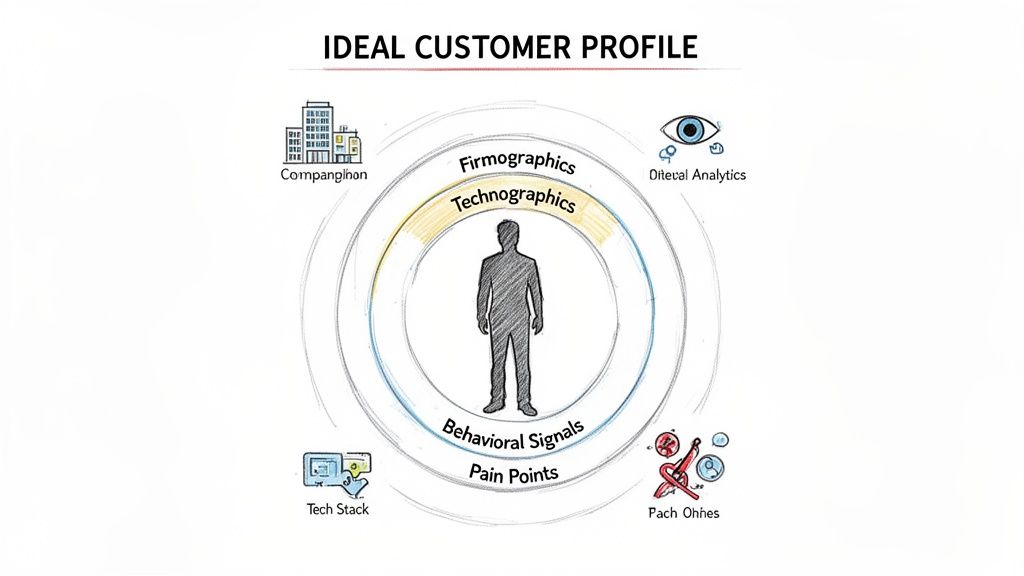
Diagram illustrating an ideal customer profile with firmographics, technographics, behavioral signals, and pain points.

Before a single email gets sent or one call is dialed, every solid SaaS lead gen strategy has to start with a foundational question: who are we really selling to?

Forget the generic buyer personas with fluffy, irrelevant details. The answer lies in building a data-driven Ideal Customer Profile (ICP). This isn't just another document to file away; it's a living, breathing definition of the perfect-fit company for your product.

A well-defined ICP is the line in the sand between a high-volume, low-quality outreach motion and a targeted, efficient sales engine that actually books qualified meetings. The goal is to make your profile so sharp that any SDR can instantly spot a high-value account and know exactly how to tailor their pitch. This clarity stops you from wasting time on companies that were never going to buy, no matter how good your demo is.

Beyond Basic Firmographics

Most teams check the box on their ICP by listing firmographics—company size, industry, location. That’s a start, but it’s nowhere near enough. Real precision comes from layering in other data points that signal actual intent and need.

Let’s say you sell a project management tool. Targeting "all tech companies with 50-200 employees" is just shouting into the void. A powerful ICP gets way more specific.

  • Firmographics (The Basics): B2B tech companies in North America with 50-200 employees.
  • Technographics (Their Tech Stack): They use Slack, Jira, and HubSpot. This tells you they’re already invested in modern, collaborative software, making them a much better fit than a company running on spreadsheets and legacy tools.
  • Behavioral Signals (Their Actions): Someone from the company hit your pricing page twice this week, and another downloaded your "Ultimate Guide to Agile Workflows." These are huge indicators of active buying intent.

This layered approach transforms a vague target into a high-probability opportunity. You're no longer guessing; you're acting on real signals that point to a real problem you can solve.

Uncovering Deeper Insights With Data

Pinpointing these technographic and behavioral signals isn't magic. It just requires the right tools and a process for digging into the data. To really sharpen your ICP, using data enrichment tools can be a game-changer by filling in the gaps in what you know.

For instance, you can fire up LinkedIn Sales Navigator to filter companies not just by size and industry but also by hiring trends. A company that’s rapidly hiring software engineers is almost certainly facing project management headaches—a perfect trigger for your outreach.

Actionable Step: Spend one hour this week analyzing your top 10 best customers. Identify three commonalities in their tech stack (e.g., they all use Marketo) and one behavioral trigger that preceded their purchase (e.g., they just hired a new VP of Marketing). Add these criteria to your ICP document immediately.

Ultimately, a sharp ICP is the GPS for your entire GTM team. It dictates your content, focuses your ad targeting, and guides your SDRs' daily grind. Without it, you’re just driving blind. With it, every action is deliberate and aimed at landing customers who won't just buy—they'll succeed.

Building Your Inbound and Content Engine
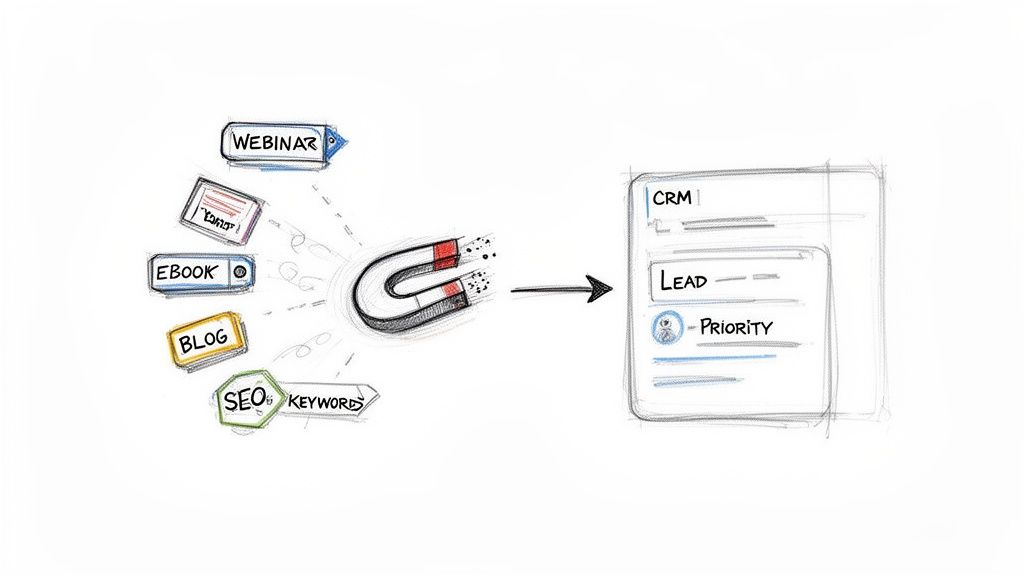
Content marketing activities (webinar, ebook, blog, SEO) acting as a magnet to generate leads for a CRM.

While a sharp outbound strategy gives you control over who you talk to, a smart inbound engine is the magnet that pulls your best-fit customers toward you. This is especially true when they're already out there, actively looking for a solution to their problem.

This isn’t about just churning out blog posts and hoping for the best. It’s about building a system that attracts the right people, captures their interest, and—most importantly—signals exactly when they’re ready for a sales conversation.

In the SaaS world, content marketing isn't just a "nice-to-have." It consistently drives about three times more marketing qualified leads (MQLs) than old-school outbound calling. SEO leads, in particular, are gold, with 35% of companies citing them as their highest-performing source. You can dig into more detailed industry statistics on your own time, but the takeaway is clear.

The game has changed. Your content can't just inform; it has to be a finely tuned instrument for converting passive interest into real sales intelligence.

Creating Content That Actually Generates Leads

The heart of any inbound strategy that works is content that speaks directly to the headaches and goals of your Ideal Customer Profile (ICP). Generic, top-of-funnel fluff has its place for brand awareness, but the real power in lead generation for SaaS comes from content built for prospects who are much deeper in their buying journey.

Forget another high-level "what is" post. Your focus should be on creating assets that help prospects solve a very specific problem or make a critical decision. This is where you elegantly connect your content to your product’s value without it feeling like a cheap sales pitch.

Let's compare two content approaches for a financial forecasting software company:

  • The Generic Play (Low Intent): Write an article called "5 Tips for Better Financial Planning." This is too broad. It will attract a massive, low-intent audience of students, small business owners, and everyone in between, resulting in low conversion rates.
  • The Targeted Play (High Intent): Create an article titled "How to Build a Rolling Forecast Model in Excel (With Free Template)." This title targets someone actively wrestling with a painful, manual task that your software just so happens to automate.

The second approach pulls in a lead who is infinitely more qualified. The person downloading that Excel template is practically raising their hand and shouting, "I have this exact problem right now!"

The best content isn’t measured by traffic alone; it’s measured by the intent it uncovers. Every asset you create should have a clear job, whether that’s educating a buyer, helping them compare solutions, or giving them a tool that solves an immediate pain.

From Content Engagement to a Sales Play

Getting someone to your site is just step one. To turn that inbound interest into actual pipeline, you need a slick way to capture their info and a process to act on it—fast. This is where compelling lead magnets and clear conversion paths are non-negotiable.

Why Actionable Lead Magnets Beat Passive Content

A lead magnet is simply a valuable resource you offer up in exchange for an email address. The trick is making the offer completely irresistible to your ICP. For a deeper dive, check out our guide on generating inbound leads.

Here’s a quick comparison of common lead magnets and where they fit:

Lead Magnet TypeBest ForWhy It Works
WebinarsDemonstrating complex solutions and engaging mid-funnel prospects.Puts your experts front and center and allows for live Q&A, which builds trust and shows off your product’s real-world value.
Whitepapers & EbooksEducating prospects on industry trends and establishing you as a thought leader.Perfect for buyers in the research phase who need deep, credible information to justify a purchase internally.
Templates & ChecklistsCapturing high-intent leads who are trying to solve a problem right now.Offers immediate, hands-on value and is directly tied to a pain point your product solves. This is a massive buying signal.
ROI CalculatorsTargeting bottom-of-funnel prospects who need to build a business case.Helps your champion quantify the value of your solution, making it much easier to get budget approval from their boss.

But here’s the crucial part: the handoff from marketing to sales has to be airtight. Actionable Step: Set up an automation rule in your CRM. When a lead downloads a high-intent asset (like a template or ROI calculator), automatically create a "High Priority Follow-Up" task for the assigned SDR, due within 2 hours. This ensures you act on buying signals immediately.

Activating Your Outbound and Social Selling

While your inbound engine is busy attracting leads, a sharp outbound strategy is how you go after your perfect-fit, high-value accounts. It puts you in the driver’s seat. You’re not waiting for them to find you; you’re engaging them long before they even start their search.

This isn’t about blasting generic emails into the void. We're talking about a modern, scalable motion built on relevance and precision.

A winning outbound plan is never single-threaded. It’s a blend of multiple touchpoints, recognizing that decision-makers live across different platforms. The real trick is knowing where each channel shines and making them work together.

Comparing Your Primary Outbound Channels

Your channel mix should be a direct reflection of your ICP and the story you need to tell. A quick look at the main players reveals some clear strengths and weaknesses.

ChannelKey AdvantageBest ForPotential Downside
Cold EmailScalability and directness. It's a cost-effective way to reach a large, defined audience fast.Delivering a concise, value-driven message to specific personas within your target accounts.It's an incredibly crowded space. You'll see low reply rates without exceptional personalization.
Social Selling (LinkedIn)Unmatched targeting and context. You can see a prospect's role, recent activity, and connections in a glance.Building credibility and warming up contacts before you ever send an email or make a call.It's time-intensive. To be effective, you need consistent, non-salesy engagement.
Cold CallingImmediate feedback and human connection. It's hands-down the fastest way to have a real conversation.High-value accounts where you need to unpack a complex problem or build a strong relationship from the start.Connect rates can be painfully low, and it feels intrusive if not handled with skill.

For most SaaS teams I've worked with, the sweet spot is an integrated sequence. Think of it like this: a light social touch on LinkedIn precedes a highly personalized email, which is then followed by a well-timed call.

Why LinkedIn Dominates B2B SaaS Prospecting

When it comes to social selling, one platform stands head and shoulders above the rest for B2B SaaS. Research shows LinkedIn is a staggering 277% more effective for generating leads than platforms like Facebook or X.

It’s no surprise that 40% of B2B marketers see it as their top channel for high-quality leads. This is partly because LinkedIn's own Lead Gen Forms boast a 13% conversion rate—a huge jump from the typical 2.35% for website landing pages—by keeping users right inside the app. If you want to dive deeper, there are some great stats on LinkedIn's lead generation power.

But the platform’s real magic is the context it gives you. You can join the same groups your ICP uses to talk about their challenges, see who’s engaging with your competitors, and spot key decision-makers who just changed jobs—a classic buying trigger.

Actionable Step: Identify the top 3 LinkedIn groups where your ICP congregates. Have your SDRs spend 15 minutes each day contributing valuable comments (not pitches) to relevant discussions. This builds familiarity and credibility before the first outreach.

The Art of the Modern Cold Email

While LinkedIn is for warming up the conversation, email is where you make your direct, compelling ask. The problem? Most cold emails are awful. They’re long, self-serving, and get deleted on sight.

The secret to getting replies is making the message about them, not you.

This is where AI-powered tools are completely changing the game. Instead of just spinning tired templates, modern platforms analyze your prospect’s company data, their persona, and recent market signals to generate a context-aware first draft. This doesn’t replace your SDRs; it augments them. The AI handles 80% of the research and drafting, freeing up your reps to nail that final 20% of personalization that makes an email feel genuine.

For a more comprehensive look at these tactics, check out our guide on building a powerful outbound lead gen strategy.

Tying It All Together in Your CRM

A solid outbound motion can fall apart without a clean workflow. If your reps are manually logging calls, copy-pasting email templates, and trying to remember their LinkedIn activity, you're not just losing hours to admin work—your data is becoming a mess.

This is where true CRM integration becomes non-negotiable. Picture this flow:

  1. A prospect from a target account likes your company's latest LinkedIn post.
  2. This engagement acts as a trigger, instantly creating a prioritized task in your SDR's CRM queue.
  3. The task pops up with the context of their LinkedIn activity and an AI-generated email draft already tailored to that prospect.
  4. Your SDR adds a human touch, hits send, and the entire activity is auto-logged back to the contact record in Salesforce or HubSpot.

This kind of closed-loop system kills friction, ensures your data stays pristine, and lets your team focus on what they do best: building relationships and booking meetings.

Nailing the SDR Execution Workflow

Even the most brilliant strategy for lead generation for SaaS falls flat without sharp execution. This is where your Sales Development Reps (SDRs) step onto the stage. Their daily workflow is the engine that turns your target accounts and all those marketing signals into actual, qualified meetings for the sales team.

Let's be real: without a structured process, SDRs drown. They waste hours just trying to figure out the "next best action" instead of actually engaging prospects. A disciplined execution workflow isn't about micromanaging them; it's about empowering them. It gives reps the clarity to focus on high-value conversations, not just busywork.

This is the high-level flow of a modern outbound motion. It’s simple but powerful.

The key takeaway here is how automation connects the dots. It’s the glue between targeting and engagement, creating a system you can actually repeat and scale.

Prioritizing Tasks for Maximum Impact

An SDR's day is a constant battle for their attention. They’ve got hundreds of leads, a dozen high-priority accounts, and alerts firing off from every direction. The single biggest drain on their productivity is simply deciding what to do next.

This is why an intelligent task engine is no longer a nice-to-have. Instead of just handing reps a static list of contacts to call, a modern workflow should automatically prioritize their tasks by blending different data points.

  • Account Fit: How closely does this company really match your Ideal Customer Profile (ICP)?
  • Buyer Intent Signals: Did someone from the account just binge-read three blog posts or visit your pricing page?
  • Engagement History: Has this person opened your last three emails but never once replied? That's a signal.

By scoring and ranking these signals, the system can serve up the "next best action" with all the context needed. The SDR no longer has to guess; they can just execute.

Designing a Multi-Touch Sales Sequence

If you're still relying on a single channel, you're setting yourself up to fail. A single cold email gets lost in the noise. A single cold call is easily ignored. Effective outreach is a carefully orchestrated sequence, using multiple channels to build familiarity and deliver a consistent message over time.

A solid sequence might run for two or three weeks and include a mix of automated emails and manual, human touches.

Example Multi-Touch Sequence

DayChannelAction
Day 1LinkedInView their profile and send a simple, non-pitchy connection request.
Day 2EmailSend a highly personalized email that references a specific trigger (like a company announcement or a recent LinkedIn post).
Day 4PhoneMake a quick intro call. The goal isn't to sell; it's to validate their role and see if you can confirm a pain point.
Day 7EmailFollow up with a valuable resource—maybe a case study from a similar company in their industry.
Day 10LinkedInEngage with something they shared or commented on. Show you're paying attention.
Day 12Phone & EmailMake one last call. If no answer, send a respectful "breakup" email to close the loop cleanly.

Actionable Step: Build this exact 12-day sequence in your sales engagement platform. Create templates for each email step and a short script for the calls. Enroll 10 new high-value prospects into this sequence and track the response rate compared to your old single-channel approach.

Transforming Call Preparation With AI

One of the biggest time-sucks for any SDR is prepping for calls. Manually digging through a company's website, recent press releases, and the prospect's LinkedIn profile can easily eat up 15-20 minutes for a single call. When you try to do that at scale, all that admin work just kills productivity.

This is where AI gives your team massive leverage. Instead of reps doing the grunt work, an AI-powered system can surface the most important talking points just seconds before a call.

Imagine an SDR clicks to dial a prospect. A screen instantly pops up showing:

  • Recent Company News: "They just announced a Series B funding round to expand into Europe."
  • Key Talking Points: "Mention how our platform helps with international compliance."
  • Common Objections: "They might say they're happy with their current vendor; here's how to respond."

This doesn't just save time; it fundamentally improves the quality of the conversation. Reps sound more informed, confident, and relevant—which leads directly to more meetings booked.

The Power of an Integrated Dialer

The final piece of this execution puzzle is connecting the phone directly to your CRM. If your reps are dialing from their cell phones or a separate app, you're creating two huge problems: friction and data loss. They have to manually log every call, every outcome, and every note—a step that gets skipped the second things get busy.

An integrated dialer that lives inside your CRM, like Salesforce or HubSpot, solves this instantly. With click-to-dial functionality, reps can launch calls straight from a contact record. Better yet, when the call ends, a window prompts them to log the outcome ("Connected," "Left Voicemail") and add notes, which are automatically saved to the record.

This seamless workflow keeps reps focused on what they do best—talking to prospects—not on administrative data entry. It also guarantees that every single touchpoint gets logged, giving leadership a clean, accurate view of team activity. This is crucial, as optimizing follow-up is a top priority for accelerating lead velocity. In fact, 40% of SaaS companies identify it as their number one tactic. You can dig into more of these impactful lead generation statistics to see how they affect sales pipelines.

Measuring Performance and Optimizing Your Strategy

You can't fix what you can't see. A lead generation plan looks great on a whiteboard, but it's useless if you can’t tell what’s actually working versus what’s just burning cash. This is the final, non-negotiable piece of the puzzle: setting up a framework to measure what truly matters.

This isn’t about chasing vanity metrics like total leads or email open rates. Sure, they're interesting, but they don’t pay the bills. The real goal is to draw a straight, undeniable line from your team's daily grind to the closed-won deals that grow the business.

From Vanity Metrics to Revenue KPIs

If you want to get a real pulse on your lead gen health, you have to track the numbers that speak to efficiency, speed, and quality. These are the metrics that should live on your sales dashboard and drive the conversation in every single weekly meeting. They tell the story of how well your effort is turning into actual pipeline.

Forget the fluff. Zero in on these key performance indicators:

  • MQL-to-SQL Conversion Rate: This is it. This is the ultimate test of lead quality and the alignment between your marketing and sales teams. If this number is low, it’s a massive red flag that your definition of a “good lead” is flat-out wrong.
  • Pipeline Velocity: How fast are deals moving from that first touchpoint to a signed contract? A slow velocity is a sign of friction somewhere in your sales process. Or, it could mean you're targeting prospects who just don't have enough urgency to buy.
  • Cost Per Qualified Lead (CPQL): This blows the generic Cost Per Lead (CPL) out of the water. CPQL tells you exactly how much you're spending to generate a lead that your sales team actually accepts and puts time into.

Here's a hard truth: the most critical piece of this entire puzzle is clean data. If your reps aren't logging every call, email, and social touch, your reports are pure fiction. This is exactly why auto-logging activities from integrated sales tools isn't a "nice-to-have"—it's an absolute must.

Building Actionable Dashboards in Your CRM

Your CRM should be a command center, not a data graveyard. The best way to keep your team laser-focused on the numbers that matter is by building simple, visual dashboards. For a much deeper dive on what to track, check out our complete guide on the most important KPIs for lead generation.

When you compare your key channels side-by-side on a dashboard, it becomes instantly obvious where you need to double down and where you need to pull back.

Example Channel Performance Snapshot

ChannelMQLs this QuarterMQL-to-SQL RateAvg. Deal Size
Outbound Email12025%$15,000
Inbound (SEO)8545%$12,500
Paid Ads2108%$9,000

A simple view like this tells a powerful story. Right away, you can see that while paid ads are driving volume, the leads from inbound are far higher quality. You can also see that your outbound efforts are landing bigger deals. Armed with this data, you can now make smart decisions, like shifting budget from paid ads to SEO or building a new outbound sequence that targets the ICP that's proving most successful.

Got Questions? Here Are Some Straight Answers

You're not the first person to ask these. Let's clear up a few common questions that pop up when building a modern SaaS lead gen machine.

What’s the Single Best Lead Generation Channel for SaaS?

Everyone wants the one magic bullet, but it just doesn't exist. The real answer is that the best strategy for lead generation for SaaS is a smart mix of channels working together. Think of it this way: content marketing and SEO are fantastic for pulling in a steady flow of high-quality inbound leads—people who already know they have a problem and are actively looking for a solution.

On the other hand, for surgically precise outbound prospecting in B2B, LinkedIn is still king. It lets you zero in on your exact ICP like no other platform.

But the real magic happens when you connect the dots. Imagine a prospect downloads one of your whitepapers (an inbound signal). Instead of just sitting in a database, that action instantly kicks off a personalized, multi-touch outbound sequence. That’s how you turn a flicker of passive interest into a real sales conversation.

How Do I Use AI for My SDRs Without Them Sounding Like Robots?

This is a huge, valid concern. The goal of modern AI isn't to replace your reps; it's to give them superpowers. It acts as a co-pilot, not the pilot. Instead of spitting out generic, soulless emails, a good AI tool analyzes account data, digs into the persona, and flags recent intent signals to draft a sharp, relevant first email.

From there, your SDR takes over. They review it, add their human touch, inject their personality, and hit send. For calls, AI can serve up real-time talking points or smart ways to handle objections. This whole approach shaves hours off the soul-crushing manual prep work, freeing up your reps to do what they do best: have better, more human conversations. You end up with both higher quantity and higher quality outreach.

My Team Hates Logging Activities in the CRM. How Do I Fix This?

You’ve hit on one of the most common—and critical—problems in sales operations. The root cause is almost always workflow friction. If your reps are constantly jumping between their dialer, their email client, and the CRM, logging activities will always be the first thing they skip when they get busy.

The most practical fix is to bring the tools to the reps, right inside the CRM. When you use a platform that has a native dialer for Salesforce or HubSpot, activities get logged automatically the second a call or email is done. This doesn't just solve your adoption problem; it gives leadership the clean, accurate data you need to actually see what's working. You have to make doing the right thing the easiest thing to do.


Ready to cut the busywork and give your SDRs a workflow that actually works? marketbetter.ai translates buyer signals into a prioritized to-do list and helps your team execute flawlessly with an AI-powered dialer and email writer that lives right inside Salesforce and HubSpot.

See how you can build a consistent, high-performing outbound motion at https://www.marketbetter.ai.

Why Your Next SDR Hire Should Be an AI Agent (But Your Current SDRs Are Safe) [2026]

· 7 min read
sunder
Founder, marketbetter.ai

Let's address the elephant in the room: AI is coming for your SDR team.

At least, that's what the headlines want you to believe.

The reality? After running a team of AI agents at MarketBetter for the past quarter—watching them research prospects, draft emails, monitor competitors, and analyze deals—I can tell you definitively:

AI won't replace your SDRs. But AI will make your top SDRs unstoppable—and your average SDRs obsolete.

Here's what's actually happening.

The AI Panic Is Real (And Mostly Wrong)

Every sales leader I talk to has the same question simmering beneath the surface: "Should I be worried about my team?"

The panic is understandable. When you see AI tools:

  • Researching 100 prospects in the time a human researches 3
  • Personalizing 500 emails while maintaining quality
  • Working 24/7 across every timezone without complaining

…it's easy to imagine a future where human SDRs are simply obsolete.

But here's what the "AI will replace everyone" crowd misses:

Sales isn't data processing. Sales is psychology.

McKinsey's latest research shows that 42% of B2B decision-makers are implementing AI for sales—but only 7% have AI "fully scaled" across their organization. Why the gap?

Because they learned what we learned: AI is phenomenal at preparation. AI is terrible at persuasion.

What AI Actually Does Well

Let's be honest about AI's strengths. At MarketBetter, our AI agents (yes, we named them—Zenith, Orbit, Recon, Signal) handle:

1. Research at Scale

Before AI, researching a single enterprise account took 30-45 minutes. Now Recon synthesizes:

  • Company news and hiring patterns
  • Tech stack from job postings
  • Competitor relationships
  • Pain signals from G2 reviews
  • LinkedIn activity from key stakeholders

Time to insight: 3 minutes. Not 30.

2. First Drafts That Don't Suck

Our AI writes the first draft of prospecting emails. Not generic templates—actual personalized messages referencing specific company events, tech decisions, and pain points.

Human SDRs used to spend 40% of their time writing emails. Now they spend 10% editing AI drafts—and the output is better.

3. Repetitive Task Automation

  • CRM data entry? Automated.
  • Meeting prep briefs? Generated.
  • Follow-up scheduling? Handled.
  • Competitor monitoring? Continuous.

The average SDR spends 66% of their time on non-selling activities. AI can reclaim most of that.

4. Pattern Recognition at Scale

AI doesn't get tired. It doesn't have bad days. It notices patterns humans miss:

  • "Prospects who mention 'consolidating vendors' convert 3x higher"
  • "Reaching out within 2 days of a leadership change increases response by 47%"
  • "This prospect's company just hired 3 SDRs—they're investing in outbound"

Humans spot these patterns eventually. AI spots them instantly.

What AI Cannot Do (And Won't Anytime Soon)

Here's where the AI-replacement narrative falls apart:

1. Build Genuine Trust

When a VP of Sales is evaluating your product, they're not just buying software. They're betting their career on a decision.

No AI can look them in the eye (metaphorically or literally) and say: "I understand. I've been there. Here's how we've helped teams like yours."

Trust is built through shared vulnerability, through admitting uncertainty, through moments of genuine human connection. AI can simulate empathy. It cannot feel it—and people can tell the difference.

2. Navigate Political Complexity

Enterprise deals involve 6-10 stakeholders with conflicting priorities:

  • The CFO wants cost reduction
  • The VP of Sales wants quota attainment
  • The IT Director wants security compliance
  • The end users want simplicity

A skilled SDR reads the room, adjusts messaging in real-time, and builds individual relationships with each stakeholder. AI sees stakeholders as data points. Humans see them as people with fears, ambitions, and hidden agendas.

3. Handle True Objections

AI can respond to common objections with pre-programmed responses. But what about:

"We tried something similar and it destroyed our team's morale."

"Our CEO's golf buddy runs your competitor."

"I'm actually getting pushed out in 3 months, so I can't champion anything."

These aren't logical objections. They're human moments requiring human intuition.

4. Create Something From Nothing

The best SDRs aren't just executing playbooks—they're inventing new approaches:

  • A creative way to get past gatekeepers
  • An unexpected angle that resonates with a specific persona
  • A referral strategy that opens doors no email ever could

AI optimizes existing patterns. Humans create new ones.

5. Adapt to the Unexpected

AI thrives on patterns. Sales is unpredictable.

When a prospect suddenly pivots the conversation, brings up an unexpected concern, or makes an off-script comment that reveals their true priority—AI flounders. Great SDRs flourish.

The Hybrid Model: 10x SDRs

Here's the insight nobody's talking about:

The future isn't AI vs. humans. It's AI + humans vs. everyone else.

The most dangerous sales teams in 2026 aren't replacing SDRs with AI. They're giving each SDR an AI co-pilot that handles:

  • 100% of research
  • 80% of first-draft writing
  • 100% of data entry
  • 100% of scheduling

This transforms what an SDR can accomplish:

MetricTraditional SDRHybrid AI+SDR
Prospects researched/day10-15100+
Personalized emails sent30-50150-200
Time on actual selling34%75%+
Response rate2-3%5-8%

That's not a marginal improvement. That's a category shift.

What This Means for Your Team

If You're a Sales Leader

Don't replace your SDRs. Augment them.

  1. Identify time sinks: Where do your SDRs waste time? Research? CRM? Scheduling? Those are AI opportunities.
  2. Invest in AI tools: Not chatbot gimmicks—real AI workflows that integrate with your stack.
  3. Upskill your team: Train SDRs on working with AI, not against it. Prompt engineering is a sales skill now.
  4. Redefine metrics: Stop measuring "activities." Start measuring "conversations" and "pipeline influence."

If You're an SDR

Your job isn't disappearing. It's getting harder—and more valuable.

The SDRs who thrive will be those who:

  • Use AI to work at 10x scale while maintaining quality
  • Focus their human time on relationship-building and complex deals
  • Develop skills AI can't replicate: empathy, creativity, strategic thinking
  • Become invaluable because they're irreplaceable, not because they're cheap

If You're a Founder (Like Me)

Your next hire might be an AI agent.

Not instead of an SDR—alongside one. At MarketBetter, our AI squad does the work of 3-4 full-time employees in research, content, and ops. The humans on our team focus exclusively on what only humans can do.

The math works. The results speak for themselves.

Free Tool

Try our AI Lead Generator — find verified LinkedIn leads for any company instantly. No signup required.

The Bottom Line

AI won't replace SDRs in 2026, 2027, or anytime soon.

But AI will make the gap between great SDRs and average SDRs exponentially wider.

The question isn't "Will AI take my job?"

The question is "Will I learn to work with AI before my competitor's SDRs do?"


Ready to see how AI can amplify your sales team? MarketBetter combines AI-powered research, personalization, and workflow automation to make your SDRs 10x more effective—without replacing them.

Book a Demo →


Related reading:

10 Actionable Sales Cadence Best Practices for 2026

· 27 min read

Your sales cadence is either your most powerful pipeline-generating tool or a fast track to your prospect’s spam folder. The line between these two outcomes is razor-thin, and it’s defined by a commitment to strategic execution over repetitive, robotic outreach. If your team is stuck in a cycle of sending generic email blasts and making cold calls with no context, you’re not just losing deals; you’re actively damaging your brand’s reputation and burning out your best reps on low-impact work. The problem isn't a lack of effort, it's a lack of an intelligent framework.

This guide provides a direct, actionable blueprint to overhaul that broken process. We’re moving past the obvious advice and diving into ten proven sales cadence best practices that top-performing teams use to consistently book more meetings. You won't find vague theories here. Instead, we offer specific, implementable strategies covering every stage of the process, from designing multi-channel sequences that command attention to using CRM-native tools for flawless execution.

We'll provide side-by-side comparisons of effective versus ineffective tactics, showing you precisely how to:

  • Structure sequences based on prospect intent signals, not just a rigid schedule.
  • Personalize messaging at scale without sacrificing efficiency.
  • Optimize your follow-up rules based on real-time prospect behavior.
  • Integrate your tools to eliminate friction and maximize selling time.

These are the essential sales cadence best practices required to break through the noise, engage high-value accounts, and build a predictable revenue engine. Let's get started.

1. Multi-Channel Sequencing (Email → Call → LinkedIn → Email)

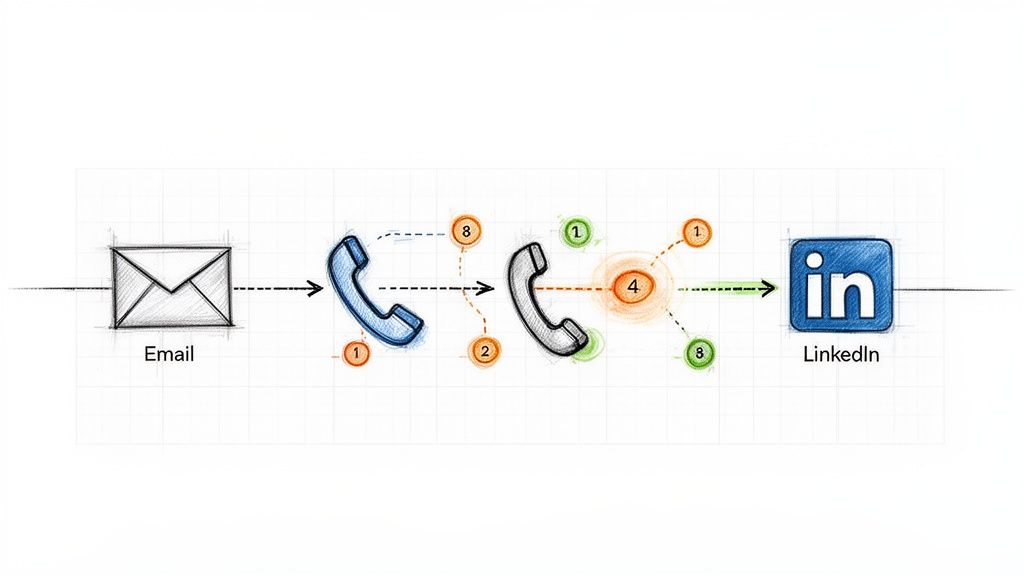
Relying solely on one communication channel, like cold email, is like fishing with a single line. One of the most impactful sales cadence best practices is to adopt a multi-channel sequence that layers different forms of outreach. This approach respects a prospect's communication preferences and significantly increases the chances of engagement by surrounding them with value across various platforms. Instead of sending five emails in a row, a multi-channel cadence might involve an email, a follow-up call, a LinkedIn connection request, and another email, all within a structured 7-10 day window.

Ineffective Tactic (Single-Channel)Effective Tactic (Multi-Channel)
Day 1: Email 1Day 1: Email 1
Day 3: Email 2 (Bump)Day 3: Call (Reference Email 1)
Day 5: Email 3 (Breakup)Day 4: LinkedIn Connection Request
Result: Low reply rate, high chance of being marked as spam.Result: Higher engagement, multiple touchpoints, professional persistence.

Illustration of a multi-channel outreach sequence, showing email, phone calls, and LinkedIn steps.

This method works because it combines asynchronous touches (email, LinkedIn), which prospects can review on their own time, with synchronous ones (calls) that create opportunities for immediate conversation. Companies like HubSpot and Salesloft have built their sales development playbooks around this model, often seeing reply rates jump from a standard 2-3% on email-only sequences to over 25% with multi-touch campaigns. The key is ensuring each touchpoint builds upon the last, creating a cohesive narrative rather than a series of disjointed, repetitive pings.

How to Implement Multi-Channel Sequencing:

  • Action Step 1: Map Your Sequence. Before building, sketch out the flow: Day 1: Email, Day 3: Call, Day 4: LinkedIn View + Connect, Day 6: Email 2. Define the goal for each touchpoint.
  • Action Step 2: Create Contextual Bridges. Your LinkedIn message should reference your email. A simple, "Hi [Name], I just sent an email regarding [topic] and wanted to connect here as well," is far more effective than a generic connection request.
  • Action Step 3: Use Engagement to Prioritize. If a prospect opens your email three times, move their call task to the top of your list. This focuses synchronous effort on engaged leads.
  • Action Step 4: Automate Logging. Ensure every touchpoint, whether an email sent via your sales engagement platform or a manual call, is automatically logged in your CRM. Platforms like MarketBetter.ai can automate this logging process, ensuring your data remains clean and actionable.

2. Intent-Driven Task Prioritization (Activity Signals → Next Best Action)

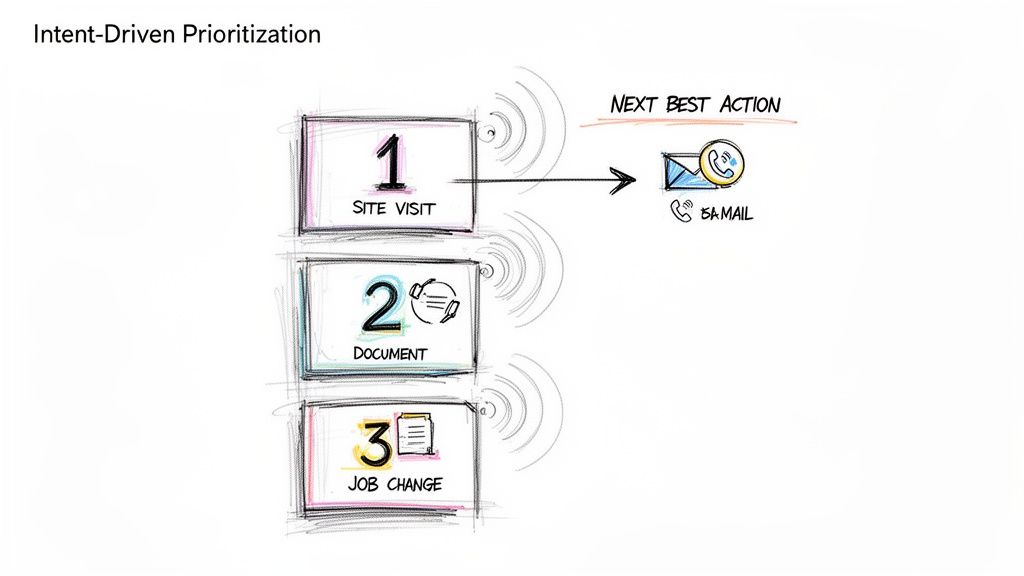
A static, alphabetical task list is a relic of the past. One of the most critical sales cadence best practices is to prioritize outreach based on real-time buyer intent signals. This data-driven approach shifts reps from a "who's next on the list" mentality to a "who's most likely to engage right now" strategy. Instead of treating all prospects equally, this model automatically surfaces and ranks targets based on high-value activities like visiting your pricing page, downloading a whitepaper, or recent job changes, ensuring reps focus their energy on the hottest leads.

Ineffective Tactic (Static List)Effective Tactic (Dynamic Prioritization)
Reps work through a list from A-Z.Reps are served tasks based on intent score (e.g., Pricing Page Visit = 10 points).
A "hot" lead who visited the site an hour ago might wait days for a call.The hot lead is automatically placed at the top of the task queue for immediate follow-up.
Reps waste time on cold, unengaged accounts.Reps spend 80% of their time on the 20% of leads most likely to convert.

A hand-drawn diagram illustrating intent-driven prioritization, showing Site Visit, Document, and Job Change leading to a Next Best Action: email or call.

This method transforms a sales cadence from a rigid schedule into a dynamic, responsive workflow. When platforms like 6sense and Outreach are integrated, they can deliver up to 40% higher SDR productivity by serving up the "next best action" based on a combination of intent, timing, and ICP fit. The goal is to align outreach with the buyer's journey, engaging them the moment their interest peaks rather than weeks later when your cadence says it's their turn.

How to Implement Intent-Driven Task Prioritization:

  • Action Step 1: Define Your High-Intent Signals. List the top 3-5 actions that indicate strong buying intent. Start with demo requests and pricing page visits.
  • Action Step 2: Set Strict SLAs. For a high-intent signal, create a rule for a rep to follow up within 2 hours. For medium-intent (e.g., webinar attendance), set a 24-hour SLA.
  • Action Step 3: Contextualize Your Outreach. Use the signal as your reason for outreach. “Saw you were looking at our case study on [Topic] and wanted to offer some additional details.”
  • Action Step 4: Filter with ICP Fit. Combine intent with your Ideal Customer Profile (ICP). A platform like MarketBetter.ai can automate this by scoring leads based on both behavioral data and firmographic fit, ensuring your team only pursues high-potential opportunities.

3. Personalized Opening Lines (Account/Persona Context in First Sentence)

Nothing kills a sales cadence faster than an opening line that screams "mass email." One of the most critical sales cadence best practices is to anchor your first sentence in specific, verifiable context about the prospect's company, recent activity, or role. This immediately signals that the outreach is a well-researched, 1-to-1 message, not a generic blast sent to thousands. Instead of a vague "I help companies like yours," a personalized opener gets straight to a relevant trigger point.

Ineffective Tactic (Generic Opener)Effective Tactic (Personalized Opener)
"Hi John, I help VPs of Sales like you solve their pipeline challenges.""Hi John, saw on LinkedIn your team is hiring three new AEs to expand into APAC."
Result: Instantly deleted. Reads like spam.Result: Grabs attention. Shows research and relevance.

This strategy works because it proves you've done your homework and respects the prospect's time by connecting your solution to their immediate reality. Research from Salesloft shows that account-based emails which mention specific products or features outperform generic templates by more than 3x. The goal is to make the prospect feel understood in the first 10 seconds.

How to Implement Personalized Opening Lines:

  • Action Step 1: Create a Trigger Checklist. Build a simple checklist for reps: 1. Check LinkedIn for recent posts/job changes. 2. Check company news for funding/launches. 3. Check G2 for recent reviews.
  • Action Step 2: Practice the "Trigger-to-Value" Bridge. Your first sentence states the observation, and the second connects it to your value. Example: “I noticed your team just launched a new integration with Salesforce. Typically, companies doing this face challenges with data syncing, which is where we help.”
  • Action Step 3: A/B Test Your Hooks. In your next 50 emails, test a hook based on a company trigger (e.g., funding) against a persona trigger (e.g., a recent LinkedIn post by the prospect). See which gets more replies.
  • Action Step 4: Leverage Technology for Scale. Use platforms like Amplemarket or MarketBetter.ai to create dynamic templates that pull in custom fields from your CRM, blending automation with genuine personalization.

4. Response-Triggered Sequencing (Adapting Based on Prospect Behavior)

A static, one-size-fits-all sales cadence treats every prospect the same, regardless of their interaction with your outreach. One of the most advanced sales cadence best practices is implementing response-triggered sequencing, a dynamic approach where the next step is determined by the prospect's real-time behavior. Instead of blindly following a pre-set path, this method adapts based on engagement signals like email opens, link clicks, or even a picked-up phone call that goes straight to voicemail.

Ineffective Tactic (Static Sequence)Effective Tactic (Dynamic Sequence)
A prospect clicks your case study link. The next step is still the automated "Just bumping this" email 3 days later.A prospect clicks your case study link. A high-priority call task is immediately created for the rep.
A prospect doesn't engage with 4 emails. They still get 4 more.After 4 unengaged touches, the prospect is automatically moved to a long-term, low-touch nurture sequence.

This intelligent sequencing transforms your cadence from a monologue into a conversation. If a prospect clicks a link to a case study in your first email, a dynamic cadence can automatically trigger a high-priority call task for the rep to follow up with relevant insights. Platforms like Outreach.io and Salesloft have built adaptive cadence features around this concept, empowering teams to create if/then logic that scales personalization and boosts efficiency.

How to Implement Response-Triggered Sequencing:

  • Action Step 1: Map Your If/Then Logic. Create a simple flowchart. If prospect clicks pricing link, then create a high-priority call task. If prospect opens email 3+ times but no click, then send follow-up email with a different value prop.
  • Action Step 2: Build Two Paths. Design an "Engagement Path" (more aggressive, personalized) and a "No-Engagement Path" (longer intervals, value-based content).
  • Action Step 3: Use Engagement Data in Your Outreach. Equip reps to use behavioral data as context. A call script can start with, "Hi [Name], I noticed you checked out the case study I sent over about [topic]..."
  • Action Step 4: Set an "Exit" Threshold. Define the point of diminishing returns. For example, after 5 touches with zero engagement, automatically exit the prospect from the active sequence. Tools like MarketBetter.ai can help automate this process, moving them to a quarterly check-in list to keep your pipeline clean.

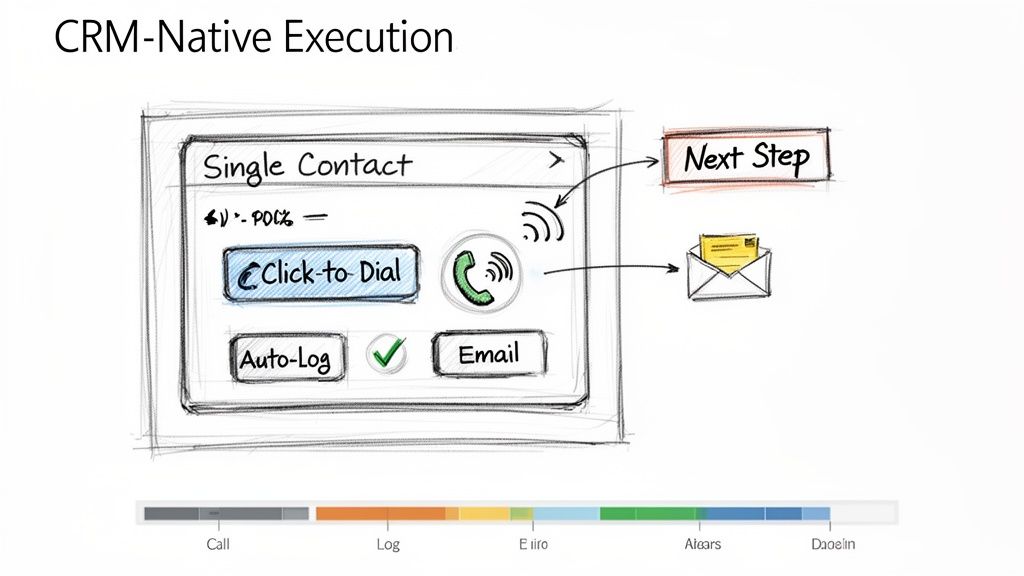
5. CRM-Native Execution (No Tab Switching; One-Click Call & Logging)

One of the biggest drags on sales productivity is friction. Constantly switching between your CRM, a separate dialer, your email client, and a note-taking app drains momentum and creates data silos. One of the most effective sales cadence best practices is to enable CRM-native execution, where all outreach activities are initiated and logged directly within your central system of record, like Salesforce or HubSpot. This unified workflow eliminates tab-switching and automates activity logging.

Ineffective Tactic (Multi-Tool Chaos)Effective Tactic (CRM-Native Workflow)
Rep copies a number from Salesforce, pastes it into a softphone, makes the call, then returns to Salesforce to manually log it.Rep clicks a "Call" button directly on the Salesforce contact record. The call is made and automatically logged with a disposition prompt.
Time per call: 2-3 minutes of admin work.Time per call: 10-20 seconds of admin work.

A hand-drawn sketch illustrating CRM-native execution with options for calling, logging, and emailing contacts.

This approach dramatically improves both adoption and efficiency. For example, when Outreach.io integrates its one-click dialer directly into a Salesforce contact page, call volume often increases by over 30% simply by removing the steps of copying and pasting numbers. The goal is to make the right action the easiest action, which means keeping reps in the one system that houses all customer data and context.

How to Implement CRM-Native Execution:

  • Action Step 1: Conduct a Workflow Audit. Shadow a rep for an hour and count every time they switch tabs to complete a task. Identify the top 3 friction points to solve.
  • Action Step 2: Configure Intelligent Auto-Logging. Set up rules to automatically log calls and emails the instant they happen. Allow reps a short window, perhaps 10 minutes post-call, to add detailed notes and context.
  • Action Step 3: Standardize Next Steps. Use your CRM's task management features to create templates for common follow-up actions like "Send Deck" or "Schedule Demo." This reduces manual entry and ensures consistent follow-through.
  • Action Step 4: Centralize Reporting. Train managers to use in-CRM dashboards for performance tracking instead of exporting data. Platforms like MarketBetter.ai can embed cadence analytics directly into the CRM, allowing for real-time coaching based on live activity data.

6. Call Prep Talk Tracks (Account Context + Objection Handling in 60 Seconds)

A structured sales cadence dictates when to call, but a pre-call talk track dictates what to say for maximum impact. One of the most critical sales cadence best practices is equipping reps with a concise, one-page talk track before every call. This isn't a rigid script; it's a strategic guide that synthesizes prospect context, a sharp opening pitch, anticipated objections, and key discovery questions into a 60-second preparatory tool.

Ineffective Tactic (Winging It)Effective Tactic (Prepared Talk Track)
Rep opens the CRM record and dials, hoping to figure it out on the fly.Rep spends 60 seconds reviewing a one-page summary: the prospect's trigger, a value hook, and answers to likely objections.
Result: Rambling, unfocused calls, and low confidence.Result: Confident, concise calls that get to the point and handle pushback effectively.

Gong’s research shows that reps who are prepared with objection handles close three times more deals. The goal is to internalize the flow, not just read the words, enabling a confident and natural conversation.

How to Implement Call Prep Talk Tracks:

  • Action Step 1: Create a One-Page Template. Use bullet points, not paragraphs. Sections should include: 1. Account Context (trigger), 2. Value Prop (20 seconds), 3. Top 3 Objections & Rebuttals, 4. Key Discovery Questions.
  • Action Step 2: A/B Test Your Openers. For your next 20 calls, try a curiosity-driven opener ("I noticed your company is expanding its logistics network..."). For the next 20, try a problem-driven one ("Many VPs of Ops are struggling with X..."). Track which leads to more conversations.
  • Action Step 3: Update Tracks Weekly. Review call recordings from your top performers weekly to identify what language is working. Use Conversation Intelligence to pull data-driven insights from real calls to refine objection handling.
  • Action Step 4: Train with Role-Playing. Run weekly 30-minute role-playing sessions. Give reps a scenario and a talk track, and have them practice delivering the key points authentically, not robotically.

7. Disposition-Based Routing (Not All Leads Go to Sales; Some Need Follow-Up)

Treating every lead outcome the same is a recipe for wasted effort and missed opportunities. One of the most critical operational sales cadence best practices is implementing disposition-based routing, a system that classifies every interaction outcome and automatically directs the lead to the appropriate next step. Instead of manually deciding what to do, reps simply log a disposition like "Not Now, Follow-Up in 6 Months," and automation takes over.

Ineffective Tactic (Manual Follow-up)Effective Tactic (Automated Routing)
Rep makes a note in a spreadsheet to "Follow up with Jane in Q3."Rep selects the "Nurture - Q3 Budget" disposition in the CRM.
Result: The note is forgotten, and the lead falls through the cracks.Result: An automated task is created for the rep on July 1st with all the previous context.

This practice prevents valuable but not-yet-ready leads from falling through the cracks and ensures Account Executives (AEs) only receive leads that are genuinely sales-ready. Companies like Outreach.io have shown that clear disposition-based routing can reduce friction between SDRs and AEs by over 40% by standardizing lead handoffs.

How to Implement Disposition-Based Routing:

  • Action Step 1: Define Your Core Dispositions. Standardize 5-7 clear options: 'Meeting Booked,' 'Schedule Follow-Up,' 'Not Now - Nurture,' 'Wrong Contact,' 'Not a Fit,' and 'Voicemail/No Answer.'
  • Action Step 2: Train on the Nuance. Coach your team on the difference between 'Not a Fit' (ICP mismatch, disqualify) and 'Not Now' (right fit, wrong timing, nurture).
  • Action Step 3: Build Automated Workflows. For each disposition, create a rule. 'Schedule Follow-Up' creates a task in 30 days. 'Not Now - Nurture' enrolls the prospect in a marketing email sequence. This automation is a key function of platforms like MarketBetter.ai.
  • Action Step 4: Require Contextual Comments. Make the "Comments" field mandatory for dispositions like 'Not Now.' A note like "Budget cycle ends in Q3, revisit in September" provides invaluable context for the next touchpoint.

8. Email Sequence Cadence Optimization (Testing Send Times,Frequency, and Subject Line Variants)

Treating your email sequence as a static, "set it and forget it" asset is a missed opportunity. One of the most critical sales cadence best practices is continuous optimization through systematic A/B testing. This involves rigorously testing variables like subject lines, send times, and follow-up frequency to discover precisely what resonates with your ideal customer profile. Instead of relying on assumptions, you use data to build a high-performing outreach machine.

Ineffective Tactic (Assumption-Based)Effective Tactic (Data-Driven A/B Testing)
"I think sending emails at 9 AM is best.""We tested 9 AM vs. 2 PM sends. For our manufacturing persona, 2 PM gets a 15% higher open rate."
The same subject line is used for months without analysis.Two subject lines are tested weekly, and the winner becomes the new control.

This data-driven approach moves you from guessing to knowing. Salesloft research shows that simple, one-word subject lines can outperform longer ones by 10% when targeting tech buyers. By isolating and testing one element at a time, you can incrementally improve engagement. To scale this process effectively, it is crucial to Master Email Follow Up Automation and implement these data-backed insights into your outreach.

How to Implement Email Sequence Optimization:

  • Action Step 1: Isolate One Variable. For your next campaign, test only the subject line. Keep the email body and send time identical for both variants to get clean data.
  • Action Step 2: Aim for Statistical Significance. Don't declare a winner after 20 sends. A good rule of thumb is to send at least 100 emails per variant to ensure the results are reliable.
  • Action Step 3: Track Opens and Replies Separately. A catchy subject line might boost opens, but a clear, value-driven one might generate more replies. Analyze both metrics to understand the full impact.
  • Action Step 4: Create a Quarterly Review Cadence. Set a recurring calendar event every quarter to review your test results, implement the winners, and plan the next round of experiments.

9. First-Response SLA (Responding to Prospect Replies Within 1 Hour)

A sales cadence doesn't end when a prospect replies; in fact, that's when the most critical phase begins. One of the most underrated sales cadence best practices is implementing a strict First-Response Service Level Agreement (SLA), committing your team to responding to all prospect replies within one hour during business hours. This discipline capitalizes on peak prospect intent.

Ineffective Tactic (Delayed Response)Effective Tactic (Sub-1-Hour SLA)
A prospect replies at 10 AM asking for info. The rep is busy with calls and replies at 4 PM.The prospect replies at 10 AM. An alert notifies the rep, who sends a thoughtful response by 10:30 AM.
Result: The prospect has moved on, their interest has cooled, and a competitor may have already engaged them.Result: The conversation continues while intent is high, leading to a much higher chance of booking a meeting.

Data from platforms like Salesloft reinforces this, showing that sales teams with a sub-one-hour response SLA achieve up to 35% higher meeting-booked rates. The goal isn't just to be fast, but to be fast and effective, moving the conversation forward while the prospect's interest is at its highest.

How to Implement a First-Response SLA:

  • Action Step 1: Create 'Hot Task' Alerts. Configure your sales engagement platform to create a high-priority task that appears at the top of a rep's queue the moment a prospect replies.
  • Action Step 2: Build Response Templates. Equip reps with pre-built templates for common replies (e.g., pricing request, scheduling inquiry). This allows for a rapid, high-quality initial response that can be personalized.
  • Action Step 3: Train the "Acknowledge and Ask" Method. Instead of just sending a calendar link, train reps to first acknowledge the prospect's message and then ask a clarifying question. Example: "Thanks for getting back to me. Before I send some times, what would be most helpful for us to cover on the call?"
  • Action Step 4: Schedule "Reply Blocks". Encourage reps to block 15 minutes on their calendar every 2 hours dedicated solely to responding to replies. This prevents constant context-switching while still meeting the SLA.

10. SLA Implementation & Coverage (Staffing, Escalation, and Quality Controls)

While outbound sequencing is crucial, one of the most overlooked sales cadence best practices is managing the inbound replies that your hard work generates. Implementing a strict First-Response Service Level Agreement (SLA), such as a 15-minute response time, requires an operational plan. This includes staffing, escalation paths for missed replies, and quality control to ensure speed doesn't sacrifice substance. Without this operational rigor, an SLA is just an empty promise.

Ineffective Tactic (Informal Expectation)Effective Tactic (Operationalized SLA)
A manager tells the team to "respond to leads quickly."A system is in place: replies create 'hot tasks.' If a task is unhandled for 30 mins, a Slack alert is sent. If unhandled for 45 mins, it escalates to a manager.
Result: Inconsistent response times, missed leads during busy periods or when reps are out of office.Result: Consistent, reliable response times, with built-in redundancy to prevent dropped leads.

This strategy operationalizes urgency and ensures no lead is left behind. Organizations that implement this system often see significant improvements in lead conversion. The goal is to build a system that guarantees rapid, high-quality engagement, turning a simple reply into a qualified meeting before the lead's focus shifts elsewhere.

How to Implement a First-Response SLA:

  • Action Step 1: Establish Clear Routing Rules. Use your sales engagement platform to create 'hot task' routing. Inbound replies should automatically appear at the top of a rep's task queue, prioritized above all outbound activities.
  • Action Step 2: Set Up Escalation Alerts. Create automated alerts. For instance, if a reply isn't actioned within 30 minutes, an alert can be sent to the rep. If it's still unhandled at 45 minutes, it can escalate to a team lead or manager for immediate intervention.
  • Action Step 3: Maintain Quality with Templates. Create a library of short, contextual reply templates that reps can customize with one personalized sentence. This balances speed with the consultative, value-driven tone needed to secure a meeting.
  • Action Step 4: Monitor and Coach. Conduct weekly audits of replies to monitor quality and coach reps on being both fast and consultative. Track metrics like meeting conversion rates for replies handled within the SLA versus those that miss it to demonstrate its direct impact on performance. Platforms like marketbetter.ai can help automate the monitoring of these SLAs.

10-Point Sales Cadence Best Practices Comparison

StrategyImplementation Complexity 🔄Resource Requirements ⚡Expected Outcomes ⭐ / 📊Ideal Use Cases 💡Key Advantages ⭐
Multi-Channel Sequencing (Email → Call → LinkedIn → Email)🔄 Medium–High: multi-channel coordination, scheduling and throttling rules⚡ Moderate–High: CRM, dialer, LinkedIn tools, automation, clean data⭐ High quality: 300–400% higher connect vs email-only; 📊 improved reply/connect rates and top-of-mind💡 Enterprise outbound or account-based programs where prospects use different channels⭐ Broader reach; higher connect rates; sustained familiarity across channels
Intent-Driven Task Prioritization (Activity Signals → Next Best Action)🔄 High: integrations with intent providers and ranking algorithms⚡ High: intent providers (6sense/Clearbit), CRM integration, analytics⭐ Very effective: faster conversion and ~40%+ SDR productivity gains; 📊 fewer wasted touches💡 Large lists where prioritizing hot accounts yields best ROI (ABM)⭐ Focuses reps on high-intent leads; reduces decision fatigue and increases velocity
Personalized Opening Lines (Account/Persona Context in First Sentence)🔄 Medium: data enrichment + template/AI generation⚡ Moderate: enrichment sources (LinkedIn, Crunchbase), AI copy tools, review time⭐ High impact: improves open/reply rates (5–15% vs 2–3%); 📊 better credibility and response quality💡 High-value or account-based outreach where personalization matters⭐ Higher reply rates and trust; differentiates from generic outreach
Response-Triggered Sequencing (Adapting Based on Prospect Behavior)🔄 High: dynamic rules, engagement tracking and decision trees⚡ Moderate–High: email tracking, workflow engine, monitoring⭐ Efficient: focuses on engaged prospects; 📊 increases productivity and better CRM signals💡 Teams with reliable engagement tracking aiming to prioritize signals in real time⭐ Reduces wasted effort; enables rapid escalation of interested prospects
CRM-Native Execution (No Tab Switching; One-Click Call & Logging)🔄 Medium: CRM customization and integration work⚡ Moderate: dialer/email inside CRM, training, config⭐ High adoption & data quality; 📊 saves ~15–20% admin time per rep💡 Organizations standardized on Salesforce/HubSpot wanting frictionless execution⭐ Higher adoption, automatic logging, faster coaching and reliable reporting
Call Prep Talk Tracks (Account Context + Objection Handling in 60 Seconds)🔄 Low–Medium: template creation and AI generation⚡ Low: AI/templating tools and brief rep prep time⭐ High quality: ~20–30% better first-call outcomes; 📊 shorter, more focused calls💡 Junior SDRs, high-volume calling, or complex product discovery calls⭐ Consistent objection handling; reduces ramp time and call anxiety
Disposition-Based Routing (Not All Leads Go to Sales; Some Need Follow-Up)🔄 Medium: standardized codes and routing rules⚡ Moderate: CRM workflows, reporting, rep training⭐ High operational value: ~25–30% improved sales focus; 📊 clearer pipeline hygiene💡 High-volume inbound/outbound where triage prevents sales overload⭐ Prevents pipeline clog; enables nurture and accurate attribution
Email Sequence Cadence Optimization (Testing Send Times, Frequency, and Subject Line Variants)🔄 Medium: structured A/B testing and analysis cadence⚡ Moderate: testing tools, volume (100+ per variant), analytics⭐ Incremental gains: small lifts compound; 📊 measurable increases in open/reply rates💡 High-volume email programs that can generate statistical samples⭐ Data-driven improvements; identifies winning subject/time/content combos
First-Response SLA (Responding to Prospect Replies Within 1 Hour)🔄 Medium: triage rules, monitoring, SLA enforcement⚡ High: staffing coverage, priority queues, templates, escalation alerts⭐ Strong: 30–40% more meetings/bookings; 📊 captures peak intent and boosts conversion💡 Inbound-heavy teams or competitive markets where speed wins⭐ Captures intent quickly; improves professionalism and meeting rates
SLA Implementation & Coverage (Staffing, Escalation, and Quality Controls)🔄 High: staffing models, escalation, audits and scheduling⚡ High: rostering, escalation tooling, audits, training overhead⭐ Sustained SLA performance: fewer missed replies; 📊 predictable coverage and quality metrics💡 Global teams, follow-the-sun models, or high-volume inbound operations⭐ Maintains SLA without burnout; preserves reply quality via templates and QA

From Best Practices to Daily Execution

Transitioning from understanding sales cadence theory to implementing a high-performance outbound engine is the ultimate goal. We've explored ten critical best practices that, when combined, transform a disjointed, manual effort into a predictable and scalable system for generating pipeline. The journey from a simple "email blast" approach to a sophisticated, intent-driven engagement model is what separates top-performing teams from the rest. The core theme is clear: success lies in creating a unified, data-informed, and rep-centric workflow.

An ad-hoc approach, where reps manually toggle between LinkedIn, their email client, and the CRM to piece together a sequence, is inherently inefficient and prone to error. It creates friction, slows down execution, and generates messy data. In contrast, a modern, integrated strategy built on these sales cadence best practices empowers reps to operate at peak efficiency. It’s the difference between a team guessing what to do next and a team executing the proven next-best action with precision.

Synthesizing the Core Pillars of Cadence Mastery

Let's distill the most crucial takeaways from our list into three foundational pillars. Mastering these areas will yield the most significant impact on your team's performance and pipeline generation.

  1. Systematize Personalization and Prioritization: Effective outreach is no longer a volume game; it's a relevance game. Best practices like Intent-Driven Task Prioritization and crafting Personalized Opening Lines ensure your team’s effort is focused where it matters most. Instead of treating all prospects equally, you empower reps to engage high-intent accounts first, armed with specific context that resonates immediately. This shifts the dynamic from a cold interruption to a timely, valuable conversation.

  2. Embed Responsiveness into Your DNA: Prospects operate in real-time, and your sales process must reflect that. Implementing a First-Response SLA of under an hour and building Response-Triggered Sequencing are not just "nice-to-haves." They are competitive necessities. The team that responds fastest with the most relevant information often wins the meeting. This agile approach, supported by SLA Implementation and Coverage plans, ensures no opportunity is lost due to slow follow-up, turning passive interest into active engagement.

  3. Unify Execution within a Single Pane of Glass: The greatest source of lost productivity is workflow friction. Requiring reps to jump between different tools to log calls, send emails, and research contacts is a recipe for wasted time and incomplete data. CRM-Native Execution is the antidote. By enabling reps to perform all sequence tasks, from one-click calls with Call Prep Talk Tracks to logging dispositions, directly within your CRM, you eliminate the administrative burden. This not only makes reps happier and more effective but also ensures every single interaction is captured cleanly for accurate reporting and coaching.

The Strategic Imperative: From Tactics to an Integrated System

Ultimately, the power of these sales cadence best practices is not in their isolated application but in their integration. A multi-channel sequence is good, but a multi-channel sequence that adapts based on prospect responses is better. A personalized email is effective, but a personalized email sent to a prioritized, high-intent contact within a CRM-native workflow is a game-changer. This is the evolution from executing a list of tactics to orchestrating a holistic system.

By embedding these principles into your daily operations, you are building more than just a sales process; you are building a scalable revenue engine. It's a system that learns, adapts, and empowers your sales development team to spend less time on manual administration and more time building relationships and creating qualified opportunities. The result is a more efficient, predictable, and successful outbound motion that drives sustainable growth for your business.


Ready to turn these best practices into your team's daily reality? marketbetter.ai is an execution-first platform designed to embed intent signals, task prioritization, and multi-channel sequencing directly within your existing CRM. See how you can eliminate workflow friction and empower your reps to execute the perfect sales cadence by visiting marketbetter.ai today.

7 High-Conversion Cold Email Templates & Platforms for SDRs in 2026

· 29 min read

In B2B sales, a generic cold email is a deleted email. Sales Development Representatives (SDRs) are under immense pressure to generate pipeline, yet they often spend hours on manual research and crafting messages that get ignored. The problem isn't a lack of effort; it's a broken workflow that fails to scale personalization. A great template is a starting point, but true success comes from combining a proven structure with deep personalization and executing it efficiently within your CRM.

This guide moves beyond simple copy-paste solutions. We will provide an actionable framework for turning high-performing cold email templates into repeatable revenue. You'll get a direct comparison of the top platforms and resources, from static template libraries to dynamic AI-powered generation engines. We'll show you exactly how to implement these strategies and sequences within a real-world SDR workflow to get more replies and book more meetings. For a deeper understanding of the fundamental principles and strategies behind effective cold outreach, explore this comprehensive guide.

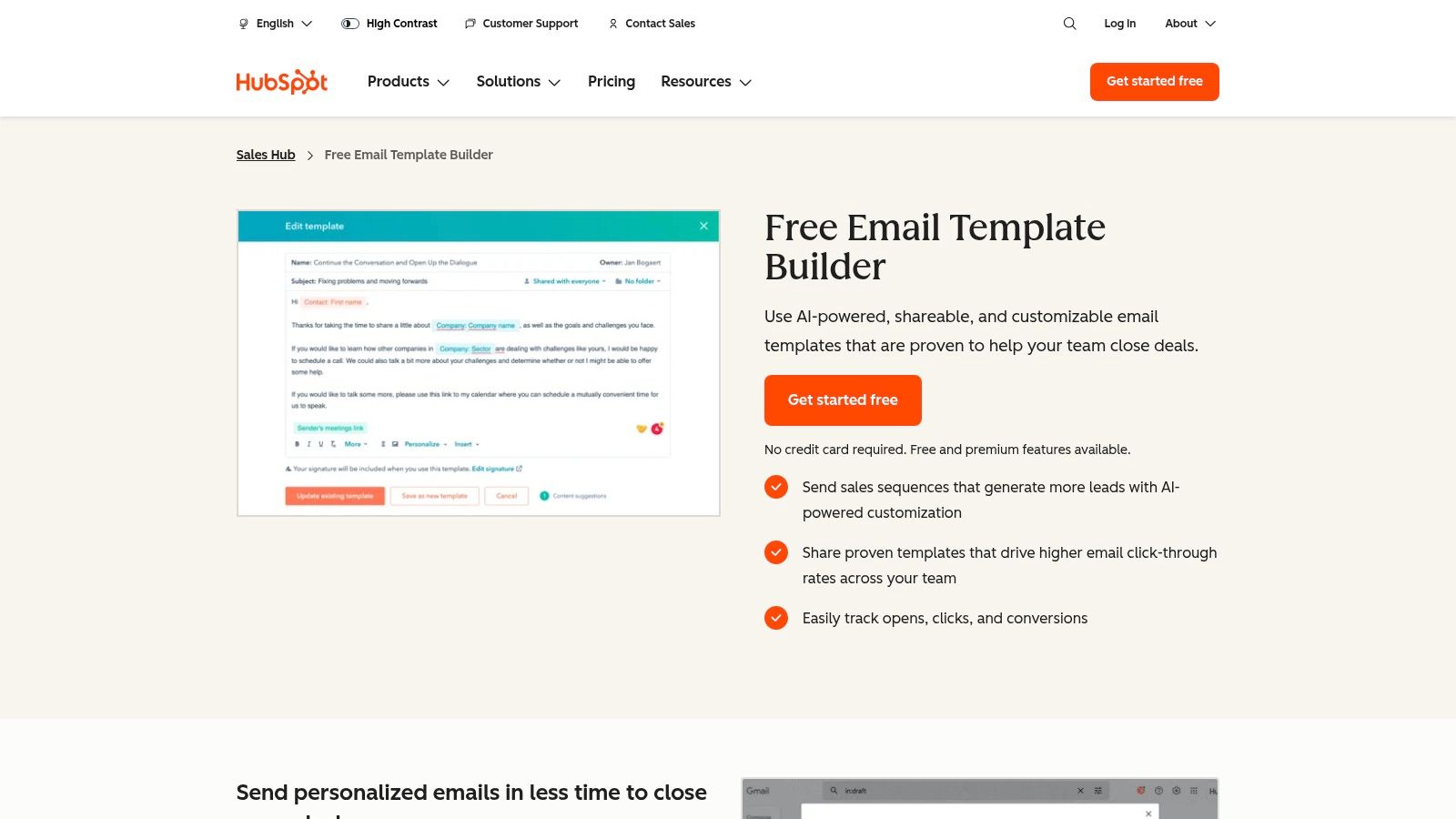
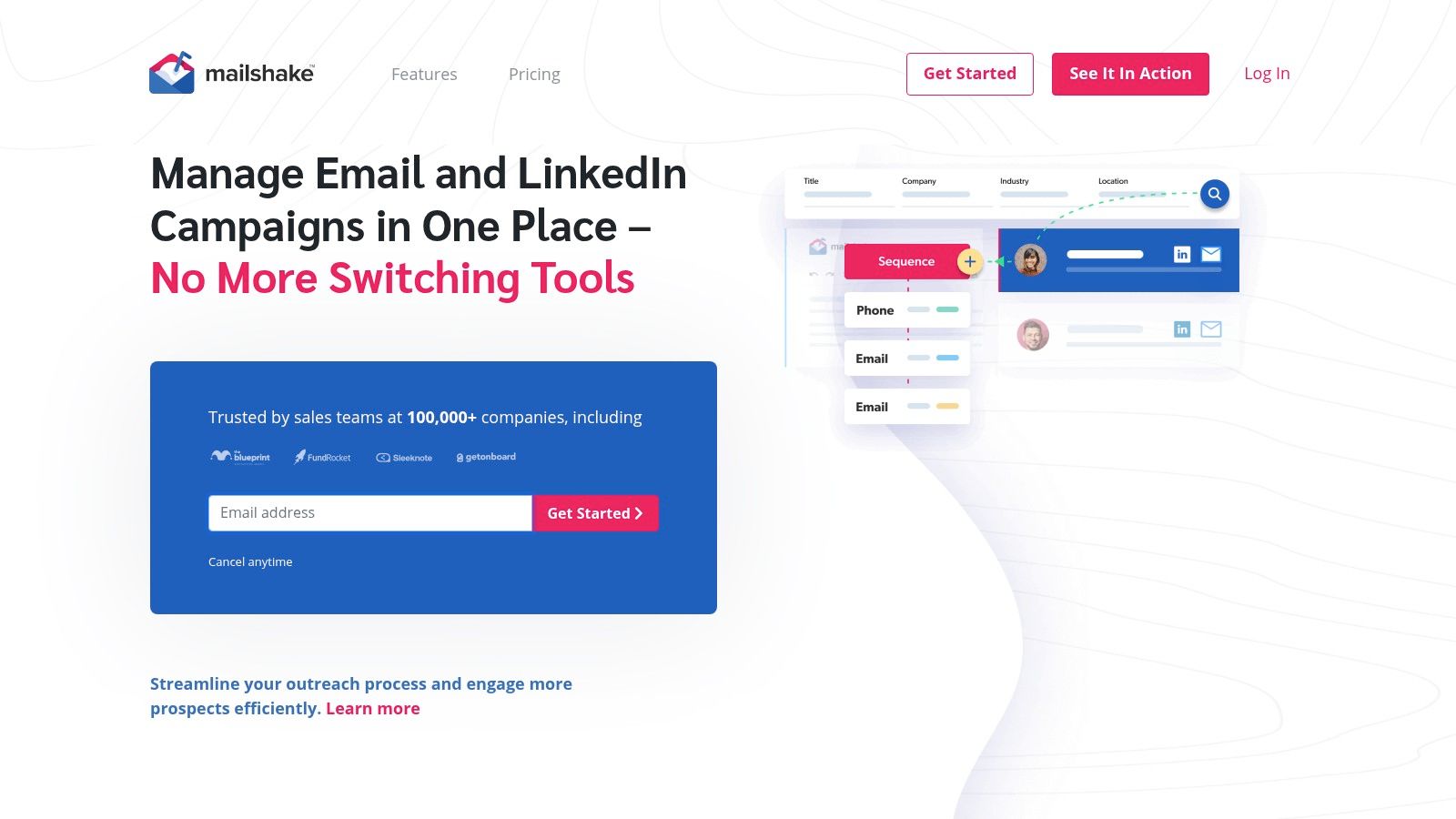
Each entry in our list includes screenshots, direct links, and a breakdown of its core strengths, so you can quickly identify the best fit for your team's specific needs. We’ll compare platforms like MarketBetter.ai for its AI-driven personalization, HubSpot for its integrated CRM templates, and Mailshake for its straightforward automation, giving you the insights needed to refine your outreach process. This isn't just a list; it's a playbook for building a more effective, scalable, and successful cold email strategy.

1. marketbetter.ai

MarketBetter.ai secures its position as our top choice by fundamentally redefining how sales teams approach cold outreach. Instead of offering a static library of cold email templates, it provides a dynamic, AI-powered task engine that turns buyer intent signals into perfectly timed, highly relevant outreach sequences directly within your CRM. This execution-first model addresses the core challenge of modern outbound: not just what to say, but when and why to say it, ensuring every email is rooted in context and data.

For SDRs, BDRs, and sales leaders, this platform is a significant upgrade from standalone AI writers or template repositories. It transforms the often-chaotic process of prospecting into a streamlined, prioritized workflow, significantly reducing the manual research and administrative busywork that consumes up to 70% of a rep's day.

Core Features and Strategic Advantages

MarketBetter.ai's strength lies in its cohesive, end-to-end workflow designed for high-performance outbound teams. It’s not just a tool for generating emails; it’s an operational system for executing a smarter, faster GTM strategy.

  • AI-Generated Cold Email Sequences: The platform's AI goes beyond generic templates. It produces short, sequence-ready first touches and follow-ups based on the prospect's persona, industry, and recent intent signals (like website visits or content engagement). It also generates subject line and CTA variants, allowing for A/B testing and continuous optimization.
  • Intent-Driven Task Prioritization: This is the key differentiator. MarketBetter automatically creates a daily task inbox for each SDR, pulling in leads from intent data, ICP triggers, and engagement signals. It then ranks these tasks by account fit, activity, and timing, ensuring reps always focus their energy on the most promising opportunities first.
  • Native CRM Execution: With a built-in dialer and seamless integration, reps execute all tasks (emails and calls) directly inside Salesforce or HubSpot. This eliminates the need to switch between tabs, ensures 100% of activity is auto-logged, and maintains pristine CRM data hygiene for accurate reporting and coaching.
  • AI-Assisted Cold Calling: Complementing its email capabilities, the AI Cold Call workflow provides reps with contextual research, relevant talk tracks, and automated post-call summaries. This comprehensive approach ensures message consistency across all touchpoints.

Practical Application: From Signal to Meeting

Here’s an actionable workflow for how a BDR would use MarketBetter.ai to operationalize cold email templates and outreach:

  1. Prioritized Tasks Appear: The SDR logs into Salesforce and finds their daily task queue, pre-populated and ranked by MarketBetter. A top task might be a Marketing VP at a target account who just downloaded a whitepaper.
  2. Context is Served: The task includes key research points: the prospect's LinkedIn activity, company news, and the specific content they engaged with.
  3. AI Crafts the Email: With one click, the AI generates a concise, relevant cold email referencing the whitepaper topic and connecting it to a relevant pain point for a Marketing VP.
  4. Execution is Instant: The SDR reviews the email, makes a minor tweak to match their personal style, and sends it directly from the Salesforce interface. The activity, including the email body, is logged automatically.
  5. Follow-up is Scheduled: The system queues up the next step in the sequence, whether it's a follow-up email or a call, ensuring no lead falls through the cracks.

Key Insight: The value of MarketBetter.ai isn't just in the quality of the AI-generated templates but in its ability to connect those templates to a specific, timely reason for outreach. This relevance is what drives a reported 5x increase in response rates for its users.

Pricing and Onboarding

MarketBetter.ai does not list public pricing, opting for a consultative sales process with custom quotes based on team size and feature requirements. They offer a free trial and a personalized demo to showcase the platform's value.

The company emphasizes fast time-to-value, with easy integrations for Salesforce, HubSpot, Gmail, Outlook, Slack, and Teams included at no extra cost. Their strong social proof, including a 4.97 G2 rating and awards for implementation support and ROI, suggests a smooth and effective onboarding experience.

Why It Stands Out

Feature ComparisonStandard Template LibraryStandalone AI WriterMarketBetter.ai
Primary FunctionStatic content repositoryOn-demand text generationEnd-to-end SDR workflow
CRM IntegrationManual copy/pasteManual copy/pasteNative Execution & Auto-Logging
PersonalizationRelies on manual researchRequires user-provided promptsAutomated from Intent Signals
WorkflowDisconnected from CRMDisconnected from CRMPrioritized, In-CRM Task Queue
Rep ProductivityLowModerateHigh (70% less manual work)

Ultimately, MarketBetter.ai is more than a source for cold email templates; it’s a strategic platform built to make your entire outbound engine more efficient, relevant, and effective. By embedding AI-powered content generation within a native CRM workflow driven by buyer intent, it empowers sales teams to act on the right signals at the right time with the right message.

Website: https://www.marketbetter.ai

2. HubSpot

HubSpot is a powerhouse in the sales and marketing world, and its resources for cold email templates are no exception. Far more than just a blog post with a few examples, HubSpot offers a comprehensive ecosystem that combines high-quality, free template packs with a powerful, integrated CRM and sales automation platform (Sales Hub). This makes it an ideal choice for sales teams who want to move from simply copying templates to operationalizing them within a structured, data-driven workflow.

Unlike standalone template libraries or specialized outreach tools like Mailshake, HubSpot's primary advantage is its native integration into a full-funnel CRM. You can access and deploy templates directly from your Gmail or Outlook inbox, track opens and clicks in real-time, and enroll prospects into multi-step sequences without ever leaving your CRM. This unified approach eliminates the friction of switching between tools and provides a single source of truth for all your outreach activities.

HubSpot's email template builder, which allows for easy creation and personalization of cold email templates.

Key Offerings and Features

HubSpot's template resources are split into two main categories: downloadable assets and in-product tools.

  • Free Downloadable Template Pack: HubSpot offers a popular pack of over 50 sales email templates. This collection covers the entire sales cycle, from the initial cold outreach and follow-ups to re-engagement and breakup emails. While access requires submitting your email (gated content), the quality is consistently high and provides a solid foundation for any SDR.
  • In-Product Templates & Sequences: Within the HubSpot Sales Hub, users can create, save, and share an unlimited number of templates. The platform supports personalization tokens that pull data directly from contact records in the HubSpot CRM, making it easy to customize emails at scale.
  • Built-in Analytics: Each template’s performance is tracked automatically. You can monitor open rates, click-through rates, and reply rates to identify your top-performing messages and continuously optimize your approach.

Pricing and Access

HubSpot's approach to templates is tiered, making it accessible for individuals while offering robust features for growing teams.

Feature/TierFree ToolsSales Hub Starter (from $15/mo/seat)Sales Hub Professional (from $90/mo/seat)
Template Access5 templates1,000 templates1,000 templates
Email SequencesNoYesYes (with advanced features)
Email Tracking200 notifications/monthUnlimited notificationsUnlimited notifications
Downloadable PacksYes (requires email signup)YesYes

How to Use HubSpot Templates Effectively: An Action Plan

  1. Start with the Free Pack: Download HubSpot's free sales email template pack. Don't just copy-paste; identify 2-3 templates that align with your specific use case (e.g., "Referral Request" or "Problem-Agitator-Solve").
  2. Adapt and Import: Rewrite the chosen templates in your own brand voice. Then, import them into the HubSpot templates tool (even the free version allows for five).
  3. Connect to Your CRM: Use HubSpot’s personalization tokens (like {{contact.firstname}} and {{contact.company}}) to dynamically insert prospect data. This is a critical step for scaling your outreach without sacrificing personalization.
  4. Test and Measure: Send your templates to a small, targeted list of prospects. Use the built-in analytics to see which subject lines get the most opens and which body copy generates the most replies. The data doesn't lie.

Website: https://www.hubspot.com/products/sales/email-templates-sales

3. Mailshake

Mailshake is a dedicated sales engagement platform designed to streamline and automate cold outreach. While it offers a complete suite of tools for running campaigns, its foundation is built on a powerful system for managing and deploying effective cold email templates. Unlike general-purpose CRMs like HubSpot where templates are one feature among many, Mailshake puts the outreach sequence front and center. This makes it an excellent choice for sales development teams and individuals whose primary goal is to book meetings through scalable, multi-touch email campaigns.

The platform's core advantage is its focus on the entire outreach workflow, from creation to deliverability. Instead of just providing static examples, Mailshake integrates template management directly into campaign sequences, which can include phone calls and social media tasks. This holistic approach ensures your templates are part of a cohesive strategy, not just one-off messages.

Mailshake

Key Offerings and Features

Mailshake combines a rich resource library with powerful in-app tools to help users master cold outreach.

  • Blog & Template Library: Mailshake maintains an extensive blog and resource center filled with tested cold email templates, playbooks, and strategies. These resources are freely available and cover a wide range of scenarios, from link building to enterprise sales.
  • AI Writing Assistant (SHAKESpeare): Integrated directly into the platform, this AI copywriter helps you generate new email ideas, rewrite existing templates for a different tone, or overcome writer's block. It's a practical tool for quickly creating personalized variations.
  • Built-in Deliverability Tools: Mailshake includes an email warm-up tool and list-cleaning integrations to ensure your templates land in the primary inbox. This focus on deliverability is a key differentiator from platforms that don't manage the technical side of sending.
  • Multichannel Sequences: You can build templates not just for the initial email but for every follow-up, and even add steps for phone calls and LinkedIn engagement, all within a single campaign view.

Pricing and Access

Mailshake’s pricing is straightforward, with two primary tiers for sales-focused users. Unlike some competitors, there is no free-forever plan or free trial; payment is required upfront.

Feature/TierEmail Outreach (from $58/mo/seat)Sales Engagement (from $83/mo/seat)
Email CampaignsYesYes
Template StorageUnlimitedUnlimited
AI Writing Asst.YesYes
Phone DialerNoYes
LinkedIn AutomationNoYes (Add-on)
Blog/Resource AccessYesYes

How to Use Mailshake Templates Effectively: An Action Plan

  1. Start with Proven Examples: Explore Mailshake's public blog to find a battle-tested cold email template for sales that matches your campaign goal. These serve as a great starting point.
  2. Use SHAKESpeare for Personalization: Once you have a base template, use the AI writing assistant to create 3-4 variations. Ask it to rewrite the template with a more casual tone, or to focus on a specific pain point.
  3. Build a Multi-Step Sequence: Don't rely on a single email. Import your template into a Mailshake campaign and build a sequence of 3-5 follow-up emails. Use slight variations of your core message for each step.
  4. A/B Test Your Subject Lines: Create two versions of your campaign that are identical except for the subject line. Mailshake's analytics will show you which one gets a higher open rate, allowing you to optimize for performance.

Website: https://mailshake.com/

4. lemlist

lemlist is a major player in the sales automation space, but its unique contribution to cold email templates comes from its community-driven and data-backed approach. Instead of just offering a static list of examples like a blog, lemlist provides a public hub of cold outreach sequences, many of which are submitted by its user community and include real-world performance benchmarks. This makes it an invaluable resource for SDRs who want to see what's actually working in the wild, not just what sounds good in theory.

The platform's core advantage is the direct bridge between inspiration and execution. You can browse templates filtered by goal (e.g., lead generation, link building) or industry, see their reported open and reply rates, and then, with a single click, duplicate an entire campaign sequence directly into your lemlist account. This seamless workflow is designed for action, helping teams move from learning best practices to implementing them with minimal friction.

lemlist's cold outreach templates hub, showcasing community-submitted campaigns with performance data.

Key Offerings and Features

lemlist’s resources are a blend of community-sourced templates and expert-led educational content, making it a well-rounded platform for outreach professionals.

  • Public Template Hub: This gallery features hundreds of cold email templates and multi-step sequences. The key differentiator is that many include performance data like open rates and reply rates, offering a baseline for what you can expect.
  • One-Click Campaign Duplication: For lemlist users, this is a game-changer. Found a sequence you like? You can import the entire thing, including all follow-up steps and timing, directly into your lemlist account to start a new campaign.
  • Educational Resources: Beyond templates, lemlist provides extensive free resources, including playbooks, guides, and ebooks. These materials offer deep dives into the strategy behind successful outreach, helping users understand the "why" behind the "what." For more foundational knowledge, our guide on how to write cold emails is an excellent starting point.

Pricing and Access

While the template gallery is free to browse, its full power is unlocked with a lemlist subscription.

Feature/TierFree AccessEmail Starter (from $39/mo)Email Pro (from $69/mo)
View Template HubYesYesYes
Duplicate CampaignsNoYesYes
Educational ResourcesYesYesYes
Performance BenchmarksYes (on select templates)Yes (on select templates)Yes (on select templates)

How to Use lemlist Templates Effectively: An Action Plan

  1. Browse with a Goal in Mind: Use the filters in the template hub to find sequences that match your specific objective, such as "SaaS sales" or "event invitation." Pay close attention to the reported performance benchmarks.
  2. Analyze the "Why": Don't just look at the template; analyze its structure. Why is the first follow-up a simple bump? Why does the third step use a different angle? The community data helps validate these strategic choices.
  3. Duplicate and Adapt: If you're a lemlist user, duplicate your chosen campaign. Immediately begin rewriting the copy to fit your unique brand voice, value proposition, and persona. The structure is your starting point, not the final product.
  4. A/B Test Against the Benchmark: Use the community-provided reply rate as your initial benchmark. Run an A/B test with your adapted version against the original to see if you can improve upon the results.

Website: https://www.lemlist.com/cold-email-templates

5. Yesware

Yesware is a sales productivity platform built directly into your inbox, making it a standout choice for sales reps and SDR teams who live in Gmail or Outlook. Its approach to cold email templates is focused on accessibility and immediate application. Instead of being a separate tool, Yesware integrates template management, tracking, and analytics into the native email-writing experience, drastically reducing friction for busy sellers.

The core advantage of Yesware is its in-inbox workflow. Sales reps can create, access, share, and analyze templates without ever leaving their email client. This is a significant differentiator from standalone platforms like Mailshake or Reply.io that require constant context switching. For small to mid-sized teams looking to standardize their messaging and get quick insights on what works, Yesware offers a powerful, low-overhead solution.

Yesware’s in-inbox template library, which allows sales reps to access and personalize cold email templates directly within Gmail or Outlook.

Key Offerings and Features

Yesware's template functionality is designed for speed and team collaboration within the familiar environment of an inbox.

  • In-Inbox Template Library: Create and save your best-performing cold emails directly within Gmail or Outlook. The library is easily searchable and allows for team-wide sharing, ensuring message consistency.
  • Template Performance Reporting: Yesware provides detailed analytics on a per-template basis. You can track open rates, reply rates, and link clicks to objectively determine which messages are driving results and which need to be refined.
  • Public Resources & Guides: Beyond the tool itself, Yesware offers a public library of proven templates and downloadable guides. These resources are excellent for inspiration and cover various scenarios, from initial outreach to follow-ups.
  • Team Collaboration: Managers can create and share a set of approved templates with their team, promoting best practices and accelerating the onboarding process for new reps.

Pricing and Access

Yesware offers a tiered pricing model that scales from individual users to enterprise teams, with template features becoming more robust at each level.

Feature/TierFreePro (from $15/mo/seat)Premium (from $35/mo/seat)
Template AccessYes (Limited)Unlimited Personal TemplatesUnlimited Personal & Team Templates
Email TrackingYes (Limited)UnlimitedUnlimited
Team ReportingNoNoYes
Downloadable GuidesYesYesYes

How to Use Yesware Templates Effectively: An Action Plan

  1. Start with Proven Examples: Explore Yesware’s public template library or free guides to find a structure that fits your outreach goal. Pay attention to how they frame the value proposition.
  2. Build Your Core Templates: Adapt 3-4 of these proven templates and save them in your personal Yesware library. Use clear naming conventions like "Cold Outreach - VP Marketing - Pain Point A" for easy access.
  3. Use Personalization Fields: Leverage Yesware’s dynamic fields to insert prospect details like {{First Name}} and {{Company}}. This is crucial for maintaining a personal touch while working efficiently. To make your messages stand out even more, craft compelling subject lines. Discover how to create your own by reading our guide on witty email subject lines.
  4. Monitor Team-Wide Performance: If you are on a team plan, use the template reporting feature to see which messages have the highest reply rates across the entire team. This data-driven approach helps everyone adopt the most effective messaging.

Website: https://www.yesware.com/email-templates/

6. Reply.io

Reply.io is a comprehensive sales engagement platform designed for multichannel outreach, and its approach to cold email templates is deeply integrated into its automation workflow. Unlike platforms that just offer a static library, Reply.io treats templates as dynamic assets within a larger sequence of touchpoints that can include email, LinkedIn interactions, calls, and even SMS messages. This makes it a powerful choice for sales teams looking to execute sophisticated, multi-pronged outreach campaigns from a single hub.

The core advantage of Reply.io is its focus on sequence-based selling. Compared to an inbox tool like Yesware, Reply.io manages the entire outreach cadence from a central platform. You can build entire sequences, embedding various email templates for different stages, such as the initial touch, follow-ups, and re-engagement. The platform's AI capabilities can then suggest improvements to these templates, help personalize them at scale using prospect data from LinkedIn or your CRM, and provide detailed analytics on what’s working and what isn’t.

Key Offerings and Features

Reply.io’s template functionality is woven directly into its sales engagement tools.

  • In-App Template & Sequence Library: The platform provides a library of pre-built, proven templates and multi-step sequences directly within its interface. These are categorized by goal (e.g., "Outbound Prospecting," "Inbound Lead Nurturing") and can be customized and saved for your team.
  • AI-Powered Personalization: Reply.io's AI can analyze a prospect's LinkedIn profile to generate highly personalized icebreakers and value propositions, which can be inserted directly into your templates to boost reply rates.
  • Multichannel Sequence Builder: Templates are not just for email. You can build sequences that automatically send an email, then schedule a LinkedIn connection request, and then create a call task for the sales rep, all from one visual builder.
  • Built-in Analytics & A/B Testing: Every template and sequence comes with detailed performance tracking. You can monitor open, click, and reply rates, and easily set up A/B tests to optimize subject lines, calls-to-action, or entire email bodies.

Pricing and Access

Reply.io offers flexible pricing plans that cater to both individuals focused on email and teams running multichannel campaigns.

Feature/TierFreeStarter (from $60/mo/user)Professional (from $90/mo/user)
Email Accounts122+
Templates & SequencesLimited accessYesYes
AI FeaturesLimited creditsYesYes (more credits)
MultichannelEmail onlyEmail, LinkedIn, Calls, SMSAdvanced multichannel features

How to Use Reply.io Templates Effectively: An Action Plan

  1. Choose a Sequence, Not Just a Template: Instead of looking for a single email, browse Reply.io's sequence library. Select a pre-built sequence that matches your goal, like the "Outbound Prospecting to C-level" cadence.
  2. Personalize with AI: Use the built-in AI assistant to generate personalized opening lines for your first-step email template. Connect your LinkedIn account to allow the AI to pull relevant details from your prospect's profile.
  3. Build a Multichannel Flow: Adapt the sequence to include more than just email. Add a LinkedIn profile view as step two and a connection request as step three. This surrounds the prospect and increases the likelihood of a response.
  4. Analyze and Optimize: After launching your campaign, review the sequence analytics. If you notice a high open rate on the first email but a low reply rate, A/B test the call-to-action in that specific template to improve its performance.

Website: https://reply.io

7. Saleshandy

Saleshandy is a dedicated cold outreach platform that focuses on delivering high-volume campaigns while maintaining personalization and deliverability. Its approach to cold email templates is practical and deeply integrated into its sending workflow, making it a strong contender for sales teams and agencies that prioritize affordable sending limits alongside robust template management. The platform is designed for users who want to move beyond basic email blasts and operationalize their outreach with features like spintax and team-sharing.

What sets Saleshandy apart from more generalist CRMs is its specialized focus on the technical aspects of cold emailing. While a platform like HubSpot bundles templates with a full suite of marketing and sales tools, Saleshandy centers its features around the core needs of an SDR: creating variable templates, ensuring they land in the primary inbox, and managing multi-stage follow-ups efficiently. This makes it an excellent choice for teams whose primary goal is to scale outbound prospecting.

Saleshandy's email outreach dashboard, showcasing sequence performance and analytics.

Key Offerings and Features

Saleshandy’s template features are built directly into its outreach and sequence tools, providing a seamless user experience.

  • Public Template Collections: Saleshandy provides several "playbooks" and blog posts featuring dozens of ready-to-use cold email templates for various scenarios, including B2B sales, link building, and recruitment. These serve as a great starting point for new campaigns.
  • In-App Template Management: Users can create, save, and share templates with their team directly within the platform. The editor supports merge tags for personalization (e.g., {{FirstName}}, {{Company}}) and, crucially, spintax. Spintax ({Hello|Hi|Hey}) allows you to create multiple variations of words or phrases within a single template, which helps avoid spam filters.
  • Integrated Deliverability Tools: Higher-tier plans include email warm-up and inbox placement testing. This unique offering allows you to not only use great templates but also ensure they are being delivered and seen by your prospects.

Pricing and Access

Saleshandy's pricing is competitive, offering high sending limits and a clear feature progression across its tiers.

Feature/TierOutreach Starter (from $36/mo)Outreach Pro (from $94/mo)Outreach Scale (from $187/mo)
Email Accounts2 per user5 per user10 per user
Active Prospects6,00030,00060,000
Template SharingYesYesYes
Email Warm-upAdd-onIncludedIncluded

How to Use Saleshandy Templates Effectively: An Action Plan

  1. Leverage the Playbooks: Start by browsing Saleshandy's public template collections. Find a playbook that matches your industry or goal (e.g., "SaaS Sales") and select a high-performing first-touch email.
  2. Enhance with Spintax: Import the template into the Saleshandy app. Use the spintax feature to create variations for common greetings, opening lines, and calls-to-action. This is a key step to improve deliverability for larger campaigns.
  3. Build a Multi-Step Sequence: Don't rely on a single email. Use the template as Step 1 in a multi-touch sequence within Saleshandy. Add 2-3 follow-up steps using different templates that reference the initial message.
  4. Warm Up Your Domain: Before launching a large campaign, use Saleshandy’s email warm-up feature. This builds your sender reputation and ensures your carefully crafted templates don't land in the spam folder, maximizing their potential impact.

Website: https://www.saleshandy.com/cold-email-templates/

Cold Email Template Platform Comparison

ToolIdeal User ProfileKey StrengthHow it ComparesActionable Takeaway
marketbetter.aiEnterprise & mid-market SDR teams using Salesforce/HubSpotIntent-driven workflow. Turns signals into AI-generated outreach directly in the CRM.Goes beyond templates to provide a full execution engine. Less about a static library, more about dynamic, timely outreach.Use this if your biggest problem is reps wasting time on manual research and failing to act on buying signals quickly.
HubSpotTeams already invested in the HubSpot ecosystem.Seamless CRM integration. Templates are part of a unified sales, marketing, and service platform.A great all-in-one solution but less specialized on advanced outreach tech (like deliverability) than dedicated tools.Perfect for centralizing your sales efforts. Use its built-in analytics to find your team's winning templates.
MailshakeSales teams focused on scalable, email-first campaigns.Deliverability and simplicity. Strong focus on email warm-up, A/B testing, and an easy-to-use AI writer.More focused on the technical aspects of sending emails than HubSpot, but less of a full CRM.Use this to scale your email volume confidently, knowing you have tools to protect your sender reputation.
lemlistCreative outreach teams looking for proven campaign structures.Community-backed templates. Provides sequences with real performance data from other users.Differentiates with creative personalization (images/videos) and transparent community data, unlike more private libraries.Don't just copy the templates; clone a high-performing sequence and use its structure as a proven blueprint for your own campaign.
YeswareIndividual reps or small teams living in Gmail/Outlook.Inbox-native workflow. All features (templates, tracking, scheduling) are accessible without leaving the inbox.Offers maximum convenience for inbox-centric sellers but lacks the advanced sequencing of Reply.io or Saleshandy.Implement this to boost individual rep productivity with minimal disruption to their existing workflow.
Reply.ioSales teams executing sophisticated, multi-channel cadences.Multichannel automation. Builds complex sequences involving email, LinkedIn, calls, and SMS from one platform.More robust for multi-channel than Mailshake or Yesware. Its AI personalization is a key differentiator.Go beyond email. Build a sequence that warms up a prospect on LinkedIn before the first cold email even lands.
SaleshandyAgencies and high-volume teams needing affordability at scale.Scalability with deliverability. Offers high sending limits and technical features like spintax.A more technical, volume-focused tool compared to the all-in-one nature of HubSpot or the creative angle of lemlist.Use spintax on every template you create to maximize deliverability and avoid spam filters when sending at scale.

From Templates to Pipeline: Your Next Move

We've journeyed through a comprehensive collection of high-conversion cold email templates, from piercing first-touch messages to persistent follow-up sequences. You’ve seen how to tailor outreach for different personas, adapt to various use cases, and integrate these frameworks into a modern sales workflow. But the most critical takeaway is this: a template is merely a starting point, not a final destination.

The true power of these cold email templates is unlocked when you treat them as strategic blueprints. The success of your outreach hinges not on blindly copying and pasting text, but on your ability to operationalize these blueprints efficiently. This means personalizing at scale, automating thoughtfully, and continuously iterating based on performance data. The goal is to build a repeatable system that empowers your SDRs and BDRs to spend less time on manual tasks and more time building relationships.

Synthesizing the Tools: How to Choose Your Engine

Choosing the right tool is the bridge between having a library of templates and actually generating pipeline. Your decision should be guided by your team's specific needs, existing tech stack, and strategic goals.

  • For Deep CRM Integration and AI-Powered Personalization: If your team lives in Salesforce or HubSpot and your primary goal is to leverage AI for hyper-relevant, real-time email generation, MarketBetter.ai is designed for this exact purpose. It excels at turning intent signals directly into AI-assisted, personalized outreach within your CRM, minimizing context switching.
  • For All-in-One Sales Engagement: Platforms like Reply.io and Saleshandy offer robust, multi-channel sequencing (email, calls, social touches) and are great for teams needing a comprehensive sales engagement platform that handles the entire outreach process from a central hub.
  • For Simplicity and Email-Centric Campaigns: If you're primarily focused on email and want a straightforward, easy-to-use tool for sending campaigns and tracking basic metrics, Mailshake is a strong contender. Its simplicity is its core strength.
  • For Creative, Visual Personalization: Teams that want to stand out with dynamic images, videos, and unique landing pages will find lemlist to be their ideal creative partner. It’s built for breaking through the noise with highly memorable, personalized visuals.
  • For Inbox-Native Productivity: If your reps prefer to work directly from their Gmail or Outlook inbox, Yesware provides excellent tracking, template management, and scheduling features without forcing them to leave their familiar environment.

The key is to evaluate where your biggest bottleneck lies. Is it the time spent researching and writing? AI-driven tools are your answer. Is it managing multi-step, multi-channel cadences? A full sales engagement platform is what you need. Is it simply a lack of visibility into email performance? An inbox-native tool might be the perfect first step.

Your Action Plan for Implementation

Having the right templates and the right tool is only half the battle. Execution is everything. Here are your actionable next steps to turn this knowledge into revenue.

  1. Benchmark Your Current State: Before you change anything, document your current open rates, reply rates, and meeting booked rates. This baseline is crucial for measuring the impact of your new strategy.
  2. Select and Adapt 3-5 Templates: Don't try to implement everything at once. Choose a handful of cold email templates from this guide that best fit your ideal customer profile and core value proposition. Adapt them with your own voice and personalization tokens.
  3. Run a Controlled A/B Test: Assign a small group of reps to use the new templates and workflow within your chosen tool. Compare their results against the control group (using the old method) over a two-to-four-week period.
  4. Analyze, Iterate, and Scale: Review the data. Which subject lines won? Which calls-to-action generated the most replies? Use these insights to refine your templates, and then roll out the winning strategy to the entire team.

Ultimately, the most successful sales teams are not those with a secret stash of "perfect" templates. They are the ones who build a scalable, data-driven system for outreach. They use templates as a foundation, technology as an accelerator, and personalization as their competitive edge to consistently start valuable conversations that become a predictable, growing pipeline.


Ready to stop manually adapting templates and start generating hyper-personalized emails in seconds, right inside your CRM? See how marketbetter.ai uses AI to turn sales signals into revenue-generating conversations. Explore the future of sales outreach at marketbetter.ai.

Why General AI Won't Replace Your SDR Stack (Claude Cowork Analysis)

· 6 min read

On February 1, 2026, Anthropic launched 11 new plugins for Claude Cowork—including a Sales plugin that can connect to CRMs, research prospects, and handle follow-ups.

Wall Street panicked.

$285 billion evaporated from software stocks in a single day. Salesforce, ServiceNow, and DocuSign fell 6-8%. Jefferies dubbed it the "SaaSpocalypse"—the moment investors realized AI might not just help software companies, but replace them.

But here's what the panic missed: General-purpose AI and purpose-built SDR tools solve completely different problems.

Let me explain why Claude Cowork won't replace your SDR stack—and might actually make it more important.

What Claude Cowork Actually Does

Claude's new Sales plugin is impressive. It can:

  • Connect to CRMs like Salesforce or HubSpot
  • Research prospects using web search and company data
  • Draft follow-up emails with context from previous conversations
  • Log activities back to your CRM

For a general-purpose AI, this is genuinely useful. But notice what's missing?

What Claude Cowork Can't Do

❌ Identify Anonymous Website Visitors

Claude has no visibility into who's visiting your website right now. It can't tell you that a VP of Sales from a target account just spent 4 minutes on your pricing page.

That's not a plugin limitation—it's an architectural impossibility. Website visitor identification requires pixel tracking, IP intelligence, and identity resolution infrastructure that no general AI has.

❌ Prioritize Your Day

Claude can help you research a prospect once you know who they are. But it can't:

  • Rank your 200 open accounts by buying signals
  • Tell you which 5 calls to make first
  • Alert you when a hot lead goes cold
  • Sequence your outreach for maximum efficiency

A general AI answers questions. A purpose-built SDR platform tells you what to do next.

❌ Make Calls

Claude can draft a call script. It can't pick up the phone. It has no dialer, no click-to-call, no local presence numbers, no voicemail drop.

For SDRs who live on the phone, this is kind of important.

❌ Engage Visitors in Real-Time

A prospect lands on your site at 2:47 PM. They're browsing use cases, clearly evaluating solutions.

Claude is sitting in a tab somewhere, waiting for you to prompt it.

A purpose-built AI chatbot is already saying: "Hey! I noticed you're looking at our enterprise features. Want me to schedule a quick call with someone who can walk you through them?"

Speed-to-lead matters. Inbound leads contacted within 5 minutes have dramatically higher conversion rates. General AI can't intercept—it can only respond when asked.

❌ Execute Multi-Channel Sequences

Claude can draft one email at a time. It can't:

  • Execute a 12-touch sequence across email, phone, and LinkedIn
  • A/B test subject lines automatically
  • Pause sequences when a prospect engages
  • Manage deliverability across domains

These aren't AI problems—they're infrastructure problems. And general AI doesn't come with infrastructure.

The "Swiss Army Knife vs. Surgical Scalpel" Problem

Claude is brilliant at general tasks. Need to summarize a document? Excellent. Draft a strategy memo? Great. Research a company before a call? Perfect.

But SDR productivity isn't about general tasks. It's about specific workflows executed at scale:

  1. Identify → Who should I call?
  2. Prioritize → Who should I call first?
  3. Prepare → What context do I need?
  4. Execute → Dial, email, message—now.
  5. Track → What worked? What didn't?

General AI can help with step 3. Purpose-built tools handle all five.

The Real Lesson from the SaaSpocalypse

Here's the nuance Wall Street missed:

General AI makes individual contributors more productive. It doesn't replace specialized systems.

Claude Cowork will make SDRs better at research, writing, and preparation. That's genuinely valuable—especially for the 47% of sales teams still struggling with basic personalization.

But it won't:

  • Replace your CRM (Claude needs somewhere to log activities)
  • Replace your dialer (Claude can't make calls)
  • Replace your engagement platform (Claude can't execute sequences)
  • Replace your visitor ID tool (Claude can't see anonymous traffic)

AI agents are entering the Gartner "trough of disillusionment" in 2026. MIT Sloan Management Review predicts we'll see a reality check as companies realize that autonomous agents require significant technical and compliance work.

The winners won't be pure AI plays. They'll be platforms that combine AI intelligence with execution infrastructure—the companies that give SDRs both the insight AND the tools to act on it.

What This Means for Your Tech Stack

If you're evaluating AI SDR tools in 2026, here's the framework:

CapabilityGeneral AI (Claude, GPT)Purpose-Built SDR Platform
Prospect research✅ Good✅ Great (built-in enrichment)
Email drafting✅ Good✅ Great (knows your sequences)
Website visitor ID❌ No✅ Yes
Daily task prioritization❌ No✅ Yes
Dialer❌ No✅ Yes
Real-time chat❌ No✅ Yes
Sequence execution❌ No✅ Yes
Deliverability management❌ No✅ Yes

The question isn't Claude vs. SDR tools. It's Claude + SDR tools vs. SDR tools alone.

How MarketBetter Approaches This

Full transparency: We built MarketBetter as a purpose-built SDR platform.

We don't think general AI is the enemy—we think it's a complement. Here's our approach:

AI for intelligence:

  • AI-powered email personalization based on intent signals
  • Smart lead scoring that learns from your wins
  • Automated research enrichment at scale

Infrastructure for execution:

  • Website visitor identification (company + person level)
  • Daily SDR playbook that ranks and sequences tasks
  • Built-in smart dialer with local presence
  • AI chatbot that engages visitors in real-time

Human judgment where it matters:

  • SDRs approve messaging before it sends
  • Reps control call cadence and timing
  • Managers see performance at a glance

The result? Your SDRs spend less time figuring out what to do and more time doing it.

Free Tool

Try our AI Lead Generator — find verified LinkedIn leads for any company instantly. No signup required.

The Bottom Line

Claude Cowork is a powerful tool. Use it for research. Use it for drafting. Use it as a thinking partner.

But don't expect it to replace the infrastructure that actually makes SDRs productive. General AI tells you things. Purpose-built tools help you do things.

The companies that win in 2026 won't be the ones betting everything on autonomous AI agents. They'll be the ones that give their reps:

  1. The right intelligence (AI-powered insights)
  2. The right tools (dialer, email, chat)
  3. The right workflow (prioritized daily playbook)

That's not a bet against AI. It's a bet on AI + humans + infrastructure beating AI alone.


Ready to see what a purpose-built SDR platform looks like? Book a demo →

10 Codex Prompts That 10x SDR Productivity [2026]

· 9 min read
MarketBetter Team
Content Team, marketbetter.ai

GPT-5.3-Codex isn't just for developers. It's the most capable AI assistant for anyone willing to describe what they want in plain English.

These 10 prompts are battle-tested. Copy them, modify them for your workflow, and start saving hours every week.

SDR Productivity Prompts

Before You Start: Quick Setup

Install the Codex CLI:

npm install -g @openai/codex

Or use Codex directly in the OpenAI dashboard at codex.openai.com.

Pro tip: Use mid-turn steering. When Codex starts going in the wrong direction, just interrupt with corrections.


Prompt 1: Instant Company Research Summary

Use case: Before reaching out, get a 60-second briefing on any company.

Research [COMPANY NAME] and create a sales briefing. Include:

1. What they do (2 sentences max)
2. Recent news (funding, acquisitions, product launches, leadership changes)
3. Their likely tech stack (based on job postings)
4. Pain points companies like them typically face
5. Potential conversation starters based on recent events

Format as bullet points. Be specific. Skip anything you can't verify.

Output example:

Acme Corp Briefing

  • B2B logistics software for mid-market freight companies (Series B, 200 employees)
  • Recent: Raised $45M in January, expanding to European markets
  • Tech stack: Salesforce, Snowflake, AWS (based on job postings)
  • Likely pains: Scaling customer support, data integration complexity, international compliance
  • Conversation starter: "Congrats on the European expansion—how's the team handling GDPR compliance for your customer data?"

Time saved: ~15 minutes per prospect


Prompt 2: LinkedIn Profile Analyzer

Use case: Understand your prospect's priorities and communication style.

Analyze this LinkedIn profile and tell me:

[PASTE LINKEDIN PROFILE TEXT]

1. What they care about (based on posts, interests, experience)
2. Their communication style (formal/casual, technical/business)
3. Best topics to lead with
4. What NOT to mention (based on their apparent values)
5. Suggested subject line for a cold email

Be specific. Don't guess—only include what's supported by the profile.

Why it works: Codex picks up on subtle signals in how people present themselves. The "what NOT to mention" is often the most valuable insight.

Time saved: ~10 minutes per prospect


Prompt 3: CRM Data Cleanup Script

Use case: Fix inconsistent data in your CRM without manual editing.

Write a script that:
1. Connects to HubSpot using their API (I'll provide API key later)
2. Finds all contacts where:
- Job title is blank but company is filled
- Phone number format is inconsistent
- Email domain doesn't match company domain
3. For job titles: Enriches using the company's LinkedIn page
4. For phone numbers: Standardizes to E.164 format
5. For mismatched emails: Flags for review (don't auto-change)

Output a report of what would change before actually making changes.

Use Node.js with proper error handling.

Why it works: Codex handles the tedious API work. You get a working script instead of spending hours in the HubSpot UI.

Time saved: 5+ hours of manual cleanup


Prompt 4: Meeting Prep One-Pager

Use case: Walk into every meeting prepared without the prep work.

I have a meeting with [PROSPECT NAME] at [COMPANY] about [TOPIC/PRODUCT].

Create a one-page meeting prep doc:

1. **Key Facts** — Company size, industry, recent news (3-5 bullets)
2. **Likely Objections** — What will they push back on?
3. **Discovery Questions** — 5 questions that uncover real pain
4. **Competitive Position** — Who else might they be talking to?
5. **Success Metrics** — What would make this a "win" for them?
6. **Next Step Options** — 3 logical next steps if the meeting goes well

Keep each section to 3-5 bullets. Prioritize actionable info.

Time saved: ~20 minutes per meeting


Prompt 5: Objection Response Generator

Use case: Never get caught off-guard by common objections.

Generate responses for these sales objections in [INDUSTRY].

For each objection, provide:
1. A brief acknowledgment (show you understand)
2. A reframe (shift the perspective)
3. A proof point (specific example or stat)
4. A question to continue the conversation

Objections:
- "We're already using [COMPETITOR]"
- "We don't have budget this quarter"
- "We need to talk to [OTHER STAKEHOLDERS] first"
- "Can you just send me some info?"
- "The timing isn't right"

Keep responses conversational, not scripted. SDRs need to sound human.

Why it works: You get battle-tested frameworks, not generic scripts. The "question to continue" keeps the conversation moving.


Prompt 6: Email Sequence Builder

Use case: Create a multi-touch sequence in minutes.

SDR Prompts Checklist

Build a 5-email sequence for [ICP DESCRIPTION] selling [PRODUCT/SERVICE].

Sequence structure:
- Email 1: Pattern interrupt (day 1)
- Email 2: Social proof (day 3)
- Email 3: Pain agitation (day 6)
- Email 4: Different angle/use case (day 10)
- Email 5: Breakup email (day 14)

Requirements:
- Subject lines under 40 characters
- Body under 100 words each
- One clear CTA per email
- Personalization placeholders marked with [BRACKETS]
- Tone: professional but not corporate, direct but not pushy

Don't use: "Hope this email finds you well," "Just following up," or "Checking in"

Why it works: The constraints force quality. Specifying what NOT to include prevents generic AI-speak.

Time saved: 1-2 hours per sequence


Prompt 7: Call Script Framework

Use case: Structure your cold calls without sounding robotic.

Create a cold call framework for calling [ICP TITLE] at [COMPANY TYPE].

Structure:
1. **Opening** (5 seconds) — Pattern interrupt, state name/company
2. **Permission** (5 seconds) — Brief reason for call + ask for 30 seconds
3. **Hook** (15 seconds) — Specific pain point or insight
4. **Qualify** (30 seconds) — 2-3 questions to confirm fit
5. **Bridge to meeting** — How to transition if qualified
6. **Objection handlers** — Top 3 objections and responses
7. **Exit** — Graceful close if not interested

Include exact language options, not just concepts. Make it sound natural.

Time saved: 30+ minutes crafting talk tracks


Prompt 8: Lead Prioritization Logic

Use case: Build a scoring system for your specific pipeline.

Create a lead scoring model for my sales process.

Context:
- We sell [PRODUCT] to [ICP]
- Average deal size: [AMOUNT]
- Average sales cycle: [LENGTH]
- Our best customers tend to have: [CHARACTERISTICS]

Build a scoring system (1-100) that weighs:
- Company fit signals (industry, size, tech stack)
- Behavioral signals (website visits, content downloads, email opens)
- Timing signals (funding, hiring, tech changes)

Output as a decision matrix with specific thresholds:
- 80+ → Hot lead, prioritize
- 60-79 → Warm lead, nurture
- 40-59 → Potential, needs more info
- Below 40 → Low priority

Include the logic so I can implement it in my CRM.

Why it works: Codex creates a customized scoring model based on YOUR sales process, not a generic template.


Prompt 9: Competitive Battle Card

Use case: Win more deals against specific competitors.

Create a battle card for competing against [COMPETITOR NAME].

Include:

1. **Positioning Summary** — How they describe themselves vs. how we do
2. **Their Strengths** — What they're actually good at (be honest)
3. **Their Weaknesses** — Where they fall short (with specific examples)
4. **Common Objections** — What prospects say when evaluating them
5. **Discovery Questions** — Questions that expose their weaknesses
6. **Landmines to Plant** — Things to mention early that hurt them later
7. **Proof Points** — Specific wins/case studies against them
8. **Quick Comeback Sheet** — 5 common competitor claims and how to respond

Be specific and tactical. This is for reps who encounter them weekly.

Time saved: 2-3 hours of competitive research


Prompt 10: Proposal Customization Engine

Use case: Customize templates instantly for each prospect.

I have a proposal template for [PRODUCT]. Customize it for [COMPANY NAME].

Original template sections to customize:
- Executive summary (make it about THEIR goals)
- Problem statement (reference THEIR specific challenges)
- Solution overview (connect features to THEIR use case)
- Timeline (adjust for THEIR urgency)
- Investment section (frame ROI for THEIR situation)

Context about this deal:
- [DEAL CONTEXT]

Maintain my company's voice and formatting. Only change the content to reflect this specific prospect's situation.

Output the full customized proposal with changes highlighted.

Why it works: You keep your proven template structure but personalize the substance. Prospects feel like it was written for them—because it was.

Time saved: 45+ minutes per proposal


Bonus: Combining Prompts with OpenClaw

These prompts are powerful on their own. They're unstoppable when automated.

With OpenClaw, you can:

Trigger prompt 1 automatically when a new lead enters your CRM

Run prompt 3 on a weekly schedule to keep data clean

Chain prompts together:

  1. New deal created → Run company research (Prompt 1)
  2. Meeting scheduled → Generate prep doc (Prompt 4)
  3. Proposal requested → Customize template (Prompt 10)

The prompts become agents that work while you sleep.


Tips for Better Prompt Results

1. Be Specific About What You Don't Want

Listing exclusions ("don't use buzzwords," "no generic openers") improves output more than adding requirements.

2. Include Examples

When asking for a specific format or style, paste an example of what good looks like.

3. Use Mid-Turn Steering

GPT-5.3-Codex lets you redirect while it's generating. If you see it going off-track, just tell it.

4. Iterate in the Same Session

Codex maintains context within a session. Follow up with "make it more concise" or "add more specific data points" instead of starting over.

5. Save Your Best Prompts

Build a library of prompts that work for YOUR sales process. They get better as you refine them.


Free Tool

Try our AI Lead Generator — find verified LinkedIn leads for any company instantly. No signup required.

The Productivity Math

TaskManual TimeWith CodexWeekly OccurrencesWeekly Time Saved
Company research15 min2 min204.3 hours
Meeting prep20 min3 min82.3 hours
Email sequences90 min15 min22.5 hours
CRM cleanup3 hours30 min12.5 hours
Proposal customization45 min10 min31.75 hours

Total weekly time saved: ~13 hours

That's 13 hours back for actual selling—calls, meetings, relationship building.


Want to supercharge these prompts with real buyer intent data? MarketBetter shows you who's on your site and what they care about, so your AI-powered outreach hits even harder. Book a demo →

Email Follow Ups That Book Meetings: Proven Tactics (email follow ups)

· 22 min read

It’s a familiar feeling for any sales rep. You pour time into crafting the perfect outreach email, hit send, and then… nothing. Just dead air. The silence can be discouraging, but the truth is, most initial emails don't get a reply. Relying on a single touchpoint is one of the biggest mistakes you can make.

Why Your First Email Is Just the Starting Point

Sending an email and just hoping for a response isn’t a strategy—it’s a lottery ticket. What separates the top performers from everyone else is a systematic plan for email follow ups. This is how you shift from passively waiting for a reply to proactively earning a conversation. The goal isn’t to pester people; it’s to professionally navigate their chaotic schedules and show you’re serious.

When a prospect doesn't reply, it's rarely personal. They aren't ignoring you because they dislike you. They're just busy. Your email was likely one of hundreds that flooded their inbox that day.

The Real Reasons for No Reply

Understanding why you didn't get a response is the key to framing your follow-up. It's almost never a hard "no." More often than not, it's one of these simple, everyday scenarios:

  • Bad Timing: Your email landed right in the middle of a chaotic morning or just before a massive deadline.
  • Information Overload: The average professional gets over 120 emails a day. It’s incredibly easy for yours to get buried.
  • Quick Triage: Many executives scan their inboxes and archive anything that isn’t on fire at that exact moment.
  • They Simply Forgot: It happens. They might have read your email, fully intended to reply, and then got pulled into their next meeting.

This context is everything. It reframes your follow-up from an interruption into a helpful, timely reminder that actually respects their workflow. By the way, if you want to nail that first impression, our detailed guide on how to write cold emails is a great place to start.

The Data-Backed Case for Persistence

Let's compare two mindsets. The first is the "one-and-done" approach, where a lack of reply feels like rejection. The second is what I call professional persistence, which views that first email as just the opening move in a strategic conversation.

The data is overwhelmingly on the side of persistence.

Consider this: 70% of sales emails require at least one follow-up to get any reply at all. Even more telling, a staggering 80% of sales require a minimum of five follow-up attempts after the first contact before a deal is closed. You can dig into more of these stats on why follow-ups are critical for sales success.

A follow-up isn't a sign of failure; it's a core component of a successful sales process. It shows you're serious, professional, and genuinely believe you can solve a prospect's problem.

This distinction is crucial. When you see follow-ups as an integral part of your job, you stop feeling like you're bothering people and start acting like a trusted advisor who is simply trying to connect. Each follow-up is another chance to provide value, build familiarity, and catch your prospect at the exact right moment.

The first email is just the introduction. The real work—and the real results—happen in the follow-ups.

Designing a High-Conversion Follow Up Sequence

An effective follow-up strategy isn't just about sending a bunch of random pings and hoping for the best. It's a science. Building a sequence that actually gets a response requires a smart approach to timing, frequency, and the value you bring to every single message. The real goal is to stay top-of-mind without being annoying, turning persistence into a genuine conversation.

To really nail this, you need to ground your approach in solid sales cadence best practices. This isn't about templates; it's about a framework where every touchpoint builds on the last, earning you the right to stay in their inbox.

Finding the Right Cadence Frequency

Let's be real: the timing between your email follow ups can make or break your entire effort. Come on too strong with messages packed too closely together, and you look desperate. Wait too long, and you're ancient history. A balanced cadence is the sweet spot—it respects their time while keeping the momentum going.

Let's compare two common but flawed approaches with a more strategic one:

  • The Aggressive Approach (Every Day): This feels desperate and almost guarantees you'll be marked as spam. It doesn't give the prospect any breathing room.
  • The Passive Approach (Weekly): Waiting a full week between early follow-ups is too long. You lose all momentum and make it easy for them to forget who you are.
  • The Strategic Approach (Balanced Intervals): This is the sweet spot. You give them a couple of days between the first few messages, then slightly increase the gap. It's persistent but professional.

A multi-touch sequence that spans about two weeks often hits the mark. It gives you enough runway to connect without completely flooding their inbox.

Here’s a simple, actionable framework to use as your starting point:

  • Day 1: The initial outreach.
  • Day 3: First follow-up.
  • Day 6: Second follow-up.
  • Day 10: Third follow-up.
  • Day 14: The "break-up" email.

Infographic detailing a sales follow-up process: send email, wait 24-48 hours, then call or message.

This process flow highlights a critical, often-overlooked step: the wait. Patience isn't just a virtue here; it's a strategic part of any outreach that gets results.

A Blueprint for a 10-Day Follow Up Cadence

Every email in your sequence needs a job to do. Just firing off messages without a clear purpose is a fast track to the spam folder. A well-designed cadence makes sure each follow-up logically moves the conversation forward. Think of it as telling a short, compelling story over several days.

Here's a practical, multi-touch blueprint that balances persistence with genuine value.

Actionable 10-Day Follow Up Cadence Blueprint

DayAction/ChannelPurpose of MessageExample CTA
1EmailClearly state your value prop and the problem you solve."Worth a 15-min chat next week to explore this?"
3EmailRe-state value prop from a new angle; gentle reinforcement."Just wanted to bring this back to the top of your inbox."
5LinkedInView profile & send a connection request (no pitch).N/A (Passive engagement)
7EmailIntroduce social proof or a new piece of value (case study, stat)."Here's how we helped [Similar Company] solve this."
10EmailShift to a direct, low-friction question to gauge interest."Is solving [problem] a priority for your team this quarter?"

By assigning a specific role to each touchpoint, you build a cohesive narrative that guides the prospect toward a decision. It’s methodical, respectful, and a world away from just "checking in." This is how you stay persistent with a purpose.

Follow Up Templates That Actually Get Opened

What’s the difference between a follow-up that lands a meeting and one that gets instantly archived? Clarity. It’s that simple.

Your prospect’s inbox is a warzone of long, feature-heavy emails that are exhausting to read. Your job is to be a breath of fresh air. Think concise, relevant, and respectful of their time. Get straight to the point.

Let’s compare two email styles:

  • The "Wall of Text": A long, multi-paragraph follow-up with three different links and four value props. Action Required: The prospect has to decipher what you want. Result: Instant archive.
  • The "Surgical Strike": A two-sentence email with a single, clear question. Action Required: A simple yes/no or a quick thought. Result: Higher chance of a reply.

The psychology here is pretty straightforward: short emails with a single, clear call-to-action are just easier for a busy brain to process. They signal confidence and make it dead simple for the person on the other end to know what you want.

Visual guide to effective email follow-up techniques, featuring quick questions, value cases, and closing the loop.

This guide from MarketBetter breaks down how to use different templates for different goals, from a quick check-in to a value-packed case study. Every single one is designed to be direct and actionable, which is exactly what a good follow-up needs to be.

The Gentle Nudge After No Response

This is the one we all send the most. You’ve shot your shot, and now you’re hearing crickets. The goal here is to be polite and professional, gently bumping your message back to the top of their inbox without being annoying. Drop the guilt-tripping language like, "Did you see my last email?"

It's a low-pressure way to re-establish contact. You're just giving them a simple reminder without demanding a complicated reply.

Actionable Tip: Test these subject lines to see which performs best for your audience.

  • A/B Test 1: Re: Original Subject Line
  • A/B Test 2: Quick question about [Company Name]
  • A/B Test 3: Bringing this to the top of your inbox

Template: Hi [Prospect Name],

Just wanted to bring my previous email to the top of your inbox. We help sales leaders like you solve [specific problem] by [one-sentence value prop].

Worth a quick chat next week?

Best, [Your Name]

Re-Emphasizing Value with Social Proof

If the first nudge didn't land, it's time to bring something new to the table. Just repeating your original pitch is a wasted email. Instead, drop in some social proof—a killer case study or a compelling statistic—to show you're the real deal.

This tactic shifts the conversation from "here's what I think I can do" to "here's what we've already done for people just like you." If you need more inspiration for subject lines that grab attention, check out our guide on witty email subject lines.

Actionable Tip: Experiment with different formats for social proof.

  • A/B Test 1: A direct quote from a happy client.
  • A/B Test 2: A single, powerful data point (e.g., "30% increase in meetings").
  • A/B Test 3: A link to a full case study.

Template: Hi [Prospect Name],

I was thinking about your team and wanted to share how we helped [Similar Company/Client Name] achieve [specific outcome, e.g., a 30% increase in meetings booked].

We helped them fix [specific problem], and I thought you might find their story relevant.

Is this a priority for you right now?

Best, [Your Name]

Pro Tip: Keep the social proof bite-sized. Link out to the full case study, but pull the single most impressive result directly into the email itself. Don't make them hunt for the value.

The "Break-Up" Email to Re-Engage Cold Leads

Alright, you've tried a few times with no response. It's time to professionally close the loop. The "break-up" email is a surprisingly powerful psychological tool. It taps right into the fear of missing out (FOMO) and often jolts people into making a decision.

This isn't about being passive-aggressive. It's about respecting their time—and more importantly, yours. I've seen it time and again: this is one of the highest-response email follow ups you can have in your sequence.

Actionable Tip: A/B test the tone of your break-up email.

  • A/B Test 1 (Helpful Tone): "Permission to close your file?"
  • A/B Test 2 (Direct Tone): "Closing the loop"
  • A/B Test 3 (Goal-Oriented): "Is [goal] still a priority?"

Template: Hi [Prospect Name],

I’ve reached out a few times about how we help companies like yours with [problem] but haven’t heard back. This usually means it's not a priority right now.

I’m closing your file for now, but please feel free to reach out if things change.

Best, [Your Name]

Adding Personalization That Cuts Through the Noise

Let’s be honest: generic email follow ups are a one-way ticket to the trash folder. Every prospect's inbox is a battlefield, flooded with soulless, automated blasts. In that environment, personalization isn't just a nice touch—it's the only proof you've done your homework and are worth 30 seconds of their time.

A truly personalized email feels like it was written for an audience of one. That’s what gets replies.

The good news? This doesn't mean you have to sink an hour into researching every single prospect. The real secret is building a scalable framework that strikes the right balance between efficiency and a genuine human touch. It all comes down to knowing the two levels of personalization and when to deploy each.

A diagram illustrates personalized outreach based on company, role, and a product launch post, leading to a congratulatory message from a man.

Comparing Light vs. Deep Personalization

Not all personalization is created equal, and the right move depends entirely on the account's value and where the prospect is in your sequence.

Let's break down the two main strategies.

Personalization LevelWhat It IsWhen to Use ItActionable Example
Light PersonalizationUsing easy-to-find info like their name, company, and job title.Perfect for early-stage nudges or lower-tier accounts where a deep dive isn't practical."Hi John, saw you're the VP of Sales at Acme..."
Deep PersonalizationReferencing specific, timely events—a funding round, a recent LinkedIn post, a mutual connection.Your go-to for high-value target accounts or later-stage follow-ups to re-engage a quiet prospect."Congrats on the new product launch you posted about on LinkedIn yesterday..."

Think of light personalization as your baseline. It shows you aren't a spam bot. But deep personalization? That’s your secret weapon. It proves you're a sharp, observant human who’s actually paying attention to their world.

A Scalable Framework for Meaningful Outreach

Doing this at scale is where most teams fall down. Manually scouring LinkedIn and company news for every single prospect is a recipe for burnout. This is where a smart workflow, powered by the right tools, makes all the difference.

The goal is to find a "trigger"—a specific piece of information that makes your email feel timely and hyper-relevant.

Here’s an actionable checklist of where to look for those triggers:

  • Company News: Did they just announce a funding round, launch a new product, or hire a key executive? That’s absolute gold for a congratulatory follow-up.
  • LinkedIn Activity: Did your prospect post an article, share an opinion, or comment on a relevant thread? Referencing it shows you’re tuned in.
  • Job Postings: If a company is hiring for a role you can help with (like hiring more SDRs when you sell sales software), it’s a massive signal of their current pain points.
  • Mutual Connections: Nothing builds instant credibility faster than mentioning a shared connection. It’s the ultimate shortcut to trust.

The most effective personalization connects their recent activity directly to the problem you solve. It’s not just about name-dropping their latest post; it's about explaining why that post made you think of a solution specifically for them.

Using AI to Accelerate Personalization

This is where modern tools completely change the game. Instead of you spending hours on manual research, an AI-powered engine can do the heavy lifting.

For example, MarketBetter’s SDR Task Engine automatically surfaces these crucial account insights and triggers. It can spot that a target account just landed its Series B funding and instantly generate a personalized snippet for your follow-up.

Here’s what that workflow looks like in practice:

  1. AI Surfaces an Insight: The system flags that "Acme Corp just announced a new integration with Salesforce."
  2. AI Generates a Snippet: It drafts a line like, "Saw the news about your new Salesforce integration—congrats! Scaling up often puts a strain on CRM data hygiene..."
  3. You Add the Human Touch: You grab that AI-assisted line and weave it into your follow-up, making sure the tone feels authentic to you.

This approach gives you the best of both worlds: the raw speed of automation combined with the irreplaceable authenticity of human oversight. You're no longer just sending another email; you're delivering a relevant, timely message that makes your follow-up impossible to ignore.

Automating and Tracking Follow Ups Like a Pro

A killer follow-up strategy is worthless if you don't execute it consistently. This is where the real work happens—inside your CRM. Managing your email follow ups in a system like Salesforce or HubSpot is non-negotiable for staying organized, but let's be honest, the manual process can quickly become a bottleneck that absolutely kills your selling time.

Even a well-organized manual workflow is better than chaos, but it’s still loaded with friction. Every single click, from creating a task to logging an email, pulls you away from what you should be doing: talking to prospects. Let's compare that old-school grind to a modern, automated approach.

Manual vs Automated Workflows: A Side-By-Side Look

The difference between a manual and an automated process isn't just about saving a few minutes here and there. It’s about completely changing where your SDRs spend their energy. One path is reactive and buried in admin tasks; the other is proactive and laser-focused on selling.

Take a look at how the two workflows stack up against each other. The contrast is pretty stark.

Actionable Comparison: Manual vs. Automated Follow Up Workflow

The table below breaks down the daily reality for a sales rep. On one side, you have the click-heavy, memory-dependent traditional process. On the other, a system that does the heavy administrative lifting for you.

TaskManual Process (in Salesforce/HubSpot)Automated Process (with MarketBetter)The Impact
Task CreationYou have to remember to create a "Follow Up" task for a specific date after sending an email.A task is auto-created and prioritized in your inbox based on a trigger (e.g., "no reply after 3 days").No leads fall through the cracks.
Daily PrioritizationYou stare at a long, unfiltered task list, trying to guess which lead to contact next.The system serves up a clear 'next best action' based on account fit, timing, and engagement signals.Reps work on the highest-value tasks first.
Email DraftingYou hunt for a template, copy-paste it, and then manually dig through records for personalization details.AI generates a context-aware follow-up email using account and persona data, ready for your review.Time spent drafting is cut by over 90%.
Activity LoggingYou have to manually log the email activity, copy the text, and update the contact record. Tedious.The email is sent and all activity is auto-logged to the correct Salesforce or HubSpot record instantly.Perfect CRM data hygiene with zero effort.

This comparison shines a spotlight on the core problem: the manual process forces reps to waste a huge chunk of their day on low-value admin work. All those clicks add up, devouring the time that could be spent having actual conversations that generate pipeline.

The goal of automation isn't to replace the seller. It's to eliminate the tedious, repetitive tasks that prevent the seller from doing what they do best: selling.

How an SDR Task Engine Changes the Game

This is exactly where a tool like MarketBetter's SDR Task Engine completely flips the script. Instead of you chasing down what to do next, the system intelligently serves up the next best action. It basically turns buyer signals into a prioritized, actionable to-do list.

Imagine this actionable scenario: the engine sees that a prospect hasn't replied to your first email after three days. It doesn't just send you a reminder; it gets to work.

  1. Auto-Creates a Prioritized Task: A new "Follow-Up" task for that specific contact pops to the top of your queue. You don't have to remember a thing.
  2. Provides Full Context: The task is packed with the prospect's details, your previous email history, and key account insights so you're not flying blind.
  3. Generates an AI-Written Draft: With a single click, MarketBetter’s AI drafts a concise, relevant follow-up email. It references your last touchpoint and is ready for you to quickly tweak and send.

This approach ensures your CRM hygiene is perfect because every single action is logged automatically. But more importantly, it frees you from the decision fatigue of figuring out who to follow up with and what to say. The system handles the "when" and the "what," so you can focus on the "how"—adding that critical human touch that actually closes deals.

For a deeper dive into this, you can learn more about how marketing automation workflows can supercharge your entire sales process.

Free Tool

Try our AI Lead Generator — find verified LinkedIn leads for any company instantly. No signup required.

Common Questions About Email Follow Ups

Even with the best playbook, you'll run into situations that feel like a gray area. When you're juggling dozens of prospects, knowing the right move isn't just helpful—it's what separates the pros from the pests.

Here are the straight-up answers to the questions our sales teams get asked the most about nailing the follow-up.

How Many Email Follow Ups Is Too Many?

There’s no magic number, but all the data—and my own experience—points to a sweet spot: a multi-channel sequence of 5 to 7 touches. But honestly, the number isn't the point. It's the value and tone of each message that matters.

Sending the same "just checking in" email seven times is just spam with extra steps. But if each follow-up offers a new insight, a relevant case study, or a helpful resource? You've earned the right to stay in their inbox.

Think about it this way:

  • The Annoying Approach: "Hi, following up again." "Hi, just checking in on my last email." This adds zero value and instantly tags you as a nuisance.
  • The Value-Add Approach: "Hi, thought you'd find this article on [pain point] useful." or "Hi, here's how we helped a similar company solve [problem]." Now you're a helpful advisor, not a salesperson chasing a commission.

Actionable takeaway: End your sequence with a "break-up" email. It politely closes the loop and, you'd be surprised, often gets a high response rate from busy people who just appreciate the professional courtesy. And always, always watch your engagement. If you see zero opens after 3-4 attempts, it’s a pretty clear signal to move on.

What Is the Best Time to Send a Follow Up?

You’ve probably seen the studies pointing to mid-morning (10 AM) and mid-afternoon (2 PM) on Tuesdays. That advice is so generic it’s almost useless. The "best" time is completely different depending on the industry, role, and time zone. An East Coast CFO’s workflow is nothing like a West Coast marketing manager's.

Your own data is your best friend here. But an even better strategy is to follow up based on when your prospect is actually active.

An email sent at a "good enough" time consistently is far more effective than an email sent at the "perfect" time inconsistently. Don't let perfectionism kill your execution.

Actionable takeaway: Use tools with real-time engagement alerts. If a prospect opens your email at 8 PM on a Wednesday, that’s a massive clue about their work habits. Schedule your next touchpoint for a similar time to massively boost your odds of catching them when you're already top-of-mind.

Should I Mention My Previous Email in a Follow Up?

Yes, but do it with finesse. The goal is to re-establish context, not to remind them they ignored you. Whatever you do, avoid the cliché and slightly passive-aggressive phrase, "I'm just following up on my email below." It feels like you're pointing a finger.

Instead, just briefly and professionally reference the core idea of your last message.

What to Avoid (Passive-Aggressive): "Did you get a chance to read my last email?" (This implies they owed you something.)

What to Do Instead (Professional Context): "When I last reached out, I mentioned how we help sales leaders fix their CRM data problem..." (It's quick, professional, and gets right back to the value.)

Actionable takeaway: Ensure every follow-up can stand on its own. The recipient shouldn't have to go digging through their inbox to figure out what you're talking about. Briefly restate the value, connect it to their world, and give them a clear, simple call-to-action.


Stop letting your SDRs drown in manual admin work. MarketBetter turns buyer signals into a prioritized task list and helps your reps execute faster with an AI email writer and dialer that lives right inside Salesforce and HubSpot. See how you can book more meetings, not more busywork. Learn more at marketbetter.ai.

From 20 Tabs to One Task: How Modern SDRs Use Intent Signals [2026]

· 9 min read
MarketBetter Team
Content Team, marketbetter.ai

The average SDR has 12 tabs open right now. Half of them are the same prospect.

CRM in tab one. LinkedIn in tab two. ZoomInfo in tab three. Intent dashboard in tab four. Email sequences in tab five. Dialer in tab six. Chat notifications in tab seven...

You get the picture.

Lead Scoring in 2026: Why Traditional Models Are Failing (And What to Do Instead)

· 9 min read
MarketBetter Team
Content Team, marketbetter.ai

Your lead scoring model is lying to you.

That VP of Sales with a score of 85? Turns out they were researching for a competitor. The contact who scored 12? Just booked a demo after visiting your pricing page yesterday.

Traditional lead scoring was built for a buying journey that no longer exists. And yet, most sales teams are still using models from 2015 to prioritize 2026 leads.

Here's why it's broken — and what actually works.

11 Witty Email Subject Lines That Actually Work in 2026

· 31 min read

In an inbox overflowing with automated sequences and generic pitches, the standard subject line is a one-way ticket to the archive folder. What makes a subject line truly stand out isn't just a clever pun; it's the strategic fusion of curiosity, relevance, and a clear, implied value that respects the recipient’s intelligence and time. Too often, sales reps mistake "witty" for "vague" or "clickbait," leading to a quick delete and a damaged reputation. This guide is designed to fix that.

We're moving beyond tired templates to deconstruct the anatomy of genuinely effective, witty email subject lines. You won't just get a list; you'll get a strategic playbook. We will analyze 11 distinct categories of subject lines, from curiosity-driven hooks to data-backed insights, providing a detailed breakdown for each.

This article will show you:

  • Why specific subject lines capture attention based on psychological triggers.
  • When to deploy each type for maximum impact, whether it's a first touch, a follow-up, or a persona-specific campaign.
  • How to customize them with personalization tokens and quick A/B testing notes for immediate application.

The objective isn't merely to boost your open rates. It’s to initiate meaningful conversations that convert. Moving beyond purely witty to strategically effective requires a deep understanding of what drives action. For a broader look at this, exploring various strategies for crafting High-Converting Email Subject Lines can provide a solid foundation. This comprehensive library will equip you and your team with the actionable tactics needed to turn cold outbound into your most reliable pipeline generator.

1. The Curiosity Gap Subject Line

The Curiosity Gap is a powerful psychological trigger that leverages the human desire for closure. By intentionally omitting a key piece of information, this subject line technique creates an “information gap” that compels the recipient to open the email to satisfy their curiosity. For sales outreach, it’s one of the most effective witty email subject lines because it stands out in a crowded inbox filled with generic benefit claims.

Hand-drawn sketch of an open email envelope with a magnifying glass examining its content.

Strategic Breakdown & Examples

This approach works best when you need to break through the noise of a high-value prospect's inbox. It feels more personal and less automated than a subject line screaming a generic benefit. Compared to a 'Specific Value' subject line, this one sacrifices immediate clarity for intrigue. It's a trade-off that works well when the recipient is hard to reach.

  • Example 1: Quick question about [Company Name]
    • Why it works: It’s direct, personal, and implies the email requires their specific expertise. The vagueness of "question" creates the necessary intrigue.
  • Example 2: This might not apply, but...
    • Why it works: This uses reverse psychology. It lowers the recipient's guard and makes them wonder, "What might not apply? Now I need to know."
  • Example 3: Found this while researching [Competitor Name]
    • Why it works: It combines curiosity with a hint of competitive intelligence, a highly valuable topic for any decision-maker.

Actionable Takeaways & A/B Testing

To implement this strategy effectively, follow these best practices:

  • Align Body with Subject: The email body must deliver on the intrigue. If your subject is "Quick question," ask a genuine, insightful question immediately. Misleading your prospect kills trust instantly. Your action item: Draft the email body first to ensure your question is valuable enough to warrant the mysterious subject line.
  • Keep it Short: Aim for under 50 characters to avoid being cut off on mobile devices, which enhances the feeling of mystery.
  • A/B Test: Pit a curiosity-gap subject line against a direct-benefit one. For example, test Your thoughts on this? against Save 20% on your software spend. Track open rates in your CRM to see which approach resonates more with your specific audience.

2. The Social Proof Subject Line

This technique leverages one of the most powerful psychological principles in sales: people trust what other people trust. By referencing credible signals like customer logos, company achievements, or industry recognition directly in the subject line, you establish legitimacy before the recipient even opens the email. For B2B outreach, mentioning that similar companies or direct competitors are already engaged is a surefire way to reduce skepticism and signal value.

Strategic Breakdown & Examples

Social proof is most effective when your prospect is aware of the companies you're referencing. It immediately positions your solution as a validated choice within their industry, making it one of the most impactful witty email subject lines for overcoming initial resistance. This approach is a direct contrast to the 'Contrarian' subject line; instead of challenging the status quo, it reinforces it by showing that peers have already adopted your solution.

  • Example 1: Why [Competitor] switched to us
    • Why it works: This is a direct and provocative use of social proof. It creates immediate urgency and a fear of missing out (FOMO) by implying their competitor now has an advantage.
  • Example 2: Used by [Competitor] and 200+ other [Industry] leaders
    • Why it works: This combines specific social proof (a named competitor) with broad proof (the number of other users). It tells the prospect, "You're late to the party, and everyone you respect is already here."
  • Example 3: Trusted by [Well-Known Company/Brand] admins everywhere
    • Why it works: It associates your brand with a highly trusted, household-name company. This "trust by association" elevates your own credibility instantly.

Actionable Takeaways & A/B Testing

To deploy social proof effectively, your claims must be both credible and highly relevant to the prospect.

  • Ensure Relevance: The social proof must resonate. Mentioning a competitor in a completely different industry will have zero impact. The more similar the referenced company is to your prospect, the stronger the effect. Your action item: Create a list of your top 5 customers for each target vertical and have it ready for your email campaigns.
  • Keep Proof Current: Social proof goes stale. Update your subject line templates quarterly with new customer wins, awards, or media mentions to keep them fresh and impactful.
  • A/B Test: Compare a specific social proof subject line against a more general one. For instance, test Why [Direct Competitor] uses us against Trusted by leaders in the [Prospect's Industry] space. This will show if your audience responds more to direct competitive pressure or broader industry validation.

3. The Specific Value Statement Subject Line

This approach cuts through the noise by leading with a quantifiable, results-oriented promise. Unlike vague claims like "improve your process," the Specific Value Statement uses hard numbers and concrete outcomes (e.g., 'save 6 hours/week,' 'reduce churn by 15%') to immediately signal relevance and business impact. This is one of the most effective witty email subject lines for grabbing the attention of analytical, results-driven buyers like VPs and RevOps leaders who live and breathe metrics.

Strategic Breakdown & Examples

This technique works best when you have a clear, demonstrable ROI and are targeting personas who are directly responsible for performance metrics. It trades cleverness for clarity, which is often a more powerful strategy for senior-level outreach. Compared to a 'Curiosity Gap' subject line, this is the polar opposite: it provides the conclusion upfront, making the email's value proposition immediately obvious.

  • Example 1: Save your SDRs 3 hours per day on research
    • Why it works: It’s hyper-specific to the recipient's team (SDRs) and quantifies the time-saving benefit. A sales leader can instantly calculate the productivity gain across their entire team.
  • Example 2: How [Company] could close 2 more deals/month
    • Why it works: This subject line is a direct challenge to the status quo and frames your solution in terms of revenue, the ultimate metric for any sales organization.
  • Example 3: Cut SDR ramp time from 90 to 30 days
    • Why it works: It addresses a critical and costly business problem (new hire onboarding) with a dramatic, specific improvement. This is highly compelling for scaling teams.

Actionable Takeaways & A/B Testing

To deploy this strategy, you must be confident in your value proposition and ready to back it up.

  • Justify the Metric: Your email body must immediately explain the "how" behind the number in your subject line. Use a brief, credible calculation or customer case study to build trust. Your action item: Prepare a one-sentence "value calculation" for each of your key personas that you can drop into the email body.
  • Personalize the Metric: Use public data (like company headcount or industry benchmarks) to tailor your metric. For example, change "save 3 hours/day" to "reclaim 60 hours/week for your 20-person SDR team."
  • A/B Test: Test a time-based metric against a revenue-based one. For a VP of Sales, compare Log calls in Salesforce in 10 seconds with Increase call volume by 20%. Track which type of metric drives more replies to understand what your target persona values most.

4. The Personalized Problem Recognition Subject Line

This advanced technique moves beyond generic pleasantries to prove you’ve done your homework. By acknowledging a specific, company-relevant challenge directly in the subject line, you immediately build rapport and demonstrate empathy. For sales reps, these witty email subject lines are invaluable because they show you understand the prospect's world before you ever ask for a meeting, making your outreach feel consultative instead of transactional.

Strategic Breakdown & Examples

This approach is most effective when targeting mid-market or enterprise accounts where deep personalization is non-negotiable. It leverages timely business triggers like new hires, product launches, or funding rounds to create a hyper-relevant entry point. This differs from the 'Pain Point Agitation' style because it's based on specific, observed data about the company, not a general industry problem.

  • Example 1: Post-Series B teams always struggle with outbound efficiency
    • Why it works: It uses a common "pattern" associated with a specific company stage (Series B funding). This shows you understand their growth trajectory and the predictable challenges that come with it.
  • Example 2: [Company] just hired 2 SDRs—must be scaling outbound
    • Why it works: This is a direct observation from public data (like LinkedIn). It connects a specific action (hiring) to a strategic priority (scaling sales), making your subsequent message incredibly relevant.
  • Example 3: Noticed you launched [Product feature]—curious about adoption
    • Why it works: It proves you are following their company news and frames your outreach as a genuine inquiry about a key initiative, positioning you as a peer rather than a typical salesperson.

Actionable Takeaways & A/B Testing

To execute this strategy, you need a system for tracking and acting on company-specific triggers.

  • Leverage Triggers: Use sales intelligence tools to get alerts on funding, hiring trends, and technology changes. Turn these events into the core of your subject line. Your action item: Set up Google Alerts or LinkedIn Sales Navigator alerts for your top 10 target accounts today.
  • Be Accurate: Double-check your facts. If you mention a new product launch or a recent hire, ensure the information is correct. An inaccurate reference will instantly discredit you.
  • A/B Test: Compare a personalized problem subject line against a solution-focused one. Test Struggle with [Competitor Tool] integration? against Seamless integration for your tech stack. Measure both open and reply rates to see if demonstrating empathy outperforms pitching a benefit.

5. The Unexpected Question Subject Line

This technique cuts through inbox noise by posing a genuine, thought-provoking question that prompts immediate internal reflection. Instead of leading with a statement or a benefit, it invites the recipient to consider a problem they might not have actively articulated. For B2B sales, these witty email subject lines are effective because they shift the dynamic from a sales pitch to a consultative conversation starter.

Strategic Breakdown & Examples

This approach is ideal for the first or second touchpoint in a sequence. It establishes you as a thoughtful problem-solver rather than just another vendor. The goal is to ask a question that aligns directly with a core business challenge your solution addresses. This is softer than the 'Benefit-Forward Negative' approach, as it invites reflection rather than directly stating a problem.

  • Example 1: What if your Salesforce dialer actually worked?
    • Why it works: It’s provocative and speaks directly to a common frustration for sales teams using integrated tools. This question implies a better reality exists, creating a compelling reason to open the email and learn more.
  • Example 2: Are your reps logging calls consistently?
    • Why it works: This question targets a critical data integrity issue that plagues sales leaders and RevOps managers. It’s a tactical question with strategic implications, making it relevant to multiple personas.
  • Example 3: What's eating your RevOps team's time?
    • Why it works: It's open-ended and empathetic, showing you understand the operational burdens of a specific department. It feels less like a sales pitch and more like a genuine inquiry into their workflow challenges.

Actionable Takeaways & A/B Testing

To make this strategy work, the question must be both insightful and relevant to the recipient's role.

  • Match Question to Persona: Frame questions strategically for VPs (How much are your SDRs actually selling?) and tactically for managers (Why do outbound sequences fail?). The former cares about outcomes, the latter about process. Your action item: For your top 3 buyer personas, write one strategic "what if" question and one tactical "how do you" question.
  • Avoid Yes/No Questions: Use open-ended formats starting with "what," "how," or "why." These encourage more profound thought than a simple yes/no, increasing the likelihood of an open and a reply.
  • A/B Test: Test a pain-focused question against a curiosity-gap subject line. For example, pit Are your reps logging calls consistently? against Quick question about your call logging. Track open and reply rates in your CRM to see which resonates more deeply with your target audience.

6. The Time Constraint / Scarcity Subject Line

This technique leverages the psychological principles of scarcity and urgency, also known as Fear Of Missing Out (FOMO). By framing an opportunity as time-sensitive or limited, it prompts immediate action, encouraging recipients to prioritize opening your email over others. For sales outreach, this is one of the more powerful witty email subject lines because it breaks prospect inertia and compels a faster decision, making it ideal for time-bound campaigns or high-intent leads.

Strategic Breakdown & Examples

This approach is most effective when the urgency is genuine and tied to a clear, valuable offer. It signals that the contents are not evergreen noise but a fleeting opportunity that warrants immediate attention. False scarcity can damage trust, so authenticity is paramount. This is a high-risk, high-reward strategy compared to the evergreen 'Social Proof' subject line, which relies on long-term credibility rather than short-term pressure.

  • Example 1: Findings expire Friday: [Company Name] results attached
    • Why it works: It combines a hard deadline with the promise of personalized, valuable information ("results"). The word "expire" creates a strong sense of loss if ignored.
  • Example 2: Quick window to discuss your Q4 motion
    • Why it works: This subject line is timely and relevant, tying the urgency directly to the prospect's business planning cycle (Q4). It feels strategic, not just pushy.
  • Example 3: We're only targeting 5 accounts in [Industry] this month
    • Why it works: This creates exclusivity and high value. Being one of only five targets makes the prospect feel singled out and important, driving them to find out why.

Actionable Takeaways & A/B Testing

To deploy scarcity without alienating prospects, align it with real-world constraints and value.

  • Justify the Urgency: The email body must transparently explain why the offer is time-sensitive. Is it an event deadline, a limited cohort for a beta program, or a seasonal promotion? Your action item: Before using a scarcity subject line, write down a one-sentence justification. If it sounds weak, don't use it.
  • Use Sparingly: Overusing this technique will dilute its impact and lead to "urgency fatigue." Reserve it for high-priority prospects or truly time-sensitive campaigns.
  • A/B Test: Compare a time-constraint subject line against a benefit-driven one. For instance, test Report: SDR benchmarks (3 days only) against New report on SDR benchmarks for you. Track open and reply rates to see if urgency or direct value performs better for your audience.

7. The Mutual Connection / Referral Subject Line

Leveraging a shared connection is the digital equivalent of a warm handshake. This subject line technique instantly establishes credibility by referencing a mutual contact, customer, or colleague. For sales teams, it’s one of the most powerful witty email subject lines because it bypasses the "stranger danger" filter in a prospect's mind and signals immediate relevance and trust. The implied social proof dramatically reduces the friction of cold outreach.

Sketch of a red question mark, two speech bubbles, and 'What if?' text above a table.

Strategic Breakdown & Examples

This approach is essential for SDRs navigating tight-knit industries or executing an account-based marketing (ABM) strategy. The goal is to transform a cold email into a warm introduction, significantly increasing the likelihood of a response. This is arguably the most effective opener, providing a powerful advantage over all other types by borrowing trust instead of trying to build it from scratch.

  • Example 1: [Mutual Customer] suggested I reach out
    • Why it works: This is the gold standard. It implies a happy customer has vouched for you, which is the strongest form of social proof available. The prospect is almost obligated to open it.
  • Example 2: Spoke with [Peer Name] about [Company]—mentioned you'd be perfect
    • Why it works: It shows you've done your homework within their organization. Referencing an internal peer creates an immediate sense of familiarity and validates your reason for reaching out.
  • Example 3: Quick intro from [Shared Contact]
    • Why it works: It's concise, direct, and leverages the authority of the shared connection. This format works especially well when the contact is well-known or respected in your industry.

Actionable Takeaways & A/B Testing

Proper execution is key to maintaining the trust this subject line creates.

  • Verify Permission: Never name-drop without explicit consent from the mutual contact. A quick "Mind if I mention we spoke?" is crucial. Betraying this trust can damage two relationships at once. Your action item: Add a step in your outreach process to log referral permissions in your CRM to ensure compliance and accuracy.
  • Be Specific Immediately: The first line of your email must immediately provide context for the referral. "John Smith and I were discussing [topic], and he suggested I connect with you about..."
  • A/B Test: Test the directness of your referral. Compare [Referral Name] sent me against a slightly softer approach like Following up on my chat with [Referral Name]. Measure which phrasing feels more natural and generates a better reply rate with your audience.

8. The Contrarian / Reframe Subject Line

The Contrarian subject line challenges conventional industry wisdom or a commonly held belief. This technique works by creating immediate intrigue and positioning your message as a fresh, disruptive perspective. For sales outreach, it's a powerful way to reframe a problem your prospect faces, making them question their current approach and open their mind to a new solution. It’s one of the most intellectually stimulating witty email subject lines because it promises a valuable insight, not just a sales pitch.

Strategic Breakdown & Examples

This approach is highly effective when targeting forward-thinking leaders or those in roles focused on innovation, like VPs of Sales or RevOps. It establishes you as a thought leader, not just a vendor, from the very first touchpoint. This is the opposite of a 'Social Proof' subject line, as it suggests the crowd is wrong, appealing to early adopters rather than the safety-in-numbers crowd.

  • Example 1: Stop trying to log every call (here's why)
    • Why it works: It directly contradicts a common SDR best practice. The promise of "why" makes it irresistible for any manager obsessed with activity metrics and efficiency.
  • Example 2: Your sales engagement tool is wrong
    • Why it works: This is a bold, provocative claim that forces a click. It makes the recipient defensive and curious, compelling them to open the email to see the justification for such a strong statement.
  • Example 3: Outbound emails shouldn't be long (they should be specific)
    • Why it works: It reframes a familiar debate with a nuanced solution. This shows you understand the prospect's world deeply and have a strategic, not just a generic, point of view.

Actionable Takeaways & A/B Testing

To deploy this strategy without coming across as arrogant, follow these best practices:

  • Back Up Your Claim: The email body must substantiate your contrarian subject line with compelling logic, data, or a customer example. Failure to do so destroys credibility instantly. Your action item: Create a one-pager or short slide deck that proves your contrarian point, ready to be linked in your email.
  • Target Innovators: Reserve this approach for personas who are incentivized to find a competitive edge, such as new leaders or those in rapidly scaling companies. It may fall flat with more traditional-minded contacts.
  • A/B Test: Test a contrarian subject line against a standard benefit-driven one. For instance, pit SDR tasks are backwards against A better way to structure SDR workflows. Track which subject line generates more replies and meetings booked, not just opens, to measure true engagement.

9. The Data Point / Insight Subject Line

This technique leads with a surprising, relevant statistic or market trend that directly relates to the recipient's business. It works by establishing your authority and providing immediate value through insight, not a product pitch. For analytical audiences like VPs of Sales or RevOps leaders, data-driven witty email subject lines cut through the fluff and signal that you've done your homework.

Strategic Breakdown & Examples

This approach is most effective when targeting data-savvy decision-makers who appreciate quantitative evidence. It frames you as a strategic partner who understands their industry's challenges, rather than just another vendor. This is a more credible version of the 'Specific Value' subject line, as it uses objective, third-party data to make a point rather than a direct product claim.

  • Example 1: [Industry] companies lose 8% pipeline to bad outbound
    • Why it works: It’s specific, alarming, and directly tied to a core business metric (pipeline). The recipient is immediately prompted to wonder if their company is part of that 8%.
  • Example 2: 78% of SDRs spend >2 hours/day on admin (new report)
    • Why it works: This statistic highlights a common and costly pain point for sales leaders. Citing a "new report" adds credibility and urgency, making them want to learn more.
  • Example 3: Outbound response rates up 24% with intent signals
    • Why it works: It combines a problem with a potential solution. It presents a compelling gain (24% increase) and introduces a key concept (intent signals) you can elaborate on in the email body.

Actionable Takeaways & A/B Testing

To leverage data effectively, you must connect it to the prospect's reality.

  • Cite Your Sources: Always reference the source of your data in the email body (e.g., Gartner, Forrester, or your own proprietary research). This builds trust and positions you as a credible expert. Your action item: Maintain a running document of the top 5 most compelling stats for your industry, complete with source links.
  • Connect Data to Value: Don't just drop a statistic. Your first sentence should tie the data point directly to your prospect's potential challenges or opportunities. For example, "I saw this stat and immediately thought of [Company Name]'s growth goals."
  • A/B Test: Test a "pain" statistic against a "gain" statistic. For example, compare Companies without Salesforce dialers log 34% less activity (pain) against Teams with our dialer increase call volume by 45% (gain). Track open and reply rates in your CRM to see which resonates more with different personas.

10. The Benefit-Forward Negative Subject Line

This approach flips the traditional benefit-oriented pitch on its head. Instead of leading with a positive outcome, it highlights a specific, well-researched pain point the prospect is likely experiencing. This witty email subject line works by tapping into the powerful human motivator of loss aversion; people are often more driven to avoid a loss than to achieve an equivalent gain. It resonates deeply because it validates a prospect’s frustration and signals that you understand their world.

Strategic Breakdown & Examples

This technique is most potent when you have strong intelligence on a prospect's challenges, making it feel less like a cold email and more like a timely intervention. It's a bold move that separates you from the flood of "Save X%" or "Increase Y%" subject lines. This is more direct and provocative than the 'Unexpected Question' subject line, making a strong statement of pain rather than asking about it.

  • Example 1: Your Salesforce dialer isn't working (and you know it)
    • Why it works: It’s provocative and highly specific. It directly calls out a known issue with a core tool, making the recipient think, "Yes, it is! How did they know?" This creates an immediate bond over a shared understanding of a problem.
  • Example 2: SDR ramp taking 90+ days? Doesn't have to.
    • Why it works: This subject line quantifies a common pain point (long ramp times) and then immediately introduces a hint of a solution. It speaks directly to a sales leader's operational and financial concerns.
  • Example 3: Call coaching is impossible without transcripts
    • Why it works: It frames a problem as a definitive, almost universal truth. For a manager struggling with coaching effectiveness, this statement feels like an undeniable fact, compelling them to open the email to see the proposed solution.

Actionable Takeaways & A/B Testing

To deploy this strategy without sounding overly negative or presumptive, precision is key.

  • Validate the Pain: Never use this approach without solid research. If you’re guessing about their pain point, you risk looking foolish. Use LinkedIn posts, job descriptions, or company news to confirm the problem is real for them. Your action item: Before sending, ask yourself, "Do I have at least one piece of evidence that this company faces this problem?" If not, choose another style.
  • Balance with Optimism: The email body must quickly pivot from the problem to a clear, optimistic solution. The subject line grabs attention by highlighting the negative, but the email itself must provide the positive path forward.
  • A/B Test: Run this against a traditional benefit-forward subject line. Test Reps aren't logging calls consistently against Improve CRM data accuracy by 40%. Track not just open rates but also reply rates to see which framing drives more meaningful engagement with your target persona.

11. The Pain Point Agitation Subject Line

Pain point agitation is a direct, highly effective psychological tactic that immediately surfaces a known industry or business challenge your prospect is likely facing. Instead of leading with a benefit, you lead with the problem. This approach demonstrates empathy and industry knowledge, positioning you as a consultant rather than just another salesperson. It's one of the most powerful witty email subject lines for grabbing the attention of busy executives who are more motivated by avoiding loss than by gaining something new.

A hand-drawn bar chart showing progress towards an insight represented by a lightbulb.

Strategic Breakdown & Examples

This strategy is most potent when your research has uncovered a specific, quantifiable pain point relevant to your prospect's role or company. It cuts through the noise by being hyper-relevant and speaking directly to their daily struggles. This is a broader version of the 'Personalized Problem Recognition' style; it focuses on common industry pains rather than company-specific triggers.

  • Example 1: Is your team still wrestling with [Common Software] integration?
    • Why it works: It’s specific and zeroes in on a well-known technical headache. This signals you understand their tech stack and its limitations, making your outreach feel less like a cold call and more like a timely solution.
  • Example 2: The Q4 challenge with [Specific Business Goal]
    • Why it works: This subject line creates urgency by tying a known pain point to a time-sensitive business objective, such as hitting end-of-year targets. It shows you’re thinking about their strategic priorities.
  • Example 3: A better way to handle [Prospect's Department] grunt work
    • Why it works: It uses relatable, slightly informal language ("grunt work") to build rapport and highlights a universal desire for efficiency. The promise of "a better way" is a compelling hook for any manager looking to improve team productivity.

Actionable Takeaways & A/B Testing

To deploy this technique without sounding presumptuous, precision is key.

  • Research is Non-Negotiable: This only works if the pain point is real and relevant. Use LinkedIn posts, case studies, or job descriptions to identify genuine challenges before reaching out. Your action item: Identify the top 3 pain points for each of your key buyer personas and craft a subject line for each.
  • Transition to Solution Quickly: The first line of your email must immediately validate their pain and then pivot to your solution. For example, "Saw your team is hiring three new reps. Onboarding them without a proper system can be chaotic, which is why I'm reaching out."
  • A/B Test: Test a pain-focused subject line against a benefit-focused one. For instance, Tired of manual data entry? versus Automate your data entry by 80%. Compare open and reply rates to see if your audience is more motivated by problem-solving or by positive outcomes.

11 Witty Email Subject Line Types Compared

Subject Line Strategy🔄 Implementation Complexity⚡ Resource Requirements⭐ Expected Effectiveness📊 Typical Outcomes / Impact💡 Ideal Use Cases & Key Advantage
The Curiosity Gap Subject LineLow–Medium — short, clever copy; needs promise alignmentLow — basic copywriting & A/B tests⭐⭐⭐⭐↑ Opens; moderate clicks; dependent on follow-up deliverability💡 Best for 2nd–3rd touches on saturated inboxes; entices opens via intrigue
The Social Proof Subject LineMedium — verify and adapt proof pointsMedium — account research + up-to-date collateral⭐⭐⭐⭐Higher trust & opens; fewer spam flags; better enterprise engagement💡 Works for enterprise/mid-market; use relevant competitor/customer references
The Specific Value Statement Subject LineMedium — requires accurate metrics and tailoringMedium–High — data sourcing and persona alignment⭐⭐⭐⭐⭐High opens & quicker qualification from execs; clearer CTA relevance💡 Ideal for VP/RevOps outreach where ROI/time savings matter
The Personalized Problem Recognition Subject LineHigh — deep account research requiredHigh — intent signals, news, LinkedIn, AI assistance⭐⭐⭐⭐⭐Strong opens and trust; higher response quality when accurate💡 Use on high-priority accounts with clear intent signals; shows genuine research
The Unexpected Question Subject LineLow–Medium — craft relevant, thought-provoking questionsLow — copy + light research⭐⭐⭐⭐High opens; conversational engagement; needs strong body copy💡 Good for initial touches to provoke reflection; use open-ended how/what/why
The Time Constraint / Scarcity Subject LineLow — concise urgency framing; must be authenticLow–Medium — timing data & segmentation⭐⭐⭐⭐Faster responses and quicker action; risk of fatigue if overused💡 Use only for genuinely time-sensitive offers or intent-driven windows
The Mutual Connection / Referral Subject LineMedium — needs verified referral infoMedium–High — CRM/linkedin checks & permission⭐⭐⭐⭐⭐Highest open & response rates; strong pipeline progression💡 Best for warm outreach and high-value accounts; always verify referral permission
The Contrarian / Reframe Subject LineMedium — provocative but evidence-backed messagingMedium — supporting data/case studies for credibility⭐⭐⭐⭐High memorability and engagement among innovators; polarizing risk💡 Target innovation-minded buyers; pair with data or thought leadership
The Data Point / Insight Subject LineHigh — requires timely, relevant dataHigh — research, proprietary reports or analysis⭐⭐⭐⭐⭐Strong opens with data-driven buyers; builds authority pre-ask💡 Use for VP/RevOps and content-led campaigns; cite sources in body
The Benefit-Forward Negative Subject LineMedium — accurate pain identification neededMedium — task/intent signals and validation⭐⭐⭐⭐Resonates with frustrated prospects; good for re-engagement/follow-ups💡 Best in 2nd–3rd touches when pain is confirmed; balance negativity with hope
The Pain Point Agitation Subject LineMedium — needs verified industry/role knowledgeMedium — persona research & validation⭐⭐⭐⭐Strong resonance with targeted personas; shows empathy💡 Use when a common, well-known problem exists for a specific role or industry
Free Tool

Try our AI Lead Generator — find verified LinkedIn leads for any company instantly. No signup required.

From Witty to Winning: Making Your Subject Lines Actionable

We've explored a comprehensive arsenal of witty email subject lines, from the curiosity-stoking question to the hard-hitting data point. But having a list of clever phrases is like having a toolkit without knowing how to build anything. The real power lies not in copying and pasting but in understanding the strategic psychology behind each approach and adapting it to your unique sales context.

The most crucial takeaway is that wit is a tool, not a goal. A subject line that makes a prospect smile but doesn't compel them to open the email has failed. The ultimate measure of a "good" subject line is its ability to start a valuable conversation, and that requires more than just creativity; it demands precision, personalization, and a commitment to testing.

From Frameworks to Actionable Strategy

Mastering the art of the witty email subject line means moving from isolated tactics to an integrated system. Instead of randomly picking a subject line from a list, top-performing sales teams build a repeatable process based on proven frameworks.

Think of it as the difference between a one-off joke and a well-honed comedic routine.

  • Compare your options: A Curiosity Gap subject line might get more opens, but a Specific Value subject line gets opens from more qualified buyers. Know which goal you're optimizing for.
  • Match tactic to context: A Personalized Problem Recognition subject line is highly effective, but it requires research that doesn't scale. Reserve it for high-value accounts. For broader campaigns, a Pain Point Agitation subject line is more efficient.
  • Balance risk and reward: A Contrarian subject line grabs attention but can alienate some prospects. A Social Proof subject line is safer but might blend in. Your choice depends on your brand's voice and the prospect's seniority.

The goal is to match the framework to the moment. A cold outreach to a C-level executive might benefit from a direct, data-driven subject line, while a follow-up with a manager who has gone quiet might be the perfect spot for a more playful, unexpected question.

Building Your Subject Line Playbook

To transform these concepts into a consistent pipeline-generating engine, you need a system. This involves categorizing, testing, and iterating on your approaches.

  1. Segment Your Efforts: Don't use the same subject lines for every persona or industry. Create mini-playbooks for your key target segments. A subject line for a Head of Marketing at a SaaS startup should feel different from one targeting a VP of Operations in manufacturing. Your first action: Create a simple table listing your top 3 personas and the top 2 subject line types you'll test for each.
  2. Establish a Testing Cadence: The golden rule is to always be testing. A/B testing isn't a one-time event; it's an ongoing discipline. Start simple: test a question-based subject line against a statement-based one for a specific campaign. Measure the open rates, but more importantly, track the reply and meeting-booked rates. Your next action: Schedule a recurring 30-minute meeting every two weeks to review your campaign metrics and decide on the next A/B test.
  3. Integrate Your Tools and Data: Your subject line is the tip of the spear, but the spear itself is your entire sales and marketing stack. The data in your CRM is a goldmine for personalization. Furthermore, ensuring your communication channels are connected is vital. For instance, a strong email campaign might drive immediate interest, and having a Mailchimp Live Chat integration can provide a seamless way for engaged prospects to get instant answers, converting email interest into a real-time conversation.

Ultimately, crafting winning, witty email subject lines is about becoming a student of your buyer. It’s about listening to their language on LinkedIn, understanding their industry's challenges from reports, and using that intelligence to craft an inbox message that feels less like an interruption and more like the beginning of a helpful conversation.


Ready to move beyond guesswork and manual A/B testing? marketbetter.ai connects buyer intent data directly to your outreach, using AI to suggest and test hyper-personalized, witty subject lines that are proven to convert. Stop hoping your emails get opened and start building a data-driven system that turns clever words into measurable pipeline at marketbetter.ai.