2 posts tagged with "sales cadence"

View All Tags

Email Follow Ups That Book Meetings: Proven Tactics (email follow ups)

· 22 min read

It’s a familiar feeling for any sales rep. You pour time into crafting the perfect outreach email, hit send, and then… nothing. Just dead air. The silence can be discouraging, but the truth is, most initial emails don't get a reply. Relying on a single touchpoint is one of the biggest mistakes you can make.

Why Your First Email Is Just the Starting Point

Sending an email and just hoping for a response isn’t a strategy—it’s a lottery ticket. What separates the top performers from everyone else is a systematic plan for email follow ups. This is how you shift from passively waiting for a reply to proactively earning a conversation. The goal isn’t to pester people; it’s to professionally navigate their chaotic schedules and show you’re serious.

When a prospect doesn't reply, it's rarely personal. They aren't ignoring you because they dislike you. They're just busy. Your email was likely one of hundreds that flooded their inbox that day.

The Real Reasons for No Reply

Understanding why you didn't get a response is the key to framing your follow-up. It's almost never a hard "no." More often than not, it's one of these simple, everyday scenarios:

  • Bad Timing: Your email landed right in the middle of a chaotic morning or just before a massive deadline.
  • Information Overload: The average professional gets over 120 emails a day. It’s incredibly easy for yours to get buried.
  • Quick Triage: Many executives scan their inboxes and archive anything that isn’t on fire at that exact moment.
  • They Simply Forgot: It happens. They might have read your email, fully intended to reply, and then got pulled into their next meeting.

This context is everything. It reframes your follow-up from an interruption into a helpful, timely reminder that actually respects their workflow. By the way, if you want to nail that first impression, our detailed guide on how to write cold emails is a great place to start.

The Data-Backed Case for Persistence

Let's compare two mindsets. The first is the "one-and-done" approach, where a lack of reply feels like rejection. The second is what I call professional persistence, which views that first email as just the opening move in a strategic conversation.

The data is overwhelmingly on the side of persistence.

Consider this: 70% of sales emails require at least one follow-up to get any reply at all. Even more telling, a staggering 80% of sales require a minimum of five follow-up attempts after the first contact before a deal is closed. You can dig into more of these stats on why follow-ups are critical for sales success.

A follow-up isn't a sign of failure; it's a core component of a successful sales process. It shows you're serious, professional, and genuinely believe you can solve a prospect's problem.

This distinction is crucial. When you see follow-ups as an integral part of your job, you stop feeling like you're bothering people and start acting like a trusted advisor who is simply trying to connect. Each follow-up is another chance to provide value, build familiarity, and catch your prospect at the exact right moment.

The first email is just the introduction. The real work—and the real results—happen in the follow-ups.

Designing a High-Conversion Follow Up Sequence

An effective follow-up strategy isn't just about sending a bunch of random pings and hoping for the best. It's a science. Building a sequence that actually gets a response requires a smart approach to timing, frequency, and the value you bring to every single message. The real goal is to stay top-of-mind without being annoying, turning persistence into a genuine conversation.

To really nail this, you need to ground your approach in solid sales cadence best practices. This isn't about templates; it's about a framework where every touchpoint builds on the last, earning you the right to stay in their inbox.

Finding the Right Cadence Frequency

Let's be real: the timing between your email follow ups can make or break your entire effort. Come on too strong with messages packed too closely together, and you look desperate. Wait too long, and you're ancient history. A balanced cadence is the sweet spot—it respects their time while keeping the momentum going.

Let's compare two common but flawed approaches with a more strategic one:

  • The Aggressive Approach (Every Day): This feels desperate and almost guarantees you'll be marked as spam. It doesn't give the prospect any breathing room.
  • The Passive Approach (Weekly): Waiting a full week between early follow-ups is too long. You lose all momentum and make it easy for them to forget who you are.
  • The Strategic Approach (Balanced Intervals): This is the sweet spot. You give them a couple of days between the first few messages, then slightly increase the gap. It's persistent but professional.

A multi-touch sequence that spans about two weeks often hits the mark. It gives you enough runway to connect without completely flooding their inbox.

Here’s a simple, actionable framework to use as your starting point:

  • Day 1: The initial outreach.
  • Day 3: First follow-up.
  • Day 6: Second follow-up.
  • Day 10: Third follow-up.
  • Day 14: The "break-up" email.

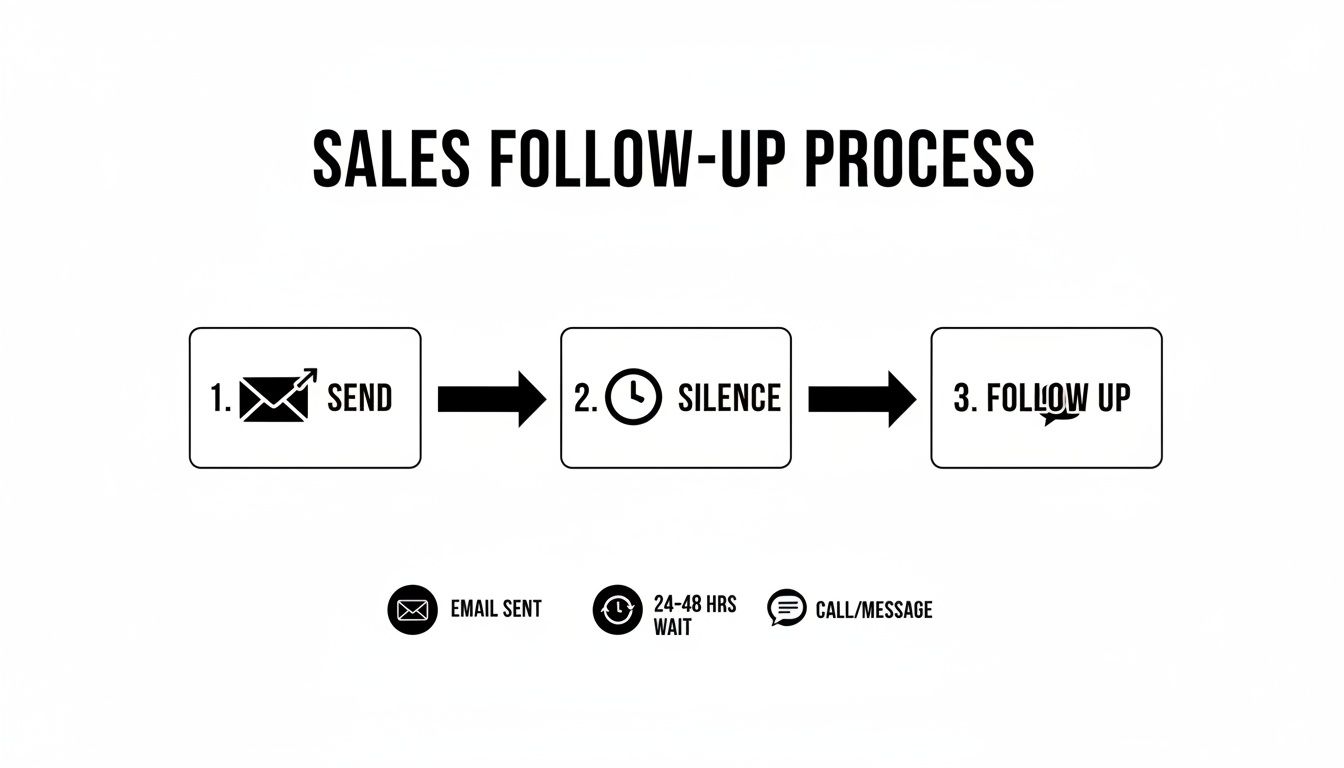
Infographic detailing a sales follow-up process: send email, wait 24-48 hours, then call or message.

This process flow highlights a critical, often-overlooked step: the wait. Patience isn't just a virtue here; it's a strategic part of any outreach that gets results.

A Blueprint for a 10-Day Follow Up Cadence

Every email in your sequence needs a job to do. Just firing off messages without a clear purpose is a fast track to the spam folder. A well-designed cadence makes sure each follow-up logically moves the conversation forward. Think of it as telling a short, compelling story over several days.

Here's a practical, multi-touch blueprint that balances persistence with genuine value.

Actionable 10-Day Follow Up Cadence Blueprint

DayAction/ChannelPurpose of MessageExample CTA
1EmailClearly state your value prop and the problem you solve."Worth a 15-min chat next week to explore this?"
3EmailRe-state value prop from a new angle; gentle reinforcement."Just wanted to bring this back to the top of your inbox."
5LinkedInView profile & send a connection request (no pitch).N/A (Passive engagement)
7EmailIntroduce social proof or a new piece of value (case study, stat)."Here's how we helped [Similar Company] solve this."
10EmailShift to a direct, low-friction question to gauge interest."Is solving [problem] a priority for your team this quarter?"

By assigning a specific role to each touchpoint, you build a cohesive narrative that guides the prospect toward a decision. It’s methodical, respectful, and a world away from just "checking in." This is how you stay persistent with a purpose.

Follow Up Templates That Actually Get Opened

What’s the difference between a follow-up that lands a meeting and one that gets instantly archived? Clarity. It’s that simple.

Your prospect’s inbox is a warzone of long, feature-heavy emails that are exhausting to read. Your job is to be a breath of fresh air. Think concise, relevant, and respectful of their time. Get straight to the point.

Let’s compare two email styles:

  • The "Wall of Text": A long, multi-paragraph follow-up with three different links and four value props. Action Required: The prospect has to decipher what you want. Result: Instant archive.
  • The "Surgical Strike": A two-sentence email with a single, clear question. Action Required: A simple yes/no or a quick thought. Result: Higher chance of a reply.

The psychology here is pretty straightforward: short emails with a single, clear call-to-action are just easier for a busy brain to process. They signal confidence and make it dead simple for the person on the other end to know what you want.
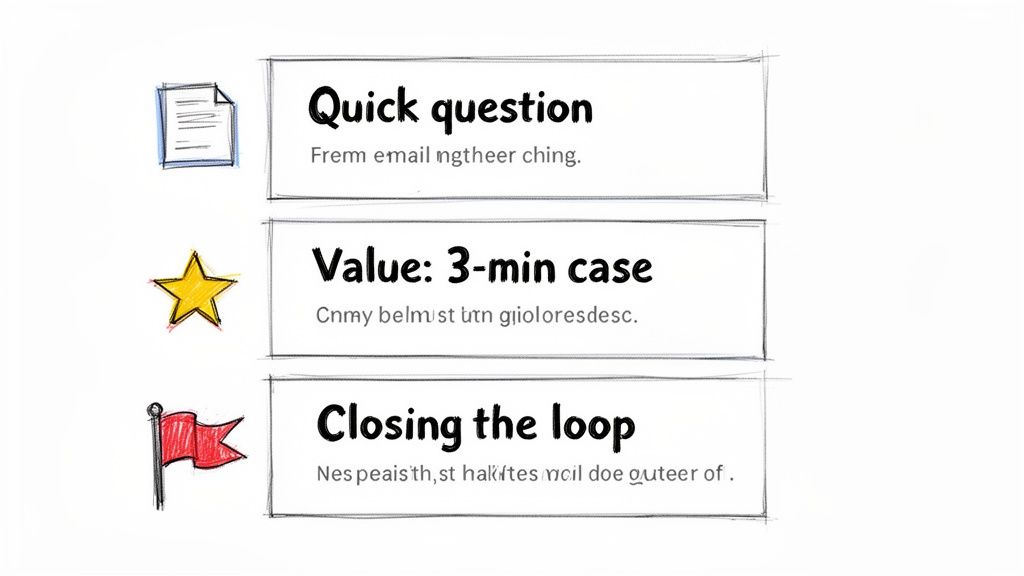
Visual guide to effective email follow-up techniques, featuring quick questions, value cases, and closing the loop.

This guide from MarketBetter breaks down how to use different templates for different goals, from a quick check-in to a value-packed case study. Every single one is designed to be direct and actionable, which is exactly what a good follow-up needs to be.

The Gentle Nudge After No Response

This is the one we all send the most. You’ve shot your shot, and now you’re hearing crickets. The goal here is to be polite and professional, gently bumping your message back to the top of their inbox without being annoying. Drop the guilt-tripping language like, "Did you see my last email?"

It's a low-pressure way to re-establish contact. You're just giving them a simple reminder without demanding a complicated reply.

Actionable Tip: Test these subject lines to see which performs best for your audience.

  • A/B Test 1: Re: Original Subject Line
  • A/B Test 2: Quick question about [Company Name]
  • A/B Test 3: Bringing this to the top of your inbox

Template: Hi [Prospect Name],

Just wanted to bring my previous email to the top of your inbox. We help sales leaders like you solve [specific problem] by [one-sentence value prop].

Worth a quick chat next week?

Best, [Your Name]

Re-Emphasizing Value with Social Proof

If the first nudge didn't land, it's time to bring something new to the table. Just repeating your original pitch is a wasted email. Instead, drop in some social proof—a killer case study or a compelling statistic—to show you're the real deal.

This tactic shifts the conversation from "here's what I think I can do" to "here's what we've already done for people just like you." If you need more inspiration for subject lines that grab attention, check out our guide on witty email subject lines.

Actionable Tip: Experiment with different formats for social proof.

  • A/B Test 1: A direct quote from a happy client.
  • A/B Test 2: A single, powerful data point (e.g., "30% increase in meetings").
  • A/B Test 3: A link to a full case study.

Template: Hi [Prospect Name],

I was thinking about your team and wanted to share how we helped [Similar Company/Client Name] achieve [specific outcome, e.g., a 30% increase in meetings booked].

We helped them fix [specific problem], and I thought you might find their story relevant.

Is this a priority for you right now?

Best, [Your Name]

Pro Tip: Keep the social proof bite-sized. Link out to the full case study, but pull the single most impressive result directly into the email itself. Don't make them hunt for the value.

The "Break-Up" Email to Re-Engage Cold Leads

Alright, you've tried a few times with no response. It's time to professionally close the loop. The "break-up" email is a surprisingly powerful psychological tool. It taps right into the fear of missing out (FOMO) and often jolts people into making a decision.

This isn't about being passive-aggressive. It's about respecting their time—and more importantly, yours. I've seen it time and again: this is one of the highest-response email follow ups you can have in your sequence.

Actionable Tip: A/B test the tone of your break-up email.

  • A/B Test 1 (Helpful Tone): "Permission to close your file?"
  • A/B Test 2 (Direct Tone): "Closing the loop"
  • A/B Test 3 (Goal-Oriented): "Is [goal] still a priority?"

Template: Hi [Prospect Name],

I’ve reached out a few times about how we help companies like yours with [problem] but haven’t heard back. This usually means it's not a priority right now.

I’m closing your file for now, but please feel free to reach out if things change.

Best, [Your Name]

Adding Personalization That Cuts Through the Noise

Let’s be honest: generic email follow ups are a one-way ticket to the trash folder. Every prospect's inbox is a battlefield, flooded with soulless, automated blasts. In that environment, personalization isn't just a nice touch—it's the only proof you've done your homework and are worth 30 seconds of their time.

A truly personalized email feels like it was written for an audience of one. That’s what gets replies.

The good news? This doesn't mean you have to sink an hour into researching every single prospect. The real secret is building a scalable framework that strikes the right balance between efficiency and a genuine human touch. It all comes down to knowing the two levels of personalization and when to deploy each.
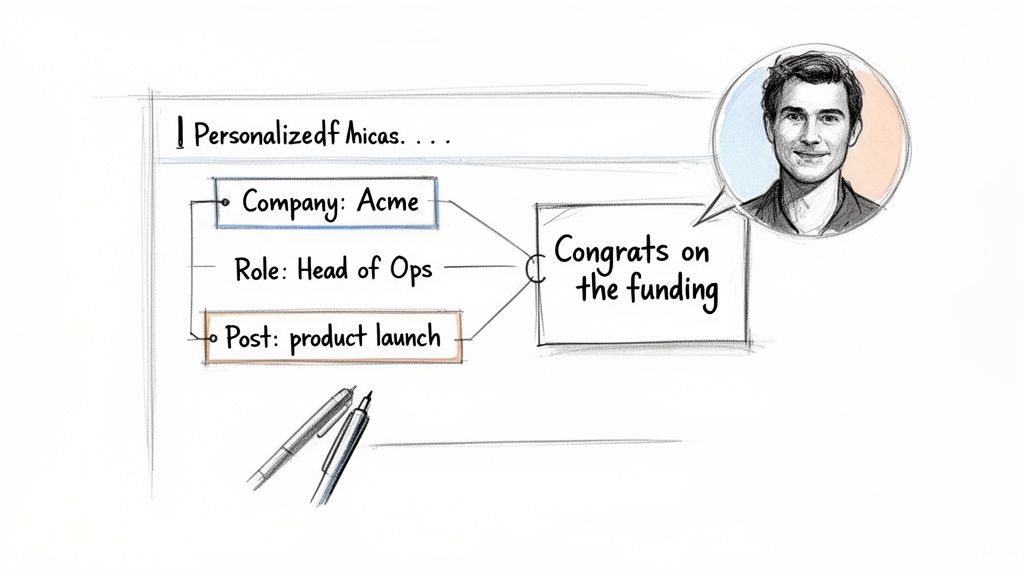
A diagram illustrates personalized outreach based on company, role, and a product launch post, leading to a congratulatory message from a man.

Comparing Light vs. Deep Personalization

Not all personalization is created equal, and the right move depends entirely on the account's value and where the prospect is in your sequence.

Let's break down the two main strategies.

Personalization LevelWhat It IsWhen to Use ItActionable Example
Light PersonalizationUsing easy-to-find info like their name, company, and job title.Perfect for early-stage nudges or lower-tier accounts where a deep dive isn't practical."Hi John, saw you're the VP of Sales at Acme..."
Deep PersonalizationReferencing specific, timely events—a funding round, a recent LinkedIn post, a mutual connection.Your go-to for high-value target accounts or later-stage follow-ups to re-engage a quiet prospect."Congrats on the new product launch you posted about on LinkedIn yesterday..."

Think of light personalization as your baseline. It shows you aren't a spam bot. But deep personalization? That’s your secret weapon. It proves you're a sharp, observant human who’s actually paying attention to their world.

A Scalable Framework for Meaningful Outreach

Doing this at scale is where most teams fall down. Manually scouring LinkedIn and company news for every single prospect is a recipe for burnout. This is where a smart workflow, powered by the right tools, makes all the difference.

The goal is to find a "trigger"—a specific piece of information that makes your email feel timely and hyper-relevant.

Here’s an actionable checklist of where to look for those triggers:

  • Company News: Did they just announce a funding round, launch a new product, or hire a key executive? That’s absolute gold for a congratulatory follow-up.
  • LinkedIn Activity: Did your prospect post an article, share an opinion, or comment on a relevant thread? Referencing it shows you’re tuned in.
  • Job Postings: If a company is hiring for a role you can help with (like hiring more SDRs when you sell sales software), it’s a massive signal of their current pain points.
  • Mutual Connections: Nothing builds instant credibility faster than mentioning a shared connection. It’s the ultimate shortcut to trust.

The most effective personalization connects their recent activity directly to the problem you solve. It’s not just about name-dropping their latest post; it's about explaining why that post made you think of a solution specifically for them.

Using AI to Accelerate Personalization

This is where modern tools completely change the game. Instead of you spending hours on manual research, an AI-powered engine can do the heavy lifting.

For example, MarketBetter’s SDR Task Engine automatically surfaces these crucial account insights and triggers. It can spot that a target account just landed its Series B funding and instantly generate a personalized snippet for your follow-up.

Here’s what that workflow looks like in practice:

  1. AI Surfaces an Insight: The system flags that "Acme Corp just announced a new integration with Salesforce."
  2. AI Generates a Snippet: It drafts a line like, "Saw the news about your new Salesforce integration—congrats! Scaling up often puts a strain on CRM data hygiene..."
  3. You Add the Human Touch: You grab that AI-assisted line and weave it into your follow-up, making sure the tone feels authentic to you.

This approach gives you the best of both worlds: the raw speed of automation combined with the irreplaceable authenticity of human oversight. You're no longer just sending another email; you're delivering a relevant, timely message that makes your follow-up impossible to ignore.

Automating and Tracking Follow Ups Like a Pro

A killer follow-up strategy is worthless if you don't execute it consistently. This is where the real work happens—inside your CRM. Managing your email follow ups in a system like Salesforce or HubSpot is non-negotiable for staying organized, but let's be honest, the manual process can quickly become a bottleneck that absolutely kills your selling time.

Even a well-organized manual workflow is better than chaos, but it’s still loaded with friction. Every single click, from creating a task to logging an email, pulls you away from what you should be doing: talking to prospects. Let's compare that old-school grind to a modern, automated approach.

Manual vs Automated Workflows: A Side-By-Side Look

The difference between a manual and an automated process isn't just about saving a few minutes here and there. It’s about completely changing where your SDRs spend their energy. One path is reactive and buried in admin tasks; the other is proactive and laser-focused on selling.

Take a look at how the two workflows stack up against each other. The contrast is pretty stark.

Actionable Comparison: Manual vs. Automated Follow Up Workflow

The table below breaks down the daily reality for a sales rep. On one side, you have the click-heavy, memory-dependent traditional process. On the other, a system that does the heavy administrative lifting for you.

TaskManual Process (in Salesforce/HubSpot)Automated Process (with MarketBetter)The Impact
Task CreationYou have to remember to create a "Follow Up" task for a specific date after sending an email.A task is auto-created and prioritized in your inbox based on a trigger (e.g., "no reply after 3 days").No leads fall through the cracks.
Daily PrioritizationYou stare at a long, unfiltered task list, trying to guess which lead to contact next.The system serves up a clear 'next best action' based on account fit, timing, and engagement signals.Reps work on the highest-value tasks first.
Email DraftingYou hunt for a template, copy-paste it, and then manually dig through records for personalization details.AI generates a context-aware follow-up email using account and persona data, ready for your review.Time spent drafting is cut by over 90%.
Activity LoggingYou have to manually log the email activity, copy the text, and update the contact record. Tedious.The email is sent and all activity is auto-logged to the correct Salesforce or HubSpot record instantly.Perfect CRM data hygiene with zero effort.

This comparison shines a spotlight on the core problem: the manual process forces reps to waste a huge chunk of their day on low-value admin work. All those clicks add up, devouring the time that could be spent having actual conversations that generate pipeline.

The goal of automation isn't to replace the seller. It's to eliminate the tedious, repetitive tasks that prevent the seller from doing what they do best: selling.

How an SDR Task Engine Changes the Game

This is exactly where a tool like MarketBetter's SDR Task Engine completely flips the script. Instead of you chasing down what to do next, the system intelligently serves up the next best action. It basically turns buyer signals into a prioritized, actionable to-do list.

Imagine this actionable scenario: the engine sees that a prospect hasn't replied to your first email after three days. It doesn't just send you a reminder; it gets to work.

  1. Auto-Creates a Prioritized Task: A new "Follow-Up" task for that specific contact pops to the top of your queue. You don't have to remember a thing.
  2. Provides Full Context: The task is packed with the prospect's details, your previous email history, and key account insights so you're not flying blind.
  3. Generates an AI-Written Draft: With a single click, MarketBetter’s AI drafts a concise, relevant follow-up email. It references your last touchpoint and is ready for you to quickly tweak and send.

This approach ensures your CRM hygiene is perfect because every single action is logged automatically. But more importantly, it frees you from the decision fatigue of figuring out who to follow up with and what to say. The system handles the "when" and the "what," so you can focus on the "how"—adding that critical human touch that actually closes deals.

For a deeper dive into this, you can learn more about how marketing automation workflows can supercharge your entire sales process.

Common Questions About Email Follow Ups

Even with the best playbook, you'll run into situations that feel like a gray area. When you're juggling dozens of prospects, knowing the right move isn't just helpful—it's what separates the pros from the pests.

Here are the straight-up answers to the questions our sales teams get asked the most about nailing the follow-up.

How Many Email Follow Ups Is Too Many?

There’s no magic number, but all the data—and my own experience—points to a sweet spot: a multi-channel sequence of 5 to 7 touches. But honestly, the number isn't the point. It's the value and tone of each message that matters.

Sending the same "just checking in" email seven times is just spam with extra steps. But if each follow-up offers a new insight, a relevant case study, or a helpful resource? You've earned the right to stay in their inbox.

Think about it this way:

  • The Annoying Approach: "Hi, following up again." "Hi, just checking in on my last email." This adds zero value and instantly tags you as a nuisance.
  • The Value-Add Approach: "Hi, thought you'd find this article on [pain point] useful." or "Hi, here's how we helped a similar company solve [problem]." Now you're a helpful advisor, not a salesperson chasing a commission.

Actionable takeaway: End your sequence with a "break-up" email. It politely closes the loop and, you'd be surprised, often gets a high response rate from busy people who just appreciate the professional courtesy. And always, always watch your engagement. If you see zero opens after 3-4 attempts, it’s a pretty clear signal to move on.

What Is the Best Time to Send a Follow Up?

You’ve probably seen the studies pointing to mid-morning (10 AM) and mid-afternoon (2 PM) on Tuesdays. That advice is so generic it’s almost useless. The "best" time is completely different depending on the industry, role, and time zone. An East Coast CFO’s workflow is nothing like a West Coast marketing manager's.

Your own data is your best friend here. But an even better strategy is to follow up based on when your prospect is actually active.

An email sent at a "good enough" time consistently is far more effective than an email sent at the "perfect" time inconsistently. Don't let perfectionism kill your execution.

Actionable takeaway: Use tools with real-time engagement alerts. If a prospect opens your email at 8 PM on a Wednesday, that’s a massive clue about their work habits. Schedule your next touchpoint for a similar time to massively boost your odds of catching them when you're already top-of-mind.

Should I Mention My Previous Email in a Follow Up?

Yes, but do it with finesse. The goal is to re-establish context, not to remind them they ignored you. Whatever you do, avoid the cliché and slightly passive-aggressive phrase, "I'm just following up on my email below." It feels like you're pointing a finger.

Instead, just briefly and professionally reference the core idea of your last message.

What to Avoid (Passive-Aggressive): "Did you get a chance to read my last email?" (This implies they owed you something.)

What to Do Instead (Professional Context): "When I last reached out, I mentioned how we help sales leaders fix their CRM data problem..." (It's quick, professional, and gets right back to the value.)

Actionable takeaway: Ensure every follow-up can stand on its own. The recipient shouldn't have to go digging through their inbox to figure out what you're talking about. Briefly restate the value, connect it to their world, and give them a clear, simple call-to-action.


Stop letting your SDRs drown in manual admin work. MarketBetter turns buyer signals into a prioritized task list and helps your reps execute faster with an AI email writer and dialer that lives right inside Salesforce and HubSpot. See how you can book more meetings, not more busywork. Learn more at marketbetter.ai.
8 High-Converting Follow Up Email Templates for Sales in 2026

· 25 min read

In B2B sales, the first email is just the beginning. The real pipeline is built in the follow-up, yet most sales reps are stuck sending generic 'just checking in' messages that get instantly deleted. These low-effort emails don’t just fail to get a response; they actively damage your credibility and kill potential deals before they even start.

This guide moves beyond generic advice and provides a playbook of 8 specific, scenario-based follow up email templates for sales designed for high-converting outbound motions. We'll go beyond just the copy and paste text. For each template, you'll get a comparative analysis of when to use it versus other options, actionable tips for deep personalization, and clear instructions for integrating them into your existing SDR workflows within CRMs like Salesforce or HubSpot.

You'll learn how to transform silence into meaningful conversations and add genuine value at every touchpoint. This isn't just a list of templates; it's a strategic framework for turning follow-ups from an afterthought into your most powerful pipeline-building tool. Let's dive into the specific templates that will help you re-engage cold prospects and close more deals.

1. The No-Response Follow-Up (3-5 Day Gap)

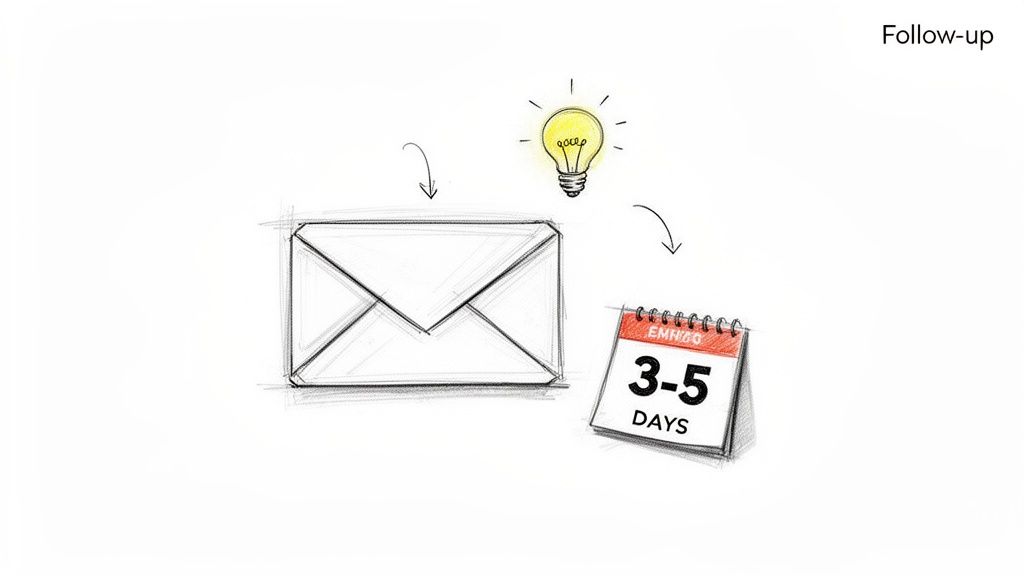
This is the most fundamental of all follow up email templates for sales: the gentle nudge after your initial cold outreach gets zero engagement. Triggered 3-5 business days after your first email, this template's goal is to re-engage a prospect who may have missed your message or wasn't immediately compelled to reply. Instead of simply "bumping" the original email, a successful follow-up provides a fresh, concise angle of value.

It assumes the prospect is busy, not uninterested. The key is to avoid sounding desperate or repetitive. Reference a new insight, a different pain point, or a recent company trigger event to make the message feel timely and relevant. This approach positions you as a persistent, helpful resource rather than just another salesperson.

Hand-drawn sketch illustrating sending a follow-up email after an idea, within 3-5 days.

Why It Works & How It Compares

Data consistently shows that persistence pays off. Amplemarket's research reveals that the second email in a sequence, sent 3-5 days later, often outperforms the first by 15-25%. Similarly, Outreach.io customers report a 20-30% lift in responses on follow-ups within a well-structured sequence.

Comparison: This template is your workhorse. While a Trigger Event Follow-Up is more powerful, it's situational. The No-Response Follow-Up is your default second step for any prospect who goes silent, making it universally applicable. It's less aggressive than a Breakup Email and serves as the foundation before introducing stronger plays like social proof.

Actionable Tips for Implementation

  • Actionable Step: Open your CRM and create an automated task to trigger this follow-up four business days after an initial email gets no reply. This ensures consistency.
  • Vary the Value Proposition: If your first email focused on cost savings, pivot this one to operational efficiency or a specific competitor advantage.
  • Use a Micro-Commitment CTA: Instead of a vague "let's connect," suggest a specific, low-friction next step. Action: Change your CTA from "Let me know your thoughts" to "Is this worth a 15-minute chat next Tuesday to explore?"
  • Keep Subject Lines Short and New: Avoid using "Re:" on this first follow-up. A fresh, compelling subject line under 50 characters works best. Try "Quick question about [Company Name]'s X" or "[Prospect Name], thought you'd find this interesting."
  • Integrate CRM and Sales Tools: Log all non-opens in your CRM (like Salesforce or HubSpot) to track sequence effectiveness. For more advanced strategies, you can check out our guide on the best practices for email campaigns.

2. The Social Proof / Third-Party Validation Follow-Up

This powerful follow-up is deployed after your first or second no-response touch. Its purpose is to build immediate credibility and reduce perceived risk by showcasing that similar companies are already benefiting from your solution. Instead of you telling the prospect why your product is great, you let the success of their peers do the talking. This shifts the message from a speculative "we think you need this" to a compelling "companies like yours are already succeeding with this."

This template is especially effective for prospects who match your ideal customer profile (ICP) but have gone silent. It leverages the psychological principle of social proof, making the decision to engage feel safer and more validated. By introducing a customer logo, a specific case study result, or relevant industry recognition, you anchor your value proposition in tangible, real-world success.

Why It Works & How It Compares

Social proof is a potent motivator in B2B sales. Analysis from Gong reveals that mentioning a peer or competitor in follow-up calls and emails can improve response rates by over 30%. Similarly, case studies from LinkedIn Sales Solutions report that prospects who see relevant customer logos in an email are twice as likely to engage.

Comparison: Use this template when your No-Response Follow-Up fails to get a reply. It's more persuasive than a simple nudge because it introduces external validation. Compared to a Value-Add Content Follow-Up, which offers general advice, this is a direct and targeted proof point that says "your competitors are already winning with this."

Actionable Tips for Implementation

  • Actionable Step: Build a simple spreadsheet or CRM dashboard mapping your top 5 case studies to specific industries and company sizes. When a prospect goes cold, consult this map for the most relevant proof point.
  • Segment Your Proof Points: Don't use a one-size-fits-all testimonial. A CFO will care about ROI metrics, while a VP of Sales wants to see pipeline growth.
  • Use Anonymous Results When Needed: If you can't name-drop a customer, use an anonymized but specific result. For example, "A leading CPG brand in your sector increased market share by 5% in six months using this strategy."
  • Pair Proof with a Trigger Event: Reference a recent company event like a funding round or a new executive hire alongside your social proof. For example, "Saw you're hiring more SDRs. Our client [Competitor Name] cut their ramp time by 40% with our platform."
  • Focus on a Single, Strong CTA: The goal isn't just to share a case study; it's to start a conversation. Pair your social proof with a direct, low-friction call to action like, “Worth a 15-minute chat to see how we did it?” For more strategies on getting your messages seen, check out our guide on how to improve email open rates.

3. The Event / Timely Trigger Follow-Up

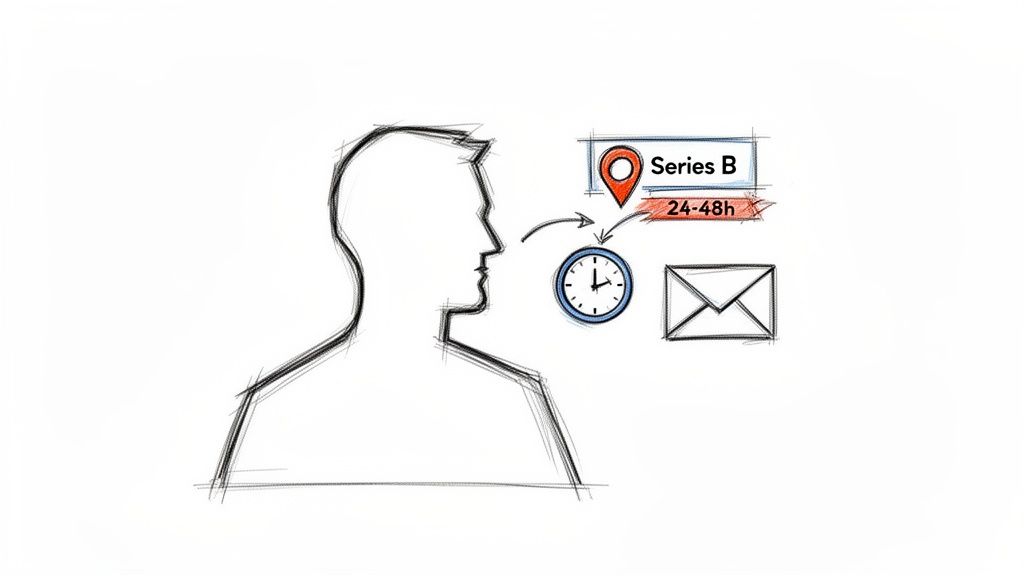
This is one of the most powerful follow up email templates for sales because it’s activated by a specific, relevant buyer signal. Triggered within 24-48 hours of an event like a funding announcement, job change, significant website visit (like the pricing page), or product launch, this template capitalizes on moments when prospects are most receptive. The goal is to move beyond generic outreach by connecting your value proposition directly to their immediate context, making your email feel intuitive, not intrusive.

This approach assumes the prospect is actively considering change or facing new challenges due to the trigger event. Your follow-up becomes a timely solution rather than an unsolicited pitch. By referencing the specific event, you demonstrate you've done your research and understand their current situation, which immediately sets you apart from generic, automated sequences.

A person's profile thinking about Series B funding, a 24-48h deadline, and sending an email.

Why It Works & How It Compares

Relevance drives response rates. Data from platforms like Salesloft and Outreach.io show that signal-triggered follow-ups can generate over 50% higher engagement. Similarly, LinkedIn research indicates that outreach tied to a recent job change has a 45% higher positive response rate compared to standard cold outreach.

Comparison: This is your highest-impact template, but it's opportunistic. Unlike the scheduled cadence of a No-Response Follow-Up, this template should interrupt your sequence the moment a signal is detected. It provides a more compelling reason to reach out than a generic Value-Add email because it ties directly to the prospect's immediate priorities.

Actionable Tips for Implementation

  • Actionable Step: Set up Google Alerts for your top 10 target accounts and keywords like "funding," "acquisition," or "new partnership." This creates a real-time feed of trigger events you can act on immediately.
  • Build a Signal Hierarchy: Not all triggers are equal. Rank them for your ICP. For a product-led company, a pricing page visit might be a top-tier signal, while for an enterprise solution, a funding announcement is more critical.
  • Automate Signal Detection and Drafting: Use tools with intent integration to auto-generate draft follow-ups when a signal is detected. Set up workflows to create an urgent task for your SDR in Salesforce or HubSpot within two hours of the event.
  • Add Deep Context to Job Changes: Don't just say "Congrats on the new role." Research the new company and the role’s likely priorities. For example, "Saw you just moved to [New Company] as VP of Sales; scaling the SDR team is often a key priority in that role, which is where we help."
  • Track Conversion by Signal Type: Monitor your CRM analytics to see which triggers (e.g., funding, new hire, competitor mention) lead to the most meetings. Double down on what works and allocate prospecting time accordingly.

4. The Objection / Pain Reframe Follow-Up

This is one of the most powerful follow up email templates for sales, deployed after a prospect engages but raises a concern. Instead of a generic rebuttal, this template directly addresses the stated or implied objection (e.g., "no budget," "happy with current provider") and skillfully reframes it as the very reason to continue the conversation. It transforms a potential dead-end into a compelling new angle for engagement.

This template requires a thoughtful, consultative approach. It acknowledges the prospect's concern, validates their perspective, and then pivots to an alternative viewpoint. For example, a "no budget" objection is reframed into a conversation about ROI and long-term cost savings. This positions the sales rep as a strategic partner who understands their challenges, not just a vendor pushing a product.

Why It Works & How It Compares

Addressing objections head-on builds credibility and trust. Gong’s research shows that reps who directly tackle prospect concerns in follow-ups achieve three times higher close rates. Furthermore, data from Salesloft customers indicates that objection-specific follow-ups can improve conversion lift by 25-35%.

Comparison: This template is reactive, unlike the proactive nature of most others. It should only be used after a prospect has responded with a specific concern. Trying to pre-emptively address objections in a cold follow-up (like the No-Response template) can create problems that don't exist. It's a scalpel, not a hammer.

Actionable Tips for Implementation

  • Actionable Step: Create a shared document (e.g., a Google Doc) for your team titled "Objection Handling Library." For the top 5 objections, collaboratively write and refine a 2-3 sentence email response based on this template.
  • Maintain a Curious, Not Defensive Tone: Use phrases like “I understand your point, and it’s a common one. I wonder if you’ve considered…” This opens a dialogue rather than starting an argument.
  • Leverage Customer Stories: Pair your objection reframe with a relevant, one-sentence case study. For example, “Another client in your space felt the same way until they saw a 40% reduction in X.”
  • Integrate Call and Email Data: Use tools to pull objections mentioned in prior calls and reference them in your email. This creates seamless continuity and shows you've been paying close attention to every detail of the sales process. You can enhance this process by learning how to qualify sales leads more effectively.

5. The Value-Add Content / Educational Follow-Up

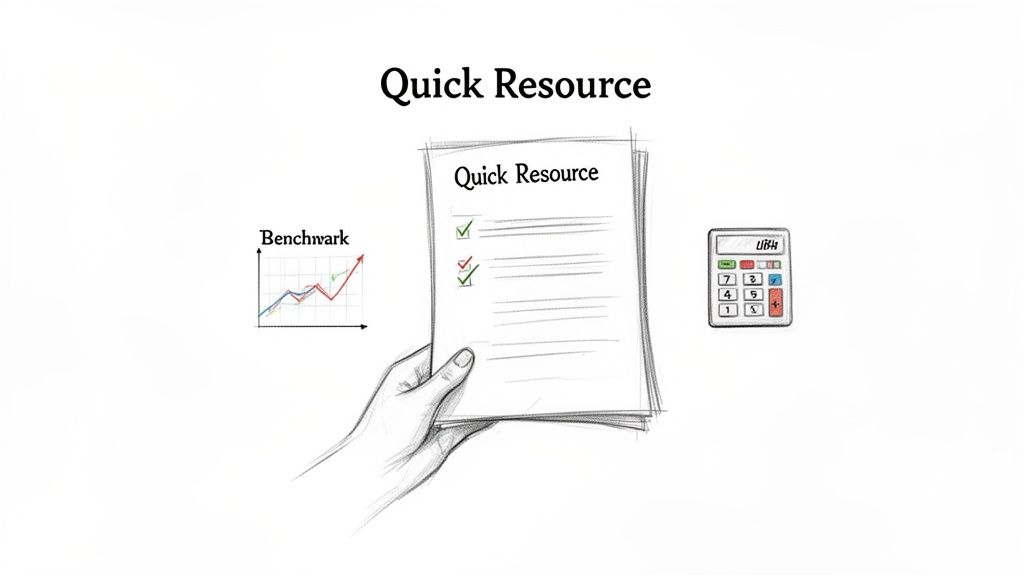
When a prospect ignores your first one or two attempts, it's time to shift from asking to giving. This follow up email template for sales changes the dynamic entirely by delivering genuine, no-strings-attached value. Instead of requesting a meeting, you offer a relevant research report, an ROI calculator, a competitor analysis, or insightful benchmark data. This approach is triggered after initial follow-ups fail, aiming to re-engage a cold prospect by positioning you as a helpful industry expert, not just a salesperson.

The goal is to build trust and credibility by providing something useful. By sharing content that helps prospects do their job better or understand their challenges more clearly, you earn their attention and demonstrate your expertise. This non-salesy touchpoint aligns with modern buyer behavior, where prospects prefer to self-educate before engaging with sales.

A hand holds 'Quick Resource' documents with checkmarks, next to a 'Benchmark' graph and a calculator.

Why It Works & How It Compares

This method is effective because it mirrors how B2B buyers operate. Research from Forrester and Gartner shows that B2B buyers consume 3-5 pieces of content before they are ready to speak with a sales rep. Data from HubSpot's 2023 sales trend report further validates this, revealing that value-add follow-ups outperform standard "time to connect" emails by up to 40% in open rates.

Comparison: This is a softer play than the Social Proof follow-up. While social proof directly promotes your solution via a customer story, the value-add template provides broader educational content that is not explicitly about your product. Use this for longer sales cycles or for prospects who seem early in their buying journey and are not yet ready for a product-focused message.

Actionable Tips for Implementation

  • Actionable Step: Have your marketing team provide a list of the top 3 content assets (e.g., whitepaper, webinar, ROI calculator) for each key buyer persona. Store these links in a shared repository for your sales team to easily access.
  • Tailor Content by Persona: Don't send generic content. A CMO will value a marketing ROI report, while a CTO is more interested in a technical comparison or an integration guide. Match the asset to the recipient's role and responsibilities.
  • Preview the Value: Instead of just linking to a report, pull out a compelling stat or finding directly in the email. For example, “I thought you'd find this interesting: our report shows companies like yours see a 25% lift in X after implementing Y.”
  • Test Your Subject Lines: Compare personalized versus generic subject lines. "A resource for [Company Name]'s growth" will almost always outperform "Free whitepaper." Track which approach resonates best with your audience.
  • Track Engagement, Not Just Opens: Use your sales tools to monitor who clicks, downloads, or spends time with the content. This engagement is a strong buying signal, indicating it's the right time to re-engage with a more direct call to action in your next touchpoint.

6. The Multi-Threaded / Stakeholder Follow-Up

This advanced strategy moves beyond a single point of contact. When your initial outreach to a primary contact goes unanswered, a multi-threaded follow-up email targets other relevant stakeholders within the same company. This isn't about spamming an organization; it's about strategically engaging multiple personas (e.g., the economic buyer, the end-user, an influencer) with tailored messaging that speaks to their specific roles and pain points.

The goal is to build consensus and create internal buzz from different directions. By personalizing outreach to each stakeholder, you create parallel conversations that significantly increase the odds of a collective response. This method acknowledges that modern B2B buying decisions are rarely made by one person, positioning you as a thorough partner who understands the organizational landscape.

Why It Works & How It Compares

Multi-threading transforms your outreach from a single shot into a coordinated campaign. According to Salesloft, sequences that thread outreach to three or more stakeholders outperform single-contact sequences by 40%. Similarly, an Outreach customer case study showed that multi-threading on larger deals boosted reply rates from 8% to an impressive 18%.

Comparison: This is a high-effort, high-reward strategy best reserved for high-value accounts. It's far more complex than a standard No-Response follow-up. Use this approach for mid-market and enterprise deals where you know a buying committee is involved. For smaller, transactional deals, stick to single-threaded sequences to maintain efficiency.

Actionable Tips for Implementation

  • Actionable Step: For your next top-tier account, use LinkedIn Sales Navigator to map out three key contacts: a likely champion (user), an economic buyer (decision-maker), and an influencer (related department head). Draft a unique opening line for each before adding them to a sequence.
  • Build a Stakeholder Map: Before sending, identify the primary contact, economic buyer, end-user, and potential champion.
  • Tailor the Value Prop for Each Role: Don't send the same email to everyone. The CFO cares about ROI, the IT Director cares about integration and security, and the end-user cares about ease of use. Customize your message accordingly.
  • Stagger Your Sends: Avoid sending all emails at the exact same moment, which can feel automated and spammy. Stagger your outreach to different contacts by 1-2 business days to create a more organic feel.
  • Coordinate Within Your CRM: Log all multi-threaded interactions under the same Account record in Salesforce or HubSpot, not as separate Lead records. This provides a unified view of engagement and prevents your team from working in silos.
  • Reference Other Stakeholders: To connect the threads naturally, mention your other outreach. A simple line like, "I also reached out to [Peer Name] on the operations side to get their perspective," shows coordination and transparency.

7. The Breakup / Final Permission Follow-Up

This is the final, often counterintuitive, follow-up in a multi-touch sequence. Sent after 4-6 genuine attempts with no response, its purpose is to respectfully close the loop. Instead of another aggressive pitch, this email grants the prospect an easy way out, which paradoxically often prompts them to re-engage. It's an honest, human approach that cleans your pipeline and preserves the relationship for future opportunities.

The core principle is permission-based selling. You acknowledge their silence, restate your belief in the value you offer one last time, and then ask for permission to stop contacting them. This pattern interrupt stands out in a crowded inbox filled with endless "just checking in" messages and repositions you as a respectful professional, not a persistent pest. It's a powerful tool in your arsenal of follow up email templates for sales.

Why It Works & How It Compares

This method leverages psychological principles like reciprocity and the fear of missing out (FOMO). By offering to walk away, you shift the power dynamic. Gong's analysis shows breakup emails that explicitly say "I'll stop reaching out" have a reply rate over 25%, compared to just 2-3% for a typical sixth touchpoint.

Comparison: This is your last resort before marking a lead as cold. It serves the opposite function of every other template, which is to continue the conversation. The goal here is to get a definitive "no" or an unexpected "yes," but either way, it provides closure. Never use this early in a sequence; it's the final step that cleans your pipeline.

Actionable Tips for Implementation

  • Actionable Step: In your sales engagement platform (e.g., Outreach, Salesloft), set up your main outbound sequence to automatically send this email as the final step (e.g., touchpoint #7) to any contact who has not responded.
  • Earn the Right to Break Up: Only send this after 4-6 varied and value-driven touches. Sending it after two identical emails just looks lazy and manipulative.
  • Offer Clear, Simple Choices: Frame the call-to-action with distinct options. For example: A) "Yes, I'm interested, let's chat." B) "No, this isn't a priority, please close the loop." C) "Now isn't right, check back in a few months."
  • Restate Your Value Hypothesis: Briefly and specifically mention the core problem you believe you can solve for them. For instance, "I reached out because I saw you were hiring more SDRs and thought our training platform could cut their ramp time in half."
  • Test and Refine Your Tone: Before deploying this to your entire unengaged list, test the template with a small cohort of 10-20 prospects. Track reply sentiment and adjust the language to ensure it sounds genuine, not passive-aggressive.

8. The Call-to-Email Follow-Up (Post-Voicemail / Missed Call)

This template serves as a critical bridge between a phone call and your digital sales process. It’s designed for the moments immediately following a missed call, a voicemail, or even a brief conversation where next steps weren't cemented. This email reinforces your reason for calling, provides tangible context, and gives the prospect an easy, asynchronous way to respond. Instead of letting a call attempt fade into memory, this follow-up creates a documented touchpoint that keeps the conversation alive.

The core purpose is to transition from a synchronous (live call) to an asynchronous (email) channel smoothly. It respects the prospect's time by summarizing key points or the call's purpose, ensuring your effort isn't lost. This transforms a simple phone call into a multi-channel engagement, demonstrating professionalism and persistence without being intrusive.

Why It Works & How It Compares

Bridging the call-email gap significantly boosts engagement. Gong data reveals that sales reps who send a follow-up email within four hours of a call see 45% higher meeting confirmation rates. Similarly, HubSpot research shows that sales emails sent after a phone conversation are opened 50% more frequently than cold emails.

Comparison: This template is a multi-channel connector, unlike the others which are primarily email-native. Its purpose is not to introduce a new idea but to reinforce a previous touchpoint from a different channel. It's a tactical tool for improving follow-through, whereas templates like Social Proof or Value-Add are strategic tools for building interest.

Actionable Tips for Implementation

  • Actionable Step: Create this as a pre-built template in your email client or CRM. After every call that goes to voicemail, immediately send this template with one personalized sentence about why you called. Make this a non-negotiable part of your calling block.
  • Act with Urgency: Set a team-wide standard to send this follow-up email within four hours of any call attempt. This immediacy connects the two touchpoints in the prospect's mind.
  • Reference Specifics from the Call: To prove the email isn’t automated, mention a specific detail. For example, “Following up on my voicemail about your team’s [mention specific challenge]” or “Great chatting about [prospect’s company initiative].”
  • Provide a Clear, Singular Next Step: Avoid vague requests. Propose a concrete action, like, “Does Thursday at 2 PM work for a 15-minute chat to elaborate? You can also book a time directly here,” and include your calendar link.
  • Log Both Activities in Your CRM: Ensure the call and the follow-up email are logged together on the contact’s record in Salesforce or HubSpot. This gives you a complete, unified view of your engagement history.
  • Test Your Subject Lines: Track the performance of different subject lines to see what resonates. Compare “Quick follow-up from our call” against a more value-driven option like “Next steps for [solving prospect’s problem].”

8 Sales Follow-Up Email Templates Comparison

Follow-up Type🔄 Complexity⚡ Resources & Speed📊 Expected outcomes💡 Ideal use cases⭐ Key advantages
The No-Response Follow-Up (3–5 Day Gap)Moderate — automated template + light personalizationLow effort; AI scales high send volume; quick cadenceModerate response lift (≈15–30% reported)2nd touch for net‑new prospects; inbox‑overwhelmed targetsMaintains sequence momentum; easy A/B testing
Social Proof / Third‑Party Validation Follow‑UpModerate — needs case studies + permissionsMedium — requires curated proof points and CRM pullsHigher trust/response (≈25–40% uplift)After 1–2 no‑responses; strong ICP segments; enterpriseReduces perceived risk; leverages peer credibility
Event / Timely Trigger Follow‑UpHigh — real‑time signal detection and fast turnaroundHigh speed required; send within 24–48h for best effect ⚡Very high open/response (≈40–60%+)Signal‑driven scenarios (funding, job change, product launch)Superior relevance/timing; higher conversion
Objection / Pain Reframe Follow‑UpHigh — needs accurate objection mapping and tone controlMedium — AI + rep input; careful customizationCan materially improve outcomes (3x close lift when correct)Prospects who replied with hesitation; mid‑sequenceTurns resistance into engagement; documents objection handling
Value‑Add Content / Educational Follow‑UpModerate — content library + persona alignmentMedium — producing quality content takes effort; low pushinessGood open/click; indirect ROI; improves long‑term engagementEarly/mid sequence for consultative selling; long cyclesBuilds trust; reusable assets; non‑aggressive touch
Multi‑Threaded / Stakeholder Follow‑UpHigh — org mapping and coordinated messaging 🔄High — multiple contacts, messaging coordination neededHigher reply probability (often 2x–3x on larger deals)Mid‑market & enterprise; complex buying committeesMultiple entry points; accelerates committee qualification
Breakup / Final Permission Follow‑UpLow — simple template with timing rulesLow cost; send after 4–6 varied touches ⚡Surprise re‑engagement (≈15–30% replies); improves list hygieneEnd of long sequences; cleaning unengaged listsClears unqualified leads; preserves relationship if paused
Call‑to‑Email Follow‑Up (Post‑Voicemail / Missed Call)Low–Moderate — dialer/CRM integration helpfulFast — send same day or within 4 hours for best effect ⚡Better meeting confirmations (≈30–45% uplift)After voicemails, missed calls, or unclear call next stepsReinforces call, documents next steps, improves follow‑through

Turn Templates into Pipeline: Your Action Plan

The collection of follow up email templates for sales detailed in this guide provides a powerful arsenal for any BDR or sales team. We've moved beyond generic check-ins, exploring situational templates designed for specific moments in the buyer's journey, from the critical "No-Response Follow-Up" to the strategic "Multi-Threaded / Stakeholder" play. Each template serves a distinct purpose, whether it's re-engaging a cold lead with a "Value-Add" piece of content or gracefully closing a loop with a "Breakup Email."

However, the true power of these templates is not in copy-pasting. It's in their strategic adaptation and integration. A template is a blueprint, not a finished product. The most successful sales professionals treat these frameworks as starting points for hyper-personalized, relevant communication that resonates with a prospect's immediate challenges and priorities.

From Blueprint to Action: Your Next Steps

The difference between a good and a great sales development team often comes down to operational efficiency. Simply having access to templates is not enough; you must build a system around them. Here is a clear action plan to turn these insights into a predictable pipeline.

  1. Prioritize and Implement: Don't try to implement all eight templates at once. Start by identifying the two or three that address your team's biggest pipeline gaps. Is it the initial follow-up after no response, or is it getting traction across multiple stakeholders? Choose your focus.

  2. Integrate into Your CRM: Manually managing follow-up tasks is a recipe for missed opportunities. Build these templates directly into your sequences or cadences in Salesforce or HubSpot. Set up automated task reminders for reps to personalize and send the appropriate follow-up based on timing and prospect engagement. This ensures consistency and scalability.

  3. Measure and A/B Test: Data is your best friend. Track key metrics for each template: open rates, reply rates, and meeting booked rates. Don't be afraid to test variations. For the "Social Proof" template, compare the performance of a case study link versus a direct quote from a client. For subject lines, test a direct approach against a more curiosity-driven one.

  4. Coach and Refine: Use these templates as coaching tools. Review your team's sent emails and compare their personalization efforts against the original template. This process uncovers what messaging truly connects with your ideal customer profile, allowing you to refine your master templates over time. For those seeking even more variety and proven examples, exploring other collections of high-response sales follow-up email templates can provide additional inspiration for your A/B tests.

Mastering the art of the follow-up is a continuous process of testing, learning, and adapting. By transforming these follow up email templates for sales from static documents into dynamic components of your sales process, you create a scalable engine that consistently engages prospects and converts interest into qualified meetings.


Ready to eliminate the manual work of drafting, personalizing, and logging your follow-ups? marketbetter.ai integrates directly with your workflow to turn these templates into AI-powered actions, freeing up your reps to focus on selling. See how you can build a smarter, faster follow-up engine at marketbetter.ai.