
2 posts tagged with "SDR strategy"

View All Tags

Competitive Intelligence on Autopilot: Tracking What Your Competitors' Customers Say

ยท 10 min read
MarketBetter Team
Content Team, marketbetter.ai

๐ŸŸก Series Difficulty: MEDIUM (Part 5 of 10) โ€” Builds on research skills from Part 2 and outreach techniques from Part 3.

Every SDR has had this experience: you're on a call with a promising prospect, and they drop the bomb โ€” "We're actually already using [Competitor]. We're pretty happy with them."

And you freeze. Because you don't really know what [Competitor]'s customers love, what they hate, or why they might consider switching. You mumble something about being "different" and the call goes nowhere.

Now imagine a different scenario. The prospect says the same thing, and you respond:

"Makes sense โ€” [Competitor] does some good things, especially with [specific feature]. What I hear from a lot of teams who've been on it for 12+ months is that [specific pain point from G2 reviews] starts to become a real issue as they scale. Have you run into that?"

The prospect pauses. "Actually... yeah. That's been a headache."

That's competitive intelligence in action. And in Part 5 of our Claude Code + MarketBetter series, we'll show you how to build a competitive intel system that runs on autopilot โ€” so you always know exactly what your competitors' customers are saying.

By now, you're comfortable with the basics. In Part 2, you learned to research individual prospects. In Part 3, you turned that research into personalized emails. Here, we're applying those same research skills to a different target: your competitors and their customers. The prompting patterns are similar โ€” you're just asking Claude Code different questions.

Why SDRs Need Competitive Intelligenceโ€‹

Most SDRs think competitive intel is the sales manager's job. Or product marketing's. And sure, those teams should build battlecards and positioning docs. But here's the reality:

  1. Those battlecards are usually 6 months out of date โ€” The competitive landscape moves fast. What was true last quarter isn't necessarily true today.

  2. Generic battlecards don't help with specific objections โ€” When a prospect mentions a specific competitor feature or complaint, you need specific answers. Not bullet points.

  3. The best competitive intel comes from customers, not marketers โ€” Reviews on G2, Reddit comments, LinkedIn posts, and Twitter/X threads from actual users tell you what the sales deck never will.

  4. Competitive intel is a prospecting goldmine โ€” If you know that [Competitor]'s customers are complaining about [specific issue], you can proactively target those customers with messaging that addresses that exact pain.

Claude Code turns competitive monitoring from a "nice to have" into an automated part of your daily workflow.

Building Your Competitive Intelligence Systemโ€‹

Step 1: Map Your Competitive Landscapeโ€‹

Start by telling Claude Code who you're watching:

"I sell [your product] in the [your category] space. My main competitors are:

  1. [Competitor A] โ€” [brief description]
  2. [Competitor B] โ€” [brief description]
  3. [Competitor C] โ€” [brief description]

For each competitor, give me:

  1. A summary of their current positioning and key differentiators
  2. Their ideal customer profile (based on their website and case studies)
  3. Where their customers are most likely to leave reviews or discuss the product (G2, Capterra, Reddit, etc.)
  4. Known weaknesses based on public reviews and discussions
  5. Recent product changes or announcements that affect our competitive positioning"

This gives you your baseline. Save this output โ€” you'll reference it regularly.

Step 2: Review Miningโ€‹

Online reviews are the most honest source of competitive intelligence. Customers don't pull punches on G2 or Capterra.

The G2 Review Analysis Prompt:

"Analyze the most recent G2 reviews for [Competitor]. I need:

  1. Top 5 things customers love โ€” What keeps them on the platform?
  2. Top 5 complaints or pain points โ€” What frustrates them most?
  3. Common switching triggers โ€” What would make them consider alternatives?
  4. Feature gaps mentioned โ€” What do customers wish the product did?
  5. Customer profiles โ€” What type of company (size, industry) seems happiest vs. unhappiest?

Organize this so I can use it in sales conversations. Give me specific, quotable insights, not generic summaries."

The output becomes your competitive playbook. When a prospect says "we use [Competitor]," you already know:

  • What they probably like (so you don't trash-talk those features)
  • What frustrates them (so you can empathize)
  • When they'd consider switching (so you can test those triggers)

Step 3: Job Posting Intelligenceโ€‹

Competitors' job postings reveal more about their strategy than any press release. Here's how to mine them:

"Research the current job openings at [Competitor]. Based on their hiring patterns, tell me:

  1. Are they growing or restructuring? (Lots of new roles = growth. Lots of leadership roles = restructuring.)
  2. What teams are they building? (Hiring enterprise sales = moving upmarket. Hiring customer success = retention issues.)
  3. What technology are they investing in? (Job requirements reveal their tech stack and priorities.)
  4. Any signals about product direction? (Hiring ML engineers = building AI features. Hiring integration engineers = expanding platform.)
  5. How does this affect our competitive positioning?"

This intelligence helps you anticipate competitor moves before they announce them.

Step 4: Social Listeningโ€‹

LinkedIn, Twitter/X, and Reddit are where unfiltered opinions live. Claude Code can help you process what people are saying:

"Research what people are saying about [Competitor] on LinkedIn, Twitter, and Reddit in the last 30 days. Look for:

  1. Customer complaints or frustrations
  2. Praise for specific features
  3. Comparisons to other tools (including ours)
  4. Posts from [Competitor]'s employees that reveal company direction
  5. Discussions about switching from or to [Competitor]

Summarize the sentiment and give me 3 actionable takeaways I can use in prospecting."

Turning Intel Into Outreachโ€‹

Here's where it gets tactical. Competitive intelligence isn't just for handling objections โ€” it's for creating opportunities.

Play 1: The "Pain Point Poach"โ€‹

When you know a competitor's customers are frustrated about something specific, you can proactively target those customers:

"Based on the G2 review analysis of [Competitor], their customers' biggest pain point is [specific pain]. Write me 3 different cold email angles targeting [Competitor]'s customers that:

  1. Don't mention [Competitor] by name
  2. Address the pain point as a general industry challenge
  3. Position our solution as solving it specifically
  4. Are under 100 words each"

Claude Code might produce something like:

Subject: scaling outbound without the deliverability hit

Hi [Name], I've been talking to a lot of sales teams in the [industry] space this month, and there's a pattern: once you hit 10+ SDRs, email deliverability tanks. Warmup tools help, but they don't solve the root cause โ€” which is usually template volume overwhelming domain reputation.

We take a different approach: AI-personalized emails that look handwritten, sent at volumes that keep your domain healthy. Worth 15 minutes to see how?

Notice: no competitor name mentioned. Just addressing a known pain point. The prospect self-selects because the pain is relevant to them.

Play 2: The "Review Response" Outreachโ€‹

When someone posts a negative review of a competitor on G2, it's an invitation:

"Write me a LinkedIn message to reach out to someone who posted a 3-star review of [Competitor] on G2. They mentioned [specific complaint]. Don't reference their review directly (that's creepy). Instead, engage them around the topic of [pain point] and offer a relevant insight or resource. Keep it helpful, not salesy."

Play 3: The "Job Change" Competitor Intelโ€‹

When a competitor's employee leaves (especially in customer-facing roles), their customers may be affected:

"A senior Customer Success Manager at [Competitor] just left the company (per LinkedIn). Research:

  1. How many accounts they likely managed
  2. How this might impact those customers
  3. Draft an outreach message to [Competitor]'s customers that addresses potential service gaps without being opportunistic"

Play 4: The "Feature Gap" Positioningโ€‹

When reviews consistently mention a missing feature that you offer, use it:

"G2 reviews of [Competitor] frequently mention that they lack [specific feature/capability]. We have this. Write me a cold email to [Competitor]'s customers that naturally highlights this capability as part of how modern teams solve [related challenge]. Don't position it as 'we have what they don't' โ€” position it as 'here's how leading teams are approaching this.'"

Building Your Competitive Dashboardโ€‹

Create a running document that Claude Code helps you maintain. Here's the structure:

Competitor: [Name]

CategoryWhat We KnowLast UpdatedSource
Key strengths[list][date]G2, website
Key weaknesses[list][date]G2, Reddit
Recent product changes[list][date]Blog, LinkedIn
Hiring signals[list][date]LinkedIn Jobs
Customer sentiment trend[up/down/stable][date]Social listening
Best outreach angle[angle][date]Review analysis

Update this monthly. It takes 15 minutes with Claude Code โ€” a task that would take a full day without it.

Feeding Intel Into MarketBetterโ€‹

Your competitive intelligence should directly inform your MarketBetter targeting:

  1. Build competitor-specific lead lists โ€” Export [Competitor]'s customers from your CRM or Sales Nav and import them into MarketBetter via the Chrome Extension (see Part 4)

  2. Create competitor-specific sequences โ€” Use Claude Code to write email sequences tailored to each competitor's known pain points. Load these into MarketBetter.

  3. Set up website monitoring โ€” MarketBetter's visitor identification tells you when a competitor's customer visits your site. That's a hot signal โ€” if they're browsing your pricing page, they're actively evaluating alternatives.

  4. Track engagement patterns โ€” When a competitive prospect opens your emails multiple times or visits your site repeatedly, MarketBetter flags them for immediate follow-up.

The Ethics of Competitive Intelligenceโ€‹

A quick but important note: competitive intelligence should be ethical and professional.

Do:

  • Use publicly available information (reviews, social posts, job listings, press releases)
  • Focus on understanding market dynamics, not personal attacks
  • Be respectful of competitors in conversations with prospects
  • Let your product's strengths speak for themselves

Don't:

  • Misrepresent competitor capabilities
  • Use deceptive tactics to gather information
  • Trash-talk competitors in outreach
  • Pose as a customer to get competitor pricing or demos

The best competitive sellers win by being better informed, not by tearing down the competition.

A Weekly Competitive Intel Routineโ€‹

Here's how to make competitive monitoring a sustainable habit:

Every Monday (15 minutes):

  1. Ask Claude Code to check for new developments at each competitor (news, announcements, product changes)
  2. Review the summary and update your competitive dashboard
  3. Flag anything that changes your outreach messaging

Every Month (30 minutes):

  1. Do a full review mining refresh โ€” G2, Capterra, Reddit
  2. Update your competitor battlecard with new insights
  3. Ask Claude Code to suggest updated email angles based on new competitive intel
  4. Share key findings with your sales team

Quarterly (1 hour):

  1. Full competitive landscape review
  2. Update positioning and messaging
  3. Create or refresh competitor-specific outreach sequences in MarketBetter
Free Tool

Try our Tech Stack Detector โ€” instantly detect any company's tech stack from their website. No signup required.

Try This Todayโ€‹

Here's your action item:

  1. Pick your #1 competitor โ€” the one you lose deals to most often
  2. Ask Claude Code to analyze their recent reviews on G2 using the Review Analysis prompt above
  3. Identify the top 3 pain points their customers mention
  4. Draft one cold email targeting a competitor customer, addressing one of those pain points (without naming the competitor)
  5. Save the competitive analysis somewhere you can reference before your next call

You'll walk into your next competitive deal armed with specific, customer-validated insights instead of generic talking points. That's the difference between "we're different" and "I've heard from teams in your situation that X is a real challenge โ€” have you experienced that?"


This is Part 5 (๐ŸŸก Medium) of our 10-part series. Next up: Part 6: Building a Lead Scoring Model Without a Data Team โ†’

Want to know when your competitors' customers start visiting your website? Book a MarketBetter demo to see real-time visitor identification in action.

The Warm Outbound Playbook: How to Turn Buying Signals Into Meetings [2026]

ยท 11 min read
Sunder Iyer
Founder, marketbetter.ai

Cold outbound is dying. Not because outbound doesn't work โ€” but because cold outbound doesn't work.

The numbers tell the story:

  • Average cold email reply rate: 1โ€“3% (down from 8% in 2020)
  • Average cold call connect rate: 4.8% (Gong, 2025)
  • Percentage of buyers who say cold outreach is "irrelevant to their needs": 72% (LinkedIn State of Sales)

Meanwhile, warm outbound โ€” reaching out to prospects who've already shown buying signals โ€” converts at 3โ€“5x higher rates than cold approaches.

The difference isn't the rep. It's not the script. It's not even the product. It's timing and relevance.

Cold outbound interrupts strangers. Warm outbound engages buyers who are already looking.

This playbook shows you exactly how to build a warm outbound motion from scratch โ€” what signals to track, how to prioritize them, and how to turn them into meetings.

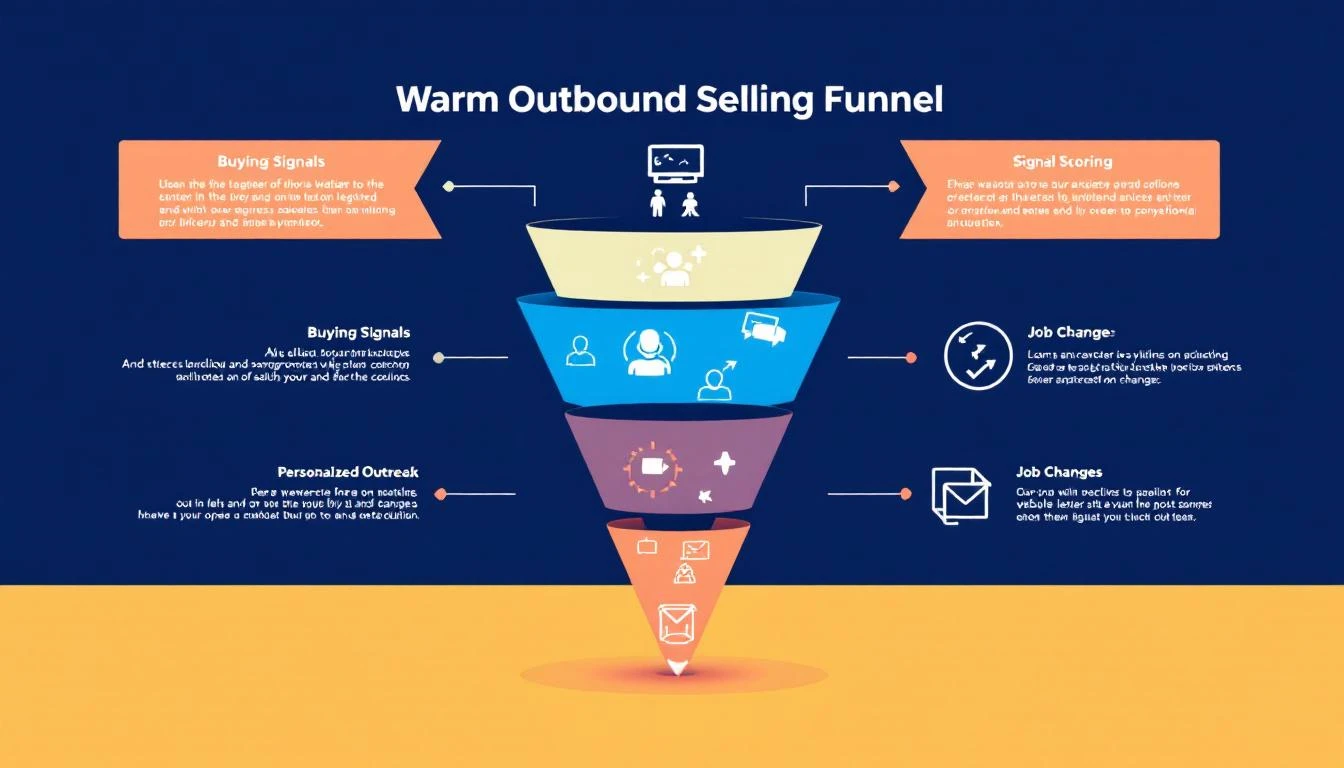
Warm Outbound Signal Funnel

What Is Warm Outbound?โ€‹

Warm outbound is proactive sales outreach to prospects who've shown intent or interest signals โ€” but haven't yet raised their hand (filled out a form, requested a demo, etc.).

It sits between two extremes:

ApproachSignal LevelExample
InboundHand-raise"I want a demo" form fill
Warm OutboundIntent signalsVisited pricing page 3x, competitor search, champion moved
Cold OutboundNo signalRandom list from a data provider

Warm outbound captures the 95% of buyers who are researching but haven't filled out a form. They're evaluating. They're comparing. They're building internal business cases. They just haven't reached out yet.

Your competitors are waiting for the form fill. You're going to reach them first.

The 7 Buying Signals That Power Warm Outboundโ€‹

Not all signals are equal. Here's how to tier them:

Tier 1: High-Intent Signals (Act Within 24 Hours)โ€‹

1. Website Visitor Identification โ€” Pricing & Demo Pages

When a company visits your pricing page or demo page multiple times, someone is actively evaluating your product. This is the single highest-converting warm outbound signal.

  • What it looks like: "3 visitors from Acme Corp viewed your pricing page in the last 48 hours"
  • Why it matters: They're past awareness. They're doing math. They're probably comparing you.
  • How to act: Direct call or email to the likely buyer (VP Sales, SDR Manager). Reference their evaluation: "I noticed your team has been evaluating SDR tools โ€” mind if I share how we compare on the areas that usually matter most?"

2. Champion Job Changes

When a previous champion, power user, or customer moves to a new company, you have a built-in referral. They already know your product works.

  • What it looks like: "Sarah Chen (former AE at Hologram, your customer) just joined TechCorp as VP Sales"
  • Why it matters: 70% of champions who move will evaluate their previous tools at the new company (UserGems data)
  • How to act: Personal, non-pushy outreach: "Congratulations on the move to TechCorp. When you're settled in, would love to see if we can help there too."

3. Active Competitor Evaluation

When a prospect is searching for your competitors, reading comparison pages, or visiting G2 comparison pages, they're in active buying mode.

  • What it looks like: "Prospect searched 'Apollo vs ZoomInfo' and landed on your comparison page"
  • Why it matters: They're deciding NOW. Not next quarter. Now.
  • How to act: Fast, relevant outreach that positions your differentiation: "I see you're comparing outbound tools โ€” most teams in [their industry] choose us for [specific differentiator]. Worth 15 minutes?"

Tier 2: Medium-Intent Signals (Act Within 48โ€“72 Hours)โ€‹

4. Content Engagement Patterns

A single blog post visit means nothing. But a pattern โ€” 3 blog posts about SDR productivity, a whitepaper download, and a webinar registration in the same week โ€” signals active research.

  • What it looks like: "Director of Sales Ops at DataCorp downloaded your ROI calculator and read 3 SDR-related blog posts"
  • Why it matters: They're building a business case. They might not know your product yet, but they're solving a problem you solve.
  • How to act: Value-led outreach tied to their research topic: "I saw you downloaded our SDR ROI calculator โ€” curious what you found. Most teams we talk to in [industry] are seeing [specific metric]. Mind sharing what you're working on?"

5. Tech Stack Changes

When a company adopts or drops specific technologies, it creates adjacent buying needs. New Salesforce adoption? They'll need outbound tools. Dropped their dialer? They're looking for a new one.

  • What it looks like: "TechCorp just adopted Salesforce (detected via technographic data)"
  • Why it matters: Technology adoption creates buying windows โ€” 60โ€“90 day periods where adjacent purchases spike
  • How to act: Frame your outreach around the transition: "Noticed you recently adopted Salesforce โ€” most teams add outbound tooling within the first quarter. Happy to share what we've seen work."

Tier 3: Contextual Signals (Act Within 1โ€“2 Weeks)โ€‹

6. Hiring Signals

When a company posts SDR or sales manager job listings, they're investing in outbound. That means they need tools to make those new hires productive.

  • What it looks like: "Acme Corp posted 4 SDR roles and a Head of Sales Development position on LinkedIn"
  • Why it matters: They're building or scaling a sales team โ€” exactly when they need your platform
  • How to act: Frame around their growth: "Saw you're scaling the SDR team โ€” the ramp time challenge is real. We help teams get new reps productive in 6 weeks instead of 4 months."

7. Funding and Expansion Events

A company that just raised Series B, opened a new office, or announced expansion plans is spending money. GTM is almost always a top priority post-funding.

  • What it looks like: "DataFlow just raised $30M Series B (Crunchbase alert)"
  • Why it matters: Post-funding companies allocate 30โ€“40% of new capital to sales and marketing (First Round data)
  • How to act: Relevant, congratulatory outreach: "Congrats on the raise โ€” exciting time. Most Series B teams we work with are figuring out how to scale outbound without scaling headcount linearly. Worth a conversation?"

Building Your Signal Stackโ€‹

Warm outbound requires three layers of technology:

Layer 1: Signal Collectionโ€‹

You need tools that capture buying signals from multiple sources:

  • Website visitor identification โ€” Know which companies are visiting your site and which pages they're viewing
  • Intent data providers โ€” Track off-site research behavior (G2 visits, competitor comparisons, keyword searches)
  • LinkedIn monitoring โ€” Job changes, company updates, hiring patterns
  • Technographic data โ€” Tech stack adoptions and changes
  • CRM signals โ€” Re-engagement from closed-lost deals, email opens on old threads

Layer 2: Signal Scoring and Prioritizationโ€‹

Raw signals are noise. You need a system that scores and ranks them so reps know what to act on first.

A simple scoring model:

SignalPointsDecay
Pricing page visit (3+ times)507 days
Demo page visit407 days
Champion job change4530 days
Competitor comparison page3514 days
Content pattern (3+ pieces)2514 days
Tech stack change2030 days
Hiring signal1530 days
Funding event1060 days

Accounts that cross your threshold (e.g., 50+ points) go into the "act now" queue. Everything else goes to nurture.

Layer 3: Action Orchestrationโ€‹

This is where most signal stacks fail. They collect data and score it โ€” but they don't tell reps what to do.

Your action layer should:

  • Generate a daily prioritized list for each rep
  • Recommend the best channel (call vs. email vs. LinkedIn) based on persona and signal type
  • Suggest personalized messaging based on the specific signal
  • Track multi-touch sequences across channels
  • Feed outcomes back into the scoring model (closed-won = boost similar signals)

The Warm Outbound Workflow (Step-by-Step)โ€‹

Here's the daily rhythm for an SDR running warm outbound:

Morning (8:00โ€“8:30 AM): Signal Reviewโ€‹

  1. Open your daily playbook / signal dashboard
  2. Review new signals from overnight (website visits, champion moves, intent spikes)
  3. Prioritize: High-intent signals first, then medium, then contextual
  4. Identify the top 10โ€“15 accounts to work today

Mid-Morning (8:30โ€“11:00 AM): Phone Blockโ€‹

  1. Call high-intent signal accounts first (pricing page visitors, champion moves)
  2. Reference the signal in your opener: "I'm calling because [specific reason]"
  3. Log outcomes and next steps in CRM
  4. Queue follow-up sequences for no-answers

Late Morning (11:00 AMโ€“12:00 PM): Email and LinkedInโ€‹

  1. Send personalized emails to medium-intent signal accounts
  2. Connect on LinkedIn with contextual connection notes
  3. Engage with prospect content (genuine comments, not "Great post!")
  4. Follow up on opened emails from previous sequences

Afternoon (1:00โ€“3:00 PM): Follow-Up and Researchโ€‹

  1. Follow up on callbacks and email replies
  2. Research new signals for tomorrow's priority list
  3. Update CRM with signal data and engagement history
  4. Review call recordings from the morning (self-coaching)

End of Day (3:00โ€“3:30 PM): Pipeline Reviewโ€‹

  1. Update opportunity stages
  2. Note any signals that changed (new visits, additional engagement)
  3. Flag accounts for AE warm handoff
  4. Set next-day priorities

Cold vs. Warm Outbound: The Performance Gapโ€‹

Here's what the data looks like when teams switch from cold to warm:

MetricCold OutboundWarm OutboundImprovement
Email reply rate1โ€“3%8โ€“15%3โ€“5x
Cold call connect rate4.8%12โ€“18%2.5โ€“3.7x
Meeting conversion rate0.5โ€“1%3โ€“6%5โ€“6x
Pipeline per SDR per month$50Kโ€“$100K$150Kโ€“$300K2โ€“3x
Average deal cycle45โ€“60 days28โ€“38 days30โ€“40% faster
SDR quota attainment52%78%50% higher

The ROI is undeniable. But it requires infrastructure, not just hustle.

5 Warm Outbound Mistakes to Avoidโ€‹

1. Treating Every Signal the Sameโ€‹

A pricing page visit and a blog post visit are not equal signals. If your reps treat them with the same urgency, they'll waste time on low-intent accounts and miss high-intent ones.

Fix: Build a tiered signal scoring model (see above) and prioritize ruthlessly.

2. Over-Automating the Outreachโ€‹

Warm outbound works because it's relevant and personal. If you blast automated sequences to every signal, you'll kill the advantage.

Fix: Automate signal collection and prioritization. Keep the outreach human. A 2-sentence personalized email beats a 5-paragraph automated one.

3. Ignoring Signal Decayโ€‹

A pricing page visit from 3 weeks ago is stale. A champion job change from 6 months ago is ancient history. Signals have a shelf life.

Fix: Build decay into your scoring model. Signals lose value over time. A 50-point pricing visit should drop to 25 after 7 days and 0 after 14.

4. No Feedback Loopโ€‹

If your reps don't know which signals actually convert to revenue, they can't improve their prioritization. Most teams track signals in โ†’ meetings out, but never close the loop to pipeline and revenue.

Fix: Track signal-to-revenue attribution. Which signal types generate the highest-value pipeline? Double down on those.

5. Separate Signal and Action Toolsโ€‹

If your reps need to check one tool for visitor ID, another for intent data, another for champion tracking, and then manually build their outreach list โ€” they'll spend more time toggling than selling.

Fix: Consolidate into a single platform that collects signals AND orchestrates actions.

How MarketBetter Powers Warm Outboundโ€‹

MarketBetter was built specifically for warm outbound. Here's how it works:

Signal Collection โ†’ Scoring โ†’ Daily Playbook โ†’ Execution

  1. Website Visitor Identification: Know which companies visit your site, which pages they view, and how often โ€” no form fills required
  2. Buying Signal Aggregation: Website visits, email engagement, champion job changes, and intent data all feed into a single signal score
  3. Daily SDR Playbook: Every morning, each rep gets a prioritized list of who to contact, why they're a priority, and what to say
  4. Multi-Channel Execution: Email sequences, smart dialer, and LinkedIn โ€” all from one platform
  5. AI Personalization: The AI researches each prospect and generates personalized outreach based on their specific signals
  6. Closed-Loop Attribution: Track which signals generate pipeline and revenue, then optimize your scoring model

Most signal platforms tell you who. MarketBetter tells you who, why, and what to do next.

That's the difference between a dashboard and a playbook.

Ready to switch from cold to warm? Book a demo โ†’

Free Tool

Try our AI Lead Generator โ€” find verified LinkedIn leads for any company instantly. No signup required.