7 Best Demandbase Alternatives for B2B Sales Teams [2026]

· 6 min read
MarketBetter Team
Content Team, marketbetter.ai

Demandbase One is a powerful enterprise ABM platform. It's also expensive (median $65K/year per Vendr), complex (4-8 week implementation), and fundamentally a data platform — it identifies accounts but doesn't help you execute outreach. (Comparing the whole category? See our ranking of the best account-based marketing tools.)

If you're evaluating Demandbase alternatives, you're probably looking for one (or more) of these:

  • Lower price point without sacrificing core capabilities
  • Faster time-to-value — not months of implementation
  • Built-in execution tools — dialer, email, chat alongside data
  • Person-level visitor ID instead of company-level only
  • Transparent pricing you can evaluate without a 6-week sales cycle

Here are the 7 best Demandbase alternatives in 2026, ranked by how well they solve these gaps.

1. MarketBetter — Best Overall Alternative​

Why switch: MarketBetter does what Demandbase can't — it turns intent signals into actual SDR actions, all in one platform.

FeatureDemandbaseMarketBetter
Visitor identificationCompany-levelCompany + person-level
Daily SDR playbook❌✅ Prioritized actions
Smart dialer❌✅ Built-in
Email automation❌✅ Hyper-personalized
AI chatbot❌✅ Engages every visitor
B2B advertising✅ Native DSP❌
Setup time4-8 weeksSame day
G2 rating4.4/54.97/5

The core difference: Demandbase tells you which accounts are interested. MarketBetter tells your SDRs exactly who to contact, what to say, and how — then gives them the tools to do it immediately.

Instead of exporting intent data to a spreadsheet and figuring out next steps, your SDRs open their daily playbook and start executing. The result: 70% less manual SDR work and 2x faster speed-to-lead.

Best for: Mid-market B2B companies that need visitor identification AND SDR execution tools in one platform.

Book a MarketBetter demo →

2. 6sense — Best for Enterprise Intent Data​

Starting price: ~$30,000–$200,000+/year (custom quotes)

6sense is Demandbase's closest competitor in the enterprise ABM space. It offers:

  • Revenue AI for predictive analytics
  • Intent data from multiple sources
  • Account identification and scoring
  • Display advertising capabilities
  • Conversational email (AI-generated)

Pros:

  • Predictive analytics are best-in-class
  • Strong account identification accuracy
  • Growing execution capabilities (email, chat)

Cons:

  • Similar enterprise pricing to Demandbase
  • Complex implementation and learning curve
  • G2 rating (4.0/5) is lower than Demandbase (4.4/5)
  • UI can feel overwhelming

Best for: Enterprise companies that want predictive analytics as their primary ABM driver and have budget comparable to Demandbase.

3. ZoomInfo — Best for Contact Data + Execution​

Starting price: ~$15,000–$100,000+/year

ZoomInfo offers the largest B2B contact database in North America with growing execution capabilities:

  • 300M+ professional profiles
  • Intent data (Bombora partnership)
  • ZoomInfo Engage (sales engagement)
  • FormComplete (form enrichment)
  • Website visitor identification

Pros:

  • Massive US contact database
  • Growing execution tools (Engage, Chat)
  • Strong integrations ecosystem
  • More transparent pricing tiers than Demandbase

Cons:

  • Pricing still opaque and negotiation-heavy
  • Data accuracy concerns for international contacts
  • Execution tools are less mature than dedicated platforms
  • Annual contracts, aggressive renewals

Best for: US-focused teams that need deep contact data with some execution capabilities and can afford enterprise pricing.

4. Apollo — Best Budget-Friendly Alternative​

Starting price: Free plan available; paid plans from $49/user/month

Apollo is the go-to for teams that want Demandbase-level intelligence at a fraction of the cost:

  • 270M+ contact database
  • Email sequencing built-in
  • Intent data included
  • AI-powered lead scoring
  • Chrome extension for LinkedIn
  • Built-in dialer (higher plans)

Pros:

  • Dramatically cheaper (10-50x less than Demandbase)
  • Free tier for testing
  • Data + execution in one platform
  • Self-service — no sales cycle needed

Cons:

  • Data accuracy varies (no phone verification like Cognism)
  • No website visitor identification
  • Enterprise features are limited
  • Database skews toward common job titles

Best for: Startups and growth-stage companies that need prospecting data and basic execution tools without enterprise budgets.

5. Warmly — Best for Real-Time Website Visitor Intelligence​

Starting price: ~$700/month (Business plan)

Warmly focuses specifically on website visitor identification — turning anonymous traffic into actionable pipeline:

  • Person-level visitor identification
  • Real-time alerts when target accounts visit
  • Orchestration engine for automated outreach
  • CRM integration (Salesforce, HubSpot)
  • AI chatbot for website visitors

Pros:

  • Person-level identification (Demandbase only does company-level)
  • Real-time alerts enable fast follow-up
  • Simpler and cheaper than Demandbase
  • Good for teams focused on inbound visitor conversion

Cons:

  • No outbound prospecting database
  • Limited SDR workflow tools
  • Smaller company, less mature platform
  • No B2B advertising capability

Best for: Companies that primarily need website visitor identification and real-time follow-up rather than full ABM orchestration.

6. Common Room — Best for Signal Aggregation​

Starting price: ~$625/month (Growth plan)

Common Room aggregates buying signals from across the internet — not just your website:

  • Community engagement tracking
  • Social media signal detection
  • Product usage analytics
  • Job change alerts
  • Website visitor identification

Pros:

  • Unique signal sources (GitHub, Discord, Slack, LinkedIn)
  • Good for product-led growth companies
  • Growing AI capabilities for signal prioritization
  • Integration with major CRMs

Cons:

  • Strongest for tech/developer-focused companies
  • No built-in dialer or email sequences
  • Signal-heavy but action-light (still need execution tools)
  • Less relevant for traditional B2B industries

Best for: Developer-focused or PLG companies that want to track community and social engagement signals beyond website visits.

7. Clearbit (HubSpot) — Best for HubSpot-Native Teams​

Starting price: Included with HubSpot (after acquisition)

Following HubSpot's acquisition of Clearbit, the data enrichment capabilities are now embedded directly in the HubSpot ecosystem:

  • Real-time data enrichment
  • Website visitor identification (company-level)
  • Form shortening with autofill
  • ICP scoring
  • Seamless CRM integration (obviously)

Pros:

  • Free for HubSpot customers (huge cost advantage)
  • No separate vendor relationship
  • Seamless data flow within HubSpot
  • Automatic enrichment reduces manual data entry

Cons:

  • Locked into HubSpot ecosystem
  • Company-level visitor ID only
  • No intent data
  • Enrichment quality varies by region
  • No standalone option anymore

Best for: Companies already on HubSpot that want enrichment without adding another vendor.

How to Choose the Right Alternative​

Your PriorityBest Choice
All-in-one SDR execution + signalsMarketBetter
Enterprise ABM with predictive AI6sense
Largest US contact databaseZoomInfo
Best value for moneyApollo
Website visitor identificationWarmly or MarketBetter
Community/social signalsCommon Room
Already on HubSpotClearbit/HubSpot
Free Tool

Try our AI Lead Generator — find verified LinkedIn leads for any company instantly. No signup required.

The Bigger Question​

Demandbase was built for an era when ABM meant identifying target accounts and running display ads against them. That model assumed marketing teams would manually orchestrate campaigns and sales teams would figure out execution on their own.

The world has moved on. Modern B2B selling requires platforms that combine signals, prioritization, and execution — reducing the 20-tab, multi-tool workflow into a single daily playbook.

That's the gap MarketBetter fills. Instead of paying $65K/year for data you then need to act on with separate tools, you get identification, intelligence, and execution in one place.

Ready to see the difference? Book a MarketBetter demo and go from 20 tabs to one SDR task list.

Free Lead Lists: 12 B2B Lead Generation Tools Tested [2026]

· 18 min read
Sunder Iyer
Founder, marketbetter.ai

Best free AI lead generation tools for B2B sales teams 2026

Updated August 2026 — re-verified every free tier, refreshed credit limits and signup requirements, and expanded the guidance on where to get free B2B leads and database access without paying.

Quick answer: The best genuinely free B2B lead generation tools in 2026 are MarketBetter's AI Lead Generator (no signup, no credit limits, AI-ranked buyer contacts), Apollo.io (unlimited email lookups, 250 sends/day), and Kaspr (unlimited B2B company emails). Clay is the most powerful for AI enrichment, and Hunter.io is best for pure email finding. Most other "free" tiers — Seamless, RocketReach, Cognism — are one-time credit trials that force an upgrade within days. The full breakdown, free-tier limits, and a zero-cost prospecting stack are below.

The average B2B sales rep spends 64% of their time on non-selling activities — and a huge chunk of that is hunting for leads (Salesforce State of Sales, 2025).

Searching LinkedIn. Guessing email addresses. Cross-referencing company websites with database tools. Building lists manually in spreadsheets. It's the most time-consuming part of the job, and AI is finally making it optional.

In 2026, there are genuinely good free AI lead generation tools that can find contacts, verify emails, enrich profiles, and even draft personalized outreach — without requiring a $10K/year contract with ZoomInfo or a $99/month Apollo subscription.

We tested the free tiers of 12 AI lead generation tools and ranked them by what you can actually accomplish without paying. Here's the honest breakdown.

If you're comparing B2B lead generation tools free vs paid, the short version is this: a handful of these free tiers are genuinely usable long-term, while most are 3-day trials dressed up as "free." We flag which is which. Looking for paid options with bigger databases? See our companion guide to the best B2B lead generation tools of 2026. And if what you actually need is raw company and contact data rather than tools, we ranked every legitimate free B2B database source — including two with genuinely unlimited access.

What Makes a Good AI Lead Generation Tool?​

Before comparing tools, here's what matters:

  1. Data quality — Accurate emails and phone numbers that don't bounce
  2. AI capabilities — Smart filtering, lead scoring, or personalization beyond basic database queries
  3. Free tier generosity — How much can you actually do before hitting a paywall?
  4. LinkedIn integration — Since LinkedIn is the primary B2B prospecting channel, how well does the tool work with it?
  5. Enrichment depth — Beyond email/phone, does it provide company data, tech stack, recent activity?
  6. Ease of use — Can a rep start finding leads in 5 minutes, or does setup take a week?

The 12 Best Free AI Lead Generation Tools​

1. MarketBetter AI Lead Generator (Best Free LinkedIn Prospecting)​

Website: tools.marketbetter.ai/lead-generator

What it does: Analyze any company and find buyer contacts on LinkedIn — with AI-powered matching to identify the most relevant decision-makers.

How it works:

  1. Enter a company name or URL
  2. AI analyzes the company's size, industry, and org structure
  3. Get a list of buyer contacts with LinkedIn profiles, titles, and relevance scores
  4. Use the results to build targeted outreach lists

Free tier: Completely free. No signup, no credit card, no usage limits for individual company lookups.

Why it's #1 for free:

  • No gates — every other tool on this list either limits free credits, requires signup, or locks key features behind paid plans. MarketBetter's tool is genuinely free.
  • AI-powered buyer identification — doesn't just list employees, it identifies the people most likely to be decision-makers for your product
  • LinkedIn-native — results link directly to LinkedIn profiles for immediate outreach
  • Company context — provides company analysis alongside contact data so you understand the prospect's business before reaching out

Best for: SDRs and AEs who prospect on LinkedIn and need to quickly find the right contacts at target accounts.


2. Apollo.io​

Website: apollo.io

What it does: All-in-one sales intelligence and engagement platform with a large contact database.

Free tier highlights:

  • Unlimited email credits (250 emails/day sending limit)
  • 5 mobile number credits/month
  • Basic sequencing (2 active sequences)
  • LinkedIn extension for profile enrichment
  • 275M+ contact database access

Pros:

  • The most generous free tier among established platforms
  • Good data quality with verification
  • Integrated email sequencing
  • LinkedIn Chrome extension works well
  • Buying intent data available

Cons:

  • 5 mobile credits/month is extremely limiting
  • Free plan sequences are basic (no A/B testing, limited steps)
  • Export limits on the free tier
  • Email deliverability can suffer with shared sending infrastructure

Pricing: Free → $49/user/month (Basic) → $79/user/month (Professional)

Best for: Individual reps who primarily need email addresses and basic sequencing.


3. Seamless.AI​

Website: seamless.ai

What it does: AI-powered sales lead search engine with real-time contact verification.

Free tier highlights:

  • 50 credits (one credit = one contact lookup)
  • Real-time email and phone verification
  • Chrome extension for LinkedIn
  • Basic list building

Pros:

  • Real-time verification means higher accuracy than static databases
  • Chrome extension is well-designed
  • Good at finding direct dial phone numbers
  • AI-powered company and contact recommendations

Cons:

  • 50 free credits is very limiting — burns through in a single session
  • Aggressive upsell experience
  • Data accuracy can be inconsistent (some users report 70-80% email accuracy)
  • Premium features (buyer intent, data enrichment) locked behind expensive plans

Pricing: Free (50 credits) → $147/month (Basic) → Custom (Pro/Enterprise)

Best for: Reps who need direct dial phone numbers and are willing to pay after the trial.


4. Hunter.io​

Website: hunter.io

What it does: Email finding and verification tool. Enter a company domain, get associated email addresses and the email pattern used.

Free tier highlights:

  • 25 searches/month
  • 50 verifications/month
  • Chrome extension
  • Domain search (find all emails at a domain)
  • Email pattern detection

Pros:

  • Simple and focused — does email finding extremely well
  • High accuracy email verification
  • Shows email pattern (e.g., firstname.lastname@company.com) so you can extrapolate
  • API available on free tier (limited)

Cons:

  • 25 searches/month is very limited
  • Email-only — no phone numbers, no LinkedIn enrichment
  • Doesn't provide AI-powered lead recommendations
  • No contact titles or role information on the free tier

Pricing: Free (25 searches) → $34/month (Starter, 500 searches) → $104/month (Growth)

Best for: Marketers and reps who know exactly who they want to email and just need the address.


5. Lusha​

Website: lusha.com

What it does: B2B contact and company data platform with LinkedIn integration.

Free tier highlights:

  • 50 email credits/month
  • 5 phone credits/month
  • Chrome extension for LinkedIn
  • Basic prospecting

Pros:

  • Good phone number accuracy (direct dials)
  • Clean Chrome extension for LinkedIn prospecting
  • Intent data available on paid plans
  • GDPR/CCPA compliant data sourcing

Cons:

  • 5 phone credits/month is barely enough to test
  • Free tier doesn't include bulk enrichment
  • Company data is limited on the free plan
  • Smaller database than Apollo or ZoomInfo

Pricing: Free → $36/user/month (Pro) → $59/user/month (Premium)

Best for: European teams who need GDPR-compliant contact data.


6. Snov.io​

Website: snov.io

What it does: Email finding, verification, and cold email outreach platform.

Free tier highlights:

  • 50 credits/month
  • Email finder and verifier
  • 100 email recipients in drip campaigns
  • LinkedIn email finder extension

Pros:

  • Combined prospecting and outreach in one tool
  • Technology checker included (identify a company's tech stack)
  • Email warmup on paid plans
  • Good for small teams running complete outbound workflows

Cons:

  • 50 credits/month split across finding and verifying (you burn through quickly)
  • Email accuracy is good but not best-in-class
  • UI can be overwhelming with many features
  • Drip campaign limits on free tier are very tight

Pricing: Free (50 credits) → $30/month (Starter) → $75/month (Pro)

Best for: Solopreneurs and small teams who want prospecting + outreach in one tool.


7. RocketReach​

Website: rocketreach.co

What it does: Contact info lookup tool with a database of 700M+ professionals.

Free tier highlights:

  • 5 free lookups
  • Email and phone data
  • Chrome extension
  • Company search

Pros:

  • Large database (700M+ contacts)
  • Good accuracy for senior-level contacts
  • Integrates with many CRMs and tools
  • Straightforward lookup interface

Cons:

  • 5 free lookups is essentially a trial, not a real free tier
  • Pricing jumps steeply ($53/month for Essentials)
  • No AI-powered recommendations
  • Limited enrichment depth

Pricing: Free (5 lookups) → $53/month (Essentials) → $179/month (Pro)

Best for: Occasional lookups for specific, hard-to-find contacts.


8. Kaspr​

Website: kaspr.io

What it does: LinkedIn-focused lead generation tool with a Chrome extension that reveals contact data on LinkedIn profiles.

Free tier highlights:

  • 5 phone credits/month
  • 5 direct email credits/month
  • Unlimited B2B email credits
  • LinkedIn Chrome extension
  • Lead list management

Pros:

  • Excellent LinkedIn integration
  • Unlimited B2B emails on the free tier (company emails, not personal)
  • Good European data coverage
  • Simple, focused interface

Cons:

  • B2B emails (company addresses) are less valuable than personal/direct emails
  • Very limited phone and direct email credits on free tier
  • Smaller database than Apollo or ZoomInfo
  • Limited enrichment beyond contact data

Pricing: Free → $49/user/month (Starter) → $79/user/month (Business)

Best for: SDRs who live on LinkedIn and need a quick-access contact finder.


9. Cognism​

Website: cognism.com

What it does: Premium B2B sales intelligence with phone-verified mobile numbers (Diamond Data).

Free tier highlights:

  • 25 free leads (one-time, not recurring)
  • Chrome extension trial
  • Limited data access

Pros:

  • Best-in-class phone number accuracy (manually verified "Diamond" data)
  • Strong European and APAC coverage
  • Intent data powered by Bombora
  • GDPR-compliant with do-not-call list checking

Cons:

  • 25 free leads is basically just a trial
  • Expensive paid plans (reportedly $15K-$30K/year)
  • No self-serve pricing — must talk to sales
  • Limited free functionality

Pricing: Free trial (25 leads) → Contact sales (enterprise pricing)

Best for: Enterprise teams with budget who need verified phone numbers for cold calling.


10. Clay​

Website: clay.com

What it does: AI-native data enrichment and prospecting platform that pulls from 100+ data providers in a single spreadsheet-style interface.

Free tier highlights:

  • 100 credits/month (recurring)
  • Access to 50+ enrichment sources
  • AI research agent ("Claygent") for custom lookups
  • Waterfall email enrichment (tries multiple providers until it finds a hit)

Pros:

  • Genuinely AI-first — Claygent can answer custom research questions per lead (e.g., "Do they use HubSpot?")
  • Waterfall enrichment beats single-source tools on match rate
  • Templates for common workflows get you started fast
  • Integrates with virtually every CRM and outreach tool

Cons:

  • Steep learning curve — Clay is powerful but not beginner-friendly
  • 100 credits/month burns fast once you enable multiple enrichments per row
  • Costs scale quickly on paid plans as you add providers
  • Overkill if you just need a few emails

Pricing: Free (100 credits) → $149/month (Starter) → $349/month (Explorer)

Best for: RevOps and growth teams who want programmatic, AI-driven enrichment rather than manual lookups.


11. Wiza​

Website: wiza.co

What it does: LinkedIn-first email and phone finder that works directly on Sales Navigator searches and individual profiles.

Free tier highlights:

  • 20 credits/month (recurring)
  • Email and phone lookups from LinkedIn profiles
  • Sales Navigator list export
  • Chrome extension

Pros:

  • Exports entire Sales Navigator searches to a verified contact list
  • Real-time verification keeps bounce rates low
  • Clean, focused interface built around LinkedIn
  • Credits refresh monthly rather than one-time

Cons:

  • 20 credits/month is enough to test, not to scale
  • LinkedIn-dependent — less useful if you prospect outside LinkedIn
  • Phone number coverage is thinner than Cognism or Lusha
  • No AI-powered buyer identification

Pricing: Free (20 credits) → $83/month (Email, 100 credits) → $166/month (Email + Phone)

Best for: SDRs running Sales Navigator searches who want to turn a list into verified emails in one click.


12. LinkedIn Sales Navigator (Free Alternatives)​

Website: linkedin.com/sales

While Sales Navigator itself isn't free ($99/month), LinkedIn's free features still offer significant prospecting capability:

Free LinkedIn prospecting capabilities:

  • Advanced People Search (limited filters)
  • Company pages with employee lists
  • Boolean search operators
  • InMail credits (limited)
  • Profile viewing with partial data

Pros:

  • First-party data — the most up-to-date professional information available
  • Everyone is on LinkedIn
  • Rich profile data (experience, education, endorsements)
  • Group membership and activity visible

Cons:

  • Commercial use limits — LinkedIn restricts how many profiles you can view
  • No email addresses or phone numbers
  • Free search filters are limited
  • Can't export data natively

Tip: Pair free LinkedIn search with MarketBetter's AI Lead Generator to identify the right contacts at target companies, then connect directly on LinkedIn.

Free Tier Comparison​

ToolFree Email CreditsFree Phone CreditsSignup RequiredAI FeaturesLinkedIn Integration
MarketBetterUnlimited lookups—No✅ AI buyer identification✅ Links to profiles
Apollo.ioUnlimited (250/day)5/monthYesBasic✅ Chrome extension
Seamless.AI50 total50 totalYes✅ Recommendations✅ Chrome extension
Hunter.io25/month—YesNo✅ Chrome extension
Lusha50/month5/monthYesNo✅ Chrome extension
Snov.io50/month—YesNo✅ Chrome extension
RocketReach5 total5 totalYesNo✅ Chrome extension
KasprUnlimited (B2B)5/monthYesNo✅ Chrome extension
Cognism25 total25 totalYes✅ Intent data✅ Chrome extension
Clay100 credits/mo100 credits/moYes✅ AI research agent✅ Via enrichment
Wiza20 credits/mo20 credits/moYesNo✅ Sales Nav export

The Smart Free Prospecting Stack​

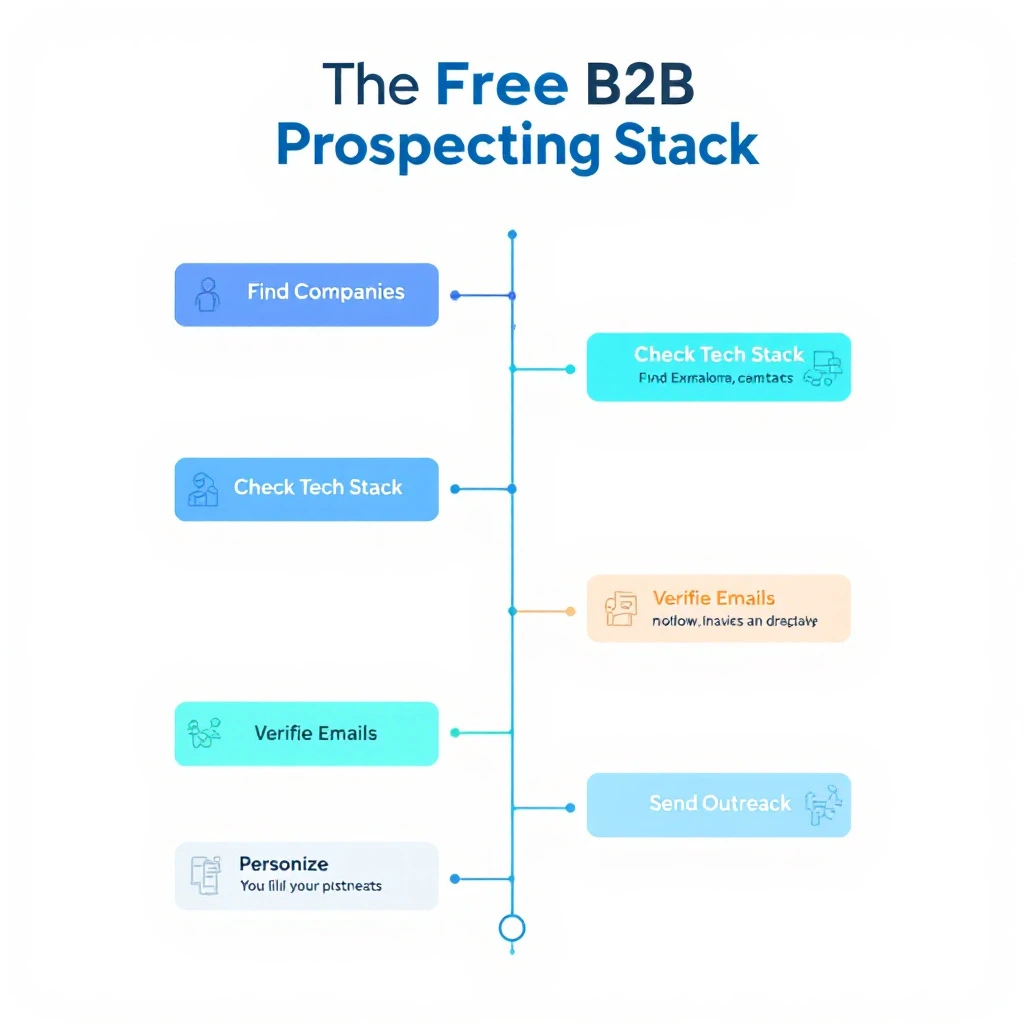
The free B2B prospecting stack: find companies, find contacts, check tech stack, verify emails, personalize, send outreach

You don't need to spend $500/month on sales tools to prospect effectively. Here's a free stack that covers the entire workflow:

1. Find Target Companies​

MarketBetter Lookalike Company Finder — enter your best customer, find 50+ similar companies. Free.

2. Find Buyer Contacts​

MarketBetter AI Lead Generator — analyze each company, get buyer contacts with LinkedIn profiles. Free.

3. Research Their Tech Stack​

Free website technology checkers (our full comparison) — check what tools they use to qualify fit and personalize outreach. Free.

4. Verify Email Addresses​

Hunter.io (25 free verifications/month) — confirm email deliverability before sending.

5. Personalize Outreach​

AI-written first-touch copy (our free sales email templates) — adapt proven openers per prospect using the tech stack and company research above. Free.

6. Send Outreach​

Apollo.io free tier (250 emails/day) or LinkedIn free (connection requests + messages).

Total cost: $0/month. Not "free trial" — actually free, ongoing.

For a deeper walkthrough of the research half of this workflow, see how to automate lead research with Claude Code and our complete guide to Claude for SDRs.

Tips for AI-Powered Lead Generation​

1. Quality Over Quantity​

AI makes it easy to generate hundreds of leads. Resist the temptation. 50 highly-targeted leads will outperform 500 poorly-targeted ones every time.

2. Layer Multiple Data Sources​

No single tool has perfect data. Use 2-3 tools to cross-reference and verify contacts. If Apollo and Hunter both show the same email for a contact, you can be confident it's accurate.

3. Personalize Based on AI Insights​

The AI in these tools isn't just for finding contacts — it's for understanding them. Use company analysis, tech stack data, and recent activity to craft relevant, personalized messages. If you want a repeatable system for this, our guide on how to use Claude for lead generation walks through the exact prompts, and our AI sales email templates give you first-touch copy to adapt.

4. Respect Privacy and Compliance​

GDPR, CCPA, and CAN-SPAM regulations apply regardless of how you source leads. Always include opt-out options, honor unsubscribes, and don't scrape personal data from platforms that prohibit it.

5. Measure What Matters​

Track these metrics:

  • Lead-to-reply rate (aim for 5-15%)
  • Reply-to-meeting rate (aim for 30-50% of replies)
  • Data accuracy (bounce rate below 5%)
  • Time to first touch (how fast from lead identification to first outreach)

Frequently Asked Questions​

What are the best free B2B lead generation tools in 2026?​

For genuinely free, ongoing use (not a 3-day trial), the standouts are MarketBetter's AI Lead Generator (no signup, no credit limits), Apollo.io (unlimited email lookups with a 250/day send cap), and Kaspr (unlimited B2B company emails). Most other free tiers — Seamless, RocketReach, Cognism — are one-time credit trials that force an upgrade within days.

Are there free AI tools for LinkedIn lead generation?​

Yes. MarketBetter's AI Lead Generator identifies buyer contacts at any company and links straight to their LinkedIn profiles, Wiza exports Sales Navigator searches into verified email lists, and Kaspr reveals contact data on LinkedIn profiles via its Chrome extension. Pair any of these with LinkedIn's free People Search for a zero-cost LinkedIn prospecting workflow.

What's the best free AI B2B lead generation tool overall?​

If "AI" means the tool actually helps you decide who to contact rather than just dumping a database export, MarketBetter's AI Lead Generator leads because it scores and ranks decision-makers by relevance. For AI-driven enrichment across many data sources, Clay is the most powerful, though it has a steeper learning curve.

Where can I get free B2B sales leads?​

Start with the free prospecting stack above: find lookalike companies to your best customers, pull buyer contacts for each, verify the emails with Hunter's free tier, then reach out via Apollo's free sending or LinkedIn. That covers sourcing, verification, and outreach for $0/month. For the numbers behind why teams do this, see our breakdown of the true cost of an SDR tech stack and what AI SDR tools actually cost in 2026.

Is there a free B2B leads database?​

Not in the way most people picture it — there's no legitimate, unlimited "download the whole B2B database for free" button, and any tool promising one is either a scraped list or a trial in disguise. What actually works is treating free tiers as an on-demand database you query per account: MarketBetter's AI Lead Generator pulls buyer contacts for any company with no signup or credit limit, Apollo gives unlimited email lookups against its database (capped at 250 sends/day), and Kaspr surfaces unlimited B2B company emails. Combine those and you get database-grade coverage for free, sourced account-by-account instead of as one giant export.

Can you get free B2B leads without signing up?​

Yes — MarketBetter's AI Lead Generator is the only tool on this list that returns buyer contacts with zero signup, no credit card, and no per-lookup limit. Every other free tier (Apollo, Hunter, Kaspr, Clay, Wiza) requires an account before it shows you any data. If "no signup" is a hard requirement, start there, then layer in an account-gated tool only when you need email verification or bulk export.

Is free AI lead generation good enough, or do you need a paid tool?​

For a solo rep or an early-stage team doing under a few hundred touches a month, a well-assembled free stack is genuinely enough. You'll outgrow free tiers when you need bulk exports, verified mobile numbers at scale, or team seats — at which point compare the paid B2B lead generation tools before committing.

Start Finding Leads for Free​

The best AI lead generation tool is the one that gets you talking to the right people with the least friction.

Try MarketBetter's free AI Lead Generator →

Enter any company, get AI-identified buyer contacts with LinkedIn profiles. No signup, no credits, no catch.


Build your full prospecting workflow: find similar companies to your best customers, then use the Conference Scraper to source leads from upcoming trade shows.

Website Technology Checker: 9 Best Free Tools Compared [2026]

· 13 min read
Sunder Iyer
Founder, marketbetter.ai

Best free website technology checker tools comparison 2026

Quick answer: The fastest free way to see what technology a website uses is a web-based checker — no signup, no extension. Stackcrawler gives free no-signup web lookups; WhatRuns is the best free browser extension; BuiltWith has the deepest database but hides most results behind a $295/mo paywall; and Wappalyzer caps its free tier at 50 lookups a month. Full comparison, free-tier limits, and manual detection methods below.

You're about to hop on a sales call. You pull up the prospect's website and wonder: What CMS are they using? Do they have a chatbot? What analytics platform? Are they running HubSpot or Salesforce?

Or maybe you're a developer scoping a competitor's site, a marketer evaluating a potential partner, or a founder doing due diligence.

Whatever the reason, knowing what technology a website uses is incredibly valuable — and there are free tools that can tell you in seconds.

We compared 9 of the most popular website technology checker tools in 2026 on detection depth, speed, verified pricing, and actual free-tier usability. Here's what we found.

Why Check a Website's Technology Stack?​

Before diving into tools, here's why this matters:

  • Sales prospecting: If you sell a Shopify app and a prospect runs WooCommerce, you're wasting your time. Tech stack data lets you qualify leads instantly.
  • Competitive intelligence: See what tools your competitors use for analytics, A/B testing, live chat, and marketing automation.
  • Development scoping: Evaluate what frameworks, CDNs, and hosting providers a site relies on before building an integration.
  • M&A due diligence: Understand technical debt and infrastructure before acquiring a company.
  • Partnership evaluation: Check if a potential partner uses compatible technology before proposing an integration.

According to a 2025 Gartner report, the average mid-market company uses 120+ SaaS tools. That's a lot of technology surface area to analyze — and manual inspection won't cut it.

How Website Technology Checkers Work​

Most tech stack detection tools use a combination of these methods:

  1. HTTP header analysis — Server headers reveal web servers (Nginx, Apache), frameworks, and caching layers.
  2. JavaScript library detection — Scanning the DOM for known JavaScript frameworks, analytics scripts, and tracking pixels.
  3. DNS and SSL analysis — DNS records and SSL certificates can reveal hosting providers and CDN usage.
  4. HTML meta tag scanning — CMS platforms often leave fingerprints in meta tags, generator tags, and structured data.
  5. Cookie analysis — Different platforms set distinctive cookies that can be identified.
  6. Pattern matching — Comparing page source code against databases of thousands of known technology signatures.

The best tools combine multiple methods to maximize detection accuracy.

The 9 Best Free Website Technology Checker Tools​

1. BuiltWith​

Website: builtwith.com

What it does: One of the original technology profiling tools. Enter a URL and get a detailed breakdown organized by category (analytics, frameworks, CDN, hosting, CMS, etc.).

Pricing:

  • Free: Individual URL lookups with basic results
  • Basic: $295/month (full technology lists, lead generation features)
  • Pro: $495/month (extended historical data)
  • Enterprise: $995/month (API access, bulk lookups)

Pros:

  • Massive technology database (tracks 100,000+ technologies)
  • Historical data showing when technologies were added or removed
  • Market share data for each technology category
  • Lead lists filtered by technology (paid feature)

Cons:

  • Free tier shows limited results — many technologies are hidden behind the paywall
  • Interface feels dated compared to newer tools
  • Expensive if you need full data access
  • Can be slow on complex sites

Best for: Enterprise teams with budget for deep technographic data and lead list building.


2. Wappalyzer​

Website: wappalyzer.com

What it does: Browser extension and web-based tool that identifies technologies on websites. Originally open-source, now a commercial product owned by Dun & Bradstreet.

Pricing (verified September 2026):

  • Free: Browser extension with basic detection (50 lookups/month)
  • Pro: $250/month (1 user, 2 lead-list technologies, 20,000 API credits)
  • Business: $450/month (5 users, unlimited lead-list technologies, CRM integration)
  • Enterprise: from $850/month

Wappalyzer has moved sharply upmarket — the old $99 Starter tier is gone, and the cheapest paid plan now costs $250/month. For occasional lookups, the free extension's 50/month cap is the practical limit.

Pros:

  • Browser extension works passively as you browse — see tech stacks without leaving the page
  • Well-organized categories (67+ technology categories)
  • API available for programmatic access
  • Company and contact data bundled in paid plans

Cons:

  • Free tier is very limited (50 lookups/month)
  • Was open-source, now fully commercial — some community resentment
  • Browser extension can slow page loading
  • Accuracy has declined according to some users after the acquisition

Best for: Users who want passive tech detection while browsing and are willing to pay for API access.


3. WhatRuns​

Website: whatruns.com

What it does: Browser extension that shows the technologies used by any website you visit. Focuses on simplicity.

Pricing: Free (with optional paid plans for teams)

Pros:

  • Genuinely free browser extension
  • Simple, clean interface
  • Detects WordPress themes and plugins specifically
  • Works on any page you visit

Cons:

  • Chrome extension only — no web-based lookup
  • Detection accuracy is lower than BuiltWith or Wappalyzer for less common technologies
  • Limited to what can be detected client-side
  • No API or bulk scanning capabilities

Best for: Casual users who want a free browser extension for quick checks.


4. Stackcrawler​

Website: stackcrawler.com

What it does: Web-based technology checker with a focus on CMS and e-commerce platform detection (particularly strong at identifying Shopify stores).

Pricing: Free for individual lookups

Pros:

  • Good at e-commerce platform detection (Shopify, WooCommerce, Magento)
  • Clean, modern interface
  • No signup required
  • Includes some hosting and CDN detection

Cons:

  • Narrower technology coverage than BuiltWith or Wappalyzer
  • E-commerce focus means it may miss SaaS tools, marketing tech, and analytics
  • No bulk scanning
  • Limited to major technology categories

Best for: E-commerce professionals who primarily need CMS and platform detection.


5. W3Techs​

Website: w3techs.com/sites

What it does: Academic-grade technology survey tool. Enter a URL to check specific technology categories, or browse their extensive market share reports.

Pricing: Free for site lookups; premium reports available

Pros:

  • Extremely accurate for server-side technologies (web servers, programming languages, CMS)
  • Trusted by researchers — their methodology is transparent and well-documented
  • Market share data updated daily
  • No account required

Cons:

  • Doesn't detect client-side technologies well (JavaScript frameworks, analytics, marketing tools)
  • Interface is functional but not pretty
  • Focused on top-level technologies, not granular MarTech detection
  • No API for programmatic access

Best for: Developers and researchers who need reliable server-side technology data.


6. Hexomatic Tech Stack Analyzer​

Website: hexomatic.com/tools/tech-stack-analyzer

What it does: Free tool that detects technologies used on any website, with results organized by category.

Pricing: Free tool (part of Hexomatic's automation platform; paid plans start at $20/month)

Pros:

  • Detects 1,000+ technologies
  • Free to use without signup
  • Can be combined with Hexomatic's automation workflows for bulk scanning
  • Decent accuracy for common technologies

Cons:

  • Free tool shows basic results; advanced features require a Hexomatic subscription
  • Slower than dedicated tech stack tools
  • Part of a broader platform — not a focused tech detection product
  • Detection database isn't as comprehensive as BuiltWith

Best for: Users already on Hexomatic's platform who want to add tech detection to their automation workflows.


7. Seomator Website Technology Checker​

Website: seomator.com/website-technology-checker

What it does: Free technology lookup as part of Seomator's SEO audit platform.

Pricing: Free for individual lookups

Pros:

  • No signup required
  • Combines tech stack data with SEO audit information
  • Decent at detecting CMS, JavaScript libraries, and analytics tools

Cons:

  • Limited technology database
  • Primarily an SEO tool — tech detection is a secondary feature
  • Results can be incomplete for non-web-standard technologies
  • No bulk or API access

Best for: SEO professionals who want tech stack data as part of a broader site audit.


8. WhatCMS​

Website: whatcms.org

What it does: Focused tool for detecting Content Management Systems. Also identifies hosting providers and some web technologies.

Pricing: Free for individual lookups; API plans from $10/month

Pros:

  • Best-in-class CMS detection (identifies 800+ CMS platforms)
  • Also detects WordPress themes and plugins
  • API available at reasonable prices
  • Fast and accurate for its focus area

Cons:

  • CMS-focused — doesn't detect most MarTech, analytics, or development frameworks
  • Not useful if you need a full technology profile
  • Limited free API calls (10/day)

Best for: Agencies and developers who primarily need to identify CMS platforms.


9. Ful.io​

Website: ful.io

What it does: Technology detection with a Chrome extension and web-based lookup. Includes contact information discovery.

Pricing: Free tier available; paid plans for team features

Pros:

  • Combines tech detection with contact info discovery
  • Chrome extension for passive detection
  • Includes e-commerce platform identification

Cons:

  • Newer tool with smaller technology database
  • Free tier has usage limits
  • Accuracy varies depending on the technology category
  • Less established reputation

Best for: Users who want tech detection and contact data in one tool.

Quick Comparison Table​

ToolFree TierTechnologies DetectedSignup RequiredBulk ScanAPI
BuiltWith✅ Limited results100,000+NoPaidPaid ($295+/mo)
Wappalyzer✅ 50/month3,000+YesPaidPaid ($250+/mo)
WhatRuns✅ Free extension1,000+NoNoNo
Stackcrawler✅ Unlimited500+NoNoNo
W3Techs✅ FreeServer-side focusedNoNoNo
Hexomatic✅ Free tool1,000+NoPaidPaid
Seomator✅ Free300+NoNoNo
WhatCMS✅ LimitedCMS-focused (800+)NoAPI only$10/mo
Ful.io✅ Limited1,000+YesNoNo

How to Check What Technology a Website Uses — Without Any Tool​

Sometimes you can't (or don't want to) paste a URL into a third-party checker. Every technology checker on this list is automating the same handful of inspection techniques, and you can do them manually in your browser in under two minutes:

  1. View the page source (Ctrl+U / Cmd+Option+U). Search for wp-content (WordPress), cdn.shopify.com (Shopify), _next/static (Next.js), wix.com (Wix), or squarespace — the CMS almost always fingerprints itself. A <meta name="generator"> tag frequently names the platform and version outright.
  2. Open DevTools → Network tab and reload. The request list shows every third-party script loading: js.hs-scripts.com means HubSpot, www.googletagmanager.com means Google Tag Manager, cdn.segment.com means Segment, js.intercomcdn.com means Intercom.
  3. Check response headers (Network tab → click the main document → Headers). Server, X-Powered-By, and Via headers reveal the web server, framework, and CDN — cf-ray means Cloudflare, x-vercel-id means Vercel, x-served-by: cache-* usually means Fastly.
  4. Inspect cookies (DevTools → Application → Cookies). _shopify_* cookies mean Shopify, hubspotutk means HubSpot, _ga means Google Analytics, intercom-* means Intercom.
  5. Probe common paths. /wp-json/ returning JSON confirms WordPress; /robots.txt and /sitemap.xml often reference platform-specific paths.

This is exactly what the automated checkers do at scale — pattern-matching against thousands of known signatures. Manual inspection is free and educational; the tools are just faster and catch technologies you wouldn't think to look for.

The Best Free BuiltWith Alternatives in 2026​

BuiltWith is the household name in technology profiling, but its free tier hides most results and full access starts at $295/month (billed annually — monthly costs more). If that's the paywall you just hit, here's the short version of your free options:

If you need...Free BuiltWith alternative
Unlimited one-off URL lookups, no signupStackcrawler
Passive detection while browsingWhatRuns (free Chrome extension)
Occasional lookups with category depthWappalyzer free tier (50/month)
CMS identification specificallyWhatCMS
Server-side tech and market-share researchW3Techs

The honest trade-off: nothing free matches BuiltWith's 100,000+ technology database or its historical "when did they add Marketo" data. But for the core question — what is this website built with? — the free tools above answer it in seconds without a $3,540/year commitment. If your real goal is building lead lists filtered by technology, see our guide to the best B2B lead generation tools — several include technographic filters at a fraction of BuiltWith's price.

How to Use Tech Stack Data for Sales Prospecting​

Knowing what tools a website uses is only valuable if you act on it. Here's the playbook:

1. Qualify Leads by Technology Fit​

If you sell a Salesforce integration, check if prospects actually use Salesforce before reaching out. This alone can double your reply rates by eliminating bad-fit prospects. Tech fit is one of the strongest buying signals in signal-based selling.

2. Personalize Your Outreach​

"I noticed you're running HubSpot with a WordPress site" is a dramatically better opening line than "Hi, I'd like to tell you about our product." Tech stack data makes personalization effortless.

3. Identify Competitive Displacement Opportunities​

If a prospect uses a competitor's product, you know exactly what to position against. "I see you're on Marketo — here's how teams like yours have saved 40% by switching" hits harder than a generic pitch.

4. Build Targeted Account Lists​

Filter your total addressable market by technology to create hyper-focused lists. Companies using Shopify + Klaviyo + Google Analytics represent a very different buyer than those using Magento + Salesforce + Adobe Analytics. Pair technographic filters with a lookalike company finder to expand from your best customers, then fill in contacts with free lead generation tools or data enrichment tools.

5. Trigger Event-Based Outreach​

If you can detect when a company adds or removes a technology, that's a buying signal. Company just added Drift? They're investing in conversational marketing and might be open to related tools. The same logic applies in reverse: website visitor identification tools tell you which companies are researching you, so you can check their stack before the first touch.

When to Use Which Tool​

  • Quick individual lookups (no signup): Stackcrawler — paste a URL, get results instantly
  • Passive browsing detection: WhatRuns (free Chrome extension)
  • Enterprise technographic data: BuiltWith (if you have the budget)
  • Programmatic/API access: Wappalyzer or WhatCMS
  • CMS-specific detection: WhatCMS
  • E-commerce platform focus: Stackcrawler
  • Server-side technology research: W3Techs

The Bottom Line​

For most users — especially sales reps, marketers, and founders — the best website technology checker is the one that gives you accurate results without friction. You shouldn't need to create an account, install an extension, or pay $295/month just to see what CMS a website uses.

For one-off lookups, Stackcrawler answers the question in seconds with no signup. For passive detection while you browse, install WhatRuns. And if you only need the CMS, WhatCMS nails it.

If the reason you're checking tech stacks is sales prospecting, the tech data is just step one — the real work is turning qualified accounts into meetings. That's what MarketBetter does: it combines signals like technology fit and website visitor activity into a daily playbook that tells your SDRs exactly who to contact and what to say.


Looking for more free tools? Check out our AI Lead Generator to find buyer contacts at any company, or use the Lookalike Company Finder to discover companies similar to your best customers.

10 Best Instantly.ai Alternatives for Cold Email in 2026 (Real Pricing & Deliverability)

· 8 min read
MarketBetter Team
Content Team, marketbetter.ai

10 Best Instantly.ai Alternatives for Cold Email and Outbound Sales 2026

Instantly.ai built a massive user base by offering unlimited email accounts at a flat rate. For pure cold email volume, it works. But that's also the ceiling.

If you need multichannel outreach, built-in data, intent signals, or an actual SDR workflow — not just another email cannon — you'll outgrow Instantly fast. Here are 10 alternatives worth evaluating, ranked by what they do best.

Why Teams Switch from Instantly​

Before we get into alternatives, the common reasons teams leave:

  • Email-only outreach. No LinkedIn, no phone, no chatbot — just email sequences. In 2026, cold email alone converts at roughly 1-2%. Multichannel doubles that.
  • No built-in data. You need a separate tool (Apollo, ZoomInfo, Clay) to find leads. That adds $100-500/month.
  • Limited personalization. AI-generated emails sound like AI-generated emails. No deep research on prospects, no intent signals.
  • No SDR workflow. Instantly sends emails. It doesn't tell your SDR team what to do next — who to call, which accounts are hot, what the priority order is.

The 10 Best Instantly Alternatives​

1. MarketBetter — Best for Signal-Driven Outbound​

Why it's different: MarketBetter doesn't just send emails — it tells your SDRs exactly who to contact, how to reach them, and what to say, based on real-time buyer signals.

What you get:

  • Website visitor identification (know who's on your site)
  • Daily SDR Playbook with prioritized actions
  • AI chatbot that engages visitors in real time
  • Smart dialer for warm outbound calls
  • Hyper-personalized email sequences
  • Conference scraper and lead generation tools

Pricing: starting at $99/user/month (). No per-seat email limits.

Best for: B2B teams that want signals + execution in one platform, not just an email sender.

vs. Instantly: Instantly sends cold emails at volume. MarketBetter tells you which emails are worth sending and backs it with visitor ID, calling, and live chat.

Book a demo →


2. SmartLead — Best for High-Volume Email at Lower Cost​

What it does: Cold email infrastructure with unlimited mailboxes, inbox rotation, and warmup. Very similar to Instantly in capability.

Pricing: Starts at $39/month (6,000 emails). Pro plan at $94/month (150K emails). Scale at $174/month (unlimited).

Pros:

  • Cheaper than Instantly at every tier
  • Unified inbox for managing replies
  • White-label for agencies
  • API access on all plans

Cons:

  • Email-only, like Instantly
  • No built-in prospect database
  • Smaller user community
  • Interface can feel clunky

Best for: Agencies and teams who want Instantly's functionality at a lower price point.


3. Apollo.io — Best All-in-One Prospecting + Outreach​

What it does: Combines a 275M+ contact database with email sequencing, LinkedIn tasks, and a dialer. The closest thing to a complete outbound stack in one tool.

Pricing: Free tier available. Basic $49/user/month. Professional $79/user/month. Organization $119/user/month (annual).

Pros:

  • Massive B2B database included
  • Email + LinkedIn + phone in one workflow
  • Intent data and job change alerts
  • Decent free tier for testing

Cons:

  • Email deliverability not as strong as dedicated tools
  • Per-seat pricing scales fast (10 reps = $790-1,190/month)
  • Data accuracy varies by region
  • Can feel overwhelming — feature bloat

Best for: Small teams that need prospecting and outreach in one tool and don't want to pay for a separate data provider.


4. Lemlist — Best for Personalized Multichannel Sequences​

What it does: Email sequences with image personalization, LinkedIn steps, and landing pages. Known for creative outreach features.

Pricing: Email Pro $63/user/month. Multichannel Expert $87/user/month. Outreach Scale $137/user/month.

Pros:

  • Image and video personalization (unique to Lemlist)
  • LinkedIn automation built in
  • Lemwarm email warming included
  • Good deliverability tools

Cons:

  • Per-seat pricing gets expensive (5 reps = $435-685/month)
  • No built-in prospect database on lower tiers
  • Limited analytics compared to enterprise tools
  • LinkedIn automation requires extra setup

Best for: Creative SDR teams that want personalized, visual outreach across email and LinkedIn.


5. Reply.io — Best for AI-Powered Sequence Building​

What it does: Multichannel sequences (email, LinkedIn, calls, SMS, WhatsApp) with AI sequence generation and a built-in meeting scheduler.

Pricing: Email Volume starts at $49/month (1,000 contacts). Multichannel at $89/user/month. Agency plans available.

Pros:

  • True multichannel (email + LinkedIn + calls + SMS)
  • Jason AI assistant for sequence writing
  • Built-in meeting booking
  • Good API and integrations

Cons:

  • Per-seat pricing on multichannel plans
  • AI features sometimes generate generic copy
  • LinkedIn automation requires Chrome extension
  • Deliverability not as specialized as SmartLead

Best for: Teams that want AI help writing sequences across multiple channels.


6. Saleshandy — Best Budget-Friendly Instantly Alternative​

What it does: Cold email platform with unlimited email accounts, built-in email verification, and a B2B lead finder.

Pricing: Outreach Starter $27/month (2,000 contacts). Outreach Pro $79/month (30K contacts). Scale $159/month (60K contacts).

Pros:

  • Cheapest entry point for cold email
  • Unlimited email accounts on all plans
  • Built-in lead finder (700M+ contacts)
  • Email verification included

Cons:

  • Email-only outreach
  • Lead finder credits cost extra
  • Limited automation logic
  • Less mature than Instantly

Best for: Bootstrapped teams that want Instantly's core functionality at a lower price with built-in data.


7. Woodpecker — Best for Deliverability-Focused Teams​

What it does: Cold email tool built specifically for deliverability. Adaptive sending, bounce shield, and email verification built into every plan.

Pricing: Starts at $29/month (500 contacted prospects). Scales based on volume.

Pros:

  • Best-in-class deliverability features
  • Adaptive sending adjusts based on engagement
  • A/B testing and condition-based sequences
  • Good for agencies (white-label available)

Cons:

  • Primarily email-only
  • Volume limits can feel restrictive
  • No built-in data enrichment
  • Smaller market presence

Best for: Teams where deliverability is the #1 priority and every email landing in the inbox matters more than volume.


8. Outreach.io — Best Enterprise Sales Engagement​

What it does: Enterprise-grade sales engagement platform with email, calls, LinkedIn, and deal management. Used by large SDR teams.

Pricing: Not publicly listed. Estimated $100-140/user/month (Engage module). Typically requires annual contracts.

Pros:

  • Enterprise-grade features and security
  • Revenue intelligence and forecasting
  • Deep Salesforce/HubSpot integrations
  • Conversation intelligence built in

Cons:

  • Opaque, expensive pricing ($24K-70K/year for a 10-person team)
  • Complex implementation (weeks, not hours)
  • Overkill for teams under 20 reps
  • Long contract commitments

Best for: Enterprise sales teams with 20+ reps, existing Salesforce infrastructure, and budget for a premium platform.


9. Warmly — Best for Website Visitor-Triggered Outreach​

What it does: Identifies website visitors and triggers automated outreach based on buyer intent signals. More signal-driven than email-driven.

Pricing: Free tier available. Startup $700/month. Business $1,440-1,790/month.

Pros:

  • Website visitor identification
  • Orchestration engine automates outreach based on signals
  • AI chatbot engages visitors
  • Real-time Slack alerts for hot accounts

Cons:

  • Expensive for what you get
  • Limited email sequencing capability
  • No smart dialer
  • Reveal-only visitor ID (no individual contacts at SMB tier)

Best for: Teams that want to act on website visitor signals but don't need a full outbound platform.


10. Hunter.io — Best for Simple Email Finding + Outreach​

What it does: Email finder and verification tool with basic cold email campaigns. Lightweight and simple.

Pricing: Free (25 searches/month). Starter $49/month. Growth $149/month. Business $499/month.

Pros:

  • Extremely simple to use
  • Email verification included
  • Chrome extension for quick lookups
  • Good data accuracy for email addresses

Cons:

  • Very basic email sequences
  • No LinkedIn, phone, or multichannel
  • No intent signals or visitor ID
  • Not built for high-volume outbound

Best for: Solo founders and small teams that just need to find emails and send simple sequences.


Comparison Table: Instantly vs Top Alternatives​

ToolStarting PriceChannelsBuilt-in DataIntent SignalsBest For
MarketBetter$99/user/monthEmail, Phone, Chat, LinkedIn✅✅ Visitor ID + PlaybookSignal-driven SDR teams
SmartLead$39/moEmail only❌❌Budget cold email volume
Apollo$49/user/moEmail, LinkedIn, Phone✅ 275M+PartialAll-in-one prospecting
Lemlist$63/user/moEmail, LinkedInPartial❌Creative personalization
Reply.io$49/moEmail, LinkedIn, SMS, CallsPartial❌AI multichannel sequences
Saleshandy$27/moEmail only✅❌Budget alternative
Woodpecker$29/moEmail only❌❌Deliverability focus
Outreach~$100/user/moEmail, Phone, LinkedIn❌PartialEnterprise teams
Warmly$700/moEmail, Chat❌✅ Visitor IDVisitor-triggered outreach
Hunter$49/moEmail only✅ (email)❌Simple email finding
Free Tool

Try our AI Lead Generator — find verified LinkedIn leads for any company instantly. No signup required.

How to Choose the Right Instantly Alternative​

If cost is your main concern: SmartLead or Saleshandy give you similar email-only functionality at lower prices.

If you need multichannel: Apollo, Lemlist, or Reply.io add LinkedIn and phone to the mix.

If you want intent signals driving your outreach: MarketBetter combines visitor identification with a daily SDR playbook — your reps know exactly who to contact and why, not just who to email.

If you're enterprise: Outreach.io has the scale but comes with enterprise pricing and implementation timelines.

The fundamental question: Do you need a tool that sends emails faster, or a platform that tells your team which emails are worth sending?

If it's the latter, book a MarketBetter demo and see the difference between email volume and signal-driven outbound.

Best Intent Data Providers for B2B Sales in 2026: 12 Platforms Compared

· 20 min read
MarketBetter Team
Content Team, marketbetter.ai

Best B2B intent data providers comparison for 2026

Intent data is supposed to be the cheat code for B2B sales.

Instead of cold-calling a list of 500 accounts, you focus on the 30 that are actively researching solutions like yours. You reach them when they're in buying mode, not when they're busy putting out fires.

That's the promise. The reality is more complicated.

Not all intent data is created equal. Some providers track anonymous web activity across thousands of media sites. Others identify companies visiting YOUR website. A few combine both — plus job changes, hiring patterns, and competitive research signals — into something actionable.

The difference between good and bad intent data is the difference between "40% more pipeline" and "we spent $50K and nothing changed."

I compared 12 intent data providers on what actually matters for sales teams: signal accuracy, activation speed, coverage, and total cost. Here's the honest breakdown.


First-Party vs Third-Party Intent Data: What's the Difference?​

Before comparing tools, you need to understand the two types of intent data — because they work very differently.

First-Party Intent Data​

What it is: Signals from YOUR own properties — website visits, content downloads, email engagement, chatbot interactions, product usage.

Why it matters: These are the highest-quality signals because the buyer is engaging directly with your brand. A prospect who spends 12 minutes on your pricing page and reads three case studies is showing clear buying intent.

Limitations: You only capture intent from people who already know you exist. If a buyer is researching your category but hasn't found your website yet, first-party data misses them entirely.

Providers strong here: MarketBetter, Warmly, Dealfront, HubSpot

Third-Party Intent Data​

What it is: Signals captured across the broader web — content consumption on publisher networks, review site visits, search behavior, social engagement.

Why it matters: Third-party data finds buyers BEFORE they visit your site. If a VP of Sales is reading "best AI SDR tools" articles on industry blogs, that's an intent signal — even if they've never heard of you.

Limitations: Signal accuracy varies widely. Someone reading about "sales automation" might be a buyer, a journalist, a student, or a competitor. False positives are the biggest challenge. Most third-party intent is account-level (company), not person-level.

Providers strong here: Bombora, 6sense, Demandbase, G2, TrustRadius

The Best Approach: Combine Both​

The most effective intent strategies layer first-party signals (who's on our site?) with third-party signals (who's researching our category?) to build a complete picture of buying intent.


Quick Comparison Table​

ProviderIntent TypeSignal SourcesCoverageStarting PriceBest For
MarketBetterFirst + third partyWebsite visitors, engagement, job changesMid-market focus$99/user/monthSignal-to-action SDR teams
BomboraThird party5,000+ B2B media sitesEnterprise~$25K/yrContent consumption tracking
6senseFirst + third partyWeb, search, publisher networkEnterprise~$50K/yrEnterprise ABM
DemandbaseFirst + third partyAds, web, content, searchEnterprise~$40K/yrAccount-based everything
G2 Buyer IntentThird partyG2 review site activityMid-market+~$15K/yrCategory comparison activity
ZoomInfo IntentThird partyBombora-powered + webEnterprise~$25K/yr (add-on)Data + intent bundle
WarmlyFirst partyWebsite visitors, LinkedInSMB to mid-market~$700/moVisitor deanonymization
TrustRadiusThird partyTrustRadius review activityMid-market+CustomActive evaluation signals
Apollo.ioFirst + basic thirdEmail engagement, websiteSMB$49/user/moBudget intent + outreach
Clearbit (HubSpot)First partyWebsite, form, enrichmentSMB to mid-marketHubSpot tier-dependentHubSpot-native enrichment
Common RoomFirst + communityProduct, community, socialDeveloper-ledCustom (~$1K/mo)Product-led growth
Leadfeeder (Dealfront)First partyWebsite visitorsSMB to mid-market$139/moEuropean visitor ID

The 12 Best Intent Data Providers, Reviewed​

1. MarketBetter — Best for Turning Intent Into SDR Action​

Intent approach: MarketBetter combines first-party website visitor identification with behavioral intent scoring and job change tracking. But what makes it different from every other provider on this list is what happens AFTER the intent is detected.

How it works:

Most intent tools show you a dashboard of accounts with "high intent" and leave your reps to figure out what to do. MarketBetter takes intent signals and converts them into a daily SDR playbook — a prioritized list of tasks with context, recommended messaging, and the right channel for each contact.

Signal types:

  • Website visitor ID — Company-level identification of anonymous visitors with page-level activity
  • Engagement scoring — Email opens, link clicks, chatbot interactions weighted by recency and depth
  • Job change alerts — Champions who move to new companies (warm re-engagement opportunities)
  • Multi-channel activity — Aggregated signals from email, web, chat, and phone touchpoints

What sets it apart:

Intent data without action is just a fancier dashboard. MarketBetter's daily playbook tells each SDR exactly who to contact, in what order, through which channel, and with what message — based on the intent signals detected. The AI chatbot also captures real-time intent by engaging visitors while they're actively browsing.

Pricing: $99/user/month - one plan with everything included: visitor ID, daily playbook, AI chatbot, email automation, smart dialer, 5M AI credits + 500 enrichment credits per seat. No contracts.

Best for: B2B teams (50-500 employees) that want intent data connected to daily SDR workflows, not just a signal feed.

Book a demo →


2. Bombora — Best for Third-Party Content Consumption Data​

Intent approach: Bombora operates the largest B2B intent data co-operative, tracking content consumption across 5,000+ premium B2B media sites. When accounts surge on specific topics, Bombora flags them as in-market.

How it works:

Bombora's Data Co-op includes publishers like Forbes, Business Insider, TechTarget, and thousands of niche B2B publications. When a company's employees consume significantly more content about a topic than their historical baseline, that's a "surge" signal — indicating active research.

Signal types:

  • Company Surge — Accounts consuming above-baseline content on specific topics
  • Topic clustering — Groups of related topics that indicate buying intent
  • Historical baselines — Compares current behavior to 52-week average

Strengths: The largest content consumption network in B2B. Strong topic taxonomy (12,000+ intent topics). Integrates with most major sales and marketing platforms. Reliable for account-level prioritization.

Weaknesses: Account-level only — tells you the company is researching, not who specifically. Signals can be noisy (employee reading an article vs genuine purchase intent). Data is typically 48-72 hours delayed. No first-party intent data. Requires another tool for activation.

Pricing: Typically $25,000-$40,000/year. Often bundled with ZoomInfo, 6sense, or Demandbase at reduced rates.

Best for: Enterprise teams with $10M+ ARR that need broad third-party intent coverage and already have activation tools in place.


3. 6sense — Best Enterprise ABM Intent Platform​

Intent approach: 6sense combines its own third-party intent network with Bombora data, anonymous web visitor tracking, and predictive AI to identify accounts at every stage of the buying journey.

How it works:

6sense tracks anonymous buying signals across search, publisher sites, and your own web properties. Their Revenue AI model assigns accounts to buying stages (Awareness, Consideration, Decision, Purchase) and predicts when accounts will be ready to buy.

Signal types:

  • Anonymous web research — 6sense's B2B web pixel captures research activity across thousands of sites
  • Keyword intent — Tracks what topics/keywords accounts are researching
  • Predictive scoring — AI model predicts buying stage and likelihood to purchase
  • Web visitor ID — First-party identification of accounts on your site

Strengths: Most comprehensive intent model on the market. Predictive buying stage is genuinely useful for timing outreach. Orchestration features connect intent to ads, email, and sales outreach. Deep Salesforce and HubSpot integrations.

Weaknesses: Extremely expensive ($50K-$100K+/year). Long implementation (3-6 months typical). Requires alignment between marketing and sales to be effective. Signals are account-level, not contact-level. Overkill for teams under $10M ARR.

Pricing: Starts around $50K/year. Enterprise packages can exceed $120K/year.

Best for: Enterprise GTM teams with dedicated RevOps that need the most comprehensive intent intelligence available.

Read more: MarketBetter vs 6sense | 6sense Pricing Breakdown


4. Demandbase — Best for Account-Based Everything​

Intent approach: Demandbase combines its proprietary intent network with Bombora data, advertising engagement, website analytics, and CRM data into what they call "Account Intelligence."

How it works:

Demandbase takes an "account-based everything" approach — intent data feeds into advertising, sales prioritization, website personalization, and pipeline analytics. Their intent is powered by keyword-level tracking across a large publisher network plus Bombora Co-op data.

Signal types:

  • Keyword-level intent — Tracks specific keyword research, not just topics
  • Account engagement — Aggregated score from ads, web, email, events
  • Technographic data — What technology the account uses (buying signals for specific integrations)
  • Predictive pipeline — AI scoring for pipeline likelihood

Strengths: Deep ABM capabilities — connect intent to advertising, personalization, and sales in one platform. Keyword-level intent is more specific than topic-level. Strong technographic data for tech companies. Good for aligning marketing spend with intent.

Weaknesses: Complex platform with steep learning curve. Pricing is enterprise-level ($40K-$80K+/year). Intent accuracy suffers at the SMB tier where fewer signals are available. Still primarily account-level, not contact-level.

Pricing: Custom pricing, typically $40,000-$80,000/year for mid-market. Enterprise packages exceed $100K.

Best for: B2B companies running sophisticated ABM programs with $5M+ ARR and dedicated marketing operations.

Read more: Best Demandbase Alternatives | Demandbase Pricing Breakdown


5. G2 Buyer Intent — Best for Category Comparison Signals​

Intent approach: G2 captures intent from the 90M+ annual visitors to G2.com — people actively comparing software products, reading reviews, and evaluating alternatives.

How it works:

When someone from a target account visits your G2 profile, reads reviews about your competitors, or views your product category, G2 captures that as a buying signal. These signals indicate active evaluation — not just content consumption, but actual product comparison behavior.

Signal types:

  • Category page views — Accounts researching your software category
  • Competitor comparisons — Accounts viewing your competitors' G2 profiles
  • Your profile views — Accounts reading your reviews and pricing
  • Alternative searches — Accounts searching "Alternative to [Your Competitor]"

Strengths: Highest-quality signals on this list for active evaluation. When someone is reading G2 reviews, they are genuinely evaluating tools. Integrates with Salesforce, HubSpot, Marketo, and most ABM platforms. Relatively affordable compared to 6sense or Bombora.

Weaknesses: Limited to G2 traffic only — misses intent from other review sites, general web research, and your own properties. Coverage skews toward software/SaaS (less useful for services, hardware, or non-tech). Signal volume is lower than broader intent providers.

Pricing: Varies by G2 tier. Intent data typically starts around $15,000/year as part of a G2 marketing solutions package.

Best for: SaaS companies that want to identify prospects actively comparing solutions in their category.


6. ZoomInfo Intent — Best for Data + Intent Bundle​

Intent approach: ZoomInfo bundles Bombora-powered intent data with their 600M+ contact database, giving sales teams both the signal (who's in-market) and the contact info (who to call) in one platform.

How it works:

ZoomInfo layers Bombora's third-party content consumption data on top of their existing company and contact records. When a target account shows intent surge on relevant topics, reps can immediately find the right contacts and add them to sequences.

Signal types:

  • Bombora topic surge — Third-party content consumption signals
  • Website visitor tracking — First-party company identification
  • Scoops — Curated buying signals from news, job postings, and public filings
  • Technographic changes — Technology install/removal events

Strengths: One-stop shop for data + intent + activation. No need to match intent signals to a separate contact database. Strongest contact database in the industry. Good for teams that want fewer vendors.

Weaknesses: Intent is essentially repackaged Bombora — you're paying a premium for the bundled experience. Total cost for data + intent can exceed $40K/year. Intent signals inherit Bombora's limitations (account-level, content consumption only, 48-72hr delay).

Pricing: Intent data is typically an add-on to ZoomInfo's core data subscription. Bundle pricing usually starts around $25K/year.

Best for: Teams already using (or considering) ZoomInfo for contact data who want integrated intent without managing multiple vendors.

Read more: MarketBetter vs ZoomInfo | ZoomInfo Pricing Breakdown


7. Warmly — Best for Real-Time Website Visitor Intent​

Intent approach: Warmly focuses entirely on first-party intent — identifying companies and individuals visiting your website in real-time and triggering immediate engagement.

How it works:

Warmly's pixel identifies visiting companies using reverse IP lookup and cookie matching. Their AI chatbot can engage high-intent visitors in real-time, and their orchestration engine triggers personalized outreach based on page visits and engagement patterns.

Signal types:

  • Company-level visitor ID — Identify the company from IP/cookies
  • Person-level identification — Match individuals when possible (10-20% of traffic)
  • Page-level behavior — Track which pages visitors view, time on site, scroll depth
  • Real-time alerts — Instant notifications when high-value accounts visit

Strengths: Real-time is genuinely valuable — reaching a buyer while they're on your pricing page is more effective than emailing them two days later. AI chat engagement can book meetings instantly. Person-level ID when available is high-quality.

Weaknesses: Only captures visitors who come to YOUR site — misses 90%+ of the buying journey that happens elsewhere. Person-level identification is inconsistent. No third-party intent data. Pricing scales with traffic volume, which can get expensive.

Pricing: Starts around $700/month for basic visitor identification. Full orchestration at higher tiers.

Best for: Marketing teams with 5K+ monthly visitors who want to convert anonymous traffic into pipeline in real-time.

Read more: MarketBetter vs Warmly | Warmly Pricing Breakdown


8. TrustRadius Buyer Intent — Best for Active Evaluation Signals​

Intent approach: TrustRadius captures intent from buyers actively researching and comparing products on their platform — reading in-depth reviews, viewing product comparisons, and downloading TrustMaps.

How it works:

Similar to G2, TrustRadius signals indicate active product evaluation. Their differentiation is longer-form, more detailed reviews (typically 400+ words) that attract serious buyers further along in the evaluation process.

Signal types:

  • Product page views — Accounts viewing your TrustRadius listing
  • Category research — Accounts browsing your product category
  • Competitive comparisons — Accounts comparing you to specific competitors
  • Feature research — What specific features accounts are evaluating

Strengths: Very high-quality signals — TrustRadius visitors tend to be further along in the buying process than G2 visitors. Feature-level intent data (knowing WHICH features they care about) is unique and actionable. Integrates with Salesforce, HubSpot, and 6sense.

Weaknesses: Smaller traffic footprint than G2 (fewer total signals). More enterprise-focused audience (fewer SMB buyers). Limited to TrustRadius platform activity. Premium pricing for intent data.

Pricing: Custom pricing, typically bundled with TrustRadius marketing solutions. Intent data starts around $12,000-$20,000/year.

Best for: Enterprise software companies selling complex products where feature-level buying signals matter.


9. Apollo.io — Best Budget Intent + Outreach​

Intent approach: Apollo provides basic buying intent signals alongside their contact database and email sequencing — making it the most affordable entry point for intent-aware prospecting.

How it works:

Apollo's intent data combines internal engagement signals (email opens, website visits) with basic third-party intent from their data partnerships. It's not as deep as Bombora or 6sense, but it's included in plans starting at $49/user/month.

Signal types:

  • Email engagement — Opens, clicks, replies tracked across sequences
  • Website visits — Basic company-level visitor identification
  • Buying intent signals — Third-party topic-level intent (Organization plan)
  • Job changes — Track when prospects change companies

Strengths: Intent is included in the price — no separate $25K add-on. Good enough for SMBs that need directional intent without enterprise complexity. Activation is built-in (find intent → find contact → send sequence in one workflow).

Weaknesses: Intent quality is significantly lower than dedicated providers. Limited topic coverage. No keyword-level granularity. Website visitor ID is basic. Organization plan required for meaningful intent data.

Pricing: Intent features start at $49/user/month (Professional). Full intent with advanced filters at $99/user/month (Organization).

Best for: Startups and early-stage teams that want basic intent awareness without the $25K+ annual commitment.

Read more: MarketBetter vs Apollo | Apollo Pricing Breakdown


10. Clearbit (now HubSpot) — Best for HubSpot-Native Enrichment​

Intent approach: Clearbit (acquired by HubSpot in 2023) provides real-time enrichment and first-party intent within the HubSpot ecosystem. It identifies website visitors, enriches form submissions, and scores leads based on fit + engagement.

How it works:

Clearbit's pixel identifies companies visiting your site and enriches them with firmographic data (industry, size, revenue, tech stack). Inside HubSpot, this data automatically segments and scores leads based on ICP fit and behavioral signals.

Signal types:

  • Website visitor identification — Company-level deanonymization
  • Form enrichment — Auto-fill company data from email address
  • Fit scoring — ICP match based on firmographic attributes
  • Behavioral signals — Page views, form submissions, email engagement (within HubSpot)

Strengths: Seamless HubSpot integration — no separate platform to manage. Real-time enrichment improves lead quality at point of capture. Firmographic data is generally accurate. Free tier available within HubSpot.

Weaknesses: Locked into HubSpot ecosystem. No third-party intent data. Limited to first-party signals from your own properties. Enrichment depth varies by company size (stronger for mid-market/enterprise, weaker for SMBs). No standalone activation features.

Pricing: Included in HubSpot Marketing Hub Professional ($800/mo+) and Enterprise tiers. Standalone Clearbit plans available but being consolidated into HubSpot pricing.

Best for: HubSpot-native teams that want seamless enrichment and first-party intent without adding another vendor.


11. Common Room — Best for Product-Led and Community Intent​

Intent approach: Common Room captures intent signals from product usage, community engagement, social media activity, and developer ecosystems — making it the go-to for product-led growth companies.

How it works:

Common Room aggregates signals from Slack communities, Discord servers, GitHub repos, Stack Overflow, Twitter/X, and product analytics into unified person and account profiles. When a developer stars your GitHub repo, asks about your product on Stack Overflow, and then visits your pricing page — Common Room connects those dots.

Signal types:

  • Community engagement — Slack, Discord, GitHub, Stack Overflow activity
  • Social signals — Mentions, follows, shares on Twitter/X and LinkedIn
  • Product usage — Feature adoption, activation milestones
  • Website and content — Visitor ID and content engagement

Strengths: Uniquely captures developer and community intent that no other tool tracks. Person-level attribution from community profiles. Excellent for product-led growth motions. Signal quality from engaged community members is very high.

Weaknesses: Primarily useful for developer tools and PLG companies — limited value for traditional B2B sales. Requires active community presence to generate signals. Doesn't capture traditional third-party content consumption. Pricing is opaque.

Pricing: Custom pricing, typically starting around $1,000/month for mid-market.

Best for: Developer tools, open-source companies, and PLG businesses where community engagement is a leading indicator of purchase intent.

Read more: MarketBetter vs Common Room | Common Room Review 2026


12. Leadfeeder (Dealfront) — Best Budget Website Visitor ID​

Intent approach: Leadfeeder identifies companies visiting your website using Google Analytics data and reverse IP lookup. It's the most accessible entry point for first-party website intent.

How it works:

Install Leadfeeder's tracker (or connect Google Analytics), and it identifies companies visiting your site by matching IP addresses to a company database. You can filter by page views, visit frequency, and company attributes to find high-intent accounts.

Signal types:

  • Company-level visitor ID — Identify visiting companies from IP
  • Page-level tracking — Which pages visited, time on site
  • Visit frequency — Returning visitors flagged as higher intent
  • Custom feeds — Filter by industry, company size, pages visited

Strengths: Very affordable entry point for website intent. Easy setup (under 10 minutes). Good European company database (part of Dealfront). Integrates with HubSpot, Salesforce, Pipedrive. Free plan available (last 7 days of data).

Weaknesses: Company-level only — no person identification. Database is smaller than US-focused competitors. No third-party intent data. No built-in outreach or sequencing. Free plan is extremely limited.

Pricing: Free plan (last 7 days, limited features). Paid plans start at $139/month.

Best for: Small teams new to intent data who want to start with website visitor identification before investing in enterprise intent platforms.


How to Evaluate Intent Data Quality​

Not all intent signals are equal. Before committing $25K+ annually, ask these questions:

1. Signal-to-Noise Ratio​

Ask: "What percentage of flagged accounts actually convert to pipeline?"

Good intent data should produce a 2-3x higher conversion rate than cold outreach. If your intent-flagged accounts convert at the same rate as your cold list, the data isn't working.

2. Activation Speed​

Ask: "How quickly can a rep act on an intent signal?"

Bombora data is 48-72 hours delayed. Website visitor ID is real-time. The faster your team can act on intent, the higher the conversion rate. Studies show that contacting a lead within 5 minutes of showing intent increases conversion 9x (InsideSales.com).

3. Granularity​

Ask: "Is this account-level or contact-level? Topic-level or keyword-level?"

Account-level intent tells you "Acme Corp is researching sales tools." Contact-level tells you "Sarah Chen, VP Sales at Acme Corp, is researching sales tools." The second is 5x more actionable.

4. Coverage of YOUR ICP​

Ask: "What percentage of our target accounts show up in your data?"

Enterprise intent providers often have poor coverage for SMBs (fewer employees = fewer signals). Test with a sample of 100 target accounts before committing.

5. Integration Depth​

Ask: "Does intent data flow into our existing workflow, or does it require a new dashboard?"

The best intent data is invisible to reps — it shows up as a higher priority score in their CRM, a suggested task in their workflow, or a triggered sequence. If reps have to log into another tool to check intent, usage will drop to zero within a month.


The Intent Data Stack That Actually Works​

Based on what I've seen work for B2B teams at different stages:

Early Stage ($0-$2M ARR)​

  1. Apollo.io for basic intent + contact data + sequencing
  2. Google Analytics for website behavior
  3. Total cost: ~$200-$400/month

Growth Stage ($2M-$10M ARR)​

  1. MarketBetter for signal-to-action workflow (website ID + intent + outreach)
  2. G2 Buyer Intent for category evaluation signals (if you have a G2 profile)
  3. Total cost: ~$1,500-$2,500/month

Scale Stage ($10M+ ARR)​

  1. 6sense or Demandbase for comprehensive third-party intent + ABM
  2. MarketBetter or Warmly for real-time website intent + activation
  3. G2 + TrustRadius for review platform signals
  4. Total cost: ~$8,000-$15,000/month

Free Tool

Try our AI Lead Generator — find verified LinkedIn leads for any company instantly. No signup required.

Stop Buying Intent Data You Can't Act On​

Here's the uncomfortable truth: most companies that buy intent data don't see ROI because they can't activate it fast enough.

Knowing that 200 accounts are "in-market" is useless if your SDRs still need to:

  1. Look up the accounts manually
  2. Find the right contacts
  3. Research each company
  4. Write personalized messages
  5. Log everything in the CRM

By the time they've done that for 10 accounts, the other 190 have moved on.

The winning strategy in 2026 isn't more intent data. It's faster activation. Turn signals into tasks, tasks into conversations, and conversations into pipeline — automatically.

That's what MarketBetter's daily SDR playbook does. Intent signals become prioritized tasks with context, messaging, and the right channel — delivered to each rep every morning.

See how it works →


Last updated: February 2026. Pricing based on public sources, vendor communications, and industry benchmarks. Enterprise pricing is estimated where vendors don't publish rates.


10 Best Lemlist Alternatives for Multichannel Outreach [2026]

· 8 min read
MarketBetter Team
Content Team, marketbetter.ai

10 Best Lemlist Alternatives for Multichannel Outreach 2026

Lemlist pioneered personalized image and video outreach in cold email. That was its edge. But in 2026, most outreach tools have caught up on personalization, and Lemlist's per-seat pricing ($63-137/user/month) makes it increasingly expensive as teams scale.

If you're hitting the limits of Lemlist — whether on pricing, data, or workflow — here are 10 alternatives worth considering.

Why Teams Leave Lemlist​

The common pain points driving the switch:

  • Per-seat pricing kills scale. A 10-person SDR team pays $630-1,370/month just for Lemlist — before you buy data, CRM, or a dialer.
  • No built-in prospect database (lower tiers). You need Apollo, ZoomInfo, or Clay to find leads. That's another $100-500/month.
  • LinkedIn automation is clunky. Requires a Chrome extension, not native LinkedIn integration. Breaks when LinkedIn changes their UI.
  • No intent signals. Lemlist sends outreach. It doesn't tell you who's actually interested in buying right now.

The 10 Best Lemlist Alternatives​

1. MarketBetter — Best for Signal-Driven Outbound (Not Just Sequences)​

Why it's different: MarketBetter isn't a sequence tool — it's an SDR operating system. Instead of guessing who to email, your team gets a daily playbook based on real buyer signals: who visited your site, which accounts are surging in intent, and what action to take next.

What you get:

  • Website visitor identification
  • Daily SDR Playbook with prioritized tasks
  • Hyper-personalized email sequences
  • Smart dialer for warm calls
  • AI chatbot for real-time visitor engagement
  • Conference scraper and free lead gen tools

Pricing: starting at $99/user/month (). Not per-seat email pricing — per-seat for SDR Dashboard access only.

Best for: Teams that want to move beyond "spray and pray" outreach to signal-driven selling.

vs. Lemlist: Lemlist personalizes the message. MarketBetter personalizes the entire workflow — who to contact, when, through which channel, and why.

Book a demo →


2. Apollo.io — Best All-in-One Alternative with Built-in Data​

What it does: 275M+ contact database combined with email sequencing, LinkedIn tasks, dialer, and a basic CRM. The closest single tool to replacing Lemlist + a data provider.

Pricing: Free tier available. Basic $49/user/month. Professional $79/user/month. Organization $119/user/month.

Pros:

  • Massive database eliminates the need for a separate data provider
  • Email + LinkedIn + calls in one workflow
  • Intent signals and job change tracking
  • Generous free tier for testing

Cons:

  • Email deliverability weaker than dedicated cold email tools
  • Per-seat pricing still scales (but includes data)
  • Data accuracy inconsistent outside US/UK
  • Overwhelming feature set — ramp time is real

Best for: Teams currently paying for Lemlist AND a data provider who want to consolidate into one tool.


3. Instantly.ai — Best for High-Volume Email at Flat Pricing​

What it does: Cold email platform with unlimited email accounts and inbox rotation. Built for volume.

Pricing: Growth $37/month (1,000 leads). Hypergrowth $97/month (25K leads). Light Speed $297/month (100K leads).

Pros:

  • Unlimited email accounts (no per-seat charges)
  • Strong email warmup and deliverability
  • Simple, focused interface
  • Much cheaper than Lemlist for pure email

Cons:

  • Email-only — no LinkedIn, phone, or chat
  • No built-in lead database (leads add-on is extra)
  • Limited personalization compared to Lemlist
  • No multichannel sequences

Best for: Teams that primarily use cold email and want to send at volume without per-seat pricing.


4. SmartLead — Best Budget Cold Email Platform​

What it does: Cold email infrastructure with unlimited mailboxes, inbox rotation, and white-label capability. Competes directly with Instantly on features.

Pricing: Basic $39/month (6K active leads). Pro $94/month (150K leads). Custom $174/month (unlimited).

Pros:

  • Cheapest option for high-volume cold email
  • Unified inbox for reply management
  • White-label for agencies
  • API access on all plans

Cons:

  • Email-only (like Instantly)
  • No prospect database
  • Interface less polished than alternatives
  • Smaller community and ecosystem

Best for: Budget-conscious teams and agencies that need volume email at the lowest cost.


5. Reply.io — Best Multichannel Alternative to Lemlist​

What it does: Multichannel sequences across email, LinkedIn, calls, SMS, and WhatsApp. Has an AI assistant (Jason AI) for sequence building.

Pricing: Email Volume from $49/month. Multichannel $89/user/month. Agency plans available.

Pros:

  • True multichannel (5+ channels vs. Lemlist's 2-3)
  • AI sequence generation
  • Built-in meeting scheduler
  • WhatsApp and SMS support

Cons:

  • Per-seat pricing on multichannel plans
  • AI-generated sequences can feel generic
  • LinkedIn features need Chrome extension
  • Interface has a learning curve

Best for: Teams that want Lemlist's multichannel approach but with more channels and AI assistance.


6. Saleshandy — Best for Teams Switching from Per-Seat to Flat Pricing​

What it does: Cold email with unlimited email accounts, built-in email verification, and a lead finder database.

Pricing: Outreach Starter $27/month. Pro $79/month. Scale $159/month.

Pros:

  • No per-seat pricing
  • Built-in lead finder (700M+ contacts)
  • Email verification included
  • Cheapest entry point in this list

Cons:

  • Email-only outreach
  • Lead finder credits cost extra on top of base plan
  • Less mature feature set
  • No multichannel capabilities

Best for: Solo operators and small teams that want to ditch per-seat pricing entirely.


7. Outreach.io — Best Enterprise Upgrade from Lemlist​

What it does: Enterprise sales engagement with email, dialer, LinkedIn, and deal intelligence. Built for large SDR organizations.

Pricing: Not public. Estimated $100-140/user/month. Annual contracts required.

Pros:

  • Enterprise-grade reliability and security
  • Revenue intelligence and forecasting
  • Deep CRM integrations
  • Conversation intelligence built in

Cons:

  • Starting at ~$24K/year for small teams
  • Complex 2-4 week implementation
  • Overkill for teams under 15 reps
  • Long contract lock-in

Best for: Teams scaling past 15+ reps that need enterprise features and have the budget for it.


8. Woodpecker — Best for Deliverability-First Teams​

What it does: Cold email tool with adaptive sending, bounce shield, and built-in verification. Laser-focused on inbox placement.

Pricing: From $29/month (500 prospects). Scales with volume.

Pros:

  • Industry-leading deliverability technology
  • Adaptive sending adjusts in real-time
  • A/B testing and condition-based flows
  • Agency features and white-label

Cons:

  • Primarily email-only
  • Volume caps on lower plans
  • No data enrichment
  • Niche market position

Best for: Teams where landing in the inbox is the top priority, especially in competitive industries.


9. Warmly — Best for Intent-Driven Outreach​

What it does: Website visitor identification combined with automated outreach orchestration. Triggers sequences based on who visits your site.

Pricing: Free tier available. Startup $700/month. Business $1,440-1,790/month.

Pros:

  • Website visitor identification
  • Automated orchestration based on signals
  • AI chatbot for live engagement
  • Integrates with email tools

Cons:

  • Expensive — $700/month minimum
  • Not a standalone email tool
  • No smart dialer
  • Company-level ID only on lower tiers

Best for: Teams that want to trigger outreach based on website visits, not cold lists.


10. Hunter.io — Best for Simple Email Finding + Basic Campaigns​

What it does: Email finder, verifier, and basic cold email campaigns. The simplest tool on this list.

Pricing: Free (25 searches/month). Starter $49/month. Growth $149/month. Business $499/month.

Pros:

  • Dead simple to use
  • Excellent email accuracy
  • Chrome extension for quick lookups
  • Campaigns feature handles basic outreach

Cons:

  • Very basic sequence capabilities
  • No multichannel at all
  • No intent or signal data
  • Not built for team-scale outbound

Best for: Founders and solo salespeople who need to find emails and send simple follow-up sequences.


Comparison Table: Lemlist vs Top Alternatives​

ToolStarting PricePer-Seat?ChannelsBuilt-in DataSignals
MarketBetter$99/user/monthSDR seats onlyEmail, Phone, Chat✅✅ Visitor ID
Apollo$49/user/mo✅Email, LinkedIn, Phone✅ 275M+Partial
Instantly$37/mo❌Email onlyAdd-on❌
SmartLead$39/mo❌Email only❌❌
Reply.io$49/moMultichannel yesEmail, LinkedIn, SMS, CallsPartial❌
Saleshandy$27/mo❌Email only✅❌
Outreach~$100/user/mo✅Email, Phone, LinkedIn❌Partial
Woodpecker$29/mo❌Email only❌❌
Warmly$700/mo❌Email, Chat❌✅ Visitor ID
Hunter$49/mo❌Email only✅ (email)❌
Free Tool

Try our AI Lead Generator — find verified LinkedIn leads for any company instantly. No signup required.

The Real Question: More Channels or Smarter Targeting?​

Most Lemlist alternatives solve the same problem slightly differently — they help you send outreach through various channels. The differences are pricing models and channel mix.

But the bigger question is: Are you contacting the right people?

Sending personalized emails to 10,000 cold prospects still burns budget and reputation. Sending a targeted message to 100 accounts who just visited your pricing page converts at 10-20x the rate.

MarketBetter flips the model: instead of building sequences and hoping someone bites, you start with buyer signals and let the playbook tell your team what to do next.

See how signal-driven outbound works →

10 Best Reply.io Alternatives for SDR Teams [2026]

· 10 min read
MarketBetter Team
Content Team, marketbetter.ai

Reply.io is a solid multichannel sales engagement platform. Sequences across email, LinkedIn, calls, and SMS — all working together. But after working with dozens of SDR teams, I've seen several reasons teams look for alternatives:

  • Per-seat pricing escalates fast — $89-$139/user/month multiplied by a growing team
  • No intent signals — Reply tells you how to reach people, not who's ready to buy
  • Limited visitor identification — zero visibility into website traffic
  • LinkedIn automation risks — browser-based automation can trigger account restrictions
  • Reporting gaps — basic compared to enterprise-grade analytics

Whatever your reason, here are the 10 best alternatives worth evaluating — from signal-based platforms to budget-friendly cold email tools.

Best Sales Engagement Platforms 2026: 15 Ranked (Outreach, Salesloft, Apollo + 12 More)

· 19 min read
Sunder Iyer
Founder, marketbetter.ai

Best Sales Engagement Software 2026 — 15 Platforms Compared

Sales engagement software has evolved from simple email sequencers into full-stack platforms that orchestrate every touchpoint between your SDRs and their prospects. But "sales engagement" now means wildly different things depending on who you ask.

Some tools focus on email automation. Others layer in calling, LinkedIn, and intent signals. A few try to replace human SDRs entirely with AI agents.

The result: buying the wrong tool doesn't just waste money — it locks your team into a workflow that limits pipeline generation for 12+ months.

We tested and researched 15 platforms across pricing, automation depth, multichannel execution, AI capabilities, and real user feedback from G2, TrustRadius, and Gartner Peer Insights. Here's what we found.

Quick Comparison: Top 15 Sales Engagement Platforms​

PlatformStarting PriceBest ForKey Strength
MarketBetter$497/moB2B teams wanting signals + execution in one placeDaily SDR Playbook turns intent into action
Outreach~$100/user/moEnterprise teams with complex sequencesDeep sequence builder + revenue intelligence
SalesLoft~$125/user/moMid-market teams wanting coaching + engagementConversation intelligence built in
Apollo.ioFree–$79/user/moStartups needing data + outreach together275M+ contact database included
HubSpot Sales HubFree–$150/user/moTeams already on HubSpot CRMNative CRM integration, no sync issues
Instantly.ai$30–$97/moCold email at scaleUnlimited email accounts, warmup included
Lemlist$55–$99/user/monthMultichannel personalizationLinkedIn + email + calling in one flow
Reply.io$49–$89/user/moAI-powered email repliesAI SDR agent for autopilot outreach
SmartLead$94/moAgencies running client campaignsWhite-label + unlimited mailboxes
Warmly$1,200/mo+Website visitor engagementReal-time visitor ID + chat
6senseCustom ($30K+/yr)Enterprise ABM orchestrationIntent data + predictive analytics
ZoomInfo SalesOS~$15K/yr+Enterprise data + engagementLargest B2B contact database
Groove (Clari)CustomSalesforce-native teamsLives inside SFDC, zero context switching
Mixmax$29–$129/user/moGmail-centric teamsCalendar scheduling + email tracking
Mailshake$44/user/moSimple cold outreachEasy setup, fast time-to-value

Outreach vs Salesloft vs HubSpot vs Apollo: Forced Ranking​

Asked to rank the four most-compared platforms from best to worst for sales engagement capabilities, here is our call — with the reasoning:

  1. Outreach — Deepest sequence builder, best-in-class A/B testing, and revenue intelligence layered on top. The most complete engagement feature set, at the highest price (~$100/user/mo, annual contracts).
  2. Salesloft — Nearly matches Outreach on sequencing and adds built-in conversation intelligence. Better coaching workflows; slightly weaker admin tooling for very large teams.
  3. Apollo.io — The best value of the four. Engagement features are lighter than Outreach/Salesloft, but the built-in 275M-contact database means you skip a separate data subscription. Best for startups and small teams.
  4. HubSpot Sales Hub — Sequences are functional but the least sophisticated of the four (limited branching, weaker reply detection). Ranks last on pure engagement capability — but first if you're already on HubSpot CRM, because native integration removes sync failures the others can't avoid.

The caveat: all four tell reps who to contact, not what to do next. If your bottleneck is prioritization rather than sequencing, see how MarketBetter's Daily SDR Playbook approaches it, or the full sales engagement platform failure modes breakdown.

How We Evaluated​

Every tool was scored across five categories:

  1. Multichannel Execution — Can it orchestrate email, phone, LinkedIn, and chat from one workflow?
  2. AI & Automation — Does AI actually help (personalization, prioritization, reply handling), or is it marketing fluff?
  3. Signal Integration — Does it incorporate buyer intent, website visits, or job changes into outreach timing?
  4. Pricing Transparency — Can you figure out real costs without a 30-minute sales call?
  5. Real User Reviews — What do G2, TrustRadius, and Gartner reviewers actually say?

1. MarketBetter — Best for Signal-Driven SDR Execution​

Pricing: Starting at $497/month (flat, not per-seat)

MarketBetter takes a fundamentally different approach to sales engagement. Instead of giving SDRs a sequencer and saying "figure out who to contact," it starts with signals — website visitors, intent data, firmographic triggers — and turns them into a daily playbook of exactly what to do next.

What makes it different:

  • Daily SDR Playbook — Your reps open one screen and see prioritized tasks: who to call, what to email, which accounts are hot, and why
  • Website Visitor Identification — Know which companies are browsing your site before they fill out a form
  • Smart Dialer — Built-in calling with AI-powered call prep and scripts
  • AI Email Automation — Hyper-personalized sequences based on visitor behavior and intent signals
  • AI Chatbot — Engages every website visitor in real-time
  • Flat pricing — No per-seat multiplication. One price covers your team.

Best for: B2B teams (50-500 employees) that want to stop juggling 20 tabs and start executing from a single prioritized task list.

Limitations: Newer platform with a smaller brand footprint than Outreach/SalesLoft. Not designed for enterprise orgs with 100+ SDRs (yet).

G2 Rating: 4.97/5 — Top Performer in 15 Lead Generation categories

Book a demo →


2. Outreach — Best for Enterprise Sequence Management​

Pricing: ~$100/user/month (Standard), up to $140+/user/month for advanced tiers. Annual contracts required. Minimum 5 seats.

Outreach is the incumbent heavyweight. If you have a large SDR team running complex multi-step sequences, it has the deepest workflow builder in the market.

Strengths:

  • Most sophisticated sequence builder — branching logic, A/B testing, multi-channel steps
  • Revenue intelligence with deal insights and forecasting
  • Strong Salesforce and HubSpot integrations
  • Massive ecosystem of integrations and partners

Weaknesses:

  • Pricing opacity — No public pricing page with numbers. You need a sales call.
  • Per-seat cost adds up fast — A 10-person SDR team costs $12,000-$16,800/year minimum
  • Steep learning curve — Full deployment takes 4-8 weeks according to G2 reviewers
  • HubSpot sync complaints — Multiple G2 reviews cite data sync issues between Outreach and HubSpot CRM
  • No built-in visitor identification — You need a separate tool (Warmly, 6sense, etc.) for website visitor data

G2 Rating: 4.3/5 (6,200+ reviews)

Who should buy: Enterprise teams with 20+ SDRs, dedicated RevOps support, and budget for a $30K-$50K/year engagement platform.


3. SalesLoft — Best for Sales Coaching + Engagement​

Pricing: ~$125/user/month (Essentials), ~$165/user/month (Advanced). Annual contracts. Acquired by Vista Equity in 2022.

SalesLoft's differentiator is conversation intelligence baked into the engagement platform. Where Outreach focuses on sequences, SalesLoft adds coaching insights on top.

Strengths:

  • Conversation intelligence (call recording, transcription, coaching cards)
  • Clean, intuitive UI — lower learning curve than Outreach
  • Strong cadence builder with multichannel steps
  • Deal intelligence for pipeline management

Weaknesses:

  • Expensive per seat — $125/user/month means a 10-person team pays $15,000+/year
  • Add-on pricing — Advanced features (forecasting, conversation intelligence) cost extra
  • No intent data — You need to bring your own signals from 6sense, Bombora, etc.
  • No visitor ID — Like Outreach, doesn't identify anonymous website visitors
  • Vendr data shows negotiation needed — Customers report 15-25% discounts are standard

G2 Rating: 4.5/5 (4,000+ reviews)

Who should buy: Mid-market teams that want coaching insights alongside engagement, and can afford the per-seat cost.


4. Apollo.io — Best Value for Startups​

Pricing: Free tier available. Basic: $49/user/month. Professional: $79/user/month. Organization: $119/user/month.

Apollo combines a 275M+ contact database with a capable sales engagement platform. For startups that can't afford separate tools for data + engagement, it's hard to beat the value.

Strengths:

  • Huge B2B database included in every plan (even free)
  • Email sequences + calling + LinkedIn steps
  • Lead scoring and buying intent signals
  • Transparent, self-serve pricing
  • Strong free tier for individual sellers

Weaknesses:

  • Data accuracy concerns — G2 reviewers frequently cite outdated emails and phone numbers
  • Email deliverability — Some users report higher bounce rates compared to dedicated email tools
  • Limited dialer quality — Built-in dialer exists but isn't as robust as dedicated dialers
  • No website visitor identification — Can't tell you who's browsing your site
  • Daily email limits — Even paid plans have sending caps

G2 Rating: 4.8/5 (7,500+ reviews)

Who should buy: Seed to Series B startups that need data + outreach in one tool at startup pricing.


5. HubSpot Sales Hub — Best for HubSpot CRM Users​

Pricing: Free tools available. Starter: $15/user/month. Professional: $90/user/month. Enterprise: $150/user/month.

If your CRM is HubSpot, Sales Hub eliminates the integration headaches that plague Outreach and SalesLoft users. Everything lives in one system.

Strengths:

  • Zero CRM integration issues (it IS the CRM)
  • Sequences, calling, email tracking built in
  • Strong reporting and dashboards
  • Generous free tier for small teams
  • Playbooks feature for guided selling

Weaknesses:

  • Sequences are basic — Lacks the branching logic and sophistication of Outreach
  • Per-seat pricing scales poorly — Enterprise at $150/user/month gets expensive
  • Limited AI capabilities — AI features lag behind purpose-built engagement tools
  • No visitor identification — Anonymous visitors remain anonymous
  • Marketing Hub required for full power — Real value comes from bundling, which gets costly

G2 Rating: 4.4/5 (12,000+ reviews)

Who should buy: Teams already committed to the HubSpot ecosystem who want engagement without adding another vendor.


6. Instantly.ai — Best for High-Volume Cold Email​

Pricing: Growth: $30/month (1,000 leads). Hypergrowth: $77/month (25,000 leads). Enterprise: $97/month (100,000 leads). Not per-seat.

Instantly dominates the cold email space with an aggressive flat-fee model and unlimited email accounts.

Strengths:

  • Unlimited email accounts on all plans
  • Built-in email warmup tool (Instantly Warmup)
  • AI-powered lead database (B2B leads add-on)
  • Simple, fast setup — sending emails within hours
  • Flat pricing regardless of team size

Weaknesses:

  • Email only — No dialer, no LinkedIn automation, no chat
  • Quality concerns at scale — High volume ≠ high quality. Easy to damage domain reputation
  • No CRM — Need to integrate with external CRM
  • No visitor ID or intent signals — Pure cold outreach, no warm signals
  • Lead database accuracy — Mixed reviews on their B2B leads add-on quality

G2 Rating: 4.8/5 (3,200+ reviews)

Who should buy: Teams or agencies doing high-volume cold email who want the lowest cost per email sent.


7. Lemlist — Best for Personalized Multichannel Outreach​

Pricing: Email Pro: $55/user/month. Multichannel Expert: $99/user/month. Outreach Scale: $79/user/month. Annual billing.

Lemlist pioneered personalized cold email images and has evolved into a solid multichannel platform.

Strengths:

  • Dynamic image and video personalization in emails
  • LinkedIn automation + calling + email in one sequence
  • B2B lead database included (450M+ contacts)
  • Strong email deliverability tools (lemwarm)
  • Good for agencies with white-label options

Weaknesses:

  • Per-seat pricing hurts at scale — 5 users on Multichannel = $495/month
  • LinkedIn automation risks — Automated LinkedIn actions can trigger account restrictions
  • UI complexity — Multichannel setup has a learning curve
  • No visitor identification — Focused on outbound, no inbound signal layer
  • Contact database quality varies — Some users report outdated data in certain industries

G2 Rating: 4.5/5 (2,500+ reviews)

Who should buy: Teams that prioritize creative personalization and want email + LinkedIn in one flow.


8. Reply.io — Best for AI-Powered Email Automation​

Pricing: Email Volume: $49/month. Multichannel: $89/user/month. Agency: $166/month.

Reply.io has leaned hard into AI with its "Jason AI" agent that can autonomously handle email replies and meeting booking.

Strengths:

  • AI SDR agent (Jason AI) handles replies autonomously
  • Multichannel sequences (email, LinkedIn, calls, WhatsApp)
  • B2B contact database included
  • Good API for custom integrations
  • Reasonable pricing for multichannel

Weaknesses:

  • AI agent quality varies — Jason AI works for simple replies but struggles with nuanced objections
  • Smaller database — Contact data less comprehensive than Apollo or ZoomInfo
  • UI feels dated — Interface isn't as polished as competitors
  • Limited reporting — Analytics aren't as deep as Outreach or SalesLoft
  • No visitor identification — Pure outbound focus

G2 Rating: 4.6/5 (1,300+ reviews)

Who should buy: Teams that want to experiment with AI-driven email replies without the cost of Outreach or SalesLoft.


9. SmartLead — Best for Agencies​

Pricing: Basic: $94/month. Pro: $174/month. Custom: $424/month. Additional agency clients: $29/each.

SmartLead is built for agencies running cold email campaigns for multiple clients.

Strengths:

  • Unlimited mailboxes and warmup on all plans
  • White-label client dashboards
  • Master inbox for managing multiple campaigns
  • Webhook and API integrations
  • Competitive per-client pricing for agencies

Weaknesses:

  • Email only — No dialer, LinkedIn, or chat
  • Agency-first — In-house teams may find features unnecessary
  • Newer platform — Fewer integrations than established tools
  • Per-client costs add up — 10 clients at $29 each = $290/month extra
  • No intent data or visitor ID — Cold outreach only

G2 Rating: 4.7/5 (200+ reviews)

Who should buy: Lead gen agencies managing 5+ client campaigns who need white-label reporting.


10. Warmly — Best for Website Visitor Engagement​

Pricing: Startup: ~$1,200/month. Business: ~$2,000/month. Enterprise: Custom. Annual contracts.

Warmly focuses on identifying and engaging website visitors in real-time with chatbots, video, and live routing.

Strengths:

  • Real-time visitor identification and enrichment
  • AI chatbot engages visitors instantly
  • Video prospecting integration
  • Slack alerts when target accounts visit
  • Clean, modern UI

Weaknesses:

  • Expensive — $1,200/month starting price is steep for SMBs
  • Website-focused only — Limited outbound sequence capabilities
  • No dialer — Can't make calls from the platform
  • No email sequences — Need to pair with Outreach/SalesLoft for email
  • Small company — Limited enterprise references

G2 Rating: 4.7/5 (200+ reviews)

Who should buy: Mid-market companies with significant website traffic that want to convert anonymous visitors into pipeline.


11. 6sense — Best for Enterprise ABM​

Pricing: Custom, typically $30,000-$100,000+/year. Annual contracts with minimum commitments.

6sense is the enterprise intent data and ABM platform. It tells you which accounts are in-market before they ever visit your site.

Strengths:

  • Industry-leading intent data from anonymous web behavior
  • Predictive analytics and buying stage identification
  • Deep Salesforce and HubSpot integrations
  • Account-level orchestration across marketing and sales
  • Strong display advertising capabilities

Weaknesses:

  • Extremely expensive — Minimum $30K/year, often $100K+ for full platform
  • Long implementation — 3-6 months to full deployment
  • Requires RevOps maturity — Needs dedicated team to configure and manage
  • Not an execution platform — Tells you WHO to target but not HOW
  • Signal accuracy debated — Some users question intent signal quality

G2 Rating: 4.3/5 (900+ reviews)

Who should buy: Enterprise companies ($50M+ revenue) with dedicated ABM teams and budget for a six-figure platform.


12. ZoomInfo SalesOS — Best Enterprise Contact Database + Engagement​

Pricing: Starts ~$15,000/year. Professional/Advanced/Elite tiers. Annual contracts with credit-based usage.

ZoomInfo pairs the largest B2B contact database with an engagement layer (formerly Engage).

Strengths:

  • Most comprehensive B2B database (300M+ profiles, 100M+ companies)
  • Intent data + website visitor tracking
  • Engagement sequences built in (ZoomInfo Engage)
  • Phone-verified mobile numbers
  • Strong compliance infrastructure

Weaknesses:

  • Expensive and opaque pricing — Credit-based system makes real costs hard to predict
  • Contract lock-in — Auto-renewal clauses and difficult cancellation (frequent G2 complaint)
  • Engagement features are basic — Sequences aren't as sophisticated as Outreach/SalesLoft
  • Data can be stale — Some industries have lower refresh rates
  • Aggressive sales tactics — Multiple reviewers cite high-pressure renewal conversations

G2 Rating: 4.5/5 (8,700+ reviews)

Who should buy: Enterprise teams that need the deepest possible B2B data and can stomach the pricing.


13. Groove (by Clari) — Best for Salesforce-Native Teams​

Pricing: Custom. Typically $50-$80/user/month. Annual contracts.

Groove lives inside Salesforce, which means zero context switching for SFDC-native teams.

Strengths:

  • Fully embedded in Salesforce (no tab switching)
  • Strong email and calendar sync
  • Meeting scheduler included
  • Activity capture automatic
  • Conversation intelligence (via Clari acquisition)

Weaknesses:

  • Salesforce only — Non-SFDC shops need not apply
  • Smaller feature set — Doesn't match Outreach/SalesLoft's sequence depth
  • Clari acquisition uncertainty — Product roadmap unclear post-acquisition
  • Limited multichannel — Email and calling, but no LinkedIn automation
  • Smaller user community — Less third-party content and support resources

G2 Rating: 4.7/5 (3,900+ reviews)

Who should buy: Salesforce-first teams that want engagement tools living inside their CRM, not alongside it.


14. Mixmax — Best for Gmail-Centric Teams​

Pricing (updated Oct 2026): Free plan (50 sequence recipients/mo). One paid plan with all features, priced by volume: $29/user/month for 100 sequence recipients, $89 for 1,500, $129 for 3,000 (billed yearly). Dialer is an add-on with usage-based per-minute rates.

Mixmax extends Gmail into a lightweight sales engagement platform.

Strengths:

  • Lives inside Gmail — minimal workflow disruption
  • One-click scheduling and calendar links
  • Email tracking and templates
  • Sequences with email, call, task, and LinkedIn steps
  • All features included on every paid tier

Weaknesses:

  • Gmail only — Outlook users are excluded
  • Dialer costs extra — add-on with usage-based per-minute billing; limited LinkedIn
  • Basic sequences — Can't compete with Outreach/SalesLoft sophistication
  • Small team focus — Not built for 20+ person SDR orgs
  • No intent data or visitor ID — Pure email engagement

G2 Rating: 4.6/5 (1,400+ reviews)

Who should buy: Small teams (under 10 reps) that live in Gmail and want lightweight engagement without a complex platform.


15. Mailshake — Best for Simple Cold Outreach​

Pricing: Email Outreach: $44/user/month. Sales Engagement: $75/user/month. Annual billing.

Mailshake is the "easy button" for cold email — minimal setup, straightforward execution.

Strengths:

  • Dead simple setup (sending in under an hour)
  • Email + phone dialer on Sales Engagement plan
  • Lead catcher for managing replies
  • A/B testing built in
  • Clean, uncluttered interface

Weaknesses:

  • Limited automation — No branching sequences or advanced logic
  • Small feature set — Lacks LinkedIn automation, chat, visitor ID
  • Per-seat pricing — Gets expensive with larger teams
  • No AI capabilities — No AI writing, prioritization, or scoring
  • Basic reporting — Analytics are functional but not deep

G2 Rating: 4.7/5 (250+ reviews)

Who should buy: Solo sellers or tiny teams (1-5 people) that just want to send cold emails without a complex platform.


The Real Question: Do You Need an Engagement Platform or an SDR OS?​

Here's what most comparison articles won't tell you: traditional sales engagement platforms solve the wrong problem.

Outreach, SalesLoft, and their competitors all start with the same assumption: your SDR already knows who to contact and what to say. The tool just automates the execution.

But that assumption is broken. Most SDRs spend 60% of their time figuring out who to reach out to, researching accounts, and switching between tools — not actually selling.

The difference between an engagement platform and an SDR operating system:

Traditional EngagementSDR Operating System
Starting pointRep decides who to contactPlatform identifies who's ready to buy
WorkflowBuild sequences, hope they workFollow daily playbook of prioritized actions
Intent signalsBuy separately, integrate manuallyBuilt-in visitor ID + intent
CallingBasic dialer or noneSmart dialer with AI prep
ChatNot includedAI chatbot on every page
ResultReps still juggle 20 tabsOne screen, one task list

If your problem is "we need to automate email sequences better," tools like Outreach or SalesLoft are solid choices.

If your problem is "we need more pipeline and our SDRs are drowning in tools," you need something that combines signals with execution — not just another sequencer.


How to Choose: Decision Framework​

Budget Under $500/month?​

→ Apollo.io (free-$79/user) for data + basic engagement → Instantly.ai ($30-97/mo) for high-volume cold email → Mailshake ($44/user) for simple cold outreach

Team of 5-15 SDRs, $1K-$3K/month budget?​

→ MarketBetter ($497/mo flat) for signal-driven execution → Lemlist ($55-99/user) for creative multichannel → Reply.io ($49-89/user) for AI-assisted outreach

Enterprise team (20+ SDRs), $30K+/year budget?​

→ Outreach ($100/user) for maximum sequence control → SalesLoft ($125/user) for coaching + engagement → ZoomInfo ($15K+/yr) for deepest data + engagement

Salesforce-native team?​

→ Groove/Clari — lives inside SFDC

HubSpot CRM user?​

→ HubSpot Sales Hub — zero integration friction

Agency running client campaigns?​

→ SmartLead ($94/mo + $29/client) for white-label


Building a full outbound stack? These deep-dives pair with this guide:

FAQ​

What's the difference between a CRM and a sales engagement platform? A CRM stores and manages contact/deal data. A sales engagement platform automates the outreach — emails, calls, LinkedIn touches — that creates pipeline. Most teams need both.

Can I use a sales engagement platform without a CRM? Some tools (Apollo, HubSpot) combine both. Others (Outreach, SalesLoft) require a separate CRM. Going without a CRM is possible short-term but creates data chaos as you scale.

How much should I budget for sales engagement software? Small teams: $100-500/month. Mid-market: $99/user/month with everything included. Enterprise: $30,000-100,000+/year. The real cost isn't the tool — it's the ramp time and productivity loss during deployment.

Is AI in sales engagement actually useful or just hype? Both. AI email writing and A/B testing work well today. "Fully autonomous AI SDRs" that replace humans are still largely marketing — review boards like G2 show high churn on AI-only SDR tools. The sweet spot is AI that augments human reps, not replaces them.

What's the fastest tool to deploy? Instantly and Mailshake can have you sending emails within hours. Outreach and SalesLoft take 2-8 weeks for full deployment. MarketBetter and Apollo fall in the 1-2 week range.


Free Tool

Try our AI Lead Generator — find verified LinkedIn leads for any company instantly. No signup required.

Bottom Line​

The sales engagement market is splitting into two camps:

  1. Sequencing tools (Outreach, SalesLoft, Mailshake) that automate email/call/LinkedIn execution
  2. Signal-to-action platforms (MarketBetter, Warmly, 6sense) that tell you WHO to engage and WHEN

The first camp is mature and crowded. The second is where the real innovation is happening.

If your SDRs are hitting quota with their current tools and just need more efficiency, upgrade your sequencer.

If your SDRs are drowning in tabs, guessing who to call, and generating pipeline from a spreadsheet — you need a different kind of tool entirely.

See how MarketBetter turns intent signals into your daily SDR playbook →

15 Best Sales Prospecting Tools 2026: SDR-Tested for High-Volume Outbound (Pricing + Real Verdicts)

· 19 min read
MarketBetter Team
Content Team, marketbetter.ai

Best sales prospecting tools comparison for 2026

Sales prospecting in 2026 looks nothing like it did two years ago.

Your SDRs aren't just sending cold emails and hoping for the best. They're juggling buyer signals from website visits, job changes, content engagement, and intent data — across a dozen tabs, three dashboards, and a CRM that's always slightly behind.

The result? Reps spend 68% of their time on non-selling activities (Salesforce State of Sales, 2025). That's not a productivity problem. That's a broken workflow problem.

The right prospecting tool doesn't just give you data. It tells your reps who to call, what to say, and when to say it — before the buyer moves on.

I tested 15 of the most popular sales prospecting platforms against what actually matters for SDR teams: data accuracy, workflow integration, signal quality, and total cost of ownership. Here's what I found.


How I Evaluated These Tools​

Every tool was scored on five criteria that matter for prospecting:

CriteriaWhat It MeasuresWeight
Data AccuracyContact/company data freshness, verification, bounce rates25%
Signal QualityIntent data, visitor ID, engagement tracking25%
Workflow IntegrationCRM sync, sequencing, daily workflow fit20%
Ease of UseRamp time, UI/UX, SDR-friendliness15%
Value for MoneyTotal cost for a 5-person SDR team15%

Quick Comparison Table​

ToolBest ForStarting PriceSignal TypesCRM Integrations
MarketBetterFull-stack prospecting + execution$99/user/monthVisitor ID, intent, job changes, engagementHubSpot, Salesforce
Apollo.ioBudget prospecting + email$49/user/moEmail engagement, job changesHubSpot, Salesforce
ZoomInfoEnterprise data accuracy~$15K/yrIntent, technographic, org chartsAll major CRMs
LinkedIn Sales NavigatorRelationship selling$99/user/monthInMail engagement, connectionsHubSpot, Salesforce, Dynamics
CognismEuropean market prospectingCustom (~$1K/mo)Phone-verified mobiles, intentHubSpot, Salesforce
6senseEnterprise ABM + intent~$50K/yrAnonymous web, intent, predictiveSalesforce, HubSpot, Marketo
ClayData enrichment workflows$149/mo (credits)Waterfall enrichmentZapier, webhooks
LushaQuick contact lookup$49/user/moDirect dials, emailsHubSpot, Salesforce
InstantlyHigh-volume cold email$37/moEmail engagementWebhooks, Zapier
LemlistPersonalized outreach$55/user/moEmail + LinkedIn engagementHubSpot, Salesforce
WarmlyWebsite visitor deanonymization$700/moVisitor ID, LinkedIn activityHubSpot, Salesforce
DealfrontEuropean B2B prospectingCustomWeb visitor ID, trigger eventsHubSpot, Salesforce, Pipedrive
Hunter.ioEmail finding + verificationFree–$99/moDomain search, verificationHubSpot, Salesforce
OutreachEnterprise sales engagement~$100/user/moMulti-channel engagementSalesforce, HubSpot
SalesLoftEnterprise cadence management~$125/user/moCall, email, social trackingSalesforce, HubSpot

The 15 Best Sales Prospecting Tools, Reviewed​

1. MarketBetter — Best for Signal-to-Action Prospecting​

What it does: MarketBetter combines website visitor identification, buyer intent signals, and multi-channel outreach into a single daily SDR playbook. Instead of checking six tools every morning, your reps get one prioritized task list that tells them who to contact, why, and how.

Why it stands out for prospecting:

Most prospecting tools stop at data. MarketBetter connects signals to actions. When a target account visits your pricing page, the platform doesn't just log it — it creates a prioritized task for the assigned rep with context about the visitor's company, recent activity, and a recommended approach.

Key prospecting features:

  • Daily SDR Playbook — Prioritized list of who to contact with context and recommended actions
  • Website Visitor Identification — See which companies are on your site, what pages they visit, how long they stay
  • AI Email Automation — Hyper-personalized sequences triggered by buyer behavior
  • Smart Dialer — Click-to-call with automatic logging and call intelligence
  • AI Chatbot — Engages visitors in real-time, qualifies them, and books meetings
  • Multi-channel sequencing — Email, LinkedIn, and phone in coordinated campaigns

Pricing: starting at $99/user/month (, chatbot, visitor reveal). Standard plan at $99/user/month adds the SDR dashboard and playbook.

Best for: B2B teams (50-500 employees) that need their SDRs focused on selling, not research. Particularly strong for IoT, SaaS, and tech companies.

Verdict: The only platform on this list that turns prospecting data into a daily workflow. If your team spends more time in spreadsheets than on calls, MarketBetter fixes that.

Book a demo →


2. Apollo.io — Best Budget All-in-One​

What it does: Apollo combines a 275M+ contact database with email sequencing and basic intent signals. It's the go-to for early-stage teams that need prospecting and outreach in one affordable tool.

Why it's popular for prospecting:

Apollo's free tier is genuinely useful — 60 credits/month, basic sequencing, and CRM integration. For startups that can't justify $15K/year for ZoomInfo, Apollo is the obvious first step.

Key features:

  • 275M+ contact database with email verification
  • Email sequencing with A/B testing
  • Basic buying intent signals
  • Chrome extension for LinkedIn prospecting
  • Deal management and pipeline tracking

Pricing: Free tier available. Professional at $49/user/mo. Organization at $99/user/month with AI features and advanced intent.

Where it falls short: Data accuracy varies — expect 15-20% bounce rates on emails compared to 5-8% on premium tools. Intent data is basic compared to 6sense or Bombora. No website visitor identification.

Best for: Startups and SMBs under $2M ARR who need one tool to do everything on a budget.

Read more: MarketBetter vs Apollo Comparison | Apollo Review 2026 | Best Apollo Alternatives


3. ZoomInfo — Best Enterprise Contact Database​

What it does: ZoomInfo is the 800-pound gorilla of B2B data. 600M+ professional profiles, 135M+ verified phone numbers, company technographic and firmographic data, and intent signals powered by Bombora.

Why enterprises choose it:

When data accuracy is non-negotiable, ZoomInfo wins. Their phone number accuracy is consistently rated highest in the industry, and their org chart mapping helps enterprise reps navigate complex buying committees.

Key features:

  • 600M+ contact database with direct dials
  • Bombora intent data integration
  • Org chart and reporting structure mapping
  • Technographic data (what tools companies use)
  • Advanced search with 100+ filters
  • Website visitor tracking (added via acquisition)

Pricing: Starts around $15K/year for basic packages. Enterprise packages can exceed $40K/year. Per-credit pricing varies significantly by negotiation.

Where it falls short: Overkill for SMBs — the cost is prohibitive for teams under 10 reps. The platform can feel bloated. Intent data requires Bombora add-on at additional cost. No built-in SDR workflow or daily playbook.

Best for: Enterprise sales teams with 20+ reps who need the deepest B2B database available and can negotiate favorable contracts.

Read more: MarketBetter vs ZoomInfo | ZoomInfo Review 2026 | ZoomInfo Pricing Breakdown


4. LinkedIn Sales Navigator — Best for Relationship Selling​

What it does: Sales Navigator is LinkedIn's premium prospecting tool. It gives you advanced search across LinkedIn's 1B+ member network, lead and account tracking, and InMail credits.

Why SDRs use it:

LinkedIn is where B2B buyers live. Sales Navigator's Lead and Account search filters let you find decision-makers by seniority, function, company size, growth rate, and more. The Relationship Map feature shows who in your organization is connected to prospects.

Key features:

  • Advanced lead and account search (40+ filters)
  • Lead recommendations based on ICP
  • InMail messaging (50 credits/mo on Team plan)
  • Real-time alerts on job changes, company news, and content engagement
  • TeamLink for shared connections
  • CRM sync (HubSpot, Salesforce, Dynamics)

Pricing: Core at $99/user/month. Advanced at $149/user/mo (adds TeamLink Extend, SmartLinks). Advanced Plus at custom pricing (adds CRM sync, data validation).

Where it falls short: No email addresses or phone numbers — you still need another tool for contact data. InMail response rates have been declining (industry average now under 10%). Limited to LinkedIn signals only — doesn't capture website visits, email engagement, or other channels.

Best for: Account executives and enterprise reps who prioritize warm introductions and relationship-based selling.


5. Cognism — Best for European B2B Prospecting​

What it does: Cognism provides phone-verified mobile numbers and B2B contact data, with particularly strong coverage in EMEA markets. Their Diamond Data feature means human-verified direct dials.

Why European teams choose it:

GDPR compliance is built in, not bolted on. Cognism's Do Not Call list integration and GDPR-compliant data processing make it the safest choice for teams prospecting across European markets where data regulations are strict.

Key features:

  • Diamond Data (phone-verified mobile numbers)
  • Intent data powered by Bombora
  • Chrome extension for LinkedIn and website enrichment
  • GDPR and CCPA compliant data processing
  • Integrates with HubSpot, Salesforce, Outreach, SalesLoft

Pricing: Custom pricing, typically starting around $1,000/month. Annual contracts required.

Where it falls short: North American data isn't as strong as ZoomInfo or Apollo. Pricing is opaque and requires a sales conversation. No website visitor identification or daily workflow features.

Best for: B2B teams selling into European markets who need compliant, phone-verified contact data.

Read more: Cognism Review 2026 | Cognism Pricing Breakdown | Best Cognism Alternatives


6. 6sense — Best Enterprise ABM Intent Platform​

What it does: 6sense uses AI to identify anonymous buying signals across the web and predict which accounts are in-market. It's an account-based marketing and sales platform designed for enterprise go-to-market teams.

Why enterprise teams use it:

6sense can identify accounts visiting your site AND third-party review sites, reading industry content, and searching for your keywords — all before they fill out a form. Their predictive models assign buying stage scores (Awareness → Decision) to every account.

Key features:

  • Anonymous account identification across the web
  • Predictive buying stage scoring
  • Dynamic audience segmentation
  • Orchestration across ads, email, and sales
  • Revenue AI for pipeline forecasting

Pricing: Typically $50K-$100K+/year for full platform. Requires enterprise contract and lengthy implementation.

Where it falls short: Requires marketing and sales alignment to be effective — if your teams work in silos, 6sense won't help. Implementation can take 3-6 months. Way too expensive for SMBs or teams under $5M ARR. Signals are account-level, not person-level.

Best for: Enterprise companies with $10M+ ARR that have dedicated RevOps teams and aligned marketing/sales departments.

Read more: MarketBetter vs 6sense | 6sense Review 2026 | 6sense Pricing Breakdown


7. Clay — Best for Custom Data Enrichment Workflows​

What it does: Clay is a data enrichment platform that lets you build custom prospecting workflows using 75+ data providers. Think of it as a spreadsheet with superpowers — you can waterfall enrich leads through multiple sources to maximize coverage.

Why data teams love it:

Clay solves the "no single data provider is complete" problem. Instead of choosing between ZoomInfo and Apollo, Clay queries both (plus 73 other providers) and returns the best result for each field. You build custom enrichment flows using their visual workflow builder.

Key features:

  • 75+ data enrichment providers in one platform
  • Waterfall enrichment (try Source A, then B, then C)
  • AI research agent for custom data points
  • Visual workflow builder
  • CRM integration via Zapier and webhooks

Pricing: Free tier (100 credits/mo). Explorer at $149/mo (3K credits). Pro at $349/mo (12K credits). Enterprise custom. Credits consumed per enrichment — a single lead can cost 5-20 credits depending on the workflow.

Where it falls short: Not an outreach tool — you still need a separate platform for sequencing. Credit costs add up fast for large teams (a 10-person SDR team can burn $2-4K/mo on credits alone). Steep learning curve for building workflows. No built-in dialer, email sending, or daily playbook.

Best for: RevOps teams that want maximum data coverage and are comfortable building custom enrichment workflows.

Read more: MarketBetter vs Clay | Clay Pricing Breakdown | Best Clay Alternatives


8. Lusha — Best for Quick Contact Lookup​

What it does: Lusha provides direct phone numbers and email addresses for B2B contacts, with a focus on speed and simplicity. Their Chrome extension lets you grab contact info from LinkedIn profiles in seconds.

Why SDRs like it:

It's fast. Click the extension on a LinkedIn profile, get the direct dial and email instantly. No complex workflows, no data science degree required. For reps who just need accurate contact data without the bloat of an enterprise platform.

Key features:

  • Direct dial phone numbers and emails
  • Chrome extension for LinkedIn and web
  • Bulk enrichment from CSV uploads
  • API for CRM enrichment
  • Data accuracy score per contact
  • GDPR and CCPA compliant

Pricing: Free (5 credits/mo). Pro at $49/user/mo (480 credits/yr). Premium at $79/user/mo (960 credits/yr). Scale custom pricing.

Where it falls short: Limited to contact data — no intent signals, no website visitor identification, no sequencing. Database is smaller than ZoomInfo or Apollo. Credits run out fast if prospecting at volume.

Best for: Individual reps or small teams (1-5 people) who need reliable direct dials and don't need a full prospecting platform.


9. Instantly — Best for High-Volume Cold Email​

What it does: Instantly is a cold email platform built for volume. It manages unlimited email accounts, automated warmup, and campaign analytics — all optimized for deliverability at scale.

Why cold email teams choose it:

If your strategy is volume-based outbound, Instantly is purpose-built for it. Unlimited email sending accounts, automated warmup, and inbox rotation mean you can send thousands of emails daily without destroying your deliverability.

Key features:

  • Unlimited email accounts and warmup
  • Inbox rotation and sending optimization
  • Lead database (Instantly B2B Lead Finder)
  • A/B testing up to 26 variants
  • Unibox for centralized reply management
  • Campaign analytics and deliverability tracking

Pricing: Growth at $37/mo (5K contacts, 500 emails/day). Hypergrowth at $97/mo (25K contacts, 5K emails/day). Light Speed at $358/mo (100K contacts, 100K emails/mo).

Where it falls short: Pure email — no phone, no LinkedIn, no multi-channel. Lead database is newer and less verified than Apollo or ZoomInfo. No visitor ID, no intent data, no daily playbook. You need to bring your own lists.

Best for: Agencies and outbound teams that prioritize email volume and need best-in-class deliverability management.

Read more: MarketBetter vs Instantly | Instantly Review 2026 | Instantly Pricing Breakdown


10. Lemlist — Best for Personalized Multi-Channel Outreach​

What it does: Lemlist combines email, LinkedIn, and calling into personalized outreach sequences. Its standout feature is dynamic image and video personalization — embed the prospect's LinkedIn photo, company logo, or website screenshot directly into your emails.

Key features:

  • Multi-channel sequences (email + LinkedIn + calls)
  • Dynamic image and video personalization
  • AI-powered personalization at scale
  • B2B lead database (450M+ contacts)
  • Email warmup (lemwarm)
  • LinkedIn automation (visit, connect, message)

Pricing: Email Starter at $39/user/mo. Email Pro at $69/user/mo. Multi-channel Expert at $99/user/month. Outreach Scale at $159/user/mo.

Where it falls short: LinkedIn automation violates LinkedIn's ToS (risk of account restrictions). Per-user pricing gets expensive for larger teams. No website visitor identification. Personalization features, while impressive, require setup time.

Best for: SDR teams of 3-10 who want creative, personalized outreach that stands out in crowded inboxes.

Read more: MarketBetter vs Lemlist | Lemlist Review 2026 | Lemlist Pricing Breakdown


11. Warmly — Best for Website Visitor Deanonymization​

What it does: Warmly identifies companies and individuals visiting your website, enriches them with contact data, and can trigger automated outreach based on page visits and engagement patterns.

Key features:

  • Company-level and person-level visitor identification
  • Enrichment via multiple data providers
  • AI-powered chat for real-time website engagement
  • Automated orchestration (trigger outreach based on visits)
  • Warm intro suggestions via LinkedIn connections

Pricing: Starts at ~$700/mo for basic visitor identification. Full platform with orchestration starts higher. Custom pricing based on traffic volume.

Where it falls short: Primarily website-focused — doesn't capture third-party intent signals or job changes. No built-in smart dialer. Person-level identification accuracy varies (typically 10-20% of visitors). Pricing jumps quickly as traffic increases.

Best for: Marketing teams with 5K+ monthly website visitors who want to convert anonymous traffic into pipeline.

Read more: MarketBetter vs Warmly | Warmly Review 2026 | Warmly Pricing Breakdown


12. Dealfront (formerly Leadfeeder + Echobot) — Best for European Web Visitor Identification​

What it does: Dealfront combines web visitor identification with a European B2B company database. It identifies companies visiting your website and matches them against firmographic and intent data for prioritization.

Key features:

  • Website visitor identification with company matching
  • European company database (16M+ companies)
  • Trigger events (funding, hiring, leadership changes)
  • GDPR-compliant by design
  • Custom feed filters for ICP matching

Pricing: Custom pricing based on features and traffic volume. Typically $200-$800/mo for mid-market.

Where it falls short: North American data coverage is weaker than US-focused competitors. Person-level identification limited. No built-in sequencing, dialer, or outreach tools. Two products (Dealfront Discovery + Leadfeeder) still feel somewhat stitched together post-merger.

Best for: European B2B companies that need GDPR-compliant visitor identification and access to European firmographic data.


13. Hunter.io — Best Free Email Finder​

What it does: Hunter finds and verifies professional email addresses. Enter a domain, get a list of verified email addresses associated with it. Simple, focused, effective.

Key features:

  • Domain search (find all emails at a company)
  • Email verification (deliverability check)
  • Email finder (find specific person's email)
  • Chrome extension
  • Cold email campaigns (basic sequencing)
  • API access for custom integrations

Pricing: Free (25 monthly searches, 50 verifications). Starter at $49/mo (500 searches). Growth at $149/mo (5K searches). Business at $499/mo (50K searches).

Where it falls short: Email only — no phone numbers, no intent data, no visitor ID. Database is smaller than Apollo or ZoomInfo. Limited to finding emails that already exist publicly. Sequencing features are basic compared to dedicated outreach tools.

Best for: Freelancers, agencies, and small teams who need reliable email addresses without the overhead of a full platform.


14. Outreach — Best Enterprise Sales Engagement​

What it does: Outreach is an enterprise-grade sales engagement platform. It manages multi-channel sequences, provides conversation intelligence, and offers pipeline management — all in one platform used by some of the largest sales organizations in the world.

Key features:

  • Multi-channel sequencing (email, phone, LinkedIn, SMS)
  • Conversation intelligence (call recording and analysis)
  • Pipeline management and forecasting
  • AI-powered coaching recommendations
  • Extensive CRM integrations (Salesforce-native)
  • Enterprise security and compliance

Pricing: Not publicly listed. Typically $100-$140/user/month. Annual contracts required. Enterprise packages can exceed $150K/year for large teams.

Where it falls short: Expensive and complex — overkill for teams under 20 reps. Doesn't include a contact database (you need ZoomInfo or similar separately). Implementation takes 4-8 weeks. HubSpot integration is less mature than Salesforce. No website visitor identification.

Best for: Enterprise sales teams with 50+ reps running structured outbound programs on Salesforce.

Read more: MarketBetter vs Outreach | Outreach Review 2026 | Outreach Pricing Breakdown


15. SalesLoft — Best for Enterprise Cadence Management​

What it does: SalesLoft (now part of Vista Equity) provides sales engagement, conversation intelligence, and pipeline management. It's Outreach's primary competitor and the go-to for enterprise teams that want structured cadence management.

Key features:

  • Cadence management (multi-touch, multi-channel)
  • Conversation intelligence (Conversations add-on)
  • Deal intelligence and pipeline management
  • Rhythm feature for AI-powered daily workflows
  • Coaching and analytics
  • Salesforce and HubSpot integration

Pricing: Not publicly listed. Typically $125-$165/user/month depending on modules. Essentials, Advanced, and Premier tiers. Annual contracts required.

Where it falls short: Add-on pricing makes total cost unpredictable. Cadence + Conversations + Deals can exceed $200/user/month. No built-in contact database. Limited SMB options. Acquisitions have introduced some feature overlap and UI inconsistency.

Best for: Enterprise sales organizations that need structured cadence management and are willing to pay for a premium engagement platform.

Read more: MarketBetter vs SalesLoft | SalesLoft Review 2026 | SalesLoft Pricing Breakdown


How to Choose the Right Prospecting Tool​

The answer depends on three things:

1. What's Your Team Size?​

Team SizeBest Fit
Solo / 1-2 repsApollo (free tier), Hunter, Lusha
3-10 repsMarketBetter, Apollo Pro, Lemlist
10-50 repsMarketBetter, Outreach, SalesLoft
50+ repsZoomInfo + Outreach/SalesLoft, 6sense

2. What's Your Primary Motion?​

Sales MotionBest Fit
Inbound-led (website → demo)MarketBetter, Warmly, 6sense
Outbound email-firstInstantly, Lemlist, Apollo
Enterprise ABM6sense, ZoomInfo, Outreach
Relationship-basedLinkedIn Sales Navigator, Cognism
Data enrichmentClay, ZoomInfo, Lusha

3. What's Your Budget?​

BudgetBest Fit
Free / Under $100/moApollo free, Hunter free, Lusha free
$500-$2,000/moMarketBetter, Apollo Pro, Lemlist, Instantly
$2,000-$10,000/moMarketBetter, Cognism, Warmly
$10K+/moZoomInfo, 6sense, Outreach, SalesLoft

The Problem With Most Prospecting Stacks​

Here's what nobody tells you: most teams end up with 4-6 prospecting tools that don't talk to each other.

ZoomInfo for data. Outreach for sequences. Bombora for intent. Drift for chat. LinkedIn for social selling. A CRM to tie it all together (poorly).

The result? Your SDRs spend 20 minutes every morning checking six different dashboards before they can make a single call.

That's why signal-to-action platforms are winning in 2026. Instead of aggregating data from five tools and leaving reps to figure out what to do, platforms like MarketBetter turn those signals into a single prioritized playbook.

The question isn't "which prospecting tool has the most features?" It's "which tool will get my reps on the phone with the right person the fastest?"


Free Tool

Try our AI Lead Generator — find verified LinkedIn leads for any company instantly. No signup required.

Ready to Stop Prospecting and Start Selling?​

MarketBetter turns your website visitors, intent signals, and buyer activity into a daily SDR playbook — so your reps spend time selling, not searching.

Book a Demo →


Last updated: February 2026. Pricing verified against public sources and vendor communications. Some enterprise pricing is estimated based on industry reports and customer interviews.

Best SalesLoft Alternatives 2026: 10 Platforms Worth Evaluating

· 12 min read
MarketBetter Team
Content Team, marketbetter.ai

Best SalesLoft Alternatives 2026 — 10 Platforms Compared

SalesLoft is a powerful sales engagement platform. It's also expensive, complex to set up, and — according to a growing chorus of Reddit users — increasingly buggy. If you're evaluating whether to renew, switch, or start fresh, you're not alone.

Common reasons teams look for SalesLoft alternatives:

  • Pricing: $100–$185/user/month with the dialer as a paid add-on pushes total costs to $20K+/year for mid-size teams
  • Complexity: Weeks to months for proper implementation, often requiring dedicated RevOps
  • Bugs and performance: Growing complaints about slow load times, dropped calls, and delayed sends
  • Feature gaps: No website visitor identification, no intent signals, no AI-driven prioritization
  • Contract terms: 12-month commitments with 8–12% annual increases and aggressive auto-renewal

Whatever your reason, here are 10 SalesLoft alternatives worth evaluating in 2026 — from AI-native platforms to budget-friendly tools.

Quick Comparison Table​

PlatformBest ForStarting PriceKey Differentiator
MarketBetterAI-driven SDR teamsPublished pricingIntent signals + AI playbook + calling
OutreachEnterprise sequences~$100/user/monthDeep enterprise workflow automation
Apollo.ioData + outreach combo$59/user/month275M+ contacts + sequences in one tool
InstantlyHigh-volume cold email$37/month (flat)Unlimited email accounts + warmup
LemlistPersonalized outreach$39/user/monthCustom images + multichannel
Reply.ioSMB multichannel$59/user/monthAI SDR agent + multichannel sequences
SmartLeadAgency cold email$39/month (flat)White-label + unlimited mailboxes
HubSpot Sales HubCRM-first teams$20/user/monthNative HubSpot CRM integration
WarmlyWebsite visitor IDCustom pricingReal-time visitor identification
Common RoomSignal aggregationCustom pricingCommunity + product usage signals

1. MarketBetter — Best for AI-Driven SDR Teams​

Why teams switch from SalesLoft: All-in-one platform with intent signals, visitor identification, calling, and AI playbook included — no add-ons, no surprise costs.

MarketBetter takes a fundamentally different approach than SalesLoft. While SalesLoft helps you execute outreach sequences more efficiently, MarketBetter starts one step earlier: it identifies which companies are visiting your website, detects buying signals, and generates a daily SDR playbook telling each rep exactly who to contact, why, and what to say.

Key features:

  • Website visitor identification — Know which companies are on your site right now
  • Daily SDR playbook — AI-generated prioritized task list for every rep
  • Smart dialer — Built-in calling (not an add-on like SalesLoft's)
  • AI chatbot — Engages visitors 24/7 and books meetings automatically
  • Hyper-personalized email sequences — Contextual messaging based on visitor behavior
  • Transparent pricing — Published rates, no quote-to-buy friction

How it compares to SalesLoft: SalesLoft tells your reps how to execute outreach. MarketBetter tells them who to target, when to reach out, and what to say — then provides the tools to execute. It's the difference between a better workflow engine and an intelligent sales co-pilot.

Best for: Teams that want to move from sequence-based selling to signal-driven selling. If you're tired of reps guessing which prospects to prioritize, MarketBetter eliminates the guesswork.

Book a demo →

2. Outreach — Best for Enterprise Sequence Automation​

Why teams consider it: The most direct SalesLoft competitor with comparable enterprise features.

Outreach is SalesLoft's primary rival and offers nearly identical core functionality: multi-step sequences, conversation intelligence, deal management, and revenue forecasting. The two platforms have been in a feature arms race for years, and both are strong choices for enterprise teams.

Key features:

  • Multi-step sequences across email, phone, LinkedIn, and SMS
  • AI-powered pipeline management and deal intelligence
  • Conversation intelligence with call recording and coaching
  • Revenue forecasting and analytics
  • Deep Salesforce and Microsoft Dynamics integration

Pricing: Not publicly listed. Estimated at $100–$150/user/month based on market data. Annual contracts required.

How it compares to SalesLoft: Very similar capabilities. Outreach historically had a more powerful sequence engine, while SalesLoft had better conversation intelligence. In 2026, the gap has narrowed significantly. Your choice often comes down to which team's demo feels better and which CRM integration is tighter.

Best for: Enterprise teams already evaluating SalesLoft who want to compare the closest competitor head-to-head.

3. Apollo.io — Best for Data + Outreach in One Platform​

Why teams consider it: 275M+ contact database and outreach sequencing in a single tool, at a fraction of SalesLoft's cost.

Apollo combines prospecting data and outreach automation in ways that SalesLoft simply doesn't. Instead of needing separate tools for lead data and email sequences, Apollo provides both — plus a built-in dialer, LinkedIn extension, and CRM.

Key features:

  • 275M+ verified B2B contacts with deep filtering
  • Multi-channel sequences (email, phone, LinkedIn)
  • Built-in dialer included in most plans
  • Intent signals and buyer scoring
  • Enrichment and data hygiene tools
  • Free plan available (limited features)

Pricing: Free plan available. Paid plans from $59/user/month (Basic) to $149/user/month (Organization).

How it compares to SalesLoft: Apollo offers more value per dollar — contact data, sequences, dialer, and CRM all included at $59/user vs. SalesLoft's $100+/user (without data or dialer). The tradeoff: Apollo's enterprise features, conversation intelligence, and deal management aren't as deep as SalesLoft's.

Best for: Mid-market teams that want prospecting data and outreach automation in one tool without paying enterprise prices.

4. Instantly — Best for High-Volume Cold Email​

Why teams consider it: Unlimited email accounts and built-in warmup at $37/month (flat rate, not per-seat).

Instantly has become the go-to tool for agencies and teams running high-volume cold email campaigns. The unlimited mailbox connections and flat-rate pricing make it dramatically cheaper than SalesLoft for pure email outreach.

Key features:

  • Unlimited email account connections
  • Built-in email warmup across all accounts
  • Campaign builder with A/B testing
  • 450M+ contact lead database (separate plan)
  • Unified inbox for managing replies
  • AI reply agents

Pricing: Starting at $37/month for sending + warmup. Lead database starts at $47/month extra.

How it compares to SalesLoft: Completely different tools for different use cases. Instantly is an email-only tool (mostly) at a fraction of SalesLoft's cost. No conversation intelligence, no deal management, no enterprise workflow. But if your primary need is cold email at scale, Instantly does that one thing well and cheaply.

Best for: Agencies, freelancers, and SMB teams whose outreach is primarily email-based.

5. Lemlist — Best for Personalized Multichannel Outreach​

Why teams consider it: Best-in-class email personalization (custom images, videos, landing pages) with multichannel sequences.

Lemlist differentiates through creativity. While SalesLoft focuses on workflow efficiency, Lemlist focuses on making every touchpoint feel personal and human. The custom image personalization and behavioral sequence branching are genuinely innovative.

Key features:

  • Custom images with prospect name/company dynamically embedded
  • Multichannel sequences (email + LinkedIn + calling)
  • AI sequence generation from ICP description
  • 450M+ contact database with email verification
  • Lemwarm email warmup system
  • Advanced behavioral conditions for sequence branching

Pricing: $39/user/month (Email Starter) to $159/user/month (Outreach Scale). LinkedIn features require $99+ plan.

How it compares to SalesLoft: Lemlist is better at personalization and creative outreach. SalesLoft is better at enterprise workflow, conversation intelligence, and deal management. Lemlist is also significantly cheaper for small teams, though per-seat pricing makes it comparable at scale.

Best for: Teams that prioritize standing out in the inbox with creative, personalized outreach.

6. Reply.io — Best SMB Multichannel Platform​

Why teams consider it: Affordable multichannel outreach with an AI SDR agent that can handle initial prospecting autonomously.

Reply.io has evolved from a simple email sequencing tool into a solid multichannel platform with AI capabilities. The AI SDR agent can autonomously find prospects, generate personalized sequences, and handle initial outreach — a step beyond traditional sequence automation.

Key features:

  • Multichannel sequences (email, LinkedIn, calls, SMS, WhatsApp)
  • AI SDR agent for autonomous prospecting
  • B2B contact database with real-time validation
  • Email warmup and deliverability tools
  • CRM integrations (Salesforce, HubSpot, Pipedrive)

Pricing: Starting at $59/user/month for Business plans.

How it compares to SalesLoft: Reply.io offers broader channel coverage (including WhatsApp and SMS) at a lower price point, plus an AI agent that SalesLoft doesn't have. But it lacks SalesLoft's conversation intelligence, deal management, and enterprise-grade analytics.

Best for: SMB teams wanting multichannel outreach with AI assistance at reasonable per-seat pricing.

7. SmartLead — Best for Agencies​

Why teams consider it: White-label capabilities, unlimited mailboxes, and flat-rate pricing designed for agencies managing multiple clients.

SmartLead is built from the ground up for agencies doing cold outreach at scale. The white-label option lets agencies brand the platform as their own, while unlimited mailbox connections and client management features simplify multi-client operations.

Key features:

  • Unlimited email accounts and warmup
  • White-label for agencies
  • Multi-client workspace management
  • AI email categorization
  • Webhook-based integrations
  • Unified inbox across all clients

Pricing: Starting at $39/month (flat rate). Not per-seat.

How it compares to SalesLoft: Completely different target market. SmartLead is for agencies doing cold email; SalesLoft is for in-house sales teams doing full-cycle engagement. SmartLead is dramatically cheaper but lacks calling, conversation intelligence, deal management, and enterprise features.

Best for: Agencies managing cold outreach campaigns for multiple clients.

8. HubSpot Sales Hub — Best for CRM-First Teams​

Why teams consider it: Native integration with HubSpot CRM eliminates data sync issues that plague SalesLoft + Salesforce setups.

If you're already using HubSpot CRM, Sales Hub is the path of least resistance. Sequences, calling, email tracking, and deal management all live inside the same platform as your CRM — no integration required.

Key features:

  • Email sequences with personalization tokens
  • Built-in calling and call recording
  • Meeting scheduling and live chat
  • Deal pipeline management
  • AI-powered sales assistant
  • Deep integration with HubSpot Marketing and Service

Pricing: Free tools available. Paid Sales Hub starts at $20/user/month (Starter) up to $150/user/month (Enterprise).

How it compares to SalesLoft: HubSpot's sequences are simpler than SalesLoft's cadences, but the native CRM integration eliminates an entire category of problems (sync errors, data lag, duplicate records). For teams already in the HubSpot ecosystem, the total cost of ownership is often lower even at similar per-seat prices.

Best for: Teams already using HubSpot CRM who want sales engagement without adding another vendor.

9. Warmly — Best for Website Visitor Intelligence​

Why teams consider it: Real-time identification of companies and individuals visiting your website, with automated outreach triggers.

Warmly focuses on a specific problem SalesLoft doesn't address: knowing which prospects are on your website right now and engaging them in real-time. It identifies visitors, enriches company data, and can trigger automated outreach or chat based on firmographic criteria.

Key features:

  • Real-time website visitor identification (company + individual)
  • AI chatbot that engages visitors based on segments
  • Automated orchestration (trigger emails/LinkedIn when target accounts visit)
  • Integration with Salesforce, HubSpot, Outreach, SalesLoft
  • De-anonymization of up to 65% of website traffic

Pricing: Custom pricing (quote-based). Estimated at $700–$1,200/month for mid-market teams.

How it compares to SalesLoft: Warmly and SalesLoft solve different problems. Warmly identifies who's showing interest; SalesLoft helps you reach out to them. Many teams use both together. MarketBetter combines both capabilities — visitor ID and outreach execution — in a single platform.

Best for: Teams with meaningful website traffic that want to convert anonymous visitors into pipeline.

10. Common Room — Best for Community-Led Signal Detection​

Why teams consider it: Aggregates buying signals from community, product usage, social media, and website activity into a unified signal view.

Common Room takes a broader approach to signal detection than any other tool on this list. It pulls data from Slack communities, GitHub, Discord, product analytics, social media, and website visits to create a holistic view of which accounts are showing interest.

Key features:

  • Signal aggregation across 30+ data sources
  • Community and product-led signal detection
  • AI-powered person and account matching
  • Automated outreach triggers based on signal patterns
  • Integration with major CRMs and outreach tools

Pricing: Free plan available. Team and Enterprise plans are custom-priced.

How it compares to SalesLoft: Completely complementary tools. Common Room identifies signals; SalesLoft executes outreach. The question is whether you want to pay for two platforms or find a single tool that does both. MarketBetter combines signal detection and execution, while being more focused on direct buying signals (website visits, content engagement) than Common Room's broader community signals.

Best for: PLG companies with active communities who want to turn community engagement into pipeline.

Free Tool

Try our AI Lead Generator — find verified LinkedIn leads for any company instantly. No signup required.

How to Choose the Right SalesLoft Alternative​

If you're leaving SalesLoft because of cost: Apollo.io ($59/user) or Instantly ($37/month flat) offer the biggest savings. HubSpot Sales Hub ($20/user) is cheapest if you're already in the HubSpot ecosystem.

If you're leaving because of feature gaps (no intent data/visitor ID): MarketBetter or Warmly add the intelligence layer SalesLoft lacks. MarketBetter includes outreach execution; Warmly needs to pair with a separate outreach tool.

If you're leaving because of complexity: Instantly, Lemlist, or Reply.io offer faster setup and simpler workflows. MarketBetter's daily playbook simplifies the "what should I do today?" problem entirely.

If you need the same enterprise features but better: Outreach is the closest direct competitor. It's a lateral move with similar pricing and capabilities.

If you want to fundamentally rethink your outreach strategy: MarketBetter represents the shift from sequence-driven selling to signal-driven selling — where intent data determines who gets outreach, not spreadsheet lists.


Ready to move beyond sequence execution? Book a demo with MarketBetter and see how AI-powered signal intelligence can transform your sales productivity.


Last updated: February 2026. Pricing based on publicly available data from vendor websites, Vendr, and third-party review sites. Contact each vendor directly for current pricing.