5 posts tagged with "lead-routing"

View All Tags

The Inbound Triage Tier System: How SDR Teams Hit 5-Minute Response Without Calling Every Lead [2026]

Β· 12 min read
Sunder Iyer
Founder, marketbetter.ai

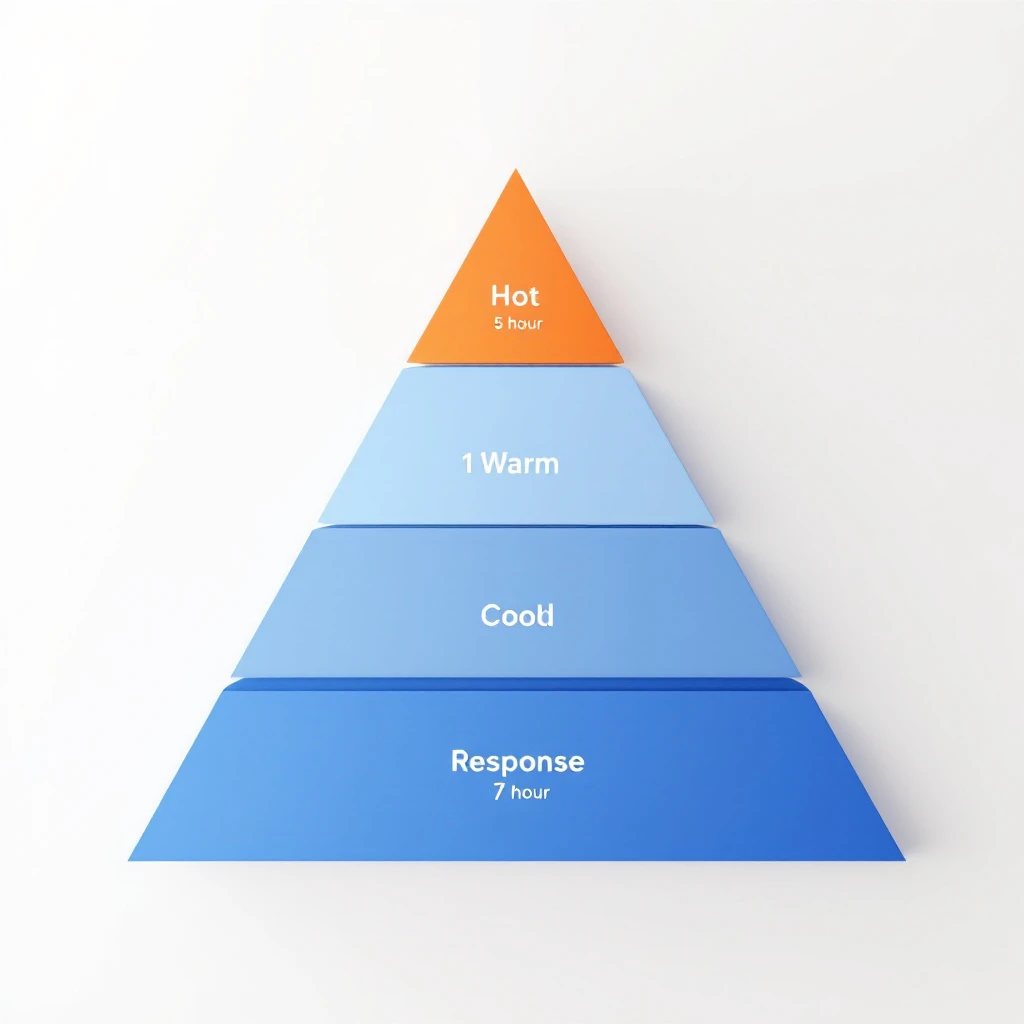
Inbound triage tier system β€” routing leads by signal intensity, not arrival order

Every SDR leader has heard the rule: respond to inbound leads in under 5 minutes or you lose them. The MIT study on lead response times is gospel β€” 21x more qualification, 78% of buyers go with whoever responds first.

So teams chase 5-minute SLAs on every lead. They route everything to a human. They build dashboards that turn red when a form sits for 6 minutes.

And then their best SDRs quit, because they're spending half their day calling people who downloaded a whitepaper out of curiosity.

The 5-minute rule is real. The way most teams implement it is broken.

This playbook is the fix: a 4-tier triage system that gets you to 5-minute response on the leads that matter, automates the middle, and stops your reps from hand-dialing tire-kickers. Built from the signal quality data we've been writing about all year and the daily SDR playbook we run internally.

The Problem With "5 Minutes On Every Lead"​

A typical mid-market B2B funnel looks like this in a given week:

  • 12 demo requests (high intent, ready-to-buy signal)
  • 40 content downloads (mixed intent β€” some buyers, some researchers)
  • 60 newsletter subscriptions (low intent, mostly tire-kickers)
  • 200 pricing page visits with no form fill (variable intent β€” depends on company)

That's 312 "leads" hitting your funnel. If you apply a uniform 5-minute SLA to all of them, you need roughly 4-5 SDRs working full-time just to handle inbound. Most teams have 2-3.

So what actually happens? Two failure modes:

  1. The SDR team picks favorites. They prioritize demos and ignore everything else. Half the funnel goes dark for 48 hours. Plenty of pipeline-worthy signals get missed.
  2. The SDR team tries to do everything. They call newsletter subscribers at 2 PM on a Tuesday, get hung up on, and eventually start treating every inbound lead as a low-priority chore. Quality of outreach collapses across the board.

The fix isn't more SDRs. It's better triage.

The 4-Tier Triage System​

Treat inbound the way an ER treats patients. Not first-come-first-served β€” most acute first, with response times calibrated to the urgency of the signal.

TierSignal ExamplesResponse SLAHandlerChannel
Tier 1 β€” HotDemo request, pricing page visit + ICP match, "talk to sales"5 minutesHuman SDRPhone + email + LinkedIn
Tier 2 β€” WarmContent download + ICP fit, repeat visitor with intent pages, webinar attendee1 hourAI agent drafts, human approvesEmail + LinkedIn
Tier 3 β€” CoolSingle content download, non-ICP form fill, light intent24 hoursAutomated sequenceEmail only
Tier 4 β€” ColdNewsletter signup, blog comment, anonymous traffic7 days or nurtureMarketing automationEmail nurture

The point isn't the exact response times β€” those depend on your ACV and sales cycle. The point is that the same SLA cannot apply to every lead. Signal intensity determines speed. Speed determines headcount allocation.

What Goes Into Each Tier​

Tier 1 β€” Hot (5-minute response, human)

These are the only leads where the 5-minute rule literally applies. Characteristics:

  • Explicit purchase intent (demo, sales, pricing inquiry)
  • ICP match (right industry, right size, right title)
  • Recent on-site behavior showing active evaluation

For a mid-market B2B company, this is usually 3-8% of total inbound volume. It is by far the highest-converting bucket. Every minute of delay here is measurable pipeline lost. This is where you spend your speed budget.

Tier 2 β€” Warm (1-hour response, AI-assisted)

These leads are evaluating, but haven't asked to talk yet. They downloaded the buyer's guide. They came back to your site twice this week. They attended your webinar and stayed for the Q&A.

The mistake here is treating Tier 2 like Tier 1. A 5-minute call to someone who just downloaded a PDF feels stalker-ish and converts worse than a thoughtful email 45 minutes later.

The right pattern: an AI agent drafts a personalized email referencing the content they consumed and their company context. An SDR scans the draft, edits if needed, and sends. The whole loop takes 90 seconds of human time. Response goes out within an hour while the topic is fresh.

This is the workflow we walked through in Visitor ID to First Outreach in 30 Minutes β€” same logic applies to any Tier 2 signal.

Tier 3 β€” Cool (24-hour response, automated)

Low-intensity signals. Single content downloads, non-ICP form fills, leads from outside your serviceable territory. These go into an automated sequence β€” 3 to 5 emails over 2-3 weeks, designed to either escalate them up the tier system (by triggering a Tier 1 or 2 signal) or filter them out.

No human SDR time spent. Period. If they raise their hand later, they move up the tier system and get re-routed.

Tier 4 β€” Cold (nurture)

Newsletter signups, blog readers, anonymous traffic, top-of-funnel content engagement. Marketing automation handles this entirely. They are not yet leads β€” they are subscribers. Treat them accordingly. They escalate into Tier 3 or higher only when behavior signals it.

The Routing Logic (How Leads Move Between Tiers)​

Static tier assignment is brittle. Real lead behavior is dynamic β€” a newsletter subscriber today might be a demo request next week. The system has to move them.

Three routing rules govern movement:

  1. Up-tier on intent escalation. Any Tier 2-4 lead that submits a higher-intent action (pricing visit, demo request, "contact sales" click) jumps immediately to Tier 1. The clock restarts.
  2. Down-tier on disengagement. Any Tier 1-2 lead that goes silent through three touches drops one tier. This frees SDR capacity for fresher signals.
  3. Re-rank weekly. Pull the full active-lead list every Monday. Re-score against the tier criteria. Reroute anyone whose behavior has shifted.

Most teams skip rule 3 and end up with a queue full of dead Tier 1 leads. Re-ranking is the maintenance pass that keeps the system honest.

This is the same intent-tier logic we used in the signal-based SDR routing post β€” applied to inbound instead of outbound.

How To Automate Tiers 2 and 3 (Without Sounding Like a Bot)​

The tier system is only useful if Tier 2 and 3 don't need human attention. Here is the workflow that makes that real.

For Tier 2 (AI-drafted, human-approved)​

  1. Signal detected. Content download, repeat visit, webinar attendance β€” whatever your trigger is.
  2. Enrichment fires. Company data, role data, recent on-site behavior, mutual connections, news mentions in the last 90 days.
  3. AI drafts the response. A short email referencing the specific content consumed, the company context, and one specific reason your platform fits their stack. Includes a soft CTA β€” "happy to share how others at companies like yours used this β€” open to a 15-min call next week?"
  4. SDR reviews draft. Should take 30-90 seconds. Approve, edit, or skip.
  5. Send + log. Goes into the SDR's sent folder so the next touch is from them, not a generic inbox.

The pattern we covered in From Buying Signal to Booked Meeting in 24 Hours is the template here β€” same enrichment, same drafting loop, different SLA.

For Tier 3 (Fully automated)​

  1. Signal detected. Low-intensity action.
  2. Sequence enrolled. Lead enters a 4-touch sequence calibrated to the content they engaged with. Touch 1 references the asset. Touch 2 (4 days later) shares a related case study. Touch 3 (10 days) offers a soft CTA. Touch 4 (21 days) is a breakup email.
  3. Behavior monitored. Any open, click, or site revisit that crosses a threshold up-tiers them. They get pulled from the sequence and routed accordingly.
  4. Quiet exits. No re-engagement after 4 touches? They drop to Tier 4 and join the newsletter nurture.

The risk in Tier 3 automation is sounding generic. Avoid it by enriching the sequence with company-specific lines from public sources β€” recent news, hiring activity, tech stack changes. Two or three concrete references per email is enough to feel human.

Why This Matters (The Capacity Math)​

Run the numbers for a typical mid-market SaaS team:

  • 312 weekly inbound leads
  • 4% Tier 1 = 12 leads β†’ 1 hour of SDR time each = 12 hours of focused work
  • 18% Tier 2 = 56 leads β†’ 2 minutes of SDR review each = ~2 hours total
  • 38% Tier 3 = 119 leads β†’ 0 SDR time (fully automated)
  • 40% Tier 4 = 125 leads β†’ 0 SDR time (marketing nurture)

Total SDR inbound load: ~14 hours/week. One SDR can handle the inbound queue with time left over for outbound. Without the tier system, the same 312 leads require 3-4 SDRs and still produces worse outcomes β€” because the Tier 1 leads get the same treatment as the newsletter subscribers, and nothing gets the attention it deserves.

That's the unlock. Not faster response on everything. Faster response on the leads that pay back the speed.

Common Failure Modes​

A few patterns I've seen kill tier systems even when they're well-designed:

1. Tier 1 over-population. Sales leaders push to flag more leads as Tier 1 because it feels like progress. Within a quarter, 25% of leads are "hot" and SDRs are back to chasing volume. Fix: gate Tier 1 promotion on hard signals only, not gut feel.

2. No re-ranking. The Monday re-score pass falls off when the team gets busy. Within a month, the active queue is full of stale Tier 1 leads that should have been demoted. Fix: automate the re-rank. Make it a system event, not a calendar reminder.

3. Tier 2 drafts that read like spam. AI drafts without enrichment produce form-letter outreach. The whole point of Tier 2 is human-quality response at machine speed. Without enrichment, you've just built a slow spam cannon. Fix: invest in the enrichment layer first, then turn on drafting.

4. Routing without a CRM source of truth. If the tier lives in a spreadsheet, it dies in a spreadsheet. The tier must be a field on the lead record that every system reads from. Fix: pick one system of record and make tier a first-class field there.

The Tooling Layer​

You can run this system manually if your volume is small. Past about 50 weekly inbound leads, you need automation. The capability set you need:

  • Visitor identification β€” who is on your site, even without a form fill
  • Real-time enrichment β€” company + person data within seconds of trigger
  • Intent scoring β€” assigns a tier based on signal combinations
  • AI drafting with context β€” pulls enrichment + content history into the draft
  • Routing engine β€” sends Tier 1 to humans, Tier 2 to drafts, Tier 3 to sequences, all automatically
  • Behavior-based re-tiering β€” moves leads between tiers based on action

Several tools cover parts of this. Best lead routing software in 2026 and the ChiliPiper alternative breakdown both go deeper. Most teams stitch together 3-5 tools β€” visitor ID, enrichment, MAP, AI assistant, scheduler.

This is what MarketBetter consolidates. We don't just identify the visitor and score the signal β€” we draft the response, route to the right rep, and tell them exactly what to do next. The difference between knowing who's hot and acting on it in under an hour is the whole game.

The 30-Day Rollout​

If you're starting from a flat 5-minute-everything SLA, here's the migration:

  • Week 1: Define your tier criteria. Pull last 90 days of inbound. Manually classify into 4 tiers. Confirm the distribution feels right.
  • Week 2: Set up Tier 3 automation. Build the 4-touch sequence. Stop manually responding to single-content-download leads.
  • Week 3: Set up Tier 2 enrichment + AI drafting. Pilot with one SDR. Measure response quality.
  • Week 4: Roll Tier 2 to the team. Establish the Monday re-rank pass. Lock in Tier 1 as the only human-priority queue.

By day 30, your SDRs should be spending 70% of their inbound time on Tier 1 and Tier 2 reviews. The previous 70% β€” the busywork on Tier 3 and 4 β€” is now automated.

The Bottom Line​

The 5-minute rule isn't wrong. It's just narrowly true. It applies to hot, ICP-fit, ready-to-buy leads β€” and almost nobody else.

Build the tier system. Reserve speed for the leads that pay it back. Automate the rest. Your SDRs get their best hours back, your hot leads get the response time the data says they need, and the leads who weren't going to buy this quarter don't burn capacity that should have closed deals.

The teams winning inbound in 2026 aren't the fastest on everything. They're the most disciplined about what deserves speed and what doesn't.


Want to see how MarketBetter automates Tier 1 and Tier 2 inbound response β€” including visitor ID, AI drafting, and routing? Book a demo.

Related reading:

Smart Scheduler: How AI Qualification Turns Every Inbound Lead Into a Booked Meeting

Β· 11 min read
MarketBetter Team
Content Team, marketbetter.ai

I've watched SDR teams lose winnable deals for a decade. And the number one killer isn't bad messaging, weak value props, or even the wrong ICP. It's time.

Specifically, it's the 47 minutes β€” on average β€” between when an inbound lead fills out a form and when a human being actually responds. In those 47 minutes, that lead has already opened three competitor tabs, re-read a G2 comparison, and started to forget why they were excited about you in the first place.

We all know the data. Harvard Business Review published the speed-to-lead research years ago: companies that respond within five minutes are 100x more likely to connect than those that wait 30. And yet, the average B2B company still takes over 40 minutes.

Why? Because between "lead fills out form" and "rep picks up phone," there's a broken chain of manual steps, routing logic, and round-robin roulette that nobody has fixed.

Until now.

AI-powered lead qualification workflow

The 40% Problem Nobody Talks About​

Here's a stat that should make every VP of Sales uncomfortable: roughly 40% of inbound leads never get a meaningful first response. Not "never close" β€” never get responded to properly.

Some get lost in CRM assignment queues. Some get routed to reps who are on PTO. Some hit a round-robin and land on a rep who already has 15 open opportunities and isn't checking their new lead notifications. Some arrive at 4:47 PM on a Friday and by Monday, they're ghosts.

This isn't a people problem. Your SDRs aren't lazy. Your ops team isn't incompetent. The system is broken.

Here's what the typical inbound flow looks like at most B2B companies:

  1. Lead fills out a form
  2. Marketing automation assigns a lead score (maybe)
  3. Lead gets pushed to CRM
  4. CRM assignment rules fire (round-robin, territory, whatever)
  5. Assigned rep gets a notification
  6. Rep checks their queue 2-3 hours later
  7. Rep researches the lead manually
  8. Rep tries to qualify via email or phone
  9. Maybe β€” maybe β€” a meeting gets booked

That's nine steps. Nine failure points. Nine places where a perfectly good lead can fall through the cracks.

The median time from step 1 to step 9? Three to five days, if you're being honest. And by then, the lead is cold, distracted, or has already talked to your competitor who got there first.

If you're still running legacy lead routing processes, you're fighting a battle that was lost before your reps even knew it started.

What If AI Could Collapse That Entire Chain?​

MarketBetter's Smart Scheduler does something deceptively simple: it compresses those nine steps into one continuous flow that takes seconds, not days.

Here's the waterfall:

Lead arrives β†’ AI qualifies in real-time β†’ CRM lookup matches company to existing owner β†’ Meeting books directly on the right rep's calendar

Let me break down why each piece matters.

Step 1: AI Qualification in Seconds​

The moment a lead submits any form β€” demo request, content download, chatbot interaction β€” AI evaluates the submission against your qualification criteria. Not a static lead score. Not a threshold number somebody set six months ago and forgot about. Actual, contextual qualification.

Does this person match your ICP? Is their company in your target segment? Is the signal strong enough to warrant immediate action?

This happens in seconds, not hours. No human queue. No waiting for an SDR to manually research the company on LinkedIn. The lead gets qualified while they're still looking at your thank-you page.

Step 2: CRM Owner Lookup β€” The Most Underrated Feature in Sales Tech​

Here's where Smart Scheduler does something that almost no other scheduling or routing tool gets right: CRM owner matching.

When a new inbound lead arrives, the system checks your CRM β€” whether that's HubSpot or Salesforce β€” to see if that lead's company already has an assigned owner. If Sarah owns the Acme Corp account because she's been working that deal for three months, the new lead from Acme Corp goes to Sarah. Period.

This sounds obvious. It is not.

Most round-robin systems treat every inbound lead as a net-new contact and distribute them randomly. That means a new contact from an account that already has an active opportunity might get assigned to a completely different rep. The new rep doesn't know the account history. The existing rep doesn't know someone else from their account just raised their hand. The prospect ends up confused, getting outreach from two different people at the same company.

I've seen this happen at companies doing $50M+ in revenue. It's more common than anyone admits.

CRM owner lookup eliminates this entirely. If the company exists in your CRM with an owner, the inbound lead goes to that owner. It's account-level routing, not contact-level routing. And it works across both HubSpot and Salesforce, which matters because CRM migration is messy and plenty of companies are running hybrid setups during transition periods.

Step 3: Intelligent Fallback for Unmatched Leads​

What about truly net-new leads β€” companies that don't exist in your CRM yet? That's where configurable routing rules take over.

Smart Scheduler doesn't just default to basic round-robin. You can configure routing based on:

  • Territory: Geographic or vertical-based assignment
  • Round-robin: Equal distribution across available reps
  • Capacity: Weighted by current pipeline load
  • Specialization: Route based on product interest, company size, or use case

The key word is configurable. Every sales org is different. Some have strict territory models. Some run pods. Some have different teams for inbound vs. outbound. Smart Scheduler adapts to your model rather than forcing you into a one-size-fits-all distribution.

Step 4: The Meeting Books Itself​

This is the part that changes everything. Once the lead is qualified and routed to the right rep, the meeting booking happens immediately. The lead sees the rep's calendar and can book a time β€” right then, while they're still engaged, while the intent is still hot.

No "someone will reach out within 24 hours." No "check your email for scheduling options." No five-email back-and-forth to find a time that works.

The lead goes from form fill to booked meeting in one unbroken flow. That's the speed-to-lead advantage that every sales org claims to want but almost none actually achieve.

The Round-Robin Problem Is Worse Than You Think​

Let me spend a minute on why traditional round-robin routing is so destructive, because most sales leaders underestimate this.

Round-robin assumes all leads are equal and all reps are interchangeable. Both assumptions are wrong.

Not all leads are equal. An inbound demo request from a VP at a 500-person company in your target vertical is worth dramatically more than a content download from a student. Treating them the same β€” distributing both through the same round-robin queue β€” means your best leads get the same treatment as your weakest ones.

Not all reps are interchangeable. Some reps specialize in enterprise. Some crush it in the mid-market. Some know a specific vertical cold. Round-robin ignores all of this. It's the scheduling equivalent of random assignment in a world where pattern matching drives conversion.

And then there's the account ownership problem I mentioned earlier. Round-robin actively works against account-based selling strategies. If you're investing in ABM, if you're building account plans, if you're trying to create unified experiences for buying committees β€” and then your inbound routing randomly assigns new contacts to different reps β€” you're undermining your own strategy.

Smart Scheduler's CRM owner matching is designed specifically to prevent this. It respects your existing account relationships and only falls back to configurable rules for genuinely new accounts.

Why This Matters More in 2026 Than Ever Before​

Three trends are converging to make intelligent inbound routing a necessity rather than a nice-to-have:

Buying Committees Are Bigger​

The average B2B deal now involves 11+ stakeholders. That means multiple people from the same company will hit your website and fill out forms at different times. If each one gets round-robined to a different rep, you're creating chaos instead of coherence. CRM owner matching ensures every touchpoint from the same account flows to the same rep β€” building a complete picture instead of fragmented conversations.

AI SDRs Are Raising the Bar​

Competitors are deploying AI chatbots and AI-powered qualification tools that respond instantly. If your competitors are booking meetings in 30 seconds and you're booking them in 30 hours, you're not competing. You're spectating. Smart Scheduler puts you at parity β€” or ahead β€” by automating the qualification-to-booking pipeline end to end.

Inbound Volume Is Increasing, But Quality Is Noisy​

With more content, more ads, and more channels driving traffic, SDR teams are dealing with higher inbound volume but more noise. AI qualification acts as a real-time filter, ensuring reps spend their time on leads that actually match your ICP rather than manually triaging a queue that's 60% unqualified.

The Real ROI Isn't Speed β€” It's Accuracy​

Most people focus on speed-to-lead when they think about scheduling automation. And speed matters β€” that 5-minute response window is real.

But the bigger ROI is accuracy. Getting the lead to the right rep, not just a fast rep.

When a lead gets routed to the rep who already owns that account, conversion rates jump β€” not by 10 or 20 percent, but often by 2-3x. Why? Because that rep already knows the company's pain points, their tech stack, their buying process, their internal champions. They don't need 20 minutes of discovery to get up to speed. They can have a relevant, intelligent conversation from minute one.

This is the difference between "I saw you filled out a demo request, tell me about your business" and "Hey, I've been working with your team on the deployment project β€” saw you wanted to discuss the new use case, let's dive in."

One of those sounds like a vendor. The other sounds like a partner. The difference is routing accuracy.

What About Leads That Don't Book?​

Not every lead will book a meeting immediately, even with a frictionless scheduling flow. Some people prefer email. Some want to do more research first. Some fill out forms on mobile and plan to follow up later.

Smart Scheduler accounts for this. Leads that are qualified but don't book in the initial flow get assigned to the matched rep (or the appropriate fallback rep) with full context about the lead's qualification profile. The rep can then follow up via email, phone, or personalized outreach β€” but they're following up with a warm, pre-qualified lead, not starting from scratch.

The system doesn't treat unboooked-but-qualified leads as failures. They're opportunities in motion, and the rep who gets them has all the context they need to convert.

The Waterfall, Visualized​

Here's how the complete flow works for every single inbound lead:

1. Lead Arrives Form submission, chatbot interaction, or scheduling request triggers the workflow.

2. AI Qualification Real-time evaluation against your ICP criteria, qualification rules, and engagement signals. Qualified leads proceed; unqualified leads get appropriate nurture treatment.

3. CRM Owner Lookup The system checks HubSpot or Salesforce for an existing company match. If the lead's company has a CRM owner, that owner is the routing target.

4. Owner Match β†’ Direct Booking Lead sees the account owner's calendar and can book immediately. No round-robin, no queue, no delay.

5. No Owner β†’ Configurable Routing For net-new companies, routing rules fire based on your configuration β€” territory, round-robin, capacity, specialization, or any combination.

6. Meeting Confirmed Calendar invite sent, CRM updated, rep notified with full lead context. The entire process completes in seconds.

Every step is automated. Every step happens in real-time. Every step is designed to ensure that no qualified lead ever waits in a queue wondering if anyone's going to call them back.

Stop Leaking Pipeline​

The hard truth is that most B2B companies are losing 30-40% of their inbound pipeline to slow response times and wrong rep assignment. That's not a marketing problem. That's not a demand gen problem. That's a plumbing problem.

Smart Scheduler fixes the plumbing.

If you want to see what your inbound conversion rates look like when every lead gets qualified in seconds, routed to the right rep, and given a frictionless path to booking β€” it's worth seeing it in action.

Because in the time it took you to read this post, someone at your company probably lost a lead.


Adam Grant leads GTM at MarketBetter, where he helps B2B sales teams turn inbound intent into booked meetings β€” without the manual triage that kills conversion rates.

Best Scheduling Tools for Sales Teams 2026: 12 Compared (Chili Piper, Calendly, RevenueHero)

Β· 23 min read
Sunder Iyer
Founder, marketbetter.ai

Best Meeting Scheduling Software for Sales Teams 2026

Last updated: August 28, 2026 β€” rewritten to reflect Chili Piper's move to platform pricing ($15K/year minimum), Calendly's August 2026 AI suite launch (Callie + Notetaker), Drift's official sunset, Default's Series A and 2.0 relaunch, and current 2026 speed-to-lead benchmark data.

Every minute between a lead submitting a form and getting on a call with your rep is revenue leaking out of the funnel. The 2026 benchmark data is brutal: the average B2B lead response time is now 47 hours, only about 7% of companies respond within five minutes, and leads contacted in under 5 minutes convert at roughly 21% versus 2.3% for 24-hour-plus responders β€” a 9x gap on the exact same leads. A 2026 study across 573 businesses found 74% of companies miss the five-minute window entirely.

Meeting scheduling software for sales teams isn't about replacing your calendar app. It's about eliminating the back-and-forth that kills deals before they start. The right tool routes inbound leads to the correct rep, qualifies them before booking, and gets a meeting on the calendar in under 30 seconds.

But the category shifted dramatically over the past twelve months. Chili Piper killed its per-user SKUs and now starts at $15,000/year. Calendly launched an AI assistant and meeting notetaker in August 2026. Drift β€” once the poster child of chat-to-meeting β€” is being sunset after a catastrophic security breach and the Clari–Salesloft merger. Default raised a Series A and relaunched as an agentic GTM platform. If you last evaluated this category in 2025, half of what you remember is wrong.

We compared 12 tools across pricing, lead routing capabilities, CRM integration depth, and actual speed-to-lead impact β€” verified against vendor pricing pages and 2026 announcements.

What Changed in 2026 (Read This First)​

If you're re-evaluating your scheduling stack, these are the category-defining shifts since our original February version of this guide:

  1. Chili Piper abandoned per-user pricing. The old $15–$30/user SKUs (Instant Booker, Concierge, Handoff, Distro) are gone. Chili Piper now sells two platform tiers: Routing & Scheduling at $1,250/month billed annually ($15,000/year, 15 seats and 45,000 AI credits included) and Experiences at $3,500/month ($42,000/year). Multi-year commitments discount 15% (2-year), 25% (3-year), or 40% (4-year). There's no monthly billing and no free trial β€” it's a demo-first sales motion now. For a 5-rep team that used to pay ~$1,800/year for Instant Booker, this is a different universe.
  2. Calendly went AI-first. On August 19, 2026, Calendly launched Callie (beta), an AI assistant that sets up meetings, checks availability, and surfaces context from prior meetings β€” plus Calendly Notetaker, which joins calls, records, transcribes, summarizes, and drafts follow-up emails. New Standard Plus and Teams Plus plans bundle the AI features.
  3. Drift is officially being sunset. After the August 2025 OAuth breach that exfiltrated data from 700+ organizations (including Cloudflare, Palo Alto Networks, and Zscaler), Salesloft took Drift offline in September 2025. The Clari–Salesloft merger closed December 3, 2025, and on March 6, 2026 the combined company announced Drift's gradual sunset, naming 1mind as the migration path. Do not buy Drift for scheduling in 2026.
  4. Default raised and relaunched. Default announced a Series A led by 8VC (with Craft and Jack Altman), bringing total funding to $20M, and shipped Default 2.0 β€” an agentic GTM platform with a real-time data layer, AI routing agents, waterfall enrichment, and a revenue agent called Dot.
  5. RevenueHero grew up. It's no longer a lightweight Chili Piper alternative β€” in 2026 it operates as a full routing-and-qualification system with built-in instant enrichment, starting at $20/user/month with no admin license fees.
  6. AI booking APIs arrived. Chili Piper shipped an MCP server and full booking API so AI agents can book meetings programmatically. Expect every serious vendor to follow β€” the next battleground is agent-to-calendar, not form-to-calendar.

Quick Comparison Table (Verified August 2026)​

ToolBest For2026 PricingLead RoutingCRM IntegrationSpeed-to-Lead
MarketBetterFull SDR workflow + scheduling$99/user/moβœ… AI-poweredHubSpot, SalesforceUnder 30 seconds
Chili PiperEnterprise inbound form-to-meeting$15,000/yr platform (15 seats)βœ… AdvancedSalesforce, HubSpotUnder 1 minute
CalendlyGeneral scheduling + AI meeting workflow$10–$16/user/mo (+ Plus tiers)βœ… Basic–MidSalesforce, HubSpotVaries
RevenueHeroMid-market inbound routing + enrichmentFrom $20/user/moβœ… AdvancedSalesforce, HubSpotUnder 1 minute
DefaultAgentic inbound orchestrationCustom (~$1,000+/mo)βœ… AdvancedSalesforce, HubSpotUnder 1 minute
DemodeskVideo meetings + coaching (EU)From $25/user/mo⚠️ BasicSalesforce, HubSpotVaries
KronologicAI auto-scheduling for outboundCustom (enterprise)βœ… AI-poweredSalesforceUnder 30 seconds
LeadmonkSMB budget routingFrom $12/user/moβœ… BasicHubSpot, SalesforceUnder 2 minutes
Drift (Salesloft)⚠️ Being sunset β€” do not buyN/Aβ€”β€”β€”
HubSpot MeetingsHubSpot-native teamsFree–$150/seat/mo (Sales Hub)⚠️ BasicHubSpot nativeVaries
SavvyCalPersonalized 1:1 schedulingFrom $12/user/mo❌ZapierVaries
Reclaim.ai (Dropbox)AI calendar managementFree–$22/user/mo❌Google CalendarN/A

What Actually Matters for Sales Scheduling​

Before diving into individual tools, here's what separates a sales scheduling tool from a generic calendar link:

1. Lead Routing (Not Just Scheduling)​

When a lead fills out your form, the tool should automatically determine which rep gets the meeting based on territory, account ownership, company size, round-robin rules, or custom logic. Without this, you're just sending a Calendly link and hoping. Our full breakdown of routing engines is in the best lead routing software guide.

2. Qualification Before Booking​

The best tools qualify leads before letting them book. If someone from a 5-person company requests a demo for your enterprise product, they should get a different experience than a VP from a 500-person company. In 2026, the leaders (RevenueHero, Default, Chili Piper) do this with real-time enrichment β€” routing on actual firmographic data, not just what someone typed into a form.

3. Speed-to-Lead​

The clock starts the moment a prospect hits submit. Tools that redirect instantly to a booking page beat tools that send a follow-up email with a link. The 2026 data says companies with a defined response SLA hit the 15-minute window at nearly twice the rate of those without one (54.9% vs 29.5%). Full benchmarks and playbook in our speed-to-lead guide.

4. CRM Sync​

Every meeting booked should create or update a contact, associate an activity, and update the deal stage β€” automatically. If your reps are manually logging meetings, you've already lost.

5. No-Show Reduction​

Automated reminders, calendar holds, and confirmation workflows. The best tools cut no-show rates by 30-50%. Calendly's new Notetaker closes the loop further by auto-generating summaries and follow-up drafts so held meetings actually convert.

6. AI-Agent Readiness (New for 2026)​

With Chili Piper shipping an MCP server and booking API, and Calendly launching Callie, ask every vendor: can an AI agent qualify and book on my behalf? If your SDR workflow is increasingly agentic, a scheduler without an API-first booking layer is a dead end.


1. MarketBetter β€” The SDR Operating System​

Best for: Teams that want scheduling as part of a complete SDR workflow β€” not another standalone tool.

Pricing: starting at $99/user/month (Standard plan)

MarketBetter approaches meeting scheduling differently from every other tool on this list. Instead of being a standalone scheduler that you bolt onto your stack, meeting booking is integrated into an AI-powered SDR workflow.

Here's the difference: Chili Piper routes a form submission to a rep and books a meeting. MarketBetter identifies the prospect before they fill out a form (via website visitor identification), enriches them with company and contact data, scores them against your ICP, generates a personalized outreach sequence, and then books the meeting β€” all within a single platform.

What stands out:

  • Visitor identification + scheduling β€” Know who's on your site before they submit a form. Your SDR gets alerted while the prospect is still browsing.
  • AI-powered daily playbook β€” Reps don't just get meetings booked; they get a prioritized task list of who to call, email, and follow up with.
  • Smart dialer integration β€” When a meeting doesn't get booked, the prospect automatically enters a calling queue with context.
  • Email sequence automation β€” If a prospect doesn't book immediately, hyper-personalized follow-ups go out automatically.

Why it matters more in 2026: With Chili Piper's entry price now $15,000/year for scheduling and routing alone, the math has changed. A 10-rep team pays $11,880/year for MarketBetter and gets visitor ID, enrichment, sequences, a dialer, and scheduling β€” versus $15,000 for routing and scheduling only. The consolidation argument used to be about convenience; now it's simply cheaper.

Best for: B2B teams (50-500 employees) who want to consolidate their SDR stack, not add another tool to it. See how it stacks up against the whole category in our best SDR tools guide.

Book a Demo β†’


2. Chili Piper β€” The Inbound Routing Specialist (Now Enterprise-Priced)​

Best for: Enterprise inbound teams with 15+ reps that need best-in-class form-to-meeting routing and can justify a five-figure annual commitment.

Pricing (changed in 2026):

  • Routing & Scheduling: $1,250/month billed annually β€” $15,000/year, includes 15 seats and 45,000 AI credits
  • Experiences: $3,500/month β€” $42,000/year
  • Multi-year discounts: 15% (2-year), 25% (3-year), 40% (4-year)
  • No monthly billing, no free trial. Demo-first sales process.

Chili Piper is still the category leader for inbound meeting scheduling β€” Concierge-style instant booking from web forms, real-time qualification, and the deepest Salesforce integration in the category. But the packaging is unrecognizable from a year ago. The old Γ  la carte SKUs (Instant Booker $15/user, Handoff $25/user, Concierge $30/user, Distro $30/user) were retired; Concierge, Distro, Handoff, and ChiliCal are now bundled into the platform tiers.

What makes it work:

  • Form routing β€” Leads are qualified and routed to the right rep in real-time based on Salesforce ownership, territory, round-robin, or custom rules.
  • Instant booking β€” No redirect. The calendar appears right on the form confirmation, reducing friction dramatically.
  • Salesforce-native β€” Deep bi-directional sync. Contacts, leads, and activities all update automatically.
  • MCP server + booking API β€” New for 2026: AI agents can query availability and book meetings programmatically. Chili Piper is the first scheduler with a real agent-integration story.

The catch:

  • The entry price is now $15,000/year. If you have 5 reps, you're paying for 15 seats. The teams that made Chili Piper famous β€” scrappy 5-10 rep inbound teams β€” have been priced out of their own tool.
  • AI credits meter the new features. The bundled 45,000 credits cover AI-driven actions; heavy usage means negotiating for more.
  • Salesforce-first β€” HubSpot integration exists but isn't as deep. HubSpot-native teams may find gaps.
  • No outbound workflow β€” Chili Piper only handles inbound. If a prospect doesn't fill out your form, you need a completely separate stack.

G2 rating: 4.6/5 (1,000+ reviews)

For the full teardown of the new tiers and what teams actually pay, see our Chili Piper pricing breakdown and the head-to-head MarketBetter vs Chili Piper comparison.


3. Calendly β€” The Universal Scheduler Goes AI​

Best for: Individual reps and small teams that need reliable scheduling β€” now with an AI meeting workflow attached.

Pricing (2026):

  • Free: 1 event type, unlimited 1:1 meetings
  • Standard: $10/user/mo (annual) / $12 monthly
  • Teams: $16/user/mo (annual) / $20 monthly β€” round-robin, Salesforce integration, lead routing
  • New: Standard Plus and Teams Plus β€” bundle the AI suite (Callie + Notetaker); Calendly is aligning AI access to plan level
  • Enterprise: Custom

Calendly is still the default. Everyone knows it, everyone has used it, and it just works. But August 19, 2026 marked its biggest product shift in years: the launch of an AI product suite designed to own the entire meeting workflow, not just the booking.

What's new in 2026:

  • Callie (beta) β€” An AI assistant that taps your meeting and scheduling stack to set up meetings, check availability across people, and surface context from prior meetings.
  • Calendly Notetaker β€” Joins your meetings, records video and audio, transcribes, summarizes key points and action items, and drafts follow-up emails. Calendly is squarely entering the Gong/Fireflies/Granola territory β€” bundled with the scheduler your team already uses.
  • Rollout started August 19, 2026 for English-language accounts, with more languages coming.

What works well:

  • Zero learning curve β€” Share a link, people book. That's it.
  • Routing Forms β€” Qualifies and routes leads to the right rep based on form answers.
  • Team pages β€” Round-robin scheduling with even distribution.
  • Massive integration ecosystem β€” Salesforce, HubSpot, Zoom, Teams, Stripe, and hundreds more.

Where it still falls short for sales teams:

  • Routing is basic β€” Routing Forms lack territory-based routing and Salesforce ownership matching. No real-time enrichment before routing.
  • No form embedding β€” Calendly links redirect to hosted pages. Chili Piper and RevenueHero embed booking directly in your website form flow.
  • Limited qualification β€” Screening questions, yes; dynamically changing the booking experience based on CRM or firmographic data, no.
  • AI is meeting-productivity, not pipeline β€” Callie and Notetaker make meetings better; they don't get more of the right leads booked. Don't confuse the two problems.

Bottom line: If your SDR team is under 5 people and your process is straightforward, Calendly remains the pragmatic choice β€” and the Plus tiers now throw in a competent notetaker. Once you need routing, qualification, or CRM automation, you'll outgrow it.

G2 rating: 4.7/5 (2,300+ reviews)


4. RevenueHero β€” The Inbound Challenger That Grew Up​

Best for: Mid-market inbound teams that want Chili Piper-class routing without the $15K platform commitment.

Pricing (2026):

  • From $20/user/mo, unlimited meetings, no admin license fees
  • Tiers: Lite, Essentials, Enterprise (enterprise typically $50+/user/mo)
  • Add-ons: spam prevention, native enrichment

RevenueHero benefited enormously from Chili Piper's move upmarket. In 2026 it's no longer positioned as a lightweight scheduler β€” it operates as a full GTM routing and qualification system: it enriches inbound leads instantly, qualifies them, routes to the right rep, and presents booking across channels, all before the data even hits your CRM.

Key differentiators:

  • Instant scheduling from forms β€” Same concept as Chili Piper Concierge, bundled into one product.
  • Built-in instant enrichment β€” Qualify and route on real firmographic data, not just form fields.
  • Account matching β€” Matches inbound leads to existing CRM accounts before routing, preventing duplicates and ensuring the owning rep gets the meeting.
  • Meeting lifecycle tracking β€” Tracks form fill β†’ booked β†’ held, giving you real conversion metrics.
  • Flexible routing β€” Territory, ownership, round-robin, weighted distribution, custom rules.
  • Per-user pricing still exists here. A 10-rep team pays ~$2,400–$6,000/year depending on tier β€” versus $15,000 minimum at Chili Piper.

Considerations:

  • Smaller ecosystem β€” Fewer integrations than Chili Piper or Calendly. Verify your CRM/MAP combo.
  • Enterprise routing depth β€” Complex territory hierarchies are better tested at Chili Piper. Verify before committing.

G2 rating: 4.8/5 (300+ reviews)

Trusted by Freshworks and Paystone, and consistently praised for support. Full cost analysis in our RevenueHero pricing breakdown, or see the MarketBetter vs RevenueHero comparison for how it stacks against a full-workflow platform.


5. Default β€” Now an Agentic GTM Platform​

Best for: RevOps teams that want to orchestrate the entire inbound motion β€” routing, enrichment, scheduling, and AI agents β€” from one data layer.

Pricing: Custom (typically $1,000+/mo)

Default had the biggest glow-up in the category. Off the back of a Series A led by 8VC (with Craft and Jack Altman participating, $20M total raised), the company shipped Default 2.0: a shift from inbound workflow builder to agentic GTM orchestration platform.

What's in Default 2.0:

  • Real-time GTM data layer β€” Connects CRM, marketing automation, and product data into one live layer that workflows and agents operate on.
  • Dot, a revenue agent β€” An AI agent that acts on the data layer for routing, follow-up, and workflow decisions.
  • Website intent and session tracking β€” Routing decisions informed by what the prospect actually did on your site.
  • AI routing agents + waterfall enrichment β€” Enrichment cascades across providers before routing fires.
  • Visual workflow builder β€” Still the core: forms, routing, enrichment, CRM updates, scheduling, Slack alerts in one flow.

Considerations:

  • Complexity β€” Powerful but requires RevOps expertise. Not a "turn it on and go" tool.
  • Price point β€” Enterprise pricing puts it out of reach for smaller teams.
  • Scheduling is one feature of many β€” If you only need scheduling, Default is overkill. If you're re-architecting your whole inbound motion, it's a serious contender.

6. Demodesk β€” Video Meetings + Coaching​

Best for: European teams that want scheduling plus a coached meeting experience.

Pricing: From $25/user/mo

Demodesk combines scheduling with its own video meeting platform: real-time coaching cards, battle cards, automated note-taking, and call analytics (talk-to-listen ratio, topic tracking). Its AI note-taking assistant now competes directly with Calendly's Notetaker β€” Demodesk was there first, though with a smaller footprint.

Considerations: Primarily European market presence; prospects must join a Demodesk meeting rather than Zoom/Teams; routing is less sophisticated than Chili Piper or RevenueHero.


7. Kronologic β€” AI Auto-Scheduling​

Best for: Outbound teams with high lead volume that need meetings booked without human effort.

Pricing: Custom (enterprise only)

Kronologic β€” acquired by East11 Ventures in August 2024 and still operating out of Austin β€” proposes specific meeting times via AI-personalized email and books when the prospect agrees. Unlike the inbound-focused tools above, it handles outbound scheduling at scale and can trigger on intent signals (website visits, email opens).

Considerations: Aggressive auto-booking can annoy prospects if misconfigured; pricing is opaque; best for high-volume, lower-ticket motions. Post-acquisition roadmap velocity is worth probing in the sales process.


8. Leadmonk β€” Budget-Friendly Scheduling​

Best for: SMBs that need form routing and round-robin without enterprise pricing.

Pricing: From $12/user/mo

Form-to-meeting routing, round-robin and weighted distribution, HubSpot/Salesforce integration, reminders, and no-show tracking at a fraction of the big vendors' cost. With Chili Piper now starting at $15K/year, budget tools like Leadmonk are getting a second look from teams that were priced out.

Considerations: Fewer advanced routing options; smaller company (evaluate long-term viability); shallower integration depth.


9. Drift β€” Being Sunset. Do Not Buy.​

Status: officially sunsetting. This entry is preserved so you know what happened and what to do if you're still on it.

The timeline: between August 8–18, 2025, a threat actor exploited Drift's OAuth integration with Salesforce and exfiltrated data from 700+ organizations β€” including Cloudflare, Palo Alto Networks, and Zscaler. Salesloft took Drift offline around September 3, 2025 to rebuild security. The Clari–Salesloft merger closed December 3, 2025, and on March 6, 2026 the combined company announced the gradual sunset of the Drift conversational marketing platform, naming 1mind as the exclusive AI successor. No hard end-of-life date has been published, but active investment has ended.

If you're still on Drift: budget 7–14 days for a typical migration, and note that 1mind does not offer visitor de-anonymization, outbound automation, or intent-data infrastructure β€” it's a narrower replacement. We've written a full guide to the best Drift alternatives covering chat-to-meeting replacements by use case.


10. HubSpot Meetings β€” The Free Default (Now With Breeze AI)​

Best for: Teams already all-in on HubSpot that don't need advanced routing.

Pricing (2026): Free (included in HubSpot CRM); Sales Hub Starter $15/seat/mo (annual) or $20 monthly; Professional ~$90–100/seat/mo; Enterprise ~$150/seat/mo. Onboarding fees: $1,500 (Pro) / $3,500 (Enterprise).

If you're a HubSpot shop, Meetings is already there β€” native sync, automatic contact creation, zero additional spend. In 2026, HubSpot layered the Breeze AI suite across the platform (with outcome-based pricing), rebuilt its Prospecting Agent to monitor funding rounds and job postings, and shipped Smart Deal Progression that parses meeting transcripts.

What works: zero cost to start, native CRM sync, embedded scheduling in HubSpot forms, round-robin in Sales Hub Professional.

What doesn't: no real-time form-to-calendar routing the way Chili Piper/RevenueHero do it; no qualification logic based on lead score or firmographics; the Starter-tier scheduler is very limited β€” real scheduling automation only arrives at Professional, which means $90+/seat/month. Full cost math in our HubSpot Sales Hub pricing guide.


11. SavvyCal β€” The Anti-Calendly​

Best for: Individual reps who want a more personal scheduling experience.

Pricing: From $12/user/mo

SavvyCal lets prospects overlay their calendar on top of your availability β€” more personal than a time-slot grid, with per-prospect personalized links and a clean interface. Not for sales teams needing routing, qualification, or CRM automation. It's a personal scheduling tool, not a sales platform.


12. Reclaim.ai β€” AI Calendar Management (Now Part of Dropbox)​

Best for: Reps who need to protect focus time while staying bookable.

Pricing (2026): Free, then $10 / $15 / $22 per seat/month

Reclaim β€” acquired by Dropbox in August 2024 for a reported $40.2M, now operating as "Reclaim.ai from Dropbox" with both co-founders still aboard β€” uses AI to manage your calendar: blocking focus time, scheduling 1:1s, and adjusting availability dynamically. Not a sales scheduling tool per se, but useful for SDRs drowning in calendar chaos.


How to Choose: 2026 Decision Framework​

If you're a solo SDR or small team (under 5 reps):​

Go with Calendly. Simple, cheap, universally trusted β€” and the new AI Plus tiers throw in a notetaker. Add HubSpot Meetings if you're already in HubSpot.

If you're an inbound-heavy team with 5-20 reps:​

RevenueHero is now the default pick, not Chili Piper. Chili Piper's $15,000/year platform floor (15 seats bundled) only makes sense at 15+ reps with real routing complexity and Salesforce depth requirements. Below that, RevenueHero delivers 90% of the capability at per-user pricing.

If you're enterprise (15+ reps, complex territories, Salesforce-native):​

Chili Piper still wins on routing depth β€” and its MCP server/booking API make it the most future-proof for agentic workflows. Negotiate the multi-year discounts (up to 40% on 4-year terms) if you're confident in the fit.

If you're re-architecting your whole inbound motion:​

Look at Default 2.0 or MarketBetter. Default if you have RevOps expertise and want a data layer + agentic orchestration. MarketBetter if you want scheduling inside a complete SDR platform β€” visitor ID, enrichment, sequences, dialer, playbook.

If you're still on Drift:​

Migrate now. The platform is being sunset and active investment has ended. See our Drift alternatives guide.

If your problem is outbound, not inbound:​

None of the scheduling-only tools help. You need a platform that identifies, qualifies, and engages prospects before trying to book a meeting. That's where MarketBetter's daily SDR playbook changes the game β€” your reps know who to call, why, and what to say before they ever send a calendar link.

Free Tool

Try our AI Lead Generator β€” find verified LinkedIn leads for any company instantly. No signup required.

FAQ: Meeting Scheduling Software for Sales Teams​

How much does Chili Piper cost in 2026?​

Chili Piper starts at $15,000/year ($1,250/month billed annually) for the Routing & Scheduling tier, which includes 15 seats and 45,000 AI credits. The Experiences tier runs $42,000/year. The old per-user SKUs ($15–$30/user/month for Instant Booker, Handoff, Concierge, and Distro) were retired β€” those products are now bundled into the platform tiers. Multi-year deals discount 15–40%.

What is Calendly's new AI suite?​

Launched August 19, 2026: Callie (beta), an AI assistant that books meetings, checks availability, and pulls context from prior meetings; and Calendly Notetaker, which joins calls, records, transcribes, summarizes, and drafts follow-up emails. Access is tied to plan level via new Standard Plus and Teams Plus tiers, English-language accounts first.

Is Drift still available in 2026?​

Effectively no. After the August 2025 OAuth breach affecting 700+ organizations, Salesloft took Drift offline, and on March 6, 2026 Clari + Salesloft announced its gradual sunset with 1mind as the named successor. No hard end-of-life date exists, but active investment has ended β€” treat it as end-of-life for purchasing decisions.

What's the best Chili Piper alternative in 2026?​

For most teams under 15 reps: RevenueHero (from $20/user/month, no admin fees, built-in enrichment). For teams that want scheduling inside a full SDR workflow: MarketBetter. For RevOps-heavy orgs orchestrating the whole inbound motion: Default 2.0. See our full Chili Piper pricing breakdown for the cost math.

What is a good speed-to-lead benchmark in 2026?​

Under 5 minutes for high-intent inbound leads. Sub-5-minute responders convert at ~21% versus ~2.3% for 24-hour-plus responders. The average B2B company takes 47 hours; only ~7% respond within five minutes; 74% of companies miss the five-minute window entirely. Teams with a defined SLA hit the 15-minute mark at nearly twice the rate of teams without one (54.9% vs 29.5%).

Do I need a scheduling tool if I use HubSpot?​

HubSpot Meetings is free and fine for basic booking links. But real-time form-to-calendar routing, firmographic qualification, and advanced round-robin require either Sales Hub Professional ($90+/seat/month) or a dedicated tool. Most HubSpot teams with serious inbound volume add RevenueHero or an SDR platform on top.

The Real Problem With Standalone Scheduling Tools​

Here's what nobody talks about: the meeting is not the hard part.

The hard part is getting the right person to your website. Qualifying them before they waste your AE's time. Enriching their data so the meeting is actually productive. Following up when they don't show.

A standalone scheduling tool solves maybe 10% of the inbound conversion problem. The other 90% β€” visitor identification, lead scoring, personalized outreach, dialer integration, and pipeline management β€” requires a different kind of solution. The market has clearly figured this out: Chili Piper is bundling AI credits into a platform, Calendly is expanding into meeting intelligence, Default rebuilt itself as an orchestration layer. Everyone is racing away from "just scheduling" β€” because scheduling alone was never the product, speed and conversion were.

That's why teams are moving from scheduling tools to SDR platforms. Instead of stitching together Chili Piper + ZoomInfo + Outreach + a dialer + a CRM, they're choosing unified platforms that handle the entire workflow.

See how MarketBetter replaces 5 tools in your sales stack β†’


Last updated: August 28, 2026. Pricing verified against vendor pricing pages, 2026 press releases (Calendly AI suite launch, Default Series A, Clari–Salesloft Drift sunset announcement), and G2 data.

How OpenClaw Replaces ChiliPiper: AI-Powered Lead Routing Without the $1,000/Month Platform Fee

Β· 14 min read
MarketBetter Team
Content Team, marketbetter.ai

Let's get one thing out of the way: ChiliPiper is a good product. It does exactly what it promises β€” qualify leads from web forms, route them to the right rep, and book meetings instantly. Thousands of B2B teams rely on it every day.

But here's the uncomfortable question nobody at ChiliPiper wants you to ask: why are you paying $1,000+ per month for what's essentially if/then routing logic?

Lead routing isn't rocket science. It's pattern matching. A lead comes in. You check a few fields β€” company size, industry, territory, existing account owner. You look up a rep's calendar. You send a calendar invite. You update the CRM. That's it.

ChiliPiper wraps this logic in a polished UI and charges you a per-seat fee plus a platform fee that scales with your lead volume. For a 10-person sales team processing 1,000+ leads per month, you're looking at $1,300 to $2,500 per month. That's $15,600 to $30,000 per year β€” for routing logic.

OpenClaw is an open-source AI agent platform that can replicate every core ChiliPiper workflow through automation. No per-seat fees. No platform fees. No lead volume tiers. Just an AI agent that talks to your CRM, your calendar, and your messaging tools.

This article breaks down exactly how β€” workflow by workflow.

AI agent automating lead routing and scheduling workflows

What ChiliPiper Actually Does (And What You're Paying For)​

Before we replace anything, let's understand what ChiliPiper's product suite includes:

  • Form Concierge β€” When a prospect fills out a form on your website, ChiliPiper instantly qualifies them, routes them to the right rep based on territory/account ownership, and shows available calendar slots. The prospect books a meeting before they leave the page.

  • Lead Routing β€” Round-robin distribution, account owner assignment, lead-to-account matching using CRM data. Ensures the right rep gets every lead.

  • Chat β€” AI-powered chat journeys on your website that qualify visitors and route them to live reps or booking pages.

  • Handoff β€” Automates the SDR-to-AE handoff. SDR books a discovery call, and ChiliPiper automatically finds AE availability and schedules the next meeting.

  • Concierge Live β€” Instant phone or video connection with qualified prospects the moment they fill out a form.

  • CRM Sync β€” Auto-logs all meetings, updates contact records, creates activities in Salesforce/HubSpot.

  • Enrichment β€” Auto-fills lead data from enrichment providers before routing decisions.

  • Spam Filtering β€” Filters out bot submissions and spam before they reach your team.

That's a solid product. But every single one of these capabilities is an API call, a calendar check, or a conditional rule. And that's exactly what AI agents are built to do.

ChiliPiper Pricing: What You're Actually Spending​

Let's break down the real cost of ChiliPiper for a mid-market sales team:

Per-seat costs:

  • Concierge: $30-45/user/month
  • Chat: $30-45/user/month
  • Handoff: $30-45/user/month

Platform fees (on top of per-seat):

  • Concierge: $150-$1,500/month (tiered by lead volume)
  • Chat: $1,000-$1,500/month platform fee
  • Handoff: Separate platform fee

Real-world example β€” 10-person sales team, 1,000+ leads/month:

  • 10 users Γ— $35/user = $350/month in seat fees
  • Platform fee at higher lead volume tier: $1,000-$1,500/month
  • Total: $1,350-$1,850/month ($16,200-$22,200/year)

If you add Chat or Handoff modules, that number climbs to $2,000-$2,500/month.

OpenClaw cost for the same functionality:

  • OpenClaw: Free (open source)
  • LLM API costs for routing logic: ~$5-15/month (most routing decisions are simple and cheap)
  • Calendar API: Free (Google/Microsoft)
  • CRM API: Already included in your Salesforce/HubSpot plan
  • Total: $5-15/month

That's a 99% cost reduction. Not a typo.

Workflow-by-Workflow Replacement Guide​

Here's how OpenClaw replaces each ChiliPiper capability with specific, practical workflows.

1. Form Concierge β†’ OpenClaw Form Handler​

What ChiliPiper does: Intercepts form submissions, qualifies the lead based on form fields, routes to the right rep, displays calendar availability.

How OpenClaw does it:

OpenClaw can monitor form submissions through webhooks or by polling your CRM for new contacts. When a new lead arrives, the agent:

  1. Reads the form data (company, title, email, use case)
  2. Runs qualification logic (minimum company size? right industry? not a competitor?)
  3. Checks CRM for existing account matches (lead-to-account matching)
  4. Determines the right rep based on territory rules, round-robin, or account ownership
  5. Queries the rep's Google/Outlook calendar via API for available slots
  6. Sends the prospect a booking link or calendar invite automatically

The qualification rules are just natural language instructions to the AI agent. No complex rule builders. No drag-and-drop workflow editors. You tell the agent: "If company size is under 50 employees, send them to the self-serve signup. If they're in EMEA, route to the EMEA team. If they match an existing account, route to the account owner."

The agent handles the rest.

For teams that want the instant in-page scheduling experience, you can pair OpenClaw with MarketBetter's AI chatbot to qualify visitors in real time and trigger booking workflows through OpenClaw.

2. Lead Routing β†’ OpenClaw CRM Logic​

What ChiliPiper does: Round-robin assignment, territory-based routing, lead-to-account matching, weighted distribution.

How OpenClaw does it:

Lead routing is the core value proposition of ChiliPiper, and it's also the simplest thing to replicate with an AI agent. Here's why: routing is just decision logic applied to CRM data.

OpenClaw connects directly to Salesforce or HubSpot via API. When a new lead enters the system, the agent:

  • Checks for existing accounts β€” Queries the CRM for matching company domain or name. If a match exists, routes to the account owner. This is lead-to-account matching, and it's a single API call.

  • Applies territory rules β€” Reads the lead's location, industry, or company size and matches it against your territory definitions. These can be as simple as a document the agent references.

  • Runs round-robin β€” Maintains a simple rotation counter. Rep A got the last lead, so Rep B gets this one. OpenClaw's memory system persists this state between sessions.

  • Handles weighted distribution β€” Senior reps get 40% of leads, junior reps get 20%. The agent tracks distribution and adjusts assignments accordingly.

The beauty of the AI agent approach is flexibility. With ChiliPiper, you're constrained by their routing rules engine. With OpenClaw, you can express any routing logic in plain English. "Route enterprise leads (500+ employees) to the enterprise team, but if the lead is a past customer, always route to the win-back specialist regardless of size." Try building that in a dropdown menu.

For a deeper dive on building intelligent routing, check out our guide on building an AI-powered lead routing system.

3. Chat Qualification β†’ OpenClaw + AI Chatbot​

What ChiliPiper does: Deploys an AI chat widget on your website that qualifies visitors through conversation, then routes qualified prospects to live reps or booking flows.

How OpenClaw does it:

This is where MarketBetter's AI chatbot and OpenClaw work together as a powerful combination. MarketBetter already provides an AI chatbot that engages website visitors, asks qualifying questions, and identifies high-intent prospects.

OpenClaw adds the automation layer:

  • When the chatbot identifies a qualified lead, it triggers an OpenClaw workflow
  • OpenClaw enriches the lead (company data, technographics, intent signals)
  • The agent routes the qualified lead to the right rep
  • If the rep is available, it facilitates a live handoff
  • If not, it books a meeting on the rep's calendar and confirms with the prospect

ChiliPiper charges $1,000-$99/user/month just for the platform fee on their Chat product. MarketBetter's chatbot with OpenClaw automation delivers the same outcome at a fraction of the cost.

4. SDRβ†’AE Handoff β†’ OpenClaw Meeting Scheduler​

What ChiliPiper does: When an SDR books a discovery call, Handoff automatically finds the assigned AE's availability and schedules the follow-up meeting. No back-and-forth emails.

How OpenClaw does it:

This is one of ChiliPiper's best features β€” and one of the easiest to replicate. The entire workflow is:

  1. SDR completes a discovery call and marks the deal as qualified in the CRM
  2. OpenClaw detects the stage change (via CRM polling or webhook)
  3. The agent determines the assigned AE (based on territory, round-robin, or account assignment)
  4. Queries the AE's calendar API for available slots in the next 3-5 business days
  5. Sends a calendar invite to both the AE and the prospect
  6. Updates the CRM deal record with the scheduled meeting
  7. Sends a Slack notification to the AE with meeting context

Total time from qualification to scheduled AE meeting: seconds. No manual coordination. No "Hey, when are you free?" messages. No scheduling ping-pong.

OpenClaw can even include context in the meeting invite β€” discovery call notes, key pain points mentioned, relevant case studies β€” so the AE walks into the meeting fully prepared. Try getting ChiliPiper to write custom meeting prep notes. That's the advantage of an AI agent over a rigid SaaS tool.

For more on automating the post-meeting workflow, see our guide on AI meeting follow-up automation.

5. CRM Auto-Logging β†’ OpenClaw CRM Writes​

What ChiliPiper does: Every meeting booked through ChiliPiper automatically creates/updates records in your CRM. Activities are logged, contact records are updated, deal stages advance.

How OpenClaw does it:

OpenClaw writes directly to your CRM via API. Every action the agent takes β€” routing a lead, booking a meeting, updating a contact β€” is logged in Salesforce or HubSpot automatically.

But here's where OpenClaw goes further: because it's an AI agent, it doesn't just log structured data. It can:

  • Write contextual notes on contact records based on form responses
  • Update custom fields with enrichment data
  • Create tasks and reminders for reps based on deal context
  • Generate meeting summaries and attach them to deal records

ChiliPiper logs that a meeting was booked. OpenClaw logs why the meeting was booked, what the prospect cares about, and what the rep should prepare. That's the difference between a logging tool and an intelligent assistant.

We covered this in depth in our OpenClaw + HubSpot CRM automation guide.

6. Lead Enrichment β†’ OpenClaw API Orchestration​

What ChiliPiper does: Auto-fills lead data from enrichment providers before routing decisions are made. Company size, industry, revenue β€” filled in before the rep sees the lead.

How OpenClaw does it:

OpenClaw can call any enrichment API β€” Clearbit, Apollo, ZoomInfo, or any of the best lead enrichment tools β€” as part of its routing workflow. When a new lead comes in:

  1. Agent receives the lead with basic info (name, email, company)
  2. Calls enrichment API to pull company data (size, industry, revenue, technographics)
  3. Updates the CRM record with enriched fields
  4. Uses the enriched data to make better routing decisions
  5. Includes relevant context in the rep notification

This isn't just replicating ChiliPiper's enrichment β€” it's improving on it. OpenClaw can call multiple enrichment sources and merge the results. It can cross-reference enrichment data with intent signals. It can even use the enriched data to pre-qualify leads before routing, saving your reps time on unqualified conversations.

7. Spam Filtering β†’ OpenClaw Intelligence Layer​

What ChiliPiper does: Filters bot submissions and obvious spam before they reach your sales team.

How OpenClaw does it:

An AI agent is actually better at spam detection than rule-based filters. OpenClaw can:

  • Analyze email domains (free email = lower priority, not spam)
  • Check company names against known spam patterns
  • Cross-reference against CRM for existing legitimate contacts
  • Use enrichment data to verify company existence
  • Apply intelligent heuristics that adapt over time

ChiliPiper uses static rules. OpenClaw uses AI judgment. For borderline cases β€” the ones that actually matter β€” AI wins every time.

When ChiliPiper Still Makes Sense​

We said this isn't a hit piece, and we meant it. Here's when ChiliPiper is the better choice:

You want zero setup. ChiliPiper is plug-and-play. Install the JavaScript snippet, configure your rules in the UI, and you're live. OpenClaw requires some configuration β€” defining workflows, connecting APIs, testing routing logic. If your team doesn't have anyone comfortable with basic API setup, ChiliPiper's purpose-built UI is genuinely easier.

You need enterprise reporting. ChiliPiper has built-in analytics β€” conversion rates by routing rule, time-to-book metrics, rep performance dashboards. OpenClaw can generate reports, but you'll need to build the reporting layer yourself or use your CRM's native analytics.

You're already deep in the ChiliPiper ecosystem. If your entire revenue operations workflow runs through ChiliPiper and your team is trained on it, switching costs are real. The savings need to justify the transition effort.

You process massive volume at enterprise scale. ChiliPiper has been battle-tested with companies routing tens of thousands of leads per month. They've handled the edge cases, the race conditions, the timezone nightmares. OpenClaw can handle high volume too, but you'll want to test thoroughly at your specific scale.

When OpenClaw Is the Clear Winner​

You're already using OpenClaw or MarketBetter. If you have OpenClaw running for other sales automation β€” pipeline monitoring, deal alerts, lead qualification β€” adding routing and scheduling is incremental. One more workflow for an agent that's already running. No new vendor, no new contract, no new per-seat fee.

You need custom logic. The moment your routing rules go beyond what ChiliPiper's UI supports, you're stuck. OpenClaw handles any routing logic you can describe in English. Seasonal rules, product-specific routing, multi-factor qualification, dynamic territory adjustments β€” it's all just instructions to an AI agent.

You're cost-conscious. Saving $15,000-$25,000 per year is material for most B2B teams. That budget can go toward reps, tools, or marketing spend that directly generates pipeline.

You want a unified platform. Instead of ChiliPiper for routing, a separate tool for enrichment, another for CRM automation, and another for deal alerts β€” OpenClaw does all of it. One agent, multiple workflows, zero additional vendors.

Getting Started: Replace ChiliPiper This Week​

Here's a practical roadmap for migrating from ChiliPiper to OpenClaw:

Day 1-2: Set up OpenClaw and connect your CRM. Follow our OpenClaw setup guide for GTM teams to get running. Connect your Salesforce or HubSpot API credentials.

Day 3: Build your routing logic. Define your territory rules, round-robin assignments, and lead-to-account matching logic. Start with your most common routing scenario and expand from there.

Day 4: Add calendar integration. Connect Google Calendar or Microsoft Outlook API. Test the booking flow end-to-end β€” new lead arrives, agent qualifies, checks calendar, sends invite.

Day 5: Run in parallel. Keep ChiliPiper active but run OpenClaw alongside it for a week. Compare routing decisions. Verify that OpenClaw routes leads the same way (or better).

Week 2: Go live. Once you're confident in the routing accuracy, turn off ChiliPiper and let OpenClaw handle the full workflow. Watch your SaaS bill drop by $1,000+ per month.

Free Tool

Try our AI Lead Generator β€” find verified LinkedIn leads for any company instantly. No signup required.

The Bigger Picture: SaaS Tools vs. AI Agents​

ChiliPiper vs. OpenClaw isn't just about lead routing. It's about a fundamental shift in how B2B teams think about software.

The SaaS model gave us purpose-built tools for every workflow. Lead routing? That's a $1,500/month tool. CRM enrichment? Another tool. Meeting scheduling? Another tool. Deal alerts? Another tool. Each one charges per-seat, each one has a platform fee, and each one does exactly one thing.

AI agents collapse this entire stack. One agent that can route leads, enrich contacts, schedule meetings, update your CRM, send alerts, and generate reports. Not because it's a Swiss Army knife of half-baked features, but because all of these workflows are fundamentally the same thing: reading data, applying logic, taking action.

ChiliPiper built a great business turning routing logic into a SaaS product. But the era of paying $1,000/month for if/then logic is ending. AI agents do it better, cheaper, and with more flexibility.

The question isn't whether AI agents will replace point solutions like ChiliPiper. It's whether your team will be early or late to the shift.

Ready to see how MarketBetter and OpenClaw can replace your entire lead routing stack? Book a demo and we'll show you the exact workflows your team needs β€” configured and running in under an hour.

Building a Sales Territory Bot with OpenAI Codex: Automated Lead Routing That Actually Works [2026]

Β· 8 min read
MarketBetter Team
Content Team, marketbetter.ai

The average lead sits unassigned for 2.5 hours after hitting your CRM.

In that time, your competitor has already responded, built rapport, and scheduled a demo. And 78% of buyers go with the vendor who responds first.

Territory management is the unglamorous backbone of sales operationsβ€”and it's broken at most companies. Manual assignment, outdated territory maps, capacity blindness, and constant rep complaints about "unfair" distribution.

GPT-5.3 Codex, released just last week, changes what's possible. Here's how to build an intelligent territory bot that routes leads instantly, balances workload automatically, and adapts to your business in real-time.

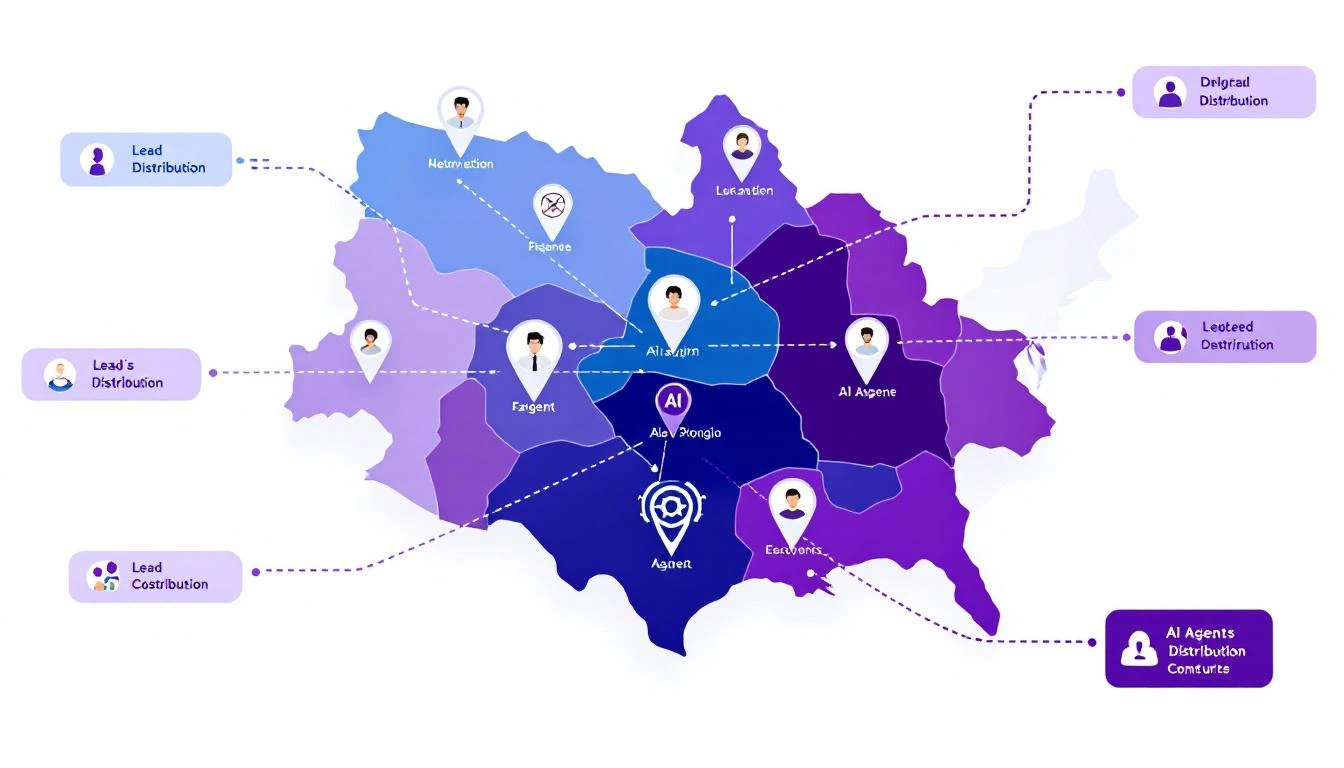
Sales territory architecture with AI agent icons, territory boundaries, and lead distribution arrows

Why Traditional Territory Management Fails​

Before building the solution, let's diagnose the problem:

The Manual Assignment Trap​

Most companies assign territories once a year, then spend the rest of the year fighting fires:

  • Rep leaves β†’ territory chaos for 2-4 weeks
  • New product launch β†’ existing territories don't match buyer profile
  • Geographic expansion β†’ manual carve-outs and reassignments
  • Lead volume spikes β†’ some reps drowning, others starving

The "Fair" Distribution Myth​

Equal territory size β‰  equal opportunity:

  • 1,000 accounts in enterprise segment β‰  1,000 accounts in SMB
  • West Coast tech hub β‰  Midwest manufacturing
  • Fortune 500 HQ territory β‰  field office territory

Your top performers end up subsidizing poor territory design.

The Response Time Problem​

When a hot lead comes in at 4:55 PM on a Friday:

  1. Round-robin assigns to rep who's OOO
  2. Lead sits until Monday
  3. Competitor responded Friday at 5:01 PM
  4. Deal lost before it started

The AI Territory Bot Architecture​

Here's what we're building:

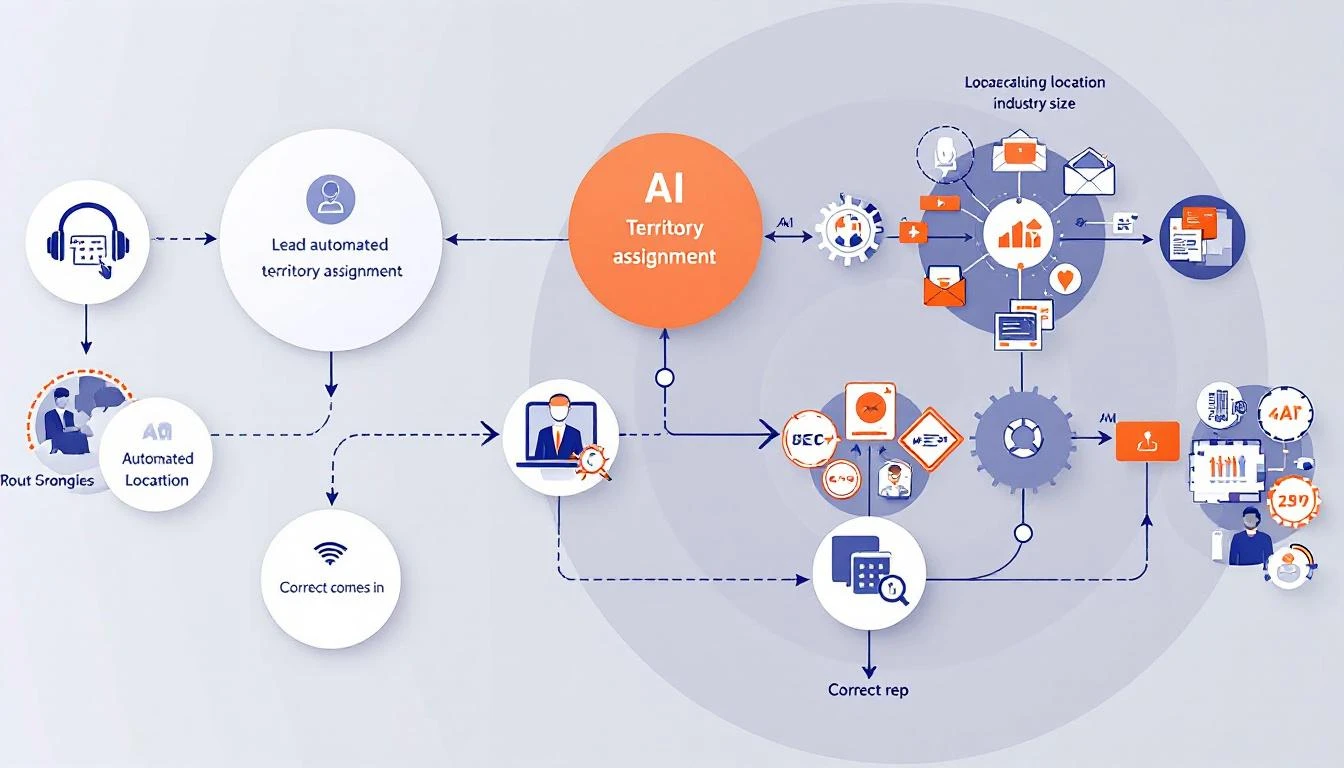
Inbound Lead β†’ Territory Bot β†’ Intelligent Assignment β†’ Instant Response
↓
[Considers:]
- Territory rules
- Rep capacity
- Lead quality score
- Time zone/availability
- Historical performance
- Current workload

Automated territory assignment workflow showing lead intake, AI analysis, and routing to correct rep

Building with GPT-5.3 Codex​

The new Codex model brings three capabilities that make this project practical:

  1. 25% faster execution - Real-time routing at scale
  2. Mid-turn steering - Adjust logic while processing
  3. Multi-file context - Understands your entire territory structure

Step 1: Define Your Territory Logic​

First, codify your territory rules in a format Codex can understand:

const territoryRules = {
// Geographic territories
regions: {
west: {
states: ['CA', 'WA', 'OR', 'NV', 'AZ'],
reps: ['sarah.west@company.com', 'mike.pacific@company.com'],
capacity: { sarah: 50, mike: 45 } // max active opportunities
},
midwest: {
states: ['IL', 'OH', 'MI', 'IN', 'WI'],
reps: ['john.midwest@company.com'],
capacity: { john: 60 }
}
// ... more regions
},

// Segment overrides
segments: {
enterprise: {
minEmployees: 1000,
reps: ['enterprise.team@company.com'],
override: true // takes precedence over geography
},
strategic: {
accounts: ['ACME Corp', 'Globex Inc', 'Initech'],
reps: ['vp.sales@company.com'],
override: true
}
},

// Industry specializations
industries: {
healthcare: {
reps: ['healthcare.specialist@company.com'],
override: false // falls back to geography if at capacity
}
}
};

Step 2: Build the Assignment Logic​

Using Codex, generate the routing engine:

Build a lead routing function that:

1. Accepts a lead object with: company, state, employee_count, industry, source
2. Checks segment overrides first (enterprise, strategic accounts)
3. Falls back to industry specialization if applicable
4. Falls back to geographic territory
5. Within each territory, selects rep with:
- Lowest current workload (% of capacity)
- Best historical conversion rate for this lead type
- Availability (not OOO, within working hours)
6. If all reps at capacity, route to overflow queue with alert
7. Returns assigned rep + reasoning for the assignment

Handle edge cases:
- Lead matches multiple territories (use priority order)
- No reps available (queue + alert)
- Unknown state/region (default territory)

Codex generates production-ready code:

async function assignLead(lead) {
// Check strategic accounts first
if (territoryRules.segments.strategic.accounts
.includes(lead.company)) {
return assignToRep(
territoryRules.segments.strategic.reps[0],
lead,
'Strategic account override'
);
}

// Check enterprise segment
if (lead.employee_count >=
territoryRules.segments.enterprise.minEmployees) {
const rep = await findAvailableRep(
territoryRules.segments.enterprise.reps,
lead
);
if (rep) {
return assignToRep(rep, lead, 'Enterprise segment');
}
}

// Check industry specialization
if (lead.industry &&
territoryRules.industries[lead.industry]) {
const industryConfig = territoryRules.industries[lead.industry];
const rep = await findAvailableRep(industryConfig.reps, lead);
if (rep || industryConfig.override) {
return rep
? assignToRep(rep, lead, `${lead.industry} specialist`)
: queueLead(lead, 'Industry specialist at capacity');
}
}

// Geographic fallback
const region = findRegion(lead.state);
if (region) {
const rep = await findBestRep(region.reps, lead, region.capacity);
if (rep) {
return assignToRep(rep, lead, `Geographic: ${region.name}`);
}
}

// Overflow handling
return queueLead(lead, 'No available reps in territory');
}

Step 3: Add Intelligence Layer​

Here's where Codex shinesβ€”adding context-aware decisions:

Enhance the routing function to consider:

1. Lead quality signals:
- Visited pricing page β†’ higher priority
- Downloaded case study β†’ match to relevant industry rep
- Requested demo β†’ fastest responder

2. Rep performance matching:
- Small company leads β†’ reps with high SMB close rates
- Technical buyers β†’ reps with engineering backgrounds
- Fast-moving deals β†’ reps with shortest sales cycles

3. Timing optimization:
- Route to rep whose working hours start soonest
- Consider rep's meeting schedule from calendar
- Factor in typical response time by rep

4. Fair distribution:
- Track assignments over rolling 7-day window
- Balance quality scores, not just quantity
- Flag if any rep consistently gets lower-quality leads

Step 4: Implement Mid-Turn Steering​

GPT-5.3's killer featureβ€”adjust the bot while it's working:

// During lead processing, you can steer the decision
async function assignWithSteering(lead, steeringInput = null) {
const initialAssignment = await assignLead(lead);

if (steeringInput) {
// Manager can override mid-process
// "Actually, give this to Sarah - she has context"
return applySteeringOverride(initialAssignment, steeringInput);
}

return initialAssignment;
}

In practice, this means your sales ops team can:

  • Watch assignments in real-time
  • Inject context the bot doesn't have
  • Correct routing without stopping the system

Real-World Implementation​

Integration Points​

Connect your territory bot to:

CRM (HubSpot/Salesforce):

// Webhook triggered on new lead
app.post('/webhooks/new-lead', async (req, res) => {
const lead = req.body;
const assignment = await assignLead(lead);

// Update CRM
await crm.updateLead(lead.id, {
owner: assignment.rep,
assignment_reason: assignment.reason,
assigned_at: new Date()
});

// Notify rep
await slack.sendMessage(assignment.rep,
`New lead assigned: ${lead.company} - ${assignment.reason}`
);

res.json({ success: true, assignment });
});

Slack Notifications:

// Real-time assignment alerts
const formatAssignmentAlert = (assignment) => ({
blocks: [
{
type: 'header',
text: { type: 'plain_text', text: '🎯 New Lead Assigned' }
},
{
type: 'section',
fields: [
{ type: 'mrkdwn', text: `*Company:* ${assignment.lead.company}` },
{ type: 'mrkdwn', text: `*Assigned To:* ${assignment.rep}` },
{ type: 'mrkdwn', text: `*Reason:* ${assignment.reason}` },
{ type: 'mrkdwn', text: `*Quality Score:* ${assignment.lead.score}/100` }
]
},
{
type: 'actions',
elements: [
{ type: 'button', text: { type: 'plain_text', text: 'View in CRM' }, url: assignment.crmUrl },
{ type: 'button', text: { type: 'plain_text', text: 'Reassign' }, action_id: 'reassign_lead' }
]
}
]
});

Monitoring Dashboard​

Track your territory bot's performance:

MetricTargetAlert Threshold
Assignment time< 30 seconds> 2 minutes
Rep capacity utilization70-85%< 50% or > 95%
Lead distribution fairness< 10% variance> 20% variance
Overflow queue size0> 5 leads
First response time< 5 minutes> 30 minutes

Advanced Patterns​

Dynamic Territory Rebalancing​

Build a weekly territory rebalancing report that:

1. Analyzes lead distribution over past 30 days
2. Compares conversion rates by territory
3. Identifies reps consistently at capacity
4. Identifies reps consistently underutilized
5. Suggests boundary adjustments
6. Calculates impact of proposed changes

Output as executive summary + detailed recommendations.

Predictive Capacity Planning​

Using historical lead flow data, predict:

1. Expected leads per territory next week
2. Which reps will hit capacity and when
3. Recommended proactive reassignments
4. Hiring needs by territory

Factor in seasonality, marketing campaigns, and
industry trends.

Self-Healing Territories​

Build a system that automatically adjusts when:

1. Rep goes OOO β†’ redistribute to backup
2. Lead volume spikes β†’ activate overflow handling
3. New rep onboards β†’ gradual ramp-up schedule
4. Rep leaves β†’ immediate territory redistribution

Log all automatic adjustments and alert management.

Results to Expect​

Teams implementing AI territory bots typically see:

MetricBeforeAfterImpact
Lead response time2.5 hours4 minutes97% faster
Assignment errors15%2%87% reduction
Rep utilization variance40%12%70% fairer
Leads lost to slow response12%3%75% saved
Territory disputes/month8187% fewer

The biggest win isn't efficiencyβ€”it's predictability. When every lead routes correctly, your forecasting improves, your reps trust the system, and you stop firefighting.

Getting Started​

  1. Document your current territory rules - Even if they're in someone's head
  2. Identify the edge cases - What causes routing errors today?
  3. Define fair distribution - What does balanced actually mean?
  4. Start with manual review - Run the bot in shadow mode first
  5. Iterate on the logic - Use mid-turn steering to refine

Ready to build intelligent territory management? Book a demo to see how MarketBetter handles lead routing and territory optimization out of the box.

Related reading: