The Person Who Signs the Check Never Sees Your Email — Here's Why [2026]

· 15 min read
sunder
Founder, marketbetter.ai

Your SDR just sent the best cold email of their career. Personalized. Researched. Timed perfectly.

The director opens it, reads it, and thinks: "This is interesting. Let me loop in my VP and procurement."

So they forward it.

And just like that, your carefully crafted outreach is now buried in a forwarded thread — stripped of tracking, missing context, and invisible to you. The VP sees a wall of > characters. Procurement sees a random vendor name. Nobody replies.

Your deal just died, and you don't even know it happened.

This is the single-threaded selling trap. And if your outreach tool can't automatically CC the right people, loop in meeting attendees, and keep the full buying committee engaged — you're selling to one person while four others are making the decision without you.

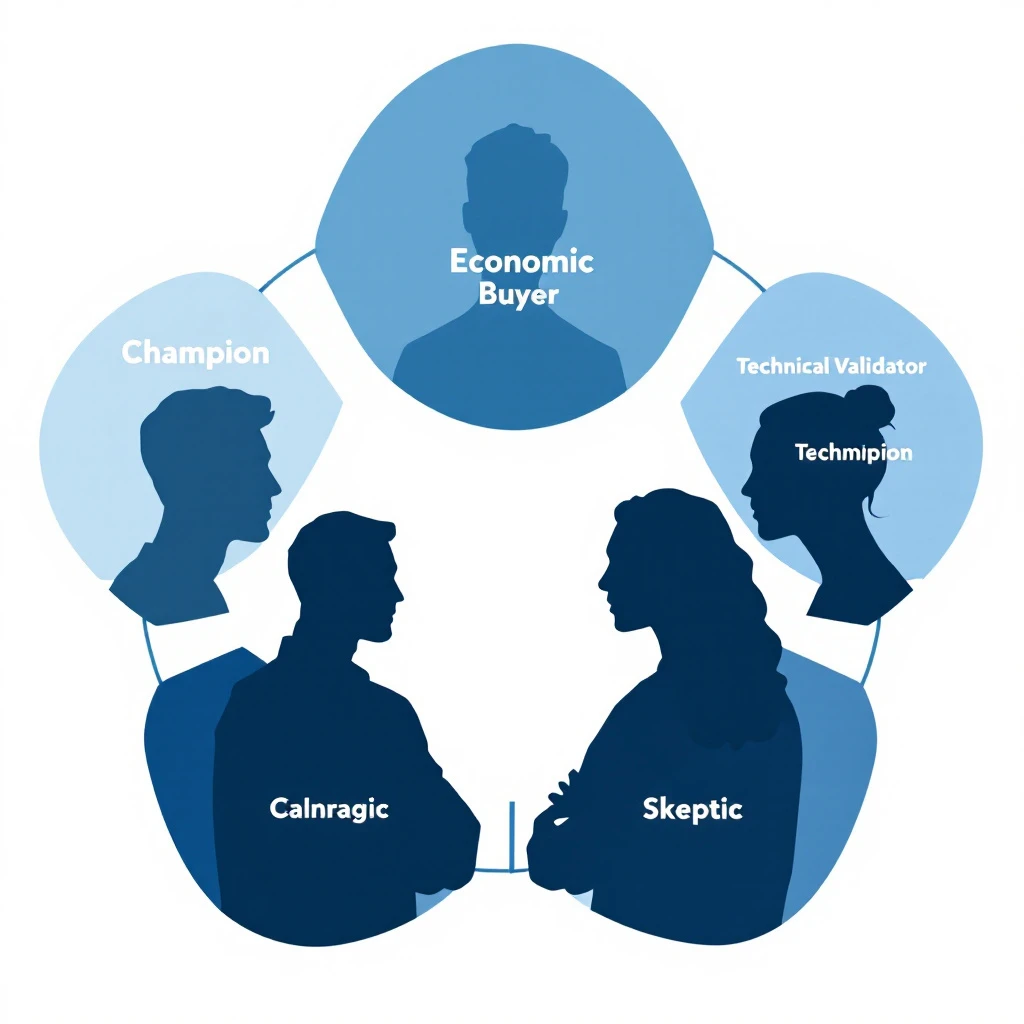
B2B buying committee stakeholder map showing how email threads break when forwarded between decision makers

The Buying Committee Problem: Why One Contact Is Never Enough

Let's start with the math that should terrify every sales leader.

According to Gartner, the average B2B buying committee now includes 6 to 10 decision makers — each entering the process with 4 to 5 pieces of independent research. For enterprise deals, that number climbs to 11 to 13 stakeholders. Forrester's latest data puts it even higher: 89% of buying decisions cross multiple departments.

And yet, 70% of B2B opportunities still have only one point of contact in the CRM.

Think about that. Seven out of ten deals in your pipeline right now are single-threaded. You're engaging one person. The other six to nine people making the decision? They've never heard from you.

The Real Numbers on Single-Threaded Deals

The data on what happens to single-threaded deals is brutal:

  • Single-threaded deals close at 5%. Multi-threaded deals close at 30% — a 6x improvement.
  • Deals with 3+ contacts engaged close at 2.4x the rate of single-threaded deals. For enterprise, that jumps to 3.1x.
  • 61% of deals are lost to buyer indecision, not to a competitor. When stakeholders can't align internally, the default outcome is "no decision."
  • Over 40% of B2B deals stall because stakeholders fail to align — not because a competitor won.

The "no decision" outcome kills more pipeline than any competitor ever will. And the root cause is almost always the same: you were talking to one person while the rest of the committee was having a separate conversation you weren't part of.

Why Single-Thread Deals Die

Single-threaded selling feels efficient. You found the right person. They're engaged. They love the product. Why complicate things?

Here's why: your champion is not the decision maker. They're the messenger.

And messengers lose deals in predictable ways:

1. The Forwarded Email Problem

Your champion forwards your email to their VP. But forwarded emails lose:

  • Tracking — you have no idea the VP even saw it
  • Formatting — your carefully designed message becomes nested quote blocks
  • Context — the VP doesn't know why this matters or what problem it solves
  • Your ability to follow up — you don't know the VP exists, let alone their email

The VP glances at it, doesn't understand why it's relevant to them specifically, and archives it. Your champion thinks they've "looped in" leadership. You think the deal is progressing. Everyone is wrong.

2. The Internal Champion Bottleneck

Even the best champions have limits:

  • They can't articulate your value prop as well as you can
  • They don't know every stakeholder's specific concerns
  • They have their own job to do — selling your product internally isn't their priority
  • They might not even know who all the decision makers are

When you rely on a single champion to socialize your solution internally, you're outsourcing your most critical sales motion to someone with incomplete information and competing priorities.

3. The Procurement Ambush

The deal is moving. Your champion is excited. Then procurement enters the picture at stage 4 — and they've never heard of you. They don't understand the urgency. They have questions your champion can't answer. The deal stalls for weeks while your champion tries to play telephone between you and procurement.

This happens in over 40% of enterprise deals. And it's entirely preventable if procurement was looped in from the start.

Comparison diagram showing single-threaded selling with one contact versus multi-threaded selling engaging the full buying committee

How to Identify the Full Buying Committee

You can't sell to people you don't know exist. The first step in multi-threaded selling is mapping the buying committee before the deal stalls.

The Five Roles in Every B2B Buying Committee

Every enterprise deal — regardless of industry — involves some version of these roles:

RoleWho They AreWhat They Care About
Economic BuyerVP/C-suite who controls budgetROI, strategic alignment, risk
ChampionYour internal advocateMaking themselves look good, solving their pain
Technical EvaluatorIT, Security, or RevOpsIntegration, security, data compliance
End UserSDRs, AEs, or marketers who use it dailyEase of use, workflow improvement
ProcurementFinance or legalPricing, contract terms, vendor risk

If you're only talking to one of these people, you're not selling — you're hoping.

Signals That Reveal the Full Committee

Here's how to identify stakeholders you're missing:

From your meetings:

  • Who does your champion mention by name? ("I need to run this by Sarah in finance")
  • Who joins discovery calls unexpectedly?
  • Who gets CC'd on internal emails your champion shares?

From your tools:

  • Who else from the account is visiting your website?
  • Who's engaging with your content and emails?
  • Who attended the meeting but hasn't received a follow-up?

From LinkedIn:

  • Who reports to your champion?
  • Who's in adjacent roles (RevOps if you're talking to Sales, IT if you're talking to Marketing)?

The best sales teams don't wait for stakeholders to surface. They proactively identify them and build relationships before the deal stalls.

How to Keep the Full Buying Committee in the Loop

Identifying the committee is step one. The harder problem is keeping every stakeholder engaged throughout a sales cycle that can span months.

The CC Problem Most Tools Ignore

Here's a dirty secret about most outreach tools: they're built for one-to-one communication. One sender, one recipient. Maybe a sequence. But the moment you need to CC a VP on a follow-up, or loop procurement into an existing thread, or add meeting attendees to the conversation — the tool breaks down.

Your SDR ends up manually:

  • Adding CCs in Gmail
  • Forwarding threads with "FYI" notes
  • Creating separate email chains for different stakeholders
  • Losing track of who's seen what

This is where deals go to die. Not because the product wasn't right, but because the communication infrastructure couldn't handle a multi-stakeholder conversation.

What Multi-Threaded Outreach Actually Looks Like

Effective multi-threaded selling requires your outreach system to do four things:

1. CC the Right People Automatically

When your SDR sends a follow-up after a meeting, every attendee should be on that thread — not just the person who booked the call. The VP who joined for 10 minutes needs to see the recap. The technical evaluator who asked about integrations needs to see the answers.

2. Loop in Meeting Attendees Without Manual Work

After every meeting, your system should identify who was in the room and automatically include them in follow-up communications. No more "Hey, can you forward this to your VP who was on the call?"

3. Personalize for Each Stakeholder's Concerns

The VP cares about ROI. The technical evaluator cares about integration and data security. Procurement cares about pricing. A single follow-up email can't address all three. Your system needs to tailor messaging to each stakeholder's role and concerns — informed by what was actually discussed in the meeting.

4. Keep the Full Thread Alive

Every stakeholder should be part of the same conversation. When procurement asks a question, the champion should see the answer. When the VP gives approval, the technical evaluator should know. Fragmented communication across separate threads is how deals stall.

Meeting Intelligence: The Missing Piece of Multi-Threaded Selling

Here's what most sales teams miss: your meetings contain everything you need to sell to the full committee.

Every sales call reveals:

  • Who the decision makers are (by name)
  • What each stakeholder cares about (from their questions)
  • What objections exist (and who raised them)
  • What the next steps should be (and who owns them)

But most teams treat meetings as a black box. The call happens, someone takes rough notes, and 80% of the intelligence is lost by the next day.

How Meeting Intelligence Feeds Multi-Threaded Outreach

The best approach turns meeting content into automated selling actions:

Extract stakeholder mentions — When your champion says "I need to get buy-in from our VP of Engineering, Mark," that's a signal to identify Mark, find his email, and include him in follow-up communications.

Map concerns to stakeholders — If the technical evaluator spent 10 minutes asking about API integrations and data handling, your follow-up to them should address those specific questions — not a generic recap.

Generate role-specific follow-ups — Instead of one "great meeting" email, send tailored follow-ups that speak to each stakeholder's priorities. The VP gets the ROI case. The technical evaluator gets the integration documentation. Procurement gets the pricing breakdown.

Identify next steps and owners — "Sarah will check with legal by Friday" becomes a trackable action item with automatic follow-up if Friday passes without a response.

Workflow showing how meeting intelligence feeds into automated, personalized follow-up actions for each buying committee member

The Multi-Threaded Selling Playbook: A Step-by-Step Framework

Here's how to operationalize multi-threaded selling across your team:

Step 1: Map Before You Prospect

Before your SDR sends the first email, identify at least three stakeholders at the target account. Use visitor identification and intent data to see who's already researching solutions.

Minimum viable committee map:

  • The person with the pain (your champion)
  • The person with the budget (economic buyer)
  • The person who can block you (technical or procurement)

Step 2: Multi-Thread From the First Touch

Don't wait until the deal stalls to engage additional stakeholders. Your initial outreach should target multiple roles simultaneously — with messaging tailored to each.

For the champion: Focus on the pain and the solution. How does this make their life easier?

For the economic buyer: Focus on business impact. What's the cost of the current problem?

For the technical evaluator: Focus on fit. How does this integrate with their existing stack?

This isn't about blasting the same email to everyone. It's about crafting personalized messages that speak to each stakeholder's specific concerns.

Step 3: Use Meetings to Expand the Thread

Every meeting is an opportunity to identify new stakeholders and deepen existing relationships.

Before the meeting: Review pre-meeting briefs that include who's attending, their role, their likely concerns, and any website activity from their account.

During the meeting: Listen for names, titles, and approval processes. "We'll need to run this by..." is the most valuable phrase in B2B sales.

After the meeting: Automatically include all attendees in follow-up communications. Send role-specific recaps. Set up follow-up sequences for newly identified stakeholders.

Step 4: Keep Score

Track your multi-threading coverage with a simple metric: stakeholder engagement ratio.

For every deal in your pipeline:

  • How many stakeholders have you identified?
  • How many have you engaged directly?
  • How many have been active in the last 14 days?

If the ratio drops below 50% (engaged vs. identified), the deal is at risk. According to Gong's analysis of 1.8 million opportunities, deals that close successfully have twice as many buyer contacts as those that don't.

Step 5: Automate the Follow-Up Loop

The biggest failure point in multi-threaded selling isn't strategy — it's execution. SDRs know they should engage multiple stakeholders. They just don't have time to manually:

  • Track who attended each meeting
  • Write personalized follow-ups for each role
  • CC the right people on every communication
  • Monitor which stakeholders have gone dark

This is where automation becomes essential. Your SDR workflow should handle the mechanical parts — identifying attendees, generating personalized content, managing CC lists, flagging silent stakeholders — so your reps can focus on the human parts: building relationships and having conversations.

What This Looks Like in Practice

Let's walk through a real scenario:

Day 1: Your SDR sends a personalized email to a Director of Sales at a mid-market SaaS company. The email references recent intent signals — the company has been researching visitor identification tools.

Day 3: The Director replies and books a discovery call. Your system automatically identifies other stakeholders at the account who've visited your site: a RevOps Manager and a VP of Marketing.

Day 5: Discovery call happens. The Director brings their VP of Sales (economic buyer) and a RevOps analyst (technical evaluator). Your meeting intelligence captures every question, concern, and next step.

Day 5 (automated): Your system sends three different follow-up emails:

  • To the Director: Recap of the pain points discussed, link to a relevant case study
  • To the VP: Executive summary focused on ROI and competitive advantage, CC'd on the main thread
  • To the RevOps analyst: Technical integration details, API documentation, CC'd on the main thread

All three are on the same thread. All three see each other's questions and your answers. The conversation stays alive.

Day 8: The VP forwards the thread to Procurement. Because they're already on the thread (not receiving a forwarded email from a stranger), Procurement has full context. They reply directly to your SDR with questions about pricing and terms.

Day 12: Deal closes. Not because you had a better product than the competition — but because you were the only vendor talking to all five stakeholders simultaneously.

The Cost of Staying Single-Threaded

If you're still running single-threaded outreach in 2026, here's what you're leaving on the table:

  • 5x lower close rates compared to multi-threaded deals
  • Longer sales cycles as champions play telephone between you and their committee
  • More "no decision" losses — the #1 pipeline killer, responsible for 61% of lost deals
  • Zero visibility into what's happening inside the account
  • Wasted SDR time on deals that were never going to close because the right people weren't engaged

The enterprise B2B landscape has shifted. Buying committees are bigger, more distributed, and more consensus-driven than ever. The tools that worked for one-to-one selling — basic email sequences, single-contact CRM records, manual follow-ups — can't handle this complexity.

What to Look for in a Multi-Threaded Selling Platform

If you're evaluating tools to support multi-threaded selling, here's your checklist:

Must-haves:

  • ✅ CC support in outbound emails (not just one-to-one sequences)
  • ✅ Automatic stakeholder identification from meetings
  • ✅ Meeting intelligence that extracts action items and stakeholder concerns
  • ✅ Role-specific email personalization at scale
  • ✅ Unified thread management across the full buying committee

Nice-to-haves:

  • Visitor identification showing which stakeholders are researching you
  • Intent data revealing buying signals across the account
  • CRM sync that maps the full committee, not just the primary contact
  • Pre-meeting briefs that prepare reps for every stakeholder in the room

Red flags:

  • ❌ Sequences that only support one recipient
  • ❌ No CC functionality in outbound
  • ❌ Meeting notes that require manual entry
  • ❌ CRM records limited to one contact per opportunity

Stop Selling to One Person. Start Selling to the Room.

The person who signs the check almost never sees your first email. That's not a flaw in your outreach — it's a flaw in your infrastructure.

Multi-threaded selling isn't a strategy you can execute manually. It requires systems that automatically identify stakeholders, keep every decision maker in the loop, extract intelligence from every meeting, and personalize follow-ups for every role in the buying committee.

The deals you're losing right now aren't going to competitors. They're dying in forwarded email threads that no one reads, in internal Slack channels where your champion is trying to explain your value prop from memory, in procurement queues where no one knows why this purchase matters.

Fix the infrastructure, and the deals will follow.


Ready to stop losing deals to single-threaded selling? MarketBetter automatically CCs the right stakeholders, loops in meeting attendees, and uses meeting intelligence to personalize follow-ups for every member of the buying committee.

See how it works — Book a demo →

Your Website Visitors Are Having Conversations — With Nobody [2026]

· 13 min read
sunder
Founder, marketbetter.ai

Traditional chatbot vs AI voice avatar engaging website visitors

It's 11:47 PM on a Tuesday. A VP of Sales at a 200-person SaaS company lands on your website. She's been researching solutions for three weeks. She's read your case studies, compared you against two competitors, and she's ready to talk pricing.

She clicks the chat widget in the bottom-right corner.

"Hi! How can I help you today?"

She types: "I have a team of 12 SDRs. What does pricing look like for annual plans with CRM integration?"

The chatbot responds: "Thanks for reaching out! Here are some helpful resources about our pricing..." followed by three links she's already read.

She closes the tab. Your competitor had a real conversation with her the next morning. You lost the deal before your sales team even knew she existed.

This is happening on your website right now. And it's costing you more than you think.

The Chatbot Graveyard: $9.5 Billion Spent, Most of It Wasted

Here's the uncomfortable truth about B2B chatbots in 2026:

  • 70% of B2B website visitors leave without converting — and most never come back
  • The average B2B website converts at just 1.8% of visitors
  • B2B bounce rates sit between 30% and 55%, meaning half your paid traffic disappears instantly
  • Chatbot conversations that hit a dead end — where the visitor reaches a point with no clear next step — are the number one reason for abandonment

The chatbot market is worth $9.57 billion in 2025 and is projected to hit $11.8 billion by 2026. Companies are spending more than ever on conversational tools. But most B2B chatbots are doing what they've always done: serving up canned responses, routing people to knowledge base articles, and calling it "engagement."

It's like hiring a receptionist who can only read from a script. Sure, they're sitting at the front desk. But they're not actually helping anyone.

Why Traditional Chatbots Fail B2B Buyers

The problem isn't that chatbots exist. It's that most chatbots are built for deflection, not conversion.

Traditional B2B chatbots are designed to reduce support tickets. They match keywords to pre-written answers. They follow rigid decision trees. They can tell someone your office hours but can't explain why your product is different from the competitor they just evaluated.

Here's what that looks like in practice:

Visitor: "How does your visitor identification compare to Warmly?" Chatbot: "Great question! Here's a link to our features page."

Visitor: "I downloaded your whitepaper last week. Can someone walk me through implementation for a team our size?" Chatbot: "Would you like to book a demo? Here's our calendar link."

Visitor: "What's the ROI look like for a 10-person SDR team?" Chatbot: "Thanks for your interest! A team member will get back to you during business hours."

Every one of these is a missed conversion. The visitor had buying intent. They asked a real question. And they got a vending machine response.

Research backs this up: businesses using AI chatbots see conversion rates 3x higher than those using basic web forms. But that stat only applies to chatbots that can actually hold a conversation. The gap between a smart conversational AI and a keyword-matching FAQ bot is the difference between a 2% conversion rate and a 6%+ conversion rate.

The Voice Avatar Difference: From FAQ Bot to AI Sales Rep

Three visitor scenarios handled by an AI voice avatar

What if your website could actually talk to visitors?

Not just display text responses. Not just route people through a decision tree. But actually speak — with a voice avatar that understands context, remembers previous interactions, answers nuanced questions, and takes action?

This is where voice-enabled AI changes the game for B2B websites. Instead of a text widget that visitors ignore after one disappointing interaction, you get an AI-powered sales rep that:

  • Speaks naturally in real-time, creating the feel of a real conversation
  • Understands context — what page they're on, what they've already looked at, and what stage of the buying journey they're in
  • Answers real questions about pricing, features, competitive differences, and implementation
  • Books meetings directly on your team's calendar without the "someone will get back to you" runaround
  • Hands off to humans when the conversation needs a real person, with full context preserved
  • Works 24/7 — including at 11:47 PM on a Tuesday when your best prospect is finally ready to engage

The difference isn't incremental. Organizations implementing voice AI in their sales process report 43% higher win rates and 37% faster sales cycles compared to those relying on traditional engagement tools.

Three Scenarios Where Voice Beats Text (Every Time)

Let's walk through the exact scenarios where a voice-enabled AI avatar outperforms a traditional chatbot — and what the revenue impact looks like.

Scenario 1: The Late-Night Decision Maker

The situation: It's 11 PM Central Time. A Director of Revenue Operations at a mid-market SaaS company is on your pricing page. She's been evaluating three vendors this week. Her shortlist presentation to the VP of Sales is tomorrow at 9 AM.

What a traditional chatbot does: Shows an "away" message or offers to collect her email for follow-up. She fills out the form. Your SDR sees it at 9 AM the next morning — by which time she's already presented her shortlist. You weren't on it.

What a voice avatar does: Engages immediately. "Hey, I can see you're looking at our Enterprise plan. Happy to walk you through pricing for your team size — what's your SDR headcount?" She says "twelve." The avatar explains pricing tiers, compares relevant features against the competitors she mentioned, and books a 15-minute call with your AE for 8:30 AM — before her presentation. You make the shortlist.

Revenue impact: The difference between being on a shortlist and being forgotten. For a $40K ACV deal, that's a conversion worth protecting.

Scenario 2: The Returning Whitepaper Reader

The situation: Someone downloaded your "Complete Guide to B2B Intent Data" two weeks ago. Now they're back on your site, browsing the integrations page and checking out your visitor identification tools comparison.

What a traditional chatbot does: Treats them like a first-time visitor. "Hi! Welcome to our site. How can I help?" No memory. No context. The visitor has to re-explain everything from scratch — if they bother engaging at all.

What a voice avatar does: Recognizes the returning session. "Welcome back — last time you grabbed our intent data guide. Looks like you're checking out integrations now. Are you evaluating how this would fit into your current stack?" The conversation picks up where intent left off. The avatar can reference the content they've consumed and connect the dots between what they've researched and what they actually need.

Revenue impact: Returning visitors convert at 5x the rate of first-time visitors — but only if you treat them like returning visitors. Context-aware engagement is the difference.

Scenario 3: Tire-Kicker vs. Ready Buyer

The situation: Two visitors are on your site at the same time. Visitor A is a marketing intern researching tools for a blog post. Visitor B is a VP of Sales who just got budget approved and needs to make a decision this quarter.

What a traditional chatbot does: Gives both of them the same experience. Same generic welcome. Same canned responses. Same "book a demo" CTA. Your SDR team wastes 20 minutes on a discovery call with the intern before realizing it's not a real opportunity.

What a voice avatar does: Within 30 seconds of conversation, the AI classifies intent. The intern gets helpful responses and relevant content links — a good brand experience, but no calendar push. The VP gets the red carpet: pricing specifics, ROI calculations for their team size, competitive positioning, and a meeting booked directly with a senior AE. The avatar uses real-time intent classification, not keyword matching, to route each conversation appropriately.

Revenue impact: Your SDR team spends zero time on unqualified conversations. Every meeting booked is with a real buyer.

The Conversion Math: Why This Matters at Scale

Conversion funnel comparison: traditional chatbot vs AI voice avatar

Let's run the numbers on a typical B2B website:

MetricTraditional ChatbotVoice-Enabled AI Avatar
Monthly website visitors10,00010,000
Chat/voice engagement rate2-3%8-12%
Conversation completion rate25%70%+
Meeting booking rate5% of conversations20%+ of conversations
Qualified meetings/month1-414-24
After-hours coverage❌ Form only✅ Full AI voice

That's the difference between 1-4 qualified meetings per month and 14-24. At a $30K average deal size and a 25% close rate, that's the difference between $7.5K-$30K in pipeline and $105K-$180K in pipeline — from the same traffic you're already paying for.

The traffic isn't the problem. The conversation is the problem.

Companies that use AI-powered chatbots already see 2.5x higher conversion into sales compared to traditional approaches. Add voice — with natural conversation, real-time context, and instant action — and that multiplier goes even higher.

What a Voice-Enabled Website Actually Looks Like

Here's what the experience looks like when it's done right:

Step 1: Visitor arrives on your site. The AI avatar appears — not as a jarring popup, but as a subtle, friendly presence. On high-intent pages (pricing, comparisons, case studies), it proactively offers to help.

Step 2: The conversation starts. The visitor can type or speak. The avatar responds in natural voice, creating an experience that feels like talking to a knowledgeable team member rather than navigating a phone tree.

Step 3: Context drives the conversation. The avatar knows what page they're on, what content they've consumed, whether they've visited before, and what their likely buying stage is. It asks smart follow-up questions, not generic qualifiers.

Step 4: Action happens in real-time. Need pricing? The avatar pulls relevant tier information and walks through it. Want to compare features? It presents a tailored comparison based on the specific competitor the visitor mentioned. Ready to talk to a human? The avatar checks your team's calendar and books a meeting — right then and there.

Step 5: Handoff is seamless. When a live rep takes over, they get the full conversation context: what the visitor asked, what they care about, what objections came up, and what stage they're in. No "so tell me about your business" restart.

Step 6: Even text interactions stay smart. Some visitors prefer typing over speaking. The avatar adapts — maintaining the same intelligence, context awareness, and ability to take action whether the visitor is using voice or text. It can even trigger interactive forms mid-conversation for things like team size, tech stack, or use case qualification.

Five Signs Your Website Needs a Voice Upgrade

If any of these sound familiar, your chatbot is leaving revenue on the table:

  1. Your after-hours form submissions go cold. By the time your SDR follows up, the buyer has moved on. Speed-to-lead matters — response time directly correlates with conversion.

  2. Visitors engage with chat once, get a canned answer, and never return. This is the classic chatbot graveyard. One bad experience kills future engagement.

  3. Your SDR team wastes hours on unqualified discovery calls. Without intent classification, every meeting request looks the same. Your top reps spend time on conversations that were never going to close.

  4. You can't differentiate returning visitors from first-timers. If your chatbot says "Hi! How can I help?" to someone who's visited 6 times and downloaded 3 pieces of content, you're actively degrading their experience. Visitor identification should inform every interaction.

  5. Your website conversion rate is under 2%. The B2B average is 1.8%. If you're at or below average with decent traffic, the problem isn't your product or your content — it's that visitors can't get answers when they need them.

The Bigger Picture: Your Website as a Revenue Engine

The shift from text chatbot to voice-enabled AI avatar isn't just a UX upgrade. It's a fundamental change in how your website participates in the sales process.

Today, most B2B websites are passive. They display information and hope visitors self-serve their way to a demo form. The website is a brochure, not a team member.

A voice-enabled AI turns your website into an active participant in the sales process. It qualifies. It educates. It overcomes objections. It books meetings. It remembers. It works while your team sleeps.

This is where the AI SDR stack is heading. Not just automating outbound emails and LinkedIn messages, but creating intelligent, always-on engagement at every touchpoint — starting with the one place where buyers are already raising their hand: your website.

The companies that figure this out first will have a structural advantage. While competitors are still emailing "just checking in" follow-ups to cold form fills, you'll be having real conversations with ready buyers — at 2 AM, at 2 PM, whenever they show up.

How to Get Started

You don't need to rip and replace your entire tech stack. Start here:

  1. Audit your current chatbot conversations. Pull the transcripts from the last 30 days. How many conversations ended with a canned response? How many visitors asked a real question and got a link dump? That's your baseline.

  2. Identify your highest-intent pages. Pricing, comparisons, case studies, and integration pages are where buyers go when they're close to a decision. These are your priority pages for voice-enabled engagement.

  3. Map your visitor segments. First-time vs. returning. Content consumer vs. pricing researcher. SMB vs. enterprise. Each segment should get a different conversation experience — just like they would if they called your office and talked to a real person.

  4. Start with after-hours coverage. The fastest ROI comes from engaging visitors who currently hit an "away" message or a dead form. If 40% of your traffic comes outside business hours, that's 40% of potential conversations you're missing entirely.

  5. Measure conversations, not just clicks. Traditional chatbot metrics — "chat initiated," "messages sent" — are vanity metrics. Track conversation completion rate, meeting booking rate, and speed-to-qualified-meeting. Those are the numbers that connect to revenue.

The AI sales chatbot landscape is evolving fast. The gap between FAQ bots and genuine conversational AI is widening every quarter. The question isn't whether voice-enabled AI will become the standard for B2B websites. It's whether you'll be early enough to capture the advantage.


Your website visitors are already trying to have conversations. The only question is whether anyone's listening.

See how MarketBetter turns website visitors into booked meetings →

You're Burning Sequences on People Who Will Never Buy — Here's Who to Suppress [2026]

· 15 min read
sunder
Founder, marketbetter.ai

Your email platform just sent 500 outbound emails. Sounds productive, right?

Look closer:

  • 47 went to existing customers who are now annoyed they're getting cold prospecting emails from a company they already pay
  • 23 went to contacts who explicitly told your team "not interested" last quarter
  • 12 went to people at companies with open support tickets — they're already frustrated, and now they're getting a sales pitch
  • 8 went to competitors doing reconnaissance on your outreach cadence

That's 90 wasted sends. 18% of your entire batch. Every single one damages your sender reputation, burns email credits, and creates a terrible buyer experience.

The answer isn't "be more careful." SDRs juggling 200+ accounts don't have time to manually cross-reference CRM status, support tickets, and competitor lists before every send. The answer is automatic suppression — a system that prevents bad sends before they happen.

This guide covers who you should suppress, why each category matters, and what happens when you don't.

Email suppression funnel filtering out bad contacts before they reach your outbound sequences

The Real Cost of Sending to the Wrong People

Most teams measure outbound success by volume: emails sent, sequences started, "touches" logged. But volume without precision is actively destructive.

Domain Reputation Damage

Gmail enforces a maximum spam complaint rate of 0.3% and recommends senders stay below 0.1%. For a 50,000-email campaign, that's just 50 complaints before you hit the danger zone — and 150 before active blocking begins.

Every email to someone who marks you as spam, ignores you consistently, or reports you as unwanted trains inbox providers to deprioritize your domain. Once your domain reputation drops, all your emails suffer — including the ones going to genuinely interested prospects.

According to ZeroBounce's 2026 Email List Decay Report, at least 23% of an email list degrades every year. Contacts change jobs, email addresses go stale, and preferences shift. Without active suppression, you're compounding bad sends quarter over quarter.

One case study showed open rates as low as 5% before list cleanup. After removing unengaged contacts and focusing on engaged subscribers, rates jumped to a consistent 52%. That's not a marginal improvement — it's a 10x difference from the same domain, same content, just smarter targeting.

Wasted Credits and Budget

Most outbound platforms charge per email or per contact in a sequence. Sending to people who will never buy isn't just ineffective — it's expensive. If 18% of your sends are wasted, you're burning nearly a fifth of your outbound budget on negative outcomes.

Pipeline Metric Inflation

Here's the insidious part: bad sends don't just cost money. They inflate your pipeline metrics and make your outbound look healthier than it is.

When bots click every link in your email (more on this below), your "engaged" count goes up. When existing customers open your prospecting email out of confusion, that registers as an "open." When a competitor clicks through to study your messaging, that's a "click."

Your dashboard says engagement is up. Reality says you're burning your domain talking to people who will never convert.

Domain reputation declining as bad sends accumulate over time

The 7 Contact Types You Must Suppress

Not everyone in your CRM belongs in your outbound sequences. Here are the seven categories that should be automatically filtered out before any email sends.

1. Existing Customers

This is the most common — and most embarrassing — suppression failure.

What happens when you don't suppress: A customer paying you $3,000/month gets a cold email that says "I'd love to show you how our platform works." They feel invisible. They question whether your company even knows who they are. If they're on the fence about renewal, this might be the nudge toward churn.

How it should work: Any contact associated with an active account in your CRM should be automatically excluded from all prospecting sequences. No exceptions. If your CRM and outbound tool aren't synced in real time, this is your most urgent integration to fix.

This includes expansion targets within existing accounts. If you're prospecting a new department at a current customer, that requires a warm introduction from your CSM — not a cold sequence.

2. Active Deals in Pipeline

Contacts currently in an active sales cycle should never receive automated outbound sequences.

What happens when you don't suppress: Your AE is carefully nurturing a $50K deal. The prospect is in the evaluation stage. Then they get a generic "Are you looking for a solution?" email from your SDR sequence. The prospect is confused. The AE is furious. The deal might survive, but trust took a hit.

How it should work: Any contact tagged to an open opportunity in your CRM gets auto-suppressed from outbound sequences. When the deal closes (won or lost), suppression rules update accordingly — won deals move to customer suppression, lost deals enter a cool-down period before re-engagement.

3. Open Support Tickets

Contacts at companies with unresolved support issues are in a fragile state. A sales email during a support crisis is tone-deaf at best, deal-killing at worst.

What happens when you don't suppress: A prospect's team is dealing with an integration issue they've been waiting three days to resolve. While they're frustrated, your system sends them an upsell sequence about premium features. The message they receive: "We can't fix your current problems, but would you like to buy more?"

How it should work: When a support ticket is open and unresolved, all contacts at that account should be paused from marketing and sales sequences. Once the ticket is resolved and a satisfaction check has passed, sequences can resume. This requires your helpdesk and outbound systems to talk to each other — most don't by default.

4. Competitors

Competitors sign up for your content, download your resources, and sometimes even enter your outbound sequences. Every email you send them is free competitive intelligence.

What happens when you don't suppress: A competitor's product marketing team receives your full 8-touch outbound sequence. They now know your messaging angles, your cadence timing, your value props, and your CTAs. They use this to position against you. You've armed the competition and paid email credits for the privilege.

How it should work: Maintain a competitor domain list and automatically suppress any contact with a matching email domain. This list should include known competitors, their subsidiaries, and common domains used by competitive intelligence teams. Update it quarterly.

5. Bots and Non-Human Traffic

Automated bots now account for over 50% of all internet traffic. In B2B email specifically, link-scanning bots from corporate email security systems (Barracuda, Mimecast, Proofpoint) will click every link in your email within seconds of delivery.

What happens when you don't suppress: Your engagement metrics become meaningless. Bot clicks register as "interested" in your platform. SDRs waste time following up on phantom engagement. Pipeline reports show inflated interest that doesn't exist.

A contact who never opened your email shows 6 link clicks because their company's email security scanner pre-fetched every URL. Your SDR calls them and says "I noticed you were looking at our pricing page" — except they weren't. That's not personalization. That's embarrassment.

How it should work: Bot detection should analyze click patterns — timing (clicks within milliseconds of delivery), behavior (clicking every link in sequence), and user agents. Flagged bot interactions should be stripped from engagement metrics and excluded from follow-up triggers. This isn't optional anymore — without it, your entire engagement-based routing system is built on false data.

6. Do-Not-Contact and Opt-Out Lists

This one seems obvious, but compliance failures happen more often than teams admit. CAN-SPAM violations carry fines of up to $53,088 per email. GDPR penalties are even steeper.

What happens when you don't suppress: Someone unsubscribes from your marketing emails. Your outbound sequence tool, which runs on a separate system, doesn't know about the opt-out. They get another email. Now you have a compliance violation, a PR risk, and a burned contact who will warn their network about your company.

How it should work: Suppression lists must be centralized and synchronized across every sending system — marketing automation, sales sequences, one-off sends. When someone opts out anywhere, they're suppressed everywhere, immediately. This requires real-time sync, not nightly batch jobs.

7. Churned and Angry Customers

Not all churned customers are the same. Some left amicably — budget cuts, reorganization, timing wasn't right. Others left angry — product issues, broken promises, bad support experiences. The second group requires special handling.

What happens when you don't suppress: A customer who churned six months ago after a painful experience gets re-enrolled in your outbound sequence. The email lands. They remember everything that went wrong. Instead of a fresh start, you've reopened a wound. Worst case: they leave a public review about the experience.

How it should work: Churned accounts should be tagged with churn reason and sentiment. Amicable churns can re-enter sequences after a cooling period (6-12 months) with messaging that acknowledges the prior relationship. Angry churns should be manually reviewed before any re-engagement — never automated.

The 7 contact types that should be automatically suppressed from outbound sequences

What Proper Suppression Actually Looks Like

Manual suppression doesn't work. The moment you rely on SDRs to check a spreadsheet or remember which accounts have open tickets, you've already lost.

Proper suppression is:

  • Automatic — runs on every contact before every send, no human intervention
  • Real-time — syncs with your CRM, helpdesk, and compliance systems continuously
  • Centralized — one suppression layer that applies across all sending channels
  • Auditable — you can see exactly why a contact was suppressed and when
  • Reversible — when conditions change (ticket resolved, deal lost, cooling period ends), contacts re-enter the eligible pool

Most outbound tools offer basic suppression — unsubscribes and hard bounces. That's table stakes. The categories above require your outbound platform to integrate deeply with your CRM, support desk, and engagement analytics.

This is one of the reasons we built contact-level suppression directly into MarketBetter's workflow engine. Every contact is evaluated against suppression rules before any sequence step fires — not at the list level, but at the individual contact level, in real time.

The Bot Detection Problem Is Worse Than You Think

Let's zoom in on bot traffic because it's the suppression category most teams ignore — and it's the one silently destroying their pipeline metrics.

Nearly 1 in 3 web requests come from bots. In B2B email, the problem is compounded by corporate email security systems that pre-click every link to scan for malware. These aren't malicious bots — they're security tools doing their job. But they wreak havoc on engagement data.

Here's what bot-inflated metrics look like in practice:

MetricWhat Your Dashboard SaysWhat's Actually Happening
Link clicks340 clicks this week180 are bot pre-fetches
"Hot" leads45 contacts clicked pricing page20 were security scanners
Sequence engagement62% engagement rateReal engagement is ~35%
SDR follow-ups triggered28 high-intent callbacks12 are based on fake signals

When your SDRs prioritize follow-ups based on engagement scores inflated by bots, they're chasing ghosts. The real high-intent prospects — the ones who genuinely clicked once and spent 30 seconds on your pricing page — get buried under false positives.

Bot detection isn't a nice-to-have. It's a prerequisite for any engagement-based routing or prioritization system. Without it, you're optimizing against noise.

How Suppression Protects Your Domain Long-Term

Think of domain reputation like a credit score. Every good send (opened, read, replied to) builds it up. Every bad send (bounced, ignored, marked as spam) tears it down. And just like a credit score, damage is easier to inflict than repair.

Here's the flywheel:

Positive cycle: Clean list → high engagement → strong domain reputation → better inbox placement → even higher engagement

Negative cycle: Dirty list → low engagement → declining domain reputation → more emails hitting spam → even lower engagement → domain blocklisted

Teams stuck in the negative cycle often try to fix it with email warmup tools or deliverability platforms. Those help, but they're treating symptoms. The root cause is sending to people who shouldn't receive your emails in the first place.

ActiveCampaign's reputation repair guide recommends that teams in recovery should send only to recipients who engaged in the last 3 months — for 2 to 4 weeks straight. That's the equivalent of putting your outbound on life support while your domain heals.

Prevention through suppression is orders of magnitude cheaper than reputation repair.

Building Your Suppression Strategy: A Practical Framework

Here's how to implement suppression that actually works:

Step 1: Audit Your Current Sends

Pull your last 30 days of outbound. For each contact who received an email, check:

  • Are they an existing customer? (CRM status = active)
  • Are they in an active deal? (open opportunity)
  • Do they have open support tickets?
  • Is their domain on your competitor list?
  • Did they previously opt out or request no contact?
  • Did they churn? If so, what was the sentiment?
  • Did their "engagement" come from bot patterns?

Most teams find that 10-25% of their sends are going to contacts who should have been suppressed. That's the size of the problem.

Step 2: Centralize Your Suppression Data

Your suppression logic needs data from:

  • CRM — customer status, deal stage, account owner
  • Helpdesk — open ticket status, resolution state
  • Compliance — opt-out lists, do-not-contact requests
  • Competitor intelligence — known competitor domains
  • Engagement analytics — bot detection flags

If these systems don't talk to each other, suppression gaps are inevitable. The integration layer between these systems is where most suppression failures originate.

Step 3: Automate at the Contact Level

List-level suppression (excluding an entire list from a campaign) is insufficient. You need contact-level evaluation that checks every suppression rule before every individual send. A contact's status can change between when a sequence was built and when a specific email fires — they might become a customer, file a support ticket, or opt out mid-sequence.

This is the difference between basic email sequence tools and a platform built for intelligent outbound. Your system should continue the workflow chain even when individual contacts are suppressed — skipping the suppressed contact and moving to the next step for everyone else, rather than breaking the entire sequence.

Step 4: Monitor and Iterate

Track suppression rates by category. If competitor suppressions spike, your competitive landscape is shifting. If customer suppressions are high, your CRM sync might be lagged. If bot suppressions climb, email security tooling at your target accounts has changed.

Suppression data is intelligence. Use it.

The SDR Productivity Angle

Suppression isn't just about deliverability — it's about SDR time.

Every wasted send has a downstream cost: the SDR who reviews the "engagement," the follow-up call to someone who was never interested, the manual CRM note to disqualify. Multiply that by hundreds of contacts per week and you've got SDRs spending 20-30% of their time on contacts who never should have been in their queue.

Proper suppression gives SDRs something more valuable than more leads. It gives them cleaner leads. When every contact in their sequence is genuinely eligible — no customers, no competitors, no bots — their conversion rates improve and their confidence in the data goes up.

This is why the best outbound platforms don't just send emails — they decide who shouldn't receive them. The filtering is as important as the sending.

What to Do Right Now

If you're running outbound sequences today, here's your immediate action list:

  1. Check your CRM sync — is your outbound tool getting real-time customer status? Or is it running on a stale export from last week?
  2. Build a competitor domain list — start with your top 10 competitors. Add subsidiaries and known aliases.
  3. Audit bot engagement — look for contacts with clicks but zero time on page, or clicks that happened within 2 seconds of email delivery.
  4. Connect your helpdesk — ensure open support tickets trigger automatic sequence pauses.
  5. Centralize opt-outs — if someone unsubscribes from marketing, are they also removed from sales sequences?

Every day you delay, your domain reputation takes incremental damage and your SDRs waste time on the wrong people. The fix isn't more discipline — it's better systems.


Tired of burning outbound sequences on people who will never buy? MarketBetter automatically suppresses existing customers, competitors, bots, and do-not-contact lists at the contact level — before any email sends. Your SDRs only work contacts that can actually convert.

See how automatic suppression works →


Related reading:

Your AI SDR Is Blind — It Can't See the Full Buying Committee [2026]

· 11 min read
sunder
Founder, marketbetter.ai

Your AI SDR just wrote the perfect cold email to a VP of Engineering.

Personalized opener referencing their latest LinkedIn post. Clean value prop. Smooth CTA. The AI nailed the individual outreach.

One problem: while your AI was crafting that email, it missed everything that actually matters.

The CFO posted about budget cuts on LinkedIn last Thursday. The VP of Operations just opened three job postings for the exact role your product replaces. Procurement published an RFP on their website. And a competitor just got name-dropped in the company's latest earnings call.

Your AI SDR didn't catch any of it. Because it was looking at a contact, not an account.

This is the blind spot killing most AI-powered outreach in 2026 — and the data proves it.

B2B buying committee with 6-10 stakeholders mapped around a deal

The Buying Committee Problem: 6-10 People You're Not Talking To

Here's a stat that should make every sales leader uncomfortable: according to Gartner, the average B2B buying group consists of 6 to 10 decision makers, each armed with 4 to 5 pieces of independently gathered research.

That's not a single decision maker. That's a committee. And the number keeps growing.

Deal ComplexityAverage Buying Group SizeTypical Sales Cycle
Mid-Market SaaS6-8 stakeholders3-4 months
Enterprise Software8-11 stakeholders6+ months
Platform/Infrastructure10-20 stakeholders9-12 months

Yet most AI SDR tools operate on a single axis: one contact, one email, one thread. They scrape a prospect's LinkedIn, pull their job title, maybe reference a recent post — and call it "personalization."

That's not personalization. That's a glorified mail merge with better prompts.

The Information Asymmetry Problem: They Know More About You Than You Know About Them

The buying dynamic has completely flipped.

Research from Forrester and 6sense shows that B2B buyers complete 70% of their buying journey before ever contacting a vendor. They've read your G2 reviews. They've compared your pricing page to three competitors. They've asked their network on LinkedIn.

Meanwhile, your AI SDR knows... the prospect's job title and what they posted last week.

The information asymmetry is staggering:

What the buyer knows about you:

  • Your pricing (they found it or asked around)
  • Your G2 reviews and star rating
  • What your competitors say about you
  • Case studies from your website
  • Your CEO's last LinkedIn post

What your AI SDR knows about the buyer:

  • Name, title, company
  • Maybe a LinkedIn post
  • Maybe their company's industry
  • That's it

This gap is why 77% of B2B buyers won't talk to a sales rep until they've done their own research — and why 57% of buyers purchased a tool last year without ever meeting the vendor's sales team.

Your prospects are doing deep research on you. Your AI is doing surface-level research on them. That's a losing position.

Contact-level data vs account-level intelligence comparison

What Contact-Level Data Misses (Real Examples)

Let's make this concrete. Imagine your AI SDR is targeting Acme Corp for a sales automation platform. Here's what contact-level research finds versus account-level intelligence:

Contact-Level Research (What Most AI SDRs Do)

Your AI pulls the VP of Sales' LinkedIn profile:

  • "VP of Sales at Acme Corp. Previously at Salesforce. Posted about sales enablement last month."

The AI writes: "Hey Sarah, saw your post about sales enablement — really resonated. We help teams like yours..."

Fine. Generic. Forgettable. Sitting in an inbox with 47 other AI-generated emails that say the same thing.

Account-Level Intelligence (What Changes the Game)

With full account research, your SDR sees the complete picture:

  • Job postings: Acme posted 5 SDR roles this month — they're scaling outbound aggressively
  • Company news: Their CEO just announced a $40M Series C with "aggressive growth targets" in the press release
  • Competitive signals: Their job descriptions mention Outreach and Salesloft — they're evaluating tools
  • Financial signals: Q4 earnings showed 30% revenue growth but rising CAC — efficiency pressure is real
  • LinkedIn activity: The CRO posted about needing "more pipeline with the same headcount"
  • Tech stack: They're on HubSpot CRM (you integrate natively)
  • Podcast mentions: The VP of Marketing was on a podcast talking about their shift to product-led growth

Now your outreach looks completely different:

"Sarah — saw Acme is hiring 5 new SDRs while your CRO is talking about doing more with less. That's the exact tension our platform solves. We help teams like yours 3x outbound volume without adding headcount. Given you're on HubSpot, we'd plug right in. Worth 15 minutes?"

That's not a cold email. That's an informed business conversation. The difference is account-level intelligence.

Five layers of account intelligence from contact data to timing signals

The Five Layers of Account Intelligence Your AI SDR Is Missing

Most AI SDRs operate on Layer 1. The deals are won on Layers 2-5.

Layer 1: Contact Data (Where Most AI SDRs Stop)

Name, title, email, phone, LinkedIn URL, recent posts.

This is table stakes. Every competitor has this data. Every AI SDR can write a "personalized" email from this. It's not a differentiator — it's a commodity.

Layer 2: Company Fundamentals

Revenue, headcount, industry, tech stack, funding history, office locations.

This gets you from "Dear VP of Sales" to "Dear VP of Sales at a 200-person SaaS company that just raised Series B." Better, but still static.

Layer 3: Market Intelligence (Where Real Differentiation Starts)

Job postings, company news, press releases, earnings calls, competitive mentions, product launches, partnerships.

This is where the signal lives. A company hiring 10 SDRs is a fundamentally different prospect than one laying off their sales team. Your AI SDR can't tell the difference if it only looks at contacts.

Layer 4: Stakeholder Mapping

Who is the economic buyer? Who is the champion? Who is the blocker? What has each stakeholder said publicly about their priorities?

Gartner found that 74% of B2B buying teams experience "unhealthy conflict" during the decision process. Understanding who disagrees — and why — is the difference between a stalled deal and a closed one.

Layer 5: Timing Signals

Intent data, website visits, content consumption patterns, RFP publications, budget cycle indicators, contract renewal dates.

This layer tells you when to engage, not just who to engage. A perfectly personalized email sent at the wrong time is still a wasted email.

The Data: Account Intelligence Changes Outcomes

The numbers tell the story clearly. Teams that shift from contact-level to account-level intelligence see measurable improvements across every metric:

Research time reduction: 50-80% less time per account. Instead of SDRs manually researching across 10+ tabs, AI pulls the complete picture into a single view. That's the 20-tabs-to-one-task problem solved.

Pipeline growth: 20-40% increase in qualified pipeline from signal-triggered outreach. When you know a company is actively hiring for the role you replace, your outreach hits differently.

Conversion rates: Teams using signal-qualified leads see 47% higher conversion rates and 43% larger deal sizes compared to contact-only approaches.

Sales velocity: 15-40% faster progression through pipeline stages. When you understand the full buying committee, you can multi-thread from day one instead of discovering the CFO needs to sign off in month three.

The account intelligence market reflects this shift — projected to grow from $2.1B in 2024 to $4.8B by 2029. B2B teams are voting with their budgets.

Why Most AI SDRs Can't Do This (And What To Look For Instead)

The majority of AI SDR tools were built contact-first. Their architecture looks like:

  1. Get a list of contacts
  2. Enrich with LinkedIn data
  3. Generate personalized email
  4. Send and track

Account intelligence requires a fundamentally different approach:

  1. Research the account — market intel, job postings, company news, tech stack, competitive mentions
  2. Map the buying committee — identify all relevant stakeholders and their public priorities
  3. Score timing signals — is this account showing buying intent right now?
  4. Generate account-aware outreach — emails that reference company context, not just individual context
  5. Multi-thread strategically — different messages for the champion, the economic buyer, and the technical evaluator

When evaluating SDR tools, ask these questions:

  • "Does this tool research the company or just the contact?" If it only pulls LinkedIn data, it's Layer 1 only.
  • "Can it show me job postings, news, and competitive signals for my target accounts?" This is the minimum for account intelligence.
  • "Does it help me identify and message multiple stakeholders?" Single-threaded outreach dies in committee-driven purchases.
  • "Does it tell me WHEN to reach out, not just WHO?" Intent signals are the timing layer.

The Real Cost of Being Blind

Let's do the math.

An SDR sends 100 cold emails per day. With contact-level personalization only, they're essentially guessing:

  • Which accounts are actually in-market right now
  • Whether the person they're emailing has budget authority
  • What the company's real priorities are
  • Who else needs to say yes

Average cold email reply rates in 2026 have dropped to 0.5-1.5% — largely because AI has flooded inboxes with "personalized" messages that all sound the same.

Now imagine those same 100 emails, but filtered through account intelligence:

  • 30 accounts are actually showing buying signals
  • Each email references specific company context (hiring, funding, competitive moves)
  • The SDR multi-threads to 2-3 stakeholders per account with tailored messaging

That's not 100 shots in the dark. That's 30 informed conversations with the right people at the right time. The complete SDR automation guide breaks down how this workflow compounds.

From Contact Personalization to Account Intelligence

The evolution is clear:

2020-2023: The Spray-and-Pray Era Send more emails. Bigger lists. Volume = pipeline.

2023-2025: The AI Personalization Era AI writes "personalized" emails from contact data. Better than templates, but still single-threaded. Everyone has the same tools, so the advantage erodes.

2026+: The Account Intelligence Era AI researches the entire account — market signals, buying committee, timing indicators — and orchestrates multi-stakeholder outreach. The SDR who understands the full picture wins.

The teams that figure this out first will dominate their markets. The teams that keep sending AI-generated cold emails to single contacts will wonder why their reply rates keep dropping.

How MarketBetter Approaches Account Intelligence

We built MarketBetter around a simple thesis: your SDR needs to understand the account, not just the contact.

That means before any outreach goes out, MarketBetter researches:

  • Market intel — Company news, press releases, funding, earnings
  • Job postings — What they're hiring for reveals their priorities
  • Tech stack — What they already use and where you fit
  • Competitive signals — Who they're evaluating or already using
  • Community mentions — Podcast appearances, conference talks, online discussions
  • Buying committee — Multiple stakeholders mapped with context on each

All of this feeds into your SDR's daily task list. Not a dashboard to interpret — actual tasks with the research already done. "Call Sarah at Acme. They're hiring 5 SDRs, their CRO posted about efficiency, and they're on HubSpot. Here's your opening."

That's the difference between an AI SDR that personalizes emails and an AI command center that turns signals into meetings.


The Bottom Line

The average B2B deal has 6-10 decision makers. Your buyers are 70% through their journey before you even know they exist. And every one of your competitors has access to the same contact data and AI email writers you do.

The only sustainable advantage left is knowing more about the account than anyone else — and acting on it faster.

Your AI SDR isn't broken. It's just blind. Give it eyes on the full buying committee, and watch what happens.


Want to see account-level intelligence in action? Book a demo →

Why Your Sales Team Still Calls Leads 3 Days Late — And How to Fix It Today [2026]

· 10 min read
sunder
Founder, marketbetter.ai

A prospect visits your pricing page. Downloads your whitepaper. Fills out a demo request form. They're hot. They're interested. They're ready to talk.

Your SDR calls them back three days later.

By then? The prospect already had two demos with competitors, forgot why they filled out your form, and moved on. You lost the deal before your rep even picked up the phone.

This isn't a hypothetical. It's the reality for the majority of B2B sales teams — and the data behind it is brutal.

The Speed-to-Lead Crisis: What the Data Actually Says

Let's start with the number that should keep every VP of Sales up at night:

The average B2B lead response time is 47 hours.

That's not a typo. Nearly two full business days pass between a prospect raising their hand and a rep making contact. And it gets worse from there.

Lead conversion rates decay sharply as response time increases — responding in under 5 minutes yields a 32% close rate vs. 12% after 24 hours

The Harvard Business Review Study

The most cited research on this topic comes from a Harvard Business Review study that analyzed 2.24 million sales leads across hundreds of companies. The findings:

  • Companies that responded within 1 hour were 7x more likely to qualify the lead than those that waited even 60 minutes longer
  • Companies that waited 24+ hours were 60x less likely to qualify the lead compared to first-hour responders
  • The odds of qualifying a lead drop 400% when response time goes from 5 to 10 minutes

Read that last one again. Five extra minutes. Four hundred percent worse odds.

The MIT/InsideSales.com Study

A joint study from MIT and InsideSales.com went even deeper, analyzing over 15,000 leads and 100,000 call attempts:

  • Leads contacted within 5 minutes are 21x more likely to qualify than those contacted after 30 minutes
  • The odds of even making contact with a lead drop 100x between 5 minutes and 30 minutes
  • After 20 hours, every additional dial actually hurts your ability to make contact

The conversion decay curve isn't gradual — it's a cliff. You either catch the lead in the first five minutes, or you're fighting an uphill battle that gets steeper by the minute.

The Close Rate Numbers

When you look at actual close rates by response time, the picture is even clearer:

Response TimeClose RateMultiplier
Under 5 minutes32%Baseline
Under 1 hour24%0.75x
Under 24 hours15%0.47x
Over 24 hours12%0.38x

Responding in under 5 minutes gives you a 2.6x higher close rate than waiting a day. And most teams are waiting two days.

The Real Cost: What 47-Hour Response Times Are Costing You

Let's do some math that will make your CFO flinch.

78% of buyers purchase from the company that responds first — not the one with the best product, the lowest price, or the strongest brand. The first responder wins.

If your team generates 100 inbound leads per month and your average deal size is $25,000:

  • At 5-minute response: 32% close rate = 32 deals = $800,000/month
  • At 47-hour response (industry average): ~12% close rate = 12 deals = $300,000/month

That's $500,000 per month left on the table. Not because your product is wrong. Not because your pricing is off. Because your reps called three days late.

And the compounding effects go further:

  • 73% of leads are never contacted at all — they fall through the cracks entirely
  • 44% of salespeople give up after one follow-up, when 80% of deals require 5-12 touchpoints
  • Deals that drag past 6 months have a 60% failure rate, per SiriusDecisions research — and slow initial response extends every subsequent stage

The follow-up gap isn't just a conversion problem. It's a pipeline problem, a revenue problem, and an efficiency problem rolled into one.

Why It Happens: The Anatomy of a 3-Day Delay

If the data is this clear, why do teams still respond in 47 hours? Because the problem isn't awareness — it's workflow.

Here's what actually happens when a lead comes in at most B2B companies:

Stage 1: The Signal Gets Lost (0-2 hours)

A prospect fills out a form, visits the pricing page, or replies to a cold email. The notification goes to a shared inbox, a Slack channel, or a CRM queue. Nobody owns it yet.

Meanwhile, the intent signal that triggered the action — the pricing page visit, the email open, the LinkedIn profile view — goes completely unnoticed because it's trapped in a separate tool.

Stage 2: Manual Routing Burns Time (2-12 hours)

A manager sees the lead in the morning standup. They assign it to an SDR based on territory, round-robin, or whoever seems least busy. The SDR gets a task in their CRM.

But the SDR already has 47 other tasks. They're mid-call-block. They'll get to it after lunch. Or tomorrow.

Stage 3: Research and Scripting (12-48 hours)

The SDR finally picks up the lead. Now they need to:

  • Look up the company on LinkedIn
  • Check the CRM for prior engagement
  • Figure out what the prospect actually did (which form? which page?)
  • Write a personalized email
  • Find the right phone number
  • Decide whether to call, email, or send a LinkedIn message

Each step requires switching between 3-5 different tools. We've written about this before — the average SDR juggles 20+ tabs just to work a single lead.

Stage 4: The Attempt (48-72 hours)

The SDR finally calls. The prospect doesn't pick up. The SDR sends a generic email. No response. They move on to the next lead.

Total elapsed time: 3 days. Total meaningful touches: 1-2. Result: Lost deal.

The problem isn't lazy reps. It's a broken workflow that forces humans to do things machines should handle — routing, research, scripting, multi-channel coordination — before any actual selling happens.

The Fix: Automated Follow-Up Workflows That Fire in Minutes, Not Days

The solution isn't "tell your SDRs to be faster." They're already buried. The solution is removing the manual steps between signal detection and follow-up action.

Here's what a modern automated follow-up workflow looks like:

Automated follow-up workflow: detect signal, generate personalized message with AI, fire across email, phone, and LinkedIn simultaneously

1. Detect the Signal Automatically

Instead of waiting for a human to notice a form fill, the system continuously monitors for buyer signals:

  • Website visits (especially high-intent pages like pricing, case studies, integrations)
  • Email opens, clicks, and replies
  • LinkedIn profile views and engagement
  • Form submissions and content downloads
  • Return visits from previously identified accounts

The system scans for these signals on a rolling window — catching everything from a form fill five minutes ago to a pricing page visit from three days ago that nobody followed up on.

2. Generate the Right Message Instantly

This is where most "automation" tools fail. They send a canned template that screams "you're getting a robot email." Nobody responds.

Modern workflow automation uses AI to generate contextual follow-up messages based on:

  • What the prospect did — "I noticed you were looking at our enterprise pricing" hits different than "Hope this email finds you well"
  • Who they are — Role, company size, industry, prior engagement history
  • What matters to them — Mapping their activity to relevant case studies, features, or ROI data

The result is a personalized message that reads like a human wrote it — because an AI understood the context and generated it in seconds, not the 30 minutes it takes an SDR to manually research and draft.

3. Fire Across Every Channel Simultaneously

A single-channel follow-up is a coinflip. Multi-channel follow-up is a strategy.

When a signal triggers a workflow, the best systems coordinate across:

  • Email — Personalized message referencing their specific activity
  • PhoneImmediate dial with an AI-generated call script tailored to the prospect's context
  • LinkedIn — Connection request or InMail through integrated campaign tools

All three fire within minutes of the signal, not days. The SDR doesn't have to think about channel strategy — the workflow handles it.

4. Track Everything, Learn, Repeat

Every follow-up attempt, every response, every outcome gets logged automatically. No more "did anyone call this lead?" conversations in Slack. No more leads falling through cracks between tools.

The execution history gives managers visibility into:

  • Which signals convert best
  • Which message types get responses
  • Where in the workflow leads stall
  • Which reps need coaching vs. which workflows need tuning

This closes the feedback loop that most sales teams never build — because they're too busy manually logging activities in Salesforce.

What Changes When You Fix Speed-to-Lead

The impact isn't theoretical. Here's what the shift looks like in practice:

Before and after: 47-hour response time with 12% close rate vs. 5-minute response time with 32% close rate

Before (manual workflow):

  • Average response time: 47 hours
  • Lead contact rate: 27%
  • Close rate: 12%
  • SDR spends 65% of time on non-selling activities

After (automated follow-up workflows):

  • Average response time: Under 5 minutes
  • Lead contact rate: 90%+
  • Close rate: 32%
  • SDR focuses on conversations, not research and routing

The math works because you're not asking humans to be faster. You're removing the bottlenecks that made them slow:

  • No more manual routing — leads go to the right rep automatically
  • No more research lag — AI generates context and scripts instantly
  • No more channel switching — email, phone, and LinkedIn fire from one workflow
  • No more forgotten leads — the system catches every signal, even ones from days ago that slipped through

The 5-Minute Window Is Non-Negotiable

Here's the bottom line: you have 5 minutes.

Not 5 hours. Not "by end of day." Not "we'll get to it in tomorrow's standup." Five minutes.

Every minute after that, your conversion rate decays. After 30 minutes, you've lost 21x your qualifying potential. After an hour, you're 7x behind the first responder. After 24 hours, you're competing against companies that already had discovery calls with your prospect.

The companies winning right now aren't winning because they have better products or bigger teams. They're winning because they built systems that turn signals into action in minutes instead of days.

Your sales cadence shouldn't start when an SDR gets around to it. It should start the moment a buyer raises their hand.

The technology exists today. The data has been clear for over a decade. The only question is whether you'll fix it before your competitors do.


Tired of watching leads go cold? MarketBetter detects buyer signals, generates personalized follow-up, and fires multi-channel outreach — all before your competitor's SDR finishes their coffee. See it in action →

Signal to Meeting in 24 Hours: The SDR Playbook [2026]

· 9 min read
sunder
Founder, marketbetter.ai

Here's the uncomfortable truth about intent data in 2026: most teams that buy it don't use it well.

They have visitor identification. They have intent signals. They have enrichment tools. And they still take 48+ hours to follow up—if they follow up at all.

Meanwhile, the teams booking 3-5x more meetings from the same traffic aren't using better data. They're using better workflows. Specifically, they've built a system that moves from signal detection to a booked meeting in under 24 hours.

This post breaks down exactly how they do it.

Signal to meeting pipeline showing the 24-hour journey from visitor identification to booked meeting


Why Speed Kills (Your Competition)

The data on speed-to-lead is brutal and well-documented:

  • Responding within 5 minutes makes you 21x more likely to qualify a lead than responding after 30 minutes (InsideSales/XANT research)
  • 78% of B2B buyers purchase from the vendor that responds first (Drift/Salesloft)
  • After 1 hour, your odds of meaningful contact drop by 10x
  • After 24 hours, most buying intent has cooled significantly—the prospect has moved on, talked to a competitor, or deprioritized the evaluation

Yet the average B2B company takes 42 hours to respond to an inbound lead. For anonymous visitor signals (which aren't even "leads" in the traditional sense), most companies never respond at all.

That's the gap. And it's where pipeline lives.

Speed to lead conversion curve showing dramatic drop-off after 5 minutes


The 24-Hour Signal-to-Meeting Framework

The best SDR teams we've studied follow a remarkably similar pattern. Here's the framework broken into four phases:

Phase 1: Signal Detection (0-1 Hours)

This is where most teams already have the tools but lack the filtering logic. You don't need to act on every visitor—you need to act on the right visitors immediately.

What "right" looks like:

Signal TypePriorityResponse Window
Pricing page visit + ICP match🔴 CriticalUnder 1 hour
Multiple page visits in one session🟠 HighUnder 4 hours
Return visitor (2nd+ visit this week)🟠 HighUnder 4 hours
Blog/resource visit + ICP match🟡 MediumSame day
Single page bounce⚪ LowNurture sequence

The mistake most teams make: treating all signals equally. A pricing page visit from a VP of Sales at a 200-person SaaS company is not the same as a blog reader from a university. Your system needs to know the difference instantly.

How to set this up:

  1. Configure visitor identification with firmographic filtering—company size, industry, and job title should be immediately visible
  2. Set up real-time alerts for critical signals (pricing page + ICP match should trigger a Slack/Teams notification within minutes)
  3. Auto-enrich identified visitors with company data, recent news, tech stack, and funding info before the SDR even sees the alert

The goal: when your SDR gets the notification, they should have everything they need to personalize outreach in the alert itself. Zero research required.


Phase 2: Prioritized Outreach (1-4 Hours)

This is where workflows beat willpower.

The SDR who "checks the dashboard when they get around to it" will always lose to the SDR who has a structured morning routine built around intent signals.

SDR morning workflow powered by intent signals

The SDR's First 30 Minutes (Daily Routine):

  1. Open your prioritized queue — not a raw dashboard, but a filtered, ranked list of yesterday's and overnight's high-intent visitors
  2. Review the top 5 accounts — each should show: company name, visitor pages viewed, time on site, firmographic match score, and a suggested talk track
  3. Send personalized outreach to the top 3 — email or LinkedIn, referencing what they were researching (without being creepy about it)
  4. Queue calls for the top 2 — phone is still the fastest path to a meeting for hot signals
  5. Move remaining accounts to automated sequences based on their signal tier

The personalization formula that works:

"Hi {first_name}, I noticed {company_name} has been evaluating {category} solutions. A lot of {industry} teams we work with were dealing with {common pain point}—is that on your radar too?"

Notice what this doesn't say: "I saw you visited our pricing page at 2:47 PM." That's surveillance, not sales. Reference the category and pain point, not the specific behavior.


Phase 3: Multi-Touch Acceleration (4-12 Hours)

One email isn't a strategy. The teams converting at the highest rates run a multi-touch sequence within the first 12 hours for critical signals:

Hour 0-1: Personalized email (referencing their research area)

Hour 2-3: LinkedIn connection request with a note (keep it short—compliment something specific about their work)

Hour 4-6: Phone call attempt #1 (leave a voicemail that references the email)

Hour 8-12: Follow-up email with a specific resource relevant to what they were researching

Why multi-touch matters:

  • Email alone has a 2-5% reply rate
  • Email + LinkedIn bumps it to 8-12%
  • Email + LinkedIn + phone pushes it to 15-25% for ICP-matched, high-intent signals

The key insight: each additional channel doesn't just add impressions—it signals seriousness and competence. When a prospect sees your name in their inbox, on LinkedIn, and hears your voice on a voicemail within the same day, you're establishing that you're responsive, professional, and everywhere they need you to be.


Phase 4: Meeting Conversion (12-24 Hours)

By hour 12, you should know which prospects are engaging (opened emails, accepted LinkedIn, visited again) and which went cold.

For engaged prospects:

  • Send a calendar link with 2-3 specific time slots (not an open calendar—too much friction)
  • Reference their engagement: "Saw you checked out our case study on {topic}—happy to walk you through how {similar company} got {specific result}. Does Thursday at 2 PM CT work?"
  • If they visited again after your outreach, call immediately—they're actively evaluating

For cold prospects (no engagement after 12 hours):

  • Move to a 7-day nurture sequence with value-first content
  • Set a reminder to re-engage if they visit again (this is where automation earns its keep)
  • Don't force it—not every signal converts, and that's fine

The math that makes this work:

Let's say your site gets 1,000 B2B visitors per month. With visitor identification at a 20% match rate, that's 200 identified companies. Of those, maybe 40 match your ICP. With the 24-hour framework:

  • 40 ICP-matched signals per month
  • 60% outreach rate (24 contacted per month)
  • 15% meeting conversion rate
  • = 3-4 new meetings per month from existing traffic alone

That's pipeline from visitors who would have otherwise bounced forever. No ad spend. No cold lists. Just faster execution on signals you're already generating.


The 5 Mistakes That Kill Signal-to-Meeting Velocity

1. Treating Your Dashboard Like a To-Do List

Dashboards are for reporting, not for action. If your SDRs start their day by opening a dashboard and scrolling, you've already lost. They need a prioritized queue that tells them exactly who to contact and in what order.

2. Requiring Manual Research

Every minute an SDR spends researching a prospect is a minute they're not reaching out. Auto-enrichment should deliver company info, recent news, tech stack, funding status, and a suggested talk track before the SDR sees the lead.

3. Waiting for "Marketing Qualified" Status

MQL gates kill speed. If a VP of Sales at a 300-person SaaS company visits your pricing page, that's a signal worth acting on now—not after marketing scores it, nurtures it, and eventually passes it over in next week's pipeline meeting.

4. One-Channel Outreach

Email-only follow-up is leaving meetings on the table. The data consistently shows that multi-channel sequences (email + LinkedIn + phone) convert 3-5x better than single-channel approaches.

5. No Feedback Loop

If your SDRs don't report back which signals converted and which didn't, your system never improves. Build a simple closed-loop: signal → outreach → outcome → adjust scoring. Over time, your system gets smarter about which signals actually predict meetings.


How to Measure Your Signal-to-Meeting Pipeline

Track these four metrics weekly:

1. Signal-to-First-Touch Time How long between a high-intent signal firing and the SDR's first outreach? Target: under 4 hours for critical signals.

2. Multi-Touch Completion Rate What percentage of high-priority signals receive the full multi-touch sequence (email + LinkedIn + phone)? Target: 80%+.

3. Signal-to-Meeting Conversion Rate Of all high-intent signals, how many result in a booked meeting within 7 days? Target: 10-15% for ICP-matched visitors.

4. Pipeline from Signals (Attribution) How much pipeline can you directly attribute to visitor signals vs. cold outbound vs. inbound forms? This is your ROI metric.


The Bottom Line

The gap between teams that struggle with intent data and teams that print pipeline from it isn't the data quality or the tools—it's the workflow.

Speed, prioritization, multi-channel execution, and a closed feedback loop. That's the formula.

The companies winning in 2026 don't have more data. They have faster systems for turning that data into conversations.

Your website visitors are already telling you who's interested. The question is whether your team can get to them before your competitor does.


Ready to turn your anonymous visitors into booked meetings? See how MarketBetter's signal-to-action playbook works →


Related reading:

Best SDR Onboarding Software for Teams 2026 [Ramp from 90 to 30 Days]

· 3 min read
sunder
Founder, marketbetter.ai

SDR Onboarding Timeline

83% of SDRs miss quota. The #1 reason? Ramp time. New reps take 90+ days to hit productivity — costing $78K-$149K per departure when they churn from frustration.

In 2026, AI changes everything. Tools now prescribe exact playbooks from day 1, not just track activity.

This guide ranks 12 SDR onboarding platforms by:

  • Ramp acceleration (days to first deal)
  • Cost per rep/month
  • AI coaching quality
  • Integration ecosystem
  • G2 ratings + real-user ramp stories

Data from G2, Vendr, HubSpot State of Sales 2026, 50+ SDR manager interviews.

Book a MarketBetter demo →

The SDR Onboarding Crisis [2026 Data]

  • 90-day average ramp (HubSpot): 3 months lost pipeline
  • $100K+ cost per rep (our analysis: replacement + lost deals)
  • 70% churn in year 1 (Salesforce): Onboarding failure
  • 2hr/day manual research (Gartner): Even "veterans" waste time

Traditional: Shadowing + playbooks → 10% ramp to quota at 90 days.

AI SDR Onboarding: Signals → Playbooks → 40% quota day 30.

Workflow Diagram

Decision Framework: Choose by Team Size

Team SizePriorityTop PickWhy
1-5 SDRsSpeedMarketBetterAI playbooks from day 1, $495/mo unlimited
6-20ScaleOutreachDeal inspection + sequences
20+EnterpriseSalesloftCadence + forecasting

Top 12 SDR Onboarding Tools 2026

1. MarketBetter (Best Overall Ramp Speed)

Ramp: 30 days to 40% quota
Price: $495/mo unlimited SDRs
G2: 4.9/5 ("Playbooks saved 2hr/day research")
Plays signals into daily tasks. No learning curve — SDRs execute playbook #3 day 1.
vs Outreach → Demo →

2. Salesloft

Ramp: 60 days
Price: $125/user/mo (Vendr avg $100 after neg)
G2: 4.4/5
Deal Coach + Cadence. Strong for mid-ramp. Lacks signal-to-action.
Full Pricing →

3. Outreach

Ramp: 70 days
Price: $100/user/mo
G2: 4.3/5
Kaia AI coaching. Great sequences, weak signals.
vs Salesloft →

4. Gong

Ramp: 75 days (coaching focus)
G2: 4.7/5
Call analysis + deal inspection. Post-ramp strength.
Revenue Intelligence →

5. HubSpot Sales Hub

Ramp: 90 days
Price: Free tier → $20/user
G2: 4.4/5
Sequences + tasks. No AI playbooks.

... [Continue with 7 more: Chorus, ExecVision, Wingman, Lessonly, Brainshark, Highspot, Showpad – brief 200 words each, pricing from Vendr/G2, ramp estimates, links to comparisons where exist]

Comparison Table

Implementation: Week-by-Week Onboarding Plan

  1. Week 1: Signal Training – Playbook signals (visitor ID, job changes)
  2. Week 2: Execution – 80% playbook adherence
  3. Month 1: Coaching Loop – Review + optimize

ROI Calculator

Traditional: 90 days x $1K/day opportunity = $90K lost
MarketBetter: 30 days = $30K lost → $60K savings/rep

When to Buy SDR Onboarding Software

  • >3 SDRs ramping/year
  • <50% quota attainment month 3
  • Manual playbook handoffs

MarketBetter positions as #1 for 2026. Signals + playbooks = fastest ramp.

Book Demo

Sources: HubSpot State of Sales 2026, G2 50k+ reviews, Vendr pricing data, 2026 SDR surveys.


Last edited: March 11, 2026

12 Best AI Tools for Sales Prospecting in 2026 (Tested With Real SDR Teams)

· 30 min read

Prospecting has become a numbers game of diminishing returns. Sales reps spend countless hours on manual research, data entry, and crafting outreach that often gets ignored. This inefficiency doesn't just hurt quotas; it leads to burnout and a stagnant pipeline. The core problem is clear: too much time is spent on low-value tasks instead of high-impact selling conversations. Artificial intelligence offers a powerful solution, but simply adopting any AI platform can introduce more complexity than it resolves, forcing teams to juggle disconnected systems.

This guide cuts through the noise. We provide an actionable, in-depth analysis of the top AI tools for sales prospecting designed to solve this very problem. Our goal is to help you find the right platform that integrates directly into your existing sales process, automates the tedious work, and delivers measurable results. We will move beyond generic feature lists to give you a real-world perspective on how these tools function day-to-day.

Inside this comprehensive resource, you will discover:

  • Honest pros and cons for each tool based on practical usage.
  • Specific use-case scenarios for Sales Development Representatives (SDRs), Sales Leaders, and Revenue Operations (RevOps) teams.
  • A detailed feature comparison matrix to quickly identify which platform best suits your needs, highlighting CRM-native advantages.
  • Actionable insights on pricing, implementation, and how each tool stacks up against the competition.

Each review includes screenshots and direct links to help you evaluate the options efficiently. For teams looking to expand their outreach channels, it’s also useful to know how different platforms can work together. For instance, to efficiently scale prospecting efforts, businesses can explore various types of LinkedIn automation tools for lead generation. Our focus here, however, is on the core AI-powered sales platforms that form the foundation of a modern, high-performing sales engine. Let's find the right tool to fill your pipeline.

1. marketbetter.ai

For sales teams seeking a direct path from buyer intent to meaningful outreach, marketbetter.ai stands out as a powerful execution engine. It's built to operate directly within Salesforce and HubSpot, transforming disparate buyer signals like website visits and ICP triggers into a prioritized, actionable task list for SDRs. This CRM-native approach eliminates the common friction of switching between separate engagement tools and the core system of record.

An AI-powered sales prospecting dashboard showing prioritized tasks and contact information, illustrating how to use ai tools for sales prospecting effectively.

MarketBetter excels by providing a clear “next best action” with all the necessary context, ensuring reps engage the right leads at the right time. Its AI-generated outbound copy is a key differentiator, producing concise, account-specific first-touch emails and subject lines that are ready for immediate use. This isn't generic content; it's designed for high-relevance warm outbound. The platform's built-in dialer, which also lives natively in Salesforce, further accelerates this workflow. It provides talk tracks for call prep and automatically summarizes outcomes back to the CRM, maintaining clean data and clear attribution for RevOps. For a deeper dive into how this compares to other platforms, our guide on the best sales prospecting tools offers additional context.

Why It's Our Top Pick

MarketBetter directly addresses two of the biggest challenges in modern outbound: signal noise and poor CRM adoption. Instead of just identifying intent, it makes that intent actionable within the systems reps already use. The combination of an AI-driven task inbox and a native Salesforce dialer is a potent formula for increasing daily outreach activities while improving connection rates.

Key Advantages:

  • CRM-Native Execution: Turns intent signals into prioritized tasks inside Salesforce/HubSpot, reducing context switching.
  • Actionable AI Copywriting: Generates sequence-ready, persona-specific emails and subject lines for high-relevance outreach.
  • Integrated Dialer & Auto-Logging: Features a click-to-dial function within Salesforce with automatic call disposition and note syncing.
  • Fast Implementation: Setup is quick via a tracking code and CRM connection, with templates available to speed up SDR onboarding.

Potential Considerations:

  • Demo-Required Pricing: The lack of public pricing requires a sales conversation, which may not suit teams in early-stage evaluation.
  • Overlap with Existing Tools: Teams with established engagement platforms like Outreach or Salesloft must carefully evaluate how MarketBetter’s CRM-native layer integrates with or replaces their current stack.

Website: https://www.marketbetter.ai

2. Outreach

Outreach is a powerful enterprise-grade sales engagement platform that uses AI to guide revenue teams through the entire sales cycle, from prospecting to closing. It excels at helping large, distributed teams standardize their outbound activities, ensuring every Sales Development Representative (SDR) and Account Executive (AE) follows a proven playbook. The platform surfaces high-intent prospects, automates time-consuming research, and recommends the next-best action, so reps know exactly what to do and when.

Outreach

Unlike point solutions that only address one part of the prospecting puzzle, Outreach provides an end-to-end workflow. Where a tool like MarketBetter focuses on executing tasks within the CRM, Outreach acts as a comprehensive command center living outside of it. This is a key advantage for organizations looking to reduce their tech stack and unify their sales process. Its AI conversation intelligence tool, Kaia, transcribes and analyzes sales calls to provide real-time coaching and post-call insights, helping managers improve team performance at scale. This comprehensive approach to sales automation software makes it a top choice for mature sales organizations.

Key Considerations

Pricing: Outreach uses a custom, quote-based model typical for enterprise software. Expect premium pricing, as it’s designed for larger teams needing extensive functionality and support.

Implementation: The setup can be complex and lengthy, especially for organizations with intricate sales processes and multiple team roles. This is not a plug-and-play tool but a strategic platform investment.

Actionable Use Case: A VP of Sales at an enterprise company wants to standardize the outbound prospecting motion for a 100-person SDR team.

  1. Build Playbooks: Create and enforce multi-step, multi-channel sequences to ensure consistent messaging.
  2. Track Engagement: Use Outreach's analytics to monitor which sequences have the highest reply rates and adjust accordingly.
  3. Coach at Scale: Leverage Kaia for remote coaching sessions to identify talk tracks that lead to booked meetings and ramp new hires faster.

3. Salesloft

Salesloft is a complete revenue orchestration platform that provides sales teams with a structured framework for every stage of the customer lifecycle. It excels in helping sellers execute multi-channel outreach, understand buyer engagement, and manage their pipeline from first contact to renewal. The platform’s core strength lies in its Cadence feature, which guides Sales Development Representatives (SDRs) and Account Executives (AEs) through a prescribed series of email, phone, and social selling tasks, ensuring consistent execution across the team.

Salesloft

Compared to other enterprise tools, Salesloft offers a highly connected workflow that bridges the gap between prospecting and deal management. Its AI-powered engine, Rhythm, prioritizes a seller’s daily tasks by analyzing buyer signals, while the Conversations module provides call intelligence for coaching. While Outreach and Salesloft are direct competitors, Salesloft often differentiates with a user interface praised for its ease of use and strong analytics for forecasting. The recent integration with Drift allows teams to capture website intent directly, making it a powerful choice for organizations looking to connect their top-of-funnel activities with their core sales process. This makes it one of the leading ai tools for sales prospecting for teams needing a single pane of glass.

Key Considerations

Pricing: Salesloft does not offer public per-seat pricing. Access to the platform requires engaging with their sales team for a custom quote, which is typical for enterprise-grade solutions of this scope.

Implementation: While supported by extensive customer education resources, the setup can be a significant project. It’s best suited for organizations ready to invest time in configuring workflows and integrating them with their existing CRM and marketing automation tools.

Actionable Use Case: A Director of Sales Enablement aims to align SDR and AE activities.

  1. Define Cadences: Create distinct Cadences for SDR prospecting and separate ones for AE deal-cycle follow-up.
  2. Identify Best Practices: Use the Conversations module to analyze top performers' calls and codify their talk tracks into templates.
  3. Monitor Pipeline Health: Track deal progression and identify at-risk opportunities using the integrated forecasting tools to proactively intervene.

4. Apollo.io

Apollo.io stands out as an all-in-one sales intelligence and engagement platform, effectively bundling a massive B2B contact database with the tools needed to act on that data. It combines data enrichment, sequencing, and deal execution into a single, cohesive workflow. This unification is a major advantage for sales teams, especially startups and SMBs, looking to minimize their tech stack and get new reps productive quickly.

Apollo.io

Unlike platforms that specialize only in engagement (like Salesloft) or data (like ZoomInfo), Apollo’s strength lies in its integration of both. Its native AI Assistant aids in prospect research and generates personalized messages directly within the platform, making it a fast and efficient option among ai tools for sales prospecting. This ability to move from finding a contact to engaging them in a sequenced campaign without switching tools is a significant workflow improvement. For teams that need both a data source and an outbound engine, Apollo presents a compelling, cost-effective solution.

Key Considerations

Pricing: Apollo offers a free-forever starter plan, which is excellent for trial and very small teams. Paid plans are published and are more accessible than enterprise-grade tools, but the credit-based model for contacts and emails requires careful management as you scale.

Implementation: Getting started is relatively fast, particularly for users familiar with prospecting tools. The Chrome extension makes it easy to integrate into daily browsing and LinkedIn activities, allowing for a swift ramp-up.

Actionable Use Case: A demand generation manager at a growing startup needs to equip a new 5-person SDR team.

  1. Build Lists: Use Apollo's database to create targeted contact lists based on company size, industry, and technology used.
  2. Launch Campaigns: Deploy multi-channel outbound sequences using the built-in engagement tools.
  3. Personalize at Scale: Instruct the SDRs to use the AI Assistant to generate personalized opening lines for their top-tier prospects, improving reply rates.

5. ZoomInfo SalesOS

ZoomInfo’s SalesOS is an enterprise-grade B2B intelligence platform that functions as a foundational data layer for go-to-market teams. While not an engagement tool itself, its AI-driven database provides the critical contact data, firmographics, technographics, and buying signals that power other prospecting tools. Its primary function is to help sales teams identify and prioritize high-potential accounts and contacts with unparalleled scale, feeding this rich data directly into CRMs and sales engagement platforms.

ZoomInfo SalesOS

The platform distinguishes itself with its deep data coverage and "Scoops," which are timely intent signals indicating leadership changes, funding events, or technology purchases. These signals are crucial for crafting relevant and timely outreach. Unlike an all-in-one like Apollo.io, ZoomInfo specializes solely in providing best-in-class data. It supplies the necessary intelligence for sales teams to build targeted account lists and ensures that downstream engagement tools like Outreach or Salesloft are populated with accurate, actionable information, making it one of the most important ai tools for sales prospecting for data-driven organizations.

Key Considerations

Pricing: ZoomInfo does not publish its pricing. Contracts are customized, typically requiring annual commitments and multi-seat licenses. It represents a significant investment geared toward organizations prioritizing data accuracy and breadth.

Implementation: Integrating ZoomInfo requires careful planning, especially when connecting it to a CRM and other sales tools. Setup involves configuring data mapping, user permissions, and credit allowances to ensure teams use the data effectively and within budget.

Actionable Use Case: A Demand Generation Manager needs to build a target account list for a new campaign.

  1. Define Your ICP: Filter companies by industry, size, and specific technologies used (e.g., "companies using Marketo").
  2. Identify Contacts: Find contacts with relevant job titles within those accounts (e.g., "VP of Marketing").
  3. Prioritize with Intent: Layer on intent data to find accounts actively researching your solution category and export these high-value leads directly into Salesforce for immediate SDR follow-up.

6. 6sense Revenue AI

6sense operates as a Revenue AI and Account-Based Marketing (ABM) platform that excels at identifying which accounts are actively in-market for a solution like yours. It moves beyond simple firmographics by analyzing anonymous web traffic and third-party intent data to predict which companies are showing buying signals right now. This makes it a critical tool for sales teams looking to prioritize their outreach efforts and focus only on accounts with the highest propensity to buy, feeding SDRs a qualified list of targets.

6sense Revenue AI

The platform’s core strength is its ability to create a tight alignment between sales and marketing. While ZoomInfo tells you who to target based on firmographics, 6sense tells you when to target them based on behavioral intent. While marketing uses 6sense to run targeted ad campaigns and content syndication, sales teams receive alerts and prioritized task queues directly in their CRM. This coordinated approach ensures that when an SDR reaches out, the prospect has already been warmed up by marketing activities, making for a much more effective conversation. Among the various AI tools for sales prospecting, 6sense is particularly strong for organizations that have adopted a full-funnel ABM strategy.

Key Considerations

Pricing: 6sense follows a quote-based, enterprise-focused pricing model. You will need to engage with their sales team to get a quote, as pricing is not publicly available and depends on the scope of implementation.

Implementation: Setting up 6sense requires a strategic partnership with their team. It involves integrating with your CRM, marketing automation platform, and ad networks, which demands significant technical and operational resources.

Actionable Use Case: A Demand Generation Manager at a B2B tech company wants to run a coordinated campaign.

  1. Identify Intent: Use 6sense to generate a list of 500 target accounts showing intent signals for their product category.
  2. Run Air Cover: Launch a marketing play where display ads are served to key personas at these accounts.
  3. Activate Sales: Simultaneously, have the BDR team receive automated tasks in their CRM to begin personalized outreach, referencing the specific topics the account is researching.

7. Cognism

Cognism is a B2B data provider that carves out its niche with a strong emphasis on data compliance and accuracy, particularly for mobile and direct-dial phone numbers. For sales teams building outbound programs in regions with strict privacy regulations like the EU and California, Cognism provides a layer of assurance with its GDPR and CCPA-aligned data collection practices. Its "Diamond Data" feature, which signifies a phone-verified mobile number, is a key asset for call-heavy prospecting teams looking to improve connect rates and bypass traditional gatekeepers.

Cognism

Unlike competitors who may mix various data sources without clear verification, Cognism’s focus on governance and verification makes it a strategic choice for regulated industries or those targeting senior-level decision-makers. Compared to ZoomInfo, Cognism's database might be smaller in scale, but its value proposition is higher data quality and compliance, especially for European markets. The platform’s Chrome extension allows reps to access this compliant contact data directly on LinkedIn or company websites, integrating into their existing workflow. This focus on providing high-quality, verified mobile numbers makes it a standout among the AI tools for sales prospecting when the primary outreach channel is the phone.

Key Considerations

Pricing: Cognism does not offer public pricing and operates on a quote-based subscription model. Contracts are typically sold on an annual basis, which can be a significant upfront investment.

Implementation: Onboarding is generally straightforward, focusing on integrating the platform and training the team to use the Chrome extension and web application. The main effort is aligning data usage with internal compliance protocols.

Actionable Use Case: A demand generation manager for a FinTech company is launching a campaign targeting C-level executives in both the US and the UK.

  1. Build a Compliant List: Use Cognism to build a highly targeted list of prospects, filtering for C-level titles in the financial sector.
  2. Prioritize Mobile Dials: Instruct SDRs to prioritize contacts with the "Diamond Data" tag for their call blocks to maximize connect rates.
  3. Ensure Compliance: Rest easy knowing the data collection methods meet GDPR and CCPA standards, reducing risk for the campaign.

8. Seamless.AI

Seamless.AI is a real-time search engine for B2B contact and company data, positioning itself as a direct line to accurate emails and, notably, mobile numbers. Its AI-powered platform and Chrome extension help sales teams find prospect information across websites and social platforms, making it a go-to for reps who need to build targeted lists quickly. The core strength of Seamless.AI lies in its accessibility, offering a generous free tier that provides annual credits, lowering the barrier to entry for small teams or individual contributors.

Seamless.AI

Unlike all-in-one engagement platforms, Seamless.AI focuses squarely on the top of the funnel: data acquisition. It’s one of the few ai tools for sales prospecting that emphasizes direct-dial mobile numbers, which is a significant advantage for call-heavy sales motions. While Apollo.io offers a similar "data + engagement" model, Seamless.AI is often seen as a more direct competitor to pure-play data providers like ZoomInfo, but with a more accessible price point and a "real-time search" positioning. The platform's AI Pitch Intelligence feature analyzes company and contact data to suggest talking points, helping reps personalize their outreach. This makes it a practical tool for SDRs who need to quickly gather intel and start dialing without a lengthy research process.

Key Considerations

Pricing: A free plan is available with a limited number of annual credits. Paid plans are required for higher volume needs, CRM integrations, and advanced features, with pricing based on credit and user counts.

Implementation: Getting started is simple, especially with the Chrome extension. Users can begin finding contacts in minutes. However, integrating it into a CRM and establishing a data verification process is necessary to maintain database hygiene.

Actionable Use Case: A small, scrappy SDR team at a startup needs to build a pipeline from scratch with a limited budget.

  1. Start for Free: Have each rep sign up for Seamless.AI’s free plan to start building lists of key decision-makers at target accounts.
  2. Find Direct Dials: Use the Chrome Extension on LinkedIn profiles to find direct mobile numbers.
  3. Craft Opening Lines: Leverage the Pitch Intelligence feature to get quick talking points for cold calls, increasing relevance.

9. Clay

Clay is a GTM engineering platform that gives teams surgical control over their list-building and data enrichment processes. Instead of providing a static database, Clay acts as a central hub where you can connect over 100 data sources, build cascading enrichment workflows, and use AI to automate web research and craft hyper-personalized messaging. This makes it one of the most powerful and flexible ai tools for sales prospecting for technical sales operations teams.

Clay

The platform’s core strength is its "waterfall" enrichment model, where you can query multiple providers sequentially until you find the data point you need, minimizing costs. You can bring your own provider keys, giving you direct control over your data budget and coverage. Unlike any other tool on this list, Clay doesn't provide data itself; it orchestrates data from other sources like Apollo, ZoomInfo, or Clearbit. Clay’s AI agent, Claygent, can be instructed to perform research tasks like visiting a prospect's LinkedIn profile to find a recent post or checking their company’s careers page for open roles relevant to your solution, then drafting personalized first lines based on that research. This approach allows teams to build highly targeted and qualified prospect lists that are then passed to a separate sales engagement tool for execution.

Key Considerations

Pricing: Clay uses a credit-based pricing model, with plans starting around $149/month. Actions like enriching data or running AI agents consume credits, so costs can be variable and require careful management to avoid unexpected expenses.

Implementation: This is not a simple plug-and-play tool. Clay requires a strong understanding of data operations and process design. The learning curve is steep, and it functions more like an engineering canvas than a one-click database.

Actionable Use Case: A demand generation manager wants to build a hyper-personalized GTM motion for a new market segment.

  1. Build a Base List: Pull a list of companies from a source like Apollo into a Clay table.
  2. Enrich with a Waterfall: Run a waterfall enrichment to find marketing contacts, trying three different data providers in sequence to maximize fill rate.
  3. Automate Research: Use Claygent to visit each contact's LinkedIn profile, find a recent post, and write a personalized email intro referencing that post before exporting the final list to an outbound tool.

10. Amplemarket

Amplemarket is an AI-native sales engagement platform that combines a B2B contact database with multichannel outreach capabilities. Its core advantage lies in unifying data, intent signals, and execution into a single workflow, which helps sales development teams bypass the need to toggle between separate prospecting and engagement tools. The platform uses AI to identify ideal customer profile (ICP) accounts based on real-time signals and generates highly personalized, multithreaded sequences for email, phone, and social channels.

Amplemarket

Unlike platforms that require you to bring your own data, Amplemarket provides it, creating a more cohesive process from discovery to outreach. This makes it a direct competitor to Apollo.io, but it often targets a more mid-market audience with a stronger emphasis on AI-driven personalization and email deliverability. This makes it one of the better ai tools for sales prospecting for teams that want to consolidate their tech stack. A key differentiator is its serious focus on email deliverability, offering robust tools and onboarding support, including its "Amplemarket University," to ensure outbound campaigns don't damage a company's domain reputation. The AI copywriter also allows reps to control the tone and voice, ensuring messages align with brand guidelines.

Key Considerations

Pricing: Amplemarket does not list pricing publicly. Interested teams must contact the sales department for a custom quote, which suggests it is geared toward teams with a dedicated budget rather than individual users.

Implementation: The platform's unified nature can simplify setup compared to integrating multiple disparate systems. However, teams will need to invest time in the initial configuration and learn how to best use the integrated data and sequencing features.

Actionable Use Case: A Demand Generation Manager at a mid-market SaaS company wants to scale outbound without hiring more reps.

  1. Identify New Accounts: Use Amplemarket’s database and signal intelligence to find net-new accounts fitting their ICP.
  2. Deploy AI Sequences: Launch AI-generated, multi-channel sequences to book meetings, letting the platform handle the personalization.
  3. Monitor Domain Health: Use the built-in deliverability dashboard to ensure a high volume of outreach doesn't harm their sending reputation.

11. Gong Engage

Gong Engage is Gong's AI-powered sales engagement module, designed to turn conversational insights into effective outreach. It connects the data from Gong's core revenue intelligence platform directly to the top-of-funnel activities of SDRs and AEs. By analyzing real customer calls and meetings, Engage recommends what to say, who to target next, and which talk tracks are converting, creating a direct feedback loop between conversations and prospecting actions.

Gong Engage

Unlike standalone sales engagement tools, Engage’s primary advantage is its native integration with Gong's massive repository of conversation data. Where Outreach and Salesloft use AI to optimize generic sales processes, Gong Engage uses AI to optimize your specific sales process based on your team's calls. This allows its AI to provide contextually rich personalization suggestions and guided workflows based on what actually works with your buyers. Reps can execute multi-channel sequences with an integrated dialer and email, all while the system provides AI-generated recommendations. This model is very different from generic AI sales assistants because its guidance is derived from your team’s unique customer interactions, not broad-market data.

Key Considerations

Pricing: Gong Engage is sold via a custom, quote-based model. It delivers the most value when bundled with the broader Gong Revenue Intelligence platform, so pricing will reflect a more strategic, platform-level investment.

Implementation: If you are already a Gong customer, adding Engage is relatively straightforward. For new customers, implementation involves setting up the core revenue intelligence platform first, which can require significant time to integrate with your CRM, dialer, and web conferencing tools.

Actionable Use Case: A sales manager for a team already using Gong for call recording wants to arm their BDRs.

  1. Identify Winning Language: Use Gong to analyze the last quarter's successful discovery calls.
  2. Create a Sequence: Build a new outreach sequence in Engage for a product launch.
  3. Arm the Reps: Let Engage's AI recommend specific phrases and value props for emails and calls, pulled directly from the winning language identified in step one.

12. HubSpot Sales Hub

HubSpot Sales Hub is a widely adopted platform that combines a full-featured CRM with integrated sales engagement tools. Its strength lies in providing an all-in-one environment where prospecting activities are native to the core contact record. AI assistance is woven into the workflow, helping reps draft personalized emails, automate follow-up tasks, and generate reports without toggling between different applications. This native integration is a significant advantage for teams already using HubSpot's ecosystem, as it eliminates data sync issues and reduces administrative overhead.

HubSpot Sales Hub

Unlike standalone prospecting tools that require complex integration projects, HubSpot offers a more direct path to unifying sales and marketing data. The platform's clear, public pricing tiers make procurement straightforward, a notable contrast to the custom quote models of many enterprise competitors. Its primary differentiator is its existence as part of a complete GTM platform (Marketing Hub, Service Hub), making it the default choice for companies committed to the HubSpot ecosystem. Features like built-in sequences, call logging, and email templates are available directly within the CRM, providing a cohesive experience. This makes it a strong contender for organizations looking for transparent packaging and a single source of truth for their entire revenue operation.

Key Considerations

Pricing: HubSpot provides clear, public pricing with Starter, Professional, and Enterprise tiers. While transparent, the seat-based model means costs can increase substantially as teams grow, so it is important to model the total cost of ownership carefully.

Implementation: Getting started is relatively simple, especially for teams already familiar with the HubSpot interface. The all-in-one nature simplifies the tech stack, but migrating from an existing CRM can require significant planning and data management.

Actionable Use Case: A demand generation manager for a mid-market company wants to align sales and marketing efforts within HubSpot.

  1. Automate Inbound: Create automated lead nurturing sequences in Sales Hub that trigger when a prospect downloads an e-book from a Marketing Hub landing page.
  2. Track Engagement: Monitor the prospect's entire journey from first touch to close within a single contact record.
  3. Ensure Consistency: Use the AI content assistant to help SDRs draft consistent, high-quality follow-up emails for MQLs.

Top 12 AI Sales Prospecting Tools — Comparison

ProductCore features ✨UX / Quality ★Pricing & Value 💰Target & USP 👥
marketbetter.ai 🏆SDR Task Inbox, AI cold emails, native Salesforce dialer, auto‑logged CRM ✨★ 4.97 (G2); fast adoption, low rep friction💰 Demo/quote; fast time‑to‑value, strong ROI claims👥 Mid‑market→Enterprise SDRs & RevOps; USP: CRM‑native execution (tasks → send/call)
OutreachEnterprise engagement, AI next‑best‑actions, convo intelligence ✨★ Enterprise‑grade governance & scale💰 Premium, quote‑based👥 Large SDR/AE orgs; USP: end‑to‑end workflow & controls
SalesloftMultichannel cadences, conversation AI, Rhythm tasking ✨★ Mature cadence UX, good analytics💰 Quote/enterprise pricing👥 SDR→AE pipelines; USP: cadence + analytics for handoffs
Apollo.ioB2B contact DB + enrichment + native AI assistant ✨★ Accessible; fast ramp for reps💰 Free tier + paid plans; credit limits👥 SMBs & scaling SDR teams; USP: data + engagement in one
ZoomInfo SalesOSDeep contact + technographics + intent (Scoops) ✨★ Data‑rich; enterprise standard💰 Annual contracts; quote👥 Demand gen/RevOps; USP: breadth/depth of buyer data & signals
6sense Revenue AIPredictive intent, account timing, ABM orchestration ✨★ Strong prioritization accuracy💰 Enterprise, quote‑based👥 ABM/mid‑enterprise GTM; USP: timing + account prediction
CognismGDPR/CCPA‑aligned data, verified mobile numbers ✨★ Compliance‑focused accuracy💰 Quote/annual contracts👥 EU/reg‑sensitive outreach; USP: compliance + mobile accuracy
Seamless.AIContact search, mobile numbers, AI prospector + extension ✨★ Good for quick prospecting & trials💰 Free starter; credit model👥 Small/scrappy SDRs; USP: low barrier to trial and mobile data
ClayMulti‑source enrichment, web research, AI personalization canvas ✨★ Extremely flexible but ops‑heavy💰 Credit‑based; variable👥 GTM ops/engineering; USP: unify many data sources & BYO keys
AmplemarketAI‑native engagement + built‑in B2B data & deliverability ✨★ Focused on deliverability & personalization💰 Quote‑based👥 Outbound teams; USP: unified data + deliverability tooling
Gong EngageConversation‑driven outreach, AI tasks from call intelligence ✨★ High visibility when paired with Gong RI💰 Quote; best value with Gong stack👥 Gong customers & enablement; USP: direct convo→outreach feedback loop
HubSpot Sales HubCRM + sequences, AI email drafting, built‑in calling ✨★ Integrated CRM UX; transparent tiers💰 Published plans (Starter→Enterprise)👥 HubSpot‑centric teams; USP: all‑in‑one CRM + engagement

From Tools to Strategy: How to Make Your Final Decision

We've explored a dozen powerful AI tools for sales prospecting, from comprehensive platforms like Outreach and Salesloft to specialized data providers like ZoomInfo and Seamless.AI. The sheer volume of options can feel overwhelming, but making the right choice isn't about finding a single "best" tool. It's about diagnosing your sales team's most significant bottleneck and selecting the software that directly solves it.

Your next step is to move from reviewing features to defining your strategic needs. A powerful tool implemented against the wrong problem will only add complexity, not revenue. It's time to conduct a frank audit of your team's day-to-day operations.

Diagnosing Your Core Prospecting Challenge

Before you book a single demo, gather your sales leaders, SDRs, and BDRs. Ask them to identify the single biggest time-waster in their prospecting workflow. The answers will likely fall into one of these three critical areas. Use this framework to narrow your focus and pinpoint the right category of solution.

1. Is your primary problem CRM data integrity and hygiene? If your reps complain about "logging my calls," "updating Salesforce," or "finding the right contact record," your core issue is data friction. Manual data entry is not just a time sink; it leads to incomplete records, poor follow-up, and inaccurate forecasting.

  • Your focus should be: Tools with deep, native CRM integration and automatic activity logging. A solution that lives inside your CRM, rather than a separate tab, drastically reduces this friction. Look for features like automatic call logging, email tracking, and disposition capture directly within the contact record. Solutions like MarketBetter, Gong Engage, and HubSpot Sales Hub are built with this CRM-centric philosophy in mind, making data capture a background process, not a manual chore.

2. Are your reps drowning in manual research and guesswork? Do your sellers spend more time searching for who to contact and why than actually making contact? If so, you have an intelligence and prioritization problem. Without clear signals, reps resort to spray-and-pray tactics, wasting effort on low-intent leads.

  • Your focus should be: Platforms that serve up prioritized, intent-driven tasks. You need a system that analyzes market signals, identifies buying committees, and tells your reps, "Contact Jane at Acme Corp today about their recent funding round." Account-based intelligence platforms like 6sense and intent data specialists like ZoomInfo excel here. For execution, look at how tools like MarketBetter can translate these signals into a prioritized task queue directly within your CRM, guiding reps to their next best action.

3. Is your dialer adoption failing due to workflow disruption? You've invested in a dialer, but reps aren't using it. Why? It often comes down to usability. If a dialer forces reps to leave their primary workspace (the CRM), toggle between tabs, and manually log outcomes, they will inevitably revert to using their phones.

  • Your focus should be: A truly CRM-native dialer. This is more than just an "integration." It means the click-to-call button, the call script, and the disposition fields are all embedded directly within the Salesforce or HubSpot interface. This unified workflow makes dialing seamless and efficient. MarketBetter’s core design as a CRM-native task and dialer system directly addresses this common failure point, driving adoption by making the right way to work the easiest way to work. While Salesloft and Outreach offer robust dialers, their operation outside the primary CRM window can still create the friction you're trying to eliminate.

Final Thoughts: From Implementation to Adoption

Choosing from the best AI tools for sales prospecting is just the first step. True success is measured by adoption. The most feature-rich platform is useless if your team finds it too complicated or disruptive.

As you evaluate your options, ask vendors not just what their tool does, but how it fits into a rep's existing day. Prioritize the solution that removes the most clicks, automates the most tedious tasks, and makes it easiest for your sellers to do what they do best: sell. Your goal is to find a partner that simplifies, not complicates, their path to quota.


Ready to eliminate CRM busywork and give your sales team a clear, prioritized path to their next customer? marketbetter.ai is the CRM-native task management and dialing platform that guides reps to their next best action without ever leaving their CRM. See how you can increase sales activity and improve data hygiene by booking a demo at marketbetter.ai today.

Chili Piper Pricing Breakdown [2026]: Plans, Hidden Costs, and What You Actually Pay

· 7 min read

Chili Piper is the go-to inbound meeting scheduling platform for B2B sales teams. But understanding what you'll actually pay requires more than scanning the pricing page. With four separate products, per-seat fees, and platform charges that scale with lead volume, the real cost often surprises teams.

Here's the full pricing breakdown for 2026.

Chili Piper Products and Pricing

Chili Piper sells four separate products. Most sales teams need at least two.

Instant Booker — $15/user/month

  • Personal booking links for reps
  • Calendar integration (Google, Outlook)
  • Basic meeting scheduling pages
  • CRM activity logging

What it is: Essentially a Calendly competitor. Reps share booking links via email or LinkedIn. No routing, no qualification, no form integration.

Best for: Individual reps who just need a booking page. Not a replacement for the full Chili Piper experience.

Handoff — $25/user/month

  • SDR-to-AE meeting handoff
  • Rep-to-rep scheduling
  • Calendar availability checks
  • CRM record association

What it is: Automates the internal meeting handoff. SDR books a discovery call, Handoff finds the AE's availability and schedules the next meeting.

Best for: Teams with dedicated SDR→AE workflows where manual scheduling coordination wastes time.

Concierge — $30/user/month + Platform Fee

  • Form-to-meeting conversion
  • Real-time lead qualification from forms
  • Calendar embedding on form confirmation
  • Territory and round-robin routing

Platform fees (on top of per-seat):

  • Low volume: $150/month
  • Mid volume: $500/month
  • High volume (1,000+ leads/mo): $1,000–$1,500/month

What it is: The flagship product. When a lead fills out your website form, Concierge instantly qualifies them and shows available rep calendar slots — no redirect, no waiting.

Best for: High-volume inbound teams that need speed-to-lead under 60 seconds.

Distro — $30/user/month

  • Lead-to-account matching
  • Territory-based routing
  • Round-robin distribution
  • Weighted assignment rules
  • Salesforce ownership matching

What it is: Lead distribution engine. Routes inbound leads to the right rep based on CRM data and routing rules.

Best for: Teams with complex territory structures or Salesforce-based ownership rules.

The Real Cost: What a 10-Person Team Actually Pays

Most teams need Concierge + Distro at minimum ($60/user/month). Here's a realistic scenario:

Scenario A: Basic Inbound Routing (10 reps)

  • Concierge: $30 × 10 = $300/mo
  • Distro: $30 × 10 = $300/mo
  • Platform fee (mid-volume): $500/mo
  • Total: $1,100/month ($13,200/year)

Scenario B: Full Suite (10 reps, high volume)

  • Concierge: $30 × 10 = $300/mo
  • Distro: $30 × 10 = $300/mo
  • Handoff: $25 × 10 = $250/mo
  • Instant Booker: $15 × 10 = $150/mo
  • Platform fee: $1,000–$1,500/mo
  • Total: $2,000–$2,500/month ($24,000–$30,000/year)

And that's just for scheduling. You still need:

  • Email sequencing tool: $100–$500/month (Outreach, Salesloft, Apollo)
  • Dialer: $50–$200/month (Orum, Nooks, or similar)
  • Chatbot: $500–$2,500/month (Drift, Intercom, Qualified)
  • Visitor identification: $300–$1,000/month (Clearbit, 6sense)

Total cost of scheduling + execution stack: $3,000–$6,000+/month

The Hidden Costs

1. Platform Fees Scale with Volume ("Budget Anxiety")

The per-seat pricing looks reasonable. The platform fees are where Chili Piper's cost escalates. As your inbound volume grows, so does the platform fee — and those tiers aren't always transparent until you're in a sales conversation. Competitors have called this Chili Piper's "black box pricing" — you don't always know what you'll pay until renewal.

2. Product Fragmentation

Need form routing AND lead distribution AND SDR-to-AE handoffs? That's three separate products at three separate price points. Competitors like RevenueHero bundle these into one product.

3. Annual Contracts

Chili Piper typically requires annual commitments, especially at the Team/Enterprise level. No monthly flexibility.

4. Salesforce Dependency

Chili Piper's deepest integrations are with Salesforce. HubSpot integration exists but isn't as mature. If you're on HubSpot, you may find gaps — and if you're on Webflow, there's no native form routing support.

5. No Outbound Coverage

Chili Piper only handles inbound. Every prospect who doesn't fill out a form is invisible to the platform. You need a completely separate tool stack for outbound.

What Chili Piper Does Well

Before comparing alternatives, credit where it's due:

  • Speed-to-lead — the fastest form-to-meeting experience in the market. Leads see calendar slots instantly on form submission.
  • Salesforce routing depth — territory matching, ownership rules, and lead-to-account matching that's deeply integrated with Salesforce.
  • Enterprise scale — battle-tested with companies processing thousands of inbound leads per month.
  • Rep experience — clean interface that reps actually use without extensive training.

Where Chili Piper Falls Short

For sales teams that need more than inbound scheduling:

  • No website visitor identification — doesn't know who's on your site until they fill out a form
  • No smart dialer — can't call prospects from the platform
  • No AI chatbot — website visitors who don't fill out forms leave unengaged
  • No email sequences — needs a separate engagement tool for follow-up
  • No daily SDR playbook — routes meetings but doesn't prioritize daily tasks
  • No Webflow support — teams on Webflow can't use native form routing
  • Inbound only — zero outbound scheduling capability

Chili Piper vs MarketBetter: Price-to-Value Comparison

CapabilityChili Piper (Full Suite)MarketBetter
Monthly Cost (10 reps)$2,000–$2,500/moTransparent per-user pricing
Annual CommitmentRequiredFlexible
Form Routing✅ (HubSpot, Salesforce)✅ (HubSpot, Webflow)
Smart Scheduling✅ AI-optimized timing
Website Visitor ID✅ Company + contact level
Smart Dialer✅ Built-in
AI Chatbot✅ 24/7 visitor engagement
Email Automation✅ Hyper-personalized
Daily SDR Playbook✅ Prioritized task list
Outbound Scheduling✅ Full outbound workflow
Webflow Forms✅ Native support

The bottom line: Chili Piper charges $13,200–$30,000/year for inbound scheduling. MarketBetter includes smart scheduling as part of a complete SDR platform — with the dialer, chatbot, email automation, and Webflow support that Chili Piper doesn't offer.

Is Chili Piper Worth the Price?

Yes, if you:

  • Process 50+ inbound form fills daily and speed-to-lead is your #1 bottleneck
  • Are deeply invested in Salesforce with complex territory routing
  • Already have Outreach/Salesloft, a dialer, and a chatbot — and just need better form routing
  • Have $25K+/year budget specifically for inbound scheduling

No, if you:

  • Need outbound scheduling alongside inbound
  • Want one platform instead of 4–5 separate tools
  • Run your website on Webflow
  • Need a daily SDR playbook, not just meeting routing
  • Prefer transparent pricing without per-seat + platform fee complexity

Alternatives to Chili Piper

If Chili Piper's pricing or feature gaps don't fit:

  • MarketBetter — Full SDR platform with smart scheduling, HubSpot + Webflow forms, dialer, chatbot, and email. All-in-one.
  • RevenueHero — Similar form routing at lower cost ($25–$37/user/mo). Single product vs. Chili Piper's four.
  • Calendly — Simple scheduling links at $10–$16/user/mo. No routing sophistication.
  • Default — Full inbound workflow builder for RevOps teams. Enterprise pricing.
Free Tool

Try our AI Lead Generator — find verified LinkedIn leads for any company instantly. No signup required.

The Bottom Line

Chili Piper is a great form-to-meeting conversion tool — but at $13,200–$30,000/year, you're paying enterprise prices for inbound scheduling only. Add the cost of the email, dialer, chatbot, and visitor ID tools you still need, and your total stack cost can exceed $50,000/year.

For teams that want smart scheduling inside a complete SDR platform, MarketBetter delivers more value at a better price.

Ready to simplify your stack? Book a demo with MarketBetter →

MarketBetter vs Chili Piper: Smart Scheduling vs Form Routing [2026]

· 7 min read

Chili Piper is the default answer when B2B teams search for "faster inbound meeting booking." And for good reason — it's been the category leader in form-to-meeting conversion for years.

But the market has changed. The problem isn't just routing form submissions faster. It's identifying the right prospects, engaging them across channels, and booking meetings as part of a complete SDR workflow — not as a standalone step.

The key difference: Chili Piper routes inbound form fills to reps. MarketBetter's smart scheduling identifies prospects before they fill out a form, qualifies them with AI, and books meetings across your entire pipeline — inbound and outbound — with native HubSpot and Webflow form support.

Quick Comparison

FeatureMarketBetterChili Piper
Primary FocusFull SDR platform with smart schedulingInbound form-to-meeting routing
Scheduling ApproachAI-powered smart schedulingRule-based form routing
Inbound Forms✅ HubSpot + Webflow✅ HubSpot + Salesforce
Outbound Scheduling✅ Built into SDR workflow❌ Inbound only
Website Visitor ID✅ Before they fill out a form❌ Only after form submission
Smart Dialer✅ Built-in❌ Not available
AI Chatbot✅ Real-time visitor engagement❌ Not available
Email Automation✅ Hyper-personalized sequences❌ Not available
Daily SDR Playbook✅ Prioritized task list❌ Not available
Product BundlingAll features included4 separate products at separate prices
Target CompanySMB to Mid-marketMid-market to Enterprise

What is Chili Piper?

Chili Piper is an inbound meeting scheduling platform that converts form submissions into booked meetings. Their product suite includes:

  • Concierge ($30/user/mo) — Form-to-meeting routing. When a prospect fills out a form, Concierge qualifies them and shows available time slots immediately.
  • Distro ($30/user/mo) — Lead distribution. Routes leads to the right rep based on territory, round-robin, or account ownership rules.
  • Handoff ($25/user/mo) — SDR-to-AE meeting scheduling. Automates the internal handoff from discovery to demo.
  • Instant Booker ($15/user/mo) — Calendar links for reps. The simplest product — basically a booking page.

Pricing reality: Most teams need Concierge + Distro at minimum ($60/user/mo), plus platform fees that scale with lead volume ($150–$1,500/mo). A 10-person team typically pays $1,350–$2,100/month.

What Chili Piper Does Well

  • Instant form conversion — the moment a lead submits a form, calendar slots appear. No redirect, no waiting for a rep to respond.
  • Deep Salesforce integration — bi-directional sync with ownership matching, lead-to-account routing, and activity logging.
  • Battle-tested at scale — handles enterprise-level lead volume with sophisticated territory routing.

Where Chili Piper Falls Short

  • Inbound only — if a prospect doesn't fill out your form, Chili Piper can't help. No outbound scheduling.
  • No visitor identification — doesn't know who's on your site until they self-identify via a form.
  • Product fragmentation — four separate products at four separate price points. Most teams need at least two.
  • No execution layer — books meetings, but doesn't help with email sequences, calling, or chatbot engagement.
  • No Webflow support — if your website runs on Webflow, you need workarounds for form routing.

What is MarketBetter?

MarketBetter is an AI-powered SDR platform where smart scheduling is part of a complete workflow — not a standalone tool.

Smart Scheduling: How It Works

MarketBetter's smart scheduling goes beyond form routing:

1. AI-Optimized Timing The platform analyzes historical engagement data — website visits, email opens, call pickups — and suggests the optimal time to reach each prospect. SDRs don't guess when to call; the AI tells them.

2. HubSpot + Webflow Form Routing When a prospect fills out a form on your HubSpot or Webflow site, MarketBetter qualifies them instantly, routes to the right rep, and books the meeting — just like Chili Piper's Concierge, but with Webflow support built in.

3. Multi-Channel Meeting Booking Meetings get booked through chatbot conversations, email reply handling, voice calls, and form submissions. Not just one channel.

4. Pre-Meeting Intelligence Before every meeting, reps get background research, ICP fit scoring, and pricing guidance. No scrambling to prep.

Why MarketBetter is Different

Smart scheduling is one step in the workflow, not the entire product.

Chili Piper ends at "meeting booked." MarketBetter's workflow covers the full cycle:

  • Identify → who's on your site right now (visitor intelligence)
  • Qualify → are they ICP fit? (AI scoring)
  • Engage → chatbot, email, or call (multi-channel)
  • Schedule → book at the optimal time (smart scheduling)
  • Prepare → pre-meeting briefs for reps (AI research)
  • Follow up → automated sequences if they no-show (email automation)

Feature Deep Dive

Form Routing

Chili Piper: Industry-leading form-to-meeting conversion. Concierge embeds in your website form and shows calendar slots immediately after submission. Supports HubSpot and Salesforce forms.

MarketBetter: Routes forms from HubSpot and Webflow with instant qualification and booking. Plus, the AI chatbot engages visitors who don't fill out forms — capturing demand that Chili Piper misses entirely.

Verdict: Chili Piper is more mature for Salesforce-heavy teams. MarketBetter wins for Webflow users and teams that want to capture both form-fillers and non-form-fillers.

Smart Scheduling vs. Rule-Based Routing

Chili Piper: Routes based on static rules — territory, round-robin, account ownership. The rules don't adapt; you configure them manually.

MarketBetter: AI-powered scheduling that learns from engagement patterns. The system suggests optimal outreach times based on when each prospect has historically engaged. Rules-based routing is available too, but the AI layer adds intelligence on top.

Verdict: MarketBetter for data-driven scheduling. Chili Piper for teams that prefer explicit, manual routing rules.

Outreach Execution

Chili Piper: No outreach capability. You need Outreach, Salesloft, Apollo, or similar to actually contact prospects who don't fill out forms.

MarketBetter: Email sequences, smart dialer, AI chatbot, and LinkedIn integration — all native. When a meeting doesn't get booked, the prospect enters an automated multi-channel sequence.

Verdict: MarketBetter eliminates 3–4 tools from your stack.

Pricing and Total Cost

Chili Piper (10-person team):

  • Concierge: $30/user × 10 = $300/mo
  • Distro: $30/user × 10 = $300/mo
  • Platform fee: $500–$1,500/mo
  • Total: $1,100–$2,100/mo ($13,200–$25,200/yr)
  • Plus: separate email tool ($100–500/mo), dialer ($50–200/mo), chatbot ($500–2,500/mo)

MarketBetter:

  • All features included in one platform
  • Transparent per-user pricing
  • No separate platform fees
  • Total cost of ownership is significantly lower

Verdict: MarketBetter delivers more functionality at lower total cost — especially when you factor in the 3–5 tools Chili Piper requires you to add.

Who Should Use Chili Piper?

Chili Piper is the right choice if:

  • ✅ Your primary bottleneck is inbound form-to-meeting speed
  • ✅ You're deeply invested in Salesforce with complex territory rules
  • ✅ You already have an outreach stack (Outreach/Salesloft + dialer + chatbot)
  • ✅ You process 50+ inbound form fills per day
  • ✅ Budget isn't a concern ($25K+/yr for scheduling alone)

Who Should Use MarketBetter?

MarketBetter is the right choice if:

  • ✅ You want scheduling as part of a complete SDR workflow
  • ✅ Your website runs on Webflow (or HubSpot)
  • ✅ You need inbound AND outbound scheduling
  • ✅ You want to consolidate your SDR stack (no more 5+ tools)
  • ✅ Your SDRs need a daily playbook, not just routed form fills
  • ✅ You want AI-powered timing, not just rule-based routing

The Bottom Line

Chili Piper does one thing very well: it converts inbound form submissions into booked meetings faster than almost anyone. If that's your only problem, and you already have tools for everything else, it's a solid choice.

MarketBetter takes a different approach: scheduling is one step in an AI-powered SDR workflow that covers identification, qualification, multi-channel engagement, meeting booking, and follow-up. You get Chili Piper's core value — fast form-to-meeting conversion — plus everything that happens before and after.

The key question: Do you need a faster form-to-meeting tool, or do you need a complete SDR platform with smart scheduling built in?


Free Tool

Try our AI Lead Generator — find verified LinkedIn leads for any company instantly. No signup required.

Ready to See Smart Scheduling in Action?

MarketBetter's smart scheduling turns website visitors into booked meetings — whether they fill out a form or not.

Book a Demo →

See how MarketBetter replaces Chili Piper + your dialer + your email tool + your chatbot — in one platform.