Let's get the obvious out of the way: Salesforce Sales Cloud is the world's #1 CRM. Over 150,000 companies use it. It has 25,000+ G2 reviews. It's the system of record for virtually every enterprise sales org on the planet.
So why would anyone compare MarketBetter to Salesforce?
Because Salesforce tells your SDRs where deals are. MarketBetter tells them what to do next.
These aren't competing products — they're different layers of the sales stack. But if you're an SDR manager choosing between investing $175/user/month in Salesforce Enterprise or $99/user/month in MarketBetter for your entire SDR team, the ROI calculation might surprise you.
Salesforce Sales Cloud is a customer relationship management (CRM) platform. It's the system of record for accounts, contacts, leads, and opportunities. You track deals through pipeline stages, forecast revenue, and generate reports.
MarketBetter is an AI-powered SDR platform — the daily operating system for sales development reps. It sits on top of your CRM (often Salesforce) and handles everything an SDR does in the first 90 minutes of their day: figuring out who to contact, how to reach them, and what to say.
What it does well:
Daily SDR Playbook — prioritized task list, not a database
Salesforce uses a per-user, per-month model billed annually:
Plan
Price/User/Mo
SDR-Relevant Features
Free Suite
$0
2 users max, basic lead management
Starter Suite
$25
Lead routing, basic email
Pro Suite
$100
Forecasting, quoting, AppExchange
Enterprise
$175
Pipeline management, Agentforce
Unlimited
$350
Sales Engagement, Conversation Intelligence
Agentforce 1 Sales
$550
Everything + unlimited AI agents
The hidden cost problem: For SDR teams, the features that actually matter — Sales Engagement (email sequences), Conversation Intelligence (call recording), and Agentforce (AI SDR) — only come at $350/user/month or require separate add-on purchases.
Real cost for a 5-SDR team on Salesforce:
Enterprise licenses: 5 × $175 = $875/mo
Sales Engagement add-on: ~$375/mo
Dialer add-on (third-party): $99/user/month
Visitor ID add-on (third-party): ~$400/mo
Total: ~$2,150/month (and you still don't have a daily playbook)
MarketBetter uses flat-rate monthly pricing that includes SDRs, visitor ID, dialer, chatbot, and email sequences in one package. A typical growth plan runs $99/user/month for up to 5 SDR seats — with everything included.
No per-user math. No add-on tax. No surprise bills.
Salesforce launched Agentforce in late 2024 — their answer to the AI SDR wave. The Einstein SDR Agent can:
Autonomously engage inbound leads via email
Qualify prospects based on CRM data
Book meetings on behalf of reps
Operate 24/7 across languages
The pricing problem: Agentforce originally launched at $2/conversation, which caused immediate confusion (what counts as a "conversation"?). By 2026, Salesforce shifted to a credit-based model with "Flex Credits" — but costs are still opaque and usage-dependent. The top-tier Agentforce 1 Sales edition at $550/user/month includes unlimited AI agent usage, but that's a steep price tag for SMBs.
The ecosystem lock-in problem: Agentforce only works within the Salesforce ecosystem. No website visitor ID. No independent dialer. No cross-platform intent signals. It's an AI layer on top of CRM data — not a standalone SDR tool.
Salesforce Sales Cloud is the world's best CRM. MarketBetter is the world's best SDR operating system. They solve different problems.
If your SDRs spend their mornings toggling between Salesforce, a dialer, an email tool, a visitor ID tool, and a spreadsheet — that's the problem MarketBetter was built to solve. If your pipeline management, forecasting, and enterprise reporting need work — that's Salesforce's domain.
For most B2B SDR teams in 2026, the real answer isn't either/or — it's understanding that a CRM is not an SDR tool, no matter how many features Salesforce bolts on.
Ready to see what a purpose-built SDR platform looks like?Book a demo →
SalesHandy can send 240,000 emails per month for $139. That's impressive — if your only problem is sending volume.
But here's the question most teams skip: who are you emailing, and why them?
SalesHandy excels at one thing: getting cold emails into inboxes at scale with unlimited email accounts and built-in warmup. It's a cold email cannon — load prospects, write sequences, fire. MarketBetter takes a fundamentally different approach: identify who's already showing buying signals, build a prioritized daily playbook, and orchestrate outreach across email, phone, and chat.
This guide breaks down both platforms honestly — pricing, features, real user feedback — so you can decide whether you need more sending volume or smarter selling.
SalesHandy = Send more emails to more people, faster. It's a cold email automation tool built for high-volume outbound. You bring the lists, write the sequences, connect unlimited email accounts, and SalesHandy handles delivery, warmup, and tracking.
MarketBetter = Know who to contact, when, and why. It's a complete SDR operating system that combines website visitor identification, buyer intent signals, a daily prioritized playbook, smart dialer, AI chatbot, and email automation into one platform.
Think of it this way: SalesHandy is the engine. MarketBetter is the engine, GPS, and dashboard combined.
What costs extra: Lead Finder credits (50-100 included per plan, then pay-per-credit), AI credits (100-500 included, one-time), email verification credits.
The real cost: SalesHandy looks cheap at $25/mo, but to actually run campaigns you need:
Lead lists (SalesHandy gives 50-100 credits, not enough for real prospecting)
Email infrastructure (domains, mailboxes — you set these up yourself)
Lead enrichment (phone numbers not available in cold emailing tier at all)
A separate tool for calling, visitor ID, or any non-email channel
Realistic total cost for a 3-person SDR team: $200-600/mo for SalesHandy + $150-400/mo for leads + $100-300/mo for calling tool = $450-1,300/mo across 3-4 tools.
If your strategy is high-volume cold email, SalesHandy's price-per-email is hard to beat. 240,000 emails/month for $139 is aggressive pricing. For agencies managing dozens of client mailboxes, the unlimited account model is a real advantage.
SalesHandy has invested heavily in deliverability: sender rotation across up to 1,000 accounts per sequence, built-in spam word detection, inbox placement testing, and the TrulyInbox warmup partnership. For teams whose primary challenge is getting emails to land in the inbox, this matters.
White-labeling, unlimited clients, and the ability to manage multiple brands from one dashboard make SalesHandy popular with cold email agencies. The $139/mo Scale plan with unlimited teams and whitelabeling is genuinely hard to find at that price.
$25/mo to start cold emailing with unlimited accounts and basic automation. No demo calls required. No annual contract on monthly plans. For solo founders testing outbound, SalesHandy removes friction.
SalesHandy doesn't know who visited your website, who's showing buying signals, or which prospects are actively researching solutions. You're emailing lists — not warm leads. In 2026, cold email alone converts at 1-3%. Warm outbound (targeting prospects who already showed intent) converts at 5-15%.
SDRs using SalesHandy still have to decide: who do I email first? What should I say? SalesHandy provides sequences, not strategy. Your reps are still switching between multiple tabs to figure out their day.
Users consistently flag SalesHandy's reporting as limited. You get open rates, reply rates, and click rates. You don't get pipeline attribution, revenue impact, or conversion analytics. As one G2 reviewer noted: "The analytics could be more detailed for granular campaign tracking."
Multiple G2 and Reddit reviews mention deliverability issues when scaling past a certain volume. One detailed Reddit review titled their post "Comprehensive Review of Saleshandy — Not Good," citing problems with infrastructure quality and support responsiveness at scale.
SalesHandy's built-in Lead Finder (700M+ contacts) sounds impressive, but users report mixed accuracy. Phone numbers aren't available in the cold emailing tier. And the included credits (50-100 per plan) are barely enough to test, let alone run a real prospecting operation.
MarketBetter identifies companies visiting your website and surfaces them with context: which pages they viewed, how often they've returned, and what intent signals they're showing. Your SDRs email people who are already interested, not cold strangers.
Instead of "here are your sequences," MarketBetter gives each SDR a prioritized task list every morning: call this prospect (they visited pricing twice), email this lead (champion just changed jobs), follow up on this deal (engagement dropped). It turns data into action.
Email alone isn't enough. MarketBetter combines email sequences, a built-in smart dialer for phone outreach, and an AI chatbot for real-time website engagement. Your SDRs work one platform, not four.
Track every touchpoint from anonymous website visit to closed deal. Know which channels, messages, and sequences actually generate revenue — not just replies.
Users praise: Easy setup, intuitive interface, affordable pricing, unlimited email accounts, good for beginners.
Users complain about: Limited integrations beyond email, basic reporting, warm-up effectiveness varies, support can be slow, deliverability issues at scale, lead data accuracy concerns.
Common pattern: Works great for small campaigns and solo senders. Teams that try to scale past 50K emails/month often run into deliverability walls.
MarketBetter (G2: 4.97/5 — Top Performer in 15 categories)
Users praise: Daily playbook transforms SDR productivity, visitor ID accuracy, multi-channel in one platform, responsive support, fast setup.
Users note: Higher starting price than email-only tools, works best for B2B teams with website traffic.
SalesHandy is a cold email machine. If cold email is your entire strategy and you want maximum volume at minimum cost, it delivers. But in 2026, the teams booking the most demos aren't the ones sending the most emails — they're the ones reaching the right prospects at the right time with the right message across the right channel.
MarketBetter costs more than SalesHandy because it does more than SalesHandy. It's not just email automation — it's the complete SDR operating system that tells your team who to contact, when, and why.
The real question isn't "which tool sends more emails?" — it's "which tool books more meetings?"
Ready to see the difference signal-driven selling makes?Book a demo and see your daily SDR playbook in action.
Outbound sales automation uses technology to eliminate the repetitive tasks that drain your sales team's energy. Think of all the manual work—prospecting, data entry, initial outreach—that consumes an SDR's day. Automation assigns these tasks to software, freeing your reps to concentrate on what humans excel at: building relationships and closing deals.
This isn't about replacing salespeople; it’s about making them more effective. This shift transforms your reps from data entry clerks into strategic revenue drivers.
Imagine hiring a world-class chef. In a manual sales world, that chef must first grow the vegetables, forge their own knives, and build an oven before they can even start cooking. This is what most SDRs do—spend the majority of their time on prep work instead of the main event.
Outbound sales automation provides that chef with a fully stocked, professional kitchen. The ingredients are sourced and prepped, the knives are sharp, and the oven is preheated. Now, the chef can apply their true talent. That's the power automation gives your sales team.
The core problem automation solves is the overwhelming volume of non-selling tasks that bog down modern sales teams. SDRs are constantly swamped with administrative work that has little to do with selling.
This manual grind leads to several critical issues:
Wasted Talent: You've hired skilled communicators and turned them into glorified data entry clerks. Actionable Tip: Audit a rep's calendar for one week. If more than 40% of their time is spent on research, logging, and list building, you have a manual work problem that automation can solve.
Inconsistent Output: Prospecting quality varies based on a rep’s mood, energy, and daily focus. Comparison: A manual rep's output might spike on a high-energy day but plummet on others. An automated system ensures a consistent, high-quality baseline of activity every single day.
Slow Pipeline Growth: Your pipeline can only grow as fast as a human can click, copy, and paste. It’s an inherent bottleneck.
Automation is the force multiplier that turns a good sales team into a great one. It eliminates the manual friction that slows down revenue growth, allowing reps to dedicate their skills where they matter most—in conversations with potential customers.
The objective isn't just to do more things; it's to enable more meaningful conversations.
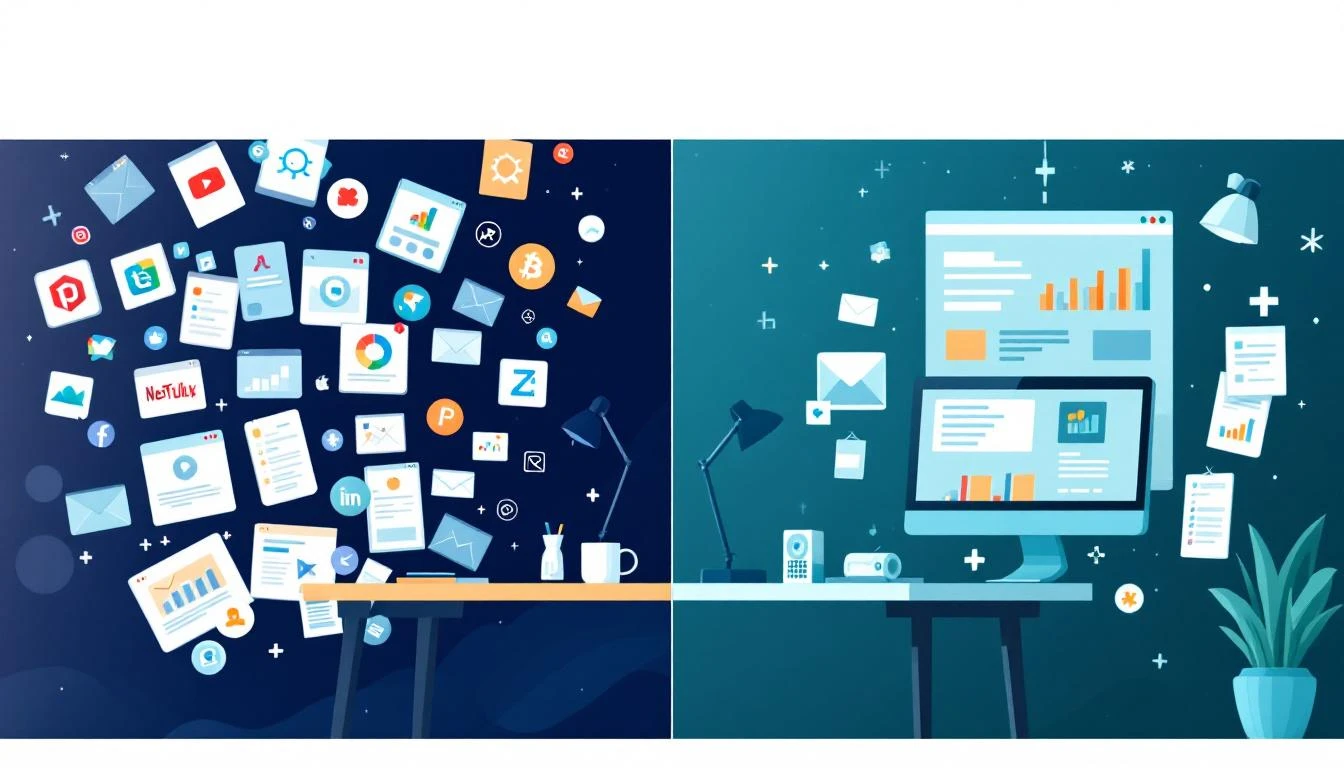
The daily reality for a manual versus an automated outbound team is starkly different. We're not talking about a minor improvement. Studies indicate automation tools can reclaim up to 60% of a rep's time previously lost to manual research and lead enrichment. That's time they can now invest in actual selling conversations.
If you're curious about the nuts and bolts, you can dig deeper into how to effectively automate sales processes and see the real-world impact.
A great automation platform transforms a flood of data into a simple, prioritized action list. It tells the rep exactly who to contact next, why they're a priority, and what to say.
This kind of dashboard turns guesswork into a clear, actionable game plan for every single day.
To get a feel for how this really works, let's compare the two approaches side-by-side.
Manual Outbound vs Automated Outbound At a Glance
The table below breaks down the daily reality for an SDR in both a traditional, manual environment and a modern, automated one. It highlights the stark differences in where they focus their time and what they can achieve.
Activity
Manual SDR Approach (The Old Way)
Automated SDR Approach (The New Way)
Morning Kickoff
Spends 1-2 hours sifting through CRM views, spreadsheets, and emails to build a daily call list.
Logs in to see a pre-prioritized task list based on real-time buying signals and ideal customer profiles.
Research
Manually Googles prospects, scours LinkedIn profiles, and tries to find relevant company news before each call.
Key insights (job changes, tech installs, funding news) are automatically surfaced and attached to the contact record.
Outreach
Juggles copy-pasting email templates, manually dialing numbers, and logging every single activity.
Executes multi-step, multi-channel sequences with a single click. One-click dialing and auto-logging are standard.
Lead Quality
Relies on stale, static lists. Contact data is often outdated or incomplete.
Works with an enriched, verified list of contacts who are actively showing intent.
Focus
"Who should I contact next?" and "Did I log that call?"
"How can I best connect with this person?" and "What's the right message for this prospect?"
Daily Output
40-60 activities (calls/emails).
150-200+ high-quality, targeted activities.
As you can see, the shift is profound. It's not just about doing more; it's about doing the right things with incredible efficiency.
This strategic shift is happening across all channels, with teams adopting advanced LinkedIn automation strategies and other channel-specific tools. It's a fundamental change from being busy to being productive, focusing your team's energy squarely on activities that build pipeline and drive revenue.
The Four Pillars of a Modern Outbound Automation Engine
Real outbound sales automation isn't just a magic button you press. It’s more like a high-performance engine, built on four interconnected pillars that work together to turn raw data into actual sales conversations. Once you understand how these pieces fit, the whole process becomes a lot less mysterious.
Think of it like a modern logistics warehouse. Raw materials (signals) come in, get sorted by importance (prioritized), are assembled into a final product (personalized outreach), and then shipped out with perfect tracking (logged in your CRM). This is the system that separates the top-performing teams from everyone else still stuck doing things the hard way.
Everything starts with signal ingestion. This is how your system pulls in all the crucial buying intent data from different places online. This is the fuel for the engine—it provides the raw material you need to figure out which prospects are actually worth a rep’s time. Instead of just hammering a cold, static list, your team engages with accounts that are actively showing they're interested.
Actionable Tip: Start by identifying your top 3 buying signals. Is it a key hire at a target account? A competitor's customer expressing frustration on social media? A visit to your pricing page? Focus your automation on these high-impact triggers first.
We're talking about capturing triggers like:
A target account checking out your pricing page.
A key decision-maker at one of your dream accounts changing jobs.
A company in your territory landing a new round of funding.
A prospect liking or commenting on your company's latest LinkedIn post.
Without solid signal ingestion, any automation you set up is just a faster way to blast generic messages to the wrong people. Powerful tools plug these different data streams right into your CRM, creating a live, dynamic picture of who's ready to talk. This foundation ensures every single action that follows is built on relevance, not just random activity.
2. Intelligent Task Prioritization: The Air Traffic Controller
Okay, so you've collected a ton of signals. Now what? A flood of raw data is just noise. The next pillar is intelligent task prioritization, which is where AI steps in to act like an air traffic controller for your sales team. It sifts through thousands of signals to surface the "next best action" for each rep.
This turns the daily chaos of "who do I call next?" into a clean, ordered to-do list packed with high-priority activities. The AI is constantly weighing different factors—the strength of the buying signal, how well the prospect fits your ideal customer profile, and any past interactions they've had with your company.
Comparison: A manual rep might prioritize their list alphabetically or by gut feeling. An AI-driven system prioritizes based on data, ensuring that the prospect who just downloaded a case study is contacted before someone who only opened an email last week. This data-driven approach consistently yields better results.
By stacking the deck like this, the system guarantees reps are spending their precious time on the opportunities most likely to close.
With a prioritized list of tasks ready to go, reps move to the third pillar: AI-assisted execution. This is where the system helps the salesperson act on all that insight, quickly and effectively. It’s not about replacing the rep with a robot; it’s about giving them a smart co-pilot to handle all the tedious prep work.
This is what that shift looks like—moving reps away from manual grunt work and toward what they do best: selling.
When a rep clicks a task, the AI can instantly generate a draft email or call script that’s already packed with context. It pulls in the specific signal—like that case study download—and suggests talking points that are directly relevant. This slashes the time spent on manual research and writing messages from a blank page. The rep is still in the driver's seat, free to tweak and personalize the AI’s draft to make sure every interaction has a genuine human touch.
4. Seamless CRM Integration: The System of Record
The final pillar—and honestly, the one that makes or breaks the whole thing—is seamless CRM integration. If your team's activities aren't logged accurately and automatically, the system falls apart. This pillar ensures that every call, email, and social touchpoint is recorded right in your CRM (like Salesforce or HubSpot) without anyone lifting a finger.
A sales tool that lives outside your CRM is destined for failure. Reps will avoid using it, leading to messy data, inaccurate reporting, and a complete lack of visibility for leadership.
Actionable Tip: When evaluating tools, ask one critical question: "Does this tool operate natively within our CRM, or does it rely on a separate tab and API syncs?" Native tools drastically improve adoption and data accuracy.
Automatic logging is the key to clean data. It gives sales leaders a clear, honest picture of what's working so they can coach more effectively and forecast with confidence. For RevOps, it means attribution is correct and the data driving big-picture strategy is actually reliable. This creates a powerful feedback loop where the data from today's activities makes the entire system smarter for tomorrow.
Execution vs. Engagement: Are You Using the Right Tool for the Job?
When you're building out your sales stack, you'll run into two very different kinds of tools: Sales Engagement Platforms (SEPs) and what we call Execution-First Engines. Getting this choice right is absolutely critical. Picking the wrong one doesn't just waste budget—it burns out your reps and turns your CRM into a mess.
A lot of teams think they've got automation handled because they use an SEP like Outreach or Salesloft. And don't get me wrong, those platforms are powerful for what they do. They’re built to manage complex, long-term sequences and act as a library for all your outreach content. They're great for mapping out the "what" and "when" of your strategy.
But here’s the problem in the real world: they often end up as just another browser tab reps have to juggle. This constant back-and-forth between the CRM and the SEP creates friction, slows down the actual work, and makes logging every activity a painful chore.
A traditional Sales Engagement Platform is like a massive, beautifully organized library of recipes. It has thousands of incredible recipes (your email templates, call scripts, sequence steps) and tells you the perfect order to prepare them. But you still have to find all the ingredients, do the prep work, and follow every step yourself. It's a system for planning, not doing.
An Execution-First Engine, on the other hand, is like having an AI-powered chef working right beside you. It doesn't just hand you a recipe. It looks at the ingredients you have on hand, tells you the best dish to make right now, preps everything for you, and guides you through the cooking process step-by-step.
That's the fundamental difference. An execution engine like MarketBetter.ai lives inside your CRM, turning buying signals directly into a prioritized to-do list. It then gives your reps the tools—like an AI email assistant and a native dialer—to act on that task instantly, without ever leaving their main screen.
The single most common objection I hear is, "But we already have a sales engagement platform." This misses the entire point. An execution engine isn't a replacement for your SEP; it's the action layer that makes sure your brilliant strategies are actually carried out with speed and precision.
Here's what that looks like in practice. An execution engine gives your reps a clean, prioritized task list right inside the CRM they already know and use.
There’s no more guesswork and no more toggling between ten different windows just to figure out what to do next.
The philosophy behind each tool creates a wildly different daily reality for your SDRs. One is focused on managing campaigns from a distance, while the other is obsessed with completing the next high-value action as efficiently as humanly possible.
For sales leaders on the hunt for the right solution, it’s vital to understand which problem you’re actually trying to solve. You can dive deeper in our guide to the best sales engagement software.
To really drive the point home, let's look at a side-by-side comparison.
To plan and manage multi-step, multi-channel outreach sequences.
To drive immediate, efficient action on prioritized tasks.
Core Workflow
Reps switch between the CRM and the SEP tab to manage cadences and find tasks.
Reps live inside the CRM and work from a native task list that guides their next action.
Main Function
Acts as a system of record for outreach strategy and content.
Acts as a system of action, turning signals into executed tasks.
Data Logging
Often relies on API syncs that can be delayed or incomplete, risking data gaps.
Natively logs every call and email to the CRM in real-time, ensuring perfect data hygiene.
Rep Experience
"Where do I click next?"—navigating between systems to find information and execute.
"What do I do next?"—following a clear, prioritized list of actions in one place.
At the end of the day, it comes down to this: engagement platforms help you design a better playbook. Execution engines make sure your team can run those plays perfectly, every single time, without the friction that kills momentum and pollutes your CRM.
Your Actionable Roadmap for Implementing Outbound Automation
Jumping into outbound sales automation can feel like a huge, all-or-nothing project. It really doesn't have to be. The teams I've seen succeed don't try to boil the ocean on day one. They take it in phases, delivering value right away to build confidence and momentum.
This "crawl, walk, run" method is all about breaking the process into manageable chunks. It’s designed to get you quick wins, prove the ROI at each step, and make sure your team actually wants to use the new tools instead of fighting them.
This kind of roadmap directly tackles the biggest fear most managers have: that a new system will be a painful, disruptive nightmare. Instead, it's a logical, low-risk path to building a truly optimized outbound engine.
The goal here is simple: solve one big problem with one focused workflow. Forget about complex AI or multi-channel sequences for now. The best place to start is usually with the most broken part of your current process—activity logging.
Think about it. When reps are using dialers and email clients that live outside your CRM, your data is a mess. Calls go unlogged, activities get misattributed, and you have zero visibility into what's actually happening on the ground.
Your first move is to implement a native CRM dialer. This instantly fixes the data problem. Every call, every outcome, every note gets auto-logged to the right record in Salesforce or HubSpot. Automatically.
Actionable Step: Roll out a dialer that works directly inside your CRM. Train your team on just this one feature.
Immediate Win: You get 100% accurate activity logging overnight. This gives you clean data for better coaching and forecasting, which is a massive win in itself.
Comparison: A non-native dialer forces reps to manually log calls, which we all know leads to spotty data and terrible adoption. A native tool makes logging effortless and automatic, guaranteeing data integrity from the start.
This quick win shows immediate value and builds the rock-solid data foundation you need for the next phase.
Once your activity logging is pristine, you can start getting smarter. The "Walk" stage is all about layering in some intelligence to guide your reps' day. This is where you introduce AI-driven task prioritization based on a few key buyer signals.
Don't try to track a dozen signals at once. Just pick one or two that really matter for your business.
A fantastic starting point is tracking past customers who change jobs and land at one of your target accounts. That’s an incredibly warm lead with built-in familiarity.
The "Walk" phase moves your team from reactive outreach to proactive, signal-based selling. It’s the shift from asking "Who should I call?" to being told "Here is exactly who you need to call next, and why."
Another powerful signal is a key prospect from a target account hitting your website’s pricing page. An execution engine can see these signals happen in real-time and automatically create a high-priority task for the right SDR.
Actionable Step: Set up your system to create high-priority tasks based on one or two high-intent signals (like job changers or pricing page visits).
Immediate Win: Your reps' daily activity becomes laser-focused. They spend way less time hunting for people to call and more time engaging prospects who have clearly shown they're interested.
Okay, you’ve got a solid foundation of clean data and prioritized tasks. Now you're ready for the "Run" stage. This is where you bring in the full power of AI-assisted execution to help reps act on their tasks with both speed and quality.
At this point, your system doesn't just tell a rep who to contact—it helps them with what to say. When an SDR clicks on a task, an AI assistant can instantly generate a context-aware email draft or a set of talking points for a call.
The AI pulls in the specific signal (e.g., "Jane Doe just started as VP of Marketing at Acme Corp") and crafts relevant outreach on the spot. But the rep is still in the driver's seat, personalizing the draft before hitting send. This combination of AI efficiency and human oversight is the secret to scaling high-quality outreach without it sounding robotic.
So, you've set up your outbound sales automation. Great. But how do you know if it's actually working? Firing off a ton of emails and feeling busy is one thing; driving real results is another entirely. Flying blind is a recipe for disaster.
To truly understand the impact, you need to ditch the vanity metrics like "emails sent" and focus on what’s really moving the needle. It boils down to two core areas: Rep Efficiency and Pipeline Impact. One tells you if your team is working smarter, and the other tells you if that smart work is turning into money.
These are your leading indicators. They tell you if your reps are spending their time on the right stuff, not just administrative busywork. Think of it as measuring the quality of their hustle.
Daily High-Value Actions per Rep: Don't just count activities. Track the number of truly personalized emails and actual live conversations. If this number is climbing, it means automation is successfully clearing the junk off their plates so they can focus on what they do best: selling.
Time-to-First-Action on New Signals: When a hot signal comes in—someone hits your pricing page or a key contact changes jobs—how fast does your team pounce? This should be measured in minutes, not days. Automation should take this from a sluggish "I'll get to it tomorrow" to an immediate, intelligent action.
New SDR Ramp Time: We've all seen new hires struggle for months to get up to speed. Good automation provides a prioritized workflow and AI-powered messaging that acts like a seasoned coach. Tracking how quickly a new SDR starts consistently hitting their numbers is a powerful way to prove your system's value.
Let’s be clear: the goal isn’t just for reps to do more. It's for them to do more of what matters. These efficiency metrics are your early warning system, showing you whether your automation is empowering your team or just adding to the noise.
Efficiency is great, but it doesn't pay the bills. This is where you connect all that smart activity directly to business outcomes. This is how you prove your ROI.
And the proof is in the pudding. When done right, AI-driven outbound automation delivers a serious punch. We’re talking about 75% of users crediting it for direct growth and companies seeing 13-15% higher revenues after getting it dialed in. This isn't just theory; A/B tests run through automation have been shown to boost email ROI from 23:1 to an incredible 42:1—that's an 82% jump without a single human lifting a finger. You can dig into the research behind these numbers on Artisan's blog about outbound automation's impact.
Here are the bottom-line metrics you need to live and die by:
Connect-to-Meeting Rate: Of all the live conversations your team is having, how many are converting into qualified meetings? This is a crucial measure of interaction quality. A rising rate proves your reps aren't just calling more people; they're having better, more informed conversations thanks to the context provided by your system.
Pipeline Generated from Automated Workflows: This is the big one. You need to be able to point to a specific dollar amount of new pipeline and say, "This came directly from leads sourced, prioritized, and engaged by our automation engine." It’s the kind of hard number that makes leadership sit up and take notice.
CRM Data Accuracy Score: Often ignored, but absolutely critical. Manual data entry is a mess of typos, forgotten logs, and inconsistent notes. A solid automation tool logs every single call, email, and touchpoint perfectly. Run an audit. Compare what’s in your CRM to what actually happened. Your accuracy score should be pushing 100%. Clean data is the foundation of every smart sales decision you'll make from here on out.
Common Pitfalls in Sales Automation and How to Avoid Them
Bringing outbound sales automation into your workflow can feel like giving your sales team a secret weapon. But like any powerful tool, it comes with a few traps for the unwary. Stumbling into these common pitfalls can quickly turn a brilliant investment into a mess of bad data, frustrated reps, and disappointing results.
The key is knowing what to watch out for before you get started.
Getting this right is what separates the teams that crush their numbers from those who just end up creating more noise in the market.
This is easily the most dangerous mistake I see teams make. They treat their automation platform like a slow cooker—set it up once and assume it’ll just keep churning out perfect results forever.
Real outbound automation is a living, breathing system. It needs constant care, feeding, and tweaking. Without that regular attention, your messaging gets stale, your targeting goes sideways, and you completely miss the signals the market is sending back to you.
How to Avoid It:
A/B Test Relentlessly: Always be testing your subject lines, call-to-action, and the core value prop in your messaging. Find out what people actually respond to.
Hold Weekly Performance Reviews: Make it a non-negotiable weekly ritual to dive into the data. Which sequences are booking meetings? Which ones are dead in the water?
Refine Your Signals: As you learn what makes buyers tick, feed that intelligence back into your automation engine. Your system should get smarter over time, not dumber.
The second pitfall is letting the "automation" part of the equation completely overshadow the "human" part. When your AI starts cranking out generic, robotic emails, you’re not just getting ignored—you’re actively hurting your brand.
The goal isn't to replace your reps; it's to give them superpowers. The AI is the co-pilot, not the pilot. It’s also crucial to remember that how you gather your data matters. Always stick to legal web scraping and ethical data practices to keep your outreach compliant and your reputation intact.
A winning automation strategy lets AI do 80% of the grunt work, freeing up your reps to nail the final 20% of personalization that actually builds a connection. This is the secret to preventing burnout and driving real performance.
Finally, we have the most common operational headache: picking a sales tool that lives on a separate island from your CRM. When reps have to constantly jump between Salesforce and some other platform, adoption plummets. It’s clunky, it’s slow, and it guarantees your data will become a disaster as reps stop logging their activities.
This creates a massive black hole. You lose all visibility into what your team is actually doing and what’s driving results.
This is exactly why an execution-first tool like MarketBetter.ai is built to live inside your CRM. By embedding the dialer, task list, and AI assistant directly into the rep's existing workflow, you solve the adoption and data problems from day one. Reps use it because it makes their lives easier, and every single action is logged perfectly.
Even with the clearest plan, you're bound to have a few questions. That's a good thing—it means you're thinking through the details. Here are some of the most common ones we hear from sales leaders.
Absolutely not. At least, not if you're doing it right. The whole point of good automation is to make your reps more human, not less.
Think about it: instead of spending hours digging for data, the AI surfaces the key talking points and drafts a solid, personalized email. This frees up your SDRs to do what they do best—refine the message, nail the tone, and have a genuinely compelling conversation. The AI handles the "what" and "why," so the rep can focus on the "how."
Wait, Isn't This Just a Sales Engagement Platform?
Not quite. While they work together, they solve different problems. A Sales Engagement Platform (SEP) is your system of planning. It's where you build your grand multi-step sequences and map out the customer journey.
An execution-first tool is your system of action. It’s what happens in the moment.
An execution engine is the "do" layer. It sits right in your CRM, sifts through all the buyer signals to tell your reps what to do right now, and gives them the tools—like an AI email writer or a native dialer—to get it done instantly. No context switching, no tab-hopping.
It ensures the brilliant plans you made in your SEP actually get done, and that every single action is logged perfectly.
You'll see a return faster than you might think, especially if you start small. Just by switching to a native CRM dialer that logs calls automatically, you can see a massive improvement in data quality and activity tracking in the first 30 days.
Once you start layering in the AI-powered task lists and messaging assists, you'll see your reps' productivity climb and your meeting-set rates improve within the first quarter. The trick is to tackle your biggest bottleneck first. Get a quick win, then build from there.
Ready to stop planning and start doing? marketbetter.ai turns buyer signals into a perfectly prioritized task list for your SDRs. We give them an AI-powered email writer and a native dialer that lives right inside Salesforce and HubSpot, so they can execute faster than ever.
Salesforce's pricing page shows six clean tiers from $0 to $550/user/month. Simple, right?
Not even close.
The listed price is where the spending starts, not where it ends. Between add-on modules, implementation costs, admin salaries, and the features that only unlock at higher tiers, a Salesforce deployment for a 5-person SDR team can cost anywhere from $1,250 to $8,000+ per month.
We broke down every tier, calculated the real costs for SDR teams specifically, and compared the total cost of ownership to purpose-built alternatives.
Here's where Salesforce pricing gets complicated. Many features SDR teams need aren't included in the base tiers — they're add-ons or only available at higher price points.
Salesforce is famous for being powerful but complex. Most organizations need professional implementation:
Cost Category
Range
Basic implementation (Starter/Pro)
$5,000 - $15,000
Mid-market implementation (Enterprise)
$25,000 - $75,000
Enterprise implementation (Unlimited+)
$75,000 - $300,000+
Data migration
$5,000 - $25,000
Training
$2,000 - $10,000
Ongoing optimization (annual)
$10,000 - $50,000
A common complaint in G2 reviews: "The platform is incredibly powerful but requires constant administration. We spend more on consultants than on the license itself."
Salesforce's AI agent platform has gone through multiple pricing changes since its 2024 launch:
Original (2024): $2 per conversation — caused confusion over what counts as a "conversation"
2025 revision: Flex Credits model — usage-based, more flexible but harder to predict
2026 (current): Included unmetered in Agentforce 1 Sales ($550/user/mo), or available as add-on with Flex Credits on Enterprise/Unlimited
The unpredictability problem: Usage-based AI pricing makes budgeting difficult. If your SDR Agent sends 10,000 emails per month, your costs could spike unpredictably. Salesforce's pricing page itself notes: "Contact a sales representative for detailed pricing information" — never a good sign.
Discount Strategies (If You're Committed to Salesforce)
Multi-year contracts: 15-25% discount for 2-3 year commitments
Volume licensing: Discounts kick in at 25+ users
Nonprofit/education: Up to 10 free licenses through Salesforce.org
End-of-quarter deals: Salesforce reps have quarterly quotas — negotiate at quarter-end (March, June, September, December)
Bundle negotiation: Buy Sales + Service Cloud together for better per-product pricing
Start lower, upgrade: Begin on Pro Suite and upgrade as you prove ROI
The Real Question: Are You Paying for a CRM or an SDR Tool?
Here's what Salesforce Sales Cloud pricing reveals about the product: it's priced as a CRM, not as an SDR tool.
The features SDR teams need most — email sequences, dialers, visitor ID, daily playbooks — are either add-ons, locked behind the highest tiers, or simply don't exist in Salesforce.
If your primary need is CRM (pipeline management, forecasting, reporting for AEs), Salesforce delivers exceptional value even at $175/user.
If your primary need is SDR productivity (prospecting, outreach, visitor engagement), you're paying CRM prices for an SDR workflow that doesn't exist natively — and spending more on add-ons than on a purpose-built alternative.
Want to see what $99/user/month gets you in an all-in-one SDR platform?Book a demo →
Salesforce Sales Cloud is the most reviewed B2B software product on the planet. 25,415 G2 reviews. 4.4/5 stars. G2's #1 Best Software Product in 2025. Those numbers don't happen by accident.
But aggregate ratings hide the nuance. A CRM that's perfect for a 500-person AE team managing $10M in enterprise pipeline might be terrible for a 5-person SDR team doing outbound prospecting.
This review looks at Salesforce Sales Cloud specifically through the lens of SDR teams and sales development — the people who need to prospect, dial, email, and book meetings, not manage complex deal cycles.
This is Salesforce's home turf. No other CRM gives you this level of pipeline visibility:
Opportunity stages with customizable sales processes
Forecast categories with collaborative forecasting
Einstein Deal Insights that predict which deals will close
Path guidance that shows reps what to do at each stage
Kanban and list views with inline editing
If your sales org's primary challenge is "we don't know where our deals are," Salesforce solves it completely. Every enterprise AE team we've talked to says the same thing: pipeline management is where Salesforce earns its price tag.
7,000+ apps on AppExchange. Native integrations with virtually every business tool. A developer community measured in millions.
This matters because even when Salesforce doesn't do something natively, someone has built an app for it. Need visitor ID? There's an app. Need a dialer? There's an app. Need email sequences? There's an app.
The trade-off: you end up with a stack of add-ons that each cost $50-200/user/month, turning your $175 CRM into a $400+ platform. But the ecosystem exists.
Flow Builder for no-code automation. Apex for custom code. Lightning components for custom UI. Custom objects, fields, and page layouts for literally anything.
One Gartner reviewer noted: "Salesforce is infinitely customizable, which is both its greatest strength and biggest weakness."
If you have a dedicated Salesforce admin (or team), you can build almost any sales process imaginable. If you don't have an admin, you'll spend months frustrated by things that seem like they should be simple.
This is the biggest gap. SDRs don't need a database of leads — they need someone to tell them: "Call these 5 people first, here's what to say, and here's why they're hot right now."
Salesforce gives you list views and task queues. That's like giving a chef a warehouse of ingredients instead of a recipe. The data is there, but the prioritization and action guidance isn't.
SDRs using Salesforce spend 30-45 minutes every morning figuring out what to do. Purpose-built SDR tools automate this entirely.
98% of website visitors leave without converting. Identifying them is one of the highest-ROI activities in B2B sales. Salesforce doesn't do this — at all.
You need a third-party tool (Clearbit, 6sense, Warmly, or MarketBetter) to identify anonymous visitors. That's an additional $200-1,000/month that Salesforce's pricing page never mentions.
3. Email Sequences Are Locked Behind Expensive Tiers
Sales Engagement (email sequences, cadences, A/B testing) is only included at the Unlimited tier ($350/user/month) or as an add-on on Enterprise. For SDR teams, email sequences aren't a nice-to-have — they're the core workflow.
Compare this to tools like Apollo ($49/user), Instantly ($30/month), or MarketBetter (included) that bundle sequences at a fraction of the cost.
Salesforce includes basic click-to-call at higher tiers but no native power dialer, parallel dialer, or AI coaching. Most SDR teams buy separate dialers:
Dialpad: ~$80/user/month
RingCentral: ~$45/user/month
Nooks: ~$400/user/month
Orum: ~$200/user/month
These aren't Salesforce's fault — dialing isn't their product. But it means your "Salesforce stack" for SDRs is always Salesforce + dialer + sequencer + visitor ID = 4+ contracts.
"Our organization had required data points for us to fill daily, some of which were not as helpful for meaningful sales progress as others."
This is the Salesforce paradox: the customization that makes it powerful also makes it overwhelming. Small SDR teams (3-10 reps) don't need custom objects, Apex triggers, and Flow automations. They need a tool that works out of the box.
Setting up Salesforce properly for an SDR team takes:
2-4 weeks with a dedicated admin
$10,000-25,000 with a consultant
Ongoing maintenance and optimization
Compare to tools like Close CRM (setup in a day), Pipedrive (hours), or MarketBetter (days).
Salesforce's Agentforce platform launched in late 2024, including an Einstein SDR Agent that can:
Autonomously engage inbound leads
Send personalized emails based on CRM data
Qualify prospects through conversation
Book meetings on behalf of reps
Work 24/7 across languages
Our take: Agentforce is impressive technology with a pricing problem. The per-conversation model caused confusion in 2024-2025, and the current credit-based system is still opaque. At $550/user/month for unlimited AI usage, it's priced for enterprise — not for the 5-person SDR team that would benefit most from AI automation.
The bigger issue: Agentforce operates within Salesforce's data. It can't identify anonymous website visitors, can't pull intent signals from outside the CRM, and can't orchestrate multi-channel outbound across email, phone, and LinkedIn in one workflow. It's an AI layer on top of CRM data — powerful, but narrow.
"Expensive when you add everything you actually need"
"Steep learning curve — takes months to feel comfortable"
"Requires a dedicated admin to maintain"
"The mobile app is clunky compared to competitors"
"Too complex for our small team's needs"
The pattern: Reviews from enterprise AE teams (50+ reps) skew very positive. Reviews from small SDR teams (5-15 reps) skew mixed-to-negative, usually citing cost and complexity.
Salesforce Sales Cloud earns its 25,000+ reviews and industry dominance because it's an exceptional CRM. For pipeline management, enterprise reporting, and ecosystem breadth, nothing beats it.
But a CRM is not an SDR tool. If your team's daily job is prospecting, dialing, emailing, and booking meetings — Salesforce gives you a database when you need a playbook. You'll spend $175-550/user/month on the CRM, then $200-500/user/month more on the tools your SDRs actually use every day.
For SDR teams, the question isn't "is Salesforce good?" (it is) — it's "is it the right tool for what my SDRs do?"
Looking for a purpose-built SDR platform that works with (or without) Salesforce?Book a demo →
AnyBiz positions itself as an AI SDR that replaces human sales reps entirely. The pitch is compelling: autonomous multichannel outreach across email, LinkedIn, and phone — running 24/7 without coffee breaks. But at $499-$2,795/month, it's not a cheap experiment.
Here's the full pricing breakdown based on data from AnyBiz's website, G2, Reply.io, and InnovaAI.
The catch: Email-only outreach limits your response rates. Modern B2B prospecting requires at least 2-3 channels to get decent reply rates. At $499/mo for email-only, you're paying a premium for a single-channel tool.
Brand awareness: auto-posting to LinkedIn, Facebook, X/Twitter
Personalized landing pages
The sweet spot? Most AnyBiz users land here because email + LinkedIn is the minimum viable multichannel play. But at nearly $1,000/month, you're spending $11,388/year before any additional costs.
All 3 outreach channels: email, LinkedIn, and AI cold calls
Phone number detection and auto-calling with custom scripts
Website visitor detection and automated outreach
Dedicated customer success manager
The AI cold calling is what distinguishes this tier. AnyBiz uses AI to make cold calls with custom scripts — a bold feature that's still relatively unproven at scale. Reviews are mixed on call quality and conversion rates.
AnyBiz's core pitch: why hire a $65,000/year SDR when you can deploy an AI agent for $6,000-$33,000/year?
Here's the real math:
Cost Factor
Human SDR
AnyBiz Expert
Annual salary/subscription
$65,000
$20,940
Benefits + overhead (30%)
$19,500
$0
Sales tools (CRM, dialer, etc.)
$15,000+
Included
Training + ramp time
3-6 months
Immediate
Total Year 1
$99,500+
$20,940
Meetings booked (realistic)
8-15/month
3-8/month*
AnyBiz meeting estimates are based on user reports and vary significantly by industry, ICP, and messaging quality.
The honest comparison: AnyBiz is cheaper, but the meeting quality and conversion rates from AI-generated outreach typically lag behind skilled human SDRs. The best use case is augmenting your team, not replacing it entirely.
Despite marketing as "set and forget," AnyBiz requires significant initial configuration: defining ICPs, writing/approving outreach sequences, setting up domain infrastructure, and monitoring deliverability. Plan for 2-4 weeks of active setup.
Automated LinkedIn outreach carries inherent account suspension risk. AnyBiz implements safety measures, but aggressive automation on LinkedIn remains a gray area that can result in account restrictions.
The key difference: AnyBiz replaces SDR activity (sending emails, making calls). MarketBetter replaces the SDR workflow (knowing who to contact, what to say, when to follow up). AnyBiz automates the doing. MarketBetter automates the thinking.
AnyBiz promises to replace your human SDR with an AI agent that prospects across email, LinkedIn, and phone — 24/7, for a fraction of the cost. With 327 G2 reviews and growing Trustpilot presence, it's one of the more battle-tested AI SDR tools on the market.
But "battle-tested" doesn't mean "problem-free." We dug into real user reviews across G2, Capterra, and Trustpilot to separate the hype from the reality.
G2's 4.2/5 across 327 reviews puts AnyBiz in the "good but not great" category — better than some legacy tools, but below the elite tier where MarketBetter (4.97/5) and Apollo (4.8/5) sit.
AnyBiz's strongest selling point is genuine multichannel outreach automation across email, LinkedIn, and phone. Most competitors automate only one or two channels. AnyBiz handles all three from a single platform.
The Expert plan ($1,745/mo) includes:
Email sequences with AI personalization
LinkedIn connection requests, messages, profile views, and post engagement
AI cold calling with custom scripts and phone number detection
For teams that need high-volume multichannel prospecting without hiring, this is a real capability advantage.
On Expert and Super Agent plans, AnyBiz detects website visitors and automatically triggers outreach — a feature that most AI SDR tools don't include (though it's a core feature of platforms like MarketBetter).
From Capterra:
"AnyBiz lets me reach out to people through both email and LinkedIn. It makes it easy to connect. The email warm-up feature helps make sure our emails don't end up in spam."
The most consistent complaint: contact data isn't always accurate.
From Trustpilot (Jan 2026):
"Some contact data wasn't fully up to date, so we still had to verify emails manually. It's useful, but I wouldn't rely on it alone without double-checking."
For a tool that's supposed to automate your entire outreach process, requiring manual email verification defeats the purpose. Bad data = bounced emails = damaged sender reputation = lower deliverability for all future campaigns.
AnyBiz's pricing ranges from $499 to $2,795/month. That's not cheap. And because AnyBiz guarantees leads contacted rather than meetings booked, you can spend $1,745/month and see minimal pipeline impact if:
Your ICP doesn't respond well to AI-generated outreach
The AI's personalization doesn't resonate with your specific market
Email deliverability issues reduce your reach
Several reviewers note that AnyBiz works best for broad, high-volume prospecting — not targeted enterprise sales where relationship-building matters.
Based on review patterns, AnyBiz delivers the best results for:
Use Case
Fit
Why
Solo founders doing outbound
✅ Strong
Replaces the SDR you can't afford to hire
Small teams (2-5 SDRs) supplementing
✅ Good
Adds AI capacity alongside human reps
Email-heavy B2B outreach
✅ Good
Built-in infrastructure is a real advantage
High-volume transactional sales
✅ Good
Volume matters more than relationship
Enterprise/complex sales
⚠️ Weak
AI personalization doesn't match human nuance
Teams with SDRs who need prioritization
❌ Poor
No playbook, no signal-based workflow
AnyBiz vs MarketBetter: Different Problems, Different Solutions
AnyBiz
MarketBetter
Philosophy
Replace SDRs with AI
Make SDRs 10x more productive
Core Feature
Autonomous multichannel outreach
Daily SDR playbook with signals
Email
AI-generated sequences
Hyper-personalized sequences
LinkedIn
Automated engagement
Not automated (human-directed)
Phone
AI cold calling
Smart dialer (human calls)
Website Visitor ID
Expert plan only
Included in all plans
AI Chatbot
❌
✅
Prioritization
No (contacts in bulk)
Yes (signal-based daily playbook)
Pricing
$499-$2,795/mo
$99/user/month with everything included
G2 Rating
4.2/5 (327 reviews)
4.97/5
The honest take: AnyBiz and MarketBetter solve fundamentally different problems. AnyBiz automates doing outreach. MarketBetter automates knowing what to do. If you have no SDR team and need AI to prospect for you, AnyBiz is worth evaluating. If you have SDRs and need to make them dramatically more effective, MarketBetter is the better investment.
AnyBiz is a legitimate AI SDR tool with real capabilities — but it's not the SDR replacement it claims to be.
The multichannel automation is genuine, the email infrastructure is a real advantage, and for high-volume prospecting it delivers results. But data accuracy issues, uncertain ROI, and the fundamental limitation of AI-generated outreach (it's good, not great) mean you should set realistic expectations.
Best for: Solo founders and small teams who need outbound pipeline but can't afford human SDRs.
Not for: Teams that already have SDRs and need better prioritization, signals, and workflow — not just more automated emails.
Autobound has four pricing tiers ranging from $1,033/month to $8,250/month, all billed annually. But the credit-based pricing model makes it difficult to predict what your team will actually spend — because usage varies dramatically based on how many emails your SDRs send and how much research they run per prospect.
This guide breaks down every plan, calculates real costs for different team sizes, and highlights the features you don't get until the enterprise tier.
The bottom line: A 5-person SDR team sending 50 personalized emails/day per rep will likely need the Pro plan ($22,344/yr minimum) and may burn through credits before month-end on Starter. Factor in the tools Autobound doesn't include — dialer, chatbot, visitor ID on lower plans — and real total cost of ownership ranges from $50K-$110K/yr.
Let's calculate what a typical 5-person SDR team actually burns:
Scenario: 50 personalized emails/day per rep
Action
Daily (per rep)
Daily (5 reps)
Monthly (22 days)
Email generation
50 × 2 = 100
500
11,000
Prospect research
50 × 1 = 50
250
5,500
Signal analysis
50 × 1 = 50
250
5,500
Contact enrichment
20 × 1 = 20
100
2,200
Total
220
1,100
24,200
Result: A 5-rep team sending 50 emails/day each burns ~24,200 credits/month. That's above the Starter plan's minimum (10K) and possibly above its maximum (60K depends on exact tier). You'd likely need Pro ($22,344/yr) to stay comfortable.
❌ No buyer signals — You can't see real-time purchase intent
❌ No website visitor identification — Anonymous visitors stay anonymous
❌ Only 20 campaign tables — Limits segmentation
❌ 1 CRM connection only — Can't connect multiple CRMs
❌ 5K contact search limit — Small database queries
❌ No dedicated account manager
Starter is essentially an AI email writing tool with a contact database. Without buyer signals, you're personalizing blind — better copy, but no timing intelligence.
Pro ($1,862/mo) — Adds Signals, Still Missing Visitor ID
Pro unlocks the Signal Engine and unlimited campaign tables. This is where Autobound starts to shine — you get real-time buyer signals to time your outreach.
But:
❌ Still no website visitor ID — That's Scale+ only
❌ Still 1 CRM connection — Multi-CRM orgs need Scale
MarketBetter includes email sequences, smart dialer, AI chatbot, visitor identification, LinkedIn outreach, and daily SDR playbook in a single platform starting at approximately $99/user/month.
For a 5-SDR team:
Autobound Pro + required add-ons: $50,000-$80,000/yr
MarketBetter (everything included): ~$18,000/yr
The ROI math is straightforward: MarketBetter costs 60-75% less while covering the entire SDR workflow.
Autobound's pricing reflects its position as a premium AI email tool. The signal intelligence is genuinely best-in-class — 400+ insights per prospect from proprietary sources like SEC filings and Reddit discussions.
But for most B2B sales teams, email personalization alone doesn't move the revenue needle enough to justify $22K-$99K/year. You need the full stack: visitor ID, dialer, chatbot, LinkedIn, and a daily prioritization engine.
Autobound positions itself as the "Signal to Pipeline in Seconds" platform, and after testing it across real SDR workflows, that promise is half-right. The signal intelligence is extraordinary. The email personalization is best-in-class. But the gap between "great emails" and "booked meetings" is wider than Autobound's feature set can bridge alone.
Our verdict: 4.2/5 for email personalization. 2.5/5 as a complete SDR platform. If email is your only outbound channel, Autobound is excellent. If you need multi-channel execution, you'll need 3-4 additional tools.
Autobound is an AI-powered outbound sales platform focused on hyper-personalized email generation. Founded in San Francisco, it uses 400+ real-time buyer signals — including proprietary data from SEC filings, earnings call transcripts, Reddit discussions, and GitHub activity — to generate email drafts that reference specific, timely insights about each prospect.
Key stats:
4.9/5 on G2 (252 reviews)
4,000+ sales professionals
SOC 2 compliant
270M+ contact database
Claims: 3x higher reply rates, 40% more meetings booked
The practical result: Autobound emails reference things like "I noticed your CEO mentioned 'doubling down on sales productivity' in the Q3 earnings call" instead of generic "I see your company is growing." That level of specificity gets replies.
Autobound doesn't just generate a single email — it creates full follow-up sequences where each email uses different signals. Email #1 might reference an earnings call, email #2 a Reddit thread about the prospect's company, email #3 a shared LinkedIn connection. Each touch feels fresh, not like a recycled template.
The Chrome extension lets SDRs generate personalized outreach directly from LinkedIn profiles without switching tabs. It's fast (generates in ~1.2 seconds according to their demo) and reduces the friction of prospect research → email draft.
New SDRs can start generating quality, on-brand emails immediately. Autobound pre-loads your value proposition and messaging guidelines, so even a day-one hire produces outreach that sounds like your best rep. Shared playbooks and templates ensure consistency across the team.
Native integrations with Outreach, Salesloft, Instantly, and Gmail mean Autobound slots into existing workflows. SDRs generate content in Autobound and push it to their sequencing tool without copy-pasting.
Despite being called an "AI Outbound Sales Platform," Autobound is functionally an email writing tool. There's no built-in:
Phone dialer
AI chatbot
LinkedIn automation (it generates messages but doesn't send them)
Meeting scheduler
Call recording or coaching
For sales teams running multi-channel outreach (which outperforms email-only by 3x in meeting booking rates), Autobound covers roughly 30% of the workflow.
Multiple G2 reviewers note that Autobound's emails require editing to avoid sounding "templated." The SalesRobot review specifically flagged "limited control over tone and structure." Our testing confirmed this — while the signal references are excellent, the email structure and CTAs often feel formulaic.
For a team sending 100+ emails/day, even 1-2 minutes of editing per email adds 1.5-3 hours of daily manual work per SDR. That partially erodes the time savings Autobound promises.
Autobound's credit system (2 credits/email, 1 credit/research, 1 credit/enrichment) creates a usage ceiling that isn't immediately obvious. The Starter plan's 10K-60K credits/month sounds like a lot until you calculate: a 5-rep team sending 50 emails/day burns ~24,200 credits/month on basic usage.
Unused credits don't roll over. There's no way to buy credits à la carte. If you hit your limit mid-month, you either stop outreach or upgrade to the next tier — which is a 70%+ price jump from Starter to Pro.
Website visitor identification — arguably the highest-ROI feature for SDR teams — only unlocks at the Enterprise plan ($4,020/mo, $48,240/yr). Starter and Pro customers are left identifying prospects the old way: cold lists, LinkedIn searches, and inbound forms.
For comparison, several competitors include visitor identification at every pricing tier.
AppSumo reviews flagged "minor issues with lead database accuracy and language recognition." For international teams or companies targeting niche markets, this could mean wasted credits on bad data. The 270M+ contact database is large, but size doesn't guarantee accuracy.
"Saves so much time during prospecting! It makes the job of an SDR/BDR so much easier. The personalization quality is genuinely impressive." — Cloud Solutions Executive
"Autobound simply saves time and gets replies. I can minimize the time I spend customizing emails and focus on closing deals." — Mid-Market Account Executive
"Our BDR team is high performing already and Autobound is taking them to the next level. We saw a measurable increase in reply rates within the first month." — Chief Marketing Officer
The critical (from G2 and SalesRobot analysis):
"While occasional editing may be needed to avoid sounding templated..." — G2 Verified Review
"Limited control over tone and structure, no LinkedIn automation, and pricing scales quickly for larger teams." — SalesRobot Review
"Minor issues with lead database accuracy and language recognition." — AppSumo Reviews
Autobound is the best AI email personalization tool available in 2026. The signal intelligence is genuinely unique — no other platform pulls from SEC filings, earnings transcripts, Reddit, and GitHub to personalize outreach. If email quality is your bottleneck, Autobound delivers.
But "best email tool" and "best SDR tool" are very different categories. Most sales teams fail because of channel mix, timing, and prioritization — not email copy quality. For teams that need the complete picture, an all-in-one platform like MarketBetter delivers more pipeline at lower total cost.
Rating: 4.2/5 — Outstanding at what it does, limited by what it doesn't do.
AnyBiz's AI SDR agent automates multichannel outreach across email, LinkedIn, and phone — but at $499-$2,795/month with mixed data accuracy reviews, many teams look for alternatives that better fit their workflow and budget.
The right alternative depends on what you're solving for: cheaper automation? Better data? A complete SDR operating system? Here are 8 options ranked by how well they address AnyBiz's gaps.
If AnyBiz's limitation is that it automates outreach without automating strategy, MarketBetter fills that gap. Instead of blasting 5,000 leads per month and hoping some respond, MarketBetter tells your SDRs exactly who to contact, what to say, and when to follow up.
Why switch from AnyBiz:
Daily SDR Playbook prioritizes accounts by buying signals — not random contact lists
Website visitor identification captures demand AnyBiz can't see
Smart dialer for human-quality calls (vs. AnyBiz's AI cold calling)
AI chatbot engages every website visitor in real-time
Enrichment included — no data accuracy surprises
What AnyBiz does better: Fully autonomous outreach without human involvement. If you need "set it and forget it" automation, AnyBiz's autonomous model is more hands-off.
Best for: Teams with SDRs who need to work smarter, not just send more emails.
Pricing: Free plan available; paid from $49/user/mo | G2 Rating: 4.8/5
Apollo is the most popular choice for teams that want contact data + email sequencing at a fraction of AnyBiz's cost. The free plan alone includes 10,000 email credits/month — enough for serious prospecting without spending $499/month.
Why consider over AnyBiz:
275M+ contacts with built-in email sequences
Free plan is genuinely useful (AnyBiz has no free tier)
$49/mo vs $499/mo for email outreach
Transparent, published pricing
Where it falls short: No AI agent automation, no LinkedIn outreach, no phone automation. You're doing the work manually — Apollo just provides the data and tools.
11x offers "Alice," an AI SDR that handles fully autonomous email outreach with sophisticated personalization. It targets enterprise teams willing to invest significantly for AI-generated pipeline.
Why consider over AnyBiz:
More sophisticated AI personalization
Better data accuracy (focused on quality over volume)
Designed for enterprise use cases
Stronger customer success support
Where it falls short: 10-20x AnyBiz's price point. Email-only (no LinkedIn or phone automation). Requires annual commitment.
Amplemarket combines a B2B data provider with multichannel sequence automation. It's the most direct AnyBiz competitor for teams that want data + outreach in one platform.
1,000+ customers migrated from Outreach/Apollo/ZoomInfo
Better CRM integration ecosystem
Human-in-the-loop approach (you approve before sending)
Where it falls short: More expensive per user. Requires more human involvement (which is a pro or con depending on your philosophy). No AI cold calling.
Instantly is the go-to tool for teams that want to send high volumes of cold email at the lowest possible cost. It's not an AI SDR — it's an email automation platform with excellent deliverability tools.
Why consider over AnyBiz:
$30/mo for unlimited email accounts (vs $499+ for AnyBiz)
Unlimited warmup across all plans
Campaign A/B testing
Better deliverability tools
Where it falls short: Email only — no LinkedIn, no phone. You bring your own contact data. No AI personalization beyond basic merge fields.
Artisan's AI SDR "Ava" is the closest philosophical match to AnyBiz: an autonomous AI agent that prospects on your behalf. It targets enterprise teams and emphasizes AI-first outbound.
Why consider over AnyBiz:
More polished AI personalization
Waterfall data enrichment (multiple sources)
Self-optimizing sequences
Enterprise-grade compliance
Where it falls short: Significantly more expensive (10x+ AnyBiz's Starter). Won't publicly share pricing. Limited to email channel primarily.
Outplay is a multichannel sales engagement platform that combines email, phone, LinkedIn, SMS, and WhatsApp outreach with built-in sequences. It's not AI-autonomous but gives SDRs everything they need to execute outbound.
Why consider over AnyBiz:
True multichannel (5 channels vs AnyBiz's 3)
$79/user/mo vs $499+/mo — significantly cheaper
Human-controlled (better for complex, relationship-driven sales)
Built-in dialer and call recording
Where it falls short: Requires human SDRs to execute (no autonomous AI). Data is supplementary, not primary. Setup requires more configuration.
Clay is a data enrichment platform that connects 75+ data providers into automated waterfall workflows. It solves AnyBiz's biggest weakness — data accuracy — by pulling from multiple sources.
Why consider over AnyBiz:
75+ data providers vs AnyBiz's single source
Waterfall enrichment achieves higher accuracy
GPT-powered research and personalization
Flexible workflow builder for custom use cases
Where it falls short: No outreach automation — Clay finds and enriches data, but you need separate tools to actually send emails and make calls. Steep learning curve. Credit costs add up at scale.