Artisan AI has been making noise in the AI SDR space since its launch, promising to automate 80% of your outbound sales workflow through its AI agent "Ava." But in 2026, with a growing field of AI SDR competitors and increasingly skeptical buyers, does Artisan actually deliver on that promise?
We dug through hundreds of verified user reviews on G2, Reddit threads, founder communities, and sales ops forums to give you an unbiased picture of what Artisan AI actually looks like in practice — not just on their marketing site.
Artisan AI positions itself as a full-stack AI SDR platform. Their flagship product is Ava, an AI sales agent that handles:
Lead sourcing from a proprietary database of 300M+ B2B contacts
Personalized email generation using AI to craft outreach sequences
Multi-channel outreach across email and LinkedIn
Follow-up automation with reply classification
Meeting scheduling directly to your calendar
The pitch is simple: replace the grunt work of prospecting and cold outreach with an AI that runs 24/7. For lean sales teams and startups without a full SDR bench, it sounds compelling on paper.
Most users report that annual contracts are standard, and some have flagged difficulty canceling subscriptions — something worth asking about upfront during your evaluation.
Multiple G2 reviewers praised the initial setup experience. The UI is clean and the onboarding flow guides you through ICP definition, email setup, and campaign launch without needing technical expertise.
Artisan's database of 300M+ contacts gets consistent praise. For teams that don't already have a data provider like ZoomInfo or Apollo, this is a meaningful add-on bundled into the platform.
Some founders reported using Ava successfully for simpler use cases — driving webinar registrations, collecting early interest signals, and basic awareness outreach. When expectations are set appropriately (lead generation, not deal closing), Ava can contribute.
For solo founders and tiny teams, Ava eliminates the tedious cycle of prospect research → email writing → follow-up tracking. Even with imperfect results, the time savings are real.
This is the most common complaint across every review platform. Users consistently report that Ava's emails feel like "AI slop" — clearly machine-generated, overly formal, and lacking the personalization depth needed to break through crowded inboxes.
One Reddit user described it: "The emails read like ChatGPT wrote them for a generic audience. My prospects could spot them immediately."
Several users reported sending 1,000-1,400+ emails and receiving zero replies. While volume-based outreach has inherently low response rates, multiple users seeing literally zero responses suggests a deeper quality problem with targeting and messaging.
Ava struggles with specific, vertical ICPs. One user reported that from Artisan's 3M+ record database, only 3-7 C-level contacts matched their niche criteria. If you sell into a specialized market (healthcare IT, industrial IoT, etc.), this is a major limitation.
Users report DNS errors, broken warm-up timers, UI glitches, and delayed support responses. For a tool that costs $500-$2,000/month, the stability expectations are high, and Artisan hasn't consistently met them.
Even users who booked meetings through Ava reported that the leads were poorly qualified. Getting a meeting on the calendar means nothing if the prospect doesn't have budget, authority, or genuine need.
Multiple reviewers flagged friction when trying to cancel their Artisan subscription. Annual contracts with auto-renewal and limited cancellation windows are standard — read the fine print carefully.
Artisan AI vs. MarketBetter: A Different Approach
The fundamental difference: Artisan replaces your SDR. MarketBetter makes your SDR dramatically better.
Feature
Artisan AI
MarketBetter
Approach
AI agent replaces humans
AI augments human SDRs
Website Visitor ID
❌ Not available
✅ Identifies companies visiting your site
Daily SDR Playbook
❌ No prioritized task list
✅ Tells SDRs exactly who to contact and what to say
Smart Dialer
❌ Email and LinkedIn only
✅ Built-in calling with AI-powered scripts
AI Chatbot
❌ Not included
✅ Engages every website visitor in real-time
Email Automation
✅ AI-generated sequences
✅ Hyper-personalized sequences with intent signals
Intent Signals
⚠️ Basic (job changes, news)
✅ Website visits + behavioral signals + firmographic data
Human Oversight
⚠️ Limited — Ava runs autonomously
✅ Full control — AI recommends, humans decide
Pricing Transparency
❌ Contact sales
✅ Published on website
G2 Rating
3.8/5
4.97/5
The core insight: Artisan gives you an autonomous AI agent that operates independently. That sounds futuristic, but in practice, it means less control over messaging quality, lead targeting, and brand voice. MarketBetter takes the opposite approach — it surfaces the right signals, recommends the right actions, and lets your human SDRs execute with confidence.
Artisan tells your AI what companies exist. MarketBetter tells your SDRs what to do next.
Artisan AI represents an ambitious bet on fully autonomous AI SDRs. The technology is improving, but in 2026, the gap between "AI that sends emails" and "AI that books qualified meetings" remains wide.
If you're a solo founder looking for basic outbound automation and you have broad market targeting, Artisan can save you time. But if you're building a serious sales operation and need quality over quantity, you'll likely outgrow Artisan quickly.
For teams that want AI to amplify human sellers rather than replace them — with website visitor intelligence, a smart dialer, daily playbooks, and an AI chatbot all in one platform — MarketBetter offers a fundamentally different approach.
Ready to see how AI-augmented selling actually works?Book a demo with MarketBetter and go from 20 tabs to one SDR task list.
You just got an alert: your best champion from last year's biggest deal has moved to a new company. This is the moment champion tracking tools like UserGems, Champify, and MarketBetter are built for. But what happens next determines whether that alert becomes a closed deal or a wasted opportunity.
Most sales teams fumble the post-alert execution. They send a generic congratulations email, get no response, and move on. Meanwhile, the teams that consistently turn champion job changes into revenue follow a systematic, multi-channel playbook that maximizes speed, personalization, and persistence.
In this article, we lay out the complete champion tracking playbook — from detection to closed deal — with specific tactics for each step. We'll also show you how the right platform can automate each step so your team executes flawlessly every time.
ZoomInfo is the 800-pound gorilla of B2B data. With the largest contact and company database on the market, intent data, and a full engagement suite, it's the default choice for enterprise sales teams.
But "default" doesn't mean "best for everyone." ZoomInfo's pricing starts at $14,995/year with annual contracts, auto-renewal clauses, and a credit system that makes costs hard to predict. For mid-market and SMB teams, the ROI math gets shaky fast.
We dug into real G2 reviews, talked to teams who use (and left) ZoomInfo, and compared it against the new generation of sales tools. Here's what we found.
Credit where it's due: ZoomInfo has the most comprehensive B2B database available. Period.
100M+ business professionals with verified contact info
14M+ company profiles with firmographic data
Phone number accuracy is best-in-class (direct dials, not main lines)
Org charts and reporting structures
Technographic data — what tools companies use
For enterprise teams selling into large accounts, this depth of data is genuinely hard to replicate elsewhere. The org charts alone justify the price for strategic account-based selling.
ZoomInfo's WebSights feature identifies companies visiting your website. It's company-level identification — you see "Acme Corp visited your pricing page" but not which specific person. Still useful for account-based teams who can route to the right rep based on account ownership.
ZoomInfo connects with everything: Salesforce, HubSpot, Outreach, Salesloft, Marketo, and dozens more. The API is well-documented and lets RevOps teams automate enrichment workflows at scale.
ZoomInfo's pricing is the single biggest complaint across review platforms:
Minimum $14,995/year — no monthly plans, no "starter" tier
Annual contracts only — with 60-day cancellation windows
Auto-renewal with 20% increases — reported by multiple G2 reviewers
Credit-based usage — heavy prospecting teams blow through credits quickly
Add-ons cost extra — intent data, enrichment, and advanced features are often separate line items
One G2 reviewer from a small business reported being quoted $25,000/year. For teams under 50 employees, this is a hard pill to swallow when competitors like Apollo offer similar (though less accurate) data for $49/month.
ZoomInfo added engagement tools, but they're not the core product:
Email sequencing exists but most teams use Outreach/Salesloft instead
No smart dialer with warm-call routing
No AI-powered email personalization at the per-contact level
No unified workflow that combines data + signals + execution
Teams end up using ZoomInfo for data and 2-3 other tools for execution — which means more cost, more complexity, and more places for leads to fall through cracks.
ZoomInfo earns its reputation for data quality. If you're an enterprise team doing strategic account-based selling into Fortune 500 companies in North America, the database depth is hard to beat.
But the sales tech landscape has shifted. In 2020, paying $15K+/year for a database made sense because there weren't alternatives. In 2026, teams have options that combine data + signals + execution for a fraction of the cost — and those integrated platforms often outperform the "best data + separate tools" stack.
The question isn't whether ZoomInfo has good data. It does. The question is whether you need a $15K+ database when 98% of your website visitors are anonymous, your SDRs lack a daily playbook, and cheaper tools can handle both data and execution.
Our recommendation: If you're already on ZoomInfo and it's embedded in your enterprise workflows, it's hard to rip out. But if you're evaluating for the first time, or if your contract is up for renewal, test a signal-driven alternative before signing another annual agreement.
See what ZoomInfo can't show you.Book a demo to see real-time visitor identification, daily SDR playbooks, and the full MarketBetter workflow — all without a $15K annual contract.
Cold email is broken. The average sales rep sends hundreds of emails per week, and most of them land in the void — unopened, unread, deleted. Reply rates hover around 1-2%, and buyers have learned to tune out the same templated pitches they see every day.
Automated caller software is the engine that finally kills the soul-crushing, manual grind of sales outreach. It lets your team actually connect with more prospects in far less time. Think of it as replacing the frustrating cycle of looking up a number, dialing, waiting, and then manually logging the outcome with a single, clean, automated process. Honestly, it's a must-have for any team serious about building a sales pipeline that's both scalable and predictable.
Picture an SDR's day without any automation. They burn precious minutes on every single call just finding the number, punching it in, listening to it ring forever, and then tabbing over to the CRM to type out what happened. Most of that time is completely wasted—busy signals, disconnected numbers, and a whole lot of voicemails.
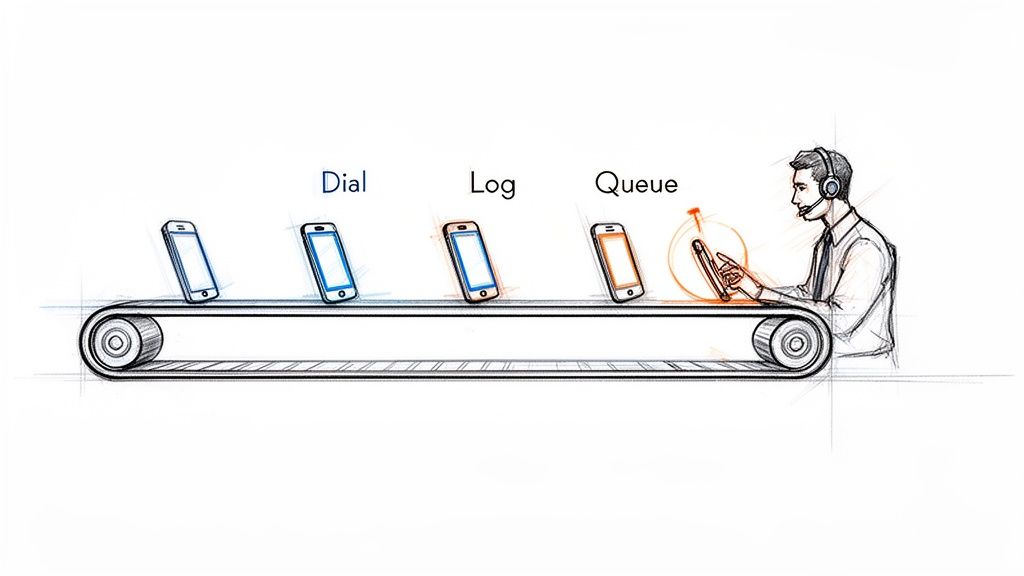
Automated caller software essentially creates an assembly line for your sales calls. It takes over all those tedious, non-revenue-generating tasks. This frees up your Sales Development Representatives (SDRs) to pour all their energy into what they were hired to do: have high-quality conversations that turn into real opportunities.
The difference between a manual workflow and an automated one isn't just small; it's a completely different ballgame. Manual dialing is slow, reactive, and just plain inefficient. Your reps end up spending more time on admin work than they do actually talking to people. An automated workflow, on the other hand, is proactive and built for one thing: activity.
An automated caller turns an SDR's day from a disjointed mess of manual tasks into a smooth, continuous flow of productive conversations. It's the difference between hand-crafting every call and running an efficient production line.
Let's get practical and see what this looks like in the real world. Here’s a quick breakdown of how a day in the life changes for an SDR.
Manual Dialing vs. Automated Calling: A Quick Comparison
The table below breaks down the daily workflow differences between an SDR using traditional manual methods and one empowered by automated caller software.
Activity
Manual Dialing Workflow
Automated Caller Workflow
Call Execution
Finds contact, manually clicks, waits for the phone to connect.
Clicks one button to start a power dialing session from a list.
Idle Time
Sits through voicemails, busy signals, and wrong numbers.
Software intelligently skips bad numbers and voicemails for you.
Data Entry
Constantly switches tabs to the CRM to log call outcomes and notes.
Call results, notes, and duration are logged instantly and automatically.
Next Call Prep
Hunts around for the next prospect to call, creating dead air.
The next call is immediately queued up and ready to go.
This isn't just a "nice-to-have" shift; it’s a fundamental change in how sales teams operate, and it's driving massive market growth. The global predictive dialer software market, a key piece of automated caller software, hit USD 3.20 billion in 2024. Even more impressive, it's projected to grow at a staggering 42.3% CAGR from 2025 to 2030. That tells you just how critical this tech has become.
With features like predictive dialing, reps can spend up to 90% more time actually talking to prospects, which can boost connect rates by 300-400%. If you want to dive deeper, you can explore the full research on predictive dialer market growth and see the impact for yourself.
The real difference between a basic dialer and a true automated caller software comes down to its core features. These aren't just boxes to check on a comparison sheet; they're the engine that removes the daily friction for your sales reps and directly leads to more meetings. Knowing how they work—and, more importantly, when to use them—is how you unlock your team's true potential.
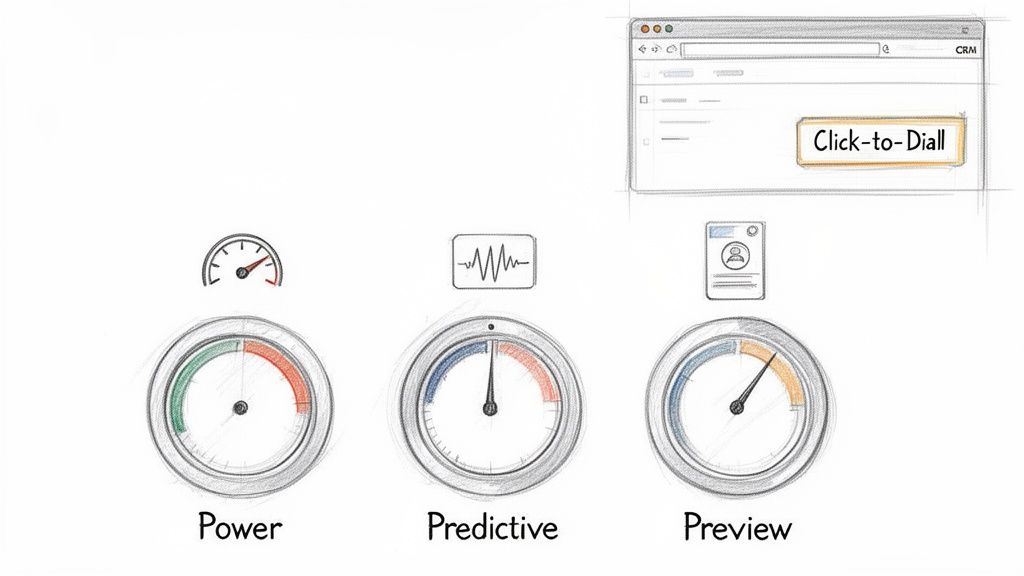
It all starts with the most fundamental feature: Click-to-Dial. This simple function turns your CRM from a passive address book into an active command center. No more fumbling with copy-pasting numbers. Reps just click a button on a contact record, and the call starts. Those few seconds saved on every single dial add up to hours of productive time each week.
Beyond just clicking, modern software gives reps different dialing modes, each built for a specific kind of sales motion. Picking the right one is like a carpenter choosing between a sledgehammer and a finishing hammer—using the wrong tool for the job just creates more work. Each mode strikes a different balance between raw speed and thoughtful preparation.
A solid automated caller, like marketbetter.ai, puts these options right at the user's fingertips. This lets reps switch up their approach on the fly, matching their dialing strategy to the call list they're working.
Here’s a practical comparison of the most common dialing modes:
Power Dialer (Best for high volume): This is your workhorse. It dials one number at a time from a list, instantly moving to the next if a line is busy or goes to voicemail. Actionable Tip: Use this mode for cold outreach campaigns to maximize dials per hour when reps are following a consistent script.
Predictive Dialer (Best for maximum efficiency in large teams): This mode uses algorithms to dial multiple numbers simultaneously, only connecting a rep when a live person answers. Comparison: While a Power Dialer ensures a rep is always ready for the next call, a Predictive Dialer ensures a live conversation is always ready for the next rep, nearly eliminating all idle time.
Preview Dialer (Best for strategic, high-value calls): It presents contact information before dialing, giving the rep time to review notes and personalize their approach. Actionable Tip: Use this for follow-up calls with warm leads or when targeting key accounts where context and research are critical for success.
Let’s be honest, the feature that has the biggest impact on both reps and their managers is automated call logging and dispositions. Manually typing call notes, outcomes, and activities into the CRM is the bane of every sales floor. It’s a massive time-suck and the number one reason CRM data becomes a complete mess.
When call logging is automated, reps are freed from the administrative burden that pulls them away from selling. For leadership, this automation provides a clean, accurate dataset that makes forecasting and coaching reliable.
This one capability fixes two huge, persistent problems in one go. First, it gives precious time back to your SDRs, letting them jump straight to the next call without getting bogged down in post-call admin tasks. Second, it guarantees that every single dial, connection, and conversation outcome is logged accurately in your CRM. You finally get a foundation of clean data that sales leaders can actually trust for coaching, performance reviews, and strategic planning.
The real magic of an automated caller isn't just dialing faster—it's about making the entire sales motion feel effortless. The single most important factor here is a native integration with your CRM, whether it’s Salesforce or HubSpot. This means the dialer isn’t some clunky plugin or a separate browser tab; it lives and breathes directly inside the system where your reps already work.
Think about using Google Maps on your phone versus a paper map in the glove compartment. One is part of your journey, updating and guiding you in real-time. The other forces you to pull over, lose momentum, and mentally stitch together two different experiences. That disconnect is exactly what kills sales productivity.
The holy grail is a "single pane of glass" workflow. Reps should be able to research a prospect, launch a call, log notes, and book the next step without ever having to leave their CRM screen. This is how you eliminate the friction that makes reps hate logging their activities.
When everything happens in one spot, adoption goes through the roof. Reps aren't fighting their tools anymore; the tools are actually helping them. For leadership, this is a massive win. Every single call, email, and note gets logged automatically and accurately, giving you clean data you can finally trust for forecasting and coaching.
A native dialer doesn't just sit on top of your CRM—it turns it from a passive database into an active command center. It makes the easiest path for a rep the one that also creates perfect data for the business.
The difference between a truly native tool and a separate system is night and day. Let's break down why it matters so much.
Aspect
Native CRM Integration
Disjointed/Separate System
Rep Workflow
Lives in a single screen, keeping focus and momentum high.
Forces constant tab-switching, killing context and flow.
Data Accuracy
Every call and outcome is logged to the right record, instantly.
Depends on manual entry, which means errors and missing data.
Adoption Rate
High. It simplifies the existing workflow, reps love it.
Low. It’s just another tool to learn and another annoying step.
Data Silos
Eliminates them. All activity lives in one central truth source.
Creates them. You never get a complete picture of what's happening.
This tight integration is a huge reason why the contact center software market is exploding. Valued at USD 49.64 billion in 2024, it's expected to hit a staggering USD 400.19 billion by 2035. The demand is driven by teams that need automation to actually drive productivity, not just create more busywork. We see it with our own customers—reps using deeply integrated tools log 90% cleaner activity data.
Let's be honest. Buying automated caller software isn’t about collecting shiny new features. It's about getting real business results. Every click, every dialer mode, and every integration needs to tie directly back to a Key Performance Indicator (KPI) that your sales leaders actually care about.
The real magic happens when you can draw a straight line from a software function to a metric on a dashboard. It’s the difference between saying, “We need a power dialer,” and saying, “We need to boost our Dials per Rep per Day by 40%, and this is the tool that will do it.” That’s how you build a rock-solid business case.
Not all features are created equal; each one is built to move the needle on a specific part of the sales process. A power dialer, for instance, is a pure activity engine. It demolishes the dead time between calls, which directly pumps up the raw number of dials an SDR can make.
On the other hand, things like AI-assisted talk tracks or instant access to prospect history are all about conversion rates. They give reps the right ammo at the right time, which has a massive impact on the Connect-to-Meeting Booked Rate. The goal shifts from just making more calls to having more successful conversations.
Think of automated logging as the unsung hero. It almost single-handedly cleans up your CRM Data Accuracy, which is the bedrock for every forecast, performance review, and strategic pivot your leadership team needs to make.
To really see how this works, let's map some core features directly to the metrics they're designed to improve.
Mapping Software Features to SDR Performance Metrics
The table below breaks down exactly how specific tool capabilities translate into better performance, giving you a clear picture of the return on your investment.
Software Feature
Primary KPI Impacted
How It Improves the Metric
Power & Predictive Dialing
Dials per Rep per Day
Slashes idle time by automating the dialing process and skipping voicemails, letting reps pack more calls into every hour.
AI Talk Tracks & Call Prep
Connect-to-Meeting Rate
Feeds reps the best talking points and objection-handling tactics in real time, boosting confidence and conversation quality.
Automated Call Logging
CRM Data Accuracy
Eliminates manual data entry by instantly saving every call outcome, note, and duration, which creates a single source of truth.
As you can see, the connection is direct and measurable. Each feature serves a distinct purpose in making the sales motion faster, smarter, and more efficient.
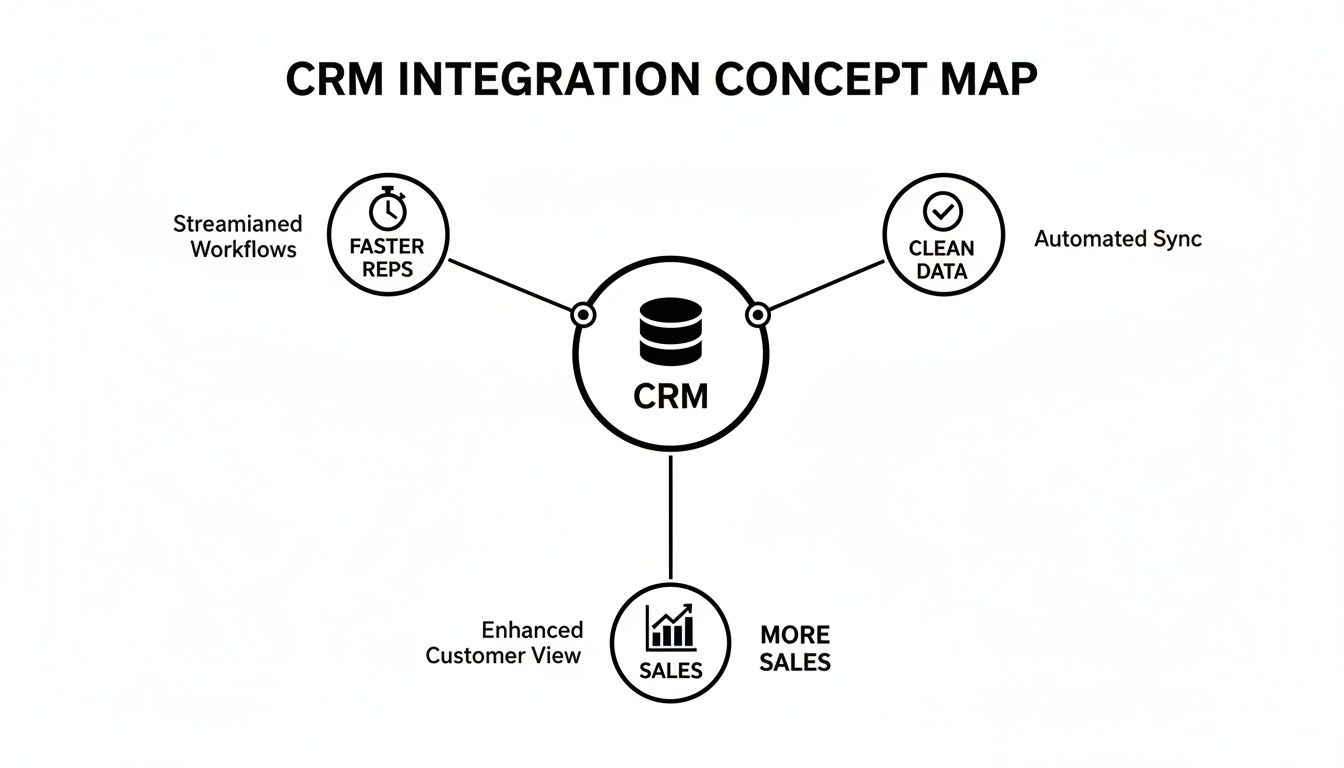
A deep, native CRM integration acts like a force multiplier for every other feature. It’s the glue that holds everything together, driving speed, data quality, and—most importantly—more closed deals.
This map nails it: a CRM that’s properly connected to your calling software creates a frictionless world for your reps. They stay in one system, move faster, and stop polluting your database with manual errors. For a deeper dive into the numbers that matter most, check out our complete guide on the essential KPIs for lead generation.
How to Choose the Right Automated Caller Software
Picking the right automated caller software can feel overwhelming. You're drowning in a sea of features, promises, and buzzwords. But here’s the secret: the best tool isn't the one with the longest feature list. It's the one your team actually wants to use every single day.
The goal isn't to find software that forces your reps into a clunky new process. It's to find a tool that melts right into their existing workflow, making their job simpler, not more complicated.
The market for these tools is exploding for one simple reason: they work. The call center software industry was valued at USD 16.2 billion in 2025 and is on track to more than double to USD 34.99 billion by 2035. What’s driving this? A massive 65% efficiency boost thanks to AI-powered automation. We're talking about shrinking new SDR ramp time from weeks down to just a few days. You can discover more insights about call center software growth on businessresearchinsights.com.
A great tool doesn’t just make your reps faster; it makes them better, sooner.
A powerful dialer collecting digital dust is completely worthless. User experience is everything. If a brand-new hire can’t master the tool in under an hour, it's too complicated. Any software that requires weeks of training will absolutely torpedo your team's momentum.
The single most important question you can ask is: "Does this tool make my rep's job easier?" If the answer is anything but a resounding "yes," walk away. The software should remove friction, not add it.
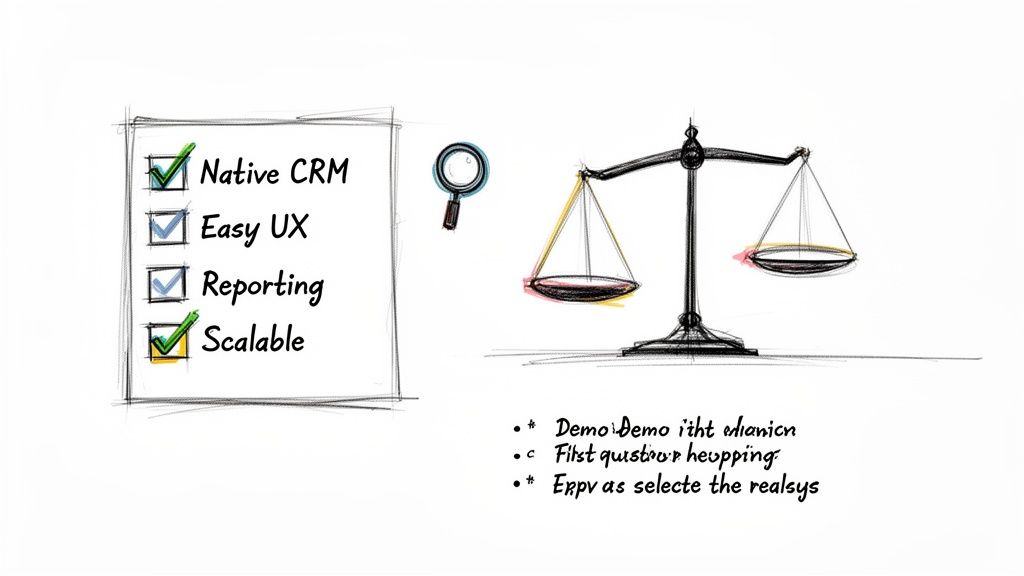
Before you even think about signing a contract, build a vendor evaluation checklist that focuses on what actually matters to your team. This will help you slice through the marketing fluff and compare solutions based on their real-world impact. For a deeper dive, check out our guide on the best sales dialers for SDR teams.
Use these questions as your guide during product demos. They’ll help you figure out which automated caller software truly fits your team's needs.
CRM Integration Depth: Does the tool live inside your CRM (like Salesforce or HubSpot), or is it just a clunky plugin that opens yet another browser tab? Actionable test: Ask the vendor for a live demo where a rep builds a call list, executes calls, and logs outcomes without ever leaving the CRM window.
Ease of Use: Could a new SDR, on their very first day, start making productive calls? Actionable test: During the demo, ask to see the onboarding workflow. If it takes more than 5 clicks to get a new user set up and dialing, it’s too complex.
Reporting and Visibility: As a manager, can you instantly see core metrics like dials per rep, connect rates, and conversation outcomes? Actionable test: Request to see the manager's dashboard. Is it a pre-built, intuitive view of key KPIs, or do you have to export data and build your own pivot tables?
Scalability: Will this platform grow with you? Make sure it can handle more users, higher call volumes, and more sophisticated workflows as your team and ambitions expand.
When you're thinking about adding a new tool to your sales stack, especially something that changes the daily grind like an automated caller, questions are going to pop up. Sales leaders need to know they’re making a smart move that actually helps their team sell, not just another piece of software to learn and forget.
Let's tackle some of the most common questions and hesitations I hear all the time. These aren't just hypotheticals; they're the real-world concerns that come up in sales meetings every single day.
"We Already Have a Sales Engagement Platform. Isn't That Enough?"
This is the big one. It's probably the most common question I get, and it’s a good one. Most sales engagement platforms (SEPs) do have a dialer, but it’s usually treated like an afterthought—a feature tacked on, not the main event. That distinction makes all the difference in a rep's day-to-day workflow.
SEP dialers almost always force your reps into another browser tab. It’s a clunky, disjointed experience that pulls them out of their main workspace: the CRM. In stark contrast, a dedicated, native automated caller software is built to be an execution layer that lives right inside your CRM. That means no more context switching—a notorious productivity killer—and every single call gets logged perfectly without anyone having to think about it.
Think of it this way: your SEP is the symphony conductor, orchestrating the whole multi-channel campaign (email, social, calls). A native dialer is the first-chair violin, absolutely perfecting the most crucial part of the performance—the live conversation.
They might look similar on the surface, but one manages the sequence while the other absolutely nails the high-impact moments.
"Will This Just Lead to Spammy, Low-Quality Calls?"
This is a totally valid concern, and it comes from the bad reputation of old-school, burn-and-churn auto-dialers. But modern automated callers are built for smart efficiency, not just raw speed. The whole point is to help reps make better calls, not just blast out more of them.
The best tools are designed to kill low-quality outreach by building call prep directly into the workflow.
Context at a Glance: Before the number is even dialed, the software can pop up critical info like the prospect’s recent activity, past conversations, or a quick link to their LinkedIn.
AI-Powered Talking Points: Modern systems can even suggest a great opening line, key value props, or answers to common objections, all based on the persona they're calling.
Intelligent Pacing: With modes like Preview Dial, reps get a moment to breathe and collect their thoughts before the dial, making sure they’re ready to go.
This blend of automated speed and smart preparation means you get more conversations that are actually more relevant. The result? Your connect-to-meeting rates actually go up.
This is a huge one. The complexity of getting a new tool running can be a deal-breaker. Some of those bloated, all-in-one platforms can take weeks, even months, to set up right. They chew up RevOps time and bring your team’s momentum to a halt.
But a purpose-built, native tool that’s laser-focused on the calling workflow can be shockingly simple. A platform like marketbetter.ai, for instance, can often be up and running in a single afternoon. The trick is to roll it out in phases to get quick wins.
Start Simple: First, just turn on the basics like click-to-dial and automatic call logging. Your reps will immediately feel the lift.
Build Momentum: Once the team loves it, introduce the more powerful features like different dialing modes or the AI call prep.
Optimize: Now that clean data is flowing into your CRM, you can use it to fine-tune talk tracks and spot coaching opportunities.
This methodical approach gets rid of the friction, builds trust with your reps, and makes sure the tool actually gets used.
This is where a native automated caller software delivers its biggest ROI, hands down. It solves a deeply human problem: reps hate manual data entry. They're wired to sell, not to be administrators. When logging calls is a manual task, it’s always going to be inconsistent, incomplete, or just plain forgotten.
An automated caller that’s deeply plugged into your CRM just makes the problem disappear.
Every Dial is Tracked: Every single attempt is logged.
Connections are Recorded: Every conversation is captured along with its duration.
Outcomes are Stored: Dispositions are logged to the right contact record the second the call ends.
All of this happens in the background without the rep doing a thing. This creates a squeaky-clean dataset that leaders can finally trust for accurate forecasting and real-world coaching. It turns your CRM from a messy closet into a strategic weapon.
Ready to see how an execution-first tool can boost your team's activity and clean up your CRM data? Explore marketbetter.ai to discover a smarter way to manage your outbound sales motion. Learn more about our AI-Powered SDR Task Engine.
Here's the reality of cold calling in 2026: the call itself is maybe 20% of the work. The other 80% is everything that wraps around it — researching the prospect, prepping talking points, logging notes, updating the CRM, drafting follow-up emails, and figuring out who to call next.
That 80% is exactly what AI should be doing.
OpenClaw is an AI coding and automation agent that can handle tasks like web research, data processing, CRM updates, and content generation autonomously. MarketBetter's smart dialer prioritizes calls based on buying signals and gives SDRs a streamlined calling workflow.
Put them together, and you get something powerful: the AI SDR co-pilot. The human makes the call. AI does everything around it.
This guide shows you exactly how to set up that workflow.
Ask any SDR how they spend their day. The answer is usually something like:
30 minutes researching prospects before calls (LinkedIn, company website, recent news)
15 minutes writing notes after each call
20 minutes updating CRM fields and deal stages
25 minutes drafting follow-up emails
10 minutes figuring out who to call next
60 minutes actually on the phone
That's 100 minutes of admin work for every 60 minutes of actual selling. And most of the admin work follows a predictable pattern — which means it can be automated.
MarketBetter's smart dialer already solves the "who to call next" problem by prioritizing leads based on buying signals and website visitor activity. OpenClaw can handle the rest: pre-call research, post-call processing, and follow-up automation.
Before each call, the SDR opens LinkedIn, the prospect's company website, Crunchbase, and recent Google News results. They scan for talking points: recent funding, product launches, job postings, industry trends. This takes 5–10 minutes per prospect.
Job postings — What roles they're hiring for (reveals priorities and pain points)
Tech stack — What tools they use (via public data sources)
MarketBetter signals — Which pages they visited, how many times, what content they engaged with
Step 3: Generate the briefing
OpenClaw synthesizes everything into a one-page brief:
═══════════════════════════════════════
PROSPECT BRIEFING: Sarah Chen, VP Sales
Acme Software | Series B | 150 employees
═══════════════════════════════════════

🏢 COMPANY SNAPSHOT
- Cloud-based project management for construction
- Raised $28M Series B (Nov 2025)
- Hiring: 3 SDRs, 1 Sales Manager, 2 AEs
- Tech stack: Salesforce, Outreach, Gong

📊 BUYING SIGNALS (MarketBetter)
- Visited pricing page 3x this week
- Downloaded "AI Sales Tools" whitepaper
- Viewed case study: "Mid-Market SaaS"

🎯 TALKING POINTS
1. They're scaling sales team (3 SDR openings) —
   ask about current prospecting workflow pain
2. Series B = growth pressure, need pipeline efficiency
3. Using Outreach but visited our dialer page —
   possible dissatisfaction with current stack
4. Construction vertical = long sales cycles,
   reference how AI helps prioritize

⚠️ WATCH OUT
- Competitor Warmly listed on their careers page
  as current vendor
- CEO posted about "tool consolidation" on LinkedIn
  last week — lean into all-in-one angle

📝 SUGGESTED OPENER
"Sarah, I noticed Acme is scaling the sales team —
congrats on the Series B. Quick question: as you're
adding SDRs, how are you thinking about the tools
they'll use for prospecting?"
═══════════════════════════════════════
This briefing appears before the SDR even picks up the phone. What used to take 10 minutes of manual research is now automatic.
While the SDR is on the phone, OpenClaw can provide real-time support by monitoring the conversation context and surfacing relevant information.
Objection handling: If the prospect mentions a competitor, OpenClaw can instantly pull up comparison points and differentiators. If they mention a specific pain point, it can surface relevant case studies or data points.
Dynamic talking points: Based on what the prospect says (captured through MarketBetter's call recording), OpenClaw can suggest follow-up questions or pivot points. "They mentioned struggling with data quality — ask about their current enrichment process."
Pricing and packaging: If the call moves toward commercial discussion, OpenClaw can pull up the relevant pricing tier, suggest appropriate packages based on company size, and flag any existing discount policies.
This isn't science fiction — it's a natural extension of the AI sales co-pilot concept that teams are already building with OpenClaw.
After each call, the SDR opens their CRM, tries to remember everything discussed, types fragmented notes, updates deal stages, and flags next steps. This takes 10–15 minutes. By the fifth call of the day, the notes are getting sparse.
MarketBetter records every call. After the call ends, OpenClaw processes the recording and generates:
Structured call summary:
CALL SUMMARY: Sarah Chen, Acme Software
Date: Feb 14, 2026 | Duration: 12:34
Outcome: Interested — Demo scheduled

KEY DISCUSSION POINTS:
• Currently using Outreach + ZoomInfo + manual research
• Pain: SDRs spending 2hrs/day on research, not calling
• Interested in smart dialer + visitor ID combo
• Budget: Reports to CRO, has discretionary budget for tools
• Timeline: Evaluating in Q1, decision by end of March

OBJECTIONS RAISED:
• "We just renewed Outreach for another year"
  → Discussed complementary positioning, not replacement
• "How is this different from Warmly?"
  → Covered dialer + email + full platform vs chatbot

NEXT STEPS:
1. Demo scheduled: Feb 19, 2026 at 2:00 PM CT
2. Send case study: Mid-market SaaS (similar company size)
3. Loop in CRO (James Liu) for demo
4. Send pricing for Growth tier (150 employees)

SENTIMENT: Positive — strong pain match,
active evaluation window
CRM update fields:
Deal stage: Demo Scheduled
Next activity: Demo — Feb 19
Lead score: Hot
Competitors mentioned: Outreach, Warmly, ZoomInfo
Decision timeline: Q1 2026
Champion: Sarah Chen (VP Sales)
Economic buyer: James Liu (CRO)
All of this happens automatically within minutes of hanging up.
Updated job title or role (if corrected during call)
Deal/opportunity record:
Stage progression
Updated close date based on stated timeline
Amount (if discussed)
Competitors in the deal
Key stakeholders identified
Company record:
Updated employee count (if mentioned)
Technology stack updates
Budget cycle information
Key initiatives or projects mentioned
Task creation:
Follow-up email (drafted and queued — see Workflow 5)
Demo prep tasks
Internal handoff notifications
Calendar holds for next meetings
This integrates directly with HubSpot CRM automation workflows that many teams are already running with OpenClaw. The dialer context just makes the updates richer and more accurate.
SDR finishes a call, switches to email, tries to remember the key points, writes a generic follow-up, attaches some standard collateral, and hits send. Time: 10–15 minutes per email. Quality: mediocre.
Within minutes of the call ending, OpenClaw drafts a personalized follow-up email based on the actual conversation:
Subject: Acme × MarketBetter — Demo Details + Case Study

Hi Sarah,

Great speaking with you today. I appreciate you walking me
through how the team is currently handling prospecting —
the 2 hours/day of manual research is exactly the problem
we built MarketBetter to solve.

As promised, here's what I'm sending over:

1. Demo confirmation: Feb 19 at 2:00 PM CT. I'll send a
   calendar invite shortly. Would it make sense to include
   James as well?

2. Case study: Attached is the mid-market SaaS case study
   we discussed — similar team size to Acme, and they saw
   a 3x increase in connected calls within the first month.

3. Quick comparison: Since you mentioned evaluating alongside
   Warmly, here's a brief overview of how we differ —
   particularly around the smart dialer and full-platform
   approach vs. chatbot-only.

Looking forward to showing you the platform on the 19th.
In the meantime, feel free to reply with any questions or
if James has specific areas he'd like us to cover.

Best,
[SDR Name]
The SDR reviews, tweaks if needed, and sends. Total time: 2 minutes instead of 15.
Setting Up the OpenClaw + MarketBetter Integration
Here's a practical overview of how to connect these systems:
OpenClaw can interact with HubSpot, Salesforce, and other CRMs via their APIs. Set up the connection so OpenClaw can read and write contact, company, and deal records. If you need a walkthrough, see the OpenClaw HubSpot CRM automation guide.
Give OpenClaw your email templates and brand guidelines so follow-ups match your tone. The AI adapts the template based on call content, but stays within your brand voice.
Start with 2–3 SDRs. Run the workflow for a week. Gather feedback on briefing quality, summary accuracy, and email draft usefulness. Iterate before rolling out to the full team.
Teams running this OpenClaw + MarketBetter workflow typically report:
40–60% reduction in admin time per SDR per day
More calls per day — when you eliminate 90 minutes of research and admin, those minutes become call time
Better call quality — SDRs go into every call prepared, with relevant talking points and prospect context
Faster follow-ups — follow-up emails go out within minutes of the call, not hours
Cleaner CRM data — automated updates are more consistent and detailed than manual entries
Better coaching data — structured call summaries give managers visibility into what's happening on calls without listening to every recording
The math is simple. If an SDR currently makes 40 calls/day and spends 2 hours on admin, cutting admin time in half gives them an extra hour for calls. That's 15–20 more dials per day. Over a month, that's 300–400 additional conversations. Even at a modest connect rate, that's a meaningful pipeline impact.
This isn't about replacing SDRs with AI. It's about giving every SDR a co-pilot that handles the work humans shouldn't be doing.
The best analogy: a surgeon doesn't prep the operating room, sterilize the instruments, or write the post-op notes. A team handles all of that so the surgeon can focus on the procedure — the part that requires human skill and judgment.
Cold calling works the same way. The call itself — reading the prospect's tone, adapting the pitch, handling objections, building rapport — is a deeply human skill. Everything around it is logistics. AI handles logistics beautifully.
OpenClaw is the prep team. MarketBetter's smart dialer is the operating room. The SDR is the surgeon.
Free Tool
Try our AI Lead Generator — find verified LinkedIn leads for any company instantly. No signup required.
Configure the pre-call briefing — Define your research sources and briefing format
Enable post-call processing — Connect to MarketBetter's call recordings
Start with one SDR — Validate the workflow, then scale
If you're not yet using MarketBetter, book a demo to see the smart dialer in action. We'll show you how the buying signal prioritization works and how the full platform — chatbot, dialer, email, playbook — creates a unified SDR workflow.
The future of cold calling isn't more calls. It's smarter calls, with AI handling everything except the conversation itself.
Most sales teams treat video as an add-on — something they throw into their outreach occasionally when they have time. The result? Inconsistent usage, sporadic results, and the eventual conclusion that "video doesn't work for us."
Let's cut through the noise. When you hear "AI sales assistant," don't picture a robot replacing your top SDR. It's not about that. The reality is much more practical—and a lot more powerful.
What Are AI Sales Assistants and Why Do They Matter Right Now?
Think of an AI sales assistant as an execution engine that lives right inside your CRM, whether that's Salesforce or HubSpot. Its job is brutally simple: take all the data, buyer signals, and noise, and turn it into a clear, prioritized list of actions for your reps. It’s the co-pilot that handles the grunt work so your sellers can focus on selling.
This isn't just another nice-to-have tool. It's become essential. Your SDRs are probably drowning in admin tasks—logging calls, researching prospects on LinkedIn, and just trying to figure out who to contact next. The AI assistant slices right through that chaos.
To make this actionable, let's compare a standard CRM to one enhanced with an AI assistant.
A standard CRM, on its own, is like a map. It shows you all the possible leads, but it doesn't tell you the best route to your destination (hitting quota). An AI sales assistant acts like a GPS for that map. It does a few critical things:
Analyzes real-time traffic: It monitors buyer signals like website visits, content downloads, or email opens.
Finds the fastest route: It prioritizes the leads most likely to convert right now, showing you the most efficient path to a closed deal.
Warns you about dead ends: It helps de-prioritize unresponsive or disqualified leads so reps don't waste time.
Gives you turn-by-turn directions: It serves up the "next best action" for your rep, removing all guesswork.
This shift from a passive database to an active guide is what eliminates the wasted time that plagues most sales floors.
The explosion of these tools isn't a random trend. It's a direct answer to a sales world that can't afford to have expensive sellers buried in manual data entry. We need smarter, more efficient workflows, and that need is driving insane growth. The market for this software is set to jump from USD 3.46 billion in 2026 to a wild USD 20.5 billion by 2035.
This isn't just hype. Modern AI can finally deliver on its promises inside the messy reality of B2B sales. If you want to dig deeper into the "why now," this podcast on why AI could replace your sales team is worth a listen, as it unpacks how these roles are fundamentally changing.
The real magic of an AI sales assistant isn't just automation. It’s prioritization at scale. It makes sure every single action a rep takes is the most strategic one they could be taking at that exact moment—based on data, not just a gut feeling.
At the end of the day, these assistants are about making your human talent better. By taking over the repetitive, soul-crushing tasks, they free up your SDRs to do what they were hired for: building relationships, having real conversations, and closing deals. And that's how you build a high-performing sales team today. Learn more about how to apply AI for sales prospecting in our deep-dive guide.
Comparing AI Sales Assistants to Your Existing Sales Tools
Your sales stack is probably crowded. With so many tools promising to boost productivity, it’s fair to ask where another one could possibly fit. Is an AI sales assistant just a fancier email writer? Or another flavor of your sales engagement platform?
The short answer is no. It fills a very specific—and very important—gap that other tools simply weren't built to address.
The key difference is that a true AI sales assistant is execution-focused and CRM-native. It isn't another tab your reps have to open. Instead, it lives right inside Salesforce or HubSpot to turn buyer signals into immediate, actionable tasks. That subtle shift, from a separate app to an embedded co-pilot, completely changes how your SDRs work.
This map gives you a good visual of how it all connects.
As you can see, the assistant’s whole job is to automate the grunt work, surface the next best action, and deliver insights without making the rep leave their main workspace.
Let's break down how this is different from the tools you're already using.
Plenty of sales teams use AI tools like HubSpot's Breeze Assistant to draft email copy. These are great for getting past writer's block or quickly spinning up a first draft. But at their core, they're content creation tools.
An AI email writer helps you answer the question, "What should I write?"
An AI sales assistant answers a much bigger question: "Who should I contact right now, why should I contact them, and what's the fastest way to get it done?"
Actionable Comparison: An AI writer can help you polish a follow-up email. By contrast, an AI sales assistant sees that a key prospect just hit your pricing page, automatically creates a "High-Priority Follow-Up" task in your CRM, drafts a smart email that references their visit, and queues it up for your rep to send with a single click. No context switching, just action.
Sales Engagement Platforms (SEPs) like Salesloft or Outreach are absolute beasts for managing large-scale outbound sequences. They’re designed for structured, multi-step campaigns and are fantastic for casting a wide net.
But their focus is on the pre-planned sequence, not on reacting to new buyer signals in real time. Reps end up living inside the SEP, which often leads to annoying data sync issues and a workflow that feels disconnected from your CRM—the actual system of record.
An AI sales assistant doesn't replace your SEP; it makes it smarter. It acts as the intelligent front-end that tells your sequences who to engage right now, ensuring reps strike at the moment of peak interest.
Standalone dialers are built to do one thing: make a ton of calls, fast. They excel at that. Their biggest limitation, however, is that they're isolated. They’re another app, another login, and another place where reps have to manually log call notes and outcomes back into the CRM. All that friction leads to messy data and wasted time.
An AI sales assistant with a CRM-native dialer completely eliminates this problem. The dialer is just part of the workflow. A rep sees a prioritized task, clicks to call directly from the contact record, and the assistant automatically logs the call, outcome, and notes. No more app-switching.
To make these differences crystal clear, here’s a quick comparison of how these tools stack up.
Often a separate tool or feature within a larger platform.
Lacks context-driven task prioritization and seamless CRM execution.
Sales Engagement Platform (SEP)
Manages and automates pre-built outreach sequences.
A separate platform that syncs with the CRM, but reps work within the SEP UI.
Relies on static sequences rather than dynamic, real-time buyer signals.
Standalone Dialer
Facilitates high-volume calling.
A separate application requiring manual data transfer back to the CRM.
Creates workflow friction and leads to inconsistent activity logging.
AI Sales Assistant
Prioritizes tasks and assists with execution.
CRM-native, embedding tasks, email, and calling directly into Salesforce or HubSpot.
Unifies the workflow, eliminates app-switching, and ensures perfect data hygiene.
When you look at it this way, you can see that AI sales assistants aren't here to replace your stack. They're here to provide the intelligent execution layer it's been missing, finally connecting the dots between your data, your tools, and your reps' daily actions.
The Core Capabilities That Supercharge SDR Productivity
So, beyond the buzzwords, what does an AI sales assistant actually do to make a sales development representative (SDR) more effective? The real magic isn't in one killer feature. It's how a few core capabilities work together to take the friction and guesswork out of an SDR's day, freeing them up to have more, better conversations.
Think about the typical salesperson's day. It's a mess of non-selling activity. One recent analysis found that reps spend just 25% of their time actually selling. The other 75% gets eaten up by manual data entry, prospect research, and logging notes in the CRM.
This is exactly where AI assistants step in. They can automate up to 65% of that administrative slog and cut the time spent on manual work by 40%. The result? Teams often see a 25% jump in sales productivity and find 25-35% more qualified leads.
The single biggest time-waster for most SDRs is staring at a long list of leads and asking, "Okay, what now?" They scroll through their CRM, check their inbox for replies, and try to stitch together a plan for the day. It's inefficient and riddled with missed opportunities.
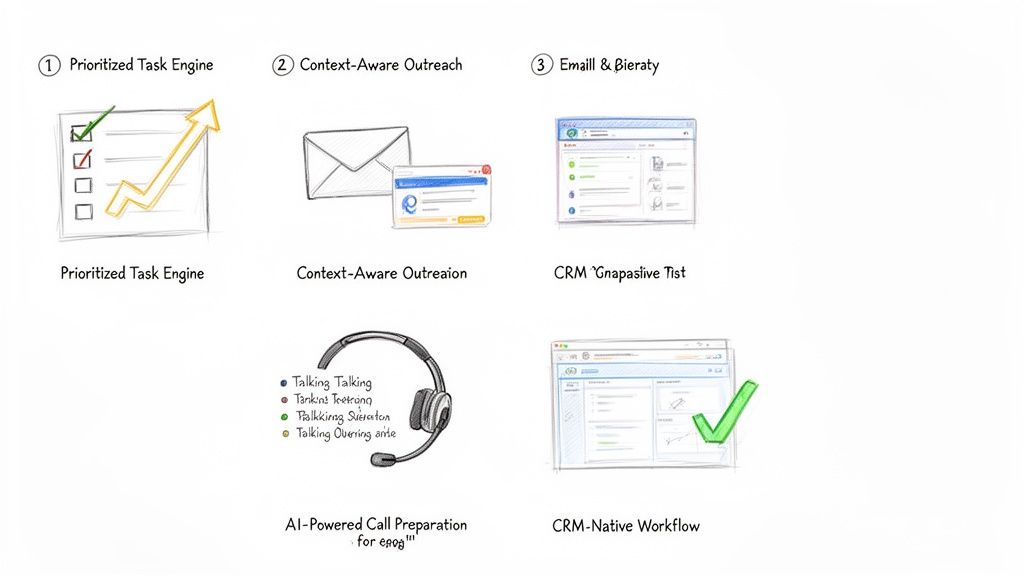
A core feature of any modern AI sales assistant is a prioritized task engine. This isn't just another to-do list. It's a dynamic, living queue that pulls in buyer signals from all over the place—website visits, content downloads, CRM data, and third-party intent signals—to automatically build and rank the next best actions.
Pain Point Solved: It kills indecision and "analysis paralysis."
Actionable Example: Instead of a generic list of 100 leads to call, the AI surfaces a single task: "Call Jane Doe at Acme Corp. She just viewed the pricing page for the second time this week." The rep knows exactly who to call, why, and has the context to open the conversation with confidence.
An engine like this transforms your CRM from a passive library of data into an active coaching tool. It serves up the "next best action" based on what's happening right now, making sure reps are always focused on the accounts most likely to engage.
The real power here is the blend of clarity and context. The rep doesn't just see the "what" (call or email); they see the "why" (the buyer just did something important). That's what allows them to act decisively.
We all know it: generic, templated emails go straight to the trash. Real outreach needs to be relevant. But who has time to write dozens of highly personalized messages every single day? It's a massive time sink.
AI sales assistants fix this with context-aware AI outreach. The system connects directly to your CRM and pulls in key details—the prospect’s title, their industry, recent activities, or past account history—to draft hyper-relevant emails and call scripts on the fly. It's not just generating random copy; it's using your own data to make the message land.
Pain Point Solved: It crushes writer's block and the temptation to blast out generic messages.
Actionable Example: Let's say the prospect is in manufacturing. The AI drafts an email that references a common challenge for plant managers, pulls in a link to a relevant case study, and suggests a specific, pointed call to action. The SDR just has to give it a quick review, maybe add a personal touch, and hit send.
Nothing kills a cold call faster than a rep who sounds like they're winging it. Fumbling for information or getting stumped by a basic objection destroys credibility in seconds. This is why the best platforms now include AI-powered call preparation.
Before a rep even picks up the phone, the assistant generates a quick, scannable brief. It includes key talking points, likely objections with suggested responses, and the latest company news or LinkedIn activity. If you want to go deeper on this, we've covered how to streamline your workflow with AI sales call prep automation in another guide. This feature turns what used to be a 15-minute research task into a 30-second review.
Finally, and this might be the most important part, is the CRM-native workflow. Too many sales tools force reps to live in a nightmare of open tabs: the CRM, the dialer, their email client, a research window. Every time they switch contexts, they lose a little focus and momentum. Worse, data gets lost along the way.
An AI sales assistant that lives inside your CRM—whether that's Salesforce or HubSpot—keeps reps in one place. They can click-to-call, send an AI-drafted email, and log every touchpoint without ever leaving the contact record. This simple change ensures every single activity is captured perfectly, which gives sales leaders a crystal-clear picture of what's working and keeps the CRM the undisputed source of truth.
A Practical Guide to Implementing an AI Sales Assistant
Bringing new tech into the sales floor can feel like open-heart surgery. Productivity is on the line, reps are skeptical, and nobody has time for a three-month science project. But rolling out an AI sales assistant isn't like that. It’s less of a massive overhaul and more like giving your team a cheat sheet.
The key is to aim for quick, noticeable wins. We're not talking about a "rip and replace" of your CRM. This is about adding a layer of intelligence right on top of what you already use, making your SDRs smarter and faster from day one. A good rollout plan cuts through the noise and gets your team productive, fast.
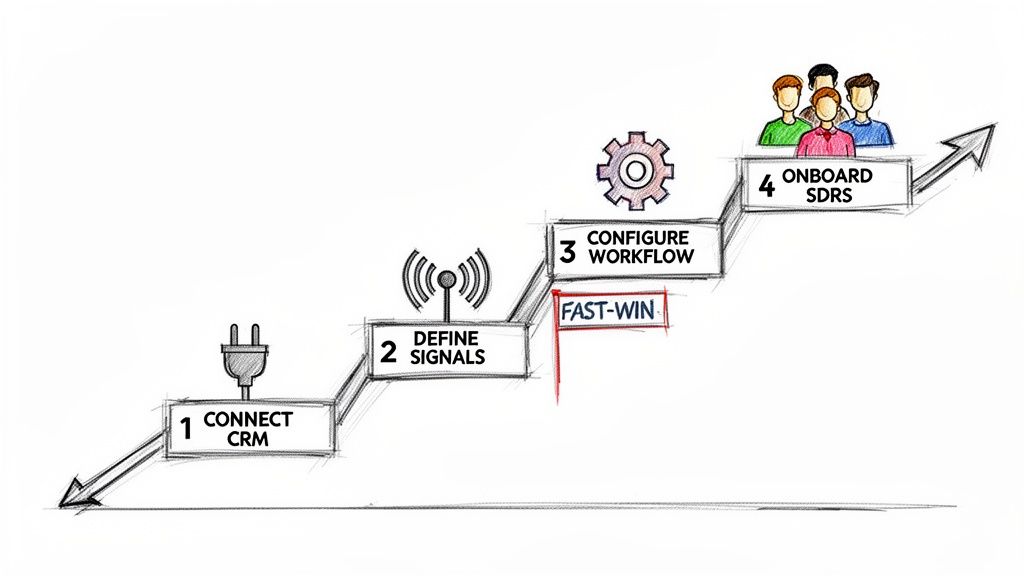
Here’s a simple, four-step playbook to get it done right.
Everything starts here. An AI sales assistant is only as good as the data it can access, which means it needs a solid, secure connection to your CRM—whether that’s Salesforce or HubSpot. Think of your CRM as the central nervous system of your sales motion; the assistant needs to plug directly into it.
Actionable Tip: Before connecting, perform a quick data audit. Check for duplicate contacts or outdated account information. Clean, reliable CRM data is the fuel for the AI engine; a bad connection or messy data will starve it before it can even get started. This part is usually simple, often using secure OAuth. Loop in your RevOps or IT team to confirm the tool gets read-and-write access to the right objects—Leads, Contacts, Accounts, and Activities.
Once you're connected, you have to tell the AI what to look for. What are the tell-tale signs that a prospect is ready for a conversation? Don't try to boil the ocean. Start with just a handful of high-impact triggers that are easy to spot and even easier to act on.
Actionable Tip: Pick signals that scream "intent" and map directly to a specific SDR action. Start with these three:
Website Engagement: A prospect from a target account hits your pricing page.
Content Downloads: Someone from a key account downloads a bottom-of-funnel case study.
Time-Based Triggers: It’s been 90 days since you last talked to a high-value account.
The goal is simple: turn your sales playbook's "if-then" logic into automated triggers. If a prospect does X, the AI creates a task for an SDR to do Y. This gets reps out of the business of manual monitoring for good.
Now it's time to build something. For your first workflow, pick a simple, high-impact use case that solves an SDR's biggest daily headache: figuring out who to call next. An AI-prioritized task list is the perfect place to start.
Actionable Tip: Configure the assistant to take the signals from Step 2 and automatically create and rank tasks. For example, a "Pricing Page Visit" signal should instantly generate a "High-Priority Call" task, complete with context about what that person looked at. This first workflow needs to feel like an immediate upgrade from a generic CRM task list. It’s a quick win that proves the tool's value by saving SDRs time and pointing them straight to the warmest leads. For a deeper look at how this fits into your tech strategy, check out the build vs. buy debate for your AI SDR stack.
A tool is only as good as its adoption. A great rollout starts with the "why," not the "how." Show your SDRs that this assistant is here to kill their most boring tasks so they can focus on what matters—and hit their numbers faster.
Launch with a Pilot Group: Start small. Pick a few of your most motivated SDRs to be the pioneers. Their feedback and success stories will build momentum and help you iron out the kinks before going team-wide.
Focus on One Workflow: In the first training session, talk only about the prioritized task list. For the first week, their only job is to work through their new, intelligent to-do list. Nothing else.
Provide a Cheat Sheet: Give them a one-page guide that shows the new workflow. Make it visual, simple, and focused on the exact actions they need to take.
Coach, Don't Just Manage: Use your 1:1s to review their AI-powered task list. Ask questions like, "Why do you think the AI flagged this account?" This builds their trust in the system and reinforces the data-driven mindset.
Look, any time you bring a new tool into the sales floor, the CFO is going to ask one question: "What's the ROI?" It's not enough to say the team feels more productive. You need to show leadership the hard numbers that connect the dots between the software and real business results.
To build a rock-solid business case, you have to move past vanity metrics. The trick is to track KPIs across three critical areas, showing a clear progression from daily rep activity all the way to bottom-line pipeline growth.
The first place you'll see a return is in pure, raw output. An AI sales assistant is built to kill the tedious, time-sucking tasks that drain an SDR's day. We're talking about removing the friction that keeps them from their most important job: selling.
Actionable Metrics to Track:
Daily Outbound Actions Per Rep: How many calls are they making? How many emails are they sending? Compare the before-and-after numbers. A good task engine should light a fire under these metrics.
Time Spent on Manual CRM Logging: This one is huge. When call notes, outcomes, and task updates log automatically, you get time back. Even saving 30 minutes per rep per day adds up to a massive payroll saving across the team.
The real goal here is to quantify reclaimed time. If your AI assistant helps each SDR make 15 more calls and send 20 more emails every single day, you have a direct, powerful metric that proves its value from week one.
More activity is great, but smarter activity is what wins deals. This is where an AI sales assistant starts to separate itself from a simple dialer. It gives reps the context they need, right when they need it, so they can have truly relevant conversations.
Actionable Metrics to Track:
Connect Rate: When reps call a prospect the moment they hit the pricing page, guess what? More people pick up the phone. You're no longer just burning through a cold list; you're calling with intent.
Meeting Booked Rate: Keep a close eye on the percentage of conversations that turn into a booked discovery call. Higher-quality outreach and better talking points should push this number up.
This is where the assistant's intelligence really pays off. It's arming your reps with AI-powered talking points and objection-handling tips, helping them turn more cold "hellos" into qualified meetings.
At the end of the day, every sales tool lives or dies by its ability to generate pipeline. This is the final, most important piece of the ROI puzzle. While more calls and better conversations are great leading indicators, new pipeline is the metric that gets executives to sign the check.
Actionable Metrics to Track:
Qualified Opportunities Sourced: How many new, sales-accepted opportunities is the SDR team generating? This is the clearest measure of their contribution to the business.
Sales Cycle Velocity: Track how quickly leads sourced by the AI assistant move through the early funnel stages. Faster is always better.
Actionable Tip: Build a custom dashboard in Salesforce or HubSpot. Create a report that pits a group of SDRs using the assistant against a control group that isn't. Tracking their KPIs side-by-side creates a powerful, data-backed story that leaves no doubt about the tool's impact on the bottom line.
Even with all the excitement, it's smart to ask tough questions before bringing a new tool into your sales motion. Here are the straight answers to the questions sales and RevOps leaders ask us most.
Absolutely not. The real goal is to make your existing team better, not smaller. An AI sales assistant is like a co-pilot for each rep, handling the soul-crushing admin work that eats up their day—logging calls, updating fields, and basic research.
This frees your SDRs to do what humans do best: build real relationships, have smart conversations, and crush their quota. Think of it as giving every rep a personal operations assistant, allowing them to be more strategic and way more effective.
We Already Use a Sales Engagement Platform. Do We Need This Too?
Yes, because they solve two different problems that actually feed each other. A Sales Engagement Platform (SEP) like Salesloft or Outreach is fantastic for building and managing long-term, pre-planned sequences. It’s a system for campaigns, but it forces reps to live in a separate tab, pulling them away from their CRM.
An AI sales assistant is the execution layer that sits inside your CRM and makes your SEP sequences even smarter. While your SEP runs the long-term plan, the assistant uses real-time buyer signals to tell reps the single most important action to take right now. It helps them execute that call or email instantly from within Salesforce or HubSpot and logs everything perfectly, closing the gap between your planned campaigns and the opportunities that pop up today.
How Do AI-Generated Emails Avoid Sounding Robotic?
The good ones don't use generic templates. The key is the data they pull from. Instead of working off a simple prompt, a modern AI assistant dives deep into your CRM, analyzing account history, buyer personas, recent company news, and past conversations.
The best platforms don't just spit out a finished email. They provide a smart first draft that the SDR can review and tweak in seconds. This preserves their unique voice and expertise while still saving a ton of time.
This ensures the outreach is hyper-relevant right from the get-go, not just another piece of generic spam.
How Quickly Can We Expect to See a Return on Investment?
You'll see an immediate ROI on pure efficiency, often in the first few weeks. This shows up as a jump in the number of outbound activities per rep, per day, and a massive improvement in your CRM data quality as tasks like call logging get automated.
The bigger, strategic ROI—the stuff your CFO cares about, like more pipeline and revenue—starts to become clear within one to two quarters. That's the result of your reps consistently connecting with more of the right people and turning those conversations into qualified meetings. We always suggest tracking the initial efficiency gains first, then mapping them directly to pipeline growth to build an undeniable business case.
Ready to stop the busywork and start building more pipeline? marketbetter.ai turns buyer signals into prioritized tasks and helps your SDRs execute instantly with an AI-powered dialer and email writer inside Salesforce and HubSpot. Learn more and book a demo.
Overcoming sales objections isn't about having the perfect comeback for everything. It’s the art of turning a prospect’s hesitation into a real conversation. The difference between average and elite performers is that the latter treats an objection not as a rejection, but as a request for more information.
The whole game is about diagnosing the true concern—is this really about need, urgency, trust, or budget?—and addressing that with genuine understanding. Forget the scripted rebuttals. An actionable approach means listening first, then guiding the conversation based on what you hear.
This is where most reps get it wrong. They treat objections like roadblocks to bulldoze through. They hear "it's too expensive" and immediately launch into a defense of the price. That reactive approach just creates friction and misses the entire point. In contrast, an actionable, diagnostic approach builds trust.
A sales objection isn't a "no." It's an invitation to dig deeper. When a prospect raises a concern, they're handing you a clue about what’s holding them back. Your first job isn't to talk—it's to listen and diagnose.
Think about the difference between a generic, scripted response and a tailored, diagnostic one. A generic script is like a one-size-fits-all prescription; it rarely addresses the specific ailment. Top-performing reps act more like a doctor; they ask questions to understand the root cause before recommending a solution.
This diagnostic mindset is everything in modern objection handling.
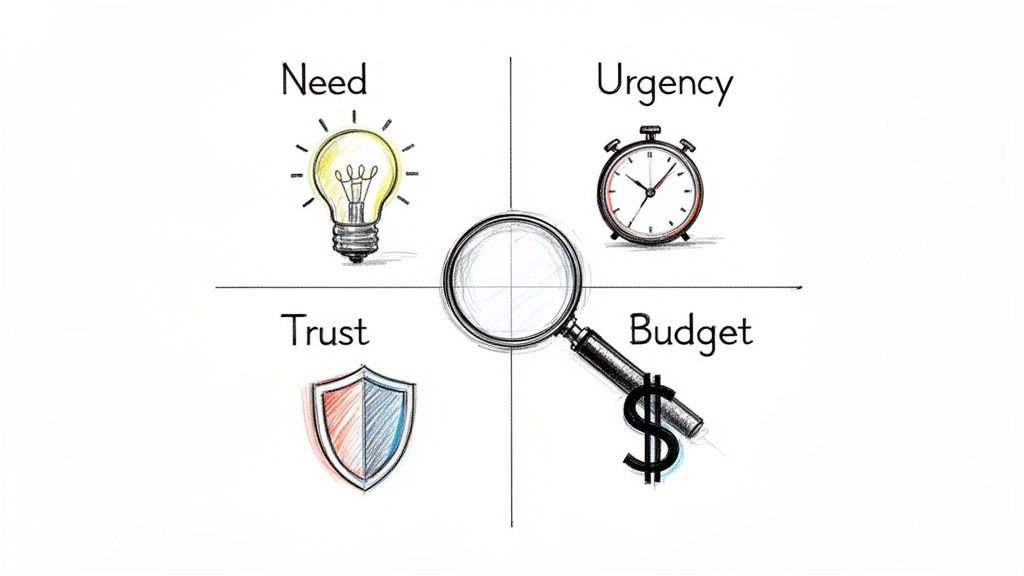
Instead of trying to memorize dozens of canned responses, focus on categorizing pushback into four fundamental types. This actionable step makes your life way simpler and helps you get to the heart of the issue fast.
You’ll find nearly every objection falls into one of these buckets:
Need: The prospect just doesn't see how your solution solves a problem they actually care about.
Urgency: They might see the problem, but don’t think it’s pressing enough to solve right now.
Trust: The prospect is skeptical of you, your company, or the results you're promising.
Budget: They believe the financial investment is bigger than the value they'll get in return.
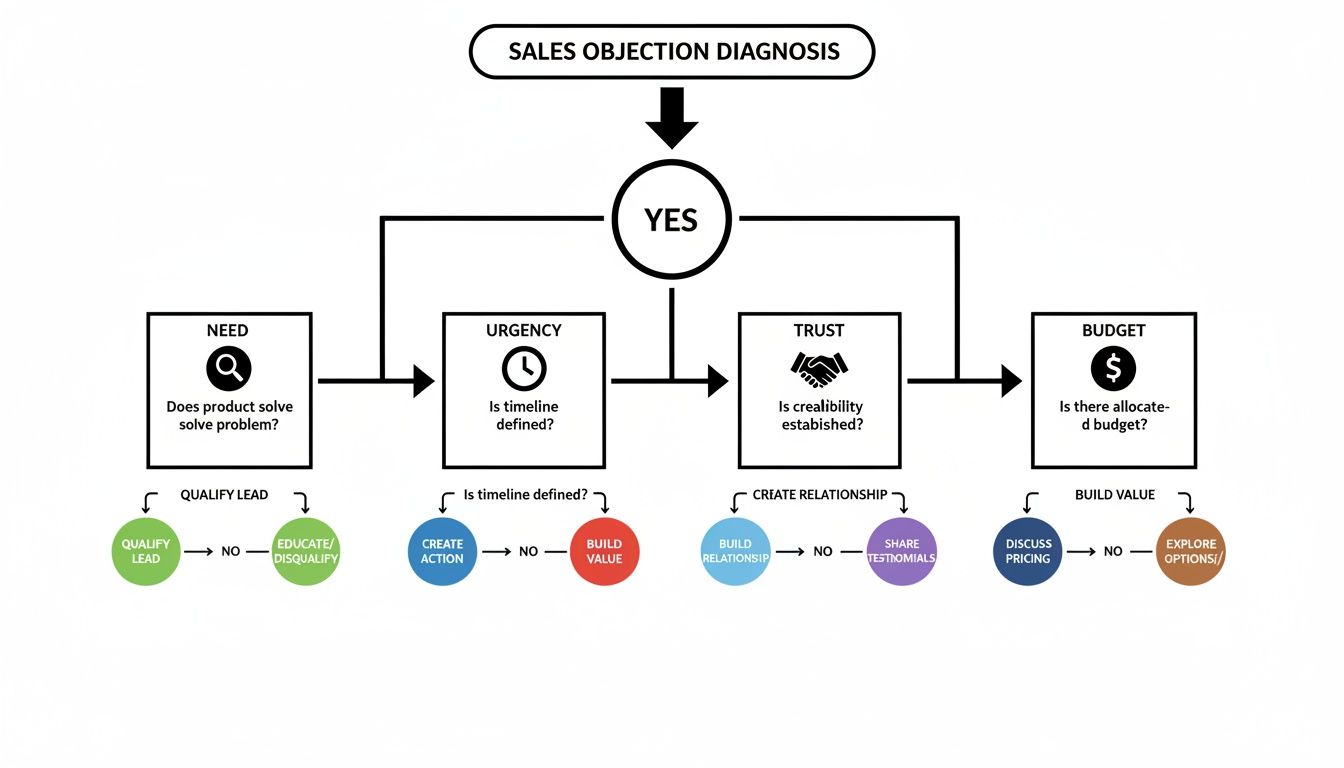
This decision tree gives you a simple flow for slotting objections into these four core types.
When you can visualize the path from hearing an objection to pinpointing its true nature, you train yourself to pause and think strategically instead of just reacting. This is a practical, actionable skill that improves with every call.
Diagnosing the Four Core Types of Sales Objections
Here’s a quick cheat sheet to help you categorize pushback on the fly and figure out what’s really going on under the surface. This turns diagnosis into a repeatable action.
Objection Type
Common Phrases You'll Hear
What It Really Means
Your Actionable Goal
Need
"We don't need this." "We're happy with what we have."
"I don't see a problem big enough to solve." "You haven't connected to my pain."
Uncover a hidden or undervalued business pain. Connect your solution to their goals.
Urgency
"Call me next quarter." "Now isn't a good time."
"This isn't a top priority." "I have bigger fires to put out right now."
Attach a real cost to their inaction. Show them why waiting is more painful than acting.
Trust
"I've never heard of you." "Send me some info."
"I'm not sure if you're credible." "Can your solution actually deliver?"
Build credibility with social proof, relevant case studies, or a low-risk next step.
Budget
"It costs too much." "It's not in the budget."
"I don't see enough value to justify the price." "The ROI isn't clear to me."
Reframe the conversation around value and return on investment, not just price.
Once you get good at this, you'll stop hearing objections and start seeing opportunities to clarify your value.
The data backs this up: the best reps diagnose, they don't just react. An analysis by Gong found that just five common sales objections account for a massive 74% of all objections. The biggest one? Situational issues like timing, which make up 42.6% of the total.
For B2B tools like marketbetter.ai's AI-powered SDR engine, which plugs right into Salesforce and HubSpot, those "not right now" objections are best handled with a bit of patience.
High-performing reps pause an average of 2.5 seconds longer after an objection before they say a word. In contrast, low-performers often jump in immediately. That pause gives them just enough time to process the real concern. You can find more insights on this at Leads at Scale.
The goal isn't to win an argument; it's to understand the hesitation. An objection is just a signal that there's a gap—in understanding, value, or trust. Your job is to find that gap and help the prospect cross it.
Once you’ve figured out what kind of objection you're dealing with, you need a reliable, actionable framework to frame your response. This isn't about memorizing a magic phrase. It's about having a process that turns a defensive moment into a productive conversation.
If you just react with a counterpoint, you almost always lose. Why? Because it immediately puts you and the prospect on opposite sides of the table. A confrontational approach versus a collaborative one yields drastically different results.
The goal is to shift from a monologue to a dialogue. Instead of just pushing back, the best frameworks help you unpack the prospect's real concern with them. That's how you build trust and get to the heart of the issue.
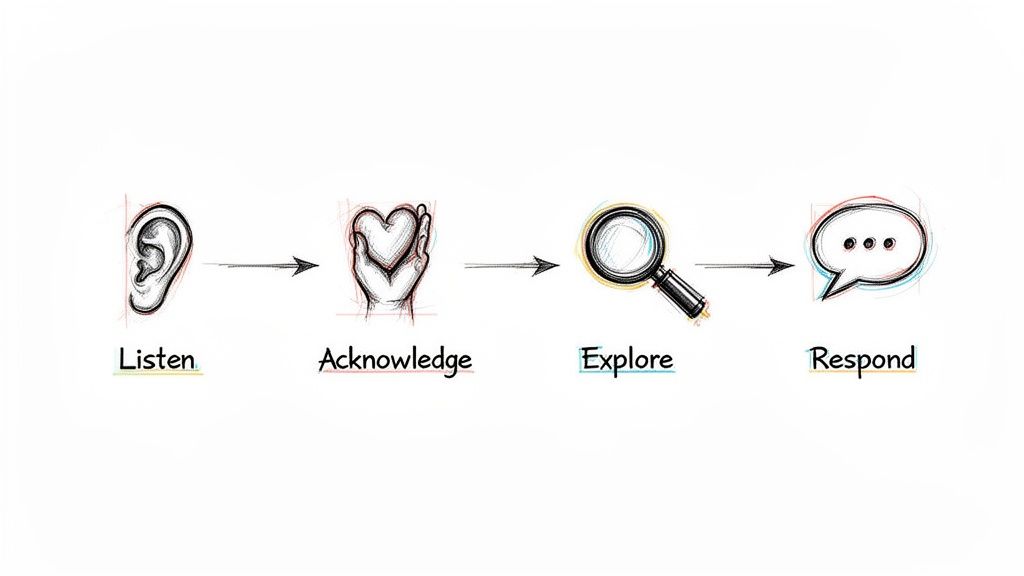
One of the most effective and easy-to-remember frameworks I’ve seen is LAER: Listen, Acknowledge, Explore, Respond. It's a simple, four-part process that forces you to understand before you try to be understood.
Let's break it down into actionable steps:
Listen: This is more than just staying quiet while the prospect talks. It’s actively processing what they’re saying—and what they aren't saying. Don't plan your rebuttal. Just listen until they are completely finished. Action: Mute yourself to resist interrupting.
Acknowledge: Verbally confirm you heard their concern. You're not agreeing with them; you're just showing them you were paying attention. Action: Use phrases like, "That's a fair point," or "I can see why you'd feel that way." This simple step works wonders to disarm tension.
Explore: This is the most important step, and it's the one most reps skip. Before you jump in with a solution, ask a few clarifying questions to dig deeper. Action: Ask an open-ended question like, "Could you tell me more about that?" This is where you find the root cause hiding behind that initial objection.
Respond:Only after you’ve listened, acknowledged, and explored should you offer a concise, relevant response. This response should address the real issue you just uncovered, not the smoke screen they threw up first.
This structure stops you from making the classic mistake: responding to the surface-level objection instead of the problem underneath.
A knee-jerk reaction almost always sounds defensive. It immediately tries to discredit the competitor or force a feature-by-feature comparison, which just creates friction and shuts the conversation down.
SDR:"Actually, we're a lot different. Our AI engine is built directly into Salesforce, which means your reps never have to leave their workflow. We also provide much better task prioritization."
This response fails because it assumes the prospect cares about your features without first understanding their world. It’s a monologue, not a dialogue. It completely blows past the Listen, Acknowledge, and Explore steps.
A strong response uses LAER to open up the conversation and re-center it around the prospect's problems, not your product's bells and whistles.
SDR:
(Listen):[Pauses, lets the prospect finish their thought.]
(Acknowledge):"That’s great to hear you have a solution in place that you're happy with. Makes total sense to stick with what's working."
(Explore):"Just so I understand a bit better, how is your team currently handling the handoff from identifying an account to a rep actually making the first call or sending the first email? How do they decide what to do next?"
(Respond):"Got it. The reason I ask is that many teams we work with also use a sales engagement tool, but they use MarketBetter as the 'brain' inside Salesforce that tells reps which tasks to execute and when, ensuring they act on the most important signals without manual work."
The difference is night and day. The LAER response validates the prospect, asks an intelligent, actionable question that gets them thinking, and then gently pivots to a unique value prop that complements, rather than attacks, their current setup.
This is how you transform overcoming sales objections from a battle into a collaborative discovery process.
Handling Price Objections and Competitor Mentions
Alright, let's talk about the two objections that make even seasoned SDRs break a sweat: price and the competitor card. These aren't just simple brush-offs; they feel like a direct shot at your product's value. But here’s the secret: the best reps don't get defensive. They get curious.
When a prospect says, "it's too expensive," your gut reaction is probably to jump in and justify the cost. Don't do it. That objection is almost never about the number itself. It’s a huge flashing sign that you haven't connected that number to a big enough problem.
Your job is to pivot the entire conversation away from cost and toward the cost of doing nothing. Stop defending your price tag and start getting them to calculate the price they’re already paying by ignoring the problem. This single, actionable move reframes the whole discussion from an expense into an investment.
Here's how you make that happen:
Find the Value Gap: Ask questions that put a number on their current pain. "What's the real cost of an SDR spending five hours a week just logging activities in the CRM instead of actually calling prospects?"
Turn Time into Dollars: Connect that operational drag to a real financial outcome. A great follow-up is, "If each of your SDRs could make 50 more calls every week, what would that realistically do to your pipeline?"
Focus on ROI, Not Price: Position your solution as the bridge from their current, expensive reality to a much more profitable one.
Price objections pop up all the time, but they're usually just a smokescreen for a value gap. The data is clear: reps who successfully reframe these moments around ROI close deals 2.3x more effectively. A Harte Hanks study analyzing thousands of sales calls found that pricing came up in over 30% of conversations. This is especially true in crowded markets where prospects are quick to say, "We already have Outreach or Salesloft."
For a tool like MarketBetter.ai, the response has to be grounded in hard numbers. We know our AI-driven workflows slash manual prep time by hours every day, freeing reps up for 20-30% more outbound actions.
Navigating the "We Already Use a Competitor" Objection
This one feels like hitting a brick wall, but it’s actually a huge opportunity. The prospect just confirmed they have the problem your product solves. Your mission isn't to tear down their current tool; it's to find a specific, painful gap it doesn't fill.
The absolute worst thing you can do is get into a feature-by-feature battle. Instead, position your solution as a critical "execution layer" that makes their existing tools smarter and more effective.
For example, if a prospect says they use a traditional sales engagement platform, you can respond with: "That's great, they're a solid platform for sequencing. Where we come in is as the 'brain' inside Salesforce that tells your reps exactly which tasks to execute and when, so they stop being just busy and start being truly effective."
This is the key. When a rep can see exactly what to do next without ever leaving the CRM, you eliminate the friction and tab-switching that kills productivity.
Comparing Traditional Tools to a Native Task Engine
To really land this point, it helps to show prospects a side-by-side comparison. It instantly clarifies your unique value instead of letting them lump you in with every other tool they've seen.
This table breaks down the core difference between the old way of doing things and an execution-first workflow built directly inside the CRM.
Feature
Traditional Sales Engagement
MarketBetter.ai (SDR Task Engine)
Primary Workflow
Reps live in a separate platform, syncing data back to the CRM.
Reps work directly from a prioritized task list inside Salesforce.
Task Creation
Manual sequence building and tedious prospect importing.
Automated task creation from real-time buyer signals.
Rep Focus
Managing sequences and toggling between platforms.
Executing the next best action (call or email) with full context.
CRM Hygiene
Often creates duplicate records and requires manual clean-up.
Automatic logging and clean data, since all actions are native.
The table makes it obvious: you're not just another platform creating more work; you're the engine that makes their primary system of record—the CRM—actually work for them.
The goal isn't to prove your competitor is bad; it's to show that your solution solves a different, more fundamental problem. When you shift from replacement to enhancement, you change the entire dynamic of the conversation.
This approach is a game-changer, especially when a prospect is generally happy with their current tool but still feels the pain of low productivity and messy data. You're not asking them to rip everything out. You're offering to make their entire stack more powerful.
Individual tactics are great for winning a single conversation, but a scalable strategy is what wins the quarter. For sales leaders, the goal isn't just to teach reps how to sidestep a one-off objection; it's to build a living, breathing system that gets smarter with every single call.
A modern playbook isn't a static document collecting dust in a shared drive. It’s a dynamic feedback loop that completely transforms how your team handles pushback.
The entire system is built on your CRM. It has to be more than a digital rolodex. Your CRM needs to become the single source of truth for what's actually happening on the front lines. This starts with a simple—but crucial—discipline: logging and categorizing every objection your team runs into.
Let's be honest, the traditional way is a grind. Reps hang up, manually log call outcomes, and pick an objection type from a dropdown in Salesforce or HubSpot. It's tedious, but that discipline is the first step toward seeing the bigger picture.
Are "no budget" objections suddenly spiking at the end of the quarter? Is one competitor's name popping up way more often in a specific industry? Without this data, you're flying blind, just going off of anecdotes in your one-on-ones. With it, you can finally start making decisions backed by real numbers.
But the real breakthrough happens when you layer in AI to automate this whole process. This is what shifts your playbook from a historical record into a real-time intelligence engine.
Think about the difference in workflow:
The Old Way: A rep finishes a call, spends five minutes trying to remember the prospect's exact phrasing, picks a generic "Disposition," and types out a quick, often incomplete, note.
The Modern Way: An AI tool hooked into your dialer automatically records, transcribes, and summarizes the call. It instantly pinpoints the key objection, categorizes it (like "Competitor Mention - Outreach"), and pushes the summary right into the correct CRM field. The rep doesn't have to lift a finger.
This isn't just about saving time. It creates a dataset that is exponentially more accurate and detailed than any manual process could ever hope to be. You can see how to build a system like this with an AI objection handling battlecard generator.
Once you have clean, structured objection data flowing into your CRM, you can build an incredibly powerful feedback loop. This system continuously refines your team's talk tracks and tactics based on what's working in the real world, turning reactive skills into a proactive strategy.
Here’s how all the pieces connect in an actionable cycle:
Capture and Analyze: Your AI automatically grabs and tags objections from every call, feeding a dashboard of real-time trends. You can see in a glance which objections are most common, listen to how your top performers handle them, and identify which talk tracks are falling flat.
Refine and Distribute: Use those insights to update your team’s battlecards and scripts. The AI can even help generate new talking points or email templates based on the specific language that’s proven to work. These aren't generic scripts from a blog post; they're battle-tested responses crafted from your own team's wins.
Execute and Measure: Reps take these updated assets into their next calls. Since everything is tracked in the CRM, you can measure the impact directly. Did the new response to the "no budget" objection actually increase your meeting booking rate by 15%? Now you know for sure.
This cycle transforms coaching from subjective advice to data-backed guidance. As you're building out your playbook, it's also smart to pull in outside perspectives on developing effective sales strategies to make sure your approach is well-rounded.
A modern objection handling playbook is a closed-loop system. It uses real call data to find what works, AI to scale those learnings across the team, and CRM tracking to measure the results. This is how you stop guessing and start engineering better outcomes.
Great objection handling isn’t a talent someone is born with. It’s a skill, and like any other, it’s sharpened and perfected through consistent, high-quality coaching. For sales leaders and enablement managers, the real work starts after the playbook is written. The mission? To shift your coaching from gut-feel feedback to a data-backed system for getting better.
This is how you scale excellence across the entire team. It’s how new reps ramp faster and seasoned reps stay on top of their game. It’s about building a culture where objections aren’t confrontations; they’re just part of the craft.
Let's be honest: the classic role-playing session usually falls flat. Reps read scripts to each other in a safe, low-stakes room, which does almost nothing to prep them for a real call with a skeptical prospect. To actually work, coaching needs to feel like the real world.
Forget just reading lines. Run sessions that mimic the chaos and unpredictability of an actual sales call.
Pressure-Test Scenarios: Make one rep the "prospect" but give them a secret, underlying objection they aren't supposed to reveal easily. This forces the SDR to use real discovery skills to dig for the truth, not just spit back a canned response.
Rapid-Fire Rounds: Hit a rep with five minutes of non-stop, common objections. The goal isn't a perfect answer every time. It’s to train their mental reflexes so they can pull the right framework from memory without panicking.
This moves the focus from memorization to application—a much, much more valuable skill in the trenches.
The way we coach has to evolve. Leaning on memory and what you think you heard on a call isn't good enough anymore, not when technology can give you objective, detailed insights on every single conversation.
Coaching Aspect
Traditional Approach
Modern Data-Backed Approach
Feedback Source
Manager's subjective memory of a few live calls.
AI-powered analysis of all recorded calls.
Role-Play Realism
Scripted and predictable scenarios.
Scenarios built from real, recent objections logged in the CRM.
Performance Metrics
Based on lagging indicators like meetings booked.
Tracks leading indicators like Patience Score and objection types.
Scalability
Limited to one-on-one time and manager availability.
AI summaries and trend reports allow for targeted group coaching.
The modern approach doesn’t replace the manager. It just gives them the data to be a much more effective coach.
Call recordings are a coaching goldmine, but only if you know what you’re looking for. Nobody has time to listen to a 30-minute call just to find one coachable moment. This is exactly where AI summaries become a manager’s best friend.
A good AI tool can transcribe calls and flag key moments, like when an objection popped up and how the rep handled it. Instead of giving vague feedback like, "You need to sound more confident," you can get incredibly specific.
For example, you can point to the exact moment a rep fumbled on price and say, "Right here, you immediately started defending the price. Next time, try acknowledging their concern first. Then, pivot to a question that explores the value gap, like, 'What's the cost of your team spending five hours a week on manual logging?'" Now that is feedback a rep can actually use.
To know if your coaching is actually making a difference, you need to track the right metrics. Moving beyond just "meetings booked" gives you a far clearer picture of how your team's skills are developing.
Here are a few critical metrics to keep an eye on:
Conversation-to-Meeting Rate: This shows how good your reps are at turning a real conversation into a concrete next step, especially after navigating objections.
Objection Handling Success Rate: Start tracking which objections are consistently shut down versus those that kill the conversation. This tells you exactly where to focus your next team training.
Patience Score: A metric highlighted in Gong studies, this measures the pause a rep takes after hearing an objection. Top performers wait longer, giving them time to diagnose the real issue instead of just reacting.
Sales performance data shows that successfully handling multiple objections boosts success rates to 64%. That's a huge jump from the 37% success rate when only one objection is addressed. Prospects rarely have just one concern. Using a CRM-integrated tracker, you can spot these trends and train your team to dig deeper with questions like, "What specifically concerns you about that?" to uncover everything that’s holding them back.
Coaching isn’t about fixing every mistake. It’s about finding the one or two key behaviors that, if improved, will have the biggest impact on a rep's performance and giving them the tools and data to get there.
For managers looking to help their team not just handle objections but also bring in more business, exploring proven strategies to get coaching clients can offer valuable insights. And remember, a strong coaching program is a core piece of any successful sales enablement strategy.
Even with the best frameworks, the real world always throws a curveball. Here are some of the most common questions that pop up in the trenches when you're turning tough conversations into real opportunities.
Easy. Responding too quickly. It's a gut reaction. The moment a prospect raises an issue, the impulse is to jump in with a perfectly crafted rebuttal.
But that almost always backfires. It tells the prospect you weren't really listening; you were just waiting for your turn to talk. Instead of digging into the real problem, you end up shadowboxing with a surface-level comment, which just makes them dig their heels in.
Just pausing for two seconds before you speak can completely change the tone of the entire conversation.
How Do I Handle an Objection I’ve Never Heard Before?
When you get hit with something totally new, your goal isn't to have the perfect answer—it's to understand the question.
This is where you lean hard into the "Explore" step of the LAER framework. Get curious. A simple, honest response works wonders: "That's a really good question. So I can make sure I understand, could you tell me a bit more about what's driving that concern?"
This does three things at once: it buys you time, it shows you're actually engaged, and it helps you uncover the real issue before you even try to solve it.
An objection you've never heard before isn't a test of your knowledge; it's an opportunity for discovery. Treat it as a chance to learn something new about your prospect's world and what they truly value.
Absolutely, especially if you prepare the wrong way. The biggest trap is trying to memorize dozens of word-for-word scripts for every possible objection. It’s a fast track to sounding robotic and completely inauthentic.
Think of it like this:
Aspect
Ineffective Preparation (Memorizing)
Effective Preparation (Internalizing)
Focus
Knowing the exact words to say.
Understanding the why behind the objection.
Outcome
Sounds scripted and disconnected.
Sounds natural, curious, and confident.
Goal
To win the point.
To open a productive dialogue.
The key is to internalize the frameworks, not memorize the lines. When you truly grasp the principles of Listen, Acknowledge, Explore, and Respond, you can adapt to anything on the fly, in your own words. The goal is confident agility, not robotic recitation.
Ready to stop letting objections derail your pipeline? The marketbetter.ai SDR Task Engine turns buyer signals into prioritized tasks and helps your team execute flawlessly with AI-powered emails and a dialer that lives directly inside Salesforce and HubSpot. See how it works at https://www.marketbetter.ai.