129 posts tagged with "sales tools"

View All Tags

Overloop Review 2026: Real User Feedback, Strengths, and Limitations

ยท 6 min read

Overloop review 2026 โ€” honest pros, cons, and user feedback analysis

Overloop (formerly Prospect.io) has reinvented itself as an AI-powered sales prospecting platform. With a 450M+ contact database, AI-written emails, and multichannel LinkedIn + email campaigns, it promises to automate the most painful parts of SDR outreach.

But does it deliver? We dug into real user reviews from G2, Capterra, SoftwareAdvice, and third-party analysis sites to find out what SDR teams actually experience after the trial period ends.

What Is Overloop AI in 2026?โ€‹

Overloop started as Prospect.io โ€” a straightforward email finder and cold outreach tool. It rebranded and rebuilt around AI-powered prospecting. Today it offers:

  • AI list building โ€” define your ICP filters and Overloop sources new prospects daily
  • 450M+ B2B contact database with verified email addresses
  • AI-powered email writing โ€” analyzes prospect websites and LinkedIn profiles to generate personalized cold emails
  • Multichannel campaigns โ€” Email + LinkedIn messaging in sequenced workflows
  • CRM integrations โ€” HubSpot, Pipedrive, and Salesforce (Enterprise)
  • Chrome Extension โ€” enroll prospects directly from LinkedIn

Pricing starts at $69/user/month (Starter), $99/user/month (Growth), with Enterprise at custom pricing. See our full Overloop pricing breakdown for detailed cost analysis.

What Users Love About Overloopโ€‹

1. The CRM and Pipeline UX Is Excellentโ€‹

This is the most consistent positive theme across review platforms. Users on G2 and SoftwareAdvice frequently call out Overloop's CRM functionality:

"As a CRM alone, it is fantastic." โ€” SoftwareAdvice reviewer

"The way it totals up your leads in each sector of the pipeline is very neat." โ€” SoftwareAdvice reviewer

If you are coming from a spreadsheet-based prospecting workflow, Overloop's pipeline management will feel like a significant upgrade. The visual pipeline, lead scoring, and activity tracking work well together.

2. Intuitive Interface and Easy Setupโ€‹

Overloop consistently earns praise for being easy to learn. Multiple G2 reviews highlight the onboarding experience:

"It is intuitive and so easy to implement." โ€” G2 reviewer

"Easy to work prospect lists with great integration with Sales Navigator." โ€” G2 reviewer

For smaller teams without dedicated sales ops, this matters. You can get campaigns running within hours, not days.

3. LinkedIn + Email Sequencing Works Smoothlyโ€‹

The multichannel campaign builder โ€” combining LinkedIn connection requests, profile visits, messages, and email follow-ups in a single sequence โ€” is well-designed. Users report that the workflow automation reduces manual effort significantly.

4. AI Email Personalization Shows Promiseโ€‹

Overloop's AI engine analyzes each prospect's website and social profiles to draft personalized cold emails. While results vary, users appreciate not having to write every email from scratch. The AI follow-up feature โ€” which adapts based on previous emails in the sequence โ€” is a particularly smart touch.

What Users Complain Aboutโ€‹

1. The Email Feature Is Weakโ€‹

This is the most common criticism across every review platform:

"The emailing section of Overloop is the worst of its competitors." โ€” SoftwareAdvice reviewer

"Overloop has some drawbacks, including a restricted and unimpressive email feature." โ€” G2 pricing page reviewer

For a tool that positions itself as a multichannel outreach platform, having weak email capabilities is a significant gap. Users report limitations in email templates, deliverability tooling, and campaign analytics compared to dedicated email platforms like Instantly or Lemlist.

2. Credit Limits Constrain Real Usageโ€‹

The credit system means you are paying for each prospect you source or enrich. On the Starter plan with 250 credits per month, a single SDR can only source about 250 new leads โ€” roughly 12 per business day.

For teams that need to build multiple target lists, test different ICPs, or run high-volume prospecting, the credit cap becomes a bottleneck that requires upgrading.

3. Limited Reporting and Analyticsโ€‹

Multiple reviewers flag that Overloop's reporting does not go deep enough:

  • No granular A/B testing analytics for subject lines or messaging
  • Limited visibility into which campaign steps drive the most engagement
  • No revenue attribution to connect outreach efforts to closed deals

For managers trying to optimize SDR performance, the analytics gap means you are supplementing with spreadsheets or other tools.

4. No Phone or Chat Channelsโ€‹

Overloop is exclusively LinkedIn + email. There is:

  • No built-in dialer or calling capabilities
  • No live chat or AI chatbot
  • No SMS or other messaging channels

If your SDR workflow includes phone calls (which most effective B2B sales motions do), you need a separate tool.

Overloop vs Other AI Prospecting Toolsโ€‹

How does Overloop compare to the broader competitive landscape?

FeatureOverloopApolloInstantlyMarketBetter
Contact Database450M+270M+No native DBYes
AI Email WritingYesYesYesYes
LinkedIn AutomationYesLimitedNoNo
Phone DialerNoYesNoYes (Smart Dialer)
Website Visitor IDNoNoNoYes
AI ChatbotNoNoNoYes
Daily SDR PlaybookNoNoNoYes
Starting Price$69/user/mo$49/user/mo$30/mo$99/user/month

Overloop's sweet spot is the LinkedIn + email combination at a mid-range price point. But if you need a complete multichannel SDR platform, the feature gaps add up.

Who Overloop Is Best Forโ€‹

Based on real user feedback, Overloop works best for:

Solo SDRs and small teams (1-3 reps) who prospect primarily through LinkedIn and cold email. The CRM is clean, the interface is intuitive, and the AI writing saves time on personalization.

European B2B teams who value GDPR compliance. Overloop is Brussels-based, CASA Tier 2 certified, and built with European data regulations in mind.

Teams that already have a dialer and other tools and specifically need LinkedIn prospecting automation layered on top of their existing stack.

Who Should Skip Overloopโ€‹

Growing SDR teams (5+ reps) who need campaign volume. The 3-campaign limit on Starter and credit caps constrain what larger teams can do.

Teams that need phone + email + LinkedIn in one tool. If your SDRs work all three channels (and they should), building around Overloop means buying 2-3 additional tools.

Organizations that want intent-driven prioritization. Overloop does not aggregate buying signals from website visits, G2 research, job changes, or technology adoption. Your SDRs still need to decide who to contact first.

The Verdictโ€‹

Overloop has genuinely reinvented itself since the Prospect.io days. The AI prospecting, LinkedIn automation, and CRM functionality are solid โ€” especially for individual SDRs and small teams.

But the weak email capabilities, credit constraints, and missing channels (phone, chat, visitor ID) mean it works best as a specialized LinkedIn prospecting tool, not a complete SDR platform.

If LinkedIn + email is your entire sales motion, Overloop delivers good value at $69-99/user/month.

If you need a single platform that covers every SDR channel and tells your reps exactly what to do each morning, MarketBetter is the more complete solution โ€” with visitor identification, smart dialer, AI chatbot, and daily playbook built in.

See the full comparison: MarketBetter vs Overloop


Review data sourced from G2, Capterra, SoftwareAdvice, SalesForge, and SalesRobot. Last updated February 2026.

SalesHandy Pricing Breakdown 2026: What $25/mo Actually Gets You (Hidden Costs Exposed)

ยท 8 min read

SalesHandy pricing plans compared for 2026

SalesHandy markets itself as starting at $25/month. That's technically true โ€” their Outreach Starter plan costs $25/mo on annual billing. But that plan limits you to 6,000 emails per month and only 2,000 active prospects.

For any real SDR team running cold outreach at scale, you're looking at $69-$139/mo per account โ€” and that's before you factor in the credits you'll burn through for lead finding and email verification.

Here's the full breakdown of every SalesHandy plan in 2026, what each tier actually includes, and the total cost of running a real outbound program on their platform.

SalesHandy Plans at a Glance (February 2026)โ€‹

FeatureOutreach StarterOutreach ProOutreach ScaleOutreach Scale Plus
Monthly Price (Annual)$25/mo$69/mo$139/mo$199/mo
Monthly Price (Monthly)$36/mo$99/mo$199/mo$299/mo
Emails Per Month6,000150,000240,000360,000
Active Prospects2,00030,00060,000100,000
Email Accounts Per Sequence101001,000Unlimited
Team Members1UnlimitedUnlimitedUnlimited
Lead Finder Credits50 (one-time)100 (one-time)100 (one-time)100 (one-time)
AI Credits100 (one-time)200 (one-time)500 (one-time)1,000 (one-time)
Email Verification Credits1,000 (one-time)5,000 (one-time)10,000 (one-time)10,000 (one-time)
SubsequencesโŒโœ…โœ…โœ…
IntegrationsโŒโœ…โœ…โœ…
Whitelabel (Agencies)โŒโŒโœ…โœ…
SSOโŒโŒโœ…โœ…
Inbox Placement TestโŒ123

Pricing verified from saleshandy.com/pricing, February 2026.

The $25/mo Plan: What You Actually Getโ€‹

SalesHandy's Outreach Starter at $25/mo (annual) sounds like a deal. Here's the reality:

6,000 emails per month. That's roughly 200 emails per day. For a solo founder doing light outreach, this might work. For an SDR team? You'll hit the cap in a week.

2,000 active prospects. You can only have 2,000 contacts in active sequences at any given time. Once you've contacted them, you need to remove them before adding new ones.

10 email accounts per sequence. Sender rotation is limited to 10 mailboxes. For cold email deliverability in 2026, you want 3-5 emails per mailbox per day โ€” so 10 accounts at 5 emails each gives you only 50 emails/day. That's well below the 200/day the plan "allows."

No integrations. No Salesforce, no HubSpot, no Pipedrive. No API access. No webhooks. Your data lives in SalesHandy and only SalesHandy.

No subsequences. You can't create conditional follow-up paths. Everyone in a sequence gets the same emails in the same order.

50 Lead Finder credits โ€” one-time. That's 50 contacts revealed, total. After that, you buy more at SalesHandy's credit rates.

Starter Plan Verdictโ€‹

The Starter plan is fine for testing. It's not a real outbound tool. You'll hit the email cap, the prospect cap, and the credit cap within your first month.

Outreach Pro ($69/mo): Where It Gets Realโ€‹

The Pro plan at $69/mo (annual) is where SalesHandy becomes functional for actual SDR work:

150,000 emails per month. That's 5,000/day โ€” enough for a small team running 3-5 sequences simultaneously.

30,000 active prospects. A meaningful upgrade from 2,000. You can run multiple campaigns without constantly clearing old contacts.

100 email accounts per sequence. Proper sender rotation for deliverability. At 3-5 emails per account per day, you have real volume capacity.

Integrations included. Salesforce, HubSpot, Pipedrive, Zoho โ€” your data can actually flow to your CRM.

Subsequences. Conditional follow-ups based on opens, clicks, and replies. This is essential for multi-touch campaigns.

MCP Access. SalesHandy added MCP (Model Context Protocol) support โ€” you can connect it to LLMs for AI-powered outreach management.

Pro Plan Cost for a 5-Person Teamโ€‹

SalesHandy doesn't charge per seat on Pro โ€” it's unlimited team members. But the $69/mo covers ONE account's email volume. If 5 SDRs are all working from the same account:

  • Base cost: $69/mo
  • Additional email accounts: Included (unlimited mailboxes)
  • Lead Finder credits: 100 one-time, then purchased separately
  • Email verification: 5,000 one-time credits

Total: $69/mo + credit purchases. Estimate $100-150/mo once you factor in lead finding and verification credits.

Outreach Scale ($139/mo): For Agencies and Large Teamsโ€‹

The Scale plan at $139/mo adds:

  • 240,000 emails/month โ€” 8,000/day
  • 60,000 active prospects
  • 1,000 email accounts per sequence
  • Whitelabel for agencies โ€” use your own branding
  • SSO โ€” enterprise security requirement
  • 2 Inbox Placement Tests โ€” check if emails land in inbox vs spam

This plan is designed for agencies managing multiple clients or mid-market SDR teams with 10+ reps.

The Real Cost: SalesHandy's Credit Systemโ€‹

Here's what trips people up: SalesHandy's listed price is just the platform fee. The credits are where ongoing costs add up.

Lead Finder Creditsโ€‹

SalesHandy's Lead Finder lets you search for prospects and reveal their contact details. Each reveal costs a credit. The included credits are one-time โ€” they don't renew monthly.

Once you burn through your 50-100 included credits, you need to buy more. SalesHandy's credit pricing isn't prominently displayed, but based on user reports and their blog, expect to pay roughly $0.03-0.05 per credit for bulk purchases.

For a team prospecting 500 new leads per month, that's $15-25/mo in lead finder costs alone.

Email Verification Creditsโ€‹

Email verification is critical for deliverability. Every bounced email hurts your sender reputation. SalesHandy gives 1,000-10,000 one-time verification credits depending on your plan.

If you're importing external lists, you'll burn through these quickly. Additional verification credits cost roughly $0.003-0.005 each.

AI Creditsโ€‹

AI credits power the AI Sequence Copilot (generates email sequences from your website) and data enrichment. These are one-time and limited (100-1,000 depending on plan).

SalesHandy vs the Competition: Price Comparisonโ€‹

ToolStarting PriceEmail VolumeKey Difference
SalesHandy$25/mo6,000/moVolume-based cold email cannon
Instantly$30/mo5,000/moSimilar approach, better UI opinions
Lemlist$39/moPer userMulti-channel (email + LinkedIn)
Woodpecker$29/mo500 contactsTighter deliverability focus
Mailshake$29/mo1,500/moSimpler, dialer included on higher tiers
MarketBetterCustomUnlimitedFull SDR OS: visitor ID + playbook + dialer + email

The Total Stack Cost Problemโ€‹

SalesHandy solves cold email. But it doesn't solve:

  • Who to email โ€” You need a lead database (Apollo, ZoomInfo, or SalesHandy's own Lead Finder credits)
  • Website visitor identification โ€” No visitor ID capability
  • Phone outreach โ€” No dialer
  • Daily prioritization โ€” No AI playbook telling SDRs what to do first
  • Intent signals โ€” No buyer intent detection beyond email engagement

For a complete outbound stack, most teams pair SalesHandy with 2-3 other tools. That total cost quickly reaches $300-500/mo per SDR:

  • SalesHandy Pro: $69/mo
  • Lead database (Apollo/ZoomInfo): $99-249/mo per seat
  • Dialer (Orum/Nooks): $200-400/mo per seat
  • CRM (HubSpot Sales): $50-150/mo per seat

Total stack cost: $418-868/mo per SDR

Compare that to an all-in-one platform like MarketBetter that bundles visitor ID, email automation, smart dialer, and AI-powered daily playbook into a single subscription.

Who SalesHandy Is Best Forโ€‹

Good fit:

  • Agencies managing cold email for multiple clients (whitelabel on Scale plan)
  • Solo founders or small teams doing high-volume cold outreach
  • Teams that already have a lead database and just need an email sending engine
  • Budget-conscious teams willing to manage multiple tools

Not a fit:

  • Teams needing multi-channel outreach (phone + LinkedIn + email)
  • Companies wanting visitor identification and intent signals
  • SDR managers who need a prioritized daily workflow, not just email automation
  • Mid-market teams that want one platform instead of 4 separate tools

Should You Choose SalesHandy in 2026?โ€‹

SalesHandy is a solid cold email tool at a competitive price point. The $25/mo entry is real โ€” it's just limited. Most serious users land on the Pro plan at $69/mo, which offers genuine value for high-volume cold email.

The question isn't whether SalesHandy is good at email โ€” it is. The question is whether email alone is enough for your outbound motion. In 2026, buyers ignore generic cold emails. They respond to warm, timely, multi-channel outreach informed by real buying signals.

If you're evaluating your outbound stack, it's worth comparing a dedicated email tool like SalesHandy against a full SDR platform that combines signals, prioritization, and execution in one place.

See how MarketBetter compares โ†’

SalesHandy Review 2026: Great for Volume, Missing the Signals That Matter

ยท 7 min read

SalesHandy is one of the most popular cold email platforms on the market, with a G2 rating that consistently ranks it among the top outreach tools. Founded in 2015, the company has evolved from an email tracking Chrome extension into a full cold email automation platform with a lead database, AI sequence builder, and agency-friendly features.

But "popular" doesn't always mean "best fit." After analyzing reviews across G2, Capterra, Software Advice, and real user feedback, here's what SalesHandy actually excels at โ€” and where it falls short.

What SalesHandy Does Wellโ€‹

1. Cold Email Volume at Scaleโ€‹

This is SalesHandy's core strength. The platform can handle massive outreach campaigns:

  • Up to 360,000 emails per month on the Scale Plus plan
  • Unlimited email account connections across all plans
  • Sender rotation automatically distributes sends across mailboxes
  • Unified inbox for managing replies across all connected accounts

For agencies and high-volume outbound teams, SalesHandy's email infrastructure is genuinely robust. Users on G2 consistently praise the ability to connect unlimited mailboxes without per-account charges.

2. Email Deliverability Infrastructureโ€‹

SalesHandy partners with TrulyInbox for unlimited email warmup across all plans. The combination of warmup, sender rotation, and dynamic IP allocation helps maintain deliverability even at high volumes.

The platform includes:

  • Sequence Score โ€” rates your email sequence's deliverability risk before sending
  • Bounce detection โ€” auto-pauses campaigns when bounces spike
  • Spintax support โ€” randomize email content to avoid pattern detection
  • Custom domain tracking โ€” avoid shared tracking domains that trigger spam filters

3. Agency-Friendly Featuresโ€‹

SalesHandy has invested heavily in agency use cases:

  • Unlimited clients across all plans
  • Whitelabel on Scale and above โ€” agencies can brand SalesHandy as their own
  • Centralized management โ€” one dashboard for all client campaigns
  • Client-level reporting โ€” export reports per client

Multiple Capterra reviews highlight SalesHandy as the go-to platform for cold email agencies. The combination of unlimited mailboxes, client management, and whitelabel makes it one of the most agency-friendly tools in the market.

4. Competitive Pricingโ€‹

At $25/mo (annual) for the Starter plan and $69/mo for Pro, SalesHandy undercuts many competitors. The lack of per-user pricing on higher tiers makes it particularly cost-effective for teams.

Users frequently compare it favorably to Outreach ($100+ per user/mo), SalesLoft ($125+ per user/mo), and Reply.io ($49+ per user/mo).

5. AI Sequence Builderโ€‹

SalesHandy's AI Sequence Copilot analyzes your website and generates complete email sequences with multiple follow-ups. Users report it saves significant time on sequence creation, though the output quality varies and typically requires human editing.

The AI variant generator creates multiple versions of each email for A/B testing โ€” useful for optimizing at scale.

Where SalesHandy Falls Shortโ€‹

1. Email-Only Outreachโ€‹

This is SalesHandy's biggest limitation in 2026. Modern B2B buying happens across multiple channels โ€” email, LinkedIn, phone, chat, and website visits. SalesHandy only covers email.

  • No phone dialer โ€” You can't call prospects from SalesHandy
  • No LinkedIn automation โ€” No connection requests, InMails, or profile visits
  • No SMS/WhatsApp โ€” No messaging channel support
  • No AI chatbot โ€” No way to engage website visitors

Users on G2 and Capterra consistently flag this as their primary frustration. One G2 reviewer noted: "It's an amazing experience with SalesHandy and solving a number of problems like email campaign management, tracking, and scheduling" โ€” but the same users often note they need additional tools for phone and LinkedIn.

2. No Website Visitor Identificationโ€‹

SalesHandy can't tell you who's visiting your website. This means:

  • You're cold emailing blindly rather than prioritizing warm prospects
  • Website visitors who check your pricing page and leave are invisible
  • You're missing the highest-intent buying signals

Platforms like MarketBetter identify anonymous website visitors and feed them directly into your outreach workflow, so SDRs can call or email someone while they're still actively evaluating.

3. No Daily Prioritization / Playbookโ€‹

SalesHandy gives you tools to send email. It doesn't tell you who to email first or what to do today.

There's no AI-powered daily playbook that analyzes intent signals, recent engagement, and buyer behavior to tell each SDR: "These are your top 10 actions today, in priority order."

SDRs using SalesHandy still need to figure out their own daily workflow โ€” which leads, which sequences, which follow-ups to prioritize.

4. Lead Finder Credit Limitationsโ€‹

SalesHandy's built-in Lead Finder has a credit system that frustrates users:

  • One-time credits โ€” They don't renew monthly
  • Limited allocation โ€” 50-100 credits depending on plan
  • Additional cost โ€” Need to purchase credit packs after initial allocation

Several Software Advice reviewers note that the lead database is more limited than dedicated tools like Apollo or ZoomInfo, particularly for non-US contacts.

5. Basic UI and Reportingโ€‹

Multiple reviewers across G2 and Capterra note that SalesHandy's interface, while functional, lacks polish:

  • "UI is very basic and setting sequencing doesn't have much to it"
  • Reporting is focused on email metrics (opens, clicks, replies) without deeper pipeline attribution
  • No revenue attribution โ€” you can't connect email engagement to closed deals without a separate CRM integration

6. Integration Restrictions on Starter Planโ€‹

CRM integrations (Salesforce, HubSpot, Pipedrive, Zoho) are only available on Pro ($69/mo) and above. The Starter plan has zero integrations โ€” no API, no webhooks, no CRM sync.

For teams that need their outreach data in a CRM (which is... all teams), the real starting price is $69/mo, not $25/mo.

Who SalesHandy Is Best Forโ€‹

Ideal users:

  • Cold email agencies managing multiple clients (whitelabel, unlimited accounts)
  • Solo founders doing high-volume cold outreach on a budget
  • SDR teams that already have a separate lead database, dialer, and CRM
  • Email-first outbound strategies where phone and LinkedIn are secondary

Not ideal for:

  • Teams needing multi-channel outreach (email + phone + LinkedIn)
  • Companies wanting visitor identification and intent-based outreach
  • SDR managers who need a daily playbook and prioritized workflow
  • Teams that want one platform instead of stacking 4-5 tools

SalesHandy by the Numbersโ€‹

MetricDetail
Founded2015
HeadquartersAhmedabad, India
G2 Rating4.6/5 (600+ reviews)
Capterra Rating4.5/5 (120+ reviews)
Starting Price$25/mo (annual)
Free Trial7 days
Best FeatureUnlimited mailbox connections
Biggest GapEmail-only (no dialer, LinkedIn, or visitor ID)

The Verdictโ€‹

SalesHandy is one of the best pure cold email platforms available. If you need to send large volumes of personalized emails across multiple mailboxes with good deliverability โ€” SalesHandy does that well, and affordably.

But in 2026, cold email alone isn't enough. Reply rates on cold email are declining. The SDR teams booking the most meetings are combining email with phone calls, LinkedIn outreach, and website visitor signals โ€” reaching the right person through the right channel at the right time.

SalesHandy solves one channel. Modern SDR platforms solve the whole workflow.

If you're evaluating SalesHandy, ask yourself: will you also need a dialer? A lead database? Visitor identification? Intent data? If the answer is yes to two or more, you might be better served by a unified platform that includes all of it.

Compare MarketBetter's full SDR platform โ†’

Waalaxy Pricing Breakdown 2026: Plans, Credit Costs, and What SDR Teams Actually Pay

ยท 6 min read

Waalaxy pricing breakdown โ€” plans, credits, and real cost for LinkedIn automation

Waalaxy has 100,000+ users doing LinkedIn outreach. Their pricing looks simple โ€” โ‚ฌ19 to โ‚ฌ69 per user per month. But add the LinkedIn Inbox add-on, limited email finder credits, and the price hikes users keep complaining about, and the real cost is not as straightforward as it appears.

We pulled all pricing data from waalaxy.com/pricing in February 2026 and calculated what different team sizes actually pay.

Waalaxy Pricing Plans at a Glanceโ€‹

Waalaxy offers four tiers (prices shown for monthly billing):

Pro โ€” โ‚ฌ19/user/monthโ€‹

  • 300 LinkedIn invitations per month
  • 25 email finder credits
  • Automated follow-up messages
  • Unlimited campaigns
  • Smart reply detection
  • CRM sync (via Zapier, 2,000+ tools)
  • CSV imports and exports
  • Imports from LinkedIn Basic, Sales Navigator, Recruiter Lite
  • Duplicate prevention
  • Support reply within 48 hours

Advanced โ€” โ‚ฌ49/user/monthโ€‹

  • 800 LinkedIn invitations per month
  • Everything in Pro plus 500 extra invitations
  • Live chat support

Business โ€” โ‚ฌ69/user/monthโ€‹

  • 800 LinkedIn invitations per month
  • Everything in Advanced plus:
  • Cold email sequences
  • Automated email follow-up
  • Multiple email sender accounts
  • 500 email finder credits
  • Priority support

Enterprise โ€” Custom pricingโ€‹

  • 800 LinkedIn invitations per month
  • Team workspace
  • Volume discounts
  • Unified payment
  • Team analytics dashboard
  • Anti-duplicate security across accounts
  • Multi-account import
  • Dedicated onboarding session
  • Choose any feature tier (Pro/Advanced/Business features)

Free Planโ€‹

Waalaxy offers a free tier with 80 LinkedIn invitations per month and basic automation. No email functionality.

Annual Discountโ€‹

Waalaxy offers a 50% discount on annual plans. So the monthly costs drop to:

  • Pro: ~โ‚ฌ9.50/user/month
  • Advanced: ~โ‚ฌ24.50/user/month
  • Business: ~โ‚ฌ34.50/user/month

LinkedIn Inbox Add-On โ€” โ‚ฌ20/monthโ€‹

Separately, Waalaxy offers a LinkedIn Inbox tool for managing replies at scale. This includes response templates, scheduled follow-ups, lead tagging, and reminder features. It is billed as a separate add-on, not included in any plan.

The Credit Math: What Prospects Actually Costโ€‹

Here is where the pricing gets real. Waalaxy's email finder credits are limited:

  • Pro: 25 email finder credits per month โ€” enough for about 1 email per business day
  • Advanced: Unclear (likely similar to Pro)
  • Business: 500 email finder credits per month โ€” roughly 25 per business day

If your SDRs rely on email outreach alongside LinkedIn, the Pro and Advanced plans are effectively LinkedIn-only tools. You need Business ($69/user/month) to get meaningful email finder volume.

Per-prospect costs (Business plan):

MetricCalculation
Monthly cost per userโ‚ฌ69 (~$75 USD)
LinkedIn invitations800/month
Email finder credits500/month
Cost per LinkedIn invitation~โ‚ฌ0.09
Cost per email found~โ‚ฌ0.14

Real Cost by Team Size (Business Plan, Monthly Billing)โ€‹

For teams that need both LinkedIn and email outreach:

Team SizeMonthly (โ‚ฌ)Monthly (USD ~)Annual (50% off, โ‚ฌ)Annual (USD ~)
1 SDRโ‚ฌ69~$75โ‚ฌ414~$450
3 SDRsโ‚ฌ207~$225โ‚ฌ1,242~$1,350
5 SDRsโ‚ฌ345~$375โ‚ฌ2,070~$2,250
10 SDRsโ‚ฌ690~$750โ‚ฌ4,140~$4,500

Add โ‚ฌ20/month for the LinkedIn Inbox if you want reply management. For 5 users that is an extra โ‚ฌ100/month.

The Price Hike Problemโ€‹

Multiple third-party reviewers โ€” notably SalesRobot (January 2026 update) โ€” flag that Waalaxy has hiked prices roughly 2x without adding proportional new features:

"They've hiked their prices 2x without adding new features. Still worth it?" โ€” SalesRobot Review, January 2026

"Quite expensive" โ€” HeyReach Review, February 2026

The free plan was also cut from generous limits down to just 80 invitations per week. This matters for teams evaluating long-term costs โ€” Waalaxy has a track record of raising prices on existing customers.

What Waalaxy Does Not Includeโ€‹

Even on the Business plan, here is what you do not get:

  1. No website visitor identification. No way to know which companies are browsing your website. You need a separate tool for this.

  2. No phone dialer. LinkedIn and email only. If your SDRs call prospects (essential for B2B), you need a standalone dialer.

  3. No AI chatbot. Cannot engage website visitors in real time.

  4. No daily SDR playbook. Waalaxy automates outreach steps but does not tell your SDRs which leads to prioritize each morning based on intent signals.

  5. No intent signal aggregation. No tracking of G2 visits, job changes, technology installations, or other buying signals beyond LinkedIn engagement.

  6. Chrome extension dependency. Waalaxy runs as a Chrome extension (despite some cloud features), which means it needs your browser open to execute LinkedIn automation. This also increases LinkedIn ban risk compared to fully cloud-based solutions.

Total Cost: Waalaxy Stack vs Complete SDR Platformโ€‹

For a realistic 5-SDR team that needs LinkedIn, email, phone, and visitor ID:

ComponentWaalaxy StackMarketBetter
LinkedIn + Emailโ‚ฌ345/mo (~$375)Included
Inbox Add-Onโ‚ฌ100/mo (~$109)Included
Dialer$350-500/mo (separate)Built-in smart dialer
Visitor ID$300-500/mo (separate)Built-in
Chatbot$200-400/mo (separate)Built-in AI chatbot
Daily playbookManual effortAI-generated daily
Total~$1,334-1,884/mo$495/mo

Even with Waalaxy's aggressive annual discounts, the total stack cost with separate dialer, visitor ID, and chatbot tools exceeds what a complete SDR platform costs.

Who Waalaxy Is Built Forโ€‹

Waalaxy works well for:

  • Solo LinkedIn prospectors who want to automate connection requests, messages, and follow-ups on a budget (Pro at โ‚ฌ19/month is genuinely affordable)
  • Agencies managing multiple LinkedIn accounts via the Enterprise tier
  • European teams where LinkedIn is the primary prospecting channel and phone outreach is less common
  • Recruiters and marketers who need LinkedIn automation but not a full sales tech stack

Who Should Look Elsewhereโ€‹

If your SDR team:

  • Prospects across email, phone, LinkedIn, and chat (most effective B2B teams do)
  • Needs to know which companies are visiting your website before reaching out
  • Wants an AI-generated daily priority list, not just campaign automation
  • Plans to scale beyond 5 reps and needs team-wide analytics

Then a purpose-built SDR platform like MarketBetter will deliver better ROI than building a multi-tool stack around Waalaxy.

The Bottom Lineโ€‹

Waalaxy's entry pricing is genuinely affordable โ€” โ‚ฌ19/month for LinkedIn automation is hard to beat. For individuals and very small teams focused purely on LinkedIn outreach, it is solid value.

But the moment you need email (Business at โ‚ฌ69/month), reply management (โ‚ฌ20/month add-on), and any additional channels, costs escalate fast. Add the documented history of price hikes and the Chrome extension dependency, and Waalaxy works best as a specialized LinkedIn automation tool โ€” not the foundation of your entire SDR workflow.

See how a complete SDR platform compares: MarketBetter vs Waalaxy

Ready to replace your multi-tool SDR stack? Book a demo with MarketBetter


Pricing data sourced from waalaxy.com/pricing and third-party review sites in February 2026. Prices may change โ€” verify directly with Waalaxy for current rates.

Waalaxy Review 2026: What 100K+ Users Actually Think (Pros, Cons, and Honest Analysis)

ยท 7 min read

Waalaxy review 2026 โ€” honest pros, cons, and user feedback analysis for LinkedIn automation

Waalaxy claims to be the easiest LinkedIn automation tool on the market. With 100,000+ users and a 4.6/5 G2 rating, it has clearly found an audience. But the reviews tell a more nuanced story โ€” great automation features alongside constant bugs, price hikes, and a Chrome extension that puts LinkedIn accounts at risk.

We analyzed reviews from G2, Capterra, HeyReach, SalesRobot, and La Growth Machine to give you an honest breakdown of what Waalaxy delivers in 2026.

What Is Waalaxy?โ€‹

Waalaxy is a LinkedIn prospecting and cold email automation tool. It started as a pure LinkedIn Chrome extension and has expanded to include email outreach on the Business plan.

The core workflow:

  1. Define your target audience using LinkedIn filters or Sales Navigator
  2. Create a campaign using pre-built templates (LinkedIn-only or LinkedIn + email)
  3. Let Waalaxy automate connection requests, messages, follow-ups, and email sequences
  4. Manage replies through the optional LinkedIn Inbox add-on

Pricing ranges from โ‚ฌ19/user/month (Pro) to โ‚ฌ69/user/month (Business), with a free tier offering 80 LinkedIn invitations per month. See our detailed Waalaxy pricing breakdown for full cost analysis.

What Users Love About Waalaxyโ€‹

1. Genuinely Easy to Use โ€” Even for Beginnersโ€‹

This is the most consistent praise across every review platform. Waalaxy has invested heavily in onboarding:

"Great prospecting tool, really easy for me as someone who had never done it before." โ€” Alexandre, Google Review

"Very easy-to-use tool, even for non-technical users." โ€” Alyssa, Capterra Review

"Surprisingly intuitive interface" โ€” HeyReach Review, February 2026

The campaign builder uses pre-built templates that walk you through each step. For someone launching their first LinkedIn outreach campaign, the learning curve is minimal.

2. LinkedIn Automation That Actually Worksโ€‹

When Waalaxy's automation runs smoothly, users report strong results:

"My LinkedIn network grew quickly, and I was able to have many conversations in a very short time." โ€” Yasmine, G2 Review

"After launching 2 campaigns, I secured numerous meetings and, most importantly, signed 4 contracts worth several thousand euros." โ€” Saint Louvent, G2 Review

"Easy-to-set-up and user-friendly tool. 39% response rate to my emails." โ€” Antony, Capterra Review

The tool automates profile visits, connection requests, and personalized messages in sequences that respect LinkedIn's daily limits. For individuals and small teams, this basic automation delivers real time savings.

3. Multichannel Potential on the Business Planโ€‹

Adding cold email sequences alongside LinkedIn outreach is a genuine differentiator at the โ‚ฌ69/month price point. Having both channels in one campaign builder means your SDRs do not need to juggle separate tools for LinkedIn and email.

4. Generous Free Trial and Free Planโ€‹

The 14-day free trial on paid plans and the permanently free tier (80 invitations/month) let you evaluate the tool without risk. For solo prospectors testing LinkedIn automation for the first time, this lowers the barrier significantly.

What Users Complain Aboutโ€‹

1. Frequent Bugs and Stability Issuesโ€‹

This is the most common negative theme. Users across multiple platforms report reliability problems:

"Users hate the constant bugs" โ€” SalesRobot, January 2026 Review

"Inability to scale campaigns" โ€” HeyReach, February 2026

Bugs range from campaigns pausing unexpectedly to LinkedIn connections failing to send. For teams relying on Waalaxy as their primary outreach tool, unexpected downtime means missed outreach windows that cannot be recovered.

2. Price Hikes Without Proportional Valueโ€‹

SalesRobot's January 2026 review headline says it all: "They've hiked their prices 2x without adding new features." Multiple reviewers flag this pattern:

  • The free plan was cut from generous limits to 80 invitations per month
  • Paid plan prices have increased while core features remain similar
  • The LinkedIn Inbox was separated into a paid add-on (โ‚ฌ20/month) rather than being included

For teams budgeting annually, this unpredictability is a risk factor.

3. Chrome Extension = LinkedIn Account Riskโ€‹

Waalaxy runs as a Chrome extension. Despite marketing some cloud-based features, the core automation requires your browser to be open. This creates two problems:

  1. LinkedIn detection risk. Browser extensions that automate LinkedIn activity violate LinkedIn's Terms of Service. While Waalaxy claims to respect daily limits, the extension-based approach is inherently riskier than fully cloud-based solutions.

  2. Operational dependency. If your laptop is closed, the automation stops. This is not a dealbreaker for casual prospectors, but for SDR teams running daily outreach at scale, it introduces fragility.

4. No Custom Campaign Workflowsโ€‹

You cannot build your own campaign logic from scratch. Waalaxy only offers pre-built campaign templates that you customize:

"No option to create custom campaigns, you can only select from their pre-built templates" โ€” HeyReach

For advanced users who want conditional branching, multi-step A/B testing, or complex sequences based on prospect behavior, this is a significant limitation.

5. Support Response Timesโ€‹

Despite offering "live chat" on higher tiers, actual response times disappoint:

"Late inquiry response from support" โ€” HeyReach

"Support reply within 48h" โ€” Waalaxy's own Pro plan description

Two-day support response times are fine for a โ‚ฌ19/month tool. They are unacceptable for teams paying โ‚ฌ69/user/month on the Business plan.

Waalaxy vs Other LinkedIn Automation Toolsโ€‹

FeatureWaalaxyDux-SoupExpandiMarketBetter
LinkedIn AutomationYesYesYesNo (focuses on email + phone + visitor ID)
Cold EmailBusiness plan onlyNoYesYes
Phone DialerNoNoNoYes (Smart Dialer)
Website Visitor IDNoNoNoYes
AI ChatbotNoNoNoYes
Daily SDR PlaybookNoNoNoYes
Starting Priceโ‚ฌ19/user/mo$14.99/mo$99/seat/mo$99/user/month
Runs AsChrome ExtensionChrome ExtensionCloud-basedCloud-based

Waalaxy competes directly with Dux-Soup and Expandi in the LinkedIn automation space. Against full SDR platforms like MarketBetter, it is a specialized tool that covers one channel โ€” LinkedIn.

Who Waalaxy Is Best Forโ€‹

Based on real user feedback and our analysis:

Solo founders and freelancers who prospect through LinkedIn and need basic automation at an affordable price. The Pro plan at โ‚ฌ19/month is the best value tier.

Small agencies managing LinkedIn outreach for multiple clients. The Enterprise tier with team workspaces and volume discounts makes sense here.

LinkedIn-first teams in European markets where LinkedIn messaging is the primary outreach channel and compliance matters.

Anyone new to LinkedIn automation who wants the easiest possible learning curve. Waalaxy's onboarding is genuinely best-in-class.

Who Should Skip Waalaxyโ€‹

SDR teams that work multiple channels. If your reps call, email, message on LinkedIn, and chat with website visitors, Waalaxy only covers one of those channels. You will need 3-4 additional tools.

Teams that cannot tolerate downtime. The bug reports are frequent enough that mission-critical outreach programs need a more reliable platform.

Organizations with LinkedIn ban concerns. The Chrome extension approach carries inherent risk. If losing LinkedIn access would significantly impact your business, a cloud-based or server-side solution is safer.

Growing teams (5+ reps) who need analytics. Waalaxy's reporting is basic. Managers who need to optimize across reps, campaigns, and channels will outgrow it quickly.

The Verdictโ€‹

Waalaxy deserves its 4.6 G2 rating for what it is โ€” the most user-friendly LinkedIn automation tool on the market. For solo prospectors and small teams who live on LinkedIn, the Pro plan at โ‚ฌ19/month is excellent value.

But the bugs, price hikes, Chrome extension risk, and single-channel limitation mean it works best as a LinkedIn-specific tool, not the center of your sales tech stack.

If LinkedIn is just one channel in your SDR workflow (alongside email, phone, and visitor engagement), a complete platform like MarketBetter eliminates the multi-tool complexity โ€” with visitor identification, smart dialer, AI chatbot, and daily playbook built into one platform.

Full comparison: MarketBetter vs Waalaxy


Review data sourced from G2 (4.6/5 rating), Capterra, Google Reviews, HeyReach, SalesRobot, and La Growth Machine. Last updated February 2026.

Attio CRM Pricing Breakdown 2026: Free to Enterprise (Real Costs)

ยท 6 min read

Attio publishes pricing on their website โ€” already refreshing in a market where "contact sales" is the norm. But the per-user numbers on the pricing page don't tell the full story.

Here's what Attio actually costs for real sales teams, including the features you need, the ones locked behind higher tiers, and the total stack cost when you add the tools Attio doesn't include.

Attio Pricing Plans (February 2026)โ€‹

Free Plan โ€” $0/monthโ€‹

FeatureIncluded
SeatsUp to 3
Contact syncingReal-time
Data enrichmentAutomatic
Custom objectsLimited
Email syncBasic
SupportCommunity/docs

Who it's for: Solopreneurs and tiny teams testing whether Attio's data model fits their business. The 3-seat cap makes this impractical for any real sales team, but it's a genuine free tier โ€” not a 14-day trial disguised as "free."

What's missing: Private lists, enhanced email sending, no seat limits, advanced automation. You'll hit the ceiling quickly if you're doing real outbound.

Plus Plan โ€” $36/user/month (or $29/user billed annually)โ€‹

FeatureIncluded
SeatsUnlimited
Private listsโœ…
Enhanced email sendingโœ…
Custom objectsMore flexibility
AutomationsBasic workflows
SupportStandard email

Annual cost for 5 users: $1,740/year ($145/month) Monthly cost for 5 users: $2,160/year ($180/month)

Who it's for: Small sales teams (3-10 people) that need collaboration features without enterprise complexity. The jump from Free to Plus is mainly about removing the seat limit and adding email features.

What's missing: Call intelligence, sequences, advanced permissions, priority support. If your SDRs need to make calls through the CRM or run multi-step outreach sequences, you need Pro.

Pro Plan โ€” $86/user/month (or $69/user billed annually)โ€‹

FeatureIncluded
Everything in Plusโœ…
Call intelligenceโœ…
Sequencesโœ…
Advanced permissionsโœ…
Priority supportโœ…
Advanced automationsConditional triggers

Annual cost for 5 users: $4,140/year ($345/month) Monthly cost for 5 users: $5,160/year ($430/month)

Who it's for: Growing sales teams that need call tracking, sequencing, and team permissions. This is where Attio becomes a real sales tool rather than just a contact database.

What's missing: Unlimited custom objects, SSO, dedicated support, advanced security features. Enterprise compliance requirements push you to the next tier.

Enterprise Plan โ€” Custom pricingโ€‹

FeatureIncluded
Everything in Proโœ…
Unlimited objectsโœ…
Unlimited teamsโœ…
SSO/SAMLโœ…
Advanced securityโœ…
Dedicated supportโœ…

Estimated cost: Based on market reports, expect $100-150+/user/month for teams of 20+. Attio doesn't publish Enterprise pricing, so you'll need to contact their sales team.

Who it's for: Companies with 50+ users that need enterprise security, compliance (SOC 2, SSO), and unlimited data modeling flexibility.

Real Cost for a 10-Person Sales Teamโ€‹

Let's calculate what a 10-person SDR team actually pays:

PlanMonthly (billed monthly)Monthly (billed annually)Annual Total
Free$0 (3 seats max)$0 (3 seats max)$0
Plus$360/mo$290/mo$3,480/yr
Pro$860/mo$690/mo$8,280/yr
EnterpriseCustomCustom~$15,000-18,000/yr (est.)

The Hidden Costs: What Attio Doesn't Includeโ€‹

Attio is a CRM. A great one. But SDR teams need more than a CRM. Here's what you'll spend on top of Attio:

Tool Stack You'll Need Alongside Attioโ€‹

Tool CategoryExamplesMonthly Cost
Website visitor IDWarmly, Clearbit, RB2B$300-1,500/mo
Outbound sequencesOutreach, SalesLoft, Instantly$300-2,000/mo
DialerNooks, Orum, Aircall$250-500/mo
Data enrichmentClay, Apollo, ZoomInfo$200-1,000/mo
Email deliverabilityWarmup tools, verification$50-200/mo
Total additional tools$1,100-5,200/mo

So your real SDR stack cost with Attio Pro:

  • Attio: $690/mo (10 users, annual)
  • Additional tools: $1,100-5,200/mo
  • Total: $1,790-5,890/month

That's $21,480-70,680 per year โ€” and you're managing 4-6 separate vendor relationships, data syncs, and billing cycles.

The Alternative: All-in-One SDR Platformsโ€‹

Platforms like MarketBetter bundle visitor identification, email automation, smart dialer, AI chatbot, and daily SDR playbook into a single platform. The TCO comparison:

  • Attio + tool stack: $1,790-5,890/month for 10 SDRs
  • MarketBetter (all-in-one): Significantly lower when you factor in tool consolidation

You still might want a CRM alongside MarketBetter for deal management and forecasting โ€” but you won't need 4-5 additional point solutions.

Attio vs. Other CRM Pricingโ€‹

CRMStarting Price10-User Annual CostSDR Features Built In?
Attio Free$0$0 (3 seats max)โŒ
Attio Plus$29/user/mo$3,480โŒ
Attio Pro$69/user/mo$8,280Basic (sequences, calls)
HubSpot Starter$20/user/mo$2,400Some (email, basic sequences)
HubSpot Professional$100/user/mo$12,000More (but expensive)
Pipedrive Advanced$28/user/mo$3,360Basic (email, calls)
Salesforce Professional$80/user/mo$9,600โŒ (needs Sales Cloud add-ons)
Close CRM$29/user/mo$3,480โœ… (calling + email built in)

Attio is competitively priced as a CRM. It's cheaper than HubSpot Professional and Salesforce while offering more flexibility. The value question isn't Attio's price โ€” it's the total stack cost when you add the SDR tools it doesn't include.

When Attio's Pricing Makes Senseโ€‹

Great value if you:

  • Need a modern, flexible CRM and already have your SDR tool stack figured out
  • Are a startup under 10 people where the Free or Plus plan covers your needs
  • Use Attio for non-sales functions (VC deal flow, partnerships, recruiting)
  • Want to replace a bloated Salesforce instance with something faster and cheaper

Less value if you:

  • Are building an SDR team from scratch and need to buy 5 tools on top of Attio
  • Need visitor identification, AI email sequences, and a dialer (none included)
  • Want one platform that tells SDRs what to do, not just where to store contacts

Bottom Lineโ€‹

Attio's pricing is honest and competitive. The free tier is real. The paid tiers are reasonable. The product is excellent.

The question isn't whether Attio is too expensive โ€” it's whether your total SDR stack (Attio + outbound + visitor ID + dialer + enrichment) is more expensive and complex than an all-in-one alternative.

Want to see how an all-in-one SDR platform compares? Book a demo with MarketBetter โ†’


Pricing sourced from attio.com, hackceleration.com, and salesforge.ai as of February 2026. All prices in USD unless noted. Attio uses EUR on their European pricing page โ€” we converted at current rates where applicable.

Attio CRM Review 2026: The Flexible CRM That's Missing One Thing

ยท 7 min read

Attio is the CRM that makes you wonder why Salesforce is still a $30 billion company.

Custom objects you can create in minutes. Sub-50ms queries on massive datasets. A Notion-like interface that your team will actually enjoy using. Automatic contact enrichment. Real-time email and calendar sync.

It's genuinely impressive. 4.7 out of 5 on G2. Backed by Point Nine and Balderton Capital. Used by thousands of companies from early-stage startups to scaling enterprises.

But after evaluating Attio for SDR team workflows specifically, we found one critical gap: Attio tells you where your contacts are in the pipeline. It doesn't tell your SDRs who to contact next or why.

Here's our full review.

What Attio Gets Rightโ€‹

Custom Objects: The Killer Featureโ€‹

Most CRMs force your business into pre-built categories: Contacts, Companies, Deals. Attio lets you create any object type โ€” Investors, Portfolio Companies, Partnerships, Vendors, whatever your business model requires.

One reviewer on hackceleration.com built a custom pipeline with 8 specific objects and complex relationships between them. That's the kind of flexibility that makes Salesforce admins cry.

Why it matters for sales: You can model your exact sales process. Territory assignments, deal stages, product lines, partner channels โ€” all customizable without calling an admin or hiring a consultant.

Performance That Actually Scalesโ€‹

Attio claims sub-50ms latency on millions of records. Independent reviewers tested with 50,000+ contacts and confirmed no slowdown in filtering or sorting. That's not marketing fluff โ€” that's real engineering.

For comparison, many Salesforce instances start lagging with complex views over 10,000 records. HubSpot handles large lists well but gets slow with complex custom properties.

The Best CRM UX on the Marketโ€‹

Every Attio review mentions the interface. It looks like Notion met a CRM and they had a beautiful child. List views are intuitive. Filters are instant. Kanban boards are clean.

G2 reviewers consistently say things like:

  • "Strikes the perfect balance between power and simplicity"
  • "Fully customizable โ€” feels like a CRM truly built for our business"
  • "So fast and easy to work with"

This isn't subjective fluff. Good UX drives adoption. CRMs that reps hate using don't get data entered. Attio solves the "nobody uses the CRM" problem better than almost anything on the market.

Honest, Transparent Pricingโ€‹

Free tier with real features (not a trial). Plus at $29-36/user/month. Pro at $69-86/user/month. Published on their website. No "contact sales for pricing" games.

In a market where competitors hide behind custom quotes to maximize extraction, Attio's transparent pricing is refreshing.

AI Features (Ask Attio)โ€‹

Attio recently launched "Ask Attio" โ€” an AI layer that lets you search, create, and interact with your CRM data using natural language. They also support MCP (Model Context Protocol) for connecting external AI tools.

It's early, but the direction is right. AI-native CRM features will separate winners from losers in the next 2-3 years.

What Attio Gets Wrong (Or Just Doesn't Do)โ€‹

No Website Visitor Identificationโ€‹

Your CRM tracks contacts you already know about. But 98% of website visitors never fill out a form. They browse your pricing page, read your case studies, and leave.

Attio can't tell you those visitors exist. Tools like MarketBetter identify anonymous visitors at the company and contact level โ€” turning invisible traffic into actionable leads.

This is the biggest gap for SDR teams: the contacts you DON'T have are more valuable than the ones you do.

No Daily SDR Playbookโ€‹

Attio shows you pipeline views, list views, and board views. But it doesn't tell your SDRs: "Here are the 15 people you should contact today, ranked by signal strength, with suggested messaging for each."

That's the difference between a record system and an action system. SDR managers using Attio still need to manually assign tasks, build call lists, and prioritize outreach. MarketBetter's daily playbook automates all of this.

Limited Outbound Executionโ€‹

Attio Pro added sequences and call intelligence, which is a step in the right direction. But it's basic compared to dedicated outbound tools:

  • Email sequences exist but lack AI personalization at scale
  • No smart dialer โ€” you can log calls, but there's no power dialing or click-to-call flow optimized for high-volume SDR work
  • No AI chatbot to engage website visitors in real-time
  • No multi-channel orchestration โ€” coordinating email, phone, LinkedIn, and chat touchpoints requires separate tools

Reporting Gaps for Sales Managersโ€‹

G2 reviewers flagged this repeatedly: "Reporting by sales rep isn't built in โ€” I have to do a lot of workarounds."

For SDR managers who need to track activity metrics (calls made, emails sent, meetings booked, conversion rates by rep), Attio's reporting is still catching up to HubSpot and Salesforce.

Integration Ecosystem Is Still Growingโ€‹

Attio connects to Gmail, Outlook, Slack, Zapier, and Mailchimp. But compared to HubSpot's 1,500+ integrations or Salesforce's AppExchange, the native integration library is limited.

Reviewers note: "Connecting with other tools isn't the easiest thing right now" and "the number of apps and native integrations could be improved."

If your SDR stack involves 5-6 specialized tools, you'll be relying heavily on Zapier or custom API work.

Support Response Timesโ€‹

Standard support responds in 12-24 hours via email. No live chat on lower tiers. Priority support on Pro gets faster responses, but it's not instant.

For comparison, MarketBetter offers direct support with faster response times, and HubSpot provides phone support on higher tiers. If your team hits a blocking issue during a busy prospecting day, waiting 12-24 hours isn't ideal.

Who Should Use Attioโ€‹

Attio is excellent for:

  • Startups (seed to Series B) that need a modern CRM without Salesforce complexity
  • VC and PE firms tracking deal flow across multiple fund objects
  • Agencies managing client relationships with custom data models
  • Sales teams that already have separate outbound/dialer/visitor ID tools and just need a flexible CRM
  • RevOps leaders who want to build custom data models without hiring Salesforce admins

Attio is NOT the right fit for:

  • SDR teams that need visitor identification, daily task prioritization, and multi-channel outreach in one tool
  • Companies looking to consolidate their sales tech stack (Attio is a CRM, not an all-in-one)
  • Enterprise orgs with heavy compliance, audit, and governance requirements (enterprise features are newer)
  • Teams that need deep native integrations with specialized sales tools

Attio vs. Alternativesโ€‹

CRMBest ForStarting PriceSDR-Specific Features
AttioFlexible data modelingFree / $29/userBasic (sequences on Pro)
HubSpotAll-in-one marketing + salesFree / $20/userGood (but expensive at scale)
PipedriveSimple deal tracking$14/userBasic calling + email
CloseInside sales teams$29/userBuilt-in calling + email
SalesforceEnterprise complexity$25/userExtensive (with add-ons)
MarketBetterSDR workflow + pipeline genContact for pricingโœ… Full SDR OS

The Bottom Lineโ€‹

Attio rating: 4.5/5 โ€” one of the best CRMs launched in the last 5 years.

It excels at what a CRM should do: store, organize, and surface relationship data with beautiful UX and genuine flexibility.

Where it falls short is where most CRMs fall short โ€” turning that data into SDR action. Knowing that a contact exists in your pipeline doesn't tell your rep whether to call them today or next week, what to reference in the email, or that their company just visited your pricing page three times.

If you need a CRM: Attio is a top-3 choice. Especially for startups and scaling teams.

If you need an SDR platform: Look at tools that include visitor ID, daily playbook, smart dialer, and AI email โ€” like MarketBetter.

Best setup: Use both. Attio for relationship management and deal tracking. MarketBetter for SDR execution and pipeline generation. They solve different problems.


Review based on Attio's publicly available features, pricing, G2 reviews (4.7/5), hackceleration.com independent testing, and Capterra/Product Hunt user feedback. Last updated February 2026.

B2B Website Visitor Identification: The Complete Guide for Sales Teams [2026]

ยท 16 min read

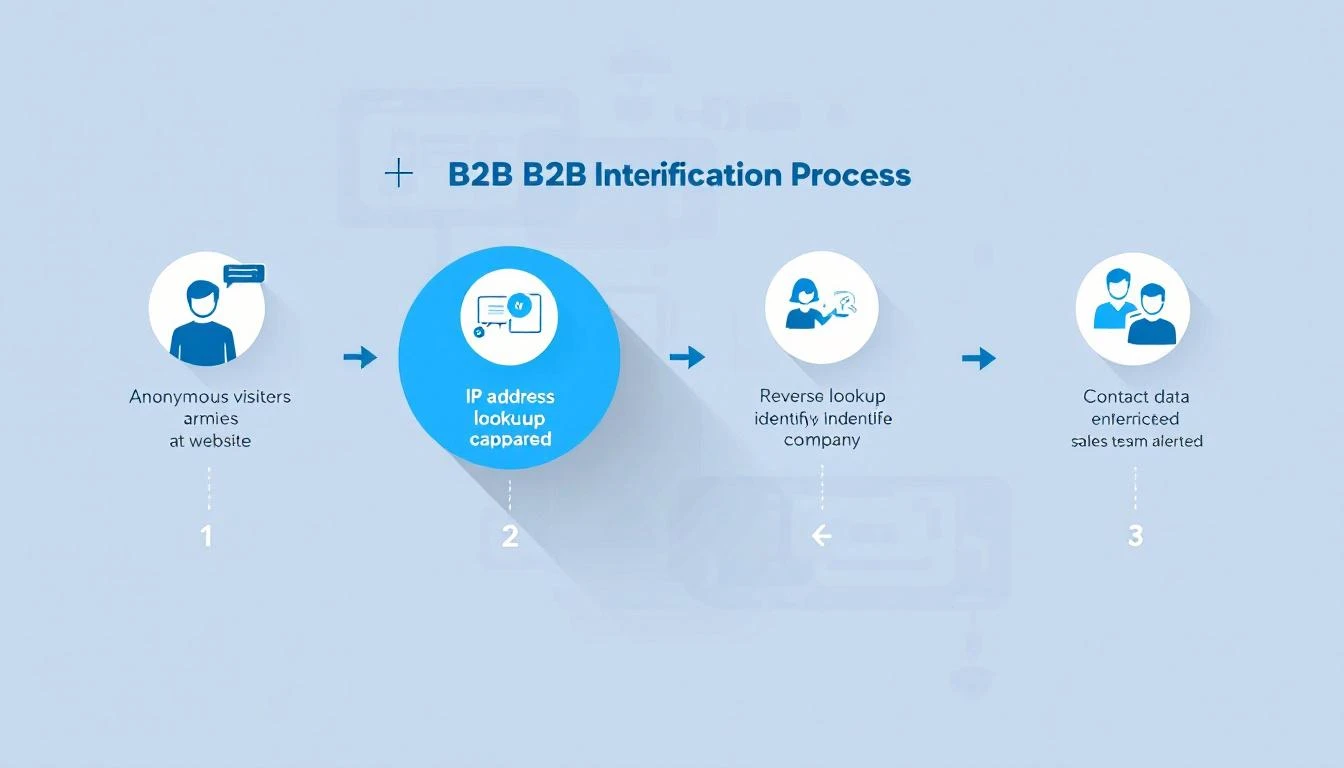
B2B website visitor identification process โ€” from anonymous traffic to identified accounts

98% of B2B website visitors leave without filling out a form. They read your pricing page, compare you to competitors, check your case studies โ€” then vanish.

You're spending thousands on Google Ads, SEO, and content to drive this traffic. And 98 out of every 100 visitors give you nothing in return. No name, no email, no company. Just another anonymous session in Google Analytics.

Website visitor identification changes that. It reveals which companies are visiting your site, what pages they're viewing, and in many cases, who the actual people are โ€” so your sales team can reach out while the buying intent is hot.

This guide covers everything: how the technology works, what match rates you can actually expect (hint: most vendors lie), how to evaluate tools, and how to turn identified visitors into pipeline. No fluff. No vendor spin.


What Is B2B Website Visitor Identification?โ€‹

B2B website visitor identification is the process of revealing the companies and individuals behind your anonymous website traffic. Instead of seeing "500 sessions from Austin, TX" in your analytics, you see "Hologram's VP of Sales visited your pricing page 3 times this week."

There are two levels of identification:

Company-Level Identificationโ€‹

The most common approach. When someone visits your website, their browser sends an IP address. Visitor identification tools match that IP against databases of known corporate IP ranges to identify which company the visitor works for.

How it works:

  1. A JavaScript snippet on your website captures the visitor's IP address
  2. The tool performs a reverse IP lookup (rDNS) against a database of millions of company IP ranges
  3. If there's a match, you see the company name, industry, size, and location
  4. You also see which pages they visited and for how long

Typical match rates: 20-40% of total traffic. This sounds low, but remember โ€” most consumer traffic (personal devices, mobile networks, VPNs) will never match. The 20-40% that does match is almost entirely B2B traffic, which is exactly what you want.

The catch: Company-level ID tells you which company is looking, but not who at the company. You know Salesforce visited your pricing page โ€” but was it an intern doing research or the VP of Revenue Operations evaluating tools?

Person-Level Identificationโ€‹

The newer, more powerful approach. Person-level identification goes beyond the company and attempts to identify the specific individual visiting your site.

How it works:

  1. Beyond IP matching, tools use a combination of first-party cookies, device fingerprinting, and cross-referencing identity graphs
  2. Some tools match against databases of known professional identities (built from opt-in data, public profiles, etc.)
  3. The result: you get a name, title, email, and LinkedIn profile โ€” not just a company name

Typical match rates: 5-15% of B2B traffic. Person-level is significantly harder than company-level. Any vendor claiming 40%+ person-level match rates is either misleading you or conflating company-level and person-level stats.

The privacy question: Person-level ID raises legitimate GDPR/CCPA concerns. The best tools build their identity graphs from opt-in sources and comply with privacy regulations. The worst ones scrape data without consent. Always ask your vendor where their data comes from.


How Does Website Visitor Identification Actually Work?โ€‹

Under the hood, visitor identification combines multiple data signals. Here's the technical reality without the marketing buzzwords.

1. Reverse IP Lookup (Foundation Layer)โ€‹

Every device connected to the internet has an IP address. Companies with office networks have static IP ranges registered to their organization. When an employee visits your website from the office, their request comes from one of these known IPs.

Reverse IP lookup (rDNS) cross-references the visitor's IP against databases of corporate IP ranges. These databases are maintained by data providers like:

  • Demandbase โ€” proprietary IP intelligence network
  • Clearbit (now Hubspot) โ€” company identification API
  • 6sense โ€” predictive intelligence platform
  • Bombora โ€” intent data + IP matching

Limitation: Remote work has eroded IP-based identification. When your target buyer works from home on a Comcast connection, their IP doesn't map to their employer. This is why pure IP-based tools have seen match rates decline since 2020.

2. First-Party Cookies + Device Fingerprinting (Enhancement Layer)โ€‹

To compensate for remote work, modern tools layer additional signals:

  • First-party cookies track returning visitors across sessions, building a behavioral profile even before identity resolution
  • Device fingerprinting uses browser attributes (screen resolution, timezone, installed fonts, WebGL renderer) to create a semi-unique identifier
  • Email pixel matching โ€” when a prospect clicks a link in your marketing email, the tool can link their known email to their website session

3. Identity Graphs (Resolution Layer)โ€‹

The most sophisticated tools maintain identity graphs โ€” massive databases that connect professional identities across multiple touchpoints. When a visitor arrives on your site, the tool checks:

  • Does this device/cookie match a known identity?
  • Has this IP been associated with previous known visitors?
  • Does the behavioral pattern (pages visited, time on site) match a known account?

The larger and more accurate the identity graph, the higher the match rate. This is why tools backed by large data networks (Demandbase, 6sense, ZoomInfo) often outperform standalone startups on raw identification volume.


What Match Rates Should You Actually Expect?โ€‹

This is where most vendors mislead you. Here's the truth.

The Match Rate Reality Checkโ€‹

Identification TypeClaimed RangeRealistic RangeWhat Drives It
Company-level"Up to 80%"20-40%IP database coverage, % of office vs. remote traffic
Person-level"Up to 50%"5-15%Identity graph size, cookie persistence, email matching
Combined (inflated)"70-90%"25-45%Vendors often blend both numbers to inflate stats

Why the gap? Vendors run match rate tests on their best-case scenarios โ€” enterprise companies with mostly in-office workers, lots of direct traffic, and established cookies. Your results will vary based on:

  • Your audience mix โ€” Enterprise companies with office networks match better than SMBs with remote teams
  • Traffic sources โ€” Direct and organic traffic matches better than paid (ad blockers, VPNs)
  • Geography โ€” US and EU corporate IP databases are more complete than emerging markets
  • Industry โ€” Tech companies match well; healthcare and government often don't

How to Run Your Own Match Rate Testโ€‹

Don't trust vendor demos. Run a blind test with your actual traffic:

  1. Install 2-3 tools on your website simultaneously (most offer free trials)
  2. Run for 30 days to get a statistically meaningful sample
  3. Compare identified visitors against known accounts in your CRM
  4. Calculate your real match rate: Identified visitors / Total unique B2B sessions
  5. Check accuracy: Are the identified companies actually relevant? Or is it mostly ISPs and universities?

The tool that identifies the most relevant accounts at the highest accuracy wins โ€” not the one with the biggest raw number.


Turning Identified Visitors Into Pipelineโ€‹

Identification alone doesn't close deals. The real value is in what your team does with the data. Here's where most companies waste their investment.

The Workflow Problemโ€‹

Most visitor identification tools stop at identification. They show you a dashboard of companies that visited your site. Then what?

Your SDR logs in, scrolls through a list of 50 companies, tries to figure out who to contact, opens LinkedIn to find the right person, switches to their CRM to check if there's an existing relationship, then goes to their email tool to write outreach.

That's 5 tools and 15 minutes per lead โ€” and they have 50 to get through. By the time they reach out, the buyer's intent has cooled.

What a Complete Visitor ID Workflow Looks Likeโ€‹

The best approach connects identification to action:

  1. Identify โ€” Visitor arrives, company and/or person identified
  2. Qualify โ€” Automatically check: does this company match your ICP? Are they in your CRM already? What's their revenue/employee count?
  3. Prioritize โ€” Rank by buying signals: pricing page visits > blog reads. Repeat visitors > first-timers. Decision makers > individual contributors.
  4. Enrich โ€” Pull in additional context: recent funding, job postings, tech stack, social media activity
  5. Route โ€” Assign to the right SDR based on territory, industry, or account ownership
  6. Act โ€” Present a daily playbook: "These 5 accounts visited your pricing page yesterday. Here's who to contact and what to say."

This is the difference between data and action. Tools that stop at step 1 create dashboards. Tools that go through step 6 create pipeline.

Measuring ROIโ€‹

The ROI formula for visitor identification is straightforward:

Monthly ROI = (Meetings booked from identified visitors ร— Average deal value ร— Win rate) - Tool cost

Example for a mid-market B2B company:

  • 1,000 unique B2B visitors/month
  • 30% company-level match rate = 300 identified companies
  • 10% are ICP-fit = 30 qualified accounts
  • SDR reaches out to all 30, books 5 meetings (17% meeting rate)
  • Average deal size: $30,000
  • Win rate: 25%
  • Monthly pipeline created: $37,500
  • Tool cost: $500-$2,000/month
  • ROI: 18-75x

Even conservative estimates show massive ROI โ€” because you're reaching prospects who already demonstrated buying intent by visiting your site.


Visitor identification operates in a gray area that's getting clearer (and stricter) every year. Here's what you need to know.

GDPR (EU/UK)โ€‹

  • Company-level identification is generally considered legitimate interest under GDPR โ€” you're identifying organizations, not individuals
  • Person-level identification requires more careful handling. The tool must source identity data from compliant, opt-in databases
  • Cookie consent is required. Your cookie banner must disclose analytics and identification tracking
  • Data processing agreements (DPAs) should be in place with your vendor

CCPA (California)โ€‹

  • Visitors can opt out of "sale" of personal information
  • Company-level data is generally exempt
  • Person-level data may fall under CCPA if it includes personal identifiers

SOC 2โ€‹

If you're selling to enterprise, they'll ask about your security posture. Choose a vendor that's SOC 2 certified โ€” it means they've been audited on data handling practices.

Best Practicesโ€‹

  1. Disclose tracking in your privacy policy โ€” mention website analytics and business identification
  2. Honor opt-outs โ€” if someone requests data deletion, your vendor should support it
  3. Use compliant data sources โ€” ask vendors: "Where does your identity graph data come from?"
  4. Keep data hygiene tight โ€” don't store identified visitor data indefinitely; set retention policies

How to Evaluate Website Visitor Identification Toolsโ€‹

When shopping for a visitor ID tool, here's what actually matters (and what doesn't).

What Mattersโ€‹

FactorWhy It MattersHow to Evaluate
Match rate on YOUR trafficVendor benchmarks are meaningless for your specific audienceRun a 30-day trial with your actual traffic
Accuracy40% match rate with 50% accuracy = 20% usable dataCross-reference identified companies against your CRM
Integration depthData that sits in a dashboard creates zero pipelineCheck CRM sync, Slack alerts, daily playbook features
Action layerIdentification without workflow = expensive analyticsDoes it tell SDRs what to DO, not just what happened?
Person-level capabilityCompany-level alone requires manual researchCan it surface the specific contact to reach out to?
Pricing transparencyHidden pricing usually means enterprise-onlyCan you see pricing before talking to sales?

What Doesn't Matter (Much)โ€‹

  • Size of the "contact database" โ€” 300M contacts means nothing if 90% are outdated
  • Number of integrations โ€” you need 3-4 deep integrations, not 100 shallow ones
  • AI buzzwords โ€” "AI-powered identification" is marketing. The data quality matters more.
  • Free tier generosity โ€” free tools with low match rates waste your time with bad data

Questions to Ask Vendorsโ€‹

  1. "What's my expected match rate based on my traffic profile?"
  2. "Is your identification company-level, person-level, or both?"
  3. "Where does your identity graph data come from? Is it opt-in?"
  4. "What happens when a visitor's company is identified โ€” what's the next step for my SDR?"
  5. "Are you SOC 2 certified? GDPR compliant?"
  6. "Can I see a breakdown of your match accuracy (not just match rate)?"

The Future of Visitor Identification (2026 and Beyond)โ€‹

Three trends are reshaping this space:

1. The Post-Cookie Worldโ€‹

Google is phasing out third-party cookies (slowly, painfully). Tools that rely heavily on third-party cookie matching will see declining match rates. First-party data and server-side tracking are becoming essential.

What this means for you: Choose tools investing in cookieless identification methods โ€” IP intelligence, first-party data enrichment, and authenticated traffic matching.

2. AI-Powered Intent Scoringโ€‹

Raw identification is becoming table stakes. The differentiator is what the tool does with the data. AI models that score buying intent based on page visit patterns, visit frequency, content consumed, and account-level behavior will separate useful tools from expensive dashboards.

3. From Identification to Orchestrationโ€‹

The market is moving from "tell me who visited" to "tell my SDR what to do about it." Daily playbooks, automated outreach triggers, and real-time alerts are becoming standard expectations, not premium features.


Getting Started: Your First 30 Daysโ€‹

Here's a practical roadmap for implementing visitor identification:

Week 1: Install and Configure

  • Install 2-3 tools for a head-to-head trial
  • Configure your ICP filters (industry, company size, geography)
  • Connect your CRM so identified accounts are automatically matched to existing opportunities

Week 2: Baseline Measurement

  • Track total identified visitors vs. total traffic
  • Note how many identified companies match your ICP
  • Measure how long it takes SDRs to action the identified accounts

Week 3: Optimize Workflow

  • Set up automated alerts for high-intent visits (pricing page, comparison pages, demo page)
  • Create SDR playbooks: "When Account X visits the pricing page, do Y"
  • Build daily dashboards showing SDRs their priority outreach list

Week 4: Measure and Decide

  • Calculate: meetings booked from identified visitors
  • Compare tool match rates and accuracy head-to-head
  • Make your vendor decision based on real data, not demos

Common Use Cases by Teamโ€‹

For SDR Teamsโ€‹

  • Warm outreach priority list: Instead of cold-calling from a static list, SDRs start each day with a list of accounts that visited your website in the last 24 hours. These aren't cold โ€” the prospect already knows you exist.
  • Personalized first touch: "I noticed your team was looking at our pricing page yesterday" is 3x more effective than a generic cold email. Visitor data gives SDRs the context to write outreach that feels relevant, not random.
  • Account progression tracking: See which accounts are moving from blog content to pricing pages to case studies โ€” that's a buying signal you can act on before the prospect fills out a form.

For Demand Gen Teamsโ€‹

  • Attribution clarity: Which campaigns drive the most identified, ICP-fit visitors? Visitor ID bridges the gap between "we got 500 clicks" and "we got visits from 12 target accounts."
  • Content optimization: See which blog posts attract target accounts and which attract irrelevant traffic. Double down on what works.
  • Retargeting fuel: Build retargeting audiences from identified accounts. Instead of broad display ads, target the specific companies who've already shown interest.

For Account Executivesโ€‹

  • Deal acceleration: When a prospect you're working goes quiet but keeps visiting your site, you know the deal isn't dead โ€” they're still evaluating. Time to re-engage.
  • Multi-threading alerts: If 3 different people from the same company visit your case studies page, your champion is building internal consensus. The AE should know.
  • Competitive intelligence: Prospect visiting your comparison pages? They're evaluating alternatives. Send them your win-loss analysis before they talk to the competitor.

Frequently Asked Questionsโ€‹

Company-level identification is legal in the US, EU, and most global markets. It uses publicly available corporate IP data and doesn't identify individuals. Person-level identification requires more careful compliance, especially under GDPR. Choose vendors that source data from opt-in, compliant databases and have clear privacy policies.

What's the difference between visitor identification and analytics?โ€‹

Google Analytics tells you "50 people from Austin visited your pricing page." Visitor identification tells you "Hologram, Datadog, and Cloudflare visited your pricing page." Analytics gives you aggregate patterns. Identification gives you accounts to call.

Do I need visitor identification if I already have a CRM?โ€‹

Yes. Your CRM only knows about prospects who've already identified themselves (form fills, email replies, demo requests). Visitor identification reveals the 98% who are researching you but haven't raised their hand yet. Think of it as the top-of-funnel radar your CRM can't provide.

How does remote work affect match rates?โ€‹

Remote work reduces IP-based match rates because home internet connections don't map to corporate IP ranges. The best tools compensate with first-party cookies, email pixel matching, and identity graphs. Expect 10-15% lower match rates compared to pre-2020, but the identified visitors are still highly valuable.

How many visitors do I need for this to be worth it?โ€‹

Most tools become cost-effective at 1,000+ unique monthly visitors. Below that, you won't identify enough accounts to justify the investment. Above 5,000 visitors, the ROI compounds quickly because each additional identified account is essentially free incremental pipeline.

Can I use visitor identification with ABM (Account-Based Marketing)?โ€‹

Absolutely โ€” this is one of the strongest use cases. Upload your target account list, and the tool alerts you the moment any of those accounts visit your site. Instead of waiting for them to fill out a form, you can trigger outreach immediately. Some tools even track which specific pages target accounts visit, giving your ABM campaigns real-time feedback on messaging effectiveness.


Bottom Lineโ€‹

Website visitor identification isn't magic โ€” it's infrastructure. The 98% of visitors who leave without converting aren't gone. They're just anonymous. The right tool makes them visible. The right workflow makes them reachable. And the right team turns them into customers.

The question isn't whether to invest in visitor identification. It's whether you can afford not to โ€” while your competitors are already reaching out to the same buyers who just left your site.

Ready to see who's visiting your website? Book a demo and see MarketBetter's visitor identification in action โ€” complete with daily SDR playbook, AI chatbot, and multi-channel outreach built in.


Have questions about B2B website visitor identification? Check our comparison of the 12 best visitor ID tools or see how MarketBetter compares to Warmly, Clearbit, and RB2B.

7 Best Attio Alternatives for Sales Teams in 2026 (With Pricing)

ยท 8 min read

Attio is one of the best modern CRMs โ€” flexible custom objects, beautiful UX, transparent pricing. But it's not the right fit for every team.

Maybe you need more SDR-specific features (visitor ID, smart dialer, daily playbook). Maybe you want deeper integrations. Maybe you need enterprise compliance that Attio's still building out. Or maybe you just want to see what else is out there before committing.

Here are 7 Attio alternatives worth evaluating, with real pricing and honest assessments of who each one is actually built for.

1. MarketBetter โ€” Best for SDR Teams That Need More Than a CRMโ€‹

Starting at: ~$99/user/month
G2 Rating: 4.97/5
Best for: SDR teams that need pipeline generation, not just pipeline tracking

While Attio excels as a flexible CRM, MarketBetter is a complete SDR operating system. It doesn't just store contacts โ€” it identifies anonymous website visitors, builds daily prioritized task lists, automates multi-channel outreach, and includes a smart dialer.

Why choose over Attio:

  • Website visitor identification (Attio doesn't have this)
  • AI-powered daily SDR playbook โ€” tells reps exactly who to contact and why
  • Smart dialer built for warm outbound
  • AI chatbot that engages every visitor
  • Champion tracking for job change alerts
  • Multi-channel orchestration (email + phone + LinkedIn + chat)

Why Attio might be better:

  • More flexible data modeling (custom objects for any business function)
  • Better for non-sales use cases (VC deal flow, recruiting, partnerships)
  • Lower starting price for basic CRM needs

The verdict: If your problem is "my SDRs don't know who to call today," MarketBetter solves it directly. If your problem is "we need a flexible database for all our business relationships," Attio is the better fit.

See MarketBetter in action โ†’

2. HubSpot Sales Hub โ€” Best for Marketing + Sales Alignmentโ€‹

Starting at: Free / $20/user/month (Starter) / $100/user/month (Professional)
G2 Rating: 4.4/5
Best for: Companies that want CRM + marketing automation in one ecosystem

HubSpot is the 800-pound gorilla. Its CRM is free. Its marketing tools are industry-leading. Its sales features are solid (if expensive at scale).

Why choose over Attio:

  • 1,500+ native integrations vs. Attio's growing but smaller library
  • Marketing automation built in (email campaigns, landing pages, forms)
  • Deeper reporting and analytics out of the box
  • Massive support ecosystem (phone support, HubSpot Academy, community)
  • Proven at enterprise scale

Why Attio might be better:

  • Far more flexible data modeling โ€” HubSpot's custom objects are clunky by comparison
  • Significantly cheaper for teams that don't need marketing tools
  • Faster, cleaner UX โ€” HubSpot's interface can feel bloated
  • No feature gating โ€” HubSpot locks key features behind expensive tiers

The verdict: If you need CRM + marketing automation and don't mind paying $100+/user at scale, HubSpot is the safe choice. If you want a lean, modern CRM without the marketing bloat, Attio wins.

3. Pipedrive โ€” Best for Simple Pipeline Managementโ€‹

Starting at: $14/user/month
G2 Rating: 4.3/5
Best for: Small sales teams that want simplicity over flexibility

Pipedrive does one thing well: visual deal pipelines. It's the CRM for teams that hate CRMs. Drag-and-drop deals, simple automation, minimal setup.

Why choose over Attio:

  • Simpler to set up โ€” less flexibility but also less complexity
  • Built-in calling and email on all paid plans
  • Larger integration marketplace
  • More mature mobile app
  • Lower starting price ($14 vs $29/user)

Why Attio might be better:

  • Custom objects give you far more modeling flexibility
  • Better performance on large datasets
  • More modern, faster interface
  • AI features (Ask Attio) are more advanced
  • Better for growing teams that will outgrow Pipedrive's simplicity

The verdict: Pipedrive is great for teams under 10 that want to start simple. Attio is better for teams that want flexibility now and room to grow.

4. Close โ€” Best for Inside Sales Teamsโ€‹

Starting at: $29/user/month
G2 Rating: 4.7/5
Best for: Inside sales teams that live on the phone

Close is the CRM that was built for calling. Built-in power dialer, SMS, call recording, voicemail drop โ€” all native, not bolted on. If your SDRs make 50+ calls per day, Close is worth serious consideration.

Why choose over Attio:

  • Built-in power dialer (Attio's calling is basic)
  • Native SMS messaging
  • Call recording and coaching features
  • Email sequences with A/B testing
  • Better for high-volume SDR activity tracking

Why Attio might be better:

  • More flexible data modeling for complex business processes
  • Better UX for non-calling workflows
  • Stronger enrichment features
  • More modern architecture and API
  • Better for teams that do more than inside sales

The verdict: If your SDR team is phone-first, Close beats Attio. If you need flexibility beyond calling, Attio is more adaptable.

5. Salesforce โ€” Best for Enterprise Complexityโ€‹

Starting at: $25/user/month (Essentials) / $80/user (Professional) / $165/user (Enterprise)
G2 Rating: 4.4/5
Best for: Large enterprises with complex sales processes and compliance requirements

Salesforce is still the CRM standard for enterprises. Not because it's the best UX (it isn't), but because it handles complexity that younger tools can't: territory management, CPQ, advanced forecasting, AppExchange ecosystem, SOC 2, HIPAA, FedRAMP.

Why choose over Attio:

  • Handles enterprise-grade complexity (CPQ, territory management, advanced forecasting)
  • 5,000+ AppExchange integrations
  • Mature compliance certifications
  • Proven at 10,000+ user deployments
  • Revenue intelligence and AI (Einstein) at scale

Why Attio might be better:

  • 10x faster to set up and customize
  • Modern UX vs. Salesforce's dated interface
  • 80% cheaper for small-mid teams
  • No Salesforce admin required
  • Custom objects are easier to create and maintain

The verdict: If you're 500+ employees with complex RevOps, Salesforce remains the safe choice. If you're under 200 and want something modern, Attio is better in almost every way.

6. Folk CRM โ€” Best for Relationship-First Teamsโ€‹

Starting at: $20/user/month
G2 Rating: 4.5/5
Best for: Agencies, consultants, and network-driven businesses

Folk is Attio's closest philosophical sibling โ€” both are modern, flexible, and designed for teams that hate traditional CRMs. Folk leans even more toward relationship management with features like contact enrichment from LinkedIn, shared contact views, and mail merge.

Why choose over Attio:

  • Stronger LinkedIn integration for prospecting
  • Built-in mail merge for batch outreach
  • More affordable for small teams ($20 vs $29/user)
  • Chrome extension for capturing contacts from anywhere
  • Simpler setup for basic use cases

Why Attio might be better:

  • More powerful custom objects and data modeling
  • Better performance at scale (sub-50ms on large datasets)
  • Stronger API and webhook ecosystem
  • More advanced automation capabilities
  • Better suited for complex, growing organizations

The verdict: Folk is ideal for agencies and consultants managing hundreds of relationships. Attio is better for scaling companies with complex data models.

7. Monday Sales CRM โ€” Best for Project + Sales Comboโ€‹

Starting at: $12/seat/month
G2 Rating: 4.6/5
Best for: Teams that blend project management with sales tracking

Monday CRM is built on Monday.com's work management platform. It's uniquely good for teams where sales involves project components โ€” implementation tracking, onboarding workflows, cross-functional handoffs.

Why choose over Attio:

  • Project management + CRM in one platform
  • Visual boards for cross-functional workflows
  • Built-in time tracking, docs, and dashboards
  • 200+ native integrations
  • Lower starting price ($12/seat)

Why Attio might be better:

  • Purpose-built for CRM (Monday CRM is a CRM layer on a project tool)
  • Faster for pure sales workflows
  • Better contact enrichment
  • More flexible data modeling
  • Cleaner interface for sales-focused teams

The verdict: If your sales team also manages implementations or projects, Monday CRM's hybrid approach is unique. For pure CRM, Attio is more polished.

Which Alternative Is Right for You?โ€‹

If you need...Choose...Why
SDR execution platformMarketBetterVisitor ID, playbook, dialer, chatbot
CRM + marketing automationHubSpotLargest ecosystem, marketing tools built in
Simple pipeline trackingPipedriveLowest complexity, visual pipeline
Phone-heavy inside salesCloseBest built-in dialer and calling
Enterprise complexitySalesforceHandles any process at any scale
Relationship managementFolkLinkedIn-first, great for agencies
Sales + project managementMonday CRMHybrid work management + CRM

The Real Questionโ€‹

Most teams evaluating Attio alternatives fall into two camps:

  1. "I need a better CRM" โ†’ Look at HubSpot, Pipedrive, Close, or Folk depending on your specific needs.

  2. "I need my sales team to generate more pipeline" โ†’ You don't need a different CRM. You need an SDR platform like MarketBetter that tells reps who to contact, automates outreach, and identifies visitors you don't even know about.

A CRM alone won't fix pipeline generation. The best CRM in the world is useless if your SDRs don't know who to call.


Pricing verified from official websites as of February 2026. G2 ratings from g2.com. All prices reflect annual billing unless noted.

10 Best Salesforce Sales Cloud Alternatives in 2026 (For SDR Teams That Need More)

ยท 8 min read

Salesforce Sales Cloud is the default CRM. But "default" doesn't mean "right for everyone."

If you're an SDR manager paying $175-550/user/month for Salesforce Enterprise and still cobbling together separate tools for email sequences, dialers, visitor ID, and prospecting โ€” you're solving the wrong problem with the wrong tool.

Here are 10 alternatives that either replace Salesforce entirely or handle the SDR workflow gap that Salesforce leaves wide open.

Why Teams Leave Salesforce Sales Cloudโ€‹

Based on G2 reviews (25,000+ reviews, so the patterns are real):

  1. Cost escalation โ€” Base license is just the beginning. Add-ons, admin costs, and implementation push real costs 2-3x higher than the sticker price.
  2. Complexity overkill โ€” Most SDR teams use 15% of Salesforce's features but pay for 100%.
  3. SDR workflow gaps โ€” No built-in visitor ID, no native smart dialer, no daily playbook. SDRs juggle 5+ tools daily.
  4. Admin dependency โ€” Every workflow change requires a Salesforce admin ($100K+/year salary) or consultant ($150-250/hr).
  5. Slow time-to-value โ€” Implementation takes 3-6 months. Most alternatives launch in days.

The 10 Best Alternativesโ€‹

1. MarketBetter โ€” Best for SDR Teams That Need an All-in-One Platformโ€‹

Pricing: $99/user/month (Standard plan) | G2 Rating: 4.97/5 | Best for: B2B SDR teams (3-15 reps)

MarketBetter isn't a CRM โ€” it's the SDR operating system that sits on top of your CRM. While Salesforce tracks where deals are, MarketBetter tells SDRs what to do next.

What you get that Salesforce doesn't include:

  • Daily SDR Playbook with AI-prioritized tasks
  • Website visitor identification (company + person-level)
  • Built-in smart dialer
  • AI chatbot for website visitors
  • Hyper-personalized email sequences
  • Intent signal aggregation

Why teams switch: SDRs go from toggling between 5-7 tools to one screen. 70% less manual work. 2x faster speed-to-lead.

Best pairing: Use with Salesforce (or any CRM) as the system of record. MarketBetter handles prospecting; Salesforce handles pipeline.

2. HubSpot Sales Hub โ€” Best Full CRM Replacement for Mid-Marketโ€‹

Pricing: Free - $150/user/month | G2 Rating: 4.4/5 (12,000+ reviews) | Best for: Mid-market companies wanting CRM + marketing alignment

HubSpot is the most common Salesforce replacement, especially for companies that want marketing and sales on one platform.

Pros over Salesforce:

  • Free tier is genuinely useful (not 2-user limited)
  • Native email sequences included at Professional tier
  • Much simpler admin โ€” no dedicated admin needed
  • Built-in calling at Sales Hub Professional
  • Marketing Hub integration is seamless

Cons vs Salesforce:

  • Reporting less powerful at enterprise scale
  • Customization ceiling is lower
  • AppExchange ecosystem is smaller
  • Enterprise features (predictive AI, advanced forecasting) lag behind

Price comparison: HubSpot Sales Hub Professional at $90/user/month vs Salesforce Enterprise at $175/user/month โ€” nearly half the price with sequences and calling included.

3. Pipedrive โ€” Best for Small Teams That Want Simplicityโ€‹

Pricing: $14-99/user/month | G2 Rating: 4.3/5 (2,000+ reviews) | Best for: Small sales teams (2-10 reps) who find Salesforce overwhelming

Pipedrive was built around a visual pipeline โ€” drag deals through stages, and the CRM tells you what to work on next.

Pros over Salesforce:

  • Visual pipeline that SDRs actually enjoy using
  • $14/month starting price vs $25/month Salesforce Starter
  • Built-in email automation at Professional tier ($49/user)
  • AI sales assistant at all paid tiers
  • Setup in hours, not months

Cons vs Salesforce:

  • Not built for complex enterprise sales processes
  • Limited reporting compared to Salesforce
  • Fewer integrations (400+ vs 7,000+)
  • No built-in visitor ID or smart dialer

4. Apollo.io โ€” Best for Outbound Prospecting at Scaleโ€‹

Pricing: Free - $149/user/month | G2 Rating: 4.7/5 (8,000+ reviews) | Best for: SDR teams focused on cold outbound with a large prospect database

Apollo combines a B2B contact database (275M+ contacts) with sequencing and a basic CRM โ€” making it the go-to for teams whose primary job is cold outreach.

Pros over Salesforce:

  • 275M+ contact database included (Salesforce has zero built-in data)
  • Email sequences included at all paid tiers
  • LinkedIn integration for social selling
  • $49/user/month for Professional vs $175+ for Salesforce
  • Built-in intent signals

Cons vs Salesforce:

  • CRM functionality is basic
  • Data accuracy varies (60-70% in some segments)
  • No visitor ID or smart dialer
  • Not enterprise-grade for pipeline management

5. Freshsales (by Freshworks) โ€” Best Budget CRM with AIโ€‹

Pricing: Free - $69/user/month | G2 Rating: 4.5/5 (1,200+ reviews) | Best for: SMBs wanting a CRM with built-in phone and email

Freshsales includes a built-in phone, email, chat, and AI scoring โ€” features Salesforce charges extra for.

Pros over Salesforce:

  • Built-in phone at all paid tiers (no third-party dialer needed)
  • AI lead scoring at Growth tier ($9/user/month!)
  • Email sequences included
  • Chat/messenger integration native
  • 90% cheaper than Salesforce Enterprise

Cons vs Salesforce:

  • Scaling beyond 50 users gets limiting
  • Reporting is basic compared to Salesforce
  • Smaller integration ecosystem
  • Less customizable

6. Outreach โ€” Best for Enterprise SDR Sequence Managementโ€‹

Pricing: Custom (~$100-130/user/month) | G2 Rating: 4.3/5 (3,500+ reviews) | Best for: Enterprise SDR teams (20+ reps) running high-volume sequences

Outreach is the gold standard for sales engagement โ€” multi-step sequences, A/B testing, and rep coaching. It's what many Salesforce shops add on top of their CRM.

Pros over Salesforce:

  • Best-in-class email sequencing and A/B testing
  • Built-in dialer with call recording
  • Rep coaching and performance analytics
  • Designed for SDR workflow (not adapted from CRM)

Cons vs Salesforce:

  • Not a CRM replacement โ€” sits on top of Salesforce
  • Expensive for small teams (custom pricing, typically $100+/user)
  • Complex setup for advanced features
  • No visitor ID or chatbot

7. Close CRM โ€” Best for Inside Sales Teamsโ€‹

Pricing: $29-139/user/month | G2 Rating: 4.7/5 (900+ reviews) | Best for: Inside sales teams (5-25 reps) doing primarily phone + email

Close was built specifically for inside sales โ€” with calling, email, and SMS built directly into the CRM. No add-ons needed.

Pros over Salesforce:

  • Built-in power dialer, predictive dialer, and SMS
  • Email sequences native at all tiers
  • Call coaching and recording included
  • Fraction of the cost ($59/user for Startup vs $175 Salesforce)
  • Setup in a day, not months

Cons vs Salesforce:

  • Not built for enterprise or complex deal management
  • Reporting is functional but basic
  • Fewer integrations
  • No visitor ID or intent signals

8. Instantly.ai โ€” Best for High-Volume Cold Email at Minimum Costโ€‹

Pricing: $30-77.6/month (not per user) | G2 Rating: 4.8/5 (3,500+ reviews) | Best for: Startups and solopreneurs doing cold email at scale

Instantly is the opposite of Salesforce โ€” a single-purpose tool that sends cold emails at massive scale with inbox rotation and warmup.

Pros over Salesforce:

  • $30/month for unlimited email accounts (not per user!)
  • Email warmup and deliverability tools built-in
  • B2B lead database (160M+ contacts)
  • Dead simple โ€” 15-minute setup

Cons vs Salesforce:

  • Not a CRM at all โ€” email only
  • No pipeline management, forecasting, or deal tracking
  • No phone, no multi-channel
  • Deliverability can be risky at very high volume

9. Monday Sales CRM โ€” Best for Teams Already Using Monday.comโ€‹

Pricing: $12-28/user/month | G2 Rating: 4.6/5 (800+ reviews) | Best for: Teams using Monday.com for project management who want sales tracking in the same tool

Monday Sales CRM turns Monday's project management interface into a visual sales pipeline with email integration, automations, and dashboards.

Pros over Salesforce:

  • $12/user/month starting price
  • Familiar Monday.com interface (minimal training)
  • Visual deal tracking with custom automations
  • Email integration and activity tracking
  • Reasonable reporting for the price

Cons vs Salesforce:

  • Not a true sales-first CRM
  • No built-in dialer or sequences
  • Limited for complex B2B sales cycles
  • Automation limits on lower tiers

10. Clari โ€” Best for Revenue Intelligence (Forecasting Focus)โ€‹

Pricing: Custom (~$50-100/user/month estimated) | G2 Rating: 4.5/5 (1,800+ reviews) | Best for: Revenue ops teams that need forecasting accuracy above all else

Clari doesn't replace Salesforce's CRM โ€” it replaces Salesforce's forecasting. It pulls data from email, calendar, and CRM to predict revenue with AI accuracy that Salesforce's native forecasting can't match.

Pros over Salesforce (for forecasting):

  • AI-powered revenue forecasting that actually works
  • Activity capture without manual logging
  • Pipeline inspection with deal health scores
  • Board-ready revenue reports

Cons:

  • Requires Salesforce (or another CRM) underneath
  • Expensive for small teams
  • Narrow focus โ€” forecasting, not prospecting

Quick Comparison Tableโ€‹

ToolMonthly Cost (5 users)CRMSequencesDialerVisitor IDPlaybook
Salesforce Enterprise$875+ add-onsโœ…Add-onAdd-onAdd-onโŒ
MarketBetter$99/user/monthBasicโœ…โœ…โœ…โœ…
HubSpot Sales Pro$450โœ…โœ…โœ…Add-onโŒ
Pipedrive Pro$245โœ…โœ…Add-onโŒโŒ
Apollo Pro$245Basicโœ…โŒโŒโŒ
Freshsales Growth$45โœ…โœ…โœ…โŒโŒ
Outreach~$500-650โŒโœ…โœ…โŒโŒ
Close Startup$295โœ…โœ…โœ…โŒโŒ
Instantly Growth$77.6โŒโœ…โŒโŒโŒ

The Decision Frameworkโ€‹

If you need a CRM replacement: HubSpot, Pipedrive, Freshsales, or Close โ€” depending on team size and complexity.

If you need better SDR workflows ON TOP of Salesforce: MarketBetter or Outreach โ€” they complement your CRM, not replace it.

If you need cheaper outbound tools: Apollo, Instantly, or Smartlead โ€” focused tools at 10-20% of Salesforce's cost.

If you need everything in one platform: MarketBetter โ€” the only tool on this list with visitor ID, dialer, chatbot, email sequences, AND daily playbook in one flat-rate package.

Ready to simplify your SDR stack? Book a demo โ†’