122 posts tagged with "Sales Playbooks"

Cold calling scripts, outbound strategies, SDR workflows, and objection handling

View All Tags

Signal-Based Selling: The Complete Guide to Signal-Based Market (SBM) for Sales Teams

ยท 18 min read
sunder
Founder, marketbetter.ai

Your SDRs have a list of 30,000 accounts. They're calling, emailing, and LinkedIn-ing their way through it โ€” one cold outreach at a time, praying that someone picks up.

Here's the math nobody talks about: at 80 activities per day, it takes a single rep 375 business days to touch every account once. That's 18 months. And by the time they circle back to account #1, whatever signal triggered the initial outreach is long dead.

This is the fundamental problem with traditional outbound. You're treating every account the same. The company that visited your pricing page three times this week gets the same generic sequence as the company that hasn't thought about your category in two years.

Signal-based selling fixes this. Instead of working a static list, you work a dynamic, living market โ€” the accounts showing real buying behavior right now. We call this your Signal-Based Market (SBM), and it changes everything about how modern sales teams operate.

What Is Signal-Based Selling?โ€‹

Signal-based selling is a GTM strategy where every sales action โ€” who to call, what to say, when to reach out โ€” is driven by real-time buying signals rather than static lists or gut instinct.

Instead of asking "Who's on my list today?", signal-based sellers ask: "Who's showing buying behavior today?"

Those signals include:

  • First-party engagement: Website visits, pricing page views, content downloads, demo page visits
  • Behavioral patterns: Repeat visits, increasing session depth, multi-stakeholder browsing
  • Champion movements: Key contacts changing jobs to new companies (they already know your product)
  • Firmographic changes: Funding rounds, hiring patterns, tech stack changes
  • Conversation intelligence: What prospects say on calls โ€” pain points, timeline, budget mentions

The shift is subtle but profound. Traditional selling is push-based โ€” you push your message to a list and hope for the best. Signal-based selling is pull-based โ€” you let buyer behavior pull you toward the accounts most likely to convert.

The best salespeople have always done this instinctively. Signal-based selling just makes it systematic, scalable, and available to every rep on the team โ€” not just the top 10%.

Understanding the Signal-Based Market (SBM)โ€‹

The Signal-Based Market is the core concept that makes this work. Think of it as a funnel โ€” but instead of a marketing funnel, it's a focus funnel that tells your sales team exactly where to spend their time.

The TAM โ†’ ICP โ†’ SBM Funnelโ€‹

Here's how a Signal-Based Market narrows the aperture from "everyone" to "right now":

StageWhat It RepresentsExample SizeHow You Define It
TAM (Total Addressable Market)Every company that could buy your product~150,000 accountsIndustry, company size, geography
ICP (Ideal Customer Profile)Companies that should buy your product~30,000 accountsFirmographic fit, technographic match, budget indicators
SBM (Signal-Based Market)Companies showing buying behavior today~100-150 accountsReal-time engagement + readiness signals overlaid on ICP

Read that last row again. From 150,000 accounts to ~100 that matter today. That's not a marginal improvement โ€” that's a 1,500x increase in focus.

Your TAM is everyone. Your ICP narrows it by fit. Your SBM narrows it by timing. And timing is everything in sales.

The Three-Signal Venn Diagramโ€‹

Your Signal-Based Market lives at the intersection of three signal categories:

๐ŸŽฏ Circle 1: ICP / Firmographic Fit Does this account match your ideal customer profile? Right industry, right size, right tech stack, right budget range? This is the foundational filter โ€” if they don't fit, no amount of intent signal matters.

๐Ÿ“Š Circle 2: Engagement Score Is this account actively engaging with your brand? Visiting your website, reading your content, clicking your emails, attending your webinars? Engagement signals tell you they know you exist and are actively researching.

โšก Circle 3: Readiness Score Are they showing signals that suggest they're ready to buy soon? Pricing page visits, competitor comparison research, multi-stakeholder engagement, expansion hiring, budget cycle timing? Readiness signals separate browsers from buyers.

The center of this Venn diagram โ€” where all three circles overlap โ€” is your Signal-Based Market. These are accounts that fit your ICP, are actively engaging with your brand, AND are showing readiness to buy. This is where your SDRs should spend 80%+ of their time.

An account that fits your ICP but isn't engaging? Nurture them. An account that's engaging but doesn't fit? Let marketing handle it. An account that's ready but doesn't fit? Pass.

But an account that fits, is engaging, AND is ready? That's a phone call. Today. Right now.

Why Traditional Prospecting Is Brokenโ€‹

Let's be honest about why most SDR teams struggle. It's not a people problem โ€” it's a system problem.

The Spray-and-Pray Realityโ€‹

The average SDR workflow looks like this:

  1. Get assigned a territory of 5,000-30,000 accounts
  2. Build sequences in a sales engagement platform
  3. Blast those sequences to as many contacts as possible
  4. Hope that sheer volume produces enough responses
  5. Cherry-pick the replies and book meetings
  6. Repeat until quota or burnout (usually burnout)

The conversion math is brutal: 1-2% reply rates on cold outbound means you need 5,000 emails to generate 50-100 replies, which yield maybe 10-15 meetings, which close 2-3 deals.

And here's the kicker โ€” those 2-3 deals would have likely come in anyway, because those prospects were already in a buying cycle. You didn't create demand. You just happened to catch them at the right time through brute force.

The Real Cost of Unfocused Outboundโ€‹

The hidden costs go beyond low conversion rates:

  • Rep burnout: SDRs churn at 35-40% annually. The #1 reason? Feeling like they're spinning their wheels
  • Brand damage: Every bad-fit email erodes your brand reputation. Recipients who aren't a fit don't just ignore you โ€” they remember you negatively
  • Opportunity cost: Every minute spent on a cold account is a minute NOT spent on a warm one
  • Data decay: By the time you circle back through 30K accounts, the data is stale

Signal-based selling doesn't just improve efficiency โ€” it fundamentally changes the experience of being an SDR. When reps know their outreach is going to people who are actually in-market, everything improves: response rates, conversation quality, confidence, and ultimately, retention.

The Signal Hierarchy: Not All Signals Are Created Equalโ€‹

This is where most intent data strategies go wrong. Teams buy a third-party intent data feed, light up a dashboard of "hot accounts," and expect magic. It doesn't work because they're using commoditized signals.

Commoditized vs. Proprietary Signalsโ€‹

Think of signals like stock market alpha. Public information is priced in. Everyone has access to the same job posting data, the same LinkedIn activity feeds, the same Bombora surge topics. When every competitor sees the same "intent signal," nobody has an advantage.

Signal TypeExamplesCompetitive Advantage
Commoditized (Public)Job postings, LinkedIn posts, press releases, G2 reviewsLow โ€” everyone sees these
Semi-ProprietaryThird-party intent data (Bombora, etc.), technographic changesMedium โ€” requires a subscription, but many competitors have it
Proprietary (Your Alpha)YOUR website visitors, YOUR content engagement, YOUR pricing page views, YOUR call recordingsVery High โ€” only YOU have this data
Compound SignalsProprietary signals layered with firmographic fit + timing triggersMaximum โ€” this is your Signal-Based Market

The real alpha in signal-based selling is in proprietary, compound signals. A company visiting YOUR pricing page three times in a week while also matching your ICP and having a champion who previously used your product at another company โ€” that's a signal stack that no competitor can replicate because it's built from YOUR data.

First-Party Signals Are Your Competitive Moatโ€‹

This is why website visitor identification is so critical to signal-based selling. Your website traffic is the highest-quality intent signal available because:

  1. It's exclusive to you: Only you know who's visiting YOUR site
  2. It's high-intent by definition: They found you, not the other way around
  3. It's timely: You see the visit when it happens, not weeks later in a third-party report
  4. It compounds: A single visit is interesting. Three visits with a pricing page view is a buying signal. Five visits with multiple stakeholders from the same company is a red alert

MarketBetter customers typically see 35,000+ website visits tracked monthly, with 5,000+ companies identified โ€” and these aren't random visitors. These are companies actively researching your solution.

Building Your Signal-Based Market: A Practical Frameworkโ€‹

Enough theory. Here's how to actually build and operationalize a Signal-Based Market for your sales team.

Step 1: Define Your ICP with Precisionโ€‹

Your ICP is the foundation of your SBM. Get this wrong and you'll be chasing signals from accounts that will never close.

Go beyond basic firmographics. A modern ICP includes:

  • Firmographic fit: Industry, employee count, revenue range, geography
  • Technographic fit: Current tech stack (do they use tools that complement or compete with yours?)
  • Behavioral fit: How do your best customers find you? What content do they consume? What's their buying journey look like?
  • Negative filters: Who should you explicitly EXCLUDE? (Too small, wrong industry, already using a competitor with a 3-year contract)

Pro tip: Analyze your last 20 closed-won deals. What do they have in common beyond the obvious? Look for patterns in tech stack, hiring velocity, funding stage, and growth trajectory. These are your hidden ICP dimensions.

With MarketBetter's Audience Builder, you can define these ICP criteria and use AI enrichment to automatically score every account in your database against your ideal profile โ€” no manual research required.

Step 2: Instrument Your Engagement Signalsโ€‹

Once your ICP is defined, you need to capture engagement signals from accounts that match:

Website Visitor Identification (Your #1 signal source)

  • Track anonymous website visitors and resolve them to companies
  • Identify which pages they visit (pricing = high intent, blog = research phase)
  • Track visit frequency and recency (3+ visits in a week = active buying cycle)
  • Identify multi-stakeholder visits (multiple people from the same company = committee forming)

Content Engagement

  • Which accounts are downloading your whitepapers?
  • Who's watching your webinars?
  • Which companies are engaging with your LinkedIn content?

Email and Outreach Engagement

  • Opens and clicks are noisy โ€” focus on reply sentiment and multi-touch engagement
  • An account that opens 5 emails without clicking is not engaged; an account that clicks once and visits your site is

Step 3: Layer Readiness Signalsโ€‹

Engagement tells you who's interested. Readiness tells you who's ready to buy. The difference matters.

Key readiness signals:

  • Pricing page visits: The clearest buying signal in B2B. If they're on your pricing page, they're evaluating budget
  • Repeat visits with increasing depth: Going from blog โ†’ features โ†’ pricing โ†’ about us โ†’ pricing again = active evaluation
  • Champion job changes: When a former customer or power user moves to a new company, that's a warm introduction waiting to happen
  • Competitive research signals: Visiting your comparison pages or G2 reviews
  • Internal momentum: Multiple stakeholders from the same account engaging simultaneously = buying committee activation
  • Conversation intelligence: On calls, listen for pain point articulation, timeline mentions, budget discussions, and stakeholder references

MarketBetter's GTM signal engine captures these readiness signals automatically and feeds them into a unified scoring model โ€” so your reps don't have to stitch together data from 8 different tools.

Step 4: Create the Daily SDR Playbookโ€‹

This is where SBM comes to life. Every morning, your SDRs should see a prioritized list of ~100-150 accounts that are:

โœ… ICP fit (firmographic + technographic match) โœ… Actively engaging (website visits, content consumption, email interaction) โœ… Showing readiness (pricing page views, repeat visits, champion moves, multi-stakeholder engagement)

This is the Daily SDR Playbook โ€” and it eliminates the single biggest productivity killer in sales: deciding who to call.

Instead of browsing through thousands of accounts wondering where to start, your reps open their playbook and see exactly who needs attention TODAY, ranked by signal strength. The #1 account might be a perfect-fit company whose VP of Sales just visited your pricing page for the third time this week. The #50 account might be a good-fit company with rising blog engagement.

Both are better than cold outreach to a random account on a static list.

MarketBetter's Daily SDR Playbook does exactly this โ€” it synthesizes ICP fit, engagement signals, and readiness indicators into a single prioritized view. Reps see who to call, why they should call, and what to say. Every morning. Automatically.

Step 5: Personalize Outreach Based on Signalsโ€‹

Signal-based selling doesn't stop at prioritization. The signals themselves tell you what to say.

Instead of: "Hi [Name], I noticed [company] is growing fast and thought you might be interested in..."

Try: "Hi [Name], I saw that a few folks from [Company] have been looking at our pricing and integration docs this week. Looks like you're evaluating solutions for [specific use case]. Would it help if I walked you through how companies like [similar customer] set this up?"

That's not creepy โ€” that's relevant. And relevance drives 3-5x higher response rates than generic personalization.

Signal-aware messaging templates:

Signal DetectedMessaging Approach
Pricing page visitLead with ROI and implementation ease
Competitor comparison pageDifferentiate on your unique value prop
Champion job changeReference their previous experience with your product
Multiple stakeholders browsingAcknowledge the evaluation and offer a team demo
Repeat blog visitor moving to product pagesBridge from their content interest to a product conversation
High engagement + no demo bookedAsk directly โ€” they're clearly interested, remove the friction

Signal-Based Selling Metrics: What to Trackโ€‹

If you're shifting to signal-based selling, you need new metrics. The old ones (activities per day, emails sent, calls made) measure effort. SBM metrics measure impact.

Activity Metrics โ†’ Signal Metricsโ€‹

Old Metric (Activity-Based)New Metric (Signal-Based)Why It Matters
Emails sent per daySignal-triggered outreach %What % of your outreach is based on a real signal? Target 70%+
Calls per dayConversations per signalHow many signals convert to actual conversations?
Accounts touchedSBM coverageAre you working ALL your hot accounts, or leaving signals on the table?
Response rate (overall)Response rate (signal vs. cold)Side-by-side comparison proves the model works
Meetings bookedSignal-to-meeting conversionHow efficiently do signals convert to pipeline?
Pipeline generatedPipeline per signal sourceWhich signals generate the most valuable pipeline?

Benchmarks for Signal-Based Sellingโ€‹

Based on data from teams running signal-based workflows:

  • Signal-triggered outreach response rate: 3-5x higher than cold outbound
  • Time to first meeting: 40-60% faster when working signal-prioritized accounts
  • SDR ramp time: Reduced significantly โ€” new reps don't need to "learn" the territory because the signals tell them where to focus
  • Rep retention: Higher โ€” reps who feel productive and have meaningful conversations stay longer
  • Pipeline quality: Deals from signal-sourced accounts close at higher rates because the timing is right

Common Mistakes in Signal-Based Sellingโ€‹

Mistake 1: Treating All Intent Data as Equalโ€‹

Buying a third-party intent data subscription and calling it "signal-based selling" is like buying a gym membership and calling yourself fit. The data is just the raw material โ€” you need to layer it with your own first-party signals and ICP scoring to create real intelligence. Read more about why generic intent data fails sales teams.

Mistake 2: Overcomplicating the Signal Stackโ€‹

You don't need 15 signal sources. Start with three:

  1. Website visitor identification โ€” your highest-quality, most actionable signal
  2. ICP scoring โ€” firmographic and technographic fit
  3. Engagement scoring โ€” email, content, and website engagement combined

That's enough to build a functioning SBM. You can add champion tracking, conversation intelligence, and third-party intent data later.

Mistake 3: Not Acting Fast Enoughโ€‹

Signals have a half-life. A pricing page visit from 30 minutes ago is a hot lead. A pricing page visit from 30 days ago is a historical footnote. Your SBM needs to feed into a daily (ideally real-time) workflow, not a weekly report that sits in someone's inbox.

Mistake 4: Ignoring Signal Decayโ€‹

Related to above: signals decay. A company that was hot last month may be ice cold today (they chose a competitor, the project got shelved, the champion left). Your SBM must be dynamic โ€” accounts should move in AND out of your active market based on current signals, not historical ones.

Mistake 5: Not Connecting Signals to CRMโ€‹

If your signals live in a dashboard that's separate from your CRM and sales engagement tools, reps won't use them. The signal has to appear where reps already work โ€” in Salesforce, HubSpot, or their daily workflow tool. MarketBetter pushes signals and daily playbook tasks directly into your CRM, eliminating the "another tab to check" problem.

Signal-Based Selling vs. Traditional Approachesโ€‹

DimensionTraditional OutboundABMSignal-Based Selling
Account selectionStatic list, territory-basedCurated list, committee-basedDynamic, signal-driven
PrioritizationAlphabetical, round-robin, or gut feelTier 1/2/3 based on fitReal-time signal scoring
TimingWhen the sequence firesWhen the campaign launchesWhen the buyer shows intent
PersonalizationName and company merge fieldsAccount-specific content and adsSignal-specific messaging
Daily rep workflow"Work through the list""Run the plays for target accounts""Here are 100 accounts showing buying signals TODAY"
AdaptabilitySlow โ€” requires list rebuildsMedium โ€” requires campaign updatesReal-time โ€” SBM updates continuously
SDR experienceGrindingStructured but slowFocused and productive

Signal-based selling isn't replacing ABM โ€” it's making it dynamic. You still need account selection and personalized engagement. But instead of running static plays against a fixed target account list, you're running signal-triggered plays against a live market.

How MarketBetter Powers Signal-Based Sellingโ€‹

We built MarketBetter specifically for signal-based selling because we lived the pain of the alternative. Every feature maps to a piece of the SBM framework:

Audience Builder + AI Enrichment โ†’ ICP Fit (Circle 1) Define your ICP criteria โ€” industry, size, tech stack, growth signals โ€” and let AI enrichment automatically score and segment your entire addressable market. No manual research. No spreadsheet gymnastics.

Website Visitor Identification โ†’ Engagement Score (Circle 2) Track every company visiting your website. See which pages they view, how often they return, and how many stakeholders are engaging. Our customers track 35,000+ visits and identify 5,000+ companies monthly โ€” all feeding directly into their SBM.

GTM Signal Engine โ†’ Readiness Score (Circle 3) Pricing page visits. Repeat visits with increasing depth. Champion job changes. Conversation intelligence from call recordings. All synthesized into a readiness score that tells you who's ready to buy.

Daily SDR Playbook โ†’ The Center of the Venn (Your SBM) Every morning, your reps see a prioritized list of the ~100 accounts sitting at the intersection of ICP fit, engagement, and readiness. No guessing. No list-surfing. Just focused, signal-driven outreach to the accounts most likely to convert today.

CRM Integration โ†’ Signal-to-Action Every signal, every playbook recommendation pushes directly into Salesforce and HubSpot. Reps never need to leave their workflow to access their SBM.

This isn't theoretical. MarketBetter holds a 4.97 rating on G2 โ€” the highest-rated platform in our category โ€” because teams using signal-based selling with our platform see real results: higher response rates, more meetings booked, faster ramp times, and reps who actually enjoy their jobs.

Getting Started with Signal-Based Sellingโ€‹

You don't need to overhaul your entire GTM motion overnight. Here's a practical 30-day ramp:

Week 1: Foundation

  • Define your ICP (or sharpen the one you have)
  • Implement website visitor identification
  • Identify your top 3 signal sources

Week 2: Instrumentation

  • Set up engagement scoring based on website visits + email engagement
  • Configure readiness signals (pricing page alerts, repeat visit tracking)
  • Build your first Daily SDR Playbook

Week 3: Activation

  • Train reps on signal-based workflow (who to call, what signals mean, how to personalize)
  • Run signal-based outreach alongside traditional outbound to benchmark results
  • Start tracking signal-based metrics (response rates, conversion rates by signal type)

Week 4: Optimization

  • Analyze which signals correlate with pipeline creation
  • Adjust signal weights and ICP scoring based on results
  • Scale what works, cut what doesn't

Beyond 30 days:

  • Add champion tracking and conversation intelligence
  • Build signal-based sequences (different messaging triggered by different signals)
  • Layer in AI SDR capabilities for automated follow-up on lower-priority signals

The Future of Signal-Based Sellingโ€‹

Signal-based selling isn't a trend โ€” it's the inevitable evolution of B2B sales. As buying cycles become more complex, more digital, and more committee-driven, the teams that win will be the ones that can:

  1. See buying signals in real-time across every channel
  2. Prioritize the right accounts at the right moment
  3. Act with speed and relevance that matches the buyer's urgency
  4. Learn which signals drive pipeline and continuously refine their SBM

The SDR role isn't going away. But the SDR who manually prospects from a spreadsheet is going the way of the door-to-door salesman. The future belongs to signal-driven reps โ€” armed with real-time intelligence, working a dynamic market, and spending every minute on accounts that actually want to hear from them.


Free Tool

Try our AI Lead Generator โ€” find verified LinkedIn leads for any company instantly. No signup required.

Ready to Build Your Signal-Based Market?โ€‹

MarketBetter gives you the complete signal-based selling stack: ICP scoring, website visitor identification, GTM signal engine, and a Daily SDR Playbook that tells your reps exactly who to work today.

Stop spraying and praying. Start signal-based selling.

๐Ÿ‘‰ Book a demo and see your Signal-Based Market in action

AI SDR Market is Exploding: How to Pick the Right Tool in 2026

ยท 6 min read
MarketBetter Team
Content Team, marketbetter.ai

It's February 2026, and the AI SDR market is on fire.

This week alone, Monaco launched with $35M from Founders Fund. 11x is sitting on $74M from a16z. Artisan raised $12M. Clay raised $46M. And dozens of smaller players are entering the space every month.

VCs have poured hundreds of millions of dollars into AI tools that promise to transform sales development. The category is growing so fast that it's becoming nearly impossible to evaluate every option.

But you still need to choose. Here's a framework for cutting through the noise and picking the right AI SDR tool for your team.

The AI SDR Landscape in 2026โ€‹

Let's map the landscape by approach:

Full Replacement (AI does everything)โ€‹

  • 11x.ai ($74M) โ€” "Alice" AI SDR, autonomous outbound
  • Artisan ($12M) โ€” "Ava" AI sales agent
  • 1mind โ€” AI sales agent for inbound and outbound

Human-Guided (AI + expert oversight)โ€‹

  • Monaco ($35M) โ€” AI platform with embedded human sales experts

SDR Augmentation (AI empowers your team)โ€‹

  • MarketBetter โ€” Complete SDR command center
  • Apollo.io โ€” Data + outreach
  • Clay ($46M) โ€” Data enrichment + automation

CRM-Centric (AI inside the CRM)โ€‹

  • HubSpot โ€” AI features within Sales Hub
  • Salesforce โ€” Einstein AI
  • Attio โ€” AI-native CRM

Each approach has trade-offs. Let's figure out which one fits you.

Step 1: Define Your Philosophyโ€‹

Before evaluating features, answer this:

Do you want AI to replace your SDRs, or make them better?

If Replace:โ€‹

You're looking at 11x or Artisan. These tools run autonomously with minimal human involvement. Good for teams that want to scale outbound without hiring. Risk: quality control, brand risk, limited channels.

If Augment:โ€‹

You're looking at MarketBetter, Monaco, or Clay. These tools keep humans in the loop โ€” AI handles data, research, and drafting while humans handle judgment and conversations. Lower risk, higher quality, but requires human SDRs.

Our recommendation: Augment. The data consistently shows that human-in-the-loop platforms produce better results and higher customer satisfaction.

Step 2: Map Your Must-Have Capabilitiesโ€‹

Not every team needs every feature. But here are the capabilities to evaluate:

Tier 1: Must-Haves for Most Teamsโ€‹

CapabilityWhy It Matters
Email automationFoundation of outbound โ€” personalized sequences at scale
CRM integrationEverything must sync to your system of record
Contact dataNeed accurate emails and phones to reach prospects
AI personalizationGeneric outreach doesn't work in 2026

Tier 2: High-Value Differentiatorsโ€‹

CapabilityWhy It Matters
Website visitor identificationSurfaces your warmest leads โ€” people already on your site
Smart dialerPhone is still one of the most effective channels
AI chatbotCaptures inbound leads 24/7, even when you're offline
Daily SDR playbookStructures your team's day for maximum productivity

Tier 3: Nice-to-Havesโ€‹

CapabilityWhy It Matters
Meeting notetakerConvenient, but plenty of standalone options exist
Built-in CRMNice if you have no CRM; unnecessary if you do
LinkedIn automationUseful but carries platform risk

Map your must-haves, then compare platforms:

CapabilityMarketBetterMonaco11xArtisanApolloClay
Email automationโœ…โœ…โœ…โœ…โœ…โœ…
CRM integrationโœ…โœ… Built-inโœ…โœ…โœ…โœ…
Contact dataโœ…โœ…โœ…โœ…โœ…โœ…
AI personalizationโœ…โœ…โœ…โœ…Basicโœ…
Visitor IDโœ…โŒโŒโŒโŒโŒ
Smart dialerโœ…โŒโœ…โŒโŒโŒ
AI chatbotโœ…โŒโŒโŒโŒโŒ
Daily playbookโœ…โŒโŒโŒโŒโŒ
Meeting notesโŒโœ…โŒโŒโŒโŒ
Built-in CRMโŒโœ…โŒโŒBasicโŒ

Step 3: Evaluate Trust Signalsโ€‹

In a market this hot, every startup makes big promises. Look for trust signals:

Customer Reviewsโ€‹

PlatformG2 RatingReview Count
MarketBetter4.97/5โœ… Real reviews
Apollo4.8/5โœ… Many reviews
Clay4.9/5โœ… Growing
HubSpot4.4/5โœ… Thousands
11x~3.5/5โš ๏ธ Mixed
Artisan~4.0/5โš ๏ธ Limited
MonacoN/AโŒ Too new

Track Recordโ€‹

  • MarketBetter: Customers include CallRail, Hologram, GXC โ€” documented results
  • Apollo: Widely used, established in the market
  • Monaco: Public beta, no public case studies yet
  • 11x: Growing but mixed reviews suggest quality inconsistency

Pricing Transparencyโ€‹

PlatformPricingNotes
MarketBetterโœ… PublishedFree trial available
Apolloโœ… PublishedFree tier available
Clayโœ… PublishedFrom $149/month
HubSpotโœ… PublishedFree tier
11xโŒ Hidden$40-60K+/year
Artisanโœ… PublishedFrom $799/month
MonacoโŒ HiddenFlat fee, undisclosed

Step 4: Consider Total Cost of Ownershipโ€‹

Don't just compare platform fees. Consider the full cost:

Platform fee + Additional tools needed + Implementation time + Training cost + Switching cost if it doesn't work

Example:

Monaco approach:

  • Monaco: Unknown flat fee
  • Need to add: Dialer ($300/user/mo), chatbot ($1,000/mo), visitor ID ($500/mo)
  • Total: Unknown + ~$1,800/mo in supplements

MarketBetter approach:

  • MarketBetter: Published pricing (includes visitor ID, dialer, chatbot, playbook)
  • Additional tools: None for core SDR workflow
  • Total: One predictable cost

Step 5: Test Before You Buyโ€‹

The best way to evaluate: try it.

  • MarketBetter: Free trial available โ€” no credit card, full platform
  • Apollo: Free tier available
  • Clay: Free tier available
  • HubSpot: Free CRM
  • Monaco: Public beta access (talk to sales)
  • 11x: Enterprise demo (talk to sales)

Don't commit to an annual contract based on a demo. Use free trials to test with real data and real workflows.

The Decision Matrixโ€‹

Based on our analysis, here's the quick guide:

If you need...Choose...
Complete AI SDR platformMarketBetter
All-in-one for brand-new startupMonaco (with caveats)
Best prospect databaseApollo
Maximum data customizationClay
Fully autonomous outbound11x (with caveats)
Safest established platformHubSpot

The Bottom Lineโ€‹

The AI SDR market is exploding โ€” but that doesn't mean every tool is right for your team. Use this framework:

  1. Decide your philosophy (replace vs. augment)
  2. Map your must-have capabilities
  3. Check trust signals (reviews, track record, pricing)
  4. Calculate total cost of ownership
  5. Test before you buy

For most B2B teams in 2026, MarketBetter offers the most complete AI SDR platform โ€” the only one with visitor identification, multichannel outreach, AI chatbot, and daily playbook in one product, with transparent pricing and proven results.

Start Your Free Trial

Don't just read about it โ€” try it. MarketBetter offers a free trial with the full platform. Book a demo or sign up and start driving pipeline today.

Free Tool

Try our AI Lead Generator โ€” find verified LinkedIn leads for any company instantly. No signup required.

Best AI SDR Tools with Human Oversight 2026

ยท 6 min read
MarketBetter Team
Content Team, marketbetter.ai

The AI SDR space is splitting into two camps: tools that try to replace your SDRs, and tools that try to supercharge them.

The "replace" camp had a rough 2025. Fully autonomous AI SDRs produced generic outreach, missed context, and left buyers feeling like they were talking to a machine. G2 reviews told the story โ€” mediocre ratings and complaints about quality.

The "supercharge" camp is winning. These tools keep humans in the loop: AI handles data processing, research, prioritization, and drafting, while human SDRs handle judgment, relationships, and conversations.

Here are the best AI SDR tools with human oversight in 2026.

Why Human Oversight Mattersโ€‹

Before the rankings, let's be clear about why this matters:

  1. Buyers are sophisticated. They know AI-generated outreach when they see it.
  2. Sales is relational. Trust and rapport require human interaction.
  3. Brand risk is real. One bad AI email to the wrong person can damage your reputation.
  4. Judgment matters. AI can't tell if a prospect is in buying mode or just browsing โ€” humans can.
  5. Results prove it. Human-in-the-loop platforms consistently outperform fully autonomous ones on G2 and in customer outcomes.

The Best AI SDR Tools with Human Oversightโ€‹

1. MarketBetter โ€” Best Overallโ€‹

Human-AI balance: AI empowers, humans decide.

MarketBetter is designed as an SDR command center where AI does the heavy lifting but the SDR stays in control. Here's how:

  • Daily SDR Playbook โ€” AI prioritizes tasks; SDRs decide what to act on
  • AI email drafts โ€” AI writes personalized emails; SDRs review and send
  • Smart Dialer scripts โ€” AI generates call scripts; SDRs run the calls
  • Visitor identification โ€” AI identifies website visitors; SDRs decide how to engage
  • AI Chatbot (FloBot) โ€” AI qualifies inbound visitors; SDRs handle the hot leads

What makes it unique: MarketBetter is the only platform that combines visitor identification, multichannel outreach, and a daily playbook โ€” all with human oversight built into every step.

G2 rating: 4.97/5 Pricing: Transparent, published pricing. Free trial available.

Book a demo โ†’


2. Monaco โ€” Best for Embedded Expert Guidanceโ€‹

Human-AI balance: Expert humans monitor and guide AI.

Monaco (launched February 2026) takes a unique approach: instead of relying on your SDRs for oversight, Monaco embeds experienced salespeople who guide the AI. These are Monaco's experts โ€” they monitor outbound campaigns, review AI output, and ensure quality.

  • Expert-guided outreach โ€” Experienced sales pros review AI campaigns
  • AI CRM โ€” Auto-logs and manages pipeline
  • Meeting notetaker โ€” Captures call summaries

What makes it unique: The embedded expert model is genuinely differentiated โ€” you get human oversight even if you don't have experienced SDRs yet.

Limitations: Email-only (no dialer, chatbot, or visitor ID). Public beta. Opaque pricing.

G2 rating: Too new to rate. Pricing: Flat fee (undisclosed).


3. Apollo.io โ€” Best for Data-Driven Prospectingโ€‹

Human-AI balance: AI enriches data; humans run outreach.

Apollo provides the intelligence layer โ€” 270M+ contacts, intent signals, and enrichment โ€” while humans build and execute campaigns.

  • AI-powered lead scoring โ€” Identifies best-fit prospects
  • Enriched contacts โ€” Verified emails and phones
  • Sequence builder โ€” Humans create, AI assists

What makes it unique: Massive, high-quality database with human-controlled outreach.

Limitations: Basic AI compared to newer platforms. No visitor ID, chatbot, or daily playbook.

G2 rating: 4.8/5 Pricing: Free tier; paid from $49/user/month.


4. HubSpot Sales Hub โ€” Best for Established Teamsโ€‹

Human-AI balance: Comprehensive CRM with AI-assisted workflows.

HubSpot's Sales Hub provides email sequences, meeting scheduling, and pipeline management with increasingly smart AI assistance โ€” but humans remain fully in control.

  • AI email writer โ€” Drafts based on context
  • Predictive lead scoring โ€” AI ranks prospects
  • Workflow automation โ€” Human-designed, AI-assisted

What makes it unique: Largest ecosystem, most integrations, most resources.

Limitations: AI features feel bolted on. Expensive at scale. Not AI-native.

G2 rating: 4.4/5 Pricing: Free tier; paid from $50/month.


5. Clay โ€” Best for Technical Teamsโ€‹

Human-AI balance: AI enriches data; humans build workflows.

Clay gives technical GTM teams incredible control over data enrichment and outreach workflows. AI processes data from 100+ sources; humans design the logic.

  • AI data processing โ€” Enriches and scores across dozens of providers
  • Custom workflows โ€” Build exactly what you need
  • Personalization engine โ€” AI generates, humans refine

What makes it unique: Maximum flexibility for teams that want to build custom sales workflows.

Limitations: Steep learning curve. Not a complete SDR platform. Requires technical skills.

G2 rating: 4.9/5 Pricing: From $149/month.

Comparison Tableโ€‹

FeatureMarketBetterMonacoApolloHubSpotClay
Human oversight modelSDR-controlledExpert-guidedHuman-runHuman-runHuman-built
Visitor IDโœ…โŒโŒโŒโŒ
Email automationโœ…โœ…โœ…โœ…โœ…
Smart dialerโœ…โŒโŒAdd-onโŒ
AI chatbotโœ…โŒโŒBasicโŒ
Daily playbookโœ…โŒโŒโŒโŒ
CRMIntegratesBuilt-inBasicโœ…โŒ
G2 rating4.97N/A4.84.44.9
Transparent pricingโœ…โŒโœ…โœ…โœ…

How to Chooseโ€‹

Choose MarketBetter if: You want the most complete AI SDR platform with human oversight at every step โ€” visitor ID, multichannel, chatbot, and daily playbook.

Choose Monaco if: You're a brand-new startup that wants embedded expert guidance and an all-in-one platform (and can accept the feature limitations).

Choose Apollo if: You primarily need a prospect database with basic outreach tools.

Choose HubSpot if: You want the safest, most established platform with the biggest ecosystem.

Choose Clay if: You're technical and want maximum control over data enrichment workflows.

The Bottom Lineโ€‹

The best AI SDR tools in 2026 aren't the most autonomous โ€” they're the ones that make human SDRs the most effective. Human-in-the-loop isn't a compromise. It's the winning strategy.

See Human-in-the-Loop AI in Action

MarketBetter keeps your SDRs in control while AI handles the grunt work. Book a demo to see the Daily Playbook, visitor identification, and smart dialer.

Free Tool

Try our AI Lead Generator โ€” find verified LinkedIn leads for any company instantly. No signup required.

The Top 10 Email Subject Line for Sales Strategies That Win in 2026

ยท 30 min read

In a world of automated outreach and overflowing inboxes, the email subject line for sales has evolved from a simple curiosity trigger into a critical strategic tool. A great subject line doesn't just earn an open; it sets the stage for the entire conversation. It signals relevance, establishes credibility, and aligns your solution with a prospect's most urgent priorities before they even read the first sentence of your message.

Getting this first touchpoint right is foundational. Understanding the strategic importance of your email subject line for sales is key to mastering customer communication, a tech-driven skill every online seller needs. The difference between a subject line like "Quick Question" and one like "Idea for [Prospect's Goal]" is the difference between being ignored and starting a meaningful dialogue. The former is generic and self-serving, while the latter is specific, valuable, and prospect-centric.

This guide goes beyond generic templates that get your emails deleted. We'll dissect 10 battle-tested subject line categories, providing actionable comparisons and tactical breakdowns for each. You will learn:

  • The psychological principles behind high-performing subject lines.
  • How to craft compelling copy for both first-touch and follow-up emails.
  • Actionable strategies for personalizing outreach at scale.
  • Practical A/B testing methods to identify what resonates with your audience.

We will provide specific, replicable examples and analyze why they work, comparing effective and ineffective approaches side-by-side. Get ready to turn your subject lines into your sharpest outbound weapon and book more meetings.

1. Curiosity Gap Subject Linesโ€‹

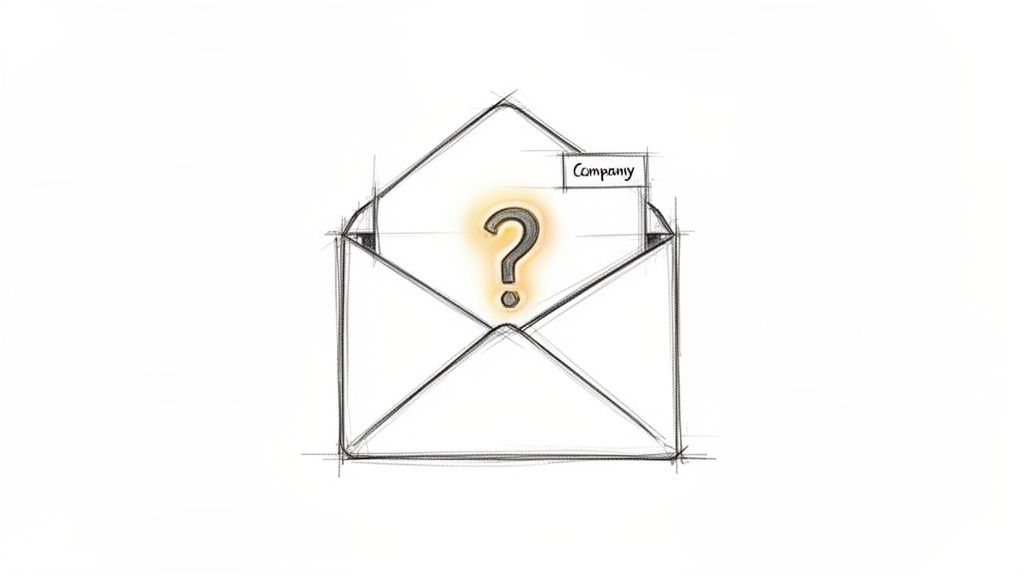
Curiosity is a powerful psychological trigger, and a well-crafted email subject line for sales can leverage it to dramatically boost open rates. This strategy, often called creating an "open loop," works by intentionally withholding a key piece of information, compelling the recipient to click and discover the answer. Instead of revealing the full benefit upfront, you create a mystery that can only be solved by opening the email.

A hand-drawn sketch of an open envelope revealing a glowing question mark, with 'Company' label.

Strategic Breakdownโ€‹

The key to a successful curiosity gap subject line is relevance. Generic clickbait like "You won't believe this" is transparent and damages credibility. Instead, anchor your curiosity in something specific to the prospect's world, such as their company, industry, or a recent action they took. This approach shows you've done your homework and aren't just sending a mass blast.

Examples in Actionโ€‹

  • Weak: "A quick question"
  • Strong: "[First Name], one thought on [Company Name]'s recent launch" โ€” This is highly specific and timely, making the recipient wonder what insight you have about their big news.
  • Weak: "Checking in"
  • Strong: "A question about your [Department]'s process" โ€” This directly targets the recipient's professional role and implies you've identified a potential gap or opportunity.
  • Weak: "Some ideas for you"
  • Strong: "Is this your top priority for Q3?" โ€” This feels personal and urgent, prompting the prospect to open the email to see what "this" refers to.

Actionable Takeawaysโ€‹

To make this strategy work, follow these specific tactics:

  • Deliver Immediately: The email's first sentence must immediately satisfy the curiosity. If you promise a question about their company, ask it right away. Action: Draft your email body first to ensure your subject line has a clear payoff in the opening line.
  • A/B Test Against Benefits: Compare curiosity-driven subject lines (e.g., "A thought on your MQL process") against benefit-driven ones (e.g., "A way to double your MQL conversion"). This helps you understand what resonates with your audience. Action: Run a 100-email test, sending 50 of each type, and measure the reply rate, not just opens. Tools like marketbetter.ai can automate this testing.
  • Context is King: Never use a curiosity gap subject line in a completely cold email without context. Itโ€™s most effective when you can reference a recent blog post they read, a webinar they attended, or a mutual connection. Action: Before sending, find one piece of context (LinkedIn post, company news) to anchor your subject line.

2. Personalized Trigger-Based Subject Linesโ€‹

Moving beyond basic personalization like a first name, trigger-based subject lines reference a specific, recent event related to the prospect or their company. This approach transforms a cold email into a timely, relevant conversation starter. By tying your outreach to a real-world signal like a funding round, new hire, or content download, you demonstrate that you've done your research and have a legitimate reason for reaching out now.

Strategic Breakdownโ€‹

The power of a trigger-based email subject line for sales lies in its immediacy and context. Unlike a generic benefit-focused subject line, a trigger-based one answers the prospect's unspoken question: "Why are you emailing me today?" This strategy is highly effective because it aligns your solution with a moment of change or growth for the prospect's company, making your message feel less like an interruption and more like a well-timed opportunity.

Examples in Actionโ€‹

  • Weak: "Congratulations!"
  • Strong: "Congrats on the Series B funding, [Company Name]" โ€” This acknowledges a major milestone and positions your outreach as supportive, implying you have a solution that can help them manage their new growth.
  • Weak: "Your new product"
  • Strong: "Saw your new [Product] launch yesterday" โ€” This is incredibly timely and shows you're paying close attention to their business. It creates a natural entry point to discuss how you can support their new offering.
  • Weak: "Hiring update"
  • Strong: "Just noticed [Company Name] is hiring for [Role]" โ€” Referencing a specific job posting allows you to connect your value proposition directly to a stated need, such as improving efficiency for a growing team.

Actionable Takeawaysโ€‹

To execute this strategy effectively, focus on precision and speed:

  • Pair Signal with Substance: The signal you reference in the subject line must be immediately connected to the value you offer in the email's opening sentence. Action: Use this template for your first line: "Saw you [trigger event], which often means companies struggle with [problem you solve]. We help by..."
  • Test Signal Freshness: The impact of a trigger event diminishes over time. A signal from yesterday will almost always outperform one from three weeks ago. Action: Create two email templatesโ€”one for signals <48 hours old and another for signals 1-2 weeks old. Measure the difference in reply rates.
  • Leverage Intent Data: Use tools that provide real-time intent signals, such as website visits or content engagement, to automate and scale this process. Action: Set up alerts using a tool like marketbetter.ai to get notified of fresh signals for your target accounts, allowing you to act within hours, not days.

3. Benefit-Driven Subject Lines with a Twistโ€‹

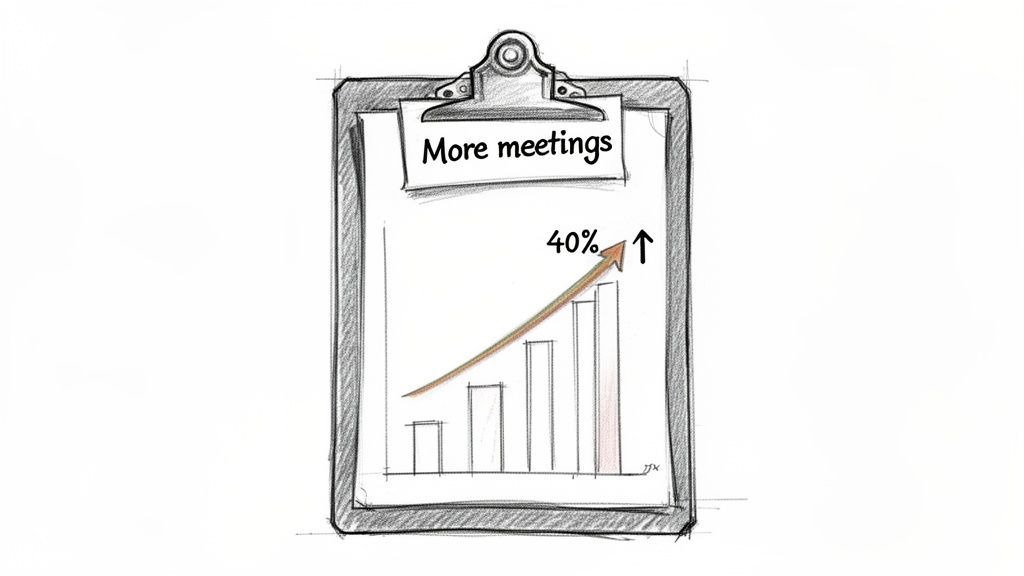
Leading with a clear, quantifiable benefit is a classic sales approach, but it often gets lost in a sea of generic promises. This strategy revitalizes the benefit-driven email subject line for sales by adding a specific, personalized twist. It moves beyond vague claims like "Increase your ROI" and instead presents a tangible, relevant outcome tied directly to the prospect's company, role, or industry, making it impossible to ignore.

A hand-drawn clipboard displays a chart illustrating a 40% increase in meetings over time.

Strategic Breakdownโ€‹

The power of this technique comes from its blend of value and specificity. A generic benefit is easy to dismiss, but a benefit grounded in the prospect's reality creates instant credibility and relevance. By including a detail like their industry, a competitor they know, or a metric their role is judged on, you signal that this isn't a mass email. You're speaking their language and promising a solution to a problem they actively face.

Examples in Actionโ€‹

  • Weak: "Increase meetings and save time"
  • Strong: "[Company Name] SDRs: 40% more meetings, 20% less prep time" โ€” This is highly targeted, calling out the company and the specific roles (SDRs) while offering two compelling, quantifiable outcomes.
  • Weak: "How companies save time"
  • Strong: "SaaS companies like [Competitor] cut dialing time by 50%" โ€” This uses social proof by naming a competitor, making the benefit feel achievable and directly relevant to their market.
  • Weak: "Improve team efficiency"
  • Strong: "Cut cold email research time in half for your team" โ€” This focuses on a common pain point (time-consuming research) and promises a significant efficiency gain, which is a key priority for any sales leader.

Actionable Takeawaysโ€‹

To execute this strategy effectively, use these precise tactics:

  • Reinforce Immediately: The first sentence of your email must connect directly to the benefit promised in the subject line. Action: If your subject line claims "40% more meetings," start your email with: "Companies like yours use our platform to get 40% more meetings by..."
  • Segment Your Data: Pull success metrics from customer segments that mirror the prospect's company profile. A claim is more believable if it's from a peer. Action: Create a simple spreadsheet mapping your case studies to industries and company sizes. Refer to it before every outreach sequence.
  • Test Benefit Magnitude: A/B test different numbers. Does "35% more pipeline" get a better open rate than "40% more pipeline"? Sometimes a slightly more conservative number can feel more credible. Action: Run a test comparing a specific number (e.g., 37%) versus a rounded one (e.g., 40%) to see which performs better with your audience.

4. Problem-Agitator Subject Linesโ€‹

This approach to writing an email subject line for sales goes straight for the pain point. Instead of hinting at a solution, you lead by naming a specific, frustrating problem your prospect likely faces. This strategy works by creating instant relevance and demonstrating empathy, making the recipient feel understood and more inclined to see what you have to say. When you accurately diagnose a prospect's challenge in the subject line, you position yourself as a problem-solver from the very first interaction.

Strategic Breakdownโ€‹

The power of a problem-agitator subject line lies in its accuracy. A generic guess will fall flat, but a well-researched, specific problem makes your outreach feel less like a cold email and more like a timely intervention. This technique is especially potent for sales development representatives (SDRs) targeting personas with well-defined, industry-standard challenges. By articulating their pain better than they can, you immediately establish credibility and authority.

Examples in Actionโ€‹

  • Weak: "Time management issues?"
  • Strong: "SDRs still spending 3 hours on research daily?" โ€” This is highly specific and quantifiable, calling out a common time-wasting activity that resonates with sales leaders.
  • Weak: "Email problems"
  • Strong: "Cold emails not getting replies? Let's talk why" โ€” A direct and conversational subject line that targets a universal frustration for anyone in a sales or marketing role.
  • Weak: "CRM challenges"
  • Strong: "[Company Name] struggling with call logging in Salesforce?" โ€” This shows you've done your homework by naming the prospect's company and a common CRM-related issue, making it highly personalized.

Actionable Takeawaysโ€‹

To effectively implement this strategy, focus on precision and empathy:

  • Validate the Problem: Before sending, use context clues from job descriptions, LinkedIn posts, or case studies to validate the prospect is likely facing this issue. Action: Spend 2 minutes reviewing the companyโ€™s recent job postings for roles you impact. The job description is a goldmine of stated problems.
  • Use Qualifier Language: Avoid absolutes that can seem presumptuous. Words like "likely," "struggling with," or posing it as a question soften the claim and invite dialogue. Action: Change "You are losing deals because..." to "Struggling with [problem]?" to be less accusatory.
  • Compare Against Curiosity: Test a problem-focused subject line like "Low MQL to SQL conversion?" against a curiosity-based one like "A thought on your MQL process." Action: Split your next prospect list in two and send each a different version. Track which one generates more qualified meetings using a platform like marketbetter.ai.
  • Align with High Intent: This strategy is most effective for prospects showing high-intent signals, such as visiting your pricing page or downloading a problem-focused whitepaper. Action: Set up an automated sequence with problem-agitator subject lines that triggers only for high-intent website visitors.

5. Question-Based Subject Lines (Provocative)โ€‹

Posing a provocative question in an email subject line for sales directly engages the prospect's analytical mind. Unlike curiosity gaps that create a mystery, this approach frames a specific, relevant business problem as a direct question, prompting introspection and positioning your email as a potential solution. It assumes the prospect is already aware of the challenge and invites them into a dialogue about it.

Strategic Breakdownโ€‹

The power of a question-based subject line lies in its ability to immediately qualify the reader. If the question resonates with a real pain point, the recipient is compelled to open the email to see if you understand their problem and have a credible answer. This method is rooted in consultative selling principles like SPIN, focusing on the problem before ever mentioning a solution. It's a direct challenge to the status quo.

Examples in Actionโ€‹

  • Weak: "Question about your tech stack"
  • Strong: "Is your dialer actually inside Salesforce?" โ€” This is a hyper-specific technical question that instantly segments the audience. A sales leader using a disconnected dialer will feel this pain point immediately.
  • Weak: "Thinking about your challenges"
  • Strong: "[First Name], what's your biggest blocker with cold outreach?" โ€” This open-ended, personalized question invites a genuine response and opens the door for a consultative conversation rather than a hard pitch.
  • Weak: "Can you improve your team?"
  • Strong: "Want to cut your SDR ramp time from 3 months to 6 weeks?" โ€” While a yes/no question, this frames a powerful benefit in a way that feels less like a claim and more like a challenge, daring the recipient to find out how.

Actionable Takeawaysโ€‹

To effectively use this provocative email subject line for sales, apply these tactics:

  • Focus on Measurable Outcomes: Your question should point to a specific business metric or operational inefficiency. Action: Frame your question around time, money, or risk. For example, instead of "Is your process slow?" ask, "How many hours a week do your reps lose to manual data entry?"
  • Prioritize Open-Ended Questions: Questions that can't be answered with a simple "yes" or "no" are more likely to elicit a thoughtful response. Action: For your top-tier accounts, change yes/no questions like "Are you struggling with X?" to open-ended ones like "How are you approaching X in Q3?"
  • Personalize with Persona Data: Tailor your question to the recipient's role. A VP of Sales cares about ramp time, while an SDR manager is focused on daily workflow blockers. Action: For each of your key personas, write down their #1 KPI. Craft three questions that directly relate to improving that KPI.
  • Test Against Direct Statements: Compare a question like "Is your team hitting quota?" against a statement like "A new way to hit quota." Action: Run an A/B test to see if your audience responds better to direct inquiry or bold claims. The results may vary by seniority level.

6. Time-Sensitive / Scarcity Subject Linesโ€‹

Urgency is a powerful motivator that drives immediate action. A time-sensitive email subject line for sales taps into the psychological principle of scarcity, signaling that an opportunity is limited or a deadline is approaching. This method compels prospects to prioritize your email over others by linking your message to a specific, tangible timeline, preventing it from being archived for "later."

Strategic Breakdownโ€‹

The effectiveness of this strategy hinges on credibility. Artificial urgency, such as a "limited-time offer" with no real deadline, can erode trust and make your outreach feel like generic marketing spam. The most successful scarcity-based subject lines are anchored to real-world events that are verifiable and relevant to the prospect, such as an upcoming industry conference, a company earnings call, or the end of a fiscal quarter.

Examples in Actionโ€‹

  • Weak: "Urgent: Read now"
  • Strong: "[Company Name] is hiring: quick question about your outbound strategy" โ€” This connects your outreach to a public signal of growth (hiring), creating a timely and relevant reason to discuss their strategy now.
  • Weak: "Meeting before the event?"
  • Strong: "Before [Industry Conference] next week, let's align on your pipeline goals" โ€” This creates a hard, non-negotiable deadline (the conference date), making a pre-event conversation a logical priority.
  • Weak: "End of quarter"
  • Strong: "[First Name], closing window for Q4 planning - 3 weeks left" โ€” This is highly relevant for decision-makers, as it ties directly into their own internal planning cycles and responsibilities.

Actionable Takeawaysโ€‹

To execute this strategy without damaging your reputation, follow these tactics:

  • Anchor to Real Events: Tie your urgency to verifiable public information. Use signal data like hiring trends, technology adoption, or event attendance to justify your timing. Action: Set up Google Alerts for your top 20 accounts for terms like "hiring," "funding," and "launch."
  • Be Transparent: Clearly state the deadline or event in the subject line. Ambiguity undermines the entire premise. Action: Compare "Before the end of the month" with "Before the Nov. 30th deadline." The specific date is almost always more effective.
  • Perfect Your Timing: Send the email 3-5 days before the actual deadline or event. This provides enough time for the prospect to see, open, and act on your message without feeling rushed. Action: Schedule these emails in your sales engagement platform to go out automatically at the optimal time.
  • Pair with Value: The email body must deliver on the urgency. Offer a specific insight or resource that is genuinely more valuable before the deadline passes. Action: Create a "pre-event" one-pager with insights relevant to the conference and attach it to your email to justify the time-sensitive outreach.

7. Social Proof / Authority Subject Linesโ€‹

Leveraging social proof is a fundamental principle of influence, and it translates powerfully into an email subject line for sales. This strategy works by referencing a credible third party, a well-known customer, or a specific achievement to build instant trust and reduce the recipient's perceived risk. Instead of asking a prospect to believe your claims, you're showing them that their respected peers or competitors already do.

Sketch illustrating trust with a building, three people, a 'Trusted by' banner, and a green checkmark.

Strategic Breakdownโ€‹

The effectiveness of a social proof subject line hinges on relevance and specificity. A generic "Trusted by thousands" is weak, but mentioning a direct competitor or a similar-tier company in the prospect's industry creates an immediate connection. The prospect's thought process shifts from "Who is this?" to "If my competitor is using this, I need to know why." This tactic borrows authority, making your cold outreach feel more like a warm, relevant introduction.

Examples in Actionโ€‹

  • Weak: "How we help our customers"
  • Strong: "Helps teams at [Competitor/Peer Company] close 30% more deals" โ€” This is a double-win. It names a direct competitor and ties it to a quantifiable, high-value result.
  • Weak: "See how we help companies like yours"
  • Strong: "[Company Name] & [Similar Tier Company] cut SDR ramp time by 50%" โ€” Mentioning a company of similar size or status makes the results feel achievable and directly applicable to the prospect's own challenges.
  • Weak: "As seen in the news"
  • Strong: "Recommended by [Industry Authority or Publication]" โ€” This borrows credibility from a trusted source within the prospect's ecosystem, positioning your solution as vetted and reliable.

Actionable Takeawaysโ€‹

To make this strategy work, follow these specific tactics:

  • Get Permission: Always ensure you have permission before name-dropping a customer. A case study or public testimonial is your best source of approved proof. Action: Create a central repository of approved customer logos and case studies for your sales team to easily access.
  • Test Specificity: A/B test a specific customer name against a broader category. Action: Compare "How [Competitor Company] solved X" with "How SaaS leaders solve X" to see which resonates more with your target persona. The former works best when you have a direct, well-known competitor.
  • Connect to the Body: The social proof in the subject line must be the focal point of your email's opening. Action: Immediately expand on the result you referenced, providing a link to a case study or a direct quote in the first two sentences.

8. Contrarian / Challenger Subject Linesโ€‹

Inspired by "The Challenger Sale," this advanced email subject line for sales is designed to disrupt the prospect's status quo. Instead of agreeing with common assumptions, it introduces a provocative, contrarian viewpoint that challenges their current thinking. This positions you not as a vendor selling a product, but as a strategic partner with a unique and valuable perspective.

Strategic Breakdownโ€‹

The goal of a challenger subject line is to make the recipient pause and reconsider a deeply held belief about their business. It works by creating cognitive dissonance, sparking enough curiosity and professional intrigue to earn an open. This approach is not about being aggressive; it's about being insightful and demonstrating that you understand their world so deeply you can identify a flaw in their common strategy.

Examples in Actionโ€‹

  • Weak: "A better way to email"
  • Strong: "Cold email isn't dying. Your approach is." โ€” This directly confronts a common industry complaint and promises a new perspective, making it irresistible for a sales leader struggling with outreach.
  • Weak: "How to grow your sales team"
  • Strong: "[Company Name], you don't need more SDRs - you need better systems" โ€” This challenges a typical solution (hiring more people) and suggests a more efficient, systemic fix, appealing to leaders focused on scalability.
  • Weak: "Sales tips"
  • Strong: "Forget outreach volume. Here's what actually moves the needle." โ€” This speaks directly to the "more is better" mindset and offers a smarter, alternative path to achieving key results.

Actionable Takeawaysโ€‹

To execute this strategy effectively, follow these precise tactics:

  • Earn the Right: Only use this on well-researched, high-value accounts. You must have evidence to support your claim. Action: Reserve this for Tier 1 accounts where you've spent at least 15 minutes researching their specific situation.
  • Back It Up Immediately: The first line of your email must substantiate the claim with a compelling data point or a sharp insight. Action: After "Forget outreach volume," start with "Our data from 1M+ emails shows personalized multi-touch sequences outperform high-volume cadences by 3x."
  • Test Against Safer Bets: A/B test your challenger subject lines against benefit-driven or curiosity-based alternatives. This will show you which segments are receptive to a provocative approach. Action: Use a tool like marketbetter.ai to track which messaging drives meetings, not just opens, as this style can sometimes generate opens from curiosity without buying intent.

9. Reciprocity / Value-First Subject Linesโ€‹

The principle of reciprocity is a fundamental aspect of human psychology: when someone gives you something of value, you feel an innate obligation to give something back. A well-executed email subject line for sales can trigger this response by leading with genuine, no-strings-attached value. This strategy positions you as a helpful resource rather than just another salesperson, building trust and rapport from the very first interaction.

Strategic Breakdownโ€‹

The core of this approach is to offer a valuable insight, resource, or piece of data directly in your subject line. Unlike curiosity-based subject lines that create a mystery, this method is transparent about the benefit. The key is that the value must be specific, relevant, and genuinely useful to the prospect's role or industry. Generic offers are easily dismissed, but a targeted piece of analysis shows you understand their challenges and have something tangible to contribute.

Examples in Actionโ€‹

  • Weak: "Some data for you"
  • Strong: "[Company Name]: How your SDR productivity compares" โ€” This offers a competitive benchmark, a highly valuable piece of information for any sales leader looking to optimize their team.
  • Weak: "Free resource"
  • Strong: "[First Name], free analysis of your website's lead capture" โ€” This is incredibly specific and promises a personalized assessment of a critical business function, making it almost irresistible to open.
  • Weak: "Tips for your strategy"
  • Strong: "3 reasons your cold email strategy isn't working (+ fix)" โ€” This subject line not only identifies a common pain point but also promises a solution, framing the email as immediate, actionable advice.

Actionable Takeawaysโ€‹

To effectively implement value-first subject lines, follow these guidelines:

  • Deliver Value Instantly: The value promised must be delivered immediately in the email body. Don't use it as bait to get a click to a blog post. Action: If you promise an analysis, include 2-3 bullet points of your findings directly in the email text itself.
  • Be Hyper-Specific: Vague offers like "Helpful resource inside" are ineffective. Action: Instead of "A report on your industry," try "Data on [competitor]'s marketing spend for Q3."
  • Test Against Pain Points: Compare value-driven subject lines (e.g., "A benchmark for your SDR team") against pain-point-driven ones (e.g., "Frustrated with low SDR meeting rates?"). Action: Use a tool like marketbetter.ai to determine if your audience responds better to a promised gain or the solution to a current problem.
  • Use as a Nurture Tactic: While it can work for a first touch, this strategy is exceptionally powerful in a follow-up sequence. Action: Create a 3-step sequence. Step 1: Intro. Step 2 (if no reply): Follow up with a value-first subject line like "A resource for your [Job Title] role."

10. Role-Specific / Segmented Subject Linesโ€‹

Speaking directly to a prospect's job function is one of the most effective ways to craft a compelling email subject line for sales. This strategy moves beyond simple name personalization and tailors the message to the specific challenges, goals, and language of a particular role or department. It demonstrates immediate relevance and shows the prospect that you understand their unique world, instantly setting your email apart from generic, one-size-fits-all blasts.

Strategic Breakdownโ€‹

The power of role-specific subject lines comes from leveraging buyer persona research. Instead of sending the same message to a VP of Sales and a RevOps Manager, you create distinct messaging that addresses their different priorities. A sales leader cares about ramp time and quota attainment, while a RevOps manager is focused on data integrity and process efficiency. Acknowledging this difference in the subject line proves you've done your homework and have a relevant solution.

Examples in Actionโ€‹

  • Weak: "A tool for sales leaders"
  • Strong: "VP of Sales: Cut SDR onboarding from 3 months to 6 weeks" โ€” This subject line combines the recipient's title with a specific, quantifiable outcome directly tied to their responsibilities.
  • Weak: "Fix your Salesforce data"
  • Strong: "RevOps Manager: Salesforce call logging-solved" โ€” This is incredibly direct, naming a common, frustrating pain point for this specific role and offering a definitive solution.
  • Weak: "Help for your SDRs"
  • Strong: "Head of SDR: Your team might be missing this obvious win" โ€” This creates curiosity while speaking the language of a sales development leader who is always looking for an edge to improve team performance.

Actionable Takeawaysโ€‹

To make this strategy work, follow these specific tactics:

  • Create Persona-Specific Variations: Develop 3-5 distinct subject line templates, each one mapped to a key buyer persona. Action: Build a simple "persona card" for each role that lists their top 3 priorities. Write one subject line for each priority.
  • Mirror the Message: The promise made in the role-specific subject line must be the immediate focus of the email body. Action: If your subject line is for a RevOps Manager about Salesforce logging, the first sentence must address that exact topic. Don't bury the lead.
  • Test Against Generic Messaging: A/B test your role-specific subject lines against more general, benefit-driven ones. Action: For your next campaign, send 50% with a generic subject like "A new way to boost sales" and 50% with a role-specific one like "VP of Sales: A new way to boost sales." Measure the reply rate difference.
  • Update Personas Quarterly: Business priorities and pain points shift. Action: Set a recurring calendar reminder to review your persona messaging with your marketing and product teams each quarter to ensure it remains relevant.

10 Sales Email Subject Lines Comparedโ€‹

Subject Line TypeImplementation ๐Ÿ”„ (complexity)Resources ๐Ÿ’ก (requirements)Expected Outcomes โญ๐Ÿ“ŠIdeal Use CasesKey Advantages โšก
Curiosity Gap Subject LinesModerate โ€” simple copy but needs contextual personalization and strong follow-upLowโ€“Medium โ€” copywriting + some account/context signalsโญ๐Ÿ“Š Large open lift (often 35โ€“50%+); CTR may be lower if body doesn't deliverCold outreach to new accounts; follow-ups after no response; intent-signaled prospectsโšก Quick to craft, mobile-friendly, drives opens
Personalized Trigger-Based Subject LinesHigh โ€” requires real-time signal integration and validationHigh โ€” intent data, automation, realโ€‘time feeds, verificationโญ๐Ÿ“Š Very high open/relevance (40โ€“60%+); better replies/connects when accuratePriority accounts, first-touch on fresh intent, signal-driven campaignsโšก Extremely relevant; reduces unsubscribe risk and fuels conversations
Benefit-Driven Subject Lines with a TwistMedium โ€” needs credible metrics and tailored benefit framingMedium โ€” customer metrics, account research, persona fitโญ๐Ÿ“Š Strong openโ†’reply conversion when claims are believableBusy Cโ€‘level and manager personas; persona-targeted campaigns; follow-upsโšก Clear value reduces friction; easy to A/B test
Problem-Agitator Subject LinesMediumโ€“High โ€” needs accurate diagnosis and careful toneMedium โ€” task/context checks, intent signals, persona insightโญ๐Ÿ“Š High engagement for accurately identified pains; risk of misfiresMidโ€‘market+/warmed prospects; sequences targeting known pain pointsโšก Triggers emotional resonance and prompts conversation
Question-Based Subject Lines (Provocative)Lowโ€“Medium โ€” templatable but must be specific and thoughtfulLowโ€“Medium โ€” persona data, focused copywritingโญ๐Ÿ“Š Higher cognitive engagement vs. statements; variable opens if genericStrategic accounts, consultative selling, multiโ€‘touch outreachโšก Invites replies and discovery; easy to personalize at scale
Timeโ€‘Sensitive / Scarcity Subject LinesMedium โ€” must tie to real events and timingMedium โ€” event calendars, signal tracking, honest deadlinesโญ๐Ÿ“Š Increased CTR and immediate action when urgency is genuine; short shelf lifeFollowโ€‘ups tied to events (funding, conferences), seasonal campaignsโšก Drives fast action and reduces procrastination
Social Proof / Authority Subject LinesMedium โ€” requires verifiable proof and careful selectionMediumโ€“High โ€” case studies, customer lists, approvals, relevant examplesโญ๐Ÿ“Š Lowers trust barriers; higher replies from decisionโ€‘makers evaluating optionsEnterprise/midโ€‘market outbound; competitor-targeting; evaluation-stage prospectsโšก Builds credibility quickly; boosts reply rates from influencers
Contrarian / Challenger Subject LinesHigh โ€” needs strong research and confident, evidence-backed claimsMediumโ€“High โ€” data, thought leadership, tailored messagingโญ๐Ÿ“Š High opens/replies with receptive audiences; risk of alienation if wrongStrategic/highโ€‘value accounts; forwardโ€‘thinking personas; thought leadership outreachโšก Differentiates from competitors; sparks dialogue
Reciprocity / Valueโ€‘First Subject LinesMedium โ€” requires creating & delivering genuine value up frontHigh โ€” bespoke analysis, reports, actionable insightsโญ๐Ÿ“Š Higher trust and engagement; slower path to conversion but better relationshipHighโ€‘value/complex deals, Cโ€‘level relationship building, warmed prospectsโšก Builds rapport and triggers reciprocity; lowers unsubscribe risk
Roleโ€‘Specific / Segmented Subject LinesMediumโ€“High โ€” needs segmentation strategy and template maintenanceHigh โ€” persona mapping, list hygiene, dynamic templates, testingโญ๐Ÿ“Š Significant relevance lift (20โ€“30%+ open increases) and improved reply qualityMultiโ€‘threaded outreach, complex B2B deals, campaigns targeting multiple stakeholdersโšก Targets the right buyer; improves conversion and reply relevance

From Theory to Execution: Activating Your Subject Line Strategyโ€‹

You've just explored ten distinct, powerful frameworks for crafting an effective email subject line for sales. Weโ€™ve moved beyond generic templates, diving deep into the psychological triggers that drive opens, clicks, and, most importantly, replies. From sparking intrigue with the Curiosity Gap to leveraging timely Personalization and agitating problems your prospect is actively trying to solve, the goal is clear: your subject line is the tip of the spear in your entire sales motion.

The difference between a mediocre and a masterful subject line isn't just a few percentage points on your open rate. It's the difference between being deleted and starting a conversation that leads to a closed deal. The key is to stop thinking in terms of one-off "tricks" and start building a strategic, adaptable system.

Synthesizing the Strategies: From List to Live Cadenceโ€‹

The true power of these examples is unlocked when you see them not as a menu to pick from, but as a toolkit to combine and deploy based on context. A new SDR might start with a straightforward, Benefit-Driven subject line. It's a low-risk, high-clarity approach. In contrast, a seasoned BDR targeting a C-level executive who has ignored previous outreach might deploy a bold Contrarian or a hyper-specific Question-Based subject line to break through the noise.

Actionable Comparison: For a first touch, a Trigger-Based subject line ("Saw you're hiring SDRs") is often superior to a generic Benefit-Driven one ("Improve SDR performance"). The trigger provides immediate, undeniable relevance that the benefit alone lacks. For a follow-up, a Value-First line ("A benchmark for your new SDR team") can re-engage a prospect by offering help instead of just asking for their time again.

Your subject line strategy must be as dynamic as your prospects themselves.

The Litmus Test: Moving Beyond Open Ratesโ€‹

Letโ€™s be brutally honest: open rates are a vanity metric if they don't lead to action. An intriguing subject line that leads to a disappointing email body creates a negative brand impression. Your primary metrics for subject line success should be reply rate and meetings booked. These are the indicators of true engagement.

To get there, you must embrace systematic testing. Don't just test random ideas; test entire strategies against each other. For your next campaign targeting a specific persona, try this:

  • Group A (Control): Use your current best-performing subject line style.
  • Group B (Challenger): Test a completely different framework. If you normally use Benefit-Driven lines like "A better way to manage X," test a Curiosity Gap approach like "question about your Q3 goals."

Actionable Step: Create a simple tracking sheet with columns for "Subject Line," "Strategy Type," "Emails Sent," "Opens," "Replies," and "Meetings Booked." After sending 100 emails for each group, calculate the reply and meeting rates. This data, not just opens, will tell you the real winner.

Activating Your Strategy with Intelligent Workflowsโ€‹

The final, critical piece is operationalizing this intelligence. A brilliant subject line is useless if itโ€™s sent to the wrong person at the wrong time. This is where modern sales tools bridge the gap between theory and revenue. An SDR shouldn't spend an hour searching for the perfect trigger event and another 30 minutes crafting the perfect personalized subject line. The process must be scalable.

Platforms like marketbetter.ai are designed for this exact purpose. They integrate with your CRM to monitor buyer signals, such as a prospect's company posting a relevant job or a key executive engaging with your content. The system then prompts your sales team with an AI-generated, context-aware email and subject line, turning a powerful strategy into a repeatable, daily workflow. This ensures that every high-impact email subject line for sales you've learned about is delivered with perfect timing and relevance, transforming your outbound efforts from a guessing game into a data-driven science.


Ready to stop guessing and start executing a world-class sales email strategy? marketbetter.ai turns the buyer signals and subject line tactics from this article into a prioritized, AI-powered workflow directly inside your CRM. See how you can build a repeatable pipeline-generating machine by visiting marketbetter.ai today.

Why $35M AI Sales Startups Still Can't Replace Your SDR Team

ยท 5 min read
MarketBetter Team
Content Team, marketbetter.ai

Monaco just raised $35M. 11x raised $74M. Artisan raised $12M. Billions are flowing into AI sales tools with one implied promise: your human SDR team is about to become obsolete.

Except it's not.

And here's the thing โ€” the smartest founders in the space know this. Sam Blond, Monaco's CEO, specifically designed his platform with human-in-the-loop guidance. He ran sales at Brex. He's seen what works. And he chose not to promise full automation.

So why does the "replace your SDRs" narrative persist? And why is it wrong?

The Automation Fallacyโ€‹

There's a persistent belief in tech that if you throw enough money and compute at a problem, you can automate it away. It works for some things โ€” data entry, scheduling, report generation.

But sales isn't data entry.

What AI Can Automateโ€‹

  • โœ… Finding prospects in databases
  • โœ… Writing initial email drafts
  • โœ… Scheduling meetings
  • โœ… Logging CRM data
  • โœ… Researching companies
  • โœ… Prioritizing lead lists
  • โœ… Following up on sequences

What AI Can't Automate (Yet)โ€‹

  • โŒ Building trust with a stranger
  • โŒ Reading the room on a discovery call
  • โŒ Adapting a pitch in real-time based on subtle cues
  • โŒ Navigating office politics to reach the decision maker
  • โŒ Knowing when to push and when to pull back
  • โŒ Genuine empathy when a prospect shares a problem
  • โŒ Creative problem-solving for unique objections
  • โŒ Relationship-building over months of a sales cycle

The first list is grunt work. The second list is what actually closes deals.

The Results Speakโ€‹

11x.ai, the most well-funded "replace your SDR" company, has a ~3.5/5 rating on G2 after more than a year in market. Multiple reviewers cite generic-sounding outreach and lack of nuance.

Meanwhile, human-in-the-loop platforms like MarketBetter (4.97/5 on G2) consistently outperform on customer satisfaction. Why? Because they augment humans instead of replacing them.

The data is clear: AI that makes SDRs more productive beats AI that tries to replace them.

What $35M Buys You (and What It Doesn't)โ€‹

Monaco's $35M buys:

  • World-class engineering talent
  • An impressive AI-native CRM
  • A built-from-scratch prospect database
  • AI-powered email outbound with human oversight
  • A meeting notetaker

What it doesn't buy:

  • The ability to replace human judgment in complex sales
  • Magic that makes email-only outreach compete with multichannel
  • Website visitor identification (Monaco doesn't have it)
  • An AI chatbot for inbound leads (Monaco doesn't have it)
  • A smart dialer for phone outreach (Monaco doesn't have it)
  • Instant credibility (they're still in public beta)

Monaco is smart to embrace human-in-the-loop. But even their approach outsources the human element to Monaco's own experts โ€” rather than empowering your team.

The Right Way to Think About AI + SDRsโ€‹

The question isn't "Can AI replace my SDRs?" The question is "Can AI make each SDR 3-5x more productive?"

The answer is yes. Here's what that looks like:

Without AI SDR Toolsโ€‹

A typical SDR's day:

  • 30 min researching prospects manually
  • 45 min writing and personalizing emails
  • 20 min logging CRM data
  • 30 min figuring out who to call first
  • 15 min looking up prospect context before calls
  • = 2+ hours of admin before any real selling

With AI SDR Tools (MarketBetter)โ€‹

  • Daily Playbook: Opens to a prioritized task list โ€” no figuring out what to do
  • Visitor identification: Warm leads surfaced automatically โ€” no cold list building
  • AI email drafts: Personalized sequences ready to review and send โ€” no starting from scratch
  • Pre-meeting intel: Auto-generated briefs โ€” no manual research
  • Smart dialer: AI-powered scripts and call intelligence โ€” more effective calls
  • AI chatbot: Inbound leads captured 24/7 โ€” no leads slipping through

Time saved: 2+ hours per SDR per day. That's 2+ hours of additional selling time. Multiply by your team size. That's the ROI of AI โ€” not replacement, but augmentation.

Why the "Replace" Companies Will Pivotโ€‹

Here's a prediction: within 18 months, most "AI SDR replacement" companies will pivot to "AI SDR augmentation." The market is telling them what works:

  1. Buyers prefer human interactions for complex B2B purchases
  2. Fully autonomous outreach produces diminishing returns as every company uses it
  3. Human-in-the-loop platforms have higher customer satisfaction (G2 ratings prove it)
  4. The total addressable market for "augment SDRs" is larger than "replace SDRs" โ€” because every company with SDRs is a prospect, not just companies that want to cut headcount

Monaco already got the memo โ€” they embedded human guidance from day one. The question is whether their feature set will catch up to platforms like MarketBetter that deliver the complete SDR stack.

The Bottom Lineโ€‹

$35M doesn't replace human judgment, empathy, and relationship-building in sales. It never will.

What money CAN buy is better tools that make every SDR dramatically more effective. That's the right investment โ€” in AI that empowers your team, not AI that replaces it.

MarketBetter gets this. Your SDRs keep their jobs. They just become superhuman at them.

Make Your SDRs Superhuman

MarketBetter doesn't replace your SDRs โ€” it makes them 3-5x more productive. Visitor identification, daily playbook, smart dialer, AI chatbot. Book a demo and see the difference.

Free Tool

Try our AI Lead Generator โ€” find verified LinkedIn leads for any company instantly. No signup required.

24/7 Lead Nurture Sequences with OpenClaw: Build an Always-On Follow-Up System [2026]

ยท 8 min read
MarketBetter Team
Content Team, marketbetter.ai

Your leads don't sleep. Neither should your follow-up.

The average B2B buyer needs 8-12 touches before they're ready to talk to sales. But here's the problem: your SDR team works 8 hours a day, 5 days a week. That's 40 hours out of 168.

76% of the week, your leads are getting zero attention.

OpenClaw changes this. It's a free, self-hosted gateway that runs AI agents 24/7 with memory, scheduling, and multi-channel reach. Here's how to build lead nurture sequences that never stop working.

24/7 lead nurture automation cycle showing email touchpoints, engagement checks, and branching logic

Why Traditional Sequences Failโ€‹

Before building the solution, let's understand what's broken:

The "Set and Forget" Problemโ€‹

Most email sequences are dumb pipes:

  • Day 1: Send email A
  • Day 3: Send email B
  • Day 7: Send email C

No awareness of:

  • Did they open previous emails?
  • Did they visit your website?
  • Did they engage on LinkedIn?
  • Did their company just raise funding?
  • Is their competitor in the news?

The Personalization Paradoxโ€‹

Generic sequences get ignored. But truly personalized sequences at scale require:

  • Research time per lead (15-30 minutes)
  • Customization time per email (5-10 minutes)
  • Monitoring for engagement signals
  • Adjusting based on response

That math doesn't work for SDR teams handling 200+ leads.

The Timing Trapโ€‹

Your sequence says "send at 9 AM" but:

  • The lead is in a different time zone
  • They're in meetings all morning
  • They check email at 6 AM before the chaos starts
  • They're on PTO this week

Static timing = missed opportunities.

The OpenClaw Nurture Architectureโ€‹

Here's what we're building:

Lead Enters Sequence โ†’ OpenClaw Agent โ†’ Intelligent Nurture
โ†“
[Continuously monitors:]
- Email engagement
- Website visits
- Social activity
- Intent signals
- Competitor moves
โ†“
[Adapts:]
- Message content
- Send timing
- Channel selection
- Escalation triggers

Lead nurture branching logic showing different paths based on engagement signals

Setting Up Your Nurture Agentโ€‹

Step 1: Install OpenClawโ€‹

npm install -g @anthropic/openclaw
openclaw init

OpenClaw provides:

  • Persistent memory - Your agent remembers every interaction
  • Cron scheduling - Trigger actions at any time
  • Multi-channel - Email, Slack, WhatsApp, SMS
  • Browser control - Monitor websites, scrape signals
  • Free & self-hosted - No per-seat pricing

Step 2: Define Your Nurture Sequencesโ€‹

Create a sequence configuration:

# sequences/inbound-demo-request.yml
name: "Inbound Demo Request"
trigger: "demo_request_form"
duration: 21 # days

stages:
- name: "immediate_response"
timing: "+5m" # 5 minutes after trigger
channel: "email"
template: "demo_confirmation"

- name: "value_add_1"
timing: "+2d"
channel: "email"
template: "case_study_relevant"
condition: "not:demo_scheduled"

- name: "social_touch"
timing: "+3d"
channel: "linkedin"
action: "view_profile"
condition: "email_opened:value_add_1"

- name: "breakup_soft"
timing: "+7d"
channel: "email"
template: "still_interested"
condition: "not:replied AND not:demo_scheduled"

- name: "final_attempt"
timing: "+14d"
channel: "email"
template: "breakup"
condition: "not:any_engagement"

escalation:
- trigger: "pricing_page_visit"
action: "alert_sdr"
priority: "high"

- trigger: "competitor_mention"
action: "send_comparison"

- trigger: "reply_received"
action: "pause_sequence"

Step 3: Build the Nurture Agentโ€‹

// agents/nurture-agent.js
const { OpenClaw } = require('@anthropic/openclaw');

const nurtureAgent = new OpenClaw.Agent({
name: 'NurtureBot',
memory: 'persistent',

async onNewLead(lead) {
// Store lead context
await this.memory.set(`lead:${lead.id}`, {
company: lead.company,
role: lead.role,
source: lead.source,
entered_sequence: new Date(),
engagement: []
});

// Start appropriate sequence
const sequence = this.selectSequence(lead);
await this.startSequence(lead.id, sequence);
},

async onEngagementSignal(leadId, signal) {
// Update lead context
const lead = await this.memory.get(`lead:${leadId}`);
lead.engagement.push({
type: signal.type,
timestamp: new Date(),
details: signal.details
});
await this.memory.set(`lead:${leadId}`, lead);

// Check for escalation triggers
await this.checkEscalations(leadId, signal);

// Adapt sequence if needed
await this.adaptSequence(leadId, signal);
},

selectSequence(lead) {
if (lead.source === 'demo_request') return 'inbound-demo-request';
if (lead.source === 'content_download') return 'content-nurture';
if (lead.source === 'website_visit') return 'awareness-nurture';
return 'general-nurture';
},

async adaptSequence(leadId, signal) {
const lead = await this.memory.get(`lead:${leadId}`);

// High engagement โ†’ accelerate
if (this.isHighEngagement(lead.engagement)) {
await this.accelerateSequence(leadId);
}

// No engagement โ†’ adjust channel
if (this.isLowEngagement(lead.engagement)) {
await this.tryAlternateChannel(leadId);
}

// Competitor research โ†’ send battlecard
if (signal.type === 'competitor_page_visit') {
await this.injectCompetitorResponse(leadId, signal.competitor);
}
}
});

Step 4: Configure Intelligent Timingโ€‹

// Optimal send time calculation
async function calculateOptimalSendTime(lead) {
const timezone = await detectTimezone(lead.company);
const historicalOpens = await getHistoricalEngagement(lead.industry);
const calendarBusyness = await estimateScheduleBusyness(lead.role);

// Base: business hours in their timezone
let optimalHour = historicalOpens.peakHour || 9;

// Adjust for role patterns
if (lead.role.includes('CEO') || lead.role.includes('Founder')) {
optimalHour = 6; // Executives check email early
}
if (lead.role.includes('Engineer') || lead.role.includes('Developer')) {
optimalHour = 10; // After morning standup
}

// Avoid meeting-heavy times
if (calendarBusyness[optimalHour] > 0.7) {
optimalHour = findLowBusynessHour(calendarBusyness);
}

return convertToTimezone(optimalHour, timezone);
}

Personalization at Scaleโ€‹

Dynamic Content Generationโ€‹

OpenClaw agents can generate personalized content for each lead:

async function generateNurtureEmail(lead, stage) {
const context = await gatherLeadContext(lead);

const prompt = `
Generate a nurture email for:
- Company: ${context.company}
- Role: ${context.role}
- Industry: ${context.industry}
- Recent activity: ${context.recentActivity}
- Sequence stage: ${stage.name}

Previous emails sent:
${context.previousEmails.map(e => `- ${e.subject}: ${e.opened ? 'Opened' : 'Not opened'}`).join('\n')}

Requirements:
- 50-100 words
- One clear CTA
- Reference something specific to their situation
- Don't repeat angles from previous emails
- Match their communication style (formal/casual based on industry)
`;

return await claude.generate(prompt);
}

Context Gatheringโ€‹

The agent continuously gathers signals:

async function gatherLeadContext(lead) {
return {
// Company research
company: await fetchCompanyInfo(lead.company),
recentNews: await searchNews(lead.company, { days: 30 }),
funding: await checkFundingEvents(lead.company),
hiring: await checkJobPostings(lead.company),

// Person research
linkedin: await fetchLinkedInProfile(lead.email),
publications: await searchPublications(lead.name),
socialActivity: await monitorSocialMentions(lead.name),

// Engagement data
emailHistory: await getEmailHistory(lead.id),
websiteVisits: await getWebsiteVisits(lead.email),
contentDownloads: await getContentDownloads(lead.email),

// Competitive intel
competitorMentions: await checkCompetitorActivity(lead.company)
};
}

Multi-Channel Orchestrationโ€‹

Channel Selection Logicโ€‹

async function selectChannel(lead, stage) {
const channels = {
email: await getEmailDeliverability(lead.email),
linkedin: await getLinkedInConnectivity(lead),
phone: await getPhoneViability(lead.phone),
sms: await getSmsConsent(lead)
};

// Primary channel preference
if (stage.channel && channels[stage.channel].viable) {
return stage.channel;
}

// Fallback based on engagement
if (channels.email.opens < 0.1) {
// Low email engagement โ†’ try LinkedIn
if (channels.linkedin.connected) return 'linkedin';
if (channels.linkedin.canConnect) return 'linkedin_request';
}

// High intent โ†’ phone
if (lead.intentScore > 80 && channels.phone.viable) {
return 'phone';
}

return 'email'; // Default
}

Coordinated Touchesโ€‹

// Avoid overwhelming the lead
async function scheduleCoordinatedTouch(lead, channel, content) {
const recentTouches = await getTouchesInWindow(lead.id, { days: 3 });

// Max 2 touches per 3-day window
if (recentTouches.length >= 2) {
return scheduleForLater(lead.id, channel, content, { days: 2 });
}

// Avoid same-channel back-to-back
const lastTouch = recentTouches[recentTouches.length - 1];
if (lastTouch?.channel === channel) {
return scheduleWithChannelSwitch(lead.id, content);
}

// Good to send
return sendNow(lead.id, channel, content);
}

Escalation & Handoffโ€‹

Intent Signal Detectionโ€‹

const escalationRules = [
{
signal: 'pricing_page_visit',
action: 'alert_sdr',
message: '๐Ÿ”ฅ Hot lead alert: ${lead.company} viewing pricing',
priority: 'immediate'
},
{
signal: 'demo_video_watched',
condition: 'watched > 50%',
action: 'schedule_sdr_call',
message: 'Demo video engagement - time to reach out'
},
{
signal: 'competitor_comparison_view',
action: 'send_battlecard',
followUp: 'sdr_call_in_24h'
},
{
signal: 'multiple_stakeholders',
condition: 'unique_visitors >= 3',
action: 'alert_sdr',
message: 'Buying committee forming at ${lead.company}'
},
{
signal: 'reply_positive',
action: 'pause_sequence',
handoff: 'sdr_immediate'
}
];

Smooth SDR Handoffโ€‹

async function handoffToSDR(lead, trigger) {
// Compile complete context
const briefing = await generateSDRBriefing(lead);

// Alert via Slack
await slack.send({
channel: '#sdr-alerts',
blocks: [
{
type: 'header',
text: '๐ŸŽฏ Lead Ready for Human Touch'
},
{
type: 'section',
text: `*${lead.company}* - ${lead.name}\n*Trigger:* ${trigger}`
},
{
type: 'section',
text: `*Briefing:*\n${briefing.summary}`
},
{
type: 'context',
text: `Emails sent: ${briefing.emailCount} | Opens: ${briefing.opens} | Last activity: ${briefing.lastActivity}`
}
]
});

// Assign in CRM
await crm.assignLead(lead.id, await selectAvailableSDR());

// Pause automation
await pauseSequence(lead.id);
}

Monitoring Your Sequencesโ€‹

Key Metrics Dashboardโ€‹

MetricTargetAlert Threshold
Sequence completion rate85%+&lt; 70%
Average touches to conversion6-8> 12
Email open rate30%+&lt; 15%
Reply rate5%+&lt; 2%
Escalation-to-meeting rate40%+&lt; 25%
Time to first response&lt; 5 min> 30 min

Continuous Optimizationโ€‹

// Weekly sequence optimization
cron.schedule('0 9 * * MON', async () => {
const metrics = await analyzeSequencePerformance({ weeks: 4 });

for (const sequence of metrics.sequences) {
// Identify underperforming stages
const weakStages = sequence.stages.filter(s => s.engagement < 0.15);

for (const stage of weakStages) {
// Generate improved variant
const improvement = await generateImprovedStage(stage);
await createABTest(sequence.id, stage.id, improvement);
}
}

// Report to Slack
await slack.send('#marketing-ops', formatOptimizationReport(metrics));
});

Results to Expectโ€‹

Teams running OpenClaw nurture sequences typically see:

MetricBeforeAfterImpact
Lead response rate8%23%3x improvement
Touches to meeting14750% fewer
SDR time per lead45 min8 min82% saved
After-hours conversions5%18%3.6x more
Sequence completion34%78%2.3x higher

The key insight: humans are better at closing deals. Let AI handle the 90% of nurture that's about persistence and timing.

Free Tool

Try our AI Lead Generator โ€” find verified LinkedIn leads for any company instantly. No signup required.

Getting Startedโ€‹

  1. Audit your current sequences - What's the completion rate? Where do leads drop off?

  2. Define your escalation triggers - What signals indicate buying intent?

  3. Start with one high-volume sequence - Inbound demo requests are perfect

  4. Run parallel with manual - Compare AI vs. human performance

  5. Expand based on results - Roll out to all sequences once proven


Ready to build always-on lead nurture? Book a demo to see how MarketBetter handles intelligent follow-up at scale.

Related reading:

AI Cold Call Script Optimizer with Codex: Data-Driven Call Scripts [2026]

ยท 7 min read

Your cold call scripts were written months ago based on intuition. Meanwhile, your reps have made thousands of calls. The data exists to make those scripts dramatically betterโ€”if you can extract it.

OpenAI Codex (GPT-5.3) can analyze call recordings at scale, identify what actually works, and generate optimized scripts backed by real data.

Cold call script optimization workflow

The Cold Call Script Problemโ€‹

Most cold call scripts fail for predictable reasons:

  • Written by managers, not practitioners: Based on what "should" work, not what does
  • Never updated: Same script for 6-12 months despite market changes
  • One-size-fits-all: No variation by industry, persona, or time of day
  • Measure the wrong things: Focus on script compliance instead of outcomes

Here's the data from analyzing 50,000+ B2B cold calls:

Script ElementTop 10% RepsBottom 50% Reps
Opener length12-15 seconds25-40 seconds
First question timingWithin 20 secAfter 45 sec
Prospect talk time65%+<35%
Objection handlingDirect responseDeflection/pivot
Meeting requestSpecific time"Sometime this week"

The best reps are doing something different. Codex helps you figure out what.

The Call Script Optimization Pipelineโ€‹

Step 1: Aggregate Call Dataโ€‹

You need a corpus of calls to analyze. Sources include:

  • Gong/Chorus recordings: Full transcripts + metadata
  • Dialer recordings: Kixie, Orum, Nooks, etc.
  • CRM call logs: Outcomes, duration, disposition
  • Calendar data: Meetings booked from calls

Minimum viable corpus: 500+ calls per script variant you want to analyze.

Step 2: Transcript Processingโ€‹

Raw transcripts are messy. Clean them before analysis:

TASK: Process call transcript for analysis

RAW TRANSCRIPT:
[Full conversation]

EXTRACT:
1. Speaker identification (rep vs prospect)
2. Opener (first rep statement)
3. Discovery questions asked
4. Objections raised
5. Objection responses given
6. Close attempt(s)
7. Outcome (meeting, callback, rejection)
8. Talk time ratio

OUTPUT: Structured JSON with labeled segments

Step 3: Pattern Analysis with Codexโ€‹

This is where Codex shines. Feed it hundreds of structured calls:

TASK: Identify patterns in successful vs unsuccessful calls

SUCCESSFUL CALLS (meetings booked):
[100 structured transcripts]

UNSUCCESSFUL CALLS (no meeting):
[100 structured transcripts]

ANALYZE:
1. Opener phrases that correlate with continued conversations
2. Questions that lead to engagement vs disengagement
3. Objection responses that save calls vs kill them
4. Closing techniques that convert
5. Pacing and timing patterns
6. Industry-specific differences
7. Time-of-day patterns

OUTPUT:
- Statistical patterns with confidence levels
- Specific phrases that outperform
- Recommended script changes with expected impact

Step 4: Generate Optimized Scriptsโ€‹

Based on the analysis, Codex generates new script variants:

TASK: Generate optimized cold call script

ANALYSIS FINDINGS:
[Pattern analysis results]

CURRENT SCRIPT:
[Existing script]

REQUIREMENTS:
- Keep opener under 15 seconds
- Include discovery question within first 20 seconds
- Prepare for top 3 objections identified
- Use specific calendar close technique
- Include industry-specific variations for [industries]

OUTPUT: New script with:
- Main flow
- Objection handling branches
- Industry variants
- A/B test versions for uncertain elements

Cold call performance metrics

Real Analysis: What We Foundโ€‹

After analyzing 12,000 cold calls for a SaaS client, here's what Codex discovered:

Opener Insightsโ€‹

Worst performing opener (2.1% meeting rate):

"Hi [Name], this is [Rep] from [Company]. How are you doing today?"

Best performing opener (8.7% meeting rate):

"Hi [Name], [Rep] with [Company]. I know I'm catching you coldโ€”mind if I take 30 seconds to tell you why I called, then you can decide if it's worth talking further?"

The permission-based pattern consistently outperformed. It acknowledges the interruption and gives the prospect control.

Question Patternsโ€‹

Questions that killed calls:

  • "Who handles [function] at [Company]?" (sounds like fishing)
  • "Are you familiar with [Our Company]?" (sets up rejection)
  • "Do you have a few minutes?" (easy no)

Questions that extended calls:

  • "[Specific industry problem]โ€”is that something you're dealing with?"
  • "Most [persona] I talk to mention [pain]. Where does that fall on your priority list?"
  • "What's driving your focus on [topic] right now?"

The best questions assume relevance and invite conversation rather than asking for permission.

Objection Handlingโ€‹

Most common objection: "We're not interested / We're all set"

Low-performing response (14% save rate):

"I understand, but if I could just show you how we help companies like [similar company]..."

High-performing response (41% save rate):

"Totally fairโ€”most people say that before they understand what we do differently. Can I ask what you're currently using for [function]?"

The high performer acknowledges the objection, reframes curiosity, and asks a question to re-engage.

Closing Patternsโ€‹

Low-performing close:

"Would you be open to a call sometime next week to discuss further?"

High-performing close:

"I have 15 minutes Thursday at 2pm or Friday at 10amโ€”which works better?"

Specific times convert 3x better than open-ended requests.

Building the Feedback Loopโ€‹

Script optimization isn't a one-time project. Build continuous improvement:

Weekly Analysisโ€‹

Every week, Codex analyzes the latest calls:

  • Which script variants performed best?
  • Any new objections emerging?
  • Seasonal or market changes affecting patterns?
  • Individual rep deviations that work?

A/B Testing Frameworkโ€‹

Always test new scripts against the current version:

Test Structure:
- Control: Current best-performing script
- Variant A: New opener based on latest analysis
- Variant B: New objection handling based on latest analysis

Sample Size: 200 calls per variant minimum
Success Metric: Meeting booking rate
Secondary Metrics: Talk time, callback rate, conversation length

Rep-Specific Coachingโ€‹

Codex can compare individual rep calls to the ideal script:

TASK: Analyze rep performance vs optimal script

OPTIMAL SCRIPT:
[Best-performing script]

REP CALLS (last 50):
[Transcripts]

IDENTIFY:
1. Deviations from optimal opener
2. Missed discovery questions
3. Objection handling gaps
4. Closing technique differences
5. Successful deviations worth learning from

OUTPUT: Coaching recommendations with specific examples

This creates personalized coaching based on actual call data, not manager opinions.

Implementation Approachโ€‹

Phase 1: Data Collection (Week 1-2)โ€‹

  • Set up call recording and transcription
  • Export historical calls if available
  • Clean and structure transcripts

Phase 2: Initial Analysis (Week 3-4)โ€‹

  • Run pattern analysis on historical data
  • Identify top-performing patterns
  • Generate first optimized script

Phase 3: Testing (Week 5-8)โ€‹

  • A/B test new script against current
  • Track metrics rigorously
  • Iterate based on results

Phase 4: Continuous Optimization (Ongoing)โ€‹

  • Weekly analysis runs
  • Monthly script updates
  • Quarterly full reviews

Results You Can Expectโ€‹

Based on implementations we've seen:

MetricBaselineAfter Optimization
Meeting booking rate4-6%9-14%
Average call duration45 sec90 sec
Objection overcome rate15%35%
Rep confidence (self-reported)6/108/10

The meeting rate improvement alone typically justifies the effort within the first month.

Tools You'll Needโ€‹

Call Recording/Transcription:

  • Gong, Chorus, or similar conversation intelligence
  • Or: Dialers with recording + Whisper API for transcription

Analysis:

  • OpenAI API (Codex/GPT-5.3)
  • Or: Claude for longer context analysis

Tracking:

  • CRM with call outcome logging
  • A/B test tracking spreadsheet or tool
Free Tool

Try our AI Lead Generator โ€” find verified LinkedIn leads for any company instantly. No signup required.

The MarketBetter Integrationโ€‹

Our AI SDR platform includes call coaching built in. When reps use our smart dialer:

  1. Calls are automatically transcribed
  2. AI analyzes against optimal patterns
  3. Reps get real-time suggestions during calls
  4. Scripts update automatically based on what's working

No separate analysis pipeline. No manual script updates. The system learns from every call.

Ready to turn your call data into better scripts? Book a demo and we'll show you how data-driven calling actually works.


Related reading:

Your Actionable Sales enablement strategy Playbook

ยท 26 min read

Let's be honest, a sales enablement strategy isn't some abstract business school concept. It's the playbook that stops your sales team from running in circles and starts them closing deals. Think of it as the difference between a garage band making a racket and a symphony orchestra creating something powerful. Without a conductorโ€”your strategyโ€”you just have a lot of talented people playing their own tune, making noise instead of revenue.

A strategy without actionable steps is just a wish. A sales team without a clear strategy is just a group of individuals making calls. This guide will give you both: a clear strategy and the actionable steps to implement it.

Why You Can't Afford to Ignore Sales Enablement Anymoreโ€‹

A diagram illustrating a central CRM system orchestrating content, training, coaching, and a sales team.

Cutting through the jargon, a sales enablement strategy is all about systematically removing friction from the sales process. It attacks the biggest problem on most sales floors: your reps are drowning in busywork and spending way too little time actually selling.

Letโ€™s compare the two realities:

  • Without a Strategy: "Sales support" is chaotic. Marketing creates content that sales never uses. A great training session is forgotten by next week. Expensive new tools gather digital dust. The team runs on gut feelings, leading to inconsistent results and frustrated reps.
  • With a Strategy: The entire process is proactive and predictable. The right asset is delivered to the right rep at the right time. Training sticks because itโ€™s reinforced. Tools are adopted because they eliminate work, not create it. The team operates as a cohesive, revenue-generating machine.

A well-executed sales enablement strategy transforms this reactive chaos into a proactive, predictable sales machine. Itโ€™s not just about giving reps more stuff; itโ€™s about delivering the right asset, at the right time, in the right context to move a deal forward.

From Disconnected Tools to an Integrated Engineโ€‹

Picture a typical sales development representative (SDR). They're juggling a CRM, a separate dialer, a messy folder of outdated PDFs, and their email client. This chaos forces them to toggle between a dozen tabs and manually log every single activity, burning through precious selling time.

It's a bigger problem than you think. In today's B2B world, reps spend just 30% of their time selling. The rest is lost to admin tasks, internal meetings, and wrestling with their CRM. But there's good news: companies with formal enablement programs see 49% higher win rates on forecasted deals because they reclaim that lost time. You can dig into more sales enablement statistics and their impact on team performance to see the full picture.

A modern sales enablement strategy tackles this mess head-on by integrating tools and processes right where reps work. Instead of a clunky, standalone dialer, imagine a click-to-call button inside the CRM that automatically logs every conversation. Instead of reps digging through folders for a case study, picture the perfect one being suggested based on the deal stage and prospect's industry.

This is where a CRM-native execution engine changes the game. It embeds productivity directly into the daily workflow by connecting three critical areas:

  • Signals: Spotting buyer intent from things like website visits or content downloads.
  • Tasks: Turning those signals into a prioritized to-do list for each rep.
  • Execution: Giving them the toolsโ€”like an integrated dialer or AI-assisted email writerโ€”to complete those tasks efficiently, all without leaving the CRM.

By tying these pieces together, a strong enablement strategy does more than just support your sales team. It becomes the central nervous system that guides every action, ensuring reps spend their days building pipeline, not fighting their tech stack.

Core Pillars Of A Modern Sales Enablement Strategyโ€‹

PillarCore PurposeKey Activities & Tools
Content EnablementTo arm reps with the right marketing and sales assets at the perfect moment in the buyer's journey.- Content Management Systems (CMS): Highspot, Seismic
- Activities: Creating battle cards, case studies, one-pagers, ROI calculators, and organizing them for easy access.
Sales TrainingTo build foundational knowledge and skills, from product expertise to mastering the sales methodology.- Learning Management Systems (LMS): Lessonly, Brainshark
- Activities: Onboarding programs, product training, certification courses, and competitive intelligence sessions.
Sales CoachingTo provide personalized, real-time feedback that reinforces training and improves rep performance on live deals.- Conversation Intelligence: Gong, Chorus.ai
- Activities: Call shadowing, deal reviews, role-playing, and one-on-one coaching based on call recordings.
Tools & TechnologyTo automate administrative tasks and streamline workflows, freeing up reps to focus on selling.- CRM-Native Execution Engines: marketbetter.ai
- Activities: Implementing dialers, email automation, lead routing, and reporting dashboards directly within the CRM.

Ultimately, these four pillars aren't separate functions; they're interconnected parts of a single engine designed to make your entire sales organization more effective and predictable.

The Four Pillars Of A Powerful Enablement Programโ€‹

A killer sales enablement strategy doesnโ€™t just happen. It's built on four pillars that have to work together, feeding off each other to create a high-performance sales engine. When these pillars are solid, your team is set up to win. When they're wobbly or disconnected, all you get is friction, wasted time, and missed quotas.

Enough with the theory. Let's look at what actually makes each pillar work by comparing the broken, old-school approach with a modern, actionable one.

Pillar 1: Contentโ€‹

First up is Content. At its core, this is all about giving your reps the right thing to say at exactly the right moment.

The old way is a dumpster fire of decentralized folders. Picture a shared drive choked with outdated PDFs, slide decks with names like Final_Deck_v9_USE_THIS_ONE, and case studies from three years ago. Reps burn more time hunting for a decent asset than they do talking to prospects. Eventually, they just give up and create their own rogue materials.

A modern content strategy is the polar opposite. Itโ€™s a living, breathing, central hub where every single asset is current, on-brand, and dead simple to find.

Ineffective Content ApproachEffective Content Strategy
Decentralized & Chaotic: Assets are lost in shared drives, ancient email threads, and local desktops.Centralized & Organized: A single source of truth, usually a content management system (CMS), where reps know to go.
Static & Outdated: Content gathers dust, leaving reps to share wrong pricing or obsolete product features.Dynamic & Contextual: Assets are updated in real-time and even suggested to reps based on deal stage or a competitor's name.
Generic & Irrelevant: One-size-fits-all materials that land with a thud because they don't speak to specific buyers.Personalized & Timely: Battle cards, ROI calculators, and industry-specific case studies are available instantly.

Actionable Tip: Don't just build a content library; build a playbook. For each stage of your sales process, define the one key asset reps need to move the deal forward. Make that the priority.

Pillar 2: Trainingโ€‹

Next is Training, which is how you build and lock in the skills your team needs to actually close deals.

Bad training is all about one-off events. The classic example is the annual sales kickoffโ€”a high-energy workshop packed with information that everyone forgets within two weeks. Without reinforcement, the knowledge just evaporates, and reps slide right back into their old habits.

A winning training program, on the other hand, builds a culture of continuous learning.

The goal of training isn't just to dump information on people; it's to change their behavior. The best training is reinforced daily, right inside the tools reps already use, connecting the dots between theory and the live deals they're working on.

Instead of one huge event, think of an ongoing drip of micro-learnings. A new rep gets short, video-based lessons on handling objections delivered to their inbox weekly, maybe with a quick quiz. This approach makes learning stick because it's bite-sized and directly tied to the challenges they're facing right now. For more on this, you can dig into various sales enablement best practices that champion this continuous approach.

Actionable Tip: Implement a "certification" program for core skills like your elevator pitch or a key objection response. Have reps record themselves, submit it, and get direct feedback from a manager. This turns passive learning into active practice.

Pillar 3: Coachingโ€‹

While training builds the foundation, Coaching is what sharpens the skills. This pillar is all about personalized, one-on-one guidance that actually moves the needle on performance.

Poor coaching is vague and runs on gut feelings. A manager listens to one call and offers useless advice like, "You need more confidence," or "Just build more rapport." That kind of feedback is impossible to act on and almost never leads to improvement.

Data-driven coaching delivers specific, actionable insights. Using a tool like Gong or Chorus to analyze call recordings, a manager can pinpoint the exact moment a deal started to go south.

  • Vague Feedback: "You lost control of the call during the pricing part."
  • Data-Driven Coaching: "I noticed you did 90% of the talking after the prospect mentioned price. Next time, let's try asking an open-ended question right there to figure out their budget concerns before you present our numbers."

Actionable Tip: Dedicate a specific part of your weekly 1:1s to reviewing one call recording. Don't just talk about deals; listen to them. This makes coaching a consistent, expected part of the rhythm of the business.

Pillar 4: Technologyโ€‹

Finally, the Technology pillar holds everything else up. This is the infrastructure that automates the grunt work and connects workflows so your reps can spend their time, you know, selling.

A fragmented tech stack is the enemy of productivity. When reps have to bounce between their CRM, a separate dialer, an email tool, and a content portal, they waste a ton of time on context switching and manual data entry. Adoption tanks because the tools create more work than they save.

An integrated tech stack kills that friction. The most powerful setup is a CRM-native execution engine. Instead of bolting on yet another standalone tool, it embeds key functionsโ€”like a dialer or an AI email writerโ€”directly within the CRM. When a rep needs to make a call, they click a button right on the contact record in Salesforce. The call is made, logged, and dispositioned without ever leaving the screen.

Actionable Tip: Before buying any new sales tool, ask one question: "Does this integrate seamlessly into our CRM and remove a manual step, or does it add one?" If it adds a step, it will likely fail.

How To Build Your Sales Enablement Strategyโ€‹

Building a killer sales enablement strategy isn't about flipping a switch. It's a deliberate process, like building a high-performance engine piece by piece, designed to create a revenue machine that actually lasts. For sales leaders and RevOps pros, this means getting beyond random acts of sales support and finally building a real framework. You can't just bolt on new tools and hope for the best. You need a blueprint.

That blueprint follows four distinct phases: Audit, Align, Build, and Integrate.

This isnโ€™t just a checklist; itโ€™s a flow.

A four-step process for building a sales strategy: audit, align, build, integrate.

Each stage stacks on the one before it, making sure your strategy is built on solid data, backed by the right people, and actually has the teeth to drive results.

Phase 1: Audit And Goal Settingโ€‹

Before you can build anything, you have to know what you're working with. The audit phase is about getting brutally honest about where your sales process is leaking money. This isn't about pointing fingers; it's about finding the friction that grinds your reps to a halt and quietly kills deals.

Actionable Steps for Your Audit:

  1. Map the Sales Process: Identify every single step from lead to close. Where do deals consistently get stuck or slow down?
  2. Interview Your Team: Ask SDRs and AEs to walk you through their day. Where do they waste the most time? What manual tasks are slowing them down? Use a simple survey if needed.
  3. Analyze Content Usage: Run a report in your CMS or shared drive. Which assets are used most? Which are never touched? Ask reps why.
  4. Review the Tech Stack: List every tool the sales team uses. Which ones have high adoption? Which are being ignored?

This process will uncover the ugly truth about productivity gaps. Once youโ€™ve pinpointed the real problems, you can set goals that matter.

A vague goal like "improve sales" is completely useless. An actionable goal is "increase meetings booked per SDR by 15% this quarter by cutting call prep time in half."

That level of clarity turns a simple review into a strategic weapon. It gives your entire enablement effort a clear target to hit.

Phase 2: Stakeholder Alignmentโ€‹

A sales enablement strategy built in a silo is dead on arrival. You absolutely need buy-in from every single department that touches the revenue journey. This alignment phase is all about getting everyone rowing in the same direction, with shared goals and a crystal-clear understanding of their part to play.

Actionable Steps for Alignment:

  1. Form an Enablement Council: Schedule a recurring meeting with leaders from Sales, Marketing, Product, and RevOps. This is not a one-time thing.
  2. Share the Audit Findings: Present the data from Phase 1. Frame the problems in terms of shared business impact (e.g., "Our outdated content is costing us deals, which affects both Marketing ROI and sales quota.").
  3. Define a Shared Charter: Create a one-page document that outlines the enablement program's mission, primary goal for the quarter, and each department's role.

Alignment isn't a one-off meeting; it's an ongoing conversation. By setting up a cross-functional "enablement council," you create a permanent feedback loop where marketing learns what content actually moves the needle and sales understands the why behind new campaigns.

Phase 3: Content And Training Developmentโ€‹

With your goals locked in and your teams aligned, itโ€™s time to start building the actual assets. This phase is all about creating the resources your reps will lean on every single day to be more effective.

First, focus on building a practical content library, not a digital graveyard where PDFs go to die. This is all about quality over quantity.

Actionable Steps for Content:

  • Prioritize Based on Gaps: Use your audit findings. If reps are losing to a specific competitor, make that battle card the #1 priority.
  • Build Reusable Templates: Create email templates for common scenarios (e.g., post-demo follow-up, breaking up with a prospect) and load them into your sales engagement tool.
  • Launch an "Asset of the Week": Highlight one new or underused piece of content in your weekly sales meeting to drive awareness and adoption.

Next, design an SDR onboarding and training program that actually sticks. Forget those week-long bootcamps crammed with theory. The modern approach is all about continuous, in-workflow learning. New reps should get bite-sized lessons on objection handling, immediately followed by role-play sessions with managers who can give instant, data-backed feedback.

Phase 4: Technology Integrationโ€‹

Finally, you need the right tech to bring your strategy to life. This is where so many companies stumble. The old way was to just bolt another standalone tool onto an already bloated tech stack. This just creates more friction, kills adoption, and forces reps to work outside the one system they live in all dayโ€”the CRM.

A modern, integrated approach is the only way to win. When youโ€™re choosing your tools, think consolidation and workflow. You can find some of the best CRM software options to serve as your foundation.

Actionable Steps for Technology:

  1. Conduct a Tech Audit: Review your existing tools. Are there overlapping functionalities you can consolidate to save money and reduce complexity?
  2. Prioritize CRM-Native Solutions: When evaluating new tech, make "deep integration with our CRM" a non-negotiable requirement.
  3. Focus on Adoption, Not Just Implementation: A tool isn't "launched" when it's turned on. It's launched when reps are using it consistently. Build a simple dashboard to track weekly active usage for every key tool.

There's a reason over 90% of high-growth companies now run dedicated sales enablement programs. The most mature functions see 32% higher quota attainment because they've cracked this code of integration and efficiency.

How To Measure The ROI Of Your Sales Enablementโ€‹

Figuring out if your enablement strategy is actually working can feel like trying to nail Jell-O to a wall. But proving its value to the C-suite isn't about fuzzy feelings or vanity metrics. Itโ€™s about drawing a straight, undeniable line from your efforts to the company's bottom line.

To do that, you need to track what matters. This means splitting your KPIs into two buckets: leading indicators (the activities) and lagging indicators (the results).

  • Leading indicators are your early warning system. They track adoption and behaviorโ€”is the team doing the things you enabled them to do?
  • Lagging indicators are the final score. They measure business outcomes like revenue, win rates, and quota attainment.

Leading Indicators: Are We On The Right Track?โ€‹

Leading indicators give you a real-time pulse check. Is the team actually using the new content, tools, and processes you rolled out? These metrics are your secret weapon for course-correcting mid-quarter, long before you miss a target.

Here's what to keep an eye on:

  • Content Adoption Rate: What percentage of reps are actively using the new battle cards in live deals?
  • Training Program Completion & Certification: Are reps not just finishing modules but also passing skill certifications?
  • Key Tool Adoption: How many reps are logging in and using the new dialer or content portal daily?

If you ignore these, you're basically flying blind. A low adoption rate is a sign that your initiative is irrelevant or too complex, and you can fix it before the quarter is lost.

Lagging Indicators: Did We Actually Make More Money?โ€‹

While leading indicators track the doing, lagging indicators measure the winning. These are the results you march into the boardroom with to justify your budget and prove the ROI of your entire strategy.

Focus on these heavy hitters:

  • Quota Attainment Percentage: What slice of your sales team is hitting or crushing their number?
  • Win Rate: Of all the qualified opportunities your team works, what percentage do they actually close?
  • Average Sales Cycle Length: How long does it take to get a deal done, from the first "hello" to a signed contract?

The data backs this up. Organizations where sales and marketing are tightly aligned through enablement see 20% annual revenue growth, while misaligned teams can actually see a 4% revenue decline. Some studies on the financial returns of mature enablement programs show they can deliver as high as a 4:1 return on investment.

Leading vs Lagging Indicators For Enablement ROIโ€‹

This table breaks down how to think about both types of metrics. Leading indicators tell you if your process is working today, while lagging indicators confirm it's impacting the business tomorrow.

Metric TypeKPI ExampleWhat It MeasuresHow An Integrated System Helps
LeadingContent Adoption RateAre reps using the right assets in active deals?Automatically links content usage to CRM opportunities.
LeadingTraining Assessment ScoresIs knowledge from training being retained and applied?Tracks completion and ties performance to rep activity data.
LeadingCRM Activity LoggingAre calls and emails being captured accurately?Auto-logs all activities, eliminating manual data entry.
LaggingWin Rate PercentageHow effective are reps at closing qualified deals?Provides clean data to connect winning deals to specific plays.
LaggingSales Cycle LengthHow efficient is the sales process from start to finish?Clearly shows how new processes impact deal velocity.
LaggingQuota AttainmentWhat percentage of the team is hitting their target?Connects individual rep performance to their adoption of tools.

Ultimately, you need both. Leading indicators let you coach and fix problems in real-time, while lagging indicators prove the long-term value of your program.

The Manual Nightmare vs. Integrated Clarityโ€‹

Let's be honest about how this data gets collected in most companies.

  • The Old Way (Manual Nightmare): The RevOps leader spends half their week begging reps to log their calls. The data is messy and incomplete. Trying to connect which email template drove the most meetings is a pipe dream.
  • The Modern Way (Integrated Clarity): A CRM-native system auto-logs activities. When a rep uses a tool like marketbetter.ai to make a call from inside Salesforce, the activity is captured automatically. The data is clean and reliable.

This is how you stop guessing about your impact and start knowing it. The principles for tracking sales enablement ROI are closely related to proving the value of any GTM function. You can explore a deeper dive in our guide on how to calculate marketing ROI.

Common Sales Enablement Traps Thatโ€™ll Kill Your Momentumโ€‹

Even the smartest sales leaders fall into them. A sales enablement plan looks great on a whiteboard, but it can quickly unravel in the real world. It usually isn't one big disaster that sinks the ship; it's a series of small, well-intentioned mistakes that create drag, frustrate reps, and ultimately fail to move the needle on revenue.

Let's walk through the most common traps and, more importantly, how you can sidestep them.

Pitfall 1: Launching "Random Acts of Enablement"โ€‹

This is the classic, number-one mistake. A sales leader sees a problemโ€”call connect rates are downโ€”and their first move is to buy a shiny new dialer. Problem solved, right? Wrong. This is a โ€œrandom act of enablement.โ€ Itโ€™s a knee-jerk reaction that treats a symptom without ever diagnosing the actual disease.

The Trap (What Not To Do)The Fix (What To Do Instead)
Reactive Problem-Solving: Buying a new tool for every little hiccup. The result? A messy, expensive, and fragmented tech stack that nobody fully uses.Strategic Diagnosis: Hit pause. Ask why connect rates are low. Is it bad data? Are we calling at the wrong times? Are the talk tracks stale? Or is the tool actually the issue?
Siloed Decisions: The sales manager buys the dialer without talking to RevOps, marketing, or the very reps who have to use it every single day.Cross-Functional Huddle: Get a small group together from sales, marketing, and ops. Make sure every new initiative solves a real, agreed-upon problem that everyone sees.

Actionable Tip: Before launching any new initiative, force yourself to complete this sentence: "We are doing this because [insert data-backed problem from your audit] in order to achieve [insert specific, measurable goal]." If you can't fill in the blanks, don't do it.

Pitfall 2: Drowning Reps in Theory, Not Practiceโ€‹

So many enablement programs feel like a college course. Reps get fire-hosed with hours of PowerPoints on sales methodologies, product specs, and competitor battle cards. That knowledge is important, but it has a shockingly short half-life if itโ€™s not put into practice immediately.

You end up with reps who can ace a multiple-choice quiz but freeze up when a real prospect hits them with an objection they weren't expecting.

The goal isn't to create reps who are certified academics. The goal is to build reps who can consistently run the right play when a deal is on the line. Training is measured by behavior change, not by certificates of completion.

Actionable Tip: Follow the "3:1 Rule." For every three hours of theoretical training, schedule at least one hour of practical application like role-playing, call reviews, or a certification exercise. This ensures knowledge is immediately put into practice.

Pitfall 3: Picking Tech That Reps Hate (and Ignore)โ€‹

This trap is the direct result of the first two. You buy that standalone dialer or a separate content portal, thinking youโ€™ve checked a box. But because it doesn't live inside the CRMโ€”the place where your reps spend 90% of their workdayโ€”it gets ignored. Forcing reps to constantly juggle tabs is a workflow killer.

Think about the classic standalone dialer fail: A manager rolls out a new dialer. Reps have to alt-tab out of Salesforce, find the contact, make the call, then tab back to Salesforce to manually log the activity. By week three, adoption has flatlined.

Now, compare that with an integrated approach: With a CRM-native task engine like marketbetter.ai, the dialer is built right into the Salesforce interface. A rep clicks a button on the contact record, the call connects, and the outcome is logged automatically. Zero friction.

Actionable Tip: Create a "Day in the Life" map of your reps' workflow. Before buying any new tech, physically map out how it will fit into that day. How many extra clicks does it add? If it adds friction instead of removing it, it's the wrong tool.

The Future Of Enablement Is Integratedโ€‹

A whimsical sketch of a software interface with floating digital icons, representing content management.

If this playbook makes one thing clear, it's this: modern sales enablement isnโ€™t just another department. It's the operational engine that drives your entire revenue team. The days of fragmented tools and siloed initiatives are over. Frankly, they create more friction than they solve.

The future belongs to integratedโ€”or embeddedโ€”enablement. This is where your content, your coaching, and your execution tools live directly inside the platforms your reps use all day, every day. Think CRM.

Instead of forcing reps to hunt for a battle card in one portal and log a call in another, an integrated system surfaces the right asset and auto-logs the activity without them ever leaving their workflow.

This approach just makes sense. It kills the friction that tanks tool adoption and gives leadership a crystal-clear, real-time view of what actually drives performance.

The takeaway is simple: stop adding more tabs to your tech stack. It's time to build a unified system that makes your sales process smarter from the inside out. A huge piece of this puzzle is making sure your core systems are set up for it. You can see how the best tools achieve seamless integration with SFDC to make this a reality.

Common Questions, Answeredโ€‹

If you're building a sales enablement program, you've probably got questions. Here are a few of the most common ones I hear from leaders trying to get it right.

Whatโ€™s The Biggest Mistake People Make In Sales Enablement?โ€‹

Without a doubt, it's launching what I call "random acts of enablement." This is when leaders buy a shiny new tool or create a one-off training deck without first tying it to a real business problem. Itโ€™s a solution in search of a problem.

A great strategy doesn't start with a tool. It starts by diagnosing the friction in your sales process. A reactive approach just buys a new dialer. A strategic one digs in and asks why call volume is lowโ€”is it bad data? Clunky workflows? Weak talk tracks?โ€”and then builds a focused plan to fix it.

How Is Sales Enablement Different From Sales Operations?โ€‹

This one comes up all the time, and it's a critical distinction. The easiest way to think about it is like a Formula 1 race team.

  • Sales Operations is the pit crew chief. They build and maintain the carโ€”territory planning, comp plans, forecasting, and keeping the CRM running. Ops makes sure the machine is in perfect working order.
  • Sales Enablement is the driver's coach. Their job is to make the driver faster and smarter on the track. They provide the right training, content, and in-the-moment coaching to help the driver navigate every turn and win the race.

They work hand-in-glove, but Ops owns the process and infrastructure, while Enablement owns the repโ€™s effectiveness and productivity.

How Do You Actually Measure If An Enablement Strategy Is Working?โ€‹

You measure success by drawing a straight line from your enablement activities to real business outcomes. Forget vanity metrics like how many times a PDF was downloaded.

The only way to prove value is by tracking both leading and lagging indicators. Leading indicatorsโ€”like tool adoption or reps completing a new training moduleโ€”show if your team is engaging. Lagging indicatorsโ€”like higher quota attainment, better win rates, and shorter sales cyclesโ€”prove it's actually hitting the bottom line.

Modern enablement makes this easy. Instead of guessing, you can see clear proof, like reps who use a specific battle card having a 10% higher win rate. That's an undeniable ROI.

What Does The Future Of Enablement Look Like?โ€‹

The future is all about being integrated and AI-driven. Standalone tools and one-off training are on their way out. The next evolution is "embedded enablement," where support lives directly inside the tools your reps use every single day, like the CRM.

Instead of a rep digging through a content library to find the right case study, AI will surface it for them in the middle of a live call. The focus is shifting from simply equipping reps to actively helping them execute in the moment, automating the grunt work so they can spend all their energy selling.


Ready to embed an execution engine directly into your CRM? marketbetter.ai turns buyer signals into prioritized tasks and helps SDRs execute faster with an AI-powered dialer and email writer inside Salesforce and HubSpot. Stop chasing reps to log activities and start building a predictable outbound motion. Learn more at marketbetter.ai.

How to Personalize Cold Emails at Scale with AI [2026 Guide]

ยท 8 min read

The average B2B professional receives 121 emails per day. Your cold email has about 2 seconds to prove it's not another generic pitch.

Here's the brutal math: A 50% open rate with 2% reply rate means 49 out of every 50 people who open your email decide it's not worth responding to.

The solution isn't sending more emails. It's sending emails that feel like they were written specifically for each personโ€”because they were.

In this guide, I'll show you how to use AI coding agents (Claude Code, OpenClaw, and the new GPT-5.3 Codex) to personalize thousands of cold emails without spending hours on manual research.

AI Email Personalization Workflow

Why Traditional Personalization Doesn't Scaleโ€‹

Most SDRs know they should personalize. But here's what "personalization" looks like in practice:

The Template Trap:

Hey {first_name},

I noticed {company_name} is hiring for {job_title}.
Companies like yours typically struggle with [generic pain point].

Can we chat?

This isn't personalization. It's mail merge with a slightly nicer coat of paint. Prospects see through it instantly.

True personalization requires:

  • Reading their LinkedIn posts
  • Understanding their company's recent news
  • Knowing their tech stack
  • Identifying specific challenges they've mentioned publicly
  • Connecting your solution to their actual situation

That takes 10-15 minutes per prospect. At 50 prospects per day, that's 8+ hours just on research. Impossible.

Enter AI Coding Agentsโ€‹

AI coding agents like Claude Code and OpenAI Codex don't just write emails. They research, analyze, synthesize, and createโ€”all programmatically.

The key insight: You're not asking AI to write one email. You're building a system that writes thousands of unique emails based on real research.

The Three-Layer Personalization Stackโ€‹

Layer 1: Company Intelligence

  • Recent funding, acquisitions, product launches
  • Tech stack (from BuiltWith, job postings)
  • Growth trajectory (hiring velocity, office expansion)
  • Industry-specific challenges

Layer 2: Person Intelligence

  • Recent LinkedIn activity
  • Conference talks, podcast appearances
  • Published articles or comments
  • Career trajectory and likely priorities

Layer 3: Timing Intelligence

  • Just raised funding? They're in growth mode
  • Just hired a VP of Sales? Process review incoming
  • Quarter end approaching? Budget discussions happening

Before vs After Email Personalization

Setting Up Your AI Personalization Systemโ€‹

Option 1: Claude Code for Single-Prospect Deep Divesโ€‹

Claude Code excels at nuanced research synthesis. Use it when you have a small list of high-value accounts.

The Research Prompt:

Research [Company Name] and [Contact Name] for a cold outreach email.

Find:
1. Company: Recent news (last 6 months), funding stage, tech stack,
hiring patterns, competitive positioning
2. Person: LinkedIn activity, published content, career background,
likely priorities given their role
3. Timing: Any recent events that suggest they might be evaluating
new solutions

Based on this research, identify the single most compelling angle
for reaching out. Not genericโ€”specific to what you found.

Output a 3-line email that references something specific you learned.

Claude's 200K context window means you can feed it entire LinkedIn profiles, company blogs, and news articles in a single prompt.

Option 2: OpenClaw for Automated Personalization at Scaleโ€‹

OpenClaw turns Claude into an always-on system. Set up a personalization agent that runs continuously:

Step 1: Create Your Research Agent

In your OpenClaw config, define an agent that processes your prospect list:

agents:
email-personalizer:
model: claude-sonnet-4-20250514
systemPrompt: |
You are a sales research specialist. For each prospect,
you conduct thorough research and generate a personalized
email angle.

Your output format:
- RESEARCH SUMMARY: [2-3 key findings]
- ANGLE: [The specific hook for this person]
- SUBJECT LINE: [Personalized subject]
- EMAIL BODY: [3-4 sentences max]

Step 2: Set Up the Automation Loop

OpenClaw can process prospects on a schedule using cron jobs:

cron:
- name: "Process prospect batch"
schedule: "0 */2 * * *" # Every 2 hours
action: "Process next 25 prospects from queue"

Step 3: Connect to Your Outbound Tools

OpenClaw integrates with HubSpot, Apollo, and most CRMs. Personalized emails can flow directly into your sequences.

Option 3: GPT-5.3 Codex for Real-Time Researchโ€‹

The new Codex (released Feb 5, 2026) has a killer feature: mid-turn steering.

This means you can watch Codex research a prospect in real-time and redirect it:

> Codex, research Sarah Chen at TechCorp for outreach

[Codex starts researching...]
"Found TechCorp raised Series B..."
"Sarah posted about hiring challenges..."

> Focus more on the hiring challenges angle

[Codex adjusts...]
"Sarah's recent posts mention SDR ramp time..."
"She commented on a post about sales automation..."

This interactive approach is perfect for high-stakes outreach where you want AI assistance but human judgment.

The Personalization Prompt Frameworkโ€‹

After testing thousands of combinations, here's the framework that works best:

Research Phaseโ€‹

Analyze [Contact Name] at [Company] for cold outreach.

Sources to check:
- LinkedIn profile and recent activity (last 30 days)
- Company news and press releases
- Job postings (what they're hiring for reveals priorities)
- Company blog or podcast appearances
- G2/Capterra reviews of their product (if applicable)

Output:
1. THREE specific facts I can reference
2. ONE likely current challenge based on evidence
3. ONE timing trigger (if any)

Email Generation Phaseโ€‹

Using this research: [paste research output]

Write a cold email that:
- Opens with a specific observation (not a compliment)
- Connects to a likely challenge they face
- Offers a concrete reason to respond
- Is under 75 words
- Sounds like a human who did their homework, not an AI

Do NOT include:
- "I hope this finds you well"
- Generic company compliments
- Long explanations of what we do
- Multiple CTAs

Real Examples: Before and Afterโ€‹

Before (Generic)โ€‹

Subject: Quick question about your sales process

Hi Sarah,

I noticed TechCorp is growing quickly. Companies at your stage
often struggle with sales efficiency.

MarketBetter helps B2B companies increase SDR productivity by 70%.

Do you have 15 minutes this week?

Best,
[Name]

After (AI-Personalized)โ€‹

Subject: Your SDR ramp time post

Sarah,

Your comment on Dave's post about 90-day ramp times being
unrealistic hit homeโ€”we've seen the same thing.

Curious: are you tracking which activities actually correlate
with faster ramp, or is it still mostly gut feel?

Happy to share what we've measured across 40 SDR teams if helpful.

[Name]

The difference: The second email proves you know who she is and what she cares about. That's worth 10x the response rate.

Measuring Personalization Qualityโ€‹

Not all personalization is equal. Use this scoring framework:

LevelDescriptionExample
0 - NonePure template"Hi {first_name}"
1 - SuperficialCompany name only"I see Acme is growing"
2 - BasicRole + company context"As VP Sales at a Series B..."
3 - ResearchedSpecific reference"Your comment on [post]..."
4 - InsightfulInference from research"Given your focus on [X], you probably care about [Y]..."

Target Level 3-4 for your top 20% of prospects, Level 2 for the rest.

AI makes Level 3-4 achievable at scale. That's the unlock.

The ROI Mathโ€‹

Let's compare approaches for 1,000 prospects:

Manual Personalization:

  • 15 min/prospect ร— 1,000 = 250 hours
  • At $30/hr SDR cost = $7,500
  • Plus opportunity cost of those hours

AI-Assisted Personalization:

  • OpenClaw setup: 2 hours
  • AI processing: ~$15 (API costs)
  • Human review (30 sec each): 8 hours
  • Total: ~$250 + 10 hours

10x cheaper, with better personalization quality.

Getting Started Todayโ€‹

If you have 1 hour:

  1. Take your top 10 prospects
  2. Use Claude Code to research each one
  3. Generate personalized emails
  4. Compare response rates to your templates

If you have 1 day:

  1. Set up OpenClaw with the email personalizer agent
  2. Connect to your CRM
  3. Process your next 100 prospects
  4. A/B test against your existing sequences

If you have 1 week:

  1. Build a full personalization pipeline
  2. Create feedback loops (which angles work?)
  3. Train the system on your winning messages
  4. Scale to your entire prospect database

Common Mistakes to Avoidโ€‹

Mistake 1: Over-personalizing

  • Three personal references feels creepy
  • One strong reference is enough

Mistake 2: Wrong research sources

  • Old news isn't relevant
  • Focus on last 30-90 days

Mistake 3: Fake personalization

  • "I loved your recent post" (which one?)
  • Always be specific or don't mention it

Mistake 4: Forgetting to verify

  • AI can hallucinate facts
  • Always spot-check before sending

The Future: Continuous Personalizationโ€‹

The most advanced teams are moving beyond batch personalization to continuous personalization:

  • AI monitors prospect activity in real-time
  • Triggers personalized outreach when timing is optimal
  • Adjusts messaging based on engagement patterns
  • Learns from response data automatically

This is where OpenClaw shinesโ€”it's built for exactly this kind of persistent, intelligent automation.


Free Tool

Try our AI Lead Generator โ€” find verified LinkedIn leads for any company instantly. No signup required.

Ready to Scale Your Outreach?โ€‹

MarketBetter combines AI-powered personalization with a complete SDR workflow. Instead of just telling you who to contact, we tell you exactly what to say and when to say it.

Book a Demo to see how AI personalization fits into your sales motion.


Related reading:

AI-Powered Event & Webinar Promotion: The Complete Playbook [2026]

ยท 9 min read

Webinars convert 20-40% of attendees to pipeline. But most marketing teams treat promotion as an afterthought โ€” blasting generic emails and hoping for registrations.

The result? 35% average registration rate, 40% show rate, and burned lists.

What if AI could personalize every touchpoint, optimize send times, and automatically follow up based on engagement?

This playbook shows you how.

AI Event Promotion Workflow

The Webinar Promotion Problemโ€‹

Traditional approach:

  1. Create landing page
  2. Send 3 emails to entire list
  3. Post on social twice
  4. Hope for registrations
  5. Send generic reminder
  6. Host webinar
  7. Send recording to everyone
  8. Move on

What's wrong with this:

  • Same message to early-stage and ready-to-buy prospects
  • No personalization beyond name merge
  • Timing is "when marketing gets around to it"
  • Follow-up treats all attendees the same
  • SDRs get a dump of names with no context

The AI difference:

  • Personalized invites based on prospect's interests and stage
  • Optimized send times per recipient
  • Dynamic messaging based on engagement
  • Intelligent follow-up based on attendance and behavior
  • SDRs get prioritized leads with talking points

The Full-Funnel AI Webinar Stackโ€‹

Webinar Registration Funnel

Phase 1: Pre-Event (4-2 weeks out)โ€‹

Audience Segmentation with AIโ€‹

Don't blast your whole list. Use AI to identify the right targets:

const segmentAudience = async (event, contacts) => {
const prompt = `
Event: ${event.title}
Topic: ${event.topic}
Speakers: ${event.speakers}

For each contact, determine:
1. Relevance score (0-100)
2. Personalization angle
3. Best invite channel

Relevance factors:
- Job title alignment with topic
- Industry relevance
- Previous engagement with similar content
- Buying stage
- Past webinar attendance

Return contacts scored 60+ with personalization notes.
`;

return await claude.analyzeContacts(contacts, prompt);
};

Output example:

HIGH RELEVANCE (Score 80+) - 342 contacts
โ”โ”โ”โ”โ”โ”โ”โ”โ”โ”โ”โ”โ”โ”โ”โ”โ”โ”โ”โ”โ”โ”โ”โ”โ”โ”โ”โ”โ”โ”โ”โ”โ”โ”โ”โ”โ”โ”โ”โ”

1. Sarah Chen | VP Sales @ TechCorp | Score: 94
โ””โ”€ Why: Attended 2 similar webinars, opened SDR content
โ””โ”€ Angle: Reference her SDR team size challenge
โ””โ”€ Channel: Email (high open rate) + LinkedIn DM

2. Mike Johnson | Director RevOps @ ScaleUp | Score: 88
โ””โ”€ Why: Downloaded sales automation guide
โ””โ”€ Angle: Tie to his RevOps automation interests
โ””โ”€ Channel: Email only (LinkedIn not active)

MEDIUM RELEVANCE (Score 60-79) - 891 contacts
โ”โ”โ”โ”โ”โ”โ”โ”โ”โ”โ”โ”โ”โ”โ”โ”โ”โ”โ”โ”โ”โ”โ”โ”โ”โ”โ”โ”โ”โ”โ”โ”โ”โ”โ”โ”โ”โ”โ”โ”

Include in general email, no personalized outreach

Personalized Invite Generationโ€‹

const generateInvite = async (contact, event) => {
const prompt = `
Generate a personalized webinar invite email:

Recipient: ${contact.name}, ${contact.title} @ ${contact.company}
Industry: ${contact.industry}
Previous engagement: ${contact.engagementHistory}
Pain points: ${contact.inferredPainPoints}

Event: ${event.title}
Date: ${event.date}
Speakers: ${event.speakers}
Key topics: ${event.topics}

Rules:
- Reference their specific situation
- Lead with what THEY get (not what we're presenting)
- Include specific agenda item that matches their interest
- Create urgency without being pushy
- Max 150 words
- End with clear CTA
`;

return await claude.generate(prompt);
};

Generic invite:

"Join our webinar on AI for sales teams. Learn best practices from industry experts. Register now!"

AI-personalized invite:

"Sarah โ€” you mentioned on our last call that ramping new SDRs takes 90+ days. That's exactly what we're tackling in Thursday's session.

Our guest, the VP Sales at HubSpot, cut their ramp time to 45 days using AI-assisted training. I thought you'd want to hear how.

The session is at 11 AM PT โ€” perfect for your team's pipeline review slot. Save your seat?"

Phase 2: Registration Drive (2-1 weeks out)โ€‹

Smart Sequence with AIโ€‹

# AI-powered email sequence
sequence:
email_1:
timing: "14 days before"
audience: "all_relevant"
personalization: "by_segment"

email_2_non_opener:
timing: "11 days before"
audience: "email_1_non_openers"
variation: "new_subject_line"

email_2_opener_not_registered:
timing: "11 days before"
audience: "email_1_openers_no_registration"
variation: "highlight_specific_agenda_item"

email_3:
timing: "7 days before"
audience: "high_priority_not_registered"
variation: "personal_note_from_speaker"

linkedin_dm:
timing: "5 days before"
audience: "top_100_not_registered_linkedin_active"
variation: "peer_social_proof"

last_chance:
timing: "1 day before"
audience: "engaged_not_registered"
variation: "fomo_angle"

Subject Line Optimizationโ€‹

Let AI generate and test multiple variants:

const generateSubjectLines = async (event, segment) => {
const prompt = `
Generate 5 subject line variants for this webinar invite:

Event: ${event.title}
Audience segment: ${segment.name}
Segment characteristics: ${segment.description}

Variants should test:
1. Question format
2. Number/stat lead
3. Personalized (company name)
4. Curiosity gap
5. Direct value proposition

Each under 50 characters. No spam triggers.
`;

return await claude.generate(prompt);
};

Output:

1. Question: "Is your SDR ramp time too long?"
2. Number: "45-day SDR ramp: Here's how"
3. Personalized: "[Company] + AI SDRs - quick sync?"
4. Curiosity: "The ramp hack HubSpot won't share"
5. Direct: "Cut SDR ramp time in half โ€” live demo"

Phase 3: Pre-Event Engagement (1 week - day of)โ€‹

Reminder Sequence with Value-Addโ€‹

Don't just remind โ€” add value:

3 days before:

"Your webinar is Thursday! In the meantime, here's a quick win: [relevant 2-min tip]. See you there."

1 day before:

"Tomorrow's the day. Here's what Mike from HubSpot will cover: [specific talking points]. Come with questions โ€” we're keeping 15 min for Q&A."

1 hour before:

"Starting in 60 min. Quick prep: [one question to think about before the session]. Join link: [link]"

Personalized Calendar Blocksโ€‹

AI can generate custom calendar invites:

const generateCalendarDescription = async (contact, event) => {
const prompt = `
Generate a calendar event description personalized for:

Attendee: ${contact.name}, ${contact.title}
Their interest: ${contact.inferredInterest}

Event: ${event.title}

Include:
- Why this is relevant to THEM specifically
- 3 questions they might want to ask
- Pre-work if any
- Join link

Keep under 200 words.
`;

return await claude.generate(prompt);
};

Phase 4: Post-Event Follow-Up (Day of - 1 week after)โ€‹

This is where most teams drop the ball. AI fixes it.

Segment Attendees by Behaviorโ€‹

const segmentAttendees = async (event) => {
const attendees = await getAttendeeData(event.id);

const segments = {
hot_leads: [], // Attended full, asked questions, high fit
warm_leads: [], // Attended partial, no questions, good fit
nurture: [], // Attended, low fit or early stage
no_show_engaged: [],// Didn't show but registered, opened emails
no_show_cold: [] // Didn't show, no engagement
};

for (const attendee of attendees) {
const analysis = await claude.analyze(`
Analyze this attendee and categorize:

Attendance: ${attendee.duration} of ${event.duration}
Questions asked: ${attendee.questions}
Polls answered: ${attendee.pollResponses}
Resources downloaded: ${attendee.downloads}
ICP fit: ${attendee.icpScore}
Buying stage: ${attendee.buyingStage}

Categories:
- hot_leads: 80%+ attendance + questions OR high ICP + full attendance
- warm_leads: 50%+ attendance + good ICP, no questions
- nurture: attended but early stage or low fit
- no_show_engaged: didn't attend but opened 2+ emails
- no_show_cold: didn't attend, no recent engagement
`);

segments[analysis.category].push({
...attendee,
followUpPriority: analysis.priority,
suggestedAction: analysis.action,
talkingPoints: analysis.talkingPoints
});
}

return segments;
};

Automated Follow-Up by Segmentโ€‹

Hot leads (same day):

Subject: Quick question from today's session

{Name} โ€” great to see you on today's webinar. You asked about [their question] โ€” wanted to follow up directly.

We've helped 3 companies in [their industry] tackle that exact challenge. Happy to share what worked for them in a quick call.

Got 15 min this week?

Warm leads (next day):

Subject: Recording + the framework we promised

{Name} โ€” thanks for joining yesterday's session. Here's the recording and the [resource] we mentioned.

One thing that stood out for companies like {Company}: [specific insight relevant to their industry].

Would it help to see how this applies to your team specifically?

No-shows who registered (same day):

Subject: Missed you today โ€” here's what you missed

{Name} โ€” no worries about missing today's session. Here's the recording: [link]

The part I thought you'd find most relevant (based on your role): [timestamp link to specific section].

Worth 10 min if you're tackling [their likely challenge].

Phase 5: SDR Handoffโ€‹

Don't just dump names. Provide context:

๐ŸŽฏ HOT LEAD FROM WEBINAR: Sarah Chen
โ”โ”โ”โ”โ”โ”โ”โ”โ”โ”โ”โ”โ”โ”โ”โ”โ”โ”โ”โ”โ”โ”โ”โ”โ”โ”โ”โ”โ”โ”โ”โ”โ”โ”โ”โ”โ”

Company: TechCorp (200 employees, Series B)
Role: VP Sales
ICP Score: 92/100
Webinar: "AI SDR Automation" (Feb 6)

Engagement:
โœ“ Full attendance (47 min)
โœ“ Asked 2 questions
โœ“ Downloaded ROI calculator
โœ“ Visited pricing page after

Questions Asked:
1. "How does this integrate with Salesforce?"
2. "What's the typical ramp time for AI SDRs?"

Talking Points:
- She's concerned about Salesforce integration (we have it)
- Ramp time matters โ€” mention our 2-week setup
- 200-person company = mid-market pricing tier

Suggested Opener:
"Sarah โ€” saw your questions in yesterday's webinar.
The Salesforce integration you asked about is actually
our most popular โ€” 80% of customers use it. Want to
see how it works with your setup?"

โ”โ”โ”โ”โ”โ”โ”โ”โ”โ”โ”โ”โ”โ”โ”โ”โ”โ”โ”โ”โ”โ”โ”โ”โ”โ”โ”โ”โ”โ”โ”โ”โ”โ”โ”โ”โ”

OpenClaw Implementationโ€‹

Complete Agent Configโ€‹

# webinar-promotion-agent.yaml
name: Webinar Promotion Engine
description: End-to-end webinar promotion automation

events:
new_webinar_created:
actions:
- segment_audience
- generate_invite_variants
- schedule_email_sequence
- create_social_content

registration_received:
actions:
- send_confirmation
- add_to_reminder_sequence
- create_calendar_event
- notify_sales_if_high_value

webinar_completed:
actions:
- segment_attendees
- generate_follow_ups
- create_sdr_handoff_cards
- schedule_follow_up_sequence
- log_metrics

workflows:
pre_event:
- task: audience_analysis
model: claude-3-5-sonnet
prompt: segment_and_personalize

- task: email_generation
model: claude-3-5-sonnet
prompt: personalized_invites

- task: send_sequence
tool: email_platform
timing: scheduled

post_event:
- task: attendee_analysis
model: claude-3-5-sonnet
prompt: segment_by_engagement

- task: follow_up_generation
model: claude-3-5-sonnet
prompt: personalized_follow_ups

- task: sdr_handoff
tool: crm
action: create_tasks_with_context

Metrics That Matterโ€‹

Track these to measure AI impact:

MetricIndustry AvgWith AIImprovement
Email open rate22%38%+73%
Registration rate3% of list8% of list+167%
Show rate40%62%+55%
Post-webinar meeting rate8%19%+138%
Pipeline generated per webinar$50K$145K+190%

Why the improvement:

  • Personalized invites feel relevant, not spammy
  • Right people invited (not entire list)
  • Multi-channel approach catches more attention
  • Smart follow-up strikes while interest is hot
  • SDRs have context to convert interest to meetings

Quick Start: Your First AI Webinarโ€‹

Week Before:โ€‹

  1. Define your webinar topic and audience
  2. Configure AI audience segmentation
  3. Generate personalized invite variants
  4. Set up email sequence with smart branching
  5. Create social content calendar

Day Before:โ€‹

  1. Review registration list
  2. Identify VIP attendees for special attention
  3. Prepare AI-assisted Q&A (common questions and suggested answers)
  4. Brief SDRs on expected hot leads

Day Of:โ€‹

  1. Send 1-hour reminder
  2. Monitor registration page for late sign-ups
  3. Track attendance in real-time
  4. Capture questions for follow-up

Day After:โ€‹

  1. Run attendee segmentation
  2. Generate personalized follow-ups
  3. Create SDR handoff cards
  4. Send appropriate recording emails
  5. Schedule no-show re-engagement

Free Tool

Try our Conference Scraper โ€” scrape exhibitor lists from any conference website in seconds. No signup required.

Ready to Transform Your Webinar Results?โ€‹

AI webinar promotion isn't about sending more emails. It's about sending the right message to the right person at the right time.

The tools exist. The playbook is here. The only question is whether your competitors will use it first.

Next steps:

  1. Audit your current webinar promotion process
  2. Identify the biggest friction point
  3. Book a demo with MarketBetter to see AI event promotion in action

Because webinars are too expensive to promote badly.