5 posts tagged with "speed to lead"

View All Tags

Why Your Sales Team Still Calls Leads 3 Days Late β€” And How to Fix It Today [2026]

Β· 10 min read
sunder
Founder, marketbetter.ai

A prospect visits your pricing page. Downloads your whitepaper. Fills out a demo request form. They're hot. They're interested. They're ready to talk.

Your SDR calls them back three days later.

By then? The prospect already had two demos with competitors, forgot why they filled out your form, and moved on. You lost the deal before your rep even picked up the phone.

This isn't a hypothetical. It's the reality for the majority of B2B sales teams β€” and the data behind it is brutal.

The Speed-to-Lead Crisis: What the Data Actually Says​

Let's start with the number that should keep every VP of Sales up at night:

The average B2B lead response time is 47 hours.

That's not a typo. Nearly two full business days pass between a prospect raising their hand and a rep making contact. And it gets worse from there.
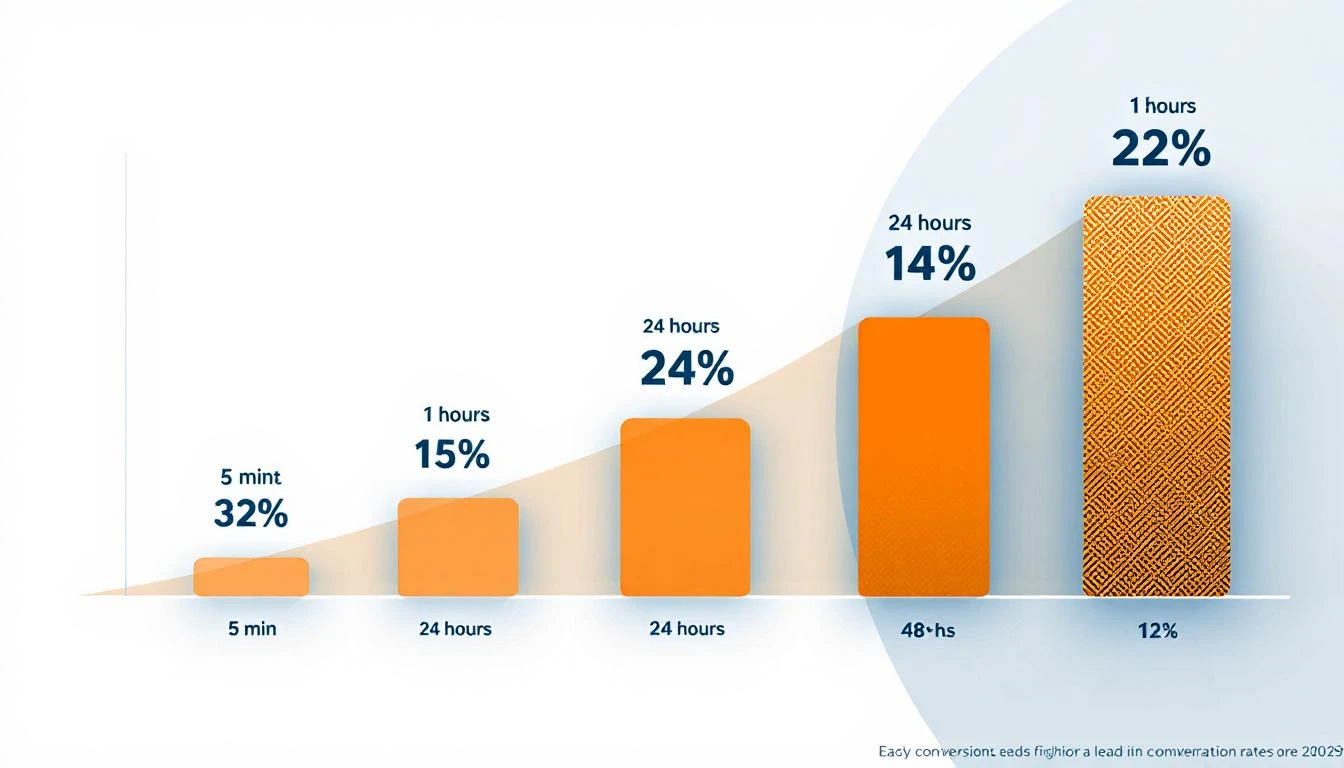
Lead conversion rates decay sharply as response time increases β€” responding in under 5 minutes yields a 32% close rate vs. 12% after 24 hours

The Harvard Business Review Study​

The most cited research on this topic comes from a Harvard Business Review study that analyzed 2.24 million sales leads across hundreds of companies. The findings:

  • Companies that responded within 1 hour were 7x more likely to qualify the lead than those that waited even 60 minutes longer
  • Companies that waited 24+ hours were 60x less likely to qualify the lead compared to first-hour responders
  • The odds of qualifying a lead drop 400% when response time goes from 5 to 10 minutes

Read that last one again. Five extra minutes. Four hundred percent worse odds.

The MIT/InsideSales.com Study​

A joint study from MIT and InsideSales.com went even deeper, analyzing over 15,000 leads and 100,000 call attempts:

  • Leads contacted within 5 minutes are 21x more likely to qualify than those contacted after 30 minutes
  • The odds of even making contact with a lead drop 100x between 5 minutes and 30 minutes
  • After 20 hours, every additional dial actually hurts your ability to make contact

The conversion decay curve isn't gradual β€” it's a cliff. You either catch the lead in the first five minutes, or you're fighting an uphill battle that gets steeper by the minute.

The Close Rate Numbers​

When you look at actual close rates by response time, the picture is even clearer:

Response TimeClose RateMultiplier
Under 5 minutes32%Baseline
Under 1 hour24%0.75x
Under 24 hours15%0.47x
Over 24 hours12%0.38x

Responding in under 5 minutes gives you a 2.6x higher close rate than waiting a day. And most teams are waiting two days.

The Real Cost: What 47-Hour Response Times Are Costing You​

Let's do some math that will make your CFO flinch.

78% of buyers purchase from the company that responds first β€” not the one with the best product, the lowest price, or the strongest brand. The first responder wins.

If your team generates 100 inbound leads per month and your average deal size is $25,000:

  • At 5-minute response: 32% close rate = 32 deals = $800,000/month
  • At 47-hour response (industry average): ~12% close rate = 12 deals = $300,000/month

That's $500,000 per month left on the table. Not because your product is wrong. Not because your pricing is off. Because your reps called three days late.

And the compounding effects go further:

  • 73% of leads are never contacted at all β€” they fall through the cracks entirely
  • 44% of salespeople give up after one follow-up, when 80% of deals require 5-12 touchpoints
  • Deals that drag past 6 months have a 60% failure rate, per SiriusDecisions research β€” and slow initial response extends every subsequent stage

The follow-up gap isn't just a conversion problem. It's a pipeline problem, a revenue problem, and an efficiency problem rolled into one.

Why It Happens: The Anatomy of a 3-Day Delay​

If the data is this clear, why do teams still respond in 47 hours? Because the problem isn't awareness β€” it's workflow.

Here's what actually happens when a lead comes in at most B2B companies:

Stage 1: The Signal Gets Lost (0-2 hours)​

A prospect fills out a form, visits the pricing page, or replies to a cold email. The notification goes to a shared inbox, a Slack channel, or a CRM queue. Nobody owns it yet.

Meanwhile, the intent signal that triggered the action β€” the pricing page visit, the email open, the LinkedIn profile view β€” goes completely unnoticed because it's trapped in a separate tool.

Stage 2: Manual Routing Burns Time (2-12 hours)​

A manager sees the lead in the morning standup. They assign it to an SDR based on territory, round-robin, or whoever seems least busy. The SDR gets a task in their CRM.

But the SDR already has 47 other tasks. They're mid-call-block. They'll get to it after lunch. Or tomorrow.

Stage 3: Research and Scripting (12-48 hours)​

The SDR finally picks up the lead. Now they need to:

  • Look up the company on LinkedIn
  • Check the CRM for prior engagement
  • Figure out what the prospect actually did (which form? which page?)
  • Write a personalized email
  • Find the right phone number
  • Decide whether to call, email, or send a LinkedIn message

Each step requires switching between 3-5 different tools. We've written about this before β€” the average SDR juggles 20+ tabs just to work a single lead.

Stage 4: The Attempt (48-72 hours)​

The SDR finally calls. The prospect doesn't pick up. The SDR sends a generic email. No response. They move on to the next lead.

Total elapsed time: 3 days. Total meaningful touches: 1-2. Result: Lost deal.

The problem isn't lazy reps. It's a broken workflow that forces humans to do things machines should handle β€” routing, research, scripting, multi-channel coordination β€” before any actual selling happens.

The Fix: Automated Follow-Up Workflows That Fire in Minutes, Not Days​

The solution isn't "tell your SDRs to be faster." They're already buried. The solution is removing the manual steps between signal detection and follow-up action.

Here's what a modern automated follow-up workflow looks like:
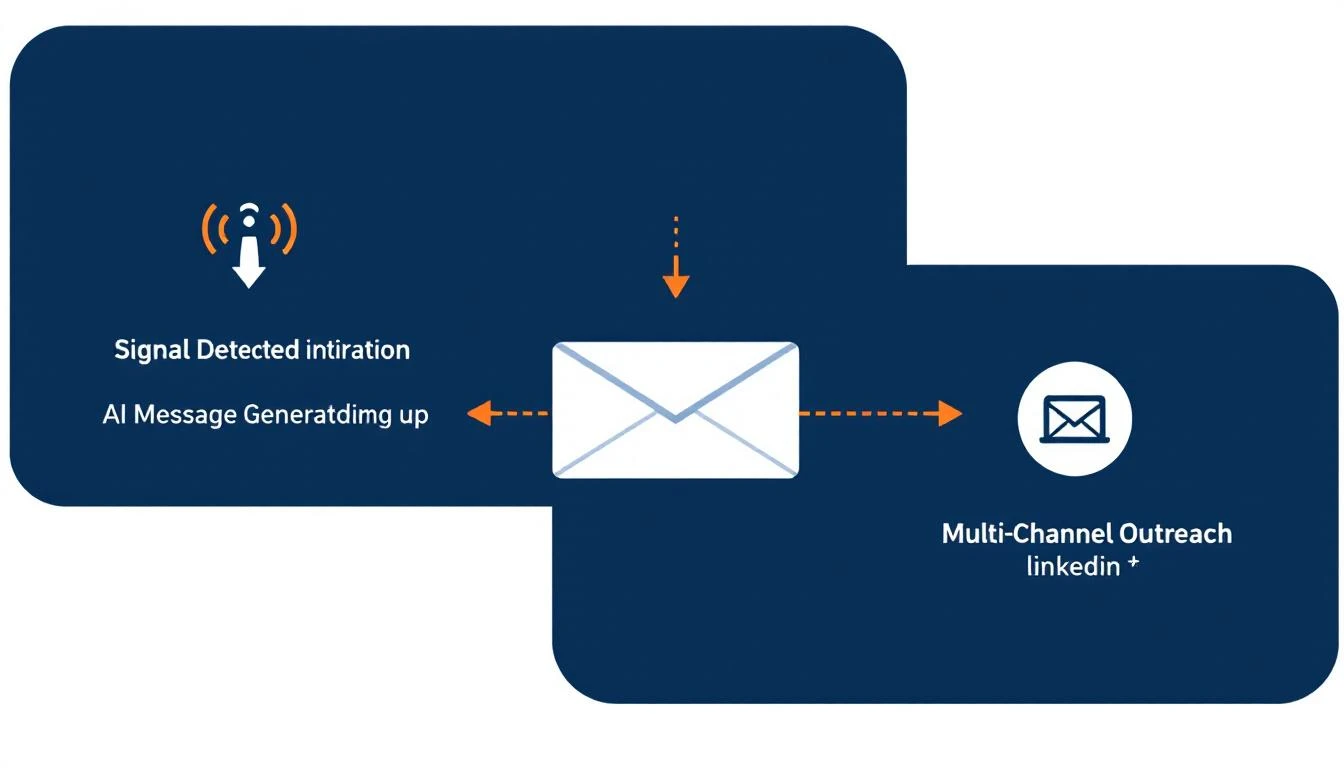
Automated follow-up workflow: detect signal, generate personalized message with AI, fire across email, phone, and LinkedIn simultaneously

1. Detect the Signal Automatically​

Instead of waiting for a human to notice a form fill, the system continuously monitors for buyer signals:

  • Website visits (especially high-intent pages like pricing, case studies, integrations)
  • Email opens, clicks, and replies
  • LinkedIn profile views and engagement
  • Form submissions and content downloads
  • Return visits from previously identified accounts

The system scans for these signals on a rolling window β€” catching everything from a form fill five minutes ago to a pricing page visit from three days ago that nobody followed up on.

2. Generate the Right Message Instantly​

This is where most "automation" tools fail. They send a canned template that screams "you're getting a robot email." Nobody responds.

Modern workflow automation uses AI to generate contextual follow-up messages based on:

  • What the prospect did β€” "I noticed you were looking at our enterprise pricing" hits different than "Hope this email finds you well"
  • Who they are β€” Role, company size, industry, prior engagement history
  • What matters to them β€” Mapping their activity to relevant case studies, features, or ROI data

The result is a personalized message that reads like a human wrote it β€” because an AI understood the context and generated it in seconds, not the 30 minutes it takes an SDR to manually research and draft.

3. Fire Across Every Channel Simultaneously​

A single-channel follow-up is a coinflip. Multi-channel follow-up is a strategy.

When a signal triggers a workflow, the best systems coordinate across:

  • Email β€” Personalized message referencing their specific activity
  • Phone β€” Immediate dial with an AI-generated call script tailored to the prospect's context
  • LinkedIn β€” Connection request or InMail through integrated campaign tools

All three fire within minutes of the signal, not days. The SDR doesn't have to think about channel strategy β€” the workflow handles it.

4. Track Everything, Learn, Repeat​

Every follow-up attempt, every response, every outcome gets logged automatically. No more "did anyone call this lead?" conversations in Slack. No more leads falling through cracks between tools.

The execution history gives managers visibility into:

  • Which signals convert best
  • Which message types get responses
  • Where in the workflow leads stall
  • Which reps need coaching vs. which workflows need tuning

This closes the feedback loop that most sales teams never build β€” because they're too busy manually logging activities in Salesforce.

What Changes When You Fix Speed-to-Lead​

The impact isn't theoretical. Here's what the shift looks like in practice:
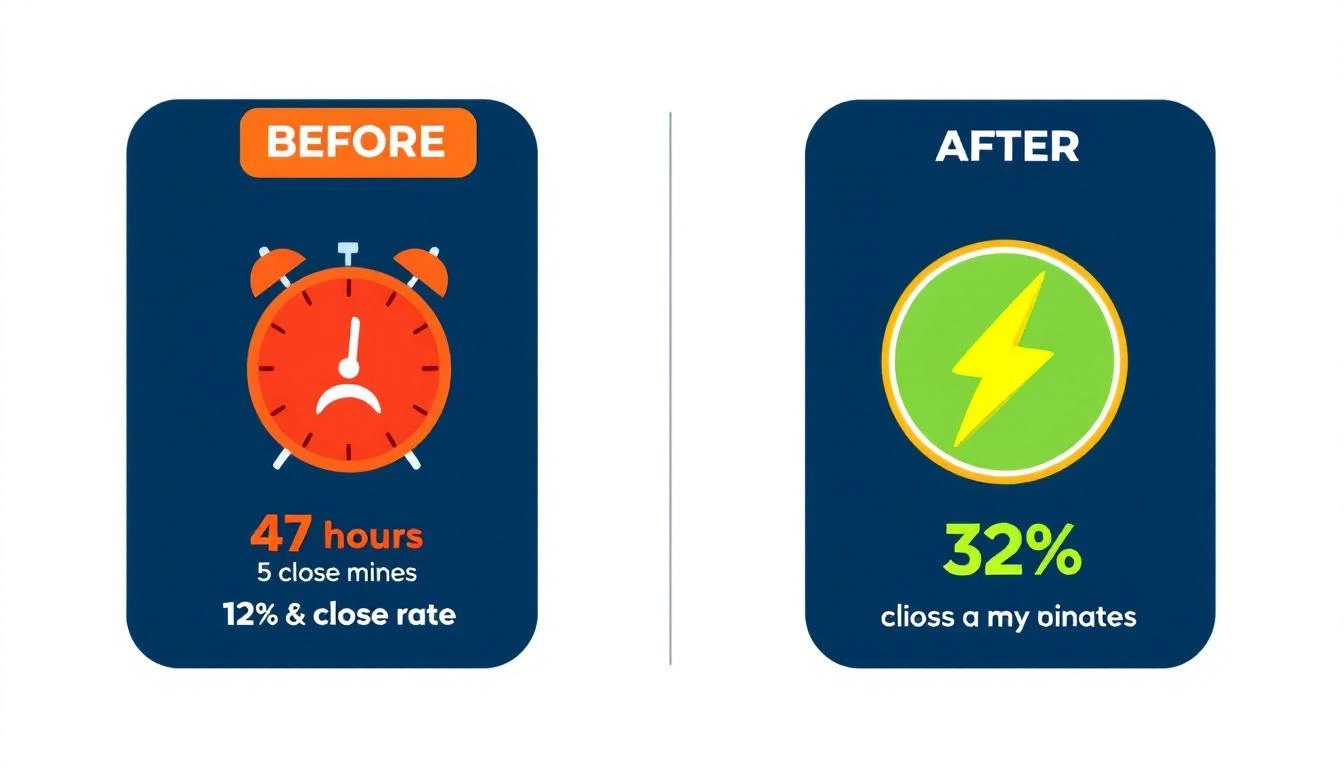
Before and after: 47-hour response time with 12% close rate vs. 5-minute response time with 32% close rate

Before (manual workflow):

  • Average response time: 47 hours
  • Lead contact rate: 27%
  • Close rate: 12%
  • SDR spends 65% of time on non-selling activities

After (automated follow-up workflows):

  • Average response time: Under 5 minutes
  • Lead contact rate: 90%+
  • Close rate: 32%
  • SDR focuses on conversations, not research and routing

The math works because you're not asking humans to be faster. You're removing the bottlenecks that made them slow:

  • No more manual routing β€” leads go to the right rep automatically
  • No more research lag β€” AI generates context and scripts instantly
  • No more channel switching β€” email, phone, and LinkedIn fire from one workflow
  • No more forgotten leads β€” the system catches every signal, even ones from days ago that slipped through

The 5-Minute Window Is Non-Negotiable​

Here's the bottom line: you have 5 minutes.

Not 5 hours. Not "by end of day." Not "we'll get to it in tomorrow's standup." Five minutes.

Every minute after that, your conversion rate decays. After 30 minutes, you've lost 21x your qualifying potential. After an hour, you're 7x behind the first responder. After 24 hours, you're competing against companies that already had discovery calls with your prospect.

The companies winning right now aren't winning because they have better products or bigger teams. They're winning because they built systems that turn signals into action in minutes instead of days.

Your sales cadence shouldn't start when an SDR gets around to it. It should start the moment a buyer raises their hand.

The technology exists today. The data has been clear for over a decade. The only question is whether you'll fix it before your competitors do.


Tired of watching leads go cold? MarketBetter detects buyer signals, generates personalized follow-up, and fires multi-channel outreach β€” all before your competitor's SDR finishes their coffee. See it in action β†’

From Signal to Meeting: How Top SDR Teams Convert Intent Data Into Pipeline in 24 Hours [2026]

Β· 9 min read
sunder
Founder, marketbetter.ai

Here's the uncomfortable truth about intent data in 2026: most teams that buy it don't use it well.

They have visitor identification. They have intent signals. They have enrichment tools. And they still take 48+ hours to follow upβ€”if they follow up at all.

Meanwhile, the teams booking 3-5x more meetings from the same traffic aren't using better data. They're using better workflows. Specifically, they've built a system that moves from signal detection to a booked meeting in under 24 hours.

This post breaks down exactly how they do it.

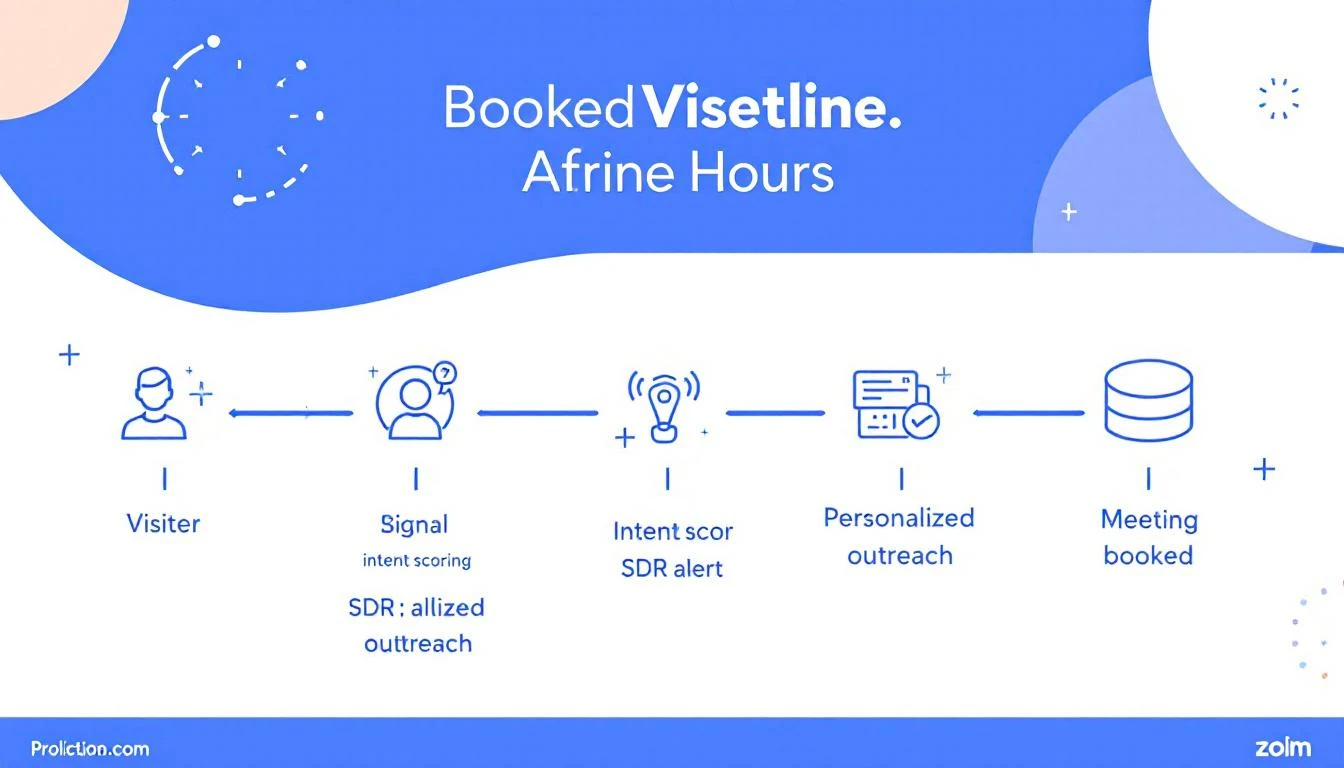
Signal to meeting pipeline showing the 24-hour journey from visitor identification to booked meeting


Why Speed Kills (Your Competition)​

The data on speed-to-lead is brutal and well-documented:

  • Responding within 5 minutes makes you 21x more likely to qualify a lead than responding after 30 minutes (InsideSales/XANT research)
  • 78% of B2B buyers purchase from the vendor that responds first (Drift/Salesloft)
  • After 1 hour, your odds of meaningful contact drop by 10x
  • After 24 hours, most buying intent has cooled significantlyβ€”the prospect has moved on, talked to a competitor, or deprioritized the evaluation

Yet the average B2B company takes 42 hours to respond to an inbound lead. For anonymous visitor signals (which aren't even "leads" in the traditional sense), most companies never respond at all.

That's the gap. And it's where pipeline lives.

Speed to lead conversion curve showing dramatic drop-off after 5 minutes


The 24-Hour Signal-to-Meeting Framework​

The best SDR teams we've studied follow a remarkably similar pattern. Here's the framework broken into four phases:

Phase 1: Signal Detection (0-1 Hours)​

This is where most teams already have the tools but lack the filtering logic. You don't need to act on every visitorβ€”you need to act on the right visitors immediately.

What "right" looks like:

Signal TypePriorityResponse Window
Pricing page visit + ICP matchπŸ”΄ CriticalUnder 1 hour
Multiple page visits in one session🟠 HighUnder 4 hours
Return visitor (2nd+ visit this week)🟠 HighUnder 4 hours
Blog/resource visit + ICP match🟑 MediumSame day
Single page bounceβšͺ LowNurture sequence

The mistake most teams make: treating all signals equally. A pricing page visit from a VP of Sales at a 200-person SaaS company is not the same as a blog reader from a university. Your system needs to know the difference instantly.

How to set this up:

  1. Configure visitor identification with firmographic filteringβ€”company size, industry, and job title should be immediately visible
  2. Set up real-time alerts for critical signals (pricing page + ICP match should trigger a Slack/Teams notification within minutes)
  3. Auto-enrich identified visitors with company data, recent news, tech stack, and funding info before the SDR even sees the alert

The goal: when your SDR gets the notification, they should have everything they need to personalize outreach in the alert itself. Zero research required.


Phase 2: Prioritized Outreach (1-4 Hours)​

This is where workflows beat willpower.

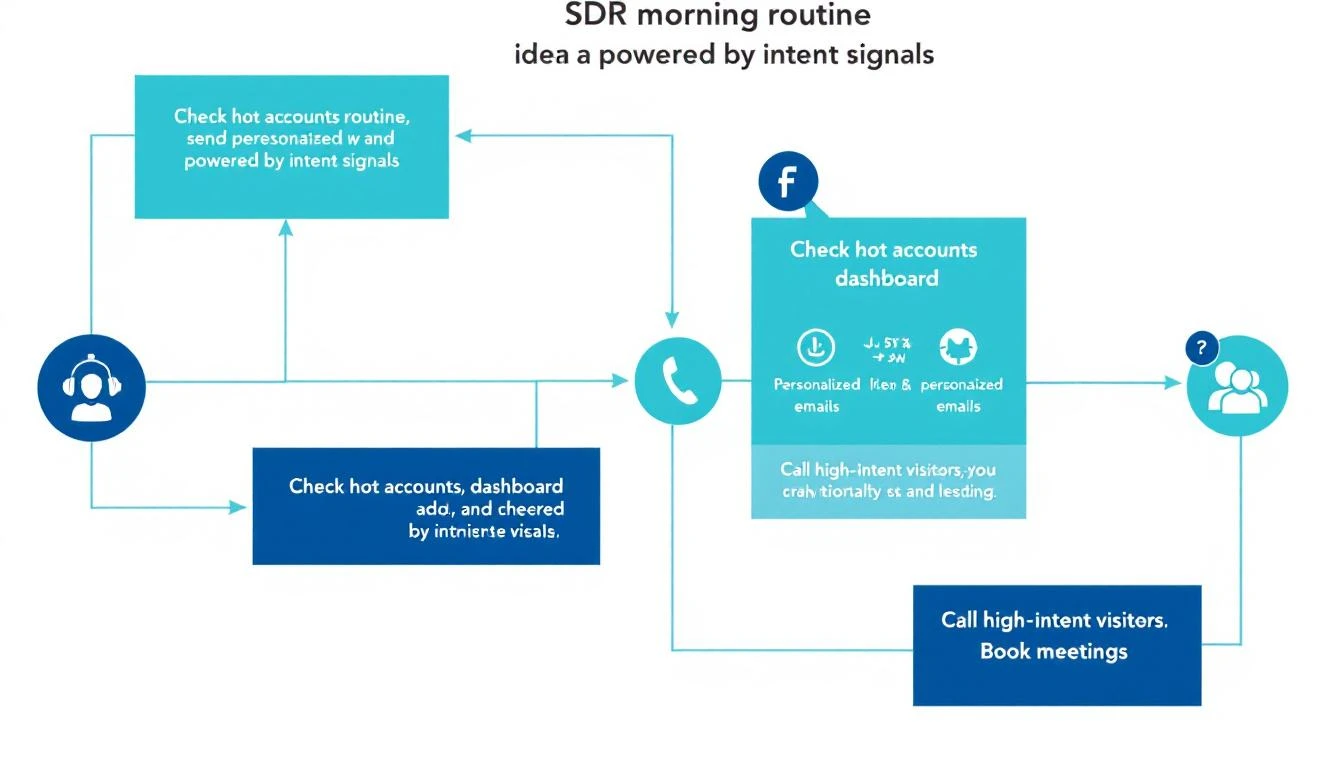
The SDR who "checks the dashboard when they get around to it" will always lose to the SDR who has a structured morning routine built around intent signals.

SDR morning workflow powered by intent signals

The SDR's First 30 Minutes (Daily Routine):

  1. Open your prioritized queue β€” not a raw dashboard, but a filtered, ranked list of yesterday's and overnight's high-intent visitors
  2. Review the top 5 accounts β€” each should show: company name, visitor pages viewed, time on site, firmographic match score, and a suggested talk track
  3. Send personalized outreach to the top 3 β€” email or LinkedIn, referencing what they were researching (without being creepy about it)
  4. Queue calls for the top 2 β€” phone is still the fastest path to a meeting for hot signals
  5. Move remaining accounts to automated sequences based on their signal tier

The personalization formula that works:

"Hi {first_name}, I noticed {company_name} has been evaluating {category} solutions. A lot of {industry} teams we work with were dealing with {common pain point}β€”is that on your radar too?"

Notice what this doesn't say: "I saw you visited our pricing page at 2:47 PM." That's surveillance, not sales. Reference the category and pain point, not the specific behavior.


Phase 3: Multi-Touch Acceleration (4-12 Hours)​

One email isn't a strategy. The teams converting at the highest rates run a multi-touch sequence within the first 12 hours for critical signals:

Hour 0-1: Personalized email (referencing their research area)

Hour 2-3: LinkedIn connection request with a note (keep it shortβ€”compliment something specific about their work)

Hour 4-6: Phone call attempt #1 (leave a voicemail that references the email)

Hour 8-12: Follow-up email with a specific resource relevant to what they were researching

Why multi-touch matters:

  • Email alone has a 2-5% reply rate
  • Email + LinkedIn bumps it to 8-12%
  • Email + LinkedIn + phone pushes it to 15-25% for ICP-matched, high-intent signals

The key insight: each additional channel doesn't just add impressionsβ€”it signals seriousness and competence. When a prospect sees your name in their inbox, on LinkedIn, and hears your voice on a voicemail within the same day, you're establishing that you're responsive, professional, and everywhere they need you to be.


Phase 4: Meeting Conversion (12-24 Hours)​

By hour 12, you should know which prospects are engaging (opened emails, accepted LinkedIn, visited again) and which went cold.

For engaged prospects:

  • Send a calendar link with 2-3 specific time slots (not an open calendarβ€”too much friction)
  • Reference their engagement: "Saw you checked out our case study on {topic}β€”happy to walk you through how {similar company} got {specific result}. Does Thursday at 2 PM CT work?"
  • If they visited again after your outreach, call immediatelyβ€”they're actively evaluating

For cold prospects (no engagement after 12 hours):

  • Move to a 7-day nurture sequence with value-first content
  • Set a reminder to re-engage if they visit again (this is where automation earns its keep)
  • Don't force itβ€”not every signal converts, and that's fine

The math that makes this work:

Let's say your site gets 1,000 B2B visitors per month. With visitor identification at a 20% match rate, that's 200 identified companies. Of those, maybe 40 match your ICP. With the 24-hour framework:

  • 40 ICP-matched signals per month
  • 60% outreach rate (24 contacted per month)
  • 15% meeting conversion rate
  • = 3-4 new meetings per month from existing traffic alone

That's pipeline from visitors who would have otherwise bounced forever. No ad spend. No cold lists. Just faster execution on signals you're already generating.


The 5 Mistakes That Kill Signal-to-Meeting Velocity​

1. Treating Your Dashboard Like a To-Do List​

Dashboards are for reporting, not for action. If your SDRs start their day by opening a dashboard and scrolling, you've already lost. They need a prioritized queue that tells them exactly who to contact and in what order.

2. Requiring Manual Research​

Every minute an SDR spends researching a prospect is a minute they're not reaching out. Auto-enrichment should deliver company info, recent news, tech stack, funding status, and a suggested talk track before the SDR sees the lead.

3. Waiting for "Marketing Qualified" Status​

MQL gates kill speed. If a VP of Sales at a 300-person SaaS company visits your pricing page, that's a signal worth acting on nowβ€”not after marketing scores it, nurtures it, and eventually passes it over in next week's pipeline meeting.

4. One-Channel Outreach​

Email-only follow-up is leaving meetings on the table. The data consistently shows that multi-channel sequences (email + LinkedIn + phone) convert 3-5x better than single-channel approaches.

5. No Feedback Loop​

If your SDRs don't report back which signals converted and which didn't, your system never improves. Build a simple closed-loop: signal β†’ outreach β†’ outcome β†’ adjust scoring. Over time, your system gets smarter about which signals actually predict meetings.


How to Measure Your Signal-to-Meeting Pipeline​

Track these four metrics weekly:

1. Signal-to-First-Touch Time How long between a high-intent signal firing and the SDR's first outreach? Target: under 4 hours for critical signals.

2. Multi-Touch Completion Rate What percentage of high-priority signals receive the full multi-touch sequence (email + LinkedIn + phone)? Target: 80%+.

3. Signal-to-Meeting Conversion Rate Of all high-intent signals, how many result in a booked meeting within 7 days? Target: 10-15% for ICP-matched visitors.

4. Pipeline from Signals (Attribution) How much pipeline can you directly attribute to visitor signals vs. cold outbound vs. inbound forms? This is your ROI metric.


The Bottom Line​

The gap between teams that struggle with intent data and teams that print pipeline from it isn't the data quality or the toolsβ€”it's the workflow.

Speed, prioritization, multi-channel execution, and a closed feedback loop. That's the formula.

The companies winning in 2026 don't have more data. They have faster systems for turning that data into conversations.

Your website visitors are already telling you who's interested. The question is whether your team can get to them before your competitor does.


Ready to turn your anonymous visitors into booked meetings? See how MarketBetter's signal-to-action playbook works β†’


Related reading:

Smart Scheduler: How AI Qualification Turns Every Inbound Lead Into a Booked Meeting

Β· 11 min read
MarketBetter Team
Content Team, marketbetter.ai

I've watched SDR teams lose winnable deals for a decade. And the number one killer isn't bad messaging, weak value props, or even the wrong ICP. It's time.

Specifically, it's the 47 minutes β€” on average β€” between when an inbound lead fills out a form and when a human being actually responds. In those 47 minutes, that lead has already opened three competitor tabs, re-read a G2 comparison, and started to forget why they were excited about you in the first place.

We all know the data. Harvard Business Review published the speed-to-lead research years ago: companies that respond within five minutes are 100x more likely to connect than those that wait 30. And yet, the average B2B company still takes over 40 minutes.

Why? Because between "lead fills out form" and "rep picks up phone," there's a broken chain of manual steps, routing logic, and round-robin roulette that nobody has fixed.

Until now.

AI-powered lead qualification workflow

The 40% Problem Nobody Talks About​

Here's a stat that should make every VP of Sales uncomfortable: roughly 40% of inbound leads never get a meaningful first response. Not "never close" β€” never get responded to properly.

Some get lost in CRM assignment queues. Some get routed to reps who are on PTO. Some hit a round-robin and land on a rep who already has 15 open opportunities and isn't checking their new lead notifications. Some arrive at 4:47 PM on a Friday and by Monday, they're ghosts.

This isn't a people problem. Your SDRs aren't lazy. Your ops team isn't incompetent. The system is broken.

Here's what the typical inbound flow looks like at most B2B companies:

  1. Lead fills out a form
  2. Marketing automation assigns a lead score (maybe)
  3. Lead gets pushed to CRM
  4. CRM assignment rules fire (round-robin, territory, whatever)
  5. Assigned rep gets a notification
  6. Rep checks their queue 2-3 hours later
  7. Rep researches the lead manually
  8. Rep tries to qualify via email or phone
  9. Maybe β€” maybe β€” a meeting gets booked

That's nine steps. Nine failure points. Nine places where a perfectly good lead can fall through the cracks.

The median time from step 1 to step 9? Three to five days, if you're being honest. And by then, the lead is cold, distracted, or has already talked to your competitor who got there first.

If you're still running legacy lead routing processes, you're fighting a battle that was lost before your reps even knew it started.

What If AI Could Collapse That Entire Chain?​

MarketBetter's Smart Scheduler does something deceptively simple: it compresses those nine steps into one continuous flow that takes seconds, not days.

Here's the waterfall:

Lead arrives β†’ AI qualifies in real-time β†’ CRM lookup matches company to existing owner β†’ Meeting books directly on the right rep's calendar

Let me break down why each piece matters.

Step 1: AI Qualification in Seconds​

The moment a lead submits any form β€” demo request, content download, chatbot interaction β€” AI evaluates the submission against your qualification criteria. Not a static lead score. Not a threshold number somebody set six months ago and forgot about. Actual, contextual qualification.

Does this person match your ICP? Is their company in your target segment? Is the signal strong enough to warrant immediate action?

This happens in seconds, not hours. No human queue. No waiting for an SDR to manually research the company on LinkedIn. The lead gets qualified while they're still looking at your thank-you page.

Step 2: CRM Owner Lookup β€” The Most Underrated Feature in Sales Tech​

Here's where Smart Scheduler does something that almost no other scheduling or routing tool gets right: CRM owner matching.

When a new inbound lead arrives, the system checks your CRM β€” whether that's HubSpot or Salesforce β€” to see if that lead's company already has an assigned owner. If Sarah owns the Acme Corp account because she's been working that deal for three months, the new lead from Acme Corp goes to Sarah. Period.

This sounds obvious. It is not.

Most round-robin systems treat every inbound lead as a net-new contact and distribute them randomly. That means a new contact from an account that already has an active opportunity might get assigned to a completely different rep. The new rep doesn't know the account history. The existing rep doesn't know someone else from their account just raised their hand. The prospect ends up confused, getting outreach from two different people at the same company.

I've seen this happen at companies doing $50M+ in revenue. It's more common than anyone admits.

CRM owner lookup eliminates this entirely. If the company exists in your CRM with an owner, the inbound lead goes to that owner. It's account-level routing, not contact-level routing. And it works across both HubSpot and Salesforce, which matters because CRM migration is messy and plenty of companies are running hybrid setups during transition periods.

Step 3: Intelligent Fallback for Unmatched Leads​

What about truly net-new leads β€” companies that don't exist in your CRM yet? That's where configurable routing rules take over.

Smart Scheduler doesn't just default to basic round-robin. You can configure routing based on:

  • Territory: Geographic or vertical-based assignment
  • Round-robin: Equal distribution across available reps
  • Capacity: Weighted by current pipeline load
  • Specialization: Route based on product interest, company size, or use case

The key word is configurable. Every sales org is different. Some have strict territory models. Some run pods. Some have different teams for inbound vs. outbound. Smart Scheduler adapts to your model rather than forcing you into a one-size-fits-all distribution.

Step 4: The Meeting Books Itself​

This is the part that changes everything. Once the lead is qualified and routed to the right rep, the meeting booking happens immediately. The lead sees the rep's calendar and can book a time β€” right then, while they're still engaged, while the intent is still hot.

No "someone will reach out within 24 hours." No "check your email for scheduling options." No five-email back-and-forth to find a time that works.

The lead goes from form fill to booked meeting in one unbroken flow. That's the speed-to-lead advantage that every sales org claims to want but almost none actually achieve.

The Round-Robin Problem Is Worse Than You Think​

Let me spend a minute on why traditional round-robin routing is so destructive, because most sales leaders underestimate this.

Round-robin assumes all leads are equal and all reps are interchangeable. Both assumptions are wrong.

Not all leads are equal. An inbound demo request from a VP at a 500-person company in your target vertical is worth dramatically more than a content download from a student. Treating them the same β€” distributing both through the same round-robin queue β€” means your best leads get the same treatment as your weakest ones.

Not all reps are interchangeable. Some reps specialize in enterprise. Some crush it in the mid-market. Some know a specific vertical cold. Round-robin ignores all of this. It's the scheduling equivalent of random assignment in a world where pattern matching drives conversion.

And then there's the account ownership problem I mentioned earlier. Round-robin actively works against account-based selling strategies. If you're investing in ABM, if you're building account plans, if you're trying to create unified experiences for buying committees β€” and then your inbound routing randomly assigns new contacts to different reps β€” you're undermining your own strategy.

Smart Scheduler's CRM owner matching is designed specifically to prevent this. It respects your existing account relationships and only falls back to configurable rules for genuinely new accounts.

Why This Matters More in 2026 Than Ever Before​

Three trends are converging to make intelligent inbound routing a necessity rather than a nice-to-have:

Buying Committees Are Bigger​

The average B2B deal now involves 11+ stakeholders. That means multiple people from the same company will hit your website and fill out forms at different times. If each one gets round-robined to a different rep, you're creating chaos instead of coherence. CRM owner matching ensures every touchpoint from the same account flows to the same rep β€” building a complete picture instead of fragmented conversations.

AI SDRs Are Raising the Bar​

Competitors are deploying AI chatbots and AI-powered qualification tools that respond instantly. If your competitors are booking meetings in 30 seconds and you're booking them in 30 hours, you're not competing. You're spectating. Smart Scheduler puts you at parity β€” or ahead β€” by automating the qualification-to-booking pipeline end to end.

Inbound Volume Is Increasing, But Quality Is Noisy​

With more content, more ads, and more channels driving traffic, SDR teams are dealing with higher inbound volume but more noise. AI qualification acts as a real-time filter, ensuring reps spend their time on leads that actually match your ICP rather than manually triaging a queue that's 60% unqualified.

The Real ROI Isn't Speed β€” It's Accuracy​

Most people focus on speed-to-lead when they think about scheduling automation. And speed matters β€” that 5-minute response window is real.

But the bigger ROI is accuracy. Getting the lead to the right rep, not just a fast rep.

When a lead gets routed to the rep who already owns that account, conversion rates jump β€” not by 10 or 20 percent, but often by 2-3x. Why? Because that rep already knows the company's pain points, their tech stack, their buying process, their internal champions. They don't need 20 minutes of discovery to get up to speed. They can have a relevant, intelligent conversation from minute one.

This is the difference between "I saw you filled out a demo request, tell me about your business" and "Hey, I've been working with your team on the deployment project β€” saw you wanted to discuss the new use case, let's dive in."

One of those sounds like a vendor. The other sounds like a partner. The difference is routing accuracy.

What About Leads That Don't Book?​

Not every lead will book a meeting immediately, even with a frictionless scheduling flow. Some people prefer email. Some want to do more research first. Some fill out forms on mobile and plan to follow up later.

Smart Scheduler accounts for this. Leads that are qualified but don't book in the initial flow get assigned to the matched rep (or the appropriate fallback rep) with full context about the lead's qualification profile. The rep can then follow up via email, phone, or personalized outreach β€” but they're following up with a warm, pre-qualified lead, not starting from scratch.

The system doesn't treat unboooked-but-qualified leads as failures. They're opportunities in motion, and the rep who gets them has all the context they need to convert.

The Waterfall, Visualized​

Here's how the complete flow works for every single inbound lead:

1. Lead Arrives Form submission, chatbot interaction, or scheduling request triggers the workflow.

2. AI Qualification Real-time evaluation against your ICP criteria, qualification rules, and engagement signals. Qualified leads proceed; unqualified leads get appropriate nurture treatment.

3. CRM Owner Lookup The system checks HubSpot or Salesforce for an existing company match. If the lead's company has a CRM owner, that owner is the routing target.

4. Owner Match β†’ Direct Booking Lead sees the account owner's calendar and can book immediately. No round-robin, no queue, no delay.

5. No Owner β†’ Configurable Routing For net-new companies, routing rules fire based on your configuration β€” territory, round-robin, capacity, specialization, or any combination.

6. Meeting Confirmed Calendar invite sent, CRM updated, rep notified with full lead context. The entire process completes in seconds.

Every step is automated. Every step happens in real-time. Every step is designed to ensure that no qualified lead ever waits in a queue wondering if anyone's going to call them back.

Stop Leaking Pipeline​

The hard truth is that most B2B companies are losing 30-40% of their inbound pipeline to slow response times and wrong rep assignment. That's not a marketing problem. That's not a demand gen problem. That's a plumbing problem.

Smart Scheduler fixes the plumbing.

If you want to see what your inbound conversion rates look like when every lead gets qualified in seconds, routed to the right rep, and given a frictionless path to booking β€” it's worth seeing it in action.

Because in the time it took you to read this post, someone at your company probably lost a lead.


Adam Grant leads GTM at MarketBetter, where he helps B2B sales teams turn inbound intent into booked meetings β€” without the manual triage that kills conversion rates.

Best Meeting Scheduling Software for Sales Teams [2026]: 12 Tools Compared

Β· 15 min read
sunder
Founder, marketbetter.ai

Best Meeting Scheduling Software for Sales Teams 2026

Every minute between a lead submitting a form and getting on a call with your rep is revenue leaking out of the funnel. Studies show responding within 5 minutes makes you 21x more likely to qualify a lead β€” yet the average B2B company takes 42 hours.

Meeting scheduling software for sales teams isn't about replacing your calendar app. It's about eliminating the back-and-forth that kills deals before they start. The right tool routes inbound leads to the correct rep, qualifies them before booking, and gets a meeting on the calendar in under 30 seconds.

But "meeting scheduling" now covers wildly different products. Calendly sends calendar links. Chili Piper routes leads from your website form. Default builds entire inbound workflows. And platforms like MarketBetter fold scheduling into a complete SDR operating system where the meeting is just one step in an automated pipeline.

We compared 12 tools across pricing, lead routing capabilities, CRM integration depth, and actual speed-to-lead impact.

Quick Comparison Table​

ToolBest ForStarting PriceLead RoutingCRM IntegrationSpeed-to-Lead
MarketBetterFull SDR workflow + scheduling$99/user/monthβœ… AI-poweredHubSpot, Salesforce< 30 seconds
Chili PiperInbound form-to-meeting$15/user/moβœ… AdvancedSalesforce, HubSpot< 1 minute
CalendlyGeneral scheduling + sales$10/user/moβœ… BasicSalesforce, HubSpotVaries
RevenueHeroInbound demo booking$25/user/moβœ… AdvancedSalesforce, HubSpot< 1 minute
DefaultFull inbound workflowCustom pricingβœ… AdvancedSalesforce, HubSpot< 1 minute
DemodeskVideo meetings + coaching$25/user/mo⚠️ BasicSalesforce, HubSpotVaries
KronologicAI auto-schedulingCustom pricingβœ… AI-poweredSalesforce< 30 seconds
LeadmonkSMB scheduling$12/user/moβœ… BasicHubSpot, Salesforce< 2 minutes
Drift/SalesloftChat-to-meeting$2,500/mo+βœ… AdvancedSalesforce< 1 minute
HubSpot MeetingsHubSpot ecosystemFree–$800/mo⚠️ BasicHubSpot nativeVaries
SavvyCalPersonalized scheduling$12/user/mo❌ZapierVaries
Reclaim.aiAI calendar management$8/user/mo❌Google CalendarN/A

What Actually Matters for Sales Scheduling​

Before diving into individual tools, here's what separates a sales scheduling tool from a generic calendar link:

1. Lead Routing (Not Just Scheduling)​

When a lead fills out your form, the tool should automatically determine which rep gets the meeting based on territory, account ownership, company size, round-robin rules, or custom logic. Without this, you're just sending a Calendly link and hoping.

2. Qualification Before Booking​

The best tools qualify leads before letting them book. If someone from a 5-person company requests a demo for your enterprise product, they should get a different experience than a VP from a 500-person company.

3. Speed-to-Lead​

The clock starts the moment a prospect hits submit. Tools that redirect instantly to a booking page (like Chili Piper's Concierge) beat tools that send a follow-up email with a link.

4. CRM Sync​

Every meeting booked should create or update a contact, associate an activity, and update the deal stage β€” automatically. If your reps are manually logging meetings, you've already lost.

5. No-Show Reduction​

Automated reminders, calendar holds, and confirmation workflows. The best tools cut no-show rates by 30-50%.


1. MarketBetter β€” The SDR Operating System​

Best for: Teams that want scheduling as part of a complete SDR workflow β€” not another standalone tool.

Pricing: starting at $99/user/month (Standard plan)

MarketBetter approaches meeting scheduling differently from every other tool on this list. Instead of being a standalone scheduler that you bolt onto your stack, meeting booking is integrated into an AI-powered SDR workflow.

Here's the difference: Chili Piper routes a form submission to a rep and books a meeting. MarketBetter identifies the prospect before they fill out a form (via website visitor identification), enriches them with company and contact data, scores them against your ICP, generates a personalized outreach sequence, and then books the meeting β€” all within a single platform.

What stands out:

  • Visitor identification + scheduling β€” Know who's on your site before they submit a form. Your SDR gets alerted while the prospect is still browsing.
  • AI-powered daily playbook β€” Reps don't just get meetings booked; they get a prioritized task list of who to call, email, and follow up with.
  • Smart dialer integration β€” When a meeting doesn't get booked, the prospect automatically enters a calling queue with context.
  • Email sequence automation β€” If a prospect doesn't book immediately, hyper-personalized follow-ups go out automatically.

Why it's different: Every other tool on this list does one thing β€” schedule meetings. MarketBetter does the work that happens before and after the meeting. When your scheduling tool is part of a broader SDR platform, you eliminate 4-5 point solutions.

Best for: B2B teams (50-500 employees) who want to consolidate their SDR stack, not add another tool to it.

Book a Demo β†’


2. Chili Piper β€” The Inbound Routing Specialist​

Best for: High-volume inbound teams that need instant form-to-meeting routing.

Pricing:

  • Instant Booker: $15/user/mo (billed annually)
  • Handoff: $25/user/mo
  • Concierge: $30/user/mo (form routing + qualification)
  • Distro: $30/user/mo (lead distribution)

Chili Piper is the category leader for inbound meeting scheduling. Their Concierge product embeds directly in your website forms β€” when a lead submits, they see available time slots immediately instead of waiting for a rep to email them back.

What makes it work:

  • Form routing β€” Leads are qualified and routed to the right rep in real-time based on Salesforce ownership, territory, round-robin, or custom rules.
  • Instant booking β€” No redirect. The calendar appears right on the form confirmation, reducing friction dramatically.
  • Salesforce-native β€” Deep bi-directional sync. Contacts, leads, and activities all update automatically.
  • Handoff β€” AEs can pass meeting links to SDRs (or vice versa) with one click, keeping CRM records clean.

The catch:

  • Product fragmentation β€” You need Concierge for forms, Handoff for rep-to-rep, Distro for lead distribution, and Instant Booker for calendar links. Each is a separate product at a separate price point. A 10-rep team using all four products pays $100/user/mo = $1,000/mo.
  • Salesforce-first β€” HubSpot integration exists but isn't as deep. HubSpot-native teams may find gaps.
  • No outbound workflow β€” Chili Piper only handles inbound. If a prospect doesn't fill out your form, you need a completely separate tool stack.

G2 rating: 4.6/5 (990+ reviews)


3. Calendly β€” The Universal Scheduler​

Best for: Individual reps and small teams that need reliable, simple scheduling.

Pricing:

  • Free: 1 event type, unlimited 1:1 meetings
  • Standard: $10/user/mo
  • Teams: $16/user/mo (round-robin, collective scheduling)
  • Enterprise: Custom pricing

Calendly is the default. Everyone knows it, everyone has used it, and it just works. For individual SDRs sharing a booking link via email or LinkedIn, it's hard to beat.

What works well:

  • Zero learning curve β€” Share a link, people book. That's it.
  • Routing Forms β€” Calendly's newer feature that qualifies and routes leads to the right rep based on form answers.
  • Team pages β€” Round-robin scheduling across a team with even distribution.
  • Massive integration ecosystem β€” Connects with Salesforce, HubSpot, Zoom, Teams, Stripe, PayPal, and hundreds of others.

Where it falls short for sales teams:

  • Routing is basic β€” Calendly's Routing Forms work but lack the sophistication of Chili Piper's territory-based routing or Salesforce ownership matching.
  • No form embedding β€” Calendly links redirect prospects to Calendly's hosted pages. Chili Piper and RevenueHero embed directly in your website.
  • Limited qualification β€” You can ask screening questions but can't dynamically change the booking experience based on CRM data.
  • No meeting handoffs β€” There's no built-in way for an SDR to schedule on behalf of an AE while keeping clean CRM records.

Bottom line: If your SDR team is under 5 people and your process is straightforward (link in email β†’ they book β†’ meeting happens), Calendly is the pragmatic choice. Once you need routing, qualification, or CRM automation, you'll outgrow it.

G2 rating: 4.7/5 (2,200+ reviews)


4. RevenueHero β€” The Inbound Challenger​

Best for: Mid-market inbound teams looking for a Chili Piper alternative at a lower price.

Pricing:

  • Starter: $25/user/mo
  • Growth: $37/user/mo
  • Enterprise: Custom

RevenueHero is built specifically for inbound lead-to-meeting conversion. Like Chili Piper, it qualifies and routes leads instantly from website forms. Unlike Chili Piper, you get most features in a single product instead of buying four separate ones.

Key differentiators:

  • Instant scheduling from forms β€” Same concept as Chili Piper Concierge but bundled into one product.
  • Account matching β€” Automatically matches inbound leads to existing accounts in your CRM before routing, preventing duplicate accounts and ensuring the right rep gets the meeting.
  • Meeting lifecycle tracking β€” Tracks the entire journey from form fill to meeting held (not just booked), giving you real conversion metrics.
  • Flexible routing β€” Territory, ownership, round-robin, weighted distribution, and custom rules.

Considerations:

  • Smaller ecosystem β€” Fewer integrations than Chili Piper or Calendly. Check that your specific CRM/marketing automation combo is supported.
  • Newer product β€” Less battle-tested with enterprise-scale routing rules. If you have complex territory hierarchies, verify before committing.
  • Limited brand recognition β€” Prospects may not trust a RevenueHero scheduling page as much as a Calendly link.

G2 rating: 4.8/5 (200+ reviews)


5. Default β€” The Full Inbound Workflow Builder​

Best for: RevOps teams that want to build custom inbound workflows beyond just scheduling.

Pricing: Custom (typically $1,000+/mo)

Default goes beyond meeting scheduling into full inbound workflow automation. You build multi-step workflows that qualify leads, route them, book meetings, enrich data, update your CRM, and trigger follow-up sequences β€” all from a visual builder.

What makes it interesting:

  • Visual workflow builder β€” Drag-and-drop workflow creation that connects forms, routing, enrichment, CRM updates, and scheduling into one flow.
  • Built-in enrichment β€” Enriches leads with firmographic data before routing, so routing decisions are based on real company data, not just what someone typed in a form.
  • Flexible routing engine β€” The most sophisticated routing available: ownership, territory, round-robin, weighted, account-based, and custom code.
  • Form-to-anything β€” Not just meetings. Workflows can trigger Slack alerts, update deal stages, add to sequences, or any combination.

Considerations:

  • Complexity β€” Default is powerful but requires RevOps expertise to set up properly. Not a "turn it on and go" tool.
  • Price point β€” Enterprise pricing puts it out of reach for smaller teams.
  • Meeting scheduling is just one feature β€” If you only need scheduling, Default is overkill.

6. Demodesk β€” Video Meetings + Coaching​

Best for: Teams that want scheduling + a better meeting experience with coaching.

Pricing: Starting at $25/user/mo

Demodesk combines scheduling with its own video meeting platform. Instead of booking a Zoom call, the meeting happens inside Demodesk where reps get real-time coaching, battle cards, and automated note-taking.

Standout features:

  • Virtual display β€” Screen sharing without sharing your actual screen (no messy desktop reveals).
  • Real-time playbooks β€” Reps see talking points, competitive battle cards, and objection handlers during the call.
  • Automated scheduling β€” Round-robin, lead routing, and CRM sync.
  • Call analytics β€” Talk-to-listen ratio, topic tracking, and coaching insights.

Considerations:

  • Primarily European market presence.
  • Requires prospects to join a Demodesk meeting (not Zoom/Teams), which adds friction.
  • Routing capabilities are less sophisticated than Chili Piper or RevenueHero.

7. Kronologic β€” AI Auto-Scheduling​

Best for: Outbound teams with high lead volume that need meetings booked without human effort.

Pricing: Custom (enterprise only)

Kronologic takes a different approach: instead of giving leads a link to book, it uses AI to propose specific times via email and books the meeting if the prospect agrees (or even if they don't explicitly decline within a window).

Key differentiator:

  • Proactive scheduling β€” Sends personalized time proposals based on both the rep's and prospect's likely availability.
  • Works for outbound β€” Unlike Chili Piper and RevenueHero (which are inbound-focused), Kronologic handles outbound scheduling at scale.
  • Intent-based timing β€” Can trigger scheduling attempts when intent signals fire (e.g., a website visit or an email open).

Considerations:

  • Aggressive auto-booking can annoy prospects if not configured carefully.
  • Enterprise pricing is opaque.
  • Works best with high-volume, lower-ticket sales motions.

8. Leadmonk β€” Budget-Friendly Scheduling​

Best for: SMBs and startups that need Chili Piper-like features without the enterprise price tag.

Pricing: Starting at $12/user/mo

Leadmonk offers form routing, round-robin scheduling, and CRM integration at a fraction of Chili Piper's cost. It's a newer entrant but gaining traction with cost-conscious teams.

What you get:

  • Form-to-meeting routing
  • Round-robin and weighted distribution
  • HubSpot and Salesforce integration
  • Team scheduling pages
  • Meeting reminders and no-show tracking

Considerations:

  • Fewer advanced routing options than Chili Piper.
  • Smaller company β€” evaluate for long-term viability.
  • Integration depth is shallower.

9. Drift (Now Part of Salesloft) β€” Chat-to-Meeting​

Best for: Teams that convert website chat conversations into scheduled meetings.

Pricing: Starting at $2,500/mo+

Drift (acquired by Salesloft) takes a chat-first approach. Instead of forms, prospects engage with a chatbot that qualifies them and books a meeting within the chat window.

The appeal:

  • Conversational scheduling β€” More engaging than a form. The chatbot asks qualifying questions and surfaces the calendar at the right moment.
  • Account-based targeting β€” Shows different chat experiences to different accounts based on CRM data and intent signals.
  • Video messaging β€” Reps can send async video messages that include scheduling links.

Reality check:

  • At $2,500+/mo, it's 10x more expensive than Chili Piper for scheduling alone.
  • The value proposition is broader (conversational marketing), but if you just need scheduling, it's overkill.
  • Being absorbed into Salesloft means the standalone product's future is unclear.

10. HubSpot Meetings β€” The Free Default​

Best for: Teams already all-in on HubSpot that don't need advanced routing.

Pricing: Free (included in HubSpot CRM), advanced features in Sales Hub ($45-$800/mo)

If you're a HubSpot shop, Meetings is already there. It syncs natively, creates contacts automatically, and requires zero additional spend.

What works:

  • Zero cost β€” Included in free HubSpot CRM.
  • Native CRM sync β€” Meetings create/update contacts and log activities without any integration setup.
  • Embedded forms β€” HubSpot forms can include meeting scheduling widgets.
  • Round-robin β€” Basic round-robin available in Sales Hub Professional.

What doesn't:

  • No real-time routing from forms β€” You can't instantly route a form submission to a rep's calendar the way Chili Piper does.
  • Limited qualification logic β€” No ability to show different booking experiences based on lead score or firmographic data.
  • Basic round-robin β€” No territory-based routing, weighted distribution, or ownership matching.

11. SavvyCal β€” The Anti-Calendly​

Best for: Individual reps who want a more personal scheduling experience.

Pricing: Starting at $12/user/mo

SavvyCal lets prospects overlay their calendar on top of your availability, reducing the friction of finding a mutual time. It's more personal than a standard time-slot grid.

Nice touches:

  • Calendar overlay (prospect sees their schedule next to yours)
  • Personalized scheduling links per prospect
  • Clean, modern interface

Not for sales teams if you need routing, qualification, or CRM automation. It's a personal scheduling tool, not a sales platform.


12. Reclaim.ai β€” AI Calendar Management​

Best for: Reps who need to protect focus time while staying bookable.

Pricing: Starting at $8/user/mo

Reclaim uses AI to manage your calendar β€” blocking focus time, scheduling 1:1s, and adjusting your availability dynamically. Not a sales scheduling tool per se, but useful for SDRs who struggle with calendar management.


How to Choose: Decision Framework​

If you're a solo SDR or small team (< 5 reps):​

Go with Calendly. It's simple, cheap, and universally trusted. Add HubSpot Meetings if you're already in HubSpot.

If you're an inbound-heavy team with 5-20 reps:​

Choose between Chili Piper and RevenueHero. Chili Piper if you need Salesforce-deep integration and can afford the multi-product pricing. RevenueHero if you want similar capabilities in a single product at a lower price.

If you need more than just scheduling:​

Look at MarketBetter or Default. MarketBetter if you want scheduling as part of a complete SDR platform (visitor ID, email sequences, smart dialer, daily playbook). Default if you want to build custom inbound workflows with a visual builder.

If your problem is outbound, not inbound:​

None of the scheduling-only tools help. You need a platform that identifies, qualifies, and engages prospects before trying to book a meeting. That's where MarketBetter's daily SDR playbook changes the game β€” your reps know who to call, why, and what to say before they ever send a calendar link.

Free Tool

Try our AI Lead Generator β€” find verified LinkedIn leads for any company instantly. No signup required.

The Real Problem With Standalone Scheduling Tools​

Here's what nobody talks about: the meeting is not the hard part.

The hard part is getting the right person to your website. Qualifying them before they waste your AE's time. Enriching their data so the meeting is actually productive. Following up when they don't show.

A standalone scheduling tool solves maybe 10% of the inbound conversion problem. The other 90% β€” visitor identification, lead scoring, personalized outreach, dialer integration, and pipeline management β€” requires a different kind of solution.

That's why teams are moving from scheduling tools to SDR platforms. Instead of stitching together Chili Piper + ZoomInfo + Outreach + a dialer + a CRM, they're choosing unified platforms that handle the entire workflow.

See how MarketBetter replaces 5 tools in your sales stack β†’


Last updated: February 2026. Pricing verified against vendor websites and G2 data where available.