13 posts tagged with "lead nurturing"

View All Tags

The 12 Best Marketing Automation Software Platforms for 2026

· 35 min read

Choosing the right marketing automation software is less about finding a single 'best' tool and more about finding the right fit for your team's size, goals, and technical stack. A small e-commerce brand has vastly different needs than an enterprise B2B sales team, yet both rely on automation to scale engagement and drive revenue. This guide moves beyond generic feature lists to provide an actionable comparison of the top platforms available today.

We'll dive into specific use cases, implementation hurdles, and the critical question: 'What is the actual day-to-day experience of using this tool?' We will analyze each of the best marketing automation software options through the lens of real-world scenarios, helping you map features directly to your specific marketing and sales challenges. For demand generation managers and sales development representatives (SDRs), this means understanding which platform best handles lead scoring, MQL-to-SQL handoffs, and complex nurture sequences.

This resource is designed to be a practical evaluation framework. Each platform review includes screenshots, direct links, and a breakdown of pros, cons, and ideal customer profiles. By the end, you'll have a clear framework to shortlist vendors, ask the right questions during demos, and select the software that will truly accelerate your growth. For another comprehensive look at leading solutions, explore this list of top marketing automation platforms which offers additional perspectives on B2B-focused tools. Our goal is to equip you with the insights needed to make a confident, strategic investment.

1. HubSpot Marketing Hub

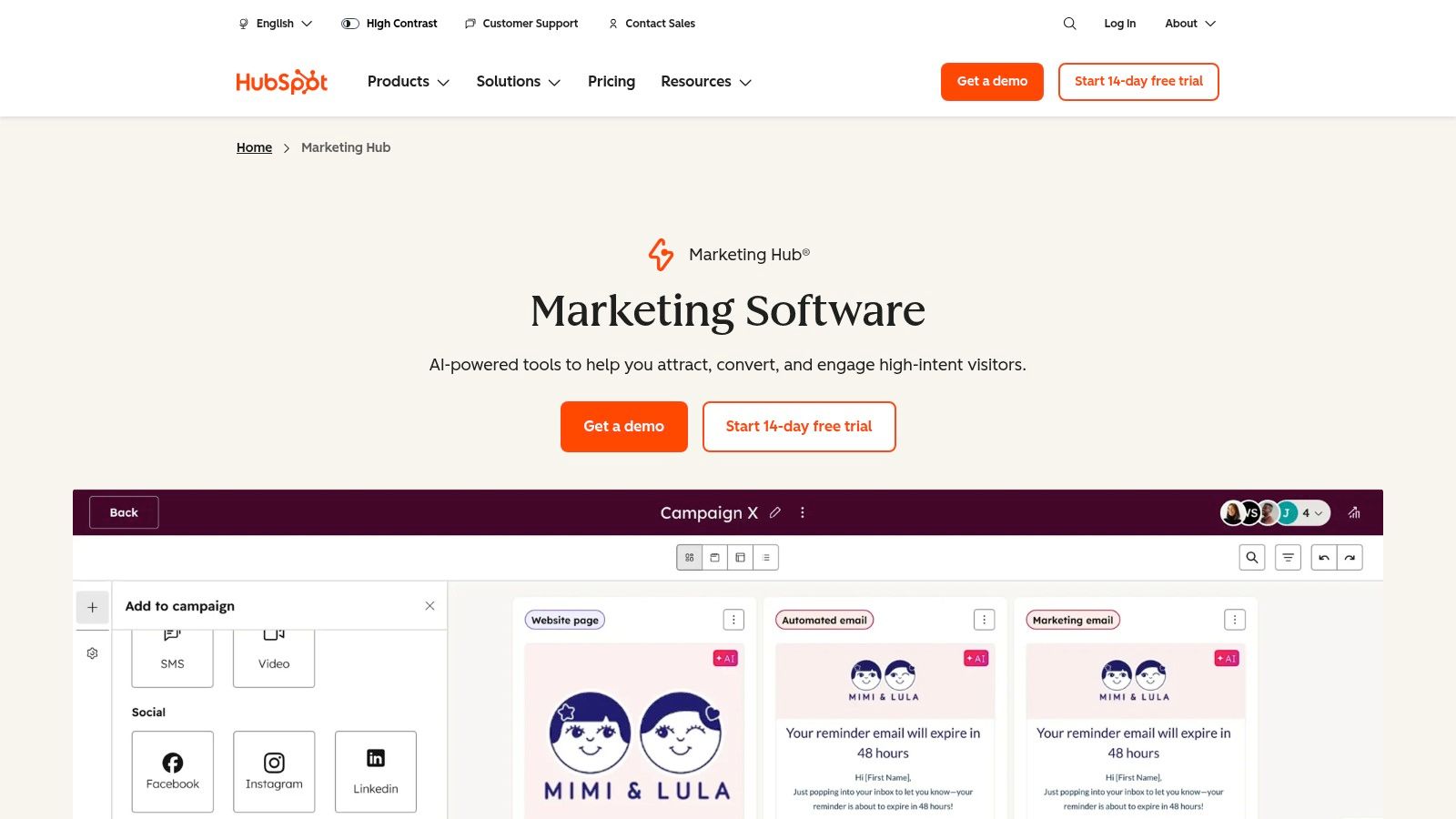
HubSpot Marketing Hub stands out as an all-in-one platform, making it one of the best marketing automation software choices for teams that prioritize ease of use and tight CRM integration. Its core strength lies in its native connection to the HubSpot CRM, eliminating the complex and often fragile data syncing required when using separate marketing and sales platforms. This unified approach provides a single source of truth for customer data, empowering both marketing and sales teams.
HubSpot Marketing Hub

The platform is particularly well-suited for B2B organizations focused on inbound marketing. Users can create sophisticated lead nurturing campaigns using a drag-and-drop visual workflow builder, which is significantly more intuitive than the list-based builders found in tools like Mailchimp. You can automate everything from email sequences and internal notifications to lead scoring and task creation for sales development representatives.

Key Differentiators & Use Cases

  • Native CRM & Sales Hub Alignment: Unlike platforms like Marketo that require third-party connectors, HubSpot’s marketing automation is built on its CRM. Actionable Tip: If your sales team already uses HubSpot CRM, this platform is a clear front-runner. A sales rep can see a lead's complete marketing engagement history (e.g., emails opened, pages viewed, forms submitted) directly on the contact record without switching tabs.
  • Visual Workflow Builder: The intuitive interface allows demand generation managers to map out complex customer journeys visually. For example, you can create a branch that sends a different email sequence to leads who visited the pricing page versus those who downloaded a whitepaper.
  • Revenue Attribution: The Pro and Enterprise tiers offer multi-touch revenue attribution, connecting marketing campaigns directly to closed-won deals. This helps VPs of Sales and Marketing justify their budget by proving ROI.

Pricing and Implementation

  • Pricing Model: HubSpot's pricing is based on the number of "Marketing Contacts" and the feature tier (Starter, Professional, Enterprise). Be mindful that costs can escalate quickly as your contact list grows, a key difference from volume-based models like Brevo's.
  • Onboarding: Professional and Enterprise plans require a mandatory, paid onboarding service. While an added cost, this process ensures teams are properly trained and can achieve a faster time-to-value. To get the most out of the platform, it is crucial to understand and apply marketing automation best practices.

Pros & Cons

ProsCons
Unified Platform: Single vendor for CRM, marketing, sales, and service reduces integration complexity.Cost at Scale: Contact-based pricing can become very expensive for large lists.
User-Friendly Interface: Strong onboarding, documentation, and an intuitive UI lower the learning curve.Mandatory Onboarding Fee: Added upfront cost for Pro and Enterprise tiers.
Large App Ecosystem: Hundreds of native integrations allow for easy extension of core functionality.Less Flexible Than Specialized Tools: May lack the depth of features found in point solutions.

Website: https://www.hubspot.com/products/marketing

2. Adobe Marketo Engage

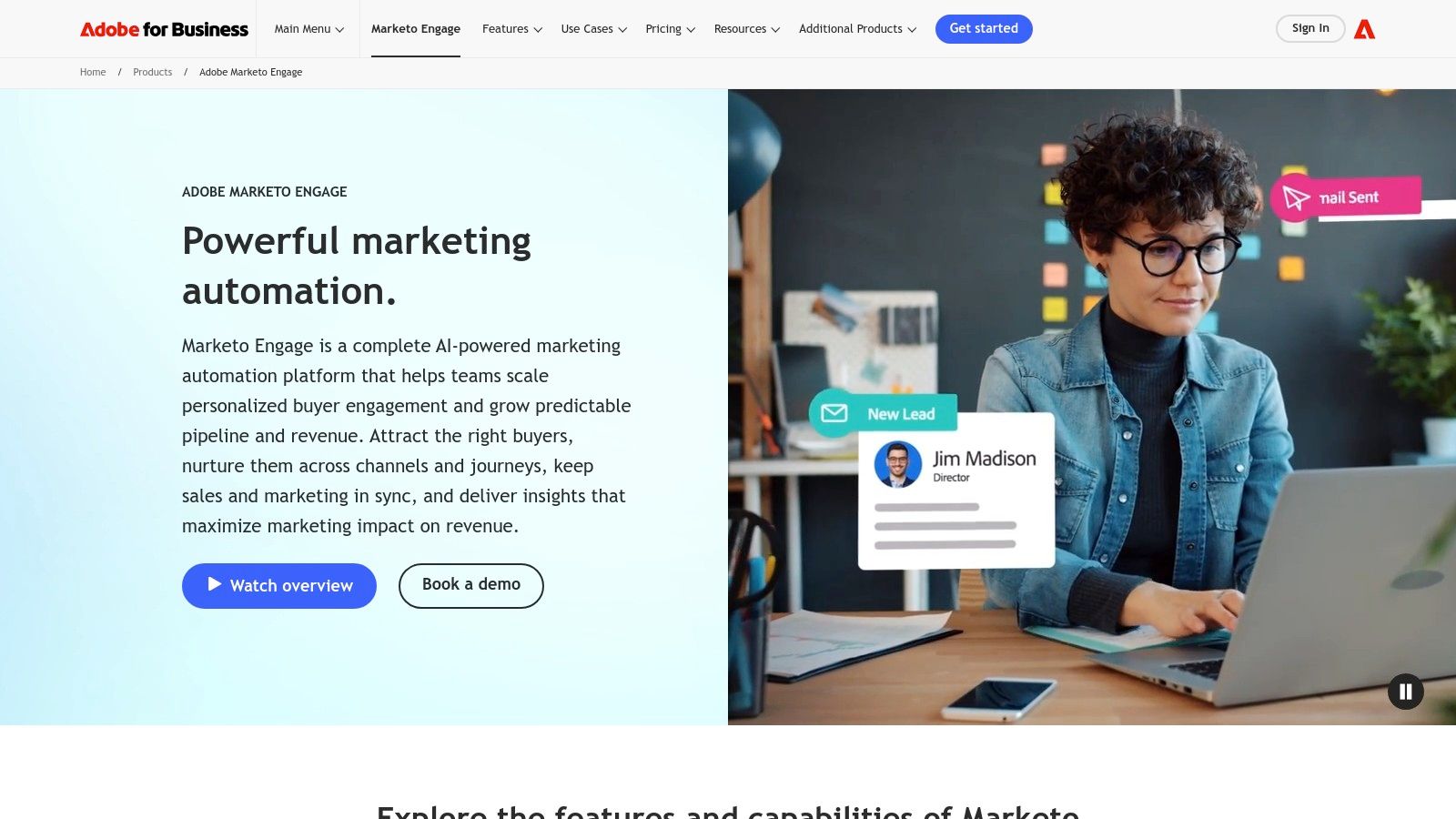
Adobe Marketo Engage is a powerhouse in the enterprise B2B space, positioning itself as one of the best marketing automation software solutions for large, complex organizations. Its primary advantage is the sheer depth of its lead management, scoring, and segmentation capabilities. Unlike more SMB-focused platforms like HubSpot, Marketo is built to handle intricate, multi-channel programs and provides the governance required for global teams operating across different regions or business units.
Adobe Marketo Engage

The platform excels at orchestrating sophisticated account-based marketing (ABM) strategies and long sales cycles. Demand generation managers can leverage "Smart Campaigns" to build nuanced nurturing streams that adapt based on a lead's behavior, demographic data, and sales activity. This level of control is ideal for companies with mature marketing operations that need to manage lead lifecycles with precision, ensuring sales development representatives receive only highly qualified, sales-ready leads.

Key Differentiators & Use Cases

  • Advanced Lead & Account Management: Marketo provides granular control over lead scoring, routing, and lifecycle stages. A demand generation manager can, for instance, create separate workspaces and lead models for different product lines, preventing data cross-contamination.
  • Enterprise-Grade Governance: Features like partitioning and user roles allow large marketing organizations to maintain brand consistency and data security. A central marketing operations team can set up global templates while giving regional marketers the autonomy to run their own campaigns.
  • Powerful Native Integrations: With deep, bi-directional syncs for major CRMs like Salesforce and Microsoft Dynamics, Marketo ensures that critical data flows seamlessly between marketing and sales. Actionable Tip: If you use Salesforce but need more advanced marketing governance than Pardot offers, Marketo is your top choice.

Pricing and Implementation

  • Pricing Model: Pricing is entirely quote-based and requires engaging with a sales representative. It is generally positioned at the higher end of the market, targeting enterprise and upper-mid-market companies.
  • Onboarding: A successful Marketo implementation almost always requires certified expert resources, either through Adobe's professional services or a third-party consultancy. The platform has a steep learning curve, and a "do-it-yourself" approach is not recommended for achieving ROI.

Pros & Cons

ProsCons
Robust for Complex Programs: Unmatched flexibility for building multi-step, trigger-based campaigns and ABM.High Total Cost of Ownership: Quote-based pricing is expensive and implementation requires experts.
Mature Governance Features: Ideal for large organizations needing to manage multiple teams and brands.Steep Learning Curve: The interface is less intuitive than modern alternatives like HubSpot.
Deep CRM Integration: Native, bi-directional syncs with Salesforce and Microsoft Dynamics are best-in-class.Sales-Led Process: No self-serve options; purchasing requires lengthy sales engagement.

Website: https://business.adobe.com/products/marketo.html

3. Salesforce Marketing Cloud Account Engagement (Pardot)

Salesforce Marketing Cloud Account Engagement, widely known by its former name Pardot, is a purpose-built B2B marketing automation platform designed for organizations deeply embedded in the Salesforce ecosystem. Its primary advantage is the unparalleled, native integration with Salesforce CRM, making it one of the best marketing automation software choices for sales-led companies. This tight sync ensures that all marketing engagement data, from email opens to form submissions, is immediately visible on lead and contact records, empowering sales teams with real-time intelligence.
Salesforce Marketing Cloud Account Engagement (Pardot)

The platform excels at connecting marketing actions directly to sales outcomes through shared data and reporting. Demand generation managers can leverage powerful tools like lead scoring, grading, and automated nurturing programs to qualify leads before they are ever assigned to a sales development representative. This alignment is crucial for organizations that need to prove marketing’s contribution to the sales pipeline and revenue, a key focus in effective marketing automation for B2B.

Key Differentiators & Use Cases

  • Native Salesforce CRM Integration: Unlike platforms requiring API connectors, Pardot lives within the Salesforce environment. Actionable Tip: Choose Pardot if your single most important requirement is flawless data sync and shared reporting with your Salesforce Sales Cloud instance.
  • Lead Scoring & Grading: Pardot offers a dual system for lead qualification. Scoring tracks a lead’s engagement level (behavior), while grading measures their fit against your ideal customer profile (demographics). This helps prioritize the hottest and best-fit leads for sales outreach.
  • Engagement Studio: This is Pardot’s visual journey builder. A marketing manager can create complex nurturing paths, for example, sending an automated follow-up from the assigned sales rep if a high-value prospect visits the pricing page more than twice.

Pricing and Implementation

  • Pricing Model: Pricing is structured in tiers (Growth, Plus, Advanced, Premium) based on feature sets and contact limits. Costs are often negotiated as part of a larger Salesforce package and typically require annual contracts.
  • Onboarding: Implementation often requires a certified Salesforce partner or consultant to ensure correct configuration, especially for complex data mapping and campaign alignment. This upfront investment is key to maximizing the platform's value.

Pros & Cons

ProsCons
Seamless Salesforce Alignment: Unmatched data governance and sync for teams using Salesforce CRM.Complexity & Learning Curve: Can be less intuitive than modern competitors like HubSpot or ActiveCampaign.
Strong B2B Focus: Features like scoring, grading, and prospect tracking are tailored for sales cycles.Cost & Annual Contracts: Can be a significant investment, with costs escalating with contacts and add-ons.
Advanced Analytics: Higher tiers offer B2B Marketing Analytics Plus for deep, customizable reporting.Less Flexible Email Editor: The email builder feels dated compared to other platforms, sometimes requiring HTML.

Website: https://www.salesforce.com/marketing/b2b-automation/pricing/

4. Salesforce Marketing Cloud Engagement (B2C cross‑channel)

Salesforce Marketing Cloud Engagement is an enterprise-grade solution built for large B2C or B2B2C brands that require massive scale and sophisticated cross-channel personalization. Unlike its B2B-focused sibling Pardot, its strength lies in orchestrating complex customer journeys across email, mobile (SMS, push notifications), and advertising. This makes it one of the best marketing automation software choices for retail, travel, and media companies managing millions of consumer contacts.
Salesforce Marketing Cloud Engagement (B2C cross‑channel)

The platform’s core is Journey Builder, a powerful visual workflow tool designed for creating triggered, multi-step communication flows. A B2C marketer can, for example, build a journey that sends an abandoned cart email, followed by an SMS with a discount code 24 hours later, and then adds the user to a social media retargeting audience if they still haven’t converted. This level of multi-channel orchestration is significantly more advanced than what is typically found in B2B-focused platforms.

Key Differentiators & Use Cases

  • True Cross-Channel Orchestration: Journey Builder allows marketers to seamlessly integrate email, SMS, push notifications, and social advertising into a single automated workflow. This is critical for consumer brands aiming to provide a consistent experience across touchpoints.
  • Einstein AI Engine: The built-in AI capabilities provide predictive insights, such as optimizing send times for individual contacts to maximize engagement or recommending the next best product to feature in an email, driving personalization at scale.
  • Deep Salesforce Data Connectivity: For companies using Salesforce CRM or Commerce Cloud, Marketing Cloud offers unparalleled data integration. Actionable Tip: If you're a B2C enterprise using Salesforce Commerce Cloud, this platform is purpose-built to leverage that data for hyper-personalized campaigns.

Pricing and Implementation

  • Pricing Model: Pricing is enterprise-focused and highly customized based on edition (Pro, Corporate, Enterprise), contact volume, and message sends. It represents a significant investment compared to mid-market tools.
  • Onboarding: Implementation is a complex process, almost always requiring certified partners or Salesforce professional services. The platform's breadth necessitates a dedicated team and a structured, lengthy setup project to ensure success.

Pros & Cons

ProsCons
Strong for large‑scale email/mobile orchestration: Built to handle massive volume and complexity.Enterprise pricing and significant implementation effort: High cost and resource-intensive setup.
Mature enterprise services and support tiers: Robust support network for large organizations.Feature breadth can be overkill for smaller teams: Overly complex for companies without dedicated resources.
Powerful AI and personalization features: Einstein AI drives sophisticated, data-driven marketing.Steeper learning curve: Requires specialized knowledge to operate effectively compared to more intuitive tools.

Website: https://www.salesforce.com/marketing/engagement/pricing/

5. ActiveCampaign

ActiveCampaign positions itself as a customer experience automation platform, making it one of the best marketing automation software options for SMBs and mid-market companies that need more than just email. Its strength lies in its approachable yet powerful visual automation builder, which extends beyond email to include SMS, site messages, and sales pipeline automation. This multi-channel capability allows businesses to create cohesive customer journeys that meet buyers where they are.

The platform is designed for businesses focused on growth, offering sophisticated segmentation and dynamic content features at a more accessible price point than enterprise-level competitors. Users can easily build workflows that tag contacts based on behavior, trigger messages when a prospect visits a key webpage, or automatically move deals in the built-in CRM. This makes it a strong contender for teams that have outgrown simpler tools like Mailchimp but are not ready for the complexity of Marketo.

Key Differentiators & Use Cases

  • Multi-Channel Visual Automations: A demand generation manager can create a single workflow that sends an initial email, follows up with an SMS message if there's no click, and then creates a task for a sales development representative in the CRM. This is managed within one intuitive, drag-and-drop interface.
  • Inclusive Onboarding & Migration: Unlike many platforms that charge for setup, ActiveCampaign includes 1:1 onboarding and free migration services in its plans. Actionable Tip: If your team is small and migrating from another tool, this free service can save you thousands in setup costs and weeks of effort.
  • Predictive Features & Conditional Content: The platform uses machine learning to offer predictive sending (delivering emails at the optimal time for each contact) and predictive content. For more details, you can learn more about AI in marketing automation. This allows for a level of personalization that is typically found in more expensive software.

Pricing and Implementation

  • Pricing Model: Pricing is based on the number of contacts and the chosen feature tier (Marketing or Sales bundles). The tiers unlock features like SMS, landing pages, and advanced reporting.
  • Onboarding: The included free migration and one-on-one strategy sessions ensure a smoother implementation process and help teams get value from the tool faster than a self-service setup.

Pros & Cons

ProsCons
Strong Support & Migration: Included onboarding and free migration make it easy to get started.Opaque High-Tier Pricing: Some packaging and enterprise pricing require speaking to sales.
Powerful & Approachable Automation: A great balance of advanced features and user-friendliness.Advanced Reporting Gated: The most valuable reporting features are reserved for higher tiers.
Integrated Sales CRM: Provides a unified view of the customer journey for marketing and sales.Learning Curve for Deepest Features: While approachable, mastering all features takes time.

Website: https://www.activecampaign.com/

6. Mailchimp

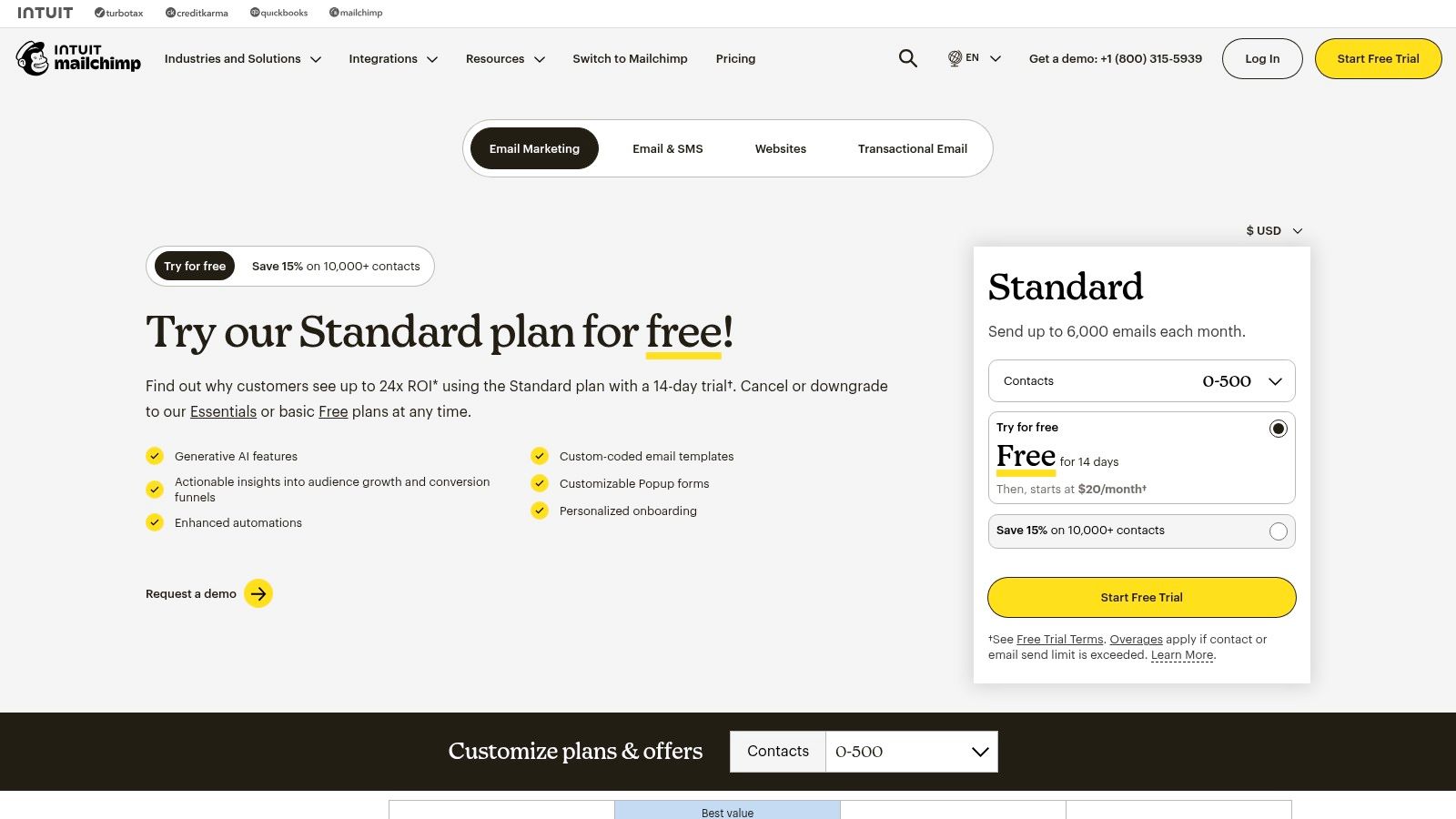
Mailchimp is often the entry point into email marketing for small businesses and ecommerce brands, but it has evolved into a capable platform that makes it one of the best marketing automation software options for those prioritizing simplicity and speed. Its core value is a gentle learning curve, allowing users to quickly set up email campaigns, landing pages, and basic automation sequences without extensive technical knowledge. This makes it an ideal choice for teams without a dedicated marketing operations manager.
Mailchimp

The platform has expanded beyond simple email blasts to include "Customer Journeys," a visual workflow builder for automating multi-step campaigns. While not as advanced as the logic in platforms like ActiveCampaign or HubSpot, it's perfect for common use cases like welcome series, abandoned cart reminders, or re-engagement campaigns. Its extensive template library and AI content features further accelerate the content creation process for lean marketing teams.

Key Differentiators & Use Cases

  • Speed to Value: Where other platforms require significant setup, a small business owner can connect their ecommerce store (like Shopify) and have an automated abandoned cart email running in under an hour.
  • Accessible Automation: The "Customer Journeys" builder is straightforward, enabling marketers to build rules-based automations (e.g., "if a contact clicks a link, add a tag") without needing to understand complex database logic.
  • Broad Integration Ecosystem: Mailchimp integrates with thousands of apps, especially popular in the ecommerce and creative professional spaces. Actionable Tip: If you are a solopreneur or small business using tools like Squarespace, Canva, and Calendly, Mailchimp's extensive and simple integrations make it a superior choice over more complex B2B platforms.

Pricing and Implementation

  • Pricing Model: Mailchimp offers tiered plans (including a free tier) based on both contact count and email sends. It's crucial to monitor both metrics, as overage charges can apply if you exceed your plan's limits.
  • Onboarding: Implementation is almost entirely self-service. The platform provides extensive documentation and tutorials, making it accessible for users who prefer to learn and build on their own schedule without a mandatory onboarding fee.

Pros & Cons

ProsCons
Fast Setup and User-Friendly: Excellent for beginners and teams needing to launch campaigns quickly.Limited Automation Logic: Lacks the advanced branching and behavioral triggers of more robust platforms.
Generous Free Tier: A free plan is available for new businesses to start building their email list.Costs Escalate with Overage: Exceeding contact or send limits can lead to unexpected charges.
Extensive Template Library: A vast collection of pre-designed templates speeds up email creation.Advanced Features Gated: Critical features like A/B testing and advanced segmentation are reserved for higher-priced plans.

Website: https://mailchimp.com/pricing/

7. Klaviyo

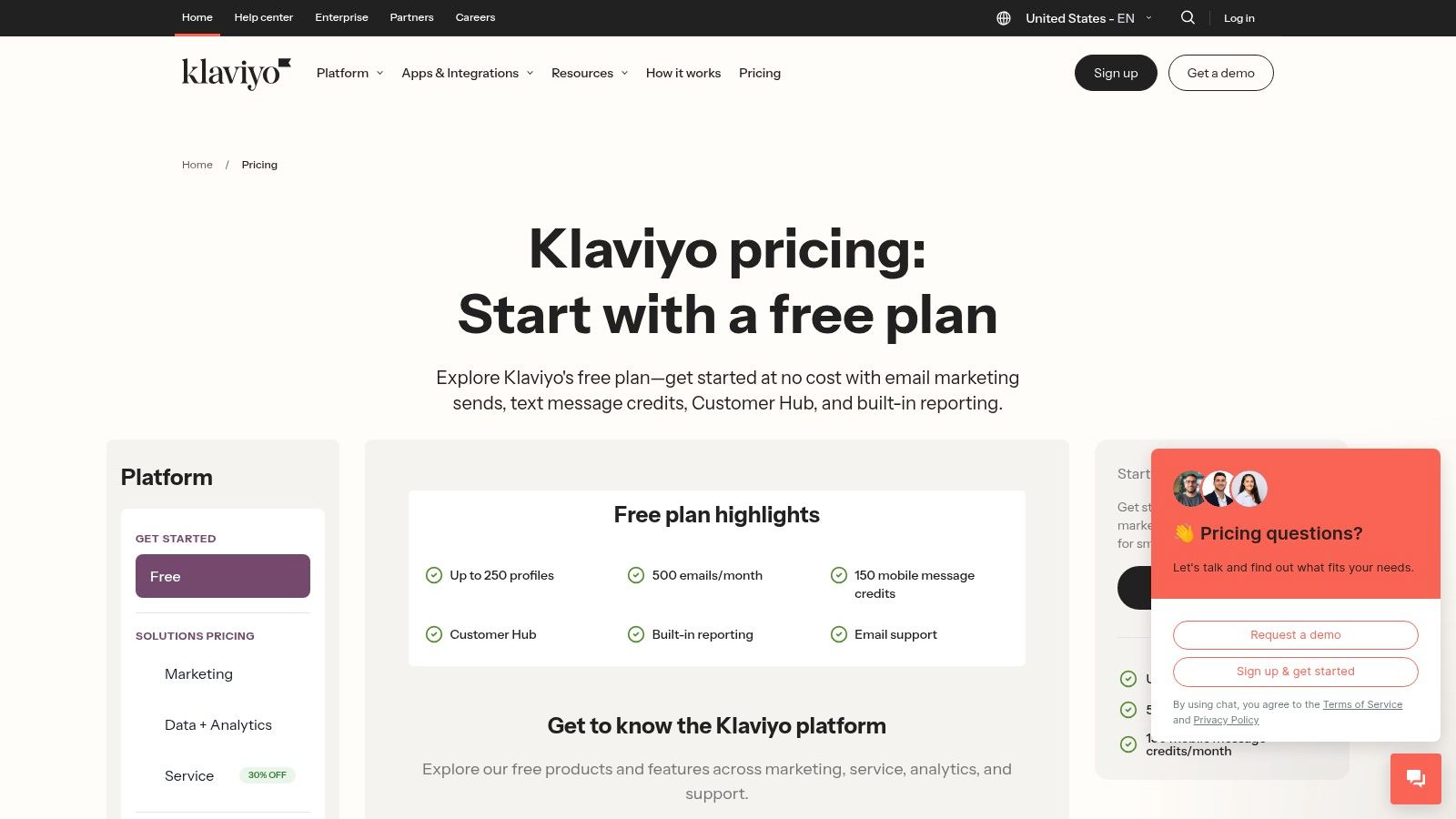
Klaviyo has carved out a dominant position as the best marketing automation software for direct-to-consumer (DTC) ecommerce brands. Its primary strength is its incredibly deep integration with platforms like Shopify, BigCommerce, and WooCommerce. This allows it to pull rich customer data, such as purchase history, browsing behavior, and cart contents, directly into its system for hyper-personalized marketing. Unlike general-purpose platforms like Mailchimp or HubSpot, Klaviyo is built from the ground up to drive online sales.
Klaviyo

The platform empowers ecommerce managers to create sophisticated automation "flows" for common retail scenarios like abandoned carts, browse abandonment, and post-purchase follow-ups. Its segmentation engine is commerce-grade, allowing users to build dynamic lists based on predictive analytics, such as "predicted next order date" or "customer lifetime value." This is a significant step up from the tag-based segmentation found in many email service providers.

Key Differentiators & Use Cases

  • Deep Ecommerce Integration: Klaviyo’s native connection to storefronts provides unparalleled data access. Actionable Tip: If you run a Shopify store, Klaviyo is the industry standard. Its one-click integration gives you access to pre-built automation flows that can start generating revenue on day one.
  • Unified Email & SMS Automation: The platform orchestrates email and SMS messages within the same workflow builder. This allows for creating cohesive journeys, such as sending an abandoned cart email, followed by an SMS reminder with a discount code two hours later if the user hasn't converted.
  • Revenue-Centric Reporting: Every campaign and automation flow directly reports the revenue it generated. This makes it easy for marketing leaders to prove ROI and optimize their strategy based on what actually drives sales, not just opens and clicks.

Pricing and Implementation

  • Pricing Model: Klaviyo offers a free tier for up to 250 contacts. Paid plans scale based on the number of email contacts and SMS credits purchased. The model is flexible, allowing businesses to grow without large upfront commitments.
  • Onboarding: Implementation is relatively straightforward, especially with major ecommerce platforms, thanks to one-click integrations. The platform provides extensive documentation and pre-built templates ("playbooks") to help users get started quickly and effectively.

Pros & Cons

ProsCons
Strong Revenue Attribution: Clear, built-in reporting on how marketing activities drive sales.Niche Focus: Less suitable for B2B or non-ecommerce businesses.
Advanced Segmentation: Powerful, commerce-focused segmentation capabilities.Cost Can Escalate: High-volume SMS and large contact lists can become expensive.
Excellent Ecommerce Playbooks: Pre-built, proven automation templates speed up time-to-value.Relies on Storefront Data: Value is maximized when connected to a compatible ecommerce stack.

Website: https://www.klaviyo.com/pricing

8. Brevo (formerly Sendinblue)

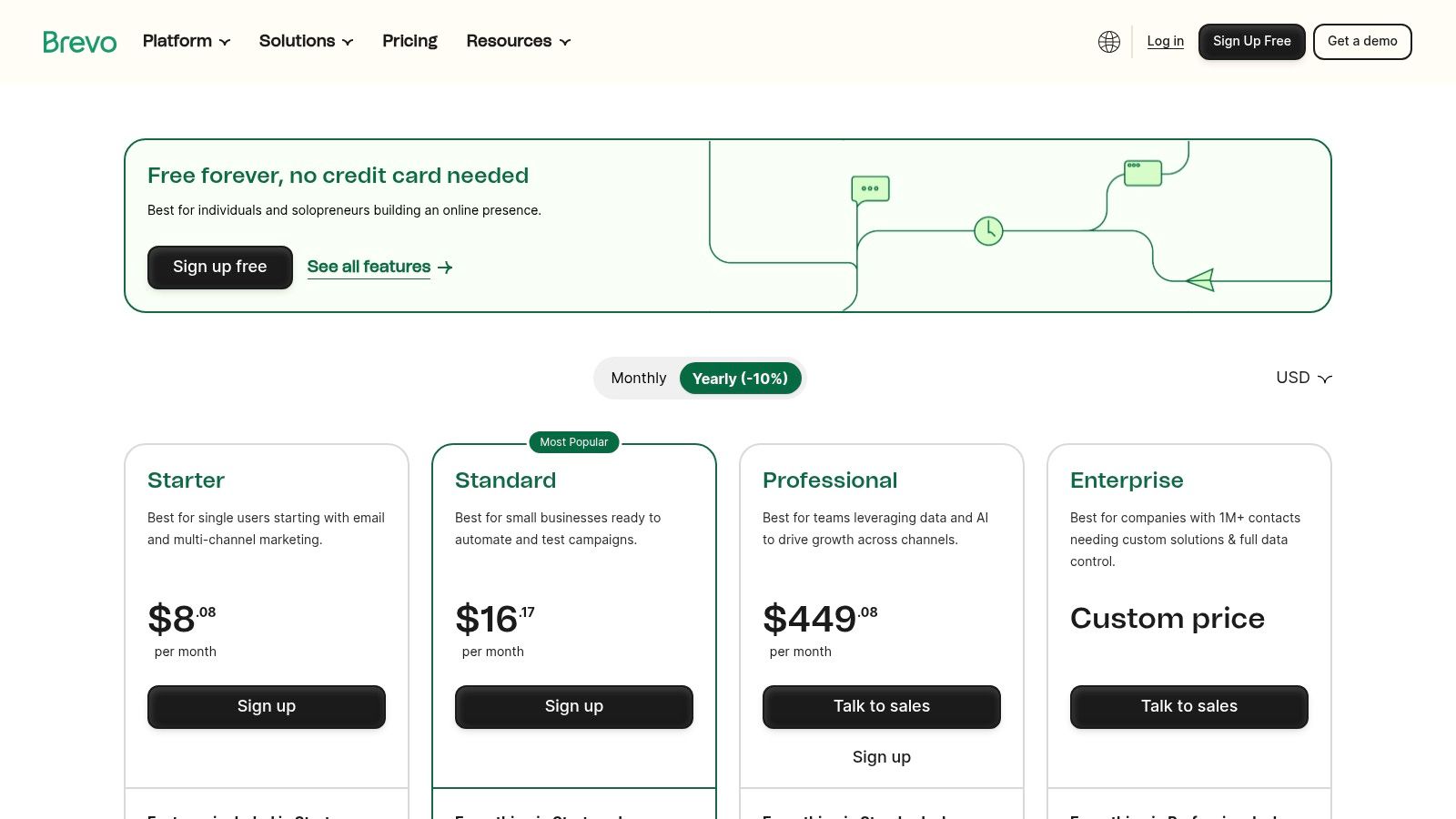
Brevo, formerly known as Sendinblue, has carved out a unique space in the market by offering a powerful suite of tools on a pricing model that prioritizes send volume over contact list size. This makes it an exceptionally cost-effective choice for businesses with large audiences but moderate sending frequencies. While many platforms scale costs aggressively with contact growth, Brevo's approach provides budget predictability, making it one of the best marketing automation software options for startups and SMBs.
Brevo (formerly Sendinblue)

The platform consolidates email marketing, SMS, WhatsApp campaigns, live chat, and a sales CRM into a single dashboard. Its automation workflow builder is surprisingly robust for its price point, allowing users to create multi-step, multi-channel journeys based on user behavior like email opens, link clicks, or website visits. This allows a small marketing team to automate welcome series, abandoned cart reminders, and lead nurturing sequences without the enterprise-level investment.

Key Differentiators & Use Cases

  • Volume-Based Pricing: Unlike HubSpot or ActiveCampaign, which charge per contact, Brevo's core plans are based on email volume. Actionable Tip: If you have a large contact list (e.g., >20,000) but only send a monthly newsletter, Brevo will be significantly cheaper than contact-based alternatives.
  • All-in-One Communication Hub: The platform integrates transactional emails (like password resets), SMS, and WhatsApp messaging directly into its automation workflows. This is ideal for e-commerce brands wanting to send an order confirmation via email and a shipping notification via SMS from the same system.
  • Generous Free Plan: The free tier is highly functional, offering marketing automation for up to 2,000 contacts, making it a perfect entry point for small businesses to test and validate their automation strategies before committing to a paid plan.

Pricing and Implementation

  • Pricing Model: Primarily based on the number of emails sent per month, with higher tiers unlocking advanced features and removing daily sending caps. There is no charge for storing unlimited contacts on most paid plans.
  • Onboarding: Brevo is largely self-service, with a straightforward setup process and extensive documentation. This lack of a mandatory onboarding fee makes it much more accessible for teams with limited budgets compared to enterprise platforms.

Pros & Cons

ProsCons
Cost-Effective at Scale: Send-based pricing is highly affordable for large contact lists.Daily Sending Caps on Free Plan: The free plan limits sends to 300 emails per day.
Multi-Channel Capabilities: Natively supports email, SMS, WhatsApp, and live chat automation.Fewer Native Integrations: The app ecosystem is smaller than leaders like HubSpot.
Robust Free Tier: Includes automation for up to 2,000 contacts, ideal for testing.Basic CRM Functionality: The built-in CRM is less advanced than dedicated sales platforms.

Website: https://www.brevo.com/pricing/

9. Iterable

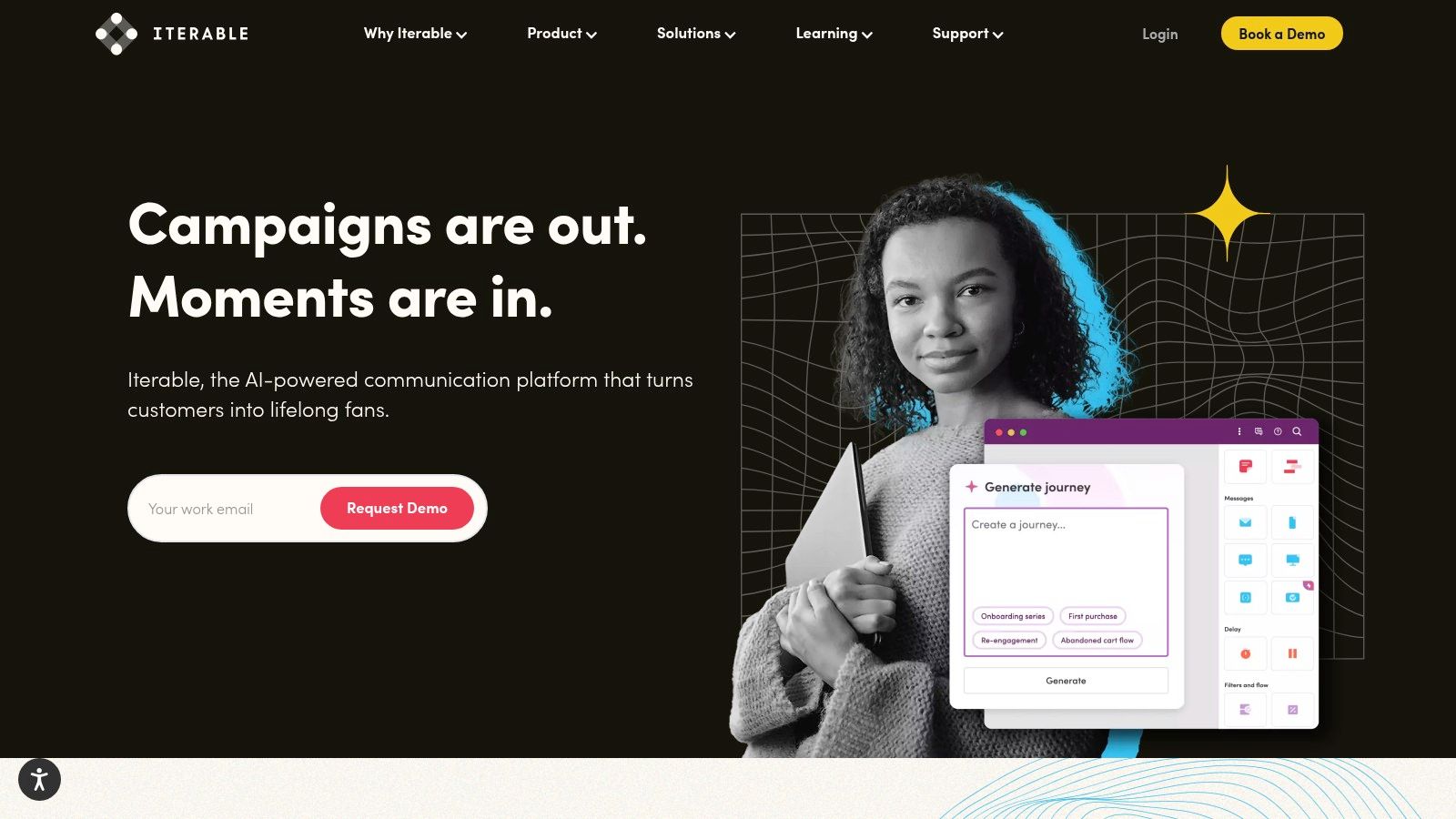
Iterable positions itself as a customer activation platform, making it one of the best marketing automation software options for B2C and data-rich B2B companies that need to orchestrate real-time, personalized communication at massive scale. Its primary strength is its ability to ingest vast amounts of first-party data and use AI to trigger hyper-relevant messages across email, SMS, push notifications, and in-app channels. This makes it a powerful choice for businesses with complex, event-driven customer lifecycles.
Iterable

Unlike all-in-one suites like HubSpot, Iterable is designed to be a core component of a composable martech stack, integrating deeply with data warehouses like Snowflake or CDPs like Segment. Its "Studio" workflow builder allows marketers to create sophisticated cross-channel journeys, using AI-powered "Predictive Goals" to optimize paths toward specific outcomes, such as conversion or retention. This is ideal for growth marketers and CRM managers at enterprise-level companies.

Key Differentiators & Use Cases

  • Real-time Data Activation: Iterable can ingest and act on behavioral data in milliseconds. A consumer tech company could use this to send a push notification with a discount code the instant a user abandons their shopping cart in a mobile app.
  • AI-Powered Personalization: The platform's explainable AI helps marketers understand why certain users are targeted for specific campaigns. For example, it can identify users most likely to churn and automatically enroll them in a re-engagement sequence.
  • Cross-Channel Orchestration: Actionable Tip: If your strategy involves coordinating messages across email, SMS, and in-app notifications, compare Iterable's "Studio" directly with Braze's "Canvas." Both are visual journey builders, but their AI features and data models differ, making one potentially a better fit for your specific use case.

Pricing and Implementation

  • Pricing Model: Pricing is entirely quote-based and tailored to enterprise needs, factoring in contact volume, message sends, and feature set. It is a premium-priced solution.
  • Onboarding: Implementation requires a strong data foundation. To realize its full value, your organization must have clean, well-structured first-party data and the technical resources to integrate it via API or through a CDP.

Pros & Cons

ProsCons
Designed for High Scale: Built to handle billions of messages and real-time data points for large user bases.Enterprise-Level Pricing: Quote-based model is typically out of reach for SMBs.
Composable & Flexible: Integrates seamlessly into modern, best-of-breed martech stacks.Requires Data Maturity: Value is limited without solid first-party data infrastructure.
Strong Partner Ecosystem: Extensive support for migration and integration with other enterprise tools.Steeper Learning Curve: More complex than all-in-one platforms; requires technical expertise.

Website: https://iterable.com/

10. Braze

Braze excels as a customer engagement platform built for real-time, cross-channel conversations, positioning it as one of the best marketing automation software options for B2C and mobile-first brands. Its core strength is orchestrating sophisticated messaging across email, push notifications, in-app messages, and web. Unlike CRM-centric platforms like HubSpot, Braze is designed from the ground up to process massive streams of behavioral data and trigger personalized communications in the moment.
Braze

The platform is ideal for product marketers and lifecycle managers at consumer tech companies, e-commerce sites, or media brands who need to influence user behavior directly within their app or website. You can build complex, multi-step user journeys that react instantly to user actions. For example, a user abandoning a shopping cart can trigger a push notification, an in-app message, and an email in a coordinated sequence based on their engagement with each channel.

Key Differentiators & Use Cases

  • Mobile-First Orchestration: Braze's specialty is its deep integration with mobile applications. A product manager can trigger an in-app message offering a tutorial to a user who struggles with a new feature, a capability far beyond what traditional B2B automation tools offer.
  • Extensive Data & Behavioral Targeting: The platform ingests a wide array of event data, allowing for hyper-granular segmentation. You can target users based on their last app open, purchase history, or even custom events you define, enabling highly relevant and timely messaging.
  • AI-Assisted Content & Delivery: Features like AI-powered copy suggestions and intelligent timing help optimize campaign performance. Actionable Tip: During a demo, ask to see how the AI personalization engine differs from Iterable’s. Focus on which platform's model better supports your goal, whether it's optimizing for conversion, engagement, or churn reduction.

Pricing and Implementation

  • Pricing Model: Braze does not offer public pricing; it is a custom, enterprise-level solution. Pricing is typically based on a combination of monthly active users (MAUs), data points, and message volume.
  • Onboarding: The implementation process can be non-trivial, often requiring developer resources to integrate the SDK and set up data streams correctly. However, Braze offers mature education and guided onboarding to support this.

Pros & Cons

ProsCons
Excellent for mobile and app-centric use cases: Unmatched capabilities for push and in-app messaging.Enterprise-Level Pricing: The cost structure is not suitable for small or mid-sized businesses.
Real-Time Data Processing: Enables instant, behavior-driven communication.Complex Implementation: Requires technical expertise and developer involvement to set up.
Mature Education & Enablement: Strong resources and support to help teams succeed with the platform.Less focused on B2B sales alignment: Not a replacement for a CRM in a traditional sales cycle.

Website: https://www.braze.com/

11. Oracle Eloqua

Oracle Eloqua is a powerhouse in the enterprise B2B space, making it one of the best marketing automation software solutions for large, complex organizations. Its key advantage is its ability to manage massive contact databases and intricate global campaigns with robust governance and control. Eloqua is designed for marketing teams that require sophisticated segmentation, advanced lead and account scoring, and deep integration with enterprise-level systems like Oracle's own CX suite and various CRMs.
Oracle Eloqua

The platform excels at orchestrating complex, multi-channel campaigns tailored to specific account-based marketing (ABM) strategies. Unlike more SMB-focused tools, Eloqua provides granular control over user permissions, data privacy, and campaign approvals. This makes it a direct competitor to Adobe Marketo, often appealing to enterprises already invested in the Oracle technology stack.

Key Differentiators & Use Cases

  • Enterprise-Grade Scalability & Governance: Eloqua is built to handle databases with tens of millions of contacts without performance degradation. For a global marketing operations director, this means they can enforce brand consistency and data compliance across different regions and teams from a single platform.
  • Advanced Segmentation and Personalization: The platform allows for highly complex segmentation logic that combines demographic, firmographic, and real-time behavioral data. A demand generation manager can create dynamic segments for an ABM campaign, personalizing content based on a contact's role, industry, and engagement level with the sales team.
  • Oracle CX Suite Integration: For companies already invested in the Oracle ecosystem (e.g., Oracle Sales, Oracle Advertising), Eloqua offers seamless connectivity. Actionable Tip: If your company is an existing Oracle customer, choosing Eloqua can significantly reduce integration complexity and cost compared to bringing in an outside platform like Marketo.

Pricing and Implementation

  • Pricing Model: Pricing is entirely quote-based and positioned at the premium, enterprise end of the market. It is typically suited for organizations with significant marketing budgets.
  • Onboarding: Implementation is a complex process that often requires certified consultants and a dedicated internal project team. The timeline can span several months, reflecting the platform's depth and the need for custom configuration.

Pros & Cons

ProsCons
Scales to very large datasets: Built for enterprise needs with millions of contacts.Premium, quote-based pricing: High cost of entry and ownership.
Rich integration catalog: Over 500 pre-built integrations with major CRM and MarTech platforms.Steep learning curve: Requires significant training and often specialized expertise.
Robust governance features: Granular user permissions and controls for large, global teams.Long implementation timelines: Not a plug-and-play solution.

Website: https://www.oracle.com/cx/marketing/automation/

12. Comparison Marketplaces (Capterra & G2)

While not a software platform itself, using comparison marketplaces like Capterra and G2 is a critical first step in finding the best marketing automation software for your specific needs. These sites act as comprehensive directories, aggregating peer reviews, feature lists, and vendor data to help you create a qualified shortlist. They provide an invaluable, high-level view of the market, allowing you to filter options by company size, industry, and required features before committing to vendor demos.

These marketplaces are particularly useful for demand generation managers and marketing leaders tasked with the initial research phase. Instead of relying solely on vendor-produced marketing materials, you can leverage verified user feedback to identify common pain points and hidden benefits. G2's Grid reports, for instance, visually map out platforms based on market presence and user satisfaction, offering a quick way to identify established leaders and emerging contenders.

Key Differentiators & Use Cases

  • Verified Peer Reviews: Both platforms offer reviews from verified users. This helps VPs of Sales and Marketing assess real-world performance and user satisfaction beyond a vendor's sales pitch, uncovering insights on implementation difficulty or customer support quality.
  • Side-by-Side Comparisons: Users can select several platforms and compare their features, pricing, and ratings in a structured format. This is an actionable way to quickly eliminate tools that lack critical functionality, such as native CRM integration or advanced A/B testing.
  • Category-Specific Shortlisting: Actionable Tip: Use the filters on these sites to create your initial list. For example, filter by "B2B," "integrates with Salesforce," and "serves companies 200-500 employees." This will narrow a list of 100+ vendors down to a manageable 5-10 for deeper investigation.

Pricing and Implementation

  • Pricing Model: Access to research, reviews, and comparison tools on these sites is completely free for buyers. Vendors pay for sponsored placements and lead generation features.
  • Onboarding: There is no onboarding process. The primary action is to use the filters and guides to build a list of 2-3 top contenders, then engage with those vendors directly for demos or trials. Be aware that some content may require an email submission.

Pros & Cons

ProsCons
Free to Research: Provides a no-cost way to build a longlist and validate vendor claims.Sponsored Placements: The default sorting can be influenced by vendors who pay for premium listings.
Transparent User Feedback: Deep, recent, and verified reviews offer candid insights into usability.Outdated Information: Pricing details and feature sets shown can occasionally lag behind vendor updates.
Comprehensive Filtering: Allows for granular sorting to quickly find relevant solutions for your niche.Gated Content: Some in-depth reports or buyer's guides may require you to provide contact information.

Website: https://www.capterra.com/marketing-automation-software/

Top 12 Marketing Automation Platforms Comparison

ProductCore featuresUX & Quality (★)Price & Value (💰)Target audience (👥)Unique edge (✨ / 🏆)
HubSpot Marketing HubVisual workflows, email/SMS, landing pages, attribution★★★★💰 Mid–High; contact tiers can grow costly👥 B2B teams wanting CRM + marketing in one✨ Native CRM alignment & fast time‑to‑value; 🏆 onboarding
Adobe Marketo EngageAccount/lead nurturing, ABM, dynamic content, integrations★★★★💰 Quote‑based; enterprise pricing👥 Complex B2B programs / large marketing ops🏆 Powerful ABM & program governance
Salesforce Pardot (Account Engagement)Engagement programs, scoring, native Salesforce reporting★★★★💰 Mid–High; contact/add‑ons raise cost👥 Salesforce‑centric B2B sales‑led orgs✨ Tight native Salesforce data + reporting; 🏆 CRM alignment
Salesforce Marketing Cloud EngagementJourney Builder, omni‑channel messaging, Einstein optimizations★★★★💰 Enterprise; significant implementation👥 Large B2C or B2B2C brands at scale🏆 Cross‑channel orchestration at enterprise scale
ActiveCampaignVisual automations, email/SMS/WhatsApp, CRM automation★★★★💰 SMB‑friendly tiers; onboarding included👥 SMB → mid‑market growing databases✨ 1:1 onboarding & easy launch
MailchimpJourneys, A/B testing, templates, AI content★★★💰 Free tier → paid; limits/overages apply👥 SMBs & e‑commerce starters✨ Fast setup, large template ecosystem
KlaviyoCommerce segmentation, email+SMS, product feed personalization★★★★💰 Usage/SKU dependent; SMS costs add up👥 DTC/e‑commerce brands (Shopify, BigCommerce)🏆 Deep ecommerce data & revenue attribution
Brevo (Sendinblue)Email, transactional, SMS, automation; volume pricing★★★💰 Volume‑based; affordable free tier👥 Send‑heavy small teams / budget buyers✨ Cost‑efficient volume pricing
IterableReal‑time activation, AI personalization, cross‑channel★★★★💰 Enterprise / quote‑based👥 Data‑rich orgs needing real‑time personalization🏆 Real‑time AI personalization & composability
BrazeMulti‑channel orchestration, mobile/app focus, templates★★★★💰 Enterprise; non‑public pricing👥 Mobile‑first brands & app-centric marketing🏆 Strong mobile/app messaging capabilities
Oracle EloquaCross‑channel campaign builder, scoring, 500+ integrations★★★★💰 Premium / quote‑based👥 Very large enterprises with complex needs🏆 Enterprise governance & integration depth
Comparison Marketplaces (Capterra & G2)Vendor filters, buyer guides, verified reviews, grids★★★💰 Free to research👥 Buyers shortlisting & validating vendors✨ Peer reviews, grids & quick shortlists for selection

How to Turn Marketing Signals into Sales Actions

Navigating the landscape of the best marketing automation software can feel overwhelming. We've explored a dozen powerful platforms, from enterprise giants like Adobe Marketo Engage and Salesforce Marketing Cloud to SMB-focused solutions like ActiveCampaign and Klaviyo. Each offers a unique combination of features designed to attract, nurture, and convert leads at scale. However, the core takeaway is this: selecting a tool is only half the battle. The true measure of success lies in your ability to translate automated marketing efforts into tangible sales activities and, ultimately, revenue.

The most sophisticated lead scoring model or nurturing sequence is ineffective if it doesn't trigger immediate, intelligent action from your sales team. A high-intent signal, like a prospect viewing your pricing page for the third time, loses its value with every hour that passes. The critical junction where marketing intelligence meets sales execution is where ROI is either realized or lost.

Synthesizing Your Options: A Final Framework

To make your decision actionable, let’s distill the key considerations down to a simple framework. As you evaluate which platform is right for you, filter your choices through these three critical lenses:

  1. Ecosystem and Integration: How seamlessly will this tool integrate with your existing CRM (like Salesforce or HubSpot)? A platform like HubSpot Marketing Hub offers unparalleled native integration for users already within its ecosystem. In contrast, a tool like Marketo or Pardot is built for deep, complex integrations with enterprise-level CRMs, but requires more technical resources to manage.
  2. Primary Use Case: What is your core business objective? For e-commerce businesses focused on customer lifetime value, a platform like Klaviyo or Braze, with their deep event-tracking and personalization capabilities, is a clear winner. For B2B organizations with long sales cycles, a solution like Salesforce Account Engagement (Pardot) or Oracle Eloqua provides the robust lead nurturing and account-based marketing features necessary to succeed.
  3. Team Skillset and Scalability: Be honest about your team's technical capabilities. Mailchimp and Brevo offer user-friendly interfaces that allow smaller teams to get up and running quickly. On the other hand, platforms like Iterable or the full Salesforce Marketing Cloud suite provide immense power but demand a dedicated team of specialists to unlock their full potential. Choose a tool that meets you where you are but provides a clear path for future growth.

Bridging the Gap from Automation to Action

The fundamental challenge that persists across all these platforms is the "last mile" problem. Your new marketing automation software will generate thousands of valuable buyer signals. It will tell you who is engaged, what content they're consuming, and when they demonstrate intent. But what happens next?

For the Sales Development Representative (SDR) or Business Development Representative (BDR), this flood of data can be more paralyzing than empowering. They are left to manually sift through CRM notifications, interpret marketing activities, and decide who to contact next. This manual process introduces friction and delay, allowing high-intent leads to go cold. The key is not just to generate signals but to operationalize them instantly. This means turning a "whitepaper download" signal into a prioritized, actionable task in an SDR's queue with context and tools for immediate execution. This is the crucial link that transforms your marketing automation investment from a cost center into a revenue-generating engine.


The best marketing automation software generates signals, but you need a system to turn those signals into conversations and pipeline. marketbetter.ai acts as the AI-powered task engine for your SDRs, sitting directly in Salesforce and HubSpot to translate marketing intent into prioritized sales actions. Stop letting high-value leads slip through the cracks and empower your team to act instantly by visiting marketbetter.ai.
Unlocking Growth with Marketing Automation B2B

· 22 min read

Picture a top-tier restaurant kitchen. Now imagine trying to run it all by yourself—taking orders, cooking, cleaning, and serving every single table. That’s what a B2B sales team is doing without marketing automation B2B software. It’s not just another tool; it's the operational engine that turns chaos into a smooth, efficient service where nothing gets missed.

What Is B2B Marketing Automation, Really?

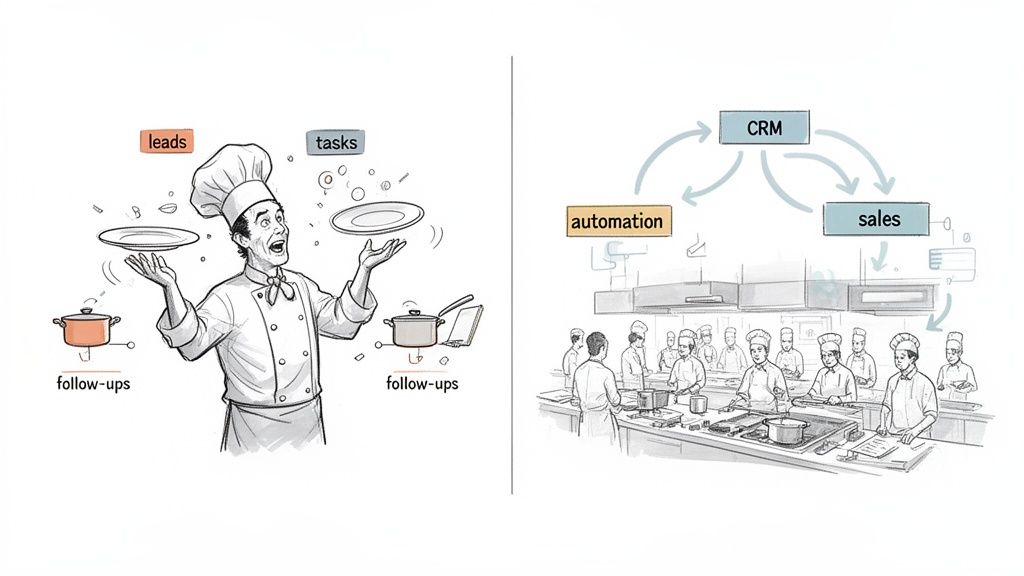
Illustrates the difference between chaotic manual marketing and efficient B2B automation.

At its heart, B2B marketing automation is all about using software to handle the repetitive, manual tasks that bog down marketing and sales teams. The B2B world is a different beast than B2C. Sales cycles are long, decisions are made by committees, and the journey is complex. This is where manual follow-ups, inconsistent messaging, and administrative overload become massive business risks.

It’s the difference between a lone chef frantically juggling pans and an orchestrated kitchen with dedicated stations for prep, cooking, and plating. Without automation, reps burn valuable time logging calls, sending one-off follow-up emails, and trying to remember which lead to call next. Good leads inevitably slip through the cracks. In a manual setup, a hot inbound lead might wait hours for a response. With automation, that same lead can be routed, assigned, and have a task created in the rep's queue within seconds.

The Strategic Shift from Manual Labor to an Execution Engine

True B2B automation is more than just scheduling a few emails. It’s a fundamental shift in how you operate, turning manual, error-prone processes into a finely tuned engine for revenue growth. This tech was built to solve specific, painful problems that plague B2B sales teams every single day.

The adoption rates tell the story. A whopping 79% of marketers are now automating parts of their customer journey. This isn’t just a trend; it's a response to a real need, with 91% of organizations reporting that requests for automation are on the rise across the board. If you want the full picture, you can dive deeper into the latest marketing automation statistics.

A B2B sales team without automation is just a collection of individual efforts. With automation, it becomes a coordinated system designed to engage the entire buying committee at the right time, with the right message, every single time.

Key Problems Solved by B2B Automation

So, what headaches does it actually cure? Here are actionable problems you can solve today:

  • Eliminating Inconsistent Follow-Up: Automation makes sure every lead gets timely, relevant communication based on what they do.
    • Actionable Tip: Set up a simple "lead nurture" workflow. If a lead downloaded a whitepaper, trigger a 3-email sequence over 10 days that offers related content and a call with a specialist.
  • Freeing Up Sales Reps: By taking over tedious tasks like data entry and activity logging, it lets reps focus on what they do best: building relationships and closing deals.
    • Actionable Tip: Choose an automation tool that automatically logs every call and email to your CRM. This single change can give reps back an hour a day.
  • Preventing Lost Leads: It acts as a safety net. It captures and nurtures leads that aren't quite ready to buy, keeping them warm so they don’t just vanish from your pipeline.
    • Actionable Tip: Create a "recycling" workflow. When a lead is marked "closed-lost," automatically add them to a 6-month check-in sequence to stay top-of-mind.

Ultimately, marketing automation platforms turn chaotic, person-dependent workflows into predictable, scalable systems. This paves the way for faster growth, more accurate forecasting, and a sales team that can finally hit its full potential.

The Real Payoff: What B2B Automation Actually Delivers

Let’s be honest, "saving time" is a lazy promise. It doesn't get a budget approved. The real value of marketing automation b2b isn’t just about doing things faster; it’s about turning your team's daily grind into predictable revenue. It’s about giving leadership the hard numbers they need to see this isn't just another tool—it's a growth engine.

For a VP of Sales, this means a fatter pipeline, faster. It’s about watching lead-to-opportunity rates climb because follow-up is sharp and immediate. For an SDR leader, it's about giving your reps the superpower to have more quality conversations every single day. And for the RevOps team? It's the holy grail: clean, automatically logged CRM data you can actually trust for forecasting and attribution.

More Selling, Less Clicking

The first and most obvious win happens on the sales floor. Right now, your Sales Development Reps (SDRs) are probably burning hours on tasks that generate zero pipeline—manually logging calls, hunting for contact info, and guessing who to reach out to next. An automation platform rips that friction right out of their day.

It serves up the "next best action" on a silver platter, based on what a buyer is actually doing. No more digging. Just clear, prioritized tasks inside their workflow. When your dialer and an AI email writer live right inside the CRM, reps can pounce on an opportunity instantly. No more context switching, no more tab juggling—just pure execution.

This is a massive accelerator for new hires, too. Instead of spending months learning a Frankenstein's monster of a tech stack, they just follow the guided workflow. They become productive in weeks, not quarters.

Finally, Data You Can Believe In

Bad CRM data is a silent killer for B2B teams. When reps forget to log calls or fudge their notes, leadership is flying blind. You can't forecast with any confidence, you have no idea which campaigns are really working, and you can't attribute a single dollar of pipeline correctly.

Marketing automation flips the script by making perfect data hygiene the path of least resistance. When every single call, email, and touchpoint is launched from the CRM and logged automatically, you get 100% data integrity by design, not by begging your reps to do it.

This gives RevOps a pristine dataset to build dashboards and attribution models that reflect reality. It’s the end of chasing down reps for updates and trying to build a forecast on a foundation of swiss cheese.

The Before and After Transformation

Putting a manual process next to an automated one shows just how massive the shift is. It’s not a small step up; it’s a different league entirely. A core benefit here is how automation scales your outreach, which is a key pillar of the top B2B lead generation strategies that winning teams deploy.

Let's look at what this transformation actually looks like for a sales development team.

Manual SDR Workflow vs Automated Execution Engine

Here’s a snapshot of a typical B2B sales development team's performance before and after integrating their workflow into a unified automation and execution platform. The numbers speak for themselves.

MetricManual Process (Before)Automated Workflow (After)
Daily Outbound Actions50-60 calls/emails per rep120+ calls/emails per rep
CRM Data Accuracy~65% (manual, inconsistent logging)~100% (automatic logging)
New SDR Ramp Time3-4 months to full productivity4-6 weeks to full productivity
Lead-to-Opportunity Rate8% (inconsistent follow-up)15% (timely, relevant outreach)

This isn't just an incremental improvement—it’s a fundamental change in your team’s capacity to generate pipeline. B2B automation turns the art of sales into a science, driving predictable outcomes by making sure the right actions happen at the right time, every time, with flawless data capture.

A Practical Roadmap to Your First Automation Win

The thought of rolling out a new automation platform can make any team groan. You picture months of painful setup, disrupted workflows, and a long, slow crawl before you see any actual value. It doesn't have to be that way.

Successful marketing automation b2b adoption isn't about boiling the ocean on day one. It's about securing a quick, high-impact win that builds real momentum.

This roadmap is designed to get you from planning to tangible results without derailing your team. It's a simple, four-phase framework to help you start small, solve a real problem, and expand when you're ready. The goal is to deliver immediate value that gets your reps excited and your leadership convinced.

Phase 1: Pinpoint Your Biggest Bottlenecks

Before you can automate anything, you need to know exactly where the friction is. The best automation targets the most painful, time-consuming, and error-prone parts of your current process. Don't start with a vague goal like "improve efficiency." Get specific.

Actionable Step: Interview three of your sales reps. Ask them: "What is the single most annoying, time-wasting task you do every day?" Listen for patterns. Common answers include:

  • Manual Data Entry: "Logging my calls and updating Salesforce fields after a block of dials takes forever."
  • Poor Lead Follow-Up: "I get an alert that a hot lead visited the pricing page, but by the time I can research them and reach out, they've gone cold."
  • Low Email Relevance: "I spend too much time researching accounts just to write a semi-personalized first email."

Find the one or two bottlenecks doing the most damage to your pipeline and your team's morale. This isn't a wishlist—it's a diagnosis of your most critical operational wound.

Phase 2: Prioritize a High-Impact Use Case

Once you've found the bottleneck, pick a single, high-impact use case to solve it. Instead of trying to automate everything at once, focus on one contained workflow that will deliver a clear, measurable win. This is how you build confidence and drive adoption from the ground up.

A great example is automating tasks that come from intent data. Manually, a rep has to see a signal, research the account, find the right contact, create a CRM task, and then finally reach out. The process is slow and full of drop-off points.

An automated workflow, on the other hand, could instantly take that same signal, create a prioritized task in the CRM, and serve it to the right rep with an AI-generated email draft and a click-to-call button. That single change turns a 15-minute manual slog into a 30-second action.

To get ideas for your own high-impact workflows, you can learn more about common marketing automation workflows that deliver rapid results.

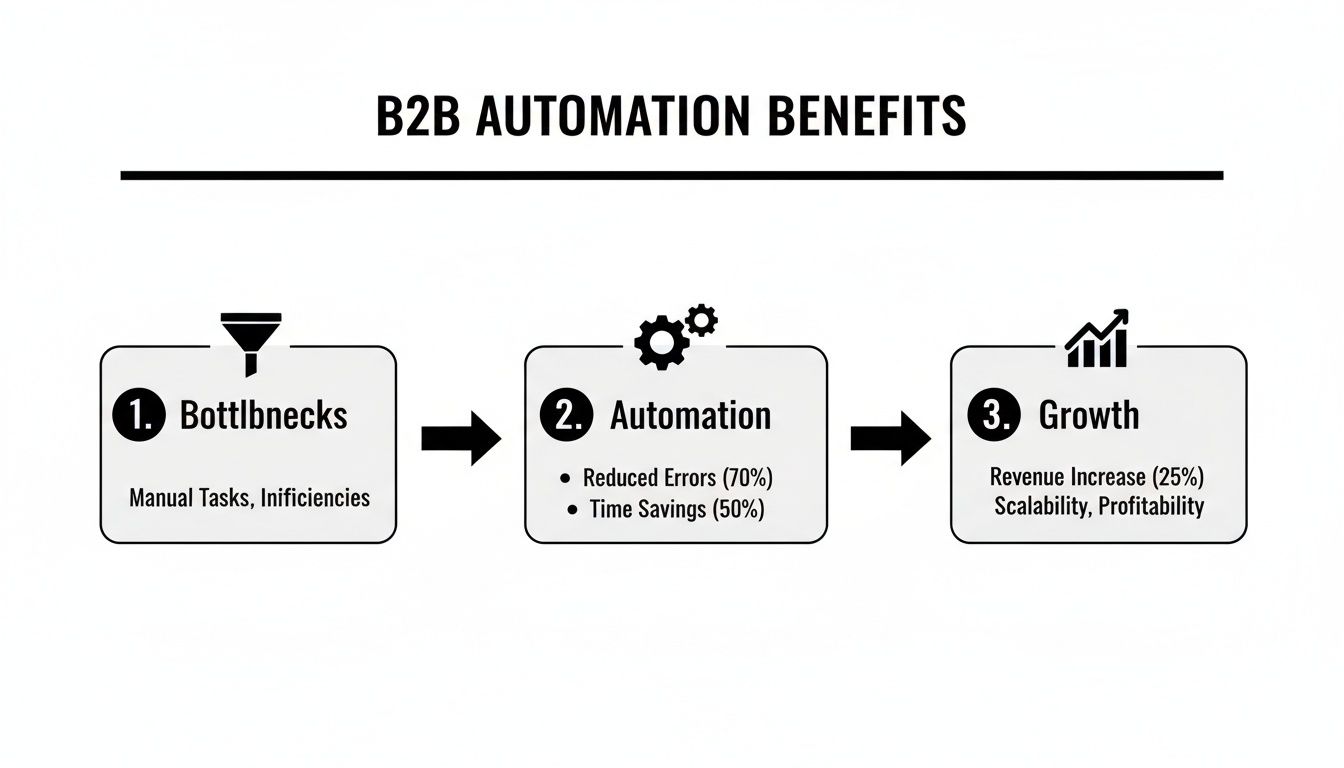
This visual shows exactly how finding bottlenecks and applying automation leads to measurable growth.

Diagram showing B2B automation benefits: reducing bottlenecks, increasing efficiency, and driving growth.

The key insight? Growth isn't just about strategy; it's about removing the operational friction that slows your team down.

Phase 3: Seamlessly Integrate with Core Systems

The number one reason automation rollouts fail is poor user adoption. And the fastest way to kill adoption is to force your reps into yet another browser tab.

Your automation engine has to live where your team works—inside your CRM.

Actionable Step: During vendor demos, insist on seeing the workflow from a rep's perspective. Ask them: "Show me exactly how a rep completes their five most common tasks without leaving the CRM." If they have to switch tabs, it's a red flag. Whether you use Salesforce or HubSpot, a native integration is non-negotiable. For instance, a key part of a practical roadmap involves strategies like turning LinkedIn outreach into a B2B sales machine, which is most effective when managed from a central system.

Phase 4: Measure, Iterate, and Expand

With your first workflow live, the final phase is all about proving its value and scaling your success. Start by tracking the metrics tied directly to your initial bottleneck.

Actionable Step: Before you launch, create a simple "before" and "after" dashboard.

  • If you automated activity logging: Measure the percentage of calls logged before and after. The goal should be a jump from ~60% to 100% accuracy.
  • If you automated intent signal follow-up: Track the average time-to-first-touch (in minutes) and the lead-to-meeting conversion rate. Aim to cut the time by at least 90%.

Share these early wins with your team and leadership. Use that momentum to identify the next bottleneck and repeat the process. By tackling one problem at a time, you methodically build a powerful automation engine that solves real-world challenges and drives sustainable growth—without disrupting your entire organization.

How to Choose the Right B2B Automation Platform

Picking the right automation platform is one of those decisions that can either supercharge your revenue team or bog them down in useless complexity. It’s not about finding the longest feature list. It’s about finding a tool that fits so neatly into your reps' daily grind that they wonder how they ever worked without it.

The wrong choice adds another login, another dashboard, another layer of friction. The right one becomes the engine that drives everything.

The very first question you should ask any vendor is simple: "Where does your platform live?" If the answer involves opening yet another browser tab outside of their CRM, you're looking at a huge adoption problem right out of the gate. Real, effective automation works where your team works—natively, inside the tools they already have open all day, like Salesforce or HubSpot.

Execution Engine or Just Another Dashboard

A lot of platforms are built for managers, not for reps. They're packed with complex dashboards and analytics suites that look impressive in a demo. But analytics don't book meetings. Execution does.

Your SDRs need a tool built to help them act—to make one more call, send a smarter email, and have every single touchpoint logged perfectly without a second thought. So, the question is, is this an execution-first engine designed to tee up the "next best action" for a rep? Or is it just another dashboard they have to manage?

This is the critical difference between a tool reps actually love and one they ignore.

The Critical Role of Guaranteed Data Hygiene

This brings us to the next deal-breaker: data integrity. You have to ask vendors how their system guarantees that every activity is logged accurately. Manual data entry is the silent killer of reliable reporting and accurate forecasting.

A platform that automatically logs every call, email, and meeting outcome by design is in a completely different league than one that depends on reps remembering to update records after the fact.

The best B2B automation platforms make perfect data hygiene the path of least resistance. When every action is launched from and logged back to the CRM automatically, you get 100% data visibility without having to chase down your team.

This is how RevOps and sales leaders get a clean, trustworthy dataset for attribution, performance tracking, and strategic planning. Without it, you’re just guessing.

The sketch below nails the difference between a cluttered, multi-app mess and a clean, CRM-native workflow.

As you can see, execution-first tools don't add to the chaos. They simplify the tech stack by plugging directly into the CRM, keeping reps focused instead of forcing them to juggle a half-dozen different applications.

Comparing All-in-One Platforms to Execution Engines

To really get to the heart of the matter, you need to understand the two competing philosophies in the sales automation world. On one side, you have the "all-in-one" platforms that try to be everything to everyone. On the other, you have specialized "execution-first" engines built for one purpose: solving the core problems of an outbound sales team. This becomes especially important when you start looking at modern AI marketing automation tools that all claim to make reps more efficient.

Here's a quick table to help you compare the two approaches.

Sales Engagement Platform vs Execution-First Task Engine

This comparison clarifies the fundamental differences in approach. All-in-one platforms often act as a separate command center, while execution-first engines are designed to be an invisible, powerful extension of your CRM.

Evaluation CriteriaAll-in-One Sales Engagement Platform (e.g., Salesloft/Outreach)Execution-First SDR Task Engine (e.g., marketbetter.ai)
Primary FocusManages sequences, contacts, and reporting in a separate application.Executes prioritized tasks (calls/emails) from within the CRM.
User WorkflowReps must switch between the CRM and the platform's browser tab.Reps stay entirely within their Salesforce or HubSpot workflow.
Data LoggingOften relies on syncing, which can lead to delays, errors, or incomplete data.Every action is logged instantly and automatically to the CRM record.
Main Value PropA centralized library for managing large-scale outreach campaigns.Maximum SDR efficiency and perfect data hygiene by design.
Adoption RiskHigh. Reps often resist using "yet another tool" that complicates their day.Low. It makes the job easier inside the system they already use.

Ultimately, your choice boils down to what problem you’re actually trying to solve. If your biggest headaches are slow SDR workflows, low daily activity numbers, and messy data that makes attribution impossible, an execution-first engine is your answer. It’s purpose-built to fix the operational bottlenecks that kill pipeline growth, not just to add another pretty dashboard to your tech stack.

Measuring the KPIs and ROI That Truly Matter

Putting a B2B marketing automation platform to work isn't about making your team look busier. It's about driving real, tangible business outcomes. The whole point is to turn those newfound efficiencies into financial and operational wins. To do that, you have to connect the dots between your team's daily grind and bottom-line growth.

Success isn't found in tracking activity metrics like emails sent or calls logged. While those numbers are useful for measuring raw output, the real story—the one your leadership team actually cares about—is told by outcome metrics.

Activity vs. Outcome: Knowing the Difference

Think of it this way: activity metrics measure the work being done, while outcome metrics measure the impact of that work. An SDR manager needs to see a high volume of daily outbound actions, but a VP of Sales is fixated on the pipeline that activity generates.

You need to track both, but always with an eye on how one drives the other. A spike in daily calls is only valuable if it leads directly to a higher meeting-booked rate. Here's a comparative look:

  • Activity Metrics (The "How Busy"): These are leading indicators. They're easy to measure but don't tell the whole story.

    • Number of calls logged per rep
    • Number of personalized emails sent
    • Tasks completed from the queue
  • Outcome Metrics (The "How Effective"): These are lagging indicators that prove the strategy is working and tie directly to revenue.

    • Pipeline generated from outbound efforts
    • Lead-to-opportunity conversion rate
    • Sales cycle length (and how much you're shrinking it)

Actionable Tip: Create a dashboard that connects one key activity metric to one key outcome metric. For example, show a chart that plots "Calls per Rep per Day" against "Meetings Booked per Rep per Week." This visually proves that increased, focused activity is driving real results.

Calculating the True Return on Investment

Measuring the ROI of marketing automation goes way beyond simple cost savings. Automation is flexing some serious financial muscle in B2B sales development, delivering an impressive 544% average return—that's a whopping $5.44 back for every single dollar spent.

Digging a little deeper, B2B automation has been shown to drive a 451% increase in qualified leads, turning faint signals into genuine sales opportunities. For any demand gen manager or sales leader whose team is drowning in admin work, that kind of impact is massive. Platforms like marketbetter.ai embed AI-powered cold email writers and dialers right into Salesforce or HubSpot, auto-logging every single action for pristine data hygiene. You can get more stats on the financial impact of marketing automation on flowlyn.com.

The core of automation ROI is proving you're not just doing more things, but that you're doing the right things more efficiently. It's about showing how a smarter workflow leads directly to a healthier sales pipeline and faster revenue growth.

When every single action is logged perfectly, you also get a massive leg up on attribution. For any RevOps leader, this clean data is priceless. It finally allows them to build attribution models that accurately show which activities are creating and influencing revenue. That clarity helps you double down on what works and kill what doesn't. You can dive deeper into this topic by exploring our guide on the most important marketing KPIs for B2B teams.

KPIs That Resonate with Different Leaders

To truly prove your automation platform's worth, you have to speak the language of your stakeholders. Every leader cares about a different slice of the pie, so tailor your reporting to highlight the KPIs that matter most to them.

What Different Leaders Want to See

RoleKey ConcernsKPIs to Report
SDR ManagerRep productivity, ramp time, daily outputDaily actions per rep, connect rates, meetings booked
VP of SalesPipeline growth, forecast accuracy, team capacityPipeline created, lead conversion rates, sales cycle duration
RevOps LeaderData integrity, attribution, tech stack ROICRM data accuracy, influenced revenue, cost per opportunity

When you frame your results in the context of what each leader values, you demonstrate a holistic impact across the entire revenue organization. This approach shifts the conversation from, "How much does this tool cost?" to "How much more revenue can we generate with this tool?" That strategic alignment is what ensures continued investment and support for your automation programs.

Common Questions About B2B Marketing Automation

When you’re looking at a new marketing automation b2b strategy, the tough questions and skeptical objections are guaranteed to pop up. And they should. The goal isn't to brush those concerns aside, but to meet them head-on with straight, real-world answers.

Let's dive into the practical challenges that VPs of Sales, SDR leaders, and RevOps pros bring up when they're kicking the tires on a new platform.

We Already Have a Sales Engagement Platform. How Is This Different?

That’s a perfectly fair question, and one we hear all the time. Most sales engagement tools like Salesloft or Outreach operate like a separate library for your contacts and sequences. They're great for planning, but they force reps to work in another tab, away from their source of truth—the CRM.

Here's the key comparison: An all-in-one platform is like a separate kitchen built next to your restaurant. An execution-first engine is like upgrading the equipment inside your existing kitchen.

It doesn’t make reps switch windows to see what’s next. Instead, it serves up the "next best action" based on live buyer signals—and gives them the tools, like a native dialer or an AI email writer, to act on it instantly within the CRM record. You're moving from a planning tool to an action tool that ensures the work gets done and the data gets logged, perfectly, every single time.

Will AI-Generated Emails Sound Generic or Robotic?

The output you get from AI is only as good as the input you give it. This is where most basic AI writers fall flat; they have no context, so they spit out generic, bland content.

A smarter system grounds its AI in your own CRM data.

It looks at the account history, the specific persona you're targeting, and the buyer's recent activity to draft outbound emails that are genuinely relevant and punchy. The idea isn't to replace the rep's brain, but to give them a killer first draft they can quickly tweak and send. It’s about assistance, not full automation. Think of it as a sous chef prepping ingredients versus a robot cooking the whole meal. The rep is still the chef.

The single biggest failure point is poor user adoption, which almost always stems from a workflow that operates outside the team's primary system. Success comes from embedding automation directly into the existing CRM workflow.

What Is the Most Common Reason an Automation Rollout Fails?

Hands down, the number one killer of any new tool is poor user adoption. And that almost always comes from forcing a workflow that lives outside the team's main system. If you give your reps another tool that makes them constantly juggle windows, they just won't use it consistently. It's that simple.

Success is all about embedding the automation right into the CRM workflow they already know.

Actionable takeaway: A great implementation makes the rep's job easier within the system they already live in all day. Every action is simpler and logged automatically. That native approach is the difference between a tool that collects digital dust and one that actually drives revenue.

How Long Does It Take to See a Return on Investment?

You'll see the full ROI build over a few quarters, but the initial returns can show up incredibly fast by tackling the most immediate pain points first.

  • Immediate Gains (First 30 Days): Just by flipping on a CRM-native dialer, you can see a rep's daily call volume and connect rate jump within the first month. By automating activity logging, you get 100% data visibility from day one. No more gaps.
  • Strategic Returns (First 1-2 Quarters): The bigger wins—like shorter sales cycles and higher conversion rates—start to become obvious within one or two quarters. That's when the daily efficiency gains really start to compound and your team finds its rhythm.

At marketbetter.ai, we turn buyer signals into prioritized SDR tasks and help reps execute with AI-powered tools inside Salesforce and HubSpot. Discover how our execution-first engine can transform your outbound motion.

A Practical Guide to Business to Business Marketing Automation

· 24 min read

Let's be honest, trying to build a genuine relationship with thousands of potential customers at once is a recipe for disaster. No human team, no matter how dedicated, can remember every single interaction, follow up at just the right moment, or serve up the perfect piece of content to every person, every time.

This is where business-to-business marketing automation comes in. It's not just software; it’s your team's tireless digital 'relationship builder' that works 24/7.

What B2B Marketing Automation Actually Does

Instead of your team getting bogged down in repetitive but critical tasks—like sending follow-up emails, tracking website visits, or segmenting lists by hand—this technology handles it all. It’s the engine that frees up your marketing and sales pros to focus on what they do best: thinking up brilliant strategies, launching creative campaigns, and closing deals with prospects who are already warmed up and engaged.

It’s the secret to scaling your outreach without having to scale your headcount.

From Manual Grind to Automated Nurturing

The real leap here is the shift from one-off actions to a continuous, intelligent system. A manual approach is like sending out individual letters one by one—it’s slow, error-prone, and impossible to scale. Automation, on the other hand, is like building a smart, responsive postal service that delivers personalized messages based on what each recipient actually does.

This flowchart gives you a glimpse into a pretty standard automated workflow. It shows how a system can guide a prospect from their first touchpoint all the way to becoming a sales-ready lead, no hand-holding required.

Person viewing a 'Relationship Builder' flowchart diagram on a laptop, showing business processes.

You can see how the system uses triggers (like a download or a page visit) to kick off specific actions. Trying to manage that kind of logic manually across hundreds or thousands of leads? It would be a nightmare.

This power is why its adoption is through the roof. By 2025, it's expected that 76-79% of B2B marketers will be using automation to steer their customer journeys. That's not just a trend; it’s a fundamental shift in how modern B2B marketing gets done, especially with the long, complex sales cycles we all know and love. You can dig into more marketing automation adoption statistics on emailvendorselection.com.

Core Functions and Their Impact

So, what do these platforms really do under the hood? It’s more helpful to think about them not as a list of features, but as solutions to the daily headaches your team faces. The table below compares these core functions to their manual counterparts, highlighting the real-world business impact.

Core Functions of B2B Marketing Automation Platforms

Core FunctionManual Approach (The "Before")Automated Approach (The "After")Business Impact Example
Lead NurturingSending sporadic, one-size-fits-all emails and hoping something sticks.Building a relationship with prospects over time through targeted, automated communication.Sending a series of educational emails to a new lead who downloaded a whitepaper, keeping your brand top-of-mind.
Lead ScoringSales reps manually sift through a list of leads with little context.Automatically qualifying leads by assigning points based on their behavior and demographics.Prioritizing a lead who visited the pricing page and has a "Director" title over a student downloading a single blog post.
Email MarketingSending a generic "e-blast" to your entire contact database.Sending personalized email campaigns at scale, triggered by specific user actions or segments.A prospect who abandons a demo request form receives an automated follow-up email asking if they need help.
Analytics & ReportingGuessing which marketing activities are actually driving revenue.Tracking campaign performance and measuring marketing's contribution to revenue.Identifying which content assets are most effective at converting marketing-qualified leads into sales opportunities.

Ultimately, each of these functions works together to create a smarter, more efficient system that aligns your marketing efforts directly with sales outcomes. It’s about doing more of what works and less of what doesn't.

Calculating the Real ROI of B2B Automation

While the features of marketing automation are great, the question every leader really asks is simple: what’s the return? A new tech investment needs to move past buzzwords and show a clear, bottom-line impact.

Let’s be clear: automation isn’t just about making a marketer’s job easier. It's a revenue engine. It directly boosts the metrics that matter, from the raw number of leads you generate to how good those leads actually are.

From Volume to Value

One of the first things you'll see with automation is an uptick in lead volume. But more leads don't automatically equal more revenue. The real magic is in nurturing those leads with precision until they are genuinely ready for a sales conversation.

This is where automated workflows shine. No one falls through the cracks. The system methodically engages prospects with the right content at the right time, turning lukewarm interest into active buying signals. This process dramatically increases the number of sales-qualified leads (SQLs) you can hand over to your sales team.

Marketing automation isn't a cost center; it's a massive financial multiplier for B2B companies. On average, businesses see a 544% ROI over three years. Put another way, that's about $5.44 back for every $1 you put in.

These aren't just vanity metrics. Businesses that use automation to engage prospects report an 80% increase in leads and a staggering 451% increase in qualified leads. The data speaks for itself.

Accelerating the Sales Cycle

The B2B sales cycle is notoriously long. It often involves a whole committee of decision-makers and a ton of "thinking it over." Marketing automation acts as a powerful accelerator by ensuring reps spend their time on conversations that are most likely to close.

Here's an actionable comparison of a sales cycle with and without automation:

  • Without Automation: A sales rep gets a long list of "leads." They start at the top and call each one, spending valuable time on prospects who aren't ready to buy, while a hot lead at the bottom of the list grows cold.
  • With Automation: The system tracks what people do—like visiting the pricing page or downloading a case study—and scores them accordingly. As soon as a lead hits that "ready" score, they're automatically routed to a sales rep along with a full history of every interaction. Your reps walk into every call with complete context. No more generic pitches. They can have meaningful discussions from the very first hello.

This whole process shaves days, weeks, or even months off the sales cycle. But beyond just understanding the benefits, you have to prove them. The best way to do that is by accurately calculating the return on investment for your marketing.

Ultimately, showing the dollars-and-cents value of your work is what gets you more budget and a seat at the table. For a detailed breakdown of the math, check out our guide on how to calculate marketing ROI. It gives you a clear framework to make the case for automation undeniable.

Choosing Your B2B Automation Platform

Picking the right business-to-business marketing automation platform isn’t just about buying software. It’s a strategic move. Think of it as installing the central nervous system for your entire marketing and sales operation. Get it right, and it will amplify everything you do. Get it wrong, and you're stuck with data silos, frustrated teams, and endless bottlenecks.

Your choice really boils down to your company's specific needs, where you are on your growth journey, and where you want to go. Are you just trying to get foundational tasks like email nurturing and basic segmentation off the ground? Or are you aiming for predictive insights and customer journeys that feel like they were built for one person at a time? Nailing that answer is the first step.

The market is crowded, and every vendor promises the world. Just a quick glance shows how many options are out there.

Two business professionals analyzing a platform checklist and data on tablets during a collaborative meeting.

Each platform offers a different cocktail of features, integrations, and pricing models. That’s why having a clear evaluation plan before you ever book a demo is so critical.

Actionable Checklist for Platform Evaluation

Don't get hypnotized by long feature lists. Instead, tie every feature back to a strategic goal. Use this checklist during your research and demo calls to stay focused on what matters.

  • [ ] CRM Integration: Is it a seamless, native, two-way sync with your CRM (like Salesforce or HubSpot)? This is non-negotiable for aligning sales and marketing.
  • [ ] Lead Scoring Flexibility: Can you build custom scoring models based on both demographics (job title, company size) and behavior (pages visited, content downloaded)? Test its limits.
  • [ ] Reporting and Analytics: Does it have intuitive dashboards that can track campaign performance and, critically, attribute revenue back to your marketing efforts? Can it measure your MQL-to-SQL conversion rate easily?
  • [ ] Workflow Builder Usability: Is the interface for building automated campaigns a drag-and-drop visual editor, or does it require technical expertise? Your marketing team needs to be able to use it without constant help.
  • [ ] Scalability and Pricing: Does the pricing model punish you for success (e.g., steep jumps in cost per contact)? Ensure it can grow with your business without breaking the bank.

If you're trying to weigh your options, a good marketing automation tools comparison guide can be a huge help for seeing how different platforms stack up side-by-side.

Comparing Traditional vs AI-Native Platforms

The biggest shift happening in automation right now is the rise of AI. Traditional platforms are great at following orders—they run on pre-set, rule-based workflows you have to build and maintain. But AI-native systems bring an entirely new layer of intelligence to the table, one that can adapt and optimize on its own.

An AI-native platform doesn't just execute the commands you give it; it learns from your data to suggest better strategies, predict customer behavior, and personalize content at a scale that is impossible for a human team to manage manually.

This isn’t just a minor upgrade; it’s a fundamental difference in how the machine thinks. Here’s a quick breakdown to help you understand the practical differences.

Comparing Traditional vs AI-Native B2B Automation Platforms

FeatureTraditional AutomationAI-Native Automation (e.g., marketbetter.ai)
Workflow LogicFollows rigid "if-this-then-that" rules set by a marketer.Dynamically adapts journeys based on real-time behavior and predictive models.
PersonalizationUses basic segmentation (e.g., by industry or job title).Creates 1:1 personalization using dynamic content and predictive recommendations.
Lead ScoringRelies on manually assigned point values for specific actions.Uses predictive models to score leads based on their likelihood to convert.
AnalyticsProvides historical reports on past campaign performance.Offers predictive insights, forecasting future trends and identifying opportunities.

While a traditional platform can make you more efficient, an AI-native system is built to make your entire marketing operation smarter. You can explore a curated list of modern AI marketing automation tools to see how these advanced capabilities are already being used.

Ultimately, the choice comes down to this: do you need a tool that just follows instructions, or one that helps you write a better playbook?

An Actionable Implementation Roadmap

A beast of a marketing automation platform is like a race car engine sitting on a pallet. It’s got all the power in the world, but it’s useless without a chassis, wheels, and a driver who knows the track. Just buying the software won’t get you to the finish line. Winning depends on a smart, strategic rollout that connects the tech to your team and your process.

This roadmap breaks it all down into simple, manageable phases. The goal isn’t to try and automate everything on day one—that’s a recipe for disaster. It’s about nailing an early, high-impact win to get some momentum and prove this thing actually works.

Phase 1: Laying the Foundation (Weeks 1-2)

Before you even think about building a workflow, you have to decide what a "win" looks like. The number one reason these projects fail is that teams jump into the software without a clear plan. This first part is all about strategy.

Your first few steps need to be focused and collaborative:

  1. Pick One Big Problem: What’s the single most important thing you need to solve? Is it getting more sales-qualified leads (SQLs)? Slashing the time it takes to close a deal? Getting better quality leads in the door? Choose one primary goal for your first pilot project.
  2. Get Sales and Marketing on the Same Page: This is absolutely non-negotiable. Both teams have to agree on exactly what a marketing-qualified lead (MQL) and an SQL are. When everyone shares the same definitions, you kill the classic "marketing keeps sending us junk leads" argument before it starts.
  3. Audit Your Content Arsenal: You can’t nurture anyone without having something valuable to say. Map out your existing assets—whitepapers, case studies, blog posts—and see how they line up with different stages of your buyer’s journey. Find the gaps you’ll need to fill before you launch anything.

The smartest automation strategies start small. Instead of trying to automate the entire customer journey at once, just pick one high-value process. A simple "welcome" series for new subscribers is a perfect place to start. It's easy to build and gives you immediate, measurable engagement right out of the gate.

Phase 2: Data and Technical Setup (Weeks 2-3)

Okay, with the strategy locked in, it’s time to get your hands dirty with the technical stuff. Your automation platform is only as smart as the data you feed it. If it’s garbage in, it will be garbage out, and your entire effort is doomed.

This phase is where you make sure the system actually runs and your messages get delivered.

  • Data Cleanup and Integration: Make this your top priority. Go through your existing contact list and clean it up—get rid of duplicates, fix typos, and standardize your fields. Then, set up a solid, two-way sync with your CRM. This is crucial for making sure marketing and sales are always looking at the same, up-to-the-minute info.
  • Technical Configuration: Grab someone from your IT team to help with the essentials, like setting up your sending domains (SPF/DKIM) to make sure your emails actually hit the inbox. This one step keeps your carefully written messages from getting flagged as spam.

Phase 3: Building Your First Campaign (Weeks 3-4)

Finally, it’s time to build something. Remember that goal from Phase 1? Here’s where you bring it to life. We’ll stick with the lead welcome series example.

Think of this workflow as your digital handshake. It’s the very first impression a new lead gets of your brand, so you want to make it a good one.

Here’s a no-nonsense way to get it done:

  1. Map it Out: Grab a whiteboard and sketch out the journey. What kicks off the sequence (like a form fill)? How many emails are you sending? What’s the timing between each one?
  2. Create Your Assets: Write the email copy, design the templates, and build any landing pages you need. Make sure every single piece of content pushes the user toward a specific action.
  3. Start Simple with Lead Scoring: Don't go crazy here. Just assign points for a few key actions inside this one workflow. For example: +5 points for opening an email, +10 for clicking a link to a case study, and +25 for checking out the pricing page.
  4. Test. Test. And Test Again: Send it to yourself. Send it to your team. Make sure every link works, every personalization tag pulls the right data, and the whole thing fires off exactly as you planned.

By starting with a simple but meaningful campaign, you get a tangible win that builds confidence across the company. That early success becomes the bedrock for all the more complex business to business marketing automation you’ll build later, turning that new software into an engine that actually drives revenue.

Measuring What Matters with Automation KPIs

Putting a new marketing automation system in place without knowing how to measure success is like flying a plane blind. You’re moving, but you have no idea if you’re gaining altitude or heading for the mountains. In the world of B2B marketing automation, success is written in data. You absolutely have to track the right Key Performance Indicators (KPIs) to prove the value of your investment and fine-tune your strategy.

To make this practical, let's break the metrics down into three critical areas. This structure helps you build a performance dashboard that tells a clear story, from the first touchpoint all the way to a closed deal.

This simple flow shows the core steps to getting your automation engine running.

A diagram illustrating the B2B automation flow with three steps: Plan (lightbulb), Data (database), and Launch (rocket).

Each stage builds on the last, making sure that when you finally hit "launch," your campaigns are backed by a solid plan and clean, reliable data.

Gauging Lead Generation Health

This first bucket of KPIs tells you if the top of your funnel is actually working. We're looking at both the volume of leads coming in and, far more importantly, the quality of those leads your automation platform is attracting and sorting.

  • Cost Per Lead (CPL): Think of this as your efficiency baseline. Just divide your total campaign spend by the number of new leads you got. If your CPL is creeping up, it’s a red flag that your targeting might be off or your creative isn't landing.
  • Marketing-Qualified Lead (MQL) to Sales-Qualified Lead (SQL) Conversion Rate: This is the big one. It’s the ultimate test of whether marketing and sales are on the same page. A low conversion rate here almost always means marketing’s idea of a “good lead” isn’t what the sales team needs to actually close business.

These metrics are your foundation. To go a level deeper, check out our guide on essential lead generation key performance indicators.

Analyzing Campaign Effectiveness

Okay, so you've got leads in the door. Now you need to know if your nurture campaigns are doing their job. These metrics measure engagement and tell you if your content is actually resonating with your audience.

An effective automation strategy isn't just about sending emails; it's about starting conversations that guide prospects through their buying journey. If your engagement numbers are flat, your message isn't connecting.

A couple of key metrics to keep a close eye on:

  • Email Engagement Rates: Go beyond basic open rates—they can be misleading. The real story is in your click-through rates (CTR) and, even better, the conversion rates from those clicks. That tells you who’s taking action.
  • Landing Page Conversion Rates: Your landing pages are where value gets exchanged. A low conversion rate is a clear sign of a disconnect between your ad, your offer, and the on-page experience.

Connecting Automation to Revenue

This is where the rubber meets the road. These KPIs draw a straight line from your marketing activities to the company’s bottom line, making the value of your automation platform impossible for leadership to ignore.

The pressure to prove this connection is only growing. By 2025, digital channels are expected to handle about 80% of all B2B sales interactions. On top of that, 74% of sales professionals believe AI will fundamentally change how they work, cementing automation as a non-negotiable part of the sales process. You can discover more insights about sales automation trends from Kixie.com.

To show the real financial impact, focus on these two metrics:

  • Sales Cycle Length: How long does it take to convert a brand-new lead into a paying customer? A good automation system should shrink this timeline by handing off better-qualified, sales-ready leads.
  • Marketing-Influenced Revenue: This metric tallies up the total revenue from all the deals that marketing touched. It’s a powerful way to show exactly how your team’s efforts are fueling the company’s growth.

Common B2B Automation Traps (and How to Sidestep Them)

Even the slickest marketing automation platform can turn into an expensive, dust-gathering subscription if you're not careful. The dream is efficiency and scale. The reality, for many, is a mess of broken workflows and frustrated teams.

So, how do you avoid the potholes? It's not about working harder; it's about starting smarter. Most teams stumble not because of a lack of effort, but because they skip the foundational work.

Fortunately, the biggest traps are well-known, and each one has a clear escape route.

Mistake 1: Trying to Boil the Ocean on Day One

It’s so tempting. You get the keys to your new platform and immediately try to map every "if-then" scenario for the entire customer journey. You sketch out a monstrous, multi-branched workflow that accounts for every possible click, download, and email open.

This is a classic rookie move, and it almost always ends in disaster. What you're left with is a system that's a nightmare to build, impossible to debug, and takes months to produce a single result.

The better way? Start with a single, quick win.

  • Actionable Fix: Pick one high-impact process and nail it. A simple welcome series for new demo requests is a perfect candidate. So is a re-engagement campaign for leads that have gone cold. Get a simple, clean workflow live, prove its value, and build momentum from there.

Mistake 2: Ignoring Your Data Problem

Think of your automation platform as a high-performance engine. Your data is the fuel. Pumping it full of garbage—duplicates, missing fields, inconsistent formatting—is like pouring sand in the gas tank.

It grinds everything to a halt. Worse, it leads to cringe-worthy personalization fails, like calling a CEO by the wrong first name or sending a case study about the wrong industry. Automation doesn't fix bad data; it puts a megaphone to it.

Crucial Takeaway: Your marketing automation tool will only amplify the data problems you already have. Cleaning up your data isn't a "nice-to-have" pre-launch step. It's non-negotiable.

  • Actionable Fix: Before you even think about migrating contacts, do a ruthless data audit. Merge duplicates, standardize job titles, normalize company names, and fill in the blanks. Just as important, set up validation rules on your forms to stop bad data from getting into your system in the first place.

Mistake 3: Using Your New Tool as a Spam Cannon

You just bought a sophisticated platform designed for personalization at scale. The absolute worst thing you can do is upload your entire database and blast everyone with the same generic newsletter.

This is the fastest way to torch your email list and tank your sender reputation. It completely misses the point of automation, which is to deliver the right message to the right person at the right time. Treating your platform like a glorified email-blasting service will send your unsubscribe rates through the roof.

Your goal is to make every touchpoint feel personal, even when a machine is doing the work.

Here’s your actionable plan to avoid being a spammer:

  1. Segment Like a Pro: Don't talk to a CFO the same way you talk to a Head of Engineering. Use your buyer personas to create different communication tracks with content that actually speaks to their specific pains and priorities.
  2. Use Dynamic Content: Most platforms let you swap out blocks of content in an email—like a specific customer quote or a relevant case study—based on the recipient's industry or title. It’s a simple move that makes your outreach feel instantly more relevant.
  3. Map Content to the Buyer’s Journey: Someone who just downloaded their first-ever whitepaper isn't ready for a pricing sheet. Make sure the content you send matches where they are in the decision-making process. Nurture them; don't shove them.

Got Questions About B2B Automation? We've Got Answers.

Even after you see the potential, diving into the world of marketing automation can bring up a few "what ifs" and "how does thats." It's totally normal. Here are the straight answers to the questions we hear most often.

How Much Does B2B Marketing Automation Actually Cost?

This is usually the first question out of the gate, and the honest answer is: it really depends. The price tag is almost always tied to two things: how powerful the platform is and, more importantly, how many contacts you have in your database.

Here’s a rough breakdown:

  • For startups and small businesses: You can get started with core features like email nurturing and simple workflows for $50 to $300 a month.
  • For mid-market companies: As your needs grow, so does the price. Expect to pay somewhere between $800 and $3,000 per month for platforms with deeper CRM integrations, lead scoring, and solid analytics.
  • For enterprise teams: The sky's the limit. Top-tier platforms with predictive AI, custom reporting, and white-glove support can easily run $3,000+ per month.

But remember, cost is only half the equation. If a $1,000-per-month platform helps your team land just one extra $10,000 deal, it’s already paid for itself ten times over.

How Long Will It Take to Get This Running?

This isn't like flipping a switch. A successful rollout is about much more than just the software—it's about your strategy, your data, and getting your team on board. The best approach is always to start small and build from there.

One of the biggest mistakes we see is trying to build the "perfect" system right from day one. Instead, aim for a quick win. You can get a pilot campaign up and running in as little as 2-4 weeks, while a full, company-wide implementation might take 3-6 months.

Your timeline will really hinge on a few key things:

  1. Your Data Quality: Be honest—is your contact data a clean, well-oiled machine or a bit of a mess? Data cleanup can easily be the most time-consuming part of the whole process.
  2. Team Readiness: Is your team excited and trained for new ways of working, or is there some hesitation?
  3. Integration Complexity: Hooking into a standard CRM like Salesforce or HubSpot is usually straightforward. Custom-built systems or complex integrations will definitely add time.

Is Automation Really a Good Fit for a Small Business?

Absolutely. In fact, for a small team, automation isn't just a nice-to-have; it's a force multiplier. It gives a handful of people the power to execute a marketing strategy that would normally require a much, much bigger team.

A small business doesn't need a sprawling enterprise system. A basic platform can handle the crucial but repetitive stuff—like lead follow-ups, welcome emails, and data entry—freeing up your team to focus on building relationships and closing deals. Those are the things you can't automate. The trick is to pick a platform that can grow with you.


Ready to see how an AI-native platform can accelerate your growth without all the complexity? marketbetter.ai brings content creation, campaign optimization, and personalization together in one smart system. Discover the future of B2B marketing.

Marketing automation for small business that actually works

· 20 min read

For any small business owner, marketing automation is the great equalizer. It’s how you go toe-to-toe with the big guys without needing their massive budgets. It takes over the repetitive, time-sucking tasks—think email follow-ups and social media posts—so you can get back to focusing on strategy and talking to your customers. It's about doing more with less.

Why Smart Automation Is Your Secret Weapon

Let's be real for a second. As a small business owner, your time is everything. You're constantly juggling marketing, sales, customer service, and a dozen other things. It's a relentless grind against the clock.

This is where smart automation stops being a buzzword and becomes your most valuable employee. It’s not about replacing you; it’s about amplifying what you can do.

Think of it as a direct comparison:

  • The Manual Way: You spend your Monday morning exporting a list of new leads, copy-pasting their names into a generic email template, and hitting 'send' one by one. By the time you're done, half the day is gone.
  • The Automated Way: You spend one afternoon setting up a "welcome" workflow. From that day on, every new lead instantly gets a personalized, professional email the moment they sign up—even if it's 2 AM on a Sunday. You do the work once, and it pays you back forever.

Automating these jobs claws back hours in your schedule for the things only you can do—building relationships, innovating, and actually growing the business.

From Theory to Tangible Impact

This isn't just a hypothetical. The shift is already happening. Small and mid-sized businesses are jumping on these tools, with 47% now using software to manage their social media. Even better, businesses that use automation report a 25% drop in manual data entry time, freeing up their teams for work that actually moves the needle.

Let's ground this with a real-world example. Imagine a local landscaping company. Before automation, the owner spent hours every week manually sending booking confirmations, appointment reminders, and follow-up emails begging for reviews. It was a chore.

After setting up a simple automated workflow, everything changed. Now, when a client books online, they instantly get a confirmation email. A friendly reminder lands in their inbox 24 hours before the job. And two days after the crew leaves, a thank-you email with a direct link to leave a review goes out automatically.

That one change saved the owner over 10 hours a week and boosted their repeat customer rate by 15%. That’s the real-world power of smart automation. If you want to dig deeper, you can see how to transform communication with automated text messages for even bigger wins.

Key Takeaway: Automation isn't just for huge corporations with massive teams. For a small business, it's a practical way to level the playing field, work smarter, and drive real growth. You can learn more about the benefits of AI in marketing in our related guide.

Quick Wins with Marketing Automation

If you're wondering where to start, the good news is you don't have to boil the ocean. There are plenty of simple, high-impact automations you can set up quickly to see immediate results. Here are a few ideas to get you started.

Manual TaskAutomated SolutionImmediate Benefit
Sending a welcome email to every new subscriberA "Welcome Series" workflowEngages new leads instantly, 24/7.
Following up with leads who fill out a formAn instant confirmation and follow-up sequenceNo leads fall through the cracks.
Reminding customers about abandoned cartsAn automated email reminder after a few hoursRecovers potentially lost sales.
Manually posting to social media dailyA social media scheduling toolConsistent online presence without daily effort.
Asking for reviews after a purchaseA post-purchase email sent after a set delayBoosts social proof and online ratings.

These aren't complex, enterprise-level strategies. They're practical, straightforward wins that any small business can implement to save time, improve the customer experience, and ultimately, make more money.

Choosing The Right Tools Without Overspending

The market for marketing automation software is noisy. Every platform promises to be the magic bullet, but for a small business, the wrong choice is more than just a headache—it's a budget-killer.

The goal isn't to snag the tool with a million features you'll never touch. It's about finding the one that solves your specific problems, fits your budget, and doesn't require a computer science degree to operate.

So, how do you cut through the hype? I always tell clients to zero in on three things: ease of use, integrations, and scalability. Can your team actually build a workflow without calling for help? Does it play nice with the tools you already depend on, like your ecommerce platform or CRM? And can it grow with you, or will you be stuck migrating everything in a year?

Comparing The Top Contenders

Let's get practical and look at a few of the platforms small businesses typically run into. Each has its own sweet spot, so the "best" one really depends on what you're trying to accomplish.

For instance, many modern platforms offer a visual workflow builder. This is what you should be looking for—something that lets you drag and drop triggers and actions to map out a customer journey.

A builder like the one above lets you create sophisticated sequences based on what people actually do (or don't do) on your site. That's where the real power is.

Small Business Automation Platform Comparison

To give you a clearer picture, here's a quick rundown of how three popular options stack up. Think of this as your starting point for research.

FeaturePlatform A (e.g., Mailchimp)Platform B (e.g., ActiveCampaign)Platform C (e.g., HubSpot Starter)
Best ForBeginners, simple email campaignsBusinesses needing powerful, behavior-based automationCompanies wanting an all-in-one CRM & marketing hub
Ease of UseVery easy, clean interfaceModerate learning curveEasy, but can get complex with more features
Key StrengthSimplicity and brand recognitionAdvanced automation and segmentationSeamless integration with its own powerful CRM
Pricing ModelTiered by contacts and features; can get expensive quicklyTiered by contacts and feature level; great value for automation powerBundled pricing; offers a free CRM with paid marketing add-ons

Mailchimp is a fantastic entry point. If you just need to manage a list and send basic newsletters or a simple welcome series, it's hard to beat for simplicity. But if your strategy involves sending different messages based on site visits or purchase history, you'll hit a ceiling fast.

That's where a tool like ActiveCampaign comes in. It offers much deeper logic for a price that’s still accessible. Then there's HubSpot, which is brilliant if your goal is to have sales and marketing data living under one roof from day one.

For a broader look, check out dedicated comparison lists like the 8 best ecommerce marketing automation platforms to see what else is out there.

Pro Tip: Don't let a salesperson run the demo. Before you sign anything, get them on a call and ask them to build one of your ideal workflows right in front of you. If they can't do it quickly, your team probably can't either.

Red Flags And Must-Ask Questions

Choosing a platform is a real commitment. To avoid making a costly mistake, you need to go into your demos with a checklist of tough questions.

Here's what I always push people to ask:

  • Integrations: "Don't just tell me it connects to Shopify. Show me. I want to see how a new customer in Shopify ends up in a workflow here, live on this call."
  • Support: "When I'm stuck on a Tuesday afternoon, what happens? Am I filling out a ticket and waiting 24 hours for an email, or can I get a human on a chat or a call?"
  • Onboarding: "What's the plan for getting my team up and running? Will you help us migrate our contacts and get our first critical campaign built?"
  • Hidden Costs: "Let's talk about the real final bill. Are there overage fees for contacts? Extra charges for image hosting? I want to know every single thing that could make my monthly invoice higher than the price on your website."

Getting this right from the start saves you a world of pain later. Making a smart choice on your tools is just as important as setting the right budget. For more on that, take a look at our guide on marketing budget allocation best practices.

Building Workflows That Actually Drive Sales

Okay, you’ve picked your software. That’s the easy part. The real magic of marketing automation for small business happens when you build smart, efficient workflows that hum along in the background, talking to customers and pulling in revenue 24/7. This is where we stop talking and start doing.

A "workflow" is just a fancy name for a series of automated actions that kick off when something specific happens. Instead of you manually sending every welcome email or updating a contact's status, you map out the journey once. The system takes it from there, executing flawlessly every time. It’s how you make sure no lead ever gets forgotten and every new customer gets a consistent, warm welcome.

Think of it as a simple cycle: you figure out what you need, plug in the right tools, and then double down on what’s working.

Three-step business process workflow diagram showing evaluate, integrate, and scale stages with icons

This process isn't a "set it and forget it" deal. It’s a loop of evaluating, integrating, and scaling. Let's build three foundational workflows any small business can put into action this week to see a real impact.

The Welcome Series That Creates Fans

Your welcome series is your digital handshake. It’s your single best chance to turn a casual subscriber into someone who actually looks forward to your emails. The data doesn't lie: welcome emails can score an open rate of over 80%, blowing your standard newsletters out of the water.

The goal here isn't a hard sell. It's about building trust and proving you're worth their time. A simple but incredibly effective welcome sequence looks something like this:

  • Email 1 (Immediately): The second they subscribe, this email hits their inbox. It confirms they're signed up, delivers whatever you promised them (like a PDF guide or a discount code), and tells them what to expect from you.
  • Email 2 (2 Days Later): Tell them your story. Why did you start this business? What big problem are you passionate about solving? This email is all about connection, not conversion.
  • Email 3 (4 Days Later): Deliver pure, unadulterated value. Link to your most popular blog post, a genuinely helpful video tutorial, or a case study that shows off a customer's win. This cements your expertise and shows you're not just there to take their money.

This sequence warms up the relationship before you ever ask for the sale. When you finally do, they'll be much more likely to listen.

The Lead Nurturing Workflow for Inbound Leads

So, what happens after someone downloads that handy guide from your website? They can't just go into a black hole. A lead nurturing workflow is designed to take that flicker of interest and gently guide them toward making a purchase. Companies that get this right generate 50% more sales-ready leads at a 33% lower cost.

Let’s say a prospect downloads your "Guide to DIY Landscaping." Your automated workflow could be:

  1. Trigger: Contact downloads the "DIY Landscaping Guide."
  2. Action 1 (Immediate): Send an email delivering the guide with a simple "thanks."
  3. Action 2 (3 Days Later): Follow up with a related blog post, like "5 Landscaping Mistakes That Cost Homeowners a Fortune." You're adding more value and staying on their radar.
  4. Action 3 (7 Days Later): Time for a soft pitch. Mention your landscaping consultation service and share a quick story about a client you helped. The call-to-action is a low-pressure "Learn More," not "Buy Now."
  5. Action 4 (12 Days Later): Now you can make a direct offer. Clearly present your service with a strong call-to-action like "Book Your Free Consultation."

This workflow educates, builds trust, and positions you as the obvious expert to call when they're finally ready to pull the trigger.

Key Insight: The difference between a welcome series and lead nurturing is all about intent. A welcome series builds general brand love. A nurturing sequence is built to move a specific person closer to a sale based on an action they already took.

The Cart Abandonment Workflow for E-commerce

If you run an e-commerce store, cart abandonment is the silent killer of your revenue. The good news? It's one of the easiest leaks to plug with automation. A few well-timed emails can claw back a surprising number of those almost-sales.

A solid cart abandonment flow is short, sweet, and gets right to the point:

  • Trigger: A customer adds items to their cart but doesn't check out within an hour.
  • Email 1 (1-2 Hours Later): A gentle nudge. "Did you forget something?" Show them exactly what they left in their cart and give them a big, obvious link to go finish the purchase.
  • Email 2 (24 Hours Later): Introduce a little urgency. A simple line like "Your items are selling fast!" can work wonders. You can also offer to answer any questions they might have.
  • Email 3 (48 Hours Later): This is your final shot. If it makes sense for your margins, consider offering a small sweetener, like 10% off or free shipping, to get them over the finish line. Use this one sparingly, or you'll train customers to wait for a discount.

This simple, three-part sequence runs on its own and can recover sales you would have otherwise lost for good. It's a massive win with zero ongoing effort.

Connecting Your CRM and Automation Tools

Running your marketing automation and your CRM in separate silos is a massive missed opportunity. One tool knows who’s opening your emails and clicking your links; the other knows who your hottest leads are and what deals are about to close. When they don’t talk, you’re flying with one eye closed.

Connecting them is a genuine game-changer. You get a single, unified view of every customer, letting you personalize their entire journey from first click to final sale. This isn't just about syncing data—it's about making that data do something so you can send the perfect message at exactly the right moment.

Why Integration Is Non-Negotiable

A connected system is what turns abstract marketing data into actual sales opportunities. For a small business, that efficiency is everything. Without it, you’re stuck manually entering data, which is just a recipe for typos, mistakes, and leads slipping through the cracks.

With a proper connection, you create powerful, automated feedback loops. Let’s say a prospect has been quietly getting your nurture emails for a few weeks. Then, suddenly, they click a link to your pricing page.

A seamless integration can instantly ping your CRM, create a high-priority task for a salesperson, and tag that contact as a “Hot Lead”—all without anyone lifting a finger. Sales-ready leads never get left waiting.

A Practical Comparison: Native vs. Third-Party Integration

When you're ready to bridge the gap between these two platforms, you really have two main paths. Knowing the difference will help you pick the right approach for your tech stack and how much you like to tinker.

Integration TypeBest ForKey AdvantagePotential Downside
Native IntegrationBusinesses using popular, all-in-one platforms (like the HubSpot CRM with HubSpot Marketing Hub).Simplicity and Reliability. These are built-in, one-click connections. They’re officially supported and dead simple to set up.Limited Flexibility. You're stuck with whatever connections the platform developers decided to build.
Third-Party Tools (e.g., Zapier)Businesses using a mix of niche or less common tools that don't talk to each other out of the box.Maximum Flexibility. You can connect almost any two apps, creating custom "if this, then that" workflows for anything.More Complexity. Can require more setup, troubleshooting, and often involves an extra subscription cost.

Creating a Cohesive Customer Journey

Ultimately, the whole point is to create a seamless handoff where marketing and sales work as one team. When your CRM knows a lead just attended a webinar (thanks to your automation tool), your next sales call can be about the webinar content, not a generic, "Hey, just checking in."

This is the kind of cohesion that separates businesses drowning in scattered data from those that are running on unified customer intelligence. A well-integrated system is the backbone of any real growth strategy.

For teams looking to take this even further, understanding how a customer data platform integration works can unlock a whole new level of insight by centralizing every scrap of customer information for maximum impact.

How to Measure Your Automation Success

Getting marketing automation set up for your small business feels great, but it’s really just the starting line. The real win comes from proving it actually works.

Without measuring the right things, you’re just paying for software. When you track what matters, you’re making a strategic investment that you can watch grow.

The trick is to stop obsessing over vanity metrics. Things like email open rates or social media likes can give you a nice ego boost, but they don't pay the bills. We need to zero in on the key performance indicators (KPIs) that connect directly to your bottom line.

Moving Beyond Vanity Metrics

True success is measured by the impact on your revenue, not just how many people clicked a link. This is where automation really shines.

Think about it: research shows small businesses using automation see an 18% increase in lead generation and a 12% improvement in conversion rates. Why? Because they're having timely, personalized conversations at scale. You can find more stats on how automation boosts small business performance over at 310creative.com.

To see this in your own business, focus on these core KPIs:

  • Conversion Rate from Automated Campaigns: What percentage of people who get your welcome email series or abandoned cart reminders actually buy something? This ties a specific workflow directly to a sale.
  • Lead-to-Customer Conversion Time: How long does it take for a new name in your system to become a paying customer? Good automation should shorten that cycle by nurturing them for you.
  • Customer Lifetime Value (CLV): Are your automated upsell, cross-sell, or loyalty campaigns getting customers to spend more over time? If your CLV is going up, your automation is building stronger relationships.

Calculating Your Automation ROI

Let's get practical. You need a simple way to calculate the return on investment (ROI) for your automation software. Here’s a straightforward formula.

Simple ROI Formula: (Gain from Investment - Cost of Investment) / Cost of Investment

Let’s run the numbers for a hypothetical small B2B consulting firm spending $150/month on their automation platform.

1. Calculate the Gain: Their automated lead nurturing sequence lands them 2 new clients every month—clients they can directly attribute to that specific campaign. Each client is worth $1,000, so their monthly gain is $2,000.

2. Calculate the Cost: The software itself is $150/month. They also spend about 5 hours a month managing it. If their time is worth $50/hour, that's a time cost of $250. Total monthly investment: $150 (software) + $250 (time) = $400.

3. Calculate the ROI:

  • ($2,000 Gain - $400 Cost) / $400 Cost = $1,600 / $400 = 4
  • To get a percentage, just multiply by 100. Their ROI is 400%.

That single number is incredibly powerful. It proves your marketing automation is a profit center, not just another line item on your expense report. The good news is most platforms have built-in dashboards that make tracking the "Gain" part of this equation easier than ever.

Got Questions About Automation? You're Not Alone.

Jumping into marketing automation can feel like a huge leap, especially for a small business. It’s completely normal to have a dozen questions swirling around. Let's walk through some of the big ones I hear all the time from entrepreneurs who are right where you are.

How Much Time Will This Actually Take to Set Up?

This is the big one, right? The honest answer: it's front-loaded. You're not going to flip a switch and be done in an hour.

Plan on investing a solid 8-10 hours in your first month. That’s for the real setup—picking your platform, getting your contacts loaded in, and building out one or two of your most important workflows, like a welcome email series for new subscribers.

But here's the payoff. Once those core pieces are humming along, you’re looking at maybe 2-3 hours a month for upkeep. A little bit of monitoring, a few tweaks here and there. It's an investment that pays you back in time, over and over again.

What's the Difference Between a CRM and Marketing Automation Anyway?

This is a critical distinction, and it trips a lot of people up. Let’s break it down simply.

  • A CRM (Customer Relationship Management) tool is your digital rolodex on steroids. It’s where you store customer info, track sales deals, and see your pipeline. Think of it as your database—it holds the data.
  • Marketing Automation Software is the engine that acts on that data. It sends the emails, nurtures the leads, and sorts your audience based on what they do. It’s proactive—it does things with your data.

Some tools, like HubSpot, bundle them together, but it’s common to start with two separate systems. The absolute key is making sure they talk to each other. Your marketing actions are only as good as the customer data feeding them.

The magic happens when they work in tandem. Your CRM tells you who people are, and your automation platform helps you talk to them at the right time, in the right way, without you lifting a finger for every single message.

Will This Make My Marketing Feel Robotic and Impersonal?

It's a totally valid fear. Nobody wants to sound like a robot. But here's the counterintuitive truth: good marketing automation for a small business is the secret to making your marketing more personal, not less.

Think about it. Right now, you probably send one newsletter to your entire list. With automation, you can send a follow-up email based on the exact product page someone just visited. You can automatically send a birthday discount, or share a helpful article related to something they bought last month.

Automation doesn’t get rid of the human touch. It just handles the logistics so you can create more relevant, personal touchpoints at a scale you could never manage by hand. It’s about being thoughtful, automatically.


Ready to stop drowning in repetitive tasks and start building a real growth engine? marketbetter.ai uses AI to build and run the powerful marketing automations that drive sales, freeing you up to focus on what you do best. See how we can change your marketing game at https://www.marketbetter.ai.

A Practical Guide to Building Actionable Marketing Automation Workflows

· 25 min read

Imagine your marketing team had a secret weapon: a super-smart GPS for every single customer. That's what a good marketing automation workflow feels like. Instead of blasting everyone with the same generic map, you're giving each person precise, turn-by-turn directions—a timely email, a perfectly placed offer, or a helpful resource—right when they need it most.

What Are Marketing Automation Workflows, Really?

A diagram showing the flow of a marketing automation workflow, with icons representing user actions and automated responses.

Strip away the jargon, and a marketing automation workflow is just a series of actions you set up to run on autopilot. These actions kick off based on what someone does (or doesn't do), who they are, or simply after a certain amount of time has passed.

Think of it as a set of "if this happens, then do that" rules for your marketing. It’s a massive leap from the old way of doing things.

Instead of a marketer manually sending a one-off email blast to their entire database, a workflow sends a specific, relevant message to one person based on their unique behavior. For instance, if someone downloads your latest ebook, a workflow can instantly send a thank-you note, then follow up a few days later with a case study on a similar topic. Simple, but powerful.

The whole point is to stop thinking in terms of disconnected tasks and start building a smart, cohesive system that nurtures leads and builds real relationships around the clock. It’s your safety net, ensuring no opportunity slips through the cracks and every interaction feels personal.

The Contrast with Manual Marketing

To really get why this matters, let's put it side-by-side with the manual grind most of us are familiar with.

  • Manual Marketing: This is all about one-time campaigns. Think of a holiday sale email sent to your entire list. It’s incredibly labor-intensive, often generic, and a nightmare to scale. A real person has to build, schedule, and send every single message.
  • Automated Workflows: These are always on, running continuously in the background based on individual triggers. They're deeply personal, built to scale, and don't require constant babysitting. Once you build a solid workflow, it can engage thousands of people with tailored messages all at once.

A marketing automation workflow transforms your marketing from a series of broadcasts into a series of conversations. It listens for user signals and responds appropriately, creating a more dynamic and engaging customer journey.

Why This Is an Essential Strategy

The shift from manual to automated isn't just a small step up; it's a game-changer. The numbers don't lie. Companies that use automation to nurture leads see an 80% increase in the number of leads generated. Even more impressive, they see a 451% increase in qualified leads.

Why such a massive jump? Because workflows deliver the right message to the right person at the right time, consistently and at scale. It’s a level of personalization that’s just impossible to achieve manually.

This structured approach doesn't just save your team countless hours; it creates a more reliable and effective customer experience. It frees up your best people to focus on big-picture strategy and creative work instead of getting bogged down in repetitive tasks.

If you want to dig deeper into the core mechanics, this piece on What Is Workflow Automation is a great primer on how these systems work under the hood, even beyond marketing. At the end of the day, it's all about achieving better results with less manual effort.

The Building Blocks of Every Great Workflow

Think of a marketing automation workflow like a recipe. You don’t just start with a finished dish; you start with a few core ingredients. Combine them the right way, and you can create something incredible. The same goes for automation—every complex, elegant journey is built from just four simple parts.

If you can master these elements, you’re on your way to designing workflows that do more than just send messages. They guide customers intelligently.

Let's break them down.

Triggers: The Starting Gun

A trigger is what kicks off your workflow. It's the "if this happens..." part of the equation—the specific signal that tells your system, "Okay, go time." Without a trigger, your workflow just sits there, waiting. It's the starting gun for the race.

Triggers can be based on all sorts of things: what someone does, who they are, or even just the passage of time. A new user signing up for your newsletter? Classic behavioral trigger. A contract renewal date popping up on the calendar? That's a time-based trigger.

  • Actionable Tip: Choose a trigger that signals clear intent. A "downloads pricing guide" trigger is much stronger than a "visits homepage" trigger, allowing you to create a more relevant follow-up.

Actions: The Automated Response

If the trigger is the "if," then the action is the "then." An action is any task your workflow performs automatically once it's been triggered. This is where the machine does the work for you. Sending an email is the most common one, but modern platforms can do so much more.

Actions are the actual output. They can update a contact record in your CRM, ping a sales rep on Slack, or even add someone to a retar.geting audience on Facebook.

A rookie mistake is thinking workflows are just for email. A great workflow coordinates multiple actions—like updating a CRM and sending an SMS—to create a seamless experience for the user.

Delays: The Strategic Pause

Imagine signing up for a webinar and getting five emails in five minutes. You'd feel spammed, and it would come across as totally robotic. This is why delays are so important.

A delay is just a strategic pause you build between actions. It makes the whole conversation feel more natural and human-paced. It's a small detail, but it's critical. Delays give your contacts time to breathe, digest information, or take the action you want them to take.

  • Actionable Tip: Use "wait until a specific time" delays instead of fixed day delays. Sending an email at 9:00 AM in the recipient's time zone will perform better than sending it at 2:00 AM their time.

Conditions: The Intelligent Fork in the Road

This is where your automation goes from basic to brilliant. Conditions (sometimes called logic or branching) create personalized paths for different people inside the same workflow. It's the "if/then" logic that splits the journey.

For instance, a new lead from a Fortune 500 company probably needs a high-touch follow-up from sales. A lead from a small startup? They might be better served with some more educational content. Conditions make that kind of smart routing possible.

Here’s how it changes things:

Workflow ComponentWithout Conditions (Linear)With Conditions (Branched)
TriggerUser downloads an ebook.User downloads an ebook.
Action 1Send a generic follow-up email.Send a follow-up email.
LogicNoneIF user's company size > 500 employees...
Path A ActionN/ATHEN notify a sales rep to call.
Path B ActionN/AELSE add user to a long-term nurture sequence.

This branching logic is the key to creating experiences that feel truly relevant. Of course, to use conditions well, you need a solid grasp of who you're talking to. You can get a head start by exploring different customer segmentation strategies in our guide, which will help you figure out the best criteria for your workflow branches.

Essential Workflow Templates You Can Use Today

Alright, let's move from theory to action. This is where the real fun begins. Knowing what a workflow is is one thing; knowing which ones to build first is another. Instead of staring at a blank screen, you can start with proven blueprints that tackle your biggest marketing goals right out of the gate.

Think of these templates as recipes. They give you the core ingredients and steps, but you can always add your own spice.

This infographic nails the basic pattern you’ll see in every workflow we talk about. It’s a simple, powerful loop: something happens, the system does a task, and then it makes a decision.

Infographic about marketing automation workflows

Get that rhythm down—trigger, action, logic—and you’re ready to build just about anything.

Here are four essential workflows that solve common business problems. I’ll break down what they are, who they’re for, and how to measure if they're actually working.

To make it even clearer, let's quickly compare these four foundational workflows side-by-side before we dive into the details of each.

Comparison of Essential Workflow Types

Workflow TypePrimary GoalTarget AudienceCommon TriggersKey Metric
WelcomeIntroduce the brand, set expectations, and drive initial engagement.New subscribers, trial users, first-time customers.Submitting a form (e.g., newsletter signup).Click-Through Rate (CTR)
Lead NurturingGuide interested prospects toward a sales conversation.Marketing-qualified leads (MQLs) who aren't sales-ready.Downloading mid-funnel content (e.g., case study).MQL-to-SQL Conversion Rate
Re-EngagementReactivate dormant contacts before they're lost for good.Subscribers who haven't opened or clicked in 90+ days.A time-based rule identifying an inactive contact.Re-Engagement Rate
Customer UpsellIncrease customer lifetime value by promoting related products.Existing customers who have made a recent purchase.A specific purchase event or product usage milestone.Repeat Purchase Rate

This table gives you the high-level view. Now, let’s get into the weeds on how to build each one.

The Welcome Workflow

First impressions matter. A lot. The welcome workflow is your handshake, your first hello. It’s your chance to greet new subscribers or customers, tell them what to expect, and get them to take that first small, valuable action. Honestly, if you build only one workflow, make it this one. Engagement is never higher than when someone first signs up.

Actionable Steps to Build It:

  • Trigger: User submits your "newsletter signup" form.
  • Immediate Action: Send a "Welcome & Thank You" email. Deliver the promised asset (like a guide or discount code) instantly.
  • Delay: Wait 2 days.
  • Action: Send a second email that points them to your greatest hits—your most popular blog posts, a helpful video, or a guide on getting started. You're building trust by being useful.
  • Delay: Wait 3 days.
  • Action: Send one last email with a low-commitment ask. Invite them to follow you on social media or check out a customer story.

The main thing to watch here is the click-through rate (CTR) on these first few emails. A high CTR means your new contacts are leaning in and paying attention.

The Lead Nurturing Workflow

Let’s be real: almost no one is ready to buy the second they download your ebook. The lead nurturing workflow is how you build a relationship over time. It’s designed to educate prospects, earn their trust, and gently move them along until they are ready to talk to sales. This isn't about a warm welcome; it's about strategic conversation.

Actionable Steps to Build It:

  1. Trigger: A contact downloads a case study.
  2. Immediate Action: Send them the case study. No delays.
  3. Delay: Wait 4 days. Let them digest it.
  4. Action: Follow up with a related blog post that digs into a pain point the case study solved.
  5. Delay: Wait 5 days.
  6. Action: Send an invitation to an upcoming product demo webinar.
  7. Condition: Did they click the registration link for the demo?
    • If Yes: Perfect. End this workflow and add them to a "Registered for Demo" list.
    • If No: No problem. Send one final, friendly follow-up with a powerful customer testimonial video.

Your north star metric here is the MQL-to-SQL conversion rate. Are these nurtured leads actually turning into real sales opportunities? That’s the only question that matters.

The Re-Engagement Workflow

It happens to the best of us. Over time, some contacts just go quiet. A re-engagement (or "win-back") workflow is your shot at waking them up before they churn for good. This is smart marketing—it costs way less to keep a contact you already have than to find a new one.

A re-engagement campaign isn't just about sending a "we miss you" email. It's a strategic attempt to remind subscribers of the value you offer and give them a compelling reason to stick around.

Actionable Steps to Build It:

  • Trigger: A contact has not opened or clicked an email in 90 days.
  • Action 1: Send an email with a compelling subject line like "Is this goodbye?" or "A special offer to win you back."
  • Delay: Wait 7 days.
  • Condition: Did they open or click the first email?
    • If No: Send a final email asking them to confirm they want to stay subscribed. If no action, automatically tag them for list cleanup.
    • If Yes: Add them back to your main mailing list and send a "welcome back" email with your latest popular content.

Success is measured by the re-engagement rate. It's the percentage of those sleepy contacts who open or click an email in the sequence, signaling they're back in the game.

The Customer Upsell Workflow

The sale is not the end of the relationship; it’s the beginning of the next phase. An upsell workflow focuses on your existing customers to increase their lifetime value (CLV). The goal is to introduce them to other products, premium features, or services that solve their next problem. This is totally different from lead nurturing—you're talking to happy customers, not skeptical prospects.

Actionable Steps to Build It:

  1. Trigger: A customer buys "Product A."
  2. Delay: Wait 14 days. Let them get value from their purchase first.
  3. Action: Send a helpful email with tips on getting the most out of Product A. Reinforce their smart decision.
  4. Delay: Wait 14 days.
  5. Action: Send an email showing how "Product B" is the perfect companion to Product A, perhaps with a short case study.
  6. Action: Follow up with a small, exclusive "thank you" discount on Product B for being a loyal customer.

Here, you’re tracking the repeat purchase rate or upgrade conversion rate. You want to see if your happy customers are willing to invest even more with you.

How to Build Your First Workflow Step by Step

Jumping into marketing automation can feel like trying to pilot a spaceship on your first day. You see all the dials and buttons, and the temptation is to build a complex, multi-layered beast right out of the gate.

Don't do it. The best approach is to start small, build something simple, and get a win on the board.

The goal isn't immediate perfection; it's about building a foundation you can improve upon. This straightforward, five-step process will guide you through launching a workflow that delivers real value without the overwhelm.

Step 1: Define One Clear Goal

Before you even think about logging into your automation tool, stop and ask: What do I actually want to achieve?

A vague goal like "nurture leads" is a recipe for a confusing, ineffective workflow. You have to get specific. What is the single, measurable action you want a contact to take by the end of this journey?

Clarity here is everything. A single, focused goal dictates every trigger, every action, and every piece of content you'll create.

Actionable Tip: Frame your goal using the SMART method (Specific, Measurable, Achievable, Relevant, Time-bound). For example, change "nurture leads" to "Increase demo bookings from blog subscribers by 15% in Q4."

Your goal is your North Star. If a step in your workflow doesn't directly contribute to achieving that goal, it probably doesn't belong there.

Step 2: Map the Customer Journey

Now that you have your destination, it's time to draw the map. Sketch out the ideal path a customer would take to get there.

Seriously, don't do this in your automation software yet. Grab a whiteboard, a notebook, or a simple flowchart tool. This forces you to think from the customer's perspective, not from the tool's limitations.

What are the key touchpoints? What information do they need at each stage? A simple journey map for converting trial users might look like this:

  1. User signs up for a free trial.
  2. They immediately get a welcome email with their login info.
  3. A few days later, they get a quick tip on using a key feature.
  4. After a week, they receive a case study showing what's possible.
  5. Near the end of the trial, an offer to upgrade lands in their inbox.

This process is critical for building marketing automation workflows that feel helpful and timely, not robotic and pushy.

Step 3: Identify Triggers and Segments

With your journey mapped out, it's time to get into the technical "if/then" logic. What specific event kicks off this whole process? This is your trigger. It has to be a clean, unambiguous signal.

Next, think about segmentation. Does everyone who enters this workflow really need the exact same experience? Maybe a trial user from a huge enterprise needs a different message than a user from a two-person startup.

Let's compare two approaches for a simple welcome workflow.

ApproachLinear (No Segmentation)Segmented (Conditional Logic)
TriggerUser signs up for the newsletter.User signs up for the newsletter.
PathAll users get the same three emails.Users are split based on a stated interest (e.g., "sales" vs. "marketing").
ContentGeneral company info and popular blog posts.Each segment receives content tailored to their specific interest.
OutcomeDecent engagement, but feels pretty generic.Higher click-through rates and a far more relevant experience.

Starting with a linear path is perfectly fine for your first workflow. You can always add segmentation later once you start gathering data.

Step 4: Create Your Content and Assets

This is where you build the actual "stuff" your workflow will deliver. We're talking emails, landing pages, forms, or even internal notifications for your sales team.

It's time to write your email copy, design your visuals, and get everything loaded up and ready to go.

Focus on value above all else. Each piece of content should help the user take the next logical step. The adoption of marketing automation is soaring for a reason; recent data shows 79% of marketers automate their customer journey to some extent. This shift is all about creating more efficient and personalized communication at scale.

Step 5: Build, Test, and Launch

Alright, now it's time to jump into your automation software. Recreate the journey you mapped out in Step 2, using the triggers from Step 3 and the content from Step 4.

But before you hit "activate," you have to test it rigorously.

Actionable Checklist for Testing:

  • Enroll Yourself: Use a test email address to go through the workflow from the beginning.
  • Check All Links: Click every single link in every email.
  • Review Delays: Do the pauses between steps feel natural?
  • Verify Personalization: Make sure personalization tokens (like {{first_name}}) are pulling in the right data.
  • Test Logic: If you have conditional splits, test each path to ensure they work as expected.

Once you're confident, launch it. And remember, this is just version one. The real magic comes from measuring its performance and making smart improvements over time. As technology evolves, you'll find more ways to make these processes even smarter. For a deeper look, check out our guide on how AI is transforming marketing automation for a glimpse into what's next.

How to Measure and Optimize Your Workflows

A screenshot from HubSpot's marketing automation software, showing a visual workflow editor with branching logic and performance metrics.

Getting your first marketing automation workflow live is a massive win, but it's the starting pistol, not the finish line. The real magic—and the real growth—happens next.

Think of your workflow not as a static, "set it and forget it" tool, but as a living system that needs a little attention to hit its stride. By constantly measuring what’s working and tweaking what isn’t, you turn a simple tactic into a legitimate growth engine. This is where you shift from just building workflows to perfecting them.

Identifying Your Key Performance Metrics

Before you can make anything better, you have to know what you’re measuring. The right metrics are tied directly to whatever goal you set for that workflow in the first place. Tying your analysis back to that original objective is the only way to know if you're actually succeeding.

Start with these four foundational metrics:

  • Email Open Rate: The percentage of people who actually opened your email. It’s your first and best signal for a killer subject line and brand recognition.
  • Click-Through Rate (CTR): The percentage of openers who clicked a link. This tells you if your message and call-to-action were compelling enough to get someone to act.
  • Conversion Rate: The percentage of contacts who completed the workflow's main goal—like booking that demo or making a purchase. This is the number that really matters.
  • Unsubscribe Rate: The percentage who opted out. A sudden spike here can mean your content is off-target or you're sending emails too often.

But these are just the beginning. To really understand the impact, you need to connect your automation to business results. That's why Return on Investment (ROI) is the ultimate scoreboard. It's not just a vanity metric; over half of businesses expect to see a positive ROI within the first year. And the numbers back it up—research shows the average ROI for marketing automation can climb as high as 544% over three years.

For a deeper dive, our guide on tracking key marketing performance metrics will help you connect the dots between your efforts and the bottom line.

The Art of A/B Testing

So, how do you actually improve those numbers? The single best tool in your optimization toolkit is systematic A/B testing. It's simple: you create two versions of one thing (an A and a B) and show them to different segments of your audience to see which one performs better.

A/B testing is how you take the guesswork out of your strategy. Instead of running on gut feelings, you’re making data-backed decisions that create small, compounding improvements over time.

The key is to test one thing at a time. If you change the subject line and the CTA, you’ll never know which one made the difference.

Here are a few high-impact elements to test right away:

  • Subject Lines: Try a direct, no-nonsense subject line against one that sparks a little curiosity.
  • Email Copy: Test a short, punchy message against a more detailed, story-driven version.
  • Calls-to-Action (CTAs): Does "Book Your Demo" work better than "Learn More"? Test it and find out.
  • Timing and Delays: Experiment with sending emails on different days or changing the delay between steps from three days to five.

Analyzing Reports and Fixing Bottlenecks

Most marketing automation platforms give you detailed reports that show exactly how people are flowing through your sequences. This visual data is a goldmine.

You’re looking for the bottlenecks—the steps with a massive drop-off rate. This is where people are getting stuck or losing interest.

For example, if you see a great open rate on email #1 but a terrible CTR, the problem isn't your subject line; it's the email's content or CTA. If everyone seems to bail after email #2, take a hard look at that message. Is it actually helpful, or just another sales pitch?

By systematically finding these friction points and using A/B tests to smooth them out, you can continuously level up your workflow performance. Companies that nail this kind of intelligent automation have seen productivity jump by 20-30% and customer acquisition costs drop by up to 25%. These aren't small wins; they're game-changers.

A Few Common Questions About Marketing Workflows

Once you start mapping out your own automations, a few questions always pop up. It's just part of the process. Getting good, practical answers to these can be the difference between a workflow that just… runs, and one that actually gets results.

This isn't about textbook definitions. Let's tackle the most common questions marketers have with some real-world advice you can put to work right away.

How Many Emails Should I Put in a Nurturing Workflow?

There's no magic number here, but a great place to start for most nurturing sequences is somewhere between 3-5 emails. The goal isn't to hit a specific number; it's to build momentum and deliver value without becoming a nuisance.

The real answer comes from watching your engagement. If you see a massive drop-off after email #3, your sequence is probably too long or your content isn't hitting the mark. On the flip side, if people are still clicking and opening by the end, you might have room to add another helpful touchpoint.

Think of it like this:

ApproachShort & Punchy (3 Emails)Extended Nurture (5+ Emails)
Best ForLower-commitment goals like getting someone to a webinar or downloading an ebook.Higher-commitment goals, like getting a prospect to book a demo or sign up for a trial.
PacingTighter spacing between sends (maybe 2-3 days apart).More breathing room between emails (like 4-6 days) to avoid burnout.
Content FocusEvery email has one clear job and a single call-to-action.You’re building a story, introducing a few different ideas, and offering a variety of resources.

The takeaway: Start with three. Keep a close eye on your click-through rates and, more importantly, your goal conversions. If folks are still with you at the end, test adding a fourth email that handles a common objection or showcases a quick case study.

What's the Biggest Mistake People Make?

Easy. Overcomplicating it right out of the gate. It happens all the time. Marketers get excited about all the cool things automation can do and immediately try to build a monster workflow with a dozen different branches and "if/then" splits.

While that kind of complexity can be powerful down the road, it's a nightmare to build, test, and fix when you're just starting. This "go big or go home" mindset usually ends with a workflow that's either broken or so tangled that nobody on the team knows what it's actually doing.

The smartest move is to start with a dead-simple, linear workflow that solves one specific problem. Nail the basics. Once that first simple automation is running smoothly and you have some real data, then you can start layering in more complexity and personalization based on how your audience actually behaves.

Can I Use Workflows for More Than Just Email?

Absolutely. In fact, you have to. If you're only thinking about email, you're leaving a huge opportunity on the table. Modern automation tools are built to connect channels, which creates a much more seamless experience for your customers.

Thinking beyond the inbox lets you show up where your customers are. For example, when a high-value lead clicks on your pricing page, a workflow can do a lot more than just send another email.

Here are a few simple, non-email actions to get you started:

  • Update a CRM Property: Automatically change a contact's status from "Lead" to "Marketing Qualified Lead."
  • Notify a Sales Rep: Ping the right sales rep on Slack or via an internal email the moment their lead revisits the pricing page.
  • Manage Ad Audiences: Add a contact to a Facebook Custom Audience for retargeting, or pull them out of it once they buy.
  • Send an SMS Message: Use text messages for urgent things like event reminders or flash sale alerts where you need to cut through the noise.

This is what turns a basic email sequence into a truly smart automation engine.

How Do I Know If My Workflow Is Actually Working?

Success isn't about open rates. The only way to know if your workflow is doing its job is to measure it against the specific goal you set for it in the first place.

If the goal was lead nurturing, your number one metric is the goal conversion rate—what percentage of people who entered the workflow actually completed the final action (like requesting a demo)? If it was a re-engagement campaign, you're looking at the percentage of dormant contacts who clicked a link and came back to life.

Here’s a quick breakdown of what to track for different types of workflows:

Workflow TypePrimary Success MetricSecondary Metrics to Watch
Welcome SeriesClick-through rate on the first few emails.Engagement over the whole series, unsubscribe rate.
Lead NurturingGoal Conversion Rate (e.g., MQL to SQL).Where people are dropping off, what content they click.
Re-EngagementRe-engaged Rate (% who click a link).Unsubscribe rate, positive replies.

Always start by defining what "winning" looks like for that specific campaign. When you track your goal conversion rate alongside your standard email metrics, you get the full story of your workflow's performance and its real impact on the business.


Ready to stop building campaigns from scratch and start scaling your marketing with intelligence? marketbetter.ai provides an integrated AI platform to create, manage, and optimize your workflows faster than ever before. From generating high-performing email copy to personalizing entire customer journeys, our tools are designed to drive real results.

Discover how marketbetter.ai can transform your marketing automation strategy.

The Actionable Guide to B2B Marketing Automation

· 19 min read

Ever feel like you need a clone of your best marketer? Someone who could work 24/7, engaging every single prospect with the perfect message at just the right moment. That’s not science fiction; it’s the core promise of marketing automation for B2B. And these days, it’s not just a nice-to-have—it’s the engine for modern growth.

Why Marketing Automation Is Your B2B Growth Engine

A marketing professional using a tablet to analyze data visualizations related to B2B growth and automation.

Let’s be honest: the B2B buyer’s journey is a long and winding road. It’s rarely a straight line from “hello” to a signed contract. You’re dealing with multiple decision-makers, months of research, and dozens of touchpoints along the way.

Trying to manage all that manually is like directing rush-hour traffic with a single stop sign. It’s chaotic, inefficient, and you’re going to cause a lot of pile-ups.

Marketing automation is your intelligent traffic control system for the entire sales pipeline. It uses smart technology to handle repetitive tasks, nurture leads with relevant content, and get your sales and marketing teams perfectly in sync. It turns a collection of random campaigns into one cohesive system that guides buyers from curiosity to close.

From Manual Grind to Automated Impact

Without automation, marketers are stuck in the weeds. They spend hours blasting one-off emails, wrestling with spreadsheets, and just guessing which leads are actually ready for a sales call. It’s a grind.

With automation, the system takes over the heavy lifting.

Here’s a practical comparison:

  • Manual Approach: A marketer spends half a day exporting a list, importing it into an email tool, and sending a generic follow-up to everyone who attended a webinar.
  • Automated Approach: The moment the webinar ends, the platform automatically sends a thank-you email with the recording, tags attendees in the CRM, and enters them into a nurture sequence based on whether they asked a question during the Q&A. This happens instantly, for every single person.

The real magic of B2B marketing automation is how it scales personalization. It lets you deliver what feels like a one-to-one conversation to thousands of prospects at once. No one ever goes cold simply because you ran out of time to follow up.

This shift gives you a serious competitive edge by solving some of the biggest headaches in B2B:

  • Long Sales Cycles: Automation drips relevant content to prospects over weeks or even months. This keeps your brand top-of-mind and builds trust without a human needing to hit "send" every time.
  • Complex Buying Committees: A good system can track and engage multiple people within a single target account, sending different messages to the CFO than it does to the IT manager.
  • Sales and Marketing Misalignment: By automatically scoring leads and handing off only the sales-ready ones, it stops marketing from "fire-hosing" sales with unqualified contacts. Sales can finally focus on the opportunities most likely to close.

The Numbers Don't Lie

This isn't just theory; the industry is betting big on these platforms. Recent data shows that a massive 98% of B2B marketers now see automation as essential to their success.

Looking ahead, 73% of B2B marketing professionals plan to increase their automation budgets in 2025. That proves it's become a foundational piece of the revenue puzzle. You can dig into more marketing automation statistics to see just how deeply companies are investing in this tech.

The Core Tools Inside Your Automation Platform

A visual representation of interconnected marketing tools like email, lead scoring, and landing pages on a digital interface.

A B2B marketing automation platform isn’t just one tool; it’s a whole workshop. You have different machines for different jobs, but their real power comes from how they work together to build a predictable revenue engine. Forget a simple hammer—this is the complete assembly line.

Instead of just rattling off a list of features, let's look at the core capabilities and see how they actually connect to turn anonymous website visitors into real, qualified sales opportunities. It's all about the "why" behind each piece of the puzzle.

Automated Email Workflows

This is the central nervous system of your whole operation. It’s so much more than just sending a monthly newsletter. Think of automated workflows (often called nurture sequences) as pre-built roadmaps that guide prospects with timely, relevant content based entirely on their behavior.

The difference is night and day:

  • Manual Email Blast: One message, fired off to everyone at once. It’s like a highway billboard—tons of people see it, but it’s only relevant to a handful.
  • Automated Workflow: A series of emails triggered by a specific action, like downloading a whitepaper. The system instantly sends a thank-you note. Three days later, it follows up with a related case study. A week after that, it might invite them to a demo—but only if they’re still clicking and engaging.

This intelligent follow-up changes everything. In fact, by 2025, 82% of B2B marketers were already using email automation. The results speak for themselves: an 8x increase in open rates compared to old-school campaigns. With 79% of B2B firms calling email their number one distribution channel, you simply can't compete without it.

Lead Scoring and Grading

Let’s be honest: not all leads are created equal. Some are just kicking the tires, while others are ready to pull out the company credit card. Lead scoring is how you tell the difference, automatically. It’s a system for assigning points to prospects based on who they are (demographics) and what they do (engagement).

Lead scoring is your platform’s internal compass, constantly pointing your sales team toward the hottest opportunities. It stops them from wasting time on tire-kickers and lets them focus entirely on prospects who are showing clear buying intent.

Here’s a simple scoring model you can implement today:

  • High-Value Action: Visiting the pricing page? +15 points.
  • Medium-Value Action: Opening a marketing email? +5 points.
  • Negative Signal: Email address ends in .edu (student)? -20 points.
  • Key Demographic: Title contains "Director" or "VP"? +25 points.

Once a lead hits a preset score—say, 100 points—the system automatically pings a sales rep. This data-driven handoff ensures marketing is only passing over genuinely sales-ready leads. To really dial this in, you need to understand the top features of marketing automation for B2B revenue growth.

Landing Pages and Forms

If email workflows are the nervous system, then landing pages and forms are the front door. This is where anonymous website visitors first raise their hand and become known contacts in your database.

A form connected to your automation platform does more than just grab a name and email. The moment someone hits "submit," the system adds them to your CRM, tags them based on the content they downloaded, and kicks off the right email nurture sequence. This seamless flow of data is what powers everything else. Getting this right is so critical, which is why we've put together a full guide on customer data platform integration.

Choosing the Right B2B Automation Platform

Picking your B2B marketing automation platform is a bit like choosing a new business partner. This is the system that’s going to power your growth engine, so finding the right fit is everything. The market is absolutely packed with options, but the decision doesn't have to be a headache if you focus on your actual business needs instead of just chasing the longest feature list.

Forget about finding the single "best" platform. The real goal is to find the best platform for you. We'll break down a few of the heavy hitters in the B2B space—HubSpot, Marketo, and Salesforce Marketing Cloud Account Engagement (what we all used to call Pardot)—to help you see where you might fit.

How to Evaluate Platforms for Your Business

Your company’s size, technical bench, and (most importantly) your existing CRM are the biggest factors here. A platform that feels nimble and perfect for a startup will likely drive a large enterprise team crazy, and the reverse is just as true.

Here’s an actionable checklist to guide your decision:

  1. Define Your Core Use Case: Are you primarily focused on email nurturing, account-based marketing (ABM), or inbound lead generation? Prioritize platforms that excel at your number one goal.
  2. Assess Your CRM Integration: Does the platform offer a deep, native integration with your CRM (e.g., Salesforce, HubSpot CRM)? A shallow or buggy connection is a deal-breaker.
  3. Evaluate Your Team's Skills: Be realistic. Does your team have the bandwidth and technical expertise for a complex tool like Marketo, or do you need the user-friendly interface of HubSpot?
  4. Request a Custom Demo: Don't settle for a canned presentation. Ask the sales rep to show you exactly how to build a campaign that mirrors your real-world needs.

This G2 Grid® makes it clear: there’s no single winner, just different leaders for different segments of the market.

A Comparative Look at the B2B Leaders

Let’s get practical. To help you map your needs to the right tool, we've created a simple comparison table looking at the big three. It’s designed to give you a high-level feel for where each platform shines and who it’s really built for.

B2B Marketing Automation Platform Comparison

PlatformIdeal ForKey StrengthPricing Model
HubSpotSmall to Mid-Sized Businesses (SMBs) who need an all-in-one system that’s easy to get started with.Ease of Use. Its user-friendly interface covers marketing, sales, and service without needing a dedicated technical team to run it.Tiered Subscription. Starts with free tools and scales up with different "Hubs" and features.
MarketoLarge Enterprises with dedicated marketing ops teams that need deep customization and control.Power & Flexibility. Offers incredibly robust lead management and advanced features for complex, multi-layered campaigns.Quote-Based. Pricing is customized based on database size and feature set, typically geared for enterprise budgets.
Pardot (Marketing Cloud Account Engagement)Companies deeply invested in the Salesforce ecosystem, regardless of size.Seamless Salesforce Integration. The connection to Salesforce CRM is unmatched, creating a truly unified environment for sales and marketing.Tiered Subscription. Pricing is based on features and contact limits, designed to align with Salesforce CRM editions.

At the end of the day, the right tool is the one your team will actually log into and use every single day to get real results.

It all boils down to your main goal. Need to get up and running fast? HubSpot is your best bet. Need to build a powerful, highly customized marketing machine? Marketo is your answer. Is your entire world built around Salesforce? Pardot is the no-brainer.

Your final decision should be a balance of features, scalability, and the total cost of ownership. The best marketing automation for b2b platform isn't the one with the most bells and whistles—it's the one that becomes an invisible, indispensable part of how you grow.

Your First Automated Lead Nurturing Campaign

Theory is one thing. Actually building your first automated workflow is where you see the magic happen. This is the moment you turn a concept into a real asset that works for you 24/7. Let's walk through building a practical, high-impact campaign from scratch.

The scenario is a classic for a reason: someone downloads a valuable ebook from your site. Instead of letting that lead turn cold, we're going to build a smart sequence that nudges them toward the real goal—booking a demo with your sales team. Think of this as a blueprint you can use again and again.

Step 1: Define Your Goal and Gather Your Assets

Every good automation starts with a single, crystal-clear objective. For this campaign, our goal is to convert ebook downloaders into qualified demo requests. That focus keeps every email, every delay, and every action pointed in the same direction.

Before you even open the workflow builder, get your pieces in place:

  • The Entry Point: A solid landing page with a simple form. They give you their info; you give them the ebook.
  • The Content: The ebook itself, delivered the second they hit "submit."
  • The Nurture Emails: A series of 3-4 emails designed to add more value and gently introduce your solution. (Pro Tip: Write all the copy before you start building the workflow.)

Getting this right from the start is half the battle. If you're looking for more ideas, digging into some proven B2B lead nurturing strategies can give you a major head start.

Step 2: Design the Workflow Logic

This is where you get to play puppet master. We'll use simple "if/then" logic to create a personalized journey based on how each person interacts with your content. It’s like a digital conversation that adapts to the other person's level of interest.

Here’s a simple but incredibly effective structure:

  1. Trigger: The workflow kicks off the instant a prospect submits the ebook form.
  2. Immediate Action: Send "Email #1" right away. This email delivers the ebook and says thanks, establishing value from the first second.
  3. Time Delay: Wait three days. This gives them a chance to actually read the thing without feeling rushed.
  4. Second Touchpoint: Send "Email #2." This could be a related case study showing how a company just like theirs solved a big problem using your product.
  5. Branching Logic: Wait another four days, then check: did they click the link in Email #2?
    • If YES: They’re leaning in. This person is engaged. Send "Email #3," a direct but friendly invitation to a personalized demo.
    • If NO: They're cooler. Send "Email #4," which offers one last piece of value—maybe a checklist or a popular blog post—with a softer call-to-action.

This fork in the road is crucial. It sends your hottest leads a direct path to sales, while giving cooler leads another chance to warm up.

Step 3: Launch, Measure, and Optimize

Once the workflow is live, your job changes from builder to analyst. You absolutely have to track performance to see what’s hitting the mark and what’s falling flat. For each email in the sequence, keep a close eye on your key metrics.

Actionable Tip: Create a simple spreadsheet to track the Open Rate, Click-Through Rate (CTR), and Unsubscribe Rate for each email in the sequence. After the first month, identify the weakest-performing email and create an A/B test with a new subject line or call-to-action to try and beat the original.

Infographic showing the process flow for choosing a B2B marketing automation platform, with icons for SMB, Enterprise, and CRM integration.

As the infographic shows, the platform you choose depends a lot on your company size and what CRM you’re already using. This choice directly impacts how you'll build and scale campaigns like the one we just designed.

The biggest mistake I see is "set it and forget it." Your first campaign is just a starting point, not the final product. Use the data to ask questions. Is the open rate on Email #2 tanking? Try a new subject line. Are clicks low on Email #3? Maybe your call-to-action isn't clear enough.

By constantly testing and tweaking, you turn a good automation into a lead-generating machine. You can even boost the quality of leads entering the funnel in the first place by using smarter tactics like AI for lead scoring to make sure you're focusing on the best prospects from the get-go.

Let's be honest: just buying a powerful marketing automation platform doesn't magically solve all your problems. If it were that easy, everyone would be crushing their numbers. The reality is, success comes from sidestepping the common roadblocks that can turn a promising investment into a frustrating headache.

These hurdles aren't just about tech. They're about people and process.

In fact, a recent survey laid out the big three pretty clearly. When B2B marketers were asked about their biggest headaches, 56% pointed to data integration. Right behind that was getting sales and marketing to actually use the thing (40%), followed closely by proving it was all worth it (37%). You can dig into more of these marketing automation statistics yourself.

Let's break down how to conquer each one.

Conquering Data Integration Issues

Your automation platform is only as smart as the data you feed it. Think of it like a high-performance engine—if you fill it with dirty fuel, it’s going to sputter and fail.

If your CRM is a chaotic mess of duplicate contacts, old info, and inconsistent fields, your campaigns are dead on arrival. You'll end up sending the perfect message to the wrong person, or worse, annoying your best prospects with irrelevant content.

Action Plan: Establish your CRM as the single source of truth.

  1. Audit Your Data (This Week): Export a sample of 1,000 contacts from your CRM. How many have missing job titles? How many are duplicates? This will reveal the scale of the problem.
  2. Implement Data Hygiene Rules (This Month): Create a simple, one-page document outlining data entry standards (e.g., all state fields must use two-letter abbreviations). Make it required reading for anyone who touches the CRM.
  3. Schedule a Quarterly Cleanup: Dedicate one day every quarter for the marketing and sales teams to tackle data cleanup projects together.

This isn't just a technical step; it's the foundation for everything that follows.

Bridging the Sales and Marketing Divide

One of the biggest promises of automation is finally getting sales and marketing to play nice together. But a piece of software can't force teamwork.

Without a crystal-clear agreement on what makes a lead "qualified," marketing will celebrate a mountain of MQLs that sales sees as total junk. This is where the finger-pointing starts.

Action Plan: Create a Service Level Agreement (SLA). It's a simple, written contract between sales and marketing that takes all the guesswork out of the equation.

Think of an SLA as the official rulebook for the lead handoff. Marketing agrees to deliver a specific number of qualified leads each month (defined by a lead score of 100+), and sales agrees to contact those leads within 24 hours. It replaces assumptions with accountability.

Proving Your Return on Investment

"So... is this thing actually working?" It’s the question every marketer dreads if they don't have a good answer. The pressure to connect your campaigns directly to closed deals is intense, and for many, it’s the toughest hurdle.

To prove ROI, you have to look past vanity metrics like open rates and clicks. Those are nice, but they don't pay the bills.

Action Plan: Start with first-touch attribution. It's the simplest model to implement and provides immediate insight. Inside your platform, create a report that shows which marketing channel (e.g., Organic Search, Paid Social, Email Marketing) sourced the contacts that eventually became closed-won deals. This report will directly tie marketing efforts to revenue. If you're new to this, our complete guide on multi-touch attribution models is the perfect place to start.

B2B Marketing Automation FAQs

Diving into marketing automation for B2B always brings up a few big questions. We get it. You're thinking about cost, team size, and the million-dollar question: when will I actually see a return on this thing?

Let's clear the air. Here are the straight-up answers to the most common questions we hear from B2B marketing leaders. Think of it as your cheat sheet for moving forward with confidence.


QuestionAnswer
How soon can I expect to see an ROI?It comes in stages. Within 3-6 months, you'll see efficiency gains—better lead organization, faster follow-ups. The real pipeline and revenue impact usually shows up between 6-12 months, once your automated nurture campaigns have had time to work through a typical B2B sales cycle.
Is this stuff only for huge companies?Not anymore. That's a common myth. While enterprise beasts like Marketo are built for massive, complex teams, a whole new category of platforms like HubSpot are designed for small and mid-sized businesses. They're user-friendly, scalable, and won't break the bank.
Will automation make my marketing feel robotic?It's actually the opposite—if you do it right. Bad automation feels robotic because it's just blasting generic messages. Great automation feels personal because it uses real behavior—like which pages a prospect visited or what content they downloaded—to deliver the perfect next message at the perfect time. It scales the human touch.
Do I need a dedicated team to manage it?Not on day one. Most modern platforms are intuitive enough for one or two tech-savvy marketers to get up and running. As you grow and get more sophisticated with your strategy, you might hire a dedicated marketing ops person, but that's an evolution, not a starting point.

Hopefully, that clears up a few things. The goal isn't to replace your team's smarts; it's to give them the tools to execute those smarts at a scale you could never manage by hand.


Ready to see how an intelligent platform can transform your B2B marketing? The marketbetter.ai platform integrates AI across content creation, campaign management, and customer engagement to drive measurable growth. Discover how marketbetter.ai can help you scale personalization and prove your ROI.

Mastering Inbound Leads Generation

· 23 min read

Forget the megaphone. Think of your business as a powerful magnet.

That’s the simplest way to understand inbound lead generation. Instead of blasting your message at anyone who might be listening, you create valuable experiences that pull people in—specifically, the people already looking for what you offer. This guide provides actionable steps and clear comparisons to help you build a lead generation machine that works.

What Is Inbound Lead Generation?

Inbound lead generation is a marketing mindset built on a simple idea: earn attention, don't buy it. It's about attracting prospects by giving them something useful, whether that's a helpful blog post, an insightful guide, or a tool that solves a small problem for them. This is the complete opposite of old-school outbound tactics like cold calls or generic email blasts that just interrupt people's day.

Instead of shoving a sales pitch in someone's face, you become the go-to resource. You answer questions, solve problems, and build a relationship before you ever ask for the sale. Over time, this builds the trust you need to turn your website into a 24/7 lead-generating machine that fuels real, sustainable growth.

The Core Difference: Inbound vs. Outbound

The big distinction comes down to who starts the conversation. Outbound marketing is seller-driven; you decide who to contact and when. Inbound marketing flips that script, putting the buyer in the driver's seat and letting them engage on their own terms. This comparison makes the contrast clear:

AspectInbound Marketing (Magnet)Outbound Marketing (Megaphone)
InitiatorThe customer initiates contact by finding your content.The seller initiates contact by reaching out.
ApproachPulls customers in with valuable, helpful content.Pushes messages out to a broad audience.
CommunicationTwo-way conversation (blogs, social media, comments).One-way broadcast (TV ads, cold calls, email blasts).
GoalTo educate, build trust, and become a resource.To make a direct sale as quickly as possible.
ExampleA prospect finds your guide on "How to Improve Project Workflow" and downloads it.A sales rep cold-calls a list of project managers.

Actionable Tip: To shift from outbound to inbound, start by identifying the top 10 questions your customers ask. Turn the answers into detailed blog posts. This simple action transforms your website from a brochure into a valuable resource that attracts motivated buyers.

This shift is more than just a preference; it’s a necessity. Today's buyers are in control. They do their own homework. In fact, research shows a huge percentage of the buyer's journey is already over before they ever pick up the phone to talk to a sales rep. They're out there reading reviews, comparing options, and educating themselves. Inbound meets them right where they are, with the right answer at just the right moment.

Why This Customer-Centric Approach Wins

Switching to an inbound strategy isn't just a feel-good move; it drives serious business results. When you're attracting people who already have a problem you can solve, the leads you generate are naturally higher quality and way more likely to become customers.

Think about the advantages:

  • Builds Trust and Authority: When you consistently publish helpful content, you stop being just another vendor and start being seen as an expert.
  • Higher Quality Leads: Inbound leads have already raised their hand. They sought you out, which means they have a genuine interest and are far less likely to be a bad fit.
  • Cost-Effective and Scalable: A single great blog post or guide can work for you around the clock, generating leads for months or even years after you hit "publish."
  • Aligns with Modern Buyer Behavior: It respects that people are smart and want to educate themselves. This creates a much better first impression and a positive brand experience right from the start.

Great inbound marketing doesn't just happen by accident. The journey someone takes from being a total stranger to your biggest fan follows a clear, repeatable path—the inbound marketing funnel. If you want to master inbound leads generation, you need to understand this framework inside and out. It’s your roadmap.

Think of it as building a relationship. You wouldn't ask someone to marry you on the first date, right? Instead, you guide potential customers through four distinct stages. Each step has a specific goal, moving them logically and helpfully toward a decision without being pushy. It’s all about adding value and building trust along the way.

This infographic breaks down how providing real value from the get-go creates the trust needed to pull people into your world.

Infographic about inbound leads generation

As you can see, it's not just about getting traffic. It's about earning attention and trust from the very first click.

Stage 1: The Attract Stage

First things first, you have to Attract the right people. The goal isn't just to get any traffic; it's to draw in the specific individuals who are a perfect fit for what you offer. These are your ideal customers, and they’re already out there searching for solutions to problems you can solve.

So, how do you get on their radar? With valuable content and smart SEO.

  • Content Marketing: This is your magnet. You create genuinely helpful blog posts, deep-dive guides, or engaging videos that answer your audience's burning questions.
  • Search Engine Optimization (SEO): This makes sure your content actually gets found. By optimizing your site, you show up in Google right when people need you most.
  • Actionable Step: Brainstorm five problems your ideal customer faces. Create a detailed blog post for each one, using keywords they would search for. For example, instead of a loud ad that screams, "Buy our software!" you publish an article like, "Five Project Management Mistakes Costing You Money."

Stage 2: The Convert Stage

Okay, you've got visitors. Now what? The next step is to Convert them into actual leads. An anonymous person browsing your site is a ghost—you need a way to start a conversation. This is where you offer them something valuable in exchange for their contact info.

This trade is a critical moment. You're asking for permission to enter their inbox, so the offer has to be compelling. This is where calls-to-action (CTAs), landing pages, and forms shine.

  • Calls-to-Action (CTAs): These are the buttons or links that prompt action, like "Download the Free Checklist" or "Save Your Seat for the Webinar."
  • Landing Pages: A simple, dedicated page with one job: convincing the visitor to take that action. It highlights the value and presents the form.
  • Forms: This is the finish line. They fill in their details to get the goods, and voilà, you have a new lead.
  • Actionable Step: Create a simple checklist that complements one of your most popular blog posts. Offer it as a free download behind a form on that page. This is called a "content upgrade" and it's highly effective.

Stage 3: The Close Stage

You have a lead. Now it's time to Close the deal by nurturing that relationship and turning them into a customer. Most people aren't ready to buy the second they download an ebook. This is where you gently guide them toward a decision.

This isn’t about spamming them with sales pitches. It’s about delivering the right information at the right time.

Actionable Tip: Set up a simple 3-email welcome series for new leads. Email 1 delivers the resource they requested. Email 2 offers a related article or case study. Email 3 asks if they have any questions. This builds trust without being aggressive.

You can set up automated email workflows that send helpful follow-ups based on what a lead has shown interest in. Someone who downloaded a beginner’s guide gets a different set of emails than someone who viewed your pricing page. That level of personalization shows you're paying attention and you’re there to help.

Stage 4: The Delight Stage

The work isn't over when the sale is made. The final stage, Delight, is all about turning customers into enthusiastic promoters of your brand. It costs way less to keep a customer than to find a new one, and happy customers become your best marketing channel through word-of-mouth.

  • Actionable Step: A month after a customer makes a purchase, send them a personalized email asking for feedback and offering a helpful tip for getting more value out of your product or service. This shows you care beyond the initial sale.

This ongoing engagement makes them feel valued, turns them into loyal advocates, and fuels a powerful, self-sustaining cycle of inbound growth through referrals and glowing reviews.

Proven Strategies To Attract And Convert Leads

A team collaborating on a marketing strategy using post-it notes on a glass wall

Getting leads is more than just putting up a website and hoping for the best. It takes a real, multi-channel strategy. I like to think of it as a three-legged stool: Content Marketing, Search Engine Optimization (SEO), and Social Media. Sure, each leg can stand on its own, but when they work together, they create a rock-solid foundation for a steady stream of inbound leads.

Content is your fuel, SEO is the engine that gets you found, and social media is how you get it in front of people. If one leg is wobbly, the whole thing can fall apart. For example, writing a brilliant article without thinking about SEO is like hiding a masterpiece in your desk drawer—no one’s ever going to see it.

On the flip side, perfect SEO for thin, useless content might get you clicks, but it won't build an ounce of trust. The real magic happens when these three pillars work in lockstep to pull in, engage, and ultimately convert the right kind of audience.

The Power Of Value-Driven Content Marketing

Content is the absolute heart of any good inbound strategy. It's how you answer your audience's questions, solve their problems, and prove you know your stuff long before they ever think about buying from you. The trick is to create content that speaks directly to the headaches your ideal customers are dealing with.

To get started, map out their pain points. What’s keeping them up at night? What are they frantically typing into Google? Knowing this is the key to creating something they'll actually want to read. Digging into different customer segmentation strategies can help you dial in your messaging for specific groups.

Once you know their problems, you can pick the right format to deliver the solution. This isn't just a nice-to-have anymore; it's central to modern marketing. About 50% of marketers see lead generation as a top priority, and in the B2B world, a staggering 85% of marketers use content specifically for that purpose. The most popular formats right now for attracting prospects are podcasts (77%), blog posts (76%), and videos (59%).

Making Your Content Discoverable With SEO

Search Engine Optimization (SEO) is what makes sure your amazing content actually shows up when people are looking for answers. It's the difference between hoping customers stumble upon you and meeting them exactly where they are.

Think of SEO and content as partners. Your content delivers the value, and SEO delivers the eyeballs. Without SEO, even the best blog post on the planet is invisible to search engines and, by extension, your future customers.

There are two sides to the SEO coin: on-page and off-page. Here's a quick comparison of what to focus on for each.

Strategy AspectOn-Page SEO (Your Website)Off-Page SEO (The Wider Internet)
Primary FocusOptimizing elements on your website, like content, keywords, and HTML tags.Building your site's authority through external signals, like backlinks from other sites.
Key Actions- Keyword research and integration
- Writing compelling meta descriptions
- Optimizing page load speed
- Earning backlinks from reputable sites
- Guest blogging
- Social media mentions
Main GoalTo make it crystal clear to search engines and users what your content is about.To prove to search engines that your content is trustworthy and authoritative.
Actionable First StepFor every blog post, ensure your target keyword is in the title, the first paragraph, and at least one subheading.Find one relevant industry blog and offer to write a guest post in exchange for a link back to your site.

Building Community With Social Media

Social media is where you distribute your content, chat with your audience, and build a real community around your brand. It’s your chance to give your content a human voice and connect with prospects in a more relaxed setting.

While SEO grabs people with an immediate problem, social media helps you build relationships with those who might not be ready to buy today but will be down the road. It's a long game that fosters loyalty and keeps your brand top-of-mind.

Your goal on social media isn't just to shout about your content. It's to start conversations, listen to what people are saying, and provide value right there on the platform. When the time is right, you can then guide that targeted traffic back to your site.

Here are a few practical ways to use social media for lead generation:

  • Promote Gated Content: Share links to landing pages where people can download your ebooks, whitepapers, or case studies in exchange for their contact info.
  • Host Live Events: Use platforms like LinkedIn Live or Facebook Live for webinars or Q&A sessions, and collect registrations to capture lead information.
  • Engage in Relevant Groups: Jump into industry-specific groups on LinkedIn or Facebook. Share your expertise, be helpful, and subtly point people toward your resources.

Ultimately, to really nail inbound lead generation, you need to understand how all these pieces fit together, from creating great content to mastering email list building. Each pillar—Content, SEO, and Social Media—plays a crucial, interconnected role in building a machine that consistently generates high-quality leads.

Turning Leads Into Customers With Smart Nurturing

A person working on a laptop, analyzing data charts and graphs on the screen, symbolizing lead nurturing.

Capturing a lead is like getting a phone number at a party. It's the start of a conversation, not a signed deal. A new contact in your CRM is a good sign, but let's be real—most people aren't ready to buy the second they download your ebook. This is where smart lead nurturing comes in, turning that initial flicker of interest into actual purchase intent.

Lead nurturing is all about building a relationship. Instead of slamming new contacts with a sales pitch, you deliver a steady stream of valuable, relevant information that speaks to their problems. It’s the difference between being a pushy salesperson and a trusted guide. You're gently steering them toward your solution by being genuinely helpful.

This approach keeps your brand top of mind, so when they are finally ready to pull the trigger, you're the first one they think of. And the data backs this up. Companies that nail automated nurturing can see a 10% revenue increase in as little as six months. Inbound tactics are proving to be up to 10 times more effective at converting leads than old-school outbound methods. If you're curious about the numbers, you can review these inbound marketing statistics and trends.

From Generic Blasts to Personalized Journeys

The days of the one-size-fits-all email blast are long gone. Effective nurturing is built on personalization and segmentation. You wouldn't give a rookie and a seasoned pro the same advice, so why would you send them the same marketing content?

Segmentation means grouping your leads based on who they are and what they've done—their industry, job title, or the specific content they've clicked on. This lets you build targeted email workflows that feel like they were written just for them, making your communication a whole lot more effective.

The goal is to make every lead feel like you're speaking directly to them. A great nurturing campaign feels less like marketing automation and more like a personal, one-on-one conversation that anticipates their next question.

Think about it: a lead who downloaded a "Beginner's Guide to SEO" needs a completely different set of emails than someone who just requested a pricing demo. The beginner needs foundational content to build trust. The demo requester is much further down the funnel and needs case studies, testimonials, and feature comparisons to seal the deal. This is how you build real rapport.

You can take this even further by using our guide on how to use AI for lead scoring to get even sharper at identifying who needs what content, and when.

Comparing Nurturing Approaches

Not all nurturing strategies are created equal. The right one for you depends on your resources, how complex your sales cycle is, and what your audience responds to. Let's break down two of the most common methods to help you choose where to start.

Nurturing ApproachDrip Campaigns (Time-Based)Behavioral Workflows (Trigger-Based)
How It WorksSends a pre-set sequence of emails at fixed intervals (e.g., Day 1, Day 4, Day 7).Sends emails based on what a lead actually does (e.g., visits your pricing page, watches a webinar).
Best ForWelcoming new subscribers, simple onboarding, or general brand awareness.Nurturing high-intent leads, re-engaging cold contacts, and navigating complex sales cycles.
ProsEasy to set up and manage. Ensures consistent communication.Highly personalized and timely. Leads to much higher conversion rates and is more efficient.
ConsCan feel generic and disconnected from a lead's actual readiness to buy.Requires more sophisticated automation tools and a solid strategic plan.
Actionable TakeawayStart with a simple 3-part drip campaign for new blog subscribers. Once you master that, build one behavioral workflow for leads who visit your pricing page but don't convert.

While drip campaigns are a fine place to start, the real magic happens with behavior-triggered workflows. By reacting to a lead's real-time actions, you ensure every message hits the mark, dramatically boosting your chances of turning that conversation into a customer.

Measuring The ROI Of Your Inbound Marketing

Creating fantastic content and building relationships is the heart of inbound, but how do you actually prove it’s working? Let’s be honest: without hard numbers, your marketing efforts are just shots in the dark. Measuring your return on investment (ROI) is what turns your strategy from an art into a science, giving you the data you need to justify your budget and make smarter decisions.

Think of it like a fitness tracker for your marketing. You wouldn’t just guess if your workouts are paying off—you’d track your steps, your heart rate, and your progress. It’s the same with inbound leads generation. You track key performance indicators (KPIs) to see what’s working, what’s not, and where to double down for the best results.

Core Metrics You Must Track

To get a real sense of your inbound success, you have to look past vanity metrics like website traffic. The real story is in the numbers that connect your marketing activities directly to lead quality and, most importantly, to revenue.

Here are the non-negotiables:

  • Visitor-to-Lead Rate: What percentage of people visiting your site actually become leads by filling out a form? A low rate here could mean your content isn't hitting the mark or your calls-to-action are too weak.
  • Cost Per Lead (CPL): How much are you spending to get one single lead? This is a critical gut-check for the financial efficiency of your campaigns and helps you compare which channels are pulling their weight.
  • Lead-to-Customer Conversion Rate: This is the money metric. It shows how many of your qualified leads turn into paying customers and reveals the true health of your entire inbound funnel, from that first blog post to the final sale.

These numbers don't live in a vacuum—they tell a story together. A sky-high visitor-to-lead rate is great, but not if your CPL is through the roof or none of those leads ever buy anything. The goal is to find a healthy, sustainable balance across the board.

Key Metrics For Inbound Lead Generation Success

Tracking metrics can feel overwhelming, so this table breaks down the essentials for each funnel stage. Think of it as your cheat sheet for knowing what to measure and what action to take based on the data.

Funnel StageKey MetricWhat It MeasuresActionable Question to Ask
AttractVisitor-to-Lead RateThe effectiveness of your content and CTAs in capturing initial interest.Is our offer compelling enough? Are our forms too long?
ConvertCost Per Lead (CPL)The financial efficiency of your lead acquisition efforts across different channels.Which channels give us the lowest CPL? Can we shift budget there?
CloseLead-to-Customer RateThe overall health and effectiveness of your sales and nurturing process.Are we nurturing leads effectively? Is there a leak between marketing and sales?
DelightCustomer Lifetime Value (CLV)The total revenue a customer brings in over their entire relationship with your company.How can we increase repeat purchases or upsell existing customers?

By keeping an eye on these KPIs, you get a clear, data-backed view of your entire inbound engine, helping you spot leaks and opportunities at every step.

Calculating Your Inbound Success

Putting these metrics into practice is easier than you think. A few simple formulas are all you need to start turning raw data into powerful insights.

1. Visitor-to-Lead Rate This shows you how well your website converts eyeballs into actual leads.

  • Formula: (Number of New Leads / Total Website Visitors) x 100
  • Example: You generated 50 leads from 2,000 website visitors last month. Your visitor-to-lead rate is 2.5%. If that number suddenly drops, it’s a red flag telling you to look at your landing pages and offers.

2. Cost Per Lead (CPL) This reveals the efficiency of your marketing spend.

  • Formula: Total Marketing Spend / Number of New Leads
  • Example: You spent $5,000 on marketing and got 50 leads. Your CPL is $100. When you compare that to the average lifetime value of a customer, you know right away if your spending is sustainable. For a deeper dive, check out our guide on how to calculate marketing ROI.

3. Lead-to-Customer Rate This is the metric that connects your marketing efforts directly to the bottom line.

  • Formula: (Number of New Customers / Total Leads) x 100
  • Example: If those 50 leads resulted in 5 new customers, your lead-to-customer rate is 10%.

By tracking these numbers, you create a powerful feedback loop. You can test new content, adjust your ad spend, or refine your nurturing process and see the direct impact on your bottom line.

Understanding these benchmarks is key. Industry data suggests the average cost per lead is around $198.44, with an average lead-to-customer conversion rate of 2.9%. On top of that, effective lead nurturing can boost purchase rates by a massive 47%, proving just how vital that follow-up is. For those interested in how this applies to newer tech, there's a great piece on Measuring the ROI of your WhatsApp Chatbot that offers some specific examples.

Common Questions About Inbound Lead Generation

Jumping into a full-on inbound lead generation strategy can feel like a big leap, especially if your team is used to the old-school playbook. It’s totally normal to have questions about how it all works, what the timeline looks like, and what you should really expect. Let's clear up a few of the most common ones.

How Long Does It Take To See Results?

Look, inbound is a long game. This isn't about flipping a switch and watching leads pour in tomorrow. While you might see some early green shoots in 3-6 months—a bump in traffic, a few interesting downloads—it really takes 6-12 months to build the kind of authority and organic momentum that delivers a steady, predictable stream of leads.

Here's a comparison of inbound vs. outbound timelines:

  • Outbound (e.g., Paid Ads): You see results (clicks, impressions) almost immediately. However, when you stop paying, the results stop instantly. It's like renting an audience.
  • Inbound (e.g., SEO & Content): It's a slow build. Your first blog posts might feel like they're shouting into the void. But over time, they start to rank on Google and become assets that generate leads 24/7 without continuous ad spend. It's like owning your audience.
  • Actionable Advice: Don't get discouraged in month two. Commit to publishing consistently for at least six months before evaluating the strategy's success.

What Is The Difference Between MQL and SQL?

Getting this distinction right is one of the biggest levers for making your sales and marketing teams work together instead of against each other. It stops sales from chasing people who are just kicking tires and makes sure marketing is actually nurturing the right leads.

Here’s a clear comparison to help define the handover process:

Lead TypeMarketing Qualified Lead (MQL)Sales Qualified Lead (SQL)
DefinitionA lead who fits your ideal customer profile and has shown interest by engaging with marketing content.An MQL who has taken a high-intent action indicating they are ready for a sales conversation.
Example Actions- Downloads a whitepaper
- Subscribes to your blog
- Attends a webinar
- Requests a demo
- Asks for a price quote
- Fills out a "Contact Sales" form
Next StepNurture with more targeted content to educate them and build trust.Hand off to the sales team for a direct, one-on-one follow-up.
Who Owns It?Marketing TeamSales Team

Actionable Tip: Sit down with your sales team and create a "lead scoring" system. Assign points to different actions (e.g., 5 points for an ebook download, 20 points for a pricing page visit). Agree that any lead who reaches a certain score (e.g., 50 points) automatically becomes an SQL and gets passed to sales. This eliminates guesswork.


Ready to transform your marketing with an integrated AI platform that drives real results? marketbetter.ai helps you create better content faster, optimize campaigns with predictive analytics, and deliver personalized customer journeys at scale. Learn more and book your demo today.

Demand Generation Strategies That Fuel Growth

· 27 min read

Demand generation is all about creating genuine interest and awareness for what you do. It's not just a fancy term for collecting email addresses. It’s about building a brand and an audience that actively seeks you out, turning casual browsers into loyal fans who are actually excited to hear from you.

Done right, this approach moves you away from unpredictable, one-off campaigns and toward building a reliable engine for long-term revenue growth. To make that happen, you need an actionable plan.

What Is Demand Generation and Why It Matters Now

Let's use an analogy. Imagine your business is a new band trying to make it.

You could stand on a street corner, shoving flyers into the hands of everyone who walks by. That's a lot like traditional lead generation—a pure numbers game focused on grabbing as many contacts as possible, hoping a few are a good fit. This approach is reactive and volume-based.

Demand generation is different. It’s like booking a gig, dialing in your sound, and playing music so good that a crowd starts to form on its own. People are drawn in. They start talking about you. They want to know when your next show is and where they can buy your album. You're creating a buzz, a genuine demand, not just interrupting people. This strategy is proactive and quality-based.

This isn’t just a marketing tactic; it's a complete shift in mindset. Today's B2B buyers are smarter and more skeptical than ever. They’ve done their research. They don't want a cold call or a hard sell. They want answers to their problems. A solid demand generation program focuses on educating and helping your ideal customers, building trust long before a sales rep ever enters the picture.

The Big Difference: Demand Generation vs. Lead Generation

It’s easy to get these two mixed up, but they play very different roles in getting a customer from "who are you?" to "take my money."

  • Demand Generation (The "Why"): This is the long game. It’s about building brand awareness and positioning your company as the go-to expert in your space. It answers the question, "Why should I even care about this company or their solution?" The goal is to make the market aware of a problem and excited about your way of solving it.

    • Actionable Step: Start a podcast series interviewing industry leaders about the biggest challenges in your field. Don't mention your product; just provide value.
  • Lead Generation (The "Who"): This is much more direct and short-term. It's about capturing the contact information of people who have shown interest. It answers the question, "Who is interested right now?" The goal is to convert that existing interest into a qualified name and email for your sales team to follow up with.

    • Actionable Step: Offer a downloadable checklist, like "10 Things to Look for in a New SaaS Vendor," behind a simple email form on your highest-trafficked blog post.

Think of it this way: demand generation creates the fertile ground where high-quality leads can actually grow. To see how that second piece works in practice, you can dig into some effective B2B lead generation strategies.

The Evolution Toward a Smarter Funnel

Demand generation has come a long way from just stuffing the top of the funnel with as many names as possible. Over the last decade, it’s matured from a simple volume play into a sophisticated, data-driven strategy that spans the entire customer journey. It's now laser-focused on lead quality and tight alignment with sales.

The massive shift to digital, especially after 2020, cemented this change. Personalized digital experiences became the standard, forcing marketing efforts to be more precise and genuinely helpful than ever before.

The Core Pillars of a Modern Demand Strategy

To build a machine that consistently drums up interest, you need a blueprint. The best demand generation strategies aren't a single action item on a checklist; they're a structured system built on three core pillars: Attract, Engage, and Delight. This isn't just marketing jargon—it’s a framework for moving customers from "Who are you?" to "Where do I sign up?"

Each pillar has a specific job, and each one builds on the last. Think of the Attract stage as your opening act, Engage as the main performance, and Delight as the unforgettable encore that has the crowd chanting your name.

This visual shows you exactly how the pieces fit together—creating awareness, sparking real interest, and ultimately building a sales pipeline you can count on.

Infographic about demand generation strategies

As you can see, a central demand generation engine is what fuels awareness. That awareness then cultivates genuine interest, which in turn feeds a healthy, predictable sales pipeline. It’s a flywheel, not a funnel.

Attract Your Ideal Customers

The first pillar, Attract, is all about capturing attention at the very top of the funnel. This is where you connect with people who might not even realize they have a problem yet, let alone know that you sell the solution. The goal isn't a sales pitch; it's to be genuinely helpful.

Forget about the old-school outbound tactics that interrupt people’s day. This is about drawing them in naturally by solving their problems with valuable, ungated content that proves you know your stuff. Every B2B company that consistently shows up on page one of Google for helpful searches is nailing this pillar.

Key tactics to put to work here include:

  • SEO-Optimized Blog Content: Write articles that directly answer the questions your ideal customers are typing into search engines. This makes you a trusted expert from the very first click.
  • Social Media Advocacy: Get your team involved. When your own experts share company content and their insights on platforms like LinkedIn, it comes across as authentic and builds trust way faster than a branded post.
  • Podcast Appearances or Hosting: Share your knowledge on industry podcasts. It’s a fantastic way to reach new, highly relevant audiences who are already dialed into topics in your niche.

Engage and Nurture Interest

Once you have their attention, the Engage pillar takes over. This is where you turn that flicker of curiosity into a real relationship. You do this by offering even more valuable resources that help prospects dig deeper into their challenges and explore potential solutions.

This stage is all about building trust and showing off your expertise in a more direct way. It's the difference between someone stumbling upon a single blog post versus them subscribing to your newsletter because they can't afford to miss what you say next.

The trick to demand generation is to have no expectation of anything back from your prospects. Only the knowledge that you’re creating a good feeling between them and your brand.

To really nail the engage phase, you have to provide undeniable value. This often means offering more in-depth content or interactive experiences, usually in exchange for a little bit of information, like an email address.

This quick table breaks down the crucial differences between the broad approach of demand gen and the more targeted action of lead gen. Understanding this distinction is key to building a balanced strategy.

Demand Generation vs Lead Generation: A Strategic Comparison

AspectDemand Generation (Building an Audience)Lead Generation (Capturing Contacts)
Primary GoalCreate awareness and educate the market about problems and solutions.Identify and capture contact information from interested prospects.
Audience FocusBroad; targets an entire ideal customer profile (ICP).Narrow; targets individuals who have shown specific buying signals.
Core TacticsSEO, blogging, social media, podcasts, brand advertising.Gated content (eBooks, webinars), contact forms, free trials, demos.
MeasurementWebsite traffic, brand search volume, social engagement, share of voice.Leads, MQLs, SQLs, cost per lead (CPL), conversion rates.
Funnel StageTop of the Funnel (TOFU).Middle of the Funnel (MOFU) and Bottom of the Funnel (BOFU).
TimelineLong-term relationship building; a continuous process.Short-term results-focused; often campaign-based.

In short, demand generation makes people want your solution, while lead generation gives them a way to get it. You can't have one without the other.

Delight and Convert with Proof

The final pillar is Delight. This is where you transform that nurtured interest into real, qualified opportunities for your sales team. By now, your prospects know they have a problem and are aware of the solutions out there. Your job is to convince them that your solution is the best one.

This is all about proof. You stop talking about theoretical problems and start showing how you've solved them for real companies just like them.

Great delight tactics make the decision to talk to sales feel like the obvious next step, not a risky leap. This is where you bring out the heavy hitters: compelling case studies, tailored product demos, and customer testimonials that provide the social proof needed to turn a warm prospect into a new customer.

Building Your Content Engine for Demand

Content is the fuel for every great demand generation strategy. It’s the real, tangible value you give your audience long before they even think about buying. A solid content engine isn't about just churning out random articles; it’s about systematically creating assets that attract, educate, and pull your ideal customer through their entire decision-making process.

Think of it like building a library. A single book is nice, but a well-stocked library with sections covering every possible interest? That becomes an indispensable resource for the entire community. Your content needs to do the same thing—become the go-to resource in your industry, the one future customers learn to depend on.

This requires a real plan, not just a sporadic publishing schedule. You have to map your content to where people are in their journey, from the moment they first realize they have a problem to the point where they’re actively comparing vendors like you.

People collaborating on content creation around a large desk with sticky notes and laptops

Matching Content to the Buyer's Journey

The sharpest content engines align every single asset with a clear purpose. You wouldn’t hand a dense, technical whitepaper to someone who isn’t even sure they have an issue yet. That’s just a waste of everyone’s time. Matching the content format to the funnel stage is how you build real momentum.

Here’s a simple way to break it down:

  • Top of Funnel (Awareness): Your goal here is to attract a broad audience and teach them about the problems you solve—not your product. The content should be easy to find and even easier to share. Think blog posts that nail common questions, snappy short-form videos for social, or infographics that make complex ideas simple.
  • Middle of Funnel (Consideration): Okay, now your audience knows they have a problem and they're starting to look for answers. This is your chance to offer deeper, more practical value. Host webinars, publish detailed guides or eBooks, and create interactive tools like checklists that help them sort through their options.
  • Bottom of Funnel (Decision): By now, they're solution-aware and are sizing you up against the competition. Your content needs to build trust and prove you're the right choice. This is prime time for compelling case studies, customer testimonials, product demos, and no-fluff comparison guides.

Choosing the Right Content Format

Picking between a blog post, a video, or a podcast isn't just a matter of taste. It's a strategic decision based on your audience and what you're trying to achieve. Each format has its own strengths, and making the right call can be the difference between content that lands and content that flops.

A classic debate is video versus written content. They're both incredibly powerful, but they shine in different scenarios.

Comparing Video vs. Blog Posts

FactorVideo ContentBlog Posts (Written Content)
EngagementDelivers a higher emotional punch and grabs attention fast. Perfect for product demos and storytelling.Lets readers skim for highlights or dive deep. Better for technical details, data, and complex info.
SEO ValueA powerhouse for YouTube and Google video results. Descriptions and transcripts can be packed with keywords.The foundation of traditional SEO. It's much easier for search engines to crawl and index for a huge range of keywords.
ComplexityBest for showing how something works and building a personal connection with the presenter.Ideal for explaining complex ideas with charts, data, and step-by-step instructions readers can follow at their own pace.
Action StepUse video to walk someone through your product's UI or to feature powerful customer stories.Use blog posts to create the definitive guide on a topic or to break down industry trends with hard data.

When you get these differences, you can build a much more dynamic and effective content plan. To get even deeper into structuring this, check out our complete guide on building a powerful content marketing strategy.

Scaling Your Content Creation Workflow

Creating great content consistently is tough. The solution? A scalable workflow. It’s what turns the chaos of reactive content creation into a predictable, efficient system that just works.

Here are the four steps to get it done:

  1. Ideation and Research: Start a central backlog for every content idea that pops up. Use tools to dig into keywords and see what your competitors are doing to spot the gaps you can fill.
  2. Prioritization: Score your ideas based on their potential impact, relevance to your audience, and how well they line up with your business goals. A simple scoring system keeps you focused on the topics that will actually move the needle.
  3. Creation and Review: Assign topics to your creators with crystal-clear briefs. Outline the target audience, keywords, and the main takeaways. Set up a straightforward review process to keep quality high and your brand voice consistent.
  4. Distribution and Promotion: Your job isn't over when you hit "publish." That's when the real work starts. Have a distribution checklist for every piece—share it on social, send it to your email list, and think about how you can slice it up into other formats.

The data is clear: content is the absolute cornerstone of modern demand generation. A 2024 survey found that 83% of marketers see content marketing as their single most effective demand gen tactic.

This isn't a niche opinion. 73% of businesses around the world say content is a critical piece of their overall strategy. The most popular formats? Blogs and videos, used by about 95% of marketers, with case studies right behind at 90%. You can dig into more trends and stats on the future of demand generation.

At the end of the day, building a content engine is an investment. You're creating a long-term asset. Every article, video, and guide you create acts like a digital salesperson, working for you 24/7 to attract and educate the customers you haven't even met yet.

Amplifying Your Reach with Multi-Channel Distribution

Creating incredible content is only one side of the coin. The other, arguably more important side, is making sure the right people actually see it. This is where so many strategies fall flat. A "publish and pray" approach just doesn't cut it anymore. Real growth comes from a smart, multi-channel distribution plan that squeezes every last drop of value out of the assets you work so hard to create.

Think of your content as a powerful message you've crafted. You wouldn't just write it down and leave it on your desk, right? Of course not. You need to broadcast it across every channel where your ideal customers are already hanging out. It’s time to stop waiting for them to find you and start actively pushing your content into their world.

SEO vs. Paid Social: A Tale of Two Channels

Two of the heaviest hitters in your distribution arsenal are organic search (SEO) and paid social media. They’re both incredibly powerful, but they play completely different games. Figuring out their unique roles is the key to spending your time and money wisely.

SEO is the long game. It’s all about capturing intent. When someone types a query into Google, they are actively hunting for an answer or a solution to a problem they have right now. By ranking for those keywords, you put your brand directly in their path at the exact moment of need. It's a slow burn, but it builds lasting authority and a steady stream of highly qualified traffic.

  • Actionable Step: Use a keyword research tool to find a long-tail question your customers ask, like "how to integrate CRM with marketing automation," and write the most comprehensive blog post on the internet about it.

Paid social, on the other hand, is built for precision. Platforms like LinkedIn let you bypass the waiting game and put your content directly in front of people based on their job title, industry, or company size. These are folks who perfectly fit your ideal customer profile but probably aren't searching for you... yet. It's the perfect tool for creating awareness and getting in front of niche audiences, fast.

  • Actionable Step: Take your best-performing blog post and run a LinkedIn ad campaign targeting job titles that match your ideal customer, driving traffic to that ungated content.

The secret isn't picking one over the other. The best demand gen programs use SEO to capture existing demand and paid social to create new demand—at the same time.

Expanding Your Distribution Playbook

While SEO and paid ads are your cornerstones, a truly dominant strategy uses a mix of channels to create a surround-sound effect for your brand. This is how you connect with your audience across multiple touchpoints, making your brand feel familiar and credible.

Here’s how a few other channels fit into the puzzle:

  • Email Marketing: This is your home turf. You own this channel, and it’s the best place to nurture the relationships you've already started. Use it to send out your latest blog posts, promote upcoming webinars, or deliver hyper-relevant resources to specific audience segments.
  • Community Engagement: Stop just broadcasting on social media and start participating. Dive into relevant LinkedIn Groups, Slack communities, and niche forums where your audience is already asking questions. Share your content when it’s genuinely helpful, not just as a cheap plug.
  • Strategic Partnerships: Team up with non-competing companies that serve the same audience. Co-hosting a webinar or co-authoring a guide lets you tap into their hard-won audience, giving you an instant reach and a powerful dose of third-party credibility.

A truly integrated strategy weaves these channels together into a seamless customer journey. For a closer look at how the pros pull this off, you can check out these detailed omnichannel marketing examples to see how leading brands connect all the dots.

Key Demand Generation Channels and Their Primary Role

Making smart decisions about where to invest your energy starts with understanding what each channel is best at. This table gives you a quick breakdown of where each channel delivers the most punch in your demand generation funnel.

ChannelPrimary Funnel StageKey ObjectiveActionable Tip
SEO & BloggingTop of Funnel (TOFU)Attract users actively searching for solutions and build organic authority.Create a "pillar page" on a core topic and surround it with related blog posts.
Paid Social MediaTop/Middle of FunnelTarget specific personas with educational content to generate awareness and interest.Retarget website visitors with an invitation to a relevant, high-value webinar.
Email MarketingMiddle/Bottom of FunnelNurture existing contacts with valuable content and guide them toward a decision.Set up a 5-day email course that solves a specific problem for your subscribers.
Community & ForumsTop/Middle of FunnelEstablish expertise and build trust by answering questions in relevant online spaces.Spend 15 minutes a day answering one question in a key LinkedIn Group or subreddit.
Partnerships & Co-MarketingTop of Funnel (TOFU)Access a new, relevant audience and borrow credibility from a trusted partner.Identify one partner and pitch a joint webinar on a topic you both care about.

At the end of the day, a multi-channel approach isn't about being everywhere all at once. It's about being in the right places with the right message, creating a consistent and valuable presence that makes you the only logical choice when your audience is finally ready to buy.

Measuring Demand Generation That Drives Revenue

Creating great content and pushing it out across a dozen channels is a strong start, but it's only half the story. If you can't connect your demand generation strategy to the bottom line, you're just flying blind. It's time to stop chasing vanity metrics like social media likes and start focusing on the KPIs that prove your marketing is actually making the cash register ring.

This isn't just about justifying your budget to the CFO. It's about making smarter, data-backed decisions. By tracking the right key digital marketing performance metrics, you can see exactly what's working, kill what isn't, and fine-tune your entire engine for predictable growth.

A person analyzing charts and graphs on multiple computer screens, representing data-driven marketing decisions.

From Leads to Revenue: The Metrics That Matter

To really get a grip on performance, you have to follow the money. That means tracking a prospect's entire journey, from their very first interaction with your brand all the way to the final sale. The sharpest demand gen teams are obsessed with a handful of core metrics that draw a straight line from marketing activity to sales outcomes.

Here are the essentials you should have on your dashboard:

  • Marketing Qualified Leads (MQLs): This isn't just any lead. It's a prospect who has taken a specific action—like downloading an eBook or joining a webinar—that signals they're more likely to become a customer. They've raised their hand.
  • Sales Qualified Leads (SQLs): An SQL is an MQL that the sales team has looked at and agreed is a legitimate opportunity worth pursuing. That handoff is a make-or-break moment, and the MQL-to-SQL conversion rate tells you how well marketing is setting sales up for the win.
  • Pipeline Velocity: Think of this as the speedometer for your sales process. It measures how quickly leads are zipping through your pipeline and becoming revenue. A faster velocity means a shorter sales cycle and a more efficient money-making machine.
  • Customer Acquisition Cost (CAC): This is the bottom-line number: the total cost of your sales and marketing efforts divided by the number of new customers you brought in. A healthy demand gen strategy should constantly be pushing your CAC down.

A rookie mistake is treating every lead the same. The real win isn't just generating more leads; it's generating leads that convert faster and cost less to acquire. That's how you drive profitability.

Multi-Touch Attribution: The Key to True Insight

For years, marketers lived in a "last-click" world. If a prospect requested a demo after clicking a Google Ad, the ad got 100% of the credit for the sale. Simple, right? But it's also dangerously wrong. This model completely ignores all the other crucial steps, like the blog post that first caught their eye or the webinar that built their trust.

This is where multi-touch attribution changes the game. It’s a way of looking at the entire customer journey and giving credit to the multiple touchpoints that influenced the final decision. It gives you a much clearer, more honest picture of what’s actually working.

Comparing Attribution Models: Last-Click vs. Multi-Touch

FactorLast-Click AttributionMulti-Touch Attribution
FocusGives 100% credit to the final touchpoint before conversion.Distributes credit across multiple touchpoints in the buyer's journey.
Insight LevelSimple to track but highly misleading. Overvalues bottom-funnel tactics.Complex to set up but provides a true, holistic view of what works.
Impact on StrategyLeads to over-investment in direct-response channels like search ads.Allows you to justify and optimize top-of-funnel investments like content and social.
Actionable StepUse for basic, directional insights if you're just starting out.Your Goal: Implement a U-shaped or W-shaped model to properly value both the first and last touches, as well as key mid-journey interactions.

Imagine a buyer who reads three of your blog posts, follows you on LinkedIn for a month, and then finally clicks a retargeting ad to book a demo. Last-click gives all the glory to the ad. A multi-touch model recognizes that the blog and social media work were absolutely essential in getting them to that point.

This kind of insight is a superpower for budget allocation. You might discover that your top-of-funnel content, while not a direct conversion driver, is the secret ingredient filling your pipeline with qualified buyers. To go deeper, you can explore various multi-touch attribution models and find the one that fits your business. Once you understand the whole journey, you can double down on the strategies that deliver real value, every step of the way.

How to Align Sales and Marketing for a Seamless Funnel

Let's be honest. Even the slickest demand generation strategy will completely fall apart if your sales and marketing teams are speaking different languages. When they're not in sync, it's not just a small hiccup—it's a critical failure that bleeds qualified leads, stalls deals, and kills momentum.

The only real fix is to stop thinking of them as two separate departments. You need one unified revenue team, plain and simple.

This whole process kicks off with getting on the same page about what a "good lead" actually is. If marketing's definition is different from sales', you're already set up to fail. This is where a Service Level Agreement (SLA) becomes your best friend.

Forging a Service Level Agreement

Think of an SLA as a peace treaty. It’s a formal contract between sales and marketing that lays out exactly who is responsible for what. This isn't about pointing fingers; it's about creating crystal-clear expectations.

A solid SLA should nail down the specific criteria for a Marketing Qualified Lead (MQL) and what, exactly, sales has to do once that lead is handed over.

A strong SLA must include:

  • A Bulletproof MQL Definition: Get granular. What are the exact demographic, firmographic, and behavioral signals that say a lead is truly ready for a sales conversation?
  • The Handoff Protocol: Map out the literal process of moving a lead from your marketing automation tool into the sales CRM. No gray areas.
  • The Follow-up Cadence: Agree on how fast and how many times sales will attempt to contact each MQL.

This simple document gets rid of the classic back-and-forth—"marketing's leads are junk" versus "sales never follows up." It swaps out assumptions for firm, mutual commitments.

Creating a Unified System

Once you're speaking the same language, it's time to build transparency with the right tech and processes. A shared CRM isn't a nice-to-have; it's non-negotiable. It becomes the single source of truth, giving both teams a complete, real-time picture of every prospect’s journey.

Marketing finally sees which campaigns are creating leads that actually close. And sales gets the full backstory on a lead's every interaction.

This shared view is what makes consistent feedback possible. Sales needs a dead-simple way to give feedback on lead quality right inside the CRM. That data flows back to marketing, who can then sharpen their targeting and messaging. Your demand engine gets smarter with every cycle.

Without this, you're just throwing leads into a black hole. Misalignment is incredibly wasteful; stats show that 44% of sales reps feel they're too swamped to follow up on leads, and old-school tactics are DOA when 97% of people flat-out ignore cold calls. Tightly integrated demand generation strategies are the only way forward. You can dig deeper into these challenges over at Exploding Topics.

Got Questions About Demand Generation? You're Not Alone.

Even with the best plan laid out, you're going to hit a few forks in the road when you start running a real demand generation playbook. It happens.

Here are straight answers to the two questions that come up most often, designed to give you clarity and keep you moving forward.

How Long Does This Stuff Actually Take to Work?

It's the million-dollar question, and I'll give you the honest answer: it's not an overnight fix. If you're looking for instant form fills, you're thinking about lead gen. Demand gen is a different game entirely—it’s about building an asset, not just running a transaction.

I like to think of it like this:

  • Lead Generation is picking a flower. You get an immediate, tangible result. You run an ad, you get a lead. Simple.
  • Demand Generation is planting a tree. It takes time to grow roots. You have to consistently show up, publish great content, build real authority, and earn the trust of your audience.

You'll see the first green shoots—like more website traffic and better social engagement—within 3-6 months. But the real harvest, the impact on metrics like sales pipeline and customer acquisition cost, usually takes 9-12 months of sticking with it. The reward for your patience? A predictable, sustainable engine that brings you high-quality opportunities month after month.

Should I Gate My Content or Let It All Run Free?

Ah, the great gate debate. The truth is, it's not a simple "either/or" choice. The smart move is "both, but strategically." It all boils down to your goal for a specific piece of content and where your buyer is on their journey.

Let's break it down.

Gated vs. Ungated: The Simple Breakdown

ApproachUngated ContentGated Content
Your Main GoalGetting your name out there, building brand awareness, and being genuinely helpful.Pinpointing interested buyers and getting their contact info.
When to Use ItPerfect for top-of-funnel stuff that educates and attracts: blog posts, infographics, short-form videos.Best for high-value, deep-dive assets that signal buying intent: eBooks, webinars, detailed case studies.
The Bottom LineLeave it ungated when you want to reach the widest possible audience and position your brand as the go-to expert.Gate it when you're offering something so valuable that someone is willing to trade their email for it. This tells you they're serious.

The most effective demand generation strategies don't pick a side; they use both. Ungated content builds your audience. Gated content helps you identify the people in that audience who are ready to talk business.


Ready to stop guessing and start growing? The marketbetter.ai platform uses AI to help you create better content faster, optimize your campaigns for revenue, and personalize every customer interaction. See how you can build a smarter demand engine at https://www.marketbetter.ai.
A Practical Guide to AI-Powered Marketing Automation

· 16 min read

AI-powered marketing automation uses intelligent software to handle marketing tasks, predict customer behavior, and personalize experiences at scale. It’s a massive leap beyond the simple, rules-based automation of the past. Instead of just following a script, AI-powered marketing automation uses data-driven insights to adapt and optimize campaigns in real time.

The New Era of Marketing Is Already Here

An abstract image showing interconnected data points and AI-driven insights, representing the intelligence of modern marketing.

Let's be honest. Modern marketing is a complex web of channels, data streams, and high customer expectations. Juggling all of that manually isn't just difficult—it's impossible. This is where AI-powered marketing automation steps in, acting as an intelligent conductor for your marketing efforts.

To understand what AI adds, you first need to grasp foundational marketing automation. Traditional automation runs on rigid "if-this-then-that" logic. For example, if a user downloads an ebook, they receive a pre-written email sequence. It works, but it's inflexible and can't think for itself.

From Rigid Rules to Intelligent Systems

AI changes the entire game. Instead of just following a pre-set script, AI-powered systems learn, predict, and adapt. The technology moves marketing away from simple triggers and toward creating truly dynamic customer journeys. It analyzes historical behavior, monitors real-time actions, and uses lookalike audience data to make autonomous, intelligent decisions.

This isn't just a buzzword; it's a fundamental shift. This intelligent-first mindset is fueling significant industry growth. The global AI marketing market is projected to grow from $20 billion in 2022 to $40 billion by 2025, with AI poised to add up to $15.7 trillion to the global economy by 2030.

The real difference is the switch from reactive to proactive marketing. Traditional automation reacts to a trigger you've set. AI automation proactively anticipates a customer's next move and customizes the experience before they even make it.

Here’s a practical comparison to make it actionable:

  • Traditional Automation (Reactive): It’s like a basic sprinkler system on a timer. It turns on at 6 AM every day, whether it’s a scorching hot day or a rainstorm. It follows the rule, regardless of conditions.
  • AI-Powered Automation (Proactive): This is a smart sprinkler system connected to a weather app. It knows it’s going to rain, so it skips watering today to save water. It adapts based on real-time data to achieve a better outcome.

This guide will show you how to apply that adaptive power to drive measurable growth for your business.

How AI Makes Smart Automation Genius

A chess grandmaster contemplating a move, symbolizing the strategic, adaptive nature of AI-powered marketing automation.

Think of traditional marketing automation like a set of dominoes. You line them up, push the first one, and they all fall in a pre-set, unchangeable sequence. It works, but it's rigid. It just follows the path you laid out.

AI-powered marketing automation is more like a chess grandmaster. It doesn’t just follow a script. It anticipates moves, learns from every single interaction, and adapts its strategy in real-time to win. This isn't just an upgrade; it's a completely different game.

This massive leap forward is all thanks to machine learning algorithms. They analyze enormous amounts of data to spot patterns, make predictions, and trigger actions that a human—or a simple rule-based system—could never see coming.

From Following Rules to Making Decisions

The real difference is the "brain" behind the scenes. Traditional automation is reactive; it blindly follows "if-then" rules. An AI-powered system is proactive. It makes its own decisions based on what the data is telling it right now.

This shift is why the market is exploding. The global marketing automation space, overwhelmingly driven by AI, was valued at $6.65 billion in 2024 and is on track to hit $15.58 billion by 2030. That growth tells you one thing: businesses need smarter, more effective marketing.

Traditional automation executes a command. AI-powered marketing automation understands the intent behind the command and finds the best way to get there, even when things change.

To make this actionable, let’s look at a direct, side-by-side comparison.

Traditional Automation vs AI-Powered Marketing Automation

The table below breaks down the core differences. On one side, you have the fixed, rule-based approach. On the other, a dynamic system that thinks for itself.

FeatureTraditional Automation (Rule-Based)AI-Powered Automation (Adaptive)Actionable Takeaway
Lead ScoringAssigns static points (e.g., opened email = 5 points). Rigid and often inaccurate.Dynamically adjusts scores based on real-time behavior and predicts conversion likelihood.Action: Use AI to automatically prioritize your hottest leads for the sales team, so they stop wasting time on cold prospects.
Content PersonalizationSends the same pre-written content to everyone in a segment.Personalizes content, images, and offers for each individual user, on the fly.Action: Let AI dynamically change the hero image on your homepage based on a visitor's industry or past browsing history to boost engagement.
Campaign OptimizationRuns basic A/B tests on two variations, requiring manual analysis to pick a winner.Continuously runs multi-variate tests and automatically shifts budget to the winning combinations.Action: Instead of manually checking A/B test results, let the AI automatically reallocate your ad spend to the best-performing creative in real time.
AdaptabilityFollows a fixed path. It can't adapt if a customer does something unexpected.Learns from every interaction, adjusting workflows and messages instantly.Action: Build customer journeys that adapt. If a user ignores three emails about a product, the AI can automatically switch tactics to a different offer.

The key takeaway is simple: AI transforms static workflows into living, breathing campaigns that get smarter over time.

Putting It All Into Action

Let's use a classic e-commerce example: a customer abandons their shopping cart.

  • A traditional automation system waits 24 hours and sends a generic, "You left something behind!" email. It’s better than nothing, but not by much.
  • An AI-powered marketing automation system instantly analyzes that customer’s entire profile. It sees they usually buy on sale and have been browsing a specific category. A few hours later—right when that person is most likely to be online—it sends a personalized email with a 10% discount specifically on the items in their cart.

That's the difference. The AI turns a routine task into a powerful, data-driven conversion opportunity.

By using predictive analytics in marketing, the system can forecast what a customer will do next and proactively engage them with the perfect message. It’s not just about doing things faster; it’s about doing the right things smarter.

Essential Features of Top AI Marketing Tools

A digital interface showing various marketing analytics charts and graphs, highlighting key AI features.

When you're shopping for an AI powered marketing automation platform, it's easy to get lost in buzzwords. To cut through the noise, focus on the core capabilities that actually drive results. These are the non-negotiables that separate powerful tools from merely functional ones. A top-tier platform does more than automate tasks; it helps you make smarter strategic decisions.

Here's how to think about it:

  • A basic tool can send an email.
  • A great tool tells you who to email, what to say, and when to send it for maximum impact.

Predictive Analytics and Forecasting

First on the list is predictive analytics. This is the crystal ball of marketing. It uses historical and real-time data to forecast what your customers will do next. It doesn’t just report on what happened; it tells you what’s likely to happen.

Actionable Use Case: Implement churn prediction. The AI can identify customers showing subtle signs of leaving (e.g., lower engagement, fewer logins) and automatically trigger a retention campaign. This might be a personalized discount or a "how can we help?" email, turning a potential loss into a loyal customer. By improving your marketing workflow automation, you can act on these insights instantly.

AI Driven Content and Personalization

Next, you need an AI-driven content engine. This is about crafting hyper-personalized messages at scale. The AI analyzes individual user data to dynamically change email copy, website headlines, and product recommendations for every visitor.

Standard Tool vs. AI Tool: A standard tool might segment users by location. An AI-powered tool segments them by their predicted intent, showing different content to "just browsing" visitors than it does to "ready to buy" shoppers.

Using AI to optimize content is becoming standard practice—it's now the top use case for AI in marketing. In fact, using AI for lead generation can boost conversion rates by 25% while slashing manual work by 15% or more.

Natural Language Processing For Sentiment Analysis

Finally, look for tools with Natural Language Processing (NLP). This technology allows software to understand human language from sources like support chats, product reviews, and social media comments. It’s like having a team of analysts reading every customer interaction, 24/7.

Actionable Use Case: Monitor brand sentiment in real time. If the AI detects a wave of negative comments about a new feature on Twitter, it can alert the product team immediately. This lets you get ahead of problems instead of waiting for your next quarterly survey. You can also pair these platforms with specialized tools, like the best AI landing page builder tools, to fine-tune your results.

Choosing Your AI Marketing Platform

Picking the right platform for AI-powered marketing automation can feel overwhelming. The secret? Ignore the endless feature lists. The best tool isn't the one that does everything; it's the one that solves your biggest business problem.

Start by asking the right questions. Are you a small business needing an all-in-one system for emails and ads? Or are you a large B2B enterprise focused on complex lead scoring and nurturing sequences? Your answer will immediately narrow the field.

Comparing The Top Contenders

To make this actionable, let's compare three heavy hitters: HubSpot AI, Salesforce Einstein, and Adobe Marketo Engage. We'll focus on who they're built for.

Think of it like choosing a vehicle:

  • HubSpot: A versatile SUV perfect for a growing business that needs to handle a bit of everything.
  • Salesforce: A heavy-duty truck designed for an enterprise's industrial-scale sales and marketing operations.
  • Marketo: A finely tuned race car for a specialized, high-performance marketing team.

The goal is to find a platform that feels like a natural extension of your team. It should simplify your existing workflows and open up new strategic possibilities, not force you into a system that doesn’t fit your business model.

A critical piece of the puzzle is integration. Your data must flow seamlessly. For a deeper dive, our guide on customer data platform integration will help ensure you're set up for success from day one.

AI Marketing Platform Feature Comparison

The right choice depends on your unique goals, team size, and budget. This comparison table cuts through the marketing fluff to highlight what really separates these platforms, helping you map your needs to the right solution.

PlatformKey AI FeatureIdeal ForPricing Model
HubSpot AIContent Assistant & Predictive AI. Excellent for creating marketing content at scale and predicting lead behavior within an easy-to-use interface.Small to Mid-Sized Businesses. Perfect for teams needing an all-in-one, user-friendly platform that combines CRM, marketing, and sales.Tiered Subscription. Starts with free tools and scales up with different hubs and feature levels, making it accessible for growing companies.
Salesforce EinsteinPredictive Lead Scoring & Opportunity Insights. Deeply integrated with its CRM to provide sales teams with advanced, data-driven recommendations.B2B Enterprises. Best for large organizations with established sales teams that need to optimize complex sales cycles and prioritize high-value leads.Per-User, Per-Month. Often bundled with Salesforce Sales Cloud or Service Cloud, making it an add-on to an existing enterprise investment.
Adobe Marketo EngageBehavioral Targeting & Journey Analytics. Delivers hyper-personalized customer journeys by analyzing intricate behavioral data across multiple channels.Marketing-Centric B2B & B2C. Suited for companies with sophisticated marketing teams focused on delivering personalized experiences at every touchpoint.Custom/Quote-Based. Pricing is based on the size of your contact database and specific feature needs, reflecting its enterprise focus.

In the end, the process is simple. First, identify what you need to fix or improve. Then, find the platform whose AI is purpose-built to solve that exact problem. That's how you choose a partner that doesn't just automate tasks, but actively helps you grow.

Your Step-by-Step Implementation Plan

Let's be clear: switching to AI-powered marketing automation isn't like flipping a switch. It’s a strategic process. Treat it as a series of controlled upgrades, not a massive overhaul, to prevent overwhelm and see returns quickly.

The first step has nothing to do with technology. Define your primary business goal. Don't ask, "What can this fancy AI do?" Instead, ask, "What's our single biggest marketing problem right now?"

Are you drowning in bad leads? Is customer churn killing growth? Is your content team stuck? Pinpointing a specific, high-impact problem gives your entire plan a laser focus.

Stage 1: Foundational Setup

With a clear goal, your next move is a data audit. This is non-negotiable. AI is only as smart as the data you feed it. You must ensure your customer data is clean, centralized, and accessible. Messy, siloed data is the #1 reason AI projects fail.

Once your data is in order, pick a pilot project. Don't try to implement AI across the entire marketing department at once. Find one focused area to score a quick, visible win.

Actionable Pilot Project Ideas:

  • Predictive Lead Scoring: Ditch manual point systems. Use AI to identify which leads are actually ready to buy based on thousands of subtle behavioral patterns. Your Action: Have the AI automatically create a "Hot Leads" list in your CRM that updates daily.
  • Email Campaign Optimization: Let an AI test and tweak subject lines, send times, and content on the fly to maximize performance. Your Action: Set up an AI-powered "send time optimization" feature for your next newsletter to reach subscribers when they are most likely to open.
  • Chatbot Implementation: Start simple. Put a chatbot on your pricing page to answer common questions and qualify visitors 24/7. Your Action: Program the bot to ask three qualifying questions and then automatically book a demo for qualified leads on a sales rep's calendar.

Starting small with a pilot is critical. It lets you prove ROI, build confidence with your team, and iron out the kinks in a low-risk environment before you go all-in.

Stage 2: Rollout and Adoption

After your pilot project delivers results, you can plan a wider rollout. But remember, the tech is the easy part. The most important piece is getting your team on board.

Your marketers don't need to become data scientists. They just need to understand how to work with the new tools.

Focus training on practical, day-to-day applications. Show them exactly how AI can take over repetitive tasks, freeing them up for the strategic work they were hired to do—like campaign creative, deep analysis, and talking to customers. Foster a mindset where AI is a helpful assistant, not a replacement.

Finally, set up a continuous feedback loop. Create a dedicated Slack channel or a weekly meeting for your team to share what’s working, what isn’t, and new opportunities. AI marketing isn't a "set it and forget it" solution. It's an evolving system that gets smarter with ongoing human guidance. This iterative loop ensures your investment keeps paying off as your business grows.

Frequently Asked Questions

Jumping into AI-powered marketing automation is a big step, and it's natural to have questions. Let's tackle some of the most common ones.

This quick visual breaks down the core stages for a smart AI marketing rollout.

Infographic about ai powered marketing automation

The key takeaway is simple: a solid implementation starts with clear goals and good data before you even think about launching a pilot project.

Will AI Replace My Marketing Team?

This is the big one. The short answer is no—it’s going to make them better. A marketer who knows how to use AI will be more valuable than one who doesn't. The technology is brilliant at handling repetitive, data-heavy tasks that slow humans down.

This shift frees up your team to focus on irreplaceable, high-value work:

  • Strategy: Using AI-driven insights to make smarter decisions on campaigns and budgets.
  • Creativity: Developing compelling brand stories and creative concepts that connect with people.
  • Customer Connection: Building genuine human relationships that an algorithm can't replicate.

Think of AI as the ultimate assistant. It handles the grunt work, giving your team more time for strategic thinking and creative execution.

How Much Does AI Automation Cost?

The price can vary dramatically. A small business might get started with a tool like HubSpot AI for a few hundred dollars a month. On the other end, a global enterprise could invest tens of thousands in a platform like Salesforce Einstein, customizing it for a complex sales motion.

The key isn't the dollar amount but the fit. The most actionable approach is to match the platform's cost and capabilities to your specific business goals and expected return on investment. Start by identifying the financial impact of the problem you want to solve (e.g., lost revenue from churn) and choose a tool priced to deliver a clear positive ROI.


Ready to see how an integrated AI platform can drive real growth? The marketbetter.ai platform unifies content creation, campaign optimization, and customer personalization into a single, intelligent system. Discover how marketbetter.ai can help your business today.

10 Marketing Automation Best Practices for 2025

· 24 min read

Marketing automation is no longer just about sending scheduled emails; it's a dynamic engine for scalable, personalized customer experiences. However, the difference between a high-performing automation strategy and a noisy, ineffective one lies in the details. Many organizations implement powerful platforms but treat them like simple schedulers, missing out on their full potential to drive revenue and build lasting customer relationships. Getting it right means moving beyond basic "set and forget" workflows to a strategic approach that anticipates customer behavior and delivers tangible results.

This guide outlines ten actionable marketing automation best practices designed to elevate your strategy from foundational to exceptional. We will move beyond generic advice and focus on what truly works. You will learn how to:

  • Compare different segmentation models to find what best fits your audience.
  • Implement dynamic lead scoring that aligns directly with sales criteria.
  • Create personalized journeys based on real-time behavioral triggers, not just static lists.

Each point provides concrete implementation steps and practical examples, showing you how to transform your automation platform from a simple tool into your most valuable marketing asset. Let's dive into the practices that create measurable growth.

1. Build and Maintain a Clean, Segmented Database

The quality of your marketing automation is directly tied to the quality of your data. A disorganized, outdated contact list leads to poor deliverability, irrelevant messaging, and wasted resources. Conversely, a clean, well-segmented database is the bedrock of effective personalization, enabling you to send the right message to the right person at the right time. This foundational step is one of the most crucial marketing automation best practices you can implement.

Build and Maintain a Clean, Segmented Database

Why Segmentation is Non-Negotiable

Sending a generic email blast to your entire list is like shouting into a void. Segmentation allows you to divide your audience into smaller, more manageable groups based on shared characteristics. This ensures your automated campaigns resonate on a personal level.

Comparison: Static segmentation (e.g., based on job title) is a good start, but dynamic, behavioral segmentation is far more powerful. A static list of "CEOs" misses context, while a dynamic list of "CEOs who visited the pricing page in the last 7 days" is a high-priority segment for sales outreach. The former is a description; the latter is a signal of intent.

Actionable Tips for Implementation

  • Audit and Clean Regularly: Action: Schedule a quarterly task to run your database through a list cleaning service (e.g., NeverBounce) to remove invalid emails. Create a segment of contacts who haven't opened an email in 90 days and enroll them in a re-engagement campaign.
  • Implement Smart Segmentation: Action: Move beyond simple demographics. Create three new dynamic lists today: one for users who have visited your pricing page, one for those who have downloaded a specific lead magnet, and one for customers who have purchased more than once.
  • Use Progressive Profiling: Action: Convert one of your high-traffic, top-of-funnel forms to a progressive profiling form. On the first submission, ask for name and email. On the second, ask for company name and size.
  • Enforce Double Opt-In: Action: Go to your form settings and enable double opt-in for all new subscribers. This simple step filters out typos and spam traps, ensuring a higher-quality list from the start.

2. Define Clear Goals and Key Performance Indicators (KPIs)

Launching marketing automation without clear objectives is like setting sail without a destination. You'll be active, but you won't know if you're making progress. Establishing specific, measurable goals before you build any workflow ensures you can accurately track success and justify your investment. This is one of the most fundamental marketing automation best practices, transforming your efforts from a cost center into a predictable revenue driver.

Define Clear Goals and Key Performance Indicators (KPIs)

Why Measurement is Non-Negotiable

Without KPIs, you're flying blind. You won't know which campaigns are effective and which are draining your budget. Clear goals allow you to connect marketing activities directly to business outcomes, demonstrating tangible value to stakeholders. This data-driven approach is what separates high-performing marketing teams from the rest.

Comparison: Consider two goals. Goal A is "Increase engagement." Goal B is "Increase the MQL-to-SQL conversion rate by 15% in Q3." Goal A is a vague vanity metric. Goal B is an actionable, revenue-focused KPI that directly measures the effectiveness of your lead nurturing and qualification process. Always choose goals like B.

Actionable Tips for Implementation

  • Align Marketing and Business Goals: Action: Ask your Head of Sales or CEO for their top 2-3 revenue targets for the quarter. Tie every new automation workflow you build directly to one of those targets.
  • Establish a Baseline: Action: Before launching your next nurturing campaign, pull the current conversion rate for that segment and save it in a shared document. This becomes your benchmark for success.
  • Focus on Core Metrics: Action: Choose one primary KPI for each major workflow. For a welcome series, it might be the 30-day activation rate. For a lead nurture sequence, it's the MQL-to-SQL conversion rate.
  • Schedule Regular KPI Reviews: Action: Create a recurring calendar invite for the first Monday of each month titled "Automation KPI Review." Use this meeting to review a pre-built dashboard and decide on one A/B test to launch based on the data.

3. Implement Lead Scoring and Qualification

Not all leads are created equal. Lead scoring is the process of assigning a numerical value to each lead based on their attributes and actions, allowing you to prioritize the ones most likely to convert. This crucial practice bridges the gap between marketing and sales, ensuring that sales teams focus their energy on high-potential prospects while marketing continues to nurture cooler leads. Implementing a robust scoring model is one of the most impactful marketing automation best practices for improving sales efficiency and ROI.

Implement Lead Scoring and Qualification

Why Qualification is Non-Negotiable

Handing off every new lead to your sales team is a recipe for wasted time and strained relationships. Lead scoring automates the qualification process, creating a clear threshold for when a lead becomes "sales-ready." This prevents sales reps from chasing prospects who have only shown minimal interest while ensuring hot leads receive immediate attention.

Comparison: A manual lead qualification process relies on a marketer's gut feel to decide when to pass a lead to sales. An automated lead scoring system is a data-driven, consistent process. The manual method is unscalable and prone to bias, while the automated system ensures every lead is evaluated against the same objective criteria, 24/7.

Actionable Tips for Implementation

  • Align with Sales: Action: Schedule a meeting with your top sales reps. Ask them: "What are the top 5 signals—actions or attributes—that make you excited to call a lead?" Build your initial scoring model around their answers.
  • Use Negative Scoring: Action: Create a rule that subtracts 50 points from any lead that fills out a form using a "gmail.com" or "yahoo.com" email address (if you're B2B). This instantly de-prioritizes lower-quality contacts.
  • Start Simple and Iterate: Action: Begin with a 100-point model. Assign points for key demographic data (e.g., job title = +20) and key behaviors (e.g., pricing page view = +15, demo request = +50). Set the MQL threshold at 75 points. Review and adjust quarterly.
  • Incorporate AI: Action: After establishing a baseline model, upgrade your process with AI lead scoring to analyze historical data and predict which leads are most likely to close, often revealing non-obvious conversion signals.

4. Create Personalized Customer Journeys and Workflows

Effective marketing automation moves beyond sending one-off emails and embraces the full customer lifecycle. Building personalized journeys and workflows guides prospects from initial awareness to loyal advocacy, delivering tailored content based on their specific actions, preferences, and funnel stage. This strategic approach ensures every interaction feels relevant and timely, significantly boosting engagement and conversion rates. This is one of the most impactful marketing automation best practices for turning leads into customers.

Why Workflows are Mission-Critical

A static campaign fails to adapt to individual user behavior. Automated workflows, however, are dynamic systems that react in real-time. This creates a scalable, one-to-one conversation with your audience.

Comparison: A generic "newsletter blast" sends the same message to everyone, regardless of their history with your brand. A personalized workflow sends a new customer an onboarding tip, a prospective customer a relevant case study, and a loyal customer an exclusive offer. The blast is a monologue; the workflow is a tailored conversation.

Actionable Tips for Implementation

  • Map Before You Build: Action: Use a free tool like Miro or Lucidchart to visually map out one key customer journey before building it in your automation tool. Identify the entry trigger, decision points (if/then branches), and the end goal.
  • Start with Core Workflows: Action: Don't try to boil the ocean. Build and launch a 3-email welcome series for new subscribers this week. Once it's running, move on to building a 4-email abandoned cart sequence next week.
  • Use A/B Testing: Action: In your most important workflow email, create an A/B test on the subject line. Let it run until it reaches 1,000 sends, then analyze the open rate to declare a winner and apply the learning to future emails.
  • Set Frequency Caps: Action: Go into your platform's settings and implement a global frequency cap that prevents any contact from receiving more than 3 marketing emails in a 7-day period. To learn more about this, explore these advanced marketing personalization strategies.

5. Leverage Behavioral Triggers and Real-Time Personalization

Static campaigns are a thing of the past. Modern marketing automation excels when it reacts instantly to user behavior. By setting up triggers based on real-time actions like website visits, email opens, or abandoned carts, you can deliver immediate, contextually relevant responses. This approach moves beyond scheduled sends, creating a dynamic conversation with your audience at the exact moment they are most engaged, making it one of the most powerful marketing automation best practices.

Why Real-Time Reactions Win

Timing is everything in marketing. Behavioral triggers enable you to capitalize on a user's intent in the moment it is expressed. This immediacy transforms your marketing from a monologue into a responsive dialogue, dramatically increasing the likelihood of conversion.

Comparison: A scheduled email promoting a webinar is sent at the marketer's convenience. A triggered email sent immediately after a user downloads a related ebook is sent at the customer's moment of highest interest. The former is an interruption; the latter is a helpful next step.

Actionable Tips for Implementation

  • Prioritize High-Value Triggers: Action: Set up your top-priority trigger today: create an automation that sends an internal notification to a sales rep the moment a known lead visits your pricing page.
  • Identify Key Behavioral Signals: Action: Go to your website analytics. Find the top 3 most visited pages by converting customers (excluding the homepage and pricing page). Use visits to these pages as triggers for new nurturing workflows.
  • Combine Triggers for Sophistication: Action: Create a "High Intent" dynamic list. The criteria for entry should be: (Visited pricing page in last 14 days) AND (Opened at least 1 email in last 30 days) AND (Lead score is > 60). Use this list for your most aggressive offers.
  • Test Your Timing: Action: In your abandoned cart workflow, set up an A/B test on the timing of the first email. Send Version A after 30 minutes and Version B after 4 hours. Measure which version has a higher recovery rate after 1,000 entries.

6. Align Sales and Marketing Teams with Shared Goals

Marketing automation is not just a marketing tool; it's a revenue engine that breaks down when the sales and marketing teams operate in silos. Misalignment leads to lost leads, frustrated teams, and a disjointed customer experience. By aligning both departments with shared goals and clear processes, you transform your automation platform from a lead-generation tool into a powerful, end-to-end conversion machine. This collaborative approach is one of the most impactful marketing automation best practices for driving sustainable growth.

Why Alignment is Crucial for Automation

When marketing and sales are misaligned, automation can actually amplify problems. Marketing might generate thousands of leads that sales deems low-quality, while sales fails to follow up on promising prospects nurtured by marketing. This friction creates a "leaky funnel" where potential revenue is lost.

Comparison: In a misaligned company, marketing's goal is "number of leads," and sales' goal is "revenue." This leads to marketing generating low-quality leads to hit their number, which sales then ignores. In an aligned company, both teams share the goal of "pipeline revenue," forcing them to work together on lead quality and follow-up.

Actionable Tips for Implementation

  • Establish a Service-Level Agreement (SLA): Action: Create a one-page document. On it, state: "Marketing will deliver X MQLs per month. Sales will contact 95% of MQLs within 24 hours." Get both department heads to sign it.
  • Create a Unified Lead Definition: Action: Host a 1-hour workshop with marketing and sales leaders. The only goal is to agree on and write down the exact definitions of a Marketing Qualified Lead (MQL) and Sales Qualified Lead (SQL).
  • Implement a Lead Feedback Loop: Action: Add a mandatory picklist field in your CRM for sales to use when they disqualify a lead (e.g., "Not a decision-maker," "Bad timing," "Low budget"). Review a report of these reasons with sales weekly.
  • Hold Regular Alignment Meetings: Action: Schedule a recurring 30-minute weekly meeting with key stakeholders from both sales and marketing. The agenda is simple: review the MQL-to-SQL pipeline, discuss blockers, and celebrate wins.

7. Test and Optimize Continuously (A/B Testing and Experimentation)

Even the most thoughtfully designed automation workflow can be improved. Continuous optimization through systematic testing is what separates good marketing automation from great marketing automation. By treating your campaigns as ongoing experiments rather than one-time deployments, you can make data-driven decisions that compound into significant gains in engagement, conversions, and ROI. This commitment to iterative improvement is a core tenet of modern marketing automation best practices.

Why A/B Testing is Crucial

Guesswork has no place in a high-performing marketing strategy. A/B testing, also known as split testing, allows you to compare two versions of an asset to see which one performs better. This data-driven approach removes subjectivity and provides clear evidence of what resonates most with your audience, enabling you to refine your strategy with confidence.

Comparison: The "HiPPO" (Highest Paid Person's Opinion) approach to marketing relies on seniority and intuition to make decisions. The A/B testing approach relies on data. The HiPPO might think a green button looks better, but testing might prove a red button converts 20% higher. Data beats opinion every time.

Actionable Tips for Implementation

  • Test One Variable at a Time: Action: For your next email campaign, decide to test only the subject line. Keep the "from" name, email body, and CTA identical in both versions to ensure your results are valid.
  • Ensure Statistical Significance: Action: Use a free online A/B test significance calculator. Don't stop a test and declare a winner until the confidence level is 95% or higher.
  • Document and Learn: Action: Create a simple spreadsheet with four columns: "Test Hypothesis," "Version A," "Version B," and "Result & Learning." Log every test you run. Before launching a new test, review this log.
  • Implement Winners Quickly: Action: Once an A/B test concludes with a statistically significant winner, immediately update the control version of your email or landing page to the winning variation. Don't let valuable insights sit unused.

8. Integrate Your Marketing Stack Strategically

Your marketing automation platform is powerful, but it becomes exponentially more effective when it doesn’t operate in a silo. A disconnected tech stack leads to data inconsistencies, manual data entry, and a fragmented view of the customer journey. Integrating your tools creates a unified ecosystem where data flows seamlessly, providing a single source of truth and enabling sophisticated, cross-channel automation. This integration is one of the most impactful marketing automation best practices for scaling your efforts.

Why Integration is Essential for Growth

A fully integrated stack empowers every team with the data they need. When your marketing automation platform syncs with your CRM, the sales team gets real-time alerts on hot leads, complete with a full history of their marketing interactions. This alignment ensures no lead is left behind and that sales conversations are context-aware and highly relevant.

Comparison: An unintegrated stack is like a company where departments don't talk to each other. Marketing knows a lead read 10 blog posts, but sales doesn't see that history in the CRM. An integrated stack is like a perfectly aligned team where sales sees every marketing touchpoint, leading to a much smarter, more contextual conversation.

Actionable Tips for Implementation

  • Prioritize Core Integrations: Action: If your marketing automation platform and CRM are not yet connected, make this your number one priority for the quarter. This is the foundational integration for all revenue operations.
  • Use Native Connectors First: Action: Before exploring complex third-party tools like Zapier, check your platform's app marketplace for a direct, pre-built integration. These are almost always more reliable.
  • Map Your Data Flow: Action: Before enabling an integration, draw a simple diagram. Which system is the source of truth for contact data? Which is the source for deal data? Decide this upfront to prevent data conflicts. Learn more about customer data platform integration for a deeper dive.
  • Test and Monitor Relentlessly: Action: Create a test lead in your marketing platform. Push it to the CRM and verify that all data fields mapped correctly. Set up an automated alert to notify you if the integration sync fails.

9. Focus on Value-Driven Content and Educational Messaging

Effective marketing automation is less about selling and more about educating. Pushing constant sales messages alienates prospects, whereas providing genuine value builds trust and establishes your brand as a credible authority. Content-driven automation focuses on delivering helpful, educational messaging that addresses customer pain points, answers their questions, and guides them naturally toward a purchase decision. This approach is a cornerstone of modern marketing automation best practices.

Why Education Outperforms the Hard Sell

Automated campaigns built around educational content position your brand as a partner, not just a vendor. This is the core principle of inbound marketing, famously championed by HubSpot. Instead of a generic "Buy Now" email, you might automate a sequence that delivers a relevant ebook, followed by a case study, and then an invitation to a webinar. This value-first strategy nurtures leads by solving their problems, making them more receptive to a sales conversation when the time is right.

Comparison: A hard-sell automation sequence is like a pushy salesperson who only talks about features and price. A value-driven sequence is like a helpful consultant who first seeks to understand your problem and then offers solutions. The consultant builds trust and wins the deal long-term.

Actionable Tips for Implementation

  • Map Content to the Buyer's Journey: Action: Create a simple 3x3 grid. Label the columns "Awareness," "Consideration," and "Decision." Label the rows with your top 3 buyer personas. Fill in each box with at least one existing piece of content that fits. Identify the gaps.
  • Create Buyer Personas: Action: Interview one sales rep and one customer support rep. Ask them to describe your ideal customer's biggest daily challenges. Use these insights to create a one-page "persona" document to guide your content creation.
  • Repurpose High-Performing Content: Action: Take your most popular blog post from the last six months. Record a short 5-minute video summarizing its key points and embed it in a new email nurture campaign.
  • Use Soft Calls-to-Action (CTAs): Action: Review your current lead nurturing emails. Replace every "Buy Now" or "Contact Sales" CTA with a softer alternative like "Read the Case Study" or "Watch the On-Demand Webinar."

10. Respect Privacy Regulations and Implement Preference Management

In an era of heightened data scrutiny, respecting user privacy is not just a legal obligation; it's a critical component of building customer trust. Adherence to regulations like GDPR, CCPA, and CAN-SPAM is non-negotiable, and integrating robust preference management into your strategy demonstrates respect for your audience. This practice turns a compliance requirement into a powerful tool for customer engagement, solidifying its place among essential marketing automation best practices.

Why Preference Management Builds Trust

Simply having a one-click unsubscribe link is the bare minimum. A modern preference center allows users to choose what they hear from you and how often. This granular control empowers your audience, reduces unsubscribe rates, and ensures the messages you do send are more welcome and effective.

Comparison: A global unsubscribe link is an all-or-nothing ultimatum. A preference center is a conversation. The global unsubscribe forces a user to break up with you completely, while the preference center allows them to say, "I'd like to see you a little less often," saving the relationship.

Actionable Tips for Implementation

  • Get Explicit Consent: Action: Audit your lead capture forms. Ensure that any checkbox for subscribing to marketing communications is unchecked by default.
  • Provide a Preference Center: Action: Instead of linking directly to the unsubscribe page in your email footer, link to your platform's built-in subscription preference page. Make sure you have at least two options for users to choose from (e.g., "Monthly Newsletter" and "Product Updates").
  • Make Unsubscribing Easy: Action: Click the unsubscribe link in your own marketing email. Does it take more than two clicks to complete the process? If so, simplify it immediately.
  • Audit Your Practices Regularly: Action: Set an annual calendar reminder to review the latest privacy regulations (like GDPR and CCPA) and audit your company's consent management practices against them.

Marketing Automation: 10 Best Practices Comparison

ItemComplexity 🔄Resources ⚡Expected Impact 📊Use Cases 💡Key Advantages ⭐
Build and Maintain a Clean, Segmented Database🔄 Medium–High: ongoing validation & segmentation effort⚡ Moderate: CRM/CDP, data ops, regular audits📊 High: better deliverability, targeting, conversions💡 Email programs, lifecycle nurturing, targeted campaigns⭐ Improves engagement, reduces marketing waste
Define Clear Goals and Key Performance Indicators (KPIs)🔄 Low–Medium: planning and alignment up front⚡ Low: analytics tools, tracking setup, reporting cadence📊 High: measurable direction and optimization signals💡 Campaign planning, budget justification, performance reviews⭐ Enables data-driven decisions and alignment
Implement Lead Scoring and Qualification🔄 Medium: model design + ongoing tuning⚡ Moderate: CRM, scoring engine, sales input📊 High: prioritizes leads, improves conversion rates💡 Sales handoffs, MQL/MQL qualification, account-based workflows⭐ Increases sales efficiency and conversion
Create Personalized Customer Journeys and Workflows🔄 High: mapping, branching logic, testing⚡ High: automation platform, content, integrations📊 High: stronger engagement and higher conversions💡 Welcome series, cart recovery, onboarding flows⭐ Scales personalized experiences, reduces manual effort
Leverage Behavioral Triggers and Real-Time Personalization🔄 High: real-time tracking and rule complexity⚡ High: real-time analytics, CDP, APIs/webhooks📊 Very High: timely messages boost response and conversions💡 Product recommendations, immediate follow-ups, dynamic site content⭐ Captures high-intent moments; increases responsiveness
Align Sales and Marketing Teams with Shared Goals🔄 Medium: organizational change and governance⚡ Low–Moderate: shared CRM, dashboards, meeting cadence📊 High: smoother handoffs and better revenue attribution💡 B2B sales-driven programs, SLA-driven lead routing⭐ Reduces friction; improves lead conversion and accountability
Test and Optimize Continuously (A/B Testing)🔄 Medium: experiment design and analysis overhead⚡ Moderate: A/B tools, traffic volume, analyst time📊 Medium–High: incremental improvements compound over time💡 Subject lines, CTAs, landing pages, send-time experiments⭐ Delivers data-backed improvements and learning
Integrate Your Marketing Stack Strategically🔄 High: technical integration and data mapping work⚡ High: engineers, middleware, CDP/ETL tools📊 Very High: unified data enables advanced automation💡 Enterprise stacks, CRM + analytics + e‑commerce sync⭐ Eliminates silos; enables cross-platform workflows
Focus on Value-Driven Content and Educational Messaging🔄 Medium–High: ongoing content strategy & production⚡ High: content team, creative resources, distribution📊 High: builds trust and generates higher-quality leads💡 Inbound programs, nurture sequences, thought leadership⭐ Establishes authority and long-term engagement
Respect Privacy Regulations and Implement Preference Management🔄 Medium: compliance processes and policy management⚡ Moderate–High: CMP, legal counsel, preference center, audits📊 High: compliance, improved list quality, reduced risk💡 Global marketing, regulated industries, consent-driven lists⭐ Ensures legal compliance and builds customer trust

From Automation to Intelligent Orchestration

Navigating the landscape of marketing automation can feel like managing a complex machine. You have numerous moving parts, from data hygiene and segmentation to lead scoring and A/B testing. As we've explored, success isn't about simply flipping a switch and letting the software run. True mastery lies in transforming these disparate functions into a cohesive, intelligent system that anticipates customer needs and drives measurable growth. Adopting these marketing automation best practices is the critical step in moving from basic task execution to strategic, data-driven orchestration.

The core takeaway is that technology alone is not a strategy. A pristine, segmented database (Practice #1) is useless without clear goals and KPIs (Practice #2) to guide your efforts. Likewise, a sophisticated lead scoring model (Practice #3) only delivers ROI when it’s seamlessly integrated with personalized customer journeys (Practice #4) and a tightly aligned sales team (Practice #6). Each practice builds upon the others, creating a powerful flywheel effect. Ignoring one area, such as continuous optimization (Practice #7) or strategic integrations (Practice #8), creates a weak link that can undermine your entire operation.

Actionable Next Steps: From Theory to Implementation

To put these principles into practice, avoid trying to overhaul everything at once. Instead, adopt a phased approach focused on high-impact areas.

  • Start with an Audit: Begin by evaluating your current database and segmentation strategy. Is your data clean and actionable? This is the foundation for every other best practice. A simple comparison between your most engaged segments and your least engaged can reveal immediate opportunities for re-engagement campaigns or list pruning.
  • Prioritize One Workflow: Select a single, critical customer journey to refine, such as new lead nurturing or customer onboarding. Apply the principles of personalization, behavioral triggers, and value-driven content to this specific workflow. Measure its performance against your old system to demonstrate clear value and build momentum.
  • Bridge the Sales and Marketing Gap: Schedule a workshop between sales and marketing leaders. The sole focus should be to define a universal definition of a "qualified lead" and agree on the specific criteria for the marketing-to-sales handoff. This single action can resolve countless points of friction and dramatically improve conversion rates.

Ultimately, the goal is to create a customer experience that feels human, not automated. It's about delivering the right message, through the right channel, at the precise moment of need. This requires a commitment to respecting customer privacy (Practice #10) while leveraging data to be profoundly relevant. By mastering these marketing automation best practices, you're not just improving campaign metrics; you're building lasting customer relationships, fostering brand loyalty, and creating a sustainable engine for business growth. The future isn’t just about automation; it’s about building an intelligent, responsive, and deeply customer-centric marketing ecosystem.


Ready to elevate your strategy from simple automation to intelligent orchestration? marketbetter.ai integrates with your existing marketing stack to unify data and layer on predictive AI, helping you optimize campaigns and anticipate customer needs in real-time. Discover how you can implement these best practices more effectively at marketbetter.ai.