34 posts tagged with "visitor-identification"

View All Tags

How Market Research Firms Can Turn Conference Attendee Lists Into Qualified Pipeline

ยท 10 min read

Market research conference signal-based outreach

Market research firms have a pipeline problem that's hiding in plain sight: they know exactly where their buyers gather, but they have no system for converting that knowledge into deals.

Think about it. If you sell research, data, or advisory services in a specific vertical โ€” smart home, connected consumer, healthcare tech, industrial IoT โ€” you already know which conferences your buyers attend. You sponsor some of them. You speak at others. Your analysts walk those expo halls, shake hands, collect business cards, and then... what?

Those business cards sit in a desk drawer. The LinkedIn connections get a generic "great meeting you" message. The attendee list from the conference organizer (if you even get one) goes into a spreadsheet that nobody touches after week one.

Meanwhile, the companies that attended those events are actively researching solutions. They're visiting your website. They're reading your competitor's blog. They're in-market โ€” and you're sending them a quarterly newsletter.

This is the story of how one market research firm in the smart home and connected consumer space rebuilt their pipeline engine around event-driven signals โ€” and why every research and advisory firm should pay attention.


The Unique Sales Challenge of Market Research Firmsโ€‹

Market research firms don't sell widgets. They sell intelligence, access, and influence. Their products are subscriptions, custom research projects, advisory retainers, and event sponsorships. The buyers are CMOs, VPs of Strategy, Product leaders, and business development executives at companies within their coverage universe.

This creates a distinctive set of sales dynamics:

1. The Buyer Universe Is Finite and Knownโ€‹

If you cover the smart home industry, you can name every major company, most mid-market players, and a healthy chunk of emerging startups. Your total addressable market isn't millions of companies โ€” it's hundreds, maybe a few thousand. You probably already have relationships with many of them.

2. Events Are the Natural Gathering Pointโ€‹

CES, IFA, industry-specific summits โ€” your buyers come to you. They attend your conferences, visit your booth, sit in your sessions. The problem isn't awareness. It's conversion after the event ends.

3. Buying Signals Are Subtleโ€‹

A VP of Product at a smart TV manufacturer doesn't fill out a "Request Demo" form on your website. They download a report excerpt. They revisit your research methodology page three times. They send a junior analyst to your webinar. The intent signals are there, but they're quiet โ€” and most firms miss them entirely.

4. Relationship Continuity Is Everythingโ€‹

The analyst who covers smart home audio today might cover connected health tomorrow. The client contact who was VP of Marketing at Company A is now SVP at Company B. These relationship threads are the firm's most valuable asset โ€” and the hardest to track systematically.


What "Before" Looked Likeโ€‹

The firm in question had built a strong brand in the connected consumer and smart home space over many years. They had marquee clients, a respected analyst team, and a calendar full of events. But their sales motion was โ€” by their own admission โ€” "artisanal."

Here's what their pipeline process actually looked like:

Pre-event:

  • The sales team would review the attendee list (when available) and highlight target companies
  • They'd try to pre-schedule meetings at the conference
  • Marketing would send a "come visit our booth" email blast to their database

During the event:

  • Analysts and sales reps would work the conference floor
  • Business cards collected, conversations had, sometimes a LinkedIn connection sent from the hotel bar at 11 PM
  • Notes scribbled on the back of agendas (if at all)

Post-event:

  • The VP of Sales would ask everyone to log their contacts into the CRM
  • Maybe 40% of conversations actually got logged
  • A generic follow-up email would go out 5-7 days later (by which point, the moment was gone)
  • Two weeks later, the event was ancient history and the team was prepping for the next one

The result: Great conversations at events, terrible conversion to pipeline. The firm estimated they were capturing less than 15% of the revenue opportunity from their conference presence.


The Transformation: Event-Driven Signal Sellingโ€‹

The shift didn't require replacing the firm's event strategy. It required augmenting it with signal intelligence before, during, and after each event.

Phase 1: Pre-Event Signal Mappingโ€‹

Before every major conference, the team now runs a structured signal sweep:

Conference attendee enrichment: The attendee list isn't just a list of names anymore. Each company gets enriched with:

  • Recent website visit activity (are they already researching your firm?)
  • Champion tracking alerts (did any former client contacts recently join this company?)
  • Firmographic data (company size, vertical focus, tech stack)
  • Prior engagement history (past subscriptions, event attendance, content downloads)

This creates a tiered priority list:

TierSignal CombinationAction
๐Ÿ”ด Tier 1Former client champion + website visitor + attendingPersonal outreach from analyst, pre-schedule meeting
๐ŸŸก Tier 2Target company + website activity OR prior engagementPersonalized sequence with research preview
๐ŸŸข Tier 3ICP match, no prior signalsAwareness email with event-specific offer

Before implementing this system, the team was treating all attendees the same. Now, the sales team walks into every conference knowing exactly who to find first.

Phase 2: Real-Time Event Signalsโ€‹

During the event itself, two signal channels run simultaneously:

1. Website visitor surge monitoring

Conference attendees don't just visit booths โ€” they visit websites. During CES, CEDIA, or any major smart home event, the firm's website visitor identification system tracks a predictable spike in traffic. Companies that visit the research methodology page or pricing page during the conference are actively evaluating.

These real-time alerts go directly to the sales team's phones:

"๐Ÿ”ด [Major Smart TV OEM] just visited the pricing page for the third time today. Their VP of Product is at the conference. Booth #412."

That's not a cold walk-up. That's a warm conversation backed by data.

2. Social listening for event engagement

Conference hashtags, speaker mentions, and live-tweet threads often reveal which companies are most engaged with specific topics. When a product manager at a target company tweets about your analyst's keynote, that's a signal worth acting on that day, not two weeks later in a generic follow-up email.

Phase 3: Post-Event Signal Sequencesโ€‹

This is where most firms drop the ball โ€” and where signal-based selling creates the biggest lift.

Instead of a single "great meeting you at [Conference]" email blast, the team now runs signal-triggered post-event sequences that adapt based on behavior:

Sequence A โ€” Hot Signal (website visit + event interaction):

  • Day 1: Personal follow-up from the analyst they met, referencing specific research relevant to their company
  • Day 3: Exclusive research preview (ungated, full access for 7 days)
  • Day 7: Case study showing ROI for a similar company in the same vertical
  • Day 14: Calendar link for a strategy session

Sequence B โ€” Warm Signal (event attendance, no website visit yet):

  • Day 1: "Insights from [Conference]" summary with original data
  • Day 5: Research excerpt targeting their specific sub-vertical
  • Day 10: Invitation to an upcoming analyst briefing
  • Day 21: Personalized outreach from the relationship manager

Sequence C โ€” Cold (attended conference, no engagement):

  • Added to the long-term nurture campaign with quarterly touchpoints

The key difference: these sequences adjust in real-time based on engagement. If a Tier 3 contact suddenly visits the website and downloads a report during the post-event window, they automatically escalate to Sequence A. No manual intervention. No leads falling through cracks.


The Results: From 15% to 60% Conference ROI Captureโ€‹

The transformation didn't happen overnight, but after two full event cycles with the signal-based approach:

  • Pre-scheduled meetings per conference: 2-3 โ†’ 8-12 (4x increase)
  • Post-event pipeline generated: Up 250% compared to the previous year's same events
  • Time-to-first-meeting after conference: Dropped from 14 days to 2 days (for Tier 1 contacts)
  • CRM logging rate: From ~40% to 95% (because the system captures signals automatically, reducing manual data entry)
  • Conference ROI capture: From an estimated 15% to over 60% of potential revenue opportunity

The Champion Tracking Multiplierโ€‹

Perhaps the most surprising result came from champion job change monitoring. In the smart home and connected consumer space, executives move between companies frequently. A Director of Product at a smart speaker company becomes VP of Connected Devices at an appliance manufacturer. A strategy consultant at a big firm joins an IoT startup as COO.

The firm had been losing track of these movements โ€” and losing the relationships that came with them. With automated champion tracking:

  • 12 former client contacts who had moved to new companies were identified in the first quarter
  • 5 of those 12 became active opportunities within 60 days
  • 3 converted to new subscriptions โ€” representing over $200K in annual contract value from a signal that previously went undetected

Actionable Takeaways for Market Research and Advisory Firmsโ€‹

1. Your Conference Attendee Lists Are Gold โ€” Stop Treating Them Like Lead Listsโ€‹

Enrich every attendee with visitor identification data, engagement history, and champion tracking signals before the event. Walk in with a prioritized plan, not a hope.

2. Monitor Website Traffic During Eventsโ€‹

When 500 of your target companies are in the same building, your website traffic tells a story. Companies visiting your pricing or methodology pages during a conference are sending a buying signal. Act on it the same day.

3. Replace the Generic Follow-Up Blast with Signal-Triggered Sequencesโ€‹

Your post-event email should be a conversation, not a broadcast. Build sequences that adapt based on real engagement behavior. A contact who visited your website twice gets a different experience than one who only picked up a brochure.

4. Implement Champion Tracking for Your Client Universeโ€‹

In industry-specific research firms, your client contacts are your network. When they move companies, that's your warmest possible lead. Automated tracking ensures you never miss these transitions.

5. Build a Signal-Based SDR Playbookโ€‹

Every SDR should start each day with a prioritized task list driven by overnight signals โ€” not a cold call sheet from last quarter's attendee dump. The right tools make this possible without adding complexity.

6. Think in Event Cycles, Not Quartersโ€‹

Market research pipeline doesn't follow a linear quarterly pattern. It follows the event calendar. Build your signal monitoring and outreach cadences around the 6-8 major events your buyers attend each year. Every event is a pipeline catalyst if you have the signals to capture it.


Why This Matters Nowโ€‹

The market research industry is under pressure from every direction. Clients expect more value per dollar. AI-generated research is commoditizing basic market reports. And the competition for advisory relationships has never been fiercer.

In this environment, the firms that win won't be the ones with the best analysts (though that matters). They'll be the ones with the best signal infrastructure โ€” the ability to detect buying intent, track relationship movements, and act on opportunities faster than their competitors.

The conferences are already on your calendar. The buyers are already in your database. The signals are already being generated. The only question is whether you're capturing them โ€” or letting them disappear into the noise.


MarketBetter combines visitor identification, champion tracking, intent signals, and automated SDR workflows into a single platform built for B2B sales teams. Learn how it works for your industry โ†’

Why Professional Services Firms Are Replacing Cold Outreach with AI Signal Selling (And Closing 2x More Deals)

ยท 13 min read
MarketBetter Team
Content Team, marketbetter.ai

AI-powered sales for professional services firms

Professional services companies have a sales problem that's fundamentally different from SaaS, and most sales advice ignores it entirely.

When you sell software, your buyer has a persistent need. They need a CRM every day. They need email marketing every month. The demand is continuous, and your job is to show up at the right moment in a long evaluation cycle.

When you sell professional services โ€” investigations, consulting, specialized staffing, forensic accounting, compliance auditing โ€” your buyer's need is episodic and urgent. They don't need you every day. They need you on the day something goes wrong. An employee theft case surfaces. A regulatory audit gets announced. A litigation hold requires forensic analysis. A due diligence review has a two-week deadline.

If you're not in front of them at that exact moment, someone else is. And in professional services, switching costs are almost zero. There's no contract to cancel, no data migration to worry about. They just call another firm.

This is the story of how one professional services firm โ€” a private investigations company โ€” went from manual cold outreach to AI-powered signal selling. They replaced their clunky scheduling tools, implemented a smart dialer, and doubled their close rate in under three months.

How Professional Services Firms Use Smart Dialer and Visitor ID to Fill Their Sales Pipeline

ยท 12 min read
sunder
Founder, marketbetter.ai

Professional services is a $6 trillion global industry โ€” and one of the most underserved verticals in B2B sales technology.

Here's why: most sales tools are built for high-volume SaaS companies running sequences to thousands of contacts. But a professional services firm โ€” whether it's an investigation agency, a consulting practice, a staffing company, or a legal services provider โ€” operates differently. Their deals are relationship-driven. Their pipeline depends on speed-to-contact. And their SDR team is usually one or two people wearing five hats.

The typical sales tech stack (Salesforce + Outreach + ZoomInfo + five other tools) costs $3,000+/month and requires a full-time RevOps person to manage. That's overkill for a 15-person firm that needs to book three meetings a week.

This article tells the story of a professional services firm that replaced their entire fragmented sales stack with a unified platform โ€” and tripled their pipeline in 60 days.

Professional services smart dialer pipeline

How to Turn Website Visitors Into Pipeline in 24 Hours: A Step-by-Step Workflow [2026]

ยท 12 min read
MarketBetter Team
Content Team, marketbetter.ai

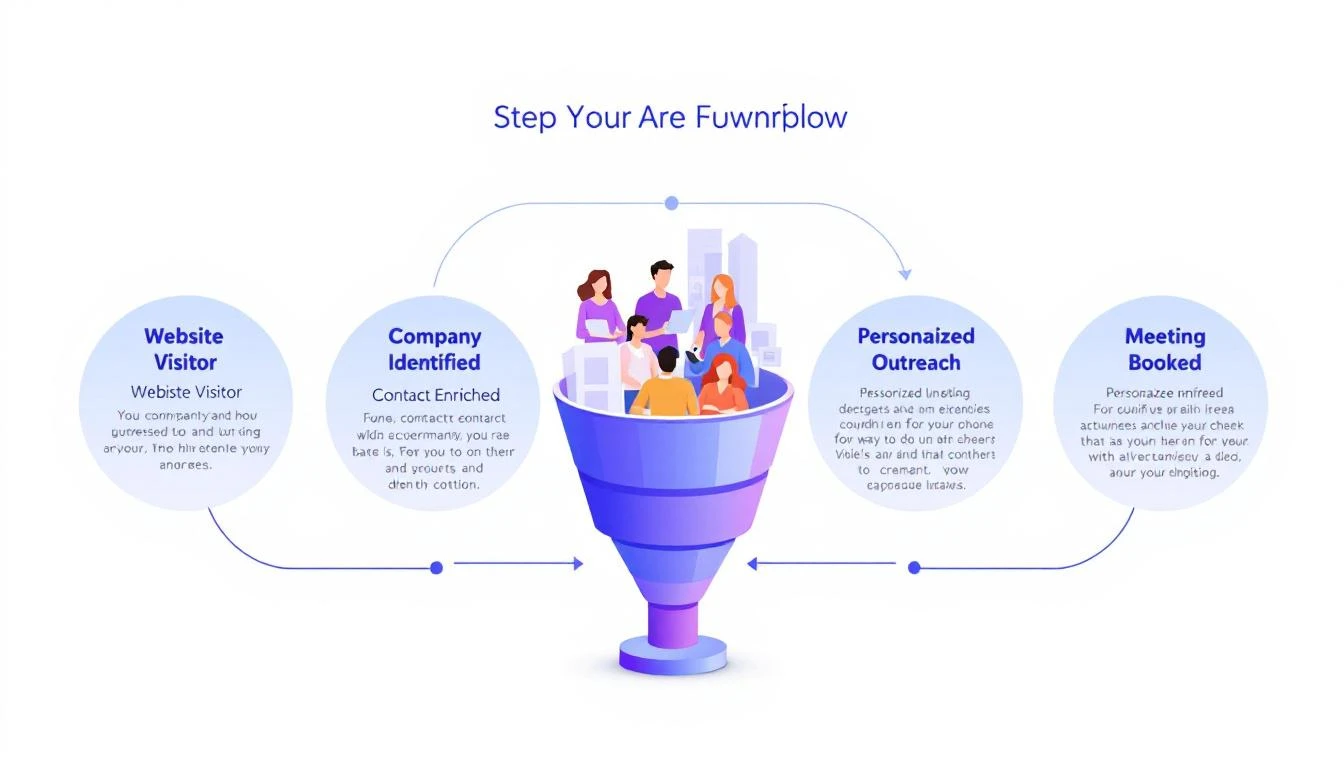
5-step workflow: Website Visitor to Meeting Booked

Here's a stat that should make every sales leader uncomfortable: 90% of website visitor identification data sits unused in dashboards. Companies pay $500โ€“$2,000 per month for visitor ID tools, identify hundreds of companies visiting their site, and then... do nothing with it.

The problem isn't identification. The technology for website visitor identification works. Companies show up. Names get matched. Firmographic data populates.

The problem is what happens next.

Your sales team sees a notification that "Company X visited your pricing page." Great. Now what? Who at Company X should they contact? What should they say? How do they personalize outreach when they know nothing about the visitor's specific pain?

Most teams either ignore the data entirely or blast generic "I noticed you visited our website" emails that get deleted on sight.

This guide walks you through a repeatable 5-step workflow that takes you from anonymous website traffic to a booked meeting โ€” consistently, in under 24 hours.

Why Most Visitor ID Programs Failโ€‹

Before we fix the workflow, let's understand why it breaks.

The typical visitor ID program looks like this:

  1. Install a pixel on your website
  2. Wait for data to populate a dashboard
  3. Check the dashboard (maybe once a day, maybe once a week)
  4. See a list of companies โ€” some recognizable, most not
  5. Feel overwhelmed by the volume and close the tab

The gap between "identified" and "contacted" is where pipeline goes to die. According to research from Opensend, IP-to-company matching delivers 70โ€“80% accuracy for B2B identification. That means the identification layer works. But identification without action is just expensive analytics.

Three structural problems kill most visitor ID programs:

1. No prioritization framework. Not every visitor is equal. Someone who spent 12 minutes on your pricing page and came back twice is a completely different signal than a bot crawler hitting your homepage for 3 seconds. Without scoring, every lead looks the same.

2. No enrichment workflow. Visitor ID gives you the company. You need the person. That means enrichment โ€” finding the right contacts, their roles, their email addresses, their LinkedIn profiles. Doing this manually for 50+ identified companies per day isn't realistic.

3. No speed. The data that speed-to-lead research has proven for years applies here: 78% of buyers choose the vendor that responds first. If you're checking your visitor dashboard on Monday morning and reaching out Tuesday afternoon, your competitor who automated the response already booked the meeting.

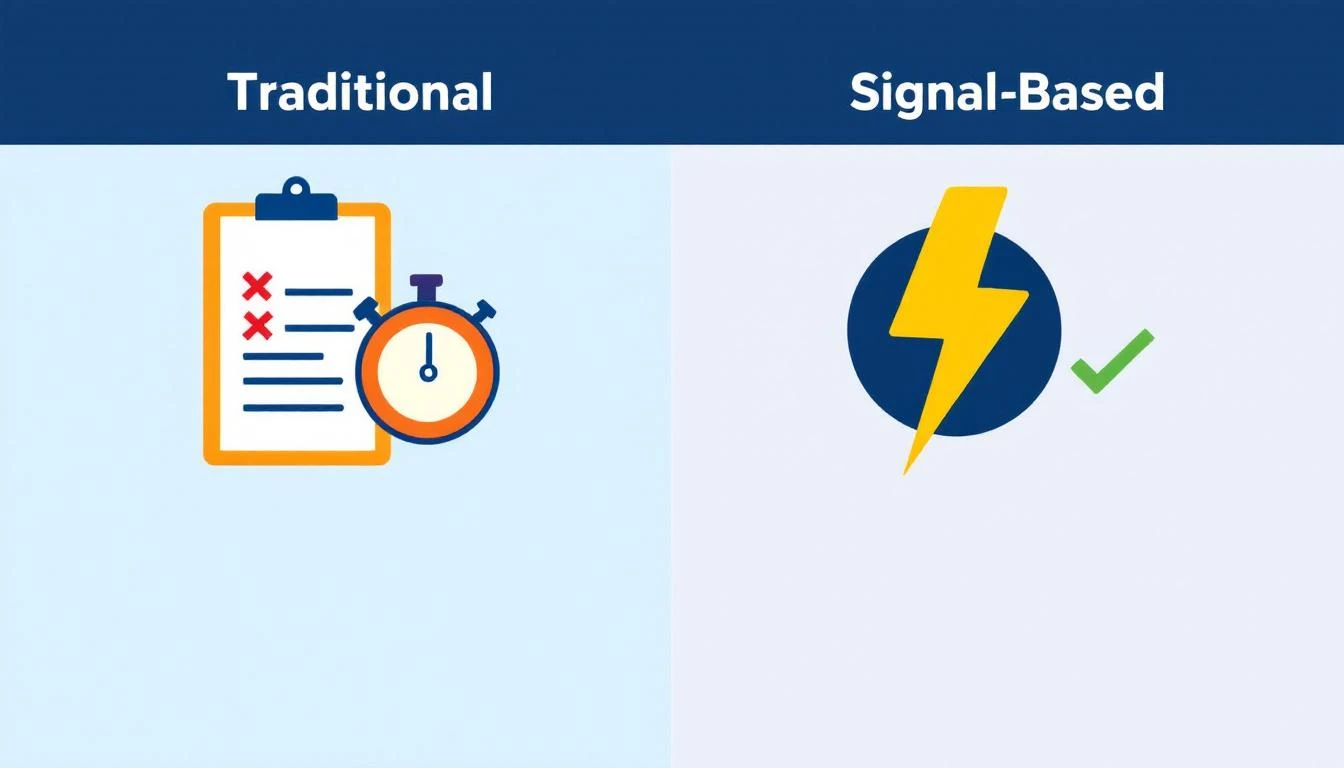
Traditional vs. Signal-Based Approaches

The 5-Step Visitor-to-Pipeline Workflowโ€‹

Here's the workflow that actually converts. Each step builds on the previous one, and the entire process should take less than 24 hours from first visit to first outreach.

Step 1: Identify and Filter (Automated โ€” 0 Minutes)โ€‹

Your visitor identification tool captures company-level data: company name, industry, size, pages visited, time on site, and session frequency.

But raw visitor data is noise. You need a filter.

Set up qualification criteria before you start outreach:

SignalWeightWhy It Matters
Visited pricing pageHighActive buying signal
Returned 2+ times in 7 daysHighPersistent interest
Spent 5+ minutes on siteMediumEngaged, not bouncing
Company size matches ICP (50โ€“500 employees)HighRight fit
Viewed product/feature pagesMediumEvaluating capabilities
Homepage only, single visitLowCould be anything
Blog post only, single visitLowContent consumer, not buyer

The rule: Only pass visitors that hit at least two "High" signals or one "High" plus two "Medium" signals to the enrichment step. Everything else goes into a nurture bucket.

This filter alone eliminates 60โ€“70% of noise and lets your team focus on the visitors who are actually evaluating solutions.

If you're using a platform with a daily SDR playbook, this filtering happens automatically. The playbook surfaces the visitors worth contacting, ranked by intent strength, so your reps don't waste time sorting through raw lists.

Step 2: Enrich to Contact Level (5โ€“10 Minutes per Account)โ€‹

Company-level identification is necessary but insufficient. You need names.

The enrichment workflow:

  1. Identify the buying committee. For a B2B SaaS sale, this typically includes:

    • The end user (SDR Manager, Demand Gen Manager)
    • The economic buyer (VP Sales, VP Marketing, CRO)
    • The technical evaluator (RevOps, Sales Ops)
  2. Find 2โ€“3 contacts per identified company. Don't email one person and hope for the best. Multi-thread from the start.

  3. Gather enrichment data for each contact:

    • Work email (verified, not guessed)
    • LinkedIn profile URL
    • Current role and tenure
    • Recent activity (job change, promotion, company news)

The best lead enrichment tools can do this in seconds. Manual research on LinkedIn Sales Navigator takes 5โ€“10 minutes per account. At scale, you need automation โ€” researching 20 accounts manually every day burns 2+ hours that your SDR should spend on actual conversations.

Pro tip: Prioritize contacts who recently changed jobs. Job change signals are one of the strongest buying indicators โ€” someone new in a role is 5x more likely to purchase new tools in their first 90 days. If your visitor ID catches a company where the VP Sales just started 2 months ago, that's a red-hot lead.

Step 3: Build Hyper-Personalized Context (10 Minutes per Account)โ€‹

This is where most teams fail. They skip this step entirely and send generic outreach. Don't.

Here's the context you need to build for each qualified, enriched account:

From your visitor data:

  • What specific pages did they visit? (This tells you their pain)
  • How long did they spend? (This tells you their urgency)
  • Did they return multiple times? (This tells you they're evaluating)
  • What content did they engage with? (This tells you their knowledge level)

From enrichment data:

  • What does this person's LinkedIn say about their priorities?
  • Has their company raised funding, made acquisitions, or announced growth?
  • Are they hiring for roles that indicate the problem you solve?

Combine into a "context brief":

"Sarah, VP Sales at Acme Corp (150 employees, SaaS). Visited pricing page + visitor ID feature page 3 times in 5 days. Company just raised Series B. Currently hiring 4 SDRs. Sarah joined 3 months ago from Gong."

That brief takes 10 minutes to build. But it gives your SDR everything they need to write outreach that feels personal โ€” because it is personal.

This is fundamentally different from the "I noticed your company visited our website" approach. You're not leading with surveillance. You're leading with relevance.

Step 4: Execute Multi-Channel Outreach (15โ€“20 Minutes per Account)โ€‹

Single-channel outreach is dead. Email-only response rates hover around 1โ€“2% for cold outreach. But research from SalesHive shows that multi-channel sequences โ€” layering email, phone, and LinkedIn โ€” can drive up to 287% more engagement and 300% more conversions compared to email alone.

Here's a 5-touch sequence framework for visitor-sourced leads:

Day 1 (within 4 hours of identification):

  • LinkedIn: Connect with a personalized note referencing their role, not your product
  • Email #1: Reference the specific problem your visitor data suggests, share a relevant insight

Day 2:

  • Phone call: Direct dial. Reference the email. Keep it to 30 seconds โ€” the goal is a conversation, not a pitch

Day 4:

  • Email #2: Share a customer story from a similar company/industry. Include a specific metric

Day 7:

  • LinkedIn: Engage with their content (comment, like). Send a follow-up message referencing something they posted

Day 10:

  • Email #3: "Break-up" email. Direct ask: "Is this a priority for your team right now, or should I check back in Q3?"

Critical rules:

  • Never mention you saw them on your website. It feels invasive. Instead, reference the problem their behavior suggests
  • Lead with value, not features. "Companies your size typically lose 35% of leads to slow response time" beats "We have an AI chatbot"
  • Personalize every touch. If your email could be sent to 100 people without changing a word, it's not personalized enough
  • Email deliverability matters more than email volume. A 95% delivery rate beats a 70% delivery rate with 3x the sends

For teams running this at scale, multi-channel orchestration platforms automate the timing and channel switching. The SDR's job shifts from "manage the sequence" to "have the conversation when someone responds."

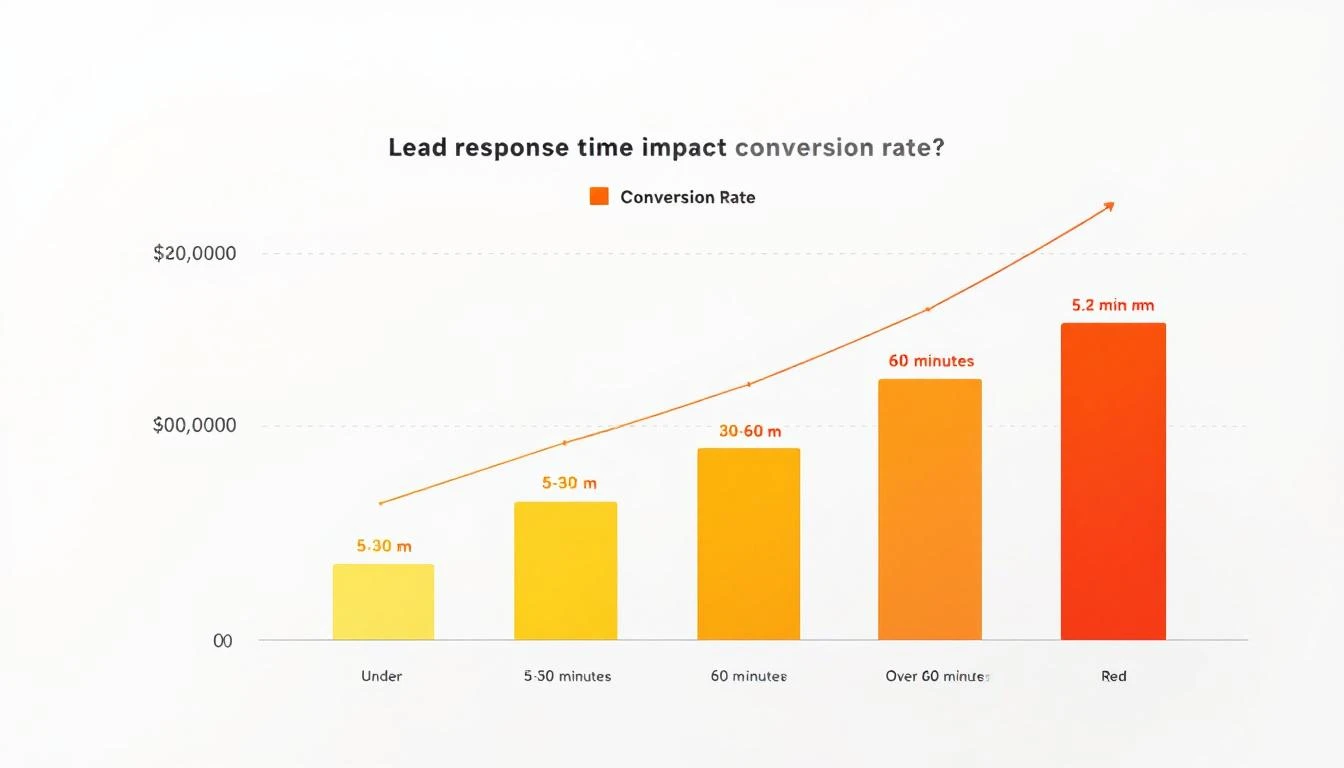
Lead Response Time Impact on Conversion Rates

Step 5: Measure, Learn, Iterate (Weekly โ€” 30 Minutes)โ€‹

The workflow doesn't end when outreach goes out. You need a feedback loop.

Track these metrics weekly:

MetricBenchmarkWhat It Tells You
Visitors identified โ†’ outreach sent>80%Is the workflow running?
Outreach sent within 24 hours>90%Is speed-to-lead fast enough?
Email reply rate>5%Is personalization working?
Meeting booked rate (from visitor leads)>3%Is the full funnel converting?
Visitor-sourced pipeline as % of total>25%Is this channel material?

For more on the metrics that matter, see our complete SDR metrics and KPIs guide.

Weekly iteration questions:

  1. Which page-visit patterns most often lead to meetings? Double down on driving traffic there
  2. Which outreach templates get the highest reply rates? Replicate the structure
  3. Which companies visit but don't convert? Analyze why โ€” wrong ICP? Wrong messaging? Wrong timing?
  4. What's the average time from first visit to meeting booked? Target under 72 hours

Real Numbers: What This Workflow Actually Producesโ€‹

Let's run the math on a realistic scenario.

Assumptions:

  • 200 unique companies identified per month (common for B2B SaaS with 10K+ monthly visitors)
  • 30% pass the qualification filter from Step 1 = 60 qualified visitors
  • Each enriched to 2.5 contacts = 150 contacts in outreach
  • Multi-channel sequence gets 8% reply rate = 12 conversations
  • 25% of conversations convert to meetings = 3 meetings per month

Three meetings per month from a channel that didn't exist before. At a $30K ACV with a 25% close rate, that's $22,500 in new annual revenue per month โ€” from website traffic you were already getting.

Scale the inputs (more traffic, better content driving ideal visitors to high-intent pages) and the math compounds. Companies running this workflow consistently report visitor-sourced pipeline becoming 15โ€“30% of total pipeline within 6 months.

Compare this to the industry average: SDRs book 15 meetings per month across all channels. Adding 3 high-quality, warm meetings from visitor data is a 20% lift โ€” from prospects who already showed buying intent by visiting your site.

The Two Approaches: DIY Stack vs. All-in-Oneโ€‹

You can build this workflow two ways.

The DIY stack approach:

  • Visitor ID: Leadfeeder, RB2B, or Clearbit Reveal ($200โ€“$1,000/mo)
  • Enrichment: Apollo, ZoomInfo, or Cognism ($500โ€“$2,500/mo)
  • Sequencing: Outreach, SalesLoft, or Instantly ($100โ€“$500/mo per seat)
  • CRM: HubSpot or Salesforce ($50โ€“$300/mo per seat)
  • LinkedIn: Sales Navigator ($100/mo per seat)
  • Total: $1,000โ€“$5,000/mo + significant integration and workflow management time

The DIY approach works, but you're stitching together 5 tools, managing data flow between them, and relying on your SDR to manually connect signals to actions. The real cost of a B2B sales tech stack often exceeds what teams budget.

The all-in-one approach: Platforms like MarketBetter consolidate visitor identification, enrichment, outreach, and a daily SDR playbook into one workspace. The visitor shows up, gets scored, contacts get enriched, and a prioritized task with personalization context lands in the SDR's daily playbook โ€” automatically.

The difference isn't just cost. It's time-to-action. In the DIY stack, the handoff between identification and outreach takes hours or days. In a consolidated platform, it takes minutes.

For teams evaluating options, our best AI SDR tools guide and website visitor tracking software comparison break down the options in detail.

Common Mistakes (and How to Avoid Them)โ€‹

Mistake 1: Treating every visitor equally. Fix: Implement the scoring framework from Step 1. Your pricing page visitor and your blog reader are not the same lead.

Mistake 2: Leading with "I saw you on our website." Fix: Never reference the visit directly. Lead with the problem your data suggests they have. "Companies scaling their SDR team often struggle with..." is better than "I noticed your team was on our site."

Mistake 3: Single-threaded outreach. Fix: Always contact 2โ€“3 people per company. If the VP ignores you, the Director might not. Multi-threading increases deal velocity by 25-40% across industries.

Mistake 4: Waiting too long. Fix: First outreach within 4 hours of identification. The speed-to-lead data is unambiguous โ€” response in the first 5 minutes is 21x more effective than responding after 30 minutes.

Mistake 5: No feedback loop. Fix: Review metrics weekly. If reply rates drop below 3%, your personalization needs work. If meetings drop off, your qualification criteria are too loose.

The Bottom Lineโ€‹

Website visitor identification isn't a strategy. It's an ingredient. The strategy is the workflow that turns that ingredient into pipeline.

The 5-step workflow โ€” Identify โ†’ Enrich โ†’ Contextualize โ†’ Execute โ†’ Iterate โ€” gives you a repeatable process for converting anonymous interest into booked meetings. The teams that do this well don't just have better tools. They have better systems.

Most of your competitors have visitor ID installed. Almost none of them have a systematic workflow for acting on the data. That's your advantage โ€” if you actually build the workflow.

Ready to see how MarketBetter automates this entire workflow? Book a demo and see your visitor data turned into a prioritized SDR playbook โ€” automatically.

7 Best Dealfront Alternatives in 2026 (Compared)

ยท 6 min read
MarketBetter Team
Content Team, marketbetter.ai

Dealfront combines website visitor identification (Leadfeeder) with European B2B sales intelligence. It's a solid data platform โ€” but it's modular, expensive when fully loaded, and lacks outbound execution tools.

If you're evaluating Dealfront or looking to switch, here are the seven strongest alternatives, each with a different approach to the same problem: turning anonymous website traffic into pipeline.

Why Teams Look for Dealfront Alternativesโ€‹

Before the list, the most common reasons teams move away from Dealfront:

  • Total cost climbs fast โ€” Web Visitors + Target + Connect can hit $3,000+/mo
  • No outreach tools โ€” Still need email sequencing, dialer, and chatbot separately
  • Complex setup โ€” Five modules means a long onboarding curve
  • Weaker outside Europe โ€” Data accuracy drops in North American markets
  • Custom pricing friction โ€” Can't self-serve pricing for most products

1. MarketBetter โ€” Best All-in-One SDR Platformโ€‹

Starting at $99/user/month

MarketBetter replaces the need for Dealfront plus your email tool plus your dialer plus your chatbot. Instead of assembling a 5-tool stack, you get everything in one platform.

Key advantages over Dealfront:

  • Website visitor identification โ€” Identifies companies and individual contacts visiting your site
  • Daily SDR playbook โ€” Doesn't just show you data; tells your SDRs exactly what to do and who to contact first
  • Built-in email sequences โ€” AI-personalized outreach without a separate tool
  • Smart dialer โ€” Click-to-call with local presence, no third-party dialer needed
  • AI chatbot โ€” Engages every visitor in real-time
  • Transparent pricing โ€” $99/user/month, published publicly

Where Dealfront still wins: European data depth, GDPR-specific sourcing transparency, IP-based display advertising (Promote).

Best for: SDR teams that want signals AND execution in one platform at a fraction of the cost.

Book a demo โ†’

2. ZoomInfo โ€” Best Enterprise Data Platformโ€‹

Starting at ~$15,000/year

ZoomInfo is the largest B2B data provider with 100M+ contacts and 14M+ companies. If your priority is database size and you have the budget for enterprise pricing, ZoomInfo delivers.

Key advantages over Dealfront:

  • Massive North American database coverage
  • Intent data powered by Bombora partnership
  • Chorus.ai conversation intelligence (included in higher tiers)
  • FormComplete and WebSights for visitor ID

Where Dealfront still wins: European data compliance, transparent GDPR data sourcing, lower entry price for visitor ID alone.

Best for: Enterprise teams with $15K+ annual budget who need the biggest B2B database available.

3. Clearbit (now Breeze Intelligence by HubSpot) โ€” Best for HubSpot Usersโ€‹

Pricing varies by HubSpot plan

Clearbit was acquired by HubSpot in 2023 and rebranded as Breeze Intelligence. If you're already in the HubSpot ecosystem, this is the most seamless way to add visitor identification and enrichment.

Key advantages over Dealfront:

  • Native HubSpot integration โ€” zero setup friction
  • Real-time enrichment on form fills
  • Company-level website visitor identification
  • Included in some HubSpot plans

Where Dealfront still wins: Standalone product flexibility, deeper European data, more prospecting filters.

Best for: HubSpot-native teams who want enrichment baked into their existing CRM.

4. Albacross โ€” Best European Alternativeโ€‹

Starting at ~โ‚ฌ79/mo

If your primary reason for considering Dealfront is European data coverage, Albacross is the closest direct competitor. Swedish-built, GDPR-first, focused entirely on visitor identification and intent.

Key advantages over Dealfront:

  • Simpler product โ€” just visitor ID, no modular complexity
  • More transparent pricing
  • Strong European company identification
  • Workflow automation built in

Where Dealfront still wins: Deeper sales intelligence (Target/Connect), broader feature set, B2B advertising capabilities.

Best for: European companies who want visitor ID without the complexity of a full sales intelligence suite.

5. Lead Forensics โ€” Best for High-Volume Identificationโ€‹

Custom pricing (typically $99/user/month)

Lead Forensics has been in the visitor identification game since 2009 and claims to identify more visitors than any other tool. Their IP-based identification database is massive.

Key advantages over Dealfront:

  • Higher identification match rates (per their claims)
  • Longer track record in visitor ID specifically
  • Contact-level identification in some cases
  • Dedicated account management

Where Dealfront still wins: Prospecting database, European data sourcing, self-serve free plan.

Best for: High-traffic B2B sites that want maximum company identification volume.

6. 6sense โ€” Best for Enterprise ABMโ€‹

Custom pricing (typically $25,000-$100,000+/year)

6sense is the enterprise ABM platform that combines intent data, predictive analytics, and advertising into a "Revenue AI" platform. It's orders of magnitude more expensive than Dealfront but operates at a different scale.

Key advantages over Dealfront:

  • Predictive buying stage modeling
  • Third-party intent data from multiple sources
  • Orchestrated advertising across channels
  • AI-recommended next actions

Where Dealfront still wins: Much lower price point, better for mid-market, simpler implementation, free entry plan.

Best for: Enterprise revenue teams with $25K+ budgets running sophisticated ABM programs.

7. Cognism โ€” Best for Phone-Verified Dataโ€‹

Custom pricing (typically $1,000-$3,000/mo)

Cognism focuses on data quality over quantity, with their Diamond Data offering phone-verified mobile numbers. If your outbound strategy is phone-heavy, Cognism's verified direct dials are genuinely valuable.

Key advantages over Dealfront:

  • Phone-verified mobile numbers (Diamond Data)
  • Strong EMEA + US coverage
  • Bombora intent data integration
  • Chrome extension for LinkedIn prospecting

Where Dealfront still wins: Website visitor identification (Cognism has none), B2B advertising, more prospecting filters.

Best for: Phone-first outbound teams that need verified direct dials across Europe and North America.

Quick Comparison Tableโ€‹

ToolStarting PriceVisitor IDProspecting DataEmail OutreachDialerAI Chatbot
MarketBetter$99/user/monthโœ…โœ…โœ…โœ…โœ…
ZoomInfo~$15K/yrโœ…โœ…Via EngageVia ChorusโŒ
Clearbit/BreezeVariesโœ…โœ…Via HubSpotVia HubSpotVia HubSpot
Albacross~โ‚ฌ79/moโœ…LimitedโŒโŒโŒ
Lead Forensics$99/user/monthโœ…LimitedโŒโŒโŒ
6sense~$25K/yrโœ…โœ…Via integrationsโŒโœ…
Cognism~$1K/moโŒโœ…โŒโŒโŒ
Dealfront~$99/mo+โœ…โœ…โŒโŒโŒ

The Bottom Lineโ€‹

Dealfront is a strong data platform for EU-focused teams. But if you need more than data โ€” if you need your SDRs to know exactly what to do next, with email, phone, and chat built in โ€” there are alternatives that deliver more value per dollar.

MarketBetter is purpose-built for that gap: signals plus action, in one platform, at a price point that doesn't require a custom quote.

See the difference yourself. Book a demo and compare side-by-side.

Dealfront Pricing Breakdown 2026: What You'll Actually Pay

ยท 5 min read
MarketBetter Team
Content Team, marketbetter.ai

Dealfront vs MarketBetter comparison

Dealfront โ€” the platform born from the merger of Leadfeeder and Echobot โ€” positions itself as the European go-to-market solution for B2B sales teams. But between modular pricing, credit-based systems, and "contact us" pages, figuring out what you'll actually pay requires some detective work.

We dug into public pricing pages, third-party review sites, and real user reports to break down every Dealfront plan so you can budget accurately.

Dealfront's Modular Pricing Structureโ€‹

Dealfront doesn't sell one product โ€” it sells five modules that can be purchased separately or bundled:

  1. Web Visitors (formerly Leadfeeder) โ€” Website visitor identification
  2. Target โ€” B2B prospecting and list building
  3. Connect โ€” Company and contact profiles
  4. Datacare โ€” Data cleansing and enrichment
  5. Promote โ€” IP-based B2B display advertising

Each module has its own pricing logic. Let's break them down.

Web Visitors (Leadfeeder) Pricingโ€‹

This is Dealfront's most transparent product with publicly listed prices:

PlanPriceWhat You Get
Free$0/moUp to 100 identified companies, 7 days of data retention
PaidFrom $99/moUnlimited data retention, CRM integrations, custom feeds

The paid plan scales based on the number of companies identified per month. According to SalesHive's analysis:

  • 100-200 companies/mo: ~$99-$149/mo
  • 200-500 companies/mo: ~$149-$249/mo
  • 500+ companies/mo: Custom pricing

All paid plans are billed annually.

The catch: The free plan only stores 7 days of visitor data. If you don't check daily, you lose historical insights. And 100 companies is a very low cap โ€” most B2B sites identify more than that in a week.

Target, Connect & Datacare Pricingโ€‹

Here's where things get opaque. Dealfront uses a credit-based system for its sales intelligence modules:

  • Unlimited searches: You can browse and filter as much as you want
  • Credits consumed on export: You only use credits when you download contacts or sync to CRM
  • Pricing is custom-quoted based on team size, usage volume, and which modules you need

Based on third-party reports and Vendr data, expect:

ModuleEstimated Cost
Target (prospecting)$500-$2,000/mo
Connect (profiles)Often bundled with Target
Datacare (enrichment)$300-$1,000/mo
Full platform bundle$1,500-$5,000+/mo

These are estimates โ€” Dealfront tailors pricing to each customer. Reviewers on Capterra note that "pricing transparency could be improved."

Promote (Display Advertising) Pricingโ€‹

Dealfront Promote runs IP-based B2B display campaigns. This is priced separately on a CPM (cost per thousand impressions) basis, similar to a demand-side platform. Budget requirements typically start at $1,000-$2,000/mo in ad spend, plus platform fees.

Total Cost of Ownershipโ€‹

For a typical mid-market sales team (5-10 reps) wanting visitor ID + prospecting:

ComponentMonthly Cost
Web Visitors (paid plan)$149-$249/mo
Target + Connect bundle$1,000-$2,500/mo
Datacare (optional)$300-$1,000/mo
Total platform cost$1,449-$3,749/mo

And that's before you add outbound execution tools. Dealfront identifies prospects and provides data, but you still need separate tools for:

  • Email sequencing (Outreach, SalesLoft, etc.)
  • Phone dialing
  • AI chatbot for inbound
  • SDR workflow management

Those tools add another $1,000-$3,000/mo to your stack.

Dealfront vs MarketBetter Pricingโ€‹

CapabilityDealfrontMarketBetter
Website visitor IDFrom $99/mo (limited free plan)Included in all plans
B2B prospecting dataCustom ($500-$2,000/mo)Included with enrichment credits
Email sequencesNot included (need 3rd party)Built-in with AI personalization
Smart dialerNot includedAvailable as add-on
AI chatbotNot includedIncluded in all plans
Daily SDR playbookNot includedCore feature
Starting price~$1,500/mo (for useful bundle)$99/user/month

The fundamental difference: Dealfront is a data platform โ€” it tells you WHO to target. MarketBetter is an SDR operating system โ€” it tells you who to target AND what to do next, with execution tools built in.

Who Should Choose Dealfront?โ€‹

Dealfront makes sense if you:

  • Sell primarily into European markets โ€” Their GDPR compliance and EU data sourcing is best-in-class
  • Already have execution tools โ€” You have Outreach/SalesLoft and just need better data
  • Need IP-based advertising โ€” Promote is genuinely unique for account-based display ads
  • Want Leadfeeder specifically โ€” The free plan is a decent entry point for small teams

Who Should Choose MarketBetter?โ€‹

MarketBetter is the better fit if you:

  • Need visitor ID plus execution in one platform โ€” No stitching together 5 tools
  • Want an AI-powered daily playbook that tells SDRs exactly what to do
  • Need transparent, predictable pricing โ€” $99/user/month, not custom quotes
  • Want to reduce your total tool count from 5+ to 1

The Bottom Lineโ€‹

Dealfront's modular approach gives you flexibility, but that flexibility comes with complexity and cost. A useful Dealfront setup runs $1,500-$3,750/mo before you add execution tools. MarketBetter consolidates visitor ID, prospecting, outreach, and workflow management into a single platform starting at $99/user/month.

The question isn't which has better data โ€” it's whether you want a data layer you build on top of, or a complete SDR platform that includes the data.

Ready to see how MarketBetter compares? Book a demo and we'll show you the difference between data and action.

Dealfront Review 2026: European GTM Platform Worth the Investment?

ยท 5 min read
MarketBetter Team
Content Team, marketbetter.ai

Dealfront emerged in 2023 from the merger of Leadfeeder (Finnish visitor ID) and Echobot (German sales intelligence), backed by โ‚ฌ210M+ in funding. The pitch: a single European go-to-market platform that combines website visitor identification with B2B prospecting data โ€” all GDPR-compliant.

Two years post-merger, has the platform delivered on that promise? We analyzed real user feedback from G2, Capterra, SalesHive, and industry reviews to give you an honest assessment.

What Dealfront Does Wellโ€‹

Best-in-Class European Data Coverageโ€‹

This is Dealfront's undeniable strength. If you sell into European markets, their data coverage is genuinely superior to American-first competitors.

Dealfront pulls from EU trade registers, public web data, and proprietary crawlers to build company and contact profiles. Every data point includes sourcing transparency โ€” you can see exactly where and when the information was collected. For GDPR-conscious teams, this is a real differentiator.

User feedback backs this up: "Comprehensive EU-compliant data" is the most cited positive across review platforms.

Solid Visitor Identification (Leadfeeder)โ€‹

The Leadfeeder product โ€” now called Web Visitors โ€” has been around since 2012 and is mature. It reliably identifies companies visiting your website and shows their browsing behavior: which pages they viewed, how long they stayed, and how many people from the organization are engaging.

The free plan (100 companies, 7 days of data) is a legitimate entry point for small teams to test the concept. Very few competitors offer that.

100+ Prospecting Filtersโ€‹

Target, their prospecting module, offers 100+ filters including firmographics, tech stack detection, financial data, trigger events, and geography. The credit-based model means you can search endlessly without burning through your allocation โ€” credits are only consumed when you export or sync data.

Strong Integration Ecosystemโ€‹

Native CRM integrations with Salesforce, HubSpot, and Pipedrive. Real-time Slack notifications when target accounts visit key pages. The platform plays well with existing sales stacks rather than trying to replace everything.

Where Dealfront Falls Shortโ€‹

Pricing Opacityโ€‹

This is the most common complaint. Beyond the Web Visitors product, everything requires a custom quote. Users on Capterra specifically note that "pricing transparency could be improved." When you're evaluating tools, the inability to self-serve pricing creates friction.

Multiple review sites report that a useful Dealfront setup (visitor ID + prospecting) runs $1,500-$3,750/mo โ€” significantly more than initially expected.

No Execution Layerโ€‹

Dealfront identifies and enriches prospects, but doesn't help you actually reach them. You still need:

  • Email sequencing software
  • A dialer for phone outreach
  • A chatbot for inbound visitors
  • Workflow management for SDR teams

This means Dealfront is always one piece of a larger, more expensive stack. It's a data layer, not a workflow tool.

Steep Learning Curveโ€‹

Users consistently mention the platform requires significant time to configure properly. With five separate modules (Web Visitors, Target, Connect, Datacare, Promote), each with its own logic and settings, onboarding takes longer than single-product alternatives.

SalesHive's review notes: "Steep learning curve for new users" as a primary con.

Mixed Reviews on Data Accuracy Outside Europeโ€‹

While European data coverage is excellent, users targeting North American or Asian markets report less consistent results. If your ICP spans multiple continents, you may find gaps compared to tools like ZoomInfo or Apollo that were built for global coverage first.

Post-Merger Growing Painsโ€‹

Several reviewers note inconsistencies between the legacy Leadfeeder and Echobot products. The integration is ongoing, and some features feel like they belong to different products bolted together rather than a unified experience.

Real User Ratingsโ€‹

PlatformRatingReviews
G24.3/5800+ reviews
Capterra4.2/5100+ reviews
SalesHive3.9/5Aggregated

The Leadfeeder/Web Visitors product alone rates higher (4.6/5 on G2 with 2,000+ reviews) โ€” the combined Dealfront rating is lower, reflecting the complexity of the full platform.

Who Dealfront Is Best Forโ€‹

Ideal users:

  • European B2B companies selling into EU markets
  • Teams that already have outreach and execution tools and need better data
  • Organizations with strict GDPR requirements that need transparent data sourcing
  • Companies interested in IP-based B2B advertising (Promote)

Not ideal for:

  • SMBs looking for an all-in-one solution (too modular, too expensive)
  • Teams selling primarily into North America
  • SDR teams that need workflow management and execution in one tool
  • Budget-conscious teams who need transparent pricing upfront

Dealfront vs MarketBetter: Different Philosophiesโ€‹

Dealfront's approach: Give teams excellent data and let them build their own workflow.

MarketBetter's approach: Give teams data AND the workflow โ€” tell SDRs exactly what to do next.

If your sales org has a mature tech stack and just needs better European data, Dealfront fills that gap well. If you're looking to consolidate your SDR tools into a single platform that handles everything from visitor identification to email sequences to phone dialing, MarketBetter is built for that.

The Verdictโ€‹

Dealfront is a legitimate player in B2B sales intelligence, especially for European markets. The Leadfeeder visitor ID product is proven, the data quality in EU markets is genuinely best-in-class, and the GDPR compliance story is strong.

But the modular pricing adds up fast, the lack of execution tools means you're always stacking costs, and the post-merger product still feels like two platforms learning to be one. For teams that want signals AND action in one place, there are simpler, more cost-effective options.

Rating: 3.9/5 โ€” Excellent data layer for EU-focused teams, but incomplete as a standalone SDR solution.

Want to see what an all-in-one SDR platform looks like? Book a demo and compare for yourself.

Albacross Pricing Breakdown: Plans, Credits, and True Cost [2026]

ยท 6 min read
sunder
Founder, marketbetter.ai

Albacross is one of the few visitor identification platforms that actually publishes pricing โ€” and at โ‚ฌ59/month, their entry point looks attractive. But dig into the credit system and you'll find the headline price doesn't tell the full story.

Here's a complete breakdown of what each Albacross plan includes, what the credits actually mean for your team, and what you'll really spend to run outbound effectively.

Albacross Pricing Plansโ€‹

Albacross offers three tiers. Pricing shown is for annual billing (monthly billing costs more).

Starter โ€” โ‚ฌ59/month (โ‚ฌ84/month if billed monthly)โ€‹

The entry-level plan for small teams getting started with visitor identification.

Included:

  • Website visitor identification (company-level)
  • 10 verified email credits/month
  • 5 verified phone credits/month
  • AI-powered automatic email sequences
  • AI-powered automatic LinkedIn sequences
  • AI buyer persona recommendations
  • AI-powered segmentation
  • AI-powered lead insights
  • LinkedIn Contact Finder (Chrome extension)
  • Team outreach statistics
  • Advanced filters and segments
  • Slack and Teams integration
  • Pipedrive integration

Not included: HubSpot integration, Salesforce integration, CSV export, unlimited sequences, priority support, API access, ABM features.

For growing teams that need more credits and integrations.

Everything in Starter, plus:

  • 25 verified email credits/month
  • 10 verified phone credits/month
  • No sequences limit
  • LinkedIn Ads integration
  • Google Sheets integration
  • CSV export
  • Priority support
  • HubSpot integration

Not included: Salesforce integration, API access, webhooks, ABM, user roles and permissions, dedicated CSM.

Organisation โ€” โ‚ฌ375/monthโ€‹

For larger teams needing enterprise features.

Everything in Professional, plus:

  • 200 verified email credits/month
  • 60 verified phone credits/month
  • User roles and permissions
  • Salesforce integration (bi-directional)
  • App security settings
  • Automatic CSV export
  • API access (upon request)
  • Webhooks (upon request)
  • ABM features (upon request)
  • Dedicated Customer Success Manager

Annual Cost Summaryโ€‹

PlanMonthly (Annual)Monthly (Monthly)Annual Total
Starterโ‚ฌ59โ‚ฌ84โ‚ฌ708 (~$770)
Professionalโ‚ฌ149Not publishedโ‚ฌ1,788 (~$1,950)
Organisationโ‚ฌ375Not publishedโ‚ฌ4,500 (~$4,900)

Understanding the Credit Systemโ€‹

This is where Albacross pricing gets interesting. The monthly fees are low, but the credit limits are the real constraint.

What Credits Meanโ€‹

Albacross uses a "data waterfall" process from multiple providers to verify contact information. Each verified email or phone number costs one credit.

The math for a real SDR team:

ScenarioStarter (10 emails/mo)Professional (25/mo)Organisation (200/mo)
1 SDR, 5 prospects/dayRuns out in 2 daysRuns out in 5 daysLasts ~8 weeks
3 SDRs, 5 prospects/dayRuns out in ~16 hoursRuns out in ~40 hoursRuns out in ~13 days
5 SDRs, 5 prospects/dayRuns out in ~8 hoursRuns out in ~24 hoursRuns out in ~8 days

Even on the Organisation plan with 200 email credits, a team of 5 SDRs doing standard outbound volume will exhaust credits before month's end. Additional credits presumably cost extra (pricing not published for overages).

Phone Credits Are Even Tighterโ€‹

5 phone credits on Starter. If your SDRs make calls, that's 5 verified phone numbers per month. For context, an active SDR typically dials 40-80 numbers per day.

The Practical Impactโ€‹

At Starter (โ‚ฌ59/month), you're essentially getting a visitor identification dashboard with a very limited ability to act on the data. The AI sequences and LinkedIn automation are there, but you can only enrich 10 contacts per month to put into them.

This makes the Starter plan more of a "see who's visiting" tool than an "identify and contact prospects" tool.

Hidden Costs and Considerationsโ€‹

1. Integration Lock-In by Tierโ€‹

  • Starter: Only Pipedrive integration
  • Professional: Adds HubSpot
  • Organisation: Adds Salesforce

If you use HubSpot, you're already at โ‚ฌ149/month minimum. Salesforce users start at โ‚ฌ375/month. This is a significant hidden constraint.

2. API Access Requires Organisationโ€‹

If you want to pull data into your own systems via API, you need the โ‚ฌ375/month plan โ€” and it's "upon request," not automatic.

3. ABM Features Are Gatedโ€‹

Account-Based Marketing capabilities are only available on Organisation and require a separate request. If ABM is core to your strategy, budget for the top tier.

4. Additional Credits Pricing Unknownโ€‹

Albacross doesn't publish overage credit pricing. If you exceed your monthly allotment, the cost of additional credits could significantly increase your monthly spend.

Albacross vs. Competitor Pricingโ€‹

How does Albacross compare to alternatives?

ToolEntry PriceCredits/ContactsKey Differentiator
Albacross Starterโ‚ฌ59/mo (~$65)10 emails, 5 phonesLowest entry, tight limits
Albacross Organisationโ‚ฌ375/mo (~$410)200 emails, 60 phonesFull features, still capped
Snitcher$39/moUp to 100 companiesBudget visitor ID
Leadfeeder (Dealfront)Free + โ‚ฌ99/moVaries by planGoogle Analytics integration
Lead Forensics~$500-8,000/moUnlimited (company only)Largest IP database
Standard$99/user/month500 enrichment credits per seatFull SDR workflow included
Standard$99/user/month500 enrichment credits per seatPlaybook, dialer, chatbot
WarmlyFree tierLimitedChat + basic visitor ID

The Value Gapโ€‹

At Albacross's Professional level (โ‚ฌ149/month, 25 credits), you're paying ~$6/verified contact. At Organisation (โ‚ฌ375/month, 200 credits), it drops to ~$2/contact.

MarketBetter's Standard plan at $99/user/month with 500 enrichment credits per seat works out to ~$0.25/credit. Plus you get the chatbot, dialer, and daily playbook that Albacross doesn't offer at any tier.

Who Albacross Is Best Forโ€‹

Great fit:โ€‹

  • Early-stage startups testing visitor identification for the first time (โ‚ฌ59/month is low risk)
  • European companies needing EU-focused data and GDPR-first approach
  • Marketing teams that primarily want visitor insights, not sales outreach
  • Pipedrive users who want tight integration at the lowest tier
  • Small teams with fewer than 25 target accounts per month
  • LinkedIn-first outreach โ€” native LinkedIn sequences are a genuine differentiator

Not ideal for:โ€‹

  • Volume outbound teams โ€” Credit limits are too restrictive for serious SDR operations
  • Salesforce/HubSpot shops on a budget โ€” forced into higher tiers for basic CRM sync
  • Teams needing a dialer โ€” No calling capability at any tier
  • Companies wanting real-time chat โ€” No chatbot to engage live visitors
  • SDR teams needing daily direction โ€” No playbook or task prioritization

The Bottom Lineโ€‹

Albacross is genuinely affordable at the entry level. โ‚ฌ59/month for basic visitor identification with some AI features is competitive. But the credit limits mean you're paying for a window into who's visiting โ€” with a small door to actually reach them.

If you need visitor identification as one input into a broader marketing analytics workflow, Albacross is solid. If you need visitor identification to drive pipeline and SDR activity, you'll either burn through credits on day 2 or end up stacking additional tools until your total spend exceeds what an all-in-one platform would cost.

Want visitor identification that comes with the execution tools your SDRs need? See MarketBetter in action โ†’


Related reading:

B2B Website Visitor Identification: The Complete Guide for Sales Teams [2026]

ยท 16 min read

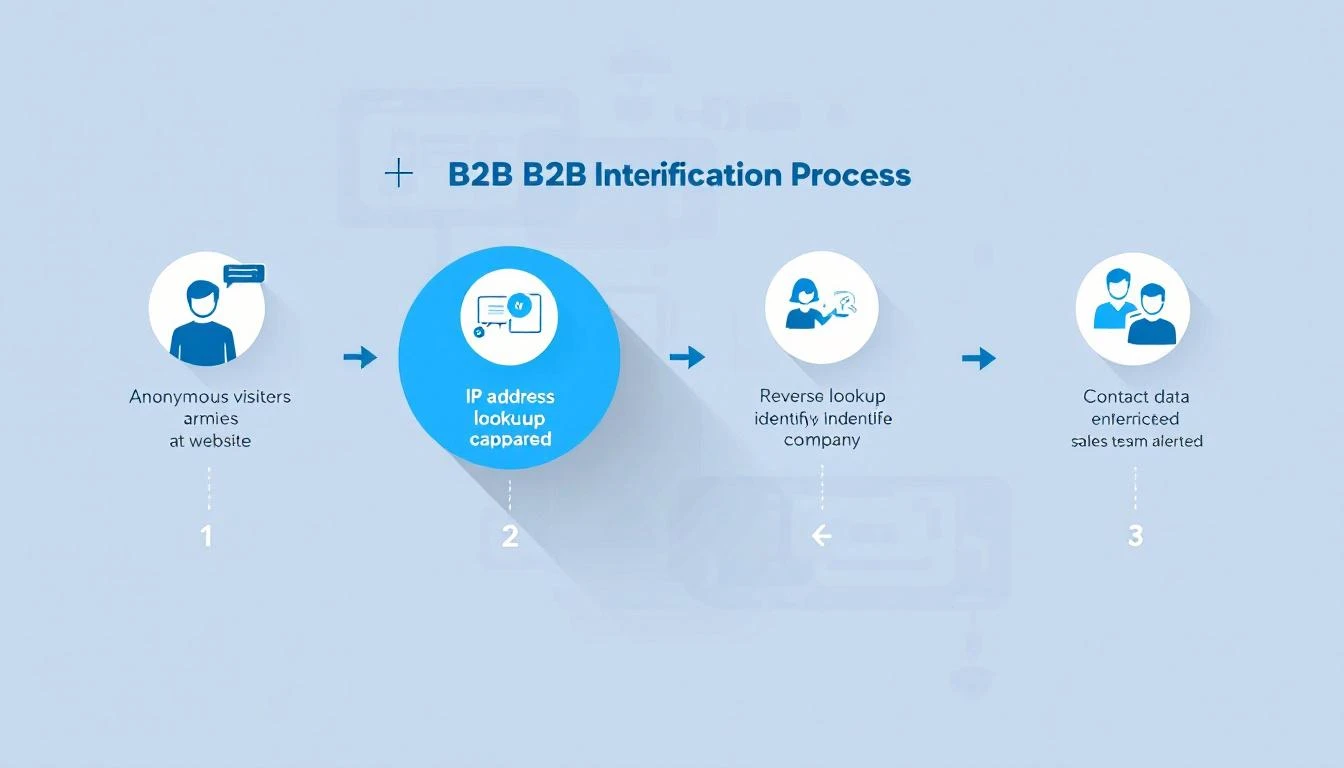
B2B website visitor identification process โ€” from anonymous traffic to identified accounts

98% of B2B website visitors leave without filling out a form. They read your pricing page, compare you to competitors, check your case studies โ€” then vanish.

You're spending thousands on Google Ads, SEO, and content to drive this traffic. And 98 out of every 100 visitors give you nothing in return. No name, no email, no company. Just another anonymous session in Google Analytics.

Website visitor identification changes that. It reveals which companies are visiting your site, what pages they're viewing, and in many cases, who the actual people are โ€” so your sales team can reach out while the buying intent is hot.

This guide covers everything: how the technology works, what match rates you can actually expect (hint: most vendors lie), how to evaluate tools, and how to turn identified visitors into pipeline. No fluff. No vendor spin.


What Is B2B Website Visitor Identification?โ€‹

B2B website visitor identification is the process of revealing the companies and individuals behind your anonymous website traffic. Instead of seeing "500 sessions from Austin, TX" in your analytics, you see "Hologram's VP of Sales visited your pricing page 3 times this week."

There are two levels of identification:

Company-Level Identificationโ€‹

The most common approach. When someone visits your website, their browser sends an IP address. Visitor identification tools match that IP against databases of known corporate IP ranges to identify which company the visitor works for.

How it works:

  1. A JavaScript snippet on your website captures the visitor's IP address
  2. The tool performs a reverse IP lookup (rDNS) against a database of millions of company IP ranges
  3. If there's a match, you see the company name, industry, size, and location
  4. You also see which pages they visited and for how long

Typical match rates: 20-40% of total traffic. This sounds low, but remember โ€” most consumer traffic (personal devices, mobile networks, VPNs) will never match. The 20-40% that does match is almost entirely B2B traffic, which is exactly what you want.

The catch: Company-level ID tells you which company is looking, but not who at the company. You know Salesforce visited your pricing page โ€” but was it an intern doing research or the VP of Revenue Operations evaluating tools?

Person-Level Identificationโ€‹

The newer, more powerful approach. Person-level identification goes beyond the company and attempts to identify the specific individual visiting your site.

How it works:

  1. Beyond IP matching, tools use a combination of first-party cookies, device fingerprinting, and cross-referencing identity graphs
  2. Some tools match against databases of known professional identities (built from opt-in data, public profiles, etc.)
  3. The result: you get a name, title, email, and LinkedIn profile โ€” not just a company name

Typical match rates: 5-15% of B2B traffic. Person-level is significantly harder than company-level. Any vendor claiming 40%+ person-level match rates is either misleading you or conflating company-level and person-level stats.

The privacy question: Person-level ID raises legitimate GDPR/CCPA concerns. The best tools build their identity graphs from opt-in sources and comply with privacy regulations. The worst ones scrape data without consent. Always ask your vendor where their data comes from.


How Does Website Visitor Identification Actually Work?โ€‹

Under the hood, visitor identification combines multiple data signals. Here's the technical reality without the marketing buzzwords.

1. Reverse IP Lookup (Foundation Layer)โ€‹

Every device connected to the internet has an IP address. Companies with office networks have static IP ranges registered to their organization. When an employee visits your website from the office, their request comes from one of these known IPs.

Reverse IP lookup (rDNS) cross-references the visitor's IP against databases of corporate IP ranges. These databases are maintained by data providers like:

  • Demandbase โ€” proprietary IP intelligence network
  • Clearbit (now Hubspot) โ€” company identification API
  • 6sense โ€” predictive intelligence platform
  • Bombora โ€” intent data + IP matching

Limitation: Remote work has eroded IP-based identification. When your target buyer works from home on a Comcast connection, their IP doesn't map to their employer. This is why pure IP-based tools have seen match rates decline since 2020.

2. First-Party Cookies + Device Fingerprinting (Enhancement Layer)โ€‹

To compensate for remote work, modern tools layer additional signals:

  • First-party cookies track returning visitors across sessions, building a behavioral profile even before identity resolution
  • Device fingerprinting uses browser attributes (screen resolution, timezone, installed fonts, WebGL renderer) to create a semi-unique identifier
  • Email pixel matching โ€” when a prospect clicks a link in your marketing email, the tool can link their known email to their website session

3. Identity Graphs (Resolution Layer)โ€‹

The most sophisticated tools maintain identity graphs โ€” massive databases that connect professional identities across multiple touchpoints. When a visitor arrives on your site, the tool checks:

  • Does this device/cookie match a known identity?
  • Has this IP been associated with previous known visitors?
  • Does the behavioral pattern (pages visited, time on site) match a known account?

The larger and more accurate the identity graph, the higher the match rate. This is why tools backed by large data networks (Demandbase, 6sense, ZoomInfo) often outperform standalone startups on raw identification volume.


What Match Rates Should You Actually Expect?โ€‹

This is where most vendors mislead you. Here's the truth.

The Match Rate Reality Checkโ€‹

Identification TypeClaimed RangeRealistic RangeWhat Drives It
Company-level"Up to 80%"20-40%IP database coverage, % of office vs. remote traffic
Person-level"Up to 50%"5-15%Identity graph size, cookie persistence, email matching
Combined (inflated)"70-90%"25-45%Vendors often blend both numbers to inflate stats

Why the gap? Vendors run match rate tests on their best-case scenarios โ€” enterprise companies with mostly in-office workers, lots of direct traffic, and established cookies. Your results will vary based on:

  • Your audience mix โ€” Enterprise companies with office networks match better than SMBs with remote teams
  • Traffic sources โ€” Direct and organic traffic matches better than paid (ad blockers, VPNs)
  • Geography โ€” US and EU corporate IP databases are more complete than emerging markets
  • Industry โ€” Tech companies match well; healthcare and government often don't

How to Run Your Own Match Rate Testโ€‹

Don't trust vendor demos. Run a blind test with your actual traffic:

  1. Install 2-3 tools on your website simultaneously (most offer free trials)
  2. Run for 30 days to get a statistically meaningful sample
  3. Compare identified visitors against known accounts in your CRM
  4. Calculate your real match rate: Identified visitors / Total unique B2B sessions
  5. Check accuracy: Are the identified companies actually relevant? Or is it mostly ISPs and universities?

The tool that identifies the most relevant accounts at the highest accuracy wins โ€” not the one with the biggest raw number.


Turning Identified Visitors Into Pipelineโ€‹

Identification alone doesn't close deals. The real value is in what your team does with the data. Here's where most companies waste their investment.

The Workflow Problemโ€‹

Most visitor identification tools stop at identification. They show you a dashboard of companies that visited your site. Then what?

Your SDR logs in, scrolls through a list of 50 companies, tries to figure out who to contact, opens LinkedIn to find the right person, switches to their CRM to check if there's an existing relationship, then goes to their email tool to write outreach.

That's 5 tools and 15 minutes per lead โ€” and they have 50 to get through. By the time they reach out, the buyer's intent has cooled.

What a Complete Visitor ID Workflow Looks Likeโ€‹

The best approach connects identification to action:

  1. Identify โ€” Visitor arrives, company and/or person identified
  2. Qualify โ€” Automatically check: does this company match your ICP? Are they in your CRM already? What's their revenue/employee count?
  3. Prioritize โ€” Rank by buying signals: pricing page visits > blog reads. Repeat visitors > first-timers. Decision makers > individual contributors.
  4. Enrich โ€” Pull in additional context: recent funding, job postings, tech stack, social media activity
  5. Route โ€” Assign to the right SDR based on territory, industry, or account ownership
  6. Act โ€” Present a daily playbook: "These 5 accounts visited your pricing page yesterday. Here's who to contact and what to say."

This is the difference between data and action. Tools that stop at step 1 create dashboards. Tools that go through step 6 create pipeline.

Measuring ROIโ€‹

The ROI formula for visitor identification is straightforward:

Monthly ROI = (Meetings booked from identified visitors ร— Average deal value ร— Win rate) - Tool cost

Example for a mid-market B2B company:

  • 1,000 unique B2B visitors/month
  • 30% company-level match rate = 300 identified companies
  • 10% are ICP-fit = 30 qualified accounts
  • SDR reaches out to all 30, books 5 meetings (17% meeting rate)
  • Average deal size: $30,000
  • Win rate: 25%
  • Monthly pipeline created: $37,500
  • Tool cost: $500-$2,000/month
  • ROI: 18-75x

Even conservative estimates show massive ROI โ€” because you're reaching prospects who already demonstrated buying intent by visiting your site.


Visitor identification operates in a gray area that's getting clearer (and stricter) every year. Here's what you need to know.

GDPR (EU/UK)โ€‹

  • Company-level identification is generally considered legitimate interest under GDPR โ€” you're identifying organizations, not individuals
  • Person-level identification requires more careful handling. The tool must source identity data from compliant, opt-in databases
  • Cookie consent is required. Your cookie banner must disclose analytics and identification tracking
  • Data processing agreements (DPAs) should be in place with your vendor

CCPA (California)โ€‹

  • Visitors can opt out of "sale" of personal information
  • Company-level data is generally exempt
  • Person-level data may fall under CCPA if it includes personal identifiers

SOC 2โ€‹

If you're selling to enterprise, they'll ask about your security posture. Choose a vendor that's SOC 2 certified โ€” it means they've been audited on data handling practices.

Best Practicesโ€‹

  1. Disclose tracking in your privacy policy โ€” mention website analytics and business identification
  2. Honor opt-outs โ€” if someone requests data deletion, your vendor should support it
  3. Use compliant data sources โ€” ask vendors: "Where does your identity graph data come from?"
  4. Keep data hygiene tight โ€” don't store identified visitor data indefinitely; set retention policies

How to Evaluate Website Visitor Identification Toolsโ€‹

When shopping for a visitor ID tool, here's what actually matters (and what doesn't).

What Mattersโ€‹

FactorWhy It MattersHow to Evaluate
Match rate on YOUR trafficVendor benchmarks are meaningless for your specific audienceRun a 30-day trial with your actual traffic
Accuracy40% match rate with 50% accuracy = 20% usable dataCross-reference identified companies against your CRM
Integration depthData that sits in a dashboard creates zero pipelineCheck CRM sync, Slack alerts, daily playbook features
Action layerIdentification without workflow = expensive analyticsDoes it tell SDRs what to DO, not just what happened?
Person-level capabilityCompany-level alone requires manual researchCan it surface the specific contact to reach out to?
Pricing transparencyHidden pricing usually means enterprise-onlyCan you see pricing before talking to sales?

What Doesn't Matter (Much)โ€‹

  • Size of the "contact database" โ€” 300M contacts means nothing if 90% are outdated
  • Number of integrations โ€” you need 3-4 deep integrations, not 100 shallow ones
  • AI buzzwords โ€” "AI-powered identification" is marketing. The data quality matters more.
  • Free tier generosity โ€” free tools with low match rates waste your time with bad data

Questions to Ask Vendorsโ€‹

  1. "What's my expected match rate based on my traffic profile?"
  2. "Is your identification company-level, person-level, or both?"
  3. "Where does your identity graph data come from? Is it opt-in?"
  4. "What happens when a visitor's company is identified โ€” what's the next step for my SDR?"
  5. "Are you SOC 2 certified? GDPR compliant?"
  6. "Can I see a breakdown of your match accuracy (not just match rate)?"

The Future of Visitor Identification (2026 and Beyond)โ€‹

Three trends are reshaping this space:

1. The Post-Cookie Worldโ€‹

Google is phasing out third-party cookies (slowly, painfully). Tools that rely heavily on third-party cookie matching will see declining match rates. First-party data and server-side tracking are becoming essential.

What this means for you: Choose tools investing in cookieless identification methods โ€” IP intelligence, first-party data enrichment, and authenticated traffic matching.

2. AI-Powered Intent Scoringโ€‹

Raw identification is becoming table stakes. The differentiator is what the tool does with the data. AI models that score buying intent based on page visit patterns, visit frequency, content consumed, and account-level behavior will separate useful tools from expensive dashboards.

3. From Identification to Orchestrationโ€‹

The market is moving from "tell me who visited" to "tell my SDR what to do about it." Daily playbooks, automated outreach triggers, and real-time alerts are becoming standard expectations, not premium features.


Getting Started: Your First 30 Daysโ€‹

Here's a practical roadmap for implementing visitor identification:

Week 1: Install and Configure

  • Install 2-3 tools for a head-to-head trial
  • Configure your ICP filters (industry, company size, geography)
  • Connect your CRM so identified accounts are automatically matched to existing opportunities

Week 2: Baseline Measurement

  • Track total identified visitors vs. total traffic
  • Note how many identified companies match your ICP
  • Measure how long it takes SDRs to action the identified accounts

Week 3: Optimize Workflow

  • Set up automated alerts for high-intent visits (pricing page, comparison pages, demo page)
  • Create SDR playbooks: "When Account X visits the pricing page, do Y"
  • Build daily dashboards showing SDRs their priority outreach list

Week 4: Measure and Decide

  • Calculate: meetings booked from identified visitors
  • Compare tool match rates and accuracy head-to-head
  • Make your vendor decision based on real data, not demos

Common Use Cases by Teamโ€‹

For SDR Teamsโ€‹

  • Warm outreach priority list: Instead of cold-calling from a static list, SDRs start each day with a list of accounts that visited your website in the last 24 hours. These aren't cold โ€” the prospect already knows you exist.
  • Personalized first touch: "I noticed your team was looking at our pricing page yesterday" is 3x more effective than a generic cold email. Visitor data gives SDRs the context to write outreach that feels relevant, not random.
  • Account progression tracking: See which accounts are moving from blog content to pricing pages to case studies โ€” that's a buying signal you can act on before the prospect fills out a form.

For Demand Gen Teamsโ€‹

  • Attribution clarity: Which campaigns drive the most identified, ICP-fit visitors? Visitor ID bridges the gap between "we got 500 clicks" and "we got visits from 12 target accounts."
  • Content optimization: See which blog posts attract target accounts and which attract irrelevant traffic. Double down on what works.
  • Retargeting fuel: Build retargeting audiences from identified accounts. Instead of broad display ads, target the specific companies who've already shown interest.

For Account Executivesโ€‹

  • Deal acceleration: When a prospect you're working goes quiet but keeps visiting your site, you know the deal isn't dead โ€” they're still evaluating. Time to re-engage.
  • Multi-threading alerts: If 3 different people from the same company visit your case studies page, your champion is building internal consensus. The AE should know.
  • Competitive intelligence: Prospect visiting your comparison pages? They're evaluating alternatives. Send them your win-loss analysis before they talk to the competitor.

Frequently Asked Questionsโ€‹

Company-level identification is legal in the US, EU, and most global markets. It uses publicly available corporate IP data and doesn't identify individuals. Person-level identification requires more careful compliance, especially under GDPR. Choose vendors that source data from opt-in, compliant databases and have clear privacy policies.

What's the difference between visitor identification and analytics?โ€‹

Google Analytics tells you "50 people from Austin visited your pricing page." Visitor identification tells you "Hologram, Datadog, and Cloudflare visited your pricing page." Analytics gives you aggregate patterns. Identification gives you accounts to call.

Do I need visitor identification if I already have a CRM?โ€‹

Yes. Your CRM only knows about prospects who've already identified themselves (form fills, email replies, demo requests). Visitor identification reveals the 98% who are researching you but haven't raised their hand yet. Think of it as the top-of-funnel radar your CRM can't provide.

How does remote work affect match rates?โ€‹

Remote work reduces IP-based match rates because home internet connections don't map to corporate IP ranges. The best tools compensate with first-party cookies, email pixel matching, and identity graphs. Expect 10-15% lower match rates compared to pre-2020, but the identified visitors are still highly valuable.

How many visitors do I need for this to be worth it?โ€‹

Most tools become cost-effective at 1,000+ unique monthly visitors. Below that, you won't identify enough accounts to justify the investment. Above 5,000 visitors, the ROI compounds quickly because each additional identified account is essentially free incremental pipeline.

Can I use visitor identification with ABM (Account-Based Marketing)?โ€‹

Absolutely โ€” this is one of the strongest use cases. Upload your target account list, and the tool alerts you the moment any of those accounts visit your site. Instead of waiting for them to fill out a form, you can trigger outreach immediately. Some tools even track which specific pages target accounts visit, giving your ABM campaigns real-time feedback on messaging effectiveness.


Bottom Lineโ€‹

Website visitor identification isn't magic โ€” it's infrastructure. The 98% of visitors who leave without converting aren't gone. They're just anonymous. The right tool makes them visible. The right workflow makes them reachable. And the right team turns them into customers.

The question isn't whether to invest in visitor identification. It's whether you can afford not to โ€” while your competitors are already reaching out to the same buyers who just left your site.

Ready to see who's visiting your website? Book a demo and see MarketBetter's visitor identification in action โ€” complete with daily SDR playbook, AI chatbot, and multi-channel outreach built in.


Have questions about B2B website visitor identification? Check our comparison of the 12 best visitor ID tools or see how MarketBetter compares to Warmly, Clearbit, and RB2B.

Lead Forensics Pricing Breakdown: What You'll Actually Pay in 2026

ยท 6 min read
sunder
Founder, marketbetter.ai

Lead Forensics is one of the longest-running website visitor identification tools on the market. But try finding their pricing on their website and you'll hit a wall โ€” there are no published prices anywhere.

Instead, you get this: "The cost of Lead Forensics is based on how much traffic you're generating to your website."

That's not helpful when you're trying to budget. So we dug into Vendr transaction data, G2 reviews, Capterra feedback, and real buyer experiences to build the most accurate Lead Forensics pricing breakdown available.

Lead Forensics Pricing Plansโ€‹

Lead Forensics offers two plans. Neither has published pricing.

Essential Planโ€‹

Designed for small and medium-sized businesses. Includes:

  • List of business visitors (company-level only)
  • Contact data for key prospects within identified companies
  • Keyword identification driving traffic
  • Real-time visitor notifications
  • Lead scoring and categorization
  • Basic CRM integrations
  • Data export and lead manager
  • Named Customer Success Manager
  • Unlimited users

Automate Planโ€‹

Built for enterprise. Everything in Essential, plus:

  • Advanced CRM integration (Salesforce, HubSpot, Pipedrive, Zoho, Microsoft Dynamics)
  • Fully customizable automated CRM workflows
  • "The Orchestrator" โ€” sequence actions across your pipeline
  • "Fuzzy Matching" algorithm for data hygiene
  • Key account behavior tracking
  • Automated CRM reports
  • Prospect pipeline reports

Both plans include unlimited users and a 7-day free trial.

What Does Lead Forensics Actually Cost?โ€‹

Since Lead Forensics won't tell you, here's what we found from real transaction data:

Vendr Transaction Dataโ€‹

According to Vendr's internal buyer data:

MetricAmount
Minimum price~$6,000/year
Maximum price~$98,000/year
Average price~$35,000/year
Average monthly cost~$2,917/month

That's a massive range. Your actual price depends on your website's B2B traffic volume.

Real Customer Data Pointsโ€‹

From G2, Capterra, and community reviews:

  • Small business (low traffic): ยฃ209/month + VAT (~$260/month, ~$3,120/year)
  • Mid-market: $500/month (~$6,000/year)
  • Enterprise (high traffic): $4,000-8,000/month (~$48,000-96,000/year)
  • Negotiated renewals: Vendr reports one customer negotiating from $22,800 down to $20,400 with 2 months free for 100 contacts/month

Key Pricing Factsโ€‹

  • Annual contracts only โ€” No monthly billing option
  • Traffic-based pricing โ€” More visitors = higher cost
  • 7-day trial โ€” They use the trial period to measure your traffic and generate a quote
  • Renewal increases are common โ€” Budget for 10-20% increases at renewal
  • Contact data may cost extra โ€” Some reviewers note additional fees for enriched contact details
  • No free plan or freemium tier โ€” Trial only, then paid

The Hidden Costsโ€‹

The price you pay Lead Forensics is just the start. Because Lead Forensics only identifies companies (not individuals) and has no built-in outreach tools, you'll need additional software to actually use the data:

Execution Stack Costsโ€‹

Tool CategoryWhat You NeedAnnual Cost
Email sequencingOutreach, SalesLoft, or similar$6,000-15,000
Sales dialerNooks, Orum, or similar$3,000-8,000
ChatbotDrift, Qualified, or similar$6,000-24,000
Data enrichmentZoomInfo, Apollo, or similar$3,000-10,000
Lead ForensicsVisitor ID$6,000-98,000
Total Annual Stack$24,000-155,000

For a mid-market company paying the average $35K/year for Lead Forensics, the total stack cost to identify visitors and act on them runs $53,000-92,000/year.

What Are Buyers Saying?โ€‹

The Goodโ€‹

From verified reviews:

  • "It makes a huge difference. We wouldn't be without it." โ€” G2 reviewer noting 39% appointment rate from Lead Forensics lists vs. 7% from cold lists
  • "Lead Forensics has given us the knowledge and insights into how many additional industries are looking at our products." โ€” Capterra reviewer
  • Quick onboarding and responsive customer success managers get consistent praise

The Badโ€‹

  • "The pricing is high for what you get" โ€” Recurring theme across G2, Capterra, and TrustRadius
  • "It can be challenging to determine exactly who was viewing the website" โ€” G2 reviewer on company-only identification
  • "It often lags, meaning that the notifications it provides are not exactly real-time" โ€” G2 reviewer
  • TrustRadius rating sits at just 2.6/10 โ€” significantly lower than G2's 4.3/5
  • Several reviewers flag data accuracy issues, especially for smaller companies
  • Annual-only contracts frustrate buyers who want flexibility

Review Scores Across Platformsโ€‹

PlatformRating
G24.3/5
Trustpilot5/5 (936 reviews)
Capterra3.4/5
TrustRadius2.6/10

The divergence between Trustpilot (5/5) and TrustRadius (2.6/10) is worth noting. The dramatically different scores suggest the review populations are very different โ€” always check multiple platforms.

Lead Forensics vs. Alternatives: Price Comparisonโ€‹

How does Lead Forensics stack up against alternatives on price?

ToolStarting PriceWhat's Included
Lead Forensics~$6,000/yearVisitor ID (company only), lead scoring, basic CRM
MarketBetter$6,000/year ($99/user/month)Visitor ID, AI chatbot, email sequences, enrichment
WarmlyFree tier availableVisitor ID, chat, some outreach
Leadfeeder (Dealfront)Free tier + paid from โ‚ฌ99/moVisitor ID, basic company data
Albacrossโ‚ฌ59/month (~$768/year)Visitor ID, email/LinkedIn sequences, AI segmentation
Snitcher$39/month (~$468/year)Visitor ID, company data, basic integrations
Clearbit (HubSpot)Included with HubSpotEnrichment, visitor ID for HubSpot users

At the average $35K/year, Lead Forensics costs 4-6x more than most alternatives while offering fewer features (no outreach, no chatbot, no individual identification).

Is Lead Forensics Worth It?โ€‹

Worth it if:โ€‹

  • You're a large enterprise with high traffic and need the deepest IP database available
  • You already have a full sales stack (outreach, dialer, chatbot) and just need the visitor ID layer
  • UK/European coverage is critical to your business
  • You need unlimited users across a large sales organization
  • You value a named CSM and hands-on onboarding

Not worth it if:โ€‹

  • You need individual-level identification (not just company)
  • You want outbound execution tools in the same platform
  • Your budget is under $20K/year for visitor ID
  • You want pricing transparency before committing to a trial
  • You prefer month-to-month contracts
  • You're an SMB that needs maximum ROI per dollar spent

The MarketBetter Alternativeโ€‹

If you want website visitor identification plus the execution tools to actually convert those visitors, MarketBetter combines everything Lead Forensics does with email sequences, a smart dialer, AI chatbot, and a daily SDR playbook โ€” starting at $99/user/month transparent pricing.

No surprise quotes. No annual lock-in. No needing 4 additional tools to get value from your visitor data.

See how it works โ†’


Related reading: