Walk into any B2B sales org with more than three SDRs and ask how leads get assigned. Nine times out of ten, the answer is some version of round-robin — leads land in a queue, the queue assigns them in order, and whoever happens to be next in line gets whatever happens to come in.
This made sense in 2018. It does not make sense in 2026.
In 2018, your inbound queue was mostly demo requests. They were all roughly equivalent in intent, so dealing them out like cards was fair and approximately optimal. In 2026, your queue is half demo requests, half visitor ID hits, a quarter content downloads, a pile of LinkedIn engagement, and a long tail of newsletter clicks. The variance in actual buying intent across those signals is enormous — and round-robin treats them as identical.
The consequence: your highest-intent leads land in front of whoever's next, regardless of whether that rep is your top closer or someone you hired last Tuesday. Your worst leads also land in front of whoever's next, which means your top closer spends 40% of their week working signals that would never have converted no matter who picked them up.
The fix is signal-based routing — assigning leads to reps based on the intent tier of the signal, not the order of the queue. This post is the playbook.
Three things go wrong when you assign by queue order instead of by signal:
1. Tier 1 buying intent gets junior reps. A "pricing page visited three times in 48 hours" hit lands in front of a six-week-old SDR because they happen to be next in the queue. They send a generic sequence. The buyer ghosts. By the time the senior rep would have seen it, it's already cold. You lost a deal nobody knew you had.
2. Senior reps burn cycles on low-intent noise. Your best closer spends Tuesday morning working a stack of newsletter-click leads because that's what the queue dealt them. Those leads were never going to convert in this quarter. The opportunity cost — what they could have been working instead — is what kills you.
3. Coverage becomes random. Strategic accounts get whatever rep happens to be next when the signal fires. The named-account model you built quietly evaporates because the routing layer underneath it doesn't respect it.
Round-robin optimizes for one thing — distributing volume evenly across the team — and it does that well. But pipeline isn't a volume problem. Pipeline is a conversion problem, and conversion is driven by matching the right rep to the right signal at the right time. Volume distribution is the wrong objective function.
Before you can route by tier, you need a tier system that holds up. We've published the full framework in the buying signal hierarchy post, but here's the short version:
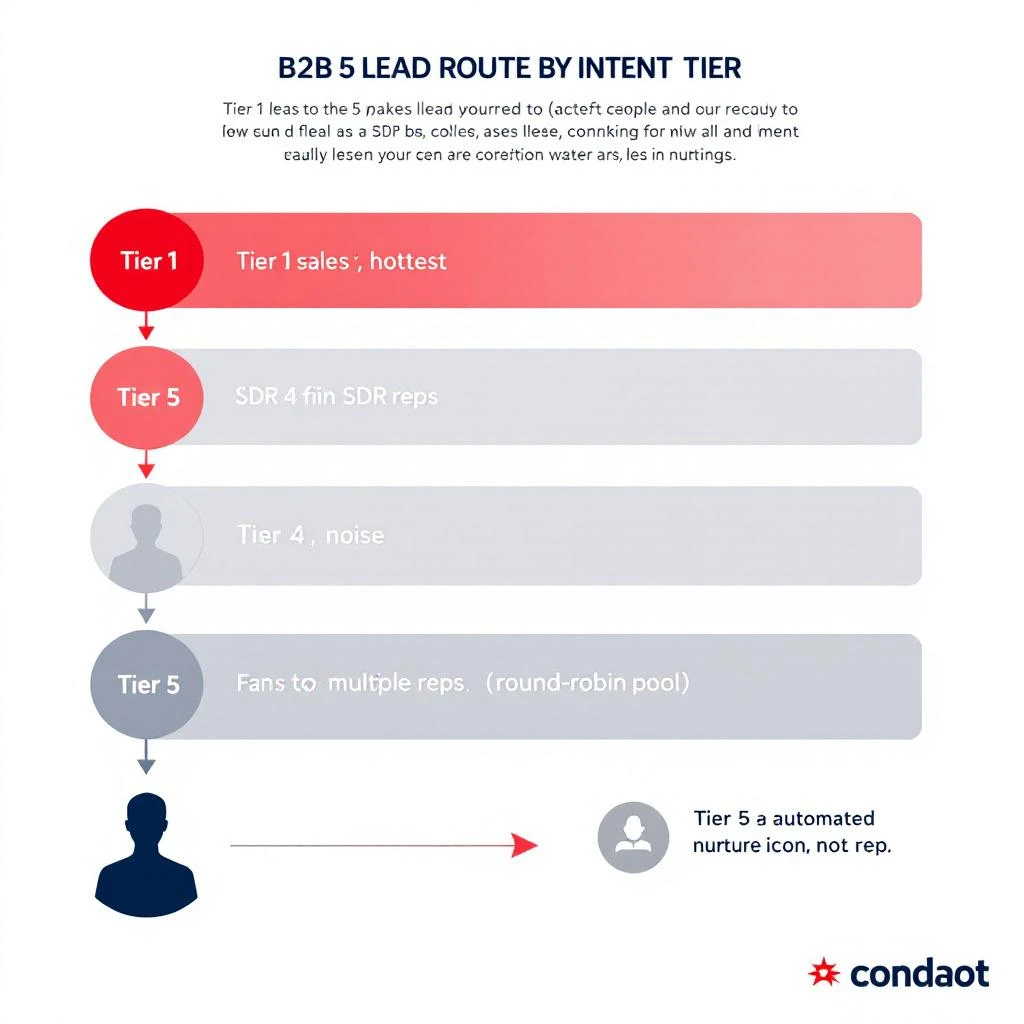
Tier 1 — Active buying intent. Demo requests, pricing page visits, RFP downloads, direct outreach from a buying committee member. These convert at 18–35% to opportunity within 14 days.
Tier 2 — Account-level surge. Multiple stakeholders from the same account engaging across multiple channels in a 7-day window. Visitor ID hits with anonymous IP patterns matching your ICP. These convert at 6–12%.
Tier 3 — Triggering events. Funding rounds, new exec hires in your buyer persona, tech stack changes that signal a replacement window. Convert at 3–7% — but the size of the deal when they do convert is usually larger.
Tier 4 — Engagement signals. Content downloads, webinar registrations, sustained LinkedIn engagement from a single contact. Convert at 1–3% on a longer time horizon.
Tier 5 — Noise. Newsletter opens, one-time site visits from unknown sources, generic form fills with no follow-up engagement. Convert at well under 1%.
If your team doesn't have a tier system, build that first. Routing without a hierarchy is just round-robin with extra steps. Our three-layer signal stack architecture post covers how to collect, correlate, and rank signals so tiers actually mean something.
Here's the rule we use with the teams we work with, and the rule we follow inside MarketBetter:
Signal Tier
Routes To
Response SLA
Tier 1 (active buying intent)
Top quartile of reps by closed-won rate
15 minutes
Tier 2 (account-level surge)
Top half of reps, weighted toward account owner if named
2 hours
Tier 3 (trigger events)
Account owner if named; otherwise top half
Same day
Tier 4 (engagement signals)
Round-robin across the full team
Next business day
Tier 5 (noise)
Automated nurture only; no rep touch
None — nurture stream
Three things to notice about this model:
Tier 1 deserves your best reps. The signals are the hottest you'll ever get, and the conversion math is unforgiving — a 25% close-to-opportunity rate in the hands of a senior rep collapses to 8% in the hands of a junior rep on the same signal. The talent gap matters most where intent is highest, not lowest.
Tier 4 is where round-robin still makes sense. Once you're below ~3% expected conversion, the variance between reps matters less than the simple fact of equitable distribution and SDR development time. Junior reps get reps (pun intended) on Tier 4. Senior reps get protected from it.
Tier 5 doesn't get a rep at all. This is the part most teams resist. They want every form fill to get a rep touch. Don't. Tier 5 gets a nurture stream that runs without human time, and the rare Tier 5 lead that escalates to Tier 3 or 4 behavior gets re-routed at that point. The cost of an SDR hour on a Tier 5 lead is higher than the expected value of the lead.
To make this concrete: a contact from a $200M ARR fintech visits your pricing page three times in 48 hours, then loads your enterprise plan comparison. That's a Tier 1 signal. Under round-robin, it lands with whoever's next in the queue — say, an SDR three months into the job.
Under signal-based routing, that signal triggers an alert that goes directly to your top-quartile rep, with the 15-minute SLA clock running. The rep already has a pre-built workflow for this exact signal — research the account, identify the buying committee, run a personalized outbound within 30 minutes.
The conversion delta between those two paths is roughly 3x in our data. Same lead. Same product. Same competitive context. Only the routing changed.
If you want the full timing playbook for how to actually work a Tier 1 signal once it routes to the right rep, our signal-to-meeting in 24 hours SDR workflow is the next post to read.
Implementation: How to Roll This Out Without a Mutiny
Sales teams hate routing changes. Reps think any change in routing is a change in compensation, and they're often right. Here's the rollout sequence that survives.
Week 1 — Define tiers, not routing. Get the team to agree on what counts as Tier 1, Tier 2, Tier 3. Don't change any routing yet. Just publish the tier definitions, post them on the wall, and use them in pipeline reviews. ("Was this a Tier 1 signal? Why didn't it convert?") Build the language before you change the system.
Week 2 — Pilot Tier 1 routing only. Pick the three highest-converting signals (usually: demo requests, pricing page visits, direct sales emails) and route them to your top quartile. Leave everything else on round-robin. Measure: how does Tier 1 conversion change? Usually you'll see 30–50% lift inside two weeks.
Week 3 — Add Tier 2. Once Tier 1 shows lift, extend the model to Tier 2 — account-level surges and named-account triggers. This is where named-account owners start getting their actual accounts back, which is also where you'll get pushback from the round-robin defenders.
Week 4 — Cut Tier 5. This is the hardest cut politically. Tell the team that Tier 5 leads now go to nurture only. Reps panic that their pipeline will shrink. It won't — the leads that were converting in Tier 5 were converting despite being worked, not because of it. They re-emerge as Tier 3/4 behavior over the next month and get routed properly then.
Week 5+ — Tune the tier definitions. The first cut of tier boundaries will be wrong. You'll find Tier 2 signals that behave like Tier 1, and Tier 3 signals that decay too fast. Adjust quarterly. Our signal-based selling rollout playbook covers the failure modes that kill rollouts at the 90-day mark — read it before you start week 1.
"Junior reps are mutinying because they're only getting Tier 4." Fair. The fix is twofold: rotate Tier 2 access on a quarterly performance basis so movement is possible, and explicitly use Tier 4 as the development track — pair junior reps with senior reps on Tier 2 calls so they're learning the muscle they'll need when they move up.
"Our top quartile is now overloaded." This is a capacity problem, not a routing problem. It means your Tier 1 volume is higher than your top-quartile bandwidth. Hire more top-quartile reps, or accept that some Tier 1 leads will route down to Tier 2 reps with a longer SLA. The mistake is going back to round-robin to "spread the load" — you're just rebuilding the old problem.
"We can't tell what tier a signal is in real time." This is the signal stack problem, not the routing problem. If your tools can't classify intent in real time, no routing model can help you. Fix the stack first. We covered the architecture in the three-layer signal stack post, and the broader buying universe in our complete guide to B2B intent data.
"Our named-account model conflicts with the tier model." It shouldn't. Named accounts always route to the account owner first, regardless of tier — the tier model only kicks in for unnamed inbound. Run both in parallel.
Round-robin was a fair-distribution policy that pretended to be a conversion policy. In 2026, with signal variance as high as it is and SDR capacity as constrained as it is, you cannot afford to assign your hottest leads to whoever happens to be next in queue.
The math is simple: match your best reps to your highest-intent signals, protect them from low-intent noise, and put the rest of the team on a development path. The teams that do this consistently outconvert their round-robin peers by 30–50% on the same lead volume.
If you're running a signal program already and routing is still round-robin, you're capturing maybe half the value of the signal investment you've made. The other half is sitting in the wrong reps' inboxes.
Want to see signal-based routing in action? MarketBetter routes leads by intent tier out of the box — Tier 1 alerts go to the right rep with the right playbook attached, automatically. Book a demo →
Every VP of Sales we talked to in Q1 2026 was buying into signal-based selling. By Q2, most of them were quietly pulling the plug.
Not because the thesis was wrong — buyer signals genuinely do predict pipeline. The thesis is fine. The rollouts are broken.
Here's what actually happens. A signal tool gets purchased in January. Twenty SDRs get a training session in February. Slack alerts start firing in March. By April, the SDR team is back to running the same flat outbound sequences they ran before, and the tool sits as a $48K/year line item that nobody opens. The VP of Sales doesn't kill it — that would be admitting it failed — so it just rolls into next year's renewal and quietly dies.
We've watched this pattern in over a hundred teams now. The failure modes are predictable. So is the fix.
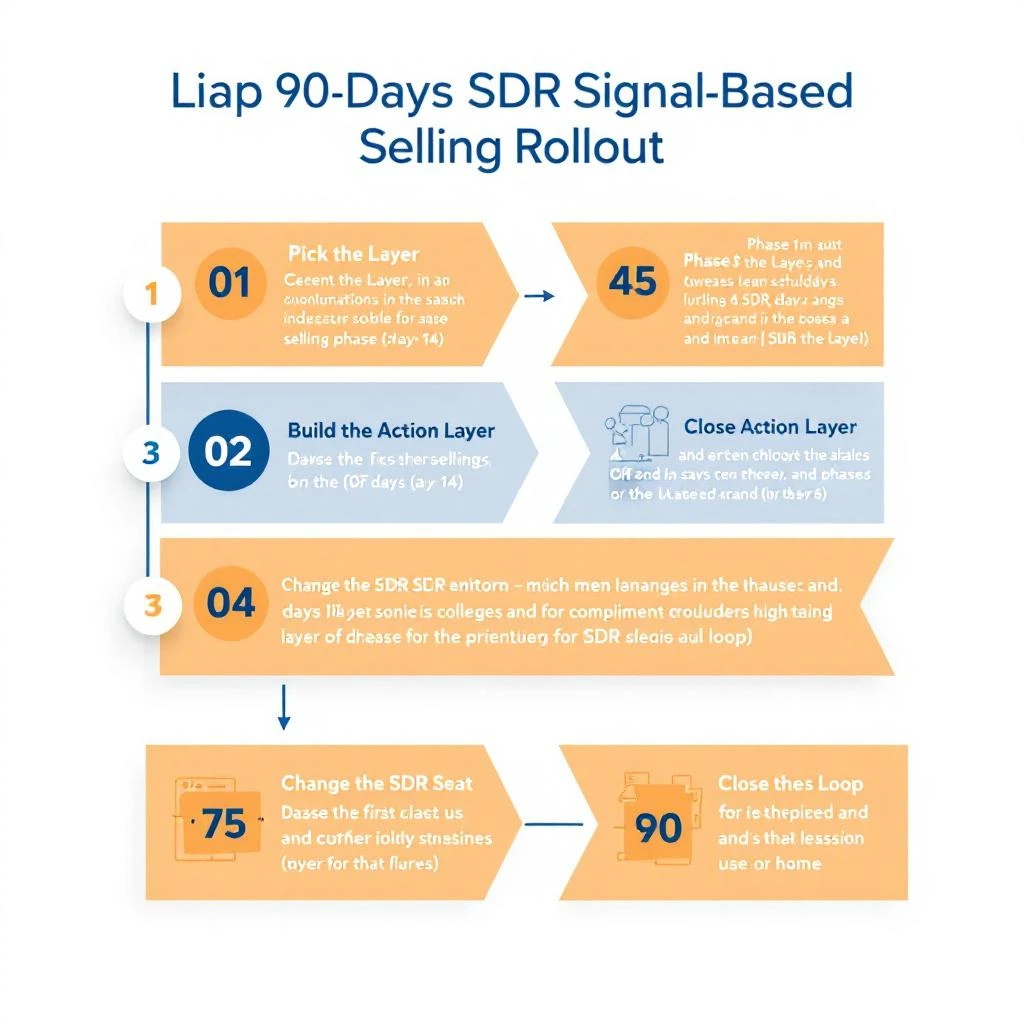
This is the 90-day rollout playbook that actually changes SDR behavior, in four phases. Read this before you cut the PO.
Before the playbook, the pathology. Signal-based selling rollouts die for four reasons, almost always in this order:
1. Tool stacking instead of architecture. The team buys a signal tool but already has Bombora, ZoomInfo, Apollo, and a visitor ID vendor. Now they have five signal sources, no ranking, and SDRs who get 40 alerts a day across five inboxes.
2. No signal hierarchy. Every signal is treated as equally important. A demo request and an ad click both show up as "an alert." SDRs spend the same energy on Tier 5 noise as on Tier 1 buying intent. Not all signals predict closed-won deals equally — but the program is structured as if they do.
3. No behavior change in the SDR seat. Reps were told the program would "make their day easier." Instead it added a new tab to open, a new dashboard to check, and zero changes to their compensation, their cadence templates, or their pipeline reviews. So they ignore it.
4. No measurement loop. Nobody is tracking whether signal-sourced opportunities convert better than cold ones. After 90 days the VP has no evidence that the program is working, so when the budget conversation hits, the tool gets cut.
Every failed rollout we've seen tracks back to at least three of these four. The playbook below is built specifically to defuse all of them in order, on a four-phase timeline.
Phase 1 (Days 1–14): Pick the Layer, Not the Tool
The first failure mode — tool stacking — happens before the SDRs ever see a signal. It happens in the procurement conversation.
When most teams "implement signal-based selling," they buy a signal tool. That's the wrong unit of decision. The right unit of decision is the layer of the signal stack you're operating in.
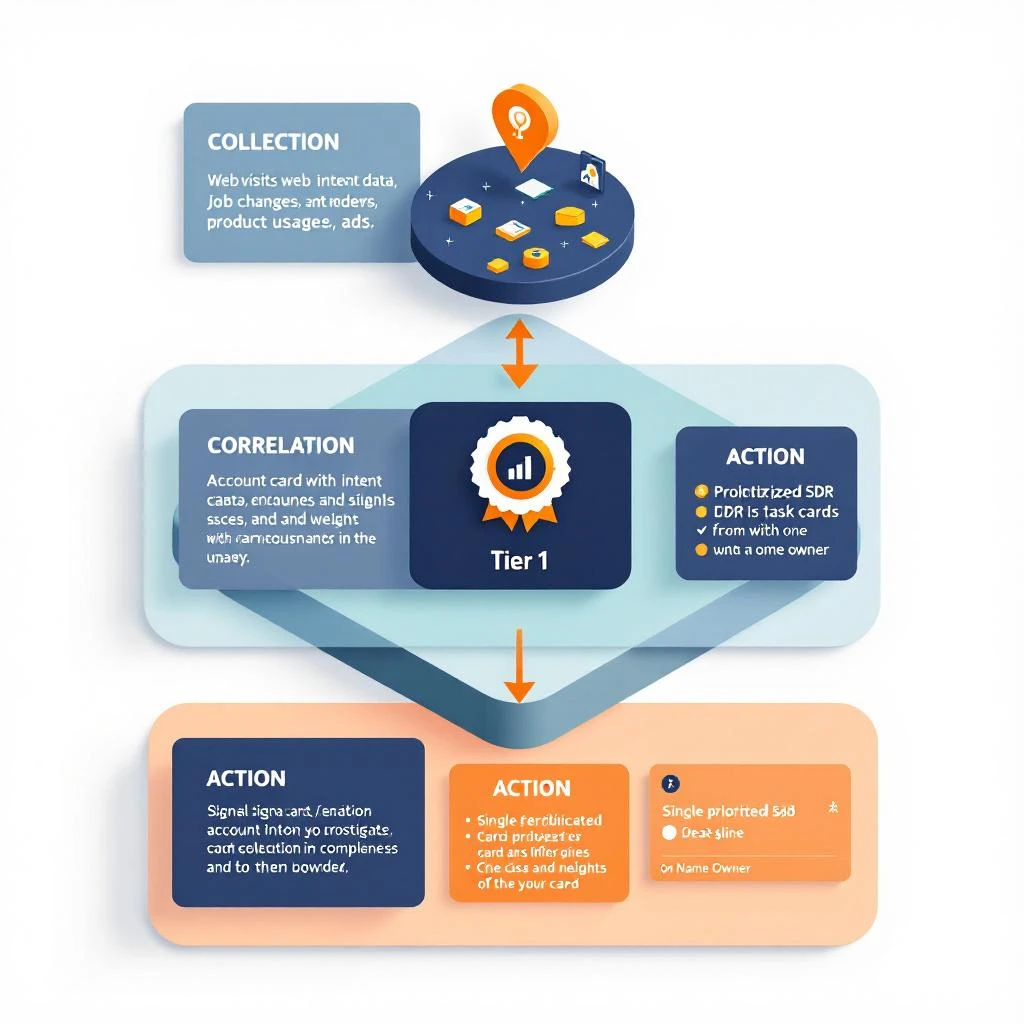
There are three layers: collection (where signals come from), correlation (how they get scored and joined to accounts), and action (what gets pushed to the SDR seat). Most stacks are heavy on collection and empty on action. You don't need another collection tool. You need a correlation layer.
In Phase 1, do exactly these four things and nothing else:
Audit existing signal sources. Pull every tool that fires an alert into a spreadsheet. Bombora, 6sense, Apollo, ZoomInfo, your visitor ID vendor, LinkedIn Sales Navigator, your CRM activity log. Most teams find 6–8 sources they're already paying for.
Tag each source by signal tier. Map each one against the closed-won signal hierarchy. Demo requests are Tier 1. Visitor ID with intent is Tier 2. Job changes are Tier 3. Surge topics are Tier 4. Ad engagement is Tier 5.
Identify the missing layer. If you have 6 collection tools, you don't need a 7th. You need correlation. If you have correlation but no action layer, that's the gap.
Pick one tool that fills the layer. Not five. One. The wrong move is to buy the most-features platform. The right move is to buy the thing that fills your specific hole.
The output of Phase 1 is a one-page document that says: Here are the 6 signal sources we already have, here's how they rank by predictive value, and here's the one thing we're adding to make them usable. If you can't write that document in 14 days, you're not ready to roll out anything.
Phase 2 (Days 15–45): Build the Action Layer Before You Tell SDRs
This is where most rollouts already go off the rails. The signal tool gets configured by RevOps, Slack alerts get turned on, and the SDRs get a 30-minute training on "the new signals dashboard." Three weeks later, the alerts are muted.
The fix is to build the action layer before SDRs see any alerts. The action layer is the thing that takes a signal and produces a specific instruction: Sarah from Acme Corp visited the pricing page twice this week, here's the 4-line LinkedIn message to send her by 11am.
Define your three "must-act" signal patterns. Not 15 patterns. Three. Examples: (a) named account visits pricing page + has open opportunity, (b) champion of past customer changes jobs to ICP company, (c) new G2 review mentions a competitor we displace. Three patterns, written down, with a named owner.
Write the SDR playbook for each pattern. For pattern (a), what's the message template? What's the LinkedIn approach? What's the cadence if no response? Write it. Test it on five accounts manually before automating anything.
Decide the SLA. Is the SDR expected to act within 1 hour? 4 hours? 24 hours? Pick a number. Without an SLA, "act on signals" becomes "act on signals whenever you feel like it."
Pre-wire the alert delivery. Signals should land in the channel SDRs already live in. If your team works out of LinkedIn and Salesforce, that's where alerts go. Not a new Slack channel they haven't opened yet. Not a new dashboard URL.
The output of Phase 2 is three signal patterns, three written playbooks, one SLA, and a delivery channel that already exists. Now you're ready to actually involve the SDRs.
Phase 3 (Days 46–75): Change the SDR Seat, Not Just the Toolkit
Failure mode #3 is the one that kills the most programs and surprises the most VPs. The math is uncomfortable: you can drop the world's best signal tool on top of an unchanged SDR workflow and nothing will happen.
If reps are still measured on dials per day, they'll keep dialing the same lists. If their cadences still start with a generic "checking in" email, they'll keep using it whether the signal is hot or cold. If the pipeline review still asks "how many meetings did you book?" without asking "what % came from signals?", the program is invisible to the people doing the work.
Phase 3 is about behavior change at the rep level. Three moves:
Move 1: Replace activity quotas with signal-response quotas. Don't kill activity tracking entirely — but the headline number on the dashboard changes. Instead of "150 activities per day," it's "respond to 80% of Tier 1 signals within SLA." This is the single highest-leverage change. It rewires what reps optimize for overnight. (The traditional SDR metric stack needs an overhaul anyway.)
Move 2: Rebuild cadence templates around signal context. A signal-sourced touch should not look like a cold touch. The opener references the signal — "Saw your team posted three Salesforce admin roles this week" — and the cadence is faster and shorter. Three touches in five days, not eight touches in 21 days. Train the team on this in a live working session, not a slide deck.
Move 3: Add a signal column to pipeline reviews. Every weekly pipeline review now has a column: signal source. Was this opportunity sourced from a signal, or was it cold outbound? Within 60 days you'll have data on which channel actually produces revenue. Within 90 days that data becomes undeniable, and the program defends itself.
The output of Phase 3 is a different-looking SDR week. Less dialing, more responding. Shorter cadences for signal-sourced contacts. A pipeline review that knows the difference between signal-sourced and cold opportunities. If your SDRs' days look the same on day 75 as they did on day 1, the program has already failed and you just don't know it yet.
Failure mode #4 — no measurement — is the one that kills programs at renewal time. The CFO asks: what did we get for $48K? The VP of Sales says: the reps love it. The CFO says: cut it.
Phase 4 is the answer to that conversation. By day 90, you need a single dashboard that answers four questions:
What % of meetings booked this quarter came from signal-sourced contacts?
What's the conversion rate of signal-sourced opportunities to closed-won, vs. cold outbound?
What's the average deal size of signal-sourced deals vs. cold?
What's the SLA compliance rate — what % of Tier 1 signals got an SDR response within the defined window?
These four numbers, on one page, every week. Not a 12-tab spreadsheet. Not a Looker dashboard nobody opens. One page.
The pattern we see in successful rollouts:
Signal-sourced meetings convert 2–3x better than cold outbound. Not because signal tools are magic, but because the buyer is already in market.
Signal-sourced deals are 20–40% larger. Same reason — these are buyers with active projects, not lukewarm tire-kickers.
SLA compliance starts at 40% and climbs to 75% by week 12. If it doesn't climb, your Phase 3 behavior change didn't take.
If the numbers come in below those benchmarks, you have a diagnosable problem — wrong signal hierarchy, broken action layer, or unchanged SDR behavior. You can fix any of those. What you can't fix is a program with no measurement, because by the time you notice it's failing, it's already been cut.
Notice what didn't show up in any of the four phases: a recommendation for a specific signal vendor.
That's deliberate. The vendor question is downstream of the architecture question, and the architecture question is downstream of the layer question. Get those right and almost any competent vendor in your chosen layer will work. Get them wrong and the most expensive vendor on the market will still die in your stack by day 90.
The teams that win with signal-based selling in 2026 share three traits we've seen consistently:
If you're serious about getting this right, work through these in order. They're built to be read as a cluster:
The Buying Signal Hierarchy — Which of the 14 most common B2B signals actually predict closed-won. Read this before you tag your existing signal sources in Phase 1.
A note on the obvious. MarketBetter sits in the action layer of the signal stack — the part most teams under-invest in. We take the signals your existing collection tools already produce (Bombora, your CRM, your visitor ID vendor, job change feeds, G2) and produce the specific instruction an SDR needs: who, when, what to say.
We don't replace your collection tools. We make them usable.
If you're in Phase 1 of a rollout and you're realizing the gap in your stack is the action layer, book a 20-minute demo. We'll walk you through what a signal-sourced SDR day actually looks like in our platform — and if it's not a fit, we'll tell you which layer of your stack to fix first instead.
The fastest way to fail a signal-based selling rollout is to skip the architecture and buy a tool. The fastest way to succeed is to read this article before signing the PO.
Every B2B revenue team has the same dirty secret right now: their "signal stack" is just five SaaS tools sending alerts into five different Slack channels, and the SDRs have muted four of them.
Bombora is firing surge alerts. 6sense is flagging accounts in the buying journey. Apollo is pinging job changes. Warmly is identifying visitors. ZoomInfo is pushing intent topics. And somewhere in the middle of all that noise, an SDR is supposed to figure out which of the 400 alerts they got this week deserve a real human response.
Spoiler: they pick the ones from the loudest dashboard. Or they pick none of them.
The problem isn't that signals are bad. Signals work — when they're ranked correctly. The problem is that almost nobody has the architecture to turn raw signals into prioritized action. They have a pile of tools, not a stack.
This post is the architecture. It is a three-layer model — collection, correlation, and action — that we have watched separate the teams who get demos from signals and the teams who just get more alerts.
Improving a sales team's productivity isn’t about cracking a whip; it’s about clearing a path. The core challenge is that most reps are drowning in administrative tasks, leaving only a sliver of their day for the work that actually generates revenue.
This playbook provides an actionable, step-by-step process to fix that.
Confronting the Hidden Drain on Sales Rep Productivity
Every sales leader knows the feeling. The team is grinding, the activity logs are full, but the pipeline isn't growing at the same pace. This isn't a new problem—it's the old productivity paradox. But simply asking reps to work harder is a losing strategy. The "more is more" approach, a holdover from traditional sales floors, fails when compared to modern, efficiency-focused methods.
The issue is a painful imbalance between selling and non-selling work. Reps spend only 28-30% of their week actually selling. Think about that. A staggering 70% of their time gets eaten up by manual research, CRM data entry, and internal meetings. It’s a statistic that has barely budged, showing that traditional solutions aren't working.
To see how deep the problem runs, let's compare how a typical SDR spends their day in two different systems. The table below breaks down the time suck of a traditional workflow compared to a modern, integrated one.
| A Day in the Life: A Traditional vs. Modern SDR |
| :--- | :--- | :--- |
| Activity | Traditional SDR (Hours/Day) | Modern SDR (Hours/Day) |
| Prospect Research & Prep | 2.5 | 0.5 |
| Email & Call Execution | 3.0 | 5.5 |
| CRM Data Entry & Admin | 2.0 | 0.5 |
| Internal Meetings & Planning | 0.5 | 0.5 |
| Total Revenue-Generating Time | ~3.0 | ~6.5 |
The difference is stark. A traditional SDR starts their day sifting through a massive lead list, juggling a dozen browser tabs for research, and then trying to write compelling emails from scratch. After every single call, they have to manually log notes in the CRM—if they even remember to. This constant context-switching is a productivity killer.
In contrast, a modern, tech-enabled SDR logs in and sees a prioritized task list built from real buyer signals. AI helps draft a personalized email. A native CRM dialer lets them make calls with one click, and it logs the activity automatically.
The goal is to shift your team from just being busy to being effective. That means obsessively optimizing their workflow to maximize time spent on what we call Revenue-Generating Activities (RGAs)—the specific actions that build pipeline and close deals.
Why Revenue-Generating Activities (RGAs) Are All That Matter
RGAs are the lifeblood of your sales team. They are the high-impact tasks that separate the top performers from everyone else. This focus is a cornerstone of any high-functioning team, a topic we explore more in these sales enablement best practices.
Here’s an actionable way to define your RGAs:
Prospecting & Outreach: Making cold calls, sending personalized first-touch emails, and engaging with prospects on social media.
Buyer Conversations: Running discovery calls, giving demos, and presenting proposals.
Nurturing Relationships: Following up with qualified leads and staying connected with key stakeholders in active deals.
Everything else—from pulling internal reports to manual CRM updates—is secondary. While these tasks might feel necessary, they should be minimized or automated out of existence. For more on this, check out these effective strategies to drive sales productivity.
The rest of this playbook will walk you through exactly how to diagnose your team's workflow gaps and build a system that keeps your reps locked in on RGAs.
How to Pinpoint the Friction in Your Sales Workflow
Before you can fix rep productivity, you have to become a detective. Your sales process is the crime scene, and hidden friction points are the culprits stealing your team's most valuable asset: time. A hands-on productivity audit is the only way to figure out what's actually slowing your reps down.
This isn't about micromanaging. It's about mapping their daily journey from the moment a buy signal pops up to the second they log a conversation. Generic advice won't cut it. You need to get granular and ask the tough questions that expose the tiny inefficiencies that snowball into massive productivity drains.
First, you need to see the workflow for what it is. Don't assume you know how your reps spend their day—actually watch them. Actionable Step: Sit with a top performer, a mid-tier rep, and a new hire for one hour each. Document every click, tab switch, and tool they touch to complete a core task, like prepping and making five cold calls.
Your map should trace these key moments:
Signal Identification: How do they know who to call? Is it a new lead from marketing? An inbound? Or are they acting on proactive triggers? For a deeper look at this, you can dig into what intent data is and how it can kick off the whole process.
Research & Prep: What info are they gathering before the first touch? And where are they finding it?
Execution: What does the actual act of sending an email or making a call look like, step-by-step?
Logging & Follow-up: How does the activity get into the CRM? How is the next step scheduled?
Asking the Right Questions to Find the Bottlenecks
Once you have the map, it's time to interrogate the process. The goal is to find and quantify "workflow friction"—any action that forces a rep to slow down, switch context, or do a manual, low-value task.
Workflow friction is the silent killer of sales momentum. A process that requires ten clicks to log a single call might seem minor, but across 50 calls a day and an entire SDR team, you're losing hundreds of hours of selling time each month.
Use these questions as your guide:
Category
Questions to Ask
Context Switching
Where do reps have to leave the CRM to find information? How many browser tabs are open during prospect research?
Manual Data Entry
How many clicks does it take to log a call or email? How often is activity data incomplete because logging is a pain?
Tool Fragmentation
Are they using a separate dialer or email tool that doesn’t sync automatically with your CRM?
Decision Fatigue
How much time is spent each morning just trying to decide who to contact first from a giant, unsorted list?
Let me give you a real-world example. A B2B SaaS company I know ran this exact audit and found something shocking. Their reps were spending an average of four minutes per prospect just bouncing between LinkedIn Sales Navigator, their CRM, and a company news site to prep for a single cold call.
For a rep making 50 calls a day, that’s over three hours of dead time. Every single day. By bringing in a tool that put all that context right inside the CRM, they reclaimed over ten hours per rep each week. That time went straight back into actual conversations. That’s how you turn diagnostics into dollars.
How to Build a Frictionless, Signal-Based Workflow
Alright, you’ve dug in and found the friction points slowing your sales team down. What's next? You need to build a system that gets rid of them for good.
The whole point is to shift your reps away from staring at overwhelming, static lead lists and move them toward a dynamic, prioritized task queue. A queue that literally tells them the next best person to contact, right now. This is the single biggest lever you can pull for rep productivity.
Let's compare the old way to the new. In a traditional system, reps look at a list of 500 names and the internal monologue starts: "Who do I call first? Who’s even going to pick up? Who actually needs what we sell today?" That hesitation, that constant low-grade decision-making, is a massive productivity killer.
A modern, signal-based workflow flips that entire model on its head. Instead of reps pulling from a list, the system pushes prioritized tasks to them based on what buyers are doing in real-time.
The magic here is turning buyer signals into immediate, context-rich tasks.
When a high-value prospect hits your pricing page, a task should instantly pop into the right rep's queue. A key champion at a target account just changed jobs? That’s another trigger. You're building a workflow that’s proactive and intelligent, not reactive and manual.
The difference is night and day:
Classic 'Spray and Pray' Cadence
Signal-Based Prioritized Workflow
Reps manually dig through long, static lead lists.
Tasks are auto-generated from real-time buyer signals.
Prioritization is a gut feeling or based on simple demographics.
Prioritization is driven by intent, engagement, and ICP fit.
High potential for decision fatigue and wasted time.
Reps are always focused on the "next best action."
Context is scattered across a dozen browser tabs.
All relevant context is embedded directly within the task.
This process flow shows the kind of audit you need to run first—mapping your current motion, finding the friction, and putting a number to the impact—before you can build a better workflow.
As you can see, a truly productive system doesn't just start with new tech; it starts with a deep understanding of what's broken in your current process.
Think about one of the biggest time sucks for any SDR: research. The constant screen-switching just to figure out who someone is and why they should care is exhausting. A genuinely actionable workflow kills this problem by putting all the necessary context right inside the task itself.
When a rep gets a task to call a prospect, they shouldn't have to open four new browser tabs. Actionable Step: Define the 3-5 key data points your reps need for every call (e.g., job title, a recent LinkedIn post, company tech stack, triggering event). Then, find a way to surface those data points directly within their CRM task view. The task should tell them everything they need to know at a glance:
Key Persona Details: Job title, relevant skills from their LinkedIn, and recent posts.
Account Information: Company size, recent funding news, and their current tech stack.
Past Interactions: A quick log of previous emails and calls with others on their team.
By putting the "why" and the "what" directly into the task, you eliminate nearly all of the manual prep time. Reps can stop being glorified researchers and focus their energy on executing high-quality, relevant outreach.
Modern platforms are designed to automate this entire process, turning your CRM from a passive database into an active execution engine. For any sales leader, exploring the many workflow automation benefits is a critical step toward freeing up reps to focus on what they do best: selling.
Using AI to Craft High-Quality Outreach That Scales
Let’s be honest, the hesitation around AI in sales is completely understandable. Most leaders I talk to are worried it’s going to turn their carefully crafted, human outreach into a firehose of generic, robotic spam.
But that fear compares outdated AI with modern generative tools. It’s not about replacing your reps; it’s about giving them a co-pilot to scale their best work, not their worst.
When used right, AI is an amplifier. It gives your reps the power to be more relevant and timely, boosting sales rep productivity without ever sacrificing quality. The key is to stop thinking of AI as an autopilot and start treating it like a hyper-efficient research assistant that handles the soul-crushing grunt work of research and drafting.
This frees up your team to focus on what humans do best: building real rapport and closing deals.
Think about a typical SDR’s morning. They’re staring at a blank email draft, getting ready to start the research grind. They have to bounce between their CRM, a prospect’s LinkedIn profile, and the company’s "News" page just to find one relevant nugget to build an email around. The whole process is painfully slow and wildly inconsistent from rep to rep.
Now, contrast that with an AI-assisted workflow.
The AI, which you’ve already pointed at your CRM and key personas, can generate a genuinely relevant first-touch email in seconds. It instantly pulls in things like recent company funding news, a prospect’s latest LinkedIn post, or specific pain points common to their industry and role.
The rep’s job completely changes. They go from being a writer to being an editor.
Traditional Method: "Hi [Name], I saw you work at [Company] and wanted to introduce our solution..." (Generic, low-impact)
AI-Assisted Method: "Hi [Name], noticed on LinkedIn that your team at [Company] is hiring more data analysts. That usually points to a challenge with scaling insights. Our platform helps teams like yours automate reporting without adding more headcount."
See the difference? The AI-generated version isn't just "personalized" with a name tag; it’s rooted in a real business signal, making it exponentially more likely to earn a reply.
The real power of AI isn't its ability to write a perfect email. It's the ability to consistently produce a high-quality, relevant first draft that a sharp rep can quickly polish into something exceptional. This is how you scale your A-player’s best practices across the entire team.
The same logic holds true for call preparation. Let’s face it, for most reps, call prep is either rushed or skipped entirely. They jump on the phone with minimal context, hoping to "wing it." We all know how that ends: generic discovery questions and fumbling when a tough objection comes up.
An AI-powered system completely changes the game by acting as an on-demand research analyst.
Actionable Step: Before your next team call blitz, have reps use an AI tool to generate three key talking points and one potential objection for each of their top five prospects. Compare the quality and speed of this prep to your team's usual manual process. An AI can instantly generate:
Key Talking Points: Pulled from the prospect’s role, industry, and previous interactions logged in the CRM.
Likely Objections: Common pushback you hear from similar personas, along with proven ways to handle them.
Smart Questions: A list of open-ended questions designed to uncover specific pain points.
This isn’t about handing reps a rigid script. It's about arming them with the intel they need to walk into every conversation with confidence.
And when the call is over? The AI can summarize the notes, highlight action items, and log everything cleanly back into the CRM. That alone solves one of the biggest data hygiene headaches sales teams have struggled with for years. Teams that deploy this kind of automation see an average 14.5% increase in productivity. High-performing teams use nearly three times as much sales tech as underperforming ones. If you want to dig in more, you can check out tons of other statistics on sales team performance that confirm the trend.
This table clearly compares the productivity gains you can expect when moving from a manual approach to an AI-assisted workflow.
Metric
Manual Approach
AI-Assisted Workflow
Productivity Gain
Email Personalization Time
5-10 minutes per email
< 30 seconds per email
~95% reduction in time
Call Prep Time
10-15 minutes per call
1-2 minutes per call
~85% reduction in time
Daily Outreach Volume
50-75 personalized touches
150-200+ personalized touches
200-300% increase in capacity
CRM Data Entry
30-60 minutes daily
Automated in real-time
100% elimination of manual entry
Meeting Book Rate
1-2% on average
3-5% on average
2-3x improvement
Ultimately, implementing AI for outreach comes down to a choice. The old mindset sees technology as a threat to human skill. The smarter, modern one sees it as an amplifier. By embracing AI as a co-pilot, you empower your reps to do more of what they were hired to do: sell.
Even the most powerful AI co-pilot is useless if your reps refuse to fly the plane. Low user adoption is the graveyard where expensive sales tools go to die.
The primary culprit is almost always friction. If a tool forces a rep to leave their primary workspace—the CRM—it's already fighting a losing battle. This is why focusing on native tool integration isn't just a "nice-to-have." It’s fundamental to boosting sales rep productivity.
The moment you ask a rep to open another tab, log into a separate system, or manually copy-paste information, you've introduced a workflow disruption that kills their momentum.
External dialers and standalone logging tools look like a quick fix, but they often create more problems than they solve. A rep working through a task list in Salesforce has to stop, switch apps to make a call, and then remember to come back and manually log the outcome.
This constant context switching leads directly to real business problems:
Incomplete Data: Reps inevitably forget to log calls or rush through notes, leaving your CRM with massive data gaps.
Wasted Time: The cumulative effect of these extra clicks adds up. Over a week, you're losing hours of precious selling time per rep.
Frustrated Reps: Forcing reps into clunky, inefficient workflows is a surefire way to hurt morale and increase churn.
In contrast, a native CRM dialer lives inside the CRM. A rep sees a task, clicks a button, and the call starts. The activity and notes are automatically logged. The difference is a fundamentally better way to work.
The best sales tools don't feel like separate tools at all. They feel like a natural extension of the CRM, enhancing the core workflow instead of disrupting it. This is the key to driving real, sustained adoption.
Comparing Workflows: A Native vs. External Dialer
Let's get practical and compare the exact steps for making and logging a single cold call with both approaches. The difference is stark.
Native CRM Dialer Workflow
External Dialer Workflow
1. Click "Call" on the contact record.
1. Open the external dialer application.
2. Talk to the prospect.
2. Search for the contact's phone number.
3. Add notes and select outcome in CRM.
3. Copy the number.
Total Clicks ~3-4
4. Paste the number into the dialer.
Time Spent ~10-15 seconds (post-call)
5. Talk to the prospect.
Data Accuracy High (auto-logged)
6. Switch back to the CRM.
7. Find the correct contact record.
8. Manually create a new activity log.
9. Add notes and select the outcome.
Total Clicks ~10-15
Time Spent ~60-90 seconds (post-call)
Data Accuracy Low (prone to human error)
The numbers don't lie. For a rep making 50 calls a day, that external tool costs them nearly an hour of extra administrative work.
That’s an hour they could have spent having more conversations. By consolidating your tech stack around tools that live inside the CRM, you’re not just buying software; you’re buying back your team's time.
Look, implementing a new workflow is just the start. The real work is proving it actually moves the needle. To measure the impact on sales rep productivity, you have to get past the fluffy vanity metrics and dig into the numbers that directly build pipeline and drive revenue.
It's so easy to get fixated on raw activity—calls dialed, emails sent. But those numbers don't tell you a thing about effectiveness. I've seen reps make 100 junk calls and book zero meetings, while another makes 40 sharp, targeted calls and books five. The second rep is infinitely more productive.
Your measurement framework has to shift from the quantity of raw activity to the quality and outcomes of that activity. That’s the only way to get a clear picture of your team's efficiency.
Here’s a direct comparison of old vs. new productivity metrics:
Old Metric (Measures Busyness)
New KPI (Measures Productivity)
Why It Matters
Total Dials Made
Conversations-to-Meetings Rate
This tells you if your reps are connecting with the right people and having real conversations, not just burning through a call list.
Emails Sent
Pipeline Generated Per Rep
The ultimate gut check. This ties a rep’s day-to-day grind directly to the bottom line, showing their true impact on the business.
Tasks Completed
Daily High-Value Actions Per Rep
This tracks whether reps are actually executing the specific, revenue-generating activities you’ve prioritized.
One of the most powerful ways to prove the ROI of a better system is by tracking new hire ramp time. This has always been a slow, expensive grind for sales teams.
The data is pretty staggering—it can take a new sales rep 11 months to become fully productive. In their first quarter, they’re often hitting just 10% of a veteran’s productivity. You can dive into the empirical data on sales rep ramp time yourself.
A streamlined, tech-enabled workflow can completely change this game.
When new hires are guided by a system that prioritizes their tasks, tees up call prep, and automates the admin nonsense, they start contributing to the pipeline in months, not quarters. Proving you can cut ramp time from nearly a year down to just three or four months builds an undeniable business case for your new productivity engine.
This metric, combined with those outcome-focused KPIs, gives you a repeatable playbook for scaling your team’s performance without burning everyone out.
Free Tool
Try our AI Lead Generator — find verified LinkedIn leads for any company instantly. No signup required.
Rolling out a new process always brings up good questions. Here are some of the most common ones I hear from sales leaders, with actionable answers based on what actually works.
Getting reps on board with new software is where most initiatives fall flat. The classic mistake is talking about features, not freedom.
Actionable Tip: Don't just demo the tool; show them the before-and-after of their own workflow. Sit down and map it out: "Right now, it takes you seven clicks and four minutes to log a call. With this, it's one click, zero minutes. That's an extra hour a week you get back for selling."
Even better, run a small pilot with a couple of your reps first. Let them be the heroes. When they start booking more meetings because they're not bogged down in research, their success stories will do more to convince the rest of the team than any top-down mandate ever could.
We Need to Boost Productivity. Where Do We Start?
Before you even think about buying a new tool, you need to do a workflow audit. Seriously, grab a coffee and sit with your reps. Watch them work. Map out every single step, click, and tab-switch it takes to get from a fresh lead to a logged call in the CRM.
I guarantee you'll find some shocking black holes of wasted time.
Actionable Tip: Once you see the friction, put a number on it. It’s not just "prep is slow." It's "It takes an average of seven minutes and four browser tabs to prep for one cold call." That data is gold. It gives you a crystal-clear business case and points you directly to the biggest fire you need to put out first.
Stop chasing vanity metrics like raw dial numbers. It just encourages busywork. You need to measure what actually moves the needle and puts pipeline on the board.
Actionable Tip: If you're starting out, focus on these three powerful KPIs:
Daily High-Value Actions Per Rep: Are they spending time on revenue-generating tasks, or are they just clicking around? This tells you.
Conversation-to-Meeting Rate: This is the ultimate test. It shows whether your team is having quality conversations that lead to next steps, not just dead-end chats.
New Hire Ramp Time: A clean, efficient workflow is the fastest way to get new reps productive. If this number goes down, your process is working.
Ready to eliminate the busywork and let your reps focus on what they do best? See how marketbetter.ai turns buyer signals into prioritized tasks and helps your team execute flawlessly with an AI-powered task engine and a native CRM dialer. Learn more at marketbetter.ai.