3 posts tagged with "deal-management"

View All Tags

The Multi-Threading Playbook: Build a 5-Stakeholder Deal Team Before the Champion Goes Quiet [2026]

ยท 14 min read
sunder
Founder, marketbetter.ai

Most AEs treat multi-threading like a fire extinguisher: you only reach for it when something is already burning. Your champion went dark. Procurement appeared out of nowhere. Legal kicked the contract back with redlines that read like a different deal.

By then, multi-threading is damage control. You are scrambling to find allies inside an account that has already decided you are not a priority.

The reps who consistently hit 110% of quota do something different. They build the deal team before they need it โ€” usually inside the first two meetings โ€” and treat stakeholder coverage as a leading indicator of pipeline health, not a Q4 panic move.

This playbook is the system. Five roles to identify, four weekly cadences to keep them warm, a CRM hygiene model that flags single-threaded deals before they stall, and the exact messages that get a CFO or VP Engineering to take a 15-minute call when they have never heard of you.
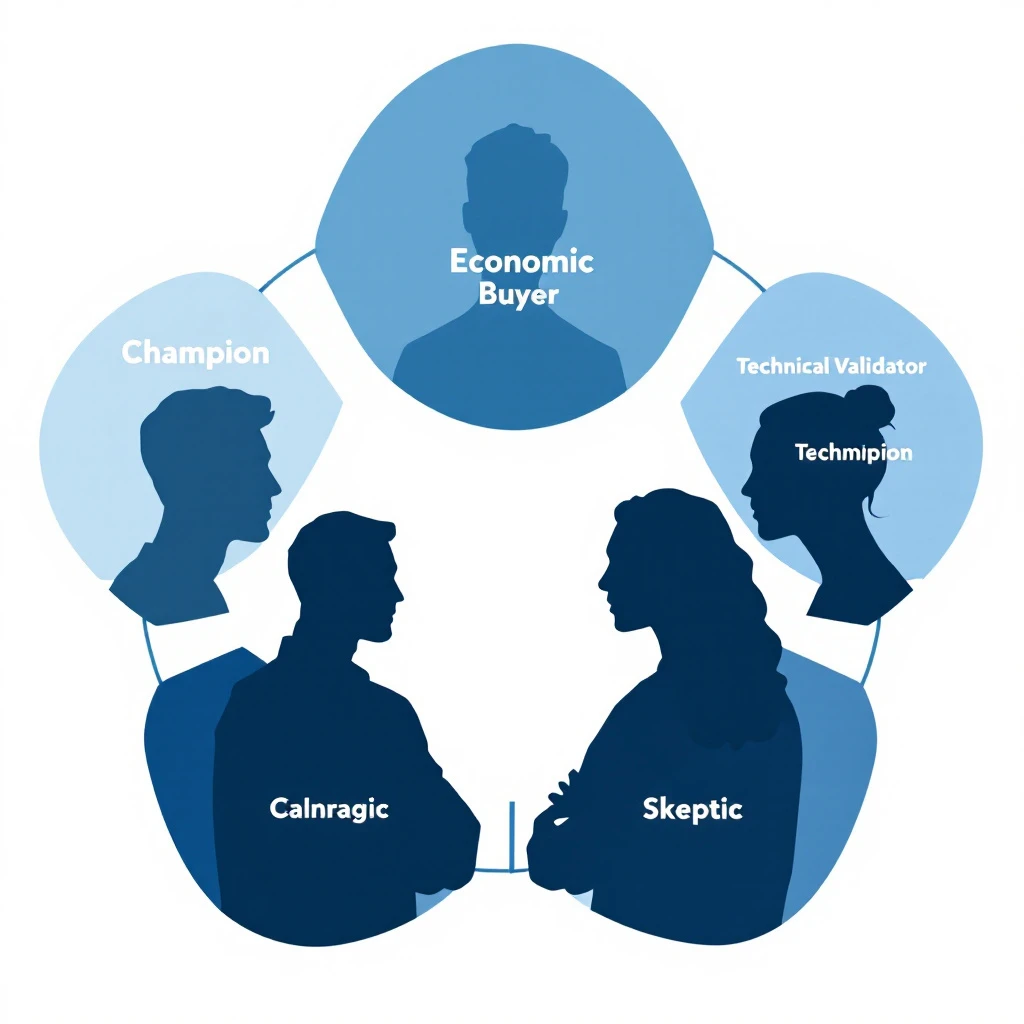
Five-stakeholder deal team diagram

Why single-threaded deals die quietlyโ€‹

Gartner's most-cited B2B buying research puts the average enterprise buying committee at 6 to 10 people. Forrester's data lands closer to 11. The deals that close involve the buyer talking to your team an average of 17 times across multiple stakeholders.

If your only relationship is with one champion, you are betting your forecast on three things going right at once:

  1. The champion never changes jobs, never gets reorged, never goes on parental leave
  2. The champion has the political capital and skill to sell internally without you in the room
  3. Every other stakeholder defers to the champion's recommendation without an independent opinion

Forrester says 86% of B2B deals are won or lost based on multi-thread coverage. If you have ever watched a deal you were "sure about" slip a quarter, the post-mortem almost always reveals the same thing: you had one relationship. The buyer had nine.

When the champion goes quiet โ€” which happens to roughly one in three enterprise deals โ€” your only signal is silence. We wrote a full re-engagement workflow for that case in our champion-quiet stalled deal playbook, but the better fix is upstream: never let a deal sit at one thread.

The 5 roles on every B2B deal teamโ€‹

Forget org charts. Buying committees don't show up on org charts. They form ad hoc around a project and dissolve when it closes. The roles below are functional โ€” one person can play two, two people can share one, but every winning deal has all five seats filled.

1. The Champion (the seller-internal-to-the-account)โ€‹

The person who wants you to win. They sell on your behalf in meetings you are not invited to. They know your roadmap, they can rattle off your pricing, they actively defend you against alternatives.

Most AEs stop here. That is the mistake.

A champion without backup is a single point of failure. If they go on PTO during the final week of the quarter, your deal slips. If they get poached by a competitor โ€” and B2B SaaS attrition averages 13% annually โ€” your deal restarts from zero.

Coverage signal: You have a champion. Good. That puts the deal at 20% stakeholder coverage. Not 100%.

2. The Economic Buyer (the budget owner)โ€‹

The person who signs the PO. In a 50-500 employee company, this is usually a VP or C-level. In enterprise, it could be a director with a discretionary budget below a threshold and an SVP above it.

The Economic Buyer's question is never "is this the best product?" It is "is this worth the opportunity cost of the budget?" They are weighing your line item against headcount, against another tool, against doing nothing.

You do not sell features to the Economic Buyer. You sell ROI math and risk reduction. And you sell it directly โ€” not through the champion. The champion's framing of your ROI is always weaker than yours, because they are not professionally trained to negotiate against a CFO's skepticism.

Coverage signal: If you have not had a 15+ minute conversation with the Economic Buyer by the second demo, the deal is not real yet.

3. The Technical Validator (the gatekeeper)โ€‹

VP of Engineering, Head of IT, Director of Security, Chief Architect. Whoever has the authority to say "we can't run this in our environment" and end the deal.

The Technical Validator is the most under-engaged stakeholder in B2B sales. Reps fear them, so they delay the introduction. Then in week 11 of a 13-week deal cycle, the security questionnaire arrives, the SOC 2 conversation happens, the integration concerns surface โ€” and the deal slips a quarter while you chase answers.

Bring them in early. Week two. Give them documentation before they ask for it. Make them feel respected as a peer reviewer, not an obstacle.

Coverage signal: A Technical Validator who has reviewed your docs and asked at least one clarifying question is a coverage point. A Technical Validator who has never been introduced is a hidden veto waiting to happen.

4. The User Champion (the end-user advocate)โ€‹

The person whose daily workflow your product changes. Usually different from the Champion. The Champion is often a manager or director โ€” the User Champion is the SDR, the marketer, the analyst who will actually log in every day.

Why they matter: in modern B2B sales, end-user adoption is a procurement criterion. CFOs ask, "will the team actually use this?" If the User Champion can answer yes in their own voice โ€” not through your champion โ€” the deal accelerates.

End-users also surface real objections faster than directors do. They will tell you in 60 seconds that your UI is confusing or that your CSV export is missing a column the team needs. That intel saves you from a 6-week stall later.

Coverage signal: Did the User Champion attend the demo? Did they ask questions? Have they tried the trial themselves? If no to all three, you are selling a director on a tool their team has not validated.

5. The Skeptic (the loyal opposition)โ€‹

Every deal has one. The person who is paid, structurally, to push back. CFO. Procurement. Legal. Sometimes a competing department head who wanted to build instead of buy.

You cannot avoid the Skeptic. You can only get to them first.

The mistake reps make is treating the Skeptic as the enemy. They are not. They are doing their job โ€” protecting the company from a bad procurement decision. Your job is to give them the answers they need before they have to dig for them.

Ask the champion: "Who is going to push back on this internally? Walk me through their concerns before the meeting." Then prep direct answers โ€” not deflections, not "let me get back to you," but the answer.

Coverage signal: Have you been told who the Skeptic is? Have you addressed their objection in writing? If no, the deal has a landmine you cannot see.

How to recruit each stakeholder (with what to say)โ€‹

Identification is the easy half. Getting on calendars is where most reps fail. Below is the exact ask for each role, tested in real outbound. Adjust the names and product specifics, but keep the structure.

Recruiting the Economic Buyerโ€‹

After demo 2 with the champion, ask:

"[Champion], based on where we are, I think this is the right time to bring [VP/CFO name] into the next conversation. I want to make sure they hear the ROI math directly from me, not summarized through you โ€” that protects you from any 'why didn't you push back on X' questions later. Can you make the intro this week? I will own the agenda and keep it to 15 minutes."

The framing matters. You are protecting the champion, not bypassing them. Champions accept this because it is true.

If the champion stalls on the intro for more than 7 days, that is itself a coverage signal: they either lack the political capital to make the intro, or the deal is less real than they have implied. Both are diagnostic. See our signal-decay framework for what to do when intent signals stop refreshing.

Recruiting the Technical Validatorโ€‹

Cold-introduce yourself directly. Do not wait for the champion. A 3-sentence message:

"Hi [Name] โ€” I am working with [Champion] at [Company] on evaluating [product category]. Wanted to introduce myself ahead of any security or integration conversations so we are not strangers when those come up. Happy to share our SOC 2 report and architecture overview now if useful. 15-minute intro call this week or next?"

Half will not respond. The other half will, because you have signaled three things: you know they exist, you respect their role, and you are not going to waste their time later.

Recruiting the User Championโ€‹

Get them into the demo. If the champion will not invite them, ask:

"We see a real difference in adoption when the daily users see the tool before procurement, not after. Can we do a 30-minute working session with 2-3 people from the [SDR/marketing/ops] team? It also gives me real product feedback before we get to pricing."

Buyers know this is true. Most will say yes.

Recruiting the Skepticโ€‹

You do not "recruit" the Skeptic โ€” you preempt them. As soon as you know who they are, send the champion a one-page document titled "[Skeptic role] FAQ" with the three objections they are most likely to raise and your written answers.

Then ask: "Can you forward this to [Skeptic] before our next meeting and ask them if there's anything else they'd want addressed?" This converts the Skeptic from an ambush into a structured conversation.

The weekly cadence: keeping the deal team warmโ€‹

Identifying stakeholders does not multi-thread the deal. Recurring contact does. Below is the cadence that separates AEs who hold 80% close rates from AEs who lose 40% of late-stage deals to "no decision."

StakeholderTouch FrequencyChannelMessage Type
ChampionWeeklySlack or textUpdate + question
Economic BuyerBi-weeklyEmailForwarded relevant insight
Technical ValidatorBi-weeklyEmailDocumentation + status
User ChampionWeekly during evalEmail or async videoProduct tip + feedback ask
SkepticAs-neededThrough championPre-emptive FAQ updates

The "forwarded relevant insight" pattern for the Economic Buyer is the highest-ROI touch in this entire playbook. You are not pitching. You are sending them a single article, benchmark, or customer story that addresses their specific concern. Three sentences. No CTA. Their reply rate to this pattern, in our internal data, is 4x higher than any "checking in" email.

For the User Champion, the highest-converting touch is asking for feedback on a specific feature โ€” not generic "how is the trial going." Specific feedback requests get specific replies. Specific replies build relationship.

CRM hygiene: how to flag single-threaded deals automaticallyโ€‹

You cannot multi-thread what you cannot see. Most CRMs let you log contacts but do not surface coverage gaps as a forecasting signal. Build the view yourself.

In your opportunity record, add three fields:

  1. Stakeholders Identified (number): How many of the 5 roles have a named person?
  2. Stakeholders Engaged (number): How many of those 5 have had a 1:1 conversation with you in the last 21 days?
  3. Coverage Risk (calculated): Red if Engaged is less than 3, yellow if 3-4, green if 5.

Run a weekly report filtering all opportunities forecasted to close this quarter where Coverage Risk is red. That list is your priority for next week's stakeholder outreach. It is also the list you bring to your manager's deal review.

This is the same operating principle behind our 14-day post-demo window playbook: make coverage visible, then make it accountable.

Multi-threading from inbound vs outbound dealsโ€‹

The playbook works for both, but the entry point differs.

Inbound deals start with a single contact who filled out a form. You do not yet know if they are the Champion, the User, or just someone doing research. Your first job is diagnosis. Use the first call to map: who else is involved in this evaluation? Who would sign the contract? Who needs to approve from a technical side?

Our inbound triage tier system flags hot inbound for 5-minute response โ€” multi-threading takes over from there in the post-demo phase.

Outbound deals start with you picking the entry point. Pick wrong and you spend two months selling to someone who has no authority to buy. We covered first-touch strategy in our signal-to-meeting 24-hour workflow and our visitor ID to outreach playbook โ€” multi-threading starts the moment the first meeting is booked, not after the demo.

What multi-threading does not solveโ€‹

This playbook is not magic. It does not:

  • Compensate for product-market fit gaps. If the prospect's pain is not real or your product is not the right shape for it, no stakeholder coverage will close the deal.
  • Replace strong discovery. You can multi-thread perfectly and still lose because the champion sold you on a vision the Economic Buyer never agreed was a priority.
  • Save deals from competitive switching costs. If the prospect is on a 3-year contract with your competitor and the cost of breaking it exceeds your annual price, more stakeholders does not change the math.

Multi-threading is the second-most-important variable in B2B win rate, behind discovery. Treat it accordingly.

The 60-second pipeline review questionโ€‹

Once you have built the playbook above, your pipeline reviews change shape. Stop asking "what is the status of this deal?" Start asking:

"Walk me through the deal team. Who has been engaged in the last 14 days? Who has not? What is the plan to engage them?"

Reps who can answer this in 30 seconds have real pipeline. Reps who cannot โ€” even on deals they are calling "committed" โ€” are running on optimism and a single contact. That is the deal you will lose in week 11, the one that becomes a champion-quiet re-engagement project, the one that turns into a closed-lost reopen attempt six months later (we wrote that workflow up in our closed-lost reopen playbook, but it is much cheaper to never get there).

How MarketBetter helps you multi-thread without burning hoursโ€‹

Manually maintaining a 5-stakeholder map across 30 active opportunities is a part-time job. The reason most reps do not multi-thread is not philosophical โ€” it is bandwidth.

MarketBetter pulls intent signals across your active accounts, tracks champion movements (job changes are a leading indicator of deal risk and a re-engagement opportunity โ€” we covered this in our buying committee post and our blind committee post), and surfaces which stakeholders in each account have engaged recently versus gone cold.

Instead of telling you who exists at the account, MarketBetter tells you which stakeholder to contact next, what to say based on their recent activity, and which deals have coverage gaps that are about to slip. The signal becomes the action โ€” not just data on a dashboard.

If you have ever lost a deal because the champion went on PTO during the final week, or because procurement showed up in week 10 with objections you could have addressed in week 2, the gap was not strategy. It was visibility.


Want to see how MarketBetter surfaces coverage gaps across your pipeline before they cost you a deal? Book a 20-minute demo โ†’

The 14-Day Post-Demo Window: A Daily AE Playbook to Close Active Deals Before They Stall [2026]

ยท 15 min read
sunder
Founder, marketbetter.ai

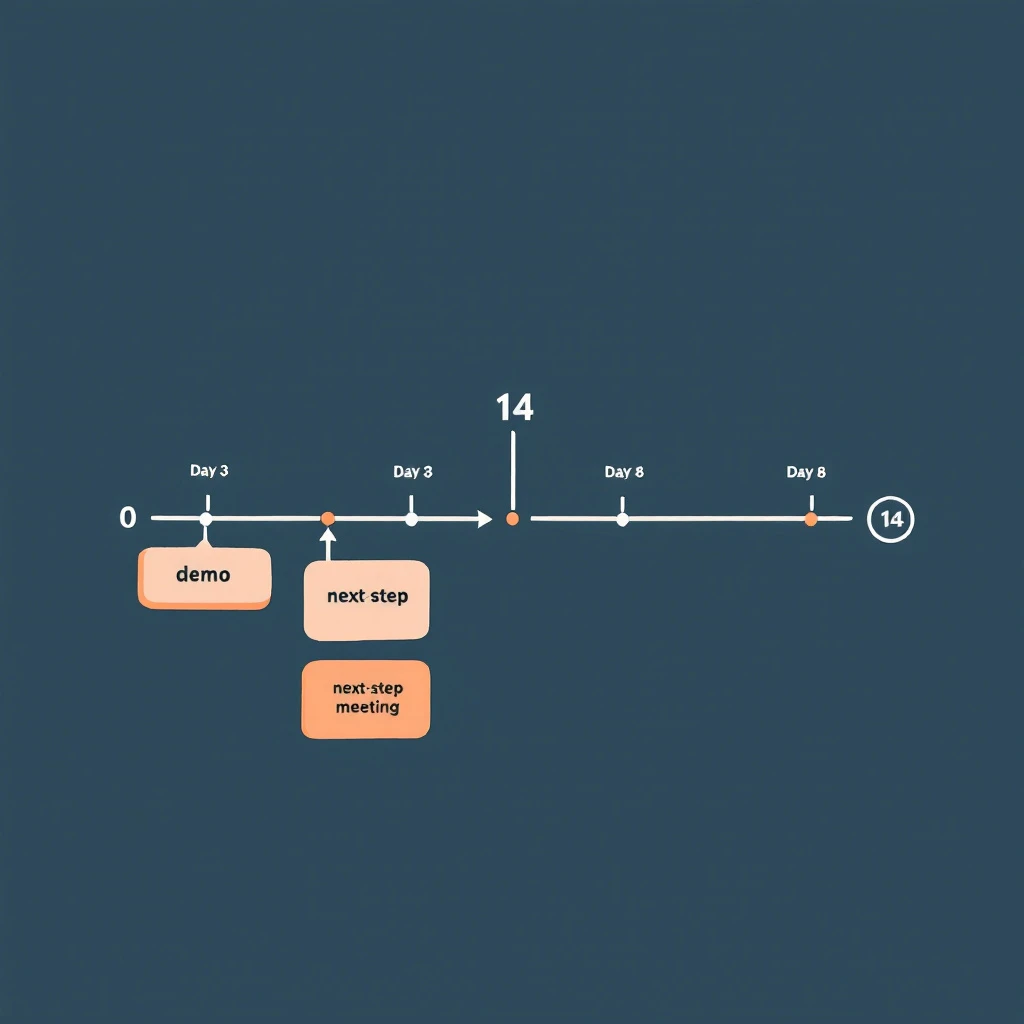
14-day post-demo window โ€” daily AE workflow that keeps deals moving from demo to next-step before they go quiet

Most deals don't die at the demo. They die in the 14 days after it.

The demo went well. The champion was nodding. They asked smart questions. They said something like "let me sync with the team and circle back next week." The AE marked the opp as committed for the quarter and moved on to the next demo. Two weeks later, the champion has stopped replying, the deal slipped to next quarter, and the AE is staring at a forecast call wondering what changed.

Nothing changed at the demo. What changed is what the AE did โ€” or didn't do โ€” between Day 1 and Day 14.

This is the most under-instrumented stretch of the B2B sales cycle. There are entire books about discovery. There are templates for closed-lost reactivation. There are playbooks for stalled deal re-engagement once the silence has set in. But the two weeks immediately after a strong demo โ€” when momentum is highest and the deal is most steerable โ€” usually run on autopilot. A thank-you note on Day 0, a "any thoughts?" email on Day 5, a "still alive?" on Day 12, then radio silence on Day 21.

This post is a day-by-day AE playbook for those 14 days. It's a workflow, not a cadence. The difference: a cadence is a list of touches you fire regardless of what the prospect does. A workflow is a sequence of actions that branch based on what they do โ€” and what they don't.

Why 14 Days Is the Window That Mattersโ€‹

If you've read the signal decay curve, the framing here will be familiar. Buying intent is not a constant โ€” it decays. A buyer who just saw a demo is, by definition, at peak intent for your product. Every day after that demo, intent erodes. Other priorities surface. Competing initiatives win attention. Memory of your differentiation fades. A demo that scored an 8/10 on Day 0 is a 4/10 by Day 14 unless you actively reinforce it.

Gartner's research on B2B buying shows that 77% of B2B buyers describe their latest purchase as very complex or difficult. The complexity isn't in the demo. It's in the negotiation between buyer-side stakeholders that happens after the demo. Your champion has to sell internally โ€” to peers, to procurement, to finance, to their boss. Every day you're absent from that internal conversation, your competitor (which is usually "do nothing") wins ground.

14 days is also when most buyer-side decision processes resolve into either active momentum or active de-prioritization. Research from Forrester on B2B buyers consistently shows that committed buyers move to a next-step within two weeks of a key meeting, and buyers who haven't moved in 14 days are statistically much more likely to slip into no-decision. The window isn't arbitrary โ€” it's where the deal physics actually bend.

The job of the playbook below is to keep your deal in front of your champion every working day in that window, without spamming them, while surfacing the objections that will kill the deal if they go unsurfaced.

The Three Buyer States You're Steering Betweenโ€‹

Before the day-by-day, you need a model. After a demo, every buyer sits in one of three states, and the play you run depends on which state they're actually in:

Buyer stateWhat's happening internallyWhat you'll see externally
Active momentumChampion is socializing internally, building business case, scheduling stakeholder meetingsQuick email replies, new contacts pulled in, asks for collateral, scheduling activity
Quiet evaluationChampion is interested but blocked or distracted โ€” comparing alternatives, waiting on input, no urgency yetPolite delays, "give me a few days," no new contacts surfacing, light website re-visits
Drift to no-decisionChampion has effectively de-prioritized; deal is competing with "do nothing"Slow or no replies, generic "still interested" answers, no internal motion, no return visits

Most AEs treat all three the same: send the same templated follow-up, then mark commit and pray. This is the original sin of post-demo follow-up.

The playbook below pivots based on what you're seeing. By Day 3, you should know which state you're in. By Day 7, you should be acting on that knowledge. By Day 14, you either have a next step or you've made the call to actively reposition the deal.

Day-by-Day: The 14-Day Post-Demo Playbookโ€‹

The dates below assume Day 0 is the demo. Skip weekends โ€” this is 14 business days, not 14 calendar days. Adjust if your prospect is in a different country or operating cadence.

Day 0 (demo day): Capture While It's Freshโ€‹

The single biggest leverage point in the entire 14 days is the hour right after the call ends. Do not move to your next meeting until you finish this:

  1. Send the recap email within 90 minutes. Specific, not templated. Reference one thing they said by exact phrasing โ€” "you mentioned your team is spending 4 hours per rep per week on manual list-building" โ€” and the implication you discussed. This proves you listened.
  2. Confirm one next step in writing. Even if it's soft. "Sounds like the next step is for you to share this with [name] โ€” does Wednesday work for me to follow up?" A vague next step is still a next step.
  3. Log the meeting brief into CRM the same day. What was said, who attended, what was the energy, what objections came up. If you wait until tomorrow, half of this is gone. The brief is the source of truth for the next 14 days of plays.
  4. Identify the silent attendees. Anyone on the call who didn't speak. They're either rubber-stampers or the people whose objection will kill the deal. Find them on LinkedIn. Add to the account list in your CRM.

If the demo had multiple stakeholders, this recap goes to all of them, with one or two lines personalized to what each person specifically asked about.

Day 1: Asynchronous Reinforcementโ€‹

Champion just got a 30-minute pitch. Their boss didn't. Their procurement team didn't. Today is when you make it stupidly easy for them to socialize the deal.

  • Send a 2-minute Loom or Vidyard summary they can forward. Not the full demo recording โ€” a 90-second highlight reel of the three slides that resonated. AEs hate doing this. The buyers who get it almost always forward it.
  • Send the one-pager, but a custom one with their company's metrics in the ROI section. Templated one-pagers go in the trash. Customized ones get screenshot into Slack.
  • Connect on LinkedIn. If you weren't connected before. Personal note referencing the call.

Day 2: Multi-Thread Without Asking Permissionโ€‹

This is the day most AEs lose deals they don't realize they're losing. They wait for the champion to introduce them to the rest of the buying group. The champion almost never does โ€” because making internal introductions is awkward and the champion is busy.

Don't wait. Multi-thread directly, today, with the help of a champion tracking workflow that surfaces who else at the account is engaging:

  • The silent attendees from the demo get a tailored note: "Saw you on yesterday's call โ€” wanted to share the slide on [the thing relevant to their function]."
  • The people who weren't on the call but who logically own the decision (CFO for budget, IT for security, Head of RevOps for integration). Soft outreach, not a pitch โ€” share something useful and signal you're available.
  • This is also where website visitor identification earns its keep. If new contacts from the account are quietly visiting your pricing page today, you want them on your radar before they form an opinion without you.

Day 3: The First Decision Pointโ€‹

By end of day 3, you should be able to bucket the deal into one of the three states above.

Signals you're in active momentum:

  • Champion replied to the recap within 24 hours
  • One or more silent attendees have engaged with your LinkedIn or replied to outreach
  • New contacts from the account visited your site in the last 48 hours

Signals you're in quiet evaluation:

  • Champion replied politely but with "give me a few days"
  • No internal motion visible
  • Light re-engagement (one or two website visits, no new contacts)

Signals you're drifting:

  • No reply to recap
  • No internal motion
  • No website activity

The play for Day 4โ€“7 splits based on what you're seeing. Do not run the same sequence for all three.

Day 4โ€“7: The Branchโ€‹

If active momentum: Push for a next concrete step. A scoping call with their RevOps team. A security review with their IT. A pricing discussion with their CFO. Each of these is a meeting, not an email exchange. The objective is to convert demo interest into a calendar-blocked decision process.

If quiet evaluation: Send value, not pressure. The temptation here is to fire off a "checking in" โ€” resist it. Instead: a relevant case study from their industry, a benchmark report, a one-line note referencing news about their company ("saw the funding round โ€” congrats โ€” this might be relevant to your scale-up plans"). You're staying present without forcing a decision.

If drifting: Run a silent diagnostic. What changed at the account in the last 7 days? Is the champion still in role? Is the company in a layoff cycle? Did a competitor announce something? Are they on a hiring freeze? You're not sending an email today โ€” you're gathering intelligence so the Day 8 email lands with something the champion can't ignore.

Day 8: The Re-Engagement Pivotโ€‹

If you're still in active momentum, Day 8 is a scheduled stakeholder meeting day. Skip ahead.

If you're in quiet evaluation, Day 8 is the pattern-interrupt. Not a follow-up. A new angle:

  • A pointed question grounded in something specific they said on the demo
  • A short clip of a customer with their exact use case talking about ROI
  • A direct ask for the one objection holding things up: "Most teams at your stage that don't move forward after a demo have one of three reasons โ€” which one is yours?"

That last one is uncomfortable. It's also the highest-converting follow-up email AEs run. Buyers respect the directness. The worst outcome is the truth, which is more useful than another week of polite silence.

If you're drifting, Day 8 is the re-engagement push, informed by the intelligence you gathered Day 4โ€“7. Reference what you learned: "Saw [news event] โ€” wanted to check if that shifts priority for what we discussed." You're earning a reply by demonstrating you're paying attention.

Day 9โ€“11: Tighten the Loopโ€‹

By now, you've either:

  • Booked a follow-on meeting (the deal is in motion โ€” focus on prep)
  • Surfaced a real objection (now you're selling, not following up)
  • Confirmed the deal is sleeping (Day 12 onward is for active re-priorization, not nurture)

For the deals with surfaced objections: build the materials that answer the objection. ROI model. Security questionnaire response. Reference call. Whatever it is, the material lands by Day 11, not Day 21.

For deals that booked follow-ons: prep harder than the prospect expects. Bring a custom one-pager for each new stakeholder. Don't rerun the demo โ€” assume they watched the Loom from Day 1.

Day 12: The Last Real Touch in the Windowโ€‹

Day 12 is your last touch where the demo is still warm enough to anchor on. The standard play here is whatever brings the deal to a yes-or-defer decision:

  • A proposal, even if rough
  • A trial offer with a defined evaluation period
  • A side-by-side comparison with the next-best alternative they mentioned

If you can't put one of these in front of them on Day 12, you're going to spend Day 15โ€“30 chasing instead of selling.

Day 13โ€“14: Set the Dispositionโ€‹

You're making a call now: this deal is either a Q-this-quarter close, a confirmed next-quarter timeline, or a stall that needs the champion-went-quiet workflow starting next week.

The disposition isn't about your forecast โ€” it's about how you allocate the next 14 days of your time. Deals that aren't moving by Day 14 don't deserve the same effort as deals that are. AEs who run this discipline close more revenue per hour than AEs who treat every deal as equally promising forever.

The Three Mistakes That Kill the 14-Day Windowโ€‹

If you take only one thing from this post, take this: most AEs lose deals in the 14-day window for the same three reasons.

  1. Treating the recap as optional. The same-day recap with a written next step is the highest-leverage email an AE sends in the entire deal cycle. AEs who skip it because they have back-to-back demos lose deals their peers close. If you only do one thing differently, do this.

  2. Waiting for the champion to multi-thread. They won't. They want to but they're busy and the introductions are awkward. Multi-thread directly, with the air-cover of a soft, value-add outreach. The deal that's single-threaded on Day 7 is a deal at risk by Day 14.

  3. Running the same cadence regardless of buyer state. Active momentum, quiet evaluation, and drifting all need different plays. Treating them the same is how you lose deals you could have saved. Use the Day 3 decision point to branch.

Where This Fits in the Larger Workflowโ€‹

This playbook is the bridge between two other workflows in this blog. Upstream, you're running the signal-to-meeting workflow โ€” turning a buying signal into a booked demo in 24 hours. Downstream, when a deal does stall past Day 14, you're running the champion-went-quiet re-engagement workflow to reopen the conversation.

The 14-day post-demo window is where most of those signal-to-meeting wins are won or lost. A great SDR motion that hands over a great demo is wasted if the AE goes quiet for two weeks afterward. The handoff doesn't end at the demo โ€” it ends when the deal has either closed or been actively repositioned.

It also pairs with the buying signal hierarchy: the signals you're looking for in Day 3 โ€” internal motion, new contacts, pricing-page returns โ€” are exactly the high-tier signals that predict closed-won. The 14-day window is the highest-signal window in the entire deal cycle. Instrument it.

The Daily Discipline That Compoundsโ€‹

The point of the workflow isn't the calendar. It's the daily discipline: every demo gets the same-day recap, every demo gets multi-threaded on Day 2, every deal gets bucketed by Day 3, and every deal has a defined disposition by Day 14.

AEs who run this consistently report two things:

  • Their post-demo-to-next-step conversion rate climbs from ~30% to ~55%
  • Their no-decision losses drop materially because they're forcing the question earlier

Neither is magic. It's just refusing to let the highest-leverage stretch of the sales cycle run on autopilot.

The demo isn't the close. The demo is the start of the close. The next 14 days are the close. Plan accordingly.


Related reading:

When Your Champion Goes Quiet: The 5-Play Re-Engagement Workflow for Stalled B2B Deals [2026]

ยท 13 min read
sunder
Founder, marketbetter.ai

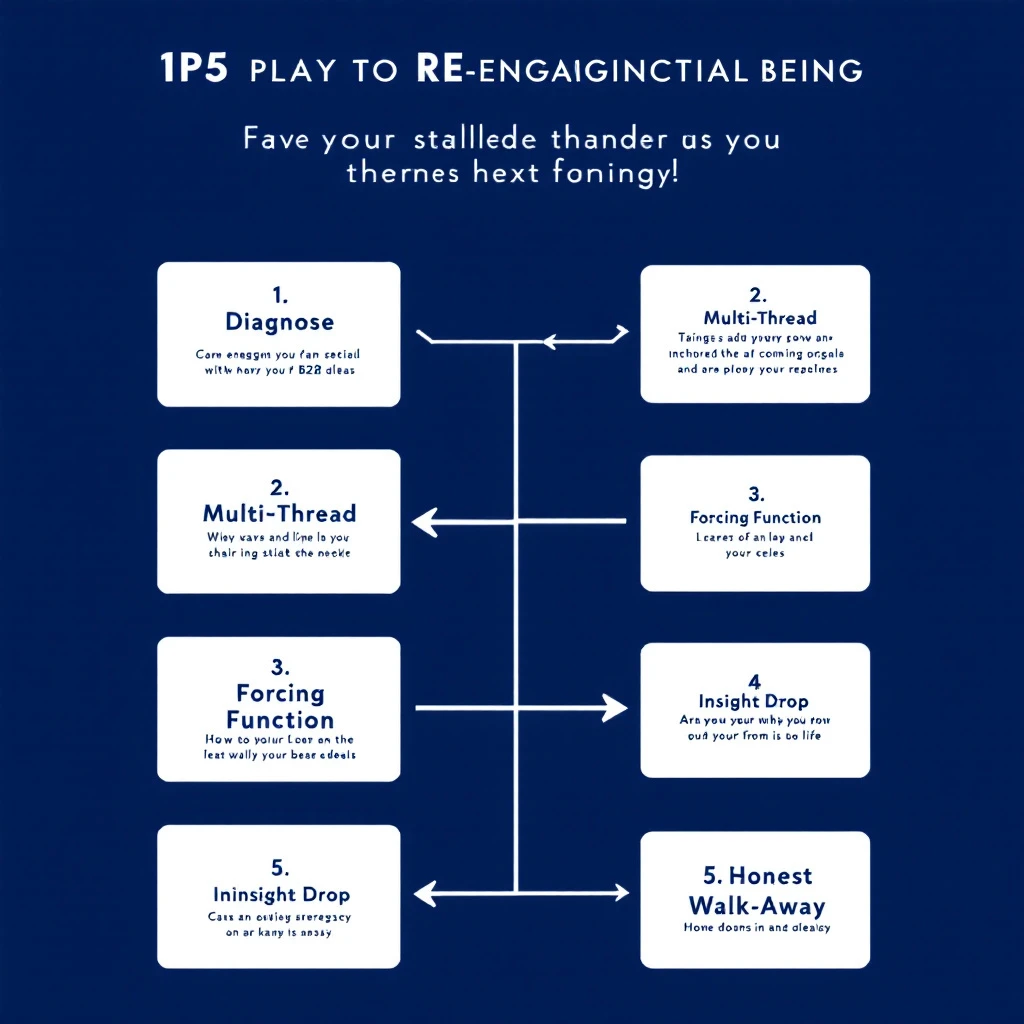
Stalled deal re-engagement workflow โ€” diagnose silence, multi-thread, surface what changed

Your champion replied to every email for three weeks. Demo went great. Pricing was sent. Maybe a verbal yes. Then โ€” silence. Seven days. Twelve. Twenty-one.

The deal isn't in closed-lost yet. It's worse: it's sitting in the slack space between "qualified pipeline" and "lost to no-decision." Every forecast call, your AE moves the date out another two weeks. Nobody has the heart to mark it dead. Nobody has a plan to revive it.

This is the most expensive failure mode in B2B sales. Gartner's research shows the average B2B buying group has 6โ€“10 people, and the journey now averages 11.5 months for considered purchases. Champions go quiet not because they hate you โ€” they go quiet because something changed inside their org that you can't see.

This playbook is a 5-play workflow for AEs and SDRs to systematically re-engage stalled deals. Not a "just check in" template. Specific diagnostic plays that surface what actually changed and re-open the conversation when generic follow-ups won't.

It pairs with the signal decay curve โ€” buying intent has a half-life, and the longer your deal sits in silence, the more aggressively you need to instrument for fresh signal.

Why Champions Actually Go Quietโ€‹

Before the plays, the diagnosis. Champions disappear for four reasons, and the right play depends on which one you're dealing with:

ReasonWhat's actually happeningSignal you'll see
Priority shiftA higher-priority project (often forced by leadership) pulled their attention. Your deal didn't get worse โ€” it got out-prioritized.Champion still active on LinkedIn / posting about new initiatives unrelated to your space
Internal blockerProcurement, security, finance, or a peer raised an objection your champion couldn't answer. They're stuck and embarrassed to come back without a path forward.Job postings in adjacent functions, new hires in procurement or IT, vendor consolidation news
Champion changed rolesPromoted, moved internally, or left the company. The replacement doesn't know you and your deal lost its sponsor.LinkedIn role change, new title, "open to work" updates
Buying group expandedA new exec or department got pulled into the decision, and your champion is now waiting on their input before re-engaging.New executives showing up on website visits, new contacts viewing pricing pages

The plays below tell you how to spot which one you're in and what to do.

If you only run one generic follow-up cadence, you treat all four the same โ€” and you lose three of them. The whole point of this workflow is to diagnose before you write.

Play 1: The Silent Diagnostic (Day 7โ€“10 of Silence)โ€‹

Before you send anything, instrument. The biggest mistake AEs make is firing off a "just checking in" before they know what's actually happening inside the account.

What to check, in this order:

  1. Your champion's LinkedIn activity in the last 14 days. Are they posting? Liking? Commenting? Active = priority shift or internal blocker. Inactive = role change risk.
  2. Their role/title. Same as it was on the demo call? Use LinkedIn Sales Navigator job change alerts if you have them set up. If not, search their profile manually.
  3. Other contacts at the account. Who else from the org has visited your site, opened recent emails, or shown up in your CRM in the last 30 days? This is where website visitor identification earns its keep โ€” you want to know if buying group activity continued without your champion.
  4. Public signals. Funding round? Layoffs? New executive hire? Acquired? Search Google News for the company name plus "announce" in the last 30 days. Anything material reshuffled their priorities.
  5. Your own CRM. Did anyone else from the account open your last 3 emails? View pricing pages? Get added to the opportunity?

You're building a 5-minute brief: what changed at the account between the last reply and today. The brief decides which play comes next.

This is the same diagnostic logic from the three-layer signal stack โ€” you're stacking public, behavioral, and account-level signals before you act.

Play 2: The Multi-Thread Pivot (When the Champion Is Inactive)โ€‹

If your diagnostic shows the champion has been quiet on LinkedIn too, you have a role-change or burnout problem. Don't waste another email on them. Pivot to multi-threading.

The play:

  • Identify 2โ€“3 other contacts at the account: their boss, a peer in the same function, or someone in a department that would benefit from your product.
  • Send a separate, short email to each, referencing the champion by name but not assuming they're still the decision-maker.
  • The hook: "I've been working with [Champion] on [specific outcome]. Wanted to make sure this initiative continues to have a path forward โ€” wondering if it makes sense to loop you in directly."

This works because it gives the other contact two safe options: "Yes, [Champion] is no longer driving this โ€” let's talk" or "Yes, [Champion] is still on it, they're just busy โ€” here's the status." Either answer unsticks you.

The trap to avoid: sending the same email to five contacts at once. That reads as desperation and gets your domain marked as spam. One email at a time, each tailored to that person's function.

If the contact you reach out to isn't on LinkedIn or in your CRM, the B2B data enrichment workflow is what gets you their direct email in 30 seconds.

Play 3: The Forcing-Function Email (When You Suspect a Priority Shift)โ€‹

If the champion is active everywhere except your deal, it's a priority shift. They didn't lose interest โ€” your deal just got bumped. Generic check-ins reinforce the bump because they require them to context-switch back to your problem without giving them a reason.

The fix: give them a forcing function. Something with a hard deadline that requires action, not just attention.

Variants that work:

  • The expiring price/term. "The Q3 pricing we discussed locks on July 1. Want to confirm whether you'd like to extend the conversation or revisit in Q4 so we don't accidentally lose the discount."
  • The pulled resource. "We're moving our implementation team to a new project on July 15. If onboarding doesn't start by then, the next start window is September. Wanted to flag so you can plan accordingly."
  • The departing context. "Our [solutions engineer / product lead] who scoped your environment is rolling off this account on [date]. If you have any technical questions, this week is the right window to get them answered while the context is fresh."

Two rules: it has to be real (don't fake a deadline โ€” your reputation is on the line), and it has to give them an honest "no, not now" exit. The point isn't to pressure โ€” it's to give them permission to make a decision instead of indefinitely deferring.

A forcing function works because it converts an open-ended ask ("hey, status?") into a closed question ("do A or B by date X"). Closed questions get answered.

Play 4: The Insight Drop (When You Suspect an Internal Blocker)โ€‹

The most common failure mode for stalled deals: a peer or boss raised an objection your champion couldn't answer, so they froze. They're not ghosting you โ€” they're stuck. They'll only come back when they have a way to come back.

Your job is to hand them that way back. Not a check-in. An insight that arms them for the next internal conversation.

Examples:

  • A short customer story from a peer company that hit the same objection and overcame it. Specifics, not "lots of companies do this."
  • A new benchmark, data point, or industry report that addresses the likely objection (security, ROI, integration, change management).
  • A pre-built ROI calculator or business case template, filled in with their numbers based on what you already know.
  • A 2-paragraph FAQ on the specific concern, formatted so they can forward it to their internal stakeholder without rewriting it.

The structure of the email is short:

"Hey [Champion] โ€” saw [trigger / news / report] and thought of our conversation. [One sentence on why it matters to their internal case.] No reply needed โ€” figured it'd be useful when this comes back up internally."

The "no reply needed" matters. You're not asking them for energy. You're giving them energy. That's how you re-open a door that was closed by internal politics.

This is the same logic behind the signal-to-meeting workflow โ€” you respond to context, not arbitrary intervals.

Play 5: The Honest Walk-Away (Day 30+)โ€‹

If three of the above plays produced nothing, run the honest walk-away. Counterintuitively, this is the play that re-engages the most stalled deals in our experience.

The email:

"Hey [Champion] โ€” I haven't heard back in a few weeks, so I'm going to assume the timing isn't right and pause our outreach. No hard feelings at all. If something changes on your side and you want to pick this up, my calendar is here: [link]. Otherwise I'll plan to circle back in [Q]."

Three things this does:

  1. Removes the pressure that was keeping them from replying. Most "I'm going quiet" silence is guilt. You just absolved it.
  2. Forces a status update. Anyone who's actually interested will reply within 48 hours with "wait, don't pause โ€” here's where we are." Anyone who doesn't reply genuinely wasn't going to close.
  3. Frees your forecast. Whatever happens, you now have signal. Either you re-open with a real path, or you move the deal to closed-lost and stop dragging it through forecast calls.

The data from the reopen closed-lost playbook backs this up: deals that go to honest closed-lost status and re-engage later close at higher rates than deals that linger indefinitely in "pipeline." Honesty is faster.

The Underlying Principle: Silence Is Dataโ€‹

The thread connecting all five plays: silence is not nothing. Silence is data. The question isn't "should I follow up?" โ€” the question is "what does the silence tell me, and what specific play does it call for?"

Most stalled-deal recovery fails because reps treat all silence the same and run the same cadence. The 5-play workflow forces a diagnosis first, then a targeted play.

Here's the simplified decision tree:

You seeRun
Champion inactive on LinkedIn / role changePlay 2: Multi-Thread Pivot
Champion active, deal not moving, no internal newsPlay 3: Forcing-Function Email
Champion active, but recently a peer/exec joined the dealPlay 4: Insight Drop
You've run 2+ plays with no responsePlay 5: Honest Walk-Away
You haven't diagnosed yetPlay 1: Silent Diagnostic โ€” never skip this

How This Fits Into a Weekly Pipeline Reviewโ€‹

Run Play 1 (Silent Diagnostic) on every stalled deal during your weekly pipeline review. Five minutes per deal. By the end of an hour, you've classified every silent deal in the pipe by which play it needs.

Then batch the work. All Play 2 multi-threads go on the same morning. All Play 3 forcing functions go out together. Play 4 insight drops are the highest-leverage emails in your week โ€” schedule them when you're freshest.

This pairs naturally with the first 30 minutes morning workflow for SDRs and the daily SDR playbook for prioritized task lists. Stalled-deal work is recurring work โ€” bake it into the calendar, don't wait until forecast day to panic about it.

A Note on Toolingโ€‹

You can run this playbook in any CRM. The bottleneck isn't software โ€” it's the discipline to diagnose before you write.

That said, two pieces of instrumentation make this dramatically faster:

  1. Visitor identification on your site. When a stalled account quietly visits your pricing page or a case study, you know the conversation is alive even when the champion isn't replying. That's a Play 4 trigger you'd otherwise miss.
  2. Job change alerts on your champion list. A LinkedIn role change inside an account is the single highest-confidence trigger for Play 2 multi-threading. Most CRMs don't surface this. Either set up Sales Navigator alerts or use a tool that pushes the signal into your daily task list.

MarketBetter does both natively โ€” visitor ID plus signal-based task routing for stalled accounts. The pitch isn't "use our tool." It's: if your stalled-deal recovery rate matters, instrument the two signals above, in whatever tool you can. The plays above don't work without them.

What to Stop Doingโ€‹

If you take one thing from this playbook, it's the things to stop doing:

  • Stop running the same "checking in" cadence for every stalled deal. It treats role changes and priority shifts the same as internal blockers. It works for none of them.
  • Stop letting stalled deals sit in forecast for 60+ days. Either run Play 5 and move on, or run Plays 1โ€“4 with intent. Drifting is the worst outcome โ€” it inflates your forecast and saps team morale.
  • Stop sending bulk follow-ups across multiple contacts at once. This is the fastest way to get your domain marked as spam and tank deliverability across your entire pipeline.
  • Stop assuming silence means "not interested." In our experience, the majority of stalled deals have an internal cause that's recoverable if you diagnose correctly.

The Bigger Pictureโ€‹

Stalled deals are pipeline rot. They don't show up as lost revenue on a dashboard โ€” they show up as forecast accuracy you can't fix and quota stress you can't explain. The teams that fix this don't have magic templates. They have a workflow that converts silence from a black box into a structured diagnosis.

The 5 plays above are that workflow. Pair them with the signal-based selling principles we've written about all year, the inbound triage tier system for the front of the funnel, and the follow-up email templates for the cadences themselves.

The deals you're worried about right now aren't dead. They're undiagnosed.


Want help instrumenting the signals that surface stalled-deal risk before it's terminal? Book a 20-minute demo and we'll walk through how MarketBetter routes silent-account signals into your reps' daily task list โ€” so champions going quiet becomes a triggered workflow instead of a forecast surprise.