Best Lead Management Software for B2B Sales Teams [2026]

Β· 20 min read
Sunder Iyer
Founder, marketbetter.ai

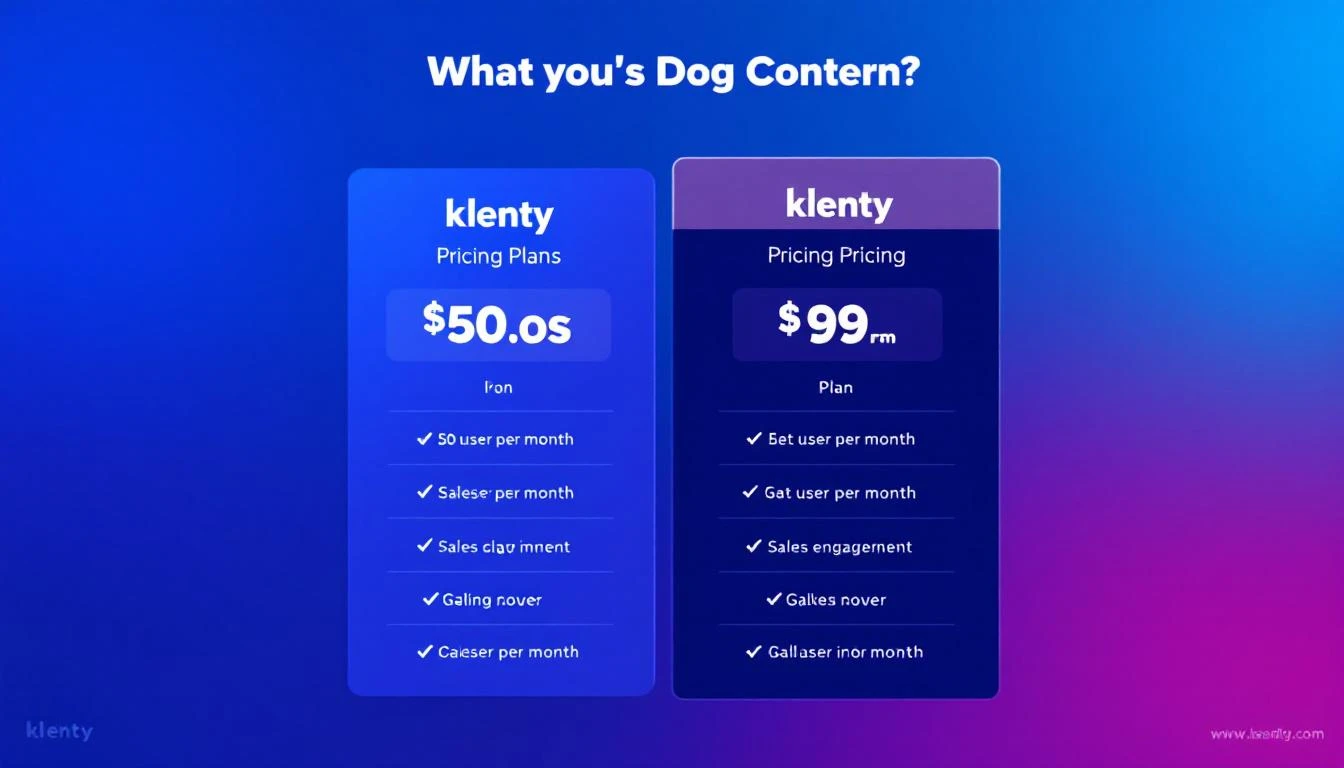
Best lead management software comparison for B2B sales teams in 2026

Your SDRs are drowning in leads they can't manage. Every B2B sales team has the same problem: leads come in from six different channels, sit in a spreadsheet or CRM that nobody updates, and the ones that were actually ready to buy went cold three days ago.

Lead management software exists to solve this. But most platforms just give you a database with filters. They tell you who your leads are. They don't tell you what to do next.

That distinction matters more than any feature comparison table. The best lead management tools in 2026 don't just organize contacts β€” they prioritize, route, enrich, and sequence leads so your SDRs spend time selling, not sorting.

We evaluated 14 platforms across five criteria: lead capture and enrichment, prioritization and scoring, routing and assignment, workflow automation, and actual SDR usability. Here's what we found.

Related reading: Best Sales Prospecting Tools 2026 Β· Best Website Visitor Tracking Software Β· Best Lead Enrichment Tools

What Makes Great Lead Management Software in 2026?​

Before diving into the tools, let's define what "lead management" actually means for modern B2B sales teams:

Lead capture β€” How leads enter the system. Website visitors, form fills, inbound emails, event attendees, referrals. The best tools capture leads you didn't even know existed (like anonymous website visitors).

Lead enrichment β€” Raw leads are useless without context. Company size, tech stack, funding stage, recent news. Enrichment turns a name + email into a qualified prospect.

Lead scoring and prioritization β€” Not all leads are equal. Scoring models rank leads by fit (firmographic) and intent (behavioral). The best tools combine both signals to surface who's ready to buy right now.

Lead routing β€” Getting the right lead to the right rep, instantly. Territory-based, round-robin, or skill-based. Slow routing kills conversion rates β€” Harvard Business Review found that responding within 5 minutes makes you 100x more likely to connect.

Workflow automation β€” What happens after a lead is assigned? Auto-sequences, follow-up reminders, task creation. The best tools eliminate manual data entry entirely.

Quick Comparison: Top 14 Lead Management Platforms​

PlatformBest ForStarting PriceLead ScoringVisitor IDAuto-Sequencing
MarketBetterSignal-driven SDR teams$99/user/monthβœ… AI-poweredβœ… Built-inβœ… Multi-channel
HubSpot CRMSMBs scaling salesFree–$1,200/moβœ… Basic–AdvancedβŒβœ…
SalesforceEnterprise organizations$25–$500/user/moβœ… Einstein AIβŒβœ…
Apollo.ioData-first prospecting$49–$119/user/moβœ…βŒβœ… Email only
ZoomInfoLarge sales teams~$15K+/yrβœ…βœ… (add-on)βœ…
PipedriveVisual pipeline management$14–$99/user/monthβœ… BasicβŒβœ… Limited
FreshsalesBudget-conscious teamsFree–$69/user/moβœ… Freddy AIβŒβœ…
Close CRMInside sales teams$29–$139/user/moβœ…βŒβœ… Built-in dialer
Zoho CRMCost-effective full suiteFree–$52/user/moβœ… Zia AIβŒβœ…
LeadfeederWebsite visitor tracking$99–$299/moβœ… Basicβœ… Company-level❌
6senseABM enterprise teamsCustom (~$60K+/yr)βœ… Predictiveβœ…βŒ
WarmlyReal-time buyer intent$700–$1,400/moβœ…βœ…βŒ Limited
Monday Sales CRMTeams already on Monday$12–$28/seat/moβœ… BasicβŒβœ… Limited
NutshellSimple SMB sales$16–$67/user/moβœ…βŒβœ…

1. MarketBetter​

Best for: B2B sales teams that want one platform for lead capture, enrichment, prioritization, and SDR execution.

MarketBetter approaches lead management differently than traditional CRMs. Instead of being a database you query, it's an operating system that tells your SDRs exactly what to do each morning.

How lead management works:

Website visitors are identified automatically β€” even anonymous ones. Each visitor is enriched with company data, tech stack, funding signals, and recent news. The platform scores every lead based on both fit (do they match your ICP?) and intent (are they actively researching solutions?).

The Daily SDR Playbook is where it gets interesting. Instead of reps logging into a CRM and building their own call lists, MarketBetter generates a prioritized task list each morning: call this person first, send this email second, follow up on this deal third. Every action is backed by a specific signal β€” they visited your pricing page, their competitor just churned, their champion moved to a new company.

Lead routing happens automatically based on territory rules, deal ownership, and team capacity. Leads don't sit in a queue β€” they're assigned and sequenced within minutes of showing intent.

Key strengths:

  • Anonymous visitor identification + enrichment in one platform
  • AI-powered daily playbook prioritizes leads by real-time intent signals
  • Multi-channel sequencing (email, LinkedIn, phone) from one interface
  • Smart dialer built in β€” no third-party dialer needed
  • AI chatbot engages visitors instantly, qualifies, and routes to reps

Pricing: $99/user/month - one plan with everything included. Visitor ID, AI chatbot, email automation, smart dialer, daily SDR playbook, 5M AI credits + 500 enrichment credits per seat. No contracts, free unlimited viewer seats.

What real users say: 4.97/5 on G2 with recognition for Best Support, Easiest Setup, and Best ROI across 15 lead generation categories.

Best for teams that: Want to consolidate 5-6 point solutions into one platform and give SDRs a daily action plan instead of a database to search through.

See MarketBetter in action β†’

2. HubSpot CRM​

Best for: SMBs that want a free starting point with room to scale.

HubSpot's free CRM remains the most popular entry point for B2B lead management. The free tier includes contact management, deal tracking, email tracking, and basic reporting β€” enough for teams under 5 reps.

How lead management works:

Leads enter through forms, chatbots, or manual import. HubSpot's contact record centralizes every interaction β€” emails, calls, meetings, website visits. Lead scoring is available on Professional ($800/mo) and Enterprise ($3,600/mo) plans, using both demographic and behavioral criteria.

The challenge with HubSpot is that lead management features are spread across Marketing Hub, Sales Hub, and Service Hub. A comprehensive setup often requires bundling multiple hubs, which gets expensive fast.

Key strengths:

  • Generous free tier for early-stage teams
  • Massive integration ecosystem (1,400+ apps)
  • Excellent email tracking and notification system
  • Built-in meeting scheduler eliminates back-and-forth

Key limitations:

  • Advanced lead scoring requires Professional+ ($800+/mo)
  • No native website visitor identification (company-level)
  • Sequences limited to Sales Hub Professional and above
  • Customization gets complex at scale

Pricing: Free for basics. Sales Hub Professional starts at $800/mo (5 users). Enterprise at $3,600/mo.

G2 Rating: 4.4/5 (11,000+ reviews)

3. Salesforce Sales Cloud​

Best for: Enterprise organizations with complex sales processes and dedicated admins.

Salesforce is the 800-pound gorilla of CRM. It can do virtually anything β€” but that flexibility comes with complexity. Lead management in Salesforce revolves around Lead and Contact objects, with Einstein AI adding predictive scoring and automated insights.

How lead management works:

Leads are created through web-to-lead forms, imports, or API integrations. Salesforce's Lead object tracks prospects until they're "converted" to Contacts + Opportunities. Assignment rules route leads based on criteria you define. Einstein Lead Scoring (available in Enterprise+) uses machine learning to predict which leads are most likely to convert.

The learning curve is steep. Most teams need a dedicated admin or consultant to configure Salesforce properly. But once configured, it's the most customizable lead management platform on the market.

Key strengths:

  • Unlimited customization through custom objects, flows, and Apex code
  • Einstein AI for predictive lead scoring and opportunity insights
  • Largest partner ecosystem in B2B software
  • AppExchange marketplace with thousands of extensions

Key limitations:

  • Implementation takes months, not days
  • Per-user pricing adds up fast for large teams
  • Einstein features require Enterprise+ ($165/user/mo minimum)
  • Requires dedicated admin to maintain

Pricing: Starter at $25/user/mo. Professional at $80/user/mo. Enterprise at $165/user/mo. Unlimited at $330/user/mo. Einstein 1 Sales at $500/user/mo.

G2 Rating: 4.4/5 (23,000+ reviews)

4. Apollo.io​

Best for: Outbound-heavy teams that need a massive B2B database with built-in sequencing.

Apollo combines a 275M+ contact database with email sequencing, making it popular with SDR teams focused on outbound prospecting. The free tier includes 10,000 email credits/month, which is generous enough for solo operators.

How lead management works:

Apollo's strength is data-first prospecting. Search by title, company size, industry, funding stage, tech stack, and dozens of other filters. Build lists, enrich contacts, and drop them into email sequences β€” all within Apollo. The platform tracks engagement (opens, clicks, replies) and surfaces leads showing the most intent.

Where Apollo falls short is inbound lead management. It's designed for outbound β€” finding and reaching new prospects. If you need to manage inbound leads from your website, Apollo requires pairing with a CRM or visitor identification tool.

Key strengths:

  • 275M+ contact database with direct dials and verified emails
  • Built-in email sequencing with A/B testing
  • Generous free tier (10,000 credits/month)
  • Intent data integration shows which companies are researching your category

Key limitations:

  • No website visitor identification
  • Email-heavy β€” limited multi-channel capabilities
  • Data quality varies by region (strongest in US)
  • CRM sync can be buggy according to G2 reviews

Pricing: Free tier available. Basic at $49/user/mo. Professional at $79/user/mo. Organization at $119/user/mo.

G2 Rating: 4.8/5 (7,500+ reviews)

5. ZoomInfo SalesOS​

Best for: Mid-market and enterprise teams that need comprehensive B2B intelligence.

ZoomInfo is the enterprise standard for B2B data. SalesOS combines a massive contact database, intent data, website visitor identification (via its acquisition of Clickagy), and workflow automation.

How lead management works:

ZoomInfo's approach is intelligence-first. The platform identifies companies showing buying intent for your category, enriches them with contact data, and pushes them into your CRM or sequencing tool. Website visitor identification is available as an add-on (WebSights), revealing which companies visit your site.

The challenge with ZoomInfo is price. Annual contracts typically start at $15,000 for a small team and scale to $50,000+ for larger deployments. Per-seat pricing plus data credit limits mean costs can spiral.

Key strengths:

  • Largest and most accurate B2B contact database
  • Comprehensive intent data across 4,000+ topics
  • Website visitor identification (company-level)
  • Workflow automation with Engage for sequencing

Key limitations:

  • Expensive β€” $15K+ annually for most teams
  • Annual contracts with auto-renewal (notoriously hard to cancel)
  • Visitor ID is company-level, not person-level
  • Feature sprawl β€” many teams use less than 30% of what they pay for

Pricing: Custom pricing. Typical starting range is $15,000–$25,000/year for small teams.

G2 Rating: 4.5/5 (8,800+ reviews)

6. Pipedrive​

Best for: Small sales teams that want visual, intuitive pipeline management.

Pipedrive was built by salespeople for salespeople. Its Kanban-style pipeline view makes it easy to see every deal at a glance. Drag and drop deals between stages, set activities, and track everything visually.

How lead management works:

Leads enter through web forms, email integration, or manual entry. Pipedrive's visual pipeline lets you track deals through custom stages. The AI Sales Assistant identifies patterns in your data and suggests next actions. Lead scoring is available but basic compared to AI-powered alternatives.

Key strengths:

  • Most intuitive visual pipeline interface
  • Activity-based selling methodology built in
  • Email integration with tracking and templates
  • Affordable starting price for small teams

Key limitations:

  • Lead scoring is basic (no AI-powered prioritization)
  • No website visitor identification
  • Limited reporting on lower tiers
  • Automation features require Professional+ ($49/user/mo)

Pricing: Essential at $14/user/mo. Advanced at $34/user/mo. Professional at $49/user/mo. Power at $64/user/mo. Enterprise at $99/user/month.

G2 Rating: 4.3/5 (1,900+ reviews)

7. Freshsales (Freshworks)​

Best for: Budget-conscious teams wanting AI features without enterprise pricing.

Freshsales offers a surprisingly capable free tier and mid-range plans that include Freddy AI β€” an assistant that scores leads, suggests next actions, and predicts deal outcomes.

How lead management works:

Freddy AI analyzes historical data to score leads based on engagement and fit. Territory management assigns leads to the right reps. Built-in phone, email, and chat mean you can manage all communication from one place. The AI-powered deal insights predict which deals will close and which are at risk.

Key strengths:

  • Freddy AI included at lower price points than competitors
  • Built-in phone system (no third-party dialer needed)
  • Free tier with unlimited users (basic features)
  • Clean, modern interface

Key limitations:

  • Smaller integration ecosystem than HubSpot or Salesforce
  • Advanced workflows require Enterprise ($69/user/mo)
  • Limited brand recognition can be a harder internal sell
  • Territory management only on Enterprise

Pricing: Free tier available. Growth at $9/user/mo. Pro at $39/user/mo. Enterprise at $69/user/mo.

G2 Rating: 4.5/5 (1,200+ reviews)

8. Close CRM​

Best for: Inside sales teams that live on the phone.

Close was built for inside sales. It has a native dialer, SMS, and email built directly into the CRM β€” no tab-switching, no third-party tools. For teams that make 50+ calls per day, Close eliminates the friction that kills productivity. (Plans run $29-$139/user/mo β€” our Close CRM pricing breakdown covers what each tier actually includes.)

How lead management works:

Leads are organized in Smart Views β€” dynamic lists filtered by any criteria. The Power Dialer auto-dials through a list, logging each call and outcome. Sequences combine calls, emails, and SMS into automated cadences. The lack of a visual pipeline is a tradeoff β€” Close prioritizes activity over visualization.

Key strengths:

  • Best-in-class built-in dialer (Power Dialer, Predictive Dialer)
  • Native SMS alongside email and calling
  • Smart Views create dynamic lead lists
  • Fast implementation (days, not months)

Key limitations:

  • No website visitor identification
  • Limited marketing automation capabilities
  • Smaller ecosystem than HubSpot/Salesforce
  • UI is functional but less polished

Pricing: Startup at $29/user/mo. Professional at $99/user/month. Enterprise at $139/user/mo.

G2 Rating: 4.7/5 (900+ reviews)

9. Zoho CRM​

Best for: Cost-conscious teams that want a full-featured CRM suite.

Zoho CRM offers the most features per dollar of any CRM on this list. With Zia AI, workflow automation, multichannel communication, and 500+ integrations via the Zoho ecosystem, it's a legitimate Salesforce alternative at a fraction of the cost.

How lead management works:

Leads are captured through web forms, social media, email, and live chat. Zia AI scores leads, detects anomalies, and suggests the best time to contact prospects. Blueprint automation enforces your sales process β€” reps follow defined steps, ensuring consistency. Territory management and assignment rules route leads automatically.

Key strengths:

  • Best value for money in B2B CRM
  • Zia AI is surprisingly capable for the price
  • Blueprint enforces consistent sales processes
  • Extensive Zoho ecosystem (40+ products)

Key limitations:

  • UI can feel dated compared to newer tools
  • Implementation complexity increases with customization
  • Support quality varies by plan
  • Some users report slow performance with large databases

Pricing: Free for up to 3 users. Standard at $14/user/mo. Professional at $23/user/mo. Enterprise at $40/user/mo. Ultimate at $52/user/mo.

G2 Rating: 4.1/5 (2,700+ reviews)

10. Leadfeeder (by Dealfront)​

Best for: Teams that want to know which companies visit their website.

Leadfeeder identifies companies visiting your website using reverse IP lookup and integrates with Google Analytics to show which pages they viewed, how long they stayed, and where they came from. It's a focused tool that does one thing well β€” website visitor identification.

How lead management works:

Leadfeeder tracks anonymous website traffic and matches it to company profiles. Custom feeds filter visitors by criteria (industry, company size, pages visited). Leads are scored based on visit behavior and pushed to your CRM automatically. It identifies companies, not individuals β€” you still need to find the right contact.

Key strengths:

  • Focused on website visitor ID β€” does it well
  • Easy setup (just a tracking script)
  • Good CRM integrations (Salesforce, HubSpot, Pipedrive)
  • Custom scoring based on visit behavior

Key limitations:

  • Company-level identification only (no individual contacts)
  • Limited beyond visitor tracking (no sequencing, no dialer)
  • Requires pairing with other tools for complete lead management
  • Smaller company database than ZoomInfo

Pricing: Free tier (last 7 days of data). Paid plans from $99/mo (unlimited users).

G2 Rating: 4.3/5 (800+ reviews)

11. 6sense​

Best for: Enterprise ABM teams with large budgets and complex buying committees.

6sense uses AI to predict which accounts are in-market before they fill out a form. Its Revenue AI platform analyzes intent signals across the web to identify buying committees, predict purchase timing, and orchestrate multi-channel campaigns.

How lead management works:

6sense ingests first-party data (website, CRM, MAP) and third-party intent signals to build a buying stage prediction for every account in your TAM. Accounts are segmented by their predicted stage (Awareness β†’ Decision), and marketing/sales plays are triggered accordingly. The platform excels at enterprise ABM but is overkill (and overpriced) for SMB outbound.

Key strengths:

  • Predictive buying stage modeling is genuinely powerful
  • Website visitor identification at company + keyword level
  • Comprehensive intent data coverage
  • Orchestration across ads, email, web, and sales

Key limitations:

  • Expensive β€” contracts typically $60K–$120K/year
  • Steep learning curve for full platform adoption
  • Better for marketing-led ABM than sales-led outbound
  • Long implementation timeline (3-6 months typical)

Pricing: Custom pricing. Most contracts start at $60,000/year.

G2 Rating: 4.0/5 (900+ reviews)

12. Warmly​

Best for: Teams that want real-time buyer alerts when prospects visit their website.

Warmly focuses on real-time intent. When a prospect visits your website, Warmly identifies them, enriches the lead, and can trigger instant actions β€” Slack alerts, email sequences, or even live chat initiated by a bot. The speed-to-lead angle is their core differentiator.

How lead management works:

Warmly's Reveal identifies website visitors at both the company and (in some cases) individual level. Orchestrator automates outreach based on visitor behavior β€” a pricing page visit can trigger an email sequence within minutes. The platform integrates intent signals from third-party sources alongside first-party web data.

Key strengths:

  • Fast website visitor identification and alerting
  • Real-time orchestration (trigger sequences on page visit)
  • Combines first-party and third-party intent signals
  • Clean, modern interface

Key limitations:

  • No built-in dialer β€” phone outreach requires another tool
  • Limited email sequencing capabilities
  • Relatively new platform (smaller customer base)
  • No daily playbook or task prioritization for SDRs

Pricing: Observe (free). Reveal at $700/mo. Orchestrate at $1,400/mo. Custom pricing for enterprise.

G2 Rating: 4.7/5 (200+ reviews)

13. Monday Sales CRM​

Best for: Teams already using Monday.com for project management.

Monday Sales CRM extends the familiar Monday.com interface into sales. If your team already lives in Monday, adding CRM capabilities is seamless. The customizable boards and automations translate well to pipeline management.

How lead management works:

Leads are tracked on customizable boards. Automations trigger based on status changes, dates, or column values. Email integration logs communication automatically. The platform is highly visual and customizable, but lacks the depth of purpose-built sales tools.

Key strengths:

  • Familiar interface for Monday.com users
  • Highly customizable boards and views
  • Strong automation builder for workflows
  • Affordable per-seat pricing

Key limitations:

  • Not purpose-built for sales (adapted from project management)
  • No native lead scoring intelligence
  • No website visitor identification
  • Limited sales-specific analytics

Pricing: Basic at $12/seat/mo. Standard at $17/seat/mo. Pro at $28/seat/mo. Enterprise pricing on request.

G2 Rating: 4.6/5 (800+ reviews)

14. Nutshell​

Best for: Small B2B teams that want simplicity without sacrificing automation.

Nutshell is the anti-Salesforce. It's intentionally simple β€” built for teams that want lead management without months of implementation. Email sequences, pipeline automation, and reporting come standard, without the configuration overhead.

How lead management works:

Leads are captured through forms and imports, scored based on criteria you define, and moved through a visual pipeline. Nutshell's personal email sequences automate follow-ups, and activity reminders ensure nothing falls through the cracks. It's straightforward and effective for teams running a simple sales process.

Key strengths:

  • Fastest implementation on this list (hours, not weeks)
  • Unlimited data storage and contacts on all plans
  • Personal email sequences included on all plans
  • Excellent customer support (highly rated on G2)

Key limitations:

  • Limited for complex enterprise sales processes
  • No AI-powered features
  • Smaller integration library
  • Less suitable as teams grow past 20 reps

Pricing: Foundation at $16/user/mo. Pro at $42/user/mo. Power AI at $52/user/mo. Enterprise at $67/user/mo.

G2 Rating: 4.3/5 (1,100+ reviews)

How to Choose: Decision Framework​

The right lead management software depends on three factors:

By Team Size​

  • Solo or 1-3 reps: Start with HubSpot Free, Apollo Free, or Freshsales Free. Upgrade when you hit limits.
  • 4-10 reps: MarketBetter, Close, or Pipedrive. You need automation and routing β€” manual processes break at this size.
  • 11-50 reps: MarketBetter, HubSpot Professional, or Salesforce. Territory management and advanced scoring become essential.
  • 50+ reps: Salesforce or ZoomInfo. Enterprise-grade customization and compliance matter.

By Sales Motion​

  • Inbound-heavy: MarketBetter (visitor ID + auto-routing), HubSpot (forms + nurture), or Warmly (real-time alerts).
  • Outbound-heavy: Apollo (data + sequences), Close (dialer + SMS), or ZoomInfo (intelligence + Engage).
  • ABM/Enterprise: 6sense (predictive + orchestration), ZoomInfo, or Salesforce + partner tools.
  • Hybrid: MarketBetter (signals + outbound in one), HubSpot Professional, or Salesforce.

By Budget​

  • $0/month: HubSpot Free, Apollo Free, Freshsales Free, Zoho Free
  • $200-500/month: Pipedrive, Close, Nutshell, MarketBetter
  • $500-2,000/month: MarketBetter, HubSpot Professional, Warmly
  • $2,000-5,000/month: MarketBetter Enterprise, Salesforce Enterprise, ZoomInfo
  • $5,000+/month: 6sense, ZoomInfo Enterprise, Salesforce Unlimited

See also: Best Intent Data Providers 2026 Β· Best Sales Intelligence Software Β· Best Outbound Sales Tools

The Shift: From Lead Databases to Signal-Driven Selling​

Traditional lead management is a solved problem. Every CRM on this list can store contacts, track interactions, and generate reports. That's table stakes.

The real question in 2026 is: does your lead management tool tell your SDRs what to do?

Most tools give you a dashboard. You log in, filter, search, build a call list, manually check intent signals across three different tabs, cross-reference with your CRM, and finally start making calls. By the time you've done all that, the buyer who was on your pricing page 20 minutes ago already booked a demo with your competitor.

Signal-driven lead management flips this. Instead of SDRs building their own workflows every morning, the platform generates a prioritized action list based on real-time signals: website visits, champion job changes, funding events, competitor research, email engagement. The SDR opens one tab and starts executing.

That's the direction lead management is heading. Whether you choose MarketBetter, HubSpot with add-ons, or Salesforce with Einstein β€” the platform that reduces time-to-action wins.

Free Tool

Try our AI Lead Generator β€” find verified LinkedIn leads for any company instantly. No signup required.

Ready to See Signal-Driven Lead Management?​

MarketBetter turns anonymous website visitors into prioritized SDR action items β€” automatically. No spreadsheets, no manual research, no switching between five tabs.

Book a 15-minute demo β†’

12 Best Sales Coaching + Call Recording Tools for Training Junior Reps [2026]

Β· 16 min read
Sunder Iyer
Founder, marketbetter.ai

Best Sales Coaching Software 2026

Sales coaching software promises to turn B-players into A-players. The reality? Most platforms record calls, generate transcripts, and create dashboards that managers never look at.

The actual problem isn't capturing conversations β€” it's turning coaching insights into changed behavior. Your SDRs don't need another tool that tells them what they did wrong on yesterday's call. They need a system that tells them what to do differently on the next one.

We evaluated 12 sales coaching platforms across conversation intelligence, AI role-play, performance management, and real-time assistance. Here's what actually works for SDR teams in 2026.

Quick answer β€” best sales coaching + call recording tools for training junior reps: For most SDR teams, the shortlist is Gong (deepest call analysis, but enterprise-priced with a platform fee), Jiminny (call recording + coaching scorecards from $85/user/month β€” the mid-market value pick), Second Nature (AI role-play so juniors practice before burning real leads), and MarketBetter ($99/user/month, coaching built into the daily workflow with recording included). If budget allows only one tool for a junior team: pair recording with structured practice β€” reviewing calls alone doesn't change behavior. Full breakdown of all 12 below.

Quick Comparison: Sales Coaching Software at a Glance​

PlatformPrimary FocusBest ForPricing
MarketBetterSignal-driven coachingSDR teams that need daily direction$99/user/month with everything included
GongRevenue intelligenceEnterprise deal coaching$120–$250/user/mo + $5K–$50K platform fee
Chorus (ZoomInfo)Conversation intelligenceTeams already on ZoomInfoBundled with ZoomInfo ($15K–$40K+/yr)
MindtickleSales readinessOnboarding + skill developmentCustom (est. $20–$40/user/mo)
AllegoVideo coachingDistributed sales teamsCustom pricing
SalesLoftEngagement + coachingTeams using SalesLoft cadences$125–$165/user/mo
Clari CopilotReal-time assistanceReps needing in-call supportCustom pricing
AmbitionPerformance managementGamification-driven teamsCustom pricing
Second NatureAI role-playTeams prioritizing practiceCustom pricing
JiminnyConversation intelligenceMid-market sales teamsFrom $85/user/mo
SpekitJust-in-time enablementIn-workflow guidanceFrom $20/user/mo
BrainsharkContent + coachingTraining-heavy organizationsCustom pricing

What to Look For in Sales Coaching Software​

Before diving into individual tools, here's what separates useful coaching platforms from expensive call recorders:

Signal-to-action conversion. The best coaching tools don't just surface problems β€” they prescribe next steps. "Rep talked 72% of the call" is an observation. "Before your next call with Acme Corp, prepare a question about their Q2 budget timeline" is coaching.

Manager time savings. If your managers need to listen to every call to coach effectively, the tool has failed. Look for AI that surfaces the 3-5 calls per week that actually need human attention.

Rep adoption. The most powerful coaching platform is useless if reps hate using it. Mobile access, quick insights, and non-intrusive workflows matter more than feature depth.

CRM integration. Coaching data that lives in a separate silo creates extra work. The best tools sync insights directly into your CRM so coaching context follows the deal.

1. MarketBetter β€” Signal-Driven SDR Coaching​

Best for: SDR teams that need daily direction, not just call reviews

Pricing: $99/user/month with everything included (team-based, not per-seat for coaching features)

Most coaching tools focus backward β€” analyzing what happened on past calls. MarketBetter approaches coaching differently by building a Daily SDR Playbook that tells each rep exactly who to contact, what channel to use, and what to say. The coaching happens before the conversation, not after.

The platform aggregates buying signals from website visits, email engagement, and intent data, then translates those signals into a prioritized task list. Instead of a manager saying "you should have asked about budget," the system ensures the rep walks into the call already knowing the prospect visited the pricing page three times this week.

Key coaching capabilities:

  • Daily playbook with prioritized prospect actions based on real-time signals
  • Website visitor identification that feeds directly into rep workflows
  • AI-powered email personalization based on prospect behavior
  • Smart dialer with context cards that prep reps before every call
  • Team deduplication and territory management to prevent stepping on toes

What users say: MarketBetter has a 4.97 rating on G2 with recognition for Best Support and Easiest Setup. Users consistently highlight how the playbook eliminates the "who should I call next?" paralysis that kills SDR productivity.

Best for teams that: Want proactive coaching baked into the daily workflow rather than reactive analysis of past calls.

Book a demo β†’

2. Gong β€” Revenue Intelligence and Deal Coaching​

Best for: Enterprise revenue teams focused on deal inspection and forecasting

Pricing: $120–$250/user/month + $5,000–$50,000 annual platform fee + $15,000–$65,000 implementation (source: Oliv.ai, Vendr negotiations)

Gong is the elephant in the sales coaching room. With patented conversation intelligence technology, it captures interactions across calls, emails, and meetings, then uses AI to identify patterns that correlate with closed deals.

The coaching angle is strongest in deal inspection β€” Gong can flag when a deal is going sideways based on conversation patterns, missing stakeholders, or competitor mentions. Managers get a pipeline view that highlights which deals need coaching attention and why.

Key coaching capabilities:

  • AI-powered conversation analytics with talk pattern identification
  • Deal risk scoring based on conversation signals
  • Competitor mention tracking and win/loss pattern analysis
  • Manager coaching dashboards with team performance benchmarks
  • Forecast accuracy improvement through conversation intelligence

The pricing reality: Gong's total cost for a 10-person SDR team typically runs $36,000–$75,000 in year one when you factor in platform fees, per-user costs, and implementation. RevOps leaders on Reddit consistently report that negotiation is essential β€” list prices are starting points, not final offers.

The gap: Gong excels at analyzing what happened but doesn't prescribe what to do next. Managers still need to translate Gong's insights into specific coaching actions for each rep.

3. Chorus by ZoomInfo β€” Conversation Intelligence with B2B Data​

Best for: Teams already using ZoomInfo who want integrated conversation intelligence

Pricing: Bundled with ZoomInfo contracts (typically $15,000–$40,000+/yr depending on ZoomInfo tier and seats)

Chorus brings conversation intelligence with the added advantage of ZoomInfo's massive B2B contact database. The unique angle: when Chorus detects a competitor mention or buying signal in a call, it can cross-reference against ZoomInfo data to provide additional context about the prospect's company, tech stack, and org chart.

Key coaching capabilities:

  • Real-time transcription with 14 proprietary ML patents for accuracy
  • Multi-channel conversation capture (calls, video, email)
  • Automated CRM data sync for contact and activity logging
  • Deal intelligence tied to ZoomInfo's company and contact data
  • Snippet sharing for cross-functional coaching moments

The catch: Chorus's coaching value is directly tied to how much your team invests in ZoomInfo. As a standalone conversation intelligence tool, it competes with Gong but lacks some of the deal inspection depth. The real value emerges when conversation data enriches your broader ZoomInfo workflows.

Worth knowing: Users on G2 praise Chorus for transcription accuracy and CRM integration but note that the coaching scorecards can feel generic without manager customization.

4. Mindtickle β€” Sales Readiness and Skill Development​

Best for: Teams scaling onboarding and continuous skill development

Pricing: Custom (industry estimates suggest $20–$40/user/month for mid-market teams)

Mindtickle is less "conversation intelligence" and more "sales readiness platform." Where Gong and Chorus analyze real customer calls, Mindtickle focuses on building rep competency before they get on calls through AI role-plays, training modules, and competency assessments.

Key coaching capabilities:

  • AI-powered role-play simulations for objection handling practice
  • Personalized training paths based on skill gaps
  • Competency tracking with readiness index scoring
  • Certification programs for new product launches or methodology changes
  • Manager coaching workflows tied to skill assessments

Where it shines: Onboarding. Mindtickle can cut ramp time significantly by giving new reps structured practice environments before they touch real prospects. The AI role-play feature lets reps practice cold calls, discovery, and objection handling with AI-generated personas.

Where it struggles: Ongoing coaching for experienced reps. Once someone has ramped, the training-module approach can feel more like school than coaching. Experienced SDRs often resist mandatory training that doesn't connect to their live pipeline.

5. Allego β€” Video-First Peer Coaching​

Best for: Distributed and remote sales teams that need async coaching

Pricing: Custom (enterprise-focused, typically demo-led pricing)

Allego takes a different approach: peer learning through video. Instead of relying solely on managers to coach, Allego enables reps to share recordings of successful calls, role-plays, and deal strategies with the broader team. Think of it as a knowledge-sharing platform where your best reps become coaching resources.

Key coaching capabilities:

  • Video recording and sharing for peer-to-peer learning
  • Async feedback workflows (managers coach on their schedule)
  • AI-generated content recommendations based on deal stage
  • Mobile-first design for field sales teams
  • Content management for sales enablement materials

The unique value: Allego's peer coaching model scales better than traditional 1:1 manager coaching. When your top performer shares a recording of how they handled a pricing objection, every rep benefits β€” not just the one who got the coaching session.

G2 feedback: Users praise Allego's mobile experience and content management but note that adoption requires cultural buy-in. Teams accustomed to manager-led coaching may resist the peer-sharing model initially.

6. SalesLoft β€” Coaching Within Engagement Workflows​

Best for: Teams already using SalesLoft for sales engagement who want integrated coaching

Pricing: $125–$165/user/month (Advanced and Premier tiers include coaching features)

SalesLoft's coaching capabilities live inside its broader sales engagement platform. The advantage: coaching insights are directly connected to cadence performance, email metrics, and call outcomes. Managers can see which reps are struggling with specific cadence steps and coach accordingly.

Key coaching capabilities:

  • Call recording and transcription within cadence workflows
  • Performance analytics tied to engagement metrics
  • One-click coaching feedback from recorded conversations
  • Team benchmarking across cadence completion and response rates
  • CRM sync for activity and coaching data

The positioning: SalesLoft isn't a coaching-first platform β€” it's an engagement platform with coaching bolted on. For teams that live in SalesLoft for daily execution, the integrated coaching is convenient. For teams that need deep conversation intelligence or skill development, it may feel surface-level.

7. Clari Copilot β€” Real-Time In-Call Assistance​

Best for: Reps who need live support during customer conversations

Pricing: Custom (typically bundled with Clari's revenue platform)

Formerly Wingman, Clari Copilot provides real-time coaching during live calls. While most tools analyze conversations after they happen, Copilot surfaces battlecards, competitor responses, and talking points while the rep is still on the phone.

Key coaching capabilities:

  • Live battlecard delivery during competitive mentions
  • Monologue alerts when reps talk too long
  • Real-time cue cards for objection handling
  • Post-call summaries with coaching highlights
  • Deal intelligence tied to Clari's revenue platform

When it works: High-velocity SDR environments where reps handle a high volume of calls with limited prep time. The real-time prompts help newer reps navigate conversations they're not yet comfortable with.

When it doesn't: Experienced reps often find real-time prompts distracting. There's a learning curve to glancing at prompts while maintaining natural conversation flow.

8. Ambition β€” Gamification and Performance Coaching​

Best for: Teams that respond to competition, leaderboards, and public recognition

Pricing: Custom (demo-led, scaled by team size)

Ambition approaches coaching through gamification and performance management. Instead of analyzing conversations, it tracks rep activities (calls made, emails sent, meetings booked) and creates leaderboards, contests, and coaching scorecards around performance metrics.

Key coaching capabilities:

  • Real-time leaderboards and sales contests
  • Coaching scorecard workflows for structured 1:1s
  • TV display dashboards for office energy
  • Goal tracking and milestone celebrations
  • Integration with dialers and CRM for automatic activity tracking

The honest take: Gamification works for some teams and backfires for others. Competitive SDR teams with a "Wolf of Wall Street" culture thrive on leaderboards. Teams that value collaboration over competition may find it demoralizing β€” nobody wants to be at the bottom of a public scoreboard.

9. Second Nature β€” AI Role-Play for Practice​

Best for: Teams that need reps to practice before they prospect

Pricing: Custom (demo-led)

Second Nature focuses entirely on AI-powered role-play simulations. Reps practice conversations with AI-generated personas that simulate real buyer scenarios β€” cold calls, discovery, pricing objections, executive presentations.

Key coaching capabilities:

  • AI-generated buyer personas for realistic practice
  • Customizable scenarios based on your sales methodology
  • Performance scoring with specific improvement suggestions
  • Manager review workflows for practice session analysis
  • Certification programs tied to role-play completion

Where it excels: New hire ramp. Second Nature can compress onboarding by giving reps dozens of practice conversations before they make a single real call. The AI personas are surprisingly realistic and adapt to the rep's responses.

The limitation: Practice without real-world context only goes so far. A rep who crushes AI role-plays may still struggle when a real prospect throws an unexpected curveball. Second Nature works best as a complement to live call coaching, not a replacement.

10. Jiminny β€” Flexible Conversation Intelligence for Mid-Market​

Best for: Mid-market sales teams that want conversation intelligence without enterprise pricing

Pricing: From $85/user/month

Jiminny offers conversation intelligence at a price point that makes sense for mid-market teams. It records calls, generates transcripts, and provides AI-driven coaching insights β€” similar to Gong but without the $50K platform fee.

Key coaching capabilities:

  • Call recording and AI transcription
  • Flexible AI queries (ask questions about any conversation)
  • CRM sync for automatic activity logging
  • Team performance dashboards
  • Coaching playlists of best-practice calls

The value proposition: Jiminny delivers 80% of Gong's conversation intelligence at roughly 30% of the cost. For teams that don't need enterprise-grade deal inspection and forecast accuracy, it's a compelling alternative.

G2 feedback: Users praise the value-to-price ratio and customer support. Common complaints include occasional transcription inaccuracies and a less polished UI compared to Gong.

11. Spekit β€” Just-in-Time Enablement​

Best for: Teams that need contextual coaching within daily tools (Salesforce, Slack, etc.)

Pricing: From $20/user/month

Spekit takes a unique approach: coaching in the flow of work. Instead of a separate coaching platform, Spekit surfaces training content, playbook guidance, and process reminders directly within the tools reps already use β€” Salesforce, Slack, LinkedIn, email.

Key coaching capabilities:

  • In-app guidance overlays within Salesforce and other tools
  • Knowledge base with searchable playbook content
  • Change management alerts for process updates
  • Analytics on content engagement and knowledge gaps
  • Chrome extension for browser-based coaching

The difference: Spekit isn't conversation intelligence β€” it's contextual enablement. When a rep opens a deal in Salesforce, Spekit can surface the relevant playbook page, competitor battlecard, or process reminder without the rep leaving their workflow.

Best for: Teams with complex processes or frequent methodology changes that need ongoing reinforcement.

12. Brainshark β€” Content-Driven Coaching and Readiness​

Best for: Training-heavy organizations that need content creation and delivery

Pricing: Custom (enterprise-focused, Bigtincan acquired)

Brainshark (now part of Bigtincan) combines coaching with content creation. Managers can build training presentations with voiceover, create video coaching assignments, and track completion across the team.

Key coaching capabilities:

  • Content authoring tools for training materials
  • Video coaching assignments with AI scoring
  • Readiness scorecards for team and individual assessment
  • Course completion tracking and certification
  • Integration with LMS and CRM systems

The honest assessment: Brainshark is strongest for organizations that already invest heavily in formal sales training programs. For agile SDR teams that need quick, practical coaching, the content-creation overhead may slow things down.

The Real Cost of Sales Coaching Software​

Here's what a 10-person SDR team actually pays across these platforms:

PlatformYear 1 Cost (10 users)Includes
MarketBetter$6,000–$36,000Full platform + coaching signals
Gong$36,000–$75,000Platform fee + per-user + implementation
Chorus/ZoomInfo$15,000–$40,000+Bundled with ZoomInfo contract
Mindtickle$24,000–$48,000Estimated from per-user pricing
SalesLoft$15,000–$19,800Advanced/Premier tiers
Jiminny$10,200+From $85/user/mo
Spekit$2,400+From $20/user/mo

The pricing gap is enormous. Enterprise platforms like Gong can cost 10-30x what lighter tools charge. The question isn't "which is best?" β€” it's "which delivers ROI at your team's scale?"

How to Choose: Decision Framework​

You need signal-to-action coaching if: Your SDRs waste time figuring out who to call and what to say. β†’ MarketBetter

You need deal inspection if: Your pipeline is large but forecast accuracy is poor. β†’ Gong or Chorus

You need faster onboarding if: New reps take 3+ months to ramp. β†’ Mindtickle or Second Nature

You need peer coaching if: Your team is remote and managers can't coach everyone. β†’ Allego

You need real-time help if: Reps struggle during live conversations. β†’ Clari Copilot

You need affordable CI if: You want call recording and insights without enterprise pricing. β†’ Jiminny

You need in-workflow coaching if: Reps forget processes and playbook steps. β†’ Spekit

The Bottom Line​

Sales coaching software has split into two camps: backward-looking tools that analyze past conversations and forward-looking tools that shape future behavior.

Most platforms β€” Gong, Chorus, Jiminny β€” live in the backward-looking camp. They're excellent at telling you what went wrong. But the coaching gap remains: who translates those insights into changed behavior?

The forward-looking approach embeds coaching into the daily workflow. Instead of reviewing yesterday's calls, reps start each day with a signal-driven playbook that tells them exactly where to focus. The coaching is the workflow.

The best teams don't choose one or the other β€” they layer signal-driven daily coaching with periodic conversation review. Start with the tool that solves your biggest gap, then expand.

Free Tool

Try our AI Lead Generator β€” find verified LinkedIn leads for any company instantly. No signup required.

Ready to see signal-driven SDR coaching in action? Book a demo with MarketBetter β†’

Best Sales Forecasting Tools for B2B Teams in 2026 [14 Platforms Compared]

Β· 17 min read
MarketBetter Team
Content Team, marketbetter.ai

Best Sales Forecasting Tools for B2B Teams in 2026

Your VP of Sales asks for a forecast every Monday. You open your CRM, stare at the pipeline, and do what every sales leader does β€” guess.

You know the deal marked "80% likely" has gone silent for two weeks. The one at "50%" just had three stakeholders visit your pricing page. But your CRM doesn't know that. So your forecast is based on rep optimism, not buyer behavior.

That's the gap sales forecasting tools are supposed to close. But most of them just repackage CRM data into prettier charts. The best ones actually layer in intent signals, deal activity patterns, and AI to tell you which deals will close β€” and which are already dead.

We evaluated 14 sales forecasting platforms across pricing, AI capabilities, CRM integration depth, and how well they work for growing B2B teams (not just enterprise).

What Makes a Great Sales Forecasting Tool in 2026​

Before we compare platforms, here's what separates a useful forecasting tool from an expensive dashboard:

Signal-based predictions, not stage-based. Traditional forecasting assigns a probability based on pipeline stage (Discovery = 20%, Proposal = 60%). That's fiction. Modern tools analyze engagement signals β€” email opens, website visits, meeting frequency, stakeholder involvement β€” to predict close likelihood.

Multi-model forecasting. No single model works for every deal type. The best tools run multiple forecasting approaches simultaneously and weight results based on your historical patterns.

CRM-native integration. If it doesn't sync seamlessly with your CRM, your reps won't use it. And if reps don't use it, your forecast is garbage in, garbage out.

Actionable alerts, not just predictions. Knowing a deal is at risk isn't helpful unless the tool tells you why and what to do about it. The best platforms flag specific risks (champion went silent, competitor entered the deal) and suggest next actions.

Pipeline coverage analysis. Forecast accuracy depends on having enough pipeline. Great tools don't just predict revenue β€” they tell you whether you have enough pipeline coverage to hit your number, factoring in historical win rates and deal velocity.

The 14 Best Sales Forecasting Tools Compared​

1. MarketBetter​

Best for: B2B teams that want forecasting powered by first-party intent signals, not just CRM data.

Most forecasting tools look backward β€” they analyze historical deals and CRM fields to predict what'll close. MarketBetter approaches it differently by combining website visitor identification, email engagement tracking, and SDR activity data into a unified signal layer that feeds your pipeline intelligence.

When a target account's decision-maker visits your pricing page three times in a week, that shows up as a buying signal in your SDR dashboard. When multiple stakeholders from the same company engage with your emails, the platform flags it as multi-threaded interest. This first-party behavioral data is the most accurate predictor of close likelihood β€” far more reliable than a rep's stage assessment.

The Daily SDR Playbook turns these signals into prioritized actions, so your team knows exactly which deals to push and which to deprioritize. Combined with the AI chatbot that captures intent from website visitors in real-time, you get a forecasting input layer that most standalone tools simply can't replicate.

Key forecasting capabilities:

  • Website visitor identification surfaces active pipeline accounts
  • Multi-stakeholder engagement tracking across email and web
  • Daily Playbook prioritizes deals based on real buyer activity
  • AI chatbot captures buying intent from anonymous visitors
  • Smart dialer integrates call outcomes into pipeline signals

Pricing: $99/user/month - one plan with everything included. Visitor ID, email automation, smart dialer, AI chatbot, daily SDR playbook, 5M AI credits + 500 enrichment credits per seat. No contracts.

Best for teams that: Want their forecasting data to come from actual buyer behavior, not rep self-reporting.

Book a demo β†’


2. Clari​

Best for: Enterprise revenue teams that need board-level forecasting accuracy.

Clari is the heavyweight in revenue intelligence and forecasting. Their platform ingests data from CRM, email, calendar, and conversation intelligence to create an AI-generated forecast that's independent of what reps submit. The "Clari Score" predicts deal outcomes based on engagement patterns, and their revenue cadence framework helps managers run consistent forecast reviews.

Where Clari shines is at the executive level β€” CROs and CFOs use it to create board-ready revenue predictions. The gap analysis feature shows exactly where pipeline is short and which deals need to move to hit the number.

Key features:

  • AI-generated forecast independent of rep input
  • Deal inspection with engagement-based scoring
  • Revenue cadence framework for forecast reviews
  • Gap-to-quota analysis across teams and segments
  • Mutual action plans to track buyer milestones

Pricing: Custom pricing, typically $50-80/user/month for enterprise contracts. Most deployments start at $30K+/year.

Limitations: Overkill for teams under 30 reps. Requires significant CRM data history for AI to be accurate. Long implementation cycles (8-12 weeks typical).


3. Gong Forecast (formerly Gong Revenue Intelligence)​

Best for: Teams already using Gong for conversation intelligence who want forecasting built on call data.

Gong's forecasting module leverages their massive conversation intelligence dataset β€” analyzing what's said on calls, how deals progress through stages, and which talk patterns correlate with closed-won outcomes. Their "Reality vs. Submitted" view shows the gap between what reps say will close and what the AI predicts based on actual engagement.

The power of Gong's approach is that it captures signals most forecasting tools miss: sentiment shifts during calls, competitor mentions, budget confirmation language, and multi-threading evidence across stakeholder conversations.

Key features:

  • Conversation-based deal scoring
  • Reality-based forecast vs. rep-submitted forecast
  • Pipeline risk alerts based on call analysis
  • Deal board with AI-generated next steps
  • Historical pattern matching across won/lost deals

Pricing: Gong pricing is notoriously opaque. Expect $100-150/user/month for the full platform. Forecast module may be bundled or add-on depending on contract.

Limitations: Primarily useful for teams with high call volume. If your sales motion is mostly email/chat-driven, you're paying for capabilities you won't fully leverage.


4. Forecastio​

Best for: HubSpot-centric teams that need purpose-built forecasting without switching CRMs.

Forecastio is a dedicated forecasting platform that goes deep on HubSpot integration. Rather than trying to be an all-in-one revenue platform, they focus exclusively on making HubSpot's pipeline data more predictable. Their multi-model approach runs several forecasting algorithms simultaneously and surfaces the one that best fits your pipeline structure.

What sets Forecastio apart is their focus on pacing β€” not just whether you'll hit your number, but whether you're on track relative to where you should be at this point in the quarter. Their waterfall analysis shows exactly where deals entered, exited, and moved through your pipeline.

Key features:

  • Multi-model AI forecasting optimized for HubSpot
  • Pipeline pacing and coverage analysis
  • Waterfall view of pipeline changes over time
  • Scenario modeling (best/worst/likely cases)
  • Rep-level performance tracking and coaching insights

Pricing: Starts around $149/month for small teams. Scales based on pipeline volume and users.

Limitations: HubSpot only β€” no Salesforce or other CRM support. Relatively new player, so less proven at enterprise scale.


5. Salesforce Einstein Forecasting​

Best for: Salesforce-native teams that want AI forecasting without adding another vendor.

Einstein Forecasting is built into Salesforce and uses your historical CRM data to generate AI-powered predictions. The advantage is obvious: zero integration friction. It reads every field, every activity, and every stage change in your Salesforce org to build predictions.

The Forecast Hierarchy feature lets you roll up forecasts from rep β†’ manager β†’ VP β†’ CRO with adjustments at each level. Pipeline Inspection combines deal scoring with AI-generated insights about which deals are trending up or down.

Key features:

  • Native Salesforce integration (no data sync required)
  • AI-generated forecast with confidence scores
  • Forecast hierarchy with multi-level adjustments
  • Pipeline Inspection for deal-level AI insights
  • Einstein Activity Capture for automatic activity logging

Pricing: Included with Salesforce Sales Cloud Einstein ($75/user/month add-on to Sales Cloud). Many enterprises already have this in their Salesforce contract.

Limitations: Only as good as your Salesforce data hygiene. If reps don't update opportunities, Einstein's predictions are meaningless. Also limited to Salesforce ecosystem β€” no multi-CRM support.


6. BoostUp​

Best for: Revenue teams that want forecasting + deal inspection in one platform with strong multi-signal analysis.

BoostUp combines conversation intelligence, email analysis, and CRM data to create a comprehensive forecast. Their "Forecast IQ" uses machine learning to predict outcomes based on buyer engagement patterns, not just pipeline stages. The platform also includes deal rooms and mutual action plans.

What makes BoostUp interesting is their focus on forecast accuracy metrics β€” they track how accurate your forecast was historically and show which reps and managers consistently over- or under-forecast. This accountability layer drives behavioral change.

Key features:

  • Multi-signal deal scoring (email, calls, CRM)
  • Forecast accuracy tracking by rep and manager
  • Deal rooms with buyer engagement analytics
  • Risk alerts for stalled or regressing deals
  • Integration with 150+ sales tools

Pricing: Custom pricing. Typically $40-60/user/month for mid-market teams.

Limitations: Newer platform, still building out some enterprise features. Conversation intelligence not as deep as Gong's.


7. Aviso​

Best for: Large enterprise teams that need AI forecasting with predictive analytics for complex, long-cycle B2B deals.

Aviso uses deep learning (not just machine learning) to analyze over 100+ deal signals and predict outcomes. Their WinScore AI independently assesses each deal's probability of closing, and their time-series forecasting models account for seasonality, market shifts, and historical patterns.

The platform is designed for complex sales environments with long cycles (6+ months), multiple stakeholders, and large deal sizes. Their scenario planning tools let you model "what if" situations across your entire pipeline.

Key features:

  • Deep learning WinScore for individual deal prediction
  • Time-series forecasting with seasonality adjustments
  • Scenario planning across pipeline segments
  • Nudge engine suggests specific actions for at-risk deals
  • Revenue leak detection identifies where pipeline is dropping

Pricing: Enterprise-only. Expect $60-100/user/month with annual contracts starting at $50K+.

Limitations: Not designed for SMB or mid-market. Implementation requires dedicated data science support. Overkill for transactional sales motions.


8. InsightSquared​

Best for: Revenue operations teams that need pipeline analytics and forecasting combined with historical benchmarking.

InsightSquared started as a BI tool for sales and evolved into a full revenue intelligence platform. Their forecasting module is built on deep CRM analytics β€” pipeline conversion rates, stage duration benchmarks, and historical win rate analysis by segment, rep, and deal size.

Their strength is in diagnostic analytics β€” not just telling you the forecast number, but explaining why the pipeline looks the way it does and what's changed compared to previous quarters.

Key features:

  • Pipeline analytics with historical benchmarking
  • Forecasting based on conversion rate analysis
  • Activity-based reporting tied to pipeline outcomes
  • Board-ready dashboards and executive views
  • Integration with Salesforce and HubSpot

Pricing: Custom pricing. Typically starts at $65/user/month.

Limitations: Less AI-driven than newer platforms. Strong on analytics but lighter on prescriptive recommendations.


9. HubSpot Forecasting​

Best for: SMB and mid-market teams already on HubSpot who want basic forecasting without another tool.

HubSpot's native forecasting tool is included in Sales Hub Professional and Enterprise. It lets you set revenue goals, track progress, and roll up forecasts across teams. The forecasting workspace shows pipeline by category (commit, best case, pipeline) and tracks changes over time.

For many growing teams, HubSpot's built-in forecasting is "good enough" β€” especially if your pipeline is straightforward and your team is under 20 reps.

Key features:

  • Native HubSpot integration
  • Forecast categories (commit, best case, pipeline)
  • Goal tracking by team and individual
  • Pipeline waterfall analysis
  • Deal-level insights in forecast view

Pricing: Included with HubSpot Sales Hub Professional ($100/user/month) and Enterprise ($150/user/month).

Limitations: Basic compared to dedicated forecasting tools. No AI-powered predictions in Professional tier. Limited customization for complex sales processes.


10. Salesflare​

Best for: Small B2B teams that want CRM + forecasting in one lightweight platform with automatic data entry.

Salesflare is a CRM built for small sales teams that automatically logs emails, meetings, and calls. Their forecasting is based on pipeline value, weighted by stage probability, with visual pipeline views that make it easy to see where deals stand.

The differentiator is zero manual data entry β€” Salesflare pulls data from your email, calendar, and LinkedIn to keep deals updated automatically. This solves the "reps don't update CRM" problem that kills forecast accuracy.

Key features:

  • Automatic activity logging (email, calendar, calls)
  • Visual pipeline with weighted forecasting
  • Email tracking integrated with deal progression
  • Team pipeline views with filtering
  • Revenue reporting by period, team, and source

Pricing: $49/user/month (Growth), $79/user/month (Pro), $99/user/month (Enterprise).

Limitations: Designed for small teams (under 20 reps). Forecasting is basic β€” no AI predictions or multi-model analysis.


11. Pipedrive​

Best for: Small to mid-size sales teams that want a visual, intuitive CRM with built-in revenue forecasting.

Pipedrive's forecasting view shows expected revenue based on deal values, close dates, and pipeline stages. Their visual approach makes it easy for managers to spot gaps and bottlenecks. The Revenue Forecast report projects future revenue based on current pipeline and historical conversion rates.

Key features:

  • Visual pipeline management with drag-and-drop
  • Revenue forecast report with filtering
  • Deal probability based on stage and activity
  • Goal tracking with progress visualization
  • AI sales assistant suggests next actions

Pricing: $49/user/month (Professional) for forecasting features, $69/user/month (Power), $79/user/month (Enterprise).

Limitations: Forecasting is stage-based, not signal-based. Limited AI capabilities compared to dedicated tools. Better for transactional sales than complex B2B.


12. Weflow​

Best for: Revenue teams that want to improve forecast accuracy by solving the "reps don't update Salesforce" problem.

Weflow focuses on pipeline hygiene β€” making it dead-simple for reps to update deals in Salesforce through a spreadsheet-like interface. Their forecasting is built on the premise that better data = better predictions. The platform includes revenue forecasting, pipeline analytics, and deal inspection.

Key features:

  • Spreadsheet-like Salesforce update interface
  • Automated deal updates based on activity
  • Forecast submissions with pipeline snapshots
  • Deal inspection with risk scoring
  • Activity intelligence for engagement tracking

Pricing: $39/user/month (Starter), $59/user/month (Growth).

Limitations: Salesforce-only. More focused on pipeline hygiene than advanced AI forecasting.


13. Discern​

Best for: Revenue leaders who want AI forecasting that blends machine predictions with rep insights.

Discern's approach is collaborative β€” their AI generates a forecast based on deal signals, then reps and managers can adjust with explanations that are tracked over time. This creates accountability while still leveraging human judgment for context the AI might miss.

Key features:

  • AI + human collaborative forecasting
  • Explanation tracking for manual forecast adjustments
  • Deal health scoring based on engagement signals
  • Win/loss analysis with pattern detection
  • Pipeline gap identification and coverage tracking

Pricing: Custom pricing. Contact for quotes.

Limitations: Relatively new entrant. Smaller customer base means less proven at scale.


14. Mediafly (Revenue360)​

Best for: Enterprise teams that want content engagement data integrated into their forecasting models.

Mediafly's Revenue360 platform combines sales content analytics with pipeline forecasting. The unique angle: they track how prospects engage with your sales collateral (proposals, decks, case studies) and use that engagement data as a forecasting signal. If a prospect shared your ROI calculator with their CFO, that's a strong buying signal.

Key features:

  • Content engagement tracking as forecasting signal
  • AI-powered revenue intelligence
  • Buyer engagement scoring
  • Sales content management and analytics
  • Integration with major CRMs

Pricing: Custom enterprise pricing. Expect $50-80/user/month.

Limitations: Full value requires using their content management platform. If you already have a content tool, you're paying for overlap.


Sales Forecasting Tools Comparison Table​

PlatformBest ForAI ForecastingCRM SupportStarting Price
MarketBetterSignal-driven pipeline intelligenceIntent signals + engagementHubSpot, Salesforce$99/user/month
ClariEnterprise revenue teamsDeep learning, multi-modelSalesforce, HubSpot~$30K/yr
Gong ForecastCall-heavy sales teamsConversation AISalesforce, HubSpot~$100/user/mo
ForecastioHubSpot-first teamsMulti-model AIHubSpot only$149/mo
EinsteinSalesforce-native teamsNative AISalesforce only$75/user/mo add-on
BoostUpMid-market revenue opsMulti-signal MLSalesforce, HubSpot~$40/user/mo
AvisoEnterprise, long-cycle dealsDeep learningSalesforce~$60/user/mo
InsightSquaredRevOps analyticsHistorical benchmarkingSalesforce, HubSpot~$65/user/mo
HubSpotSMB already on HubSpotBasic (Enterprise only)HubSpot onlyIncluded
SalesflareSmall teams, auto data entryBasic weightedNative CRM$49/user/mo
PipedriveVisual pipeline teamsBasic AI assistantNative CRM$49/user/mo
WeflowPipeline hygiene focusActivity-basedSalesforce only$39/user/mo
DiscernHuman + AI collaborationCollaborative AISalesforce, HubSpotCustom
MediaflyContent-driven sellingContent engagement AISalesforce, HubSpotCustom

How to Choose the Right Forecasting Tool​

By Team Size​

Under 10 reps: HubSpot native, Salesflare, or Pipedrive. Don't over-invest in forecasting tools when you can still manage pipeline in your CRM. Focus on data hygiene first.

10-50 reps: MarketBetter (for signal-driven approach), Forecastio (for HubSpot teams), BoostUp, or Weflow. You need AI assistance but not enterprise complexity.

50+ reps: Clari, Gong, Aviso, or Einstein. At this scale, the cost of inaccurate forecasting justifies premium tools.

By Sales Motion​

High-velocity (SMB sales, short cycles): MarketBetter, Pipedrive, or HubSpot native. Speed matters more than complex deal analysis.

Mid-market (3-6 month cycles): MarketBetter, BoostUp, or Forecastio. Balance between signal intelligence and deal management.

Enterprise (6+ month cycles): Clari, Gong, or Aviso. Complex multi-stakeholder deals need deep engagement analysis.

By CRM​

HubSpot: MarketBetter, Forecastio, or HubSpot native Salesforce: Einstein (native), Clari, Gong, Weflow Multi-CRM or CRM-agnostic: BoostUp, InsightSquared

The Real Problem with Sales Forecasting​

Here's what no forecasting tool vendor tells you: the forecast is only as good as the inputs.

If your reps aren't logging activities, your CRM data is stale, and you have no visibility into what buyers are actually doing on your website, even the most sophisticated AI will produce garbage.

The teams that forecast accurately in 2026 don't just pick a tool β€” they build a signal infrastructure that captures buyer behavior automatically. Website visits, email engagement, content downloads, chatbot conversations, call outcomes β€” all flowing into a unified view of pipeline health.

That's why the most forward-thinking revenue teams are investing in intent signal platforms first and layering forecasting tools on top. When your pipeline data reflects real buyer behavior instead of rep opinions, every forecasting tool works better.

If you're building out your revenue tech stack alongside forecasting, these guides cover adjacent categories:

Free Tool

Try our AI Lead Generator β€” find verified LinkedIn leads for any company instantly. No signup required.

Getting Started​

If you're still forecasting from a spreadsheet or basic CRM reports, start here:

  1. Audit your data. What buyer signals are you capturing today? What's missing?
  2. Fix the inputs. Implement visitor identification, email tracking, and activity logging before investing in a forecasting tool.
  3. Pick the right tier. Don't buy Clari when Forecastio will do. Match the tool to your team size and complexity.
  4. Measure forecast accuracy. Track your forecast vs. actuals every quarter. If accuracy isn't improving, it's a data problem, not a tool problem.

Want to see how first-party intent signals can transform your pipeline intelligence? Book a MarketBetter demo β†’

15 Sales Productivity Tools That Cut SDR Busywork 50%+ in 2026 (Real Pricing, Hours-Saved Math)

Β· 20 min read
Sunder Iyer
Founder, marketbetter.ai

Best sales productivity tools for SDR teams in 2026

The average SDR spends 65% of their time on tasks that aren't selling. Data entry. List building. Researching prospects. Switching between tabs. Updating the CRM. Attending meetings about updating the CRM.

That means a $60K/year SDR generates about $21K worth of actual selling activity. The rest is overhead.

Sales productivity tools exist to shift that ratio. But "productivity tool" has become a junk drawer category β€” it includes everything from CRM plugins to AI note-takers to Pomodoro timers. Most of those won't move the needle.

We focused on the tools that directly reduce time-to-first-touch, eliminate manual data entry, and help SDRs prioritize the right accounts. These are the 15 platforms that top-performing B2B SDR teams actually use in 2026.

What Actually Kills SDR Productivity?​

Before buying tools, understand the problems:

Problem 1: Too many tabs. The average SDR switches between 8-12 tools daily β€” CRM, email, dialer, LinkedIn, enrichment tool, calendar, Slack, intent data platform. Each switch costs 23 minutes of refocus time (UC Irvine research). Over a day, that's hours lost to context-switching.

Problem 2: Manual research. SDRs spend 20-30 minutes per prospect researching company size, tech stack, recent news, and mutual connections. Multiply that by 50 prospects per day, and research alone consumes the entire workday.

Problem 3: No prioritization. Without intent signals, SDRs treat every lead equally. They work alphabetically, by import date, or by gut feel. Meanwhile, the prospect who visited the pricing page three times yesterday gets the same generic sequence as someone who downloaded a whitepaper six months ago.

Problem 4: Manual CRM updates. Reps hate updating CRMs because it takes time and delivers zero personal value. But managers need the data. This creates an adversarial dynamic where CRM data is always stale and incomplete.

The best productivity tools eliminate these problems at the root β€” not by adding another tab.

Related reading: Best AI SDR Tools 2026 Β· Best Sales Automation Software Β· Best Cold Email Software

Quick Comparison: 15 Sales Productivity Tools​

ToolCategoryKey Time SaverStarting Price
MarketBetterAll-in-one SDR OSDaily playbook eliminates list-building$99/user/month
Apollo.ioProspecting + SequencesDatabase search β†’ sequence in one clickFree–$119/user/mo
OutreachSales engagementMulti-step sequence automation~$100/user/mo
SalesLoftSales engagementCadence + Rhythm AI prioritization~$125/user/mo
GongConversation intelligenceAuto call notes + coaching insights~$100/user/mo
LavenderEmail coachingReal-time email scoring and rewriting$29/user/mo
LinkedIn Sales NavigatorSocial sellingAdvanced people/company search$99–$169/user/mo
CalendlyMeeting schedulingEliminates booking back-and-forthFree–$16/user/mo
ZoomInfoB2B intelligenceInstant contact data + intent signals~$15K+/yr
ClayData enrichmentWaterfall enrichment from 75+ sources$149–$800/mo
Chili PiperInbound routingInstant lead-to-meeting conversion$150–$300/mo
Close CRMCRM + dialerBuilt-in calling + SMS + email$29–$139/user/mo
Fireflies.aiMeeting notesAI transcription + action itemsFree–$29/user/mo
VidyardVideo prospectingPersonalized video at scaleFree–$59/user/mo
Troops/SalesforceCRM automationSlack-based CRM updates (no tab switch)Included in SFDC

1. MarketBetter β€” The Daily SDR Playbook​

Category: All-in-one SDR operating system Time saved: 2-3 hours/day (eliminates list building, research, and prioritization)

Most productivity tools solve one piece of the SDR workflow. MarketBetter replaces the workflow entirely.

How it boosts productivity:

When an SDR logs in, they don't see a CRM dashboard they need to interpret. They see today's playbook β€” a ranked list of exactly who to contact, how, and why. Each task is backed by a specific signal:

  • "Call James at Acme Corp β€” visited pricing page 3x this week, company just raised Series B"
  • "Email Sarah at TechCo β€” her champion at your current customer just moved there"
  • "Follow up with Mike β€” opened your last email 4 times but hasn't replied"

This eliminates three massive time-sinks simultaneously:

  1. No list building β€” The platform identifies and prioritizes prospects automatically
  2. No research β€” Every lead is enriched with company data, signals, and context
  3. No tab-switching β€” Email, calling, and LinkedIn actions happen from one interface

The smart dialer is built directly into the platform. Click-to-call from the playbook, auto-log the outcome, and move to the next task. No switching to a separate dialer app, no manual call logging.

The AI chatbot handles website visitors 24/7 β€” qualifying leads, answering questions, and booking meetings while your SDRs sleep. Conversations are routed to the right rep based on territory and availability.

Real impact: MarketBetter customers report 70% less manual SDR work, 2x faster speed-to-lead, and 90% faster lead response times.

Pricing: $99/user/month, $1,500/mo (Growth, 5 seats), $3,000/mo (Scale, 10 seats).

G2 Rating: 4.97/5 β€” Top Performer across 15 lead generation categories.

See how the Daily Playbook works β†’

2. Apollo.io β€” Prospecting + Sequences in One​

Category: B2B database with built-in sequencing Time saved: 1-2 hours/day (eliminates manual prospecting and list building)

Apollo is the Swiss Army knife for outbound SDRs. Search a 275M+ contact database, filter by any criteria imaginable, build a list, and drop prospects directly into an email sequence β€” without leaving the platform.

How it boosts productivity:

The database search eliminates the hours SDRs spend finding prospects manually. Filters include job title, company size, funding stage, tech stack, industry, and intent signals. Once you've built a list, one click drops the entire batch into a multi-step email sequence with personalization variables.

Apollo's Chrome extension pulls LinkedIn profile data directly into the platform, adding contacts to sequences while browsing LinkedIn. The email tracking shows opens, clicks, and replies in real-time.

Key limitation: Apollo is email-heavy. Phone and LinkedIn outreach require additional tools or manual effort. And there's no website visitor identification β€” you're finding new prospects, not leveraging existing website traffic.

Pricing: Free (10K email credits/mo). Basic $49/user/mo. Professional $79/user/mo. Organization $119/user/mo.

G2 Rating: 4.8/5

3. Outreach β€” Enterprise Sales Engagement​

Category: Sales engagement platform Time saved: 1-2 hours/day (automates multi-step sequences across channels)

Outreach is the market leader in sales engagement for a reason β€” it handles the complexity of enterprise outbound at scale. Multi-step sequences combine email, phone, LinkedIn, and SMS into automated cadences that fire based on prospect behavior.

How it boosts productivity:

Sequences automate the follow-up process entirely. An SDR creates a sequence once, and Outreach handles the timing, channel selection, and personalization for hundreds of prospects simultaneously. The platform's analytics show which sequences perform best, which steps to optimize, and which prospects are engaging.

Outreach Kaia provides real-time conversation intelligence during calls β€” surfacing competitor mentions, objections, and talk-time ratios live, so reps can adjust on the fly.

Key limitation: Outreach is built for larger teams. The pricing reflects that β€” expect $100+/user/month with annual contracts. For teams under 10 reps, it may be overkill.

Pricing: Custom pricing. Typically $100-130/user/mo on annual contracts.

G2 Rating: 4.3/5

4. SalesLoft β€” Rhythm AI Prioritization​

Category: Sales engagement platform Time saved: 1-2 hours/day (AI-prioritized task list across all channels)

SalesLoft's Rhythm feature is the closest any pure sales engagement tool gets to MarketBetter's playbook approach. Rhythm ingests signals from across your sales stack and generates a prioritized daily workflow β€” telling reps which actions to take first based on predicted impact.

How it boosts productivity:

Instead of working through sequences linearly, Rhythm dynamically reorders an SDR's task list based on real-time signals. If a high-value prospect just opened an email, that call moves to the top. If a deal's primary contact went dark, Rhythm surfaces the multithreading task.

The Deals dashboard gives managers visibility into pipeline health without reps manually updating stages. SalesLoft automatically captures activity data and maps it to deal stages.

Key limitation: SalesLoft's intelligence features require the full platform. Pricing has increased significantly (Vendr data shows $8K+ for 50 seats at the low end), and the add-on pricing for Deals, Conversations, and Analytics can push total cost above $200/user/mo.

Pricing: Custom pricing. Starting around $125-175/user/mo for full platform.

G2 Rating: 4.5/5

5. Gong β€” Conversation Intelligence​

Category: Conversation intelligence and revenue intelligence Time saved: 30-60 minutes/day (eliminates manual note-taking, surfaces coaching insights)

Gong records, transcribes, and analyzes every sales conversation β€” calls, video meetings, and emails. The AI extracts key topics, competitor mentions, objections, next steps, and risk signals automatically.

How it boosts productivity:

SDRs stop taking notes during calls. Gong captures everything, generates a summary, and identifies action items. Managers use Gong to review calls at 2x speed, spot coaching opportunities, and understand why deals are winning or losing β€” without sitting in on every call.

The reality-based forecasting analyzes conversation patterns to predict which deals will close, independent of what reps put in the CRM. This eliminates the fiction of manually updated pipeline stages.

Key limitation: Gong is primarily useful for teams that do significant phone/video selling. If your SDR workflow is email-heavy, the ROI is lower. Pricing is also enterprise-focused β€” expect $100+/user/month.

Pricing: Custom pricing. Typically $100-150/user/mo.

G2 Rating: 4.8/5

6. Lavender β€” AI Email Coach​

Category: Email writing assistant Time saved: 20-30 minutes/day (faster, better-performing emails)

Lavender sits inside your email client and scores every email before you send it. The AI analyzes subject line, length, reading level, personalization, and mobile readability, then suggests specific improvements. It's like having a writing coach for every email.

How it boosts productivity:

The average SDR sends 50+ emails per day. Lavender reduces writing time by providing real-time suggestions β€” shorter subject lines, simpler language, better opening lines. More importantly, it improves reply rates. Lavender claims their users see 2-3x higher reply rates from AI-scored emails.

The prospect research panel pulls LinkedIn data, recent news, and company info directly into the compose window, eliminating the research tab-switch.

Key limitation: Lavender helps you write better emails, but it doesn't automate sending or sequencing. It pairs well with Outreach, SalesLoft, or Apollo β€” it's not a standalone productivity solution.

Pricing: Free (5 emails/mo). Starter $29/user/mo. Team plans available.

G2 Rating: 4.9/5

7. LinkedIn Sales Navigator β€” Social Selling Intelligence​

Category: Social selling and prospecting Time saved: 30-60 minutes/day (advanced search, lead recommendations, InMail)

Sales Navigator is a non-negotiable for most B2B SDR teams. Advanced search filters, lead and account alerts, and InMail access make it the primary tool for LinkedIn-based prospecting and research.

How it boosts productivity:

Lead recommendations surface prospects similar to your best customers. Account alerts notify you when key contacts change jobs, post content, or engage with your company's page. Saved searches automatically surface new prospects matching your ICP as they join LinkedIn.

The TeamLink feature shows warm paths to prospects through your colleagues' connections β€” turning cold outreach into warm introductions.

Key limitation: Sales Navigator is an intelligence tool, not an execution tool. You still need a separate platform to sequence, call, and manage leads. The data stays in LinkedIn β€” syncing to your CRM requires additional tools.

Pricing: Core at $99/user/month. Advanced at $149/user/mo. Advanced Plus at $169/user/mo.

G2 Rating: 4.3/5

8. Calendly β€” Meeting Scheduling​

Category: Meeting scheduling automation Time saved: 15-30 minutes/day (eliminates scheduling back-and-forth)

Calendly seems simple, but the time savings compound. Every meeting booked without back-and-forth emails saves 5-10 minutes. For SDRs booking 5-10 meetings per week, that's 1-2 hours saved on scheduling alone.

How it boosts productivity:

Share a booking link in emails, sequences, or on your website. Prospects pick a time that works. Calendly handles timezone conversion, calendar conflicts, buffer time, and confirmation emails automatically. Round-robin scheduling distributes meetings across your team evenly.

The Routing feature (on Teams plan) qualifies leads via form questions and routes them to the right rep β€” turning inbound meeting requests into qualified, properly-routed demos.

Key limitation: Calendly is a point solution. It doesn't replace your CRM, sequencing tool, or dialer. But it eliminates one specific friction point so effectively that it's essentially mandatory.

Pricing: Free (1 event type). Standard $10/user/mo. Teams $16/user/mo. Enterprise custom.

G2 Rating: 4.7/5

9. ZoomInfo SalesOS β€” B2B Intelligence Platform​

Category: B2B contact data + intent signals Time saved: 1-2 hours/day (eliminates manual research and data entry)

ZoomInfo is the enterprise standard for B2B contact and company data. Direct dials, verified emails, org charts, tech stack data, and intent signals β€” all searchable and exportable to your CRM.

How it boosts productivity:

Instead of manually researching each prospect, SDRs search ZoomInfo for contacts matching their ICP, export enriched records directly to CRM, and start sequencing immediately. Intent data shows which companies are actively researching your category, so SDRs focus on accounts that are actually in-market.

The Engage feature adds basic sequencing capabilities directly in ZoomInfo, though most teams pair it with Outreach or SalesLoft for execution.

Key limitation: ZoomInfo is expensive. Annual contracts typically start at $15,000+ and auto-renew. Data quality, while generally strong in the US, varies by region and industry. And the credit system means heavy users can burn through their allocation quickly.

Pricing: Custom. Typically $15,000-$30,000/year for small teams.

G2 Rating: 4.5/5

10. Clay β€” Waterfall Data Enrichment​

Category: Data enrichment and workflow automation Time saved: 1-2 hours/day (automates multi-source research)

Clay is a data enrichment powerhouse. It connects to 75+ data providers and runs "waterfall" enrichment β€” trying multiple sources sequentially until it finds the data you need. Think of it as automated research that checks dozens of databases for each prospect.

How it boosts productivity:

Instead of an SDR manually checking LinkedIn, company websites, Crunchbase, and news sites for each prospect, Clay does it automatically. Import a list of companies, and Clay enriches them with contacts, emails, tech stack, funding data, recent news, and even AI-generated personalization snippets.

The table-based interface lets you build complex enrichment workflows visually. Add a column for "recent company news," another for "tech stack," and Clay populates both automatically.

Key limitation: Clay has a learning curve. The flexible interface means you need to build your own workflows, which takes time to set up. Credit-based pricing can also get expensive β€” heavy users report spending $500-800/mo on enrichment credits alone.

Pricing: Starter $149/mo. Explorer $349/mo. Pro $800/mo. Enterprise custom.

G2 Rating: 4.9/5

11. Chili Piper β€” Instant Inbound Routing​

Category: Inbound lead routing and scheduling Time saved: Variable (eliminates lead response delay entirely)

Chili Piper's core insight: every minute between a form submission and a sales response reduces conversion probability. Their platform lets prospects book a meeting on the thank-you page immediately after submitting a form β€” cutting response time from hours to seconds.

How it boosts productivity:

When a lead fills out a form, Chili Piper qualifies them based on form responses, routes them to the right rep based on territory/round-robin rules, and presents available time slots immediately. No waiting for an SDR to review and respond. No lead sitting in a queue.

For SDR teams, this means fewer inbound leads slip through the cracks. The rep gets a qualified, scheduled meeting β€” not a cold lead they need to chase.

Key limitation: Chili Piper is specifically for inbound routing. It doesn't help with outbound prospecting, list building, or cold outreach. It's a focused tool that pairs with your CRM and marketing automation platform.

Pricing: Instant Booker at $150/mo. Handoff at $200/mo. Form Concierge at $300/mo. Distro at $150/mo.

G2 Rating: 4.6/5

12. Close CRM β€” Built for Inside Sales Speed​

Category: CRM with native dialer Time saved: 1-2 hours/day (eliminates tool-switching between CRM and dialer)

Close CRM eliminates the biggest productivity killer for phone-heavy SDR teams: switching between CRM and dialer. The native Power Dialer auto-dials through a list, logs outcomes, and moves to the next call β€” all without leaving the CRM.

How it boosts productivity:

Smart Views create dynamic lead lists filtered by any criteria. The Power Dialer works through these lists automatically β€” dial, talk, log, next. The Predictive Dialer (Enterprise) dials multiple numbers simultaneously and connects reps only when someone answers, maximizing talk time.

Built-in SMS and email mean reps handle all communication channels from one interface. Activity logging is automatic β€” calls, emails, and SMS are tracked without manual entry.

Key limitation: Close is designed for inside sales teams doing high-volume calling. It lacks website visitor identification, advanced intent data, and the enterprise customization of Salesforce. For teams that don't do heavy phone outreach, it's overkill in some areas and light in others.

Pricing: Startup $29/user/mo. Professional $99/user/month. Enterprise $139/user/mo.

G2 Rating: 4.7/5

13. Fireflies.ai β€” AI Meeting Notes​

Category: Meeting transcription and intelligence Time saved: 15-30 minutes per meeting (eliminates manual note-taking)

Fireflies joins your video calls, transcribes the conversation, and generates structured notes with action items, questions asked, and key topics discussed. For SDRs running 3-5 discovery calls per day, the time savings are significant.

How it boosts productivity:

No more typing notes during calls (which splits attention and makes you a worse listener). No more spending 10 minutes after each call writing up a summary. Fireflies does both automatically and pushes the summary to your CRM.

The AI search lets you find specific moments across hundreds of calls β€” "show me every time a prospect mentioned budget" or "find calls where competitors were discussed." This is gold for coaching and win/loss analysis.

Key limitation: Fireflies is a point solution for meetings. It doesn't help with prospecting, sequencing, or lead management. The transcription quality depends on audio quality and speaker accents.

Pricing: Free (800 min storage). Pro $10/user/mo. Business $19/user/mo. Enterprise $29/user/mo.

G2 Rating: 4.5/5

14. Vidyard β€” Video Prospecting​

Category: Personalized video creation for sales Time saved: Variable (can increase reply rates 2-3x on targeted accounts)

Vidyard lets SDRs record and send personalized video messages embedded directly in emails. For high-value accounts where personalization matters, a 30-second video mentioning the prospect's name, company, and a specific insight dramatically outperforms text emails.

How it boosts productivity:

Record a video in your browser, and Vidyard generates a thumbnail, hosting link, and embed code automatically. Analytics show who watched, how long they watched, and whether they rewatched specific sections. Integration with Outreach, SalesLoft, and HubSpot embeds videos directly in sequences.

The AI script generator helps reps create personalized scripts quickly, and the teleprompter feature keeps them on track without looking scripted.

Key limitation: Video prospecting doesn't scale like email. It works best for high-value targets β€” using it for every prospect in a 500-person list isn't practical. The ROI depends heavily on your SDR team's comfort with video.

Pricing: Free (25 videos). Pro $29/user/mo. Plus $59/user/mo. Enterprise custom.

G2 Rating: 4.5/5

15. Troops (Salesforce Native) β€” CRM Updates from Slack​

Category: CRM automation and Slack integration Time saved: 20-30 minutes/day (eliminates tab-switching to update CRM)

Troops (now part of Salesforce) brings CRM updates into Slack. Instead of switching to Salesforce to update a deal stage, log a call, or check pipeline β€” reps do it directly from Slack with structured prompts. Alerts notify teams when deals move, new leads arrive, or key metrics change.

How it boosts productivity:

The biggest CRM productivity killer is the tab switch. Reps don't want to stop what they're doing, open Salesforce, navigate to the right record, and update fields. Troops puts that workflow in Slack β€” where reps already live. Structured prompts make updates take seconds instead of minutes.

Revenue signals push alerts to relevant channels when deals need attention, reducing the lag between something happening in the pipeline and someone acting on it.

Key limitation: Troops is Salesforce-only. If you use HubSpot, Pipedrive, or another CRM, this isn't an option. It also requires Slack as your team communication tool.

Pricing: Included with Salesforce for basic features. Advanced features require Salesforce Premium or Enterprise editions.

See also: Best Sales Engagement Software Β· Best Sales Prospecting Tools Β· Best Lead Management Software

Building Your SDR Productivity Stack​

No single tool solves every productivity problem. The goal is a stack that eliminates the four killers: tab-switching, manual research, no prioritization, and CRM data entry.

The Consolidated Approach​

Use a platform that combines multiple capabilities instead of buying point solutions for each:

MarketBetter covers visitor identification, lead enrichment, prioritization (daily playbook), sequencing, dialing, and chatbot β€” eliminating the need for 4-5 separate tools. For teams that want to reduce stack complexity, this is the most efficient path.

The Best-of-Breed Approach​

If you prefer specialized tools, here's the minimum viable SDR stack:

  1. CRM: HubSpot (free) or Salesforce (enterprise)
  2. Data: Apollo ($49/user/mo) or ZoomInfo ($15K+/yr)
  3. Engagement: Outreach ($100/user/mo) or SalesLoft ($125/user/mo)
  4. Scheduling: Calendly ($10/user/mo)
  5. Calling: Close ($99/user/month) or native dialer in engagement platform

Total cost per rep: $260-$350/month in tool costs alone, plus CRM.

Compare that to a consolidated platform at $100-300/user/month that covers all five capabilities. The economics of consolidation are compelling β€” and that's before accounting for the productivity gains from not switching between five separate tools.

The "Can't Afford Anything" Stack​

Every tool below is free:

  1. Apollo Free β€” 10K email credits, basic sequences
  2. HubSpot Free β€” Contact management, email tracking
  3. Calendly Free β€” One event type scheduling
  4. Fireflies Free β€” 800 minutes of transcription
  5. Vidyard Free β€” 25 video messages

This stack costs $0/month and covers basic prospecting, CRM, scheduling, note-taking, and video. It's not ideal β€” you'll outgrow it fast β€” but it works for a solo SDR or very early-stage team.

The One Metric That Matters​

Every tool on this list should be evaluated against one question: does it reduce the time between a buying signal and your SDR's first touch?

If a prospect visits your pricing page at 10am and your SDR doesn't reach out until 3pm, no amount of email optimization or CRM automation will overcome that 5-hour lag. Speed-to-lead is the single most correlated factor with conversion rates in B2B sales.

The tools that win in 2026 aren't the ones with the most features. They're the ones that detect signals faster and put actionable tasks in front of reps sooner.

Free Tool

Try our AI Lead Generator β€” find verified LinkedIn leads for any company instantly. No signup required.

Ready to Give Your SDRs a Daily Playbook?​

MarketBetter consolidates visitor identification, lead enrichment, AI prioritization, sequencing, and dialing into one daily SDR workflow. No more 8-tab mornings.

Book a 15-minute demo β†’

MarketBetter vs Amplemarket: Which AI Sales Platform Wins in 2026?

Β· 8 min read
Sunder Iyer
Founder, marketbetter.ai

MarketBetter vs Amplemarket Comparison

Amplemarket and MarketBetter both promise to make outbound sales faster with AI. But they take fundamentally different approaches. Amplemarket is a multichannel sequencing engine β€” it helps you find contacts, write emails, and run sequences across email, LinkedIn, and phone. MarketBetter is an AI-powered SDR operating system β€” it tells your reps exactly who to contact, why they matter, and what to do next, every morning.

The difference matters more than it sounds. One gives you tools. The other gives you a daily playbook.

This guide breaks down both platforms feature by feature, with real pricing data and honest analysis of where each one wins.

Quick Comparison​

FeatureMarketBetterAmplemarket
Starting Price$99/user/month$600/mo (2 users, annual only)
Core ApproachSignal-driven daily playbookMultichannel sequencing engine
Website Visitor IDβœ… Built-in❌ Not available
AI SDR Playbookβœ… Daily prioritized task list❌ No equivalent
Email Sequencesβœ… Includedβœ… Core feature
Smart Dialerβœ… Built-inβœ… Outbound dialer included
AI Chatbotβœ… Engages visitors 24/7❌ Not available
LinkedIn Automationβœ… Includedβœ… Built-in
Intent Signalsβœ… First-party + third-partyβœ… AI intent signals
Contact Databaseβœ… Enrichment credits includedβœ… 30K-1M contacts by plan
AI Email Writingβœ… Includedβœ… Duo Copywriter
AI Voice Messages❌ Not availableβœ… Duo Voice (Growth+ plans)
Deliverability Toolsβœ… Built-in monitoringβœ… Domain Health Center
Monthly Billingβœ… Available❌ Annual contracts only
Free Trialβœ… Availableβœ… Available
G2 Rating4.97 β˜…4.5 β˜…

How They Approach Sales Development Differently​

MarketBetter: Signal-Driven Playbook​

MarketBetter starts with who is showing buying intent right now. Every morning, your SDRs open a prioritized task list that combines:

  • Website visitors identified at the company level
  • Champion tracking β€” former customers who changed jobs
  • Intent signals aggregated from multiple sources
  • Email engagement data from prior outreach
  • AI recommendations on the best channel and timing

The result is a daily playbook that tells each SDR: "Call this person first, here's why they matter, here's what to say." No tab-switching, no guessing, no starting from scratch.

Amplemarket: Multichannel Sequence Automation​

Amplemarket starts with building lists and running sequences. Their platform offers:

  • A B2B database with 30K to 1M contacts depending on plan
  • Multichannel sequences across email, LinkedIn, phone, WhatsApp, and iMessage
  • Duo Copilot β€” an AI assistant for research and outreach
  • Competitive intelligence tracking
  • Job change alerts to follow contacts to new companies

Amplemarket excels at helping teams that know who to target but need help reaching them at scale across multiple channels.

Pricing Breakdown: What You'll Actually Pay​

MarketBetter Pricing​

PlanPriceWhat's Included
Standard$99/user/monthAll features included: Daily SDR Playbook, Website Visitor ID, AI Chatbot, Email Automation, Smart Dialer ($50/seat add-on), 5M AI credits + 500 enrichment credits per seat
EnterpriseCustomEverything in Standard + custom integrations, dedicated support, volume discounts

Monthly billing available. No long-term contracts required.

Amplemarket Pricing​

PlanPriceWhat's Included
Startup$600/mo (annual)2 users, 30K contacts, multichannel sequences, AI intent signals, Duo Copilot
GrowthCustom pricing4 users, 280K contacts, dedicated CSM, Duo Voice
EliteCustom pricing10 users, 1M contacts, Duo Inbox, personalized onboarding

Annual contracts only β€” no monthly billing option. Additional users cost extra.

Cost Comparison for a 5-Person SDR Team​

MarketBetter: $99/user/month ($18,000/year) β€” includes 5 seats, playbook, 25K actions, enrichment

Amplemarket Growth (estimated): $2,000-4,000/mo ($24,000-48,000/year) β€” Growth pricing is custom, but community reports suggest $800-1,200 per user for mid-tier plans

Bottom line: MarketBetter is significantly more affordable for teams of 3-5 SDRs, and includes visitor identification and AI chatbot that Amplemarket charges extra for or doesn't offer.

Feature Deep Dive​

Website Visitor Identification​

MarketBetter: βœ… Identifies companies visiting your website in real-time. This feeds directly into the daily playbook β€” your SDRs see "Company X visited your pricing page yesterday" alongside the best contact and suggested outreach.

Amplemarket: ❌ Does not offer website visitor identification. You'd need a separate tool (like Clearbit Reveal, Leadfeeder, or Warmly) and manually import those signals.

Why it matters: Website visitors are your highest-intent leads. Having visitor ID built into the same platform that runs your outreach removes a massive integration gap.

Daily SDR Playbook​

MarketBetter: βœ… Every SDR gets a prioritized task list each morning. Signals from website visits, email engagement, intent data, and CRM activity are combined into a single view: "Here's who to contact, why, and how."

Amplemarket: ❌ No equivalent daily playbook. SDRs use sequences and search for contacts, but there's no unified "here's your top 20 priorities today" view. Duo Copilot helps with research, but it's reactive, not proactive.

Why it matters: The biggest SDR productivity killer is deciding who to call next. MarketBetter eliminates that decision entirely.

AI Chatbot​

MarketBetter: βœ… Built-in AI chatbot that engages every website visitor, qualifies them, and routes hot leads to SDRs immediately. This turns your website into a 24/7 lead qualification machine.

Amplemarket: ❌ No chatbot. If a prospect visits your website outside business hours, there's no automated engagement.

Email Sequences and Deliverability​

MarketBetter: βœ… Full email sequencing with built-in deliverability monitoring. Hyper-personalized at scale.

Amplemarket: βœ… This is Amplemarket's strongest area. Multichannel sequences with A/B testing, conditional messaging, and a comprehensive Domain Health Center. They also include email warmup (Deliverability Booster) and spam checking.

Edge: Amplemarket has a slight edge on email deliverability tooling. Their Domain Health Center and mailbox recommendation features are more mature.

Contact Database and Enrichment​

MarketBetter: Enrichment credits included in every plan (2K-15K/mo). Data sourced through multiple enrichment partners.

Amplemarket: Larger raw database β€” 30K to 1M contacts depending on plan, plus 15K-100K email credits and 480-3,600 phone number credits per user per year. Real-time email validation included.

Edge: Amplemarket offers a larger contact database. MarketBetter focuses on quality over quantity β€” identifying high-intent prospects rather than providing a massive cold database.

Smart Dialer​

MarketBetter: βœ… Smart dialer built into the Standard and Enterprise plans. Integrated with the daily playbook, so calls are prioritized by intent signals.

Amplemarket: βœ… Outbound dialer included across plans. Click-to-call from contact records.

Edge: MarketBetter's dialer is signal-aware β€” it knows why you're calling this person. Amplemarket's dialer is functional but not connected to first-party website intent data.

AI Capabilities​

MarketBetter: AI-powered playbook prioritization, email personalization, chatbot engagement, and lead scoring.

Amplemarket: Duo ecosystem β€” Copilot (research), Copywriter (emails), Voice (AI voice messages), Inbox (auto-reply drafts), Competitive Intelligence, and Intent Signals.

Edge: Amplemarket's AI suite is broader (especially Duo Voice for voice messages). MarketBetter's AI is more focused on the daily workflow β€” making each SDR's day more productive by eliminating decision fatigue.

What Real Users Say​

MarketBetter (4.97 β˜… on G2)​

  • "Go from 20 tabs to one SDR task list"
  • "Best support I've ever experienced with a SaaS product"
  • "The daily playbook changed how our team operates"
  • Top Performer in 15 G2 lead generation categories

Amplemarket (4.5 β˜… on G2)​

What users love:

  • Clean UI and easy sequence management
  • Multichannel capabilities in one platform
  • AI personalization saves hours per week

What users complain about:

  • Expensive pricing with annual lock-in
  • Email deliverability issues reported by some users
  • Contact data can be outdated
  • Confusing billing structure
  • Growth/Elite pricing is opaque (requires sales call)

When to Choose Each Platform​

Choose MarketBetter if:​

  • You want a daily playbook that tells SDRs exactly what to do
  • Website visitor identification is important to your strategy
  • You need an AI chatbot for 24/7 lead engagement
  • You prefer monthly billing without annual lock-in
  • Your team is 3-10 SDRs and you want everything in one platform
  • You value speed-to-lead β€” acting on intent signals within hours, not days

Choose Amplemarket if:​

  • You need a massive contact database (280K-1M contacts)
  • AI voice messages at scale are important to your outreach
  • You want the most advanced email deliverability tooling
  • Your team runs complex multichannel sequences across 5+ channels
  • You have budget for $600+/mo annual contracts
  • You're migrating off Outreach, SalesLoft, or ZoomInfo and want one replacement
Free Tool

Try our AI Lead Generator β€” find verified LinkedIn leads for any company instantly. No signup required.

The Core Difference​

Amplemarket gives your SDRs powerful tools and expects them to figure out who to contact and when. MarketBetter watches your entire funnel β€” website visits, email opens, intent signals, champion movements β€” and tells each SDR exactly what to do first.

Amplemarket = great tools, self-directed workflow. MarketBetter = AI-driven daily playbook that eliminates guesswork.

If your SDRs are experienced and need maximum channel flexibility, Amplemarket delivers. If you want to 2x SDR productivity by removing decision fatigue, MarketBetter is the better fit.


Ready to see the daily playbook in action? Book a demo and we'll show you how MarketBetter turns intent signals into your SDRs' daily task list.

MarketBetter vs Lavender AI: Full SDR Platform vs Email Coach [2026]

Β· 8 min read
Sunder Iyer
Founder, marketbetter.ai

MarketBetter vs Lavender AI comparison

Lavender AI has carved out a loyal following as the go-to email coaching tool for SDRs. It scores your emails, suggests improvements, and helps reps write better cold outreach. For $29–$89/month per user, it does one thing well.

But here's the question sales leaders should be asking: Is better email copy actually your bottleneck?

If your SDRs already know who to contact, have clean data, and just need help crafting messages β€” Lavender is a solid pick. But if they're drowning in 20 tabs trying to figure out who to prioritize, which channel to use, and what to say β€” an email coach is a band-aid on a workflow problem.

MarketBetter takes a fundamentally different approach. Instead of optimizing one channel, it orchestrates the entire SDR workflow: visitor identification, lead prioritization, multichannel outreach, smart dialing, and AI-powered email β€” all from a single daily playbook.

Let's break down how these two tools compare for real SDR teams.

What Each Tool Actually Does​

Lavender AI: The Email Specialist​

Lavender is a Chrome extension and email assistant built specifically for sales emails. Here's what it offers:

  • Email Scoring: Rates your email on a 0–100 scale based on length, reading level, personalization, and spam triggers
  • Real-Time Coaching: Highlights issues as you write β€” too long, too formal, missing personalization
  • Prospect Research: Pulls LinkedIn data and news mentions to suggest personalization angles
  • Team Analytics: Shows managers which reps write the best emails and where coaching is needed
  • Ora (AI Writer): Generates email drafts based on prospect data and winning patterns
  • GIF Integration: Suggests contextual GIFs to boost reply rates

Founded in 2020, Lavender works inside Gmail, Outlook, Outreach, SalesLoft, and HubSpot. It analyzes billions of emails to build scoring models that predict reply likelihood.

MarketBetter: The SDR Operating System​

MarketBetter doesn't just help you write emails β€” it tells you who to email, when, through which channel, and what to say:

  • Website Visitor Identification: See which companies visit your site and what pages they view
  • Daily SDR Playbook: A prioritized task list each morning β€” no more guessing who to contact
  • AI Email Automation: Hyper-personalized sequences that go beyond template swaps
  • Smart Dialer: Built-in calling with context about every prospect
  • AI Chatbot: Engages website visitors in real time before they bounce
  • Champion Tracking: Monitors when your advocates change companies β€” instant warm leads
  • Intent Signals: Combines first-party website data with behavioral signals for smarter prioritization

Head-to-Head Comparison​

CapabilityMarketBetterLavender AI
Email scoring & coachingAI-optimized sequencesβœ… Core feature (0–100 score)
Cold email generationβœ… Full sequencesβœ… Via Ora AI writer
Website visitor IDβœ… Built-in❌ Not available
Smart dialerβœ… Built-in❌ Not available
AI chatbotβœ… Built-in❌ Not available
Daily SDR playbookβœ… Prioritized task list❌ Not available
Lead prioritizationβœ… Signal-based❌ Not available
Champion trackingβœ… Job change alerts❌ Not available
Multichannel orchestrationβœ… Email + phone + chatEmail only
Team analyticsDashboard + playbook metricsβœ… Email performance
CRM integrationHubSpot, SalesforceHubSpot, Salesforce, Outreach, SalesLoft
Prospect researchβœ… Automatic enrichmentβœ… LinkedIn + news

Pricing Comparison​

Lavender AI Pricing​

  • Free: 5 emails/month (trial only)
  • Starter: $29/month β€” email scoring, coaching, basic analytics
  • Pro: $49/month β€” advanced personalization, communication style matching
  • Teams: $69/month per user β€” team analytics, shared templates
  • Enterprise: Custom pricing (~$89+/month per user) β€” custom AI training, unlimited access

Annual billing saves roughly 20%.

MarketBetter Pricing​

  • $99/user/month - one plan, everything included
  • Visitor identification, AI chatbot, email automation, smart dialer, daily SDR playbook
  • 5M AI credits + 500 enrichment credits per seat
  • No contracts, cancel anytime. Free unlimited viewer seats

The Real Math​

At first glance, Lavender looks cheaper. But here's the catch: Lavender only handles email copy.

A typical SDR tech stack alongside Lavender might look like:

ToolMonthly Cost
Lavender (Teams, 5 users)$345/month
ZoomInfo or Apollo (data)$500–$2,000/month
Outreach or SalesLoft (sequencing)$1,000–$3,000/month
Visitor ID tool (Warmly, etc.)$99/user/month
Dialer (Nooks, Orum)$1,000–$2,500/month
Total stack cost$3,345–$9,345/month

MarketBetter at $99/user/month replaces all of those tools β€” and adds the daily playbook that tells reps exactly what to do next.

The Core Difference: Coaching vs. Orchestration​

Think of it this way:

Lavender is a batting coach. It helps your hitters improve their swing mechanics. Valuable? Absolutely. But it doesn't tell them which pitches to swing at, when to steal a base, or how to coordinate with the rest of the lineup.

MarketBetter is the manager. It builds the lineup, calls the plays, and makes sure every player is focused on the highest-impact action at any given moment.

When Email Coaching Falls Short​

Lavender's scoring and coaching genuinely help reps write better emails. Users report 2x reply rate improvements and 50% faster email composition. But consider:

  • Scoring doesn't fix targeting. A perfectly crafted email to the wrong person is still a waste.
  • Email coaching doesn't prioritize. Which of your 200 prospects needs attention NOW?
  • Single-channel optimization misses the picture. Some prospects respond better to calls. Others engage through your chatbot first.
  • Copy isn't the bottleneck for most teams. The real challenge is knowing who to contact and when.

One Reddit user put it bluntly: "If you can create your own copy using other AI tools, it's not worth spending $30/month." The question isn't whether Lavender's coaching is good β€” it's whether email copy is your actual problem.

Where MarketBetter Wins​

MarketBetter's daily playbook solves the problem before the email gets written:

  1. Visitor comes to your pricing page β†’ MarketBetter identifies the company and key contacts
  2. Signals layer adds context β†’ Recent funding round, job postings, technology changes
  3. Playbook prioritizes the action β†’ "Call Sarah at Acme today β€” she visited pricing 3x this week"
  4. AI generates the outreach β†’ Personalized email + call script + follow-up sequence
  5. Smart dialer connects you β†’ Click to call with full context visible

No tab switching. No data hunting. No wondering who to contact next.

What Users Are Saying​

Lavender Users Love​

  • "It keeps me honest when I wax poetic. And it upped our team's response rate." β€” Robby G., SDR
  • "I've done $3 million in sales in 11 months, all through cold email outbound with Lavender." β€” Jack Ryan, formerly at SaaStr
  • "The impact has been enormous. Our sellers are writing emails in half the time." β€” Kyle Coleman, formerly CMO at Clari

Lavender Users Struggle With​

  • Subject line suggestions feel too "clever" and get deleted
  • AI-generated copy sometimes needs heavy editing
  • Limited to email β€” no help with calls, sequencing, or prioritization
  • Some users feel the scoring becomes predictable and less useful over time
  • Free tier is effectively useless at 5 emails/month

MarketBetter Users Love​

  • 70% less manual SDR work β€” the playbook eliminates guesswork
  • 2x faster speed-to-lead β€” signals trigger immediate action
  • 90% faster lead response β€” AI chatbot engages visitors instantly
  • 4.97 rating on G2 β€” Top Performer in 15 Lead Generation categories

Who Should Choose Which?​

Choose Lavender If:​

  • Your SDRs already have a complete tech stack (SEP, data provider, dialer)
  • Email is genuinely your primary outbound channel
  • You need to coach junior reps on email fundamentals
  • Your budget per rep is under $50/month
  • You're happy with your current lead prioritization process

Choose MarketBetter If:​

  • You want to consolidate 4–5 tools into one platform
  • Your SDRs waste time figuring out who to contact and in what order
  • You need multichannel outreach (email + calls + chat), not just email
  • Website visitors are going unidentified and unengaged
  • You want a system that tells reps exactly what to do each day
  • You're tired of paying $5K+/month for a patchwork of point solutions
Free Tool

Try our AI Lead Generator β€” find verified LinkedIn leads for any company instantly. No signup required.

The Bottom Line​

Lavender is an excellent email coaching tool. If your only problem is email copy quality, and you already have every other tool in place, it delivers real value at a fair price.

But most SDR teams don't have an email copywriting problem β€” they have a workflow problem. They're drowning in tools, guessing at priorities, and wasting hours on manual research that should be automated.

MarketBetter doesn't just help you write better emails. It tells you who to contact, when to reach out, which channel to use, and what to say β€” then gives you the tools to execute immediately.

One platform. One playbook. Every channel.

See how MarketBetter replaces your entire SDR stack β†’


Looking for more comparisons? See how MarketBetter stacks up against Warmly, Apollo, 11x AI, SalesLoft, Amplemarket, and Nooks.

MarketBetter vs Nooks 2026: Parallel Dialer vs Full AI SDR

Β· 9 min read
Sunder Iyer
Founder, marketbetter.ai

MarketBetter vs Nooks Comparison

Nooks and MarketBetter both help SDR teams book more meetings. But they solve different slices of the problem. Nooks is a parallel dialer with a virtual salesfloor β€” it helps reps make 5x more calls and recreates the energy of an in-person sales floor for remote teams. MarketBetter is a full AI SDR operating system β€” it combines visitor identification, email automation, AI chatbot, smart dialer, and a daily playbook that tells reps exactly who to contact and why.

Nooks is one of the best tools at what it does. The question is whether you need a dialer, or whether you need the entire outbound workflow in one place.

Quick Comparison​

FeatureMarketBetterNooks
Starting Price$99/user/month$5,000/user/year ($417/mo per user)
Core FocusFull AI SDR platformAI parallel dialer + coaching
Website Visitor IDβœ… Built-in❌ Not available
Daily SDR Playbookβœ… Prioritized task list❌ Not available
Parallel Dialer❌ Smart dialer (not parallel)βœ… Up to 5 lines simultaneously
Virtual Salesfloor❌ Not availableβœ… Pioneered the category
AI Chatbotβœ… 24/7 visitor engagement❌ Not available
Email Sequencesβœ… Full automationβœ… AI email writer (newer feature)
AI Call Coaching❌ Not built-inβœ… AI scorecards + roleplay
Intent Signalsβœ… First-party + third-partyβœ… Buying signal library
Voicemail Drop❌ Not availableβœ… Pre-recorded voicemails
Live Listen❌ Not availableβœ… Real-time coaching
CRM Integrationβœ… HubSpot, Salesforceβœ… HubSpot, Salesforce, Apollo, Outreach
Monthly Billingβœ… Available❌ Annual contracts only
G2 Rating4.97 β˜…4.8 β˜…

Two Different Problems, Two Different Solutions​

Nooks: Make Your Phone Team 5x More Productive​

Nooks was built for one thing: helping SDRs make more phone calls, faster, together. Their innovation was the virtual salesfloor β€” a Zoom-like environment where SDRs dial side by side, managers can live-listen, and the energy of a bullpen sales floor comes alive even for remote teams.

Core capabilities:

  • Parallel dialer β€” call up to 5 numbers simultaneously, connect to whoever picks up first
  • Virtual salesfloor β€” video, audio, screenshare, live chat while dialing
  • AI battle cards β€” real-time objection handling suggestions during calls
  • AI scorecards β€” automatic call scoring for coaching
  • AI roleplay β€” practice conversations with AI bots
  • Voicemail drop β€” pre-recorded voicemails delivered automatically
  • Call analytics β€” transcription, sentiment analysis, keyword tracking

If your team's primary outbound motion is cold calling, Nooks is excellent at eliminating the mechanical parts of dialing and adding coaching layers.

MarketBetter: The Entire SDR Workflow, Not Just Calls​

MarketBetter doesn't try to be the best dialer on the market. Instead, it answers a broader question: "Who should my SDRs contact today, through which channel, and what should they say?"

Core capabilities:

  • Website visitor identification β€” know which companies are on your site right now
  • Daily playbook β€” each SDR gets a prioritized list: who, why, and how
  • Email automation β€” hyper-personalized sequences at scale
  • Smart dialer β€” integrated calling, but single-line (not parallel)
  • AI chatbot β€” engages every website visitor 24/7
  • Champion tracking β€” alerts when past buyers change companies
  • Multi-signal aggregation β€” website visits + email engagement + intent data in one view

MarketBetter is the operating system. Nooks is a specialized instrument within it.

Pricing: The Math That Matters​

Nooks Pricing​

Nooks pricing isn't publicly listed, but industry data confirms:

MetricDetails
List Price$5,000/user/year
Monthly Equivalent~$417/user/month
5 SDR Team$25,000/year
10 SDR Team$50,000/year
BillingAnnual contracts only
Add-onsPhone numbers via Twilio (~$10-15/number/month)
DiscountsOften negotiable for startups or larger teams

All features included β€” no tier confusion. But that $5K/user/year adds up fast.

MarketBetter Pricing​

PlanPriceWhat's Included
Standard$99/user/monthAll features included: Daily SDR Playbook, Website Visitor ID, AI Chatbot, Email Automation, Smart Dialer ($50/seat add-on), 5M AI credits + 500 enrichment credits per seat
EnterpriseCustomEverything in Standard + custom integrations, dedicated support, volume discounts

Monthly billing available. No annual lock-in required.

Head-to-Head Cost for a 5-Person Team​

PlatformAnnual CostWhat You Get
Nooks$25,000 + phone numbersParallel dialer, virtual salesfloor, AI coaching
MarketBetter$18,000Visitor ID, daily playbook, email sequences, chatbot, smart dialer, enrichment credits
Both Together$43,000+Full stack (but significant feature overlap on dialing)

Key insight: Nooks costs $25K/year and covers one channel (phone) extremely well. MarketBetter costs $18K/year and covers every channel (phone, email, chat, LinkedIn) with the added intelligence layer of knowing who to contact and why.

Feature Deep Dive​

Dialing: Nooks Wins on Volume, MarketBetter Wins on Intelligence​

Nooks parallel dialer is genuinely best-in-class. Dialing 5 numbers at once means your SDRs connect to live conversations 3-5x faster than sequential dialing. The virtual salesfloor adds energy and coaching that solo dialers can't match.

MarketBetter's smart dialer is single-line, not parallel. It won't match Nooks on raw call volume. But it's integrated with the daily playbook β€” your SDR sees "Call Sarah at Acme because they visited your pricing page 2 hours ago" rather than just working through a cold list.

The real question: Do your SDRs need to make 200 calls a day to a cold list? Nooks. Do they need to make 50 highly targeted calls to prospects showing buying intent? MarketBetter.

Coaching and Training​

Nooks: βœ… This is a major strength. AI scorecards automatically grade every call. AI roleplay lets new SDRs practice objection handling with configurable AI bots. Managers can live-listen and jump in. Call recordings are transcribed, analyzed, and searchable.

MarketBetter: ❌ No built-in coaching features. You'd need a separate tool like Gong or Chorus for call recording and coaching.

Edge: Nooks, clearly. If SDR coaching and ramp-time reduction are priorities, Nooks has a mature suite that MarketBetter doesn't match.

Website Visitor Identification​

MarketBetter: βœ… Identifies companies visiting your website and feeds that data directly into the daily playbook. Your SDRs know "Acme Corp was on the case studies page this morning" before they pick up the phone.

Nooks: ❌ No website visitor identification. You'd need Leadfeeder, Clearbit, or similar β€” and manually sync that data to your dialer workflow.

Edge: MarketBetter. First-party intent data from your own website is the highest-quality signal available, and having it in the same platform as your outreach tools eliminates integration friction.

AI Chatbot and Inbound Lead Capture​

MarketBetter: βœ… AI chatbot engages every website visitor, qualifies leads with natural conversation, and routes hot prospects to SDRs in real-time.

Nooks: ❌ No chatbot capability. Nooks is purely outbound.

Edge: MarketBetter. The chatbot turns your website into a 24/7 lead machine β€” something a dialer simply can't do.

Email Automation​

MarketBetter: βœ… Full email sequencing and automation. Hyper-personalized campaigns at scale with deliverability monitoring.

Nooks: βœ… Recently added an AI email writer (Chrome plugin) for drafting personalized emails. But email sequences and automation are newer and less mature than dedicated platforms.

Edge: MarketBetter's email engine is more established and comprehensive.

Virtual Salesfloor​

Nooks: βœ… Pioneered this category. Remote SDR teams can dial together in a shared virtual space β€” video on, live chat, leaderboards, Spotify integration. It recreates the energy of an in-person sales floor, which is uniquely motivating for cold calling.

MarketBetter: ❌ No equivalent. SDRs work independently within their dashboard.

Edge: Nooks, uniquely. No other platform has replicated this experience as well. For remote SDR teams that struggle with isolation and motivation during cold calling blitzes, the virtual salesfloor is genuinely valuable.

What Real Users Say​

MarketBetter (4.97 β˜… on G2)​

  • "The daily playbook changed how our team operates"
  • "Go from 20 tabs to one SDR task list"
  • "Best support I've ever experienced with any SaaS product"
  • Top Performer in 15 G2 lead generation categories

Nooks (4.8 β˜… on G2)​

What users love:

  • "Transforms cold calling into an event that's more fun"
  • "Calling 50+ people per day is way easier with parallel dial"
  • "The salesfloor builds confidence knowing colleagues are rooting you on"
  • "Auto-dial and voicemail drop save hours daily"

What users complain about:

  • Pricing is steep at $5K/user/year
  • Spam detection uses NoMoRobo (not the most accurate)
  • Numbers can get flagged as spam after 100-200 dials/day
  • Annual contracts with no monthly option
  • Phone number quality depends on Twilio
  • One Reddit post from an SDR Director: "Nooks, Orum, and the rest of the parallel dialers have lost their minds" on pricing

When to Choose Each​

Choose MarketBetter if:​

  • You need the full outbound stack in one platform (email + phone + chat + visitor ID)
  • Knowing who to call and why matters more than call volume
  • You want AI chatbot and website visitor identification
  • Your team runs multi-channel outreach, not just phone
  • You prefer transparent pricing with monthly billing options
  • You're a team of 3-10 SDRs looking for maximum ROI per seat

Choose Nooks if:​

  • Cold calling is your primary outbound motion (70%+ of rep time is on the phone)
  • You manage a remote SDR team and need virtual salesfloor energy
  • SDR coaching and ramp-time are your biggest challenges
  • You need parallel dialing to maximize connect rates on high-volume lists
  • Your team is large enough (5+ SDRs) to justify $5K/user/year
  • You already have email automation and visitor ID tools elsewhere

Consider Both if:​

  • You have the budget ($43K+/year for 5 reps)
  • Phone is critical but you also need visitor ID and email automation
  • Your SDR team is 10+ and you want best-in-class across every channel
Free Tool

Try our AI Lead Generator β€” find verified LinkedIn leads for any company instantly. No signup required.

The Bottom Line​

Nooks is the best parallel dialer on the market. Full stop. If your SDRs spend most of their day making phone calls, the virtual salesfloor and 5-line parallel dialing will measurably increase their output.

But most B2B sales teams don't just need a dialer. They need to know who to call, when to email, and what to say β€” across every channel. That's what MarketBetter's daily playbook delivers.

At $18K/year for 5 seats versus $25K/year for 5 seats (with narrower capabilities), MarketBetter offers more value per dollar for teams running multi-channel outbound. If you're all-in on phones, Nooks earns its price tag.


Want to see how the daily playbook prioritizes your outreach across every channel? Book a demo and we'll show you how MarketBetter combines visitor ID, intent signals, and AI-driven task lists into one SDR workspace.

MarketBetter vs Regie.ai: Which AI Sales Platform Actually Delivers Pipeline? [2026]

Β· 8 min read
Sunder Iyer
Founder, marketbetter.ai

MarketBetter vs Regie.ai comparison

Regie.ai has positioned itself as "the world's only AI Sales Engagement Platform" β€” a bold claim that reflects real ambition. They've built AI prospecting agents, a unified sales workflow, and a native dialer into a single platform that replaces fragmented tooling.

Sound familiar? It should. MarketBetter has been building toward the same vision β€” but from a fundamentally different starting point.

Where Regie.ai starts with outbound content generation and works backward to data, MarketBetter starts with buyer signals and works forward to action. That distinction shapes everything about how each platform operates and, more importantly, what results your SDR team can expect.

Let's dig into the details.

What Each Platform Does​

Regie.ai: AI-Powered Sales Engagement​

Regie.ai calls itself "RegieOne" β€” a consolidated platform replacing your SEP, data provider, dialer, and content tools. Key capabilities:

  • AI Prospecting Agents: Autonomous agents that source contacts from 220M+ records, enrich them, and build outreach sequences with minimal human input
  • Generative AI Messaging: Creates personalized emails and LinkedIn messages using prospect data, pain points, and intent signals
  • AI Dialer: Built-in parallel dialer bundled with agent functionality (cannot be purchased standalone)
  • Signal Selling: Monitors 100+ built-in signals (Google, LinkedIn, 10-K filings, G2, Crunchbase, BuiltWith, company news, call transcripts, CRM data)
  • Dynamic Workflows: Auto-adjusts outreach timing, messaging, and prioritization based on engagement patterns
  • Content Hub: Centralized library for managing sales messaging and ensuring brand consistency

Founded in 2020 and backed by significant VC funding, Regie has pivoted from a pure content generation tool into a full AI sales platform β€” competing directly with Outreach and SalesLoft for the sales engagement market.

MarketBetter: Signal-First SDR Operating System​

MarketBetter approaches the same problem from the other direction β€” starting with who's already interested:

  • Website Visitor Identification: Identifies companies visiting your site and surfaces decision-maker contacts
  • Daily SDR Playbook: Each morning, reps get a prioritized task list based on signals, not guesswork
  • AI Email Automation: Hyper-personalized sequences driven by visitor behavior and intent data
  • Smart Dialer: Built-in calling with full prospect context visible during every call
  • AI Chatbot: Engages website visitors in real time, qualifies leads, and books meetings
  • Champion Tracking: Alerts you when past customers or advocates change companies
  • Intent Signals: First-party website data combined with behavioral signals for smarter prioritization

Feature-by-Feature Comparison​

CapabilityMarketBetterRegie.ai
AI email generationβœ… Signal-driven sequencesβœ… Generative AI messaging
AI prospecting agentsDaily playbook with prioritiesβœ… Autonomous agents
Website visitor IDβœ… Built-in❌ Not available
AI chatbotβœ… Built-in❌ Not available
Smart/parallel dialerβœ… Built-inβœ… AI Dialer (bundled only)
Intent signal monitoringβœ… First-party + behavioralβœ… 100+ third-party signals
Content personalizationβœ… Visitor behavior-basedβœ… Persona + signal-based
Daily SDR playbookβœ… Prioritized task list❌ Not available
Champion trackingβœ… Job change alerts❌ Not available
LinkedIn automation❌ Not built-inβœ… Built-in
Contact databaseEnrichment creditsβœ… 220M+ contacts
A/B testingβœ… Campaign testingβœ… Message testing
Team analyticsβœ… Dashboard + metricsβœ… Performance reporting
CRM integrationHubSpot, SalesforceSalesforce, HubSpot, Outreach

Pricing: Transparency vs. Sales Conversations​

Regie.ai Pricing​

Here's the uncomfortable truth: Regie.ai doesn't publish pricing on their website.

Their pricing page asks you to "book a demo" with no concrete numbers. Based on third-party research:

  • Estimated annual contracts start at $35,000+/year (per SalesRobot's analysis)
  • The tiered add-on structure makes calculating true costs nearly impossible without engaging their sales team
  • The AI Dialer cannot be purchased separately β€” it's bundled with agent packages
  • Enterprise features require custom negotiation

One review site noted: "This tiered add-on structure makes it nearly impossible to calculate your true cost without engaging their sales team β€” a deliberate friction that forces prospects into lengthy sales conversations."

MarketBetter Pricing​

Fully transparent, published on the website:

  • $99/user/month - one plan, everything included
  • Visitor identification, AI chatbot, email automation, smart dialer, daily SDR playbook
  • 5M AI credits + 500 enrichment credits per seat
  • No contracts, cancel anytime. Free unlimited viewer seats

No surprises. No multi-month negotiation. You see the price, you pick a plan.

Total Cost of Ownership​

For a 5-person SDR team:

MarketBetterRegie.ai (estimated)
Annual cost$18,000/year$35,000–$60,000+/year
Includes visitor IDβœ… Yes❌ Need separate tool
Includes chatbotβœ… Yes❌ Need separate tool
Includes dialerScale planβœ… Bundled
Pricing transparencyβœ… Public❌ Requires sales call

The Fundamental Difference: Outbound-First vs. Signal-First​

This is where the real distinction lives.

Regie.ai: "Cast a Wider Net, Faster"​

Regie's AI agents are designed to scale outbound volume. They pull contacts from a massive database, generate personalized messages using AI, and execute multichannel sequences automatically. The platform leans heavily on third-party signals (10-K filings, Crunchbase, BuiltWith, etc.) to personalize outreach.

The strength: If you need to reach 3–5x more accounts with your existing team, Regie's autonomous agents can generate massive outbound volume with solid personalization.

The risk: Volume without first-party signal data can mean a lot of well-crafted emails hitting prospects who have zero awareness of your product. One Reddit user reported: "It didn't make a difference in email or cadence performance (engagement, open rates) but did help us make sequences a little more efficient β€” quantity over quality."

MarketBetter: "Start With Who's Already Interested"​

MarketBetter flips the equation. Instead of blasting outbound and hoping for signal, it starts with the signals you already have:

  1. Someone visits your pricing page β†’ Identified, enriched, prioritized
  2. A champion from a closed deal changes jobs β†’ Instant warm outreach triggered
  3. AI chatbot engages a visitor β†’ Qualified conversation before any SDR touches the lead
  4. All signals feed the daily playbook β†’ SDRs know exactly who to contact and why

The strength: Every outbound action is backed by first-party intent. You're not guessing who might be interested β€” you're responding to people who already demonstrated interest.

The gap: MarketBetter's contact database relies on enrichment credits rather than a massive native database, so purely cold outbound to net-new accounts requires more data sourcing.

What Users Are Saying​

Regie.ai Positives (from G2, Reddit, TrustRadius)​

  • AI personalization that leverages relevant pain points and intent signals
  • Consolidated platform reduces tool sprawl significantly
  • AI dialer is a genuine productivity multiplier when paired with agents
  • Dynamic workflows that adapt based on engagement patterns
  • RegieOne's persona-specific messaging guidance helps maintain consistency

Regie.ai Concerns​

  • Pricing opacity: Multiple users frustrated by the inability to estimate costs before a sales call
  • Computer performance: Reports of the platform slowing down systems during heavy use
  • Content quality: Some users find AI-generated copy sounds "robotic" and needs heavy editing
  • Complexity: The platform's depth means a significant learning curve for new teams
  • LinkedIn automation friction: G2 reviewers note that generating LinkedIn messages requires too many inputs β€” "it asks for so many things that I might as well write it myself"

MarketBetter Positives​

  • 70% reduction in manual SDR work through the daily playbook
  • 2x faster speed-to-lead with signal-based prioritization
  • 90% faster lead response via AI chatbot engagement
  • 4.97 rating on G2 β€” Top Performer in 15 Lead Generation categories
  • Transparent pricing with no negotiation required

When to Choose Each​

Choose Regie.ai If:​

  • Your primary motion is high-volume cold outbound to net-new accounts
  • You need autonomous AI agents that operate with minimal human oversight
  • You have budget for $35K+/year and prefer a platform that replaces Outreach/SalesLoft
  • Your team is large enough (10+ SDRs) to justify enterprise pricing
  • LinkedIn automation is a critical channel for your outreach
  • You're comfortable with opaque pricing and lengthy sales processes

Choose MarketBetter If:​

  • You want to capture and convert the website traffic you're already generating
  • Your SDRs need a daily playbook that tells them exactly who to prioritize and why
  • You need email + phone + chatbot in one platform, not just email + LinkedIn
  • Pricing transparency matters to you β€” you want to see costs before talking to sales
  • You're a mid-market team (3–10 SDRs) that needs enterprise capabilities at a fair price
  • You believe in signal-first selling β€” reaching out to people who've already shown interest

Can You Use Both?​

Actually, yes β€” though it's an expensive stack.

Some teams use Regie.ai for cold outbound to net-new accounts (where there's no first-party signal) and MarketBetter for warm outbound triggered by website visits, chatbot conversations, and champion tracking.

But for most mid-market teams, the smarter play is choosing one platform and going deep. If your inbound motion generates meaningful website traffic, MarketBetter turns those anonymous visitors into prioritized pipeline. If you're purely outbound with no inbound traffic to leverage, Regie's volume play makes more sense.

Free Tool

Try our AI Lead Generator β€” find verified LinkedIn leads for any company instantly. No signup required.

The Bottom Line​

Regie.ai is building an impressive AI-native sales engagement platform. Their autonomous agents and generative AI capabilities are genuinely differentiated, and for large enterprise teams running pure cold outbound at massive scale, the platform delivers real pipeline.

But for teams that generate website traffic, want multichannel coverage (email + phone + chat), and need a daily playbook that eliminates SDR guesswork β€” MarketBetter delivers more value at a fraction of the cost with full pricing transparency.

The question isn't which platform has more AI. It's which platform turns your specific signals into pipeline faster.

See MarketBetter's signal-first approach in action β†’


Exploring other options? Compare MarketBetter against Outreach, SalesLoft, Apollo, Clay, Nooks, and Amplemarket.

Sales Trigger Events: The Complete Guide + 10 Best Tools for 2026

Β· 15 min read
Sunder Iyer
Founder, marketbetter.ai

Sales Trigger Events Guide for B2B Prospecting

Cold outreach has a 1-3% reply rate. Trigger-based outreach hits 15-25%.

That's not a marginal improvement β€” it's a completely different game. The difference? Timing and relevance.

A sales trigger event is any change in a prospect's world that creates a window of opportunity for your product. New VP of Sales hired? They're rebuilding the tech stack. Company just raised a Series B? They're scaling the team. Prospect visited your pricing page three times this week? They're evaluating.

The best SDR teams in 2026 don't prospect randomly. They react to triggers β€” and the ones who react fastest win.

This guide covers everything: what trigger events are, the 15 types that actually convert, how to build response playbooks, and the 10 best tools for detecting triggers automatically.

What Are Sales Trigger Events?​

A sales trigger event is a specific, observable change in a company or contact that signals potential buying intent. Unlike static firmographic data ("they're a 200-person SaaS company"), triggers are dynamic β€” they represent movement.

Why triggers work:

  • Timing: You're reaching out when something just changed, not randomly
  • Relevance: Your message connects to something real in their world
  • Urgency: Many trigger windows close in 7-14 days as decisions get made
  • Differentiation: While competitors blast generic sequences, you reference specific events

The math is simple: If 3% of your TAM is actively buying at any given time, trigger events help you find that 3% instead of spraying the other 97%.

The 15 Sales Trigger Events That Actually Convert​

Not all triggers are created equal. Here's a ranked breakdown by conversion potential, detection difficulty, and response urgency.

Tier 1: High Intent β€” Act Within 48 Hours​

1. Website Visits (Pricing/Product Pages)​

What it is: A target account or known contact visits your website, especially pricing, product, or comparison pages.

Why it converts: This is the strongest first-party signal you can get. Someone at a potential customer is actively researching your product. They may be comparing you to competitors right now.

Response window: 24-48 hours. After that, they've moved on or chosen someone else.

Playbook:

  • Pricing page visit β†’ Personalized email referencing their industry use case + offer a demo
  • Product page (specific feature) β†’ Reference that specific capability and how similar companies use it
  • Blog/resource visit β†’ Softer touch β€” share a related resource, don't sell yet
  • Multiple visits in a week β†’ They're evaluating. Direct outreach with a calendar link

Key insight: Most marketing automation platforms detect this but don't act on it. The signal goes into a dashboard. What you need is the signal showing up in an SDR's daily task list with a recommended action β€” that's the difference between intelligence and execution.

2. Champion Job Change​

What it is: A current customer or warm contact moves to a new company.

Why it converts: They already know your product, trust it, and want to look good in their new role by bringing proven solutions. UserGems data shows champion job changes convert at 3-5x the rate of cold outreach.

Response window: First 90 days at new role. The first 30 are golden β€” they're building their stack.

Playbook:

  • Week 1-2: Congratulations message (no pitch)
  • Week 3-4: "Now that you're settled, would it make sense to explore [product] for [new company]?"
  • If they were a power user: Reference specific results they achieved

3. Funding Round Announced​

What it is: A company raises venture capital, private equity, or debt financing.

Why it converts: Fresh capital means hiring, scaling, and buying tools. Series A companies build their initial stack. Series B companies professionalize it. Growth equity means the board is pushing for efficiency.

Response window: 2-4 weeks after announcement. Budget conversations happen fast.

Playbook:

  • Reference the funding and the stated use of funds
  • Connect your product to their growth plan
  • If they're hiring SDRs (check job boards), lead with how you help new SDR teams ramp faster

Tier 2: Strong Signal β€” Act Within 1 Week​

4. Executive Hire (VP Sales, CRO, Head of Growth)​

What it is: A company hires or promotes a new leader in a relevant department.

Why it converts: New leaders evaluate the existing tech stack within their first 90 days. They want to put their stamp on the organization and bring tools they trust.

Response window: 30-60 days after start date. They need time to assess before they buy.

Playbook:

  • Wait 2-3 weeks (let them settle)
  • Reference their background and what you've seen work for similar leaders
  • Offer a peer conversation, not a demo

5. Hiring Surge (SDR/BDR Roles)​

What it is: A company posts multiple SDR, BDR, or sales development roles.

Why it converts: If they're hiring SDRs, they need tools for those SDRs. More reps = more seats = bigger deal. They're also feeling pain β€” hiring means current capacity can't keep up with demand.

Response window: 2-4 weeks. They want tools ready before new hires start.

Playbook:

  • "I noticed you're growing the SDR team β€” when those new reps start, how will you handle [specific workflow]?"
  • Lead with ramp time reduction and onboarding efficiency

6. Technology Change (New CRM, New Tool Adoption)​

What it is: A company adopts, switches, or removes a technology in their stack.

Why it converts: Technology changes signal budget availability, process transformation, and openness to new tools. If they just adopted Salesforce, they'll need tools that integrate with it.

Response window: 1-4 weeks depending on the change.

Playbook:

  • "Congrats on the move to [new tool]. Teams we work with who use [tool] typically also need [your category] β€” happy to show you how they work together."

7. Contract Renewal Period​

What it is: A competitor's contract with a prospect is up for renewal (typically annual).

Why it converts: Renewal periods are natural evaluation windows. If they're unhappy with their current tool, this is when they look at alternatives.

Response window: 60-90 days before renewal date.

Playbook:

  • "Many teams evaluate alternatives 2-3 months before their [competitor] renewal. If you're open to a comparison, I can show you what's different."

Tier 3: Contextual Signal β€” Act Within 2 Weeks​

8. Expansion or New Office​

What it is: A company opens a new office, enters a new market, or expands geographically.

Why it converts: Expansion means new team members, new processes, and often new tools. The pain of managing distributed teams creates demand for unified platforms.

Response window: 2-4 weeks after announcement.

9. Product Launch​

What it is: A company launches a new product, service, or major feature.

Why it converts: Product launches require marketing support, sales enablement, and GTM execution. New products need pipeline.

Response window: 1-3 weeks. They're in "build mode."

10. Merger or Acquisition​

What it is: Two companies merge or one acquires another.

Why it converts: M&A forces tech stack consolidation. The acquiring company typically standardizes on one platform, and the acquired company's tools are up for replacement.

Response window: 3-6 months. M&A moves slowly, but decisions get made.

11. Earnings Report / Revenue Growth​

What it is: A public company reports strong earnings, revenue growth, or increased guidance.

Why it converts: Growth means investment. Companies spending more on growth are buying tools to support that growth.

Response window: 2-4 weeks after earnings.

12. Industry Regulatory Change​

What it is: New regulations, compliance requirements, or industry standards that affect your prospect's business.

Why it converts: Compliance drives urgency. When GDPR hit, every company in Europe bought consent management tools within 6 months.

Response window: Depends on regulation timeline. Usually months of lead time.

13. Conference or Event Attendance​

What it is: A prospect attends, sponsors, or speaks at an industry conference.

Why it converts: Conference attendance signals active engagement in the space. Sponsors especially are investing in their category.

Response window: During or immediately after the event.

Playbook:

  • "Saw you're attending [conference]. We'll be there too β€” would you have 15 minutes to connect?"
  • Post-event: Reference a specific session or trend from the event

14. Negative News About Current Vendor​

What it is: A prospect's current vendor experiences an outage, data breach, price increase, or negative press.

Why it converts: Dissatisfaction with a current tool is the #1 reason companies evaluate alternatives.

Response window: 1-2 weeks while the frustration is fresh.

15. Social Engagement​

What it is: A prospect likes, comments, or shares content related to your product category on LinkedIn or Twitter.

Why it converts: Social engagement reveals what people are thinking about. If a VP Sales shares an article about AI SDR tools, they're interested in the category.

Response window: 24-72 hours. Social signals decay quickly.

Building Your Trigger Response Playbook​

Knowing about triggers is useless without a system to detect and act on them. Here's how to build one:

Step 1: Map Triggers to Your ICP​

Not all triggers matter equally for your product. Prioritize:

Your Product CategoryTop 3 Triggers
SDR/Sales toolsHiring surge, champion job change, website visit
Marketing automationFunding round, executive hire, technology change
CRMM&A, expansion, executive hire
Security/ComplianceRegulatory change, data breach, audit period
HR TechHiring surge, expansion, funding round

Step 2: Define Response Timing​

Create a response matrix:

TriggerDetection SourceResponse TimeChannelFirst Touch
Pricing page visitVisitor ID toolSame dayEmail + LinkedInPersonalized demo offer
Champion job changeLinkedIn alertsWeek 2-3EmailCongratulations
Funding roundNews monitoringWeek 1-2Email + phoneGrowth conversation
SDR hiringJob board APIWeek 1-2EmailRamp time pitch

Step 3: Pre-Build Templates​

For each trigger, create a message framework:

Structure: [Trigger reference] + [Empathy/insight] + [Value prop tied to their situation] + [Soft CTA]

Example (funding trigger):

"Congrats on the Series B β€” building out the go-to-market team is always the exciting (and chaotic) part. We help SDR teams at [similar company] go from first hire to first meeting in under a week. Worth a 15-minute look?"

Step 4: Automate Detection​

This is where tools matter. Manual trigger detection doesn't scale past 50 accounts.

10 Best Sales Trigger Event Tools for 2026​

1. MarketBetter​

Trigger types detected: Website visits (company + individual level), email engagement, chatbot interactions, content downloads, return visits

What makes it different: MarketBetter doesn't just detect triggers β€” it converts them into a Daily SDR Playbook. Every morning, each SDR sees a prioritized list of accounts to contact, which channel to use, and a personalized message to send. The trigger detection and response action are unified in one platform.

Pricing: $99/user/month - one plan with everything included. Visitor ID, email automation, smart dialer, AI chatbot, daily SDR playbook, 5M AI credits + 500 enrichment credits per seat. No contracts.

Best for: SDR teams that want trigger detection AND execution in one tool, not two separate platforms that require manual stitching.

See how the playbook works β†’

2. UserGems​

Trigger types detected: Champion job changes, new hires, promotions, departures

What makes it different: The gold standard for tracking champion movement. When your buyer moves companies, UserGems alerts your team and syncs the new contact into your CRM automatically.

Pricing: Custom β€” typically $30K-$80K/yr for mid-market

Best for: Companies with large customer bases where champion tracking has the highest ROI.

3. Cognism​

Trigger types detected: Funding rounds, hiring signals, technographic changes, leadership changes

What makes it different: Combines a B2B contact database with real-time trigger events. Their Diamond Data verification ensures phone numbers actually connect. GDPR-compliant across Europe.

Pricing: Custom β€” estimated $15K-$50K/yr

Best for: European-focused teams that need compliant data with trigger overlays.

4. ZoomInfo​

Trigger types detected: Funding, hiring, technology installs/removals, leadership changes, corporate news, Scoops (crowdsourced intent)

What makes it different: The broadest trigger detection in the market. ZoomInfo tracks 14+ trigger types across their 100M+ company database. Their Scoops feature adds crowdsourced intelligence from verified contributors.

Pricing: Professional from $14,995/yr. Advanced from $24,995/yr. Elite from $39,995/yr.

Best for: Enterprise teams that need maximum trigger breadth across a large TAM.

5. Bombora​

Trigger types detected: Topic-level intent surges (third-party intent data)

What makes it different: Bombora operates the largest B2B intent data co-op, tracking content consumption across 5,000+ publisher sites. When a company researches your category more than baseline, Bombora flags the surge.

Pricing: Custom β€” typically $25K-$60K/yr

Best for: ABM teams that want to identify in-market accounts before they visit your site.

6. 6sense​

Trigger types detected: Intent surges, account engagement, buying stage changes, contact-level engagement

What makes it different: Goes beyond trigger detection to buying stage prediction. 6sense tells you not just that an account is active, but whether they're in awareness, consideration, or decision stage.

Pricing: Custom β€” typically $60K-$120K/yr

Best for: Enterprise ABM teams with budget for comprehensive intent infrastructure.

7. Dealfront (formerly Leadfeeder)​

Trigger types detected: Website visits, company news, trigger events across European markets

What makes it different: Strong European coverage, GDPR-native. Combines website visitor identification with firmographic triggers. Good for teams selling into EMEA.

Pricing: Free plan available. Paid from €99/mo.

Best for: European-focused B2B teams needing website visitor tracking with compliance.

8. LinkedIn Sales Navigator​

Trigger types detected: Job changes, company growth, lead/account activity, shared content engagement

What makes it different: Direct access to LinkedIn's data β€” the most accurate source for job changes and professional movement. Lead alerts notify you when saved leads change roles, post content, or are mentioned in news.

Pricing: Core at $99.99/mo. Advanced at $149.99/mo. Advanced Plus custom.

Best for: Individual SDRs and small teams who prospect primarily through LinkedIn.

9. Apollo.io​

Trigger types detected: Job changes, company news, technology installs, hiring signals, email engagement

What makes it different: Combines trigger detection with a contact database and outreach sequences at a fraction of the price of ZoomInfo or Cognism. The signal-to-noise ratio isn't as refined, but the value-to-cost ratio is hard to beat.

Pricing: Free plan available. Basic at $49/mo. Professional at $79/mo.

Best for: Budget-conscious teams that need basic trigger detection bundled with prospecting.

10. Common Room​

Trigger types detected: Community engagement, social signals, product usage, content engagement, job changes

What makes it different: Common Room aggregates signals from communities (Slack, Discord, GitHub), social media, and product analytics. Strongest for companies with active developer communities or user bases.

Pricing: Free plan available. Team from $625/mo. Enterprise custom.

Best for: Product-led growth companies where community engagement signals buying intent.

Trigger Event Detection: Build vs. Buy​

You don't necessarily need a dedicated trigger tool. Here's what you can do for free:

Free Trigger Monitoring​

  • Google Alerts β€” Set up alerts for target companies (funding, news, hires)
  • LinkedIn Sales Navigator β€” Free alerts on saved leads and accounts
  • Job board monitoring β€” Check Indeed/LinkedIn for SDR postings at target accounts
  • Google News β€” Search "[company] funding" or "[company] new hire" weekly
  • Press releases β€” Monitor PRWeb, BusinessWire for target account announcements

When to Buy a Tool​

Free monitoring works for 20-50 target accounts. Beyond that, you need automation:

  • 50-200 accounts: LinkedIn Sales Navigator + Google Alerts
  • 200-1,000 accounts: Apollo or Dealfront for automated trigger monitoring
  • 1,000+ accounts: MarketBetter, ZoomInfo, or Cognism for full-scale trigger detection
  • Enterprise ABM: 6sense or Bombora for intent data overlays

Common Trigger Selling Mistakes​

1. Waiting Too Long​

The #1 mistake. A funding announcement has a 2-week window. A pricing page visit has a 24-hour window. If your response time is "next sprint planning," you've already lost.

2. Being Too Obvious​

"I noticed you visited our pricing page" is creepy. "I noticed companies in [your industry] are evaluating [your category] right now" is relevant. Reference the category, not the surveillance.

3. Treating All Triggers Equally​

A pricing page visit is a Tier 1 signal. A LinkedIn post like is Tier 3. Don't deploy the same response intensity for both.

4. Manual Processes That Don't Scale​

"I check LinkedIn every morning for job changes" works for 20 accounts. It fails at 200. Automate detection, keep personalization human.

5. No Follow-Up System​

Detecting a trigger and sending one email is barely better than cold outreach. Build a multi-touch sequence around each trigger type: email β†’ LinkedIn β†’ phone β†’ email.

Free Tool

Try our AI Lead Generator β€” find verified LinkedIn leads for any company instantly. No signup required.

The Future: From Trigger Detection to Trigger-Driven Execution​

The gap in most sales stacks isn't detection β€” it's the bridge between "we know something happened" and "an SDR took the right action."

Today, trigger detection and sales execution live in different tools:

  • ZoomInfo detects the trigger
  • Salesforce stores the lead
  • Outreach sends the email
  • The SDR clicks between all three

Tomorrow's best platforms collapse this into one flow. The trigger is detected, the playbook is updated, and the SDR's morning starts with: "Here are the 12 accounts that had trigger events overnight. Here's what to do for each one."

That's not a prediction β€” it's how the top-performing SDR teams already operate in 2026.

See trigger-driven selling in action β†’


Related reading:

SDR Onboarding Guide: How to Cut Ramp Time in Half [2026]

Β· 11 min read
Sunder Iyer
Founder, marketbetter.ai

The average SDR takes 3 to 6 months to reach full productivity. That's 3 to 6 months of salary, benefits, and management attention before a single qualified meeting hits your pipeline.

For a team hiring 5 SDRs per quarter, that's the equivalent of $150K–$300K in unproductive payroll before anyone hits quota.

The problem isn't the SDRs. It's the onboarding.

Most sales teams still onboard reps the same way they did in 2019: dump a pile of PDFs, schedule a week of product training, assign a buddy, and pray. Then they wonder why ramp times keep stretching.

In 2026, the best SDR teams are cutting ramp time to 6–8 weeks β€” not by rushing training, but by replacing information dumps with structured, signal-driven onboarding systems.

This guide breaks down exactly how to do it.

SDR Onboarding Timeline

Why SDR Ramp Time Is Getting Worse (Not Better)​

Before we fix it, let's understand why it's broken.

The Information Overload Problem​

New SDRs face more complexity than ever:

  • More tools: The average sales tech stack includes 10–15 tools (CRM, sequencer, dialer, enrichment, LinkedIn, intent data, chatbot, calendar...)
  • More channels: Email, phone, LinkedIn, video, chat β€” reps need fluency in all of them
  • More data: Intent signals, visitor identification, technographics, job changes β€” knowing what to act on is harder than finding it
  • More competition: Buyers get 50+ cold outreach messages per week. Differentiation requires deep product and persona knowledge

The Coaching Bandwidth Problem​

Sales managers average 6–9 meetings per day. They don't have time to sit with every new rep. So training becomes passive: recordings to watch, docs to read, maybe a weekly 1:1 to "check in."

The result? New reps learn in isolation, build bad habits unchecked, and take months to course-correct.

The Metrics Misalignment Problem​

Most onboarding programs measure the wrong things:

  • ❌ "How many calls did you make today?"
  • ❌ "Did you complete the training modules?"
  • ❌ "How many emails did you send?"

None of these tell you whether a rep is actually learning to sell. Activity metrics during onboarding create the illusion of progress while hiding fundamental gaps in messaging, targeting, and qualification skills.

The 8-Week SDR Onboarding Framework​

Here's the framework top-performing teams use to get SDRs productive in half the time:

Week 1–2: Foundation (Product, ICP, Tools)​

Goal: The rep can articulate your value proposition to any persona in your ICP without reading from a script.

Day 1–3: Company and Product Immersion

  • Company history, mission, and competitive positioning
  • Product demo (as a buyer, not a feature walkthrough)
  • Listen to 5 recorded discovery calls from top performers
  • Read 10 customer case studies or G2 reviews

Day 4–7: ICP and Persona Deep Dive

  • Define your top 3 buyer personas (title, pain points, language they use)
  • Map the buying committee for each target account size
  • Study 5 closed-won deals: what triggered the purchase? Who was involved?
  • Assignment: Write a 1-paragraph pitch for each persona. Get feedback from your AE.

Day 8–10: Tool Proficiency

  • CRM setup, pipeline stages, deal hygiene standards
  • Sequencer/email platform: build a test sequence
  • Dialer: make 10 practice calls (to internal team, not prospects)
  • LinkedIn Sales Navigator: build a sample target list
  • Signal tools setup: Configure visitor identification alerts, intent data filters, champion tracking notifications

Key Metric: Role-play assessment score (graded by manager or AE on value prop delivery, persona awareness, objection handling basics).

Week 3–4: Shadowing and Guided Practice​

Goal: The rep can run a cold call and send a personalized email sequence without step-by-step guidance.

Shadowing Protocol:

  • Shadow 10+ live calls from experienced SDRs (mix of cold calls, follow-ups, and discovery)
  • After each call, write a 3-sentence debrief: what worked, what didn't, what they'd do differently
  • Shadow 2 AE discovery calls to understand what "good" looks like downstream

Guided Practice:

  • Co-pilot calls: rep leads the call, experienced SDR listens and coaches after
  • Send first real email sequences (manager reviews before send)
  • Respond to first inbound leads with manager oversight

Daily Rhythm:

  • Morning: 30 min call review + coaching
  • Mid-day: Outreach block (with feedback)
  • End of day: 15 min debrief with manager or buddy

Key Metric: Number of "coachable moments" identified per call (not call volume). If a rep isn't making mistakes, they're not pushing themselves hard enough.

Week 5–6: Independent Outreach with Training Wheels​

Goal: The rep is working their own book of business with decreasing oversight.

Transition Steps:

  • Assign a real territory or account list
  • Rep builds their own target list using intent data and visitor identification signals
  • Rep prioritizes outreach based on buying signals (not alphabetical order)
  • Manager reviews sequences weekly (not daily)
  • Rep attends team call reviews and contributes feedback

Signal-Based Selling Introduction:

This is where modern onboarding diverges from the old playbook. Instead of giving reps a static list and saying "go," you teach them to read and act on buying signals:

  • Website visitors: "Company X visited your pricing page 3 times this week β€” that's your first call"
  • Champion job changes: "Your contact at Acme just moved to TechCorp β€” warm intro opportunity"
  • Content engagement: "This VP downloaded your ROI calculator β€” they're evaluating"
  • Tech stack signals: "They just adopted Salesforce β€” they'll need outbound tools next"

Reps who learn signal-based prioritization during onboarding consistently outperform those who start with cold lists. The data is clear: warm outreach based on buying signals converts 3–5x better than cold spray-and-pray.

Key Metric: Signal-to-meeting conversion rate (how many identified signals turn into booked meetings).

Week 7–8: Quota Ramp and Performance Calibration​

Goal: Rep hits 50–75% of full quota with increasing independence.

This Phase Includes:

  • Full quota assignment (or ramped quota at 50–75%)
  • Weekly pipeline review with manager
  • Monthly deal review with AE
  • Peer coaching sessions (reps review each other's calls)
  • Self-directed learning: rep identifies their own skill gaps

Graduation Criteria:

  • Can articulate value prop for all personas without notes
  • Has booked meetings from at least 2 different channels
  • Pipeline generation meets or exceeds ramped quota
  • AE confirms lead quality is acceptable
  • Can handle top 5 objections without coaching

5 Common Onboarding Mistakes That Double Ramp Time​

1. Training on Features Instead of Problems​

New reps don't need to know every feature your product has. They need to know what problems buyers are trying to solve and how your product solves them differently than alternatives.

Fix: Replace feature training with "problem-solution" training. For each use case, teach: the buyer's pain β†’ their current workaround β†’ how your product eliminates it β†’ proof it works (case study or metric).

2. Delaying Real Outreach Until "They're Ready"​

Some managers keep reps in training mode for weeks because they're "not ready." But reps don't learn to sell by watching β€” they learn by doing.

Fix: Start guided outreach by Week 3. Early mistakes with coaching are more valuable than late perfection without practice.

3. Measuring Activity Instead of Quality​

If your onboarding dashboard shows "calls made" and "emails sent," you're measuring effort, not skill. A rep can make 80 calls a day and learn nothing.

Fix: Measure coachable moments per call, signal-to-meeting conversion rate, and AE satisfaction scores on lead quality.

4. One-Size-Fits-All Onboarding​

A rep with 3 years of SDR experience doesn't need the same training as someone straight out of college. Yet most programs run everyone through identical 4-week bootcamps.

Fix: Assess experience level on Day 1 (role play, ICP quiz, tool proficiency check). Fast-track experienced reps. Give more structure to newer ones.

5. No Feedback Loop Between AEs and SDRs​

If your AEs don't give structured feedback on lead quality, SDRs have no way to calibrate. They'll keep booking meetings that go nowhere.

Fix: Weekly AE-SDR alignment meetings. AEs rate lead quality on a 1–5 scale. SDRs adjust targeting based on what converts downstream.

The Role of AI in SDR Onboarding (2026)​

AI isn't replacing SDR onboarding β€” it's accelerating it. Here's how the best teams are using AI tools during ramp:

AI-Powered Call Coaching​

Tools like Gong and Chorus record and analyze every call. During onboarding, they surface patterns that human coaches miss:

  • "You're talking 70% of the time on discovery calls β€” flip it to 30/70"
  • "Top performers mention the competitor by name β€” you're avoiding it"
  • "Your average call is 3 minutes β€” qualified meetings come from 8+ minute calls"

Signal-Based Daily Playbooks​

Instead of giving new reps a cold list, platforms like MarketBetter generate a daily playbook that tells each rep exactly:

  • Who to contact (based on website visits, intent signals, and champion tracking)
  • Why they're a priority (the specific signal that triggered the action)
  • How to reach them (recommended channel and suggested messaging angle)
  • What to say (personalized talking points based on their company and activity)

This is transformative for new reps. Instead of spending an hour deciding who to call, they log in and their priority list is waiting. The platform does the research; the rep does the selling.

AI Email Personalization at Scale​

New reps struggle with personalization because they don't know enough yet. AI tools can analyze a prospect's LinkedIn, company news, and website to generate personalized email openers that sound like the rep did 30 minutes of research.

The rep still controls the message, but the research barrier drops from 10 minutes per prospect to 30 seconds.

Automated CRM Hygiene​

Nothing kills an SDR's ramp faster than CRM confusion. AI-powered CRM automation handles:

  • Auto-logging calls and emails
  • Updating deal stages based on activity
  • Flagging stale leads for follow-up
  • Deduplicating contacts before outreach

Reps spend less time on admin and more time learning to sell.

SDR Onboarding Checklist: The Complete List​

Use this checklist as a template. Customize for your team, product complexity, and typical rep experience level.

Pre-Start (1 Week Before Day 1):

  • Send welcome doc with company overview, ICP summary, and competitive landscape
  • Set up all tool access (CRM, dialer, sequencer, LinkedIn Sales Nav, signal platform)
  • Assign onboarding buddy (experienced SDR, not AE)
  • Schedule Week 1 calendar with training sessions

Week 1–2 (Foundation):

  • Product demo from buyer's perspective
  • Listen to 5 top performer calls
  • Read 10 case studies / G2 reviews
  • ICP and persona deep dive
  • Write persona-specific pitches (get AE feedback)
  • CRM, sequencer, and dialer proficiency test
  • Signal platform setup (visitor ID, intent alerts, champion tracking)
  • Role-play assessment #1

Week 3–4 (Shadowing):

  • Shadow 10+ live calls
  • Write call debriefs
  • Shadow 2 AE discovery calls
  • Complete 5 co-pilot calls
  • Send first supervised email sequences
  • Role-play assessment #2

Week 5–6 (Independent):

  • Own territory / account list assigned
  • Build target list using signals
  • Prioritize outreach by buying signals
  • Weekly sequence review with manager
  • Attend and contribute to team call reviews

Week 7–8 (Quota Ramp):

  • Hit 50-75% of quota target
  • Weekly pipeline review
  • Monthly deal review with AE
  • Self-identified skill gaps documented
  • Graduation assessment passed

How MarketBetter Accelerates SDR Ramp Time​

MarketBetter's daily SDR playbook is designed specifically to solve the #1 onboarding problem: new reps don't know where to start.

Instead of handing a new SDR a list of 500 accounts and saying "figure it out," MarketBetter:

  1. Identifies who's visiting your website β€” so reps focus on accounts that are already showing interest
  2. Scores and prioritizes accounts by buying signals β€” website visits, content downloads, champion job changes, tech stack changes
  3. Generates a daily action list β€” every morning, your rep sees exactly who to contact, why, and what to say
  4. Tracks multi-channel engagement β€” email opens, LinkedIn views, call outcomes all feed back into signal scoring
  5. Provides AI-powered email personalization β€” so new reps can send relevant, personalized outreach from Day 1

The result: SDRs spend Week 1 learning the product and ICP. By Week 3, they're working signal-prioritized accounts with AI assistance. By Week 6, they're booking meetings at rates that used to take 4+ months to reach.

Ready to see how it works? Book a demo β†’

Free Tool

Try our AI Lead Generator β€” find verified LinkedIn leads for any company instantly. No signup required.