133 posts tagged with "sales tools"

View All Tags

Close CRM Pricing 2026: $9-$139/User (+40-75% Add-On Tax)

ยท 12 min read
Sunder Iyer
Founder, marketbetter.ai

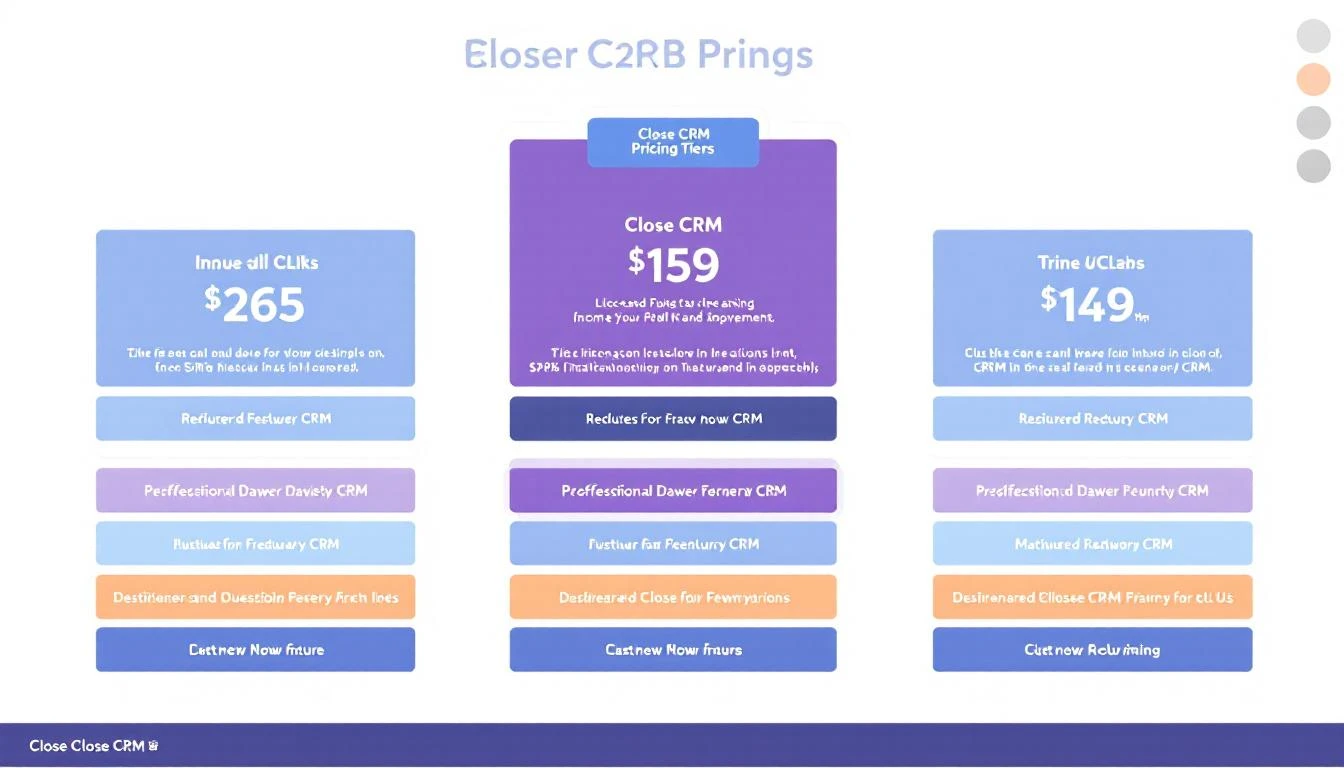
Close CRM pricing plans, dialer add-ons, and 2026 per-user cost breakdown

Quick answer (verified against close.com, September 11, 2026): Close CRM pricing runs from $9/user/month (Solo, annual) to $139/user/month (Scale, annual): Solo $9, Essentials $35, Growth $99, Scale $139. Monthly billing now varies wildly by tier โ€” Solo jumps to $19 (a 111% premium) while Scale is only $149 (7% premium). The Power Dialer requires Growth, the Predictive Dialer requires Scale, and phone credits bill on top of every plan, so calling-heavy SDR teams typically land at $130โ€“180 per seat all-in. Full plan-by-plan math below.

Close CRM's headline "from $9/user" is technically true โ€” for a single user capped at 10,000 leads. But the calling features that made Close famous (Power Dialer, Predictive Dialer, call coaching) require the Growth ($99/user) or Scale ($139/user) plans. Add Call Assistant, phone credits, and premium numbers, and the real per-seat cost lands 2โ€“3x the headline price.

This guide breaks down every Close CRM plan, calculates total cost of ownership for a real 5- and 10-rep SDR team, and shows exactly where the dialer pricing adds up. Stack it against our Apollo.io pricing breakdown, best CRM for SDR teams, and best sales engagement software before you commit.


Close CRM Plans at a Glanceโ€‹

PlanMonthly PriceAnnual PriceAI Credits/moBest For
Solo$19/user/mo$9/user/mo500Individual users getting started
Essentials$49/user/mo$35/user/mo1,000Small teams needing basic CRM + calling
Growth$109/user/mo$99/user/mo1,500Teams needing Power Dialer + automation
Scale$149/user/mo$139/user/mo2,000Large teams needing Predictive Dialer + coaching

All pricing below uses annual billing. Note the odd monthly-billing math in 2026: Solo carries a 111% monthly premium ($19 vs $9) while Growth and Scale carry only 7โ€“10% โ€” Close clearly wants solo users on annual contracts but has nearly erased the monthly penalty for teams.

Every plan now includes a monthly allowance of AI credits for Chloe, Close's built-in AI assistant (500 on Solo up to 2,000 on Scale). Chloe-in-workflows and AI playbooks remain gated to Growth and Scale.


What Each Plan Actually Includesโ€‹

Solo ($9/user/month, Annual)โ€‹

The entry point, limited to a single user:

  • Up to 10,000 leads
  • Unlimited contacts
  • Basic CRM (kanban pipeline, contact timeline)
  • Built-in calling (basic) + SMS
  • Email sync and templates
  • Call recording (30-day retention)
  • 25 custom fields
  • Mobile app
  • API access

What's missing: No bulk email, no workflows, no AI features, no Power Dialer, only 1 user allowed.

Verdict: Fine for a solo founder making calls. Not scalable to a team.

Essentials ($35/user/month, Annual)โ€‹

Opens up team usage:

  • Everything in Solo
  • Unlimited leads (no 10K cap)
  • Multiple pipelines
  • Pipeline Guidance (stalled deal alerts)
  • Call recording (30-day retention)
  • 3 connected email accounts per user
  • Follow-up reminders

What's still missing: No workflows, no Power/Predictive Dialer, no bulk email, no AI features, no custom objects or activities.

Reality check: Essentials is a basic CRM with a phone. You're paying for Close's clean UI and calling infrastructure, but not getting the features that differentiate it from competitors.

Growth ($99/user/month, Annual) โ€” The Sweet Spotโ€‹

This is where Close becomes Close:

  • Everything in Essentials
  • Power Dialer โ€” auto-dials through lists
  • Automated workflows โ€” trigger-based actions
  • Bulk email โ€” send templated emails at scale
  • AI Email Assistant โ€” AI-drafted emails
  • AI Lead Summaries โ€” AI-generated activity digests
  • 10 connected email accounts per user
  • Call recording (90-day retention)
  • 250 custom fields
  • Custom objects and custom activities

This is the plan most teams buy. The Power Dialer alone justifies the upgrade from Essentials for any team making more than 20 calls per day.

Scale ($139/user/month, Annual) โ€” For Large Teamsโ€‹

Everything in Growth, plus:

  • Predictive Dialer โ€” dials multiple numbers simultaneously
  • Call coaching โ€” manager tools for rep development
  • Unlimited call recording retention
  • Role-based access permissions
  • 10 connected email accounts per user

Worth it? Only if you have 10+ reps and need predictive dialing or formal call coaching programs. For most SMBs, Growth is sufficient.


Close CRM Power Dialer Cost: What It Really Takes to Get the Dialerโ€‹

The number one pricing question about Close: "how much is the Power Dialer?" The answer is that you can't buy it standalone โ€” it's a plan gate, not an add-on. Here's the full dialer cost picture:

DialerMinimum Plan RequiredPlan Cost (Annual)What It Does
Basic built-in callingSolo ($9/user/mo)$9+Click-to-call, manual dialing, SMS
Power DialerGrowth$99/user/moAuto-dials through a list, one call at a time
Predictive DialerScale$139/user/moDials multiple numbers simultaneously, connects answered calls

Three costs stack on top of the plan price:

  1. Phone credits โ€” every outbound minute bills separately. US domestic is cheap per minute, but a rep doing 60+ dials a day burns real money. Budget $20-60/rep/month for US-only calling, more for international.
  2. Phone numbers โ€” basic lines start around $1/month, but Premium numbers (IVR, lead-based routing, round-robin) run $19/month per line.
  3. Call Assistant โ€” transcription and AI call summaries are a separate $50/month + $0.02/minute add-on, not included in any plan.

Bottom line on dialer cost: a rep who needs the Power Dialer costs $99 (plan) + ~$40 (credits) + share of Call Assistant and premium lines โ€” realistically $150-170/month all-in, not $99.


Annual vs Monthly Billing: The Premium Varies Wildly by Tierโ€‹

Close's monthly-billing penalty is not uniform โ€” it ranges from 7% to 111% depending on the plan:

PlanMonthly BillingAnnual BillingMonthly PremiumAnnual Savings (per user/yr)
Solo$19/mo$9/mo+111%$120
Essentials$49/mo$35/mo+40%$168
Growth$109/mo$99/mo+10%$120
Scale$149/mo$139/mo+7%$120

What this means in practice: solo users and small teams are being pushed hard toward annual contracts, while larger teams on Growth/Scale lose almost nothing by starting monthly. If you're evaluating Close for a 5+ rep team, start monthly, validate the dialer workflow for a quarter, then switch to annual. The 10% premium is cheap insurance against a bad CRM migration.

Close also offers a 30-day money-back guarantee after purchase and a 14-day free trial (no credit card, includes $5 in calling and enrichment credits), so there's little risk in testing before committing.


How to Pay Less for Close CRMโ€‹

Close doesn't publish discounts on its pricing page, but several are available in 2026:

  • Annual billing โ€” the baseline discount, worth 7-111% depending on tier (see table above).
  • Partner/founder programs โ€” startup perk platforms like FounderPass have offered 35% off Close annual plans for the first year. If you're in an accelerator or founder community, check its perks list before paying retail.
  • Volume negotiation โ€” teams of 10+ seats can get custom pricing from Close's sales team. Per-seat discounts of 10-20% are realistic at 15+ seats on annual contracts.
  • Free secondary organization โ€” Growth and Scale plans include one additional organization free (normally $50/month), useful if you run two brands or regions.
  • Skip the tiers you don't need โ€” the most common overspend is buying Scale for the Predictive Dialer when the team's list quality doesn't support parallel dialing. Most teams under 10 reps get full value from Growth.

The Add-On Taxโ€‹

Close's base pricing doesn't include several features you'll likely need:

Call Assistant โ€” $50/month + $0.02/minuteโ€‹

AI-powered call transcription, summaries, and searchable recordings. Essential for sales coaching and CRM note accuracy. For a team making 2,000 minutes of calls per month, that's $50 + $40 = $90/month.

Premium Phone Numbers โ€” $19/month per lineโ€‹

Basic Close numbers work, but Premium numbers add lead-based call routing, IVR (phone menu), and round-robin routing. Most teams with 5+ reps need at least 2-3 premium lines: $38-57/month.

AI Enrich โ€” Usage-basedโ€‹

Contact enrichment charged per lookup. Close provides $5 in trial credits. After that, ongoing enrichment costs vary by volume.

Phone Credits โ€” Usage-basedโ€‹

Close includes the calling infrastructure, but outbound call minutes are charged separately. US domestic rates are competitive, but international calling adds up quickly. Budget $100-300/month for a 5-10 person team.

Additional Organizations โ€” $50/month eachโ€‹

Need separate orgs for different business units, regions, or products? $50/month per additional org. Growth and Scale include one secondary organization free.


Total Cost of Ownership by Team Sizeโ€‹

Growth Plan ($99/user/month)โ€‹

Team SizeBase CostCall AssistantPhone CreditsPremium LinesTotal Monthly
3 SDRs$297/mo$90/mo$100/mo$38/mo~$525/mo
5 SDRs$495/mo$120/mo$200/mo$57/mo~$872/mo
10 SDRs$990/mo$190/mo$350/mo$76/mo~$1,606/mo
20 SDRs$1,980/mo$330/mo$600/mo$114/mo~$3,024/mo

Scale Plan ($139/user/month)โ€‹

Team SizeBase CostCall AssistantPhone CreditsPremium LinesTotal Monthly
3 SDRs$417/mo$90/mo$100/mo$38/mo~$645/mo
5 SDRs$695/mo$120/mo$200/mo$57/mo~$1,072/mo
10 SDRs$1,390/mo$190/mo$350/mo$76/mo~$2,006/mo
20 SDRs$2,780/mo$330/mo$600/mo$114/mo~$3,824/mo

Key insight: The add-ons increase the effective per-user cost by 40-75%. A "$99/user" Growth plan actually costs ~$160/user when fully equipped.


Close CRM vs Competitors: Pricing Comparisonโ€‹

ToolBase PriceCalling IncludedAI FeaturesVisitor ID
Close Growth$99/user/monthPower DialerAI email + summariesโŒ
Close Scale$139/user/moPredictive Dialer+ Call coachingโŒ
Freshsales Pro$39/user/moBasic dialerFreddy AI scoringโŒ
HubSpot Sales Pro$100/user/moBuilt-in callingAI email writerAdd-on
Pipedrive Pro$49/user/moAdd-onAI assistantโŒ
MarketBetter$99/user/monthSmart dialerFull AI SDR OSโœ…

The per-user vs flat-fee comparison: Close at $99/user becomes more expensive than MarketBetter's $99/user/month fee once you have 15+ users. And MarketBetter includes visitor ID, AI playbook, and chatbot โ€” features Close doesn't offer at any price.


Where Close Pricing Makes Senseโ€‹

Close is cost-effective when:โ€‹

  • You have a small team (3-8 SDRs) focused on phone-based outbound
  • Call volume is your primary productivity metric
  • You already have a separate tool for lead sourcing (Apollo, ZoomInfo, MarketBetter)
  • You don't need website visitor identification
  • You want a CRM + dialer in one tool without managing integrations

Close pricing gets expensive when:โ€‹

  • You have 15+ SDRs (per-user costs compound)
  • You need to add visitor ID, chatbot, and advanced enrichment separately
  • Call Assistant minutes rack up for coaching-heavy teams
  • International calling is a significant portion of your call volume
  • You need predictive dialing (requires Scale at $139/user)

Close CRM Pricing FAQโ€‹

How much does Close CRM cost per user?โ€‹

Between $9 and $139 per user per month on annual billing (August 2026): Solo $9, Essentials $35, Growth $99, Scale $139. Monthly billing raises those to $19/$49/$109/$149. Most SDR teams need Growth for the Power Dialer, and with phone credits and add-ons the real all-in cost typically runs $130โ€“180 per seat.

Does Close CRM have a free plan?โ€‹

No. Close offers a 14-day free trial but no free tier. If budget is the constraint, see our roundup of free AI lead generation tools or cheaper CRMs like Freshsales and Pipedrive.

How much is the Close Power Dialer?โ€‹

The Power Dialer isn't sold separately โ€” it requires the Growth plan at $99/user/month (annual). The Predictive Dialer requires Scale at $139/user/month. Call minutes bill on top of both.

Is Close CRM worth the price?โ€‹

For phone-heavy outbound teams of 3โ€“8 reps, yes โ€” the built-in dialer stack is best-in-class. For teams that also need visitor identification, AI playbooks, or chat, the add-on math gets worse; our full Close CRM review and Close alternatives comparison cover when to pick something else.

What's the cheapest way to buy Close?โ€‹

Annual billing on the tier you actually need. The monthly premium is brutal on Solo (111%) but small on Growth (10%) and Scale (7%) โ€” so solo users should always go annual, while teams lose little by starting monthly to validate fit. Also check founder perk programs (35% off first year has been offered) and negotiate at 10+ seats.

Does Close CRM offer discounts?โ€‹

Not publicly, but three routes exist: annual billing (7-111% off monthly rates depending on tier), startup perk platforms like FounderPass (35% off annual plans has been offered), and custom volume pricing for teams of 10+ seats. There's also a 30-day money-back guarantee if it doesn't work out.


The Bottom Lineโ€‹

Close CRM's pricing is straightforward: pay per user, choose your tier based on which dialer you need. The Growth plan ($99/user/month annual) is where most teams land, and it's competitive for what you get โ€” a solid CRM with the best built-in Power Dialer available.

The hidden cost is the add-on stack. Call Assistant, phone credits, premium lines, and enrichment add 40-75% to the base price. And if you need features Close doesn't have โ€” visitor identification, AI playbook, chatbot โ€” you're adding $500-2,000/month in third-party tools on top.

Compare that to MarketBetter's $99/user/month fee that includes visitor ID, daily playbook, AI sequences, smart dialer, and chatbot. For teams that need more than a CRM with a phone, the total cost comparison often favors MarketBetter.

Ready to see the complete SDR OS? Book a MarketBetter demo โ†’

Close CRM Review 2026: Honest Pros, Cons, and Who It's Built For

ยท 8 min read
Sunder Iyer
Founder, marketbetter.ai

Close CRM has earned a 4.7/5 rating on G2 โ€” one of the highest among CRM platforms. Founded in 2013 (originally Close.io), it's built a devoted following among SMB sales teams who live on the phone. The product is opinionated: calling is first-class, everything else supports the call.

But B2B sales in 2026 isn't just phone calls anymore. With multi-channel sequences, intent data, AI personalization, and buyer self-service reshaping the landscape, does a dialer-first CRM still make sense?

This review analyzes Close from real user data across G2, Capterra, and third-party reviews โ€” covering what it does brilliantly, where it falls short, and who should actually use it. For the full per-seat cost math (plans, dialer tiers, phone credits), see our Close CRM pricing breakdown.


Quick Verdictโ€‹

CategoryRatingNotes
Ease of UseโญโญโญโญโญClean UI, fastest CRM implementation in the market
Calling FeaturesโญโญโญโญโญBest built-in dialer of any CRM, period
Email / SequencesโญโญโญโญSolid sequences with AI assistant
ReportingโญโญโญAdequate for SMBs, insufficient for mid-market
AI FeaturesโญโญโญAI email + summaries, no lead scoring
IntegrationsโญโญโญSmaller ecosystem, API-first approach
SupportโญโญโญโญResponsive, well-documented
OverallโญโญโญโญBest phone-first CRM. Limited beyond calling.

What Close CRM Gets Rightโ€‹

1. The Calling Experience Is Unmatchedโ€‹

No CRM handles phone-based selling better than Close. The dialer options scale with your team:

  • Click-to-call (all plans): One-click calling from any contact record
  • Power Dialer (Growth, $99/user): Automatically dials through a list, connects when answered, logs everything. SDRs report 2-3x more conversations per day.
  • Predictive Dialer (Scale, $139/user): Dials multiple numbers simultaneously, routes live connections to available reps. Maximizes connect rates for 10+ person teams.
  • Voicemail Drop: Pre-record a voicemail, drop it with one click, move to the next call. Saves 30-60 seconds per voicemail.
  • Built-in SMS: Text from the same interface, threaded with calls and emails on the contact timeline.

This isn't a bolted-on integration โ€” calling is native to Close's architecture. The latency is low, call quality is good, and everything logs automatically. For teams making 50-100+ calls per day, this is Close's killer feature.

2. Implementation Speedโ€‹

Close claims 50% faster setup than competing CRMs, and reviewers consistently back this up. Most teams report being operational in 1-3 days:

  • Data import handles CSV mapping cleanly
  • Pipeline setup is drag-and-drop
  • Email sync connects in minutes
  • No admin certification needed
  • No implementation consultant required

For startups and SMBs that can't spend weeks configuring Salesforce, this speed-to-value is a genuine advantage.

3. Smart Views โ€” Dynamic List Buildingโ€‹

Close's Smart Views replace static contact lists with dynamic, saved searches that update automatically. Filter by any combination of fields, activities, dates, and custom properties โ€” and share views across the team.

This is powerful for SDR managers who want to segment leads by status, last touch date, deal stage, or custom criteria without building reports.

4. Opinionated Design Reduces Complexityโ€‹

Close deliberately excludes features that bloat other CRMs: no marketing automation, no service desk, no project management, no content management. This focus means:

  • Less training time for new reps
  • Faster navigation (fewer tabs, menus, settings)
  • Fewer "which tool do I use?" decisions
  • Lower administrative overhead

If your sales process is straightforward โ€” prospect, call, qualify, close โ€” Close's focused design matches your workflow perfectly.

5. Strong API and Developer Supportโ€‹

Close's API is well-documented and genuinely comprehensive. For teams with engineering resources, this opens up custom integrations, reporting, and workflow automation that compensate for Close's smaller native marketplace.


Where Close CRM Falls Shortโ€‹

1. No Website Visitor Identificationโ€‹

Close cannot identify anonymous website visitors. When a prospect browses your pricing page and leaves, Close has zero awareness. This is a significant gap in 2026 when visitor identification tools can reveal 10-30% of anonymous traffic.

If website traffic is a meaningful lead source for your team, you'll need a separate visitor ID tool (MarketBetter, Warmly, 6sense) at $200-2,000+/month on top of Close.

2. No AI Lead Scoringโ€‹

Close offers AI Lead Summaries (digestible recaps of lead activity) and AI Email Rewrite (drafting assistance). But it doesn't have AI-powered lead scoring that prioritizes prospects by buying intent.

This means SDRs manually decide who to call and in what order. Smart Views help filter, but there's no automated prioritization based on engagement signals, firmographic fit, or behavioral patterns.

Compare this to platforms like MarketBetter that generate a daily prioritized playbook, or even Freshsales Pro at $39/user with Freddy AI scoring.

3. Limited Integration Ecosystemโ€‹

Close takes an API-first approach to integrations, which works well for teams with developers but limits non-technical teams. The native integration marketplace is significantly smaller than HubSpot's (1,500+ apps), Salesforce's (AppExchange), or even Pipedrive's (400+).

Common integrations that require custom API work or Zapier:

  • Marketing automation tools
  • Advanced reporting/BI platforms
  • Visitor identification tools
  • Conversation intelligence platforms

4. Reporting Is Adequate, Not Powerfulโ€‹

Close's built-in reports cover the basics: call volume, email opens, pipeline conversion, revenue tracking. But mid-market teams consistently flag limitations:

  • No custom dashboard builder
  • Limited cross-object reporting
  • No multi-touch attribution
  • Revenue forecasting requires manual calculation
  • No cohort analysis or trend visualization

If your VP of Sales wants sophisticated pipeline analytics, you'll export data to a BI tool or spreadsheet.

5. Call Recording Retention Limitsโ€‹

Call recording retention is plan-dependent:

  • Solo/Essentials: 30 days
  • Growth: 90 days
  • Scale: Unlimited

For compliance-regulated industries (financial services, healthcare) or teams that reference historical calls during deal reviews, the 30-90 day limits on lower plans are restrictive. And upgrading to Scale just for unlimited retention adds $40/user/month.

6. Single-Channel Focus in a Multi-Channel Worldโ€‹

Close excels at phone and email. But modern B2B sales increasingly involves LinkedIn outreach, chatbots, website engagement, and intent-driven sequencing across channels. Close doesn't have:

  • LinkedIn integration for outreach
  • AI chatbot for website visitors
  • Intent data aggregation
  • Multi-channel sequence orchestration (email โ†’ call โ†’ LinkedIn โ†’ SMS)

For teams running multi-channel playbooks, Close covers only 2 of 4+ channels.


What Real Users Sayโ€‹

G2 Reviews (4.7/5)โ€‹

Common praise:

  • "Close is incredibly intuitive and easy to use โ€” our new reps were making calls on day one"
  • "The Power Dialer doubled our connect rates"
  • "Best CRM for sales teams that actually sell, not just manage data"
  • "Smart Views are addictive โ€” I build a new one every week"

Common complaints:

  • "Reporting could be much better โ€” we end up in Google Sheets too often"
  • "Wish there were more native integrations"
  • "Predictive Dialer pricing ($139/user) is steep for smaller teams"
  • "No lead scoring means we're still guessing who to prioritize"

Capterra / Third-Party Reviewsโ€‹

Zeeg review analysis: "Close CRM prides itself on being up to 50% faster to implement than competing CRMs, making it particularly attractive for fast-moving startups and SMBs."

Consistent theme: Close is loved for what it does (calling + simple CRM) and criticized for what it doesn't do (scoring, visitor ID, advanced reporting, multi-channel).


Close CRM vs Alternativesโ€‹

FeatureClose (Growth)Freshsales ProHubSpot Sales ProMarketBetter
Price$99/user/month$39/user/mo$100/user/mo$99/user/month
Dialer Qualityโญโญโญโญโญโญโญโญโญโญโญโญโญโญโญ
AI Lead ScoringโŒโœ… Freddy AIโœ…โœ… Intent-based
Email Sequencesโœ…Basicโœ… Advancedโœ… AI-personalized
Visitor IDโŒโŒAdd-onโœ… Built-in
Reportingโญโญโญโญโญโญโญโญโญโญโญโญโญโญโญ
Setup Speedโญโญโญโญโญโญโญโญโญโญโญโญโญโญโญโญ
G2 Rating4.7/54.5/54.4/54.97/5

Who Should Choose Close CRMโ€‹

โœ… Close is a great fit if:โ€‹

  • Phone-based selling is your primary outbound channel
  • Your SDRs make 50+ calls/day and need a Power Dialer
  • You want the simplest, fastest CRM implementation available
  • Your team is 3-15 people and doesn't need enterprise features
  • You have a separate lead sourcing tool (Apollo, ZoomInfo, etc.)
  • You want CRM + dialer in one tool without integration headaches

โŒ Close is NOT a fit if:โ€‹

  • You need website visitor identification
  • AI-powered lead prioritization is important to your workflow
  • You run multi-channel outbound (email + call + LinkedIn + chat)
  • Your sales leadership needs sophisticated pipeline analytics
  • You have 20+ reps and per-user pricing gets expensive
  • You need marketing automation or chatbot capabilities

The Bottom Lineโ€‹

Close CRM is the best phone-first CRM available. If your SDRs' primary job is getting on the phone and closing deals, Close's Power Dialer, clean UX, and fast implementation create a genuine competitive advantage.

But B2B sales in 2026 isn't just phone calls. Teams need visitor identification to catch intent. They need AI scoring to prioritize outreach. They need multi-channel sequences to engage buyers where they are. Close excels at one channel โ€” and in a multi-channel world, that's both its greatest strength and its clearest limitation.

Our rating: 4.2/5 โ€” Best-in-class for phone-heavy sales teams. Limited for multi-channel SDR execution.

Looking for a platform that combines calling with visitor ID, AI playbook, and multi-channel sequences? Book a MarketBetter demo โ†’

Freshsales Pricing 2026: $9 to $59/User (Real TCO After Hidden Add-Ons)

ยท 7 min read
Sunder Iyer
Founder, marketbetter.ai

Freshsales pricing tiers and plans breakdown for 2026

Freshsales advertises "$9/user/month" on every pricing page, blog post, and Google ad. What they don't mention: that $9 plan has no AI lead scoring, no sales sequences, no territory management, and only basic workflows. The features SDR teams actually need start at $39/user/month on Pro.

This guide breaks down every Freshsales plan, calculates the real total cost of ownership for different team sizes, and shows where the pricing gets deceptive.


Freshsales Plans at a Glanceโ€‹

PlanMonthly Cost (Billed Annually)Best For
Free$0 (up to 3 users)Solo founders testing CRM basics
Growth$9/user/monthSmall teams needing basic pipeline management
Pro$39/user/monthGrowing teams that need AI scoring + sequences
Enterprise$59/user/monthMid-market teams needing customization + governance

All prices are per user, per month, billed annually. Monthly billing costs more โ€” Freshworks doesn't prominently disclose the monthly rates, but expect 20-30% higher.


What Each Plan Actually Includesโ€‹

Free Plan ($0 โ€” Up to 3 Users)โ€‹

The free plan exists primarily as a lead generation tool for Freshworks. It includes:

  • Kanban views for contacts, accounts, and deals
  • Built-in chat, email, and phone
  • Email templates
  • Basic contact management
  • Mobile app
  • 24x5 support

What's missing: No workflows, no sales sequences, no AI features, no custom reports. You're essentially using a digital Rolodex with a phone dialer attached.

Verdict: Fine for a solo founder tracking 50 leads. Unusable for an actual sales team.

Growth Plan ($9/user/month)โ€‹

The plan Freshsales puts in every headline. It adds:

  • Contact lifecycle stages
  • Custom fields
  • Basic workflows
  • Contextual collaboration with Slack
  • Product catalog
  • Curated reports (not custom)
  • 1 CPQ license
  • Freshworks Marketplace access

What's still missing: No AI lead scoring (Freddy AI), no sales sequences, no auto-assignment rules, no territory management, no multiple pipelines, no custom reports, no advanced workflows.

The reality check: Most B2B sales teams need multiple pipelines, lead scoring, and email sequences. Growth doesn't have any of these. You'll upgrade within 60 days.

Pro Plan ($39/user/month) โ€” Where Most Teams Landโ€‹

This is the real starting price for serious sales teams:

  • Freddy AI contact scoring โ€” AI-powered lead prioritization
  • Custom sales activities
  • Advanced custom fields
  • Auto-assignment rules
  • Territory management
  • Sales sequences โ€” multi-step email automation
  • AI-generated sales emails (Freddy)
  • Text rephrase/expand/enhance by AI
  • BYOC (Bring Your Own Carrier)
  • Multiple sales pipelines
  • Account hierarchy
  • Deal insights by Freddy AI
  • Advanced workflows
  • Custom reports

This is the plan you'll actually buy. The jump from $9 to $39 is a 4.3x price increase โ€” and it's not optional if you're running outbound.

Enterprise Plan ($59/user/month)โ€‹

Adds governance and customization:

  • Field-level permissions
  • Custom modules
  • Forecasting insights by Freddy AI
  • Workflows for custom modules
  • Sandbox environment
  • Audit logs

Worth it? Only if you need sandbox testing, audit compliance, or complex permission structures. For most SMB sales teams, Pro covers everything.


The Add-On Taxโ€‹

Freshsales pricing doesn't stop at the per-user fee. Several critical features cost extra:

Configure, Price, Quote (CPQ)โ€‹

The Growth plan includes 1 CPQ license. Additional licenses for generating quotes, invoices, and contracts cost extra (pricing not publicly disclosed โ€” you'll need to talk to sales).

Freddy AI Agent (Chatbot)โ€‹

All paid plans include 500 free bot sessions (one-time, not monthly). After that, you buy session packs. Pricing varies โ€” expect $100-300/month for meaningful chatbot usage.

Phone Creditsโ€‹

Built-in calling is included, but you pay per-minute rates for actual calls. US domestic rates are competitive (~$0.02/min), but international calling adds up fast for global teams.

Freshsales Suiteโ€‹

If you want marketing automation (landing pages, email marketing, journey builder), you need Freshsales Suite instead of standalone Freshsales. Suite pricing starts at $9/user/month (Growth) but the feature-complete version is $39/user/month โ€” same Pro tier, just with marketing bolted on.


Total Cost of Ownership by Team Sizeโ€‹

Here's what Freshsales actually costs for different team configurations on the Pro plan (what most teams need):

Team SizeAnnual Cost (Pro)Annual Cost (Enterprise)
3 SDRs$1,404/year ($117/mo)$2,124/year ($177/mo)
5 SDRs$2,340/year ($195/mo)$3,540/year ($295/mo)
10 SDRs$4,680/year ($390/mo)$7,080/year ($590/mo)
20 SDRs$9,360/year ($780/mo)$14,160/year ($1,180/mo)
50 SDRs$23,400/year ($1,950/mo)$35,400/year ($2,950/mo)

Add 15-30% for phone credits, extra bot sessions, and any CPQ licenses beyond the first.


Where Freshsales Gets Expensiveโ€‹

The Freddy AI Ceilingโ€‹

Freshsales markets Freddy AI heavily, but the AI features are limited compared to dedicated AI SDR platforms:

  • Lead scoring works โ€” but it scores contacts already in your CRM. It doesn't find new leads.
  • Email generation exists โ€” but it can't build personalized multi-touch sequences based on prospect behavior.
  • No website visitor identification โ€” Freshsales can't tell you who's on your site right now.
  • No daily SDR playbook โ€” your reps still decide who to call, when, and why.

If you want AI that actually drives outbound activity (not just scores existing contacts), you need a tool like MarketBetter alongside your CRM.

The Integration Stack Taxโ€‹

Freshsales has a growing marketplace, but it's smaller than HubSpot's or Salesforce's ecosystems. Common integrations that require paid third-party tools:

  • Website visitor identification โ†’ Clearbit, 6sense, or MarketBetter ($200-2,000+/mo)
  • Advanced email automation โ†’ Outreach, Salesloft ($100-150/user/mo)
  • Sales intelligence โ†’ ZoomInfo, Apollo ($200-1,000+/mo)
  • Conversation intelligence โ†’ Gong, Chorus ($100-200/user/mo)

A fully-equipped Freshsales SDR stack (CRM + outbound + intelligence + visitor ID) runs $2,000-5,000/month for a 10-person team โ€” far beyond the "$9/user" headline.


Freshsales vs Competitors: Pricing Comparisonโ€‹

ToolStarting PriceAI SDR FeaturesVisitor IDPhone Dialer
Freshsales Pro$39/user/moLead scoring onlyNoBuilt-in (pay per min)
HubSpot Sales Pro$100/user/moAI email writerAdd-onBuilt-in
Pipedrive$24/user/moAI assistantNoAdd-on
Close CRM$99/user/monthAI email + summariesNoBuilt-in
MarketBetter$99/user/monthFull AI SDR OSYesSmart dialer

Key insight: Freshsales is cheap per-seat, but it's just a CRM. The features that generate pipeline โ€” visitor ID, intelligent outbound, AI-powered playbooks โ€” cost extra through third-party integrations. MarketBetter bundles everything into a flat fee that doesn't scale per-user.


Who Should (and Shouldn't) Choose Freshsalesโ€‹

Freshsales is a good fit if:โ€‹

  • You need an affordable CRM with built-in phone ($39/user for Pro)
  • Your team is 5-50 users and doesn't need enterprise customization
  • You already use Freshdesk for support (seamless integration)
  • Your primary challenge is pipeline management, not pipeline generation
  • You want fast implementation (days, not weeks)

Freshsales is NOT a good fit if:โ€‹

  • You need to identify anonymous website visitors
  • Your SDRs need daily prioritized outreach lists (playbook)
  • You want AI-generated personalized email sequences
  • You need a smart dialer with call routing and intelligence
  • You're trying to generate pipeline, not just track it

The Bottom Lineโ€‹

Freshsales is genuinely one of the most affordable CRMs on the market โ€” but that's because it's just a CRM. It manages contacts and deals well. It does not help your SDRs find leads, prioritize their day, or execute outbound campaigns.

If your team's problem is: "We have leads but can't track them" โ†’ Freshsales Pro at $39/user/month is solid.

If your team's problem is: "We need more pipeline" โ†’ You need an SDR execution platform that does the prospecting and outreach, with Freshsales (or any CRM) as the system of record underneath.

Ready to see what an AI-powered SDR platform looks like? Book a demo with MarketBetter and see how visitor ID + daily playbook + smart dialer generates pipeline your CRM alone never will.

Freshsales Review 2026: What the 4.5/5 G2 Rating Doesn't Tell You

ยท 8 min read
Sunder Iyer
Founder, marketbetter.ai

Freshsales CRM review and analysis for 2026

Freshsales has over 3,000 reviews on G2 with a 4.5/5 rating. Capterra reviewers frequently praise the interface and built-in phone. But dig past the headline rating and a consistent pattern emerges: Freshsales is an excellent lightweight CRM that struggles when teams need to do anything beyond basic contact management.

This review is based on analysis of G2, Capterra, and third-party review data โ€” not vendor talking points. We'll cover what works, what doesn't, and whether Freshsales fits your team's actual needs.


Quick Verdictโ€‹

CategoryRatingNotes
Ease of UseโญโญโญโญโญConsistently praised across reviews. Clean UI, fast setup
Feature DepthโญโญโญGood CRM basics, weak on outbound execution
Pricing ValueโญโญโญโญCompetitive per-seat pricing, especially at Pro tier
AI CapabilitiesโญโญโญFreddy AI scoring works but limited in scope
Integration EcosystemโญโญโญGrowing marketplace, but smaller than HubSpot/Salesforce
Support QualityโญโญโญMixed reviews โ€” good documentation, inconsistent live support
OverallโญโญโญโญStrong SMB CRM. Not an SDR execution platform.

What Freshsales Gets Rightโ€‹

1. Fastest Time-to-Value in the CRM Categoryโ€‹

Freshsales consistently earns praise for setup speed. G2 reviewers report going from signup to first pipeline view in under an hour. Compare that to Salesforce (weeks) or HubSpot (days for full configuration).

The kanban-style pipeline view, drag-and-drop deal management, and pre-built templates mean most teams are productive on day one. For small teams without a dedicated RevOps person, this matters enormously.

2. Built-in Phone That Actually Worksโ€‹

Unlike many CRMs that require a third-party dialer integration, Freshsales includes a built-in cloud phone across all paid plans. Features include:

  • Click-to-call from any contact record
  • Automatic call logging
  • Call recording
  • Voicemail drop
  • Local and international numbers

The phone isn't as sophisticated as a dedicated dialer like Close's Power Dialer or MarketBetter's smart dialer, but for teams making 20-30 calls per day, it's more than adequate โ€” and it's included in the base price.

3. Competitive Pricing for What You Getโ€‹

At $39/user/month for Pro (the plan most teams actually need), Freshsales undercuts the competition meaningfully:

  • HubSpot Sales Professional: $100/user/month
  • Salesforce Sales Cloud: $80/user/month
  • Close CRM Growth: $99/user/month
  • Pipedrive Professional: $49/user/month

For pure CRM functionality with a phone, Freshsales offers arguably the best price-to-value ratio in the market.

4. Freddy AI Lead Scoringโ€‹

Available from the Pro plan, Freddy AI scores contacts based on engagement signals, profile fit, and activity patterns. The scoring is reasonably accurate for prioritizing existing pipeline โ€” several G2 reviewers note it helped their teams focus on high-intent leads instead of working alphabetically.

The scoring model is transparent enough that sales managers can understand why leads are ranked the way they are, which builds trust in the system.

5. Freshworks Ecosystem Advantageโ€‹

If you already use Freshdesk (customer support) or Freshservice (IT), Freshsales integrates natively with zero configuration. Customer support tickets, knowledge base interactions, and IT requests flow into the CRM timeline automatically.

This cross-product data sharing gives context that standalone CRM users miss โ€” your SDR can see that a prospect's company has an open support ticket before calling.


Where Freshsales Falls Shortโ€‹

1. Reporting is Limitedโ€‹

This is the most consistent complaint across review platforms. G2 and Capterra reviewers repeatedly flag:

  • Custom report builder is basic compared to HubSpot or Salesforce
  • Dashboard customization options are limited
  • Cross-object reporting (contacts + deals + activities) requires workarounds
  • No native revenue forecasting on Growth or Pro plans

If your sales leadership needs sophisticated pipeline reporting, win/loss analysis, or multi-touch attribution, Freshsales will frustrate you. You'll end up exporting to spreadsheets.

2. Auto-Enrichment Accuracy is Inconsistentโ€‹

Freshsales includes auto-enrichment for contact and company data. In testing, accuracy varies significantly:

  • US companies: ~72% enrichment hit rate
  • International companies: significantly lower
  • Job title and company size data frequently outdated
  • Social profile links often broken

For teams that rely on accurate prospect data for outbound, you'll likely need a supplementary enrichment tool like Apollo, ZoomInfo, or MarketBetter's enrichment engine.

3. No Website Visitor Identificationโ€‹

Freshsales cannot identify anonymous website visitors. If someone reads your pricing page and leaves without converting, Freshsales has zero awareness.

This is a significant gap for B2B sales teams where 98% of website visitors never fill out a form. Tools like MarketBetter, Warmly, and 6sense solve this problem โ€” but they're separate purchases that add $200-2,000+/month to your stack.

4. Sales Sequences Are Basicโ€‹

Pro plan includes sales sequences, but they're limited compared to dedicated outbound tools:

  • Email-only sequences (no multi-channel with calls, LinkedIn, SMS)
  • Limited personalization variables
  • No AI-powered send-time optimization
  • No A/B testing at the sequence level
  • No automatic lead rotation within sequences

If outbound email is your primary channel, you'll outgrow Freshsales sequences within a few months and migrate to Outreach, SalesLoft, or Instantly.

5. Support Quality is Hit-or-Missโ€‹

Freshworks offers 24x5 support across all plans. But reviews tell a mixed story:

  • Documentation: Strong. Well-organized knowledge base with video tutorials.
  • Chat support: Generally responsive for basic questions.
  • Complex issues: Multiple reviewers on Capterra report slow resolution times for technical problems, especially around integrations and data migration.
  • Phone support: Limited availability. Enterprise customers get priority.

The common complaint: "It works well and looks great, but the pricing and support let it down" (Capterra review, November 2025).

6. Mobile App Needs Workโ€‹

The Freshsales mobile app exists and covers basics (contact lookup, call logging, deal updates), but reviewers consistently note:

  • Slower performance compared to desktop
  • Not all features available on mobile
  • Notification management is clunky
  • Offline access is limited

For field sales teams who live on mobile, this is a notable weakness.


What Real Users Sayโ€‹

From G2 Reviews (4.5/5, 3,000+ reviews):โ€‹

Common praise:

  • "The initial setup was super easy and refreshing, especially as I've used other CRMs before"
  • "Built-in phone saves us from managing another vendor"
  • "Freddy AI lead scoring actually helped us focus on the right accounts"

Common complaints:

  • "Reporting capabilities are limited โ€” we export to Google Sheets for anything complex"
  • "Sometimes when I'm taking notes, it bounces me to the bottom or the top"
  • "The cheaper plans only give you one pipeline" (OnepageCRM review analysis)

From Capterra Reviews:โ€‹

Standout insight: "It works well and looks great, but the pricing and support let it down." โ€” This captures the Freshsales experience perfectly. The product is polished, the CRM fundamentals are solid, but the moment you need more than basics, you're either upgrading tiers or adding third-party tools.


Freshsales vs the Competitionโ€‹

FeatureFreshsales ProHubSpot Sales ProClose GrowthMarketBetter
Price$39/user/mo$100/user/mo$99/user/month$99/user/month
Built-in Phoneโœ…โœ…โœ… Power Dialerโœ… Smart Dialer
AI Lead Scoringโœ… Freddyโœ…โŒโœ… Intent-based
Email SequencesBasicAdvancedAdvancedAI-personalized
Visitor IDโŒAdd-onโŒโœ… Built-in
Daily SDR PlaybookโŒโŒโŒโœ…
Custom Reportsโœ… Limitedโœ… Extensiveโœ…โœ…
Free Planโœ… (3 users)โœ… (limited)โŒโŒ

Who Should Choose Freshsalesโ€‹

โœ… Great fit:โ€‹

  • SMB sales teams (5-50 users) who need affordable CRM with built-in phone
  • Freshworks ecosystem users (Freshdesk, Freshservice) wanting seamless integration
  • Teams prioritizing ease of use over feature depth
  • Budget-conscious startups that need a CRM under $40/user/month
  • Companies whose bottleneck is deal tracking, not pipeline generation

โŒ Not a fit:โ€‹

  • Teams that need website visitor identification โ€” Freshsales can't do this
  • SDR-heavy organizations that need daily prioritized outreach playbooks
  • Companies needing advanced outbound automation (multi-channel sequences, AI personalization)
  • Revenue teams requiring deep reporting and pipeline analytics
  • Enterprise teams needing complex customization (consider Salesforce instead)

The Bottom Lineโ€‹

Freshsales is a genuinely good CRM at a competitive price. It handles contact management, deal tracking, and basic sales workflows better than most tools in its price range. The built-in phone alone saves teams $30-50/user/month versus adding a third-party dialer.

But it's a CRM, not an SDR platform. If your team needs to generate pipeline โ€” identify website visitors, prioritize outreach, send AI-personalized sequences, and track buying signals โ€” Freshsales is only one piece of the puzzle. You'll need a dedicated SDR execution layer like MarketBetter on top.

Our rating: 4.0/5 โ€” Best-in-class value for SMB CRM. Falls short when teams need outbound execution capabilities.

Want to see what a complete SDR operating system looks like? Book a demo with MarketBetter โ€” visitor ID, daily playbook, smart dialer, and AI sequences included.

Groove by Clari Pricing Breakdown 2026: What Salesforce-Native Engagement Really Costs

ยท 6 min read
MarketBetter Team
Content Team, marketbetter.ai

Groove doesn't publish pricing on its website. Neither does Clari, its parent company. You'll need to book a demo and talk to sales before you see a single number.

That's already a red flag for SMB and mid-market teams who want to know what they're getting into before committing time to a sales cycle.

We dug into third-party pricing data from Vendr, TrustRadius, G2, and analysis sites to piece together what Groove by Clari actually costs in 2026.

The Short Versionโ€‹

Groove by Clari costs approximately $50โ€“$150 per user/month for the sales engagement module alone. But most organizations don't buy Groove standalone โ€” it's bundled with Clari's revenue intelligence platform, pushing total costs to $200+ per user/month when you add Clari Core and Copilot modules.

For a 10-person SDR team, expect to pay $24,000โ€“$60,000/year for Groove alone, or $60,000โ€“$120,000+/year for the full Clari + Groove stack.

How Groove Pricing Worksโ€‹

Since Clari acquired Groove in August 2023, Groove is no longer sold as a standalone product in most cases. It's positioned as the "sales engagement" module within Clari's broader revenue platform.

Clari's Module Structureโ€‹

Clari sells three main modules:

Clari Core (Revenue Intelligence)

  • Pipeline analytics and forecasting
  • Deal inspection and risk scoring
  • AI-powered revenue predictions
  • Estimated: $60โ€“$100/user/month

Clari Copilot (Conversation Intelligence)

  • Call recording and transcription
  • AI meeting summaries
  • Coaching insights
  • Estimated: $40โ€“$80/user/month

Groove (Sales Engagement)

  • Multi-step email/call/LinkedIn flows
  • Activity auto-capture to Salesforce
  • Calendar scheduling
  • Team analytics and templates
  • Estimated: $50โ€“$150/user/month

Pricing Variablesโ€‹

Groove pricing varies based on:

  1. User count โ€” Volume discounts start around 25+ seats
  2. Module bundle โ€” Buying all three modules gets better per-module rates
  3. Contract length โ€” Annual contracts are standard; multi-year deals get discounts
  4. Salesforce edition โ€” Groove requires Salesforce, which adds $25โ€“$300/user/month on top

Real Cost Scenariosโ€‹

Scenario 1: 5-Person SDR Team (Groove Only)โ€‹

Cost ComponentMonthlyAnnual
Groove licenses (5 ร— $75/user)$375$4,500
Salesforce Professional (5 ร— $80/user)$400$4,800
Total$775$9,300

This is the bare minimum โ€” Groove without the Clari analytics layer.

Scenario 2: 10-Person Team (Clari + Groove)โ€‹

Cost ComponentMonthlyAnnual
Clari Core (10 ร— $80/user)$800$9,600
Groove (10 ร— $100/user)$1,000$12,000
Clari Copilot (10 ร— $60/user)$600$7,200
Salesforce Enterprise (10 ร— $165/user)$1,650$19,800
Total$4,050$48,600

Scenario 3: 25-Person Enterprise Team (Full Stack)โ€‹

Cost ComponentMonthlyAnnual
Clari full platform (25 users)$4,500$54,000
Groove (25 ร— $75/user, volume discount)$1,875$22,500
Salesforce Enterprise (25 ร— $165/user)$4,125$49,500
Implementation/onboardingโ€”$15,000โ€“$25,000
Total$10,500+$141,000โ€“$151,000

The Hidden Costsโ€‹

1. Salesforce Dependencyโ€‹

Groove only works with Salesforce. If you're on HubSpot, Pipedrive, or any other CRM, Groove isn't an option. And Salesforce itself costs $25โ€“$300/user/month depending on your edition.

2. Implementation Costsโ€‹

Enterprise deployments typically require professional services for Salesforce workflow configuration, data migration, and team training. Expect $10,000โ€“$25,000 for initial setup.

3. Module Creepโ€‹

Most organizations start with Groove and end up adding Clari Core and Copilot within the first year. What starts as a $50/user engagement tool becomes a $200/user platform.

4. Annual Contracts Onlyโ€‹

No monthly option. You're committing to 12 months minimum, with most enterprise deals running 2โ€“3 years.

5. Limited Seats vs. Full Orgโ€‹

Groove pricing often requires minimum seat counts. If you have 8 SDRs but the minimum is 10 seats, you're paying for unused licenses.

Groove vs. Alternatives: Price Comparisonโ€‹

PlatformStarting PriceWhat's Included
Groove by Clari~$50โ€“$150/user/moEmail sequences, Salesforce sync, activity capture
MarketBetter~$99/user/month (team)Visitor ID, email, smart dialer, AI chatbot, daily playbook
Outreach~$100/user/moSequences, dialer, analytics
SalesLoft~$75/user/moCadences, dialer, conversation intel
Apollo$49โ€“$119/user/moProspecting DB + sequences
Reply.io$59โ€“$99/user/monthMultichannel sequences

What Groove Doesn't Include (That Competitors Do)โ€‹

Groove is purely a sales engagement layer. It does NOT include:

  • Website visitor identification โ€” You need Clearbit, 6sense, or another tool ($99/user/month with everything included)
  • Contact database โ€” You need ZoomInfo, Apollo, or Cognism ($10,000โ€“$50,000/yr)
  • AI chatbot โ€” You need Drift/Qualified ($2,500โ€“$5,000/mo)
  • Intent data โ€” You need Bombora or G2 Buyer Intent ($1,000โ€“$5,000/mo)
  • Smart dialer โ€” Groove has basic dialer features, but for parallel/power dialing you need Orum or Nooks ($250+/user/mo)

When you add these supplementary tools, the total cost of a Groove-centered stack can reach $100,000โ€“$200,000/year for a mid-size team.

Who Should Pay Groove's Priceโ€‹

Groove makes financial sense if:

  • You're already deeply invested in Salesforce and Clari
  • You have 50+ reps and need enterprise-grade Salesforce data integrity
  • Your IT/ops team mandates Salesforce-native tools only
  • You're consolidating from Outreach or SalesLoft into the Clari ecosystem

Groove is overpriced if:

  • You're a team of 5โ€“20 SDRs looking for an all-in-one platform
  • You don't use Salesforce
  • You need visitor identification, intent data, or AI chatbot alongside engagement
  • You want transparent pricing without a multi-week sales process

The MarketBetter Alternativeโ€‹

MarketBetter replaces the need for Groove + visitor ID + intent data + chatbot with a single platform starting around $99/user/month.

Instead of paying $50,000+/year for Clari + Groove + supplementary tools, your SDRs get:

  • Daily playbook โ€” who to contact, what channel, what to say
  • Website visitor identification โ€” built in, not a separate subscription
  • Smart dialer โ€” included, not an add-on
  • AI chatbot โ€” engages visitors 24/7
  • Email automation โ€” hyper-personalized sequences
  • Lead enrichment โ€” contact data without a separate database subscription

Total cost for a 5-person SDR team: ~$1,500/month vs. $4,000+/month for a comparable Groove-centered stack.

Book a demo โ†’

Bottom Lineโ€‹

Groove is a solid Salesforce-native engagement platform, but its pricing reflects an enterprise-first approach that's difficult for growing teams to justify. The lack of transparent pricing, the Salesforce dependency, and the need for multiple supplementary tools make the total cost of ownership significantly higher than the per-user sticker price suggests.

For teams that want one platform instead of a five-tool stack, MarketBetter delivers more capability at a fraction of the cost.


Related:

Groove by Clari Review 2026: Salesforce-Native Engagement Worth the Enterprise Price?

ยท 6 min read
MarketBetter Team
Content Team, marketbetter.ai

Groove has been a Salesforce-native sales engagement platform since 2014. In August 2023, Clari acquired it and folded it into their revenue intelligence platform. The result: Groove is now part of a larger ecosystem โ€” which is either a strength or a liability depending on your situation.

Groove by Clari Review 2026

We analyzed 971 TrustRadius reviews, G2 feedback, Gartner Peer Insights ratings, and real user comments to give you an honest assessment of what Groove delivers in 2026.

The Quick Verdictโ€‹

Groove rating: 4.7/5 on G2 (based on 4,700+ reviews across the Clari/Groove ecosystem) | 8.1/10 on TrustRadius (971 reviews)

Best for: Enterprise sales teams deeply invested in Salesforce who need a native engagement layer with zero sync issues.

Not ideal for: SMB teams, non-Salesforce shops, or anyone who needs visitor identification, intent data, or AI chatbot alongside their engagement tool.

What Groove Actually Does Wellโ€‹

1. Best-in-Class Salesforce Integrationโ€‹

This is Groove's undeniable strength. Unlike Outreach or SalesLoft, which sync data to Salesforce, Groove stores data in Salesforce natively. Every email sent, call logged, and meeting booked writes directly to Salesforce objects without a separate database.

For enterprise teams with strict data governance, this is a major differentiator. As one G2 reviewer put it:

"Groove's Salesforce integration is the best I've seen. No sync errors, no duplicate records, no data living in two places."

2. Activity Auto-Captureโ€‹

Groove automatically logs emails, calendar events, and calls to the correct Salesforce records. Reps don't need to manually log activities โ€” Groove handles it. This solves one of the biggest complaints SDR managers have: incomplete CRM data.

Multiple reviewers on TrustRadius praise this:

"Before Groove, our CRM data was 40% incomplete. Now it's over 95% accurate because Groove captures everything automatically."

3. Multi-Step Flowsโ€‹

Groove's flow builder lets you create multi-step sequences across email, phone, and LinkedIn tasks. Templates are shared across the team, and managers can see which flows perform best. The flow editor is straightforward โ€” not as feature-rich as Outreach's, but easier to learn.

4. Enterprise-Grade Analyticsโ€‹

Since the Clari acquisition, Groove has gained access to Clari's analytics engine. Managers get pipeline visibility, activity reporting, and team performance dashboards that pull from both Salesforce and Groove engagement data. For enterprises that want one view of their entire revenue operation, this is valuable.

Where Groove Falls Shortโ€‹

1. No Standalone Optionโ€‹

Since the Clari acquisition, Groove is increasingly bundled with Clari's broader platform. New customers are often pushed toward the full Clari suite (Core + Copilot + Groove), which significantly increases the total cost. Teams that just want email sequences and activity logging may end up paying for forecasting and conversation intelligence they don't need.

One Gartner Peer Insights reviewer noted:

"Groove has been the primary headache for our sales team since implementation."

2. Salesforce Lock-Inโ€‹

Groove only works with Salesforce. Period. If you're on HubSpot, Pipedrive, Close, or any other CRM, Groove isn't an option. And even within Salesforce, some features require Enterprise edition or higher โ€” adding to the total cost.

3. Limited Prospecting Capabilitiesโ€‹

Groove is an engagement platform, not a prospecting platform. It doesn't include:

  • No contact database โ€” You can't find new prospects in Groove
  • No visitor identification โ€” You won't know who's on your website
  • No intent data โ€” No buying signals beyond what's in Salesforce
  • No AI chatbot โ€” No automated website engagement
  • No enrichment โ€” No automatic contact data filling

This means Groove always needs supplementary tools, which adds complexity and cost.

4. Email Deliverability Concernsโ€‹

Several reviewers mention email deliverability issues when using Groove's built-in email capabilities:

"We noticed deliverability dropped when we started using Groove for high-volume outbound. Had to bring in a separate warmup tool."

"The email tracking can be finicky โ€” sometimes opens aren't recorded correctly."

5. Post-Acquisition Growing Painsโ€‹

The Clari acquisition has created uncertainty. Some features have been rebranded, the roadmap has shifted toward Clari's vision, and pricing has become less transparent. Multiple Reddit threads from former Groove customers discuss frustration with post-acquisition changes:

  • Support response times have reportedly increased
  • Some standalone Groove features have been deprecated in favor of Clari equivalents
  • Pricing negotiations now involve the Clari sales team

6. Limited Customization for Flowsโ€‹

Compared to Outreach or SalesLoft, Groove's flow builder has fewer branching options, conditional logic, and A/B testing capabilities. Power users who want sophisticated multi-path sequences may find it constraining.

What Real Users Sayโ€‹

The Positivesโ€‹

"Groove integrates seamlessly with Salesforce. The templates and flows save our team hours every week." โ€” G2 reviewer, Mid-Market

"Activity auto-capture changed our team's CRM hygiene from terrible to excellent." โ€” TrustRadius reviewer

"As a manager, I love seeing all activity data right in Salesforce. No separate dashboard to check." โ€” G2 reviewer, Enterprise

The Negativesโ€‹

"Groove needs more customization to set up sales sequences with Salesforce." โ€” G2 reviewer

"Redundancy between Salesforce and Clari and the work necessary on both ends can be unnecessarily cumbersome." โ€” G2 reviewer

"I would appreciate more KPI analytics available in a dashboard that merges Salesforce pipeline data with Groove outcomes." โ€” G2 reviewer

"We encountered some technical issues and found certain limitations in its functionality." โ€” G2 reviewer

Groove by Clari vs. Competitorsโ€‹

CapabilityGroove (Clari)MarketBetterOutreachSalesLoft
Salesforce nativeโœ… Best in classโœ… CRM syncโœ… Syncโœ… Sync
Visitor identificationโŒโœ… Built-inโŒโŒ
AI daily playbookโŒโœ…โŒโŒ
Smart dialerโš ๏ธ Basicโœ… Built-inโœ… Add-onโœ… Built-in
AI chatbotโŒโœ… Built-inโŒโŒ
Intent signalsโŒโœ… Built-inโŒโŒ
Contact databaseโŒโœ… EnrichmentโŒโŒ
Revenue intelligenceโœ… Via ClariโŒโš ๏ธ Limitedโš ๏ธ Via Drift
Transparent pricingโŒโœ…โŒโŒ
Starting price~$50/user/mo$99/user/month~$100/user/mo~$75/user/mo

Who Should Use Grooveโ€‹

Groove is a good fit if:

  • โœ… You're a Salesforce Enterprise shop with 50+ reps
  • โœ… Data integrity and CRM governance are top priorities
  • โœ… You're already using or evaluating Clari for forecasting
  • โœ… Your IT team mandates Salesforce-native solutions only
  • โœ… You have budget for supplementary tools (prospecting DB, visitor ID, chatbot)

Groove is NOT a good fit if:

  • โŒ You use any CRM other than Salesforce
  • โŒ You have fewer than 20 SDRs
  • โŒ You want an all-in-one platform (engagement + prospecting + signals)
  • โŒ Transparent, predictable pricing matters to you
  • โŒ You need visitor identification or AI chatbot built in

A Better Option for Growing Teamsโ€‹

If your goal is to tell SDRs exactly who to contact, through which channel, and what to say โ€” every single morning โ€” without assembling a five-tool stack, MarketBetter delivers that out of the box.

One platform. Visitor ID, smart dialer, email automation, AI chatbot, and a daily playbook. No Salesforce dependency. No hidden pricing.

Book a demo โ†’


Related:

MarketBetter vs Autobound: Signal-Based Outreach vs Email Personalization [2026]

ยท 7 min read
MarketBetter Team
Content Team, marketbetter.ai

MarketBetter vs Autobound comparison

Autobound has built a reputation as the best AI email personalization engine in B2B sales. With 4.9/5 on G2 from 250+ reviews and claims of 3x higher reply rates, it's the tool SDR teams reach for when cold emails aren't landing.

But here's the question nobody asks: Does writing better emails actually solve the SDR productivity problem? Or is the real bottleneck knowing who to contact, when to reach out, and what channel to use?

That's the fundamental difference between Autobound and MarketBetter. Autobound makes your emails better. MarketBetter makes your entire SDR workflow better โ€” from identifying warm leads visiting your site, to prioritizing your daily call list, to executing multi-channel sequences.

The short answer: If your only bottleneck is email copy quality, Autobound is excellent. If your SDRs waste time on the wrong leads, switch between 5+ tabs, and struggle with prioritization โ€” MarketBetter solves the whole problem.


Quick Feature Comparisonโ€‹

FeatureMarketBetterAutobound
AI Email Personalizationโœ… Built-inโœ… Core strength
Website Visitor IDโœ… All plansโœ… Scale+ plans
AI Chatbotโœ… Engages visitors 24/7โŒ
Daily SDR Playbookโœ… Prioritized task listโŒ
Smart Dialerโœ… Built-inโŒ
Pre-Meeting Briefsโœ… Auto-generatedโŒ
LinkedIn Outreachโœ… Multi-channelโŒ No automation
Phone Scriptsโœ…โœ…
Built-in Sequencesโœ…โœ… Native sequencing
Chrome Extensionโœ…โœ…
Signal Intelligenceโœ… Intent + behaviorโœ… 400+ signals
Contact Databaseโœ…โœ… 270M+ contacts
CRM Integrationโœ…โœ… (1-2 on lower plans)
Credit SystemโŒ Flat pricingโœ… 10K-1M+ credits/mo
Starting Price$99/user/month$1,033/mo (billed annually)
Free Trialโœ…โœ…

What Autobound Does Wellโ€‹

Credit where it's due โ€” Autobound excels at AI email personalization. Their signal engine pulls from 400+ data points per prospect: 10-K filings, earnings call transcripts, LinkedIn posts, Reddit discussions, GitHub activity, Glassdoor reviews, hiring velocity, and more.

The result is genuinely impressive email drafts. Instead of generic "I noticed your company is growing" openers, Autobound writes emails that reference specific CEO quotes from earnings calls, recent job postings, and relevant industry trends. Their Chrome extension lets SDRs generate personalized outreach directly from LinkedIn profiles.

Autobound's Honest Strengthsโ€‹

  • Signal depth is unmatched โ€” 25+ proprietary signal types from sources most tools don't monitor (SEC filings, Reddit, GitHub repos)
  • Email quality is high โ€” AI generates multi-touch sequences, not just single emails
  • Fast onboarding โ€” New SDRs can generate quality emails in under 30 seconds
  • Integrates with existing stack โ€” Works alongside Outreach, Salesloft, and Instantly

What Users Say (G2, 252 Reviews)โ€‹

"Saves so much time during prospecting! It makes the job of an SDR/BDR so much easier." โ€” Cloud Solutions Executive

"While occasional editing may be needed to avoid sounding templated, Autobound's combination of AI precision and user control makes it a standout." โ€” G2 Verified Review


Where Autobound Falls Shortโ€‹

Autobound solves one problem extremely well: writing personalized emails. But it leaves the rest of the SDR workflow untouched.

1. No Visitor Identification on Lower Plansโ€‹

Autobound added website visitor identification, but only on Scale ($4,020/mo) and Enterprise ($8,250/mo) plans. On Starter ($1,033/mo) and Pro ($1,862/mo), you don't know who's visiting your site. That means you're still cold prospecting โ€” just with better email copy.

MarketBetter includes visitor identification on every plan. You see which companies are on your site right now, what pages they're viewing, and how engaged they are.

2. No Dialer, No Chatbot, No Multi-Channelโ€‹

Autobound is email-only in practice. There's no built-in phone dialer, no AI chatbot for website visitors, and no LinkedIn automation. Their Chrome extension generates messages, but you still need separate tools to actually make calls, chat with visitors, and run LinkedIn sequences.

MarketBetter combines email, phone, chat, and LinkedIn in one platform. Your SDR opens one tab and sees everything โ€” not five.

3. Credit-Based Pricing Gets Expensive Fastโ€‹

Autobound charges 2 credits per email, 1 credit per research item, 1 credit per signal suggestion, and 1 credit per contact enrichment. The Starter plan gives you 10K-60K credits/month.

Here's the math for a 5-rep team sending 50 personalized emails/day each:

  • 250 emails ร— 2 credits = 500 credits/day
  • Research per prospect: 250 ร— 1 = 250 credits/day
  • Monthly: ~16,500 credits just for basic personalization
  • That's 33% of your maximum Starter credits on email alone

At scale, you'll likely need Pro ($22,344/yr) or Scale ($48,240/yr). And that's just for email personalization โ€” you still need separate tools for calling, chatting, and visitor ID.

4. Output Needs Manual Editingโ€‹

Multiple reviews note that Autobound's AI output "can sound templated" without manual editing. The SalesRobot review specifically flagged "limited control over tone and structure" as a weakness. When you're sending 100+ emails/day, even 2 minutes of editing per email adds up to 3+ hours of daily manual work.


What MarketBetter Does That Autobound Can'tโ€‹

The Daily SDR Playbookโ€‹

This is the fundamental differentiator. MarketBetter doesn't just help you write emails โ€” it tells you exactly what to do every morning.

Open MarketBetter and you see a prioritized task list: "Call Sarah at Vantage Health โ€” she visited your pricing page 3 times this week." "Email the VP of Sales at Datadog โ€” they just hired 5 SDRs." "Follow up with the Gong lead โ€” their trial expires Friday."

Autobound gives you better email drafts. MarketBetter gives you a strategy.

Website Visitor Intelligence on Every Planโ€‹

When a prospect from your target accounts visits your pricing page at 2 PM, MarketBetter alerts your SDR immediately. Not tomorrow. Not when they fill out a form. Right now, while they're still thinking about your product.

Autobound's visitor ID starts at $48,240/year (Enterprise plan). MarketBetter includes it at every price point.

Multi-Channel Executionโ€‹

A modern SDR workflow isn't email-only. Research shows multi-channel sequences (email + phone + LinkedIn + chat) book 3x more meetings than email alone.

MarketBetter combines:

  • Email sequences with AI personalization
  • Smart dialer for warm calling
  • AI chatbot that engages website visitors 24/7
  • LinkedIn outreach integration
  • Pre-meeting briefs generated automatically

With Autobound, you need Autobound + a dialer (Nooks or Orum, $5K/user/yr) + a chatbot (Drift, $2,500/mo) + LinkedIn automation (separate tool). That stack easily exceeds $100K/year for a 5-person SDR team.


Pricing Comparison: Total Cost of Ownershipโ€‹

Autobound (5 SDRs)MarketBetter (5 SDRs)
Platform$22,344-$48,240/yr~$18,000/yr
Phone Dialer+$25,000/yr (Nooks)โœ… Included
AI Chatbot+$30,000/yr (Drift)โœ… Included
Visitor ID+$0 (only on Scale+)โœ… Included
LinkedIn Tool+$6,000/yrโœ… Included
Total Stack$83,344-$109,240/yr~$18,000/yr

Autobound has exceptional email personalization. But when you add the tools needed to actually run a complete SDR operation, the cost comparison isn't close.


Who Should Choose Autobound?โ€‹

Autobound is the right pick if:

  • Email is your primary channel and you don't need phone, chat, or LinkedIn
  • You already have a full stack (Outreach/Salesloft + dialer + chatbot) and just need better email copy
  • Your SDRs are experienced and know who to target โ€” they just need help writing faster
  • You value signal depth โ€” Autobound's 400+ insights per prospect are genuinely unique
  • You have budget for the add-on tools needed to complement email-only personalization

Who Should Choose MarketBetter?โ€‹

MarketBetter is the right pick if:

  • You want one platform for email, phone, chat, LinkedIn, and visitor ID
  • Your SDRs struggle with prioritization โ€” they need a daily playbook, not just better emails
  • You need visitor identification without paying $48K/yr for an enterprise plan
  • You want transparent pricing without credit-based math and overage charges
  • You're an SMB or growth-stage company that can't afford a $100K+ multi-tool stack

The Bottom Lineโ€‹

Autobound is the best AI email personalization tool on the market. Full stop. If your SDRs write 100 emails a day and you want each one to reference a prospect's SEC filing, LinkedIn post, and hiring activity โ€” Autobound is phenomenal at that.

But most SDR teams don't fail because their emails aren't personalized enough. They fail because they're emailing the wrong people, at the wrong time, without phone and chat backup. They fail because nobody tells them who to prioritize when they open their laptop at 8 AM.

MarketBetter solves the whole problem: who to contact, what to say, which channel to use, and when to reach out. All in one platform, at a fraction of the total cost.

The difference: Autobound helps your SDRs write better emails. MarketBetter helps your SDRs close more pipeline.

Book a MarketBetter demo โ†’

MarketBetter vs Close CRM: Built-in Dialer vs Complete SDR Operating System [2026]

ยท 7 min read
Sunder Iyer
Founder, marketbetter.ai

MarketBetter vs Close CRM comparison for B2B sales teams

Close CRM is the best phone-first CRM on the market. MarketBetter is a complete SDR operating system. They overlap on calling โ€” and almost nothing else.

Close ($9-139/user/month annual โ€” full pricing breakdown) built its reputation on one thing: making it faster to dial, connect, and close. Power Dialer, Predictive Dialer, built-in SMS, email sequences, and call coaching โ€” all designed for sales teams that live on the phone. It's also a competent CRM with pipeline management, smart views, and reporting.

MarketBetter ($99/user/month) starts from the opposite direction. Instead of asking "how do we make more calls?", it asks "who should we call, and why?" Website visitor identification reveals who's browsing your site. The daily SDR playbook prioritizes outreach based on intent signals. AI-personalized email sequences warm leads before the call. Then the smart dialer helps you connect.

The fundamental difference: Close optimizes the activity of calling. MarketBetter optimizes the strategy of who to call and why โ€” then helps you execute across every channel.


Feature Comparisonโ€‹

FeatureMarketBetterClose CRM
Pricing$99/user/month (Growth)$29-139/user/mo
Website Visitor IDโœ… Built-inโŒ Not available
Daily SDR Playbookโœ… AI-prioritizedโŒ Manual list building
Phone Dialerโœ… Smart dialerโœ… Power + Predictive dialer
Built-in SMSโŒโœ…
Email Sequencesโœ… AI-personalizedโœ… Multi-step
AI Email Assistantโœ…โœ… (Growth+ plan)
AI Lead Scoringโœ… Intent-basedโŒ AI summaries only
AI Chatbotโœ… Built-inโŒ
CRM / PipelineIntegrates with CRMsโœ… Full CRM
Call CoachingโŒโœ… (Scale plan)
Custom ObjectsVia CRM integrationโœ…
APIโœ…โœ…
G2 Rating4.97/54.7/5

Where Close CRM Winsโ€‹

1. The Best Built-in Dialer in Any CRMโ€‹

Close's calling infrastructure is legitimately best-in-class among CRM platforms:

  • Power Dialer (Standard plan, $99/user): Auto-dials through a list, connects reps when someone picks up. Dramatically increases call volume.
  • Predictive Dialer (Scale plan, $139/user): Dials multiple numbers simultaneously, routes live connections to available reps. Maximizes connect rates for large teams.
  • Call Assistant: AI transcription, call summaries, and searchable recordings. $50/month + $0.02/minute.
  • Built-in SMS: Send and receive text messages directly from lead records.
  • Voicemail Drop: Pre-record voicemails, drop them with one click.

If your SDRs make 100+ calls per day, Close's dialer is genuinely superior to most alternatives โ€” including MarketBetter's smart dialer, which prioritizes intelligence over raw volume.

2. Sales-First CRM Designโ€‹

Close was built by salespeople, for salespeople. The UX reflects this:

  • Smart Views replace static lists with dynamic, saved filters that update automatically
  • Lead activity timeline consolidates calls, emails, SMS, and notes in one chronological view
  • Pipeline Guidance highlights stalled or at-risk deals and suggests next steps
  • Zero bloat โ€” no marketing features, no service desk, no project management

If your team's workflow is straightforward โ€” find leads, call them, close deals โ€” Close provides a cleaner experience than platforms trying to be everything.

3. Fast Implementationโ€‹

Close claims 50% faster setup than competitors, and reviews support this. Most teams are operational within 1-2 days. Data import, pipeline configuration, and email sync are all streamlined.

4. Call Coaching (Scale Plan)โ€‹

At $139/user/month, the Scale plan includes call coaching features โ€” managers can listen to recordings, leave notes, and track rep improvement over time. Combined with unlimited call recording retention, this creates a built-in training loop.


Where MarketBetter Winsโ€‹

1. Website Visitor Identificationโ€‹

Close CRM has zero visibility into anonymous website visitors. When a prospect browses your pricing page, reads a case study, and leaves โ€” Close never knows they existed.

MarketBetter identifies these visitors, matches them to company and contact data, and surfaces them in the SDR playbook. This turns your website from a passive brochure into an active lead source.

The math: If 1,000 visitors hit your site monthly and 98% leave without converting, MarketBetter identifies a meaningful percentage โ€” giving your team warm leads to call instead of cold lists.

2. Daily SDR Playbookโ€‹

Close provides Smart Views to filter leads, but SDRs still decide who to contact and in what order. MarketBetter's daily playbook answers those questions automatically:

  • Who showed intent signals today?
  • Which accounts visited your site?
  • Who opened emails but didn't reply?
  • Which leads should be called vs. emailed?
  • What personalization should each outreach include?

This is the difference between a CRM that stores data and a platform that tells you what to do with it.

3. AI-Personalized Email Sequencesโ€‹

Close includes email sequences and an AI email assistant (Growth+ plan). MarketBetter's sequences are built on a deeper intelligence layer:

  • Personalization based on prospect's website behavior, company signals, and engagement history
  • Automatic sequence enrollment triggered by intent signals
  • Multi-channel orchestration (email, then call, then LinkedIn touchpoint)
  • Continuously optimized send timing based on engagement data

4. AI Chatbot for Website Engagementโ€‹

MarketBetter includes an AI chatbot that engages website visitors in real-time โ€” qualifying leads, booking meetings, and routing conversations to SDRs. Close has no chatbot capability at all.

For companies where website traffic is a primary lead source, this captures pipeline that Close would miss entirely.

5. Flat Pricing Modelโ€‹

Close charges per user ($29-139/user/month). For a 10-person SDR team on Growth ($99/user), that's $990/month. On Scale ($139/user), it's $1,390/month.

MarketBetter charges $99/user/month โ€” same price regardless of whether you have 3 or 10 SDRs using it. For teams larger than 5-6 SDRs, MarketBetter's per-user economics are actually better, and you get visitor ID, playbook, and chatbot included.


Pricing Deep Diveโ€‹

Close CRM Plansโ€‹

PlanAnnual PriceKey Additions
Solo$9/user/mo1 user max, 10K leads, basic CRM
Essentials$35/user/moUnlimited contacts, calling/SMS, pipelines
Growth$99/user/monthWorkflows, Power Dialer, AI Email, bulk email
Scale$139/user/moPredictive Dialer, call coaching, permissions

Add-ons: Call Assistant ($50/mo + $0.02/min), Premium Phone Numbers ($19/mo/line), additional orgs ($50/mo each), AI Enrich (usage-based).

Total Cost Comparison (10-Person SDR Team)โ€‹

ComponentClose (Growth)Close (Scale)MarketBetter
Base platform$990/mo$1,390/mo$99/user/month
Call Assistant+$50/mo+$50/moIncluded
Phone credits~$200/mo~$200/mo~$200/mo
Visitor IDNeed 3rd party (+$500-2K)Need 3rd party (+$500-2K)โœ… Included
AI ChatbotNeed 3rd party (+$200-500)Need 3rd party (+$200-500)โœ… Included
Total$1,740-3,240/mo$2,140-4,140/mo~$1,700/mo

When you add the tools Close doesn't include but SDR teams need, MarketBetter's flat fee becomes competitive even against Close's lower per-user pricing.


Who Should Choose Each Toolโ€‹

Choose Close CRM if:โ€‹

  • Your SDRs make 80+ cold calls per day and call volume is the primary KPI
  • You need a sales-first CRM that combines pipeline + dialing in one tool
  • Your team is small (1-5 reps) and wants the simplest possible setup
  • Call coaching and recording are critical for training
  • You already have a separate visitor ID and lead sourcing solution

Choose MarketBetter if:โ€‹

  • Your team needs to know WHO to call, not just how to call faster
  • Website visitor identification is important for your sales motion
  • You want AI-prioritized daily playbooks instead of manual list building
  • You need multi-channel execution (email + calls + chatbot) in one platform
  • You have 5+ SDRs and want flat pricing instead of per-user scaling

Use Both if:โ€‹

  • You love Close's dialer but need visitor ID and intent signals โ†’ Use MarketBetter for intelligence + outbound, Close for calling execution
  • Close is your CRM โ†’ Layer MarketBetter on top for visitor ID, playbook, and AI sequences

The Bottom Lineโ€‹

Close CRM is the best tool in the market for one thing: making phone calls from a CRM. If your entire sales motion is call-based and your reps dial 100+ numbers per day, Close's Power and Predictive Dialers are hard to beat.

MarketBetter solves the problem that comes before the call: figuring out who to contact, why they're worth reaching, and what to say. It's the SDR operating system that turns signals into pipeline โ€” then helps you execute across every channel, including phone.

The real question isn't dialer vs. dialer. It's whether your team needs to dial faster (Close) or dial smarter (MarketBetter).

See what AI-powered SDR execution looks like โ†’ Book a MarketBetter demo

MarketBetter vs Groove by Clari: Enterprise Sales Engagement vs AI SDR Platform [2026]

ยท 7 min read
MarketBetter Team
Content Team, marketbetter.ai

Groove made its name as the Salesforce-native sales engagement platform โ€” the tool that Fortune 500 companies like Google, ADP, Uber, and Cisco used to manage outbound sequences while keeping their Salesforce data pristine. Then Clari acquired it in August 2023 for an undisclosed sum, folding it into their revenue intelligence platform.

MarketBetter takes the opposite approach: instead of building on top of a CRM, it replaces the need for a sprawling sales stack entirely. One platform handles visitor identification, intent signals, daily SDR playbooks, email automation, a smart dialer, and an AI chatbot.

This comparison comes down to a simple question: Do you need an enterprise-grade Salesforce add-on, or an AI-native platform that tells your SDRs exactly what to do every morning?

MarketBetter vs Groove by Clari comparison

What Each Platform Actually Doesโ€‹

Groove by Clari is a Salesforce-native sales engagement platform. It stores all data directly in Salesforce (not a separate database), offers multi-step flows across email, phone, and LinkedIn, automatically captures activities, and provides team analytics. Its deepest strength is its Salesforce integration โ€” it reads and writes to your CRM in real time without sync issues. Since the Clari acquisition, it now includes AI-powered conversation intelligence via Clari Copilot and RevAI features like automated call summaries.

MarketBetter is an AI SDR operating system. It identifies companies visiting your website, processes intent signals from multiple sources, and generates a daily playbook that tells each SDR exactly who to contact, through which channel, and what to say. It includes built-in email automation, a smart dialer, an AI chatbot, and lead enrichment โ€” no additional tools required.

Feature-by-Feature Comparisonโ€‹

FeatureMarketBetterGroove by Clari
Website visitor identificationโœ… Built-inโŒ Requires separate tool
Daily SDR playbookโœ… AI-generated tasksโŒ Manual flow creation
Multi-channel sequencesโœ… Email, phone, chatโœ… Email, phone, LinkedIn
Smart dialerโœ… Built-inโš ๏ธ Basic dialer, relies on integrations
AI chatbotโœ… Engages every visitorโŒ No chatbot
Salesforce integrationโœ… CRM syncโœ… Salesforce-native (strongest feature)
CRM flexibilityโœ… Works with multiple CRMsโŒ Salesforce only
Activity captureโœ… Automaticโœ… Automatic (Salesforce-native)
Intent signalsโœ… Multi-sourceโŒ No native intent data
AI email personalizationโœ… AI-written outreachโš ๏ธ Template-based + AI assist
Conversation intelligenceโš ๏ธ Call analyticsโœ… Clari Copilot integration
Revenue forecastingโŒ Not core focusโœ… Via Clari platform
Setup timeโœ… HoursโŒ Weeks to months (enterprise)
Minimum company sizeโœ… Any sizeโš ๏ธ Mid-market to enterprise

Groove's Pricing: The Enterprise Black Boxโ€‹

Groove by Clari does not publish pricing. This is by design โ€” it's an enterprise product sold through custom contracts. Based on industry data and user reports:

  • Clari base platform: ~$100-150/user/month for forecasting
  • Groove engagement module: Estimated $75-150/user/month as an add-on
  • Clari Copilot (conversation intelligence): Additional $50-100/user/month
  • Full Clari + Groove + Copilot stack: $225-400/user/month

For a 10-person SDR team, that's $2,250-4,000/month โ€” before you add visitor identification, chatbot, or enrichment tools.

And that estimate doesn't include implementation costs. Groove's enterprise deployment typically involves:

  • Multi-week onboarding with a dedicated CSM
  • Salesforce admin configuration
  • Custom flow building and governance setup
  • Training across teams

MarketBetter: $99/user/month for the complete platform โ€” visitor ID, playbooks, email, dialer, chatbot, and enrichment included. Setup takes hours, not weeks.

Groove's Strengths (Being Honest)โ€‹

Credit where it's due โ€” Groove excels in specific areas:

1. Salesforce-native architecture. Groove stores data directly in Salesforce rather than syncing to a separate database. For companies where Salesforce is the absolute source of truth and data governance is critical (regulated industries, Fortune 500), this is a genuine advantage. No sync lag, no duplicate records, no data discrepancies.

2. Enterprise credibility. Groove's customer list includes Google, ADP, Uber, Capital One, Adobe, and Cisco. It was a Forrester Wave Leader in Sales Engagement (Q3 2022). For procurement teams that need a "safe" choice, Groove checks every compliance box.

3. Conversation intelligence via Clari Copilot. The Clari acquisition brought AI call summaries, next-best-action recommendations, and conversation analytics. This is a real capability that MarketBetter doesn't match today.

4. Revenue platform integration. If you already use Clari for forecasting, adding Groove gives you a unified view from prospecting through close. The data flows naturally within the Clari ecosystem.

5. 75,000+ daily users. Groove claims 75,000 users rely on it daily, suggesting strong adoption in large organizations.

The Acquisition Problemโ€‹

Groove's acquisition by Clari in August 2023 is both its greatest strength and its biggest risk.

The upside: Clari's AI and forecasting capabilities make Groove smarter. The combined platform offers revenue intelligence + sales engagement in one contract.

The downside: Groove is no longer an independent company making independent product decisions. Every roadmap decision now filters through Clari's strategy. G2 reviewers have flagged this:

  • Some features that were on Groove's independent roadmap have been deprioritized
  • Pricing has become more opaque as Groove bundles with Clari's broader platform
  • Support and account management now route through Clari's team
  • A Gartner reviewer noted: "Groove has been the primary headache for our sales team since implementation"

This is the same pattern we've seen with Drift (acquired by Salesloft) and Yesware (acquired by Vendasta). Post-acquisition, standalone products tend to become modules within larger platforms โ€” and the standalone customer experience degrades.

The Philosophical Divide: CRM-Centric vs Signal-Centricโ€‹

This comparison reveals a deeper architectural difference:

Groove's model: Start with your CRM (Salesforce). Build sequences on top of CRM records. Capture activities back into CRM. The CRM is the center of gravity.

MarketBetter's model: Start with signals โ€” who's visiting your website, who's showing buying intent, who matches your ICP. Generate a daily playbook from those signals. Execute across email, phone, and chat. Push results to CRM.

The Groove model assumes you already know who to target and you have good CRM data. The MarketBetter model assumes the hardest part is knowing WHO to target right now โ€” and automates the discovery.

For established enterprise sales orgs with massive Salesforce instances and dedicated admins, the CRM-centric model works. For growing teams that need to identify and convert inbound interest quickly, the signal-centric model wins.

When Groove by Clari Makes Senseโ€‹

Groove is the right choice when:

  • Salesforce is your religion โ€” You've built your entire revenue operation around Salesforce and need zero-compromise CRM integration
  • You're enterprise-scale โ€” 100+ reps, complex governance requirements, regulated industry
  • You already use Clari โ€” Adding Groove to an existing Clari contract is natural
  • Revenue forecasting matters more than prospecting โ€” Clari's forecasting is industry-leading
  • Procurement demands safe choices โ€” Groove + Clari won't get a VP of Sales fired for choosing it

When MarketBetter Makes Senseโ€‹

MarketBetter is the better fit when:

  • You need to find prospects, not just sequence them โ€” Visitor ID and intent signals are your prospecting engine
  • You want everything in one platform โ€” No more stitching together 5-7 tools
  • You're not locked into Salesforce โ€” You use HubSpot, Pipedrive, or other CRMs
  • Speed matters โ€” You want to be running in hours, not weeks
  • Your team is 3-20 SDRs โ€” Right-sized for growing revenue teams, not enterprise bureaucracy
  • You need a daily playbook โ€” Your SDRs shouldn't decide who to call each morning. AI should.
  • Budget is a factor โ€” $99/user/month vs $2,250-4,000/mo for Clari + Groove alone

The Bottom Lineโ€‹

Groove by Clari is an excellent Salesforce-native engagement tool for large enterprises that have already committed to the Clari + Salesforce ecosystem. If you're a Fortune 500 company with a dedicated Salesforce admin team and $4K+/month to spend on sales engagement alone, Groove delivers.

MarketBetter is built for the other 95% of B2B sales teams โ€” the ones that need to identify who's interested, generate a daily plan, and execute across every channel without assembling a six-figure tech stack.

The real question isn't which is better. It's whether your team needs an enterprise CRM add-on or an AI SDR platform that does the thinking for them.

See MarketBetter's daily playbook in action โ†’


MarketBetter vs Snitcher: Visitor ID Alone or Complete SDR Platform? [2026]

ยท 6 min read
MarketBetter Team
Content Team, marketbetter.ai

MarketBetter vs Snitcher comparison for B2B website visitor identification

Snitcher and MarketBetter both identify anonymous website visitors. That's where the similarity ends.

Snitcher is a focused visitor identification tool โ€” it reveals which companies visit your site, enriches them with firmographic data, and pushes alerts to your stack. It does this well and charges $49-79/mo for it.

MarketBetter is a complete SDR platform that starts with visitor identification and adds a Daily Playbook, smart dialer, email automation, AI chatbot, and pre-meeting briefs. It starting at $99/user/month.

The question isn't which tool has better visitor ID. It's whether you need identification or identification + execution.


Feature Comparisonโ€‹

FeatureMarketBetterSnitcher
Company-Level Visitor IDโœ…โœ…
Person-Level Visitor IDโœ…โŒ (company only)
Contact Enrichmentโœ… Built-inโœ… Firmographic
Real-Time Alertsโœ…โœ…
Daily SDR Playbookโœ…โŒ
Smart Dialerโœ…โŒ
Email Automationโœ…โŒ
AI Chatbotโœ…โŒ
Pre-Meeting Briefsโœ…โŒ
GA4 Integrationโœ…โœ… (GA4 Enricher)
CRM Integrationโœ… HubSpot, Salesforceโœ… HubSpot, Salesforce, Pipedrive
LinkedIn Ads TargetingโŒโœ…
Automated Workflowsโœ… Full orchestrationโœ… Basic routing
Campaign Trackingโœ…โœ…
API Accessโœ…โœ…
GDPR Compliantโœ… SOC 2 certifiedโœ…
Starting Price$99/user/month$49/mo (annual)

Where Snitcher Winsโ€‹

1. Price โ€” Significantly Cheaper for Pure Visitor IDโ€‹

If all you need is to know which companies visit your website, Snitcher is hard to beat on price. At $49/mo (annual billing) or $79/mo (monthly), it's one of the most affordable company-level identification tools available. MarketBetter starting at $99/user/month because it includes an entire SDR execution layer.

For solo founders, early-stage startups, or marketing teams that just need visitor data piped into their existing tools, Snitcher's pricing makes more sense.

2. GA4 Enricher โ€” Direct Google Analytics Integrationโ€‹

Snitcher's GA4 enricher overlays company data directly onto your Google Analytics reports. This is genuinely useful for marketing teams that want to see which companies drove which traffic, without leaving their existing analytics workflow.

3. LinkedIn Ads Targetingโ€‹

Snitcher can push identified companies directly into LinkedIn Ads audiences for retargeting. This is a nice touch for demand gen teams running account-based LinkedIn campaigns โ€” something MarketBetter doesn't offer natively.

4. No Feature Gatingโ€‹

Snitcher gives every customer every feature. No artificial limits based on plan tier. The only variable is how many companies you identify per month. MarketBetter's Standard plan excludes the SDR dashboard and playbook โ€” you need Standard ($99/user/month) for those.

5. Agency Modelโ€‹

Snitcher has a dedicated agency plan for managing multiple client accounts. If you're an agency providing visitor data to clients, Snitcher's multi-tenant setup is built for that use case.


Where MarketBetter Winsโ€‹

1. The Gap Between "Who Visited" and "What to Do About It"โ€‹

This is the fundamental difference. Snitcher tells you Company X visited your pricing page. MarketBetter tells you Company X visited your pricing page, scores them against your ICP, identifies the decision-maker's email and phone number, queues them in your Daily Playbook with a personalized email draft and call script, and lets you call them from the built-in dialer.

Snitcher gives you data. MarketBetter gives you a complete workflow.

For teams with fewer than 3 SDRs, this distinction matters enormously. Those reps don't have time to take Snitcher data, research the contact in LinkedIn, find the email in Apollo, write a personalized message, and log it in HubSpot. MarketBetter collapses all of that into one screen.

2. Person-Level Identificationโ€‹

Snitcher identifies companies. MarketBetter identifies people โ€” the actual contacts you need to reach. This eliminates the manual step of figuring out who at the company to contact after identification.

3. Smart Dialerโ€‹

MarketBetter includes a built-in dialer. After identifying a high-intent visitor, your rep can call them directly from the platform โ€” no switching to a separate dialer tool. Snitcher has no calling capability.

4. AI Chatbotโ€‹

MarketBetter's AI chatbot engages visitors in real time. Instead of just identifying them after they leave, the chatbot can start a conversation while they're still on your site. Snitcher doesn't have any engagement layer โ€” it only observes.

5. Email Automationโ€‹

MarketBetter builds and sends personalized email sequences based on visitor behavior. Snitcher identifies visitors but relies on you to handle all outreach through separate tools.


Pricing Comparisonโ€‹

Snitcher Pricingโ€‹

TierMonthlyAnnualIdentifications
Free Trial$0-14 days, full access
Premium$79/mo$49/moBased on tier
Agency$79/mo$49/moMulti-client

Snitcher's pricing scales based on the number of unique companies identified per month. Each company counts once regardless of how many visits. They filter out ISPs and irrelevant traffic automatically.

MarketBetter Pricingโ€‹

PlanPriceKey Features
Standard$99/user/monthEverything included: visitor ID, chatbot, email, dialer, playbook
Standard$99/user/month5 seats, SDR dashboard, daily playbook
EnterpriseCustom10 seats, smart dialer

MarketBetter is per-seat with everything included in each tier. No per-identification billing.

Total Cost of Ownershipโ€‹

Here's where it gets interesting. Snitcher is cheap on its own, but to replicate what MarketBetter does, you'd need:

  • Snitcher for visitor ID: $49-79/mo
  • Apollo or ZoomInfo for contact enrichment: $99-300/mo
  • Outreach or SalesLoft for email sequences: $100-150/user/mo
  • Dialpad or Aircall for calling: $50-100/user/mo
  • Drift or Intercom for chatbot: $100-500/mo

Total stack with Snitcher: $400-1,100+/mo for a single rep. And that's without the daily playbook โ€” no tool in that stack prioritizes your rep's day.

MarketBetter: $99/user/month (all-inclusive) for 3 reps.

If you're running a team of 3+ SDRs, MarketBetter's consolidated pricing often comes out cheaper than the Snitcher-centered stack.


Who Should Choose Snitcherโ€‹

  • Marketing teams that need visitor data for analytics, not sales outreach
  • Solo founders or very early-stage companies watching every dollar
  • Agencies managing visitor data for multiple clients
  • Teams already invested in Outreach/SalesLoft that just need a visitor ID add-on
  • Demand gen teams running LinkedIn Ads retargeting campaigns

Who Should Choose MarketBetterโ€‹

  • SDR teams of 3+ that need identification AND execution in one tool
  • Teams drowning in 10+ tabs โ€” CRM, dialer, email tool, visitor ID, enrichment
  • Companies that want faster speed-to-lead โ€” from identification to first touch in minutes, not hours
  • B2B companies with inbound + outbound motions that need a chatbot + dialer + email in one platform
  • Teams that tried "best of breed" stacks and found the switching cost kills productivity

The Bottom Lineโ€‹

Snitcher is excellent at what it does. If you need affordable, reliable company-level visitor identification with clean data and fair pricing, it's one of the best options available.

But visitor identification alone doesn't book meetings. The gap between "we know Company X visited" and "we booked a meeting with the VP of Sales at Company X" is where most pipeline dies. MarketBetter exists to close that gap.

Try Snitcher if you already have a complete outreach stack and just need the identification layer.

Try MarketBetter if you want one platform that identifies visitors, prioritizes them, and gives your SDRs everything they need to convert them into meetings.

Book a MarketBetter demo โ†’ | Try Snitcher free for 14 days โ†’