130 posts tagged with "sales tools"

View All Tags

MarketBetter vs Overloop: AI Prospecting Platform vs Complete SDR OS [2026]

ยท 10 min read

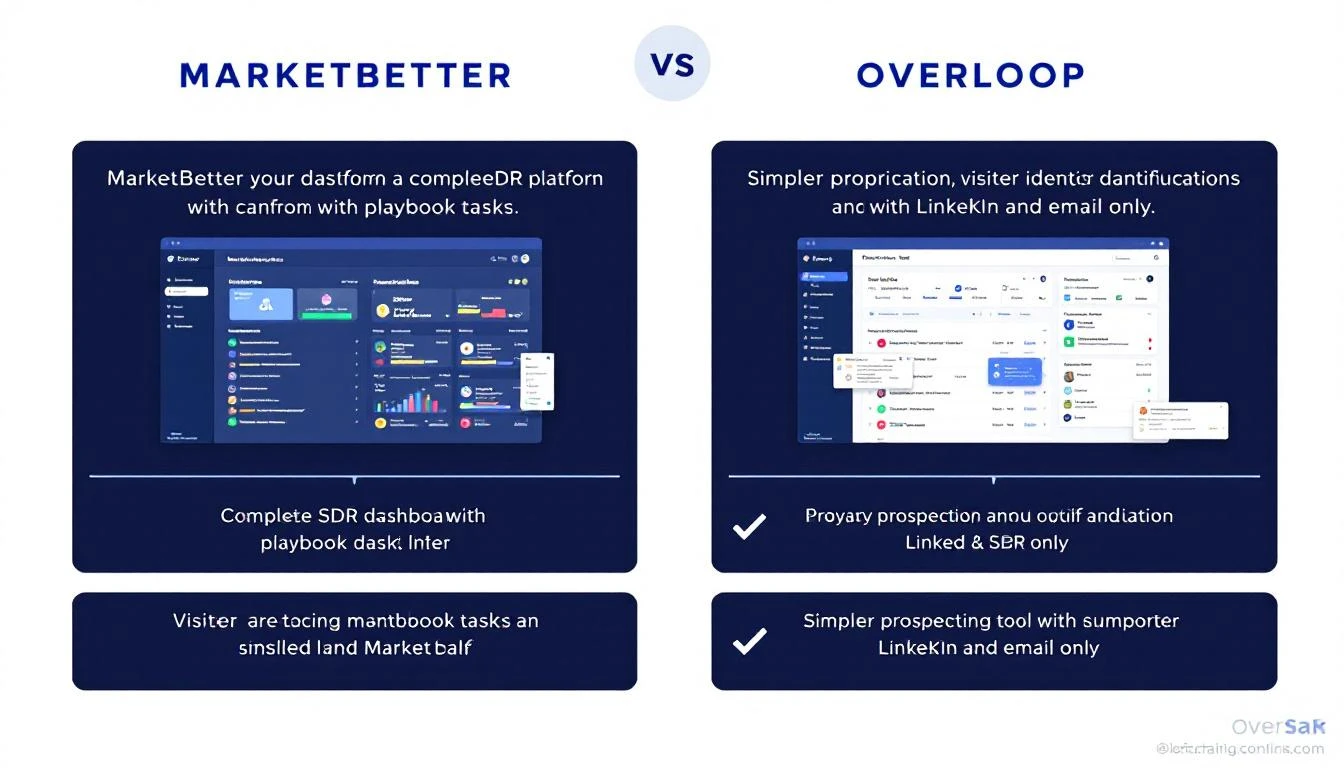
MarketBetter vs Overloop comparison โ€” complete SDR OS vs AI prospecting tool

Your SDR team is drowning in manual prospecting. You've narrowed it down to two tools: Overloop, the AI-powered prospecting platform with a 450M+ contact database, and MarketBetter, the complete SDR operating system that turns intent signals into booked meetings.

Both tools promise to automate outreach and fill your pipeline. But they take fundamentally different approaches to the problem โ€” and choosing wrong could cost your team months of lost productivity.

Here's the honest breakdown.

Quick Comparison: MarketBetter vs Overloop at a Glanceโ€‹

FeatureMarketBetterOverloop
Core approachFull SDR OS with daily playbookAI prospecting + outreach automation
Website visitor identificationโœ… Built-in, real-timeโŒ Not available
Smart dialerโœ… Integrated callingโŒ No phone channel
AI chatbotโœ… Engages visitors 24/7โŒ Not available
Daily SDR playbookโœ… Prioritized task listโŒ Campaign-based workflow
Contact databaseโœ… Enrichment + intent signalsโœ… 450M+ contacts
Email outreachโœ… Hyper-personalized sequencesโœ… AI-written emails
LinkedIn automationโŒ Not built-inโœ… Connection requests + messages
CRM integrationsโœ… HubSpot, Salesforce, moreโœ… HubSpot, Pipedrive, Salesforce (Enterprise)
Starting price$99/user/month$69/user/mo
G2 rating4.97/54.4/5 (130 reviews)

What Is Overloop?โ€‹

Overloop (formerly Prospect.io) is an AI-powered sales prospecting platform that combines a 450M+ contact database with multichannel outreach automation across email and LinkedIn.

Founded in Belgium, Overloop has positioned itself as an all-in-one prospecting tool โ€” it finds prospects, writes personalized messages using AI, and automates campaign sequences. Their pitch: "One loop to rule them all."

What Overloop does well:

  • AI list building โ€” Define your ICP filters and Overloop sources new prospects daily from their 450M+ database. Automatic, hands-free prospecting.
  • AI-written personalization โ€” Analyzes prospects' websites and LinkedIn profiles to write cold emails in your voice. Not templates with variables โ€” emails written from scratch.
  • LinkedIn automation โ€” Automates connection requests, profile visits, and message sequences. This is their strongest channel alongside email.
  • Campaign builder โ€” Built on 10 years of outbound data. Multi-step sequences with optimized timing and follow-ups across email + LinkedIn.
  • Activity tracking โ€” Opens, clicks, replies, bounces, and out-of-office detection with campaign analytics.

Where Overloop falls short:

Based on SalesRobot and SoftwareAdvice reviews, users consistently flag:

  • No phone channel โ€” Overloop only supports email and LinkedIn. No built-in dialer means your SDRs need a separate tool for calls.
  • No visitor identification โ€” Overloop doesn't know who's visiting your website. Every prospect is cold โ€” no warm intent signals.
  • No daily playbook โ€” Campaigns run on autopilot, but SDRs don't get a prioritized "do this next" task list. They still need to decide what to work on.
  • Credit-based limitations โ€” Starter plan gets just 250 credits/month. For teams doing serious prospecting, credits burn fast.
  • Price point for value โ€” At $69-$99/user/month for just prospecting + email + LinkedIn, the total cost of ownership climbs quickly when you add a dialer, chatbot, and visitor ID separately.
  • Limited reporting โ€” Multiple reviews cite basic analytics that don't give enough depth for optimization.

What Is MarketBetter?โ€‹

MarketBetter is an AI-powered SDR operating system that combines website visitor identification, intent signals, email automation, smart dialer, AI chatbot, and a daily SDR playbook into a single platform.

The key difference: MarketBetter doesn't just find prospects and send messages. It identifies companies visiting your website in real time, enriches contacts with buyer intent signals, then tells your SDRs exactly who to contact, how, and what to say โ€” through a prioritized daily playbook.

What MarketBetter does well:

  • Website visitor identification โ€” Identifies companies visiting your site in real time, turning anonymous traffic into actionable leads with contact information.
  • Daily SDR playbook โ€” A prioritized task list that tells SDRs exactly what to do next. No guessing, no tab-switching, no "who should I call?"
  • Smart dialer โ€” Built-in calling capability so SDRs can act on hot leads immediately without switching tools.
  • AI chatbot โ€” Engages every website visitor 24/7, qualifying and routing leads even when your team is offline.
  • Hyper-personalized email sequences โ€” AI-powered outbound with personalization based on intent signals, not just LinkedIn profile scraping.
  • Intent signal aggregation โ€” Combines first-party website data with engagement signals to prioritize leads by buying intent.

Where MarketBetter differs from Overloop:

  • Signal-first vs database-first โ€” MarketBetter starts with who's already showing interest (website visitors, intent signals). Overloop starts with a cold database.
  • Omnichannel execution โ€” Email, phone, chat, and website engagement in one platform. Overloop covers email and LinkedIn only.
  • Daily direction โ€” SDRs get a "what to do right now" playbook. Overloop gives them campaigns to monitor.

Pricing: What You'll Actually Payโ€‹

Overloop Pricingโ€‹

PlanPriceCredits/moEmail accountsCampaigns
Starter$69/user/mo25013
Growth$99/user/month500310
EnterpriseCustom1,000UnlimitedUnlimited

Hidden costs to watch:

  • 250 credits/month burns fast โ€” that's roughly 12 prospects/day if each costs 1 credit
  • Starter limits you to 3 campaigns and 1 email account
  • Salesforce integration requires Enterprise plan
  • You'll still need a separate dialer ($50-150/user/mo), chatbot ($200-500/mo), and visitor ID tool ($200-1,000/mo)

Total cost of an Overloop-based stack for a 5-person team:

  • Overloop Growth: $495/mo
  • Dialer (Aircall/RingCentral): $250-750/mo
  • Visitor ID (Clearbit/Leadfeeder): $200-800/mo
  • Chatbot (Drift/Intercom): $200-500/mo
  • Total: $1,145 - $2,545/mo

MarketBetter Pricingโ€‹

MarketBetter's credit-based model starts at $99/user/month with visitor ID, email automation, smart dialer, AI chatbot, and daily playbook all included.

Total cost for a 5-person team:

  • MarketBetter: $495/mo (everything included)
  • Smart dialer add-on: $250/mo
  • Total: $745/mo

The math is clear: MarketBetter costs 40-70% less than assembling the same capabilities with Overloop + point solutions.

Head-to-Head: Five Key Differencesโ€‹

1. Intent Signals vs Cold Databaseโ€‹

Overloop: Starts with a 450M+ contact database. AI builds lists based on ICP filters. Every prospect is cold until they engage with your outreach.

MarketBetter: Starts with who's already interested. Website visitor identification catches companies researching your solution. Intent signals prioritize contacts showing buying behavior. Your SDRs call warm leads first.

Why it matters: Cold outreach converts at 1-3%. Warm outreach to identified visitors converts at 5-10x higher rates. Starting with intent means your SDRs spend time on prospects who are actually in-market.

2. Daily Playbook vs Campaign Monitoringโ€‹

Overloop: SDRs set up campaigns and monitor performance. They need to decide when to follow up, which channel to use, and who to prioritize. It's efficient automation, but the human still makes the daily decisions.

MarketBetter: The daily playbook eliminates decision fatigue. SDRs open their dashboard and see a prioritized list: "Call this person first (they visited pricing 3 times this week), then email these 5 warm leads, then follow up on yesterday's callbacks." It's not just automation โ€” it's direction.

Why it matters: The average SDR wastes 65% of their time on non-selling activities. Most of that waste is figuring out what to do next. A playbook turns every SDR into a top performer.

3. Multichannel Executionโ€‹

Overloop: Email + LinkedIn. That's it. No phone, no chat, no website engagement. For teams that rely on calling (and many B2B deals still require a phone conversation), Overloop forces you to bolt on a separate dialer.

MarketBetter: Email + phone + chat + website engagement. The smart dialer is built in, so when a hot lead visits your pricing page, your SDR can call them within minutes โ€” from the same platform, with full context.

Why it matters: Deals that involve a phone conversation close at 2-3x the rate of email-only deals. Removing the tool-switching friction between "I see a warm lead" and "I'm on the phone with them" is massive.

4. LinkedIn Automationโ€‹

Overloop: This is where Overloop genuinely excels. Automated connection requests, profile visits, AI-written LinkedIn messages, and multi-step LinkedIn sequences. Their Chrome extension is well-built and they've been doing LinkedIn automation for years.

MarketBetter: Does not include native LinkedIn automation. If LinkedIn outreach is your primary channel, this is a gap.

Honest take: If your team's primary motion is LinkedIn-first prospecting to cold lists, Overloop's LinkedIn automation is stronger. If your team works inbound + outbound across email and phone, MarketBetter gives you more complete coverage.

5. AI Personalization Approachโ€‹

Overloop: AI analyzes prospects' websites and LinkedIn profiles to write personalized messages. This is genuinely good โ€” it goes beyond "Hi {first_name}" template variables to create contextual emails based on each prospect's digital footprint.

MarketBetter: AI personalization is powered by intent signals โ€” what pages they visited, what content they downloaded, how often they've returned. The personalization is based on buying behavior, not just professional context.

Why it matters: "I noticed your company focuses on X" is good. "I noticed your team has been researching visitor identification tools this week" is better. Behavioral personalization outperforms demographic personalization.

Who Should Choose Overloop?โ€‹

Overloop is the better fit if:

  • LinkedIn is your primary outreach channel and you need robust LinkedIn automation
  • You're starting from zero with no website traffic to identify โ€” cold prospecting from a database is your only option
  • You're a solopreneur or very small team (1-2 people) who needs affordable prospecting + email at $69/mo
  • You want a large contact database built in, without paying for a separate data provider
  • You don't need phone or chat channels โ€” your sales motion is email + LinkedIn only

Who Should Choose MarketBetter?โ€‹

MarketBetter is the better fit if:

  • You have website traffic and want to identify and convert visitors into pipeline
  • Your SDRs need direction โ€” not just tools, but a daily playbook telling them what to do
  • Phone is important โ€” you need a built-in dialer, not another subscription
  • You want one platform instead of stitching together 4-5 point solutions
  • You want to scale SDR output without scaling SDR headcount โ€” the playbook makes every rep more productive
  • Speed-to-lead matters โ€” the smart dialer + real-time visitor alerts let your team call while leads are hot

The Bottom Lineโ€‹

Overloop is a solid AI prospecting tool with genuine strengths in LinkedIn automation and AI-written personalization. For solo operators or small teams doing cold outbound on LinkedIn + email, it's a legitimate option at $69/user/mo.

But for SDR teams that need more than cold outreach โ€” teams that want to know who's visiting their site, want a daily playbook that eliminates guesswork, and want email + phone + chat in one platform โ€” MarketBetter delivers 3-5x more capability at a comparable price point.

The question isn't which tool sends better cold emails. It's whether you want a prospecting tool or an SDR operating system.

Ready to see MarketBetter in action? Book a demo and see how the daily SDR playbook turns your team's productivity around in the first week.

MarketBetter vs Waalaxy: LinkedIn Automation vs Full SDR Operating System [2026]

ยท 10 min read

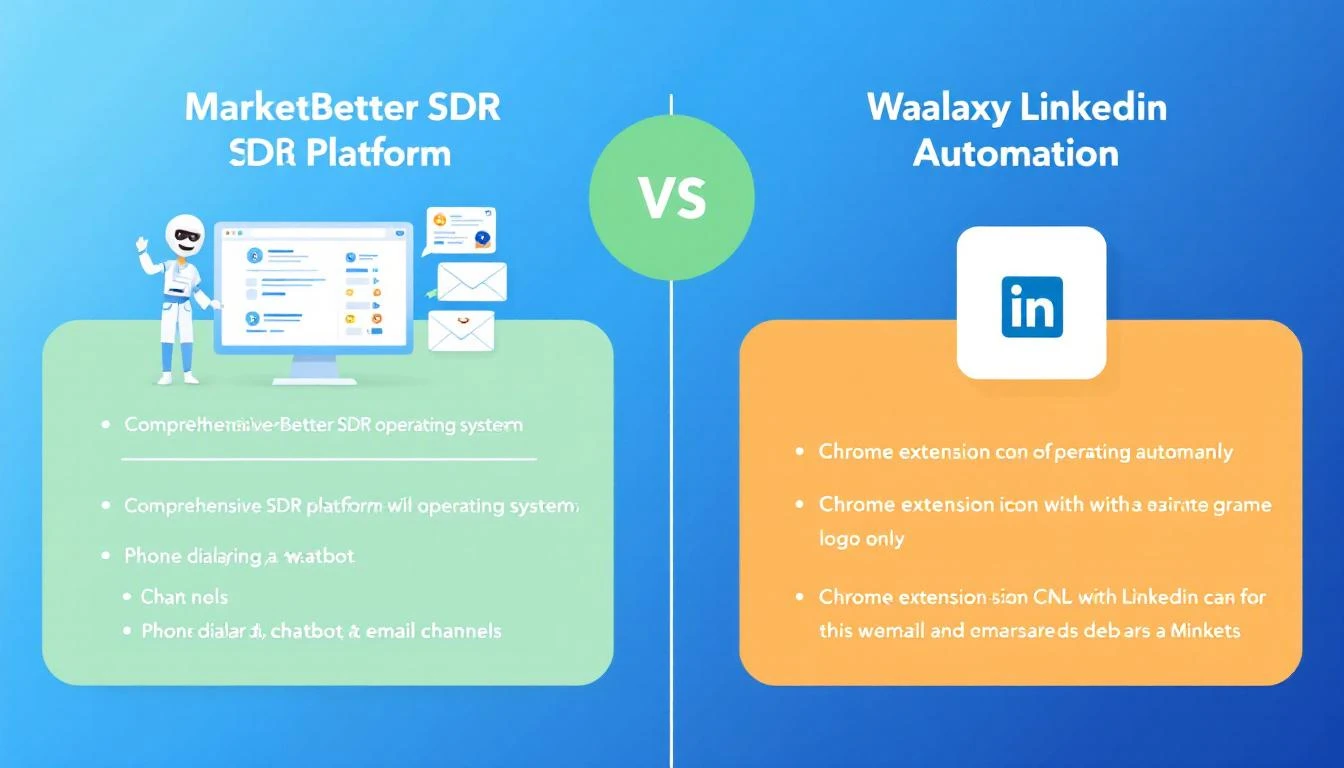
MarketBetter vs Waalaxy comparison โ€” full SDR platform vs LinkedIn automation Chrome extension

Waalaxy has 100,000+ users automating LinkedIn outreach. MarketBetter is the AI-powered SDR platform with a 4.97 G2 rating that gives sales teams a daily playbook, visitor identification, email, dialer, and chatbot in one platform.

They both help SDR teams fill pipeline. But they're solving fundamentally different problems โ€” and picking the wrong one means either overpaying for features you don't need or missing capabilities that cost you deals.

Here's the real comparison.

Quick Comparison: MarketBetter vs Waalaxyโ€‹

FeatureMarketBetterWaalaxy
Core focusFull SDR operating systemLinkedIn + email automation
Platform typeCloud-based web appChrome extension
Website visitor identificationโœ… Built-inโŒ Not available
Smart dialerโœ… Integrated callingโŒ Not available
AI chatbotโœ… Engages visitors 24/7โŒ Not available
Daily SDR playbookโœ… Prioritized task listโŒ Campaign templates only
LinkedIn automationโŒ Not built-inโœ… Core feature (800 invites/mo)
Email outreachโœ… Hyper-personalized sequencesโœ… Business plan and above
Contact enrichmentโœ… Intent-based enrichmentโœ… Email finder (credit-based)
AI message writingโœ… Intent-signal-poweredโœ… Waami AI writer
Team featuresโœ… Built-inโœ… Enterprise plan only
Starting price$99/user/monthโ‚ฌ19/user/mo (~$21)
G2 rating4.97/5~4.4/5

What Is Waalaxy?โ€‹

Waalaxy is a LinkedIn automation tool built as a Chrome extension. It automates connection requests, profile visits, and messages on LinkedIn, with email outreach added on the Business plan (โ‚ฌ69/user/mo).

Founded in France, Waalaxy has grown to 100,000+ users by making LinkedIn prospecting dead simple โ€” import prospects from LinkedIn search or Sales Navigator, pick a campaign template, and let the tool do the outreach.

What Waalaxy does well:

  • LinkedIn automation โ€” Automates connection requests (up to 800/month), profile visits, and follow-up messages. 99+ pre-built campaign templates make it beginner-friendly.
  • Waami AI writer โ€” Their AI writes personalized LinkedIn messages based on prospect profiles. Users report solid results โ€” SalesRobot notes that the AI messaging is one of Waalaxy's strongest features.
  • Simple onboarding โ€” Multiple reviews on Capterra and G2 highlight that even non-technical users can launch campaigns within minutes. The UI is intuitive.
  • Affordable entry โ€” โ‚ฌ19/user/mo ($21) for the Pro plan is one of the lowest entry points in the LinkedIn automation market.
  • CRM sync โ€” Integrates with 2,000+ tools via Zapier and Make, plus native HubSpot and Pipedrive connections.

Where Waalaxy falls short:

Based on SalesRobot, Capterra, and HeyReach reviews, users consistently flag:

  • Chrome extension dependency โ€” Waalaxy runs as a Chrome extension, which means it only works when Chrome is open. Cloud-based competitors don't have this limitation. More importantly, Chrome extensions carry LinkedIn account risk โ€” multiple users report concerns about account safety.
  • Price hikes without new features โ€” SalesRobot's January 2026 review title says it all: "They've hiked their prices 2x without adding new features." Users feel the value hasn't kept up with price increases.
  • Limited channels โ€” LinkedIn-only on the Pro and Advanced plans. Email requires the Business plan (โ‚ฌ69/mo). No phone, no chat, no website engagement at any tier.
  • Template-only campaigns โ€” Multiple Capterra reviews note you can't build custom automation flows โ€” you're locked into Waalaxy's pre-built templates. If your sales motion doesn't fit a template, you're stuck.
  • Inbox as paid add-on โ€” Managing LinkedIn conversations costs an extra $44/month on top of your plan. That's a basic feature behind a paywall.
  • Bug complaints โ€” Several recent reviews mention "constant bugs" that disrupt campaigns, especially around LinkedIn connection limits and message delivery.
  • No visitor identification โ€” Waalaxy doesn't know who's visiting your website. Every prospect is cold outreach.

What Is MarketBetter?โ€‹

MarketBetter is an AI-powered SDR operating system that combines website visitor identification, intent signals, hyper-personalized email automation, smart dialer, AI chatbot, and a daily SDR playbook into a single platform.

Where Waalaxy helps you automate LinkedIn outreach, MarketBetter helps your entire SDR team work smarter across every channel โ€” knowing not just who to contact, but who's already interested and exactly what to do about it.

Pricing: The Real Mathโ€‹

Waalaxy Pricing (Monthly)โ€‹

PlanPriceLinkedIn invites/moEmailKey limits
Proโ‚ฌ19/user/mo (~$21)300โŒ25 email finder credits, chat support in 48h
Advancedโ‚ฌ49/user/mo (~$54)800โŒLive chat support
Businessโ‚ฌ69/user/mo (~$76)800โœ…500 email finder credits, priority support
EnterpriseCustom800โœ…Team workspace, volume discounts

Add-ons: LinkedIn Inbox management is +$44/user/mo.

Quarterly pricing: 20% discount. Annual pricing: 50% discount (Pro drops to ~โ‚ฌ10/mo).

What you're not getting at any price:

  • Website visitor identification
  • Phone/dialer capability
  • AI chatbot
  • Daily SDR playbook
  • Intent signals

Total cost to replicate MarketBetter's capabilities starting from Waalaxy Business:

  • Waalaxy Business: โ‚ฌ345/mo (5 users)
  • LinkedIn Inbox add-on: โ‚ฌ220/mo (5 users)
  • Dialer (Aircall): $250-500/mo
  • Visitor ID (Leadfeeder/Clearbit): $200-800/mo
  • Chatbot (Drift/Intercom): $200-500/mo
  • Total: $1,200 - $2,400/mo for a 5-person team

MarketBetter Pricingโ€‹

$99/user/month with visitor ID, email automation, smart dialer, AI chatbot, and daily playbook included.

Total for a 5-person team:

  • MarketBetter: $495/mo
  • Smart dialer add-on: $250/mo
  • Total: $745/mo

Even comparing Waalaxy's cheapest plan to MarketBetter's full platform, MarketBetter costs less when you factor in the tools you'd need to add alongside Waalaxy to match the same capabilities.

Head-to-Head: Five Critical Differencesโ€‹

1. Chrome Extension vs Cloud Platformโ€‹

Waalaxy: Runs as a Chrome extension. Your browser must be open for campaigns to run. If Chrome crashes, your outreach stops. More critically, browser-based LinkedIn automation carries inherent account risk โ€” LinkedIn can detect extension behavior patterns.

MarketBetter: Cloud-based platform accessible from any browser. Your outreach, visitor identification, and chatbot run 24/7 regardless of whether you're at your desk.

Why it matters: SDR managers need their team's outreach running whether reps are in meetings, on lunch, or offline. A Chrome extension creates a single point of failure tied to each rep's browser.

2. LinkedIn-Only vs Omnichannelโ€‹

Waalaxy: LinkedIn is the core channel. Email is available on the Business plan (โ‚ฌ69/mo), but there's no phone and no chat. If your prospect doesn't respond on LinkedIn or email, you've exhausted your options.

MarketBetter: Email, phone (smart dialer), AI chatbot, and website engagement. When a prospect visits your pricing page, the chatbot engages them. If they don't convert, the SDR gets an alert and can call immediately. If they don't answer, an email sequence picks up. Every channel, one platform.

Why it matters: B2B deals that include a phone conversation close at 2-3x higher rates than email-only outreach. LinkedIn automation alone doesn't close enterprise deals โ€” phone conversations do. Having a dialer in the same platform as your lead intelligence eliminates the lag between "this person is interested" and "I'm talking to them."

3. Cold Prospecting vs Intent-Based Outreachโ€‹

Waalaxy: Import leads from LinkedIn Search or Sales Navigator, then automate outreach. Every prospect is cold โ€” you're reaching out based on demographic fit (title, industry, company size), not buying intent.

MarketBetter: Visitor identification catches companies already researching your solution. Intent signals prioritize contacts showing buying behavior. Your daily playbook surfaces the hottest leads first. Cold outreach becomes a supplement, not the primary motion.

Why it matters: SDR teams using intent signals see 3-5x higher response rates compared to pure cold outreach. Waalaxy helps you reach more people faster โ€” MarketBetter helps you reach the right people at the right time.

4. Campaign Templates vs Daily Playbookโ€‹

Waalaxy: Pick from 99+ pre-built campaign templates. Launch, monitor, repeat. Effective for batch outreach, but SDRs still need to decide which prospects deserve manual follow-up, when to call, and what to prioritize.

MarketBetter: The daily SDR playbook eliminates decision fatigue entirely. SDRs open their dashboard and see: "Call this VP (visited pricing 4 times). Email these 3 warm leads. Follow up on yesterday's no-shows." It's not just automation โ€” it's daily direction.

Why it matters: The difference between a good SDR and a great SDR isn't effort โ€” it's prioritization. Top reps instinctively know who to call first. The playbook gives every rep that instinct.

5. Team Scalabilityโ€‹

Waalaxy: Team features require the Enterprise plan (custom pricing). The Pro and Advanced plans are essentially single-user tools. There's no shared prospect deduplication across plans below Enterprise, no team analytics outside Enterprise, and no unified workspace.

MarketBetter: Built for SDR teams from day one. Territory rules prevent reps from stepping on each other's leads. Team deduplication is automatic. Managers see every rep's activity, pipeline, and playbook completion in one dashboard. Shared memory across SDRs means context never gets lost.

Why it matters: Solo prospectors can thrive with Waalaxy. But the moment you have 3+ SDRs, you need deduplication, territory management, and team visibility โ€” features Waalaxy gates behind Enterprise pricing.

Who Should Choose Waalaxy?โ€‹

Waalaxy is the better fit if:

  • LinkedIn is your only outreach channel and you want cheap, effective automation
  • You're a solopreneur or freelancer doing your own prospecting on a budget (~$21/mo)
  • You don't have a website generating meaningful traffic โ€” cold LinkedIn outreach is your only option
  • Your sales cycle is short โ€” connection request โ†’ message โ†’ meeting booked, without phone calls
  • You want the simplest possible tool โ€” Waalaxy's Chrome extension is genuinely easy to set up and use

Who Should Choose MarketBetter?โ€‹

MarketBetter is the better fit if:

  • You have an SDR team (3+ reps) that needs coordination, deduplication, and daily direction
  • You have website traffic worth identifying โ€” MarketBetter turns anonymous visitors into actionable pipeline
  • Phone matters โ€” your sales motion includes calls, not just messages
  • You want one platform instead of Waalaxy + dialer + chatbot + visitor ID
  • You're focused on revenue efficiency โ€” the daily playbook maximizes output per SDR without adding headcount
  • Speed-to-lead is critical โ€” real-time visitor alerts + integrated dialer means minutes, not hours

The Bottom Lineโ€‹

Waalaxy excels at one thing: making LinkedIn outreach easy and affordable. For solo operators who live on LinkedIn and need to automate connection requests at scale, it's hard to beat at โ‚ฌ19/month.

But Waalaxy is a LinkedIn tool. MarketBetter is an SDR operating system.

If your team needs to know who's visiting your website, needs a phone alongside their email, needs a playbook that tells them what to do each morning, and needs all of that in one platform โ€” Waalaxy can't get you there at any price tier.

The real comparison isn't MarketBetter vs Waalaxy. It's "Do I want a LinkedIn automation Chrome extension, or do I want the platform that runs my entire SDR operation?"

Ready to see the difference? Book a demo and watch how the daily SDR playbook transforms your team's output in week one.

Overloop Pricing Breakdown 2026: Plans, Credits, and True Cost for SDR Teams

ยท 6 min read

Overloop pricing breakdown โ€” plans, credits, and true cost analysis for sales teams

Overloop AI markets itself as an affordable AI prospecting platform. But their credit-based model means the sticker price rarely matches what you actually pay.

We pulled Overloop's pricing directly from overloop.com/pricing in February 2026 and calculated the real cost for teams of 1, 3, 5, and 10 SDRs. Here is what we found.

Overloop AI Pricing Plans at a Glanceโ€‹

Overloop offers three tiers, all billed per user per month:

Starter โ€” $69/user/month

  • 250 credits per user per month
  • 1 email account per user
  • 3 active campaigns
  • Basic integrations (Slack, Chrome Extension, Zapier)
  • Shared IP for secondary domains
  • CASA Tier 2 certified, GDPR compliant
  • Self-onboarding, chat support

Growth โ€” $99/user/month

  • 500 credits per user per month
  • 3 email accounts per user
  • 10 active campaigns
  • HubSpot and Pipedrive integration
  • REST API access
  • Everything in Starter

Enterprise โ€” Custom pricing

  • 1,000 credits per user per month
  • Unlimited email accounts
  • Unlimited campaigns
  • Salesforce integration
  • Dedicated IP for secondary domains
  • Dedicated Customer Success Manager
  • 1:1 personalized onboarding
  • Priority chat and email support

All plans include AI-powered campaigns, access to their 450M+ prospect database, verified email addresses, multichannel outreach (Email + LinkedIn), and AI-powered follow-ups.

What Are Overloop Credits?โ€‹

This is where it gets important. Overloop uses a credit system for lead sourcing and enrichment. Each plan includes a fixed number of credits per user per month.

Here is what credits cover:

  • Sourcing a new prospect from Overloop's database
  • Finding and verifying an email address
  • Enriching a lead with additional data

One credit does not equal one outreach action. Sending emails and LinkedIn messages does not consume credits. Credits are specifically for lead discovery and enrichment.

The critical question: how many credits does it actually take to build a workable pipeline?

If each SDR needs to prospect 50 new leads per week (a typical B2B pace), that is roughly 200 leads per month. On the Starter plan with 250 credits, you barely cover that โ€” leaving almost no room for list experimentation or wasted lookups.

Real Cost Breakdown by Team Sizeโ€‹

1 SDRโ€‹

PlanMonthly CostCreditsCost per Credit
Starter$69250$0.28
Growth$99500$0.20

3 SDRsโ€‹

PlanMonthly CostTotal CreditsCost per Credit
Starter$207750$0.28
Growth$2971,500$0.20

5 SDRsโ€‹

PlanMonthly CostTotal CreditsCost per Credit
Starter$3451,250$0.28
Growth$4952,500$0.20

10 SDRsโ€‹

PlanMonthly CostTotal CreditsCost per Credit
Starter$6902,500$0.28
Growth$9905,000$0.20

Enterprise pricing is custom โ€” you will need to contact their sales team for a quote.

The Hidden Cost: Campaign Limitsโ€‹

The campaign limit is easy to miss but has real operational impact:

  • Starter: 3 campaigns. For an individual SDR running one ICP segment, this might work. But if you are testing multiple verticals, messaging angles, or A/B tests, you hit the wall fast.
  • Growth: 10 campaigns. More workable, but still restrictive for teams running territory-based or persona-based segmentation.
  • Enterprise: Unlimited. The only tier where campaign limits will not bottleneck your team.

For SDR teams doing any kind of serious outreach experimentation, the Starter plan's 3-campaign cap is a real constraint โ€” not just a number on a pricing page.

What Overloop Does Not Includeโ€‹

Understanding what is missing helps you calculate the real total cost of ownership:

  1. No website visitor identification. Overloop does not tell you who is visiting your website. You need a separate tool like Clearbit Reveal or MarketBetter for that.

  2. No smart dialer. If your SDRs make phone calls (and they should), you need a standalone dialer โ€” Aircall, Dialpad, or similar. Budget $50-100/user/month extra.

  3. No AI chatbot. No way to engage website visitors in real time. Another tool to buy.

  4. No daily playbook. Overloop tells your SDRs who to contact but not how to prioritize their day across channels. Your managers still need to build that workflow manually.

  5. No intent signals beyond LinkedIn. The platform does not aggregate signals from G2, review sites, job changes, or technology installations.

Total Cost of Ownership: Overloop vs Full SDR Stackโ€‹

For a realistic 5-SDR team that needs prospecting, email, phone, and visitor ID:

ComponentOverloop StackMarketBetter
Prospecting$495/mo (Growth)Included
Dialer$350-500/mo (separate)Built-in smart dialer
Visitor ID$300-500/mo (separate)Built-in
Chatbot$200-400/mo (separate)Built-in AI chatbot
Daily playbookManual effortAI-generated daily
Total$1,345-1,895/mo$495/mo

MarketBetter's Standard plan at $99/user/month gives you all of these capabilities in a single platform โ€” no credit caps on core functionality, no per-channel add-ons.

Who Overloop Is Built Forโ€‹

Overloop works best for:

  • Solo SDRs or very small teams (1-2 reps) who primarily prospect through LinkedIn and cold email
  • Teams that already have a dialer, visitor ID, and chatbot and just need prospecting automation
  • Organizations focused on European markets โ€” Overloop is based in Brussels and emphasizes GDPR compliance

Who Should Look Elsewhereโ€‹

If your SDR team needs:

  • A unified platform across email, phone, LinkedIn, chat, and visitor ID
  • A daily AI-generated playbook that prioritizes leads across all channels
  • No credit limits on core outreach functionality
  • Built-in calling capabilities

Then a full SDR operating system like MarketBetter will likely deliver better ROI than assembling an Overloop-centered stack from multiple point solutions.

The Bottom Lineโ€‹

Overloop's pricing is transparent and competitive for what it is โ€” an AI-powered prospecting and cold outreach tool. The $69-99/user/month range is reasonable for teams that only need LinkedIn and email automation.

But the total cost of building a complete SDR workflow around Overloop often doubles or triples the sticker price once you add a dialer, visitor identification, chatbot, and playbook management.

Before committing, calculate your full-stack cost โ€” not just the Overloop invoice.

Ready to see what a complete SDR platform looks like? Book a demo with MarketBetter and see how one platform replaces the Overloop + dialer + visitor ID + chatbot stack.


Pricing data sourced from overloop.com/pricing in February 2026. Prices may change โ€” verify directly with Overloop for current rates.

Overloop Review 2026: Real User Feedback, Strengths, and Limitations

ยท 6 min read

Overloop review 2026 โ€” honest pros, cons, and user feedback analysis

Overloop (formerly Prospect.io) has reinvented itself as an AI-powered sales prospecting platform. With a 450M+ contact database, AI-written emails, and multichannel LinkedIn + email campaigns, it promises to automate the most painful parts of SDR outreach.

But does it deliver? We dug into real user reviews from G2, Capterra, SoftwareAdvice, and third-party analysis sites to find out what SDR teams actually experience after the trial period ends.

What Is Overloop AI in 2026?โ€‹

Overloop started as Prospect.io โ€” a straightforward email finder and cold outreach tool. It rebranded and rebuilt around AI-powered prospecting. Today it offers:

  • AI list building โ€” define your ICP filters and Overloop sources new prospects daily
  • 450M+ B2B contact database with verified email addresses
  • AI-powered email writing โ€” analyzes prospect websites and LinkedIn profiles to generate personalized cold emails
  • Multichannel campaigns โ€” Email + LinkedIn messaging in sequenced workflows
  • CRM integrations โ€” HubSpot, Pipedrive, and Salesforce (Enterprise)
  • Chrome Extension โ€” enroll prospects directly from LinkedIn

Pricing starts at $69/user/month (Starter), $99/user/month (Growth), with Enterprise at custom pricing. See our full Overloop pricing breakdown for detailed cost analysis.

What Users Love About Overloopโ€‹

1. The CRM and Pipeline UX Is Excellentโ€‹

This is the most consistent positive theme across review platforms. Users on G2 and SoftwareAdvice frequently call out Overloop's CRM functionality:

"As a CRM alone, it is fantastic." โ€” SoftwareAdvice reviewer

"The way it totals up your leads in each sector of the pipeline is very neat." โ€” SoftwareAdvice reviewer

If you are coming from a spreadsheet-based prospecting workflow, Overloop's pipeline management will feel like a significant upgrade. The visual pipeline, lead scoring, and activity tracking work well together.

2. Intuitive Interface and Easy Setupโ€‹

Overloop consistently earns praise for being easy to learn. Multiple G2 reviews highlight the onboarding experience:

"It is intuitive and so easy to implement." โ€” G2 reviewer

"Easy to work prospect lists with great integration with Sales Navigator." โ€” G2 reviewer

For smaller teams without dedicated sales ops, this matters. You can get campaigns running within hours, not days.

3. LinkedIn + Email Sequencing Works Smoothlyโ€‹

The multichannel campaign builder โ€” combining LinkedIn connection requests, profile visits, messages, and email follow-ups in a single sequence โ€” is well-designed. Users report that the workflow automation reduces manual effort significantly.

4. AI Email Personalization Shows Promiseโ€‹

Overloop's AI engine analyzes each prospect's website and social profiles to draft personalized cold emails. While results vary, users appreciate not having to write every email from scratch. The AI follow-up feature โ€” which adapts based on previous emails in the sequence โ€” is a particularly smart touch.

What Users Complain Aboutโ€‹

1. The Email Feature Is Weakโ€‹

This is the most common criticism across every review platform:

"The emailing section of Overloop is the worst of its competitors." โ€” SoftwareAdvice reviewer

"Overloop has some drawbacks, including a restricted and unimpressive email feature." โ€” G2 pricing page reviewer

For a tool that positions itself as a multichannel outreach platform, having weak email capabilities is a significant gap. Users report limitations in email templates, deliverability tooling, and campaign analytics compared to dedicated email platforms like Instantly or Lemlist.

2. Credit Limits Constrain Real Usageโ€‹

The credit system means you are paying for each prospect you source or enrich. On the Starter plan with 250 credits per month, a single SDR can only source about 250 new leads โ€” roughly 12 per business day.

For teams that need to build multiple target lists, test different ICPs, or run high-volume prospecting, the credit cap becomes a bottleneck that requires upgrading.

3. Limited Reporting and Analyticsโ€‹

Multiple reviewers flag that Overloop's reporting does not go deep enough:

  • No granular A/B testing analytics for subject lines or messaging
  • Limited visibility into which campaign steps drive the most engagement
  • No revenue attribution to connect outreach efforts to closed deals

For managers trying to optimize SDR performance, the analytics gap means you are supplementing with spreadsheets or other tools.

4. No Phone or Chat Channelsโ€‹

Overloop is exclusively LinkedIn + email. There is:

  • No built-in dialer or calling capabilities
  • No live chat or AI chatbot
  • No SMS or other messaging channels

If your SDR workflow includes phone calls (which most effective B2B sales motions do), you need a separate tool.

Overloop vs Other AI Prospecting Toolsโ€‹

How does Overloop compare to the broader competitive landscape?

FeatureOverloopApolloInstantlyMarketBetter
Contact Database450M+270M+No native DBYes
AI Email WritingYesYesYesYes
LinkedIn AutomationYesLimitedNoNo
Phone DialerNoYesNoYes (Smart Dialer)
Website Visitor IDNoNoNoYes
AI ChatbotNoNoNoYes
Daily SDR PlaybookNoNoNoYes
Starting Price$69/user/mo$49/user/mo$30/mo$99/user/month

Overloop's sweet spot is the LinkedIn + email combination at a mid-range price point. But if you need a complete multichannel SDR platform, the feature gaps add up.

Who Overloop Is Best Forโ€‹

Based on real user feedback, Overloop works best for:

Solo SDRs and small teams (1-3 reps) who prospect primarily through LinkedIn and cold email. The CRM is clean, the interface is intuitive, and the AI writing saves time on personalization.

European B2B teams who value GDPR compliance. Overloop is Brussels-based, CASA Tier 2 certified, and built with European data regulations in mind.

Teams that already have a dialer and other tools and specifically need LinkedIn prospecting automation layered on top of their existing stack.

Who Should Skip Overloopโ€‹

Growing SDR teams (5+ reps) who need campaign volume. The 3-campaign limit on Starter and credit caps constrain what larger teams can do.

Teams that need phone + email + LinkedIn in one tool. If your SDRs work all three channels (and they should), building around Overloop means buying 2-3 additional tools.

Organizations that want intent-driven prioritization. Overloop does not aggregate buying signals from website visits, G2 research, job changes, or technology adoption. Your SDRs still need to decide who to contact first.

The Verdictโ€‹

Overloop has genuinely reinvented itself since the Prospect.io days. The AI prospecting, LinkedIn automation, and CRM functionality are solid โ€” especially for individual SDRs and small teams.

But the weak email capabilities, credit constraints, and missing channels (phone, chat, visitor ID) mean it works best as a specialized LinkedIn prospecting tool, not a complete SDR platform.

If LinkedIn + email is your entire sales motion, Overloop delivers good value at $69-99/user/month.

If you need a single platform that covers every SDR channel and tells your reps exactly what to do each morning, MarketBetter is the more complete solution โ€” with visitor identification, smart dialer, AI chatbot, and daily playbook built in.

See the full comparison: MarketBetter vs Overloop


Review data sourced from G2, Capterra, SoftwareAdvice, SalesForge, and SalesRobot. Last updated February 2026.

SalesHandy Pricing Breakdown 2026: What $25/mo Actually Gets You (Hidden Costs Exposed)

ยท 8 min read

SalesHandy pricing plans compared for 2026

SalesHandy markets itself as starting at $25/month. That's technically true โ€” their Outreach Starter plan costs $25/mo on annual billing. But that plan limits you to 6,000 emails per month and only 2,000 active prospects.

For any real SDR team running cold outreach at scale, you're looking at $69-$139/mo per account โ€” and that's before you factor in the credits you'll burn through for lead finding and email verification.

Here's the full breakdown of every SalesHandy plan in 2026, what each tier actually includes, and the total cost of running a real outbound program on their platform.

SalesHandy Plans at a Glance (February 2026)โ€‹

FeatureOutreach StarterOutreach ProOutreach ScaleOutreach Scale Plus
Monthly Price (Annual)$25/mo$69/mo$139/mo$199/mo
Monthly Price (Monthly)$36/mo$99/mo$199/mo$299/mo
Emails Per Month6,000150,000240,000360,000
Active Prospects2,00030,00060,000100,000
Email Accounts Per Sequence101001,000Unlimited
Team Members1UnlimitedUnlimitedUnlimited
Lead Finder Credits50 (one-time)100 (one-time)100 (one-time)100 (one-time)
AI Credits100 (one-time)200 (one-time)500 (one-time)1,000 (one-time)
Email Verification Credits1,000 (one-time)5,000 (one-time)10,000 (one-time)10,000 (one-time)
SubsequencesโŒโœ…โœ…โœ…
IntegrationsโŒโœ…โœ…โœ…
Whitelabel (Agencies)โŒโŒโœ…โœ…
SSOโŒโŒโœ…โœ…
Inbox Placement TestโŒ123

Pricing verified from saleshandy.com/pricing, February 2026.

The $25/mo Plan: What You Actually Getโ€‹

SalesHandy's Outreach Starter at $25/mo (annual) sounds like a deal. Here's the reality:

6,000 emails per month. That's roughly 200 emails per day. For a solo founder doing light outreach, this might work. For an SDR team? You'll hit the cap in a week.

2,000 active prospects. You can only have 2,000 contacts in active sequences at any given time. Once you've contacted them, you need to remove them before adding new ones.

10 email accounts per sequence. Sender rotation is limited to 10 mailboxes. For cold email deliverability in 2026, you want 3-5 emails per mailbox per day โ€” so 10 accounts at 5 emails each gives you only 50 emails/day. That's well below the 200/day the plan "allows."

No integrations. No Salesforce, no HubSpot, no Pipedrive. No API access. No webhooks. Your data lives in SalesHandy and only SalesHandy.

No subsequences. You can't create conditional follow-up paths. Everyone in a sequence gets the same emails in the same order.

50 Lead Finder credits โ€” one-time. That's 50 contacts revealed, total. After that, you buy more at SalesHandy's credit rates.

Starter Plan Verdictโ€‹

The Starter plan is fine for testing. It's not a real outbound tool. You'll hit the email cap, the prospect cap, and the credit cap within your first month.

Outreach Pro ($69/mo): Where It Gets Realโ€‹

The Pro plan at $69/mo (annual) is where SalesHandy becomes functional for actual SDR work:

150,000 emails per month. That's 5,000/day โ€” enough for a small team running 3-5 sequences simultaneously.

30,000 active prospects. A meaningful upgrade from 2,000. You can run multiple campaigns without constantly clearing old contacts.

100 email accounts per sequence. Proper sender rotation for deliverability. At 3-5 emails per account per day, you have real volume capacity.

Integrations included. Salesforce, HubSpot, Pipedrive, Zoho โ€” your data can actually flow to your CRM.

Subsequences. Conditional follow-ups based on opens, clicks, and replies. This is essential for multi-touch campaigns.

MCP Access. SalesHandy added MCP (Model Context Protocol) support โ€” you can connect it to LLMs for AI-powered outreach management.

Pro Plan Cost for a 5-Person Teamโ€‹

SalesHandy doesn't charge per seat on Pro โ€” it's unlimited team members. But the $69/mo covers ONE account's email volume. If 5 SDRs are all working from the same account:

  • Base cost: $69/mo
  • Additional email accounts: Included (unlimited mailboxes)
  • Lead Finder credits: 100 one-time, then purchased separately
  • Email verification: 5,000 one-time credits

Total: $69/mo + credit purchases. Estimate $100-150/mo once you factor in lead finding and verification credits.

Outreach Scale ($139/mo): For Agencies and Large Teamsโ€‹

The Scale plan at $139/mo adds:

  • 240,000 emails/month โ€” 8,000/day
  • 60,000 active prospects
  • 1,000 email accounts per sequence
  • Whitelabel for agencies โ€” use your own branding
  • SSO โ€” enterprise security requirement
  • 2 Inbox Placement Tests โ€” check if emails land in inbox vs spam

This plan is designed for agencies managing multiple clients or mid-market SDR teams with 10+ reps.

The Real Cost: SalesHandy's Credit Systemโ€‹

Here's what trips people up: SalesHandy's listed price is just the platform fee. The credits are where ongoing costs add up.

Lead Finder Creditsโ€‹

SalesHandy's Lead Finder lets you search for prospects and reveal their contact details. Each reveal costs a credit. The included credits are one-time โ€” they don't renew monthly.

Once you burn through your 50-100 included credits, you need to buy more. SalesHandy's credit pricing isn't prominently displayed, but based on user reports and their blog, expect to pay roughly $0.03-0.05 per credit for bulk purchases.

For a team prospecting 500 new leads per month, that's $15-25/mo in lead finder costs alone.

Email Verification Creditsโ€‹

Email verification is critical for deliverability. Every bounced email hurts your sender reputation. SalesHandy gives 1,000-10,000 one-time verification credits depending on your plan.

If you're importing external lists, you'll burn through these quickly. Additional verification credits cost roughly $0.003-0.005 each.

AI Creditsโ€‹

AI credits power the AI Sequence Copilot (generates email sequences from your website) and data enrichment. These are one-time and limited (100-1,000 depending on plan).

SalesHandy vs the Competition: Price Comparisonโ€‹

ToolStarting PriceEmail VolumeKey Difference
SalesHandy$25/mo6,000/moVolume-based cold email cannon
Instantly$30/mo5,000/moSimilar approach, better UI opinions
Lemlist$39/moPer userMulti-channel (email + LinkedIn)
Woodpecker$29/mo500 contactsTighter deliverability focus
Mailshake$29/mo1,500/moSimpler, dialer included on higher tiers
MarketBetterCustomUnlimitedFull SDR OS: visitor ID + playbook + dialer + email

The Total Stack Cost Problemโ€‹

SalesHandy solves cold email. But it doesn't solve:

  • Who to email โ€” You need a lead database (Apollo, ZoomInfo, or SalesHandy's own Lead Finder credits)
  • Website visitor identification โ€” No visitor ID capability
  • Phone outreach โ€” No dialer
  • Daily prioritization โ€” No AI playbook telling SDRs what to do first
  • Intent signals โ€” No buyer intent detection beyond email engagement

For a complete outbound stack, most teams pair SalesHandy with 2-3 other tools. That total cost quickly reaches $300-500/mo per SDR:

  • SalesHandy Pro: $69/mo
  • Lead database (Apollo/ZoomInfo): $99-249/mo per seat
  • Dialer (Orum/Nooks): $200-400/mo per seat
  • CRM (HubSpot Sales): $50-150/mo per seat

Total stack cost: $418-868/mo per SDR

Compare that to an all-in-one platform like MarketBetter that bundles visitor ID, email automation, smart dialer, and AI-powered daily playbook into a single subscription.

Who SalesHandy Is Best Forโ€‹

Good fit:

  • Agencies managing cold email for multiple clients (whitelabel on Scale plan)
  • Solo founders or small teams doing high-volume cold outreach
  • Teams that already have a lead database and just need an email sending engine
  • Budget-conscious teams willing to manage multiple tools

Not a fit:

  • Teams needing multi-channel outreach (phone + LinkedIn + email)
  • Companies wanting visitor identification and intent signals
  • SDR managers who need a prioritized daily workflow, not just email automation
  • Mid-market teams that want one platform instead of 4 separate tools

Should You Choose SalesHandy in 2026?โ€‹

SalesHandy is a solid cold email tool at a competitive price point. The $25/mo entry is real โ€” it's just limited. Most serious users land on the Pro plan at $69/mo, which offers genuine value for high-volume cold email.

The question isn't whether SalesHandy is good at email โ€” it is. The question is whether email alone is enough for your outbound motion. In 2026, buyers ignore generic cold emails. They respond to warm, timely, multi-channel outreach informed by real buying signals.

If you're evaluating your outbound stack, it's worth comparing a dedicated email tool like SalesHandy against a full SDR platform that combines signals, prioritization, and execution in one place.

See how MarketBetter compares โ†’

SalesHandy Review 2026: Great for Volume, Missing the Signals That Matter

ยท 7 min read

SalesHandy is one of the most popular cold email platforms on the market, with a G2 rating that consistently ranks it among the top outreach tools. Founded in 2015, the company has evolved from an email tracking Chrome extension into a full cold email automation platform with a lead database, AI sequence builder, and agency-friendly features.

But "popular" doesn't always mean "best fit." After analyzing reviews across G2, Capterra, Software Advice, and real user feedback, here's what SalesHandy actually excels at โ€” and where it falls short.

What SalesHandy Does Wellโ€‹

1. Cold Email Volume at Scaleโ€‹

This is SalesHandy's core strength. The platform can handle massive outreach campaigns:

  • Up to 360,000 emails per month on the Scale Plus plan
  • Unlimited email account connections across all plans
  • Sender rotation automatically distributes sends across mailboxes
  • Unified inbox for managing replies across all connected accounts

For agencies and high-volume outbound teams, SalesHandy's email infrastructure is genuinely robust. Users on G2 consistently praise the ability to connect unlimited mailboxes without per-account charges.

2. Email Deliverability Infrastructureโ€‹

SalesHandy partners with TrulyInbox for unlimited email warmup across all plans. The combination of warmup, sender rotation, and dynamic IP allocation helps maintain deliverability even at high volumes.

The platform includes:

  • Sequence Score โ€” rates your email sequence's deliverability risk before sending
  • Bounce detection โ€” auto-pauses campaigns when bounces spike
  • Spintax support โ€” randomize email content to avoid pattern detection
  • Custom domain tracking โ€” avoid shared tracking domains that trigger spam filters

3. Agency-Friendly Featuresโ€‹

SalesHandy has invested heavily in agency use cases:

  • Unlimited clients across all plans
  • Whitelabel on Scale and above โ€” agencies can brand SalesHandy as their own
  • Centralized management โ€” one dashboard for all client campaigns
  • Client-level reporting โ€” export reports per client

Multiple Capterra reviews highlight SalesHandy as the go-to platform for cold email agencies. The combination of unlimited mailboxes, client management, and whitelabel makes it one of the most agency-friendly tools in the market.

4. Competitive Pricingโ€‹

At $25/mo (annual) for the Starter plan and $69/mo for Pro, SalesHandy undercuts many competitors. The lack of per-user pricing on higher tiers makes it particularly cost-effective for teams.

Users frequently compare it favorably to Outreach ($100+ per user/mo), SalesLoft ($125+ per user/mo), and Reply.io ($49+ per user/mo).

5. AI Sequence Builderโ€‹

SalesHandy's AI Sequence Copilot analyzes your website and generates complete email sequences with multiple follow-ups. Users report it saves significant time on sequence creation, though the output quality varies and typically requires human editing.

The AI variant generator creates multiple versions of each email for A/B testing โ€” useful for optimizing at scale.

Where SalesHandy Falls Shortโ€‹

1. Email-Only Outreachโ€‹

This is SalesHandy's biggest limitation in 2026. Modern B2B buying happens across multiple channels โ€” email, LinkedIn, phone, chat, and website visits. SalesHandy only covers email.

  • No phone dialer โ€” You can't call prospects from SalesHandy
  • No LinkedIn automation โ€” No connection requests, InMails, or profile visits
  • No SMS/WhatsApp โ€” No messaging channel support
  • No AI chatbot โ€” No way to engage website visitors

Users on G2 and Capterra consistently flag this as their primary frustration. One G2 reviewer noted: "It's an amazing experience with SalesHandy and solving a number of problems like email campaign management, tracking, and scheduling" โ€” but the same users often note they need additional tools for phone and LinkedIn.

2. No Website Visitor Identificationโ€‹

SalesHandy can't tell you who's visiting your website. This means:

  • You're cold emailing blindly rather than prioritizing warm prospects
  • Website visitors who check your pricing page and leave are invisible
  • You're missing the highest-intent buying signals

Platforms like MarketBetter identify anonymous website visitors and feed them directly into your outreach workflow, so SDRs can call or email someone while they're still actively evaluating.

3. No Daily Prioritization / Playbookโ€‹

SalesHandy gives you tools to send email. It doesn't tell you who to email first or what to do today.

There's no AI-powered daily playbook that analyzes intent signals, recent engagement, and buyer behavior to tell each SDR: "These are your top 10 actions today, in priority order."

SDRs using SalesHandy still need to figure out their own daily workflow โ€” which leads, which sequences, which follow-ups to prioritize.

4. Lead Finder Credit Limitationsโ€‹

SalesHandy's built-in Lead Finder has a credit system that frustrates users:

  • One-time credits โ€” They don't renew monthly
  • Limited allocation โ€” 50-100 credits depending on plan
  • Additional cost โ€” Need to purchase credit packs after initial allocation

Several Software Advice reviewers note that the lead database is more limited than dedicated tools like Apollo or ZoomInfo, particularly for non-US contacts.

5. Basic UI and Reportingโ€‹

Multiple reviewers across G2 and Capterra note that SalesHandy's interface, while functional, lacks polish:

  • "UI is very basic and setting sequencing doesn't have much to it"
  • Reporting is focused on email metrics (opens, clicks, replies) without deeper pipeline attribution
  • No revenue attribution โ€” you can't connect email engagement to closed deals without a separate CRM integration

6. Integration Restrictions on Starter Planโ€‹

CRM integrations (Salesforce, HubSpot, Pipedrive, Zoho) are only available on Pro ($69/mo) and above. The Starter plan has zero integrations โ€” no API, no webhooks, no CRM sync.

For teams that need their outreach data in a CRM (which is... all teams), the real starting price is $69/mo, not $25/mo.

Who SalesHandy Is Best Forโ€‹

Ideal users:

  • Cold email agencies managing multiple clients (whitelabel, unlimited accounts)
  • Solo founders doing high-volume cold outreach on a budget
  • SDR teams that already have a separate lead database, dialer, and CRM
  • Email-first outbound strategies where phone and LinkedIn are secondary

Not ideal for:

  • Teams needing multi-channel outreach (email + phone + LinkedIn)
  • Companies wanting visitor identification and intent-based outreach
  • SDR managers who need a daily playbook and prioritized workflow
  • Teams that want one platform instead of stacking 4-5 tools

SalesHandy by the Numbersโ€‹

MetricDetail
Founded2015
HeadquartersAhmedabad, India
G2 Rating4.6/5 (600+ reviews)
Capterra Rating4.5/5 (120+ reviews)
Starting Price$25/mo (annual)
Free Trial7 days
Best FeatureUnlimited mailbox connections
Biggest GapEmail-only (no dialer, LinkedIn, or visitor ID)

The Verdictโ€‹

SalesHandy is one of the best pure cold email platforms available. If you need to send large volumes of personalized emails across multiple mailboxes with good deliverability โ€” SalesHandy does that well, and affordably.

But in 2026, cold email alone isn't enough. Reply rates on cold email are declining. The SDR teams booking the most meetings are combining email with phone calls, LinkedIn outreach, and website visitor signals โ€” reaching the right person through the right channel at the right time.

SalesHandy solves one channel. Modern SDR platforms solve the whole workflow.

If you're evaluating SalesHandy, ask yourself: will you also need a dialer? A lead database? Visitor identification? Intent data? If the answer is yes to two or more, you might be better served by a unified platform that includes all of it.

Compare MarketBetter's full SDR platform โ†’

Waalaxy Pricing Breakdown 2026: Plans, Credit Costs, and What SDR Teams Actually Pay

ยท 6 min read

Waalaxy pricing breakdown โ€” plans, credits, and real cost for LinkedIn automation

Waalaxy has 100,000+ users doing LinkedIn outreach. Their pricing looks simple โ€” โ‚ฌ19 to โ‚ฌ69 per user per month. But add the LinkedIn Inbox add-on, limited email finder credits, and the price hikes users keep complaining about, and the real cost is not as straightforward as it appears.

We pulled all pricing data from waalaxy.com/pricing in February 2026 and calculated what different team sizes actually pay.

Waalaxy Pricing Plans at a Glanceโ€‹

Waalaxy offers four tiers (prices shown for monthly billing):

Pro โ€” โ‚ฌ19/user/monthโ€‹

  • 300 LinkedIn invitations per month
  • 25 email finder credits
  • Automated follow-up messages
  • Unlimited campaigns
  • Smart reply detection
  • CRM sync (via Zapier, 2,000+ tools)
  • CSV imports and exports
  • Imports from LinkedIn Basic, Sales Navigator, Recruiter Lite
  • Duplicate prevention
  • Support reply within 48 hours

Advanced โ€” โ‚ฌ49/user/monthโ€‹

  • 800 LinkedIn invitations per month
  • Everything in Pro plus 500 extra invitations
  • Live chat support

Business โ€” โ‚ฌ69/user/monthโ€‹

  • 800 LinkedIn invitations per month
  • Everything in Advanced plus:
  • Cold email sequences
  • Automated email follow-up
  • Multiple email sender accounts
  • 500 email finder credits
  • Priority support

Enterprise โ€” Custom pricingโ€‹

  • 800 LinkedIn invitations per month
  • Team workspace
  • Volume discounts
  • Unified payment
  • Team analytics dashboard
  • Anti-duplicate security across accounts
  • Multi-account import
  • Dedicated onboarding session
  • Choose any feature tier (Pro/Advanced/Business features)

Free Planโ€‹

Waalaxy offers a free tier with 80 LinkedIn invitations per month and basic automation. No email functionality.

Annual Discountโ€‹

Waalaxy offers a 50% discount on annual plans. So the monthly costs drop to:

  • Pro: ~โ‚ฌ9.50/user/month
  • Advanced: ~โ‚ฌ24.50/user/month
  • Business: ~โ‚ฌ34.50/user/month

LinkedIn Inbox Add-On โ€” โ‚ฌ20/monthโ€‹

Separately, Waalaxy offers a LinkedIn Inbox tool for managing replies at scale. This includes response templates, scheduled follow-ups, lead tagging, and reminder features. It is billed as a separate add-on, not included in any plan.

The Credit Math: What Prospects Actually Costโ€‹

Here is where the pricing gets real. Waalaxy's email finder credits are limited:

  • Pro: 25 email finder credits per month โ€” enough for about 1 email per business day
  • Advanced: Unclear (likely similar to Pro)
  • Business: 500 email finder credits per month โ€” roughly 25 per business day

If your SDRs rely on email outreach alongside LinkedIn, the Pro and Advanced plans are effectively LinkedIn-only tools. You need Business ($69/user/month) to get meaningful email finder volume.

Per-prospect costs (Business plan):

MetricCalculation
Monthly cost per userโ‚ฌ69 (~$75 USD)
LinkedIn invitations800/month
Email finder credits500/month
Cost per LinkedIn invitation~โ‚ฌ0.09
Cost per email found~โ‚ฌ0.14

Real Cost by Team Size (Business Plan, Monthly Billing)โ€‹

For teams that need both LinkedIn and email outreach:

Team SizeMonthly (โ‚ฌ)Monthly (USD ~)Annual (50% off, โ‚ฌ)Annual (USD ~)
1 SDRโ‚ฌ69~$75โ‚ฌ414~$450
3 SDRsโ‚ฌ207~$225โ‚ฌ1,242~$1,350
5 SDRsโ‚ฌ345~$375โ‚ฌ2,070~$2,250
10 SDRsโ‚ฌ690~$750โ‚ฌ4,140~$4,500

Add โ‚ฌ20/month for the LinkedIn Inbox if you want reply management. For 5 users that is an extra โ‚ฌ100/month.

The Price Hike Problemโ€‹

Multiple third-party reviewers โ€” notably SalesRobot (January 2026 update) โ€” flag that Waalaxy has hiked prices roughly 2x without adding proportional new features:

"They've hiked their prices 2x without adding new features. Still worth it?" โ€” SalesRobot Review, January 2026

"Quite expensive" โ€” HeyReach Review, February 2026

The free plan was also cut from generous limits down to just 80 invitations per week. This matters for teams evaluating long-term costs โ€” Waalaxy has a track record of raising prices on existing customers.

What Waalaxy Does Not Includeโ€‹

Even on the Business plan, here is what you do not get:

  1. No website visitor identification. No way to know which companies are browsing your website. You need a separate tool for this.

  2. No phone dialer. LinkedIn and email only. If your SDRs call prospects (essential for B2B), you need a standalone dialer.

  3. No AI chatbot. Cannot engage website visitors in real time.

  4. No daily SDR playbook. Waalaxy automates outreach steps but does not tell your SDRs which leads to prioritize each morning based on intent signals.

  5. No intent signal aggregation. No tracking of G2 visits, job changes, technology installations, or other buying signals beyond LinkedIn engagement.

  6. Chrome extension dependency. Waalaxy runs as a Chrome extension (despite some cloud features), which means it needs your browser open to execute LinkedIn automation. This also increases LinkedIn ban risk compared to fully cloud-based solutions.

Total Cost: Waalaxy Stack vs Complete SDR Platformโ€‹

For a realistic 5-SDR team that needs LinkedIn, email, phone, and visitor ID:

ComponentWaalaxy StackMarketBetter
LinkedIn + Emailโ‚ฌ345/mo (~$375)Included
Inbox Add-Onโ‚ฌ100/mo (~$109)Included
Dialer$350-500/mo (separate)Built-in smart dialer
Visitor ID$300-500/mo (separate)Built-in
Chatbot$200-400/mo (separate)Built-in AI chatbot
Daily playbookManual effortAI-generated daily
Total~$1,334-1,884/mo$495/mo

Even with Waalaxy's aggressive annual discounts, the total stack cost with separate dialer, visitor ID, and chatbot tools exceeds what a complete SDR platform costs.

Who Waalaxy Is Built Forโ€‹

Waalaxy works well for:

  • Solo LinkedIn prospectors who want to automate connection requests, messages, and follow-ups on a budget (Pro at โ‚ฌ19/month is genuinely affordable)
  • Agencies managing multiple LinkedIn accounts via the Enterprise tier
  • European teams where LinkedIn is the primary prospecting channel and phone outreach is less common
  • Recruiters and marketers who need LinkedIn automation but not a full sales tech stack

Who Should Look Elsewhereโ€‹

If your SDR team:

  • Prospects across email, phone, LinkedIn, and chat (most effective B2B teams do)
  • Needs to know which companies are visiting your website before reaching out
  • Wants an AI-generated daily priority list, not just campaign automation
  • Plans to scale beyond 5 reps and needs team-wide analytics

Then a purpose-built SDR platform like MarketBetter will deliver better ROI than building a multi-tool stack around Waalaxy.

The Bottom Lineโ€‹

Waalaxy's entry pricing is genuinely affordable โ€” โ‚ฌ19/month for LinkedIn automation is hard to beat. For individuals and very small teams focused purely on LinkedIn outreach, it is solid value.

But the moment you need email (Business at โ‚ฌ69/month), reply management (โ‚ฌ20/month add-on), and any additional channels, costs escalate fast. Add the documented history of price hikes and the Chrome extension dependency, and Waalaxy works best as a specialized LinkedIn automation tool โ€” not the foundation of your entire SDR workflow.

See how a complete SDR platform compares: MarketBetter vs Waalaxy

Ready to replace your multi-tool SDR stack? Book a demo with MarketBetter


Pricing data sourced from waalaxy.com/pricing and third-party review sites in February 2026. Prices may change โ€” verify directly with Waalaxy for current rates.

Waalaxy Review 2026: What 100K+ Users Actually Think (Pros, Cons, and Honest Analysis)

ยท 7 min read

Waalaxy review 2026 โ€” honest pros, cons, and user feedback analysis for LinkedIn automation

Waalaxy claims to be the easiest LinkedIn automation tool on the market. With 100,000+ users and a 4.6/5 G2 rating, it has clearly found an audience. But the reviews tell a more nuanced story โ€” great automation features alongside constant bugs, price hikes, and a Chrome extension that puts LinkedIn accounts at risk.

We analyzed reviews from G2, Capterra, HeyReach, SalesRobot, and La Growth Machine to give you an honest breakdown of what Waalaxy delivers in 2026.

What Is Waalaxy?โ€‹

Waalaxy is a LinkedIn prospecting and cold email automation tool. It started as a pure LinkedIn Chrome extension and has expanded to include email outreach on the Business plan.

The core workflow:

  1. Define your target audience using LinkedIn filters or Sales Navigator
  2. Create a campaign using pre-built templates (LinkedIn-only or LinkedIn + email)
  3. Let Waalaxy automate connection requests, messages, follow-ups, and email sequences
  4. Manage replies through the optional LinkedIn Inbox add-on

Pricing ranges from โ‚ฌ19/user/month (Pro) to โ‚ฌ69/user/month (Business), with a free tier offering 80 LinkedIn invitations per month. See our detailed Waalaxy pricing breakdown for full cost analysis.

What Users Love About Waalaxyโ€‹

1. Genuinely Easy to Use โ€” Even for Beginnersโ€‹

This is the most consistent praise across every review platform. Waalaxy has invested heavily in onboarding:

"Great prospecting tool, really easy for me as someone who had never done it before." โ€” Alexandre, Google Review

"Very easy-to-use tool, even for non-technical users." โ€” Alyssa, Capterra Review

"Surprisingly intuitive interface" โ€” HeyReach Review, February 2026

The campaign builder uses pre-built templates that walk you through each step. For someone launching their first LinkedIn outreach campaign, the learning curve is minimal.

2. LinkedIn Automation That Actually Worksโ€‹

When Waalaxy's automation runs smoothly, users report strong results:

"My LinkedIn network grew quickly, and I was able to have many conversations in a very short time." โ€” Yasmine, G2 Review

"After launching 2 campaigns, I secured numerous meetings and, most importantly, signed 4 contracts worth several thousand euros." โ€” Saint Louvent, G2 Review

"Easy-to-set-up and user-friendly tool. 39% response rate to my emails." โ€” Antony, Capterra Review

The tool automates profile visits, connection requests, and personalized messages in sequences that respect LinkedIn's daily limits. For individuals and small teams, this basic automation delivers real time savings.

3. Multichannel Potential on the Business Planโ€‹

Adding cold email sequences alongside LinkedIn outreach is a genuine differentiator at the โ‚ฌ69/month price point. Having both channels in one campaign builder means your SDRs do not need to juggle separate tools for LinkedIn and email.

4. Generous Free Trial and Free Planโ€‹

The 14-day free trial on paid plans and the permanently free tier (80 invitations/month) let you evaluate the tool without risk. For solo prospectors testing LinkedIn automation for the first time, this lowers the barrier significantly.

What Users Complain Aboutโ€‹

1. Frequent Bugs and Stability Issuesโ€‹

This is the most common negative theme. Users across multiple platforms report reliability problems:

"Users hate the constant bugs" โ€” SalesRobot, January 2026 Review

"Inability to scale campaigns" โ€” HeyReach, February 2026

Bugs range from campaigns pausing unexpectedly to LinkedIn connections failing to send. For teams relying on Waalaxy as their primary outreach tool, unexpected downtime means missed outreach windows that cannot be recovered.

2. Price Hikes Without Proportional Valueโ€‹

SalesRobot's January 2026 review headline says it all: "They've hiked their prices 2x without adding new features." Multiple reviewers flag this pattern:

  • The free plan was cut from generous limits to 80 invitations per month
  • Paid plan prices have increased while core features remain similar
  • The LinkedIn Inbox was separated into a paid add-on (โ‚ฌ20/month) rather than being included

For teams budgeting annually, this unpredictability is a risk factor.

3. Chrome Extension = LinkedIn Account Riskโ€‹

Waalaxy runs as a Chrome extension. Despite marketing some cloud-based features, the core automation requires your browser to be open. This creates two problems:

  1. LinkedIn detection risk. Browser extensions that automate LinkedIn activity violate LinkedIn's Terms of Service. While Waalaxy claims to respect daily limits, the extension-based approach is inherently riskier than fully cloud-based solutions.

  2. Operational dependency. If your laptop is closed, the automation stops. This is not a dealbreaker for casual prospectors, but for SDR teams running daily outreach at scale, it introduces fragility.

4. No Custom Campaign Workflowsโ€‹

You cannot build your own campaign logic from scratch. Waalaxy only offers pre-built campaign templates that you customize:

"No option to create custom campaigns, you can only select from their pre-built templates" โ€” HeyReach

For advanced users who want conditional branching, multi-step A/B testing, or complex sequences based on prospect behavior, this is a significant limitation.

5. Support Response Timesโ€‹

Despite offering "live chat" on higher tiers, actual response times disappoint:

"Late inquiry response from support" โ€” HeyReach

"Support reply within 48h" โ€” Waalaxy's own Pro plan description

Two-day support response times are fine for a โ‚ฌ19/month tool. They are unacceptable for teams paying โ‚ฌ69/user/month on the Business plan.

Waalaxy vs Other LinkedIn Automation Toolsโ€‹

FeatureWaalaxyDux-SoupExpandiMarketBetter
LinkedIn AutomationYesYesYesNo (focuses on email + phone + visitor ID)
Cold EmailBusiness plan onlyNoYesYes
Phone DialerNoNoNoYes (Smart Dialer)
Website Visitor IDNoNoNoYes
AI ChatbotNoNoNoYes
Daily SDR PlaybookNoNoNoYes
Starting Priceโ‚ฌ19/user/mo$14.99/mo$99/seat/mo$99/user/month
Runs AsChrome ExtensionChrome ExtensionCloud-basedCloud-based

Waalaxy competes directly with Dux-Soup and Expandi in the LinkedIn automation space. Against full SDR platforms like MarketBetter, it is a specialized tool that covers one channel โ€” LinkedIn.

Who Waalaxy Is Best Forโ€‹

Based on real user feedback and our analysis:

Solo founders and freelancers who prospect through LinkedIn and need basic automation at an affordable price. The Pro plan at โ‚ฌ19/month is the best value tier.

Small agencies managing LinkedIn outreach for multiple clients. The Enterprise tier with team workspaces and volume discounts makes sense here.

LinkedIn-first teams in European markets where LinkedIn messaging is the primary outreach channel and compliance matters.

Anyone new to LinkedIn automation who wants the easiest possible learning curve. Waalaxy's onboarding is genuinely best-in-class.

Who Should Skip Waalaxyโ€‹

SDR teams that work multiple channels. If your reps call, email, message on LinkedIn, and chat with website visitors, Waalaxy only covers one of those channels. You will need 3-4 additional tools.

Teams that cannot tolerate downtime. The bug reports are frequent enough that mission-critical outreach programs need a more reliable platform.

Organizations with LinkedIn ban concerns. The Chrome extension approach carries inherent risk. If losing LinkedIn access would significantly impact your business, a cloud-based or server-side solution is safer.

Growing teams (5+ reps) who need analytics. Waalaxy's reporting is basic. Managers who need to optimize across reps, campaigns, and channels will outgrow it quickly.

The Verdictโ€‹

Waalaxy deserves its 4.6 G2 rating for what it is โ€” the most user-friendly LinkedIn automation tool on the market. For solo prospectors and small teams who live on LinkedIn, the Pro plan at โ‚ฌ19/month is excellent value.

But the bugs, price hikes, Chrome extension risk, and single-channel limitation mean it works best as a LinkedIn-specific tool, not the center of your sales tech stack.

If LinkedIn is just one channel in your SDR workflow (alongside email, phone, and visitor engagement), a complete platform like MarketBetter eliminates the multi-tool complexity โ€” with visitor identification, smart dialer, AI chatbot, and daily playbook built into one platform.

Full comparison: MarketBetter vs Waalaxy


Review data sourced from G2 (4.6/5 rating), Capterra, Google Reviews, HeyReach, SalesRobot, and La Growth Machine. Last updated February 2026.

Attio CRM Pricing 2026: Free, $29 & $69/Seat โ€” Real Cost Per Plan

ยท 10 min read

Attio CRM pricing tiers and credit system for 2026

Attio publishes pricing on their website โ€” already refreshing in a market where "contact sales" is the norm. But the per-user numbers on the pricing page don't tell the full story. In 2026, two things changed the math: Attio moved data enrichment and its "Ask Attio" AI onto a monthly credit system, and the per-seat sticker price is now only part of what you actually pay.

Here's what Attio actually costs for real sales teams โ€” the features you need, the ones locked behind higher tiers, how the new credit system works, and the total stack cost when you add the tools Attio doesn't include.

Already sold on the product and just weighing tiers? Our Attio CRM review covers the day-to-day experience, and best Attio alternatives breaks down when a different CRM fits better.

Attio Pricing Plans (Updated July 2026)โ€‹

Free Plan โ€” $0/monthโ€‹

FeatureIncluded
SeatsUp to 3
Monthly credits100 seat + 250 workspace
Contact syncingReal-time
Data enrichmentAutomatic (uses credits)
Custom objectsLimited
Email syncBasic
SupportCommunity/docs

Who it's for: Solopreneurs and tiny teams testing whether Attio's data model fits their business. The 3-seat cap makes this impractical for any real sales team, but it's a genuine free tier โ€” not a 14-day trial disguised as "free."

What's missing: Private lists, enhanced email sending, no seat limits, advanced automation. You'll hit the ceiling quickly if you're doing real outbound.

Plus Plan โ€” $36/user/month (or $29/user billed annually)โ€‹

FeatureIncluded
SeatsUnlimited
Monthly credits500 seat + 1,500 workspace
Private listsโœ…
Enhanced email sendingโœ…
Custom objectsMore flexibility
AutomationsBasic workflows
SupportStandard email

Annual cost for 5 users: $1,740/year ($145/month) Monthly cost for 5 users: $2,160/year ($180/month)

Who it's for: Small sales teams (3-10 people) that need collaboration features without enterprise complexity. The jump from Free to Plus is mainly about removing the seat limit and adding email features.

What's missing: Call intelligence, sequences, advanced permissions, priority support. If your SDRs need to make calls through the CRM or run multi-step outreach sequences, you need Pro.

Pro Plan โ€” $86/user/month (or $69/user billed annually)โ€‹

FeatureIncluded
Everything in Plusโœ…
Monthly credits1,000 seat + 10,000 workspace
Call intelligenceโœ…
Sequencesโœ…
Unlimited email sendingโœ…
Advanced permissionsโœ…
Priority supportโœ…
Advanced automationsConditional triggers

Annual cost for 5 users: $4,140/year ($345/month) Monthly cost for 5 users: $5,160/year ($430/month)

Who it's for: Growing sales teams that need call tracking, sequencing, and team permissions. This is where Attio becomes a real sales tool rather than just a contact database.

What's missing: Unlimited custom objects, SSO, dedicated support, advanced security features. Enterprise compliance requirements push you to the next tier.

Enterprise Plan โ€” Custom pricingโ€‹

FeatureIncluded
Everything in Proโœ…
Monthly credits2,500 seat + custom workspace
Unlimited objectsโœ…
Unlimited teamsโœ…
SSO/SAMLโœ…
Advanced securityโœ…
Dedicated supportโœ…

Estimated cost: Based on market reports, expect $100-150+/user/month for teams of 20+. Attio doesn't publish Enterprise pricing, so you'll need to contact their sales team.

Who it's for: Companies with 50+ users that need enterprise security, compliance (SOC 2, SSO), and unlimited data modeling flexibility.

Attio's Credit System: The Part That Changes the Mathโ€‹

This is the piece most Attio pricing pages skip, and it's the thing most likely to surprise you on your second month. In 2026 Attio meters its automated work through two credit pools that refill monthly:

  • Seat credits โ€” consumed per user for actions like automatic data enrichment and "Ask Attio," Attio's built-in AI for searching and creating records.
  • Workspace credits โ€” a shared pool for automations, bulk enrichment, and workflow runs across the whole workspace.

Here's how the pools scale by plan:

PlanSeat credits/moWorkspace credits/mo
Free100250
Plus5001,500
Pro1,00010,000
Enterprise2,500Custom

Why it matters: enrichment and AI aren't unlimited โ€” they draw down credits. A team that leans hard on automatic enrichment, bulk imports, or AI-assisted record creation can burn through a month's allotment well before renewal, especially on Free or Plus. If Attio's enrichment is central to your workflow, model your monthly volume against these limits before you commit, the same way you'd scrutinize the credit math on Apollo's pricing. The sticker price is per seat; the usable price depends on how much automation you actually run.

This is the same trap that makes credit-based tools feel cheap on paper and expensive in practice โ€” a pattern we break down across the outbound stack in what AI SDR tools actually cost in 2026.

Real Cost for a 10-Person Sales Teamโ€‹

Let's calculate what a 10-person SDR team actually pays:

PlanMonthly (billed monthly)Monthly (billed annually)Annual Total
Free$0 (3 seats max)$0 (3 seats max)$0
Plus$360/mo$290/mo$3,480/yr
Pro$860/mo$690/mo$8,280/yr
EnterpriseCustomCustom~$15,000-18,000/yr (est.)

The Hidden Costs: What Attio Doesn't Includeโ€‹

Attio is a CRM. A great one. But SDR teams need more than a CRM. Here's what you'll spend on top of Attio:

Tool Stack You'll Need Alongside Attioโ€‹

Tool CategoryExamplesMonthly Cost
Website visitor IDWarmly, Clearbit, RB2B$300-1,500/mo
Outbound sequencesOutreach, SalesLoft, Instantly$300-2,000/mo
DialerNooks, Orum, Aircall$250-500/mo
Data enrichmentClay, Apollo, ZoomInfo$200-1,000/mo
Email deliverabilityWarmup tools, verification$50-200/mo
Total additional tools$1,100-5,200/mo

So your real SDR stack cost with Attio Pro:

  • Attio: $690/mo (10 users, annual)
  • Additional tools: $1,100-5,200/mo
  • Total: $1,790-5,890/month

That's $21,480-70,680 per year โ€” and you're managing 4-6 separate vendor relationships, data syncs, and billing cycles.

The Alternative: All-in-One SDR Platformsโ€‹

Platforms like MarketBetter bundle visitor identification, email automation, smart dialer, AI chatbot, and daily SDR playbook into a single platform. The TCO comparison:

  • Attio + tool stack: $1,790-5,890/month for 10 SDRs
  • MarketBetter (all-in-one): Significantly lower when you factor in tool consolidation

You still might want a CRM alongside MarketBetter for deal management and forecasting โ€” but you won't need 4-5 additional point solutions.

Attio vs. Other CRM Pricingโ€‹

CRMStarting Price10-User Annual CostSDR Features Built In?
Attio Free$0$0 (3 seats max)โŒ
Attio Plus$29/user/mo$3,480โŒ
Attio Pro$69/user/mo$8,280Basic (sequences, calls)
HubSpot Starter$20/user/mo$2,400Some (email, basic sequences)
HubSpot Professional$100/user/mo$12,000More (but expensive)
Pipedrive Advanced$28/user/mo$3,360Basic (email, calls)
Salesforce Professional$80/user/mo$9,600โŒ (needs Sales Cloud add-ons)
Close CRM$29/user/mo$3,480โœ… (calling + email built in)

Attio is competitively priced as a CRM. It's cheaper than HubSpot Professional and Salesforce while offering more flexibility. The value question isn't Attio's price โ€” it's the total stack cost when you add the SDR tools it doesn't include.

Weighing Attio against the alternatives directly? See our breakdowns of Pipedrive pricing and Close CRM pricing, or the shortlist of the best CRMs for SDR teams in 2026.

When Attio's Pricing Makes Senseโ€‹

Great value if you:

  • Need a modern, flexible CRM and already have your SDR tool stack figured out
  • Are a startup under 10 people where the Free or Plus plan covers your needs
  • Use Attio for non-sales functions (VC deal flow, partnerships, recruiting)
  • Want to replace a bloated Salesforce instance with something faster and cheaper

Less value if you:

  • Are building an SDR team from scratch and need to buy 5 tools on top of Attio
  • Need visitor identification, AI email sequences, and a dialer (none included)
  • Want one platform that tells SDRs what to do, not just where to store contacts

Attio Pricing FAQโ€‹

How much does Attio cost per user? Attio's paid plans are $29/seat/month (Plus) and $69/seat/month (Pro) billed annually, or $36 and $86 respectively billed monthly. The Free plan is $0 for up to 3 seats. Enterprise is custom-quoted, typically $100-150+/seat for larger teams.

Is Attio actually free? Yes โ€” the Free plan has no time limit. It's capped at 3 seats and comes with 100 seat credits and 250 workspace credits per month, plus real-time syncing and automatic enrichment. It's a genuine free tier, not a trial, but the seat cap makes it impractical for a real sales team.

What are Attio credits and do they cost extra? Credits are Attio's monthly allowance for automated work โ€” data enrichment and "Ask Attio" AI use seat credits, while automations and bulk actions draw from workspace credits. They refill each month and scale with your plan. Heavy enrichment or AI usage can exhaust them before renewal, so model your volume before committing.

Is Attio good for startups? Yes, if you want a fast, flexible CRM and already have (or don't yet need) an outbound tool stack. Startups under 10 people often fit the Free or Plus tier. For a deeper look at the day-to-day experience, read our full Attio CRM review.

How does Attio pricing compare to HubSpot? Attio Pro ($69/seat) sits between HubSpot Starter ($20/seat) and HubSpot Professional ($100/seat). Attio is more flexible and cheaper than HubSpot Professional, but neither includes a full SDR toolset (visitor ID, dialer, sequences at scale) out of the box.

What's the real total cost of Attio for a sales team? Attio itself runs $3,480-8,280/year for 10 users. But a working SDR stack adds visitor ID, sequences, a dialer, and enrichment โ€” pushing the real total to roughly $21,000-70,000/year. That stack cost, not Attio's seat price, is the number that matters. See MarketBetter vs Attio for the all-in-one comparison.

Bottom Lineโ€‹

Attio's pricing is honest and competitive. The free tier is real. The paid tiers are reasonable. The product is excellent.

The question isn't whether Attio is too expensive โ€” it's whether your total SDR stack (Attio + outbound + visitor ID + dialer + enrichment) is more expensive and complex than an all-in-one alternative. To price out that full stack, see our breakdown of what AI SDR tools actually cost in 2026.

Want to see how an all-in-one SDR platform compares? Book a demo with MarketBetter โ†’


Pricing and credit allowances sourced from attio.com/pricing as of July 2026. All prices in USD unless noted. Attio uses EUR on their European pricing page โ€” we converted at current rates where applicable. Credit limits and AI features ("Ask Attio," Call Intelligence) reflect Attio's current published plans and are subject to change.

Attio CRM Review 2026: 6 Months in From a Real Startup (4.7/5 G2, Honest Pros & Cons)

ยท 7 min read

Attio is the CRM that makes you wonder why Salesforce is still a $30 billion company.

Custom objects you can create in minutes. Sub-50ms queries on massive datasets. A Notion-like interface that your team will actually enjoy using. Automatic contact enrichment. Real-time email and calendar sync.

It's genuinely impressive. 4.7 out of 5 on G2. Backed by Point Nine and Balderton Capital. Used by thousands of companies from early-stage startups to scaling enterprises.

But after evaluating Attio for SDR team workflows specifically, we found one critical gap: Attio tells you where your contacts are in the pipeline. It doesn't tell your SDRs who to contact next or why.

Here's our full review.

What Attio Gets Rightโ€‹

Custom Objects: The Killer Featureโ€‹

Most CRMs force your business into pre-built categories: Contacts, Companies, Deals. Attio lets you create any object type โ€” Investors, Portfolio Companies, Partnerships, Vendors, whatever your business model requires.

One reviewer on hackceleration.com built a custom pipeline with 8 specific objects and complex relationships between them. That's the kind of flexibility that makes Salesforce admins cry.

Why it matters for sales: You can model your exact sales process. Territory assignments, deal stages, product lines, partner channels โ€” all customizable without calling an admin or hiring a consultant.

Performance That Actually Scalesโ€‹

Attio claims sub-50ms latency on millions of records. Independent reviewers tested with 50,000+ contacts and confirmed no slowdown in filtering or sorting. That's not marketing fluff โ€” that's real engineering.

For comparison, many Salesforce instances start lagging with complex views over 10,000 records. HubSpot handles large lists well but gets slow with complex custom properties.

The Best CRM UX on the Marketโ€‹

Every Attio review mentions the interface. It looks like Notion met a CRM and they had a beautiful child. List views are intuitive. Filters are instant. Kanban boards are clean.

G2 reviewers consistently say things like:

  • "Strikes the perfect balance between power and simplicity"
  • "Fully customizable โ€” feels like a CRM truly built for our business"
  • "So fast and easy to work with"

This isn't subjective fluff. Good UX drives adoption. CRMs that reps hate using don't get data entered. Attio solves the "nobody uses the CRM" problem better than almost anything on the market.

Honest, Transparent Pricingโ€‹

Free tier with real features (not a trial). Plus at $29-36/user/month. Pro at $69-86/user/month. Published on their website. No "contact sales for pricing" games.

In a market where competitors hide behind custom quotes to maximize extraction, Attio's transparent pricing is refreshing.

AI Features (Ask Attio)โ€‹

Attio recently launched "Ask Attio" โ€” an AI layer that lets you search, create, and interact with your CRM data using natural language. They also support MCP (Model Context Protocol) for connecting external AI tools.

It's early, but the direction is right. AI-native CRM features will separate winners from losers in the next 2-3 years.

What Attio Gets Wrong (Or Just Doesn't Do)โ€‹

No Website Visitor Identificationโ€‹

Your CRM tracks contacts you already know about. But 98% of website visitors never fill out a form. They browse your pricing page, read your case studies, and leave.

Attio can't tell you those visitors exist. Tools like MarketBetter identify anonymous visitors at the company and contact level โ€” turning invisible traffic into actionable leads.

This is the biggest gap for SDR teams: the contacts you DON'T have are more valuable than the ones you do.

No Daily SDR Playbookโ€‹

Attio shows you pipeline views, list views, and board views. But it doesn't tell your SDRs: "Here are the 15 people you should contact today, ranked by signal strength, with suggested messaging for each."

That's the difference between a record system and an action system. SDR managers using Attio still need to manually assign tasks, build call lists, and prioritize outreach. MarketBetter's daily playbook automates all of this.

Limited Outbound Executionโ€‹

Attio Pro added sequences and call intelligence, which is a step in the right direction. But it's basic compared to dedicated outbound tools:

  • Email sequences exist but lack AI personalization at scale
  • No smart dialer โ€” you can log calls, but there's no power dialing or click-to-call flow optimized for high-volume SDR work
  • No AI chatbot to engage website visitors in real-time
  • No multi-channel orchestration โ€” coordinating email, phone, LinkedIn, and chat touchpoints requires separate tools

Reporting Gaps for Sales Managersโ€‹

G2 reviewers flagged this repeatedly: "Reporting by sales rep isn't built in โ€” I have to do a lot of workarounds."

For SDR managers who need to track activity metrics (calls made, emails sent, meetings booked, conversion rates by rep), Attio's reporting is still catching up to HubSpot and Salesforce.

Integration Ecosystem Is Still Growingโ€‹

Attio connects to Gmail, Outlook, Slack, Zapier, and Mailchimp. But compared to HubSpot's 1,500+ integrations or Salesforce's AppExchange, the native integration library is limited.

Reviewers note: "Connecting with other tools isn't the easiest thing right now" and "the number of apps and native integrations could be improved."

If your SDR stack involves 5-6 specialized tools, you'll be relying heavily on Zapier or custom API work.

Support Response Timesโ€‹

Standard support responds in 12-24 hours via email. No live chat on lower tiers. Priority support on Pro gets faster responses, but it's not instant.

For comparison, MarketBetter offers direct support with faster response times, and HubSpot provides phone support on higher tiers. If your team hits a blocking issue during a busy prospecting day, waiting 12-24 hours isn't ideal.

Who Should Use Attioโ€‹

Attio is excellent for:

  • Startups (seed to Series B) that need a modern CRM without Salesforce complexity
  • VC and PE firms tracking deal flow across multiple fund objects
  • Agencies managing client relationships with custom data models
  • Sales teams that already have separate outbound/dialer/visitor ID tools and just need a flexible CRM
  • RevOps leaders who want to build custom data models without hiring Salesforce admins

Attio is NOT the right fit for:

  • SDR teams that need visitor identification, daily task prioritization, and multi-channel outreach in one tool
  • Companies looking to consolidate their sales tech stack (Attio is a CRM, not an all-in-one)
  • Enterprise orgs with heavy compliance, audit, and governance requirements (enterprise features are newer)
  • Teams that need deep native integrations with specialized sales tools

Attio vs. Alternativesโ€‹

CRMBest ForStarting PriceSDR-Specific Features
AttioFlexible data modelingFree / $29/userBasic (sequences on Pro)
HubSpotAll-in-one marketing + salesFree / $20/userGood (but expensive at scale)
PipedriveSimple deal tracking$14/userBasic calling + email
CloseInside sales teams$29/userBuilt-in calling + email
SalesforceEnterprise complexity$25/userExtensive (with add-ons)
MarketBetterSDR workflow + pipeline genContact for pricingโœ… Full SDR OS

The Bottom Lineโ€‹

Attio rating: 4.5/5 โ€” one of the best CRMs launched in the last 5 years.

It excels at what a CRM should do: store, organize, and surface relationship data with beautiful UX and genuine flexibility.

Where it falls short is where most CRMs fall short โ€” turning that data into SDR action. Knowing that a contact exists in your pipeline doesn't tell your rep whether to call them today or next week, what to reference in the email, or that their company just visited your pricing page three times.

If you need a CRM: Attio is a top-3 choice. Especially for startups and scaling teams.

If you need an SDR platform: Look at tools that include visitor ID, daily playbook, smart dialer, and AI email โ€” like MarketBetter.

Best setup: Use both. Attio for relationship management and deal tracking. MarketBetter for SDR execution and pipeline generation. They solve different problems.


Review based on Attio's publicly available features, pricing, G2 reviews (4.7/5), hackceleration.com independent testing, and Capterra/Product Hunt user feedback. Last updated February 2026.