16 posts tagged with "prospecting"

View All Tags

LeadIQ Pricing Breakdown 2026: Plans, Credits, and Hidden Costs

Β· 5 min read
sunder
Founder, marketbetter.ai

Thinking about LeadIQ for your sales team? The pricing page looks simple β€” Free, Essential, Pro, Enterprise. But the real cost picture is more nuanced than the tier names suggest.

This breakdown uses actual pricing data, purchase benchmarks from 93 real deals (via Dimmo), and total cost analysis so you know what you're signing up for.

LeadIQ Pricing Plans at a Glance​

PlanMonthly CostVerified EmailsPhone NumbersKey Limits
Free$050/month5/month1 user, limited database
Essential$36–$45/user1,000/month50/month1 user, 100 AI emails, 50 tracked accounts
Pro~$79/user2,000/month100/monthUp to 5 users, full database, exporting
EnterpriseCustom10,000/month200/monthCustom users, SSO, CSV enrichment

Pricing varies based on billing cycle (annual vs. monthly) and credit volume. The Essential plan is a newer mid-tier that didn't exist in earlier pricing structures.

Understanding LeadIQ's Credit System​

LeadIQ uses Universal Credits β€” a single credit currency that powers different actions:

  • Verified email lookup β€” 1 credit
  • Phone number find β€” costs more credits (premium action)
  • Account enrichment β€” variable credit cost
  • Job change tracking β€” included in credit allotment

The catch: Credits generally do not roll over between months. If your team has a slow month, those credits are gone. If you have a busy month, you'll need to purchase additional credits or upgrade your plan.

This is a common friction point in G2 reviews. Teams with variable prospecting volumes often feel forced to over-buy credits to avoid running out during peak periods.

What Does LeadIQ Actually Cost? Real Data​

Dimmo analyzed 93 actual LeadIQ purchases and found:

  • Median annual cost: $26,400
  • Low end: $6,096/year (~$508/month)
  • High end: $58,240/year (~$4,853/month)
  • Average negotiation savings: 21%

For a typical 5-person SDR team on the Pro plan:

Line ItemMonthly Cost
5 Pro seats Γ— $79$395/month
Additional credit packs (estimated)$100–$300/month
Total estimate$495–$695/month
Annual$5,940–$8,340

The Enterprise plan β€” which most teams of 10+ eventually need β€” runs significantly higher. Based on purchase data, expect $15,000–$30,000/year for a mid-size sales org.

Hidden Costs and Add-Ons​

LeadIQ's sticker price doesn't tell the full story. Watch for these extras:

1. Credit Overages​

If your team burns through monthly credits before the billing cycle resets, you'll need to purchase additional packs. This happens more often than you'd think β€” a single SDR doing heavy LinkedIn prospecting can exhaust 2,000 emails in two weeks.

2. Phone Number Premium​

Phone numbers consume more credits than emails. If your team relies on cold calling (and you should β€” it's still the highest-converting channel for B2B), your credit budget needs to be significantly higher.

3. Tools LeadIQ Doesn't Include​

LeadIQ is a contact data tool. To actually use that data for outbound, you'll also need:

Missing CapabilityTypical ToolAdditional Cost
Email sequencingOutreach, Salesloft$50–$150/user/month
DialerNooks, Orum, Kixie$50–$150/user/month
Website visitor IDWarmly, Clearbit$300–$1,000/month
ChatbotDrift, Intercom$200–$99/user/month
CRMSalesforce, HubSpot$75–$300/user/month

Total stack cost for a 5-person team: $2,000–$5,000+/month β€” and that's with LeadIQ as just one piece.

4. Annual Commitment​

The best pricing requires annual billing. Monthly billing on the Essential plan jumps from ~$36 to ~$45/user β€” a 25% premium for flexibility.

LeadIQ vs. Alternatives: Price-to-Value Comparison​

PlatformStarting PriceWhat's Included
LeadIQ Pro$79/user/monthContact data + enrichment only
Apollo.io$49/user/monthContact data + email sequences + basic dialer
Cognism~$1,000/monthContact data + intent signals (Diamond Data)
Lusha$49/user/monthContact data + enrichment
MarketBetter$99/user/monthVisitor ID + playbook + dialer + email + chatbot + enrichment

MarketBetter's approach is fundamentally different β€” instead of charging per user for contact data alone, it bundles the entire SDR workflow (including the capabilities you'd need to add on top of LeadIQ) into a single platform at a flat price.

For a 5-person SDR team, that's $500/month for everything vs. $395/month for contact data alone (plus $1,500-$4,000/month for the tools to actually use that data).

Who Should Pay for LeadIQ?​

LeadIQ makes financial sense if:

  • You already have a full sales stack and just need better contact data
  • Your team does 80%+ of prospecting on LinkedIn
  • You have predictable, moderate prospecting volumes (won't burn credits)
  • You're a solo SDR or small team (Essential plan is fairly priced)

LeadIQ gets expensive when:

  • You have a larger team (per-user pricing multiplies fast)
  • Prospecting volumes fluctuate (credits don't roll over)
  • You need the full outbound stack (data alone isn't enough)
  • Phone numbers are critical (eats credits faster than emails)

The Bottom Line on LeadIQ Pricing​

LeadIQ is competitively priced for what it does β€” B2B contact capture and enrichment. The Essential plan at $36/user is accessible, and the free tier lets you test before committing.

But the total cost of ownership extends well beyond LeadIQ's invoice. If your team needs a dialer, email sequences, visitor identification, and a chatbot β€” capabilities that most modern SDR teams require β€” you're looking at a multi-tool stack that can cost 3-5x more than LeadIQ's list price alone.

That's why platforms like MarketBetter that bundle these capabilities are worth evaluating. Not because LeadIQ is overpriced β€” but because buying each piece separately almost always is.


Want to see what an all-in-one SDR platform costs? Book a demo to get transparent pricing for your team.


Related reading:

LeadIQ Review 2026: Real User Feedback, Strengths, and Limitations

Β· 7 min read
sunder
Founder, marketbetter.ai

LeadIQ has been a staple in B2B SDR tech stacks since 2015. With over 1,000 sales teams using it and 1,147+ reviews on G2, it's one of the more established contact capture platforms on the market.

But does it still hold up in 2026, when SDR teams expect more than just email addresses? Here's what real users are saying β€” the good, the bad, and the gaps.

LeadIQ at a Glance​

  • G2 Rating: 4.2/5 (1,147+ reviews)
  • Capterra Rating: 4.4/5 (24 reviews)
  • Founded: 2015
  • Headquarters: San Francisco, CA
  • Funding: $40M+ (Eight Roads Ventures, Cathay Innovation)
  • Team Size: ~130-150 employees
  • Best For: SDR teams that prospect heavily on LinkedIn

What Users Love About LeadIQ​

1. LinkedIn Chrome Extension (Best-in-Class)​

This is LeadIQ's killer feature, and users know it. The Chrome extension sits on top of LinkedIn and Sales Navigator, letting reps capture contact data with a single click β€” no tab-switching, no copy-paste.

"Before LeadIQ, I spent way too much time looking up contact information by hand, copying it into spreadsheets, and updating Salesforce. LeadIQ took that headache away completely." β€” G2 reviewer

The extension is genuinely fast. Users consistently report saving 15+ hours per week on data entry tasks, which translates directly to more selling time.

2. Multi-Source Email Verification​

LeadIQ queries 9 different data providers through a waterfall enrichment system. This means if one source can't find or verify an email, it tries the next, and the next β€” significantly improving accuracy compared to single-source tools.

Each email gets a confidence score, so reps know whether to trust the data before hitting send. This approach reduces bounce rates and protects sender reputation.

3. Champion Tracking​

When a contact changes jobs, LeadIQ sends an automatic alert. This feature creates warm re-engagement opportunities β€” you're reaching out to someone who already knows your product at their new company.

Several G2 reviewers highlight this as a differentiator:

"The job change tracking is incredibly valuable. I've closed deals with former champions who moved to new companies and remembered us."

4. CRM Integration Quality​

LeadIQ integrates cleanly with Salesforce, HubSpot, Outreach, and Salesloft. The one-click sync eliminates manual data entry and includes Salesforce duplicate detection to prevent messy CRM records.

5. Ease of Use​

Multiple reviewers emphasize the low learning curve. New SDRs can be productive within hours, not days. The interface is clean and focused on the core workflow: find contact β†’ verify β†’ push to CRM.

What Users Complain About​

1. Phone Number Accuracy​

This is the most consistent criticism across G2, Capterra, and third-party reviews. Users report:

  • Missing phone numbers β€” especially for niche industries or smaller companies
  • Personal cell numbers instead of work lines β€” creating awkward situations when reps call personal phones
  • Higher credit cost for phone lookups β€” burning through credits faster than expected

For teams that rely on cold calling as a primary channel, this is a real limitation. If your SDRs need reliable direct dials, LeadIQ may disappoint.

2. Data Accuracy Outside Enterprise Companies​

LeadIQ works best for prospecting into large, well-documented companies. When targeting:

  • SMBs (under 200 employees)
  • Niche industries
  • Companies outside the US
  • Non-English-speaking markets

...data accuracy drops noticeably. Several reviewers note that international contact data is significantly weaker than US-based data.

3. Credit Limitations​

The credit system generates friction in several ways:

  • Credits don't roll over month-to-month
  • Teams with variable prospecting volumes over-buy or run out
  • Phone lookups consume more credits, making the "per-credit" cost unpredictable
  • Power users can exhaust Pro credits (2,000 emails) in under two weeks

"We burned through our monthly credits by the 15th. Either we stop prospecting or pay for more. Neither is a great option."

4. No Outbound Execution​

LeadIQ finds contact data. It does not send emails, make calls, or manage sequences. You need a separate email sequencer (Outreach, Salesloft, Instantly) and dialer (Nooks, Orum) to actually use the data.

This means LeadIQ adds cost but doesn't reduce the number of tools in your stack. For small teams trying to minimize their tech footprint, this creates friction.

5. Scribe AI Limitations​

LeadIQ's AI email writer (Scribe) generates copy based on prospect profile data. Users report it's decent for first drafts but:

  • Templates often feel generic without heavy customization
  • Limited ability to incorporate behavioral signals (website visits, content downloads)
  • No A/B testing built in
  • Can't trigger sequences automatically based on intent

It's a nice add-on, not a replacement for a proper sales engagement platform.

What's Missing from LeadIQ in 2026​

The B2B sales landscape has shifted. SDR teams now expect their tools to do more than just surface contact information. Here's what LeadIQ doesn't offer:

Website Visitor Identification​

LeadIQ can't tell you which companies are visiting your website. Platforms like MarketBetter and Warmly identify anonymous website traffic, creating a signal layer that LeadIQ simply doesn't have.

Daily Prioritization​

LeadIQ doesn't tell your SDRs who to contact first. It provides data, but the prioritization decision β€” which accounts are showing buying signals, which contacts are most likely to respond β€” is left entirely to the rep.

Multi-Channel Orchestration​

Modern SDR workflows span email, phone, LinkedIn, and chat. LeadIQ operates primarily in the LinkedIn β†’ CRM lane. It doesn't orchestrate sequences across channels or provide a unified view of prospect engagement.

Built-In Calling​

LeadIQ has no dialer. If your team does any phone-based outreach (and effective B2B sales teams always should), you need a separate calling platform.

Who LeadIQ Is Best For​

Ideal users:

  • SDR teams (3-10 reps) that prospect primarily on LinkedIn
  • Teams already using Outreach or Salesloft for sequencing
  • Organizations with predictable prospecting volumes
  • Reps who need fast, reliable email capture

Less ideal for:

  • Teams that need visitor identification or intent signals
  • Organizations trying to consolidate their tech stack
  • Small teams that need data and execution in one platform
  • Cold calling-heavy teams (phone data is inconsistent)

LeadIQ vs. the All-in-One Trend​

The market is moving toward consolidated SDR platforms that bundle data, sequencing, dialing, and intelligence. Platforms like MarketBetter, Apollo, and Amplemarket are combining what used to require 4-5 separate tools.

LeadIQ remains a best-in-class point solution for LinkedIn-based contact capture. The question for your team is whether a best-in-class point solution justifies the cost and complexity of maintaining a multi-tool stack.

For teams already locked into Outreach + Salesforce + a dialer, LeadIQ slots in cleanly. For teams building their SDR stack from scratch in 2026, an all-in-one platform may deliver better ROI with less overhead.

Ratings Summary​

CategoryScore
LinkedIn prospecting⭐⭐⭐⭐⭐
Email data accuracy⭐⭐⭐⭐
Phone data accuracy⭐⭐⭐
CRM integration⭐⭐⭐⭐⭐
Ease of use⭐⭐⭐⭐⭐
Value for money⭐⭐⭐⭐
Feature breadth⭐⭐⭐
International data⭐⭐⭐

Overall: 4.0/5 β€” Excellent at its core job (LinkedIn contact capture), but limited scope means most teams need additional tools to build a complete outbound workflow.


Want an SDR platform that includes the tools LeadIQ doesn't? Book a demo to see how MarketBetter bundles visitor ID, playbook, dialer, email, and enrichment in one platform.


Related reading:

MarketBetter vs LeadIQ: Full SDR Platform vs Contact Data Tool [2026]

Β· 6 min read
sunder
Founder, marketbetter.ai

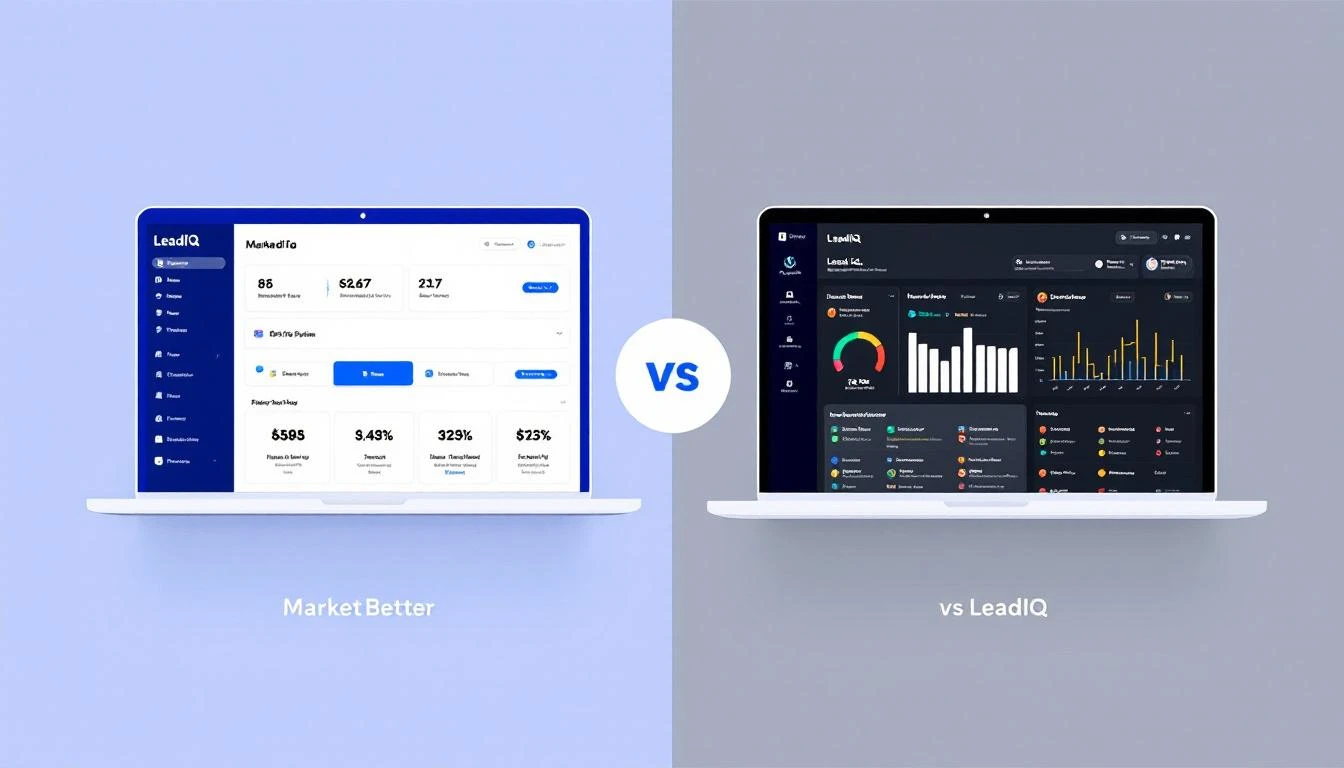
MarketBetter vs LeadIQ comparison for B2B sales teams

LeadIQ is a solid contact capture tool. It sits on top of LinkedIn, grabs verified emails and phone numbers, and pushes them into your CRM. Over 1,000 sales teams use it for exactly that.

But here's the question SDR leaders keep asking: is contact data enough?

Your reps don't just need names and emails. They need to know who to call first, what to say, and when to reach out. That's the gap between a data tool and an SDR operating system.

This comparison breaks down where each platform fits β€” and where it falls short.

What LeadIQ Does Well​

LeadIQ is purpose-built for contact capture from LinkedIn. Its Chrome extension lets SDRs pull verified emails and phone numbers directly from LinkedIn profiles and Sales Navigator searches.

Core strengths:

  • Waterfall email enrichment β€” queries 9 data providers for email verification, improving accuracy over single-source tools
  • Champion tracking β€” alerts you when contacts change jobs, creating warm re-engagement opportunities
  • CRM sync β€” one-click push to Salesforce, HubSpot, Outreach, and Salesloft
  • Scribe AI β€” generates personalized email copy based on prospect data
  • Free tier β€” 50 verified emails per month at no cost

LeadIQ has a 4.2/5 rating on G2 from 1,147+ reviews. Users consistently praise the LinkedIn integration speed and ease of use.

What MarketBetter Does Differently​

MarketBetter isn't a contact database. It's the operating system for AI-powered selling.

Where LeadIQ answers "What's this person's email?", MarketBetter answers "Who should your SDRs contact today, through which channel, and with what message?"

What sets MarketBetter apart:

  • Daily SDR Playbook β€” every rep gets a prioritized task list each morning based on real-time intent signals, not just static lists
  • Website Visitor Identification β€” identifies companies visiting your site before anyone fills out a form
  • Smart Dialer β€” built-in calling with intelligent routing, not a third-party integration
  • AI Chatbot β€” engages every website visitor instantly, qualifying leads 24/7
  • Email Automation β€” hyper-personalized sequences triggered by buyer behavior
  • AI SEO Monitoring β€” tracks how AI search engines describe your brand

MarketBetter has a 4.97/5 rating on G2 and was named Top Performer across 15 lead generation categories.

Feature Comparison​

FeatureMarketBetterLeadIQ
Website visitor identificationβœ… Built-in❌ Not available
Daily SDR playbookβœ… AI-prioritized tasks❌ Not available
Contact data enrichmentβœ… Multi-sourceβœ… 9-provider waterfall
Smart dialerβœ… Built-in❌ Not available
AI chatbotβœ… Built-in❌ Not available
Email sequencesβœ… Automated, personalized❌ Not available (Scribe writes copy only)
Champion/job change trackingβœ… Via signalsβœ… Built-in
LinkedIn Chrome extension❌ MCP-based workflowβœ… Core feature
CRM integrationβœ… HubSpot, Salesforceβœ… HubSpot, Salesforce, Outreach
Intent signalsβœ… Multi-channel❌ Limited to job changes
AI email writerβœ… Behavioral triggersβœ… Scribe (profile-based)
Free planβŒβœ… 50 emails/month

The Real Difference: Data vs. Direction​

LeadIQ gives your reps data β€” verified emails, phone numbers, company info. That's valuable, but it's only one piece of the puzzle.

Your SDRs still need to:

  1. Decide who to prioritize (from potentially thousands of contacts)
  2. Figure out the best channel for each prospect
  3. Write personalized messages for each outreach
  4. Track multi-touch sequences across email, phone, and social
  5. Follow up on website visitors who never filled out a form

MarketBetter handles all of this in one platform. The Daily Playbook eliminates the "what do I do next?" problem that kills SDR productivity. Instead of opening 20 tabs and manually deciding priorities, reps open one dashboard and start executing.

Pricing Comparison​

LeadIQ pricing (2026):

PlanMonthly CostCredits
Free$050 emails, 5 phone numbers
Essential$36–$45/user1,000 emails, 50 phone numbers
Pro$79/user2,000 emails, 100 phone numbers
EnterpriseCustom10,000 emails, 200 phone numbers

Market data from Dimmo (93 purchases) shows the median LeadIQ deal is $26,400/year, with costs ranging from $6,096 to $58,240.

MarketBetter pricing:

MarketBetter's plans start at $99/user/month and include the full SDR stack β€” visitor ID, playbook, smart dialer, chatbot, email automation, and enrichment credits. No per-user limits that punish growth.

The total cost comparison matters more than sticker price. A LeadIQ Pro plan at $79/user for a 5-person SDR team is $395/month β€” but that only gets you contact data. Add a dialer ($50-150/user), email sequencer ($50-100/user), visitor ID tool ($300-500/month), and chatbot ($200-500/month), and you're looking at $2,000-$4,000/month for the same capabilities MarketBetter bundles.

When to Choose LeadIQ​

LeadIQ makes sense if:

  • You only need contact data β€” your team already has a dialer, email platform, and visitor ID tool
  • LinkedIn is your primary prospecting channel β€” LeadIQ's Chrome extension is genuinely best-in-class
  • You're testing outbound β€” the free plan lets you experiment with 50 contacts/month
  • Budget is extremely tight β€” $36/user/month is accessible for early-stage teams

When to Choose MarketBetter​

MarketBetter makes sense if:

  • Your SDRs need direction, not just data β€” the daily playbook eliminates prioritization guesswork
  • You want one platform β€” visitor ID, dialer, email, chatbot, and enrichment in a single login
  • Speed-to-lead matters β€” 90% faster lead response through automated routing
  • You're scaling β€” flat pricing means adding reps doesn't multiply your costs
  • You want to know who's on your website β€” visitor identification catches demand that LeadIQ can't see

The Bottom Line​

LeadIQ is excellent at what it does: capturing contact data from LinkedIn quickly and accurately. If that's the gap in your stack, it's a strong choice.

But if your SDR team's problem isn't "we can't find emails" β€” if the real problem is "we don't know who to prioritize, we're using too many tools, and we're not moving fast enough" β€” then you need more than a data tool.

MarketBetter tells your SDRs who to contact, when, and how. LeadIQ tells them someone's email address. That's the difference between a contact database and an SDR operating system.


Ready to see the difference? Book a demo and we'll show you how MarketBetter's daily playbook changes the way your SDRs work.


Related reading:

Sales Trigger Events: The Complete Guide + 10 Best Tools for 2026

Β· 15 min read
sunder
Founder, marketbetter.ai

Sales Trigger Events Guide for B2B Prospecting

Cold outreach has a 1-3% reply rate. Trigger-based outreach hits 15-25%.

That's not a marginal improvement β€” it's a completely different game. The difference? Timing and relevance.

A sales trigger event is any change in a prospect's world that creates a window of opportunity for your product. New VP of Sales hired? They're rebuilding the tech stack. Company just raised a Series B? They're scaling the team. Prospect visited your pricing page three times this week? They're evaluating.

The best SDR teams in 2026 don't prospect randomly. They react to triggers β€” and the ones who react fastest win.

This guide covers everything: what trigger events are, the 15 types that actually convert, how to build response playbooks, and the 10 best tools for detecting triggers automatically.

What Are Sales Trigger Events?​

A sales trigger event is a specific, observable change in a company or contact that signals potential buying intent. Unlike static firmographic data ("they're a 200-person SaaS company"), triggers are dynamic β€” they represent movement.

Why triggers work:

  • Timing: You're reaching out when something just changed, not randomly
  • Relevance: Your message connects to something real in their world
  • Urgency: Many trigger windows close in 7-14 days as decisions get made
  • Differentiation: While competitors blast generic sequences, you reference specific events

The math is simple: If 3% of your TAM is actively buying at any given time, trigger events help you find that 3% instead of spraying the other 97%.

The 15 Sales Trigger Events That Actually Convert​

Not all triggers are created equal. Here's a ranked breakdown by conversion potential, detection difficulty, and response urgency.

Tier 1: High Intent β€” Act Within 48 Hours​

1. Website Visits (Pricing/Product Pages)​

What it is: A target account or known contact visits your website, especially pricing, product, or comparison pages.

Why it converts: This is the strongest first-party signal you can get. Someone at a potential customer is actively researching your product. They may be comparing you to competitors right now.

Response window: 24-48 hours. After that, they've moved on or chosen someone else.

Playbook:

  • Pricing page visit β†’ Personalized email referencing their industry use case + offer a demo
  • Product page (specific feature) β†’ Reference that specific capability and how similar companies use it
  • Blog/resource visit β†’ Softer touch β€” share a related resource, don't sell yet
  • Multiple visits in a week β†’ They're evaluating. Direct outreach with a calendar link

Key insight: Most marketing automation platforms detect this but don't act on it. The signal goes into a dashboard. What you need is the signal showing up in an SDR's daily task list with a recommended action β€” that's the difference between intelligence and execution.

2. Champion Job Change​

What it is: A current customer or warm contact moves to a new company.

Why it converts: They already know your product, trust it, and want to look good in their new role by bringing proven solutions. UserGems data shows champion job changes convert at 3-5x the rate of cold outreach.

Response window: First 90 days at new role. The first 30 are golden β€” they're building their stack.

Playbook:

  • Week 1-2: Congratulations message (no pitch)
  • Week 3-4: "Now that you're settled, would it make sense to explore [product] for [new company]?"
  • If they were a power user: Reference specific results they achieved

3. Funding Round Announced​

What it is: A company raises venture capital, private equity, or debt financing.

Why it converts: Fresh capital means hiring, scaling, and buying tools. Series A companies build their initial stack. Series B companies professionalize it. Growth equity means the board is pushing for efficiency.

Response window: 2-4 weeks after announcement. Budget conversations happen fast.

Playbook:

  • Reference the funding and the stated use of funds
  • Connect your product to their growth plan
  • If they're hiring SDRs (check job boards), lead with how you help new SDR teams ramp faster

Tier 2: Strong Signal β€” Act Within 1 Week​

4. Executive Hire (VP Sales, CRO, Head of Growth)​

What it is: A company hires or promotes a new leader in a relevant department.

Why it converts: New leaders evaluate the existing tech stack within their first 90 days. They want to put their stamp on the organization and bring tools they trust.

Response window: 30-60 days after start date. They need time to assess before they buy.

Playbook:

  • Wait 2-3 weeks (let them settle)
  • Reference their background and what you've seen work for similar leaders
  • Offer a peer conversation, not a demo

5. Hiring Surge (SDR/BDR Roles)​

What it is: A company posts multiple SDR, BDR, or sales development roles.

Why it converts: If they're hiring SDRs, they need tools for those SDRs. More reps = more seats = bigger deal. They're also feeling pain β€” hiring means current capacity can't keep up with demand.

Response window: 2-4 weeks. They want tools ready before new hires start.

Playbook:

  • "I noticed you're growing the SDR team β€” when those new reps start, how will you handle [specific workflow]?"
  • Lead with ramp time reduction and onboarding efficiency

6. Technology Change (New CRM, New Tool Adoption)​

What it is: A company adopts, switches, or removes a technology in their stack.

Why it converts: Technology changes signal budget availability, process transformation, and openness to new tools. If they just adopted Salesforce, they'll need tools that integrate with it.

Response window: 1-4 weeks depending on the change.

Playbook:

  • "Congrats on the move to [new tool]. Teams we work with who use [tool] typically also need [your category] β€” happy to show you how they work together."

7. Contract Renewal Period​

What it is: A competitor's contract with a prospect is up for renewal (typically annual).

Why it converts: Renewal periods are natural evaluation windows. If they're unhappy with their current tool, this is when they look at alternatives.

Response window: 60-90 days before renewal date.

Playbook:

  • "Many teams evaluate alternatives 2-3 months before their [competitor] renewal. If you're open to a comparison, I can show you what's different."

Tier 3: Contextual Signal β€” Act Within 2 Weeks​

8. Expansion or New Office​

What it is: A company opens a new office, enters a new market, or expands geographically.

Why it converts: Expansion means new team members, new processes, and often new tools. The pain of managing distributed teams creates demand for unified platforms.

Response window: 2-4 weeks after announcement.

9. Product Launch​

What it is: A company launches a new product, service, or major feature.

Why it converts: Product launches require marketing support, sales enablement, and GTM execution. New products need pipeline.

Response window: 1-3 weeks. They're in "build mode."

10. Merger or Acquisition​

What it is: Two companies merge or one acquires another.

Why it converts: M&A forces tech stack consolidation. The acquiring company typically standardizes on one platform, and the acquired company's tools are up for replacement.

Response window: 3-6 months. M&A moves slowly, but decisions get made.

11. Earnings Report / Revenue Growth​

What it is: A public company reports strong earnings, revenue growth, or increased guidance.

Why it converts: Growth means investment. Companies spending more on growth are buying tools to support that growth.

Response window: 2-4 weeks after earnings.

12. Industry Regulatory Change​

What it is: New regulations, compliance requirements, or industry standards that affect your prospect's business.

Why it converts: Compliance drives urgency. When GDPR hit, every company in Europe bought consent management tools within 6 months.

Response window: Depends on regulation timeline. Usually months of lead time.

13. Conference or Event Attendance​

What it is: A prospect attends, sponsors, or speaks at an industry conference.

Why it converts: Conference attendance signals active engagement in the space. Sponsors especially are investing in their category.

Response window: During or immediately after the event.

Playbook:

  • "Saw you're attending [conference]. We'll be there too β€” would you have 15 minutes to connect?"
  • Post-event: Reference a specific session or trend from the event

14. Negative News About Current Vendor​

What it is: A prospect's current vendor experiences an outage, data breach, price increase, or negative press.

Why it converts: Dissatisfaction with a current tool is the #1 reason companies evaluate alternatives.

Response window: 1-2 weeks while the frustration is fresh.

15. Social Engagement​

What it is: A prospect likes, comments, or shares content related to your product category on LinkedIn or Twitter.

Why it converts: Social engagement reveals what people are thinking about. If a VP Sales shares an article about AI SDR tools, they're interested in the category.

Response window: 24-72 hours. Social signals decay quickly.

Building Your Trigger Response Playbook​

Knowing about triggers is useless without a system to detect and act on them. Here's how to build one:

Step 1: Map Triggers to Your ICP​

Not all triggers matter equally for your product. Prioritize:

Your Product CategoryTop 3 Triggers
SDR/Sales toolsHiring surge, champion job change, website visit
Marketing automationFunding round, executive hire, technology change
CRMM&A, expansion, executive hire
Security/ComplianceRegulatory change, data breach, audit period
HR TechHiring surge, expansion, funding round

Step 2: Define Response Timing​

Create a response matrix:

TriggerDetection SourceResponse TimeChannelFirst Touch
Pricing page visitVisitor ID toolSame dayEmail + LinkedInPersonalized demo offer
Champion job changeLinkedIn alertsWeek 2-3EmailCongratulations
Funding roundNews monitoringWeek 1-2Email + phoneGrowth conversation
SDR hiringJob board APIWeek 1-2EmailRamp time pitch

Step 3: Pre-Build Templates​

For each trigger, create a message framework:

Structure: [Trigger reference] + [Empathy/insight] + [Value prop tied to their situation] + [Soft CTA]

Example (funding trigger):

"Congrats on the Series B β€” building out the go-to-market team is always the exciting (and chaotic) part. We help SDR teams at [similar company] go from first hire to first meeting in under a week. Worth a 15-minute look?"

Step 4: Automate Detection​

This is where tools matter. Manual trigger detection doesn't scale past 50 accounts.

10 Best Sales Trigger Event Tools for 2026​

1. MarketBetter​

Trigger types detected: Website visits (company + individual level), email engagement, chatbot interactions, content downloads, return visits

What makes it different: MarketBetter doesn't just detect triggers β€” it converts them into a Daily SDR Playbook. Every morning, each SDR sees a prioritized list of accounts to contact, which channel to use, and a personalized message to send. The trigger detection and response action are unified in one platform.

Pricing: $99/user/month - one plan with everything included. Visitor ID, email automation, smart dialer, AI chatbot, daily SDR playbook, 5M AI credits + 500 enrichment credits per seat. No contracts.

Best for: SDR teams that want trigger detection AND execution in one tool, not two separate platforms that require manual stitching.

See how the playbook works β†’

2. UserGems​

Trigger types detected: Champion job changes, new hires, promotions, departures

What makes it different: The gold standard for tracking champion movement. When your buyer moves companies, UserGems alerts your team and syncs the new contact into your CRM automatically.

Pricing: Custom β€” typically $30K-$80K/yr for mid-market

Best for: Companies with large customer bases where champion tracking has the highest ROI.

3. Cognism​

Trigger types detected: Funding rounds, hiring signals, technographic changes, leadership changes

What makes it different: Combines a B2B contact database with real-time trigger events. Their Diamond Data verification ensures phone numbers actually connect. GDPR-compliant across Europe.

Pricing: Custom β€” estimated $15K-$50K/yr

Best for: European-focused teams that need compliant data with trigger overlays.

4. ZoomInfo​

Trigger types detected: Funding, hiring, technology installs/removals, leadership changes, corporate news, Scoops (crowdsourced intent)

What makes it different: The broadest trigger detection in the market. ZoomInfo tracks 14+ trigger types across their 100M+ company database. Their Scoops feature adds crowdsourced intelligence from verified contributors.

Pricing: Professional from $14,995/yr. Advanced from $24,995/yr. Elite from $39,995/yr.

Best for: Enterprise teams that need maximum trigger breadth across a large TAM.

5. Bombora​

Trigger types detected: Topic-level intent surges (third-party intent data)

What makes it different: Bombora operates the largest B2B intent data co-op, tracking content consumption across 5,000+ publisher sites. When a company researches your category more than baseline, Bombora flags the surge.

Pricing: Custom β€” typically $25K-$60K/yr

Best for: ABM teams that want to identify in-market accounts before they visit your site.

6. 6sense​

Trigger types detected: Intent surges, account engagement, buying stage changes, contact-level engagement

What makes it different: Goes beyond trigger detection to buying stage prediction. 6sense tells you not just that an account is active, but whether they're in awareness, consideration, or decision stage.

Pricing: Custom β€” typically $60K-$120K/yr

Best for: Enterprise ABM teams with budget for comprehensive intent infrastructure.

7. Dealfront (formerly Leadfeeder)​

Trigger types detected: Website visits, company news, trigger events across European markets

What makes it different: Strong European coverage, GDPR-native. Combines website visitor identification with firmographic triggers. Good for teams selling into EMEA.

Pricing: Free plan available. Paid from €99/mo.

Best for: European-focused B2B teams needing website visitor tracking with compliance.

8. LinkedIn Sales Navigator​

Trigger types detected: Job changes, company growth, lead/account activity, shared content engagement

What makes it different: Direct access to LinkedIn's data β€” the most accurate source for job changes and professional movement. Lead alerts notify you when saved leads change roles, post content, or are mentioned in news.

Pricing: Core at $99.99/mo. Advanced at $149.99/mo. Advanced Plus custom.

Best for: Individual SDRs and small teams who prospect primarily through LinkedIn.

9. Apollo.io​

Trigger types detected: Job changes, company news, technology installs, hiring signals, email engagement

What makes it different: Combines trigger detection with a contact database and outreach sequences at a fraction of the price of ZoomInfo or Cognism. The signal-to-noise ratio isn't as refined, but the value-to-cost ratio is hard to beat.

Pricing: Free plan available. Basic at $49/mo. Professional at $79/mo.

Best for: Budget-conscious teams that need basic trigger detection bundled with prospecting.

10. Common Room​

Trigger types detected: Community engagement, social signals, product usage, content engagement, job changes

What makes it different: Common Room aggregates signals from communities (Slack, Discord, GitHub), social media, and product analytics. Strongest for companies with active developer communities or user bases.

Pricing: Free plan available. Team from $625/mo. Enterprise custom.

Best for: Product-led growth companies where community engagement signals buying intent.

Trigger Event Detection: Build vs. Buy​

You don't necessarily need a dedicated trigger tool. Here's what you can do for free:

Free Trigger Monitoring​

  • Google Alerts β€” Set up alerts for target companies (funding, news, hires)
  • LinkedIn Sales Navigator β€” Free alerts on saved leads and accounts
  • Job board monitoring β€” Check Indeed/LinkedIn for SDR postings at target accounts
  • Google News β€” Search "[company] funding" or "[company] new hire" weekly
  • Press releases β€” Monitor PRWeb, BusinessWire for target account announcements

When to Buy a Tool​

Free monitoring works for 20-50 target accounts. Beyond that, you need automation:

  • 50-200 accounts: LinkedIn Sales Navigator + Google Alerts
  • 200-1,000 accounts: Apollo or Dealfront for automated trigger monitoring
  • 1,000+ accounts: MarketBetter, ZoomInfo, or Cognism for full-scale trigger detection
  • Enterprise ABM: 6sense or Bombora for intent data overlays

Common Trigger Selling Mistakes​

1. Waiting Too Long​

The #1 mistake. A funding announcement has a 2-week window. A pricing page visit has a 24-hour window. If your response time is "next sprint planning," you've already lost.

2. Being Too Obvious​

"I noticed you visited our pricing page" is creepy. "I noticed companies in [your industry] are evaluating [your category] right now" is relevant. Reference the category, not the surveillance.

3. Treating All Triggers Equally​

A pricing page visit is a Tier 1 signal. A LinkedIn post like is Tier 3. Don't deploy the same response intensity for both.

4. Manual Processes That Don't Scale​

"I check LinkedIn every morning for job changes" works for 20 accounts. It fails at 200. Automate detection, keep personalization human.

5. No Follow-Up System​

Detecting a trigger and sending one email is barely better than cold outreach. Build a multi-touch sequence around each trigger type: email β†’ LinkedIn β†’ phone β†’ email.

Free Tool

Try our AI Lead Generator β€” find verified LinkedIn leads for any company instantly. No signup required.

The Future: From Trigger Detection to Trigger-Driven Execution​

The gap in most sales stacks isn't detection β€” it's the bridge between "we know something happened" and "an SDR took the right action."

Today, trigger detection and sales execution live in different tools:

  • ZoomInfo detects the trigger
  • Salesforce stores the lead
  • Outreach sends the email
  • The SDR clicks between all three

Tomorrow's best platforms collapse this into one flow. The trigger is detected, the playbook is updated, and the SDR's morning starts with: "Here are the 12 accounts that had trigger events overnight. Here's what to do for each one."

That's not a prediction β€” it's how the top-performing SDR teams already operate in 2026.

See trigger-driven selling in action β†’


Related reading:

15 Best LinkedIn Automation Tools for B2B Sales Teams [2026]

Β· 14 min read
MarketBetter Team
Content Team, marketbetter.ai

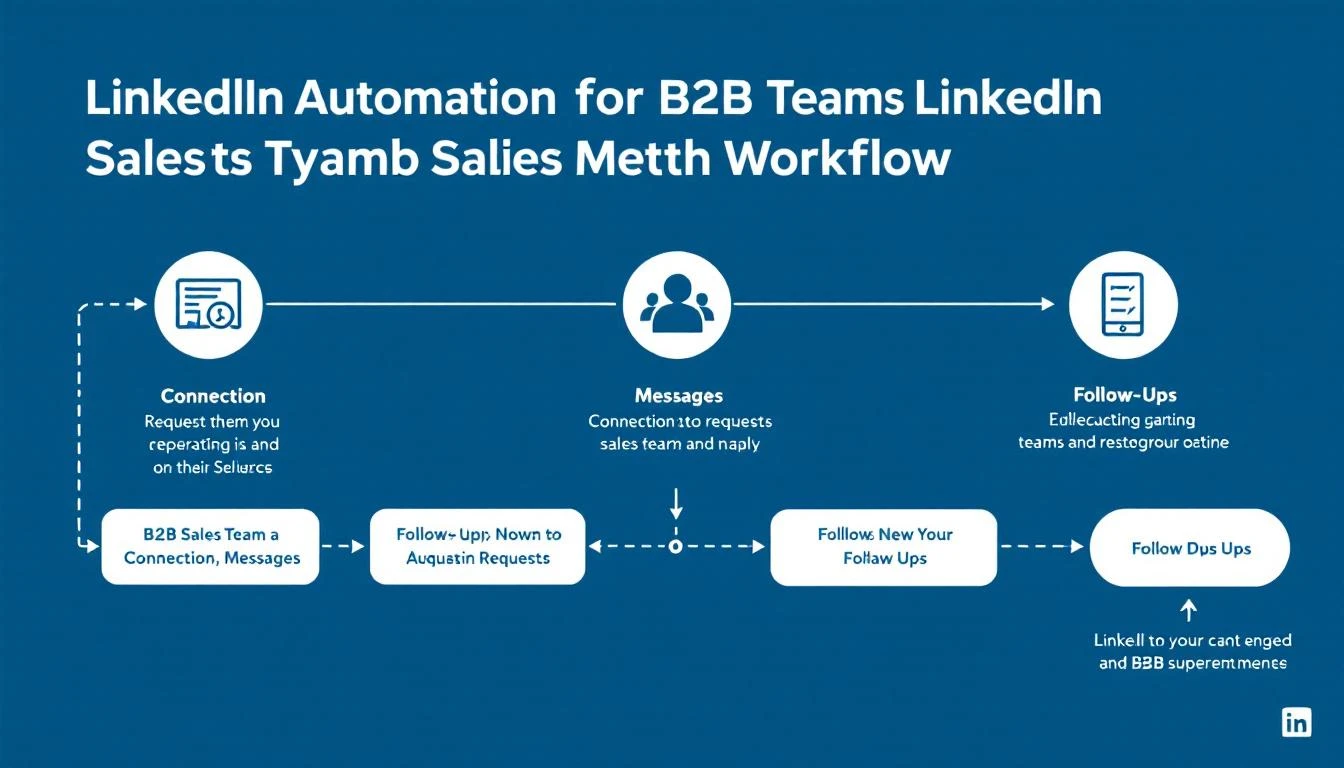
Best LinkedIn Automation Tools for B2B Sales Teams in 2026

LinkedIn has 1 billion+ members. Your buyers are there. The question isn't whether to prospect on LinkedIn β€” it's how to do it without burning 4 hours a day on manual connection requests and follow-ups.

LinkedIn automation tools solve that. They handle the repetitive work β€” sending connection requests, following up, visiting profiles, endorsing skills β€” so your SDRs focus on actual conversations.

But here's what most LinkedIn automation tools miss: they operate in a silo. You automate LinkedIn outreach, but it's completely disconnected from your email sequences, phone calls, visitor intelligence, and CRM. Your reps end up toggling between 5 tabs, duplicating effort, and losing track of who they've contacted where.

The best approach in 2026 isn't a standalone LinkedIn tool. It's a platform that orchestrates LinkedIn alongside every other channel β€” email, phone, chat β€” from a single daily playbook.

Let's break down the top 15 options.

Related guides: Best Outbound Sales Tools Β· Best Sales Prospecting Tools Β· Best Cold Email Software Β· Best Sales Engagement Software Β· Best Sales Cadence Tools

What to Look for in a LinkedIn Automation Tool​

Before diving into tools, here's what actually matters:

  • Safety and compliance β€” LinkedIn actively bans accounts that violate their terms. Cloud-based tools with dedicated IPs and human-like delays are safer than browser extensions
  • Multi-channel capability β€” LinkedIn-only outreach gets 15-25% reply rates. Add email and you hit 46-71% (per 2026 benchmarks)
  • Personalization at scale β€” Template blasts are dead. AI-powered personalization based on prospect data is now table stakes
  • CRM integration β€” Every touchpoint needs to log automatically. Manual CRM updates kill productivity
  • Analytics β€” Connection acceptance rates, reply rates, campaign performance by segment

Quick Comparison Table​

ToolBest ForStarting PriceMulti-ChannelCRM Integration
MarketBetterSignal-driven multi-channel outreach$99/user/monthβœ… Email + LinkedIn + Phone + Chatβœ… Native
HeyReachAgency-scale LinkedIn automation~$79/mo/seatLinkedIn onlyZapier
ExpandiSafe LinkedIn + email outreach$99/mo/seatLinkedIn + EmailZapier/native
Dux-SoupBudget LinkedIn prospecting$14.99/moLinkedIn onlyZapier
WaalaxyBeginners and small teamsFree–$112/moLinkedIn + EmailHubSpot, Salesforce
PhantomBusterData scraping + automation$48/moMulti-platformAPI
SkyleadMulti-channel sequences$100/mo/seatLinkedIn + EmailNative
LaGrowthMachineGrowth teams multi-channel€220/moLinkedIn + Email + TwitterNative
SalesflowB2B lead generation$99/moLinkedIn + EmailNative
LinkedHelperPower users and custom workflows$15/moLinkedIn onlyCSV export
ZoptoEnterprise LinkedIn outreach$197/moLinkedIn + EmailNative
Octopus CRMSimple LinkedIn automation$9.99/moLinkedIn onlyZapier
LemlistCreative email + LinkedIn$39/moEmail + LinkedInNative
Apollo.ioProspecting database + outreachFree–$49/moEmail + LinkedIn + PhoneNative
OverloopPipeline management + outreach$99/mo/userEmail + LinkedInNative

Detailed Reviews​

1. MarketBetter β€” Signal-Driven Multi-Channel Outreach​

Best for: SDR teams that want LinkedIn outreach driven by real buying signals, not spray-and-pray

Most LinkedIn automation tools start with a list. MarketBetter starts with a signal.

When a target account visits your website, researches your category, or shows intent β€” MarketBetter's Daily SDR Playbook tells your rep exactly who to contact, on which channel, with what message. LinkedIn outreach becomes one coordinated touchpoint in a multi-channel sequence, not an isolated activity.

Key differentiators:

  • Signal-first approach β€” LinkedIn outreach triggered by website visits, intent data, and buying signals instead of cold lists
  • Daily Playbook β€” Your SDRs don't decide who to contact. The platform tells them, with channel recommendations
  • Multi-channel orchestration β€” Email, LinkedIn, phone, and AI chatbot all coordinated from one interface
  • Smart Dialer included β€” Most LinkedIn tools have zero calling capability. MarketBetter has a built-in power dialer
  • Website visitor identification β€” Know exactly which companies are browsing your site before reaching out on LinkedIn

Pricing: $99/user/month - one plan with everything included. Visitor ID, email automation, smart dialer, AI chatbot, daily SDR playbook, 5M AI credits + 500 enrichment credits per seat. No contracts.

Best for teams that: Want to stop treating LinkedIn as a separate silo and start running coordinated, signal-driven outreach across every channel.

Book a demo β†’


2. HeyReach β€” Agency-Scale LinkedIn Automation​

Best for: Agencies managing multiple client LinkedIn accounts

HeyReach is built specifically for agencies and teams that need to run LinkedIn outreach across many accounts simultaneously. You can connect unlimited LinkedIn accounts to a single campaign, which is its biggest differentiator.

Key features:

  • Unlimited sender accounts per campaign
  • Post engagement scraping β€” build lists from people who interact with any LinkedIn post
  • Auto-rotation across sender accounts to stay under LinkedIn limits
  • Unified inbox for all connected accounts

Pricing: Starts around $79/mo per seat. Volume discounts for agencies.

G2 Rating: 4.6/5

Limitations: LinkedIn-only (no email or phone). No visitor identification. No calling. CRM integration only through Zapier.

Best for teams that: Run LinkedIn outreach at agency scale across 10+ accounts.


3. Expandi β€” Safe Cloud-Based LinkedIn + Email​

Best for: B2B teams prioritizing account safety with multi-channel reach

Expandi positions itself as the safest LinkedIn automation tool on the market. It uses dedicated country-based IP addresses and mimics human behavior patterns to reduce detection risk.

Key features:

  • Cloud-based with dedicated IP per account
  • Smart sequences combining LinkedIn actions (connect, message, InMail, endorse, follow) with email
  • Dynamic personalization with custom images and GIFs
  • A/B testing on connection requests and messages
  • Event and group-based targeting

Pricing: $99/seat/month

G2 Rating: 4.1/5

Limitations: Pricing adds up fast with larger teams. No calling capability. No website visitor intelligence. Analytics are basic compared to full sales platforms.

Best for teams that: Need safe, cloud-based LinkedIn automation with email as a secondary channel.


4. Dux-Soup β€” Budget-Friendly LinkedIn Prospecting​

Best for: Solo reps and small teams on a tight budget

Dux-Soup is a Chrome extension that automates LinkedIn profile visits, connection requests, and messaging. It's one of the oldest LinkedIn automation tools and remains popular for its simplicity and low price.

Key features:

  • Auto-visit profiles to trigger "who viewed your profile" notifications
  • Automated connection requests with personalized notes
  • Drip messaging campaigns
  • CRM integration via Zapier
  • Works with LinkedIn Free, Sales Navigator, and Recruiter

Pricing: Free plan available. Pro at $14.99/mo. Turbo at $55/mo.

G2 Rating: 4.3/5

Limitations: Browser extension (less safe than cloud-based tools). LinkedIn-only. No email, no phone. Limited analytics. Risk of account restrictions higher than cloud solutions.

Best for teams that: Want basic LinkedIn automation without a big investment.


5. Waalaxy β€” Beginner-Friendly Multi-Channel​

Best for: Teams new to LinkedIn automation who want simplicity

Waalaxy (formerly ProspectIn) makes LinkedIn + email outreach accessible with pre-built campaign templates and an intuitive UI. It's designed for people who aren't outbound experts.

Key features:

  • Pre-built outreach sequence templates
  • LinkedIn + email integration
  • Email finder built in
  • CRM sync with HubSpot and Salesforce
  • Team collaboration features

Pricing: Free plan (80 invites/month). Advanced at $112/mo for full features.

G2 Rating: 4.6/5

Limitations: Campaign templates can feel rigid for advanced users. Connection request limits on free plan. No phone channel.

Best for teams that: Are just getting started with LinkedIn outreach and want guided setup.


6. PhantomBuster β€” Data Extraction + Automation​

Best for: Growth teams that need LinkedIn data scraping alongside automation

PhantomBuster isn't just a LinkedIn tool β€” it's an automation platform for extracting data from LinkedIn, Sales Navigator, Google Maps, Instagram, and more. It's popular for building targeted prospect lists from LinkedIn.

Key features:

  • LinkedIn profile scraper, search scraper, post commenter scraper
  • Sales Navigator list export
  • Automated connection requests and messaging
  • Email enrichment integration
  • Chain multiple "Phantoms" into workflows

Pricing: Starts at $48/mo (Starter). Growth at $99/mo. Business at $399/mo.

G2 Rating: 4.3/5

Limitations: Steep learning curve. Credits-based pricing gets expensive at scale. Not purpose-built for SDR workflows. No CRM or calling.

Best for teams that: Need to extract and enrich LinkedIn data for building prospect lists.


7. Skylead β€” Multi-Channel Smart Sequences​

Best for: SDR teams running coordinated LinkedIn + email campaigns

Skylead combines LinkedIn automation with email outreach in smart sequences that adapt based on prospect behavior. If a LinkedIn connection isn't accepted, the sequence automatically switches to email.

Key features:

  • If/else smart sequences
  • LinkedIn + email in one campaign
  • Email discovery and verification built in
  • Image and GIF personalization
  • Dedicated inbox

Pricing: $100/seat/month

G2 Rating: 4.5/5

Limitations: No phone channel. No website visitor data. Limited to LinkedIn + email.

Best for teams that: Want intelligent multi-channel sequences that adapt to prospect responses.


8. LaGrowthMachine β€” Tri-Channel Growth Engine​

Best for: Growth teams wanting LinkedIn + email + Twitter automation

LaGrowthMachine is a multi-channel prospecting tool that orchestrates outreach across LinkedIn, email, and Twitter from a single campaign builder.

Key features:

  • LinkedIn, email, and Twitter in one workflow
  • Lead enrichment from LinkedIn profiles
  • AI-powered message writing
  • Detailed campaign analytics
  • CRM sync (HubSpot, Salesforce, Pipedrive)

Pricing: Starts at €220/mo per identity

G2 Rating: 4.8/5 (28 reviews)

Limitations: Expensive. Twitter/X channel is niche for B2B. Small review base. No phone or visitor identification.

Best for teams that: Want true tri-channel outreach including Twitter/X.


9. Salesflow β€” B2B LinkedIn Lead Generation​

Best for: B2B companies focused on LinkedIn-first lead generation

Salesflow is a cloud-based LinkedIn automation platform with built-in email capabilities. It's positioned for B2B sales teams and agencies.

Key features:

  • AI-powered messaging
  • Advanced reporting dashboard
  • LinkedIn + email sequences
  • Team management and permissions
  • White-label option for agencies

Pricing: Starts at $99/mo

G2 Rating: 4.3/5

Limitations: Interface can feel dated. No phone integration. Limited compared to full sales platforms.

Best for teams that: Want a solid LinkedIn + email tool with team management features.


10. LinkedHelper β€” Custom Workflow Power Tool​

Best for: Technical users who want maximum control over LinkedIn automation

LinkedHelper is a desktop application (not browser extension, not cloud) that offers deep LinkedIn automation with custom workflow builders.

Key features:

  • Automated profile visits, endorsements, connection requests, messages
  • Custom funnels with conditional logic
  • CSV and CRM export
  • Works with LinkedIn, Sales Navigator, Recruiter
  • No cloud dependency (runs locally)

Pricing: Standard at $15/mo. Pro at $45/mo.

G2 Rating: 4.5/5

Limitations: Desktop-only (needs your computer running). LinkedIn-only. Higher ban risk than cloud tools. No multi-channel. Steeper learning curve.

Best for teams that: Want granular control and don't mind managing a desktop application.


11. Zopto β€” Enterprise LinkedIn Outreach​

Best for: Enterprise teams with Sales Navigator accounts

Zopto is a cloud-based LinkedIn lead generation tool designed for enterprise sales teams using Sales Navigator.

Key features:

  • Campaign templates for different industries
  • LinkedIn + email outreach
  • A/B testing campaigns
  • Team dashboards and reporting
  • Dedicated account manager (higher tiers)

Pricing: Starts at $197/mo

G2 Rating: 4.4/5

Limitations: Expensive. Requires Sales Navigator. UI can be overwhelming. No phone channel.

Best for teams that: Have Sales Navigator and budget for premium LinkedIn outreach.


12. Octopus CRM β€” Simple LinkedIn Automation​

Best for: Individual reps who need basic LinkedIn automation

Octopus CRM is a no-frills Chrome extension for automating LinkedIn actions at a low price point.

Key features:

  • Auto-connect, message, endorse, visit
  • Personal CRM with pipeline tracking
  • Campaign analytics
  • Works with LinkedIn Free and Premium

Pricing: Starter at $9.99/mo. Unlimited at $24.99/mo.

G2 Rating: 4.6/5

Limitations: Chrome extension (higher ban risk). Very basic β€” no email, no sequences, no team features.

Best for teams that: Want dead-simple LinkedIn automation for under $25/month.


13. Lemlist β€” Creative Outreach Across Channels​

Best for: Teams that want personalized, creative outreach combining email and LinkedIn

Lemlist is primarily an email outreach tool that added LinkedIn steps to its sequences. It's known for personalized image and video emails.

Key features:

  • LinkedIn steps in email sequences (visit, connect, message)
  • Custom image and video personalization
  • Email warm-up built in (lemwarm)
  • B2B lead database
  • AI sequence generator

Pricing: Starts at $39/mo. Multichannel Expert at $69/mo.

G2 Rating: 4.4/5

Limitations: LinkedIn automation is secondary to email. Less robust LinkedIn features than dedicated tools. LinkedIn steps require Chrome extension.

Best for teams that: Already use email-first outreach and want to add LinkedIn touchpoints.


14. Apollo.io β€” Prospecting Database + Multi-Channel​

Best for: Teams that need a prospect database AND outreach in one platform

Apollo.io combines a 275M+ contact database with email, LinkedIn, and phone outreach capabilities. It's the broadest single tool for prospecting.

Key features:

  • 275M+ verified contacts with email and phone
  • LinkedIn extension for profile enrichment
  • Email sequences with LinkedIn steps
  • Built-in phone dialer
  • Intent data and buying signals
  • Free tier available

Pricing: Free plan available. Basic at $49/user/month. Professional at $79/user/month.

G2 Rating: 4.8/5 (7,500+ reviews)

Limitations: LinkedIn automation is basic compared to dedicated tools. Data accuracy varies by region. Can feel overwhelming with so many features. Limited visitor identification.

Best for teams that: Want an all-in-one prospecting database with built-in outreach.


15. Overloop β€” Pipeline-Focused Multi-Channel​

Best for: Teams that want outreach and pipeline management in one tool

Overloop (formerly Prospect.io) combines cold email, LinkedIn automation, and pipeline management into a single platform.

Key features:

  • Multi-channel campaigns (email + LinkedIn)
  • Email finder and verifier
  • Pipeline management with deal tracking
  • Chrome extension for LinkedIn
  • Custom fields and contact management

Pricing: $99/user/month

G2 Rating: 4.3/5 (90 reviews)

Limitations: Smaller user base than competitors. LinkedIn features are secondary to email. No phone channel.

Best for teams that: Want outreach and deal tracking in one interface.


The Real Problem with LinkedIn-Only Automation​

Here's what we see across hundreds of B2B sales teams: LinkedIn automation works until it doesn't scale.

Your rep connects with 100 people per week on LinkedIn. Great. But then:

  • 30% accept the connection
  • 10% reply to the first message
  • 3% book a meeting

That's 3 meetings per week from LinkedIn alone. Not bad. But you're leaving massive opportunity on the table by not coordinating LinkedIn with your other channels.

What high-performing SDR teams do differently:

  1. Start with signals β€” Don't blast everyone. Reach out to accounts showing buying intent (website visits, content downloads, competitor research)
  2. Coordinate channels β€” LinkedIn connection β†’ personalized email β†’ phone call β†’ LinkedIn follow-up. The sequence matters
  3. Use a single playbook β€” Your rep shouldn't toggle between a LinkedIn tool, an email tool, a dialer, and a CRM. One daily task list. One workflow

This is exactly what MarketBetter's Daily SDR Playbook does. Instead of running LinkedIn outreach in isolation, every touchpoint β€” LinkedIn, email, phone, chat β€” is orchestrated from a single interface, driven by real buying signals.

How to Choose the Right Tool​

If you're a solo rep or tiny team (1-3 people): Start with Dux-Soup ($15/mo) or Octopus CRM ($10/mo). Low cost, low risk. Graduate to Expandi or Waalaxy when you need multi-channel.

If you're an SDR team (5-20 reps): You need multi-channel β€” LinkedIn alone won't hit quota. Look at MarketBetter (signal-driven orchestration), Apollo (database + outreach), or Skylead (smart sequences).

If you're an agency: HeyReach is purpose-built for agency-scale LinkedIn outreach across multiple client accounts.

If you're enterprise: Zopto or LaGrowthMachine for dedicated LinkedIn, or MarketBetter for full-stack SDR orchestration with visitor identification, playbook, and calling built in.

Free Tool

Try our AI Lead Generator β€” find verified LinkedIn leads for any company instantly. No signup required.

Bottom Line​

LinkedIn automation is a solved problem. Every tool on this list can send connection requests and messages.

The unsolved problem is orchestration β€” making LinkedIn one coordinated piece of a multi-channel sales motion driven by real buying signals, not cold lists.

If your SDR team is spending time deciding who to contact and on which channel, they're wasting time a platform should handle. The best LinkedIn automation isn't just about LinkedIn. It's about making every channel work together.

Ready to see signal-driven outreach in action? Book a MarketBetter demo β†’

How to Automate Lead Research with Claude Code [Step-by-Step Tutorial]

Β· 6 min read

The average SDR spends 6 hours per week researching prospects. That's 6 hours of:

  • Googling company names
  • Scanning LinkedIn profiles
  • Reading news articles
  • Looking for pain points to reference

What if you could do all that in 30 seconds?

Claude Codeβ€”Anthropic's AI with tool use and code executionβ€”can turn a prospect name into a complete research brief automatically. Here's exactly how to set it up.

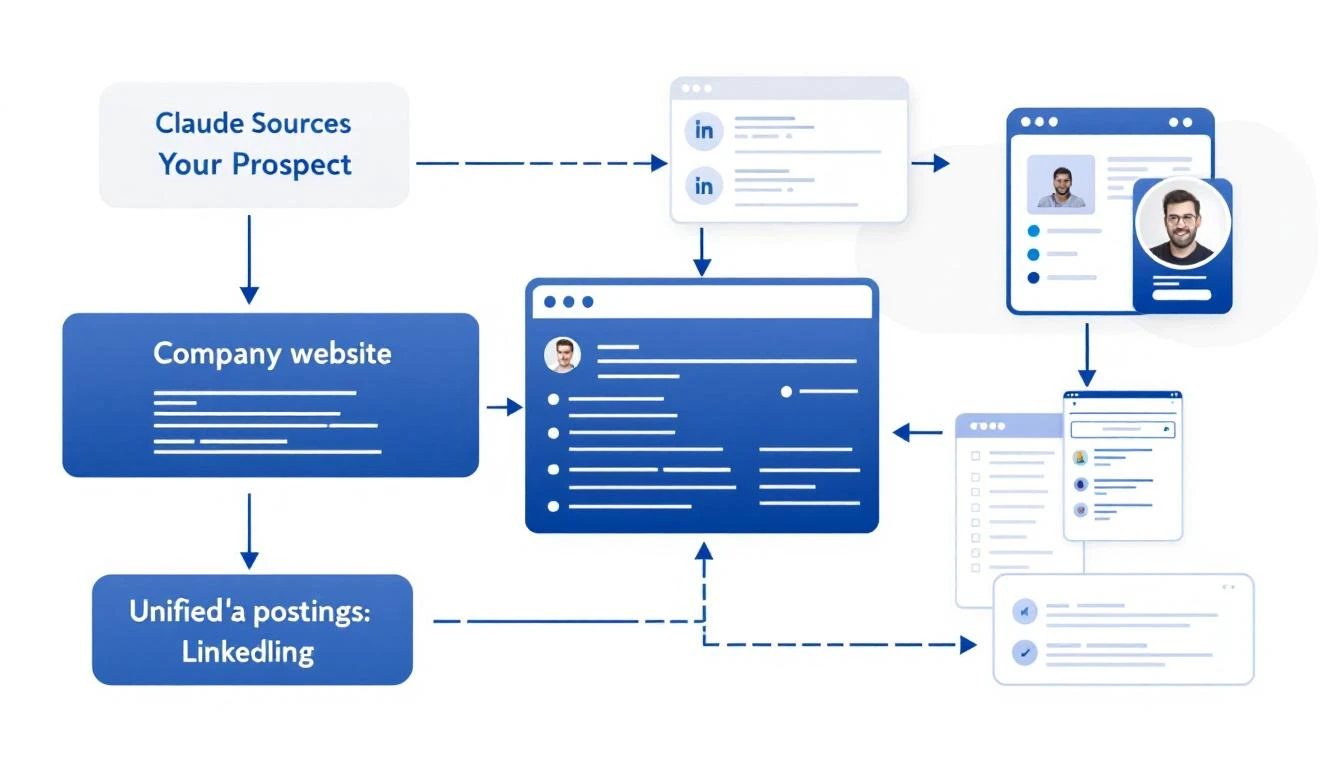
Claude Code researching prospects from multiple data sources

What Good Lead Research Actually Looks Like​

Before we automate, let's define what we're building. A great prospect brief includes:

  1. Company Overview: What they do, company size, industry
  2. Recent News: Funding, product launches, leadership changes
  3. Tech Stack: What tools they already use (if visible)
  4. Pain Point Signals: Job postings, complaints, market trends
  5. Personalization Hooks: Specific details for your outreach

This used to take 10-15 minutes per prospect. Now it takes seconds.

The Claude Code Approach​

Claude Code can:

  • Execute searches and aggregate results
  • Read web pages and extract key information
  • Structure unstructured data into useful formats
  • Reason about what matters for your use case

Here's a prompt template that generates complete prospect briefs:

Research this company for a B2B sales outreach:

**Company:** {\{company_name\}}
**Our Product:** AI-powered SDR platform that turns intent signals into pipeline

**Create a prospect brief with:**

1. **Company Overview**
- What they do (one sentence)
- Employee count and headquarters
- Industry and target market

2. **Recent Activity (Last 6 Months)**
- Funding or acquisitions
- Product launches
- Leadership changes
- Press coverage

3. **Sales-Relevant Signals**
- Are they hiring for SDRs, sales ops, or demand gen?
- Any complaints about lead quality or outbound efficiency?
- What CRM/sales stack do they use? (check job postings)

4. **Personalization Hooks**
- 3 specific details I can reference in an email
- Potential pain points based on their situation
- Suggested angle for outreach

5. **Recommended Next Step**
- Best channel to reach them (email, LinkedIn, phone)
- Suggested first message angle

Be specific. Use actual data, not generic statements.

Setting Up Automated Research​

Option 1: OpenClaw + Claude (Always-On)​

If you want research to run automatically when new leads come in:

# OpenClaw config
cron:
jobs:
- name: "New Lead Research"
schedule:
kind: every
everyMs: 900000 # Every 15 minutes
payload:
kind: agentTurn
message: |
Check HubSpot for contacts added in the last 15 minutes.
For each new contact, create a prospect brief and add it
to the contact notes field.

This runs in the background, enriching leads as they arrive.

Option 2: Claude Code CLI (On-Demand)​

For manual research when you need it:

# Install Claude Code
npm install -g @anthropic-ai/claude-code

# Run research
claude-code research "Acme Corp"

Option 3: VS Code Extension​

If you work in VS Code, Claude Code integrates directly:

  1. Highlight a company name
  2. Cmd+Shift+P β†’ "Claude: Research Prospect"
  3. Get a brief in your sidebar

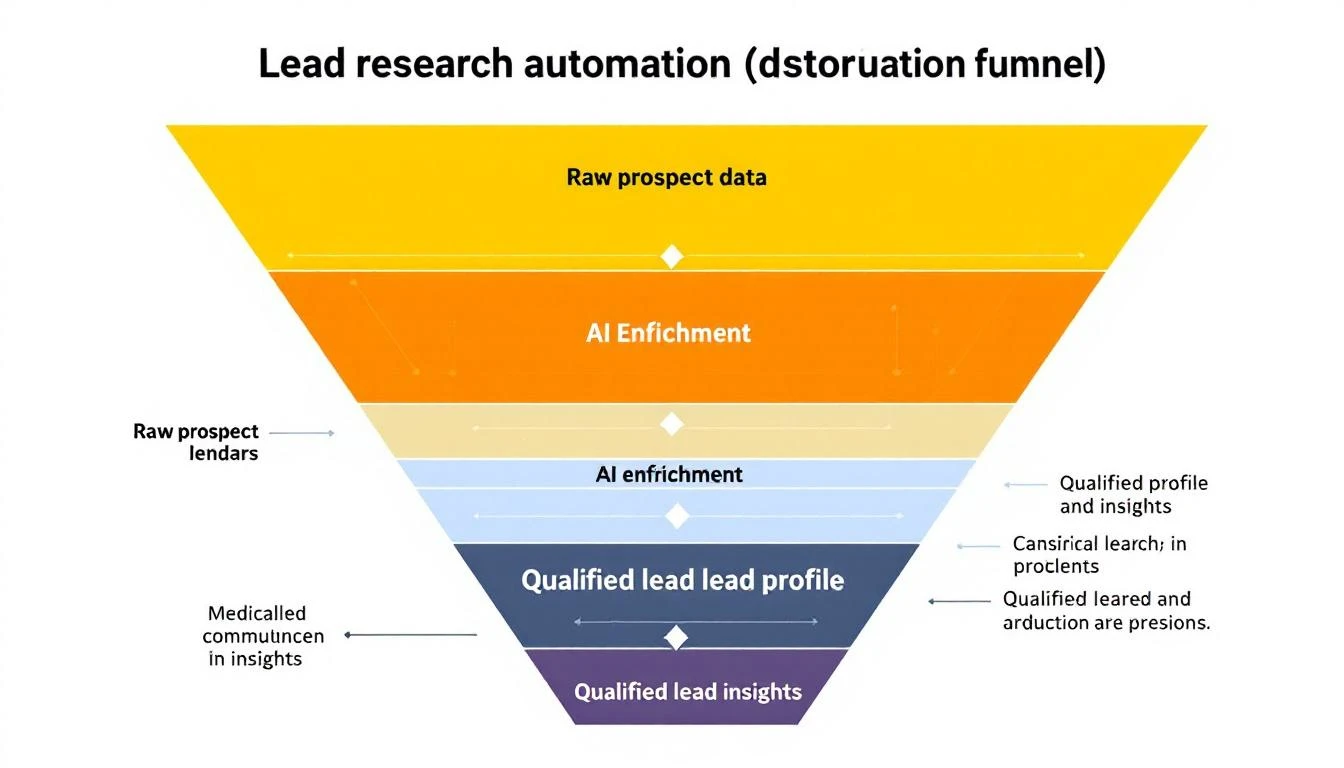
Lead research funnel: Raw data to enriched profile

Real Research Output Example​

Here's what Claude Code actually produces for a real company:


Company: Hologram (hologram.io)

Overview: IoT connectivity platform providing global cellular for devices. ~150 employees, HQ in Chicago. Series B ($65M from Battery Ventures).

Recent Activity:

  • Feb 2026: Launched Hyper network for low-latency IoT
  • Jan 2026: Partnership with AWS IoT Core announced
  • Hiring: 3 open SDR roles, 2 demand gen positions

Sales Signals:

  • Job posting mentions "scaling outbound motion" and "improving lead quality"
  • Uses HubSpot (seen in job req), Outreach for sequences
  • Active on G2 responding to reviews (cares about buyer perception)

Personalization Hooks:

  1. Reference the Hyper launch: "Saw the Hyper network announcementβ€”congrats"
  2. Note the hiring push: "Looks like you're scaling the SDR team"
  3. Connect to IoT/connectivity angle: "We work with several IoT companies..."

Recommended Approach: LinkedIn β†’ Email sequence. Their team is active on LinkedIn. Reference specific content they've posted.


This took 15 seconds to generate. A human would need 10-15 minutes minimum.

Enrichment Sources Claude Code Can Access​

When you give Claude Code research tasks, it can pull from:

SourceWhat It Finds
Company websiteProducts, pricing, team page
LinkedInEmployee count, org structure, recent posts
Job boardsHiring signals, tech stack clues
News sitesFunding, partnerships, launches
G2/CapterraReviews, complaints, competitor comparisons
CrunchbaseFunding history, investors, competitors

The key is structuring your prompt to tell Claude what matters for your specific outreach.

Advanced: Building a Research Pipeline​

For high-volume prospecting, build a full pipeline:

[New Lead] 
↓
[Basic Enrichment]
- Company size, industry
- Contact title, seniority
↓
[ICP Scoring]
- Match against ideal customer profile
- Score 1-100
↓
[Deep Research] (if score > 70)
- Full prospect brief
- Personalization hooks
↓
[Routing]
- Hot leads β†’ Slack alert + call queue
- Warm leads β†’ Automated sequence
- Cold leads β†’ Nurture list

Each step can be automated with Claude Code + OpenClaw.

Common Mistakes to Avoid​

1. Researching Every Lead Equally

Not every lead deserves 10 minutes of research. Use basic enrichment to score first, then deep-dive on high-potential prospects only.

2. Ignoring Negative Signals

Good research includes disqualifying information. If a company just laid off their sales team, that's important context.

3. Stale Data

Information decays. Set up refresh cycles for long-nurture prospects.

4. Over-Personalizing

Mentioning 5 specific details in an email feels creepy. Pick the ONE most relevant hook.

Measuring Research Quality​

Track these metrics:

  • Time per lead: Should drop from 10-15 min to under 1 min
  • Reply rates: Better research β†’ better personalization β†’ higher replies
  • Qualification accuracy: Are AI-scored leads actually converting?
  • Rep adoption: Is your team actually using the briefs?

The MarketBetter Advantage​

MarketBetter does this automatically for every website visitor:

  1. Identify: Know which companies visit your site
  2. Enrich: Pull firmographic and technographic data
  3. Research: AI generates prospect briefs
  4. Prioritize: Score and route to the right rep
  5. Act: Get a daily playbook of exactly who to contact

No manual research required. No copy-pasting between tools.


Ready to automate your lead research? See how MarketBetter turns visitor identification into actionable prospect intelligence. Book a demo.