Breakout AI Review 2026: Honest Assessment of the Inbound AI SDR

· 7 min read
MarketBetter Team
Content Team, marketbetter.ai

nBreakout AI Review 2026

Breakout (getbreakout.ai) has been gaining attention in the B2B sales tech space as an "inbound AI SDR" — a tool that engages website visitors, qualifies them through AI-powered conversations, and books meetings for your sales team.

With a 4.9 rating on G2 (30+ reviews) and endorsements from mid-market growth teams, Breakout looks impressive on paper. But is it worth $1,500–$2,500/month? And does it really replace a human SDR?

We dug into Breakout's features, pricing, user reviews, and competitive positioning to give you an honest assessment.

What Breakout Does​

Breakout focuses on one thing: turning website visitors into qualified pipeline through AI-powered inbound engagement. Here's the core workflow:

  1. Identify — Deanonymize website visitors at the company and person level
  2. Engage — An AI chatbot engages visitors with personalized conversations and demos
  3. Qualify — The AI assesses fit and intent, filtering out non-buyers
  4. Route — Qualified leads are routed to the right rep in real-time (Growth plan)
  5. Book — Meetings are scheduled directly from the conversation (Growth plan)
  6. Follow up — Warm outbound plays via email and LinkedIn after visitors leave

Breakout Blocks​

One differentiating feature is Breakout Blocks — interactive, personalized content experiences embedded in your website. Think of them as AI-powered microsites that adapt to each visitor, showing relevant case studies, demos, and pricing based on who's viewing.

This is genuinely interesting and something most competitors don't offer. It goes beyond a chat widget into site-wide personalization.

What We Like​

✅ Fast Setup​

Multiple reviewers on G2 mention getting Breakout live in under 3 hours. One-click CRM marketplace integration and a simple GTM tag make deployment painless. Compared to enterprise tools like Qualified or 6sense (which take weeks to months), this is a genuine advantage.

✅ Clean User Experience​

The UI is described as "super crisp" by users. Breakout clearly invested in design, which matters when you're asking your sales team to use another tool daily.

✅ Genuine AI Conversations​

Unlike rigid chatbot playbooks (Drift-style decision trees), Breakout's AI SDR can hold contextual conversations, answer product questions, and adapt based on visitor behavior. G2 reviews confirm this works well:

"It's like having a 24/7 sales rep who never sleeps. You don't lose potential leads just because someone wasn't available."

✅ Warm Outbound Plays​

After a visitor leaves your site, Breakout can trigger multi-channel follow-ups — personalized emails and LinkedIn messages. This "warm outbound" approach bridges the gap between pure inbound chat and outbound prospecting.

✅ Buying Group Identification​

Breakout doesn't just identify the individual visitor — it surfaces the buying committee at their company. This is useful for B2B deals where multiple stakeholders are involved.

What Concerns Us​

⚠️ Non-Transparent Pricing​

This is our biggest concern. Breakout's pricing page shows "Starts at $1,500/mo" and "Starts at $2,500/mo" — but there's no detail on:

  • What drives the price above the "starting" number
  • Per-conversation costs or volume tiers
  • How pricing scales as your traffic grows
  • The actual Enterprise tier pricing

Why this matters: Budget-conscious teams can't forecast costs. CFOs can't approve without exact numbers. And renewal pricing is a black box — teams report significant price increases at renewal when vendors use opaque initial pricing.

For a detailed analysis, read our Breakout Pricing Breakdown →

⚠️ Inbound-Only Limitation​

Breakout is designed for one scenario: a visitor comes to your website and engages with chat. But most B2B pipeline isn't purely inbound:

  • Outbound prospecting — cold outreach to target accounts
  • Signal-based selling — acting on job changes, funding events, news
  • Event follow-up — post-conference outreach
  • Referral management — warm introductions

For these motions, you need separate tools. Breakout doesn't help with your outbound workflow — which, for most B2B teams, is 50-70% of pipeline.

⚠️ No Dialer​

Phone calling remains one of the highest-converting outreach channels for B2B sales. Breakout has no phone capability. Your SDRs need a separate dialer — Orum ($150/seat/mo), Nooks ($150-200/seat/mo), or similar.

This isn't a minor gap. It's a $1,500-2,000/mo additional expense for a 10-person team that Breakout's pricing doesn't surface.

⚠️ No Daily SDR Playbook​

When your SDR logs in each morning, what do they see?

  • Breakout: Chat conversations from yesterday, deanonymization alerts, maybe some warm outbound queued up.
  • What SDRs actually need: A prioritized list of everyone to call, email, and follow up with — across all channels — ranked by likelihood to convert.

Breakout handles the inbound chat slice of an SDR's day. It doesn't orchestrate the rest: outbound calls, email follow-ups, LinkedIn messages, signal-based outreach, or meeting prep.

⚠️ Small G2 Review Sample​

A 4.9 rating is impressive, but with only 30+ reviews, the dataset is small. Early-stage products often have inflated G2 scores because initial reviewers are typically enthusiastic early adopters. For comparison:

ToolG2 RatingNumber of Reviews
Drift4.41,200+
Intercom4.53,000+
Qualified4.9950+
Warmly4.7200+
Breakout4.930+

As the review count grows, the score typically normalizes. We'd give more weight to Breakout's reviews once they reach 100+ verified users.

⚠️ Feature Gating Between Tiers​

The Inbound AI SDR — Breakout's headline feature — is not included in the Starter plan ($1,500/mo). Neither is lead routing or scheduling. These are Growth plan ($2,500/mo) features. If you're drawn to Breakout for the AI chatbot, you need the more expensive tier.

Similarly, enterprise features like SSO, custom integrations, and data governance require the Enterprise plan with custom pricing.

Who Breakout Is Built For​

Based on our analysis, Breakout is best suited for:

✅ Mid-market B2B companies (51-1000 employees) with significant inbound website traffic ✅ Marketing teams that want to personalize site experiences and capture more leads from existing traffic ✅ Teams with an existing outbound stack (Outreach/Salesloft + dialer) that need to add inbound chat intelligence ✅ Companies spending $5K+/mo on digital ads driving traffic to their website — Breakout helps convert that traffic

Who Should Look Elsewhere​

⚠️ Budget-conscious teams — $1,500-2,500/mo for a single-channel tool is steep. Consider Warmly ($700/mo), HubSpot chatbot (included), or Intercom Fin ($29/seat). ⚠️ Outbound-heavy teams — If 50%+ of your pipeline comes from outbound, Breakout doesn't participate in that motion. ⚠️ Teams wanting to consolidate tools — Breakout adds to your stack; it doesn't replace it. You still need a dialer, outbound email, and potentially a meeting scheduler. ⚠️ Teams that need pricing transparency — If your procurement process requires clear pricing before engaging sales, Breakout's "request a demo" model creates friction.

Our Verdict: 7/10​

Breakout is a polished, well-executed inbound AI chatbot that genuinely works. The AI conversations are natural, setup is fast, and G2 users are happy.

But it's not what the marketing suggests. "AI SDR" implies replacing a human SDR. In reality, it replaces one thin slice of an SDR's job — inbound chat — at a premium price point that doesn't include the tools needed for the other 80% of the job.

Our recommendation: If you have budget for a $2,500/mo single-purpose chatbot AND you already have a dialer, outbound platform, and email tool, Breakout is a good add-on. If you want a single platform that handles the full SDR workflow, look at all-in-one options instead.


What We'd ScoreRating
Feature set⭐⭐⭐⭐ (8/10) — great for inbound chat, lacking for full SDR workflow
Pricing value⭐⭐⭐ (6/10) — expensive for a single channel, opaque pricing model
Ease of use⭐⭐⭐⭐⭐ (9/10) — clean UI, fast setup, intuitive
AI quality⭐⭐⭐⭐ (8/10) — genuine conversational AI, not rigid decision trees
Overall⭐⭐⭐⭐ (7/10) — good tool, narrow scope, premium price

Free Tool

Try our AI Lead Generator — find verified LinkedIn leads for any company instantly. No signup required.

Want a Full SDR Platform Instead of Just a Chatbot?​

MarketBetter includes AI chatbot + email automation + smart dialer + visitor ID + daily SDR playbook — all in one platform with transparent pricing.

Book a Demo →

See how MarketBetter replaces Breakout + your dialer + your email tool — in one platform.

Build vs Buy: Why GTM Teams Should Build Their Own AI SDR Stack [2026]

· 10 min read
MarketBetter Team
Content Team, marketbetter.ai

There's a dirty secret in the AI SDR market: the vendors charging $35,000-$50,000 per year for "AI-powered sales development" are mostly wrapping the same foundation models you can access yourself.

GPT-5.3-Codex just dropped on February 5th. Claude 4 has a 200K context window. OpenClaw is free and open source. The building blocks for a world-class AI SDR system are available to anyone — often at 90% less cost than buying a platform.

So why are companies still writing six-figure checks?

Because "build vs buy" is the wrong framing. The real question is: what exactly are you buying, and can you build something better?

This guide breaks down the honest economics, technical requirements, and strategic implications of building your own AI SDR stack versus buying an off-the-shelf platform.

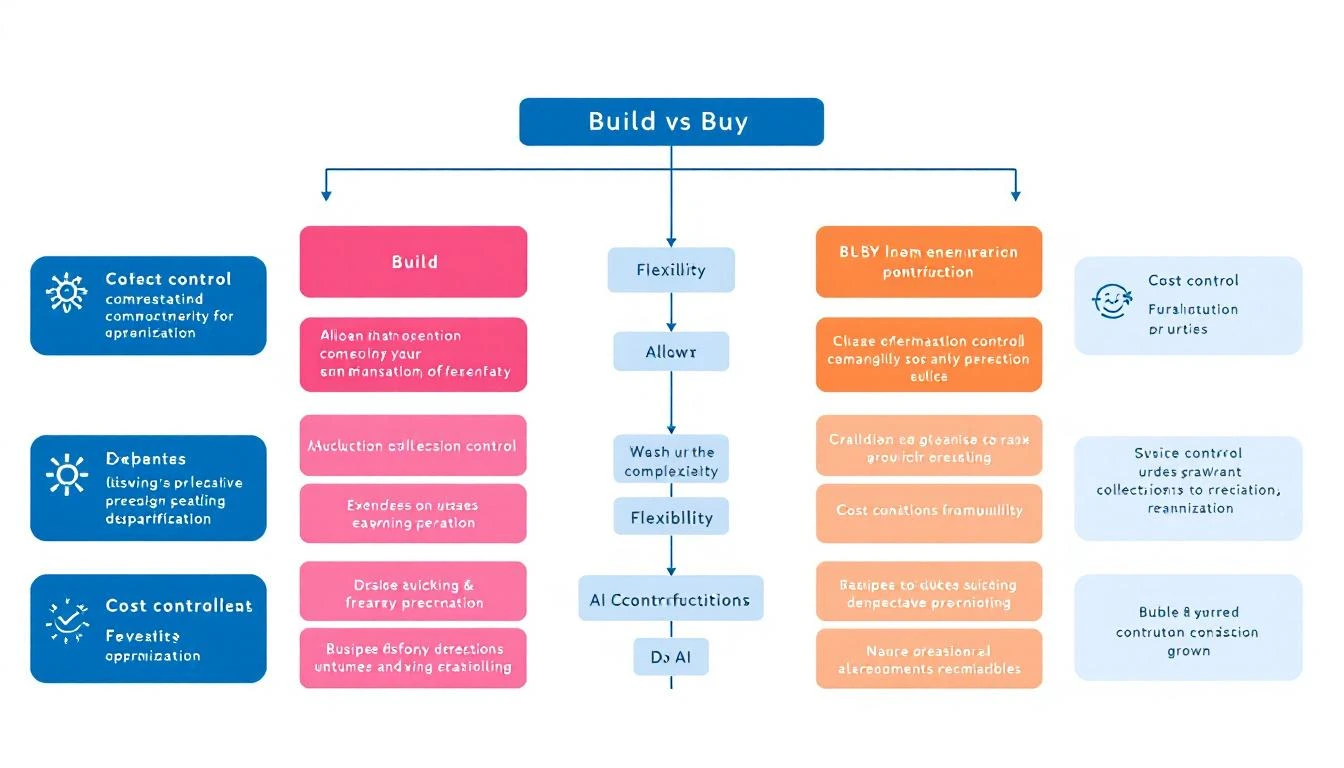
Build vs buy decision framework for AI SDR tools

The Current AI SDR Landscape​

Let's map the market honestly. Here's what you're looking at if you buy:

Enterprise AI SDR platforms ($30K-$80K/year):

  • 6sense, Demandbase, ZoomInfo — intent data + basic AI features
  • Lock-in through proprietary data sets
  • 6-month implementation cycles
  • You're paying for their data, not their AI

AI-native sales tools ($15K-$40K/year):

  • Tools purpose-built around AI for prospecting and outreach
  • Faster to implement
  • Still black-box AI — you can't see or modify the prompts
  • Your data trains their models (read the fine print)

Point solutions ($5K-$15K/year):

  • AI email writers, LinkedIn automation, chatbots
  • Each solves one piece of the puzzle
  • Stack 5-6 of these and you're at $50K anyway
  • They don't talk to each other

Now here's what you can build:

Open-source AI SDR stack ($3K-$7K/year):

  • OpenClaw for orchestration (free)
  • Claude or GPT for intelligence ($200-500/month in API costs)
  • Your own CRM integration (you already have the CRM)
  • Full customization, full data ownership, no lock-in

The math is stark. But cost isn't the only factor.

What "Buy" Actually Gets You​

Let's be fair about what platforms offer that's genuinely hard to replicate:

Proprietary intent data. 6sense and Demandbase have massive B2B web tracking networks. They know when accounts in your ICP are researching solutions because they have tracking pixels on thousands of review sites, publications, and vendor pages. This is genuinely hard to replicate.

Pre-built integrations. Plug into Salesforce, HubSpot, Outreach, SalesLoft, LinkedIn Sales Nav — all configured and maintained by the vendor. No engineering time required.

Compliance and security. SOC 2, GDPR, data processing agreements — all handled. Your legal team signs one contract, not fifteen.

Support and training. Someone answers the phone when things break. Your team gets onboarded by humans.

These are real advantages. But here's the thing: most of them are table stakes, not differentiators. And the most critical piece — the AI intelligence that actually makes your outreach better — is something you can build better yourself.

What "Build" Actually Gets You​

Here's what building gives you that no platform can:

Custom AI prompts tuned to your exact ICP. When you buy a platform, you get generic prompts that work "okay" for everyone. When you build, your AI knows that your best customers are VP-level buyers at B2B SaaS companies with 50-500 employees who just hired their first SDR manager. That specificity translates directly into better outreach.

Full prompt transparency. With a platform, the AI's reasoning is a black box. You can't see why it recommended Account A over Account B. When you build with OpenClaw + Claude, you see every prompt, every reasoning chain, every decision. You can debug and improve the intelligence layer continuously.

Data ownership. Your prospect data, your conversation history, your performance metrics — all yours. No vendor sunset risk. No price increases because they know you're locked in. No "we're pivoting our product" emails.

Infinite customization. Want your AI agent to check competitor pricing pages every morning and adjust your positioning? Done. Want it to cross-reference LinkedIn job postings with your CRM to identify expansion opportunities? Done. Try getting a platform vendor to build that feature for you — you'll be waiting 18 months.

Speed of iteration. When GPT-5.3-Codex dropped on February 5th, teams building their own stack could integrate it within hours. Platform users? They'll get it when the vendor's roadmap says they get it. Maybe Q3.

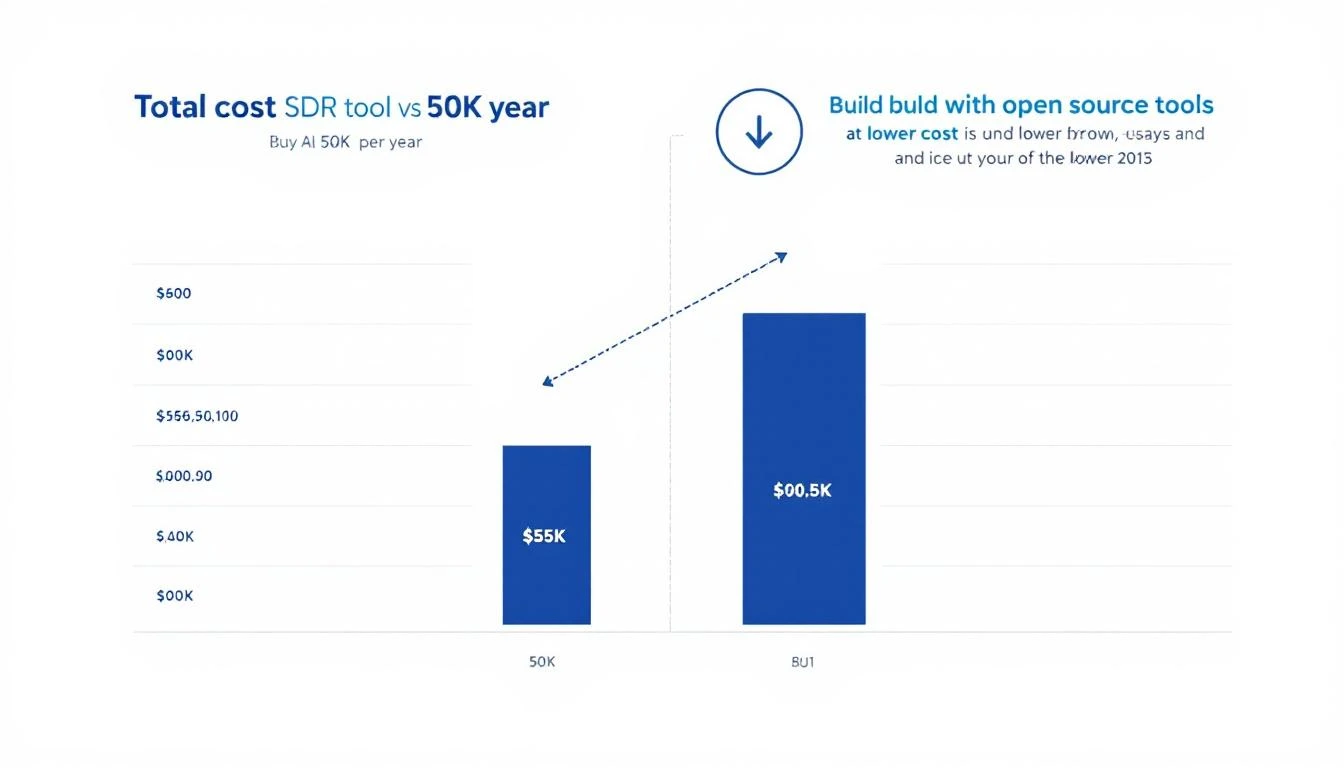
Total cost comparison of buying vs building AI SDR tools

The Real Cost Breakdown​

Let's do the math honestly, including the costs "build" advocates often leave out.

Buying a Platform​

CostAnnual
Platform license (mid-tier)$35,000
Additional seats$5,000
Premium data enrichment$8,000
Implementation + training$5,000 (year 1)
Total Year 1$53,000
Total Year 2+$48,000

Building with Open Source​

CostAnnual
OpenClaw (self-hosted)$0
Cloud hosting (AWS/Azure)$1,200
AI API costs (Claude/GPT)$4,800
Data enrichment APIs$3,600
Engineering time (setup)$8,000 (year 1, ~2 weeks)
Maintenance (ongoing)$4,000/year (~4 hours/month)
Total Year 1$17,600
Total Year 2+$9,600

3-year total comparison:

  • Buy: $149,000
  • Build: $36,800

That's $112,200 saved over 3 years.

And here's the kicker: the "build" costs are conservative. Many teams report lower API costs because they optimize prompts over time. The "buy" costs are conservative too — many platforms charge more.

When You Should Buy​

Building isn't always the right call. Here's when buying makes more sense:

You have zero engineering resources. If nobody on your team can write a config file or deploy a Docker container, building will be painful. OpenClaw is user-friendly, but it's not Canva.

You need intent data specifically. If your primary value is knowing which accounts are in-market right now, platforms like 6sense have proprietary data you can't easily replicate. The AI layer on top is commodity, but the data isn't.

Speed-to-value matters more than cost. If you're a funded startup burning cash and need pipeline yesterday, a platform gets you to "good enough" faster than building gets you to "great."

Your team is < 3 SDRs. At small scale, the ROI of building custom tooling is harder to justify. Use a platform until you hit scale, then evaluate building.

When You Should Build​

Building is the right call when:

You have 5+ SDRs. At scale, the cost savings compound quickly. And the customization advantages matter more because you have enough data to tune the AI properly.

Your sales motion is complex. If you sell to multiple personas, have long sales cycles, or need deeply personalized outreach — platforms' one-size-fits-all approach will limit you. Custom AI agents can model your specific buyer journey.

You already use Claude Code or Codex. If your engineering team is already using AI coding agents, extending them to sales automation is a natural next step. The learning curve is minimal.

Data privacy matters. If you're in healthcare, fintech, or government — having full control over where prospect data lives and how it's processed is often a compliance requirement, not a preference.

You want to compound advantages. Every improvement you make to your AI SDR stack benefits only you. Every improvement a platform vendor makes benefits all their customers equally. Building creates a moat; buying creates parity.

The Hybrid Approach​

Here's what smart teams actually do: build the intelligence layer, buy the data layer.

Use a data provider (ZoomInfo, Apollo) for contact information and basic firmographics. That's commodity data — pay for it.

But build your own:

  • Account research with OpenClaw + Claude (web scraping, news monitoring)
  • Scoring logic tuned to your specific ICP signals
  • Outreach generation with prompts optimized for your voice and value props
  • Multi-channel orchestration across email, LinkedIn, and Slack
  • Performance analytics that track what actually drives meetings

This hybrid approach gives you the best of both worlds: reliable data from established providers, and custom AI intelligence that competitors can't replicate.

The Technical Stack​

For teams ready to build, here's the stack we recommend:

Orchestration: OpenClaw (open source, self-hosted)

  • Connects AI to all your channels
  • Runs agents 24/7 with memory and cron jobs
  • Browser automation for dynamic websites
  • Free forever — github.com/openclaw/openclaw

Intelligence: Claude (Anthropic) or GPT-5.3-Codex (OpenAI)

  • Claude: Best for nuanced writing, research, long-context analysis
  • Codex: Best for structured data processing, code generation, multi-file operations
  • Use both — they excel at different parts of the SDR workflow

CRM: HubSpot or Salesforce (whatever you already have)

  • Connect via API — both have excellent APIs
  • OpenClaw can read/write CRM data through tool integrations

Data: ZoomInfo, Apollo, or Clearbit for enrichment

  • API access, pay per lookup
  • Supplement with OpenClaw's web research for trigger events

Messaging: Native email + LinkedIn automation

  • Email via your existing provider (Gmail, Outlook)
  • LinkedIn via browser automation (OpenClaw supports this)

Getting Started in One Weekend​

You don't need two weeks. Here's a realistic weekend sprint:

Saturday morning (3 hours):

  1. Deploy OpenClaw on your server or cloud instance
  2. Connect it to your CRM via API
  3. Set up a basic research agent that monitors your top 10 accounts

Saturday afternoon (3 hours): 4. Create prompt templates for account research 5. Set up a cron job for daily account monitoring 6. Test the research output — refine prompts

Sunday morning (3 hours): 7. Add email draft generation based on research 8. Set up Slack notifications for high-priority signals 9. Create a scoring framework in your agent's memory

Sunday afternoon (2 hours): 10. Test end-to-end: account research → scoring → draft email → Slack alert 11. Refine and document your setup

By Monday, you have a working AI SDR assistant that monitors accounts, generates personalized outreach, and alerts your team to opportunities. Not perfect, but functional — and infinitely improvable.

Free Tool

Try our AI Lead Generator — find verified LinkedIn leads for any company instantly. No signup required.

The Strategic Case​

Beyond cost savings, building your own AI SDR stack is a strategic move.

The AI SDR platform market is consolidating rapidly. Vendors are raising prices, gating features, and pushing annual contracts. The switching costs get higher every year.

Meanwhile, the tools to build your own keep getting better and cheaper. GPT-5.3-Codex is 25% faster than its predecessor. OpenClaw adds features monthly. Claude's context window handles entire account portfolios in a single prompt.

Companies that build now will have 6-12 months of compounding advantage by the time their competitors realize they're overpaying for commoditized AI wrapped in a SaaS subscription.

The question isn't whether AI will automate SDR workflows. It will. The question is whether you'll own that automation or rent it from someone who marks it up 10x.


Want to see the "build" approach in action? MarketBetter uses AI-powered automation to turn intent signals into pipeline — and we practice what we preach. Book a demo to see how we built our GTM engine.

Codex vs Claude Code for Outbound Sequences: Which AI Builds Better Sales Emails? [2026]

· 11 min read
MarketBetter Team
Content Team, marketbetter.ai

GPT-5.3-Codex dropped on February 5th, 2026. It's 25% faster than its predecessor and introduces mid-turn steering — the ability to redirect the AI while it's working. Meanwhile, Claude Code continues to dominate with its 200K context window and nuanced writing ability.

Both can generate outbound email sequences. But which one actually writes emails that get replies?

We put them head-to-head across five common B2B outbound scenarios to find out. The results weren't what we expected.

Comparison of Codex vs Claude Code for outbound sequence testing

The Test Setup​

To make this comparison fair, we used identical inputs for both tools:

Target ICP: VP of Sales at B2B SaaS companies, 100-500 employees

Prospect information provided:

  • Company name and what they do
  • Recent company news (funding, hiring, product launches)
  • Prospect's LinkedIn summary and recent posts
  • Tech stack information
  • Competitive landscape

Deliverable: 4-email outbound sequence with subject lines, body copy, and CTAs

Evaluation criteria:

  1. Personalization depth (generic template vs. genuinely specific)
  2. Hook strength (would a VP of Sales actually read past line 1?)
  3. Value proposition clarity (is the benefit clear and compelling?)
  4. Call-to-action effectiveness (does it drive a reply?)
  5. Sequence logic (does each email build on the last?)

We ran 5 scenarios. Here's what happened.

Scenario 1: Cold Outreach After Funding Announcement​

The situation: A SaaS company just raised a $30M Series B. They're scaling their sales team from 5 to 20 reps. The VP of Sales posted on LinkedIn about "building a world-class SDR team."

Codex's Approach​

Codex generated a technically solid sequence. Email 1 opened with the funding announcement and congratulated them. Email 2 addressed the scaling challenge. Email 3 provided a mini case study. Email 4 was the breakup email.

Strengths:

  • Structured and logical progression
  • Clean, concise copy
  • Included specific numbers ("scaling from 5 to 20 reps")
  • Mid-turn steering let us redirect the tone mid-generation — we shifted from formal to conversational and Codex adapted instantly

Weaknesses:

  • The personalization felt researched but surface-level — like a good SDR who spent 10 minutes on LinkedIn
  • Every email followed the same formula: trigger → pain → solution → CTA
  • The language was clean but not memorable

Claude Code's Approach​

Claude took a different angle. Instead of leading with the funding news (which every vendor is emailing about), Email 1 referenced the VP's LinkedIn post about building a "world-class SDR team" and challenged the assumption that more reps equals more pipeline.

Email 2 told a story about another company that scaled from 5 to 15 reps and saw pipeline decrease per rep. Email 3 explained why (more reps = more noise, unless each rep is more effective). Email 4 was short — just asked a single provocative question.

Strengths:

  • Genuinely creative angle — didn't lead with the obvious trigger
  • Storytelling in Email 2 was compelling
  • Each email could stand alone (if they only read one, it still worked)
  • The tone matched how a VP would actually talk to a peer

Weaknesses:

  • Longer emails (Claude tends to write more)
  • The provocative question in Email 4 might be too aggressive for some prospects
  • Took longer to generate (Claude's thoroughness comes at a speed cost)

Winner: Claude Code. The creative angle and storytelling made these emails stand out from the dozens of "congrats on the funding" emails this VP is already getting.

Scenario 2: Multi-Threaded Outreach to Enterprise Account​

The situation: A Fortune 500 company with a 50-person SDR team. You need to reach both the VP of Sales and the Director of Sales Operations. Each needs a different message but the sequences need to be coordinated.

Codex's Approach​

This is where Codex shone. It generated both sequences simultaneously, ensuring the messaging was complementary but distinct. The VP sequence focused on strategic outcomes (pipeline growth, competitive advantage). The Director sequence focused on operational efficiency (time saved, process improvement).

Codex also generated a coordination timeline showing when each email should send to avoid the "why are two people from the same company emailing me" problem.

Strengths:

  • Exceptional at structured, multi-track planning
  • The coordination timeline was a genuine value-add
  • Technical precision in differentiating the two personas
  • Fast generation — both sequences in one pass

Weaknesses:

  • Both sequences read like they were written by the same person (because they were)
  • The VP emails were solid but felt operational, not strategic
  • Little emotional intelligence — all logic, no connection

Claude Code's Approach​

Claude generated the sequences separately, treating each persona as a distinct reader. The VP emails were executive-level — short, high-level, focused on business outcomes. The Director emails were detailed, data-rich, and spoke the language of ops.

However, Claude didn't automatically coordinate timing between the sequences. When prompted, it produced a coordination plan, but it required an extra step.

Strengths:

  • Much better persona differentiation — the VP and Director emails genuinely sounded like they were written for different people
  • The VP emails were punchy and executive-appropriate
  • Better emotional intelligence — referenced specific challenges each role faces
  • More natural language overall

Weaknesses:

  • Didn't automatically think about cross-sequence coordination
  • Slower to generate (two separate thinking processes)
  • Required more prompting to get the full picture

Winner: Codex for coordination, Claude for quality. If you need perfectly timed multi-thread outreach, Codex handles the logistics better. If you need each sequence to be genuinely compelling, Claude writes better emails for each persona.

Scenario 3: Re-engagement of Dormant Leads​

The situation: 200 leads that went cold 3-6 months ago. They had some engagement (opened emails, visited website) but never booked a demo. You need a 3-email re-engagement sequence.

Codex's Approach​

Codex generated a systematic approach: Email 1 acknowledged the gap, Email 2 shared something new (product update), Email 3 was a soft breakup with an opt-out CTA.

The standout feature: Codex generated 5 subject line variants per email, each targeting a different psychological trigger (curiosity, urgency, social proof, pain, gain). It then recommended A/B testing the top two.

Strengths:

  • Subject line variants were excellent — genuinely creative and varied
  • Systematic approach to re-engagement
  • Included an opt-out CTA (smart for deliverability)
  • Practical A/B testing recommendations

Weaknesses:

  • Body copy was generic — "A lot has changed since we last spoke" is not re-engagement, it's a cliché
  • Didn't address WHY leads went cold (which matters for re-engagement)
  • Template-feeling — the same sequence could work for any product

Claude Code's Approach​

Claude asked a clarifying question first: "What was the most common reason these leads didn't convert?" After we provided context (mostly timing/budget), Claude generated a sequence that directly addressed the timing objection.

Email 1 was remarkably honest: "I'm not going to pretend I have new information about your business. What I do have: three customers who were in your exact situation 6 months ago — not ready, tight budget, other priorities. Here's what changed for them."

Email 2 shared a specific ROI calculation based on the prospect's company size. Email 3 offered a "no-pressure audit" instead of a demo — lower commitment, higher conversion for cold leads.

Strengths:

  • Addressed the actual reason leads went cold (brilliant)
  • Email 1's honesty is disarming — it stands out in an inbox full of BS
  • The "audit vs demo" CTA in Email 3 shows understanding of buyer psychology
  • Felt like a human wrote it — because the thinking process was human

Weaknesses:

  • Required more input (Claude asked for context before generating)
  • Only generated 2 subject line variants vs Codex's 5
  • Longer emails — some prospects might not read them

Winner: Claude Code. The strategic thinking (addressing WHY leads went cold) produced fundamentally better emails. Codex was more efficient but more generic.

A/B test results comparison between Codex and Claude generated sequences

Scenario 4: Competitive Displacement Campaign​

The situation: Prospects using a specific competitor (let's say a legacy CRM tool). You want a sequence that motivates them to evaluate alternatives.

Codex's Approach​

Codex generated a feature-comparison-heavy sequence. Email 1 listed 5 limitations of the competitor. Email 2 showed a side-by-side comparison. Email 3 offered a migration case study. Email 4 was a limited-time switching incentive.

Strengths:

  • Thorough feature comparison
  • Migration case study was a smart inclusion
  • Logical progression from problem → alternative → proof → urgency

Weaknesses:

  • Felt negative — leading with competitor bashing rarely works
  • The comparison was factual but not empathetic to why they chose the competitor in the first place
  • Limited-time incentive in Email 4 felt salesy

Claude Code's Approach​

Claude took a completely different angle. Instead of attacking the competitor, Email 1 acknowledged it: "You chose [Competitor] for good reasons. Here's what those reasons probably were, and here's what's changed since then."

Email 2 focused on a single capability gap that matters (not five — one), and told a story about a company that lived with that gap for too long. Email 3 offered a "shadow test" — running both tools in parallel for a week with no commitment. Email 4 was empathetic: "Switching tools is a pain. Here's what it actually looks like, step by step."

Strengths:

  • Empathetic approach to competitive displacement (acknowledging their current choice was rational)
  • Single-capability focus cuts through noise
  • "Shadow test" offer is genius — low risk, high engagement
  • Email 4 addresses switching anxiety directly

Weaknesses:

  • Slower to build (each email required more thinking)
  • Less structured for A/B testing
  • The empathetic approach might be too soft for some aggressive sales cultures

Winner: Claude Code. Empathetic competitive displacement converts better than feature-list attacks. Claude understood buyer psychology better.

Scenario 5: Speed-to-Lead Inbound Follow-Up​

The situation: A lead just submitted a form on your website 30 seconds ago. You need an immediate, personalized follow-up email that gets a reply.

Codex's Approach​

Codex won this one decisively. Speed-to-lead is about velocity, and Codex generated a personalized response in 3 seconds flat — pulling in company info, personalizing the subject line, and referencing the specific page the lead was viewing.

The email was short (4 sentences), direct, and had one clear CTA. No fluff.

Strengths:

  • Blazing fast generation
  • Short and punchy — perfect for speed-to-lead
  • Practical — included calendar link and mobile-optimized formatting
  • Mid-turn steering could adjust tone in real-time based on lead source

Weaknesses:

  • Limited depth of personalization (speed vs. depth tradeoff)
  • Template-ish quality — functional but not memorable

Claude Code's Approach​

Claude's response was more thoughtful but took longer (8 seconds). It researched the company briefly, identified a relevant pain point, and crafted a slightly more personalized email.

Strengths:

  • Better personalization depth
  • More compelling hook

Weaknesses:

  • 5 seconds slower — in speed-to-lead, that matters
  • Slightly longer email (less ideal for mobile)

Winner: Codex. For speed-to-lead, velocity beats nuance. You need to be first in the inbox, not the most eloquent.

The Verdict​

ScenarioWinnerWhy
Cold outreach (trigger-based)Claude CodeCreative angles and storytelling
Multi-threaded enterpriseTieCodex for coordination, Claude for quality
Dormant lead re-engagementClaude CodeStrategic thinking about why leads went cold
Competitive displacementClaude CodeEmpathetic approach converts better
Speed-to-lead inboundCodexRaw speed matters most

Overall: Claude Code wins 3.5 out of 5 scenarios.

But here's the nuanced take: the best approach is using both.

  • Codex for high-volume, speed-sensitive tasks: inbound follow-up, subject line generation, sequence coordination, structured data processing
  • Claude Code for high-stakes, quality-sensitive tasks: enterprise outreach, competitive displacement, re-engagement, any email where the creative angle is the difference between reply and delete
Free Tool

Try our AI Lead Generator — find verified LinkedIn leads for any company instantly. No signup required.

The Practical Recommendation​

If you're building an outbound system:

  1. Use Codex for the infrastructure — building the sequence logic, coordinating timing, generating variants for A/B testing
  2. Use Claude Code for the creative work — writing the actual email copy, crafting the angles, developing the narratives
  3. Use OpenClaw to orchestrate both — schedule generation, manage delivery, track responses, and iterate based on results

This isn't build vs. buy — it's build smart. Use each tool where it's strongest, and let OpenClaw coordinate the whole system.

The tools are all available now. GPT-5.3-Codex is live. Claude Code is production-ready. OpenClaw is free. The only question is how long you'll keep writing outbound emails by hand.


Want to see AI-powered outbound in action? MarketBetter generates hyper-personalized email sequences at scale. Book a demo to see the difference AI makes in reply rates.

Common Room Pricing Breakdown [2026]: Plans, Costs, and What You Actually Get

· 6 min read
MarketBetter Team
Content Team, marketbetter.ai

Common Room has grown from a community signal aggregation tool into a broader customer intelligence platform. But what does it actually cost? Unlike many competitors that hide pricing behind "Contact Sales" walls, Common Room publishes their starting prices — though the real cost depends heavily on your contact volume and add-ons.

Here's the full pricing breakdown for 2026.

Common Room Pricing Plans​

Common Room offers three plans, all billed annually:

Starter — Starting at $1,000/month​

  • Up to 35,000 contacts
  • 2 seats included
  • Unlimited alerts, workflows, and segments
  • Community & social engagement signals
  • 240,000 website activity IP enrichments/year
  • News & hiring trends
  • Job changes tracking
  • Chrome extension
  • Slack & email alerts
  • Automated workflow templates
  • GSuite and GitHub SSO
  • Ticketed support
  • Starter implementation package

Best for: Small teams getting started with signal-based selling. Good enough to test the platform, but the 35K contact cap and 2-seat limit mean you'll outgrow it quickly.

Team — Starting at $2,500/month​

Everything in Starter, plus:

  • Up to 100,000 contacts
  • 5 seats included
  • 480,000 website activity IP enrichments/year
  • 12 Bombora Company Surge® topics (vs. 6 on Starter)
  • Prospector tool
  • Intelligent scoring
  • Custom product entities
  • Automated custom workflows
  • Webhooks
  • Custom reports
  • In-product data exports
  • Auto-recurring data exports
  • Core implementation package
  • Email support

Best for: Growing sales teams that need more contacts, better scoring, and custom workflows. The Prospector tool and intelligent scoring are meaningful upgrades from Starter.

Enterprise — Custom Pricing​

Everything in Team, plus:

  • 200,000+ contacts included
  • Up to 10 seats
  • 960,000 website activity IP enrichments/year
  • 25 Bombora Company Surge® topics
  • Custom signals
  • Business integrations
  • SAML/SCIM security
  • Premier implementation package
  • Dedicated Customer Success Manager
  • Dedicated support

Best for: Large organizations with 100K+ contacts and complex integration needs. Expect pricing to start at $5,000–$8,000+/month based on industry benchmarks.

The Hidden Costs​

Common Room's pricing page shows starting prices, but several factors push the real cost higher:

1. Contact Volume Overages​

The contact caps (35K, 100K, 200K) are starting limits. If your target market generates more contacts from community, website, and social signals, you'll pay more. Contact-based pricing can scale unpredictably.

2. Premium Add-Ons​

  • Premium Phone Number Enrichment (FullEnrich®) — Available as an add-on across all plans. Essential for teams that want to call prospects, not just email them.
  • Product Activity Integration — Add-on for Starter plan, included in Team and Enterprise.
  • Bombora topics scale with plan — Starter gets 6, Team gets 12, Enterprise gets 25. More topics = more intent visibility.

3. Annual Commitment​

All plans are billed annually. That means:

  • Starter: $12,000/year minimum
  • Team: $30,000/year minimum
  • Enterprise: $60,000+/year

No monthly billing option. You're locked in for the full year.

4. Seat Limits​

  • Starter: 2 seats
  • Team: 5 seats
  • Enterprise: 10 seats

Additional seats likely cost extra. For larger sales teams, this can add up quickly.

What Common Room Does Well​

Before comparing alternatives, credit where it's due — Common Room excels at:

  • Signal aggregation — Pulls in community activity, social mentions, website visits, job changes, and news signals into one view
  • Community-led growth — Originally built for PLG and developer-focused companies, it's the best at tracking community engagement
  • Bombora integration — Built-in Company Surge data gives you third-party intent signals
  • Flexible scoring — Custom scoring models let you weight different signals based on your ICP

Where Common Room Falls Short​

For sales teams specifically, Common Room has some gaps:

  • No built-in dialer — You can identify signals but can't call from the platform
  • No AI chatbot — Website visitors leave without being engaged in real-time
  • No daily SDR playbook — Signals are surfaced, but reps still need to decide what to do with them
  • No email sequences — You need a separate tool (Outreach, Salesloft, etc.) for actual outreach
  • Contact-based pricing — Costs grow with your database, not your usage

Common Room vs. MarketBetter: Price-to-Value Comparison​

CapabilityCommon Room (Team)MarketBetter
Starting Price$2,500/monthTransparent pricing
Annual CommitmentYes ($30K/year)Flexible
Website Visitor ID✅ (IP enrichment credits)✅ (company + individual)
Community Signals✅ (core strength)⚠️ Limited
Intent Data✅ Bombora (12 topics)✅ Website-based
Daily SDR Playbook❌✅ Prioritized task list
Smart Dialer❌✅ AI-scripted calls
AI Chatbot❌✅ FloBot (24/7)
Email Automation❌ (needs separate tool)✅ Built-in sequences
Scoring✅ Custom models✅ Automated
G2 Rating4.5+4.97

The bottom line: Common Room gives you signals. MarketBetter gives you signals + action. If your sales team needs to know WHO to contact and WHAT to do next — not just see a dashboard of activity — MarketBetter delivers more value per dollar.

Is Common Room Worth the Price?​

Yes, if you:

  • Run a PLG or developer-focused company with strong community activity
  • Need to aggregate signals from 10+ sources (Slack, Discord, GitHub, social, etc.)
  • Have SDRs already using Outreach/Salesloft and need better signal intelligence
  • Have $30K+/year budget for a signal platform (on top of your engagement tools)

No, if you:

  • Need an all-in-one SDR platform (Common Room doesn't do outreach)
  • Want transparent, flexible pricing without annual lock-in
  • Need a dialer, chatbot, or email automation built in
  • Are a smaller team where $30K/year for signals alone is too much

Cheaper Alternatives to Common Room​

If Common Room's pricing doesn't fit, consider:

  • MarketBetter — Full SDR platform with visitor ID, playbook, dialer, chatbot, and email. All-in-one at transparent pricing. Book a demo →
  • Warmly — Website visitor identification with real-time Slack alerts. Free plan available. Narrower but cheaper.
  • Apollo.io — Contact database + email sequences + basic intent signals. Free tier, paid from $49/user/month.
  • Clearbit (HubSpot) — Enrichment and visitor identification, now integrated into HubSpot. Good for existing HubSpot users.
Free Tool

Try our AI Lead Generator — find verified LinkedIn leads for any company instantly. No signup required.

The Bottom Line​

Common Room is a solid signal intelligence platform — especially for PLG companies with active communities. But at $12,000–$60,000+/year, you're paying for intelligence without action. You'll still need separate tools for email, phone, and chat engagement.

For sales teams who want signals turned into a daily action plan with built-in outreach tools, MarketBetter delivers more value at a better price.

Ready to see what signals + action looks like? Book a demo with MarketBetter →

OpenClaw Sales Agent: Build Yours in 30 Minutes (Free + Open Source) [2026]

· 9 min read
MarketBetter Team
Content Team, marketbetter.ai

You've heard the pitch. AI SDR platforms promising to revolutionize your sales process. The catch? They cost $35,000 to $50,000 per year, require weeks of implementation, and lock you into their workflow.

What if you could build your own AI sales agent — one that monitors your pipeline, generates personalized follow-ups, sends you Slack alerts, and runs 24/7 — in under 30 minutes? For free?

That's exactly what OpenClaw enables. It's an open-source AI gateway that connects language models to your messaging channels (Slack, WhatsApp, Telegram) with built-in memory, scheduling, and browser automation.

This tutorial walks you through building your first AI sales agent from scratch. No coding experience required.

Step-by-step AI sales agent setup process

What You'll Build​

By the end of this tutorial, you'll have an AI agent that:

  1. Monitors your pipeline on a schedule (every 2 hours)
  2. Identifies stalled deals that need attention
  3. Generates personalized follow-up emails for each stalled deal
  4. Sends you alerts via Slack or WhatsApp when deals need action
  5. Remembers context between sessions (deal history, past interactions)

Let's build it.

Prerequisites​

Before you start, you need:

  • A computer with Docker installed (Mac, Linux, or Windows with WSL)
  • An AI API key — Claude (Anthropic) or GPT-4 (OpenAI)
  • A messaging channel — Slack bot token, WhatsApp (personal), or Telegram bot
  • 30 minutes of uninterrupted time

That's it. No enterprise sales call. No procurement process.

Step 1: Install OpenClaw (5 minutes)​

OpenClaw runs as a Docker container. One command gets you started:

# Clone the repository
git clone https://github.com/openclaw/openclaw.git
cd openclaw

# Copy the example config
cp config.example.yaml config.yaml

Now edit config.yaml with your AI provider:

# config.yaml — minimal setup
ai:
provider: anthropic # or openai
model: claude-sonnet-4-20250514
apiKey: YOUR_API_KEY_HERE

# Choose your messaging channel
channels:
slack:
botToken: xoxb-YOUR-BOT-TOKEN
channel: "#sales-alerts"

Start it up:

docker compose up -d

That's it. OpenClaw is running.

Step 2: Define Your Agent's Personality (5 minutes)​

Every OpenClaw agent has a SOUL.md file that defines its personality and behavior. This is what makes your agent useful instead of generic.

Create a file called SOUL.md in your workspace:

# SOUL.md — Sales Pipeline Agent

You are a sales operations assistant. Your job is to monitor the pipeline,
identify deals that need attention, and help reps take action.

## Personality
- Direct and actionable — no fluff
- Data-driven — reference specific metrics
- Proactive — flag issues before they become problems

## Rules
- Always prioritize by deal value × close probability
- Flag any deal with no activity for 7+ days
- Generate follow-up emails that are personalized, not templated
- Never send emails automatically — always draft for review
- Report in bullet points, not paragraphs

This file is your agent's brain. It persists across sessions and defines how the agent thinks and communicates.

Step 3: Connect Your CRM Data (5 minutes)​

Your agent needs pipeline data to analyze. The simplest approach is a CSV export from your CRM, but OpenClaw can also connect to APIs directly.

Option A: CSV Pipeline Snapshots​

Export your pipeline weekly and save it to the workspace:

# Place your pipeline export in the workspace
cp ~/Downloads/pipeline-export.csv /path/to/openclaw/workspace/pipeline.csv

Your agent can read this file automatically.

Option B: CRM API Integration​

For real-time data, set up a simple script that pulls from your CRM API:

# Example: Pull HubSpot deals
curl -s "https://api.hubapi.com/crm/v3/objects/deals" \
-H "Authorization: Bearer YOUR_TOKEN" \
> workspace/pipeline.json

Schedule this script to run before each agent scan using OpenClaw's cron system.

Option C: Direct API Access​

Give your agent the CRM API credentials in its environment, and it can query deals on its own. OpenClaw supports environment variables and secrets management.

Step 4: Set Up Scheduled Pipeline Scans (5 minutes)​

OpenClaw has a built-in cron system that triggers your agent on a schedule. Add a heartbeat configuration:

# In your config, add heartbeat scheduling
heartbeat:
intervalMinutes: 120 # Every 2 hours
prompt: "Check the pipeline for stalled deals and report anything that needs attention."

You can also create specific cron jobs for different tasks:

# Morning pipeline briefing at 8 AM
cron:
- schedule: "0 14 * * 1-5" # 8 AM CT (UTC-6) weekdays
task: |
Run the morning pipeline scan:
1. How many deals moved stages yesterday?
2. Which deals have been stalled the longest?
3. What's the total pipeline value vs. last week?
4. Top 3 deals that need attention today

Step 5: Create Your Agent's Memory (5 minutes)​

What separates OpenClaw agents from simple chatbots is memory. Your agent remembers context between sessions.

Create a MEMORY.md file to bootstrap your agent's knowledge:

# MEMORY.md — Pipeline Agent Memory

## Key Accounts
- Acme Corp ($50K) — Champion: Sarah Chen, VP Sales
- GlobalTech ($35K) — Evaluating us vs. Competitor X
- StartupCo ($20K) — Pilot in progress, ends Feb 28

## Pipeline Benchmarks
- Average deal cycle: 45 days
- Stage thresholds: Discovery (7d), Demo (14d), Proposal (10d), Negotiation (14d)
- Win rate: 25%

## Learned Patterns
(Agent will update this section as it learns)

Your agent updates this file as it works, building institutional knowledge over time.

Step 6: Test Your Agent (5 minutes)​

Send your agent a message to verify everything works:

Hey, can you scan the pipeline and give me a quick status report?

Your agent should:

  1. Read the pipeline data
  2. Identify stalled deals
  3. Calculate velocity metrics
  4. Send you a structured report

If something isn't working, check the OpenClaw logs:

docker logs openclaw-gateway -f

OpenClaw agent architecture diagram

What Your Agent Does on Autopilot​

Once running, your agent works 24/7:

Every 2 Hours​

  • Scans pipeline for new stalls
  • Checks for deals crossing stage-duration thresholds
  • Monitors for deals that lost momentum

When It Finds Something​

  • Sends you a Slack/WhatsApp alert with deal context
  • Generates a personalized follow-up email draft
  • Suggests next best action based on deal stage
  • Updates its memory with new findings

Weekly Summary (Monday 8 AM)​

  • Pipeline velocity report
  • Week-over-week changes
  • Deals at risk of slipping
  • Wins and losses analysis

Real Example: What an Alert Looks Like​

Here's what you'd see in your Slack channel:

🚨 Pipeline Alert — 3 deals need attention

1. Acme Corp ($50K) — STALLED in Proposal
⏱️ 18 days in stage (avg: 10 days)
📧 Last contact: Feb 1 (no reply to pricing email)
✅ Action: Send champion enablement deck to Sarah Chen
📝 Draft email ready in thread ↓

2. GlobalTech ($35K) — COMPETITIVE RISK
⏱️ Demo scheduled but delayed twice
📧 Competitor X mentioned in last call
✅ Action: Send competitive differentiation one-pager
📝 Draft email ready in thread ↓

3. StartupCo ($20K) — MOMENTUM SHIFT
⏱️ Pilot engagement dropped 60% this week
📧 3 emails unanswered from end users
✅ Action: Reach out to executive sponsor directly
📝 Draft email ready in thread ↓

That's the kind of intelligence that $50K/year AI SDR platforms promise. You just built it for free.

Level Up: Advanced Capabilities​

Once your basic agent is running, you can add:

Browser Automation​

OpenClaw includes a full browser that can:

  • Check competitor pricing pages weekly
  • Monitor your prospects' LinkedIn activity — pair this with our guide to automating LinkedIn Sales Navigator
  • Visit company websites for trigger events (new hires, funding, product launches)

Multi-Agent Setup​

Run multiple specialized agents:

CRM Write-Back​

Go beyond alerts and have your agent update your CRM directly:

  • Add follow-up tasks
  • Update deal notes
  • Adjust close dates based on engagement signals
  • Tag deals with risk scores

Cost Comparison​

Let's be real about what this costs vs. alternatives:

SolutionAnnual CostSetup TimeCustomization
OpenClaw (DIY)$0 + AI API (~$20-50/mo)30 minutesUnlimited
Enterprise AI SDR$35,000-$50,0004-6 weeksLimited
Hiring an SDR$65,000-$85,0003 monthsFully custom

OpenClaw gives you 80% of the functionality of enterprise tools at less than 2% of the cost. The trade-off is that you manage the infrastructure — but with Docker, that's a docker compose up away.

Common Issues and Fixes​

Agent isn't responding?

  • Check your API key is valid
  • Verify your messaging channel credentials
  • Look at docker logs openclaw-gateway

Pipeline data not loading?

  • Make sure the file is in the workspace directory
  • Check file permissions
  • Verify the format (CSV headers must match what the agent expects)

Alerts too frequent?

  • Adjust the heartbeat interval
  • Update stage-duration thresholds in MEMORY.md
  • Add "quiet hours" to the agent's SOUL.md

Follow-ups too generic?

  • Add more deal context to your CRM export
  • Include last email content and call notes
  • Let the agent learn over time — it gets better with memory
Free Tool

Try our AI Lead Generator — find verified LinkedIn leads for any company instantly. No signup required.

Next Steps​

You've built your first AI sales agent. Here's what to do next:

  1. Run it for a week — Let it learn your pipeline patterns
  2. Refine the prompts — Adjust based on what's useful vs. noisy
  3. Add data sources — Connect email, calendar, and call data
  4. Train your team — Show them how to interact with the agent
  5. Scale up — Add more agents for research, content, and intel

For teams that want a turnkey solution with visitor identification, smart dialing, and a built-in daily playbook — without managing infrastructure — MarketBetter gives you the full stack from day one.

But for teams that want to build, experiment, and own their AI stack — OpenClaw is the foundation.


Want to see what a fully operational AI sales stack looks like? Book a demo and we'll show you how MarketBetter combines visitor identification, pipeline monitoring, and AI-powered outreach into one daily playbook.

Signal-Based Selling & Signal-Based Marketing: The Complete 2026 Guide

· 21 min read
Sunder Iyer
Founder, marketbetter.ai

Signal-based selling funnel: narrowing 150,000 accounts down to the ~100 showing buying signals today

Your SDRs have a list of 30,000 accounts. They're calling, emailing, and LinkedIn-ing their way through it — one cold outreach at a time, praying that someone picks up.

Here's the math nobody talks about: at 80 activities per day, it takes a single rep 375 business days to touch every account once. That's 18 months. And by the time they circle back to account #1, whatever signal triggered the initial outreach is long dead.

This is the fundamental problem with traditional outbound. You're treating every account the same. The company that visited your pricing page three times this week gets the same generic sequence as the company that hasn't thought about your category in two years.

Signal-based selling fixes this. Instead of working a static list, you work a dynamic, living market — the accounts showing real buying behavior right now. We call this your Signal-Based Market (SBM), and it changes everything about how modern sales teams operate.

What Is Signal-Based Selling?​

Signal-based selling is a GTM strategy where every sales action — who to call, what to say, when to reach out — is driven by real-time buying signals rather than static lists or gut instinct.

Instead of asking "Who's on my list today?", signal-based sellers ask: "Who's showing buying behavior today?"

Those signals include:

  • First-party engagement: Website visits, pricing page views, content downloads, demo page visits
  • Behavioral patterns: Repeat visits, increasing session depth, multi-stakeholder browsing
  • Champion movements: Key contacts changing jobs to new companies (they already know your product)
  • Firmographic changes: Funding rounds, hiring patterns, tech stack changes
  • Conversation intelligence: What prospects say on calls — pain points, timeline, budget mentions

The shift is subtle but profound. Traditional selling is push-based — you push your message to a list and hope for the best. Signal-based selling is pull-based — you let buyer behavior pull you toward the accounts most likely to convert.

The best salespeople have always done this instinctively. Signal-based selling just makes it systematic, scalable, and available to every rep on the team — not just the top 10%.

Signal-Based Marketing vs. Signal-Based Selling​

You'll hear both terms — they're two halves of the same motion:

  • Signal-based marketing uses buying signals to decide which accounts see which message: triggering ads, nurture tracks, and content to accounts showing early research behavior. It operates higher in the funnel, at the engagement layer.
  • Signal-based selling uses those same signals to decide which accounts a rep works today, and what they say when they reach out. It operates at the action layer.

Most teams that adopt signal-based marketing without connecting it to selling end up with the classic "hot accounts dashboard nobody works." The signals fire, marketing celebrates the MQL, and sales keeps grinding their static list. The whole point of the Signal-Based Market framework below is that marketing signals and sales actions share one prioritized view — a signal detected anywhere becomes a specific rep action within hours, not a lead score that ages in the CRM. (This handoff failure is the #1 reason signal-based selling rollouts fail in the first 90 days.)

If you're a marketer reading this: everything below applies to you too. The SBM is where your signals stop being reporting and start being revenue.

Understanding the Signal-Based Market (SBM)​

The Signal-Based Market is the core concept that makes this work. Think of it as a funnel — but instead of a marketing funnel, it's a focus funnel that tells your sales team exactly where to spend their time.

The TAM → ICP → SBM Funnel​

Here's how a Signal-Based Market narrows the aperture from "everyone" to "right now":

StageWhat It RepresentsExample SizeHow You Define It
TAM (Total Addressable Market)Every company that could buy your product~150,000 accountsIndustry, company size, geography
ICP (Ideal Customer Profile)Companies that should buy your product~30,000 accountsFirmographic fit, technographic match, budget indicators
SBM (Signal-Based Market)Companies showing buying behavior today~100-150 accountsReal-time engagement + readiness signals overlaid on ICP

Read that last row again. From 150,000 accounts to ~100 that matter today. That's not a marginal improvement — that's a 1,500x increase in focus.

Your TAM is everyone. Your ICP narrows it by fit. Your SBM narrows it by timing. And timing is everything in sales.

The Three-Signal Venn Diagram​

Your Signal-Based Market lives at the intersection of three signal categories:

🎯 Circle 1: ICP / Firmographic Fit Does this account match your ideal customer profile? Right industry, right size, right tech stack, right budget range? This is the foundational filter — if they don't fit, no amount of intent signal matters.

📊 Circle 2: Engagement Score Is this account actively engaging with your brand? Visiting your website, reading your content, clicking your emails, attending your webinars? Engagement signals tell you they know you exist and are actively researching.

⚡ Circle 3: Readiness Score Are they showing signals that suggest they're ready to buy soon? Pricing page visits, competitor comparison research, multi-stakeholder engagement, expansion hiring, budget cycle timing? Readiness signals separate browsers from buyers.

The center of this Venn diagram — where all three circles overlap — is your Signal-Based Market. These are accounts that fit your ICP, are actively engaging with your brand, AND are showing readiness to buy. This is where your SDRs should spend 80%+ of their time.

An account that fits your ICP but isn't engaging? Nurture them. An account that's engaging but doesn't fit? Let marketing handle it. An account that's ready but doesn't fit? Pass.

But an account that fits, is engaging, AND is ready? That's a phone call. Today. Right now.

Why Traditional Prospecting Is Broken​

Let's be honest about why most SDR teams struggle. It's not a people problem — it's a system problem.

The Spray-and-Pray Reality​

The average SDR workflow looks like this:

  1. Get assigned a territory of 5,000-30,000 accounts
  2. Build sequences in a sales engagement platform
  3. Blast those sequences to as many contacts as possible
  4. Hope that sheer volume produces enough responses
  5. Cherry-pick the replies and book meetings
  6. Repeat until quota or burnout (usually burnout)

The conversion math is brutal: 1-2% reply rates on cold outbound means you need 5,000 emails to generate 50-100 replies, which yield maybe 10-15 meetings, which close 2-3 deals.

And here's the kicker — those 2-3 deals would have likely come in anyway, because those prospects were already in a buying cycle. You didn't create demand. You just happened to catch them at the right time through brute force.

The Real Cost of Unfocused Outbound​

The hidden costs go beyond low conversion rates:

  • Rep burnout: SDRs churn at 35-40% annually. The #1 reason? Feeling like they're spinning their wheels
  • Brand damage: Every bad-fit email erodes your brand reputation. Recipients who aren't a fit don't just ignore you — they remember you negatively
  • Opportunity cost: Every minute spent on a cold account is a minute NOT spent on a warm one
  • Data decay: By the time you circle back through 30K accounts, the data is stale

Signal-based selling doesn't just improve efficiency — it fundamentally changes the experience of being an SDR. When reps know their outreach is going to people who are actually in-market, everything improves: response rates, conversation quality, confidence, and ultimately, retention.

The Signal Hierarchy: Not All Signals Are Created Equal​

This is where most intent data strategies go wrong. Teams buy a third-party intent data feed, light up a dashboard of "hot accounts," and expect magic. It doesn't work because they're using commoditized signals.

Commoditized vs. Proprietary Signals​

Think of signals like stock market alpha. Public information is priced in. Everyone has access to the same job posting data, the same LinkedIn activity feeds, the same Bombora surge topics. When every competitor sees the same "intent signal," nobody has an advantage.

Signal TypeExamplesCompetitive Advantage
Commoditized (Public)Job postings, LinkedIn posts, press releases, G2 reviewsLow — everyone sees these
Semi-ProprietaryThird-party intent data (Bombora, etc.), technographic changesMedium — requires a subscription, but many competitors have it
Proprietary (Your Alpha)YOUR website visitors, YOUR content engagement, YOUR pricing page views, YOUR call recordingsVery High — only YOU have this data
Compound SignalsProprietary signals layered with firmographic fit + timing triggersMaximum — this is your Signal-Based Market

The real alpha in signal-based selling is in proprietary, compound signals. A company visiting YOUR pricing page three times in a week while also matching your ICP and having a champion who previously used your product at another company — that's a signal stack that no competitor can replicate because it's built from YOUR data.

First-Party Signals Are Your Competitive Moat​

This is why website visitor identification is so critical to signal-based selling. Your website traffic is the highest-quality intent signal available because:

  1. It's exclusive to you: Only you know who's visiting YOUR site
  2. It's high-intent by definition: They found you, not the other way around
  3. It's timely: You see the visit when it happens, not weeks later in a third-party report
  4. It compounds: A single visit is interesting. Three visits with a pricing page view is a buying signal. Five visits with multiple stakeholders from the same company is a red alert

MarketBetter customers typically see 35,000+ website visits tracked monthly, with 5,000+ companies identified — and these aren't random visitors. These are companies actively researching your solution.

Building Your Signal-Based Market: A Practical Framework​

Enough theory. Here's how to actually build and operationalize a Signal-Based Market for your sales team.

Step 1: Define Your ICP with Precision​

Your ICP is the foundation of your SBM. Get this wrong and you'll be chasing signals from accounts that will never close.

Go beyond basic firmographics. A modern ICP includes:

  • Firmographic fit: Industry, employee count, revenue range, geography
  • Technographic fit: Current tech stack (do they use tools that complement or compete with yours?)
  • Behavioral fit: How do your best customers find you? What content do they consume? What's their buying journey look like?
  • Negative filters: Who should you explicitly EXCLUDE? (Too small, wrong industry, already using a competitor with a 3-year contract)

Pro tip: Analyze your last 20 closed-won deals. What do they have in common beyond the obvious? Look for patterns in tech stack, hiring velocity, funding stage, and growth trajectory. These are your hidden ICP dimensions.

With MarketBetter's Audience Builder, you can define these ICP criteria and use AI enrichment to automatically score every account in your database against your ideal profile — no manual research required.

Step 2: Instrument Your Engagement Signals​

Once your ICP is defined, you need to capture engagement signals from accounts that match:

Website Visitor Identification (Your #1 signal source)

  • Track anonymous website visitors and resolve them to companies
  • Identify which pages they visit (pricing = high intent, blog = research phase)
  • Track visit frequency and recency (3+ visits in a week = active buying cycle)
  • Identify multi-stakeholder visits (multiple people from the same company = committee forming)

Content Engagement

  • Which accounts are downloading your whitepapers?
  • Who's watching your webinars?
  • Which companies are engaging with your LinkedIn content?

Email and Outreach Engagement

  • Opens and clicks are noisy — focus on reply sentiment and multi-touch engagement
  • An account that opens 5 emails without clicking is not engaged; an account that clicks once and visits your site is

Step 3: Layer Readiness Signals​

Engagement tells you who's interested. Readiness tells you who's ready to buy. The difference matters.

Key readiness signals:

  • Pricing page visits: The clearest buying signal in B2B. If they're on your pricing page, they're evaluating budget
  • Repeat visits with increasing depth: Going from blog → features → pricing → about us → pricing again = active evaluation
  • Champion job changes: When a former customer or power user moves to a new company, that's a warm introduction waiting to happen
  • Competitive research signals: Visiting your comparison pages or G2 reviews
  • Internal momentum: Multiple stakeholders from the same account engaging simultaneously = buying committee activation
  • Conversation intelligence: On calls, listen for pain point articulation, timeline mentions, budget discussions, and stakeholder references

MarketBetter's GTM signal engine captures these readiness signals automatically and feeds them into a unified scoring model — so your reps don't have to stitch together data from 8 different tools.

Step 4: Create the Daily SDR Playbook​

This is where SBM comes to life. Every morning, your SDRs should see a prioritized list of ~100-150 accounts that are:

✅ ICP fit (firmographic + technographic match) ✅ Actively engaging (website visits, content consumption, email interaction) ✅ Showing readiness (pricing page views, repeat visits, champion moves, multi-stakeholder engagement)

This is the Daily SDR Playbook — and it eliminates the single biggest productivity killer in sales: deciding who to call.

Instead of browsing through thousands of accounts wondering where to start, your reps open their playbook and see exactly who needs attention TODAY, ranked by signal strength. (For how to rank and distribute those signals across a team, see our signal triage rubric and signal-based SDR routing by intent tier.) The #1 account might be a perfect-fit company whose VP of Sales just visited your pricing page for the third time this week. The #50 account might be a good-fit company with rising blog engagement.

Both are better than cold outreach to a random account on a static list.

MarketBetter's Daily SDR Playbook does exactly this — it synthesizes ICP fit, engagement signals, and readiness indicators into a single prioritized view. Reps see who to call, why they should call, and what to say. Every morning. Automatically.

Step 5: Personalize Outreach Based on Signals​

Signal-based selling doesn't stop at prioritization. The signals themselves tell you what to say.

Instead of: "Hi [Name], I noticed [company] is growing fast and thought you might be interested in..."

Try: "Hi [Name], I saw that a few folks from [Company] have been looking at our pricing and integration docs this week. Looks like you're evaluating solutions for [specific use case]. Would it help if I walked you through how companies like [similar customer] set this up?"

That's not creepy — that's relevant. And relevance drives 3-5x higher response rates than generic personalization.

Signal-aware messaging templates:

Signal DetectedMessaging Approach
Pricing page visitLead with ROI and implementation ease
Competitor comparison pageDifferentiate on your unique value prop
Champion job changeReference their previous experience with your product
Multiple stakeholders browsingAcknowledge the evaluation and offer a team demo
Repeat blog visitor moving to product pagesBridge from their content interest to a product conversation
High engagement + no demo bookedAsk directly — they're clearly interested, remove the friction

Signal-Based Selling Metrics: What to Track​

If you're shifting to signal-based selling, you need new metrics. The old ones (activities per day, emails sent, calls made) measure effort. SBM metrics measure impact.

Activity Metrics → Signal Metrics​

Old Metric (Activity-Based)New Metric (Signal-Based)Why It Matters
Emails sent per daySignal-triggered outreach %What % of your outreach is based on a real signal? Target 70%+
Calls per dayConversations per signalHow many signals convert to actual conversations?
Accounts touchedSBM coverageAre you working ALL your hot accounts, or leaving signals on the table?
Response rate (overall)Response rate (signal vs. cold)Side-by-side comparison proves the model works
Meetings bookedSignal-to-meeting conversionHow efficiently do signals convert to pipeline?
Pipeline generatedPipeline per signal sourceWhich signals generate the most valuable pipeline?

Benchmarks for Signal-Based Selling​

Once signals convert to meetings, the game shifts to execution — see our signal-to-closed-won sales cycle playbook and the 8 in-call signals that predict whether a deal will close.

Based on data from teams running signal-based workflows:

  • Signal-triggered outreach response rate: 3-5x higher than cold outbound
  • Time to first meeting: 40-60% faster when working signal-prioritized accounts
  • SDR ramp time: Reduced significantly — new reps don't need to "learn" the territory because the signals tell them where to focus
  • Rep retention: Higher — reps who feel productive and have meaningful conversations stay longer
  • Pipeline quality: Deals from signal-sourced accounts close at higher rates because the timing is right

Common Mistakes in Signal-Based Selling​

Mistake 1: Treating All Intent Data as Equal​

Buying a third-party intent data subscription and calling it "signal-based selling" is like buying a gym membership and calling yourself fit. The data is just the raw material — you need to layer it with your own first-party signals and ICP scoring to create real intelligence. Our analysis of which buying signals actually predict closed-won deals shows why: third-party surge data sits near the bottom of the hierarchy, while first-party behavioral signals sit at the top.

Mistake 2: Overcomplicating the Signal Stack​

You don't need 15 signal sources. A 3-layer signal stack is enough. Start with three:

  1. Website visitor identification — your highest-quality, most actionable signal
  2. ICP scoring — firmographic and technographic fit
  3. Engagement scoring — email, content, and website engagement combined

That's enough to build a functioning SBM. You can add champion tracking, conversation intelligence, and third-party intent data later.

Mistake 3: Not Acting Fast Enough​

Signals have a half-life. A pricing page visit from 30 minutes ago is a hot lead. A pricing page visit from 30 days ago is a historical footnote. Your SBM needs to feed into a daily (ideally real-time) workflow, not a weekly report that sits in someone's inbox. Speed matters more than most teams realize — the goal is signal to booked meeting in 24 hours, though quality still beats raw speed when the two conflict.

Mistake 4: Ignoring Signal Decay​

Related to above: signals decay — our data shows a buying signal loses 60% of its value within 4 hours. A company that was hot last month may be ice cold today (they chose a competitor, the project got shelved, the champion left). Your SBM must be dynamic — accounts should move in AND out of your active market based on current signals, not historical ones.

Mistake 5: Not Connecting Signals to CRM​

If your signals live in a dashboard that's separate from your CRM and sales engagement tools, reps won't use them. The signal has to appear where reps already work — in Salesforce, HubSpot, or their daily workflow tool. MarketBetter pushes signals and daily playbook tasks directly into your CRM, eliminating the "another tab to check" problem.

Signal-Based Selling vs. Traditional Approaches​

DimensionTraditional OutboundABMSignal-Based Selling
Account selectionStatic list, territory-basedCurated list, committee-basedDynamic, signal-driven
PrioritizationAlphabetical, round-robin, or gut feelTier 1/2/3 based on fitReal-time signal scoring
TimingWhen the sequence firesWhen the campaign launchesWhen the buyer shows intent
PersonalizationName and company merge fieldsAccount-specific content and adsSignal-specific messaging
Daily rep workflow"Work through the list""Run the plays for target accounts""Here are 100 accounts showing buying signals TODAY"
AdaptabilitySlow — requires list rebuildsMedium — requires campaign updatesReal-time — SBM updates continuously
SDR experienceGrindingStructured but slowFocused and productive

Signal-based selling isn't replacing ABM — it's making it dynamic. You still need account selection and personalized engagement. But instead of running static plays against a fixed target account list, you're running signal-triggered plays against a live market.

How MarketBetter Powers Signal-Based Selling​

We built MarketBetter specifically for signal-based selling because we lived the pain of the alternative. Every feature maps to a piece of the SBM framework:

Audience Builder + AI Enrichment → ICP Fit (Circle 1) Define your ICP criteria — industry, size, tech stack, growth signals — and let AI enrichment automatically score and segment your entire addressable market. No manual research. No spreadsheet gymnastics.

Website Visitor Identification → Engagement Score (Circle 2) Track every company visiting your website. See which pages they view, how often they return, and how many stakeholders are engaging. Our customers track 35,000+ visits and identify 5,000+ companies monthly — all feeding directly into their SBM.

GTM Signal Engine → Readiness Score (Circle 3) Pricing page visits. Repeat visits with increasing depth. Champion job changes. Conversation intelligence from call recordings. All synthesized into a readiness score that tells you who's ready to buy.

Daily SDR Playbook → The Center of the Venn (Your SBM) Every morning, your reps see a prioritized list of the ~100 accounts sitting at the intersection of ICP fit, engagement, and readiness. No guessing. No list-surfing. Just focused, signal-driven outreach to the accounts most likely to convert today.

CRM Integration → Signal-to-Action Every signal, every playbook recommendation pushes directly into Salesforce and HubSpot. Reps never need to leave their workflow to access their SBM.

This isn't theoretical. MarketBetter holds a 4.97 rating on G2 — the highest-rated platform in our category — because teams using signal-based selling with our platform see real results: higher response rates, more meetings booked, faster ramp times, and reps who actually enjoy their jobs.

Getting Started with Signal-Based Selling​

You don't need to overhaul your entire GTM motion overnight. (In fact, big-bang rollouts are exactly why most signal-based selling initiatives die within 90 days.) Here's a practical 30-day ramp:

Week 1: Foundation

  • Define your ICP (or sharpen the one you have)
  • Implement website visitor identification
  • Identify your top 3 signal sources

Week 2: Instrumentation

  • Set up engagement scoring based on website visits + email engagement
  • Configure readiness signals (pricing page alerts, repeat visit tracking)
  • Build your first Daily SDR Playbook

Week 3: Activation

  • Train reps on signal-based workflow (who to call, what signals mean, how to personalize)
  • Run signal-based outreach alongside traditional outbound to benchmark results
  • Start tracking signal-based metrics (response rates, conversion rates by signal type)

Week 4: Optimization

  • Analyze which signals correlate with pipeline creation
  • Adjust signal weights and ICP scoring based on results
  • Scale what works, cut what doesn't

Beyond 30 days:

  • Add champion tracking and conversation intelligence
  • Build signal-based sequences (different messaging triggered by different signals)
  • Layer in AI SDR capabilities for automated follow-up on lower-priority signals

The Future of Signal-Based Selling​

Signal-based selling isn't a trend — it's the inevitable evolution of B2B sales. As buying cycles become more complex, more digital, and more committee-driven, the teams that win will be the ones that can:

  1. See buying signals in real-time across every channel
  2. Prioritize the right accounts at the right moment
  3. Act with speed and relevance that matches the buyer's urgency
  4. Learn which signals drive pipeline and continuously refine their SBM

The SDR role isn't going away. But the SDR who manually prospects from a spreadsheet is going the way of the door-to-door salesman. The future belongs to signal-driven reps — armed with real-time intelligence, working a dynamic market, and spending every minute on accounts that actually want to hear from them.


Free Tool

Try our AI Lead Generator — find verified LinkedIn leads for any company instantly. No signup required.

Ready to Build Your Signal-Based Market?​

MarketBetter gives you the complete signal-based selling stack: ICP scoring, website visitor identification, GTM signal engine, and a Daily SDR Playbook that tells your reps exactly who to work today.

Stop spraying and praying. Start signal-based selling.

👉 Book a demo and see your Signal-Based Market in action

Slack-First Sales Alerts with OpenClaw: Real-Time Deal Intelligence for Your Team [2026]

· 9 min read
MarketBetter Team
Content Team, marketbetter.ai

Your sales team lives in Slack. Your deals live in HubSpot. And the gap between them is where revenue goes to die.

A deal stage changes at 2 PM. The rep updates HubSpot at 4 PM. The manager notices in the weekly pipeline review. That's 3 days of latency on information that should trigger immediate action.

What if your team got intelligent, contextual deal alerts in Slack the moment something changed? Not raw CRM notifications — those are noise. Real intelligence: "This deal just stalled past the critical 14-day mark in proposal stage. Deals matching this pattern close at 34% instead of 67%. Suggested action: Executive sponsor call."

That's what OpenClaw enables. An AI agent that monitors your CRM, understands deal context, and delivers actionable intelligence to your team in the tool they already live in.

Slack channel with real-time sales deal alerts from AI agent

Why Raw CRM Notifications Don't Work​

Every CRM offers Slack notifications. HubSpot, Salesforce, Pipedrive — they all have "send to Slack when X happens" automations. So why do teams still miss critical deal signals?

Too much noise. When you notify on every field change, people mute the channel. "John updated deal amount from $24,000 to $24,500" — nobody needs to see that in real time.

No context. "Deal X moved to Proposal stage" is a fact, not intelligence. What's missing: Is this fast or slow compared to similar deals? Are the right stakeholders engaged? Is there competitive pressure?

No recommended action. Knowing that something changed is step one. Knowing what to do about it is what actually drives revenue. Raw notifications leave the "so what?" entirely to the reader.

Wrong audience. Everyone in the sales channel sees everything. The SDR who owns the deal, the manager, the VP — they all need different information at different times.

OpenClaw-powered alerts solve all four problems.

The Architecture​

Here's how a Slack-first sales intelligence system works with OpenClaw:

Monitor layer: OpenClaw agent checks your CRM at regular intervals (every 15-60 minutes). It tracks changes to deal stage, amount, close date, stakeholder engagement, and activity levels.

Intelligence layer: When changes are detected, Claude analyzes the change in context. Not "deal moved stages" but "deal moved to proposal in 8 days, which is 40% faster than average for this deal size — high-velocity pattern detected."

Routing layer: Different alerts go to different people. The rep gets tactical advice. The manager gets pipeline impact. The VP gets the roll-up. Nobody gets noise.

Action layer: Every alert includes a suggested next step. Not "check the deal" — a specific action based on what the data says works.

What Smart Alerts Look Like​

Here are the types of alerts your team should actually receive:

Deal Velocity Alerts​

Fast-moving deal (positive):

🚀 Deal Accelerating: Acme Corp Moved from Discovery → Demo in 3 days (avg: 9 days) This matches the pattern of your fastest closes. Don't let momentum stall. Action: Schedule proposal review within 48 hours.

Stalling deal (warning):

⚠️ Deal Stalling: GlobalTech 16 days in Proposal stage (avg: 8 days) Deals that exceed 14 days here close at 34% vs 67%. Action: Check if champion is still engaged. Consider executive sponsor introduction.

Engagement Alerts​

Multi-threading success:

👥 Multi-threading Detected: DataFlow Inc 3 new stakeholders added this week (was single-threaded). Multi-threaded deals close at 2.8x the rate. Strong signal. No action needed — keep doing what you're doing.

Ghost alert:

👻 Radio Silence: CloudNine Solutions No email opens, no meetings, no activity in 12 days. Last activity: Proposal sent on Jan 31. Action: Try a different channel. Phone call or LinkedIn to backup contact.

Competitive Alerts​

Competitor detected:

🏁 Competitor Alert: TechStart Competitor mentioned in latest email thread: Warmly Your win rate against Warmly: 62% when demo happens before theirs. Action: Accelerate demo if possible. Send comparison one-pager.

Pipeline Impact Alerts (Manager/VP only)​

Forecast shift:

📊 Q1 Forecast Shift 3 deals moved to Closed-Lost this week ($87K total) Current forecast: $412K (down from $499K) Gap to target: $88K Top pipeline to watch: Acme Corp ($65K, score: 82), DataFlow ($45K, score: 74)

OpenClaw agent monitoring CRM and sending Slack notifications

Building It with OpenClaw​

OpenClaw makes this straightforward because it already supports Slack as a messaging channel. Your AI agent can send messages, use formatting, and even react to messages in Slack channels.

Step 1: CRM Connection​

Connect OpenClaw to your CRM via API. HubSpot and Salesforce both have robust APIs that let you:

  • Pull all deals and their properties
  • Get deal history (stage changes over time)
  • Check recent activities (emails, meetings, calls)
  • Monitor stakeholder additions

Set up a cron job in OpenClaw that polls your CRM every 30 minutes. The agent compares current state to the previous snapshot and identifies what changed.

Step 2: Intelligence Rules​

This is where Claude Code shines. Instead of writing complex if-then rules, you describe the intelligence you want in natural language:

  • "Alert when a deal spends more than 150% of the average time in any stage"
  • "Notify when a deal adds or loses stakeholders"
  • "Flag deals with no activity in 10+ days that are in active stages"
  • "Celebrate when a deal moves faster than 75th percentile velocity"

Claude interprets these rules against the actual deal data and generates human-readable alerts. No rule engine to configure. No threshold spreadsheet to maintain.

Step 3: Routing Logic​

Different alerts go to different Slack channels or DMs:

  • #deals-velocity — All deal movement alerts (whole team sees wins, learns patterns)
  • DM to rep — Tactical advice for their specific deals
  • DM to manager — Pipeline impact and at-risk deal roll-ups
  • #sales-wins — Closed-won celebrations (morale matters)
  • #weekly-forecast — Friday forecast summary with week-over-week changes

Step 4: Action Suggestions​

Every alert ends with a concrete suggestion. These suggestions are generated by Claude based on what's historically worked:

  • "Schedule an executive sponsor introduction" (because that worked for deals X, Y, Z in similar situations)
  • "Send the comparison one-pager" (because win rate doubles when the prospect sees it before meeting with the competitor)
  • "Qualify out if no response by Friday" (because deals that ghost at this stage have a 6% close rate)

Advanced Patterns​

Once the basic system is running, layer on these advanced patterns:

Morning Briefing​

At 8:30 AM, the agent sends each rep a personalized Slack DM:

☀️ Your Day: Feb 12, 2026

Priority deals:

  1. Acme Corp — Demo today at 2 PM. Prep: They just hired a new VP Sales (started Monday). Adjust pitch to emphasize onboarding speed.
  2. DataFlow — Proposal review response expected. If no reply by 3 PM, send a follow-up with the ROI calculator.

At risk:

  • CloudNine: Day 12 of silence. Try LinkedIn message to Sarah Chen.

Pipeline health: 6 active deals, $312K total. 2 trending up, 1 trending down, 3 stable.

End-of-Day Wrap​

At 5 PM, each rep gets a summary of what changed:

🌙 Today's Movement

  • Acme Corp: Demo completed ✅ → moved to Proposal
  • DataFlow: Proposal approved → Negotiation 🎉
  • CloudNine: Still silent ⚠️ → LinkedIn message sent

Tomorrow's priority: Follow up with DataFlow on pricing terms.

Weekly Pipeline Digest (Managers)​

Friday afternoon, managers get the full picture:

📊 Week of Feb 10-14

Pipeline created: $145K (3 new deals) Pipeline closed-won: $67K (1 deal) Pipeline closed-lost: $32K (1 deal) Net change: +$46K

Forecast: $412K expected (range: $340K-$490K) Trending: Up from $398K last week

Rep performance:

  • Sarah: 3 deals advancing, 0 at risk 🟢
  • Mike: 1 deal advancing, 2 at risk 🟡
  • James: 0 deals advancing, 1 at risk 🔴

Why OpenClaw vs. Dedicated Tools​

You might wonder: why not use Clari, Gong, or another dedicated forecasting/alerting tool?

Cost. Clari starts at $25K+/year. Gong is $30K+. OpenClaw is free. Even with API costs, you're looking at $200-500/month versus $2K-4K/month.

Customization. Dedicated tools give you their alerts, in their format, on their schedule. With OpenClaw, every aspect is customizable — the intelligence rules, the formatting, the timing, the routing. Your team's workflow dictates the system, not the other way around.

Integration depth. OpenClaw connects to anything with an API. Your CRM, your email, your calendar, your LinkedIn, your website analytics — all feeding into a single intelligence layer. Most dedicated tools only connect to what they support.

Data ownership. Your deal intelligence stays on your infrastructure. No vendor analyzing your pipeline data to train their models. No risk of a competitor on the same platform getting aggregate insights derived from your data.

Getting Started This Week​

Here's a realistic timeline:

Day 1: Set up OpenClaw and connect to Slack. Configure your #sales-alerts channel.

Day 2: Connect to your CRM API. Build the monitoring cron job that checks for changes every 30 minutes.

Day 3: Create your first intelligence rules. Start with the basics: stage velocity alerts and ghost deal detection.

Day 4: Add routing logic. Reps get their deals, managers get the roll-up.

Day 5: Launch with the team. Gather feedback. Iterate.

Within a week, your team will be getting intelligent, actionable deal alerts in the tool they already live in. No new tab to check. No dashboard to remember. Just the right information, at the right time, in the right place.

Free Tool

Try our AI Lead Generator — find verified LinkedIn leads for any company instantly. No signup required.

The Impact​

Teams that implement real-time deal intelligence typically see:

  • 30% faster response to at-risk deals (because they know about them immediately, not at the weekly review)
  • 20% improvement in forecast accuracy (because pipeline hygiene improves when deals are monitored continuously)
  • 15% increase in win rates (because reps take the right actions at the right time)
  • 50% reduction in pipeline review meeting time (because everyone walks in already informed)

These aren't theoretical numbers — they're the natural consequences of eliminating information latency in your sales process.

Your deals are changing right now. The question is how fast your team finds out.


Want intelligent deal prioritization built in? MarketBetter's Daily SDR Playbook monitors intent signals and tells your team exactly what to do next — in real time. Book a demo to see it.

Unify GTM Review 2026: New Pricing, Unify 2.0, AI Agents & Honest Pros and Cons

· 16 min read
MarketBetter Team
Content Team, marketbetter.ai

Last updated: August 28, 2026 — rewritten to reflect Unify's $40M Series B (July 2025), the Unify 2.0 relaunch, and the biggest change of all: a complete pricing overhaul that replaced the old $1,000+/month Growth plan with a free tier and $20–$60 per-seat plans.

Unify GTM positions itself as the "system of action for growing revenue" — a warm outbound platform that combines intent data, AI-driven prospecting, and automated engagement workflows. Backed by Battery Ventures, Emergence Capital, Thrive Capital, and the OpenAI Startup Fund, and used by names like Cursor, Perplexity, Airwallex, and Together AI, it has become one of the most-watched companies in the B2B sales stack.

If you read a review of Unify written before mid-2025 — including the earlier version of this one — the pricing section is now flat-out wrong. Unify tore up its enterprise-first, $1,000-a-month-minimum model and went product-led: there is now a free plan, self-serve seat pricing, and a 14-day trial. The product changed too: Unify 2.0 put Plays and AI Agents at the center, LinkedIn touches joined email in sequences, and a native dialer entered beta.

This review covers what Unify GTM looks like in 2026 — features, the new pricing model, real user feedback, how it stacks up against Clay and the rest of the warm outbound field, and where it still falls short — so you can make an informed decision.

Unify GTM at a Glance (2026)​

DetailInfo
CategoryWarm outbound / AI GTM platform
Founded2023
Funding$40M Series B (July 2025, led by Battery Ventures) at a $260M valuation; earlier backing from OpenAI Startup Fund, Thrive, Emergence
Notable customersCursor, Perplexity, Airwallex, Flock Safety, Together AI
Best forB2B teams converting intent signals into warm outbound at scale
Starting priceFree (up to 3 seats); Base $20/seat/month; Pro $60/seat/month; Business custom
Free trialYes — 14 days of Pro, no credit card required
G2 rating~4.8/5 (small but positive review base)

What Changed in 2026​

Three developments make every pre-2026 evaluation of Unify obsolete:

WhenWhatWhy It Matters
July 2025$40M Series B led by Battery Ventures at a $260M valuationCame just nine months after the $12M Series A. Reported ~$5.6M annualized revenue growing 17% month-over-month — this is a vendor with staying power, not a seed-stage bet
2025–2026Unify 2.0 relaunchPlays and AI Agents became the center of the product; the pitch shifted from "intent data aggregator" to "AI GTM system that acts on signals end to end"
2026Pricing overhaulThe old $1,000/month Growth entry point is gone. Unify now publishes a free plan, $20/seat Base, $60/seat Pro, and a custom Business tier — a full product-led-growth pivot
2026Multi-channel + dialer (beta)LinkedIn touches can now run alongside email in sequences, and a native dialer is in beta on the Business tier — addressing two of the loudest gaps in earlier versions

The pricing pivot is the headline. Unify went from a platform you had to budget five figures a year for before you could touch it, to one a two-person team can trial this afternoon for free. That changes who should evaluate it — and it changes the competitive math against tools like Apollo and the broader outbound stack.

Core Features​

1. Intent Signals (25+ Sources)​

Unify's foundational feature is aggregating buying signals from many sources into one place:

  • Website visitor identification — de-anonymize companies browsing your site
  • Job change monitoring — track champions moving to new accounts
  • New hire / hiring signals — catch teams staffing up in your category
  • G2 buyer intent and third-party research signals
  • Product usage signals (Business tier) — trigger plays off in-app behavior
  • Funding and news events
  • Infinity Signals — the newest addition: AI Agents build custom signals from a natural-language prompt. Describe an event ("raised a round in the last 90 days and mentions SOC 2 on their careers page") and agents search the web, scrape sites, and parse news feeds to detect it

This multi-source approach gives sales teams a broader view of who's in-market than tools that rely on a single intent data provider — and Infinity Signals is genuinely differentiated, because it lets you invent signals no data vendor sells.

2. B2B Data (40+ Vendors, 1.1B+ Contacts)​

Unify bundles contact and company data aggregated from 40+ underlying vendors — 1.1B+ contacts and 65M+ companies — with waterfall enrichment for emails and phone numbers. In practice this means you don't need a separate ZoomInfo or Apollo license just to action the signals Unify surfaces, though data quality varies by region and segment like every waterfall product. If lead sourcing is your primary need, compare it against dedicated options in our B2B lead generation tools guide.

3. Plays (Signal-Triggered Workflows)​

"Plays" are Unify's workflow engine and the heart of Unify 2.0. A play chains a trigger to a series of steps: when a signal fires (pricing-page visit, job change, funding event, product usage threshold), Unify can —

  • Prospect the right individuals within the target account
  • Run AI research to qualify and personalize
  • Enroll contacts into the right sequence for their persona
  • Sync everything to your CRM

Plays are powerful but not "plug and play." You'll spend real time designing audiences, mapping signals, and testing before they produce pipeline — users consistently report 2–4 weeks to get fully operational. For teams with dedicated RevOps resources, fine. For lean SDR teams, it can feel like building before you can sell. Fully automated, signal-triggered plays are also gated to the Business tier — on self-serve plans you're driving more of the motion manually.

4. AI Agents​

Unify's AI Agents handle account research and generate personalized messaging at scale. They can:

  • Research target accounts automatically and qualify list fit
  • Draft personalized email copy adapted to persona and signal context
  • Power Infinity Signals (above) by monitoring the open web

Each agent run consumes credits, which adds to total credit consumption. The Business tier gets access to advanced frontier models for agent work; self-serve tiers run on standard models.

5. Sequences: Email + LinkedIn, Dialer in Beta​

Built-in multi-touch sequencing now spans channels:

  • Email with real-time validation and deliverability analytics
  • LinkedIn touches inside the same sequence — a real multi-channel upgrade over the email-only sequences of 2025
  • Managed Gmail and Outlook mailboxes ($25/mailbox/month, Business tier) with warmup and rotation handled by Unify
  • Dialer in beta (Business tier) — Unify's first move toward native calling

The managed mailbox approach solves deliverability headaches, but per-mailbox costs add up: 20 mailboxes is an extra $500/month on top of your plan. If email infrastructure is your main pain, dedicated tooling may be cheaper — see our email warmup tools comparison. And treat the dialer as what it is: a beta. Calling-first teams still need Orum, Nooks, or a CRM-based dialer today.

6. CRM Integrations​

Salesforce and HubSpot are supported natively — read-only sync on Pro, read-write sync on Business. No Pipedrive, Zoho, or other CRM integrations, which still limits the platform for teams not on the "big two."

Unify GTM Pricing in 2026: The Full Breakdown​

This is the section that changed most. Unify's old public pricing — Growth at $1,000–$1,740/month with 2 Active Plays and annual-commitment Pro/Enterprise tiers — is gone. Here's the current model:

PlanPriceCreditsKey Inclusions
Free$0 (up to 3 seats)LimitedAI outbound, 1.1B+ contact database, 40+ data sources, multi-channel sequencing, standard AI models
Base$20/seat/month800/seat/monthEverything in Free + AI email copywriting, job change & hiring signals, phone/email enrichment, credit top-ups
Pro$60/seat/month2,400/seat/monthEverything in Base + Salesforce/HubSpot sync (read-only), Slack notifications. 14-day free trial, no credit card
BusinessCustom (annual)Custom workspace poolEverything in Pro + advanced AI models, website intent & product signals, signal-triggered automated Plays, managed mailboxes ($25/mo each), dialer (beta), read-write CRM sync, SSO, all integrations

A few mechanics worth knowing:

  • Credits can be topped up as one-time purchases into a shared team pool on paid plans
  • Unused credits roll over for up to 12 months
  • Hard caps stop spend when credits run out — no surprise overage bills

Credit Costs (Pay Per Action)​

The credit menu itself is largely unchanged:

ActionCredit Cost
Company reveal0.1 credits
B2B email lookup2 credits
Phone number4 credits
Champion tracking1 credit
New hire tracking5 credits
AI Agent run1 credit

Run the math on a modest motion: 500 contacts/month with email lookups (1,000 credits) + 200 phone numbers (800 credits) + 100 agent runs (100 credits) = 1,900 credits/month. A single Pro seat's 2,400 credits covers that — but scale to a five-rep team doing real volume and you're either buying top-ups or being pushed toward the Business tier, where the meaningful automation lives anyway.

The Honest Read on the New Pricing​

The PLG pivot is a genuine improvement — you can now validate whether Unify's signals matter for your business for $0 instead of $12,000/year. But notice the structure: website intent, product signals, automated Plays, managed mailboxes, the dialer, and read-write CRM sync are all Business-tier features. The self-serve plans are an on-ramp; the product Unify actually markets — signal-triggered autonomous warm outbound — still lives behind a custom-priced annual contract. Budget accordingly. For a deeper cost model including hidden costs, see our Unify GTM pricing breakdown.

What Users Like About Unify GTM​

Multi-source intent data. Aggregating 25+ signal types into one platform genuinely reduces tool sprawl. Instead of checking 6sense, G2, and a visitor-ID tool separately, Unify centralizes signals — and Infinity Signals lets you define your own.

Plays automation. Once configured, Plays run autonomously and handle the repetitive work of prospecting, enriching, and sequencing. Growth leaders at mid-market companies appreciate the "set it and scale it" model, and Unify 2.0 made plays faster to launch.

Managed deliverability. Email warmup, rotation, and monitoring handled by Unify is a legitimate time-saver versus managing cold email infrastructure yourself.

Momentum. An 8x revenue year, a $40M Series B, and logos like Cursor and Perplexity signal a vendor that will still be shipping in three years — which matters when you're wiring a platform into your CRM and email infrastructure.

Responsive support. Users consistently note helpful customer success, especially on Business plans with dedicated Slack channels.

What Users Don't Like​

Credit predictability. Still the most common complaint. Even with rollover and hard caps, teams struggle to forecast monthly costs because signal volume fluctuates — a busy month of reveals and enrichment burns credits fast, and per-seat allowances on Base/Pro are modest for full-time SDR usage.

The good stuff is Business-tier. Automated signal-triggered Plays, website intent, managed mailboxes, read-write CRM sync — the capabilities in Unify's own demos — require the custom annual plan. Self-serve users sometimes feel they're driving a different, more manual product.

Setup time. Plays require configuration — defining audiences, mapping intent signals, building sequences, testing. Users consistently report 2–4 weeks to fully operational. Teams without ops support struggle. Compare that to your speed-to-lead expectations — a month of setup is a month of signals you didn't action.

Dialer is beta-only. For an outbound platform, native calling arriving in 2026 as a beta is late. Phone-heavy teams still need a separate dialer.

No AI chatbot / live engagement. Website visitors identified by Unify can't be engaged in real time through the platform — you'll need a separate tool for chat.

Limited CRM support. Salesforce and HubSpot only. Everyone else needs workarounds.

Unify vs Clay vs the Warm Outbound Field​

The 2026 warm outbound conversation usually comes down to Unify vs Clay, with Apollo, Warmly, Common Room, 6sense, and Koala in the mix.

UnifyClayApollo
Core identityOpinionated warm-outbound engine — signal to send in one loopFlexible data orchestration "smart spreadsheet" (150+ providers, Claygent research)All-in-one database + sequencer, cold-outbound-first
Best atDetecting intent and auto-running the play end to endDeep enrichment control for technical operatorsVolume prospecting on a budget
RequiresOps time to configure Plays; Business tier for automationA Clay operator (real skill curve)List discipline to avoid spray-and-pray
Entry priceFree / $20/seatFree / ~$149/mo meaningful usageFree / ~$49/user

The honest framing: Clay is a workbench, Unify is a machine. Clay gives technical operators granular control over how accounts are researched before entering a campaign; Unify detects warmth and runs the outreach itself. Some teams run both — Clay for cold enrichment, Unify for warm inbound routing. If your reps are drowning in cold lists, fix your outbound strategy before buying either. And if the plan is heavy email volume on any of these platforms, get your sending infrastructure right first — our cold email software guide covers what actually lands in inboxes in 2026.

Who Unify GTM Works Best For​

Great fit:

  • B2B companies with real website traffic and product signals to harvest — warm outbound needs warmth to work
  • Growth-stage teams (Series A–C) with RevOps capacity to configure and iterate Plays
  • Organizations consolidating separate intent, enrichment, and sequencing tools into one platform
  • Companies on Salesforce or HubSpot
  • Teams that can justify a Business-tier annual contract to unlock the automation layer

Not ideal for:

  • Phone-first outbound teams (dialer still beta)
  • Lean teams that need turnkey execution this week, not a 2–4 week Plays build-out
  • Companies on CRMs other than Salesforce/HubSpot
  • Low-traffic websites — visitor identification and intent signals need volume to matter
  • Teams that will sit on the self-serve tiers expecting the full automated product

Unify GTM vs MarketBetter: A Quick Comparison​

Unify GTMMarketBetter
ApproachBuild custom Plays triggered by intentDaily SDR Playbook — prioritized tasks delivered each morning
Entry priceFree–$60/seat (automation on custom Business tier)$500/month, everything included
Free trial14 days (Pro tier)Free trial
Smart DialerBeta, Business tier onlyBuilt-in
AI ChatbotNot offeredIncluded
Setup time2–4 weeks to operational PlaysSame day
Annual commitmentRequired for Business tierOptional

The fundamental difference hasn't changed with Unify 2.0: Unify gives you powerful building blocks and expects you to assemble them. MarketBetter delivers a finished daily workflow your reps execute immediately. One is a system you build; the other is a system that's already built.

Compare MarketBetter vs Unify GTM in detail →

Free Tool

Try our AI Lead Generator — find verified LinkedIn leads for any company instantly. No signup required.

Frequently Asked Questions​

How much does Unify GTM cost in 2026?​

Unify now uses seat-based pricing: Free (up to 3 seats, limited credits), Base at $20/seat/month (800 credits/seat), Pro at $60/seat/month (2,400 credits/seat), and a custom-priced, annually billed Business tier. The old $1,000/month Growth plan no longer exists. Signal-triggered automated Plays, website intent, managed mailboxes ($25/mailbox/month), the beta dialer, and read-write CRM sync all require the Business tier.

Does Unify GTM have a free trial?​

Yes — as of 2026, Unify offers a permanently free plan for up to 3 seats and a 14-day full-access trial of the Pro tier with no credit card required. This is new; before the pricing overhaul there was no trial at all.

Is Unify GTM legit and well-funded?​

Yes. Unify raised a $40M Series B in July 2025 led by Battery Ventures at a $260M valuation, following a $12M Series A nine months earlier, with backing from the OpenAI Startup Fund, Thrive Capital, and Emergence Capital. Reported annualized revenue was ~$5.6M and growing 17% month-over-month at the time of the raise. Customers include Cursor, Perplexity, Airwallex, Flock Safety, and Together AI.

Does Unify GTM have a dialer?​

As of 2026, a native dialer is in beta and only available on the Business tier. Phone-first outbound teams should still plan on a dedicated dialer like Orum or Nooks alongside Unify.

What is Unify 2.0?​

Unify 2.0 is the platform relaunch that put Plays (signal-triggered workflows) and AI Agents at the center of the product, so teams can go from a detected signal — website visit, job change, funding event — to researched, personalized, sequenced outreach in one automated loop. It also brought Infinity Signals, which let AI agents build custom intent signals from natural-language prompts.

How does Unify compare to Clay?​

Unify is an opinionated warm-outbound engine: it detects intent and runs the outreach play end to end. Clay is a flexible data-orchestration workbench with 150+ data providers, giving technical operators granular control over enrichment and research before campaigns launch. Unify suits teams that want signals actioned automatically; Clay suits teams with an operator who wants to control every step. Some teams run both.

How long does Unify GTM take to set up?​

Users consistently report 2–4 weeks to get Plays fully operational — defining audiences, mapping signals, building sequences, and testing. The self-serve tiers are quicker to start with but exclude the automated Plays that make the platform compelling.

Who are the main Unify GTM alternatives?​

In warm outbound: Clay, Apollo, Warmly, Common Room, 6sense, and Koala. For teams that want a finished daily outbound workflow rather than a workflow builder, MarketBetter is the execution-first alternative. If you're evaluating AI SDR products more broadly, see our Artisan AI review and Outreach review.

The Verdict​

Unify GTM earns a 7.5/10 in 2026 — up half a point from our earlier review, because the free tier and seat pricing removed the biggest barrier to evaluation, and Unify 2.0's agent layer (especially Infinity Signals) is genuinely differentiated.

Its multi-source intent aggregation remains the standout. The Plays automation is powerful once configured. Managed deliverability saves real time. And the Series B plus marquee customers de-risk the vendor bet.

But go in clear-eyed: the self-serve tiers are an on-ramp, not the product. The automation Unify markets — signal-triggered plays, website intent, managed mailboxes, the dialer — lives on a custom-priced annual Business contract, credits remain hard to forecast at SDR volume, and you should still budget 2–4 weeks of configuration before pipeline appears.

For SDR teams that want to start selling faster — not spend weeks assembling workflows — a platform that delivers a daily action plan out of the box may be a better fit.

Try MarketBetter free →

Warmly AI Review 2026: Free Tier Tested, $700/mo Reality & 3 Gaps

· 7 min read
MarketBetter Team
Content Team, marketbetter.ai

Warmly built its reputation on two promises: a genuinely free tier (500 visitors/month, no card) and person-level identification of anonymous website traffic. That combination pulled thousands of B2B teams in 2024-2025 — but the 2026 question is whether the free tier still does real work, and whether the $700/month paid plans hold up against newer visitor-ID platforms.

This review covers what Warmly actually identifies (and what it misses), how the chatbot routing performs in live tests, where the platform falls short for outbound-led SDR teams, and the three specific gaps mid-market buyers hit fastest after they upgrade.

Warmly at a Glance​

DetailInfo
CategoryWebsite visitor identification + engagement
Founded2020
Best forMid-market B2B companies focused on inbound conversion
Starting PriceFree (500 visitors/month). Paid from ~$700/month
Free TrialFree plan available permanently
G2 RatingWell-reviewed for ease of setup and lead identification

Core Features​

1. Website Visitor De-Anonymization​

Warmly's core value proposition: identify who's visiting your website, even if they don't fill out a form.

The platform reveals:

  • Company-level data — which organizations are browsing your site
  • Person-level identification — individual contacts at visiting companies (on paid plans)
  • Page-level intent — what specific pages visitors are viewing
  • Visit frequency and depth — how often they return and how deep they go

The free plan allows up to 500 de-anonymized visitors per month. Paid plans scale significantly higher.

How accurate is it? G2 reviewers consistently praise the identification accuracy for mid-market and enterprise companies. However, several users note that "visitor identification accuracy varies, especially with smaller companies or shared networks." This is a known limitation across all visitor identification tools — not unique to Warmly.

2. AI-Powered Chatbot​

Warmly's AI chatbot engages website visitors in real-time based on their profile and behavior:

  • Identifies the visitor's company and tailors the conversation
  • Qualifies leads through automated questions
  • Books meetings directly on your calendar
  • Hands off to a live rep when appropriate

The chatbot is one of Warmly's genuine differentiators. Many competitor platforms identify visitors but don't offer a way to engage them immediately.

3. Intent Signal Monitoring​

Beyond website visits, Warmly tracks:

  • Bombora intent signals (10 weekly on free plan)
  • Job changes within target accounts
  • Technographic data (what tools they use)
  • Firmographic enrichment (company size, revenue, industry)

The intent signal layer adds context to raw visitor data, helping your team prioritize which visitors to engage first.

4. Automated Outreach​

Warmly supports automated engagement through:

  • Email sequences triggered by visitor behavior
  • LinkedIn outreach (through integrations)
  • Live video chat directly on your website
  • Slack/Teams alerts when high-value accounts visit

The live video chat feature is unique — letting reps jump into a conversation with a visitor while they're still on your site.

5. CRM Integrations​

Warmly integrates natively with:

  • HubSpot
  • Salesforce

That's it for native CRM integrations. Teams using Pipedrive, Zoho, Close, or other CRMs will need to use workarounds or Zapier connections.

Pricing​

Free Plan​

  • 500 de-anonymized visitors/month
  • 10 Bombora intent signals/week
  • Basic website tracking
  • Limited features

Startup Plan — ~$700/month​

  • Higher visitor identification limits
  • Person-level identification
  • AI chatbot
  • Email sequences
  • Slack/Teams notifications

Business Plan — Custom pricing​

  • Full feature access
  • Higher limits
  • Priority support
  • Advanced analytics

Enterprise Plan — Custom pricing​

  • Dedicated account management
  • Custom integrations
  • SLA guarantees
  • SSO

Note: Warmly's exact pricing structure can vary. Contact their sales team for current quotes.

What Users Like About Warmly​

Easy setup. Warmly consistently earns praise for fast implementation. Users report being operational within hours, not weeks. Drop a tracking script on your site and you're live.

Effective lead identification. The core visitor de-anonymization works well, especially for mid-market and enterprise accounts. Users find leads they would have missed entirely without the tool.

AI chatbot quality. The real-time chatbot that personalizes conversations based on visitor data is a genuine differentiator. It captures leads at the point of highest intent — while they're actively on your site.

Free plan. Starting for free with 500 visitors/month lets teams validate the approach before committing budget. Few competitors offer this.

Responsive support. Multiple reviewers highlight Warmly's customer support as "prompt and helpful" — important for a platform that's still evolving.

What Users Don't Like​

Limited CRM integrations. Only HubSpot and Salesforce. This is the most frequently cited limitation. Teams on other CRMs face manual data entry or need Zapier workarounds.

Pricing jump. The gap between free (500 visitors) and paid (~$700/month) is steep. There's no middle tier for teams that need more than 500 visitors but can't justify $700/month.

No dialer. For a platform targeting sales teams, the lack of a built-in calling tool means you need a separate dialer. Warmly identifies who to call but can't help you make the call.

Visitor ID accuracy with SMBs. Identification works best for mid-market and enterprise visitors. Smaller companies, remote workers, and shared networks reduce accuracy — a limitation across all visitor ID tools, but worth noting.

No daily workflow. Warmly tells you who's visiting but doesn't organize that information into a structured daily action plan. Your reps still need to decide who to contact, in what order, and through which channel.

Email deliverability management is basic. Unlike platforms with managed mailboxes and dedicated warmup, Warmly's email capabilities are more limited. Teams running heavy outbound may need a complementary tool.

Who Warmly Works Best For​

Great fit:

  • Mid-market B2B companies with steady website traffic (1,000+ monthly visitors)
  • Teams on HubSpot or Salesforce
  • Companies that want to engage visitors in real-time via chatbot or live video
  • Marketing teams that want to prove website ROI to sales
  • Organizations new to visitor identification (free plan is a great starting point)

Not ideal for:

  • Companies with low website traffic (the tool needs visitors to identify)
  • Teams prioritizing outbound over inbound
  • Organizations that need a built-in dialer for phone-based selling
  • Companies on CRMs other than HubSpot/Salesforce
  • SDR teams that want a structured daily workflow, not just data

Warmly vs MarketBetter: A Quick Comparison​

WarmlyMarketBetter
Primary strengthReal-time visitor engagementDaily SDR Playbook with prioritized tasks
Starting priceFree (500 visitors/month)$500/month with free trial
Smart Dialer❌✅ Built-in
AI Chatbot✅✅
Daily Action Plan❌✅
Email Automation✅ Basic✅ Hyper-personalized sequences
CRM SupportHubSpot, SalesforceMultiple CRMs
Setup timeHoursSame day

The core difference: Warmly identifies who's on your site and helps you engage them in real-time. MarketBetter identifies who's on your site and tells your SDRs exactly what to do next — call this person, send this email, follow up on this deal — every morning.

If your biggest gap is engaging visitors while they're on your site, Warmly's chatbot and live video are hard to beat.

If your biggest gap is SDR productivity and knowing what to do every day, MarketBetter's daily playbook approach gives your reps a structured workflow instead of another dashboard to check.

See the full MarketBetter vs Warmly comparison →

Free Tool

Try our AI Lead Generator — find verified LinkedIn leads for any company instantly. No signup required.

The Verdict​

Warmly earns a solid 7.5/10 for mid-market B2B teams focused on converting website traffic into pipeline.

The free plan is genuinely useful for validation. The AI chatbot is a real differentiator. And the ease of setup means you'll see value quickly.

But limited CRM integrations, the steep pricing jump from free to paid, and the lack of a dialer or structured daily workflow mean most teams will need complementary tools alongside Warmly.

For SDR teams that want identification + engagement + daily workflow + calling in a single platform, there are alternatives worth exploring.

Try MarketBetter free →

Warmly Pricing Breakdown 2026: Plans, Costs, and Hidden Fees

· 5 min read
MarketBetter Team
Content Team, marketbetter.ai

Warmly positions itself as the "revenue orchestration" platform for B2B sales teams. But when you dig into the pricing, things get complicated fast — there's a free tier with hard limits, paid plans starting at $700/month, and enterprise tiers that require a call with sales.

If you're evaluating Warmly for your team, here's a complete breakdown of what each plan includes, what it costs, and where the hidden fees show up.

Warmly Pricing Tiers at a Glance​

Warmly offers three main pricing tiers:

Free Plan ($0/month)

  • De-anonymize up to 500 website visitors per month
  • 10 Bombora intent signals per week
  • Basic CRM integrations (HubSpot, Salesforce)
  • Limited to company-level identification only
  • No automated outreach or chat features

Business Plan (Starting at $700/month)

  • Higher visitor identification limits
  • Access to Bombora intent data at scale
  • AI-powered chat and live video
  • Automated email and LinkedIn outreach
  • Slack notifications and alerts
  • Advanced CRM integrations

Enterprise Plan (Custom pricing — contact sales)

  • Unlimited visitor identification
  • Full Bombora intent data access
  • Custom integrations and API access
  • Dedicated customer success manager
  • Advanced reporting and analytics
  • Priority support

What's Actually Included at Each Tier​

The Free Plan — Good for Testing, Not for Selling​

Warmly's free tier lets you identify up to 500 anonymous website visitors per month at the company level. That sounds useful until you realize you're getting company names without individual contacts, limited to 10 intent signals per week, and locked out of any automation features.

For a solo founder or someone just exploring visitor identification, it's fine. For an actual sales team? You'll hit the ceiling in a week.

The Business Plan — Where Costs Add Up​

Starting at $700/month, the Business plan unlocks the features most sales teams actually need: automated outreach, AI chat, and deeper intent signals.

But here's what the pricing page doesn't tell you clearly:

  • Visitor identification limits scale with price. The $700/month starting price gets you a baseline. If your site gets significant traffic, expect to pay considerably more.
  • Bombora intent data is usage-based. You get more signals than the free tier, but heavy usage pushes costs up.
  • Seat-based pricing adds up. Each additional user seat increases your bill.
  • Outreach automation is limited. Email and LinkedIn outreach exist, but Warmly doesn't include a built-in dialer — you'll need a separate calling tool.

The Enterprise Plan — Budget Unknown​

Enterprise pricing is entirely custom. You won't find a number on the website. Based on market data, expect $2,000–5,000+/month depending on traffic volume, seats, and feature requirements.

Where Warmly Gets Expensive​

1. No Built-In Calling​

Warmly doesn't have a smart dialer. If your SDRs make phone calls (and they should — phone remains the highest-converting outbound channel), you'll need a separate tool like Orum, Nooks, or ConnectAndSell. That's another $200–500/month per rep.

2. Visitor ID Limits​

The free plan caps at 500 visitors/month. The Business plan increases this, but it's not unlimited. If your website gets 10,000+ monthly visitors, the cost scales accordingly.

3. No Daily Playbook​

Warmly tells your reps WHO is visiting. It doesn't tell them WHAT TO DO about it. There's no daily prioritized task list that says "Call this person first, send this email second, follow up with this prospect third." Your reps still need to figure out the action plan themselves.

4. Integration Costs​

While Warmly integrates with HubSpot and Salesforce, connecting other CRMs or tools often requires additional setup or third-party connectors. These aren't free.

Warmly vs. MarketBetter: Pricing Comparison​

Here's how the two platforms stack up on what matters to sales teams:

FeatureWarmly (Business)MarketBetter
Starting price$700/monthTransparent, usage-based
Website visitor ID✅ Company-level✅ Company + contact-level
Intent signals✅ Bombora integration✅ Built-in intent tracking
AI chatbot✅✅
Smart dialer❌ (need separate tool)✅ Built-in
Daily SDR playbook❌✅ Prioritized daily actions
Email automation✅✅ Hyper-personalized sequences
LinkedIn automation✅✅
Free trialFree tier (limited)Demo available

The critical difference: MarketBetter gives your SDRs a daily playbook — not just data, but specific actions ranked by priority. Warmly shows you who visited; MarketBetter tells your reps exactly what to do next.

Who Is Warmly Best For?​

Warmly works well if you:

  • Want a free tier to test website visitor identification
  • Already have a dialer and outreach tools and just need the data layer
  • Have a small team (2-3 reps) with moderate website traffic
  • Primarily use HubSpot or Salesforce

Who Should Look Elsewhere?​

Consider alternatives if you:

  • Need an all-in-one platform (visitor ID + dialer + email + playbook)
  • Want your SDRs to spend less time in multiple tools
  • Have a growing team that needs prioritized daily workflows
  • Need transparent, predictable pricing
Free Tool

Try our AI Lead Generator — find verified LinkedIn leads for any company instantly. No signup required.

The Bottom Line​

Warmly's pricing starts attractive with the free tier but scales quickly once you need real sales functionality. The $700/month Business plan is the entry point for actual use, and most teams will end up spending $1,000–2,000+/month once you add seats and hit traffic limits — plus whatever you spend on a separate dialer.

If you want one platform that handles visitor identification, calling, email, and daily SDR prioritization, book a demo with MarketBetter and see how the all-in-one approach compares.


Related reads: