
OpenAI Just Hired the OpenClaw Creator. Clay Has a $3.1 Billion Problem.
· 8 min read

Sam Altman called him "a genius." Now Peter Steinberger is building the agent layer that could make Clay's $800/month platform obsolete.
Sam Altman called him "a genius." Now Peter Steinberger is building the agent layer that could make Clay's $800/month platform obsolete.


Your prospect's inbox has 127 unread emails. Your cold call went to voicemail. Your LinkedIn connection request is sitting in a queue of 40+ pending invitations.
Then a package arrives at their desk. A book they've been meaning to read — one that's eerily relevant to a challenge they mentioned in a recent LinkedIn post. With a handwritten note that references their keynote at last month's conference.
They respond within the hour.
This is the power of personalized sales gifting. Not swag. Not branded mugs with your logo. Not generic gift cards sent to a list of 500 people. Genuinely personalized gifts that demonstrate you've done your homework and care about the person, not just the deal.
It works because of a principle as old as human psychology: reciprocity.
Robert Cialdini's research on influence identified reciprocity as one of the six fundamental principles of persuasion. When someone gives us something — especially something thoughtful and unexpected — we feel a deep, almost unconscious obligation to reciprocate.
In sales, this translates directly:
The key word is personalized. A $10 Starbucks gift card sent to 500 people triggers no meaningful reciprocity. A $15 book that directly relates to something the prospect cares about creates a genuine connection.
Once someone receives a physical gift, they own it. The endowment effect means people value things they possess more than identical things they don't. A prospect who has your thoughtful gift on their desk feels a connection to you that a 100-word email can never create.
In a world of digital-only outreach, a physical gift breaks the pattern. It's unexpected. It demands attention in a way that email #47 from another sales rep doesn't. Your prospect has to physically interact with it — open the package, read the note, decide what to do with the gift.
That moment of attention is worth more than 50 cold emails.
Timing matters more than budget. Here's when gifting creates the most leverage:
Goal: Get the meeting booked.
Send a small, personalized gift before asking for time. This is the highest-ROI use of gifting because it transforms a cold outreach into a warm one.
What works:
Example:
Hi Sarah, I noticed from your LinkedIn that you're a runner training for the Austin Marathon — that's awesome. Sent you a $15 credit for [running nutrition brand]. Thought of you when I saw it.
Separately — I work with VPs of Marketing at companies like [similar company] who are struggling with [specific problem]. Would love to share what we're seeing. 15 minutes this week?
Goal: Stay top-of-mind during the evaluation period.
After a good demo or discovery call, a gift reinforces the positive experience and keeps you memorable during the decision process.
What works:
Goal: Restart a conversation that's gone quiet.
When a prospect ghosts after seeming interested, a gift provides a natural reason to re-engage without being pushy.
What works:
Goal: Build relationship equity.
Job promotions, company milestones, work anniversaries, and birthdays are natural gifting moments that build goodwill without any sales pressure.
What works:
Generic gifts fail. Personalized gifts work. Here's how to personalize at scale:
Before choosing a gift, spend 5-10 minutes on research:
LinkedIn profile:
Twitter/X:
Company news:
Based on your research, choose a gift that connects to something personal:
| Signal | Gift Idea | Cost |
|---|---|---|
| Posts about running/fitness | Running nutrition, race entry, fitness book | $15-$40 |
| Coffee enthusiast (mentions, photos) | Specialty coffee subscription (1 month) | $15-$25 |
| Recent book recommendation | The book they mentioned wanting to read | $15-$30 |
| Dog owner (photos on social) | Premium dog treats or toy | $15-$25 |
| Foodie (restaurant posts) | Gift card to a highly-rated local restaurant | $25-$50 |
| Tech/gadget enthusiast | Interesting tech accessory | $20-$40 |
| Parent (mentions kids) | Fun family experience gift card | $25-$50 |
| Sustainability advocate | Eco-friendly brand gift card | $15-$30 |
| Just got promoted | Congratulatory book on leadership | $15-$25 |
| Mentioned a specific challenge | Book that addresses that challenge | $15-$20 |
The note matters more than the gift. It should:
Good note example:
Sarah — Loved your post about the challenges of building a marketing attribution model from scratch. Reminded me of this book (Chris Mercer's "Digital Marketing Measurement") that completely changed how we think about attribution. Hope you enjoy it as much as I did. Would love to pick your brain on how you're approaching it at [Company]. — [Your name]
Bad note example:
Hi Sarah, I'm reaching out from [Company]. We help businesses like yours improve marketing performance. I'd love to schedule a demo. Enjoy this gift card. — [Your name]
"This sounds great, but I can't research every prospect for 10 minutes and hand-pick a gift."
Fair. Here's how to scale:
Not every prospect gets the same treatment:
This is where MarketBetter's GiftDM Copilot transforms the workflow.
How GiftDM Copilot works:
What would take 15 minutes of manual research takes 30 seconds with AI.
Once you know what to send, you need a way to send it:
For most SDR teams, starting with Amazon + a handwritten note or digital gift cards + a personalized LinkedIn DM is enough. You don't need a $10K/year gifting platform to get started.
Track these metrics to prove gifting works:
Compare response rates on gifted vs. non-gifted outreach sequences. Expect a 2-5x improvement.
Track meetings booked per gift sent. Good targets:
Tag deals in your CRM that started with a gift touchpoint. Track:
Calculate: Total gifting spend ÷ meetings booked. If you spend $500 on 25 gifts at $20 each and book 5 meetings, your cost per meeting is $100 — likely cheaper than most paid channels.
The gift should feel like a natural extension of a genuine interest in the person. If it feels transactional ("here's a gift card, now take my meeting"), it backfires.
A $100 gift to a stranger can feel uncomfortable or even ethically questionable. Keep initial gifts in the $10-$30 range. Save bigger gifts for established relationships.
Company-branded merchandise is fine for customers and event attendees. For cold prospects, it screams "I'm trying to sell you something" and goes straight in the trash.
A gift without a conversation is wasted. Always follow up within 2-3 days of delivery with a low-pressure message referencing the gift.
Many enterprises have policies about accepting gifts from vendors. Keep values modest and position gifts as "a book recommendation" or "coffee on us" rather than formal corporate gifts to avoid policy friction.
Pick your most important prospect right now. The one you've been trying to reach for weeks.
Open MarketBetter's GiftDM Copilot →
Enter their name and company. In seconds, you'll get:
No signup required. Free to use.
Build your complete prospecting workflow: find target companies with our Lookalike Finder, identify buyer contacts with the AI Lead Generator, and personalize your outreach with GiftDM Copilot. All free.
Reply.io's pricing page shows plans starting at $49/month. What it doesn't make obvious: that's per user, email-only, and billed annually. Want multichannel? That's $89/user/month. Want the AI SDR agent? $139/user/month.
For a single SDR, the numbers work. For a team of 10, you're looking at $900-$1,400/month — and that's before you solve the intent data and visitor identification gaps Reply.io doesn't cover.
Here's the full breakdown so you can budget accurately.
Reply.io has been in the sales engagement space since 2014. Over a decade of building multichannel outreach sequences, AI email writing, and B2B data tools. With 3,000+ businesses using the platform, it's clearly not a fly-by-night operation.
But the sales engagement category has exploded. AI SDR platforms, intent-driven outbound, signal-based selling — the game has shifted. The question isn't whether Reply.io works. It's whether it's still the right tool when your SDRs need more than sequence automation.
I've tested Reply.io alongside several other platforms for B2B SDR teams. Here's my honest take.
In outbound sales, the quality of your pipeline is directly tied to the quality of your questions. Generic sales discovery questions lead to generic answers, shallow insights, and stalled deals. Top-performing sales development representatives (SDRs) and account executives (AEs) don’t just ask random questions; they deploy a strategic framework to uncover a prospect's true operational pain, tech stack limitations, and critical business priorities. The difference between a high-performing rep and an average one often comes down to their ability to guide a conversation, not just participate in it. For instance, an average rep asks what a prospect's goals are, while a top performer asks what's preventing them from hitting those goals.
This article moves beyond the outdated lists you have seen a hundred times. We will dissect specific, high-leverage sales discovery questions and provide a detailed breakdown of not just what to ask, but why it works, when to use it, and how to analyze the response. For each question, we will compare effective versus ineffective approaches and provide actionable scripts you can implement immediately.
You will learn to transform your discovery process from a simple checklist into a powerful diagnostic tool. This guide is designed to help you build urgency, uncover genuine opportunities, and demonstrate value from the very first interaction. We will explore the questions that reveal whether a prospect is struggling with rep productivity, tech stack chaos, or a lack of pipeline visibility, and show you how to position your solution as the definitive answer. This is about making every conversation count by asking questions that drive the sales process forward.
This foundational question immediately shifts the conversation from a generic pitch to a consultative diagnosis. It’s one of the most effective sales discovery questions because it bypasses surface-level problems and invites the prospect to articulate their core operational pains. Instead of assuming their needs, you create an opening for them to volunteer the exact issues your product, like MarketBetter, is built to solve, such as low activity, poor data quality, or process inefficiencies.
This approach, rooted in methodologies from Sandler Training and The Challenger Sale, is designed to uncover both known and latent pain points, positioning you as a problem-solver from the very first interaction.
Asking about "specific business challenges" is far more powerful than asking "What are your goals?" The former frames the conversation around obstacles, which are inherently more urgent and emotional. Goals are aspirations; challenges are active problems demanding a solution.
Average Approach: "What are your team's goals this quarter?" (Invites a generic, forward-looking answer.)
Effective Approach: "What specific business challenges are preventing your team from hitting its goals?" (Invites a specific, problem-focused answer.)
For a VP of Sales: This question uncovers strategic issues. They might say, "Our SDRs spend too much time on research and not enough on calls, leading to unpredictable pipeline." This reveals a pain point directly tied to revenue and forecast accuracy.
For a RevOps Leader: The same question elicits technical and process-based pain. An example response could be, "Our dialer doesn't sync with Salesforce, so reps log calls manually. Our data is a mess, and we can't trust our activity reports."
Use this question early in your first call to set the tone. Your goal is to map their stated challenges to your solution's core capabilities.
This is a diagnostic question that quantifies the productivity gap and exposes the hidden costs of inefficient workflows. It’s one of the most powerful sales discovery questions because it moves beyond vague challenges and into measurable data. The answer validates the core premise of a tool like MarketBetter: that reps are bogged down by non-selling tasks like research, data entry, and manual call prep.
When a manager reveals their team spends only 20% of their day on calls, you have tangible evidence of a problem. This approach, highlighted in research from Gartner and Sales Hacker on rep activity, shifts the focus to opportunity cost and justifies the need for a solution that reclaims selling time.
Asking about time allocation is a tactical way to get the prospect to self-diagnose an efficiency problem. Instead of you telling them their process is broken, their own data proves it.
Ineffective Comparison: "Are your reps busy?" (A "yes/no" question that leads nowhere.)
Effective Comparison: "What's the breakdown of a typical rep's day?" (Prompts a detailed, quantifiable response.)
For a new SDR Manager: This question reveals their blind spots. They might say, "I'm not sure yet, but my top performer just told me she's burning out on grunt work." This uncovers a critical retention risk tied directly to operational inefficiency.
For an experienced VP of Sales: The question taps into strategic goals. A likely response is, "Honestly? Maybe two hours of actual selling. The rest is Salesforce updates, LinkedIn research, and email drafting." This directly connects low activity to a massive, solvable time sink. For teams aiming to optimize how SDRs spend their time, reducing administrative burden and pre-qualifying leads can be crucial. Solutions like an efficient small business virtual receptionist can help filter inbound traffic so reps only engage high-intent prospects.
Use this question to build a data-driven case for change. Your goal is to translate their "wasted time" into "lost revenue" and position your solution as the path to reclaiming it.
This technical question moves beyond pain points to diagnose the root cause: a fragmented and poorly integrated tech stack. It’s one of the most revealing sales discovery questions because it uncovers hidden operational friction caused by tool sprawl. By asking how their systems connect, you can pinpoint inefficiencies like manual data entry, low user adoption, and unreliable reporting, all of which are direct consequences of a disjointed workflow.
This line of questioning, often seen in technical deep dives and championed by RevOps communities, allows you to map their current state to your solution's unified architecture. It immediately frames your product, like MarketBetter, not just as a new tool, but as the central hub that eliminates the chaos of toggling between multiple platforms.

Asking about the "tool stack" and "integration" is more precise than asking "What tools do you use?" It forces the prospect to evaluate the connections between their tools, which is where most of the pain resides.
Average Question: "What tools do you use?" (A simple inventory list.)
Superior Question: "How well do your tools work together?" (Uncovers the pain caused by a lack of integration.)
For a RevOps Leader: This question hits their biggest pain points. They might confess, "Our dialer doesn't talk to Salesforce, so our activity data is a mess. I spend hours every week trying to reconcile reports, and leadership still doesn't trust the numbers."
For a Sales Manager: Their frustration is more focused on team productivity. A common response is, "My reps have to log calls in one system and then copy-paste notes into Salesforce. It adds 30 seconds to every call, and half the time they just skip it."
Use this question after you've uncovered a general business challenge to dig into the technical source of the problem. Your objective is to quantify the "toggle tax" their current stack creates.
This two-part question is a precision tool for exposing critical data and visibility gaps. It moves beyond surface-level metrics like call volume and drills into the "so what" of sales activity. As one of the most insightful sales discovery questions, it reveals whether a prospect's sales engine is running on guesswork or data-driven strategy. It uncovers the hidden costs of inconsistent data logging, a pain point MarketBetter’s auto-logging and analytics are designed to eliminate.
This diagnostic approach aligns with modern revenue operations principles, shifting the focus from simply tracking activity to understanding its effectiveness.
Asking about measurement and visibility separates prospects who have a process from those who have an optimized system. The first part ("how are you measuring") assesses their current state, while the second ("what visibility does leadership have") links that process directly to strategic decision-making and its inevitable blind spots.
Weak Question: "Do you track KPIs?" (Answer is always yes, tells you nothing.)
Strong Question: "How do you use your KPIs to make coaching decisions?" (Forces them to describe the application of data, revealing gaps.)
For a VP of Sales: This question uncovers coaching and strategy gaps. A common response is, "We know our reps made 500 calls, but I have no idea which talk track converted best. I can’t scale what I can’t see." This highlights an inability to optimize their go-to-market motion.
For a RevOps Leader: The question reveals technical and process failures. They might say, "Activity is logged inconsistently. Some reps use Salesforce, others don't log at all. Our attribution is completely broken, and we can’t trust the data."
Deploy this question after you've established their primary challenges. It's a powerful way to connect their pain points to a lack of operational visibility. Your goal is to make the abstract problem of "bad data" feel tangible and costly.
This powerful question targets a hidden but significant operational cost: ramp time. It shifts the discovery conversation from daily workflows to a strategic, high-impact business challenge that directly affects revenue growth and team scalability. By asking about onboarding and time-to-productivity, you uncover deep-seated process inefficiencies that many leaders accept as a "cost of doing business."
This line of questioning, heavily influenced by sales enablement best practices, is one of the most effective sales discovery questions for high-growth companies. It allows you to expose the financial and opportunity costs associated with slow onboarding, making a platform like MarketBetter, which accelerates ramp, feel indispensable.
Asking about ramp time is more impactful than asking about general training needs. "Training" is an abstract concept, but "time to pipeline contribution" is a concrete metric tied directly to ROI.
Abstract Question: "How do you train new hires?" (Leads to a description of their training program.)
Concrete Question: "How long does it take for a new hire to become a productive member of the team?" (Focuses on the business outcome and its associated costs.)
For a VP of Sales at a Scale-Up: This question uncovers scaling bottlenecks. They might respond, "We hire three to four SDRs per quarter, and they're basically useless for the first three months. I'm spending way too much time hand-holding when I should be scaling." This reveals a direct pain point related to their ability to execute their growth strategy.
For a new SDR Manager: The question highlights tactical chaos. A typical answer is, "The last few hires took four months to get to 10 conversations per day. I have no formal onboarding playbook, so each manager is winging it." This exposes a lack of process and consistency.
Use this question when you've identified that the company is hiring. Your goal is to connect their onboarding pains to the financial impact and then position your solution as the "scaffolding" that accelerates productivity.
This question transitions from analyzing if reps are connecting to how effectively they connect. It is a powerful diagnostic tool that assesses the quality and depth of your prospect's sales conversations. By asking what a "typical" call sounds like, you move beyond metrics like call volume and uncover critical gaps in preparation, confidence, and personalization that directly impact conversion rates.
This is one of the most revealing sales discovery questions because it exposes the true nature of the team's outreach. It tells you whether they are performing genuine discovery or simply launching into a generic pitch. The answer reveals if reps are armed with contextual insights or just "winging it."

This question's power comes from a framework popularized by call recording leaders like Gong and Chorus. They advocate for analyzing conversational patterns to identify what separates top performers from the rest.
Asking about a "typical call" instead of a "best call" provides an honest baseline of team performance. It invites transparency and helps identify systemic issues rather than one-off successes.
Idealized Question: "Can you tell me about a recent successful cold call?" (Highlights an outlier, not the norm.)
Realistic Question: "If I listened to 10 random calls from your team, what would I hear?" (Reveals the average experience and systemic issues.)
For a VP of Sales: This question highlights consistency and scalability issues. They might say, "Honestly, calls are pretty generic. Reps open with 'Hey, we work with companies like yours,' and it goes downhill from there. No personalization." This points to a systemic failure in call preparation and strategy.
For an Enablement Leader: This uncovers training and coaching gaps. A common response is, "I listened to 10 calls last week. Maybe two were actual discovery calls. The rest were pitches, and none mentioned anything recent about the prospect's company." This signals a need for better tools and reinforcement.
Use this question to dig into the qualitative aspects of your prospect's sales motion. Your objective is to connect their conversational weaknesses to your solution’s strengths in call preparation and execution.
This question zeroes in on the often-neglected discipline of persistence and follow-up strategy. By asking about both the process ("how") and the outcome ("how many touches"), you uncover critical gaps in a team's outbound motion. Many teams lack a formal, multi-touch cadence, leading reps to give up after just one or two attempts, leaving significant pipeline on the table.
This diagnostic question, a staple in high-performing SDR circles, reveals whether a prospect's follow-up process is structured or chaotic. It exposes pain points related to generic messaging, manual workflows, and rep discouragement.
Asking about follow-up sequences is a tactical way to diagnose a team's operational maturity and grit. A vague answer like "reps send a few emails" signals a lack of process.
Unstructured Approach (Prospect's Side): "Our reps just send a few emails when they have time." (Indicates a lack of process and high likelihood of missed opportunities.)
Structured Approach (Ideal State): "We have a 12-touch, multi-channel sequence that intelligently adapts based on prospect engagement." (Indicates operational maturity.)
For an SDR Manager: This question uncovers coaching opportunities and process gaps. They might admit, "I see reps sending one or two emails, then moving on because they get frustrated or feel like they're bugging people." This reveals an emotional and tactical breakdown.
For a VP of Sales: The focus shifts to pipeline efficiency. A likely response is, "Our sequences are set-and-forget; we don't personalize touches three, four, and five. I assume that's why conversion drops off after the first attempt."
Use this question to quantify the cost of inaction and demonstrate a more effective path forward. The goal is to connect their current follow-up deficiencies to lost revenue opportunities.
This question moves beyond activity metrics and connects directly to the ultimate business outcome: performance against a target. It's one of the most revealing sales discovery questions because it uncovers issues related to process, coaching, and tools. While a team might seem busy, inconsistent quota attainment signals deeper systemic problems, such as a lack of a standardized workflow or a performance gap between top and bottom reps.
This approach, rooted in modern sales management, helps diagnose the health of an SDR team, not just its output. By understanding the variance in performance, you can position your solution as a tool that standardizes excellence.
Asking about quota consistency is far more insightful than simply asking, "Are you hitting your numbers?" It acknowledges that averages can be misleading and forces the prospect to confront the costly performance gaps within their team.
Averages vs. Reality: A team with 5 reps hitting 200% of quota and 5 reps hitting 20% has an "average" of 110%, but the team is broken. This question uncovers that reality.
Simple Question: "Are you hitting your goals?" (Yes/No answer)
Diagnostic Question: "What's the gap between your top performers and the rest of the team?" (Reveals inconsistency and a coaching problem.)
For a VP of Sales: This question highlights a core strategic pain. They might reveal, "Our quota is 10 meetings a month. Three reps consistently hit 12+, but three others are struggling at 4-6. I can’t figure out why the delta is so big." This points to a scalability problem that tools can solve.
For an SDR Manager: The same question uncovers tactical coaching and process gaps. An example response could be, "My team of five is supposed to hit 60 meetings combined, but we're unpredictable. I know my top reps have a system, but my newer reps are just winging it."
Use this question to quantify the cost of inconsistency and build a business case for a standardized platform. Your goal is to tie their performance variance to a tangible revenue opportunity.
This question is a masterclass in uncovering the strategic discipline behind a company's sales motion. It’s one of the most revealing sales discovery questions because it exposes the often-chaotic reality of how sales teams spend their most valuable resource: time. It probes whether their prospecting is driven by a data-backed strategy or by ad-hoc "cherry-picking" and gut feelings.
Instead of a generic "Who's your ICP?" this question diagnoses the process of targeting that ICP. It uncovers hidden pain related to wasted effort, inconsistent outreach, and a lack of revenue predictability.

Asking about prioritization and territory changes moves the conversation from abstract goals to the concrete mechanics of daily sales activity. It reveals the sophistication of their RevOps function.
Strategy vs. Execution: Many companies have a defined ICP (strategy) but no system to enforce it (execution). This question exposes that gap.
Reactive vs. Proactive: Are reps reactively chasing any account they find, or are they proactively working from a prioritized list based on data?
For a RevOps Leader: This question uncovers systemic issues. Their response might be, "We have an ICP, but reps often target accounts they find on LinkedIn. We don't have a formal, signal-based priority list to enforce it." This exposes a gap between strategy and execution.
For a VP of Sales: The focus shifts to team efficiency and momentum. They might say, "We reassign territories every six months, and it's chaos. Reps lose steam, and key accounts get touched by multiple people." This highlights a direct impact on pipeline and morale.
Use this question to assess operational maturity and identify where your solution can impose order and efficiency. The goal is to connect their lack of a prioritization framework to missed revenue opportunities.
This question transitions the discovery from general pain points to the specifics of a modern sales motion. It’s a critical sales discovery question for any B2B sales team because it assesses their technological maturity and strategic approach to prospecting. Instead of simply asking if they use intent data, this question prompts them to describe the process, often revealing significant gaps between data acquisition and practical application.
The insight gained here is invaluable. Many companies invest in intent data but fail to operationalize it effectively, leaving reps with noisy signals and no clear direction. This question uncovers that exact disconnect.
Asking about the use of intent signals is more insightful than asking about the tools. It forces the prospect to evaluate their workflow, not just their tech stack. The goal is to uncover inefficiencies in how data is surfaced, routed, and acted upon.
Data vs. Action: The key comparison here is between simply having data and acting on it effectively. A prospect might say, "We get a weekly CSV file," which is very different from, "Intent signals automatically create prioritized tasks for reps in our CRM."
Noisy Signal vs. Clear Directive: This question helps differentiate whether reps see a flood of useless alerts or a clear, actionable instruction.
For a RevOps Leader: This question probes the operational workflow. A common answer is, "We get web activity alerts from Provider X, but they just go to a Slack channel. We don't have a good way to route them to the right reps or prioritize them against other accounts." This highlights a clear operational bottleneck.
For a Sales Manager: The same question reveals team-level challenges. They might say, "We have no real mechanism to prioritize accounts by intent; our reps just work through static lists alphabetically." This exposes a lack of strategic prioritization.
Use this question when you suspect the prospect has a sophisticated tech stack but is struggling with execution. Your aim is to quantify the cost of their current inefficient process.
| Question | 🔄 Implementation Complexity | 🛠️ Resource Requirements | ⚡ Efficiency Impact | ⭐ Expected Effectiveness | 📊 Outcomes / 💡 Ideal Use Cases |
|---|---|---|---|---|---|
| What specific business challenges is your team currently facing with outbound prospecting? | Medium — needs skilled probing | SDR + RevOps + 15–30 min | Moderate — directs remediation quickly | ⭐⭐⭐⭐ | Surfaces core pains; maps to task automation, AI email, dialer integrations; early discovery |
| How are your SDRs currently spending their time, and what percentage is dedicated to actual conversations vs. research and admin? | Low — quantitative question | Manager + SDR time estimates or tracking | High — immediate ROI calculation | ⭐⭐⭐⭐⭐ | Quantifies wasted time; builds defensible ROI; primary qualification hook |
| What does your current sales engagement and dialer tool stack look like, and how well are they integrated with Salesforce/HubSpot? | High — technical follow-up often required | RevOps, tool inventory, integration docs | Medium — reveals integration blockers | ⭐⭐⭐⭐ | Identifies tool sprawl vs. consolidation needs; informs replace vs. layer decision |
| How are you currently measuring SDR/BDR activity and outcomes, and what visibility does leadership have into what's actually working? | Medium–High — needs data access | Reports, RevOps, managers, call recordings | Medium — enables targeted coaching | ⭐⭐⭐⭐ | Exposes visibility gaps; enables coaching, attribution, and reporting improvements |
| How are new SDRs currently onboarded, and how long before they're hitting quota or contributing to pipeline? | Medium — needs historical data | Enablement, ramp metrics, manager input | High — can compress ramp time materially | ⭐⭐⭐⭐ | Quantifies ramp cost; use case for onboarding acceleration and scaling headcount |
| When your SDRs do make contact with a prospect, how prepared are they, and what does a typical cold call conversation sound like? | Low–Medium — qualitative + examples | Call transcripts/recordings, manager review | High — immediate quality uplift possible | ⭐⭐⭐⭐ | Reveals personalization gaps; positions call-prep and coaching features to lift call quality |
| How are your SDRs currently handling follow-up sequences, and how many touches does it take before a prospect engages? | Low — process question | SDRs, templates, sequence tools | High — improves response rate through persistence | ⭐⭐⭐⭐ | Highlights follow-up cadence gaps; use for AI email variant personalization and completion |
| What is your current sales development quota or target, and how consistently are SDRs hitting it month-over-month? | Medium — sensitive data required | Quota data, performance dashboards | Medium — ties tool to business outcomes | ⭐⭐⭐⭐ | Shows predictability issues; positions MarketBetter to raise floor and standardize execution |
| How do you handle account prioritization and territory assignment, and how often does it change? | Medium–High — strategic + operational | ICP definition, intent data, RevOps | High — reduces wasted research and overlap | ⭐⭐⭐⭐ | Reveals prioritization discipline; use case for task prioritization engine and intent-based targeting |
| How are you currently using intent signals to prioritize outbound accounts? | Medium — depends on vendor integrations | Intent providers, RevOps, integration work | High — operationalizes signals into action | ⭐⭐⭐⭐⭐ | Converts intent into prioritized, contextual tasks; ideal for teams using intent data or evaluating it |
We've explored a comprehensive arsenal of sales discovery questions designed to do more than just scratch the surface. We dissected everything from initial qualification and pain discovery to the nitty-gritty of budget, technical stacks, and decision-making processes. The central theme is clear: great discovery isn't about running through a checklist; it's about conducting a diagnostic conversation that uncovers the true cost of inaction for your prospect.
The difference between a top-performing sales representative and an average one often comes down to the quality of their questions. An average rep asks, "What are your challenges?" A great rep asks, "How are you currently measuring SDR activity, and what visibility does leadership have into what's actually working?" The first question gets a generic answer; the second unearths specific, measurable pain points that directly map to your solution's value.
Mastering the art of discovery requires moving from simply knowing these questions to embedding them into your team's DNA. Here are the most critical takeaways to turn these concepts into a repeatable, high-performance engine:
Knowledge without action is just trivia. To implement what you've learned, start with these immediate, tangible steps:
By systematically elevating your team's questioning skills, you do more than just improve a single stage of the sales cycle. You create a powerful flywheel effect. Better discovery leads to more qualified opportunities, which result in more relevant product demos, more compelling business cases, and ultimately, a higher win rate. This isn't just about closing more deals; it's about building a predictable and scalable revenue machine. The journey from a simple question to a signed contract begins with mastering this foundational skill.
Tired of your reps spending their time searching for the right accounts instead of asking the right sales discovery questions? marketbetter.ai automates account prioritization by analyzing intent signals directly within your CRM, so your team can focus their energy on high-value conversations that build pipeline. See how it works at marketbetter.ai.
SalesLoft has been a dominant name in sales engagement since 2011. With 4,260+ G2 reviews, a 4.5-star rating, and thousands of enterprise teams using it daily, the platform clearly does something right.
But in 2026, the sales engagement landscape has shifted dramatically. AI-native platforms are emerging that don't just automate sequences — they tell reps exactly who to contact, when, and what to say. So the real question isn't whether SalesLoft is a good tool. It's whether SalesLoft is the right tool for your team in 2026.
We dug through hundreds of reviews on G2, Capterra, Reddit, and TrustRadius to give you an honest assessment of what works, what doesn't, and who SalesLoft is best (and worst) for.
SalesLoft is a revenue orchestration platform that combines sales engagement, conversation intelligence, deal management, and forecasting into a single workspace. Think of it as a command center for your revenue team — automating outreach sequences (called "cadences"), recording and analyzing calls, tracking deals through your pipeline, and providing AI-powered insights.
The platform serves four core functions:
SalesLoft integrates deeply with Salesforce, HubSpot, and other major CRMs, and is primarily used by mid-market and enterprise sales teams.
SalesLoft doesn't publicly list pricing — you have to request a quote. This is a common (and frustrating) practice among enterprise sales tools. Here's what we know from Vendr negotiation data and user reports:
| Plan | Estimated Cost | Key Features |
|---|---|---|
| Advanced | $100–$140/user/month | Cadences, conversations, deals, CRM sync, analytics |
| Premier | $140–$185/user/month | Everything in Advanced + revenue forecasting |
| Dialer Add-on | $40–$60/user/month | Built-in calling (not included by default) |
The hidden costs that catch teams off guard:
Total cost of ownership for a 10-person SDR team: $18,000–$24,600/year (Advanced + Dialer)
For comparison, MarketBetter starts at a fraction of that cost with calling, visitor identification, AI playbook, and email automation all included — no add-ons required.
SalesLoft's multi-step cadence builder remains one of the most polished in the market. You can create complex sequences mixing emails, calls, social touches, and manual tasks — with branching logic based on prospect behavior.
G2 reviewers consistently praise the cadence workflow. One mid-market sales manager noted: "The cadence feature is a game-changer. Being able to automate my outreach while still feeling personal has saved me hours every week."
The call recording and AI analysis capabilities are strong. SalesLoft transcribes calls, identifies key moments (pricing discussions, competitor mentions, next steps), and provides coaching insights for managers.
This is a real differentiator compared to cheaper tools that only handle email. If your team does significant phone outreach, having conversation intelligence built into the same platform as your sequences adds meaningful value.
The Salesforce integration is particularly well-regarded. Activity logging, contact syncing, and deal updates happen automatically with reportedly 98%+ accuracy. HubSpot integration is solid too, though not quite as deep.
For large teams (50+ reps), SalesLoft's infrastructure is battle-tested. It handles high-volume sending, complex workflow rules, and multi-team hierarchies without breaking down. This matters when your entire revenue operation depends on the platform.
Team-level and individual-level performance reporting is comprehensive. Managers can track activity metrics, conversion rates, and cadence effectiveness across their entire org.
This is the elephant in the room. Reddit threads from 2024 and 2025 are filled with frustration about performance issues. One sales rep put it bluntly: "Seconds turn into minutes, minutes turn into an extra hour of dialing."
Common complaints include:
For a platform at this price point, these reliability issues are hard to justify.
Not publishing pricing isn't just annoying — it creates a power imbalance. Smaller teams end up paying significantly more per seat than enterprises who can negotiate. And the add-on model (especially the dialer) means your quoted price is rarely your actual cost.
Multiple users report that SalesLoft's implementation process is challenging. One Reddit user described their experience: "We struggled with Salesloft for months — complex workflows, cadence management, technical integration issues."
The platform is powerful, but that power comes with complexity. Teams without a dedicated RevOps person often struggle to set it up correctly.
This was a consistent theme across reviews. Some teams love their CSM; others report cycling through multiple account managers in a single year. One user noted going through "5 different account managers" in under 12 months, with their paid integration specialist having "no clue" about proper setup.
SalesLoft tells your reps how to reach out — but not who to reach out to. It has no website visitor identification, no intent signal detection, and no prioritization engine. Your reps still need to manually decide which prospects to target, which accounts are showing buying signals, and which leads are worth their time.
This is SalesLoft's fundamental limitation in 2026: it's an execution tool, not an intelligence tool.
On G2 (4.5/5 from 4,260 reviews):
On Reddit:
On Capterra (4.3/5 from 216 reviews):
| Feature | SalesLoft | MarketBetter |
|---|---|---|
| Core approach | Sequence execution | Signal-driven playbook |
| Website visitor ID | ❌ No | ✅ Yes |
| Daily SDR playbook | ❌ No | ✅ AI-generated daily |
| Built-in dialer | 💰 Add-on ($40-60/seat) | ✅ Included |
| AI chatbot | ❌ No | ✅ Included |
| Email sequences | ✅ Advanced | ✅ Hyper-personalized |
| Intent signals | ❌ No | ✅ Behavioral + firmographic |
| Conversation intelligence | ✅ Strong | 🔄 Via integrations |
| Deal management | ✅ Built-in | 🔄 Via CRM sync |
| Pricing transparency | ❌ Quote-based | ✅ Published pricing |
| Setup time | Weeks to months | Days |
The fundamental difference: SalesLoft helps reps execute outreach more efficiently. MarketBetter tells reps exactly who to contact, why they're worth contacting, and what to say — then provides the tools to execute. It's the difference between a better assembly line and a GPS that shows you where to drive.
SalesLoft is a good fit if you:
SalesLoft is NOT the best fit if you:
Try our AI Lead Generator — find verified LinkedIn leads for any company instantly. No signup required.
SalesLoft remains a capable sales engagement platform with genuinely strong cadence building, conversation intelligence, and CRM integration. For enterprise teams with established workflows and dedicated RevOps resources, it can drive real efficiency gains.
But in 2026, "more efficient outreach" isn't enough. The teams winning deals are the ones who know which prospects to prioritize before they start the cadence. They're using intent signals, visitor identification, and AI-driven playbooks to ensure every rep action is targeted at the right person at the right time.
SalesLoft optimizes the last mile — the execution of outreach. But it doesn't help with the first mile — knowing who is worth reaching out to. For teams that need both intelligence and execution in one platform, that's a gap worth considering.
Ready to see what signal-driven selling looks like? Book a demo with MarketBetter and see how AI-powered playbooks can transform your team's productivity.
Last updated: February 2026. Pricing and features based on publicly available data from Vendr, G2, Capterra, Reddit, and vendor websites. For current SalesLoft pricing, contact their sales team directly.
Here's what a typical SDR's morning looks like:
Open HubSpot. Check for new leads. Open Outreach. Check sequence tasks. Open LinkedIn Sales Navigator. Look for warm intros. Open ZoomInfo. Research a few accounts. Open Slack. Catch up on team updates. Open Gmail. Reply to a prospect who responded last night. Back to HubSpot. Log the activity.
Twenty minutes gone. Zero prospect conversations.
This is the workflow most SDR teams accept as normal — and it's why the average SDR spends only 35% of their time actually selling (Salesforce State of Sales Report). The rest is admin, research, data entry, and the soul-crushing act of figuring out what to do next.
The solution isn't more discipline. It's a better system. It's a playbook.
An SDR playbook is the operational framework that defines how sales development reps spend their time. At its most basic level, it answers three questions:
Traditional SDR playbooks are static documents — PDFs or Google Docs that outline general processes, scripts, and sequences. They're created once, updated rarely, and followed loosely.
Modern SDR playbooks are dynamic, AI-powered task lists that reprioritize throughout the day based on real-time buying signals.
The difference is night and day.
| Aspect | Static Playbook (Document) | Dynamic Playbook (AI-Powered) |
|---|---|---|
| Format | PDF, Google Doc, Notion page | Live dashboard, integrated with CRM |
| Updates | Quarterly, manually | Real-time, automatically |
| Prioritization | General rules ("call inbound first") | AI-ranked by intent signals |
| Personalization | Generic scripts per persona | Context-specific per prospect |
| Lead routing | Round-robin, manual assignment | Availability-based, instant |
| After-hours | Not addressed | AI chatbot + auto-email handles 24/7 |
| Measurement | Self-reported activities | Automatic tracking of response time, touches, outcomes |
Static playbooks tell reps generally what to do. Dynamic playbooks tell them specifically who to call next and why.
Whether you're building a static playbook for a small team or evaluating tools for a dynamic one, every SDR playbook needs these components:
Your reps need to know exactly who they're looking for. Not vague personas — specific criteria:
Pro tip: Define negative criteria too. "Not consulting firms, not agencies, not companies under 20 employees." This saves reps from chasing leads that will never close.
Not all leads are equal. Your playbook should define a clear priority order:
Tier 1 — Respond in Under 5 Minutes:
Tier 2 — Respond Within 1 Hour:
Tier 3 — Work Into Daily Outbound Block:
Tier 4 — Automate or Deprioritize:
Different situations call for different outreach channels:
| Scenario | Primary Channel | Secondary Channel | Why |
|---|---|---|---|
| Inbound demo request | Phone call | Follow-up email | Fastest connection, shows urgency |
| Pricing page visitor | Phone call | LinkedIn message | They're evaluating now |
| Content download (ICP) | Personalized email | Phone call Day 2 | Less urgent, build context first |
| Reply to sequence | Phone call | Same thread email | Strike while iron is hot |
| Cold outbound (ICP) | Email + LinkedIn | Phone call Day 3-5 | Multi-touch builds awareness first |
| Re-engagement | Email with new angle | Phone if opened | Need fresh reason to reconnect |
Here's what a world-class SDR day looks like:
8:00-8:15 AM — Playbook Review Open your daily playbook. Review overnight inbound leads, email replies, and new intent signals. Your hottest leads should already be at the top.
8:15-9:30 AM — Inbound Response + Hot Leads (Power Hour) Contact every Tier 1 lead immediately. This is your highest-ROI activity. Phone first, email second. No research paralysis — your playbook already provides context.
9:30-10:00 AM — Follow-Ups Work through Tier 2 leads and follow up on yesterday's conversations. Send follow-up emails, leave voicemails, connect on LinkedIn.
10:00-11:30 AM — Outbound Prospecting Block Build pipeline with Tier 3 outbound activities. This is the proactive work — cold calls, personalized emails, LinkedIn engagement.
11:30 AM-12:00 PM — Admin and Prep Log activities, update CRM, prep for afternoon block.
1:00-2:30 PM — Second Outbound Block Continue prospecting. Afternoon calls often have higher connect rates as executives are done with morning meetings.
2:30-3:00 PM — Playbook Refresh Check for new inbound leads, replies, and signals that arrived mid-day. Reprioritize remaining tasks.
3:00-4:30 PM — Multi-Channel Follow-Up LinkedIn engagement, video prospecting, referral requests, social selling activities.
4:30-5:00 PM — End-of-Day Review Log remaining activities. Set up tomorrow's priority list. Note any deals that need manager attention.
Your playbook should include proven messaging templates for each scenario:
Inbound Demo Request (Phone Script):
"Hi [Name], this is [Your Name] from [Company]. You just requested a demo — I wanted to catch you while [the challenge you're solving] is still fresh. What prompted you to look into this today?"
Pricing Page Visitor (Cold Call):
"Hi [Name], I noticed your team at [Company] has been evaluating [category] tools this week. A lot of companies your size are trying to solve [specific pain point]. Is that something on your radar?"
Content Download Follow-Up (Email):
Subject: Quick question about [content topic]
Hi [Name], you downloaded our guide on [topic]. Most [titles] I talk to grab that because they're dealing with [specific challenge]. Is that what's going on at [Company]?
The playbook should prepare reps for the most common objections:
"We're already using [Competitor]."
"That's actually why I'm calling. A lot of teams that use [Competitor] tell us they love [specific feature] but struggle with [known weakness]. How is that working for your team?"
"We're not looking at anything right now."
"Totally fair. Most of the teams I talk to weren't actively looking either — they just realized their SDRs were spending more time on research than selling. Quick question: how much time do your reps spend finding their next action each day?"
"Just send me information."
"Happy to. But let me ask one quick question first so I send you the right stuff — what's the biggest challenge your SDR team faces right now?"
"We're too small / too early for this."
"Actually, teams your size tend to get the most out of this because you can't afford to miss any lead. When you're running a lean team, speed to lead is everything."
Static playbooks work fine for teams of 2-3 reps where the manager can personally coach daily priorities. They break down at scale because:
A static playbook says "call inbound leads first." But which inbound lead? The demo request from a 500-person SaaS company, or the whitepaper download from a 10-person agency? Static playbooks can't make that distinction in the moment.
If a prospect visited your pricing page at 2:47 PM, they're hot at 2:50 PM and lukewarm by 4 PM. A static playbook assigns them to tomorrow's call list. A dynamic playbook surfaces them immediately.
Every time an SDR opens their CRM and sees 50 unworked leads, they have to decide: who do I call first? This decision fatigue is one of the biggest hidden costs in sales. By rep #30 on the list, the SDR has used up mental energy on prioritization instead of selling.
In a team of 5+ SDRs, static playbooks can't prevent two reps from contacting the same account, or ensure that the best-fit rep handles a specific lead.
A dynamic playbook is essentially an AI-powered task list that integrates with your CRM, email, website visitor data, and intent signals. Here's what it looks like in practice:
Morning: Rep Opens Their Playbook
Instead of 8 tabs and 20 minutes of sorting, the rep sees a single prioritized list:
Each task includes:
The rep doesn't decide what to do. They just execute, starting from the top.
Mid-Day: New Lead Arrives
At 1:15 PM, someone submits a demo form. Instead of waiting in a queue, the playbook:
The rep calls within 3 minutes. The prospect is still at their desk, still thinking about their problem. Connection rate: 90%+.
End of Day: Automatic Logging
Every call, email, and interaction is logged automatically. No manual CRM updates. No "activity logging" sessions at 4:30 PM.
Track these to ensure your playbook is actually working:
Let's do the math for a team of 5 SDRs:
Without a playbook:
With a dynamic playbook:
The ROI math is straightforward: a playbook pays for itself in the first week.
When evaluating platforms, ask these questions:
1. Does it integrate all signal sources? Website visitor data, email engagement, CRM records, intent data, social signals — all in one view. If the rep still needs to check multiple tools, it's not a real playbook.
2. Does it prioritize by buying intent, not just lead score? Traditional lead scores are static (job title + company size). Intent-based prioritization uses real-time behavioral signals: pricing page visits, email opens, competitor research.
3. Does it tell reps what to DO, not just who to contact? "Call Sarah at Acme" is nice. "Call Sarah at Acme — she visited the pricing page 3x, opened your last email, and Acme just raised $20M" is a playbook.
4. Does it include communication tools? If the rep sees "Call Sarah" but then has to switch to a separate dialer, you've lost the speed advantage. Built-in calling, email, and LinkedIn integration are essential.
5. Does it handle after-hours leads? AI chatbot + automated email should cover the 40-50% of leads that arrive outside business hours.
6. Does it reduce admin, not add it? If the playbook requires manual logging or activity updates, it's just another tool to manage.
Platforms like MarketBetter are built specifically around the daily SDR playbook concept — combining visitor identification, AI chatbot, smart dialer, email automation, and intent-based prioritization into a single workflow. The result: reps go from 20 tabs to one task list, response time drops from hours to minutes, and pipeline grows without growing headcount.
Even without specialized tools, you can build an effective SDR playbook:
Week 1: Define Your ICP and Tiers Document your ideal customer profile with specific criteria. Create a 4-tier prioritization framework.
Week 2: Set SLAs and Measure Baseline Define response time targets. Measure your current average. Set a 30-day improvement goal.
Week 3: Create Messaging Templates Write call scripts, email templates, and objection handlers for each tier and scenario.
Week 4: Implement Daily Structure Adopt the daily structure outlined above. Track adherence and results.
Month 2: Evaluate Tools Based on what you learned in Month 1, identify the biggest bottlenecks. Then evaluate playbook tools that address those specific gaps.
Try our AI Lead Generator — find verified LinkedIn leads for any company instantly. No signup required.
The best SDR teams in 2026 won't be the biggest. They'll be the ones with the best playbook.
A great playbook transforms SDR work from reactive chaos to proactive execution. Instead of 20 tabs and 50 decisions, reps get one task list and zero ambiguity.
The impact:
Stop building bigger SDR teams. Start building better SDR playbooks.
Related reading:
Want to see what an AI-powered daily SDR playbook looks like in action? Book a demo with MarketBetter and discover how top-performing teams go from 20 tabs to one task list.
SmartLead has exploded in popularity since its launch. Over 100,000 businesses now use it for cold email at scale, and it's become the default recommendation in every "what cold email tool should I use?" thread on Reddit and Twitter.
The appeal is obvious: unlimited email accounts, built-in warmup, and pricing that doesn't punish you for growing your team. For cold email agencies especially, SmartLead is almost an industry standard.
But after testing SmartLead with real SDR teams and talking to users who've switched away, the picture is more nuanced than the hype suggests. Here's what's actually good, what's frustrating, and who should (and shouldn't) use it.
Your SDR team just spent $150 on a single inbound lead. That lead filled out a demo form, scrolled through your pricing page, and even watched a product video.
Then they waited.
42 hours later, your rep finally sends a templated email. By then, the lead has already booked a demo with your competitor, signed a contract, and forgotten your company exists.
This is the speed-to-lead problem — and it's costing B2B companies millions in lost pipeline every quarter.
Speed to lead (also called lead response time) measures how quickly your sales team contacts a prospect after they express interest. That interest could be:
The formula is simple:
Lead Response Time = Time of First Follow-Up − Time of Initial Contact
If a prospect submits a demo request at 2:00 PM and your SDR calls at 2:07 PM, your speed to lead is 7 minutes.
If your SDR sends an email the next morning at 9:00 AM, your speed to lead is 19 hours.
One of those scenarios converts. The other doesn't.
The research on speed to lead is unambiguous. Here's what multiple studies from MIT, Harvard Business Review, Velocify, and Drift have found:
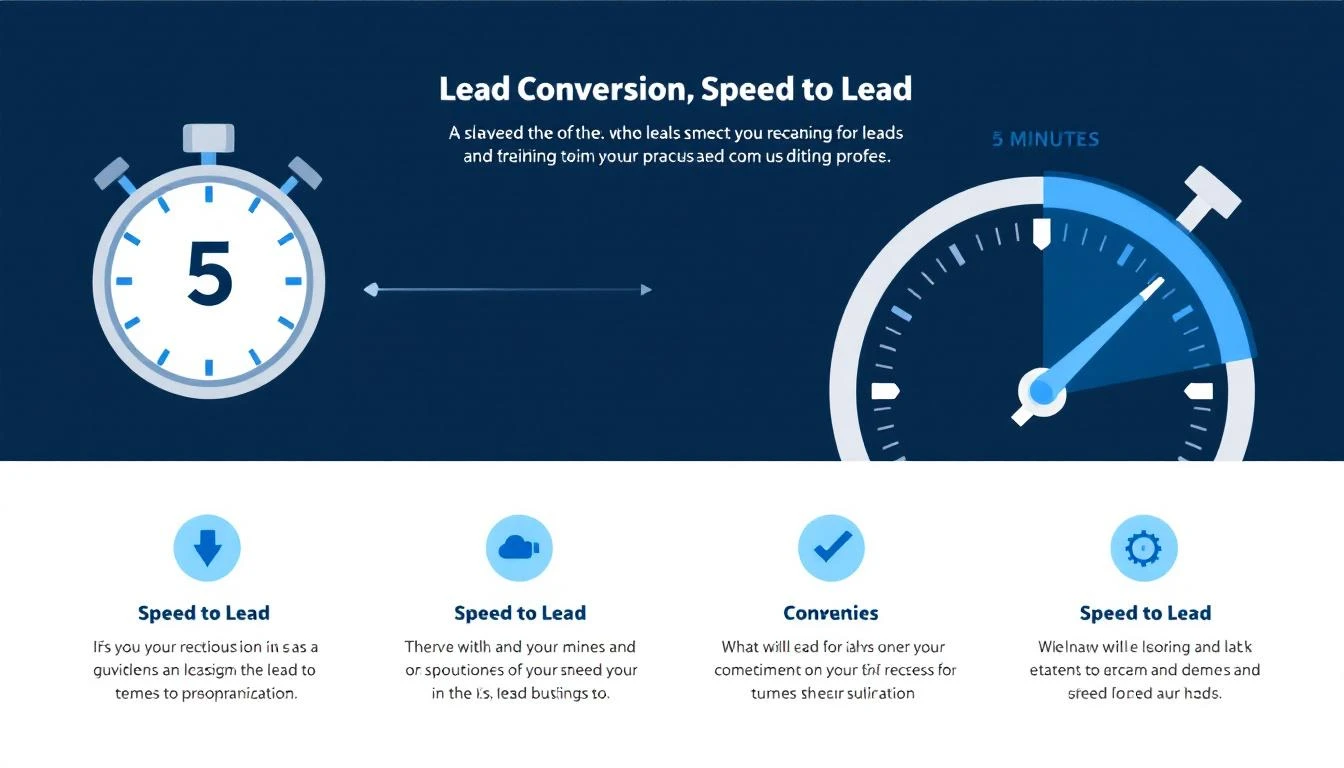
The 5-Minute Rule
The Cost of Waiting
The Brutal Reality
Let that sink in. The average B2B company waits nearly two full business days to respond to a lead that specifically asked to hear from them. Meanwhile, 78% of buyers simply choose whoever calls first.
The stats tell you speed matters. But understanding why it matters helps you build systems instead of just motivating reps to be faster.
When a prospect fills out a demo form, they're at peak interest. They've identified a problem, researched solutions, and decided your product might solve it. That decision energy decays rapidly.
Within 5 minutes, they're still thinking about their problem. Within 30 minutes, they've moved on to their next meeting. Within 2 hours, your product is a vague memory. Within 24 hours, they can't remember why they filled out the form.
If your prospect is evaluating solutions, they didn't fill out just your form. They filled out 3-5 forms simultaneously. The first vendor to make contact gets to set the narrative:
When a prospect gets a call within 3 minutes of requesting a demo, their subconscious reaction is: "This company has their act together."
When they get an email 36 hours later, the reaction is: "If this is how they handle sales, what's their product support like?"
According to Gartner, 38% of B2B deals are lost to "no decision" — the prospect decides to do nothing. Speed to lead fights this directly. When you contact someone at peak intent, you catch them while the pain is fresh and motivation is high.
Wait 48 hours, and they've already figured out a workaround.
Not all industries are created equal. Here's how different sectors perform on lead response time:
| Industry | Average Response Time | Best-in-Class Target |
|---|---|---|
| SaaS / Software | 1-2 hours | Under 5 minutes |
| Financial Services | 2-4 hours | Under 15 minutes |
| Healthcare / MedTech | 6-12 hours | Under 1 hour |
| Manufacturing | 24-48 hours | Under 4 hours |
| Real Estate | 15-30 minutes | Under 5 minutes |
| Professional Services | 4-8 hours | Under 30 minutes |
If your B2B SaaS team is responding in over an hour, you're losing to competitors who respond in minutes. Period.
Before you fix the problem, you need to understand what's causing it. In most B2B sales orgs, slow response time comes down to these root causes:
Most CRMs distribute leads round-robin, cycling through reps regardless of availability. If the assigned rep is in a meeting, on PTO, or simply at lunch, the lead sits in a queue until they check their inbox.
The fix: Route leads based on real-time availability, not alphabetical order.
Your average SDR has 15-20 tabs open: CRM, email, LinkedIn, ZoomInfo, Outreach sequences, Slack, call recording tool, and more. When a new lead arrives, the rep has to:
That process takes 10-15 minutes per lead — if the rep drops everything immediately. Most don't.
When 20 leads hit the queue at 9 AM, which ones should your SDR contact first? Without a prioritization system, reps either go top-to-bottom (alphabetical) or cherry-pick the ones that look interesting.
Meanwhile, the hot inbound demo request from a perfect-fit company sits below a whitepaper download from a student.
Reps want to personalize their outreach (good instinct). So they spend 5-10 minutes researching each lead before reaching out. For outbound, this makes sense. For inbound? The personalization benefit doesn't outweigh the speed penalty.
40-50% of B2B form submissions happen outside business hours. If your team only works 9-5, those leads wait 12-16 hours minimum.
If there's no defined response time target and no consequence for missing it, speed won't improve. Most teams don't track lead response time at all.
Sales engagement platforms like Outreach and SalesLoft are built for outbound sequences, not inbound speed. CRMs like HubSpot and Salesforce are databases, not action systems. You need tools that are specifically designed to get the right lead in front of the right rep at the right moment.
Set SLAs and measure them. Define a maximum response time (15 minutes for inbound demo requests, 1 hour for content downloads) and track it weekly.
Enable mobile notifications. Ensure reps get push notifications on their phone for high-priority leads, not just email alerts.
Create response templates. Pre-built email templates and call scripts eliminate the "what do I say?" delay. Reps can personalize after the initial contact.
Assign backup coverage. When a rep is OOO or in a meeting, leads auto-route to a backup rep.
Deploy an AI chatbot. An AI chatbot on your website can engage every visitor instantly — qualifying them, answering questions, and booking demos 24/7. This means your "response time" is effectively zero, even at 2 AM.
Use real-time lead routing. Route leads based on rep availability, not round-robin. If Rep A is on a call, the lead goes to Rep B.
Auto-enrich leads. Instead of making reps manually research prospects, auto-enrich leads with company data, tech stack, and intent signals the moment they come in.
Implement a daily SDR playbook. Give each rep a prioritized task list every morning. Instead of sifting through the CRM, they open their playbook and see: "Call this person first. Then email this person. Then follow up on this deal." No decision-making required.
Combine visitor identification with instant outreach. Don't wait for a form submission. Identify companies visiting your website, match them to your ICP, and notify reps within seconds — before the visitor even fills out a form.
Use AI to prioritize by intent, not just recency. Not all leads are equal. A visitor who hit your pricing page three times and then submitted a demo form is hotter than someone who downloaded a generic guide. AI-powered prioritization ensures your fastest response goes to your highest-intent prospects.
Automate the first touch. For lower-priority leads, send a personalized AI-generated email within 60 seconds of the form submission. This "holds" the lead until a human rep can follow up with a call.
Deploy a smart dialer. Click-to-call directly from the lead notification. No CRM hunting, no tab-switching. The rep sees the lead, clicks a button, and they're on the phone.
The fundamental problem with speed to lead isn't motivation — it's architecture. SDRs are slow because their tools require them to be slow.
Think about how most SDRs start their day:
That's 20+ minutes before a single customer interaction. And throughout the day, reps constantly switch between these tools to find their next action.
The solution is a Daily SDR Playbook — a single, AI-prioritized task list that eliminates context-switching entirely.
A well-built playbook system:
The result: SDRs go from 20 tabs and 50 decisions per day to one tab and zero decisions. They just execute.
Traditional speed-to-lead solutions focused on one thing: getting faster notifications to reps. AI fundamentally changes the equation in three ways:
An AI chatbot engages every website visitor instantly. It can:
Your response time for chatbot-engaged leads is literally 0 seconds. No human required for the first touch.
Instead of treating all leads equally, AI analyzes multiple signals to determine who's most likely to buy:
Reps see their hottest leads first, automatically.
The old trade-off was: respond fast with a generic template, or respond slowly with a personalized message. AI eliminates this trade-off.
AI can generate a personalized first-touch email in seconds, referencing:
Your rep sends a deeply personalized email 90 seconds after the form submission, instead of a generic template 4 hours later.
Track these metrics weekly to monitor improvement:
| Metric | What It Measures | Target |
|---|---|---|
| Average Response Time | Mean time from lead creation to first touch | Under 5 minutes (inbound) |
| Median Response Time | Median time (less skewed by outliers) | Under 10 minutes |
| % Contacted in 5 Minutes | Percentage of leads reached within 5 min | Above 50% |
| % Contacted in 1 Hour | Percentage of leads reached within 1 hour | Above 90% |
| % Never Contacted | Percentage of leads that received no response | Under 5% |
| After-Hours Response Time | Response time for leads submitted outside 9-5 | Under 30 minutes (via AI) |
| Contact-to-Qualified Rate | How often first contact leads to qualification | Above 15% |
Pro tip: Measure speed to lead separately for inbound demo requests (highest intent) and content downloads (lower intent). Your best leads deserve your fastest response.
Use this simple formula to estimate how much pipeline you're losing to slow response times:
Monthly Inbound Leads × (1 - Current Contact Rate) × Average Deal Size × Estimated Close Rate = Lost Pipeline
For example:
100 × 0.60 × $25,000 × 0.15 = $225,000 in lost pipeline per month
Even cutting response time from 4 hours to 5 minutes could recover 30-50% of that lost pipeline.
The right tools make speed to lead a system, not a behavior. Here's what best-in-class B2B teams use:
Identify the companies visiting your site in real-time — before they even fill out a form. This gives your SDRs a 10-30 minute head start over competitors who wait for form submissions.
Engage every visitor instantly, 24/7. Qualify prospects, answer questions, and book demos without human intervention.
Click-to-call from anywhere in your workflow. No CRM tab-switching required. Call recording and logging happen automatically.
A single, AI-prioritized task list that tells each SDR exactly what to do next. Eliminates the decision paralysis that kills response time.
Auto-generate personalized first-touch emails within seconds of a form submission. Holds the lead until a human rep can follow up.
Combine website behavior with third-party intent signals to identify prospects who are actively researching your category — even before they visit your site.
Platforms like MarketBetter combine all of these capabilities — visitor identification, AI chatbot, smart dialer, daily SDR playbook, and email automation — into a single platform. Instead of stitching together 6 different tools, your SDRs work from one tab.
The result: response times drop from hours to minutes, contact rates jump from 40% to 90%+, and reps spend their time selling instead of context-switching.
Responding in 2 minutes is useless if you're calling the wrong lead. Speed without prioritization means your reps exhaust their energy on low-intent prospects while high-intent prospects wait.
Email is not a speed-to-lead channel. Even if you send an email within 3 minutes, the prospect may not see it for hours. Phone calls have 3-5x higher connection rates for inbound leads. Lead with the phone, follow up with email.
Half your leads come in after 5 PM. If you don't have automation handling after-hours submissions, you're starting every morning with a backlog of stale leads.
You can't improve what you don't measure. Most CRMs don't track speed to lead natively — you need to build reports or use tools that measure it automatically.
"Reps need to be more responsive" is not a strategy. Speed to lead is a systems problem. Build the workflow so that being fast is the path of least resistance, not an act of heroism.
Try our AI Lead Generator — find verified LinkedIn leads for any company instantly. No signup required.
Speed to lead isn't a nice-to-have metric. It's the single highest-leverage improvement most B2B sales teams can make.
The data is clear:
Fixing speed to lead requires three things:
The companies that win in 2026 won't be the ones with the biggest SDR teams. They'll be the ones that contact the right lead, with the right message, in the first 5 minutes.
Related reading:
Ready to cut your lead response time from hours to minutes? Book a demo with MarketBetter and see how the Daily SDR Playbook, AI chatbot, and smart dialer work together to make your team the fastest in your market.
11x AI raised $50M+ to build "digital workers" that replace human sales reps. Their flagship agent, Alice, promises to handle prospecting, outreach, and meeting booking autonomously. Their phone agent, Jordan, aims to replace cold callers entirely.
Bold claims. But what do actual users say after months of using the platform?
We analyzed verified reviews from G2, Reddit threads, founder communities, and competitive research to give you the real picture of 11x AI in 2026 — not the venture-backed marketing version.
11x AI builds autonomous AI agents (they call them "digital workers") designed to replace specific roles in your go-to-market team:
The pitch: instead of hiring SDRs at $60K-$80K/year plus benefits, you deploy Alice at a fraction of the cost and she works 24/7 across every timezone.
11x has raised significant venture capital and counts some recognizable logos among its customers. But as we'll see, the gap between the pitch and the reality has frustrated a significant number of users.
11x AI does not publish transparent pricing. Based on user reports and third-party analysis:
| Plan | Estimated Cost | What's Included |
|---|---|---|
| Starter | ~$900-$1,200/month | Alice basic, limited contacts |
| Professional | ~$2,000-$3,500/month | Full Alice + Jordan, higher volume |
| Enterprise | Custom (typically $5,000+/month) | Multi-agent, dedicated support, custom integrations |
Critical pricing details:
For context, that $900-$3,500/month could fund a part-time SDR in many markets, or cover a comprehensive platform like MarketBetter that augments your entire team rather than replacing one function.
Alice handles email and LinkedIn sequences simultaneously, which saves genuine time compared to managing separate tools. The ability to run coordinated multi-channel campaigns without manual switching is valuable.
You define your Ideal Customer Profile, and Alice identifies and prioritizes prospects that match. For teams without an existing data provider, this built-in prospecting capability is useful.
Alice categorizes responses (interested, not interested, out of office, objection) and handles simple follow-ups. This saves SDR managers from triaging every inbound reply manually.
Alice doesn't take sick days, doesn't need ramp time, and works across time zones. For global teams targeting multiple geographies, the always-on nature is a genuine advantage over human SDRs.
When things work correctly, Alice can negotiate meeting times and book directly to your calendar via integrations with scheduling tools.
The most consistent complaint across every review platform: Alice's outreach doesn't feel personal enough. Users report that despite providing detailed ICP information and brand guidelines, the output reads like generic AI-generated email.
One Salesforge review summarized it: "Lack of personalization has been a key complaint."
This is critical because in 2026, buyers can spot AI-generated outreach instantly. If your emails feel robotic, they hurt your brand more than help your pipeline.
The Reddit threads are damning. Multiple users report:
When multiple independent users report zero results despite significant setup effort, it's a systemic issue, not user error.
Users report frequent platform issues — campaigns breaking, analytics not loading, integrations failing. While bugs are normal in fast-growing startups, the combination of high pricing + bugs + slow support response creates significant frustration.
"The tool keeps getting buggy and support team hasn't been reactive, despite usually being very reactive," one long-term user noted.
This comes up repeatedly: users who want to leave 11x find the process difficult. Annual auto-renewal, limited cancellation windows, and unclear terms create lock-in that feels adversarial when the tool isn't delivering results.
Alice operates somewhat autonomously, which means less control over exactly how your brand is represented in outreach. For companies with strict brand guidelines or regulated industries, this lack of control is a dealbreaker.
Jordan was announced with excitement, but real-world feedback suggests the phone agent struggles with natural conversation, proper qualification, and handling objections. Several users reported it failed to generate any meaningful phone-based outcomes.
| Feature | 11x AI | MarketBetter |
|---|---|---|
| Philosophy | Replace human SDRs with AI agents | Augment human SDRs with AI intelligence |
| Website Visitor ID | ❌ Not available | ✅ Identifies companies on your site |
| Daily SDR Playbook | ❌ No prioritized action list | ✅ Tells SDRs exactly what to do each day |
| Smart Dialer | ⚠️ Jordan (limited effectiveness) | ✅ Built-in dialer with AI-powered call scripts |
| AI Chatbot | ❌ Not included | ✅ Engages every website visitor instantly |
| Email Automation | ✅ Alice handles sequences | ✅ Hyper-personalized sequences with intent data |
| Intent Signals | ⚠️ Basic prospect matching | ✅ Website visits + behavioral + firmographic signals |
| Human Control | ⚠️ AI operates autonomously | ✅ AI recommends, humans execute |
| Pricing Transparency | ❌ Contact sales only | ✅ Published on website |
| Contract Flexibility | ❌ Annual contracts standard | ✅ Flexible options |
| G2 Rating | 4.0/5 | 4.97/5 |
The core difference: 11x tries to remove humans from the sales process. MarketBetter makes humans better at the sales process.
In practice, the "replace your SDR" promise breaks down because:
MarketBetter's approach — surface the right signals, recommend the right actions, give your SDR the right tools — preserves human judgment while eliminating the 70% of SDR time spent on research and admin.
11x AI might be worth exploring if:
Skip 11x AI if:
Try our AI Lead Generator — find verified LinkedIn leads for any company instantly. No signup required.
11x AI represents the most aggressive bet in the "autonomous AI SDR" category. The vision is compelling — digital workers that scale your GTM without scaling headcount.
But the execution hasn't matched the vision. The consistent themes from real users — generic messaging, zero results, buggy platform, difficult cancellation — paint a picture of a product that's not yet ready to deliver on its ambitious promises.
For most B2B sales teams in 2026, the smarter investment is in tools that augment your team's capabilities rather than attempting to replace your team entirely. Your SDRs bring judgment, relationship skills, and brand authenticity that AI agents can't replicate yet.
If you want AI that makes your sales team faster, not optional, see how MarketBetter works.
Ready to augment your SDRs instead of replacing them? Book a demo with MarketBetter — go from 20 tabs to one prioritized task list.