7 posts tagged with "hubspot"

View All Tags

How a Utility Energy Monitoring SaaS Built 80% of Their Pipeline Through Visitor Identification

Β· 10 min read
MarketBetter Team
Content Team, marketbetter.ai

Utility Energy SaaS Pipeline

The utility and energy monitoring space is brutally niche. You're selling complex SaaS to a buyer pool that's small, slow-moving, and deeply skeptical of new vendors. Most energy monitoring platforms serve a few hundred target accounts at best β€” and those accounts are bombarded by every IoT vendor, smart grid consultant, and legacy SCADA provider on the planet.

So how does a small team β€” we're talking fewer than ten people β€” build a predictable pipeline without an army of SDRs or a seven-figure ad budget?

One company figured it out. And the answer wasn't more cold calls.

How EHS & Safety Compliance Companies Align Multi-Region BDR Teams With Automated Sequences That Actually Convert

Β· 14 min read
MarketBetter Team
Content Team, marketbetter.ai

EHS Compliance Multi-Region BDR Team Alignment and CRM Sync

If you sell EHS and safety compliance software, you already know this: your market is global, your buyers are cautious, and your BDR team is probably fighting your CRM more than they're fighting competitors.

The Environmental, Health & Safety software space sits at a unique intersection of urgency and inertia. Your prospects know they need better incident management, chemical safety data, and environmental compliance reporting. They've seen the fines. They've read the OSHA press releases. They've watched a competitor get slammed by a regulatory audit. And yet, they move slowly. Because EHS purchases involve operations, IT security, legal, procurement, and sometimes the C-suite β€” and nobody in that committee wants to be the one who chose the wrong platform.

This creates a specific problem for EHS companies that serve both European and North American markets: how do you coordinate BDR outreach across regions, across CRM systems, and across very different buyer personas β€” without your reps stepping on each other, sending generic sequences, or burning through lists that should be nurtured?

One mid-market EHS compliance platform figured this out. Here's what they did, what broke, and what started working.

7 Best HubSpot Sales Hub Alternatives for SDR Teams [2026]: Features, Pricing & Fit

Β· 9 min read
sunder
Founder, marketbetter.ai

Best HubSpot Sales Hub alternatives for SDR teams in 2026

HubSpot Sales Hub is the default CRM for B2B companies. Over 228,000 customers. 12,000+ G2 reviews. Free tier that gets you hooked. It's the safe choice β€” nobody gets questioned for picking HubSpot.

But "safe" and "optimal" aren't the same thing.

When SDR teams outgrow HubSpot's sequences, hit the 500-email daily sending limit, realize there's no built-in visitor identification, and start paying $100/seat/month for Professional (plus $1,500 mandatory onboarding) β€” they start asking: is there something better?

Here are 7 alternatives worth evaluating, each solving a different HubSpot limitation.

Why SDR Teams Outgrow HubSpot Sales Hub​

HubSpot excels as a CRM. It's genuinely good at contact management, deal tracking, pipeline visibility, and reporting. But for SDR-specific workflows β€” the daily grind of prospecting, sequencing, calling, and qualifying β€” it shows its age:

  1. Sequences are basic. HubSpot sequences are linear email chains. No conditional branching, no AI personalization, no multi-channel orchestration (email + LinkedIn + phone in one flow).
  2. No visitor identification. HubSpot tracks known contacts on your site. It cannot identify anonymous visitors β€” the 98% who never fill out a form.
  3. No smart dialer. HubSpot has click-to-call, but no parallel dialer, no power dialer, no AI-coached calling. SDR teams bolt on Nooks, Orum, or Kixie for $100–400/user/month.
  4. Pricing scales aggressively. Free to Starter ($20/seat) is affordable. Professional ($100/seat + $1,500 onboarding) is a jump. Enterprise ($150/seat + $3,500 onboarding) locks you into annual contracts with no downgrade path.
  5. SDRs don't need a full CRM. Most SDR workflows β€” daily task lists, outreach prioritization, meeting booking β€” are buried inside a CRM that was built for AEs and managers first.

The 7 Best HubSpot Sales Hub Alternatives​

1. MarketBetter β€” Best All-in-One SDR Platform​

Pricing: $99/user/month with everything included (flat, not per-seat) | G2 Rating: 4.97/5

MarketBetter is purpose-built for what SDRs actually do every day: find the right prospects, reach them across channels, and book meetings. Instead of an SDR logging into HubSpot and figuring out what to do, MarketBetter delivers a daily playbook β€” a prioritized list of who to contact, why, and how.

Why teams switch from HubSpot:

  • Daily SDR Playbook: Replaces the "check CRM tasks, build my own plan" workflow with an AI-generated priority list
  • Website visitor identification: Identifies anonymous visitors at company and contact level (HubSpot only tracks known contacts)
  • Multi-channel sequences: Email + phone + chatbot in one flow (not HubSpot's email-only sequences)
  • Smart dialer: Built-in warm calling, not a third-party add-on
  • Flat pricing: $99/user/month for 5 seats vs. HubSpot Professional at $99/user/month for 5 seats (but without visitor ID, dialer, or AI playbook)

Honest limitation: MarketBetter is an SDR execution platform, not a full CRM. Most teams use it alongside HubSpot or Salesforce for pipeline management and reporting.

Best for: SDR teams (3–15 reps) that need outbound execution, not just contact storage.

See how MarketBetter compares to HubSpot Sales Hub β†’


2. Salesforce Sales Cloud β€” Best Enterprise CRM Alternative​

Pricing: $25/user/month (Starter) to $500/user/month (Einstein 1 Sales) | G2 Rating: 4.4/5

If you're leaving HubSpot because you outgrew it β€” not because you want less CRM, but because you want more β€” Salesforce is the obvious upgrade. Deeper customization, more powerful automation (Flow), stronger reporting (Tableau integration), and an ecosystem of 3,000+ AppExchange integrations.

Why teams choose Salesforce over HubSpot:

  • Infinitely customizable (custom objects, fields, automations, UI)
  • Einstein AI for lead scoring, forecasting, and opportunity insights
  • Handles complex sales processes (multi-product, territory management, CPQ)
  • App ecosystem is unmatched

Honest limitation: Salesforce is complex. Implementation takes weeks to months. Admin costs ($80K–120K/year for a full-time admin) are a real expense. And "Salesforce fatigue" is real β€” SDRs often hate working in it.

Best for: Companies with 200+ employees, complex sales processes, and budget for proper implementation.


3. Apollo.io β€” Best for Prospecting + Sequences on a Budget​

Pricing: Free plan available; paid from $49/user/month | G2 Rating: 4.8/5

Apollo combines a 275M+ contact database with email sequences, a basic dialer, and LinkedIn integration β€” all starting at $49/user/month. For SDR teams whose main complaint about HubSpot is "I can't find prospects in it," Apollo is the answer.

Why teams choose Apollo over HubSpot:

  • Built-in prospect database (HubSpot has no prospecting data)
  • AI email writing and sequence optimization
  • LinkedIn integration for multi-channel outreach
  • $49/user/month vs. $100/user/month for comparable HubSpot features

Honest limitation: Apollo's CRM is barebones. Deal tracking, pipeline management, and reporting are not in the same league as HubSpot. Most teams use Apollo for prospecting and push to HubSpot/Salesforce for pipeline.

Best for: Early-stage startups (5–50 employees) where prospecting is the bottleneck.


4. Outreach β€” Best Enterprise Sales Engagement​

Pricing: Custom (estimated $100–150/user/month) | G2 Rating: 4.3/5

Outreach is the enterprise standard for sales engagement β€” multi-step sequences across email, phone, and social with AI-driven insights. Where HubSpot sequences feel like email automation, Outreach feels like a proper SDR command center.

Why teams choose Outreach over HubSpot:

  • Multi-channel sequences (email + phone + LinkedIn in one flow)
  • AI-powered email and call coaching
  • Conversation intelligence built in (call recording, transcription, analysis)
  • Deal inspection for pipeline management

Honest limitation: Outreach is expensive ($100–150/user/month + implementation), requires dedicated admin, and has a steeper learning curve than HubSpot. Not a CRM β€” you'll still need HubSpot or Salesforce alongside it.

Best for: Mid-market to enterprise SDR teams (10+ reps) running sophisticated outbound programs.

See how MarketBetter compares to Outreach β†’


5. Pipedrive β€” Best CRM for Sales-First Teams​

Pricing: $14/user/month (Essential) to $99/user/month (Enterprise) | G2 Rating: 4.3/5

Pipedrive is the anti-HubSpot: a CRM built exclusively for salespeople, not marketers. The pipeline view is the default screen (not a contact list), every feature is designed to move deals forward, and the pricing stays simple without HubSpot's "tier jump" problem.

Why teams choose Pipedrive over HubSpot:

  • Visual pipeline management that salespeople actually enjoy using
  • Simpler pricing ($14–99/user, no mandatory onboarding fees)
  • AI sales assistant (Pro+) for deal insights and next-step suggestions
  • Smart Docs, e-signatures, and proposal tracking built in

Honest limitation: Pipedrive has minimal marketing features. No content management, no social media tools, no marketing automation beyond basic email. If marketing and sales need one platform, Pipedrive falls short.

Best for: Sales-focused teams (5–50 reps) that want a CRM designed for selling, not marketing.


6. Close CRM β€” Best for High-Volume Inside Sales​

Pricing: $29/user/month (Startup) to $149/user/month (Enterprise) | G2 Rating: 4.7/5

Close is built for inside sales teams that live on the phone and email. It has a built-in power dialer, predictive dialer, SMS, and email sequences β€” all native, not bolted on. For HubSpot users frustrated by the lack of a real dialer, Close solves that problem directly.

Why teams choose Close over HubSpot:

  • Built-in power dialer and predictive dialer (HubSpot has click-to-call only)
  • Native SMS messaging alongside email sequences
  • Pipeline view designed for high-velocity sales
  • No per-seat phone add-on costs

Honest limitation: Close's ecosystem is smaller. Fewer integrations, simpler reporting, and limited marketing features. It's a selling tool, not a platform.

Best for: Inside sales and call-heavy SDR teams (5–20 reps) that need native dialing.


7. Freshsales (Freshworks) β€” Best Budget Full-Suite Alternative​

Pricing: Free plan available; paid from $9/user/month | G2 Rating: 4.5/5

Freshsales is the most direct HubSpot analog on this list β€” CRM + email sequences + built-in phone + AI scoring + chatbot β€” at roughly 1/10th the price. It lacks HubSpot's marketing depth, but for sales-focused teams, it covers the bases without the sticker shock.

Why teams choose Freshsales over HubSpot:

  • $9/user/month (Growth) includes features HubSpot charges $100/user for
  • Built-in phone with recording (HubSpot requires a phone add-on)
  • Freddy AI for lead scoring and deal insights
  • Free plan is genuinely usable (not a trial β€” permanent free tier)

Honest limitation: Freshsales is less polished than HubSpot. The UI feels utilitarian, the marketplace is smaller, and custom reporting isn't as powerful. You get value, not elegance.

Best for: Budget-conscious teams (5–30 reps) that want CRM + phone + email without HubSpot pricing.


Quick Comparison Table​

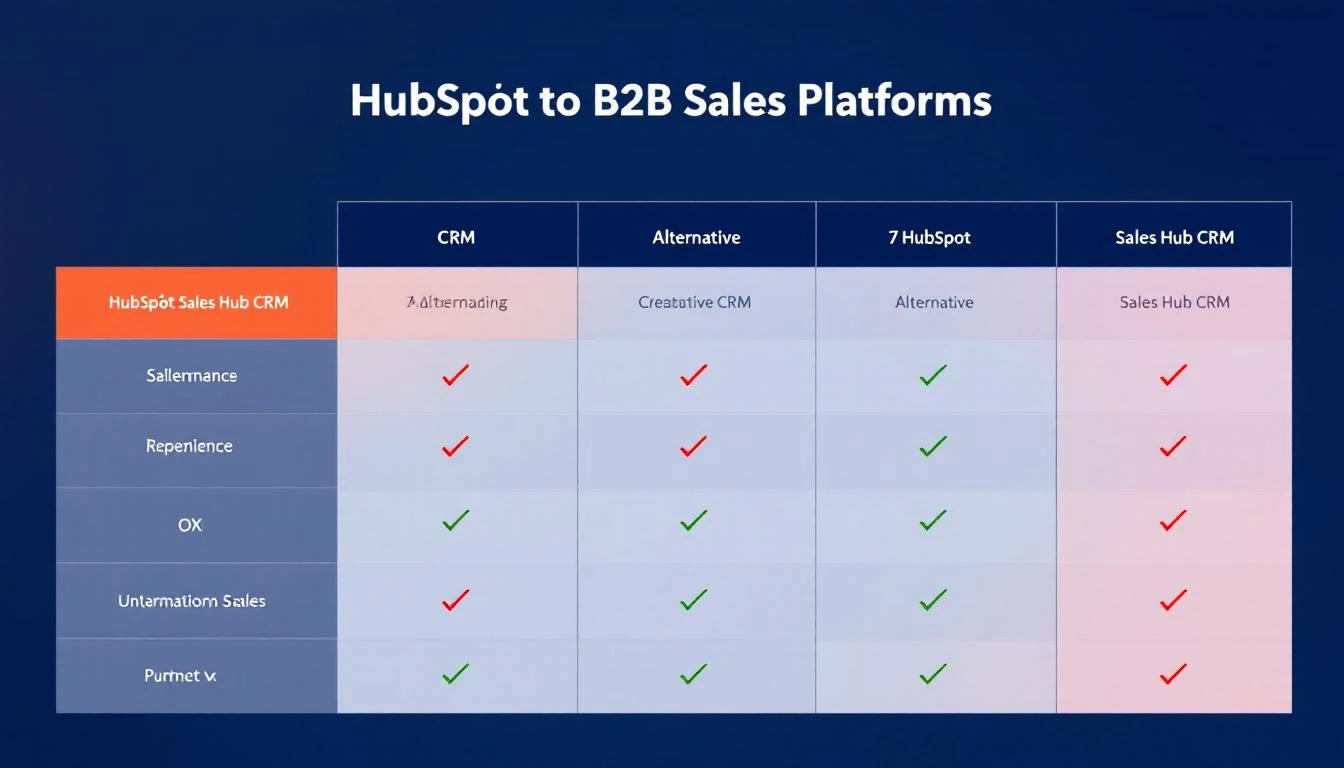
ToolStarting PriceCRMEmail SequencesDialerVisitor IDAI Playbook
MarketBetter$99/user/month flatPartialβœ… Multi-channelβœ… Smartβœ…βœ…
Salesforce$25/user/moβœ… Fullβœ… (add-on)❌ (add-on)❌❌
ApolloFree / $49/userBasicβœ…Basic❌❌
Outreach~$100/user/moβŒβœ… Multi-channelβœ…βŒβŒ
Pipedrive$14/user/moβœ… Sales-focusedβœ… Basic❌❌❌
Close$29/user/moβœ… Sales-focusedβœ…βœ… Power + Predictive❌❌
FreshsalesFree / $9/userβœ… Fullβœ…βœ… Built-in❌❌
HubSpotFree / $20/userβœ… Fullβœ… Basic❌ (click-to-call)❌❌

How to Choose​

Stay with HubSpot if: You need CRM + marketing automation in one platform, your team is under 10 reps, and you're on Starter or Free tier.

Switch to MarketBetter if: Your SDR team needs daily execution guidance, visitor identification, and multi-channel outreach β€” not just a contact database.

Switch to Salesforce if: You've outgrown HubSpot's customization limits and have budget for proper implementation.

Switch to Apollo if: Prospecting data is your biggest gap and budget is tight.

Switch to Close if: Your SDRs live on the phone and you're tired of paying for separate dialer tools.

The right choice depends on your team's primary bottleneck. If it's "we don't know WHO to call" β€” you need visitor identification and intent data. If it's "we can't reach people fast enough" β€” you need a better dialer. If it's "we spend half our day figuring out what to do" β€” you need a daily playbook.

HubSpot Sales Hub solves none of those problems. These alternatives do.

Want to see what an SDR platform looks like? Book a demo of MarketBetter β†’

HubSpot Sales Hub Pricing Breakdown [2026]: What You'll Actually Pay

Β· 6 min read
sunder
Founder, marketbetter.ai

HubSpot Sales Hub advertises pricing "starting at $20/month." That's technically true β€” for a single user with basic features. But if you're running an SDR team that needs sequences, forecasting, and custom reports, you're looking at $99/user/month minimum. Enterprise teams? $1,200/month before add-ons.

We've broken down every plan, mapped out the hidden costs, and calculated what real teams of 5, 10, and 20 people actually pay β€” so you can budget accurately before committing to a 12-month contract.


HubSpot Sales Hub Plans at a Glance​

PlanBase PricePer SeatKey Unlock
Free$0$0Basic CRM, limited templates and calling
Starter$20/mo$20/seat/moEmail tracking, meeting scheduler, 500 calling minutes
Professional$500/mo (5 seats)$100/seat/moSequences, forecasting, playbooks, custom reports
Enterprise$1,200/mo (10 seats)$120/seat/moPredictive scoring, conversation intelligence, advanced permissions

All paid plans require annual commitment. Monthly billing adds 20-30% on average.


What Each Plan Includes​

Free ($0)​

Good for solo founders or testing the waters:

  • Contact management (up to 15M contacts β€” generous)
  • Deal pipeline (1 pipeline)
  • Email templates (5)
  • Meeting scheduler (1 personal link)
  • Calling (limited minutes)
  • Live chat
  • Basic reporting

What's missing: No sequences, no automation, no custom properties beyond basics, no team features. Functional for 1-2 people. Not viable for an SDR team.

Starter ($20/seat/month)​

The "real" entry point:

  • Everything in Free, plus:
  • Unlimited email templates
  • 500 calling minutes/month (shared across all users)
  • Email tracking and notifications
  • Multiple deal pipelines
  • Meeting scheduling (round-robin with paid seats)
  • Simple automation
  • Goals

What's missing: No sequences (the #1 feature SDRs need), no forecasting, no playbooks, no custom reports. You can track activity but can't automate outreach.

Verdict: Fine for small sales teams managing inbound. Insufficient for outbound SDR workflows.

Professional ($100/seat/month, $500/mo minimum)​

Where HubSpot Sales Hub gets serious:

  • Everything in Starter, plus:
  • Sequences β€” automated multi-step email outreach
  • Sales forecasting
  • Playbooks
  • Custom reports and dashboards
  • Deal and company scoring
  • eSignatures
  • Products and quotes
  • Breeze AI prospecting agent
  • Smart send times

Required onboarding: $1,500 one-time fee (mandatory, not optional)

This is the plan most SDR teams need. Sequences alone justify the upgrade from Starter β€” without sequences, your SDRs are manually sending every follow-up.

Enterprise ($120/seat/month, $1,200/mo minimum)​

For large, complex sales organizations:

  • Everything in Professional, plus:
  • Predictive lead scoring
  • Conversation intelligence (call recording + AI analysis)
  • Custom objects
  • Recurring revenue tracking
  • Advanced permissions
  • Sandboxes
  • Admin notifications

Required onboarding: $3,500 one-time fee

When it's worth it: 10+ reps, multiple product lines, need advanced permissions and conversation intelligence. Most SDR teams don't need Enterprise.


Real-World Cost Math​

5-Person SDR Team​

Cost ComponentStarterProfessional
Monthly seats$100/mo (5 Γ— $20)$500/mo (5 seats included)
Annual cost$1,200$6,000
Onboarding fee$0$1,500
Year 1 total$1,200$7,500

Per-SDR cost: $240/year (Starter) vs. $1,500/year (Professional)

But remember: Starter doesn't include sequences. Your SDRs will need a separate tool like Outreach or SalesLoft ($100-200/user/mo) to automate outreach β€” which could cost more than just upgrading to Professional.

10-Person SDR Team​

Cost ComponentProfessionalEnterprise
Monthly seats$1,000/mo (5 base + 5 Γ— $100)$1,200/mo (10 seats included)
Annual cost$12,000$14,400
Onboarding fee$1,500$3,500
Year 1 total$13,500$17,900

At 10 users, Enterprise is only $4,400/year more than Professional β€” and includes conversation intelligence, predictive scoring, and advanced permissions. The value gap narrows significantly.

20-Person Sales Team​

Cost ComponentProfessionalEnterprise
Monthly seats$2,000/mo (5 base + 15 Γ— $100)$2,400/mo (10 base + 10 Γ— $120)
Annual cost$24,000$28,800
Onboarding fee$1,500$3,500
Year 1 total$25,500$32,300

Hidden Costs Most Teams Miss​

1. Marketing Hub Is Separate​

HubSpot Sales Hub doesn't include marketing automation. If you want email marketing, landing pages, or lead nurturing, Marketing Hub starts at $890/month (Professional). Many teams end up on the CRM Suite ($1,781/month Professional) which bundles everything but costs significantly more.

2. Calling Minutes Are Shared​

Starter includes 500 calling minutes/month β€” shared across your entire team. Five SDRs making 30 calls/day will burn through that in a week. Additional minutes cost extra, or you'll need a third-party dialer.

3. Contacts Are Free, But...​

HubSpot's contact storage is generous (15M on free). But Marketing Hub charges per marketing contact β€” 1,000 included on Starter, with steep costs for additional contacts ($50/mo per 1,000 on Starter).

4. No Website Visitor Identification​

HubSpot tracks visits from known contacts. It does NOT identify anonymous website visitors. For visitor identification, you'll need a separate tool:

  • Clearbit Reveal: ~$12,000-24,000/year
  • 6sense: ~$25,000-50,000/year
  • RB2B: ~$2,400-12,000/year

This is a significant hidden cost for outbound teams that want to target website visitors.

5. Onboarding Fees Are Mandatory​

Professional: $1,500. Enterprise: $3,500. These aren't optional β€” HubSpot requires them. You can use a certified partner instead, but they typically charge $3,000-10,000.

6. API Limits​

Starter plans have strict API call limits. If you're integrating with multiple tools, you may hit walls that force an upgrade.


How HubSpot Compares to Alternatives​

Platform5-SDR Monthly CostSequencesVisitor IDAI Playbook
HubSpot Professional$500/mo + $1,500 setupβœ…βŒ (add-on needed)❌
Standard$99/user/monthβœ…βœ…βœ…
Apollo Professional$450/mo (5 Γ— $90)βœ…βŒβŒ
Outreach~$500-750/mo (est.)βœ…βŒβŒ
SalesLoft~$625-1,250/mo (est.)βœ…βŒβŒ

HubSpot Professional is competitively priced against pure sequence tools. But when you add visitor identification and AI playbook capabilities β€” which require separate tools β€” the total stack cost approaches or exceeds MarketBetter's all-in-one pricing.


Is HubSpot Sales Hub Worth It?​

Yes, if:

  • You need a CRM first and sales features second
  • You're already invested in the HubSpot ecosystem (Marketing Hub, Service Hub)
  • Your team is large enough (10+) to justify the ecosystem benefits
  • You have budget for the full stack β€” Sales Hub + Marketing Hub + visitor ID tool + dialer

Consider alternatives if:

  • Your primary need is SDR productivity, not CRM management
  • You want visitor identification included (HubSpot doesn't offer this)
  • You're a lean team (3-10 SDRs) that needs maximum impact per dollar
  • You want an AI-generated daily playbook instead of manual task management
  • You're comparing total cost of the full SDR stack, not just CRM pricing

Our Take​

HubSpot Sales Hub is a great CRM with solid sales features. It's the right choice for teams that need a system of record first and sales tools second.

But for SDR teams focused on booking meetings from warm signals and website visitors, HubSpot solves the wrong problem. It manages your pipeline β€” it doesn't fill it.

If you're evaluating HubSpot specifically for SDR workflows, compare the total cost of HubSpot + visitor ID + AI tools against platforms that bundle everything. The sticker price tells one story. The all-in cost tells another.

Compare MarketBetter's all-in-one SDR platform β†’

HubSpot Sales Hub Review [2026]: Pros, Cons & Why SDR Teams Are Switching

Β· 9 min read
sunder
Founder, marketbetter.ai

HubSpot Sales Hub honest review for 2026 β€” features, pricing, and limitations

HubSpot Sales Hub needs no introduction. With 228,000+ customers and 12,000+ G2 reviews, it's the most widely adopted sales CRM in B2B. It's the first tool most startups pick, the platform most SDR managers learned on, and the default answer when a VP of Sales asks "what CRM should we use?"

But default doesn't mean best. And as SDR teams scale from 3 reps to 10 to 20, HubSpot's limitations become impossible to ignore β€” basic sequences, no visitor identification, no real dialer, and pricing that quietly jumps from affordable to expensive.

This review is for sales leaders evaluating whether HubSpot Sales Hub is still the right fit for their team in 2026 β€” or whether they've outgrown it.

Quick Verdict​

HubSpot Sales Hub is an excellent CRM for small to mid-size B2B sales teams. The free tier is genuinely generous. The UI is intuitive. The marketing integration is unmatched. For companies that want one platform for marketing, sales, and service, there's nothing better.

But it's a mediocre SDR execution tool. Sequences are email-only. There's no visitor identification. The dialer is click-to-call (not a power dialer or parallel dialer). There's no AI-generated daily playbook. SDR teams using HubSpot as their primary outreach tool are duct-taping together 3–4 additional tools β€” and paying for the privilege.

Rating: 4.3/5 β€” Outstanding CRM, underwhelming SDR platform.

Company Overview​

  • Company: HubSpot, Inc. (NYSE: HUBS)
  • Founded: 2006 by Brian Halligan and Dharmesh Shah
  • Headquarters: Cambridge, MA
  • Revenue: $2.6B+ (2025)
  • Customers: 228,000+
  • Employees: 7,400+
  • G2 Rating (Sales Hub): 4.4/5 (12,000+ reviews)
  • Capterra Rating: 4.5/5 (4,400+ reviews)
  • Gartner Peer Insights: 4.4/5

Pricing: The "Affordable" CRM That Gets Expensive Fast​

HubSpot's pricing model is designed to get you in the door cheaply and scale up as you need more features. The problem: SDR-critical features are locked behind Professional and Enterprise tiers.

Sales Hub Plans (2026)​

PlanCost per Seat/MonthKey SDR Features
Free$0Contact management, 1 pipeline, live chat, meeting scheduling, email tracking (200 notifications/mo)
Starter$20/seat/moEverything free + simple automation, goals, calling (500 min/mo), 5,000 email templates
Professional$100/seat/moSequences (500 contacts/day), forecasting, custom reports, teams, lead scoring, ABM tools
Enterprise$150/seat/moPredictive lead scoring, custom objects, advanced permissions, conversation intelligence, sandbox

The Real Cost for SDR Teams​

The free tier and Starter ($20/seat) are great for basic CRM. But SDR teams need sequences, which start at Professional.

5-person SDR team on Professional:

  • Seats: 5 Γ— $100 = $500/month
  • Mandatory onboarding: $1,500 (one-time)
  • Annual contract required
  • Year 1 total: $7,500
  • Year 2+: $6,000/year

10-person SDR team on Professional:

  • Seats: 10 Γ— $100 = $1,000/month
  • Mandatory onboarding: $1,500
  • Year 1 total: $13,500

Add-ons SDR teams typically need (not included):

  • Visitor identification tool (Clearbit/6sense): $500–2,000/month
  • Power dialer (Nooks/Orum): $100–400/user/month
  • Sales engagement (Outreach/SalesLoft): $100–150/user/month
  • LinkedIn Sales Navigator: $100/user/month

Actual SDR stack cost with HubSpot Professional: $2,500–5,000/month for a 10-person team, not the $1,000/month that HubSpot quotes.

HubSpot vs. Alternatives: Price for Price​

CapabilityHubSpot CostMarketBetterApollo
CRM + sequences (5 seats)$500/mo (Pro)$99/user/month (flat)$245/mo ($49/seat)
+ Visitor ID+$500–2,000/mo (3rd party)IncludedNot available
+ Dialer+$500–2,000/mo (3rd party)IncludedBasic included
+ AI playbookNot availableIncludedNot available
True total$1,500–4,500/mo$99/user/month$245/mo (no visitor ID)

What HubSpot Sales Hub Does Well​

1. CRM & Contact Management (Best in Class)​

HubSpot's contact and company records are clean, intuitive, and deeply interconnected. Timeline views show every interaction β€” emails, calls, meetings, page visits, form submissions β€” in one chronological feed. Property management is flexible. Custom views filter contacts by any criteria. This is genuinely best-in-class CRM UX.

2. Marketing + Sales Alignment​

No other platform matches HubSpot's marketing-to-sales handoff. Marketing Hub captures leads through forms, landing pages, and ads. Those leads flow into Sales Hub with full attribution β€” which campaign sourced them, what content they consumed, their lead score. SDRs get context that's impossible to replicate when marketing uses Marketo and sales uses Salesforce.

3. Free Tier & Onboarding​

HubSpot's free tier is not a trial β€” it's a permanent, genuinely useful CRM for small teams. Contact management, deal tracking, email tracking, meeting scheduling, and live chat β€” all free. No other CRM offers this much at zero cost. And the educational content (HubSpot Academy, blog, community) makes onboarding faster than any competitor.

4. Reporting & Dashboards​

Professional and Enterprise plans include custom report builders that pull from any HubSpot object. Sales managers get pipeline forecasting, activity tracking, sequence performance, and deal velocity β€” all without exporting to spreadsheets. The dashboards aren't as powerful as Tableau or Looker, but they're "good enough" for 80% of teams.

5. Ecosystem & Integrations​

1,600+ marketplace integrations. Native connections to Slack, Zoom, Gmail, Outlook, Salesforce (yes, they integrate with their competitor), and hundreds of sales tools. Whatever tool your team uses, it probably integrates with HubSpot.

Where HubSpot Sales Hub Falls Short​

1. Sequences Are Email-Only​

HubSpot sequences are linear email chains with manual task reminders. There's no:

  • Conditional branching (if they open email 2, send email 3A; if not, send 3B)
  • Multi-channel steps (email β†’ LinkedIn β†’ phone in one automated flow)
  • AI personalization (beyond inserting merge fields)
  • A/B testing at the sequence level

This means SDRs either follow rigid email cadences or break out of the sequence to do multi-channel outreach manually. Neither is efficient.

2. No Website Visitor Identification​

HubSpot tracks known contacts who visit your site. But the 98% of visitors who never fill out a form? Invisible. HubSpot cannot identify anonymous companies or contacts on your website.

This is the single biggest gap for SDR teams. Your website is your highest-intent channel β€” the people visiting your pricing page RIGHT NOW are your warmest prospects. And HubSpot can't tell you who they are.

3. No Real Dialer​

HubSpot's calling feature is click-to-call VoIP with basic recording. It's not:

  • A power dialer that auto-advances through a call list
  • A parallel dialer that dials multiple numbers simultaneously
  • An AI-coached dialer that provides real-time talk tracks

SDR teams doing 50+ calls/day need a real dialer. HubSpot's calling is fine for 5–10 calls/day β€” which isn't enough for serious outbound.

4. No AI-Driven Prioritization​

HubSpot has lead scoring (Professional+), but it's rules-based β€” you define the criteria. There's no AI that looks at visitor behavior, email engagement, and buying signals to generate a daily "here's who to contact, in this order, via this channel" playbook.

SDRs using HubSpot still start their day by manually building their own call list. That's a solved problem β€” other tools do it automatically.

5. Pricing Tier Jumps​

The jump from Starter ($20/seat) to Professional ($100/seat) is 5x. And the mandatory onboarding fees ($1,500 for Pro, $3,500 for Enterprise) create friction. Many teams report feeling "trapped" β€” they need Professional features but can't justify the price jump for their whole team.

6. Permissions & Seat Management​

G2 reviewers consistently flag this: "Permissions and seat management can be confusing, especially when different teams need partial access to tools." The distinction between paid seats and free users, core seats and Sales Hub seats, and view-only access creates unnecessary administrative overhead.

What Real Users Say​

G2 Reviews (12,000+ reviews, 4.4/5)​

Most praised:

  • "The most intuitive CRM I've used β€” onboarding is a breeze" (mentioned in 60%+ of positive reviews)
  • "Marketing and sales alignment is seamless"
  • "Free tier saved us thousands in the early days"
  • "Reporting dashboards give me everything I need for pipeline reviews"

Most criticized:

  • "Sequences feel like they haven't evolved in 5 years"
  • "We had to buy 3 additional tools to make our SDR team productive"
  • "The pricing jump from Starter to Professional is painful"
  • "Permissions and seat management can be confusing"
  • "Workflows and properties become overly complex as processes evolve"
  • "Increased costs for complex sales processes" β€” Gartner Peer Insights

The Pattern in Negative Reviews​

Almost every negative review follows the same arc: "HubSpot is great as a CRM, but we need more for our SDR team." The tool that got them started becomes the bottleneck as they scale β€” because HubSpot was built for CRM, not SDR execution.

Who HubSpot Sales Hub Is Right For​

HubSpot is a strong choice if:

  • You need CRM + marketing automation in one platform (inbound-led growth)
  • Your team is 1–10 people and budget is a primary concern
  • Sales cycles are consultative (not high-volume outbound)
  • You value ease of use and fast onboarding above power features
  • You're a startup that will grow into Enterprise features over time

HubSpot is NOT right if:

  • Your SDR team does 50+ outbound activities per rep per day
  • You need to identify anonymous website visitors
  • You want multi-channel sequences (email + phone + LinkedIn automated together)
  • You need a power dialer or parallel dialer natively
  • Your main challenge is "my SDRs don't know who to prioritize"

Better Options by Gap​

Your Main GapBest AlternativeWhy
"SDRs don't know who to contact or why"MarketBetterAI daily playbook + visitor ID + multi-channel
"We need enterprise CRM customization"SalesforceCustom objects, advanced automation, ecosystem
"We need prospecting data built in"Apollo275M+ contacts, $49/user/mo
"Our SDRs need a real dialer"Close CRMPower + predictive dialer, $29–149/user
"We want HubSpot features at 1/10th the price"FreshsalesCRM + phone + sequences from $9/user

See all 7 HubSpot alternatives compared β†’

Bottom Line​

HubSpot Sales Hub is the best general-purpose B2B CRM on the market. Full stop. For small teams running inbound-led sales with simple processes, nothing matches its combination of features, usability, and value (especially the free tier).

But it's not an SDR execution platform. And pretending it is β€” by stacking a dialer here, a visitor ID tool there, and a sales engagement platform on top β€” costs more than purpose-built alternatives while delivering a worse experience.

If your SDRs are spending more time figuring out WHAT to do than DOING it, HubSpot isn't the problem. It's just not the solution.

See what an SDR-first platform looks like. Book a demo of MarketBetter β†’

MarketBetter vs HubSpot Sales Hub: CRM Giant vs AI-Native SDR Platform [2026]

Β· 8 min read
sunder
Founder, marketbetter.ai

MarketBetter vs HubSpot Sales Hub comparison for SDR teams

HubSpot Sales Hub is the default CRM for B2B teams. Over 228,000 customers. 12,000+ G2 reviews. It's the safe pick β€” nobody gets fired for choosing HubSpot.

But here's the thing: HubSpot was built to manage deals, not generate them. It's a system of record β€” fantastic at tracking what happened, mediocre at telling your SDRs what to do next.

MarketBetter is built for the opposite problem. It identifies who's visiting your website, builds a daily prioritized playbook for every SDR, and orchestrates outreach across email, phone, and LinkedIn β€” all from one screen. It's not a CRM replacement. It's the engine that feeds your CRM.

This comparison breaks down exactly where each tool wins, what they cost for real SDR teams, and which one makes sense for your situation.


The Core Difference​

HubSpot Sales Hub is a CRM with sales features bolted on. It started as a contact database and added sequences, calling, and AI over time. The DNA is record-keeping.

MarketBetter is an AI-native SDR operating system. It started with the question: "How do we make every SDR 2x more productive?" The DNA is action β€” identifying warm leads, prioritizing outreach, and removing the 20 tabs SDRs juggle daily.

This isn't a knock on HubSpot. It's genuinely excellent at what it does. But if your primary problem is "my SDRs don't know who to call first" or "we're missing warm website visitors," HubSpot wasn't designed to solve that.


Feature-by-Feature Comparison​

FeatureMarketBetterHubSpot Sales Hub
CRM / Contact ManagementBasic pipeline view (designed to feed your CRM)βœ… Full-featured CRM β€” industry leader
Website Visitor Identificationβœ… Company + person-level ID with intent scoring❌ No native visitor ID (requires third-party integration)
Daily SDR Playbookβœ… AI-generated, prioritized task list per SDR❌ Manual task queues β€” SDRs build their own lists
Email Sequencesβœ… AI-personalized, multi-step sequencesβœ… Sequences available (Professional+ plan, $500/mo)
Smart Dialerβœ… Built-in power dialer with call intelligenceβœ… Calling available (500 min/mo on Starter, more on Pro)
AI Chatbotβœ… Engages every visitor, qualifies leads in real-time⚠️ Basic chatbot (advanced features in Service Hub)
AI Prospectingβœ… AI identifies and scores prospects automatically⚠️ Breeze Prospecting Agent (new, Sales Hub Pro+ only)
Lead Scoringβœ… Behavioral + firmographic, automaticβœ… Available on Professional+ plans
Reporting / AnalyticsFocused on SDR activity and pipeline generationβœ… Extensive β€” custom reports, dashboards, forecasting
IntegrationsHubSpot, Salesforce, major CRMsβœ… 1,600+ native integrations β€” market leader
Team ManagementSDR-specific views, territory rules, deduplicationβœ… Teams, permissions, hierarchies, coaching tools
AI Email Writingβœ… Full AI-generated personalized emailsβœ… Breeze AI email drafts (Professional+)

Pricing: What You'll Actually Pay​

HubSpot's pricing is famously confusing. The "$20/month" headline hides the reality that SDR teams need Professional ($500/mo for 5 users) or Enterprise ($1,200/mo for 10 users) for the features that matter.

HubSpot Sales Hub Pricing​

PlanMonthly CostWhat You Get
Free$0Basic CRM, 5 documents, 1 personal email, limited calling
Starter$20/seat/moEmail tracking, templates, 500 calling min, meeting scheduler
Professional$100/seat/mo ($500/mo for 5 seats)Sequences, forecasting, playbooks, custom reports. + $1,500 onboarding fee
Enterprise$120/seat/mo ($1,200/mo for 10 seats)Advanced permissions, predictive lead scoring, conversation intelligence. + $3,500 onboarding fee

Hidden costs most teams hit:

  • Sequences require Professional ($500/mo minimum)
  • HubSpot Breeze AI Prospecting Agent is Professional+ only
  • Additional seats on Professional cost $100/user/month
  • Onboarding fees: $1,500 (Pro) or $3,500 (Enterprise) β€” one-time, non-optional
  • Want Marketing Hub too? Add $890–$3,600/month
  • API limits at lower tiers restrict integrations

MarketBetter Pricing​

PlanMonthly CostWhat You Get
Standard$99/user/monthAll features included: Daily SDR Playbook, Website Visitor ID, AI Chatbot, Email Automation, Smart Dialer ($50/seat add-on), 5M AI credits + 500 enrichment credits per seat
EnterpriseCustomEverything in Standard + custom integrations, dedicated support, volume discounts

No onboarding fees. No per-feature gating. No surprise add-ons.

Real-World Cost Comparison (10-Person SDR Team)​

MarketBetter EnterpriseHubSpot Sales Hub Enterprise
Monthly cost (10 seats)$990/mo ($99/user/month)$1,200/mo + extras
Onboarding fee$0$3,500
Visitor ID add-onIncluded~$500-2,000/mo (third-party required)
AI prospectingIncludedIncluded (Breeze, Pro+ only)
Smart dialerIncludedBasic calling included
Year 1 total$36,000$18,500 - $30,000+

The cost gap shrinks dramatically when you factor in that HubSpot doesn't include visitor identification, requires third-party tools for many SDR-specific workflows, and charges onboarding fees.


Where HubSpot Wins (Honestly)​

We're not going to pretend HubSpot isn't excellent. Here's where it genuinely beats MarketBetter:

1. CRM Depth HubSpot is one of the best CRMs ever built. Deal tracking, pipeline management, forecasting, custom objects β€” it's world-class. MarketBetter isn't trying to replace your CRM. It feeds it.

2. Integration Ecosystem 1,600+ native integrations vs. MarketBetter's focused integrations with major CRMs. If your tech stack has niche tools, HubSpot probably connects to them.

3. Reporting and Analytics Custom reports, attribution modeling, revenue analytics β€” HubSpot's reporting is significantly deeper. MarketBetter focuses on SDR activity metrics and pipeline generation.

4. Marketing + Sales Alignment If you're already on HubSpot Marketing Hub, Sales Hub gives you seamless handoff between marketing and sales. That single-pane view across the funnel is genuinely powerful.

5. Enterprise Governance Hierarchical teams, advanced permissions, field-level security, sandboxes β€” HubSpot has mature enterprise controls that take years to build.

6. Brand and Trust HubSpot is a publicly traded company with 12,000+ G2 reviews at 4.4/5. For enterprise procurement, that brand recognition accelerates buying decisions.


Where MarketBetter Wins​

1. Website Visitor Identification HubSpot doesn't identify anonymous website visitors. Full stop. You need a separate tool (Clearbit Reveal, 6sense, RB2B) plugged in, costing $500-$2,000+/month on top of your HubSpot subscription. MarketBetter includes company and person-level visitor ID natively.

2. The Daily Playbook This is the fundamental difference. HubSpot shows SDRs their tasks and lets them figure out priorities. MarketBetter generates a prioritized playbook every morning: "Call this person first because they visited your pricing page twice yesterday and their company matches your ICP." SDRs go from 20 tabs and guesswork to one action list.

3. Speed to Value HubSpot Professional requires a $1,500 onboarding engagement and typically takes 4-8 weeks to fully configure for SDR workflows. MarketBetter gets teams productive in days, not months.

4. Built for SDRs, Not Everyone HubSpot serves marketing, sales, service, and operations. That breadth means SDR-specific workflows are one of many priorities. MarketBetter is purpose-built for SDRs β€” every feature exists to help them book more meetings.

5. AI-Native Architecture HubSpot added AI (Breeze) to an existing platform. MarketBetter was built AI-first β€” the AI doesn't just draft emails, it identifies prospects, prioritizes outreach, scores intent, and orchestrates multi-channel sequences automatically.

6. Transparent Pricing One price, everything included. No onboarding fees, no per-feature gating, no "talk to sales for Enterprise pricing" games.


What G2 Reviewers Say About HubSpot Sales Hub​

HubSpot Sales Hub has 12,000+ G2 reviews β€” an enormous dataset. Here's what patterns emerge:

Common praise:

  • "Intuitive interface β€” our team adopted it quickly"
  • "The integration with Marketing Hub is seamless"
  • "Deal tracking and pipeline visibility are excellent"

Common complaints:

  • "Pricing escalates fast β€” Professional is 25x the cost of Starter"
  • "Sequences are gated behind Professional, which feels expensive for what you get"
  • "Permissions and seat management get confusing at scale"
  • "Reporting is powerful but takes significant time to learn and maintain"
  • "Workflows and properties become overly complex without dedicated admin"

The recurring theme: HubSpot is powerful but requires investment β€” in money (Professional/Enterprise plans), time (setup and training), and people (dedicated HubSpot admin). For well-resourced teams, that's fine. For lean SDR teams, it's overhead.


When to Choose HubSpot Sales Hub​

Choose HubSpot if:

  • You need a full CRM, not just SDR tooling
  • You're already using HubSpot Marketing Hub
  • Your team has 20+ salespeople across multiple functions (AEs, SDRs, CSMs)
  • You need deep reporting and attribution modeling
  • Enterprise procurement requires a publicly traded vendor
  • Your tech stack has niche integrations that only HubSpot supports

When to Choose MarketBetter​

Choose MarketBetter if:

  • Your primary problem is SDR productivity, not CRM management
  • You want to know WHO is visiting your website (HubSpot can't do this natively)
  • You need an AI-powered daily playbook that tells SDRs exactly what to do
  • You're a team of 3-10 SDRs that needs to maximize output
  • You want everything in one platform β€” visitor ID, email, dialer, chatbot, playbook
  • You're tired of paying $500+/month and still needing five other tools

Can You Use Both?​

Yes β€” and many teams do. The most common setup:

  • HubSpot as the CRM and system of record
  • MarketBetter as the SDR operating system that feeds HubSpot

MarketBetter integrates with HubSpot CRM, syncing contacts, activities, and deal data. Your SDRs work in MarketBetter for daily prospecting and outreach, and everything flows into HubSpot for reporting and pipeline management.

This gives you the best of both worlds: HubSpot's CRM depth plus MarketBetter's SDR-specific intelligence.


The Bottom Line​

HubSpot Sales Hub is a CRM that added sales features. MarketBetter is an SDR platform that integrates with your CRM.

If you need a CRM, HubSpot is hard to beat. If you need your SDRs to book more meetings from website visitors and warm signals, MarketBetter solves a problem HubSpot doesn't even attempt to address.

The question isn't which one is better. It's which problem you're solving.

See how MarketBetter's daily playbook works β†’

OpenClaw + HubSpot: Build the Ultimate CRM Automation Stack [2026 Guide]

Β· 6 min read

Your CRM is only as good as the data inside it. And let's be honestβ€”most CRMs are graveyards of stale contacts, forgotten deals, and "I'll update it later" promises that never happen.

What if your CRM updated itself?

That's exactly what happens when you connect OpenClawβ€”the open-source AI agent gatewayβ€”to HubSpot. You get an always-on AI assistant that monitors your pipeline, enriches contacts automatically, and alerts you before deals go cold.

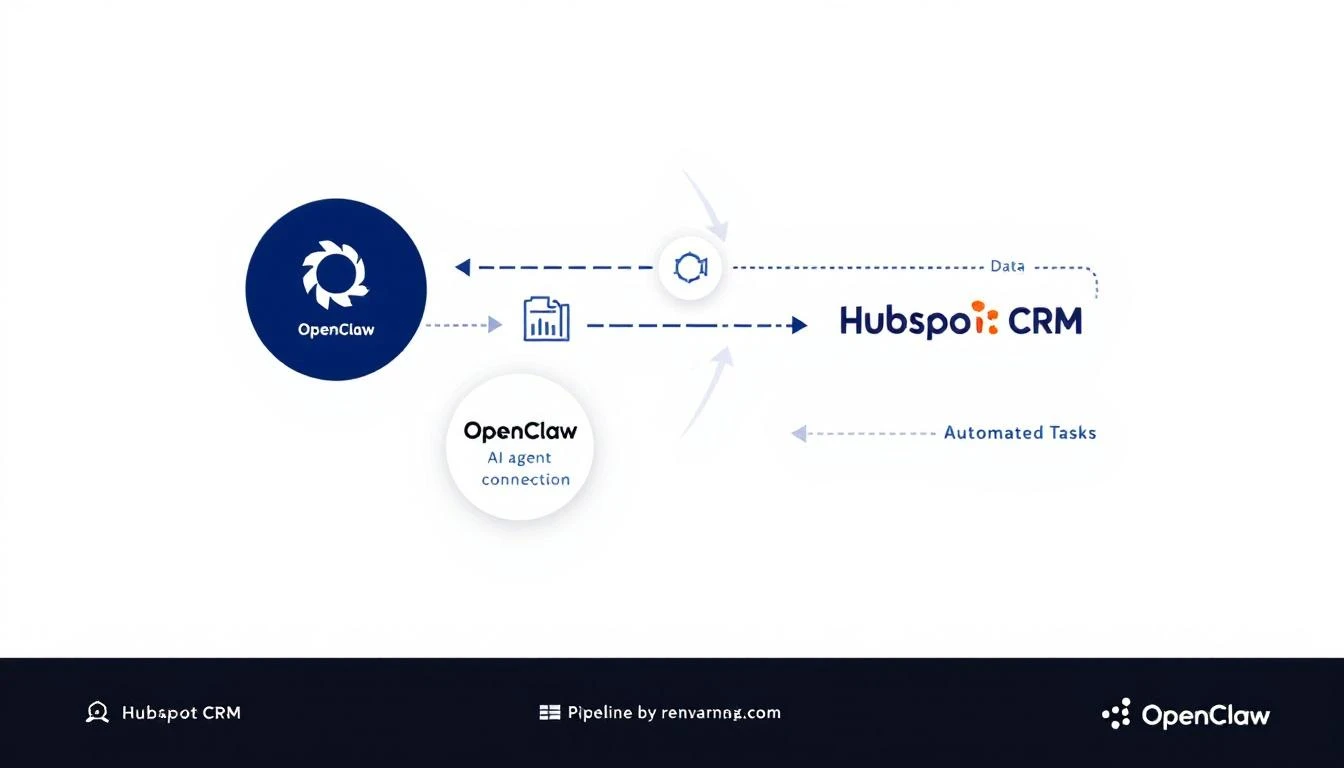
OpenClaw connecting to HubSpot CRM with automated data flows

Why Manual CRM Updates Are Killing Your Pipeline​

The average SDR spends 28% of their week on administrative tasks. Most of that is CRM data entry:

  • Logging call notes
  • Updating deal stages
  • Adding contact information
  • Setting follow-up reminders

That's 11+ hours per week not selling.

Worse, when reps get busy (which is always), CRM hygiene drops. Deals sit in the wrong stages. Contact info goes stale. Follow-ups get missed.

The result? Pipeline visibility becomes a lie. Your forecast is based on outdated data, and winnable deals slip through the cracks.

What OpenClaw + HubSpot Actually Does​

OpenClaw acts as a bridge between AI models (Claude, GPT-4, etc.) and your business tools. When connected to HubSpot, it can:

1. Auto-Enrich New Contacts​

When a new contact hits HubSpot, OpenClaw can:

  • Research the contact's company
  • Find their LinkedIn profile
  • Pull recent news about their company
  • Add firmographic data (company size, industry, tech stack)

All without you touching the keyboard.

2. Monitor Deal Health​

Set up cron jobs to check your pipeline daily:

  • Flag deals that haven't been updated in 7+ days
  • Alert you when a high-value deal goes silent
  • Summarize weekly pipeline changes

3. Auto-Log Meeting Notes​

Connect your calendar and let OpenClaw:

  • Join meetings via transcript (Zoom, Gong, etc.)
  • Summarize key points
  • Update the HubSpot contact/deal record
  • Create follow-up tasks

4. Proactive Outreach Suggestions​

Based on deal activity (or lack thereof), OpenClaw can:

  • Draft re-engagement emails
  • Suggest call scripts based on deal history
  • Recommend next best actions

Before and after: Manual CRM entry vs AI-automated updates

Setting Up OpenClaw with HubSpot​

Here's how to connect them (no code required for basic setups):

Step 1: Install OpenClaw​

npx openclaw@latest init

Follow the prompts to configure your AI provider (Claude recommended for CRM tasks).

Step 2: Get Your HubSpot Private App Token​

  1. Go to HubSpot β†’ Settings β†’ Integrations β†’ Private Apps
  2. Create a new app with these scopes:
    • crm.objects.contacts.read
    • crm.objects.contacts.write
    • crm.objects.deals.read
    • crm.objects.deals.write
    • crm.objects.companies.read
  3. Copy the access token

Step 3: Configure OpenClaw​

Add to your OpenClaw config:

# In your openclaw config
agents:
defaults:
model: claude-sonnet-4-20250514

plugins:
hubspot:
enabled: true
token: ${HUBSPOT_TOKEN}

Step 4: Create Your First Automation​

Example: Daily pipeline health check that messages you via WhatsApp:

cron:
jobs:
- name: "Pipeline Health Check"
schedule:
kind: cron
expr: "0 9 * * 1-5" # 9am weekdays
payload:
kind: agentTurn
message: |
Check HubSpot for:
1. Deals stuck in same stage for 7+ days
2. Deals over $10K with no activity this week
3. Contacts added yesterday that need enrichment

Summarize findings and alert me if anything needs attention.

Real-World Use Cases​

Use Case 1: Automatic Lead Scoring​

When a new contact comes in, have OpenClaw:

  1. Research the company
  2. Check if they match your ICP
  3. Update the lead score field in HubSpot
  4. Route hot leads to your Slack channel

Use Case 2: Stale Deal Recovery​

Set up a weekly scan for deals that have gone quiet:

  • If no activity in 14 days, draft a re-engagement email
  • If no response after outreach, suggest moving to "Nurture"
  • If closed-lost, add to a win-back sequence after 90 days

Use Case 3: Meeting Prep Automation​

Before any call, have OpenClaw:

  • Pull the contact's full history from HubSpot
  • Research recent company news
  • Summarize previous touchpoints
  • Suggest talking points

OpenClaw vs. Native HubSpot AI​

HubSpot has its own AI features now. Here's how they compare:

FeatureHubSpot AIOpenClaw + HubSpot
PriceIncluded in paid plansFree (open source)
CustomizationLimited to HubSpot's featuresUnlimited (any AI model)
Cross-platformHubSpot onlyWorks with any CRM, messaging, calendar
Proactive alertsBasicFully customizable
Model choiceHubSpot's modelsClaude, GPT-4, Llama, etc.

The key difference: OpenClaw lets you build exactly what you need, while HubSpot AI gives you what HubSpot thinks you need.

Best Practices for CRM Automation​

1. Start Small Don't automate everything at once. Start with one pain point (e.g., stale deal alerts) and expand from there.

2. Keep Humans in the Loop AI should suggest, not decide. Have agents create draft emails for your approval, not send them automatically.

3. Audit Regularly Review AI-updated fields monthly. Catch errors before they compound.

4. Document Your Automations Future you (or your replacement) will thank you. Keep a log of what agents do and why.

The Compound Effect of CRM Automation​

One automated task saves 5 minutes. Multiply by 50 contacts per week, and you've saved 4 hours.

Now add:

  • Auto-enrichment (saves research time)
  • Deal monitoring (catches slipping deals early)
  • Meeting prep (better conversations)
  • Follow-up automation (nothing falls through cracks)

That's not 4 hours savedβ€”that's a fundamentally different relationship with your CRM. It goes from a chore to a superpower.

Free Tool

Try our AI Lead Generator β€” find verified LinkedIn leads for any company instantly. No signup required.

Getting Started Today​

  1. Install OpenClaw: docs.openclaw.ai
  2. Connect HubSpot: Use a Private App token
  3. Start with one automation: Stale deal alerts are the easiest win
  4. Iterate: Add more automations as you see what works

The best part? OpenClaw is free and open source. You're not adding another $500/month tool to your stackβ€”you're building on infrastructure you control.


Want to see AI-powered SDR workflows in action? MarketBetter combines visitor identification, automated playbooks, and AI-driven outreach in one platform. Book a demo to see how it works.