MarketBetter vs 6sense: The SDR-First Alternative [2026]

· 7 min read
MarketBetter Team
Content Team, marketbetter.ai

6sense is the Rolls-Royce of account-based marketing platforms. It's powerful, sophisticated, and costs $60,000 to $130,000 per year.

For enterprise marketing teams with dedicated ABM operations, 6sense delivers. But for most B2B sales teams? It's like buying a semi-truck to deliver pizzas.

The real question isn't "which platform has more features?" It's "which one helps your SDRs book more meetings?"

The Core Difference​

What You Need6senseMarketBetter
Primary UserMarketing Ops + ABM TeamsSDRs + Sales Managers
Setup TimeWeeks to monthsDays
Daily WorkflowDashboards to interpretTasks to complete
Pricing$60K-$130K/yearFraction of the cost
Best ForEnterprise ABM campaignsSMB/Mid-market SDR teams

6sense tells your marketing team which accounts are showing intent.

MarketBetter tells your SDRs exactly what to do next—and does half the work for them.

What 6sense Does Well​

Let's be fair. 6sense has earned its reputation:

  • Intent Data at Scale: Tracks billions of buyer signals across the web
  • Predictive Analytics: AI models that forecast which accounts will buy
  • ABM Orchestration: Coordinates advertising, email, and sales outreach
  • Enterprise Integrations: Deep connections to Salesforce, Marketo, Eloqua

If you have a 10-person marketing ops team, a dedicated ABM manager, and a budget that doesn't make your CFO cry, 6sense is genuinely impressive.

Where 6sense Falls Short for SDR Teams​

1. Complexity Kills Adoption​

6sense is designed for marketing operations teams who love dashboards and data models.

SDRs don't want to interpret intent scores and buying stage predictions. They want to know: Who do I call? What do I say? What's the next step?

6sense gives you the data. You still have to figure out what to do with it.

2. The Price Tag​

Let's talk real numbers:

  • 6sense: $60,000-$130,000/year (multi-year contracts common)
  • MarketBetter: A fraction of that cost

For that 6sense budget, you could hire an additional SDR. Or two.

3. Time to Value​

6sense implementations take weeks to months. You need:

  • Data integrations configured
  • Intent topics defined
  • ABM segments built
  • Team training completed
  • Campaigns orchestrated

MarketBetter? Your SDRs can start working tasks on day one.

4. It's Built for Marketing, Not Sales​

6sense shines at telling marketing teams which accounts to target with ads and nurture campaigns.

But SDRs don't run ad campaigns. They:

  • Send personalized emails
  • Make phone calls
  • Respond to inbound leads
  • Follow up on website visitors

6sense doesn't write your emails. It doesn't prioritize your call list. It doesn't recover your missed meetings.

How MarketBetter Approaches This Differently​

SDR Playbook vs. Intent Dashboards​

6sense approach: Here's a dashboard showing 47 accounts with "high intent" in the "consideration stage." Go figure out what to do.

MarketBetter approach: Here's your task list for today. Call Sarah at Acme Corp—she visited your pricing page 3 times this week. Here's a personalized email we drafted based on her company's recent news.

The difference is actionable workflow vs. interpretable data.

Visitor Intelligence That Actually Helps​

Both platforms identify website visitors. The difference is what happens next.

6sense adds them to an account list for your ABM campaigns.

MarketBetter:

  • Scores them based on ICP fit
  • Routes them to the right SDR automatically
  • Generates personalized outreach
  • Adds them to your task list with context

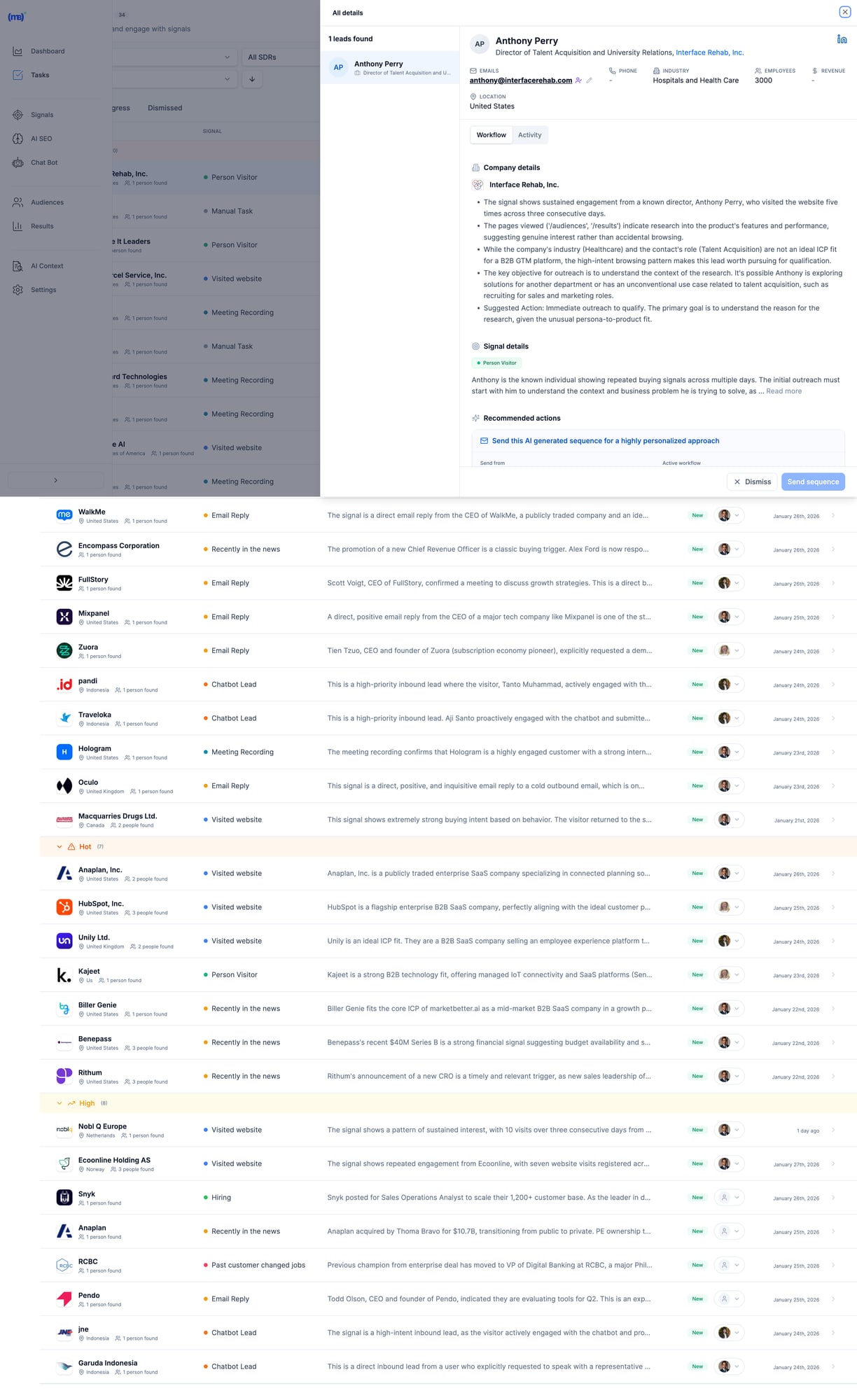
MarketBetter's SDR task list with prioritized actions and AI-generated outreach MarketBetter gives SDRs a prioritized task list with AI-generated outreach—not just dashboards to interpret.

AI That Does the Work​

6sense uses AI to predict buying stages and recommend accounts.

MarketBetter uses AI to:

  • Write personalized emails based on prospect research
  • Draft LinkedIn outreach as part of the same workflow as email and phone
  • Generate pre-meeting briefs before sales calls
  • Recover missed meetings with automated follow-ups
  • Surface the highest-priority tasks each morning

It's the difference between AI as analysis and AI as an assistant.

What's New in MarketBetter (2026)​

The platform has moved fast this year. If you last evaluated MarketBetter against 6sense in 2025, here's what changed:

  • Person-level visitor identification: Not just "someone from Acme Corp visited"—MarketBetter now resolves individual visitors and feeds them straight into SDR task lists with context.
  • LinkedIn in the core workflow: Outreach now spans email, phone, and LinkedIn in one sequence, so reps aren't juggling a separate social selling tool. See how reps combine it with AI in our Sales Navigator SDR workflow guide.
  • Blended intent ranking: First-party website signals and third-party intent are combined and ranked, so reps work the hottest accounts first instead of interpreting two separate dashboards.
  • Pipedrive sync: Bidirectional CRM sync now covers Salesforce, HubSpot, and Pipedrive—your CRM stays the source of truth.
  • AI SEO workspace: Marketing teams get GSC-driven quick wins and AI content briefs inside the same platform. We built it for ourselves first.

6sense shipped plenty in 2026 too—but almost all of it deepens the marketing-ops story. The gap in SDR execution has widened, not narrowed.

Feature Comparison​

Feature6senseMarketBetter
Website Visitor ID✅ Account-level✅ Company + person-level
Intent Data✅ Industry-leading✅ Behavioral + firmographic
AI Predictive Scoring✅✅
SDR Task Management❌✅
AI Email Writing❌✅
Smart Dialer❌✅
Pre-Meeting Briefs❌✅
Missed Meeting Recovery❌✅
Chatbot with Live Handoff❌✅
LinkedIn Outreach in Workflow❌✅
AI SEO Workspace❌✅
CRM Sync✅ Salesforce, HubSpot✅ Salesforce, HubSpot, Pipedrive
Setup TimeWeeks-monthsDays
Typical Contract$60K-$130K/yearAccessible to SMBs

When to Choose 6sense​

6sense is the right choice if you:

  • Have a dedicated ABM team with marketing operations expertise
  • Run large-scale advertising campaigns to target accounts
  • Need to coordinate marketing and sales across hundreds of accounts
  • Have an enterprise budget ($60K+/year for a single tool)
  • Want best-in-class third-party intent data across the web

When to Choose MarketBetter​

MarketBetter is the right choice if you:

  • Want SDRs executing within days, not months
  • Need AI that does the work, not just analyzes data
  • Want one platform for visitor ID, email, calling, and chat
  • Have a realistic SMB/mid-market budget
  • Care more about meetings booked than intent scores tracked

The Real ROI Calculation​

Here's how sales leaders should think about this:

6sense ROI Model:

  • Cost: $80,000/year (mid-range estimate)
  • Value: Better account targeting for marketing campaigns
  • Metric: Influenced pipeline (hard to attribute directly)

MarketBetter ROI Model:

  • Cost: Fraction of 6sense
  • Value: SDRs complete 2x more quality activities per day
  • Metric: Meetings booked, replies received (directly measurable)

When your SDRs can follow an AI-generated playbook instead of interpreting dashboards, they book more meetings. It's that simple.

What Customers Say​

MarketBetter customers consistently highlight the same benefits:

"SDRs onboard in days instead of months" — The AI tells them exactly what to do. No training on complex platforms required.

"29% positive reply rates" — Because AI-personalized outreach beats template blasts every time.

"Never miss an inbound lead" — Chatbot + visitor alerts + missed meeting recovery means zero leads fall through cracks.

Making the Switch​

If you're currently on 6sense and considering a switch, here's the honest assessment:

Keep 6sense if: Your marketing team actively uses it for ABM campaigns and you're seeing attributed pipeline from their efforts.

Switch to MarketBetter if: Your SDRs aren't using 6sense daily, you're paying for features you don't use, or you want a tool built for sales execution rather than marketing analysis.

Free Tool

Try our AI Lead Generator — find verified LinkedIn leads for any company instantly. No signup required.

Bottom Line​

6sense is a marketing intelligence platform that happens to have sales features.

MarketBetter is an SDR workflow platform that happens to include intelligence.

The question is: Do you need your SDRs interpreting data, or executing tasks?

If it's the latter, MarketBetter delivers what 6sense can't—a daily playbook that turns intent signals into booked meetings.


Ready to see the difference? Book a demo and we'll show you exactly how MarketBetter would work for your SDR team.

MarketBetter vs AiSDR: Which AI Sales Assistant Actually Helps You Sell?

· 12 min read
MarketBetter Team
Content Team, marketbetter.ai

Looking for an AiSDR alternative? You've probably noticed their transparent pricing (rare in the AI SDR space) and thought: "Finally, someone who's not hiding behind a 'Contact Sales' button."

AiSDR deserves credit for that. They publish their prices—$900/month for Explore, $2,500/month for Grow—when competitors like 11x and Artisan keep everything behind a sales wall.

But here's what the pricing page doesn't tell you: Website visitor identification is only available on Enterprise. That means their most compelling feature—knowing who's on your site—requires custom pricing. The $900/month plan? It's outreach automation without the intel.

More importantly, AiSDR focuses on sending. They automate email and LinkedIn outreach. What they don't do: tell you what to work on today, prepare you for meetings, or capture inbound visitors with a chatbot.

MarketBetter takes a different approach. We don't just help you send messages—we help you think. Daily playbooks. Pre-meeting briefs. AI chatbot for inbound. Website visitor ID on every plan. starting at $99/user/month.

Let's break down the real differences.

Quick Comparison: MarketBetter vs AiSDR​

FeatureMarketBetterAiSDR
Starting Price$99/user/month$900/month (billed quarterly)
Minimum CommitmentMonthly available$2,700 (3-month minimum)
Free Trial✅ Free trial❌ No free trial
Website Visitor ID✅ All plans⚠️ Enterprise only
Daily SDR Playbook✅ AI-prioritized tasks❌ Not included
AI Chatbot✅ Captures inbound 24/7❌ Not included
Pre-Meeting Briefs✅ Auto-generated context❌ Not included
Smart Dialer✅ Built-in⚠️ Aircall add-on required
Email Sequences✅✅
LinkedIn Outreach✅✅
Lead Database✅✅ 700M+ contacts
Customization✅ Flexible workflows⚠️ Limited—preset playbooks only
CRM Integration✅ HubSpot + Salesforce✅ HubSpot + Salesforce
SOC 2 / GDPR✅ Compliant✅ Compliant

The bottom line: AiSDR automates outreach. MarketBetter automates your entire SDR workflow—including the thinking.

What Is AiSDR?​

AiSDR is an AI-powered outbound platform that automates email and LinkedIn outreach. Drop in your ICP criteria, connect your mailboxes, and their AI handles:

  • Lead sourcing from a 700M+ contact database
  • Personalized email and LinkedIn message generation
  • Multi-channel sequencing (email + LinkedIn + SMS)
  • Reply handling and meeting booking
  • CRM syncing

On paper, it sounds comprehensive. And for pure outbound automation, AiSDR delivers.

What AiSDR Does Well​

Let's give credit where it's due:

  • Transparent pricing in a space full of "Contact Sales" black boxes
  • 700M+ lead database included—no separate Apollo or ZoomInfo needed
  • Multi-channel outreach with email, LinkedIn, and SMS in one platform
  • Fast reply handling—responds to prospects in 5-10 minutes
  • Strong deliverability—mailbox warmup, bounce checking, domain monitoring
  • Dedicated support—GTM engineer assigned to every account
  • Flexible contracts—quarterly billing, cancel anytime

For teams that know exactly who to target and just need to scale outreach, AiSDR can work.

Where AiSDR Falls Short​

But here's what AiSDR doesn't tell you upfront:

Website visitor ID is Enterprise-only. The Explore ($900/mo) and Grow ($2,500/mo) plans don't include it. You have to ask for custom Enterprise pricing to know who's on your website. This is buried in their pricing page.

No daily playbook or task prioritization. AiSDR tells you WHO exists in their database. It doesn't tell you WHO to focus on TODAY or WHAT to do next.

No pre-meeting briefs. When you book a meeting, you're on your own for prep.

No AI chatbot for inbound. Website visitors who want to engage? They have to fill out a form and wait.

Limited customization. Multiple G2 reviewers complain that you can't tweak signal logic or build custom workflows. As one user put it: "It's like buying a Tesla you can't steer."

Personalization gets repetitive. At scale, the AI-generated messages start sounding robotic. Reviewers mention "personalization fatigue" on follow-up #3.

The Real Difference: Outreach Tool vs. SDR Command Center​

Here's the clearest way to understand the gap:

SDR NeedMarketBetterAiSDR
Find contacts✅✅
Know who's on your website✅ (all plans)⚠️ (Enterprise only)
Capture inbound 24/7✅ (chatbot)❌
Get AI-prioritized daily tasks✅❌
See what to say to each prospect✅✅
Auto-generate pre-meeting briefs✅❌
Send email sequences✅✅
Send LinkedIn messages✅✅
Make calls (native dialer)✅⚠️ (Aircall add-on)
Customize workflows✅⚠️ (limited)
A/B test messaging✅❌

AiSDR automates SENDING. It's an outreach engine. Point it at your ICP, and it fires messages.

MarketBetter automates THINKING + DOING. It tells you who to prioritize, what to say, captures inbound while you sleep, and prepares you for meetings—all in one platform.

AiSDR's Hidden Gotcha: Website Visitor ID​

Here's the part that surprised us most in our research:

AiSDR markets itself alongside visitor identification—and they do offer it. But only on Enterprise plans with custom pricing.

Explore ($900/month)? No visitor ID. Grow ($2,500/month)? No visitor ID.

You have to go Enterprise—custom pricing, probably $3,000+/month—to unlock the feature that makes AI SDRs actually intelligent.

Why does this matter? Because visitor identification is what turns cold outreach into warm outreach. Without it, your AI is sending messages to people who may have never heard of you. With it, you're reaching out to people who were literally just on your website.

MarketBetter includes website visitor identification at $99/user/month. One plan, everything included. No hidden Enterprise gates.

The "Tesla You Can't Steer" Problem​

One AiSDR review stuck with us:

"It's like buying a Tesla you can't steer. It drives fast, but not always where you want."

That captures AiSDR's core limitation: it's powerful but inflexible.

  • Can't customize signal logic. You use their playbooks or nothing.
  • Can't build custom workflows. The AI decides how to sequence.
  • Can't A/B test hooks. No framework to isolate what's working.
  • Can't tweak when it goes wrong. Users report limited control when outreach isn't landing.

For some teams, that's fine. "Just handle it" is appealing. But when your ICP is nuanced, when your messaging needs iteration, when your sales motion is complex—you need the steering wheel.

MarketBetter gives you control. Customize workflows. A/B test messaging. Adjust based on what's working. The AI assists; you decide.

Pricing Comparison: The Real Numbers​

AiSDR Pricing (2026)​

PlanMonthly PriceWhat You Get
Explore$900/month1,200 leads + 1,200 messages
Grow$2,500/month4,500 leads + 4,500 messages
EnterpriseCustomCustom volume + visitor ID

Key details:

  • Billed quarterly (minimum $2,700 to start)
  • 20% discount for annual billing
  • No free trial—$900 minimum to test
  • Cancel anytime (more flexible than most AI SDRs)

Per-message economics:

  • Explore: $0.75/message
  • Grow: $0.56/message

What's NOT included in Explore/Grow:

  • Website visitor identification
  • Native dialer (requires Aircall integration)

MarketBetter Pricing (2026)​

PlanMonthly PriceWhat's Included
Standard$99/user/monthAll features included: Daily SDR Playbook, Website Visitor ID, AI Chatbot, Email Automation, Smart Dialer ($50/seat add-on), 5M AI credits + 500 enrichment credits per seat
EnterpriseCustomEverything in Standard + custom integrations, dedicated support, volume discounts
EnterpriseCustomUnlimited actions, SLA, SSO

Every plan includes:

  • AI-prioritized daily playbook
  • Personalized outreach drafts
  • Pre-meeting intelligence briefs
  • CRM sync (HubSpot + Salesforce)
  • Real-time alerts

Growth and above adds:

  • Website visitor identification
  • AI chatbot for inbound
  • Slack/Teams notifications

No quarterly minimum. free trial available.

The Math That Matters​

AiSDR Explore gives you 1,200 messages for $900/month. MarketBetter gives you 500 enrichment credits + 5M AI credits per seat for $99/user/month.

Even if we're comparing apples to oranges on credit definitions, the gap is stark.

And when you factor in that AiSDR doesn't include:

  • Daily playbook (you figure out what to do)
  • AI chatbot (you miss inbound leads)
  • Pre-meeting briefs (you prep yourself)
  • Visitor ID unless Enterprise (you're flying blind)

...the value equation tips heavily toward MarketBetter.

What People Are Actually Saying​

About AiSDR​

G2 (4.5/5 stars):

"Launched a campaign in 24 hours. GTM engineer handled everything." "Cross-channel convenience—email + LinkedIn + SMS in one." "Quality leads, ZoomInfo-level data included."

But also:

"Too automated, not enough control." "Email copy gets repetitive at scale." "Tight volume for the price—1,000 emails runs out fast." "Can't define or customize signal logic." "Surface-level CRM integration."

The recurring theme: Great for set-it-and-forget-it outreach. Frustrating when you need control.

About MarketBetter​

"65% growth in funnel and faster conversions." — B2B CEO

"Saved 12+ hours every week and shortened deal cycles by 40%." — SaaS VP Sales

"Follow-ups dropped from days to minutes." — Telecom CEO

The theme here: Execution speed + workflow clarity.

Who Should Choose AiSDR?​

AiSDR might be the right choice if:

  • You want pure outbound automation and already have your ICP dialed in
  • You trust AI to run autonomously—set-and-forget appeals to you
  • You have a $900+/month budget and don't mind quarterly billing
  • You don't need website visitor ID—or you're ready to pay Enterprise pricing
  • Inbound isn't your priority—you're focused entirely on outbound
  • You don't need A/B testing or workflow customization

Who Should Choose MarketBetter?​

MarketBetter is the better fit if:

  • Budget matters—you want more value per dollar
  • You need a daily playbook—your team needs direction, not just data
  • Inbound matters—the AI chatbot captures leads while you sleep
  • Website visitor ID is important—and you don't want to pay Enterprise pricing for it
  • You want meeting prep automated—pre-meeting briefs save hours
  • You need customization—your sales motion is nuanced
  • You hate minimum commitments—free trial, monthly billing available

The Fundamental Question​

Do you need a tool that sends messages? Or do you need a command center that runs your SDR workflow?

AiSDR is a capable outreach engine. Connect your mailboxes, define your ICP, and it fires personalized messages across email and LinkedIn. For teams that just need to scale sending, it works.

But most SDR teams don't struggle with sending. They struggle with:

  • Prioritization: Who should I focus on today?
  • Preparation: What do I need to know before this meeting?
  • Inbound capture: How do I engage visitors who don't fill out forms?
  • Iteration: How do I test and improve my messaging?

AiSDR doesn't solve those problems. MarketBetter does.

Frequently Asked Questions​

Is AiSDR worth $900/month?​

For pure outbound automation with an included lead database, AiSDR provides value. But at $900/month for 1,200 messages—without visitor ID, without a daily playbook, without a chatbot—you're paying a premium for limited capability. MarketBetter's $99/user/month Standard plan offers more workflow features at a fraction of the cost.

Can MarketBetter replace AiSDR?​

Yes. MarketBetter handles multi-channel outreach (email + LinkedIn) while adding the workflow layer AiSDR lacks: daily task prioritization, pre-meeting briefs, AI chatbot for inbound, and website visitor ID on all plans. You get outreach automation PLUS the command center to run it.

What about AiSDR's 700M+ contact database?​

AiSDR's included database is genuinely valuable—you don't need a separate Apollo or ZoomInfo subscription. MarketBetter also includes contact data and enrichment, though the database size differs. For most SMB/mid-market teams, both provide sufficient coverage.

Does AiSDR offer a free trial?​

No. The minimum to test AiSDR is $900/month (billed quarterly = $2,700 upfront). MarketBetter offers a free trial with no credit card required.

What if I'm currently using AiSDR?​

Start your MarketBetter trial and run them side-by-side. Compare not just outreach metrics, but workflow clarity: Do you know what to do each day? Are you capturing inbound? Are you prepped for meetings? Then decide which platform actually helps you sell.

The Decision Framework​

Your SituationBest Choice
Pure outbound automation, set-and-forgetAiSDR
Need daily playbook + task prioritizationMarketBetter
Website visitor ID mattersMarketBetter (AiSDR = Enterprise only)
Inbound capture is importantMarketBetter
Budget under $99/user/monthMarketBetter
Want free trial before committingMarketBetter
Need workflow customizationMarketBetter
Fine with limited control, trust AI fullyAiSDR

The Bottom Line​

AiSDR built a solid outreach automation platform. Transparent pricing (rare in this space). Included lead database (also rare). Multi-channel sequences that run on autopilot.

But outreach automation is just one piece of the SDR puzzle.

MarketBetter is the complete SDR command center:

  • Daily playbook tells you what to do
  • Website visitor ID (on all plans) shows you who's interested
  • AI chatbot captures inbound while you sleep
  • Pre-meeting briefs prepare you for calls
  • Customizable workflows let you iterate

And it starting at $99/user/month trial—vs. AiSDR's $900/month with no trial.

Stop paying for a tool that only sends. Get one that helps you sell.

Free Tool

Try our AI Lead Generator — find verified LinkedIn leads for any company instantly. No signup required.

Ready to See the Difference?​

Book a demo and we'll show you:

  1. The daily playbook in action—AI-prioritized tasks your SDRs can execute immediately
  2. Website visitors you're missing—companies and people browsing right now
  3. Our AI chatbot engaging inbound—capturing leads while your team sleeps
  4. Pre-meeting briefs—everything you need to know before your next call
  5. The features AiSDR charges Enterprise pricing for—included in every plan

Start your free trial. No credit card. No quarterly minimum.

Book a Demo →


Related reading:

Questions? Email us at hello@marketbetter.ai

MarketBetter vs Demandbase: SDR Workflows vs Enterprise ABM [2026]

· 8 min read
MarketBetter Team
Content Team, marketbetter.ai

Demandbase is the OG of account-based marketing. Founded in 2006, they've spent nearly two decades building the most comprehensive ABM platform on the market.

But here's the catch: Demandbase was built for enterprise marketing teams, not SDR teams.

Their median customer pays $65,000 per year. Implementation takes months. And when it's finally running, your SDRs still have to figure out what to do with all that account intelligence.

If you're looking for a Demandbase alternative that actually helps SDRs book meetings—not just marketers run campaigns—read on.

Quick Comparison​

FactorDemandbaseMarketBetter
Built ForMarketing Ops + ABM TeamsSDRs + Sales Leaders
Pricing$65K+ median/yearAccessible to SMBs
Setup TimeMonthsDays
Core OutputAccount dashboardsPrioritized task lists
ID LevelCompany-levelCompany + person-level
Smart Dialer❌✅
AI Email Writer❌✅
Best ForEnterprise ABM advertisingSMB/Mid-market sales execution

What Demandbase Does Well​

Let's give credit where it's due. Demandbase has been in ABM longer than most companies have existed:

1. Enterprise-Grade ABM Advertising​

Demandbase runs one of the few B2B-specific demand-side platforms (DSPs). They can target specific accounts with display ads across the web—and they're genuinely good at it.

2. Account Identification at Scale​

Their identity graph combines IP matching, cookies, device IDs, and even VPN provider data to identify companies visiting your site. They claim <30% match rates, but it's enterprise-solid.

3. Intent Data Integration​

Demandbase aggregates third-party intent signals (including Bombora data) with first-party website behavior to score account engagement.

4. Sales Intelligence​

Their account insights surface technographics, news, and engagement data that help enterprise reps research large accounts.

If you're a Fortune 500 company running coordinated ABM campaigns across marketing and sales with a dedicated ops team, Demandbase delivers.

Where Demandbase Falls Short for Sales Teams​

1. It's Marketing-First, Not Sales-First​

Demandbase was built for marketers running ABM advertising campaigns. Sales features came later as add-ons.

The result? SDRs get account intelligence and dashboards. They don't get:

  • A prioritized task list for the day
  • AI-written email drafts ready to send
  • A smart dialer built into the workflow
  • Chatbot conversations handed off automatically

Demandbase tells you which accounts are engaged. MarketBetter tells your SDRs exactly what to do next.

2. Enterprise Pricing, Enterprise Complexity​

Let's talk real numbers:

Company SizeDemandbase Typical Cost
~200 employees$18,000-$32,000/year
Mid-market$60,000-$70,000/year (median)
Enterprise$100,000-$300,000/year

Source: Vendr, Dimmo, and user reports.

These aren't typos. Demandbase is priced for enterprise marketing budgets, not SMB sales teams.

And the pricing isn't transparent—you'll spend weeks in sales negotiations before you even know what you're paying for.

3. Company-Level Only (Not Person-Level)​

This is critical for SDRs: Demandbase identifies companies, not the specific people at those companies.

When Demandbase tells you "Acme Corp visited your pricing page," your SDR still has to:

  1. Research Acme Corp
  2. Find the right decision-maker
  3. Get their contact info
  4. Figure out what to say
  5. Actually reach out

MarketBetter identifies the visitor, finds the decision-maker, generates personalized outreach, and puts it in your task list. That's the difference between intelligence and execution.

4. Months to Value​

Demandbase implementations are notoriously complex:

  • Define your ICP and account tiers
  • Configure integrations with your CRM and MAP
  • Set up intent topics and tracking
  • Build account segments and audiences
  • Train your teams on the platform
  • Optimize over time

Expect 2-4 months before your team is productive. Some enterprise deployments take 6+ months.

MarketBetter? SDRs start working tasks on day one.

5. G2 Reviewers Confirm the Gaps​

From actual G2 reviews:

"The platform has a steep learning curve for new users."

"Pricing negotiations were lengthy, and the lack of transparency required significant justification to leadership."

"Demandbase excels at account-level targeting but lacks granularity when you need person-level insights."

These aren't edge cases—they're the consistent feedback pattern.

How MarketBetter Approaches This Differently​

Tasks, Not Dashboards​

Demandbase approach: Here's a dashboard showing account engagement scores. Segment them, build audiences, run campaigns.

MarketBetter approach: Here's your task list for today. Call Sarah at Acme Corp first—she visited your pricing page twice and matches your ICP. Here's a personalized email draft based on their recent product launch.

SDRs don't want to analyze data. They want to execute.

Person-Level Intelligence​

While Demandbase stops at "Company X visited," MarketBetter goes further:

  • Identifies the company
  • Enriches with decision-maker contacts
  • Scores by ICP fit and intent
  • Routes to the right SDR automatically
  • Generates personalized outreach

The difference is crucial. Company intelligence is useless if your SDR still has to spend 15 minutes researching each lead.

AI That Executes, Not Just Analyzes​

Demandbase uses AI to score accounts and predict engagement.

MarketBetter uses AI to:

  • Write personalized cold emails based on prospect research
  • Generate pre-call briefs before sales calls
  • Recover missed meetings automatically
  • Prioritize the highest-impact tasks each morning

It's the difference between AI telling you what might happen and AI doing the work.

Built-In Execution Tools​

Demandbase requires you to export data to separate tools for outreach.

MarketBetter includes:

  • Smart Dialer with click-to-call from any task
  • AI Email Sequences that personalize at scale
  • Chatbot that qualifies visitors and books meetings 24/7
  • Task Management that prioritizes your SDRs' day

One platform. Complete workflow. No data exports required.

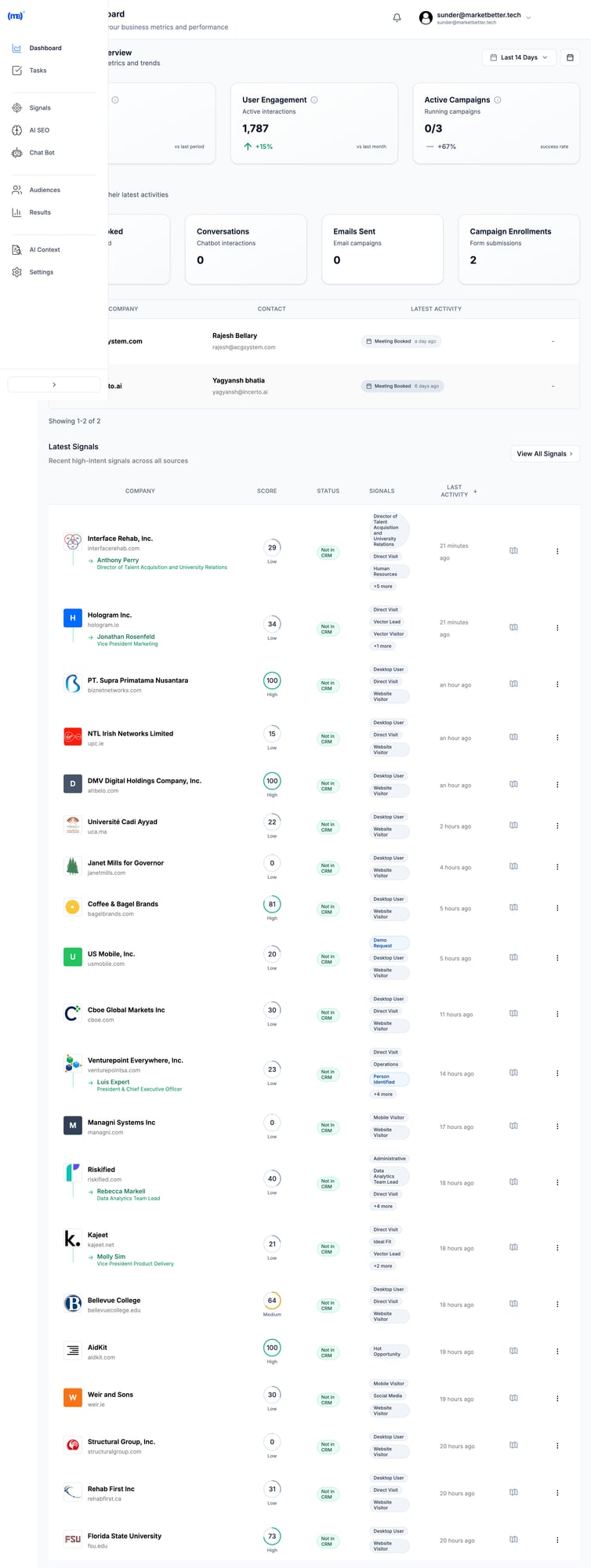
MarketBetter's SDR workspace showing tasks, signals, and AI-generated outreach in one view MarketBetter gives SDRs everything they need in one workspace—not scattered across dashboards and integrations.

Feature Comparison​

FeatureDemandbaseMarketBetter
Website Visitor ID✅ Company-level✅ Company + person enrichment
Intent Data✅ 3rd party + 1st party✅ Behavioral + firmographic
Account Scoring✅✅
ABM Advertising✅ Industry-leading❌
SDR Task Management❌✅
AI Email Writing❌✅
Smart Dialer❌✅
Pre-Meeting Briefs❌✅
Missed Meeting Recovery❌✅
Chatbot with Handoff❌✅
CRM Sync✅ Salesforce, HubSpot✅ Salesforce, HubSpot
Setup Time2-6 monthsDays
Pricing ModelCustom enterpriseAccessible to SMBs

When to Choose Demandbase​

Demandbase is the right choice if you:

  • Run enterprise ABM advertising campaigns at scale
  • Have a dedicated marketing ops team to manage the platform
  • Need to coordinate marketing + sales across 100s of target accounts
  • Have an enterprise budget ($65K+/year for a single tool)
  • Want display advertising built into your ABM platform

When to Choose MarketBetter​

MarketBetter is the right choice if you:

  • Want SDRs executing within days, not months
  • Need person-level contacts, not just company names
  • Want one platform for visitor ID, email, calling, and chat
  • Have a realistic SMB/mid-market budget
  • Care more about meetings booked than accounts reached

The Real ROI Question​

Here's how to think about this decision:

Demandbase ROI Model:

  • Cost: $65,000+/year
  • Primary value: Account-based advertising + marketing alignment
  • Metric: Account reach, engagement scores, influenced pipeline
  • Who benefits: Marketing team

MarketBetter ROI Model:

  • Cost: Fraction of Demandbase
  • Primary value: SDR productivity + workflow automation
  • Metric: Meetings booked, reply rates, time saved
  • Who benefits: SDR team directly

If your goal is "run sophisticated ABM campaigns," Demandbase delivers.

If your goal is "help SDRs book more meetings," MarketBetter wins.

Making the Decision​

Ask yourself these questions:

  1. Who will use this daily? If it's your marketing ops team, consider Demandbase. If it's your SDRs, consider MarketBetter.

  2. What's your budget? If you can justify $65K+ for one tool, Demandbase is viable. If that makes your CFO flinch, look elsewhere.

  3. How fast do you need results? If you can wait 3-6 months for implementation, Demandbase is thorough. If you need SDRs productive this week, MarketBetter delivers.

  4. Do you need person-level or company-level? If company intelligence is enough, Demandbase works. If you need specific contacts, MarketBetter is better.

Free Tool

Try our AI Lead Generator — find verified LinkedIn leads for any company instantly. No signup required.

Bottom Line​

Demandbase is an enterprise marketing platform that added sales features.

MarketBetter is an SDR workflow platform with built-in intelligence.

Demandbase answers: "Which accounts should marketing target?"

MarketBetter answers: "What should your SDRs do right now?"

If you're running enterprise ABM with a dedicated marketing ops team and a six-figure budget, Demandbase is a solid choice.

If you're running an SDR team that needs to book meetings—not interpret dashboards—MarketBetter delivers what Demandbase can't: a daily playbook that turns signals into action.


Ready to see the difference? Book a demo and we'll show you how MarketBetter would work for your SDR team—in a 30-minute call, not a 3-month implementation.

MarketBetter vs Leadfeeder (Dealfront): Complete Comparison [2026]

· 6 min read
MarketBetter Team
Content Team, marketbetter.ai

Leadfeeder (now part of Dealfront) has been the go-to website visitor identification tool since 2012. It tells you which companies visited your site. Full stop.

But here's the uncomfortable truth: Knowing WHO visited doesn't generate pipeline. Your SDRs still need to figure out who to contact, what to say, and which tool to use for outreach.

MarketBetter takes a fundamentally different approach. We don't just identify visitors — we tell your SDRs exactly what to do about them.

This comparison breaks down both platforms so you can decide which fits your workflow.

Quick Comparison​

FeatureMarketBetterLeadfeeder (Dealfront)
Starting Price$99/user/month$0 (free) / $99/mo (paid)
Visitor ID✅ Company + person-level✅ Company-level only
Daily Playbook✅ Prioritized task list❌ Manual workflow
AI Chatbot✅ 24/7 visitor engagement❌ None
Smart Dialer✅ Built-in❌ Requires separate tool
Email Sequences✅ Native automation❌ Requires separate tool
CRM Sync✅ Bidirectional✅ Bidirectional
European FocusUS-primary✅ GDPR-native

What Leadfeeder Does Well​

Credit where it's due — Leadfeeder has strengths:

Transparent, volume-based pricing. You pay based on companies identified, not seats. Starting at $99/month for up to 50 companies, scaling to $1,199/month for 40,000 companies.

Excellent European coverage. As a German company (post-Echobot merger), they have strong GDPR compliance and accurate European company data.

Unlimited users on all plans. No per-seat pricing means your whole team can access visitor data.

Solid CRM integrations. Their Salesforce and HubSpot bidirectional syncs are robust and mature.

14-day free trial + free tier. Low-risk way to test visitor identification.

Where Leadfeeder Falls Short​

The core limitation: Leadfeeder is a single-purpose tool.

It answers one question: "Which companies visited my website?"

It doesn't answer:

  • Who specifically should I contact at that company?
  • What's the best next action — email, call, or chat?
  • What should I actually say to them?
  • How do I prioritize these visitors against my other leads?

The "20 Tabs Problem" Persists​

After using Leadfeeder, your SDRs still need:

  • A contact database (ZoomInfo, Apollo, Lusha)
  • Email automation (Outreach, Salesloft, Apollo)
  • A dialer (Aircall, Orum, PhoneBurner)
  • A chatbot (Drift, Intercom, Qualified)
  • A task manager (Salesforce tasks, Asana, sheets)

That's 5+ tools, 5+ subscriptions, and 20+ browser tabs.

G2 Reviews Echo This​

"The visitor tracking features are lacking; the data shown doesn't always match what I see in HubSpot"

"Functionality constraints — requires additional tools to complement"

"The inability to identify individuals from larger firms limits its utility"

Leadfeeder users consistently ask: "Great, now what do I do with this data?"

How MarketBetter Is Different​

MarketBetter includes visitor identification. But that's just the beginning.

The Daily SDR Playbook​

Every morning, your SDRs see a prioritized task list:

  1. Call John at Acme Corp — visited pricing page 3x this week, decision-maker
  2. Email Sarah at TechCo — engaged with AI chatbot, requested case study
  3. Follow up with Mike — opened yesterday's email twice

No guessing. No prioritization paralysis. Just: "Here's what to do next."

MarketBetter dashboard showing AI-prioritized tasks and visitor signals MarketBetter's dashboard gives SDRs a single view of prioritized tasks—not just visitor data to interpret.

AI Chatbot That Actually Converts​

While Leadfeeder just tracks who's on your site, MarketBetter's AI chatbot engages them in real-time:

  • Answers product questions 24/7
  • Books meetings directly into your calendar
  • Qualifies visitors before they leave

Every chatbot conversation feeds into the playbook.

Built-in Dialer and Email​

When the playbook says "call," you call from MarketBetter. When it says "email," you send from MarketBetter. No context switching, no tab juggling.

Your CRM stays in sync automatically.

Pricing Comparison​

Leadfeeder (Visitor ID Only)​

Companies/MonthMonthly Cost
Free tier$0 (100 companies, 7-day retention)
Up to 50$99
51-100$119
101-200$143
201-400$215
401-700$299
701-1,000$329

Annual billing saves 30%

The Hidden Cost: Your Tool Stack​

To get comparable functionality to MarketBetter, add:

  • Contact database: $50-200/user/month
  • Email automation: $50-150/user/month
  • Dialer: $50-150/user/month
  • Chatbot: $100-500/month

Total stack cost: $300-1,000/user/month

MarketBetter (All-In-One)​

PlanMonthly Cost
Standard$99/user/month
EnterpriseCustom

Add-ons: +$200/5K actions | +$150/extra seat | +$100/500 enrichment credits per seat

All plans include visitor ID + playbook + dialer + email + chatbot. Free trial available — book a demo.

When to Choose Leadfeeder​

Be honest: Leadfeeder makes sense when:

  • You're European and need GDPR-native compliance with excellent EU data coverage
  • You already have an execution stack (Outreach, Salesloft, etc.) and just need visitor data piped in
  • Budget is extremely tight — their free tier works for very small sites
  • You're marketing-focused — want analytics on traffic, not SDR execution

When to Choose MarketBetter​

MarketBetter wins when:

  • You want SDRs executing, not tool-juggling — one platform, one playbook
  • You're building or scaling an SDR team — need the full workflow, not just data
  • Speed-to-lead matters — AI chatbot engages visitors before they bounce
  • You're consolidating your stack — replace 4-5 tools with one

The Bottom Line​

Leadfeeder is a visitor identification tool. It's good at that one thing.

MarketBetter is an SDR execution platform that includes visitor identification as one of many signals feeding a daily playbook.

The question isn't "Which has better visitor tracking?" — they're comparable.

The question is: Do you want to know who visited, or do you want to convert visitors into meetings?

If you already have a complete SDR tech stack and just need visitor data, Leadfeeder works.

If you want your SDRs focused on selling instead of tool management, try MarketBetter free.


Free Tool

Try our AI Lead Generator — find verified LinkedIn leads for any company instantly. No signup required.

Frequently Asked Questions​

Does MarketBetter integrate with the tools I already use?​

Yes. MarketBetter syncs bidirectionally with Salesforce, HubSpot, Pipedrive, and other major CRMs. We also integrate with Slack for real-time alerts.

Can I use Leadfeeder and MarketBetter together?​

You could, but there's no need. MarketBetter's visitor identification replaces Leadfeeder's functionality while adding the execution layer.

What about person-level identification?​

Leadfeeder identifies companies only. MarketBetter identifies both companies and individual contacts when possible, using a combination of first-party tracking and data enrichment.

How does pricing scale?​

Leadfeeder charges based on companies identified. MarketBetter charges per-user tiers with unlimited companies. For teams of 5+ SDRs with significant traffic, MarketBetter is typically more cost-effective.


Ready to stop tool-juggling? Book a demo and see how MarketBetter turns website visitors into booked meetings.

MarketBetter vs Qualified: Full-Stack SDR Platform vs Chatbot-First [2026]

· 8 min read
MarketBetter Team
Content Team, marketbetter.ai

If you're evaluating tools to convert anonymous website traffic into sales meetings, you've probably seen Qualified. Their AI SDR "Piper" is the G2 leader in conversational marketing.

But here's the thing: Qualified excels at one part of the SDR workflow — chatbot engagement — while requiring Salesforce and enterprise budgets.

MarketBetter takes a different approach: a complete SDR execution platform with visitor identification, daily task playbooks, smart dialer, AI email, and yes — chatbot engagement too.

Let's break down when each tool makes sense.


The Quick Take​

AspectMarketBetterQualified
Best ForFull-stack SDR teamsChat-first inbound teams
CRM RequiredHubSpot, Salesforce, othersSalesforce only
PricingSMB-friendlyEnterprise ($36K-$100K+/yr)
Smart Dialer✅ Built-in❌ Not available
Daily Playbook✅ Prioritized tasks❌ Chat/email focus
AI Chatbot✅ Included✅ Industry-leading (Piper)
LinkedIn Automation✅ Integrated❌ Not available

Bottom line: Qualified is the best-in-class AI chatbot for enterprises on Salesforce. MarketBetter is the full SDR execution platform for teams that need more than chat.


What Qualified Does Well​

Let's give credit where it's due. Qualified has built an impressive product:

Piper the AI SDR Agent​

Piper is genuinely impressive. She can:

  • Have real-time conversations with website visitors
  • Book meetings instantly by routing to the right rep's calendar
  • Send personalized follow-up emails after form submissions
  • Nurture buyers across channels with persistent engagement
  • Collaborate via Slack with real-time alerts to sales teams

Their meeting booking flow is seamless. Visitor lands → Piper qualifies → calendar appears → meeting books with the assigned rep. No back-and-forth scheduling.

Why Enterprises Love It​

  • #1 AI SDR on G2 with 4.9 stars and 1,200+ reviews
  • Deep Salesforce integration for real-time CRM lookups
  • Video chat capability — visitors can video call from the widget
  • Enterprise trust — used by Demandbase, Asana, Brex, Greenhouse

Where Qualified Falls Short​

1. Salesforce Lock-In​

This is the dealbreaker for many teams.

Qualified requires Salesforce CRM for full functionality. If you're on HubSpot CRM (like most SMBs), you're locked out of their core features.

They have a HubSpot Marketing Hub integration, but the CRM must be Salesforce. For the ~50% of B2B companies using HubSpot as their CRM, Qualified isn't an option.

2. Enterprise-Only Pricing​

Qualified's pricing isn't public, but based on marketplace data:

TierAnnual CostWhat You Get
Premier$36,000-50,000Core AI chatbot
Enterprise$50,000-70,000SSO, API, multi-language
Ultimate$70,000-100,000+Multiple agents/sites

That's $3,000-8,000/month effective cost. For an SMB running a 5-person SDR team, that's their entire tool budget.

3. Chat-Focused, Not Full-Stack​

Qualified excels at website chat and meeting booking. But SDRs need more:

  • What about outbound calls? Qualified has no dialer.
  • What about LinkedIn? No automation.
  • What about prioritizing the day? No playbook.

If your SDR's job is mostly reactive (wait for chat) rather than proactive (call, email, LinkedIn), Qualified works. But most SDR teams need both.

4. No Daily Playbook​

Here's the fundamental difference in philosophy:

Qualified thinks: "Engage visitors when they're on the site"

MarketBetter thinks: "Give SDRs a prioritized task list for the entire day"

Qualified handles inbound engagement brilliantly. But SDRs spend most of their day on outbound — calling, emailing, LinkedIn messaging. Qualified doesn't help there.


What MarketBetter Does Differently​

The Full SDR Stack​

MarketBetter isn't just a chatbot. It's the operating system for SDR teams:

CapabilityWhat It Does
Website Visitor IDIdentify companies and contacts visiting your site
Daily PlaybookPrioritized task list: who to call, email, message
Smart DialerClick-to-call with call recording, pre-meeting briefs
AI EmailHyper-personalized sequences, A/B testing
AI ChatbotReal-time engagement with website visitors
LinkedIn IntegrationAutomated outreach via HeyReach

One platform instead of five. No stitching together Qualified + dialer + email tool + LinkedIn tool + spreadsheet for daily planning.

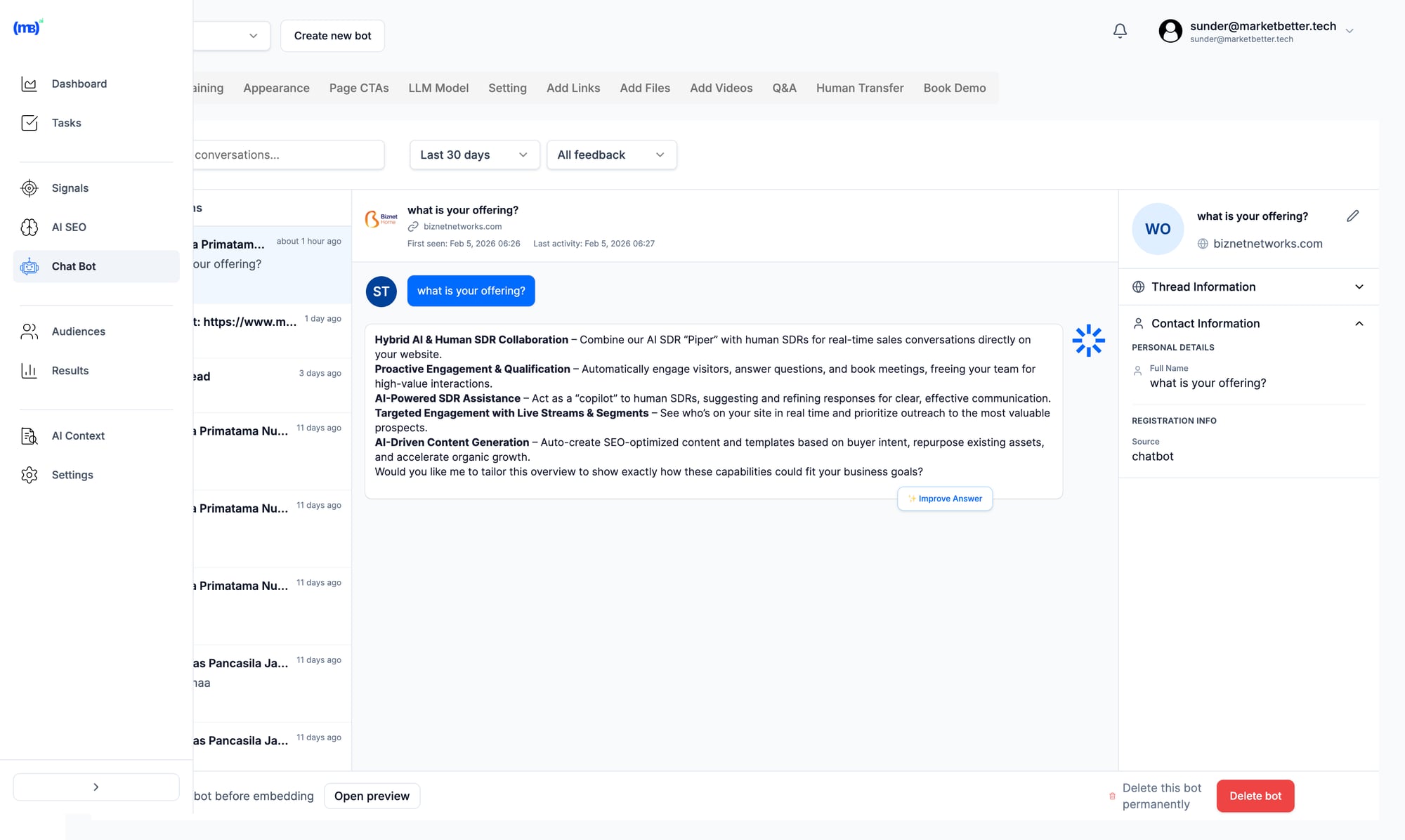
MarketBetter AI chatbot conversations with visitor engagement and handoff MarketBetter's AI chatbot engages visitors in real-time, qualifies leads, and hands off to your sales team seamlessly.

HubSpot (and Other CRM) Support​

We integrate with HubSpot, Salesforce, Pipedrive, and others. If you're a HubSpot shop, you don't have to switch CRMs just to use your chatbot.

SMB-Accessible Pricing​

We designed pricing for teams that don't have $50K/year for a chatbot. Get started without enterprise contracts or annual commitments.

From "Who Visited" to "What to Do"​

Here's our core differentiator:

Qualified tells you who's on your website right now. MarketBetter tells you who visited, who to contact, and exactly what to do about it.

Our Daily Playbook turns signals into actions:

  • "Call John at Acme Corp — visited pricing 3x this week"
  • "Email Sarah at Beta Inc — opened 4 emails, no reply"
  • "LinkedIn message Tom at Gamma — new job announcement"

Prioritized. Actionable. Every morning.


Feature-by-Feature Comparison​

AI Chatbot​

FeatureMarketBetterQualified
Real-time chat✅✅
AI-powered responses✅✅ (Piper)
Meeting booking✅✅
Video chat❌✅
Slack integration✅✅

Winner: Qualified — They've invested more here, and Piper is genuinely best-in-class.

Outbound Calling​

FeatureMarketBetterQualified
Built-in dialer✅❌
Click-to-call✅❌
Call recording✅❌
Pre-meeting briefs✅❌
Local presence dialing✅❌

Winner: MarketBetter — Qualified simply doesn't have a dialer.

Email Automation​

FeatureMarketBetterQualified
AI personalization✅✅
Sequence automation✅✅
A/B testing✅Limited
Deliverability tools✅Limited

Winner: Tie — Both can do AI email, different strengths.

Daily Workflow​

FeatureMarketBetterQualified
Prioritized task list✅❌
Cross-channel orchestration✅Limited
Activity tracking✅Chat only
Rep performance dashboard✅Limited

Winner: MarketBetter — This is our core strength.

LinkedIn Automation​

FeatureMarketBetterQualified
LinkedIn outreach✅ (HeyReach)❌
Connection requests✅❌
InMail sequences✅❌

Winner: MarketBetter — Qualified has no LinkedIn functionality.


When to Choose Qualified​

Qualified is the right choice if:

  • ✅ You're on Salesforce CRM (required)
  • ✅ Your budget is $50K+/year for conversational tools
  • ✅ Your SDRs are primarily reactive (handling inbound)
  • ✅ Chat engagement is your #1 priority
  • ✅ You want best-in-class AI chatbot specifically

Good Qualified Use Cases​

  • High-traffic enterprise websites with dedicated chat teams
  • Enterprise deals where real-time video chat matters
  • Marketing-led organizations focused on inbound conversion

When to Choose MarketBetter​

MarketBetter is the right choice if:

  • ✅ You're on HubSpot or any non-Salesforce CRM
  • ✅ Your budget is SMB-realistic (not enterprise)
  • ✅ Your SDRs do both inbound and outbound
  • ✅ You need calling + email + LinkedIn + chat in one place
  • ✅ You want a daily task playbook, not just reactive chat

Good MarketBetter Use Cases​

  • Growing SDR teams (3-20 reps) needing one platform
  • HubSpot shops that can't use Qualified anyway
  • Outbound-heavy teams that need dialer + sequences
  • SMBs that can't afford $50K/year for chat alone

The Real Question​

The choice between MarketBetter and Qualified comes down to this:

Do you need the best AI chatbot, or do you need the best SDR execution platform?

If you're an enterprise on Salesforce with budget for specialized tools and a chat-first strategy, Qualified is excellent.

If you need the full stack — visitor ID, playbook, dialer, email, chat, LinkedIn — in one platform at accessible pricing, that's MarketBetter.


What Customers Say​

MarketBetter Reviews (G2)​

"Finally, one platform instead of 6 tabs. My SDRs know exactly who to call every morning."

"The smart dialer alone paid for the platform. Adding visitor ID and email was a bonus."

Qualified Reviews (G2)​

"Piper is incredible. She books 30% of our demos automatically."

"Enterprise pricing, but the ROI is there for high-traffic sites."


Ready to See the Difference?​

If you're evaluating both, we'd love to show you how MarketBetter handles the complete SDR workflow — not just chat.

Book a demo: https://www.marketbetter.ai/book-demo

We'll show you the Daily Playbook, Smart Dialer, and AI chatbot working together. No enterprise pricing, no Salesforce requirement.


Free Tool

Try our AI Lead Generator — find verified LinkedIn leads for any company instantly. No signup required.

FAQ​

Can MarketBetter replace Qualified?​

For most teams, yes — especially if you're on HubSpot or need outbound capabilities. Our AI chatbot handles visitor engagement, while also giving you dialer, email, and playbook capabilities Qualified doesn't offer.

Does Qualified work with HubSpot CRM?​

No. Qualified integrates with HubSpot Marketing Hub, but requires Salesforce as the CRM. HubSpot CRM users cannot use Qualified's core routing and meeting booking features.

How much cheaper is MarketBetter?​

Qualified starts around $36,000/year for Premier tier. MarketBetter's pricing is designed for SMBs — significantly more accessible while delivering more capabilities (dialer, LinkedIn, playbook).

Which has better AI?​

Qualified's Piper is more mature specifically for chat. MarketBetter's AI spans more use cases: playbook prioritization, email personalization, chatbot, call briefs. Different strengths for different needs.

Can I use both?​

Technically yes, but most teams find MarketBetter handles their chat needs while adding the outbound capabilities Qualified lacks. Using both would be significant budget overlap.


Last updated: February 2026

MarketBetter vs RB2B: Website Visitor ID vs SDR Workflow [2026]

· 8 min read
Sunder Iyer
Founder, marketbetter.ai

RB2B pioneered contact-level website visitor identification. Drop in their script, and within minutes you're getting Slack notifications: "John Smith from Acme Corp just visited your pricing page."

That's powerful. But it's also where RB2B stops.

What happens next? Your SDR has to:

  • Research John's company
  • Figure out if Acme is even in your ICP
  • Find the right decision-maker (maybe John's just a researcher)
  • Write personalized outreach
  • Decide whether to email, call, or connect on LinkedIn
  • Actually reach out before the lead goes cold

That workflow takes 15-30 minutes per visitor. With hundreds of notifications per day, most RB2B leads end up ignored.

MarketBetter takes a different approach. We don't just identify who visited—we turn every visitor into a prioritized task with AI-generated outreach, decision-maker contacts, and a click-to-dial button.

🎯 Quick Summary
  • Choose RB2B if: You want simple, affordable visitor identification and have the bandwidth to work leads manually
  • Choose MarketBetter if: You want visitor identification PLUS the SDR workflow to actually convert those visitors into meetings

What Each Tool Actually Does​

RB2B: Person-Level Visitor Identification​

RB2B is a specialist. They do one thing well: identify anonymous website visitors at the contact level (not just company level) and push that data to Slack.

How it works:

  1. Install a tracking script on your website
  2. RB2B matches visitors against their database (US only)
  3. Get Slack notifications with LinkedIn profiles and company info
  4. Export to CRM or use integrations to trigger workflows

What you get:

  • Visitor's name and LinkedIn URL
  • Company information
  • Page visit history
  • Email addresses (on paid plans)

What you don't get:

  • Prioritization (which visitor matters most?)
  • Outreach templates
  • Follow-up workflows
  • Calling capabilities
  • AI research or personalization

MarketBetter: Visitor ID + SDR Workflow​

MarketBetter combines visitor identification with an AI-powered SDR command center. We identify visitors AND turn that data into action.

How it works:

  1. Identify company and contact visiting your website
  2. AI scores the opportunity against your ICP
  3. Find decision-makers at that company (not just the visitor)
  4. Create a prioritized task for your SDR
  5. Generate personalized outreach based on AI research
  6. SDR clicks "call" or "send"—done

What you get:

  • Everything RB2B offers (visitor ID, company data)
  • AI-prioritized task list
  • Decision-maker discovery (beyond the visitor)
  • AI-generated, personalized outreach
  • Built-in dialer with click-to-call
  • Email sequences and LinkedIn tracking
  • Chatbot with live handoff
  • Pre-meeting intelligence briefs

Feature-by-Feature Comparison​

FeatureRB2BMarketBetter
Website Visitor ID✅ Contact + Company✅ Contact + Company
Person-Level Identification✅ US only (15-45% coverage)✅ Via intent data partners
Company-Level Identification✅ Global (via Demandbase)✅ Global
LinkedIn Profile Enrichment✅✅
Email Enrichment✅ Paid plans only✅
Slack/Teams Notifications✅✅
CRM Integration✅ HubSpot, Salesforce, Zapier✅ HubSpot, Salesforce (bidirectional)
ICP Filtering✅ Hot Leads feature✅ AI scoring
High-Intent Page Tagging✅ Hot Pages✅ Intent signals
AI Prioritization❌✅
Decision-Maker Discovery❌✅
AI-Generated Outreach❌✅
Built-in Dialer❌✅
Email Sequences❌✅
Chatbot❌✅
Pre-Meeting Briefs❌✅
SDR Task Management❌✅

Pricing Comparison​

RB2B Pricing (2026)​

PlanMonthly PriceResolutions/MonthKey Features
Free$0150Company-level only, Slack only
Starter$79300Person-level, LinkedIn URLs, no email/integrations
Pro$149600Email addresses, all integrations
Pro+$199600Premium coverage (35-45%), up to 3 additional contacts
Scale$299-$8491,250-12,500Volume pricing

Overage fees: $0.25-$0.45 per resolution beyond plan limits.

Note: RB2B's free tier no longer includes contact-level identification—that requires at least the $79/mo Starter plan.

MarketBetter Pricing​

MarketBetter uses custom pricing based on team size and volume. Contact for a quote, but expect:

  • Higher starting price than RB2B's basic plans
  • Better ROI when you factor in SDR time saved
  • No per-resolution caps—focus on qualified leads, not credit counts

The ROI math: If RB2B costs $199/mo but each lead takes 20 minutes of SDR time to work, you're paying in time instead of money. A $3,000/month SDR working 50 RB2B leads per day is spending 16+ hours on lead research alone.


When to Choose RB2B​

RB2B is the right choice if:

✅ You're bootstrapped or testing visitor ID for the first time Their free tier (company-level) and $79/mo starter plan let you prove the concept before investing more.

✅ You already have a robust sales tech stack If you're using Clay, Apollo, Instantly, or HeyReach, you can pipe RB2B data into your existing workflows.

✅ Your SDRs have the bandwidth for manual research If you're getting fewer than 50 qualified visitors per week, manual follow-up is manageable.

✅ You only need US person-level identification RB2B excels at US contact identification. International is company-level only.

✅ You want Slack-first notifications RB2B's Slack integration is excellent. If your sales team lives in Slack, it's a natural fit.


When to Choose MarketBetter​

MarketBetter is the right choice if:

✅ You want ACTION, not just data Visitor identification without a workflow is just noise. MarketBetter turns every qualified visitor into a prioritized, actionable task.

✅ Your SDRs are drowning in tabs The average SDR uses 7+ tools daily. MarketBetter consolidates visitor ID, outreach, dialing, and CRM into one workflow.

✅ You need SDR onboarding speed New SDRs can be productive in days, not months. Just follow the AI-generated tasks.

✅ You want AI-powered personalization at scale Writing personalized emails for every visitor isn't sustainable. Our AI researches each prospect and drafts outreach that sounds human.

✅ You need more than visitor ID MarketBetter includes chatbot, dialer, email sequences, and meeting prep—everything an SDR needs, not just one signal.

✅ You're measuring meetings booked, not leads identified RB2B measures "resolutions." MarketBetter measures pipeline generated.


The Workflow Difference​

Here's what happens when someone visits your pricing page:

With RB2B:​

  1. Slack notification: "Jane Doe from TechCorp visited /pricing"
  2. SDR opens LinkedIn, researches Jane
  3. SDR searches CRM—is TechCorp a known account?
  4. SDR finds Jane is a marketing coordinator (not a decision-maker)
  5. SDR searches for the VP of Sales at TechCorp
  6. SDR writes a personalized email
  7. SDR sends email, maybe connects on LinkedIn
  8. SDR logs activity in CRM

Time spent: 20-30 minutes per visitor

With MarketBetter:​

  1. Visitor identified: Jane Doe, Marketing Coordinator at TechCorp
  2. AI scores TechCorp (ICP fit: 87%)
  3. AI identifies decision-maker: Mike Chen, VP of Sales
  4. Task created for SDR: "Call Mike Chen at TechCorp — pricing page visit"
  5. Task includes: AI-generated email, Mike's direct dial, LinkedIn URL
  6. SDR clicks "Call"—or approves the email with one click
  7. Activity logged automatically

Time spent: 2-3 minutes per visitor

That's 10x efficiency—which means your SDR can work 10x more leads.


What Real Users Say​

RB2B Reviews (G2)​

Pros mentioned:

  • "Easy setup—literally 5 minutes"
  • "LinkedIn integration is seamless"
  • "Free tier is generous for testing"
  • "Slack notifications are instant"

Cons mentioned:

  • "Match rates vary—sometimes as low as 10%"
  • "Data quality weaker for SMBs and international"
  • "Still need other tools to actually reach out"
  • "No way to prioritize which visitors matter most"

MarketBetter Reviews (G2)​

Pros mentioned:

  • "Finally, one tool for everything"
  • "SDR onboarding time cut by 70%"
  • "AI outreach is surprisingly good"
  • "29% positive reply rate"
  • "Best support I've experienced"

Cons mentioned:

  • "Higher price point than point solutions"
  • "Takes time to configure ICP filters"

Common Questions​

Can I use both together?​

Technically yes, but it's redundant. MarketBetter already includes visitor identification. Adding RB2B means paying twice for the same signal.

Is RB2B really free?​

The free tier gives you 150 company-level resolutions per month (no person-level). For contact identification, you need at least $79/mo.

Does MarketBetter work outside the US?​

Yes. Company-level identification is global. Person-level varies by region and data partner.

Which has better match rates?​

Match rates depend on your traffic source, not the tool. Both use similar underlying data. The difference is what happens AFTER identification.

Is RB2B GDPR compliant?​

RB2B's person-level identification is US-only, avoiding GDPR. Company-level (via Demandbase) works globally but requires consent tools.


The Bottom Line​

RB2B solves the identification problem. It's affordable, easy to set up, and does one thing well.

MarketBetter solves the pipeline problem. Identification is table stakes—what matters is converting visitors into meetings.

If you're evaluating visitor identification tools, ask yourself: Do I need more data, or do I need more meetings?

RB2B gives you data. MarketBetter gives you meetings.


Free Tool

Try our AI Lead Generator — find verified LinkedIn leads for any company instantly. No signup required.

Try MarketBetter​

See how MarketBetter turns visitor identification into booked meetings:

👉 Book a Demo

We'll show you exactly how much SDR time you're currently wasting—and how to get it back.

Automating Competitor Intelligence with AI Agents [2026]

· 8 min read
MarketBetter Team
Content Team, marketbetter.ai

Your competitors shipped a new feature yesterday. Changed their pricing page last week. Hired a new VP of Sales three days ago.

You probably didn't notice. Neither did your sales team.

By the time your quarterly competitive review catches up, your reps have already lost deals they could have won.

There's a better way.

Competitor Intelligence Dashboard

This guide shows you how to build an AI-powered competitive intelligence system that:

  • Monitors competitor websites, job postings, and content 24/7
  • Analyzes changes and identifies what matters
  • Delivers actionable alerts to your sales team
  • Updates battle cards automatically
  • Costs under $100/month to run

Let's build it.

Why Traditional Competitive Intelligence Fails​

The Quarterly Review Problem​

Most companies do competitive analysis quarterly (if that). By the time insights reach sales, they're stale.

A competitor drops pricing? Your reps find out mid-deal when the prospect mentions it.

A competitor launches a new integration? Your AEs get blindsided on calls.

The "Someone Should Watch This" Problem​

Everyone agrees someone should monitor competitors. Nobody has time. It falls between roles—not quite marketing, not quite sales enablement, not quite product.

The Tool Problem​

Enterprise competitive intelligence platforms (Crayon, Klue, Kompyte) cost $15-40K annually. For mid-market companies, that's hard to justify.

Meanwhile, the data you need is publicly available. You just need a system to watch it.

The AI Agent Approach​

Instead of paying for enterprise tools or relying on manual monitoring, we'll build an AI agent that:

  1. Scrapes competitor websites on a schedule
  2. Detects changes automatically
  3. Analyzes whether changes matter
  4. Routes insights to the right people
  5. Updates your competitive assets

Total cost: Hosting ($10/month) + AI API calls ($30-80/month)

Competitor Intelligence Automation

What to Monitor​

Tier 1: High-Impact, Low-Noise​

Monitor daily. These changes almost always matter.

SourceWhat to TrackWhy It Matters
Pricing pageAny changesDirect impact on competitive positioning
Product pageNew featuresShapes competitive conversations
LeadershipNew hiresSignals strategic priorities
Funding newsRaises, acquisitionsChanges competitive dynamics

Tier 2: Medium-Impact​

Monitor weekly. Filter for relevance.

SourceWhat to TrackWhy It Matters
Job postingsHiring patternsReveals investment areas
BlogNew contentShows messaging evolution
IntegrationsNew partnershipsMay open/close deals
Customer storiesNew logosValidates market positioning

Tier 3: Context Enrichment​

Monitor monthly. Background intelligence.

SourceWhat to TrackWhy It Matters
Review sitesG2/Capterra reviewsReal user sentiment
Social mediaLinkedIn, TwitterCompany culture, positioning
PatentsNew filingsLong-term product direction
Conference talksSpeaking engagementsThought leadership themes

Architecture: Building the System​

Here's how the pieces fit together:

┌─────────────────────────────────────────────────┐
│ MONITOR LAYER │
│ ┌──────────┐ ┌──────────┐ ┌──────────────────┐ │
│ │ Website │ │ Job Site │ │ News/Social │ │
│ │ Scraper │ │ Scraper │ │ Aggregator │ │
│ └────┬─────┘ └────┬─────┘ └────────┬─────────┘ │
└───────┼────────────┼────────────────┼───────────┘
│ │ │
▼ ▼ ▼
┌─────────────────────────────────────────────────┐
│ CHANGE DETECTION │
│ (Compare to previous snapshot) │
└───────────────────────┬─────────────────────────┘
│
▼
┌─────────────────────────────────────────────────┐
│ AI ANALYSIS LAYER │
│ ┌──────────────────────────────────────────┐ │
│ │ Claude: Is this change significant? │ │
│ │ If yes → What does it mean? │ │
│ │ → Who should know? │ │
│ │ → How to update battle cards? │ │
│ └──────────────────────────────────────────┘ │
└───────────────────────┬─────────────────────────┘
│
▼
┌─────────────────────────────────────────────────┐
│ DELIVERY LAYER │
│ ┌──────────┐ ┌──────────┐ ┌──────────────────┐ │
│ │ Slack │ │ Email │ │ Notion/Docs │ │
│ │ Alerts │ │ Digest │ │ (Battle Cards) │ │
│ └──────────┘ └──────────┘ └──────────────────┘ │
└─────────────────────────────────────────────────┘

Step-by-Step Implementation​

Step 1: Set Up OpenClaw​

OpenClaw is the orchestration layer that keeps everything running.

# Install OpenClaw
npm install -g openclaw

# Initialize workspace
openclaw init competitor-intel

Step 2: Configure Competitors​

Create a configuration file listing what to monitor:

{
"competitors": [
{
"name": "Competitor A",
"monitors": {
"pricing": "https://competitor-a.com/pricing",
"product": "https://competitor-a.com/product",
"blog": "https://competitor-a.com/blog/rss",
"jobs": "https://competitor-a.com/careers"
},
"keywords": ["enterprise", "pricing", "integration"]
},
{
"name": "Competitor B",
"monitors": {
"pricing": "https://competitor-b.com/pricing",
"product": "https://competitor-b.com/features"
},
"keywords": ["startup", "free tier", "API"]
}
],
"schedule": {
"pricing": "daily",
"product": "daily",
"blog": "daily",
"jobs": "weekly"
}
}

Step 3: Build the Monitoring Agent​

Your OpenClaw agent needs instructions for what to do:

## Daily Competitor Check (runs at 8 AM)

1. For each competitor in config:
- Fetch current pricing page
- Compare to stored snapshot from yesterday
- If changed:
a. Use Claude to analyze: "What pricing change was made and why does it matter?"
b. Assess urgency (1-10)
c. If urgency > 5, send immediate Slack alert
d. Update pricing snapshot

2. Fetch current product/features pages
- Compare to stored snapshot
- If changed:
a. Use Claude to analyze: "What new feature was announced? How does it compare to our offering?"
b. Add to weekly digest
c. Flag if it affects any active deals

3. Check for new blog posts
- Summarize any new posts
- Identify messaging themes
- Add to weekly digest

Step 4: Write the Analysis Prompts​

The AI analysis layer is where the magic happens. Here are the prompts:

For pricing changes:

A competitor has changed their pricing page.

OLD VERSION:
[previous snapshot]

NEW VERSION:
[current snapshot]

Analyze:
1. What specifically changed? (prices, plans, features, packaging)
2. Why might they have made this change?
3. How does this affect our competitive positioning?
4. What should sales reps say when this comes up?
5. Urgency score (1-10) for alerting the team

Be specific and actionable.

For feature launches:

A competitor has updated their product page.

OLD VERSION:
[previous snapshot]

NEW VERSION:
[current snapshot]

Analyze:
1. What new feature or capability was added?
2. How does it compare to our equivalent feature?
3. What objections might this create in sales conversations?
4. Suggested talking points for AEs
5. Should we update our battle card? What specifically?

Step 5: Configure Delivery​

Set up how insights reach your team:

Immediate Slack alerts for:

  • Pricing changes
  • Major feature launches
  • Executive departures/hires
  • Funding announcements

Weekly email digest for:

  • New blog posts and messaging themes
  • Job posting patterns
  • Minor product updates
  • Review site sentiment

Auto-updated documents for:

  • Battle cards (append new information)
  • Competitive matrix (update feature checks)
  • Objection handling guides

Step 6: Deploy and Test​

Run the system manually first to verify it works:

# Test the monitoring agent
openclaw run competitor-intel --once

# Check the output
openclaw logs competitor-intel

Then enable scheduled runs:

# Enable daily schedule
openclaw cron add "competitor-intel" --schedule "0 8 * * *"

Real Output Examples​

Pricing Change Alert​

🚨 COMPETITOR PRICING CHANGE: Acme Corp

**What changed:**
- Pro plan increased from $49/user/month to $59/user/month
- Removed "unlimited integrations" from Starter plan (now limited to 3)
- Added new "Enterprise Plus" tier at $199/user

**Why it matters:**
They're pushing mid-market customers toward higher tiers. This creates
an opportunity with prospects who value integration flexibility.

**Talking points:**
- "I noticed Acme just limited integrations on their Starter plan.
How many integrations does your team need?"
- "Our pricing includes unlimited integrations at every tier."

**Urgency: 8/10** — Affects active deals in evaluation stage.

Weekly Competitive Digest​

📊 WEEKLY COMPETITIVE INTEL DIGEST
Week of Feb 1-7, 2026

## Acme Corp
- Published 3 blog posts focused on "enterprise security"
- Hiring: 2 enterprise AEs, 1 solutions architect
- New customer story: Major Financial Corp
- Interpretation: Pushing upmarket, invest in enterprise positioning

## Beta Solutions
- Launched API v2 with webhook support
- Pricing unchanged
- Job postings down 15% vs. last month
- Interpretation: Product investment continues, may be tightening budget

## ACTION ITEMS
1. Update Acme battle card with enterprise security section
2. Review our API docs to highlight webhook capabilities
3. Schedule deep-dive on Acme's new customer win

View full details: [link to detailed report]

Advanced: Competitive Deal Intelligence​

Take it further by connecting competitive intel to active deals:

## Deal-Level Competitive Alerts

When a competitor is mentioned in:
- Meeting notes (from Gong/Chorus integration)
- Email threads (from CRM)
- Deal notes

Trigger:
1. Pull relevant competitive intel for that competitor
2. Generate deal-specific battle card
3. Send to deal owner via Slack
4. Add context to deal record in CRM

Example output:

⚔️ COMPETITIVE DEAL ALERT: Acme Corp mentioned

**Deal:** Enterprise Solutions Inc ($125,000)
**Stage:** Evaluation
**Competitor mentioned:** Acme Corp (in latest meeting notes)

**Recent Acme Intel:**
- Raised pricing 20% last month
- New enterprise security features launched
- Lost 2 deals to us in similar segment

**Suggested approach:**
1. Lead with integration flexibility (their new weak point)
2. Emphasize total cost of ownership over 3 years
3. Offer POC to de-risk their decision

**Battle card:** [link]

Cost Breakdown​

ComponentMonthly Cost
OpenClaw hosting (VPS)$10
AI API calls (Claude)$30-50
Web scraping (if needed)$10-20
Total$50-80

vs. Enterprise competitive intelligence: $15,000-40,000/year

Common Pitfalls​

1. Monitoring Too Much​

Start with 3 competitors and 2-3 sources each. Expand only after proving value.

2. Alert Fatigue​

Not every change matters. Train your AI analysis layer to filter aggressively.

3. No Action Items​

Insights without recommended actions get ignored. Every alert should answer "so what?"

4. Stale Battle Cards​

Auto-updating documents sounds good but can create confusion. Use append-only updates with clear timestamps.

Free Tool

Try our Lookalike Company Finder — find companies similar to your best customers in seconds. No signup required.

Getting Started This Week​

Day 1: List your top 3 competitors and their key pages Day 2: Set up OpenClaw and configure monitoring Day 3: Write your analysis prompts Day 4: Test with manual runs Day 5: Deploy automated schedule

By Friday, you'll have a competitive intelligence system that works while you sleep.


Your competitors are watching you. Now you can watch them back—automatically.

Want to add visitor identification to your competitive strategy? MarketBetter shows you when competitor customers visit your site—and what they're researching. Book a demo →

11 Best Sales Dialers for SDR Teams in 2026: Parallel, Power & AI Dialers Compared (Real Prices)

· 23 min read
MarketBetter Team
Content Team, marketbetter.ai

Last updated: August 29, 2026 — refreshed with mid-2026 pricing across all 11 dialers, Orum's Scout AI acquisition, Nooks' AI assistant suite, Aircall's new Starter AI plan, Dialpad Sell pricing, and the latest carrier spam-flagging thresholds.

SDR reps spend 40% of the day on dial mechanics — voicemails, IVRs, manual logging — not selling. The right dialer hands those hours back. The wrong one burns your phone reputation, trips carrier spam filters, and quietly torpedoes connection rates.

What most comparison posts skip: in 2026 the best dialer isn't the one with the most parallel lines. It's the one that lands the most live conversations without getting your numbers flagged. The stakes are higher than ever — 2026 carrier data shows branded, authenticated calls get answered around 62% of the time while unbranded calls sit near 20%, and a single "Spam Likely" tag can tank your connect rate by 60% almost overnight. We pulled current 2026 pricing, real G2 connection-rate data, and SDR Reddit feedback across 11 dialers — parallel, power, AI, and budget — so you can shortlist based on what actually moves pipeline for a 5, 25, or 100-rep team.

Quick Comparison: Sales Dialers at a Glance (August 2026)​

DialerType2026 Starting PriceBest For
MarketBetterSmart DialerContact for pricingSDR teams wanting signals + workflow + dialing in one
NooksParallel (10 lines) + AI assistants~$4,000-5,000/yr/userHigh-volume cold calling teams
OrumParallel (7 lines)$250/mo/user (Launch, annual, 3-seat min)Enterprise SDR teams
SalesfinityParallel (5 lines)$200-299/mo/userMid-market parallel dialing
AlowarePower Dialer + AI voice agents$30-85/mo/userTeams needing unlimited calling
AircallPower Dialer$30-50/mo/licenseSmall teams with budget constraints
DialpadPower Dialer (Sell)$15/mo (Connect) / $39/mo (Sell)Budget-conscious startups
CloudTalkSmart Dialer$19-49/mo/userInternational calling needs
KixiePower Dialer~$95-185/mo/user (quote-gated)Simple CRM-integrated dialing
JustCallPower Dialer$29-89/mo/userStartups under 20 calls/day
PhoneBurnerPower Dialer$140-183/mo/userReliable, no-frills dialing

Prices verified August 2026. Several vendors (Nooks, Orum's Ascend tier, Kixie) now gate pricing behind demos — the figures above come from published plans, vendor pages, and third-party pricing guides from mid-2026.

Understanding Dialer Types​

Before diving into specific tools, let's clarify the differences:

Power Dialer: Dials one number at a time automatically, connects you when someone answers. Eliminates manual dialing but still sequential.

Parallel Dialer: Dials multiple numbers simultaneously (3-10 lines). When someone answers, it drops other calls and connects you. Higher volume, but more expensive.

Smart Dialer: Uses data signals to prioritize who to call and when. Focuses on call quality over volume.

The catch with parallel dialers: You're paying $250-420/month per rep for more dials. But if you're dialing cold lists, you're just having more unqualified conversations faster. The real question is: are you calling the right people?

What changed in 2026: The parallel dialer vendors have all pivoted from "more lines" to "AI everything." Nooks now sells a three-part AI assistant suite (dialing, coaching, prospecting). Orum acquired conversation-intelligence startup Scout AI in July 2026 to fold call coaching deeper into its platform. Aloware and Aircall both ship AI voice agents that answer or place calls autonomously — billed per minute on top of your seats. The line count arms race is over; the differentiation now is what the AI does before, during, and after the call.


1. MarketBetter — Best for Intent-Driven Dialing​

Type: Smart Dialer (integrated into SDR workflow) Best For: Teams who want dialing built into their daily playbook

MarketBetter takes a different approach. Instead of just making dialing faster, it makes dialing smarter by integrating the dialer directly into the SDR workflow.

What makes it different:

  • Intent signals decide who to call — Website visitors, engagement data, and buying signals prioritize your call list automatically
  • Context before every call — See what the prospect did before you dial (pages visited, emails opened, content downloaded)
  • One workflow, not multiple tools — Email, calling, and follow-up in a unified platform
  • AI-powered playbook — Tells you WHO to call, WHEN to call, and WHAT to say

Pricing: Contact for pricing

Why it matters:

"Parallel dialers help you dial MORE. MarketBetter helps you dial SMARTER."

Most dialers are standalone tools. Your SDR still needs a separate CRM, a separate enrichment tool, a separate email platform. MarketBetter combines signals, workflow, and dialing into one daily playbook.
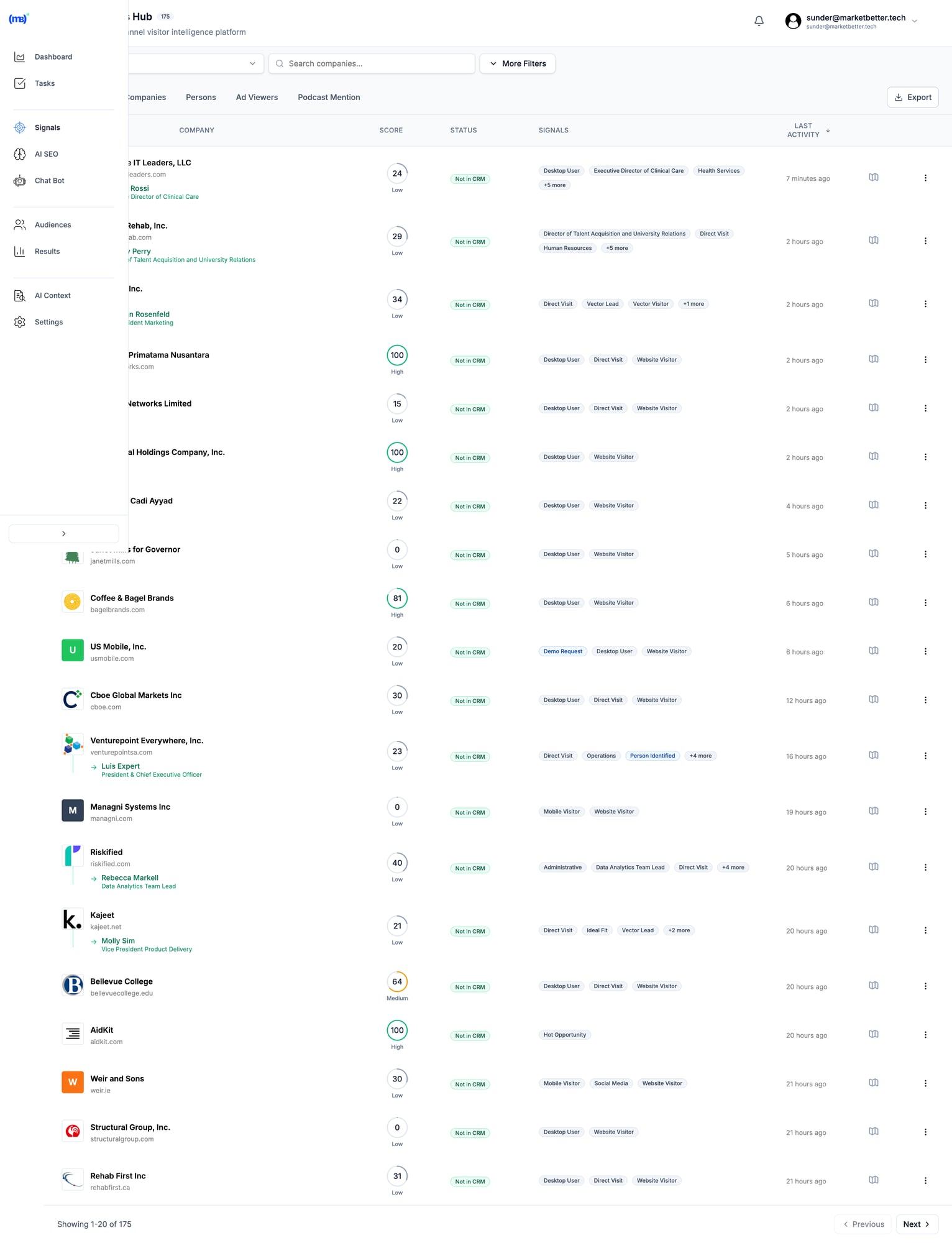
MarketBetter Signals Hub showing visitor intelligence with AI-prioritized call lists MarketBetter shows WHO to call based on real intent signals—not just speed-dialing through cold lists.

Best for: SDR teams tired of bouncing between 10+ tabs who want one system that tells them exactly what to do next.

Book a demo →


2. Nooks — Best Premium Parallel Dialer​

Type: Parallel Dialer (up to 10 lines) + AI assistant suite Price: $4,000-5,000/user/year ($330-417/month, annual only, quote-gated)

Nooks pioneered the "virtual salesfloor" concept and remains the leader in high-volume parallel dialing. In 2026 it has repositioned from "parallel dialer" to "AI sales assistant platform" — backed by roughly $95M in total venture funding and an engineering expansion into Seattle this year.

Key Features:

  • Up to 10 parallel lines (most in the market)
  • AI Dialing Assistant — power and parallel dialing with voicemail/IVR detection
  • AI Coaching Assistant — call transcription, scoring, and roleplay trained on your team's real conversations
  • AI Prospector — account research, buying-signal detection, list building, and email drafting
  • Virtual salesfloor for remote team collaboration
  • Spam protection and number health monitoring
  • CRM integrations: Salesforce, HubSpot, Apollo, Outreach

Pros:

  • Clean, modern interface (consistently praised)
  • Highest line count for parallel dialing
  • The three AI assistants feed each other — call signals inform prospecting, coaching trains on real calls
  • Strong SDR coaching features; company claims 5x more dials, 4x more conversations, 3x more meetings

Cons:

  • Premium pricing (~$4-5K/year/user) with no public price list — every deal needs a demo and custom quote
  • Annual commitment required
  • AI summaries, advanced coaching, and prospecting intelligence gated behind higher-tier packages
  • Voice-only workflow core (no built-in email sequencing)

User sentiment: SDRs report 3-5x productivity increases and particularly praise the interface. The 2026 gripe is package complexity — the AI assistants are sold in tiers, so the sticker quote and the "everything included" quote can differ by thousands per seat.

For a deeper teardown of what's actually in each package, see our Nooks review and Nooks pricing breakdown.

Best for: Well-funded SDR teams doing high-volume cold calling who can justify $4-5K/year per rep and will actually use the coaching and prospecting AI, not just the lines.


3. Orum — Best for Enterprise SDR Teams​

Type: Parallel Dialer (up to 7 lines) Price: Launch — $250/user/month (annual, 3-seat minimum). Ascend — custom quote; market reports place it between $500-800/user/month.

Orum is the mature, enterprise-grade option, around since 2018. The big 2026 news: Orum acquired conversation-intelligence startup Scout AI in July 2026, folding call recording analysis and coaching deeper into the platform — a direct answer to Nooks' AI Coaching Assistant.

Key Features:

  • Up to 7 parallel lines
  • Virtual salesfloor (added after Nooks pioneered it)
  • AI voicemail/disconnect detection
  • Conversation intelligence and coaching (via the Scout AI acquisition)
  • Live Listen from anywhere
  • Integrations: Salesforce, HubSpot, Outreach, Salesloft

Pros:

  • Mature, stable platform with enterprise security features
  • Live Listen works outside the salesfloor
  • Published entry price ($250 Launch) — rarer than you'd think in this category
  • Scout AI acquisition means coaching is now native, not a bolt-on

Cons:

  • Interface still trails Nooks on polish ("feels like 2015" per long-running reviews)
  • Fewer parallel lines than Nooks (7 vs 10)
  • Annual contract from day one — no monthly billing
  • 3-seat minimum on Launch; Ascend pricing fully gated behind sales
  • International call latency issues reported

User sentiment: Functional and stable, but UI complaints persist. Enterprise buyers like the security posture; smaller teams balk at the annual lock-in.

We break down the real per-seat math (including the Ascend tier) in our Orum pricing breakdown.

Best for: Enterprise teams with existing Salesforce workflows who prioritize stability and now get conversation intelligence bundled in.


4. Salesfinity — Best Mid-Market Parallel Dialer​

Type: Parallel Dialer (up to 5 lines) Price: Silver — $200/user/month. Gold — $299/user/month. Enterprise — custom.

Salesfinity has grown up considerably since we first covered it. It now publishes pricing (refreshing in this category) and positions itself as the AI parallel dialer for B2B SaaS teams not ready for Nooks/Orum money.

Key Features:

  • AI parallel dialing up to 5 simultaneous lines — skips voicemails, connects reps only when a live human answers
  • Waterfall enrichment across 7+ data providers at $0.30 per valid phone number
  • Salesfloor collaboration
  • Integrations: Outreach, Salesloft, Amplemarket, Apollo, Salesforce, HubSpot
  • Call analytics and coaching

Pros:

  • Transparent published pricing — no demo gauntlet to see a number
  • Gold tier includes unlimited dials and native CRM sync
  • Built-in waterfall enrichment means fewer bad numbers dialed (which also protects your spam reputation)
  • Meaningfully cheaper than Nooks (~$3,600/yr at Gold vs ~$4-5K)

Cons:

  • 5 parallel lines vs Nooks' 10 and Orum's 7
  • Less mature platform, smaller customer base
  • Enrichment costs ($0.30/number) add up on large lists

Best for: Mid-market teams who want real parallel dialing with published pricing and don't need 10 lines.


5. Aloware — Best for Unlimited Calling​

Type: Power Dialer + AI Voice Agents Price: iPro — $30/user/month. uPro — $60. xPro — $85. AloAi Voice Agents billed separately at $0.10-0.50/minute.

Aloware focuses on unlimited calling with deep CRM integration. It's a contact center solution that works well for sales teams, and its 2026 lineup is cleaner than the old $30-100 spread.

Key Features:

  • Unlimited US/Canada calling and texting on all tiers (no per-minute anxiety on agent calls)
  • Power Dialer from the uPro tier ($60)
  • AloAi Voice Agents — AI that answers or places calls, per-minute from $0.10 (Basic) to $0.50 (Ultra Premium)
  • AI transcription/voice analytics minutes included: 1,000/month on iPro, 5,000 on uPro, unlimited on xPro
  • Native HubSpot workflows (uPro) and Salesforce integration (xPro)
  • Managed A2P 10DLC compliance and PII redaction on xPro

Pros:

  • Truly unlimited agent calling — predictable seat pricing
  • Deep CRM sync (entity-level, not just activity logs)
  • AI voice agents give 24/7 coverage without hiring
  • xPro's managed compliance is genuinely useful for spam-flag avoidance

Cons:

  • Not a parallel dialer
  • The "+ AI" in plan names covers transcription minutes, NOT the voice agents — those are always a separate per-minute add-on, which surprises buyers
  • Toll-free (4-6¢/min) and automated calls (2-4¢/min) billed extra
  • Designed for contact centers; may be overkill for a pure SDR pod

Best for: Teams doing high-volume calling who need unlimited minutes, and teams experimenting with AI voice agents for inbound coverage.


6. Aircall — Best Budget-Friendly Option for Small Teams​

Type: Power Dialer (cloud phone system) Price: Essentials — $30/license/month. Professional — $50. Custom — quote-only at 25+ licenses. New in 2026: a single-user Starter AI plan.

Aircall remains the default cloud phone system for small teams, with 250+ integrations. Two 2026 changes worth knowing: a new solo-user Starter AI entry plan, and AI voice/messaging agents that are usage-priced on top of your seats.

Key Features:

  • Unlimited inbound/internal calls
  • Call recording, IVR, queuing
  • 250+ integrations (HubSpot, Zendesk, Salesforce)
  • Power Dialer — requires the Professional plan ($50)
  • AI Voice Agent with 50 free minutes/month (plus a 100-minute signup bonus), then usage-priced

Pros:

  • Affordable entry point with easy setup
  • Extensive integration catalog — the widest in this list
  • New Starter AI plan removes the old multi-license barrier for solo users

Cons:

  • NOT a parallel dialer (power only, and only on Professional)
  • 3-license minimum on Essentials and Professional
  • Salesforce integration also requires Professional
  • Usage-priced AI adds up fast: budget $500-600/month above base for a typical small team without AI agents, $1,500+ with them

Hidden costs: Additional numbers, AI add-ons, international bundles. Aircall's headline $30 is real but rarely what you'll pay once a power dialer and CRM integration are in the mix.

Best for: Small SDR teams (3-10 reps) who need a reliable phone system with basic power dialing and lots of integrations.


7. Dialpad — Best Budget Entry Point​

Type: Power Dialer (via Dialpad Sell) Price: Dialpad Connect (phone system) — $15/25/custom per user/month. Dialpad Sell (outbound sales) — Essentials $39, Advanced $95, Premium $150 per user/month.

Dialpad's 2026 structure splits into four products, and the one SDR teams actually want is Dialpad Sell — the outbound product with the power dialer and sales-specific AI. The famous $15 price is Dialpad Connect, the base phone system, which does not include sales dialing.

Key Features:

  • Unlimited domestic calls (US, Canada)
  • AI transcription and summaries included on all plans — not gated to premium tiers like most competitors
  • Real-time AI coaching (Live Coach Cards, AI Scorecards) on Pro tiers and above
  • AI Agents billed per conversation — you're only charged when the AI actually retrieves info or performs an action
  • Google Workspace/Microsoft 365 integration

Pros:

  • Cheapest credible entry point in the category ($15 Connect, $39 Sell Essentials)
  • Core AI on every plan — genuinely unusual
  • Conversation-based AI agent billing is fairer than per-minute for low-volume use

Cons:

  • NOT a parallel dialer
  • The $15 plan is a phone system, not a sales dialer — real SDR functionality starts at $39 (Sell Essentials)
  • Most advanced features sit on higher tiers, so real cost lands well above the advertised figure
  • "Unlimited" caps at 1,500 min/month for international

Best for: Cash-strapped startups who need calling with good AI transcription, and who understand they're buying Dialpad Sell (from $39), not the $15 headline plan.


8. CloudTalk — Best for International Calling​

Type: Smart Dialer Price: Lite — $19/user/month (Americas). Starter — $25. Essential — $29. Expert — $49. Custom — quote.

CloudTalk shines for teams with international calling needs, offering numbers in 160+ countries. It added a cheaper Lite tier ($19, Americas-only) in its 2026 lineup.

Key Features:

  • Smart Dialer (prioritizes your list automatically)
  • 160+ countries for international numbers
  • 24/7 live human support
  • Call Flow Designer
  • AI conversation intelligence on higher tiers

Pros:

  • Best international coverage of anything on this list
  • Reasonable pricing with a genuine budget tier
  • 24/7 support from the Essential plan up

Cons:

  • Smart Dialer only on Expert ($49/mo)
  • Not a true parallel dialer
  • Less SDR-specific than dedicated tools

Best for: Teams calling prospects across multiple countries who need local numbers and local caller ID trust — which matters more than ever given 2026 answer-rate data on unfamiliar numbers.


9. Kixie — Best Simple CRM Integration​

Type: Power Dialer (single and multi-line) Price: No longer public. Three tiers (Professional, Single-Line PowerDialer, Multi-Line PowerDialer); third-party guides from July 2026 report roughly $95, $145, and $185/user/month.

Kixie made two notable moves for 2026: it pulled public pricing (now a 7-day trial or quote), and its multi-line tier now effectively competes with entry parallel dialers.

Key Features:

  • Click-to-call from CRM
  • Automated voicemail drop
  • Local presence dialing
  • Multi-line PowerDialer on the top tier
  • SMS capabilities

Pros:

  • Simple, focused feature set
  • Good HubSpot/Salesforce integration
  • ConnectionBoost improves answer rates via number reputation management
  • Multi-line tier is cheaper than Nooks/Orum for teams testing parallel-style dialing

Cons:

  • Pricing now quote-gated — reported prices are notably higher than the old $35-95 range
  • ConnectionBoost reported around $50/user/month extra
  • Per-minute billing adds up
  • No AI agents or SMS bots

Hidden costs: ConnectionBoost, advanced features, and minutes can add $50+/user/month.

Best for: Teams who want simple power dialing tightly wired into their CRM and are willing to sit through a quote call.


10. JustCall — Best for Very Small Teams​

Type: Power Dialer Price: Team — $29/user/month. Pro — $49. Pro Plus — $89. Annual billing, 2-seat minimum.

JustCall offers quick setup (15 minutes) and WhatsApp integration, making it attractive for small teams. 2026 pricing is up modestly from the old $19 entry point.

Key Features:

  • WhatsApp Business integration
  • Quick 15-minute setup
  • Power and predictive dialing on Pro tiers
  • 100+ integrations

Pros:

  • Fastest setup we've seen
  • WhatsApp for international prospects
  • Still one of the cheaper credible options

Cons:

  • Minute caps create overage bills at volume
  • Audio quality issues (18% of G2 reviewers)
  • Basic CRM sync (generic activity logs)
  • 2-seat minimum, annual billing

Best for: Teams making fewer than 20 calls/day who want quick setup and multichannel (calls + WhatsApp + SMS) in one place.


11. PhoneBurner — Best No-Frills Power Dialer​

Type: Power Dialer Price: Standard — $140/user/month. Professional — $165. Premium — $183. Annual billing.

PhoneBurner is a reliable, straightforward power dialer without the bells and whistles. Pricing has held steady through 2026.

Key Features:

  • Power dialing (not parallel)
  • Voicemail drop
  • Email integration
  • Lead distribution
  • Strong deliverability/number reputation focus

Pros:

  • Reliable and stable
  • Simple to use
  • Roughly half the per-seat cost of premium parallel dialers
  • Long-standing reputation for clean calls (no connection delay "beep" that tips off prospects)

Cons:

  • Not a parallel dialer
  • Light on AI compared to 2026 competitors
  • Expensive for what is functionally a single-line dialer — JustCall Pro does most of this at a third of the price

Best for: Teams who want reliable power dialing without complexity, and who value answer-rate quality over raw volume.


Worth Watching: Trellus​

Not in our top 11 yet, but worth a mention: Trellus ships as a Chrome extension that converts Salesloft, Outreach, Apollo, HubSpot, and others into a parallel dialer with real-time AI coaching in the rep's ear. Power plan runs $59.99/user/month for unlimited single-line dialing; the Parallel plan at $149.99 adds multi-line, AI practice calls, and spam remediation. If your team already lives in a sales engagement platform and you want parallel dialing without a platform switch, it's the cheapest credible route to multi-line in 2026.


The 2026 Spam-Flag Reality (Read This Before Buying a Parallel Dialer)​

This deserves its own section because it changes the math on every tool above.

The data: In 2026, branded and authenticated calls get answered around 62% of the time. Unbranded calls from unknown numbers sit near 20%. Numbers tagged "Spam Likely" are mostly ignored — a flagged number tanks your connect rate by roughly 60% almost overnight.

What triggers flags: Carrier algorithms watch calling behavior. Above roughly 200-250 calls per day per number, auto-labeling kicks in. Multiple rapid back-to-back calls from one number, short-duration calls, and high abandonment rates all feed the spam score — and parallel dialing at high volume does all three unless the vendor actively manages it.

What to demand from any dialer in 2026:

  1. STIR/SHAKEN full attestation — your numbers should show as verified, not unattested
  2. Number rotation and health monitoring — automatic rest and replacement of flagged numbers (Nooks, Salesfinity, Kixie's ConnectionBoost, and Aloware's NumberGuard all offer variants)
  3. Branded caller ID support — displaying your company name roughly tripled answer rates versus plain unbranded calls in 2026 industry data
  4. Compliance tooling — TCPA and TRACED Act require accurate caller ID, opt-out mechanisms, and DNC respect; several states added AI-voice disclosure rules this year

The uncomfortable implication: a 10-line parallel dialer that burns through numbers can leave you with worse connect rates in month three than a power dialer with clean reputation. Volume without reputation management is a treadmill. This is also the strongest argument for signal-based calling — fewer, better-targeted dials keep every number under the carrier radar. Our speed-to-lead guide covers the companion problem: calling the right person fast beats calling everyone often.


True Cost Comparison: What a 10-Rep SDR Team Actually Pays (Annual)​

DialerPlan AssumedPer Seat/Year10-Rep Team/YearWatch Out For
NooksMid package~$4,500~$45,000AI assistants tiered; quote-only
OrumLaunch$3,000$30,000Ascend jumps to $6K-9.6K/seat
SalesfinityGold$3,588$35,880+$0.30/number enrichment
KixieMulti-Line (reported)~$2,220~$22,200+ConnectionBoost ~$600/seat/yr
PhoneBurnerProfessional$1,980$19,800Single-line only
TrellusParallel$1,800$18,000Requires existing SEP
AlowareuPro$720$7,200AI voice agents per-minute extra
AircallProfessional$600$6,000+AI usage; real cost often 2x base
JustCallPro$588$5,880Minute caps → overages
DialpadSell Essentials$468$4,680$15 plan is NOT the sales product
CloudTalkExpert$588$5,880Smart Dialer only on Expert

The spread is stark: the same 10-rep team pays anywhere from ~$4,700 to ~$45,000 per year depending on the dialing model. Which is exactly why the "are you calling the right people?" question matters more than the line count.


How to Choose the Right Sales Dialer​

Consider Your Call Volume​

  • Under 50 calls/day per rep: Power dialer is sufficient (Aircall, Dialpad Sell, JustCall)
  • 50-100 calls/day per rep: Smart dialer or power dialer with automation (CloudTalk Expert, Aloware uPro, Kixie)
  • 100+ calls/day per rep: Parallel dialer may be worth the investment (Nooks, Orum, Salesfinity) — but only with serious number reputation management

Consider Your Budget​

  • Under $50/user/month: Dialpad Sell Essentials, JustCall Team/Pro, CloudTalk, Aircall Essentials
  • $50-100/user/month: Aloware uPro/xPro, Aircall Professional, JustCall Pro Plus, Trellus Power
  • $100-300/user/month: Kixie, PhoneBurner, Trellus Parallel, Salesfinity Silver, Orum Launch
  • $300+/user/month: Nooks, Salesfinity Gold, Orum Ascend (premium parallel + AI)

Consider Your Workflow​

If your SDRs use 10+ tabs: Look for integrated solutions (MarketBetter) that combine signals, workflow, and dialing. Our outbound sales strategy guide walks through what a consolidated daily playbook looks like.

If you live in Outreach or Salesloft: Trellus bolts parallel dialing onto what you have; Orum and Nooks both integrate natively. (Deciding between the two platforms themselves? See our Salesloft vs Outreach comparison and full Outreach review.)

If you just need faster dialing: Standalone dialers (Nooks, Orum, Salesfinity) work well.

If you're international: CloudTalk or Aircall for global coverage and local numbers.

If calling is one channel of many: Make sure the dialer plays nicely with your email stack — pairing calls with well-timed sequences beats either alone. Our roundups of the best cold email software and best outbound sales tools cover the rest of the stack.


The Bigger Question: Are You Calling the Right People?​

Here's what most dialer comparisons miss:

A parallel dialer making 200 calls/day to a cold list will produce fewer meetings than a smart dialer making 50 calls/day to prospects who just visited your pricing page. And in 2026, those 200 cold calls/day are also exactly what gets your numbers carrier-flagged.

Volume matters. But targeting matters more.

The best SDR teams in 2026 aren't just dialing faster—they're dialing smarter. They know:

  • WHO to call (intent signals)
  • WHEN to call (timing based on engagement)
  • WHAT to say (context from behavior)

That's why we built MarketBetter. Not to replace dialers, but to make every dial count. Building your call list is half the battle — our guide to the best B2B lead generation tools covers where the good numbers come from in the first place.

See how MarketBetter combines signals + workflow + dialing →


Frequently Asked Questions​

What's the difference between a power dialer and parallel dialer?​

A power dialer dials one number at a time automatically. A parallel dialer dials multiple numbers (3-10) simultaneously and connects you to the first person who answers. Parallel dialers enable higher volume but cost 3-6x more per seat in 2026.

Are parallel dialers worth the cost?​

For high-volume cold calling teams making 100+ dials/day, yes — provided the vendor actively manages number reputation. For teams under 50 calls/day or those calling warm leads, a power dialer or smart dialer offers better ROI. At $250-420/seat/month, a parallel dialer needs to produce several extra meetings per rep per month just to break even against a $50 power dialer.

What changed in dialer pricing in 2026?​

Three trends: pricing is getting gated (Kixie pulled public prices; Nooks and Orum Ascend are quote-only), AI is unbundling (Aircall, Aloware, and Dialpad all bill AI voice agents as usage-priced add-ons on top of seats), and published entry prices crept up (JustCall $19 → $29; Kixie's reported tiers roughly doubled).

What did Orum's Scout AI acquisition mean for buyers?​

Orum acquired conversation-intelligence startup Scout AI in July 2026, bringing call analysis and coaching natively into the platform. Practically, it narrows the AI-coaching gap with Nooks — if coaching was your reason to pay Nooks' premium, re-quote Orum.

What dialer integrates best with HubSpot?​

Aloware, Aircall, and Kixie all offer strong HubSpot integrations. Aloware goes deepest with entity-level sync rather than just activity logging (HubSpot workflows on uPro and up).

Can I use a dialer with Salesforce?​

Yes. Nooks, Orum, Aircall, Dialpad, CloudTalk, Salesfinity, and Aloware all integrate with Salesforce. Note the tier gates: Aircall requires Professional, Aloware requires xPro.

What's the cheapest sales dialer in 2026?​

Dialpad Connect starts at $15/user/month but is a phone system, not a sales dialer — Dialpad Sell starts at $39. CloudTalk Lite is $19 (Americas). JustCall Team is $29. All are power/smart dialers, not parallel. The cheapest credible parallel option is Trellus at $149.99/user/month on top of an existing sales engagement platform.

How do I keep my numbers from being flagged as spam?​

Stay under roughly 200-250 calls/day per number, use STIR/SHAKEN fully-attested numbers, rotate and rest numbers, register for branded caller ID, and avoid rapid-fire short-duration calls. Tools with built-in reputation management (Nooks, Salesfinity, Aloware NumberGuard, Kixie ConnectionBoost) automate most of this. Branded, authenticated calls were answered ~62% of the time in 2026 versus ~20% for unbranded — reputation is worth more than an extra parallel line.

Do AI voice agents replace SDR dialing?​

Not for cold outbound. In 2026 AI voice agents (Aircall, Aloware, Dialpad) are effective for inbound answering, qualification, and scheduling — and several states now require AI-voice disclosure on calls. For cold calls, prospects still hang up on synthetic voices, and the compliance risk is real. Use AI agents for coverage, humans for outbound conversations.


Free Tool

Try our AI Lead Generator — find verified LinkedIn leads for any company instantly. No signup required.

Bottom Line​

The "best" sales dialer depends on your team's volume, budget, and workflow:

  • Highest volume cold calling: Nooks or Orum (parallel)
  • Parallel dialing on a mid-market budget: Salesfinity (published pricing, 5 lines)
  • Tightest budget: Dialpad Sell or JustCall (power)
  • Unlimited calling: Aloware
  • International teams: CloudTalk
  • Parallel without switching platforms: Trellus (Chrome extension on Outreach/Salesloft)
  • Signals + workflow + dialing in one: MarketBetter

The real competitive advantage in 2026 isn't dialing faster—it's knowing exactly who to call and why, and keeping your numbers clean enough that prospects actually pick up. That's where the game is won.

Book a demo to see MarketBetter in action →

MarketBetter vs Apollo.io: The Complete 2026 Alternative Comparison

· 11 min read
MarketBetter Team
Content Team, marketbetter.ai

Looking for an Apollo.io alternative? You've found the right comparison.

Apollo.io is one of the most popular sales intelligence platforms on the market—275M+ contacts, strong Chrome extension, and pricing that doesn't require selling a kidney. With a 4.7/5 rating on G2 and 9,000+ reviews, they've clearly built something people like.

But here's the catch: Apollo gives you a database. Not a game plan.

Apollo tells you WHO to contact. It doesn't tell you WHAT to do next. It doesn't see who's already on your website. It doesn't have a chatbot to capture leads at 2 AM. And those 275M contacts? Users report 10-35% bounce rates, especially outside the US.

MarketBetter delivers what Apollo can't: a complete SDR command center with visitor identification, AI chatbot, daily task playbook, AND outreach automation—all with data you can actually trust.

This guide breaks down everything you need to know.

Quick Comparison: MarketBetter vs Apollo.io​

FeatureMarketBetterApollo.io
Website Visitor Identification✅ Company + person level❌ Not included
AI Chatbot✅ Qualified-style with live handoff❌ Not included
Daily SDR Playbook✅ AI-prioritized task lists❌ Not included
Pre-Meeting Intelligence✅ Auto-generated briefs❌ Not included
Contact Database✅ Integrated enrichment✅ 275M+ contacts
Email Sequences✅ AI-personalized drafts✅ Built-in sequencing
LinkedIn Outreach✅ Connection + messaging⚠️ Chrome extension only
Phone/Dialer✅ Smart dialer (all plans)⚠️ Professional+ only ($79/mo)
Intent Data✅ First-party + enrichment✅ Third-party signals
CRM Integration✅ HubSpot + Salesforce bidirectional✅ Major CRMs
Data Accuracy✅ Verified enrichment⚠️ 10-35% bounce rates reported
Inbound Lead Capture✅ Full workflow❌ Outbound only
Meeting Booking✅ Chatbot + sequences⚠️ Manual setup required

The bottom line: Apollo is a solid contact database with sequencing. MarketBetter is your complete SDR command center—the platform that shows you who's visiting, captures inbound, prioritizes outreach, and prepares your team to close.

What Is Apollo.io?​

Apollo.io launched as a sales intelligence platform combining a massive B2B database with built-in engagement tools. Unlike pure data providers like ZoomInfo, Apollo bundles prospecting, sequencing, calling, and basic CRM features into one platform.

Database Size: 275M+ contacts, 65M+ companies

G2 Rating: 4.7/5 (9,000+ reviews)

Target Market: SMB and mid-market sales teams looking for an affordable all-in-one solution

Apollo Pricing (2026)​

PlanAnnual (per user/mo)MonthlyKey Features
Free$0$010 contacts/mo, basic filtering, Chrome extension
Basic$49$59Intent data, job changes, advanced filtering
Professional$79$99Uncapped sending, AI email writing, dialer
Organization$119$1493+ users required, call transcripts, custom reports

The credit system: Apollo uses credits for mobile numbers, exports, and certain enrichment features. Credits are limited per tier and don't fully roll over—a common complaint.

What users say about pricing:

"One year ago Basic was $19/mo, then $29, then $39, then $49, then $59." — Trustpilot review

Apollo's pricing has increased significantly over time, and users report surprise renewal increases.

What Apollo Does Well​

Let's give credit where it's due:

Massive B2B Database
275M+ contacts with 65+ search filters including company size, industry, technology stack, job postings, and buyer intent signals. For pure prospecting volume, it's impressive.

Affordable Entry Point
Compared to ZoomInfo ($15K+/year), Apollo's $49/user/month starting price is accessible to SMBs. The free tier lets teams test before committing.

All-in-One Approach
Unlike point solutions, Apollo bundles prospecting, sequencing, calling, and basic CRM features. You can run outbound campaigns without juggling multiple tools.

Strong Chrome Extension
Apollo's LinkedIn integration lets you research prospects and add them to sequences without leaving the browser. It's one of their most-loved features.

Decent CRM Integrations
Connects with Salesforce, HubSpot, Pipedrive, Outreach, Salesloft, and others. Two-way sync keeps your CRM updated.

Where Apollo Falls Short​

Here's what Apollo doesn't do—and why it matters:

1. No Website Visitor Identification​

Apollo helps you reach out to cold prospects. But what about the warm leads already on your website?

Every day, potential customers visit your site, read your pricing page, check out case studies—and leave without a trace. Apollo has zero visibility into this traffic.

MarketBetter identifies these visitors at the company and person level, then routes them to your SDRs as high-priority tasks.

Why it matters: Website visitors are 5-10x more likely to convert than cold outbound prospects. Missing them is leaving money on the table—and Apollo can't help you catch them.

2. No AI Chatbot​

When a high-intent visitor lands on your pricing page at 2 AM, Apollo can't help. There's no chatbot to engage them, qualify them, or book a meeting.

MarketBetter includes a Qualified-style AI chatbot that:

  • Engages visitors in real-time
  • Qualifies based on your ICP criteria
  • Books meetings directly on your team's calendar
  • Hands off to live reps when needed

Why it matters: 50% of leads go to the vendor that responds first. Without a chatbot, you're losing deals to competitors who capture leads 24/7.

3. No Daily SDR Playbook​

Apollo gives you a database. A big one. But then what?

Your SDRs still need to figure out who to contact first, what to say, and how to prioritize their day. Apollo doesn't help with that.

MarketBetter generates a daily task list for each SDR:

  • Prioritized by fit score + intent signals
  • Organized by territory/ownership
  • Clear guidance on what to do and say

Your SDRs don't waste time figuring out who to contact. They open their dashboard and start executing.

Why it matters: Data without direction is just noise. A playbook turns data into action.

4. Data Accuracy Problems​

This is Apollo's Achilles heel. Users consistently report data quality issues:

Email bounce rates: 10-35% depending on market (worse outside the US)

Phone number issues: Many numbers are outdated or route to headquarters instead of direct lines

International data: UK and EU coverage significantly weaker than US

User quotes from reviews:

"60% of UK contacts were wrong" — Reddit user

"Phone numbers are often outdated or just company headquarters" — G2 review

MarketBetter uses verified enrichment sources and focuses on quality over raw database size.

Why it matters: Bad data wastes time, burns your sender reputation, and makes your team look unprofessional. A smaller, accurate database beats a massive unreliable one.

5. Security Concerns​

Apollo has experienced two documented data breaches:

  • 2018 breach: Compromised contact information
  • 2021 breach: 130M+ records exposed (per Cognism research)

When you upload your customer data to Apollo for enrichment, you're trusting it to a platform with a breach history.

Why it matters: Your prospect data is valuable. Security incidents put both your data and your reputation at risk.

6. Dialer Paywalled to Higher Tiers​

Apollo's phone dialer—a key SDR tool—requires the Professional plan ($79/user/month) or above. Basic plan users can't make calls through the platform.

MarketBetter includes smart dialer on all plans. No feature paywalls for essential SDR capabilities.

7. No Pre-Meeting Intelligence​

After your SDR books a meeting, what happens? With Apollo, your AE is on their own. They still need to research the company, understand the context, and prepare their pitch.

MarketBetter auto-generates pre-meeting briefs including:

  • Company background and ICP fit
  • Pricing guidance based on company size
  • Browsing history (what pages they viewed)
  • Talking points and likely objections

Why it matters: Prepared AEs close at higher rates. Automated briefs save 20-30 minutes per meeting.

The Real Difference: Data Provider vs SDR Command Center​

Here's the clearest way to understand the difference:

Apollo's approach: "Here's a big database. Go find prospects and email them."

MarketBetter's approach: "Here's who visited your site today, here's who you should contact first, here's what to say, here's your AI chatbot catching leads while you sleep, and here's your meeting prep for tomorrow's calls."

SDR FunctionMarketBetterApollo.io
Know who's on your website✅❌
Capture inbound leads 24/7✅❌
Prioritize daily tasks✅❌
Access B2B contacts✅✅
Send email sequences✅✅
Make phone calls✅ (all plans)⚠️ ($79+ plans)
Prepare reps for meetings✅❌
Verify data accuracy✅⚠️

Apollo tells you WHO. MarketBetter tells you WHO + WHAT TO DO + WHY THEY MATTER.

Apollo vs MarketBetter: Use Case Breakdown​

When Apollo Makes Sense​

  • Pure cold outbound at scale — you need maximum contacts, accuracy is secondary
  • Tight budget — $49/user/month is genuinely affordable
  • You already have visitor ID and chatbot — Apollo fills the database gap
  • US-focused prospecting — their US data is strongest
  • You don't need a dialer — email-only outreach on Basic plan

When MarketBetter Makes Sense​

  • Website traffic is valuable — you want to know (and act on) who's browsing
  • Inbound matters — you need a chatbot capturing leads 24/7
  • Quality over quantity — fewer accurate contacts beats millions of bad emails
  • Your team needs direction — a daily playbook makes SDRs more effective
  • Complete SDR stack — you want one platform, not five tools stitched together
  • Data security matters — you need a platform without breach history

Common Questions About Switching from Apollo​

Can MarketBetter replace Apollo entirely?​

Yes. MarketBetter includes contact enrichment, email sequencing, smart dialer, and CRM integration—everything Apollo offers—plus visitor identification, AI chatbot, daily playbook, and pre-meeting intelligence.

What about Apollo's database size?​

Apollo's 275M contacts sounds impressive, but size doesn't matter if the data bounces. MarketBetter prioritizes accuracy—fewer contacts that actually work, plus the website visitors Apollo can't see.

Will I lose my Apollo sequences?​

You can recreate sequences in MarketBetter. Our AI helps you personalize at scale, and we offer migration support for teams switching over.

Does MarketBetter integrate with my CRM?​

Yes. Bidirectional sync with HubSpot and Salesforce, plus integrations with major tools in your stack.

What about Apollo's free tier?​

Apollo's free tier (10 contacts/month) is useful for testing but too limited for real work. MarketBetter offers demos and trials so you can evaluate the full platform before committing.

Frequently Asked Questions​

Is Apollo really 10-35% bounce rates?​

Multiple user reviews and third-party analyses report bounce rates in this range, particularly for international data. US data tends to be more accurate, but results vary.

Why doesn't Apollo have visitor identification?​

Apollo is fundamentally a database company that added engagement features. Visitor identification requires different technology (IP intelligence, identity resolution) that isn't their core competency.

Can I use both Apollo and MarketBetter?​

You can, but there's significant overlap. Most teams find MarketBetter replaces Apollo entirely while adding capabilities Apollo lacks.

How does pricing compare for a 5-person team?​

Apollo Professional (with dialer): $79 × 5 = $395/month Apollo Organization: $119 × 5 = $595/month (minimum 3 users)

MarketBetter pricing scales based on your team size, traffic, and usage. Contact us for a custom quote—many teams find comparable or better value with significantly more capabilities.

What about Apollo's Chrome extension?​

MarketBetter also offers browser-based tools for LinkedIn prospecting. You won't lose this workflow.

The Complete SDR Stack vs. The Contact Database​

Let's summarize with a simple question:

What does your SDR team actually need?

NeedBest Choice
Massive contact database, accuracy secondaryApollo.io
Know who's on your website + act on itMarketBetter
Capture inbound leads 24/7 with AI chatbotMarketBetter
Daily prioritized task lists for SDRsMarketBetter
Pre-meeting prep for your AEsMarketBetter
Cheapest possible entry pointApollo.io (Free tier)
Data accuracy you can trustMarketBetter
Complete SDR command centerMarketBetter

Apollo built a big database with some engagement features bolted on. That was innovative five years ago.

MarketBetter is what comes next—the platform that shows you who's visiting, captures inbound leads, tells your SDRs exactly what to do, and prepares your team to close.

Free Tool

Try our AI Lead Generator — find verified LinkedIn leads for any company instantly. No signup required.

Ready to See the Difference?​

Book a demo and we'll show you:

  1. Who's visiting your site right now—prospects Apollo can't see
  2. How our AI chatbot captures leads—even when your team is asleep
  3. What your daily SDR playbook looks like—prioritized tasks, ready to execute
  4. AI-personalized outreach—quality over quantity

Stop settling for a database when you need a command center.

Book a Demo →


Questions? Email us at hello@marketbetter.ai

MarketBetter vs Common Room: Signal Aggregation vs SDR Workflow [2026]

· 7 min read
MarketBetter Team
Content Team, marketbetter.ai

Looking for a customer intelligence platform to drive pipeline? Common Room and MarketBetter both help sales teams identify high-intent accounts—but they take fundamentally different approaches to what happens next.

The key difference: Common Room aggregates buying signals. MarketBetter turns those signals into a daily SDR playbook with specific tasks your reps can execute.

If you're evaluating these platforms, this comparison breaks down how they differ so you can choose the right fit for your team.

Quick Comparison​

FeatureMarketBetterCommon Room
Primary FocusSDR workflow automationSignal aggregation
What You GetWHO to contact + WHAT to doWHO to contact
Website Visitor ID✅ Built-in✅ Built-in
SDR Task List✅ Daily playbook❌ Requires separate tools
Smart Dialer✅ Built-in❌ Not available
AI Chatbot✅ Qualified-style bot❌ Not available
Email Automation✅ Hyper-personalized sequences⚠️ Via integrations only
Outreach Execution✅ All-in-one❌ Requires Apollo, Outreach, etc.
LinkedIn Integration✅ Native✅ Native
PricingStarting $99/user/monthStarting $1,000/mo ($12K/yr)
Target Company SizeSMB to Mid-market (50-500 employees)Mid-market to Enterprise

What is Common Room?​

Common Room is a customer intelligence platform that aggregates buying signals from 50+ data sources. It captures intent data from:

  • Website activity and IP enrichment
  • Community engagement (Slack, Discord, GitHub)
  • Social media activity
  • Job changes and hiring trends
  • Product usage signals
  • Bombora intent topics

Common Room excels at signal detection and account prioritization. Their "Person 360" feature builds comprehensive profiles with contact enrichment from a 200M+ database.

Pricing: Common Room starts at $1,000/month (billed annually) for the Starter plan with up to 35K contacts. Team plan is $2,500/month with 100K contacts. Enterprise is custom pricing.

What Common Room Does Well​

  • Comprehensive signal coverage — 50+ integrations capture buying signals across the customer journey
  • Strong enrichment — Waterfall enrichment finds emails and phone numbers
  • AI agent (RoomieAI) — Crafts personalized messages based on signals
  • Enterprise-grade — Built for large GTM teams with complex signal requirements

Where Common Room Falls Short​

According to user reviews and competitor analysis:

  • No native outreach execution — You still need Apollo, Outreach, Salesloft, or similar tools to actually contact prospects
  • Non-intuitive UI — G2 reviews mention filters and segments can be hard to navigate
  • Requires integration management — Success depends on connecting multiple tools together
  • Enterprise pricing — $12K+ annual commitment puts it out of reach for many SMBs
  • Signals without action — Knowing WHO isn't helpful if reps don't know WHAT to do

What is MarketBetter?​

MarketBetter is an AI-powered SDR platform that transforms intent signals into daily action. Rather than just showing you who's interested, MarketBetter tells your SDRs exactly what to do next.

The core difference: MarketBetter is a workflow platform, not just a signal platform.

Core Features​

1. Daily SDR Playbook Every morning, SDRs log in to a prioritized task list. No deciding who to call or what to say—the AI researches prospects, scores them, and creates specific action items.

2. Website Visitor Intelligence Identify companies visiting your site with intent scoring. But unlike signal-only platforms, MarketBetter automatically routes visitors to the right rep with tasks pre-created.

3. Built-in Smart Dialer No need for a separate calling tool. Warm outbound calls happen inside the same platform where tasks are assigned.

4. AI Chatbot Qualified-style conversational bot that qualifies visitors and books meetings directly. Live handoff to your team via Slack when a hot prospect engages.

5. Hyper-Personalized Email AI writes emails researched to each prospect's company, role, and signals. Not generic templates—actual personalization at scale.

6. Pre-Meeting Briefs Before every call, reps get background research, pricing guidance, and ICP fit analysis. No scrambling to prep.

What Makes MarketBetter Different​

From 20 tabs to one SDR task list.

Most sales teams juggle CRMs, intent data platforms, dialers, email tools, chatbots, and research tools. MarketBetter consolidates these into a single workflow.

SDRs don't decide what to do—they follow the AI's playbook:

  • "Call John at Acme Corp (visited pricing page 3x this week)"
  • "Send follow-up email to Sarah at TechCo (opened proposal yesterday)"
  • "Respond to inbound chat from qualified visitor"

Why this matters: Intent data is worthless if reps don't act on it. Most signal platforms create dashboards. MarketBetter creates action.

Common Room vs MarketBetter: Feature Deep Dive​

Signal Detection​

Common Room: Aggregates 50+ signal sources including website activity, community engagement, social media, job changes, hiring trends, and third-party intent (Bombora). Best-in-class breadth of signal capture.

MarketBetter: Focuses on highest-intent signals—website visitors, email engagement, chat interactions, and CRM activity. Less breadth but tighter integration with action.

Verdict: Common Room wins on signal breadth. MarketBetter wins on signal-to-action speed.

Outreach Execution​

Common Room: RoomieAI crafts messages, but execution requires integrating with Outreach, Apollo, Salesloft, or similar. This creates workflow gaps and integration complexity.

MarketBetter: Email, calling, and chat are all native. One platform, one workflow. When a hot visitor appears, your rep can call them in seconds—not after syncing data between systems.

Verdict: MarketBetter for all-in-one execution. Common Room if you already have a sales engagement platform you love.

SDR Productivity​

Common Room: Surfaces signals that reps must interpret and act on. Great for sophisticated RevOps teams who can build custom workflows.

MarketBetter: Prescriptive daily tasks that new SDRs can follow immediately. Onboard reps in days, not months.

Verdict: MarketBetter for teams that want plug-and-play productivity. Common Room for teams with dedicated ops resources.

Pricing and Value​

Common Room:

  • Starter: $1,000/month ($12K/year) — 35K contacts, 2 seats
  • Team: $2,500/month ($30K/year) — 100K contacts, 5 seats
  • Enterprise: Custom pricing — 200K+ contacts

MarketBetter:

  • Starting around $500-2,000/month depending on usage
  • All features included (no separate dialer, chatbot, email tools)
  • Built for SMB and mid-market budgets

Verdict: MarketBetter delivers more complete functionality at lower total cost—especially when you factor in the tools you'd need to add to Common Room.

Who Should Use Common Room?​

Common Room is the right choice if:

  • ✅ You're an enterprise company with 200K+ contacts to track
  • ✅ You have dedicated RevOps to build custom signal workflows
  • ✅ You already use Apollo, Outreach, or Salesloft and want to enhance them
  • ✅ You need comprehensive community/social signal tracking
  • ✅ Budget isn't a constraint ($30K+/year for full functionality)

Who Should Use MarketBetter?​

MarketBetter is the right choice if:

  • ✅ You want SDRs executing tasks, not analyzing dashboards
  • ✅ You need all-in-one execution (email + dialer + chatbot + tasks)
  • ✅ You're an SMB or mid-market company (50-500 employees)
  • ✅ You want fast time-to-value without complex integrations
  • ✅ Your SDRs need a daily playbook, not just signals

The Bottom Line​

Common Room is a powerful customer intelligence platform for enterprises that want comprehensive signal aggregation across dozens of sources. If you have the budget and ops resources to integrate it with execution tools, it provides deep insights into buying behavior.

MarketBetter takes a different approach: instead of just telling you WHO is interested, it tells your SDRs exactly WHAT to do. The daily playbook, built-in dialer, AI chatbot, and email automation mean your team executes faster without juggling multiple tools.

The key question: Do you need more signals, or do you need more action?

If your team already drowns in data and struggles to act on it, adding another signal platform won't help. MarketBetter's prescriptive workflow gets reps executing immediately.

If you have a sophisticated RevOps function and need enterprise-scale signal aggregation, Common Room's depth is valuable—just be prepared to integrate it with your outreach stack.


Free Tool

Try our AI Lead Generator — find verified LinkedIn leads for any company instantly. No signup required.

Ready to See the Difference?​

MarketBetter turns buying signals into an SDR playbook your team can execute today.

Book a Demo →

See how MarketBetter's AI assigns tasks, writes personalized outreach, and helps SDRs close more deals—without the complexity of stitching together multiple tools.