133 posts tagged with "sales tools"

View All Tags

AI SDR vs AI BDR: What's the Real Difference (and Which Does Your Team Need)? [2026]

ยท 8 min read
Sunder Iyer
Founder, marketbetter.ai

AI SDR vs AI BDR Comparison

Every week, a sales leader asks us: "Should I get an AI SDR or an AI BDR tool? What's the difference?"

The honest answer: in 2026, the distinction is mostly marketing. Most tools labeled "AI BDR" and "AI SDR" do overlapping things. But the underlying philosophy of each matters โ€” and picking wrong means paying for features you don't need or missing capabilities you do.

This guide breaks down the real differences, when each type matters, and how to pick the right tool for your team's actual workflow.

The Traditional SDR vs BDR Distinctionโ€‹

Before AI entered the picture, sales teams split the development role into two:

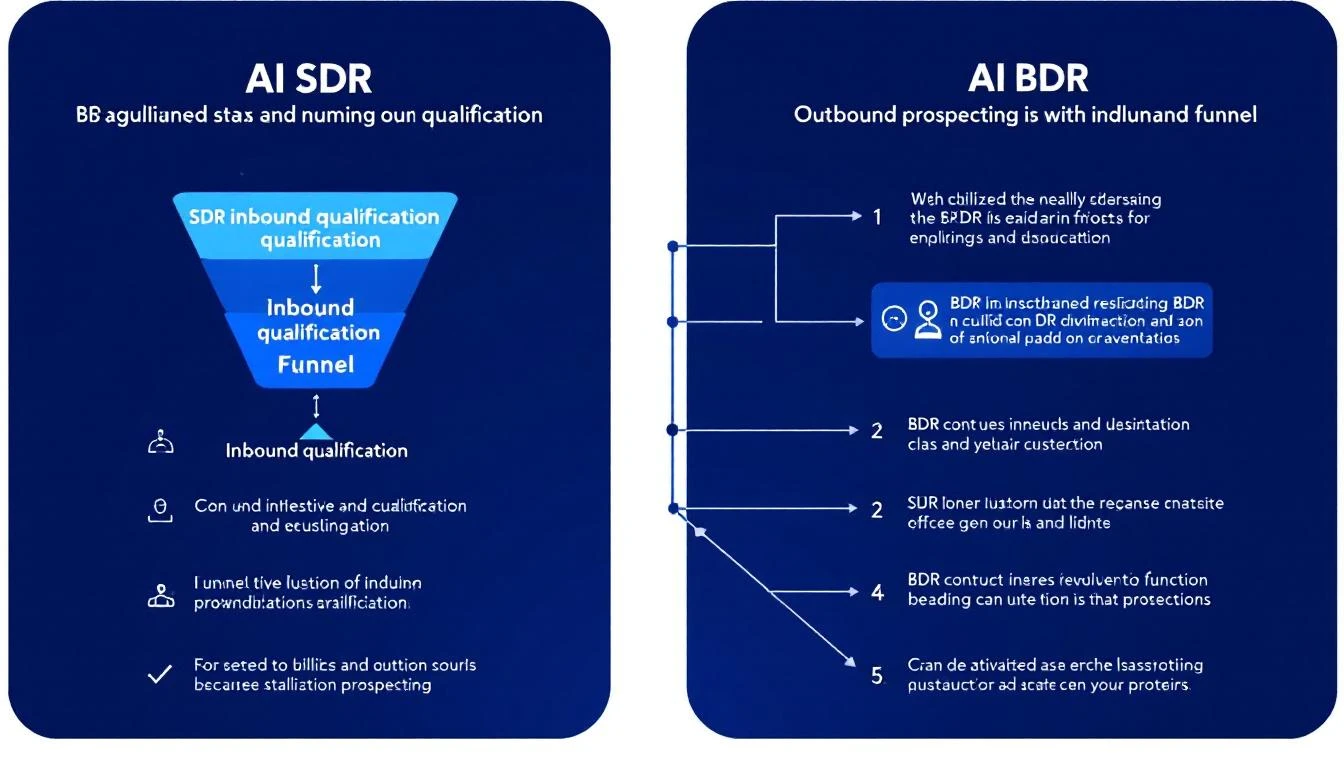
BDR (Business Development Representative)โ€‹

  • Focus: Outbound prospecting โ€” cold calls, cold emails, LinkedIn outreach
  • Goal: Generate net-new pipeline from scratch
  • Measures: Meetings booked, qualified opportunities created
  • Works with: Marketing (for account lists) and AEs (for handoffs)

SDR (Sales Development Representative)โ€‹

  • Focus: Inbound lead qualification โ€” following up on demo requests, content downloads, chatbot conversations
  • Goal: Qualify and route inbound leads to the right AE
  • Measures: Speed to lead, qualification accuracy, conversion rate
  • Works with: Marketing (inbound leads) and AEs (qualified handoffs)

In practice: Many companies use the titles interchangeably. A "BDR" at Company A does the same job as an "SDR" at Company B. The distinction matters more for how the role sources its leads (outbound vs. inbound) than for the actual day-to-day activities.

How AI Changes the SDR/BDR Splitโ€‹

AI tools have blurred the line even further. Here's how the AI versions map:

AI BDR Tools โ€” Outbound Automationโ€‹

AI BDR tools focus on automating the prospecting and cold outreach workflow:

  • Find prospects โ€” Search databases, enrich contacts, build lists
  • Write outreach โ€” AI-generated cold emails and LinkedIn messages
  • Send sequences โ€” Automated multi-step follow-ups
  • Track engagement โ€” Opens, clicks, replies

Examples: Artisan (Ava), 11x (Alice), Instantly, Smartlead, Snov.io

What they DON'T do: Handle inbound leads, identify website visitors, provide daily prioritization, or help with phone outreach.

AI SDR Tools โ€” Full-Funnel Workflowโ€‹

AI SDR tools take a broader approach, handling both inbound and outbound workflows:

  • Capture inbound signals โ€” Website visitors, chatbot conversations, form fills
  • Qualify leads โ€” Score based on fit + intent + behavior
  • Prioritize outreach โ€” Tell reps who to contact and when
  • Automate outbound โ€” Email sequences, LinkedIn, phone cadences
  • Manage the workflow โ€” Daily playbooks, task management, pipeline tracking

Examples: MarketBetter, Amplemarket, Apollo.io (partial)

What they DON'T do: Fully replace human judgment on complex deals. The best AI SDR tools augment your team โ€” they don't try to fire them.

Side-by-Side Comparisonโ€‹

CapabilityAI BDR ToolsAI SDR Tools
Cold outbound emailโœ… Core featureโœ… Included
LinkedIn automationโœ… Most toolsโœ… Most tools
Contact databaseโœ… Built-in or integratedโœ… Built-in or integrated
Inbound lead captureโŒ Not coveredโœ… Website visitors, chatbot
Website visitor IDโŒ Not coveredโœ… Key feature
Daily task prioritizationโŒ Rareโœ… Playbook-driven
Smart dialerโŒ Rareโœ… Some tools
Buying signal detectionโš ๏ธ Basic (some tools)โœ… Multi-signal
AI chatbotโŒ Not coveredโœ… Some tools
Typical price$30-2,000/mo$500-5,000/mo
Human involvementLow (autonomous)Medium (AI-assisted)

When to Choose an AI BDR Toolโ€‹

Choose an AI BDR tool if:

  1. Your entire pipeline is outbound. You don't get meaningful inbound traffic, and your reps spend 80%+ of their time prospecting cold lists.

  2. You need pure volume. Your product is relatively simple, your ACV is low, and you need to reach thousands of prospects per month to hit quota.

  3. Budget is tight. You're spending under $500/mo on sales tools and need the most outreach capacity per dollar.

  4. You want to test AI sales without a big commitment. Tools like Instantly ($30/mo) or Smartlead ($39/mo) let you experiment cheaply.

Warning signs you've outgrown AI BDR tools:

  • Your response rates on cold outbound are below 1%
  • You're sending more emails but booking the same number of meetings
  • Your domain reputation is suffering from volume
  • You know prospects are visiting your website but can't reach them
  • Your BDRs spend hours researching accounts that aren't in-market

When to Choose an AI SDR Toolโ€‹

Choose an AI SDR tool if:

  1. You get website traffic but aren't capturing it. If 500+ companies visit your site monthly and your reps don't know about 95% of them, you're leaving pipeline on the table.

  2. Your BDRs waste time on the wrong prospects. Without signal data, reps spray outbound equally across their territory. Signal-based tools help them focus on the 5% who are actually in-market.

  3. You need multi-channel coordination. Email alone isn't cutting it. You need email + LinkedIn + phone working together with intelligent sequencing.

  4. Speed to lead matters. In your market, the first vendor to respond wins the deal. An AI SDR that captures and routes inbound leads in minutes (not hours) directly impacts close rates.

  5. You want to consolidate tools. Instead of paying for a separate visitor ID tool + email sequencer + dialer + lead scoring โ€” you want one platform.

Warning signs you need AI SDR, not just AI BDR:

  • You have multiple tools that don't talk to each other
  • Reps start every day asking "what should I work on?"
  • You get inbound leads but response time is hours, not minutes
  • You're paying for visitor identification data that sits in a dashboard unused
  • Your outbound and inbound workflows are completely disconnected

The Cost Equationโ€‹

Let's do the real math for a 5-person BDR/SDR team:

AI BDR Stack (Outbound Only)โ€‹

ToolCost/mo
Instantly or Smartlead (email)$77-94
Apollo or ZoomInfo (data)$400-1,500
LinkedIn Sales Navigator$500 (5 seats ร— $100)
Phone tool (Aircall, Dialpad)$375 (5 ร— $75)
Total$1,352-$2,469/mo

AI SDR Platform (Full Workflow)โ€‹

ToolCost/mo
MarketBetter (5 seats)$495 ($99/user/month)
LinkedIn Sales Navigator$500
Total$2,000/mo

The AI SDR platform costs roughly the same as the AI BDR stack โ€” but gives you visitor identification, a daily playbook, smart dialer, and AI chatbot that the BDR stack completely lacks.

The hidden cost of the BDR stack: Your reps spend 2-3 hours daily switching between tools, exporting/importing data, and manually researching accounts. That's 30% of their selling time lost to tool management. An integrated platform eliminates this.

The Hybrid Approach: Best of Both Worldsโ€‹

The most effective teams in 2026 aren't choosing between AI BDR and AI SDR. They're using an AI SDR platform as the foundation and adding specialized BDR tools for specific use cases:

  1. Foundation: AI SDR platform (MarketBetter, Amplemarket) for daily workflow, signals, and multi-channel execution
  2. Data enrichment: Clay for deep prospect research on high-value accounts
  3. Volume outbound: Instantly for cold email campaigns to new market segments being tested

This gives you the intelligence layer (signals + prioritization + multi-channel) plus the raw firepower (volume + enrichment) when you need it.

5 Questions to Ask Before Buyingโ€‹

  1. "Where do our best deals come from โ€” inbound or outbound?" If it's a mix, you need an SDR tool. If it's 100% outbound, a BDR tool might suffice.

  2. "Do we get website traffic we're not capturing?" If yes, any tool without visitor identification is leaving money on the table.

  3. "What does our BDR's first hour look like?" If they spend it in 5 different tools figuring out who to call, you need a playbook-driven SDR platform.

  4. "What's our response time on inbound leads?" If it's more than 15 minutes, speed to lead is killing your pipeline. You need automation on the inbound side.

  5. "Are we optimizing for volume or conversion?" Volume โ†’ AI BDR. Conversion โ†’ AI SDR. Most teams past $1M ARR should be optimizing for conversion.

The Bottom Lineโ€‹

AI BDR = Outbound automation. Send more cold emails and LinkedIn messages to more prospects with less human effort.

AI SDR = Full workflow intelligence. Capture inbound signals, prioritize outbound, and tell your reps exactly what to do every day.

For most B2B teams in 2026 with any meaningful website traffic, the AI SDR approach delivers more pipeline per dollar. The reason is simple: reaching 50 people who are actively evaluating your category beats blasting 5,000 people who have never heard of you.

The AI BDR tools will get you meetings through sheer volume. The AI SDR tools will get you meetings from the right people at the right time.

Choose accordingly. See how MarketBetter combines both approaches โ†’


Related reading:

Amplemarket Review 2026: AI Sales Platform Worth the $600/Month Price Tag?

ยท 8 min read
Sunder Iyer
Founder, marketbetter.ai

Amplemarket Review 2026

Amplemarket has quietly become one of the most talked-about AI sales platforms in the B2B space, with over 1,000 companies reportedly migrating from legacy tools like Outreach, Apollo, and ZoomInfo. But at $600+/month with mandatory annual contracts, is it actually worth the investment for your SDR team?

We spent weeks analyzing G2 reviews, SalesRobot deep dives, user feedback on Reddit, and comparing Amplemarket's capabilities against the broader AI SDR landscape. Here's our honest take.

What Is Amplemarket?โ€‹

Amplemarket positions itself as an "AI Sales Copilot" โ€” a unified platform that combines lead search, multichannel outreach (email, LinkedIn, phone), AI personalization, and competitive intelligence into a single workspace.

The pitch is compelling: instead of juggling ZoomInfo for data, Outreach for sequences, and a dozen browser tabs for research, Amplemarket consolidates everything. Their AI handles prospect research, writes personalized messages, and even tracks competitor movements โ€” all from one dashboard.

Key capabilities include:

  • AI-powered lead search with 220M+ contact database
  • Multichannel sequencing (email, LinkedIn, phone, WhatsApp, iMessage)
  • Intent signal tracking at the lead level (not just company level)
  • Competitive intelligence monitoring
  • Native CRM integrations (Salesforce, HubSpot, Zendesk Sell)
  • AI-generated personalization for each prospect

Amplemarket G2 Rating and User Sentimentโ€‹

Amplemarket holds a 4.6/5 rating on G2, with particularly strong marks for Quality of Support (9.3/10). That's a solid score, putting it in the upper tier of AI sales tools.

But averages hide nuance. Here's what users consistently highlight:

What Users Loveโ€‹

Multichannel in one place. The most common praise centers on having email, LinkedIn, and phone outreach in a single platform. Users repeatedly mention eliminating tab-switching and the productivity gain from unified workflows.

AI personalization quality. Several G2 reviewers note that Amplemarket's AI-written messages sound significantly more human than competitors. The platform pulls data from LinkedIn profiles, company news, and job postings to craft relevant opening lines.

Support responsiveness. Multiple reviewers call out specific support team members by name โ€” always a good sign. Response times and willingness to customize are frequently praised.

Lead-level intent data. Unlike tools that only show "someone at Company X visited a pricing page," Amplemarket ties intent signals to specific people. This makes prioritization far more actionable for SDRs.

What Users Dislikeโ€‹

Email deliverability issues. This is the most consistent complaint across reviews. Several users report emails landing in spam or experiencing deliverability drops after scaling sequences. For a platform at this price point, deliverability should be bulletproof.

Outdated contact data. Despite claiming 220M+ contacts, users report encountering stale phone numbers and outdated email addresses. Data accuracy reportedly sits around 90% โ€” better than many tools, but when you're paying $600+/month, every bounce stings.

Confusing billing and credit system. Contact access is credit-based, not unlimited. Multiple users express frustration about unexpected overages and unclear credit consumption. The lack of transparent pricing on their website compounds the issue.

Annual contracts only. No monthly billing option exists. If the platform doesn't work for your use case, you're locked in for 12 months. Combined with pricing that starts at $600/month, this creates significant risk for smaller teams.

Steep learning curve for advanced features. While basic sequencing is straightforward, users report that getting full value from AI features, intent signals, and competitive intelligence requires substantial setup time.

Amplemarket Pricing Breakdownโ€‹

Amplemarket doesn't publish pricing on their website (red flag for transparency), but here's what we've gathered from user reports and review sites:

PlanEstimated CostBest For
Startup~$600/monthSmall teams, founder-led sales
Growth~$3,000/monthMid-market (Series A/B)
Elite$10,000+/monthEnterprise with global reach

All plans require annual contracts. Contact access is credit-based, adding variable costs on top of the base subscription.

The Real Cost Calculationโ€‹

Amplemarket proponents argue the platform replaces multiple tools:

  • ZoomInfo for data: ~$15,000/year
  • Outreach for sequencing: ~$8,400/year
  • AI writing tools: ~$1,800/year
  • Email verification: ~$1,000/year

Total replaced: ~$26,200/year in software alone.

If Amplemarket's Growth plan costs $30,000โ€“$40,000/year, the ROI math works โ€” if you're actually using all those capabilities. For teams that only need one or two of those functions, you're overpaying for bundled features you don't use.

Amplemarket Strengths: Where It Genuinely Excelsโ€‹

1. Data Quality (When It Works)โ€‹

Amplemarket claims 90% phone accuracy โ€” significantly better than Apollo's estimated 65%. For cold calling teams, that 25-point accuracy gap means 40 fewer dead-end calls per 100 dials. At scale, that translates to hours of SDR time saved daily.

2. Lead-Level Intent Signalsโ€‹

This is Amplemarket's genuine differentiator. While ZoomInfo tells you "someone at IBM is researching CRM software," Amplemarket tells you "John Smith at IBM visited your competitor's pricing page yesterday." That granularity makes the difference between a cold call and a warm one.

3. True Multichannel Orchestrationโ€‹

The addition of WhatsApp and iMessage outreach (beyond email, LinkedIn, and phone) gives Amplemarket one of the broadest channel mixes in the category. For teams selling internationally or into mobile-first industries, this matters.

4. Competitive Intelligence Baked Inโ€‹

Rather than requiring a separate tool for competitive monitoring, Amplemarket tracks competitor mentions, product launches, and hiring patterns โ€” feeding those signals directly into your outreach workflow.

Amplemarket Weaknesses: The Real Concernsโ€‹

1. Deliverability Is a Dealbreaker Riskโ€‹

For a premium-priced sequencing tool, email deliverability issues are the most critical weakness. If your emails aren't landing in inboxes, the best AI personalization in the world doesn't matter. Multiple G2 reviews mention this problem, and it's not a minor annoyance โ€” it's a fundamental failure of the product's core job.

2. No Signal-to-Action Pipelineโ€‹

Amplemarket excels at helping you find people and reach out. But it doesn't answer the strategic question: "Of all these signals, what should my SDR do RIGHT NOW?"

There's no daily playbook, no prioritized task list, no "here are your top 5 actions for this morning." You still need an SDR manager (or another tool) to translate Amplemarket's signals into a daily workflow.

3. Pricing Opacity Creates Trust Issuesโ€‹

When a company won't publish pricing, it usually means they want to charge based on perceived value rather than cost. For budget-conscious SDR leaders, this makes it nearly impossible to get approval without a sales call โ€” adding friction to the evaluation process.

4. Credit-Based Contacts Add Unpredictable Costsโ€‹

The credit system for contact access means your monthly cost isn't truly fixed. Heavy prospecting months can blow past credit allocations, creating surprise invoices that make finance teams nervous.

Who Should Consider Amplemarket?โ€‹

Good fit:

  • Mid-market to enterprise teams (Series A+ funding) with $30K+ annual sales tool budgets
  • Teams currently juggling 4+ tools for data, sequencing, and intelligence
  • Organizations where multichannel outreach (email + LinkedIn + phone + WhatsApp) is core strategy
  • Companies with dedicated RevOps to manage setup and optimization

Bad fit:

  • Solo founders or small teams under 3 SDRs
  • Teams primarily focused on inbound (Amplemarket is an outbound engine)
  • Organizations that need daily SDR task management and accountability
  • Budget-conscious teams that need transparent, predictable pricing

The Bottom Lineโ€‹

Amplemarket is a powerful AI sales platform that genuinely consolidates multiple tools into one. The data quality, lead-level intent signals, and multichannel capabilities are real differentiators.

But it's not without serious concerns. Email deliverability issues at this price point are hard to forgive. The opaque pricing and annual lock-in create significant buyer risk. And the platform still requires human judgment to translate signals into daily SDR actions.

Our verdict: 7/10. If you have the budget and the RevOps support to fully implement it, Amplemarket can deliver strong ROI. But if you're looking for a platform that tells your SDRs exactly what to do each morning โ€” not just who to target โ€” you'll still have a gap to fill.

Free Tool

Try our AI Lead Generator โ€” find verified LinkedIn leads for any company instantly. No signup required.

Explore Other Optionsโ€‹

Before committing to a $7,200+/year platform, consider tools that combine signal detection with actionable daily workflows:


Looking for an AI SDR platform that turns signals into a daily action plan โ€” not just a database? Book a demo with MarketBetter and see how the Daily SDR Playbook prioritizes your team's outreach automatically.

Best Lusha Alternatives 2026: 8 Tools That Don't Run Out of Credits

ยท 7 min read
Sunder Iyer
Founder, marketbetter.ai

Lusha is great for simple contact lookups. But as SDR teams scale, three problems keep surfacing:

  1. Credits run out too fast โ€” especially for phone-heavy teams (10 credits per phone reveal)
  2. No buyer signals โ€” Lusha finds contacts, but can't tell you who's actually in-market
  3. Data only, no workflow โ€” you still need 3โ€“4 other tools to actually run outbound

If you're hitting any of these walls, here are 8 alternatives worth evaluating โ€” from pure data providers to complete SDR platforms.

Quick Comparisonโ€‹

ToolBest ForStarting PriceCredit SystemKey Differentiator
MarketBetterFull SDR workflow$99/user/month500 enrichment credits per seatVisitor ID + daily playbook
ApolloBudget data + sequencing$49/user/moUnlimited email creditsAll-in-one at low cost
ZoomInfoEnterprise data~$14,995/yrSeat-basedLargest database (600M+)
CognismEuropean dataCustomUnlimited viewsGDPR-compliant, no credits
RocketReachQuick lookups$39/mo80 lookups/moSimple, email-focused
ClayData enrichment workflows$149/moCredit-based75+ data providers in one
ClearbitReal-time enrichmentCustomAPI-basedHubSpot native integration
Seamless.AILarge list building~$147/mo250 credits/userReal-time search engine

1. MarketBetter โ€” When You Need More Than Dataโ€‹

Best for: SDR teams that want one platform instead of a data tool + sequencer + dialer + intent tool

Why switch from Lusha: MarketBetter doesn't just find contacts โ€” it identifies anonymous website visitors (people already researching your product), enriches them, and creates a daily SDR playbook with prioritized actions and AI-written messaging.

Key differences:

  • Website visitor identification reveals companies visiting your site โ€” no credits burned on cold lookups
  • Daily SDR playbook tells each rep exactly who to contact, in what order, and what to say
  • AI chatbot engages visitors in real-time, qualifying leads 24/7
  • Smart dialer built in โ€” no separate tool needed
  • Enrichment credits included โ€” 2,000/month on Starter, 5,000 on Growth

Pricing: $99/user/month with everything included. Enterprise custom pricing available

The Lusha comparison: Lusha Premium for 5 users costs ~$3,146/year. MarketBetter at $6,000/year includes visitor ID, chatbot, playbook, and enrichment โ€” replacing multiple point solutions.

See full comparison โ†’

2. Apollo โ€” Most Features for the Moneyโ€‹

Best for: Budget-conscious teams that need data + outbound sequencing in one tool

Why switch from Lusha: Apollo includes unlimited email credits on paid plans, built-in email sequencing, and a 275M+ contact database โ€” all starting at $49/user/month.

Key differences:

  • Unlimited email credits (no 10x phone penalty like Lusha)
  • Built-in email sequences and task management
  • Buyer intent data included on mid-tier plans
  • Much larger database (275M+ vs. Lusha's 100M+)

Pricing: Free plan (limited), Basic $49/user/mo, Professional $79/user/mo, Organization $119/user/mo

The catch: Apollo's data accuracy has mixed reviews. The free plan is generous but feature-limited. Interface can feel overwhelming compared to Lusha's simplicity.

3. ZoomInfo โ€” Enterprise-Grade Databaseโ€‹

Best for: Large sales orgs that need the deepest B2B database available

Why switch from Lusha: ZoomInfo's database is 6x larger (600M+ profiles), with advanced intent data, technographics, and org charts. No credit system โ€” seat-based pricing.

Key differences:

  • 600M+ contacts, 135M+ verified phone numbers
  • Buyer intent signals and technographic data included
  • Org charts and reporting hierarchies
  • Website visitor identification (add-on)

Pricing: Starts around $14,995/year for small teams. Enterprise pricing $30Kโ€“$100K+/year.

The catch: Expensive. Annual contracts only. Can take weeks to implement. Overkill for teams under 10 SDRs.

4. Cognism โ€” No Credit System at Allโ€‹

Best for: Teams selling into EMEA who want unlimited data access without credit anxiety

Why switch from Lusha: Cognism eliminates the credit system entirely. License-based pricing with unlimited views and exports means SDRs never worry about rationing reveals.

Key differences:

  • Unlimited views and exports (no credits)
  • Strongest European data coverage (GDPR-compliant from the ground up)
  • Diamond Data for phone-verified mobile numbers
  • Intent data powered by Bombora

Pricing: Custom pricing, typically higher than Lusha. Estimated $15,000โ€“$30,000/year for small teams.

The catch: Significantly more expensive than Lusha. US data coverage isn't as strong as ZoomInfo's. Custom pricing means no self-serve option.

5. RocketReach โ€” Lightweight Lusha Alternativeโ€‹

Best for: Individual prospectors who need occasional lookups at lower cost

Why switch from Lusha: Similar Chrome extension experience at a competitive price point. RocketReach also includes personal email addresses (useful for reaching founders and executives).

Key differences:

  • Includes personal emails in addition to work emails
  • Strong for tech industry contacts
  • API access on lower-tier plans
  • Simpler pricing structure

Pricing: Essentials $39/mo (80 lookups), Pro $99/mo (200 lookups), Ultimate $249/mo (500 lookups)

The catch: Smaller database than Lusha. Limited team features. No intent data or buyer signals. Best for individual use, not team-scale prospecting.

6. Clay โ€” Data Enrichment on Steroidsโ€‹

Best for: Revenue ops teams that want to combine 75+ data sources into one enrichment workflow

Why switch from Lusha: Instead of relying on one database, Clay waterfall-enriches contacts across dozens of providers (including Lusha itself). You get the best match rate possible, not just one vendor's data.

Key differences:

  • 75+ data providers in one platform
  • Waterfall enrichment (tries Provider A, falls back to B, C, etc.)
  • AI-powered research and personalization
  • Workflow builder for custom enrichment logic

Pricing: Starter $149/mo (2,400 credits), Explorer $349/mo (6,000 credits), Pro $800/mo (24,000 credits)

The catch: Credit-based (same problem as Lusha at scale). Steep learning curve. Built for ops teams, not individual SDRs. Can get expensive fast with heavy usage ($1Kโ€“4K/month for real teams).

See full Clay comparison โ†’

7. Clearbit (Now Breeze Intelligence by HubSpot)โ€‹

Best for: HubSpot-native teams that want automatic CRM enrichment

Why switch from Lusha: If you're already on HubSpot, Clearbit (now Breeze Intelligence) enriches contacts and companies automatically โ€” no manual lookups needed.

Key differences:

  • Real-time enrichment via API
  • Automatic CRM data population
  • Company identification (website visitors)
  • Tight HubSpot integration

Pricing: Custom pricing based on API usage. Typically $12Kโ€“$30K/year.

The catch: Expensive for small teams. Limited to HubSpot ecosystem for full value. Not a prospecting tool โ€” it enriches data you already have, not data you're looking for.

8. Seamless.AI โ€” High-Volume List Buildingโ€‹

Best for: Teams that need to build large prospect lists quickly with a real-time search engine

Why switch from Lusha: Seamless.AI's real-time search engine finds contacts on demand rather than relying on a static database. Pro plans include 1,000 daily credits (vs. Lusha's 800 monthly on Premium).

Key differences:

  • Real-time AI search (vs. static database)
  • Higher credit volumes on Pro/Enterprise plans
  • Prospecting automation features
  • Job change alerts (add-on)

Pricing: Free (50 credits), Basic (250/mo, ~$147/mo), Pro (1,000/day for 5+ seats, custom), Enterprise (custom)

The catch: Biggest red flag in B2B sales tools โ€” cancellation horror stories everywhere. G2 and Capterra reviewers report auto-renewals, difficulty canceling, and being charged after requesting cancellation. Data accuracy is also inconsistent.

See full Seamless.AI comparison โ†’

Free Tool

Try our AI Lead Generator โ€” find verified LinkedIn leads for any company instantly. No signup required.

How to Chooseโ€‹

If you need simple contact lookups and budget matters: Stay with Lusha or try Apollo.

If you're scaling outbound and credits are the bottleneck: Cognism (unlimited access) or Apollo (unlimited emails).

If you want to stop stacking tools entirely: MarketBetter replaces the need for a separate data tool, sequencer, dialer, and intent platform โ€” one SDR operating system.

If European data quality matters: Cognism is the clear winner for EMEA coverage.

If you want to combine multiple data sources: Clay lets you waterfall-enrich across 75+ providers.

The Bottom Lineโ€‹

Lusha is a solid entry point for B2B contact data. But most growing SDR teams outgrow it โ€” either hitting credit limits, needing intent signals, or wanting a complete workflow platform.

The best alternative depends on what's actually slowing your team down: is it data quality, data volume, or the gap between finding contacts and knowing what to do with them?

See how MarketBetter turns visitor data into SDR action โ†’

7 Best Nooks Alternatives 2026: AI Dialers & Sales Platforms Compared

ยท 6 min read
Sunder Iyer
Founder, marketbetter.ai

Nooks pioneered the AI parallel dialer with virtual salesfloors โ€” but at ~$5,000/user/year with annual contracts and no published pricing, it's not the right fit for every team. Whether you need something cheaper, more full-featured, or simply more transparent, here are 7 alternatives worth evaluating.

Why Teams Look for Nooks Alternativesโ€‹

Common reasons SDR teams explore beyond Nooks:

  • Cost: $5,000/user/year adds up fast for teams of 10+
  • Phone-only focus: Nooks is a dialer, not a full SDR platform
  • No email or LinkedIn automation: You need separate tools for multichannel
  • Annual contracts: No monthly billing flexibility
  • No visitor identification: Doesn't tell you who's on your website
  • No buyer signals: Great at dialing fast, but doesn't tell you WHO to dial first

1. MarketBetter โ€” Best Full-Stack SDR Platform with Smart Dialerโ€‹

Starting price: $99/user/month ()

MarketBetter isn't just a dialer โ€” it's a complete SDR operating system that happens to include a smart dialer. The key difference: instead of parallel-dialing a cold list, MarketBetter tells your SDRs who to call based on actual buying signals.

What you get:

  • Smart dialer built into the platform
  • Website visitor identification
  • AI-powered daily SDR playbook
  • Email automation and sequences
  • AI chatbot for website visitors
  • Enrichment credits included
  • LinkedIn intelligence

Why it's better than Nooks for most teams:

  • One platform vs. Nooks + email tool + visitor ID tool + data tool
  • Signal-driven calling (warm outbound, not cold dialing)
  • Monthly billing available
  • Lower total cost when you factor in all the tools Nooks doesn't replace
  • included in base price

Where Nooks still wins:

  • Parallel dialing (call 5 numbers at once)
  • Virtual salesfloor for live coaching
  • AI roleplay for call training
  • Better for pure phone-first teams making 200+ calls/day

Best for: B2B teams that want calling, email, and signals in one platform instead of stitching together 4+ tools.

Compare MarketBetter vs Nooks โ†’

2. Orum โ€” Best Enterprise Parallel Dialerโ€‹

Starting price: ~$300/user/month

Orum is Nooks' most direct competitor โ€” a parallel dialer built for enterprise SDR teams with deep Salesforce integration.

Strengths over Nooks:

  • More established in enterprise market
  • Deeper Salesforce integration
  • AI-powered voicemail detection
  • Live call monitoring and whispering

Where Nooks wins:

  • Better virtual salesfloor experience
  • More innovative AI coaching features
  • Stronger community and training resources

Best for: Large enterprise SDR teams (20+ reps) deeply embedded in Salesforce.

3. Kixie โ€” Best Budget-Friendly Dialerโ€‹

Starting price: $35/user/month

Kixie offers power dialing, SMS capabilities, and CRM integration at a fraction of Nooks' price. No parallel dialing, but for many teams, power dialing is sufficient.

Strengths over Nooks:

  • 85-95% cheaper ($35/mo vs. ~$417/mo)
  • SMS capabilities included
  • Monthly billing, no annual commitment
  • Quick setup (hours, not weeks)
  • Free trial available

Where Nooks wins:

  • Parallel dialing (Kixie is sequential)
  • Virtual salesfloor
  • AI coaching and roleplay
  • Better for high-volume teams

Best for: Small to mid-size teams that need reliable calling + SMS without enterprise pricing.

4. JustCall โ€” Best for Global Teamsโ€‹

Starting price: $19/user/month

JustCall is a cloud phone system with power dialing, SMS, and WhatsApp โ€” designed for teams that sell globally.

Strengths over Nooks:

  • Dramatically cheaper ($19/mo vs. ~$417/mo)
  • International calling support
  • WhatsApp integration
  • SMS campaigns
  • Monthly billing

Where Nooks wins:

  • Parallel dialing
  • AI coaching
  • Virtual salesfloor
  • US-focused SDR team features

Best for: Teams selling internationally that need phone + SMS + WhatsApp in one affordable tool.

5. PhoneBurner โ€” Best for Simplicityโ€‹

Starting price: $124/user/month

PhoneBurner is a straightforward power dialer โ€” no bells and whistles, just reliable high-volume calling with voicemail drops and email follow-ups.

Strengths over Nooks:

  • Simpler to set up and use
  • Lower price point
  • Voicemail drop included
  • Email follow-up automation
  • Monthly billing available

Where Nooks wins:

  • Parallel dialing (PhoneBurner is power dial)
  • AI coaching and training
  • Virtual salesfloor
  • More sophisticated analytics

Best for: Teams that want a reliable dialer without the complexity of AI features they won't use.

PhoneBurner vs Nooks for agencies: if you run an outbound agency billing multiple clients, PhoneBurner's monthly billing and per-seat simplicity usually win โ€” you can spin seats up and down as client rosters change, and at $124/user/month the margin math works on smaller retainers. Nooks' annual contracts and ~$5K/user pricing only pencil out for agencies running large, stable calling teams where parallel dialing lifts connects enough to justify the lock-in.

6. Apollo โ€” Best Dialer + Contact Data Bundleโ€‹

Starting price: $49/user/month (includes dialer)

Apollo bundles a basic dialer with the largest B2B contact database (275M+) and email sequencing. If your team needs data + calling + email in one affordable package, Apollo delivers.

Strengths over Nooks:

  • 275M+ contact database included
  • Email sequences built-in
  • Much cheaper ($49/mo vs. ~$417/mo)
  • Monthly billing with free tier
  • Multichannel (email + phone + LinkedIn)

Where Nooks wins:

  • Parallel dialing (Apollo is basic)
  • Virtual salesfloor and coaching
  • Call quality and analytics
  • Better for phone-focused teams

Best for: Teams starting outbound that need data, email, and calling in one budget-friendly tool.

7. Regie.ai โ€” Best for AI-Autonomous Prospecting + Dialerโ€‹

Starting price: ~$5,000+/year

Regie.ai bundles an AI dialer with autonomous prospecting agents and a 220M+ contact database. The dialer comes as part of their agent package โ€” you can't buy it separately.

Strengths over Nooks:

  • Autonomous AI agents handle initial prospecting
  • 220M+ contact database included
  • Email + LinkedIn + phone in one platform
  • Signal monitoring across 100+ sources

Where Nooks wins:

  • Better parallel dialing technology
  • Virtual salesfloor
  • More transparent (Nooks is more upfront about what it does)
  • Better for teams that want human-driven calling

Best for: Teams betting on autonomous AI prospecting with integrated calling.

Read our Regie.ai pricing analysis โ†’

Quick Comparison Tableโ€‹

PlatformMonthly Cost/UserParallel DialVirtual FloorSignalsEmailMonthly Billing
MarketBetter~$167/seatโŒ Smart dialโŒโœ…โœ…โœ…
Orum~$300โœ…โœ…โŒโŒโŒ
Kixie$35-95โŒ Power dialโŒโŒโŒโœ…
JustCall$19-49โŒ Power dialโŒโŒโŒโœ…
PhoneBurner$124โŒ Power dialโŒโŒโœ… Basicโœ…
Apollo$49โŒ BasicโŒโŒโœ…โœ…
Regie.aiCustomโœ… AIโŒโœ…โœ…โŒ

How to Chooseโ€‹

If calling is 80%+ of your outreach: โ†’ Nooks, Orum, or PhoneBurner (purpose-built dialers)

If you need calling + email + signals in one platform: โ†’ MarketBetter (full SDR OS with smart dialer)

If budget is the primary concern: โ†’ Kixie ($35/mo) or JustCall ($19/mo)

If you need data + calling + email bundled cheaply: โ†’ Apollo ($49/user/mo)

If you want AI agents doing the prospecting: โ†’ Regie.ai (autonomous approach)

Free Tool

Try our AI Lead Generator โ€” find verified LinkedIn leads for any company instantly. No signup required.

The Bottom Lineโ€‹

Nooks is the best pure parallel dialer on the market. But in 2026, most SDR teams need more than a dialer โ€” they need a platform that tells them who to call, why, and what to say. The best Nooks alternative depends on whether you're optimizing for call volume (stay with a dialer) or call quality (move to a signal-driven platform).

Book a MarketBetter demo โ†’

Best Seamless.AI Alternatives 2026: 9 Tools Without the Contract Nightmares

ยท 8 min read
Sunder Iyer
Founder, marketbetter.ai

The #1 reason teams leave Seamless.AI isn't the product โ€” it's the experience. Auto-renewals without warning, cancellation runarounds, and opaque pricing have pushed thousands of users to look elsewhere.

If you're evaluating alternatives because you've hit Seamless.AI's contract wall (or want to avoid it entirely), here are 9 options ranked by what matters most: transparent pricing, honest contracts, and actual SDR value.

Quick Comparisonโ€‹

ToolBest ForStarting PriceCancellationData Focus
MarketBetterFull SDR platform$99/user/monthStandardVisitor ID + enrichment
Lead411SMBs & startups (NA/UK)$49/moEasy96% verified emails
ApolloAll-in-one budget$49/user/moEasy275M+ database
LushaSimple lookups$29.90/user/moStandardChrome extension
CognismEuropean dataCustomStandardUnlimited views
ZoomInfoEnterprise teams~$14,995/yrAnnual contract600M+ database
ClayEnrichment workflows$149/moStandard75+ providers
RocketReachIndividual reps$39/moEasyEmail-focused
UpLeadAccuracy-first$99/moStandard95% accuracy guarantee

1. MarketBetter โ€” Replace Data Tools With an SDR Operating Systemโ€‹

Best for: Teams tired of stacking data tool + sequencer + dialer + intent platform

Why it's different: MarketBetter isn't a Seamless.AI clone โ€” it's a different category entirely. Instead of searching for contacts manually, MarketBetter identifies anonymous companies visiting your website, enriches key contacts automatically, and creates a daily SDR playbook with prioritized actions.

What you get that Seamless.AI doesn't offer:

  • Website visitor identification โ€” Know which companies are researching you right now
  • Daily SDR playbook โ€” Every rep gets a prioritized task list each morning
  • AI chatbot โ€” Engages visitors 24/7, qualifies leads in real-time
  • Smart dialer โ€” Built in, no separate tool needed
  • Email automation โ€” Hyper-personalized sequences included

Pricing: $99/user/month, $1,500/mo (Growth, 5 seats), $3,000/mo (Scale, 10 seats)

Contract: Month-to-month available. Cancel anytime. No horror stories.

The comparison: Seamless.AI Pro for 5 users runs $4,740โ€“$17,940/year (plus add-ons). MarketBetter at $18,000/year includes everything โ€” visitor ID, enrichment, playbook, chatbot, dialer. One vendor, one bill, no surprises.

See MarketBetter vs Seamless.AI comparison โ†’

2. Lead411 โ€” Best for SMBs & Startups (North America & UK)โ€‹

Best for: SMBs, startups, and smaller teams targeting North America and the UK who need the highest email accuracy without enterprise pricing

Why it's different: Lead411 stands out with the strongest email accuracy guarantee on this list โ€” 96% verified emails โ€” at a price point designed for teams that can't absorb Seamless.AI-style surprise invoices. No credit roulette, no opaque contracts.

Geographies & Target Market: US, Canada, North America, and UK

Budget & Pricing: Built for SMBs, Startups, and smaller teams

Use Cases: Outbound and Enrichment API

Accuracy: High Quality Guarantee on 96% verified emails

Key advantages over Seamless.AI:

  • 96% verified email guarantee โ€” the highest accuracy commitment on this list
  • Starts at $49/month โ€” no enterprise contract required
  • Outbound prospecting + enrichment API in one platform
  • Intent data signals for trigger-based outreach
  • Transparent pricing, easy cancellation โ€” no auto-renewal surprises
  • Chrome extension for LinkedIn prospecting
  • Built-in email sequencer

The catch: Coverage focused on NA/UK โ€” less suited for global or EMEA-heavy campaigns. Smaller brand recognition than Apollo or ZoomInfo.

Pricing: Starts at $49/mo โ€” no annual lock-in on entry plans

Best for: Teams that want Seamless.AI's functionality with transparent pricing and a generous free plan

Apollo is the most common Seamless.AI replacement, and for good reason. It combines a 275M+ contact database with built-in email sequencing, a solid Chrome extension, and actual published pricing.

Key advantages over Seamless.AI:

  • Unlimited email credits on paid plans (vs. Seamless.AI's credit system)
  • Published pricing: $49, $79, or $119/user/month
  • Generous free plan for testing
  • Built-in email sequences and workflows
  • G2 rating: 4.8/5 (vs. Seamless.AI's 4.2)

The catch: Data accuracy is mixed (similar to Seamless.AI). The interface can be overwhelming. Phone data quality varies.

Pricing: Free (generous), Basic $49/user/mo, Professional $79/user/mo, Organization $119/user/mo

4. Lusha โ€” Simplest Alternativeโ€‹

Best for: Teams that want dead-simple contact lookups without complexity

Lusha is the anti-Seamless.AI in terms of pricing transparency. Every plan is listed on the website. The Chrome extension is best-in-class for LinkedIn prospecting. Setup takes minutes.

Key advantages over Seamless.AI:

  • Fully transparent, published pricing
  • Easiest setup in the category (minutes, not days)
  • Chrome extension that "just works"
  • No cancellation horror stories
  • 81% data accuracy rate (above industry average)

The catch: Credit system can be restrictive (phone reveals cost 10x email reveals). Smaller database. No built-in sequencing.

Pricing: Free (70 credits/mo), Pro $29.90/user/mo, Premium $69.90/user/mo, Scale custom

See Lusha comparison โ†’

5. Cognism โ€” Eliminate Credits Entirelyโ€‹

Best for: EMEA-focused teams that want unlimited data access with no credit anxiety

Cognism takes the opposite approach to both Seamless.AI and Lusha: license-based pricing with unlimited views and exports. No credits, no rationing, no running out mid-month.

Key advantages over Seamless.AI:

  • No credit system โ€” unlimited views and exports
  • Strongest European data (GDPR-compliant from day one)
  • Diamond Data: phone-verified mobile numbers
  • Bombora intent data included
  • Transparent contract terms

The catch: Significantly more expensive. US data coverage isn't ZoomInfo-level. Custom pricing requires a sales conversation.

Pricing: Custom, typically $15Kโ€“$30K/year for small teams

6. ZoomInfo โ€” The Enterprise Standardโ€‹

Best for: Large sales organizations that need the deepest, most verified B2B database available

ZoomInfo is the market leader for a reason: 600M+ contact profiles, advanced intent data, technographic intelligence, and org charts. If you need enterprise-grade data, this is the benchmark.

Key advantages over Seamless.AI:

  • 6x larger database
  • Seat-based pricing (no credit system)
  • Advanced intent signals and technographics
  • Org charts and reporting hierarchies
  • Website visitor identification (add-on)

The catch: Very expensive ($15K+/year minimum). Annual contracts only. Complex implementation. Overkill for small teams.

Pricing: Starting ~$14,995/year. Enterprise $30Kโ€“$100K+/year

7. Clay โ€” Aggregate 75+ Data Providersโ€‹

Best for: Revenue ops teams building sophisticated enrichment workflows

Clay doesn't compete with Seamless.AI on search โ€” it competes on data quality. By waterfall-enriching contacts across 75+ data providers (including Seamless.AI, Lusha, Apollo, and others), Clay delivers higher match rates than any single provider.

Key advantages over Seamless.AI:

  • 75+ data sources in one platform
  • Waterfall enrichment (best match rate possible)
  • AI-powered research and personalization
  • Custom workflow builder

The catch: Credit-based (can get expensive). Steep learning curve. Built for ops, not frontline SDRs. $1Kโ€“4K/month for real usage.

Pricing: Starter $149/mo, Explorer $349/mo, Pro $800/mo

See Clay comparison โ†’

8. RocketReach โ€” Lightweight and Easyโ€‹

Best for: Individual reps who need occasional contact lookups without enterprise complexity

RocketReach is the most lightweight option here. Simple search, Chrome extension, personal + work emails, and straightforward pricing. No annual contract traps.

Key advantages over Seamless.AI:

  • Includes personal emails (useful for executives/founders)
  • Simple, transparent pricing
  • API access on lower-tier plans
  • No contract issues reported
  • Good tech industry coverage

The catch: Smaller database. Limited team features. No intent data. Best for individual use.

Pricing: Essentials $39/mo (80 lookups), Pro $99/mo (200 lookups), Ultimate $249/mo (500 lookups)

9. UpLead โ€” Accuracy-First Alternativeโ€‹

Best for: Teams where data accuracy is the #1 priority (and Seamless.AI's inconsistency burned them)

UpLead differentiates on one thing: a 95% data accuracy guarantee. If Seamless.AI's inconsistent accuracy caused bounced emails and wasted credits, UpLead's verification-first approach is the direct antidote.

Key advantages over Seamless.AI:

  • 95% data accuracy guarantee (vs. Seamless.AI's inconsistent rates)
  • Real-time email verification before credits are deducted
  • Transparent pricing published on website
  • Intent data included on higher plans
  • Easy cancellation

The catch: Smaller database (~155M contacts). Higher per-credit cost. Less feature-rich than Apollo or ZoomInfo.

Pricing: Essentials $99/mo (170 credits), Plus $199/mo (400 credits), Professional custom

Decision Frameworkโ€‹

Leaving because of contract/cancellation issues? โ†’ Lead411, Apollo, Lusha, or UpLead (all transparent, easy cancellation)

SMB or startup targeting North America or UK โ€” accuracy is critical? โ†’ Lead411 (96% verified email guarantee, starts at $49/mo, outbound + enrichment API)

Leaving because of data accuracy? โ†’ Lead411 (96% guarantee) or UpLead (95% guarantee) or Cognism (phone-verified Diamond Data)

Want to eliminate the data tool entirely? โ†’ MarketBetter (visitor ID + enrichment + playbook in one platform)

Need the biggest database possible? โ†’ ZoomInfo (600M+) or Clay (75+ providers aggregated)

Selling into Europe? โ†’ Cognism (strongest EMEA coverage, GDPR-native)

Budget matters most? โ†’ Lead411 ($49/mo) or Apollo (most value per dollar, generous free plan)

Free Tool

Try our AI Lead Generator โ€” find verified LinkedIn leads for any company instantly. No signup required.

The Bottom Lineโ€‹

Seamless.AI built good search technology wrapped in bad business practices. The cancellation issues, opaque pricing, and add-on structure push teams away faster than the product pulls them in.

Every alternative on this list publishes pricing, offers standard cancellation terms, or both. For SMBs and startups focused on North America and the UK, Lead411's 96% verified email guarantee at $49/month is the sharpest answer to everything Seamless.AI gets wrong on accuracy and pricing. For teams wanting a single platform that replaces the entire data-tool stack, MarketBetter is the category-different choice.

See how MarketBetter replaces the data-tool stack โ†’

Lavender AI Review 2026: Email Coaching That Lifts Reply Rates or Just a Chrome Extension?

ยท 8 min read
Sunder Iyer
Founder, marketbetter.ai

Lavender AI Review 2026

Lavender AI has carved a unique niche in the sales tech landscape: instead of automating outreach or finding leads, it coaches your SDRs to write better emails in real time. Think of it as Grammarly specifically built for sales emails, scoring every message and suggesting improvements before you hit send.

With some users reporting 100%+ increases in reply rates and teams like Chili Piper saving 30โ€“45 minutes per rep daily, the results sound impressive. But is Lavender a must-have tool or a nice-to-have add-on? We dug into G2 reviews, Dimmo analysis, and real user feedback to find out.

What Is Lavender AI?โ€‹

Founded in 2020 by Will Allred and William Ballance, Lavender AI is a real-time email coaching platform that lives inside your inbox as a Chrome extension. It analyzes your emails against patterns from millions of high-performing sales messages and provides:

  • Email scoring โ€” Every email gets a score based on subject line, length, reading level, personalization, and question placement
  • AI coaching suggestions โ€” Specific, actionable rewrites to improve weak sections
  • Recipient insights โ€” Quick research on who you're emailing (pulled from LinkedIn, company data)
  • Team analytics โ€” Managers can see aggregate writing quality and improvement trends
  • Communication style matching โ€” Adapts suggestions based on the recipient's likely preferences

The key insight behind Lavender: most SDRs write terrible emails. Too long, too formal, too many buzzwords, wrong questions. Lavender catches these patterns and fixes them before the email ships.

Lavender AI Pricingโ€‹

Lavender's pricing is transparent and accessible compared to most sales tools:

PlanMonthly CostKey Features
Free$05 emails/month โ€” basically a trial
Starter$29/monthEmail scoring, AI coaching, basic analytics
Pro$49/monthAdvanced personalization, detailed analytics, priority support
Teams$69/month per userTeam analytics, shared templates, collaboration
Enterprise~$89+/month per userCustom AI training, unlimited access, dedicated support

Annual billing saves roughly 20%. Compared to platforms like Amplemarket ($600+/mo) or Outreach ($100+/user/mo), Lavender is remarkably affordable.

The catch? Lavender does exactly one thing: email coaching. You still need separate tools for lead data, sequencing, phone, LinkedIn outreach, and everything else in your SDR stack.

Lavender AI G2 Rating and User Feedbackโ€‹

Lavender holds strong ratings on G2, with users consistently praising two things: the immediate impact on reply rates and the learning effect over time.

What Users Loveโ€‹

Measurable reply rate improvement. This is the headline stat, and users back it up. One company reported a 580% increase in reply rates. Another saw 136% more meetings set within one month. Even discounting outliers, the average improvement is significant.

Real coaching, not just spell-check. Unlike generic writing tools, Lavender explains why your email won't work. Too long? It tells you the ideal length for your prospect's role. Questions in the wrong spot? It suggests moving them. This teaches reps to internalize better habits.

Fast time-to-value. Multiple reviewers note that Lavender starts helping within the first email. No setup, no onboarding calls, no configuration. Install the Chrome extension, write an email, get coached. That's it.

Manager visibility without micromanaging. The Teams plan lets managers see aggregate email quality scores across the team without reading individual emails. This gives coaching data without Big Brother surveillance.

Speed boost. Chili Piper's team saved 30โ€“45 minutes per rep per day. When you're coaching 10 reps, that's 5โ€“7.5 hours of recovered selling time daily.

What Users Dislikeโ€‹

Chrome extension stability. The most common complaint across G2 and other review sites is occasional crashes, slow loading, or the extension not rendering properly. For a tool that lives inside your workflow, reliability is critical โ€” and Lavender doesn't always deliver.

Limited beyond email. Lavender doesn't help with LinkedIn messages, cold call scripts, or any other channel. In a world where multichannel outreach is table stakes, being email-only is a real limitation.

Suggestions can feel formulaic. Some experienced reps report that after a few weeks, the suggestions start repeating. The AI coaching tends to converge on a "Lavender style" that, while effective, can make all your emails sound similar.

Free plan is basically useless. Five emails per month isn't enough to evaluate the tool meaningfully. It feels more like a teaser than a genuine free tier.

No deliverability monitoring. Lavender tells you if your email is well-written but doesn't warn you if it'll land in spam. Writing the perfect email doesn't matter if it never reaches the inbox.

Where Lavender AI Excelsโ€‹

1. Onboarding New SDRsโ€‹

This is Lavender's sweet spot. New SDRs writing their first cold emails get instant, expert-level feedback without waiting for a manager review. The scoring system creates a feedback loop that accelerates learning significantly.

2. Consistency Across Teamsโ€‹

For SDR leaders managing 5+ reps, Lavender standardizes email quality without requiring manual review of every draft. The team analytics dashboard shows which reps are improving and which need coaching.

3. Quick Wins on Reply Ratesโ€‹

If your team's email reply rate is below 5%, Lavender can deliver noticeable improvement within the first week. The low-hanging fruit โ€” emails that are too long, poorly structured, or missing personalization โ€” gets caught immediately.

Where Lavender AI Falls Shortโ€‹

1. It's a Feature, Not a Platformโ€‹

Lavender solves one problem: email writing quality. But SDR productivity isn't just about writing better emails. It's about knowing who to email, when to follow up, and what else to do beyond email. Lavender has no opinion on any of those questions.

This means you'll still need:

  • A data provider for contacts ($100โ€“$300+/mo)
  • A sequencing tool for automation ($50โ€“$150+/user/mo)
  • A dialer for phone outreach ($50โ€“$400+/user/mo)
  • Something to manage LinkedIn outreach

Your total stack cost with Lavender: $250โ€“$900+/user/month, depending on what you pair it with.

2. Diminishing Returns for Experienced Repsโ€‹

Reps who already write effective cold emails see less value from Lavender. After the initial learning curve, the AI suggestions become repetitive. The 80/20 rule applies โ€” you get 80% of the value in the first month, and improvements taper from there.

3. No Signal Intelligenceโ€‹

Lavender doesn't know anything about your prospects' buying signals. It can't tell you that a company just raised funding, hired a new VP of Sales, or visited your pricing page. It only optimizes the message โ€” not the targeting or timing.

4. Single-Channel Limitationโ€‹

In 2026, winning outbound strategies are multichannel by default. LinkedIn, phone, email, and even video all play a role. Lavender only touches email, leaving the rest of your outreach uncoached.

Who Should Consider Lavender AI?โ€‹

Good fit:

  • SDR teams with 3+ reps who write 50+ emails/day
  • Organizations onboarding new SDRs frequently
  • Teams with below-average reply rates looking for a quick lift
  • SDR managers who want coaching data without reading every email

Bad fit:

  • Solo founders or small teams (1โ€“2 reps) โ€” the cost-benefit is marginal
  • Teams that need a complete outreach platform, not just an add-on
  • Experienced reps who already have strong email instincts
  • Organizations that prioritize multichannel outreach over email-only

The Bottom Lineโ€‹

Lavender AI does its one thing very well. The real-time email coaching genuinely improves SDR writing quality and reply rates, especially for new or underperforming reps. The pricing is fair, and the ROI math works for mid-size teams.

But it's fundamentally a point solution โ€” a coaching layer on top of your existing stack. It doesn't find leads, doesn't sequence emails, doesn't handle phone or LinkedIn, and doesn't tell your SDRs who to prioritize each morning.

Our verdict: 7/10. Excellent as an add-on for teams with established stacks and email-heavy motions. But if you're building your SDR tech stack from scratch, start with a platform that handles the full workflow first โ€” then consider adding Lavender as a polish layer.

Free Tool

Try our AI Lead Generator โ€” find verified LinkedIn leads for any company instantly. No signup required.


Want a platform that coaches your SDRs AND tells them exactly who to contact, how, and when? Book a demo with MarketBetter and see how the Daily SDR Playbook replaces a dozen browser tabs with one prioritized action list.

Lusha Pricing Breakdown 2026: Credit Costs, Hidden Fees & What You'll Actually Pay

ยท 6 min read
Sunder Iyer
Founder, marketbetter.ai

Lusha Pricing Breakdown 2026

Lusha is one of the few B2B data providers that publishes pricing publicly. That transparency is refreshing โ€” but the headline numbers don't tell the whole story.

The credit-based model means your actual cost depends entirely on how you use the tool. Revealing phone numbers costs 10x more than emails. And once credits run out, you're stuck until the next billing cycle or paying for add-ons.

Here's the real math for SDR teams evaluating Lusha in 2026.

Lusha Pricing Plans at a Glanceโ€‹

PlanMonthly PriceAnnual Price (per user/mo)Credits/MonthBest For
Free$0$070Testing the extension
Pro$39.90/user$29.90/user250/userSolo prospectors
Premium$69.90/user$52.45/user800/userSmall SDR teams
ScaleCustomCustomCustomEnterprise teams

Prices from Lusha's public pricing page and Capterra as of February 2026.

How Lusha's Credit System Actually Worksโ€‹

This is where most buyers get surprised. Not all credits are equal:

ActionCredits Used
Reveal email address1 credit
Reveal phone number10 credits
Export to CSV (up to 25 rows)1 credit
Export to CRM1 credit

The phone number tax is significant. If your SDRs primarily cold call, they'll burn through credits 10x faster than email-only teams.

Real-World Credit Mathโ€‹

Let's say you have a 5-person SDR team on the Premium plan:

  • Credits per month: 800 ร— 5 = 4,000 total credits
  • If SDRs need 50 phone numbers each: 50 ร— 10 credits ร— 5 SDRs = 2,500 credits on phones alone
  • Remaining for emails: 1,500 credits = 1,500 email reveals
  • That's just 300 emails per SDR per month

For teams doing serious outbound (100+ prospects/week), Premium credits vanish fast.

Plan-by-Plan Breakdownโ€‹

Free Plan โ€” Good for Testing, Not Workingโ€‹

  • 70 credits/month (that's 7 phone numbers or 70 emails)
  • Chrome extension access
  • Basic prospecting features
  • CRM integrations included

Verdict: Fine for a quick test drive. Not viable for any real prospecting work.

Pro Plan ($29.90โ€“$39.90/user/mo) โ€” Solo Prospectors Onlyโ€‹

  • 250 credits/user/month
  • Everything in Free
  • Contact and company data
  • List management
  • Basic analytics

The math: 250 credits gets you 25 phone numbers, or 250 emails, or some mix. For a single SDR doing targeted outreach, this might work. For a team, you'll hit the ceiling within the first week.

Premium Plan ($52.45โ€“$69.90/user/mo) โ€” The Sweet Spot (If Credits Last)โ€‹

  • 800 credits/user/month
  • Bulk search (up to 1,000 contacts)
  • Team management features
  • Usage analytics
  • Enhanced filters

The math: 800 credits per user sounds generous until you factor in phone reveals. An SDR needing 100 phone numbers per month burns 1,000 credits โ€” more than the entire allocation.

Scale Plan (Custom) โ€” Enterprise Black Boxโ€‹

  • "Unlimited" contacts (under fair use policy)
  • API access
  • Intent data and job change alerts
  • Dedicated account manager
  • Technographic data
  • CSV enrichment and Salesforce enrichment

What "unlimited" really means: Lusha's Scale plan advertises unlimited, but it's governed by fair use. Multiple G2 reviewers report that usage caps still apply in practice. Estimated enterprise pricing starts around $95/user/month based on Cognism's analysis of publicly available data.

Hidden Costs Most Buyers Missโ€‹

1. Phone Reveals Eat Credits 10x Fasterโ€‹

The 10-credit cost for phone numbers is the biggest gotcha. Teams that rely on cold calling effectively get 1/10th the value of their plan compared to email-only teams.

2. Add-On Features Not Included in Base Plansโ€‹

Intent data, job change alerts, technographics, and API access are all locked behind the Scale plan or available as paid add-ons. These are features that competitors like ZoomInfo and Apollo include in mid-tier plans.

3. Credit Rollover Limitsโ€‹

Monthly plans: unused credits roll over but cap at 2x your plan limit. Annual plans: credits front-loaded but reset to zero at renewal. If your usage is uneven, you'll either waste credits or run short.

4. Data Accuracy Isn't Perfectโ€‹

Lusha reports an 81% data accuracy rate, which is above the industry average of 60โ€“70% but below premium providers like ZoomInfo (claimed 95%+). That means roughly 1 in 5 contacts may be outdated, costing you credits on bad data.

G2 reviewer (2025): "Some useful features are locked behind higher-tier plans, which limits flexibility for small teams. There are also moments where the data is outdated."

Capterra reviewer: "The database can be limited for certain industries, and the credit system can be restrictive, especially if you need to access a lot of contacts frequently."

Total Cost for a 5-Person SDR Teamโ€‹

ScenarioPlanMonthly CostAnnual CostEffective Credits
Email-only outboundPremium$350/mo$3,146/mo (annual)4,000 emails/mo
Mixed (email + calls)Premium$350/mo$3,146/mo (annual)~1,500 emails + 250 calls
Heavy calling teamScaleCustom (~$475/mo)Custom (~$5,700/yr)Unlimited (fair use)

Add integration costs: If you need Salesforce enrichment, API access, or intent data, expect $200โ€“500/mo additional on top of license fees.

How Lusha Compares on Priceโ€‹

ToolStarting PriceCredits/ValueKey Difference
Lusha$29.90/user/mo250 credits, 10x phone costSimple, transparent pricing
Apollo$49/user/moUnlimited email creditsMore features included
ZoomInfo~$14,995/yrSeat-based, larger databaseEnterprise-grade, expensive
CognismCustomUnlimited views/exportsNo credit system
MarketBetter$99/user/month500 enrichment credits per seat + visitor ID + SDR playbookFull SDR workflow, not just data

When Lusha Makes Senseโ€‹

Good fit:

  • Solo prospectors who need quick contact lookups
  • Small teams doing targeted, low-volume outreach
  • Companies that primarily need email addresses (not phone)
  • Teams that want a simple Chrome extension workflow

Not a good fit:

  • SDR teams doing 100+ calls/day (credits vanish)
  • Teams needing intent data or buyer signals (requires Scale plan)
  • Organizations wanting a complete SDR workflow (Lusha is data only)
  • Companies that need predictable monthly costs (credit volatility)
Free Tool

Try our AI Lead Generator โ€” find verified LinkedIn leads for any company instantly. No signup required.

The Bigger Question: Data vs. Workflowโ€‹

Lusha solves one problem well โ€” finding contact information. But modern SDR teams need more than a database. They need:

  • Prioritization: Which prospects should I contact first?
  • Timing: When are buyers actually in-market?
  • Messaging: What should I say to each prospect?
  • Workflow: What's my next action after the first touch?

MarketBetter approaches this differently. Instead of selling credits for contact reveals, it identifies anonymous website visitors (people already researching your product), enriches them automatically, and generates a daily SDR playbook with prioritized tasks and AI-written messaging.

The cost difference matters: Lusha Premium for 5 users runs $3,146โ€“4,194/year. MarketBetter at $99/user/month ($6,000/year) includes visitor identification, enrichment credits, an AI chatbot, and the SDR playbook โ€” replacing the need for a separate data tool.

See how MarketBetter compares to Lusha โ†’

Book a demo to see the daily playbook in action โ†’

Lusha Review 2026: Real User Feedback on Data Quality, Credits & Limitations

ยท 5 min read
Sunder Iyer
Founder, marketbetter.ai

Lusha has become one of the most popular B2B contact data tools, with over 1,400 reviews on G2 (4.3/5) and 396 on Capterra (4.0/5). It's known for simplicity โ€” install the Chrome extension, find emails and phone numbers, export to your CRM.

But popularity doesn't mean perfection. After analyzing hundreds of verified user reviews across G2, Capterra, and Reddit, clear patterns emerge about where Lusha excels and where it frustrates SDR teams.

The Quick Verdictโ€‹

CategoryRatingNotes
Ease of useโญโญโญโญโญBest-in-class simplicity
Data accuracyโญโญโญโญ81% accuracy โ€” good, not great
Credit valueโญโญโญPhone reveals burn credits fast
Feature depthโญโญโญBasic enrichment, limited signals
Pricing transparencyโญโญโญโญโญPublicly listed (rare in this space)
Enterprise readinessโญโญโญScale plan exists but details are opaque

Overall: 4/5 for contact data lookup. 2.5/5 as a complete SDR tool.

What Users Love About Lushaโ€‹

1. Dead-Simple Chrome Extensionโ€‹

This is Lusha's crown jewel. Visit any LinkedIn profile, click the extension, and get contact details instantly. No training needed, no complex workflows.

G2 reviewer: "Lusha's direct contact information is worth more than gold. The Chrome extension makes prospecting feel effortless."

Why it matters: SDRs who live in LinkedIn Sales Navigator can prospect without switching tabs. The friction reduction is real and measurable.

2. Transparent, Published Pricingโ€‹

In a market where ZoomInfo, Cognism, and Seamless.AI hide pricing behind sales calls, Lusha puts numbers on its website. Free plan, $29.90 Pro, $69.90 Premium โ€” you know what you're paying before talking to anyone.

3. Fast Time-to-Valueโ€‹

Multiple reviewers highlight that Lusha takes minutes to set up, not days. Install the extension, connect your CRM, start prospecting. No implementation calls, no onboarding managers, no 6-week rollouts.

4. Decent Database Sizeโ€‹

100+ million business profiles, 15+ million company profiles, 60+ million decision-maker emails, and 50+ million direct dials. For a mid-market tool, the database is competitive.

What Users Complain Aboutโ€‹

1. Credits Run Out Too Fast (Most Common Complaint)โ€‹

This is the #1 frustration across every review platform. Phone number reveals cost 10 credits vs. 1 for emails, and monthly allocations feel restrictive for active prospecting teams.

G2 reviewer (2025): "Users find the limited credits frustrating, as they run out quickly and need easier replenishment options."

Sparkle.io analysis (2,612 reviews): "Credits exhaust quickly for active prospecting teams. Limited access to contacts even with paid plans. Credit system doesn't scale well for growing teams."

The root issue: If you're doing high-volume outbound (100+ prospects/week per SDR), even Premium's 800 credits/month won't last. You'll either ration reveals or pay for overages.

2. Data Accuracy Is Good, Not Greatโ€‹

Lusha claims 81% accuracy, which is above the 60โ€“70% industry average. But that still means ~1 in 5 contacts could be outdated, and you spend credits finding out.

Capterra reviewer: "The database can be limited for certain industries, and the credit system can be restrictive."

G2 reviewer: "Some useful features are locked behind higher-tier plans. There are also moments where the data is outdated."

Phone number accuracy gets more complaints than email accuracy. Several reviewers report getting disconnected numbers or wrong departments.

3. Important Features Locked Behind Scale Planโ€‹

Intent data, job change alerts, API access, technographic data, and CSV/Salesforce enrichment all require the custom-priced Scale plan. For teams that need more than basic contact lookup, the jump from Premium ($69.90/user) to Scale (custom, estimated $95+/user) can be jarring.

4. Limited for Non-English Marketsโ€‹

Users in EMEA and APAC report thinner data coverage compared to North America. If your prospects are outside the US, match rates drop noticeably.

5. No SDR Workflow or Prioritizationโ€‹

Lusha finds contacts. That's it. There's no prioritization engine, no daily playbook, no AI-generated messaging, no visitor identification. You still need separate tools for:

  • Knowing which prospects to contact first
  • Understanding buyer intent signals
  • Generating personalized outreach
  • Managing multi-channel sequences

Who Lusha Is Best Forโ€‹

Ideal users:

  • Solo SDRs or small teams (1โ€“3 people) doing targeted outreach
  • LinkedIn-heavy prospectors who want quick contact reveals
  • Companies primarily needing email addresses (not phone)
  • Teams with modest prospecting volumes (under 50 reveals/day)
  • Budget-conscious buyers who want transparent pricing

Not ideal for:

  • SDR teams doing 100+ calls/day (credit system punishes calling)
  • Teams needing buyer intent signals or website visitor data
  • Organizations wanting a complete SDR workflow platform
  • Companies with prospects outside North America
  • Enterprise teams needing API-first integrations

Lusha vs. The Competitionโ€‹

FeatureLushaApolloZoomInfoMarketBetter
Contact databaseโœ… 100M+โœ… 275M+โœ… 600M+โœ… via enrichment
Chrome extensionโœ…โœ…โœ…โŒ
Published pricingโœ…โœ…โŒโœ…
Website visitor IDโŒโŒโœ… (add-on)โœ… (core)
Daily SDR playbookโŒโŒโŒโœ…
AI-generated messagingโŒLimitedLimitedโœ…
Smart dialerโŒโŒLimitedโœ…
Starting price$29.90/user$49/user~$14,995/yr$99/user/month
Free Tool

Try our AI Lead Generator โ€” find verified LinkedIn leads for any company instantly. No signup required.

The Bottom Lineโ€‹

Lusha does one thing well: it makes finding B2B contact data fast and simple. The Chrome extension is genuinely best-in-class, and the transparent pricing is refreshing in a market full of "contact sales" buttons.

But Lusha is a data tool, not an SDR platform. It tells you WHO to contact but not WHEN, WHY, or WHAT TO SAY. For teams that need the full picture โ€” visitor identification, intent signals, prioritized playbooks, and AI-powered outreach โ€” you'll end up stacking Lusha on top of 3โ€“4 other tools.

That's exactly the problem MarketBetter was built to solve: consolidating the data, signals, and workflow into one SDR operating system.

Compare MarketBetter vs Lusha in detail โ†’

See pricing comparison โ†’

Book a demo โ†’

Mixmax Pricing 2026: The Real Cost After Add-Ons (Not the $29 You See)

ยท 8 min read
Sunder Iyer
Founder, marketbetter.ai

Mixmax pricing breakdown 2026

Mixmax restructured its pricing in 2025, moving from the traditional Starter/Growth/Enterprise tiers to a modular "AI copilot" model. On the surface, it looks flexible and affordable โ€” starting at just $29/user/month.

But the real cost depends on which copilots you bundle, which add-ons you need, and what other tools you'll have to buy alongside Mixmax to run a complete SDR operation.

Here's the full breakdown.

Mixmax Pricing Plans (February 2026)โ€‹

Free Plan โ€” $0/monthโ€‹

What you get:

  • 20 tracked emails per month (down from 100 โ€” cut in mid-2025)
  • Basic scheduling links
  • Email templates (creating and using)
  • Open and click tracking (20 emails only)
  • Meeting scheduling

The reality: 20 tracked emails is barely enough to test the product. This is a trial tier, not a working plan. If you're evaluating Mixmax, the 14-day free trial of paid plans is more useful than the free tier.

Inbox Copilot โ€” $29/user/month (annual) | $34/user/month (monthly)โ€‹

What you get:

  • Unlimited email tracking (opens + clicks)
  • Inbox categorization and smart filtering
  • Smart signals and follow-up reminders
  • AI-powered smart compose
  • Meeting scheduling with round robin
  • Email templates and sharing
  • Email enhancements (polls, surveys, CTAs)
  • Basic CRM sync (auto BCC)
  • Reminders and smart send (optimal timing)

Best for: Individual reps who want Gmail superpowers without sequence automation. Think of it as an intelligent email tracker with scheduling built in.

Meeting Copilot โ€” $29/user/month (annual) | $34/user/month (monthly)โ€‹

What you get:

  • Pre-meeting prep briefs
  • Instant meeting notes (AI-generated)
  • Automated follow-up email drafts
  • Meeting scheduling
  • Post-meeting summaries (200/month cap)

Best for: Account executives and customer success reps who spend their day in meetings. Less relevant for outbound SDRs who focus on prospecting.

Engagement Copilot โ€” $49/user/month (annual) | $65/user/month (monthly)โ€‹

What you get:

  • AI sequence builder
  • Multichannel sequences including tasks
  • Sequence personalization
  • OOO and holiday detection
  • LinkedIn extension integration
  • 1,500 sequence recipients/month
  • Tasks and workflow rules

Best for: SDRs and outbound reps who need automated sequences. This is the plan most sales teams actually need โ€” but it doesn't include meeting features or inbox categorization.

Mixmax Suite โ€” $89/user/month (annual) | $105/user/month (monthly)โ€‹

What you get:

  • All three copilots bundled
  • Everything in Inbox + Meeting + Engagement
  • Salesforce Insights and reporting package
  • Advanced workflow rules
  • Delegated sending

Best for: Teams that want the complete Mixmax experience. At $89/user annually, it's cheaper than buying all three copilots separately ($107/user).

Mixmax for Teams โ€” Custom Pricingโ€‹

What you get:

  • Everything in Suite
  • Unlimited sequences
  • Dialer included
  • Custom branding
  • Custom domains
  • Advanced workspace-level rules
  • Salesforce Insights
  • Dedicated support

Best for: Teams of 5+ reps. Pricing isn't public โ€” you'll need to talk to sales. Based on Vendr data and user reports, expect $100-150/user/month depending on volume and contract length.

Add-On Costs (The Hidden Line Items)โ€‹

Mixmax's base pricing is straightforward. The add-ons are where costs start creeping:

Add-OnMonthly CostAnnual CostNotes
Custom Branding$11/user$9/userRemove "Sent with Mixmax" branding
DialerNot publicNot publicUS calling, click-to-call from inbox
International DialerNot publicNot publicRequired for non-US calling
SMSNot publicNot publicText messaging from sequences
Local PresenceNot publicNot publicShow local caller ID
Custom Domains$11/user$9/usercal.yourcompany.com instead of cal.mixmax.com

The dialer being a paid add-on is significant. For SDR teams where phone outreach is 30-50% of activity, this is a core need, not a nice-to-have. And Mixmax doesn't publish the dialer price โ€” you have to ask.

Real-World Cost Scenariosโ€‹

Scenario 1: Solo SDR (Email-Focused)โ€‹

You're a one-person outbound operation. You need sequences, tracking, and templates.

Line ItemCost
Engagement Copilot (1 user, annual)$49/mo
Custom Branding$9/mo
Total$58/mo

This is the sweet spot for Mixmax. For under $60/month, a solo rep gets solid email automation inside Gmail.

Scenario 2: 5-Person SDR Team (Multichannel)โ€‹

You have 5 SDRs running email + phone + LinkedIn outreach.

Line ItemCost
Mixmax Suite (5 users, annual)$445/mo
Custom Branding (5 users)$45/mo
Dialer add-on (5 users, est.)$100-200/mo
Mixmax subtotal$590-690/mo

But that's just Mixmax. Your SDR team also needs:

Missing CapabilitySeparate ToolEstimated Cost
Prospect data + enrichmentApollo, ZoomInfo, or Cognism$500-2,000/mo
Website visitor identificationClearbit Reveal or RB2B$99/user/month
AI chatbotDrift, Intercom, or Qualified$300-1,000/mo
SDR task prioritizationManual (your reps do it themselves)$0 (but time cost)

Total stack cost: $1,890-$5,190/month

Scenario 3: 10-Person SDR Team (Full Stack)โ€‹

Line ItemCost
Mixmax for Teams (10 users, est.)$1,000-1,500/mo
Custom Branding + Dialer$200-400/mo
Data provider$1,000-3,000/mo
Visitor ID$800-2,000/mo
Chatbot$99/user/month
Total$3,500-$8,400/mo

At this scale, the "Mixmax is affordable" narrative breaks down completely. The per-user cost is low, but the total cost of doing what a modern SDR team needs is not.

Annual Contract Requirementsโ€‹

An important detail: Mixmax's best pricing requires annual billing. The monthly-to-annual price difference is significant:

PlanMonthly BillingAnnual BillingSavings
Inbox Copilot$34/user$29/user15%
Meeting Copilot$34/user$29/user15%
Engagement Copilot$65/user$49/user25%
Suite$105/user$89/user15%

If you want the $49 or $89 prices, you're committing to 12 months upfront. The monthly price is 15-25% higher.

Sequence Recipient Limitsโ€‹

One cost that doesn't show up in pricing but matters operationally: Mixmax caps sequence recipients at 1,500 per month across all paid plans.

For context:

  • A typical SDR adding 50-60 prospects/week to sequences hits ~240/month. Fine for one person.
  • But if a 5-person team shares a workspace, that's 1,200 combined โ€” close to the limit.
  • High-volume teams running 100+ prospects/week per rep will hit the cap within weeks.

If you need higher limits, you're pushed into the custom "Teams" pricing.

How Mixmax Compares to Alternativesโ€‹

ToolStarting PriceIncludes DialerIncludes Visitor IDIncludes Enrichment
Mixmax Suite$89/user/moโŒ (add-on)โŒโŒ
Outreach~$100/user/moโŒ (add-on)โŒโŒ
SalesLoft~$125/user/moโœ…โŒโŒ
Apollo$49/user/moโœ…โŒโœ…
MarketBetter$300/seat/moโœ…โœ…โœ…

MarketBetter's per-seat price is higher, but it replaces 3-4 tools. When you calculate cost per capability delivered, MarketBetter is competitive or cheaper than a Mixmax-centered stack.

What G2 Reviewers Say About Mixmax Pricingโ€‹

From verified G2 reviews:

The good:

  • "Much cheaper than Outreach or SalesLoft for what you get"
  • "The copilot model lets you pay only for what you need"
  • "Free plan was useful for testing, even though they reduced tracking limits"

The complaints:

  • "They dropped free tracking from 100 to 20 emails โ€” felt like a bait and switch"
  • "Dialer being an add-on is annoying when competitors include it"
  • "Annual billing required for the best prices โ€” hard for startups to commit"
  • "No mobile app means I can't work from my phone"
  • "Gmail-only is a dealbreaker if any of your team uses Outlook"

Is Mixmax Worth It in 2026?โ€‹

Mixmax is a good deal if:

  • You're a Gmail-exclusive team
  • You primarily need email sequences and tracking
  • You already have a data provider and visitor ID tool
  • You want flexibility to buy only the copilots you need
  • You're a small team (1-3 reps) where the per-user model makes sense

Mixmax is NOT a good deal if:

  • You need phone, email, LinkedIn, AND chatbot from one platform
  • You want AI-driven lead prioritization, not just AI email drafting
  • You're scaling beyond 5 reps and hitting sequence limits
  • Your team uses Outlook or multiple email providers
  • You'd rather pay one bill than manage 4-5 vendor contracts

The Alternative: All-in-One SDR Platformsโ€‹

If your real need is a complete SDR operating system โ€” not just a better email tool โ€” consider platforms that bundle prospecting, sequences, dialer, visitor ID, and AI together:

MarketBetter starting at $99/user/month with website visitor identification, AI chatbot, multichannel sequences, enrichment credits, and smart dialer included on higher tiers. No add-ons needed.

See MarketBetter pricing โ†’


Want to see how Mixmax compares head-to-head? Read our MarketBetter vs Mixmax comparison. Or check out more pricing breakdowns for SalesLoft, Clay, and Apollo.

Nooks Pricing 2026: $4-5K/User/Year (The Cost They Won't Publish)

ยท 5 min read
Sunder Iyer
Founder, marketbetter.ai

Nooks pricing breakdown 2026

Nooks is the leading AI-powered parallel dialer, built for SDR teams that live on the phone. Virtual salesfloors, AI coaching, automated call logging โ€” it's an impressive product. But the pricing? You won't find it on their website.

Here's what teams actually pay for Nooks in 2026, based on user reports, review sites, and contract data.

Nooks Pricing Overviewโ€‹

Nooks doesn't publish pricing. Every deal requires a demo call and custom quote. But here's what the market data tells us:

MetricReported Range
Starting Price~$4,000-$5,000/user/year
Monthly Equivalent~$333-$417/user/month
Contract LengthAnnual (12 months typical)
Minimum Team SizeTypically 5+ users
EnterpriseCustom pricing, volume discounts

OutboundSalesPro reports $5,000/user/year as the standard rate. PowerDialer.ai's research suggests starting around $4,000/year with contracts.

What Nooks Includesโ€‹

The platform bundles several capabilities:

AI Parallel Dialer (Core)โ€‹

  • Dials multiple numbers simultaneously
  • Connects reps only when someone answers
  • Skips voicemails and answering machines automatically
  • Auto-logs calls and takes notes

Virtual Salesfloorโ€‹

  • Live call monitoring for managers
  • Real-time coaching during calls
  • Team collaboration features
  • Leaderboards and performance tracking

AI Coaching & Trainingโ€‹

  • AI roleplay bots for practice calls
  • Auto-transcribed call scorecards
  • Call analytics and trend tracking
  • Battlecard delivery during live calls

Prospecting Assistantโ€‹

  • Intent-based lead surfacing
  • Account research summaries
  • Call preparation insights

Integrationsโ€‹

  • Salesforce and HubSpot sync
  • Slack notifications
  • Bidirectional CRM data flow

What Drives Nooks Pricing Upโ€‹

Several factors can push your Nooks bill higher than the base rate:

Team Sizeโ€‹

More seats means higher total cost. While there may be volume discounts at 20+ users, each additional seat adds $4,000-$5,000/year to your bill.

Feature Tiersโ€‹

Some features like AI summaries, advanced coaching tools, and prospecting intelligence may be gated behind higher-tier packages. The exact tier structure isn't public.

CRM Integration Depthโ€‹

Deep Salesforce sync with custom objects and bidirectional data flow could push pricing to higher tiers.

Add-Onsโ€‹

Virtual salesfloor features, Slack integration, and advanced training tools may be packaged separately.

Real-World Cost Scenariosโ€‹

5-person SDR team:

  • Base: 5 ร— $5,000 = $25,000/year
  • Monthly equivalent: ~$2,083/month
  • With add-ons: potentially $30,000-$35,000/year

10-person SDR team:

  • Base: 10 ร— $5,000 = $50,000/year
  • Monthly equivalent: ~$4,167/month
  • Volume discounts may apply, reducing to $40,000-$45,000/year

20-person SDR org:

  • Base: 20 ร— $5,000 = $100,000/year
  • Enterprise pricing likely negotiable
  • Expect $75,000-$90,000/year with volume deals

ROI Calculation: Does Nooks Pay for Itself?โ€‹

Nooks claims to 3-5x SDR productivity. Let's test that math:

Without Nooks:

  • Average SDR makes 50-60 manual dials/day
  • Connect rate: ~5-8%
  • Connects per day: 3-5
  • Meetings booked per month: 8-12

With Nooks (parallel dialer):

  • SDR makes 150-200+ dials/day
  • Connect rate stays similar (~5-8%)
  • Connects per day: 8-16
  • Meetings booked per month: 20-30+

If an additional 10-15 meetings per month converts even 20% to pipeline, and your average deal size is $30K+, one rep with Nooks could generate $60K-$90K in additional pipeline per month. Against a $5,000/year cost, the ROI case is strong โ€” if your team is phone-first.

What Users Say About Nooksโ€‹

Strengths (from G2 and Capterra reviews):โ€‹

  • "Parallel dialer genuinely saves hours โ€” connects happen faster"
  • "Virtual salesfloor is great for coaching new reps"
  • "AI note-taking means reps focus on conversations, not logging"
  • "The energy of a shared salesfloor is hard to replicate otherwise"

Weaknesses:โ€‹

  • "Pricing is opaque โ€” we didn't know the real cost until deep in the sales process"
  • "Annual contract with no monthly option is a dealbreaker for some"
  • "Designed for phone-heavy teams โ€” if you do 70% email, it's overkill"
  • "Onboarding takes time โ€” not plug-and-play"
  • "Call quality can vary depending on carrier/region"

Nooks vs. Alternatives: Price Comparisonโ€‹

PlatformPriceBillingBest For
Nooks~$5,000/user/yearAnnualPhone-first SDR teams, coaching
MarketBetter$99/user/monthMonthly availableSignal-driven selling, daily playbook
PowerDialer.ai$199/moMonthly, free tierBudget-conscious dialers
OrumCustom (~$300/user/mo)AnnualEnterprise parallel dialing
Kixie$35-95/user/moMonthlySMB phone + SMS

When Nooks Makes Sense (And When It Doesn't)โ€‹

Nooks is worth the investment if:

  • Your SDRs make 100+ calls/day (phone is the primary channel)
  • You have 5+ reps who benefit from virtual salesfloor coaching
  • Manager coaching during live calls is a priority
  • You can commit to annual contracts
  • Your ACV justifies the per-seat investment

Nooks is NOT the right fit if:

  • You do mostly email/LinkedIn outreach with calls as secondary
  • You have fewer than 5 reps (the salesfloor features lose value)
  • You need monthly billing flexibility
  • You want buying signals and intent data driving who to call
  • You need visitor identification, email automation, AND calling in one platform
Free Tool

Try our AI Lead Generator โ€” find verified LinkedIn leads for any company instantly. No signup required.

The Bigger Pictureโ€‹

Nooks solves one problem exceptionally well: making more phone connections, faster. The parallel dialer, virtual salesfloor, and AI coaching create a powerful calling environment.

But modern SDR teams don't just need to dial more โ€” they need to know who to dial and why. A parallel dialer without buyer intent signals is just faster cold calling.

MarketBetter takes a different approach: identify who's visiting your website, surface buying signals, and deliver a daily playbook that tells your SDRs exactly who to contact across email, phone, and LinkedIn โ€” with the context of why they're worth calling right now.

Compare MarketBetter vs Nooks โ†’

See the daily SDR playbook in action โ†’