130 posts tagged with "sales tools"

View All Tags

MarketBetter vs Snov.io 2026: Full SDR Platform vs Email Prospecting Tool

ยท 6 min read
sunder
Founder, marketbetter.ai

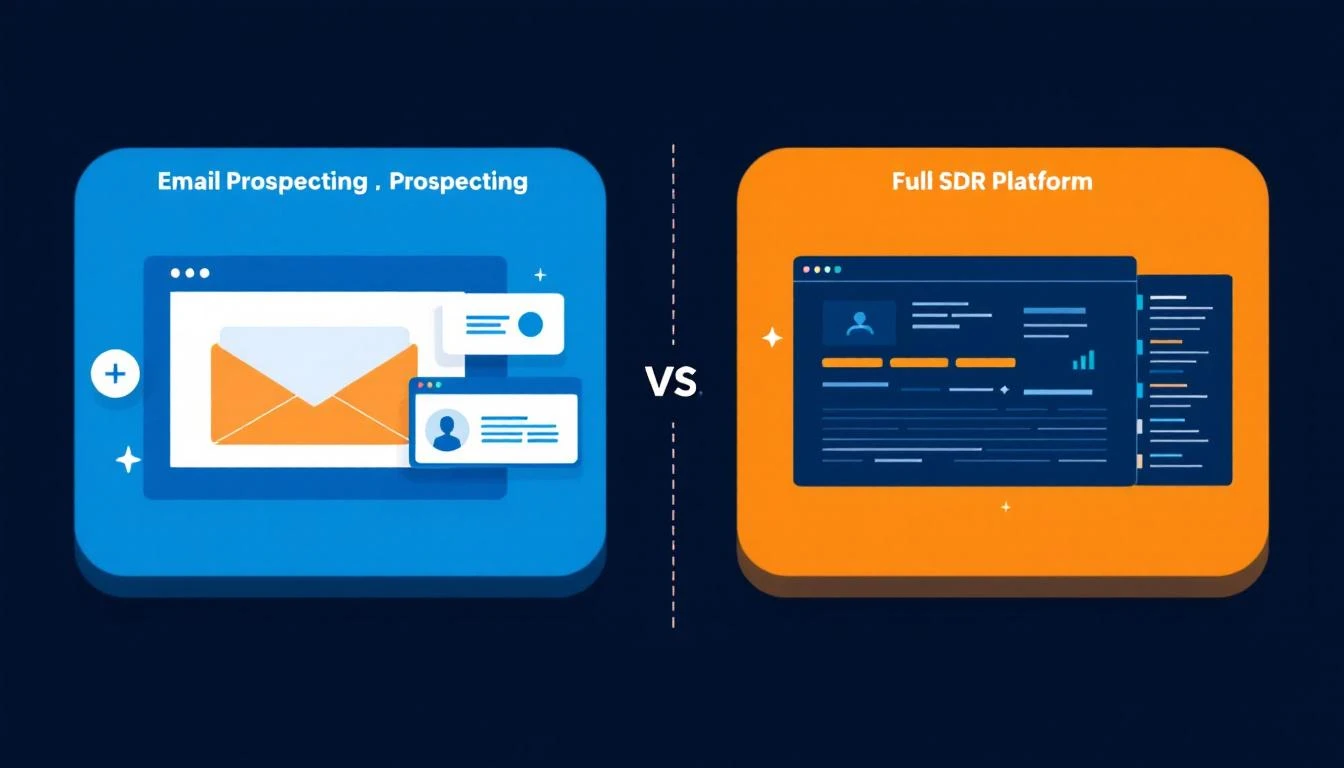
MarketBetter vs Snov.io comparison for SDR teams in 2026

Snov.io and MarketBetter both help sales teams reach prospects. But they solve the problem at completely different levels.

Snov.io is an email prospecting and cold outreach tool. It finds email addresses, verifies them, sends drip sequences, and includes a lightweight CRM. Think of it as a lead generation toolkit built around email.

MarketBetter is a full SDR operating system. It identifies website visitors, scores intent signals, automates multi-channel outreach (email + phone + chat), and gives SDRs a daily playbook that tells them exactly what to do.

The difference: Snov.io helps you find and email prospects. MarketBetter tells you who is ready to buy and how to reach them across every channel.

Quick Comparisonโ€‹

FeatureMarketBetterSnov.io
Starting price$99/user/month$30/mo (Starter)
Primary functionFull SDR platformEmail prospecting + outreach
Website visitor IDโœ…โŒ
Email automationโœ… AI-personalizedโœ… Drip sequences
Smart dialerโœ… Built-inโŒ
AI chatbotโœ…โŒ
Daily playbookโœ…โŒ
Email finderโœ… Via enrichmentโœ… Core feature
Email verificationโœ…โœ…
LinkedIn automationโœ… Coming soonโš ๏ธ Add-on ($69/mo extra)
Free CRMIntegrates with HubSpot/Salesforceโœ… Built-in (basic)
Credit systemEnrichment creditsCredits for everything

Pricing: What You're Actually Paying Forโ€‹

Snov.io Pricingโ€‹

PlanMonthly PriceCreditsRecipientsEmail Warm-up
TrialFree501001 slot
Starter$30/mo ($22/mo annual)1,0005,0003 slots
Pro 5K$75/mo ($55/mo annual)5,00010,000Unlimited
Pro 20K$142/mo ($106/mo annual)20,00030,000Unlimited
Pro 50K$277/mo ($207/mo annual)50,00050,000Unlimited
Custom UltraCustom100K+CustomUnlimited

Hidden costs:

  • LinkedIn automation is a $69/month add-on โ€” not included in any plan
  • Credits are shared across finding, verifying, AND enriching โ€” they deplete fast
  • Lower plans cap email warm-up slots (Starter = 3 only)
  • Unused credits don't roll over

MarketBetter Pricingโ€‹

PlanMonthly PriceSeatsKey Features
Standard$99/user/monthAll features included: Daily SDR Playbook, Website Visitor ID, AI Chatbot, Email Automation, Smart Dialer ($50/seat add-on), 5M AI credits + 500 enrichment credits per seat
EnterpriseCustomEverything in Standard + custom integrations, dedicated support, volume discounts

No credit-counting for core functionality. Your SDRs use the platform โ€” email, chat, visitor ID โ€” without watching a credit meter.

The Real Cost Comparisonโ€‹

For a 3-person SDR team doing serious outbound:

Snov.io stack cost:

  • Snov.io Pro 20K: $142/mo
  • LinkedIn automation add-on: $69/mo
  • Separate dialer (Kixie/PhoneBurner): $105-381/mo
  • Visitor ID tool (Warmly/Clearbit): $500-2,000/mo
  • Total: $816-2,592/mo (and managing 4 tools)

MarketBetter:

  • Standard plan: $99/user/month (everything included)
  • Total: $99/user/month per seat (one platform)

Feature Deep-Diveโ€‹

Email Finding and Verificationโ€‹

Snov.io: This is Snov.io's bread and butter. The email finder searches by domain, company, or person. The verification tool checks deliverability. The Chrome extension pulls contacts from LinkedIn profiles. It's solid โ€” Snov.io has been doing this since 2017.

MarketBetter: Includes enrichment credits powered by Fiber for prospect discovery, email, and phone enrichment. Not as deep as Snov.io's dedicated finder, but integrated into the workflow so enriched contacts flow directly into outreach sequences.

Winner: Snov.io for pure email finding volume. MarketBetter for enrichment-to-action workflow.

Email Outreachโ€‹

Snov.io: Drip campaigns with basic personalization, A/B testing, and scheduling. Works well for straightforward cold email sequences. Deliverability tools include email warm-up (limited on lower plans) and tracking.

MarketBetter: AI-personalized email sequences that pull from intent signals, visitor behavior, and enriched data. The emails aren't just templated drips โ€” they're contextual outreach triggered by actual buying signals.

Winner: MarketBetter for intelligence-driven outreach. Snov.io for simple, high-volume cold email campaigns.

Beyond Emailโ€‹

This is where the comparison breaks down. Snov.io is email-centric. MarketBetter is multi-channel.

CapabilityMarketBetterSnov.io
Website visitor identificationโœ… Know who's on your siteโŒ
Smart dialerโœ… Call directly from playbookโŒ
AI chatbotโœ… Engages visitors 24/7โŒ
Daily SDR playbookโœ… Prioritized task listโŒ
Intent signalsโœ… Behavioral + firmographicโŒ
LinkedIn automationโœ… Coming soonโš ๏ธ $69/mo add-on

Snov.io positions itself as "all-in-one," but it's really all-in-one for email prospecting. For actual SDR workflow automation, you'll need additional tools.

CRMโ€‹

Snov.io: Includes a free CRM with deal tracking, pipeline visualization, and basic lead management. It's functional for small teams but limited compared to HubSpot or Salesforce.

MarketBetter: Integrates with HubSpot and Salesforce rather than building a separate CRM. Your data flows into the CRM your team already uses.

Who Snov.io Is Built Forโ€‹

Snov.io is a strong choice for:

  • Solo founders or tiny teams (1-2 people) doing cold email on a budget
  • Freelancers and agencies who need email finding + verification at scale
  • Teams that already have dialer, visitor ID, and CRM tools โ€” just need email
  • International teams โ€” Snov.io's pricing is accessible globally
  • Email-first outreach where phone and chat aren't part of the motion

Who Should Choose MarketBetter Insteadโ€‹

MarketBetter is the better fit for:

  • SDR teams (3+ reps) that need a complete daily workflow
  • Teams running multi-channel outbound (email + phone + chat)
  • Companies that want website visitor identification driving outreach
  • Teams that want one platform instead of stitching together 4-5 tools
  • SDR managers who need a playbook telling reps exactly what to do

The Bottom Lineโ€‹

Snov.io is a capable email prospecting tool at an accessible price point. If your entire outbound motion is cold email and you need to find addresses + send sequences on a budget, it's a solid option.

But if you're building or scaling an SDR team and need more than email โ€” visitor identification, smart dialing, AI chat, daily playbooks โ€” Snov.io is one piece of a 4-5 tool stack that MarketBetter replaces entirely.

Start with the question: Is your bottleneck finding emails, or is it knowing who to contact, when, and across which channel?

If it's the first, Snov.io works. If it's the second, book a MarketBetter demo.


Related reads:

Mixmax Review 2026: Gmail-First Sales Engagement Worth the Price?

ยท 6 min read
sunder
Founder, marketbetter.ai

Sales Engagement Tool Review 2026

Mixmax takes a fundamentally different approach from most sales engagement platforms: instead of being a standalone tool, it lives inside Gmail. For reps who spend their entire day in their inbox, this means no context-switching. With 1,400+ G2 reviews and a 4.6 rating, it's clearly resonated with a large user base.

But the Gmail-first approach comes with inherent limitations. We analyzed 50+ user reviews from G2, Capterra, GMass, and SalesForge to understand whether Mixmax's convenience justifies its cost โ€” and where it falls short.

What Is Mixmax?โ€‹

Founded in San Francisco, Mixmax is a sales engagement platform that operates as a Gmail extension. Rather than replacing your email workflow, it enhances Gmail with tracking, sequences, scheduling, and analytics directly within the inbox interface.

Core features:

  • Email tracking (opens, clicks, downloads)
  • Automated sequences with multi-step follow-ups
  • One-click meeting scheduling (embed available times in emails)
  • Templates and snippets for rapid email composition
  • AI Compose for email writing assistance
  • AI Smart Send (optimal timing prediction)
  • Salesforce and HubSpot CRM integration
  • Rules and workflow automation
  • Polls and surveys embedded in emails
  • Round-robin meeting scheduling

Mixmax Pricingโ€‹

Mixmax offers a freemium model that scales steeply:

PlanCostWhat's Included
Free$0/user/moEmail tracking, meeting booking, templates, surveys
SMB$34/user/moSequences, shared calendars, CRM auto-BCC, no branding
Growth$65/user/moHubSpot integration, AI Compose, AI Smart Send, round-robin, analytics
Growth + CRM$89/user/moSalesforce integration, API/webhook automation
Enterprise$99+/user/moCustom terms, advanced security, dedicated support

The real cost for a 5-person team on Growth + CRM (monthly):

  • Mixmax: $445/month ($89 x 5)
  • Plus separate dialer, LinkedIn tool, data provider, visitor ID
  • Total stack cost: $700-1,200/month

The free plan trap: Mixmax's free tier is genuinely useful for individual tracking โ€” but it adds "Sent with Mixmax" branding, and you hit feature walls quickly. The jump from Free to paid is where most users evaluate whether the value justifies $34-89/user/month.

What Users Love About Mixmaxโ€‹

Lives Inside Gmailโ€‹

This is the killer feature. No separate tab, no new app to learn, no context-switching. Everything โ€” tracking, sequences, scheduling, templates โ€” happens within the Gmail interface you already use all day. For reps resistant to adopting new tools, Mixmax has almost zero friction.

One-Click Meeting Schedulingโ€‹

Embed your available time slots directly in any email. Recipients click a time, and the meeting is booked โ€” no back-and-forth, no external scheduling links. G2 reviewers consistently cite this as their favorite feature. It's so seamless that many users pay for Mixmax just for scheduling alone.

Email Templates and Snippetsโ€‹

Save your best-performing emails as templates, then insert them with a shortcut. Snippets let you save smaller text blocks (pricing paragraphs, product descriptions, signatures) for quick insertion anywhere. These small efficiency gains compound across dozens of emails daily.

Real-Time Tracking Notificationsโ€‹

Get notified the moment a prospect opens your email, clicks a link, or downloads an attachment. The notifications appear in Gmail and can push to Slack. For reps timing their follow-up calls, this is invaluable โ€” call when the prospect is actively reading your email.

Polls and Surveys in Emailsโ€‹

Unique to Mixmax: embed interactive polls, surveys, and CTAs directly inside emails. Prospects can respond without leaving their inbox. This increases response rates for feedback requests, meeting polls, and preference questions.

What Users Complain Aboutโ€‹

Gmail-Only Limitationโ€‹

Mixmax only works with Gmail and Google Workspace. Outlook users are completely locked out. For organizations running Microsoft 365, Mixmax is not an option โ€” period. This limits its addressable market and creates migration risk if your company switches email providers.

Deliverability Concernsโ€‹

Multiple G2 reviewers report deliverability issues when sending at volume through Mixmax. Because emails route through Gmail's servers with Mixmax's tracking pixels embedded, some enterprise spam filters flag them more aggressively than plain emails. The "Sent with Mixmax" branding on free plans compounds this.

Expensive at Scaleโ€‹

At $89/user/month for CRM integration, a 10-person team pays $890/month โ€” and still doesn't get a dialer, LinkedIn automation, visitor identification, or prospecting data. The per-seat model means costs scale linearly with team size, with no volume discounts until Enterprise.

No Phone Dialerโ€‹

Mixmax has no built-in calling capability. For SDR teams that need phone outreach (which is most of them), you need a separate dialer โ€” Nooks, Orum, AirCall โ€” adding another $30-80/user/month on top.

Limited to Email Channelโ€‹

Despite being a "sales engagement" platform, Mixmax is really an email engagement platform. There's no LinkedIn automation, no SMS, no multichannel sequencing. Teams doing true multichannel outreach need additional tools.

Mixmax vs The Competitionโ€‹

FeatureMixmax (Growth+CRM)MarketBetter ($99/user/month)OutreachSalesLoft
Email SequencesYes (Gmail only)Yes (any provider)YesYes
Phone DialerNoSmart DialerAdd-onBuilt-in
LinkedIn StepsNoIntelligenceYesYes
Website Visitor IDNoYesNoNo
AI SDR PlaybookNoYesNoNo
AI ChatbotNoYesNoNo
Meeting SchedulingBest-in-classBasicYesYes
CRM IntegrationSalesforce, HubSpotHubSpot, SalesforceSalesforceSalesforce
In-Email PollsYes (unique)NoNoNo
Starting PriceFree/$34/user/mo$99/user/month~$100/user/mo~$125/user/mo
Best ForGmail power usersFull-stack SDR platformEnterprise salesEnterprise sales

Who Should Consider Mixmaxโ€‹

Mixmax works well for:

  • Individual reps who live in Gmail and want tracking + scheduling
  • AE/Account Executive teams focused on email-centric selling
  • Teams that primarily need better email productivity, not multichannel outreach
  • Organizations where meeting scheduling is a high-friction bottleneck

Mixmax is NOT the right fit if:

  • Your team uses Outlook or Microsoft 365
  • You need multichannel outreach (phone, LinkedIn, SMS)
  • Website visitor identification matters to your strategy
  • You want AI-driven daily playbooks telling reps who to prioritize
  • You need a complete SDR platform, not just an email enhancer

The Bottom Lineโ€‹

Mixmax is the best Gmail enhancement money can buy. If your reps live in Gmail and your sales motion is primarily email-based, the convenience is real. Meeting scheduling alone may justify the cost.

But Mixmax isn't an SDR platform โ€” it's an email productivity tool. There's no dialer, no LinkedIn automation, no visitor identification, no buyer intent signals. Modern SDR teams running multichannel outbound will still need 3-4 additional tools alongside Mixmax.

The honest assessment: Mixmax makes your inbox smarter. But smart inboxes don't build pipeline โ€” knowing who to email, who to call, and who's on your website right now does.

For a platform that unifies email, dialing, visitor identification, and AI-powered prioritization in one tool, explore MarketBetter.

Related reading:
Orum Pricing Breakdown 2026: What Parallel Dialing Really Costs Your SDR Team

ยท 6 min read
sunder
Founder, marketbetter.ai

Orum pricing plans breakdown for SDR teams in 2026

Orum doesn't publicly list prices on their website โ€” they want you to "talk to sales." But we've done the research so you don't have to.

Here's what Orum actually costs in 2026, plan by plan, with the hidden costs most reviews won't tell you about.

Orum Pricing Plans at a Glanceโ€‹

PlanPriceCommitmentParallel LinesCaller IDsData Credits
Launch$250/user/moAnnual onlyUp to 55/month200/rep/mo
AscendCustom (est. $400-500+/user/mo)Annual onlyUp to 1010/monthIncluded
EnterpriseCustomAnnual onlyCustomCustomCustom

Key detail: There is no monthly billing option. You're locked into an annual contract from day one.

Launch Plan: $250/User/Monthโ€‹

The Launch plan is Orum's entry point, and it's already a significant investment at $3,000 per user per year.

What You Getโ€‹

  • Up to 5 parallel dials per rep
  • 5 caller IDs per month
  • 200 data enrichment credits per rep per month
  • Basic AI automation features
  • Standard reporting and analytics
  • Standard support

What You Don't Getโ€‹

  • Advanced AI coaching (Ascend only)
  • Virtual Salesfloor (Ascend only)
  • Team configuration and enterprise reporting
  • Priority support
  • More than 5 parallel lines

The Math for a 5-Person SDR Teamโ€‹

At $250/user/month, a 5-person team costs:

  • Monthly: $1,250
  • Annual commitment: $15,000
  • Per-rep annual cost: $3,000

And that's just the dialer. You still need a separate tool for email automation, visitor identification, LinkedIn outreach, and CRM management.

Ascend Plan: $400-500+/User/Month (Estimated)โ€‹

Orum doesn't publish Ascend pricing. Based on third-party data and user reports, it's estimated at $400-500+ per user per month, though pricing varies by deal.

What Ascend Adds Over Launchโ€‹

  • Up to 10 parallel dials (double the capacity)
  • 10 caller IDs per month
  • Data enrichment included (no credit limits)
  • AI Coaching Suite with personalized coaching portals
  • AI call scorecards
  • AI roleplay for training
  • Virtual Salesfloor for team collaboration
  • Enterprise reporting
  • Priority support

The Math for a 5-Person SDR Teamโ€‹

At $450/user/month (mid-range estimate):

  • Monthly: $2,250
  • Annual commitment: $27,000
  • Per-rep annual cost: $5,400

The Hidden Costs Nobody Mentionsโ€‹

1. It's Phone Onlyโ€‹

Orum is a dialer. That's it. No email sequences, no LinkedIn automation, no website visitor identification, no AI chatbot. For a complete SDR workflow, you'll need to stack additional tools:

Additional ToolTypical CostPurpose
Email sequencer (Outreach/SalesLoft)$100-150/user/moEmail automation
Visitor ID (Clearbit/Warmly)$500-2,000/moWebsite identification
LinkedIn automation (HeyReach/Dripify)$50-100/user/moLinkedIn outreach
Data provider (ZoomInfo/Apollo)$150-300/user/moContact data

Total stack cost for a 5-person team: $3,500-6,000+/month โ€” on top of Orum's $1,250-2,250.

2. No Monthly Billingโ€‹

Annual contracts only. If Orum doesn't work for your team, you're stuck paying for 12 months. No month-to-month option to test the waters.

3. The Parallel Dialing Lag Problemโ€‹

This is consistently the #1 complaint on Reddit and G2. Orum's parallel dialing introduces a 1-2 second delay when a prospect picks up. Multiple users report this as a dealbreaker:

"There is a 1-2 second delay during the answer which myself and the other stakeholder feel is a bit long and possibly a dealbreaker." โ€” r/sales user

"They all have a lag that ruins the conversation from the very beginning and destroys relationships." โ€” r/sales user

That delay erodes the very trust you're trying to build on cold calls.

4. No Time to Prepare Between Callsโ€‹

When you're blasting through 600 dials an hour, there's no time to read the prospect's LinkedIn, check their company's news, or personalize your opening. One user reported their team opted against implementing Orum specifically because:

"The main complaint on my team was that you had no time to prepare."

Volume without preparation leads to more connects but worse conversations.

5. Data Enrichment Credit Limitsโ€‹

On the Launch plan, you only get 200 data enrichment credits per rep per month. If your reps are making 200+ calls per day, that data runs out fast. You'll either need to upgrade to Ascend or buy a separate data provider.

Who Orum Is Built Forโ€‹

Orum makes sense for teams that:

  • Already have email, LinkedIn, and CRM tools in place
  • Run a phone-first outbound motion
  • Have 5+ SDRs who primarily cold call
  • Can absorb the $250+/user/month cost on top of their existing stack
  • Are willing to accept the parallel dialing lag
  • Want AI coaching and call scoring (Ascend plan)

Who Should Look Elsewhereโ€‹

Orum is probably not the right fit if you:

  • Need a complete SDR platform (email + phone + LinkedIn + visitor ID)
  • Have a small team (1-3 SDRs) โ€” the annual commitment is steep
  • Want month-to-month billing to test before committing
  • Run multi-channel outreach beyond just phone
  • Can't justify paying for 4-5 separate tools to cover what one platform could handle

How Orum Compares to an All-in-One SDR Platformโ€‹

CapabilityOrum ($250/user/mo)MarketBetter ($99/user/month for 3 seats)
Parallel/smart dialerโœ… Up to 10 linesโœ… Built-in
Email automationโŒ Need separate toolโœ… Included
Website visitor IDโŒ Need separate toolโœ… Included
AI chatbotโŒโœ… Included
Daily SDR playbookโŒโœ… Included
LinkedIn automationโŒ Need separate toolโœ… Coming soon
Data enrichmentโš ๏ธ Limited creditsโœ… 2K-15K credits included
Monthly billingโŒ Annual onlyโœ… Available
Cost for 3 SDRs$750/mo + stack$99/user/month (all-inclusive)

For a 3-person SDR team, MarketBetter gives you a complete platform at roughly the cost of Orum's dialer alone โ€” before you add email, visitor ID, and data tools on top.

The Bottom Lineโ€‹

Orum is the best parallel dialer on the market. If your team lives on the phone and already has every other tool in place, it can meaningfully increase call volume.

But at $250-500/user/month for one channel, plus annual contracts only, plus the well-documented connection lag โ€” it's a significant investment in a single-channel solution.

If you want one platform that covers calling, email, visitor identification, and daily playbooks, book a demo with MarketBetter and see what a complete SDR operating system looks like.


Related reads:

Orum Review 2026: Is the Premium Parallel Dialer Worth $250/User/Month?

ยท 6 min read
sunder
Founder, marketbetter.ai

Orum honest review for SDR teams in 2026

Orum is one of the most talked-about parallel dialers in B2B sales. It promises to help SDRs make hundreds of calls per hour, identify live connections instantly, and coach reps with AI-powered scorecards.

We dug through hundreds of G2 reviews, Reddit threads, and real user feedback to give you the honest picture โ€” what works, what doesn't, and whether Orum is worth the premium price tag.

What Orum Doesโ€‹

Orum is an AI-powered parallel dialing platform designed for outbound SDR teams. Its core capabilities include:

  • Parallel dialing โ€” Call up to 5-10 prospects simultaneously
  • AI-powered live detection โ€” Identifies human pickups vs voicemails in real-time
  • Virtual Salesfloor โ€” Recreates the energy of an in-person sales floor for remote teams
  • AI Coaching Suite โ€” Personalized coaching portals, call scorecards, and AI roleplay
  • Call analytics โ€” Detailed performance tracking and reporting

Founded in 2018, Orum has positioned itself as the premium option in the parallel dialer space, competing primarily with Nooks, PhoneBurner, and PowerDialer.

What Users Love About Orumโ€‹

Call Volume Is Transformativeโ€‹

The #1 praise across every review platform is the sheer volume increase. Users consistently report going from 50-80 manual dials per day to 300-600 dials per hour with parallel dialing.

G2 reviewers highlight:

  • "Parallel dialing feature significantly enhances calling efficiency"
  • "Reps ramped 50% faster"
  • "Cut manager call reviews by 90% with AI scorecards"

For phone-heavy teams, this is a genuine productivity multiplier.

Virtual Salesfloor Creates Energyโ€‹

Remote sales teams lose the buzz of a physical sales floor. Orum's Virtual Salesfloor lets reps collaborate, listen to live calls, and learn together in real-time. G2 reviewers specifically praise this for:

  • Building team culture for distributed SDR teams
  • Real-time coaching opportunities (managers can listen in)
  • Peer learning through live call observation

AI Coaching Shows Promiseโ€‹

The AI Coaching Suite โ€” available on higher-tier plans โ€” offers personalized coaching portals, AI-generated call scorecards, and AI roleplay for practice. Users report it reduces the time managers spend reviewing calls manually.

What Users Complain Aboutโ€‹

We analyzed complaints from G2, Reddit, and Capterra. Here are the consistent themes:

1. The Connection Delay (Most Common Complaint)โ€‹

This shows up in nearly every critical review. When a prospect answers during parallel dialing, there's a 1-2 second delay before the rep is connected. Multiple Reddit users flag this as a dealbreaker:

"There is a 1-2 second delay during the answer."

"They all have a lag that ruins the conversation from the very beginning and destroys relationships."

That silence at the start of a cold call signals "robocall" to prospects. Many hang up immediately.

2. No Prep Time Between Callsโ€‹

Parallel dialing is fast โ€” sometimes too fast. Teams report that reps don't have time to glance at the prospect's LinkedIn, check recent company news, or personalize their opening line before the next call connects:

"The main complaint on my team was that you had no time to prepare, so we opted against implementing it."

This creates a trade-off: more dials but less personalized conversations.

3. Limited Beyond Phoneโ€‹

G2's own review analysis tags show "Missing Features" (70 mentions) as a significant concern. Orum is purely a dialer โ€” there's no email sequencing, no LinkedIn outreach, no visitor identification. Teams need 3-4 additional tools for a complete outbound workflow.

4. Call Quality Issuesโ€‹

G2 data shows "Call Issues" (101 mentions) and "Connection Issues" (57 mentions) as recurring themes. Users report:

  • Audio quality degradation during parallel sessions
  • Calls dropping when switching from detection to live connection
  • Inconsistent caller ID behavior

5. Integration Limitationsโ€‹

"Integration Issues" (44 mentions) on G2 suggest that connecting Orum with existing CRM and sales tools isn't always seamless. This matters because Orum depends on other tools for everything beyond calling.

Orum Pricingโ€‹

Orum uses opaque, annual-commitment pricing:

PlanPriceKey Features
Launch$250/user/mo (annual)5 parallel lines, 200 data credits/rep/mo, basic AI
AscendCustom ($400-500+/user/mo est.)10 parallel lines, full AI coaching, Virtual Salesfloor
EnterpriseCustomCustom configuration, dedicated support

No monthly billing is available. See our full Orum pricing breakdown for detailed cost analysis.

Orum Ratings Across Platformsโ€‹

PlatformRatingReviews
G2โญ 4.6/5300+ reviews
Capterraโญ 4.4/5Limited reviews
RedditMixedPraise for volume, complaints about lag

The G2 score is strong, but the review themes reveal a nuanced picture: users love the volume but consistently flag the connection quality trade-offs.

Who Orum Is Best Forโ€‹

Orum makes sense if you:

  • Run a phone-first outbound motion (60%+ of outreach is calls)
  • Have 5+ SDRs who primarily cold call
  • Already have email, LinkedIn, and CRM tools in place
  • Can absorb $250-500+/user/month for a single-channel tool
  • Accept the parallel dialing lag as an acceptable trade-off for volume
  • Want AI coaching and virtual salesfloor for remote team culture

Who Should Skip Orumโ€‹

Look elsewhere if you:

  • Need multi-channel outreach (email + phone + LinkedIn + chat)
  • Have a small team (1-3 reps) โ€” cost per user is steep
  • Want month-to-month billing flexibility
  • Prioritize call quality and personalization over raw dial volume
  • Need website visitor identification or intent signals
  • Can't justify 4-5 tools to build a complete stack around Orum

How Orum Comparesโ€‹

FeatureOrumMarketBetterNooks
Starting price$250/user/mo$99/user/month~$5K/user/yr
Parallel dialingโœ… 5-10 linesโœ… Smart dialerโœ… Parallel dialing
Email automationโŒโœ…โŒ
Website visitor IDโŒโœ…โŒ
Virtual salesfloorโœ…โŒโœ…
AI coachingโœ… (Ascend)โŒโœ…
Daily playbookโŒโœ…โŒ
Monthly billingโŒโœ…โŒ

The Verdictโ€‹

Orum is the strongest parallel dialer available. If your team's core motion is phone-based outbound and you need to maximize dial volume, it delivers.

But at $250-500/user/month for calling only, locked into annual contracts, with well-documented connection lag issues โ€” it's a premium investment in a single channel.

Teams that want one platform for calling, email, visitor identification, and SDR playbooks at a lower total cost should explore MarketBetter instead.

Rating: 4.1/5 โ€” Excellent at what it does (parallel dialing), limited by what it doesn't do (everything else).


Related reads:

Outplay Review 2026: Multichannel Sales Engagement for Growing Teams

ยท 6 min read
sunder
Founder, marketbetter.ai

Sales Engagement Tool Review 2026

Outplay has carved out a niche as the "affordable multichannel" sales engagement platform, offering email, phone, LinkedIn, SMS, WhatsApp, and chat outreach from a single tool. With 269+ G2 reviews and a 4.5 rating, it's positioned itself as the value alternative to Outreach and SalesLoft.

But "multichannel" doesn't mean "complete." We analyzed G2 reviews, Capterra feedback, SalesRobot analysis, and Woodpecker's competitive review to understand where Outplay delivers and where it falls short.

What Is Outplay?โ€‹

Outplay is a multichannel sales engagement platform built for growing sales teams. Founded in India and launched around 2019, it bundles email automation, a power dialer, LinkedIn steps, SMS, WhatsApp, and a live chat widget into a single platform at a price point significantly below enterprise incumbents.

Core features:

  • Multi-channel sequences (email, phone, LinkedIn, SMS, WhatsApp, chat)
  • Power dialer with call recording
  • Website chat widget
  • Meeting scheduler
  • CRM integrations (Salesforce, HubSpot, Pipedrive, Zoho)
  • Task management and workflow automation
  • Email tracking and analytics
  • 14-day free trial

Outplay Pricingโ€‹

Outplay recently restructured pricing into two main tiers plus an AI SDR add-on:

PlanMonthly CostWhat's Included
Engage$79/user/moMultichannel sequences, dialer, 100 emails/day, basic CRM integration
Scale$139/user/moUnlimited emails, advanced triggers, AI writer, priority support
AI SDR$159/user/moAutonomous prospecting, AI-generated sequences, intent signals

The real cost for a 5-person team on Scale:

  • Outplay Scale: $695/month ($139 x 5)
  • Add data provider: ~$200-500/month (ZoomInfo, Apollo, etc.)
  • Total stack cost: ~$895-$1,195/month

Previous pricing started at $49/user/month (Growth plan), but the restructure effectively raised the floor. Some legacy customers may still be on older plans.

What Users Love About Outplayโ€‹

True Multichannel in One Toolโ€‹

Outplay's strongest selling point is genuine multichannel capability. Most competitors offer email + maybe phone. Outplay includes email, phone (built-in dialer), LinkedIn, SMS, WhatsApp, and web chat โ€” all within a single sequence. Users can create cadences that start with email, follow up on LinkedIn, then trigger a phone task, all automated.

Professional Onboardingโ€‹

Across G2 and Capterra, Outplay's onboarding experience receives consistent praise. The team provides hands-on setup assistance, helps with sequence configuration, and offers training sessions. For teams migrating from spreadsheets or basic tools, this matters.

Intuitive Interfaceโ€‹

Users describe the UI as "clean and modern," especially compared to older platforms like SalesLoft. The sequence builder is drag-and-drop, and most reps can create their first cadence within hours rather than days.

Competitive Pricingโ€‹

At $79-$139/user/month, Outplay undercuts Outreach and SalesLoft by 40-60%. For teams that need multichannel but can't justify enterprise pricing, Outplay hits a sweet spot.

Solid Email Trackingโ€‹

Open tracking, click tracking, and reply detection work reliably. Users highlight the real-time notifications and the ability to see engagement at both the campaign and individual prospect level.

What Users Complain Aboutโ€‹

Difficult to Prospect and Add Leadsโ€‹

This is a major pain point. A Capterra reviewer stated: "I've found it difficult to prospect and add leads onto Outplay." The platform excels at engaging existing lists but offers limited native prospecting. You need external data tools to build lists, then import them โ€” adding friction and cost.

Data Accuracy Concernsโ€‹

G2 reviewers report issues with contact data accuracy when using Outplay's built-in enrichment features. Phone numbers are sometimes outdated, and email verification has gaps. Teams using Outplay's data often supplement with a dedicated data provider anyway.

LinkedIn Automation Limitationsโ€‹

While Outplay includes LinkedIn steps, the automation is constrained by LinkedIn's API limitations. Connection requests, profile visits, and InMails require semi-manual execution. The LinkedIn integration works better as a task reminder system than true automation.

Limited Analytics Depthโ€‹

Reporting covers basic campaign metrics (opens, clicks, replies) but lacks deeper insights like revenue attribution, pipeline influence, or multi-touch analysis. Teams that need to prove ROI to leadership may find the analytics insufficient.

Scaling Challengesโ€‹

Some users report performance issues as their team and campaign volume grows. The platform was built for growing teams but can feel constrained at 20+ reps or when running dozens of concurrent campaigns.

Outplay vs The Competitionโ€‹

FeatureOutplay (Scale)MarketBetter ($99/user/month)OutreachSalesLoft
Email SequencesYesYesYesYes
Phone DialerBuilt-inSmart DialerAdd-onBuilt-in
LinkedIn StepsSemi-manualIntelligenceYesYes
SMS/WhatsAppYesNoLimitedLimited
Website Visitor IDNoYesNoNo
AI SDR PlaybookNoYesNoNo
AI ChatbotBasic chatYesNoNo
Web ChatYesYesNoNo
Data/EnrichmentLimitedIncludedLimitedLimited
Starting Price$79/user/mo$99/user/month~$100/user/mo~$125/user/mo
Best ForMultichannel sequencesFull-stack SDR platformEnterprise salesEnterprise sales

Who Should Consider Outplayโ€‹

Outplay works well for:

  • Growing teams (5-15 reps) who want multichannel in one tool
  • Teams migrating from spreadsheets or basic email tools
  • Organizations that already have a data provider and need engagement only
  • Budget-conscious teams that can't afford Outreach or SalesLoft

Outplay is NOT the right fit if:

  • You need built-in prospecting and lead generation
  • Website visitor identification is important to your strategy
  • You want AI-driven prioritization, not just automation
  • LinkedIn is a primary outreach channel (automation is limited)
  • Your team needs a daily playbook telling them who to contact first

The Bottom Lineโ€‹

Outplay delivers on its promise of affordable multichannel sales engagement. For teams that just need to execute sequences across email, phone, and LinkedIn at a reasonable price, it works. The onboarding is solid, the UI is clean, and the multichannel breadth is genuinely useful.

But it's a sequencer, not a signal processor. It automates the "how" of outreach without answering the "who" or "when." You still need separate tools for prospecting, visitor identification, and buyer intent โ€” which erodes the cost advantage.

The real question: Do you want a tool that sends messages across channels, or a platform that tells your SDRs which prospects are ready to buy and exactly what to do next?

If multichannel sequencing is your only need, Outplay is a strong contender. For a complete SDR operating system, see how MarketBetter combines visitor ID, AI playbook, smart dialer, and email automation in one platform.

Related reading:

Snov.io Pricing 2026: Does It Have a Free Plan? Real Credit Costs Across Every Tier

ยท 6 min read
sunder
Founder, marketbetter.ai

Snov.io pricing plans breakdown for outbound teams in 2026

Snov.io's pricing looks simple on the surface: plans from $30 to $277/month. But when you factor in credit burn rates, LinkedIn add-ons, and the tools you'll still need alongside it, the real cost is different from the sticker price.

Here's the full breakdown.

Snov.io Pricing at a Glanceโ€‹

PlanMonthlyAnnual (per mo)CreditsRecipientsWarm-up Slots
TrialFreeFree501001
Starter$30$221,0005,0003
Pro 5K$75$555,00010,000Unlimited
Pro 20K$142$10620,00030,000Unlimited
Pro 50K$277$20750,00050,000Unlimited
Pro 100K$554$415100,000100,000Unlimited
Custom UltraCustomCustom100K+CustomUnlimited

Annual billing saves ~25%. All paid plans include the free CRM.

What "Credits" Actually Meanโ€‹

This is where Snov.io gets tricky. Credits are shared across multiple actions:

  • 1 credit = 1 email find
  • 1 credit = 1 email verification (if done separately)
  • 0.5 credits = 1 prospect save from the database

So on the Starter plan (1,000 credits), if you find 500 emails and verify them separately, you've used your entire monthly allocation. That's not a lot for serious outbound.

Credit Burn Rate for a Real SDRโ€‹

A typical SDR might:

  • Find 100 prospects/week = 400 credits/month (finding)
  • Verify 400 emails = 400 credits/month (verification)
  • Total: 800 credits/month

On the Starter plan (1,000 credits), one SDR burns through nearly everything. A team of 3 SDRs needs the Pro 5K plan at minimum, more likely Pro 20K.

Plan-by-Plan Breakdownโ€‹

Trial Plan (Free)โ€‹

  • 50 credits, 100 recipients, 1 warm-up slot
  • Good for testing the interface, not for real outreach
  • Missing: integrations, bulk operations, API, export, A/B testing, teamwork features

Starter Plan ($30/month)โ€‹

  • 1,000 credits, 5,000 recipients, 3 warm-up slots
  • Only 3 warm-up slots means you can warm up 3 mailboxes โ€” fine for a solo operator, limiting for a team
  • No LinkedIn automation (add-on required)
  • Includes basic integrations

Best for: Solo founders or freelancers doing low-volume prospecting.

Pro Plans ($75-554/month)โ€‹

The Pro tier is where Snov.io becomes usable for teams:

  • Unlimited warm-up โ€” critical for deliverability at scale
  • A/B testing for email campaigns
  • Advanced analytics
  • Full API access
  • Team collaboration features

The jump from Starter to Pro 5K ($30 โ†’ $75) is worth it for the unlimited warm-up alone.

Pro 5K ($75/mo): Good for 1-2 SDRs doing moderate prospecting
Pro 20K ($142/mo): The sweet spot for most 3-5 person teams
Pro 50K ($277/mo): High-volume teams with aggressive prospecting needs

Custom Ultra (Custom Pricing)โ€‹

For teams that need 100K+ credits. Includes a dedicated account manager and custom integrations. You'll need to talk to sales.

The Hidden Costsโ€‹

1. LinkedIn Automation = $69/Month Extraโ€‹

Snov.io's LinkedIn automation (profile visits, connection requests, messages) is not included in any plan. It's a separate $69/month add-on per LinkedIn slot.

If your outreach includes LinkedIn (and in 2026, it should), add $69-207/month to your Snov.io bill:

  • 1 LinkedIn slot: $69/mo
  • 3 LinkedIn slots: $207/mo

2. Credits Run Out Faster Than You Thinkโ€‹

The shared credit pool means every email find, verification, and save counts against the same bucket. Teams frequently upgrade mid-cycle when credits run dry.

On the Pro 5K plan ($75/month), 5,000 credits supports roughly 2,500 prospects (find + verify). For a 3-person SDR team contacting 30 prospects/day each, that's about 28 days of credits. You'll hit the limit almost every month.

3. No Built-in Dialerโ€‹

Snov.io is email-only. If your SDRs also call (most do), you need a separate dialer:

  • Kixie: $35/user/mo
  • PhoneBurner: $127/user/mo
  • Orum: $250/user/mo

4. No Visitor Identificationโ€‹

Snov.io doesn't tell you who's visiting your website. You'll need a separate tool like Warmly ($500-2K/mo) or Clearbit for that.

5. Credits Don't Roll Overโ€‹

Unused credits expire at the end of each billing cycle. If you don't use your 20,000 credits in a month, they're gone. No banking for high-volume months.

Total Cost of Ownership: Snov.io Stack vs All-in-Oneโ€‹

For a 3-person SDR team doing multi-channel outbound:

ComponentSnov.io StackMarketBetter (Standard)
Email prospecting + sequences$142/mo (Pro 20K)โœ… Included
LinkedIn automation$207/mo (3 slots)โœ… Coming soon
Dialer$105-750/moโœ… Smart dialer included
Visitor identification$500-2,000/moโœ… Included
AI chatbot$100-300/moโœ… Included
CRMFree (basic) or $50+/moIntegrates with existing
Total$1,054-3,399/mo$1,500/mo
Tools to manage4-51

Who Snov.io Pricing Makes Sense Forโ€‹

  • Solo operators on the Starter plan ($30/mo) โ€” finding emails for cold outreach
  • Small teams on Pro 5K-20K who only need email prospecting
  • Agencies running cold email for multiple clients (credit pools are flexible)
  • Teams in emerging markets where the price point is significantly below alternatives

Who Should Look at Alternativesโ€‹

  • SDR teams that need calling + email + visitor ID in one place
  • Teams burning through credits and constantly upgrading
  • Anyone paying $200+/mo on Snov.io + add-ons โ€” at that point, a full platform may cost the same
  • Teams that want signal-driven outreach rather than cold list blasting

The Bottom Lineโ€‹

Snov.io is competitively priced for email prospecting. The Starter plan at $30/month is one of the cheapest ways to start cold email outreach.

But the credit system, LinkedIn add-on pricing, and missing channels (no dialer, no visitor ID, no chat) mean the total cost of doing real multi-channel SDR work with Snov.io is often $1,000-3,000+/month โ€” the same range as platforms that include everything out of the box.

Before choosing a plan, calculate your actual credit burn rate and list every tool you'll need alongside Snov.io. The sticker price is only part of the story.


Related reads:

Snov.io Review 2026: Affordable Email Prospecting With Real Limitations

ยท 6 min read
sunder
Founder, marketbetter.ai

Snov.io honest review for outbound teams in 2026

Snov.io has been around since 2017, quietly building one of the most affordable email prospecting platforms in the market. With plans starting at $30/month, it's positioned as the entry-level choice for cold email outreach.

We analyzed reviews from G2, Capterra, Trustpilot, and user forums to give you the real picture of what works, what doesn't, and who Snov.io is actually built for in 2026.

What Snov.io Doesโ€‹

Snov.io is a B2B email prospecting and cold outreach platform. Core features:

  • Email Finder โ€” Search by domain, company, or individual to find business email addresses
  • Email Verifier โ€” Check deliverability before sending
  • Drip Campaigns โ€” Automated multi-step email sequences with A/B testing
  • Email Warm-up โ€” Gradually build sender reputation
  • Chrome Extension โ€” Pull prospect data from LinkedIn and websites
  • CRM โ€” Basic deal tracking and pipeline management (free with all plans)
  • LinkedIn Automation โ€” Profile visits, connection requests, messages (paid add-on)

Founded in Ukraine, Snov.io has grown to serve over 175,000 users worldwide, primarily small and mid-sized businesses.

What Users Love About Snov.ioโ€‹

1. Accessible Pricingโ€‹

The most common praise across every review platform is the price-to-value ratio. At $30-75/month, Snov.io undercuts Apollo ($49+), Lemlist ($59+), and most competitors while offering a comparable feature set for email prospecting.

Trustpilot reviewers consistently highlight:

  • "Great tool at an affordable price"
  • "Best value for email finding and verification"

2. All-in-One Email Workflowโ€‹

Instead of using separate tools for finding, verifying, and emailing prospects, Snov.io handles the entire workflow in one place. For email-only outreach, this is genuinely convenient:

  1. Find emails โ†’ 2. Verify โ†’ 3. Add to drip sequence โ†’ 4. Track results

No data exports between tools. No integrations to break.

3. Customer Support Gets High Marksโ€‹

This is unusual in the sales tools space. Snov.io's support team receives consistently strong reviews:

  • Trustpilot: Users specifically name support agents by name
  • Capterra: "I don't have any complaints about Snov.io, I have a good experience with it"
  • G2: Support responsiveness is frequently praised

For a tool at this price point, responsive support is a real differentiator.

4. Free CRM Is a Nice Bonusโ€‹

Every plan includes a basic CRM with deal tracking, pipeline visualization, and lead management. It's not Salesforce, but for small teams that don't have a CRM yet, it's functional and free.

5. Chrome Extension Works Wellโ€‹

The LinkedIn Chrome extension is reliable for pulling prospect information from profiles. Users report it as one of the smoother implementations compared to competitors.

What Users Complain Aboutโ€‹

1. Credits Deplete Fastโ€‹

The #1 complaint across platforms. Snov.io's credit system pools finding, verifying, and enriching into one bucket. Users routinely run out mid-month:

  • G2: "Email verification and automation limits can be restrictive on lower plans"
  • Multiple users report upgrading plans within the first month

The math is simple: 1,000 Starter credits = roughly 500 prospects (find + verify). For a team doing real outbound, that's 1-2 weeks of work.

2. UI Could Be More Intuitiveโ€‹

Several G2 reviewers mention:

  • "The UI could also be a bit more intuitive"
  • "Sometimes slow interface"

The platform works, but it's not the most polished experience. Some features require multiple clicks to reach. Navigation between the email finder, campaigns, and CRM feels disjointed at times.

3. Email Accuracy Isn't Perfectโ€‹

While Snov.io's verification is generally reliable, users report that the email finder itself sometimes returns outdated or catch-all addresses:

  • Some found emails bounce despite being "verified"
  • Catch-all domains are flagged but not always accurate
  • Data quality varies by industry and company size

This isn't unique to Snov.io โ€” all email finders struggle with accuracy โ€” but it's worth noting when calculating ROI on credits spent.

4. LinkedIn Automation Is a Paid Add-Onโ€‹

The LinkedIn automation isn't included in any plan. At $69/month per slot, it significantly increases the cost for teams that need multi-channel outreach. Users who expected "all-in-one" are surprised by this extra charge.

5. Limited Beyond Emailโ€‹

Snov.io has no dialer, no website visitor identification, no AI chatbot, and no intent signals. For teams evolving beyond cold email into multi-channel SDR workflows, Snov.io becomes just one piece of a larger stack.

Snov.io Ratings Across Platformsโ€‹

PlatformRatingReviews
G2โญ 4.6/5400+ reviews
Capterraโญ 4.5/5200+ reviews
Trustpilotโญ 4.5/5300+ reviews

Consistently strong ratings across all platforms. The scores reflect genuine satisfaction for what Snov.io is โ€” an affordable email prospecting tool โ€” not what it isn't (a full SDR platform).

Who Snov.io Is Best Forโ€‹

Snov.io is excellent if you:

  • Are a solo founder or freelancer doing cold email outreach on a budget
  • Run an agency building prospect lists for multiple clients
  • Need email finding + verification + sequences in one tool
  • Have a small team (1-3 people) with email as the primary channel
  • Want a free CRM included without extra cost
  • Are in emerging markets where Snov.io's pricing is especially competitive

Who Should Look Elsewhereโ€‹

Skip Snov.io if you:

  • Run a multi-channel SDR team (email + phone + LinkedIn + chat)
  • Need website visitor identification to know who's on your site
  • Want intent signals driving outreach priority
  • Have 5+ SDRs who need a daily playbook
  • Are burning through credits and constantly upgrading plans
  • Need a built-in dialer โ€” Snov.io doesn't have one

How Snov.io Comparesโ€‹

FeatureSnov.ioMarketBetterApolloLemlist
Starting price$30/mo$99/user/month$49/user/mo$59/user/mo
Email finderโœ…โœ… Via enrichmentโœ… 275M+ DBโœ…
Email sequencesโœ…โœ… AI-personalizedโœ…โœ…
Visitor IDโŒโœ…โŒโŒ
Smart dialerโŒโœ…โœ… BasicโŒ
AI chatbotโŒโœ…โŒโŒ
Daily playbookโŒโœ…โŒโŒ
LinkedIn autoโš ๏ธ $69/mo add-onโœ… Coming soonโš ๏ธ Limitedโœ… Built-in
Free CRMโœ…Integratesโœ…โŒ

The Verdictโ€‹

Snov.io is one of the best values in email prospecting. At $30-75/month, you get email finding, verification, drip campaigns, and a CRM. The support is excellent. The Chrome extension works well.

But it's an email tool โ€” not an SDR platform. Once your team needs calling, visitor identification, intent signals, or multi-channel playbooks, Snov.io becomes one of 4-5 tools you're managing. At that point, the "cheap" tool isn't cheap anymore.

Rating: 4.0/5 โ€” Excellent for budget email prospecting, limited as a standalone SDR solution.

For teams ready to move beyond email-only outreach, MarketBetter combines everything Snov.io does (and more) into a single platform.


Related reads:

Woodpecker Review 2026: Reliable Cold Email Automation or Missing Modern Features?

ยท 6 min read
sunder
Founder, marketbetter.ai

Sales Engagement Tool Review 2026

Woodpecker has been a trusted name in cold email automation since 2015, known for prioritizing deliverability above all else. With a 4.4 G2 rating and solid Capterra reviews, it's earned a reputation as a reliable, no-nonsense email tool. But in a market where competitors now offer AI playbooks, visitor identification, and multichannel orchestration, does a pure email focus still make sense?

We analyzed G2 reviews, Capterra feedback, Sparkle.io's hands-on test, and competitive analyses to give you an unbiased assessment.

What Is Woodpecker?โ€‹

Woodpecker is a cold email automation platform built for B2B sales teams and agencies. It emphasizes deliverability through human-like sending patterns, automatic warmup, bounce detection, and sending throttling. The platform connects to Gmail, Outlook, and custom SMTP servers.

Core features:

  • Automated email sequences with follow-ups
  • A/B testing on email variations
  • Email warm-up and deliverability monitoring
  • Bounce detection and spam risk assessment
  • Condition-based campaigns (if/then logic)
  • Timezone-based sending
  • CRM integrations (HubSpot, Salesforce, Pipedrive)
  • Agency panel for managing multiple clients
  • API access for custom integrations

Woodpecker Pricingโ€‹

Woodpecker uses a contact-based pricing model rather than per-seat:

PlanMonthly CostWhat's Included
Cold Email$29/month500 contacted prospects, 2 email warm-up accounts
Custom$49-103/month1,000-10,000 prospects, more warm-up slots
AgencyCustom pricingMulti-client management, white labeling

Add-ons:

  • Extra prospects: ~$10-20 per 500
  • Additional warm-up accounts: extra cost
  • API access: included in higher tiers

The real cost for a 5-person team:

  • Woodpecker (3,000 prospects/month): ~$73/month
  • Plus separate dialer, LinkedIn tool, data provider
  • Total stack cost: $300-800/month

The pricing model is competitive for email-only use, but teams quickly realize they need 3-4 additional tools for a complete outbound workflow.

What Users Love About Woodpeckerโ€‹

Deliverability-First Approachโ€‹

This is Woodpecker's defining feature. The platform mimics human sending patterns โ€” randomized intervals, personalized send times, automatic throttling when bounce rates spike. G2 reviewers consistently cite "inbox placement" as a top strength. For teams where email deliverability is life-or-death, Woodpecker takes it seriously.

Simple and Focusedโ€‹

Capterra reviewers describe it as "does what it does very well." Woodpecker doesn't try to be everything โ€” it's a cold email tool, and it owns that space. The interface is straightforward, sequences are easy to build, and there's no feature bloat slowing things down.

Agency-Friendly Architectureโ€‹

Woodpecker's agency panel is genuinely useful for outreach agencies managing multiple client accounts. Separate workspaces, client-specific reporting, and white-label options make it a popular choice in the agency market.

Condition-Based Campaignsโ€‹

The if/then logic allows creating branching sequences based on prospect behavior. If someone opens but doesn't reply, they get a different follow-up than someone who doesn't open at all. This is more sophisticated than basic linear sequences.

Fair Pricing for Email-Only Teamsโ€‹

At $29/month for 500 prospects, Woodpecker is one of the most affordable entry points in cold email. Teams that only need email outreach and nothing else get solid value.

What Users Complain Aboutโ€‹

No Drag-and-Drop Sequence Builderโ€‹

G2 reviewers specifically flag the "awkward email sequence management" with no drag-and-drop functionality. Reordering steps, inserting delays, or restructuring campaigns requires more clicks than modern competitors. This seems minor until you're managing 20+ active sequences.

Performance Issues at Scaleโ€‹

Multiple users report slow performance when managing many campaigns simultaneously. Loading times increase, the interface becomes sluggish, and occasional bugs appear when working with large contact lists.

Limited Beyond Emailโ€‹

Woodpecker is an email tool. Period. There's no built-in dialer, no LinkedIn automation, no SMS or WhatsApp. While this focus is intentional, it means teams inevitably outgrow Woodpecker and either switch platforms or build a complex multi-tool stack.

No Prospecting or Dataโ€‹

Woodpecker doesn't help you find prospects. You must source contacts elsewhere and import them. For teams without an existing data provider, this is an immediate additional expense.

No Signal Intelligenceโ€‹

Like most email automation tools, Woodpecker sends to everyone on your list equally. There's no buyer intent analysis, no website visitor identification, no signal-based prioritization. The tool can't tell you which prospects are actively researching solutions.

Woodpecker vs The Competitionโ€‹

FeatureWoodpeckerMarketBetter ($99/user/month)InstantlyMailshake
Email SequencesYesYesYesYes
Deliverability FocusStrongestStrongStrongGood
Phone DialerNoSmart DialerNoBasic
LinkedIn TasksNoIntelligenceNoManual
Website Visitor IDNoYesNoNo
AI SDR PlaybookNoYesNoNo
AI ChatbotNoYesNoNo
Agency PanelYesNoYesNo
A/B TestingYesYesYesYes
Starting Price$29/mo$99/user/month$30/mo$25/user/mo
Best ForEmail-only teams/agenciesFull-stack SDR platformVolume emailSimple cold email

Who Should Consider Woodpeckerโ€‹

Woodpecker works well for:

  • Email-only outbound teams prioritizing deliverability above all else
  • Outreach agencies managing multiple client campaigns
  • Solo operators and small teams with tight budgets
  • Teams that already have separate tools for phone, LinkedIn, and data

Woodpecker is NOT the right fit if:

  • You need multichannel outreach (phone, LinkedIn, SMS) in one platform
  • Website visitor identification is part of your strategy
  • You want AI-driven prospect prioritization and daily playbooks
  • You're building a scalable SDR operation, not just sending cold emails
  • You need to consolidate your tech stack, not add more tools to it

The Bottom Lineโ€‹

Woodpecker is an honest tool that does exactly what it says: automate cold email with excellent deliverability. If email is your only channel and deliverability is your top concern, it's a solid choice.

But most B2B sales teams in 2026 can't rely on cold email alone. Phone, LinkedIn, and inbound signals all play a role. Building a complete outbound motion on Woodpecker means bolting on 3-4 additional tools โ€” at which point the "affordable" price tag becomes misleading.

The question isn't "Is Woodpecker good at email?" โ€” it is. The question is "Do you need more than email?" If the answer is yes, you need a platform designed for the full SDR workflow.

See how MarketBetter combines email automation, smart dialing, visitor identification, and AI-powered playbooks in one platform.

Related reading:

AI SDR vs AI BDR: What's the Real Difference (and Which Does Your Team Need)? [2026]

ยท 8 min read
sunder
Founder, marketbetter.ai

AI SDR vs AI BDR Comparison

Every week, a sales leader asks us: "Should I get an AI SDR or an AI BDR tool? What's the difference?"

The honest answer: in 2026, the distinction is mostly marketing. Most tools labeled "AI BDR" and "AI SDR" do overlapping things. But the underlying philosophy of each matters โ€” and picking wrong means paying for features you don't need or missing capabilities you do.

This guide breaks down the real differences, when each type matters, and how to pick the right tool for your team's actual workflow.

The Traditional SDR vs BDR Distinctionโ€‹

Before AI entered the picture, sales teams split the development role into two:

BDR (Business Development Representative)โ€‹

  • Focus: Outbound prospecting โ€” cold calls, cold emails, LinkedIn outreach
  • Goal: Generate net-new pipeline from scratch
  • Measures: Meetings booked, qualified opportunities created
  • Works with: Marketing (for account lists) and AEs (for handoffs)

SDR (Sales Development Representative)โ€‹

  • Focus: Inbound lead qualification โ€” following up on demo requests, content downloads, chatbot conversations
  • Goal: Qualify and route inbound leads to the right AE
  • Measures: Speed to lead, qualification accuracy, conversion rate
  • Works with: Marketing (inbound leads) and AEs (qualified handoffs)

In practice: Many companies use the titles interchangeably. A "BDR" at Company A does the same job as an "SDR" at Company B. The distinction matters more for how the role sources its leads (outbound vs. inbound) than for the actual day-to-day activities.

How AI Changes the SDR/BDR Splitโ€‹

AI tools have blurred the line even further. Here's how the AI versions map:

AI BDR Tools โ€” Outbound Automationโ€‹

AI BDR tools focus on automating the prospecting and cold outreach workflow:

  • Find prospects โ€” Search databases, enrich contacts, build lists
  • Write outreach โ€” AI-generated cold emails and LinkedIn messages
  • Send sequences โ€” Automated multi-step follow-ups
  • Track engagement โ€” Opens, clicks, replies

Examples: Artisan (Ava), 11x (Alice), Instantly, Smartlead, Snov.io

What they DON'T do: Handle inbound leads, identify website visitors, provide daily prioritization, or help with phone outreach.

AI SDR Tools โ€” Full-Funnel Workflowโ€‹

AI SDR tools take a broader approach, handling both inbound and outbound workflows:

  • Capture inbound signals โ€” Website visitors, chatbot conversations, form fills
  • Qualify leads โ€” Score based on fit + intent + behavior
  • Prioritize outreach โ€” Tell reps who to contact and when
  • Automate outbound โ€” Email sequences, LinkedIn, phone cadences
  • Manage the workflow โ€” Daily playbooks, task management, pipeline tracking

Examples: MarketBetter, Amplemarket, Apollo.io (partial)

What they DON'T do: Fully replace human judgment on complex deals. The best AI SDR tools augment your team โ€” they don't try to fire them.

Side-by-Side Comparisonโ€‹

CapabilityAI BDR ToolsAI SDR Tools
Cold outbound emailโœ… Core featureโœ… Included
LinkedIn automationโœ… Most toolsโœ… Most tools
Contact databaseโœ… Built-in or integratedโœ… Built-in or integrated
Inbound lead captureโŒ Not coveredโœ… Website visitors, chatbot
Website visitor IDโŒ Not coveredโœ… Key feature
Daily task prioritizationโŒ Rareโœ… Playbook-driven
Smart dialerโŒ Rareโœ… Some tools
Buying signal detectionโš ๏ธ Basic (some tools)โœ… Multi-signal
AI chatbotโŒ Not coveredโœ… Some tools
Typical price$30-2,000/mo$500-5,000/mo
Human involvementLow (autonomous)Medium (AI-assisted)

When to Choose an AI BDR Toolโ€‹

Choose an AI BDR tool if:

  1. Your entire pipeline is outbound. You don't get meaningful inbound traffic, and your reps spend 80%+ of their time prospecting cold lists.

  2. You need pure volume. Your product is relatively simple, your ACV is low, and you need to reach thousands of prospects per month to hit quota.

  3. Budget is tight. You're spending under $500/mo on sales tools and need the most outreach capacity per dollar.

  4. You want to test AI sales without a big commitment. Tools like Instantly ($30/mo) or Smartlead ($39/mo) let you experiment cheaply.

Warning signs you've outgrown AI BDR tools:

  • Your response rates on cold outbound are below 1%
  • You're sending more emails but booking the same number of meetings
  • Your domain reputation is suffering from volume
  • You know prospects are visiting your website but can't reach them
  • Your BDRs spend hours researching accounts that aren't in-market

When to Choose an AI SDR Toolโ€‹

Choose an AI SDR tool if:

  1. You get website traffic but aren't capturing it. If 500+ companies visit your site monthly and your reps don't know about 95% of them, you're leaving pipeline on the table.

  2. Your BDRs waste time on the wrong prospects. Without signal data, reps spray outbound equally across their territory. Signal-based tools help them focus on the 5% who are actually in-market.

  3. You need multi-channel coordination. Email alone isn't cutting it. You need email + LinkedIn + phone working together with intelligent sequencing.

  4. Speed to lead matters. In your market, the first vendor to respond wins the deal. An AI SDR that captures and routes inbound leads in minutes (not hours) directly impacts close rates.

  5. You want to consolidate tools. Instead of paying for a separate visitor ID tool + email sequencer + dialer + lead scoring โ€” you want one platform.

Warning signs you need AI SDR, not just AI BDR:

  • You have multiple tools that don't talk to each other
  • Reps start every day asking "what should I work on?"
  • You get inbound leads but response time is hours, not minutes
  • You're paying for visitor identification data that sits in a dashboard unused
  • Your outbound and inbound workflows are completely disconnected

The Cost Equationโ€‹

Let's do the real math for a 5-person BDR/SDR team:

AI BDR Stack (Outbound Only)โ€‹

ToolCost/mo
Instantly or Smartlead (email)$77-94
Apollo or ZoomInfo (data)$400-1,500
LinkedIn Sales Navigator$500 (5 seats ร— $100)
Phone tool (Aircall, Dialpad)$375 (5 ร— $75)
Total$1,352-$2,469/mo

AI SDR Platform (Full Workflow)โ€‹

ToolCost/mo
MarketBetter (5 seats)$495 ($99/user/month)
LinkedIn Sales Navigator$500
Total$2,000/mo

The AI SDR platform costs roughly the same as the AI BDR stack โ€” but gives you visitor identification, a daily playbook, smart dialer, and AI chatbot that the BDR stack completely lacks.

The hidden cost of the BDR stack: Your reps spend 2-3 hours daily switching between tools, exporting/importing data, and manually researching accounts. That's 30% of their selling time lost to tool management. An integrated platform eliminates this.

The Hybrid Approach: Best of Both Worldsโ€‹

The most effective teams in 2026 aren't choosing between AI BDR and AI SDR. They're using an AI SDR platform as the foundation and adding specialized BDR tools for specific use cases:

  1. Foundation: AI SDR platform (MarketBetter, Amplemarket) for daily workflow, signals, and multi-channel execution
  2. Data enrichment: Clay for deep prospect research on high-value accounts
  3. Volume outbound: Instantly for cold email campaigns to new market segments being tested

This gives you the intelligence layer (signals + prioritization + multi-channel) plus the raw firepower (volume + enrichment) when you need it.

5 Questions to Ask Before Buyingโ€‹

  1. "Where do our best deals come from โ€” inbound or outbound?" If it's a mix, you need an SDR tool. If it's 100% outbound, a BDR tool might suffice.

  2. "Do we get website traffic we're not capturing?" If yes, any tool without visitor identification is leaving money on the table.

  3. "What does our BDR's first hour look like?" If they spend it in 5 different tools figuring out who to call, you need a playbook-driven SDR platform.

  4. "What's our response time on inbound leads?" If it's more than 15 minutes, speed to lead is killing your pipeline. You need automation on the inbound side.

  5. "Are we optimizing for volume or conversion?" Volume โ†’ AI BDR. Conversion โ†’ AI SDR. Most teams past $1M ARR should be optimizing for conversion.

The Bottom Lineโ€‹

AI BDR = Outbound automation. Send more cold emails and LinkedIn messages to more prospects with less human effort.

AI SDR = Full workflow intelligence. Capture inbound signals, prioritize outbound, and tell your reps exactly what to do every day.

For most B2B teams in 2026 with any meaningful website traffic, the AI SDR approach delivers more pipeline per dollar. The reason is simple: reaching 50 people who are actively evaluating your category beats blasting 5,000 people who have never heard of you.

The AI BDR tools will get you meetings through sheer volume. The AI SDR tools will get you meetings from the right people at the right time.

Choose accordingly. See how MarketBetter combines both approaches โ†’


Related reading:

Amplemarket Review 2026: AI Sales Platform Worth the $600/Month Price Tag?

ยท 8 min read
sunder
Founder, marketbetter.ai

Amplemarket Review 2026

Amplemarket has quietly become one of the most talked-about AI sales platforms in the B2B space, with over 1,000 companies reportedly migrating from legacy tools like Outreach, Apollo, and ZoomInfo. But at $600+/month with mandatory annual contracts, is it actually worth the investment for your SDR team?

We spent weeks analyzing G2 reviews, SalesRobot deep dives, user feedback on Reddit, and comparing Amplemarket's capabilities against the broader AI SDR landscape. Here's our honest take.

What Is Amplemarket?โ€‹

Amplemarket positions itself as an "AI Sales Copilot" โ€” a unified platform that combines lead search, multichannel outreach (email, LinkedIn, phone), AI personalization, and competitive intelligence into a single workspace.

The pitch is compelling: instead of juggling ZoomInfo for data, Outreach for sequences, and a dozen browser tabs for research, Amplemarket consolidates everything. Their AI handles prospect research, writes personalized messages, and even tracks competitor movements โ€” all from one dashboard.

Key capabilities include:

  • AI-powered lead search with 220M+ contact database
  • Multichannel sequencing (email, LinkedIn, phone, WhatsApp, iMessage)
  • Intent signal tracking at the lead level (not just company level)
  • Competitive intelligence monitoring
  • Native CRM integrations (Salesforce, HubSpot, Zendesk Sell)
  • AI-generated personalization for each prospect

Amplemarket G2 Rating and User Sentimentโ€‹

Amplemarket holds a 4.6/5 rating on G2, with particularly strong marks for Quality of Support (9.3/10). That's a solid score, putting it in the upper tier of AI sales tools.

But averages hide nuance. Here's what users consistently highlight:

What Users Loveโ€‹

Multichannel in one place. The most common praise centers on having email, LinkedIn, and phone outreach in a single platform. Users repeatedly mention eliminating tab-switching and the productivity gain from unified workflows.

AI personalization quality. Several G2 reviewers note that Amplemarket's AI-written messages sound significantly more human than competitors. The platform pulls data from LinkedIn profiles, company news, and job postings to craft relevant opening lines.

Support responsiveness. Multiple reviewers call out specific support team members by name โ€” always a good sign. Response times and willingness to customize are frequently praised.

Lead-level intent data. Unlike tools that only show "someone at Company X visited a pricing page," Amplemarket ties intent signals to specific people. This makes prioritization far more actionable for SDRs.

What Users Dislikeโ€‹

Email deliverability issues. This is the most consistent complaint across reviews. Several users report emails landing in spam or experiencing deliverability drops after scaling sequences. For a platform at this price point, deliverability should be bulletproof.

Outdated contact data. Despite claiming 220M+ contacts, users report encountering stale phone numbers and outdated email addresses. Data accuracy reportedly sits around 90% โ€” better than many tools, but when you're paying $600+/month, every bounce stings.

Confusing billing and credit system. Contact access is credit-based, not unlimited. Multiple users express frustration about unexpected overages and unclear credit consumption. The lack of transparent pricing on their website compounds the issue.

Annual contracts only. No monthly billing option exists. If the platform doesn't work for your use case, you're locked in for 12 months. Combined with pricing that starts at $600/month, this creates significant risk for smaller teams.

Steep learning curve for advanced features. While basic sequencing is straightforward, users report that getting full value from AI features, intent signals, and competitive intelligence requires substantial setup time.

Amplemarket Pricing Breakdownโ€‹

Amplemarket doesn't publish pricing on their website (red flag for transparency), but here's what we've gathered from user reports and review sites:

PlanEstimated CostBest For
Startup~$600/monthSmall teams, founder-led sales
Growth~$3,000/monthMid-market (Series A/B)
Elite$10,000+/monthEnterprise with global reach

All plans require annual contracts. Contact access is credit-based, adding variable costs on top of the base subscription.

The Real Cost Calculationโ€‹

Amplemarket proponents argue the platform replaces multiple tools:

  • ZoomInfo for data: ~$15,000/year
  • Outreach for sequencing: ~$8,400/year
  • AI writing tools: ~$1,800/year
  • Email verification: ~$1,000/year

Total replaced: ~$26,200/year in software alone.

If Amplemarket's Growth plan costs $30,000โ€“$40,000/year, the ROI math works โ€” if you're actually using all those capabilities. For teams that only need one or two of those functions, you're overpaying for bundled features you don't use.

Amplemarket Strengths: Where It Genuinely Excelsโ€‹

1. Data Quality (When It Works)โ€‹

Amplemarket claims 90% phone accuracy โ€” significantly better than Apollo's estimated 65%. For cold calling teams, that 25-point accuracy gap means 40 fewer dead-end calls per 100 dials. At scale, that translates to hours of SDR time saved daily.

2. Lead-Level Intent Signalsโ€‹

This is Amplemarket's genuine differentiator. While ZoomInfo tells you "someone at IBM is researching CRM software," Amplemarket tells you "John Smith at IBM visited your competitor's pricing page yesterday." That granularity makes the difference between a cold call and a warm one.

3. True Multichannel Orchestrationโ€‹

The addition of WhatsApp and iMessage outreach (beyond email, LinkedIn, and phone) gives Amplemarket one of the broadest channel mixes in the category. For teams selling internationally or into mobile-first industries, this matters.

4. Competitive Intelligence Baked Inโ€‹

Rather than requiring a separate tool for competitive monitoring, Amplemarket tracks competitor mentions, product launches, and hiring patterns โ€” feeding those signals directly into your outreach workflow.

Amplemarket Weaknesses: The Real Concernsโ€‹

1. Deliverability Is a Dealbreaker Riskโ€‹

For a premium-priced sequencing tool, email deliverability issues are the most critical weakness. If your emails aren't landing in inboxes, the best AI personalization in the world doesn't matter. Multiple G2 reviews mention this problem, and it's not a minor annoyance โ€” it's a fundamental failure of the product's core job.

2. No Signal-to-Action Pipelineโ€‹

Amplemarket excels at helping you find people and reach out. But it doesn't answer the strategic question: "Of all these signals, what should my SDR do RIGHT NOW?"

There's no daily playbook, no prioritized task list, no "here are your top 5 actions for this morning." You still need an SDR manager (or another tool) to translate Amplemarket's signals into a daily workflow.

3. Pricing Opacity Creates Trust Issuesโ€‹

When a company won't publish pricing, it usually means they want to charge based on perceived value rather than cost. For budget-conscious SDR leaders, this makes it nearly impossible to get approval without a sales call โ€” adding friction to the evaluation process.

4. Credit-Based Contacts Add Unpredictable Costsโ€‹

The credit system for contact access means your monthly cost isn't truly fixed. Heavy prospecting months can blow past credit allocations, creating surprise invoices that make finance teams nervous.

Who Should Consider Amplemarket?โ€‹

Good fit:

  • Mid-market to enterprise teams (Series A+ funding) with $30K+ annual sales tool budgets
  • Teams currently juggling 4+ tools for data, sequencing, and intelligence
  • Organizations where multichannel outreach (email + LinkedIn + phone + WhatsApp) is core strategy
  • Companies with dedicated RevOps to manage setup and optimization

Bad fit:

  • Solo founders or small teams under 3 SDRs
  • Teams primarily focused on inbound (Amplemarket is an outbound engine)
  • Organizations that need daily SDR task management and accountability
  • Budget-conscious teams that need transparent, predictable pricing

The Bottom Lineโ€‹

Amplemarket is a powerful AI sales platform that genuinely consolidates multiple tools into one. The data quality, lead-level intent signals, and multichannel capabilities are real differentiators.

But it's not without serious concerns. Email deliverability issues at this price point are hard to forgive. The opaque pricing and annual lock-in create significant buyer risk. And the platform still requires human judgment to translate signals into daily SDR actions.

Our verdict: 7/10. If you have the budget and the RevOps support to fully implement it, Amplemarket can deliver strong ROI. But if you're looking for a platform that tells your SDRs exactly what to do each morning โ€” not just who to target โ€” you'll still have a gap to fill.

Free Tool

Try our AI Lead Generator โ€” find verified LinkedIn leads for any company instantly. No signup required.

Explore Other Optionsโ€‹

Before committing to a $7,200+/year platform, consider tools that combine signal detection with actionable daily workflows:


Looking for an AI SDR platform that turns signals into a daily action plan โ€” not just a database? Book a demo with MarketBetter and see how the Daily SDR Playbook prioritizes your team's outreach automatically.