3 posts tagged with "personalization"

View All Tags

Your Reps Are Winging Sales Calls β€” Here's What Happens When AI Writes the Script [2026]

Β· 11 min read
Sunder Iyer
Founder, marketbetter.ai

Your SDR opens the dialer. The prospect is a VP of Sales at a mid-market SaaS company. Your rep glances at a generic script:

"Hi {Name}, this is {Rep} from {Company}. We help companies like yours improve their sales process. Do you have a few minutes?"

The VP hangs up in 8 seconds. Your rep moves to the next call. Rinse, repeat, 80 times a day.

Here's what your rep didn't know:

  • That VP just evaluated a competitor last week
  • Their company posted a Director of Sales Enablement job 3 days ago β€” they're scaling
  • They have 3 stalled deals in HubSpot that haven't moved in 45 days
  • They visited your pricing page twice yesterday

All of that context was sitting in your CRM, your website analytics, and publicly available signals. Nobody connected the dots. Nobody put it in the script.

That's the gap AI closes.
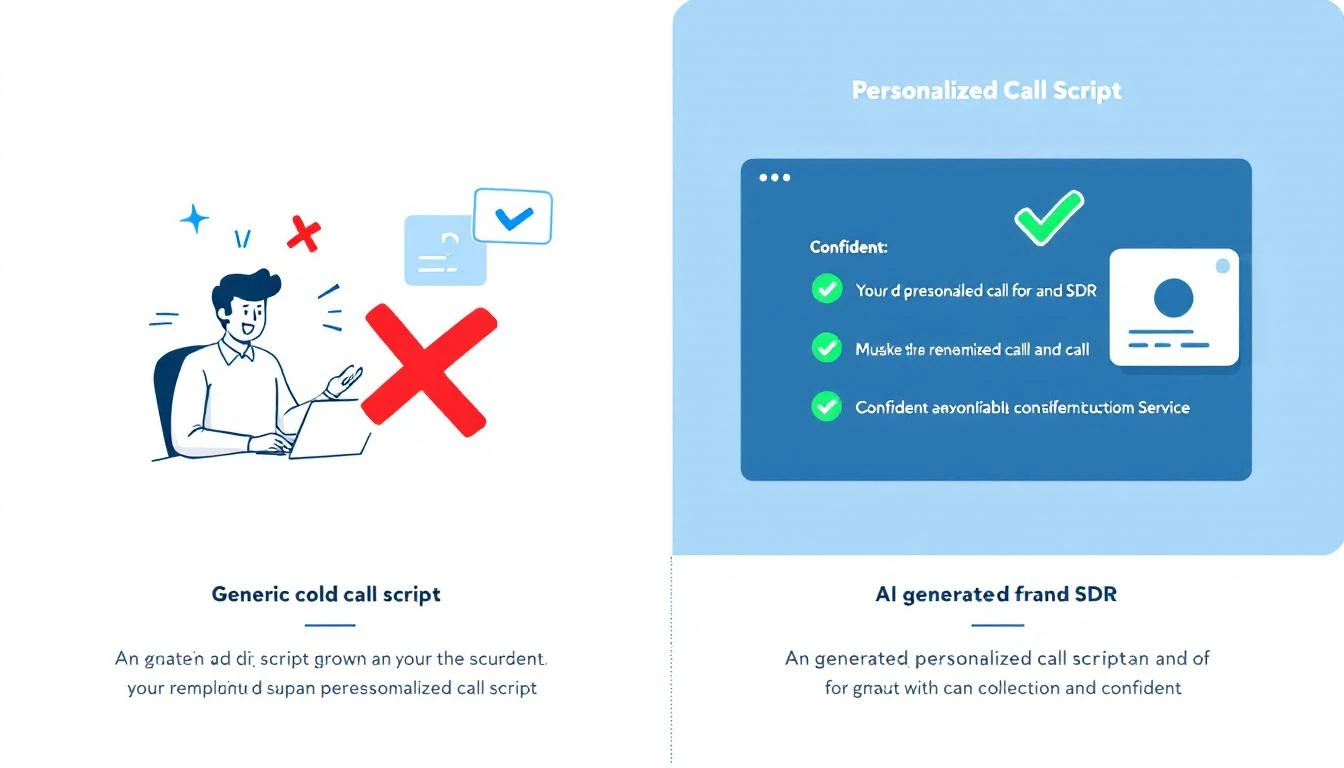
Before and after: generic script vs. AI-generated personalized call script

The Cold Call Success Rate Problem​

Let's start with the brutal numbers.

The average cold calling success rate in 2026 is 2.7%. That means for every 100 calls your SDR makes, fewer than 3 turn into anything. Cognism's 2026 report β€” which analyzed over 200,000 calls β€” found that teams using generic scripts and spray-and-pray tactics sit at or below that average.

But here's the number that matters: teams using AI-powered personalization and real-time context are hitting 6.7% to 11.3% success rates. That's 3-4x the industry average.

Outreach's 2025 dataset showed it plainly: personalized cold calls with AI-generated context had a 36% higher meeting conversion rate than generic calls.

The difference isn't talent. It's context.
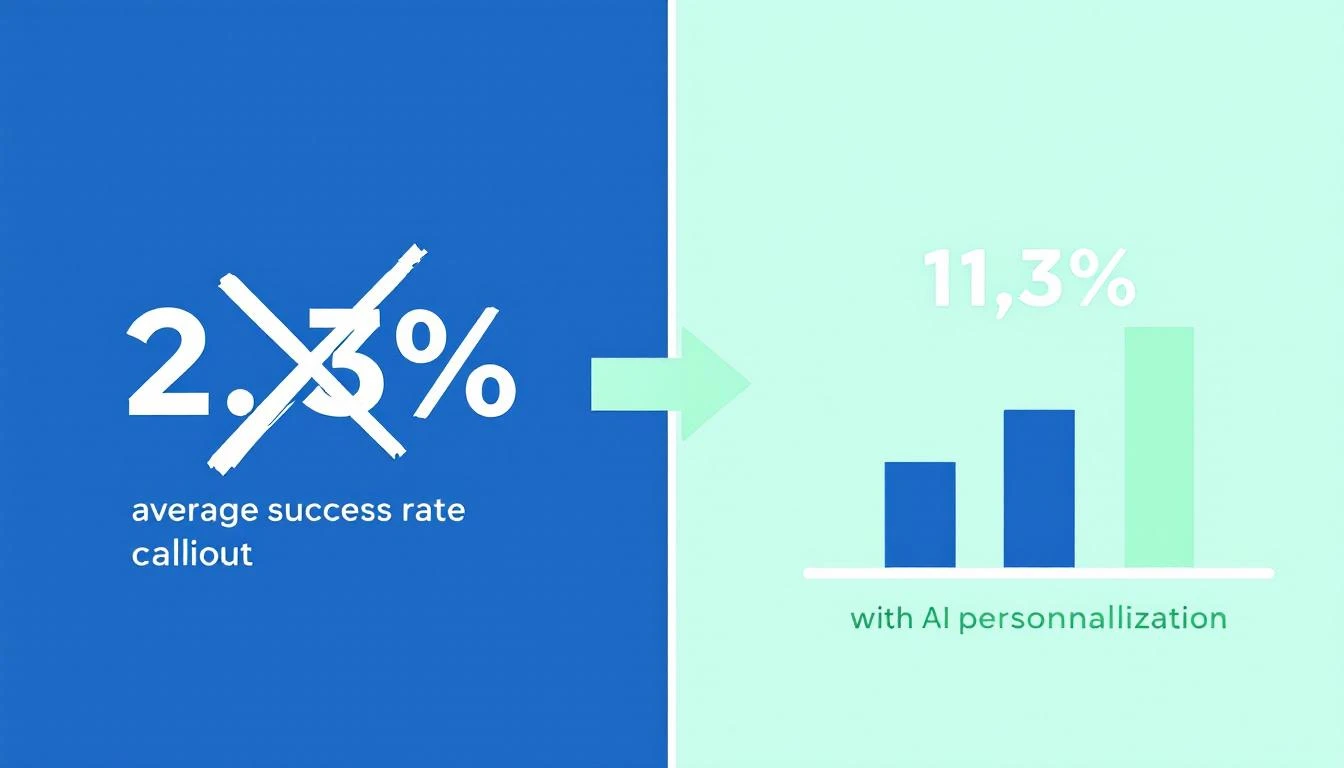
Cold calling success rates: generic scripts vs. AI-personalized approaches

What a Generic Script Actually Looks Like​

Here's what most SDR teams are working with today. If this looks familiar, that's the problem.

The "Standard" Cold Call Script:

"Hi Sarah, this is Mike from Acme Software. We're an AI-powered sales platform that helps companies improve their outbound efficiency. I was wondering if you had a few minutes to learn how we've helped companies like yours increase their pipeline by 40%?"

What's wrong with this:

  • No research signal. Nothing tells Sarah you know anything about her company
  • Generic value prop. "Improve outbound efficiency" could be any of 200 vendors
  • No trigger. Why are you calling TODAY? What changed?
  • Permission-based opener. "Do you have a few minutes?" is an invitation to say no
  • Zero personalization. Swap the name and this works for literally anyone

Your rep might as well be reading from a cereal box. The prospect can tell β€” and they hang up.

This is what we mean by "winging it." Even teams that HAVE scripts are winging it if the script doesn't reflect what you already know about the prospect.

What an AI-Generated Call Script Looks Like​

Now here's the same call β€” but the script was generated 30 seconds before the dial, using everything the system knows about this specific prospect.

AI-Generated Script (Anonymized):

"Hi Sarah β€” quick question. I noticed Datastream just posted a Director of Sales Enablement role, and your team's been evaluating outbound tools. We work with a few mid-market SaaS companies that were in a similar spot β€” scaling their SDR team while deals were stalling in pipeline. Curious if that resonates, or if I'm off base?"

What changed:

  • Hiring signal β†’ "posted a Director of Sales Enablement role" (from job board data)
  • Competitor evaluation β†’ "evaluating outbound tools" (from intent data)
  • Company context β†’ "mid-market SaaS" (from CRM enrichment)
  • Pipeline awareness β†’ "deals stalling in pipeline" (from CRM sync)
  • Pattern interrupt β†’ "Curious if that resonates, or if I'm off base?" (earns the conversation instead of asking permission)

The prospect doesn't hear a script. They hear someone who did their homework. That's the difference between a hang-up and a 4-minute conversation.

Where the Data Comes From​

AI-generated scripts aren't magic. They're the result of connecting data sources your team already has β€” but nobody's stitching together manually.
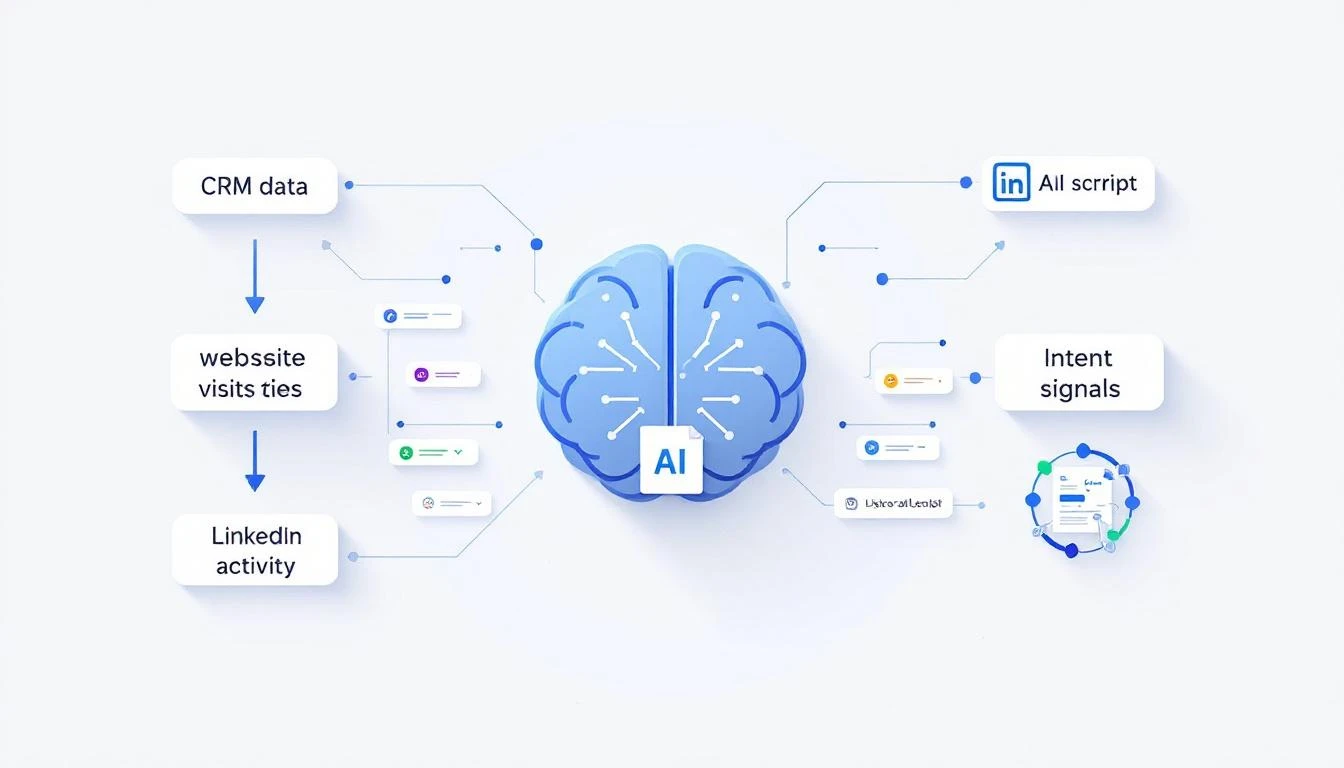
How data flows into an AI-generated call script

Here's what feeds into a good AI call script:

1. CRM Data (HubSpot, Salesforce)​

  • Deal stage and velocity (are deals stalling?)
  • Last activity date (when did someone last engage?)
  • Contact role and title
  • Previous conversation notes
  • How your reps spend their time matters β€” if they're manually pulling this context, they're losing hours per day

2. Website Visitor Intelligence​

  • Which pages did this prospect visit? (Pricing = high intent)
  • How many visits in the last 7 days?
  • Identifying anonymous visitors turns nameless traffic into call-ready context

3. Intent Signals​

  • Are they researching your category on third-party review sites?
  • Did they engage with competitor content?
  • Intent data reveals who's in-market before they raise their hand

4. Public Signals​

  • Recent job postings (hiring = budget, scaling, change)
  • Funding announcements
  • Leadership changes
  • Company news and press releases

5. Conversation History​

  • Past email threads (what objections came up?)
  • Previous call notes
  • LinkedIn engagement (did they view your profile?)

When all five data sources feed into a single script generator, every call opens with context the prospect didn't expect you to have.

Before and After: A Real SDR's Day​

Let's make this concrete. Here's what changes when you move from static scripts to AI-generated ones.

BEFORE: Static Scripts​

MetricResult
Calls per day80
Connect rate4%
Conversations3.2
Meetings booked0.3
Time spent on pre-call research0 min (no time)
Script personalizationNone β€” same script for every call

The rep blasts through a list. They don't research because there's no time. Every call sounds the same. Prospects hear it. Connect rates stay low.

AFTER: AI-Generated Scripts​

MetricResult
Calls per day60 (fewer, but targeted)
Connect rate8%
Conversations4.8
Meetings booked1.2
Time spent on pre-call research0 min (AI does it)
Script personalizationUnique per prospect

Fewer calls, more conversations, 4x the meetings. The math works because every call is a quality at-bat, not a coin flip.

This is the same pattern we see across SDR workflow optimization β€” less tool-switching, more selling.

How to Build AI-Generated Call Scripts (Step by Step)​

You don't need to build this from scratch. But you do need to understand the components.

Step 1: Connect Your Data Sources​

Your AI script generator is only as good as the data it can access. At minimum, you need:

  • CRM integration (bidirectional sync with HubSpot or Salesforce)
  • Website visitor tracking (who's on your site right now)
  • Intent data feed (who's researching your category)

Most teams already have these tools. The problem is they're siloed. Your CRM doesn't talk to your visitor ID tool, which doesn't talk to your intent data provider. The best SDR tools in 2026 solve this by consolidating signals into one place.

Step 2: Define Your Script Framework​

AI needs guardrails. You're not replacing the script β€” you're making it dynamic. Define:

  • Opening structure: Pattern interrupt + signal reference + relevance check
  • Value prop library: 3-5 core value props matched to different buyer personas
  • Objection responses: Pre-loaded but contextual
  • Call-to-action: Meeting request calibrated to deal stage

A good framework follows the same principles as a proven cold call script template β€” but with dynamic slots that AI fills per prospect.

Step 3: Generate Scripts in Real-Time​

The script should be ready before the rep clicks "dial." That means:

  1. AI pulls the latest data on the prospect (CRM, signals, research)
  2. It identifies the strongest hook (what's the most relevant signal?)
  3. It generates a personalized opener, talking points, and objection prep
  4. The rep sees the script in their dialer view β€” no tab-switching, no research time

This is the difference between an AI approach to prospecting and the old way. The AI does the prep work. The rep does the human work β€” building rapport and listening.

Step 4: Feed Outcomes Back Into the System​

After each call, the outcome feeds back:

  • Connected, booked meeting β†’ What signals correlated with success?
  • Connected, no interest β†’ What objections came up? Update the script library
  • No answer β†’ Adjust optimal call times
  • Voicemail β†’ Generate a personalized voicemail script for next attempt

This creates a feedback loop. Scripts get better over time because they learn from what actually works for YOUR prospects, not generic best practices.

The Multi-Channel Advantage​

Call scripts are just the start. Once you have AI generating personalized context, the same engine powers every channel:

  • Voicemail drops β€” personalized to the signal that triggered the call
  • Follow-up emails β€” reference the call attempt with the same context (cold email best practices)
  • LinkedIn messages β€” short, signal-driven connection requests
  • Pre-meeting briefs β€” when the meeting is booked, AI generates a full brief with company background, stakeholder map, and pricing guidance

The key insight: all-channel personalization from a single context engine. Your rep doesn't re-research for every touchpoint. The AI carries the context across every interaction.

This is what separates real cold calling best practices in 2026 from the playbooks that worked in 2020.

What "Good" Looks Like: 3 AI-Generated Script Examples​

Here are three anonymized examples of what AI-generated scripts look like in practice β€” each pulling from different signal types.

Example 1: Hiring Signal​

"Hey Chris β€” saw that TechFlow is hiring two SDR managers. Usually when teams are scaling outbound, the biggest bottleneck isn't headcount β€” it's ramping new reps fast enough. We've helped a few teams cut SDR ramp time from 3 months to 3 weeks using AI-generated playbooks. Worth a 15-minute look?"

Signals used: Job posting data, company size, SDR ramp benchmarks

Example 2: Competitor Evaluation Signal​

"Hi Dana β€” I'll be direct. I know your team's been looking at {Competitor}. A few of our customers switched from them because they got the data but not the 'what to do next' part. If you're still evaluating, might be worth seeing how we handle that differently. Open to a quick comparison?"

Signals used: Intent data (competitor research), CRM stage, product differentiation

Example 3: Website Visitor + Stalled Deal​

"Jessica β€” we noticed someone from CloudBase has been on our pricing page a few times this week. I also see we've been in conversation for a while but things went quiet around January. Wanted to check in β€” has anything changed on your end, or can I send over something more specific to where you are now?"

Signals used: Visitor ID, CRM deal stage, last activity date, page visits

Each script took zero prep time from the rep. The AI had the context. The rep just had to be human.

Why Static Scripts Are Costing You Pipeline​

Let's quantify the cost of winging it.

Assume a team of 5 SDRs, each making 80 calls/day:

With static scripts (2.7% success rate):

  • 400 calls/day Γ— 2.7% = 10.8 meetings/week
  • At $500 average deal value per meeting: $5,400/week in pipeline

With AI-generated scripts (8% success rate):

  • 300 calls/day (fewer, targeted) Γ— 8% = 24 meetings/week
  • At $500 average: $12,000/week in pipeline

That's an extra $6,600 per week β€” over $340K annually β€” from the same team. No new hires. No new tools (assuming your tools are already connected). Just better scripts.

The SDR productivity crisis isn't about effort. It's about context. Your reps are working hard. They're just working blind.

Getting Started: What to Do This Week​

You don't need to overhaul your entire stack. Here's a practical starting point:

  1. Audit your current scripts. When was the last time they were updated? Do they reference any prospect-specific data? If the answer is "never" and "no," you know the problem.

  2. Inventory your data sources. What signals do you already collect that never make it into a call script? CRM notes, website visits, intent data β€” most teams have more context than they use.

  3. Pick your highest-value call list. Start with your top 20 target accounts. Manually build AI-assisted scripts for those calls using the framework above. Measure the difference.

  4. Evaluate tools that automate this. The right platform connects your data sources and generates scripts automatically. Look for CRM sync, visitor intelligence, intent signals, and AI content generation in one system.

  5. Measure what matters. Track connect rate, conversation rate, and meetings-per-call β€” not just dial volume. The goal isn't more calls. It's more conversations that convert.

The Bottom Line​

Your SDRs aren't bad at cold calling. They're under-equipped.

A generic script is a guess. An AI-generated script is an informed conversation starter. The data shows the difference: 36% more meetings, 3-4x higher success rates, and reps who actually look forward to picking up the phone because they know something about the person on the other end.

The question isn't whether AI will write your call scripts. It's whether your competitors are already doing it.


Ready to see AI-generated call scripts in action? Book a demo β†’

OpenAI Codex for Demo Personalization: Win More Deals with Tailored Demos [2026]

Β· 11 min read
MarketBetter Team
Content Team, marketbetter.ai

Here's a brutal truth about B2B demos: 68% of prospects say demos are too generic. They sit through 45 minutes of features they don't care about, waiting for the one capability that actually solves their problem. Most never make it to that pointβ€”they've already mentally checked out.

The companies winning in 2026 don't run generic demos. They run shows that feel custom-built for each prospect. And with OpenAI's GPT-5.3 Codex (released February 5, 2026), building that personalization engine is now accessible to any GTM team.

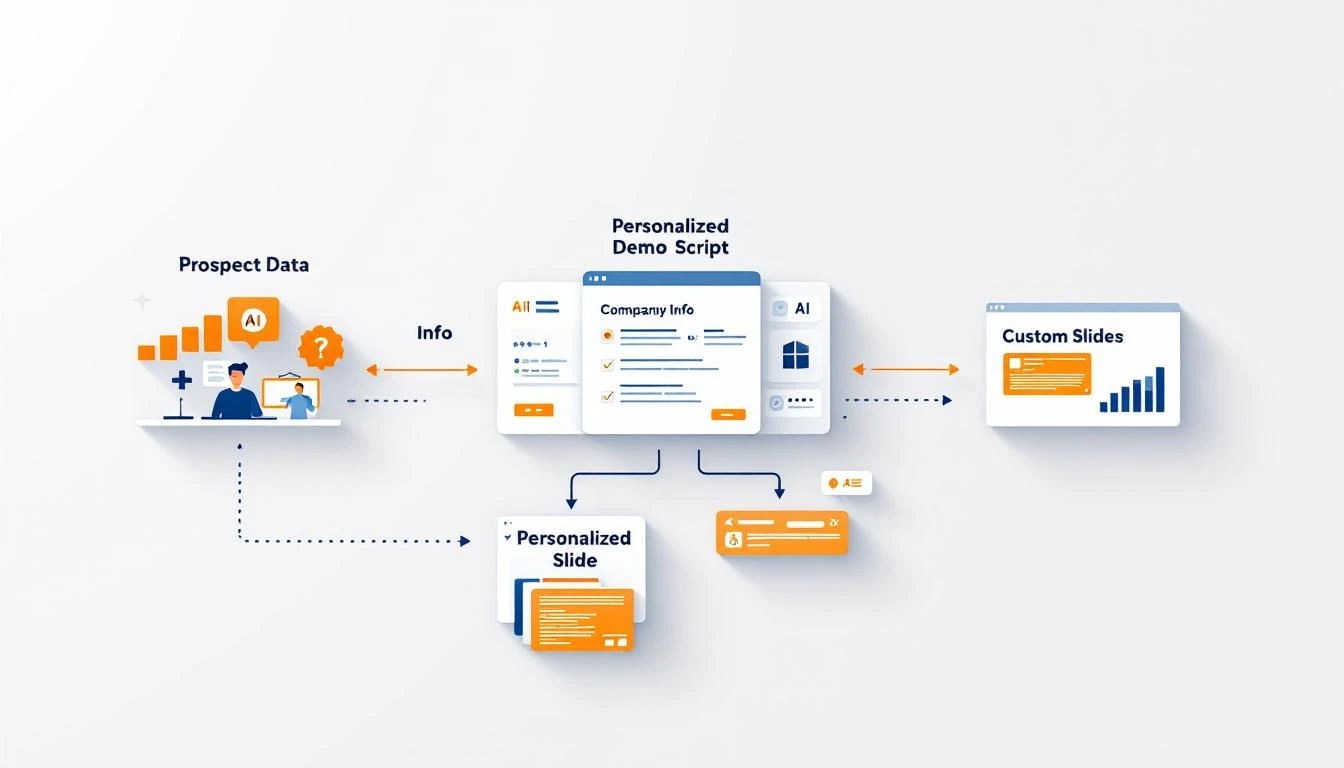
AI Demo Personalization System

This guide shows you how to use Codex's agentic capabilities to automatically generate personalized demo scripts, custom slide decks, and industry-specific talking pointsβ€”all from your CRM data and meeting notes.

Why Generic Demos Lose Deals​

The data is clear:

  • 68% of buyers say demos don't address their specific needs
  • 52% of prospects decide within the first 5 minutes if they'll buy
  • 44% of buyers abandon vendors who can't explain relevance to their business
  • Personalized demos have a 45% higher close rate than generic ones

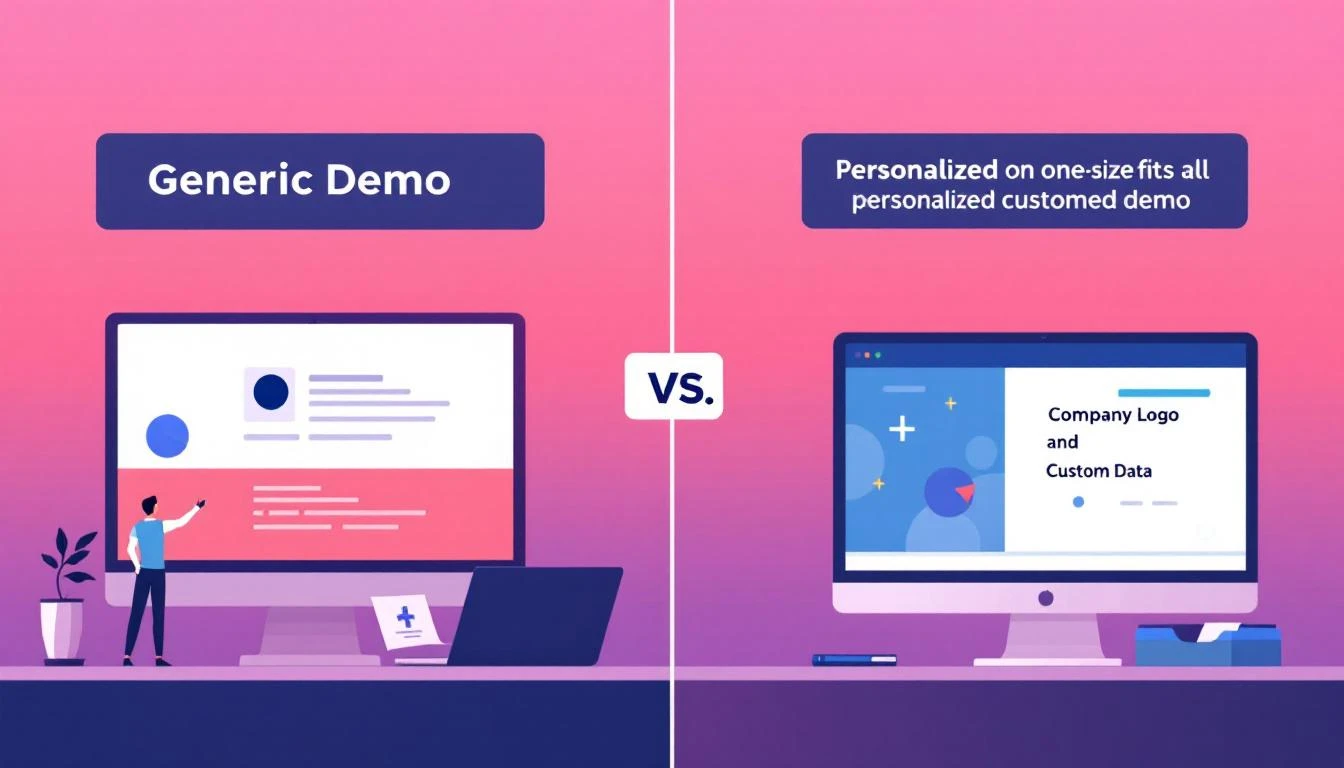
Generic vs Personalized Demo Comparison

The problem isn't that AEs don't want to personalizeβ€”it's that personalization takes time they don't have. Research the company, customize the slides, reorder features for relevance, find the right case study, rehearse the new flow... that's 1-2 hours of prep per demo.

Most reps are running 3-5 demos per day. The math doesn't work.

What Makes a Demo Feel Personalized?​

Before automating, let's break down what "personalized" actually means:

1. Relevant Opening​

Don't start with your product. Start with their world:

  • Recent company news or announcements
  • Industry-specific challenges
  • Reference to their stated pain points

2. Reordered Feature Sequence​

Show them what they care about first:

  • Lead with the capability they asked about
  • Skip or minimize features irrelevant to their use case
  • Save "nice-to-haves" for Q&A

3. Industry-Specific Language​

Speak their language:

  • Use their industry's terminology
  • Reference their competitive landscape
  • Cite metrics that matter in their world

4. Relevant Social Proof​

Show them peers, not just logos:

  • Case studies from similar company size
  • Same industry or use case
  • Metrics that map to their goals

5. Custom Demo Environment​

When possible, show their reality:

  • Their company name in the demo
  • Realistic sample data for their industry
  • Workflows that match their process

GPT-5.3 Codex: Built for Agentic Personalization​

OpenAI's Codex (released February 5, 2026) is specifically designed for agentic tasks like demo personalization. Key capabilities:

  • Mid-turn steering β€” Direct the agent while it works, perfect for iterative customization
  • 25% faster β€” Get personalization outputs in seconds, not minutes
  • Multi-file context β€” Understands your entire demo deck + CRM data simultaneously
  • Code + content β€” Can generate both slides content AND automation scripts

Here's the architecture for an automated demo personalization system:

Building the Demo Personalization Engine​

Step 1: Gather Prospect Intelligence​

First, compile everything you know about the prospect:

async function gatherDemoContext(dealId) {
// CRM data
const deal = await crm.getDeal(dealId);
const company = await crm.getCompany(deal.companyId);
const contacts = await crm.getContacts(deal.contactIds);

// Meeting history
const meetings = await crm.getMeetings(dealId);
const discoveryNotes = meetings
.filter(m => m.type === 'discovery')
.map(m => m.notes)
.join('\n');

// Enrich with external data
const companyNews = await newsApi.search({
company: company.name,
daysBack: 30
});

const industryTrends = await getIndustryInsights(company.industry);

// Find relevant case studies
const relevantCaseStudies = await caseStudyDb.find({
industry: company.industry,
size: company.employeeRange,
useCase: deal.primaryUseCase
});

// Get competitor intel
const competitorMentions = extractCompetitors(discoveryNotes);
const competitorIntel = await getCompetitorBattlecards(competitorMentions);

return {
company,
contacts,
deal,
discoveryNotes,
companyNews,
industryTrends,
caseStudies: relevantCaseStudies,
competitors: competitorIntel
};
}

Step 2: Generate the Demo Script with Codex​

Use GPT-5.3 Codex to generate a personalized demo flow:

const { OpenAI } = require('openai');
const codex = new OpenAI({ model: 'gpt-5.3-codex' });

async function generateDemoScript(context) {
const response = await codex.chat.completions.create({
model: 'gpt-5.3-codex',
messages: [
{
role: 'system',
content: `You are an expert sales demo strategist. Generate a
personalized demo script that will resonate with this specific prospect.

DEMO STRUCTURE:
1. Personalized Opening (2 min) - Reference their world
2. Pain Validation (3 min) - Confirm what you heard in discovery
3. Priority Feature #1 (10 min) - What they care most about
4. Priority Feature #2 (8 min) - Second most relevant
5. Integration/Workflow (5 min) - How it fits their stack
6. Social Proof (3 min) - Case study from similar company
7. Pricing Context (2 min) - Frame value, not cost
8. Next Steps (2 min) - Clear path forward

OUTPUT FORMAT:
- Include speaker notes for each section
- Add talk tracks for common objections
- Include specific data points to mention
- Flag areas needing live customization`
},
{
role: 'user',
content: `Create a demo script for this opportunity:

COMPANY: ${context.company.name}
INDUSTRY: ${context.company.industry}
SIZE: ${context.company.employeeCount} employees
REVENUE: $${context.company.revenue}M

DISCOVERY INSIGHTS:
${context.discoveryNotes}

KEY PAIN POINTS IDENTIFIED:
${extractPainPoints(context.discoveryNotes).join('\n- ')}

RECENT COMPANY NEWS:
${context.companyNews.map(n => `- ${n.headline}`).join('\n')}

RELEVANT CASE STUDY:
${JSON.stringify(context.caseStudies[0])}

COMPETITORS MENTIONED:
${context.competitors.map(c => c.name).join(', ')}

Generate a complete, personalized demo script.`
}
],
max_tokens: 4000,
response_format: { type: 'json_object' }
});

return JSON.parse(response.choices[0].message.content);
}

Step 3: Customize the Slide Deck​

Codex can also modify your master deck for each prospect:

async function customizeSlideDeck(masterDeck, context, demoScript) {
// Parse the master deck (Google Slides, PowerPoint, etc.)
const slides = await parseDeck(masterDeck);

const customizations = await codex.chat.completions.create({
model: 'gpt-5.3-codex',
messages: [
{
role: 'system',
content: `You are customizing a sales demo deck. For each slide,
determine what changes are needed for this specific prospect.

Types of customizations:
1. TEXT_REPLACE - Swap placeholder text
2. REORDER - Move slide to different position
3. SKIP - Mark slide to hide
4. ADD_DATA - Insert prospect-specific data
5. CASE_STUDY_SWAP - Replace case study content`
},
{
role: 'user',
content: `MASTER DECK SLIDES:
${slides.map((s, i) => `[${i}] ${s.title}: ${s.content.substring(0, 200)}`).join('\n')}

PROSPECT CONTEXT:
Company: ${context.company.name}
Industry: ${context.company.industry}
Pain Points: ${extractPainPoints(context.discoveryNotes).join(', ')}

DEMO SCRIPT FLOW:
${demoScript.sections.map(s => s.title).join(' β†’ ')}

RELEVANT CASE STUDY:
${JSON.stringify(context.caseStudies[0])}

Output a JSON array of customization instructions.`
}
]
});

// Apply customizations
const customizedDeck = applyCustomizations(slides, customizations);

return customizedDeck;
}

Step 4: Generate Talking Points and Objection Handlers​

Pre-arm your AE with responses to likely objections:

async function generateObjectionHandlers(context) {
const handlers = await codex.chat.completions.create({
model: 'gpt-5.3-codex',
messages: [
{
role: 'system',
content: `Generate objection handling scripts specific to this
prospect's context. Include:
- The likely objection based on their situation
- Why they might raise it
- Data-backed response
- Reframe to positive

Be specific, not generic.`
},
{
role: 'user',
content: `PROSPECT CONTEXT:
Industry: ${context.company.industry}
Company Size: ${context.company.employeeCount}
Current Tools: ${context.deal.currentSolution}
Budget Range: ${context.deal.budget}
Competitors Evaluating: ${context.competitors.map(c => c.name).join(', ')}

DISCOVERY CONCERNS:
${extractConcerns(context.discoveryNotes).join('\n')}

Generate 5 likely objections with tailored responses.`
}
]
});

return handlers.choices[0].message.content;
}

Real-World Example: Manufacturing Company Demo​

Input:

  • Company: Precision Parts Inc. (450 employees, manufacturing)
  • Pain Points: "Reps don't know which accounts to prioritize" + "No visibility into what competitors are doing"
  • Current Tools: Salesforce + spreadsheets
  • Competitor Evaluating: ZoomInfo

Generated Demo Script (excerpt):

{
"opening": {
"duration": "2 minutes",
"personalizedHook": "I saw Precision Parts just announced the expansion into aerospace components last monthβ€”congratulations. That kind of move into a new vertical is exactly where prioritization becomes critical. You mentioned your reps don't know which accounts to focus onβ€”let me show you how that changes today.",
"speakerNotes": "Reference their Jan 15 press release. Don't dwellβ€”use as credibility builder that you did your homework."
},

"painValidation": {
"duration": "3 minutes",
"talkTrack": "In our discovery call, you mentioned two things that stuck with me: first, your 8-person sales team is essentially flying blind on account prioritization. Second, you're concerned about what competitors are doing in the aerospace space. Did I capture that right?",
"transition": "Let me show you how we solve both of thoseβ€”starting with prioritization since you said that's the bigger fire right now."
},

"featurePriority1": {
"feature": "Account Prioritization & ICP Scoring",
"duration": "10 minutes",
"customization": "Show manufacturing-specific signals: plant expansions, equipment purchases, regulatory filings",
"industryLanguage": "Use terms: 'tier-1 supplier', 'OEM relationships', 'MRO contracts'",
"relevantMetric": "Manufacturing companies see 34% faster deal cycles with intent-based prioritization"
},

"featurePriority2": {
"feature": "Competitive Intelligence Dashboard",
"duration": "8 minutes",
"customization": "Pre-load demo environment with aerospace competitors they mentioned",
"differentiator": "Unlike ZoomInfo (which they're evaluating), show real-time monitoring vs static database"
},

"socialProof": {
"caseStudy": "Allied Manufacturing",
"relevance": "Same size (500 emp), same industry, same Salesforce integration",
"metric": "2.3x increase in qualified pipeline within 90 days",
"quote": "'Finally, my team knows where to focus without me micromanaging.'"
},

"objectionPrep": [
{
"objection": "ZoomInfo has more data",
"context": "They mentioned evaluating ZoomInfo",
"response": "ZoomInfo has great contact dataβ€”we actually integrate with them. The difference is what you DO with that data. ZoomInfo tells you WHO exists. We tell you WHO to call and WHAT to say. For manufacturers entering new verticals like aerospace, it's the prioritization layer that moves the needle.",
"proof": "Allied Manufacturing uses both. They said ZoomInfo fills the top of funnel, we tell them where to focus."
}
]
}

Personalized Demo Impact Statistics

Mid-Turn Steering: Codex's Killer Feature​

What makes GPT-5.3 Codex special for demo personalization is mid-turn steering. You can direct the agent while it's generating:

// Start generation
const stream = codex.chat.completions.create({
model: 'gpt-5.3-codex',
messages: [...],
stream: true
});

// Monitor and steer mid-generation
for await (const chunk of stream) {
const partialOutput = chunk.choices[0].delta.content;

// If going off-track, inject steering
if (partialOutput.includes('generic feature list')) {
await stream.steer({
instruction: 'Focus on manufacturing-specific capabilities only'
});
}
}

This means you can build interactive personalization tools where AEs can guide the AI in real-timeβ€”combining human judgment with AI speed.

Integration with Demo Workflow​

Pre-Demo Automation​

// Trigger 2 hours before scheduled demo
cron.schedule('0 */1 * * *', async () => {
const upcomingDemos = await calendar.getDemos({
timeWindow: '2-3 hours from now'
});

for (const demo of upcomingDemos) {
const context = await gatherDemoContext(demo.dealId);
const script = await generateDemoScript(context);
const deck = await customizeSlideDeck(MASTER_DECK, context, script);
const handlers = await generateObjectionHandlers(context);

// Send prep package to AE
await slack.sendDM(demo.ownerId, {
text: `🎯 Demo prep ready for ${context.company.name} in 2 hours`,
attachments: [
{ title: 'Personalized Script', content: script },
{ title: 'Custom Deck', url: deck.url },
{ title: 'Objection Handlers', content: handlers }
]
});
}
});

Post-Demo Follow-Up Generation​

// After demo ends, generate follow-up
async function postDemoAutomation(demoId, demoNotes) {
const context = await gatherDemoContext(demoId);

// Generate personalized follow-up based on what happened
const followUp = await codex.chat.completions.create({
model: 'gpt-5.3-codex',
messages: [{
role: 'user',
content: `Based on this demo, generate follow-up:

DEMO NOTES:
${demoNotes}

ORIGINAL CONTEXT:
${JSON.stringify(context)}

Generate:
1. Follow-up email addressing specific questions raised
2. Relevant resources to send
3. Suggested next step with timeline`
}]
});

return followUp;
}

Measuring Personalization ROI​

Track these metrics to prove the value:

MetricGeneric DemosPersonalized DemosLift
Demo-to-Opportunity35%52%+49%
Opportunity-to-Close22%31%+41%
Average Deal Size$32K$41K+28%
Sales Cycle Length47 days34 days-28%
NPS (Demo Experience)3467+97%

The math: If personalization increases your demo-to-close rate by 20% and you run 50 demos/month at $40K ACV, that's an additional $400K in ARR annually.

Getting Started with MarketBetter​

Building demo personalization is powerful, but it's just one piece of the puzzle. MarketBetter provides the complete AI-powered sales enablement stack:

  • Automated demo prep β€” Personalized scripts and decks generated before every call
  • Real-time battle cards β€” Competitor intel surfaced when you need it
  • CRM integration β€” Pulls from HubSpot/Salesforce, no manual context gathering
  • Meeting analysis β€” Learns from every demo to improve recommendations

The goal isn't to replace AEsβ€”it's to give them superpowers. Let AI handle the personalization heavy-lifting so your team can focus on building relationships and closing deals.

Book a Demo β†’

Free Tool

Try our AI Lead Generator β€” find verified LinkedIn leads for any company instantly. No signup required.

Key Takeaways​

  1. Generic demos lose deals β€” 68% of buyers say demos don't address their needs
  2. Personalization takes time β€” 1-2 hours per demo prep doesn't scale
  3. GPT-5.3 Codex enables automation β€” Generate scripts, customize decks, prepare objection handlers
  4. Mid-turn steering is the differentiator β€” Real-time direction gives you control over AI output
  5. ROI is measurable β€” 20% close rate improvement = significant revenue impact

Your demo is often the make-or-break moment in the sales cycle. Make sure every prospect feels like you built the whole product just for them. With Codex, you practically did.

Why AI Email Tools Fail SDR Teams (And What Actually Works)

Β· 13 min read
MarketBetter Team
Content Team, marketbetter.ai

Your SDR team just got access to Lavender. Or maybe it's Regie.ai. Or that new Copy.ai workflow your marketing team swears by.

The pitch is always the same: AI writes emails faster. Better subject lines. Perfect tone. Personalization at scale.

Except here's the thing: AI email tools help you write faster. They don't help you write smarter.

And in 2026, the problem isn't writing emails. It's knowing what to say that actually resonates.