6 posts tagged with "email deliverability"

View All Tags

You're Burning Sequences on People Who Will Never Buy β€” Here's Who to Suppress [2026]

Β· 15 min read
sunder
Founder, marketbetter.ai

Your email platform just sent 500 outbound emails. Sounds productive, right?

Look closer:

  • 47 went to existing customers who are now annoyed they're getting cold prospecting emails from a company they already pay
  • 23 went to contacts who explicitly told your team "not interested" last quarter
  • 12 went to people at companies with open support tickets β€” they're already frustrated, and now they're getting a sales pitch
  • 8 went to competitors doing reconnaissance on your outreach cadence

That's 90 wasted sends. 18% of your entire batch. Every single one damages your sender reputation, burns email credits, and creates a terrible buyer experience.

The answer isn't "be more careful." SDRs juggling 200+ accounts don't have time to manually cross-reference CRM status, support tickets, and competitor lists before every send. The answer is automatic suppression β€” a system that prevents bad sends before they happen.

This guide covers who you should suppress, why each category matters, and what happens when you don't.
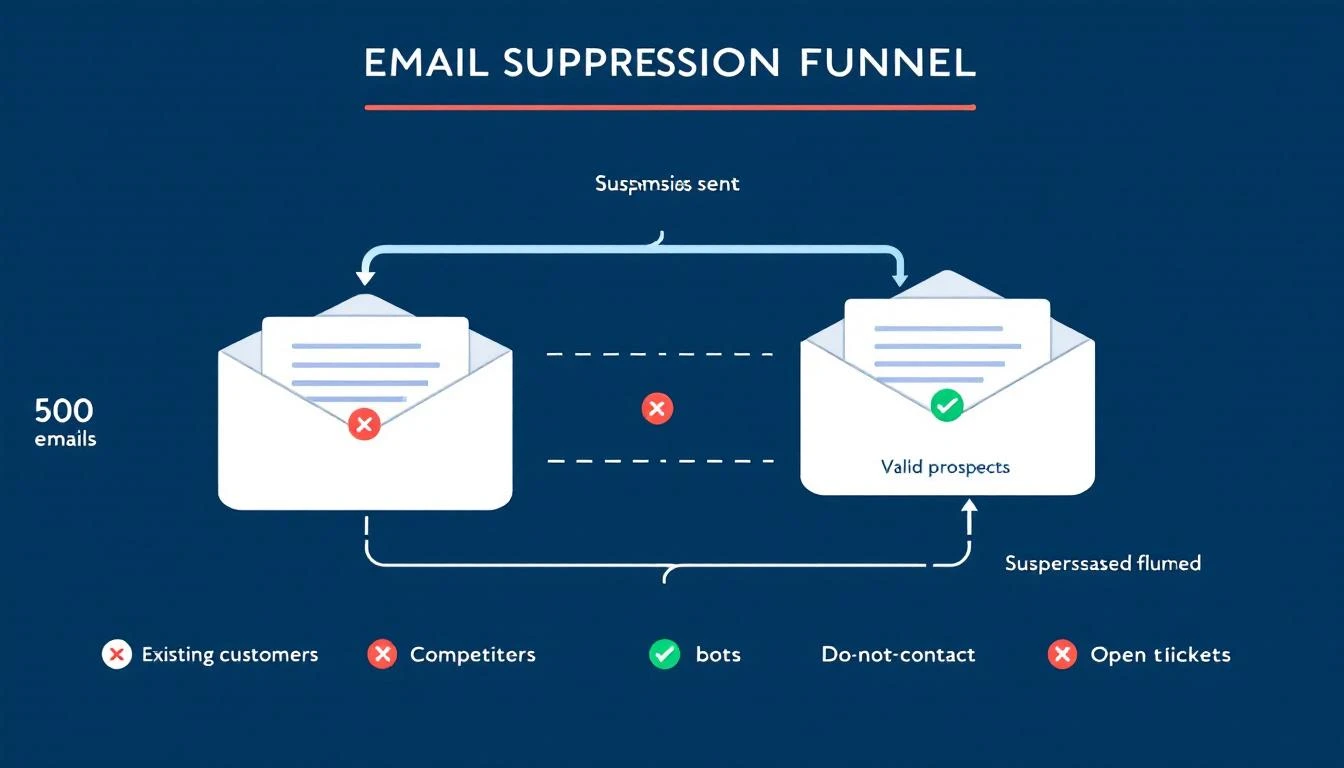
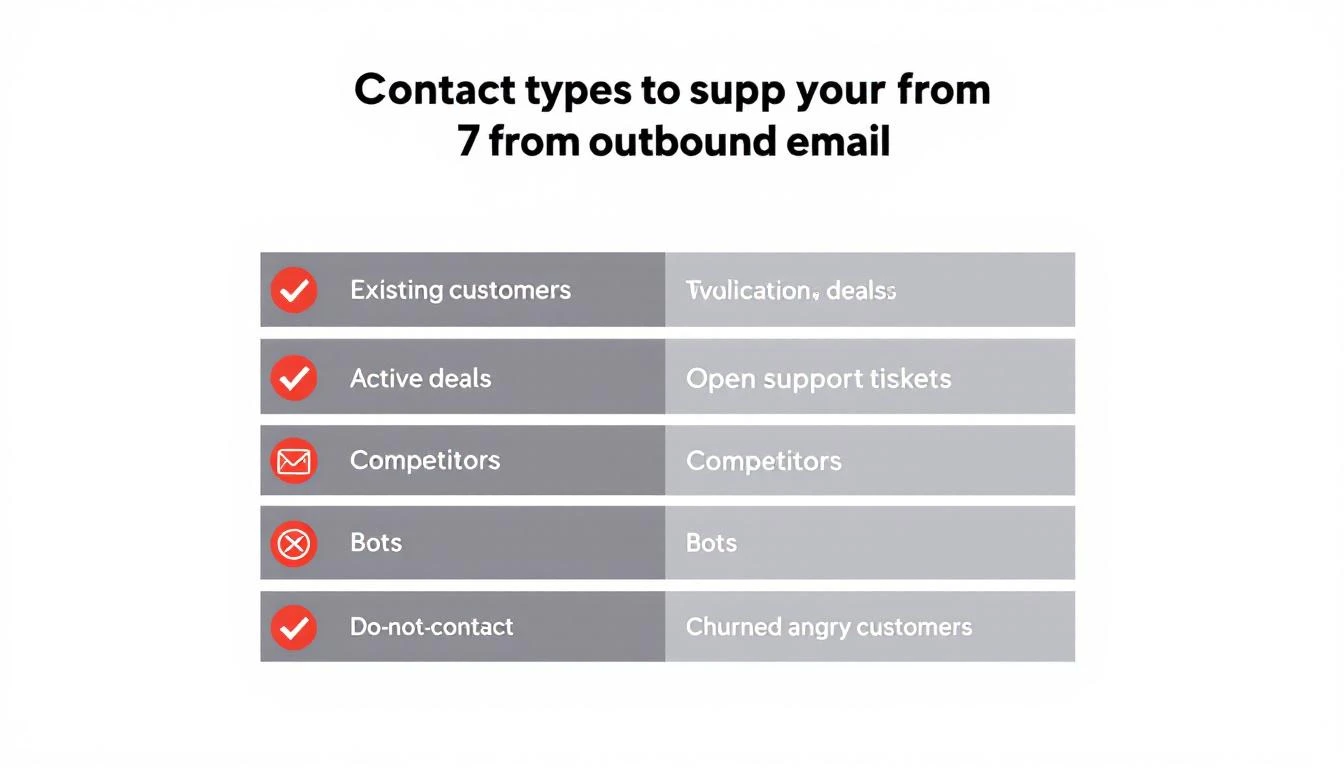
Email suppression funnel filtering out bad contacts before they reach your outbound sequences

The Real Cost of Sending to the Wrong People​

Most teams measure outbound success by volume: emails sent, sequences started, "touches" logged. But volume without precision is actively destructive.

Domain Reputation Damage​

Gmail enforces a maximum spam complaint rate of 0.3% and recommends senders stay below 0.1%. For a 50,000-email campaign, that's just 50 complaints before you hit the danger zone β€” and 150 before active blocking begins.

Every email to someone who marks you as spam, ignores you consistently, or reports you as unwanted trains inbox providers to deprioritize your domain. Once your domain reputation drops, all your emails suffer β€” including the ones going to genuinely interested prospects.

According to ZeroBounce's 2026 Email List Decay Report, at least 23% of an email list degrades every year. Contacts change jobs, email addresses go stale, and preferences shift. Without active suppression, you're compounding bad sends quarter over quarter.

One case study showed open rates as low as 5% before list cleanup. After removing unengaged contacts and focusing on engaged subscribers, rates jumped to a consistent 52%. That's not a marginal improvement β€” it's a 10x difference from the same domain, same content, just smarter targeting.

Wasted Credits and Budget​

Most outbound platforms charge per email or per contact in a sequence. Sending to people who will never buy isn't just ineffective β€” it's expensive. If 18% of your sends are wasted, you're burning nearly a fifth of your outbound budget on negative outcomes.

Pipeline Metric Inflation​

Here's the insidious part: bad sends don't just cost money. They inflate your pipeline metrics and make your outbound look healthier than it is.

When bots click every link in your email (more on this below), your "engaged" count goes up. When existing customers open your prospecting email out of confusion, that registers as an "open." When a competitor clicks through to study your messaging, that's a "click."

Your dashboard says engagement is up. Reality says you're burning your domain talking to people who will never convert.
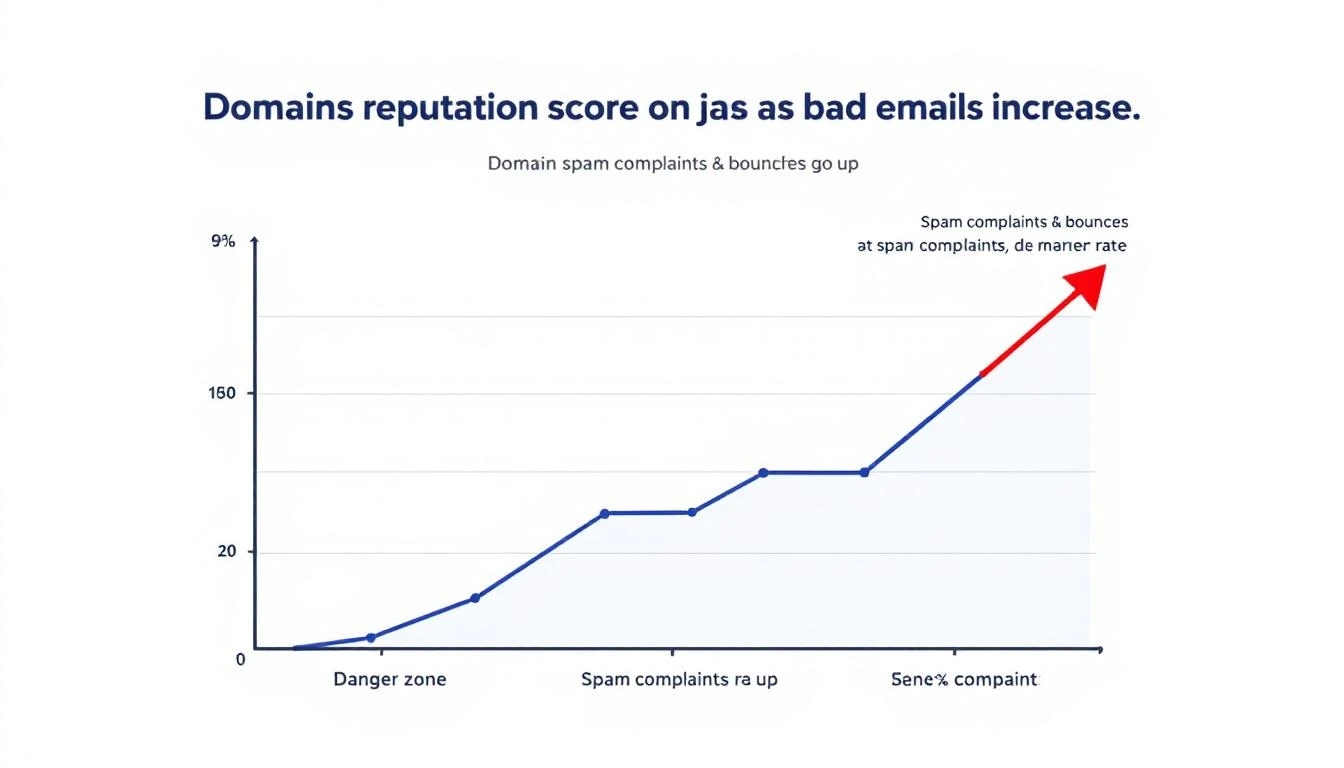
Domain reputation declining as bad sends accumulate over time

The 7 Contact Types You Must Suppress​

Not everyone in your CRM belongs in your outbound sequences. Here are the seven categories that should be automatically filtered out before any email sends.

1. Existing Customers​

This is the most common β€” and most embarrassing β€” suppression failure.

What happens when you don't suppress: A customer paying you $3,000/month gets a cold email that says "I'd love to show you how our platform works." They feel invisible. They question whether your company even knows who they are. If they're on the fence about renewal, this might be the nudge toward churn.

How it should work: Any contact associated with an active account in your CRM should be automatically excluded from all prospecting sequences. No exceptions. If your CRM and outbound tool aren't synced in real time, this is your most urgent integration to fix.

This includes expansion targets within existing accounts. If you're prospecting a new department at a current customer, that requires a warm introduction from your CSM β€” not a cold sequence.

2. Active Deals in Pipeline​

Contacts currently in an active sales cycle should never receive automated outbound sequences.

What happens when you don't suppress: Your AE is carefully nurturing a $50K deal. The prospect is in the evaluation stage. Then they get a generic "Are you looking for a solution?" email from your SDR sequence. The prospect is confused. The AE is furious. The deal might survive, but trust took a hit.

How it should work: Any contact tagged to an open opportunity in your CRM gets auto-suppressed from outbound sequences. When the deal closes (won or lost), suppression rules update accordingly β€” won deals move to customer suppression, lost deals enter a cool-down period before re-engagement.

3. Open Support Tickets​

Contacts at companies with unresolved support issues are in a fragile state. A sales email during a support crisis is tone-deaf at best, deal-killing at worst.

What happens when you don't suppress: A prospect's team is dealing with an integration issue they've been waiting three days to resolve. While they're frustrated, your system sends them an upsell sequence about premium features. The message they receive: "We can't fix your current problems, but would you like to buy more?"

How it should work: When a support ticket is open and unresolved, all contacts at that account should be paused from marketing and sales sequences. Once the ticket is resolved and a satisfaction check has passed, sequences can resume. This requires your helpdesk and outbound systems to talk to each other β€” most don't by default.

4. Competitors​

Competitors sign up for your content, download your resources, and sometimes even enter your outbound sequences. Every email you send them is free competitive intelligence.

What happens when you don't suppress: A competitor's product marketing team receives your full 8-touch outbound sequence. They now know your messaging angles, your cadence timing, your value props, and your CTAs. They use this to position against you. You've armed the competition and paid email credits for the privilege.

How it should work: Maintain a competitor domain list and automatically suppress any contact with a matching email domain. This list should include known competitors, their subsidiaries, and common domains used by competitive intelligence teams. Update it quarterly.

5. Bots and Non-Human Traffic​

Automated bots now account for over 50% of all internet traffic. In B2B email specifically, link-scanning bots from corporate email security systems (Barracuda, Mimecast, Proofpoint) will click every link in your email within seconds of delivery.

What happens when you don't suppress: Your engagement metrics become meaningless. Bot clicks register as "interested" in your platform. SDRs waste time following up on phantom engagement. Pipeline reports show inflated interest that doesn't exist.

A contact who never opened your email shows 6 link clicks because their company's email security scanner pre-fetched every URL. Your SDR calls them and says "I noticed you were looking at our pricing page" β€” except they weren't. That's not personalization. That's embarrassment.

How it should work: Bot detection should analyze click patterns β€” timing (clicks within milliseconds of delivery), behavior (clicking every link in sequence), and user agents. Flagged bot interactions should be stripped from engagement metrics and excluded from follow-up triggers. This isn't optional anymore β€” without it, your entire engagement-based routing system is built on false data.

6. Do-Not-Contact and Opt-Out Lists​

This one seems obvious, but compliance failures happen more often than teams admit. CAN-SPAM violations carry fines of up to $53,088 per email. GDPR penalties are even steeper.

What happens when you don't suppress: Someone unsubscribes from your marketing emails. Your outbound sequence tool, which runs on a separate system, doesn't know about the opt-out. They get another email. Now you have a compliance violation, a PR risk, and a burned contact who will warn their network about your company.

How it should work: Suppression lists must be centralized and synchronized across every sending system β€” marketing automation, sales sequences, one-off sends. When someone opts out anywhere, they're suppressed everywhere, immediately. This requires real-time sync, not nightly batch jobs.

7. Churned and Angry Customers​

Not all churned customers are the same. Some left amicably β€” budget cuts, reorganization, timing wasn't right. Others left angry β€” product issues, broken promises, bad support experiences. The second group requires special handling.

What happens when you don't suppress: A customer who churned six months ago after a painful experience gets re-enrolled in your outbound sequence. The email lands. They remember everything that went wrong. Instead of a fresh start, you've reopened a wound. Worst case: they leave a public review about the experience.

How it should work: Churned accounts should be tagged with churn reason and sentiment. Amicable churns can re-enter sequences after a cooling period (6-12 months) with messaging that acknowledges the prior relationship. Angry churns should be manually reviewed before any re-engagement β€” never automated.

The 7 contact types that should be automatically suppressed from outbound sequences

What Proper Suppression Actually Looks Like​

Manual suppression doesn't work. The moment you rely on SDRs to check a spreadsheet or remember which accounts have open tickets, you've already lost.

Proper suppression is:

  • Automatic β€” runs on every contact before every send, no human intervention
  • Real-time β€” syncs with your CRM, helpdesk, and compliance systems continuously
  • Centralized β€” one suppression layer that applies across all sending channels
  • Auditable β€” you can see exactly why a contact was suppressed and when
  • Reversible β€” when conditions change (ticket resolved, deal lost, cooling period ends), contacts re-enter the eligible pool

Most outbound tools offer basic suppression β€” unsubscribes and hard bounces. That's table stakes. The categories above require your outbound platform to integrate deeply with your CRM, support desk, and engagement analytics.

This is one of the reasons we built contact-level suppression directly into MarketBetter's workflow engine. Every contact is evaluated against suppression rules before any sequence step fires β€” not at the list level, but at the individual contact level, in real time.

The Bot Detection Problem Is Worse Than You Think​

Let's zoom in on bot traffic because it's the suppression category most teams ignore β€” and it's the one silently destroying their pipeline metrics.

Nearly 1 in 3 web requests come from bots. In B2B email, the problem is compounded by corporate email security systems that pre-click every link to scan for malware. These aren't malicious bots β€” they're security tools doing their job. But they wreak havoc on engagement data.

Here's what bot-inflated metrics look like in practice:

MetricWhat Your Dashboard SaysWhat's Actually Happening
Link clicks340 clicks this week180 are bot pre-fetches
"Hot" leads45 contacts clicked pricing page20 were security scanners
Sequence engagement62% engagement rateReal engagement is ~35%
SDR follow-ups triggered28 high-intent callbacks12 are based on fake signals

When your SDRs prioritize follow-ups based on engagement scores inflated by bots, they're chasing ghosts. The real high-intent prospects β€” the ones who genuinely clicked once and spent 30 seconds on your pricing page β€” get buried under false positives.

Bot detection isn't a nice-to-have. It's a prerequisite for any engagement-based routing or prioritization system. Without it, you're optimizing against noise.

How Suppression Protects Your Domain Long-Term​

Think of domain reputation like a credit score. Every good send (opened, read, replied to) builds it up. Every bad send (bounced, ignored, marked as spam) tears it down. And just like a credit score, damage is easier to inflict than repair.

Here's the flywheel:

Positive cycle: Clean list β†’ high engagement β†’ strong domain reputation β†’ better inbox placement β†’ even higher engagement

Negative cycle: Dirty list β†’ low engagement β†’ declining domain reputation β†’ more emails hitting spam β†’ even lower engagement β†’ domain blocklisted

Teams stuck in the negative cycle often try to fix it with email warmup tools or deliverability platforms. Those help, but they're treating symptoms. The root cause is sending to people who shouldn't receive your emails in the first place.

ActiveCampaign's reputation repair guide recommends that teams in recovery should send only to recipients who engaged in the last 3 months β€” for 2 to 4 weeks straight. That's the equivalent of putting your outbound on life support while your domain heals.

Prevention through suppression is orders of magnitude cheaper than reputation repair.

Building Your Suppression Strategy: A Practical Framework​

Here's how to implement suppression that actually works:

Step 1: Audit Your Current Sends​

Pull your last 30 days of outbound. For each contact who received an email, check:

  • Are they an existing customer? (CRM status = active)
  • Are they in an active deal? (open opportunity)
  • Do they have open support tickets?
  • Is their domain on your competitor list?
  • Did they previously opt out or request no contact?
  • Did they churn? If so, what was the sentiment?
  • Did their "engagement" come from bot patterns?

Most teams find that 10-25% of their sends are going to contacts who should have been suppressed. That's the size of the problem.

Step 2: Centralize Your Suppression Data​

Your suppression logic needs data from:

  • CRM β€” customer status, deal stage, account owner
  • Helpdesk β€” open ticket status, resolution state
  • Compliance β€” opt-out lists, do-not-contact requests
  • Competitor intelligence β€” known competitor domains
  • Engagement analytics β€” bot detection flags

If these systems don't talk to each other, suppression gaps are inevitable. The integration layer between these systems is where most suppression failures originate.

Step 3: Automate at the Contact Level​

List-level suppression (excluding an entire list from a campaign) is insufficient. You need contact-level evaluation that checks every suppression rule before every individual send. A contact's status can change between when a sequence was built and when a specific email fires β€” they might become a customer, file a support ticket, or opt out mid-sequence.

This is the difference between basic email sequence tools and a platform built for intelligent outbound. Your system should continue the workflow chain even when individual contacts are suppressed β€” skipping the suppressed contact and moving to the next step for everyone else, rather than breaking the entire sequence.

Step 4: Monitor and Iterate​

Track suppression rates by category. If competitor suppressions spike, your competitive landscape is shifting. If customer suppressions are high, your CRM sync might be lagged. If bot suppressions climb, email security tooling at your target accounts has changed.

Suppression data is intelligence. Use it.

The SDR Productivity Angle​

Suppression isn't just about deliverability β€” it's about SDR time.

Every wasted send has a downstream cost: the SDR who reviews the "engagement," the follow-up call to someone who was never interested, the manual CRM note to disqualify. Multiply that by hundreds of contacts per week and you've got SDRs spending 20-30% of their time on contacts who never should have been in their queue.

Proper suppression gives SDRs something more valuable than more leads. It gives them cleaner leads. When every contact in their sequence is genuinely eligible β€” no customers, no competitors, no bots β€” their conversion rates improve and their confidence in the data goes up.

This is why the best outbound platforms don't just send emails β€” they decide who shouldn't receive them. The filtering is as important as the sending.

What to Do Right Now​

If you're running outbound sequences today, here's your immediate action list:

  1. Check your CRM sync β€” is your outbound tool getting real-time customer status? Or is it running on a stale export from last week?
  2. Build a competitor domain list β€” start with your top 10 competitors. Add subsidiaries and known aliases.
  3. Audit bot engagement β€” look for contacts with clicks but zero time on page, or clicks that happened within 2 seconds of email delivery.
  4. Connect your helpdesk β€” ensure open support tickets trigger automatic sequence pauses.
  5. Centralize opt-outs β€” if someone unsubscribes from marketing, are they also removed from sales sequences?

Every day you delay, your domain reputation takes incremental damage and your SDRs waste time on the wrong people. The fix isn't more discipline β€” it's better systems.


Tired of burning outbound sequences on people who will never buy? MarketBetter automatically suppresses existing customers, competitors, bots, and do-not-contact lists at the contact level β€” before any email sends. Your SDRs only work contacts that can actually convert.

See how automatic suppression works β†’


Related reading:

Beyond the Inbox: An Actionable Guide to Email Open Rates for Sales Leaders

Β· 18 min read

I'm going to be blunt: your email open rate report is probably lying to you. While it might feel good to see high numbers, the reality is that many of those "opens" are triggered by machines, not actual prospects. This creates a dangerous gap between the data you see and the real engagement you're getting.

Why Your Email Open Rates Are Lying to You​

It’s an uncomfortable truth, but one every sales leader needs to confront. As we head through 2026, the open rates in your dashboard have become increasingly disconnected from genuine human interest, mostly thanks to new privacy-focused tech.

The main driver behind this is Apple's Mail Privacy Protection (MPP). It works by automatically pre-loading email content on its own servers, which instantly triggers the tracking pixel that counts as an "open." This happens whether the recipient ever lays eyes on your message or not.

The Motion Sensor Analogy​

I like to explain it this way: imagine your open rate is a motion sensor at the front of a store. Its only job is to count people walking through the door. But what if it's placed poorly and also counts every car that drives by on the street?

At the end of the day, your report would show incredible foot traffic, but your sales would be flat. The sensor is technically working, but it’s counting the wrong thing. This is exactly what's happening with your open rates email metrics; they're counting server pings, not just human attention.

This generates an army of "ghost opens"β€”open events logged by automated systems, not curious prospects. If you're relying on that inflated number to judge a subject line's effectiveness or a campaign's success, you're essentially navigating with a broken compass.

A New Role for an Old Metric​

So, if open rates are no longer a reliable measure of interest, should you just ignore them? Not exactly. The metric isn't useless; its job has just changed. Think of it less as a performance indicator and more as a technical diagnostic tool.

Your open rate is now the canary in the coal mine for your email deliverability. Its real value is in spotting big-picture technical issues before they derail your outreach.

Here’s an actionable comparison:

  • A sudden, sharp drop in opens is a huge red flag. It’s a strong signal that your emails are landing in spam, meaning prospects aren't even getting a chance to see them. This is your cue to immediately investigate your sender reputation and list health.
  • A steady, high rate, even if it seems inflated, is actually good news. In contrast, this suggests your emails are successfully making it to the primary inbox. Your subject lines are passing the first filter and at least have an opportunity to be read.

By shifting how you look at it, this flawed metric becomes useful again. The goal is no longer about celebrating a 70% open rate. It's about using the data to confirm your technical foundation is solid, which frees you up to focus on the metrics that truly matter: clicks and replies.

How Email Open Rates Are Actually Measured​

Ever wondered what really happens when you get that β€˜email opened’ notification? To understand why your open rate data can be so misleading, you have to look under the hood at the technology that powers it.

The whole system relies on a tiny, invisible image called a 1x1 tracking pixel. It’s a single, transparent pixel hidden in the code of your email. When your prospect’s email client (like Outlook or Gmail) loads the images in your message, it has to fetch that tiny pixel from your email provider’s server. That request is the signal that logs an β€œopen.”

It's a clever trick, but it's an old one. This method was never built to handle the privacy-first world we live in today, where automated systems can easily trip the wire and give you a false signal.

This map shows the difference between a real openβ€”from a personβ€”and a β€œghost open” triggered by a machine.

Concept map illustrating email open rates, differentiating real and ghost opens influenced by privacy features.

As you can see, the journey to a logged open isn't always what it seems. For any sales leader, knowing this difference is absolutely essential.

Where the Measurement Breaks Down​

So, why isn't the tracking pixel reliable? A few common issues can completely throw off your data, making open rates a shaky indicator of who's actually reading your emails.

Here are the main culprits:

  • Image Blocking: Plenty of people have their email clients set to block images by default. If a prospect reads your entire message but never clicks "display images," the pixel never loads. You get zero credit for an open, even though they were engaged.
  • Text-Only Previews: The preview panes in many email clients only show the plain text version of an email. Just like with image blocking, the pixel doesn’t fire, and the open goes unrecorded.
  • Automated Server Actions: This is the big one. Privacy features, most notably Apple's Mail Privacy Protection (MPP), now pre-fetch and download all email content through their own servers. This automatically triggers the tracking pixel and logs an open, even if the user never laid eyes on your message.

This difference between a 'real open' (a prospect reading your message) and a 'proxy open' (an Apple server fetching the content) is critical. A 95% open rate paired with a 0.2% click rate isn't a success story; it's a clear signal of a measurement problem.

This data inflation is everywhere. For instance, recent industry reports showed the global average email open rate climbed to 42.35% in 2025. While that sounds great, a huge part of that increase comes from automated opens triggered by services like MPP, not from more human engagement.

Ultimately, these technical blind spots mean that while you can confirm your emails are landing, you can't always trust the open rate to tell you who is truly interested. Getting your emails delivered is just the first step. To get the full story, it helps to understand all the factors that impact whether your emails arrive in the first place, which you can find in our comprehensive B2B email deliverability guide.

Setting Realistic B2B Email Benchmarks​

Everyone wants to know: what’s a β€œgood” email open rate? The honest answer is, it depends. Chasing some universal number is a losing game because what’s considered great for one team might be a total flop for another.

The key is to stop looking for a magic number and start setting benchmarks that actually make sense for your specific industry, region, and campaign goals.

Just look at how much geography can influence performance. Different markets have different digital habits and levels of inbox saturation. For example, recent data showed the Americas having a standout year, with an average open rate of 58.8%β€”a full 3.4% higher than the global average. The region’s unique open rate of 40.8% also beat the worldwide figure of 37.7%.

That kind of performance, including a 7.1% year-over-year jump, shows just how much regional factors matter. It's a useful piece of context, but it's not the full story.

Compare Your Campaigns, Not Your Company​

Even within your own team, not all emails are created equal. The most common mistake SDRs and managers make is comparing the open rates of completely different types of campaigns.

A hyper-personalized, one-to-one email sent to a Tier 1 executive shouldn't be judged against a broad, automated sequence sent to a list of 200 prospects. They have entirely different objectives, levels of effort, and expected outcomes.

It’s like comparing a sniper rifle to a shotgun. You use one for a single, high-value target that requires extreme precision. You use the other for wider coverage. You’d never measure their success by the same standard.

To make your reporting meaningful, you have to start tracking performance based on the type of campaign you’re running.

Here’s a look at how benchmarks can differ dramatically by campaign type. These are solid starting points for most outbound B2B teams.

B2B Email Open Rate Benchmarks Comparison​

CategoryBenchmark Open RateActionable Tip for SDRs
Tier 1 Account Outreach70-85%Action: If rates are below this, audit your personalization. Is it truly unique to the prospect, or just a mail-merged first name?
Automated Prospecting Cadence40-55%Action: A/B test your subject lines constantly in these campaigns. A small improvement here scales across the entire list.
Re-Engagement Campaign30-45%Action: Try a pattern-interrupt subject line like "Still interested?" or "Closing your file". A direct question can often spark a response.

As you can see, the definition of a "good" open rate changes depending on the mission. Context is everything.

Build Your Own Benchmark​

Ultimately, the only benchmark that truly matters is your own. Your team's historical data is the most reliable source of truth for what’s possible. Stop looking for an external magic number and start looking at your own past performance.

Here’s a simple, four-step process to create a baseline that works for you:

  1. Analyze Past Performance: Pull the data from all your outbound sequences over the last quarter.
  2. Segment by Campaign: Group the results by campaign type (e.g., Tier 1, automated prospecting, event follow-up).
  3. Establish a Baseline: Calculate the average open rate for each of those categories. That’s your new starting line.
  4. Set an Actionable Goal: Forget about doubling your numbers overnight. Aim to improve each category’s baseline by a realistic 5-10% over the next quarter.

By following this approach, your open rate transforms from a simple vanity metric into a powerful diagnostic tool. It tells you exactly what’s workingβ€”and what isn’tβ€”for your team, your prospects, and your strategy.

Actionable Steps to Improve Real Email Engagement​

Forget about just getting your open rate number to go up. Since we know those metrics can be misleading, let’s talk about what actually gets a real person to stop scrolling and read your email. It's less about gaming the system and more about earning that click.

Sketched icons representing sender reputation, subject lines, preview text, and timing for email optimization.

When you boil it all down, there are four key things that convince a busy prospect to give you their time: your reputation, your subject line, that little snippet of preview text, and when you show up in their inbox.

If you get these four elements right, you’re optimizing for genuine human interest, not just a tracking pixel.

Protect Your Sender Reputation​

Think of your sender reputation as your passport to the inbox. A bad one gets you a one-way ticket to the spam folder, and everything else you do is for nothing. It’s basically a credit score for your email domainβ€”the higher it is, the more mailbox providers like Google and Microsoft trust you.

Here are two non-negotiable actions:

  • Warm Up Your Domain: Never blast out a ton of emails from a brand-new domain. You have to build trust. Start by sending a few emails to people you know will open them, then slowly ramp up your volume over a few weeks. This shows the filters you’re a legitimate sender, not a spammer.
  • Keep Your Lists Clean: Routinely clear out bad email addresses and contacts who haven't engaged in months. A high bounce rate is a huge red flag for email providers and will tank your reputation faster than almost anything else.

Craft Unforgettable Subject Lines​

Your subject line is your first impression, and you’ve got about three seconds to make it count. It needs to be interesting enough to stop someone in their tracks and make them curious about what's inside. The secret is to mix genuine personalization with a hint of value.

Action: Run a subject line A/B test. Send half your list a question-based subject line (e.g., "Idea for [Company Name]?") and the other half a benefit-driven one (e.g., "Cutting your team's ramp time"). Compare the click-through rates (not just opens!) to see which resonates more with your audience.

Personalized subject lines can lead to 50% higher open rates, and when you realize that 42-60% of people open emails on their phones, a short, punchy subject line is absolutely critical to stand out on that small screen.

If you need some fresh ideas, our guide to subject lines for sales emails is packed with examples that work.

Maximize Your Preview Text​

That little line of text next to the subject line? That’s your preview text, and it’s your second chance to grab their attention. Too many reps waste this prime real estate with junk like, "Having trouble viewing this email?"

Actionable Comparison: Bad: "Hi [First Name], My name is..." (Wastes space) Good: "A quick question about your Q3 hiring goals..." (Adds context and curiosity) Use the preview text to build on your subject line. Ask a thought-provoking question, hint at the solution you're offering, or add a detail that makes opening the email irresistible.

Perfect Your Timing​

Finally, when your email lands can be just as important as what it says. Hitting a prospect’s inbox at the exact moment they’re most likely to be engaged dramatically increases your odds of getting noticed. For a deeper dive, there's great info on understanding the best time to send an email.

Action: Don't just send all your emails at 9 AM on a Tuesday. Use engagement tracking to identify when your key accounts are most active. Then, schedule your most important emails to land 10-15 minutes before those peak activity windows. Platforms like marketbetter.ai automate this, prioritizing tasks to align with buyer activity.

Measuring What Truly Matters for Your Pipeline​

Since we know email open rates can be misleading, it’s time to stop obsessing over them. Chasing ghost opens is a waste of energy. Instead, the best sales teams I’ve worked with focus on the numbers that actually predict and drive real pipeline.

These are the metrics that show you what’s really happening when your emails land in a prospect’s inbox.

An illustration showing email marketing metrics: Opens, CTR, COTOR, Replies, leading to Pipeline.

Think of these as the true signals of engagement. They move past vanity numbers and give you a clear, honest picture of your messaging, your offer, and your overall outbound strategy.

How to Read the Real Engagement Signals​

Each of these metrics tells you something different. A high open rate might feel great, but if no one clicks or replies, it's just noise. The real skill is learning how these numbers work together to tell a story about your campaign's performance.

Let's break down how to read the tea leaves.

  • Click-Through Rate (CTR): This is the gold standard of engagement. It’s the percentage of people who actually clicked a link in your email. A click is a definitive action; it shows your message was compelling enough for someone to do something. For context, the average email click rate across industries is about 2.09%.

  • Click-to-Open Rate (CTOR): This metric digs a layer deeper. It compares the number of unique clicks to the number of unique opens, which helps you judge the quality of your email’s content and call-to-action, even if your open rate is artificially high.

  • Reply Rate: For most outbound sales, this is the holy grail. A replyβ€”even a "not interested" oneβ€”means a human read your email and felt compelled to respond. It’s your ticket to starting a real conversation.

When you look at these metrics together, you can diagnose exactly where your outreach is falling short.

Actionable Diagnosis: Scenario A: High Open Rate, Low CTR

  • Comparison: Your subject line is effective, but your email body is not.
  • Action: Rewrite the body copy. Is the call-to-action clear? Is the value proposition compelling? Scenario B: Good CTR, Zero Replies
  • Comparison: Your content is interesting, but your ask is wrong.
  • Action: Re-evaluate your call-to-action. Is it too high-commitment (e.g., "Book a demo")? Try a softer ask (e.g., "Is this a priority for you?").

This kind of analysis turns a simple data report into a powerful coaching tool for your entire team. For a deeper dive, check out our guide on how to segment email lists to improve message relevance.

Tying Your Data Back to Your CRM​

The biggest hurdle to tracking these metrics effectively? Messy, disconnected data. When reps are jumping between their inbox, a sales engagement platform, and the CRM, activities get lost in the shuffle. It becomes almost impossible to get a clear picture of what's actually working.

This is where having a tool that lives inside your CRM makes all the difference.

Platforms like marketbetter.ai that are built to work directly within your CRM solve this problem by automatically logging every call, email, click, and reply. This simple change ensures your data is always clean, complete, and tied directly to the right contact and account record.

With all your data in one place, sales leaders can finally build dashboards that track what truly moves the needle. You can see which reps are getting the most replies, which email templates are driving the highest CTR, and which sequences are actually creating pipeline. This is how you get your team to stop chasing vanity metrics and start focusing on the activities that generate revenue.

Frequently Asked Questions About Email Open Rates​

Even after you've got a handle on the basics, a few nagging questions about open rates can still cause confusion. Let's clear the air and tackle the most common ones I hear from sales leaders, so you can stop worrying and start focusing on what actually works.

How Often Should I Check My Email Open Rates?​

This one's easy: stop checking them daily. Obsessing over day-to-day blips will drive you crazy and lead to bad decisions based on statistical noise. Instead, make it a weekly habit.

Think of it like checking your car's tire pressure. You don't do it every single time you get in the car, but a regular check-up keeps you from getting a flat. A weekly review gives you enough real data to spot meaningful trends and catch a big drop that might signal a deliverability problem, without getting lost in the weeds.

What's More Important: Open Rate or Click-Through Rate?​

It’s not even a fair fight. Your click-through rate (CTR) is vastly more important. An open might mean someone saw your email, but a click is hard proof of genuine interest. It’s a deliberate action that tells you your message connected with the prospect.

A high open rate with a low CTR is a classic warning sign. It screams that your subject line did its job, but the email body completely missed the mark. In comparison, a decent open rate with a great CTR shows you’re hitting the right people with a message that resonates. Clicks and replies are the currency of outbound; opens are just loose change.

Should I Remove Subscribers Who Don't Open My Emails?​

Yes, but you need a smart approach. Don't just go on a purge based on opens alone, especially since we know the tracking is shaky. A much better way is to identify contacts who haven't opened or clicked anything in the last 90-120 days.

Action Plan:

  1. Segment: Create a list of contacts with no opens or clicks in 90 days.
  2. Re-engage: Send them a final, direct campaign with a subject line like, "Is this goodbye?" or "Still interested in [Topic]?"
  3. Purge: If they still don't engage, remove them. A clean, engaged list is your best friend for improving sender reputation and overall campaign performance.

Is a Low Open Rate Always a Bad Sign?​

Not always. While a low open rate is often the first sign of a deliverability issue or a weak subject line, context is everything.

Compare these two scenarios:

  • Cold List Re-engagement: An open rate of 30-45% could actually be a huge win here. It shows you're successfully reviving a stale audience.
  • Tier 1 Personalized Outreach: Here, anything below 70-85% is a five-alarm fire. It means your high-value messaging or deliverability is failing.

The "good" or "bad" of an open rate depends entirely on the campaign's contextβ€”who you're emailing and what you're trying to achieve.


Stop guessing what to do next. marketbetter.ai turns buyer signals into a prioritized task list for your SDRs, complete with AI-generated emails and a CRM-native dialer to ensure reps execute flawlessly. Transform your outbound motion and see how much pipeline your team can really build at https://www.marketbetter.ai.

How to Build an AI-Powered Sales Prospecting Engine (Without Burning Your Domain)

Β· 11 min read
MarketBetter Team
Content Team, marketbetter.ai

I've got a prediction for you: by the end of 2026, there will be a graveyard of burned domains belonging to sales teams who got excited about AI-generated cold emails and didn't think about what happens after you hit send.

We're already seeing it. Teams discover AI can generate personalized cold emails at scale. They feed a prospect list into an LLM, get back 500 tailored emails in an hour, load them into their outbound tool, and blast them out. The first week feels amazing β€” look at all this outreach volume!

By week three, their inbox placement rate has cratered. By week six, their primary domain is on a blocklist. By week ten, they're buying new domains and starting the warmup process from scratch while their pipeline generation flatlines.

I've watched this play out at at least a dozen companies in the last six months. The pattern is so consistent it's almost formulaic.

Here's the thing: the AI part works. The emails it writes are generally good β€” personalized, relevant, well-structured. The problem isn't the content generation. The problem is the infrastructure β€” or rather, the complete absence of it.

The Content-Infrastructure Inversion​

Most of the conversation about AI in sales prospecting focuses on the wrong thing. The discourse is dominated by prompts, templates, personalization techniques, and which LLM writes the best cold emails.

Meanwhile, the actual bottleneck in email-based prospecting hasn't changed in years: can your email reach the recipient's inbox?

Inbox placement rates for cold outbound have been declining steadily. Google's 2024 sender requirements made it harder. Microsoft's follow-up tightening in 2025 made it harder still. The major inbox providers are increasingly sophisticated at detecting mass outreach, and their tolerance for it is approaching zero.

In this environment, the ability to generate a great email is worth approximately nothing if the email lands in spam. You've optimized the wrong variable. It's like spending all your money on the world's best racing tires and then putting them on a car with no engine.

The infrastructure layer β€” deliverability, sender reputation, domain health β€” is now the primary constraint on outbound prospecting. And AI, as currently deployed by most teams, makes this constraint worse, not better.

How AI Makes Deliverability Worse​

This isn't intuitive, so let me spell it out.

Volume amplification. AI makes it trivially easy to generate large volumes of personalized email. Before AI, a rep might send 50-80 manual cold emails per day. With AI-assisted drafting, they can "personalize" 300-500 per day. But inbox providers judge sending behavior by volume patterns. A domain that goes from 50 emails/day to 500 emails/day in a week gets flagged. Instantly.

Template similarity. AI-generated emails, even when "personalized," share structural patterns. The same sentence structures. The same transition words. The same approach to inserting prospect-specific details into a common framework. Inbox providers use machine learning to detect templated email. AI-generated email, despite surface-level personalization, often triggers these detectors because the underlying structure is consistent.

Engagement ratio collapse. Deliverability algorithms heavily weight engagement β€” replies, opens, click-throughs. When you 5x your send volume with AI, your absolute number of replies might stay flat (or even decrease, because you're emailing less targeted prospects to fill the volume). Your engagement ratio β€” replies divided by emails sent β€” drops. Low engagement ratio signals to inbox providers that recipients don't want your email. Your sender reputation degrades.

Link and content patterns. AI-generated emails often include similar CTAs, similar link structures, and similar content patterns across hundreds of sends. Inbox providers track these patterns across their entire user base. If 200 of your AI-generated emails hit Gmail mailboxes and they all share a structural pattern, Gmail's spam detection notices.

The net effect: AI enables you to send more email, faster, with less effort β€” which is exactly the behavior pattern that modern inbox providers are designed to punish.

The Infrastructure That Actually Matters​

So how do you build an AI-powered prospecting engine that doesn't torch your domain? The answer is infrastructure, and it's more complex than most people realize.

1. Domain Strategy​

Never, ever send cold outbound from your primary domain. This is rule zero. If marketbetter.com is your main website domain, your cold outbound should go from getmarketbetter.com or trymarketbetter.com or a similar variant.

But one sending domain isn't enough for any serious outbound operation. You need multiple sending domains, ideally 3-5, to distribute volume and isolate reputation risk. If one domain gets flagged, the others continue operating.

Each domain needs:

  • Proper DNS configuration (SPF, DKIM, DMARC)
  • Separate IP addresses (or at least separate sending pools within your ESP)
  • Independent warmup schedules
  • Monitoring for blacklists and reputation changes

2. Domain Warmup​

A new domain can't send 200 cold emails on day one. Inbox providers need to build a reputation profile for each sending domain, and that profile is built gradually through consistent, low-volume sending with high engagement.

A proper warmup schedule looks something like:

  • Week 1-2: 10-20 emails/day to engaged contacts (people who are likely to open and reply)
  • Week 3-4: 30-50 emails/day, mixing warm contacts with a small number of cold prospects
  • Week 5-6: 50-80 emails/day with increasing cold proportion
  • Week 7-8: 80-120 emails/day at target cold/warm ratio
  • Ongoing: Gradual increases with continuous monitoring

If at any point during warmup your open rates drop below 40% or your bounce rate exceeds 3%, you pull back volume and investigate.

Most AI-powered prospecting setups skip warmup entirely. They set up a new domain and start blasting within days. This is domain suicide.

3. Sender Rotation​

Even with multiple warmed domains, you need to rotate senders strategically:

  • Round-robin across domains to keep per-domain volume below detection thresholds
  • Multiple mailboxes per domain (3-5 per domain) to distribute volume further
  • Daily send limits per mailbox β€” typically 30-50 emails for cold outbound
  • Time-zone-aware sending to mimic human behavior patterns
  • Send pattern randomization to avoid robotic consistency (don't send exactly 40 emails at exactly 9 AM every day)

4. List Hygiene​

AI makes it easy to generate large prospect lists. Large prospect lists contain invalid, risky, and low-quality email addresses. Sending to these addresses kills your deliverability.

Before any AI-generated email goes out, the target address needs:

  • Email verification β€” real-time validation that the mailbox exists and accepts mail
  • Catch-all detection β€” identifying domains that accept all email (these inflate your list but often don't have real recipients)
  • Risk scoring β€” flagging addresses that are likely to bounce, mark as spam, or be honey traps
  • Duplicate detection β€” preventing the same prospect from receiving the same sequence from multiple mailboxes or domains

A bounce rate above 2-3% on any given send will damage your domain reputation. List hygiene isn't optional.

5. Content Guardrails​

This is where AI-generated email needs specific constraints:

  • Spam word detection β€” LLMs love using words that trigger spam filters (free, guaranteed, act now, limited time). Your system needs a filter between the LLM and the send queue.
  • Link minimization β€” Every link in a cold email is a spam risk signal. AI-generated emails should contain zero or one link maximum.
  • Image avoidance β€” No images in first-touch cold emails. They're a spam signal.
  • Plain text preference β€” HTML-rich cold emails get filtered more than plain text. Your AI should generate plain text emails.
  • Structural variation β€” If every email follows the same structure (personalized opening β†’ pain point β†’ value prop β†’ CTA), inbox providers will detect the pattern. Your AI needs to generate meaningfully different structures, not just different words in the same template.
  • Unsubscribe compliance β€” Every cold email needs a proper unsubscribe mechanism. This isn't optional β€” it's legally required and deliverability-impactful.

6. Throttling and Monitoring​

Your sending infrastructure needs real-time monitoring and automatic throttling:

  • Bounce rate monitoring β€” automatic send pause if bounces exceed threshold
  • Spam complaint monitoring β€” even a 0.1% complaint rate is concerning
  • Blacklist monitoring β€” daily checks across major blacklists (Spamhaus, Barracuda, URIBL)
  • Inbox placement testing β€” regular seed list tests to verify your emails are hitting inbox, not spam
  • Volume throttling β€” automatic send slowdown if any reputation metric degrades
  • Daily and weekly sending caps β€” hard limits that can't be overridden by enthusiastic reps or runaway AI

The Phone Channel: Your Deliverability Insurance​

Here's something the pure email crowd misses: in an environment where email deliverability is getting harder every quarter, the phone becomes more valuable, not less.

A cold call doesn't have a spam filter. It doesn't have a warmup period. It doesn't care about your domain reputation. When email deliverability degrades, the phone is your insurance policy.

But phone prospecting has its own infrastructure requirements:

  • Local presence dialing β€” calling from a number with the prospect's area code dramatically increases answer rates
  • Parallel dialing β€” calling multiple prospects simultaneously and connecting the rep to whoever answers first
  • Voicemail drop β€” pre-recorded voicemails that sound personal but don't require the rep to leave a live message every time
  • Call recording and transcription β€” for coaching, compliance, and AI-powered analysis
  • CRM integration β€” automatic activity logging so the call triggers the next step in the sequence

The best prospecting engines in 2026 are multi-channel by design: AI-personalized email through deliverability-safe infrastructure, plus phone through an integrated smart dialer. When email deliverability dips, phone volume increases. When an email gets a reply, the dialer queues the contact for a follow-up call. The channels work together, not independently.

This is the model MarketBetter uses β€” smart dialer, deliverability-safe email sequencing, and AI personalization with built-in guardrails. The AI generates the content, the infrastructure ensures it lands, and the dialer provides the channel diversity that protects against email deliverability fluctuations.

The Prospecting Engine Architecture​

Putting it all together, here's what a production AI prospecting engine looks like:

Signal Layer (who to target)
↓
Enrichment Layer (contact data + context)
↓
AI Personalization Layer (content generation with guardrails)
↓
Quality Gate (content review, spam check, compliance)
↓
Infrastructure Layer (domain rotation, warmup, throttling)
↓
Multi-Channel Execution (email + phone + social)
↓
Monitoring Layer (deliverability metrics, engagement tracking)
↓
Feedback Loop (results β†’ signal layer refinement)

Notice that AI personalization is one layer in an eight-layer stack. Important? Yes. Sufficient on its own? Not even close.

The open source GTM agent repos give you excellent tooling for the AI personalization layer. They give you nothing for the other seven layers. And those seven layers are where prospecting engines succeed or fail.

Practical Advice for Sales Leaders​

If you're implementing or upgrading an AI-powered prospecting engine, here's the priority order:

First: Fix your deliverability infrastructure. Set up multiple sending domains. Configure DNS authentication. Implement warmup protocols. Set up monitoring. This isn't exciting work, but it's the foundation everything else depends on.

Second: Implement list hygiene. Every email address gets verified before any sequence runs. Bounce rates stay below 2%. No exceptions, no matter how eager the rep is to "just send it."

Third: Add the AI personalization layer β€” with guardrails. Use AI to draft personalized sequences. But run every email through content filters before it hits the send queue. Enforce structural variation. Limit links. Keep it plain text.

Fourth: Integrate the phone channel. If you don't have a smart dialer, get one. If you have one but it's not connected to your email sequences, connect it. Multi-channel prospecting isn't optional in 2026.

Fifth: Build the feedback loop. Track which emails land in inbox vs. spam. Track which subject lines get opens. Track which personalization approaches get replies. Feed all of it back into your AI prompts and your infrastructure settings.

The Bottom Line​

AI didn't change the fundamentals of cold outbound prospecting. It amplified them. Teams with good infrastructure and good targeting got better. Teams with bad infrastructure and lazy targeting got worse, faster.

The difference between an AI prospecting engine that generates pipeline and one that burns domains comes down to one thing: respect for the infrastructure.

The content generation is the easy part. The infrastructure is the moat.

Build the moat first.


MarketBetter's AI prospecting engine combines smart dialer, deliverability-safe email sequences, and AI personalization with built-in guardrails β€” so you scale outbound without burning your domain. See how it works at marketbetter.ai.

B2B Email Deliverability Guide: Stop Landing in Spam [2026]

Β· 17 min read
MarketBetter Team
Content Team, marketbetter.ai

Here's a number that should keep every SDR manager up at night: 17% of cold emails never reach the inbox. That's nearly one in five messages your team sends vanishing before a prospect even has the chance to ignore them.

And it's getting worse. Google and Yahoo rolled out strict sender authentication requirements that moved from "best practice" to "enforced or rejected." Microsoft Outlook's inbox placement dropped to 75.6% β€” the lowest of any major provider. The SaaS industry specifically sees only 80.9% deliverability.

If your outbound pipeline depends on email (and in B2B, it does), deliverability isn't a technical nice-to-have. It's the foundation everything else sits on. The best copy, the sharpest personalization, the most compelling offer β€” none of it matters if your emails hit spam.

This guide covers everything a B2B sales team needs to know about email deliverability in 2026: the technical setup, the benchmarks that matter, the warming process, and the ongoing practices that separate teams landing in the inbox from teams burning domains.

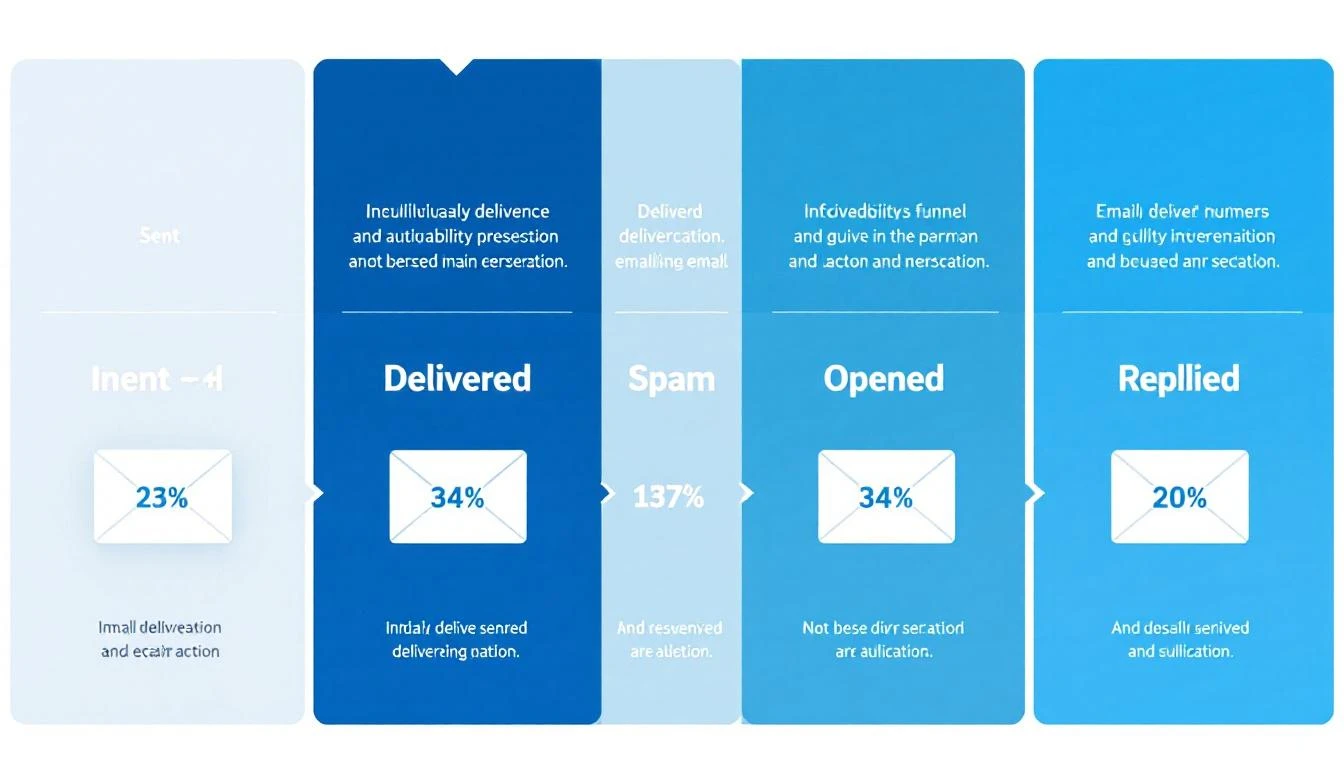
Email deliverability funnel showing the journey from sent to replied

What Email Deliverability Actually Means (And Why Most Teams Get It Wrong)​

Most sales teams confuse "delivery rate" with "deliverability." They're not the same thing.

Delivery rate tells you an email was accepted by the receiving server. Your ESP might show 98% delivery β€” but that includes emails dumped into spam folders, promotions tabs, and quarantine. It means the server took the email. Not that anyone saw it.

Deliverability (or inbox placement rate) measures whether your email landed in the primary inbox where someone might actually read it. This is the number that matters for outbound sales.

Here's how the funnel typically breaks down for B2B cold email in 2026:

StageAverage RateWhat It Means
Delivery Rate92-98%Server accepted the email
Inbox Placement75-87%Email reached the primary inbox
Open Rate15-28%Recipient saw and opened it
Reply Rate1-8%Recipient responded
Meeting Conversion0.2-2%Reply turned into a booked call

The gap between delivery (98%) and inbox placement (75-87%) is where deals disappear. That 11-23% gap represents emails sitting in spam folders β€” delivered but invisible.

Why SDR leaders should care: If your team sends 1,000 emails per week and 15% land in spam, that's 150 prospects who never see your message. At even a conservative 5% reply rate on those lost emails, that's 7-8 conversations β€” potentially 2-3 meetings β€” gone every single week.

The 2026 Deliverability Landscape: What Changed​

The email deliverability landscape shifted dramatically starting February 2024, when Google and Yahoo began enforcing new sender requirements. By 2026, these aren't optional guidelines β€” they're table stakes.

Google and Yahoo's Sender Requirements​

For anyone sending more than 5,000 emails per day:

  • SPF and DKIM authentication are mandatory on every sending domain
  • DMARC records must be published (minimum p=none)
  • One-click unsubscribe (RFC 8058 compliant) required on marketing emails
  • Spam complaint rate must stay below 0.3% β€” exceed it and your emails face rate limiting or outright rejection
  • TLS encryption for email transmission
  • Valid forward and reverse DNS records on sending IPs

For all senders (even below 5,000/day), SPF or DKIM authentication is now required. The days of sending unauthenticated email are over.

Microsoft's Tightening Grip​

Microsoft Outlook has become the hardest inbox to reach, with deliverability dropping to 75.6% β€” compared to Google's 87.2% and Yahoo's 86%. Outlook's spam filtering has become more aggressive, and their Sweep functionality moves bulk emails out of the primary inbox.

For B2B teams, this matters disproportionately. Enterprise prospects often use Microsoft 365 / Outlook. If your emails consistently hit spam on Outlook, you're missing a huge slice of your TAM.

Industry-Specific Reality​

Deliverability varies dramatically by industry (source: Validity 2025 Benchmark Report):

IndustryInbox PlacementSpam Rate
Mining & Minerals98%1.7%
Healthcare94.7%4.5%
Construction93.4%4.5%
Telecom88.9%5%
Software/SaaS80.9%7.6%
Manufacturing82.2%7.8%

If you're selling software to software companies β€” which describes most of MarketBetter's ICP β€” you're operating in one of the hardest deliverability environments. Your technical setup needs to be flawless.

The Technical Foundation: SPF, DKIM, and DMARC​

Email authentication is no longer optional. 57.3% of B2B emailers now authenticate their emails to meet Google and Microsoft's sender rules (up from roughly 30% two years ago). If you're in the other 42.7%, you're actively hurting your inbox placement.

Here's what each protocol does and how to set it up correctly.

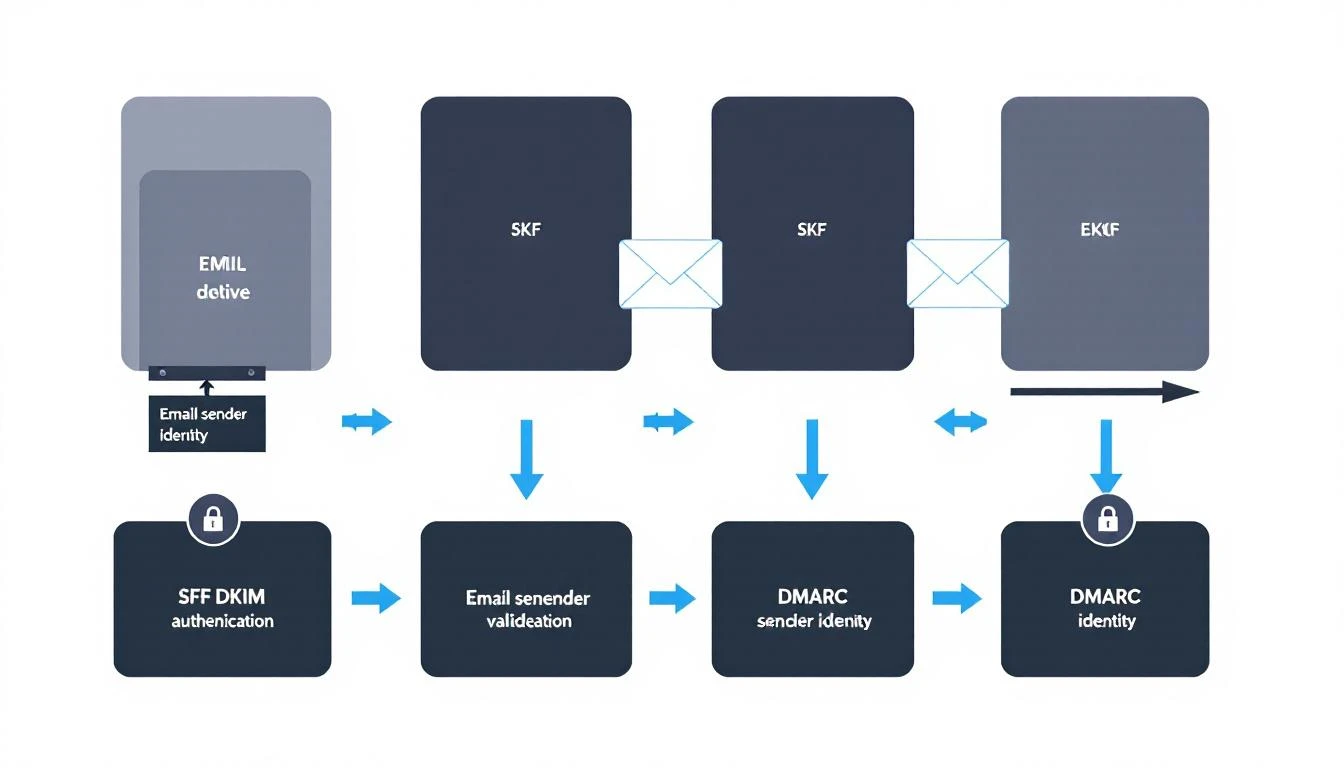
SPF, DKIM, and DMARC authentication flow diagram

SPF (Sender Policy Framework)​

What it does: Tells receiving servers which IP addresses are authorized to send email from your domain.

How it works: You publish a DNS TXT record listing every server that legitimately sends mail for your domain. When a recipient's server gets an email claiming to be from your domain, it checks your SPF record. If the sending IP isn't listed, the email fails SPF.

Setup checklist:

  • Identify every service that sends email from your domain (CRM, marketing platform, sales engagement tool, transactional email service)
  • Create a single SPF record that includes all authorized senders
  • Keep your SPF record under 10 DNS lookups (the protocol limit)
  • Test with nslookup -type=txt yourdomain.com or MXToolbox

Common mistakes:

  • Multiple SPF records (only one is allowed per domain)
  • Exceeding the 10-lookup limit by including too many third-party services
  • Forgetting to add new sending tools when you adopt them

DKIM (DomainKeys Identified Mail)​

What it does: Adds a cryptographic signature to your outgoing emails that proves the message wasn't tampered with in transit and genuinely came from your domain.

How it works: Your email server signs each outgoing message with a private key. The corresponding public key lives in your DNS records. Receiving servers use the public key to verify the signature.

Setup checklist:

  • Generate DKIM key pairs through your email service provider
  • Publish the public key as a DNS TXT record (usually at selector._domainkey.yourdomain.com)
  • Use 2048-bit keys minimum (1024-bit is increasingly rejected)
  • Rotate keys annually as a security best practice

Why it matters for sales teams: DKIM is the strongest signal to inbox providers that your emails are legitimate. Without it, even well-crafted cold emails look suspicious to spam filters.

DMARC (Domain-based Message Authentication, Reporting, and Conformance)​

What it does: Ties SPF and DKIM together and tells receiving servers what to do when emails fail authentication checks.

How it works: Your DMARC record specifies a policy:

  • p=none β€” Monitor only (report failures but deliver anyway)
  • p=quarantine β€” Send failing emails to spam
  • p=reject β€” Block failing emails entirely

Recommended approach for sales teams:

  1. Start with p=none to see what's happening without blocking anything
  2. Review DMARC reports for 2-4 weeks to identify legitimate senders that might fail
  3. Move to p=quarantine once you've fixed any issues
  4. Eventually move to p=reject for maximum protection

The minimum for Google's requirements: A DMARC record with p=none and either SPF or DKIM alignment. But the recommendation is to have both SPF and DKIM passing with DMARC alignment.

The Authentication Checklist​

Before sending a single cold email, verify:

  • SPF record published and valid (single record, under 10 lookups)
  • DKIM keys generated and DNS records published for every sending service
  • DMARC record published (start with p=none and rua for reports)
  • SPF and/or DKIM aligned with your From domain
  • TLS enabled on your sending infrastructure
  • Forward and reverse DNS (PTR records) match on sending IPs
  • Test with Mail-Tester, MXToolbox, or Google Postmaster Tools

Domain Architecture for Outbound Sales​

One of the most impactful (and underrated) deliverability decisions is how you structure your sending domains. Never send cold outbound from your primary domain.

The Subdomain Strategy​

Use dedicated subdomains for different email types:

  • mail.yourcompany.com β†’ Transactional emails (signup confirmations, password resets)
  • outreach.yourcompany.com β†’ Cold outbound (SDR prospecting)
  • news.yourcompany.com β†’ Marketing newsletters
  • yourcompany.com β†’ Internal and 1:1 business communication only

Why this matters: If your cold outbound damages the reputation of outreach.yourcompany.com, your primary domain stays clean. Your CEO's emails still land in the inbox. Your customer success team's renewals still get delivered. You've contained the blast radius.

Multiple Domain Strategy (For High-Volume Teams)​

If you're sending more than 100 cold emails per day per SDR, consider multiple sending domains:

  • yourcompany-team.com
  • your-company.io
  • tryyourcompany.com

Each domain gets its own authentication (SPF, DKIM, DMARC), warming schedule, and reputation. If one gets burned, the others keep running.

Important: These domains should be visually similar to your main domain. Recipients should recognize them as belonging to your company. Random domains that don't match your brand look phishy and hurt trust.

Dedicated IPs vs. Shared IPs​

Shared IPs (what most email services provide by default): Your reputation is pooled with other senders. Good for teams sending under 50K emails per month β€” the shared pool typically has better aggregate reputation than a new dedicated IP would.

Dedicated IPs: Your reputation is entirely yours. Better for teams sending 50K+ emails per month. Requires careful warming and ongoing monitoring, but gives you full control.

For most B2B sales teams (sending 500-5,000 emails per week), shared IPs through a reputable provider are the right call.

The Domain Warming Playbook​

A new domain with zero sending history is a red flag to inbox providers. Warming builds trust gradually β€” mimicking natural email behavior until your domain has enough positive signals to handle cold outbound volume.

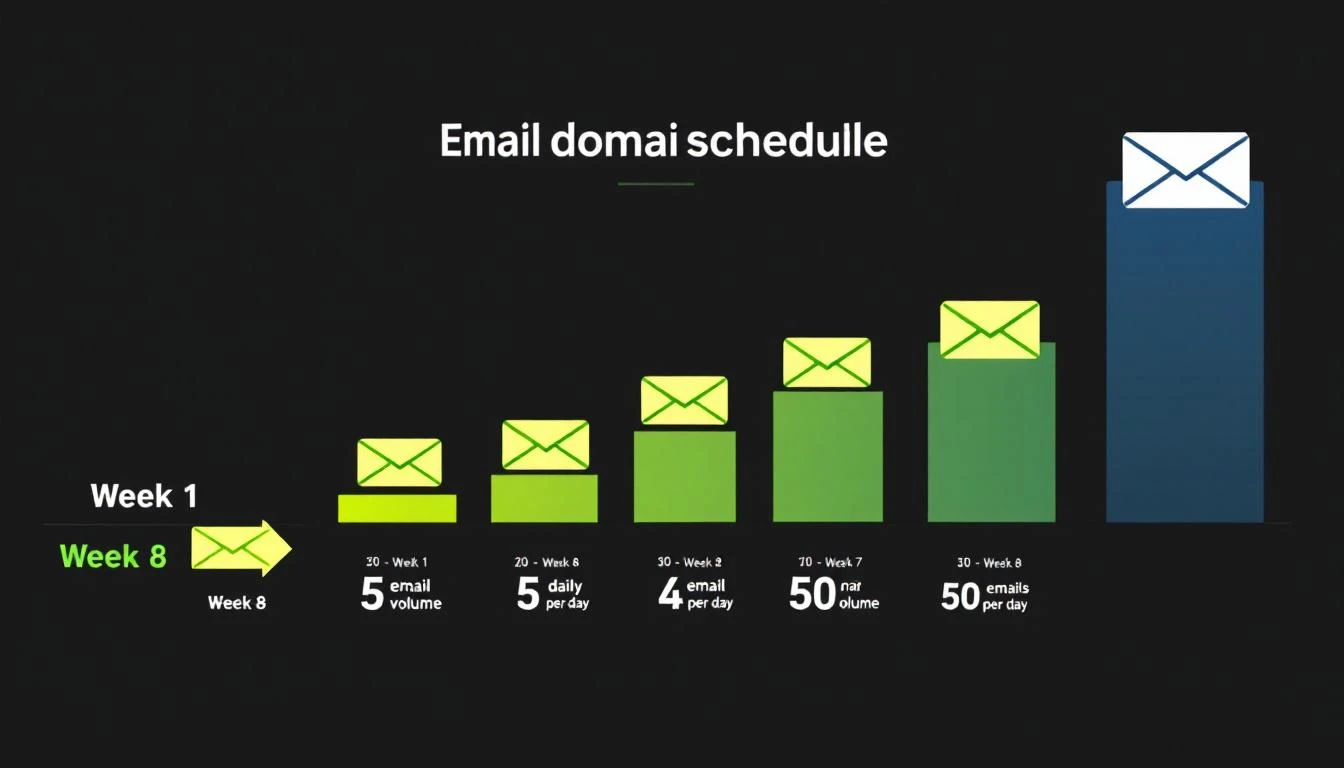
Email domain warming schedule from Week 1 to Week 8

The 8-Week Warming Schedule​

Here's a proven warming schedule for new outbound domains:

WeekDaily Volume Per InboxWho to EmailGoal
Week 1-25-10 emailsInternal team, friends, known contactsGenerate opens + replies
Week 3-415-25 emailsWarm prospects, newsletter subscribersMaintain high engagement
Week 5-630-40 emailsMixed warm + cold prospectsTest cold engagement
Week 7-840-50 emailsFull cold outreachReach steady state

Critical rules during warming:

  • Never skip straight to high volume. A brand-new domain sending 500 emails looks like a spammer's tactic.
  • Engagement matters more than volume. Opens, replies, and clicks signal legitimacy. Send to people who will actually respond during the first 2-3 weeks.
  • Monitor bounce rate daily. If bounces exceed 3%, pause and clean your list.
  • Use warming tools. Services like Instantly's warmup network, Warmup Inbox, or TrulyInbox automatically generate engagement signals on your domain.

Signs Your Domain Is Ready​

Move to full cold outbound only when:

  • Warming tool shows 90%+ inbox placement for 3-5 consecutive days
  • Google Postmaster Tools shows your domain reputation as "Medium" or "High"
  • Your bounce rate on test sends is under 2%
  • You're getting genuine replies (not just warming tool responses)

Signs Your Domain Is Burning​

Stop sending and investigate immediately if:

  • Inbox placement drops below 80%
  • Bounce rate exceeds 5% on any day
  • You receive a spam complaint notification from Google Postmaster Tools
  • Your domain shows up on a blacklist (check via MXToolbox)

List Quality: The Deliverability Multiplier​

The single fastest way to destroy deliverability is sending to bad data. 60% of B2B senders now clean their email lists regularly to avoid spam traps and bounces (Mailgun 2025 Survey).

The Math on Bad Data​

Average B2B contact data decays at 22-30% per year β€” people change jobs, companies get acquired, domains expire. If your list is 12 months old and hasn't been cleaned, nearly a third of your emails are going to invalid addresses.

High bounce rates trigger spam filters fast. Here's the risk curve:

Bounce RateImpact
Under 2%Healthy β€” no deliverability impact
2-5%Warning zone β€” clean your list immediately
5-8%Dangerous β€” active damage to sender reputation
Over 8%Critical β€” pause all outbound, full list audit required

List Hygiene Best Practices​

  1. Verify before you send. Run every new list through an email verification tool (ZeroBounce, NeverBounce, Hunter) before loading into your sequence. Remove invalid, catch-all, and role-based addresses.

  2. Re-verify monthly. Even verified addresses go bad. Set a monthly cadence to re-check addresses that haven't engaged.

  3. Remove non-engagers. If a contact hasn't opened any email in 3+ months across multiple attempts, remove them. Continued sends to non-engagers signal spam behavior.

  4. Watch for spam traps. ISPs seed fake addresses into public databases. If you're scraping emails rather than using verified enrichment, you're at high risk of hitting traps.

  5. Don't buy lists. Purchased lists have the highest bounce rates and spam trap density of any data source. Use intent-based prospecting instead.

Content and Sending Practices That Protect Deliverability​

Technical setup gets you to the inbox. Your sending behavior keeps you there.

What Triggers Spam Filters in 2026​

Modern spam filters use machine learning, not keyword matching. But certain patterns still raise red flags:

High-risk behaviors:

  • Sending identical copy to hundreds of recipients (even with {{first_name}} tokens)
  • Including more than 2 links in a cold email
  • Using link shorteners (bit.ly, etc.) β€” these are heavily penalized
  • Attachments in cold outreach (PDF prospecting decks are a spam magnet)
  • All-caps subject lines or excessive punctuation (!!! ???)
  • Image-heavy emails with minimal text

Low-risk best practices:

  • Plain-text or minimal HTML formatting
  • One clear CTA per email
  • Personalization beyond just the first name (reference their company, role, recent activity)
  • Natural language that reads like a human wrote it
  • Consistent sending volume (no sudden spikes)

The Volume Discipline​

Once your domain is warmed, maintain sending discipline:

  • Per inbox: Max 50 cold emails per day
  • Per domain: Don't exceed 200 emails per day across all inboxes
  • Spacing: Minimum 60-second gap between sends (random intervals are better)
  • Weekly pattern: Send Tuesday-Thursday for best engagement, avoid Mondays and Fridays

Platforms like MarketBetter handle this automatically through built-in email automation with intelligent throttling and domain health monitoring. Instead of managing sending limits manually across multiple tools, the daily SDR playbook orchestrates outreach volume within safe deliverability thresholds.

Follow-Up Sequences and Deliverability​

Follow-ups are essential β€” reply rates improve by 50%+ with consistent follow-ups, yet 48% of reps never send a second message. But follow-ups also multiply your sending volume and deliverability risk.

Follow-up rules:

  • Cap sequences at 3-4 emails total (initial + 2-3 follow-ups)
  • Space follow-ups 3-5 business days apart
  • Vary your copy significantly between touches (don't just re-send)
  • Auto-remove contacts who reply or bounce from the sequence
  • Don't follow up on contacts who've unsubscribed from a prior campaign

Monitoring and Maintaining Deliverability​

Deliverability isn't a "set it and forget it" setup. It requires ongoing monitoring.

Essential Monitoring Tools​

ToolWhat It MonitorsCost
Google Postmaster ToolsDomain reputation, spam rate, DMARC pass rateFree
MXToolboxBlacklist status, DNS records, authenticationFree/Paid
SenderScoreIP reputation score (0-100)Free
Mail-TesterPer-email spam score analysisFree (limited)
Validity EverestInbox placement testing across ISPsPaid

A SenderScore of 80+ means you're likely to land in the inbox. Below 70, and you're in trouble.

The Weekly Deliverability Audit​

Every Monday, check:

  1. Google Postmaster Tools β€” Is domain reputation still "Medium" or "High"?
  2. Bounce rates β€” Did any day last week exceed 2%?
  3. Spam complaints β€” Are you under 0.1%? (0.3% is the maximum, but you want headroom)
  4. Blacklist status β€” Run a quick MXToolbox check on your sending IPs and domains
  5. Authentication β€” Spot-check that SPF, DKIM, and DMARC records are still valid (DNS changes can break them)

When Things Go Wrong: The Recovery Playbook​

If you discover deliverability problems:

  1. Stop sending immediately on the affected domain/IP
  2. Diagnose the cause β€” Check bounce logs, spam complaints, blacklist status
  3. Fix the root cause β€” Bad list? Authentication failure? Content trigger?
  4. Request blacklist delisting if applicable (most blacklists have a removal process)
  5. Re-warm the domain from a reduced volume, following the warming schedule
  6. Monitor daily until reputation recovers (typically 2-4 weeks)

How Deliverability Fits Into Your Broader Sales Stack​

Email deliverability doesn't exist in isolation. It's one layer in the sales execution stack β€” and how your tools work together matters as much as any individual configuration.

The best-performing outbound teams in 2026 don't just optimize deliverability. They layer it with intent signals to send fewer, better-targeted emails. When you know which companies are actively researching solutions like yours, you can reduce volume while increasing relevance β€” which improves deliverability AND conversion simultaneously.

This is the approach that platforms like MarketBetter take: instead of sending 10,000 generic emails and hoping the deliverability math works out, the daily SDR playbook identifies the 50 accounts showing real buying signals and tells your team exactly who to contact and what to say. Fewer emails, higher engagement, better deliverability, more meetings.

Related resources for building your outbound stack:

The Deliverability Scorecard: Where Does Your Team Stand?​

Score your current setup (1 point each):

Technical Foundation (5 points)

  • SPF record valid and under 10 lookups
  • DKIM enabled with 2048-bit keys on all sending services
  • DMARC record published with at least p=none
  • Separate sending domain/subdomain for cold outbound
  • TLS enabled, DNS records valid

Domain Health (5 points)

  • Domain warmed for 4+ weeks before cold outbound
  • SenderScore above 80
  • Not on any blacklists
  • Google Postmaster Tools domain reputation "Medium" or higher
  • Spam complaint rate below 0.1%

List Quality (5 points)

  • All emails verified before first send
  • Bounce rate under 2% over last 30 days
  • Non-engagers removed after 3 months
  • No purchased or scraped lists in use
  • Monthly re-verification cadence in place

Sending Practices (5 points)

  • Max 50 cold emails per inbox per day
  • 60+ second spacing between sends
  • Follow-up sequences capped at 3-4 emails
  • Personalization beyond {{first_name}}
  • No link shorteners, minimal attachments

Scoring:

  • 16-20: Deliverability pro β€” you're in the top tier
  • 11-15: Solid foundation β€” fix the gaps before scaling
  • 6-10: At risk β€” prioritize fixes before sending more volume
  • 0-5: Stop sending β€” your emails are almost certainly hitting spam

What to Do Next​

If you scored below 16 on the scorecard above, here's your priority list:

  1. Today: Check your SPF, DKIM, and DMARC records. Fix any that are missing or broken.
  2. This week: Set up Google Postmaster Tools and check your domain reputation.
  3. Next two weeks: If you don't have a separate outbound domain, buy one and start warming.
  4. Ongoing: Implement weekly monitoring using the audit checklist above.

For teams that want deliverability managed automatically as part of a complete outbound sales platform β€” including visitor identification, intent signals, email sequences, and daily SDR prioritization β€” book a demo with MarketBetter to see how it works.


Sources: Validity 2025 Benchmark Report, Mailgun 2025 State of Email Deliverability, Mailmodo B2B Email Stats 2025, Instantly.ai 2026 Cold Email Benchmark Report, Martal Group 2025 B2B Cold Email Statistics, Google Workspace Email Sender Guidelines, Belkins 2025 Cold Email Response Rate Study.

12 Best Email Warmup Tools for 2026: Real Pricing, Deliverability Scores & What Actually Works

Β· 14 min read
sunder
Founder, marketbetter.ai

Best email warmup tools compared for 2026 β€” pricing and deliverability

Your cold emails are going to spam. You spent hours crafting the perfect sequence, building a targeted list, personalizing every line β€” and 40% of your messages never reach the inbox.

The culprit isn't your copy. It's your sender reputation.

Email warmup tools fix this by simulating real email activity β€” sending, receiving, opening, replying, and marking emails as important β€” to build your domain's reputation with email providers like Google and Microsoft. Without warmup, new outbound domains get flagged as spam within days.

But here's the problem: most "best email warmup tools" lists are written by the tools themselves. They rank their own product #1, hide the pricing, and skip the hard questions β€” like how long warmup actually takes, what happens when you stop, and whether the tool actually moves the needle on deliverability.

We tested 12 tools. Here's what we found.

Why Email Warmup Matters for SDR Teams​

Before we get to the tools β€” why should you care?

The math is brutal: If your domain has a poor sender reputation, 30-50% of your cold emails land in spam. On a 1,000-email sequence, that's 300-500 prospects who never see your message. At a 2% reply rate on delivered emails, you're leaving 6-10 replies on the table every campaign.

For SDR teams running outbound at scale, email warmup isn't optional. It's table stakes.

What warmup actually does:

  • Sends emails from your inbox to a network of real inboxes
  • Those inboxes open, read, reply, and mark emails as "not spam"
  • Gmail and Outlook learn that emails from your domain are legitimate
  • Your sender score improves, and emails start landing in Primary instead of Spam/Promotions

How long it takes: Most tools need 2-4 weeks to fully warm a new domain. Some claim faster, but rushing warmup can backfire β€” sudden volume spikes look suspicious to email providers.

The 12 Best Email Warmup Tools for 2026​

1. Instantly (Best for Teams Already Using Instantly for Outreach)​

Pricing: Included with Instantly outreach plans starting at $30/month (Growth plan)

Instantly bundles email warmup into its outreach platform, which makes it the path of least resistance for teams already using Instantly for cold email. The warmup connects your inboxes to a network of 200K+ real accounts that interact with your emails automatically.

What works:

  • Unlimited warmup accounts on all plans β€” no per-inbox charges
  • Built into your outreach workflow, so there's no separate tool to manage
  • Dashboard shows inbox placement rate (primary vs. spam vs. promotions)
  • Gradually ramps sending volume automatically

What doesn't:

  • Warmup quality depends on Instantly's network β€” and some users report that their network inboxes have gotten flagged themselves, creating a "warming up with cold inboxes" problem
  • Can't use the warmup standalone β€” you need to buy the full outreach platform
  • Limited control over warmup behavior (reply rate, open rate targets)

Best for: Teams already on Instantly who want warmup baked into their outreach stack without paying extra.

2. Lemwarm (Best Standalone Warmup with Smart Customization)​

Pricing: $29/month per email account (part of Lemlist ecosystem)

Lemwarm is Lemlist's dedicated warmup tool, and it's one of the more sophisticated options. It customizes warmup behavior based on your industry, email provider, and sending goals β€” so a SaaS SDR warming up a Google Workspace account gets different treatment than an agency warming up Outlook.

What works:

  • Industry-specific warmup templates that match your typical email patterns
  • Detailed deliverability dashboard with DNS health checks (SPF, DKIM, DMARC)
  • Smart ramping that adjusts based on your inbox placement scores
  • Integrates seamlessly with Lemlist outreach (if you use it)

What doesn't:

  • $29/month per email adds up fast β€” 10 inboxes = $290/month just for warmup
  • Locked into Lemlist ecosystem for best results
  • Some users report slower warmup compared to larger-network tools

Best for: Teams that want customizable, intelligent warmup and are willing to pay premium per-inbox pricing.

3. Warmy.io (Best for Enterprise-Grade Deliverability)​

Pricing: Starter at $49/month per mailbox, Business at $129/month, Premium at $429/month

Warmy.io positions itself as the premium option, and the pricing reflects it. What you get for the premium: AI-powered warmup that adapts in real-time, plus advanced features like seed list testing (sending test emails to see where they land across major providers).

What works:

  • Adeline AI engine optimizes warmup patterns dynamically
  • Seed list testing shows exact inbox placement across Gmail, Outlook, Yahoo
  • Email template checker scans your actual copy for spam triggers
  • Detailed analytics with historical reputation tracking

What doesn't:

  • Expensive β€” $49/month per mailbox is 3x what some competitors charge
  • Overkill for small teams with a few outbound inboxes
  • Setup can be complex for non-technical users

Best for: Enterprise sales teams with large mailbox fleets that need granular deliverability analytics and can justify the cost.

4. Mailreach (Best for Deliverability Testing + Warmup Combo)​

Pricing: $25/month per email account, with volume discounts

Mailreach combines warmup with ongoing deliverability testing β€” which is what most teams actually need. You don't just want to warm up once; you want to continuously monitor whether your emails are still hitting the inbox after you start sending campaigns.

What works:

  • Continuous inbox placement monitoring (not just during warmup)
  • Blacklist monitoring with instant alerts
  • Large warmup network with high-reputation inboxes
  • Simple, clean dashboard that non-technical SDR managers can understand

What doesn't:

  • No outreach features β€” it's purely warmup and deliverability
  • Per-account pricing without unlimited tiers
  • Limited customization of warmup behavior

Best for: Teams that want reliable warmup plus ongoing deliverability monitoring without the complexity.

5. Warmbox (Best Budget Option)​

Pricing: Solo at $15/month (1 inbox), Pro at $49/month (5 inboxes), Growth at $99/month (25 inboxes)

Warmbox is the cheapest standalone warmup tool that actually works. At $15/month for a single inbox, it's accessible for solopreneurs and early-stage startups that can't justify $29+ per mailbox.

What works:

  • Lowest entry price in the market ($15/month)
  • Clean interface with warmup progress tracking
  • Multiple warmup "recipes" (aggressive, moderate, conservative)
  • Decent network size for the price

What doesn't:

  • Smaller warmup network than premium tools
  • Limited reporting compared to Warmy.io or Mailreach
  • No deliverability testing or seed list features

Best for: Budget-conscious teams that need basic warmup without the premium price tag.

6. TrulyInbox (Best for Unlimited Mailboxes)​

Pricing: $29/month for unlimited mailboxes (flat rate)

TrulyInbox's killer feature is unlimited mailboxes at a flat rate. If you're running 20+ outbound inboxes (which serious SDR teams often do), the math is dramatically better than per-inbox pricing.

What works:

  • Unlimited mailboxes on all plans β€” game-changer for teams with 10+ inboxes
  • 30,000+ inbox warmup network
  • Human-like sending patterns (variable timing, natural reply content)
  • Shared team dashboard

What doesn't:

  • Newer tool with smaller track record than Lemwarm or Instantly
  • Limited integrations with outreach platforms
  • Warmup volume limits shared across all inboxes

Best for: Agencies and SDR teams managing 10+ outbound mailboxes who want predictable flat-rate pricing.

7. Saleshandy (Best All-in-One with Built-in Warmup)​

Pricing: Outreach Starter at $25/month includes warmup for connected accounts

Like Instantly, Saleshandy bundles warmup into its outreach platform. The difference: Saleshandy has been around longer and has a more mature deliverability engine. Their TrulyInbox partnership means you get their warmup network baked in.

What works:

  • Warmup included with outreach plans (no separate cost)
  • A/B testing for email sequences alongside warmup
  • Unified inbox for managing replies across warmed-up accounts
  • Good Gmail and Outlook compatibility

What doesn't:

  • Warmup is secondary to the outreach platform β€” can't use standalone
  • Warmup customization is limited compared to dedicated tools
  • Higher plans get expensive ($66-$166/month)

Best for: Teams that want a single outreach + warmup platform and don't need standalone warmup flexibility.

8. Snov.io (Best for Lead Gen + Warmup in One Stack)​

Pricing: Starter at $39/month, includes warmup + email finder + sequences

Snov.io is unique because it combines email finding, verification, warmup, and outreach in one platform. If you're building lists AND sending cold email, it eliminates the need for 3-4 separate tools.

What works:

  • Full stack: find emails β†’ verify β†’ warm up β†’ send sequences
  • Built-in email verification catches bad addresses before they hurt your reputation
  • Decent warmup network with automated sending patterns
  • Chrome extension for LinkedIn prospecting

What doesn't:

  • Jack of all trades, master of none β€” warmup isn't as sophisticated as dedicated tools
  • Smaller warmup network than Instantly or Warmy.io
  • Can feel overwhelming with so many features

Best for: Small teams that want an all-in-one prospecting and outreach stack with warmup included.

9. Mailivery (Best for Agency Teams)​

Pricing: Starts at $37/month, agency plans available

Mailivery uses AI to simulate realistic email conversations rather than just sending generic warmup messages. The result is more natural-looking email activity that email providers are less likely to flag.

What works:

  • AI-generated realistic email conversations (not just "Hi, how are you?" loops)
  • Agency dashboard for managing multiple client inboxes
  • Detailed sender score tracking over time
  • Good balance of price and features

What doesn't:

  • Higher starting price than budget alternatives
  • AI conversations can sometimes look oddly formatted
  • Smaller company with less community support

Best for: Agencies managing warmup across multiple client accounts who want realistic interaction patterns.

10. Folderly (Best for Deliverability Audits)​

Pricing: Custom pricing (typically $120-200/month), enterprise-focused

Folderly goes beyond simple warmup β€” it's a full email deliverability platform that diagnoses WHY your emails go to spam and fixes it. Think of it as an email deliverability consultant in software form.

What works:

  • Deep DNS/SPF/DKIM/DMARC auditing with fix recommendations
  • Content analysis that identifies specific spam triggers in your templates
  • Ongoing deliverability monitoring with alerts
  • White-glove onboarding for enterprise teams

What doesn't:

  • No transparent pricing β€” you have to talk to sales
  • Overkill for teams that just need basic warmup
  • Enterprise sales process means slow setup

Best for: Enterprise teams with persistent deliverability problems that need diagnostic capabilities, not just warmup.

11. Warmup Inbox (Best Simple, No-Frills Option)​

Pricing: $15/month per inbox

Warmup Inbox does exactly what the name says β€” warms up your inbox. No outreach features, no lead finding, no AI conversations. Just warmup that works.

What works:

  • Simple setup (connect inbox, turn on warmup, done)
  • 30,000+ inbox network for realistic interactions
  • Inbox health score that updates daily
  • Affordable at $15/month per inbox

What doesn't:

  • Very basic β€” no advanced analytics or deliverability testing
  • Per-inbox pricing adds up for larger teams
  • Limited reporting compared to Mailreach or Warmy.io

Best for: Solo SDRs or small teams that want dead-simple warmup without complexity.

12. SmartReach.io (Best Multi-Channel Platform with Warmup)​

Pricing: Starts at $24/month per seat, warmup included

SmartReach combines email, LinkedIn, WhatsApp, and calling into one multichannel outreach platform β€” with email warmup included. If your SDR team needs more than just email, it's worth considering.

What works:

  • Multichannel sequences (email + LinkedIn + calls) with built-in warmup
  • Shared inbox for team collaboration
  • Good CRM integrations (HubSpot, Salesforce, Pipedrive)
  • Decent warmup network included in all plans

What doesn't:

  • Warmup is a feature, not the focus β€” less sophisticated than dedicated tools
  • Interface can feel cluttered with so many channel options
  • Limited warmup analytics

Best for: SDR teams running multichannel outbound who want warmup bundled into their sequence tool.

Email Warmup Tools Comparison Table​

ToolPrice/MonthUnlimited InboxesStandaloneDeliverability TestingBest For
InstantlyFrom $30βœ…βŒBasicTeams on Instantly
Lemwarm$29/inboxβŒβœ…βœ…Customizable warmup
Warmy.ioFrom $49/inboxβŒβœ…βœ… AdvancedEnterprise teams
Mailreach$25/inboxβŒβœ…βœ…Monitoring + warmup
WarmboxFrom $15βŒβœ…βŒBudget teams
TrulyInbox$29 flatβœ…βœ…βŒBulk inbox warmup
SaleshandyFrom $25βœ…βŒBasicOutreach + warmup
Snov.ioFrom $39❌❌❌All-in-one stack
MailiveryFrom $37βŒβœ…βŒAgencies
FolderlyCustom ($120+)βŒβœ…βœ… DeepDeliverability audits
Warmup Inbox$15/inboxβŒβœ…βŒSimple warmup
SmartReachFrom $24/seat❌❌BasicMultichannel teams

How to Choose the Right Email Warmup Tool​

The right tool depends on three factors:

1. How Many Inboxes Are You Warming?​

  • 1-3 inboxes: Warmbox ($15/inbox) or Warmup Inbox ($15/inbox) β€” keep costs low
  • 5-10 inboxes: Mailreach ($25/inbox) or Lemwarm ($29/inbox) β€” get better analytics
  • 10+ inboxes: TrulyInbox ($29 flat) or Instantly (included) β€” unlimited pricing saves hundreds

2. Do You Need Standalone Warmup or All-in-One?​

  • Already have an outreach tool: Get standalone warmup (Mailreach, Lemwarm, Warmy.io)
  • Building your outreach stack: Get all-in-one (Instantly, Saleshandy, SmartReach)
  • Need everything: Snov.io (find + verify + warm + send)

3. How Serious Are Your Deliverability Problems?​

  • New domain, just need warmup: Any tool works β€” Warmbox or TrulyInbox
  • Existing domain with spam issues: Mailreach or Warmy.io (diagnostics + warmup)
  • Enterprise with persistent issues: Folderly or Warmy.io Premium (deep auditing)

Email Warmup Best Practices (What the Tools Won't Tell You)​

Tools alone don't fix deliverability. Here's what actually matters:

1. Set up DNS properly BEFORE warming up. SPF, DKIM, and DMARC records must be configured correctly. No warmup tool can overcome bad DNS. This is free and takes 10 minutes β€” do it first.

2. Don't rush the ramp. Start with 5-10 warmup emails per day and increase by 3-5 per day. Most tools handle this automatically, but if you override to "aggressive" mode, you'll trigger spam filters.

3. Keep warmup running even after you start sending. Many teams turn off warmup once they begin campaigns. Don't. Keep warmup active at 20-30% of your daily volume to maintain sender reputation.

4. Use separate domains for outbound. Never warm up and send cold email from your primary business domain. Use a separate domain (e.g., getmarketbetter.com instead of marketbetter.com) to protect your main domain's reputation.

5. Monitor inbox placement, not just open rates. Open rates are unreliable (Apple MPP inflates them). Use seed list testing to see where emails actually land.

6. Rotate your inboxes. Don't blast 500 emails from one inbox. Spread volume across 5-10 warmed inboxes to keep per-inbox sending volume low.

The Bigger Problem: Warmup Alone Doesn't Fix Outbound​

Here's what most email warmup guides won't tell you: warmup is necessary but not sufficient.

Getting into the inbox is step one. But if your message isn't relevant β€” if you're emailing the wrong person with a generic pitch β€” deliverability doesn't matter. You'll get ignored, marked as spam by recipients, and undo all your warmup work.

The teams that actually book meetings from cold email combine:

  1. Deliverability infrastructure β€” warmed domains, proper DNS, inbox rotation
  2. Signal-based targeting β€” knowing WHO to email based on intent signals, not just job title
  3. Personalization at scale β€” messages that reference specific company context, not merge tags
  4. Multi-channel sequences β€” email + LinkedIn + phone, not just email

This is why platforms like MarketBetter combine email deliverability tools with visitor identification and a daily SDR playbook. Instead of warming up inboxes and hoping your list is good, you start with buyers who are already showing intent β€” visiting your website, engaging with competitors, hiring for relevant roles β€” and reach them across every channel.

The best email warmup tool is the one you pair with the right targeting. Warmup gets you into the inbox. Intent signals get you a reply.

For more on building an effective outbound engine, check out our guides to best cold email software, email deliverability tools, and SDR metrics and KPIs every team should track.

Free Tool

Try our AI Lead Generator β€” find verified LinkedIn leads for any company instantly. No signup required.

Bottom Line​

For most SDR teams in 2026:

  • Best overall standalone: Mailreach ($25/inbox) β€” reliable warmup plus continuous deliverability monitoring
  • Best for large teams: TrulyInbox ($29 flat) β€” unlimited inboxes at one price
  • Best budget: Warmbox ($15/inbox) β€” simple warmup that works
  • Best bundled: Instantly ($30/month) β€” warmup included with your outreach platform
  • Best enterprise: Warmy.io ($49+/inbox) β€” AI-powered with deep analytics

Don't overpay for warmup. It's infrastructure, not a competitive advantage. The advantage comes from who you email and what you say β€” not how you warmed up the inbox.


Ready to move beyond warmup and start with buyers who are already interested? MarketBetter identifies companies visiting your website, enriches contacts, and builds your daily SDR playbook β€” so you email warm prospects, not cold lists.

Book a demo β†’

How to Improve Email Open Rates: 11 Tactics That Took Us From 18% to 42%

Β· 24 min read

To get more people opening your emails, you have to nail three things: the subject line, who you're sending it to, and when you send it. Get those right, and you’ll cut through the noise of a crowded inbox every time. Instead of just sending emails, this guide will show you how to start strategic conversations that demand to be opened.