10 Actionable Sales Cadence Best Practices for 2026

· 27 min read

Your sales cadence is either your most powerful pipeline-generating tool or a fast track to your prospect’s spam folder. The line between these two outcomes is razor-thin, and it’s defined by a commitment to strategic execution over repetitive, robotic outreach. If your team is stuck in a cycle of sending generic email blasts and making cold calls with no context, you’re not just losing deals; you’re actively damaging your brand’s reputation and burning out your best reps on low-impact work. The problem isn't a lack of effort, it's a lack of an intelligent framework.

This guide provides a direct, actionable blueprint to overhaul that broken process. We’re moving past the obvious advice and diving into ten proven sales cadence best practices that top-performing teams use to consistently book more meetings. You won't find vague theories here. Instead, we offer specific, implementable strategies covering every stage of the process, from designing multi-channel sequences that command attention to using CRM-native tools for flawless execution.

We'll provide side-by-side comparisons of effective versus ineffective tactics, showing you precisely how to:

  • Structure sequences based on prospect intent signals, not just a rigid schedule.
  • Personalize messaging at scale without sacrificing efficiency.
  • Optimize your follow-up rules based on real-time prospect behavior.
  • Integrate your tools to eliminate friction and maximize selling time.

These are the essential sales cadence best practices required to break through the noise, engage high-value accounts, and build a predictable revenue engine. Let's get started.

1. Multi-Channel Sequencing (Email → Call → LinkedIn → Email)

Relying solely on one communication channel, like cold email, is like fishing with a single line. One of the most impactful sales cadence best practices is to adopt a multi-channel sequence that layers different forms of outreach. This approach respects a prospect's communication preferences and significantly increases the chances of engagement by surrounding them with value across various platforms. Instead of sending five emails in a row, a multi-channel cadence might involve an email, a follow-up call, a LinkedIn connection request, and another email, all within a structured 7-10 day window.

Ineffective Tactic (Single-Channel)Effective Tactic (Multi-Channel)
Day 1: Email 1Day 1: Email 1
Day 3: Email 2 (Bump)Day 3: Call (Reference Email 1)
Day 5: Email 3 (Breakup)Day 4: LinkedIn Connection Request
Result: Low reply rate, high chance of being marked as spam.Result: Higher engagement, multiple touchpoints, professional persistence.

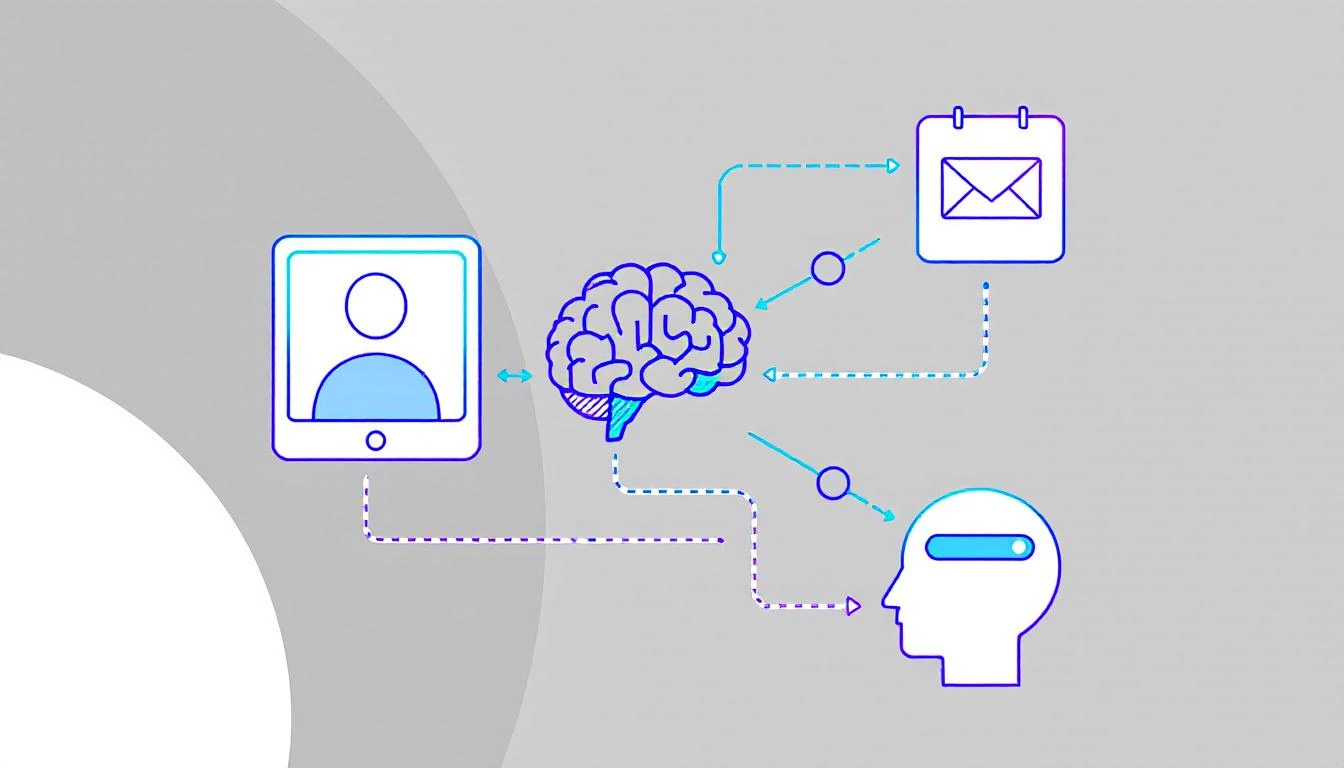
Illustration of a multi-channel outreach sequence, showing email, phone calls, and LinkedIn steps.

This method works because it combines asynchronous touches (email, LinkedIn), which prospects can review on their own time, with synchronous ones (calls) that create opportunities for immediate conversation. Companies like HubSpot and Salesloft have built their sales development playbooks around this model, often seeing reply rates jump from a standard 2-3% on email-only sequences to over 25% with multi-touch campaigns. The key is ensuring each touchpoint builds upon the last, creating a cohesive narrative rather than a series of disjointed, repetitive pings.

How to Implement Multi-Channel Sequencing:

  • Action Step 1: Map Your Sequence. Before building, sketch out the flow: Day 1: Email, Day 3: Call, Day 4: LinkedIn View + Connect, Day 6: Email 2. Define the goal for each touchpoint.
  • Action Step 2: Create Contextual Bridges. Your LinkedIn message should reference your email. A simple, "Hi [Name], I just sent an email regarding [topic] and wanted to connect here as well," is far more effective than a generic connection request.
  • Action Step 3: Use Engagement to Prioritize. If a prospect opens your email three times, move their call task to the top of your list. This focuses synchronous effort on engaged leads.
  • Action Step 4: Automate Logging. Ensure every touchpoint, whether an email sent via your sales engagement platform or a manual call, is automatically logged in your CRM. Platforms like MarketBetter.ai can automate this logging process, ensuring your data remains clean and actionable.

2. Intent-Driven Task Prioritization (Activity Signals → Next Best Action)

A static, alphabetical task list is a relic of the past. One of the most critical sales cadence best practices is to prioritize outreach based on real-time buyer intent signals. This data-driven approach shifts reps from a "who's next on the list" mentality to a "who's most likely to engage right now" strategy. Instead of treating all prospects equally, this model automatically surfaces and ranks targets based on high-value activities like visiting your pricing page, downloading a whitepaper, or recent job changes, ensuring reps focus their energy on the hottest leads.

Ineffective Tactic (Static List)Effective Tactic (Dynamic Prioritization)
Reps work through a list from A-Z.Reps are served tasks based on intent score (e.g., Pricing Page Visit = 10 points).
A "hot" lead who visited the site an hour ago might wait days for a call.The hot lead is automatically placed at the top of the task queue for immediate follow-up.
Reps waste time on cold, unengaged accounts.Reps spend 80% of their time on the 20% of leads most likely to convert.

A hand-drawn diagram illustrating intent-driven prioritization, showing Site Visit, Document, and Job Change leading to a Next Best Action: email or call.

This method transforms a sales cadence from a rigid schedule into a dynamic, responsive workflow. When platforms like 6sense and Outreach are integrated, they can deliver up to 40% higher SDR productivity by serving up the "next best action" based on a combination of intent, timing, and ICP fit. The goal is to align outreach with the buyer's journey, engaging them the moment their interest peaks rather than weeks later when your cadence says it's their turn.

How to Implement Intent-Driven Task Prioritization:

  • Action Step 1: Define Your High-Intent Signals. List the top 3-5 actions that indicate strong buying intent. Start with demo requests and pricing page visits.
  • Action Step 2: Set Strict SLAs. For a high-intent signal, create a rule for a rep to follow up within 2 hours. For medium-intent (e.g., webinar attendance), set a 24-hour SLA.
  • Action Step 3: Contextualize Your Outreach. Use the signal as your reason for outreach. “Saw you were looking at our case study on [Topic] and wanted to offer some additional details.”
  • Action Step 4: Filter with ICP Fit. Combine intent with your Ideal Customer Profile (ICP). A platform like MarketBetter.ai can automate this by scoring leads based on both behavioral data and firmographic fit, ensuring your team only pursues high-potential opportunities.

3. Personalized Opening Lines (Account/Persona Context in First Sentence)

Nothing kills a sales cadence faster than an opening line that screams "mass email." One of the most critical sales cadence best practices is to anchor your first sentence in specific, verifiable context about the prospect's company, recent activity, or role. This immediately signals that the outreach is a well-researched, 1-to-1 message, not a generic blast sent to thousands. Instead of a vague "I help companies like yours," a personalized opener gets straight to a relevant trigger point.

Ineffective Tactic (Generic Opener)Effective Tactic (Personalized Opener)
"Hi John, I help VPs of Sales like you solve their pipeline challenges.""Hi John, saw on LinkedIn your team is hiring three new AEs to expand into APAC."
Result: Instantly deleted. Reads like spam.Result: Grabs attention. Shows research and relevance.

This strategy works because it proves you've done your homework and respects the prospect's time by connecting your solution to their immediate reality. Research from Salesloft shows that account-based emails which mention specific products or features outperform generic templates by more than 3x. The goal is to make the prospect feel understood in the first 10 seconds.

How to Implement Personalized Opening Lines:

  • Action Step 1: Create a Trigger Checklist. Build a simple checklist for reps: 1. Check LinkedIn for recent posts/job changes. 2. Check company news for funding/launches. 3. Check G2 for recent reviews.
  • Action Step 2: Practice the "Trigger-to-Value" Bridge. Your first sentence states the observation, and the second connects it to your value. Example: “I noticed your team just launched a new integration with Salesforce. Typically, companies doing this face challenges with data syncing, which is where we help.”
  • Action Step 3: A/B Test Your Hooks. In your next 50 emails, test a hook based on a company trigger (e.g., funding) against a persona trigger (e.g., a recent LinkedIn post by the prospect). See which gets more replies.
  • Action Step 4: Leverage Technology for Scale. Use platforms like Amplemarket or MarketBetter.ai to create dynamic templates that pull in custom fields from your CRM, blending automation with genuine personalization.

4. Response-Triggered Sequencing (Adapting Based on Prospect Behavior)

A static, one-size-fits-all sales cadence treats every prospect the same, regardless of their interaction with your outreach. One of the most advanced sales cadence best practices is implementing response-triggered sequencing, a dynamic approach where the next step is determined by the prospect's real-time behavior. Instead of blindly following a pre-set path, this method adapts based on engagement signals like email opens, link clicks, or even a picked-up phone call that goes straight to voicemail.

Ineffective Tactic (Static Sequence)Effective Tactic (Dynamic Sequence)
A prospect clicks your case study link. The next step is still the automated "Just bumping this" email 3 days later.A prospect clicks your case study link. A high-priority call task is immediately created for the rep.
A prospect doesn't engage with 4 emails. They still get 4 more.After 4 unengaged touches, the prospect is automatically moved to a long-term, low-touch nurture sequence.

This intelligent sequencing transforms your cadence from a monologue into a conversation. If a prospect clicks a link to a case study in your first email, a dynamic cadence can automatically trigger a high-priority call task for the rep to follow up with relevant insights. Platforms like Outreach.io and Salesloft have built adaptive cadence features around this concept, empowering teams to create if/then logic that scales personalization and boosts efficiency.

How to Implement Response-Triggered Sequencing:

  • Action Step 1: Map Your If/Then Logic. Create a simple flowchart. If prospect clicks pricing link, then create a high-priority call task. If prospect opens email 3+ times but no click, then send follow-up email with a different value prop.
  • Action Step 2: Build Two Paths. Design an "Engagement Path" (more aggressive, personalized) and a "No-Engagement Path" (longer intervals, value-based content).
  • Action Step 3: Use Engagement Data in Your Outreach. Equip reps to use behavioral data as context. A call script can start with, "Hi [Name], I noticed you checked out the case study I sent over about [topic]..."
  • Action Step 4: Set an "Exit" Threshold. Define the point of diminishing returns. For example, after 5 touches with zero engagement, automatically exit the prospect from the active sequence. Tools like MarketBetter.ai can help automate this process, moving them to a quarterly check-in list to keep your pipeline clean.

5. CRM-Native Execution (No Tab Switching; One-Click Call & Logging)

One of the biggest drags on sales productivity is friction. Constantly switching between your CRM, a separate dialer, your email client, and a note-taking app drains momentum and creates data silos. One of the most effective sales cadence best practices is to enable CRM-native execution, where all outreach activities are initiated and logged directly within your central system of record, like Salesforce or HubSpot. This unified workflow eliminates tab-switching and automates activity logging.

Ineffective Tactic (Multi-Tool Chaos)Effective Tactic (CRM-Native Workflow)
Rep copies a number from Salesforce, pastes it into a softphone, makes the call, then returns to Salesforce to manually log it.Rep clicks a "Call" button directly on the Salesforce contact record. The call is made and automatically logged with a disposition prompt.
Time per call: 2-3 minutes of admin work.Time per call: 10-20 seconds of admin work.

A hand-drawn sketch illustrating CRM-native execution with options for calling, logging, and emailing contacts.

This approach dramatically improves both adoption and efficiency. For example, when Outreach.io integrates its one-click dialer directly into a Salesforce contact page, call volume often increases by over 30% simply by removing the steps of copying and pasting numbers. The goal is to make the right action the easiest action, which means keeping reps in the one system that houses all customer data and context.

How to Implement CRM-Native Execution:

  • Action Step 1: Conduct a Workflow Audit. Shadow a rep for an hour and count every time they switch tabs to complete a task. Identify the top 3 friction points to solve.
  • Action Step 2: Configure Intelligent Auto-Logging. Set up rules to automatically log calls and emails the instant they happen. Allow reps a short window, perhaps 10 minutes post-call, to add detailed notes and context.
  • Action Step 3: Standardize Next Steps. Use your CRM's task management features to create templates for common follow-up actions like "Send Deck" or "Schedule Demo." This reduces manual entry and ensures consistent follow-through.
  • Action Step 4: Centralize Reporting. Train managers to use in-CRM dashboards for performance tracking instead of exporting data. Platforms like MarketBetter.ai can embed cadence analytics directly into the CRM, allowing for real-time coaching based on live activity data.

6. Call Prep Talk Tracks (Account Context + Objection Handling in 60 Seconds)

A structured sales cadence dictates when to call, but a pre-call talk track dictates what to say for maximum impact. One of the most critical sales cadence best practices is equipping reps with a concise, one-page talk track before every call. This isn't a rigid script; it's a strategic guide that synthesizes prospect context, a sharp opening pitch, anticipated objections, and key discovery questions into a 60-second preparatory tool.

Ineffective Tactic (Winging It)Effective Tactic (Prepared Talk Track)
Rep opens the CRM record and dials, hoping to figure it out on the fly.Rep spends 60 seconds reviewing a one-page summary: the prospect's trigger, a value hook, and answers to likely objections.
Result: Rambling, unfocused calls, and low confidence.Result: Confident, concise calls that get to the point and handle pushback effectively.

Gong’s research shows that reps who are prepared with objection handles close three times more deals. The goal is to internalize the flow, not just read the words, enabling a confident and natural conversation.

How to Implement Call Prep Talk Tracks:

  • Action Step 1: Create a One-Page Template. Use bullet points, not paragraphs. Sections should include: 1. Account Context (trigger), 2. Value Prop (20 seconds), 3. Top 3 Objections & Rebuttals, 4. Key Discovery Questions.
  • Action Step 2: A/B Test Your Openers. For your next 20 calls, try a curiosity-driven opener ("I noticed your company is expanding its logistics network..."). For the next 20, try a problem-driven one ("Many VPs of Ops are struggling with X..."). Track which leads to more conversations.
  • Action Step 3: Update Tracks Weekly. Review call recordings from your top performers weekly to identify what language is working. Use Conversation Intelligence to pull data-driven insights from real calls to refine objection handling.
  • Action Step 4: Train with Role-Playing. Run weekly 30-minute role-playing sessions. Give reps a scenario and a talk track, and have them practice delivering the key points authentically, not robotically.

7. Disposition-Based Routing (Not All Leads Go to Sales; Some Need Follow-Up)

Treating every lead outcome the same is a recipe for wasted effort and missed opportunities. One of the most critical operational sales cadence best practices is implementing disposition-based routing, a system that classifies every interaction outcome and automatically directs the lead to the appropriate next step. Instead of manually deciding what to do, reps simply log a disposition like "Not Now, Follow-Up in 6 Months," and automation takes over.

Ineffective Tactic (Manual Follow-up)Effective Tactic (Automated Routing)
Rep makes a note in a spreadsheet to "Follow up with Jane in Q3."Rep selects the "Nurture - Q3 Budget" disposition in the CRM.
Result: The note is forgotten, and the lead falls through the cracks.Result: An automated task is created for the rep on July 1st with all the previous context.

This practice prevents valuable but not-yet-ready leads from falling through the cracks and ensures Account Executives (AEs) only receive leads that are genuinely sales-ready. Companies like Outreach.io have shown that clear disposition-based routing can reduce friction between SDRs and AEs by over 40% by standardizing lead handoffs.

How to Implement Disposition-Based Routing:

  • Action Step 1: Define Your Core Dispositions. Standardize 5-7 clear options: 'Meeting Booked,' 'Schedule Follow-Up,' 'Not Now - Nurture,' 'Wrong Contact,' 'Not a Fit,' and 'Voicemail/No Answer.'
  • Action Step 2: Train on the Nuance. Coach your team on the difference between 'Not a Fit' (ICP mismatch, disqualify) and 'Not Now' (right fit, wrong timing, nurture).
  • Action Step 3: Build Automated Workflows. For each disposition, create a rule. 'Schedule Follow-Up' creates a task in 30 days. 'Not Now - Nurture' enrolls the prospect in a marketing email sequence. This automation is a key function of platforms like MarketBetter.ai.
  • Action Step 4: Require Contextual Comments. Make the "Comments" field mandatory for dispositions like 'Not Now.' A note like "Budget cycle ends in Q3, revisit in September" provides invaluable context for the next touchpoint.

8. Email Sequence Cadence Optimization (Testing Send Times,Frequency, and Subject Line Variants)

Treating your email sequence as a static, "set it and forget it" asset is a missed opportunity. One of the most critical sales cadence best practices is continuous optimization through systematic A/B testing. This involves rigorously testing variables like subject lines, send times, and follow-up frequency to discover precisely what resonates with your ideal customer profile. Instead of relying on assumptions, you use data to build a high-performing outreach machine.

Ineffective Tactic (Assumption-Based)Effective Tactic (Data-Driven A/B Testing)
"I think sending emails at 9 AM is best.""We tested 9 AM vs. 2 PM sends. For our manufacturing persona, 2 PM gets a 15% higher open rate."
The same subject line is used for months without analysis.Two subject lines are tested weekly, and the winner becomes the new control.

This data-driven approach moves you from guessing to knowing. Salesloft research shows that simple, one-word subject lines can outperform longer ones by 10% when targeting tech buyers. By isolating and testing one element at a time, you can incrementally improve engagement. To scale this process effectively, it is crucial to Master Email Follow Up Automation and implement these data-backed insights into your outreach.

How to Implement Email Sequence Optimization:

  • Action Step 1: Isolate One Variable. For your next campaign, test only the subject line. Keep the email body and send time identical for both variants to get clean data.
  • Action Step 2: Aim for Statistical Significance. Don't declare a winner after 20 sends. A good rule of thumb is to send at least 100 emails per variant to ensure the results are reliable.
  • Action Step 3: Track Opens and Replies Separately. A catchy subject line might boost opens, but a clear, value-driven one might generate more replies. Analyze both metrics to understand the full impact.
  • Action Step 4: Create a Quarterly Review Cadence. Set a recurring calendar event every quarter to review your test results, implement the winners, and plan the next round of experiments.

9. First-Response SLA (Responding to Prospect Replies Within 1 Hour)

A sales cadence doesn't end when a prospect replies; in fact, that's when the most critical phase begins. One of the most underrated sales cadence best practices is implementing a strict First-Response Service Level Agreement (SLA), committing your team to responding to all prospect replies within one hour during business hours. This discipline capitalizes on peak prospect intent.

Ineffective Tactic (Delayed Response)Effective Tactic (Sub-1-Hour SLA)
A prospect replies at 10 AM asking for info. The rep is busy with calls and replies at 4 PM.The prospect replies at 10 AM. An alert notifies the rep, who sends a thoughtful response by 10:30 AM.
Result: The prospect has moved on, their interest has cooled, and a competitor may have already engaged them.Result: The conversation continues while intent is high, leading to a much higher chance of booking a meeting.

Data from platforms like Salesloft reinforces this, showing that sales teams with a sub-one-hour response SLA achieve up to 35% higher meeting-booked rates. The goal isn't just to be fast, but to be fast and effective, moving the conversation forward while the prospect's interest is at its highest.

How to Implement a First-Response SLA:

  • Action Step 1: Create 'Hot Task' Alerts. Configure your sales engagement platform to create a high-priority task that appears at the top of a rep's queue the moment a prospect replies.
  • Action Step 2: Build Response Templates. Equip reps with pre-built templates for common replies (e.g., pricing request, scheduling inquiry). This allows for a rapid, high-quality initial response that can be personalized.
  • Action Step 3: Train the "Acknowledge and Ask" Method. Instead of just sending a calendar link, train reps to first acknowledge the prospect's message and then ask a clarifying question. Example: "Thanks for getting back to me. Before I send some times, what would be most helpful for us to cover on the call?"
  • Action Step 4: Schedule "Reply Blocks". Encourage reps to block 15 minutes on their calendar every 2 hours dedicated solely to responding to replies. This prevents constant context-switching while still meeting the SLA.

10. SLA Implementation & Coverage (Staffing, Escalation, and Quality Controls)

While outbound sequencing is crucial, one of the most overlooked sales cadence best practices is managing the inbound replies that your hard work generates. Implementing a strict First-Response Service Level Agreement (SLA), such as a 15-minute response time, requires an operational plan. This includes staffing, escalation paths for missed replies, and quality control to ensure speed doesn't sacrifice substance. Without this operational rigor, an SLA is just an empty promise.

Ineffective Tactic (Informal Expectation)Effective Tactic (Operationalized SLA)
A manager tells the team to "respond to leads quickly."A system is in place: replies create 'hot tasks.' If a task is unhandled for 30 mins, a Slack alert is sent. If unhandled for 45 mins, it escalates to a manager.
Result: Inconsistent response times, missed leads during busy periods or when reps are out of office.Result: Consistent, reliable response times, with built-in redundancy to prevent dropped leads.

This strategy operationalizes urgency and ensures no lead is left behind. Organizations that implement this system often see significant improvements in lead conversion. The goal is to build a system that guarantees rapid, high-quality engagement, turning a simple reply into a qualified meeting before the lead's focus shifts elsewhere.

How to Implement a First-Response SLA:

  • Action Step 1: Establish Clear Routing Rules. Use your sales engagement platform to create 'hot task' routing. Inbound replies should automatically appear at the top of a rep's task queue, prioritized above all outbound activities.
  • Action Step 2: Set Up Escalation Alerts. Create automated alerts. For instance, if a reply isn't actioned within 30 minutes, an alert can be sent to the rep. If it's still unhandled at 45 minutes, it can escalate to a team lead or manager for immediate intervention.
  • Action Step 3: Maintain Quality with Templates. Create a library of short, contextual reply templates that reps can customize with one personalized sentence. This balances speed with the consultative, value-driven tone needed to secure a meeting.
  • Action Step 4: Monitor and Coach. Conduct weekly audits of replies to monitor quality and coach reps on being both fast and consultative. Track metrics like meeting conversion rates for replies handled within the SLA versus those that miss it to demonstrate its direct impact on performance. Platforms like marketbetter.ai can help automate the monitoring of these SLAs.

10-Point Sales Cadence Best Practices Comparison

StrategyImplementation Complexity 🔄Resource Requirements ⚡Expected Outcomes ⭐ / 📊Ideal Use Cases 💡Key Advantages ⭐
Multi-Channel Sequencing (Email → Call → LinkedIn → Email)🔄 Medium–High: multi-channel coordination, scheduling and throttling rules⚡ Moderate–High: CRM, dialer, LinkedIn tools, automation, clean data⭐ High quality: 300–400% higher connect vs email-only; 📊 improved reply/connect rates and top-of-mind💡 Enterprise outbound or account-based programs where prospects use different channels⭐ Broader reach; higher connect rates; sustained familiarity across channels
Intent-Driven Task Prioritization (Activity Signals → Next Best Action)🔄 High: integrations with intent providers and ranking algorithms⚡ High: intent providers (6sense/Clearbit), CRM integration, analytics⭐ Very effective: faster conversion and ~40%+ SDR productivity gains; 📊 fewer wasted touches💡 Large lists where prioritizing hot accounts yields best ROI (ABM)⭐ Focuses reps on high-intent leads; reduces decision fatigue and increases velocity
Personalized Opening Lines (Account/Persona Context in First Sentence)🔄 Medium: data enrichment + template/AI generation⚡ Moderate: enrichment sources (LinkedIn, Crunchbase), AI copy tools, review time⭐ High impact: improves open/reply rates (5–15% vs 2–3%); 📊 better credibility and response quality💡 High-value or account-based outreach where personalization matters⭐ Higher reply rates and trust; differentiates from generic outreach
Response-Triggered Sequencing (Adapting Based on Prospect Behavior)🔄 High: dynamic rules, engagement tracking and decision trees⚡ Moderate–High: email tracking, workflow engine, monitoring⭐ Efficient: focuses on engaged prospects; 📊 increases productivity and better CRM signals💡 Teams with reliable engagement tracking aiming to prioritize signals in real time⭐ Reduces wasted effort; enables rapid escalation of interested prospects
CRM-Native Execution (No Tab Switching; One-Click Call & Logging)🔄 Medium: CRM customization and integration work⚡ Moderate: dialer/email inside CRM, training, config⭐ High adoption & data quality; 📊 saves ~15–20% admin time per rep💡 Organizations standardized on Salesforce/HubSpot wanting frictionless execution⭐ Higher adoption, automatic logging, faster coaching and reliable reporting
Call Prep Talk Tracks (Account Context + Objection Handling in 60 Seconds)🔄 Low–Medium: template creation and AI generation⚡ Low: AI/templating tools and brief rep prep time⭐ High quality: ~20–30% better first-call outcomes; 📊 shorter, more focused calls💡 Junior SDRs, high-volume calling, or complex product discovery calls⭐ Consistent objection handling; reduces ramp time and call anxiety
Disposition-Based Routing (Not All Leads Go to Sales; Some Need Follow-Up)🔄 Medium: standardized codes and routing rules⚡ Moderate: CRM workflows, reporting, rep training⭐ High operational value: ~25–30% improved sales focus; 📊 clearer pipeline hygiene💡 High-volume inbound/outbound where triage prevents sales overload⭐ Prevents pipeline clog; enables nurture and accurate attribution
Email Sequence Cadence Optimization (Testing Send Times, Frequency, and Subject Line Variants)🔄 Medium: structured A/B testing and analysis cadence⚡ Moderate: testing tools, volume (100+ per variant), analytics⭐ Incremental gains: small lifts compound; 📊 measurable increases in open/reply rates💡 High-volume email programs that can generate statistical samples⭐ Data-driven improvements; identifies winning subject/time/content combos
First-Response SLA (Responding to Prospect Replies Within 1 Hour)🔄 Medium: triage rules, monitoring, SLA enforcement⚡ High: staffing coverage, priority queues, templates, escalation alerts⭐ Strong: 30–40% more meetings/bookings; 📊 captures peak intent and boosts conversion💡 Inbound-heavy teams or competitive markets where speed wins⭐ Captures intent quickly; improves professionalism and meeting rates
SLA Implementation & Coverage (Staffing, Escalation, and Quality Controls)🔄 High: staffing models, escalation, audits and scheduling⚡ High: rostering, escalation tooling, audits, training overhead⭐ Sustained SLA performance: fewer missed replies; 📊 predictable coverage and quality metrics💡 Global teams, follow-the-sun models, or high-volume inbound operations⭐ Maintains SLA without burnout; preserves reply quality via templates and QA

From Best Practices to Daily Execution

Transitioning from understanding sales cadence theory to implementing a high-performance outbound engine is the ultimate goal. We've explored ten critical best practices that, when combined, transform a disjointed, manual effort into a predictable and scalable system for generating pipeline. The journey from a simple "email blast" approach to a sophisticated, intent-driven engagement model is what separates top-performing teams from the rest. The core theme is clear: success lies in creating a unified, data-informed, and rep-centric workflow.

An ad-hoc approach, where reps manually toggle between LinkedIn, their email client, and the CRM to piece together a sequence, is inherently inefficient and prone to error. It creates friction, slows down execution, and generates messy data. In contrast, a modern, integrated strategy built on these sales cadence best practices empowers reps to operate at peak efficiency. It’s the difference between a team guessing what to do next and a team executing the proven next-best action with precision.

Synthesizing the Core Pillars of Cadence Mastery

Let's distill the most crucial takeaways from our list into three foundational pillars. Mastering these areas will yield the most significant impact on your team's performance and pipeline generation.

  1. Systematize Personalization and Prioritization: Effective outreach is no longer a volume game; it's a relevance game. Best practices like Intent-Driven Task Prioritization and crafting Personalized Opening Lines ensure your team’s effort is focused where it matters most. Instead of treating all prospects equally, you empower reps to engage high-intent accounts first, armed with specific context that resonates immediately. This shifts the dynamic from a cold interruption to a timely, valuable conversation.

  2. Embed Responsiveness into Your DNA: Prospects operate in real-time, and your sales process must reflect that. Implementing a First-Response SLA of under an hour and building Response-Triggered Sequencing are not just "nice-to-haves." They are competitive necessities. The team that responds fastest with the most relevant information often wins the meeting. This agile approach, supported by SLA Implementation and Coverage plans, ensures no opportunity is lost due to slow follow-up, turning passive interest into active engagement.

  3. Unify Execution within a Single Pane of Glass: The greatest source of lost productivity is workflow friction. Requiring reps to jump between different tools to log calls, send emails, and research contacts is a recipe for wasted time and incomplete data. CRM-Native Execution is the antidote. By enabling reps to perform all sequence tasks, from one-click calls with Call Prep Talk Tracks to logging dispositions, directly within your CRM, you eliminate the administrative burden. This not only makes reps happier and more effective but also ensures every single interaction is captured cleanly for accurate reporting and coaching.

The Strategic Imperative: From Tactics to an Integrated System

Ultimately, the power of these sales cadence best practices is not in their isolated application but in their integration. A multi-channel sequence is good, but a multi-channel sequence that adapts based on prospect responses is better. A personalized email is effective, but a personalized email sent to a prioritized, high-intent contact within a CRM-native workflow is a game-changer. This is the evolution from executing a list of tactics to orchestrating a holistic system.

By embedding these principles into your daily operations, you are building more than just a sales process; you are building a scalable revenue engine. It's a system that learns, adapts, and empowers your sales development team to spend less time on manual administration and more time building relationships and creating qualified opportunities. The result is a more efficient, predictable, and successful outbound motion that drives sustainable growth for your business.


Ready to turn these best practices into your team's daily reality? marketbetter.ai is an execution-first platform designed to embed intent signals, task prioritization, and multi-channel sequencing directly within your existing CRM. See how you can eliminate workflow friction and empower your reps to execute the perfect sales cadence by visiting marketbetter.ai today.

Why Drift Users Are Switching to MarketBetter (Not Breakout or 1mind)

· 7 min read
MarketBetter Team
Content Team, marketbetter.ai

nWhy Drift Users Switch to MarketBetter

Drift is being sunset. After Salesloft acquired it in 2024 and subsequently merged with Clari, the combined entity announced they're winding down the Drift platform — directing customers to 1mind for AI-powered conversational agents.

But here's what's actually happening: most Drift teams aren't moving to 1mind. They're using this forced migration as an opportunity to rethink their entire inbound pipeline — and they're choosing platforms that do more than Drift ever did.

The two most common alternatives teams evaluate are Breakout (getbreakout.ai) and MarketBetter. Here's why the majority are landing on MarketBetter.

The Problem With "Like-for-Like" Drift Replacements

When your chatbot vendor shuts down, the natural instinct is to find the closest replacement. But that's the wrong approach.

Drift was built in 2015. The B2B sales landscape has fundamentally changed since then:

What Drift Was Built For (2015)What B2B Teams Need (2026)
Chat widget on websiteMulti-channel engagement (chat + email + phone + LinkedIn)
Decision-tree chatbot playbooksAI that understands context and adapts
Book meetings from chat onlyBook meetings across every channel
Inbound form/chat captureAnonymous visitor identification before they engage
Separate tools for everything elseOne platform that replaces 3-5 tools

The opportunity: Don't just replace Drift. Replace Drift + your email tool + your dialer + your visitor ID tool — with one platform.

Why Not 1mind?

Clari + Salesloft is officially directing Drift customers to 1mind's AI "Superhumans." Here's why most teams are looking elsewhere:

  • Narrow focus — 1mind builds conversational AI agents. No email sequences, no dialer, no visitor identification, no SDR workflow management.
  • Early stage — 1mind is positioning for the future but lacks the mature feature set Drift users depend on today.
  • No migration tooling — There's no direct Drift → 1mind migration path with feature parity.
  • Vendor risk — Moving from one vendor being sunset to a less-established vendor feels like repeating the same mistake.

Why Not Breakout?

Breakout (getbreakout.ai) is the most obvious "modern Drift replacement." Both are AI-powered chat tools for inbound pipeline. But Drift users who evaluate Breakout find three key problems:

1. Breakout Is Expensive for What You Get

Drift (Legacy Pricing)BreakoutMarketBetter
Basic plan~$2,500/mo$1,500/mo (no AI SDR!)All features included
Full-featured plan~$5,000/mo$2,500/moAll features included
Includes dialer
Includes email automation⚠️ Growth only
Includes visitor ID⚠️ ABM add-on
Total stack cost (10 reps)$6,000–$10,000/mo$4,000–$5,500/moSignificantly lower

Drift users are already paying for a fragmented stack. Switching to Breakout means paying $2,500/mo AND keeping your dialer, outbound tool, and other add-ons. The total cost doesn't improve much.

2. Breakout Doesn't Solve the Fragmentation Problem

The #1 complaint from Drift users isn't "my chatbot stopped working." It's:

"I have 5 tools, none of them talk to each other, and my SDRs waste 2 hours a day switching between dashboards."

Breakout adds another tool to the stack. MarketBetter replaces the stack.

3. Breakout's Pricing Isn't Transparent

Drift users already experienced opaque pricing — enterprise-only quotes, annual contracts, surprise renewal increases. Many are specifically looking for transparent pricing as a requirement in their next vendor:

  • Breakout: "Starts at $1,500/mo" / "Starts at $2,500/mo" — must request demo for actual pricing
  • MarketBetter: Transparent per-user pricing, no hidden fees, no mandatory demo to see costs

What Drift Users Actually Need

After talking with dozens of teams migrating from Drift, here's what they're actually looking for:

1. Chat + More (Not Just Chat)

Drift was a chatbot. Most teams had added Outreach, a dialer, RB2B, and a meeting scheduler on top. They don't want to rebuild that stack — they want one platform that combines all of it.

MarketBetter delivers: AI chatbot + email sequences + smart dialer + visitor ID + smart scheduling + daily SDR playbook — one platform.

2. AI That Actually Learns

Drift's chatbots used rigid decision trees. SDRs spent hours building and maintaining playbooks that broke every time the product changed. Modern teams want AI that:

  • Learns from your product documentation
  • Adapts to new questions without manual playbook updates
  • Understands context and nuance
  • Gets better over time

MarketBetter's AI chatbot is trained on your knowledge base and adapts automatically. No decision tree maintenance.

3. Smart Scheduling (Not Just "Book a Meeting" Button)

Drift booked meetings when someone asked. That's table stakes. What teams actually need:

  • AI-optimized timing — when is this prospect most likely to accept a meeting?
  • Form routing — instant meeting booking from HubSpot or Webflow forms
  • Round-robin with rules — territory, specialization, availability
  • Rep availability — never book a meeting when a rep is at capacity

MarketBetter's Smart Scheduler does all of this — analyzing engagement patterns to suggest optimal outreach and meeting times.

4. Outbound Capability

Here's Drift's biggest limitation that nobody talks about: Drift was inbound-only. If a prospect didn't come to your website and open chat, Drift couldn't help.

But most B2B pipeline comes from outbound. Drift users always needed Outreach, Salesloft, or Apollo alongside Drift. Now they want one platform that handles both.

MarketBetter handles inbound + outbound: visitor intelligence triggers automated outreach workflows. GTM signals (job changes, funding, news) create prioritized SDR tasks. Outbound sequences run alongside inbound chat — all in one system.

5. No More Vendor Risk

Drift's shutdown taught teams a painful lesson: don't build your pipeline on a platform that might disappear.

When evaluating replacements, teams are checking:

  • ✅ Is the company self-sustaining (not acquisition bait)?
  • ✅ Is the product actively developed?
  • ✅ Can I export my data if I need to leave?
  • ✅ Are there fair contract terms (no 3-year lock-in)?

Migration Timeline: Drift → MarketBetter

Most teams complete the full migration in 2-4 weeks:

WeekWhat Happens
Week 1Audit Drift setup, export data, set up MarketBetter account
Week 2Configure AI chatbot, smart scheduler, CRM sync, Slack alerts
Week 3Run Drift + MarketBetter in parallel, compare metrics
Week 4Remove Drift script, deploy MarketBetter across all pages, activate full SDR workflows

For a detailed step-by-step guide: Drift Migration Guide →

The Numbers

MetricDrift (Before)MarketBetter (After)
Tools in stack5-7 (Drift + email + dialer + visitor ID + scheduler + CRM + analytics)1-2 (MarketBetter + CRM)
Monthly tool cost$6,000–$10,000Significantly lower
SDR daily setup time30-60 min (logging into multiple tools)5 min (one daily playbook)
Channels coveredChat only (via Drift)Chat + email + phone + LinkedIn
Visitor identificationAfter they open chatBefore they take any action

Don't Wait for the Lights to Go Off

Drift's sunsetting timeline means existing customers will see reduced support, slower bug fixes, and eventually, complete shutdown. The security incident in August 2025 already showed what happens when a sunsetting product has problems — response times suffer.

Start your migration now while you still have time to run platforms in parallel and compare results.


Free Tool

Try our AI Lead Generator — find verified LinkedIn leads for any company instantly. No signup required.

Ready to Replace Drift With Something Better?

MarketBetter doesn't just replace Drift — it replaces Drift + your email tool + your dialer + your visitor ID tool. One platform. One login. One daily playbook.

Book a Demo →

See how MarketBetter turns your entire SDR workflow into a single AI-powered platform.

11 Best Lead Enrichment Tools Compared: Match Rates, Pricing, and CRM Fit [2026]

· 9 min read
MarketBetter Team
Content Team, marketbetter.ai

Your SDR team just got a new lead. An email address. Maybe a company name. Now what?

Without enrichment, that lead is just a name in a spreadsheet. Your rep doesn't know the company size, industry, tech stack, or whether this person is even a decision-maker. They're flying blind.

Lead enrichment tools fill in the gaps — turning anonymous contacts into complete profiles your sales team can actually work with.

But here's the problem most teams discover too late: enriched data without clear next steps is still just data. You need tools that not only enrich leads but help you act on them.

In this guide, we'll break down the best lead enrichment tools for 2026 — what they do well, where they fall short, and which ones actually help your SDRs close deals.

What to Look for in Lead Enrichment Tools

Before diving into the list, here's what matters most:

FactorWhy It Matters
Data AccuracyBad data = wasted outreach. Look for verified contacts, not scraped databases.
CoverageDoes it work for your target market? Global? SMB? Enterprise?
Real-Time EnrichmentBatch enrichment is fine for lists. Real-time matters for inbound leads.
IntegrationNeeds to work with your CRM, not require manual exports.
ActionabilityGreat data is useless without clear next steps for your SDRs.

The Best Lead Enrichment Tools for 2026

1. MarketBetter

Best for: SDR teams who need enrichment + workflow in one platform

MarketBetter takes a different approach to enrichment. Instead of just adding data fields to your leads, it combines visitor identification, contact enrichment, and a daily playbook that tells your SDRs exactly what to do next.

Key Features:

  • Website visitor identification with contact-level data
  • Automatic enrichment of inbound leads
  • Daily SDR playbook with prioritized tasks
  • Built-in smart dialer for warm outreach
  • CRM sync with HubSpot and Salesforce

What Sets It Apart: Most enrichment tools give you data and say "good luck." MarketBetter tells you WHO to contact, WHEN to reach out, and WHAT to say. It's enrichment that actually drives action.

Pricing: Custom pricing based on team size

Ideal For: B2B companies with 3-20 SDRs who want to consolidate their tech stack

Book a Demo →


2. Clearbit (Now Part of HubSpot)

Best for: HubSpot users who need seamless enrichment

Clearbit was acquired by HubSpot in 2023, making it the go-to enrichment tool for HubSpot customers. It offers real-time enrichment, form shortening, and IP-based visitor identification.

Key Features:

  • Real-time form enrichment
  • Company and contact data append
  • IP intelligence for visitor identification
  • Native HubSpot integration
  • Lead scoring data

Strengths:

  • Extremely tight HubSpot integration
  • Reliable company data
  • Good for marketing automation triggers

Limitations:

  • Best value if you're already on HubSpot
  • Limited phone number coverage
  • No built-in outreach tools

Pricing: Bundled with HubSpot plans; standalone pricing available


3. Apollo.io

Best for: Outbound-heavy teams on a budget

Apollo combines a massive B2B database with outreach sequencing. It's one of the most feature-rich tools at an accessible price point.

Key Features:

  • 275M+ contact database
  • Email verification built-in
  • Sequence automation
  • Chrome extension for LinkedIn prospecting
  • Intent data signals

Strengths:

  • Generous free tier (50 credits/month)
  • All-in-one prospecting and outreach
  • Strong LinkedIn integration

Limitations:

  • Data quality varies (crowdsourced)
  • Can feel overwhelming for small teams
  • Limited visitor identification

Pricing: Free tier available; paid plans from $49/user/month


4. ZoomInfo

Best for: Enterprise teams with big budgets

ZoomInfo is the 800-pound gorilla of B2B data. It offers the most comprehensive company and contact database, plus intent data, website visitor tracking, and more.

Key Features:

  • 100M+ business profiles
  • Intent data from Bombora
  • Website visitor tracking
  • Org chart mapping
  • Technographic data

Strengths:

  • Best-in-class data coverage
  • Strong intent signals
  • Comprehensive org charts

Limitations:

  • Expensive ($15K+ annual contracts)
  • Long sales cycles to buy
  • Overkill for SMB teams

Pricing: Custom pricing; typically $15,000-$50,000+/year


5. Cognism

Best for: Teams targeting European markets

Cognism excels in GDPR-compliant data for European prospects. Their "Diamond Data" offers phone-verified mobile numbers — critical for outbound calling.

Key Features:

  • Diamond Data® (phone-verified mobiles)
  • GDPR-compliant database
  • Intent data (12 topics included)
  • Job change alerts
  • Technographic data

Strengths:

  • Best European data coverage
  • Phone verification = higher connect rates
  • Strong compliance focus

Limitations:

  • Weaker US coverage than Apollo/ZoomInfo
  • Pricing not transparent
  • No built-in dialer

Pricing: Custom quotes; packages include Grow and Elevate tiers


6. Lusha

Best for: Individual contributors and small teams

Lusha offers a simple credit-based model that works well for individual SDRs or small teams who need quick contact lookups.

Key Features:

  • Browser extension for LinkedIn
  • Credit-based pricing (1 credit = email, 10 credits = phone)
  • CRM integrations
  • Bulk enrichment
  • Team management

Strengths:

  • Simple, predictable pricing
  • Easy to get started
  • Good mobile number coverage

Limitations:

  • Credits add up fast
  • Limited enrichment depth
  • No workflow tools

Pricing: Free plan (70 credits/month); Pro plans from $49/user/month


7. Clay

Best for: Growth teams who love automation

Clay is the Swiss Army knife of enrichment — it combines 50+ data providers and lets you build custom enrichment workflows with AI.

Key Features:

  • 50+ data provider integrations
  • AI-powered research
  • Custom workflow builder
  • Waterfall enrichment (tries multiple sources)
  • Spreadsheet-like interface

Strengths:

  • Incredible flexibility
  • Best data coverage (aggregates sources)
  • AI can research anything

Limitations:

  • Steep learning curve
  • Requires technical setup
  • Can get expensive at scale

Pricing: Starter from $149/month


8. Demandbase

Best for: Account-based marketing teams

Demandbase is an ABM platform with strong enrichment capabilities. It's built for marketing and sales alignment on target accounts.

Key Features:

  • Account identification
  • Intent data
  • Advertising integration
  • CRM enrichment
  • Journey analytics

Strengths:

  • Excellent for ABM strategies
  • Strong intent signals
  • Good for marketing-sales alignment

Limitations:

  • Enterprise pricing
  • Complex implementation
  • More marketing than sales focused

Pricing: Enterprise custom pricing


9. LeadIQ

Best for: SDRs doing outbound prospecting

LeadIQ focuses on making prospecting fast. Its Chrome extension lets SDRs capture and enrich contacts directly from LinkedIn.

Key Features:

  • LinkedIn prospecting extension
  • One-click capture to CRM
  • Email verification
  • Sequence integration
  • Team collaboration

Strengths:

  • Fast prospecting workflow
  • Good Salesforce integration
  • Affordable for individuals

Limitations:

  • Limited to prospecting use case
  • Smaller database than competitors
  • No visitor identification

Pricing: Free tier available; paid from $39/user/month


10. FullContact

Best for: Identity resolution and customer data

FullContact specializes in identity resolution — connecting fragmented customer data across touchpoints.

Key Features:

  • Identity resolution
  • API-first approach
  • Privacy-compliant enrichment
  • Real-time data append
  • Multi-source matching

Strengths:

  • Best for customer data platforms
  • Strong privacy focus
  • Reliable API

Limitations:

  • Not built for sales teams
  • Requires technical implementation
  • Limited sales-specific features

Pricing: API pricing based on usage


11. Kaspr

Best for: European SDRs on LinkedIn

Kaspr is a LinkedIn-focused tool popular in Europe. It offers a Chrome extension with real-time data extraction.

Key Features:

  • LinkedIn Chrome extension
  • Phone and email extraction
  • GDPR compliance
  • Team management
  • CRM integrations

Strengths:

  • Strong LinkedIn integration
  • Good European data
  • Affordable pricing

Limitations:

  • LinkedIn-focused only
  • Limited automation
  • Smaller database

Pricing: Free tier; paid from €49/user/month


Quick Comparison: Lead Enrichment Tools 2026

ToolBest ForStarting PriceKey Strength
MarketBetterSDR workflowCustomEnrichment + daily playbook
ClearbitHubSpot usersBundledReal-time form enrichment
ApolloBudget teamsFree/$49All-in-one platform
ZoomInfoEnterprise$15K+/yearBest data coverage
CognismEuropean marketsCustomPhone-verified mobiles
LushaSmall teamsFree/$49Simple credit model
ClayGrowth teams$149/moWorkflow automation
DemandbaseABM teamsEnterpriseIntent + advertising
LeadIQOutbound SDRsFree/$39Fast prospecting
FullContactIdentity resolutionUsage-basedAPI reliability
KasprEuropean LinkedInFree/€49LinkedIn extraction

The Real Question: Enrichment vs. Action

Here's what most lead enrichment comparison articles won't tell you:

Data alone doesn't close deals. Action does.

You can have perfect enrichment — every field filled in, every phone number verified, every intent signal captured. But if your SDR still has to:

  1. Log into 5 different tools
  2. Decide who to call first
  3. Research what to say
  4. Manually log the activity

...then enrichment is just creating more work.

The SDR teams seeing the best results in 2026 aren't just enriching leads — they're using tools that turn enriched data into specific daily actions.

That's why MarketBetter combines enrichment with a daily playbook. Instead of giving you data and wishing you luck, it tells your SDRs: "Call this person first. Here's why they're hot. Here's what to say."

Enrichment should be the beginning of the workflow, not the end.

How to Choose the Right Enrichment Tool

Choose based on your actual workflow:

  • HubSpot all-in? → Clearbit makes sense
  • Tight budget, need everything? → Apollo is hard to beat
  • Enterprise with ABM strategy? → ZoomInfo or Demandbase
  • Targeting Europe? → Cognism or Kaspr
  • Want enrichment + SDR workflow? → MarketBetter

Questions to ask vendors:

  1. What's your data accuracy rate? (Ask for specifics, not marketing claims)
  2. How do you handle data decay? (B2B data goes stale fast)
  3. What happens after enrichment? (Do they help you act on it?)
  4. What integrations matter to you?
Free Tool

Try our AI Lead Generator — find verified LinkedIn leads for any company instantly. No signup required.

The Bottom Line

Lead enrichment is table stakes in 2026. Every serious B2B sales team needs it.

But the winners aren't the teams with the most data — they're the teams that turn data into action fastest.

If you're still jumping between enrichment tools, CRMs, and dialers, you're leaving money on the table. Look for solutions that combine enrichment with clear next steps for your SDRs.

Ready to see enrichment + workflow in action?

Book a MarketBetter Demo →


Looking for more SDR tool comparisons? Check out our guides to the best website visitor identification tools and best sales dialers for SDR teams.

7 Cold Email Templates That Actually Book Meetings in 2026 (Real Examples)

· 29 min read

In B2B sales, a generic cold email is a deleted email. Sales Development Representatives (SDRs) are under immense pressure to generate pipeline, yet they often spend hours on manual research and crafting messages that get ignored. The problem isn't a lack of effort; it's a broken workflow that fails to scale personalization. A great template is a starting point, but true success comes from combining a proven structure with deep personalization and executing it efficiently within your CRM.

This guide moves beyond simple copy-paste solutions. We will provide an actionable framework for turning high-performing cold email templates into repeatable revenue. You'll get a direct comparison of the top platforms and resources, from static template libraries to dynamic AI-powered generation engines. We'll show you exactly how to implement these strategies and sequences within a real-world SDR workflow to get more replies and book more meetings. For a deeper understanding of the fundamental principles and strategies behind effective cold outreach, explore this comprehensive guide.

Each entry in our list includes screenshots, direct links, and a breakdown of its core strengths, so you can quickly identify the best fit for your team's specific needs. We’ll compare platforms like MarketBetter.ai for its AI-driven personalization, HubSpot for its integrated CRM templates, and Mailshake for its straightforward automation, giving you the insights needed to refine your outreach process. This isn't just a list; it's a playbook for building a more effective, scalable, and successful cold email strategy.

1. marketbetter.ai

MarketBetter.ai secures its position as our top choice by fundamentally redefining how sales teams approach cold outreach. Instead of offering a static library of cold email templates, it provides a dynamic, AI-powered task engine that turns buyer intent signals into perfectly timed, highly relevant outreach sequences directly within your CRM. This execution-first model addresses the core challenge of modern outbound: not just what to say, but when and why to say it, ensuring every email is rooted in context and data.

For SDRs, BDRs, and sales leaders, this platform is a significant upgrade from standalone AI writers or template repositories. It transforms the often-chaotic process of prospecting into a streamlined, prioritized workflow, significantly reducing the manual research and administrative busywork that consumes up to 70% of a rep's day.

Core Features and Strategic Advantages

MarketBetter.ai's strength lies in its cohesive, end-to-end workflow designed for high-performance outbound teams. It’s not just a tool for generating emails; it’s an operational system for executing a smarter, faster GTM strategy.

  • AI-Generated Cold Email Sequences: The platform's AI goes beyond generic templates. It produces short, sequence-ready first touches and follow-ups based on the prospect's persona, industry, and recent intent signals (like website visits or content engagement). It also generates subject line and CTA variants, allowing for A/B testing and continuous optimization.
  • Intent-Driven Task Prioritization: This is the key differentiator. MarketBetter automatically creates a daily task inbox for each SDR, pulling in leads from intent data, ICP triggers, and engagement signals. It then ranks these tasks by account fit, activity, and timing, ensuring reps always focus their energy on the most promising opportunities first.
  • Native CRM Execution: With a built-in dialer and seamless integration, reps execute all tasks (emails and calls) directly inside Salesforce or HubSpot. This eliminates the need to switch between tabs, ensures 100% of activity is auto-logged, and maintains pristine CRM data hygiene for accurate reporting and coaching.
  • AI-Assisted Cold Calling: Complementing its email capabilities, the AI Cold Call workflow provides reps with contextual research, relevant talk tracks, and automated post-call summaries. This comprehensive approach ensures message consistency across all touchpoints.

Practical Application: From Signal to Meeting

Here’s an actionable workflow for how a BDR would use MarketBetter.ai to operationalize cold email templates and outreach:

  1. Prioritized Tasks Appear: The SDR logs into Salesforce and finds their daily task queue, pre-populated and ranked by MarketBetter. A top task might be a Marketing VP at a target account who just downloaded a whitepaper.
  2. Context is Served: The task includes key research points: the prospect's LinkedIn activity, company news, and the specific content they engaged with.
  3. AI Crafts the Email: With one click, the AI generates a concise, relevant cold email referencing the whitepaper topic and connecting it to a relevant pain point for a Marketing VP.
  4. Execution is Instant: The SDR reviews the email, makes a minor tweak to match their personal style, and sends it directly from the Salesforce interface. The activity, including the email body, is logged automatically.
  5. Follow-up is Scheduled: The system queues up the next step in the sequence, whether it's a follow-up email or a call, ensuring no lead falls through the cracks.

Key Insight: The value of MarketBetter.ai isn't just in the quality of the AI-generated templates but in its ability to connect those templates to a specific, timely reason for outreach. This relevance is what drives a reported 5x increase in response rates for its users.

Pricing and Onboarding

MarketBetter.ai does not list public pricing, opting for a consultative sales process with custom quotes based on team size and feature requirements. They offer a free trial and a personalized demo to showcase the platform's value.

The company emphasizes fast time-to-value, with easy integrations for Salesforce, HubSpot, Gmail, Outlook, Slack, and Teams included at no extra cost. Their strong social proof, including a 4.97 G2 rating and awards for implementation support and ROI, suggests a smooth and effective onboarding experience.

Why It Stands Out

Feature ComparisonStandard Template LibraryStandalone AI WriterMarketBetter.ai
Primary FunctionStatic content repositoryOn-demand text generationEnd-to-end SDR workflow
CRM IntegrationManual copy/pasteManual copy/pasteNative Execution & Auto-Logging
PersonalizationRelies on manual researchRequires user-provided promptsAutomated from Intent Signals
WorkflowDisconnected from CRMDisconnected from CRMPrioritized, In-CRM Task Queue
Rep ProductivityLowModerateHigh (70% less manual work)

Ultimately, MarketBetter.ai is more than a source for cold email templates; it’s a strategic platform built to make your entire outbound engine more efficient, relevant, and effective. By embedding AI-powered content generation within a native CRM workflow driven by buyer intent, it empowers sales teams to act on the right signals at the right time with the right message.

Website: https://www.marketbetter.ai

2. HubSpot

HubSpot is a powerhouse in the sales and marketing world, and its resources for cold email templates are no exception. Far more than just a blog post with a few examples, HubSpot offers a comprehensive ecosystem that combines high-quality, free template packs with a powerful, integrated CRM and sales automation platform (Sales Hub). This makes it an ideal choice for sales teams who want to move from simply copying templates to operationalizing them within a structured, data-driven workflow.

Unlike standalone template libraries or specialized outreach tools like Mailshake, HubSpot's primary advantage is its native integration into a full-funnel CRM. You can access and deploy templates directly from your Gmail or Outlook inbox, track opens and clicks in real-time, and enroll prospects into multi-step sequences without ever leaving your CRM. This unified approach eliminates the friction of switching between tools and provides a single source of truth for all your outreach activities.

HubSpot's email template builder, which allows for easy creation and personalization of cold email templates.

Key Offerings and Features

HubSpot's template resources are split into two main categories: downloadable assets and in-product tools.

  • Free Downloadable Template Pack: HubSpot offers a popular pack of over 50 sales email templates. This collection covers the entire sales cycle, from the initial cold outreach and follow-ups to re-engagement and breakup emails. While access requires submitting your email (gated content), the quality is consistently high and provides a solid foundation for any SDR.
  • In-Product Templates & Sequences: Within the HubSpot Sales Hub, users can create, save, and share an unlimited number of templates. The platform supports personalization tokens that pull data directly from contact records in the HubSpot CRM, making it easy to customize emails at scale.
  • Built-in Analytics: Each template’s performance is tracked automatically. You can monitor open rates, click-through rates, and reply rates to identify your top-performing messages and continuously optimize your approach.

Pricing and Access

HubSpot's approach to templates is tiered, making it accessible for individuals while offering robust features for growing teams.

Feature/TierFree ToolsSales Hub Starter (from $15/mo/seat)Sales Hub Professional (from $90/mo/seat)
Template Access5 templates1,000 templates1,000 templates
Email SequencesNoYesYes (with advanced features)
Email Tracking200 notifications/monthUnlimited notificationsUnlimited notifications
Downloadable PacksYes (requires email signup)YesYes

How to Use HubSpot Templates Effectively: An Action Plan

  1. Start with the Free Pack: Download HubSpot's free sales email template pack. Don't just copy-paste; identify 2-3 templates that align with your specific use case (e.g., "Referral Request" or "Problem-Agitator-Solve").
  2. Adapt and Import: Rewrite the chosen templates in your own brand voice. Then, import them into the HubSpot templates tool (even the free version allows for five).
  3. Connect to Your CRM: Use HubSpot’s personalization tokens (like {{contact.firstname}} and {{contact.company}}) to dynamically insert prospect data. This is a critical step for scaling your outreach without sacrificing personalization.
  4. Test and Measure: Send your templates to a small, targeted list of prospects. Use the built-in analytics to see which subject lines get the most opens and which body copy generates the most replies. The data doesn't lie.

Website: https://www.hubspot.com/products/sales/email-templates-sales

3. Mailshake

Mailshake is a dedicated sales engagement platform designed to streamline and automate cold outreach. While it offers a complete suite of tools for running campaigns, its foundation is built on a powerful system for managing and deploying effective cold email templates. Unlike general-purpose CRMs like HubSpot where templates are one feature among many, Mailshake puts the outreach sequence front and center. This makes it an excellent choice for sales development teams and individuals whose primary goal is to book meetings through scalable, multi-touch email campaigns.

The platform's core advantage is its focus on the entire outreach workflow, from creation to deliverability. Instead of just providing static examples, Mailshake integrates template management directly into campaign sequences, which can include phone calls and social media tasks. This holistic approach ensures your templates are part of a cohesive strategy, not just one-off messages.

Mailshake

Key Offerings and Features

Mailshake combines a rich resource library with powerful in-app tools to help users master cold outreach.

  • Blog & Template Library: Mailshake maintains an extensive blog and resource center filled with tested cold email templates, playbooks, and strategies. These resources are freely available and cover a wide range of scenarios, from link building to enterprise sales.
  • AI Writing Assistant (SHAKESpeare): Integrated directly into the platform, this AI copywriter helps you generate new email ideas, rewrite existing templates for a different tone, or overcome writer's block. It's a practical tool for quickly creating personalized variations.
  • Built-in Deliverability Tools: Mailshake includes an email warm-up tool and list-cleaning integrations to ensure your templates land in the primary inbox. This focus on deliverability is a key differentiator from platforms that don't manage the technical side of sending.
  • Multichannel Sequences: You can build templates not just for the initial email but for every follow-up, and even add steps for phone calls and LinkedIn engagement, all within a single campaign view.

Pricing and Access

Mailshake’s pricing is straightforward, with two primary tiers for sales-focused users. Unlike some competitors, there is no free-forever plan or free trial; payment is required upfront.

Feature/TierEmail Outreach (from $58/mo/seat)Sales Engagement (from $83/mo/seat)
Email CampaignsYesYes
Template StorageUnlimitedUnlimited
AI Writing Asst.YesYes
Phone DialerNoYes
LinkedIn AutomationNoYes (Add-on)
Blog/Resource AccessYesYes

How to Use Mailshake Templates Effectively: An Action Plan

  1. Start with Proven Examples: Explore Mailshake's public blog to find a battle-tested cold email template for sales that matches your campaign goal. These serve as a great starting point.
  2. Use SHAKESpeare for Personalization: Once you have a base template, use the AI writing assistant to create 3-4 variations. Ask it to rewrite the template with a more casual tone, or to focus on a specific pain point.
  3. Build a Multi-Step Sequence: Don't rely on a single email. Import your template into a Mailshake campaign and build a sequence of 3-5 follow-up emails. Use slight variations of your core message for each step.
  4. A/B Test Your Subject Lines: Create two versions of your campaign that are identical except for the subject line. Mailshake's analytics will show you which one gets a higher open rate, allowing you to optimize for performance.

Website: https://mailshake.com/

4. lemlist

lemlist is a major player in the sales automation space, but its unique contribution to cold email templates comes from its community-driven and data-backed approach. Instead of just offering a static list of examples like a blog, lemlist provides a public hub of cold outreach sequences, many of which are submitted by its user community and include real-world performance benchmarks. This makes it an invaluable resource for SDRs who want to see what's actually working in the wild, not just what sounds good in theory.

The platform's core advantage is the direct bridge between inspiration and execution. You can browse templates filtered by goal (e.g., lead generation, link building) or industry, see their reported open and reply rates, and then, with a single click, duplicate an entire campaign sequence directly into your lemlist account. This seamless workflow is designed for action, helping teams move from learning best practices to implementing them with minimal friction.

lemlist's cold outreach templates hub, showcasing community-submitted campaigns with performance data.

Key Offerings and Features

lemlist’s resources are a blend of community-sourced templates and expert-led educational content, making it a well-rounded platform for outreach professionals.

  • Public Template Hub: This gallery features hundreds of cold email templates and multi-step sequences. The key differentiator is that many include performance data like open rates and reply rates, offering a baseline for what you can expect.
  • One-Click Campaign Duplication: For lemlist users, this is a game-changer. Found a sequence you like? You can import the entire thing, including all follow-up steps and timing, directly into your lemlist account to start a new campaign.
  • Educational Resources: Beyond templates, lemlist provides extensive free resources, including playbooks, guides, and ebooks. These materials offer deep dives into the strategy behind successful outreach, helping users understand the "why" behind the "what." For more foundational knowledge, our guide on how to write cold emails is an excellent starting point.

Pricing and Access

While the template gallery is free to browse, its full power is unlocked with a lemlist subscription.

Feature/TierFree AccessEmail Starter (from $39/mo)Email Pro (from $69/mo)
View Template HubYesYesYes
Duplicate CampaignsNoYesYes
Educational ResourcesYesYesYes
Performance BenchmarksYes (on select templates)Yes (on select templates)Yes (on select templates)

How to Use lemlist Templates Effectively: An Action Plan

  1. Browse with a Goal in Mind: Use the filters in the template hub to find sequences that match your specific objective, such as "SaaS sales" or "event invitation." Pay close attention to the reported performance benchmarks.
  2. Analyze the "Why": Don't just look at the template; analyze its structure. Why is the first follow-up a simple bump? Why does the third step use a different angle? The community data helps validate these strategic choices.
  3. Duplicate and Adapt: If you're a lemlist user, duplicate your chosen campaign. Immediately begin rewriting the copy to fit your unique brand voice, value proposition, and persona. The structure is your starting point, not the final product.
  4. A/B Test Against the Benchmark: Use the community-provided reply rate as your initial benchmark. Run an A/B test with your adapted version against the original to see if you can improve upon the results.

Website: https://www.lemlist.com/cold-email-templates

5. Yesware

Yesware is a sales productivity platform built directly into your inbox, making it a standout choice for sales reps and SDR teams who live in Gmail or Outlook. Its approach to cold email templates is focused on accessibility and immediate application. Instead of being a separate tool, Yesware integrates template management, tracking, and analytics into the native email-writing experience, drastically reducing friction for busy sellers.

The core advantage of Yesware is its in-inbox workflow. Sales reps can create, access, share, and analyze templates without ever leaving their email client. This is a significant differentiator from standalone platforms like Mailshake or Reply.io that require constant context switching. For small to mid-sized teams looking to standardize their messaging and get quick insights on what works, Yesware offers a powerful, low-overhead solution.

Yesware’s in-inbox template library, which allows sales reps to access and personalize cold email templates directly within Gmail or Outlook.

Key Offerings and Features

Yesware's template functionality is designed for speed and team collaboration within the familiar environment of an inbox.

  • In-Inbox Template Library: Create and save your best-performing cold emails directly within Gmail or Outlook. The library is easily searchable and allows for team-wide sharing, ensuring message consistency.
  • Template Performance Reporting: Yesware provides detailed analytics on a per-template basis. You can track open rates, reply rates, and link clicks to objectively determine which messages are driving results and which need to be refined.
  • Public Resources & Guides: Beyond the tool itself, Yesware offers a public library of proven templates and downloadable guides. These resources are excellent for inspiration and cover various scenarios, from initial outreach to follow-ups.
  • Team Collaboration: Managers can create and share a set of approved templates with their team, promoting best practices and accelerating the onboarding process for new reps.

Pricing and Access

Yesware offers a tiered pricing model that scales from individual users to enterprise teams, with template features becoming more robust at each level.

Feature/TierFreePro (from $15/mo/seat)Premium (from $35/mo/seat)
Template AccessYes (Limited)Unlimited Personal TemplatesUnlimited Personal & Team Templates
Email TrackingYes (Limited)UnlimitedUnlimited
Team ReportingNoNoYes
Downloadable GuidesYesYesYes

How to Use Yesware Templates Effectively: An Action Plan

  1. Start with Proven Examples: Explore Yesware’s public template library or free guides to find a structure that fits your outreach goal. Pay attention to how they frame the value proposition.
  2. Build Your Core Templates: Adapt 3-4 of these proven templates and save them in your personal Yesware library. Use clear naming conventions like "Cold Outreach - VP Marketing - Pain Point A" for easy access.
  3. Use Personalization Fields: Leverage Yesware’s dynamic fields to insert prospect details like {{First Name}} and {{Company}}. This is crucial for maintaining a personal touch while working efficiently. To make your messages stand out even more, craft compelling subject lines. Discover how to create your own by reading our guide on witty email subject lines.
  4. Monitor Team-Wide Performance: If you are on a team plan, use the template reporting feature to see which messages have the highest reply rates across the entire team. This data-driven approach helps everyone adopt the most effective messaging.

Website: https://www.yesware.com/email-templates/

6. Reply.io

Reply.io is a comprehensive sales engagement platform designed for multichannel outreach, and its approach to cold email templates is deeply integrated into its automation workflow. Unlike platforms that just offer a static library, Reply.io treats templates as dynamic assets within a larger sequence of touchpoints that can include email, LinkedIn interactions, calls, and even SMS messages. This makes it a powerful choice for sales teams looking to execute sophisticated, multi-pronged outreach campaigns from a single hub.

The core advantage of Reply.io is its focus on sequence-based selling. Compared to an inbox tool like Yesware, Reply.io manages the entire outreach cadence from a central platform. You can build entire sequences, embedding various email templates for different stages, such as the initial touch, follow-ups, and re-engagement. The platform's AI capabilities can then suggest improvements to these templates, help personalize them at scale using prospect data from LinkedIn or your CRM, and provide detailed analytics on what’s working and what isn’t.

Key Offerings and Features

Reply.io’s template functionality is woven directly into its sales engagement tools.

  • In-App Template & Sequence Library: The platform provides a library of pre-built, proven templates and multi-step sequences directly within its interface. These are categorized by goal (e.g., "Outbound Prospecting," "Inbound Lead Nurturing") and can be customized and saved for your team.
  • AI-Powered Personalization: Reply.io's AI can analyze a prospect's LinkedIn profile to generate highly personalized icebreakers and value propositions, which can be inserted directly into your templates to boost reply rates.
  • Multichannel Sequence Builder: Templates are not just for email. You can build sequences that automatically send an email, then schedule a LinkedIn connection request, and then create a call task for the sales rep, all from one visual builder.
  • Built-in Analytics & A/B Testing: Every template and sequence comes with detailed performance tracking. You can monitor open, click, and reply rates, and easily set up A/B tests to optimize subject lines, calls-to-action, or entire email bodies.

Pricing and Access

Reply.io offers flexible pricing plans that cater to both individuals focused on email and teams running multichannel campaigns.

Feature/TierFreeStarter (from $60/mo/user)Professional (from $90/mo/user)
Email Accounts122+
Templates & SequencesLimited accessYesYes
AI FeaturesLimited creditsYesYes (more credits)
MultichannelEmail onlyEmail, LinkedIn, Calls, SMSAdvanced multichannel features

How to Use Reply.io Templates Effectively: An Action Plan

  1. Choose a Sequence, Not Just a Template: Instead of looking for a single email, browse Reply.io's sequence library. Select a pre-built sequence that matches your goal, like the "Outbound Prospecting to C-level" cadence.
  2. Personalize with AI: Use the built-in AI assistant to generate personalized opening lines for your first-step email template. Connect your LinkedIn account to allow the AI to pull relevant details from your prospect's profile.
  3. Build a Multichannel Flow: Adapt the sequence to include more than just email. Add a LinkedIn profile view as step two and a connection request as step three. This surrounds the prospect and increases the likelihood of a response.
  4. Analyze and Optimize: After launching your campaign, review the sequence analytics. If you notice a high open rate on the first email but a low reply rate, A/B test the call-to-action in that specific template to improve its performance.

Website: https://reply.io

7. Saleshandy

Saleshandy is a dedicated cold outreach platform that focuses on delivering high-volume campaigns while maintaining personalization and deliverability. Its approach to cold email templates is practical and deeply integrated into its sending workflow, making it a strong contender for sales teams and agencies that prioritize affordable sending limits alongside robust template management. The platform is designed for users who want to move beyond basic email blasts and operationalize their outreach with features like spintax and team-sharing.

What sets Saleshandy apart from more generalist CRMs is its specialized focus on the technical aspects of cold emailing. While a platform like HubSpot bundles templates with a full suite of marketing and sales tools, Saleshandy centers its features around the core needs of an SDR: creating variable templates, ensuring they land in the primary inbox, and managing multi-stage follow-ups efficiently. This makes it an excellent choice for teams whose primary goal is to scale outbound prospecting.

Saleshandy's email outreach dashboard, showcasing sequence performance and analytics.

Key Offerings and Features

Saleshandy’s template features are built directly into its outreach and sequence tools, providing a seamless user experience.

  • Public Template Collections: Saleshandy provides several "playbooks" and blog posts featuring dozens of ready-to-use cold email templates for various scenarios, including B2B sales, link building, and recruitment. These serve as a great starting point for new campaigns.
  • In-App Template Management: Users can create, save, and share templates with their team directly within the platform. The editor supports merge tags for personalization (e.g., {{FirstName}}, {{Company}}) and, crucially, spintax. Spintax ({Hello|Hi|Hey}) allows you to create multiple variations of words or phrases within a single template, which helps avoid spam filters.
  • Integrated Deliverability Tools: Higher-tier plans include email warm-up and inbox placement testing. This unique offering allows you to not only use great templates but also ensure they are being delivered and seen by your prospects.

Pricing and Access

Saleshandy's pricing is competitive, offering high sending limits and a clear feature progression across its tiers.

Feature/TierOutreach Starter (from $36/mo)Outreach Pro (from $94/mo)Outreach Scale (from $187/mo)
Email Accounts2 per user5 per user10 per user
Active Prospects6,00030,00060,000
Template SharingYesYesYes
Email Warm-upAdd-onIncludedIncluded

How to Use Saleshandy Templates Effectively: An Action Plan

  1. Leverage the Playbooks: Start by browsing Saleshandy's public template collections. Find a playbook that matches your industry or goal (e.g., "SaaS Sales") and select a high-performing first-touch email.
  2. Enhance with Spintax: Import the template into the Saleshandy app. Use the spintax feature to create variations for common greetings, opening lines, and calls-to-action. This is a key step to improve deliverability for larger campaigns.
  3. Build a Multi-Step Sequence: Don't rely on a single email. Use the template as Step 1 in a multi-touch sequence within Saleshandy. Add 2-3 follow-up steps using different templates that reference the initial message.
  4. Warm Up Your Domain: Before launching a large campaign, use Saleshandy’s email warm-up feature. This builds your sender reputation and ensures your carefully crafted templates don't land in the spam folder, maximizing their potential impact.

Website: https://www.saleshandy.com/cold-email-templates/

Cold Email Template Platform Comparison

ToolIdeal User ProfileKey StrengthHow it ComparesActionable Takeaway
marketbetter.aiEnterprise & mid-market SDR teams using Salesforce/HubSpotIntent-driven workflow. Turns signals into AI-generated outreach directly in the CRM.Goes beyond templates to provide a full execution engine. Less about a static library, more about dynamic, timely outreach.Use this if your biggest problem is reps wasting time on manual research and failing to act on buying signals quickly.
HubSpotTeams already invested in the HubSpot ecosystem.Seamless CRM integration. Templates are part of a unified sales, marketing, and service platform.A great all-in-one solution but less specialized on advanced outreach tech (like deliverability) than dedicated tools.Perfect for centralizing your sales efforts. Use its built-in analytics to find your team's winning templates.
MailshakeSales teams focused on scalable, email-first campaigns.Deliverability and simplicity. Strong focus on email warm-up, A/B testing, and an easy-to-use AI writer.More focused on the technical aspects of sending emails than HubSpot, but less of a full CRM.Use this to scale your email volume confidently, knowing you have tools to protect your sender reputation.
lemlistCreative outreach teams looking for proven campaign structures.Community-backed templates. Provides sequences with real performance data from other users.Differentiates with creative personalization (images/videos) and transparent community data, unlike more private libraries.Don't just copy the templates; clone a high-performing sequence and use its structure as a proven blueprint for your own campaign.
YeswareIndividual reps or small teams living in Gmail/Outlook.Inbox-native workflow. All features (templates, tracking, scheduling) are accessible without leaving the inbox.Offers maximum convenience for inbox-centric sellers but lacks the advanced sequencing of Reply.io or Saleshandy.Implement this to boost individual rep productivity with minimal disruption to their existing workflow.
Reply.ioSales teams executing sophisticated, multi-channel cadences.Multichannel automation. Builds complex sequences involving email, LinkedIn, calls, and SMS from one platform.More robust for multi-channel than Mailshake or Yesware. Its AI personalization is a key differentiator.Go beyond email. Build a sequence that warms up a prospect on LinkedIn before the first cold email even lands.
SaleshandyAgencies and high-volume teams needing affordability at scale.Scalability with deliverability. Offers high sending limits and technical features like spintax.A more technical, volume-focused tool compared to the all-in-one nature of HubSpot or the creative angle of lemlist.Use spintax on every template you create to maximize deliverability and avoid spam filters when sending at scale.

From Templates to Pipeline: Your Next Move

We've journeyed through a comprehensive collection of high-conversion cold email templates, from piercing first-touch messages to persistent follow-up sequences. You’ve seen how to tailor outreach for different personas, adapt to various use cases, and integrate these frameworks into a modern sales workflow. But the most critical takeaway is this: a template is merely a starting point, not a final destination.

The true power of these cold email templates is unlocked when you treat them as strategic blueprints. The success of your outreach hinges not on blindly copying and pasting text, but on your ability to operationalize these blueprints efficiently. This means personalizing at scale, automating thoughtfully, and continuously iterating based on performance data. The goal is to build a repeatable system that empowers your SDRs and BDRs to spend less time on manual tasks and more time building relationships.

Synthesizing the Tools: How to Choose Your Engine

Choosing the right tool is the bridge between having a library of templates and actually generating pipeline. Your decision should be guided by your team's specific needs, existing tech stack, and strategic goals.

  • For Deep CRM Integration and AI-Powered Personalization: If your team lives in Salesforce or HubSpot and your primary goal is to leverage AI for hyper-relevant, real-time email generation, MarketBetter.ai is designed for this exact purpose. It excels at turning intent signals directly into AI-assisted, personalized outreach within your CRM, minimizing context switching.
  • For All-in-One Sales Engagement: Platforms like Reply.io and Saleshandy offer robust, multi-channel sequencing (email, calls, social touches) and are great for teams needing a comprehensive sales engagement platform that handles the entire outreach process from a central hub.
  • For Simplicity and Email-Centric Campaigns: If you're primarily focused on email and want a straightforward, easy-to-use tool for sending campaigns and tracking basic metrics, Mailshake is a strong contender. Its simplicity is its core strength.
  • For Creative, Visual Personalization: Teams that want to stand out with dynamic images, videos, and unique landing pages will find lemlist to be their ideal creative partner. It’s built for breaking through the noise with highly memorable, personalized visuals.
  • For Inbox-Native Productivity: If your reps prefer to work directly from their Gmail or Outlook inbox, Yesware provides excellent tracking, template management, and scheduling features without forcing them to leave their familiar environment.

The key is to evaluate where your biggest bottleneck lies. Is it the time spent researching and writing? AI-driven tools are your answer. Is it managing multi-step, multi-channel cadences? A full sales engagement platform is what you need. Is it simply a lack of visibility into email performance? An inbox-native tool might be the perfect first step.

Your Action Plan for Implementation

Having the right templates and the right tool is only half the battle. Execution is everything. Here are your actionable next steps to turn this knowledge into revenue.

  1. Benchmark Your Current State: Before you change anything, document your current open rates, reply rates, and meeting booked rates. This baseline is crucial for measuring the impact of your new strategy.
  2. Select and Adapt 3-5 Templates: Don't try to implement everything at once. Choose a handful of cold email templates from this guide that best fit your ideal customer profile and core value proposition. Adapt them with your own voice and personalization tokens.
  3. Run a Controlled A/B Test: Assign a small group of reps to use the new templates and workflow within your chosen tool. Compare their results against the control group (using the old method) over a two-to-four-week period.
  4. Analyze, Iterate, and Scale: Review the data. Which subject lines won? Which calls-to-action generated the most replies? Use these insights to refine your templates, and then roll out the winning strategy to the entire team.

Ultimately, the most successful sales teams are not those with a secret stash of "perfect" templates. They are the ones who build a scalable, data-driven system for outreach. They use templates as a foundation, technology as an accelerator, and personalization as their competitive edge to consistently start valuable conversations that become a predictable, growing pipeline.


Ready to stop manually adapting templates and start generating hyper-personalized emails in seconds, right inside your CRM? See how marketbetter.ai uses AI to turn sales signals into revenue-generating conversations. Explore the future of sales outreach at marketbetter.ai.

MarketBetter vs Clearbit (Breeze Intelligence): B2B Data Enrichment Comparison [2026]

· 5 min read

If you've been researching B2B data enrichment tools, you've likely come across Clearbit — or more recently, Breeze Intelligence, since Clearbit was acquired by HubSpot and integrated into their ecosystem.

The acquisition has left many sales teams wondering: Should we stick with Clearbit/Breeze, or explore alternatives that offer more than just data?

This comparison breaks down how MarketBetter and Clearbit (Breeze Intelligence) differ — and helps you decide which fits your sales workflow better.

The Core Difference: Data vs. Direction

Here's the fundamental distinction:

  • Clearbit/Breeze Intelligence: Enriches your records with company and contact data. You get firmographics, technographics, and IP-to-company identification.

  • MarketBetter: Enriches your records AND tells your SDRs exactly what to do next. You get the data plus a prioritized playbook of actions.

The analogy: Clearbit hands you a map. MarketBetter hands you the map AND turn-by-turn navigation.

Feature-by-Feature Comparison

CapabilityClearbit (Breeze)MarketBetter
Data Enrichment✅ Strong (firmographics, technographics, industry)✅ Included (company + contact data)
IP-to-Company ID✅ Core feature✅ Real-time visitor identification
Intent Scoring⚠️ Basic (page views)✅ AI-powered intent + ICP scoring
SDR Task Assignment❌ Not included✅ Daily prioritized task list
Personalized Outreach❌ Data only✅ AI writes emails based on research
Smart Dialer❌ Not included✅ Built-in with call prioritization
Chatbot + Live Handoff❌ Not included✅ Qualified-style engagement
CRM Integration✅ HubSpot native (others limited)✅ HubSpot + Salesforce bidirectional
Pre-Meeting Briefs❌ Manual research✅ Automated before every call

Pricing Comparison

Clearbit / Breeze Intelligence Pricing

Clearbit's pricing has always been enterprise-oriented and has become even more opaque since the HubSpot acquisition:

  • Now bundled within HubSpot's higher tiers
  • Standalone pricing typically starts at $15,000-$20,000/year for basic enrichment
  • Visitor identification (Reveal) adds additional cost
  • Per-record pricing can add up quickly at scale

The catch: If you're not already on HubSpot, getting Clearbit's full value means committing to HubSpot's ecosystem.

MarketBetter Pricing

  • Transparent pricing starting at $39/month for visitor identification
  • All-in-one plans include enrichment, tasks, outreach, and dialer
  • No per-record fees for standard usage
  • Works with HubSpot OR Salesforce

Who Should Choose Clearbit (Breeze Intelligence)?

Clearbit is a good fit if you:

  • Are already deeply invested in HubSpot's ecosystem
  • Need data enrichment primarily for marketing operations (scoring, segmentation)
  • Have a mature RevOps team to build workflows around enriched data
  • Want best-in-class firmographic accuracy and don't need SDR automation
  • Have budget for enterprise pricing

Common Clearbit use cases:

  • Form shortening (auto-fill fields from email)
  • Lead scoring based on firmographics
  • Account-based marketing segmentation
  • Data hygiene and deduplication

Who Should Choose MarketBetter?

MarketBetter is a good fit if you:

  • Have an SDR team that needs clear direction on daily priorities
  • Want visitor identification + action in one platform
  • Need AI-powered outreach that writes personalized emails
  • Are looking for a Clearbit alternative with more sales execution features
  • Want transparent, accessible pricing

Why teams switch from Clearbit to MarketBetter:

  1. "We enriched 10,000 leads but SDRs still didn't know who to call first"

    • Clearbit tells you WHO the lead is
    • MarketBetter tells you WHO to call, WHEN to call, and WHAT to say
  2. "We're not ready to go all-in on HubSpot"

    • Clearbit's future is HubSpot-native
    • MarketBetter works with your existing CRM without lock-in
  3. "We need more than data — we need workflow"

    • Data enrichment alone doesn't move pipeline
    • SDRs need prioritized tasks, not more data to interpret

The Visitor Identification Question

Both platforms identify companies visiting your website. Here's how they differ:

Clearbit Reveal:

  • Shows company name, industry, size
  • Requires separate workflows to action the data
  • Best when feeding into HubSpot for marketing automation

MarketBetter Visitor Intelligence:

  • Shows company + estimated buying intent
  • Automatically creates SDR tasks for high-intent visitors
  • Prioritizes visitors against your ICP criteria
  • SDRs see exactly who to contact and what to say

Example workflow:

Clearbit: VP of Sales at 500-person SaaS company visits your pricing page → Record created → You build a HubSpot workflow → Lead gets scored → SDR eventually sees it in a queue

MarketBetter: Same visitor → System identifies high-intent signal → SDR gets a task: "Call John at Acme Corp - visited pricing page 3x this week, ICP match: 92%" with suggested talking points

Making the Switch

If you're currently on Clearbit and considering MarketBetter:

  1. Data continuity: Your enriched CRM records stay intact. MarketBetter adds to your data, doesn't replace it.

  2. HubSpot compatibility: MarketBetter integrates with HubSpot bidirectionally — you don't lose your HubSpot investment.

  3. Pilot approach: Many teams run MarketBetter alongside existing tools first, then consolidate once they see SDR productivity gains.

Free Tool

Try our AI Lead Generator — find verified LinkedIn leads for any company instantly. No signup required.

The Bottom Line

Choose Clearbit (Breeze Intelligence) if you need best-in-class B2B data enrichment for marketing operations and are committed to HubSpot's ecosystem.

Choose MarketBetter if you want data enrichment PLUS an AI-powered SDR command center that tells your team exactly what to do with that data.

The reality: Data alone doesn't close deals. The teams hitting quota in 2026 aren't the ones with the most data — they're the ones turning signals into actions fastest.


Ready to see the difference? Book a demo and we'll show you how MarketBetter turns website visitors into SDR tasks in real-time.

MarketBetter vs Cognism: B2B Sales Intelligence Comparison [2026]

· 6 min read

Looking for a Cognism alternative? You're not alone.

Cognism is a premium B2B data provider with excellent European coverage. But at $1,500-$25,000+ per year, many teams wonder: is there a better way to spend that budget?

Here's the core difference:

Cognism gives you contact data. MarketBetter gives you contact data AND tells you exactly what to do with it.

Let's break it down.

What Is Cognism?

Cognism is a UK-founded B2B sales intelligence platform specializing in contact and company data. Their key differentiator is Diamond Data® — phone-verified mobile numbers with claimed 98% accuracy.

Cognism's strengths:

  • 400 million business profiles globally
  • 200 million verified business emails
  • Best-in-class European data coverage (EMEA, DACH, UK)
  • GDPR-native compliance from the ground up
  • Bombora intent data integration

Cognism is built for: Sales teams that need accurate contact data for cold outreach, particularly in European markets.

What Is MarketBetter?

MarketBetter is an AI-powered SDR platform that combines visitor identification, contact data, and workflow automation into a unified system.

MarketBetter's strengths:

  • Website visitor identification (person-level)
  • AI-powered Daily SDR Playbook
  • Smart Dialer for outbound calls
  • AI Chatbot for real-time visitor engagement
  • Email automation with AI personalization
  • Built-in enrichment and sequencing

MarketBetter is built for: SDR teams that need an all-in-one platform to find, prioritize, and engage prospects.

Feature Comparison: Cognism vs MarketBetter

FeatureCognismMarketBetter
Contact Database✅ 400M+ profiles✅ Integrated enrichment
Phone-Verified Mobiles✅ Diamond Data®✅ Via enrichment
Website Visitor ID❌ Not included✅ Person-level identification
Daily SDR Playbook❌ Not included✅ AI-prioritized task list
Smart Dialer❌ Not included✅ Built-in
AI Chatbot❌ Not included✅ Real-time visitor engagement
Email Sequences❌ Not included✅ AI-personalized
Intent Data✅ Via Bombora✅ First-party visitor signals
European Coverage✅ Industry-leading✅ Good
GDPR Compliance✅ Native✅ Compliant

Pricing Comparison

Cognism Pricing

Cognism doesn't publish pricing publicly. Based on market research:

TierPlatform FeePer UserAnnual Total (3 users)
Platinum$15,000/year$1,500/user/year~$19,500
Diamond$25,000/year$2,500/user/year~$32,500

Additional costs:

  • Implementation fees: $500-$1,500
  • Contact volume tiers: Price increases with exports
  • Renewal increases: 10-15% annually

MarketBetter Pricing

MarketBetter offers transparent, predictable pricing:

PlanMonthly
Standard$99/user/month
EnterpriseCustom

Add-ons: +$200/5K actions | +$150/extra seat | +$100/500 enrichment credits per seat

What's included: All features — visitor ID, playbook, dialer, chatbot, email automation. No per-seat fees. No contact export limits. Free trial available — book a demo to get started.

The Math

For a 5-person SDR team:

  • Cognism Diamond: ~$37,500/year (platform + seats)
  • MarketBetter: $3,588/year

You save $33,900/year with MarketBetter — and get visitor identification, a dialer, and a chatbot that Cognism doesn't offer.

The Real Difference: Data vs. Action

This is where Cognism and MarketBetter fundamentally diverge.

Cognism: Pure Data Play

Cognism is excellent at what it does — providing accurate contact data. But once you have the data, you need separate tools to:

  • Prioritize who to contact first
  • Write personalized outreach
  • Make calls (need a separate dialer)
  • Engage website visitors (need a chatbot)
  • Track engagement and follow up

You're buying ingredients, not the meal.

MarketBetter: Data + Execution

MarketBetter starts where Cognism ends. Yes, you get contact enrichment. But you also get:

  1. Visitor identification — Know who's on your site right now
  2. Daily SDR Playbook — AI prioritizes your entire task list
  3. Smart Dialer — Make calls without switching apps
  4. AI Chatbot — Engage visitors in real-time
  5. Email automation — AI-personalized sequences

You're buying the complete system, ready to drive pipeline.

When to Choose Cognism

Cognism makes sense if you:

  • Need best-in-class European data — Cognism's EMEA coverage is genuinely excellent
  • Already have your sales stack built — You have a dialer, chatbot, sequencing tool, and just need data
  • Have enterprise budget — $15K-30K+ per year for data alone
  • Focus purely on outbound — No need for inbound visitor engagement

When to Choose MarketBetter

MarketBetter makes sense if you:

  • Want one platform, not ten — Tired of juggling visitor ID + data + dialer + sequences + chatbot
  • Need to act on signals, not just see them — Daily Playbook tells you exactly what to do
  • Have an SDR team that needs prioritization — Stop wasting time figuring out who to call
  • Want predictable pricing — No surprise fees, no per-seat charges
  • Value speed-to-lead — Website visitors get engaged immediately via chatbot and playbook

Real-World Scenario

Day in the life with Cognism:

  1. Export contact list from Cognism
  2. Upload to your CRM
  3. Check your website analytics separately
  4. Open your sequencing tool
  5. Open your dialer
  6. Figure out who to prioritize
  7. Start making calls

Day in the life with MarketBetter:

  1. Open MarketBetter
  2. See your Daily Playbook with prioritized tasks
  3. Start executing

The difference: 20 tabs vs. one task list.

What Cognism Users Say

From G2 and Capterra reviews:

Pros:

  • "Diamond Data mobile numbers are highly accurate"
  • "Best European B2B database I've used"
  • "GDPR compliance gives us peace of mind"

Cons:

  • "Pricing lacks transparency — had to sit through demos"
  • "Outdated records and missing mobile numbers sometimes"
  • "Renewal processes felt misleading"
  • "US data coverage isn't as strong as European"

Common Questions

Does MarketBetter have European data?

Yes. MarketBetter provides contact enrichment globally, including European markets. However, if your primary focus is EMEA and you need the absolute best European mobile coverage, Cognism specializes there.

Can I use both?

Some teams use Cognism for data enrichment and MarketBetter for workflow/execution. This works, but you're paying for overlapping features. Most teams find MarketBetter's built-in enrichment sufficient.

What about intent data?

Cognism partners with Bombora for third-party intent signals. MarketBetter uses first-party intent — actual visitors on your website. First-party signals (someone visited your pricing page) are often more actionable than third-party signals (someone at that company searched "sales tools" somewhere).

Is Cognism better for enterprise?

If you have an enterprise budget and an existing tech stack that just needs data, Cognism delivers. If you're an SMB/mid-market team looking for a complete solution, MarketBetter is more practical.

The Verdict

Choose Cognism if:

  • European data coverage is your #1 priority
  • You already have dialer, chatbot, and sequencing tools
  • Budget isn't a constraint

Choose MarketBetter if:

  • You want one platform for SDR workflow
  • You need visitor identification + data + execution
  • You want transparent, predictable pricing
  • You're tired of managing multiple tools

Free Tool

Try our AI Lead Generator — find verified LinkedIn leads for any company instantly. No signup required.

Ready to See the Difference?

Stop paying premium prices for data you can't easily act on.

MarketBetter combines visitor identification, contact enrichment, AI-powered prioritization, smart dialing, and chatbot engagement — all in one platform.

Book a Demo →

See why SDR teams are switching from data-only tools to complete platforms.

MarketBetter vs Leadinfo (+ VisitorQueue): Complete Comparison [2026]

· 7 min read

Breaking news: On January 20, 2026, Leadinfo acquired VisitorQueue, creating a transatlantic visitor identification powerhouse serving 9,000+ customers across Europe and North America.

If you were evaluating either tool, you're now looking at one combined entity. The question is: does bigger mean better for your SDR team?

This comparison breaks down what the Leadinfo + VisitorQueue combination offers versus MarketBetter's all-in-one SDR platform — so you can make an informed choice.

The Acquisition: What It Means

Leadinfo (Netherlands-based, team.blue backed) absorbed VisitorQueue (Canada-based) to expand its North American footprint. This is Leadinfo's fifth acquisition since joining team.blue in 2022, following Futy and Leadcamp.

What changed:

  • VisitorQueue's website now redirects to leadinfo.com
  • Combined customer base: 9,000+ across EU and NAM
  • Positioning: "Global visitor intelligence platform"

What didn't change:

  • Still company-level identification only
  • Still no SDR execution tools (no playbook, no dialer, no chatbot)
  • Still a single-purpose visitor tracking tool

Quick Comparison

FeatureMarketBetterLeadinfo (+ VisitorQueue)
Starting Price$99/user/month€69/mo (~$75/mo)
Visitor ID✅ Company + person-level✅ Company-level only
Daily Playbook✅ Prioritized task list❌ Manual workflow
AI Chatbot✅ 24/7 visitor engagement❌ None
Smart Dialer✅ Built-in❌ Requires separate tool
Email Sequences✅ Native automation❌ Requires separate tool
CRM Integrations✅ Salesforce, HubSpot, Pipedrive✅ 70+ integrations
GDPR Focus✅ Compliant✅ GDPR-native
Geographic StrengthUS-primaryEU-primary (expanding NAM)

What Leadinfo Does Well

The Leadinfo + VisitorQueue combination has genuine strengths:

GDPR-Native Architecture

Built in the Netherlands, Leadinfo was designed for European privacy requirements from day one. If your visitors are primarily EU-based, their compliance positioning is solid.

Transparent, Volume-Based Pricing

Starting at €69/month (~$75), scaling based on visitor volume. No per-seat fees. Transparent, predictable costs.

Extensive Integrations

70+ integrations including Salesforce, HubSpot, Pipedrive, and major EU CRMs. The acquisition adds VisitorQueue's existing integration ecosystem.

Strong European Company Data

Leadinfo's database excels at identifying European companies. The VisitorQueue acquisition adds North American coverage, though it remains to be seen how the data merges.

Team.blue Backing

As part of team.blue (major European SaaS holding company), Leadinfo has resources and stability that smaller visitor ID startups can't match.

Where Leadinfo Falls Short

The acquisition makes Leadinfo bigger. It doesn't make it complete.

Company-Level Only

Neither Leadinfo nor VisitorQueue identifies individuals — only companies. You know "someone from Acme Corp visited your pricing page." You don't know WHO at Acme Corp.

Your SDRs still need to:

  1. Research the company
  2. Find the right contact
  3. Figure out what to say
  4. Decide which channel to use

That's hours of work Leadinfo doesn't help with.

No Execution Layer

After Leadinfo tells you "Company X visited," you need:

  • A contact database (Apollo, ZoomInfo, Cognism)
  • Email automation (Outreach, Salesloft)
  • A dialer (Aircall, Nooks, Orum)
  • A chatbot (Drift, Intercom, Qualified)
  • A task manager

That's 4-5 additional tools, 4-5 additional subscriptions, and the "20 tabs problem" SDRs know too well.

~30% Match Rate

Both Leadinfo and VisitorQueue have historically reported approximately 30% of website visitors identified. That's decent for the industry — but it means 70% of your visitors remain unknown.

More importantly: even for the 30% you DO identify, you still need other tools to act on that intelligence.

Post-Merger Growing Pains

Acquisitions create integration challenges. Expect some turbulence as:

  • VisitorQueue customers migrate to Leadinfo systems
  • Two different data pipelines merge
  • Support teams consolidate
  • Pricing potentially adjusts

If you're a VisitorQueue customer today, watch for changes.

How MarketBetter Is Different

MarketBetter includes visitor identification. But that's just the starting point.

The Daily SDR Playbook

Every morning, your SDRs get a prioritized task list:

  1. Call John at Acme Corp — visited pricing page 3x this week, decision-maker
  2. Email Sarah at TechCo — engaged with AI chatbot, requested case study
  3. Follow up with Mike — opened yesterday's email twice

No guessing. No prioritization paralysis. No "let me check 5 different tools."

Just: "Here's what to do next."

AI Chatbot That Engages Visitors

While Leadinfo tracks who's on your site, MarketBetter's AI chatbot engages them in real-time:

  • Answers product questions 24/7
  • Books meetings directly into your calendar
  • Qualifies visitors before they bounce
  • Captures intent signals that feed the playbook

The visitors Leadinfo would just log? MarketBetter converts them.

Built-in Dialer and Email

When the playbook says "call," you call from MarketBetter. When it says "email," you send from MarketBetter.

One platform. One login. Full context on every interaction.

Person-Level Identification

When possible, MarketBetter identifies individual contacts — not just companies. Combined with our data enrichment, your SDRs get names, titles, and contact info ready to act on.

Pricing Comparison

Leadinfo Pricing

PlanMonthly CostNotes
Starter€69/mo (~$75)Scales with visitor volume
Growth tiers€99-299/moHigher limits, more features
EnterpriseCustomLarge volume, dedicated support

All prices scale based on identified visitors

The Hidden Cost: Your Execution Stack

Leadinfo identifies visitors. To actually DO something with them, add:

Tool TypeMonthly Cost
Contact database$50-200/user
Email automation$50-150/user
Dialer$50-150/user
Chatbot$100-500/mo
Stack total$250-1,000/user/mo

MarketBetter (All-In-One)

PlanMonthly Cost
Standard$99/user/month
EnterpriseCustom

Add-ons: +$200/5K actions | +$150/extra seat | +$100/500 enrichment credits per seat

All plans include: visitor ID + daily playbook + dialer + email + chatbot. Free trial available — book a demo.

No additional tools needed. No stack to manage.

When to Choose Leadinfo

Be honest — Leadinfo makes sense when:

  • Your visitors are primarily European and GDPR-native compliance is non-negotiable
  • You already have a complete execution stack (Outreach, Salesloft, Apollo) and just need visitor data piped in
  • You're marketing-focused — want analytics on traffic patterns, not SDR workflow
  • Budget is extremely tight — their €69/mo starter plan is accessible

When to Choose MarketBetter

MarketBetter wins when:

  • You want SDRs executing, not tool-juggling — one platform replaces 4-5 tools
  • Speed-to-lead matters — AI chatbot engages visitors before they bounce
  • You're building or scaling an SDR team — need the full workflow, not just identification
  • ROI depends on action, not just intel — knowing who visited doesn't pay the bills; booked meetings do

The Bottom Line

The Leadinfo + VisitorQueue acquisition creates a larger visitor identification company. It doesn't create a more complete one.

Leadinfo answers: "Which companies visited my website?"

MarketBetter answers: "Which companies visited, who should you contact, what should you say, and here's the dialer to make the call."

If you already have 4-5 SDR tools humming and just need visitor data, Leadinfo works.

If you want to consolidate your stack and give SDRs a daily playbook that actually drives meetings, try MarketBetter free.


Free Tool

Try our AI Lead Generator — find verified LinkedIn leads for any company instantly. No signup required.

Frequently Asked Questions

What happened to VisitorQueue?

VisitorQueue was acquired by Leadinfo on January 20, 2026. The VisitorQueue website now redirects to leadinfo.com. Existing VisitorQueue customers are being migrated to the Leadinfo platform.

Does MarketBetter work in Europe?

Yes. MarketBetter is fully GDPR-compliant and works globally. While Leadinfo has stronger European company data coverage, MarketBetter's execution capabilities work regardless of geography.

Can I identify individual visitors, not just companies?

Leadinfo identifies companies only. MarketBetter identifies both companies and individual contacts when possible through a combination of first-party tracking and data enrichment.

How does pricing compare for a 5-person SDR team?

Leadinfo: €69-299/mo for visitor ID + $1,000-5,000/mo for your execution stack = ~$1,100-5,300/mo total

MarketBetter: $299-699/mo for everything (visitor ID + playbook + dialer + email + chatbot)

MarketBetter typically costs 70-80% less for equivalent functionality.

Will the Leadinfo acquisition affect VisitorQueue pricing?

Unknown. Acquisitions often lead to pricing changes, especially when migrating customers to a new platform. If you're a current VisitorQueue user, watch your renewal terms carefully.


Ready to stop tool-juggling? Book a demo and see how MarketBetter turns website visitors into booked meetings — not just analytics.

MarketBetter vs Seamless.AI: B2B Sales Tools Comparison [2026]

· 6 min read

The core difference: Seamless.AI helps you find people you're already looking for. MarketBetter helps you find people who are already looking for YOU.

These tools solve fundamentally different problems. Seamless.AI is a contact database with real-time search—great for building outbound lists. MarketBetter is an SDR workflow platform that identifies anonymous website visitors and turns them into prioritized tasks with AI-powered outreach.

Let's break down where each tool wins.

Quick Comparison

FeatureMarketBetterSeamless.AI
Primary Use CaseInbound visitor → SDR workflowOutbound contact search
Website Visitor ID✅ Yes (person + company)❌ No
Daily SDR Playbook✅ AI-prioritized tasks❌ No
Smart Dialer✅ Built-in❌ No
AI Chatbot✅ 24/7 visitor engagement❌ No
Email Sequences✅ Hyper-personalized❌ No
Contact Database✅ B2B enrichment✅ 700M+ contacts
Starting Price$99/user/month~$147/month (250 credits)
Pricing ModelFlat rateCredit-based

What is Seamless.AI?

Seamless.AI is a real-time B2B contact search engine. You search for prospects by title, company, industry, or location, and Seamless uses AI to verify and return email addresses and phone numbers on the spot.

Seamless.AI's strengths:

  • 700M+ contacts in their database
  • Real-time verification — searches return fresh data
  • Chrome extension — prospect directly from LinkedIn
  • CRM integrations — Salesforce, HubSpot, Outreach

What Seamless.AI does well: If you know WHO you want to target and need their contact info, Seamless can find it fast.

What is MarketBetter?

MarketBetter is an AI-powered SDR platform that turns website visitors into pipeline. Instead of searching for contacts, MarketBetter tells you who's already interested—visitors on your site right now—and exactly what to do next.

MarketBetter's strengths:

  • Website visitor identification — see who's browsing your site
  • Daily SDR Playbook — AI-prioritized task list
  • Smart Dialer — make calls without leaving the platform
  • AI Chatbot — engage visitors 24/7
  • Hyper-personalized sequences — AI writes the outreach

What MarketBetter does well: If you want to catch buyers while they're researching and give your SDRs a clear action plan, MarketBetter handles the full workflow.

The Fundamental Difference

Seamless.AI: "Here are 1,000 contacts that match your ICP. Go prospect them."

MarketBetter: "A VP of Sales from a target account just viewed your pricing page. Here's their contact info, a personalized email draft, and they're at the top of today's call list."

Seamless gives you data. MarketBetter gives you data + direction + execution.

Pricing Breakdown

Seamless.AI Pricing

Seamless.AI uses credit-based pricing. Every contact you reveal consumes credits.

PlanPriceCredits
Free$050 credits (one-time)
Basic~$147/month (annual)250 credits/month
Pro~$79-149/user/month1,000 daily credits (5+ users required)
EnterpriseCustom ($20K-100K+/year)Custom credits

The credit burn problem: Users report running out of credits within weeks. One Reddit user shared spending $177/month after top-ups when the plan was supposed to be $79. Another calculated they were paying $0.18 per verified contact.

Additional costs for:

  • AI Writer
  • Buyer intent data
  • Job change alerts
  • Prospecting automation
  • Data enrichment

Contract concerns: Seamless requires 60-day cancellation notice and auto-renews for a full year. Trustpilot has hundreds of complaints about billing surprises.

MarketBetter Pricing

MarketBetter uses flat-rate pricing starting at $99/user/month with no credit limits on core features.

  • Visitor identification included
  • Daily SDR Playbook included
  • Smart Dialer included
  • AI Chatbot included
  • Email sequences included

No surprise overages. No credit burn. One price for the complete SDR workflow.

Feature Deep Dive

Website Visitor Identification

CapabilityMarketBetterSeamless.AI
Identify website visitors✅ Yes❌ No
Company-level ID✅ Yes❌ No
Person-level ID✅ Yes❌ No
Real-time alerts✅ Yes❌ No

Winner: MarketBetter

Seamless.AI doesn't offer visitor identification at all. It's a search tool, not a tracking tool. MarketBetter shows you exactly which companies—and often which individuals—are browsing your site right now.

SDR Workflow & Prioritization

CapabilityMarketBetterSeamless.AI
Daily task list✅ AI-prioritized❌ No
Lead scoring✅ Behavior-based❌ No
Pre-meeting briefs✅ Automated❌ No
Activity tracking✅ Full visibility❌ No

Winner: MarketBetter

Seamless finds contacts. What happens after that is on you. MarketBetter tells your SDRs exactly who to contact, in what order, and why—every single day.

Contact Data & Enrichment

CapabilityMarketBetterSeamless.AI
Contact database✅ B2B enrichment✅ 700M+ contacts
Real-time search✅ Yes✅ Yes
Email verification✅ Yes✅ ~85% accuracy
Phone numbers✅ Yes⚠️ "Hit or miss" per reviews
Company data✅ Yes✅ Yes

Winner: Tie (for different use cases)

Seamless has a massive database optimized for outbound list building. MarketBetter enriches inbound visitors and provides data for prioritized accounts.

Outreach & Engagement

CapabilityMarketBetterSeamless.AI
Built-in dialer✅ Smart Dialer❌ No
AI chatbot✅ 24/7 engagement❌ No
Email sequences✅ Hyper-personalized❌ No
LinkedIn automation❌ No❌ No

Winner: MarketBetter

Seamless is data-only—you need separate tools for calls, chat, and email. MarketBetter includes the dialer, chatbot, and sequences so your SDRs can act immediately.

What Customers Say

Seamless.AI Reviews

From G2 and Capterra:

"Sometimes the data isn't 100% accurate, so I have to double-check contacts. Also, the pricing can feel a bit high for smaller teams."

"It was very easy to run out of credits quickly."

From Reddit:

"The credit burn rate is real. I was doing about 40 lookups per day and constantly running out mid-month. What finally made me switch was when I calculated I was spending $0.18 per verified contact."

Common complaints:

  • Data accuracy issues (especially phone numbers)
  • Credits run out quickly
  • Contract/cancellation difficulties
  • Hidden costs add up

MarketBetter Reviews

From G2:

"MarketBetter tells us who's on our site and exactly what to do about it. Our SDRs actually follow the playbook because it works."

"We went from 20 tabs to one task list. Response times dropped from hours to minutes."

MarketBetter is rated 4.97/5 on G2 with recognition for Best Support, Easiest Setup, and Best ROI.

When to Choose Each Tool

Choose Seamless.AI if:

  • You're building outbound lists from scratch
  • You know your ICP but need contact info
  • Your team has a separate sales engagement platform
  • You need a large US contact database
  • You're okay with credit-based pricing

Choose MarketBetter if:

  • You want to identify anonymous website visitors
  • Your SDRs need a daily prioritized task list
  • You want calling, chat, and email in one platform
  • You prefer flat-rate pricing without credit limits
  • You want to catch buyers while they're actively researching

The Bottom Line

Seamless.AI is a contact search engine. It helps you find prospects you're already looking for. Great for building cold outbound lists.

MarketBetter is an SDR workflow platform. It identifies visitors who are already looking at you and turns them into prioritized tasks with built-in outreach tools.

They're not really competitors—they solve different problems. But if you had to choose one:

  • For cold outbound at scale: Seamless.AI
  • For inbound-to-outbound conversion: MarketBetter

The real question: Would you rather chase cold contacts, or catch warm buyers who are already on your site?


Free Tool

Try our AI Lead Generator — find verified LinkedIn leads for any company instantly. No signup required.

See MarketBetter in Action

Want to see how MarketBetter identifies visitors and prioritizes your SDR's day?

Book a Demo →

Average response time: under 5 minutes. Because speed-to-lead matters.

OpenAI Codex vs Claude Code for Sales Automation [2026]

· 7 min read
MarketBetter Team
Content Team, marketbetter.ai

GPT-5.3-Codex dropped three days ago. Claude Code has been the go-to for AI-powered development. If you're building sales automation, which one should you use?

The honest answer: Both. For different things.

Codex vs Claude Comparison

This isn't a "which is better" post. It's a practical guide to when each tool excels—specifically for GTM use cases.

The Core Difference

Here's the fundamental distinction:

OpenAI Codex is optimized for building software. It excels at:

  • Writing code from scratch
  • Multi-file refactoring
  • Creating integrations
  • Building applications

Claude Code is optimized for reasoning and judgment. It excels at:

  • Analyzing unstructured data
  • Writing persuasive copy
  • Making nuanced decisions
  • Understanding context

For sales automation, you need both capabilities.

Head-to-Head: Sales Automation Tasks

Let's get specific. Here's how each performs on common GTM automation tasks:

Task 1: Build a CRM Integration

Goal: Create a script that syncs data between HubSpot and your custom database.

CriteriaCodexClaude Code
Code quality⭐⭐⭐⭐⭐⭐⭐⭐⭐
Speed⭐⭐⭐⭐⭐⭐⭐⭐
Error handling⭐⭐⭐⭐⭐⭐⭐⭐
Documentation⭐⭐⭐⭐⭐⭐⭐⭐

Winner: Codex

Codex was literally built for this. It understands API patterns, handles edge cases well, and the new mid-turn steering lets you course-correct as it builds.

Task 2: Analyze Sales Call Transcripts

Goal: Extract action items, objections, and next steps from call recordings.

CriteriaCodexClaude Code
Comprehension⭐⭐⭐⭐⭐⭐⭐⭐
Nuance detection⭐⭐⭐⭐⭐⭐⭐⭐
Context retention⭐⭐⭐⭐⭐⭐⭐⭐
Output quality⭐⭐⭐⭐⭐⭐⭐⭐

Winner: Claude Code

Claude's 200K context window and superior reasoning make it far better at understanding long, nuanced conversations. It catches subtleties that Codex misses.

Task 3: Write Personalized Cold Emails

Goal: Generate custom outreach based on prospect research.

CriteriaCodexClaude Code
Personalization quality⭐⭐⭐⭐⭐⭐⭐⭐
Tone consistency⭐⭐⭐⭐⭐⭐⭐⭐
Creativity⭐⭐⭐⭐⭐⭐⭐
Template variation⭐⭐⭐⭐⭐⭐⭐⭐

Winner: Claude Code

Writing persuasive copy requires understanding human psychology. Claude consistently produces more natural, compelling emails.

Task 4: Build a Lead Scoring Model

Goal: Create a system that scores leads based on behavioral data.

CriteriaCodexClaude Code
Algorithm design⭐⭐⭐⭐⭐⭐⭐⭐⭐
Implementation⭐⭐⭐⭐⭐⭐⭐⭐
Data pipeline⭐⭐⭐⭐⭐⭐⭐⭐
Iteration speed⭐⭐⭐⭐⭐⭐⭐⭐

Winner: Codex

Building a scoring model means writing code, connecting data sources, and iterating on logic. Codex handles this better.

Task 5: Prioritize Accounts for SDRs

Goal: Analyze a list of accounts and rank them by likelihood to convert.

CriteriaCodexClaude Code
Data processing⭐⭐⭐⭐⭐⭐⭐⭐
Qualitative assessment⭐⭐⭐⭐⭐⭐⭐⭐
Reasoning explanation⭐⭐⭐⭐⭐⭐⭐⭐
Pattern recognition⭐⭐⭐⭐⭐⭐⭐⭐⭐

Winner: Claude Code

Account prioritization requires judgment—understanding market signals, company trajectory, buying patterns. Claude's reasoning shines here.

The Winning Stack: Use Both

Sales Automation Workflow

Here's the pattern that works best for most GTM teams:

Data Processing / Infrastructure → Codex
Analysis / Judgment / Writing → Claude
Orchestration / 24/7 Operation → OpenClaw

Real Example: Automated Competitive Intel

Let's say you want to monitor competitors and alert sales when relevant changes happen.

Step 1: Build the monitoring system (Codex)

  • Create web scrapers for competitor pricing pages
  • Set up alerts for their job postings
  • Build RSS feed aggregation for their blogs
  • Store everything in a database

Step 2: Analyze and prioritize (Claude)

  • Read new competitor content and extract key messages
  • Identify changes that affect specific deals
  • Generate briefings for sales team
  • Write custom battle card updates

Step 3: Orchestrate everything (OpenClaw)

  • Run scrapers on schedule
  • Route data to Claude for analysis
  • Send alerts to appropriate channels
  • Maintain state across sessions

Real Example: SDR Research Assistant

Step 1: Build data pipelines (Codex)

  • LinkedIn profile scraper
  • Company database enrichment
  • News aggregation system
  • CRM integration layer

Step 2: Generate insights (Claude)

  • Analyze prospect's recent activity for conversation hooks
  • Identify likely pain points based on company signals
  • Write personalized research summaries
  • Suggest specific talking points

Step 3: Deploy as always-on agent (OpenClaw)

  • Trigger research when new lead enters pipeline
  • Deliver summary to rep via Slack
  • Update research weekly for active deals

Speed vs. Quality Trade-offs

When Speed Matters Most

Use Codex when:

  • You need working code fast
  • You're iterating on infrastructure
  • The task is well-defined
  • You'll review the output anyway

Codex's 25% speed improvement over the previous version makes it noticeably faster for rapid prototyping.

When Quality Matters Most

Use Claude when:

  • The output goes directly to prospects
  • You need nuanced judgment
  • Context is complex or ambiguous
  • Mistakes would be embarrassing

Claude's longer context window (200K tokens) means it can hold entire conversation histories, deal contexts, and company profiles in memory.

Cost Comparison

Both tools charge by token usage. Here's a rough comparison for typical sales automation tasks:

TaskCodex CostClaude Cost
Build CRM integration~$0.50~$0.80
Analyze 10 call transcripts~$2.00~$1.50
Generate 50 personalized emails~$1.00~$0.75
Weekly competitive analysis~$0.30~$0.50

Monthly estimate for active GTM automation: $30-80 (using both tools for their strengths)

Compare this to enterprise sales automation platforms at $35-50K/year.

Integration Considerations

Codex Strengths for Integration

  • Native support for most programming languages
  • Better at handling API authentication flows
  • Superior error handling for production code
  • Mid-turn steering allows real-time debugging

Claude Strengths for Integration

  • Better at explaining what it's doing (self-documenting)
  • More reliable for structured output (JSON formatting)
  • Superior at following complex, multi-step instructions
  • Better at handling ambiguous requirements

The OpenClaw Layer

Both Codex and Claude are powerful, but they're tools—not agents.

OpenClaw turns them into always-on systems that:

  • Run on schedules
  • Respond to events
  • Maintain memory
  • Connect to your channels

The architecture:

Your Sales Process

OpenClaw

Routes to:
├── Codex (for building/coding tasks)
└── Claude (for analysis/writing tasks)

Delivers via:
├── Slack
├── Email
└── CRM updates

Practical Recommendations

If You're Just Starting

Pick one tool first. Claude is more forgiving for beginners because it explains its reasoning. Once you're comfortable, add Codex for infrastructure work.

If You're Building Production Systems

Use both from the start. Design your architecture to route tasks to the appropriate model. The cost difference is negligible compared to the quality improvement.

If You're Budget-Constrained

Start with Claude. It's more versatile for sales tasks specifically. Add Codex when you need to build more complex integrations.

If You Need Maximum Speed

Lead with Codex. The 25% speed improvement in GPT-5.3-Codex makes it noticeably faster for iteration. Use Claude for final review of customer-facing content.

Common Mistakes to Avoid

1. Using Codex for Copywriting

Codex can write functional copy, but Claude writes persuasive copy. For anything customer-facing, use Claude.

2. Using Claude for Complex Infrastructure

Claude can write code, but Codex handles multi-file projects and API integrations more reliably.

3. Not Combining Them

The tools complement each other. Building with one while ignoring the other limits what you can achieve.

4. Manual Orchestration

Without OpenClaw (or similar), you're manually running prompts. Automation requires an agent layer.

Future-Proofing Your Stack

Both OpenAI and Anthropic are shipping improvements constantly. The pattern that will survive:

  1. Keep your prompts modular. You should be able to swap models without rewriting your entire system.

  2. Abstract the orchestration layer. OpenClaw (or your own framework) should handle routing, not your application code.

  3. Store your context externally. Don't rely on model memory. Keep prospect data, conversation history, and preferences in your own database.

Free Tool

Try our AI Lead Generator — find verified LinkedIn leads for any company instantly. No signup required.

The Bottom Line

Use CaseBest Tool
Build integrations and pipelinesCodex
Analyze conversations and dataClaude
Write customer-facing contentClaude
Create automation infrastructureCodex
Make judgment callsClaude
Rapid prototypingCodex
Always-on operationOpenClaw (orchestrating both)

Don't pick a side. The teams winning with AI automation in 2026 are using the right tool for each job.


Want to see how MarketBetter combines visitor intelligence with AI automation? We identify who's on your site and what they care about—then help you act on it. Book a demo →

Why General AI Won't Replace Your SDR Stack (Claude Cowork Analysis)

· 6 min read

On February 1, 2026, Anthropic launched 11 new plugins for Claude Cowork—including a Sales plugin that can connect to CRMs, research prospects, and handle follow-ups.

Wall Street panicked.

$285 billion evaporated from software stocks in a single day. Salesforce, ServiceNow, and DocuSign fell 6-8%. Jefferies dubbed it the "SaaSpocalypse"—the moment investors realized AI might not just help software companies, but replace them.

But here's what the panic missed: General-purpose AI and purpose-built SDR tools solve completely different problems.

Let me explain why Claude Cowork won't replace your SDR stack—and might actually make it more important.

What Claude Cowork Actually Does

Claude's new Sales plugin is impressive. It can:

  • Connect to CRMs like Salesforce or HubSpot
  • Research prospects using web search and company data
  • Draft follow-up emails with context from previous conversations
  • Log activities back to your CRM

For a general-purpose AI, this is genuinely useful. But notice what's missing?

What Claude Cowork Can't Do

❌ Identify Anonymous Website Visitors

Claude has no visibility into who's visiting your website right now. It can't tell you that a VP of Sales from a target account just spent 4 minutes on your pricing page.

That's not a plugin limitation—it's an architectural impossibility. Website visitor identification requires pixel tracking, IP intelligence, and identity resolution infrastructure that no general AI has.

❌ Prioritize Your Day

Claude can help you research a prospect once you know who they are. But it can't:

  • Rank your 200 open accounts by buying signals
  • Tell you which 5 calls to make first
  • Alert you when a hot lead goes cold
  • Sequence your outreach for maximum efficiency

A general AI answers questions. A purpose-built SDR platform tells you what to do next.

❌ Make Calls

Claude can draft a call script. It can't pick up the phone. It has no dialer, no click-to-call, no local presence numbers, no voicemail drop.

For SDRs who live on the phone, this is kind of important.

❌ Engage Visitors in Real-Time

A prospect lands on your site at 2:47 PM. They're browsing use cases, clearly evaluating solutions.

Claude is sitting in a tab somewhere, waiting for you to prompt it.

A purpose-built AI chatbot is already saying: "Hey! I noticed you're looking at our enterprise features. Want me to schedule a quick call with someone who can walk you through them?"

Speed-to-lead matters. Inbound leads contacted within 5 minutes have dramatically higher conversion rates. General AI can't intercept—it can only respond when asked.

❌ Execute Multi-Channel Sequences

Claude can draft one email at a time. It can't:

  • Execute a 12-touch sequence across email, phone, and LinkedIn
  • A/B test subject lines automatically
  • Pause sequences when a prospect engages
  • Manage deliverability across domains

These aren't AI problems—they're infrastructure problems. And general AI doesn't come with infrastructure.

The "Swiss Army Knife vs. Surgical Scalpel" Problem

Claude is brilliant at general tasks. Need to summarize a document? Excellent. Draft a strategy memo? Great. Research a company before a call? Perfect.

But SDR productivity isn't about general tasks. It's about specific workflows executed at scale:

  1. Identify → Who should I call?
  2. Prioritize → Who should I call first?
  3. Prepare → What context do I need?
  4. Execute → Dial, email, message—now.
  5. Track → What worked? What didn't?

General AI can help with step 3. Purpose-built tools handle all five.

The Real Lesson from the SaaSpocalypse

Here's the nuance Wall Street missed:

General AI makes individual contributors more productive. It doesn't replace specialized systems.

Claude Cowork will make SDRs better at research, writing, and preparation. That's genuinely valuable—especially for the 47% of sales teams still struggling with basic personalization.

But it won't:

  • Replace your CRM (Claude needs somewhere to log activities)
  • Replace your dialer (Claude can't make calls)
  • Replace your engagement platform (Claude can't execute sequences)
  • Replace your visitor ID tool (Claude can't see anonymous traffic)

AI agents are entering the Gartner "trough of disillusionment" in 2026. MIT Sloan Management Review predicts we'll see a reality check as companies realize that autonomous agents require significant technical and compliance work.

The winners won't be pure AI plays. They'll be platforms that combine AI intelligence with execution infrastructure—the companies that give SDRs both the insight AND the tools to act on it.

What This Means for Your Tech Stack

If you're evaluating AI SDR tools in 2026, here's the framework:

CapabilityGeneral AI (Claude, GPT)Purpose-Built SDR Platform
Prospect research✅ Good✅ Great (built-in enrichment)
Email drafting✅ Good✅ Great (knows your sequences)
Website visitor ID❌ No✅ Yes
Daily task prioritization❌ No✅ Yes
Dialer❌ No✅ Yes
Real-time chat❌ No✅ Yes
Sequence execution❌ No✅ Yes
Deliverability management❌ No✅ Yes

The question isn't Claude vs. SDR tools. It's Claude + SDR tools vs. SDR tools alone.

How MarketBetter Approaches This

Full transparency: We built MarketBetter as a purpose-built SDR platform.

We don't think general AI is the enemy—we think it's a complement. Here's our approach:

AI for intelligence:

  • AI-powered email personalization based on intent signals
  • Smart lead scoring that learns from your wins
  • Automated research enrichment at scale

Infrastructure for execution:

  • Website visitor identification (company + person level)
  • Daily SDR playbook that ranks and sequences tasks
  • Built-in smart dialer with local presence
  • AI chatbot that engages visitors in real-time

Human judgment where it matters:

  • SDRs approve messaging before it sends
  • Reps control call cadence and timing
  • Managers see performance at a glance

The result? Your SDRs spend less time figuring out what to do and more time doing it.

Free Tool

Try our AI Lead Generator — find verified LinkedIn leads for any company instantly. No signup required.

The Bottom Line

Claude Cowork is a powerful tool. Use it for research. Use it for drafting. Use it as a thinking partner.

But don't expect it to replace the infrastructure that actually makes SDRs productive. General AI tells you things. Purpose-built tools help you do things.

The companies that win in 2026 won't be the ones betting everything on autonomous AI agents. They'll be the ones that give their reps:

  1. The right intelligence (AI-powered insights)
  2. The right tools (dialer, email, chat)
  3. The right workflow (prioritized daily playbook)

That's not a bet against AI. It's a bet on AI + humans + infrastructure beating AI alone.


Ready to see what a purpose-built SDR platform looks like? Book a demo →